ReviewNest

Hyundai CRETA Electric 2025 – 510 km Range, 171 PS SUV with ADAS, Fast Charging & V2L Power

Hyundai CRETA Electric 2025
Hyundai CRETA Electric 2025 Review
Hyundai CRETA Electric in Ocean Blue

Color: Ocean Blue (Selected)

+7 more

Model: CRETA Electric 51.4 kWh Excellence LR (2025)

Hyundai CRETA Electric 2025 Review

4.6 ★ New Launch – Pre-bookings Open

Approximate Ex-Showroom Price (Kolkata)

₹23,66,600 i

Note: On-road price higher with taxes and insurance. 51.4 kWh Excellence LR variant.

Financing Context

  • Loan Amount: ₹21,29,940
  • Total Interest (24 months): ₹2,05,395
  • Estimated EMI starting from ₹97,305/month (24 months tenure)

Vehicle Overview

Key Performance Highlights

  • Battery: 42 kWh (420 km), 51.4 kWh LR (510 km)
  • Motor: 135 PS / 171 PS (IPMSM)
  • ADAS: Level 2 with 20 features
  • Charging: 10-80% in 58 min (DC)

Warranty Coverage

Vehicle Warranty:

3 years / Unlimited km

Battery Warranty:

8 years / 1,60,000 km

Know More about Warranty Policy

In The Box

  • Vehicle (Electric SUV)
  • Portable Charging Cable
  • 11 kW Smart Connected Wallbox Charger (Optional)
  • Service Book & Bluelink Subscription
Get the Best Deal Now

3. Battery & Electric Powertrain

A deep dive into the heart of India’s ultimate electric SUV: dual battery options, IPMSM motor technology, and impressive range.

Dual Battery Options

The CRETA Electric offers two battery packs: 42 kWh (420 km ARAI range) and 51.4 kWh Long Range (510 km ARAI range). Both feature advanced Lithium-ion technology with 8-year/1,60,000 km warranty, delivering worry-free electric ownership with exceptional range for daily commutes and weekend trips.

42 kWh: 420 km ARAI range, 135 PS motor.

51.4 kWh LR: 510 km ARAI range, 171 PS motor.

IPMSM Electric Motor

Equipped with Interior Permanent Magnet Synchronous Motor (IPMSM) technology delivering 135 PS (42 kWh) or 171 PS (51.4 kWh LR) with instant 255 Nm torque from 0 rpm. The electric powertrain offers silent, smooth acceleration with three drive modes (Eco, Normal, Sport) and regenerative braking for maximum efficiency.

Motor: IPMSM with instant 255 Nm torque.

Drive Modes: Eco, Normal, Sport + Regen levels.

Fast Charging & V2L

DC fast charging delivers 10-80% charge in just 58 minutes, while 11 kW AC Smart Connected Wallbox completes 10-100% in 4 hours. Vehicle-to-Load (V2L) function allows powering external appliances up to 3.6 kW, making CRETA Electric your mobile power station.

DC Fast: 10-80% in 58 min (50 kW).

V2L: Power appliances up to 3.6 kW.

4. Safety, ADAS & Ride Quality

Evaluating how India’s electric SUV performs with Level 2 ADAS, 70+ safety features, and refined electric driving dynamics.

Electric SUV Suspension

The CRETA Electric features McPherson strut front suspension and multi-link rear suspension optimized for electric powertrain weight distribution. With 175 mm ground clearance and instant electric torque, it delivers smooth, silent ride quality with confident handling and minimal body roll.

Suspension: McPherson strut front, multi-link rear.

Ground Clearance: 175 mm.

Level 2 ADAS – 20 Features

The CRETA Electric Excellence variants feature Hyundai SmartSense Level 2 ADAS with 20 advanced features including FCA (Car/Pedestrian/Cycle/Junction), LFA, LKA, SCC with Stop & Go, BCA, RCCA, HBA, BVM, SVM, and more. Standard 6 airbags and 70+ safety features ensure comprehensive protection.

ADAS: 20 features (Excellence variants).

Safety: 6 airbags, 70+ features, ESC, VSM, HAC.

Electric Driving Experience

With instant 255 Nm torque from 0 rpm, the CRETA Electric delivers thrilling acceleration. Three regenerative braking levels, paddle shifters for regen control, and three drive modes (Eco, Normal, Sport) offer customizable driving dynamics for maximum efficiency or spirited performance.

Torque: 255 Nm instant from 0 rpm.

Control: 3 regen levels, paddle shifters.

5. Technology & Connected Features

Exploring the cutting-edge technology that makes CRETA Electric India’s most advanced electric SUV.

Dual 10.25-inch HD Displays

The CRETA Electric features dual 10.25-inch HD displays – one for infotainment with navigation and one for digital instrument cluster showing EV-specific information like range, battery %, charging status, and power flow. Wireless Android Auto & Apple CarPlay ensure seamless smartphone integration.

Display: Dual 10.25-inch HD (Excellence).

EV Info: Range, battery %, charging, power flow.

70+ Bluelink Connected Features

The CRETA Electric offers 70+ Bluelink connected car features including Digital Key (smartphone as key), In-car Payment, Remote AC Pre-cooling, Battery Monitoring & Charging Control, Trip Info, Find My Car, Stolen Vehicle Tracking, and OTA updates for future-ready technology.

Features: 70+ including Digital Key, In-car Payment.

EV Controls: Remote AC, battery monitoring, charging control.

Premium Electric SUV Features

The CRETA Electric is packed with voice-enabled smart panoramic sunroof, Bose premium 8-speaker sound system, front ventilated seats, wireless smartphone charger with cooling, smart air purifier, and ambient lighting (64 colors) for luxurious electric driving experience.

Sunroof: Voice-enabled smart panoramic.

Audio: Bose premium 8-speaker with EV sounds.

5A. Interior & Electric SUV Design

Exploring the futuristic interior design and pixelated graphic styling that defines CRETA Electric.

Premium Dual-Tone Interiors

The CRETA Electric boasts premium dual-tone beige/black interiors (regular) or all-black with brass inserts (Knight Edition). Leather seat upholstery, digital climate control, ambient lighting (64 colors), and EV-specific design elements create a luxurious, futuristic cabin ambiance.

Theme: Dual-tone or all-black (Knight Edition).

Lighting: 64-color ambient lighting.

Spacious 5-Seater Cabin

With excellent headroom, shoulder room, and knee room, the CRETA Electric comfortably seats 5 adults. Front ventilated seats, rear AC vents, USB charging ports (front & rear), and flat rear floor maximize comfort for all passengers on long electric journeys.

Seating: 5 adults with excellent space.

Comfort: Ventilated front seats, rear AC vents.

Pixelated Graphic Design

The CRETA Electric features tech-inspired pixelated graphic grille, pixelated graphic front & rear bumpers, R17 diamond-cut aerodynamic alloy wheels (436 mm), connected LED tail lamps with pixelated graphic, and parametric connected LED DRLs for unmistakable electric SUV presence.

Design: Pixelated graphic grille, front/rear bumpers.

Wheels: R17 diamond-cut aerodynamic alloys.

5B. Charging Infrastructure & Range

Understanding CRETA Electric’s charging options, real-world range, and electric ownership convenience.

Impressive ARAI Range

The CRETA Electric delivers segment-leading range: 42 kWh offers 420 km (ARAI certified), while 51.4 kWh Long Range extends to 510 km (ARAI certified). Real-world range of 350-400 km (42 kWh) and 430-480 km (LR) ensures worry-free daily driving and weekend trips.

42 kWh: 420 km ARAI, 350-400 km real-world.

51.4 kWh LR: 510 km ARAI, 430-480 km real-world.

Multiple Charging Options

DC fast charging (50 kW): 10-80% in 58 minutes. 11 kW AC Smart Connected Wallbox (optional): 10-100% in 4 hours. Portable charging cable (included): Use any 15A home socket. Battery pre-conditioning ensures optimal charging speed in all weather conditions.

DC Fast: 10-80% in 58 min (50 kW public chargers).

AC Home: 10-100% in 4 hrs (11 kW wallbox).

Vehicle-to-Load (V2L)

The CRETA Electric’s V2L function transforms your SUV into a mobile power station, supplying up to 3.6 kW to power external appliances like laptops, refrigerators, camping equipment, or even charge another EV in emergencies. Perfect for outdoor adventures and power outages.

V2L Output: Up to 3.6 kW power supply.

Use Cases: Camping, emergencies, outdoor events.

5C. EV Ownership & Service Network

Examining after-sales support, charging infrastructure access, and overall electric ownership satisfaction.

EV-Ready Service Network

Hyundai has EV-trained technicians at 460+ authorized service centers across India. CRETA Electric benefits from Hyundai’s proven service network, with specialized EV diagnostic tools, battery health monitoring, software OTA updates, and 24×7 EV roadside assistance for worry-free ownership.

EV Centers: 460+ with EV-trained technicians.

Support: 24×7 EV roadside assistance.

8-Year Battery Warranty

Industry-leading 8-year / 1,60,000 km battery warranty covers battery capacity degradation below 70%. The advanced Battery Management System (BMS) with active thermal management ensures optimal battery health, longevity, and performance in all Indian weather conditions.

Battery Warranty: 8 years / 1,60,000 km.

Coverage: Capacity degradation below 70%.

Low Running Costs

Electric running costs of ₹1.2-1.5 per km (home charging) vs ₹8-10 per km (petrol SUV). Zero engine oil changes, minimal brake wear (regenerative braking), no transmission servicing, and lower maintenance costs deliver significant savings over ownership period.

Running Cost: ₹1.2-1.5/km (home charging).

Savings: 80-85% vs petrol SUV.

6. Pros and Cons of the Hyundai CRETA Electric

Key Strengths (Pros)

  • Segment-leading 510 km range (51.4 kWh Long Range).
  • Level 2 ADAS with 20 features in Excellence variants.
  • V2L (Vehicle-to-Load) up to 3.6 kW – unique feature.
  • 8-year / 1,60,000 km battery warranty (industry-leading).
  • 70+ Bluelink features with Digital Key & In-car Payment.

Areas for Improvement (Cons)

  • Premium pricing compared to Nexon EV (₹5-6L difference).
  • ADAS features only in expensive Excellence variants.
  • Public DC fast charging infrastructure still developing in India.
  • No AWD option (FWD only).

6A. How CRETA Electric Compares with Competitors

See how the Hyundai CRETA Electric stacks up against rivals in India’s electric SUV segment.

Tata Nexon EV

₹12.49-17.19L*

The Nexon EV offers lower pricing (₹5-6L less) and decent 465 km range (Max). However, it trails in features, ADAS availability, interior premium-ness, brand perception, service network reach, and overall refinement compared to CRETA Electric’s comprehensive package.

Power: 143 PS | Range: 465 km (Max)

Key Advantage: Lower pricing, established EV brand.

MG ZS EV

₹18.98-25.75L*

The ZS EV offers larger 50.3 kWh battery and 461 km range. However, it trails in features, ADAS sophistication, brand trust, service network density, resale value, and design appeal compared to CRETA Electric’s proven reliability and comprehensive technology.

Power: 176 PS | Range: 461 km

Key Advantage: Larger battery, spacious cabin.

BYD Atto 3

₹24.99-33.99L*

The Atto 3 offers 60.48 kWh battery and 521 km range. However, it’s significantly more expensive (₹6-10L premium), has limited service network, lower brand trust, uncertain resale value, and less feature-to-price ratio compared to CRETA Electric’s proven Hyundai pedigree.

Power: 204 PS | Range: 521 km

Key Advantage: Larger battery, powerful motor.

Mahindra XUV400 EV

₹15.49-17.69L*

The XUV400 EV offers lower pricing and decent 456 km range. However, it significantly trails in features, ADAS availability, interior premium-ness, brand perception in EV segment, charging infrastructure support, and overall refinement compared to CRETA Electric’s comprehensive package.

Power: 150 PS | Range: 456 km

Key Advantage: Lower pricing, SUV positioning.

Kia EV6

₹60.97-65.97L*

The EV6 offers premium positioning, 77.4 kWh battery, 708 km range, and 230 PS power. However, it’s in a completely different price segment (₹42L+ premium), making CRETA Electric the accessible, practical electric SUV choice for Indian families.

Power: 230 PS | Range: 708 km

Status: Premium segment, different positioning.

Maruti eVX

Upcoming 2026*

The eVX is expected in 2026 with 60 kWh battery and 550 km range. Until launch, CRETA Electric enjoys first-mover advantage in the accessible premium electric SUV segment with proven Hyundai reliability and comprehensive features.

Expected Power: ~140 PS | Range: ~550 km

Status: Upcoming, launch expected 2026.

*Ex-showroom prices. All competitor data based on latest available information as of November 2025.

7. Verdict & Competitive Analysis

Competitive Edge

The Hyundai CRETA Electric stands out with segment-leading 510 km range, Level 2 ADAS, V2L function, 8-year battery warranty, and Hyundai’s proven reliability in India’s electric SUV segment.

  • Range: Segment-leading 510 km (51.4 kWh LR).
  • Safety: Level 2 ADAS with 20 features (Excellence).
  • Technology: V2L, Digital Key, 70+ Bluelink features.

Why You Should Buy It?

The Hyundai CRETA Electric is ideal for buyers seeking India’s most advanced electric SUV with proven brand reliability, comprehensive features, and worry-free 8-year battery warranty.

  • Range: Need 500+ km range for long trips.
  • Brand: Want Hyundai’s proven reliability in EV segment.
  • Technology: Desire Level 2 ADAS and V2L function.
Check Availability & Price Now

8. Detailed Description

Hyundai CRETA Electric: Electric is now CRETA. India is now ready.

Hyundai CRETA Electric is here. Just when India’s changing mindset and infrastructure are turning it into an unstoppable force. For a generation that can’t wait to lead, the iconic SUV in its electric avatar is here to take driving pleasure to the next level. Building on the undisputed, ultimate machine, the car blurs the line between design, performance, and style. Step inside to experience it. It’s time.

Power Pose on Wheels

One look is never enough when you are looking at the Hyundai CRETA Electric. The pixelated graphic grille, and pixelated graphic front and rear bumper give it a tech-inspired look. CRETA Electric’s road presence makes a bold statement that the ultimate Electric SUV has arrived. The R17 diamond-cut aerodynamic alloy wheels, connected LED tail lamps with pixelated graphic, and parametric connected LED DRLs complete its commanding electric presence.

Range That Matters

With segment-leading 510 km ARAI range (51.4 kWh Long Range) and DC fast charging (10-80% in 58 minutes), the CRETA Electric offers worry-free electric ownership. 8-year / 1,60,000 km battery warranty, V2L function (up to 3.6 kW), Level 2 ADAS with 20 features, and 70+ Bluelink connected features make it India’s most advanced electric SUV.

9. Important Notes & Disclosures

Mandatory Purchase Disclosures

The price displayed includes the Ex-Showroom Price (Kolkata). RTO charges (mandatory), insurance, handling, value-added services, and accessories must be paid directly to the assigned dealer. Range figures are ARAI-certified under standard test conditions. Actual range may vary based on driving conditions, climate control usage, terrain, and driving style. Functionality of Bluelink depends on adequate power supply and uninterrupted network connectivity. Hyundai SmartSense ADAS is not a substitute for safe and attentive driving. Battery warranty of 8 years / 1,60,000 km covers capacity degradation below 70%. Matte Color Option is only available for select Mono Tone Trims at an additional cost of INR 15,000. 11 kW Smart Connected Wallbox Charger is optional. DC fast charging speed depends on public charger availability and specifications. HC (High Capacity) charger variants feature 11 kW AC charging. Knight Edition features include all-black interiors with brass inserts. Dual Tone (DT) variants include black roof. The prices and variants may change without prior notice. Please check with your nearest Hyundai dealer before booking.

10. Technical Specifications

Detailed technical specifications for the Hyundai CRETA Electric are listed below.

11. Variant-Wise Pricing

Ex-Showroom prices for variants of the Hyundai CRETA Electric in Kolkata, West Bengal. 32 variants organized by battery capacity. Prices may vary by city and dealer.

VariantBattery & RangeEx-Showroom (₹)
42 kWh BATTERY – 420 km Range (20 variants)
Executive42 kWh – 420 km ARAI (135 PS)18,02,200
Executive Tech42 kWh – 420 km ARAI (135 PS)18,99,900
Smart42 kWh – 420 km ARAI (135 PS)18,99,900
Smart (O)42 kWh – 420 km ARAI (135 PS)19,49,900
Smart (O) DT42 kWh – 420 km ARAI (Dual Tone)19,64,900
Premium42 kWh – 420 km ARAI (135 PS)19,99,900
Premium DT42 kWh – 420 km ARAI (Dual Tone)20,14,900
Smart (O) [HC]42 kWh – 420 km (11kW High Capacity Charger)20,22,900
Smart (O) [HC] DT42 kWh – 420 km (HC + Dual Tone)20,37,900
Premium [HC]42 kWh – 420 km (11kW High Capacity Charger)20,72,900
Premium [HC] DT42 kWh – 420 km (HC + Dual Tone)20,87,900
Excellence42 kWh – 420 km (with ADAS)21,29,900
Excellence Knight Edition42 kWh – 420 km (Knight with ADAS)21,44,800
Excellence DT42 kWh – 420 km (ADAS + Dual Tone)21,44,900
Excellence DT Knight Edition42 kWh – 420 km (Knight DT with ADAS)21,59,800
Excellence [HC]42 kWh – 420 km (ADAS + HC)22,02,900
Excellence [HC] Knight Edition42 kWh – 420 km (Knight HC with ADAS)22,17,800
Excellence [HC] DT42 kWh – 420 km (ADAS + HC + DT)22,17,900
Excellence [HC] DT Knight Edition42 kWh – 420 km (Knight HC DT with ADAS)22,32,800
51.4 kWh LONG RANGE – 510 km Range (12 variants)
Executive (O) LR51.4 kWh LR – 510 km ARAI (171 PS)19,99,900
Smart (O) LR51.4 kWh LR – 510 km ARAI (171 PS)21,53,100
Smart (O) LR DT51.4 kWh LR – 510 km (Dual Tone)21,64,900
Smart (O) LR [HC]51.4 kWh LR – 510 km (HC)22,26,100
Smart (O) LR [HC] DT51.4 kWh LR – 510 km (HC + DT)22,37,900
Excellence LR51.4 kWh LR – 510 km (with ADAS)23,66,600
Excellence LR Knight Edition51.4 kWh LR – 510 km (Knight ADAS)23,81,500
Excellence LR DT51.4 kWh LR – 510 km (ADAS + DT)23,81,600
Excellence LR DT Knight Edition51.4 kWh LR – 510 km (Knight DT ADAS)23,96,500
Excellence LR [HC]51.4 kWh LR – 510 km (ADAS + HC)24,39,600
Excellence LR [HC] Knight Edition51.4 kWh LR – 510 km (Knight HC ADAS)24,54,500
Excellence LR [HC] DT51.4 kWh LR – 510 km (ADAS HC DT)24,54,600
Excellence LR [HC] DT Knight Edition51.4 kWh LR – 510 km (Knight HC DT ADAS)24,69,500

Prices are ex-showroom (Kolkata, West Bengal). LR = Long Range with 51.4 kWh battery and 171 PS motor. HC = High Capacity 11 kW Smart Connected Wallbox Charger. DT = Dual Tone with black roof. Knight Edition includes all-black interiors with brass inserts and black R17 alloys with red calipers. Excellence variants include Level 2 ADAS with 20 features. Matte color available on select mono-tone trims at ₹15,000 extra. On-road prices include RTO, insurance, and other charges.

Mahindra e-Alfa Cargo: The “Desh ka e-Cart” for High Earnings & Low Maintenance

Mahindra e-Alfa Cargo Review: Desh ka e-Cart

Mahindra e-Alfa Cargo Review: Desh ka e-Cart

310 kg Payload 20% Higher Range Strong Metal Body Low Maintenance

Introduction: The Trust of Performance for Your Business

The Mahindra e-Alfa Cargo emerges as a robust and reliable partner for Indian businesses, proudly earning its title as “Desh ka e-Cart.” Engineered for higher earnings and lower operational costs, it offers a superior 310 kg payload and now comes with 20% more range thanks to its bigger 140 Ah battery. With a strong metal body, a clutch-less driving experience, and the backing of Mahindra’s extensive service network, the e-Alfa Cargo is not just a vehicle; it’s a promise of faster turnarounds, more trips, and greater income for the aspiring business owner.

Engineered for Performance and Ease of Use

The e-Alfa Cargo is built to deliver reliable performance and a fatigue-free driving experience, ensuring faster turnarounds and more trips per day.

Efficient BLDC Motor:

A robust 1.6 kW brushless DC motor delivers 22 Nm of torque, providing ample power for daily cargo hauling.

Clutch-less Driving:

The constant mesh transmission offers a gearless and clutch-less driving experience, making it easy to operate and reducing driver fatigue in city traffic.

Designed for Safety and Comfort

Mahindra has prioritized the well-being of the driver with a design that ensures stability, a comfortable ride, and best-in-class structural safety.

Strong Metal Body:

Best-in-class driver safety is ensured with a strong metal body and chassis, providing superior protection over fiberglass alternatives.

Comfortable Suspension:

A comfortable ride, even on rough roads, is delivered by a telescopic front suspension and leaf spring rear suspension with hydraulic shock absorbers.

Built for Higher Earnings and Trust

The e-Alfa Cargo is an investment in profitability, featuring a high payload capacity, extended range, and low running costs, all backed by the trust of the Mahindra name.

Superior Loading:

A class-leading 310 kg payload combined with a large cargo tray lets you carry more goods in a single trip.

20% More Range:

The new 140 Ah battery offers 20% more range than before, enabling longer routes and more deliveries on a single charge.

Low Maintenance:

Benefit from low maintenance costs, an 18-month battery warranty, and a 12-month vehicle warranty for peace of mind.

Full Specifications Table: Mahindra e-Alfa Cargo

Motor & Drivetrain

  • Motor Type: Brushless DC motor (BLDC)
  • Peak Power: 1.6 kW
  • Max Torque: 22 Nm
  • Transmission: Constant Mesh (Clutch-less)
  • Gradeability: 7 degrees

Battery & Charging

  • Battery Type: Lead Acid Tubular (Exide E-Ride)
  • Battery Capacity: 140 Ah
  • Battery Warranty: 18 Months
  • Charger: 18 A Off-board Charger
  • Charger Warranty: 12 Months

Dimensions & Weight

  • Length: 2795 mm
  • Width: 995 mm
  • Height: 1790 mm
  • Wheelbase: 2168 mm
  • Ground Clearance: 139 mm (Unladen)
  • Maximum GVW: 793 kg
  • Payload: 310 kg

Cargo Bay

  • External Dimensions (L x W x H): 1350 x 984 x 336 mm
  • Internal Dimensions (L x W x H): 1280 x 920 x 280 mm

Suspension & Brakes

  • Front Suspension: Leading link with integrated coil spring & dampner
  • Rear Suspension: Rigid Axle with leaf spring & dampners
  • Brakes: Drum (Front & Rear)

Wheels & Tyres

  • Tyre Type: Tube Type (TT)
  • Front Tyre: 4.50 x 10 – 8PR
  • Rear Tyre: 90/90-12 64 B

Warranty & Ownership

  • Vehicle Warranty: 12 Months
  • Service Network: 1150+ Touchpoints
  • UDAY Program: ₹10 Lakh Accidental Insurance, Roadside Assistance

Pros and Cons: Our Balanced View

Pros:

  • High Payload Capacity: A 310 kg payload is excellent for transporting significant goods in a single trip.
  • Low Maintenance & Running Costs: The electric powertrain and long battery warranty ensure higher savings.
  • Durable and Safe Construction: A strong metal body and stable wheelbase provide superior safety compared to other e-carts.
  • Excellent Owner Benefits: The UDAY program with ₹10 Lakh insurance and roadside assistance is a huge plus.

Cons:

  • Basic Powertrain: 1.6 kW power is suitable for city limits but may feel underpowered with a full load on steep inclines.
  • Tube Tyres: Comes with tube-type (TT) tyres, which are more prone to punctures than tubeless options.
  • Lead-Acid Battery: Unlike the Treo range, it uses a lead-acid battery which is heavier and has a shorter lifespan than Lithium-ion.

Who Is This Vehicle For? Tailored Recommendations

The Mahindra e-Alfa Cargo is an outstanding choice for:

  • Small Business Owners: Perfect for local deliveries, transporting goods from warehouses, and managing inventory.
  • Urban Logistics Providers: An ideal solution for last-mile delivery fleets in e-commerce, groceries, and other services.
  • Entrepreneurs Seeking Low Investment: A reliable vehicle with low running costs, making it a profitable entry into the commercial transport business.

Competitive Edge: The Trust of Mahindra

The e-Alfa Cargo’s biggest advantage is the trust and reliability of the Mahindra brand. While competitors may offer similar specs, the e-Alfa provides a strong metal body for superior driver safety, which is a significant step up from the fiberglass bodies often found in the unorganized sector. Its stable, long wheelbase reduces the risk of overturning. Most importantly, the backing of 1150+ service touchpoints, an 18-month battery warranty, and the UDAY program with insurance and roadside assistance provides an unmatched peace of mind that translates directly to business uptime and security.

Who Might Consider Other Options?

While excellent for its target role, some buyers might look elsewhere:

  • Businesses Needing Lithium-ion Benefits: Those who want faster charging, longer battery life, and zero maintenance should consider the more advanced Mahindra Treo range.
  • Operators in Hilly Areas: The 7-degree gradeability is adequate for most cities, but businesses in very hilly regions may need a vehicle with more power.
  • Users Requiring a Fully Covered Cargo Area: Businesses transporting weather-sensitive goods will need to invest in a custom covering, as the standard vehicle has an open tray.

Final Verdict: A Reliable Workhorse for the Nation’s Businesses

The Mahindra e-Alfa Cargo lives up to its name as “Desh ka e-Cart.” It is a no-nonsense, practical, and highly economical solution for anyone in the business of moving goods. Its strength lies in its simplicity and focus on what truly matters: high payload, robust build, and extremely low running costs. The improved battery with a longer range and excellent warranty makes the ownership experience worry-free. For businesses operating within city limits, the e-Alfa Cargo is not just a vehicle; it’s a dependable and profitable asset that is built to last and designed to earn.

★★★★☆

Overall Rating: 4.5 out of 5.0 (Based on Expert Analysis)


Samsung 55″ Neo QLED QN70F 4K Smart TV Review: Price, Specs & Features

Samsung 1.38 m (55″) Neo QLED QN70F 4K Smart TV Review

Samsung 1.38 m (55″) Neo QLED QN70F 4K Smart TV Review: Premium Visuals, Smart Features for the Modern Home

55” (1.38 m) Display 4K UHD (3840 x 2160) Resolution 144Hz Refresh Rate NQ4 AI Gen2 Processor 105W Typical Power HDMI x4, USB-A x2 ₹89,990.00

Launched on May 5th, 2025, the Samsung 1.38 m (55) Neo QLED QN70F 4K Smart TV brings the innovative Neo QLED display technology to a more accessible price point within Samsung’s premium lineup. Available at ₹89,990.00 (a saving of ₹22,910.00 from its MRP of ₹112,900.00), or from ₹4363.31/mo for 24 months, the QN70F offers a compelling blend of cutting-edge picture quality, smart features, and solid gaming performance. At its core, the QN70F features Samsung’s Neo QLED display, powered by the NQ4 AI Gen2 Processor. This combination delivers vibrant 4K resolution, excellent contrast, and intelligent upscaling, ensuring your content looks its best. With its sleek AirSlim design and comprehensive smart capabilities, the QN70F is poised to be the centerpiece of any modern living room.

1. Picture Quality: The Brilliance of Neo QLED with AI Refinement

The Samsung QN70F utilizes Neo QLED technology, employing Quantum Mini LEDs that are significantly smaller than traditional LEDs. This allows for more precise light control, enabling deeper blacks and brighter highlights through Quantum Matrix Technology Slim.

NQ4 AI Gen2 Processor with 4K AI Upscaling:

This advanced AI processor intelligently analyzes and enhances lower-resolution content to near-4K quality.

Neo Quantum HDR & Auto HDR Remastering:

Experience a wide range of colors and contrast. Dynamically improves the HDR look of non-HDR content.

Motion Xcelerator 144Hz & Wide Viewing Angle:

Delivers exceptionally smooth motion, reducing blur in fast-paced action. Maintains consistent picture quality and color accuracy even from off-center positions.

Real Depth Enhancer & EyeComfort Mode:

Optimizes contrast in foreground objects for realism. Automatically adjusts screen brightness and tone based on ambient light to reduce eye strain.

2. Audio Experience: Immersive Sound with OTS Lite

The QN70F offers an enhanced audio experience that complements its impressive visuals.

Object Tracking Sound Lite (OTS Lite) & Q-Symphony:

This technology uses the TV’s built-in speakers to create a virtual surround sound experience. When paired with a compatible Samsung soundbar, Q-Symphony creates a richer and more expansive soundstage.

20W Sound Output (RMS) with 2CH Speakers:

Provides clear and adequate audio for general viewing and dialogues.

Active Voice Amplifier Pro & Adaptive Sound Pro:

Intelligently analyzes ambient noise and boosts dialogue volume. Optimizes audio based on content and room acoustics.

3. Smart Features: Tizen OS and AI-Powered Convenience

Powered by Tizen™ Smart TV, the QN70F provides a seamless and intuitive smart TV experience, enhanced by AI.

Built-in Voice Assistants:

Interact hands-free using Bixby or the built-in Alexa (India Only). Supports Far-Field Voice Interaction and “Works with” Google Assistant (India Only).

SmartThings Hub / Matter Hub / IoT-Sensor Functionality:

Control your compatible smart home devices directly from your TV, acting as a central hub for Matter and IoT devices. The Quick Remote function adds convenience.

Multi-View (up to 2 videos) & Apple AirPlay:

Watch two different content sources simultaneously on the same screen. Easily stream content from your Apple devices.

Multi Device Experience & Unique AI Features:

Seamlessly connect and interact with your mobile devices through features like TV to Mobile, Mobile to TV, and Tap View. Explore Generative Wallpaper and Karaoke Mic functionality.

4. Gaming Features: Smooth and Responsive Gameplay

For gamers, the QN70F is equipped with features to deliver a fluid and engaging gaming experience.

4K 144Hz on All HDMI Ports & FreeSync Premium Pro:

All four HDMI ports support 4K resolution at a swift 144Hz refresh rate. FreeSync Premium Pro ensures tear-free and stutter-free gaming.

Auto Game Mode (ALLM) & VRR:

Automatically switches to low-latency mode when a game console is detected. VRR (Variable Refresh Rate) adapts the refresh rate in real-time for fluid gameplay.

HGiG & AI Auto Game Mode:

HGiG (HDR Gaming Interest Group) ensures accurate HDR tone mapping for games. AI Auto Game Mode intelligently optimizes settings for the specific game you’re playing.

Super Ultra Wide Game View & Mini Map Zoom:

Enhance your gaming experience by allowing you to change aspect ratios and zoom in on mini-maps for a competitive edge.

5. Design & Connectivity: Sleek Aesthetics and Comprehensive Ports

The QN70F showcases Samsung’s commitment to minimalist and elegant design.

AirSlim Design & 3 Bezel-less:

Boasts an incredibly thin profile (2.57 cm without stand), allowing it to blend seamlessly into any room. A virtually borderless display on three sides maximizes screen real estate.

BLACK Finish & AERO CENTER Stand:

Both the front bezel and the stand come in a sleek Black color, adding a modern and sophisticated touch.

Comprehensive Ports (HDMI 2.1, USB, Ethernet):

4 x HDMI ports (all 4K 144Hz compatible), 2 x USB-A ports, 1 x Ethernet (LAN), and 1 x Digital Audio Out (Optical).

Wi-Fi 5 & Bluetooth 5.3 & Anynet+ (HDMI-CEC):

Robust wireless connectivity options and seamless control of multiple HDMI-connected devices with a single remote.

6. Power & Eco Solution: Consciously Designed

Samsung has designed the QN70F with environmental considerations in mind. It is ENERGY STAR® certified and includes features like Eco Sensor, Auto Power Off, and Auto Power Saving to reduce energy consumption.

Who Is This TV For? Tailored Recommendations

The Samsung QN70F 4K Smart TV is an excellent choice for:

  • Consumers Seeking Premium 4K Picture Quality: Those who want the benefits of Neo QLED (Mini LED backlight) for excellent contrast and brightness without the 8K price tag.
  • Avid Gamers: With a native 144Hz refresh rate and full HDMI 2.1 support across all ports, it’s ideal for high-performance gaming PCs and next-gen consoles.
  • Smart Home Enthusiasts: Integrates seamlessly with SmartThings and Matter, acting as a central hub for IoT devices.
  • Users Prioritizing Eye Comfort: EyeComfort Mode helps reduce eye strain during long viewing sessions.
  • Value-Conscious Premium Buyers: Offers a strong feature set and Neo QLED technology at a more accessible price point compared to higher-tier models.
  • Design-Focused Individuals: The AirSlim design and minimal bezels provide a sleek and modern aesthetic.

Who Might Consider Other Options?

You might consider other options if:

  • You Need an Anti-Reflection Screen: If your viewing environment is very bright and prone to glare, a TV with an anti-reflection layer (like higher-end Neo QLEDs or some OLEDs) would be better.
  • You Demand Top-Tier Audio Performance: While good, the 20W 2CH audio might not be sufficient for a truly cinematic sound experience without an external soundbar.
  • You Need the Latest AI Processor: If you want the absolute cutting-edge in AI processing for picture and sound optimization, Samsung’s flagship models with the Gen3 processor might be appealing.
  • You Prefer a Different OS Ecosystem: If you are deeply integrated into Google TV (Android TV) or Roku TV ecosystems, you might prefer a TV running those operating systems.
  • You Need a Built-in Webcam: This TV does not include a built-in webcam for video calls.

Competitive Edge: What Sets It Apart

The Samsung QN70F 4K Smart TV distinguishes itself in the market with several key advantages:

  • Accessible Neo QLED Technology: It brings the benefits of Quantum Mini LEDs and precise backlight control (Quantum Matrix Technology Slim) to a more competitive price point, offering superior contrast and brightness compared to standard QLED or LED TVs in its segment.
  • True 144Hz Gaming on All HDMI 2.1 Ports: This is a significant advantage for gamers, as all four HDMI ports support 4K 144Hz, along with FreeSync Premium Pro, making it highly future-proof for next-gen consoles and high-end PCs.
  • Object Tracking Sound Lite (OTS Lite): Even with 2CH speakers, OTS Lite provides a more dynamic and immersive audio experience by making sound appear to follow the action on screen, a feature often reserved for higher-end models.
  • NQ4 AI Gen2 Processor: While not the absolute latest, this powerful AI processor provides excellent 4K AI Upscaling, Real Depth Enhancer, and Auto HDR Remastering, ensuring content looks its best.
  • AirSlim Design: Its ultra-thin profile and 3-bezel-less display offer a sleek and modern aesthetic that enhances any living space, making it a visually appealing centerpiece.

Full Specifications: Samsung 1.38 m (55″) Neo QLED QN70F 4K Smart TV

Product Information

  • Product Type: Neo QLED Smart TV
  • Model (SKU): QN70F (1.38 m / 55 inch)
  • Launch Date: May 5th, 2025
  • Country of Origin: India

Display

  • Display Size: 1.38 m (55 inch)
  • Resolution: 4K (3,840 x 2,160)
  • Picture Engine: NQ4 AI Gen2 Processor
  • Display Type: Neo QLED Panel
  • HDR: Neo Quantum HDR, HDR 10+ (ADAPTIVE/GAMING), HDR Brightness Optimizer
  • AI Upscale: 4K AI Upscaling
  • Contrast: Quantum Matrix Technology Slim
  • Viewing Angle: Wide Viewing Angle
  • Micro Dimming: Supreme UHD Dimming
  • Contrast Enhancer: Real Depth Enhancer
  • Motion Technology: Motion Xcelerator 144Hz
  • Color Booster: Color Booster Pro
  • AI HDR Remastering: Auto HDR Remastering
  • EyeComfort Mode: Yes
  • Filmmaker Mode (FMM): Yes
  • Smart Calibration: Basic

Audio

  • Dolby Atmos: Yes
  • Object Tracking Sound: OTS Lite
  • Q-Symphony: Yes
  • Sound Output (RMS): 20W
  • Speaker Type: 2CH
  • Active Voice Amplifier: Active Voice Amplifier Pro
  • Adaptive Sound: Adaptive Sound Pro

Smart Features

  • Operating System: Tizen™ Smart TV
  • Voice Assistants: Bixby, Far-Field Voice Interaction, Built-in Alexa (IN Only), Works with Alexa (IN Only), Works with Google Assistant (IN Only)
  • Smart Hub Features: Web Browser, SmartThings Hub / Matter Hub / IoT-Sensor, Quick Remote
  • Multi Device Experience: TV to Mobile, Mobile to TV, TV initiate mirroring, Sound Mirroring, Wireless TV On, Tap View
  • Multi-View: Up to 2 videos
  • Apple AirPlay: Yes
  • Unique Smart Features: Daily+, Storage Share, Generative Wallpaper, Karaoke Mic

Gaming Features

  • Auto Game Mode (ALLM): Yes
  • Game Motion Plus: Yes
  • Dynamic Black EQ: Yes
  • VRR: Yes
  • Surround Sound: Yes
  • Super Ultra Wide Game View: Yes
  • Mini Map Zoom: Yes
  • FreeSync Premium Pro: Yes
  • HGiG: Yes
  • AI Auto Game Mode: Yes

Connectivity

  • HDMI Ports: 4 (all 4K 144Hz compatible)
  • USB Ports: 2 x USB-A
  • Ethernet (LAN): 1
  • Digital Audio Out (Optical): 1
  • RF In: 1/1 (Terrestrial / Cable common use)/1
  • Wi-Fi: Yes (Wi-Fi 5)
  • Bluetooth: Yes (5.3)
  • Anynet+ (HDMI-CEC): Yes
  • HDMI Audio Return Channel: eARC

Design

  • Design Type: AirSlim
  • Bezel Type: 3 Bezel-less
  • Front/Stand Color: BLACK / AERO CENTER
  • Set Size with Stand (WxHxD): 1.23 m x 76.57 cm x 24.74 cm
  • Set Size without Stand (WxHxD): 1.23 m x 70.92 cm x 2.57 cm
  • Set Weight with Stand: 15.0 kg
  • Set Weight without Stand: 14.2 kg

Power & Eco Solution

  • Power Supply: AC220-240V~ 50/60Hz
  • Power Consumption (Max): 200 W
  • Power Consumption (Typical): 105 W
  • Power Consumption (Stand-by): 0.50 W
  • Energy Efficiency Class: 1

Accessories & Certifications

  • Included Accessories: Remote Controller (TM2360E), No Gap Wall-mount (Y21 VESA) support, User Manual, Zigbee / Thread Module (Built-In), Power Cable
  • Digital Broadcasting: DVB-T2CS2
  • Analog Tuner: Yes
  • Warranty: 3 Years Limited Warranty
  • Certifications: ENERGY STAR® certified

Pros and Cons: Samsung 1.38 m (55″) Neo QLED QN70F

Pros:

  • Vibrant Neo QLED Picture Quality: Utilizes Quantum Mini LEDs for excellent contrast and brightness, bringing 4K content to life.
  • Capable AI Processor (NQ4 AI Gen2): Offers intelligent 4K upscaling, depth enhancement, and color optimization.
  • Smooth Motion (144Hz): High native refresh rate is great for sports, action movies, and gaming, reducing motion blur.
  • Strong Gaming Performance: All 4 HDMI 2.1 ports support 4K 144Hz, with FreeSync Premium Pro, VRR, ALLM, and HGiG for a responsive gaming experience.
  • Immersive OTS Lite Audio: Provides virtual object-tracking sound for a more dynamic audio experience, complemented by Q-Symphony.
  • Comprehensive Smart TV Platform (Tizen): Intuitive interface with multiple voice assistants (Bixby, Alexa built-in, Google Assistant compatible), extensive apps, and smart home integration (SmartThings/Matter Hub).
  • Sleek AirSlim Design: Ultra-thin profile and 3-bezel-less display create a modern and visually appealing aesthetic.
  • Good Connectivity: Ample HDMI 2.1 ports (all 4K 144Hz), eARC, multiple USB, Wi-Fi 5, and Bluetooth 5.3.
  • EyeComfort Mode: Helps reduce eye strain during long viewing sessions.

Cons:

  • Lower Audio Output (20W, 2CH): While OTS Lite enhances spatial audio, the overall power and speaker count are modest for a premium TV, potentially requiring a soundbar for a richer experience.
  • No Glare-Free / Anti-Reflection Layer: Unlike higher-end Neo QLED models, this TV does not feature an anti-reflection screen, meaning reflections might be more noticeable in bright rooms.
  • NQ4 AI Gen2 Processor: While powerful, it’s a generation behind the Gen3 processor found in Samsung’s top-tier models, meaning slightly less advanced AI optimizations.
  • Wi-Fi 5: While perfectly functional, Wi-Fi 6 is becoming more common in premium devices.
  • 3-Bezel-less Design: Slightly less immersive than 4-bezel-less designs, though still very minimal.

Final Verdict: Premium 4K Visuals and Smart Features at a Competitive Price

The Samsung 1.38 m (55″) Neo QLED QN70F 4K Smart TV strikes an excellent balance between high-end picture technology, smart features, and value. It offers the core benefits of Neo QLED with its precise backlight control and vibrant colors, powered by the capable NQ4 AI Gen2 Processor for intelligent content enhancement. For gamers, the 144Hz refresh rate across all HDMI 2.1 ports, coupled with FreeSync Premium Pro and a suite of gaming-centric features, makes it a highly attractive option. The Tizen smart platform is intuitive and well-equipped with voice assistants and multi-device capabilities. While its audio output is more modest compared to flagship models and it lacks the advanced anti-reflection screen, the QN70F delivers an impressive and immersive viewing experience. For consumers in India seeking a premium 55-inch 4K Smart TV with Neo QLED technology, robust gaming capabilities, and smart home integration without reaching for the absolute top-tier price point, the Samsung QN70F is a highly compelling and value-packed choice.

★★★★☆

Overall Rating: 4.0 out of 5.0 (Based on Expert Analysis)


AMD Ryzen 9 9950X Review: Zen 5 Flagship CPU for Productivity and Creation

AMD Ryzen 9 9950X3D Review: Zen 5 3D V-Cache Flagship for Gaming & Creation
AMD Ryzen 9 9950X Review: Zen 5 Flagship for Productivity

AMD Ryzen 9 9950X Review: Zen 5 Flagship for Productivity

16 Cores / 32 Threads 4.3 GHz Base / 5.7 GHz Boost 80MB Cache Radeon Graphics Socket AM5 170W TDP From ₹55,899

The AMD Ryzen 9 9950X is the Zen 5 flagship desktop processor, providing exceptional multi-threaded performance for content creation, rendering, and professional workloads on the AM5 platform with integrated Radeon Graphics. Released on August 2024, it includes 16 cores and 32 threads with a 4.3 GHz base clock boosting to 5.7 GHz, supported by 80MB total cache (64MB L3) for rapid data access. Built on TSMC’s 4nm process with a 170W TDP, it supports DDR5-5600 up to 192GB with ECC and PCIe 5.0 with 28 lanes for advanced storage and expansion. As of October 2025, priced at around ₹55,899, the Ryzen 9 9950X delivers Cinebench R23 multi-core scores exceeding 40,000, outperforming the Intel Core i9-14900K by 23% in multi-threaded tasks while using 20% less power, though it trails by 7-10% in gaming scenarios.

Upgrade Your Workstation Now?

Experience Zen 5 excellence with the AMD Ryzen 9 9950X for creation and productivity!

₹55,899
₹94,900 (41% off)
Up to ₹1,677 bank cashback

Free delivery | EMI from ₹2,709/month | Non-Returnable | 3 Year Warranty

Key Features at a Glance

16-Core Zen 5: 32 threads for intensive multitasking.
4.3/5.7 GHz Clocks: Precision Boost 2 for peak performance.
80MB Total Cache: 64MB L3 for enhanced responsiveness.
AM5 Socket: 600/800 Series chipset compatibility.
170W TDP: 4nm process for superior efficiency.
Radeon Graphics: 2 CUs for basic multi-monitor support.

1. Core Performance: Zen 5 Architecture

Designed for demanding multi-threaded applications and efficiency.

16-Core Zen 5 (32 Threads):

Fabricated on TSMC 4nm process, it delivers up to 20% multi-threaded improvements over Zen 4 with AVX-512 support. The all-performance cores excel in rendering and video encoding tasks like Premiere Pro. In multi-core benchmarks, it surpasses the previous Ryzen 9 7950X by 15% at similar power levels.

4.3 GHz Base / 5.7 GHz Boost:

Precision Boost 2 enables sustained boosts, achieving over 40,000 in Cinebench R23 multi-core tests. Single-thread performance handles everyday tasks and light gaming efficiently. Power limits reach 230W under load for maximum output.

80MB Cache (64MB L3):

Unified L3 cache reduces latency in cache-sensitive applications like 3D modeling. It provides a 16% advantage in productivity suites over competitors with smaller caches. The design supports AVX-512 for AI and scientific computing acceleration.

2. Integrated Graphics & Platform Connectivity

Comprehensive AM5 ecosystem for expansive builds.

AMD Radeon Graphics:

2 Compute Units at 2.2 GHz handle 4K video output and light productivity without a discrete GPU. Supports USB Type-C DisplayPort for modern displays. Suitable for quick office tasks or as a backup graphics solution.

AM5 / 800 Series:

A620 to X870E chipsets ensure long-term upgrade paths. Backward compatible with 600 series via BIOS update. Includes native USB 3.2 Gen 2×2 for fast peripherals.

PCIe 5.0 / DDR5-5600:

28 Lanes (24 Usable) support high-speed SSDs and GPUs. DDR5 memory up to 192GB with ECC for stability in professional environments. Bandwidth reaches 89.6 GB/s for data-intensive tasks.

Unlocked Overclocking:

EXPO & Precision Boost Overdrive allow easy tuning for extra performance. Supports Curve Optimizer for voltage adjustments. Ideal for enthusiasts pushing beyond stock limits.

3. Build Integration & Efficiency

Power-efficient design for high-performance systems.

170W TDP with 95°C Max:

4nm FinFET process improves efficiency by 20% over Zen 4, drawing 198W in stress tests versus competitors’ 250W. Sustains high loads with lower heat output. Peak power reaches 230W for intensive bursts.

No Included Cooler:

Liquid Cooling Recommended for full potential under sustained loads. Air coolers suffice for moderate use but may throttle at max TDP. Compatible with standard AM5 mounting.

AM5 Platform:

DDR5 Exclusive with ECC for error-free operation in servers or creative suites. Supports NVMe RAID 0/1/5/10 for fast storage arrays. Future-proof with support through 2027.

Who Is This Processor For? Tailored Recommendations

The Ryzen 9 9950X excels in:

  • Content Creator: Fast rendering in Adobe Suite and 3D modeling.
  • Productivity Pro: AVX-512 acceleration for data analysis and simulations.
  • Overclocker: Unlocked design with robust tuning options.

Who Might Consider Other Options?

  • Pure Gamer: Choose X3D models for superior cache in games.
  • Budget User: Mid-range like Ryzen 7 9700X offers better value.
  • Intel Loyalist: Prefer LGA 1851 for Arrow Lake ecosystem.

Competitive Edge: What Sets It Apart

Dominates productivity with efficiency and platform longevity.

  • Vs Intel i9-14900K: 23% faster multi-threaded performance with 20% lower power draw, though 7-10% slower in gaming.
  • Vs Ryzen 9 7950X: 15% efficiency gains and 20% multi-core uplift from Zen 5 IPC improvements.
  • Productivity Lead: Native AVX-512 provides edge in compute-heavy tasks like simulations.
  • Platform Perks: AM5 Support to 2027 versus Intel’s platform transitions.

Full Specification Details

General Information

  • Price (Starting): ₹55,899
  • Model: Ryzen 9 9950X
  • Architecture: Zen 5
  • Launch Date: August 2024
  • Dimensions & Weight: 40 x 40 mm, 45 g

Processor & Cache

  • Cores/Threads: 16 / 32
  • Base/Boost Clock: 4.3 / 5.7 GHz
  • Cache: 80 MB (64 MB L3, 16 MB L2)
  • Process: TSMC 4nm

Power & Thermal

  • TDP: 170W
  • Unlocked: Yes
  • Max Temp: 95°C
  • Peak Power: 230W

Connectivity & Memory

  • Socket: AM5
  • Chipsets: 600/800 Series
  • Memory: DDR5-5600 (Up to 192GB, ECC)
  • PCIe: 5.0 (28 Lanes)

Graphics & Other

  • iGPU: Radeon Graphics (2 CUs, 2.2 GHz)
  • Cooler Included: No
  • Warranty: 3 Years
  • Instruction Set: AVX-512, SSE4.2

Compatibility

  • Motherboards: 600/800 Series (AM5)
  • RAM: DDR5 Up to 192GB (ECC Support)
  • Storage: NVMe RAID Support
  • OS: Windows 11 / 10, Linux

Final Verdict

The AMD Ryzen 9 9950X stands as a productivity powerhouse on the Zen 5 architecture, perfect for creators and professionals seeking multi-threaded excellence on the AM5 platform.

★★★★☆ 4.8 / 5 Stars – Expert Rating

Top choice for high-end workstations with future-proof features.

Redmi Pad 2 Pro 5G Review – 120Hz 2.5K Display, Snapdragon 7s Gen 4 Power, and Massive 12000mAh Battery

Redmi Pad 2 Pro 5G
REDMI Pad 2 Pro 5G Review

REDMI Pad 2 Pro 5G Review

4.5/5 Fun to the max

Approximate Price Range

$299 – $399 i

Note: Bundles with keyboard or pen available at discounts on official site.

Key Specifications

  • Display: 12.1″ 2.5K 120Hz
  • Battery: 12000 mAh with 33W charging
  • Processor: Snapdragon 7s Gen 4
  • Connectivity: 5G + Wi-Fi 6

Product Overview

Key Performance Highlights

  • Display: 12.1″ 2.5K with 120Hz refresh
  • Battery Life: Up to 14 hours video playback
  • Audio: Quad speakers with Dolby Atmos
  • Storage Options: Up to 8GB RAM + 256GB

Build & Connectivity

Colors:

Graphite Gray, Silver

Dimensions:

279.8 x 181.65 x 7.5 mm, 600g

Network:

5G dual SIM + eSIM support

View Full Specs

In The Box

  • Tablet PC
  • USB Type-C Cable
  • Quick Start Guide
  • Warranty Card

No charger included; optional keyboard and pen sold separately.

Visit Official Site

3. Core Performance & Processor

A deep dive into the Snapdragon 7s Gen 4 chipset, RAM options, and multitasking capabilities for everyday use and light gaming.

Snapdragon 7s Gen 4 Chipset

4nm process delivers efficient performance for streaming, browsing, and casual gaming. Adreno 810 GPU handles mid-range titles smoothly with good thermal stability.

CPU: 1×2.7GHz A720 + 3×2.4GHz A720 + 4×1.8GHz A520.

GPU: Adreno 810 @1150MHz.

Memory Configurations

LPDDR4X RAM and UFS 2.2 storage ensure quick app loading and file access. Expandable up to 2TB via microSD for ample space for media and apps.

Options: 6GB+128GB or 8GB+256GB.

Expansion: microSD slot up to 2TB.

Xiaomi HyperOS 2

Feature-rich OS with interconnectivity for seamless device syncing. Supports 4 years of updates and 7 years of security patches in select regions.

Features: Shared clipboard, call sync, network sharing.

Compatibility: Best with Xiaomi ecosystem.

4. Display, Audio & Camera

Evaluating the visual and auditory experience, plus camera performance for video calls and casual shots.

12.1″ 2.5K Crystal-Clear Display

Supports Dolby Vision and 1.07 billion colors for vibrant media consumption. 120Hz refresh rate ensures smooth scrolling and animations.

Resolution: 2560×1600, 249 ppi.

Brightness: 600 nits HBM, wet touch support.

Dolby Atmos Quad Speakers

Four speakers deliver immersive stereo sound with up to 300% volume boost. Ideal for movies, music, and gaming without headphones.

Audio: Dolby Atmos certified.

Codecs: SBC, AAC, LDAC support.

13MP Rear + 8MP Front Cameras

Suitable for document scanning, video calls, and 1080p recording. Basic performance meets everyday needs without advanced features.

Rear: 13MP, f/2.2, 1080p@60fps.

Front: 8MP, f/2.28, 1080p@30fps.

5. Battery, Accessories & Connectivity

Focusing on endurance, optional add-ons, and network options for versatile use.

Massive 12000mAh Battery

Supports up to 14 hours of video playback and 27W reverse charging. 33W fast charging gets full in under 2 hours.

Endurance: 15.3 hours reading, 103 hours music.

Charging: USB-C, no adapter included.

Keyboard & Smart Pen

Detachable keyboard offers PC-like typing; Smart Pen provides 4096 pressure levels and low latency for notes and drawing.

Keyboard: 64/65 keys, 960h standby.

Pen: 12h writing, screen-off activation.

Flexible 5G + Wi-Fi 6

Dual SIM and eSIM for reliable mobile data; Bluetooth 5.4 for accessories. Supports multiple bands for global use.

Networks: 5G n1/n2/etc., Wi-Fi 6.

Sensors: Accelerometer, gyro, e-compass.

6. Pros and Cons of the REDMI Pad 2 Pro 5G

Key Strengths (Pros)

  • Large 12.1″ 120Hz display with Dolby Vision for immersive viewing.
  • Quad speakers deliver powerful Dolby Atmos audio.
  • Excellent battery life with reverse charging capability.
  • Solid mid-range performance for multitasking and gaming.
  • Affordable price with expandable storage and 5G support.

Areas for Improvement (Cons)

  • No charger included in the box.
  • UFS 2.2 storage slightly slower than premium options.
  • Basic cameras not suited for photography enthusiasts.
  • LPDDR4X RAM instead of faster LPDDR5.
  • Software updates may vary by region.

7. Verdict & Competitive Analysis

Competitive Edge

At €299, it offers premium features like 5G, large battery, and accessories at budget pricing, outperforming basic tablets in multimedia and connectivity.

  • Display: Larger and smoother than entry-level iPads.
  • Audio: Superior quad setup vs. dual-speaker rivals.
  • Battery: Longer endurance than Samsung Galaxy Tab A9+.

Why You Should Buy It?

Perfect for media consumption, light productivity, and travel with 5G.

  • Entertainment: Need immersive display and audio for streaming.
  • Mobility: Require 5G for on-the-go connectivity.
  • Value: Seeking budget tablet with accessory ecosystem.
Check Availability Now

8. Detailed Description

REDMI PAD 2 PRO 5G: Fun to the Max

The REDMI Pad 2 Pro 5G features a 12.1-inch 2.5K crystal-clear display with 120Hz refresh rate for smooth visuals. Powered by Snapdragon 7s Gen 4 on 4nm process, it handles daily tasks efficiently with options for 6GB/128GB or 8GB/256GB configurations.

Premium Display & Audio Experience

Supports Dolby Vision and 1.07 billion colors with TÜV Rheinland eye-care certifications. Quad speakers with Dolby Atmos provide immersive sound boosted up to 300% volume for media and calls.

Endurance & Modern Connectivity

12000mAh battery offers up to 14 hours video playback and 27W reverse charging. Flexible 5G with dual SIM/eSIM and Wi-Fi 6 ensures reliable internet on the move.

9. Important Notes & Disclosures

Testing & Usage Disclosures

Battery life tested in lab conditions; actual varies by usage and environment. 5G bands depend on carrier; eSIM availability regional. Accessories enhance productivity but sold separately. HyperOS features require compatible Xiaomi devices. Consult local laws for 5G usage.

10. Technical Specifications

Detailed technical specifications for the REDMI Pad 2 Pro 5G are listed below.

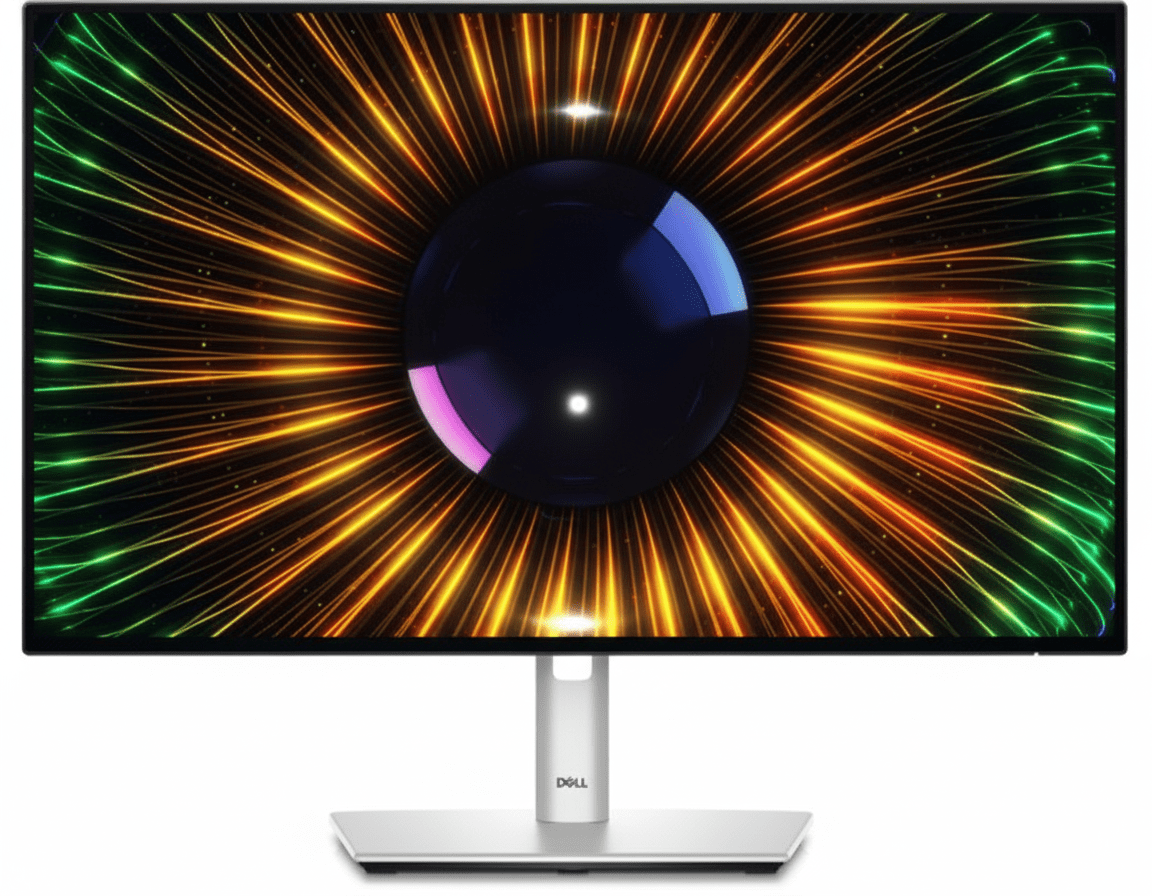
Dell UltraSharp U2424H Review: 24″ 120Hz Productivity Monitor Redefining Comfort & Clarity

Dell UltraSharp U2424H
Dell UltraSharp 24 Monitor (U2424H) Review: The New Standard for Productivity

Dell UltraSharp 24 Monitor (U2424H) Review: The New Standard for Productivity

24″ FHD 120Hz Display 4-Star Eye Comfort Excellent Color Accuracy Ambient Light Sensor Daisy Chain via DisplayPort ₹18,799
The professional’s choice for superior comfort, color, and connectivity.

The Dell UltraSharp 24 Monitor (U2424H) sets a new benchmark for professional productivity displays. Priced at ₹18,799, it elevates the classic 24-inch FHD monitor with premium features previously reserved for high-end models. It boasts the world’s first 4-star eye comfort certification, a smooth 120Hz refresh rate, and outstanding color accuracy with 100% sRGB coverage. Combined with a fully ergonomic stand, a versatile USB hub, and intelligent features like an ambient light sensor, the U2424H is engineered for professionals who demand exceptional visual quality and all-day comfort.

Experience Unparalleled Visual Comfort

Enjoy a 120Hz refresh rate, world-class eye comfort, and vibrant, accurate colors.

₹18,799
₹19,499 (Save ₹700)
Inclusive of all taxes | Free Priority Delivery

Valid till Oct 17th | 3-Year Premium Panel Exchange

Key Features at a Glance

120Hz Refresh Rate: Delivers a smoother, more responsive experience than standard 60Hz.
4-Star Eye Comfort: TÜV-certified with an Ambient Light Sensor and improved ComfortView Plus.
Excellent Color Accuracy: 100% sRGB & BT.709, 85% DCI-P3 with Delta E < 2 calibration.
Full Ergonomics: Complete height, tilt, swivel, and pivot adjustability for perfect positioning.
Versatile USB Hub: Includes high-speed USB-A and USB-C (15W power) ports for quick access.
Daisy Chain Support: DisplayPort-out allows for clean, easy multi-monitor setups.

1. Unparalleled Visual Comfort

Experience the world’s first 4-star certified monitor for all-day eye comfort.

Intelligent Ambient Light Sensor

This monitor features a built-in Ambient Light Sensor that intelligently optimizes brightness and color temperature based on your surroundings. This not only reduces eye strain but also helps conserve energy.

Improved ComfortView Plus

Dell’s next-generation hardware solution reduces harmful blue light emissions to less than 35%. Unlike software filters, this TÜV-certified technology maintains vibrant, accurate colors while protecting your eyes during long work sessions.

2. A Smoother, More Vibrant Experience

See your work with enhanced fluidity and professional-grade color accuracy.

120Hz Refresh Rate

Doubling the standard refresh rate, the 120Hz panel delivers a significantly smoother visual experience. You’ll notice less flicker, more seamless scrolling through documents and websites, and smoother motion in general.

Vivid, Accurate Color

This monitor comes factory-calibrated with 100% sRGB, 100% BT.709, and 85% DCI-P3 color coverage. With a Delta E < 2 color accuracy, you can trust that the colors on your screen are true-to-life, making it ideal for creative work.

3. Connect to Productivity

A smart hub of high-speed ports designed for a clean and efficient workspace.

High-Speed USB Hub

The monitor serves as a convenient USB hub, featuring 10Gbps USB-A and USB-C ports. This includes a quick-access USB-C port with 15W power delivery, perfect for charging your phone or connecting peripherals.

Daisy Chain for Multi-Monitor Setups

Simplify your dual-monitor setup with the DisplayPort-out port. This allows you to connect a second monitor directly to the U2424H, reducing cable clutter running back to your PC and creating a cleaner workspace.

4. Designed for Comfort and Style

A premium finish and full adjustability to fit any work style.

Fully Ergonomic Stand

Find your perfect viewing position with a stand that offers a complete range of motion. You can adjust the height (150mm), tilt, swivel, and pivot into a vertical orientation, ensuring all-day comfort and reducing physical strain.

Premium Build and Finish

The monitor features a sleek, modern design with a premium platinum silver finish that enhances any workspace. The infinity edge screen with ultra-thin bezels provides a virtually borderless experience, perfect for multi-monitor setups.

Ideal For These Users

Office Professionals & Power Users

Anyone who spends long hours in front of a monitor will appreciate the combination of a smooth 120Hz refresh rate and best-in-class eye comfort features.

Entry-Level Content Creators

The excellent factory-calibrated color accuracy (100% sRGB, 85% DCI-P3) makes it a superb and affordable choice for photo and video editing for web content.

Users Building Dual-Monitor Setups

With its thin bezels and DisplayPort-out for daisy chaining, this monitor is the perfect foundation for a clean and efficient dual-screen workspace.

Who Might Consider Other Options

Laptop Users Needing a Single-Cable Hub

This monitor’s USB-C port is for data and low-power (15W) charging only; it does not support video. Users wanting a true single-cable docking solution should consider a hub monitor like the U2424HE.

Gamers

While the 120Hz refresh rate is smooth, this is a productivity monitor. Gamers will be better served by displays with faster response times and adaptive sync technology (G-Sync/FreeSync).

Users Needing Higher Resolution

For tasks that require more screen real estate and sharper detail, such as 4K video editing or complex data analysis, a QHD or 4K UltraSharp monitor would be a more suitable choice.

Competitive Edge: How It Stacks Up

Bringing premium, next-generation features to the mainstream.

  • Vs. Standard FHD Monitors

    The U2424H stands far above typical 60Hz FHD monitors. Its key advantages are the 120Hz refresh rate for smoother motion, superior color accuracy out of the box, and the world-class 4-star eye comfort system, which are features most competitors lack.

  • Vs. Dell P-Series (P2425H)

    While both offer 120Hz and full ergonomics, the UltraSharp U2424H justifies its price premium with superior color performance (85% DCI-P3 vs. sRGB only), a more advanced USB hub with 10Gbps ports, and the intelligent Ambient Light Sensor for automated comfort.

  • The New Professional Standard

    Its competitive edge is that it redefines what a mainstream professional monitor should be. It makes high-refresh-rate, excellent color, and top-tier eye comfort the new standard, not a luxury.

Full Specifications

Display

Screen Size
23.8″
Resolution
FHD (1920 x 1080)
Panel Type
IPS
Refresh Rate
120 Hz
Response Time
5ms (Fast Mode)
Brightness
250 cd/m²
Pixel Density
92.53 PPI
Contrast Ratio
1000:1

Color & Eye Comfort

Color Gamut
100% sRGB, 85% DCI-P3
Color Accuracy
Delta E < 2
Eye Comfort
TÜV 4-Star Certified

Connectivity

Video In
1x DP 1.4, 1x HDMI 1.4
Video Out
1x DP 1.4 (MST)
USB Upstream
1x USB-C (Data)
USB Downstream
3x USB-A, 1x USB-C (15W)

Mechanical

Height Adjust
150 mm
Tilt
-5° to 21°
Swivel
-45° to 45°
Pivot
±90°

Pros and Cons

What We Liked

  • World-class eye comfort with Ambient Light Sensor.
  • Smooth and fluid 120Hz refresh rate.
  • Excellent color accuracy for creative tasks.
  • Fully ergonomic stand provides great flexibility.
  • Versatile connectivity with a useful USB hub and daisy chain support.

What Could Be Better

  • USB-C port does not support video (no single-cable hub).
  • No HDR support.
  • Premium price for an FHD monitor.

Final Verdict

The Dell UltraSharp U2424H is a phenomenal productivity monitor that redefines the standard for its class. It intelligently combines next-generation features like a 120Hz refresh rate and a sophisticated, sensor-driven 4-star eye comfort system with the traditional UltraSharp strengths of excellent color accuracy and full ergonomics. The result is a display that is not only a pleasure to look at but also actively works to reduce fatigue.

While the lack of a full single-cable USB-C hub is a notable omission, the U2424H excels in every other area. For professionals who prioritize visual comfort, color fidelity, and a smooth, responsive experience above all else, this monitor is arguably the new gold standard for 24-inch professional displays and worth every penny.

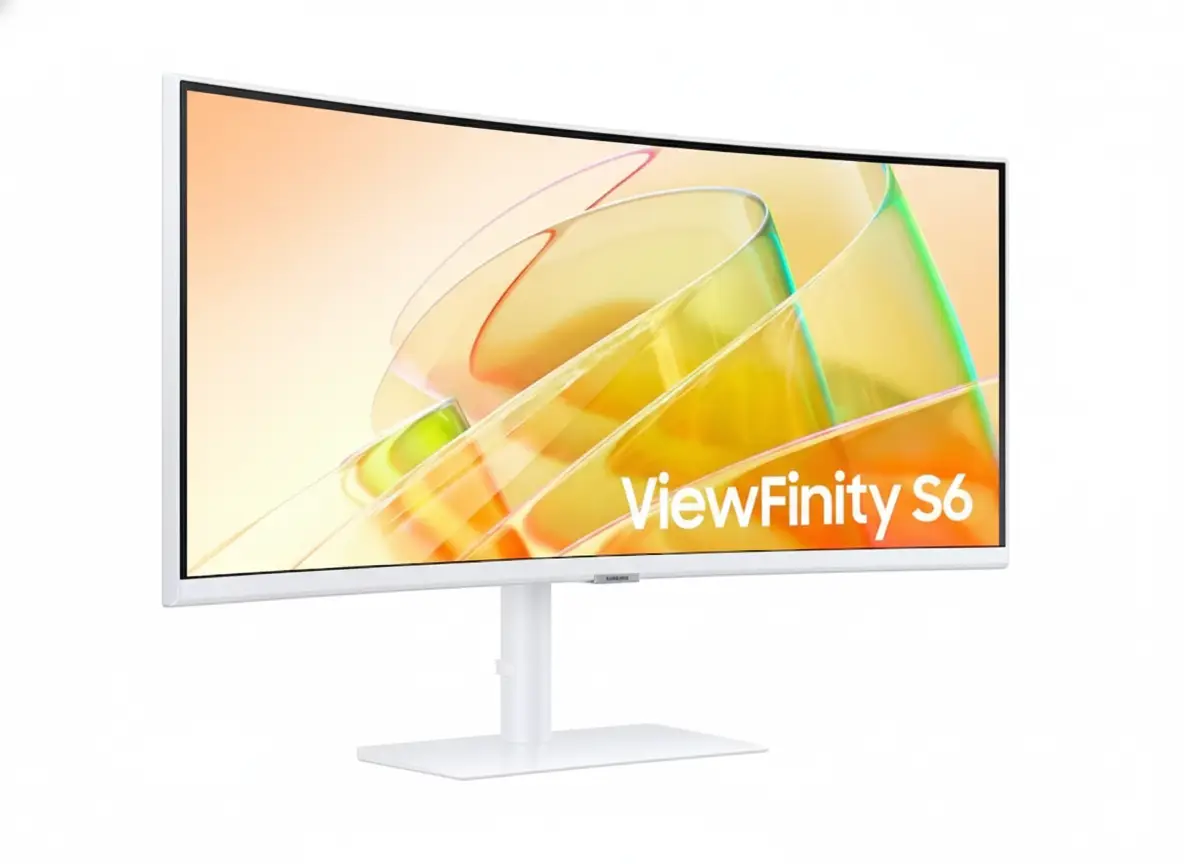
Samsung ViewFinity S65TC 34″ Ultrawide Thunderbolt 4 Monitor – 90W, 100Hz, KVM

Samsung ViewFinity S65TC 34" Ultrawide Thunderbolt 4 Monitor
Samsung Essential Monitor S3 S39GD 27″ Review 2025 – 100Hz Curved Gaming Monitor
Samsung ViewFinity S65TC 34 inch Ultrawide UWQHD Curved Monitor with Thunderbolt 4

⚡ Thunderbolt 4 Powerhouse: 90W Charging + 40Gbps Data Transfer!

34″ Ultrawide UWQHD + 100Hz + 1000R Curve + KVM Switch = Ultimate Productivity!

🏆 Best Value Thunderbolt 4 Ultrawide – Professional Productivity Monitor!

Samsung ViewFinity S65TC 34″

34″ Ultrawide UWQHD | Thunderbolt 4 90W | 100Hz | 1000R Curved | KVM Switch

3440×1440 VA Panel – HDR10 – AMD FreeSync – Built-in Speakers – Height Adjustable Stand

⚡ The Ultimate Thunderbolt 4 Productivity Monitor:

• Display: 34″ (86.4cm) UWQHD 3440×1440 – 21:9 Ultrawide – 1000R Curve

• Thunderbolt 4: Dual TB4 ports – 90W Power Delivery + 40Gbps data transfer

• Performance: 100Hz refresh rate + AMD FreeSync + 5ms response time

• Productivity: KVM Switch + PIP/PBP + Easy Setting Box + Daisy Chain

• Connectivity: HDMI 2.0 + DisplayPort 1.2 + USB 3.0 Hub + Ethernet (RJ45)

• Visuals: HDR10 + 1.07B colors + 3000:1 contrast + 350 nits brightness

• Ergonomics: Height adjustable (4.7″) + Swivel ±30° + Tilt -2°~20°

• Audio: Built-in 5W speakers + 3.5mm headphone jack

$799.99

*Model: LS34C650TANXGO | 3-Year Warranty | Free Shipping

🛒 Buy Now on Samsung.com (USA)

₹57,999

*Expected price | Model: LS34C650UAWXXL | Check availability

🛒 Check Samsung India Website

🌍 Global Availability

• USA: $799.99 (Samsung.com, Best Buy, Amazon)

• India: ₹57,999 expected (Samsung India, Amazon.in)

• Europe: €749-849 (varies by country)

• Global: Check Samsung regional sites

Resolution

UWQHD 3440×1440

Thunderbolt 4

90W PD

Refresh Rate

100Hz

Samsung ViewFinity S65TC 34″ Overview – The Ultimate Thunderbolt 4 Ultrawide

🖥️ Ultrawide Excellence

  • 34″ UWQHD: 3440×1440 resolution – 110.21 PPI
  • 21:9 Aspect: 33% more screen vs. 16:9
  • 1000R Curve: Immersive wraparound viewing
  • VA Panel: 3000:1 contrast – deep blacks
  • HDR10: Enhanced dynamic range
  • 1.07B Colors: 10-bit color depth
  • 350 Nits: Bright enough for most rooms
  • 178° Viewing: Wide viewing angles

⚡ Thunderbolt 4 Power

  • 🔌 Dual TB4 Ports: 2× Thunderbolt 4 inputs
  • ⚡ 90W PD: Port 1 charges laptops at 90W
  • 💨 40Gbps Speed: Ultra-fast data transfer
  • 🔗 Daisy Chain: Connect multiple monitors
  • 🖥️ Single Cable: Power + video + data
  • 🌐 Ethernet: RJ45 LAN port included

⭐ Productivity Tools

  • • KVM Switch: Control 2 PCs with 1 keyboard/mouse
  • • PIP/PBP: View multiple sources simultaneously
  • • Easy Setting Box: Window management software
  • • 100Hz Refresh: Smooth scrolling and navigation
  • • AMD FreeSync: Tear-free gaming performance
  • • Built-in Speakers: 5W audio – desk space saving

🎯 What Makes ViewFinity S65TC Special?

The Samsung ViewFinity S65TC 34″ is the best value Thunderbolt 4 ultrawide monitor on the market, delivering professional-grade connectivity and productivity features at a competitive $799.99 USD / ₹57,999 INR price point. Most Thunderbolt 4 ultrawides cost $1,000-1,500, making the S65TC a $200-700 savings without compromising essential features.

The dual Thunderbolt 4 ports with 90W Power Delivery on port 1 enable true single-cable setups – connect your MacBook Pro or high-end Windows laptop with one cable that simultaneously charges at 90W, transmits 3440×1440@100Hz video, and provides 40Gbps data transfer speeds. This eliminates cable clutter and creates clean desk aesthetics. The second TB4 port (15W charging) supports daisy-chaining additional monitors or connecting TB4 storage devices.

The 34-inch 3440×1440 UWQHD resolution with 21:9 aspect ratio provides 33% more horizontal space than standard 16:9 displays. This is transformative for productivity – view spreadsheets with dozens of visible columns, edit timelines with room for panels, code with multiple files side-by-side, or browse with multiple full-size windows simultaneously. The 1000R curvature (1-meter radius) closely matches human eye curvature, creating immersive viewing that reduces eye strain during extended work sessions.

The VA panel with 3000:1 contrast ratio and HDR10 support delivers superior image quality compared to IPS ultrawides at this price. Deep blacks and vibrant colors enhance both productivity (dark-themed applications look stunning) and media consumption (movies and videos benefit from HDR). The 350 nits brightness (280 nits minimum) is adequate for typical office environments.

Built-in KVM switch, PIP/PBP modes, and Easy Setting Box software transform the S65TC into a true productivity hub. Control two computers with one keyboard/mouse via KVM, view multiple video sources simultaneously in split-screen layouts, and use Easy Setting Box to create custom window arrangements that snap apps into predefined positions. These features justify the “professional monitor” designation.

At $799.99 USD, the ViewFinity S65TC costs less than many Thunderbolt 3 ultrawides while offering newer TB4 technology with double the bandwidth (40Gbps vs 20Gbps). Competitors like Dell U3424WE ($1,149), LG 34WK95U ($999), and BenQ PD3420U ($1,099) cost $200-300+ more for similar specs. The S65TC’s value proposition is exceptional for professionals needing Thunderbolt connectivity without premium pricing.

Display Quality – 34″ UWQHD 3440×1440 Curved VA Panel

📺 34″ UWQHD Resolution – 110.21 PPI

The 3440×1440 UWQHD resolution on 34 inches delivers 110.21 pixels per inch – sharp enough for crisp text rendering while providing massive screen real estate. At typical desk viewing distances (60-80cm), text is perfectly readable without scaling on Windows or macOS. The ultrawide format provides 33% more horizontal pixels than standard 2560×1440 QHD displays.

The 21:9 aspect ratio transforms productivity workflows. View full-width spreadsheets with 30+ columns visible, edit 4K video timelines with room for preview and effects panels, browse with three full-size browser windows side-by-side, or code with editor + terminal + documentation visible simultaneously. The active display area measures 31.4″ × 13.1″ (797.22mm × 333.72mm) – truly expansive workspace.

UWQHD Productivity Benefits

  • • Resolution: 3440×1440 (110.21 PPI) – sharp text
  • • Workspace: 33% more horizontal space vs. 16:9
  • • Multitasking: 3+ full windows side-by-side
  • • Scaling: 100% scaling perfect on Windows/macOS

🌊 1000R Curvature – Immersive Viewing

The 1000R curvature (1-meter radius) is one of the most aggressive curves in the ultrawide category, creating exceptional immersion. The curve matches human eye curvature more closely than gentler 1800R or 1500R curves, ensuring every part of the screen sits at equal distance from your eyes. This reduces head movement and eye strain during extended use.

For productivity, the curve keeps information at screen edges within natural field of vision without turning your head. The immersive effect also benefits media consumption and gaming, wrapping content around your peripheral vision for more engaging experiences.

1000R Curve Advantages

  • • Eye strain: Reduces head/eye movement
  • • Immersion: Wraps around field of vision
  • • Edges visible: No turning head for corners
  • • Natural viewing: Matches eye curvature

🎨 VA Panel – 3000:1 Contrast & HDR10

🌑 Superior Contrast & Colors

The VA (Vertical Alignment) panel with 3000:1 static contrast ratio provides significantly better blacks and contrast than IPS panels (typically 1000:1). This creates deeper blacks in dark-themed applications and enhances HDR content viewing. Dark mode productivity apps (IDEs, terminals, design tools) look stunning with true black backgrounds.

The 1.07 billion (10-bit) color support ensures smooth color gradients without banding. While the monitor doesn’t specify exact color gamut coverage, typical business-class VA panels cover 99-100% sRGB, sufficient for office work, content consumption, and casual photo editing. Professional colorists need wider gamut monitors with factory calibration.

🌟 HDR10 & Brightness

HDR10 support enables playback of high dynamic range content from streaming services and HDR-compatible applications. While the 350 nits typical brightness (280 nits minimum) doesn’t reach DisplayHDR 400 certification (requires 400+ nits), the VA panel’s high contrast creates noticeable HDR improvements over SDR content.

The 350 nits brightness is adequate for typical office environments with controlled lighting. For bright rooms or near windows, consider positioning away from direct sunlight or using window treatments. Brightness is sufficient for comfortable all-day use without eye strain. The monitor includes TÜV-certified eye care features (flicker-free, blue light reduction) for extended viewing comfort.

📐 Display Specifications Summary

Resolution & Format

3440×1440 UWQHD at 34″ provides 110.21 PPI – sharp text with massive workspace. 21:9 ultrawide aspect ratio delivers 33% more horizontal space than standard 16:9 displays.

Panel Quality

VA panel, 3000:1 contrast, HDR10 with 1.07B colors. 1000R curve for immersive viewing. 178°/178° viewing angles maintain color accuracy off-center.

Brightness & Eye Care

350 nits typical (280 minimum) adequate for offices. TÜV-certified eye care: Flicker-free, blue light reduction, adaptive brightness. Eye Saver Mode for late-night work.

Thunderbolt 4 – 90W Power Delivery + 40Gbps Transfer

⚡ Dual Thunderbolt 4 Ports – Port 1: 90W PD

The ViewFinity S65TC includes two Thunderbolt 4 ports, with port 1 providing 90W Power Delivery. This is sufficient to charge high-performance laptops while simultaneously transmitting 3440×1440@100Hz video and providing 40Gbps data transfer. Connect MacBook Pro 14″/16″, Dell XPS 15/17, ThinkPad P-series, or Surface Laptop Studio with a single cable for complete workstation functionality.

The 90W charging power charges even demanding laptops during moderate workloads. MacBook Pro 16″ (140W max) charges at reduced speed but remains functional; during light work (web browsing, document editing), 90W suffices. Gaming laptops requiring 150W+ need supplemental charging during intensive tasks. The second TB4 port provides 15W charging – enough for tablets, phones, or low-power accessories while maintaining daisy-chain capability.

Thunderbolt 4 Specifications

  • • Port 1: 90W Power Delivery + 40Gbps data
  • • Port 2: 15W Power Delivery + 40Gbps data
  • • Video: 3440×1440@100Hz single cable
  • • Daisy chain: Connect additional TB4 monitors

🚀 40Gbps Data Transfer – Thunderbolt 4 vs 3

Thunderbolt 4 provides 40Gbps bidirectional bandwidth – double the minimum spec of Thunderbolt 3 (20Gbps baseline, though TB3 could reach 40Gbps). This ensures sustained 40Gbps performance for data-intensive workflows: transferring large video files, accessing high-speed external SSDs, or running multiple high-resolution displays via daisy-chain.

Thunderbolt 4 also mandates PCIe data speeds of 32Gbps (vs. TB3’s optional 16Gbps), improving external GPU and storage performance. For professionals working with 4K/8K video, large RAW photo libraries, or virtual machines on external drives, the guaranteed 40Gbps throughput eliminates bottlenecks. TB4’s improved power delivery (up to 100W max, 90W here) and universal charging support also standardize behavior across devices.

TB4 Advantages Over TB3

  • • 40Gbps guaranteed (TB3 baseline was 20Gbps)
  • • 32Gbps PCIe standard (TB3 was 16Gbps)
  • • Universal docking: Certified compatibility
  • • Daisy chain: Up to 4 TB4 devices per port

🔗 Daisy Chaining & Multi-Monitor Setups

🖥️ Daisy Chain Support

The ViewFinity S65TC supports Thunderbolt 4 daisy chaining, enabling you to connect additional TB4 monitors or devices through the monitor itself rather than consuming multiple laptop ports. Connect your laptop to the S65TC’s TB4 port, then connect a second TB4 monitor to the S65TC’s second TB4 port, creating a dual-ultrawide setup with one laptop cable.

The 40Gbps bandwidth accommodates 3440×1440@100Hz on the primary monitor plus additional displays on the chain, though exact configurations depend on laptop GPU capabilities. This simplifies desk setups – one TB4 cable to laptop provides power, video to primary monitor, and connectivity to all daisy-chained peripherals (monitors, storage, docks).

💻 Single-Cable Workspace

The ultimate benefit of Thunderbolt 4 is true single-cable workstation setups. Arrive at your desk, plug one TB4 cable into your laptop, and instantly gain: 90W charging, 34″ ultrawide display, USB 3.0 hub access (3 ports), Ethernet connectivity (RJ45 pass-through), and audio output. Leaving the desk requires unplugging one cable.

This eliminates the cable spaghetti typical of multi-device workstations. No separate power adapter, video cable, USB hub, Ethernet adapter – everything runs through the TB4 connection. For remote workers alternating between office and home, or users docking laptops at multiple locations, single-cable simplicity is transformative.

🔌 Additional Connectivity – HDMI, DP, USB Hub, Ethernet

📺 Video Inputs

1× HDMI 2.0 + 1× DisplayPort 1.2 provide alternatives to Thunderbolt for non-TB devices. Connect desktops, consoles, or secondary laptops via HDMI/DP while maintaining TB4 connection to primary laptop. Supports 3440×1440@100Hz via DP/HDMI.

🔗 USB 3.0 Hub

3× USB 3.0 ports function as hub when connected via TB4/DP upstream. Connect keyboard, mouse, USB drives, webcam to monitor; control from laptop via single TB4 cable. Hub also provides device charging at standard USB rates.

🌐 Ethernet Port

RJ45 Ethernet port (1 Gigabit) enables wired networking for laptops without Ethernet. Connect monitor to network via Ethernet, then laptops access wired connection through TB4 cable. Ideal for MacBooks lacking Ethernet ports.

Productivity Features – KVM Switch, PIP/PBP, Easy Setting Box

⌨️ Built-In KVM Switch – One Keyboard, Two Computers

The integrated KVM (Keyboard, Video, Mouse) switch allows you to control two connected computers with a single keyboard and mouse. Connect work laptop via Thunderbolt 4 and personal desktop via HDMI, then switch between them using the monitor’s on-screen menu or hotkey. Your keyboard/mouse (connected to the monitor’s USB hub) control whichever source is active.

This eliminates the need for external KVM switches or multiple keyboard/mouse sets, saving desk space and cost. Common scenarios: control work PC and personal PC from one setup, manage server and workstation, or switch between Mac and Windows machines. The KVM integrates seamlessly with PIP/PBP modes – you can see both computers’ screens simultaneously while controlling one at a time.

KVM Switch Benefits

  • • Control 2 PCs: One keyboard/mouse for both
  • • Instant switching: Hotkey or OSD menu toggle
  • • Cost saving: No external KVM needed ($100+ saved)
  • • Seamless: Works with PIP/PBP viewing modes

🖼️ PIP & PBP – Multi-Source Viewing

Picture-in-Picture (PIP) and Picture-by-Picture (PBP) modes enable viewing multiple video sources simultaneously. PBP splits the screen into two equal halves (left/right) displaying different inputs – ideal for comparing documents, monitoring two systems, or referencing material while working. PIP displays one source full-screen with a smaller window overlay from the second source.

Common use cases: monitor server logs on one half while developing on the other, watch tutorial videos (PIP) while following along in applications (main screen), or display reference material alongside active work. Note that 100Hz refresh rate is unavailable in PBP mode – the monitor reverts to 60Hz when splitting screen between two sources to accommodate bandwidth limitations.

PIP/PBP Capabilities

  • • PBP: Split screen (50/50) between 2 inputs
  • • PIP: Main screen + overlay window
  • • Flexible: Any input combo (TB4, HDMI, DP)
  • • Limitation: 100Hz disabled in PBP mode

📐 Easy Setting Box – Window Management Software

🪟 Custom Screen Partitions

Easy Setting Box is Samsung’s free window management software that enables creating custom screen layouts with predefined zones. Divide the 34″ ultrawide into 2, 3, 4, or more sections, then drag applications into zones for automatic sizing and positioning. Apps snap to designated areas with pixel-perfect precision, maximizing the ultrawide’s real estate.

Create layouts like: 70/30 split (main editor + sidebar reference), 33/33/33 triple column (code + terminal + browser), or 2×2 grid (quadrant multitasking). Saved layouts persist across sessions – launch Easy Setting Box on startup to automatically restore your preferred configuration. This transforms the ultrawide from unwieldy single canvas into structured workspace.

⚡ Productivity Boost

Without Easy Setting Box, managing windows on 34″ ultrawide is tedious – Windows/macOS native snapping doesn’t understand ultrawide dimensions, resulting in awkwardly sized windows. Easy Setting Box solves this by providing ultrawide-optimized layouts that make full use of the 3440-pixel width.

The software is available for free download from Samsung’s website and must be installed on each PC you use with the monitor. It runs as a background utility with minimal resource usage. While third-party alternatives exist (PowerToys FancyZones for Windows, Rectangle for macOS), Easy Setting Box is pre-configured for Samsung monitors and includes S65TC-specific presets.

💼 Professional Productivity Workflow Example

Developer Workflow

Single cable TB4 connection powers MacBook Pro while displaying 3440×1440@100Hz. Easy Setting Box creates 3-column layout: code editor (60% width) + terminal (20%) + browser with documentation (20%). KVM switch lets you test on Windows PC (HDMI) while controlling from Mac keyboard. Total desk cables: one.

Video Editor Workflow

Thunderbolt 4 charges laptop and displays timeline at 100Hz for smooth scrubbing. PBP mode splits screen: editing application on left half, reference footage/color grading preview on right half (via HDMI from color calibration device). USB hub connects Thunderbolt SSD with media files. Single-cable disconnect when moving laptop.

Performance – 100Hz Refresh Rate & AMD FreeSync

🔄 100Hz Refresh Rate – Smooth Productivity & Gaming

The 100Hz refresh rate provides noticeably smoother motion compared to standard 60Hz monitors. While not the 144Hz+ of gaming-focused displays, 100Hz creates fluid scrolling, smooth window dragging, and responsive cursor movement that enhances everyday productivity tasks.

For casual gaming, 100Hz is excellent. Most single-player games, RPGs, racing titles, and strategy games run beautifully at 100fps on this resolution (3440×1440 is easier to drive than 4K). The 5ms response time is adequate but not exceptional – competitive FPS players will notice slight motion blur, but casual gamers find it perfectly acceptable. The high refresh + AMD FreeSync combination eliminates screen tearing.

100Hz Benefits

  • • Smooth scrolling: Documents, web pages, code
  • • Fluid motion: Window dragging, animations
  • • Gaming: 100fps gameplay for casual titles
  • • Better than 60Hz: Noticeable improvement

🎮 AMD FreeSync – Tear-Free Experience

AMD FreeSync synchronizes monitor refresh rate with GPU frame rate, eliminating screen tearing without input lag penalties of V-Sync. When your GPU outputs 75fps in a game, the monitor refreshes at 75Hz; at 100fps, it refreshes at 100Hz. This creates smooth, tear-free visuals across variable frame rates.

FreeSync works with AMD graphics cards and compatible NVIDIA GPUs (G-Sync Compatible mode). It’s available via HDMI or DisplayPort connections; Thunderbolt also supports it when transmitting DisplayPort signal. The adaptive sync range likely spans 48-100Hz (typical for FreeSync displays), meaning benefits apply when frame rates fluctuate within that window.

AMD FreeSync Details

  • • Eliminates tearing: Sync refresh with FPS
  • • AMD & NVIDIA: Works with both GPU brands
  • • Connections: HDMI, DisplayPort, Thunderbolt
  • • Range: Likely 48-100Hz adaptive sync

⚠️ Performance Limitations & Considerations

🚫 Not for Competitive Gaming

The 100Hz refresh rate and 5ms response time position this as a productivity-first monitor that handles casual gaming well but isn’t competitive-gaming optimized. Esports players need 240Hz+ monitors with 1ms response for maximum competitive advantage in titles like Valorant, CS2, Apex Legends, or League of Legends.

If competitive gaming is your primary use case, skip the ViewFinity S65TC and choose gaming-focused ultrawides like Alienware AW3423DWF (175Hz OLED), LG 34GN850 (160Hz IPS), or Samsung Odyssey G5 (165Hz VA) – all sacrifice productivity features for gaming performance.

🖥️ GPU Requirements

Driving 3440×1440@100Hz requires mid-to-high-end GPUs for gaming. NVIDIA RTX 4060 Ti / RTX 3070, AMD RX 7700 XT / RX 6800, or better recommended for AAA gaming at high/ultra settings. Productivity work (office apps, browsing, coding) runs smoothly on integrated graphics (Intel Iris Xe, AMD Radeon 680M).

The 3440×1440 resolution is 35% fewer pixels than 4K (4.95M vs 8.29M pixels), making it significantly easier to drive. Budget GPUs (RTX 4060, RX 7600) can achieve 60-100fps in older titles or esports games at medium settings.

Ergonomics & Design – Height Adjustable Stand & Clean Aesthetics

🔧 Height Adjustable Stand – Full Ergonomic Control

The included HAS (Height Adjustable Stand) provides comprehensive ergonomic adjustments for comfortable viewing. Height adjustment range of 4.72 inches (120mm) lets you position the display at optimal eye level, reducing neck strain during extended work sessions. This is crucial for ultrawide monitors that occupy significant desk space.

Additional adjustments include ±30° swivel (60° total range) for sharing screen with colleagues or adjusting viewing angle, and -2° to +20° tilt for finding the perfect vertical angle. The stand lacks pivot/rotation for portrait mode – not typically useful for 34″ ultrawides due to extreme vertical height.

Stand Adjustments

  • • Height: 4.72″ range (120mm adjustment)
  • • Swivel: ±30° (left/right rotation)
  • • Tilt: -2° to +20° (up/down angle)
  • • Pivot: Not supported (uncommon for ultrawides)

🖼️ VESA Mount Support – Monitor Arm Compatibility

The 100mm × 100mm VESA mount pattern enables mounting on aftermarket monitor arms or wall mounts. Premium ergonomic arms from Ergotron, Humanscale, or Amazon Basics provide superior flexibility compared to the stock stand – gas spring tensioning, extended reach, cable management channels, and quick-release mechanisms.

Monitor arms maximize desk space by eliminating the stand footprint, crucial for smaller desks or multi-monitor setups. The S65TC weighs 11.7 lbs (5.31 kg) without stand – within capacity of most monitor arms rated for 15-20 lbs. Ensure your chosen arm supports 34″ ultrawide dimensions and VESA 100×100 mounting.

VESA Mounting Details

  • • VESA: 100mm × 100mm standard pattern
  • • Weight: 11.7 lbs without stand (5.31 kg)
  • • Compatibility: Most monitor arms (15-20 lb capacity)
  • • Benefit: Maximizes desk space vs. stock stand

🎨 Design & Aesthetics – Warm White Professional Look

🌟 Clean Modern Appearance

The ViewFinity S65TC features a warm white color scheme across front bezel, rear casing, and stand – a refreshing departure from typical black monitors. The minimalist design with thin bezels on three sides creates an immersive viewing experience where the screen dominates, not the frame.

The professional aesthetic suits modern office environments and home workspaces emphasizing clean, light design. The warm white finish complements natural wood desks and minimalist decor better than stark black. Note that only one color option (warm white) is available – no black variant exists.

📐 Dimensions & Footprint

With stand: 31.8″ W × 22.1″ H × 9.5″ D (807×561×241mm). The 9.5″ depth requires adequate desk space, though typical for curved ultrawides. Without stand: 31.8″ W × 14.5″ H × 4.9″ D (807×368×124mm) – compact when VESA mounted.

Weight with stand: 17.9 lbs (8.12 kg) – manageable for one-person setup but benefits from two-person installation. The substantial weight indicates sturdy build quality. Plan for at least 32″ wide desk space with 10″ depth clearance.

💡 Cable Management & Setup Considerations

🔌 Included Cables

In the box: Power cable (1.5m), HDMI cable, Thunderbolt 3/4 cable, USB 3.0 upstream cable. Samsung includes all necessary connectivity cables – rare generosity in monitor market. The included TB4 cable (likely 0.8m-1m length) supports full 40Gbps + 90W charging specifications.

🧰 Cable Routing

The stand likely includes basic cable routing channels (typical Samsung design). For Thunderbolt single-cable setups, you’ll run minimal cables – TB4 to laptop, power to wall outlet, Ethernet (optional). Use cable ties or desk cable management trays to organize connections cleanly.

Who Should Buy the Samsung ViewFinity S65TC 34″?

✅ Perfect For

💻 MacBook Pro / High-End Laptop Users

If you use a MacBook Pro, Dell XPS, ThinkPad X1, or premium Windows laptop with Thunderbolt 4, the S65TC is the ideal docking monitor. 90W Power Delivery charges your laptop while transmitting 3440×1440@100Hz video + 40Gbps data through one cable. Arrive at desk, plug one cable, and gain full workstation functionality instantly.

👨‍💻 Developers & Programmers

The 3440×1440 ultrawide resolution with 100Hz refresh is transformative for coding. Display editor + terminal + browser/documentation simultaneously without window juggling. Easy Setting Box creates persistent 3-column layouts that restore on startup. The 100Hz makes scrolling through thousands of code lines butter-smooth.

📊 Financial Analysts & Data Professionals

Spreadsheet work benefits enormously from 21:9 ultrawide format – view 30+ columns without horizontal scrolling. Compare multiple data sources side-by-side using PBP mode. The KVM switch lets you control work PC and analysis server with one keyboard/mouse while viewing both screens.

🎬 Video Editors & Content Creators

The 34″ ultrawide format matches video editing timeline layouts perfectly. View full 4K timeline with room for preview window, effects panels, and color grading tools. 100Hz refresh ensures smooth scrubbing. Thunderbolt 4 connects external SSDs at full 40Gbps speed for fast media file access.

🏢 Remote Workers & Hybrid Employees

If you work from home or split time between office and remote, single-cable TB4 setup is game-changing. Pack laptop in bag, arrive at workspace, plug one cable – instant full desk setup. No dongles, no cable management, no multiple connections. Reverse process takes 2 seconds when leaving.

💼 Multi-Device Users (Work + Personal PCs)

The built-in KVM switch is perfect for managing work and personal computers. Connect work laptop via TB4, personal desktop via HDMI, then control both with one keyboard/mouse. Switch between systems instantly. PBP mode lets you see both screens simultaneously for cross-device workflows.

❌ Not Ideal For

💰 Budget-Conscious Buyers

At $799.99 USD / ₹57,999 INR, you’re paying premium for Thunderbolt 4. Non-TB4 ultrawides with similar specs cost $400-600. If you don’t have Thunderbolt 4 devices or don’t need 90W laptop charging, you’re paying $200-300 for unused features. Consider cheaper ultrawides with USB-C or standard inputs instead.

🎮 Competitive Gamers

100Hz and 5ms response time are inadequate for competitive esports. Valorant, CS2, Apex Legends, and MOBA players need 240Hz+ monitors with 1ms response. The S65TC is a productivity monitor that handles casual gaming well but won’t deliver competitive advantages in fast-paced multiplayer titles.

🎨 Professional Color Work

While adequate for general use, the S65TC lacks professional color specifications – no Adobe RGB coverage data, no factory calibration, no color accuracy guarantees. Professional photographers and video colorists need monitors with 99%+ Adobe RGB/DCI-P3, Delta E <2, and calibration reports.

💻 Non-Thunderbolt Laptop Users

If your laptop lacks Thunderbolt 4/3 ports, you’re paying for connectivity you can’t use. Budget laptops, older laptops, and many AMD-based systems lack Thunderbolt. You’ll connect via HDMI or DisplayPort, negating the single-cable advantage. Buy a cheaper non-TB ultrawide and save $200-300.

🖥️ Desktop-Only Users

If you use a desktop PC exclusively without laptop docking needs, the 90W Power Delivery and single-cable convenience are irrelevant. Desktop users connect via DisplayPort or HDMI regardless. The S65TC’s value proposition centers on laptop docking – desktops don’t benefit from this premium feature.

📐 4K Resolution Seekers

The 3440×1440 UWQHD resolution is lower than 4K (3840×2160) in pixel count. If you prioritize absolute resolution over ultrawide format, consider 32″ 4K monitors instead. However, note that UWQHD at 34″ provides more usable workspace than 16:9 4K for productivity due to the wider aspect ratio.

Competitors & Alternatives – Compare Before You Buy

Dell UltraSharp U3424WE

34″ UWQHD Thunderbolt 4 Hub Monitor

Display: 34″ 3440×1440 IPS, 60Hz

Thunderbolt: Dual TB4, 90W PD

Color: 99% sRGB, factory calibrated

Price: $1,149 USD / ₹99,999 INR

Why Choose This Instead:

  • • IPS panel: Better color accuracy
  • • Factory calibrated: Professional color work
  • • More USB ports: 5× USB-C, 5× USB-A
  • • Ethernet 2.5Gbps: Faster networking

S65TC Advantages:

  • • $350 cheaper ($800 vs $1,149)
  • • 100Hz vs 60Hz (smoother)
  • • Higher contrast (3000:1 vs 1000:1)
  • • Built-in KVM switch

LG 34WK95U-W

34″ 5K2K Ultrawide Thunderbolt 3

Display: 34″ 5120×2160, 60Hz

Panel: IPS Nano, 98% DCI-P3

Thunderbolt: TB3, 85W PD

Price: ~$999 USD / ₹89,999 INR

Why Choose This Instead:

  • • 5K2K resolution: 5120×2160 (higher than UWQHD)
  • • 98% DCI-P3: Wide color gamut
  • • IPS Nano: Superior color accuracy
  • • HDR 600: True HDR performance

S65TC Advantages:

  • • $200 cheaper ($800 vs $999)
  • • 100Hz vs 60Hz refresh
  • • Thunderbolt 4 (newer, 40Gbps guaranteed)
  • • KVM switch built-in
  • • Easier to drive (less GPU demanding)

BenQ PD3420Q

34″ UWQHD Designer Monitor

Display: 34″ 3440×1440 IPS, 60Hz

USB-C: 85W PD (no Thunderbolt)

Color: 99% sRGB, calibrated

Price: ~$899 USD / ₹79,999 INR

Why Choose This Instead:

  • • Factory calibrated: Delta E <3
  • • Hotkey Puck G2: Physical controls
  • • KVM switch: 2-device management
  • • Designer focused: CAD/CAM modes

S65TC Advantages:

  • • $100 cheaper ($800 vs $899)
  • • Thunderbolt 4 (40Gbps vs USB-C)
  • • 100Hz vs 60Hz
  • • Higher contrast VA panel
  • • AMD FreeSync for gaming

ASUS ProArt PA348CGV

34″ UWQHD Creator Monitor

Display: 34″ 3440×1440 IPS, 120Hz

Color: 100% sRGB, 98% DCI-P3

USB-C: 90W PD (no Thunderbolt)

Price: ~$799 USD / ₹74,999 INR

Why Choose This Instead:

  • • 120Hz: Higher refresh than S65TC
  • • 98% DCI-P3: Wide color gamut
  • • Factory calibrated: Pre-calibrated
  • • Similar price: Comparable to S65TC

S65TC Advantages:

  • • Thunderbolt 4 (40Gbps ecosystem)
  • • Daisy chain capability
  • • Built-in KVM switch
  • • Ethernet port included
  • • Higher contrast VA panel

AOC CU34G2X

34″ UWQHD Budget Gaming Ultrawide

Display: 34″ 3440×1440 VA, 144Hz

Gaming: FreeSync, 1ms MPRT

Curve: 1500R curved

Price: ~$399 USD / ₹36,999 INR

Why Choose This Instead:

  • • $400 cheaper: Half the price
  • • 144Hz: Better for gaming
  • • 1ms MPRT: Fast response time
  • • Budget gaming: Value-focused

S65TC Advantages:

  • • Thunderbolt 4 (90W PD docking)
  • • Professional features (KVM, PIP/PBP)
  • • Better build quality
  • • USB hub + Ethernet
  • • Productivity-optimized design

Gigabyte M34WQ

34″ UWQHD Mid-Range Ultrawide

Display: 34″ 3440×1440 IPS, 144Hz

USB-C: 18W PD (limited power)

Gaming: FreeSync Premium

Price: ~$499 USD / ₹44,999 INR

Why Choose This Instead:

  • • $300 cheaper: Better value
  • • 144Hz: Higher refresh rate
  • • IPS panel: Better viewing angles
  • • KVM switch: 2-device control

S65TC Advantages:

  • • Thunderbolt 4 (40Gbps vs basic USB-C)
  • • 90W PD vs 18W (charges laptops)
  • • Ethernet port included
  • • Higher contrast VA panel
  • • Professional productivity focus

Pros & Cons – The Complete Picture

✅ Pros

  • •

    Dual Thunderbolt 4 – 90W Power Delivery

    Two Thunderbolt 4 ports with 90W PD on port 1 enable true single-cable laptop docking. Charge high-performance laptops while transmitting 3440×1440@100Hz video and 40Gbps data simultaneously. Port 2 provides 15W + daisy-chain capability.

  • •

    Exceptional Value for TB4 Ultrawide

    At $799.99 USD / ₹57,999 INR, the S65TC costs $200-400 less than competing Thunderbolt 4 ultrawides (Dell U3424WE $1,149, LG 34WK95U $999) while delivering similar core features. Best price-to-performance in TB4 ultrawide category.

  • •

    34″ UWQHD 3440×1440 – Massive Workspace

    110.21 PPI delivers sharp text at 100% scaling. 21:9 aspect provides 33% more horizontal space than 16:9 displays – view full spreadsheets, timelines, or multiple windows side-by-side. Active display area: 31.4″ × 13.1″ for expansive productivity.

  • •

    1000R Curvature – Immersive Viewing

    Aggressive 1000R curve (1-meter radius) matches human eye curvature, keeping all screen areas equidistant from eyes. Reduces head movement and eye strain during extended ultrawide viewing. More immersive than gentler 1500R/1800R curves.

  • •

    100Hz Refresh Rate – Smooth Productivity

    100Hz provides noticeably smoother scrolling, window dragging, and cursor movement compared to 60Hz. Enhances everyday productivity and casual gaming. Combined with AMD FreeSync for tear-free visuals. 67% faster than standard 60Hz monitors.

  • •

    VA Panel – 3000:1 Contrast & HDR10

    VA panel’s 3000:1 static contrast ratio (3× better than IPS) delivers deep blacks and vibrant colors. HDR10 support enhances streaming content. 1.07 billion colors (10-bit) ensure smooth gradients. Excellent for dark-themed productivity apps and media.

  • •

    Built-In KVM Switch

    Control two connected computers with single keyboard/mouse. Connect work laptop (TB4) + personal desktop (HDMI), switch between them instantly. Saves $100+ on external KVM hardware while providing seamless multi-device management with PIP/PBP support.

  • •

    PIP/PBP + Easy Setting Box

    Picture-in-Picture and Picture-by-Picture modes display multiple sources simultaneously. Easy Setting Box software creates persistent window layouts optimized for ultrawide. Partition screen into 2, 3, 4+ zones with saved configurations for different workflows.

  • •

    Comprehensive Connectivity

    2× TB4 + 1× HDMI 2.0 + 1× DisplayPort 1.2 + 3× USB 3.0 + RJ45 Ethernet + headphone jack. USB hub functionality when connected via TB4/DP. Ethernet pass-through for laptops without LAN ports. Covers every connectivity scenario.

  • •

    Ergonomic Design – Height Adjustable Stand

    Height adjustable stand (4.7″ range) + swivel (±30°) + tilt (-2° to +20°) provide comprehensive ergonomic flexibility. 100×100mm VESA mount supports monitor arms. Warm white design with minimal bezels creates clean, professional aesthetic.

❌ Cons

  • •

    Thunderbolt 4 Premium – Expensive Without TB Devices

    At $799.99 USD / ₹57,999 INR, you’re paying $200-300 premium purely for Thunderbolt 4 connectivity. If you lack TB4 laptops or don’t need 90W laptop charging, you’re overpaying for unused features. Non-TB ultrawides with similar specs cost $400-600.

  • •

    100Hz Not Competitive Gaming Spec

    100Hz with 5ms response time is inadequate for competitive esports. Valorant, CS2, and MOBA players need 240Hz+ with 1ms response. The S65TC is productivity-first with casual gaming capability, not a competitive gaming monitor.

  • •

    No Professional Color Accuracy Specs

    Lacks Adobe RGB/DCI-P3 coverage specifications, factory calibration, or Delta E accuracy ratings. Not suitable for professional photo editing, video color grading, or print work. Adequate for general use but not color-critical workflows.

  • •

    5ms Response Time – Minor Ghosting Possible

    5ms GTG response time is average for VA panels but slower than 1-4ms IPS/TN monitors. Can exhibit slight ghosting during rapid scrolling or fast-paced gaming. Not noticeable in productivity tasks but visible in motion-intensive scenarios.

  • •

    350 Nits Brightness – Modest for Bright Rooms

    350 nits typical (280 minimum) is adequate for typical offices but struggles in very bright rooms or near windows. Brighter displays (400-600 nits) handle ambient light better. Consider room lighting when positioning.

  • •

    100Hz Disabled in PBP Mode

    When using Picture-by-Picture to display two sources simultaneously, the refresh rate drops to 60Hz to accommodate bandwidth limitations. Loses smooth scrolling benefit during split-screen workflows. PIP and single-source modes maintain 100Hz.

  • •

    Weak Built-In Speakers – 5W Audio

    5W built-in speakers are functional for system sounds and video calls but lack volume and bass for music or immersive media. Audio quality is typical of monitor speakers – adequate but unimpressive. External speakers or headphones recommended for quality audio.

  • •

    VA Viewing Angle Shift

    While rated at 178°/178°, VA panels exhibit color/contrast shift when viewed from extreme angles more than IPS. Not an issue for single-user setups, but side viewers may notice color changes. The 1000R curve mitigates this for primary user by keeping screen perpendicular.

  • •

    No USB-C Alternate Mode for Non-TB Devices

    The TB4 ports require Thunderbolt 3/4 capable devices – they don’t function as generic USB-C DisplayPort alternate mode for non-TB devices. Devices with USB-C but no Thunderbolt (budget laptops, tablets) must use HDMI/DP connections instead.

  • •

    Limited Availability – Harder to Find

    ViewFinity S65TC has more limited retail presence than Dell/LG competitors. May require ordering directly from Samsung with potentially longer shipping times. Not as widely stocked at Best Buy, Amazon, or local retailers.

Final Verdict – Best Value Thunderbolt 4 Ultrawide

9.0/10

Overall Rating

Exceptional TB4 Ultrawide Value

9.5/10

Thunderbolt 4 Implementation

90W PD + 40Gbps Excellence

9.0/10

Value for Money

Best Price in TB4 Category

🏆 Verdict Summary

The Samsung ViewFinity S65TC 34″ is the best value Thunderbolt 4 ultrawide monitor available, delivering professional-grade connectivity and productivity features at a remarkably competitive $799.99 USD (₹57,999 INR expected) price point. Most competing Thunderbolt 4 ultrawides cost $1,000-1,500, making the S65TC a $200-700 savings without sacrificing essential features. The dual TB4 ports with 90W Power Delivery + 40Gbps data transfer + 3440×1440@100Hz video transmission create true single-cable laptop docking – a transformative workflow improvement for MacBook Pro, Dell XPS, ThinkPad, and other premium laptop users.

The 34-inch 3440×1440 UWQHD resolution with 1000R curvature provides exceptional productivity workspace – 33% more horizontal space than 16:9 displays with immersive wraparound viewing that reduces eye strain. The 100Hz refresh rate creates noticeably smoother everyday computing compared to 60Hz competitors (Dell U3424WE, LG 34WK95U), while VA panel’s 3000:1 contrast ratio delivers superior blacks and HDR10 performance compared to IPS alternatives at this price.

The built-in KVM switch, PIP/PBP modes, Easy Setting Box software, and comprehensive connectivity (HDMI, DP, USB hub, Ethernet) justify the “professional productivity monitor” designation. For Thunderbolt 4 laptop users prioritizing value, the ViewFinity S65TC is the obvious choice. Non-Thunderbolt users should consider cheaper ultrawides since they can’t utilize the TB4 premium features.

✅ Buy If You:

  • • Own MacBook Pro, Dell XPS, or TB4 laptop
  • • Need single-cable docking (90W + video + data)
  • • Want ultrawide productivity workspace
  • • Value 100Hz smooth scrolling/navigation
  • • Manage multiple PCs (KVM switch)
  • • Seek best value in TB4 ultrawide category

❌ Skip If You:

  • • Lack Thunderbolt 4/3 devices
  • • Need competitive gaming specs (240Hz+)
  • • Require professional color accuracy
  • • Use desktop PC only (no laptop docking)
  • • Budget-constrained ($400-600 non-TB ultrawides)
  • • Prefer IPS over VA panels

⭐ Category Ratings Breakdown

Display Quality (34″ UWQHD, VA Panel) 8.5/10
Thunderbolt 4 Implementation (90W PD, 40Gbps) 9.5/10
Productivity Features (KVM, PIP/PBP, Easy Setting Box) 9.0/10
Performance (100Hz, AMD FreeSync) 8.0/10
Connectivity & Ports 9.5/10
Ergonomics & Design 8.5/10
Value for Money 9.0/10

Frequently Asked Questions

Q1: Will the 90W Power Delivery charge my laptop fully?

90W charges most ultrabooks and productivity laptops fully including MacBook Air (all models), MacBook Pro 13″/14″ (M-series during moderate work), Dell XPS 13/15, HP Spectre, ThinkPad X/T series, and similar. High-performance laptops like MacBook Pro 16″ (140W max) or gaming laptops (150W+) will charge slowly or require supplemental power during intensive tasks (video rendering, 3D work, gaming). For typical office work (documents, browsing, email), 90W is sufficient for even high-end laptops.

Q2: Does Thunderbolt 4 work with non-Apple laptops?

Yes, Thunderbolt 4 is cross-platform and works with Windows laptops, Linux systems, and MacBooks equally. Any device with Thunderbolt 4 or Thunderbolt 3 ports can utilize the monitor’s TB4 connectivity. Many high-end Windows laptops include TB4: Dell XPS series, HP EliteBook/Spectre, Lenovo ThinkPad X1/P-series, Microsoft Surface Laptop Studio, ASUS ZenBook, and more. Check your laptop specs for “Thunderbolt 4” or “Thunderbolt 3” port designation.

Q3: Can I use this monitor without Thunderbolt devices?

Yes, but you won’t utilize its key advantages. The monitor has HDMI 2.0 and DisplayPort 1.2 inputs that work with any desktop or laptop. However, you’re paying $200-300 premium for Thunderbolt 4 features you won’t use. If you don’t have TB4 laptops or need 90W laptop charging, consider cheaper 34″ ultrawides like AOC CU34G2X ($399), Gigabyte M34WQ ($499), or ASUS VA34 series ($450-550) that offer similar display specs without the TB4 premium.

Q4: How does the KVM switch work?

The built-in KVM (Keyboard, Video, Mouse) switch lets you control two connected computers with a single keyboard and mouse. Connect your keyboard/mouse to the monitor’s USB ports. Connect computer A via Thunderbolt 4 and computer B via HDMI. Use the monitor’s on-screen menu to switch active input – your keyboard/mouse will now control whichever computer is currently selected. The KVM works seamlessly with PIP/PBP, allowing you to see both computers’ screens while controlling one.

Q5: Is 100Hz good enough for gaming?

100Hz is excellent for casual gaming but not competitive esports. Single-player games, RPGs, racing titles, and strategy games look smooth and responsive at 100fps. The AMD FreeSync eliminates screen tearing. However, competitive FPS/MOBA players need 240Hz+ with 1ms response for maximum advantage. The S65TC’s 5ms response time also causes slight motion blur in fast-paced scenarios. Position this as a productivity monitor that handles casual gaming well, not a gaming-first display.

Q6: What’s the difference between UWQHD and 4K?

UWQHD (3440×1440) has 4.95 million pixels; 4K (3840×2160) has 8.29 million pixels – 4K is higher resolution. However, UWQHD at 21:9 ultrawide provides more usable workspace than 16:9 4K for productivity. The extra horizontal space (3440 vs 3840 width, but spread across ultrawide format) enables better side-by-side multitasking. UWQHD is also easier to drive – you need less GPU power to reach 100fps than 4K@100fps.

Q7: Does the Ethernet port work through Thunderbolt?

Yes, the RJ45 Ethernet port functions as pass-through when connected via Thunderbolt 4. Connect the monitor to your network via Ethernet cable, then laptops connected via TB4 can access wired networking through the single TB4 cable. This is perfect for MacBooks and ultrabooks that lack Ethernet ports. The Ethernet port provides standard 1 Gigabit connectivity, sufficient for typical office networks.

Q8: Can I daisy chain multiple monitors?

Yes, Thunderbolt 4 supports daisy chaining. Connect your laptop to the S65TC’s TB4 port 1, then connect a second TB4 monitor to the S65TC’s TB4 port 2. The second monitor receives video signal and power through the S65TC. Total configuration depends on laptop GPU capabilities – driving 3440×1440@100Hz plus additional displays requires substantial graphics performance. Check your laptop’s TB4 specifications for multi-display support details.

Q9: How does it compare to Dell U3424WE?

The Dell U3424WE costs $1,149 vs S65TC’s $800 ($350 more expensive). Dell advantages: IPS panel with factory color calibration, more USB ports (5× USB-C, 5× USB-A), 2.5Gbps Ethernet. S65TC advantages: $350 cheaper, 100Hz vs 60Hz (smoother), higher contrast VA panel (3000:1 vs 1000:1), built-in KVM switch. For general productivity, the S65TC offers better value. For color-critical work or users needing many USB ports, Dell U3424WE justifies its premium.

Q10: Is the 1000R curve too aggressive?

1000R is aggressive but most users adapt within days. The tight curve creates exceptional immersion and keeps screen edges within natural field of vision, reducing head movement. Some users find aggressive curves distracting initially, especially for productivity (straight lines appear curved). If possible, view 1000R ultrawides in-store before buying. Gentler alternatives: 1500R (common) or 1800R (subtle). The S65TC’s curve is one of its defining features – embrace it or choose flatter alternatives.

Complete Technical Specifications

SAMSUNG VIEWFINITY S65TC 34″ – FULL SPECIFICATIONS
DISPLAY SPECIFICATIONS
Screen Size (Class)34 inch (86.36 cm)
Resolution3440 × 1440 (UWQHD)
Pixel Density110.21 PPI
Aspect Ratio21:9 (Ultrawide)
Panel TypeVA (Vertical Alignment)
Curvature1000R (1-meter radius)
Active Display Size (H × V)797.22mm (H) × 333.72mm (V) / 31.4″ × 13.1″
Brightness (Typical)350 cd/m²
Brightness (Minimum)280 cd/m²
Contrast Ratio (Static)3,000:1 (Typical)
Contrast Ratio (Dynamic)Mega ∞ DCR
HDR SupportHDR10
Response Time5ms (GTG)
Refresh RateMax 100Hz
Color SupportMax 1.07 Billion (10-bit)
Color Gamut (sRGB Coverage)1.15 (115% sRGB coverage)
Viewing Angle178° (H) / 178° (V)
THUNDERBOLT 4 CONNECTIVITY
Thunderbolt Input Ports2× Thunderbolt 4
Thunderbolt VersionThunderbolt 4
Thunderbolt Charging (Port 1)90W Power Delivery
Thunderbolt Charging (Port 2)15W Power Delivery
Thunderbolt Data Speed40Gbps Bidirectional
Daisy Chain SupportYes (Up to 4 TB4 devices)
Thunderbolt 3 Cable IncludedYes (1× TB3/TB4 cable)
VIDEO INPUTS
HDMI Ports1× HDMI 2.0
HDMI VersionHDMI 2.0
HDCP Version (HDMI)HDCP 2.2
DisplayPort1× DisplayPort 1.2
DisplayPort VersionDisplayPort 1.2
HDMI Cable IncludedYes
USB & NETWORKING
USB-A Ports3× USB 3.0
USB Hub VersionUSB 3.0 (5Gbps)
USB 3.0 Cable IncludedYes
Ethernet Port (LAN)1× RJ45 Gigabit Ethernet
Ethernet Speed1 Gigabit (1000 Mbps)
Headphone JackYes (3.5mm audio out)
PRODUCTIVITY FEATURES
KVM SwitchYes (Built-in 2-device KVM)
Picture-in-Picture (PIP)Yes
Picture-by-Picture (PBP)Yes (Split-screen mode)
Easy Setting BoxYes (Free software download)
Image Size AdjustmentYes
Adaptive PictureYes (Automatic adjustment)
GAMING FEATURES
Refresh RateMax 100Hz
AMD FreeSyncYes (Adaptive Sync)
G-Sync CompatibleCompatible (unofficial)
Game ModeYes (Multiple modes)
Color ModesEntertain / Graphic / Eco / Game Standard / RPG / RTS / FPS / Sports / Original / Custom
AUDIO SPECIFICATIONS
Built-In SpeakersYes
Speaker Output5W Total
EYE CARE & COMFORT
Eye Saver ModeYes (Blue Light Reduction)
Flicker FreeYes (DC Dimming)
TÜV CertificationTÜV-Certified Intelligent Eye Care
Adaptive BrightnessYes (Auto adjustment <200 lux)
ERGONOMICS & DESIGN
Stand TypeHAS (Height Adjustable Stand)
Height Adjustment4.72 inches (±0.2″) / 120mm
Swivel (Left/Right)±30° (60° total range)
Tilt (Up/Down)-2° to +20° (22° total range)
Pivot RotationNot Supported
VESA Mount100mm × 100mm
Front ColorWhite
Rear ColorWarm White
Stand ColorWarm White
DIMENSIONS & WEIGHT
With Stand (W × H × D)31.8″ × 22.1″ × 9.5″ (807mm × 561mm × 241mm)
Without Stand (W × H × D)31.8″ × 14.5″ × 4.9″ (807mm × 368mm × 124mm)
Package Dimension (W × H × D)31.8″ × 4.9″ × 14.4″ (807mm × 124mm × 366mm)
Weight with Stand17.9 lbs (8.12 kg)
Weight without Stand11.7 lbs (5.31 kg)
Package Weight23.1 lbs (10.48 kg)
Shipping Weight23.15 lbs (10.50 kg)
POWER SPECIFICATIONS
Power SupplyInternal (Built-in)
Input VoltageAC 100-240V, 50/60Hz
Power Consumption (Max)200W
Power Consumption (Typical)~60W (estimated during normal use)
Power Cable Length1.5 meters (4.9 feet)
OPERATING CONDITIONS
Operating Temperature50°F to 104°F (10°C to 40°C)
Operating Humidity10% to 80% (Non-Condensing)
CERTIFICATIONS & COMPLIANCE
ENERGY STAR® CertifiedYes (Latest version)
TCO CertifiedYes
Windows CertificationWindows 11 Compatible
HDMI-CEC SupportNot Specified
Auto Source SwitchYes (Automatic input detection)
Off Timer PlusYes
ENVIRONMENTAL
Recycled Plastic10% post-consumer recycled plastic
Eco CertificationENERGY STAR, TCO Certified
IN THE BOX
Package ContentsViewFinity S65TC 34″ Display, Height Adjustable Stand, Power Cable (1.5m), HDMI Cable, Thunderbolt 3/4 Cable, USB 3.0 Cable, User Manual, Warranty Card
WARRANTY & SUPPORT
Warranty Period3 Years (Standard Manufacturer Warranty)
Panel Warranty3 Years (Dead pixel policy applies)
Customer SupportSamsung Customer Service (Region-specific)
MODEL INFORMATION
Model Number (USA)LS34C650TANXGO
Model Number (Global)LS34C650T (Region suffix varies)
Model Number (India)LS34C650UAWXXL (Expected)
Generation2024/2025 Model (ViewFinity S6 Series)
Product SeriesSamsung ViewFinity S65TC
Color OptionsWarm White Only
SKULS34C650TANXGO (USA)

Ready to Experience Ultimate Thunderbolt 4 Productivity?

Best Value TB4 Ultrawide – 90W PD + 3440×1440@100Hz + KVM Switch!

⚡ Thunderbolt 4

90W PD + 40Gbps

34″ UWQHD

3440×1440 @ 100Hz

KVM Switch

2-Device Control

Best Value

$800 TB4 Ultrawide

© 2025 ReviewNest.in – Samsung ViewFinity S65TC 34″ Review

All product names, logos, and brands are property of their respective owners. All company, product and service names used in this website are for identification purposes only. Use of these names, logos, and brands does not imply endorsement.

Prices and specifications are subject to change without notice. Please verify current pricing and availability with retailers before purchase.

Thunderbolt and the Thunderbolt logo are trademarks of Intel Corporation in the U.S. and/or other countries.

TCL V5C 32″ QLED TV Review: Brilliant Colors, Dolby Audio & Google TV Magic at ₹12,490

TCL V5C 32" QLED TV Review
TCL V5C 32-inch QLED Full HD Google TV (32V5C) Review

TCL V5C 32″ QLED TV: Premium Color in a Compact Size

QLED Display 100% Color Volume HDR 10 Micro Dimming 24W Dolby Audio Google TV Google Assistant
Special Price: ₹12,490

Overview

The TCL V5C 32-inch TV is a rare and exciting entry in the smart TV market, bringing premium QLED display technology to a compact, Full HD screen. This model is designed for viewers who prioritize color accuracy and vibrancy over sheer pixel count, featuring a QLED panel with 100% Color Volume Plus for stunningly rich and lifelike visuals. The impressive picture is complemented by a powerful 24W Dolby Audio sound system, creating a balanced and immersive entertainment experience. Running on the latest Google TV platform, the V5C offers a seamless smart interface with Google Assistant and Chromecast built-in. With its advanced image processing, multiple viewing modes, and a sleek metallic bezel-less design, this TCL TV is a standout choice for anyone seeking premium features in a smaller form factor.

1. QLED with 100% Color Volume

Quantum Dot Technology

This TV uses a QLED panel with an upgraded Quantum Crystal material. This technology allows it to deliver 100% Color Volume Plus under the DCI-P3 standard, meaning it can produce a massive range of vibrant colors that remain accurate even at peak brightness levels—a significant step up from standard LED TVs.

2. Advanced Image Processing

HDR 10 & Micro Dimming

The TV supports HDR 10 for enhanced contrast and also features Micro Dimming. This technology analyzes the picture in hundreds of separate zones to intelligently adjust brightness and darkness, creating deeper blacks and better contrast.

Ai-CLARITY Engine

TCL’s self-developed AiPQ Engine with Ai-CLARITY works to recognize scenes and upscale details, reduce image noise, and deliver an overall clearer and sharper picture.

3. Powerful Dolby Audio

24W Speakers with Dolby

The integrated speaker system boasts a powerful 24-watt output, significantly louder and richer than the 20W standard. With Dolby Audio processing, it delivers crystal-clear dialogue and an immersive, surrounding sound experience.

4. The Google TV Experience

Content-Centric Interface

Google TV organizes all your movies and shows from different apps into one screen. It also provides personalized recommendations and lets you create a Watchlist directly from your phone.

“Ok Google” & Chromecast

Use your voice to ask “Ok Google” for weather, scores, and more. The built-in Chromecast lets you easily stream content from your phone, tablet, or laptop to the TV.

5. Versatile Viewing & Family Features

Multiple Viewing Modes

The TV includes dedicated modes to optimize the viewing experience. Movie Mode enhances contrast for deeper blacks, Sports Mode boosts brightness, and Game Mode reduces input lag for more responsive gaming.

Google Kids Profile

Activate the Kids’ Profile to create a safe, parent-worry-free digital playground. This feature filters content to ensure it is fun and appropriate for younger viewers.

6. Premium Design & Connectivity

Metallic Bezel-less Build

The TV features a slim, metallic bezel-less design that allows for a full-screen, wider viewing experience that feels premium and immersive. It includes ports for HDMI, USB, and Bluetooth 5.0 for stable and fast connections.

Who Is This TV For?

  • Color Aficionados: Users who want the best possible color vibrancy and accuracy in a compact TV.
  • Bedroom or Office Users: The 32-inch size and premium features make it a perfect high-end secondary TV.
  • Fans of Google TV: Anyone who enjoys the clean interface and smart features of the Google TV platform.

Who Might Consider Other Options?

  • 4K Resolution Seekers: This is a Full HD (1080p) TV, not a 4K TV.
  • Performance Power Users: 1GB of RAM and 8GB of storage might be limiting for heavy app users or future-proofing.
  • Energy-Conscious Buyers: The 1-star BEE rating indicates relatively high power consumption.

Competitive Edge

  • QLED Display in a 32-inch Size: This is an extremely rare feature, offering premium Quantum Dot color technology in a compact form factor that no other competitor matches at this price.
  • 100% Color Volume: The promise of full DCI-P3 color volume ensures superior color reproduction that punches far above its weight class.
  • Powerful Audio: The 24W Dolby Audio system is more powerful than the 20W standard on most 32-inch TVs, providing a richer sound experience.
  • Advanced Image Engine: The combination of an AiPQ engine, HDR 10, and Micro Dimming brings a suite of high-end processing features to the entry-level market.

Full Specifications

Display & Picture

  • Model: 32V5C
  • Display Size: 80 cm (32 inch)
  • Display Technology: QLED
  • Resolution: Full HD (1920 x 1080)
  • Refresh Rate: 60 Hz
  • Brightness: 300 nits
  • HDR Format: HDR 10
  • Picture Technology: AiPQ Engine, Micro Dimming, 100% Color Volume Plus

Audio

  • Speaker Output RMS: 24 Watts
  • Sound Technology: Dolby Audio
  • Sound Modes: User, Standard, Vivid, Sports, Movie, Music, News

Smart TV & Performance

  • Operating System: Google TV
  • Processor: 64-bit Quad Core Processor
  • RAM: 1 GB
  • Storage Memory: 8 GB

Connectivity & Ports

  • HDMI Ports: 2 (Side)
  • USB Ports: 1 (Side)
  • Wi-Fi: Yes
  • Bluetooth: Yes, v5.0
  • Casting: Chromecast Built-in
  • Headphone Jack: Yes (Side)

Pros & Cons

Pros

  • Exceptional QLED Color: 100% Color Volume delivers stunningly vibrant visuals for a 32-inch TV.
  • Powerful 24W Audio: Dolby Audio system is a significant upgrade over standard speakers.
  • Modern Google TV OS: Provides a clean, fast interface with excellent content aggregation.
  • Premium Design: The metallic bezel-less frame looks sleek and modern.

Cons

  • Limited RAM & Storage: 1GB RAM and 8GB storage may be restrictive for some users.
  • Only Full HD: Lacks 4K resolution, which is becoming more standard.
  • Poor Energy Efficiency: The 1-star BEE rating indicates high power consumption.

Final Verdict: A Compact Powerhouse of Color and Sound

The TCL V5C 32-inch QLED TV makes a compelling argument for quality over quantity. By implementing a premium QLED panel with 100% Color Volume in a compact Full HD screen, it delivers a visual experience that is significantly richer and more vibrant than its peers. This focus on color, paired with a powerful 24W Dolby Audio system and the modern Google TV platform, creates a remarkably well-balanced entertainment device. While the modest RAM and storage are noteworthy compromises, they don’t detract from the TV’s core mission. This is the perfect television for a discerning buyer who wants the best possible picture and sound quality in a smaller room, such as a bedroom or office. If you value color fidelity and audio punch more than 4K resolution, the TCL V5C is an outstanding and unique choice.

★★★★☆

Overall Rating: 4.0 out of 5.0


Vaidyuthi Mobility EV Gully100 Launched – Affordable Electric 3-Wheeler for Last-Mile Delivery in India

Vaidyuthi Mobility EV Gully100

Vaidyuthi Mobility Launches EV Gully100: A Game-Changer for India’s Last-Mile Delivery

Vaidyuthi Mobility, a Bengaluru-based electric vehicle startup, has introduced a first-of-its-kind electric three-wheeler, the EV Gully100, designed specifically to fill a critical gap in India’s last-mile logistics and urban delivery ecosystem. Priced at under ₹2 lakh (ex-showroom) after central and state subsidies, the Gully100 is not just an affordable solution but also a revolutionary one, as it can be operated by anyone with a standard two-wheeler license.

The Unlicensed Advantage: Bridging the Gap in Urban Logistics

The most significant aspect of the Gully100 is that it leverages a recent regulatory change in India that allows certain categories of electric three-wheelers to be driven without a commercial LMV-3 (Light Motor Vehicle – 3-wheeler) license. This reform is a major step toward democratizing the gig economy and last-mile delivery sector.

  • Addressing a Market Need: The Gully100 is designed to target the long-ignored mid-load delivery segment, which handles cargo in the range of 50 to 400 kg. This is a space where delivery companies have traditionally been forced to either overload motorbikes or use underutilized, expensive auto-rickshaws.
  • Lowering Barriers to Entry: By eliminating the need for a commercial license, the Gully100 opens up a new world of opportunities for thousands of gig workers, delivery partners, and small business owners who previously lacked the necessary permits to operate a three-wheeler. This reduces the cost and time associated with acquiring a commercial license, thereby expanding the available driver pool for fleet operators.

Features and Engineering: Designed for Indian Realities

The Gully100 is engineered from the ground up to handle the demanding conditions of Indian roads while prioritizing safety, efficiency, and driver comfort.

  • Dual-Motor Powertrain: The vehicle is equipped with a dual-motor system that provides high torque, ensuring strong performance even when carrying a full load. The scooter’s battery has a capacity of 9 kWh.
  • “Breathe & Adapt” Suspension: A standout feature is the in-house developed “Breathe & Adapt” air suspension system. This innovative technology automatically adjusts to a variety of Indian road conditions and compensates for shifting cargo weight, ensuring a stable and comfortable ride.
  • Advanced Safety Systems: Vaidyuthi Mobility has integrated several safety features, including Tilt Guard to prevent rollovers, an active swing arm, and an electronic differential for enhanced stability and control.
  • Performance and Range: The Gully100 is built for a full day of delivery shifts, offering a claimed real-world range of 120 km on a single charge.

Availability and Price

Vaidyuthi Mobility has announced a clear timeline for the Gully100’s market entry.

  • Manufacturing: Production is scheduled to begin in September 2025.
  • Pre-orders: The company will open pre-orders for the EV in October 2025.
  • Deliveries: Deliveries are slated to begin in November 2025.

With an ex-showroom price of under ₹2 lakh (subject to government subsidies), the EV Gully100 is poised to be an affordable and transformative solution for last-mile delivery, creating a new category of vehicles in India’s rapidly expanding electric mobility sector.

Realme QLED BEATS Xiaomi Fire TV? (32-inch Battle)

Realme QLED BEATS Xiaomi Fire TV
Xiaomi Fire TV vs. Realme QLED TV – In-Depth Comparison

Xiaomi Fire TV vs. Realme QLED TV (32-inch, 2025)

An exhaustive feature-by-feature comparison of two leading budget smart TVs.


At a Glance

Xiaomi Fire TV (L32MB-FIN)

4.3/5 (1,02,012 Ratings)

  • Price: ₹10,499
  • Display: 32″ LED, HD Ready
  • Sound: 20W Dolby Audio
  • OS: FireTv OS
Buy Xiaomi

Realme TechLife QLED

4.3/5 (6,776 Ratings)

  • Price: ₹10,999
  • Display: 32″ QLED, HD Ready
  • Sound: 26W Speaker System
  • OS: Google TV
Buy Realme

Display: The Core Difference

Realme’s QLED Panel

The key advantage for Realme is its QLED display. By using a quantum dot layer, it achieves a wider color gamut and higher peak brightness. This translates to richer, more vibrant, and impactful visuals, especially noticeable in colorful scenes and HDR content.

Xiaomi’s Vivid Picture Engine

Xiaomi uses a conventional LED panel but leverages its “Vivid Picture Engine” software to optimize contrast and colors. While it produces a sharp, clear picture for its class, it cannot physically replicate the superior color volume and brightness that the QLED hardware provides.

Audio Performance

Realme’s 26W System

With 26 Watts of power, Realme’s speakers offer more headroom, resulting in louder and fuller sound. This is a noticeable advantage for movie watching, where more powerful audio can create a more immersive experience without immediately needing a soundbar.

Xiaomi’s 20W Dolby Audio

Xiaomi’s 20W system with Dolby Audio is perfectly adequate for clear dialogue in shows and news. However, it may sound thinner and less dynamic during action sequences or music playback compared to the more powerful Realme setup.

OS, Hardware & Performance

Operating System

Xiaomi’s Fire OS is streamlined and Alexa-centric, perfect for Prime users. Realme’s Google TV is more versatile, offering a wider app selection and superior content discovery for users not tied to one ecosystem.

Processor & RAM

Xiaomi pulls ahead slightly with 1.5GB of RAM compared to Realme’s 1GB. This extra memory can lead to a smoother experience when multitasking or switching between apps on the Fire OS platform.

Storage

Both TVs come equipped with 8GB of internal storage. This is standard for budget models and provides sufficient space for installing a good number of essential streaming apps and system updates.

Connectivity & Design

Ports & Physical Inputs

Realme offers more flexibility with three HDMI ports, ideal for connecting multiple devices like a set-top box, gaming console, and soundbar. Xiaomi provides two. A crucial win for Xiaomi is the inclusion of a dedicated headphone jack for private listening.

Design and Build

Both models feature a modern, slim-bezel design that fits well in any room. The choice between them comes down to minor aesthetic preferences, as both look premium for their price point.

Energy Efficiency

The Xiaomi TV has a slightly better 2-star BEE energy rating compared to Realme’s 1-star rating, indicating marginally lower power consumption over time. Both have an efficient standby mode of 0.5W.

Specification Summary

FeatureXiaomi Fire TVRealme TechLife QLED
Price₹10,499₹10,999
Display TechLEDQLED
Sound Output20 W26 W
Operating SystemFireTv OSGoogle TV
RAM1.5 GB1 GB
HDMI Ports23
Headphone JackYesNo
Energy Rating2 Star1 Star

Final Verdict & Recommendation

Choose the Xiaomi Fire TV if…

…you are integrated with the Amazon ecosystem, value smoother multitasking from the extra RAM, and need a headphone jack. It offers fantastic practicality and value, especially for Prime members.

Choose the Realme QLED TV if…

…your top priorities are picture and sound quality. The superior QLED display and more powerful speakers create a more cinematic experience that justifies the minor price premium for movie buffs and quality enthusiasts.

🏆 Overall Winner for Quality

For the absolute best viewing experience, the **Realme TechLife QLED TV** wins due to its superior display and audio hardware. It’s the choice for those who want the most immersive picture and sound.