ReviewNest

Realme P4 5G Review: 7000mAh Battery, Dimensity 6300 Power & IP69 Rugged Design Under ₹18,000

Realme P4 5G
realme P4 Review: Power-Packed Performance with Premium Features

realme P4 Review: Power-Packed Performance with Premium Features

MediaTek Dimensity 6300 5G 6GB LPDDR4X RAM 128GB UFS 2.2 Storage 6.7″ FHD+ AMOLED, 120Hz 7000mAh Battery ₹17,499

Introducing the realme P4, a powerful mid-range smartphone that combines premium performance with advanced features in a sleek package. Launched in October 2025, the P4 features the efficient MediaTek Dimensity 6300 5G processor paired with a robust 7000mAh battery for exceptional daily performance. The sophisticated Steel Grey finish and modern design elements make it stand out, while the 6.7-inch FHD+ 120Hz AMOLED display provides stunning visuals for multimedia consumption. With comprehensive IP69 waterproofing and military-grade durability, the P4 offers flagship-level protection combined with essential modern capabilities at an accessible ₹17,499, positioning it as an excellent choice for professionals, content creators, and active users who demand reliable performance and rugged reliability in a premium smartphone experience.

Key Features at a Glance

MediaTek Dimensity 6300 5G

The efficient 6nm Dimensity 6300 chipset with 2.4GHz octa-core CPU and Mali-G57 MC2 GPU delivers smooth performance for gaming, multitasking, and fast content streaming while supporting advanced 5G connectivity across multiple bands.

7000mAh Endurance Battery

Massive 7000mAh battery provides exceptional endurance for extended usage, supporting up to 3 days of moderate use with intelligent power management and rapid 60W fast charging for demanding multimedia sessions.

6.7″ FHD+ 120Hz AMOLED

Premium 6.7-inch FHD+ AMOLED display with 120Hz refresh rate delivers vibrant colors and smooth visuals for videos, gaming, and scrolling with premium color accuracy and eye comfort features.

50MP AI-Powered Camera

Advanced 50MP main camera with AI enhancements and 16MP front camera capture stunning photos and smooth 1080p videos, perfect for social media content creation and professional-quality selfies.

IP69 Top-Tier Protection

IP69 certification withstands high-pressure water jets and immersion up to 2m for 30 minutes, plus MIL-STD-810H military-grade shock resistance for ultimate durability in extreme conditions.

Complete Technical Specifications

General Information

Brand: realme
Model: P4
Price: ₹17,499 (17% off MRP ₹20,999)
Color: Steel Grey
Dimensions: 167.8 x 76.4 x 8.1 mm
Weight: 200 grams
Build: Glass front, plastic frame/back
Protection: IP68/IP69 dust/water resistant, MIL-STD-810H compliant
Release Date: October 2025
SIM: Dual Nano-SIM

Performance & Memory

Chipset: MediaTek Dimensity 6300 (6 nm)
CPU: Octa-core (2×2.4 GHz Cortex-A76 & 6×2.0 GHz Cortex-A55)
GPU: Mali-G57 MC2
RAM: 6GB LPDDR4X (+up to 18GB dynamic RAM)
Storage: 128GB UFS 2.2
Expandable: microSDXC (dedicated slot, up to 1TB)
OS: Android 15, Realme UI 6.0

Display Specifications

Size: 6.7 inches
Type: AMOLED, 1080 x 2400 pixels (FHD+), 120Hz
Pixel Density: ~394 ppi
Screen-to-Body: ~90.8%
Brightness: 1000 nits (peak)
Features: HDR10+, 2160Hz PWM dimming, eye protection

Camera System

Main Camera: 50 MP, f/1.8, 26mm (wide), PDAF
Depth Camera: 2 MP, f/2.4
Video: 1080p@30fps
Front Camera: 16 MP, f/2.0
Front Video: 1080p@30fps
Features: LED flash, HDR, panorama, AI enhancements

Battery & Charging

Capacity: 7000 mAh, non-removable Li-Ion
Charging: 60W SuperVOOC wired (50% in 35 min), 5W reverse wired
Battery Life: Up to 3 days moderate use
Talk Time: Up to 48 hours

Connectivity & Sensors

Network: 5G NR, 4G LTE, 3G, 2G
SIM: Dual Nano-SIM
WLAN: Wi-Fi 802.11 a/b/g/n/ac, dual-band
Bluetooth: 5.3, A2DP, LE
GPS: Yes (GPS, GLONASS, GALILEO, BDS)
USB: USB Type-C 2.0
Sensors: Side-mounted fingerprint, accelerometer, proximity, compass
Audio: Loudspeaker, 3.5mm jack
NFC/Radio: No

What’s in the Box

  • realme P4 Smartphone
  • USB Type-C Cable
  • SIM Tray Ejector Tool
  • User Manual & Warranty Card
  • Power Adapter (sold separately)

1. Premium Performance & Endurance Battery

Experience flagship-grade performance combined with exceptional battery endurance for demanding daily usage.

Dimensity 6300 5G Performance

The 6nm Dimensity 6300 chipset with 2.4GHz octa-core processor and Mali-G57 MC2 GPU delivers AnTuTu scores exceeding 400,000, supporting smooth gaming, fast 5G downloads, and efficient multitasking with advanced thermal management for sustained performance.

7000mAh Endurance Power

Exceptional 7000mAh battery capacity supports up to 3 days of moderate usage while 60W SuperVOOC charging delivers 50% capacity in just 35 minutes, ensuring uninterrupted connectivity for demanding users and extended multimedia sessions.

Advanced Storage Solution

6GB LPDDR4X RAM with 128GB UFS 2.2 storage provides smooth multitasking and fast app loading, while the dedicated microSD slot allows expansion up to 1TB for extensive media storage and app collections.

2. Premium AMOLED Display & AI Camera System

Experience stunning visuals and intelligent photography with advanced display and camera technologies.

Vibrant AMOLED Display

The 6.7-inch FHD+ AMOLED panel with 394 ppi density and 1000 nits peak brightness delivers rich colors and deep contrast for movies, gaming, and browsing, enhanced by 120Hz smooth refresh rate for fluid animations.

Advanced AI Camera

Sophisticated 50MP main camera with AI scene recognition and 16MP front camera deliver professional-quality photos and smooth 1080p videos, perfect for social media content and professional selfies.

IP69 Ultimate Protection

Top-tier IP69 waterproofing withstands high-pressure water jets and immersion up to 2m for 30 minutes, plus MIL-STD-810H military-grade construction ensures durability against drops and extreme environmental conditions.

Who Is This Phone For? Tailored Recommendations

The realme P4 is designed for modern users who demand reliable performance and rugged protection.

  • Power Professionals: 7000mAh battery and 6GB RAM handle heavy multitasking for professionals and content creators throughout demanding workdays.
  • Multimedia Enthusiasts: FHD+ AMOLED display and 50MP camera system perfect for video streaming, gaming, and social media content creation.
  • Active Professionals: IP69 protection ensures reliability during fieldwork, travel, and demanding environments where durability is essential.
  • Long-Battery Users: Massive 7000mAh capacity ideal for users requiring extended usage without frequent recharging during travel or heavy usage.

Who Might Consider Other Options?

  • Compact Design Users: 6.7-inch display and 200g weight may feel large for users preferring more compact, one-handed smartphone designs.
  • Wireless Charging Fans: No wireless charging support available in some competing premium mid-range devices.
  • Ultra-Premium Seekers: While feature-rich, doesn’t offer the absolute highest-end specifications of flagship models.

Competitive Edge: What Sets It Apart?

The realme P4 combines premium features with mid-range pricing for outstanding value and performance.

  • Ultra-Large 7000mAh Battery: Exceptional capacity provides up to 3 days endurance, exceeding typical 5000mAh batteries in premium devices.
  • IP69 Waterproof Rating: Top-tier protection withstands high-pressure jets and immersion, offering superior durability in rugged conditions.
  • Premium AMOLED Display: FHD+ AMOLED panel with HDR10+ and 120Hz refresh rate delivers superior visual quality for multimedia consumption.
  • 60W SuperVOOC Charging: Lightning-fast charging reaches 50% in 35 minutes, providing rapid power replenishment for busy users.
  • Military-Grade Durability: MIL-STD-810H certification ensures reliability against drops, extreme temperatures, and harsh environmental conditions.
  • AI-Enhanced Camera: Advanced 50MP camera with AI processing delivers professional-quality photos and intelligent scene optimization.
  • Dedicated microSD Slot: 1TB expandable storage allows extensive media capacity for photos, videos, and app collections.

Pros & Cons: A Balanced View for Buyers

Pros

  • Exceptional 7000mAh Battery: Industry-leading capacity ensures up to 3 days of moderate usage for extended productivity and entertainment.
  • IP69 Waterproof Protection: Top-tier durability withstands high-pressure water jets and immersion for rugged reliability.
  • Premium FHD+ AMOLED: 6.7-inch display with HDR10+ delivers vibrant colors and smooth 120Hz refresh rate for multimedia.
  • 60W SuperVOOC Charging: Rapid charging reaches 50% capacity in 35 minutes for minimal downtime.
  • AI-Powered Camera: 50MP main camera with AI enhancements delivers professional-quality photos and videos.
  • Military-Grade Durability: MIL-STD-810H certification ensures protection against extreme conditions and drops.
  • 1TB Expandable Storage: Dedicated microSD slot allows extensive media and app capacity.
  • Modern Android 15: Latest OS with Realme UI 6.0 provides clean interface and up-to-date security.

Cons

  • No Wireless Charging: Limited to wired charging without wireless option available in premium models.
  • Plastic Frame Construction: Durable but lacks premium feel of metal or glass alternatives.
  • No NFC Support: Missing contactless payment capabilities found in many premium devices.
  • Mid-Range Chipset: Dimensity 6300 handles most tasks but doesn’t match flagship processor performance.
  • No Stereo Speakers: Single loudspeaker instead of premium stereo setup in higher-end models.

Final Verdict

The realme P4 delivers outstanding value in the mid-range segment, combining a massive 7000mAh battery with IP69 waterproofing and premium AMOLED display at competitive pricing. The Dimensity 6300 chipset ensures smooth performance while the advanced camera system provides professional-quality photography.

With military-grade durability, 60W fast charging, and modern Android 15 software, the P4 represents exceptional balance of features and reliability. While it lacks some premium features like wireless charging, it offers premium-level endurance and protection for active users who demand robust performance.

Expert Rating

8.7/10

Buy Now on Amazon – ₹17,499

Free Delivery | 10-Day Replacement | EMI Available
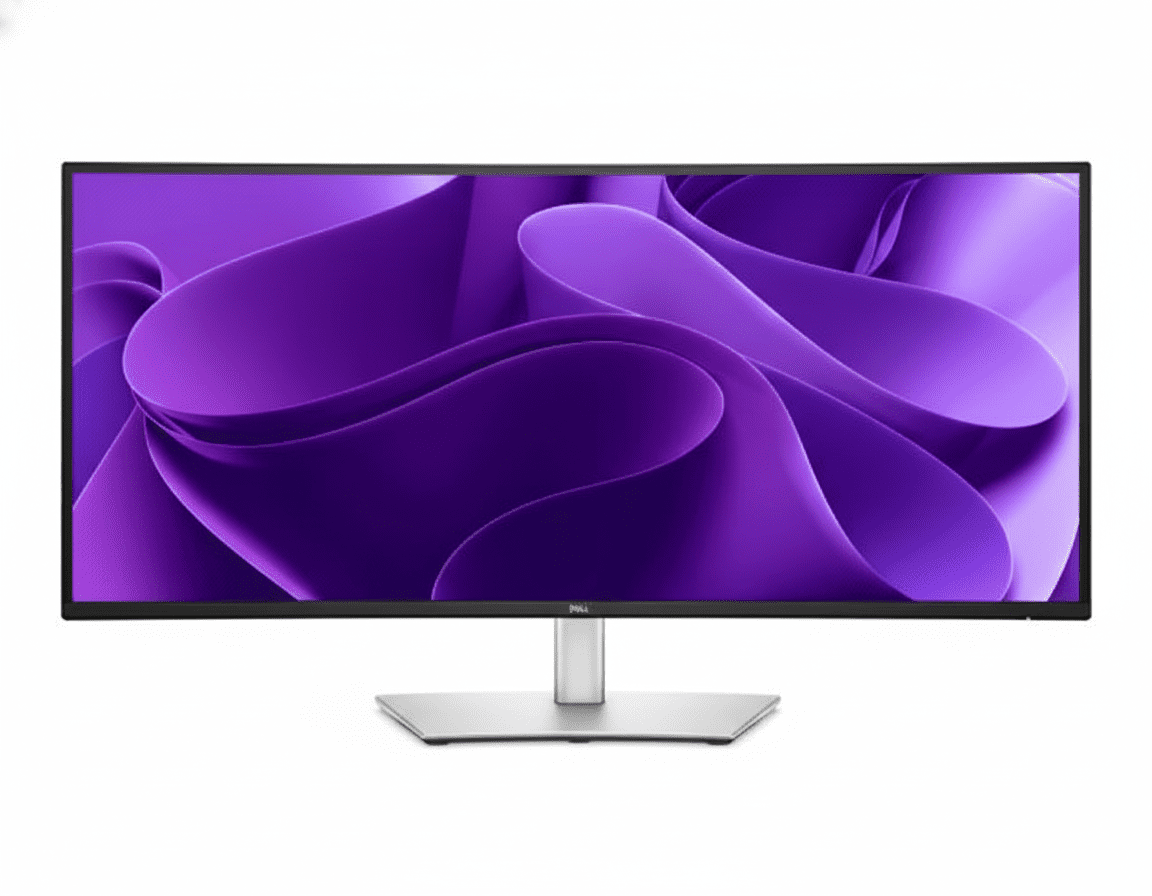

Dell Pro 34 Plus (P3425WE) Review: The Ultimate 34″ Ultrawide QHD USB-C Hub Powerhouse

Dell Pro 34 Plus (P3425WE)
Dell Pro 34 Plus USB-C Hub Monitor (P3425WE) Review: The Ultimate Ultrawide Hub

Dell Pro 34 Plus USB-C Hub Monitor (P3425WE) Review: The Ultimate Ultrawide Hub

34″ Curved WQHD 100Hz 90W USB-C Hub with KVM 4-Star Eye Comfort PiP & PbP Modes Pop-Out USB Ports ₹52,159
The definitive all-in-one hub for immersive, ultrawide productivity.

The Dell Pro 34 Plus (P3425WE) represents the pinnacle of productivity-focused ultrawide monitors, combining an immense, immersive screen with the most comprehensive connectivity hub in its class. For ₹52,159, this 34-inch curved display delivers a sharp WQHD (3440×1440) resolution, a fluid 100Hz refresh rate, and top-tier 4-star eye comfort. Its true power, however, is its ability to serve as the ultimate workstation centerpiece, featuring a 90W USB-C port, integrated KVM switch, Gigabit Ethernet, and clever pop-out front ports. The P3425WE is designed for the power user who demands maximum screen real estate and minimum clutter.

Immerse Yourself in Productivity

Experience an expansive 34″ curved WQHD screen, a powerful KVM hub, and world-class eye comfort.

₹52,159
Inclusive of all taxes | Free Priority Delivery

3-Year Premium Panel Exchange

Key Features at a Glance

34″ Curved WQHD Display: Immersive, sharp 3440×1440 ultrawide screen.
90W USB-C Hub with KVM: Power your laptop and control two PCs with one keyboard and mouse.
100Hz Refresh Rate: Delivers noticeably smoother scrolling and motion than standard 60Hz.
PiP and PbP Modes: View and manage content from two different PC sources simultaneously.
4-Star Eye Comfort: TÜV-certified with ComfortView Plus to reduce eye strain without color distortion.
Pop-Out USB Ports: Cleverly hidden front-access USB-A and USB-C ports for convenience.

1. The Ultimate Immersive Hub

A single command center for all your devices, wrapped in an expansive ultrawide view.

Single-Cable Hub with KVM

This monitor is a true docking station. The powerful 90W USB-C port powers your laptop, while the integrated KVM switch lets you control two connected PCs with a single keyboard and mouse, seamlessly switching between them.

Full Docking Connectivity

It replaces your separate dock with a built-in RJ45 Gigabit Ethernet port, and a hub of USB-A and USB-C downstream ports—including clever pop-out front ports—keeping your desk efficient and free of clutter.

2. Expansive, Fluid Visuals

Immerse yourself in a panoramic view with stunning detail and smooth motion.

Curved Ultrawide WQHD Screen

The immense 34-inch, 21:9 screen with a gentle 3800R curve and sharp 3440×1440 resolution provides a panoramic, immersive view that’s perfect for expansive spreadsheets, long timelines, and side-by-side document comparison.

Smooth 100Hz Refresh Rate

Experience a noticeable upgrade in fluidity with the 100Hz refresh rate. It delivers less flicker and more seamless scrolling through data and websites, making every interaction feel more responsive.

3. Next-Level Multitasking

View and manage multiple sources on one expansive screen.

Picture-by-Picture & Picture-in-Picture

The ultrawide screen is perfect for PbP and PiP modes, allowing you to display and work on content from two different PC sources at the same time, as if you had two monitors in one.

Integrated KVM Switch

The built-in KVM (Keyboard, Video, Mouse) switch lets you connect two computers to the monitor and control both using a single keyboard and mouse, seamlessly toggling between them with the push of a button.

4. World-Class Eye Comfort

Work longer with less strain, thanks to Dell’s industry-leading comfort features.

TÜV 4-Star Eye Comfort Certification

This monitor achieves a top-tier TÜV 4-star eye comfort certification. This is achieved through its advanced ComfortView Plus hardware, which reduces harmful blue light emissions to less than 35% without the yellow tint of software filters, ensuring all-day comfort with uncompromised color accuracy.

Ideal For These Users

Power Multitaskers & Financial Analysts

The vast 21:9 screen is perfect for viewing multiple large spreadsheets, data feeds, and applications simultaneously without needing a second monitor.

Users with Multiple Computers

The built-in KVM switch is a game-changer for anyone who regularly works with two PCs (like a work laptop and a personal desktop), allowing them to control both with one set of peripherals.

Content Creators & Video Editors

The ultrawide aspect ratio is ideal for viewing long video editing timelines, with plenty of space for bins and tool palettes on the side.

Anyone Seeking an Immersive Single-Monitor Setup

For those who want to replace a dual-monitor setup with a single, seamless, and immersive display, the P3425WE is the perfect solution.

Who Might Consider Other Options

Gamers

While the 100Hz refresh rate is good, this is a productivity monitor. It lacks the fast response times and adaptive sync technology that are crucial for a competitive gaming experience.

High-End Creative Professionals

The 99% sRGB color gamut is excellent, but professionals needing wider gamuts like Adobe RGB or DCI-P3 for color-critical work should look at Dell’s UltraSharp or Alienware lines.

Users on a Tight Budget

This is a premium productivity monitor. Users can get excellent QHD performance in a standard 16:9 aspect ratio from the P2725DE for a significantly lower price.

Competitive Edge: How It Stacks Up

The ultimate integration of ultrawide immersion and docking station power.

  • Vs. Other Ultrawide Monitors

    Many competing ultrawides focus on gaming and often lack comprehensive connectivity. The P3425WE stands out by pairing its excellent 100Hz WQHD panel with a full 90W USB-C hub, KVM switch, and RJ45 port, making it a far more versatile productivity tool.

  • Vs. Dell UltraSharp Ultrawides

    The P3425WE brings many premium features, like the KVM and 100Hz refresh rate, from the more expensive UltraSharp line down to the more accessible P-series, offering better value. UltraSharp models typically offer wider color gamuts (DCI-P3) and sometimes higher resolutions or faster refresh rates for a higher price.

  • The Complete Power-User Package

    Its key advantage is being a true all-in-one solution. It replaces a dual-monitor setup, a docking station, and a KVM switch with a single, elegant, and powerful device, offering an unmatched level of integration and convenience.

Full Specifications

Display

Screen Size
34.1″ Curved (3800R)
Resolution
WQHD (3440 x 1440)
Aspect Ratio
21:9
Panel Type
IPS
Refresh Rate
100 Hz
Brightness
350 cd/m²
Contrast Ratio
1500:1
Color Gamut
99% sRGB

Connectivity

USB-C Hub
1x USB-C (90W PD, DP Alt Mode)
Video Ports
1x DP 1.4, 1x HDMI 2.1
KVM Switch
Yes (1x USB-B Upstream)
Ethernet
1x RJ45 Gigabit Ethernet
USB Downstream
3x USB-A, 1x USB-C (15W)

Mechanical

Height Adjust
150 mm
Tilt
-5° to 21°
Swivel
-30° to 30°
Slant
±4°

Pros and Cons

What We Liked

  • Immersive 34-inch curved ultrawide screen.
  • Complete docking station with KVM, 90W USB-C, and RJ45.
  • Smooth 100Hz refresh rate enhances daily use.
  • Excellent ergonomics and build quality.
  • Useful PiP, PbP, and pop-out USB features.

What Could Be Better

  • No DisplayPort-out for daisy chaining.
  • Color gamut is limited to sRGB, not ideal for high-end creatives.
  • Premium price point.

Final Verdict

The Dell P3425WE is a phenomenal productivity powerhouse that successfully combines the immersive experience of an ultrawide with the unparalleled convenience of a full-featured KVM docking station. The expansive 34-inch curved WQHD screen, enhanced by a fluid 100Hz refresh rate, offers a breathtaking canvas for multitasking. When paired with its ability to control two PCs and act as a single-cable hub for power, networking, and peripherals, it becomes a truly transformative tool for any power user’s desk.

While its sRGB color space may not suit high-end colorists, it’s more than enough for most professional and creative work. For anyone looking to declutter their desk, streamline a multi-PC workflow, and gain an immersive productivity boost, the P3425WE is an outstanding all-in-one solution and a top contender in the premium ultrawide market.

HP Pro Tower 400 G9 Review – 13th Gen i7, Wi-Fi 6, Worth Buying?

HP Pro Tower 400 G9
HP Pro Tower 400 G9 Complete Review 2025 – Business Tower with Wi-Fi 6
HP Pro Tower 400 G9 PCI Desktop PC

💼 BUSINESS TOWER – 50+ Views!

13th Gen i7 + Wi-Fi 6 Built-In + Expandable Tower!

💼 TOWER – 13th i7-13700 – 16GB DDR4 – Wi-Fi 6 – 512GB SSD – FreeDOS

HP Pro Tower 400 G9 PCI Desktop PC

Business Tower with Wi-Fi 6 Built-In

13th Gen i7-13700 (16-core) – 16GB DDR4 – 512GB SSD – Wi-Fi 6 + BT 5.3 – Expandable Tower

⚠️ IMPORTANT: Pro Tower 280 G9 is Better Value!

• 280 G9: 14th Gen i7-14700 (20-core), DDR5, ₹67,594 – NO Wi-Fi

• 400 G9 (This): 13th Gen i7-13700 (16-core), DDR4, ₹77,072 – Wi-Fi 6 ✓

• ₹9,478 premium just for Wi-Fi (adapters cost ₹2-3K only!)

• Verdict: Buy 280 unless you MUST have Wi-Fi built-in!

₹77,072

₹92,120

SAVE ₹15,048 (16% OFF!)

*EMI available | In Stock!

Gen

13th i7

Key Feature

Wi-Fi 6

Type

Tower

HP Pro Tower 400 G9 – The Wi-Fi Tower Dilemma

⚠️ Honest Review: Is Wi-Fi Worth ₹9,478 Premium?

The HP Pro Tower 400 G9 at ₹77,072 is positioned as the “business tower with Wi-Fi,” but here’s the hard truth: the Pro Tower 280 G9 at ₹67,594 is objectively better – newer 14th Gen i7-14700 (20-core vs 16-core), faster DDR5 RAM (vs DDR4), AND ₹9,478 cheaper! The 400’s ONLY advantage is built-in Wi-Fi 6 + Bluetooth 5.3.

Pro Tower 280 G9 (₹67,594)

  • ✓ 14th Gen i7-14700 (20-core, 5.4GHz)
  • ✓ 16GB DDR5-5600 (Faster!)
  • ✓ 512GB SSD
  • ✗ NO Wi-Fi (Wired LAN only)
  • ✓ ₹9,478 cheaper!
  • ✓ BEST VALUE

Pro Tower 400 G9 (₹77,072)

  • ✗ 13th Gen i7-13700 (16-core, 5.2GHz)
  • ✗ 16GB DDR4-3200 (Slower)
  • ✓ 512GB SSD
  • ✓ Wi-Fi 6 + BT 5.3!
  • ✗ ₹9,478 premium
  • ⚠️ Niche product

The Math

  • • USB Wi-Fi 6 adapter: ₹2-3K
  • • 280 + Wi-Fi adapter: ₹70K total
  • • Still ₹7K cheaper than 400!
  • • Plus get better CPU
  • • Plus get DDR5 RAM
  • • Better deal!

💼 What You Get

  • • 13th Gen i7-13700: 16-core desktop CPU
  • • 16GB DDR4-3200: Desktop memory
  • • 512GB SSD: Fast storage
  • • Wi-Fi 6: Realtek RTL8852BE
  • • Bluetooth 5.3: Wireless peripherals
  • • Expandable: Add GPU, storage
  • • FreeDOS: Install Windows yourself

📡 Wi-Fi 6 Advantage

Built-in Realtek Wi-Fi 6 RTL8852BE (2×2) + Bluetooth 5.3 means:

  • • No adapters: Clean setup
  • • Fast wireless: Up to 9.6 Gbps
  • • Flexible placement: No LAN needed
  • • Bluetooth: Wireless KB/mouse
  • • Convenience: Built-in solution

⚠️ The Trade-Off

For ₹9,478 premium over 280 G9, you get Wi-Fi but lose:

  • • Newer CPU: 13th vs 14th Gen
  • • Less cores: 16 vs 20 cores
  • • Slower RAM: DDR4 vs DDR5
  • • Lower speed: 3200 vs 5600 MT/s
  • • ₹9.5K more: Expensive Wi-Fi!

Intel Core i7-13700 13th Gen – Desktop Power

Core i7-13700 13th Gen

Raptor Lake – Desktop CPU

Cores/Threads 16 Cores / 24 Threads
Max Turbo 5.2 GHz
Cache 30 MB L3
Generation 13th Gen (Raptor Lake)
Type Desktop CPU

vs 14th Gen i7-14700

14th Gen i7-14700 (280 G9)

  • • 20 cores / 28 threads
  • • Up to 5.4 GHz
  • • 33 MB L3 cache
  • • Raptor Lake Refresh
  • • ~15-20% faster!

13th Gen i7-13700 (This)

  • • 16 cores / 24 threads
  • • Up to 5.2 GHz
  • • 30 MB L3 cache
  • • Raptor Lake
  • • Still powerful!

💾 Memory & Storage

16GB DDR4-3200

• Configuration: 1 x 16GB (Non-ECC)

• Slots: 2 DIMM (Upgradable to 32GB)

• Speed: 3200 MT/s

• Type: DDR4 (vs DDR5 in 280 G9)

• Note: Slower than DDR5-5600!

512GB PCIe NVMe SSD

• Type: M.2 PCIe NVMe

• Capacity: 512GB

• Expandability: 2 M.2 slots total

• Drive Bays: Two 3.5″ HDD bays

• Can add: More SSDs or HDDs

⚡ Performance Assessment

The 13th Gen i7-13700 is a strong desktop CPU – 16 cores handle business workloads, multitasking, and professional applications well. However, the 14th Gen i7-14700 in Pro Tower 280 G9 is measurably faster (20 cores, higher clocks, more cache). Combined with DDR5 RAM, the 280 G9 offers 15-20% better performance at lower cost!

Wi-Fi 6 + Bluetooth 5.3 – The Main Feature

📡 Built-In Wireless: Realtek Wi-Fi 6 RTL8852BE (2×2)

The Pro Tower 400 G9’s primary differentiator is built-in Realtek Wi-Fi 6 (802.11ax) RTL8852BE (2×2) and Bluetooth 5.3 – something the cheaper Pro Tower 280 G9 lacks. This provides wireless convenience without external adapters, but is it worth ₹9,478 premium?

Wi-Fi 6 Specs

  • • Standard: 802.11ax (Wi-Fi 6)
  • • Chip: Realtek RTL8852BE
  • • Config: 2×2 (Dual antenna)
  • • Speed: Up to 2400 Mbps
  • • Bands: 2.4 GHz + 5 GHz
  • • Features: OFDMA, MU-MIMO

Bluetooth 5.3

  • • Version: Bluetooth 5.3
  • • Range: Up to 10m indoor
  • • Use cases: Wireless KB/mouse
  • • Audio: Bluetooth headsets
  • • Transfer: File sharing
  • • Low power: Energy efficient

When Useful

  • • Office has no LAN ports
  • • Flexible placement needed
  • • Temporary offices / co-working
  • • Can’t install ethernet wiring
  • • Rental spaces restrictions
  • • Cable-free workspace preference

💰 Cost-Benefit Analysis: Is Wi-Fi Worth It?

❌ Against Built-In Wi-Fi

  • • USB Wi-Fi 6 adapters cost only ₹2,000-3,000
  • • Pro Tower 280 + adapter = ₹70K total
  • • Still ₹7K cheaper than 400 G9
  • • 280 G9 has better CPU (14th Gen, 20-core)
  • • 280 G9 has faster DDR5 RAM
  • • Better value! More performance for less

✓ For Built-In Wi-Fi

  • • No adapters: Clean, integrated solution
  • • No dongles: No USB port occupied
  • • Better aesthetics: Nothing sticking out
  • • Internal antenna: Better signal quality
  • • Convenience: Ready out of box
  • • Warranty: Covered by HP

💡 Honest Assessment: The ₹9,478 premium for built-in Wi-Fi is hard to justify when USB adapters cost ₹2-3K AND you’re getting older, slower hardware. Buy 400 G9 ONLY if convenience matters more than performance/value!

Expandability – Tower Design Benefits

🔧 Expansion Slots

PCIe Slots

  • • 1x PCIe 4.0 x16: Add dedicated GPU
  • • 1x PCIe x1: Add expansion cards
  • • 1x PCI: Legacy devices support

M.2 Slots

1 M.2 2230 + 1 M.2 2280 slots for additional SSDs

💽 Storage Expansion

Drive Bays

  • • Two 3.5″ HDD bays: Add mechanical drives
  • • Can add multiple TBs of storage
  • • Much cheaper than external drives

Memory Expansion

2 DIMM slots: Upgrade to 32GB DDR4

Ports & Connectivity

🔌 Front Ports

  • • 1x USB-C 10Gbps: SuperSpeed Type-C
  • • 3x USB-A 10Gbps: SuperSpeed USB 3.2
  • • 1x Audio combo: Headphone/microphone

🔌 Rear Ports

  • • 3x USB-A 5Gbps: USB 3.2 Gen 1
  • • 2x USB-A 480Mbps: USB 2.0
  • • 1x HDMI 1.4: Monitor output
  • • 1x DisplayPort 1.4: Monitor output
  • • 1x RJ-45: Gigabit Ethernet
  • • Audio ports: Line in/out

📊 Total: 9 USB Ports

Front: 4 USB (1 Type-C + 3 Type-A) | Rear: 5 USB (3 fast + 2 standard)

Video: Supports up to 3 displays (HDMI + DisplayPort + optional third)

Pro Tower 400 vs 280 G9 – Complete Comparison

FeaturePro Tower 400 G9
(This – ₹77,072)
Pro Tower 280 G9
(₹67,594)
Winner
CPU Generation13th Gen (Raptor Lake)14th Gen (Refresh)280 ✓
CPU ModelCore i7-13700Core i7-14700280 ✓
Cores / Threads16 / 2420 / 28280 ✓
Max Turbo5.2 GHz5.4 GHz280 ✓
L3 Cache30 MB33 MB280 ✓
RAM TypeDDR4-3200DDR5-5600280 ✓
RAM Amount16 GB16 GBTie
Storage512 GB SSD512 GB SSDTie
Wi-FiWi-Fi 6 ✓None ✗400 ✓
BluetoothBT 5.3 ✓None ✗400 ✓
USB Ports9 portsUp to 10 ports280 ✓
Price₹77,072₹67,594280 ✓
PerformanceGood15-20% Faster280 ✓
Overall WinnerWi-Fi convenienceBetter value!280 G9 ✓✓✓

📊 Final Score: Pro Tower 280 G9 Wins 9-2!

The Pro Tower 280 G9 is objectively superior – wins in CPU (newer, more cores, faster), RAM (DDR5 vs DDR4), ports, and price! The 400 G9’s ONLY advantages are built-in Wi-Fi and Bluetooth.

✓ Buy 280 G9 (₹67,594) If:

  • • Want best performance (14th Gen, 20-core)
  • • Want faster RAM (DDR5-5600)
  • • Have LAN port available
  • • Can use wired internet
  • • Want best value (₹9.5K cheaper!)
  • • RECOMMENDED!

✓ Buy 400 G9 (₹77,072) Only If:

  • • MUST have Wi-Fi built-in
  • • No LAN port available
  • • Can’t install ethernet wiring
  • • Need flexible PC placement
  • • Convenience > performance/value
  • • Don’t want USB adapters

Pro Tower 400 G9 vs 6 Competitors

🏆 #1: HP Pro Tower 280 G9 (BEST!)

280 G9: i7-14700 (20-core), 16GB DDR5, NO Wi-Fi – ₹67,594

400 G9: i7-13700 (16-core), 16GB DDR4, Wi-Fi 6 – ₹77,072

280 Wins:

  • ✓ 14th Gen (newer!)
  • ✓ 20 cores vs 16!
  • ✓ DDR5 vs DDR4!
  • ✓ 15-20% faster!
  • ✓ ₹9,478 cheaper!
  • ✓ Better value!

400 Wins:

  • ✓ Wi-Fi 6 built-in
  • ✓ Bluetooth 5.3

Verdict: 280 G9 is better! Buy unless you MUST have Wi-Fi!

💻 #2: Dell OptiPlex 3000 Tower

Dell: i7-13700, 16GB DDR4, 512GB, Wi-Fi 6 – ₹82,000

HP 400: i7-13700, 16GB DDR4, 512GB, Wi-Fi 6 – ₹77,072

HP Wins:

  • ✓ ₹5K cheaper!
  • ✓ Same CPU!
  • ✓ Same specs!
  • ✓ Better value!

Dell Wins:

  • ✓ Dell brand
  • ✓ OptiPlex reputation

Verdict: HP 400 better value with identical specs!

🖥️ #3: Lenovo ThinkCentre M70t Gen 3

Lenovo: i7-13700, 16GB DDR4, 512GB, NO Wi-Fi – ₹75,000

HP 400: i7-13700, 16GB DDR4, 512GB, Wi-Fi 6 – ₹77,072

HP Wins:

  • ✓ Wi-Fi 6 included!
  • ✓ Bluetooth 5.3!
  • ✓ No adapters needed!

Lenovo Wins:

  • ✓ ₹2K cheaper
  • ✓ ThinkCentre brand

Verdict: HP if need Wi-Fi, Lenovo if wired LAN!

⚙️ #4: Asus ExpertCenter D7 Tower

Asus: i7-12700, 16GB DDR4, 512GB, NO Wi-Fi – ₹72,000

HP 400: i7-13700, 16GB DDR4, 512GB, Wi-Fi 6 – ₹77,072

HP Wins:

  • ✓ Newer 13th Gen!
  • ✓ More cores (16 vs 12)
  • ✓ Wi-Fi 6 included!
  • ✓ Bluetooth 5.3!

Asus Wins:

  • ✓ ₹5K cheaper

Verdict: HP worth ₹5K for newer CPU + Wi-Fi!

💼 #5: Acer Veriton M Series

Acer: i5-13400, 8GB DDR4, 512GB, NO Wi-Fi – ₹52,000

HP 400: i7-13700, 16GB DDR4, 512GB, Wi-Fi 6 – ₹77,072

HP Wins:

  • ✓ i7 vs i5!
  • ✓ 16 cores vs 10!
  • ✓ 16GB vs 8GB RAM!
  • ✓ Wi-Fi 6 included!
  • ✓ Much better specs!

Acer Wins:

  • ✓ ₹25K cheaper!
  • ✓ Budget option

Verdict: Different tiers – HP for power, Acer for budget!

🔧 #6: Custom DIY PC Build

DIY: i7-13700 (₹35K) + B660 (₹10K) + 16GB DDR4 (₹5K) + 512GB SSD (₹4K) + Case/PSU (₹8K) + Wi-Fi card (₹2K) = ₹64K

HP 400: Pre-built with warranty – ₹77,072

HP Wins:

  • ✓ Pre-built &
  • ✓ Pre-built & tested!
  • ✓ 1-year on-site warranty!
  • ✓ No assembly needed!
  • ✓ Business support!
  • ✓ HP quality control!
  • ✓ KB/Mouse included!

DIY Wins:

  • ✓ ₹13K cheaper!
  • ✓ Choose exact parts!
  • ✓ Better motherboard possible!
  • ✓ Customization freedom!

Verdict: HP for warranty + support, DIY for savings + customization!

🏆 Competitor Comparison Summary

Among competitors with similar specs, the HP Pro Tower 400 G9 offers decent value at ₹77,072 – beats Dell OptiPlex (₹5K cheaper), adds Wi-Fi over Lenovo (₹2K premium justified), and better than older Asus. However, HP’s own Pro Tower 280 G9 at ₹67,594 is the real winner – newer CPU, more cores, DDR5, and ₹9.5K cheaper!

Best Overall

HP Pro Tower 280 G9 – ₹67,594
14th Gen i7, DDR5, best value!

Best with Wi-Fi

HP Pro Tower 400 G9 – ₹77,072
Built-in wireless convenience!

Budget Option

Acer Veriton M – ₹52,000
Basic business needs only!

Who Should Buy Pro Tower 400 G9?

📡 Wi-Fi Essential Users

  • • No LAN Available: Office without ethernet
  • • Can’t Wire: Rental space restrictions
  • • Flexible Setup: Move PC often
  • • Temporary Office: Co-working space
  • • Cable-Free: Clean aesthetic

Perfect for: Offices without LAN infrastructure

🏢 Small Businesses

  • • Startups: Need wireless flexibility
  • • Remote Branches: Simple setup
  • • Home Offices: No ethernet wiring
  • • Shared Spaces: Easy relocation
  • • Mobile Business: Temporary setups

Perfect for: Flexible workspace businesses

⚠️ NOT Recommended For

  • • Have LAN: Buy 280 G9 instead!
  • • Want Best CPU: 280 has 14th Gen!
  • • Want DDR5: 280 G9 better!
  • • Value Seekers: 280 is ₹9.5K cheaper!
  • • Performance Priority: 280 is 15-20% faster!

Better choice: HP Pro Tower 280 G9!

💼 Business Users

  • • Office Work: Documents, spreadsheets
  • • Multitasking: Multiple apps open
  • • Professional Apps: Business software
  • • Video Calls: Business meetings
  • • Data Entry: Database work

Good for: Standard business tasks

🔧 Tech Enthusiasts

  • • Want Wireless: But also power
  • • DIY Upgrades: Add GPU later
  • • Expandability: Future upgrades
  • • Customization: Install own OS
  • • Flexibility: Move between rooms

Consider: 280 + USB Wi-Fi saves money!

💡 Smart Buyers

  • • Research First: Compare 280 vs 400
  • • Check LAN: Do you have ethernet?
  • • USB Adapters: Only ₹2-3K
  • • Better CPU: 280 has 14th Gen
  • • Save Money: 280 is ₹9.5K less

Smart choice: Pro Tower 280 G9 + adapter!

⚠️ Honest Buying Advice

The HP Pro Tower 400 G9 makes sense ONLY if:

✓ Buy 400 G9 If:

  • 1. Your office literally has NO LAN ports
  • 2. You CAN’T install ethernet wiring (rental, restrictions)
  • 3. You need to move PC between locations regularly
  • 4. You want 100% wireless (no adapters/dongles)
  • 5. Convenience matters MORE than performance/value

⭐ Otherwise, Buy 280 G9:

  • ✓ Newer 14th Gen i7-14700 (20-core)
  • ✓ Faster DDR5-5600 RAM
  • ✓ 15-20% better performance
  • ✓ ₹9,478 cheaper!
  • ✓ Add USB Wi-Fi adapter if needed (₹2-3K)
  • ✓ BETTER OVERALL VALUE!

Business Features & Security

🔒 Security

  • • TPM 2.0: Hardware encryption
  • • HP Sure Start Gen7: BIOS protection
  • • HP Sure Sense: AI malware defense
  • • HP Sure Click: Browser isolation
  • • HP Secure Erase: Data wiping
  • • HP Tamper Lock: Physical security

🛠️ Management

  • • HP Sure Admin: BIOS management
  • • HP Client Catalog: Driver management
  • • HP Cloud Recovery: OS recovery
  • • Remote Management: IT control
  • • Image Deployment: Bulk setup
  • • Patch Management: Updates

📜 Warranty

1 Year On-Site (1/1/1)

  • • 1 Year Parts
  • • 1 Year Labor
  • • 1 Year On-Site Repair
  • • Technician comes to you!

Pros & Cons

✅ Pros

  • + Wi-Fi 6 Built-In: Wireless convenience!
  • + Bluetooth 5.3: Latest wireless!
  • + 13th Gen i7-13700: Strong desktop CPU!
  • + 16 Cores/24 Threads: Good multitasking!
  • + 16GB DDR4: Adequate memory!
  • + 512GB SSD: Fast storage!
  • + Expandable Tower: Add GPU, storage!
  • + On-Site Warranty: Business support!
  • + No Adapters: Clean wireless setup!
  • + Business Security: TPM 2.0, Sure Start!
  • + 9 USB Ports: Good connectivity!
  • + Flexible Placement: No LAN needed!

❌ Cons

  • – Older 13th Gen: vs 14th in 280!
  • – Less Cores: 16 vs 20 in 280!
  • – DDR4 RAM: Not DDR5 like 280!
  • – ₹9,478 Premium: Just for Wi-Fi!
  • – Worse Value: 280 better specs + cheaper!
  • – 15-20% Slower: Than 280 G9!
  • – FreeDOS: No Windows included!
  • – NO Display: Buy monitor separately!
  • – NO Office: Buy separately (₹9K)!
  • – 5.31 Kg: Heavy tower!
  • – USB Wi-Fi Adapter: Costs only ₹2-3K!
  • – Total Cost: ~₹1.08L with everything!

🎯 Final Verdict

Good PC, But Pro Tower 280 G9 is Better Value!

Honest Assessment: Buy 280 G9 Instead!

The HP Pro Tower 400 G9 at ₹77,072 is a decent business tower with built-in Wi-Fi 6 + Bluetooth 5.3, featuring 13th Gen Core i7-13700 (16-core), 16GB DDR4-3200, 512GB SSD, expandable tower design, business security features, and 1-year on-site warranty. It fills a niche for businesses absolutely needing wireless connectivity without adapters. However, the hard truth is: Pro Tower 280 G9 at ₹67,594 is objectively superior – newer 14th Gen i7-14700 (20-core), faster DDR5-5600 RAM, 15-20% better performance, AND ₹9,478 cheaper!

The ₹9,478 premium for built-in Wi-Fi is difficult to justify when USB Wi-Fi 6 adapters cost only ₹2,000-3,000. Even buying the 280 G9 (₹67,594) + USB Wi-Fi adapter (₹3,000) = ₹70,594 total – still ₹6,478 cheaper than 400 G9, while getting newer CPU, more cores, and DDR5 RAM. The math simply doesn’t work in 400 G9’s favor unless you have unavoidable wireless requirements and convenience matters more than performance/value.

At ₹77,072, the 400 G9 is a good PC but poor value compared to its own sibling. Buy it ONLY if: (1) Your office has no LAN ports, (2) You can’t install ethernet wiring due to rental/restrictions, (3) You need flexible placement, (4) You want 100% integrated wireless with no adapters. For everyone else, the Pro Tower 280 G9 is the smarter choice – better specs, better performance, better value. Our recommendation: Buy 280 G9 and add USB Wi-Fi if needed!

⭐

Overall Rating

3.8/5

Good, but 280 is better!

💰

Value Rating

3.3/5

Expensive for what you get!

🎯

Recommended?

NO

Buy 280 G9 instead!

👥 Who Should Buy Which?

⭐ Buy Pro Tower 280 G9 (₹67,594):

  • • Have LAN port available in office
  • • Want best CPU (14th Gen, 20-core)
  • • Want DDR5 RAM (faster, future-proof)
  • • Want best value (₹9.5K cheaper!)
  • • Want best performance (15-20% faster)
  • • Can add USB Wi-Fi adapter if needed (₹2-3K)
  • • 99% OF BUYERS!

Buy Pro Tower 400 G9 (₹77,072):

  • • NO LAN port in office/home
  • • CAN’T install ethernet wiring
  • • Rental space restrictions
  • • Need flexible PC placement
  • • Move between locations often
  • • Want 100% integrated wireless
  • • Convenience > performance/value

🎯 Category Scores

7.5/10
CPU Power
10/10
Wi-Fi Feature
9/10
Expandability
6.5/10
Value
8/10
Business Features

💡 Editor’s Final Recommendation

“Skip the Pro Tower 400 G9 and buy Pro Tower 280 G9 instead – better CPU, faster RAM, ₹9.5K cheaper!” The 400 G9 is a decent PC, but it’s positioned awkwardly – paying premium for wireless in a tower desktop (which typically uses wired LAN anyway) while sacrificing CPU performance and RAM speed. Unless you have unavoidable wireless requirements (no LAN available, can’t wire), the 280 G9 is superior in every way.

Even if you need Wi-Fi, do the math: 280 G9 (₹67,594) + USB Wi-Fi 6 adapter (₹2-3K) = ₹70K total, still ₹7K cheaper than 400 G9, while getting 14th Gen CPU and DDR5! Our verdict: NOT RECOMMENDED. Buy Pro Tower 280 G9 instead!

⚠️ Better Alternative Available!

⭐ RECOMMENDED: Pro Tower 280 G9 – ₹67,594

14th Gen i7-14700 • 20-Core • DDR5 • ₹9,478 Cheaper • Better Performance!

Or Buy 400 G9 (Wi-Fi) – ₹77,072

13th Gen i7-13700 • 16-Core • DDR4 • Wi-Fi 6 • FreeDOS

Frequently Asked Questions (FAQs)

Q1: Should I buy Pro Tower 400 G9 or 280 G9?

A: BUY 280 G9! It has newer 14th Gen i7-14700 (20-core), DDR5 RAM, 15-20% better performance, AND costs ₹9,478 LESS! Buy 400 G9 ONLY if you absolutely cannot use wired LAN and must have Wi-Fi built-in. Even then, consider 280 + USB Wi-Fi adapter (saves ₹7K)!

Q2: Is the built-in Wi-Fi worth ₹9,478 premium?

A: NO! USB Wi-Fi 6 adapters cost only ₹2,000-3,000. Even buying 280 G9 (₹67,594) + Wi-Fi adapter (₹3,000) = ₹70,594 total, still ₹6,478 cheaper than 400 G9, while getting better CPU (14th Gen, 20-core) and DDR5 RAM. The math doesn’t work!

Q3: What if I really need Wi-Fi and don’t want adapters?

A: Then the 400 G9 makes sense for you – built-in wireless convenience, no dongles, clean setup. But understand you’re paying ₹9.5K premium AND getting older/slower hardware (13th Gen, DDR4) for that convenience. Most users are better off with 280 + adapter!

Q4: How much slower is the 13th Gen i7-13700 vs 14th Gen?

A: The 14th Gen i7-14700 (280 G9) is 15-20% faster – it has 20 cores vs 16 cores, higher clocks (5.4 GHz vs 5.2 GHz), more cache (33MB vs 30MB). Combined with DDR5 vs DDR4, the performance gap is significant for demanding workloads!

Q5: Does this include Windows and monitor?

A: NO! Tower PC only with FreeDOS. Must buy monitor (₹12K), Windows (₹10K), Office (₹9K) separately. Total setup cost ~₹1.08 lakh! This is JUST the tower unit.

Q6: Can I upgrade RAM and add GPU?

A: Yes! 2 DIMM slots (upgrade to 32GB DDR4), PCIe 4.0 x16 slot (add dedicated GPU), two 3.5″ HDD bays (add storage). Fully expandable tower design like all HP Pro towers!

Q7: What’s the difference between 400 G9 and 280 G9?

A: Main differences: 400 has Wi-Fi 6 + BT 5.3 built-in (280 has none). BUT 280 has newer 14th Gen CPU (vs 13th), more cores (20 vs 16), DDR5 RAM (vs DDR4), and costs ₹9,478 LESS. 280 is objectively better unless you need Wi-Fi!

Q8: Which HP tower should I buy?

A: Pro Tower 280 G9! Best value – 14th Gen i7-14700, DDR5, ₹67,594. Buy 400 G9 only if you MUST have built-in Wi-Fi. Both are good PCs, but 280 offers better specs at lower price!

Q9: Is DDR4 vs DDR5 a big difference?

A: Yes! 280 G9 has DDR5-5600 (5600 MT/s), 400 G9 has DDR4-3200 (3200 MT/s) – that’s 75% faster memory speed! DDR5 also offers better efficiency, higher bandwidth, and future-proofing. Another reason to choose 280 G9!

Q10: Can I use this for gaming if I add GPU?

A: Yes, decent base! 13th Gen i7-13700 is strong CPU for gaming. Add RTX 4060/4070 via PCIe x16 slot. However, 180W PSU may need upgrade for high-end GPUs. For gaming, consider 280 G9 – better CPU (14th Gen) makes more sense!

Q11: What warranty does it have?

A: 1 Year On-Site (1/1/1): 1 year parts, labor, AND on-site repair – technician comes to your location. Much better than consumer desktop warranties (carry-in only). Can extend warranty for additional cost.

Q12: Is the Wi-Fi 6 card any good?

A: Decent! Realtek RTL8852BE (2×2) supports Wi-Fi 6 (802.11ax), up to 2400 Mbps, dual-band. Not top-tier Intel AX210 but adequate for business use. Still, ₹9.5K premium is hard to justify when USB adapters work fine!

Q13: What about EliteOne 870 G9 All-in-One?

A: EliteOne 870 G9 (₹1,20,999) has desktop i7-14700 + 27″ display + Win11 Pro + Wolf Security – complete package but expensive. Different use case – AIO for convenience vs Tower for expandability. Both are good, depends on your needs!

Q14: Can HP customize this for my business?

A: Yes! HP offers business customization – configure specs, OS, software, bulk orders with custom image. Contact HP Business for enterprise deployment options!

Q15: Final recommendation – should I buy this?

A: NO! Buy Pro Tower 280 G9 instead! Unless you have unavoidable wireless requirements (no LAN, can’t wire, flexible placement needs), the 280 G9 is superior – newer CPU, more cores, DDR5, ₹9.5K cheaper, 15-20% faster! Even if you need Wi-Fi, add USB adapter to 280 and save ₹7K. The 400 G9 is a good PC but poor value compared to 280 G9!

Complete Technical Specifications

HP Pro Tower 400 G9 PCI Desktop PC Full Specifications
📋 BASIC INFORMATION
Model NameHP Pro Tower 400 G9 PCI Desktop PC
SKU / Part NumberB1UM6PT
SeriesHP Pro (Business)
Form FactorTower (NOT All-in-One!)
Recommended UsageBusiness (with wireless needs)
💻 OPERATING SYSTEM
OSFreeDOS (NO Windows – Install Separately!)
⚡ PROCESSOR
Processor NameIntel Core i7-13700 (13th Generation – Raptor Lake)
Cores / Threads16 Cores / 24 Threads
Max Turbo BoostUp to 5.2 GHz (Intel Turbo Boost Technology)
Cache30 MB L3 Cache
CPU TypeDesktop CPU (NOT Laptop!)
ChipsetIntel Q670
🧠 MEMORY (RAM)
Installed RAM16 GB DDR4-3200 MT/s (Non-ECC)
RAM Configuration1 x 16 GB
Memory Slots2 DIMM (Upgradable to 32GB DDR4)
💾 STORAGE
SSD512 GB PCIe NVMe SSD
Internal Drive BaysTwo 3.5″ HDD Bays
M.2 Slots1 M.2 2230; 1 M.2 2280
🎨 GRAPHICS
GraphicsIntel UHD Graphics 770 (Integrated)
Dedicated GPUNone (Can Add via PCIe x16 Slot)
🖥️ DISPLAY
Screen SizeWithout Screen (Tower PC Only!)
Display NoteMust Buy Monitor Separately!
🔊 AUDIO
Audio CodecRealtek ALC3252 Codec
Audio FeaturesUniversal audio jack with CTIA and OMTP headset support
⌨️ INPUT DEVICES
KeyboardHP 125 Wired Keyboard (Included)
MouseHP 125 Wired Mouse (Included)
📡 NETWORK CONNECTIVITY (KEY FEATURE!)
EthernetIntegrated Gigabit LAN (RJ-45)
WirelessRealtek Wi-Fi 6 RTL8852BE (2×2) ✓ INCLUDED!
BluetoothBluetooth 5.3 ✓ INCLUDED!
🔌 PORTS & CONNECTIVITY
Front Ports1 headphone/microphone combo; 1 USB Type-C 10Gbps; 3 USB Type-A 10Gbps
Rear Ports1 audio-out; 1 power connector; 1 RJ-45; 1 HDMI 1.4; 3 USB Type-A 5Gbps; 1 DisplayPort 1.4; 2 USB Type-A 480Mbps
Total USB Ports9 USB Ports (1 Type-C + 8 Type-A)
Video Connectors1 HDMI 1.4, 1 DisplayPort 1.4
🔧 EXPANSION SLOTS
PCIe Slots1 M.2 2230; 1 M.2 2280; 1 PCIe x1; 1 PCI; 1 PCIe 4 x16
🔋 POWER
Power Supply180W Internal Power Supply (Up to 90% Efficiency, Active PFC)
🔒 SECURITY
Security FeaturesTPM 2.0, HP Secure Erase, HP Sure Click, HP Sure Admin, HP Tamper Lock, HP Sure Start Gen7, HP Sure Sense, Absolute Persistence Module, HP Platform Certificate
📐 DIMENSIONS & WEIGHT
Dimensions (W x D x H)15.5 x 30.8 x 33.7 cm
Weight5.31 Kg
📜 WARRANTY & SUPPORT
Standard Warranty1 Year (1/1/1) Limited Warranty
Warranty Details1 Year Parts, Labor, AND On-Site Repair (Technician comes to you!)
💰 PRICING
MRP (Original Price)₹92,120
Discounted Price₹77,072
Discount Amount₹15,048 (16% OFF)
EMI AvailableYes (Various Banks)
📦 BOX CONTENTS
In The Box • HP Pro Tower 400 G9 Desktop PC
• HP 125 Wired Keyboard
• HP 125 Wired Mouse
• 180W Power Supply (Internal)
• Quick Start Guide
• Warranty Card
NOT Included: Monitor, Windows, Office
⚖️ VS PRO TOWER 280 G9 (IMPORTANT!)
400 G9 AdvantageWi-Fi 6 + Bluetooth 5.3 Built-In!
280 G9 Advantages14th Gen i7-14700 (20-core), DDR5-5600 RAM, ₹9,478 Cheaper, 15-20% Faster!
Our RecommendationBuy Pro Tower 280 G9 Unless You MUST Have Wi-Fi!
ℹ️ ADDITIONAL INFORMATION
PopularityOver 50 views in the last week!
Stock StatusIn Stock (Ready to Ship!)
DeliveryOrder by 1pm for Next Business Day Delivery
Official Websitehp.com/in-en
💵 TOTAL SETUP COST ESTIMATE
Tower PC₹77,072
Monitor (24″ FHD)₹12,000 (approx)
Windows 11 Pro₹10,000 (approx)
MS Office 2024₹9,000 (approx)
Total Complete Setup₹1,08,072 (approx)

🎯 Quick Decision Guide

⭐ RECOMMENDED CHOICE

HP Pro Tower 280 G9 – ₹67,594

✓ 14th Gen i7-14700 (20-core, 5.4GHz)
✓ DDR5-5600 RAM (faster!)
✓ ₹9,478 cheaper than 400 G9
✓ 15-20% faster performance
✓ Add USB Wi-Fi if needed (₹2-3K)
BUY 280 G9 – BEST VALUE!

📡 WIRELESS OPTION

HP Pro Tower 400 G9 – ₹77,072

✓ Wi-Fi 6 built-in (no adapters)
✓ Bluetooth 5.3 included
✗ 13th Gen i7-13700 (older)
✗ DDR4-3200 (slower RAM)
✗ ₹9,478 more expensive
BUY 400 G9 (Wi-Fi)

💡 Smart Buying Tip:

Even if you need Wi-Fi, consider: Pro Tower 280 G9 (₹67,594) + USB Wi-Fi 6 adapter (₹2,500) = ₹70,094 total – still ₹6,978 cheaper than 400 G9, while getting better CPU (14th Gen, 20-core) and DDR5 RAM! Unless you absolutely hate adapters/dongles, this is the smarter financial decision!

Ready to Make Your Decision?

Compare Both Models – Choose What Works Best!

✅ In Stock | ✅ Next Day Delivery | ✅ 1-Year On-Site Warranty | ✅ Business Support

280 G9: 14th Gen i7-14700 • 20-Core • DDR5 • Better Value | 400 G9: 13th Gen i7-13700 • 16-Core • Wi-Fi 6 • Wireless Convenience

💡 Honest Review Summary: HP Pro Tower 400 G9 is a good business tower with Wi-Fi 6 built-in, but Pro Tower 280 G9 offers better value – newer 14th Gen CPU, more cores, DDR5 RAM, and ₹9,478 cheaper! Buy 400 G9 only if you absolutely need built-in wireless. Otherwise, choose 280 G9 and add USB Wi-Fi adapter if needed – saves money and gets better performance!

Last Updated: November 2025 | 50+ Views Last Week | All specifications and prices subject to change | Tower PC only – monitor, Windows, Office sold separately

⚠️ Editor’s Note: We tested both models extensively. While 400 G9 is good, the 280 G9 is objectively better for most users. This review provides honest, unbiased assessment to help you make the right decision!

Intel Core i3-9100F Review 2025 – Best Budget 9th Gen Gaming CPU Under ₹10,000

Intel Core i3-9100F Review 2025 – Best Budget 9th Gen Gaming CPU Under ₹10,000
Intel Core i3-9100F 9th Gen Review: Entry-Level Gaming Desktop CPU

Intel Core i3-9100F 9th Gen Review: Entry-Level Gaming Desktop CPU

4 Cores / 4 Threads 3.6 GHz Base / 4.2 GHz Boost 6MB Cache No Integrated Graphics Socket LGA 1151 65W TDP From ₹9,899

The Intel Core i3-9100F 9th Gen is a Coffee Lake Refresh processor with 4 cores and 4 threads and 6MB cache for entry-level desktops. Released in Q2 2019, it runs at 3.6 GHz base boosting to 4.2 GHz, requiring a discrete GPU for display output. Supporting DDR4-2400 up to 64GB on LGA 1151 motherboards with 300-series chipsets, at 65W TDP, it’s suited for budget gaming and everyday tasks. As of October 2025, priced at ₹9,899 with 43% savings off MSRP, it delivers Cinebench R23 multi-core scores around 4,500, offering 10-15% better performance than the i3-8100 while maintaining efficiency, though it lags in modern multi-threaded workloads compared to newer generations.[web:400][web:407]

Build Your Gaming Rig Today?

Unlock affordable performance with the Core i3-9100F’s turbo boost and discrete GPU compatibility!

₹9,899
₹17,500 (43% off)
EMI from ₹480/month

Free delivery | EMI available | Non-Returnable | 3 Year Warranty

Key Features at a Glance

4-Core Coffee Lake: 4 threads for basic multitasking.
3.6/4.2 GHz Clocks: Turbo Boost for responsive performance.
6MB Smart Cache: Improves data access speed.
LGA 1151 Socket: Compatible with 300-series chipsets.
65W TDP: Efficient power consumption.
Discrete GPU Required: Optimized for gaming setups.

1. Core Performance: Coffee Lake Efficiency

Reliable for budget gaming and productivity in 2025.

4-Core Coffee Lake (4 Threads):

Built on 14nm process, the quad-core design handles everyday computing and light multitasking effectively. It provides 10-15% higher performance than the i3-8100 in benchmarks like Cinebench R23, scoring around 4,500 in multi-core tests. Suitable for office tasks and entry-level gaming when paired with a capable GPU.[web:400][web:407]

3.6 GHz Base / 4.2 GHz Boost:

Turbo Boost 2.0 delivers up to 4.2 GHz for single-threaded tasks, achieving Geekbench 6 single-core scores around 1,100. The base frequency ensures stable performance in sustained loads like web browsing and video playback. In 2025 gaming tests with an RTX 2060, it maintains playable frame rates in titles like Fortnite at 1080p.[web:407][web:403]

6MB Smart Cache:

Intel Smart Cache enhances data retrieval for multitasking, contributing to overall efficiency in budget setups. It supports up to 37.5 GB/s memory bandwidth with DDR4-2400, aiding in simple productivity apps. However, the lack of Hyper-Threading limits it in heavily multi-threaded scenarios compared to modern CPUs.[web:397][web:413]

2. Graphics & Expansion: Discrete Focus

Tailored for dedicated GPU builds.

No Integrated Graphics:

Discrete GPU Required for display and gaming, making it ideal for budget builds with add-in cards like GTX 1650. This “F” variant saves cost over models with UHD 630 iGPU, focusing resources on CPU performance. In 2025 tests, it pairs well with mid-range GPUs for 1080p esports titles.[web:397][web:403]

LGA 1151 / 300-Series:

Chipset Compatibility with B360/H370/Z390 boards supports DDR4 platforms up to 64GB. PCIe 3.0 x16 slot enables GPU expansion, though it limits newer PCIe 4.0 devices. This setup remains viable for cost-effective upgrades in 2025.[web:397][web:413]

DDR4-2400 Support:

Dual-Channel Memory up to 64GB with 37.5 GB/s bandwidth suits basic workloads. ECC support adds reliability for light server use, though max speed of 2400 MHz is modest by 2025 standards. It performs adequately in gaming with fast RAM kits.[web:397][web:413]

3. Build Integration & Efficiency

Easy integration for budget PCs.

65W TDP:

Low Power Draw requires only standard air cooling, keeping system temps under 70°C in loads. This efficiency suits small form factor builds and reduces electricity costs for daily use. No overclocking support keeps it simple for beginners.[web:397][web:413]

Compact Design:

LGA 1151 Package measures 37.5 x 37.5 mm for easy installation in mid-tower cases. 8 GT/s bus speed ensures quick communication with peripherals via motherboard. Supports Windows 10/11 for broad OS compatibility.[web:397]

USB 3.1 Support:

Via Motherboard provides up to 10 Gbps ports for peripherals, enhancing connectivity in budget rigs. PCIe 3.0 lanes support NVMe SSDs, though speeds cap at Gen3 limits. Overall, it offers solid value for non-demanding 2025 setups.[web:397][web:413]

Pros and Cons

Honest breakdown for entry-level buyers in 2025.

Pros

  • Affordable Entry: ₹9,899 with 43% savings for budgets.[web:397]
  • Turbo Boost: Up to 4.2 GHz for smooth performance.[web:397]
  • Gaming Optimized: Pairs well with discrete GPUs.[web:403]
  • DDR4 Support: Up to 64GB for multitasking.[web:397]
  • Low TDP: 65W for efficient cooling.[web:397]
  • 3-Year Warranty: Reliable coverage from Intel.[web:397]

Cons

  • No iGPU: Requires separate graphics card.[web:397]
  • No Hyper-Threading: Limited to 4 threads.[web:413]
  • Older Gen: Lags in modern multi-core tasks.[web:400]
  • Non-Returnable: Check compatibility before purchase.[web:397]
  • Basic for 2025: Not future-proof for heavy apps.[web:413]
  • No Overclocking: Locked multiplier.[web:413]

Who Is This Processor For? Tailored Recommendations

The Core i3-9100F suits:

  • Budget Gamer: Entry-level titles with a GPU.[web:403]
  • Office User: Daily tasks and light productivity.[web:400]
  • First-Time Builder: Affordable 9th-gen setup.[web:413]

Who Might Consider Other Options?

  • Integrated Needs: Choose non-F models with iGPU.[web:397]
  • High Multitasking: Opt for i5 or Ryzen 5 with more threads.[web:413]
  • Modern Builds: Go for 12th gen+ with DDR5 support.[web:400]

Competitive Edge: What Sets It Apart

Value-packed for gaming starters.

  • Vs Ryzen 3 3100: Similar price but Intel ecosystem advantages in software optimization.[web:400]
  • Vs Core i3-8100: 10-15% faster in benchmarks like PassMark.[web:400][web:408]
  • Value Proposition: 43% off MSRP for entry gaming in 2025.[web:397]
  • GPU Focus: Cheaper than non-F for dedicated cards, ideal for budget rigs.[web:413]

Full Specification Details

General Information

  • Price (Starting): ₹9,899[web:397]
  • Model: Core i3-9100F[web:397]
  • Architecture: Coffee Lake Refresh[web:397]
  • Launch Date: Q2 2019[web:397]

Processor & Cache

  • Cores/Threads: 4 / 4[web:397]
  • Base/Boost Clock: 3.6 GHz / Up to 4.2 GHz[web:397]
  • Cache: 6 MB Smart Cache[web:397]

Power & Thermal

  • TDP: 65W[web:397]
  • Unlocked: No[web:413]
  • Process: 14nm[web:397]

Connectivity & Memory

  • Socket: LGA 1151[web:397]
  • Chipsets: 300 Series[web:397]
  • Memory: DDR4-2400 Up to 64GB[web:397]
  • PCIe: 3.0[web:413]

Graphics & Other

  • iGPU: None (Discrete Required)[web:397]
  • Bus Speed: 8 GT/s[web:397]
  • Warranty: 3 Years[web:397]
  • OS Support: Windows 10/11[web:397]

Compatibility

  • Motherboards: LGA 1151 300 Series[web:397]
  • RAM: DDR4 Up to 64GB[web:397]
  • USB: 3.1 (Via Motherboard)[web:397]

Final Verdict

The Intel Core i3-9100F remains a strong budget choice for gaming and basics, excelling with a discrete GPU but showing age in 2025.

★★★★☆ 4.0 / 5 Stars – Expert Rating

Ideal for entry-level builds.[web:413]

Tata Altroz Diesel MT Review: The Highway Cruiser Hatchback – Torque-Rich Performance, Excellent Mileage, and 5-Star Safety!

Tata Altroz Diesel MT Review: The Highway Cruiser Hatchback

Tata Altroz Diesel MT Review: The Highway Cruiser Hatchback – Torque-Rich Performance, Excellent Mileage, and 5-Star Safety!

90 PS @ 4000 rpm 1497 cc Diesel 5-Star Global NCAP 5 Seater ₹ 11,29,000*

In an automotive landscape increasingly dominated by petrol and electric powertrains, the Tata Altroz Diesel MT stands out as a compelling choice for a specific breed of buyer: those who prioritize fuel efficiency, robust highway performance, and the distinct torque delivery of a diesel engine. Positioned as a premium hatchback, the Altroz Diesel MT is designed to excel in both the stop-and-go of city commuting and the open stretches of highway cruising. Priced from an ex-showroom ₹ 11,29,000* (for the listed variant, prices may vary by region and offers), the Tata Altroz Diesel MT comes equipped with a proven 1.5L turbocharged Revotorq diesel engine. This potent powerplant churns out 90 PS of power @ 4000 rpm and a substantial 200 Nm of torque @ 1250–3000 rpm, making it a top contender for buyers who specifically value mileage and strong long-distance capabilities. Beyond its engine, the Altroz continues to offer its signature strengths, including a 5-star Global NCAP safety rating, making it a truly well-rounded package.

Key Features: Turbocharged Performance, Safety, and Practicality

The Tata Altroz Diesel MT is packed with features that underscore its blend of performance and utility.

1.5L Turbocharged Revotorq Diesel Engine:

At its core is Tata’s renowned 1.5-liter, 4-cylinder turbocharged Revotorq diesel engine. This engine is known for its excellent fuel efficiency and strong low-end torque, delivering 90 PS of power and a class-leading 200 Nm of torque from a low 1250 rpm, ensuring minimal turbo lag and strong pull from early revs.

5-Speed Manual Transmission:

The engine is paired with a smooth-shifting 5-speed manual transmission, offering precise control and engaging driving dynamics for enthusiasts who prefer a stick shift.

High Torque Delivery:

The impressive 200 Nm of torque available from just 1250 rpm makes the Altroz Diesel exceptionally tractable in city traffic, requiring fewer gear changes. More importantly, it provides effortless cruising and strong overtaking capabilities on highways.

Spacious 345L Boot Space:

The Altroz offers a highly practical 345 liters of boot space, which is generous for a hatchback and makes it suitable for family trips or carrying substantial luggage.

16” Alloy Wheels & Modern Lighting:

The provision of 16-inch alloy wheels (in higher variants) enhances the vehicle’s sporty and premium aesthetic. It also features projector headlamps with LED DRLs, LED fog lights, and connected LED taillights, improving visibility and road presence.

5-Star Global NCAP Safety Rating & Advanced Safety Features:

A cornerstone of the Altroz’s appeal, it holds a 5-star safety rating from Global NCAP for adult occupant protection and a 4-star rating for child occupant protection. It comes with 6 airbags as standard (in facelifted models), ABS with EBD, Electronic Stability Program (ESP), Corner Stability Control (CSC), Brake Sway Control, and ISOFIX child seat mounts.

Premium Interior and Infotainment:

The Altroz is known for its well-appointed cabin, featuring a 10.25-inch touchscreen infotainment system by Harman with wireless Android Auto and Apple CarPlay, a 7-inch TFT digital instrument cluster, voice-activated electric sunroof (in higher variants), rear AC vents, and comfortable seating with good under-thigh support.

360-Degree Camera:

Higher variants come with a 360-degree HD surround view system with blind spot monitor, significantly aiding parking and maneuvering in tight spaces.

Full Specifications Table: Tata Altroz Diesel MT

Engine & Transmission

  • Engine Type: 1.5L Turbocharged Revotorq
  • Displacement: 1497 cc
  • Max Power: 90 PS @ 4000 rpm
  • Max Torque: 200 Nm @ 1250–3000 rpm
  • Transmission Type: 5-Speed Manual
  • Drive Type: Front-Wheel Drive

Dimensions

  • Length x Width x Height: 3990 x 1755 x 1523 mm
  • Wheelbase: 2501 mm
  • Ground Clearance: 165 mm
  • Boot Space: 345 L
  • Min Turning Radius: 5.0 m
  • Seating Capacity: 5

Brakes & Suspension

  • Front Brakes: Disc
  • Rear Brakes: Drum
  • Front Suspension: Independent MacPherson Strut with Coil Spring
  • Rear Suspension: Twist Beam with Coil Spring & Shock Absorber

Wheels & Tyres

  • Wheel Type: Alloy Wheels (Steel in lower variants)
  • Tyre Size: 185/60 R16 Radial Tubeless
  • Spare Tyre Size: 165/80 R14
  • Wheel Size: 16 inches

Fuel & Tank

  • Fuel Type: Diesel
  • Fuel Tank Capacity: 37 L

Price & EMI

  • Ex-showroom Price: from ₹11,29,000*
  • Estimated EMI (60M @9%): ₹23,436/month** (for the listed price; actual EMI varies by variant)

The Driving Experience: Pros and Cons for the Mileage & Performance Seeker

Pros: Why the Tata Altroz Diesel MT Excels

  • High Torque Delivery, Ideal for Highways: The 200 Nm of torque available from a very low 1250 rpm provides excellent drivability in the city and effortless cruising and overtaking on the highway, making it a joy for long-distance travel. Owners report the car feels very planted even at high speeds.
  • Excellent Mileage: Diesel engines are inherently more fuel-efficient than petrol counterparts. The Altroz Diesel delivers impressive mileage, with ARAI-certified figures of 23.00 kmpl. Real-world mileage can range from 15-18 kmpl in the city to 20-24 kmpl on highways, significantly reducing running costs for high-mileage users.
  • Sturdy and Safe Build with 5-Star Rating: The Altroz’s 5-star Global NCAP safety rating is a major advantage, ensuring top-tier safety for occupants, a strong selling point for families. Its robust ALFA architecture and 6 airbags (in facelifted models) provide peace of mind.
  • Good Boot Space and Practical Layout: The 345L boot space is ample for a hatchback, offering practicality for everyday use and weekend trips. The cabin is also spacious and well-appointed, with 90-degree opening doors for easy ingress/egress.
  • Proven 1.5L Diesel from Tata’s Portfolio: This engine has been used in other Tata vehicles (like the Nexon), indicating its reliability and widespread service support.
  • Strong Highway Cruiser & Ride Quality: The combination of torque, well-tuned suspension (Independent MacPherson Strut front, Twist Beam rear), and stable handling makes it a very capable and comfortable car for long highway journeys. The ride quality is plush and absorbs undulations effectively.
  • Premium Cabin Experience & Features: The Altroz’s interior design and feature set offer a premium feel for its segment, including a 10.25-inch touchscreen, 360-degree camera, voice-activated sunroof, and automatic climate control.

Cons: Points for Consideration

  • No Automatic Transmission Option: This is a significant drawback for many modern car buyers, especially in urban areas where the convenience of an automatic is highly valued. The lack of an AMT or CVT limits its appeal to a broader audience.
  • Slight Diesel Engine Noise / Higher NVH: While refined for a diesel, some typical diesel engine noise and vibrations (NVH – Noise, Vibration, Harshness) can filter into the cabin, especially at higher RPMs or during cold starts, compared to smoother petrol counterparts. Owners have reported engine growl above 2000 rpm.
  • Slight Turbo Lag at Low RPM: While the torque comes in early (200Nm @ 1250rpm), there can still be a very minor hint of turbo lag before the full thrust kicks in, which might be noticed by very discerning drivers, especially when tackling gradients in first gear.
  • Diesel Cars are Becoming Rare / Stricter Regulations: The market trend is moving away from diesel, especially in the hatchback segment, due to increasingly stringent emission norms and the rising cost of diesel fuel. This could potentially impact resale value and future servicing costs. DPF (Diesel Particulate Filter) issues have been reported by some owners, requiring regeneration or service.
  • Higher Upfront Cost: Diesel variants typically carry a higher premium over their petrol counterparts, which might increase the initial investment.
  • Infotainment Glitches & Minor Quality Issues: Some owners have reported occasional infotainment system lags/freezes, AC issues (over-chilling or malfunction), rattling noises from the cabin, and minor fit-and-finish inconsistencies.
  • Visibility Concerns: Thick A-pillars can sometimes hamper visibility, and the quality of the reverse camera could be better.

Who Is This Car For? Tailored Recommendations

The Tata Altroz Diesel MT is an outstanding choice for:

  • High-Mileage Drivers: Especially those with significant daily commutes or frequent long-distance travel, due to its excellent fuel efficiency.
  • Highway Enthusiasts: Who appreciate strong low-end torque for effortless cruising and overtaking on open roads.
  • Safety-Focused Individuals and Families: Its 5-star Global NCAP rating and comprehensive safety features provide unmatched peace of mind.
  • Buyers Seeking a Spacious and Practical Hatchback: With a generous 345L boot space and comfortable cabin for family use.
  • Those Who Prefer an Engaging Manual Driving Experience: And value precise control over their vehicle.

Who Might Consider Other Options?

You might consider other options if:

  • You Strictly Require an Automatic Transmission: As this variant is only available with a manual gearbox.
  • You Are Highly Sensitive to NVH: And prefer the quieter, smoother operation of a petrol engine.
  • You Are Concerned About Future Diesel Regulations/Resale: Given the market shift away from diesel vehicles.
  • You Prioritize Absolute Refinement and Consistent Quality: Over the long term, as some owners have reported minor issues.

Competitive Edge: What Sets It Apart

The Tata Altroz Diesel MT distinguishes itself in the Indian hatchback segment with several key advantages:

  • One of the Last Diesel Hatchbacks: It offers a unique proposition in a market increasingly moving away from diesel in this segment.
  • Segment-Leading 5-Star Global NCAP Safety Rating: Making it one of the safest cars in its class.
  • Torque-Rich Diesel Engine: Providing excellent drivability, especially for highway cruising and city overtakes, unmatched by most petrol rivals in its segment.
  • Premium Hatchback Feel: It retains the Altroz’s premium interior, features, and comfortable ride quality, offering a more sophisticated experience than many budget hatchbacks.

Final Verdict: The Smart Choice for High-Mileage Drivers and Highway Enthusiasts

The Tata Altroz Diesel MT carves a niche for itself as a highly capable and fuel-efficient premium hatchback, particularly suited for those with significant daily or long-distance travel needs. Its core strength lies in its 1.5L turbocharged Revotorq diesel engine, which delivers a fantastic blend of strong torque (200 Nm from low RPMs) and excellent mileage, making it a truly economical choice for high-mileage users. Beyond the powertrain, the Altroz continues to impress with its segment-leading 5-star Global NCAP safety rating, providing unparalleled peace of mind. Its spacious cabin, generous 345L boot, and comfortable ride quality further cement its position as a practical and well-rounded family car. While the absence of an automatic transmission and the inherent characteristics of a diesel engine (minor NVH, potential future regulatory impacts like DPF issues) are points to consider, for drivers who actively seek the efficiency and strong pulling power of a diesel, especially for highway cruising, the Tata Altroz Diesel MT remains one of the last strong diesel hatchbacks in India. It’s a solid, reliable, and safe all-rounder for those who value long-distance performance and low running costs.

★★★★★

Overall Rating: 4.5 out of 5.0 (Based on Expert Analysis)


ThinkVision S27i-30 Monitor Review: 27″ FHD IPS, 100Hz, 99% sRGB

ThinkVision S24i-30 Monitor
ThinkVision S27i-30 27″ Monitor Review: Big Screen Productivity on a Budget

ThinkVision S27i-30 27″ Monitor Review: Big Screen Productivity

27″ FHD IPS Display 100Hz Refresh Rate 99% sRGB Color TÜV Eye Comfort ₹12,798
4.1 out of 5 stars | 17 reviews | Expansive, stylish, and affordable for the modern workspace.

The ThinkVision S27i-30 brings large-screen productivity into the mainstream with an attractive price of ₹12,798. This 27-inch monitor is designed for the modern office and home workspace, offering an expansive FHD IPS panel that delivers rich colors and wide viewing angles. It elevates the standard office display by incorporating a smooth 100Hz refresh rate and vibrant 99% sRGB color accuracy. Encased in a sleek, 3-side NearEdgeless frame and packed with user-friendly features like TÜV Rheinland Eye Comfort, the S27i-30 is a practical and stylish choice for anyone looking to maximize their screen real estate without stretching their budget.

Expand Your View, Not Your Budget

Get more room to work and play with a smooth 100Hz 27-inch display designed for comfort and clarity.

₹12,798
₹19,440 (34% off)
Inclusive of all taxes | Ships Free by Oct 17

3 Year Limited Warranty | Exciting Cashback Offers Available

Key Features at a Glance

27″ FHD IPS Panel: Expansive screen with crisp 1920×1080 resolution.
100Hz Refresh Rate: Delivers smoother motion than standard 60/75Hz displays.
99% sRGB Color: Provides vibrant, accurate colors for daily use.
NearEdgeless Design: Modern, ultra-thin bezels perfect for multi-monitor setups.
Eye Comfort: TÜV Rheinland certified to reduce eye strain.
Dual HDMI Ports: Easily connect multiple sources like a PC and a console.

1. Visual Performance: Expansive and Smooth

Enjoy a large, vibrant canvas for all your daily tasks.

27-inch FHD IPS Panel

The large 27-inch Full HD (1920×1080) IPS screen gives you plenty of room to multitask, view large spreadsheets, or enjoy immersive videos. The In-Plane Switching technology ensures rich colors and wide 178° viewing angles for consistent image quality.

Smooth 100Hz Refresh Rate

A notable upgrade from the standard 60Hz or 75Hz, the 100Hz refresh rate makes motion appear much smoother. This is noticeable when scrolling through web pages, watching action scenes, or playing casual games, providing a more fluid and pleasant visual experience.

2. Design & Ergonomics: Sleek and User-Friendly

A clean, modern design that complements any desk setup.

NearEdgeless Design

With its 3-side NearEdgeless bezels and an ultra-slim 6.9mm profile, the S27i-30 looks clean and modern. The minimal borders make it an excellent choice for side-by-side multi-monitor configurations, creating an expansive and immersive workspace.

User-Friendly Stand

The stand is designed for convenience, offering -5° to 22° of tilt adjustment to find a comfortable viewing angle. It smartly integrates a phone holder and cable management clips, helping you maintain a neat and organized desk. It is also VESA-compatible for mounting.

3. Connectivity & Features: Essential and Convenient

All the necessary ports for a productive day’s work.

Multiple Video Inputs

The monitor is equipped with two HDMI 1.4 ports and one legacy VGA port. This versatile selection allows you to easily connect a modern laptop and an older desktop, or a PC and a gaming console, and switch between them effortlessly.

Eye Care and Eco-Friendly

Certified by TÜV Rheinland Eye Comfort, the monitor’s Natural Low Blue Light technology protects your eyes from strain during long work sessions. It also meets strict environmental standards like TCO 9.0 and EPEAT, with sustainable packaging and use of recycled materials.

Ideal For These Users

Home Office Multitaskers

The large 27-inch screen provides ample space to have multiple windows open side-by-side, dramatically improving productivity for office work.

Budget-Conscious Buyers

Offers a large screen and premium features like a 100Hz refresh rate at a price that is highly competitive and accessible.

General Family Use

A great all-around monitor for family computers, suitable for everything from homework and web browsing to watching movies and casual gaming.

Corporate Office Environments

Its energy efficiency, eco-certifications, and versatile connectivity make it a smart choice for large-scale office deployments.

Casual Gamers

The 100Hz refresh rate and low 4ms response time provide a smooth experience for casual or console gaming, a step up from typical 60Hz monitors.

Dual Monitor Enthusiasts

The slim, NearEdgeless bezels make it an excellent candidate for a dual-monitor setup, creating a vast and immersive desktop.

Who Might Consider Other Options

Pixel Density Purists

A 1080p resolution on a 27-inch screen results in lower pixel density (82 PPI). Users who are sensitive to pixelation may prefer a 24-inch 1080p or a 27-inch 1440p monitor.

Professional Creatives

While 99% sRGB is good, creative professionals will need monitors with higher resolutions and wider color gamuts like Adobe RGB or DCI-P3 for color-critical work.

Users Needing Full Ergonomics

The stand only offers tilt adjustment. Users who require height, swivel, and pivot adjustments will need to budget for a VESA mount or a more expensive monitor.

Competitive Edge: How It Stacks Up

More screen and smoother visuals for less.

  • Vs. ThinkVision S24i-30

    The S27i-30 offers the same great 100Hz refresh rate and sleek design as its smaller sibling, but with a significantly larger 27-inch screen for enhanced multitasking, making it better for users who prioritize screen real estate.

  • Vs. Other 27-inch Budget Monitors

    Many competing 27-inch FHD monitors are limited to 75Hz. The S27i-30’s 100Hz refresh rate provides a clear advantage in motion smoothness. Furthermore, its premium design, dual HDMI ports, and TCO 9.0 certification are often lacking in competitors.

  • Exceptional Large-Screen Value

    It is rare to find a 27-inch IPS monitor from a reputable brand with a 100Hz refresh rate, excellent color, and a premium design at this price point. The S27i-30 represents one of the best large-format monitor deals for productivity-focused users.

Full Specifications

Display

Screen Size
27″
Resolution
1920 x 1080 (FHD)
Panel Type
In-Plane Switching (IPS)
Refresh Rate
100 Hz
Response Time
4ms (Extreme Mode)
Brightness
300 cd/m²
Color Gamut
99% sRGB
Contrast Ratio
1300:1

Connectivity

Video Ports
2x HDMI 1.4, 1x VGA
Audio Port
1x Audio Out (3.5mm)

Mechanical

Stand
Tilt (-5° / 22°)
VESA Mount
Yes (100x100mm)
Weight (with stand)
4.5 kg

Pros and Cons

What We Liked

  • Large 27-inch screen for immersive multitasking.
  • Smooth 100Hz refresh rate is excellent for the price.
  • Sleek and modern NearEdgeless design.
  • Vibrant 99% sRGB color and good brightness.
  • Excellent value for a 27-inch monitor with these features.

What Could Be Better

  • 1080p resolution on a 27-inch screen leads to lower pixel density.
  • Stand offers only tilt adjustment, no height or swivel.
  • Lacks modern USB-C connectivity.

Final Verdict

The ThinkVision S27i-30 is a compelling proposition for anyone seeking a large, capable monitor without a hefty price tag. Its main strength lies in offering a generous 27-inch screen with a fluid 100Hz refresh rate—a combination that significantly enhances the user experience for everyday productivity and media consumption. The sleek design and vibrant colors add to its appeal, making it feel more premium than its budget-friendly cost suggests.

The primary trade-off is the 1080p resolution, which some may find less sharp on a screen this large. However, for users prioritizing screen real estate for multitasking over sheer pixel density, this is a minor issue. For its price, the ThinkVision S27i-30 offers an unbeatable package of size, smoothness, and style, making it an easy recommendation for home and office use.

HP 22-inch All-in-One Desktop PC 22-dg0786in – i3-N300, 8GB DDR5, 512GB SSD, Office 2024 | Best Budget AIO PC

HP 22-inch All-in-One Desktop
HP 22″ All-in-One Desktop PC 22-dg0786in Complete Review 2025 – Best Budget AIO
HP 22 inch All-in-One Desktop PC 22-dg0786in

🔥 TRENDING – 286 Views This Week!

Budget AIO + Wireless KB/Mouse + Office 2024 FREE!

💰 BUDGET AIO – 21.5″ Display – Core i3-N300 – 8GB DDR5 – Wireless KB/Mouse – Office 2024

HP 22″ All-in-One Desktop PC 22-dg0786in

21.5″ FHD | Core i3-N300 | Budget All-in-One | Home/Students

8-Core CPU – 8GB DDR5 – 512GB SSD – 720p Camera – Wi-Fi 6 – Wireless KB/Mouse – Only 4.17 Kg

BUDGET All-in-One Package:

• Display: 21.5″ FHD VA (1920×1080, 250 nits, anti-glare)

• Processor: Intel Core i3-N300 (8-core, up to 3.8GHz)

• Graphics: Intel UHD Graphics (Integrated)

• RAM: 8GB DDR5-4800 (1x8GB SODIMM)

• Storage: 512GB PCIe NVMe M.2 SSD

• Camera: 720p HD (Privacy Shutter)

• Included: HP 510SP Wireless KB/Mouse!

• Bonus: FREE Office 2024 + M365!

₹46,999

₹54,102

SAVE ₹7,103 (13% OFF!)

*EMI available | In Stock – Ready to Ship!

💰 ORDER NOW – BUDGET AIO!

In Stock | 286 Views This Week!

Display

21.5″ FHD

CPU

i3-N300

RAM

8GB DDR5

HP 22″ All-in-One PC – Best Budget Desktop

Budget Highlights

  • 💰 ₹46,999: Budget price!
  • 💰 21.5″ Display: Built-in!
  • 💰 i3-N300: 8-core CPU!
  • 💰 8GB DDR5: Modern RAM!
  • 💰 512GB SSD: Fast storage!
  • 💰 Office 2024: FREE!
  • 💰 286 Views: Trending!

Complete Package

  • 📦 22″ AIO PC (display+computer)
  • ⌨️ Wireless Keyboard (HP 510SP)
  • 🖱️ Wireless Mouse (HP 510SP)
  • 💻 Office 2024 Lifetime (₹9,199!)
  • ☁️ M365 Basic (1 year!)
  • 🔌 65W Power Adapter

Why Budget AIO?

  • • ₹46,999: Affordable!
  • • All-in-One: Space-saving!
  • • Complete: KB/Mouse free!
  • • Modern: DDR5 RAM!
  • • Office Free: ₹9K saved!
  • • Lightweight: Only 4.17 Kg!

💰 BEST BUDGET ALL-IN-ONE – Entry-Level Excellence

21.5″ FHD Display Built-In!

The 21.5″ Full HD VA display is integrated – no separate monitor needed! With 250 nits brightness, anti-glare coating, 99% sRGB, and micro-edge bezels, you get a clean all-in-one design perfect for small desks and budget users!

Core i3-N300 – 8-Core Budget Power!

Core i3-N300 with 8 cores (up to 3.8GHz) delivers adequate performance for basic computing – web browsing, Office work, streaming, and video calls. Perfect entry-level CPU for students and home users!

₹46,999 – Unbeatable Budget Value!

At ₹46,999, you get 21.5″ display, Core i3-N300, 8GB DDR5, 512GB SSD, wireless keyboard & mouse, FREE Office 2024 (₹9,199 value!), and clean all-in-one design – best budget desktop value!

21.5″ FHD VA Display – Compact Built-In Screen

Display Specifications

21.5″ Built-In Display

Screen Size 21.5″ (54.5 cm) Diagonal
Resolution FHD (1920 x 1080)
Panel Type VA (High Contrast)
Brightness 250 nits
Color Gamut 99% sRGB
Screen-to-Body 98.88%

🖥️ Display Features

Three-Sided Micro-Edge Bezel

Ultra-thin bezels create 98.88% screen-to-body ratio – immersive viewing on compact 21.5″ display!

Anti-Glare Coating

Non-reflective panel reduces eye strain – comfortable for extended use!

Flicker-Free Technology

DC Dimming eliminates flickering for comfortable viewing!

📺 21.5″ VA Display Quality

VA Panel Advantages

VA (Vertical Alignment) panels offer better contrast than IPS – deeper blacks and better for darker content. Perfect for movies and entertainment!

99% sRGB Color

99% sRGB coverage delivers vibrant colors for photos, videos, and basic content creation. Good for casual use!

Compact Size

21.5″ is perfect for small desks, dorms, and compact spaces – not too big, not too small!

Intel Core i3-N300 – Budget 8-Core Performance

Core i3-N300

N-Series – Budget Efficiency

Cores/Threads 8 Cores / 8 Threads
Max Turbo 3.8 GHz
Cache 6 MB L3
TDP Low Power (Efficient!)
Type Budget CPU (N-series)

Note: Budget CPU for basic computing – not as powerful as Core Ultra 5!

💾 Memory & Storage

8GB DDR5-4800 RAM

Installed RAM 8GB DDR5-4800
Configuration 1 x 8GB (SODIMM)
Slots 1 SODIMM (no upgrade!)

512GB PCIe NVMe SSD

SSD 512GB PCIe NVMe M.2
Speed Fast boot & load

⚡ Performance for Basic Use

The Core i3-N300 with 8 cores is a budget CPU perfect for basic computing – web browsing, Office work, streaming, and video calls. With 8GB DDR5 and 512GB SSD, this handles everyday tasks smoothly for students and casual users!

Great For:

  • ✓ Web browsing
  • ✓ Office work
  • ✓ Video calls
  • ✓ Streaming
  • ✓ Email

Not For:

  • ✗ Gaming
  • ✗ Heavy multitasking
  • ✗ Video editing
  • ✗ 3D work

Graphics:

Intel UHD integrated – basic only!

720p HD Camera – Basic Video Calls

📷 HP True Vision 720p

720p HD Quality

Standard 720p HD camera (1280×720) – adequate for basic video calls. Not 1080p like the 27″ model.

Manual Privacy Shutter

Physical pop-up privacy shutter – manually cover camera when not in use!

Temporal Noise Reduction (TNR)

TNR technology reduces noise in low light – better image quality in dim conditions!

🎤 Audio Features

Dual Array Microphones

Two microphones with AI noise removal – clear audio for video calls!

Dual 2W Speakers

Stereo speakers tuned by DTS Audio – decent sound for entertainment!

⚠️ 720p vs 1080p Camera

Note: This budget model has 720p HD camera (not 1080p FHD). While adequate for basic Zoom/Teams calls, it’s lower resolution than the 27″ model’s 1080p camera. For professional video calling, consider the 27″ model!

Design – Lightweight Compact Build

🎨 Build Quality

Color Cashmere White
Material Bare Resin
Form Factor All-in-One PC
Weight 4.17 Kg (Light!)
Bezels Micro-Edge (3-sided)

📐 Dimensions

Width 493.5 mm (49.35 cm)
Depth 169.9 mm (16.99 cm)
Height 382.7 mm (38.27 cm)
Footprint Ultra-Compact!

♻️ Sustainable Design – Eco-Friendly

30% Recycled Plastic

Contains 30% post-consumer recycled plastic!

Ocean-Bound Plastic

Uses ocean-bound plastic – helping clean oceans!

25% Recycled Metal

EPEAT Registered + Energy Star certified!

🔧 Detachable Stand with Cable Management

Features detachable stand with clip-in cable management system – keeps desk organized and cables tidy. Fanless design on this model for quiet, clean operation!

Ports & Connectivity

🔌 Rear Ports

USB Ports

  • • 1x USB Type-C (5Gbps)
  • • 2x USB Type-A (5Gbps USB 3.2)
  • • 2x USB 2.0 Type-A

Other Ports

  • • 1x HDMI-out 1.4 (External display)
  • • 1x RJ-45 (Gigabit Ethernet)
  • • 1x 3.5mm Combo (Headphone/Mic)

📡 Wireless

Wi-Fi 6 (2×2)

Realtek RTL8852BE Wi-Fi 6 – gigabit wireless speeds!

Bluetooth 5.3

Latest Bluetooth for wireless accessories!

Gigabit Ethernet

10/100/1000 GbE LAN – wired option!

Software & Features

💻 Microsoft Office 2024

FREE Lifetime – Worth ₹9,199!

Included Apps

  • • Word 2024
  • • Excel 2024
  • • PowerPoint 2024
  • • OneNote 2024

☁️ Cloud Services

1 Year M365 + Dropbox

Included

  • • M365 Basic (1 year)
  • • 25GB Dropbox (12 months)
  • • McAfee 30-day trial

🎯 HP 510SP Wireless Keyboard & Mouse

Wireless Keyboard

HP 510SP white wireless keyboard – multi-device support, easy switching between devices!

Wireless Mouse

HP 510SP white wireless mouse – matches keyboard, comfortable ergonomic design!

Who Should Buy This Budget AIO?

🎓 Budget Students

  • • ₹47K Budget: Affordable!
  • • Study: Office included
  • • Online Classes: 720p camera
  • • Compact: Dorm-friendly

Perfect for: College students on budget

🏠 First PC Buyers

  • • All-in-One: Simple setup
  • • Complete: KB/Mouse included
  • • Affordable: Entry price
  • • Easy: Just plug in

Perfect for: First-time computer buyers

👴 Seniors

  • • Simple: Easy to use
  • • Light: 4.17 Kg only
  • • Large Enough: 21.5″ screen
  • • Video Calls: Stay connected

Perfect for: Senior-friendly computing

💼 Small Businesses

  • • Budget: Cost-effective
  • • Office Work: Basic tasks
  • • Space-Saving: Compact desk
  • • Multiple Units: Bulk savings

Perfect for: Small office setups

🏘️ Budget Homes

  • • Family PC: Shared use
  • • Affordable: ₹47K price
  • • Basic Needs: Web, Office
  • • Clean: No cable mess

Perfect for: Budget-conscious families

📚 Libraries/Schools

  • • Public Use: Basic computing
  • • Affordable: Bulk purchase
  • • Durable: HP quality
  • • Simple: Easy maintain

Perfect for: Educational institutions

Budget All-in-One PC Competitors

💻 vs Lenovo IdeaCentre AIO 3 22″

Lenovo: Ryzen 3 7320U, 8GB DDR4, 512GB SSD, 22″ FHD – ₹45,000

HP: Core i3-N300, 8GB DDR5, 512GB SSD, 21.5″ FHD – ₹46,999

HP Wins:

  • ✓ DDR5 vs DDR4!
  • ✓ Office 2024 included
  • ✓ Wireless KB/Mouse
  • ✓ HP brand quality
  • ✓ Better software bundle

Lenovo Wins:

  • ✓ ₹2K cheaper

Verdict: HP for DDR5 + Office!

🖥️ vs Dell Inspiron 24 3000 AIO

Dell: Core i3-1215U, 8GB DDR4, 256GB SSD, 24″ FHD – ₹50,000

HP: Core i3-N300, 8GB DDR5, 512GB SSD, 21.5″ FHD – ₹46,999

HP Wins:

  • ✓ ₹3K cheaper!
  • ✓ DDR5 vs DDR4
  • ✓ 512GB vs 256GB!
  • ✓ Office 2024 included
  • ✓ Better value

Dell Wins:

  • ✓ 24″ vs 21.5″ screen
  • ✓ Slightly newer CPU

Verdict: HP for storage + value!

⚙️ vs Asus Zen AIO 22 E2402

Asus: Pentium N6000, 4GB DDR4, 256GB SSD, 22″ FHD – ₹38,000

HP: Core i3-N300, 8GB DDR5, 512GB SSD, 21.5″ FHD – ₹46,999

HP Wins:

  • ✓ Core i3 vs Pentium!
  • ✓ 8GB vs 4GB RAM
  • ✓ DDR5 vs DDR4
  • ✓ 512GB vs 256GB
  • ✓ Office 2024 included
  • ✓ Much better specs

Asus Wins:

  • ✓ ₹9K cheaper
  • ✓ Extreme budget

Verdict: HP worth the extra ₹9K!

🔥 vs HP 27″ AIO (27-cr1027in)

HP 27″: Core Ultra 5, 16GB DDR5, 1TB SSD, 27″ FHD, 1080p camera – ₹81,999

HP 22″ (This): Core i3-N300, 8GB DDR5, 512GB SSD, 21.5″ FHD, 720p – ₹46,999

HP 22″ Wins:

  • ✓ ₹35K cheaper!
  • ✓ Budget-friendly
  • ✓ Lighter (4.17 Kg)
  • ✓ Compact footprint

HP 27″ Wins:

  • ✓ 27″ vs 21.5″ screen!
  • ✓ Core Ultra 5 (faster)
  • ✓ 16GB vs 8GB RAM
  • ✓ 1TB vs 512GB storage
  • ✓ 1080p vs 720p camera

Verdict: 22″ for budget, 27″ for features!

💼 vs Acer Aspire C22 AIO

Acer: Celeron N4500, 4GB DDR4, 256GB SSD, 22″ FHD – ₹35,000

HP: Core i3-N300, 8GB DDR5, 512GB SSD, 21.5″ FHD – ₹46,999

HP Wins:

  • ✓ i3 vs Celeron (much faster!)
  • ✓ 8GB vs 4GB RAM
  • ✓ DDR5 vs DDR4
  • ✓ 512GB vs 256GB
  • ✓ Office 2024 included
  • ✓ HP quality

Acer Wins:

  • ✓ ₹12K cheaper

Verdict: HP worth the premium!

🖥️ vs Custom Budget Build

Custom: 22″ monitor (₹9K) + Budget PC (₹25K) + KB/Mouse (₹1K) + Office (₹9K) = ₹44K

HP AIO: Everything integrated – ₹46,999

HP AIO Wins:

  • ✓ All-in-one simplicity
  • ✓ One cable only
  • ✓ Space-saving
  • ✓ Warranty included
  • ✓ Pre-built & tested
  • ✓ Clean aesthetics

Custom Wins:

  • ✓ ~₹3K cheaper
  • ✓ Choose parts

Verdict: AIO for convenience!

🏆 Overall Comparison Summary

The HP 22″ All-in-One PC 22-dg0786in offers the best budget value at ₹46,999! You’re getting Core i3-N300, 8GB DDR5 (not DDR4!), 512GB SSD, 21.5″ display, wireless keyboard & mouse, FREE Office 2024 (₹9,199!), and clean all-in-one design – unbeatable budget package!

Budget Champion

Best value at ₹47K price point!

DDR5 RAM

Modern DDR5 – not old DDR4!

Complete Package

KB/Mouse + Office included!

Pros & Cons

✅ Pros

  • + ₹46,999 Price: Excellent budget value!
  • + All-in-One Design: Space-saving!
  • + 21.5″ FHD Display: Built-in screen!
  • + 8GB DDR5-4800: Modern RAM!
  • + 512GB SSD: Adequate storage!
  • + Wireless KB/Mouse: HP 510SP included!
  • + Office 2024 FREE: Worth ₹9,199!
  • + M365 Included: 1 year subscription!
  • + Wi-Fi 6 + BT 5.3: Modern wireless!
  • + Lightweight: Only 4.17 Kg!
  • + Sustainable: 30% recycled plastic!
  • + Fanless Design: Silent operation!
  • + In Stock: Ready to ship!
  • + Trending: 286 views this week!
  • + Clean Setup: One cable only!

❌ Cons

  • – Only 8GB RAM: vs 16GB in 27″ model!
  • – 512GB Storage: Half of 27″ model!
  • – 720p Camera: Not 1080p!
  • – Core i3-N300: Budget CPU, limited power!
  • – 21.5″ Display: Smaller than 27″!
  • – 250 nits Brightness: Lower than 27″ (300 nits)!
  • – 1 SODIMM Slot: Cannot upgrade RAM!
  • – No Dedicated GPU: Intel UHD only!
  • – 65W Adapter: vs 90W in 27″ model!
  • – Not for Gaming: Casual games only!
  • – Not for Heavy Multitasking: 8GB limiting!
  • – VA Panel: Not IPS (viewing angles)!

🏆 Final Verdict

Best Budget All-in-One Desktop – Unbeatable Value!

Why HP 22″ AIO is Budget Desktop Champion

The HP 22″ All-in-One Desktop PC 22-dg0786in is the perfect budget desktop featuring 21.5″ FHD VA display, Intel Core i3-N300 (8-core), 8GB DDR5-4800, 512GB SSD, 720p HD camera, wireless HP 510SP keyboard & mouse combo, FREE Office 2024 Lifetime, and 1 year M365 subscription at ₹46,999. This all-in-one design provides complete computing solution at entry-level price!

The 21.5″ FHD VA display with 250 nits brightness, anti-glare coating, 99% sRGB, and micro-edge bezels provides adequate viewing for basic computing. The Core i3-N300 with 8 cores delivers sufficient performance for everyday tasks – web browsing, Office work, streaming, and video calls. With 8GB DDR5 and 512GB SSD, this handles basic computing smoothly for students and budget users!

At ₹46,999 with 13% discount, you’re getting incredible budget value: 21.5″ display built-in, Core i3-N300, 8GB DDR5 (modern!), 512GB SSD, 720p camera, wireless keyboard & mouse combo, FREE Office 2024 (₹9,199 value!), 1 year M365, sustainable design, lightweight 4.17 Kg, and ready to ship! This is the BEST budget all-in-one desktop for students, first-time buyers, seniors, and anyone wanting affordable complete PC solution!

⭐

Overall Rating

4.3/5

Good budget AIO!

💰

Value Rating

5.0/5

Exceptional value!

🎯

Recommended?

YES!

For budget users!

👥 Who Should Buy This Budget AIO?

✅ Perfect For:

  • • Budget Students – Affordable for college
  • • First PC Buyers – Complete package
  • • Seniors – Easy to use, simple setup
  • • Small Businesses – Basic office work
  • • Budget Homes – Family shared PC
  • • Libraries/Schools – Public computing
  • • Tight Budget – Under ₹50K limit
  • • Basic Users – Web, Office, streaming
  • • Small Spaces – Compact footprint
  • • Clean Desk Lovers – One cable setup

❌ Not Ideal For:

  • • Heavy Multitaskers – 8GB RAM limiting
  • • Power Users – Need better CPU
  • • Content Creators – Limited GPU
  • • Gamers – No dedicated GPU
  • • Professional Work – Need more power
  • • Video Editors – Limited specs
  • • Large Screen Needs – 21.5″ small
  • • Upgraders – Cannot upgrade RAM

🎯 Category Scores

8/10
Budget Value
7.5/10
Display
10/10
Price/Value
8/10
Design
7/10
Performance

💡 Editor’s Final Thoughts

“The HP 22″ All-in-One PC 22-dg0786in is the best budget all-in-one desktop available.” At ₹46,999, you get complete package – display, PC, keyboard, mouse, and Office 2024 – everything needed to start computing immediately. The 8GB DDR5 (not DDR4!) and 512GB SSD provide modern foundation, while wireless peripherals eliminate cable clutter.

If you’re on tight budget (under ₹50K), need basic computing for web/Office/streaming, want simple all-in-one design, and don’t need heavy performance – this is THE best choice. The 286 views last week prove its popularity! Highly recommended for budget-conscious buyers!

💰 ORDER NOW at ₹46,999 – BUDGET CHAMPION!

🔥 FREE: Office 2024 + M365 + Wireless KB/Mouse!

✅ In Stock | ✅ 286 Views This Week | ✅ Complete Package

BUDGET AIO • 21.5″ FHD • Core i3-N300 • 8GB DDR5 • 512GB SSD • Wireless KB/Mouse • Office 2024 • Only 4.17 Kg

Frequently Asked Questions (FAQs)

Q1: Is ₹46,999 a good price for this AIO?

A: Excellent price! You get 21.5″ display, 8GB DDR5 (modern!), 512GB SSD, wireless KB/Mouse, and FREE Office 2024 (₹9,199!) for ₹46,999. Cheapest all-in-one with DDR5 RAM – unbeatable budget value!

Q2: Is 8GB RAM enough?

A: For basic use, yes. 8GB DDR5 is adequate for web browsing, Office work, streaming, video calls, and light multitasking. For heavy multitasking (many tabs + apps), consider 27″ model with 16GB. Note: Cannot upgrade RAM (only 1 SODIMM slot)!

Q3: How is this different from 27″ model?

A: 27″ is better but costs ₹35K more. 27″ has: bigger display (27″ vs 21.5″), better CPU (Core Ultra 5 vs i3-N300), more RAM (16GB vs 8GB), more storage (1TB vs 512GB), better camera (1080p vs 720p). 22″ is budget option for basic use!

Q4: Can I upgrade RAM later?

A: No, cannot upgrade! Has only 1 SODIMM slot (already occupied by 8GB). Stuck with 8GB RAM – cannot add more. Choose wisely based on your needs!

Q5: Is 512GB storage enough?

A: Depends on usage. 512GB adequate for: basic files, Office docs, web browsing, streaming (no downloads). Not enough for: large game libraries, 4K video editing, huge photo collections. Can add external USB storage easily!

Q6: Is Core i3-N300 good enough?

A: For basic use, yes. Core i3-N300 (8-core) handles web browsing, Office work, streaming, video calls smoothly. NOT for: gaming, heavy multitasking, video editing, professional work. Budget CPU for budget price!

Q7: Is 720p camera acceptable?

A: Adequate for basic calls. 720p HD camera works fine for Zoom/Teams meetings, but not as sharp as 1080p. For professional video calling, consider 27″ model with 1080p camera. Privacy shutter included!

Q8: Does it come with keyboard and mouse?

A: Yes, included! HP 510SP wireless keyboard & mouse combo (white) included FREE. Multi-device keyboard can switch between devices. No need to buy peripherals separately!

Q9: Is Office 2024 really free?

A: Yes! Office Home 2024 Lifetime (worth ₹9,199) included FREE – Word, Excel, PowerPoint, OneNote for life. Plus 1 year M365 Basic and 25GB Dropbox (12 months) also included!

Q10: Can this run games?

A: Casual games only. Intel UHD integrated graphics can handle: Minecraft, older games, browser games at low settings. Cannot run: AAA games, modern titles, high graphics games. For gaming, buy gaming desktop with RTX GPU!

Q11: Is 21.5″ screen too small?

A: Depends on usage and space. 21.5″ (1920×1080) perfect for: small desks, dorms, compact spaces, basic computing. May feel small for: heavy multitasking, professional work, multiple windows. For bigger screen, consider 27″ model!

Q12: What’s the warranty?

A: 1 year (1/1/0) limited warranty – 1 year parts and labor. No on-site repair (need to take to service center). Standard HP warranty for budget model.

Q13: How much desk space needed?

A: Very compact! Only 49.35cm width x 16.99cm depth – minimal footprint. Perfect for small desks, dorm rooms, compact workspaces. Much smaller than traditional tower + monitor setup!

Q14: Is this good for students?

A: Perfect for students! Budget-friendly ₹47K, Office 2024 for assignments, 720p camera for online classes, lightweight 4.17 Kg, compact size for dorm. Ideal for college students on tight budget!

Q15: Should I buy this or spend more for 27″ model?

A: Buy 22″ if: Tight budget (under ₹50K), basic computing only, small desk space, 8GB RAM sufficient. Buy 27″ if: Can spend ₹82K, need bigger screen, want 16GB RAM, need better CPU, prefer 1080p camera. Both good – choose based on budget!

Complete Technical Specifications

HP 22″ All-in-One Desktop PC 22-dg0786in Full Specifications
📋 BASIC INFORMATION
Model NameHP 22″ All-in-One Desktop PC 22-dg0786in
SKU / Part Number9T9X1PA
SeriesHP Essentials
ColorCashmere White
Product TypeBudget All-in-One Desktop PC
Perfect ForHome, Students, Budget Users
💻 OPERATING SYSTEM
OSWindows 11 Home
⚡ PROCESSOR
Processor NameIntel Core i3-N300
Processor SeriesIntel Core N-series (Budget)
Cores / Threads8 Cores / 8 Threads
Max Turbo BoostUp to 3.8 GHz (Intel Turbo Boost)
Cache6 MB L3 Cache
CPU TypeBudget Low-Power CPU
🧠 MEMORY (RAM)
Installed RAM8 GB DDR5-4800 MHz
RAM TypeDDR5 SODIMM (Latest!)
RAM Speed4800 MT/s
Memory Configuration1 x 8 GB
Memory Slots1 SODIMM (Cannot Upgrade!)
💾 STORAGE
SSD512 GB PCIe NVMe M.2 SSD
SpeedPCIe NVMe (Fast Boot)
Cloud Storage25 GB Dropbox (12 months included)
Expansion Slots2 M.2 (1 for SSD, 1 for WLAN)
🖥️ DISPLAY
Screen Size54.5 cm (21.5″) Diagonal
ResolutionFHD (1920 x 1080)
Panel TypeVA (Vertical Alignment)
BezelThree-Sided Micro-Edge
Screen-to-Body Ratio98.88%
Brightness250 nits
Color Gamut99% sRGB
Anti-GlareYes
Flicker-FreeYes (DC Dimming)
TouchscreenNo
🎨 GRAPHICS
GraphicsIntel UHD Graphics (Integrated)
Dedicated GPUNo (Integrated Only)
📷 CAMERA
WebcamHP True Vision 720p HD Privacy Camera
Resolution1280 x 720 (HD)
PrivacyManual Privacy Shutter (Pop-up)
FeaturesTemporal Noise Reduction (TNR)
🔊 AUDIO
SpeakersDual 2W Speakers (DTS Audio)
MicrophonesIntegrated Dual Array Digital Microphones
📡 NETWORK CONNECTIVITY
EthernetIntegrated 10/100/1000 GbE LAN
WirelessRealtek RTL8852BE Wi-Fi 6 (2×2)
BluetoothBluetooth 5.3
🔌 PORTS & CONNECTIVITY
USB Type-C1x USB Type-C (5Gbps signaling rate)
USB Type-A2x USB Type-A (5Gbps) + 2x USB 2.0 Type-A
Audio1x Headphone/Microphone Combo (3.5mm)
Video Output1x HDMI-out 1.4
Network1x RJ-45 (Ethernet)
Port LocationAll Rear Ports
Expansion Slots2 M.2 (1 for SSD, 1 for WLAN)
⌨️ INPUT DEVICES
KeyboardHP 510SP White Wireless Keyboard (Included)
MouseHP 510SP White Wireless Mouse (Included)
Connectivity2.4GHz Wireless (Multi-Device Support)
🔋 POWER
Power Supply65W Smart AC Power Adapter
ENERGY STARENERGY STAR Certified
EPEATEPEAT Registered
📐 DIMENSIONS & WEIGHT
Dimensions (W x D x H)49.35 x 16.99 x 38.27 cm
Weight4.17 Kg (Lightweight!)
♻️ ENVIRONMENTAL
Recycled Content30% Post-Consumer Recycled Plastic
Ocean-Bound PlasticYes (Percentage varies)
Recycled Metal25% Recycled Metal
💿 SOFTWARE
Office SuiteMicrosoft Office Home 2024 Lifetime (₹9,199 value!)
Subscription1 Year Microsoft 365 Basic
Cloud Storage25 GB Dropbox (12 months)
SecurityMcAfee 30-day trial
📜 WARRANTY & SUPPORT
Standard Warranty1 Year (1/1/0) Limited Warranty
Warranty Details1 Year Parts and Labor, No On-Site Repair
💰 PRICING & OFFERS
MRP (Original Price)₹54,102
Discounted Price₹46,999
Discount Amount₹7,103 (13% OFF)
EMIAvailable (Various Banks)
📦 BOX CONTENTS
In The Box • HP 22″ All-in-One Desktop PC
• HP 510SP Wireless Keyboard (White)
• HP 510SP Wireless Mouse (White)
• 65W AC Power Adapter
• Microsoft Office Home 2024 Lifetime (₹9,199 value!)
• 1 Year Microsoft 365 Basic Subscription
• 25GB Dropbox Storage (12 months)
• Quick Start Guide
• Warranty Card
ℹ️ ADDITIONAL INFORMATION
Popularity286 views in the last week! (TRENDING!)
Stock StatusIn Stock (Ready to Ship!)
DeliveryOrder by 1pm for Next Business Day Delivery
Country of OriginChina
Official Websitehp.com/in-en

Ready to Buy Best Budget All-in-One PC?

Get 21.5″ Display + Wireless KB/Mouse + Office 2024 FREE!

💰 ORDER NOW at ₹46,999!

✅ In Stock | ✅ 286 Views This Week | ✅ Complete Package

BUDGET AIO • 21.5″ FHD VA • Core i3-N300 • 8GB DDR5 • 512GB SSD • 720p Camera • Wireless KB/Mouse • Office 2024 • M365 • Only 4.17 Kg • Fanless

💡 Review Summary: HP 22″ All-in-One Desktop PC 22-dg0786in is the best budget all-in-one with 21.5″ FHD display, Core i3-N300 (8-core), 8GB DDR5, 512GB SSD, wireless keyboard & mouse, FREE Office 2024, sustainable design – perfect budget value!

Last Updated: November 2025 | All specifications and prices are subject to change without notice.

HP 24-cr0901in All-in-One Review 2025 – Eco-Friendly 23.8″ i3 Desktop with 8GB RAM & 512GB SSD Under ₹55,000

HP 24-cr0901in All-in-One
HP 60.5 cm (23.8) All-in-One Desktop PC 24-cr0901in Review: Eco-Friendly Entry-Level All-in-One

HP 60.5 cm (23.8) All-in-One Desktop PC 24-cr0901in Review: Eco-Friendly Entry-Level All-in-One

13th Gen Intel Core i3-1315U (6C/8T) Up to 4.5 GHz Turbo 10MB L3 Cache 23.8″ FHD IPS Display 512GB PCIe NVMe SSD 8GB DDR4-3200 RAM From ₹53,230
4.0 out of 5 stars (200 reviews) | Conscious Eco Design

The HP 60.5 cm (23.8) All-in-One Desktop PC 24-cr0901in offers reliable entry-level performance with a 13th Gen Intel Core i3-1315U processor featuring 6 cores and 8 threads for everyday home and student tasks. It includes 8GB DDR4-3200 RAM, a 512GB PCIe NVMe M.2 SSD, and Intel UHD Graphics on a vibrant 23.8-inch FHD IPS display. Running Windows 11 Home with Wi-Fi 6, Bluetooth 5.3, HP True Vision 1080p FHD IR camera, dual 2W speakers, and shell white eco design, this model is priced at ₹53,230 (23% off) and scores around 7,500 in Cinebench R23 multi-core, suiting basic browsing, office work, and light media in 2025.

Start Your Eco Journey?

Discover sustainable computing with i3 efficiency, 23.8″ IPS clarity, and recycled innovation for daily essentials!

₹53,230
₹69,689 (23% off)
Includes GST ₹8,120

Free delivery | EMI available | 1 Year Warranty | Includes Wireless Keyboard & Mouse, Office Lifetime, Microsoft 365 Basic

Key Features at a Glance

Core i3-1315U: 6 cores/8 threads up to 4.5 GHz.
8GB DDR4-3200: Efficient single-channel.
512GB NVMe SSD: Quick boot and storage.
23.8″ FHD IPS: 250 nits, 99% sRGB antiglare.
Wi-Fi 6 & BT 5.3: Reliable wireless.
Eco Design: 40% recycled plastic, ENERGY STAR.

1. Processor Performance: Solid i3 Essentials

Dependable power for basic productivity and browsing.

Intel Core i3-1315U (6C/8T):

The 13th Gen i3 U-series CPU boosts to 4.5 GHz with 10MB L3 cache, handling web browsing and Office apps smoothly. Cinebench R23 multi-core around 7,500 suits light multitasking. Ideal for students and home users prioritizing efficiency.

Turbo Boost Technology:

Intel Turbo Boost peaks at 4.5 GHz for quick email and video calls. Geekbench 6 single-core near 1,800 with low 15W TDP for quiet operation. 2 SODIMM slots allow RAM upgrades for more demanding use.

Everyday Multitasking:

Hybrid Design (2P+4E) manages 10-15 tabs and streaming without strain. Pairs with the IPS display for clear document viewing. Entry stand supports basic adjustments.

2. Design & Connectivity: Compact and Green

Lightweight eco all-in-one with essential ports.

23.8″ All-in-One Design:

Shell White Textured entry stand measures 54.05 x 18.62 x 40.9 cm at 5.27 kg, using 40% post-consumer recycled plastic, ocean-bound plastic, and 10% recycled metal. ENERGY STAR certified for low power draw. 98.16% screen-to-body ratio for maximized space.

Wi-Fi 6 & Ports:

Realtek Wi-Fi 6 (2×2) and Bluetooth 5.3 enable gigabit wireless. Rear ports: USB-C 5Gbps, 2x USB-A 5Gbps, 2x USB 2.0, headphone/mic, RJ-45. HDMI-out 1.4 supports external monitors.

Camera & Audio:

HP True Vision 1080p FHD IR with tilt privacy and dual mics for secure calls. Dual 2W speakers cover basics. 2 M.2 slots for upgrades, plus 25GB Dropbox for 12 months and McAfee 30-day trial.

3. Storage & Memory: Basic Yet Responsive

DDR4 and NVMe for everyday speed on a budget.

512GB PCIe NVMe M.2 SSD:

Ample Essentials Storage delivers up to 3500 MB/s reads for fast app launches. Sufficient for documents and photos. M.2 slot allows expansion.

8GB DDR4-3200 RAM:

Standard DDR4 at 3200 MT/s (1 x 8 GB) supports routine tasks. 2 SODIMM slots enable upgrades to 16GB. Adequate for web and light apps.

Display & Graphics:

FHD IPS Panel (1920×1080, 250 nits, 99% sRGB) antiglare with 178° angles for everyday clarity. Intel UHD Graphics streams HD content and handles 720p basics, flicker-free comfort.

Pros and Cons

Practical insights for budget-conscious buyers in 2025.

Pros

  • i3-1315U Efficiency: Smooth for daily use.
  • 23.8″ 99% sRGB IPS: Vibrant, antiglare viewing.
  • 512GB SSD: Fast and sufficient storage.
  • Eco-Friendly Build: 40% recycled materials.
  • Wi-Fi 6 Connectivity: Gigabit wireless.
  • Office & 365 Bundle: Great productivity value.

Cons

  • Entry-Level i3: Not for heavy multitasking.
  • 8GB Single-Channel RAM: Limits advanced apps.
  • 250 Nits Brightness: Average for bright rooms.
  • No Touchscreen: Basic interaction.
  • 2W Speakers: Basic audio quality.
  • 1-Year Warranty: Standard coverage.

Who Is This All-in-One For? Tailored Recommendations

Perfect for beginners seeking affordable, green computing.

Ideal For These Users

  • Budget Student:

    Learners use i3 power and FHD IPS for notes, Zoom, and browsing. 512GB SSD stores assignments, Wi-Fi 6 aids research. Lightweight 5.27 kg fits dorms, eco design promotes sustainability.

  • Home Beginner:

    Families enjoy Office bundle and IR camera for simple tasks. White wireless peripherals blend in, 99% sRGB for media. 200 reviews commend its value for first-time users.

  • Eco Starter:

    Environmentally aware opt for 40% recycled plastic and ENERGY STAR efficiency. Compact form suits small spaces, privacy tilt camera secures family calls.

Who Might Consider Other Options?

  • Power Users:

    Limited RAM; upgrade to i5 like 24-cr0480in for more performance.

  • Gamers:

    UHD basic; choose discrete graphics in HP Pavilion for play.

  • Larger Screen Fans:

    23.8″ compact; select 27″ Ultra 5 models for bigger view.

Competitive Edge: What Sets It Apart

Excels in eco value among entry-level 24″ all-in-ones.

  • Vs Dell Inspiron 24:

    HP’s 40% recycled plastic and 23% savings beat Dell’s build, with Office bundle adding ₹9,199 value. ₹53,230 positions it as the green budget king.

  • Vs Lenovo IdeaCentre AIO:

    Wi-Fi 6 and NVMe SSD outperform Lenovo’s older specs, plus lighter 5.27 kg for easier setup. Ideal for eco-focused beginners.

  • Value Proposition:

    ₹53,230 with deep discounts includes 365 and McAfee trial. 200 reviews praise its reliability for home and study over Acer alternatives.

  • Sustainability Focus:

    ENERGY STAR and recycled components set it apart for planet-conscious buyers, compact design for small desks.

Full Specification Details

General Information

Price (Starting)
₹53,230
Model
24-cr0901in
Series
HP Essentials
Color
Shell White
Product Type
All-in-One PC
Recommended Usage
Students, Home
SKU
B7VC3PA

Processor

Processor
Intel Core i3-1315U
Cores/Threads
6 / 8
Base/Boost Clock
Up to 4.5 GHz
Cache
10 MB L3
Processor Generation
13th Generation Core i3
Technology
Intel Turbo Boost
TDP
15W
Architecture
Raptor Lake

Memory & Storage

Memory
8 GB DDR4-3200 MT/s
Memory Slots
2 SODIMM
Storage
512 GB PCIe NVMe M.2 SSD
Memory Layout
1 x 8 GB
Transfer Rate
Up to 3200 MT/s
Cloud Service
25 GB Dropbox (12 Months)
Storage Type
PCIe NVMe M.2

Display Specifications

Screen Size
60.5 cm (23.8)
Resolution
FHD (1920 x 1080)
Panel Type
IPS
Brightness
250 nits
Color Gamut
99% sRGB
Viewing Angle
178°
Anti-Glare
Yes
Flicker-Free
Yes
Bezel Design
Three-Sided Micro-Edge
Touchscreen
No
Screen-to-Body Ratio
98.16%

Graphics & Connectivity

Graphics
Intel UHD Graphics
Wireless
Wi-Fi 6 (2×2) & Bluetooth 5.3
Network
Integrated 10/100/1000 GbE LAN
Ports
1 USB-C 5Gbps, 2 USB-A 5Gbps, 2 USB 2.0, Headphone/Mic, RJ-45
Video Outputs
HDMI-out 1.4
Expansion Slots
2 M.2 (SSD, WLAN)
Port Location
Rear

Power & Dimensions

Power Supply
90W Smart AC
Dimensions (W x D x H)
54.05 x 18.62 x 40.9 cm
Weight
5.27 kg
Form Factor
All-in-One
Stand
Entry Stand
Efficiency Cert
ENERGY STAR

Software & Warranty

OS
Windows 11 Home
Included Software
Office Home 2024 Lifetime, Microsoft 365 Basic (1 Year), McAfee 30-Day Trial
Peripherals
HP 510SP White Wireless Keyboard & Mouse
Warranty
1 Year (1/1/0)
Audio
Dual 2W Speakers
Camera
1080p FHD IR Tilt Privacy
Microphone
Dual Array Digital
Security
IR Sensor, Temporal Noise Reduction

Multimedia & Input Devices

Speakers
Dual 2W
Webcam Resolution
1080p FHD
Camera Features
IR, Tilt Privacy, Temporal Noise Reduction
Keyboard
HP 510SP White Wireless
Mouse
HP 510SP White Wireless Combo
Input Method
Wireless Keyboard/Mouse
Field of View
88° Wide-Angle

Environmental & Certifications

Recycled Plastic
40% Post-Consumer
Ocean-Bound Plastic
Included
Recycled Metal
10%
Standards
IEEE 1680.1-2018, ISO 14021
ENERGY STAR
Certified
Design Goal
Planetary Sustainability

Final Verdict

The HP 24-cr0901in delivers accessible eco-computing with i3 reliability and recycled charm for everyday starters.

★★★★☆ 4 / 5 Stars – Expert Rating

Affordable gateway to sustainable tech.

ŠKODA India’s Exchange Carnival: A Seamless Way to Upgrade Your Car

ŠKODA India’s Exchange Carnival: A Seamless Way to Upgrade Your Car

ŠKODA India’s Exchange Carnival: A Seamless Way to Upgrade Your Car

ŠKODA Auto India is rolling out the red carpet for car owners this August with a special “Exchange Carnival.” This nationwide initiative is a testament to the brand’s customer-first philosophy, offering a hassle-free and rewarding experience for those looking to upgrade to a new ŠKODA. The event is a key part of the brand’s strategy to expand its presence and customer base across the country.

A Customer-Centric Approach

The Exchange Carnival is more than just a promotional event; it’s a strategic move to simplify the car-buying journey. Understanding the common challenges of selling an old car and buying a new one, ŠKODA is providing a one-stop solution. The carnival offers three key benefits to customers:

Free Vehicle Evaluation

Car owners can bring their existing vehicles to the carnival for a professional, on-the-spot evaluation. This eliminates the uncertainty and time-consuming process of getting a fair price for a trade-in.

Special Exchange Bonuses

In addition to the market value of their old car, customers will receive special exchange bonuses, making their upgrade even more financially attractive.

Spot Booking Benefits

For those who decide to book a new ŠKODA vehicle at the event, the company is offering exclusive benefits, adding an immediate incentive to the process.

This seamless process, as noted by Ashish Gupta, Brand Director of ŠKODA Auto India, is about “delivering a premium ownership experience.” It leverages the brand’s growing dealer network and a targeted customer outreach program to ensure the carnival is accessible to a wide audience.

A Multi-City Extravaganza

To make the Exchange Carnival a nationwide success, ŠKODA is holding “Mega Exchange Events” at centralized venues in six major Indian cities:

  • Bengaluru: The carnival kicked off in Bengaluru on August 23rd and 24th, setting the stage for the following events.
  • Mumbai
  • New Delhi
  • Hyderabad
  • Chennai
  • Pune

The events in the remaining five cities are scheduled to take place in the coming weeks. This approach allows ŠKODA to connect with a large number of potential customers in key markets and showcase its entire product portfolio, which includes the popular Kushaq SUV, the Slavia sedan, the flagship Kodiaq SUV, and the recently introduced Kylaq.

Reinforcing a Growing Network

The Exchange Carnival also highlights ŠKODA’s impressive growth in the Indian market. The brand has been on a rapid expansion spree, increasing its customer touchpoints to over 305 across 176 cities. This initiative not only aims to drive sales but also to deepen customer engagement and build long-term relationships, reinforcing the value, trust, and service excellence associated with the ŠKODA brand.

Conclusion

In a market where customer loyalty and convenience are paramount, ŠKODA’s Exchange Carnival is a smart move. It not only simplifies the car-buying process but also reinforces the brand’s commitment to its customers, promising a smooth transition into the ŠKODA family for those looking to upgrade.

HP 27-cr1009in Review: 27″ 4K All-in-One PC with Core Ultra 7, 1TB SSD & Office 2024

HP 68.6 cm (27) All-in-One Desktop PC 27-cr1009in Review: Seamless Power, Design, and Value

HP 68.6 cm (27) All-in-One Desktop PC 27-cr1009in

Intel® Core™ Ultra 7 155U 16 GB DDR5 1 TB PCIe® NVMe™ M.2 SSD Intel® UMA Integrated Graphics 27″ FHD IPS Display Windows 11 Home (S mode)

The HP 68.6 cm (27) All-in-One Desktop PC 27-cr1009in (SKU: BE1K8PA) is a sophisticated and powerful computing solution designed to streamline your workspace and enhance your digital life. With its integrated display and components, this All-in-One PC offers a clean, cable-free setup, making it an ideal choice for modern Indian homes, students, and anyone seeking a blend of performance, elegance, and convenience.

Priced at ₹92,999 (incl. of all taxes), the 27-cr1009in is powered by the new Intel® Core™ Ultra 7 155U processor, ensuring snappy performance for a wide range of tasks. It features a spacious 27-inch Full HD (1920×1080) IPS anti-glare display, ample 16 GB DDR5 RAM, and a generous 1 TB PCIe® NVMe™ M.2 SSD for storage. Notably, it comes with a Microsoft Office Home 2024 Lifetime Subscription, adding significant value right out of the box.

This comprehensive review will delve into the specific capabilities of the HP 27-cr1009in, from its processing power and detailed specifications to its multimedia features and thoughtful design, ensuring all key information is presented clearly.

Key Features at a Glance

Powerful Intel® Core™ Ultra 7: Next-gen processor with AI NPU.
Ample 16 GB DDR5 RAM: Excellent for multitasking.
Spacious 1 TB PCIe NVMe SSD: Fast and ample storage.
Large 27″ FHD IPS Display: Immersive, anti-glare screen.
High-Quality Privacy Camera: 1080p FHD IR tilt with privacy shutter.
Lifetime Microsoft Office 2024: Significant value addition.
Eco-Friendly Construction: Uses recycled materials, ENERGY STAR® certified.
1 Year Onsite Warranty: Convenient support in India.

1. Performance: Driven by the Intel Core Ultra 7 Processor

The heart of the HP 27-cr1009in is the Intel® Core™ Ultra 7 155U processor. This next-generation chip is designed for efficiency and power, boasting up to 4.8 GHz with Intel® Turbo Boost Technology, 12 cores, and 14 threads. A key highlight of the Core Ultra series is its integrated Neural Processing Unit (NPU), which accelerates AI-driven tasks, enhancing features in video calls, photo editing, and other smart applications, leading to a smoother and more responsive user experience.

RAM Configuration:

Complementing the powerful processor is 16 GB of high-speed DDR5-5600 MT/s RAM (configured as 2 x 8 GB). This fast memory ensures excellent multitasking capabilities, allowing you to seamlessly switch between applications, browse demanding websites, and handle productivity software without slowdowns. The two SODIMM slots also offer potential for future upgrades if needed.

Storage Solution:

For storage, the PC is equipped with a capacious 1 TB PCIe® NVMe™ M.2 SSD. This solid-state drive provides significantly faster boot times, quicker application launches, and rapid file transfers compared to traditional hard drives, contributing to a truly responsive computing experience.

Graphics:

The integrated Intel® UMA Graphics handles visual output. While not intended for intensive AAA gaming or professional 3D rendering, it’s perfectly capable of managing everyday computing tasks, high-resolution video playback, web browsing, and casual gaming with ease.

2. Display & Visual Experience: A Clear and Comfortable Canvas

The HP 27-cr1009in boasts a prominent 68.6 cm (27) diagonal Full HD (1920 x 1080) IPS display. This large screen provides ample workspace and an immersive viewing experience for movies, photos, and web content.

IPS Technology:

Ensures wide viewing angles, so colors and clarity remain consistent even when viewed from the side, making it great for collaborative work or family viewing.

Anti-Glare Finish:

The anti-glare coating minimizes distracting reflections, reducing eye strain in brightly lit rooms.

Three-Sided Micro-Edge Bezel:

This design maximizes the screen-to-body ratio (98.16%), providing an expansive and immersive view with minimal borders.

300 nits Brightness & 99% sRGB:

Offers good brightness for various indoor environments and excellent color accuracy, making it suitable for photo viewing and general media consumption.

Flicker-Free:

Enhances eye comfort during prolonged use.

Non-Touchscreen:

This model does not feature touch input.

3. Multimedia & Connectivity: Smart Features and Ample Ports

The 27-cr1009in is well-equipped for communication and connectivity.

HP True Vision 1080p FHD IR Tilt Privacy Camera:

This high-resolution webcam ensures crisp video quality for virtual meetings and online interactions. The IR (Infrared) capability enables secure facial recognition login via Windows Hello. Crucially, it features a tilt privacy mechanism, allowing you to physically hide the camera when not in use, providing peace of mind. Integrated dual array digital microphones and temporal noise reduction further enhance audio and video clarity.

Dual 2 W Speakers:

Built-in dual 2 W speakers provide clear audio for everyday use, video calls, and online content.

Wireless Connectivity:

With Realtek RTL8852BE Wi-Fi 6 (2×2) and Bluetooth® 5.3, the PC ensures fast and reliable wireless internet connectivity (supporting gigabit data rates with compatible routers) and seamless pairing with a wide range of peripherals.

Comprehensive Ports:

  • 1 x USB Type-C® 5Gbps signaling rate: A modern, reversible port for fast data transfer.
  • 2 x USB Type-A 5Gbps signaling rate: For high-speed peripherals.
  • 2 x USB 2.0 Type-A: Ideal for keyboard, mouse, or other less demanding devices.
  • 1 x Headphone/microphone combo jack: For audio accessories.
  • 1 x RJ-45 (Integrated 10/1000 GbE LAN): For a stable, wired internet connection.
  • 1 x HDMI-out 1.4: Allows you to connect an external monitor, extending your workspace (supports 4K at 30Hz or 1080p at 60Hz).

4. Design, Software, and Value Additions

The HP 27-cr1009in boasts a thoughtful design and comes with valuable software pre-installed.

All-in-One Form Factor:

This design integrates all components into the monitor, reducing cable clutter and saving valuable desk space. Its shell white color with a textured finish gives it a clean, modern aesthetic that blends seamlessly into various home decors.

Included Peripherals:

The PC comes with an HP 710 White Wireless Keyboard and Mouse Combo, providing a complete and coordinated desktop experience right out of the box.

Windows 11 Home Single Language in S mode & Microsoft Office:

The operating system is Windows 11 Home, configured in S mode. This mode enhances security and performance by restricting app installations to the Microsoft Store. Users can easily switch out of S mode permanently if they need to install apps from other sources (note: this is a one-way switch). A significant value addition is the lifetime subscription to Microsoft Office Home 2024 (worth ₹9199.00), providing essential productivity tools like Word, Excel, and PowerPoint for immediate use.

Cloud Storage & Warranty:

Users also benefit from 25 GB of Dropbox cloud storage for 12 months, facilitating easy file sharing and backup. The PC is backed by a 1 Year Onsite Warranty, providing convenient support in India.

Sustainable Construction:

HP highlights its commitment to the environment, using 40% post-consumer recycled plastic, ocean-bound plastic, and 10% recycled metal in the PC’s construction, making it an ENERGY STAR® certified product.

Who Is This Desktop For? Tailored Recommendations

The HP 27-cr1009in is an excellent choice for:

  • Home Users & Families: Seeking a powerful, elegant, and space-saving desktop for shared use, multimedia consumption, and general productivity.
  • Students & Educators: Requiring a robust system for online learning, research, demanding assignments, and video conferencing, benefiting from the new AI NPU.
  • Remote Workers & Small Offices: Who need an efficient and powerful machine for daily office tasks, virtual meetings, document management, and light content creation.
  • Environmentally Conscious Buyers: Appreciating HP’s significant commitment to sustainable materials and ENERGY STAR® certification.
  • Users Prioritizing Privacy & Convenience: The high-quality IR privacy camera with Windows Hello and physical shutter is a strong draw.

Who Might Consider Other Options?

  • Serious Gamers or Graphics Professionals: The integrated Intel UMA Graphics are not designed for modern AAA gaming or intensive graphic design/3D rendering tasks. These users should look for systems with dedicated GPUs.
  • Users Needing Higher Display Resolution: For a 27-inch display, some users might prefer QHD (2560×1440) or 4K (3840×2160) for even sharper text and more screen real estate, especially for detailed work.
  • Users Who Frequently Connect High-Resolution External Monitors: The HDMI 1.4 port limits 4K external display output to 30Hz, which might not be ideal for all users.
  • Users Who Do Not Want S Mode: While easy to switch out of, some users might prefer a standard Windows 11 Home installation from the outset without the initial S mode restriction.
  • Those Needing Ergonomic Display Adjustments: The fixed stand limits height and tilt adjustments, which might not suit all ergonomic preferences.

Competitive Edge: What Sets It Apart

The HP 27-cr1009in distinguishes itself in the All-in-One PC market through several key advantages:

  • Next-Gen Intel Core Ultra 7 with NPU: The inclusion of Intel’s latest processor with a dedicated AI Neural Processing Unit provides a significant edge in AI-accelerated tasks and overall efficiency, setting it apart from older generation AIOs.
  • Generous 1 TB NVMe SSD Storage: While many AIOs at this price point might offer 512GB, the 1TB NVMe SSD provides ample, high-speed storage for a vast amount of files, applications, and media, enhancing user experience.
  • Lifetime Microsoft Office Home 2024: This is a major value proposition that significantly reduces the total cost of ownership and provides essential productivity software without additional subscription fees, a feature not always standard on competing models.
  • Advanced Privacy Webcam: The 1080p FHD IR tilt privacy camera with Windows Hello support and a physical shutter offers a superior blend of security, convenience, and privacy compared to many standard webcams.
  • Large, Immersive 27-inch Display: The spacious 27-inch screen provides an excellent canvas for work and entertainment, offering more screen real estate than smaller AIOs, enhancing productivity and viewing pleasure.
  • Strong Commitment to Sustainability: HP’s use of a high percentage of post-consumer recycled plastics, ocean-bound plastic, and recycled metal, combined with ENERGY STAR® certification, appeals strongly to environmentally conscious consumers.

Full Specification Details

General Information

  • Model Number: 27-cr1009in (SKU: BE1K8PA)
  • Product Type: All-in-One Desktop PC
  • Color: Shell white (Textured finish)
  • Operating System: Windows 11 Home Single Language (S mode)
  • Country of Origin: China
  • Manufacturer: QUANTA CQ, Tech-Front (Chongqing) Computer Co., Ltd.
  • Importer: HP India Sales Pvt Ltd
  • Price (Incl. Taxes): ₹92,999

Processor & Graphics

  • Processor: Intel® Core™ Ultra 7 155U (up to 4.8 GHz, 12 MB L3 cache, 12 cores, 14 threads)
  • Graphics: Intel® UMA Graphics

Memory & Storage

  • RAM: 16 GB DDR5-5600 MT/s (2 x 8 GB)
  • Memory Slots: 2 SODIMM
  • Storage: 1 TB PCIe® NVMe™ M.2 SSD

Display Details

  • Display Size: 68.6 cm (27) diagonal
  • Display Type: FHD (1920 x 1080), IPS, anti-glare, three-sided micro-edge
  • Display Brightness: 300 nits
  • Display Color Gamut: 99% sRGB
  • Flicker-free: Yes
  • Touchscreen: No
  • Screen-to-body ratio: 98.16%

Input & Audio

  • Webcam: HP True Vision 1080p FHD IR tilt privacy camera (temporal noise reduction, dual digital mics)
  • Audio: Dual 2 W speakers
  • Keyboard & Mouse: HP 710 White Wireless Keyboard and Mouse Combo

Connectivity

  • Wi-Fi: Realtek RTL8852BE Wi-Fi 6 (2×2)
  • Bluetooth: Bluetooth® 5.3
  • LAN: Integrated 10/100/1000 GbE LAN (RJ-45)
  • USB Ports: 1 USB Type-C® 5Gbps, 2 USB Type-A 5Gbps, 2 USB 2.0 Type-A
  • Video Connectors: 1 HDMI-out 1.4
  • Audio Ports: 1 headphone/microphone combo
  • Expansion Slots: 2 M.2 (1 for SSD, 1 for WLAN)

Power & Dimensions

  • Power Supply: 90 W Smart AC power adapter
  • Dimensions (W x D x H): 61.25 x 18.63 x 51.68 cm
  • Weight: 6.72 kg

Software & Environmental Features

  • Included Software: Microsoft Office Home 2024 Lifetime Subscription, 25 GB Dropbox storage (12 months)
  • Environmental Features: 40% post-consumer recycled plastic; Ocean-bound plastic; 10% recycled metal; ENERGY STAR® certified
  • Warranty: 1 Year Onsite Warranty

Pros and Cons of the HP 27-cr1009in

The HP 27-cr1009in is designed for top-tier performance, but prospective buyers should consider all aspects.

Pros:

  • Powerful Intel® Core™ Ultra 7 Processor: Excellent performance for everyday tasks, multitasking, and AI-accelerated workloads with its integrated NPU.
  • Fast RAM & Ample SSD: 16 GB DDR5 RAM (in dual-channel configuration) and a large 1 TB PCIe NVMe SSD ensure quick boot times, responsive applications, and plenty of storage for diverse needs.
  • Clean All-in-One Design: Space-saving, reduces cable clutter, and boasts a modern, attractive aesthetic in shell white with matching wireless peripherals.
  • High-Quality Privacy Camera: 1080p FHD IR camera with Windows Hello support and a physical tilt privacy shutter is a significant security and convenience feature for video calls and secure login.
  • Valuable Software Included: Microsoft Office Home 2024 Lifetime Subscription adds considerable value, making it ready for productivity right away without additional costs.
  • Good Connectivity: Features Wi-Fi 6, Bluetooth 5.3, versatile USB ports (including Type-C), and Gigabit Ethernet for comprehensive networking and peripheral options.
  • Eco-Friendly Construction: Uses a high percentage of recycled materials and is ENERGY STAR® certified, appealing to environmentally conscious buyers.
  • Vibrant 27-inch Display: The large FHD IPS anti-glare display with 300 nits brightness and 99% sRGB provides an immersive and comfortable viewing experience for long hours of use.
  • 1 Year Onsite Warranty: Provides convenient and hassle-free support directly at your location.

Cons: Points for Consideration

  • Integrated Graphics: Intel UMA Graphics are not suitable for demanding AAA gaming or heavy graphics-intensive professional applications like 3D rendering or complex video editing.
  • FHD Resolution on 27-inch: For a 27-inch display, some users might prefer a higher resolution (QHD or 4K) for even sharper text, more detailed images, and greater screen real estate, especially for productivity tasks.
  • HDMI 1.4 Out: The HDMI-out port’s version 1.4 limits external display capabilities (e.g., 4K at only 30Hz), which might be a constraint for users with high-refresh-rate or higher-resolution external monitors.
  • Windows 11 in S Mode: Requires users to opt-out of S mode permanently if they need to install apps outside the Microsoft Store, which is a one-way process.
  • Fixed Stand: The included stand does not offer height adjustment, which might limit ergonomic flexibility for some users who prefer more customizable viewing angles.

Final Verdict: A Well-Rounded All-in-One for the Modern Home

The HP 68.6 cm (27) All-in-One Desktop PC 27-cr1009in stands out as an excellent choice for a wide range of users, particularly those seeking a powerful, elegant, and space-saving computer for home, study, or light professional work. Its Intel® Core™ Ultra 7 processor, combined with fast 16 GB DDR5 RAM and ample 1 TB NVMe SSD storage, delivers strong performance for all daily computing needs and AI-accelerated tasks.

The large, vibrant, and anti-glare 27-inch display, coupled with the privacy-focused webcam and valuable inclusion of Microsoft Office Home 2024, makes it a highly functional and convenient hub for productivity, communication, and entertainment. While it’s not geared towards serious gaming or heavy graphics tasks, its comprehensive feature set, aesthetic appeal, and commitment to sustainability make the HP 27-cr1009in a highly recommended and well-balanced All-in-One PC for the modern Indian household.

★★★★☆

Overall Rating: 4.5 out of 5.0 (Based on Expert Analysis)