ReviewNest

Powerful & Stylish! HP Laptop 15-fd0467TU with Intel Core i5, 16GB RAM & 512GB SSD

HP Laptop 39.6 cm (15.6) 15-fd0467TU Review – Full Details

HP Laptop 39.6 cm (15.6) 15-fd0467TU, Silver

Core™ i5-1334U 16 GB DDR4 512 GB SSD Intel® Iris® Xe 15.6″ FHD Anti-glare Windows 11 Home ₹ 58,999

Step into a world of seamless multitasking and immersive visuals with the HP Laptop 15-fd0467TU. This natural silver 39.6 cm (15.6-inch) laptop is powered by a robust 13th Gen Intel® Core™ i5 processor and features vibrant Intel® Iris® Xe Graphics. Designed for everyday efficiency, it blends a sleek aesthetic with a crisp Full HD display, a comfortable backlit keyboard, and a high-quality 1080p webcam. Ideal for students, home users, and professionals seeking a reliable, stylish, and feature-rich device, the 15-fd0467TU offers outstanding value for money in June 2025.

Key Features at a Glance

Powerful 13th Gen Intel Core i5: 10 cores, up to 4.6 GHz.
Ample 16GB Dual-Channel DDR4 RAM: Smooth multitasking.
Fast 512GB PCIe NVMe SSD: Rapid boot-up and app loading.
Enhanced Intel Iris Xe Graphics: For multimedia and casual gaming.
Sleek & Lightweight Design: Highly portable and visually appealing.
Lifetime MS Office Home 2024: Major value addition.

Powerful Performance: Smooth Multitasking and Graphics

The HP 15-fd0467TU delivers a significant performance boost for a wide range of tasks.

13th Gen Intel® Core™ i5-1334U Processor:

At its heart, the laptop features the Intel® Core™ i5-1334U processor, boasting 10 cores (2 Performance + 8 Efficient) and 12 threads with a Turbo frequency up to 4.6 GHz. This U-series chip is optimized for power efficiency while providing strong performance for demanding multitasking, complex spreadsheets, and moderate content creation.

16 GB DDR4-3200 MHz RAM (2 x 8 GB):

Equipped with a generous 16 GB of DDR4-3200 MHz RAM in a dual-channel (2 x 8 GB) configuration, this laptop ensures exceptionally smooth multitasking, faster application loading, and efficient handling of numerous browser tabs and programs simultaneously.

512 GB PCIe® NVMe™ M.2 SSD Storage:

The 512 GB PCIe® NVMe™ M.2 SSD provides lightning-fast boot times, rapid application launches, and quick file transfers, significantly enhancing the overall responsiveness and speed of the system.

Intel® Iris® Xe Graphics:

The integrated Intel® Iris® Xe Graphics offer significantly improved performance over standard Intel UHD Graphics. This allows for smoother video editing, casual gaming, and better handling of visual tasks, making it suitable for users who need a bit more graphical muscle for creative or entertainment purposes.

Immersive Display & Thoughtful Design: Enhanced Visuals and Ergonomics

The HP 15-fd0467TU combines clear visuals with a user-friendly and portable design.

15.6-inch Full HD (1920×1080) Anti-glare Display:

Experience sharp and clear visuals on the 15.6-inch Full HD display. Its anti-glare coating effectively reduces reflections, enhancing comfort during prolonged use. With a micro-edge design, it boasts an 85% screen-to-body ratio, providing a more immersive viewing experience, even if the 250 nits brightness and 45% NTSC are standard for this category.

Backlit Full-size Keyboard with Numeric Keypad:

The full-size keyboard includes a dedicated numeric keypad for efficient data entry. The backlit feature is a premium addition at this price point, allowing comfortable and accurate typing in low-light conditions.

HP True Vision 1080p FHD Webcam with Dual Mics:

For crisp and clear video conferencing, the laptop features an HP True Vision 1080p FHD webcam paired with dual-array microphones for improved audio clarity. A camera privacy shutter offers an essential layer of security and peace of mind.

Sleek & Lightweight Design:

Presented in a sophisticated natural silver finish, the laptop maintains a stylish appearance. At just 1.59 kg and 1.86 cm thin, it is remarkably lightweight and portable, making it easy to carry around for work, study, or leisure.

Comprehensive Connectivity & Bundled Value: Ready for Productivity

This HP laptop ensures you stay connected and productive right out of the box.

Wi-Fi 6 and Bluetooth® 5.3 Support:

Enjoy fast and reliable wireless internet connections with Wi-Fi 6 (1×1) and seamless pairing with a wide range of peripherals via Bluetooth® 5.3.

Reliable Battery Life & Fast Charging:

The 3-cell, 41 Wh Li-ion polymer battery offers up to 7 hours and 45 minutes of battery life, providing decent unplugged usage. It also supports fast charging, allowing the battery to reach 50% capacity in approximately 45 minutes.

Versatile Ports:

The laptop is equipped with essential connectivity, including 1 x USB-C (5Gbps, data only), 2 x USB-A (5Gbps), 1 x HDMI 1.4b for external displays, and a convenient Headphone/Mic combo jack. Note that the USB-C port is for data transfer only and does not support charging or display output.

Bundled Extras & Eco-Friendly Design:

Includes an HP X Entry Backpack (worth ₹1,999), adding practical value and convenience. Contains ocean-bound plastics and recycled keycaps, highlighting HP’s commitment to sustainability.

Pre-loaded Windows 11 Home + MS Office Home 2024 (Lifetime):

Comes with Windows 11 Home pre-installed, offering a modern user experience. A significant value proposition is the inclusion of a lifetime license for Microsoft Office Home 2024, providing essential productivity software (Word, Excel, PowerPoint) without additional cost. It also includes a 1-year Microsoft 365 subscription and a 30-day McAfee trial.

Full Specification Details

General Information

  • Model: HP Laptop 15-fd0467TU (B61ZHPA)
  • Color: Natural Silver
  • Operating System: Windows 11 Home

Processor & Graphics

  • Processor: Intel® Core™ i5-1334U (10 cores, 12 threads, up to 4.6 GHz)
  • Chipset: Intel® Integrated SoC
  • Graphics: Intel® Iris® Xe Graphics

Memory & Storage

  • RAM: 16 GB DDR4-3200 MHz (2 x 8 GB)
  • Storage: 512 GB PCIe® NVMe™ M.2 SSD

Display Details

  • Display: 15.6″ FHD (1920×1080), anti-glare, 250 nits, 45% NTSC, micro-edge
  • Screen-to-Body Ratio: 85%

Camera, Audio & Input

  • Camera: HP True Vision 1080p FHD with dual-array mics
  • Audio: Dual speakers
  • Keyboard: Full-size, backlit, soft grey with numeric keypad

Connectivity

  • Wireless: Realtek Wi-Fi 6 (1×1) and Bluetooth® 5.3
  • Ports: 1 x USB-C (5Gbps, data only), 2 x USB-A (5Gbps), 1 x HDMI 1.4b, 1 x Headphone/Mic combo, 1 x AC smart pin

Power & Dimensions

  • Battery: 3-cell, 41 Wh Li-ion polymer (Up to 7h 45m battery life)
  • Fast Charging: 50% charge in ~45 minutes
  • Weight: 1.59 kg
  • Dimensions: 35.98 x 23.6 x 1.86 cm

Software & Extras

  • Security: Camera privacy shutter, Mic mute key, Firmware TPM
  • Software Included: Microsoft Office Home 2024 (Lifetime), Microsoft 365 (1-year), McAfee (30-day trial)
  • Extras: HP X Entry Backpack (₹1,999)
  • Warranty: 1 Year (Parts & Labor)
  • Eco-friendly: Contains ocean-bound plastics and recycled keycaps
  • Price: ₹58,999

Pros & Cons: A Balanced View for Buyers

Pros:

  • Powerful 13th Gen Intel Core i5 Processor: Offers excellent multi-core performance for smooth multitasking and more demanding applications.
  • Ample 16 GB DDR4 RAM in Dual-Channel: Provides superior multitasking capabilities and system responsiveness compared to single-channel 8GB configurations.
  • Fast 512 GB PCIe NVMe M.2 SSD: Ensures lightning-fast boot times, quick application loading, and efficient file management.
  • Enhanced Graphics with Intel Iris Xe: Capable of handling casual gaming, light content creation, and smoother multimedia experiences than basic integrated graphics.
  • Sleek, Stylish, and Lightweight Design: At 1.59 kg and natural silver, it’s highly portable and visually appealing.
  • Backlit Full-size Keyboard with Numeric Keypad: Significantly improves typing comfort and productivity, especially in varied lighting conditions.
  • High-Quality HP True Vision 1080p FHD Webcam with Privacy Shutter: Ensures clear video calls with added security.
  • Bundled with MS Office Home 2024 (Lifetime): A major value addition, providing essential productivity software without extra cost.
  • Modern Connectivity: Wi-Fi 6 and Bluetooth 5.3 offer reliable and fast wireless connections.
  • Fast-Charging Battery: Reaches 50% charge in approximately 45 minutes, a convenient feature for users on the go.

Cons:

  • No Touchscreen Support: Lacks the versatility of touch input, which some users might prefer for navigation or specific tasks.
  • USB-C Port Limitations: The single USB-C port is for data transfer only and does not support Power Delivery (charging) or DisplayPort Alt Mode (external display output), which limits its versatility compared to full-featured USB-C ports.
  • No Fingerprint Reader: Relies on traditional password or PIN for login, lacking the added convenience and speed of a biometric fingerprint sensor.
  • Display Brightness and Color Gamut: While FHD and anti-glare, 250 nits brightness and 45% NTSC are standard for this price point and may not be ideal for outdoor use or professional color-critical work.

Who Is This Laptop For? Tailored Recommendations

The HP Laptop 15-fd0467TU is an excellent fit for a variety of users due to its balanced features and versatile design:

  • Students: Its portable design, ample RAM, and included MS Office make it ideal for academic tasks, research, and online learning.
  • Home Users: Perfect for everyday computing, web browsing, streaming, managing household tasks, and staying connected with family and friends.
  • Professionals (General Productivity): Provides reliable performance for office applications, virtual meetings, and light data analysis, making it a solid choice for daily work.
  • Users Seeking Value: With its competitive price, bundled lifetime Microsoft Office, and a backpack, it offers exceptional value for money.
  • Casual Gamers & Multimedia Consumers: Intel Iris Xe Graphics allow for casual gaming and smooth high-definition video playback.

Who Might Consider Other Options?

While the HP Laptop 15-fd0467TU is a well-rounded device, it might not be the ideal choice for everyone:

  • Creative Professionals (Color-Critical Work): The display’s 45% NTSC color gamut is not sufficient for professional photo or video editing where accurate color reproduction is essential. These users should look for laptops with 100% sRGB or DCI-P3 coverage.
  • Hardcore Gamers & Intensive 3D/Video Professionals: While Intel Iris Xe Graphics are an improvement, they are not designed for demanding AAA gaming or heavy 3D rendering. These users will need a laptop with a dedicated discrete GPU.
  • Users Needing Full-Featured USB-C/Thunderbolt: The USB-C port is data-only. Users who need to connect multiple high-resolution external displays, charge their laptop via USB-C, or utilize high-speed Thunderbolt peripherals will need a different model.
  • Those Prioritizing Biometric Security (Fingerprint): The absence of a fingerprint reader means users will rely on PIN or password for login, lacking the quick convenience of a biometric sensor.
  • Users Needing Brighter Displays for Outdoor Use: The 250 nits brightness is good for indoor use, but might not be bright enough for comfortable viewing in direct sunlight or very brightly lit outdoor environments.

Competitive Edge: HP Laptop 15-fd0467TU vs. The Rivals

In the competitive mainstream laptop market, the HP Laptop 15-fd0467TU stands out with several key advantages:

  • Lifetime Microsoft Office Home 2024 Included: This is a significant value proposition that sets it apart from many competitors in its price range, saving users a substantial recurring cost for essential productivity software.
  • 16GB Dual-Channel DDR4 RAM: While some competitors offer 8GB RAM at this price, providing 16GB in a dual-channel configuration out of the box ensures superior multitasking performance and responsiveness without immediate upgrade needs.
  • Intel Iris Xe Graphics: Many laptops in this segment still come with basic Intel UHD Graphics. The inclusion of Iris Xe provides a noticeable boost in graphical performance for casual gaming and multimedia editing, offering better versatility.
  • Backlit Keyboard & 1080p Webcam with Privacy Shutter: These are premium features often found in higher-priced laptops. The backlit keyboard enhances usability in low light, and the high-resolution webcam with a physical shutter improves video conferencing quality and user privacy.
  • Sleek Design & Portability: Its natural silver finish and lightweight (1.59 kg) yet durable build offer a more premium aesthetic and better portability compared to some bulkier rivals in the budget-friendly 15-inch category.
  • Bundled HP X Entry Backpack: The inclusion of a valuable accessory like a backpack adds immediate practical utility and enhances the overall value proposition for students and mobile users.

While competitors like Dell Inspiron 15, Lenovo IdeaPad 3/5, or Acer Aspire 5 offer alternatives, the HP Laptop 15-fd0467TU distinguishes itself with its superior RAM configuration, enhanced integrated graphics, premium user experience features, and the invaluable bundled Microsoft Office license, making it a highly compelling choice for everyday users seeking strong value.

Final Verdict: Elevated Everyday Performance and Style

The HP Laptop 15-fd0467TU stands out as an excellent choice for students, home users, and professionals seeking a balance of strong performance, modern features, and appealing design in a portable package. Its 13th Gen Intel Core i5 processor coupled with 16GB dual-channel RAM and Intel Iris Xe Graphics provides robust capabilities for multitasking, productivity, and multimedia.

With premium additions like a backlit keyboard, 1080p FHD webcam, and the invaluable inclusion of a lifetime MS Office Home 2024 license, it offers outstanding value. At its competitive price of ₹58,999, the HP 15-fd0467TU is a highly recommended laptop for anyone needing dependable performance and essential features for a seamless computing experience.

★★★★☆

Overall Rating: 4.5 out of 5.0 (Based on Expert Analysis)

Joy e-bike Wolf 2024 – License-Free Electric Scooter, 60 km Range & 67 kg Lightweight Design

Joy e-bike Wolf 2024
Joy e-bike Wolf Electric Scooter Review
Joy e-bike Wolf Scooter in Red and White

Color: Red and White (Selected)

Model: Wolf (2024)

Joy e-bike Wolf Electric Scooter Review

Be the first to Review this product

Approximate Ex-Showroom Price Range

₹57,749 ₹79,900 (M.R.P.) Savings of 27% on Base Price i

Note: This is an estimated price range and is subject to local taxes and subsidies.

Financing Context

  • Estimated EMI starting from ₹2,031/month
  • Available through Net banking & Credit/ Debit/ ATM card options at dealerships.

Vehicle Overview

Key Performance Highlights

  • Range: 60 km (Certified)
  • Maximum Speed: 25 kmph
  • Charging Time: 5 Hr
  • Tire Type: Tubeless (Alloy wheels)

Warranty Coverage

Battery:

3 years

Motor/Controller/Charger:

1 year

Other Components:

3 months

Know More about Warranty Policy

In The Box

  • Vehicle (Electric Scooter)
  • Charger Included
  • Manual Book, Tool Kit, Medical Kit
  • Mirror
Get the Best Deal Now

3. Core Powertrain & Battery Technology

A deep dive into the heart of the Wolf: its lithium-ion battery, hub motor, and lightweight construction.

60 V 31 Ah Detachable Lithium-Ion Battery

The detachable NMC lithium-ion battery provides 60 km range with 3-year warranty. Swappable design allows easy charging without fixed infrastructure, ideal for beginners.

Rating: NMC chemistry for cost-effective performance.

BMS: Basic safety management included.

Ultra-Lightweight 67 kg Construction

ABS fibre body and aluminium cast alloy wheels keep weight at 67 kg for effortless handling. Tubular underbone frame ensures stability for entry-level riders.

Motor: 250 W Brushless DC Hub Motor.

Max Load: Supports rider and light passenger.

60 km Certified Range and Charging

Offers up to 60 km per charge for short urban trips. Standard charger completes full charge in 5 hours, suitable for daily overnight preparation.

Top Speed: 25 kmph (license-free).

Acceleration: Smooth hub motor delivery.

4. Comfort, Safety & Handling

Evaluating how the scooter performs on the road, focusing on rider experience and safety features.

175mm Ground Clearance

The 175mm clearance handles city potholes and speed breakers effectively. This specification protects the underbody while maintaining low center of gravity.

Suspension: Telescopic fork front and dual shock rear.

Stability: Enhanced by lightweight design.

Dual Disc Brakes

Disc brakes on both wheels ensure quick, reliable stopping at low speeds. This setup provides confidence for novice riders in urban environments.

Brake Type: Disc front and rear.

Tire Spec: 3.00-10 tubeless tires for traction.

Beginner-Friendly Design

The 73 cm seat height allows easy mounting for all ages. At 67 kg, the scooter offers simple parking and low-speed control for first-time users.

Pillion: Basic seating for two.

Weight: 67 kg kerb for effortless handling.

5. Modern Utility & Aesthetics

Focusing on the convenience, looks, and practical features that enhance the ownership experience.

Real-Time Console Display

The console shows essential data like speed, mileage, and battery status. Simple interface ensures easy monitoring for entry-level electric riders.

Features: Basic performance tracking.

Readability: Clear display for daily use.

USB Charging and Accessories

Integrated USB port keeps phones charged during rides. Included tool kit and medical kit provide basic maintenance and safety essentials.

Body: ABS Fibre for lightweight durability.

Inclusions: Charger and complete accessory kit.

Vibrant Stylish Design

Red and White dual-tone finish adds personality to city streets. LED tail and turn lights provide modern safety with energy-efficient illumination.

Headlamp: Standard for visibility.

Tail Lamp: LED with turn signals.

6. Pros and Cons of the Wolf

Key Strengths (Pros)

  • License-free operation (25 kmph max speed).
  • 27% savings at ₹57,749 ex-showroom pricing.
  • Ultra-light 67 kg for easy handling by all ages.
  • Detachable battery with 3-year warranty.
  • Reverse mode and anti-theft remote lock included.

Areas for Improvement (Cons)

  • Limited 25 kmph speed restricts usage.
  • Short 60 km range for longer commutes.
  • Component warranties vary (3 months for some parts).
  • No reviews yet indicates unproven reliability.
  • Basic features compared to higher models.

7. Verdict & Competitive Analysis

Competitive Edge

The Wolf targets license-free entry-level buyers with maximum affordability and simplicity.

  • Accessibility: No license/registration required.
  • Affordability: 27% savings for budget segment.
  • Convenience: Reverse mode and USB charging included.

Why You Should Buy It?

The Joy e-bike Wolf suits first-time users, seniors, or short-distance riders seeking hassle-free mobility.

  • Beginner: Need license-free electric transport.
  • Budget: Want maximum value under ₹60,000.
  • Short Trips: Require 60 km range for local errands.
Check Availability & Price Now

8. Detailed Description

JOY E-BIKE WOLF: License-Free Mobility

Joy e-bike Wolf doesn’t require a licence or registration, making it an ideal choice for both young and elderly. It provides a hassle-free way to around and allows everyone to enjoy the open road without the need for licence and registration.

Stylish Design & Magical Performance

The vibrant colours and stylish design of the Joy e-bike Wolf allows you to flaunt your unique sense of style. Ride through the city streets and let your personality shine. You can feel the mystical power of this eco-friendly and cost-effective Wolf scooter thanks to the amazing lithium-Ion battery with a Motor power of 60 V 24 Ah NMC and a range capacity of 55 km.

Smart Features & Security

The Reverse Mode Function makes it easy to navigate tight areas or hard parking locations. The Joy e-bike Wolf Security Feature provides an advanced anti-theft lock system for your electric bike. With its user-friendly interface and dependable performance, it guarantees your bike’s safety and provides peace of mind. You can charge your Phone on the go with the Wolf’s easy and practical USB charging option.

9. Important Notes & Disclosures

Mandatory Purchase Disclosures

The price displayed includes the Ex-Showroom Price of the vehicle. Amounts for insurance (optional), handling charges, value-added services, and any other accessories must be paid directly to the assigned dealer. For state subsidy eligibility and process, please consult the assigned dealer. Vehicle pickup must be done in person at the assigned dealership (doorstep delivery is not applicable). Real-world performance (range, speed) may differ from claimed values.

10. Technical Specifications

Detailed technical specifications for the Joy e-bike Wolf are listed below.

Mahindra Alfa Plus Review: The Diesel Three-Wheeler Built for Unbeatable Profitability

Mahindra Alfa Plus 2025 Review: The King of Power & Mileage

Mahindra Alfa Plus 2025 Review: The King of Power & Emperor of Mileage

29.4 km/l Best-in-Class Mileage 7 kW Powerful Engine Stronger and Wider Body 3-Year / 1,00,000 km Warranty

Introduction: The Undisputed Monarch of Cargo Carriers

With the bold tagline “Power ka Badshah, Mileage ka Shehanshah,” the Mahindra Alfa Plus arrives as a game-changer in the light commercial vehicle segment. It’s not just a three-wheeler; it’s a promise of superior performance, unmatched fuel efficiency, and rock-solid reliability. Powered by a new, more powerful 597.7cc water-cooled engine, the Alfa Plus delivers an exceptional 29.4 km/l mileage. Combined with a stronger, wider body and an incredible ownership package that includes free maintenance for up to 1,00,000 km, this vehicle is built to maximize earnings and minimize expenses, making it the ultimate partner for aspiring entrepreneurs and logistics operators.

The King of Power: Engineered to Perform

The Alfa Plus is built around a new and improved powertrain that offers a significant advantage in power and torque, allowing you to carry heavy loads with confidence and climb inclines with ease.

New Water-Cooled Engine:

The reliable Greaves Cotton single-cylinder engine with a 597.7cc displacement delivers a robust 7 kW (9.4 HP) of power, ensuring you never feel underpowered.

High Torque for Heavy Lifting:

With a class-leading torque of 23.5 Nm @ 2200 rpm, the Alfa Plus provides excellent pulling power from low speeds, making it ideal for navigating city traffic with a full cargo load.

The Emperor of Mileage: Save More, Earn More

The Alfa Plus truly shines in its ability to keep operational costs at a bare minimum, thanks to its phenomenal mileage and industry-first maintenance packages.

Best-in-Class Mileage:

Delivering an incredible 29.4 km/l under ideal conditions, the Alfa Plus ensures that your fuel expenses are lower than ever, directly boosting your daily profits.

Zero Maintenance Costs:

The groundbreaking UDAY program offers free maintenance for 3 years or 1,00,000 km, providing complete peace of mind and predictable, low running costs.

Built Tough for Indian Roads

The Alfa Plus features a robust construction designed to withstand the rigors of daily commercial use, ensuring longevity and consistent performance.

Stronger and Wider Body:

A generous cargo box of 1730 mm x 1460 mm provides ample space, while the reinforced chassis ensures durability with a GVW of 995 kg.

Robust Suspension System:

The combination of front coil springs and rear rubber springs with hydraulic shock absorbers provides a stable ride and excellent load-carrying capability.

Full Specifications Table: Mahindra Alfa Plus

Engine & Performance

  • Engine: Greaves Cotton, Single Cylinder, Water Cooled
  • Displacement: 597.7 cm³
  • Max Power: 7.0 kW @ 3600 rpm
  • Max Torque: 23.5 Nm @ 2200 rpm
  • Transmission: 5 Forward + 1 Reverse Gear
  • Clutch: Multi Plate Wet Type

Dimensions & Capability

  • Payload: 422 kg
  • GVW: 995 kg
  • Wheelbase: 2165 mm
  • Ground Clearance: 175 mm
  • Overall Dimensions (LxWxH): 3210 x 1500 x 1815 mm
  • Cargo Box (LxWxH): 1730 x 1460 x 270 mm

Suspension, Brakes & Tyres

  • Front Suspension: Coil Spring with Telescopic Hydraulic
  • Rear Suspension: Rubber Spring with Telescopic Hydraulic Shock Absorber
  • Brakes: Front & Rear Drum Brakes
  • Tyres: 4.50 x 10 – 8 PR

Ownership & Fuel

  • Fuel Type: Diesel
  • Mileage: 29.4 km/l (under ideal conditions)
  • Warranty: 3 Years (1 Standard + 2 Extended) / 1,00,000 km
  • Service: Free Maintenance under UDAY Program

Competitive Edge: The UDAY Advantage

The Alfa Plus’s true competitive edge isn’t just one feature, but the entire ownership ecosystem branded as UDAY. While competitors may offer similar payload or power, none provide the same level of financial security. The promise of 1,00,000 km of free maintenance, a comprehensive 3-year warranty, free roadside assistance, and a ₹10 Lakh accident insurance policy is a package that fundamentally de-risks the investment for a small business owner. This, combined with the trust and reach of the Mahindra brand with over 75+ service touchpoints, creates a value proposition that is simply unmatched. It competes not just on specs, but on total peace of mind.

Who Might Consider Other Options?

Despite its strengths, some buyers might look elsewhere if their priorities differ:

  • Inner-City Operators Facing Emission Norms: Businesses in metros like Delhi, where there are restrictions on new diesel commercial vehicles, will need to opt for an EV like the Mahindra Treo Zor.
  • Those Needing a Higher Payload: While the 422 kg payload is adequate for many, operators who consistently need to carry over 500 kg might look at specialized, larger vehicles.
  • Businesses with a “Green” Mandate: Companies that want to project a 100% sustainable or eco-friendly image will naturally gravitate towards electric alternatives.

Pros and Cons: Our Balanced View

Pros:

  • Exceptional Mileage: The 29.4 km/l figure makes it one of the most fuel-efficient vehicles in its class.
  • Powerful Engine: Higher power and torque compared to many rivals, ensuring better performance with load.
  • Unbeatable Ownership Package: 3-year warranty and free maintenance up to 1,00,000 km is a massive advantage.
  • Robust and Durable Build: A strong chassis and suspension system designed for rough usage.

Cons:

  • Moderate Payload: At 422 kg, the payload is good but lower than some direct competitors.
  • Diesel Powertrain: In an era of growing EV adoption for last-mile delivery, a diesel engine may be a disadvantage in some cities with stricter emission norms.
  • Basic Feature Set: The focus is purely on utility, so it lacks the modern digital features seen in electric counterparts.

Who Is This Vehicle For? Tailored Recommendations

The Mahindra Alfa Plus is the perfect workhorse for:

  • Small Business Owners & Traders: Individuals who need a reliable, low-cost vehicle for transporting goods from wholesalers to their shops.
  • Rural and Semi-Urban Operators: Where diesel is readily available and the primary concerns are durability, mileage, and load-carrying ability.
  • First-Time Commercial Vehicle Buyers: The comprehensive warranty and free maintenance package significantly lower the barrier to entry and risk for new entrepreneurs.

Final Verdict: A Masterstroke of Power and Economy

The Mahindra Alfa Plus lives up to its every promise. It delivers a best-of-both-worlds proposition: the power needed for serious commercial work and the mileage that directly translates to higher profits. While it may not have the bells and whistles of its electric cousins, it doubles down on what matters most to its target audience—reliability, durability, and an incredibly low total cost of ownership. The exceptional warranty and free maintenance plan are not just features; they are a statement of confidence from Mahindra. For anyone in the market for a diesel-powered cargo three-wheeler, the Alfa Plus isn’t just a choice; it’s the benchmark.

★★★★✮

Overall Rating: 4.7 out of 5.0 (Based on Expert Analysis)


Lenovo L24D-4C 24″ USB-C Hub Monitor – 144Hz IPS, 75W PD, Full Ergonomics | Best Under ₹15,000

Lenovo L24D-4C 24" USB-C Hub Monitor
Lenovo L24D-4C Review 2025 – Best 24″ USB-C Hub Monitor with 144Hz Under ₹15K
Lenovo L24D-4C 24 inch USB-C Hub Monitor 144Hz IPS

⚡ Complete USB-C Docking Hub: 144Hz + 75W PD + 4 USB Ports!

Plus Full Ergonomics + IPS Panel + Built-in Speakers!

🖥️ Best USB-C Hub Monitor – 144Hz + 75W PD + Full Ergonomics Under ₹15K!

Lenovo L24D-4C USB-C Hub Monitor

24″ 144Hz IPS | USB-C 75W PD | 4-Port Hub | Full Ergonomics | Complete Docking Solution 2025

23.8″ FHD (1920×1080) IPS – 144Hz – 1ms MPRT – USB-C Docking – Height/Tilt/Swivel/Pivot

⚡ The Ultimate All-in-One Productivity Monitor:

• Display: 23.8″ FHD (1920×1080) IPS 144Hz Panel

• USB-C Docking: DisplayPort + 75W Power Delivery (Single Cable!)

• USB Hub: 4× USB-A 3.2 Ports (5 Gbps + BC1.2 Charging)

• Speed: 144Hz Refresh + 1ms MPRT Response

• Colors: 99% sRGB + 1500:1 Contrast + 16.7M Colors

• Ergonomics: Height/Tilt/Swivel/Pivot (Full Adjustable!)

• Audio: Built-in 2×3W Speakers

• Sync: AMD FreeSync + VESA MediaSync

• Ports: USB-C + HDMI 1.4 + 4× USB-A + Audio Out

• Bonus: 4-Side NearEdgeless + Lenovo Artery Software!

₹14,298

₹17,690

SAVE ₹3,392 (19% OFF!)

*Inclusive of all taxes | Free Priority Delivery

🛒 Buy Now on Lenovo – 19% OFF!

Free Delivery | 3 Year Warranty | USB-C 75W PD + Hub

Refresh Rate

144 Hz

USB-C PD

75W

USB Ports

4× USB-A

Lenovo L24D-4C USB-C Hub Monitor Overview

⚡ Docking Highlights

  • USB-C 75W PD: Charge laptop + video!
  • 4× USB Hub: Connect all peripherals
  • 144Hz IPS: Smooth gaming + work
  • Full Ergonomics: H+T+S+P adjustable!
  • 99% sRGB: Accurate colors
  • Built-in Speakers: 2×3W audio
  • One Cable Dock: Ultimate simplicity
  • ₹14,298: 19% discount!

📦 In The Box

  • 🖥️ Lenovo L24D-4C Monitor
  • 🏗️ Full Ergonomic Stand (Included!)
  • 🔌 Power Cable (1.8m)
  • 🔗 USB-C to C Cable (1.8m)
  • 📄 Quick Setup Guide
  • 📜 Warranty Booklet (3 Year)

Bonus: USB-C cable INCLUDED—rare for monitors!

⭐ Competitive Advantage

  • • USB-C 75W: Charge + display + data
  • • 4-Port Hub: Replace desk hub
  • • Full Ergo: H+T+S+P included!
  • • 144Hz + 1ms: Gaming ready
  • • ₹14,298: Complete package!

🏆 Best USB-C Docking Monitor Under ₹15,000 – Complete Productivity Solution

One Cable Docking Solution

The USB-C port delivers DisplayPort video + 75W Power Delivery + USB 3.2 data—all over a single cable! Connect your laptop with one cable and get display, charging, and access to 4× USB-A peripherals. No more cable chaos—the ultimate clean desk setup!

Full Ergonomics + 144Hz Gaming

Unlike budget monitors with tilt-only stands, the L24D-4C includes height adjustment (150mm), tilt (-5° to +22°), 360° swivel, AND ±90° pivot! Plus 144Hz refresh rate, 1ms MPRT response, and AMD FreeSync make it gaming-capable while maintaining professional ergonomics!

Unbeatable ₹14,298 Value!

At just ₹14,298 (19% off MRP ₹17,690), you get USB-C 75W PD + 4-port hub + 144Hz IPS + full ergonomics + speakers—features that cost ₹20K-25K in competing monitors! Perfect for WFH professionals, content creators, and hybrid gaming setups!

USB-C 75W Power Delivery – One Cable Docking Solution

🔌 The Ultimate Single-Cable Workspace

The USB-C port (USB 3.2 Gen 1) supports DisplayPort 1.2 Alt Mode + up to 75W Power Delivery! Connect your laptop with one USB-C cable and instantly get FHD 144Hz display output, 75W charging, and USB 3.2 data connectivity to 4× USB-A ports—the ultimate clean desk solution!

Display Output

FHD 144Hz via DP 1.2 Alt Mode

75W Charging

Power Delivery 3.0—charge laptops!

USB 3.2 Data

5 Gbps data to 4× USB-A hub!

One Cable!

Display + charge + data = clean desk!

⚡ 75W Power Delivery Explained

What is 75W PD?

USB-C Power Delivery 3.0 at 75W can charge most ultrabooks, 2-in-1 laptops, and MacBook Air/Pro 13″ models while simultaneously transmitting video and data! Your laptop stays charged during work—no separate power adapter needed on your desk!

  • • Ultrabooks: Dell XPS 13, HP Spectre, ThinkPad X1
  • • MacBooks: MacBook Air, MacBook Pro 13″
  • • 2-in-1s: Surface Laptop, Yoga, Envy
  • • ⚠️ Not Enough For: Gaming laptops, 15″+ workstations

Clean Desk = Maximum Productivity

One USB-C cable from laptop to monitor replaces: display cable + laptop charger + USB hub cable = 3 cables become 1! Ultimate cable management!

🖥️ DisplayPort 1.2 Alt Mode

Video Over USB-C

The USB-C port supports DisplayPort 1.2 Alternate Mode (HBR2), transmitting video signals over the USB-C cable alongside charging and data! Supports FHD 1920×1080 at 144Hz without compression—full refresh rate over single cable!

Resolution 1920×1080 (FHD)
Refresh Rate 144Hz
DP Version 1.2 HBR2

✅ Compatible Laptops

Requires laptop with USB-C DisplayPort Alt Mode (most modern ultrabooks, MacBooks 2016+, ThinkPads, XPS, Surface). Check laptop specs for “USB-C with DP Alt Mode” or “Thunderbolt!”

24″ 144Hz IPS Display – Perfect Balance of Speed & Color

🎨 Professional IPS + Gaming Speed

The 23.8″ IPS panel delivers 1920×1080 FHD resolution, 144Hz refresh rate, 99% sRGB color accuracy, and 1500:1 contrast ratio—combining professional color quality with gaming performance! Perfect for hybrid work+play setups!

IPS Panel Quality

IPS (In-Plane Switching) delivers superior color accuracy and 178° viewing angles—perfect for professional work where accurate colors matter! 99% sRGB coverage ensures web content, photos, and designs look exactly as intended!

Color Gamut: 99% sRGB

144Hz Gaming Speed

144Hz is 2.4× faster than 60Hz—delivering dramatically smoother motion in games, reduced motion blur, and more responsive feel! Great for FPS, esports, and fast-paced gaming after work hours!

Refresh Rate: 144Hz

1ms MPRT Response

1ms Moving Picture Response Time (Extreme mode) eliminates motion blur and ghosting! Combined with 4ms GtG response, motion clarity is excellent for competitive gaming!

Response: 1ms MPRT

🌈 Color Accuracy & Image Quality

99% sRGB + 16.7M Colors

The IPS panel covers 99% of the sRGB color space (CIE 1931) with 8-bit color depth for 16.7 million colors! Perfect for web design, content creation, photo editing, and any work requiring accurate color representation!

Color Gamut 99% sRGB
Color Depth 8-bit (16.7M)
Contrast Ratio 1500:1
Viewing Angles 178°/178°

Eye Comfort Technology

Low Blue Light + TÜV-certified Flicker-Free reduce eye strain during long work sessions! Perfect for 8+ hour workdays without fatigue!

⚡ AMD FreeSync + VESA MediaSync

Tear-Free Gaming & Video

AMD FreeSync synchronizes refresh rate with GPU frame output to eliminate screen tearing and stuttering in games! VESA MediaSync extends this to video playback—smooth YouTube, Netflix, streaming!

  • • AMD FreeSync: Smooth gaming (AMD & NVIDIA GPUs)
  • • VESA MediaSync: Tear-free video streaming
  • • Variable Refresh: Adaptive sync 48-144Hz
  • • Works With: All modern graphics cards

📺 Better Than Standard Monitors

Most budget monitors only have FreeSync for games. MediaSync adds video sync—smoother Netflix, YouTube, Prime Video playback without judder!

4-Port USB Hub – Replace Your Desk Hub

🔌 Integrated 4× USB-A 3.2 Hub

The monitor includes a built-in 4-port USB-A 3.2 Gen 1 hub (5 Gbps) with one BC1.2 fast-charging port! Connect keyboard, mouse, webcam, external drives, and phone charging—all through the monitor. Eliminates need for separate desk USB hub!

4× USB-A 3.2 Ports

  • • Port 1: USB-A 3.2 with BC1.2 (fast charging)
  • • Port 2-4: USB-A 3.2 (5 Gbps data)
  • • Speed: USB 5 Gbps (USB 3.2 Gen 1)
  • • Use Cases: Keyboard, mouse, webcam, drives, phone charging

How It Works

Connect laptop to monitor via USB-C cable → monitor’s 4× USB-A ports become available to laptop → plug peripherals into monitor instead of laptop! Single cable connects everything!

Example Setup:

Laptop → USB-C → Monitor → 4× USB-A peripherals all work!

💰 Saves ₹1,500-2,500 on Desk Hub

Quality 4-port USB-C hubs cost ₹1,500-2,500. This monitor includes the hub + 75W PD + display in one device—saving money and desk space!

Full Ergonomic Stand – Height, Tilt, Swivel, Pivot

🏗️ Complete Ergonomic Freedom

Unlike most budget monitors with tilt-only stands, the L24D-4C includes full ergonomic adjustability: height (150mm), tilt (-5° to +22°), 360° swivel, AND ±90° pivot! Position perfectly for comfort without buying a separate monitor arm!

Height: 150mm

Raise/lower for eye-level alignment!

Tilt: -5° to +22°

Angle screen up/down perfectly!

Swivel: 360°

Rotate left/right to share screen!

Pivot: ±90°

Portrait mode for coding/docs!

💰 Save ₹2,000-5,000 on Monitor Arm!

Most monitors require separate monitor arms (₹2,000-5,000) for full ergonomics. Lenovo includes complete adjustability in the box—saving money and installation hassle!

🔧 VESA 100×100mm Compatible

If you still prefer a monitor arm, the monitor supports standard VESA 100×100mm mounting. But with full ergonomics included, most users won’t need it!

Gaming Performance – 144Hz + 1ms for Casual & Competitive

🎮 Smooth 144Hz Gaming

Perfect for Esports & FPS

144Hz is 2.4× faster than standard 60Hz—delivering dramatically smoother motion in Valorant, CS:GO, Apex Legends, Overwatch 2! Combined with 1ms MPRT response time, motion blur is eliminated for competitive edge!

  • • Esports: Valorant, CS:GO, League, Dota 2
  • • FPS: Apex, Overwatch, COD, Fortnite
  • • Racing: F1, Forza, Gran Turismo
  • • Response: 1ms MPRT, 4ms GtG

🔊 Built-in 2×3W Speakers

Convenient Audio

Built-in dual 3W speakers (6W total) provide convenient audio for video calls, YouTube, casual gaming, and music! Better than no speakers—good for everyday use without headphones!

  • • Total Output: 2× 3W = 6W stereo
  • • Use Case: Video calls, YouTube, casual use
  • • Audio Out: 3.5mm jack for headphones
  • • Upgrade: Add external speakers if needed

Who Should Buy This Monitor?

💼 WFH Professionals

  • Laptop Dockers: One USB-C cable = display + charge
  • Clean Desk: No cable clutter
  • Peripheral Hub: 4× USB-A for keyboard/mouse
  • Video Calls: Built-in speakers
  • Ergonomics: All-day comfort
  • 99% sRGB: Accurate colors

Perfect for: Remote workers needing complete docking solution!

🎮 Casual Gamers

  • 144Hz Gaming: Smooth esports performance
  • 1ms MPRT: Zero motion blur
  • FreeSync: Tear-free gameplay
  • Work + Play: Professional by day, gaming by night
  • 24″ FHD: Easy to drive, high FPS
  • Budget: Premium features, affordable price

Perfect for: Hybrid work+gaming setups!

🎨 Content Creators

  • 99% sRGB: Accurate web colors
  • IPS Panel: Wide viewing angles
  • USB Hub: Connect peripherals
  • Portrait Mode: Pivot for editing
  • USB-C: Laptop + peripherals + charge
  • Eye Care: Low blue light

Perfect for: YouTubers, bloggers, social media managers!

💻 Students & Developers

  • Laptop Docking: Single cable simplicity
  • Portrait Mode: Code, documents, PDFs
  • USB Hub: External drives, peripherals
  • Eye Comfort: Long study sessions
  • Budget-Friendly: ₹14,298 complete package
  • Gaming Capable: Esports after classes

Perfect for: Dorm rooms, coding, studying, gaming!

🏢 Small Businesses

  • Desk Docking: Clean employee workstations
  • Cost Effective: Hub + monitor in one
  • Ergonomic: Healthy employee posture
  • Versatile: Work + presentations
  • 3-Year Warranty: Lenovo reliability
  • Software: Lenovo Artery management

Perfect for: Office deployments, hot-desking!

🚫 NOT Recommended For

  • High-end Gamers: Need 240Hz+ for pro esports
  • 4K Enthusiasts: This is FHD 1080p
  • Color Professionals: Not factory-calibrated
  • Large Screen Fans: 24″ is compact
  • Gaming Laptop Owners: 75W not enough

Consider alternatives if you need specialty features!

Lenovo L24D-4C vs Competitors

vs Dell P2423DE 24″ USB-C Hub

Dell: 24″ FHD 60Hz USB-C 65W IPS – ₹21,999

Lenovo: 24″ FHD 144Hz USB-C 75W IPS – ₹14,298

Lenovo Wins

  • ✓ ₹7,701 cheaper!
  • ✓ 144Hz vs 60Hz (2.4× faster!)
  • ✓ 75W vs 65W PD
  • ✓ 1ms MPRT gaming
  • ✓ FreeSync + MediaSync
  • ✓ Better value overall

Dell Wins

  • ✓ Premium build quality
  • ✓ ComfortView Plus
  • ✓ Dell brand reputation

Verdict: Lenovo unbeatable value—144Hz + cheaper!

vs HP E24 G5 24″ FHD Monitor

HP: 24″ FHD 75Hz IPS Tilt-Only – ₹12,999

Lenovo: 24″ FHD 144Hz USB-C Hub + Ergo – ₹14,298

Lenovo Wins

  • ✓ 144Hz vs 75Hz (92% faster!)
  • ✓ USB-C 75W PD docking
  • ✓ 4× USB hub ports
  • ✓ Full ergonomics (H+T+S+P)
  • ✓ Built-in speakers
  • ✓ Gaming capable

HP Wins

  • ✓ ₹1,299 cheaper
  • ✓ Basic office use

Verdict: Lenovo worth extra ₹1,299 for complete features!

vs BenQ GW2480 24″ Eye Care

BenQ: 24″ FHD 60Hz IPS Eye Care – ₹10,990

Lenovo: 24″ FHD 144Hz USB-C + Hub – ₹14,298

Lenovo Wins

  • ✓ 144Hz vs 60Hz (2.4× faster!)
  • ✓ USB-C 75W docking
  • ✓ 4× USB hub
  • ✓ Full ergonomics
  • ✓ Gaming + work versatility
  • ✓ FreeSync support

BenQ Wins

  • ✓ ₹3,308 cheaper
  • ✓ BenQ eye care features

Verdict: Lenovo for USB-C docking. BenQ for budget office.

vs LG 24GN60R 24″ 144Hz Gaming

LG: 24″ FHD 144Hz IPS Tilt-Only – ₹11,999

Lenovo: 24″ FHD 144Hz USB-C Hub + Ergo – ₹14,298

Lenovo Wins

  • ✓ USB-C 75W PD docking
  • ✓ 4× USB hub ports
  • ✓ Full ergonomics (H+T+S+P)
  • ✓ Built-in speakers
  • ✓ Productivity + gaming
  • ✓ Complete package

LG Wins

  • ✓ ₹2,299 cheaper
  • ✓ Pure gaming focus

Verdict: Lenovo for docking. LG for pure gaming.

vs Acer CB242Y 24″ USB-C

Acer: 24″ FHD 75Hz USB-C 65W – ₹16,999

Lenovo: 24″ FHD 144Hz USB-C 75W – ₹14,298

Lenovo Wins

  • ✓ ₹2,701 cheaper!
  • ✓ 144Hz vs 75Hz (92% faster!)
  • ✓ 75W vs 65W PD
  • ✓ 1ms gaming response
  • ✓ Better value

Acer Wins

  • ✓ Acer BlueLightShield

Verdict: Lenovo clearly better value + performance!

vs ASUS VA24EHF 24″ 165Hz

ASUS: 24″ FHD 165Hz IPS Tilt-Only – ₹9,999

Lenovo: 24″ FHD 144Hz USB-C Hub + Ergo – ₹14,298

Lenovo Wins

  • ✓ USB-C 75W docking
  • ✓ 4× USB hub
  • ✓ Full ergonomics
  • ✓ Built-in speakers
  • ✓ Productivity features
  • ✓ Complete solution

ASUS Wins

  • ✓ ₹4,299 cheaper
  • ✓ 165Hz vs 144Hz
  • ✓ Pure gaming budget

Verdict: ASUS for budget gaming. Lenovo for productivity+gaming.

🏆 Competitive Advantage Summary

The Lenovo L24D-4C’s biggest competitive advantage is the complete USB-C docking solution (75W PD + 4× USB hub + DP Alt Mode) combined with full ergonomics and 144Hz gaming—features that cost ₹20K-25K in competing monitors!

Complete USB-C Docking

Single cable = display + 75W charging + 4× USB hub—most competitors offer only basic USB-C or no USB-C at all!

Full Ergonomics Included

Height + tilt + swivel + pivot—saves ₹2,000-5,000 on monitor arm! Most budget monitors tilt-only!

144Hz + Productivity

Gaming speed + work features—perfect hybrid monitor. Competitors focus on one or the other!

Pros & Cons

✅ What We Love

  • USB-C 75W Power Delivery: Charge laptops + display + data over single cable—ultimate clean desk solution!
  • Built-in 4× USB-A Hub: Connect keyboard, mouse, webcam, drives directly to monitor—eliminates separate desk hub!
  • Full Ergonomic Stand: Height (150mm) + Tilt (-5° to +22°) + 360° Swivel + ±90° Pivot—saves ₹2,000-5,000 on monitor arm!
  • 144Hz IPS Gaming: 2.4× faster than 60Hz for smooth esports performance—perfect hybrid work+gaming!
  • 1ms MPRT + 4ms GtG Response: Zero motion blur and ghosting—excellent gaming motion clarity!
  • Outstanding ₹14,298 Value: 19% discount (save ₹3,392)—best USB-C docking monitor under ₹15K!
  • 99% sRGB IPS Panel: Accurate colors + wide 178° viewing angles—professional work quality!
  • AMD FreeSync + VESA MediaSync: Tear-free gaming AND smooth video playback!
  • USB-C Cable INCLUDED: Rare—most monitors don’t include USB-C cable (saves ₹800-1,200)!
  • Built-in 2×3W Speakers: Convenient audio for video calls, YouTube, casual use!
  • Low Blue Light + Flicker-Free: TÜV-certified eye comfort for long work sessions!
  • 4-Side NearEdgeless Design: Slim bezels enhance visual immersion!
  • 1500:1 Contrast Ratio: Higher than typical IPS (1000:1)—better blacks!
  • Lenovo Artery Software: Easy display management on Windows/macOS!
  • 3-Year Warranty: Lenovo reliability + peace of mind!

❌ Room for Improvement

  • 24″ Size May Be Small: Some users prefer 27″ for more screen real estate—24″ is compact but fine for most desks!
  • FHD Resolution at 24″: 1920×1080 at 23.8″ = 92 PPI—adequate but not as sharp as QHD. Text is clear at normal viewing distance!
  • 75W PD Not Enough for Gaming Laptops: High-performance laptops need 90W-140W—75W charges ultrabooks but not gaming rigs!
  • Built-in Speakers Basic Quality: 2×3W speakers fine for calls/casual use but audiophiles want external speakers/headphones!
  • HDMI 1.4 Limitation: HDMI 1.4 maxes at 120Hz FHD—need USB-C or future HDMI 2.0 for full 144Hz from consoles!
  • No USB-C Downstream Ports: 4× USB-A only—no USB-C ports on the hub itself!
  • 144Hz vs 165Hz/180Hz: Competitive gamers may want even higher refresh rates (though 144Hz is excellent for most!)!
  • No Factory Calibration: Not color-calibrated for professional photo/video editing requiring Adobe RGB or DCI-P3!
  • USB-C Laptop Required: Full docking needs laptop with USB-C DisplayPort Alt Mode—older laptops may not support!
  • 250 cd/m² Brightness: Adequate for indoor use but not for very bright rooms—some monitors offer 300-400 cd/m²!

Final Verdict

🏆 BEST USB-C DOCKING MONITOR UNDER ₹15,000 – 2025

The Lenovo L24D-4C is the ultimate all-in-one productivity monitor, combining USB-C 75W docking, 4-port USB hub, 144Hz gaming, full ergonomics, and built-in speakers at an unbeatable price!

The Complete Docking Solution

Most monitors force you to choose between USB-C docking OR gaming speed OR ergonomics. The L24D-4C delivers all three together: USB-C 75W PD + 4× USB hub + 144Hz IPS + full ergonomics (H+T+S+P)—a feature set normally found in ₹20K-25K monitors!

For Professionals

One USB-C cable from laptop to monitor = display + 75W charging + 4× USB peripherals. The ultimate clean desk WFH setup with perfect ergonomic positioning!

For Casual Gamers

144Hz refresh + 1ms MPRT + FreeSync provide smooth competitive gaming after work. Perfect hybrid monitor—professional by day, gaming by night!

For Value Seekers

At ₹14,298, you get features that cost ₹20K+ elsewhere: USB-C docking, USB hub, full ergonomics, 144Hz gaming, speakers—all in one package!

Outstanding Value at ₹14,298

At just ₹14,298 (19% off MRP ₹17,690), this monitor delivers premium features:

What You Get:

  • • 24″ FHD 144Hz IPS Panel (99% sRGB)
  • • USB-C 75W PD Docking (DP Alt Mode)
  • • 4× USB-A 3.2 Hub (5 Gbps + BC1.2)
  • • Full Ergonomics (H+T+S+P)
  • • 1ms MPRT + 4ms GtG Response
  • • AMD FreeSync + VESA MediaSync
  • • Built-in 2×3W Speakers
  • • USB-C Cable INCLUDED!
  • • Total Value: ₹20,000+

Money You Save:

  • • 19% Discount: Save ₹3,392 instantly
  • • USB Hub: Save ₹1,500-2,500 on desk hub
  • • Ergonomic Stand: Save ₹2,000-5,000 on arm
  • • USB-C Cable: Save ₹800-1,200 (included!)
  • • Total Savings: ₹7,692-11,092!
  • • Your Price: Just ₹14,298!

Who Should Buy This?

✅ Perfect For:

  • • WFH professionals needing laptop docking solution
  • • Hybrid workers wanting work+gaming versatility
  • • Students with laptops needing single-cable setup
  • • Content creators wanting USB hub + ergonomics
  • • Small businesses deploying clean desk workstations
  • • Casual gamers who also need productivity features

❌ Not Ideal For:

  • • Professional esports players (need 240Hz+)
  • • 4K/QHD enthusiasts (this is FHD 1080p)
  • • Gaming laptop owners (75W PD insufficient)
  • • Color professionals (not factory-calibrated)
  • • Large screen fans (prefer 27″+ monitors)

Our Final Rating: 9.3/10

The Lenovo L24D-4C is the best value USB-C docking monitor under ₹15,000 in 2025. It excels as the ultimate hybrid work+gaming monitor with complete docking solution!

₹14,298

₹17,690

SAVE ₹3,392 (19% OFF!)

🛒 BUY NOW – LIMITED TIME OFFER!

Free Delivery | 3 Year Warranty | USB-C Docking + Hub Included

20 Most Asked Questions About Lenovo L24D-4C

Q1. What is USB-C Power Delivery?

USB-C Power Delivery (PD) 3.0 at 75W allows the monitor to charge your laptop while simultaneously transmitting video and data over a single USB-C cable! Connect one cable from laptop to monitor = display + 75W charging + USB hub access. Works with ultrabooks, MacBook Air/Pro 13″, Dell XPS, ThinkPad X1, Surface Laptop, and other USB-C laptops under 75W power requirement!

Q2. Will 75W charge my laptop?

Q2. Will 75W charge my laptop?

75W is sufficient for ultrabooks and 13-14″ laptops like MacBook Air, MacBook Pro 13″, Dell XPS 13, ThinkPad X1 Carbon, HP Spectre, Surface Laptop, and similar devices (typically require 45-65W). NOT enough for gaming laptops or 15″+ workstations which need 90-180W. Check your laptop’s power adapter wattage—if it’s 65W or less, 75W PD will charge it while working!

Q3. Does the USB hub work without USB-C?

Yes, but requires separate connection! If using HDMI for display instead of USB-C, you can still use the 4× USB-A hub by connecting a second USB-C cable from laptop to monitor (data-only). The hub will work for peripherals, but you won’t get charging. Best experience = single USB-C cable for everything!

Q4. Can I use this with desktop PC?

Yes! Desktop PCs can use the monitor via HDMI 1.4 (up to 120Hz) or USB-C if your GPU has USB-C DisplayPort output. For 144Hz from desktop, use USB-C with DP Alt Mode. The 4× USB-A hub works when connected via USB-C upstream. 75W PD charging obviously not needed for desktops!

Q5. How do I get full 144Hz?

Connect via USB-C cable (included!) with DisplayPort Alt Mode → PC will automatically detect 144Hz capability → Right-click desktop → Display Settings → Advanced Display → Select 144Hz refresh rate → Apply. HDMI 1.4 maxes at 120Hz FHD, so use USB-C for full 144Hz!

Q6. Is 24″ too small for productivity?

Not at all! 24″ FHD is the sweet spot for 1-2 feet viewing distance—text is sharp, no scaling needed, perfect for desks with limited space! At 92 PPI, text clarity is excellent for office work, coding, and web browsing. If you prefer more screen space, consider 27″ monitors, but 24″ is ideal for compact setups and paired displays!

Q7. Can I use two monitors with one laptop?

Yes, if your laptop supports it! Connect first monitor via USB-C (display + charge + hub) and second monitor via laptop’s HDMI port. Most modern laptops support dual external displays. Check laptop specs for “dual display support” or number of external displays supported!

Q8. Does this monitor have VESA mount?

Yes! VESA 100×100mm compatible—you can remove the stand and mount on any standard monitor arm or wall mount. However, the included stand already has full ergonomics (H+T+S+P), so most users won’t need an arm unless doing multi-monitor setups or desk mounting!

Q9. Are the built-in speakers good?

2×3W speakers are convenient but basic quality—perfectly fine for video calls (Zoom, Teams), YouTube, casual music, and system sounds. Not suitable for serious music listening or gaming audio. For immersive gaming or audiophile quality, use external speakers or gaming headset via 3.5mm audio-out jack!

Q10. What is DisplayPort Alt Mode?

DisplayPort Alternate Mode allows USB-C cables to carry video signals alongside data and power! The monitor’s USB-C port supports DP 1.2 Alt Mode (HBR2), transmitting FHD 144Hz video from your laptop over the USB-C cable. Your laptop must support “USB-C with DisplayPort Alt Mode” or “Thunderbolt 3/4” for video output!

Q11. Is 144Hz overkill for office work?

Not at all! 144Hz makes desktop cursor movement, scrolling, window dragging smoother—once you use 144Hz, going back to 60Hz feels sluggish! Plus you get gaming capability for after-work hours. Think of it as future-proofing—the monitor handles both productivity and entertainment perfectly!

Q12. Can I charge my phone via the USB hub?

Yes! One of the 4× USB-A ports has BC1.2 (Battery Charging 1.2) support for faster phone/tablet charging! The other 3 ports provide standard USB power. Perfect for keeping your phone charged at your desk without using laptop USB ports or wall adapters!

Q13. Does it work with MacBook?

Absolutely! Perfect for MacBook Air, MacBook Pro 13″, and MacBook Pro 14″ (2016 or newer with USB-C/Thunderbolt). Single cable from MacBook to monitor = display + charging + USB hub! The 75W PD is perfect for 13″ MacBook Pro (61W) and MacBook Air (30-45W). MacBook Pro 16″ needs 96W+, so 75W won’t fully charge under heavy load!

Q14. What is Lenovo Artery software?

Lenovo Artery (formerly Display Control Center) is free software for Windows 10/11 and macOS that lets you adjust monitor settings from your computer instead of physical buttons! Change brightness, contrast, color modes, input source, enable gaming features, manage audio—all via software interface. Makes monitor management much easier!

Q15. Can I use this for PS5/Xbox gaming?

Yes, via HDMI 1.4 connection! PS5 and Xbox Series X will output FHD 1080p at 120Hz (HDMI 1.4 limitation—can’t reach 144Hz via HDMI). Still a massive upgrade over 60Hz! FreeSync works with Xbox for tear-free gaming. For competitive console gaming, this is excellent value!

Q16. Is IPS better than VA for gaming?

Both have advantages! IPS (this monitor) = better color accuracy (99% sRGB), wider viewing angles (178°), faster response in some cases. VA = deeper blacks/contrast (3000:1 vs 1500:1). For hybrid productivity + gaming, IPS is superior due to accurate colors for work and good gaming performance. VA better for pure gaming/movies in dark rooms!

Q17. Does pivot mode work well?

Yes! The monitor rotates ±90° for portrait orientation—perfect for coding (see more lines of code), reading documents/PDFs, web browsing, social media feeds, and Twitch streaming layouts! Windows automatically detects rotation and adjusts display. Portrait mode at 24″ is incredibly useful for developers and content creators!

Q18. What cables are included?

Power cable (1.8m) and USB-C to USB-C cable (1.8m) are INCLUDED—rare for monitors! Most monitors don’t include USB-C cables (cost ₹800-1,200 separately). HDMI cable NOT included—if using HDMI connection, purchase separately (₹300-600 for quality cable). DisplayPort cable also not included!

Q19. Is low blue light certification important?

Yes! TÜV-certified flicker-free + low blue light technology reduces eye strain during long work sessions (8+ hours). Blue light exposure can cause eye fatigue, sleep disruption, and headaches. This monitor filters harmful blue light without color distortion—perfect for professionals staring at screens all day!

Q20. Should I buy this in 2025?

ABSOLUTELY YES! At ₹14,298 with 19% discount, this is the best USB-C docking monitor under ₹15K—no competitor offers USB-C 75W PD + 4× USB hub + 144Hz + full ergonomics at this price! Perfect for WFH professionals, hybrid gamers, students, and anyone wanting a clean desk setup with laptop docking!

Complete Technical Specifications

DISPLAY SPECIFICATIONS
BrandLenovo
ModelL24D-4C (67DCUAC6IN)
Screen Size23.8″ (60.45 cm)
Panel TypeIPS (In-Plane Switching)
ResolutionFHD (1920×1080)
Aspect Ratio16:9
Refresh Rate144 Hz
Response Time1ms MPRT, 4ms GtG (Extreme), 6ms (Normal)
Brightness250 cd/m² (Typical)
Contrast Ratio1500:1 (Typical)
Color Gamut99% sRGB (CIE 1931)
Color Depth8-bit
Color Support16.7 Million Colors
Viewing Angle178° Horizontal / 178° Vertical
BacklightWLED (White LED)
Bezel Design4-Side NearEdgeless
CONNECTIVITY & USB-C DOCKING
USB Type-C1× USB-C (USB 3.2 Gen 1, DP 1.2 Alt Mode HBR2, PD 3.0 up to 75W)
HDMI1× HDMI 1.4
USB Hub4× USB-A 3.2 Gen 1 (5 Gbps, 1× with BC1.2 charging)
Audio Out1× 3.5mm Headphone Jack
Power DeliveryUSB-C PD 3.0 up to 75W
DisplayPort Alt ModeDP 1.2 Alt Mode (HBR2)
GAMING FEATURES
Adaptive SyncAMD FreeSync + VESA MediaSync
Motion Clarity1ms MPRT / 4ms GtG (Extreme Mode)
AUDIO
Built-in SpeakersYes (2× 3W = 6W Total)
Headphone Output3.5mm Audio Jack
ERGONOMICS & STAND
Height Adjustment150 mm (5.9″)
Tilt Angle-5° to +22°
Swivel360° (Full Rotation)
Pivot±90° (Portrait Mode)
VESA Mount100 × 100 mm
Kensington LockYes (Security Slot)
EYE COMFORT
Flicker-FreeYes (TÜV Certified)
Low Blue LightYes (TÜV Certified)
DIMENSIONS & WEIGHT
Dimensions (Head Only)539.4 × 41.0 × 315.2 mm (21.24″ × 1.61″ × 12.41″)
Dimensions (With Stand)539.4 × 196.2 × 530.6 mm (21.24″ × 7.72″ × 20.88″)
Weight (Head Only)3.4 kg (7.5 lbs)
Weight (With Stand)5.1 kg (11.2 lbs)
Package Weight7.2 kg (15.9 lbs)
POWER & ENERGY
Power RequirementAC 100-240V (50-60 Hz)
Power Consumption (Typical)16W
Power Consumption (Maximum)145W
Sleep Mode<0.5W
Off Mode<0.3W
Energy Star8.0 Certified
Smart PowerYes
SOFTWARE & MANAGEMENT
SoftwareLenovo Artery (Lenovo Accessories and Display Manager)
OS CompatibilityWindows 10/11, macOS (functions vary)
PRICING & WARRANTY
Current Price₹14,298
MRP₹17,690
Discount₹3,392 OFF (19% OFF!)
Lenovo RewardsEarn 606 points
Warranty3 Years Limited Warranty
Part Number67DCUAC6IN
WHAT’S INCLUDED IN BOX
MonitorLenovo L24D-4C with Stand
Power Cable1× Power Cable (1.8m)
USB-C Cable1× USB Type-C to Type-C Gen1 Cable (1.8m) – INCLUDED!
DocumentationQuick Setup Guide + Warranty Booklet

Transform Your Workspace with USB-C Docking!

24″ 144Hz IPS | USB-C 75W PD | 4-Port Hub | Full Ergonomics | Only ₹14,298

🛒 BUY NOW – 19% OFF!

Free Delivery | 3 Year Warranty | USB-C Cable Included | Complete Docking Solution

ASUS x16X K3605ZV: Creator & Gaming Laptop with RTX 4060, 120Hz Display & 70Wh Battery

ASUS Vivobook 16X
ASUS Vivobook 16X (K3605ZV) Review – In-Depth Breakdown

ASUS Vivobook 16X (K3605ZV)

Intel® Core™ H-Series NVIDIA® RTX™ 4060 GPU 16″ 120Hz WUXGA Display Thunderbolt™ 4 Military-Grade Durability 70Wh Battery

The ASUS Vivobook 16X (K3605ZV) is a remarkable leap in performance, taking the solid foundation of the Vivobook series and equipping it with seriously powerful, creator-focused hardware. With a starting price of ₹73,990, this model delivers an incredible value proposition by including a high-performance Intel® Core™ H-series processor and, most notably, a powerful NVIDIA® GeForce RTX™ 4060 Laptop GPU.

This machine is aimed squarely at creators, gamers, and power users who need high-end graphical and processing muscle without the extreme cost of a dedicated workstation or flagship gaming rig. Paired with a large 16-inch 120Hz display, a larger 70Wh battery, and high-speed Thunderbolt™ 4 connectivity, the K3605ZV model stands out as a true performance powerhouse that redefines what to expect from a mid-range laptop.

Next-Level Creative & Gaming Power

GeForce RTX™ 4060 GPU

The centerpiece of this model is the NVIDIA® GeForce RTX™ 4060 Laptop GPU with 8GB of GDDR6 VRAM. Based on the latest Ada Lovelace architecture, it provides advanced features like DLSS 3 and real-time ray tracing, delivering massive performance boosts in modern games and accelerating AI-enhanced creative workflows in applications like Adobe After Effects and Blender.

High-Performance H-Series CPU

With configuration options up to an Intel® Core™ i5-13500H with 12 cores, this laptop is built for serious multitasking. The H-series processors are designed for high sustained performance, making this machine capable of handling video rendering, code compilation, and other intensive tasks that would cripple a standard ultrabook.

Superior Visuals & Connectivity

120Hz High-Refresh Display

The 16-inch WUXGA display boasts a fast 120Hz refresh rate, making on-screen motion incredibly fluid and responsive. This is a game-changer for fast-paced gaming and also makes everyday tasks like scrolling feel noticeably smoother. With 100% sRGB color coverage, it offers vibrant and accurate colors for creative work.

Thunderbolt™ 4 Port

The inclusion of a Thunderbolt™ 4 port elevates the laptop’s versatility. It provides 40Gbps of bandwidth for connecting to high-speed external drives, multiple 4K monitors, or even an external GPU enclosure, offering a single-cable solution for a powerful desktop setup.

Advanced Cooling and Build Quality

ASUS IceCool Technology

To keep the powerful components running at peak performance, the Vivobook 16X uses ASUS IceCool thermal technology. With upgraded heat pipes and efficient fans, it effectively dissipates heat, preventing thermal throttling during long rendering or gaming sessions.

Military-Grade Durability

This laptop is built to last, meeting the stringent US MIL-STD 810H military-grade standard for durability. It can withstand the rigors of daily transport and use, providing an extra layer of reliability and peace of mind.

Full Specifications

Processor & Graphics

  • Processor Options:Intel® Core™ i5-13500H / i7-12650H / i5-12450H
  • Graphics:NVIDIA® GeForce RTX™ 4060 Laptop GPU (8GB GDDR6)

Memory & Storage

  • RAM:16GB DDR4 onboard (Upgradeable to 24GB)
  • Storage:512GB PCIe 4.0 or 1TB PCIe 3.0 SSD

Display

  • Type:16.0″ WUXGA (1920×1200) IPS-level panel
  • Refresh Rate:120Hz
  • Brightness:300 nits
  • Color Gamut:100% sRGB

Connectivity & Ports

  • Wireless:Wi-Fi 6E (802.11ax) Dual-band 2*2, Bluetooth® 5.3
  • Ports:1x Thunderbolt™ 4, 2x USB-A 3.2 Gen 1, 1x HDMI 2.1, SD 4.0 card reader, 1x 3.5mm Combo Audio Jack

Input & Security

  • Keyboard:Backlit Chiclet Keyboard with Num-key
  • Camera:720p HD camera with privacy shutter
  • Security:Firmware TPM, BIOS Password Protection

OS & Warranty

  • Operating System:Windows 11 Home
  • Included Software:Microsoft Office Home & Student 2021 or 1-month M365 trial

Pros and Cons: A Balanced View

Pros:

  • Incredible GPU Performance: The RTX 4060 is exceptionally powerful for creative work and 1080p gaming.
  • Fast 120Hz Display: Provides a very smooth and fluid visual experience with good color accuracy.
  • Excellent CPU Power: H-series processors handle intensive tasks with ease.
  • Thunderbolt™ 4 Port: Offers high-speed, versatile connectivity.
  • Good Base RAM and Storage: Starts with 16GB RAM and fast SSD options.
  • Military-Grade Durability: Robust build quality ensures long-term reliability.

Cons:

  • 720p Webcam: A 1080p camera would be more appropriate for a laptop this powerful.
  • Display Could Be Brighter: 300 nits is adequate but not exceptional for use in bright environments.
  • No OLED Option: Unlike some other Vivobook models, this configuration is limited to an IPS display.
  • Mixed Office Bundles: Buyers need to check which Microsoft Office version is included with their specific model.

Who Is This Laptop For?

  • Serious Gamers on a Budget: This machine can run the latest games at high settings and frame rates, offering a fantastic gaming experience for its price.
  • Content Creators and STEM Students: Video editors, 3D modelers, and engineering students who need significant GPU and CPU power will find this laptop extremely capable.
  • Desktop Replacement Seekers: Anyone looking for a powerful laptop that can serve as their primary computer for both demanding work and entertainment.

Who Might Consider Other Options?

  • Users Prioritizing Portability and Battery: The powerful components and 16-inch frame make it less ideal for frequent travelers who need a lightweight, all-day device.
  • Professional Visual Artists: While the display has good color, professionals may seek out a 4K OLED panel with even wider color gamut coverage for critical work.
  • Those on a Tight Budget: The starting price, while excellent for the specs, is still a significant investment for users with basic computing needs.

Competitive Edge: Unprecedented Power-Per-Rupee

The Vivobook 16X (K3605ZV) establishes a new benchmark for performance in the mid-range laptop market.

  • Flagship-Level GPU: The primary competitive advantage is offering a modern NVIDIA® RTX 4060 GPU at a price where competitors are often still using last-generation RTX 3050 or 3060 cards. This provides a significant leap in gaming performance, AI capabilities, and creative application speed.
  • High-Speed I/O: The inclusion of a Thunderbolt™ 4 port is a premium feature that sets it apart from many rivals, offering unparalleled data transfer speeds and connectivity options that are usually found on much more expensive devices.
  • Balanced Power Platform: By combining the RTX 4060 with a powerful H-series CPU, a fast 120Hz screen, and a large 70Wh battery, ASUS has created a holistically powerful platform that doesn’t have a single major bottleneck, which is rare in this price segment.

Final Verdict: The New Mid-Range Performance King

The ASUS Vivobook 16X (K3605ZV) is, without a doubt, one of the most exciting laptops to hit the market in its price category. By equipping it with a powerful NVIDIA GeForce RTX 4060 GPU, ASUS has delivered a machine that offers staggering performance for creative tasks and gaming that was previously reserved for laptops costing far more.

The combination of this GPU with a potent H-series processor, a fast 120Hz display, and a Thunderbolt 4 port creates an incredibly capable and versatile workhorse. While minor points like the 720p webcam are noticeable, they are completely overshadowed by the sheer power and value on offer. If you are a creator, gamer, or power user looking for the absolute maximum performance for your money, the Vivobook 16X (K3605ZV) is an unqualified success and the clear choice.

★★★★★

Overall Rating: 5.0 out of 5.0 (Unbeatable Performance Value)

HP Victus 15-fa2701TX: RTX 4050 6GB, Core i5-13420H, 144Hz at ₹79,168

HP Victus 15-fa2309TX: RTX 5050 8GB
HP Victus 15 Gaming Laptop (i5, RTX 4050) Review – Full Details

HP Victus 15.6″ Gaming Laptop 15-fa2701TX

Intel® Core™ i5-13420H RTX™ 4050 6GB GDDR6 16GB DDR4 RAM 512GB Gen4 SSD 15.6” 144Hz FHD Microsoft Office 2024

The HP Victus 15-fa2701TX elevates the mid-range gaming laptop segment, delivering cutting-edge technology and high-performance features at an exceptional price of ₹79,168. It’s the perfect choice for gamers looking to step into the world of next-generation graphics, offering a significant leap in performance for both modern AAA titles and competitive esports.

This machine is built around the highly efficient NVIDIA® GeForce RTX™ 4050 Laptop GPU with 6GB of VRAM, paired with a capable 13th Gen Intel® Core™ i5-13420H processor. This potent combination drives breathtaking visuals on the fast 144Hz FHD display. Supported by 16GB of RAM, a speedy Gen4 SSD, and a lifetime MS Office license, this Victus model stands as a new benchmark for value and performance.

The Power of Next-Generation Graphics

Experience a quantum leap in gaming performance with the latest NVIDIA Ada Lovelace architecture.

NVIDIA® GeForce RTX™ 4050 GPU

The centerpiece of this laptop is the GeForce RTX™ 4050 with 6 GB of dedicated GDDR6 VRAM. This modern GPU provides the power needed for high-fidelity 1080p gaming, enabling you to turn on ray tracing for realistic lighting and shadows while maintaining high frame rates.

AI-Powered Performance with DLSS 3

Leverage the revolutionary power of DLSS 3, an exclusive feature of the RTX 40 Series. This AI technology generates additional high-quality frames, massively boosting performance and allowing you to experience games at maximum settings with a smoothness that was previously impossible in this class of laptop.

Responsive and Fluid Gaming Experience

Gain a competitive edge with a hardware combination built for speed, from processor to panel.

High-Performance Intel® Core™ i5 CPU

The Intel® Core™ i5-13420H processor features a powerful 8-core, 12-thread design that clocks up to 4.6 GHz. It provides the necessary muscle to prevent CPU bottlenecks, ensuring the RTX 4050 can run at its full potential and delivering a smooth, consistent frame rate in demanding games.

144Hz Fast Refresh Rate Display

The 144Hz FHD display is essential for competitive gaming. By refreshing the image 144 times per second, it provides exceptionally smooth motion, reduces input lag, and allows you to track targets with greater precision, giving you a tangible advantage over opponents on 60Hz screens.

Future-Ready Memory and Storage

A smart configuration that handles today’s needs with a clear path for tomorrow’s upgrades.

16GB Upgradable RAM

With 16 GB of DDR4 RAM, you can comfortably run modern games and multitask with applications like Discord or OBS. Better yet, the two user-accessible memory slots allow for easy and affordable upgrades in the future, extending the laptop’s competitive lifespan.

Speedy Gen4 SSD

The 512 GB PCIe® Gen4 NVMe™ SSD delivers blazing-fast load times for your operating system and games. This high-speed storage ensures you’re in the action quicker and experience a responsive system, with the option to add more storage later.

Clean Design and Gamer-Centric Features

A sophisticated aesthetic complemented by features designed to enhance your gaming sessions.

Sophisticated and Refined Look

The Victus features a modern, clean design in Mica Silver that looks great anywhere. Its smaller footprint and micro-edge display bezel provide a sleek, premium appearance that stands out from bulky, traditional gaming laptops.

Immersive Audio and Controls

Experience immersive, spatially-aware audio with DTS:X® Ultra and dual speakers. The full-size, backlit keyboard with a numeric keypad provides comfortable and accurate input for gaming and typing, even in low-light conditions.

Unbeatable Software Value

Get a versatile machine that’s ready for productivity right out of the box, adding incredible value to your purchase.

Productivity-Ready Package

This laptop is not just for gaming. It comes bundled with a lifetime subscription to Microsoft Office Home 2024. This inclusion of essential applications like Word, Excel, and PowerPoint makes it an outstanding dual-purpose machine for students and professionals who game in their free time.

Full Specifications Table

General Information

  • Brand:HP
  • Model Name:Victus Gaming Laptop 15-fa2701TX
  • SKU:B7GP5PA
  • Color:Mica Silver

Processor & Graphics

  • Processor:Intel® Core™ i5-13420H (up to 4.6 GHz, 12 MB L3 cache, 8 cores, 12 threads)
  • Graphic Card:NVIDIA® GeForce RTX™ 4050 Laptop GPU (6 GB GDDR6 dedicated)

Memory & Storage

  • Memory:16 GB DDR4-3200 MT/s RAM (1 x 16 GB)
  • Storage:512 GB PCIe® Gen4 NVMe™ M.2 SSD
  • Upgradability:2 User-accessible memory slots

Display Details

  • Display Size:39.6 cm (15.6 inch)
  • Display Resolution:FHD (1920 x 1080)
  • Display Technology:IPS, 144 Hz, micro-edge, anti-glare, 300 nits, 62.5% sRGB

Input & Audio

  • Keyboard:Full-size, backlit keyboard with numeric keypad
  • Pointing Device:HP Imagepad
  • Webcam:HP Wide Vision 720p HD camera with temporal noise reduction
  • Audio:DTS:X® Ultra; Dual speakers; HP Audio Boost

Connectivity

  • WIFI:Realtek Wi-Fi 6 (2×2)
  • Bluetooth:Bluetooth® 5.4
  • Ports:1x USB-C® 5Gbps (DP 1.4a), 2x USB-A 5Gbps, 1x HDMI 2.1, 1x RJ-45, 1x headphone/mic combo

Software & Services

  • Operating System:Windows 11 Home
  • Software Included:Microsoft Office Home 2024 (Lifetime)
  • Warranty:1 Year On-site repair

Pros and Cons: A Balanced View

Pros:

  • Excellent Next-Gen GPU: The RTX 4050 with 6GB VRAM is a powerhouse for 1080p gaming and offers DLSS 3.
  • Great Price for Performance: Offers RTX 40-series gaming at a price point traditionally held by older 30-series GPUs.
  • Fast 144Hz Display: Provides a smooth, responsive experience essential for competitive gaming.
  • Huge Software Value: The included lifetime license for MS Office 2024 makes it a fantastic dual-purpose machine.
  • Larger Battery: The 70Wh battery is larger than in some lower-end models, offering better unplugged life for general tasks.

Cons:

  • DDR4 Memory: While 16GB is ample, the use of DDR4 instead of DDR5 RAM is a slight compromise.
  • Basic 720p Webcam: A 1080p camera would be more fitting for a laptop with such modern core components.
  • Average Display Color: The 62.5% sRGB screen is great for gaming but not accurate enough for serious creative work.
  • Limited USB-C Port: The USB-C port lacks Power Delivery, meaning you must use the proprietary charger.

Who Is This Laptop For?

  • Smart-Value Gamers: Players who want the best possible gaming performance and future-proof features like DLSS 3 without paying a premium price.
  • Student Gamers: The perfect hybrid machine that can crush modern games after class and handle any academic workload with the included MS Office suite.
  • Esports Enthusiasts: The combination of a powerful GPU and a 144Hz screen makes this an ideal laptop for high-framerate competitive titles.

Who Might Consider Other Options?

  • Professional Content Creators: The display’s modest color gamut makes it unsuitable for work that requires precise color accuracy.
  • Users Needing a Better Webcam: Streamers or professionals in constant video meetings would benefit from a laptop with a native 1080p webcam.
  • Performance Purists: Gamers who want to extract every last frame may prefer a system with a Core i7 CPU and faster DDR5 memory to pair with the RTX 4050.

Competitive Edge: Next-Gen Power Hits the Mainstream

The Victus 15-fa2701TX redefines its price category by bringing RTX 40-series features to a wider audience.

  • The RTX 4050 Advantage: Its clearest advantage is offering a GeForce RTX 4050 GPU. This provides access to DLSS 3 Frame Generation, a game-changing technology that dramatically boosts performance and is unavailable on any RTX 30-series card, giving this laptop a massive edge in longevity and raw power over similarly priced competitors.
  • More VRAM for Modern Games: With 6 GB of GDDR6 VRAM, this laptop is better equipped to handle the high-resolution textures of modern and upcoming AAA titles compared to the 4GB cards often found in this price bracket. This extra VRAM helps prevent stutters and allows for higher texture settings.
  • The Complete Student Package: By combining next-gen gaming power with a lifetime Microsoft Office license, this Victus model becomes the ultimate student machine. It offers an unbeatable dual-value proposition that no competitor in the gaming space currently matches.

Final Verdict: The New Standard for Mainstream Gaming

The HP Victus 15-fa2701TX is a masterstroke of a gaming laptop, successfully bringing the power and features of the RTX 40-series to an affordable, mainstream price point. The performance uplift from the RTX 4050 GPU and its exclusive DLSS 3 technology is significant, providing a smooth, high-fidelity 1080p gaming experience that feels truly next-gen.

While there are minor compromises in the webcam and RAM type, they are easily forgiven in a machine that delivers so much raw gaming power. The addition of a lifetime MS Office license makes it an incredibly versatile and high-value package. For anyone looking to get into serious PC gaming with a machine that is both powerful and future-proof, the Victus 15 with an RTX 4050 is the new benchmark and an undeniable top recommendation.

★★★★★

Overall Rating: 4.8 out of 5.0 (For Mid-Range Gaming Value)

Xiaomi Pad Mini Review – Compact 3K 165Hz Tablet with Dimensity 9400+, 67W Fast Charging & Wi-Fi 7 Power

Xiaomi Pad Mini
Xiaomi Pad Mini Review

Xiaomi Pad Mini Review

4.5/5 Compact powerhouse

Approximate Price Range

$429 – $580 i

Note: Available in selected markets; check for imports in Europe.

Key Specifications

  • Display: 8.8″ 3K 165Hz
  • Processor: MediaTek Dimensity 9400+
  • Battery: 7500 mAh with 67W charging
  • Storage: Up to 12GB RAM + 512GB

Product Overview

Key Performance Highlights

  • Display: 8.8″ 3K with 165Hz refresh
  • Processor: Dimensity 9400+ 3nm SoC
  • Battery: Up to 10+ hours usage
  • Ports: Dual USB-C (one USB 3.2)

Build & Design

Colors:

Purple, Gray

Dimensions:

205.13 x 132.03 x 6.46 mm, 326g

Material:

Metal unibody, no IP rating

View Full Specs

In The Box

  • Tablet PC
  • 67W Adapter Included
  • USB Type-C Cable
  • Quick Start Guide, Warranty Card

Optional cover and screen protector available separately.

Visit Official Site

3. Core Performance & Processor

A deep dive into the MediaTek Dimensity 9400+ chipset, memory options, and multitasking for portable power.

MediaTek Dimensity 9400+ SoC

3nm process delivers flagship-level performance rivaling Snapdragon 8 Gen 3. Handles gaming, AI tasks, and multitasking smoothly in a compact form.

CPU: 1×3.73GHz X925 + 3×3.3GHz X4 + 4×2.4GHz A720.

GPU: Immortalis-G925 MC12, NPU 890.

High-Speed Memory

LPDDR5X RAM and UFS 4.1 storage provide fast app launches and file access. No microSD slot, but ample internal options for media-heavy users.

Options: 8GB+256GB or 12GB+512GB.

Speed: Up to 5Gbps data transfer via USB 3.2.

Xiaomi HyperOS 2

Based on Android 15 with updates to Android 17 and security until 2028. Features workstation mode for productivity and stylus support.

Updates: 3 years OS, quarterly security.

Features: Split-screen, cross-device integration.

4. Display, Audio & Camera

Evaluating the high-refresh screen, sound quality, and camera for content creation and calls.

8.8″ 3K Crystal-Clear Display

Supports HDR10, Dolby Vision, and 68.7 billion colors for vibrant viewing. 165Hz refresh ensures ultra-smooth scrolling and gaming.

Resolution: 3008×1880, 403 ppi.

Brightness: 700 nits HBM, wet touch enabled.

Stereo Speakers

Dual speakers with AAC/LDAC support deliver clear audio for media. No 3.5mm jack, but Bluetooth 5.4 for wireless options.

Codecs: AAC, LDAC, LHDC 5.0, LC3.

Features: Wi-Fi Direct, Miracast for casting.

13MP Rear + 8MP Front Cameras

Adequate for daylight snapshots, documents, and 4K video. Performs well for video calls and basic photography in good light.

Rear: 13MP, f/2.2, PDAF, 4K@30fps.

Front: 8MP, f/2.28, 1080p@30fps.

5. Battery, Accessories & Connectivity

Focusing on runtime, optional add-ons, and wireless capabilities for on-the-go use.

7500mAh Battery

Supports 10+ hours of mixed use; 67W charging reaches full in about 1 hour. 18W reverse charging for topping up other devices.

Charging: USB-C, adapter included.

Reverse: Up to 18W wired, when >70% charged.

Cover & Screen Protector

Protective case with hand strap doubles as stand; 9H screen protector resists scratches and fingerprints.

Cover: PU strap, metal rivets, 1.3mm PC shell.

Protector: High-transmission, anti-smudge coating.

Wi-Fi 7 & Bluetooth 5.4

Fast wireless with 2×2 MIMO and tri-band support; no cellular or GPS. Ideal for home/office networks up to 989 Mbps.

Ports: Dual USB-C (3.2 Gen1 + 2.0).

Sensors: Accelerometer, gyro, ambient light, Hall.

6. Pros and Cons of the Xiaomi Pad Mini

Key Strengths (Pros)

  • Compact 326g design for one-handed use and portability.
  • Flagship Dimensity 9400+ outperforms many larger tablets.
  • 165Hz 3K display with HDR10 and Dolby Vision for smooth visuals.
  • Long battery life and included 67W fast charger.
  • Dual USB-C ports enhance versatility for accessories.

Areas for Improvement (Cons)

  • No cellular connectivity or GPS module.
  • Limited availability in regions like Europe (import only).
  • No microSD expansion or 3.5mm audio jack.
  • Basic cameras struggle in low light.
  • Shorter update cycle outside EU (3 years OS).

7. Verdict & Competitive Analysis

Competitive Edge

At $429, it surpasses the iPad Mini in performance, refresh rate, and ports while being lighter and more affordable.

  • Performance: Faster than iPad Mini’s A17 Pro in benchmarks.
  • Display: 165Hz vs. 60Hz for smoother experience.
  • Battery: Longer runtime than Apple rival.

Why You Should Buy It?

Ideal for users wanting a premium small tablet for media, notes, and light work without bulk.

  • Portability: Perfect for travel and one-hand reading.
  • Power: Flagship specs in mini form for gaming/productivity.
  • Value: Better features than competitors at similar price.
Check Availability Now

8. Detailed Description

XIAOMI PAD MINI: Compact Powerhouse

The Xiaomi Pad Mini features an 8.8-inch 3K display with 165Hz refresh for smooth, vibrant visuals in a lightweight 326g metal body. Powered by the MediaTek Dimensity 9400+ on 3nm, it offers flagship performance for gaming and multitasking in a portable package.

Premium Display & High-End Performance

Supports Dolby Vision, HDR10, and TÜV Rheinland eye-care certifications with 700 nits brightness. Dual USB-C ports allow simultaneous charging and accessory use, with USB 3.2 for fast transfers and display output.

Endurance & Advanced Connectivity

7500mAh battery provides extended use with 67W HyperCharge; Wi-Fi 7 and Bluetooth 5.4 ensure fast, stable connections. Stylus support enhances note-taking and drawing on the go.

9. Important Notes & Disclosures

Testing & Usage Disclosures

Performance tested in lab conditions; actual varies by usage, environment, and software. No IP rating; avoid water exposure. Wi-Fi 7 availability depends on region and router. Updates until 2028; import versions may have shorter support. No cellular; use Wi-Fi for connectivity.

10. Technical Specifications

Detailed technical specifications for the Xiaomi Pad Mini are listed below.

Sony SA-RS3S Review – 100W Wireless Rear Speakers with 360 Spatial Sound

Sony SA-RS3S Wireless Rear Speakers Review: The Essential Surround Sound Upgrade

Sony SA-RS3S Review: An Essential 100W Wireless Surround Sound Upgrade

100W Total Power Two-Way Speaker Design 360 Spatial Sound Wireless Connection MRP ₹35,990

The Sony SA-RS3S wireless rear speakers are the perfect entry point for elevating your compatible Sony soundbar into a true surround sound system. Designed for seamless integration, these speakers provide 100W of total power to create an authentic and cinematic experience with sound coming from behind you. Priced at ₹35,990, the SA-RS3S makes it easy to add immersive audio without the clutter of cables. Featuring a two-way driver design for clarity and Sony’s Omnidirectional Block aesthetic, these speakers are the ideal support act for bringing movies, shows, and music to life with a wider, more engaging soundstage.

Key Features for Expansive Surround Sound

The SA-RS3S is engineered to deliver a clear, immersive, and hassle-free surround sound experience.

100W Total Power Output:

With 50W per speaker, they provide ample power to fill your room with cinematic sound, bringing movies and music to life.

Two-Way Speaker Design:

Each speaker features both a woofer and a tweeter, achieving a rich, expansive soundstage with exceptional clarity.

Effortless Wireless Setup:

Simply power them on and they automatically connect wirelessly to your compatible Sony soundbar, no messy cables needed.

Omnidirectional Block Design:

Designed to perfectly match compatible systems with sophisticated rounded edges that represent a single solid block of wide-spreading sound.

Wall-Mountable:

These speakers can be placed on a shelf or easily mounted to a wall for a clean, professional-looking home theater setup.

S-Master Digital Amplifier:

Sony’s renowned S-Master amplifier ensures the power is delivered with precision and digital clarity for distortion-free sound.

360 Spatial Sound Mapping:

When paired with compatible soundbars, these speakers help create multiple phantom speakers for an optimized and immersive sound field.

Low Power Consumption:

With an approximate power consumption of only 11W, these speakers are efficient and won’t significantly impact your electricity bill.

Boosted Cinematic Experience:

Adds an authentic layer of sound from behind and all around you, transforming your viewing into a truly cinematic event.

Full Specifications: Sony SA-RS3S

Size & Weight

  • Rear Speaker Dimensions (W x H x D):100 x 187 x 100 mm

Amplifier

  • Amplifier Type:Digital Amplifier, S-Master
  • Amplifier Channels:2ch (L+R)
  • Power Output (Total):100W (50W + 50W)

Power

  • Power Consumption:11 W

Competitive Edge: What Sets It Apart

The SA-RS3S speakers carve out a unique space by offering a perfect blend of performance, convenience, and value:

  • True Surround Made Simple: They represent the easiest and most cost-effective way to get authentic, physical rear-channel surround sound within the Sony ecosystem, a massive leap from virtual-only soundbars.
  • Two-Way Speaker Clarity: Unlike basic satellite speakers that use a single driver, the SA-RS3S includes a dedicated woofer and tweeter. This two-way design provides far greater clarity and a more expansive soundstage.
  • The Ideal Balance for Most Rooms: For small to medium-sized living rooms, their 100W output provides a perfectly balanced surround experience that is immersive without being overwhelming or requiring complex calibration.
  • Seamless and Stylish Integration: The automatic wireless connection and Omnidirectional Block Design ensure they not only work flawlessly with compatible soundbars but also match their aesthetic for a clean, cohesive look.

Performance Analysis: Strengths and Weaknesses

Pros: What We Love

  • Dramatically Boosts Immersion: Adding these speakers provides a genuine surround sound experience that virtualizers cannot replicate, significantly enhancing movie nights.
  • Clear and Expansive Sound: The two-way design ensures that rear effects are delivered with impressive clarity and detail, not just as ambient noise.
  • Incredibly Easy Setup: The automatic wireless connection is truly plug-and-play, making setup effortless even for non-technical users.

Cons: Points for Consideration

  • Require AC Power: Unlike the premium SA-RS5 model, these speakers are not battery-powered and must be plugged into a wall outlet, which can limit placement options.
  • No Up-Firing Drivers: They lack dedicated up-firing drivers for height effects, meaning the overhead Dolby Atmos experience relies on the soundbar’s capabilities alone.
  • Volume Can Seem Low for Some: Some users have noted that the maximum volume may not be loud enough for those who prefer very aggressive rear-channel effects.

Who Should Buy These Speakers?

The Sony SA-RS3S speakers are an excellent choice for:

  • First-Time Surround Sound Upgraders: Anyone with a compatible Sony soundbar looking to make their first leap into a true, physical surround sound setup.
  • Those with Small to Medium-Sized Rooms: The 100W output is perfectly suited for providing an immersive experience in typical living rooms and apartments.
  • Value-Oriented Consumers: Users who want a significant boost in cinematic immersion without the much higher cost of the premium SA-RS5 rear speakers.

Who Might Consider Other Options?

You may want to upgrade to the SA-RS5 model if:

  • You Need Maximum Placement Flexibility: If you don’t have power outlets conveniently located, the battery-powered SA-RS5 is the superior choice.
  • You Want the Fullest Dolby Atmos Experience: The up-firing drivers on the SA-RS5 are essential for creating the most convincing overhead sound effects.
  • You Have a Large Listening Space: The higher power output of the premium model will be more effective at filling a larger room with immersive sound.

Final Verdict: The Smart, Essential Surround Upgrade

The Sony SA-RS3S speakers are a resounding success, offering the most straightforward and effective way to elevate a compatible Sony soundbar into a genuine surround sound system. They provide a clear, expansive, and immersive audio experience that simply cannot be matched by front-firing speakers alone. The two-way design delivers impressive clarity, and the effortless wireless setup makes them accessible to everyone. While they do require a power outlet and lack the up-firing drivers of their premium sibling, they represent an outstanding value for the immense boost in immersion they provide. For the majority of users, the SA-RS3S is the perfect, highly recommended upgrade to unlock a truly cinematic sound in their living room.

★★★★☆

Overall Rating: 4.0 out of 5.0 (Based on Expert Analysis)
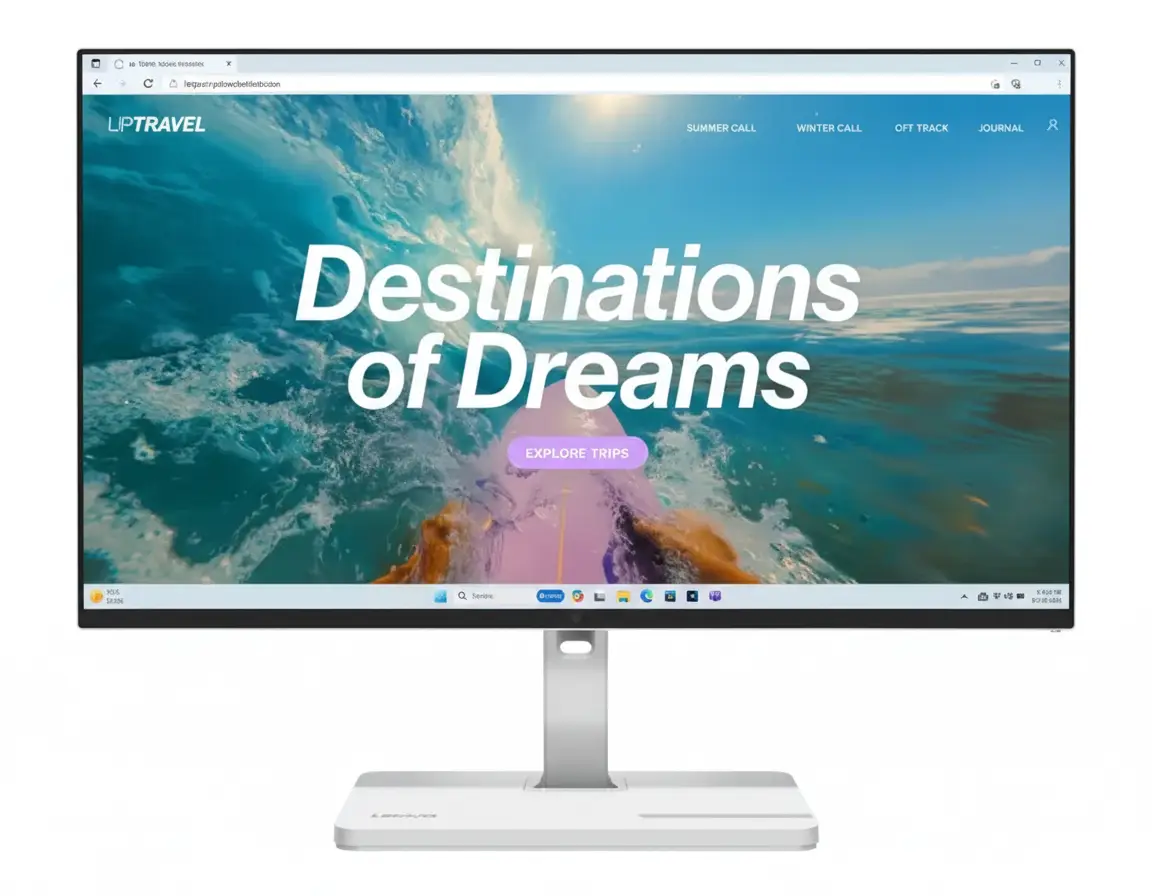

AMD Ryzen 5 3400G Review: Budget APU with Vega 11 Graphics for Entry Builds

AMD Ryzen 5 3400G Review: Budget APU with Vega 11 Graphics for Entry Builds
AMD Ryzen 5 3400G Review: Budget APU with Vega Graphics

AMD Ryzen 5 3400G Review: Budget APU with Vega Graphics

4 Cores / 8 Threads 3.7 GHz Base / 4.2 GHz Boost 6MB Total Cache Socket AM4 65W TDP Radeon Vega 11 iGPU From ₹6,299

The AMD Ryzen 5 3400G is a Zen+ budget APU with 4 cores and 8 threads, ideal for entry-level PCs without a discrete GPU. Released in **2019**, it features a 3.7 GHz base and up to 4.2 GHz boost, with 6MB cache for solid multitasking. The integrated Radeon Vega 11 graphics handles light gaming and 1080p video, while supporting DDR4-2933 and PCIe 3.0 on the AM4 platform. At ₹6,299, it offers 38% savings off MSRP, making it perfect for affordable builds in 2025.

Build Your Budget PC Now?

Get started with the AMD Ryzen 5 3400G for integrated graphics and everyday performance!

₹6,299
₹10,215 (38% off)
Up to ₹188 bank cashback

Free delivery | EMI from ₹305/month | Non-Returnable | 3 Year Warranty

Key Features at a Glance

4-Core Zen+: 8 threads for basic tasks.
3.7/4.2 GHz Clocks: Precision Boost for light loads.
6MB Cache: 4MB L3 for responsiveness.
AM4 Socket: 300/400/500 Series support.
65W TDP: 12nm process efficiency.
Vega 11 iGPU: Integrated for display and light gaming.

1. Core Performance: Zen+ Architecture

Entry-level power for office and casual use in 2025.

4-Core Zen+ (8 Threads):

12nm process with up to 4.2 GHz boost for everyday computing.

3.7 GHz Base / 4.2 GHz Boost:

Precision Boost suitable for light multitasking and browsing.

6MB Total Cache (4MB L3):

Decent L3 cache aids in basic app performance.

2. Integrated Graphics & Memory

Built-in GPU for GPU-free builds.

Radeon Vega 11 iGPU:

11 Compute Units for 1080p video and eSports gaming.

AM4 / 300 Series+:

A320 to X570 for broad compatibility.

PCIe 3.0 / DDR4-2933:

16 Lanes with up to 64GB dual-channel RAM.

Unlocked Overclocking:

PBO Support for modest performance gains.

3. Build Integration & Efficiency

Compact and efficient for entry builds.

65W TDP with 95°C Max:

12nm Process for reliable low-power operation.

Includes Wraith Spire Cooler:

Better Cooling than Stealth for iGPU loads.

AM4 Platform:

DDR4 & PCIe 3.0 for economical entry-level systems.

Pros and Cons

Strengths and drawbacks of the Ryzen 5 3400G in modern use.

Pros

  • Integrated Vega 11 Graphics: Enables gaming and display without extra GPU costs.
  • Affordable Pricing: At ₹6,299, perfect for ultra-budget builds with 38% savings.
  • Decent Efficiency: 65W TDP keeps power and heat low for small form factors.
  • AM4 Compatibility: Works with inexpensive motherboards and DDR4 RAM.
  • Included Cooler: Wraith Spire handles stock and light OC.
  • Unlocked Multiplier: Allows overclocking for performance boosts.

Cons

  • Outdated Zen+ Architecture: Lags behind Zen 3/5 in IPC and efficiency.
  • Limited Cores: 4 cores struggle with demanding multitasking.
  • Weaker iGPU: Vega 11 not ideal for modern games at high settings.
  • No PCIe 4.0: Limits SSD and GPU speeds on newer boards.
  • End-of-Support Platform: AM4 future upgrades restricted.

Who Is This Processor For? Tailored Recommendations

The Ryzen 5 3400G suits:

  • Budget Builder: Ideal for HTPCs or office PCs without discrete GPU.
  • Light Gamer: Handles eSports titles at low settings.
  • AM4 Starter: Entry to Ryzen ecosystem affordably.

Who Might Consider Other Options?

  • Performance Seeker: Needs more cores or modern architecture.
  • Gamer: Discrete GPU users should opt for higher-end APUs.
  • Future-Proof: Consider AM5 for DDR5 and longer support.

Competitive Edge: What Sets It Apart

Entry-level value with integrated graphics.

  • Vs Intel i3-10100: Better iGPU with Vega 11 outperforming UHD 630.
  • Vs Ryzen 3 3200G: Higher Clocks for 10-15% better performance.
  • Budget Win: 38% off MSRP in 2025.
  • Light Gaming: 30-60 FPS in eSports at 1080p low.

Full Specification Details

General Information

  • Price (Starting): ₹6,299
  • Model: Ryzen 5 3400G
  • Architecture: Zen+
  • Launch Date: 2019

Processor & Cache

  • Cores/Threads: 4 / 8
  • Base/Boost Clock: 3.7 / 4.2 GHz
  • Cache: 6 MB Total (4 MB L3)

Power & Thermal

  • TDP: 65W
  • Unlocked: Yes
  • Max Temp: 95°C

Connectivity & Memory

  • Socket: AM4
  • Chipsets: 300/400/500 Series
  • Memory: DDR4-2933 (Up to 64GB)
  • PCIe: 3.0 (16 Lanes)

Graphics & Other

  • iGPU: Radeon Vega 11 (11 CUs)
  • Cooler Included: Wraith Spire
  • Warranty: 3 Years
  • OS Support: Windows 10/11, Linux

Compatibility

  • Motherboards: AM4 300/400/500 Series
  • RAM: DDR4 Up to 64GB (Dual Channel)
  • USB: USB 3.2 Gen 1 (Via Motherboard)

Final Verdict

The AMD Ryzen 5 3400G is a solid entry APU for budget systems with integrated graphics in 2025.

★★★★☆ 4.0 / 5 Stars – Expert Rating

Great for starters, but upgrade for more power.

All-New Tata Safari 2025 | India’s Safest, Smartest & Most Stylish SUV Yet

Tata Safari 2025 Review: The Premium SUV, Reclaimed

Tata Safari 2025 Review: The Premium SUV, Reclaimed

170 PS Kryotec Diesel Engine 31.24 cm Harman™ Infotainment ADAS Level 2+ Voice-Assisted Panoramic Sunroof India’s Safest Vehicle (GNCAP & BNCAP 5-Star)

Introduction: Reclaim Your Life in Grand Style

The Tata Safari, a nameplate synonymous with the Indian SUV, has been reborn with a mission to “Reclaim Your Life.” It’s no longer just a rugged vehicle; it’s a statement of sophisticated design, unparalleled safety, and premium comfort. Built on the legendary OMEGARC platform derived from Land Rover’s D8 architecture, the new Safari holds the distinction of being India’s safest vehicle, with top 5-star ratings from both Global NCAP and Bharat NCAP. It challenges rivals like the Mahindra XUV700 and Hyundai Alcazar with a package focused on a commanding presence, luxurious interiors, and a comprehensive suite of technology, including advanced ADAS. This review explores how the new Safari redefines the premium 7-seater segment.

Design: A Grand Presence, Finer Details

The Safari’s design commands dominance. The front is defined by a new, imposing parametric grille and futuristic Bi-LED projector headlamps. A standout feature is the connected LED DRL strip with sequential turn indicators and a welcome animation that exudes modernity. The side profile is enhanced by segment-first R19 dual-tone spider alloy wheels and the iconic Safari door mascot. The rear makes a lasting impression with a redesigned tailgate featuring a connecting DRL strip, completing the vehicle’s sophisticated and powerful stance.

Inside, the Safari offers an oasis of elegance and craftsmanship. The cabin is bathed in a Signature Oyster White & Titan Brown interior theme, creating a rich and airy ambiance. Occupants are treated to ultra-premium Benecke Kaliko Oyster White leatherette seats with elegant deco stitching. The driver interacts with a first-of-its-kind dual-tone steering wheel with an illuminated logo. Multicolored mood lighting enhances the sense of space and highlights the cabin’s premium materials, creating an environment that is both visually stunning and highly functional.

Exterior Design:

Commanding presence with a parametric grille, connected LED lighting, and R19 spider alloy wheels.

Interior Design:

Luxurious and elegant with Oyster White leatherette seats, an illuminated steering wheel, and ambient mood lighting.

Performance: The Power to Complement Your Might

At the heart of the Safari is the proven Kryotec 2.0L Turbocharged Diesel engine, delivering a robust 170 PS of power and 350 Nm of torque. This engine is engineered for a powerful yet refined performance, mated to either a smooth 6-speed manual or a sophisticated 6-speed automatic transmission. The automatic variants feature an effortless E-Shifter and engaging Paddle Shifters for greater control.

The driving experience is highly adaptable, thanks to multiple Drive Modes (Eco, City, & Sport) and the bejeweled Terrain Response Mode selector (Normal, Rough, Wet). The Safari’s legendary capability is underpinned by its OMEGARC architecture, which ensures a perfect balance between a comfortable ride on highways and robust performance on challenging terrains. Features like Hill Hold Control and an advanced EGR system further enhance its dynamic prowess.

Powertrain:

170 PS Kryotec Diesel Engine with 350 Nm torque, paired with a 6-speed MT or AT with paddle shifters.

Driving Dynamics:

Terrain Response & Drive Modes provide a tailored and confident driving experience on any surface.

Technology: Upgrades that Elevate Your Experience

The new Safari features a cutting-edge technology suite designed to elevate every journey. The cockpit is dominated by an ultra-widescreen 31.24 cm Harman™ Touchscreen Infotainment system, complemented by a 26.03 cm digital cluster. This system supports wireless Android Auto™ & Apple CarPlay™ and is paired with a premium 10-speaker JBL™ sound system. The user experience is further enhanced with a Gesture Controlled Powered Tailgate, a wireless charger, and 45W C-type fast chargers. Connected car technology is handled by iRA 2.0, which offers remote commands, vehicle security features, and live vehicle diagnostics.

Safety: The Uncompromising Safe Bet

Safety is the cornerstone of the new Safari. It is built on the robust OMEGARC architecture, derived from Land Rover’s D8 platform, and has achieved top 5-star safety ratings from both Global NCAP and Bharat NCAP, making it the safest vehicle tested in India. The safety net includes 7 airbags (including a driver knee airbag) and an Advanced ESP with 17 functionalities. The comprehensive ADAS Level 2+ suite offers features like Adaptive Cruise Control, Autonomous Emergency Braking, and Blind Spot Detection. A 360° Surround View System, Hill Hold Control, and an Electronic Parking Brake with Auto Hold provide complete peace of mind in all conditions.

Comfort: Your First-Class Zone of Delight

The Safari is designed to be a sanctuary of comfort. It features Dual-Zone Fully Automatic Temperature Control and a voice-assisted panoramic sunroof. A standout feature is the segment-first ventilated seats in both the 1st and 2nd rows. The driver enjoys a 6-way powered seat with memory and welcome feature, while the co-driver seat has a 4-way powered adjustment with an Electric Boss Mode to create extra legroom for the passenger behind. Second-row passengers are further pampered with winged comfort headrests and retractable sunshades. Thoughtful touches like an air purifier, a front armrest with cooled storage, and smart A & C-Type chargers in all three rows ensure every journey is a delight.

Variants and Value: A Persona for Everyone

The Safari lineup is structured around distinct “Personas” to match different styles. It begins with the well-equipped Smart and Pure trims, which offer essentials like 6 airbags and a digital cockpit. The Adventure persona adds features like ADAS, a 360° camera, and terrain response modes. The top-tier Accomplished persona is the flagship, boasting a larger 31.24 cm touchscreen, a 10-speaker JBL system, ventilated seats, and a gesture-controlled tailgate. For those seeking a bolder statement, the #DARK and Stealth editions offer exclusive blacked-out aesthetics and top-of-the-line features, ensuring there’s a Safari perfectly tailored to every aspiration.

  • Smart / Pure: The entry points with a 17.78 cm digital cockpit and 6 airbags.
  • Adventure: Adds ADAS, 360° camera, R18 alloys, and Terrain Response Modes.
  • Accomplished: The luxury flagship with a 31.24 cm infotainment system, 10-speaker JBL audio, and ventilated seats.
  • #DARK / Stealth: Exclusive editions with blacked-out styling, R19 alloys, and top-tier features.
  • Configurations: 6/7 seaters, Diesel, and 6-Speed MT/AT options available across personas.

Full Specifications: 2025 Tata Safari

Engine & Performance

  • Engine: Kryotec 2.0L Turbocharged Diesel
  • Max Power: 125 kW (170 PS) @ 3750 rpm
  • Max Torque: 350 Nm @ 1750-2500 rpm
  • Transmission: 6-Speed MT / 6-Speed AT
  • Drive Modes: Eco, City, Sport
  • Terrain Modes: Normal, Rough, Wet (Adventure+)

Exterior Features

  • Lighting: Bi-LED Projector Headlamps, Connected LED DRLs & Tail Lamps
  • Animations: Welcome & Goodbye Animation on Front and Rear Lamps
  • Wheels: Up to R19 Dual-Tone Spider or Stealth Black Alloy Wheels
  • Convenience: Gesture Controlled Powered Tailgate, Rain Sensing Wipers
  • Design: New Parametric Grille, Iconic Roof Rails, Shark Fin Antenna

Interior & Comfort Features

  • Seating: Benecke Kaliko Oyster White Leatherette, 6/7 Seater Options
  • Ventilation: Ventilated Seats for both 1st & 2nd Row (Captain Seats)
  • Driver Comfort: 6-Way Powered Seat with Memory, Illuminated Dual-Tone Steering Wheel
  • Passenger Comfort: 4-Way Powered Co-Driver Seat with Electric Boss Mode, 2nd Row Winged Headrests
  • Climate Control: Voice-Assisted Dual Zone FATC, Air Purifier with AQI Display
  • Ambiance: Voice-Assisted Panoramic Sunroof, Multicolored Mood Lights
  • Convenience: Front Armrest with Cooled Storage, Rear Window Sunshields

Dimensions & Capacity

  • Length: 4668 mm
  • Width: 1922 mm (w/o mirrors)
  • Height: 1795 mm
  • Wheelbase: 2741 mm
  • Fuel Tank: 50 L
  • Seating: 6 or 7

Safety & Technology

  • Safety Rating: 5-Star GNCAP & 5-Star BNCAP
  • Airbags: 6 Standard, 7 on Accomplished+
  • ADAS: Level 2+ with Adaptive Cruise Control (AT)
  • Infotainment: Up to 31.24 cm Harman™ system
  • Audio System: Up to 10 JBL™ Speakers with Subwoofer
  • Connected Tech: iRA 2.0, Alexa Home-to-Car

Comparisons: Safari vs. XUV700, Alcazar, Hector Plus

The Safari stands as a formidable challenger in the premium 7-seater space. Against the Mahindra XUV700, the Safari distinguishes itself with superior certified safety ratings and a more premium, Land Rover-derived ride quality, though the XUV700 offers more powerful engine options. Compared to the Hyundai Alcazar and MG Hector Plus, the Safari provides a more robust, SUV-like feel, a more commanding road presence, and an unmatched safety proposition. While rivals may focus on specific features, the Safari’s strength lies in its holistic approach, blending top-tier safety, grand design, and a comfortable, sophisticated driving experience.

Pros and Cons: Our Balanced View

Pros:

  • Unmatched Safety: Highest safety rating in India from both GNCAP and Bharat NCAP.
  • Premium and Grand Design: Sophisticated styling with a commanding road presence.
  • Luxurious and Comfortable Cabin: High-quality materials and features like ventilated 2nd-row seats.
  • Excellent Ride & Handling: OMEGARC platform provides a superb balance of comfort and stability.

Cons:

  • Single Engine Option: Only available with a diesel engine; no petrol or AWD variants.
  • Engine Performance: While robust, it’s not as powerful as the petrol options from key rivals.
  • Third-Row Space: The third row is best suited for children or shorter journeys, typical for the segment.
  • Feature Distribution: The most advanced ADAS and tech features are reserved for the top Accomplished+ persona.

Who Is This Car For? Tailored Recommendations

The Tata Safari is an outstanding choice for:

  • The Safety-First Family: Buyers for whom the highest certified safety rating is the top priority.
  • The Design-Conscious Buyer: Those who appreciate a sophisticated, modern design with a commanding presence.
  • The Highway Cruiser: Families looking for a supremely comfortable and stable vehicle for long-distance travel.
  • The Premium Experience Seeker: Individuals who want luxury features like ventilated rear seats and a high-end sound system without a luxury price tag.

Final Verdict: The New Benchmark for Safety and Style

The Tata Safari has successfully reclaimed its throne, but in an entirely new kingdom of luxury and safety. It makes an irrefutable case as the segment’s safest and most stylish offering, backed by dual 5-star crash ratings and a breathtaking design. The cabin experience, especially in the top “Accomplished” persona, is a masterclass in premium appointments and thoughtful comfort features. While it may not offer the outright engine power of some rivals, its Land Rover-derived chassis provides a ride quality that is simply a class above. For the discerning buyer who prioritizes safety, design, and comfort, the new Safari is not just another choice—it’s a destination.

★★★★★

Overall Rating: 4.8 out of 5.0 (Based on Expert Analysis)