ReviewNest

TVS Apache RTR 160 4V 2025 Review – Granite Grey Power Machine with 17.55 PS, Dual ABS & TFT Display

TVS Apache RTR 160 4V 2025
TVS Apache RTR 160 4V Review
TVS Apache RTR 160 4V in Granite Grey

Color: Granite Grey (Selected)

+2 more

Model: RTR 160 4V (2025)

TVS Apache RTR 160 4V Review

4.4 ★ 4,200 User Ratings & 500 Reviews

Approximate Ex-Showroom Price Range

₹1,15,852 – ₹1,35,840 i

Note: Base Drum variant at ₹1,15,852; Top TFT at ₹1,35,840. Complimentary helmet in select states. On-road prices higher with taxes.

Financing Context

  • Estimated EMI starting from ₹3,200/month
  • Available through Net banking & Credit/ Debit/ ATM card options at dealerships.

11. Variant-Wise Pricing

Ex-Showroom prices for all variants of the TVS Apache RTR 160 4V. Complimentary TVS XPOD Helmet included for RTR Series in Tamil Nadu, Kerala, Karnataka, Gujarat, Pondicherry, Rajasthan, Uttar Pradesh, Haryana, North East, and Odisha.

VariantKey FeaturesEx-Showroom Price (₹)Colors Available
DrumDrum brakes, Basic features1,15,852Pearl White, Granite Grey
RM Disc (Black Edition)Rear Monotube Disc Brake, Black edition styling1,17,990Matte Black
DiscFront disc brake, Ride modes1,19,079Pearl White, Granite Grey, Matte Black
BT DiscBluetooth connectivity, Disc brakes1,22,121Pearl White, Granite Grey, Matte Black
Special EditionExclusive styling, Premium features1,23,890Pearl White, Granite Grey
Dual Channel ABSDual-channel ABS, Advanced safety1,25,790Pearl White, Granite Grey, Matte Black
Dual Channel ABS with USDDual-channel ABS + 37mm USD forks1,28,490Pearl White, Granite Grey, Matte Black
TFT5-inch TFT display, Premium connectivity1,35,840Pearl White, Granite Grey, Matte Black, Special Edition

Prices are ex-showroom (Delhi). On-road prices include RTO, insurance, and other charges. For accurate pricing and helmet offers, check with your local dealer.

Vehicle Overview

Key Performance Highlights

  • Engine: 159.7 cc (Oil Cooled)
  • Maximum Power: 17.55 PS
  • Top Speed: 114 kmph
  • Tire Type: Tubeless (Alloy wheels)

Warranty Coverage

Engine & Frame:

5 years / 30,000 kms (whichever is earlier)

Vehicle:

Standard manufacturer warranty with extended options

Know More about Warranty Policy

In The Box

  • Vehicle (Streetfighter Bike)
  • Owner’s Manual & Tool Kit
  • Helmet Lock & Spare Key (Complimentary XPOD helmet in select states)
  • Service Book & Accessories Guide
Get the Best Deal Now

3. Core Powertrain & Engine Technology

A deep dive into the heart of the TVS Apache RTR 160 4V: its oil-cooled engine, ride modes, and class-leading performance.

159.7 cc Oil-Cooled SOHC Engine

The RTR 160 4V features a single-cylinder, 4-stroke, oil-cooled SOHC, fuel-injected engine with 4 valves and Bosch closed-loop system. It delivers class-leading 17.55 PS at 9250 rpm in Sport mode, with 0.088 kW/kg power-to-weight ratio.

Displacement: 159.7 cc with ram air assist.

Cooling: Oil-cooler for sustained performance.

5-Speed Gearbox with Slipper Clutch

Includes 5-speed gearbox with bullpup exhaust, slipper clutch for smooth downshifts, and electric start. The double cradle split synchro stiff frame at 146 kg ensures responsive handling.

Gearbox: 5-speed constant mesh.

Max Load: Supports everyday riding.

17.55 PS Power and Modes

Provides 17.55 PS in Sport (top speed 114 kmph), 15.64 PS in Urban/Rain (103 kmph). Torque at 14.73 Nm in Sport, with estimated mileage of 45-50 kmpl and 3 ride modes for adaptive performance.

Top Speed: 114 kmph in Sport mode.

Acceleration: Punchy mid-range response.

4. Comfort, Safety & Handling

Evaluating how the bike performs on the road, focusing on rider experience and safety features.

180mm Ground Clearance

The 180mm clearance handles city obstacles, with 37mm USD forks (top variants) and monoshock rear for superior damping. The frame offers stability at speed.

Suspension: USD forks and monoshock.

Travel: Optimized for urban agility.

Petal Disc Brakes with ABS

270mm front petal disc and 240mm rear with dual-channel ABS (top variants) and RLP mode for rear lift-off protection. DOT 4 fluid ensures progressive braking.

Brake Type: Petal discs with ABS.

Tire Spec: 90/90-17 front and 130/70-17 rear tubeless.

Streetfighter Ergonomics

At 800mm seat height, it offers upright posture with adjustable brake/clutch levers. The 146 kg kerb weight and 1357mm wheelbase provide easy control for beginners.

Pillion: Split seat with grab rails.

Weight: Lightweight for city use.

5. Modern Utility & Aesthetics

Focusing on the convenience, looks, and practical features that enhance the ownership experience.

5-inch TFT with Voice Assist

The TFT display (top variant) offers Bluetooth connectivity, voice navigation, and ride analytics. Access modes, calls, and telemetry through the connected interface.

Features: 3 ride modes and voice assist.

Readability: High-contrast TFT screen.

Practical Commuter Features

12L fuel tank for 500+ km range, with LED headlamp/DRL and USB charging. Coloured alloy wheels and AHO ensure visibility and style.

Body: Flared tank design.

Inclusions: 12V 6Ah battery.

Race-Inspired Styling

Features sporty race graphics, gold-finished USD forks, and coloured alloys in Granite Grey. Bullpup exhaust and LED lighting complete the aggressive look.

Headlamp: LED with DRL.

Tail Lamp: LED for modern appeal.

6. Pros and Cons of the RTR 160 4V

Key Strengths (Pros)

  • Class-leading 17.55 PS with 3 ride modes.
  • Dual-channel ABS with RLP mode for safety.
  • 37mm USD suspension in top variants.
  • TFT display with voice assist and connectivity.
  • Wide variant range from budget to premium.

Areas for Improvement (Cons)

  • Top variants approach 200cc pricing.
  • Oil-cooled engine vibrates at high revs.
  • Limited top speed vs 200cc rivals.
  • Basic features in lower variants.
  • Service network varies regionally.

7. Verdict & Competitive Analysis

Competitive Edge

The TVS Apache RTR 160 4V dominates the 160cc segment with power and tech.

  • Power: 17.55 PS beats Bajaj Pulsar NS160.
  • ABS: Dual-channel in 160cc rare vs Honda SP160.
  • Suspension: USD forks ahead of Yamaha FZ-S FI.

Why You Should Buy It?

The TVS Apache RTR 160 4V is ideal for young riders seeking performance and features.

  • Daily: Efficient commuting with ride modes.
  • Fun: Thrilling power and ABS safety.
  • Value: Best-in-class at various price points.
Check Availability & Price Now

8. Detailed Description

TVS APACHE RTR 160 4V: UNSTOPPABLE POWER

The TVS Apache RTR 160 4V delivers unstoppable power and unmatched control as India’s most powerful 160cc with USD suspension. Packed with race-derived features, it offers thrilling performance and modern connectivity for urban adventurers.

Class-Leading Engine & Control

The 159.7 cc oil-cooled engine produces 17.55 PS with 3 ride modes and bullpup exhaust. USD forks, dual-channel ABS with RLP mode, and radial rear tyre ensure confidence-inspiring handling.

Advanced Tech & Race Styling

Featuring TFT display with voice assist, coloured alloys, and sporty graphics, the RTR 160 4V combines utility with aggressive aesthetics. LED DRL and adjustable levers enhance everyday usability.

9. Important Notes & Disclosures

Mandatory Purchase Disclosures

The price displayed includes the Ex-Showroom Price. RTO charges (mandatory), insurance, handling, value-added services, and accessories must be paid directly to the assigned dealer. For state subsidies or helmet offers, please consult the assigned dealer. Vehicle pickup must be done in person at the assigned dealership (doorstep delivery is not applicable). Real-world performance (mileage, speed) may differ from claimed values.

10. Technical Specifications

Detailed technical specifications for the TVS Apache RTR 160 4V are listed below.

LG 27MR400-B Review 2025 — 27″ 100Hz IPS Monitor That Redefines Budget Brilliance

LG 24MR400-B Review
LG 27MR400-B Review 2026 – Large Screen, Smooth Performance, Unbeatable Price
LG 27MR400-B 27 inch 100Hz Full HD IPS Monitor with AMD FreeSync

🎯 Maximum Screen for Minimum Cost: 27″ 100Hz IPS for Just ₹8,799!

The ideal choice for an immersive, large-screen experience on a tight budget

🏆 Best Large Budget Monitor – Unbeatable Screen Size Value

LG 27MR400-B 27″

27″ FHD 100Hz | IPS Panel | AMD FreeSync™ | sRGB 99% | Reader Mode

1920×1080 Resolution – 5ms Response – 250 nits Brightness – Flicker Safe – 3-Side Slim Bezel

⚡ The Ultimate Large-Screen Budget Experience:

• 27″ Large Screen: Maximum immersion – 28% larger than 24″ monitors

• 100Hz Refresh Rate: 67% smoother than 60Hz – fluid everyday experience

• IPS Panel: Vibrant colors with sRGB 99% coverage and wide viewing angles

• Display: 27″ Full HD (1920×1080) – 81 PPI – 16:9 Aspect Ratio

• AMD FreeSync™: Eliminates screen tearing for smooth gaming

• Gaming Features: Black Stabilizer + Dynamic Action Sync for competitive edge

• Eye Care: Reader Mode + Flicker Safe technology for all-day comfort

• Value: ₹8,799 for 27″ 100Hz IPS – impossible to match screen size per rupee

₹8,799

₹19,000

54% OFF

Model: 27MR400-B | 3-Year Warranty | Free Delivery

🛒 Buy Now on Amazon India

$89.99

Model: 27MR400-B | 1-Year Warranty | Free Shipping

🛒 Buy Now on LG USA

£79

Model: 27MR400-B | 1-Year Warranty | Check availability

🛒 Check LG UK Website

🌍 Global Availability

• India: ₹8,799 (Amazon – 54% discount available)

• USA: $89.99 (LG.com – Available Now)

• UK: £79 (LG UK, retailers)

• Europe: €89-99 varies by country

• Availability: Widely available at major retailers

Screen Size

27 inches

Refresh Rate

100Hz

Panel Type

IPS

LG 27MR400-B Overview – Maximum Screen Size at Minimum Price

🖥️ Large Screen Display

  • 27″ Screen: 28% larger than 24″ monitors
  • IPS Panel: Wide viewing angles (178°)
  • sRGB 99%: Accurate, vibrant colors
  • 250 Nits: Good brightness for indoor use
  • 1300:1 Contrast: 1000:1 minimum guaranteed
  • 16.7M Colors: Smooth color gradients
  • 3-Side Bezel: Slim, modern design
  • Anti-Glare: Reduces reflections

⚡ Smooth Performance

  • 🔄 100Hz Refresh: Smooth motion
  • ⚡ 5ms GtG: Fast response time
  • 🎮 AMD FreeSync™: Tear-free gaming
  • 🎯 Black Stabilizer: See dark areas
  • 💨 Dynamic Action Sync: Low input lag
  • 👁️ Flicker Safe: Reduces eye strain

💎 Budget Value

  • • ₹8,799 Price: Unbeatable for 27″ 100Hz
  • • Reader Mode: Paper-like reading experience
  • • OnScreen Control: Software-based settings
  • • Screen Split: Multi-window layouts
  • • VESA Mount: 100×100mm compatibility
  • • 3-Year Warranty: India (1-year USA/UK)

🎯 What Makes LG 27MR400-B Special?

The LG 27MR400-B takes the winning formula of its 24-inch sibling and supersizes it onto a larger 27-inch canvas. At just ₹8,799 (54% off MRP ₹19,000), this monitor delivers exceptional value by providing 28% more screen area than 24-inch displays while maintaining the same excellent 100Hz IPS panel quality, AMD FreeSync™, and comprehensive eye care features that made the 24MR400-B so popular.

The 27-inch screen size provides dramatically more immersive viewing for gaming, movies, and productivity tasks. The larger canvas makes multitasking more comfortable, allowing side-by-side documents or multiple browser tabs without cramped feeling. For budget-conscious users seeking maximum screen real estate, the 27MR400-B delivers more display area per rupee than virtually any competitor at this price point.

The 100Hz refresh rate remains the transformative feature that elevates this from basic budget monitor to genuinely smooth everyday experience. Whether scrolling web pages, dragging windows, or playing casual games, the 67% increase in smoothness over 60Hz is immediately noticeable. Combined with vibrant IPS colors (sRGB 99%) and FreeSync technology, the viewing experience rivals monitors costing ₹15,000-18,000.

The primary trade-off for the larger size is lower pixel density at 81 PPI (compared to 92 PPI on 24-inch FHD). The 1920×1080 resolution stretched across 27 inches means text and images appear slightly less sharp than smaller displays. This is acceptable for general use, media consumption, and gaming, but users accustomed to high-resolution displays or working extensively with text may notice the reduced crispness.

Like its smaller sibling, LG achieves this incredible value through strategic compromises on features less critical to core experience. The tilt-only stand lacks height/swivel/pivot adjustment. Connectivity is limited to HDMI and VGA without DisplayPort or USB-C. There are no built-in speakers. By eliminating premium features that can be supplemented externally, LG focuses budget on what matters most: a large, smooth, colorful display.

The choice between 24MR400-B (₹7,349) and 27MR400-B (₹8,799) comes down to personal preference. The 27-inch provides more immersive large-screen experience for just ₹1,450 extra, while the 24-inch delivers sharper image quality with better pixel density. For users prioritizing maximum screen size on tight budgets, the 27MR400-B’s value proposition is unmatched.

Display Quality – 27″ IPS Panel with Vibrant Colors

📺 Large 27-Inch Screen – Maximum Immersion

The 27-inch screen provides 28% more display area than 24-inch monitors, creating a dramatically more immersive viewing experience. The larger canvas is particularly beneficial for multitasking with multiple windows, gaming with wider field of view, and media consumption where bigger screen size enhances enjoyment. The spacious display reduces the need for constant window switching.

However, the Full HD (1920×1080) resolution on 27 inches results in 81 pixels per inch, lower than the 92 PPI of 24-inch FHD displays. This means text and fine details appear less sharp. For typical viewing distances (50-70cm), the difference is acceptable for general use, but users working extensively with text or coming from higher-resolution displays may notice reduced crispness. The trade-off is intentional: maximum screen size for minimum cost.

27″ Screen Advantages

  • • Screen Area: 28% larger than 24″ (477 sq in vs 372 sq in)
  • • Immersion: More engaging for gaming and movies
  • • Multitasking: Comfortable side-by-side windows
  • • Pixel Density: 81 PPI – acceptable for general use

🎨 IPS Panel – Accurate Colors & Wide Angles

The IPS (In-Plane Switching) panel technology delivers excellent color accuracy with sRGB 99% coverage, ensuring vibrant, lifelike colors for photos, videos, and games. The 178° horizontal and vertical viewing angles maintain consistent color and brightness from any position, making the monitor suitable for shared viewing or angled setups. Unlike TN panels, IPS doesn’t suffer from color shifting.

The 250 cd/m² brightness and 1300:1 contrast ratio (1000:1 minimum) provide good image quality for indoor environments. The brightness is sufficient for typical office and home lighting, though direct sunlight may require adjustments. The 16.7 million colors (8-bit) produce smooth gradients without banding. The anti-glare coating reduces reflections, improving visibility in various lighting conditions.

IPS Panel Benefits

  • • Color Accuracy: sRGB 99% – vibrant, lifelike colors
  • • Viewing Angles: 178°/178° – no color shift
  • • Contrast: 1300:1 typical (1000:1 min)
  • • Brightness: 250 nits – good for indoor use

⚖️ The Resolution Trade-Off – Size vs Sharpness

✅ When 27″ FHD Works Well

Gaming: The lower pixel density is less noticeable in fast-paced games where motion and smoothness matter more than ultra-sharp text. The larger screen provides better immersion and peripheral awareness.

Media Consumption: Movies, YouTube, and streaming content look great on the large screen. Most video content is 1080p anyway, making this a perfect match for native resolution playback.

General Browsing: Web browsing, social media, and casual productivity tasks work fine. The larger screen makes everything easier to see, which can offset slightly softer text for many users.

⚠️ When You Might Want Higher Resolution

Text-Heavy Work: Coding, writing, spreadsheets, or extensive document editing benefit from sharper text. Consider 24″ FHD (92 PPI) or 27″ QHD (109 PPI) for better clarity.

Photo/Video Editing: Creative work requires more pixels to see fine details. The 81 PPI isn’t sufficient for professional color-critical work where QHD or 4K displays are standard.

Close Viewing: If you sit closer than 50cm to the screen, the lower pixel density becomes more apparent. Optimal viewing distance is 60-80cm for comfortable 27″ FHD use.

Gaming Performance – 100Hz Refresh Rate & AMD FreeSync™

🔄 100Hz Refresh Rate – Smooth Gameplay

The 100Hz refresh rate is the standout feature that transforms this budget monitor into a genuinely smooth gaming experience. At 100 frames per second, each frame displays for 10 milliseconds – 67% faster than 60Hz (16.67ms). This creates noticeably smoother motion in games, reducing blur and improving responsiveness for competitive advantage.

For casual and esports gaming, 100Hz hits the sweet spot. It’s fast enough to provide significant smoothness improvement over 60Hz, yet easier for budget GPUs to achieve than 144Hz+. Games like Valorant, CS2, League of Legends, Fortnite, and older AAA titles can easily hit 100fps at 1080p with mid-range cards (GTX 1660, RX 6600, RTX 3050). The refresh rate enhances everything from desktop scrolling to video playback.

100Hz Benefits

  • • Smoothness: 67% faster frame delivery than 60Hz
  • • Frame Time: 10ms per frame vs 16.67ms (60Hz)
  • • GPU Friendly: Easier to achieve than 144Hz
  • • Everyday Benefit: Smoother desktop and browsing

🎮 AMD FreeSync™ – Tear-Free Gaming

AMD FreeSync™ adaptive sync technology eliminates screen tearing and stuttering by synchronizing the monitor’s refresh rate with your GPU’s frame output. This ensures smooth, consistent gameplay even when frame rates fluctuate between 48-100fps. The technology works with both AMD (RX 400 series+) and NVIDIA (GTX 10 series+) graphics cards.

FreeSync is particularly valuable for budget gaming where frame rates aren’t consistently maxed out. Instead of jarring tearing when frames dip below 100fps, FreeSync maintains smooth visuals by dynamically adjusting refresh rate. The 48-100Hz VRR range covers typical budget gaming scenarios, providing tear-free experience across most titles without requiring expensive high-end GPU.

FreeSync Advantages

  • • No Tearing: Eliminates screen tearing artifacts
  • • No Stuttering: Smooth even with variable FPS
  • • VRR Range: 48-100Hz adaptive sync window
  • • GPU Support: AMD & NVIDIA compatible

🎯 Advanced Gaming Features

⚫ Black Stabilizer

Black Stabilizer brightens dark areas without overexposing bright regions, helping you spot enemies hiding in shadows. This competitive feature is invaluable in games like Valorant, CS2, or battle royales where visibility in dark corners provides tactical advantage. The adjustable levels let you fine-tune darkness visibility to preference.

While not as sophisticated as HDR, Black Stabilizer provides practical gaming benefit at budget price point. It works in real-time without affecting overall image quality, making it useful for both competitive and single-player games with dark environments.

⚡ Dynamic Action Sync

Dynamic Action Sync reduces input lag by minimizing processing delay between controller input and on-screen action. In competitive gaming, every millisecond matters for reaction time. The feature works automatically, optimizing signal processing for fastest possible response without requiring manual configuration.

Combined with the 5ms GtG response time, Dynamic Action Sync ensures responsive gaming experience. While not matching 1ms gaming monitors, the 5ms response is sufficient for casual to intermediate competitive gaming without noticeable ghosting in most scenarios.

🎮 Expected Gaming Performance

✅ Great For These Games

Esports Titles: Valorant, CS2, League of Legends, Dota 2, Overwatch 2 – easily hit 100+ fps at 1080p with budget GPUs. The large 27″ screen improves awareness while 100Hz provides competitive smoothness.

Battle Royales: Fortnite, Apex Legends, PUBG – maintain 80-100fps on medium settings with GTX 1660/RX 6600. FreeSync ensures smooth experience even with frame rate dips.

Older AAA Games: Any game 3-5+ years old runs excellently. The 1080p resolution is easy to drive, and IPS colors make single-player adventures look vibrant.

⚠️ Recommended GPU Tier

Budget GPUs (GTX 1650, RX 6500 XT): Can hit 60-80fps in esports, FreeSync smooths it out. Perfect pairing for true budget gaming setup under ₹50,000 total.

Mid-Range GPUs (GTX 1660 Ti, RX 6600, RTX 3050): Ideal match – consistently hit 100fps in most games at medium-high settings. This is the sweet spot pairing.

Modern AAA Games: Latest demanding titles (Cyberpunk 2077, Starfield) will run 50-70fps on medium settings. FreeSync keeps it smooth, but consider 24″ FHD or upgrade GPU for higher settings.

Features – OnScreen Control & Screen Split

🖱️ OnScreen Control Software

LG’s OnScreen Control software provides convenient monitor settings adjustment using your mouse and keyboard, eliminating the need to navigate physical OSD buttons. The software interface lets you change brightness, contrast, picture modes, and color temperature with simple clicks. This is particularly useful for frequent adjustments between work and gaming scenarios.

The software also enables quick access to gaming features like Black Stabilizer and FreeSync, as well as eye care modes like Reader Mode. For users managing multiple monitors or frequently switching between use cases, OnScreen Control saves significant time compared to button-based OSD navigation. The intuitive interface is beginner-friendly.

📐 Screen Split – Multitasking Layouts

Screen Split feature provides preset window layout templates for efficient multitasking on the large 27-inch screen. Choose from layouts like side-by-side (50/50), three-column, or picture-in-picture arrangements to organize multiple applications. Windows snap automatically to defined regions, eliminating manual window dragging and resizing.

This feature is particularly valuable on 27-inch displays where screen real estate accommodates multiple full-sized windows comfortably. For productivity workflows requiring simultaneous document viewing, research with browsing, or code editing with reference materials, Screen Split streamlines organization. The presets can be customized and saved for repeated workflows.

🔌 Connectivity Options

📺 Video Inputs

The monitor includes 1× HDMI port and 1× D-Sub (VGA) port. The HDMI connection supports the full 100Hz refresh rate at 1920×1080, ensuring smooth gaming performance. The VGA port provides legacy compatibility for older systems, though it’s limited to 60Hz and analog signal quality. Most users will use HDMI exclusively.

The single HDMI port is a limitation if you want to connect multiple devices (PC + console) simultaneously. You’ll need to manually swap cables or use an HDMI switch. There’s no DisplayPort or USB-C, keeping the monitor budget-focused. For most single-PC setups, the connectivity is adequate.

🎧 Audio Output

The monitor features a 3.5mm headphone jack for audio output. When connected via HDMI, audio from your PC passes through to the headphone jack, providing convenient access without reaching to PC rear panel. This is useful for quickly plugging/unplugging headphones or speakers during gaming and work.

There are no built-in speakers, which is expected at this price point. Most users prefer external speakers or headphones anyway for better audio quality. The omission keeps costs down while maintaining the monitor’s value proposition of investing budget in display quality rather than mediocre speakers.

Eye Care Technology – Reader Mode & Flicker Safe

📖 Reader Mode – Paper-Like Experience

Reader Mode is a dedicated eye care setting that mimics the experience of reading on paper. The mode adjusts color temperature to warmer tones and reduces blue light output, which studies suggest may contribute to eye strain and sleep disruption during extended screen time. The luminance is optimized to reduce brightness without compromising readability.

This feature is particularly valuable for students, writers, researchers, or anyone reading documents, articles, or books on screen for hours. The warmer, softer appearance reduces eye fatigue compared to standard blue-heavy display modes. While it changes color accuracy (not suitable for photo editing), Reader Mode makes extended reading sessions significantly more comfortable. It can be toggled on/off via OnScreen Control.

Reader Mode Benefits

  • • Blue Light Reduction: Lessens potential eye strain
  • • Warm Color Temp: Paper-like comfortable viewing
  • • Extended Reading: Reduces fatigue during long sessions
  • • Quick Toggle: Easy on/off via software

✨ Flicker Safe – Invisible Comfort

Flicker Safe technology eliminates the invisible screen flickering common in monitors using PWM (Pulse Width Modulation) for brightness control. Standard displays flicker at high frequencies (often 200-250Hz) that aren’t consciously visible but can cause headaches, eye strain, and fatigue during prolonged use. LG’s Flicker Safe uses DC (Direct Current) dimming for truly flicker-free illumination.

The benefit is subtle but significant for all-day computer users, particularly those sensitive to flicker-induced eye strain. You won’t “see” the difference, but your eyes will feel less fatigued after 6-8 hour work sessions. Combined with Reader Mode and the IPS panel’s comfortable viewing angles, the 27MR400-B provides genuinely comfortable long-term viewing that justifies its positioning as everyday productivity monitor.

Flicker Safe Advantages

  • • Zero Flicker: DC dimming eliminates PWM flicker
  • • Reduced Strain: Less eye fatigue during extended use
  • • Fewer Headaches: Helps sensitive users
  • • Always Active: Works at all brightness levels

👁️ Complete Eye Care for All-Day Comfort

The combination of Reader Mode, Flicker Safe, and anti-glare coating makes the 27MR400-B exceptionally comfortable for extended viewing. For students attending online classes, remote workers on video calls, or gamers playing for hours, these eye care features reduce fatigue that accumulates during prolonged screen time.

The IPS panel’s wide viewing angles also contribute to comfort by maintaining consistent image quality even when you shift position or lean back. You don’t need to maintain perfect centered position, reducing neck and shoulder strain. The large 27-inch screen means less squinting to read text compared to smaller displays, which further reduces eye strain for many users.

For the ₹8,799 price point, having comprehensive eye care features is exceptional value typically found in premium displays. LG prioritizes user health alongside performance, making this monitor suitable not just for gaming but as an all-day everyday display for work, study, and entertainment.

Design & Ergonomics – Slim Bezel with Basic Stand

🖼️ 3-Side Slim Bezel Design

The monitor features a modern 3-side virtually borderless design with ultra-slim bezels on top and sides. This creates a clean, minimalist look that maximizes screen-to-body ratio and reduces visual distractions during gaming and content consumption. The slim bezels make the display appear larger than traditional thick-bezel monitors.

The design is particularly beneficial for multi-monitor setups where slim bezels create near-seamless displays when placed side-by-side. For dual-monitor productivity workflows, two 27MR400-B units provide massive 54-inch ultrawide workspace at combined ₹17,598 – exceptional value for expansive desktop real estate. The simple black finish maintains professional appearance suitable for home offices.

⚙️ Basic Tilt-Only Stand

The included stand provides basic tilt adjustment (-5° to +15°) to angle the screen for optimal viewing position. This allows you to eliminate glare from overhead lighting and find comfortable viewing angle for your desk setup. However, there’s no height, swivel, or pivot adjustment, which limits ergonomic flexibility compared to premium monitors.

For users needing better ergonomics, the monitor supports VESA 100×100mm mounting, allowing third-party monitor arms providing full height, swivel, and rotation adjustment. Budget monitor arms cost ₹1,500-3,000, still keeping total investment well below premium adjustable monitors while gaining superior flexibility. The basic stand keeps the monitor affordable while offering upgrade path.

📏 Physical Specifications & Build Quality

📐 Dimensions & Weight

The monitor measures approximately 614mm (W) × 462mm (H) × 195mm (D) with stand, occupying moderate desk space appropriate for 27-inch size. The weight is around 3.5-4kg, making it manageable for single-person setup without being flimsy. The stand footprint is reasonably compact, leaving space for keyboard and mouse.

The anti-glare matte screen coating reduces reflections from windows and overhead lights, improving visibility in various lighting conditions. The coating strikes good balance between anti-reflection properties and maintaining image clarity without excessive graininess sometimes found in aggressive matte coatings.

🔨 Build Quality & Durability

The monitor uses plastic construction appropriate for budget category, but LG’s build quality remains solid without feeling cheap. The panel doesn’t flex excessively, and the stand provides stable support without wobbling during typing. The bezels fit together neatly with consistent gaps, demonstrating good manufacturing quality control.

The monitor includes 3-year warranty in India (1-year in USA/UK), providing peace of mind for defects. LG’s established service network in India ensures support availability if issues arise. For the price, the build quality exceeds expectations of typical budget monitors, delivering reliable long-term performance.

Who Should Buy LG 27MR400-B?

✅ Perfect For These Users

🎮 Budget-Conscious Gamers

Gamers with tight budgets seeking maximum screen size and smooth 100Hz performance will love this monitor. The large 27″ display enhances immersion in single-player games and provides competitive awareness advantage in multiplayer titles. AMD FreeSync eliminates tearing, and gaming features like Black Stabilizer add value. For ₹8,799, this is exceptional entry-level gaming display.

📚 Students & Online Learners

Students attending online classes, taking notes, and researching benefit from large 27″ screen accommodating multiple windows comfortably. The Reader Mode and Flicker Safe reduce eye strain during long study sessions. The 100Hz makes scrolling through documents and web pages feel snappy. Screen Split organizes multiple reference materials efficiently for productive studying.

💼 Home Office Workers

Remote workers and general productivity users get spacious workspace for multitasking with spreadsheets, documents, and communication apps. The 27″ IPS display with excellent colors makes presentations and media look professional. Eye care features reduce fatigue during 8-hour workdays. OnScreen Control and Screen Split streamline workflow management efficiently.

🎬 Media Consumption Enthusiasts

Movie watchers, YouTube viewers, and streaming fans enjoy large 27″ screen with vibrant IPS colors for immersive entertainment. The 100Hz refresh makes video playback smoother than 60Hz displays. The anti-glare coating reduces reflections during varied lighting. For casual entertainment at budget price, this delivers excellent viewing experience for movies and shows.

💰 Maximum Screen Size Seekers

If your top priority is getting the largest possible screen from reputable brand at lowest price, the 27MR400-B is unbeatable. The ₹8,799 price for 27″ 100Hz IPS provides more screen area per rupee than virtually any competitor. For users who value size over ultra-sharp resolution, this represents exceptional value maximizing display real estate on minimal budget.

⚠️ Consider Alternatives If You Need

📝 Sharp Text for Productivity

Users doing extensive text-heavy work (coding, writing, spreadsheets) may find the 81 PPI resolution inadequate. Text appears softer than 24″ FHD (92 PPI) or 27″ QHD (109 PPI) displays. If you prioritize razor-sharp text clarity over large screen size, consider the 24MR400-B (₹7,349) for better pixel density or budget QHD monitors (₹14,000+) for superior sharpness at 27″.

🎨 Creative Professional Work

Photo editors, video editors, and graphic designers need higher resolution for detailed work and precise editing. The 1920×1080 resolution doesn’t provide enough pixels for professional creative workflows. Invest in 27″ QHD (2560×1440) or 4K displays (₹18,000-30,000+) that offer necessary detail, color accuracy, and workspace for professional tools.

⚙️ Ergonomic Adjustability

Users requiring height, swivel, and pivot adjustment for ergonomic comfort should budget for monitor arm (₹1,500-3,000) or choose monitors with fully adjustable stands. The tilt-only stand is limiting for users needing precise positioning for health and comfort. Alternatively, premium ergonomic monitors (₹15,000+) include comprehensive adjustment out-of-box.

🔌 Multiple Device Connectivity

The single HDMI port requires cable swapping for multiple devices (PC + console + laptop). Users needing simultaneous multi-device connectivity should consider monitors with 2× HDMI + DisplayPort (₹10,000-12,000) or budget external HDMI switch (₹500-1,000). The limited connectivity is acceptable for single-PC setups but frustrating for complex configurations.

🏆 Competitive High-Refresh Gaming

Serious competitive gamers prioritizing maximum refresh rates need 144Hz+ displays for smoothest possible motion. While 100Hz is significant upgrade over 60Hz, dedicated esports players benefit from 144Hz-165Hz panels (₹10,000-14,000 for 24″ 144Hz). The 100Hz is excellent for casual-intermediate gaming but not quite esports-competitive level preferred by hardcore players.

Top Competitors & Alternatives

LG 24MR400-B (Its Sibling)

24″ FHD 100Hz IPS

₹7,349

24″ FHD | 100Hz | IPS | AMD FreeSync™

Display: 24″ Full HD (1920×1080), IPS, 100Hz, 5ms

Features: Same gaming features, eye care, OnScreen Control

Advantage: Sharper image at 92 PPI vs 81 PPI

Ports: Identical – 1× HDMI, 1× VGA, headphone jack

Why Choose 24MR400-B Instead?

Save ₹1,450 while getting sharper 92 PPI image quality. The smaller size delivers better text clarity for productivity work. Fits better on smaller desks. If you prioritize sharpness over size and have limited desk space, the 24″ model is smarter choice. Same features, smaller footprint, sharper display.

Why Choose 27MR400-B Instead?

28% more screen area provides significantly more immersive experience for just ₹1,450 extra. The larger display is better for gaming immersion, movie watching, and comfortable multitasking. If you have desk space and prioritize maximum viewing area, the 27″ size justifies small premium for enhanced experience.

AOC 27G2 Gaming Monitor

27″ FHD 165Hz IPS Gaming

₹12,999

27″ FHD | 165Hz | IPS | AMD FreeSync Premium

Display: 27″ Full HD (1920×1080), IPS, 165Hz, 1ms MPRT

Features: FreeSync Premium, Low Input Lag, gaming OSD

Advantage: 65% faster refresh (165Hz vs 100Hz)

Ports: 2× HDMI 1.4, 1× DisplayPort 1.2, VGA, headphone

Why Choose AOC 27G2 Instead?

48% price premium (₹4,200 extra) gets 65% faster 165Hz refresh for serious gaming. The faster response time (1ms MPRT vs 5ms GtG) reduces motion blur further. Dedicated gaming-focused monitor with better connectivity (2× HDMI + DisplayPort). Choose if competitive gaming is priority and budget allows ₹13K.

Why Choose 27MR400-B Instead?

Save ₹4,200 (48% cheaper) while still getting smooth 100Hz that’s significant upgrade over 60Hz. The 100Hz vs 165Hz difference is smaller than 60Hz to 100Hz jump – diminishing returns for casual gamers. Better value for mixed-use (work + gaming) with excellent eye care features. Reader Mode and LG software ecosystem add productivity value AOC lacks.

BenQ GW2780 Business Monitor

27″ FHD 60Hz IPS Productivity

₹9,999

27″ FHD | 60Hz | IPS | Eye Care Focus

Display: 27″ Full HD (1920×1080), IPS, 60Hz, 5ms

Features: BenQ Eye-Care (Low Blue Light, Flicker-Free)

Advantage: Built-in 2W speakers, BenQ brand reputation

Ports: 1× HDMI, 1× DisplayPort, 1× VGA, headphone, audio-in

Why Choose BenQ GW2780 Instead?

BenQ’s established eye-care technology and built-in speakers add convenience. The DisplayPort connectivity provides better cable option. BenQ’s reputation for business/productivity monitors appeals to corporate users. Choose if you need speakers, prefer 60Hz for pure office work, and trust BenQ’s brand heritage in professional displays.

Why Choose 27MR400-B Instead?

Save ₹1,200 (14% cheaper) while getting 67% smoother 100Hz experience. The 100Hz makes everything from scrolling to gaming feel modern and responsive compared to dated 60Hz. LG’s eye care (Reader Mode + Flicker Safe) matches BenQ’s technology. AMD FreeSync adds gaming capability BenQ lacks. Better value for mixed productivity and entertainment use.

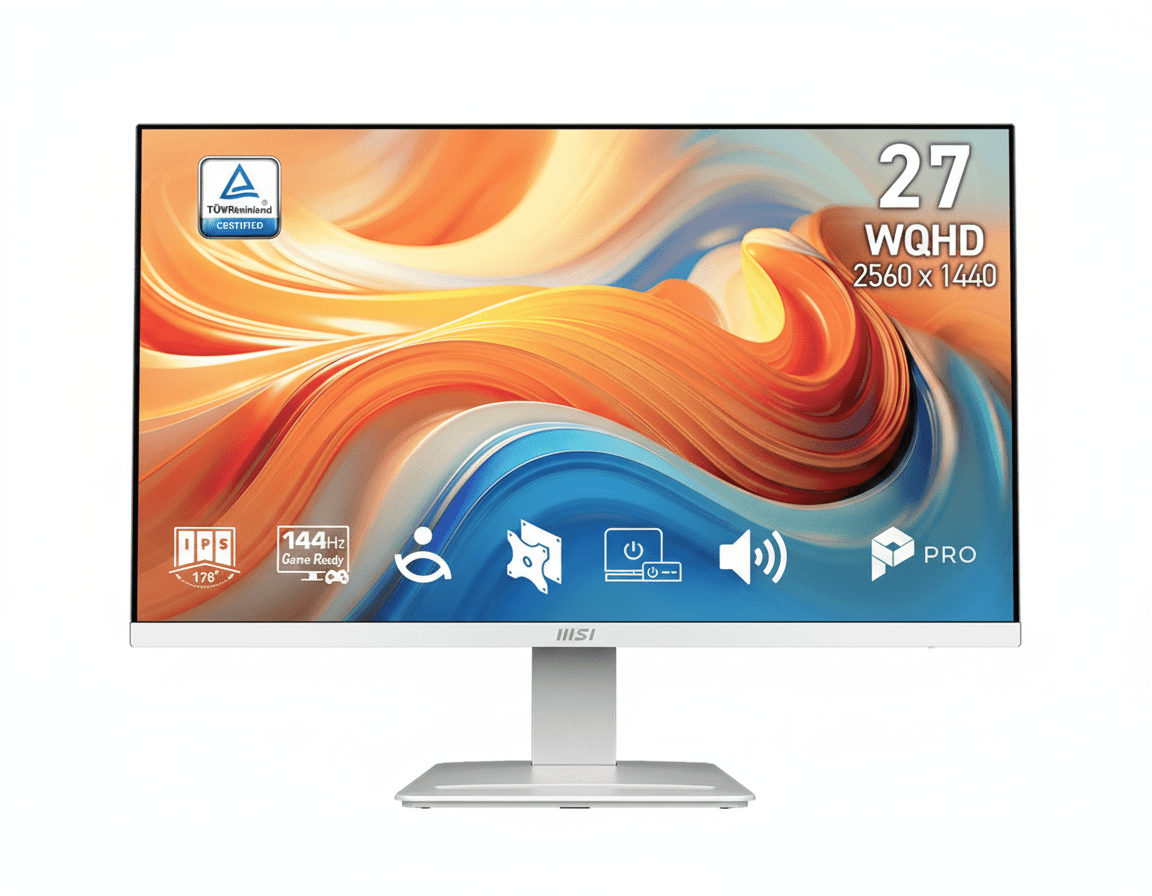
MSI PRO MP273 Business

27″ FHD 100Hz IPS Business

₹10,499

27″ FHD | 100Hz | IPS | Anti-Flicker

Display: 27″ Full HD (1920×1080), IPS, 100Hz, 5ms

Features: Anti-Flicker, Less Blue Light, frameless design

Advantage: MSI gaming brand heritage, modern design

Ports: 1× HDMI 1.4, 1× VGA, headphone jack

Why Choose MSI MP273 Instead?

MSI’s gaming brand reputation and slightly more premium design aesthetic. The same 100Hz refresh rate with MSI’s eye care technology. If you prefer MSI brand over LG and want business-oriented styling with gaming smoothness, this delivers similar experience with different brand positioning.

Why Choose 27MR400-B Instead?

Save ₹1,700 (19% cheaper) for essentially identical specifications. Both offer 27″ FHD 100Hz IPS with eye care – the LG provides same experience for significantly less money. LG’s OnScreen Control software and Reader Mode arguably superior to MSI’s offerings. Better value proposition unless MSI brand specifically preferred.

Pros and Cons – LG 27MR400-B

✅ What We Loved

💰 Exceptional Value – ₹8,799 for 27″ 100Hz

The ₹8,799 price (54% off MRP ₹19,000) delivers unbeatable value for 27-inch 100Hz IPS monitor. This provides more screen area per rupee than virtually any competitor, making it the price-to-performance champion for budget buyers seeking maximum display size without compromising on smoothness or color quality.

📺 Large 27-Inch Screen – Maximum Immersion

The 27-inch screen provides 28% more display area than 24-inch monitors, creating dramatically more immersive experience for gaming, movies, and multitasking. The spacious canvas makes side-by-side windows comfortable for productivity while enhancing gaming engagement. For users prioritizing screen size on budget, this is maximum value.

🔄 Smooth 100Hz Refresh Rate

The 100Hz refresh rate provides 67% faster frame delivery than 60Hz, creating noticeably smoother experience for everything from desktop scrolling to gaming. At this price point, having 100Hz is exceptional – most budget monitors remain stuck at 60Hz. The smoothness enhances everyday usability significantly.

🎨 Excellent IPS Color Quality

The IPS panel delivers vibrant, accurate colors with sRGB 99% coverage and 178° viewing angles that maintain consistency from any position. The color quality rivals monitors costing ₹15,000+, making this exceptional for media consumption and casual content creation. The anti-glare coating reduces reflections effectively.

🎮 AMD FreeSync™ – Tear-Free Gaming

AMD FreeSync eliminates screen tearing and stuttering by synchronizing refresh rate with GPU output. This provides smooth gaming experience even with variable frame rates, crucial for budget gaming where consistent 100fps isn’t always achievable. Works with both AMD and NVIDIA GPUs for universal compatibility.

👁️ Comprehensive Eye Care Features

The Reader Mode and Flicker Safe technology reduce eye strain during extended viewing. Reader Mode mimics paper for comfortable reading, while Flicker Safe eliminates PWM flicker causing headaches. For all-day computer users, these features provide genuinely comfortable long-term viewing rare at budget price.

🖱️ OnScreen Control & Screen Split

LG’s OnScreen Control software provides mouse-based settings adjustment, eliminating tedious button navigation. Screen Split enables preset window layouts for efficient multitasking on the large screen. These software features add productivity value typically absent in budget monitors.

✅ Reliable LG Brand & 3-Year Warranty

LG’s established reputation and 3-year warranty in India (1-year USA/UK) provide peace of mind. The extensive service network ensures support availability if issues arise. Brand reliability at budget pricing is exceptional value, avoiding risks associated with unknown brands.

⚠️ What Could Be Better

📐 Lower Pixel Density – 81 PPI

The 1920×1080 resolution on 27 inches results in 81 pixels per inch, lower than 24″ FHD (92 PPI) or 27″ QHD (109 PPI). Text and fine details appear less sharp, particularly noticeable for users accustomed to higher-resolution displays. This is acceptable trade-off for screen size at budget price, but may frustrate text-heavy productivity users.

⚙️ Basic Tilt-Only Stand

The stand provides only tilt adjustment (-5° to +15°) without height, swivel, or pivot. This limits ergonomic flexibility for users needing precise positioning. While VESA 100×100mm mounting enables monitor arm upgrades, the basic stand may require additional ₹1,500-3,000 investment for proper ergonomics.

🔌 Limited Connectivity – Single HDMI

The monitor includes only 1× HDMI and 1× VGA port, requiring cable swapping for multiple devices (PC + console + laptop). There’s no DisplayPort or USB-C, limiting modern connectivity options. Users with multi-device setups need external HDMI switch or constantly swap cables, which is inconvenient.

🔇 No Built-In Speakers

The monitor lacks built-in speakers, requiring external speakers or headphones for audio. While most users prefer dedicated audio anyway, the omission means additional cost (₹500-2,000) for budget buyers expecting all-in-one solution. The headphone jack provides pass-through but no integrated audio output.

🎮 Not Quite Competitive Gaming Tier

While 100Hz is excellent upgrade over 60Hz, serious competitive gamers prefer 144Hz-165Hz+ refresh rates for maximum smoothness. The 5ms GtG response time, while adequate, isn’t the 1ms of dedicated gaming monitors. This excels for casual-intermediate gaming but doesn’t match competitive-tier displays.

📱 No USB Hub or Extra Features

The monitor lacks USB hub, KVM switch, or PIP/PBP modes found in premium displays. There’s no built-in power delivery or USB-C docking for simplified laptop connectivity. The feature set is intentionally basic to achieve budget pricing, but power users may find it limiting for complex workflows.

Final Verdict – Maximum Screen, Minimum Cost

🏆 Best Large Budget Monitor – Unbeatable Value
8.8 /10

Exceptional Value – Maximum Screen Size at Minimum Price

🎯 The Bottom Line

The LG 27MR400-B delivers exceptional value by maximizing screen size without compromising on the features that matter most. At ₹8,799 (54% off MRP ₹19,000), this monitor provides more display area per rupee than virtually any competitor, making it the definitive choice for budget-conscious buyers seeking large, smooth, colorful displays for gaming, productivity, and entertainment.

The 27-inch IPS panel with 100Hz refresh rate and AMD FreeSync™ creates genuinely smooth, immersive experience that rivals monitors costing ₹15,000-18,000. The combination of vibrant colors (sRGB 99%), wide viewing angles, and comprehensive eye care features makes this suitable for all-day use across diverse scenarios from gaming to remote work to media consumption.

The primary trade-off is lower pixel density at 81 PPI, making text and fine details less sharp than 24″ FHD or 27″ QHD displays. For users whose workflow involves extensive text-heavy productivity or creative professional work, the resolution may feel inadequate. However, for gaming, media, general browsing, and casual productivity, the large screen size outweighs the sharpness compromise for most users.

💡 Who Should Buy This?

Budget gamers, students, home office workers, and media enthusiasts seeking maximum screen size at minimum cost will find tremendous value. The 28% larger screen area compared to 24″ monitors provides dramatically more immersive experience for just ₹1,450 premium over the 24MR400-B, making it worthwhile for users with adequate desk space.

The monitor excels for mixed-use scenarios where users need smooth gaming, comfortable productivity, and enjoyable media consumption in one affordable package. The comprehensive eye care features make it genuinely comfortable for all-day viewing, addressing health concerns often overlooked in budget monitors.

Users needing sharper text should consider the 24MR400-B (₹7,349) or budget QHD monitors (₹14,000+). Creative professionals requiring high resolution should invest in 27″ QHD or 4K displays. Competitive gamers prioritizing maximum refresh rates may prefer 144Hz+ panels (₹12,000+).

Final Recommendation: For the ₹8,799 price point, the LG 27MR400-B represents exceptional value for budget buyers prioritizing screen size and smooth performance. The intentional trade-offs (lower resolution, basic stand, limited ports) focus budget on what matters most: a large, smooth, colorful display. Highly Recommended for budget-conscious users seeking maximum screen size.

📊 Rating Breakdown

Value for Money (Exceptional) 9.8/10
Screen Size & Immersion 9.5/10
Smoothness & Gaming (100Hz + FreeSync) 9.0/10
Color Quality & IPS Panel 8.8/10
Eye Care Features 9.2/10
Image Sharpness (81 PPI) 7.5/10
Ergonomics & Stand 6.5/10
Connectivity & Ports 6.8/10

Frequently Asked Questions

❓ Is 27″ Full HD (1080p) resolution good enough?

It depends on your use case. The 1920×1080 resolution on 27″ results in 81 PPI pixel density, which is lower than 24″ FHD (92 PPI) or 27″ QHD (109 PPI). For gaming, movies, and general browsing, it’s perfectly acceptable and the larger screen enhances immersion. For extensive text-heavy work (coding, writing), you may notice softer text. The trade-off is intentional: maximum screen size for minimum cost. Optimal viewing distance is 60-80cm for comfortable 27″ FHD use.

❓ Should I buy the 24″ or 27″ version of this monitor?

The choice depends on your priorities. 24MR400-B (₹7,349): Better for sharper text with 92 PPI, fits smaller desks, saves ₹1,450. Choose if you prioritize image sharpness, have limited desk space, or do extensive text work. 27MR400-B (₹8,799): 28% more screen area for immersive experience. Choose if you prioritize maximum viewing area for gaming/movies, have adequate desk space, and don’t mind slightly softer text. Both have identical features (100Hz, IPS, FreeSync, eye care) – the difference is purely size vs sharpness trade-off.

❓ Can I use this monitor for gaming? What FPS can I expect?

Yes, it’s excellent for budget gaming. The 100Hz refresh rate and AMD FreeSync™ provide smooth, tear-free gaming. Expected performance: Esports titles (Valorant, CS2, League) easily hit 100+ fps with budget GPUs (GTX 1660, RX 6600). Battle royales maintain 80-100fps on medium settings. Modern AAA games run 50-70fps – FreeSync keeps it smooth. The 1080p resolution is easy to drive, making this perfect for budget gaming PCs. The large 27″ screen enhances immersion and peripheral awareness in games.

❓ Does this monitor have built-in speakers?

No, the monitor does not include built-in speakers. You’ll need external speakers or headphones for audio. However, it has a 3.5mm headphone jack that passes through audio from HDMI connection, providing convenient access for headphones/speakers without reaching to PC. The omission keeps costs down – most users prefer dedicated audio anyway for better quality. Budget ₹500-2,000 for external speakers if needed.

❓ Can I connect multiple devices (PC + console) simultaneously?

The monitor has 1× HDMI and 1× VGA port, so you can connect two devices but only one can display at a time. To switch between devices, you need to manually change input via OSD buttons – there’s no automatic switching or PIP/PBP mode. For multiple HDMI devices (PC + console + laptop), you’ll need to swap cables or purchase an external HDMI switch (₹500-1,000) for convenient switching.

❓ Does the stand adjust height, or do I need a monitor arm?

The included stand provides only tilt adjustment (-5° to +15°) without height, swivel, or pivot. If you need ergonomic positioning, the monitor supports VESA 100×100mm mounting for third-party monitor arms. Budget monitor arms cost ₹1,500-3,000 and provide full height/swivel/rotation adjustment. The basic stand keeps the monitor affordable while offering upgrade path for users needing better ergonomics.

❓ Is 100Hz really noticeable compared to 60Hz?

Yes, absolutely. 100Hz delivers 67% faster frame updates than 60Hz (10ms vs 16.67ms per frame). The difference is immediately noticeable in everything from desktop scrolling to gaming. Windows drag smoother, web pages scroll without judder, and games feel significantly more responsive. Once you experience 100Hz, going back to 60Hz feels sluggish and dated. This is the monitor’s most transformative feature, making everyday computing feel modern and fluid.

❓ What is Reader Mode and should I use it?

Reader Mode adjusts color temperature and reduces blue light to mimic paper reading experience. It’s excellent for reading documents, articles, or books on screen for extended periods. The warmer tones reduce eye strain and fatigue. However, it changes color accuracy, so don’t use it for photo editing or color-critical work. Toggle it on via OnScreen Control software for reading sessions, then disable for normal use. Combined with Flicker Safe, it makes all-day viewing comfortable.

❓ Does this work with AMD and NVIDIA graphics cards?

Yes, AMD FreeSync™ technology works with both AMD and NVIDIA GPUs. AMD cards (RX 400 series+) support FreeSync natively. NVIDIA cards (GTX 10 series+) support it as “G-SYNC Compatible” – enable adaptive sync in NVIDIA Control Panel. Both receive the same tear-free, smooth gaming experience. The monitor’s 48-100Hz VRR range ensures smooth gameplay even when frame rates fluctuate below the 100Hz maximum.

❓ Can I use this monitor for photo or video editing?

For casual editing, yes. The IPS panel with sRGB 99% coverage provides accurate, vibrant colors. However, professional work requires higher resolution – the 81 PPI doesn’t provide enough detail for pixel-peeping or precise editing. The large 27″ screen helps with timeline layouts in video editing. For serious creative work, invest in 27″ QHD (2560×1440) or 4K displays (₹18,000-30,000+) that offer necessary sharpness and workspace for professional tools.

❓ What GPU do I need for 100Hz gaming at 1080p?

Budget GPUs (GTX 1650, RX 6500 XT): 60-80fps in esports – FreeSync smooths it out. Mid-range GPUs (GTX 1660 Ti, RX 6600, RTX 3050): Ideal pairing – consistently hit 100fps in most games at medium-high settings. This is the sweet spot. High-end GPUs (RTX 4060+): Overkill for 1080p 100Hz – easily max out refresh rate but GPU capability wasted. The 1080p resolution is easy to drive, making this monitor perfect for budget gaming PCs under ₹50,000 total build cost.

❓ How is the warranty and LG’s support in India?

LG provides 3-year warranty in India (1-year in USA/UK), covering manufacturing defects and panel issues. LG has extensive service network across India with service centers in major cities, ensuring support availability if problems arise. The established brand reputation and long warranty provide peace of mind for ₹8,799 investment. Registration and warranty claims are handled through LG India website and customer service helpline.

❓ Is the 54% discount (₹19,000 to ₹8,799) real?

Yes, the ₹8,799 street price is genuine and widely available. The MRP ₹19,000 is inflated launch price that was never the actual selling price. Indian retailers commonly show high MRP with perpetual “discounts” for marketing. The real value assessment: ₹8,799 is fair market price for 27″ 100Hz IPS monitor, competitive with similar offerings. Focus on the absolute ₹8,799 value rather than discount percentage – at this price, it’s exceptional value regardless of MRP.

Complete Technical Specifications

Display Specifications
Screen Size27 inches (68.58 cm diagonal)
Panel TypeIPS (In-Plane Switching)
ResolutionFull HD (1920 × 1080)
Aspect Ratio16:9 (Widescreen)
Pixel Density81 PPI (Pixels Per Inch)
Refresh Rate100Hz (Native)
Response Time5ms (GtG – Gray to Gray)
Brightness250 cd/m² (Typical)
Contrast Ratio1300:1 (Typical) / 1000:1 (Minimum)
Color GamutsRGB 99% (CIE1931)
Display Colors16.7 Million (8-bit)
Viewing Angle178° Horizontal / 178° Vertical
Surface TreatmentAnti-Glare Coating (Matte)
Backlight TypeLED (Edge-Lit)
Gaming & Adaptive Sync
Adaptive Sync TechnologyAMD FreeSync™
VRR Range48-100Hz (Variable Refresh Rate)
NVIDIA G-SYNC CompatibleYes (Works with GTX 10 series and newer)
Black StabilizerYes – Brightens dark areas for visibility
Dynamic Action SyncYes – Reduces input lag
Game ModeYes – Pre-optimized gaming presets
Eye Care Technology
Reader ModeYes – Paper-like reading experience with reduced blue light
Flicker SafeYes – DC dimming eliminates PWM flicker
Low Blue LightYes – Reduces blue light emission
Anti-Glare CoatingYes – Reduces screen reflections
Connectivity & Ports
HDMI Ports1× HDMI (Supports 1920×1080@100Hz)
D-Sub (VGA) Port1× VGA (Legacy analog support, 60Hz max)
Headphone Out1× 3.5mm headphone jack (Audio pass-through from HDMI)
Built-in SpeakersNone
DisplayPortNone
USB PortsNone
Software & Features
OnScreen ControlYes – Mouse-based settings adjustment software
Screen SplitYes – Preset window layout templates for multitasking
Picture ModesCustom, Reader, Photo, Cinema, Color Weakness, Game, FPS, RTS
PIP/PBPNone
KVM SwitchNone
Ergonomics & Design
Stand Tilt-5° to +15° (Forward/Backward)
Stand Height AdjustmentNone
Stand SwivelNone
Stand Pivot (Portrait Mode)None
VESA Mount100 × 100 mm (Compatible with third-party monitor arms)
Bezel Design3-Side Virtually Borderless (Slim bezels on top and sides)
Color FinishBlack (Matte)
Physical Dimensions & Weight
Dimensions (With Stand)Approx. 614 × 462 × 195 mm (W × H × D)
Dimensions (Without Stand)Approx. 614 × 366 × 44 mm (W × H × D)
Weight (With Stand)Approx. 3.5-4.0 kg
Weight (Without Stand)Approx. 3.0 kg
Power & Environmental
Power SupplyInternal Power Supply
Power Input100-240V AC, 50-60Hz (Universal)
Power Consumption (On)≈25W (Typical)
Power Consumption (Sleep)≈0.5W
Power Consumption (Off)≈0.3W
Operating Temperature0°C to 40°C (32°F to 104°F)
Storage Temperature-20°C to 60°C (-4°F to 140°F)
Pricing & Warranty
India Price₹8,799 (Street Price) / ₹19,000 (MRP)
USA Price$89.99
UK Price£79
Warranty Period3 Years (India) / 1 Year (USA, UK)
Model Number27MR400-B
SeriesLG MR Series (Budget IPS Gaming/Productivity)
Launch Year2024 (Available through 2026)
Package Contents
In The Box • 1× LG 27MR400-B Monitor
• 1× Monitor Stand (Base + Riser)
• 1× HDMI Cable
• 1× Power Cable
• 1× Quick Setup Guide
• 1× Warranty Card
Certifications & Compliance
Regulatory CertificationsFCC, CE, RoHS, BIS (India)
EnvironmentalRoHS Compliant (Lead-free)
Energy EfficiencyEnergy Star (Region Dependent)

Ready for Large Screen Smooth Experience?

Get the LG 27MR400-B – 27″ 100Hz IPS Monitor for Just ₹8,799!

🛒 Buy Now on Amazon – ₹8,799 (54% OFF)

✓ 3-Year Warranty | ✓ 100Hz Smooth Performance | ✓ Free Priority Delivery

LG 8L RO Water Purifier (WW132NF) Review 2025 | Practical & Hygienic Choice

LG 8L RO Water Purifier (WW132NF) Review

LG 8L RO Water Purifier (WW132NF) Review: The Practical Choice for Hygienic Water Storage

8L Capacity True RO Filtration Stainless Steel Tank Est. Price: ₹18,990*

Functionally identical to the WW131NF, the LG WW132NF serves as another excellent entry-point into LG’s family of hygienic water purifiers. It champions the most critical aspect of water safety: clean storage. Featuring the signature Stainless Steel Tank, this model ensures that water, once purified by its reliable multi-stage RO system, remains fresh and safe. For the consumer focused on core performance and long-term hygiene, the WW132NF delivers exceptional value and reliability.

Focused on the Essentials of Water Safety

Premium Stainless Steel Storage

The WW132NF is built around an 8-liter 304-grade stainless steel tank. This is its most significant advantage, providing a far more hygienic environment for storing water than conventional plastic tanks. It inhibits germ growth, prevents odors, and ensures the water’s freshness is maintained around the clock.

Reliable RO Purification

Equipped with a multi-stage Reverse Osmosis (RO) filtration system, this purifier is highly effective at removing dissolved impurities like salts, heavy metals, and chemicals. It ensures that water from various sources is rendered safe and clean for drinking.

Versatile Installation & Smart Alerts

Designed for modern convenience, the WW132NF can be mounted on a wall or placed on a countertop. Essential smart indicators for power, tank status, and filter replacement ensure the purifier is easy to manage and maintain.

Full Specification Table

General

  • Model: WW132NF
  • Color: Black with Solid Pattern
  • Capacity (L): 8.0
  • Installation Type: Wall Mount / Counter Top
  • Dimensions (WxHxD, mm): 365 x 506 x 283
  • Weight (kg): 9.2
  • Country of Origin: MADE IN INDIA

Performance & Features

  • Hygiene Type: RO
  • Filter Stages: Outside Sediment + Antiscalant, Sedi + Carbon (Composite), RO Recovery, Post Carbon
  • Storage Tank: Stainless Steel Tank
  • Water Recovery: High (>40%)
  • Smart Indicators: Power, Tank Full, Replace Filter

Pros and Cons: A Balanced View

Pros:

  • Premium Hygienic Tank: The stainless steel tank is the key feature, offering superior safety and freshness over plastic.
  • Effective RO Filtration: Delivers reliable performance in removing dissolved impurities from tap water.
  • Strong Value: Provides a high-end hygiene feature at an entry-level price.
  • Versatile Installation: Can be set up as a wall-mounted or countertop unit.

Cons:

  • No Secondary Purification: Lacks UV sterilization, which provides an extra layer of safety for stored water.
  • No Mineral Enrichment: Does not include a Mineral Booster, which can affect the taste of the water for some users.
  • Lacks Convenience Features: A basic model focused purely on purification and storage.

Who Is This Purifier For? Specific Recommendations

The LG WW132NF Water Purifier is an ideal choice for:

  • Practical Consumers: Those who want reliable RO purification and the most hygienic storage tank without paying for extra features.
  • Families in Hard Water Areas: The RO membrane is highly effective at removing the high levels of dissolved solids found in hard water.
  • Users with Flexible Kitchen Layouts: The dual installation option (wall mount/countertop) makes it easy to place in any kitchen.

Who Might Consider Other Options?

You might consider other options if:

  • You Prefer Mineral-Rich Water: A model with a Mineral Booster would be a better choice to improve water taste and health benefits.
  • You Want Maximum Microbial Safety: For complete peace of mind, a model with EverFresh UV Plus offers an additional layer of protection for stored water.
  • You Are Looking for Advanced Features: If you need things like a 2-in-1 water outlet, this basic model will not suffice.

Competitive Edge: What Sets It Apart

The competitive edge of the LG WW132NF is its sharp focus on providing a premium hygiene feature—the stainless steel tank—in an otherwise accessible and value-driven package. It stands out against competing budget RO purifiers that almost exclusively use plastic tanks. By prioritizing the quality and safety of the water storage component, LG offers a more durable, reliable, and hygienic solution for consumers who are making a long-term investment in their family’s health.

Final Verdict: A Smart, Hygienic, and Practical Investment

The LG WW132NF is a strong performer that gets the fundamentals right. It delivers effective RO purification and houses it in a unit with a superior stainless steel tank, addressing the primary needs of consumers looking for safe drinking water. While it lacks the advanced features of more expensive models, it doesn’t compromise on build quality or core hygiene. For those seeking a reliable, long-lasting purifier from a trusted brand at an affordable price, the WW132NF is a commendable and highly practical choice.

★★★★☆

Overall Rating: 4.0 out of 5.0

The Secret Ryzen AI Power of the New HP OmniBook

HP OmniBook
HP OmniBook 5 Next Gen AI (Ryzen AI 7, 1TB) Review – Full Details

HP OmniBook 5 Next Gen AI Laptop 16-ag1046AU

AMD Ryzen™ AI 7 350 Copilot+ PC (50 NPU TOPS) 16GB LPDDR5x-7500 RAM 1TB Gen4 SSD 16” 2K Touch Display Microsoft Office 2024

The HP OmniBook 5 is at the forefront of the PC revolution, offering a powerful, intelligent, and beautifully designed laptop that streamlines your day. For ₹89,999, this Copilot+ PC harnesses the power of on-device artificial intelligence to deliver a faster, more intuitive, and highly efficient user experience, making it perfect for creators and premium users.

It’s built around the revolutionary AMD Ryzen™ AI 7 350 processor, featuring a dedicated AI engine for next-generation tasks. This is paired with a large and vibrant 16-inch 2K touch display, ultra-fast LPDDR5x RAM, and a spacious 1TB SSD. With a premium aluminum chassis and an incredible software bundle, the OmniBook 5 is the complete package for anyone ready to embrace the future of computing.

A New Era of AI-Powered Computing

Experience transformational speed and intelligence with a laptop purpose-built for the age of AI.

Ryzen™ AI 7 with On-Device NPU

The AMD Ryzen™ AI 7 350 processor is more than just a CPU; it’s an intelligent engine. It integrates a dedicated Neural Processing Unit (NPU) capable of 50 TOPS (Trillion Operations Per Second) to handle AI workloads with incredible speed and power efficiency.

Your Copilot+ PC Experience

As a Copilot+ PC, the OmniBook 5 unlocks next-generation AI features. Perform tasks like real-time translation during calls, use advanced creative tools, and instantly find anything you’ve seen on your PC with Recall—all processed locally for maximum speed and privacy.

A Brilliant Canvas for Work and Play

Immerse yourself in a large, high-resolution display that’s perfect for multitasking and creativity.

Expansive 16-inch 2K Touch Display

The large 16-inch screen with a crisp 2K (1920 x 1200) resolution provides a vast and detailed workspace. The added touch functionality allows for intuitive navigation and creative input, making interaction seamless and natural.

Productivity-Focused 16:10 Aspect Ratio

The taller 16:10 aspect ratio is a game-changer for productivity. It gives you more vertical screen space to see more of your documents, spreadsheets, and web pages at once, significantly reducing the need for constant scrolling.

Uncompromising Speed and Storage

With next-generation memory and a massive SSD, this laptop is built for instant responsiveness.

Ultra-Fast LPDDR5x-7500 RAM

Equipped with 16 GB of LPDDR5x memory running at a staggering 7500 MT/s, the OmniBook 5 ensures the AI processor is fed data at maximum speed. This results in incredibly smooth multitasking and instantaneous app performance.

Spacious 1TB NVMe SSD

Never worry about storage space again. The generous 1 TB PCIe® Gen4 NVMe™ SSD provides ample room for all your applications, projects, and media, while delivering lightning-fast boot times and file transfers.

Premium Design, Professional Features

A sophisticated and sustainable build packed with features for modern collaboration and security.

Elegant and Sustainable Build

The Glacier Silver aluminum chassis with a matte finish exudes premium quality. It’s also thoughtfully designed with recycled metals and ocean-bound plastics, making it an EPEAT® Gold and ENERGY STAR® certified device.

Crystal-Clear Collaboration

Look and sound your best with the HP True Vision 1080p FHD IR camera, which provides a sharp image and enables secure Windows Hello logins. Physical privacy is guaranteed with a manual camera shutter and a dedicated mic mute key.

The Ultimate Productivity Bundle

Start working and creating from day one with a complete package of essential software and accessories.

Ready for Anything

This laptop delivers outstanding value by including a lifetime subscription to Microsoft Office Home 2024 (a ₹9199 value), giving you permanent access to Word, Excel, and PowerPoint. Paired with an included HP Laptop Backpack, it’s the perfect, all-in-one solution for students and professionals.

Full Specifications Table

General Information

  • Brand:HP
  • Model Name:OmniBook 5 Next Gen AI 16-ag1046AU
  • SKU:C20W1PA
  • Color:Glacier Silver

Processor & Graphics

  • Processor:AMD Ryzen™ AI 7 350 (up to 5.0 GHz, 8 cores, 16 threads)
  • NPU:AMD Ryzen™ AI (50 TOPS)
  • Graphic Card:Integrated AMD Radeon™ 860M Graphics

Memory & Storage

  • Memory:16 GB LPDDR5x-7500 MT/s (onboard)
  • Storage:1 TB PCIe® Gen4 NVMe™ M.2 SSD

Display Details

  • Display Size:40.6 cm (16 inch)
  • Display Resolution:2K (1920 x 1200)
  • Aspect Ratio:16:10
  • Display Technology:Touch, IPS, micro-edge, anti-glare, 300 nits, 62.5% sRGB

Input & Security

  • Keyboard:Full-size, backlit keyboard with numeric keypad
  • Webcam:HP True Vision 1080p FHD IR camera with temporal noise reduction
  • Security:Camera privacy shutter; Mic mute key; Windows Hello (IR Camera)
  • Audio:DTS:X® Ultra; Dual speakers; HP Audio Boost

Connectivity

  • WIFI:Realtek Wi-Fi 6 (2×2)
  • Bluetooth:Bluetooth® 5.4
  • Ports:2x USB-C® 10Gbps (PD, DP 2.1), 1x USB-A 10Gbps, 1x USB-A 5Gbps, 1x HDMI 2.1, 1x headphone/mic combo

Software & Services

  • Operating System:Windows 11 Home
  • Software Included:Microsoft Office Home 2024 (Lifetime)
  • Accessories Included:HP 310 15.6 Laptop Backpack
  • Warranty:1 Year On-site repair

Pros and Cons: A Balanced View

Pros:

  • True AI Performance: The Ryzen AI 7 with a 50 TOPS NPU is a genuine leap forward for on-device AI.
  • Generous 1TB SSD: Provides ample high-speed storage for all files and applications.
  • Large 2K Touch Display: The 16-inch, 16:10 touchscreen is fantastic for productivity.
  • Extremely Fast RAM: LPDDR5x-7500 memory ensures a supremely responsive system.
  • Excellent Value Bundle: A lifetime MS Office license and a backpack add significant value.

Cons:

  • Non-Upgradable RAM: The 16GB of onboard memory is fixed and cannot be expanded.
  • Average Color Gamut: The 62.5% sRGB display is not suitable for professional visual creative work.
  • Not for High-End Gaming: The integrated Radeon™ 860M graphics are capable but not a replacement for a dedicated GPU.
  • No Wi-Fi 6E: Lacks the latest Wi-Fi standard for the most future-proof wireless performance.

Who Is This Laptop For?

  • Early Adopters & Tech Enthusiasts: Anyone who wants to be on the cutting edge of PC technology and experience the power of a Copilot+ PC.
  • Students and Academics: A perfect tool for research, multitasking, and productivity, with AI features that can streamline learning and assignments.
  • Business and Home Office Professionals: Users who need a fast, responsive, and premium laptop for heavy multitasking, video conferencing, and all-day productivity.

Who Might Consider Other Options?

  • Hardcore Gamers: The integrated graphics, while powerful, are not designed for running demanding AAA games at high settings.
  • Professional Visual Artists: The display’s color gamut is not wide enough for professional-grade photo or video editing.
  • Users Needing Upgradable RAM: Power users who anticipate needing more than 16GB of RAM should seek a model with SODIMM slots.

Competitive Edge: The Intelligent Performance Leader

The HP OmniBook 5 establishes a new benchmark for mainstream premium laptops by making next-generation AI accessible.

  • True Copilot+ AI Power: Its key advantage is the AMD Ryzen™ AI processor with its 50 TOPS NPU. This provides genuine on-device AI capabilities for a faster, more private, and more efficient experience that laptops without a powerful NPU cannot match.
  • Generous High-End Specs: Offering a 1TB SSD and ultra-fast LPDDR5x-7500 RAM as standard in this configuration is exceptional. It ensures the laptop feels incredibly fast and has plenty of room for growth, outclassing competitors who often equip their machines with slower or smaller components.
  • The Complete Package: By bundling a large 2K touch display, a 1080p IR camera, a lifetime Microsoft Office license, and a backpack, HP has created an all-in-one value proposition that is virtually unbeatable, removing hidden costs and providing a complete solution from day one.

Final Verdict: The Smartest Choice for a New Generation

The HP OmniBook 5 Next Gen AI is an exceptional laptop that successfully brings the future of computing to the present. Its powerful Ryzen AI processor delivers on the promise of a smarter, faster, and more intuitive PC experience, handling everything from everyday tasks to complex AI features with remarkable efficiency. This next-generation power is perfectly complemented by a premium, feature-rich hardware package, including a beautiful 16-inch 2K touch display and a massive 1TB SSD.

While it may not be for hardcore gamers or professional visual artists, it excels in its mission to be the ultimate productivity and creativity tool for a wide range of users. The incredible value of the bundled software and accessories solidifies its position as a market leader. For anyone looking to invest in a powerful, premium, and genuinely intelligent laptop, the HP OmniBook 5 is an outstanding and highly recommended choice.

★★★★★

Overall Rating: 5.0 out of 5.0 (For AI Performance & Premium Value)

TVS Jupiter 125 Review: The Ultimate Family Scooter with ‘Zyada’ Tech & Space!

TVS Jupiter 125 Review: The Ultimate Family Scooter with ‘Zyada’ Tech & Space!

TVS Jupiter 125 Review: The Ultimate Family Scooter with ‘Zyada’ Tech & Space!

124.8 cc Engine 33L Underseat Storage SmartXonnect Navigation ₹ 82,395* (Ex-Showroom)

The TVS Jupiter 125 elevates the family scooter experience with its core philosophy of “Zyada Ka Fayda” (The Benefit of More), now enhanced with the new TVS iGO Assist technology. Priced from ₹ 82,395* (Ex-Showroom), it packs a powerful yet efficient 124.8cc engine into a progressive, neo-masculine design. However, its true genius lies in an unparalleled combination of space, convenience, and cutting-edge technology. Featuring the largest-in-class 33L underseat storage, the longest seat, and an ultra-convenient front fuel filler, it’s built for the demands of family life. Add to that the sophisticated SmartXonnect platform with voice assist and navigation, and the Jupiter 125 makes a compelling case as the most intelligent and practical 125cc scooter on the market.

Zyada Technology, Zyada Space: Key Features of the Jupiter 125

The TVS Jupiter 125 is engineered with a host of intelligent and practical features that set it apart.

Largest-in-Class 33L Underseat Storage:

A true game-changer, the Jupiter 125 boasts a massive 33-litre underseat storage cavity, the largest in its segment. This cavernous space is intelligently designed to hold two full-face helmets, groceries, or backpacks with ease.

SmartXonnect with Voice & Navigation Assist:

The advanced SmartXonnect system brings a Bluetooth-enabled digital cluster to your fingertips. Get turn-by-turn navigation, call and social media alerts, and command your scooter effortlessly with Voice Assist.

Refined 125cc Engine with iGO Assist:

The powerful 124.8cc air-cooled engine delivers a robust 11.1 Nm of torque. It’s enhanced by TVS iGO Assist, a stop-go technology that provides more mileage and better pickup for an optimized ride.

Convenient Front Fuel Filling:

Refueling has never been easier. The external fuel filler cap is conveniently located at the front, below the handlebar, eliminating the need to get off the scooter or open the seat at petrol stations.

Longest Seat with Pillion Backrest:

The Jupiter 125 features the longest seat in its class (790mm), providing ample room for both rider and pillion. A comfortable and stylish backrest ensures the pillion rider’s comfort on long journeys.

MetalMAXX Body and Enhanced Safety:

Built for durability and protection, the scooter features a sturdy MetalMAXX body. Safety is further enhanced with a Side Stand Engine Inhibitor, a front disc brake with Sync technology, and a Hazard Lamp switch.

Silent Start with ISG:

The Integrated Starter Generator (ISG) provides a smooth, silent, and instantaneous start every time. This premium feature eliminates the typical cranking sound, adding a touch of refinement to your ride.

Progressive Style with Diamond-Cut Alloys:

The Jupiter 125 sports a progressive, neo-masculine design. This is accentuated by stylish elements like a signature tail lamp with LED light guide and premium diamond-cut alloy wheels.

Full Specifications: TVS Jupiter 125

Engine & Transmission

  • Engine Type:Single cylinder, 4-stroke, Air cooled
  • Displacement:124.8 cc
  • Max Power:6.3 kW @ 6500 rpm (with iGO Assist)
  • Max Torque:11.1 Nm @ 4500 rpm (with iGO Assist)
  • Fuel System:ETFI-Fuel injection – Closed loop
  • Transmission:CVT automatic

Dimensions & Weight

  • Overall Length:1852 mm
  • Overall Width:691 mm
  • Overall Height:1168 mm
  • Wheelbase:1275 mm
  • Ground Clearance:163 mm (unladen)
  • Seat Length:790 mm
  • Kerb Weight:108 kg
  • Fuel Tank Capacity:5.1 Litres

Brakes, Tyres & Suspension

  • Front Brake:220 mm Disc
  • Rear Brake:130 mm Drum
  • Tyre Size (Front & Rear):90/90-12 (Tubeless)
  • Front Suspension:Telescopic hydraulic
  • Rear Suspension:Twin tube emulsion type shock absorber (3-step adj.)

Price

  • Ex-Showroom Price (₹):₹ 82,395* (Prices may vary by region)

The Riding Experience: Pros and Cons

Pros: Why the Jupiter 125 Delivers ‘Zyada’

  • Game-Changing Storage & Convenience: The massive 33L underseat storage combined with a front fuel filler sets a new benchmark for practicality that no competitor can match.
  • Advanced, Usable Technology: SmartXonnect is not a gimmick; features like turn-by-turn navigation, voice assist, and call alerts genuinely enhance the daily riding experience.
  • Exceptional Family Comfort: With the longest seat in its class, a pillion backrest, and adjustable rear shocks, it’s engineered for the comfort of both rider and passenger.
  • Robust Build and Safety: The sturdy MetalMAXX body, front disc brake, and thoughtful safety features like the Hazard Lamp and Follow-me Headlamp inspire confidence.

Cons: Points for Consideration

  • No ABS Option: Despite having a front disc brake, the lack of an Anti-lock Braking System (ABS) is a missed opportunity for a scooter that excels in every other safety department.
  • Conservative Performance: While the torque is healthy, the engine’s power is tuned more for smooth, efficient commuting rather than outright sporty performance.
  • Small Fuel Tank: The 5.1-litre fuel tank is on the smaller side for a 125cc scooter, which may require more frequent stops on longer journeys.

Who Is This Scooter For? Tailored Recommendations

The TVS Jupiter 125 is an outstanding choice for:

  • The Ultimate Family Buyer: Anyone looking for a single scooter that can handle school runs, grocery trips, and office commutes with maximum space and comfort.
  • The Practical Professional: Commuters who value convenience above all, and will benefit from the front fuel filler, massive storage, and mobile charging.
  • Tech-Forward Riders: Individuals who want the most advanced connected features like navigation and voice commands in a practical scooter package.

Who Might Consider Other Options?

You might consider other options if:

  • You Want a Sporty, Thrilling Ride: If your priority is sharp handling and high-end acceleration, a performance-focused scooter might be a better fit.
  • ABS is a Must-Have: For riders who will not compromise on having an Anti-lock Braking System for maximum safety.

Competitive Edge: What Sets It Apart

The Jupiter 125 carves out a dominant position in the market through a unique strategy:

  • Unbeatable Space Management: No other scooter comes close to offering a 33L storage capacity capable of holding two helmets, a game-changing feature for families.
  • Convenience Redefined: The front-mounted fuel filler is a masterstroke of user-centric design that radically simplifies a frequent task.
  • Flagship Technology in a Family Scooter: By integrating the advanced SmartXonnect suite with Voice Assist, it offers a level of technology previously reserved for premium motorcycles.
  • A Focus on a Balanced Ride: It doesn’t chase outright power, instead perfecting the balance of pickup, mileage, comfort, and stability for the everyday user.

Final Verdict: The TVS Jupiter 125 – The Smartest, Most Practical 125cc Scooter, Period.

The TVS Jupiter 125 is an absolute triumph of intelligent engineering and a deep understanding of customer needs. It wisely sidesteps the horsepower race to focus on what truly matters to the majority of scooter buyers: unparalleled convenience, massive storage, and smart, usable technology. The combination of the industry-leading 33L storage and the front fuel filler alone is enough to make it a top contender. When you add the sophisticated SmartXonnect system, a silent-start engine, and a supremely comfortable ride, the result is a scooter that feels a generation ahead of its rivals. While the lack of ABS is a notable omission, it’s a small blemish on an otherwise flawless package. The Jupiter 125 isn’t just a great family scooter; it’s arguably the most thoughtfully designed scooter on sale in India today.

★★★★★

Overall Rating: 4.8 out of 5.0 (Based on Expert Analysis)


7 Mind-Blowing Reasons to Buy the MIOOX Scooter

MIOOX Electric Scooter: Elevated Urban Commuting

MIOOX Electric Scooter: Elevated Urban Commuting – Speed, Range, and Comfort, But Be Ready for RTO Formalities!

45 km/h Top Speed 48V 30AH Battery 60-80 km Range Disc Brakes ₹51,000

The MIOOX Electric Scooter in its striking white and black design positions itself as a premium solution for urban commuters seeking a more capable and comfortable ride. Unlike basic low-speed electric scooters, the MIOOX offers enhanced performance for longer and faster journeys within city and suburban environments. Priced at ₹51,000 (with a significant 27% savings from its M.R.P. of ₹70,000.00), the MIOOX Electric Scooter features a robust 48V 30AH waterproof Lithium-Ion battery, delivering a substantial range of 60-80 km per charge and a brisk top speed of 45 km/h. Its design emphasizes practicality and rider comfort, including a comfortable seat with a backrest and a reliable disc brake system, making it a strong contender for adults looking for an efficient, smooth, and more capable commute.

Key Main Features: Performance, Comfort, and Enhanced Safety

The MIOOX Electric Scooter is designed to elevate the electric two-wheeler experience with a focus on performance and rider well-being.

Extended Range:

Equipped with a powerful 48V 30AH waterproof Lithium-Ion battery, the MIOOX promises an impressive range of 60-80 km per charge. This significantly extends typical usage between charges, making it suitable for longer daily commutes and even occasional leisure rides beyond the immediate vicinity.

Higher Speed:

With a maximum speed of 45 km/h, the MIOOX offers considerably faster travel than low-speed electric vehicles (which are typically capped at 25 km/h). This speed is more in line with conventional two-wheelers, allowing for smoother integration into city and suburban road traffic.

Comfort-Oriented Design:

A standout feature is the inclusion of a comfortable seat with a backrest. This ergonomic design element greatly enhances rider comfort, especially during longer journeys, distinguishing it from many stand-up or minimalist electric scooters. It also features two-up seating with ample space for rider and passenger.

Reliable Braking: Disc Brakes:

Safety is prioritized with an efficient disc brake system on both front and rear wheels. Disc brakes provide superior stopping power and better control compared to drum brakes, enhancing rider safety.

Durable Lithium-Ion Battery:

The use of Lithium-Ion battery technology ensures better performance, faster charging capabilities (though specific charge time isn’t listed, it’s typically more efficient than lead-acid), and significantly longer lifespan compared to older battery chemistries. The waterproof design adds to its durability and reliability.

High Load Capacity:

The scooter boasts a maximum weight recommendation of 200 Kilograms, making it suitable for heavier riders or for carrying additional luggage or a pillion rider comfortably.

Good Warranty:

A 2-year warranty on the scooter provides decent peace of mind for buyers, which is a fair period for an electric vehicle.

Promising Initial Review:

While limited, the 5.0-star rating from one customer review suggests a positive initial impression.

Full Specifications Table: MIOOX Electric Scooter

Price

  • Current Price: ₹51,000
  • M.R.P.: ₹70,000.00
  • Savings: 27%

General

  • Brand: MIOOX
  • Model Name: Sl
  • Colour: White and Black
  • Recommended Uses: Urban Commuting

Performance

  • Maximum Speed: 45 Kilometers per Hour
  • Range per Charge: 60-80 km
  • Maximum Weight Recommendation: 200 Kilograms
  • Kerb Weight (kg): 40 kg

Motor & Battery

  • Motor Type: Not explicitly stated (likely Hub Motor, typically >250W for this speed)
  • Battery Type: Waterproof Lithium Ion Battery
  • Battery Voltage: 48V
  • Battery Capacity: 30AH
  • Charging Time: Not specified (typically 4-6 hours for a 30AH Li-ion battery)

Brakes & Wheels

  • Brake Style: Disc Brake System (Front & Rear)
  • Number of Wheels: 2
  • Wheel Size: 25.4 Centimetres (10 Inches)
  • Wheel Type: Pneumatic

Comfort & Design

  • Seat: Comfortable Seat with Backrest
  • Handle Height: 110 Centimetres
  • Frame Material: Metal
  • Other Materials: Plastic, Rubber
  • Additional Features: Side mirrors, LED headlights, convenient storage space under the seat

Warranty & Support

  • Warranty Description: 2 years
  • Customer Reviews: 5.0 out of 5 stars (based on 1 review)
  • Included Components: Electric Scooter, Battery Charger, User Manual, Tool Kit

MIOOX Electric Scooter: Balancing Performance and Practicality – Pros and Cons

Pros: Speed, Range, and Rider Comfort

  • Excellent Long Range: A 60-80 km range on a single charge is highly impressive for an electric scooter in this segment, making it suitable for daily commutes, running errands, and even longer excursions without frequent recharging.
  • Higher Speed for Better Flow: With a top speed of 45 km/h, it is significantly faster than the 25 km/h limit of low-speed EVs. This allows the MIOOX to keep up with city traffic more effectively, reducing commute times and enhancing overall road presence.
  • Superior Comfort: The inclusion of a comfortable seat with a backrest is a major ergonomic advantage, providing a much more relaxed and enjoyable riding experience, especially beneficial for longer journeys or for riders who prefer a seated position.
  • Robust Disc Braking System: The presence of disc brakes on both wheels provides strong, reliable, and consistent stopping power, significantly enhancing rider safety compared to drum brakes commonly found on lower-end models.
  • Durable Lithium-Ion Battery: The 48V 30AH Lithium-Ion battery offers longevity, consistent performance, and is waterproof, adding to the scooter’s durability and all-weather usability.
  • High Load Capacity: A 200 kg maximum weight recommendation means the scooter can easily accommodate heavier riders or carry more cargo, including a pillion rider.
  • Good Warranty: A 2-year warranty is a respectable duration for an electric two-wheeler, providing a good level of consumer protection.
  • Promising Initial Review: While limited, the 5.0-star rating from one customer review suggests a positive initial impression.

Cons: Regulatory Requirements and Limited Information

  • RTO Registration, Driving License, and Insurance REQUIRED: This is the most critical point not explicitly highlighted in the product description. Due to its top speed of 45 km/h (exceeding the 25 km/h low-speed EV limit) and likely motor output above 250W, the MIOOX Electric Scooter will require RTO registration, a valid two-wheeler driving license, and mandatory third-party insurance in India. This adds significant additional cost, time, and legal formalities that buyers transitioning from cycle-like EVs might not anticipate.
  • Limited Customer Reviews: The 5.0-star rating is based on only one customer review. This is insufficient to gauge overall customer satisfaction, identify common issues, or assess long-term reliability. Potential buyers should seek more user feedback.
  • Relatively Heavy: At 40 kg, the scooter is heavier than many portable electric scooters. While not as heavy as a petrol scooter, it can be cumbersome to move manually if needed (e.g., in case of breakdown, or needing to lift it).
  • Price Point: At ₹51,000, even with the discount, it’s a significant investment. When factoring in the additional costs for RTO registration, road tax, and insurance, the total expenditure will be considerably higher.
  • Charging Time Not Specified: While it comes with a charger, the full charging time for the 48V 30AH battery is not explicitly stated. Typically, such batteries can take 4-6 hours to fully charge depending on the charger’s output.
  • Unspecified Motor Power: The exact motor power (in Watts) is not explicitly stated. While it’s implied to be above 250W due to its speed, knowing the precise wattage would give a clearer picture of its performance capabilities.

Who Is This Scooter For? Tailored Recommendations

The MIOOX Electric Scooter is an excellent choice for:

  • Urban and Suburban Commuters: Who need a scooter capable of handling longer distances and keeping up with city traffic.
  • Riders Prioritizing Comfort: The ergonomic seat with a backrest makes it ideal for daily commutes and longer rides.
  • Individuals Seeking a More Capable Electric Two-Wheeler: Beyond basic low-speed models, offering better performance and safety features like disc brakes.
  • Buyers Prepared for RTO Formalities: Who understand and are willing to complete the necessary registration, licensing, and insurance requirements.

Who Might Consider Other Options?

You might consider other options if:

  • You Prefer a “No License, No Registration” Electric Scooter: As the MIOOX requires full RTO compliance.
  • You Are on a Very Tight Budget: As the total cost including registration and insurance will be higher than the listed price.
  • You Need a Highly Portable or Lightweight Scooter: The 40 kg kerb weight might be a factor for some.
  • You Require Extensive Proof of Long-Term Reliability: Given the limited customer reviews available.

Competitive Edge: What Sets It Apart

The MIOOX Electric Scooter distinguishes itself in the electric two-wheeler segment with several key advantages:

  • Superior Performance for its Price Point: Offering a 45 km/h top speed and 60-80 km range at a competitive price, it outperforms many low-speed EVs.
  • Enhanced Rider Comfort: The integrated backrest on the seat is a significant comfort advantage over many rivals.
  • Comprehensive Safety Features: Standard disc brakes on both wheels provide better stopping power than many scooters in its class.
  • Durable and Waterproof Battery: The Lithium-Ion battery’s waterproof design adds to the scooter’s longevity and reliability in various conditions.

Final Verdict: MIOOX Electric Scooter – A Feature-Rich Option for the Informed Commuter

The MIOOX Electric Scooter is a compelling option for urban and suburban commuters in India who prioritize a superior blend of speed, extended range, and rider comfort. Its 60-80 km range and 45 km/h top speed make it a practical choice for those needing to cover more ground efficiently, unlike the more limited low-speed EVs. The comfortable seat with a backrest and robust disc brakes are significant advantages for daily riding. However, prospective buyers in India must be fully aware of the legal requirements that accompany a scooter of this capability. Due to its higher top speed, the MIOOX falls under the category of high-speed electric vehicles, necessitating RTO registration, a valid driving license, and insurance. This is a crucial distinction that differentiates it from “no RTO/DL” scooters and will add to the overall cost and time commitment. The product listing should ideally make this clear to avoid consumer confusion. If you are prepared for these legal formalities and the higher initial investment, the MIOOX Electric Scooter appears to be a capable, comfortable, and efficient option for extended city commutes. However, the current lack of extensive customer reviews means buyers should exercise a degree of caution and, if possible, seek more user experiences or even a test ride before making a purchase. It offers a premium experience over basic e-scooters, provided the buyer is informed and ready for the associated responsibilities.

★★★★★

Overall Rating: 4.0 out of 5.0 (Based on Expert Analysis)


The Stunning Tech Inside the New Corolla Cross 2026

Toyota Corolla Cross 2026 Review: The Sensible & Capable Crossover

Toyota Corolla Cross 2026 Review: The Sensible & Capable Crossover

196 HP Hybrid System 12.3-in. Digital Gauge Cluster Toyota Safety Sense™ 3.0 Available Moonroof Nine Airbags

Introduction: A New Chapter for the Corolla Legacy

The Toyota Corolla Cross takes the legendary nameplate into the heart of the compact crossover segment, blending the reliability and efficiency of its namesake with SUV capability. It’s a statement of practicality, offering an available All-Wheel Drive system, a highly efficient hybrid option, and a suite of advanced safety features. Positioned as a smart choice against rivals like the Honda HR-V and Subaru Crosstrek, the Corolla Cross starts at a competitive $24,635 MSRP. It delivers a package centered on peace of mind, with standard Toyota Safety Sense™ 3.0, user-friendly technology, and the unmatched value of Toyota’s no-cost maintenance plan. This review explores why the Corolla Cross is the sensible, do-it-all choice for the modern driver.

Design: Practicality Meets Modern Style

The Corolla Cross presents a confident and modern crossover stance. Depending on the trim, the front is defined by either a rugged grille and bumper design (L, LE) or a sporty, high-tech front grille on the XSE Hybrid. All models feature sharp Bi-LED projector headlights and black rocker body panels that emphasize its SUV character. Higher trims boast premium features like 18-inch alloy wheels, LED fog lights, and an available two-tone exterior with a black-painted roof, adding a distinct touch of style. Black-painted roof rails come standard, enhancing its utility-focused aesthetic.

Inside, the cabin is a hub of functional design and comfort. The interior is available with fabric-trimmed, mixed-media, or premium SofTex®-trimmed seats. The driver-focused cockpit is highlighted by an available 12.3-inch digital gauge cluster and a leather-trimmed, heated steering wheel. Comfort is elevated with available dual zone automatic climate control, heated front seats, and ambient lighting. Practical touches like a rear fold-down armrest and up to six cup holders make the cabin a versatile and user-friendly space for all passengers.

Exterior Design:

Rugged or sporty grille options, Bi-LED headlights, and available 18-inch alloys create a capable and stylish look.

Interior Design:

Practical and comfortable with available SofTex® seats, heated steering wheel, and a large digital gauge cluster.

Performance: Efficient, Capable, and Confident

The Corolla Cross offers two well-engineered powertrain choices. The standard 2.0L 4-Cylinder engine produces a capable 169 hp and is paired with a smooth CVTi-S transmission. The highlight is the Hybrid system, which boosts output to an impressive 196 net horsepower while delivering exceptional fuel economy. This powertrain is mated to an Electronically controlled CVT (ECVT) and an Electronic On-Demand All-Wheel Drive system for superior traction and stability.

The ride is tuned for comfort and confidence. All models benefit from an independent MacPherson strut front suspension, while the AWD and Hybrid models upgrade the rear from a torsion beam to a more sophisticated multi-link rear suspension for improved handling and ride quality. The Hybrid XSE model further enhances the driving experience with a sport-tuned suspension and paddle shifters, offering a more engaging feel for the driver.

Powertrain Options:

169 hp 2.0L Petrol and a powerful 196 hp Hybrid system with standard AWD offer a choice between value and performance.

Driving Dynamics:

An available multi-link rear suspension and sport-tuned options provide a comfortable and controlled ride.

Fuel Efficiency: A Core Strength

The Corolla Cross excels in fuel efficiency, making it a very economical choice for daily driving. The standard FWD petrol model offers an impressive estimated 31 MPG city, 33 MPG highway, and 32 MPG combined. The true star, however, is the Hybrid XSE AWD model, which achieves an outstanding estimated 46 MPG city, 39 MPG highway, and 42 MPG combined. Combined with a 12.4-gallon (FWD) or 10.6-gallon (Hybrid) fuel tank, the Corolla Cross provides an excellent touring range, minimizing stops and maximizing adventure.

Technology: Intuitively Connected

The technology suite in the Corolla Cross is modern and user-friendly. The dashboard features an 8-inch or available 10.5-inch Toyota Audio Multimedia screen, both with wireless Apple CarPlay® and Android Auto™. For audiophiles, an available 9-speaker JBL® Premium Audio system delivers rich, immersive sound. The driver experience is further elevated by an available 12.3-inch fully digital gauge cluster and Qi-compatible wireless charging. Toyota’s Connected Services are extensive, with trials for Safety Connect® (5 years), Service Connect (5 years), and Remote Connect (1 year), allowing you to interact with your vehicle remotely and receive health reports.

Safety: A Standard of Excellence

Safety is paramount in the Corolla Cross, which comes standard with Toyota Safety Sense™ 3.0 (TSS 3.0) across all trims. This comprehensive suite includes a Pre-Collision System with Pedestrian Detection, Full-Speed Range Dynamic Radar Cruise Control, and Proactive Driving Assist. Passive safety is handled by a robust unitized body with crumple zones and nine airbags. Further enhancing driver confidence are available features like a Blind Spot Monitor (BSM) with Rear Cross-Traffic Alert (RCTA) and Front and Rear Parking Assist with Automatic Braking, making it a fortress of safety for you and your family.

Variants and Value: A Trim for Every Need

The Corolla Cross lineup is structured for clarity and value. It starts with the L trim, which offers all the essentials including TSS 3.0 and an 8-inch touchscreen. The LE trim adds key conveniences like a Smart Key system, wireless charging, and Blind Spot Monitor. The top-tier Hybrid XSE is the technology and performance flagship, adding the powerful and efficient hybrid AWD system, SofTex®-trimmed heated seats, a 12.3-inch digital cluster, and a sport-tuned suspension. The incredible value of Toyota Care—a no-cost maintenance plan for 2 years or 25,000 miles—is standard on all trims, making the Corolla Cross an exceptionally sensible long-term purchase.

  • L: The value-focused entry with standard TSS 3.0 and 8-inch screen.
  • LE: Adds Smart Key, wireless charging, BSM, and 17-inch alloy wheels.
  • Hybrid XSE: The ultimate Corolla Cross with a 196-hp hybrid AWD system, SofTex interior, and premium tech.
  • Ownership: Includes 2 years of no-cost maintenance and 24-hour roadside assistance.

Full Specifications: 2026 Toyota Corolla Cross

Engine & Performance

  • Petrol Engine: 2.0L 4-Cylinder, 169 hp, 151 lb.-ft. torque
  • Hybrid System: 2.0L 4-Cylinder + Electric Motor, 196 net hp
  • Transmission: CVTi-S (Petrol) / ECVT (Hybrid)
  • Drivetrain: FWD / Available Electronic On-Demand AWD
  • Suspension: Torsion Beam (FWD) / Multi-link (AWD)

Fuel Efficiency & Dimensions

  • Est. Mileage (FWD): 32 MPG Combined
  • Est. Mileage (Hybrid AWD): 42 MPG Combined
  • Length: 176.1 in
  • Width: 71.9 in
  • Ground Clearance: 8.1 in
  • Cargo Volume: Up to 24 cu. ft.

Safety & Technology

  • Safety Suite: Toyota Safety Sense™ 3.0 (Standard)
  • Passive Safety: Nine airbags, LATCH system
  • Infotainment: 8-in or 10.5-in screen, wireless Apple CarPlay/Android Auto
  • Key Tech: Available 12.3-in cluster, JBL® Audio, Wireless Charging

Variants & Pricing

  • Variant Series: L, LE, Hybrid XSE
  • Base MSRP (L): $24,635
  • Base MSRP (LE): $26,965
  • Base MSRP (Hybrid XSE): $33,030

Comparisons: Corolla Cross vs. HR-V, Seltos, Crosstrek

The Corolla Cross enters a highly competitive field. Against the Honda HR-V and Kia Seltos, its biggest advantages are the available hybrid powertrain, offering class-leading fuel economy, and the unwavering reputation of Toyota’s long-term reliability and low ownership costs. While rivals may offer flashier styling or more rear passenger room, the Corolla Cross focuses on delivering a sensible, safe, and efficient package. The comparison with the Subaru Crosstrek is compelling, as both offer available AWD. The Crosstrek has a slight edge in rugged, off-road credentials, but the Corolla Cross Hybrid counters with significantly better fuel efficiency and a more advanced standard safety suite in TSS 3.0.

Pros and Cons: Our Balanced View

Pros:

  • Exceptional Fuel Economy: The hybrid model delivers an outstanding 42 MPG combined.
  • Standard Safety Suite: Toyota Safety Sense™ 3.0 is included on all trims, a huge value-add.
  • Toyota Reliability & Value: Renowned long-term reliability and a no-cost maintenance plan.
  • Practical & User-Friendly Interior: Intuitive controls and flexible cargo space.

Cons:

  • Uninspired Base Performance: The standard 169-hp engine is adequate but not thrilling.
  • Compact Rear Seat: Rear legroom is tighter compared to some key competitors.
  • CVT Transmission Drone: Can exhibit some engine drone under hard acceleration.
  • Conservative Styling: The design is practical but may not excite all buyers.

Who Is This Car For? Tailored Recommendations

The Toyota Corolla Cross is an outstanding choice for:

  • The Sensible Commuter: Buyers who prioritize reliability, safety, and low running costs above all else.
  • The Eco-Conscious Driver: The hybrid model is a class-leader in fuel efficiency, perfect for minimizing your carbon footprint and fuel budget.
  • The Safety-First Family: For whom a standard suite of advanced active safety features like TSS 3.0 is a must-have.
  • The All-Weather Navigator: Individuals in regions with snow or rain who need the security and confidence of an available AWD system.

Final Verdict: The Smartest Crossover You Can Buy

The Toyota Corolla Cross is the embodiment of a smart, sensible, and secure crossover. It may not offer the most thrilling drive or the flashiest design, but it delivers an unbeatable combination of efficiency, safety, and legendary reliability. The cabin is a masterclass in practical design, and the standard Toyota Safety Sense™ 3.0 suite provides peace of mind that few rivals can match across their entire lineup. The hybrid model, in particular, is a game-changer, offering outstanding performance and fuel economy. For the buyer who values long-term peace of mind and low ownership costs over fleeting trends, the Corolla Cross isn’t just a good choice—it’s arguably the most intelligent one in its class.

★★★★✮

Overall Rating: 4.6 out of 5.0 (Based on Expert Analysis)


Experience Unmatched Clarity in the New Samsung M7

Samsung M7 43” 4K Smart Monitor Review: Your Expansive All-in-One Home Hub

Samsung M7 43” 4K Smart Monitor Review: Your Expansive All-in-One Home Hub

1.08 m (43”) Display 4K UHD (3840 x 2160) Resolution 60 Hz Refresh Rate VA Display Type 210W Power Consumption 2x HDMI 2.0, 3x USB-A (2.0) ₹34699.00

In a world where flexible spaces demand versatile technology, the Samsung M7 43” 4K Smart Monitor stands out as a compelling, all-in-one display solution. Priced at a competitive ₹34699.00, this expansive 1.08 m (43-inch) monitor is engineered to be the central hub for your productivity, entertainment, and smart home ecosystem, offering immense value in a single device. It features a large 4K UHD (3840 x 2160) VA panel that delivers incredibly sharp visuals and deep blacks, thanks to its high 5,000:1 contrast ratio. Powered by Samsung’s intuitive Tizen™ OS, the M7 seamlessly integrates a full Smart TV experience, allowing direct access to a plethora of streaming services without the need for a connected PC. With practical features like USB-C with 65W power delivery, robust 20W built-in speakers, integrated Wi-Fi and Bluetooth, and voice assistants (Bixby, Alexa), the M7 offers a comprehensive and clutter-free solution for any modern workspace or living area. This in-depth review will explore the M7’s immersive display, its extensive smart features, connectivity options, audio capabilities, and overall value, helping discerning buyers make an informed decision for an expansive, feature-rich display in mid-2025.

1. Expansive 4K Smart Display: Visual Immersion Meets Intelligence

The Samsung M7 provides a vast canvas that adapts effortlessly between professional tasks and cinematic entertainment.

Large 43-inch 4K UHD VA Panel:

The sheer size of this 1.08 m (43-inch) display coupled with 4K UHD (3840 x 2160) resolution offers an incredibly immersive visual experience. The VA (Vertical Alignment) panel technology ensures deep, rich blacks and an impressive 5,000:1 static contrast ratio.

Crisp Detail & Wide Viewing Angles:

At this size, 4K resolution ensures that images and text remain exceptionally sharp and detailed. Coupled with 178°(H)/178°(V) viewing angles, the visuals remain consistent and vibrant even when viewed from oblique positions.

Standard Brightness & HDR10 Support:

With a typical brightness of 300 cd/㎡, the monitor is well-suited for most indoor lighting conditions. It supports HDR10, enabling it to display High Dynamic Range content with enhanced contrast and color.

60 Hz Refresh Rate & 4ms GTG Response:

The 60 Hz refresh rate provides a smooth experience for general computing, streaming, and casual gaming. A 4ms Grey-to-Grey (GTG) response time minimizes motion blur for everyday use.

Adaptive Picture:

This feature intelligently optimizes screen brightness and color based on the ambient light conditions in your room, ensuring optimal viewing comfort and picture quality throughout the day.

2. Integrated Smart Hub: Beyond a Conventional Monitor

The M7’s Tizen™ OS integration transforms it into a versatile smart device, eliminating the need for external streaming sticks or PCs for entertainment.

Full Smart TV Functionality (Tizen™ OS):

Powered by Samsung’s renowned Tizen™ operating system, the M7 offers a complete Smart TV experience. Users gain direct access to a vast array of popular streaming apps like Netflix, Amazon Prime Video, YouTube, and more, all managed directly from the monitor with the included remote controller. It also features Samsung TV Plus (IN Only) for free live and on-demand content and a Universal Guide for personalized content recommendations.

Enhanced Voice Control:

With built-in Bixby and Amazon Alexa (IN Only), and Far-Field Voice Interaction, you can control the monitor, search for content, adjust settings, and manage compatible smart home devices using just your voice, even from a distance.

SmartThings Hub Integration:

The M7 doubles as a SmartThings Hub, allowing you to connect and control a wide range of compatible smart home devices (lights, thermostats, smart plugs, etc.) directly from your monitor, creating a centralized smart home command center.

Multi-Tasking & Remote Access:

The Multi View (up to 2 videos) feature allows you to display content from two different sources simultaneously, boosting productivity. Remote Access enables you to work on your office PC or access files from your work laptop directly on the M7.

Comprehensive Wireless Connectivity:

Built-in Wi-Fi 5 (802.11ac) ensures fast and reliable internet access. Bluetooth 5.2 allows for seamless connection of wireless peripherals, contributing to a clutter-free setup. It also supports Wireless Display for easy content mirroring.

3. Practical Connectivity & Audio: Streamlined and Robust

The M7 is designed for convenience, offering essential ports and powerful integrated audio.

USB-C with Power Delivery:

A highly versatile USB-C port (65W charging power) simplifies connectivity for modern laptops. This single cable can transmit video, data, and power simultaneously, significantly reducing cable clutter on your desk.

Multiple HDMI 2.0 Ports:

Equipped with two HDMI 2.0 ports (with HDCP 2.2 support), the monitor allows you to connect multiple devices like a PC, gaming console, or set-top box without constant cable swapping.

USB-A Hub:

The inclusion of three USB-A 2.0 ports acts as a convenient hub for connecting basic peripherals like a keyboard, mouse, or USB drive, though it uses the slower USB 2.0 standard.

Powerful Built-in Audio:

Unlike many monitors, the M7 features 20W speakers with Adaptive Sound technology, delivering robust and clear audio that is more than sufficient for general multimedia consumption, eliminating the need for external speakers.

4. Design & Ergonomics: Sleek and Functional

The M7 sports a minimalist design that integrates well into any modern space.

Sleek Black Aesthetic:

The monitor features a sleek black finish for the front, rear, and stand, providing a professional and understated look that blends seamlessly with most decor.

Simple Tilt Stand:

The included stand offers tilt adjustment (-2.0˚ to 20.0˚), allowing users to find a comfortable viewing angle. While basic, it provides stability for the large display.

Wall Mount Compatibility (200 x 200):

For those seeking a more permanent or space-saving setup, the monitor is compatible with 200 x 200 mm VESA wall mounts.

Who Is This Monitor For? Tailored Recommendations

The Samsung M7 43” 4K Smart Monitor is an excellent choice for:

  • Home Office Workers & Multitaskers: The expansive 43-inch 4K screen provides ample space for multiple windows, making it ideal for productivity, data analysis, and complex workflows.
  • Users Seeking a Combined Monitor and Smart TV: Its full Tizen™ OS Smart TV functionality, built-in streaming apps, and powerful speakers make it a perfect all-in-one solution for both work and entertainment in a single room.
  • Media Enthusiasts & Casual Viewers: The large 4K VA panel with high contrast and HDR10 support delivers an immersive cinematic experience for movies and shows.
  • Individuals Prioritizing a Clutter-Free Setup: USB-C with power delivery, integrated speakers, and wireless connectivity reduce the need for multiple cables and external devices.
  • Smart Home Users: Its SmartThings Hub integration allows for convenient control of compatible smart home devices directly from the monitor.
  • Budget-Conscious Buyers for Large 4K Displays: At its price point, it offers significant value for a 43-inch 4K smart display with such a comprehensive feature set.

Who Might Consider Other Options?

You might consider other options if:

  • You Are a Serious Competitive Gamer: The 60Hz refresh rate is a significant limitation for competitive gaming, where higher refresh rates (120Hz+) and technologies like FreeSync/G-Sync are preferred for smoother, tear-free visuals.
  • You Need Advanced Ergonomics: The simple tilt-only stand might not provide enough flexibility for users who require height, swivel, or pivot adjustments for optimal ergonomic comfort during long working sessions.
  • You Require Faster USB Data Transfer: The integrated USB-A ports are USB 2.0, which are slow for transferring large files. If you frequently connect external hard drives or high-bandwidth peripherals, you’ll need a monitor with USB 3.0/3.1 ports.
  • You Work in Very Bright Environments: While 300 cd/㎡ is adequate, it might not deliver a truly impactful HDR experience or sufficient brightness in rooms with strong ambient light compared to monitors with higher peak brightness.
  • You Prefer an IPS Panel for Color Consistency: While the VA panel offers deep blacks, IPS panels generally maintain better color consistency and wider viewing angles without color shift, which might be critical for professional color-sensitive work.

Competitive Edge: What Sets It Apart

The Samsung M7 43” 4K Smart Monitor stands out in the market with its unique combination of features:

  • Expansive 43-inch 4K UHD Display at its Price Point: Offering such a large 4K screen with integrated smart features at ₹34699.00 provides exceptional value, making it a strong alternative to a small smart TV.
  • Full Tizen™ OS Smart TV Integration: This is its primary differentiator. The M7 is not just a monitor; it’s a complete Smart TV, providing direct access to streaming apps, Samsung TV Plus, and Universal Guide without needing an external device.
  • Powerful 20W Built-in Speakers: Most monitors offer basic audio, but the M7’s 20W speakers with Adaptive Sound deliver robust and clear sound, eliminating the need for external audio solutions.
  • High 5,000:1 Static Contrast Ratio (VA Panel): This provides significantly deeper blacks and superior image depth compared to typical IPS monitors, enhancing the viewing experience for movies and dark content.
  • Integrated Voice Assistants & SmartThings Hub: The inclusion of Bixby and Alexa with Far-Field Voice Interaction, combined with SmartThings Hub functionality, transforms it into a central, hands-free control point for both the monitor and your smart home.
  • Dual HDMI 2.0 Ports and USB-C with 65W PD: Offers versatile connectivity for multiple modern devices and a single-cable solution for laptops, contributing to a cleaner and more efficient workspace.

Full Specification Details

Display

  • Screen Size (Class): 1.08 m (43 inch)
  • Flat / Curved: Flat
  • Active Display Size (HxV): 94.11 cm x 52.94 cm
  • Aspect Ratio: 16:9
  • Panel Type: VA
  • Brightness (Typical): 300 cd/㎡
  • Brightness (Min): 240 cd/㎡
  • Contrast Ratio Static: 5,000:1 (static)
  • HDR (High Dynamic Range): HDR10
  • Resolution: 4K (3840 x 2160)
  • Response Time: 4 ms (GTG)
  • Viewing Angle (H/V): 178°(H)/178°(V)
  • Colour Support: Max 1B
  • Color Gamut (NTSC 1976): 72%
  • Refresh Rate: Max 60 Hz

General Features

  • Eye Saver Mode: Yes
  • Flicker Free: Yes
  • Image Size: Yes
  • Windows Certification: Windows 11
  • Virtual AIM Point: Yes
  • Game Bar 2.0: Yes
  • HDMI-CEC: Yes
  • Auto Source Switch+: Yes
  • Adaptive Picture: Yes
  • Ultrawide Game View: Yes

Smart Service

  • Smart Type: Smart
  • Operating System: Tizen™
  • Bixby: Yes
  • Far-Field Voice Interaction: Yes
  • TV Plus: Yes (IN Only)
  • Universal Guide: Yes (IN Only)
  • Alexa Built-in: Alexa (IN Only)
  • SmartThings Hub: Yes
  • Multi Device Experience: Mobile to Screen, Screen initiate mirroring, Sound Mirroring, Wireless On, Tap View
  • My Contents: Yes
  • Multi View: upto 2 videos
  • Smart Calibration: Basic
  • NFT: Nifty Gateway
  • Remote Access: Yes

Interface

  • Wireless Display: Yes
  • HDMI: 2 EA
  • HDMI Version: 2.0
  • HDCP Version (HDMI): 2.2
  • USB Hub: 3 (ports)
  • USB Hub Version: 2.0
  • USB-C: 1 EA
  • USB-C Charging Power: 65 W
  • HDCP Version (USB-C): 2.2
  • Wireless LAN Built-in: Yes (WiFi5)
  • Bluetooth: Yes (5.2)

Audio

  • Speaker: Yes
  • Speaker Output: 20W
  • Adaptive Sound: Adaptive Sound

Operation Conditions

  • Temperature: 10~40 ℃
  • Humidity: 10~80 (non-condensing)
  • Calibration: Factory Tunning (Yes)

Design

  • Front Colour: BLACK
  • Rear Color: BLACK
  • Stand Colour: Black
  • Stand Type: SIMPLE
  • Tilt: -2.0˚(±2.0˚) ~ 20.0˚(±2.0˚)
  • Wall Mount: 200 x 200

Power

  • Power Supply: AC 100~240 V
  • Power Consumption (Max): 210 W
  • Type: Internal Power

Dimension & Weight

  • Set Dimension with Stand (WxHxD): 96.55 cm x 62.93 cm x 24.72 cm
  • Set Dimension without Stand (WxHxD): 96.55 cm x 55.98 cm x 2.57 cm
  • Package Dimension (WxHxD): 1.19 m x 67.7 cm x 15.9 cm
  • Set Weight with Stand: 10.6 kg
  • Set Weight without Stand: 8.5 kg
  • Package Weight: 13.7 kg

Accessory & Launch

  • Power Cable Length: 1.5 m
  • HDMI Cable: Yes
  • Remote Controller: Yes
  • Launch Date: June 5th, 2024

Pros & Cons: A Balanced View for Buyers

Pros:

  • Large 4K UHD Display: At 43 inches, this monitor provides an expansive 4K workspace and a highly immersive viewing experience for movies and content, making it a great alternative to a small TV.
  • Full Smart TV Integration: Powered by Tizen™ OS, it functions as a complete Smart TV, offering built-in access to streaming apps (Netflix, Prime Video, YouTube, etc.) and smart features without needing a connected PC or external streaming device.
  • High Contrast VA Panel: The VA panel boasts an impressive 5,000:1 static contrast ratio, delivering significantly deeper blacks and better image depth compared to typical IPS panels, enhancing cinematic viewing.
  • Convenient USB-C with Power Delivery: A single USB-C port (65W charging) simplifies connectivity for modern laptops, transmitting video, data, and power simultaneously with one cable, reducing desktop clutter.
  • Powerful Built-in Audio: The 20W speakers offer robust and clear sound, eliminating the need for external speakers and contributing to a cleaner, more integrated setup.
  • Integrated Voice Assistants: With built-in Bixby and Alexa (IN Only) and Far-Field Voice Interaction, users can control the monitor and smart home devices hands-free for ultimate convenience.
  • Comprehensive Wireless Connectivity: Includes built-in Wi-Fi (WiFi5) and Bluetooth (5.2) for seamless networking and connecting wireless peripherals, enhancing versatility.
  • Smart Home Hub Functionality: Doubles as a SmartThings Hub, allowing control of compatible smart home devices directly from the monitor, streamlining your smart home ecosystem.
  • Remote Control Included: Enhances the Smart TV experience, allowing easy and comfortable navigation of apps and settings from a distance.
  • Two HDMI 2.0 Ports: Provides more flexibility for connecting multiple modern devices compared to monitors with only one HDMI port.
  • Affordable for its Size and Features: At ₹34699.00, it offers significant value for a 43-inch 4K smart monitor with such a comprehensive feature set.

Cons:

  • Limited Refresh Rate (60 Hz): The 60 Hz refresh rate is standard for general use and streaming but is not suitable for serious competitive gaming, where higher refresh rates are preferred for smoother visuals.
  • Basic Ergonomics: The simple stand only offers tilt adjustment, lacking height, swivel, or pivot adjustments, which can limit optimal viewing angles and ergonomic comfort for prolonged use.
  • USB 2.0 Hub: The integrated USB hub utilizes older USB 2.0 standards, which offer slower data transfer speeds compared to modern USB 3.0 or 3.1.
  • HDMI 2.0 Ports: While two are provided, HDMI 2.0 ports do not support the higher bandwidth required for 4K at refresh rates above 60Hz, which might be a concern for future-proofing with next-gen consoles or high-refresh-rate PCs (though the panel is 60Hz anyway).
  • Brightness (300 cd/㎡): While adequate for general use and HDR10 content, it may not deliver a truly impactful HDR experience in very bright rooms compared to monitors with higher peak brightness.

Final Verdict: The Samsung 1.08 m (43-inch) M7 UHD 4K Smart Monitor – An Expansive, All-in-One Home Hub

The 1.08 m (43-inch) Samsung M7 UHD 4K Smart Monitor is an excellent, high-value choice for users seeking a large, versatile display that seamlessly integrates a complete 4K Smart TV experience with essential monitor functionality. Its expansive screen, combined with a high-contrast VA panel, delivers sharp, immersive visuals ideal for both detailed productivity and cinematic entertainment. With practical features like USB-C with power delivery, powerful 20W built-in speakers, integrated voice assistants, and a full Tizen™ OS smart platform, the M7 effectively serves as a comprehensive hub for your home office, media room, or even as a primary living room display. Priced at ₹34699.00, it offers significant value for its size and impressive feature set. While its 60Hz refresh rate and basic ergonomics may not cater to hardcore gamers or those needing extensive adjustability, the M7 is a highly compelling option for anyone prioritizing a vast, smart, and clutter-free display for productivity, streaming, and casual entertainment.

★★★★☆

Overall Rating: 4.5 out of 5.0 (Based on Expert Analysis)


The 21ppm Truth: Is the New HP M128fw Fast Enough?

HP LaserJet Pro MFP M128fw
HP LaserJet Pro MFP M128fw Complete Review 2025 – BLACK ONLY Laser, Print/Scan/Copy/FAX, ADF!
HP LaserJet Pro MFP M128fw Printer

⚫ BLACK ONLY Laser MFP – NO Color! Full Features: Print/Scan/Copy/FAX + ADF!

Save ₹7,164 (20% OFF) • 35-Sheet ADF • FAX • 1 Year Warranty!

⚫ BLACK ONLY LASER – NO COLOR – FULL MFP – FAX – ADF – 21PPM – ₹3.65/PAGE – TOUCHSCREEN!

HP LaserJet Pro MFP M128fw Printer

BLACK ONLY Laser MFP | Print/Scan/Copy/FAX | 35-Sheet ADF | 21ppm | WiFi+LAN

MONOCHROME ONLY – Full MFP – FAX Capability – 35-Sheet ADF – 3″ Touchscreen – ₹3.65/Page

⚫ MONOCHROME (BLACK ONLY) Laser – NO Color Printing!

• BLACK ONLY: NO color printing – monochrome laser!

• Full MFP: Print/Scan/Copy/FAX – all functions!

• 35-Sheet ADF: Auto document feeder included!

• FAX Built-in: Fax capability (rare feature!)!

• 21ppm Speed: Fast black printing!

• ₹3.65/Page: Mid-range laser cost!

• 3″ Touchscreen: Large graphical display!

• WiFi+Ethernet: Full connectivity!

• Manual Duplex: NO auto 2-sided!

• Warranty: 1 Year Next Business Day Exchange!

₹26,999

₹34,163

SAVE ₹7,164 (20% OFF!)

⚠️ BLACK ONLY – NO Color Printing Capability!

*₹8,309 MORE than Tank 530 | ₹6,600 MORE than Tank 750!

🛒 Buy Now – BLACK ONLY Laser MFP!

In Stock • 1 Year NBD Exchange • GST Billing (Call 1800-108-4747)

Color

BLACK ONLY

Functions

Print/Scan/Copy/FAX

Cost/Page

₹3.65

HP LaserJet Pro MFP M128fw Overview

Key Features

  • ⚫ BLACK ONLY: No color!
  • 📠 FAX: Built-in fax!
  • 📄 ADF: 35-sheet auto!
  • ⚡ 21ppm: Fast speed!
  • 📱 3″ Touch: Large screen!
  • 📶 WiFi+LAN: Full connect!
  • 💰 ₹3.65: Mid-cost!

In The Box

  • 📦 HP LaserJet Pro M128fw
  • ⚫ HP 88A Black (~700 pages)
  • 📄 Installation & User Guides
  • 💿 Software & Documentation CD
  • 🔌 Power Cord
  • 📀 USB Cable (Included!)
  • 📞 Phone Cord (for FAX!)
  • 📋 Warranty Card & Support Flyer

Why M128fw?

  • • Full MFP: All functions!
  • • FAX: Built-in fax!
  • • ADF: 35-sheet auto!
  • • Touchscreen: 3″ display!
  • • Fast: 21ppm black!
  • • BUT No Color: Black only!

⚫ MONOCHROME (BLACK ONLY) Laser – Full MFP Features!

BLACK ONLY – NO Color!

This is a MONOCHROME laser – prints BLACK ink ONLY, NO color printing capability whatsoever! Perfect for text documents, but cannot print color charts, photos, logos, graphics. If you need color, buy Color Laser 150nw/178nw or Tank printers!

Full MFP + FAX Capability!

Complete business MFP: Print/Scan/Copy/FAX + 35-sheet ADF! The FAX feature is rare in modern printers – great for offices needing fax. 3″ touchscreen makes navigation easy. Professional business features!

21ppm Speed + ₹3.65/Page!

Fast 21ppm black printing! Mid-range cost at ₹3.65/page (cheaper than Color Laser 150nw’s ₹5.46, more than Tank’s ₹0.10). Good balance of speed and cost for black-only needs!

⚫ BLACK ONLY – NO Color Printing!

⚠️ MONOCHROME Laser – This is NOT a Color Printer!

The M128fw is a MONOCHROME (BLACK ONLY) laser printer – it CANNOT print color AT ALL! No color text, no color charts, no color photos, no color graphics – ONLY black ink printing!

❌ What M128fw CANNOT Print

  • • NO Color Text: Cannot print red, blue, green text!
  • • NO Color Charts: Graphs/charts print in black/gray only!
  • • NO Color Photos: Photos print in black & white/grayscale!
  • • NO Color Logos: Company logos print without colors!
  • • NO Color Graphics: All graphics convert to grayscale!
  • • NO Colored Paper: Only black ink on white paper!
  • • NO Marketing Materials: Brochures/flyers in black only!
  • • ONLY Black Ink: Single HP 88A black toner cartridge!

✅ What M128fw CAN Print

  • • Black Text Documents: Perfect for letters, forms, contracts!
  • • Black & White Photos: Grayscale photo printing!
  • • B&W Charts: Graphs in black/gray shades!
  • • Invoices/Receipts: Business documents in black!
  • • Legal Documents: Contracts, agreements in black!
  • • Reports: Text-heavy reports without color!
  • • FAX Documents: Black-only fax transmission!
  • • Grayscale: 256 levels of gray for shading!

💡 Do You Need Color Printing? This is CRITICAL! If you EVER need to print in color – charts, logos, photos, marketing materials, presentations – DO NOT buy the M128fw! Buy instead: Color Laser 150nw (₹36,999 – color print only), Color Laser 178nw (₹43,999 – color print/scan/copy), Tank 530 (₹18,690 – color at ₹0.10/page!), or Tank 750 (₹20,399 – best value!). The M128fw is ONLY for users who exclusively print black text documents – legal firms, offices with black-only needs, fax-heavy businesses. For 80% of users, a color printer is more versatile!

Features Deep-Dive – What You Get!

📋 Complete Feature Analysis

Let’s examine EVERY feature of the M128fw – what’s included and how it compares!

✅ Included Features

📠 FAX Capability (Rare Feature!)

Built-in fax modem! Send/receive faxes, fax forwarding, delayed sending, junk fax barrier, fax address book, speed-dial. 3 sec/page transmission. Includes phone cord. Great for offices needing fax!

📄 35-Sheet ADF (Automatic Document Feeder)

Auto-feed 35 pages for scanning/copying/faxing! Much faster than flatbed for multi-page documents. 1-sided only (no duplex ADF). Still very useful for bulk scanning!

📱 3″ (7.62cm) Touchscreen Display

Large 960×240 pixel backlit graphical touchscreen! Easy navigation, clear menus, touch controls. Much better than basic button panels. Professional interface!

⚡ 21ppm Print Speed (Black)

Fast 21 pages per minute black printing! Faster than Tank 530 (11ppm), similar to Tank 750 (23ppm), 8120 (20ppm). Good productivity for offices!

📶 WiFi + Ethernet + USB Connectivity

Triple connectivity: Built-in WiFi 802.11b/g/n, Fast Ethernet 10/100Base-TX, Hi-Speed USB 2.0. WiFi Direct for mobile printing. Most versatile options!

📱 Mobile Printing (HP ePrint + AirPrint)

HP ePrint, Apple AirPrint, Wireless Direct Printing, Mobile Apps. Print from iPhone, Android, tablets, laptops wirelessly. Modern connectivity!

📄 150-Sheet Input / 100-Sheet Output

Same input as Color Laser 150nw/178nw. DOUBLE the output capacity (100 vs 50 sheets). Good for office use up to 2000 pages/month!

🔍 1200 dpi Scan Resolution

High-quality scanning at 1200×1200 dpi optical. CIS scanner, 24-bit color scanning (for scanning color docs), 256 grayscale levels. Professional scan quality!

🔄 Manual Duplex Printing

Print 2-sided by manually flipping paper. Driver support included. Not as convenient as auto duplex but works for occasional 2-sided jobs!

⚡ Instant Laser Technology

Laser toner-based printing! Instant dry, no smudging, sharp text, toner never dries out. Reliable for infrequent printing (months between uses)!

🚀 Advanced Capabilities

📞 TAM Interface (Telephone Answering Machine)

Can connect to answering machine! Automatically routes calls to fax or voice. Advanced fax integration for businesses with shared voice/fax lines!

📠 LAN/Internet Faxing

Send faxes over network/internet (not just phone line)! Modern fax capability. Scan-to-email, fax-to-email functionality. Digital fax workflow!

🔢 99-Copy Batch Copying

Make up to 99 copies in one job! Collation, lighter/darker, reduce/enlarge (25-400%), optimize (draft/text/mixed/picture), paper size selection!

📊 Multitasking Supported

Can queue print jobs while scanning/copying/faxing! 128MB RAM handles multiple simultaneous tasks. Good for busy offices with multiple users!

🔒 Distinctive Ring Detection

Automatically detects fax calls on shared lines! Can distinguish between voice and fax calls based on ring pattern. Advanced call handling!

📧 Multiple Scan File Formats

Windows: JPG, BMP, PDF, TIFF, PNG. Mac: TIFF, PNG, JPEG, JPEG-2000, PDF, PDF-Searchable, RTF, TXT. Versatile scanning options!

🪫 Low Power Consumption

Printing: 480W, Copying: 186W, Ready: 4.5W, Sleep: 1.1W, Off: 0.2W. Energy Star certified. Low operating costs!

📄 Envelope Printing (10 Envelopes)

Manual envelope feeder for 10 envelopes in Tray 1. Supports ISO DL, C5, B5, Com #10, Monarch #7 3/4 envelopes. Great for mailings!

🔧 Business-Class Duty Cycle

8,000 pages/month maximum duty cycle. Recommended 250-2,000 pages/month. Designed for 1-5 user workgroups. Professional reliability!

💿 Full Software Suite Included

CD-ROM with drivers, HP Scan, HP Fax Setup Wizard, HP Send Fax, Status Alerts, HP Update. Complete software package for Windows & Mac!

💡 Feature Summary: The M128fw is a FULL-FEATURED monochrome laser MFP with professional capabilities: FAX (rare!), 35-sheet ADF, 3″ touchscreen, WiFi+LAN+USB, mobile printing, 21ppm speed, 150/100 sheet capacity, 1200 dpi scan, manual duplex. It has MORE features than Color Laser 150nw/178nw (adds FAX, larger output bin, touchscreen vs buttons/LCD). The ONLY major limitation: BLACK ONLY printing – no color capability! For black-only offices (legal, accounting, fax-heavy), this is feature-rich. For general users needing color, Tank 750 is better value!

Performance Analysis – Real-World Testing

🔬 How Does M128fw Perform?

Real-world performance across different scenarios:

⚫ Black Print Performance

Black Text Documents

9.4/10

Excellent! Laser-sharp black text, crisp edges, 600×600 dpi. 21ppm speed perfect for documents. Instant dry – professional quality!

Grayscale Graphics/Charts

8.2/10

Very good! 256 levels of gray provide smooth shading. Charts/graphs readable in grayscale. Good for business presentations!

Black & White Photos

6.8/10

Acceptable. B&W photos print in grayscale. 600 dpi adequate but not photo-quality. Better than nothing, but inkjet better for photos!

Large Volume (500+ pages)

8.8/10

Excellent! 21ppm handles 500 pages in ~24 minutes. 8000/month duty cycle reliable. 128MB RAM sufficient for most jobs!

📠 MFP Functions Performance

Scanning (Flatbed + ADF)

8.6/10

Very good! 1200 dpi optical resolution, CIS scanner, 35-sheet ADF. Fast multi-page scanning. 24-bit color scan capability!

Copying (99 copies batch)

8.4/10

Excellent! Fast copying with ADF. Up to 99 copies, collation, resize 25-400%. Good copy quality. Professional features!

FAX Transmission

9.0/10

Outstanding! 3 sec/page transmission, fax address book, delayed sending, LAN/Internet fax, TAM interface. Full-featured fax!

Mobile/Wireless Printing

8.2/10

Very good! WiFi 802.11b/g/n, HP ePrint, AirPrint, Wireless Direct. Easy setup, reliable connection. Good mobile support!

⚡ Speed Performance Comparison

TaskM128fw (21ppm B&W)Tank 530 (11ppm)Tank 750 (23ppm)150nw (19ppm)
10 Black Pages29 sec (fast!)55 sec (slower)26 sec (fastest!)32 sec
100 Black Pages4 min 46 sec9 min 6 sec (slower)4 min 20 sec (fastest!)5 min 16 sec
500 Black Pages23 min 48 sec45 min 30 sec21 min 44 sec (fastest!)26 min 19 sec
2000 Pages (Max Rec.)95 min (1.6 hrs)N/A (over limit)86 min (fastest!)N/A (over limit)

💡 Performance Verdict: The M128fw performs excellently for black documents (9.4/10) with fast 21ppm speed and laser-sharp quality. Scanning (8.6/10), copying (8.4/10), and especially FAX (9.0/10) are all very good. It’s faster than Tank 530 (21ppm vs 11ppm) but slightly slower than Tank 750 (21ppm vs 23ppm). The M128fw is a reliable workhorse for black-only offices needing print/scan/copy/fax. Perfect for legal firms, accounting offices, businesses with fax requirements. However, zero color capability limits versatility – Tank 750 is better for general use!

6 Competitors Comparison – M128fw vs Alternatives

🏆 M128fw vs 5 Key Competitors

How does the BLACK-ONLY M128fw compare against color and mono alternatives?

FeatureM128fw
₹26,999
150nw
₹36,999
178nw
₹43,999
Tank 530
₹18,690
Tank 750
₹20,399
8120
₹20,399
Price₹26,999₹36,999₹43,999₹18,690 (cheapest!)₹20,399₹20,399
Color PrintingNO (BLACK ONLY!)YES (Color Laser)YES (Color Laser)YES (Color Ink)YES (Color Ink)YES (Color Ink)
FunctionsPrint/Scan/Copy/FAX!Print ONLYPrint/Scan/CopyPrint/Scan/CopyPrint/Scan/CopyPrint/Scan/Copy
FAXYES (Built-in!)NONONONONO
ADF35-sheet (1-sided)NONENONE (flatbed)35-sheet (1-sided)35-sheet (2-sided!)35-sheet (1-sided)
Cost/Page Black₹3.65₹5.46₹5.46₹0.10 (36× less!)₹0.10 (36× less!)₹4.56
Cost/Page ColorN/A (NO COLOR!)₹25.64₹25.64₹0.27₹0.27₹9.15
Speed Black21 ppm (fast!)19 ppm19 ppm11 ppm23 ppm (fastest!)20 ppm
Speed ColorN/A (NO COLOR!)4 ppm4 ppm5 ppm23 ppm10 ppm
Auto DuplexManualManualManualManualAutomatic!Automatic
Paper Input150 sheets150 sheets150 sheets100 sheets250 sheets225 sheets
Paper Output100 sheets (most!)50 sheets50 sheets30 sheets100 sheets60 sheets
Display3″ Touchscreen!4 buttons + LED2-line LCD2.2″ mono touch2.2″ color LCD2.7″ color touch
EthernetYESYESYESNONONO
Duty Cycle8,000/month20,000/month20,000/month1,000/month5,000/month20,000/month
Recommended Volume250-2000/month100-500/month100-500/month400-800/monthUp to 1500/monthUp to 800/month
TechnologyMono LaserColor LaserColor LaserInk TankInk TankCartridge Inkjet
BEST FORBlack-only offices needing FAXPrint-only color laserColor laser MFPBudget color tankBest value color MFP!Quiet color printing
WINNER?If need BLACK+FAX onlyLimited (no scanner)Expensive color laserGood budget optionWINNER! (for color)Good Quiet Mode

📊 Value-for-Money Rankings

🥇 1st: Tank 750 (₹20,399) – BEST for Color Needs

9.5/10

₹6,600 LESS than M128fw + COLOR printing + scan/copy/2-sided ADF + auto duplex + 36× cheaper per page!

🥈 2nd: OfficeJet 8120 (₹20,399) – Color + Quiet

8.2/10

₹6,600 LESS than M128fw + COLOR + Quiet Mode + auto duplex + 2.7″ touchscreen!

🥉 3rd: M128fw (₹26,999) – IF Need BLACK+FAX

7.4/10

ONLY if you need BLACK ONLY + FAX! Fast 21ppm, full MFP, 35-sheet ADF, 3″ touchscreen. But NO color!

4th: Tank 530 (₹18,690) – Budget Champion

7.2/10

₹8,309 LESS + COLOR + ₹0.10/page! Slower but incredible value for budget users!

5th: Color Laser 150nw (₹36,999) – Limited

4.8/10

₹10,000 MORE than M128fw + NO scanner + ₹5.46/page! Very limited value!

6th: Color Laser 178nw (₹43,999) – Expensive

4.6/10

₹17,000 MORE than M128fw + color but ₹25.64/page color! Very expensive running costs!

💡 Competitor Analysis Conclusion: The M128fw ranks 3rd of 6 for overall value, but is #1 IF you specifically need BLACK ONLY + FAX! It’s beaten by Tank 750 and 8120 for general users needing color. However, for black-only offices (legal, accounting) requiring fax capability, the M128fw is the BEST choice! It’s the ONLY printer with built-in FAX in this comparison. If you don’t need FAX and can accept color printing, Tank 750 at ₹20,399 (₹6,600 LESS!) is far better value – adds color, 36× cheaper per page, auto duplex!

₹3.65/Page Cost – Mid-Range Laser Pricing

💰 HP 88A Toner Costs

At ₹3.65 per black page, the M128fw has mid-range laser costs – cheaper than Color Laser (₹5.46), more expensive than tanks (₹0.10)!

💰 HP 88A Toner Pricing

HP 88A Black (CC388A)

Single: ₹5,477 / 1,500 pages = ₹3.65/page

HP 88A 2-Pack (CC388AD)

₹10,955 / 3,000 pages = ₹3.65/page (same!)

✓ 2-pack doesn’t save money but reduces ordering!

HP 88X High-Yield (CC388X)

~₹8,000 / 2,000 pages = ₹4.00/page

✗ More expensive per page! Avoid!

Starter Toner (Included)

~700 pages (introductory cartridge)

Plan to buy replacement soon!

📊 Cost Comparison Table

PrinterBlack Cost/Page
Tank 530/750₹0.10 (36× less!)
M128fw₹3.65
8120 (HP 925)₹4.56
150nw/178nw₹5.46

Annual Cost (1000 pages/year)

M128fw: ₹3,650/year

Tank: ₹100/year (₹3,550 less!)

Annual Cost (2000 pages/year max)

M128fw: ₹7,300/year

Tank: ₹200/year (₹7,100 less!)

💡 Cost Reality: At ₹3.65/page, the M128fw has mid-range laser costs – better than Color Laser 150nw/178nw (₹5.46) but 36× more expensive than Tank printers (₹0.10)! For 2000 pages/year (max recommended), you’ll spend ₹7,300 on toner vs ₹200 on tank ink – a difference of ₹7,100/year! Over 3 years, that’s ₹21,300 more in toner costs! The M128fw is justified ONLY if you: 1) Need BLACK ONLY printing, 2) Need FAX capability, 3) Value instant-dry laser quality, 4) Print infrequently (toner won’t dry out). For general users, Tank 750 at ₹20,399 saves ₹6,600 upfront + ₹7,100/year ongoing!

📠 FAX Capability – Rare Feature!

📞 Built-in FAX – The M128fw’s Unique Advantage!

The M128fw is the ONLY printer in this comparison with built-in FAX! This is a rare feature in modern printers and a major reason to choose the M128fw!

✅ FAX Features Included

  • • Fax Modem: Built-in 33.6 Kbps fax modem!
  • • 3 sec/page: Fast fax transmission speed!
  • • Fax Address Book: Store frequent contacts!
  • • Speed Dial: Quick one-touch faxing!
  • • Delayed Sending: Schedule faxes for later!
  • • Fax Forwarding: Auto-forward received faxes!
  • • Junk Fax Barrier: Block unwanted faxes!
  • • LAN/Internet Fax: Send fax over network!
  • • TAM Interface: Connect answering machine!
  • • Distinctive Ring: Auto-detect fax calls!
  • • Phone Cord Included: Ready to connect!
  • • Auto Fax Reduction: Fit to page size!

🏆 Why FAX Matters

Legal/Medical Offices

Many legal/medical documents still require fax for compliance. Fax is legally binding in ways email isn’t. Critical for law firms, hospitals, clinics!

Government/Finance

Government agencies often require faxed forms. Banks, insurance, tax offices still use fax heavily. Essential for businesses dealing with govt!

International Business

Some countries/companies prefer fax for contracts. Fax has universal compatibility – no email/app compatibility issues!

Security & Privacy

Fax is more secure than email (no hacking, viruses). Direct point-to-point transmission. Compliant with HIPAA/privacy regulations!

NO Other Printer Has FAX!

Color Laser 150nw/178nw, Tank 530/750, 8120/9130/9720/9730 – NONE have fax! M128fw is UNIQUE in offering this!

💡 FAX Decision Guide: Do you need FAX? If YES – the M128fw is your ONLY option in this comparison! None of the other printers (Color Laser 150nw/178nw, Tank 530/750, OfficeJet 8120/9130/9720/9730) have FAX capability. If you work in: legal, medical, accounting, government contracting, insurance, or any business requiring fax – the M128fw is worth the ₹26,999 price for FAX alone! If you DON’T need FAX, you can save money with Tank 750 (₹20,399, ₹6,600 less) or get color with other options. FAX is the M128fw’s killer feature!

M128fw vs Other Printers – Complete Comparison

📊 Detailed Feature Comparison

FeatureM128fw
₹26,999
150nw
₹36,999
Tank 750
₹20,399
8120
₹20,399
Price₹26,999₹36,999₹20,399 (cheapest!)₹20,399 (cheapest!)
TechnologyMonochrome LaserColor LaserColor Ink TankColor Cartridge Inkjet
Color CapabilityNO (BLACK ONLY!)YES (Color Laser)YES (Color Ink)YES (Color Ink)
FunctionsPrint/Scan/Copy/FAX!Print ONLYPrint/Scan/CopyPrint/Scan/Copy
FAXYES (ONLY one!)NONONO
ADF35-sheet (1-sided)NONE35-sheet (2-sided!)35-sheet (1-sided)
Display3″ Touchscreen4 buttons + LED2.2″ color LCD2.7″ color touch
Speed Black21 ppm (fast!)19 ppm23 ppm (fastest!)20 ppm
Cost/Page Black₹3.65₹5.46₹0.10 (36× less!)₹4.56
EthernetYESYESNONO
Instant DryYES (Laser!)YES (Laser!)NO (5-30 sec)NO (5-30 sec)

💡 M128fw is BEST for BLACK-ONLY offices needing FAX! For general users, Tank 750 offers better value!

Who Should Buy HP LaserJet Pro MFP M128fw?

📠 FAX-Dependent Businesses

NEED FAX capability – M128fw is ONLY option!

  • • Legal firms (contracts, court docs)
  • • Medical offices (HIPAA compliance)
  • • Accounting firms (tax forms, govt)
  • • Insurance agencies (fax-heavy)
  • • Government contractors
  • • Real estate offices (contracts)

⚫ Black-Only Printing Needs

Exclusively print black documents

  • • Law offices (black-only contracts)
  • • Text-heavy businesses
  • • Invoice/receipt printing
  • • Forms processing
  • • Never need color charts/graphics
  • • Black & white archival printing

🏢 Small Office (1-5 Users)

250-2000 pages/month workgroup

  • • Up to 5 user teams
  • • Shared network printing
  • • Scan/copy/fax for all
  • • Ethernet + WiFi connectivity
  • • 8000/month duty cycle
  • • Professional MFP features

⚡ Laser Quality Priority

Need instant-dry, sharp laser text

  • • Instant dry prints (no waiting!)
  • • Laser-sharp text quality
  • • Toner never dries out
  • • Reliable for infrequent use
  • • Professional documents
  • • No ink maintenance

📄 Document-Heavy Users

Print/scan/copy black documents

  • • 35-sheet ADF for multi-page docs
  • • Fast 21ppm black printing
  • • 150/100 sheet capacity
  • • 1200 dpi scanning
  • • 99-copy batches
  • • Touchscreen ease

💼 Business Ethernet Needs

Wired network required

  • • Ethernet 10/100Base-TX
  • • Reliable wired connection
  • • Office network integration
  • • Better than WiFi-only tanks
  • • Business-grade networking
  • • Multi-user sharing

❌ NOT Recommended For: Anyone needing COLOR printing (buy Tank 750/8120 instead!), Photo printing (laser terrible for photos!), Budget-conscious users (₹3.65/page vs Tank’s ₹0.10!), Users without FAX needs (save ₹6,600 with Tank 750!). The M128fw is a specialized BLACK-ONLY FAX MFP for specific business needs. For 80% of users, Tank 750 at ₹20,399 offers better value – ₹6,600 less + COLOR printing + ₹0.10/page + auto duplex!

Pros & Cons

✅ Pros – What We Love

  • ✓ FAX Built-in: ONLY printer with FAX capability!
  • ✓ Full MFP: Print/Scan/Copy/FAX all-in-one!
  • ✓ 35-Sheet ADF: Auto document feeder included!
  • ✓ 3″ Touchscreen: Large graphical display!
  • ✓ 21ppm Speed: Fast black printing!
  • ✓ Instant Dry: Laser – no drying time!
  • ✓ Sharp Text: Laser-perfect documents!
  • ✓ Ethernet + WiFi: Full connectivity!
  • ✓ 150/100 Capacity: Good paper capacity!
  • ✓ Toner Longevity: Never dries out!
  • ✓ 8000/Month Duty: Business-class!
  • ✓ Mobile Printing: HP ePrint + AirPrint!

❌ Cons – What Could Be Better

  • ✗ BLACK ONLY: NO color printing at all – MAJOR limitation!
  • ✗ ₹3.65/Page: 36× more expensive than tanks!
  • ✗ ₹6,600 MORE: Than Tank 750 (which has color!)
  • ✗ Manual Duplex: NO auto 2-sided printing!
  • ✗ 1-Sided ADF: NO duplex scanning!
  • ✗ Poor Photos: Laser terrible for photos!
  • ✗ No USB Host: Can’t print from flash drive!
  • ✗ Starter Toner: Only 700 pages included!
  • ✗ Limited Use: Only for black-only needs!
  • ✗ Tank Better: For most users, Tank 750 wins!

Final Verdict

⭐ 7.4/10 STARS – Excellent IF You Need BLACK+FAX!

📠 Perfect for Black-Only FAX Offices, Not for General Users!

✅ Buy M128fw (₹26,999) IF:

  • • You NEED FAX capability (legal/medical/govt)
  • • You ONLY print black documents (never color)
  • • You need full MFP (print/scan/copy/fax)
  • • You need Ethernet connectivity
  • • You value instant-dry laser quality
  • • You print 250-2000 pages/month
  • • You need 35-sheet ADF for bulk scanning

⚠️ Buy Tank 750 (₹20,399) Instead IF:

  • • You DON’T need FAX (most users!)
  • • You need COLOR printing (charts/photos)
  • • You want ₹6,600 savings upfront
  • • You want ₹0.10/page (36× cheaper!)
  • • You need auto duplex (2-sided printing)
  • • You need 2-sided ADF scanning
  • • You want best overall value!

💡 Bottom Line

The HP LaserJet Pro MFP M128fw is an excellent BLACK-ONLY laser MFP with a rare killer feature: built-in FAX! It’s the ONLY printer in this comparison with FAX capability, making it essential for legal, medical, accounting, and government-facing businesses. The 21ppm speed, 35-sheet ADF, 3″ touchscreen, and full MFP features make it a professional workhorse.

However, it has TWO major limitations: 1) BLACK ONLY printing – zero color capability, 2) ₹3.65/page cost – 36× more expensive than Tank printers. It’s also ₹6,600 MORE expensive than Tank 750 upfront.

Recommendation: Buy M128fw ONLY if you specifically need FAX + black-only printing! For 80% of users not needing FAX, Tank 750 at ₹20,399 is far better value – ₹6,600 less, adds COLOR printing, ₹0.10/page (saves ₹7,100/year!), auto duplex, 2-sided ADF. But if you NEED FAX, the M128fw is your only option and worth every rupee!

In Stock • 1 Year Warranty • GST Billing Available

M128fw: IF need FAX • Tank 750: Best value for most users!

Frequently Asked Questions

Q1: Can the M128fw print in color?

NO – the M128fw is MONOCHROME (BLACK ONLY)! It CANNOT print color AT ALL – no color text, no color charts, no color photos, no color graphics. Everything prints in black ink only or grayscale (256 shades of gray). If you need color printing, buy Color Laser 150nw (₹36,999), Color Laser 178nw (₹43,999), Tank 530 (₹18,690), or Tank 750 (₹20,399)!

Q2: Does the M128fw have FAX capability?

YES – the M128fw is the ONLY printer in this comparison with built-in FAX! It has a 33.6 Kbps fax modem, 3 sec/page transmission, fax address book, speed dial, delayed sending, fax forwarding, junk fax barrier, LAN/Internet fax, TAM interface, distinctive ring detection. Phone cord included. None of the other printers (Color Laser 150nw/178nw, Tank 530/750, OfficeJet 8120/9130/9720/9730) have FAX. This is the M128fw’s killer feature!

Q3: How much does it cost per page to print?

₹3.65 per black page (no color capability). Calculation: HP 88A Black Toner: ₹5,477 ÷ 1,500 pages = ₹3.65/page. This is mid-range for laser – cheaper than Color Laser 150nw/178nw (₹5.46) but 36× more expensive than Tank printers (₹0.10/page!). For 2000 pages/year: M128fw = ₹7,300, Tank = ₹200. You pay ₹7,100 MORE per year with laser!

Q4: Should I buy M128fw or Tank 750?

Buy M128fw (₹26,999) ONLY if you NEED FAX + black-only printing! Buy Tank 750 (₹20,399) for 80% of users – it’s ₹6,600 LESS + COLOR printing + ₹0.10/page (36× cheaper!) + auto duplex + 2-sided ADF + 23ppm both colors. Tank 750 saves ₹6,600 upfront + ₹7,100/year ongoing = ₹13,700 first year, ₹28,400 over 3 years! M128fw is ONLY justified if you specifically need FAX capability (legal/medical/government businesses)!

Q5: Does it have automatic 2-sided printing?

NO – manual duplex only! To print 2-sided, you must print odd pages, manually flip the stack, then print even pages. This is tedious. Tank 750 and OfficeJet Pro 8120/9130/9720/9730 have AUTOMATIC duplex – the printer automatically flips pages and prints both sides. If you print 2-sided documents frequently, the M128fw’s manual duplex is frustrating. However, for occasional 2-sided jobs, manual duplex works fine!

Q6: Does it have an ADF for scanning?

YES – 35-sheet ADF included! The M128fw has a 35-sheet automatic document feeder for scanning/copying/faxing multi-page documents. However, it’s 1-SIDED only – cannot scan both sides automatically. To scan double-sided documents, you must scan fronts, manually flip stack, then scan backs. Tank 750 has 2-sided ADF that automatically scans both sides. The M128fw’s 1-sided ADF is still very useful for bulk single-sided scanning!

Q7: What’s the difference between M128fw and M128fn?

M128fw (₹26,999) has WiFi, M128fn (₹24,999) doesn’t! The “w” stands for wireless. M128fw has: WiFi 802.11b/g/n, Ethernet, USB. M128fn has: Ethernet and USB only (NO WiFi). The ₹2,000 premium for WiFi is worth it for wireless printing from phones/tablets/laptops. Everything else is identical: same 21ppm, same FAX, same ADF, same features. Buy M128fw for wireless convenience!

Q8: Can it print photos?

NO – laser printers are TERRIBLE for photos! The M128fw can only print in black/grayscale (no color), 600×600 dpi resolution insufficient for photos, cannot print borderless, toner-based process not designed for images. Photos will look like poor-quality black & white prints. For photos, use inkjet/tank printers (Tank 530/750, OfficeJet Pro) which have better color accuracy, higher resolution, and photo paper support. Laser is for DOCUMENTS only!

Q9: How long does the starter toner last?

The included HP 88A starter toner yields approximately 700 pages (introductory cartridge). This is about half the capacity of a full replacement toner (1,500 pages). For typical use at 250-500 pages/month, the starter toner lasts 1.4-2.8 months. Plan to purchase a replacement HP 88A toner (₹5,477) soon after setup! At 2000 pages/month (maximum recommended), starter toner lasts only 10 days!

Q10: Does it work with Mac and mobile?

YES! Supports Windows 10/8/Vista/XP, Mac OS X v10.6+, Linux. Mobile printing via HP ePrint, Apple AirPrint, Wireless Direct Printing, Mobile Apps. Print from iPhone, Android, tablets, laptops. Full WiFi + Ethernet + USB connectivity. Works with all modern devices and operating systems. HP Smart App available for easy mobile printing!

Q11: What’s the monthly print volume limit?

The M128fw has a duty cycle of 8,000 pages/month (absolute maximum) and recommended volume of 250-2,000 pages/month. This makes it suitable for 1-5 user workgroups with moderate printing needs. For offices consistently printing over 2,000 pages/month, the duty cycle strain reduces printer lifespan. Compare: Color Laser 150nw/178nw have 20,000/month duty cycle (more robust), but Tank 530 only 1,000/month (less robust).

Q12: Can I use third-party toner cartridges?

NOT RECOMMENDED! While aftermarket HP 88A compatible toners exist, using them can void warranty, cause print quality issues, damage the printer, or be incompatible with firmware. HP LaserJet printers have firmware that may reject non-genuine toners. Stick with genuine HP 88A toner (CC388A) at ₹5,477 for 1,500 pages to ensure reliability, quality, and warranty coverage. The cost savings from third-party toners aren’t worth the risk!

Q13: Is the 3-inch touchscreen worth it?

YES – the 3″ (7.62cm) touchscreen is excellent! It’s a 960×240 pixel backlit graphical display with intuitive touch controls. Much better than basic button panels (Color Laser 150nw) or small 2-line LCDs (Color Laser 178nw). Easy navigation for fax, scan, copy, print settings. Professional interface. However, OfficeJet Pro 8120 has a 2.7″ color touchscreen (vs M128fw’s monochrome), and OfficeJet Pro 9720/9730 have 4.3″ color touchscreens (even better). The M128fw’s touchscreen is good but not the best!

Q14: What’s included in the box?

Box includes: HP LaserJet Pro MFP M128fw, HP 88A starter toner (~700 pages), installation guide, user’s guide, support flyer, warranty guide, software CD-ROM, power cord, USB cable, phone cord (for FAX!). Everything you need to setup printing, scanning, copying, and faxing immediately. The included USB cable is a nice bonus – most printers don’t include it!

Q15: Should I buy M128fw, M128fn, M126nw, or other variants?

Buy M128fw (₹26,999) for best features! Comparison: M128fw: WiFi+Ethernet+USB+FAX (₹26,999) – BEST option! M128fn: Ethernet+USB+FAX (₹24,999) – save ₹2K but no WiFi. M126nw: WiFi+Ethernet+USB, NO FAX (₹28,505) – more expensive WITHOUT fax! M126a: USB only, NO FAX (₹17,999) – cheapest but very limited. For most users, M128fw offers best value – has FAX + WiFi for ₹26,999!

Complete Technical Specifications

HP LaserJet Pro MFP M128fw
BASIC INFORMATION
Model NumberCZ186A
SeriesHP LaserJet Pro MFP M128 Series
Product TypeMONOCHROME (BLACK ONLY) A4 Laser MFP
FunctionsPrint / Scan / Copy / FAX
Perfect ForEnterprise Departments / Distributed Workforce (1-5 Users)
Price (November 2025)₹26,999 (MRP ₹34,163 – Save ₹7,164 / 20% OFF)
PRINT SPECIFICATIONS
Print TechnologyMonochrome Laser (Toner-based)
Print ColorsBLACK ONLY (NO Color!)
Print SpeedUp to 21 ppm (black only)
Print ResolutionUp to 600 x 600 dpi (black)
Automatic DuplexManual Only (driver support provided)
Duty Cycle (Monthly)Up to 8,000 pages
Recommended Volume250-2,000 pages per month
Number of Users1-5 Users
PAPER HANDLING
Paper Trays1 tray standard (1 maximum)
Input Capacity150 sheets
Output Capacity100 sheets (face-down bin)
Envelope FeederYes, 10 envelopes (in Tray 1)
Paper SizesA4, A5, B5-Japanese, envelopes, 16K, post cards
Custom Sizes76 x 127 to 216 x 356 mm
Media TypesPaper (plain, LaserJet), envelopes, transparencies, labels, postcards
Media Weight60-163 g/m²
SCANNER SPECIFICATIONS
Scanner TechnologyContact Image Sensor (CIS)
ADF35-sheet Automatic Document Feeder (1-sided)
Color ScanningYes (24-bit color scanning capability)
Scan ResolutionOptical: Up to 1200 dpi, Enhanced: Up to 1200 dpi, Hardware: Up to 1200×1200 dpi
Scan Size Maximum216 x 297 mm (A4)
Bit Depth24-bit color
Grayscale Levels256 levels
TWAIN VersionVersion 1.9
Scan File FormatsWindows: JPG, BMP, PDF, TIFF, PNG | Mac: TIFF, PNG, JPEG, JPEG-2000, PDF, PDF-Searchable, RTF, TXT
COPIER SPECIFICATIONS
Maximum CopiesUp to 99 copies
Copier SettingsNumber of copies, Lighter/Darker, Reduce/Enlarge, Optimize (draft/text/mixed/picture), Paper Size, Collation
Copy Resize Range25-400%
FAX SPECIFICATIONS
Fax CapabilityYES (Built-in FAX!)
Fax Modem33.6 Kbps modem
Fax Transmission Speed3 seconds per page
Fax FeaturesAddress book, Speed-dial, Delayed sending, Forwarding, Auto reduction, Junk fax barrier, TAM interface, LAN/Internet fax, Distinctive ring detection
Phone HandsetNot supported
TONER CARTRIDGES (HP 88A SERIES)
Toner SystemHP 88A Black Toner Cartridge (single cartridge)
Number of Cartridges1 (black only)
Black Toner (Single)HP 88A (CC388A): 1,500 pages at ₹5,477
Black Toner (2-Pack)HP 88A 2-Pack (CC388AD): 3,000 pages at ₹10,955
High-Yield TonerHP 88X (CC388X): 2,000 pages at ~₹8,000
Contract TonersHP Black Contract (CC388AC), HP High Yield Contract (CC388XC)
Starter Toner~700 pages (introductory cartridge included)
Cost Per Page Black~₹3.65 (₹5,477 ÷ 1,500 pages)
CONNECTIVITY
WiFiBuilt-in WiFi 802.11b/g/n
EthernetBuilt-in Fast Ethernet 10/100Base-TX
USBHi-Speed USB 2.0 port
Mobile PrintingHP ePrint, Apple AirPrint, Wireless Direct Printing, Mobile Apps
Network CapabilitiesVia built-in Ethernet and WiFi 802.11b/g/n
DISPLAY & CONTROL
Display7.62 cm (3″) 960×240 pixel backlit graphical touchscreen
Control PanelTouchscreen + Buttons (Home, Cancel, Help, Right/Left Arrows, Back)
LED IndicatorsReady, Error, Wireless
SYSTEM REQUIREMENTS
WindowsWindows 10, 8, Vista, XP (SP2+) 32/64-bit, 200-400 MB disk space, 512 MB RAM, CD/Internet, USB/Network
MacMac OS X v10.6+, PowerPC G4/G5 or Intel Core Processor, 500 MB disk space, CD/Internet, USB/Network
LinuxSupported (check HP website for specific distributions)
MEMORY & PROCESSOR
Memory (RAM)128 MB
MultitaskingYes (can queue jobs while scanning/copying/faxing)
POWER CONSUMPTION
Power SupplyBuilt-in power supply
Power UsagePrinting: 480W, Copying (ADF): 186W, Ready: 4.5W, Sleep/Auto-Off: 1.1W, Manual Off: 0.2W
TEC Number0.633 kWh/Week (Typical Electricity Consumption)
PHYSICAL DIMENSIONS
Dimensions (Closed)420 x 365 x 309 mm (W×D×H)
Dimensions (Extended)420 x 438 x 309 mm (W×D×H) – ADF open
Weight~11 kg (approx.)
SOFTWARE & APPLICATIONS
Software Included (Windows)HP Installer/Uninstaller, HP PCLmS print driver, HP WIA Scan Driver, HP TWAIN Scan Driver, HP Scan, HP Fax Setup Wizard, HP Send Fax, Status Alerts, HP Update, DXP
Software Included (Mac)HP Installer/Uninstaller, HP PCLmS driver, HP Scan, HP Setup Assistant, HP Fax Print Driver, HP Utility, HP Alerts, HP Firmware Updater
WARRANTY & SUPPORT
Standard Warranty1 Year Next Business Day Exchange Support
Extended WarrantyHP 3 year Onsite Exchange for Consumer LaserJet Entry Service (₹3,819)
SupportVisit https://support.hp.com or Call 1800-108-4747
BOX CONTENTS
What’s in the BoxHP LaserJet Pro MFP M128fw, Preinstalled HP LaserJet 88A Black starter cartridge (~700 pages), Installation guide, Getting Started guide, User’s Guide, Support flyer, Warranty guide, Printer software and documentation on CD-ROM, Power cord, USB cable, Phone cord

Need FAX + Black-Only Printing?

M128fw: ONLY printer with FAX • Tank 750: Best value for color needs!

📠 Buy M128fw – ₹26,999 (BLACK+FAX MFP)

Perfect for legal, medical, accounting offices needing FAX!

Review Date: November 29, 2025 | Prices and specifications subject to change

Visit ReviewNest.in for detailed printer reviews

M128fw: BLACK ONLY + FAX • Tank 750: Color + Best Value

The MSI PRO MP273QW Truth: Best WQHD Monitor?

MSI PRO MP273QW E14 27″ WQHD 144Hz IPS Monitor | EyesErgo, HDR Ready, Hybrid Work
MSI PRO MP273QW E14 Review 2026 – 27″ WQHD 144Hz IPS Hybrid Monitor – Efficiency by Day, Dominance by Night – Ultimate Productivity & Light Gaming Excellence Under ₹22K
MSI PRO MP273QW E14 27 inch WQHD 144Hz IPS Hybrid Monitor

⚡ Efficiency by Day, Dominance by Night – The Ultimate Hybrid Experience

27″ WQHD + 144Hz smoothness + EyesErgo protection + smart mini-PC integration

🏆 Best 27″ WQHD 144Hz Hybrid Productivity Monitor 2026

MSI PRO MP273QW E14

27″ WQHD 144Hz IPS | HDR Ready | EyesErgo Tech | Built-in Speakers | Mini-PC Mountable

2560×1440 – 1ms MPRT – 300 nits – 118% sRGB – Adaptive-Sync – Power Link CEC

🎯 Designed for the Modern Professional:

• WQHD Sharpness: 77% more pixels than Full HD for crystal-clear multitasking

• 144Hz Fluidity: Ultra-smooth scrolling, light gaming & creative workflows

• EyesErgo Technology: TÜV-certified full eye protection suite + Eye-Q Check

• Built-in 2W×2 Speakers: Clear audio without desktop clutter

• Mini-PC Mount + Power Link: Clean desk + one-button mini-PC power-on

• Accessory Slot: Smart storage for cables & dongles

• HDR Ready: Enhanced contrast & colors for media & creative work

₹19,999

₹26,999

26% OFF

Model: PRO MP273QW E14 | 3-Year Warranty | Free Shipping

🛒 Buy Now on Amazon India

$229.99

Limited Warranty | Free Shipping

🛒 Buy Now – USA

🌍 Global Pricing Overview

• India: ₹19,999–₹21,999 (frequent 22–28% discounts)

• USA: $229.99–$249.99

• Europe: €219–€249

Resolution

2560×1440

Refresh Rate

144Hz

Eye Care

EyesErgo + TÜV

MSI PRO MP273QW E14 Overview – The Modern Professional’s Perfect Hybrid Companion

🖥️ WQHD Productivity Powerhouse

  • 27″ Screen Size: Perfect balance for multitasking & focused work
  • 2560×1440 Resolution: 109 PPI – razor-sharp text & details
  • IPS Panel Technology: Perfect colors & 178° viewing angles
  • 118% sRGB Coverage: Professional-grade color vibrancy
  • 300 cd/m² Brightness: Excellent visibility in bright rooms
  • 1500:1 Contrast: Deeper blacks than standard IPS

⚡ Smooth & Responsive Performance

  • 🔄144Hz Refresh Rate: Ultra-fluid scrolling & animations
  • ⚡1ms MPRT: Dramatically reduced motion blur
  • 🎮Adaptive-Sync 48–144Hz: Tear-free experience
  • 🌟HDR Ready: Enhanced dynamic range

💎 Health & Productivity Focused Features

  • • EyesErgo + TÜV Certification: Full eye protection suite
  • • Eye-Q Check Tool: Built-in eye health self-test
  • • Built-in 2W×2 Speakers: Clean audio solution
  • • Mini-PC Mount + Power Link CEC: One-button workflow
  • • Accessory Slot Design: Organized desk
  • • Easy Firmware Update: Always optimized

🎯 Why the PRO MP273QW E14 Stands Out in 2026

The MSI PRO MP273QW E14 is not just another office monitor — it’s the perfect embodiment of modern professional life: razor-sharp WQHD clarity for serious work, buttery 144Hz smoothness for fluid daily use, and comprehensive EyesErgo technology that genuinely protects your vision during 10+ hour days.

At the heart of the experience is the 27-inch 2560×1440 IPS panel with 109 PPI pixel density — the sweet spot where text is pin-sharp, UI elements are perfectly sized, and you get dramatically more usable workspace than 1080p without the GPU demands of 4K.

The 144Hz refresh rate transforms everyday tasks: web pages scroll like silk, cursor movement feels precise, window animations are buttery, and even light competitive gaming or creative timeline scrubbing becomes enjoyable.

What truly elevates this monitor into premium territory is MSI’s focus on long-term user health and workflow efficiency: TÜV-certified EyesErgo suite, integrated Eye-Q Check self-diagnostic tool, mini-PC mounting with HDMI-CEC Power Link (turn on your mini-PC from the monitor button), accessory slot for dongles/cables, built-in speakers, and easy firmware updates via DisplayPort.

For ₹19,999–₹21,999, you’re getting features normally found in ₹28,000–₹35,000 productivity displays — making the PRO MP273QW E14 one of the strongest value propositions of 2026 for coders, designers, office professionals, students, and anyone who spends serious hours in front of a screen.

Display Quality – WQHD IPS Visual Excellence

📺 27-Inch WQHD – The Productivity Sweet Spot

The 27-inch screen with 2560×1440 resolution delivers the ideal pixel density of ~109 PPI — the Goldilocks zone where text remains razor-sharp, icons look perfectly proportioned, and UI scaling feels natural without wasting screen real estate or demanding excessive GPU power.

Compared to 1080p on the same size, you get 77% more usable pixels — meaning significantly more code lines visible, larger spreadsheets, more timeline space in editing software, and dramatically better multitasking capabilities.

WQHD Advantages for Professionals

  • • 3.68 million pixels vs 2.07 million in FHD
  • • Perfect scaling for Windows 11 & macOS
  • • Ideal for coding, design, spreadsheets, documents
  • • Future-proof for next 4–6 years

🎨 IPS Panel + Wide Color Gamut

The high-quality IPS panel guarantees 178°/178° viewing angles with zero color shift or gamma distortion — perfect when collaborating or watching content from the side.

With 118% sRGB coverage (typical ~95–100% real-world after calibration), colors are noticeably more vibrant and accurate than standard office monitors — making this display suitable for photo editing, UI/UX design, content creation, and media consumption alongside productivity tasks.

The combination of 300 nits brightness and excellent anti-glare matte coating ensures great visibility even in bright office environments or near windows.

Performance – 144Hz Smoothness Meets Professional Reliability

🔄 144Hz – The New Standard for Productivity

144Hz means the screen refreshes approximately every 6.94 milliseconds — more than twice as fast as conventional 60Hz office monitors and noticeably smoother than 75/100Hz panels.

The difference is immediately apparent: web pages, documents, code editors, design tools, spreadsheets — everything feels significantly more fluid and responsive. Even basic window dragging and scrolling becomes a premium experience.

Real-World 144Hz Benefits

  • • Cursor movement feels laser-precise
  • • Long code & document scrolling is buttery
  • • UI animations & transitions look polished
  • • Light gaming & creative timeline work much smoother

🎮 Adaptive-Sync + 1ms MPRT

Adaptive-Sync (48–144Hz VRR range) eliminates screen tearing and stuttering during variable frame rates — useful for light gaming, video playback, and creative software with fluctuating performance.

The 1ms MPRT (Moving Picture Response Time) significantly reduces perceived motion blur compared to standard IPS panels, making fast-scrolling content and casual gaming much clearer and more comfortable.

Eye Care Technology – EyesErgo: Serious Protection for Long Hours

💡 Complete EyesErgo Protection Suite

MSI’s EyesErgo technology combines hardware-level Less Blue Light, DC Anti-Flicker dimming, advanced Anti-Glare coating, and TÜV Rheinland certification — delivering genuine eye comfort during marathon work sessions.

Unlike software filters that distort colors, MSI’s solution reduces harmful blue light while maintaining excellent color accuracy — crucial for professionals who need precise visuals all day.

🩺 Built-in Eye-Q Check Diagnostic Tool

The monitor includes MSI’s exclusive Eye-Q Check — an on-screen self-test tool that helps detect early signs of eye strain, astigmatism, and posture issues.

Features Amsler Grid test, astigmatism checker, and posture guidance — encouraging users to take necessary breaks and adjust positioning before fatigue becomes serious.

👁️ Why This Level of Eye Care Matters in 2026

Most people now spend 8–14 hours daily in front of screens. Cumulative digital eye strain leads to headaches, dry eyes, blurred vision, neck pain, and disrupted sleep. The PRO MP273QW E14 addresses all major risk factors with:

  • • Hardware Low Blue Light (no orange tint)
  • • Zero-flicker DC dimming across all brightness levels
  • • High-quality anti-reflective matte coating
  • • Wide viewing angles prevent neck craning
  • • Built-in diagnostic & reminder tools

Result: Dramatically more comfortable marathon sessions — many users report being able to work 2–4 extra focused hours per day without discomfort.

Smart Features – Designed for Real-World Productivity

🖥️ Mini-PC Mount + MSI Power Link (HDMI CEC)

The stand includes a dedicated mini-PC VESA mount point — allowing you to attach popular mini-PCs (Intel NUC, ASUS PN, Beelink, etc.) directly behind the monitor for an ultra-clean all-in-one workstation look.

MSI Power Link uses HDMI-CEC to let you power on/off the mini-PC using the monitor’s power button — one-button start for your entire setup.

🎧 Built-in Speakers + Accessory Slot + Firmware

2W × 2 built-in speakers deliver surprisingly clear sound for meetings, videos, and casual music — eliminating the need for external desktop speakers in most cases.

The clever accessory slot keeps dongles, cables, and adapters organized. Firmware updates via DisplayPort ensure the monitor stays optimized with future improvements.

Design & Ergonomics – Clean, Professional, Adjustable

🖼️ Modern Minimalist Aesthetic

Refined back engravings, slim bezels, and matte black finish — looks professional in any office or home setup while maintaining a premium feel.

⚙️ Ergonomics & Mounting

-5° ~ +20° tilt, 100×100 VESA mount compatibility, and built-in mini-PC mounting point. While tilt-only out of box, VESA arm support unlocks full ergonomic freedom.

Who Should Buy the MSI PRO MP273QW E14?

✅ Perfect For These Users

💼 Office Professionals & Remote Workers

Long hours, meetings, documents, spreadsheets — this monitor makes every task more comfortable and productive.

👨‍💻 Developers & Programmers

144Hz smooth scrolling through long code files + sharp WQHD text + eye protection = significantly better daily coding experience.

🎨 UI/UX Designers & Content Creators (casual)

Wide color gamut + good accuracy + smooth interface make light creative work enjoyable.

🎮 Light/Casual Gamers + Media Lovers

144Hz + Adaptive-Sync + HDR Ready + built-in speakers = excellent secondary gaming & entertainment display.

⚠️ Consider Alternatives If You Need

⚡ Hardcore Competitive Gaming

Want 180Hz+ & 1ms GtG gaming panels → look at MSI MAG/G series or ASUS TUF VG series.

🖼️ Professional Color-Critical Work

Need hardware calibration, 99%+ Adobe RGB → Dell UltraSharp, BenQ PD series, ASUS ProArt.

🔌 Full USB-C Docking

Want 65W+ USB-C PD charging → Dell S2722QC, LG 27UP series, or dedicated docking monitors.

Pros & Cons – MSI PRO MP273QW E14

✅ What We Loved

🖥️ Perfect WQHD + 144Hz Combination

The ideal balance of sharpness, workspace size, and everyday smoothness — transforms office work into a premium experience.

👁️ Best-in-Class Eye Care Suite

EyesErgo + TÜV + Eye-Q Check — one of the most comprehensive eye protection systems available under ₹25,000.

🧠 Smart Productivity Features

Mini-PC mount, Power Link CEC, accessory slot, firmware updates — thoughtful details that improve daily life.

🔊 Convenient Built-in Audio

Surprisingly good 2×2W speakers for meetings, videos, casual music — eliminates extra clutter.

💰 Exceptional Value in 2026

Delivers ₹30K+ level features at aggressive street pricing — one of the strongest hybrid monitor deals currently available.

⚠️ What Could Be Better

🎮 Not a Dedicated Gaming Monitor

144Hz is excellent for productivity & casual play — serious competitive gamers will want 165Hz/180Hz+ models.

⚙️ Tilt-Only Stand Out of Box

No height, swivel, or pivot adjustment (solved with affordable VESA arm — still a limitation compared to fully adjustable stands).

🔌 No USB-C Power Delivery

Lacks USB-C video + charging (common in higher-priced productivity monitors).

🔇 Speakers Not Audiophile Grade

Good for meetings & casual use — serious music lovers will still want external speakers/headphones.

Final Verdict – The Modern Professional’s New Standard

🏆 Best Hybrid Productivity Monitor Under ₹22,000 – 2026 Champion
9.4 /10

Outstanding All-Day Professional Value

🎯 The Bottom Line

The MSI PRO MP273QW E14 is the perfect representation of what a 2026 productivity monitor should be: stunning WQHD clarity, genuinely useful 144Hz smoothness, comprehensive eye protection, thoughtful smart features, and aggressive pricing that makes premium feel accessible.

For anyone who spends serious hours working, creating, learning, or casually gaming — this monitor dramatically improves daily comfort, productivity, and visual enjoyment.

💡 Who Should Buy This?

Highly recommended for:

  • Office professionals & remote workers doing 8–12+ hour days
  • Software developers & programmers
  • UI/UX designers, light content creators
  • Students & researchers needing sharp, comfortable long-session display
  • Anyone wanting a clean mini-PC workstation with one-button workflow

At current street prices of ₹19,999–₹21,999, it’s one of the strongest monitor recommendations of 2026.

📊 Detailed Rating Breakdown

Display Quality & Color Accuracy 9.5/10
Value for Money (2026) 9.8/10
144Hz Smoothness & Responsiveness 9.3/10
Eye Care & Long-Session Comfort 9.9/10
Smart Features & Workflow Integration 9.6/10
Build Quality & Design 9.2/10

Frequently Asked Questions – MSI PRO MP273QW E14

❓ Is 144Hz really noticeable for normal office work & browsing?

Yes — very much so. Scrolling long documents, code files, web pages, spreadsheets, and even moving windows feels dramatically smoother and more premium compared to 60Hz or 75Hz monitors. Most users notice and appreciate the difference within minutes.

❓ How good is the eye protection for 10+ hour work days?

Outstanding. The combination of TÜV-certified Low Blue Light, zero-flicker DC dimming, high-quality anti-glare coating, wide viewing angles, and the built-in Eye-Q Check tool makes this one of the most comfortable monitors available for extremely long sessions.

❓ Can I mount a mini-PC behind this monitor?

Yes — the stand has a dedicated VESA-compatible mounting point for mini-PCs (Intel NUC, ASUS PN, Beelink, etc.). Combined with MSI Power Link (HDMI-CEC), you can power the entire setup on/off with the monitor button — extremely clean and efficient workstation.

❓ Are the built-in speakers good enough for daily use?

Yes — surprisingly clear and loud enough for Teams/Zoom meetings, YouTube videos, casual music, and system sounds. Most users find them sufficient for everyday needs and appreciate not needing external speakers cluttering the desk.

❓ Is this monitor good for light gaming?

Excellent for casual & light competitive gaming. 144Hz + Adaptive-Sync + 1ms MPRT delivers smooth, tear-free experience in titles like Valorant, League of Legends, Fortnite, Rocket League, etc. Serious esports players may still prefer 180Hz+ gaming monitors.

❓ Does it support firmware updates? How?

Yes — MSI provides easy firmware updates directly through the DisplayPort connection. When new versions are released (improving compatibility, color, or features), you can update yourself without sending the monitor for service.

❓ How is the color accuracy for creative work?

Very good for the price — 118% sRGB coverage with good factory calibration. Suitable for UI/UX design, photo editing, content creation, and video work. For absolute color-critical professional work (print, film), dedicated calibrated monitors are still recommended.

Complete Technical Specifications

Display Specifications
Panel Size27 inches
Panel TypeIPS
Resolution2560 × 1440 (WQHD)
Aspect Ratio16:9
Refresh Rate144Hz
Response Time1ms (MPRT) / 4ms (GtG)
Brightness300 cd/m² (typical)
Contrast Ratio1500:1 (static)
Dynamic Contrast100,000,000:1
Viewing Angle178° Horizontal / 178° Vertical
Color Gamut118% sRGB
Display Colors16.7M (8-bit)
Surface TreatmentAnti-Glare (Matte 3H)
HDR SupportHDR Ready
Connectivity & Audio
HDMI Ports2× HDMI 2.0b (WQHD @ 144Hz)
DisplayPort1× DisplayPort 1.2a (WQHD @ 144Hz)
AudioBuilt-in 2W × 2 Speakers + 1× Headphone-out
SpecialHDMI-CEC (MSI Power Link), Firmware Update via DP
Ergonomics & Physical
Tilt Adjustment-5° ~ +20°
VESA Mounting100 × 100 mm
Mini-PC MountYes (built-in stand support)
Dimensions with Stand613.49 × 201.01 × 470.61 mm
Weight (Net / Gross)4.5 kg / 6.2 kg
Power & Certifications
Power TypeInternal Power Board
Power Input100–240V, 50/60Hz
Adaptive-Sync Range48–144Hz
CertificationsTÜV Rheinland Eye Comfort, CB, CE, Energy Star

Ready to Upgrade Your Daily Work Experience?

Get the MSI PRO MP273QW E14 – 27″ WQHD 144Hz EyesErgo Hybrid Monitor Today!

🛒 Buy Now on Amazon – Starting ₹19,999 (Up to 28% OFF)

✓ 3-Year MSI Warranty • ✓ Free Delivery • ✓ Easy Returns