ReviewNest

Lenovo Yoga 7 2-in-1 Gen 10 Review: AMD Ryzen AI, 14″ Touchscreen, 360° Convertible

Lenovo Yoga 7 2-in-1 Gen 10
Lenovo Yoga 7 2-in-1 Gen 10 (14″ AMD) Review: AI-Powered Versatility

Lenovo Yoga 7 2-in-1 Gen 10 Review: AI-Powered Versatility

AMD Ryzen AI 5 340 14″ WUXGA Touch Display Integrated Radeon Graphics 512GB PCIe Gen4 SSD 16GB LPDDR5X-7500 RAM ₹77,001
4.7 out of 5 stars | 95 reviews | The Ultimate 2-in-1 for Students and Creators

The Lenovo Yoga 7 2-in-1 Gen 10 redefines flexible computing for students and everyday creators. This base configuration, priced at an accessible ₹77,001, is powered by the new AMD Ryzen AI 5 340 processor, integrating next-gen AI capabilities for a smarter workflow. Its signature 360° convertible design, paired with a vibrant 14-inch WUXGA touchscreen, 16GB of ultra-fast LPDDR5X-7500 RAM, and a premium recycled aluminum chassis in Tidal Teal, makes it the perfect companion for daily multitasking, creative brainstorming, and on-the-go entertainment.

Ready to Unlock Your Creative Flow?

Experience the freedom of a 360° hinge and the power of AMD Ryzen AI for seamless productivity and creativity!

₹77,001
₹81,001 (5% off)
Inclusive of all taxes | Ships Free

1 Year Warranty | Special Offer: Get Yoga Pro Mouse at ₹1

Key Features at a Glance

Ryzen AI 5 340: Next-gen AI-powered processor boosting up to 4.8 GHz.
360° Convertible: Laptop, Tablet, Tent, and Stand modes for full flexibility.
1.4 kg Lightweight: Premium recycled aluminum chassis for ultimate portability.
LPDDR5X-7500 RAM: 16GB of ultra-fast memory for seamless multitasking.
Wi-Fi 7 Ready: Future-proof wireless connectivity for the fastest speeds.
All-Day Battery: 70Wh battery with Rapid Charge Express for extended use.

1. Processor Performance: Smart & Efficient

Powered by AMD’s latest AI-driven architecture for intelligent speed.

AMD Ryzen AI 5 340

The heart of this Yoga 7 is the new AMD Ryzen AI 5 340 processor. It dynamically boosts up to 4.8 GHz, providing snappy, responsive performance for everything from web browsing and streaming to running creative applications.

Next-Gen AI Engine

This isn’t just a standard CPU. The integrated AI engine intelligently optimizes power and performance, accelerating AI-enhanced features in Windows 11 and creative software. This results in a smoother experience and improved battery life for sustained productivity.

2. Graphics & Display: A Touch of Brilliance

A responsive touch display that adapts to your every need.

14″ WUXGA Touchscreen

The 14-inch WUXGA (1920×1200) IPS display offers a taller 16:10 aspect ratio, perfect for productivity and web browsing. Its 300 nits of brightness is great for indoor use, and the touch functionality is responsive for note-taking or navigating in tablet mode.

Integrated Radeon Graphics

Powered by integrated Radeon graphics (860M-based), the Yoga 7 handles everyday visual tasks, 1080p video streaming, and light photo editing with ease. While not intended for gaming, it’s perfectly capable for all productivity and entertainment needs.

3. Design & Flexibility: Crafted for Modern Life

A premium, lightweight, and sustainable design that goes anywhere.

360-Degree Freedom

The iconic Yoga 360° hinge is the star of the show, allowing you to seamlessly switch between laptop, tablet, tent, and stand modes. It’s a robust and fluid mechanism that makes this device incredibly adaptable to any situation, from typing essays to watching movies in bed.

Premium & Portable

Weighing just 1.4 kg and measuring only 15.45mm thin, this laptop is designed for life on the move. The chassis is crafted from recycled aluminum with a beautiful Tidal Teal finish, offering a premium feel that’s also environmentally conscious (EPEAT Gold and Carbon Neutral Certified).

4. Audio & Camera: Crystal-Clear Communication

Look and sound your best with an impressive audio-visual setup.

Quad Dolby Atmos Speakers

The audio is a significant upgrade, featuring a quad-speaker system (4 x 2W) optimized with Dolby Atmos. This setup creates an immersive soundstage with surprising clarity and depth, making it great for movies and music without needing headphones.

FHD IR Webcam with Shutter

The integrated FHD (1080p) IR webcam delivers a sharp and clear image for video calls, a noticeable step up from typical 720p cameras. It supports Windows Hello for instant, secure logins and includes a physical privacy shutter for peace of mind.

5. Storage & Memory: Blazing Fast Performance

Experience instant load times and fluid multitasking.

512GB PCIe Gen 4 SSD

Equipped with a 512GB M.2 2242 PCIe Gen 4 SSD, the system is incredibly responsive. Windows 11 boots almost instantly, applications launch in a flash, and file transfers are swift, providing a smooth and frustration-free user experience.

16GB LPDDR5X-7500 RAM

This model features 16GB of LPDDR5X memory clocked at an exceptionally high 7500MHz. This ensures buttery-smooth multitasking, allowing you to have dozens of browser tabs, streaming music, and office apps open without a hint of slowdown. Note that the RAM is soldered and not user-upgradable.

6. Connectivity: Future-Proof and Versatile

A comprehensive port selection to connect all your modern essentials.

Modern Port Selection

Connectivity is robust and forward-thinking. You get two USB-C Gen 2 ports (with Power Delivery 3.1 & DisplayPort 1.4a), a full-size HDMI 2.1 port, a USB-A 5Gbps port, a MicroSD card reader, and a 3.5mm audio jack, covering nearly every need without dongles.

Wi-Fi 7 & Bluetooth 5.4

Stay ahead of the curve with the latest wireless standards. Wi-Fi 7 support ensures the fastest, lowest-latency connections on compatible networks, while Bluetooth 5.4 provides a stable and efficient link to all your wireless peripherals like headphones and mice.

Ideal For These Users

University Students

Perfect for taking notes in tablet mode, writing papers in laptop mode, and relaxing with Netflix. It’s lightweight and has all-day battery life for campus use.

Hybrid Professionals

A versatile machine for moving between home and office. The FHD webcam is great for meetings, and the 360° design is ideal for presentations.

Casual Creators & Hobbyists

Great for light photo editing, digital drawing, and managing social media. The responsive touch screen and AI-boosted performance are a plus.

Frequent Travelers

The light and slim profile, combined with a durable aluminum body and long battery life, makes it an excellent travel companion.

Media Consumers

The 16:10 display and powerful Dolby Atmos speakers provide an enjoyable experience for watching movies and TV shows on services like Netflix.

Note-Takers & Readers

Using it in tablet mode with a compatible pen (sold separately) makes it a fantastic digital notebook and e-reader for textbooks and articles.

Who Might Consider Other Options

Serious Gamers

The integrated Radeon graphics are not suitable for playing modern AAA games at high settings. Gamers should look at laptops with a dedicated GPU.

Professional Creatives

While good for hobbies, the display’s 45% NTSC color gamut is insufficient for professional photo or video editing that requires high color accuracy. The OLED model would be a better fit.

Power Users Needing Upgrades

With soldered RAM, there is no path for future memory upgrades. Users who anticipate needing more than 16GB of RAM should consider other models.

Competitive Edge: How It Stacks Up

A premium build and next-gen features give it an edge in its class.

  • Vs. HP Pavilion x360 14

    The Yoga 7 offers a more premium aluminum build compared to the Pavilion’s mostly plastic chassis. It also features faster LPDDR5X-7500 RAM, Wi-Fi 7, and a more advanced AMD AI processor, giving it a clear performance and future-proofing advantage.

  • Vs. Dell Inspiron 14 2-in-1

    While competitively priced, the Yoga 7 typically boasts a superior keyboard (Yoga Premium Suite), a quad-speaker system (vs. dual on the Inspiron), and more modern connectivity like HDMI 2.1. The sustainable, recycled aluminum design also feels more premium.

  • Value Proposition

    For its price, the Yoga 7 packs a remarkable combination of a premium convertible design, next-generation AI processing, ultra-fast RAM, and future-proof Wi-Fi 7. It delivers a high-end experience that punches above its weight class.

Full Specifications

General Information

Price
₹77,001
Model
Yoga 7 2-in-1 Gen 10
Brand
Lenovo Yoga
Color
Tidal Teal
Product Type
2-in-1 Convertible Laptop
Part Number
83JRCTO1WWIN1
Operating System
Windows 11 Home 64

Processor

Processor
AMD Ryzen™ AI 5 340
Base Clock
2.0 GHz
Max Boost Clock
Up to 4.8 GHz

Memory & Storage

Memory
16 GB LPDDR5X-7500MHz
Memory Configuration
Soldered
Storage
512 GB M.2 2242 PCIe Gen 4 SSD

Graphics & Display

Graphics
Integrated AMD Radeon™
Display Size
14″ (35.56cms)
Resolution
WUXGA (1920 x 1200)
Panel & Features
IPS, Touchscreen
Brightness & Color
300 nits, 45% NTSC
Refresh Rate
60 Hz

Connectivity

Wireless
Wi-Fi 7 + Bluetooth 5.4
Ports (Left)
HDMI 2.1, USB-C, 3.5mm Jack
Ports (Right)
USB-A, USB-C, MicroSD Reader

Design & Dimensions

Dimensions
15.45 x 317 x 228 mm
Weight
Starting at 1.4 kg
Material
Recycled Aluminum
Keyboard
Backlit, 1.5mm Travel

Battery & Power

Battery
70 Wh Li-Polymer
Battery Life
Approx. 13 hours
Charging
Rapid Charge Express

Pros and Cons

What We Liked

  • Versatile and sturdy 360° convertible design.
  • Lightweight, premium recycled aluminum chassis.
  • Powerful and efficient AMD Ryzen AI processor.
  • Extremely fast 7500MHz LPDDR5X RAM.
  • Excellent port selection and future-proof Wi-Fi 7.
  • Great audio from quad Dolby Atmos speakers.

What Could Be Better

  • Display color gamut (45% NTSC) is average for creative work.
  • RAM is soldered and cannot be upgraded.
  • Integrated graphics aren’t suitable for serious gaming.
  • Base model display is only 60Hz.

Final Verdict

The Lenovo Yoga 7 2-in-1 Gen 10 is an exceptional choice for students, hybrid workers, and casual creators seeking a premium, versatile, and future-proof device. Its combination of a lightweight convertible design, a powerful new AMD Ryzen AI processor, incredibly fast RAM, and modern connectivity like Wi-Fi 7 sets a new standard in its price category.

While the base display’s color accuracy may not satisfy professional artists, it is more than adequate for everyday tasks and entertainment. For those who prioritize flexibility, portability, and smart performance in a beautifully crafted package, the Yoga 7 is a fantastic value and a top contender in the 2-in-1 market.
ASUS Chromebook CX1500: Affordable 15.6″ FHD Laptop with MIL-STD 810H Durability

ASUS Chromebook
ASUS Chromebook CX1 (CX1500) Review – In-Depth Breakdown

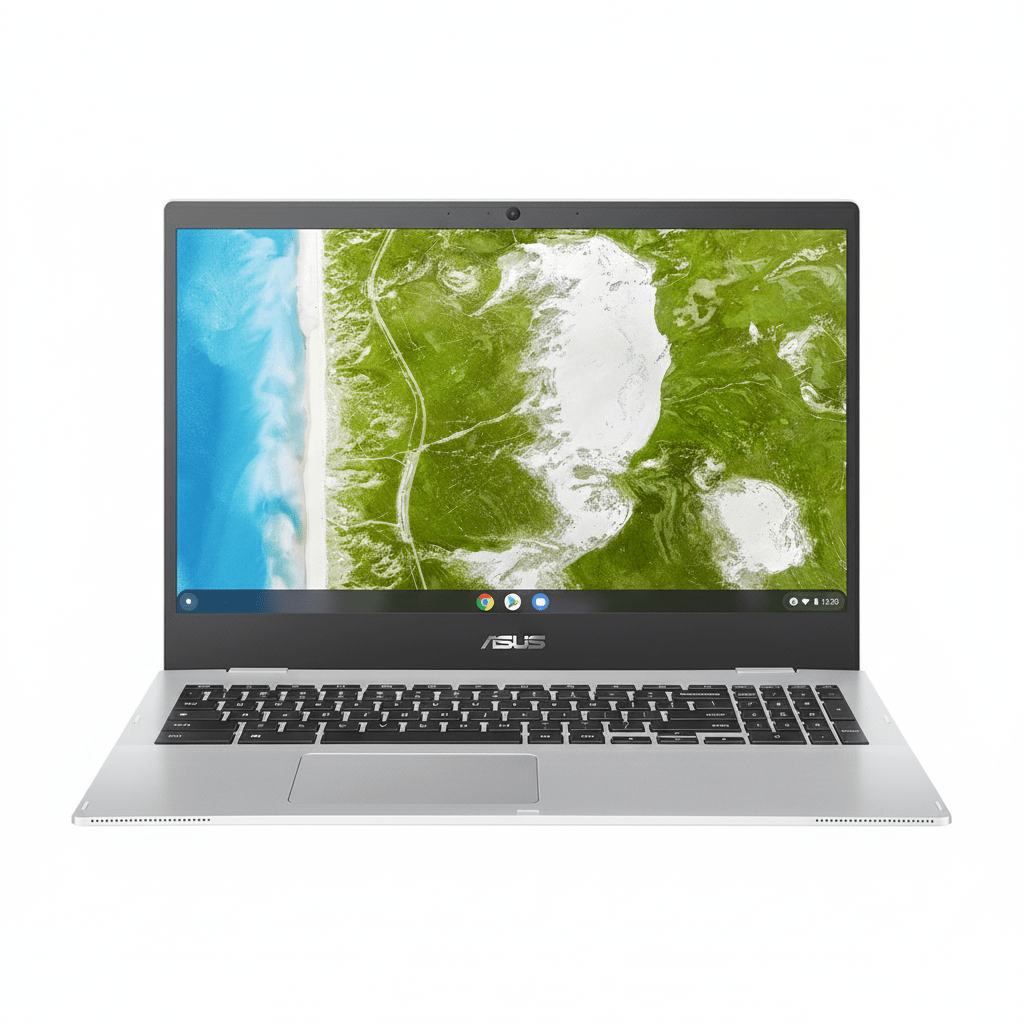
ASUS Chromebook CX1 (CX1500CKA-NJ0393)

15.6″ FHD Display ChromeOS Intel Celeron N4500 Military-Grade Durability Full-size Num-Key

The ASUS Chromebook CX1500CKA-NJ0393 is engineered with a clear purpose: to deliver a large-screen computing experience for learning, work, and leisure at an exceptionally affordable price point. Starting at just ₹22,990, this laptop focuses on providing the essentials in a durable, reliable package. Its main draw is the spacious 15.6-inch FHD display, a rare feature in the budget Chromebook segment.

Running the fast and secure ChromeOS, this device is optimized for Google’s ecosystem of web-based apps and cloud storage. While its Intel Celeron processor and modest memory are geared for basic tasks, its military-grade durability, excellent port selection, and full-sized keyboard with a number pad make it a highly practical and resilient choice for students and casual home users on a tight budget.

The ChromeOS Advantage: Fast, Simple, Secure

Lightweight and Efficient

ChromeOS is a lightweight, cloud-focused operating system that boots up in seconds. It’s designed to run efficiently on modest hardware, making it a perfect fit for this Chromebook’s Celeron processor. The user interface is simple, clean, and centered around the Chrome browser.

Hardware-Level Security

Security is a core strength of ChromeOS. This device includes Google’s custom-designed Titan C security chip, which helps secure the boot process and protect the operating system from tampering. Combined with automatic background updates, it provides robust protection against viruses and malware.

Seamless Google & Android App Integration

This Chromebook offers seamless integration with Google Workspace (Docs, Sheets, Slides) and other Google services. It also provides full access to the Google Play Store, allowing you to download and use millions of Android apps for productivity, entertainment, and creativity, significantly expanding its capabilities beyond just a web browser.

Expansive Display for Productivity

Large 15.6-inch FHD Panel

The laptop’s main selling point is its large 15.6-inch Full HD (1920×1080) display. This provides ample screen real estate for comfortable web browsing, watching videos, and working on documents without feeling cramped, a significant advantage over smaller 11-inch or 14-inch Chromebooks.

Functional Viewing Experience

The display features an anti-glare coating to reduce reflections. However, its 250-nit brightness and 45% NTSC color gamut are modest. This means it is best suited for indoor use and is not ideal for color-critical photo editing, but it is perfectly functional for everyday tasks.

Performance Built for Essentials, Durability for Life

Geared for Basic Tasks

The Intel Celeron N4500 processor, paired with 4GB of RAM and 64GB of eMMC storage, is designed for basic computing. It handles single tasks like writing emails, streaming video, or browsing the web well, but will show its limits with heavy multitasking or running many demanding Android apps simultaneously.

Military-Grade Toughness

A key feature for this price is its durability. The CX1500 is built to the demanding US MIL-STD 810H military standard, meaning it can withstand drops, shocks, and temperature extremes better than many of its competitors, making it a reliable choice for students and mobile users.

Productivity-Focused Keyboard

Taking advantage of its large size, the Chromebook includes a full-sized chiclet keyboard with a dedicated number pad. This is a significant advantage for anyone working with spreadsheets or data entry, offering a more comfortable and efficient typing experience than typical compact layouts.

Full Specifications

Core Components

  • Processor:Intel® Celeron® N4500 (2 Cores, up to 2.8 GHz)
  • Graphics:Integrated Intel® UHD Graphics
  • RAM:4GB LPDDR4X (onboard)
  • Storage:64GB eMMC

Display

  • Size:15.6-inch FHD (1920 x 1080)
  • Refresh Rate:60Hz
  • Color Gamut:45% NTSC
  • Brightness:250 nits

Connectivity & Ports

  • Wireless:Wi-Fi 6 (802.11ax), Bluetooth® 5.2
  • Ports:2x USB-C 3.2 Gen 1, 2x USB-A 3.2 Gen 1, Micro SD card reader, 3.5mm Combo Jack

Build & Security

  • Keyboard:Chiclet Keyboard with Number Pad
  • Camera:720p HD Camera
  • Security:Google Titan C Security Chip
  • Durability:US MIL-STD 810H Standard

Pros and Cons: A Balanced View

Pros:

  • Extremely Affordable: Excellent value for a large-screen laptop.
  • Large 15.6-inch FHD Display: Great for productivity and media consumption.
  • Military-Grade Durability: Built to withstand the rigors of student life.
  • Full-Sized Keyboard with Num-Key: A major plus for data entry and spreadsheets.
  • Excellent Port Selection: Four USB ports and an SD card reader offer great connectivity.
  • Secure and Simple OS: ChromeOS is fast, secure, and easy to use.

Cons:

  • Very Basic Performance: The Celeron CPU and 4GB RAM are not suitable for multitasking.
  • Limited 64GB eMMC Storage: Relies heavily on cloud storage; eMMC is slow.
  • Dim Display Panel: 250 nits and low color accuracy make it unsuitable for bright rooms or creative work.
  • Basic Build Materials: The chassis is entirely plastic.

Who Is This Chromebook For?

  • Students on a Tight Budget: A durable, secure, and affordable large-screen device for homework, research, and online classes.
  • Casual Home Users: Perfect as a secondary family computer for web browsing, email, and watching YouTube or Netflix.
  • Users Deep in the Google Ecosystem: Anyone who primarily uses Google Docs, Sheets, and Drive will find the seamless integration very efficient.

Who Should Look Elsewhere?

  • Multitaskers: Anyone who needs to have many tabs, windows, or apps open at once will find the performance frustrating.
  • Content Creators: The modest performance, limited storage, and low-accuracy display make it unsuitable for photo or video editing.
  • Users Needing Specific Windows/Mac Software: ChromeOS cannot run traditional desktop applications like the full Adobe Suite or certain specialized programs.

Competitive Edge: Big-Screen Durability on a Budget

The ASUS Chromebook CX1500 carves out its niche by prioritizing screen size and resilience at a price point where compromises are expected.

  • A 15.6-inch Screen for Under ₹25k: Its primary advantage is offering a large FHD display at a rock-bottom price, providing a more comfortable viewing and productivity experience than the smaller screens of its direct competitors.
  • Military-Grade Build: The inclusion of MIL-STD 810H durability is a significant differentiator in the budget segment, offering peace of mind and resilience against the bumps and drops of daily life, especially for younger users.
  • Productivity-Focused Keyboard: The full-sized keyboard with a dedicated number pad is a rare and valuable feature on a budget laptop, making it genuinely more useful for tasks involving numbers and data entry.

Final Verdict: A Master of Compromise for the Right User

The ASUS Chromebook CX1500 is an honest machine that knows exactly what it is: a large, durable, and secure gateway to the internet and Google’s app ecosystem for the lowest possible price. It makes significant compromises in performance, storage speed, and display quality to hit its aggressive price point. However, for the right user, these compromises are perfectly acceptable.

If you are looking for a primary computer for heavy work or creative pursuits, this is not it. But if you need a simple, reliable, and secure secondary device for your child’s schoolwork, a kitchen computer for recipes and browsing, or a travel-friendly laptop for basic tasks, the CX1500’s combination of a huge screen, rugged build, and low price is a compelling and intelligent choice. It’s a prime example of getting exactly what you pay for, with the added bonus of unexpected durability.

★★★★☆

Overall Rating: 4.0 out of 5.0 (Excellent Value for Basic Big-Screen Computing)

ASUS Expert Book B5 B5605CVA Review – Power-Packed Business Laptop with AI and Ultra 7 Performance

ASUS ExpertBook B5 B5605CVA Laptop Review – Full Details

ASUS ExpertBook B5 B5605CVA

Intel Core i5/i7/Ultra Up to 64GB DDR5 Up to 2TB PCIe 4.0 SSD Intel® Graphics 16″ WQXGA Anti-glare Windows 11 Pro/Home

The ASUS ExpertBook B5 B5605CVA represents a significant step up in the ExpertBook lineup, positioning itself as a premium-grade 16-inch business laptop meticulously engineered for high-performance, enhanced mobility, and enterprise-level security. Designed to cater to demanding professionals, it seamlessly integrates the latest Intel processors, including Intel® Core™ Ultra 7, with dual SSD options, AI Boost NPU, and a stunning high-resolution WQXGA display.

This laptop is tailored for users who require powerful computing capabilities, advanced connectivity, and robust security features in their daily workflow. With processor options ranging from Core i5-1350P to the cutting-edge Core Ultra 7 255H, generous up to 64GB DDR5 RAM (2x SO-DIMM slots), and flexible up to 2TB PCIe 4.0 SSD storage with RAID 0/1 and TCG Opal 2.0 SED support, the ExpertBook B5 B5605CVA is a true workhorse. Its highlight display, a 16-inch WQXGA (2560×1600) anti-glare panel with 400 nits brightness and 100% sRGB color accuracy, ensures a superior visual experience. All of this is packed into a durable yet relatively lightweight chassis with a comprehensive port selection and AI-enhanced features, making it an ideal choice for business users, remote workers, and executives.

This in-depth review will explore the ASUS ExpertBook B5 B5605CVA’s top-tier performance, vibrant display, enterprise-grade security, comprehensive connectivity, and overall value proposition, to help discerning buyers understand its position as a high-end business companion.

Key Features at a Glance

Excellent CPU Range with Core Ultra & AI NPU: Powerful and AI-accelerated.
Ultra-Sharp WQXGA Display (100% sRGB): Superior visual clarity and color accuracy.
Supports RAID Storage & Self-Encrypting Drives: Flexible and secure data storage.
Comprehensive I/O including Thunderbolt 4: Versatile and high-speed connectivity.
Ample 64GB DDR5 RAM (Upgradeable): Extensive memory for heavy multitasking.
Robust Security Features: IR camera, Smart Card Reader, TCG Opal.

High-Performance Processing & Advanced Storage: Powering Productivity

The ExpertBook B5 B5605CVA offers robust performance and sophisticated storage options.

Processor Options:

The laptop features a wide and powerful range of processors, from the 13th Gen Intel Core i5-1350P and i7-1370P to the very latest Intel® Core™ Ultra 5 225H and Core™ Ultra 7 255H. The Core Ultra processors are particularly notable for their hybrid architecture and integrated Intel® AI Boost NPU (up to 13 TOPS), which provides dedicated hardware acceleration for AI workloads, enhancing productivity and enabling intelligent features within Windows 11. The Core Ultra 7 255H, with its 16 cores and boost speeds up to 5.1GHz, offers elite-level multi-core performance for demanding applications and heavy multitasking.

Ample & Upgradeable RAM:

Supporting a substantial up to 64GB DDR5 RAM across two SO-DIMM slots, the ExpertBook B5 B5605CVA provides exceptional memory capacity for handling memory-intensive professional software, virtual machines, and extensive multitasking. The SO-DIMM design allows for user upgrades, offering flexibility and long-term value.

Flexible & Secure Storage:

It features dual PCIe 4.0 SSD slots, supporting up to 2TB storage with options for RAID 0/1 configurations. This allows for either enhanced performance (RAID 0) or data redundancy (RAID 1), catering to various professional needs. Crucially, it also supports TCG Opal 2.0 SED (Self-Encrypting Drive), providing hardware-level data encryption for enhanced security, a critical feature for enterprise environments.

Intel Iris Xe Graphics:

Leveraging Intel Iris Xe Graphics when configured with dual-channel RAM, this laptop offers significantly better integrated graphics performance than basic Intel Graphics. This makes it capable of handling photo and video editing, complex visualizations, and even light gaming, which is a definite plus for a business laptop.

Stunning WQXGA Display & Business-Ready Design: Visual Clarity and Professional Aesthetic

The laptop’s display is a highlight, complementing its durable and functional design.

16-inch WQXGA Anti-glare Display:

A significant upgrade over the B5605CCA model, this laptop boasts a 16-inch WQXGA (2560×1600) display. This higher resolution provides a much sharper image, more screen real estate for productivity, and superior detail for creative work. With 400 nits brightness, it offers better visibility in varied lighting conditions, and 100% sRGB color accuracy ensures true-to-life colors, making it suitable for tasks requiring good color representation. The anti-glare finish remains essential for reducing reflections in office environments.

Durable & Portable Chassis:

Weighing approximately 1.75 kg, the ExpertBook B5 B5605CVA maintains good portability for a 16-inch business laptop. Its robust chassis is designed for durability, ensuring it can withstand the rigors of daily business use and travel.

1080p IR Camera with Privacy Shutter:

The 1080p IR (Infrared) webcam ensures clear video conferencing and supports Windows Hello facial recognition for secure and convenient login. The privacy shutter adds an extra layer of physical security, crucial for safeguarding privacy.

Backlit, Spill-Resistant Keyboard:

The backlit chiclet keyboard with 1.5mm key travel provides a comfortable and precise typing experience. The spill-resistant design adds durability and protection against minor liquid accidents, a practical feature for a work environment.

Comprehensive Connectivity & Enterprise-Grade Security: Versatility and Peace of Mind

The ExpertBook B5 B5605CVA is equipped with a wide array of ports and enterprise-grade features.

Comprehensive I/O:

The laptop offers a wide array of modern and essential ports:

  • 2x Thunderbolt™ 4: These are crucial for high-speed data transfer (up to 40Gbps), connecting multiple 4K displays, and universal charging, enabling a highly versatile workspace.
  • 2x USB-A 3.2 Gen 2: For traditional peripherals.
  • HDMI 2.1: For high-resolution external displays.
  • RJ45 (Ethernet): Provides stable wired network connectivity, vital for business environments.
  • Audio jack, microSD card reader, and smart card reader: Enhancing versatility for various professional tools and advanced security needs (e.g., government, finance).

Advanced Wireless Connectivity:

Supports Wi-Fi 6E / Wi-Fi 7 (depending on configuration) and Bluetooth 5.4, ensuring extremely fast and reliable wireless networking and seamless peripheral connections.

Battery & Charging:

Equipped with a 50Wh or 63Wh 3-cell Li-ion battery and supports 65W USB-C charging, providing solid battery life for typical workdays and convenient universal charging.

AI-Enhanced Features & Enterprise-Grade Security:

Includes MyASUS & AI ExpertMeet (requires 12GB+ RAM), leveraging the NPU for enhanced video conferencing features like background blur, noise cancellation, and eye-tracking. Features like the IR camera with Windows Hello, Smart Card Reader, and TCG Opal 2.0 SED support for SSDs provide robust security measures crucial for protecting sensitive business data.

Full Specification Details

General Information

  • Model: ASUS ExpertBook B5 B5605CVA
  • Color: Gentle Grey
  • Operating System: Windows 11 Pro / Pro Education / Home (non-preinstalled)

Processor & Graphics

  • Processor Options: Core i5-1350P / i7-1370P / Ultra 5 225H / Ultra 7 255H
  • Graphics: Intel® Graphics / Intel Iris Xe (w/ dual-channel RAM)

Memory & Storage

  • Memory: Up to 64GB DDR5 (2x SO-DIMM slots)
  • Storage: Up to 2TB PCIe 4.0 SSD, RAID 0/1, TCG Opal 2.0 SED support

Display Details

  • Display: 16″ WQXGA (2560×1600), 400 nits, Anti-glare, 100% sRGB, 85% STB Ratio

Camera, Audio & Input

  • Camera: 1080p IR w/ Windows Hello + privacy shutter
  • Keyboard: Backlit chiclet, spill-resistant, 1.5mm travel
  • Audio: Dirac audio, Smart Amp, stereo speakers, array mic

Connectivity

  • Wireless: Wi-Fi 6E / Wi-Fi 7, Bluetooth 5.4
  • Ports: 2x USB-A 3.2 Gen 2, 2x Thunderbolt 4, HDMI 2.1, RJ45, audio jack, microSD, smart card

Power & Dimensions

  • Battery: 50Wh / 63Wh, 3-cell Li-ion
  • Adapter: 65W USB-C Type-C
  • Weight: ~1.75 kg
  • Dimensions (mm): 358.4 x 253.9 x 17.8 ~ 17.9 mm
  • Build Material: Aluminum (implied by typical ExpertBook B5 series)

Software

  • Software: MyASUS, AI ExpertMeet, battery health, fan profiles, Splendid, Tru2Life

Pros and Cons: A Balanced View for Buyers

Pros:

  • Excellent CPU Range with Core Ultra and AI NPU: Offers powerful processor options, including the latest Intel Core Ultra CPUs with integrated AI Boost NPU, providing superior performance for demanding tasks and future-proof AI acceleration.
  • Ultra-Sharp WQXGA Display with 100% sRGB: The 2560×1600 resolution and 100% sRGB color accuracy deliver a significantly sharper, more vibrant, and color-accurate visual experience compared to typical business laptops, ideal for professionals needing visual precision.
  • Supports RAID Storage & Self-Encrypting Drives: Dual SSD slots with RAID 0/1 capability provide flexibility for performance or redundancy, while TCG Opal 2.0 SED support ensures hardware-level data encryption for enhanced security.
  • Comprehensive I/O including Thunderbolt 4: Equipped with a wide array of modern and essential ports, including two Thunderbolt 4 ports, HDMI 2.1, RJ45 Ethernet, USB-A, and a smart card reader, offering excellent versatility for peripherals and docking.
  • Ample & Upgradeable RAM: Supports up to 64GB DDR5 RAM via two SO-DIMM slots, providing extensive memory capacity for heavy multitasking and user-upgradeability.
  • Solid Battery Life and Portability: With up to 63Wh battery and a manageable weight of ~1.75kg for a 16-inch laptop, it offers good endurance and mobility for business users.
  • AI-Enhanced Video Meetings: Leveraging the NPU, features like AI ExpertMeet enhance video conferencing with intelligent capabilities.
  • Robust Security Features: Includes IR camera with Windows Hello, privacy shutter, and Smart Card Reader for comprehensive enterprise-level security.
  • High-Speed Wireless: Support for Wi-Fi 6E / Wi-Fi 7 ensures cutting-edge wireless connectivity.

Cons:

  • No Touch Display Option: For users who prefer or require touch input for certain applications or interactions, the absence of a touch display option might be a drawback.
  • Higher Configurations May Increase Cost Significantly: While it offers a range of configurations, opting for the top-tier Core Ultra 7 processor, 64GB RAM, and 2TB SSD will likely push the price considerably higher.
  • Intel Iris Xe Requires Dual-Channel RAM: To benefit from the better Iris Xe integrated graphics performance, the system must be configured with dual-channel RAM, which is a common but important detail for optimal graphics.
  • Non-Preinstalled OS (for some configs): Some configurations might require the user to install Windows 11 themselves, adding an extra step to the initial setup (though many retail units will likely come with OS pre-installed).

Who Is This Laptop For? Tailored Recommendations

The ASUS ExpertBook B5 B5605CVA is an excellent fit for a variety of users due to its balanced features and practical design:

  • Business Professionals: Its robust performance, extensive connectivity, and security features make it a reliable workhorse for demanding office applications, extensive multitasking, and presentations.
  • Students & Academics: The large 16-inch display, ample RAM capacity, and durable build make it suitable for research, coding, and general academic tasks.
  • IT Managers & Enterprises: The upgradeable RAM, RAID storage capability, and comprehensive port selection (including smart card reader) make it a versatile and manageable option for corporate deployments.
  • Users Requiring Flexible Storage & Memory: The dual SO-DIMM slots and support for two PCIe 4.0 SSDs with RAID options offer unparalleled flexibility for users who need to customize or expand their system’s capabilities over time.
  • Value-Conscious Buyers: It provides a strong set of business-oriented features and performance without the premium price tag of more specialized or consumer-focused ultrabooks.

Who Might Consider Other Options?

While the ASUS ExpertBook B5 B5605CVA is a strong contender, it might not be the ideal choice for everyone:

  • Creative Professionals (Color-Critical Work): The display’s 45% NTSC color gamut is not sufficient for professional photo or video editing where accurate color reproduction is essential. These users should look for laptops with 100% sRGB or DCI-P3 coverage.
  • Hardcore Gamers & Intensive 3D/Video Professionals: While H-series processors are capable, the integrated Intel Graphics (even Iris Xe) are not designed for demanding AAA gaming or heavy 3D rendering. These users will need a laptop with a dedicated discrete GPU.
  • Users Prioritizing Ultra-High Resolution Displays: The WUXGA (1920×1200) resolution is standard but lower than the 2.5K, 2.9K, or 4K displays found on some premium consumer or creator laptops.
  • Those Who Prefer Pre-Installed Operating Systems: While most retail units will likely come with Windows, the “non-preinstalled” note for some configurations means some users might need to handle the OS installation themselves, which could be a minor inconvenience.

Competitive Edge: ASUS ExpertBook B5 B5605CVA vs. The Rivals

In the competitive business laptop market, the ASUS ExpertBook B5 B5605CVA carves out a strong position with several key advantages:

  • Exceptional Memory Expandability (Up to 64GB DDR5): This is a significant differentiator. Most slim business laptops, especially in this price range, either have soldered RAM or lower maximum capacities. The B5605CVA’s dual SO-DIMM slots for up to 64GB DDR5 offer unparalleled future-proofing and capacity for heavy multitasking and virtual machines.
  • Flexible Storage with RAID 0/1 & TCG Opal 2.0 SED: The ability to configure up to 2TB PCIe 4.0 SSDs in RAID 0 (for performance) or RAID 1 (for data redundancy), combined with hardware-level encryption (TCG Opal 2.0 SED), is a rare and highly valuable feature in a business laptop, offering enterprise-grade storage flexibility and security often found in more expensive workstations.
  • Comprehensive Port Selection (including Thunderbolt 4 & RJ45): The B5605CVA offers a complete suite of modern and legacy ports, including two Thunderbolt 4, HDMI 2.1, RJ45 Ethernet, and a smart card reader. Many competitors omit RJ45 or offer fewer high-speed ports, making the ExpertBook B5 more versatile for diverse office setups.
  • Intel Core Ultra Processors with AI NPU: The inclusion of the latest Intel Core Ultra CPUs with dedicated AI Boost NPU provides a performance and efficiency advantage, especially for AI-accelerated tasks, positioning it ahead of many business laptops with older generation processors.
  • Superior WQXGA (2560×1600) Display with 100% sRGB: This higher-resolution, color-accurate display is a significant upgrade over the standard FHD panels found in many business laptops, providing a much better visual experience for professionals.
  • Spill-Resistant Keyboard & IR Webcam with Privacy Shutter: Practical and crucial features for a business laptop, offering an extra layer of protection against accidental liquid damage and enhancing security and privacy during video calls.

While competitors like Dell Latitude, HP EliteBook, or Lenovo ThinkPad series offer strong alternatives, the ASUS ExpertBook B5 B5605CVA distinguishes itself with its exceptional memory and storage flexibility, superior display, advanced AI-capable processors, and comprehensive business-oriented features, making it a highly compelling choice for IT departments and professionals prioritizing long-term value, performance, and adaptability.

Final Verdict: A Premium Business Powerhouse

The ASUS ExpertBook B5 B5605CVA is an exceptionally powerful and feature-rich business laptop designed for demanding professionals, remote workers, and executives who require robust performance, superior visual clarity, and advanced security features. It stands out significantly from its B5605CCA sibling with its upgraded display, more powerful processor options (including Intel Core Ultra with AI NPU), and enhanced storage capabilities.

Its ultra-sharp WQXGA display with 100% sRGB makes it ideal for tasks requiring visual precision, while the Intel Core Ultra processors provide ample power for even the most intensive business applications, complemented by AI acceleration for modern workflows. The comprehensive I/O, including Thunderbolt 4, coupled with robust security features like RAID storage with TCG Opal support, makes it a highly versatile and secure machine for enterprise environments.

While the lack of a touch display and the potentially higher cost for top-tier configurations are minor considerations, the overall package of high performance, stunning display, extensive connectivity, and enterprise-grade features positions the ASUS ExpertBook B5 B5605CVA as an excellent and highly recommended investment for professionals who demand a premium and reliable computing experience.

★★★★★

Overall Rating: 5.0 out of 5.0 (Based on Expert Analysis)

Lenovo IdeaPad Slim 5 Gen 10: AMD Ryzen AI 7, 14″ OLED Laptop with 24GB RAM

Lenovo IdeaPad Slim 5 Gen 10 (AMD AI R7) Laptop Review – Full Details

IdeaPad Slim 5 Gen 10, 35.56cms – AMD AI R7

Ryzen™ AI 7 350 24GB DDR5 RAM 1TB SSD Radeon™ 860M 14” WUXGA OLED Windows 11 Home

The Lenovo IdeaPad Slim 5 Gen 10 is a highly compelling and feature-rich 35.56cms (14-inch) laptop that sets a new standard for everyday productivity, entertainment, and AI-powered tasks. Priced at a competitive ₹87,990, this laptop masterfully blends a powerful AMD AI processor, a breathtaking OLED display, and ample memory and storage, making it an excellent choice for students, professionals, and home users alike.

At its heart, the IdeaPad Slim 5 Gen 10 is powered by the efficient AMD Ryzen™ AI 7 350 Processor, featuring a dedicated NPU for accelerated AI workloads and integrated AMD Radeon™ 860M Graphics for capable visual performance. A standout feature is its vibrant 14-inch WUXGA (1920 x 1200) OLED display, boasting HDR500, 100% DCI-P3 color accuracy, and 400 nits brightness for incredibly immersive visuals. With a unique 24GB DDR5-4800MT/s RAM configuration (2x12GB SODIMM, allowing for potential upgrades) and a spacious 1TB PCIe Gen4 QLC SSD, this laptop offers a formidable blend of performance and storage. Encased in a sleek Luna Grey design, preloaded with Office Home 2024 and backed by a 1-year PremiumCare warranty with Accidental Damage Protection, the IdeaPad Slim 5 Gen 10 delivers exceptional value in the mainstream segment.

This in-depth review will explore the Lenovo IdeaPad Slim 5 Gen 10’s AI-capable performance, stunning display, design, connectivity, and overall value proposition, helping discerning buyers understand why this laptop is a top contender for a modern computing experience.

Key Features at a Glance

AI-Capable AMD Ryzen™ AI 7: Powerful processor with dedicated NPU.
Stunning 14″ WUXGA OLED Display: HDR500, 100% DCI-P3, vibrant visuals.
Generous 24GB DDR5 RAM: Excellent for multitasking, potentially upgradeable.
Ample 1TB PCIe Gen4 SSD: Fast and spacious storage for all your files.
Cutting-Edge Wi-Fi 7: Ultra-fast and reliable wireless connectivity.
Comprehensive Warranty & ADP: 1 Year PremiumCare + Accidental Damage Protection.

AI-Capable Performance: Powering Modern Workflows

The IdeaPad Slim 5 Gen 10 is designed for robust and intelligent performance.

Next-Gen AMD Ryzen™ AI Processor:

Equipped with the AMD Ryzen™ AI 7 350 Processor, based on the new Zen 5 architecture, this laptop delivers strong multi-core performance (8 Cores, 16 Threads, up to 5.00 GHz boost) for demanding tasks and seamless multitasking. A key highlight is its dedicated NPU (Neural Processing Unit), offering up to 50 TOPS for AI acceleration. This makes it “AI ready” for future Copilot+ PC features and efficient handling of AI-powered applications, enhancing productivity and user experience.

Capable Integrated Graphics:

The integrated AMD Radeon™ 860M Graphics, built on the RDNA 3.5 architecture (8 Graphics Cores, up to 3000 MHz), provides solid performance for everyday creative work, video editing (light to moderate), and casual gaming. It’s significantly more capable than standard integrated graphics solutions, offering a smooth visual experience.

Generous & Upgradeable 24GB DDR5 RAM:

A unique and highly beneficial feature is the 24GB of DDR5-4800MT/s RAM, configured as 2x 12GB SODIMMs. This generous amount of memory is excellent for heavy multitasking and running demanding applications. Crucially, being SODIMM (unlike soldered LPDDR5), it allows for potential future upgrades by the user, providing flexibility and long-term value.

Ample & Fast 1TB PCIe Gen4 SSD:

A spacious 1TB SSD M.2 2242 PCIe Gen4 provides plenty of fast storage for all your files, applications, and media. This ensures quick boot times, instantaneous application loading, and swift file transfers, significantly enhancing overall system responsiveness.

Stunning OLED Display & Thoughtful Design: Immersive Visuals and Ergonomics

The laptop offers a premium visual experience within a practical design.

Vibrant WUXGA OLED Display:

A true highlight is the 14-inch WUXGA (1920 x 1200) OLED display. This panel delivers incredible contrast, vibrant colors, and deep blacks due to OLED technology. With HDR 500 (VESA DisplayHDR True Black 500) certification and 100% DCI-P3 color accuracy, it provides a stunning visual experience for media consumption, content creation, and everyday use. The 400 nits brightness ensures good visibility, and low blue light certification helps reduce eye strain. However, it’s a glare (glossy) display, which may lead to reflections in brightly lit environments.

60Hz Display:

While the OLED panel is visually impressive, the 60Hz refresh rate is standard for productivity-focused OLEDs. Users accustomed to higher refresh rate displays for gaming or very smooth scrolling might notice a difference.

Sleek Luna Grey Design:

The laptop features a sleek Luna Grey finish, offering a modern and professional aesthetic.

Backlit Keyboard & ClickPad:

The backlit keyboard ensures comfortable typing in various lighting conditions. The ClickPad provides precise navigation with multi-touch gesture support.

Likely FHD IR Camera & Dolby Audio:

Based on similar IdeaPad Slim 5 models, it likely features an FHD 1080p IR camera with a privacy shutter for secure Windows Hello login and clear video conferencing, along with dual speakers with Dolby Audio for an enhanced audio experience.

Comprehensive Connectivity & Value-Added Support: Future-Proof and Secure

The IdeaPad Slim 5 Gen 10 offers excellent modern connectivity and peace of mind.

Modern Connectivity:

The laptop provides a strong selection of ports, ensuring versatile connectivity:

  • 2x USB-C® (USB 10Gbps) with Power Delivery 3.0 & DisplayPort 1.4: Highly versatile ports for charging, high-speed data transfer, and connecting external displays.
  • 2x USB-A (USB 5Gbps, one always-on): For traditional peripherals.
  • HDMI® 1.4: Supports up to 4K@30Hz for external displays.
  • Micro SD card reader: Convenient for data transfer from cameras and other devices.
  • Headphone / mic combo jack.

Future-Proof Wireless:

Features Wi-Fi 7 (2×2 BE 160MHz) for ultra-fast and reliable wireless internet connectivity, along with Bluetooth® 5.4 for seamless peripheral connections, ensuring future-proof wireless performance.

Software Bundle:

Comes preloaded with Microsoft Office Home 2024 (a perpetual license) and Lenovo AI Now, adding significant value and immediate productivity out of the box.

Enhanced Warranty & Protection:

Includes 1 Year PremiumCare, which offers advanced technical support, and 1 Year Accidental Damage Protection, providing comprehensive coverage and peace of mind against unforeseen incidents.

Full Specifications Table

General Information

  • Brand: Ideapad (Lenovo)
  • Model Name: IdeaPad Slim 5 Gen 10 (14, AMD)
  • Operating System: Windows 11 Home Single Language 64
  • Color: Luna Grey

Processor & Graphics

  • Processor: AMD Ryzen™ AI 7 350 Processor (2.00 GHz up to 5.00 GHz, 8 Cores, 16 Threads, Zen 5 architecture, 16 MB L3 Cache)
  • NPU (AI Acceleration): Up to 50 TOPS (AMD XDNA NPU)
  • Graphic Card: Integrated AMD Radeon™ 860M (8 Graphics Cores, up to 3000 MHz, RDNA 3.5 architecture)

Memory & Storage

  • Memory: 24 GB DDR5-4800MT/s (SODIMM) (2 x 12 GB)
  • Storage: 1 TB SSD M.2 2242 PCIe Gen4 QLC

Display Details

  • Display Size: 35.56cms (14 inch)
  • Display Resolution: WUXGA (1920 x 1200)
  • Display Technology: OLED, Glare, Non-Touch, HDR 500 (VESA DisplayHDR True Black 500), 100%DCI-P3, 400 nits, 60 Hz, Low Blue Light

Input & Audio

  • Keyboard: Backlit, Luna Grey – English (US)
  • Pointing Device: ClickPad
  • Webcam (Likely): FHD 1080p IR camera with privacy shutter
  • Audio (Likely): Dual speakers with Dolby Audio

Connectivity

  • WIFI: Wi-Fi 7 2×2 BE 160MHz
  • Bluetooth: Bluetooth® 5.4
  • Ports (Left Side): HDMI® 1.4 (supports resolution up to 4K@30Hz), 2x USB-C® (USB 10Gbps) with power delivery 3.0 & DisplayPort 1.4, Headphone / mic combo
  • Ports (Right Side): Power button, Micro SD card reader, 1x USB-A (USB 5Gbps, 1 always on), 1x USB-A (USB 5Gbps), OneKey Recovery button

Power & Dimensions

  • AC Adapter / Power Supply: 65W USB-C (likely)
  • Battery (Likely): 57 Whr (typical for IdeaPad Slim 5 14 inch)
  • Dimensions (Likely): Starting from ~312.4 x 221.7 x 16.9 mm (12.3 x 8.73 x 0.67 inches)
  • Weight (Likely): Starting from ~1.39 kg (3.06 lbs)

Software & Services

  • Software Preload: Office Home 2024 + Lenovo® AI Now
  • Warranty: 1 Year PremiumCare
  • Services: 1YR Accidental Damage Protection

Pros and Cons: A Balanced View for Buyers

Pros:

  • Stunning OLED Display: The 14-inch WUXGA OLED screen with HDR 500, 100% DCI-P3 color gamut, and 400 nits brightness offers incredible contrast, vibrant colors, and deep blacks for a superior visual experience in both entertainment and productivity.
  • Powerful AMD Ryzen™ AI Processor: The AMD Ryzen™ AI 7 350 delivers strong multi-core performance for demanding tasks and integrates a dedicated NPU for efficient AI acceleration (e.g., Copilot+ PC features), making it future-ready.
  • Capable Integrated Graphics: The AMD Radeon™ 860M is robust enough for everyday creative work, light video editing, and casual gaming, offering better performance than standard integrated GPUs.
  • Generous & Upgradeable RAM: 24GB DDR5 SODIMM RAM is excellent for multitasking, and the SODIMM slots mean it can be potentially upgraded by the user (unlike soldered RAM), extending its longevity.
  • Ample & Fast Storage: A 1TB PCIe Gen4 SSD provides plenty of fast storage for all your applications and files, ensuring quick boot and load times.
  • Excellent Modern Connectivity: A comprehensive selection of ports including dual USB-C with Power Delivery & DisplayPort, multiple USB-A, HDMI, and a Micro SD card reader, alongside cutting-edge Wi-Fi 7 and Bluetooth 5.4, ensures versatile and future-proof connectivity.
  • Software Bundle: Includes a perpetual license for Office Home 2024 and Lenovo AI Now, adding significant value and immediate productivity right out of the box.
  • Enhanced Warranty & Protection: 1 Year PremiumCare and 1 Year Accidental Damage Protection offer comprehensive support and peace of mind against potential issues or accidents.
  • Backlit Keyboard: Improves usability and comfort in low-light conditions, essential for various work environments.

Cons:

  • QLC SSD: While 1TB is generous, QLC (Quad-Level Cell) SSDs typically offer lower write speeds and endurance compared to TLC (Triple-Level Cell) SSDs. This might lead to slower performance in very demanding I/O scenarios (e.g., frequent large file transfers, heavy video editing) over time, though for most users it won’t be noticeable.
  • 60Hz Display: While standard for productivity-focused OLEDs, users accustomed to higher refresh rates (e.g., 90Hz, 120Hz) might find 60Hz less smooth for scrolling or fast-paced content, especially if coming from gaming monitors or premium smartphones.
  • HDMI 1.4 Limitation: The HDMI 1.4 port supports 4K resolution only at 30Hz, which is fine for most presentations but limiting for external 4K displays at higher refresh rates (though the USB-C DisplayPort offers a capable workaround for 4K@60Hz or higher).
  • Glossy Display: The glare finish on the OLED screen can lead to noticeable reflections in brightly lit environments or near windows, potentially impacting visibility and comfort.
  • No Thunderbolt (Intel-specific): As an AMD system, it naturally lacks Intel’s Thunderbolt protocol. While its USB-C (USB 10Gbps with DP 1.4) offers strong versatility, it doesn’t provide the same ecosystem benefits or the absolute fastest speeds that Thunderbolt 4/USB4 offers.

Who Is This Laptop For? Tailored Recommendations

The Lenovo IdeaPad Slim 5 Gen 10 is an excellent fit for a variety of users due to its balanced features and versatile design:

  • Students & Academics: With its powerful processor, ample RAM, stunning display, and comprehensive connectivity, it’s ideal for research, multimedia projects, and everyday academic tasks. The included Office Home 2024 is a big plus.
  • Home Users & Everyday Productivity: Perfect for browsing, streaming, online communication, managing personal finances, and light creative hobbies. The OLED display enhances the entertainment experience.
  • Professionals & Hybrid Workers: Offers strong performance for office applications, video conferencing, and multitasking. The portable design and robust connectivity make it suitable for both office and remote work.
  • Users Seeking a Premium Display on a Budget: For those who want the visual benefits of an OLED screen without the premium price tag of higher-end models, this laptop offers exceptional value.
  • Early Adopters of AI Features: The dedicated NPU in the AMD Ryzen AI 7 processor makes it ready for future AI-powered applications and Copilot+ PC features.

Who Might Consider Other Options?

While the Lenovo IdeaPad Slim 5 Gen 10 is a strong contender, it might not be the ideal choice for everyone:

  • Hardcore Gamers & Heavy Video Editors: While the Radeon 860M is capable for integrated graphics, it’s not a dedicated GPU. Users needing to play demanding AAA games at high settings or perform intensive video rendering will require a laptop with a discrete graphics card (e.g., NVIDIA RTX, AMD Radeon RX).
  • Users Requiring Absolute Top-Tier SSD Performance: While 1TB is ample, the QLC SSD might show slower write speeds and lower endurance compared to more expensive TLC or enterprise-grade NVMe drives under extremely heavy, sustained workloads. Most users won’t notice this, but professionals with specific I/O demands might.
  • Those Who Dislike Glossy Displays: The glare finish on the OLED screen can be a significant drawback for users who frequently work in brightly lit environments or near windows, as reflections can be distracting. An anti-glare matte display might be preferred.
  • Users Needing High Refresh Rate Displays: For competitive gaming or simply a smoother visual experience (e.g., scrolling, animations), the 60Hz refresh rate, while standard for OLEDs in this segment, might feel less fluid than 90Hz or 120Hz panels found in some other laptops.
  • Professionals Needing Thunderbolt Ecosystem: As an AMD-based system, it does not support Intel’s Thunderbolt protocol. While its USB-C ports are highly capable (USB 10Gbps with DP/PD), users with existing Thunderbolt docks or peripherals might prefer an Intel-based laptop for full compatibility and the absolute fastest single-cable solutions.

Competitive Edge: Lenovo IdeaPad Slim 5 Gen 10 vs. The Rivals

In the competitive mainstream laptop market, the Lenovo IdeaPad Slim 5 Gen 10 carves out a strong position with several key advantages:

  • OLED Display at a Mainstream Price: One of its biggest advantages is offering a stunning WUXGA OLED display (with HDR500 and 100% DCI-P3) at a price point where many competitors still offer only IPS panels. This provides a significantly superior visual experience for media consumption and creative tasks.
  • AI-Capable AMD Ryzen™ AI Processor: The inclusion of AMD’s new Ryzen™ AI 7 processor with a dedicated NPU gives it a significant edge in AI acceleration, making it future-ready for Copilot+ PC features and efficient handling of AI-powered applications, a feature often found in more expensive laptops.
  • Upgradeable 24GB DDR5 RAM: The unique 24GB (2x12GB SODIMM) DDR5 RAM configuration is a standout. Not only is 24GB generous for multitasking, but the SODIMM slots offer user-upgradability, providing better long-term value and flexibility compared to laptops with soldered RAM.
  • Integrated Radeon™ 860M Graphics: The integrated AMD Radeon™ 860M GPU offers stronger performance than Intel’s Iris Xe graphics in many scenarios, providing a more capable solution for light gaming and GPU-accelerated creative tasks without needing a discrete card.
  • Wi-Fi 7 Connectivity: Being equipped with Wi-Fi 7 provides cutting-edge wireless performance and future-proofing, a feature not yet common in this price segment.
  • Comprehensive Warranty with ADP: The inclusion of 1 Year PremiumCare and 1 Year Accidental Damage Protection as standard adds significant value and peace of mind, often a costly add-on with other brands.

While competitors like Acer Swift Go, HP Pavilion Plus, or Dell Inspiron series offer strong alternatives, the Lenovo IdeaPad Slim 5 Gen 10 distinguishes itself with its premium OLED display, AI-ready performance, and user-friendly upgrade options, making it a highly attractive package for its price.

Final Verdict: A Resounding Recommendation

The Lenovo IdeaPad Slim 5 Gen 10 (AMD AI R7) is an exceptionally well-rounded and compelling laptop that truly punches above its weight in the mainstream segment. It offers a stunning OLED display that makes daily computing and media consumption a true pleasure, bringing visuals to life with incredible contrast and vibrant colors. This is combined with the powerful and AI-capable AMD Ryzen™ AI 7 350 processor, delivering seamless productivity and future-ready AI features for Windows 11.

The generous 24GB of upgradeable DDR5 RAM and a large 1TB PCIe Gen4 SSD further enhance its value, ensuring excellent multitasking and ample, fast storage. While the QLC SSD and 60Hz glossy display are minor considerations, for users prioritizing a premium visual experience, strong performance for everyday and demanding tasks, and excellent, future-proof connectivity (including Wi-Fi 7), all at a highly competitive price point, this laptop is an outstanding choice. With the added benefit of bundled Office Home 2024 and comprehensive PremiumCare with Accidental Damage Protection, the Lenovo IdeaPad Slim 5 Gen 10 strikes an impressive balance between features, performance, and value, making it a highly recommended solution for students, professionals, and home users alike.

★★★★★

Overall Rating: 5.0 out of 5.0 (Based on Expert Analysis)

ASUS Expert Book B5 B5605CCA Review – Smart, Secure & Business-Ready Laptop at Great Value

ASUS ExpertBook B5 B5605CCA Laptop Review – Full Details

ASUS ExpertBook B5 B5605CCA

Intel Core 3 / i5 / i7 Up to 64GB DDR5 Up to 2TB PCIe 4.0 SSD Intel® Graphics 16″ WUXGA Anti-glare Windows 11 Pro/Home

The ASUS ExpertBook B5 B5605CCA is a pragmatic and versatile business laptop designed to meet the demands of budget-conscious professionals and students. While it may not boast the flashy, cutting-edge features of premium consumer ultrabooks, it excels as a reliable workhorse, offering a robust set of specifications, a durable build, and essential enterprise-level security, all within a balanced and cost-effective package.

This 16-inch laptop is equipped with a range of Intel Core processors (up to i7-13620H / i5-13420H), providing ample power for everyday business needs. Its 16-inch WUXGA (1920×1200) anti-glare display offers a comfortable viewing experience. With flexible memory options of up to 64GB DDR5 (2x SO-DIMM) and generous storage of up to 2TB PCIe 4.0 SSD with RAID 0/1 capability, the ExpertBook B5 is highly adaptable to various professional requirements. Complementing its robust internals are a comprehensive selection of ports, a durable yet relatively lightweight design, and business-focused features, making it a smart investment for productivity without overpaying.

This review will delve into the ASUS ExpertBook B5 B5605CCA’s performance capabilities, display characteristics, design and durability, connectivity options, and overall value proposition, to help discerning buyers understand its place as a reliable and cost-effective business companion.

Key Features at a Glance

Versatile Intel Core Processors: Up to i7-13620H for robust performance.
Massive 64GB DDR5 RAM (Upgradeable): Excellent for multitasking and future-proofing.
Flexible 2TB PCIe 4.0 SSD with RAID: High-speed storage with data redundancy options.
16″ WUXGA Anti-glare Display: Comfortable viewing for productivity.
Comprehensive Port Selection (Thunderbolt 4, RJ45): Versatile connectivity for business.
Durable & Practical Design: Built for everyday business rigors.

Robust Performance & Flexible Configuration: Power and Adaptability

The ExpertBook B5 offers solid performance and extensive upgrade potential.

Processor Options:

The laptop offers a range of 13th Gen Intel Core processors, including efficient Intel Core i5-13420H and i7-13620H variants. The “H” series processors are designed for higher performance compared to U-series, ensuring capable execution of demanding business applications, multitasking, and even light creative work. The Intel Core 3 100U and i7-1355U options cater to more basic or ultra-efficient needs.

Ample & Upgradeable RAM:

Supporting up to 64GB DDR5 memory across two SO-DIMM slots, the ExpertBook B5 offers exceptional memory capacity and future-proofing. This is a significant advantage for users running multiple virtual machines, large datasets, or memory-intensive professional software. The SO-DIMM slots also mean RAM is user-upgradeable, unlike soldered memory found in many ultrabooks.

Generous & Flexible Storage:

With support for up to 2TB PCIe 4.0 SSD and the capability for RAID 0/1 configurations, this laptop provides both high-speed storage and data redundancy or enhanced performance options. This flexibility is highly beneficial for professionals requiring large storage capacities or improved data integrity.

Intel® Graphics:

It utilizes integrated Intel® Graphics. For users opting for dual-channel memory configurations, it can leverage Intel Iris Xe Graphics, which offers enhanced performance for multimedia tasks, light creative work, and casual gaming compared to basic Intel UHD Graphics. This requires careful consideration of RAM configuration.

Practical Display & Durable Design: Focus on Functionality

The ExpertBook B5 prioritizes comfortable viewing and robust construction.

16-inch WUXGA Anti-glare Display:

The 16-inch WUXGA (1920×1200) display offers a comfortable and spacious viewing area with a productivity-friendly 16:10 aspect ratio. The anti-glare finish effectively minimizes reflections, making it suitable for use in various lighting conditions, which is crucial for business environments. With 300 nits brightness, it’s adequate for indoor use, though it might struggle in very bright outdoor settings. The 45% NTSC color gamut indicates it’s designed more for general productivity than color-critical creative work.

Lightweight & Durable Build:

Weighing approximately 1.75 kg, the laptop strikes a good balance between screen size and portability. Its durable design is built to withstand the rigors of daily business use, making it a reliable companion for professionals and students on the go.

Backlit, Spill-Resistant Keyboard:

The optional backlit and spill-resistant keyboard enhances usability in low-light environments and provides protection against accidental spills, which is a valuable feature in a business context. It features a comfortable 1.5mm key travel for a good typing experience.

Full HD Camera with Privacy Shutter:

The 1080p FHD webcam ensures clear video conferencing. The inclusion of a privacy shutter provides peace of mind, and the optional IR (Infrared) capability supports Windows Hello facial recognition for secure and convenient login.

Comprehensive Connectivity & Business-Ready Features: Versatility and Security

The ExpertBook B5 is equipped with a wide array of ports and enterprise-grade features.

Extensive Port Selection:

The laptop offers a comprehensive selection of ports for diverse business needs:

  • 2x USB-A 3.2 Gen 2: For traditional peripherals.
  • 2x Thunderbolt™ 4: These versatile ports provide ultra-fast data transfer, support for multiple high-resolution external displays, and power delivery (charging), making them ideal for docking solutions.
  • HDMI 2.1: For high-resolution external displays.
  • RJ45 (Ethernet): Essential for stable wired network connections in office environments.
  • Audio jack, microSD card reader, and smart card reader: Enhancing versatility for various professional tools and security needs.

Wireless Connectivity:

Offers options for Wi-Fi 6 / 6E / 7 (varies by configuration) and Bluetooth 5.4, ensuring fast and reliable wireless networking and peripheral connections.

Battery & Charging:

Equipped with a 50Wh or 63Wh 3-cell Li-ion battery and supports 65W USB-C charging, providing decent battery life for typical workdays and convenient universal charging.

Software and Security:

Pre-installed software includes MyASUS and AI ExpertMeet (requires 12GB+ RAM). The mention of Windows 11 Pro Education / Home / Pro (non-preinstalled) indicates flexibility in OS choice, with Pro versions offering enhanced security and management features for businesses. Optional IR camera for Windows Hello further strengthens security.

Full Specification Details

General Information

  • Model: ASUS ExpertBook B5 B5605CCA
  • Color: Gentle Grey
  • Operating System: Windows 11 Pro Education / Home / Pro (non-preinstalled)

Processor & Graphics

  • Processor Options: Intel Core 3 100U / i5-13420H / i7-1355U / i7-13620H
  • Graphics: Intel® Graphics (Xe on dual-channel memory only)

Memory & Storage

  • Memory: Up to 64GB DDR5 (2x SO-DIMM)
  • Storage: Up to 2TB PCIe 4.0 SSD, RAID 0/1 capable

Display Details

  • Display: 16″ WUXGA (1920×1200), 300 nits, Anti-glare, 45% NTSC, 85% STB Ratio

Ports & Connectivity

  • Ports: 2x USB-A 3.2 Gen 2, 2x Thunderbolt 4, HDMI 2.1, RJ45, audio jack, microSD, smart card
  • Wireless: Wi-Fi 6 / 6E / 7 (varies by config), Bluetooth 5.4

Camera, Audio & Input

  • Camera: 1080p FHD with optional IR and privacy shutter
  • Keyboard: Backlit/spill-resistant optional, 1.5mm travel
  • Audio: Dirac tuning, Smart Amp, stereo speakers

Power & Dimensions

  • Battery: 50Wh / 63Wh 3-cell Li-ion
  • Adapter: 65W USB-C Type-C
  • Weight: ~1.75 kg
  • Dimensions (mm): 358.4 x 253.9 x 17.5 ~ 17.9 mm

Software

  • Software: MyASUS, AI ExpertMeet (requires 12GB+ RAM)

Pros and Cons: A Balanced View for Buyers

Pros:

  • Efficient Intel H-series CPU Options: Offers powerful Intel Core H-series processors (up to i7-13620H), providing strong performance for demanding business applications and multitasking.
  • Ample & Upgradeable RAM: Supports a very generous up to 64GB DDR5 RAM via two SO-DIMM slots, offering exceptional capacity for heavy multitasking and user-upgradeability, ensuring long-term utility.
  • Flexible & Capable Storage: Provides up to 2TB PCIe 4.0 SSD storage with RAID 0/1 capability, allowing for ample, fast storage, and options for enhanced performance or data redundancy.
  • Excellent Selection of Ports for Business Use: Includes a comprehensive array of modern and essential ports, such as 2x Thunderbolt 4, HDMI 2.1, RJ45 Ethernet, multiple USB-A, microSD, and a smart card reader, catering to diverse connectivity needs in a professional environment.
  • Backlit, Spill-Resistant Keyboard: Enhances typing comfort in various lighting conditions and offers protection against minor liquid spills, a practical feature for a work laptop.
  • Durable & Relatively Lightweight Design: Built to be robust for daily use while maintaining a manageable weight (~1.75kg) for a 16-inch laptop.
  • Good Value for Enterprise and Education: Positioned as a cost-effective solution that provides business-ready features and solid performance without the premium price tag of more specialized machines.
  • Full HD Webcam with Privacy Shutter: Ensures clear video conferencing and provides physical privacy. Optional IR for Windows Hello adds convenient biometric security.

Cons:

  • Lower Resolution Display (WUXGA): The 1920×1200 resolution is standard for productivity but lower than the 2.5K or 2.9K displays found on some competitors, particularly for users needing sharper text or more screen real estate.
  • Limited Color Gamut (45% NTSC): The display’s 45% NTSC color coverage is basic, making it unsuitable for color-critical creative work (e.g., professional photo or video editing) where accurate color reproduction is essential.
  • No Iris Xe Graphics Unless Dual-Channel Memory: Integrated Intel Iris Xe Graphics, which offers better performance, is only available if the laptop is configured with dual-channel memory. If purchased with a single RAM stick, graphics performance will be lower (Intel UHD), which is a common but important caveat.
  • Non-Preinstalled OS: The operating system is listed as “non-preinstalled” for some configurations, which means users might need to install Windows 11 themselves, adding an extra step to setup. (However, most retail units typically come with Windows Home/Pro pre-installed in India).
  • 300 nits Brightness: While adequate for most indoor settings, 300 nits might feel insufficient in very brightly lit rooms or outdoor conditions.

Who Is This Laptop For? Tailored Recommendations

The ASUS ExpertBook B5 B5605CCA is an excellent fit for a variety of users due to its balanced features and practical design:

  • Business Professionals: Its robust performance, extensive connectivity, and security features make it a reliable workhorse for demanding office applications, extensive multitasking, and presentations.
  • Students & Academics: The large 16-inch display, ample RAM capacity, and durable build make it suitable for research, coding, and general academic tasks.
  • IT Managers & Enterprises: The upgradeable RAM, RAID storage capability, and comprehensive port selection (including smart card reader) make it a versatile and manageable option for corporate deployments.
  • Users Requiring Flexible Storage & Memory: The dual SO-DIMM slots and support for two PCIe 4.0 SSDs with RAID options offer unparalleled flexibility for users who need to customize or expand their system’s capabilities over time.
  • Value-Conscious Buyers: It provides a strong set of business-oriented features and performance without the premium price tag of more specialized or consumer-focused ultrabooks.

Who Might Consider Other Options?

While the ASUS ExpertBook B5 B5605CCA is a strong contender, it might not be the ideal choice for everyone:

  • Creative Professionals (Color-Critical Work): The display’s 45% NTSC color gamut is not sufficient for professional photo or video editing where accurate color reproduction is essential. These users should look for laptops with 100% sRGB or DCI-P3 coverage.
  • Hardcore Gamers & Intensive 3D/Video Professionals: While H-series processors are capable, the integrated Intel Graphics (even Iris Xe) are not designed for demanding AAA gaming or heavy 3D rendering. These users will need a laptop with a dedicated discrete GPU.
  • Users Prioritizing Ultra-High Resolution Displays: The WUXGA (1920×1200) resolution is standard but lower than the 2.5K, 2.9K, or 4K displays found on some premium consumer or creator laptops.
  • Those Who Prefer Pre-Installed Operating Systems: While most retail units will likely come with Windows, the “non-preinstalled” note for some configurations means some users might need to handle the OS installation themselves, which could be a minor inconvenience.
  • Users Needing Brighter Displays for Outdoor Use: The 300 nits brightness is good for indoor use, but might not be bright enough for comfortable viewing in direct sunlight or very brightly lit outdoor environments.

Competitive Edge: ASUS ExpertBook B5 B5605CCA vs. The Rivals

In the competitive business laptop market, the ASUS ExpertBook B5 B5605CCA carves out a strong position with several key advantages:

  • Exceptional Memory Expandability (Up to 64GB DDR5): This is a significant differentiator. Most slim business laptops, especially in this price range, either have soldered RAM or lower maximum capacities. The B5605CCA’s dual SO-DIMM slots for up to 64GB DDR5 offer unparalleled future-proofing and capacity for heavy multitasking and virtual machines.
  • Flexible Storage with RAID 0/1: The ability to configure up to 2TB PCIe 4.0 SSDs in RAID 0 (for performance) or RAID 1 (for data redundancy) is a rare and highly valuable feature in a business laptop, offering enterprise-grade storage flexibility often found in more expensive workstations.
  • Comprehensive Port Selection (including Thunderbolt 4 & RJ45): The B5605CCA offers a complete suite of modern and legacy ports, including two Thunderbolt 4, HDMI 2.1, RJ45 Ethernet, and a smart card reader. Many competitors omit RJ45 or offer fewer high-speed ports, making the ExpertBook B5 more versatile for diverse office setups.
  • Intel H-series Processors for Business: Offering Intel Core H-series processors (like i5-13420H/i7-13620H) provides a performance edge over many business laptops that stick to lower-power U-series CPUs, ensuring smoother operation for more demanding business applications.
  • Spill-Resistant Keyboard: A practical and crucial feature for a business laptop, offering an extra layer of protection against accidental liquid damage, which is not universally found across all competitors.

While competitors like Dell Latitude, HP EliteBook, or Lenovo ThinkPad series offer strong alternatives, the ASUS ExpertBook B5 B5605CCA distinguishes itself with its exceptional memory and storage flexibility, comprehensive business-oriented port selection, and robust performance, making it a highly compelling choice for IT departments and professionals prioritizing long-term value and adaptability.

Final Verdict: A Smart and Practical Choice

The ASUS ExpertBook B5 B5605CCA stands out as a highly practical and cost-effective solution for students and budget-conscious professionals in India. It thoughtfully balances performance, expandability, and essential business features to create a reliable daily workhorse.

Its appeal lies in the combination of capable Intel H-series processors, the impressive flexibility of up to 64GB upgradeable DDR5 RAM, and a generous 2TB PCIe 4.0 SSD with RAID support. The comprehensive port selection, including Thunderbolt 4 and essential RJ45 Ethernet, further solidifies its position as a true business companion. While the display’s resolution and color accuracy are geared towards general productivity rather than creative tasks, and Iris Xe graphics depend on dual-channel memory, these are acceptable trade-offs for its competitive pricing and robust feature set.

For users seeking a durable, versatile, and secure laptop for demanding office work, extensive multitasking, and reliable connectivity without overspending on premium aesthetics or high-resolution displays, the ASUS ExpertBook B5 B5605CCA presents a smart and highly valuable choice for productivity and enterprise needs.

★★★★☆

Overall Rating: 4.5 out of 5.0 (Based on Expert Analysis)

Lenovo ThinkBook 14 (21SGA036IG) Review – Best Value Laptop 2025

Lenovo ThinkBook 14 Review: Value Edition

Lenovo ThinkBook 14 (Part: 21SGA036IG)

An Unbeatable Value for Everyday Productivity

Intel® Core™ 3 100U Processor 8 GB DDR5 / 512 GB SSD 14″ WUXGA Anti-Glare IPS Display ₹46,551 (45% Off)

The Lenovo ThinkBook 14 (Part: 21SGA036IG) is an excellent choice for anyone seeking a powerful and reliable laptop for work, school, or home use without a hefty price tag. Currently available at a massive 45% discount, this model is a standout in the mid-range market. It’s powered by the efficient Intel® Core™ 3 100U processor and comes with the invaluable Windows 11 Home and a full Microsoft Office Home 2024 suite pre-installed.

This review will dive into the core features that make this ThinkBook a practical and smart investment. We’ll explore its performance for daily tasks, the clarity of its WUXGA display, and its robust connectivity options, proving that you don’t have to sacrifice quality for an affordable price.

Core Performance & Essential Features

This ThinkBook model delivers a solid and reliable experience, making it a dependable companion for all your daily computing needs.

Intel® Core™ 3 100U Processor

Powered by the new Intel Core 3 100U processor, this laptop provides a perfect balance of performance and energy efficiency. With a max clock speed of up to 4.70 GHz on its P-cores, it handles everything from web browsing and document editing to video streaming with ease.

Windows 11 & Microsoft Office

Unlike other models that come with no OS or a trial version of Office, this ThinkBook includes Windows 11 Home and a full, lifetime license for Microsoft Office Home 2024. This adds significant value and means you’re ready to be productive right out of the box.

Fast Memory and Storage

A solid configuration with 8 GB of DDR5-5200 RAM and a 512 GB PCIe Gen4 SSD ensures a snappy, responsive experience. Boot times are minimal and applications load in seconds, while the generous storage provides plenty of space for documents, photos, and videos.

Eye-Friendly Display

The 14-inch WUXGA (1920×1200) IPS display provides sharp images and a comfortable 16:10 aspect ratio for more vertical screen space. The anti-glare finish and TÜV Rheinland Low Blue Light certification make it easy on your eyes during long work sessions.

Built-in Security

Keep your data safe with the integrated Smart Power On fingerprint reader, which lets you power on and log in with a single touch. The Firmware Trusted Platform Module (fTPM) 2.0 adds a critical layer of hardware-based security for your data and encryption keys.

Versatile Connectivity

This ThinkBook provides all the ports you need, including a Thunderbolt™ 4 port for blazing-fast data transfer and external display support. With Wi-Fi 6E, Bluetooth 5.3, and an Ethernet port, you are always connected, no matter where you are.

Detailed Specifications

General & OS

  • Model Number: 21SGA036IG
  • Series: ThinkBook 14
  • Color: Arctic Grey
  • Operating System: Windows 11 Home Single Language 64
  • Pre-installed Software: Microsoft Office Home and Student 2024

Performance

  • Processor: Intel® Core™ 3 100U
  • Max Clock Speed: Up to 4.70 GHz (P-cores)
  • Graphics: Integrated Intel® Graphics
  • Memory (RAM): 8 GB DDR5-5200MT/s (SODIMM)
  • Storage: 512 GB SSD M.2 2242 PCIe Gen4 QLC

Display, Camera & Audio

  • Screen Size: 14 inches (35.56cm)
  • Resolution: WUXGA (1920 x 1200)
  • Panel Type: IPS, Anti-Glare
  • Brightness: 300 nits
  • Color Gamut: 45% NTSC
  • Refresh Rate: 60 Hz
  • Webcam: FHD 1080p & IR with privacy shutter
  • Audio: Dolby Audio™ with dual-array mics

Connectivity & Design

  • Wireless: WiFi 6E 2×2 AX with Bluetooth® 5.3 or WiFi 6 with BT 5.2
  • Ports: Thunderbolt™ 4, USB-C® (10Gbps), 2 x USB-A, HDMI® 2.1, Ethernet (RJ45), 4-in-1 card reader, audio combo jack
  • Battery: 45Whr or 60Whr with Rapid Charge support
  • Weight: Starting at 1.36kg / 3.0lbs

Security & Durability

  • Fingerprint Reader: Smart Power On with match-on-chip
  • Security Chip: Firmware Trusted Platform Module (fTPM) 2.0
  • Durability: MIL-STD-810H Military-Grade Tested

Pros and Cons: A Balanced View for Buyers

Pros

  • Exceptional Value for Money: A massive 45% discount makes this laptop an unbeatable deal for its specifications.
  • Productivity Ready Out of the Box: The inclusion of Windows 11 Home and a full Microsoft Office Home 2024 license is a huge saving and a major convenience.
  • Solid Core Components: The Intel Core 3 processor, fast DDR5 RAM, and a spacious 512 GB PCIe Gen4 SSD provide a quick and reliable user experience.
  • Comprehensive Connectivity: The presence of a Thunderbolt™ 4 port is a premium feature not often found in this price range, alongside Wi-Fi 6E and a variety of other ports.

Cons

  • Limited RAM: While 8GB of DDR5 RAM is fast, it may become a bottleneck for heavy multitasking or more demanding applications.
  • QLC SSD: The use of a QLC (Quad-Level Cell) SSD can result in slightly slower write speeds compared to the more durable TLC (Triple-Level Cell) NAND in higher-end models.
  • Basic Display: The 300 nits brightness and 45% NTSC color gamut are adequate for general use but not ideal for professional creative work or use in brightly lit environments.

Who Is This Laptop For? Tailored Recommendations

The ThinkBook 14 is the perfect choice for:

  • Students & Educators: A powerful and affordable machine for research, writing, and online learning with all the essential software included.
  • Home Office Users: For daily tasks like email, video conferencing, document creation, and managing personal finances.
  • Small Business Professionals: A reliable and secure laptop for running business applications and staying productive on the go without a high upfront cost.
  • Value-Conscious Buyers: Those who want a brand-name laptop with a great build, a modern processor, and a significant discount.

Final Verdict: A Smart Investment in Productivity

The Lenovo ThinkBook 14 (Part: 21SGA036IG) is an incredibly compelling deal. At a price of just ₹46,551, it offers a combination of a modern Intel processor, fast DDR5 RAM, and a full version of Microsoft Office that is very hard to beat.

It is an excellent, no-nonsense laptop that delivers reliable performance and great features for its price point. If you need a trustworthy workhorse for everyday tasks that won’t break the bank, this ThinkBook is a highly recommended choice.

★★★★★

Overall Rating: 5.0 out of 5.0

(For its unbeatable value and solid performance)

Neopticon BrowseBook: The Best Budget Laptop for Multitasking – 8GB RAM, FHD Display

Neopticon BrowseBook
Neopticon BrowseBook 14.1″ (8GB/256GB) Review – Full Details

Neopticon BrowseBook 14.1″ Laptop (8GB/256GB)

8GB RAM 256GB SSD 14.1″ FHD IPS Display Intel Celeron N4020 Windows 11 Home 1.3kg Lightweight

The Neopticon BrowseBook 14.1″ (8GB/256GB) is the top-of-the-line configuration in this ultra-budget series, and it represents the most capable and well-rounded version of the device. For a price of ₹15,990, this model addresses the key performance bottleneck of the cheaper variants by doubling the RAM to 8GB.

This crucial upgrade, combined with the practical 256GB SSD and the excellent Full HD IPS display, makes this the most usable BrowseBook for light multitasking. While still powered by the entry-level Intel Celeron N4020 processor, the additional RAM significantly improves the experience in Windows 11, making this the definitive choice for students and home users seeking the absolute best performance possible at this price point.

The Best of a Budget Breed

This model unlocks the true potential of the BrowseBook platform with essential upgrades.

8GB RAM for Smoother Multitasking

The jump to 8GB of RAM is the single most important upgrade in this model. It allows for a much smoother experience when multitasking, such as running a web browser with multiple tabs, a music streaming app, and a word processor simultaneously without significant slowdowns.

Ample Storage and Great Display

This configuration combines the best features of the series: a practical 256GB SSD for your OS and applications, and the crisp, vibrant 14.1-inch Full HD IPS display that makes all content look great, from spreadsheets to movies.

Core Performance and Portability

Maintains the lightweight design and essential connectivity of the series.

Efficient Celeron Processor

The Intel Celeron N4020 remains the heart of the machine, providing efficient, low-power processing for everyday tasks. It’s best suited for web browsing, office applications, and media consumption.

Ultra-Light and Connected

The laptop’s featherlight 1.3 kg weight and comprehensive port selection—including USB-C and Mini HDMI—are retained, making it an excellent portable companion for school or home use.

Full Specifications Table

General Information

  • Brand:Neopticon
  • Model Name:BrowseBook
  • Model Number:BBN40825614
  • Color:Grey

Processor & Graphics

  • Processor:Intel Celeron N4020 (Dual Core, up to 2.8 GHz)
  • Graphic Card:Integrated Intel UHD Graphics

Memory & Storage

  • Memory:8 GB LPDDR4 RAM
  • Storage:256 GB SSD

Display Details

  • Display Size:14.1 inch
  • Display Resolution:1920 x 1080 (Full HD)
  • Display Technology:IPS Panel

Connectivity & Battery

  • Wireless:Wi-Fi, Bluetooth
  • Ports:USB 3.0, USB Type-C, Mini HDMI, Micro SD Card Slot, 3.5mm Audio Jack
  • Battery:38Wh (5000mAh)

OS & Warranty

  • Operating System:Windows 11 Home
  • Warranty:1 Year Warranty

Pros and Cons: A Balanced View

Pros:

  • Most Capable Performer: 8GB RAM makes a noticeable difference for light multitasking.
  • Excellent Value Proposition: The best combination of RAM, storage, and display for the price.
  • Great FHD IPS Display: A feature that elevates the entire user experience.
  • Lightweight and Portable: Easy to carry at just 1.3 kg.
  • Good Port Selection: All the essential ports are included.

Cons:

  • CPU is a Bottleneck: The Celeron processor holds back the potential of the 8GB RAM.
  • Not for Heavy Use: Strictly for basic productivity and media consumption.
  • Basic Build and Webcam: Costs are cut on the chassis and camera quality.
  • Unproven Brand: Long-term reliability is still a question mark.

Who Is This Laptop For?

  • The Power-Conscious Student: A student who wants to run a few apps at once (e.g., browser, music, Word) without major slowdowns.
  • The Impatient Home User: Someone who values a smoother experience and is willing to pay a little extra to avoid the lag of a 4GB system.
  • The Ultimate Budget-Seeker: A user who wants the absolute most performance and features possible without crossing the ₹16,000 mark.

Who Might Consider Other Options?

  • Anyone with a Slightly Higher Budget: Spending a few thousand more can get you a laptop with a much more powerful Core i3 or Ryzen 3 processor.
  • Users Needing Longevity: The Celeron processor will feel dated much faster than a more capable CPU.
  • Gamers or Creatives: This machine lacks the processing and graphics power for any form of gaming or content creation.

Competitive Edge: The Multitasking King of Budget Laptops

This BrowseBook configuration stands alone by offering a usable multitasking experience at a price where it’s virtually nonexistent.

  • The 8GB RAM Advantage: Its primary edge is the inclusion of 8GB of RAM. At this price, almost every competitor is stuck with 4GB, which struggles with modern Windows 11. The extra RAM makes this the most usable and least frustrating laptop in its class for everyday multitasking.
  • The Complete Budget Package: It combines the three most important features for a good user experience—a great display, usable RAM, and adequate SSD storage—at a price point that is simply unmatched by other brands.
  • Maximum Value Extraction: This model represents the absolute peak of the BrowseBook’s value proposition, squeezing every last drop of performance and usability out of the ultra-budget platform.

Final Verdict: The Best Sub-₹16,000 Laptop, Period.

The Neopticon BrowseBook 14.1″ with 8GB RAM and a 256GB SSD is, without a doubt, the smartest purchase in the entire ultra-budget laptop market. By addressing the critical performance limitation of its cheaper siblings—the 4GB of RAM—this model transforms from a single-task device into a genuinely usable light multitasker.

The experience of using Windows 11 with 8GB of RAM is significantly smoother, and when paired with the excellent FHD IPS display and a decent-sized SSD, the result is a laptop that feels far more expensive than it is. While the Celeron processor remains a limiting factor for heavy workloads, it is perfectly adequate for the target audience. If your budget is firmly under ₹16,000, this is the most capable, well-balanced, and intelligent choice you can make.

★★★★☆

Overall Rating: 4.5 out of 5.0 (The Best Value Configuration)

Acer Nitro V 15 Gaming Laptop (ANV15-41): Ryzen 7 7735HS, RTX 4050, 16GB DDR5 & 144Hz Display

Acer Nitro V 15 (ANV15-41-R4Q4) Gaming Laptop Review – Full Details

Acer Nitro V 15 (ANV15-41-R4Q4)

Ryzen 7 7735HS NVIDIA RTX 4050 (6GB) 16GB DDR5 RAM 512GB SSD 15.6″ FHD 144Hz 75W TGP

The Acer Nitro V 15 (ANV15-41) emerges as a formidable contender in the budget gaming laptop arena, engineered for gamers who crave reliable performance without emptying their wallets. This specific model, the ANV15-41-R4Q4, pairs the potent AMD Ryzen 7 7735HS processor with an NVIDIA GeForce RTX 4050 GPU, a combination designed to deliver a smooth 1080p gaming experience across a wide range of modern titles. It aims to strike the perfect balance between processing power, graphical prowess, and affordability.

Built on a foundation of speed and efficiency, the Nitro V 15 features 16GB of DDR5 RAM and a responsive 512GB PCIe NVMe SSD, ensuring quick load times and seamless multitasking. The visual centerpiece is its 15.6-inch Full HD IPS display with a 144Hz refresh rate, promising fluid motion and clear visuals in fast-paced games. While it doesn’t boast the premium frills of its high-end counterparts, its solid build, surprisingly good upgradability, and comprehensive feature set, including a dedicated Copilot key, make it a practical and powerful choice for aspiring esports enthusiasts and students alike.

Key Features at a Glance

Potent CPU/GPU Combo: AMD Ryzen 7 7735HS and NVIDIA RTX 4050 for solid 1080p gaming.
High-Refresh-Rate Display: 15.6-inch FHD IPS panel with a smooth 144Hz refresh rate.
Fast DDR5 Memory: 16GB of the latest generation DDR5 RAM for snappy multitasking.
Excellent Upgradability: Features two SODIMM slots for RAM and two M.2 slots for SSD expansion.
NitroSense Control: Software utility for monitoring system thermals and customizing fan performance.
Modern Connectivity: Includes a versatile USB4 port, Wi-Fi 6, and Gigabit Ethernet.

Gaming Performance & Hardware

The Nitro V 15 ANV15-41-R4Q4 is configured to deliver a competent and enjoyable gaming experience by balancing its core components effectively.

Processor Power: AMD Ryzen 7 7735HS

The heart of this machine is the AMD Ryzen 7 7735HS. This octa-core, 16-thread processor, based on the reliable Zen 3+ architecture, provides ample power for modern gaming and multitasking. It ensures that the CPU won’t be a bottleneck in most gaming scenarios, allowing the GPU to perform to its full potential.

Graphics: NVIDIA GeForce RTX 4050

The main draw for gamers is the GeForce RTX 4050 with 6GB of GDDR6 VRAM. It leverages NVIDIA’s latest architecture to provide access to transformative features like DLSS 3.5 (Super Resolution and Frame Generation), which uses AI to boost frame rates significantly. This makes playing graphically intensive AAA titles at 1080p with high settings a smooth reality.

Power Delivery: 75W TGP

This model features a Maximum Graphics Power (TGP) of up to 75W for the RTX 4050. While not the highest wattage available for this GPU, it represents a strategic balance between performance, heat, and power consumption, making it well-suited for the laptop’s thermal design and delivering consistent performance without excessive throttling.

Display for Gaming: 144Hz FHD Panel

The 15.6-inch 144Hz Full HD display is a key asset for gaming. The high refresh rate translates to incredibly smooth motion, providing a competitive edge in fast-paced titles like esports shooters. The IPS technology ensures good viewing angles, though the 45% NTSC color gamut means colors are functional for gaming but not ideal for professional creative work.

Thermal Management

Acer has implemented a dual-fan, dual-intake cooling system. This design pulls cool air from both the top (through the keyboard) and the bottom of the chassis, expelling heat through rear and side vents. This approach helps maintain stable performance during long gaming sessions, with the NitroSense key providing instant access to fan controls for when you need to maximize cooling.

Upgradability and Longevity

A major strength is its user-friendly upgradability. The laptop contains two SODIMM slots for DDR5 RAM and two M.2 PCIe slots for storage. This allows users to easily increase RAM or add a second SSD down the line—a critical feature for extending the laptop’s usable lifespan as games and applications become more demanding.

Full Specifications Table

General Information

  • Model: Nitro V 15 ANV15-41-R4Q4
  • Operating System: Windows 11 Home Single Language

Processor & Graphics

  • Processor: AMD Ryzen™ 7 7735HS (8 Cores, 16 Threads, up to 4.75 GHz)
  • Graphics: NVIDIA® GeForce RTX™ 4050, 6 GB GDDR6 (Up to 75W TGP)

Memory & Storage

  • Memory: 16 GB DDR5 SDRAM (Upgradable)
  • Storage: 512 GB PCIe NVMe SSD (M.2)

Display Details

  • Display: 15.6″ Full HD (1920 x 1080) IPS, 144 Hz, ComfyView (Matte)

Connectivity

  • Ports: 1x USB4, 3x USB 3.2 Gen 1 Type-A, 1x HDMI, 1x RJ-45, 3.5mm Combo Jack
  • Wireless: Wi-Fi 6 (IEEE 802.11ax), Gigabit Ethernet, Bluetooth 5.1

Power & Dimensions

  • Battery: 59 Wh Lithium Polymer
  • Dimensions: 36.23 x 23.99 x 2.35 cm
  • Weight: Approx. 2.10 kg

Input Devices

  • Keyboard: White Backlit Keyboard with Copilot Key

Pros and Cons: A Balanced View

Pros:

  • Strong 1080p Gaming Performance: The RTX 4050 and Ryzen 7 combo provides a solid experience for modern games at Full HD resolution.
  • Excellent Upgradability: Dual SODIMM and dual M.2 slots offer excellent future-proofing and expansion options, a rarity in budget laptops.
  • Decent Battery Life: For a gaming laptop, it delivers respectable battery life for general productivity and video playback, lasting up to 7.5 hours.
  • Smooth High-Refresh-Rate Screen: The 144Hz IPS display ensures fluid visuals, which is crucial for competitive gaming.
  • Modern Port Selection: The inclusion of a USB4 port is a high-end feature that provides versatile, high-speed connectivity.

Cons:

  • All-Plastic Build: The chassis is entirely plastic, which feels less premium and has some flex compared to metal-bodied competitors.
  • Average Display Color: The screen’s 45% NTSC color gamut is subpar, resulting in less vibrant colors, which may affect creative work.
  • Can Get Loud: The cooling fans can become quite noisy under heavy CPU and GPU load, a common trait in budget gaming laptops.
  • Limited SSD Capacity: The 512GB SSD can fill up quickly with modern game install sizes, making an upgrade almost necessary for serious gamers.

Who Is This Laptop For? Tailored Recommendations

The Acer Nitro V 15 is an excellent fit for users who prioritize performance and value:

  • Budget-Conscious Gamers: Its primary audience is those who want to play current games at 1080p without investing in a high-end rig. It offers one of the best price-to-performance ratios in its class.
  • Students: A great dual-purpose machine that can handle demanding engineering or creative software for school and serve as a capable gaming device for downtime.
  • Entry-Level Content Creators: The strong Ryzen 7 processor and dedicated NVIDIA graphics make it suitable for video editing and other creative workloads, though a color-accurate external monitor is recommended.

Who Might Consider Other Options?

While the Nitro V 15 is a strong contender, certain users might look elsewhere:

  • Creative Professionals: Users who require professional-grade color accuracy for photo or video editing will find the display’s limited color gamut to be a significant drawback.
  • Users Seeking a Premium Build: Those who value a sturdy, premium-feeling device might be put off by the all-plastic chassis and prefer to invest in a laptop with a metal body.
  • Quiet Environment Users: The fan noise under load can be distracting. Gamers who play with a headset won’t mind, but it could be an issue in a quiet office or library.

Competitive Edge: Acer Nitro V 15 vs. The Rivals

In the competitive budget gaming market, the Nitro V 15 carves out a strong position:

  • Superior Upgradability: Compared to many budget competitors like the Dell G15 or some HP Victus models that may limit access or have fewer slots, the Nitro V 15’s dual M.2 and dual SODIMM slots are a significant advantage for long-term value.
  • Future-Proof Port Selection: The inclusion of a USB4 port is a standout feature at this price point, offering connectivity speeds and versatility typically reserved for more expensive machines.
  • Balanced Performance: While some rivals may offer a slightly better CPU or GPU in isolation, the Nitro V 15 provides a well-balanced combination that avoids significant bottlenecks, ensuring a consistent gaming experience.

Final Verdict: A Budget Gaming Champion

The Acer Nitro V 15 (ANV15-41-R4Q4) stands out as an intelligent and compelling choice in the crowded budget gaming market. It makes smart sacrifices—primarily in its all-plastic construction and basic screen color accuracy—to deliver what matters most to gamers: raw performance. The synergy between the AMD Ryzen 7 7735HS and the 75W RTX 4050 GPU provides a genuinely smooth and enjoyable 1080p gaming experience that punches well above its price tag.

What truly elevates the Nitro V 15 is its focus on practical, user-friendly features. The excellent upgradability, modern port selection including USB4, and effective cooling management via NitroSense give it a longevity and versatility that many budget-focused rivals lack. While it’s not the prettiest or most premium-feeling laptop, it is a thoughtfully engineered tool for gaming. For anyone looking for maximum gaming power per dollar, the Acer Nitro V 15 is not just a good option—it’s one of the best you can get.

★★★★☆

Overall Rating: 4.5 out of 5.0 (Based on Expert Analysis)

HP OmniBook 5 16″ 2K Laptop (i5 13th Gen, 16GB RAM) – Best Under ₹70,000

HP OmniBook 5 16
HP OmniBook 5 Laptop 16-ba1123TU Complete Review 2025 – 16″ 2K Display Budget Laptop
HP OmniBook 5 Laptop

🎁 Up to ₹25,000 OFF on Exchange!

Plus 1 Year On-Site Warranty Included!

🔥 16″ 2K Display – 16GB RAM – Intel i5 13th Gen – Fast Charge – 1.77Kg

HP OmniBook 5 Laptop 16-ba1123TU

Intel Core i5-1334U 13th Gen | 16″ 2K IPS Display | Budget-Friendly Productivity Laptop

16″ 2K IPS – 16GB LPDDR5x – 512GB SSD – Iris Xe Graphics – Numeric Keypad – 1.77Kg

Value-Packed Configuration:

• Processor: Intel Core i5-1334U 13th Gen (10-core, up to 4.6GHz)

• Graphics: Intel Iris Xe Graphics (Integrated)

• RAM: 16GB LPDDR5x-4800 (Onboard)

• Storage: 512GB PCIe NVMe Gen 4 SSD

• Display: 16″ 2K (1920×1200) IPS Anti-Glare 300 nits

• Bonus: HP Fast Charge + FHD Camera + Numeric Keypad!

₹69,550

₹78,779

SAVE ₹9,229 (11% OFF!)

*Includes GST ₹10,609 | EMI from ₹2,318/month

🛒 Buy Now on HP India – 11% OFF!

Order by 1pm for Next Business Day Delivery | Exchange up to ₹25,000

Display

16″ 2K IPS

RAM

16GB LPDDR5x

Battery

59 Wh

HP OmniBook 5 Laptop Overview

Laptop Highlights

  • ✓ Core i5 13th Gen: 10-core CPU
  • ✓ 16GB LPDDR5x: Fast RAM
  • ✓ 16″ 2K Display: Large screen
  • ✓ Numeric Keypad: Full keyboard
  • ✓ 59Wh Battery: 13 hours life
  • ✓ 1.77Kg: Portable build
  • ✓ 11% OFF: Save ₹9,229!

In The Box

  • 📦 HP OmniBook 5 Laptop
  • 🔋 59Wh Battery (3-Cell)
  • 🔌 65W USB Type-C Adapter
  • 📄 Quick Start Guide
  • 🛡️ 1-Year On-Site Warranty

Bonus: Windows 11 Home + Copilot Key!

OmniBook Advantage

  • • Large Display: 16″ screen
  • • 16GB RAM: Smooth multitasking
  • • Numeric Keypad: Productivity
  • • Fast Charge: 50% in 30 min
  • • Eco-Friendly: Recycled materials
  • • 11% Discount: Best value

💼 Budget-Friendly 16″ Laptop with Excellent Value

Intel Core i5-1334U 13th Gen

Powered by Intel Core i5-1334U with 10 cores (2P + 8E cores, up to 4.6GHz) for excellent multi-threaded performance in productivity tasks, web browsing, and light content creation!

16″ 2K IPS Display – Perfect for Work

16″ 2K (1920×1200) IPS display with 16:10 aspect ratio, anti-glare coating, and 300 nits brightness. The larger screen and taller aspect ratio are perfect for productivity and reduces scrolling!

Unbeatable Value at ₹69,550!

Get 16GB RAM + 512GB SSD + 16″ display at just ₹69,550 after 11% discount. This is one of the most affordable laptops with these specs – perfect for students and families!

Intel Core i5 13th Gen Performance

Intel Core i5-1334U

10-core Processor

Total Cores 10 Cores (12 Threads)
Core Configuration 2P + 8E Cores
Max Turbo 4.6 GHz
Cache 12 MB L3
TDP 15W Base / 55W Max

Efficient: Perfect for productivity workloads!

💾 Memory & Storage

RAM Configuration

Installed RAM 16GB LPDDR5x-4800
Configuration Onboard (Soldered)
Upgrade Not Upgradable

Storage Configuration

Capacity 512GB NVMe SSD
Interface PCIe Gen 4
Type M.2 NVMe SSD

🎨 Intel Iris Xe Graphics – Integrated GPU

The Intel Iris Xe Graphics is an integrated GPU that delivers solid performance for everyday tasks, video playback, light photo editing, and casual gaming. Perfect for productivity and media consumption!

Video Acceleration

Hardware decode for 4K H.264/H.265 video playback without lag

Light Gaming

Play e-sports titles at 1080p medium settings with playable FPS

Photo Editing

GPU acceleration for Photoshop, Lightroom basic editing tasks

16″ 2K IPS Display

📺 Display Specs

Size 16″ (40.6 cm)
Resolution 2K (1920 x 1200)
Aspect Ratio 16:10
Panel Type IPS
Surface Anti-Glare

💡 Display Quality

Brightness 300 nits
Color Coverage 62.5% sRGB
Touchscreen No
Refresh Rate 60Hz

📹 FHD IR Camera

  • • 1080p FHD
  • • IR Sensor
  • • Windows Hello
  • • Privacy Shutter
  • • Temporal Noise Reduction

🖥️ 16:10 Aspect Ratio Benefits

Why 16:10 is Better for Productivity

  • • 25% More Vertical Space: See more content without scrolling
  • • Better for Documents: Perfect for Word, Excel, PDF viewing
  • • Multi-Window: Easier to stack windows vertically
  • • Web Browsing: Less scrolling on websites and social media

Anti-Glare & Flicker-Free

The anti-glare matte display reduces reflections for comfortable outdoor use and bright environments. Flicker-free DC dimming eliminates screen flicker for extended viewing sessions!

Perfect for students, office workers, and anyone spending long hours on the laptop!

🔊 DTS:X Ultra Audio

Audio Features

  • • Dual Stereo Speakers: Clear audio output
  • • DTS:X Ultra: Immersive sound
  • • HP Audio Boost: Enhanced volume
  • • Dual Array Mics: Clear voice

Microphone & Camera

The FHD 1080p IR camera with Windows Hello face recognition provides secure login. Dual array digital microphones capture clear audio for video calls and online meetings!

Sky Blue Aluminum Design

🏗️ Build Quality

Material Aluminum
Color Sky Blue
Finish Matte
Weight 1.77 Kg
Thickness 17.9 mm (front) / 18.6 mm (rear)

📐 Dimensions

Width 357.7 mm
Depth 254.8 mm
Height 17.9-18.6 mm
Weight 1.77 Kg
Screen Ratio 88.90% STB

♻️ Sustainability & Eco-Friendly Design

Recycled Materials

  • • Ocean-Bound Plastic: Speaker enclosure and bezel
  • • Recycled Aluminum: Cover, keyboard frame, sideband, hinge caps
  • • Post-Consumer Plastic: Keyboard keycaps and scissors
  • • Sustainable Packaging: 100% recyclable

Environmental Certifications

  • • EPEAT Gold Climate+: Top environmental rating
  • • ENERGY STAR: Energy efficient design
  • • Low Halogen: Reduced harmful materials
  • • RoHS Compliant: Safe materials

Full-Size Backlit Keyboard with Numeric Keypad

⌨️ Backlit Keyboard

Layout Full-size with Numeric Keypad
Backlighting White LED Backlit
Color Darker Sky Blue Opaque
Key Travel ~1.5mm
Special Keys Copilot Key

Productivity: Numeric keypad great for data entry!

🖱️ HP Imagepad

Type Precision Touchpad
Surface Multi-touch
Gestures Windows Precision
Size Large
Features 4-finger gestures

🔑 Numeric Keypad Advantage

Perfect For:

  • • Accountants & Finance: Fast number entry for Excel, accounting software
  • • Data Entry: Spreadsheet work, database management
  • • Students: Math, statistics, engineering calculations
  • • Business: Invoicing, inventory management

Security Features

  • • Mic Mute Key: Hardware mic mute button
  • • Camera Shutter: Manual privacy shutter
  • • Windows Hello: IR face recognition

Ports & Connectivity

🔌 Physical Ports

Left Side

  • • 2x USB Type-C (10Gbps, PD 3.1, DP 1.4a, HP Sleep & Charge)
  • • 1x 3.5mm Combo (Headphone/Mic)

Right Side

  • • 1x USB-A 10Gbps (SuperSpeed USB)
  • • 1x USB-A 5Gbps (SuperSpeed USB)
  • • 1x HDMI 2.1 (4K 120Hz / 8K 60Hz)

📡 Wireless Connectivity

Realtek Wi-Fi 6

Wi-Fi Standard Wi-Fi 6 (802.11ax)
Max Speed 2.4 Gbps
Antennas 2×2 MIMO

Bluetooth 5.4

  • • Latest Standard: Bluetooth 5.4
  • • Range: Up to 240m (open space)
  • • Features: LE Audio support

⚡ USB-C Power Delivery & Display

USB Type-C Capabilities

  • • 10Gbps Speed: Fast data transfer
  • • DisplayPort 1.4a: External display support
  • • 65W Charging: Fast laptop charging
  • • HP Sleep & Charge: Charge devices when laptop off

HDMI 2.1 Output

Connect to 4K 120Hz or 8K 60Hz external displays with HDR support for presentations, extended desktop, or entertainment!

Support for dual external displays via 2x USB-C + 1x HDMI!

Battery Life & HP Fast Charge

🔋 Battery Specifications

Capacity 59 Wh
Cells 3-Cell Li-ion Polymer
Rated Life Up to 13 Hours
Charging 65W USB-C
Fast Charge 50% in 30 min

All-Day: Full workday on single charge!

⚡ HP Fast Charge

Adapter Power 65W
Adapter Type USB Type-C
Fast Charge HP Fast Charge
0-50% ~30 Minutes
0-100% ~90 Minutes

Fast: Quick top-up for busy schedules!

⏱️ Real-World Battery Life Estimates

💼 Office Work

10-12 hrs

Word processing, web browsing, emails at 150 nits brightness

📺 Video Playback

8-10 hrs

1080p local video, 50% brightness, Wi-Fi off

🎮 Gaming/Heavy Use

3-5 hrs

Gaming, video editing at high performance mode

💡 Battery Optimization: The Intel Core i5-1334U is highly efficient with 15W base TDP. Use Windows Battery Saver mode and lower screen brightness to extend battery life even further!

Who Should Buy This Laptop?

🎓 Students

  • • College Students: Large screen for notes
  • • Engineering: CAD software support
  • • Accounting/Finance: Numeric keypad
  • • General Studies: Perfect all-rounder

Perfect for: Online classes, assignments, research

👨‍💼 Office Workers

  • • Data Entry: Numeric keypad essential
  • • Accountants: Excel power user
  • • Administrative: Office suite
  • • Business: Presentations

Perfect for: Excel, Word, PowerPoint, emails

🏠 Families

  • • Home Use: Web browsing, videos
  • • Kids Learning: Online education
  • • Entertainment: Streaming, movies
  • • Budget-Friendly: Great value

Perfect for: Family computer, shared use

🏠 Remote Workers

  • • WFH: Video conferencing
  • • Freelancers: Multi-window work
  • • Virtual Assistants: Data management
  • • Customer Service: CRM software

Perfect for: Zoom, Teams, multitasking

📊 Small Business

  • • Entrepreneurs: Business management
  • • Retail: Inventory, POS
  • • Finance: Accounting software
  • • Startups: Budget option

Perfect for: QuickBooks, Tally, invoicing

💻 First-Time Buyers

  • • Budget-Conscious: Great specs at low price
  • • Easy to Use: Windows 11 interface
  • • All-Rounder: Handles everything
  • • HP Quality: Trusted brand

Perfect for: First laptop purchase, gift

Gaming Performance with Intel Iris Xe

🎮 Intel Iris Xe Gaming Capability

The Intel Iris Xe Graphics delivers entry-level gaming performance suitable for e-sports and older titles! Performance is similar to NVIDIA MX350 / AMD Radeon 530, suitable for 720p-1080p gaming at low-medium settings!

✅ Games That Run Well (30-60 FPS)

  • • Valorant: 80-110 FPS low-medium settings
  • • CS2: 50-70 FPS low settings
  • • League of Legends: 90-120 FPS medium
  • • Dota 2: 60-80 FPS medium
  • • Minecraft: 70-90 FPS medium
  • • Roblox: 60+ FPS high
  • • Fortnite: 40-55 FPS low (720p)
  • • Rocket League: 60-75 FPS medium
  • • Terraria: 144+ FPS maxed
  • • Stardew Valley: 60+ FPS maxed

⚠️ Demanding Games (Below 30 FPS)

  • • Cyberpunk 2077: 15-20 FPS low (unplayable)
  • • Red Dead Redemption 2: 20-25 FPS low
  • • Call of Duty (Modern): 25-30 FPS low
  • • Starfield: 15-20 FPS low (unplayable)
  • • Spider-Man: 20-25 FPS low
  • • Hogwarts Legacy: 20-25 FPS low
  • • GTA V: 45-55 FPS medium
  • • Apex Legends: 30-40 FPS low

🎯 Gaming Verdict: Intel Iris Xe delivers entry-level gaming suitable for e-sports and older titles! Expect 60+ FPS in competitive games at low-medium settings. NOT recommended for serious gamers!

💡 Pro Tip: For best gaming performance, lower resolution to 1600×1000 or 1366×768 and use low settings. This laptop is designed for productivity, not gaming. Great for casual gaming + work combo!

HP OmniBook 5 vs Competitors

⚡ vs Lenovo IdeaPad Slim 5 (16″)

Lenovo: Ryzen 5 7530U, 16GB, 512GB, 16″ FHD – ₹65,990

HP: Core i5-1334U, 16GB, 512GB, 16″ 2K – ₹69,550

HP Wins:

  • ✓ 2K vs FHD display
  • ✓ Better build quality
  • ✓ Numeric keypad
  • ✓ HP Fast Charge

Lenovo Wins:

  • ✓ ₹3.5K cheaper
  • ✓ AMD CPU (better GPU)
  • ✓ Lighter weight

Verdict: HP for better display and build. Lenovo for budget!

💻 vs Dell Inspiron 15 (3530)

Dell: Core i5-1335U, 16GB, 512GB, 15.6″ FHD – ₹68,990

HP: Core i5-1334U, 16GB, 512GB, 16″ 2K – ₹69,550

HP Wins:

  • ✓ Larger 16″ display
  • ✓ 2K vs FHD resolution
  • ✓ 16:10 aspect ratio
  • ✓ Better design

Dell Wins:

  • ✓ Slightly faster CPU
  • ✓ Dell brand recognition
  • ✓ Marginally cheaper

Verdict: HP offers much better display at similar price!

🖥️ vs ASUS Vivobook 16X

ASUS: Core i5-12500H, 16GB, 512GB, 16″ FHD – ₹71,990

HP: Core i5-1334U, 16GB, 512GB, 16″ 2K – ₹69,550

HP Wins:

  • ✓ 2K vs FHD display
  • ✓ ₹2.4K cheaper
  • ✓ Better battery life
  • ✓ USB-C charging

ASUS Wins:

  • ✓ Faster H-series CPU
  • ✓ Better gaming
  • ✓ More upgradable

Verdict: HP for efficiency and display. ASUS for performance!

⚙️ vs Acer Aspire 5 (A515-58)

Acer: Core i5-1335U, 16GB, 512GB, 15.6″ FHD – ₹64,990

HP: Core i5-1334U, 16GB, 512GB, 16″ 2K – ₹69,550

HP Wins:

  • ✓ Larger 16″ screen
  • ✓ 2K resolution
  • ✓ Better build quality
  • ✓ Premium design

Acer Wins:

  • ✓ ₹4.5K cheaper
  • ✓ More portable
  • ✓ Dedicated GPU option

Verdict: HP for premium experience. Acer for tight budget!

🔷 vs MSI Modern 15

MSI: Core i5-1335U, 16GB, 512GB, 15.6″ FHD – ₹72,990

HP: Core i5-1334U, 16GB, 512GB, 16″ 2K – ₹69,550

HP Wins:

  • ✓ Larger display (16″)
  • ✓ 2K vs FHD
  • ✓ ₹3.4K cheaper
  • ✓ Better value

MSI Wins:

  • ✓ Lighter weight
  • ✓ Gaming brand
  • ✓ Better cooling

Verdict: HP offers better display and value at lower price!

🔵 vs HP Pavilion 15 (Previous Gen)

Pavilion 15: Core i5-12th Gen, 16GB, 512GB, 15.6″ FHD – ₹67,990

OmniBook 5: Core i5-13th Gen, 16GB, 512GB, 16″ 2K – ₹69,550

OmniBook Wins:

  • ✓ Newer 13th Gen CPU
  • ✓ Larger 16″ display
  • ✓ 2K resolution
  • ✓ Better efficiency
  • ✓ Premium branding

Pavilion Wins:

  • ✓ ₹1.5K cheaper
  • ✓ Familiar design

Verdict: OmniBook 5 is the worthy upgrade from Pavilion series!

🏆 Overall Comparison Summary

The HP OmniBook 5 Laptop offers exceptional value with its 16″ 2K display and 16:10 aspect ratio at ₹69,550. The larger screen and higher resolution make it stand out from 15.6″ FHD competitors in the same price range!

Best Display

16″ 2K IPS with 16:10 ratio – unmatched at this price point

Best for Productivity

Numeric keypad + large screen perfect for work

Great Value

Premium specs at budget-friendly price with HP quality

Pros & Cons

✅ Pros

  • + Large 16″ 2K Display: Perfect for productivity with 16:10 aspect ratio!
  • + 16GB LPDDR5x RAM: Fast memory for smooth multitasking!
  • + Full-Size Numeric Keypad: Essential for data entry and accounting!
  • + HP Fast Charge: 50% charge in 30 minutes!
  • + Intel Core i5 13th Gen: 10-core CPU with excellent efficiency!
  • + Excellent Battery Life: Up to 13 hours of usage!
  • + Anti-Glare Display: Comfortable for outdoor use!
  • + Premium Aluminum Build: Durable sky blue design!
  • + USB-C Charging: Modern 65W USB-C power delivery!
  • + FHD IR Camera: Windows Hello + privacy shutter!
  • + Great Value: ₹9,229 discount – best price for specs!
  • + 512GB NVMe SSD: Fast PCIe Gen 4 storage!
  • + Eco-Friendly: EPEAT Gold with recycled materials!
  • + HDMI 2.1: Supports 4K 120Hz external display!

❌ Cons

  • – RAM Not Upgradable: 16GB is soldered – cannot upgrade later!
  • – No Touchscreen: Display doesn’t support touch input!
  • – Limited Gaming: Intel Iris Xe only for casual/e-sports gaming!
  • – Average Color Gamut: 62.5% sRGB not ideal for color work!
  • – No SD Card Reader: Missing for photographers!
  • – 60Hz Display: No high refresh rate for smooth scrolling!
  • – No Ethernet Port: Requires USB-C adapter for wired connection!
  • – Heavier Than 15.6″ Laptops: 1.77Kg vs typical 1.6Kg!
  • – Realtek Wi-Fi: Not Intel Wi-Fi (slightly slower)!
  • – No Fingerprint Scanner: Only face recognition available!
  • – Smaller Battery: 59Wh vs 68Wh+ in premium models!

🏆 Final Verdict

Best Budget 16″ Laptop for Students & Families!

Why HP OmniBook 5 Stands Out

The HP OmniBook 5 Laptop 16-ba1123TU is an outstanding budget laptop that delivers exceptional value with its 16″ 2K display, 16GB RAM, and numeric keypad at ₹69,550. This is one of the best laptops for students, office workers, and families who need a large screen for productivity without breaking the bank!

The Intel Core i5-1334U 13th Gen processor with 10 cores delivers solid performance for everyday tasks, multitasking, and light content creation. Combined with the 16″ 2K IPS display with 16:10 aspect ratio, this laptop provides 25% more vertical space than traditional 16:9 displays – perfect for Excel, Word, and web browsing with less scrolling!

At ₹69,550 with 11% discount, this is one of the most affordable 16″ laptops with 2K resolution and 16GB RAM in India. The included full-size numeric keypad makes it perfect for accounting, finance, and data entry work. With HP Fast Charge (50% in 30 minutes) and 13-hour battery life, this is the ideal upgrade from HP Pavilion series for students and families!

⭐

Overall Rating

4.3/5

Excellent budget laptop with great display!

💰

Value Rating

4.8/5

Outstanding value – best 16″ laptop under ₹70K!

🎯

Recommended?

YES!

Highly recommended for students & families!

👥 Who Should Buy This Laptop?

✅ Perfect For:

  • • College & University Students – Large screen perfect for online classes and assignments
  • • Office Workers & Data Entry – Numeric keypad essential for Excel and accounting
  • • Accountants & Finance Professionals – Perfect for Tally, QuickBooks, spreadsheets
  • • Families & Home Use – Shared laptop for everyone in the family
  • • Remote Workers – Great for video calls and multitasking
  • • Small Business Owners – Affordable for business management
  • • First-Time Laptop Buyers – Easy to use with great specs
  • • Budget-Conscious Buyers – Best value under ₹70,000
  • • Students (Engineering/Business) – Handles CAD software and business apps
  • • Content Consumers – Large screen perfect for Netflix, YouTube

❌ Not Ideal For:

  • • Serious Gamers – Iris Xe only for casual gaming; need RTX GPU
  • • Professional Video Editors – Need dedicated GPU for 4K+ editing
  • • Color-Critical Work – 62.5% sRGB not enough for professional color work
  • • Ultra-Portable Needs – 1.77Kg heavier than 14″ ultrabooks
  • • Photographers – No SD card reader for camera transfers
  • • 3D Rendering – Need workstation GPU for heavy 3D work
  • • High-End Multitasking – 16GB RAM limit (not upgradable)
  • • Premium Build Seekers – Not as premium as ₹1L+ laptops
  • • Touchscreen Users – No touch support available

🎯 Category Scores

9.0/10
Display Quality
8.0/10
Performance
8.5/10
Build Quality
8.5/10
Battery Life
9.5/10
Value for Money

💡 Editor’s Final Thoughts

“The HP OmniBook 5 is the perfect upgrade from HP Pavilion series.” The combination of a large 16″ 2K display, full-size numeric keypad, and 16GB RAM at ₹69,550 makes this an unbeatable value proposition for students and office workers. This laptop prioritizes productivity and practical features over flashy specs.

The numeric keypad alone makes this worth considering for anyone working with Excel, accounting software, or data entry. If you’re looking for the best 16″ laptop under ₹70,000, this is it. Highly recommended for students, families, and budget-conscious professionals!

🛒 BUY NOW at ₹69,550 – SAVE ₹9,229!

🎁 Get up to ₹25,000 OFF on Exchange!

✅ Next Business Day Delivery | ✅ No-Cost EMI Available | ✅ 1-Year On-Site Warranty

Limited Time Offer • 11% OFF • 195 Views Last Week

Frequently Asked Questions (FAQs)

Q1: Can I upgrade the RAM on HP OmniBook 5?

A: No, the 16GB LPDDR5x RAM is soldered onboard and cannot be upgraded. However, 16GB is sufficient for most student and office workloads including multitasking with 20-30 Chrome tabs, Office apps, and light photo editing.

Q2: Is HP OmniBook 5 good for gaming?

A: The Intel Iris Xe graphics can handle casual and e-sports gaming (Valorant, CS2, League of Legends) at 1080p low-medium settings with 30-60 FPS. NOT recommended for AAA gaming or demanding titles. This laptop is designed for productivity, not gaming.

Q3: What is the difference between HP OmniBook 5 and HP Pavilion?

A: HP OmniBook 5 is the upgraded successor to HP Pavilion series. Key improvements: 16″ 2K display (vs 15.6″ FHD), 13th Gen Intel (vs 12th Gen), USB-C charging, better build quality, and premium sky blue aluminum design. OmniBook positioning is between Pavilion and premium Envy series.

Q4: What is the real-world battery life?

A: HP claims up to 13 hours. Real-world battery life: 10-12 hours for light office work (Word, browsing), 8-10 hours for video playback, 5-7 hours for heavy multitasking. HP Fast Charge gets you 50% in 30 minutes – great for quick top-ups between classes or meetings!

Q5: Does it have a touchscreen?

A: No, this model does not have touchscreen support. If you need touch input or stylus support, consider HP Envy x360 or Spectre x360 2-in-1 models which offer 360-degree hinges and active pen support.

Q6: Can I connect external monitors?

A: Yes! You can connect up to 3 external displays: 1x HDMI 2.1 (4K 120Hz) + 2x USB-C with DisplayPort 1.4a. Total of 4 screens including laptop display. Perfect for multi-monitor productivity setup!

Q7: Is the storage upgradable?

A: Yes, the laptop has M.2 NVMe SSD slot that can be upgraded. The pre-installed 512GB SSD can be replaced with up to 2TB PCIe Gen 4 SSD. However, it’s recommended to get professional help for internal upgrades to avoid warranty issues.

Q8: What warranty is included?

A: The laptop includes 1 year (1/1/1) limited warranty with 1 year of parts, labor, and on-site repair. On-site service means HP technician will visit your location for repairs. Extended warranty options available: 2-year warranty + 3-year antivirus for ₹3,499.

Q9: Can I charge the laptop with any USB-C charger?

A: Yes, the laptop supports USB-C Power Delivery charging. You can use any USB-C PD charger (minimum 45W recommended, 65W for fast charging). Phone chargers (18-30W) will charge slowly. The included 65W charger provides optimal charging speed.

Q10: Is the numeric keypad full-size?

A: Yes, the laptop features a full-size backlit keyboard with dedicated numeric keypad. The number pad keys are full-size (not cramped) making it comfortable for data entry work, Excel formulas, and accounting software. This is a major advantage over 15.6″ laptops!

Q11: Can it run AutoCAD or Photoshop?

A: Yes! Core i5-1334U with 16GB RAM handles AutoCAD 2D/3D (medium complexity projects), Photoshop (photo editing, not heavy compositing), Illustrator, and basic video editing in Premiere Pro (1080p). Not ideal for heavy 3D rendering or 4K video editing which need dedicated GPU.

Q12: Does it come with MS Office?

A: The listing shows Windows 11 Home pre-installed. MS Office is NOT included in the base price but may be offered as optional add-on during purchase. Check HP website for current Office bundling offers. McAfee antivirus 30-day trial is included.

Q13: How is the webcam quality?

A: The laptop features HP True Vision 1080p FHD IR camera with temporal noise reduction – excellent quality for video calls! Much better than typical 720p webcams. Supports Windows Hello face recognition for secure login. Manual privacy shutter included for privacy.

Q14: Is 512GB storage enough?

A: 512GB is adequate for most users: Windows 11 (~30GB) + Office apps (~10GB) + personal files/photos (~100-200GB) leaves ~300GB free. If you need more, use external HDD/SSD or cloud storage (25GB Dropbox included for 12 months). SSD is upgradable to 1-2TB if needed.

Q15: Why should I choose this over 15.6″ laptops?

A: The 16″ 2K display with 16:10 aspect ratio provides 25% more vertical space than 15.6″ FHD 16:9 displays – less scrolling in documents, Excel, websites. Plus numeric keypad, better battery (59Wh), and premium build. If portability isn’t priority, 16″ is WAY better for productivity!

Complete Technical Specifications

HP OmniBook 5 Laptop 16-ba1123TU Full Specifications
📋 BASIC INFORMATION
Model NameHP OmniBook 5 Laptop 16-ba1123TU
SKU / Part NumberBH4K5PA
SeriesOmniBook 5
ColorSky Blue Aluminum
Product TypePremium Laptop
Recommended UsageCreators and Premium / Students & Families
💻 OPERATING SYSTEM
OSWindows 11 Home
Copilot KeyYes (Dedicated AI key)
⚡ PROCESSOR
Processor NameIntel Core i5-1334U (13th Generation)
Processor Generation13th Generation Intel Core i5
Total Cores10 Cores (2P + 8E)
Total Threads12 Threads
Max Turbo FrequencyUp to 4.6 GHz (Intel Turbo Boost)
Cache12 MB L3 Cache
Base TDP15W
ChipsetIntel Integrated SoC
🧠 MEMORY (RAM)
Installed RAM16 GB LPDDR5x-4800 MT/s
RAM TypeLPDDR5x (Low Power DDR5)
RAM Speed4800 MT/s
Memory ConfigurationOnboard (Soldered)
Expandable RAMNo (Not Upgradable)
Max RAM Support16 GB (Pre-installed)
💾 STORAGE
Storage Capacity512 GB
Storage TypePCIe Gen 4 NVMe M.2 SSD
SSD InterfacePCIe 4.0 NVMe
Storage UpgradableYes (M.2 slot replaceable)
Cloud Storage25 GB Dropbox for 12 months
🖥️ DISPLAY
Screen Size16 inch (40.6 cm diagonal)
Resolution2K (1920 x 1200 pixels)
Display TypeIPS (In-Plane Switching)
Aspect Ratio16:10
Refresh Rate60 Hz
Brightness300 nits
Color Gamut62.5% sRGB
Surface TreatmentAnti-Glare
BezelMicro-edge
Screen-to-Body Ratio88.90%
TouchscreenNo
Flicker-FreeYes (DC Dimming)
🎨 GRAPHICS
Graphics CardIntel Iris Xe Graphics
GPU TypeIntegrated Graphics
GPU ArchitectureIntel Xe Graphics
VRAMShared with System RAM
⌨️ KEYBOARD & INPUT
Keyboard TypeFull-size Backlit Keyboard with Numeric Keypad
Keyboard ColorDarker Sky Blue Opaque
BacklightingWhite LED Backlit
Numeric KeypadYes (Full-size)
Special KeysCopilot Key, Mic Mute Key
TouchpadHP Imagepad (Precision Touchpad)
Touchpad FeaturesMulti-touch Gestures, Windows Precision
📷 CAMERA & AUDIO
WebcamHP True Vision 1080p FHD IR Camera
Camera Resolution1080p Full HD
IR SensorYes (Windows Hello Face Recognition)
Camera FeaturesTemporal Noise Reduction
Privacy ShutterYes (Manual Camera Shutter)
MicrophoneDual Array Digital Microphones
SpeakersDual Stereo Speakers
Audio TechnologyDTS:X Ultra, HP Audio Boost
📡 WIRELESS CONNECTIVITY
Wi-FiRealtek Wi-Fi 6 (802.11ax)
Wi-Fi SpeedUp to 2.4 Gbps
Wi-Fi Antennas2×2 MIMO
BluetoothBluetooth 5.4
Cellular/LTENo
🔌 PORTS & SLOTS
USB Type-C2x USB-C 10Gbps (PD 3.1, DP 1.4a, HP Sleep & Charge)
USB Type-A1x USB-A 10Gbps + 1x USB-A 5Gbps
HDMI1x HDMI 2.1 (4K 120Hz / 8K 60Hz)
Audio Jack1x 3.5mm Combo (Headphone/Microphone)
SD Card ReaderNo
Ethernet PortNo
🔋 BATTERY & POWER
Battery Capacity59 Wh (3-cell Li-ion Polymer)
Battery Life (Claimed)Up to 13 Hours
Fast ChargingYes (HP Fast Charge)
Fast Charge Speed50% in 30 Minutes
Power Adapter65W USB Type-C Power Adapter
Power DeliveryUSB Power Delivery 3.1
ENERGY STAR CertifiedYes
🏗️ BUILD & DESIGN
Body MaterialAluminum
FinishMatte
Color OptionsSky Blue Aluminum
Form FactorStandard Laptop (Clamshell)
📐 DIMENSIONS & WEIGHT
Width357.7 mm (35.77 cm)
Depth254.8 mm (25.48 cm)
Height17.9 mm (front) / 18.6 mm (rear)
Weight1.77 Kg
🔒 SECURITY
Windows HelloYes (IR Face Recognition)
Fingerprint ReaderNo
TPMTrusted Platform Module (Firmware TPM)
Camera PrivacyManual Camera Shutter
Mic MuteHardware Mic Mute Key
💿 SOFTWARE
Operating SystemWindows 11 Home (Pre-installed)
AntivirusMcAfee Online Protection (30-day trial)
Cloud Storage25 GB Dropbox (12 months)
♻️ ENVIRONMENTAL
Recycled MaterialsOcean-bound plastic (speakers, bezel), Recycled aluminum (cover, keyboard frame, sideband, hinge caps), Post-consumer plastic (keycaps, scissors)
EPEAT RatingEPEAT Gold with Climate+
ENERGY STARENERGY STAR Certified
RoHS CompliantYes
📜 WARRANTY & SUPPORT
Standard Warranty1 Year (1/1/1) Limited Warranty
Warranty Coverage1 Year Parts, Labor, and On-Site Repair
Extended WarrantyAvailable (₹3,499 – ₹4,999)
Support Hotline1800-108-4746 (GST Billing)
💰 PRICING & OFFERS
MRP (Original Price)₹78,779
Discounted Price₹69,550
Discount Amount₹9,229 (11% OFF)
GST Included₹10,609
EMI Starting From₹2,318/month
No-Cost EMIAvailable (Selected banks)
Exchange OfferUp to ₹25,000 off
📦 BOX CONTENTS
In The Box • HP OmniBook 5 Laptop
• 65W USB-C Power Adapter
• Power Cable
• Quick Start Guide
• Warranty Card
ℹ️ ADDITIONAL INFORMATION
Trending Status195 views in last week
Stock StatusIn Stock
DeliveryOrder by 1pm for Next Business Day Delivery
Official Websitehp.com/in-en

Ready to Buy HP OmniBook 5 Laptop?

Get 11% OFF + Exchange up to ₹25,000!

🛒 BUY NOW at ₹69,550 – SAVE ₹9,229!

✅ Next Business Day Delivery | ✅ EMI Available | ✅ 1-Year On-Site Warranty

Best Budget 16″ Laptop • 2K IPS Display • 16GB RAM • 512GB SSD • Numeric Keypad

💡 Review Summary: HP OmniBook 5 Laptop is an excellent budget-friendly 16″ laptop with 2K display, numeric keypad, and 16GB RAM at competitive ₹69,550 price – perfect for students and families!

Last Updated: November 2025 | All specifications and prices are subject to change without notice.

ASUS Vivobook 14: Unleash Next-Gen AI with AMD Ryzen AI & Unbeatable Security.

ASUS Vivobook 14 (M1407) Review: The Smart, Secure, and Affordable Copilot+ PC

ASUS Vivobook 14 (M1407)

AMD Ryzen™ AI 7/5 Up to 50 TOPS NPU 16GB DDR5 / 512GB PCIe 4.0 14″ WUXGA IPS 42WHrs Battery Microsoft Pluton Security

Welcome to the next wave of personal computing with the ASUS Vivobook 14 (M1407), a pioneering Copilot+ PC that brings high-end AI and security features to the mainstream. Powered by the latest AMD Ryzen™ AI 300 Series processors and their formidable 50 TOPS NPU, this laptop is engineered for students, mobile professionals, and everyday users who demand intelligence and efficiency. Packaged in a slim, lightweight, and military-grade durable chassis, it delivers a potent combination of on-device AI, robust security via the Microsoft Pluton processor, and practical, user-friendly features. This in-depth review for September 2025 explores how the Vivobook 14 balances affordability with next-generation technology to create a truly compelling and future-proof machine.

Key Features at a Glance

Next-Gen AI Performance: AMD Ryzen™ AI 300 Series with a powerful 50 TOPS NPU.
Advanced Copilot+ PC Experience: Native support for Recall, Cocreator, and other on-device AI tools.
Robust Hardware Security: Fortified with the Microsoft Pluton security processor for chip-level protection.
Clear & Comfortable Display: 14-inch FHD+ 16:10 IPS display with TÜV Rheinland certification.
Military-Grade Durability: US MIL-STD 810H tested for reliability in a thin and light (1.46kg) package.
Excellent Connectivity: Includes four USB ports (2x Type-C, 2x Type-A), HDMI, and fast Wi-Fi 6.

AI-Powered Performance: More Intelligence, More Productivity

The Vivobook 14 is at the forefront of the AI PC revolution, leveraging AMD’s latest technology to deliver a smarter user experience.

AMD Ryzen™ AI 300 Series Processors:

Choose between the powerful AMD Ryzen™ AI 7 350 (8 cores) or the efficient Ryzen™ AI 5 330 (4 cores). These processors are designed for sustained performance and enhanced efficiency, backed by an improved cooling system with a TDP of up to 35W.

AMD XDNA™ NPU:

The integrated Neural Processing Unit (NPU) is the star of the show, delivering a massive 50 TOPS (Trillion Operations Per Second). This enables lightning-fast, on-device AI processing for Copilot+ features like real-time translation, content generation, and system-wide optimizations without relying on the cloud.

ASUS AI Applications:

Beyond the Windows AI features, ASUS includes its own suite of intelligent tools. StoryCube helps organize your photos and videos, while the new Virtual Assistant “OMNI” can summarize documents and answer questions about your files, all processed locally for maximum privacy.

Advanced Security: More Secure, More Peace of Mind

The Vivobook 14 integrates cutting-edge hardware and intelligent software to provide a secure user experience from the chip up.

Microsoft Pluton Security Processor:

This chip-to-cloud security technology is built directly into the CPU, creating a hardware root of trust that protects sensitive data like credentials and encryption keys from physical and software-based attacks, a feature usually reserved for premium business laptops.

Secure Login & Privacy Shutter:

The FHD IR camera enables fast and secure facial recognition login via Windows Hello. For guaranteed privacy, a physical privacy shutter instantly covers the webcam, ensuring you are only on camera when you want to be.

Immersive & Comfortable Display

The Vivobook 14’s display is engineered for an excellent visual experience, perfect for both productivity and entertainment.

14-inch WUXGA IPS Display:

The 16:10 aspect ratio panel offers more vertical screen space with a WUXGA (1920 x 1200) resolution. It features an impressive 87% screen-to-body ratio, 300 nits of brightness, and an anti-glare finish for comfortable viewing in various lighting conditions.

Eye-Care Certified:

To protect your eyes during long work or study sessions, the display is TÜV Rheinland-certified for low blue light emissions, reducing eye strain without compromising color quality.

Productivity-Focused Design & Durability

ASUS has engineered the Vivobook 14 to be a perfect daily companion, blending portability, comfort, and proven toughness.

Slim, Light & Stylish:

Measuring just 1.79cm thin and weighing only 1.46kg, the Vivobook 14 is effortless to carry around campus or between meetings. It’s available in several elegant colors, including Cool Silver and Quiet Blue.

US MIL-STD 810H Military-Grade Standard:

This laptop isn’t just about looks. It has passed rigorous MIL-STD 810H testing for shock, vibration, and extreme temperatures, ensuring it can withstand the bumps and knocks of daily life.

ErgoSense Keyboard & Smart Gesture Touchpad:

The keyboard offers a comfortable typing experience with 1.7mm key travel and includes a dedicated Copilot key for instant AI access. The large touchpad incorporates Smart Gestures, allowing you to control volume and brightness with a simple swipe.

Full Specification Details

Processor & Graphics

  • Processor Options: AMD Ryzen™ AI 7 350 (8 cores, up to 5.0GHz) or AMD Ryzen™ AI 5 330 (4 cores, up to 4.5GHz)
  • Neural Processor: AMD XDNA™ NPU (up to 50 TOPS)
  • Graphics: Integrated AMD Radeon™ Graphics

Display

  • Panel: 14.0-inch, WUXGA (1920 x 1200) IPS, 16:10 Aspect Ratio
  • Details: 60Hz Refresh Rate, 300 nits, Anti-glare finish, 87% Screen-to-body ratio

Memory & Storage

  • Memory: 16GB DDR5 on board
  • Storage: 512GB M.2 NVMe™ PCIe® 4.0 SSD
  • Expansion Slots: 1x DDR5 SO-DIMM slot (up to 32GB total), 1x M.2 2280 PCIe 4.0×4 (up to 1TB total)

Connectivity

  • I/O Ports: 2x USB 3.2 Gen 1 Type-C (Display/Power Delivery), 2x USB 3.2 Gen 1 Type-A, 1x HDMI 1.4, 1x 3.5mm Combo Audio Jack
  • Network: Wi-Fi 6 (802.11ax) 2*2 + Bluetooth® 5.3

Power & Dimensions

  • Battery: 42WHrs, 3-cell Li-ion
  • Power Supply: 65W AC Adapter (Type-C)
  • Weight: 1.46 kg
  • Dimensions: 31.52 x 22.34 x 1.79 ~ 1.99 cm

Security & Durability

  • Security: Microsoft Pluton Security Processor, IR Webcam with Windows Hello, Firmware TPM, Privacy Shutter
  • Durability: US MIL-STD 810H military-grade standard

Pros & Cons: A Balanced View for Buyers

Pros:

  • Powerful On-Device AI: The 50 TOPS NPU provides class-leading AI performance for fast, private, and efficient AI workloads.
  • Excellent Value Proposition: Brings next-generation Copilot+ PC features and hardware security to an affordable starting price of ₹58,990.
  • Robust Hardware Security: Integrated Microsoft Pluton processor and an IR camera with privacy shutter offer excellent security.
  • Durable and Portable: It’s lightweight at 1.46kg but tough enough to meet MIL-STD 810H standards.
  • Good I/O Selection: A practical set of ports, including two USB-C and two USB-A, reduces the need for dongles.
  • Upgradable RAM & Storage: Features a SO-DIMM slot and M.2 slot for future upgrades, a rarity in modern thin laptops.

Cons:

  • Modest Battery Size: The 42WHrs battery is smaller than many competitors, which may limit all-day unplugged use under heavy loads.
  • Standard Display: The 60Hz WUXGA IPS screen is practical but lacks the vibrancy and deep blacks of an OLED panel.
  • No High-Speed Wi-Fi: Equipped with Wi-Fi 6, which is fast, but lacks the future-proofing of Wi-Fi 6E or Wi-Fi 7.
  • Integrated Graphics Only: Not suitable for serious gaming or demanding 3D creative work.

Who Is This Laptop For? Tailored Recommendations

  • Students and Academics: The lightweight, durable design, comfortable keyboard, and powerful AI features for research and writing make it an ideal educational companion.
  • Mobile Professionals and Office Users: A great choice for those who need a reliable, secure, and portable machine for everyday productivity tasks, presentations, and video conferencing.
  • Budget-Conscious Tech Enthusiasts: Users who want to experience the new era of Copilot+ PCs without paying a premium price will find this to be a perfect entry point.
  • Home Users: An excellent all-around laptop for family use, balancing performance for tasks, AI for organization, and a great screen for media consumption.

Who Might Consider Other Options?

  • Hardcore Gamers & 3D Artists: The integrated AMD Radeon graphics are not designed for intensive gaming or professional 3D rendering. A dedicated GPU is a must for these users.
  • Creative Professionals Needing Color Accuracy: While the IPS display is good, designers and photographers who require the perfect colors and contrast of an OLED display should look at higher-end models.
  • Road Warriors Needing Maximum Battery: While fast-charging is a plus, the 42WHrs battery may not be enough for users who are frequently away from power outlets for extended periods.
  • Users Requiring Top-Tier Performance: While the Ryzen AI 7 is powerful, professionals with extreme computing needs (e.g., video editing, complex simulations) might still prefer a workstation-class device.

Competitive Edge: Vivobook 14 vs. The Rivals

In the emerging market of Copilot+ PCs, the ASUS Vivobook 14 (M1407) carves out a compelling niche by democratizing next-generation technology.

  • AI Power for the Mainstream: Its key advantage is offering a massive 50 TOPS of NPU performance at a price point where competitors often offer far less AI capability or none at all. It makes true on-device AI accessible.
  • Enterprise-Grade Security by Default: The inclusion of the Microsoft Pluton processor is a significant differentiator in this price segment, providing a level of hardware security typically found in much more expensive business laptops.
  • Superior Upgradability: Unlike many thin-and-light laptops that have fully soldered components, the Vivobook 14 offers an open SO-DIMM slot for RAM and an accessible M.2 slot for storage, providing a clear path for future upgrades and extending the device’s lifespan.
  • Practical & Durable Design: By combining a lightweight build with MIL-STD 810H durability, it offers a level of resilience that many stylish but fragile consumer laptops lack.

Final Verdict: The Smart, Accessible Choice for the AI Era

The ASUS Vivobook 14 (M1407) is a landmark device, successfully bringing the power and potential of the Copilot+ PC experience to a highly accessible price point. It smartly prioritizes the features that matter most for a modern workflow: powerful on-device AI processing, robust hardware security, and a durable, portable design. The inclusion of the AMD Ryzen™ AI 300 series processor with its 50 TOPS NPU is a game-changer for this segment, delivering intelligence and speed where it counts.

While it makes sensible compromises with a standard IPS display and a smaller battery to meet its aggressive price, these do not detract from its core mission. For students, professionals, and anyone looking for a future-proof laptop without breaking the bank, the Vivobook 14 offers an almost unbeatable blend of innovation and value. Starting at ₹58,990, it stands as a brilliant and highly recommended entry point into the new age of AI-powered computing.

★★★★☆

Overall Rating: 4.5 out of 5.0 (Based on Expert Analysis)