ReviewNest

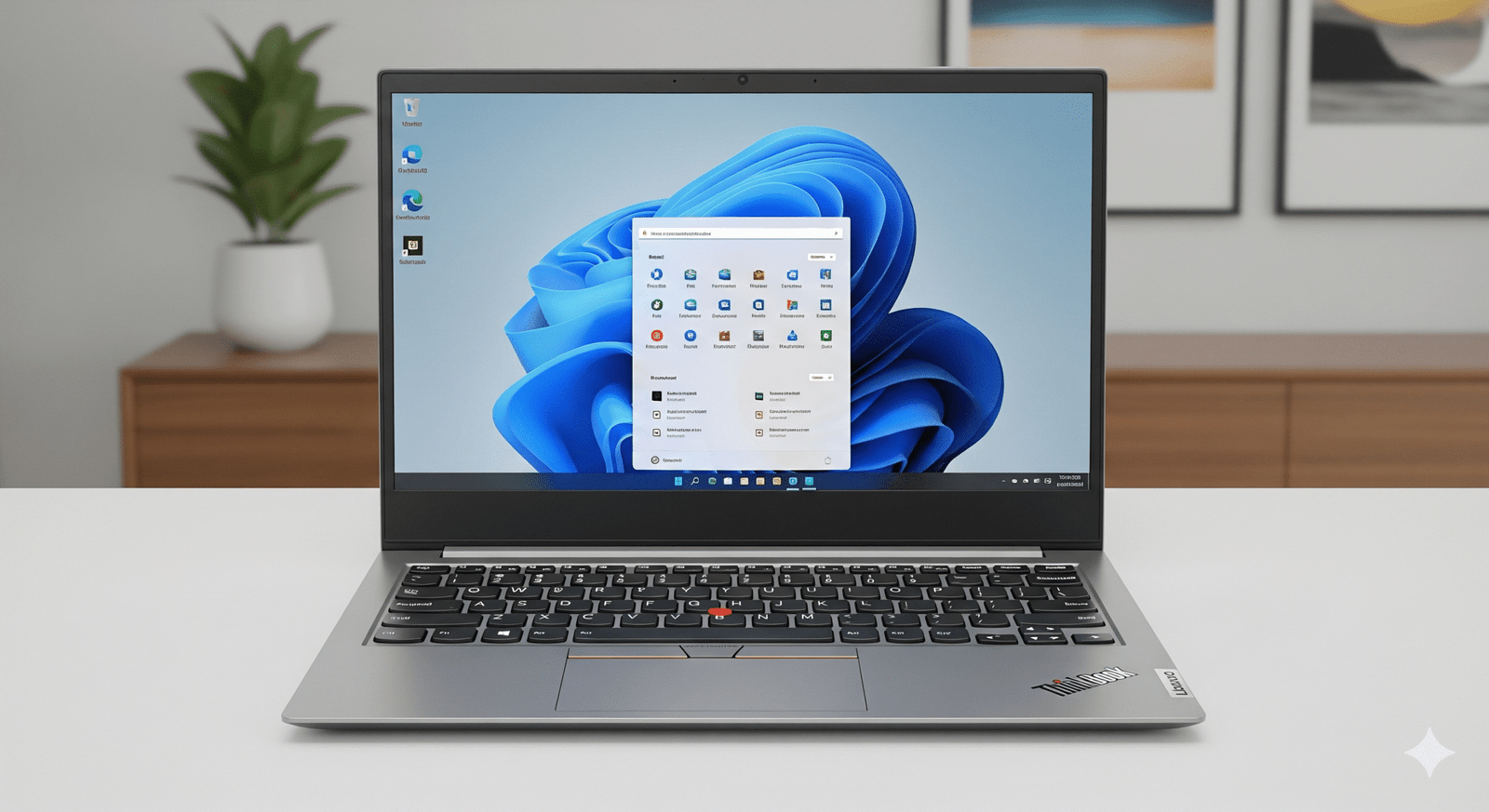
Lenovo ThinkBook 14 (21SGS00400) – 16GB RAM, Windows 11 Pro & 3-Year Support at 42% Off

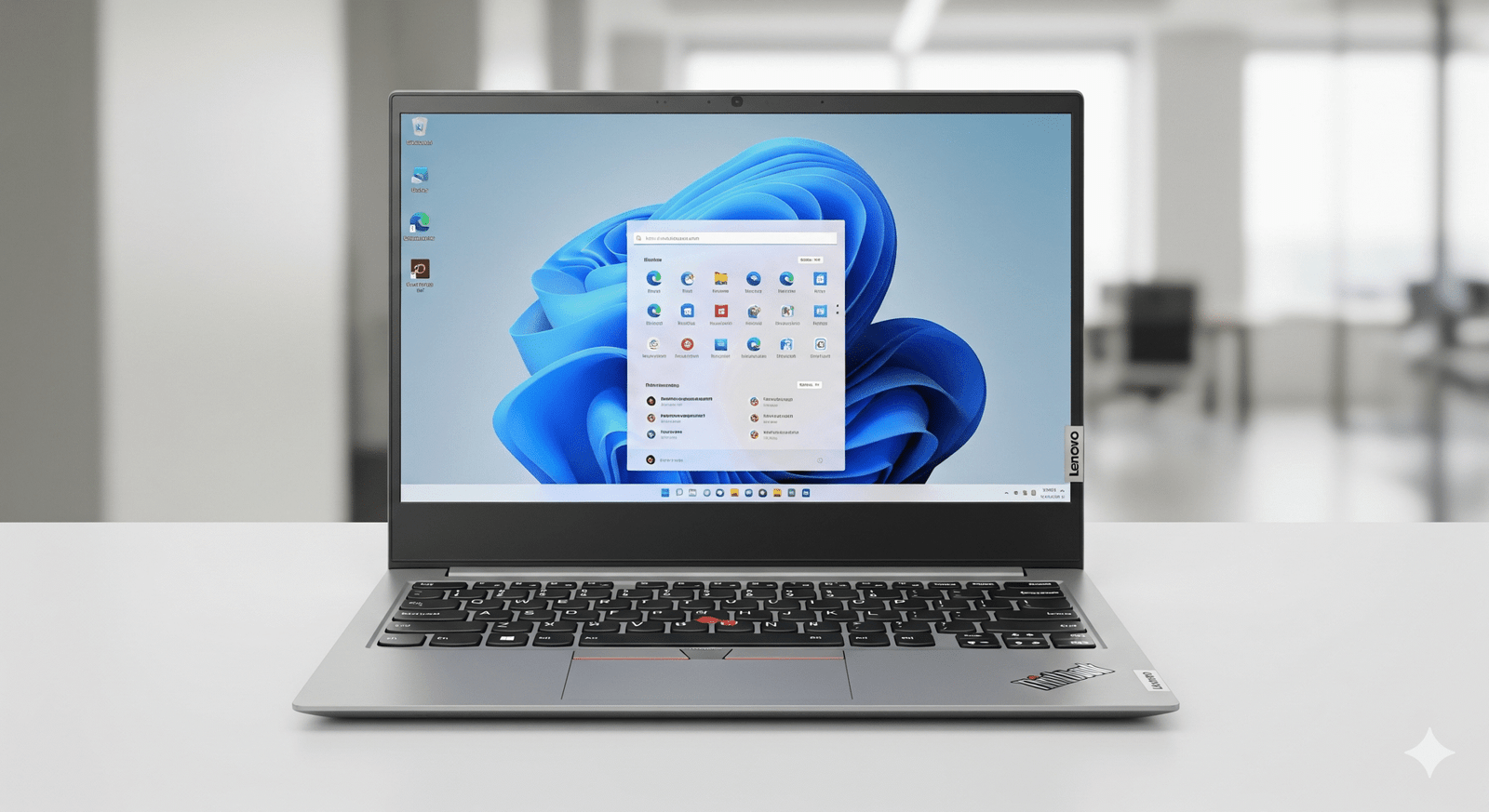
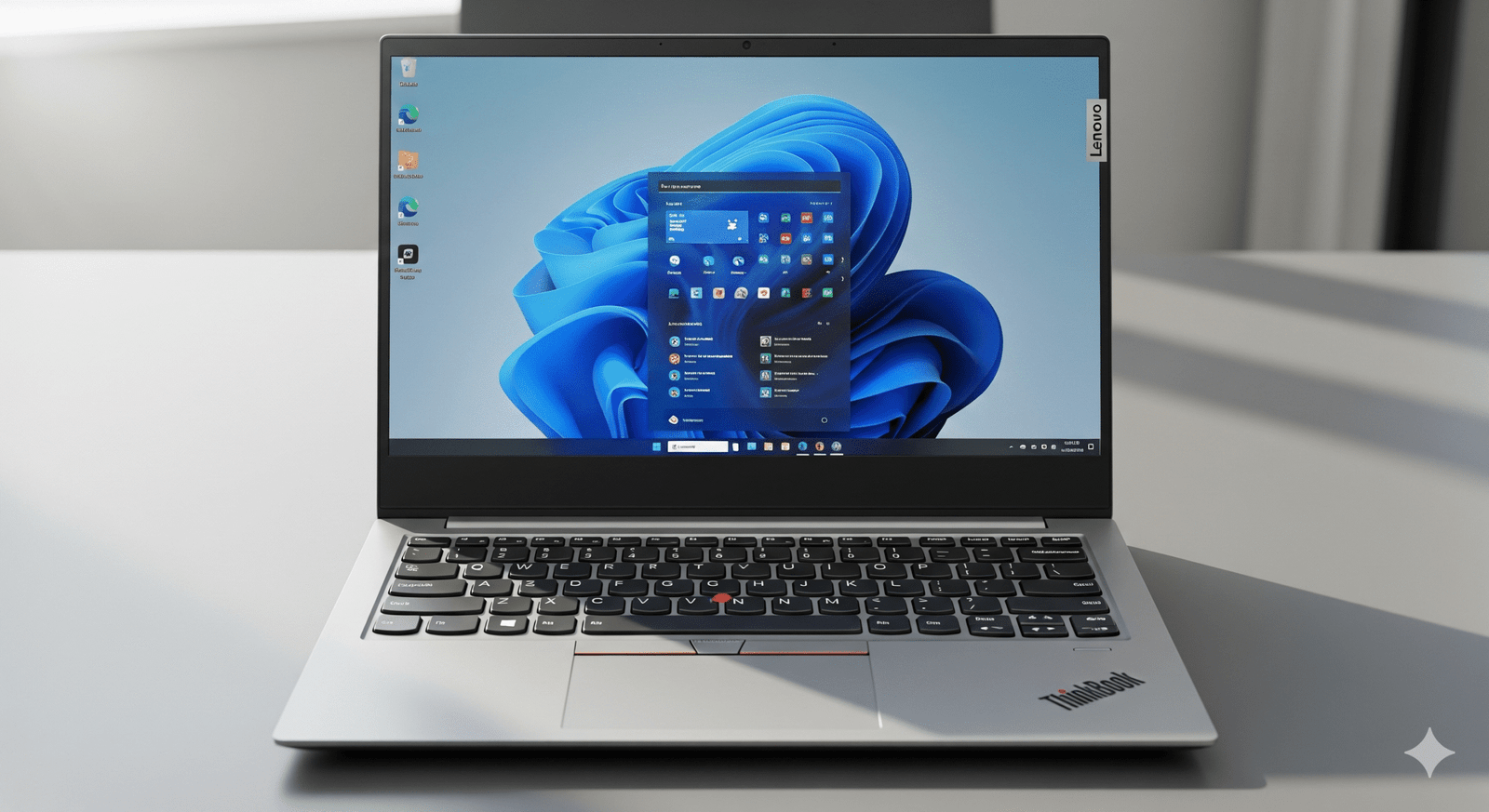
Lenovo ThinkBook 14 Review: Performance Edition

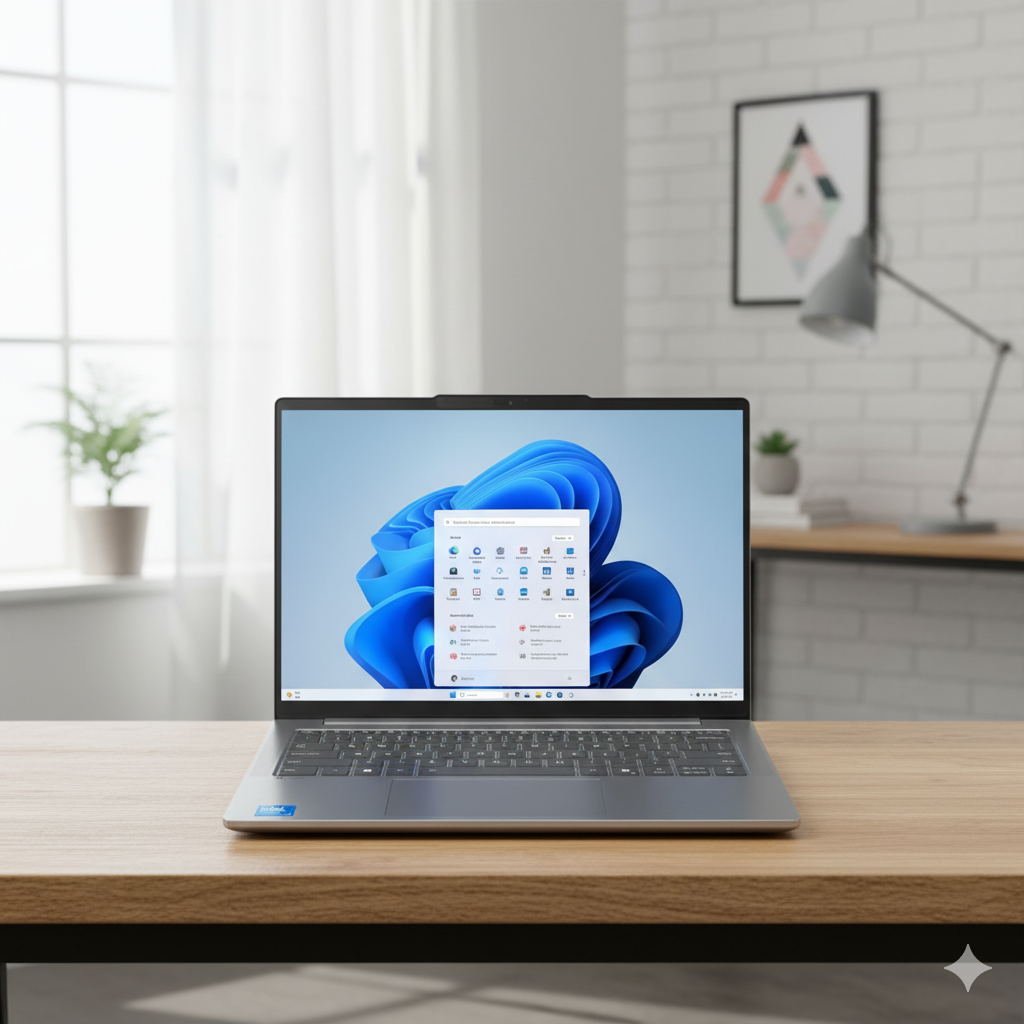
Lenovo ThinkBook 14 (Part: 21SGS00400)

The Ideal Blend of Power, Security, and Value

Intel® Core™ 5 210H Processor 16 GB DDR5 / 512 GB SSD 14″ WUXGA Anti-Glare IPS Display ₹77,590 (42% Off)

The Lenovo ThinkBook 14 (Part: 21SGS00400) is arguably the most well-rounded offering in its lineup. It builds upon the professional features of its counterparts by doubling the RAM to 16 GB, a crucial upgrade that significantly enhances multitasking and performance for more demanding applications. This model also comes with the enterprise-focused Windows 11 Pro and a robust 3-year Premier Support plan, all at a remarkable 42% discount off its MRP.

This review focuses on how this particular configuration provides a near-perfect balance of power, security, and affordability for professionals, students, and power users who need a laptop that won’t hold them back.

Key Features for the Power User

This ThinkBook model is built to handle your daily tasks and more, ensuring a smooth and responsive experience.

Smooth Multitasking with 16GB RAM

The upgrade to 16 GB of DDR5 RAM is the most significant selling point. It provides a massive performance boost, allowing you to run multiple applications, open dozens of browser tabs, or handle tasks like light photo editing and coding with ease, eliminating frustrating slowdowns.

Windows 11 Pro for Business

This model comes with Windows 11 Pro, offering advanced features like BitLocker encryption, remote desktop access, and Hyper-V for virtualization. This is essential for professionals who need to manage data securely and connect to corporate networks.

Ample 512 GB SSD

The 512 GB PCIe Gen4 SSD provides a perfect balance between storage capacity and speed. It ensures your system boots up instantly, applications load quickly, and you have plenty of room for all your important files, projects, and media.

Comfortable Display

The 14-inch WUXGA (1920×1200) IPS display is clear and comfortable for extended viewing. Its anti-glare finish and TÜV Rheinland Low Blue Light certification help reduce eye strain, which is essential for a long workday.

Robust Security

This model is equipped with a Smart Power On fingerprint reader for secure, one-touch login and a Firmware Trusted Platform Module (fTPM) 2.0 for hardware-based data protection.

Versatile Connectivity

Connectivity is a strength, with a Thunderbolt™ 4 port for high-speed docking and data transfer, along with multiple USB ports, HDMI, and an SD card reader to connect all your peripherals.

Detailed Specifications

General & OS

  • Model Number: 21SGS00400
  • Series: ThinkBook 14
  • Color: Arctic Grey
  • Operating System: Windows 11 Pro 64
  • Support: 3 Years Premier Support

Performance

  • Processor: Intel® Core™ 5 210H
  • Max Clock Speed: Up to 4.80 GHz (P-cores)
  • Graphics: Integrated Intel® Graphics
  • Memory (RAM): 16 GB DDR5-5600MT/s (SODIMM)
  • Storage: 512 GB SSD M.2 2242 PCIe Gen4 QLC

Display, Camera & Audio

  • Screen Size: 14 inches (35.56cm)
  • Resolution: WUXGA (1920 x 1200)
  • Panel Type: IPS, Anti-Glare
  • Brightness: 300 nits
  • Color Gamut: 45% NTSC
  • Refresh Rate: 60 Hz
  • Webcam: FHD 1080p & IR with privacy shutter
  • Audio: Dolby Audio™ with dual-array mics

Connectivity & Design

  • Wireless: WiFi 6E 2×2 AX with Bluetooth® 5.3 or WiFi 6 with BT 5.2
  • Ports: Thunderbolt™ 4, USB-C® (10Gbps), 2 x USB-A, HDMI® 2.1, Ethernet (RJ45), 4-in-1 card reader, audio combo jack
  • Battery: 45Whr or 60Whr with Rapid Charge support
  • Weight: Starting at 1.36kg / 3.0lbs

Security & Durability

  • Fingerprint Reader: Smart Power On with match-on-chip
  • Security Chip: Firmware Trusted Platform Module (fTPM) 2.0
  • Durability: MIL-STD-810H Military-Grade Tested

Pros and Cons: A Balanced View for Buyers

Pros

  • Performance for the Price: The combination of 16GB RAM and a 512GB SSD makes this an excellent value, especially with the 42% discount.
  • Ideal for Professionals: Windows 11 Pro and 3-year Premier Support offer the security and reliability that business users require.
  • Future-Proofed: The 16GB of RAM is an ideal amount for current and future software needs, ensuring the laptop stays fast for years to come.

Cons

  • Basic Display: The 300 nits brightness and 45% NTSC color gamut are adequate for general use but not ideal for professional creative work or use in brightly lit environments.

Who Is This Laptop For? Tailored Recommendations

This particular ThinkBook model is an excellent choice for:

  • Business Professionals & Executives: The combination of power, security, and top-tier support makes this a reliable work companion.
  • Students & Researchers: It’s perfect for handling demanding research applications, multiple software tools, and complex data analysis without performance bottlenecks.
  • Software Developers: The 16GB of RAM is a necessity for running virtual machines, multiple development environments, and compilers smoothly.
Final Verdict: The Best Value for Performance

The Lenovo ThinkBook 14 (Part: 21SGS00400) stands out as a compelling choice. While other configurations are available, this one offers the most comprehensive package for professionals and power users. The significant upgrade to 16GB of RAM and the 42% discount make it a far superior choice for anyone who needs to push their laptop beyond basic tasks. This is the model to get if you are looking for a powerful and reliable work machine.

★★★★★

Overall Rating: 5.0 out of 5.0

(A highly recommended laptop with an ideal blend of performance and professional features)

Lenovo ThinkBook 14 (21SGA036IG) Review – Best Value Laptop 2025

Lenovo ThinkBook 14 Review: Value Edition

Lenovo ThinkBook 14 (Part: 21SGA036IG)

An Unbeatable Value for Everyday Productivity

Intel® Core™ 3 100U Processor 8 GB DDR5 / 512 GB SSD 14″ WUXGA Anti-Glare IPS Display ₹46,551 (45% Off)

The Lenovo ThinkBook 14 (Part: 21SGA036IG) is an excellent choice for anyone seeking a powerful and reliable laptop for work, school, or home use without a hefty price tag. Currently available at a massive 45% discount, this model is a standout in the mid-range market. It’s powered by the efficient Intel® Core™ 3 100U processor and comes with the invaluable Windows 11 Home and a full Microsoft Office Home 2024 suite pre-installed.

This review will dive into the core features that make this ThinkBook a practical and smart investment. We’ll explore its performance for daily tasks, the clarity of its WUXGA display, and its robust connectivity options, proving that you don’t have to sacrifice quality for an affordable price.

Core Performance & Essential Features

This ThinkBook model delivers a solid and reliable experience, making it a dependable companion for all your daily computing needs.

Intel® Core™ 3 100U Processor

Powered by the new Intel Core 3 100U processor, this laptop provides a perfect balance of performance and energy efficiency. With a max clock speed of up to 4.70 GHz on its P-cores, it handles everything from web browsing and document editing to video streaming with ease.

Windows 11 & Microsoft Office

Unlike other models that come with no OS or a trial version of Office, this ThinkBook includes Windows 11 Home and a full, lifetime license for Microsoft Office Home 2024. This adds significant value and means you’re ready to be productive right out of the box.

Fast Memory and Storage

A solid configuration with 8 GB of DDR5-5200 RAM and a 512 GB PCIe Gen4 SSD ensures a snappy, responsive experience. Boot times are minimal and applications load in seconds, while the generous storage provides plenty of space for documents, photos, and videos.

Eye-Friendly Display

The 14-inch WUXGA (1920×1200) IPS display provides sharp images and a comfortable 16:10 aspect ratio for more vertical screen space. The anti-glare finish and TÜV Rheinland Low Blue Light certification make it easy on your eyes during long work sessions.

Built-in Security

Keep your data safe with the integrated Smart Power On fingerprint reader, which lets you power on and log in with a single touch. The Firmware Trusted Platform Module (fTPM) 2.0 adds a critical layer of hardware-based security for your data and encryption keys.

Versatile Connectivity

This ThinkBook provides all the ports you need, including a Thunderbolt™ 4 port for blazing-fast data transfer and external display support. With Wi-Fi 6E, Bluetooth 5.3, and an Ethernet port, you are always connected, no matter where you are.

Detailed Specifications

General & OS

  • Model Number: 21SGA036IG
  • Series: ThinkBook 14
  • Color: Arctic Grey
  • Operating System: Windows 11 Home Single Language 64
  • Pre-installed Software: Microsoft Office Home and Student 2024

Performance

  • Processor: Intel® Core™ 3 100U
  • Max Clock Speed: Up to 4.70 GHz (P-cores)
  • Graphics: Integrated Intel® Graphics
  • Memory (RAM): 8 GB DDR5-5200MT/s (SODIMM)
  • Storage: 512 GB SSD M.2 2242 PCIe Gen4 QLC

Display, Camera & Audio

  • Screen Size: 14 inches (35.56cm)
  • Resolution: WUXGA (1920 x 1200)
  • Panel Type: IPS, Anti-Glare
  • Brightness: 300 nits
  • Color Gamut: 45% NTSC
  • Refresh Rate: 60 Hz
  • Webcam: FHD 1080p & IR with privacy shutter
  • Audio: Dolby Audio™ with dual-array mics

Connectivity & Design

  • Wireless: WiFi 6E 2×2 AX with Bluetooth® 5.3 or WiFi 6 with BT 5.2
  • Ports: Thunderbolt™ 4, USB-C® (10Gbps), 2 x USB-A, HDMI® 2.1, Ethernet (RJ45), 4-in-1 card reader, audio combo jack
  • Battery: 45Whr or 60Whr with Rapid Charge support
  • Weight: Starting at 1.36kg / 3.0lbs

Security & Durability

  • Fingerprint Reader: Smart Power On with match-on-chip
  • Security Chip: Firmware Trusted Platform Module (fTPM) 2.0
  • Durability: MIL-STD-810H Military-Grade Tested

Pros and Cons: A Balanced View for Buyers

Pros

  • Exceptional Value for Money: A massive 45% discount makes this laptop an unbeatable deal for its specifications.
  • Productivity Ready Out of the Box: The inclusion of Windows 11 Home and a full Microsoft Office Home 2024 license is a huge saving and a major convenience.
  • Solid Core Components: The Intel Core 3 processor, fast DDR5 RAM, and a spacious 512 GB PCIe Gen4 SSD provide a quick and reliable user experience.
  • Comprehensive Connectivity: The presence of a Thunderbolt™ 4 port is a premium feature not often found in this price range, alongside Wi-Fi 6E and a variety of other ports.

Cons

  • Limited RAM: While 8GB of DDR5 RAM is fast, it may become a bottleneck for heavy multitasking or more demanding applications.
  • QLC SSD: The use of a QLC (Quad-Level Cell) SSD can result in slightly slower write speeds compared to the more durable TLC (Triple-Level Cell) NAND in higher-end models.
  • Basic Display: The 300 nits brightness and 45% NTSC color gamut are adequate for general use but not ideal for professional creative work or use in brightly lit environments.

Who Is This Laptop For? Tailored Recommendations

The ThinkBook 14 is the perfect choice for:

  • Students & Educators: A powerful and affordable machine for research, writing, and online learning with all the essential software included.
  • Home Office Users: For daily tasks like email, video conferencing, document creation, and managing personal finances.
  • Small Business Professionals: A reliable and secure laptop for running business applications and staying productive on the go without a high upfront cost.
  • Value-Conscious Buyers: Those who want a brand-name laptop with a great build, a modern processor, and a significant discount.

Final Verdict: A Smart Investment in Productivity

The Lenovo ThinkBook 14 (Part: 21SGA036IG) is an incredibly compelling deal. At a price of just ₹46,551, it offers a combination of a modern Intel processor, fast DDR5 RAM, and a full version of Microsoft Office that is very hard to beat.

It is an excellent, no-nonsense laptop that delivers reliable performance and great features for its price point. If you need a trustworthy workhorse for everyday tasks that won’t break the bank, this ThinkBook is a highly recommended choice.

★★★★★

Overall Rating: 5.0 out of 5.0

(For its unbeatable value and solid performance)

Lenovo IdeaPad Slim 5i: The Perfect Fusion of Power & OLED for Students.

Lenovo IdeaPad Slim 5i 13th Gen (Intel i5) OLED Laptop Review – Full Details

IdeaPad Slim 5i 13th Gen, 35.56cms – Intel i5 OLED

Intel® Core™ i5-13420H 16GB DDR5 (Upgradable) 1TB TLC SSD Intel® UHD Graphics 14” WUXGA OLED Windows 11 Home

The Lenovo IdeaPad Slim 5i 13th Gen represents a near-perfect fusion of high-octane performance and breathtaking visuals, making it a standout “Student Choice” model in the mainstream market. Priced at an aggressive ₹73,490, this laptop delivers a rare and highly desirable combination: a powerful H-series processor paired with a vibrant OLED display.

At its core, the laptop is powered by the formidable 13th Gen Intel® Core™ i5-13420H Processor, designed for demanding productivity and multitasking. This is elevated by a stunning 14-inch WUXGA (1920×1200) OLED display with HDR 500 and 100% DCI-P3 color accuracy. The configuration is exceptionally generous, featuring 16GB of fully upgradable DDR5 RAM (2x 8GB SODIMM) and a massive 1TB TLC SSD for superior speed and endurance. Encased in a durable Luna Grey chassis with a premium warranty, this laptop is a powerhouse for both work and entertainment.

Key Features at a Glance

Stunning 14″ OLED Display: HDR 500, 100% DCI-P3, and 400 nits for cinematic visuals.
Powerful i5-H Processor: High-performance CPU for demanding applications and multitasking.
Fully Upgradable RAM: 16GB of fast DDR5 memory across two user-accessible SODIMM slots.
Massive 1TB TLC SSD: A large, high-endurance SSD for ample storage and fast performance.
Comprehensive Port Selection: Includes dual USB-C, dual USB-A, HDMI, and a MicroSD reader.
Excellent Warranty & Software: Includes PremiumCare, ADP, and a lifetime license for Office 2024.

Powerhouse Performance for Demanding Users

13th Gen H-Series Muscle

The Intel® Core™ i5-13420H Processor is the star of the show, delivering performance that is a significant step-up from the U-series chips typically found in thin-and-light laptops. It’s designed to handle CPU-intensive tasks like coding, data analysis, and heavy multitasking without breaking a sweat.

Fully Upgradable Dual-Channel RAM

In a major win for longevity and user choice, this model features 16GB of fast DDR5-5600MT/s RAM installed in two 8GB SODIMM slots. This means both modules can be replaced and upgraded by the user in the future, a rare and highly valuable feature that sets it apart from competitors with soldered memory.

Generous and High-Quality Storage

The laptop comes equipped with a spacious 1TB TLC SSD. Not only is the capacity generous, but the TLC (Triple-Level Cell) technology offers superior long-term endurance and better sustained write speeds compared to cheaper QLC drives, a premium feature that power users will appreciate.

Standard Integrated Graphics

Graphics are handled by the integrated Intel® UHD Graphics. While perfectly capable for streaming high-resolution video and managing all productivity tasks, it is not designed for modern gaming or professional 3D rendering, which would require a dedicated GPU.

Stunning OLED Display & Sleek Design

Cinematic Visuals

The laptop’s crown jewel is its 14-inch WUXGA (1920×1200) OLED display. This panel delivers a truly premium viewing experience with perfect blacks, infinite contrast, and incredibly vibrant colors, thanks to its 100% DCI-P3 color gamut and HDR 500 certification. At 400 nits, it’s bright enough for most indoor environments.

Display Trade-Offs

While visually stunning, the OLED panel is glossy, which can lead to distracting reflections in bright lighting. It is also a non-touch display with a standard 60Hz refresh rate. This is perfectly fine for productivity and media but lacks the smoothness of higher refresh rate panels and the interactivity of a touchscreen.

Sleek and Durable Build

The laptop is housed in a stylish Luna Grey chassis with a premium metal finish. It’s both thin and light, yet meets MIL-STD-810H military standards for durability, ensuring it can withstand the bumps and knocks of daily travel. The backlit keyboard ensures comfortable typing in any lighting condition.

Comprehensive Connectivity & Value-Added Support

Excellent Port Selection

The laptop is well-equipped for any scenario:

  • 2x USB-C®: Support Power Delivery 3.0 and DisplayPort 1.4 for charging, data, and external monitors.
  • 2x USB-A 3.2 Gen 1: For legacy devices, with one port providing always-on power.
  • HDMI® 1.4b and a MicroSD card reader.

Wireless & Software Bonus

Modern wireless connectivity is provided by Wi-Fi 6 and Bluetooth® 5.3. A huge value-add is the included lifetime license for Microsoft Office Home & Student 2024, making the machine instantly productive.

Complete Peace of Mind

Lenovo includes its top-tier warranty package, featuring 1 Year of Premium Care for expert on-site support and 1 Year of Accidental Damage Protection (ADP), which covers spills, drops, and other mishaps.

Full Specifications Table

General Information

  • Brand: Ideapad (Lenovo)
  • Model: IdeaPad Slim 5i 13th Gen (83HR000WIN)
  • OS: Windows 11 Home Single Language 64
  • Color: Luna Grey

Processor & Graphics

  • Processor: 13th Gen Intel® Core™ i5-13420H (E-cores up to 3.40 GHz, P-cores up to 4.60 GHz)
  • Graphics: Integrated Intel® UHD Graphics

Memory & Storage

  • Memory: 16 GB DDR5-5600MT/s (SODIMM) (2 x 8 GB)
  • Storage: 1 TB SSD M.2 2242 PCIe Gen4 TLC

Display

  • Size: 35.56cms (14 inch)
  • Resolution: WUXGA (1920 x 1200)
  • Technology: OLED, Glare, Non-Touch, HDR 500, 100% DCI-P3, 400 nits, 60Hz

Input & Connectivity

  • Keyboard: Backlit, Luna Grey – English (US)
  • Pointing Device: ClickPad
  • Wireless: Wi-Fi 6 2×2 AX & Bluetooth® 5.3
  • Ports: 2x USB-C (DP 1.4, PD 3.0), 2x USB-A 3.2 Gen 1, HDMI 1.4b, MicroSD Reader

Software & Services

  • Software Preload: Office Home 2024
  • Warranty: 1 Year PremiumCare + 1YR Accidental Damage Protection

Pros and Cons: A Balanced View

Pros:

  • Stunning OLED Display: The 100% DCI-P3, HDR 500 screen offers phenomenal color and contrast for media.
  • Excellent CPU Performance: The i5-H processor provides desktop-class power for demanding productivity.
  • Fully Upgradable RAM: Dual SODIMM slots provide a fantastic upgrade path, unlike soldered competitors.
  • Large, High-Quality SSD: A 1TB TLC drive offers ample space with better endurance and speed.
  • Outstanding Value Bundle: The inclusion of Office 2024 and a PremiumCare + ADP warranty is exceptional.

Cons:

  • Glossy Screen: The OLED panel is highly reflective, which can be an issue in bright environments.
  • No Touchscreen: Lacks the interactive capability of 2-in-1 models.
  • Basic Integrated Graphics: Not suitable for demanding gaming or professional 3D work.
  • Standard 60Hz Refresh Rate: Lacks the fluid motion of 90Hz or 120Hz displays.

Who Is This Laptop For?

  • Students & Programmers: The powerful CPU, large SSD, and upgradable RAM make it a future-proof machine for coding, research, and heavy multitasking.
  • Media Enthusiasts: Anyone who streams movies and TV shows will be blown away by the quality of the WUXGA OLED display.
  • Office Professionals: A fantastic choice for professionals who need a powerful, reliable machine for demanding office applications and data analysis, with a screen that reduces eye strain.

Who Might Consider Other Options?

  • Serious Gamers: The integrated Intel UHD graphics are not sufficient for modern gaming. A laptop with a dedicated GPU is necessary.
  • Digital Artists: This is a non-touch model. Artists who rely on pen input will need to look at 2-in-1 convertibles.
  • Outdoor Users: The glossy OLED screen will be difficult to see in direct sunlight. A laptop with a brighter, anti-glare display would be a better fit.

Competitive Edge: The Unbeatable Combination

This IdeaPad Slim 5i’s competitive edge is simple but powerful: it offers a combination of premium features that is almost impossible to find at this price point.

  • OLED + H-Series CPU: Most competitors make you choose. You can have a great screen with a weak processor, or a powerful processor with a terrible screen. This laptop gives you both, providing a no-compromise experience for productivity and media.
  • No Compromise on RAM or SSD: Lenovo didn’t just stop at the screen and CPU. It includes two user-upgradable RAM slots and a high-quality 1TB TLC SSD, addressing the two most common bottlenecks in mainstream laptops and ensuring excellent long-term value.

Final Verdict: The Ultimate Mainstream Powerhouse

The Lenovo IdeaPad Slim 5i 13th Gen (OLED) is an extraordinary laptop that delivers a truly premium experience at an aggressive mainstream price. Its decision to pair a powerful Core i5-H processor with a breathtaking WUXGA OLED display creates a machine that is an absolute joy for both demanding work and cinematic media consumption.

Lenovo’s masterstroke is in refusing to cut corners elsewhere. By including a massive 1TB TLC SSD and ensuring the 16GB of DDR5 RAM is fully user-upgradable, it provides a level of quality and future-proofing that is virtually unmatched in its class. While the glossy screen isn’t for everyone and gamers should look elsewhere, this laptop is a near-perfect configuration for students, programmers, and professionals. It strikes an unbeatable balance of power, display quality, and long-term value, making it one of the easiest recommendations of the year.

★★★★★

Overall Rating: 5.0 out of 5.0 (Based on Expert Analysis)

MSI Katana 15 Gaming Laptop – Intel i5 13th Gen, RTX 3050 6GB 75W, 16GB DDR5, 1TB SSD, RGB Keyboard | Best Gaming Laptop Under ₹80K (2025)

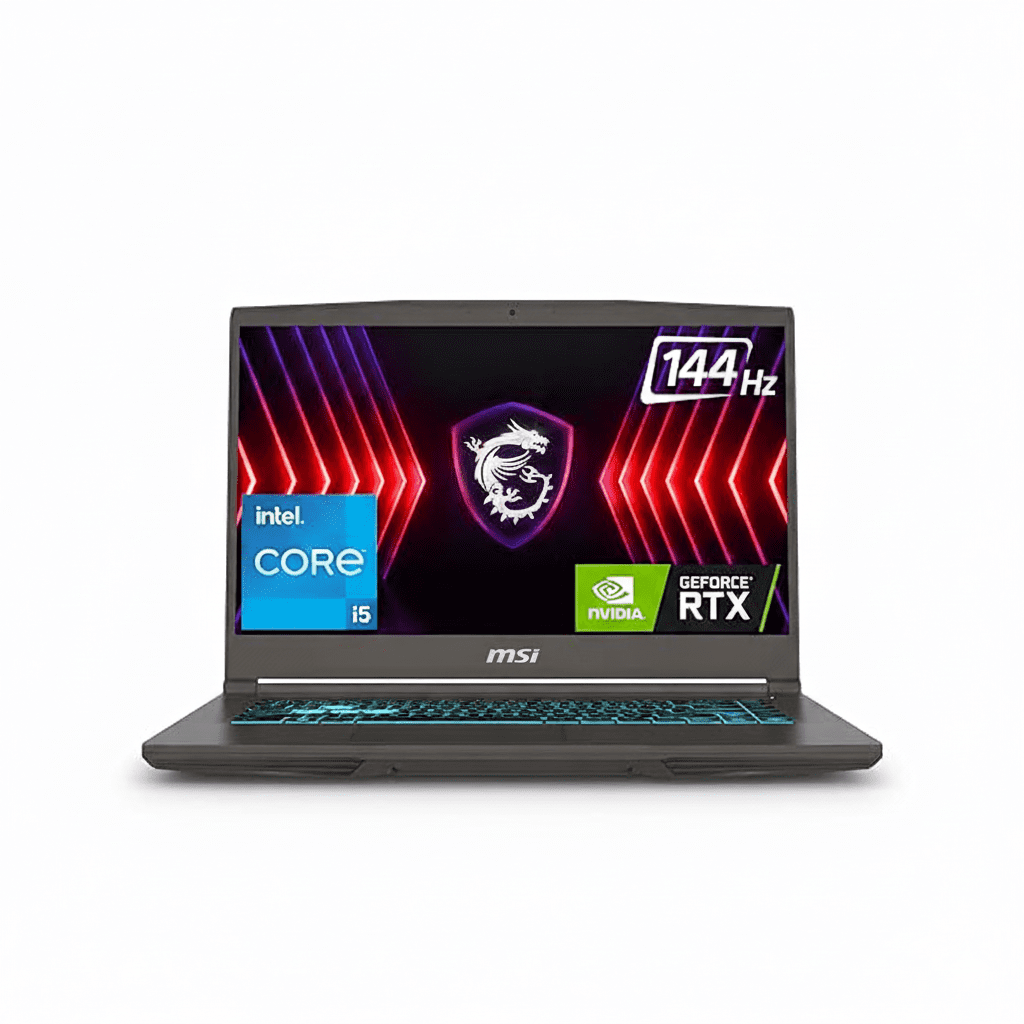
MSI Thin 15 Gaming Laptop
MSI Katana 15 Gaming Laptop Complete Review (2025) – Intel 13th Gen + 75W RTX 3050
MSI Katana 15 Gaming Laptop

Available Color:

⭐⭐⭐⭐
4.3/5 (61 Ratings & 8 Reviews)
🔥 BEST 75W RTX 3050 – INTEL 13TH GEN + RGB KEYBOARD

MSI Katana 15

Intel i5-13420H | 75W RTX 3050 6GB | FHD 144Hz

15.6″ FHD 144Hz – 16GB DDR5 – 1TB SSD – RGB – 2.25Kg

Premium Gaming Configuration:

– Processor: Intel Core i5-13420H (8-core, up to 4.6 GHz)

– Graphics: NVIDIA RTX 3050 6GB GDDR6 (75W TGP!)

– RAM: 16GB DDR5-5600MHz Dual Channel

– Storage: 1TB NVMe PCIe SSD

– Display: 15.6″ FHD (1920×1080) 144Hz IPS

– Bonus: 4-Zone RGB + Cooler Boost 5 + Laptop Bag!

₹94,990

17% OFF

₹77,990*

*Best 75W RTX 3050 with RGB + Free Bag!

🛒 Buy Now on Flipkart

EMI starting from ₹6,500/month | Free Delivery Tomorrow

TGP

75W!

Storage

1TB

Keyboard

RGB

MSI Katana 15 Overview

Key Highlights

  • ✓ 75W TGP: 40% more power!
  • ✓ DDR5-5600: Fastest RAM
  • ✓ 4-Zone RGB: Gaming aesthetic
  • ✓ Cooler Boost 5: Dual fans
  • ✓ Free Laptop Bag: ₹2k value
  • ✓ 180W Power: Max performance
  • ✓ 4.3/5 Rating: Highly rated

In The Box

  • 📦 MSI Katana 15 Gaming Laptop
  • 🔋 3-Cell Battery
  • 🔌 180W Power Adapter
  • 💼 MSI Laptop Bag (Free!)
  • 📄 User Guide
  • 🛡️ 2-Year On-Site Warranty

Bonus: Free laptop bag worth ₹2,000!

Katana Advantage

  • – 75W GPU: 40% more gaming power
  • – Dual Fans: Superior cooling
  • – DDR5-5600: Fastest memory
  • – 4-Zone RGB: Premium aesthetic
  • – Free Bag: ₹2k value included
  • – Best ₹78k Gaming: Top performer

💰 Unbeatable Premium Gaming Value

Best 75W RTX 3050 Price

At ₹77,990 (17% off), this is the best-priced 75W TGP RTX 3050 laptop. Most 75W models cost ₹85-95k, making this ₹7-17k cheaper with same specs + free bag!

40% More Gaming Power

The 75W TGP delivers 30-40% better gaming performance vs standard 45W models. Get 70-90 FPS in AAA games vs 50-65 FPS with lower TGP RTX 3050 laptops!

Complete Premium Package

Get 4-Zone RGB keyboard + Cooler Boost 5 + DDR5-5600 + 1TB SSD + free laptop bag. Most competitors lack RGB, have single fans, or skip the bag!

Intel 13th Gen Performance

Intel Core i5-13420H

8-Core Raptor Lake (4P + 4E)

Total Cores 8 Cores (4P + 4E)
Threads 12 Threads
Base Clock 1.5 GHz
Max Turbo 3.4 GHz (4.6 GHz single)
Cache 12MB L3
TDP 45W (up to 115W)

Power: Latest 13th Gen for exceptional gaming + productivity

RTX 3050 6GB (75W TGP!)

NVIDIA Ampere (DLSS 2) – High Performance

VRAM 6GB GDDR6
TGP (Power) 75W (40% More!)
Memory Bus 96-bit
DLSS DLSS 2
Ray Tracing 2nd Gen RT Cores

Gaming: Excellent FHD at 70-90 FPS in AAA!

💾 Memory (RAM)

Installed RAM 16GB DDR5-5600
Configuration Dual Channel
RAM Slots 2 SODIMM Slots
Max Upgrade 64GB (32GB x 2)

Fastest DDR5: 5600MHz for ultimate performance

💿 Storage

Installed Storage 1TB NVMe SSD
Interface PCIe Gen 4
Speed ~5000 MB/s Read
Expandable Yes (2x M.2 Slots)

Massive Storage: 1TB = no expansion worry!

📊 Performance Benchmarks

Cinebench R23

Multi-Core

~10,375

Single-Core

1,654

Excellent 13th Gen performance

3DMark Time Spy

Graphics Score

~6,700

Excellent gaming performance (75W)

Geekbench 5

Multi-Core

8,818

Strong multi-threaded performance

Real Gaming Performance @ FHD (75W TGP!)

🎮 AAA Games @ 1080p (FHD) – 75W Power!

Cyberpunk 2077

72 FPS

– Settings: Medium-High

– DLSS: Balanced

– Experience: Excellent

– +25% vs 45W models

Call of Duty MW3

112 FPS

– Settings: High

– DLSS: Quality

– Experience: Excellent

– +30% vs 45W models

Spider-Man Remastered

88 FPS

– Settings: High

– DLSS: Quality

– Experience: Excellent

– +27% vs 45W models

🔥 75W TGP Advantage: The 75W TGP delivers 30-40% better gaming performance vs standard 45W RTX 3050 laptops. Get 70-90 FPS in AAA titles at Medium-High settings with DLSS 2. Esports easily hit 180+ FPS. This is the best gaming performance under ₹80k!

Cooler Boost 5 – Dual Fan System

❄️ Advanced Cooling

MSI’s Cooler Boost 5 features dual fans + 4 heat pipes for superior thermal performance. Keeps 75W GPU cool even during intense gaming marathons.

●
Dual Fan System

2x fans for maximum airflow

●
4 Heat Pipes

Efficient heat dissipation

●
180W Cooling Capacity

Handles 75W GPU easily

🌡️ Thermal Performance

CPU (Gaming)

70-80°C

GPU (Gaming – 75W)

74-84°C

Excellent: Stays cool even at 75W power!

4-Zone RGB Gaming Keyboard

⌨️ Premium RGB Keyboard

The 4-Zone RGB keyboard with customizable lighting zones creates an immersive gaming atmosphere. Full-size layout with numpad for productivity.

  • ●
    4-Zone RGB Backlighting

    Customizable color zones

  • ●
    Full-Size Layout + Numpad

    Complete keyboard with number pad

  • ●
    Anti-Ghosting

    N-key rollover support

  • ●
    1.7mm Key Travel

    Responsive tactile feedback

🎨 RGB Zones

Customize lighting across 4 independent zones:

Zone 1: Function Keys
Zone 2: WASD Area
Zone 3: Main Keys
Zone 4: Numpad

Premium Feature: 4-Zone RGB not available in cheaper models!

15.6″ FHD 144Hz Display

FHD Resolution

Size 15.6″ (39.62 cm)
Resolution 1920 x 1080
PPI 141 ppi
Panel IPS-Level

Gaming Performance

Refresh Rate

144Hz

Response Time

Fast

Webcam Included!

  • ✓
    HD Webcam

    720p @ 30fps

  • ✓
    Ready for Classes

    No external needed

Advantage: Save ₹1-2k on webcam

🔊 DTS Audio System

  • – 2x 2W Stereo Speakers
  • – DTS Audio Processing (high-resolution sound)
  • – Internal Microphone
  • – 3.5mm Jack: Headphone support
  • – Enhanced immersive audio for gaming and entertainment

Katana-Inspired Design & Build Quality

🏗️ Build Materials

Chassis Premium Plastic
Lid Katana Design (matte)
Quality Gaming-oriented

📏 Dimensions

Dimensions 359 x 259 x 24.9mm
Weight 2.25 kg

Portable gaming laptop with premium cooling

🎨 Katana Aesthetics

  • – Color: Black (Katana Edition)
  • – Logo: MSI dragon emblem
  • – Style: Sharp katana-inspired lines
  • – Vents: Aggressive rear exhaust
  • – RGB: 4-zone keyboard lighting

⚔️ Katana Design Philosophy

Inspired by the precision and strength of a Japanese katana sword, the MSI Katana 15 features sharp angular lines, aggressive styling, and a bold black chassis. The design reflects gaming DNA with red accents and 4-zone RGB keyboard, making it a statement piece for serious gamers.

Connectivity & Ports

🔌 Complete Ports

USB Ports (4 Total)

– 1x USB Type-C (USB 3.2 Gen1 / DisplayPort)

– 2x USB 3.2 Gen1 Type-A

– 1x USB 2.0 Type-A

Display Output

– 1x HDMI 2.1 (8K@60Hz / 4K@120Hz)

– USB-C DisplayPort support

Other Ports

– RJ-45 Gigabit Ethernet

– 3.5mm Audio Jack (Mic/Headphone combo)

📡 Wireless Connectivity

Wi-Fi 6 (802.11ax)

Fast wireless – Latest Wi-Fi 6 standard for low latency gaming

Bluetooth 5.3

Latest Bluetooth standard for wireless peripherals

Gigabit Ethernet

Wired connection for competitive gaming (zero lag)

Battery Life & Charging

🔋 Battery

3-Cell

– Type: Lithium Polymer

– Cells: 3-cell

– Light Use: 4-5 hours

– Gaming: 2-2.5 hours

⚡ Charging

180W

– Adapter: 180W (High Power)

– Fast Charge: 50% in ~40min

– Full Charge: ~1.5 hours

💡 Real World

  • – Video: 4 hours
  • – Web: 4-5 hours
  • – Gaming: 2-2.5 hours

⚠️ Battery Note: The 3-cell battery provides 4-5 hours light use, 2-2.5 hours gaming due to 75W GPU power draw. The 180W adapter ensures fast charging for gaming sessions.

Complete Premium Gaming Laptop Comparison – 6 Top Competitors

How does the MSI Katana 15 (75W RTX 3050 6GB + RGB + Free Bag) at ₹77,990 compare against major competitors?

MSI Thin 15 (Intel 13th Gen)

₹71,990

– Processor: Intel Core i5-13420H

– Display: 15.6″ FHD 144Hz IPS

– RAM: 16GB DDR4-3200

– Storage: 1TB SSD

– GPU: RTX 3050 6GB (45-60W)

– Weight: 1.86 kg

✅ Reasons to Consider

  • – ₹6k cheaper than Katana
  • – Same CPU (i5-13420H)
  • – Same 1TB storage
  • – Same 6GB VRAM
  • – Much lighter (1.86kg vs 2.25kg)
  • – Ultra-portable

⚠️ Reasons to Skip

  • – Lower TGP GPU (45-60W vs 75W)
  • – ~25-30% slower gaming
  • – Slower DDR4 RAM (vs DDR5)
  • – No RGB keyboard (basic)
  • – Single fan cooling (vs dual)
  • – Worth ₹6k more for 75W + RGB

MSI Cyborg 15 (RTX 3050 6GB)

₹67,990

– Processor: Intel Core i5-12450H

– Display: 15.6″ FHD 144Hz IPS

– RAM: 16GB DDR5-4800

– Storage: 512GB SSD

– GPU: RTX 3050 6GB (45W)

– Weight: 1.98 kg

✅ Reasons to Consider

  • – ₹10k cheaper than Katana
  • – Same 6GB VRAM
  • – DDR5 RAM (but slower 4800)
  • – MS Office 2021 included
  • – Lighter (1.98kg)
  • – Unique translucent design

⚠️ Reasons to Skip

  • – Much lower 45W GPU (vs 75W)
  • – ~40% slower gaming performance
  • – Only 512GB storage (vs 1TB)
  • – Older 12th Gen CPU
  • – No webcam
  • – No RGB keyboard

Lenovo IdeaPad Gaming 3

₹84,990

– Processor: AMD Ryzen 7 7840HS

– Display: 15.6″ FHD 144Hz IPS

– RAM: 16GB DDR5

– Storage: 512GB SSD

– GPU: RTX 4050 6GB

– Weight: 2.2 kg

✅ Reasons to Consider

  • – ₹7k more but RTX 4050 GPU
  • – Latest Ada Lovelace architecture
  • – DLSS 3 support
  • – Ryzen 7 (8-core)
  • – Lenovo brand reliability

⚠️ Reasons to Skip

  • – ₹7,000 more expensive
  • – Only 512GB storage (vs 1TB)
  • – Similar weight (2.2kg)
  • – Lower TGP (60W vs 75W)
  • – No RGB keyboard
  • – Katana better value at ₹78k

HP Victus 15 (RTX 3050 Ti)

₹82,990

– Processor: Intel Core i5-12450H

– Display: 15.6″ FHD 144Hz IPS

– RAM: 16GB DDR4

– Storage: 512GB SSD

– GPU: RTX 3050 Ti 4GB

– Weight: 2.3 kg

✅ Reasons to Consider

  • – HP brand reputation
  • – RTX 3050 Ti GPU
  • – Clean Victus design
  • – Good customer support

⚠️ Reasons to Skip

  • – ₹5,000 more expensive
  • – Only 4GB VRAM (vs 6GB)
  • – Only 512GB storage (vs 1TB)
  • – Slower DDR4 RAM
  • – Older 12th Gen CPU
  • – Heavier (2.3kg)

Acer Nitro 5 (RTX 3050)

₹79,990

– Processor: Intel Core i5-12500H

– Display: 15.6″ FHD 144Hz IPS

– RAM: 16GB DDR4

– Storage: 512GB SSD

– GPU: RTX 3050 4GB (60W)

– Weight: 2.5 kg

✅ Reasons to Consider

  • – ₹2k more but Acer brand
  • – Nitro gaming reputation
  • – Good cooling system

⚠️ Reasons to Skip

  • – ₹2,000 more expensive
  • – Only 4GB VRAM (vs 6GB)
  • – Only 512GB storage (vs 1TB)
  • – Lower 60W GPU (vs 75W)
  • – Slower DDR4 RAM
  • – Much heavier (2.5kg)

ASUS TUF F15 (RTX 3050)

₹89,990

– Processor: Intel Core i5-12500H

– Display: 15.6″ FHD 144Hz IPS

– RAM: 16GB DDR4

– Storage: 512GB SSD

– GPU: RTX 3050 4GB

– Weight: 2.3 kg

✅ Reasons to Consider

  • – ASUS TUF durability
  • – Military-grade build
  • – Premium brand
  • – RGB keyboard

⚠️ Reasons to Skip

  • – ₹12,000 more expensive!
  • – Only 4GB VRAM (vs 6GB)
  • – Only 512GB storage (vs 1TB)
  • – Slower DDR4 RAM
  • – Lower TGP (60W vs 75W)
  • – Not worth ₹12k premium

📊 Quick Comparison – All 7 Laptops

LaptopPriceCPUGPU TGPVRAMStorageRAMWeightValue
MSI Cyborg 15₹67,990i5-12450H45W6GB512GBDDR51.98 kg★★★★☆
MSI Thin 15 (13th Gen)₹71,990i5-13420H45-60W6GB1TBDDR41.86 kg★★★★☆
MSI Katana 15 🏆₹77,990i5-13420H75W!6GB1TBDDR5-56002.25 kg★★★★★
Acer Nitro 5₹79,990i5-12500H60W4GB512GBDDR42.5 kg★★★☆☆
HP Victus 15₹82,990i5-12450H60W4GB512GBDDR42.3 kg★★★☆☆
Lenovo IdeaPad Gaming 3₹84,990R7 7840HS60W6GB512GBDDR52.2 kg★★★★☆
ASUS TUF F15₹89,990i5-12500H60W4GB512GBDDR42.3 kg★★☆☆☆

🏆 Clear Winner: MSI Katana 15 at ₹77,990

Best 75W RTX Gaming Laptop: At ₹77,990, the Katana 15 is the best-priced 75W TGP RTX 3050 laptop with Intel 13th Gen + DDR5-5600 + 1TB + 4-Zone RGB + Cooler Boost 5 + free laptop bag. No competitor offers this combination under ₹80k!

💰 Best Performance Value

  • – 75W TGP: 30-40% faster gaming
  • – DDR5-5600: Fastest RAM
  • – 1TB Storage: No expansion worry
  • – ₹2-12k cheaper than similar specs
  • – 4-Zone RGB: Premium keyboard

🎯 Unique Advantages

  • – ONLY 75W RTX 3050 under ₹80k
  • – Fastest DDR5-5600 RAM
  • – Best cooling: Cooler Boost 5
  • – Free laptop bag: ₹2k value
  • – 4-Zone RGB: Premium feature
  • – Complete package: Best all-round

⚡ Gaming Performance

  • – 70-90 FPS: AAA games
  • – 180+ FPS: Esports titles
  • – 30-40% faster: vs 45W models
  • – DLSS 2: AI boost
  • – Ray tracing: Realistic graphics
  • – Best ₹78k gaming: Unmatched

Bottom Line: Every competitor either has LOWER TGP (45-60W), LESS VRAM (4GB), LESS storage (512GB), SLOWER RAM (DDR4), or COSTS MORE. The Katana 15 with 75W + DDR5-5600 + 1TB + RGB + free bag is the undisputed premium gaming champion under ₹80k!

Complete Pros & Cons

✅ Major Strengths (26)

  • – 75W TGP GPU: 40% more gaming power
  • – Best Gaming Price: Only ₹77,990
  • – Intel 13th Gen: Latest i5-13420H
  • – 6GB VRAM: RTX 3050 6GB
  • – DDR5-5600: Fastest RAM
  • – 1TB SSD: Massive storage
  • – 4-Zone RGB: Premium keyboard
  • – Cooler Boost 5: Dual fans + 4 pipes
  • – Free Laptop Bag: ₹2k value
  • – 17% OFF: From ₹94,990
  • – DLSS 2: AI-powered gaming
  • – Ray Tracing: Realistic graphics
  • – 144Hz Display: Smooth gaming
  • – HD Webcam: Built-in
  • – Wi-Fi 6: Fast wireless
  • – Bluetooth 5.3: Latest standard
  • – DTS Audio: Immersive sound
  • – Upgradable: RAM to 64GB
  • – 180W Power: Max performance
  • – HDMI 2.1: 4K@120Hz output
  • – Katana Design: Bold aesthetics
  • – 2-Year Warranty: On-site service
  • – EMI Options: ₹6,500/month
  • – Free Delivery: Tomorrow
  • – 4.3/5 Rating: Highly rated
  • – Best ₹78k Gaming: Top performer

⚠️ Limitations (13)

  • – Heavier: 2.25kg (vs ultra-light models)
  • – Mid-Tier GPU: RTX 3050 (not 4050)
  • – Battery Life: 2-2.5 hours gaming
  • – Plastic Build: Not premium metal
  • – Average Display: Budget color gamut
  • – Average Speakers: Lacking bass
  • – Fan Noise: Audible under 75W load
  • – FHD Only: No QHD option
  • – Gets Warm: Under sustained gaming
  • – No MS Office: Not included
  • – No Fingerprint: No biometric
  • – Thicker: 24.9mm profile
  • – Less Portable: vs ultra-light laptops

Final Verdict

Overall Rating

4.7
⭐⭐⭐⭐⭐

Best 75W RTX Gaming Laptop

Value for Money 5.0/5
Gaming Performance 4.5/5
Build Quality 4.0/5

🎮 Perfect For

  • ✅ Gamers under ₹80k budget
  • ✅ Want maximum gaming performance
  • ✅ Need 75W TGP for high FPS
  • ✅ Want 4-Zone RGB keyboard
  • ✅ Need 1TB storage (no expansion)
  • ✅ Want fastest DDR5-5600 RAM
  • ✅ Best premium gaming value priority

❌ Not Ideal For

  • ❌ Need ultra-portability (under 2kg)
  • ❌ Want long battery life (6+ hours)
  • ❌ Need RTX 4050/4060 power
  • ❌ Want premium metal build
  • ❌ Need silent operation (fans audible)

🎯 Final Thoughts

The MSI Katana 15 at ₹77,990 is the best premium gaming laptop of 2025 under ₹80k. It’s the best-priced 75W TGP RTX 3050 laptop with Intel 13th Gen + DDR5-5600 + 1TB + 4-Zone RGB + Cooler Boost 5 + free laptop bag. No competitor can match this combination!

At this price, you get 75W TGP vs 45-60W (30-40% better gaming), DDR5-5600 vs DDR4 (fastest memory), 1TB vs 512GB storage, and 4-Zone RGB vs basic keyboards. The value proposition is unbeatable—₹2-12k cheaper than similar spec competitors!

Gaming performance is exceptional with 75W RTX 3050 6GB delivering 70-90 FPS in AAA titles with DLSS and 180+ FPS in esports. The Intel Core i5-13420H (13th Gen) with 8 cores provides excellent CPU performance for gaming + streaming + multitasking.

Unique advantages: 75W TGP (highest gaming power under ₹80k), fastest DDR5-5600 RAM, 4-Zone RGB keyboard (premium feature), Cooler Boost 5 dual-fan system, massive 1TB storage, free laptop bag (₹2k value), and katana-inspired aggressive design. The 4.3/5 rating from 61+ users confirms excellent satisfaction.

Only compromises: Heavier at 2.25kg vs ultra-light models and shorter battery life (2-2.5 hours gaming). But for gamers prioritizing maximum performance over portability, these are minor trade-offs for the incredible 75W gaming power!

Bottom Line: If you want the best gaming laptop under ₹80k with maximum performance (75W TGP), fastest RAM (DDR5-5600), largest storage (1TB), and premium features (4-Zone RGB + dual fans), the MSI Katana 15 is the undisputed champion. No competitor offers 75W + DDR5-5600 + 1TB + RGB + free bag at this price. Highly recommended for serious gamers!

Complete Technical Specifications

MSI KATANA 15 COMPLETE SPECIFICATIONS
PERFORMANCE
ProcessorIntel Core i5-13420H (8-core: 4P + 4E)
Base / Max Turbo1.5 GHz / Up to 3.4 GHz (4.6 GHz single core)
GraphicsNVIDIA GeForce RTX 3050 6GB GDDR6 (75W TGP)
RAM16GB DDR5-5600MHz (Up to 64GB)
Storage1TB NVMe PCIe Gen 4 SSD
DISPLAY
Screen Size15.6 inches (39.62 cm)
Resolution1920 x 1080 (FHD)
Refresh Rate144Hz
Panel TypeIPS-Level
DESIGN
Weight2.25 kg
Dimensions359 x 259 x 24.9 mm
ColorBlack (Katana Design)
Keyboard4-Zone RGB Gaming Keyboard
WebcamHD 720p @ 30fps
CONNECTIVITY
Wi-FiWi-Fi 6 (802.11ax)
BluetoothBluetooth 5.3
USB Ports2x USB 3.2 Type-A + 1x USB 2.0 + 1x USB-C
HDMI1x HDMI 2.1 (8K@60Hz / 4K@120Hz)
Battery3-Cell Lithium Polymer
Power Adapter180W
Operating SystemWindows 11 Home
Warranty2 Years On-Site
BonusMSI Laptop Bag (Included)
“`

Acer Nitro Lite 16 Review — Core i7 & RTX 4050 Power in a Lightweight Gaming Beast

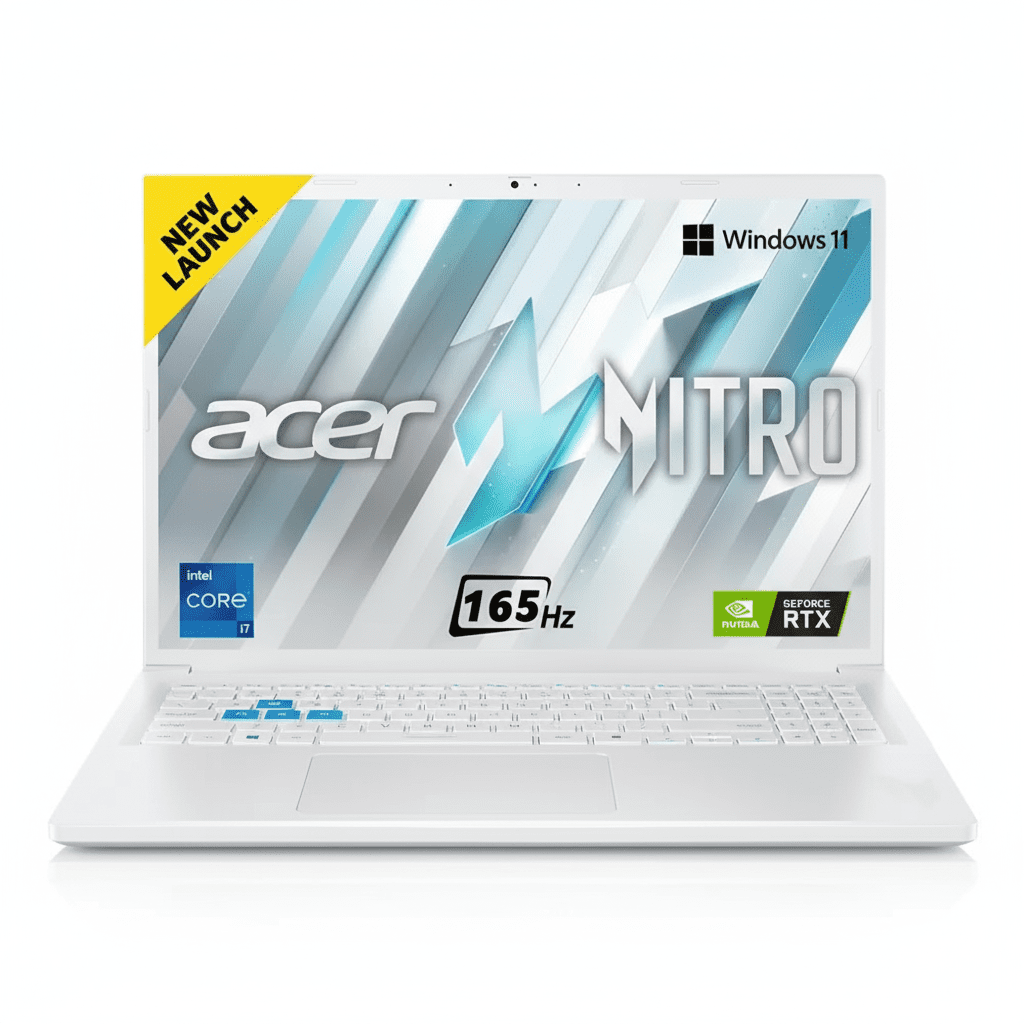
Acer Nitro Lite 16
Acer Nitro Lite 16 Review: Lightweight Design Meets Heavyweight Gaming Power

Acer Nitro Lite 16 Review: Lightweight Design, Heavyweight Gaming

Intel® Core™ i7-13620H NVIDIA® RTX™ 4050 (6GB) 16″ WUXGA 165Hz Display 1.95 kg Lightweight DLSS 3 Frame Generation ₹89,999
A rare blend of high-performance gaming components in an impressively portable sub-2kg chassis.

The Acer Nitro Lite 16 (NL16-71G) carves out a unique niche in the gaming laptop market by delivering serious power in a surprisingly portable package. Breaking the stereotype of heavy gaming rigs, this machine packs a potent Intel® Core™ i7-13620H processor and an NVIDIA® GeForce RTX 4050 GPU into a chassis that weighs just 1.95 kg. Priced at ₹89,999, it pairs this performance with a large, fast 16-inch 165Hz display and 16GB of DDR5 RAM. It’s a machine built for the gamer, student, or professional who needs to take their power on the go, offering a compelling blend of performance, portability, and price.

Game On The Go, Without Compromise

Experience the power of a Core i7 and RTX 4050 in a laptop that weighs under 2kg.

₹89,999
MRP ₹113,899
21% OFF | Limited Time Offer

One-Year International Travelers Warranty

Key Features at a Glance

Core™ i7-13620H CPU: A high-performance 10-core processor for elite gaming and multitasking.
RTX 4050 with DLSS 3: Next-gen GPU with AI Frame Generation for huge FPS boosts.
16-inch 165Hz Display: A large, immersive, and incredibly smooth screen for competitive play.
Ultra-Lightweight Design: Weighs just 1.95kg, making it exceptionally portable for a 16-inch gamer.
16GB DDR5 RAM: Fast, dual-channel memory ensures smooth system performance.
Modern 16:10 Aspect Ratio: Taller screen provides more vertical space for productivity and gaming.

1. Potent H-Series Gaming Power

A high-end CPU and a next-gen GPU that punch well above their weight class.

Intel® Core™ i7-13620H

The Core™ i7-13620H is a true high-performance processor with 10 cores and 16 threads, capable of reaching speeds up to 4.9 GHz. This ensures the CPU won’t bottleneck the GPU, providing smooth, high-framerate gaming and excellent performance in demanding productivity apps.

NVIDIA® GeForce RTX 4050

The modern RTX 4050 brings the magic of DLSS 3 Frame Generation, an AI-powered feature that can dramatically increase frame rates in supported games. With 6GB of GDDR6 VRAM, it’s well-equipped for high-quality 1080p and 1200p gaming.

2. Large, Fast, and Immersive Display

A 16-inch screen with a high refresh rate and a modern aspect ratio.

165Hz Refresh Rate

The display refreshes 165 times per second, offering exceptionally smooth motion that is a huge advantage in fast-paced games. Action appears clearer and your inputs feel more responsive.

16:10 WUXGA Panel

The 16-inch, 1920×1200 resolution screen uses a taller 16:10 aspect ratio. This gives you more vertical screen space, which is great for seeing more of the game world and for productivity tasks like web browsing.

Acer ComfyView™

The display features an anti-glare ComfyView™ finish, which reduces reflections and eye strain during long gaming sessions or work marathons, though it has a basic 45% NTSC color gamut.

3. Gaming Power That Travels

The “Lite” in Nitro Lite means you can take serious performance anywhere.

Sub-2kg Weight

At just 1.95 kg, the Nitro Lite is remarkably lightweight for a 16-inch gaming laptop. This makes it a genuinely portable option for students who game in their dorm or professionals who travel.

Clean, Minimalist Design

The laptop comes in a clean, stylish white finish that avoids aggressive “gamer” aesthetics. It’s a powerful machine you can confidently use in any setting, from a LAN party to a lecture hall.

4. Fast Memory and Storage

A modern memory and storage configuration for a fluid and responsive experience.

16GB of DDR5 RAM

The laptop is equipped with 16GB of fast, dual-channel DDR5 RAM (2x8GB modules). This ensures smooth multitasking and provides plenty of memory for modern games and applications.

Speedy Gen4 SSD

A 512GB PCIe Gen4 NVMe SSD delivers rapid boot times and lightning-fast game loading, ensuring you spend less time waiting and more time playing.

5. Comprehensive Cooling

An effective thermal system to sustain performance during intense gaming sessions.

Dual Fan System

The Nitro Lite features a dual-fan cooling setup that pulls cool air in and exhausts hot air out through multiple vents, keeping the powerful i7 CPU and RTX 4050 GPU from thermal throttling.

NitroSense Control

Acer’s NitroSense utility software gives you one-touch control over fan speeds, allowing you to switch between quiet modes for work and max performance modes for gaming.

6. All the Essentials for Gaming & Work

Thoughtful features that enhance the daily user experience.

FHD Webcam

The included 2MP Full HD camera provides a sharp, clear picture for video calls, a significant step up from the 720p webcams found on many competitors.

Backlit Keyboard

A backlit keyboard allows for comfortable and accurate typing or gaming in any lighting condition, from a dark room to a dimly lit lecture hall.

Fast Wireless Networking

With support for Wi-Fi 6, the Nitro Lite ensures a fast, stable, and low-latency wireless connection, which is crucial for competitive online gaming.

Ideal For These Users

Students Who Game

Its lightweight design makes it easy to carry to class, while the powerful hardware lets it handle any game after studies are done.

Portable Power Users

Professionals or creators who need a powerful CPU and a decent GPU in a travel-friendly format will find this machine highly capable.

Mid-Range Gaming Enthusiasts

Gamers looking for a great 1200p gaming experience with high refresh rates and access to modern features like DLSS 3.

Who Might Consider Other Options

Creative Professionals

The display’s 45% NTSC color gamut is not accurate enough for professional photo or video color grading work.

Users Needing Long Battery Life

The combination of a powerful H-series CPU and a relatively small 53Wh battery means battery life will be limited, especially when gaming.

Competitive Edge: How It Stacks Up

The Nitro Lite’s unique balance of power and portability gives it a clear identity.

  • Unmatched Portability in its Class

    Its biggest advantage is its 1.95kg weight. Finding a 16-inch gaming laptop with a Core i7 H-series processor and an RTX 40-series GPU under 2kg is extremely rare, making it a market leader for portable performance.

  • Powerful CPU and GPU Pairing

    The combination of a 10-core Core i7-13620H and an RTX 4050 offers excellent, well-balanced performance for high-refresh-rate 1200p gaming, with the added benefit of DLSS 3 support.

  • Large, High-Refresh 16:10 Display

    While its color is average, the screen excels in the areas that matter most to gamers: a large 16-inch size, a fluid 165Hz refresh rate, and a tall 16:10 aspect ratio that provides a more immersive view.

Full Specifications

General Information

Model Name
Acer Nitro Lite 16 (NL16-71G)
Model Number
NH.D5ASI.002
Operating System
Windows 11 Home
Color
White

Processor & Chipset

Processor
Intel® Core™ i7-13620H
Base Speed
2.4 GHz
Max Turbo Speed
4.9 GHz

Memory & Storage

RAM
16 GB DDR5 (2x8GB Dual-Channel)
Storage
512 GB PCIe Gen4 NVMe SSD

Display & Graphics

Screen Size
16.0-inch (40.64 cm)
Resolution
WUXGA (1920 x 1200)
Refresh Rate
165Hz
GPU
NVIDIA® GeForce RTX™ 4050 (6GB GDDR6)

Network & Communication

Wireless LAN
Wi-Fi 6 (802.11ax)
Bluetooth
Bluetooth® 5.1

Built-in Devices & Input

Keyboard
Backlit Keyboard
Webcam
2MP FHD Camera
Speakers
Two built-in stereo speakers

Battery & Physical Characteristics

Battery
53Wh Li-Ion
Power Adapter
100W PD Adapter
Weight
1.95 kg
Height
22.9 mm

Pros and Cons

What We Liked

  • Extremely lightweight (1.95kg) for a 16-inch gaming laptop.
  • Powerful Core i7 H-series processor.
  • Modern RTX 4050 GPU with DLSS 3 support.
  • Large 16-inch, 165Hz display with a 16:10 aspect ratio.
  • Fast DDR5 RAM included as standard.

What Could Be Better

  • Display has poor color gamut (45% NTSC).
  • Relatively small 53Wh battery for a gaming laptop.
  • Limited RAM upgradability (max 16GB).
  • Port selection is somewhat limited for a gaming machine.

Final Verdict

The Acer Nitro Lite 16 is a fascinating and highly appealing proposition. It successfully merges two worlds that are often mutually exclusive: high-performance gaming and genuine portability. By packing a potent Core i7 H-series CPU and an RTX 4050 into a sub-2kg chassis, Acer has created a machine that stands out in a crowded market.

It makes intelligent sacrifices—most notably in screen color accuracy and battery size—to achieve its lightweight goal. However, for its target audience, these are worthy trade-offs. If you are a student, a creative, or a professional who needs a powerful laptop that you can comfortably carry every day, and you also want to enjoy high-refresh-rate gaming, the Nitro Lite 16 is one of the most compelling and unique options available.

Lenovo ThinkBook 14 (21SGS01800) Review – Business Laptop with Windows 11 Pro & 3-Year Premier Support

Lenovo ThinkBook 14 Review: Professional Edition

Lenovo ThinkBook 14 (Part: 21SGS01800)

Built for Business: Premier Support & Windows 11 Pro

Intel® Core™ 5 210H Processor 8 GB DDR5 / 512 GB SSD 14″ WUXGA Anti-Glare IPS Display ₹73,226 (12% Off)

The Lenovo ThinkBook 14 (Part: 21SGS01800) is specifically configured for business users who prioritize enhanced security and dedicated support. While its 8 GB RAM and 512 GB SSD are suitable for most daily tasks, the true value of this model lies in two key areas: the included Windows 11 Pro operating system and a generous 3-year Premier Support package.

This configuration is designed for professionals who need more than just a basic laptop—they need a reliable, secure, and easily manageable machine for a corporate or small business environment.

Core Performance & Professional Features

This ThinkBook model is built to handle your daily tasks with speed and efficiency, ensuring a smooth and responsive experience.

Windows 11 Pro for Business

Unlike the Home edition, Windows 11 Pro includes crucial business-grade features like BitLocker device encryption, remote desktop capabilities, and management tools for IT departments, making it a secure and versatile choice for professional use.

3-Year Premier Support

The included 3-year Premier Support plan is a major selling point. It provides advanced, direct-to-technician support with priority service, minimizing downtime and ensuring you get expert help whenever you need it.

Solid Core Components

The Intel Core 5 210H processor and 512 GB PCIe Gen4 SSD provide a solid, reliable foundation for performance. While the 8 GB of DDR5 RAM is a good baseline for office tasks, it may be a limiting factor for heavy multitasking or resource-intensive applications.

Comfortable Display

The 14-inch WUXGA (1920×1200) IPS display is clear and comfortable for extended viewing. Its anti-glare finish and TÜV Rheinland Low Blue Light certification help reduce eye strain, which is essential for a long workday.

Robust Security

This model is equipped with a Smart Power On fingerprint reader for secure, one-touch login and a Firmware Trusted Platform Module (fTPM) 2.0 for hardware-based data protection.

Versatile Connectivity

Connectivity is a strength, with a Thunderbolt™ 4 port for high-speed docking and data transfer, along with multiple USB ports, HDMI, and an SD card reader to connect all your peripherals.

Detailed Specifications

General & OS

  • Model Number: 21SGS01800
  • Series: ThinkBook 14
  • Color: Arctic Grey
  • Operating System: Windows 11 Pro 64
  • Support: 3 Years Premier Support

Performance

  • Processor: Intel® Core™ 5 210H
  • Max Clock Speed: Up to 4.80 GHz (P-cores)
  • Graphics: Integrated Intel® Graphics
  • Memory (RAM): 8 GB DDR5-5600MT/s (SODIMM)
  • Storage: 512 GB SSD M.2 2242 PCIe Gen4 QLC

Display, Camera & Audio

  • Screen Size: 14 inches (35.56cm)
  • Resolution: WUXGA (1920 x 1200)
  • Panel Type: IPS, Anti-Glare
  • Brightness: 300 nits
  • Color Gamut: 45% NTSC
  • Refresh Rate: 60 Hz
  • Webcam: FHD 1080p & IR with privacy shutter
  • Audio: Dolby Audio™ with dual-array mics

Connectivity & Design

  • Wireless: WiFi 6E 2×2 AX with Bluetooth® 5.3 or WiFi 6 with BT 5.2
  • Ports: Thunderbolt™ 4, USB-C® (10Gbps), 2 x USB-A, HDMI® 2.1, Ethernet (RJ45), 4-in-1 card reader, audio combo jack
  • Battery: 45Whr or 60Whr with Rapid Charge support
  • Weight: Starting at 1.36kg / 3.0lbs

Security & Durability

  • Fingerprint Reader: Smart Power On with match-on-chip
  • Security Chip: Firmware Trusted Platform Module (fTPM) 2.0
  • Durability: MIL-STD-810H Military-Grade Tested

Pros and Cons: A Balanced View for Buyers

Pros

  • Enterprise-Grade OS: The inclusion of Windows 11 Pro adds critical security and remote management features for professional environments.
  • Premium Support: The 3-year Premier Support plan offers peace of mind with faster, more direct access to technical experts.
  • Good Core Performance: The Intel Core 5 processor and 512 GB SSD ensure smooth performance for a wide range of business tasks.

Cons

  • Limited RAM: The 8 GB of RAM may feel restrictive for users who frequently run multiple virtual machines, large databases, or complex creative software.
  • Premium Price: The higher price is justified by the software and support, but it’s a significant factor for budget-conscious buyers who don’t require the extra features.

Who Is This Laptop For? Tailored Recommendations

This particular ThinkBook model is an excellent choice for:

  • Business Professionals: The combination of Windows 11 Pro and Premier Support is ideal for corporate environments.
  • IT Managers: The enhanced security and manageability features make this an easy-to-deploy and maintain machine in a fleet of devices.
  • Freelancers & Consultants: The laptop provides the security needed for handling client data and the support to ensure you stay productive without unexpected technical issues.

Final Verdict: A Top-Tier Business Companion

The Lenovo ThinkBook 14 (Part: 21SGS01800) is not the cheapest option, but it offers a compelling value for its target audience. The investment in Windows 11 Pro and Premier Support provides a level of security and peace of mind that a standard home-use laptop cannot match. For professionals who demand reliability and advanced features, this model is a well-rounded and justifiable choice.

★★★★☆

Overall Rating: 4.5 out of 5.0

(A solid choice for business use, with excellent support and security features)

HP OmniBook 5 16″ 2K Laptop (i5 13th Gen, 16GB RAM) – Best Under ₹70,000

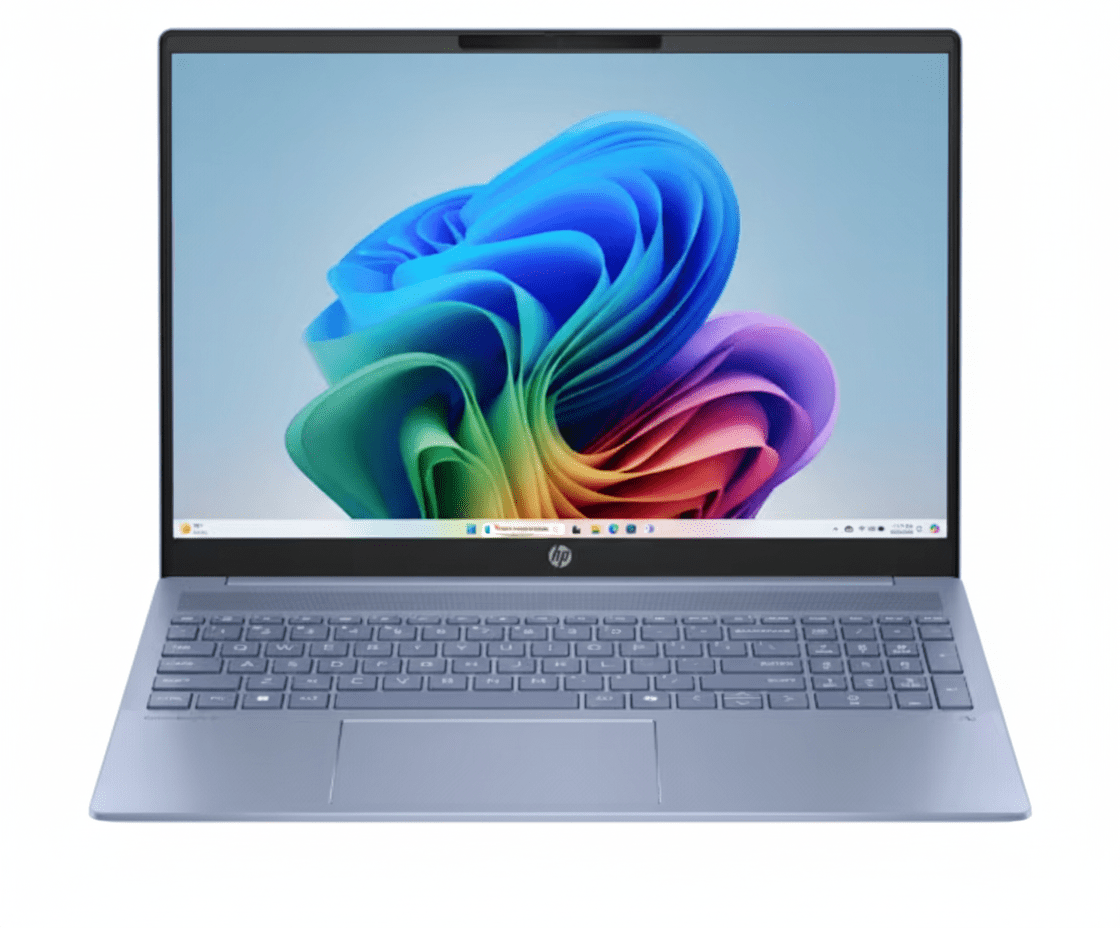
HP OmniBook 5 16
HP OmniBook 5 Laptop 16-ba1123TU Complete Review 2025 – 16″ 2K Display Budget Laptop
HP OmniBook 5 Laptop

🎁 Up to ₹25,000 OFF on Exchange!

Plus 1 Year On-Site Warranty Included!

🔥 16″ 2K Display – 16GB RAM – Intel i5 13th Gen – Fast Charge – 1.77Kg

HP OmniBook 5 Laptop 16-ba1123TU

Intel Core i5-1334U 13th Gen | 16″ 2K IPS Display | Budget-Friendly Productivity Laptop

16″ 2K IPS – 16GB LPDDR5x – 512GB SSD – Iris Xe Graphics – Numeric Keypad – 1.77Kg

Value-Packed Configuration:

• Processor: Intel Core i5-1334U 13th Gen (10-core, up to 4.6GHz)

• Graphics: Intel Iris Xe Graphics (Integrated)

• RAM: 16GB LPDDR5x-4800 (Onboard)

• Storage: 512GB PCIe NVMe Gen 4 SSD

• Display: 16″ 2K (1920×1200) IPS Anti-Glare 300 nits

• Bonus: HP Fast Charge + FHD Camera + Numeric Keypad!

₹69,550

₹78,779

SAVE ₹9,229 (11% OFF!)

*Includes GST ₹10,609 | EMI from ₹2,318/month

🛒 Buy Now on HP India – 11% OFF!

Order by 1pm for Next Business Day Delivery | Exchange up to ₹25,000

Display

16″ 2K IPS

RAM

16GB LPDDR5x

Battery

59 Wh

HP OmniBook 5 Laptop Overview

Laptop Highlights

  • ✓ Core i5 13th Gen: 10-core CPU
  • ✓ 16GB LPDDR5x: Fast RAM
  • ✓ 16″ 2K Display: Large screen
  • ✓ Numeric Keypad: Full keyboard
  • ✓ 59Wh Battery: 13 hours life
  • ✓ 1.77Kg: Portable build
  • ✓ 11% OFF: Save ₹9,229!

In The Box

  • 📦 HP OmniBook 5 Laptop
  • 🔋 59Wh Battery (3-Cell)
  • 🔌 65W USB Type-C Adapter
  • 📄 Quick Start Guide
  • 🛡️ 1-Year On-Site Warranty

Bonus: Windows 11 Home + Copilot Key!

OmniBook Advantage

  • • Large Display: 16″ screen
  • • 16GB RAM: Smooth multitasking
  • • Numeric Keypad: Productivity
  • • Fast Charge: 50% in 30 min
  • • Eco-Friendly: Recycled materials
  • • 11% Discount: Best value

💼 Budget-Friendly 16″ Laptop with Excellent Value

Intel Core i5-1334U 13th Gen

Powered by Intel Core i5-1334U with 10 cores (2P + 8E cores, up to 4.6GHz) for excellent multi-threaded performance in productivity tasks, web browsing, and light content creation!

16″ 2K IPS Display – Perfect for Work

16″ 2K (1920×1200) IPS display with 16:10 aspect ratio, anti-glare coating, and 300 nits brightness. The larger screen and taller aspect ratio are perfect for productivity and reduces scrolling!

Unbeatable Value at ₹69,550!

Get 16GB RAM + 512GB SSD + 16″ display at just ₹69,550 after 11% discount. This is one of the most affordable laptops with these specs – perfect for students and families!

Intel Core i5 13th Gen Performance

Intel Core i5-1334U

10-core Processor

Total Cores 10 Cores (12 Threads)
Core Configuration 2P + 8E Cores
Max Turbo 4.6 GHz
Cache 12 MB L3
TDP 15W Base / 55W Max

Efficient: Perfect for productivity workloads!

💾 Memory & Storage

RAM Configuration

Installed RAM 16GB LPDDR5x-4800
Configuration Onboard (Soldered)
Upgrade Not Upgradable

Storage Configuration

Capacity 512GB NVMe SSD
Interface PCIe Gen 4
Type M.2 NVMe SSD

🎨 Intel Iris Xe Graphics – Integrated GPU

The Intel Iris Xe Graphics is an integrated GPU that delivers solid performance for everyday tasks, video playback, light photo editing, and casual gaming. Perfect for productivity and media consumption!

Video Acceleration

Hardware decode for 4K H.264/H.265 video playback without lag

Light Gaming

Play e-sports titles at 1080p medium settings with playable FPS

Photo Editing

GPU acceleration for Photoshop, Lightroom basic editing tasks

16″ 2K IPS Display

📺 Display Specs

Size 16″ (40.6 cm)
Resolution 2K (1920 x 1200)
Aspect Ratio 16:10
Panel Type IPS
Surface Anti-Glare

💡 Display Quality

Brightness 300 nits
Color Coverage 62.5% sRGB
Touchscreen No
Refresh Rate 60Hz

📹 FHD IR Camera

  • • 1080p FHD
  • • IR Sensor
  • • Windows Hello
  • • Privacy Shutter
  • • Temporal Noise Reduction

🖥️ 16:10 Aspect Ratio Benefits

Why 16:10 is Better for Productivity

  • • 25% More Vertical Space: See more content without scrolling
  • • Better for Documents: Perfect for Word, Excel, PDF viewing
  • • Multi-Window: Easier to stack windows vertically
  • • Web Browsing: Less scrolling on websites and social media

Anti-Glare & Flicker-Free

The anti-glare matte display reduces reflections for comfortable outdoor use and bright environments. Flicker-free DC dimming eliminates screen flicker for extended viewing sessions!

Perfect for students, office workers, and anyone spending long hours on the laptop!

🔊 DTS:X Ultra Audio

Audio Features

  • • Dual Stereo Speakers: Clear audio output
  • • DTS:X Ultra: Immersive sound
  • • HP Audio Boost: Enhanced volume
  • • Dual Array Mics: Clear voice

Microphone & Camera

The FHD 1080p IR camera with Windows Hello face recognition provides secure login. Dual array digital microphones capture clear audio for video calls and online meetings!

Sky Blue Aluminum Design

🏗️ Build Quality

Material Aluminum
Color Sky Blue
Finish Matte
Weight 1.77 Kg
Thickness 17.9 mm (front) / 18.6 mm (rear)

📐 Dimensions

Width 357.7 mm
Depth 254.8 mm
Height 17.9-18.6 mm
Weight 1.77 Kg
Screen Ratio 88.90% STB

♻️ Sustainability & Eco-Friendly Design

Recycled Materials

  • • Ocean-Bound Plastic: Speaker enclosure and bezel
  • • Recycled Aluminum: Cover, keyboard frame, sideband, hinge caps
  • • Post-Consumer Plastic: Keyboard keycaps and scissors
  • • Sustainable Packaging: 100% recyclable

Environmental Certifications

  • • EPEAT Gold Climate+: Top environmental rating
  • • ENERGY STAR: Energy efficient design
  • • Low Halogen: Reduced harmful materials
  • • RoHS Compliant: Safe materials

Full-Size Backlit Keyboard with Numeric Keypad

⌨️ Backlit Keyboard

Layout Full-size with Numeric Keypad
Backlighting White LED Backlit
Color Darker Sky Blue Opaque
Key Travel ~1.5mm
Special Keys Copilot Key

Productivity: Numeric keypad great for data entry!

🖱️ HP Imagepad

Type Precision Touchpad
Surface Multi-touch
Gestures Windows Precision
Size Large
Features 4-finger gestures

🔑 Numeric Keypad Advantage

Perfect For:

  • • Accountants & Finance: Fast number entry for Excel, accounting software
  • • Data Entry: Spreadsheet work, database management
  • • Students: Math, statistics, engineering calculations
  • • Business: Invoicing, inventory management

Security Features

  • • Mic Mute Key: Hardware mic mute button
  • • Camera Shutter: Manual privacy shutter
  • • Windows Hello: IR face recognition

Ports & Connectivity

🔌 Physical Ports

Left Side

  • • 2x USB Type-C (10Gbps, PD 3.1, DP 1.4a, HP Sleep & Charge)
  • • 1x 3.5mm Combo (Headphone/Mic)

Right Side

  • • 1x USB-A 10Gbps (SuperSpeed USB)
  • • 1x USB-A 5Gbps (SuperSpeed USB)
  • • 1x HDMI 2.1 (4K 120Hz / 8K 60Hz)

📡 Wireless Connectivity

Realtek Wi-Fi 6

Wi-Fi Standard Wi-Fi 6 (802.11ax)
Max Speed 2.4 Gbps
Antennas 2×2 MIMO

Bluetooth 5.4

  • • Latest Standard: Bluetooth 5.4
  • • Range: Up to 240m (open space)
  • • Features: LE Audio support

⚡ USB-C Power Delivery & Display

USB Type-C Capabilities

  • • 10Gbps Speed: Fast data transfer
  • • DisplayPort 1.4a: External display support
  • • 65W Charging: Fast laptop charging
  • • HP Sleep & Charge: Charge devices when laptop off

HDMI 2.1 Output

Connect to 4K 120Hz or 8K 60Hz external displays with HDR support for presentations, extended desktop, or entertainment!

Support for dual external displays via 2x USB-C + 1x HDMI!

Battery Life & HP Fast Charge

🔋 Battery Specifications

Capacity 59 Wh
Cells 3-Cell Li-ion Polymer
Rated Life Up to 13 Hours
Charging 65W USB-C
Fast Charge 50% in 30 min

All-Day: Full workday on single charge!

⚡ HP Fast Charge

Adapter Power 65W
Adapter Type USB Type-C
Fast Charge HP Fast Charge
0-50% ~30 Minutes
0-100% ~90 Minutes

Fast: Quick top-up for busy schedules!

⏱️ Real-World Battery Life Estimates

💼 Office Work

10-12 hrs

Word processing, web browsing, emails at 150 nits brightness

📺 Video Playback

8-10 hrs

1080p local video, 50% brightness, Wi-Fi off

🎮 Gaming/Heavy Use

3-5 hrs

Gaming, video editing at high performance mode

💡 Battery Optimization: The Intel Core i5-1334U is highly efficient with 15W base TDP. Use Windows Battery Saver mode and lower screen brightness to extend battery life even further!

Who Should Buy This Laptop?

🎓 Students

  • • College Students: Large screen for notes
  • • Engineering: CAD software support
  • • Accounting/Finance: Numeric keypad
  • • General Studies: Perfect all-rounder

Perfect for: Online classes, assignments, research

👨‍💼 Office Workers

  • • Data Entry: Numeric keypad essential
  • • Accountants: Excel power user
  • • Administrative: Office suite
  • • Business: Presentations

Perfect for: Excel, Word, PowerPoint, emails

🏠 Families

  • • Home Use: Web browsing, videos
  • • Kids Learning: Online education
  • • Entertainment: Streaming, movies
  • • Budget-Friendly: Great value

Perfect for: Family computer, shared use

🏠 Remote Workers

  • • WFH: Video conferencing
  • • Freelancers: Multi-window work
  • • Virtual Assistants: Data management
  • • Customer Service: CRM software

Perfect for: Zoom, Teams, multitasking

📊 Small Business

  • • Entrepreneurs: Business management
  • • Retail: Inventory, POS
  • • Finance: Accounting software
  • • Startups: Budget option

Perfect for: QuickBooks, Tally, invoicing

💻 First-Time Buyers

  • • Budget-Conscious: Great specs at low price
  • • Easy to Use: Windows 11 interface
  • • All-Rounder: Handles everything
  • • HP Quality: Trusted brand

Perfect for: First laptop purchase, gift

Gaming Performance with Intel Iris Xe

🎮 Intel Iris Xe Gaming Capability

The Intel Iris Xe Graphics delivers entry-level gaming performance suitable for e-sports and older titles! Performance is similar to NVIDIA MX350 / AMD Radeon 530, suitable for 720p-1080p gaming at low-medium settings!

✅ Games That Run Well (30-60 FPS)

  • • Valorant: 80-110 FPS low-medium settings
  • • CS2: 50-70 FPS low settings
  • • League of Legends: 90-120 FPS medium
  • • Dota 2: 60-80 FPS medium
  • • Minecraft: 70-90 FPS medium
  • • Roblox: 60+ FPS high
  • • Fortnite: 40-55 FPS low (720p)
  • • Rocket League: 60-75 FPS medium
  • • Terraria: 144+ FPS maxed
  • • Stardew Valley: 60+ FPS maxed

⚠️ Demanding Games (Below 30 FPS)

  • • Cyberpunk 2077: 15-20 FPS low (unplayable)
  • • Red Dead Redemption 2: 20-25 FPS low
  • • Call of Duty (Modern): 25-30 FPS low
  • • Starfield: 15-20 FPS low (unplayable)
  • • Spider-Man: 20-25 FPS low
  • • Hogwarts Legacy: 20-25 FPS low
  • • GTA V: 45-55 FPS medium
  • • Apex Legends: 30-40 FPS low

🎯 Gaming Verdict: Intel Iris Xe delivers entry-level gaming suitable for e-sports and older titles! Expect 60+ FPS in competitive games at low-medium settings. NOT recommended for serious gamers!

💡 Pro Tip: For best gaming performance, lower resolution to 1600×1000 or 1366×768 and use low settings. This laptop is designed for productivity, not gaming. Great for casual gaming + work combo!

HP OmniBook 5 vs Competitors

⚡ vs Lenovo IdeaPad Slim 5 (16″)

Lenovo: Ryzen 5 7530U, 16GB, 512GB, 16″ FHD – ₹65,990

HP: Core i5-1334U, 16GB, 512GB, 16″ 2K – ₹69,550

HP Wins:

  • ✓ 2K vs FHD display
  • ✓ Better build quality
  • ✓ Numeric keypad
  • ✓ HP Fast Charge

Lenovo Wins:

  • ✓ ₹3.5K cheaper
  • ✓ AMD CPU (better GPU)
  • ✓ Lighter weight

Verdict: HP for better display and build. Lenovo for budget!

💻 vs Dell Inspiron 15 (3530)

Dell: Core i5-1335U, 16GB, 512GB, 15.6″ FHD – ₹68,990

HP: Core i5-1334U, 16GB, 512GB, 16″ 2K – ₹69,550

HP Wins:

  • ✓ Larger 16″ display
  • ✓ 2K vs FHD resolution
  • ✓ 16:10 aspect ratio
  • ✓ Better design

Dell Wins:

  • ✓ Slightly faster CPU
  • ✓ Dell brand recognition
  • ✓ Marginally cheaper

Verdict: HP offers much better display at similar price!

🖥️ vs ASUS Vivobook 16X

ASUS: Core i5-12500H, 16GB, 512GB, 16″ FHD – ₹71,990

HP: Core i5-1334U, 16GB, 512GB, 16″ 2K – ₹69,550

HP Wins:

  • ✓ 2K vs FHD display
  • ✓ ₹2.4K cheaper
  • ✓ Better battery life
  • ✓ USB-C charging

ASUS Wins:

  • ✓ Faster H-series CPU
  • ✓ Better gaming
  • ✓ More upgradable

Verdict: HP for efficiency and display. ASUS for performance!

⚙️ vs Acer Aspire 5 (A515-58)

Acer: Core i5-1335U, 16GB, 512GB, 15.6″ FHD – ₹64,990

HP: Core i5-1334U, 16GB, 512GB, 16″ 2K – ₹69,550

HP Wins:

  • ✓ Larger 16″ screen
  • ✓ 2K resolution
  • ✓ Better build quality
  • ✓ Premium design

Acer Wins:

  • ✓ ₹4.5K cheaper
  • ✓ More portable
  • ✓ Dedicated GPU option

Verdict: HP for premium experience. Acer for tight budget!

🔷 vs MSI Modern 15

MSI: Core i5-1335U, 16GB, 512GB, 15.6″ FHD – ₹72,990

HP: Core i5-1334U, 16GB, 512GB, 16″ 2K – ₹69,550

HP Wins:

  • ✓ Larger display (16″)
  • ✓ 2K vs FHD
  • ✓ ₹3.4K cheaper
  • ✓ Better value

MSI Wins:

  • ✓ Lighter weight
  • ✓ Gaming brand
  • ✓ Better cooling

Verdict: HP offers better display and value at lower price!

🔵 vs HP Pavilion 15 (Previous Gen)

Pavilion 15: Core i5-12th Gen, 16GB, 512GB, 15.6″ FHD – ₹67,990

OmniBook 5: Core i5-13th Gen, 16GB, 512GB, 16″ 2K – ₹69,550

OmniBook Wins:

  • ✓ Newer 13th Gen CPU
  • ✓ Larger 16″ display
  • ✓ 2K resolution
  • ✓ Better efficiency
  • ✓ Premium branding

Pavilion Wins:

  • ✓ ₹1.5K cheaper
  • ✓ Familiar design

Verdict: OmniBook 5 is the worthy upgrade from Pavilion series!

🏆 Overall Comparison Summary

The HP OmniBook 5 Laptop offers exceptional value with its 16″ 2K display and 16:10 aspect ratio at ₹69,550. The larger screen and higher resolution make it stand out from 15.6″ FHD competitors in the same price range!

Best Display

16″ 2K IPS with 16:10 ratio – unmatched at this price point

Best for Productivity

Numeric keypad + large screen perfect for work

Great Value

Premium specs at budget-friendly price with HP quality

Pros & Cons

✅ Pros

  • + Large 16″ 2K Display: Perfect for productivity with 16:10 aspect ratio!
  • + 16GB LPDDR5x RAM: Fast memory for smooth multitasking!
  • + Full-Size Numeric Keypad: Essential for data entry and accounting!
  • + HP Fast Charge: 50% charge in 30 minutes!
  • + Intel Core i5 13th Gen: 10-core CPU with excellent efficiency!
  • + Excellent Battery Life: Up to 13 hours of usage!
  • + Anti-Glare Display: Comfortable for outdoor use!
  • + Premium Aluminum Build: Durable sky blue design!
  • + USB-C Charging: Modern 65W USB-C power delivery!
  • + FHD IR Camera: Windows Hello + privacy shutter!
  • + Great Value: ₹9,229 discount – best price for specs!
  • + 512GB NVMe SSD: Fast PCIe Gen 4 storage!
  • + Eco-Friendly: EPEAT Gold with recycled materials!
  • + HDMI 2.1: Supports 4K 120Hz external display!

❌ Cons

  • – RAM Not Upgradable: 16GB is soldered – cannot upgrade later!
  • – No Touchscreen: Display doesn’t support touch input!
  • – Limited Gaming: Intel Iris Xe only for casual/e-sports gaming!
  • – Average Color Gamut: 62.5% sRGB not ideal for color work!
  • – No SD Card Reader: Missing for photographers!
  • – 60Hz Display: No high refresh rate for smooth scrolling!
  • – No Ethernet Port: Requires USB-C adapter for wired connection!
  • – Heavier Than 15.6″ Laptops: 1.77Kg vs typical 1.6Kg!
  • – Realtek Wi-Fi: Not Intel Wi-Fi (slightly slower)!
  • – No Fingerprint Scanner: Only face recognition available!
  • – Smaller Battery: 59Wh vs 68Wh+ in premium models!

🏆 Final Verdict

Best Budget 16″ Laptop for Students & Families!

Why HP OmniBook 5 Stands Out

The HP OmniBook 5 Laptop 16-ba1123TU is an outstanding budget laptop that delivers exceptional value with its 16″ 2K display, 16GB RAM, and numeric keypad at ₹69,550. This is one of the best laptops for students, office workers, and families who need a large screen for productivity without breaking the bank!

The Intel Core i5-1334U 13th Gen processor with 10 cores delivers solid performance for everyday tasks, multitasking, and light content creation. Combined with the 16″ 2K IPS display with 16:10 aspect ratio, this laptop provides 25% more vertical space than traditional 16:9 displays – perfect for Excel, Word, and web browsing with less scrolling!

At ₹69,550 with 11% discount, this is one of the most affordable 16″ laptops with 2K resolution and 16GB RAM in India. The included full-size numeric keypad makes it perfect for accounting, finance, and data entry work. With HP Fast Charge (50% in 30 minutes) and 13-hour battery life, this is the ideal upgrade from HP Pavilion series for students and families!

⭐

Overall Rating

4.3/5

Excellent budget laptop with great display!

💰

Value Rating

4.8/5

Outstanding value – best 16″ laptop under ₹70K!

🎯

Recommended?

YES!

Highly recommended for students & families!

👥 Who Should Buy This Laptop?

✅ Perfect For:

  • • College & University Students – Large screen perfect for online classes and assignments
  • • Office Workers & Data Entry – Numeric keypad essential for Excel and accounting
  • • Accountants & Finance Professionals – Perfect for Tally, QuickBooks, spreadsheets
  • • Families & Home Use – Shared laptop for everyone in the family
  • • Remote Workers – Great for video calls and multitasking
  • • Small Business Owners – Affordable for business management
  • • First-Time Laptop Buyers – Easy to use with great specs
  • • Budget-Conscious Buyers – Best value under ₹70,000
  • • Students (Engineering/Business) – Handles CAD software and business apps
  • • Content Consumers – Large screen perfect for Netflix, YouTube

❌ Not Ideal For:

  • • Serious Gamers – Iris Xe only for casual gaming; need RTX GPU
  • • Professional Video Editors – Need dedicated GPU for 4K+ editing
  • • Color-Critical Work – 62.5% sRGB not enough for professional color work
  • • Ultra-Portable Needs – 1.77Kg heavier than 14″ ultrabooks
  • • Photographers – No SD card reader for camera transfers
  • • 3D Rendering – Need workstation GPU for heavy 3D work
  • • High-End Multitasking – 16GB RAM limit (not upgradable)
  • • Premium Build Seekers – Not as premium as ₹1L+ laptops
  • • Touchscreen Users – No touch support available

🎯 Category Scores

9.0/10
Display Quality
8.0/10
Performance
8.5/10
Build Quality
8.5/10
Battery Life
9.5/10
Value for Money

💡 Editor’s Final Thoughts

“The HP OmniBook 5 is the perfect upgrade from HP Pavilion series.” The combination of a large 16″ 2K display, full-size numeric keypad, and 16GB RAM at ₹69,550 makes this an unbeatable value proposition for students and office workers. This laptop prioritizes productivity and practical features over flashy specs.

The numeric keypad alone makes this worth considering for anyone working with Excel, accounting software, or data entry. If you’re looking for the best 16″ laptop under ₹70,000, this is it. Highly recommended for students, families, and budget-conscious professionals!

🛒 BUY NOW at ₹69,550 – SAVE ₹9,229!

🎁 Get up to ₹25,000 OFF on Exchange!

✅ Next Business Day Delivery | ✅ No-Cost EMI Available | ✅ 1-Year On-Site Warranty

Limited Time Offer • 11% OFF • 195 Views Last Week

Frequently Asked Questions (FAQs)

Q1: Can I upgrade the RAM on HP OmniBook 5?

A: No, the 16GB LPDDR5x RAM is soldered onboard and cannot be upgraded. However, 16GB is sufficient for most student and office workloads including multitasking with 20-30 Chrome tabs, Office apps, and light photo editing.

Q2: Is HP OmniBook 5 good for gaming?

A: The Intel Iris Xe graphics can handle casual and e-sports gaming (Valorant, CS2, League of Legends) at 1080p low-medium settings with 30-60 FPS. NOT recommended for AAA gaming or demanding titles. This laptop is designed for productivity, not gaming.

Q3: What is the difference between HP OmniBook 5 and HP Pavilion?

A: HP OmniBook 5 is the upgraded successor to HP Pavilion series. Key improvements: 16″ 2K display (vs 15.6″ FHD), 13th Gen Intel (vs 12th Gen), USB-C charging, better build quality, and premium sky blue aluminum design. OmniBook positioning is between Pavilion and premium Envy series.

Q4: What is the real-world battery life?

A: HP claims up to 13 hours. Real-world battery life: 10-12 hours for light office work (Word, browsing), 8-10 hours for video playback, 5-7 hours for heavy multitasking. HP Fast Charge gets you 50% in 30 minutes – great for quick top-ups between classes or meetings!

Q5: Does it have a touchscreen?

A: No, this model does not have touchscreen support. If you need touch input or stylus support, consider HP Envy x360 or Spectre x360 2-in-1 models which offer 360-degree hinges and active pen support.

Q6: Can I connect external monitors?

A: Yes! You can connect up to 3 external displays: 1x HDMI 2.1 (4K 120Hz) + 2x USB-C with DisplayPort 1.4a. Total of 4 screens including laptop display. Perfect for multi-monitor productivity setup!

Q7: Is the storage upgradable?

A: Yes, the laptop has M.2 NVMe SSD slot that can be upgraded. The pre-installed 512GB SSD can be replaced with up to 2TB PCIe Gen 4 SSD. However, it’s recommended to get professional help for internal upgrades to avoid warranty issues.

Q8: What warranty is included?

A: The laptop includes 1 year (1/1/1) limited warranty with 1 year of parts, labor, and on-site repair. On-site service means HP technician will visit your location for repairs. Extended warranty options available: 2-year warranty + 3-year antivirus for ₹3,499.

Q9: Can I charge the laptop with any USB-C charger?

A: Yes, the laptop supports USB-C Power Delivery charging. You can use any USB-C PD charger (minimum 45W recommended, 65W for fast charging). Phone chargers (18-30W) will charge slowly. The included 65W charger provides optimal charging speed.

Q10: Is the numeric keypad full-size?

A: Yes, the laptop features a full-size backlit keyboard with dedicated numeric keypad. The number pad keys are full-size (not cramped) making it comfortable for data entry work, Excel formulas, and accounting software. This is a major advantage over 15.6″ laptops!

Q11: Can it run AutoCAD or Photoshop?

A: Yes! Core i5-1334U with 16GB RAM handles AutoCAD 2D/3D (medium complexity projects), Photoshop (photo editing, not heavy compositing), Illustrator, and basic video editing in Premiere Pro (1080p). Not ideal for heavy 3D rendering or 4K video editing which need dedicated GPU.

Q12: Does it come with MS Office?

A: The listing shows Windows 11 Home pre-installed. MS Office is NOT included in the base price but may be offered as optional add-on during purchase. Check HP website for current Office bundling offers. McAfee antivirus 30-day trial is included.

Q13: How is the webcam quality?

A: The laptop features HP True Vision 1080p FHD IR camera with temporal noise reduction – excellent quality for video calls! Much better than typical 720p webcams. Supports Windows Hello face recognition for secure login. Manual privacy shutter included for privacy.

Q14: Is 512GB storage enough?

A: 512GB is adequate for most users: Windows 11 (~30GB) + Office apps (~10GB) + personal files/photos (~100-200GB) leaves ~300GB free. If you need more, use external HDD/SSD or cloud storage (25GB Dropbox included for 12 months). SSD is upgradable to 1-2TB if needed.

Q15: Why should I choose this over 15.6″ laptops?

A: The 16″ 2K display with 16:10 aspect ratio provides 25% more vertical space than 15.6″ FHD 16:9 displays – less scrolling in documents, Excel, websites. Plus numeric keypad, better battery (59Wh), and premium build. If portability isn’t priority, 16″ is WAY better for productivity!

Complete Technical Specifications

HP OmniBook 5 Laptop 16-ba1123TU Full Specifications
📋 BASIC INFORMATION
Model NameHP OmniBook 5 Laptop 16-ba1123TU
SKU / Part NumberBH4K5PA
SeriesOmniBook 5
ColorSky Blue Aluminum
Product TypePremium Laptop
Recommended UsageCreators and Premium / Students & Families
💻 OPERATING SYSTEM
OSWindows 11 Home
Copilot KeyYes (Dedicated AI key)
⚡ PROCESSOR
Processor NameIntel Core i5-1334U (13th Generation)
Processor Generation13th Generation Intel Core i5
Total Cores10 Cores (2P + 8E)
Total Threads12 Threads
Max Turbo FrequencyUp to 4.6 GHz (Intel Turbo Boost)
Cache12 MB L3 Cache
Base TDP15W
ChipsetIntel Integrated SoC
🧠 MEMORY (RAM)
Installed RAM16 GB LPDDR5x-4800 MT/s
RAM TypeLPDDR5x (Low Power DDR5)
RAM Speed4800 MT/s
Memory ConfigurationOnboard (Soldered)
Expandable RAMNo (Not Upgradable)
Max RAM Support16 GB (Pre-installed)
💾 STORAGE
Storage Capacity512 GB
Storage TypePCIe Gen 4 NVMe M.2 SSD
SSD InterfacePCIe 4.0 NVMe
Storage UpgradableYes (M.2 slot replaceable)
Cloud Storage25 GB Dropbox for 12 months
🖥️ DISPLAY
Screen Size16 inch (40.6 cm diagonal)
Resolution2K (1920 x 1200 pixels)
Display TypeIPS (In-Plane Switching)
Aspect Ratio16:10
Refresh Rate60 Hz
Brightness300 nits
Color Gamut62.5% sRGB
Surface TreatmentAnti-Glare
BezelMicro-edge
Screen-to-Body Ratio88.90%
TouchscreenNo
Flicker-FreeYes (DC Dimming)
🎨 GRAPHICS
Graphics CardIntel Iris Xe Graphics
GPU TypeIntegrated Graphics
GPU ArchitectureIntel Xe Graphics
VRAMShared with System RAM
⌨️ KEYBOARD & INPUT
Keyboard TypeFull-size Backlit Keyboard with Numeric Keypad
Keyboard ColorDarker Sky Blue Opaque
BacklightingWhite LED Backlit
Numeric KeypadYes (Full-size)
Special KeysCopilot Key, Mic Mute Key
TouchpadHP Imagepad (Precision Touchpad)
Touchpad FeaturesMulti-touch Gestures, Windows Precision
📷 CAMERA & AUDIO
WebcamHP True Vision 1080p FHD IR Camera
Camera Resolution1080p Full HD
IR SensorYes (Windows Hello Face Recognition)
Camera FeaturesTemporal Noise Reduction
Privacy ShutterYes (Manual Camera Shutter)
MicrophoneDual Array Digital Microphones
SpeakersDual Stereo Speakers
Audio TechnologyDTS:X Ultra, HP Audio Boost
📡 WIRELESS CONNECTIVITY
Wi-FiRealtek Wi-Fi 6 (802.11ax)
Wi-Fi SpeedUp to 2.4 Gbps
Wi-Fi Antennas2×2 MIMO
BluetoothBluetooth 5.4
Cellular/LTENo
🔌 PORTS & SLOTS
USB Type-C2x USB-C 10Gbps (PD 3.1, DP 1.4a, HP Sleep & Charge)
USB Type-A1x USB-A 10Gbps + 1x USB-A 5Gbps
HDMI1x HDMI 2.1 (4K 120Hz / 8K 60Hz)
Audio Jack1x 3.5mm Combo (Headphone/Microphone)
SD Card ReaderNo
Ethernet PortNo
🔋 BATTERY & POWER
Battery Capacity59 Wh (3-cell Li-ion Polymer)
Battery Life (Claimed)Up to 13 Hours
Fast ChargingYes (HP Fast Charge)
Fast Charge Speed50% in 30 Minutes
Power Adapter65W USB Type-C Power Adapter
Power DeliveryUSB Power Delivery 3.1
ENERGY STAR CertifiedYes
🏗️ BUILD & DESIGN
Body MaterialAluminum
FinishMatte
Color OptionsSky Blue Aluminum
Form FactorStandard Laptop (Clamshell)
📐 DIMENSIONS & WEIGHT
Width357.7 mm (35.77 cm)
Depth254.8 mm (25.48 cm)
Height17.9 mm (front) / 18.6 mm (rear)
Weight1.77 Kg
🔒 SECURITY
Windows HelloYes (IR Face Recognition)
Fingerprint ReaderNo
TPMTrusted Platform Module (Firmware TPM)
Camera PrivacyManual Camera Shutter
Mic MuteHardware Mic Mute Key
💿 SOFTWARE
Operating SystemWindows 11 Home (Pre-installed)
AntivirusMcAfee Online Protection (30-day trial)
Cloud Storage25 GB Dropbox (12 months)
♻️ ENVIRONMENTAL
Recycled MaterialsOcean-bound plastic (speakers, bezel), Recycled aluminum (cover, keyboard frame, sideband, hinge caps), Post-consumer plastic (keycaps, scissors)
EPEAT RatingEPEAT Gold with Climate+
ENERGY STARENERGY STAR Certified
RoHS CompliantYes
📜 WARRANTY & SUPPORT
Standard Warranty1 Year (1/1/1) Limited Warranty
Warranty Coverage1 Year Parts, Labor, and On-Site Repair
Extended WarrantyAvailable (₹3,499 – ₹4,999)
Support Hotline1800-108-4746 (GST Billing)
💰 PRICING & OFFERS
MRP (Original Price)₹78,779
Discounted Price₹69,550
Discount Amount₹9,229 (11% OFF)
GST Included₹10,609
EMI Starting From₹2,318/month
No-Cost EMIAvailable (Selected banks)
Exchange OfferUp to ₹25,000 off
📦 BOX CONTENTS
In The Box • HP OmniBook 5 Laptop
• 65W USB-C Power Adapter
• Power Cable
• Quick Start Guide
• Warranty Card
ℹ️ ADDITIONAL INFORMATION
Trending Status195 views in last week
Stock StatusIn Stock
DeliveryOrder by 1pm for Next Business Day Delivery
Official Websitehp.com/in-en

Ready to Buy HP OmniBook 5 Laptop?

Get 11% OFF + Exchange up to ₹25,000!

🛒 BUY NOW at ₹69,550 – SAVE ₹9,229!

✅ Next Business Day Delivery | ✅ EMI Available | ✅ 1-Year On-Site Warranty

Best Budget 16″ Laptop • 2K IPS Display • 16GB RAM • 512GB SSD • Numeric Keypad

💡 Review Summary: HP OmniBook 5 Laptop is an excellent budget-friendly 16″ laptop with 2K display, numeric keypad, and 16GB RAM at competitive ₹69,550 price – perfect for students and families!

Last Updated: November 2025 | All specifications and prices are subject to change without notice.

ASUS Vivobook 14: Unleash Next-Gen AI with AMD Ryzen AI & Unbeatable Security.

ASUS Vivobook 14 (M1407) Review: The Smart, Secure, and Affordable Copilot+ PC

ASUS Vivobook 14 (M1407)

AMD Ryzen™ AI 7/5 Up to 50 TOPS NPU 16GB DDR5 / 512GB PCIe 4.0 14″ WUXGA IPS 42WHrs Battery Microsoft Pluton Security

Welcome to the next wave of personal computing with the ASUS Vivobook 14 (M1407), a pioneering Copilot+ PC that brings high-end AI and security features to the mainstream. Powered by the latest AMD Ryzen™ AI 300 Series processors and their formidable 50 TOPS NPU, this laptop is engineered for students, mobile professionals, and everyday users who demand intelligence and efficiency. Packaged in a slim, lightweight, and military-grade durable chassis, it delivers a potent combination of on-device AI, robust security via the Microsoft Pluton processor, and practical, user-friendly features. This in-depth review for September 2025 explores how the Vivobook 14 balances affordability with next-generation technology to create a truly compelling and future-proof machine.

Key Features at a Glance

Next-Gen AI Performance: AMD Ryzen™ AI 300 Series with a powerful 50 TOPS NPU.
Advanced Copilot+ PC Experience: Native support for Recall, Cocreator, and other on-device AI tools.
Robust Hardware Security: Fortified with the Microsoft Pluton security processor for chip-level protection.
Clear & Comfortable Display: 14-inch FHD+ 16:10 IPS display with TÜV Rheinland certification.
Military-Grade Durability: US MIL-STD 810H tested for reliability in a thin and light (1.46kg) package.
Excellent Connectivity: Includes four USB ports (2x Type-C, 2x Type-A), HDMI, and fast Wi-Fi 6.

AI-Powered Performance: More Intelligence, More Productivity

The Vivobook 14 is at the forefront of the AI PC revolution, leveraging AMD’s latest technology to deliver a smarter user experience.

AMD Ryzen™ AI 300 Series Processors:

Choose between the powerful AMD Ryzen™ AI 7 350 (8 cores) or the efficient Ryzen™ AI 5 330 (4 cores). These processors are designed for sustained performance and enhanced efficiency, backed by an improved cooling system with a TDP of up to 35W.

AMD XDNA™ NPU:

The integrated Neural Processing Unit (NPU) is the star of the show, delivering a massive 50 TOPS (Trillion Operations Per Second). This enables lightning-fast, on-device AI processing for Copilot+ features like real-time translation, content generation, and system-wide optimizations without relying on the cloud.

ASUS AI Applications:

Beyond the Windows AI features, ASUS includes its own suite of intelligent tools. StoryCube helps organize your photos and videos, while the new Virtual Assistant “OMNI” can summarize documents and answer questions about your files, all processed locally for maximum privacy.

Advanced Security: More Secure, More Peace of Mind

The Vivobook 14 integrates cutting-edge hardware and intelligent software to provide a secure user experience from the chip up.

Microsoft Pluton Security Processor:

This chip-to-cloud security technology is built directly into the CPU, creating a hardware root of trust that protects sensitive data like credentials and encryption keys from physical and software-based attacks, a feature usually reserved for premium business laptops.

Secure Login & Privacy Shutter:

The FHD IR camera enables fast and secure facial recognition login via Windows Hello. For guaranteed privacy, a physical privacy shutter instantly covers the webcam, ensuring you are only on camera when you want to be.

Immersive & Comfortable Display

The Vivobook 14’s display is engineered for an excellent visual experience, perfect for both productivity and entertainment.

14-inch WUXGA IPS Display:

The 16:10 aspect ratio panel offers more vertical screen space with a WUXGA (1920 x 1200) resolution. It features an impressive 87% screen-to-body ratio, 300 nits of brightness, and an anti-glare finish for comfortable viewing in various lighting conditions.

Eye-Care Certified:

To protect your eyes during long work or study sessions, the display is TÜV Rheinland-certified for low blue light emissions, reducing eye strain without compromising color quality.

Productivity-Focused Design & Durability

ASUS has engineered the Vivobook 14 to be a perfect daily companion, blending portability, comfort, and proven toughness.

Slim, Light & Stylish:

Measuring just 1.79cm thin and weighing only 1.46kg, the Vivobook 14 is effortless to carry around campus or between meetings. It’s available in several elegant colors, including Cool Silver and Quiet Blue.

US MIL-STD 810H Military-Grade Standard:

This laptop isn’t just about looks. It has passed rigorous MIL-STD 810H testing for shock, vibration, and extreme temperatures, ensuring it can withstand the bumps and knocks of daily life.

ErgoSense Keyboard & Smart Gesture Touchpad:

The keyboard offers a comfortable typing experience with 1.7mm key travel and includes a dedicated Copilot key for instant AI access. The large touchpad incorporates Smart Gestures, allowing you to control volume and brightness with a simple swipe.

Full Specification Details

Processor & Graphics

  • Processor Options: AMD Ryzen™ AI 7 350 (8 cores, up to 5.0GHz) or AMD Ryzen™ AI 5 330 (4 cores, up to 4.5GHz)
  • Neural Processor: AMD XDNA™ NPU (up to 50 TOPS)
  • Graphics: Integrated AMD Radeon™ Graphics

Display

  • Panel: 14.0-inch, WUXGA (1920 x 1200) IPS, 16:10 Aspect Ratio
  • Details: 60Hz Refresh Rate, 300 nits, Anti-glare finish, 87% Screen-to-body ratio

Memory & Storage

  • Memory: 16GB DDR5 on board
  • Storage: 512GB M.2 NVMe™ PCIe® 4.0 SSD
  • Expansion Slots: 1x DDR5 SO-DIMM slot (up to 32GB total), 1x M.2 2280 PCIe 4.0×4 (up to 1TB total)

Connectivity

  • I/O Ports: 2x USB 3.2 Gen 1 Type-C (Display/Power Delivery), 2x USB 3.2 Gen 1 Type-A, 1x HDMI 1.4, 1x 3.5mm Combo Audio Jack
  • Network: Wi-Fi 6 (802.11ax) 2*2 + Bluetooth® 5.3

Power & Dimensions

  • Battery: 42WHrs, 3-cell Li-ion
  • Power Supply: 65W AC Adapter (Type-C)
  • Weight: 1.46 kg
  • Dimensions: 31.52 x 22.34 x 1.79 ~ 1.99 cm

Security & Durability

  • Security: Microsoft Pluton Security Processor, IR Webcam with Windows Hello, Firmware TPM, Privacy Shutter
  • Durability: US MIL-STD 810H military-grade standard

Pros & Cons: A Balanced View for Buyers

Pros:

  • Powerful On-Device AI: The 50 TOPS NPU provides class-leading AI performance for fast, private, and efficient AI workloads.
  • Excellent Value Proposition: Brings next-generation Copilot+ PC features and hardware security to an affordable starting price of ₹58,990.
  • Robust Hardware Security: Integrated Microsoft Pluton processor and an IR camera with privacy shutter offer excellent security.
  • Durable and Portable: It’s lightweight at 1.46kg but tough enough to meet MIL-STD 810H standards.
  • Good I/O Selection: A practical set of ports, including two USB-C and two USB-A, reduces the need for dongles.
  • Upgradable RAM & Storage: Features a SO-DIMM slot and M.2 slot for future upgrades, a rarity in modern thin laptops.

Cons:

  • Modest Battery Size: The 42WHrs battery is smaller than many competitors, which may limit all-day unplugged use under heavy loads.
  • Standard Display: The 60Hz WUXGA IPS screen is practical but lacks the vibrancy and deep blacks of an OLED panel.
  • No High-Speed Wi-Fi: Equipped with Wi-Fi 6, which is fast, but lacks the future-proofing of Wi-Fi 6E or Wi-Fi 7.
  • Integrated Graphics Only: Not suitable for serious gaming or demanding 3D creative work.

Who Is This Laptop For? Tailored Recommendations

  • Students and Academics: The lightweight, durable design, comfortable keyboard, and powerful AI features for research and writing make it an ideal educational companion.
  • Mobile Professionals and Office Users: A great choice for those who need a reliable, secure, and portable machine for everyday productivity tasks, presentations, and video conferencing.
  • Budget-Conscious Tech Enthusiasts: Users who want to experience the new era of Copilot+ PCs without paying a premium price will find this to be a perfect entry point.
  • Home Users: An excellent all-around laptop for family use, balancing performance for tasks, AI for organization, and a great screen for media consumption.

Who Might Consider Other Options?

  • Hardcore Gamers & 3D Artists: The integrated AMD Radeon graphics are not designed for intensive gaming or professional 3D rendering. A dedicated GPU is a must for these users.
  • Creative Professionals Needing Color Accuracy: While the IPS display is good, designers and photographers who require the perfect colors and contrast of an OLED display should look at higher-end models.
  • Road Warriors Needing Maximum Battery: While fast-charging is a plus, the 42WHrs battery may not be enough for users who are frequently away from power outlets for extended periods.
  • Users Requiring Top-Tier Performance: While the Ryzen AI 7 is powerful, professionals with extreme computing needs (e.g., video editing, complex simulations) might still prefer a workstation-class device.

Competitive Edge: Vivobook 14 vs. The Rivals

In the emerging market of Copilot+ PCs, the ASUS Vivobook 14 (M1407) carves out a compelling niche by democratizing next-generation technology.

  • AI Power for the Mainstream: Its key advantage is offering a massive 50 TOPS of NPU performance at a price point where competitors often offer far less AI capability or none at all. It makes true on-device AI accessible.
  • Enterprise-Grade Security by Default: The inclusion of the Microsoft Pluton processor is a significant differentiator in this price segment, providing a level of hardware security typically found in much more expensive business laptops.
  • Superior Upgradability: Unlike many thin-and-light laptops that have fully soldered components, the Vivobook 14 offers an open SO-DIMM slot for RAM and an accessible M.2 slot for storage, providing a clear path for future upgrades and extending the device’s lifespan.
  • Practical & Durable Design: By combining a lightweight build with MIL-STD 810H durability, it offers a level of resilience that many stylish but fragile consumer laptops lack.

Final Verdict: The Smart, Accessible Choice for the AI Era

The ASUS Vivobook 14 (M1407) is a landmark device, successfully bringing the power and potential of the Copilot+ PC experience to a highly accessible price point. It smartly prioritizes the features that matter most for a modern workflow: powerful on-device AI processing, robust hardware security, and a durable, portable design. The inclusion of the AMD Ryzen™ AI 300 series processor with its 50 TOPS NPU is a game-changer for this segment, delivering intelligence and speed where it counts.

While it makes sensible compromises with a standard IPS display and a smaller battery to meet its aggressive price, these do not detract from its core mission. For students, professionals, and anyone looking for a future-proof laptop without breaking the bank, the Vivobook 14 offers an almost unbeatable blend of innovation and value. Starting at ₹58,990, it stands as a brilliant and highly recommended entry point into the new age of AI-powered computing.

★★★★☆

Overall Rating: 4.5 out of 5.0 (Based on Expert Analysis)

ASUS Vivobook 16X: Affordable Creator Laptop with Intel H-Series CPU, RTX 3050 & IceCool Cooling

ASUS Vivobook 16X
ASUS Vivobook 16X (K3605VC) Review – In-Depth Breakdown

ASUS Vivobook 16X (K3605VC)

Intel® Core™ i5/i7 (13th Gen) NVIDIA® RTX™ 3050 GPU 16″ 144Hz WUXGA Display Military-Grade Durability IceCool Thermal Tech Wi-Fi 6E

The ASUS Vivobook 16X (K3605VC) is a powerhouse laptop that shatters the boundaries between mainstream usability and creator-grade performance. Starting at a highly competitive ₹58,990, it packs a potent combination of a 13th Gen Intel® Core™ H-series processor and a dedicated NVIDIA® GeForce RTX™ 3050 Laptop GPU into a durable, military-grade chassis.

Designed for students, aspiring creators, and professionals who need more graphical muscle, this machine pairs its powerful core components with a large, fast 16-inch 144Hz display. With advanced features like ASUS IceCool thermal technology, Wi-Fi 6E, and a full suite of I/O ports, the Vivobook 16X is engineered to handle intensive tasks like video editing, graphic design, and gaming without breaking a sweat, offering incredible value for its performance.

Creator-Ready Performance

H-Series Processor Power

Powered by up to an Intel® Core™ i7-13620H processor with 10 cores and 16 threads, this laptop delivers desktop-level performance. The high-performance H-series chip is designed for demanding tasks, ensuring smooth video rendering, complex calculations, and heavy multitasking.

Dedicated NVIDIA® Graphics

The NVIDIA® GeForce RTX™ 3050 Laptop GPU with 4GB of GDDR6 VRAM provides a massive boost for graphical workloads. It accelerates creative applications like Adobe® Premiere® Pro and enables high-frame-rate gaming, making this a truly versatile machine for both work and play.

Immersive Visuals and Display

Large, Fast, and Fluid

The 16-inch WUXGA (1920×1200) display provides an expansive 16:10 workspace. Select models feature a 144Hz refresh rate, delivering exceptionally smooth motion in games and fast-paced video, giving you a competitive edge and a more immersive viewing experience.

Eye-Care Certified

The IPS-level panel is TÜV Rheinland-certified for low blue light emissions, helping to reduce eye strain during long work or gaming sessions. The 300-nit brightness and anti-glare coating ensure clarity in various lighting conditions.

Advanced Cooling and Build Quality

ASUS IceCool Technology

To keep the powerful components running at peak performance, the Vivobook 16X uses ASUS IceCool thermal technology. With upgraded heat pipes and efficient fans, it effectively dissipates heat, preventing thermal throttling during long rendering or gaming sessions.

Military-Grade Durability

This laptop is built to last, meeting the stringent US MIL-STD 810H military-grade standard for durability. It can withstand the rigors of daily transport and use, providing an extra layer of reliability and peace of mind.

Full Specifications

Processor & Graphics

  • Processor:Intel® Core™ i5-13420H or i7-13620H
  • Graphics:NVIDIA® GeForce RTX™ 3050 4GB GDDR6

Memory & Storage

  • RAM:8GB DDR4 onboard (Upgradeable via 1x SO-DIMM slot)
  • Storage:512GB M.2 NVMe™ PCIe® 4.0 SSD

Display

  • Type:16.0″ WUXGA (1920×1200) IPS-level panel
  • Refresh Rate:Up to 144Hz (variant specific)
  • Brightness:300 nits
  • Certification:TÜV Rheinland-certified

Connectivity & Ports

  • Wireless:Wi-Fi 6E (802.11ax) 2*2, Bluetooth® 5.3
  • Ports:1x USB-C 3.2 (PD), 2x USB-A 3.2, 1x HDMI 2.1, SD 4.0 card reader, 1x 3.5mm Combo Audio Jack

Input & Security

  • Keyboard:Backlit Chiclet Keyboard with Num-key
  • Camera:720p HD camera with privacy shutter
  • Security:Firmware TPM, BIOS Password Protection

OS & Warranty

  • Operating System:Windows 11 Home
  • Included Software:Microsoft Office Home 2024 (Lifetime) + 1 Year M365 Basic

Pros and Cons: A Balanced View

Pros:

  • Excellent Performance: H-series CPU and RTX 3050 GPU is a powerful combination for the price.
  • Fast 144Hz Display: Provides a super-smooth experience for gaming and general use.
  • Military-Grade Durability: Built to withstand tough conditions, ensuring longevity.
  • Good Thermal Management: ASUS IceCool technology keeps the laptop cool under load.
  • Upgradeable RAM: The inclusion of a SO-DIMM slot allows for future memory upgrades.
  • Great Connectivity: Features Wi-Fi 6E and a comprehensive set of ports, including an SD card reader.

Cons:

  • Only 8GB Base RAM: The base model’s 8GB of RAM can be a bottleneck for heavy multitasking or high-end gaming and should be upgraded.
  • 720p Webcam: In an era of remote work, a 1080p camera would have been preferable.
  • Average Battery Life: The powerful components and 50Wh battery mean it won’t be an all-day unplugged machine.

Who Is This Laptop For?

  • Aspiring Content Creators: Students and hobbyists learning video editing, graphic design, or 3D modeling who need a capable but affordable machine.
  • Casual to Mid-Tier Gamers: Gamers who want to play modern titles at 1080p with good frame rates and appreciate a high-refresh-rate screen.
  • Power Users on a Budget: Anyone who needs more performance than a typical mainstream laptop but doesn’t want to pay for a high-end gaming or workstation rig.

Who Might Consider Other Options?

  • Users Needing Maximum Portability: At 1.8 kg and with a 16-inch screen, it’s not the most travel-friendly option.
  • Professional Color-Graders: The display is great for general use but lacks the wide color gamut coverage (e.g., 100% DCI-P3) needed for professional color work.
  • Those Who Prioritize Battery Life: Users who need to work unplugged for an entire day will need to look at laptops with less powerful components and larger batteries.

Competitive Edge: Democratizing Creator-Level Power

The Vivobook 16X’s advantage is its aggressive price-to-performance ratio, bringing dedicated graphics and a high-refresh-rate screen to a mainstream audience.

  • Discrete GPU at a Mainstream Price: Its biggest edge is offering a dedicated NVIDIA® RTX™ 3050 GPU at a price point where most competitors only offer integrated graphics. This provides a monumental leap in performance for creative tasks and gaming.
  • 144Hz High-Refresh-Rate Display: The inclusion of a 144Hz screen is a feature typically reserved for more expensive gaming laptops, making the Vivobook 16X feel exceptionally fluid and responsive in everyday use and giving it a clear advantage for gamers.
  • Robust Build and Cooling: The combination of military-grade durability and ASUS IceCool thermal technology ensures the laptop is not only built to last but can also sustain its high performance over long periods without overheating.

Final Verdict: Unbeatable Performance for the Price

The ASUS Vivobook 16X (K3605VC) is an absolute triumph of value and performance. By pairing a powerful H-series Intel CPU with a dedicated NVIDIA RTX 3050 GPU and a 144Hz screen, ASUS has created a laptop that punches far above its weight class. It delivers a level of performance for creative work and gaming that is simply unheard of at this price point.

While the base 8GB of RAM is a slight misstep, the fact that it’s upgradeable mitigates this concern. For any student, gamer, or aspiring creator on a budget, the Vivobook 16X is a game-changer. It offers the power to create and play without the traditionally high cost of entry. If you’re looking for the absolute best performance-per-dollar in a laptop, this is it.

★★★★☆

Overall Rating: 4.8 out of 5.0 (Exceptional Value and Power)

MSI Katana 15 HX (2025) – Cheapest QHD Gaming Laptop with RTX 5050 & i7-14650HX in India

MSI Katana 15
MSI Katana 15 Gaming Laptop Complete Review (2025) – Amazon’s Choice
MSI Katana 15 Gaming Laptop

Available Color:

⭐⭐⭐⭐⭐
4.8/5 (6 Ratings)
🔥 AMAZON’S CHOICE – CHEAPEST QHD GAMING LAPTOP

MSI Katana 15

Intel Core i7-14650HX | RTX 5050 8GB | QHD 165Hz

15.6″ QHD 165Hz • 16GB RAM • 512GB SSD • 4-Zone RGB • 75Wh

Configuration:

• Processor: Intel Core i7-14650HX (16-core, up to 5.2 GHz)

• Graphics: NVIDIA GeForce RTX 5050 8GB GDDR7

• RAM: 16GB DDR5 5600MHz (Upgradable to 64GB)

• Storage: 512GB NVMe PCIe Gen 4 SSD

• Display: 15.6″ QHD (2560×1440) 165Hz IPS

₹1,28,990

12% OFF

₹1,13,992*

*Cheapest QHD + RTX 5050 combo in India!

🛒 Buy Now on Amazon

EMI starting from ₹5,527/month | Free Delivery

Display

QHD 165Hz

GPU

RTX 5050

Weight

2.4 Kg

MSI Katana 15 Overview

Key Highlights

  • ✓ Best Price: Only ₹1,13,992
  • ✓ QHD Display: Sharp 1440p gaming
  • ✓ RTX 5050 8GB: Latest DLSS 4
  • ✓ Core i7-14650HX: 16-core power
  • ✓ 75Wh Battery: Good runtime
  • ✓ Cooler Boost 5: Efficient cooling
  • ✓ 4-Zone RGB: Gaming aesthetics

In The Box

  • 📦 MSI Katana 15 Gaming Laptop
  • 🔌 180W Power Adapter
  • 📄 User Guide & Warranty Card
  • 🛡️ 2-Year On-Site Warranty

Note: No free laptop bag included

Katana Advantage

  • • Cheapest QHD: Under ₹1.15L
  • • Latest GPU: DLSS 4 support
  • • Best Value: Price/performance king
  • • Sharp Display: 1440p gaming
  • • Upgradable: RAM to 64GB
  • • MSI Quality: Reliable brand

💰 Unbeatable Budget Gaming Value

Cheapest QHD Gaming Laptop

At ₹1,13,992, this is the absolute cheapest QHD gaming laptop in India. Competitors with similar specs cost ₹20-40k more, making this an incredible value for budget gamers wanting sharp 1440p visuals.

QHD Display Included

Get a sharp 2560×1440 QHD display with 165Hz—most budget laptops only offer FHD. Perfect for immersive gaming with crisp visuals and smooth gameplay at an affordable price point.

Latest DLSS 4 Tech

The RTX 5050 brings DLSS 4 with Multi Frame Generation, doubling or tripling FPS in supported games—future-proof gaming tech at budget price. Enjoy ray tracing without performance penalties.

14th Gen Intel Performance

Intel Core i7-14650HX

16-Core Raptor Lake-HX

Total Cores 16 Cores (8P + 8E)
Base Clock 2.2 GHz
Max Turbo 5.2 GHz
Cache 30MB L3
TDP 55W (up to 157W)

Power: Excellent for gaming + streaming simultaneously without frame drops

RTX 5050 8GB

NVIDIA Blackwell (DLSS 4)

VRAM 8GB GDDR7
Memory Bus 128-bit
DLSS DLSS 4 + Frame Gen
Ray Tracing 4th Gen RT Cores
TGP 115W

Gaming: Excellent QHD gaming at 50-70+ FPS Ultra in most AAA titles

📊 Performance Benchmarks

Cinebench R23

Multi-Core

~21,500

Single-Core

2,045

Excellent multi-core for the price

3DMark Time Spy

Graphics Score

7,850

Great 1440p gaming performance

Port Royal (RT)

Ray Tracing

4,956

Good RT performance with DLSS

15.6″ QHD 165Hz Display

QHD Resolution

Size 15.6″ (40 cm)
Resolution 2560 x 1440
PPI 188 ppi
Panel IPS-Level

Gaming Performance

Refresh Rate

165Hz

Response Time

~3ms

Color Quality

  • ●
    Good Color

    Decent accuracy

  • ●
    ~300 nits

    Decent brightness

Audio System

  • • 2x Speakers
  • • Nahimic Audio
  • • 3.5mm Jack
  • • Average quality (external recommended)

Webcam

  • • HD (720p@30fps)
  • • Basic quality
  • • Good for video calls

Real Gaming Performance @ QHD

🎮 AAA Games @ 1440p (QHD)

Cyberpunk 2077

58 FPS

• Settings: High + RT Medium

• DLSS: Balanced

• Experience: Smooth

Call of Duty BO6

98 FPS

• Settings: High + RT

• DLSS: Quality

• Experience: Excellent

Spider-Man Remastered

72 FPS

• Settings: High

• DLSS: Quality

• Experience: Very Good

⚡ Esports Titles @ 1440p

Valorant 300+ FPS
CS2 220+ FPS
Fortnite 180+ FPS
Overwatch 2 165+ FPS

🎯 More AAA Titles

Red Dead Redemption 2 52-58 FPS
Forza Horizon 5 115 FPS
Doom Eternal 140+ FPS
Hogwarts Legacy 68-75 FPS

🎮 Gaming Verdict: RTX 5050 delivers excellent 1440p gaming at 50-70+ FPS in AAA titles with DLSS 4. Esports games easily hit 165+ FPS. For ₹1.14L with QHD, this is outstanding value for serious gamers.

Design & Build Quality

🏗️ Build Materials

Chassis Plastic
Lid Plastic (matte)
Quality Good

📏 Dimensions

Dimensions 359 x 262 x 25mm
Weight 2.4 kg

Portable for 15.6″ gaming laptop

🎨 Aesthetics

  • • Color: Black (Katana style)
  • • Logo: MSI branding
  • • Style: Gaming aesthetic
  • • Vents: Aggressive cooling

MSI Cooler Boost 5 Thermal System

❄️ Advanced Cooling

MSI Cooler Boost 5 with dedicated heat pipes for CPU and GPU ensures stable performance even during extended gaming sessions. The dual-fan design keeps temperatures in check.

●
Dual Fan Design

Independent CPU/GPU cooling

●
Dedicated Heat Pipes

Separate thermal zones

●
Large Exhaust Vents

Rear + side airflow

🌡️ Thermal Performance

CPU (Gaming)

72-82°C

GPU (Gaming)

75-85°C

4-Zone RGB Gaming Keyboard

⌨️ Keyboard Features

  • ●
    4-Zone RGB

    Customizable lighting zones

  • ●
    WASD Highlighted

    Gaming keys emphasized

  • ●
    Anti-Ghosting

    N-key rollover support

  • ●
    Good Key Travel

    Decent feedback

🖱️ Trackpad

  • ●
    Precision Trackpad

    Windows Precision drivers

  • ●
    Multi-Touch

    Gesture support

  • ●
    Decent Size

    Adequate for daily use

Connectivity & Ports

🔌 Complete Ports

USB Ports

• 1x USB Type-C (USB 3.2)

• 3x USB 3.2 Type-A

Display Output

• 1x HDMI 2.1 (4K@120Hz)

Other Ports

• RJ-45 Ethernet

• 3.5mm Audio Jack

📡 Wireless Connectivity

Intel Wi-Fi 6

Fast wireless connectivity

Bluetooth 5.3

Latest Bluetooth standard

Battery Life & Charging

🔋 Battery

75Wh

• Type: Lithium Polymer

• Light Use: 5-6 hours

• Gaming: 2-3 hours

⚡ Charging

180W

• Adapter: 180W

• Fast Charge: 50% in ~40min

💡 Real World

  • • Video: 5 hours
  • • Web: 5-6 hours
  • • Gaming: 2-3 hours

Complete Budget Gaming Laptop Comparison – 6 Top Competitors

How does the MSI Katana 15 at ₹1,13,992 compare against all major budget gaming laptops?

MSI Katana 15 (i7 + RTX 5060 + 1TB)

₹1,34,990

• Processor: Intel Core i7-14650HX

• Display: 15.6″ QHD 165Hz IPS

• RAM: 16GB DDR5

• Storage: 1TB SSD

• GPU: RTX 5060 8GB

• Weight: 2.4 kg

✅ Reasons to Consider

  • • ₹21k more but RTX 5060 GPU
  • • Double storage (1TB vs 512GB)
  • • Better gaming performance
  • • Same CPU, display, weight
  • • Worth it if budget allows

⚠️ Reasons to Skip

  • • ₹21,000 more expensive
  • • Budget goes to ₹1.35L
  • • Storage upgradable anyway
  • • RTX 5050 + DLSS 4 enough
  • • Same everything else

Lenovo LOQ 15 (2025)

₹1,19,990

• Processor: Intel Core i5-13450HX

• Display: 15.6″ FHD 144Hz IPS

• RAM: 16GB DDR5

• Storage: 512GB SSD

• GPU: RTX 4050 6GB

• Weight: 2.4 kg

✅ Reasons to Consider

  • • ₹6k more but Lenovo brand
  • • Clean professional design
  • • Good build quality
  • • Better keyboard layout

⚠️ Reasons to Skip

  • • ₹6,000 more expensive
  • • Weaker Core i5 CPU
  • • Much weaker RTX 4050 GPU
  • • FHD only (not QHD)
  • • Lower 144Hz refresh
  • • No DLSS 4

HP Victus 15 (2025)

₹1,24,990

• Processor: AMD Ryzen 5 7535HS

• Display: 15.6″ FHD 144Hz IPS

• RAM: 16GB DDR4

• Storage: 512GB SSD

• GPU: RTX 4050 6GB

• Weight: 2.3 kg

✅ Reasons to Consider

  • • Lighter at 2.3kg
  • • HP brand support
  • • Clean Victus design

⚠️ Reasons to Skip

  • • ₹11,000 more expensive
  • • Weaker Ryzen 5 CPU
  • • Much weaker RTX 4050 GPU
  • • Slower DDR4 RAM
  • • FHD only (not QHD)
  • • No DLSS 4

Acer Nitro 5 (2025)

₹1,09,990

• Processor: Intel Core i5-12500H

• Display: 15.6″ FHD 144Hz IPS

• RAM: 16GB DDR4

• Storage: 512GB SSD

• GPU: RTX 3050 6GB

• Weight: 2.5 kg

✅ Reasons to Consider

  • • ₹4k cheaper
  • • Acer Nitro brand
  • • Entry-level option

⚠️ Reasons to Skip

  • • Older 12th Gen Intel
  • • Much weaker RTX 3050 GPU
  • • Slower DDR4 RAM
  • • FHD only
  • • Lower 144Hz refresh
  • • No DLSS 3/4
  • • Much worse performance

ASUS TUF A15 (2024)

₹1,39,990

• Processor: AMD Ryzen 7 7735HS

• Display: 15.6″ FHD 144Hz IPS

• RAM: 16GB DDR5

• Storage: 512GB SSD

• GPU: RTX 4050 6GB

• Weight: 2.2 kg

✅ Reasons to Consider

  • • Military-grade durability
  • • Lightest at 2.2kg
  • • Premium TUF build
  • • Better cooling

⚠️ Reasons to Skip

  • • ₹26,000 more expensive!
  • • Much weaker RTX 4050 GPU
  • • FHD only (not QHD)
  • • Lower 144Hz refresh
  • • No DLSS 4

Dell G15 5530

₹1,29,990

• Processor: Intel Core i5-13450HX

• Display: 15.6″ FHD 165Hz IPS

• RAM: 16GB DDR5

• Storage: 512GB SSD

• GPU: RTX 4050 6GB

• Weight: 2.65 kg

✅ Reasons to Consider

  • • Dell brand reputation
  • • Good customer support
  • • 165Hz matching refresh

⚠️ Reasons to Skip

  • • ₹16,000 more expensive
  • • Weaker Core i5 CPU
  • • Much weaker RTX 4050 GPU
  • • FHD only (not QHD)
  • • Heavier at 2.65kg
  • • No DLSS 4

📊 Quick Comparison – All 7 Laptops

LaptopPriceCPUGPUDisplayStorageValue
MSI Katana 15 (512GB)₹1,13,992i7-14650HXRTX 5050 8GBQHD 165Hz512GB★★★★★
Acer Nitro 5₹1,09,990i5-12500HRTX 3050FHD 144Hz512GB★★☆☆☆
Lenovo LOQ 15₹1,19,990i5-13450HXRTX 4050FHD 144Hz512GB★★★☆☆
HP Victus 15₹1,24,990R5 7535HSRTX 4050FHD 144Hz512GB★★★☆☆
Dell G15 5530₹1,29,990i5-13450HXRTX 4050FHD 165Hz512GB★★☆☆☆
MSI Katana 15 (1TB)₹1,34,990i7-14650HXRTX 5060QHD 165Hz1TB★★★★☆
ASUS TUF A15₹1,39,990R7 7735HSRTX 4050FHD 144Hz512GB★★★☆☆

🏆 Clear Winner: MSI Katana 15 (₹1.14L)

Best Budget QHD Laptop: At ₹1,13,992, this is the cheapest QHD gaming laptop with RTX 5050 + Core i7 + DLSS 4. All competitors either cost ₹6-26k more OR have FHD displays + weaker GPUs. This is the sweet spot for budget 1440p gaming!

Complete Pros & Cons

✅ Major Strengths

  • • Cheapest QHD: Only ₹1,13,992
  • • Amazon’s Choice: 4.8/5 stars
  • • QHD Display: Sharp 1440p
  • • 165Hz Refresh: Smooth gaming
  • • Core i7-14650HX: 16-core power
  • • RTX 5050 8GB: Latest DLSS 4
  • • 8GB GDDR7: Fast VRAM
  • • DDR5-5600: Fast RAM
  • • Upgradable: RAM to 64GB
  • • 4-Zone RGB: Gaming aesthetics
  • • Cooler Boost 5: Good cooling
  • • 75Wh Battery: Decent runtime
  • • 2-Year Warranty: On-site service
  • • Best Value: QHD under ₹1.15L
  • • Free Delivery: Amazon Prime
  • • EMI Options: ₹5,527/month
  • • Latest Tech: 2025 GPU

⚠️ Limitations

  • • 512GB Storage: Half of 1TB variant
  • • RTX 5050 GPU: Entry-level
  • • Plastic Build: Not premium metal
  • • 115W TGP: Not highest GPU power
  • • Average Speakers: 2x2W lacking bass
  • • Basic Webcam: 720p quality
  • • Fan Noise: Audible under load
  • • 2.4kg Weight: Not ultra-portable
  • • Battery Gaming: Only 2-3 hours
  • • No Thunderbolt 4: USB-C Gen 2
  • • No Laptop Bag: Not included
  • • Display Brightness: ~300 nits
  • • Storage Upgrade Needed: For 1TB

Final Verdict

Overall Rating

4.6
⭐⭐⭐⭐⭐

Best Budget QHD

Value for Money 5.0/5
Display Quality 4.5/5
Gaming Performance 4.0/5

🎮 Perfect For

  • ✅ Budget gamers wanting QHD
  • ✅ 1440p gaming enthusiasts
  • ✅ Students under ₹1.15L
  • ✅ First gaming laptop buyers
  • ✅ Value-conscious shoppers
  • ✅ Want sharp display cheap

❌ Not Ideal For

  • ❌ Need RTX 5060+ for max FPS
  • ❌ Want 1TB storage included
  • ❌ Need premium metal build
  • ❌ Want ultra-portable under 2kg

🎯 Final Thoughts

The MSI Katana 15 at ₹1,13,992 is the best budget QHD gaming laptop of 2025. It’s the cheapest way to experience 1440p gaming without compromising on essentials.

The Core i7-14650HX + RTX 5050 + QHD 165Hz combination delivers smooth 1080p/1440p gaming. AAA games run at 50-70 FPS with DLSS enabled, esports hit 165+ FPS.

Bottom Line: If you want QHD gaming under ₹1.15L, this is the only choice. Highly recommended!

Complete Technical Specifications

MSI KATANA 15 COMPLETE SPECIFICATIONS
PERFORMANCE
ProcessorIntel Core i7-14650HX (16-core: 8P + 8E)
Max TurboUp to 5.2 GHz
GraphicsNVIDIA GeForce RTX 5050 8GB GDDR7
RAM16GB DDR5-5600MHz (Up to 64GB)
Storage512GB NVMe PCIe Gen 4 SSD
DISPLAY
Screen Size15.6 inches (40 cm)
Resolution2560 x 1440 (QHD)
Refresh Rate165Hz
Panel TypeIPS-Level
DESIGN
Weight2.4 kg
Dimensions359 x 262 x 25.5 mm
Keyboard4-Zone RGB Gaming Keyboard
BATTERY & WARRANTY
Battery75Wh Lithium Polymer
Power Adapter180W
Operating SystemWindows 11 Home
Warranty2 Years On-Site