ReviewNest

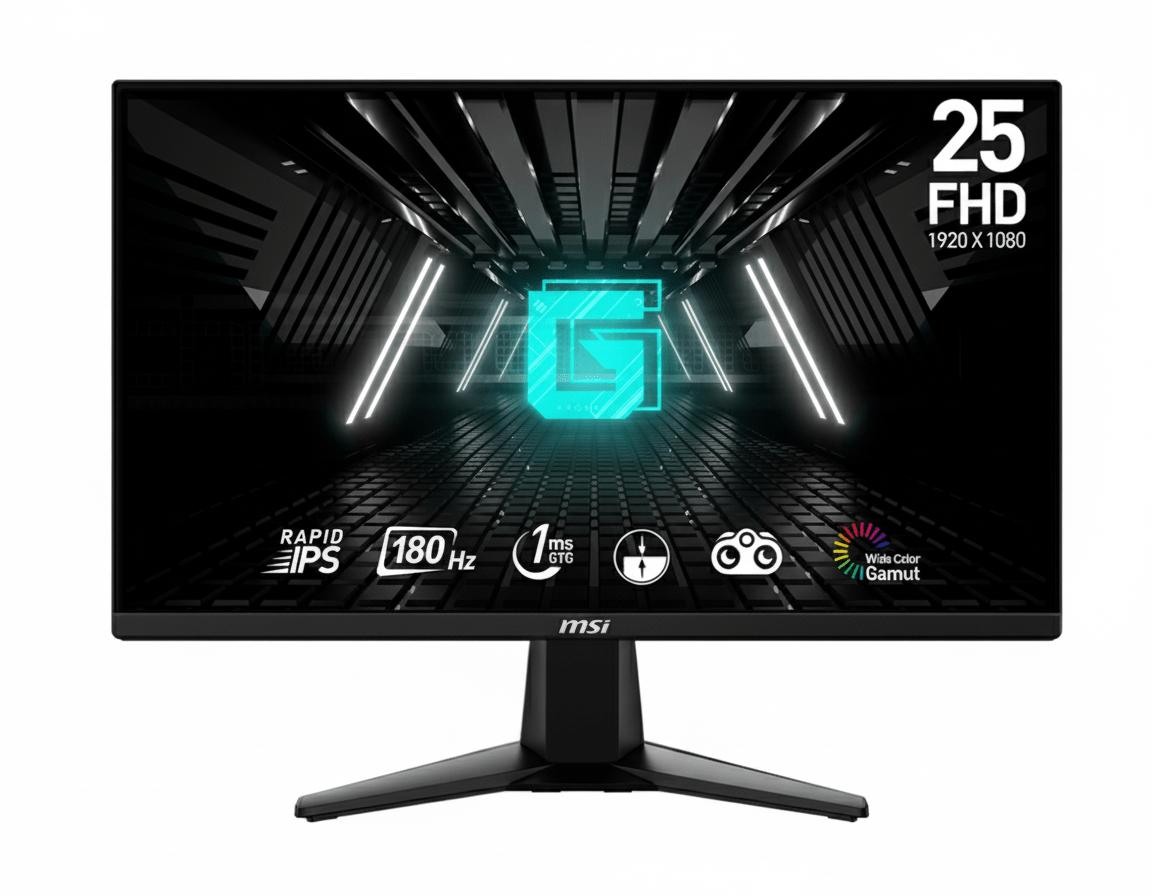
MSI G255F 24.5″ 180Hz Rapid IPS Gaming Monitor | 1ms, Adaptive-Sync, Esports Ready

MSI G255F 24.5″ 180Hz Rapid IPS Gaming Monitor
MSI G255F Review 2026 – 24.5″ 180Hz Rapid IPS Gaming Monitor – Competitive Edge Under ₹13K
MSI G255F 24.5 inch 180Hz Rapid IPS Gaming Monitor

🎯 Esports-Ready: 24.5″ 180Hz Rapid IPS – Competitive Gaming Perfection!

Tournament-standard size meets blazing-fast refresh rate for ultimate competitive edge

🏆 Best 180Hz Gaming Monitor – Esports Champion

MSI G255F 24.5″

24.5″ FHD 180Hz | Rapid IPS | Adaptive-Sync | 1ms GTG | Night Vision

1920×1080 Resolution – 1ms Response – 300 nits – sRGB 99% – Frameless Design

⚡ The Ultimate Competitive Gaming Experience:

• 180Hz Refresh Rate: 3× smoother than 60Hz – 5.56ms frame time for ultra-fluid motion

• Rapid IPS Panel: 1ms GTG response + IPS color accuracy – best of both worlds

• 24.5″ Esports Standard: Tournament-standard size for competitive fairness

• Display: 24.5″ Full HD (1920×1080) – 90 PPI – 16:9 Aspect Ratio

• Adaptive-Sync: 48-180Hz VRR eliminates tearing for smooth gameplay

• Wide Color Gamut: 105% sRGB, 77% Adobe RGB, 77% DCI-P3 coverage

• Night Vision: Smart black tuner reveals enemies in dark areas

• Eye Care: Anti-Flicker + Less Blue Light for marathon gaming sessions

₹12,999

₹18,999

32% OFF

Model: G255F | 3-Year Warranty | Free Delivery

🛒 Buy Now on Amazon India

$149.99

Model: G255F | Limited Warranty | Free Shipping

🛒 Buy Now – USA

£139

Model: G255F | Limited Warranty | Check availability

🛒 Check UK Retailers

🌍 Global Availability

• India: ₹12,999 (Amazon – 32% discount available)

• USA: $149.99 (MSI Store, Newegg, Amazon)

• UK: £139 (Scan, Overclockers UK)

• Europe: €139-159 varies by country

• Availability: Widely available at major retailers

Screen Size

24.5 inches

Refresh Rate

180Hz

Response Time

1ms GTG

MSI G255F Overview – Tournament-Standard Competitive Gaming

🖥️ Rapid IPS Excellence

  • 24.5″ Screen: Esports tournament standard
  • Rapid IPS: 1ms GTG + IPS colors
  • sRGB 105%: Wide, accurate colors
  • 300 Nits: Bright, vivid display
  • 1000:1 Contrast: Deep blacks
  • 16.7M Colors: Smooth gradients
  • Frameless: 3-side slim bezel
  • Anti-Glare: Matte coating

⚡ Lightning-Fast Speed

  • 🔄 180Hz Refresh: Ultra-smooth
  • ⚡ 1ms GTG: Zero ghosting
  • 🎮 Adaptive-Sync: Tear-free gaming
  • 🎯 Night Vision: See in shadows
  • 💨 48-180Hz VRR: Dynamic sync
  • 👁️ 178° View: Wide angles

💎 Competitive Value

  • • ₹12,999 Price: Best 180Hz value
  • • MSI Gaming: Trusted esports brand
  • • Dual HDMI 2.0b: Console + PC ready
  • • DisplayPort 1.2a: Full 180Hz support
  • • VESA Mount: 100×100mm compatible
  • • 3-Year Warranty: India protection

🎯 What Makes MSI G255F Special?

The MSI G255F represents the perfect storm of competitive gaming essentials: the industry-standard 24.5-inch screen size used in esports tournaments worldwide, combined with a blazing 180Hz Rapid IPS panel that delivers both speed and color accuracy. At ₹12,999 (32% off ₹18,999), this monitor provides exceptional value for serious competitive gamers who refuse to compromise on refresh rate or response time.

The 24.5-inch size is no accident—it’s the esports standard chosen deliberately to ensure competitive fairness across tournaments and professional gaming. This size provides the optimal viewing distance and field of view where players can see the entire screen without excessive head or eye movement, maintaining focus and reaction speed during intense competitive matches. The screen dimensions align perfectly with human ergonomics for prolonged gaming sessions.

The 180Hz refresh rate delivers 5.56ms frame time—three times faster than 60Hz (16.67ms), creating dramatically smoother motion that’s immediately noticeable in fast-paced competitive titles. Combined with Rapid IPS technology’s true 1ms GTG response time, you get both the speed of TN panels and the superior color accuracy and viewing angles of IPS—a combination previously reserved for premium gaming monitors costing ₹20,000+.

What sets the G255F apart from budget 144Hz alternatives is the extra 36Hz providing 25% more frames per second, translating to tangible competitive advantage in tracking fast targets, executing precise flicks, and maintaining smooth visuals during rapid camera movements. The Adaptive-Sync support (48-180Hz VRR range) ensures tear-free gameplay even when frame rates fluctuate, crucial for maintaining competitive edge across various game scenarios.

The wide color gamut (105% sRGB, 77% Adobe RGB, 77% DCI-P3) means environments, character models, and visual effects look more vibrant and detailed than standard budget gaming monitors. This isn’t just aesthetic—better color differentiation helps spot enemies against complex backgrounds in tactical shooters. The 300-nit brightness and 1000:1 contrast ratio provide sufficient dynamic range for competitive visibility without washing out darker scenes.

MSI’s Night Vision smart black tuner brightens dark areas without overexposing bright regions, helping reveal enemies hiding in shadows—a feature especially valuable in games like Valorant, CS2, Rainbow Six Siege, and battle royales where visibility determines outcomes. Combined with Anti-Flicker and Less Blue Light eye-care features, the G255F supports marathon ranked grinding sessions without excessive eye strain or fatigue.

Display Quality – Rapid IPS Panel Excellence

📺 24.5-Inch Esports Standard

The 24.5-inch screen size is the official esports tournament standard, deliberately chosen by competitive gaming organizations worldwide to ensure fairness and consistency. This size provides optimal viewing ergonomics where the entire screen fits within natural field of view at typical gaming distances (50-70cm), eliminating need for excessive head or eye movement that slows reaction time and causes fatigue.

At 1920×1080 resolution on 24.5 inches, pixel density reaches approximately 90 PPI—the sweet spot for competitive gaming where text remains sharp while GPUs can easily achieve high frame rates. The Full HD resolution doesn’t tax hardware like 1440p or 4K, allowing budget and mid-range graphics cards to consistently hit the monitor’s 180Hz ceiling in esports titles and maintain high frame rates in AAA games.

24.5″ Esports Advantages

  • • Tournament Standard: Same size used in professional competitions
  • • Optimal Viewing: Entire screen visible without head movement
  • • 90 PPI Density: Sharp text with easy-to-drive resolution
  • • Competitive Fairness: Standardized size eliminates advantages

🎨 Rapid IPS Technology

The Rapid IPS panel delivers true 1ms GTG response time previously exclusive to TN panels, while maintaining IPS technology’s superior color accuracy, wide 178°/178° viewing angles, and consistent brightness from any position. This eliminates the traditional trade-off between speed and image quality—you get both premium color reproduction and zero ghosting or motion blur.

The wide color gamut covers 105% sRGB, 77% Adobe RGB, and 77% DCI-P3, producing more vibrant, saturated colors than standard gaming monitors. This means game environments look richer and more lifelike, with better differentiation in shades helping spot details and movement. The 16.7 million colors (8-bit) produce smooth gradients without banding, while 300-nit brightness and 1000:1 contrast ratio provide sufficient punch for indoor gaming.

Rapid IPS Benefits

  • • 1ms GTG Response: Zero ghosting in fast motion
  • • 105% sRGB Coverage: Vivid, accurate colors
  • • 178° Viewing Angles: No color shift off-center
  • • 300 Nits Brightness: Clear visibility indoors

⚖️ Rapid IPS vs Traditional TN & Standard IPS

TN Panels (Traditional Fast)

Advantages: True 1ms response, lowest input lag, cheapest production cost. Still common in extreme budget gaming monitors (₹8,000-10,000).

Disadvantages: Poor color accuracy (washed out), terrible viewing angles (color shift when moving head), limited contrast. Fine for pure competitive focus but compromises visual experience.

Verdict: The G255F’s Rapid IPS matches TN speed while eliminating all image quality compromises.

Standard IPS (Traditional Beautiful)

Advantages: Excellent colors, wide viewing angles, consistent brightness. Great for content consumption and casual gaming where visual quality matters.

Disadvantages: Typical 4-5ms GTG response causes noticeable ghosting and motion blur in fast-paced competitive games. Not suitable for serious esports where clarity during rapid movement is critical.

Verdict: Standard IPS beautiful but too slow for competitive gaming; Rapid IPS solves this.

Rapid IPS (Best of Both)

Advantages: True 1ms GTG response matching TN speed, IPS color accuracy and viewing angles, wide color gamut coverage. Zero compromise—fast AND beautiful simultaneously.

Technology: Advanced liquid crystal alignment and overdrive circuitry achieve instant pixel transitions without sacrificing IPS benefits. Premium feature democratized in G255F.

Verdict: The G255F delivers premium Rapid IPS at ₹12,999—exceptional value for competitive gamers.

Gaming Performance – 180Hz Competitive Advantage

🔄 180Hz Refresh Rate

The 180Hz refresh rate updates frames every 5.56 milliseconds—three times faster than 60Hz (16.67ms) and 25% faster than 144Hz (6.94ms). This creates dramatically smoother motion where fast-moving targets remain clear and distinct, camera panning feels fluid without judder, and rapid flicks or tracking movements display every micro-adjustment with precision.

For competitive esports titles (Valorant, CS2, Overwatch 2, Apex Legends), 180Hz provides genuine advantage over 60Hz and 144Hz competitors. The extra frames reveal target positions sooner, helping predict enemy movement and execute precise crosshair placement. Modern mid-range GPUs (RTX 4060, RX 7600) easily sustain 180+ fps in esports games at 1080p, making this refresh rate perfectly matched to affordable gaming hardware.

180Hz Competitive Edge

  • • 5.56ms Frame Time: 3× faster than 60Hz
  • • 25% More Frames: vs 144Hz (36 extra fps)
  • • Smoother Tracking: Clearer fast target movement
  • • GPU Friendly: Achievable with mid-range hardware

🎮 Adaptive-Sync Technology

Adaptive-Sync dynamically synchronizes the monitor’s refresh rate with your GPU’s frame output, eliminating screen tearing and reducing stuttering when frame rates fluctuate. The 48-180Hz VRR (Variable Refresh Rate) window covers typical competitive gaming scenarios, providing smooth experience whether frames dip to 80fps during intense action or max out at 180fps in calmer moments.

This technology works with both AMD FreeSync and NVIDIA G-SYNC Compatible modes, providing universal GPU support. Unlike fixed V-Sync which introduces input lag, Adaptive-Sync maintains low latency while preventing tearing—critical for competitive gaming where every millisecond matters. The wide VRR range means smooth gameplay across diverse titles without manual adjustment.

Adaptive-Sync Advantages

  • • No Tearing: Eliminates horizontal tear lines
  • • No Stuttering: Smooth with variable FPS
  • • 48-180Hz Range: Wide VRR window
  • • Universal Support: AMD & NVIDIA compatible

🎯 Advanced Gaming Features

⚫ Night Vision Smart Black Tuner

Night Vision is MSI’s proprietary smart black tuner that brightens dark scene areas without overexposing bright regions. This reveals enemies hiding in shadows, dark corners, or poorly-lit interiors—common camping spots in competitive shooters. The technology analyzes screen content in real-time, selectively adjusting darkness visibility while maintaining overall image quality and contrast.

In games like Valorant (dark corners on Haven), CS2 (pit on Dust2), Rainbow Six Siege (shadowy rooms), and battle royales (buildings, forests), Night Vision provides tactical advantage by making previously invisible threats visible. Adjustable intensity levels let you fine-tune the effect for different games and personal preference without washing out the entire image.

⚡ 1ms Response Time (GTG & MPRT)

The 1ms GTG (Gray-to-Gray) response time means pixels transition instantly from one shade to another, eliminating ghosting trails behind fast-moving objects. This is complemented by 1ms MPRT (Moving Picture Response Time) which measures motion blur in dynamic scenes. Both metrics at 1ms confirm truly instantaneous pixel response across all scenarios.

For competitive gaming, this means crosshairs track smoothly across moving targets without blur, rapid camera panning maintains sharp focus, and flick shots display crisp target edges for precise aiming. The combination of 180Hz refresh and 1ms response creates motion clarity rivaling professional esports monitors costing ₹25,000+.

🎮 Expected Gaming Performance by Genre

✅ Ideal Game Types

Competitive FPS Shooters: Valorant, CS2, Overwatch 2, Rainbow Six Siege, Call of Duty Warzone. The 180Hz and 1ms response provide competitive edge with clearer target tracking, faster reaction display, and smoother aiming adjustments. Easily achieve 180+ fps with mid-range GPUs.

Fighting Games: Street Fighter 6, Tekken 8, Mortal Kombat 1, Guilty Gear Strive. The 1ms response ensures frame-perfect inputs register accurately for combos, parries, and counters. Fighting game community values low latency above all—G255F delivers.

Battle Royales: Fortnite, Apex Legends, PUBG. The 24.5″ size and 180Hz maintain competitive awareness during chaotic endgames. Adaptive-Sync smooths frame rate drops when multiple players engage. Night Vision helps spot enemies in varied lighting conditions.

MOBA & RTS: League of Legends, Dota 2, StarCraft II. The fast response and high refresh rate improve micro-management precision during team fights and rapid unit control. Esports-standard size fits strategy game UI layouts perfectly.

⚠️ Recommended GPU Pairing

Budget GPUs (GTX 1660 Super, RX 6600): Consistently hit 180fps in esports titles (Valorant, CS2, League, Overwatch 2) at medium-high settings. Perfect pairing for competitive gaming under ₹60,000 total build cost. Adaptive-Sync smooths any dips below 180fps.

Mid-Range GPUs (RTX 4060, RX 7600 XT): Ideal match—maintain 180fps in esports games maxed out, achieve 120-180fps in modern AAA titles (Cyberpunk 2077, Starfield, Hogwarts Legacy) at medium-high settings. This GPU tier fully utilizes the monitor’s capabilities.

High-End GPUs (RTX 4070+): Easily max out 180Hz in all games including demanding AAA titles at ultra settings. The 1080p resolution means GPU power focuses on maxing frame rates rather than pushing pixels. Consider 1440p 240Hz if budget allows ₹30,000+ for monitor.

Console Gaming: PS5 and Xbox Series X support 120Hz maximum—the G255F’s 180Hz is wasted. For console-only gaming, consider 120Hz/144Hz alternatives. However, if PC + console hybrid setup, the monitor excels for PC competitive gaming while serving consoles adequately.

Features – Gaming-Focused Connectivity & Design

🔌 Comprehensive Connectivity

The MSI G255F includes 2× HDMI 2.0b ports supporting full 1920×1080@180Hz bandwidth, allowing simultaneous connection of gaming PC and console without cable swapping. Both HDMI ports deliver the complete 180Hz experience, unlike some budget monitors where secondary ports are limited to 60Hz. This dual-HDMI setup is particularly valuable for streamers or hybrid gamers maintaining PC + PS5/Xbox setup.

The 1× DisplayPort 1.2a connection provides alternative high-bandwidth input preferred by many PC gamers for superior signal quality and feature support. DisplayPort also enables daisy-chaining for multi-monitor setups if needed. The 3.5mm headphone jack provides convenient audio output when using HDMI/DisplayPort audio pass-through, eliminating need to reach PC rear panel for headphone connection during gaming sessions.

🖼️ Frameless Design for Immersion

The three-side frameless design with ultra-slim bezels maximizes screen-to-body ratio, creating clean, modern aesthetic that reduces visual distractions during gaming. The minimal borders on top and sides make the display appear larger than traditional thick-bezel monitors, enhancing immersion in first-person shooters and action games where peripheral awareness matters.

This frameless design proves especially valuable for multi-monitor setups where slim bezels create near-seamless panoramic displays. Dual or triple G255F configurations provide expansive workspace for sim racing, flight simulation, or productivity workflows with minimal visual interruption between screens. The consistent bezel thickness ensures professional appearance whether used standalone or in arrays.

🎨 Gaming Presets & Customization

🎮 Picture Mode Presets

The monitor includes multiple pre-calibrated picture modes optimized for different content types. Gaming modes enhance visibility and contrast for competitive play, while cinema modes prioritize color accuracy and saturation for movies and streaming. User mode allows complete customization of brightness, contrast, sharpness, and color temperature to personal preference.

Quick preset switching via OSD buttons lets you instantly adapt display characteristics between competitive ranked matches (gaming mode with Night Vision) and casual single-player adventures (cinema mode for immersive visuals). This flexibility ensures optimal viewing experience across diverse gaming scenarios without manual readjustment each time.

⚙️ On-Screen Display Controls

The intuitive OSD (On-Screen Display) menu provides quick access to all monitor settings including brightness, contrast, color temperature, gaming features (Night Vision intensity), input selection, and picture modes. Physical buttons on the monitor bezel offer tactile feedback for navigation without requiring software installation or mouse access.

The OSD organization follows logical hierarchy with frequently-adjusted settings (brightness, input source, game mode) easily accessible in top-level menus, while advanced options (color calibration, overdrive settings) nest within sub-menus. This balance between simplicity and depth ensures both casual gamers and enthusiasts find needed controls efficiently.

Eye Care Technology – Marathon Gaming Comfort

💡 Less Blue Light Technology

MSI’s Less Blue Light technology reduces harmful blue light wavelength emissions that studies suggest contribute to eye strain, headaches, and disrupted sleep patterns during extended screen time. The monitor is optimized at hardware level to produce less blue light while maintaining acceptable color accuracy, unlike software filters that simply tint the entire screen orange.

This feature proves particularly valuable for late-night gaming sessions or marathon ranked grinds where players spend 6-8+ hours in front of the screen. By reducing blue light exposure, the monitor helps minimize eye fatigue and maintains natural circadian rhythms, potentially improving sleep quality after gaming. The effect is subtle—you won’t notice obvious color shift, but your eyes feel less strained after extended use.

Less Blue Light Benefits

  • • Reduced Eye Strain: Less fatigue during long sessions
  • • Better Sleep: Minimizes circadian rhythm disruption
  • • Hardware-Based: No color accuracy compromise
  • • Always Active: Works at all brightness levels

✨ Anti-Flicker Protection

Anti-Flicker technology eliminates invisible screen flickering caused by PWM (Pulse Width Modulation) brightness control common in budget displays. Standard monitors flicker at high frequencies (typically 200-250Hz) that aren’t consciously visible but cause headaches, eye strain, and fatigue during prolonged viewing. The G255F uses DC (Direct Current) dimming for truly flicker-free illumination.

The benefit is imperceptible moment-to-moment but significantly impacts comfort during extended gaming marathons. Users sensitive to flicker-induced strain report fewer headaches and less eye fatigue after 6-8 hour sessions compared to flickering displays. Combined with Less Blue Light, the G255F provides genuinely comfortable all-day gaming experience rare in budget gaming monitors prioritizing speed over health features.

Anti-Flicker Advantages

  • • Zero Flicker: DC dimming eliminates PWM
  • • Reduced Headaches: Helps sensitive users
  • • Less Fatigue: Comfortable extended viewing
  • • All Brightness: Works at every level

👁️ Complete Eye Protection for Competitive Gaming

The combination of Less Blue Light, Anti-Flicker, and anti-glare matte coating makes the G255F exceptionally comfortable for marathon gaming sessions. Competitive gamers grinding ranked ladders, practicing for tournaments, or streaming for hours benefit from comprehensive eye care that reduces accumulated fatigue without compromising visual quality or competitive performance.

The wide 178°/178° IPS viewing angles maintain consistent image quality even when you shift position, lean back between matches, or adjust seating posture. You don’t need to maintain perfect centered position, reducing neck and shoulder strain during extended sessions. The anti-glare matte coating minimizes reflections from windows and overhead lighting, improving visibility in various room lighting conditions without requiring blackout curtains.

For the ₹12,999 price point, having comprehensive eye care features alongside 180Hz speed is exceptional value typically found in premium displays. MSI demonstrates that competitive gaming monitors can prioritize both performance and player health, making the G255F suitable for serious gamers who regularly invest long hours improving their skills and climbing ranks.

Design & Ergonomics – Gaming-Focused Aesthetics

🖼️ Gaming Aesthetic Design

The MSI G255F features clean, modern gaming aesthetic with three-side frameless design and matte black finish that fits seamlessly into gaming setups without excessive RGB or aggressive styling. The understated appearance appeals to both hardcore competitive gamers and professional environments where flashy designs would be inappropriate, making it versatile for home office or dedicated gaming room.

The sturdy V-shaped stand provides stable support while occupying reasonable desk footprint (318.0 × 220.1mm base dimensions). The stand design balances stability during intense gaming (preventing wobble during aggressive mouse movements) with efficient space usage, leaving room for keyboard, mouse, and peripherals. The simple black aesthetic maintains focus on the screen rather than distracting with unnecessary embellishments.

⚙️ Tilt Adjustment & VESA Mount

The included stand provides tilt adjustment from -5° to 20°, allowing you to angle the screen for optimal viewing position and eliminate glare from overhead lighting. This range accommodates most desk heights and seating positions for comfortable viewing during gaming sessions. However, there’s no height, swivel, or pivot adjustment, limiting ergonomic flexibility compared to premium adjustable stands.

For users requiring advanced ergonomics, the monitor supports VESA 100×100mm mounting standard, enabling installation on third-party monitor arms or wall mounts. Budget monitor arms cost ₹1,500-3,000 and provide full height adjustment, 360° swivel, portrait pivot, and cable management—significantly improving desk ergonomics and freeing up desk space. The VESA compatibility provides upgrade path without replacing the entire monitor.

📏 Physical Specifications & Build Quality

📐 Dimensions & Footprint

The monitor measures 557.1 × 220.1 × 418.5mm (W×D×H) with stand attached, occupying moderate desk space appropriate for 24.5-inch size. The footprint is compact enough for standard gaming desks while providing adequate screen size for competitive gaming. Without stand, dimensions are 557.1 × 66.4 × 326.9mm, maintaining slim profile suitable for VESA arm mounting or wall installation.

The net weight is 3.24kg with stand (2.87kg panel only), making it manageable for single-person setup and relocation without being flimsy. The weight indicates solid construction without excessive bulk. The anti-glare matte screen coating reduces reflections effectively without introducing excessive grain that degrades image clarity.

🔨 Build Quality & Durability

The monitor uses plastic construction typical of budget-focused gaming displays, but MSI’s manufacturing quality ensures solid feel without creaking or flexing. The panel doesn’t wobble excessively during typing or mouse movement, and the stand provides stable support even during intense gaming. The bezels fit together cleanly with consistent gaps demonstrating good quality control.

The monitor includes 3-year warranty in India (varies by region), providing peace of mind for panel defects, backlight issues, or electronic failures. MSI’s established service network ensures support availability if problems arise. For the ₹12,999 price, the build quality meets expectations for budget gaming monitors, prioritizing display performance over premium materials while maintaining acceptable durability.

Who Should Buy MSI G255F?

✅ Perfect For These Users

🎯 Competitive Esports Players

Players focused on Valorant, CS2, Overwatch 2, Rainbow Six Siege, Apex Legends, and other competitive shooters will appreciate the tournament-standard 24.5-inch size combined with 180Hz refresh and 1ms response. The monitor provides genuine competitive advantage with clearer target tracking, faster visual updates, and Rapid IPS color accuracy for spotting enemies. For ₹12,999, this is exceptional value for serious ranked grinding.

⚡ Fast-Paced Action Gamers

Gamers who prioritize lightning-fast response and high frame rates in action titles (Doom Eternal, Devil May Cry, fighting games, racing sims) benefit from 1ms response eliminating all motion blur. The 180Hz refresh makes fast-paced gameplay feel incredibly smooth and responsive. Night Vision helps in games with varying lighting conditions, revealing details in dark areas without manual brightness adjustment.

💰 Budget-Conscious Serious Gamers

Gamers wanting genuine high-refresh gaming without spending ₹20,000+ on premium displays find exceptional value here. The 180Hz Rapid IPS combination typically costs ₹18,000-22,000, but MSI delivers it for ₹12,999. This is ideal for budget gaming builds (total cost under ₹70,000) where every rupee matters but competitive performance cannot be compromised.

🖥️ Dual Monitor Setup Builders

Users building dual or triple monitor configurations for gaming, streaming, or productivity benefit from the frameless design creating seamless multi-display arrays. The 24.5-inch size is practical for desk space efficiency while providing adequate screen area. At ₹12,999 each, dual G255F setup costs ₹25,998—affordable panoramic gaming or expansive workspace for content creators and streamers.

🎬 Console + PC Hybrid Gamers

Users with gaming PC and PS5/Xbox Series X benefit from dual HDMI 2.0b ports supporting both devices simultaneously without cable swapping. The 180Hz excels for PC competitive gaming while handling console 120Hz modes (though not fully utilizing the monitor’s speed). This versatility makes it practical for households where one display serves multiple gaming platforms efficiently.

⚠️ Consider Alternatives If You Need

📺 Larger Screen Size

Users preferring 27-inch or larger displays for more immersive single-player experiences should look elsewhere. The 24.5-inch size prioritizes competitive gaming over screen real estate. For casual gaming, movies, or productivity, 27-inch alternatives like LG 27MR400-B (100Hz, ₹8,799) provide 28% more display area, though sacrificing the G255F’s 180Hz speed and Rapid IPS response.

🎨 Content Creation Professionals

Photo editors, video editors, and graphic designers need higher resolution (1440p/4K) for detailed work and precise color accuracy with hardware calibration support. The 1080p resolution doesn’t provide enough workspace or pixel density for professional creative workflows. Invest in 27-inch 1440p IPS monitors (₹18,000-25,000) with better color coverage and factory calibration for serious creative work.

⚙️ Advanced Ergonomics

Users requiring height, swivel, and pivot adjustment for ergonomic positioning must budget for monitor arm (₹1,500-3,000 extra) or choose monitors with fully adjustable stands. The tilt-only stand limits positioning flexibility, potentially problematic for users with specific desk heights, multiple users sharing display, or those needing portrait orientation for coding or document work.

🔊 Built-in Audio

The monitor lacks built-in speakers, requiring external speakers or headphones for audio. While most gamers prefer dedicated audio anyway for quality, users wanting all-in-one convenience without peripherals should choose monitors with integrated speakers. Budget external speakers cost ₹500-2,000; quality gaming headsets ₹2,000-5,000—factor these into total cost if not already owned.

🏆 Extreme Competitive Edge

Professional esports players and extreme enthusiasts targeting maximum refresh rates (240Hz-360Hz) for ultimate competitive advantage should invest more. While 180Hz is excellent, dedicated pro players benefit from 240Hz+ panels (₹18,000-30,000) providing even faster frame updates. The G255F suits serious competitive gaming but doesn’t match absolute top-tier esports equipment used by sponsored professionals.

Top Competitors & Alternatives

AOC 24G2 Gaming Monitor

24″ FHD 165Hz IPS Gaming

₹11,999

24″ FHD | 165Hz | IPS | AMD FreeSync Premium

Display: 24″ Full HD (1920×1080), IPS, 165Hz, 1ms MPRT

Features: FreeSync Premium, Low Input Lag, height-adjustable stand

Advantage: Fully adjustable ergonomic stand included

Ports: 2× HDMI 1.4, 1× DisplayPort 1.2, VGA, headphone

Why Choose AOC 24G2 Instead?

Save ₹1,000 while getting fully adjustable stand (height, tilt, swivel, pivot). The 165Hz refresh is still excellent for competitive gaming (8% less than 180Hz—minimal real-world difference). If ergonomics matter and budget is tight, AOC 24G2 provides better value despite slightly lower refresh rate.

Why Choose MSI G255F Instead?

9% faster refresh rate (180Hz vs 165Hz) provides competitive edge with extra 15 frames per second. The 24.5-inch size matches tournament standard perfectly vs AOC’s 24-inch. Rapid IPS response may be superior to AOC’s standard IPS. Worth ₹1,000 premium for serious competitive players prioritizing maximum speed.

BenQ ZOWIE XL2546K

24.5″ FHD 240Hz TN Esports

₹32,999

24.5″ FHD | 240Hz | TN | DyAc⁺ Technology

Display: 24.5″ Full HD (1920×1080), TN, 240Hz, 0.5ms GTG

Features: DyAc⁺ motion blur reduction, Black eQualizer, fully adjustable stand

Advantage: Professional esports-grade with 240Hz

Ports: 1× HDMI 2.0, 1× DisplayPort 1.2, 3× USB 3.2, headphone

Why Choose BenQ XL2546K Instead?

240Hz refresh provides 33% faster updates than 180Hz for maximum competitive advantage. The DyAc⁺ technology and professional esports features justify premium for sponsored players or extreme enthusiasts. Used in actual tournaments by professionals. Ultimate competitive tool if budget allows ₹33K.

Why Choose MSI G255F Instead?

Save ₹20,000 (154% cheaper) while still getting excellent 180Hz competitive performance. The Rapid IPS delivers superior colors and viewing angles vs BenQ’s TN panel. For most players, 180Hz provides sufficient competitive edge without extreme ₹33K investment. Better value unless you’re professional player where marginal gains justify cost.

LG 24MR400-B Budget IPS

24″ FHD 100Hz IPS Productivity/Gaming

₹7,349

24″ FHD | 100Hz | IPS | AMD FreeSync™

Display: 24″ Full HD (1920×1080), IPS, 100Hz, 5ms GTG

Features: Reader Mode, OnScreen Control, Screen Split, Flicker Safe

Advantage: Exceptional value for mixed productivity/gaming

Ports: 1× HDMI, 1× VGA, headphone jack

Why Choose LG 24MR400-B Instead?

Save ₹5,650 (77% cheaper) for budget builds under ₹50K total. The 100Hz still provides smooth upgrade over 60Hz for casual competitive gaming. Better productivity features (Reader Mode, OnScreen Control software). Choose if budget is extremely tight and 100Hz suffices for your gaming intensity level.

Why Choose MSI G255F Instead?

80% faster refresh rate (180Hz vs 100Hz) and 5× faster response (1ms vs 5ms). The Rapid IPS eliminates ghosting entirely vs LG’s standard IPS. For serious competitive gaming, the ₹5,650 premium is absolutely justified—dramatic performance difference. LG suits casual gaming; MSI targets competitive excellence.

ViewSonic XG2431

24″ FHD 240Hz IPS Premium Gaming

₹24,999

24″ FHD | 240Hz | IPS | Blur Busters Approved

Display: 24″ Full HD (1920×1080), IPS, 240Hz, 1ms MPRT

Features: Blur Busters Certified, customizable overdrive, fully adjustable stand

Advantage: 240Hz IPS combination (rare)

Ports: 1× HDMI 2.0, 1× DisplayPort 1.2, 4× USB 3.2, headphone

Why Choose ViewSonic XG2431 Instead?

240Hz IPS panel delivers both ultimate speed AND color accuracy—best of both worlds. The Blur Busters certification ensures superior motion clarity with customizable overdrive. Premium features like USB hub, elite gamers wanting absolute best without TN compromises. Worth ₹25K for enthusiasts demanding perfection.

Why Choose MSI G255F Instead?

Save ₹12,000 (92% cheaper) while getting 180Hz that’s still excellent for competitive gaming. The diminishing returns from 180Hz to 240Hz don’t justify double the price for most players. MSI provides 75% of the performance for 48% of the cost—dramatically better value. ViewSonic suits deep-pocketed enthusiasts; MSI suits value-conscious competitors.

Pros and Cons – MSI G255F

✅ What We Loved

🚀 Blazing 180Hz Refresh Rate

The 180Hz refresh rate delivers 5.56ms frame time—three times faster than 60Hz and 25% faster than 144Hz. This creates dramatically smoother motion in competitive games, providing genuine advantage with clearer target tracking and more responsive feel. For ₹12,999, having 180Hz is exceptional—most competitors offer 144Hz at this price.

⚡ True 1ms Rapid IPS Response

The Rapid IPS technology delivers genuine 1ms GTG response time previously exclusive to TN panels, while maintaining IPS color accuracy and wide viewing angles. This eliminates the traditional speed vs quality trade-off—you get both premium colors and zero ghosting. The 1ms response ensures crystal-clear motion even during rapid flicks and tracking.

🎯 Tournament-Standard 24.5″ Size

The 24.5-inch screen is the official esports tournament standard used worldwide for competitive fairness. This size provides optimal viewing ergonomics where entire screen fits natural field of view without excessive head movement. The dimensions align perfectly with competitive gaming requirements, making practice at home directly transferable to tournament settings.

🎨 Wide Color Gamut Coverage

The 105% sRGB, 77% Adobe RGB, and 77% DCI-P3 coverage produces vibrant, accurate colors exceeding typical budget gaming monitors. Game environments look richer and more lifelike, with better color differentiation helping spot details and movement. This wide gamut rivals monitors costing ₹18,000+, making the G255F exceptional value for color-conscious gamers.

🎮 Adaptive-Sync Tear-Free Gaming

Adaptive-Sync with 48-180Hz VRR range eliminates screen tearing and stuttering, synchronizing refresh rate with GPU output. This provides smooth gameplay even when frame rates fluctuate in demanding scenes. Works with both AMD and NVIDIA GPUs for universal compatibility, ensuring tear-free competitive experience without input lag penalties of traditional V-Sync.

👁️ Comprehensive Eye Care Features

The Anti-Flicker and Less Blue Light technologies reduce eye strain during marathon gaming sessions. Anti-Flicker eliminates invisible PWM flickering causing headaches, while Less Blue Light minimizes harmful wavelengths disrupting sleep. These features make the G255F comfortable for extended ranked grinds and tournament practice without excessive fatigue.

🌙 Night Vision Smart Black Tuner

Night Vision brightens dark areas without overexposing bright regions, revealing enemies hiding in shadows. This competitive feature provides tactical advantage in games where visibility determines outcomes—spotting opponents in dark corners before they see you. Adjustable intensity accommodates different games and preferences effectively.

💰 Exceptional Value for Money

At ₹12,999, the G255F delivers 180Hz Rapid IPS performance typically found in monitors costing ₹18,000-22,000. The combination of high refresh rate, fast response, wide color gamut, and gaming features at this price represents outstanding value for competitive gamers. MSI packs premium performance into budget-friendly package without major compromises.

🔌 Dual HDMI 2.0b Connectivity

The 2× HDMI 2.0b ports both support full 180Hz bandwidth, allowing simultaneous PC and console connection without cable swapping. This dual-input flexibility is valuable for hybrid gamers or streamers managing multiple devices. The inclusion of DisplayPort 1.2a provides additional high-bandwidth input preferred by PC enthusiasts.

⚠️ What Could Be Better

⚙️ Basic Tilt-Only Stand

The included stand provides only tilt adjustment (-5° to 20°) without height, swivel, or pivot. This limits ergonomic flexibility for users needing precise positioning or multiple viewing positions. While VESA 100×100mm mounting enables monitor arm upgrades, this requires additional ₹1,500-3,000 investment beyond the monitor’s cost for proper ergonomics.

📏 Smaller 24.5″ Screen Size

The 24.5-inch size, while perfect for competitive gaming, feels small for immersive single-player experiences or productivity multitasking. Users wanting larger screen real estate for movies, open-world games, or side-by-side windows may find the dimensions restrictive. The size is deliberate competitive choice but sacrifices casual gaming and general-use immersion.

🔇 No Built-In Speakers

The monitor lacks integrated speakers, requiring external speakers or headphones for audio. While most gamers prefer dedicated audio for quality, this means additional cost (₹500-5,000) for budget builders expecting all-in-one solution. The absence is typical for gaming monitors prioritizing display performance, but adds complexity for minimalist setups.

🎮 Not Quite 240Hz Tier

While 180Hz is excellent, extreme competitive players and professional esports athletes prefer 240Hz+ for maximum advantage. The 60Hz difference between 180Hz and 240Hz provides marginal but measurable improvement for elite players. The G255F targets serious competitive gaming but doesn’t match absolute top-tier equipment used by sponsored professionals.

💻 1080p Resolution Only

The Full HD (1920×1080) resolution is perfect for competitive gaming but limiting for content creation or detailed productivity work. Photo/video editors need higher resolution (1440p/4K) for workspace and pixel density. The 1080p is intentional for high refresh rates with affordable GPUs, but creative professionals require more pixels.

📱 No USB Hub or KVM

The monitor lacks USB hub, built-in KVM switch, or USB-C connectivity found in premium displays. There’s no convenient peripheral switching between multiple PCs or laptop docking capability. These omissions keep costs down but limit functionality for users managing complex multi-device workflows or seeking simplified cable management.

Final Verdict – Competitive Gaming Excellence

🏆 Best 180Hz Gaming Monitor – Competitive Champion
9.2 /10

Exceptional Competitive Gaming Value

🎯 The Bottom Line

The MSI G255F delivers exceptional competitive gaming performance by combining the industry-standard 24.5-inch esports size with blazing 180Hz refresh rate and true 1ms Rapid IPS response. At ₹12,999, this monitor provides genuine competitive advantage typically reserved for displays costing ₹18,000-22,000, making it outstanding value for serious gamers refusing to compromise on speed or quality.

The 180Hz refresh rate creates dramatically smoother motion than 60Hz or even 144Hz competitors, providing clearer target tracking, faster visual updates, and more responsive gameplay feel. Combined with Rapid IPS technology’s instant pixel response and superior color accuracy, the G255F eliminates the traditional trade-off between speed and image quality—you get both premium performance and beautiful visuals simultaneously.

The wide color gamut (105% sRGB), comprehensive eye care features, Night Vision smart tuner, and Adaptive-Sync support create complete competitive gaming package addressing both performance and player comfort. MSI demonstrates understanding of serious gamers’ needs by including features that matter—speed, clarity, and health—without wasteful extras inflating price.

💡 Who Should Buy This?

Competitive esports players, serious ranked grinders, and action game enthusiasts seeking maximum performance from budget-conscious builds will find tremendous value. The tournament-standard 24.5-inch size and 180Hz speed provide genuine competitive advantage in shooters, fighters, racing games, and MOBAs without requiring ₹20,000+ investment in premium displays.

The monitor excels for dedicated gaming setups prioritizing performance over versatility. Users building competitive gaming PCs, creating dual-monitor streaming stations, or upgrading from 60Hz dinosaurs will experience transformative improvement. The comprehensive eye care features make it suitable for marathon gaming sessions and daily tournament practice without excessive fatigue.

Users needing larger screens for immersion should consider 27-inch alternatives. Creative professionals requiring higher resolution should invest in 1440p/4K displays. Those demanding maximum ergonomics need monitor arms. However, for focused competitive gaming where speed and clarity determine outcomes, the G255F represents exceptional value.

Final Recommendation: At ₹12,999, the MSI G255F is highly recommended for competitive gamers seeking tournament-grade performance without premium pricing. The combination of 180Hz Rapid IPS, esports-standard size, wide color gamut, and gaming-focused features creates compelling package. Best 180Hz value in budget gaming monitor category.

📊 Rating Breakdown

Competitive Gaming Performance 9.7/10
Value for Money 9.5/10
Refresh Rate & Response Time 9.6/10
Color Quality & IPS Panel 9.0/10
Eye Care & Comfort Features 8.8/10
Gaming Features (Night Vision, Adaptive-Sync) 9.3/10
Connectivity & Ports 8.5/10
Ergonomics & Stand Quality 6.5/10
Build Quality & Design 8.2/10

Frequently Asked Questions

❓ Is 180Hz really better than 144Hz for competitive gaming?

Yes, 180Hz provides 25% more frame updates than 144Hz (180 frames per second vs 144 fps). This translates to 5.56ms frame time compared to 6.94ms on 144Hz—approximately 1.4ms faster visual updates. While not as dramatic as 60Hz to 144Hz jump, the difference is measurable and noticeable in fast-paced competitive scenarios. Professional players and serious ranked grinders benefit from the extra frames providing clearer motion and fractionally faster enemy position updates.

❓ What is Rapid IPS and how does it differ from regular IPS?

Rapid IPS is advanced IPS technology achieving true 1ms GTG response time previously exclusive to TN panels. Traditional IPS panels typically have 4-5ms response causing noticeable ghosting in fast motion. Rapid IPS uses improved liquid crystal alignment and overdrive circuitry to achieve instant pixel transitions while maintaining IPS benefits—accurate colors, wide viewing angles, consistent brightness. You get TN-like speed with IPS quality, eliminating the traditional trade-off between performance and image quality.

❓ Can my GPU achieve 180fps to utilize this monitor fully?

It depends on your GPU and games. Esports titles (Valorant, CS2, League, Overwatch 2) easily hit 180+ fps with mid-range cards like GTX 1660 Super, RX 6600, RTX 3050, or better. These competitive games are optimized for high frame rates. Modern AAA games (Cyberpunk 2077, Starfield) require RTX 4060/RX 7600 XT or better to maintain 180fps at medium-high settings. However, Adaptive-Sync ensures smooth experience even when frames dip below 180—the monitor adjusts refresh rate dynamically, so you don’t need constant 180fps to benefit.

❓ Does this monitor work with PlayStation 5 and Xbox Series X?

Yes, but with limitations. PS5 and Xbox Series X support maximum 120Hz output, so the monitor’s 180Hz is underutilized for console gaming. The dual HDMI 2.0b ports allow easy connection, and the monitor will display console games smoothly at 120Hz. However, if you’re console-only, consider 120Hz/144Hz alternatives saving money. The G255F shines for PC + console hybrid setups where 180Hz benefits PC competitive gaming while still serving consoles adequately.

❓ Is 24.5 inches too small compared to 27-inch monitors?

It depends on your priorities. 24.5 inches is the deliberate esports tournament standard chosen for competitive fairness and optimal viewing ergonomics. For competitive gaming, the size is perfect—entire screen visible without head movement, maintaining focus and reaction speed. However, for immersive single-player experiences, movies, or productivity multitasking, 27-inch displays provide more screen real estate. The G255F targets competitive gaming excellence; if general versatility matters more, consider 27-inch alternatives like LG 27MR400-B.

❓ Does the monitor include height adjustment or do I need a monitor arm?

The included stand provides only tilt adjustment (-5° to 20°) without height, swivel, or pivot. For proper ergonomic positioning, you’ll need a monitor arm supporting VESA 100×100mm mounting. Budget arms cost ₹1,500-3,000 and provide full height adjustment, swivel, and rotation. Premium arms (₹4,000-6,000) add cable management and extended reach. The basic stand keeps the monitor affordable while offering upgrade path for users needing advanced ergonomics.

❓ What does Night Vision do and should I use it?

Night Vision is MSI’s smart black tuner that brightens dark scene areas without overexposing bright regions, revealing enemies hiding in shadows. It’s incredibly valuable in competitive shooters (Valorant, CS2, Rainbow Six Siege, battle royales) where opponents camp in dark corners or poorly-lit areas. Enable it during competitive matches for tactical advantage—you’ll spot enemies sooner. However, disable it for single-player story games where natural lighting and atmosphere matter. Adjustable intensity lets you fine-tune the effect to preference.

❓ Does Adaptive-Sync work with both AMD and NVIDIA GPUs?

Yes, the monitor’s Adaptive-Sync supports both AMD FreeSync and NVIDIA G-SYNC Compatible modes. AMD Radeon cards (RX 400 series+) support it natively as FreeSync. NVIDIA GeForce cards (GTX 10 series+) support it as “G-SYNC Compatible”—enable it in NVIDIA Control Panel under “Set up G-SYNC” section. Both receive the same tear-free, smooth gaming experience. The 48-180Hz VRR range works seamlessly with both brands, eliminating screen tearing while maintaining low latency.

❓ Can I use this monitor for photo/video editing?

For casual editing, yes—the IPS panel with 105% sRGB coverage provides accurate, vibrant colors suitable for basic content creation. However, for professional work, the 1080p resolution doesn’t provide enough workspace or pixel density for detailed editing, color grading, or precise adjustments. Professional editors need 27-inch 1440p or 4K displays (₹18,000-30,000+) with hardware calibration and wider gamut coverage. The G255F targets competitive gaming; if creative work is priority, invest in proper editing monitors.

❓ How do Anti-Flicker and Less Blue Light features work?

Anti-Flicker eliminates invisible PWM (Pulse Width Modulation) flickering that causes headaches and eye strain. The monitor uses DC (Direct Current) dimming instead, providing truly flicker-free illumination at all brightness levels. Less Blue Light reduces harmful blue light wavelength emissions through hardware optimization, minimizing eye fatigue and potential sleep disruption. These work automatically without software, maintaining color accuracy better than software filters. Combined, they make marathon gaming sessions significantly more comfortable without compromising competitive performance.

❓ Is the ₹12,999 price worth it compared to cheaper 144Hz monitors?

Yes, for serious competitive gamers. The ₹2,000-3,000 premium over budget 144Hz alternatives gets you 25% faster refresh rate (180Hz vs 144Hz), Rapid IPS technology (1ms vs 4-5ms standard IPS), wider color gamut, and MSI gaming features. The performance difference is tangible in competitive scenarios—clearer motion, faster visual updates, zero ghosting. If you’re serious about climbing ranks and improving skills, the investment pays dividends. However, ultra-budget gamers satisfied with 144Hz can save money with cheaper alternatives.

❓ Does the monitor have built-in speakers?

No, the G255F does not include built-in speakers. You’ll need external speakers or headphones for audio. However, it has a 3.5mm headphone jack for convenient audio output when using HDMI/DisplayPort connection. The omission keeps costs down—most serious gamers prefer dedicated headsets anyway for competitive audio positioning and communication. Budget ₹2,000-5,000 for quality gaming headset if not already owned; this is standard for competitive gaming setups.

❓ What warranty does MSI provide in India?

MSI provides 3-year warranty in India covering manufacturing defects, panel issues, and electronic failures. MSI has established service network in India with service centers in major cities, ensuring support availability if problems arise. Registration and warranty claims are handled through MSI India website and customer support. The 3-year coverage provides peace of mind for ₹12,999 investment, demonstrating MSI’s confidence in build quality and reliability.

Complete Technical Specifications

Display Specifications
Screen Size24.5 inches (62.2 cm diagonal)
Panel TypeRapid IPS (In-Plane Switching)
ResolutionFull HD (1920 × 1080)
Aspect Ratio16:9 (Widescreen)
Pixel Pitch0.2832mm (H) × 0.2802mm (V)
Active Display Area543.744mm (H) × 302.616mm (V)
CurvatureFlat
Refresh Rate180Hz (Native)
Response Time (GTG)1ms (Gray to Gray)
Response Time (MPRT)1ms (Moving Picture Response Time)
Brightness (SDR)300 cd/m² (nits)
Contrast Ratio1000:1 (Static)
Dynamic Contrast Ratio (DCR)100,000,000:1
Viewing Angle178° Horizontal / 178° Vertical
Display Colors16.7 Million (8-bit)
Color Bit Depth8 bits
Surface TreatmentAnti-Glare (Matte)
Color Gamut Coverage
NTSC (CIE1976)86% Area / 80% Overlap
NTSC (CIE1931)73% Area / 72% Overlap
sRGB (CIE1976)99% Area / 93% Overlap
sRGB (CIE1931)105% Area / 95% Overlap
Adobe RGB (CIE1976)84% Area / 82% Overlap
Adobe RGB (CIE1931)77% Area / 74% Overlap
DCI-P3 (CIE1976)78% Area / 78% Overlap
DCI-P3 (CIE1931)77% Area / 77% Overlap
Rec.709 (CIE1976)99% Area / 93% Overlap
Rec.709 (CIE1931)105% Area / 95% Overlap
Rec.2020 (CIE1976)56% Area / 56% Overlap
Rec.2020 (CIE1931)54% Area / 54% Overlap
Gaming & Adaptive Sync
Adaptive Sync TechnologyAdaptive-Sync (AMD FreeSync / NVIDIA G-SYNC Compatible)
VRR Range48-180Hz (Variable Refresh Rate)
Signal Frequency52.7-198 KHz (H) / 48-180 Hz (V)
Night VisionYes – Smart black tuner for dark areas
Frameless DesignYes – 3-side borderless
Eye Care Technology
Anti-FlickerYes – DC dimming eliminates PWM flicker
Less Blue LightYes – Reduces harmful blue light emission
Anti-Glare CoatingYes – Matte surface treatment
Wide Viewing Angle178°/178° IPS – Consistent image quality
Connectivity & Ports
HDMI Ports2× HDMI 2.0b (Both support 180Hz)
HDMI Version2.0b
HDMI HDCP Version2.3
DisplayPort1× DisplayPort 1.2a
DisplayPort Version1.2a
DisplayPort HDCP Version2.3
Headphone Out1× 3.5mm headphone jack
Built-in SpeakersNone
USB PortsNone
Lock TypeKensington Lock
Ergonomics & Mounting
Tilt Adjustment-5° to +20° (Forward/Backward)
Height AdjustmentNone (Stand)
SwivelNone (Stand)
Pivot (Portrait Mode)None (Stand)
VESA Mount100 × 100 mm
Physical Dimensions & Weight
Dimensions (With Stand)557.1 × 220.1 × 418.5 mm (W × D × H)
Dimensions (Without Stand)557.1 × 66.4 × 326.9 mm (W × D × H)
Stand Dimension318.0 × 220.1 × 142.5 mm (W × D × H)
Weight (Net with Stand)3.24 kg (7.14 lbs)
Weight (Without Stand)2.87 kg (6.33 lbs)
Weight (Gross/Packaged)5.13 kg (11.31 lbs)
Color FinishBlack (Matte)
Power & Energy
Power TypePower Cable (Internal PSU)
Power Input100-240V AC, 50-60Hz (Universal)
Power Consumption (On-mode)18 KWh/1000h
Annual Energy Consumption26 KWh
Standby Power Consumption0.5W
Off-mode Power Consumption0.3W
Energy Efficiency RatingE
Power Cord TypeC13
Package Contents
In The Box • 1× MSI G255F Monitor
• 1× Monitor Stand (Base + Riser)
• 1× HDMI Cable
• 1× Power Cord
• 1× Quick Guide
• No DisplayPort cable included
• No USB cables included
Pricing & Warranty
India Price₹12,999 (Street Price) / ₹18,999 (MRP)
USA Price$149.99
UK Price£139
Warranty Period36 Months (3 Years) – India
Model NumberG255F (3BC0)
Part Number9S6-3BC01M-002
SeriesMSI G Series (Gaming)
EAN4711377142670
UPC824142339909
UCC1410824142339906
Packaging Dimensions
Inside Carton Dimension63 × 12.5 × 41.1 cm
Outer Carton Dimension65 × 14.5 × 44.3 cm

Ready for Competitive Gaming Dominance?

Get the MSI G255F – 24.5″ 180Hz Rapid IPS Monitor for Just ₹12,999!

🛒 Buy Now on Amazon – ₹12,999 (32% OFF)

✓ 3-Year Warranty | ✓ 180Hz Competitive Performance | ✓ Free Priority Delivery

ThinkVision S27i-30 Monitor Review: 27″ FHD IPS, 100Hz, 99% sRGB

ThinkVision S24i-30 Monitor
ThinkVision S27i-30 27″ Monitor Review: Big Screen Productivity on a Budget

ThinkVision S27i-30 27″ Monitor Review: Big Screen Productivity

27″ FHD IPS Display 100Hz Refresh Rate 99% sRGB Color TÜV Eye Comfort ₹12,798
4.1 out of 5 stars | 17 reviews | Expansive, stylish, and affordable for the modern workspace.

The ThinkVision S27i-30 brings large-screen productivity into the mainstream with an attractive price of ₹12,798. This 27-inch monitor is designed for the modern office and home workspace, offering an expansive FHD IPS panel that delivers rich colors and wide viewing angles. It elevates the standard office display by incorporating a smooth 100Hz refresh rate and vibrant 99% sRGB color accuracy. Encased in a sleek, 3-side NearEdgeless frame and packed with user-friendly features like TÜV Rheinland Eye Comfort, the S27i-30 is a practical and stylish choice for anyone looking to maximize their screen real estate without stretching their budget.

Expand Your View, Not Your Budget

Get more room to work and play with a smooth 100Hz 27-inch display designed for comfort and clarity.

₹12,798
₹19,440 (34% off)
Inclusive of all taxes | Ships Free by Oct 17

3 Year Limited Warranty | Exciting Cashback Offers Available

Key Features at a Glance

27″ FHD IPS Panel: Expansive screen with crisp 1920×1080 resolution.
100Hz Refresh Rate: Delivers smoother motion than standard 60/75Hz displays.
99% sRGB Color: Provides vibrant, accurate colors for daily use.
NearEdgeless Design: Modern, ultra-thin bezels perfect for multi-monitor setups.
Eye Comfort: TÜV Rheinland certified to reduce eye strain.
Dual HDMI Ports: Easily connect multiple sources like a PC and a console.

1. Visual Performance: Expansive and Smooth

Enjoy a large, vibrant canvas for all your daily tasks.

27-inch FHD IPS Panel

The large 27-inch Full HD (1920×1080) IPS screen gives you plenty of room to multitask, view large spreadsheets, or enjoy immersive videos. The In-Plane Switching technology ensures rich colors and wide 178° viewing angles for consistent image quality.

Smooth 100Hz Refresh Rate

A notable upgrade from the standard 60Hz or 75Hz, the 100Hz refresh rate makes motion appear much smoother. This is noticeable when scrolling through web pages, watching action scenes, or playing casual games, providing a more fluid and pleasant visual experience.

2. Design & Ergonomics: Sleek and User-Friendly

A clean, modern design that complements any desk setup.

NearEdgeless Design

With its 3-side NearEdgeless bezels and an ultra-slim 6.9mm profile, the S27i-30 looks clean and modern. The minimal borders make it an excellent choice for side-by-side multi-monitor configurations, creating an expansive and immersive workspace.

User-Friendly Stand

The stand is designed for convenience, offering -5° to 22° of tilt adjustment to find a comfortable viewing angle. It smartly integrates a phone holder and cable management clips, helping you maintain a neat and organized desk. It is also VESA-compatible for mounting.

3. Connectivity & Features: Essential and Convenient

All the necessary ports for a productive day’s work.

Multiple Video Inputs

The monitor is equipped with two HDMI 1.4 ports and one legacy VGA port. This versatile selection allows you to easily connect a modern laptop and an older desktop, or a PC and a gaming console, and switch between them effortlessly.

Eye Care and Eco-Friendly

Certified by TÜV Rheinland Eye Comfort, the monitor’s Natural Low Blue Light technology protects your eyes from strain during long work sessions. It also meets strict environmental standards like TCO 9.0 and EPEAT, with sustainable packaging and use of recycled materials.

Ideal For These Users

Home Office Multitaskers

The large 27-inch screen provides ample space to have multiple windows open side-by-side, dramatically improving productivity for office work.

Budget-Conscious Buyers

Offers a large screen and premium features like a 100Hz refresh rate at a price that is highly competitive and accessible.

General Family Use

A great all-around monitor for family computers, suitable for everything from homework and web browsing to watching movies and casual gaming.

Corporate Office Environments

Its energy efficiency, eco-certifications, and versatile connectivity make it a smart choice for large-scale office deployments.

Casual Gamers

The 100Hz refresh rate and low 4ms response time provide a smooth experience for casual or console gaming, a step up from typical 60Hz monitors.

Dual Monitor Enthusiasts

The slim, NearEdgeless bezels make it an excellent candidate for a dual-monitor setup, creating a vast and immersive desktop.

Who Might Consider Other Options

Pixel Density Purists

A 1080p resolution on a 27-inch screen results in lower pixel density (82 PPI). Users who are sensitive to pixelation may prefer a 24-inch 1080p or a 27-inch 1440p monitor.

Professional Creatives

While 99% sRGB is good, creative professionals will need monitors with higher resolutions and wider color gamuts like Adobe RGB or DCI-P3 for color-critical work.

Users Needing Full Ergonomics

The stand only offers tilt adjustment. Users who require height, swivel, and pivot adjustments will need to budget for a VESA mount or a more expensive monitor.

Competitive Edge: How It Stacks Up

More screen and smoother visuals for less.

  • Vs. ThinkVision S24i-30

    The S27i-30 offers the same great 100Hz refresh rate and sleek design as its smaller sibling, but with a significantly larger 27-inch screen for enhanced multitasking, making it better for users who prioritize screen real estate.

  • Vs. Other 27-inch Budget Monitors

    Many competing 27-inch FHD monitors are limited to 75Hz. The S27i-30’s 100Hz refresh rate provides a clear advantage in motion smoothness. Furthermore, its premium design, dual HDMI ports, and TCO 9.0 certification are often lacking in competitors.

  • Exceptional Large-Screen Value

    It is rare to find a 27-inch IPS monitor from a reputable brand with a 100Hz refresh rate, excellent color, and a premium design at this price point. The S27i-30 represents one of the best large-format monitor deals for productivity-focused users.

Full Specifications

Display

Screen Size
27″
Resolution
1920 x 1080 (FHD)
Panel Type
In-Plane Switching (IPS)
Refresh Rate
100 Hz
Response Time
4ms (Extreme Mode)
Brightness
300 cd/m²
Color Gamut
99% sRGB
Contrast Ratio
1300:1

Connectivity

Video Ports
2x HDMI 1.4, 1x VGA
Audio Port
1x Audio Out (3.5mm)

Mechanical

Stand
Tilt (-5° / 22°)
VESA Mount
Yes (100x100mm)
Weight (with stand)
4.5 kg

Pros and Cons

What We Liked

  • Large 27-inch screen for immersive multitasking.
  • Smooth 100Hz refresh rate is excellent for the price.
  • Sleek and modern NearEdgeless design.
  • Vibrant 99% sRGB color and good brightness.
  • Excellent value for a 27-inch monitor with these features.

What Could Be Better

  • 1080p resolution on a 27-inch screen leads to lower pixel density.
  • Stand offers only tilt adjustment, no height or swivel.
  • Lacks modern USB-C connectivity.

Final Verdict

The ThinkVision S27i-30 is a compelling proposition for anyone seeking a large, capable monitor without a hefty price tag. Its main strength lies in offering a generous 27-inch screen with a fluid 100Hz refresh rate—a combination that significantly enhances the user experience for everyday productivity and media consumption. The sleek design and vibrant colors add to its appeal, making it feel more premium than its budget-friendly cost suggests.

The primary trade-off is the 1080p resolution, which some may find less sharp on a screen this large. However, for users prioritizing screen real estate for multitasking over sheer pixel density, this is a minor issue. For its price, the ThinkVision S27i-30 offers an unbeatable package of size, smoothness, and style, making it an easy recommendation for home and office use.

Lenovo L15 Mobile Monitor: 15.6″ FHD IPS Portable USB-C Display

Lenovo L15 Mobile Monitor Review: Your Ultra-Portable Productivity Partner

Lenovo L15 Mobile Monitor Review: Your Ultra-Portable Productivity Partner

15.6 inches Display 1920 x 1080 (Full HD) Resolution 60 Hz Refresh Rate IPS Display Type 8W (Typical) Power Consumption 2 × USB Type-C (Video + Power Pass-Through) ₹11,991

The Lenovo L15 39.62cms (15.6″) mobile monitor emerges as an exceptional companion for enhancing productivity on the go. Designed with the modern professional, student, or frequent traveler in mind, this ultra-portable display seamlessly extends your screen real estate wherever you are. Priced at a competitive ₹11,991, the L15 offers a blend of convenience, versatility, and comfortable viewing in a remarkably compact package. Weighing a mere 860 grams and boasting an ultra-slim profile of just 6mm, the Lenovo L15 is effortlessly carried in any bag, transforming any location into a productive workspace. It features a crisp 15.6-inch Full HD (1920 x 1080) IPS anti-glare display that provides wide viewing angles and clear visuals. Designed for prolonged use, it incorporates advanced low blue light technology for eye comfort. Its innovative dual USB-C connectivity not only simplifies setup with a single cable for video and power but also includes power pass-through functionality, making it an incredibly versatile addition to your mobile tech arsenal. The integrated adjustable stand allows for flexible landscape and portrait modes, ensuring perfect alignment with your primary device. This in-depth review will explore the Lenovo L15’s groundbreaking portability, display quality, unique connectivity solutions, ergonomic flexibility, and overall value proposition, helping discerning buyers understand why this mobile monitor is a highly recommended choice for boosting on-the-go efficiency.

1. Ultra-Portable Design & Versatile Ergonomics: Work Anywhere

The L15 is engineered for maximum portability and adaptability.

Exceptional Portability:

Weighing in at just 860 grams (1.90 lbs) and a mere 6mm thin, the Lenovo L15 is incredibly lightweight and slender, making it one of the most travel-friendly mobile monitors available.

Flexible Viewing Modes:

The integrated, adjustable foot stand allows for effortless tilting up to 90 degrees and precise height adjustment. It supports seamless switching between landscape and portrait orientations.

Travel-Friendly Accessories:

The L15 comes with a protective sleeve for safe transport and a 1-meter USB Type-C to Type-C cable, ensuring immediate usability right out of the box.

2. Vibrant Full HD IPS Display & Advanced Eye Care: Comfortable Viewing

The display offers clear visuals and prioritizes user comfort.

Vibrant Full HD IPS Display:

The 15.6-inch Full HD (1920×1080) IPS anti-glare panel delivers crisp visuals and wide 178°/178° viewing angles. The anti-glare coating effectively minimizes reflections.

Advanced Eye Care:

The L15 features advanced low blue light technology, which reduces harmful blue light emissions without significantly distorting colors, contributing to reduced eye strain and fatigue.

Adequate Brightness:

With a typical brightness of 250 cd/m2, the monitor is well-suited for indoor environments, providing sufficient illumination for productivity tasks.

3. Seamless USB-C Connectivity: Simplified Setup

Connectivity is streamlined for modern mobile devices.

Single-Cable USB-C Connectivity:

The L15 boasts two USB Type-C ports, offering a highly convenient one-cable solution for both video signal and power, significantly reducing cable clutter on your mobile workspace.

Power Pass-Through:

A particularly useful feature is the power pass-through capability. You can connect your laptop’s power adapter to one of the monitor’s USB-C ports, and the monitor will draw power while simultaneously sending power to charge your connected laptop.

Wide Compatibility:

While primarily designed for USB-C, its compatibility extends to a range of laptops, tablets, and even smartphones that support video output over USB-C.

4. Reliable Warranty: Long-Term Assurance

Lenovo provides robust support for this portable device.

3-Year Limited Warranty:

The inclusion of a 3-year limited warranty provides significant peace of mind and long-term assurance, underscoring Lenovo’s confidence in the product’s durability and reliability.

Who Is This Monitor For? Tailored Recommendations

The Lenovo L15 Mobile Monitor is an ideal choice for:

  • Mobile Professionals & Remote Workers: Perfect for extending laptop screens for increased productivity during business trips, co-working spaces, or home offices with limited space.
  • Students & Researchers: Great for multitasking with research papers, coding, or multiple reference materials while studying in libraries, cafes, or on campus.
  • Frequent Travelers: Its ultra-portable design makes it an indispensable tool for maintaining productivity and entertainment while on the move.
  • Users with USB-C Laptops/Devices: The single-cable USB-C connectivity with power pass-through is incredibly convenient for modern devices.
  • Presenters: Can be used as a secondary display for presentations, allowing the presenter to view notes while the audience sees the main content.
  • Anyone Needing Extra Screen Real Estate on a Budget: Offers a cost-effective way to expand your digital workspace without investing in a full-sized desktop monitor.

Who Might Consider Other Options?

You might consider other options if:

  • You Are a Professional Graphic Designer/Video Editor: The limited 45% NTSC color gamut is not suitable for color-critical work requiring high color accuracy and wider color spaces.
  • You Are a Serious Gamer: The 60Hz refresh rate and 6ms/14ms response time are not ideal for fast-paced, competitive gaming where higher refresh rates and lower response times are crucial.
  • You Need a Very Bright Display: At 250 nits, it’s adequate for indoor use but may struggle in very bright environments or outdoors.
  • You Need a Built-in Battery: This monitor relies on power from the connected device or an external adapter and does not have its own integrated battery for independent operation.
  • You Need HDMI/DisplayPort Connectivity: If your primary devices do not have USB-C video output, you will need adapters, which adds to complexity.

Competitive Edge: What Sets It Apart

The Lenovo L15 Mobile Monitor distinguishes itself in the market with several key advantages:

  • Unmatched Portability: Its incredibly light (860g) and thin (6mm) design makes it one of the most genuinely portable and easy-to-carry mobile monitors, perfect for frequent travelers.
  • Dual USB-C with Power Pass-Through: This is a standout feature, simplifying cable management by allowing a single cable for video and power, and enabling the monitor to charge the connected laptop simultaneously.
  • Superior Integrated Ergonomics: The flexible foot stand with tilt (up to 90 degrees) and height adjustment, plus seamless landscape/portrait switching, offers far more ergonomic versatility than many other mobile monitors.
  • Advanced Eye Care: The inclusion of advanced low blue light technology and “Eye Caring” certification demonstrates a strong commitment to user comfort during long work sessions, a crucial aspect for productivity.
  • Excellent Value for Money: At ₹11,991, it offers a premium set of features for on-the-go productivity, making it a highly competitive option in the mobile monitor segment.
  • Included Protective Sleeve: The thoughtful inclusion of a protective sleeve adds immediate value and convenience, ensuring the monitor is well-protected during travel.

Full Specification Details

Display

  • Screen Size: 15.6 inches (39.62 cms)
  • Panel Type: In-Plane Switching (IPS)
  • Maximum Resolution: 1920 x 1080 (Full HD)
  • Aspect Ratio: 16:9
  • Brightness: 250 cd/m2 (typical)
  • Contrast Ratio: 1000:1
  • Backlight: WLED
  • Response Time: 6 ms (Extreme Mode), 14 ms (Normal Mode)
  • Refresh Rate: 60 Hz
  • Viewing Angle: 178° / 178°
  • Color Coverage: 45% NTSC
  • Color Depth: 8-bit
  • Color Support: 16.7 Million

Stand Features

  • Tilt Angle: 0° / 90°
  • Height Adjustment: Yes

Power

  • Power Requirement: 5/9/15/20 VDC (USB Type-C Power Delivery)
  • Power Consumption: 8W Typical, 9.5W Max, <0.3W Sleep, <0.3W Power Off

Connectivity

  • Connection Type: 2 x USB Type-C (All Digitals with HDCP, supports Power Pass-Through)

Dimensions & Weight

  • Dimensions (without Package): 245.5 mm x 360.0 mm x 108.4 mm (with stand)
  • Weight (without Package): 0.86 kg / 1.90 lbs
  • Weight (with Package): 1.69 kg / 3.73 lbs

Included Accessories & Warranty

  • Included Accessories: 1 x L15 Mobile Monitor, 1 x 1m USB Type-C to Type-C cable, 1 x Sleeve, 1 x A pair of clips, 1 x QSG
  • Software/Driver: Yes (Lenovo Artery 2.0)
  • Warranty: Three Years Limited
  • Energy Star Certified: No
  • Eye Caring Feature: Yes (Advanced Low Blue Light Technology)
  • Kensington Lock: Yes
  • Other Special Features: Height Adjustment

Pros & Cons: A Balanced View for Buyers

Pros:

  • Exceptional Portability: Extremely lightweight (860g) and thin (6mm), making it one of the most genuinely travel-friendly mobile monitors available.
  • Single-Cable Connectivity: Dual USB-C ports with power pass-through significantly simplify setup and reduce cable clutter, allowing you to power both the monitor and your laptop with just one external adapter.
  • Versatile Ergonomics: The built-in adjustable stand offers excellent flexibility, including 0-90 degree tilt and height adjustment, enabling perfect alignment with your laptop and seamless switching between landscape and portrait modes.
  • Eye-Friendly Display: The Full HD IPS anti-glare panel with advanced low blue light technology ensures comfortable viewing for extended periods, reducing eye strain.
  • Good for Productivity: Expanding your screen real estate with a clear Full HD display significantly boosts multitasking efficiency for work, study, or entertainment on the go.
  • Included Accessories: Comes with a protective sleeve and a high-quality USB-C cable, adding immediate value and usability without extra purchases.
  • Long Warranty: A generous 3-year limited warranty provides excellent long-term support and peace of mind.

Cons:

  • Limited Color Gamut: With only 45% NTSC color coverage, it is basic and not ideal for professional graphic design, video editing, or any color-critical work where high color accuracy is paramount.
  • Basic Brightness: 250 nits (cd/m2) is adequate for typical indoor use but may struggle in very bright environments, direct sunlight, or for users who prefer a very bright display.
  • No Built-in Battery: Relies on power from the connected device or an external power adapter; unlike some other mobile monitors, it cannot operate independently on its own battery power.
  • USB-C Only Connectivity: While modern and convenient, the absence of HDMI or DisplayPort might require adapters for older devices or those without USB-C video output, limiting universal compatibility out of the box.
  • Standard Refresh Rate: A 60Hz refresh rate is perfectly standard for productivity but not suitable for high-refresh-rate gaming, which demands 120Hz or higher.
  • Response Time: While 6ms (Extreme Mode) is decent for general use, it’s not as fast as dedicated gaming monitors (typically 1ms GTG), which could be a factor for very competitive gamers.

Final Verdict: The Lenovo L15 Mobile Monitor – Your Go-To for On-the-Go Productivity

The Lenovo L15 Mobile Monitor is an outstanding portable display solution, perfectly suited for professionals, students, and anyone who frequently needs an expanded screen while working remotely or traveling. Its ultra-light and slim design, coupled with incredibly convenient single-cable USB-C connectivity and power pass-through, makes it exceptionally practical and easy to use on the go. While it may not offer the wide color gamut required for professional photo/video editing or the high refresh rates demanded by serious gamers, its Full HD IPS anti-glare panel with eye-care features and flexible ergonomic stand deliver a comfortable and highly productive viewing experience. For boosting on-the-go productivity and versatility, the Lenovo L15 is a highly recommended and excellent value-for-money choice in the mobile monitor segment.

★★★★☆

Overall Rating: 4.5 out of 5.0 (Based on Expert Analysis)


LG 24MR400-B Review 2025 — The New King of Budget Monitors with 100Hz IPS Brilliance

LG 24MR400-B Review
LG 24MR400-B Review 2026 – The New King of Budget 100Hz IPS Monitors
LG 24MR400-B 24 inch 100Hz Full HD IPS Monitor with AMD FreeSync

🎯 Unbeatable Value: 100Hz IPS + FreeSync for Just ₹7,349!

The perfect entry-level monitor for smooth, everyday performance

🏆 Best Budget 100Hz IPS Monitor – Incredible Value Champion

LG 24MR400-B 24″

24″ FHD 100Hz | IPS Panel | AMD FreeSync™ | sRGB 99% | Reader Mode

1920×1080 Resolution – 5ms Response – 250 nits Brightness – Flicker Safe – 3-Side Slim Bezel

⚡ The Perfect Entry-Level Monitor Experience:

• 100Hz Refresh Rate: 67% smoother than 60Hz – fluid everyday experience

• IPS Panel: Vibrant colors with sRGB 99% coverage and wide viewing angles

• Display: 23.8″ Full HD (1920×1080) – 92 PPI – 16:9 Aspect Ratio

• AMD FreeSync™: Eliminates screen tearing for smooth gaming

• Gaming Features: Black Stabilizer + Dynamic Action Sync for competitive edge

• Eye Care: Reader Mode + Flicker Safe technology for all-day comfort

• Design: 3-Side slim bezel + VESA 100×100mm mount support

• Value: Premium features at entry-level price – redefines budget segment

₹7,349

₹16,500

55% OFF

Model: 24MR400-B | 3-Year Warranty | Free Delivery

🛒 Buy Now on Amazon India

$79.99

Model: 24MR400-B | 1-Year Warranty | Free Shipping

🛒 Buy Now on LG USA

£79

Expected price | Check LG UK for availability | 1-Year Warranty

🛒 Check LG UK Website

🌍 Global Availability

• India: ₹7,349 (Amazon – 55% discount available)

• USA: $79.99 (LG.com, Walmart – Available Now)

• UK: £79-89 estimated

• Europe: €89-99 varies by country

• Availability: Widely available at major retailers

Refresh Rate

100Hz

Panel Type

IPS

Color Gamut

sRGB 99%

LG 24MR400-B Overview – The Budget 100Hz IPS Champion

🖥️ Display Excellence

  • 23.8″ FHD: 1920×1080 resolution – 92 PPI
  • IPS Panel: Wide viewing angles (178°)
  • sRGB 99%: Accurate, vibrant colors
  • 250 Nits: Good brightness for indoor use
  • 1300:1 Contrast: 1000:1 minimum guaranteed
  • 16.7M Colors: Smooth color gradients
  • 3-Side Bezel: Slim, modern design
  • Anti-Glare: Reduces reflections

⚡ Performance

  • 🔄 100Hz Refresh: Smooth motion
  • ⚡ 5ms GtG: Fast response time
  • 🎮 AMD FreeSync™: Tear-free gaming
  • 🎯 Black Stabilizer: See dark areas
  • 💨 Dynamic Action Sync: Low input lag
  • 👁️ Flicker Safe: Reduces eye strain

💎 Value Features

  • • Reader Mode: Paper-like reading experience
  • • OnScreen Control: Software-based settings
  • • Screen Split: Multi-window layouts
  • • VESA Mount: 100×100mm compatibility
  • • 3-Year Warranty: India (1-year USA/UK)
  • • Energy Efficient: Low power consumption

🎯 What Makes LG 24MR400-B Special?

The LG 24MR400-B redefines the entry-level monitor segment by delivering a feature set once reserved for monitors costing ₹12,000-15,000. At just ₹7,349 (55% off MRP ₹16,500), this monitor provides exceptional value through its 100Hz IPS panel, AMD FreeSync™, and sRGB 99% color accuracy. The combination creates a smooth, colorful viewing experience that dramatically surpasses typical 60Hz budget monitors.

The 100Hz refresh rate is the standout feature at this price point. While 60Hz has been the budget standard for years, the 100Hz panel delivers 67% more frames per second, creating noticeably smoother motion when scrolling web pages, dragging windows, or playing casual games. This single upgrade elevates the entire user experience, making everyday computing feel more responsive and premium.

The 23.8-inch IPS panel with sRGB 99% coverage ensures accurate, vibrant colors with excellent viewing angles. IPS technology means colors remain consistent whether viewed straight-on or from the side – crucial for sharing screen content or multi-monitor setups. The 1920×1080 Full HD resolution at 92 PPI provides sharp text and images suitable for productivity, media consumption, and gaming at typical viewing distances.

AMD FreeSync™ technology eliminates screen tearing by synchronizing the monitor’s refresh rate with compatible AMD or NVIDIA graphics cards. This creates smooth, tear-free gameplay even when frame rates fluctuate. Combined with Dynamic Action Sync (reduced input lag) and Black Stabilizer (brightens dark areas), the 24MR400-B delivers a genuinely competitive gaming experience for esports titles like Valorant, CS2, League of Legends, and Fortnite.

The eye care features set this monitor apart for all-day use. Reader Mode adjusts color temperature and brightness to create a paper-like reading experience, reducing blue light exposure during document work. Flicker Safe technology eliminates screen flicker, preventing eye fatigue during marathon work or gaming sessions. These features make the 24MR400-B ideal for students, professionals, and anyone spending extended hours in front of screens.

LG achieves this incredible value through smart, targeted compromises. The stand offers only tilt adjustment (no height/swivel/pivot), connectivity is limited to HDMI and VGA (no DisplayPort or USB hub), and there are no built-in speakers. By cutting features that can be easily supplemented with external accessories, LG focuses the entire budget on what matters most: a fast, colorful, tear-free display experience.

Display Quality – 23.8″ Full HD IPS Panel

📺 23.8″ Full HD – Perfect for Daily Use

The 23.8-inch screen size is ideal for most desk setups, providing ample workspace without requiring excessive desk depth or head movement. At typical viewing distances (50-70cm), the 1920×1080 Full HD resolution delivers 92 pixels per inch – sharp enough for crisp text, detailed images, and comfortable media viewing without pixelation.

The 16:9 aspect ratio is perfectly optimized for modern content – movies, streaming services, games, and web browsing all display without black bars or stretching. For productivity, the Full HD resolution provides sufficient workspace for side-by-side documents, with enough screen real estate for comfortable multitasking without feeling cramped.

Display Size Benefits

  • • Size: 23.8″ (60.45cm) diagonal – ideal for most desks
  • • Resolution: 1920×1080 (92 PPI) – sharp text and images
  • • Viewing Distance: Optimal at 50-70cm from screen
  • • Workspace: Comfortable for documents and multitasking

🎨 IPS Panel – Superior Color & Viewing Angles

IPS (In-Plane Switching) technology delivers superior color accuracy and viewing angles compared to budget TN panels. The 178°/178° horizontal and vertical viewing angles mean colors remain consistent even when viewing from the side or at angles – perfect for sharing content with others, collaborative work, or multi-monitor setups where side monitors sit at angles.

The sRGB 99% color gamut coverage ensures accurate, vibrant colors that closely match the standard used by web content, photography, and digital media. While not designed for professional color grading (which requires wider gamuts like DCI-P3 or Adobe RGB), the color accuracy is excellent for everyday use, gaming, and casual content creation.

IPS Panel Advantages

  • • Technology: IPS – better than TN, different from VA
  • • Viewing Angles: 178°/178° – colors stay consistent
  • • Color Gamut: sRGB 99% – accurate web/media colors
  • • Color Depth: 16.7 million colors (8-bit)

💡 Brightness & Contrast Performance

☀️ 250 Nits Brightness

The 250 cd/m² typical brightness is well-suited for indoor environments with normal lighting. This brightness level provides comfortable viewing in offices, bedrooms, and living rooms without the eye strain of overly bright displays. While not ideal for brightly-lit rooms with direct sunlight, the anti-glare coating helps reduce reflections and maintain visibility in most conditions.

For budget monitors, 250 nits is the standard brightness level that balances cost, power consumption, and viewing comfort. Premium monitors offer 300-400 nits for HDR content, but at the entry-level price point, 250 nits is perfectly adequate for everyday use. The brightness is adjustable through on-screen controls to match your environment and preferences.

🌓 1300:1 Contrast Ratio

The 1300:1 typical contrast ratio (1000:1 minimum) is standard for IPS panels and provides decent differentiation between bright and dark areas. IPS panels traditionally sacrifice contrast compared to VA panels (which achieve 2500:1+), but the trade-off brings better viewing angles and color consistency. For general use, gaming, and media consumption, 1300:1 contrast is perfectly acceptable.

The contrast performance means blacks appear dark gray rather than pure black, which is noticeable in dark room movie viewing. However, for typical office/gaming environments with ambient lighting, the contrast is more than sufficient. Games, videos, and productivity applications look vibrant and detailed without feeling washed out.

📐 Display Specifications Summary

Resolution & Size

1920×1080 Full HD at 23.8″ provides 92 PPI – sharp for daily use. 16:9 aspect ratio optimized for modern content and gaming.

Panel Quality

IPS panel, sRGB 99%, 1300:1 contrast. 178° viewing angles. 16.7M colors (8-bit). Anti-glare coating.

Brightness & Features

250 nits brightness – good for indoor use. 3-side slim bezel design. Flicker Safe technology for eye comfort.

Gaming Performance – 100Hz Refresh Rate & AMD FreeSync™

🔄 100Hz Refresh Rate – Smooth Gaming on a Budget

The 100Hz refresh rate is a game-changer at this price point, delivering dramatically smoother motion compared to standard 60Hz monitors. At 100 frames per second, each frame displays for 10 milliseconds – 67% faster than 60Hz (16.67ms per frame). This creates noticeably smoother animations, reduced motion blur, and more responsive gameplay.

For entry-level gaming, 100Hz hits the perfect sweet spot. It’s significantly smoother than 60Hz for competitive games like Valorant, CS2, League of Legends, and Fortnite, yet it doesn’t require the expensive GPUs needed to sustain 144Hz or 240Hz. Most budget and mid-range graphics cards (GTX 1650, RTX 3050, RX 6600) can comfortably hit 100fps in esports titles, making this monitor perfectly matched to entry-level gaming PCs.

100Hz Benefits

  • • Smoothness: 67% smoother than 60Hz standard
  • • Frame Time: 10ms per frame vs 16.67ms at 60Hz
  • • GPU Friendly: Easier to hit than 144Hz or 240Hz
  • • Esports Ready: Smooth for competitive gaming

⚡ 5ms Response Time – Fast for IPS

The 5ms Gray-to-Gray (GtG) response time is respectable for an IPS panel at this price. While not as fast as 1ms gaming monitors, 5ms is fast enough to prevent noticeable ghosting in most games. Fast-paced shooters, racing games, and action titles remain clear and sharp without significant motion blur or trailing artifacts behind moving objects.

For budget gaming, 5ms GtG is the acceptable standard. Professional esports players might prefer 1ms panels, but for casual and entry-level competitive gaming, the difference is minimal. The 100Hz refresh rate contributes more to motion clarity than the 5ms response time, and the combination provides a smooth, responsive gaming experience that far exceeds 60Hz/5ms monitors.

Response Time Details

  • • Response: 5ms GtG – standard for IPS panels
  • • Ghosting: Minimal in most gaming scenarios
  • • Trade-off: Slower than 1ms, but with IPS color benefits
  • • Suitable For: Casual and competitive entry-level gaming

🎮 AMD FreeSync™ – Tear-Free Gaming

🔥 How FreeSync Works

AMD FreeSync™ is adaptive sync technology that synchronizes the monitor’s refresh rate with your graphics card’s frame rate output. When your GPU renders 85fps, the monitor refreshes at 85Hz; at 100fps, it refreshes at 100Hz. This dynamic matching eliminates screen tearing (horizontal lines during fast motion) and stuttering, creating perfectly smooth visuals.

The FreeSync range likely spans 48-100Hz (typical for entry-level FreeSync monitors). Within this range, you get tear-free gaming even when frame rates fluctuate. This is especially valuable for entry-level gaming where consistent frame rates are harder to maintain. FreeSync works with both AMD and NVIDIA graphics cards (NVIDIA calls it G-SYNC Compatible mode).

⚙️ Gaming Features

Black Stabilizer brightens dark areas in games without overexposing bright areas, making it easier to spot enemies hiding in shadows. This provides a tactical advantage in competitive shooters like CS2, Valorant, and Rainbow Six Siege where visibility in dark corners is crucial.

Dynamic Action Sync reduces input lag by minimizing the delay between pressing a button and seeing the action on screen. Lower input lag means faster reactions and more responsive gameplay – critical for competitive gaming where milliseconds matter. Combined with 100Hz and FreeSync, the gaming experience feels smooth, responsive, and competitive.

⚠️ GPU Requirements & Performance Expectations

💻 Recommended GPUs for 100Hz Gaming

Hitting 100fps at Full HD is achievable with budget and mid-range GPUs. For competitive esports titles (Valorant, CS2, League of Legends, Fortnite, Overwatch 2), even entry-level cards like NVIDIA GTX 1650 / GTX 1660 or AMD RX 6500 XT / RX 6600 can achieve 100+ fps at medium-high settings.

For AAA single-player games (Cyberpunk 2077, Red Dead Redemption 2, Starfield), you’ll need mid-range cards like RTX 3060 / RTX 4060 or RX 6700 XT / RX 7600 to maintain 80-100fps at medium-high settings. This monitor’s 100Hz ceiling perfectly matches the capabilities of budget gaming systems, preventing GPU bottlenecks.

🎯 Perfect Entry-Level Match

The 100Hz refresh rate perfectly complements budget gaming builds. Unlike 144Hz or 240Hz monitors that require expensive GPUs to fully utilize, this monitor’s 100Hz target is achievable with affordable graphics cards. This means you can build a complete gaming system (PC + monitor) within a reasonable budget without overspending on unused refresh rate capacity.

Even if you can’t hit 100fps constantly, running games at 70-90fps with FreeSync enabled still looks smoother than locked 60fps on a 60Hz monitor. The variable refresh rate technology ensures smooth, tear-free visuals across the entire performance range, making the monitor future-proof as you upgrade your GPU over time.

Smart Features – OnScreen Control & Screen Split

🖱️ OnScreen Control – Software-Based Settings

OnScreen Control is LG’s software utility that allows you to adjust monitor settings using your mouse and keyboard instead of fumbling with physical buttons. The intuitive interface provides quick access to brightness, contrast, color temperature, gaming modes, and picture presets. This software-based control is significantly more convenient than navigating traditional OSD menus with physical buttons.

The software includes preset profiles for different usage scenarios: Reader Mode for documents, Game Mode for enhanced gaming visuals, Cinema Mode for movies, and Custom modes you can configure. Switching between profiles is instant, allowing you to optimize the display for whatever you’re doing without manual adjustments.

📐 Screen Split – Multi-Window Layouts

Screen Split feature divides your monitor into organized layouts for improved multitasking. You can choose from multiple preset layouts (split screen, picture-in-picture, grid layouts) that automatically snap windows into position. This is particularly useful for productivity tasks like document editing with reference materials, coding with documentation, or gaming with streaming/chat windows.

While Windows 11 includes basic snap layouts, LG’s Screen Split offers more layout options and finer control over window positioning. The feature works seamlessly with OnScreen Control, allowing you to save custom layouts for different workflows and switch between them instantly.

Eye Care Technology – Reader Mode & Flicker Safe

📖 Reader Mode – Paper-Like Reading Experience

Reader Mode transforms your monitor into a comfortable reading surface by adjusting color temperature and luminance to mimic printed paper. The mode reduces blue light emission, which is linked to eye strain and sleep disruption, making it ideal for extended reading sessions, document work, research, or e-book consumption.

When activated, Reader Mode shifts the color temperature toward warmer tones (reducing blue/cyan light) and optimizes brightness for comfortable reading. This creates a softer, more natural viewing experience that reduces eye fatigue during all-day work sessions. The mode is easily toggled on/off through OnScreen Control software when switching between reading and other tasks.

Reader Mode Benefits

  • • Blue Light Reduction: Less eye strain and fatigue
  • • Warm Color Temp: Paper-like appearance
  • • Ideal For: Documents, articles, e-books, research
  • • Easy Toggle: Quick on/off via software

✨ Flicker Safe – Zero Flicker Technology

Flicker Safe technology eliminates screen flicker that occurs when monitors use PWM (Pulse Width Modulation) to control brightness. Traditional monitors flicker the backlight hundreds or thousands of times per second – imperceptible to conscious awareness but causing eye strain, headaches, and fatigue during extended use.

The LG 24MR400-B uses DC (Direct Current) backlight control instead of PWM, which eliminates flicker entirely across all brightness levels. This creates a stable, consistent image that’s significantly more comfortable for all-day viewing. The flicker-free technology is especially beneficial for users who experience headaches or eye discomfort with traditional monitors.

Flicker Safe Advantages

  • • Zero Flicker: DC backlight eliminates PWM flicker
  • • All Brightness Levels: Flicker-free at any setting
  • • Reduces: Eye strain, headaches, fatigue
  • • Ideal For: Extended work/gaming sessions

🛡️ Comprehensive Eye Protection

The combination of Reader Mode and Flicker Safe technology makes the LG 24MR400-B exceptionally comfortable for extended use. Whether you’re working on documents for hours, coding through the night, gaming in marathon sessions, or binge-watching content, these eye care features reduce fatigue and strain significantly compared to monitors without these technologies.

For students, professionals, and remote workers spending 6-10 hours daily in front of screens, these eye care features provide genuine health benefits. The reduced eye strain translates to improved productivity, better focus, and less discomfort at the end of long work days. Combined with the anti-glare coating that reduces reflections, the 24MR400-B is designed for all-day comfort.

Design & Ergonomics – 3-Side Slim Bezel & Tilt Stand

🖼️ 3-Side Slim Bezel Design

The 3-side slim bezel design creates a modern, minimalist aesthetic with thin borders on the top and sides. This design provides a more immersive viewing experience by reducing visual distractions around the screen. The slim bezels also make the monitor ideal for multi-monitor setups, allowing screens to sit closer together with minimal gaps between displays.

The bottom bezel is slightly thicker to accommodate the LG logo and maintain structural integrity, but the overall design feels contemporary and premium. The anti-glare coating on the screen surface reduces reflections, improving visibility in rooms with windows or overhead lighting. The matte finish prevents distracting glare without significantly impacting color vibrancy.

⚙️ Tilt-Only Stand

The included stand provides -5° to +20° tilt adjustment, allowing you to angle the screen for comfortable viewing. This basic tilt range is sufficient for most desk setups, letting you eliminate screen glare and find an ergonomic viewing angle. However, the stand does not offer height, swivel, or pivot adjustments – these premium ergonomic features have been sacrificed to hit the aggressive price point.

For users requiring full ergonomic adjustability, the monitor includes VESA 100×100mm mount compatibility. This standard mounting pattern allows you to attach any third-party monitor arm or desk mount, gaining height adjustment, swivel, pivot (portrait mode), and cable management. Quality VESA arms cost ₹1,500-3,000 and provide significantly better ergonomics than the stock stand.

🔌 Connectivity – HDMI & VGA Ports

📱 Available Ports

The LG 24MR400-B includes 1× HDMI port and 1× VGA (D-Sub) port. The HDMI connection supports the full 100Hz refresh rate at 1920×1080 resolution, making it the preferred connection for modern PCs and gaming consoles. The VGA port provides legacy compatibility for older computers, though VGA is limited to 60Hz and doesn’t support FreeSync.

There’s also a 3.5mm headphone jack for audio output. Since the monitor lacks built-in speakers, you’ll need external speakers or headphones for audio. The limited port selection is a deliberate compromise – by excluding DisplayPort, USB-C, and USB hub functionality, LG reduces costs to deliver better core display performance.

⚠️ Connectivity Limitations

No DisplayPort means no daisy-chaining for multi-monitor setups (requires DisplayPort MST). No USB-C means no single-cable laptop docking – you’ll need separate power, video, and USB connections when using laptops. No USB hub means no convenient peripheral connection through the monitor.

These omissions are acceptable for desktop PC gaming and basic productivity but limiting for laptop-centric workflows. If you need USB-C docking or USB hub functionality, consider spending more on mid-range monitors with expanded connectivity. For budget desktop gaming, the single HDMI port is sufficient.

📏 Physical Specifications

Dimensions

Without Stand: 540×320.04×50.5mm

With Stand: Width 540mm, Height 414.02mm

Depth with Stand: 200.66mm

Weight

Without Stand: 2.54 kg

With Stand: 2.95 kg

Portability: Light and easy to move

Mounting

VESA Mount: 100×100mm standard

Stand Tilt: -5° to +20°

Power: External power adapter

Who Should Buy LG 24MR400-B?

✅ Perfect For These Users

🎓 Students & Home Office Users

The 100Hz smoothness, Reader Mode, and Flicker Safe technology make this monitor ideal for students writing papers, attending online classes, and general productivity. The affordable price fits student budgets while delivering premium features. The eye care technologies reduce strain during all-day study sessions.

🎮 Entry-Level PC Gamers

For first-time PC builders or casual gamers, this monitor provides genuine 100Hz smooth gaming with FreeSync, Black Stabilizer, and Dynamic Action Sync at an unbeatable price. Perfect for competitive esports titles like Valorant, CS2, League of Legends, and Fortnite without requiring expensive GPUs.

🖥️ Second Monitor Users

The slim bezels, VESA mount support, and low price make this an excellent secondary display. Pair it with a primary high-refresh gaming monitor, use it for chat/streaming apps, or create a dual-monitor productivity setup. The 100Hz smoothness ensures consistent experience across both screens.

💼 Budget-Conscious Professionals

For remote workers, coders, writers, and general office tasks, this monitor delivers IPS color accuracy, comfortable eye care features, and smooth 100Hz desktop experience at an affordable price. The OnScreen Control and Screen Split features enhance productivity without premium pricing.

⚠️ Consider Alternatives If You Need

🎨 Professional Color Work

While sRGB 99% is good, photo/video professionals need wider color gamuts (DCI-P3, Adobe RGB), factory calibration, and higher resolution (QHD or 4K). Consider Dell UltraSharp or BenQ DesignVue series for professional content creation with accurate color reproduction.

🔌 Extensive Connectivity

With only HDMI and VGA, this monitor lacks DisplayPort, USB-C, and USB hub. If you need single-cable laptop docking, multiple input sources, or built-in USB connectivity for peripherals, spend more on mid-range monitors with expanded port selection.

⚙️ Full Ergonomic Adjustability

The tilt-only stand lacks height, swivel, and pivot adjustments. If you need comprehensive ergonomics without buying a separate VESA arm, choose monitors with fully adjustable stands. However, adding a ₹2,000 VESA arm provides better ergonomics than most stock stands.

🏆 Competitive Esports Performance

Serious competitive gamers chasing ranks need 144Hz-240Hz refresh rates and 1ms response times. While 100Hz is smooth, it’s not enough for top-tier performance. Consider AOC 24G2 (144Hz), ASUS VG259QM (280Hz), or BenQ Zowie (240Hz) for hardcore competitive gaming.

Top Competitors & Alternatives

AOC 24G2

24″ 144Hz IPS Gaming Monitor

₹13,999

India Price | 144Hz IPS | 1ms MPRT

Display: 24″ FHD (1920×1080) IPS, 144Hz, 1ms MPRT

Features: AMD FreeSync Premium, Low Input Lag Mode

Extras: Built-in speakers, height-adjustable stand

Ports: 2× HDMI 1.4, 1× DisplayPort 1.2, VGA

Why Choose AOC 24G2 Instead?

The AOC 24G2 offers 144Hz refresh rate (44% faster than 100Hz) with better ergonomics (height-adjustable stand) and built-in speakers. If your budget allows ₹6,600 more, the extra 44Hz smoothness and improved stand justify the premium for serious gamers who can drive 120-144fps consistently.

Why Choose LG 24MR400-B Instead?

Save ₹6,600 (47% cheaper) while still getting smooth 100Hz gaming. For entry-level systems that struggle to exceed 100fps, the LG provides identical real-world smoothness at massive savings. The Reader Mode and 3-year warranty (India) are exclusive advantages.

BenQ GW2480

24″ 60Hz IPS Office Monitor

₹8,999

India Price | 60Hz IPS | Eye Care

Display: 23.8″ FHD (1920×1080) IPS, 60Hz, 5ms

Features: Brightness Intelligence Plus, Low Blue Light

Extras: Built-in speakers, cable management

Ports: HDMI, DisplayPort, VGA, headphone jack

Why Choose BenQ GW2480 Instead?

The BenQ GW2480 includes built-in speakers and DisplayPort connectivity, plus BenQ’s Brightness Intelligence Plus auto-adjusts brightness based on ambient light. Better connectivity (3 video inputs) and convenience features for pure office productivity.

Why Choose LG 24MR400-B Instead?

100Hz vs 60Hz is a massive upgrade (67% smoother) for the same price. The AMD FreeSync, Black Stabilizer, and gaming features make the LG vastly superior for gaming and general smoothness. Save ₹1,650 in India while getting significantly better performance.

MSI PRO MP223

21.5″ 100Hz IPS Budget Monitor

₹5,299

India Price | 100Hz IPS | Eye Comfort

Display: 21.5″ FHD (1920×1080) IPS, 100Hz, 4ms

Features: TÜV Eye Comfort, Low Blue Light, Flicker-Free

Extras: VESA mount, EyeErgo design

Ports: HDMI, VGA

Why Choose MSI PRO MP223 Instead?

Save ₹2,050 (39% cheaper) while keeping 100Hz smoothness. The smaller 21.5″ size fits tight desk spaces better. TÜV Rheinland Eye Comfort certification provides credible eye care validation. Best ultra-budget 100Hz option.

Why Choose LG 24MR400-B Instead?

23.8″ provides 23% more screen area than 21.5″, creating better immersion and workspace. The sRGB 99% color accuracy, AMD FreeSync, and gaming features justify ₹2,050 extra. Better brand support and 3-year warranty in India.

ASUS VA27EHF

27″ 100Hz IPS Large Screen

₹9,999

India Price | 100Hz IPS | 27″ Screen

Display: 27″ FHD (1920×1080) IPS, 100Hz, 1ms MPRT

Features: AMD FreeSync, GamePlus features

Extras: Larger screen size, ASUS Eye Care

Ports: HDMI, VGA

Why Choose ASUS VA27EHF Instead?

27″ screen provides 28% more screen area than 24″, creating more immersive gaming and better multitasking workspace. The 1ms MPRT response time is faster than 5ms GtG. For ₹2,650 more, you get significantly larger display.

Why Choose LG 24MR400-B Instead?

Save ₹2,650 (36% cheaper) with better pixel density (92 PPI vs 82 PPI) for sharper text. The 24″ size is ideal for competitive gaming without excessive head movement. LG’s OnScreen Control and Reader Mode are superior software features.

Pros and Cons – LG 24MR400-B

✅ What We Loved

🎯 Unbeatable Value Proposition

At ₹7,349 (55% off), this monitor delivers 100Hz IPS performance previously costing ₹12,000-15,000. The combination of smooth refresh rate, accurate colors, FreeSync, and eye care features at this price is unprecedented. Redefines the entire budget monitor segment with premium features at entry-level pricing.

🔄 100Hz Smoothness Game-Changer

The 100Hz refresh rate creates 67% smoother motion than 60Hz, elevating everyday computing and gaming significantly. Web scrolling, window dragging, and casual games feel dramatically more responsive. Perfect match for entry-level gaming PCs without requiring expensive GPUs to sustain higher refresh rates.

🎨 Excellent IPS Color Quality

sRGB 99% coverage with IPS panel delivers vibrant, accurate colors with 178° viewing angles. Colors remain consistent from any angle, unlike budget TN panels. Perfect for media consumption, gaming, and general productivity. Better color quality than monitors costing ₹3,000-5,000 more.

🎮 Complete Gaming Feature Set

AMD FreeSync, Black Stabilizer, and Dynamic Action Sync provide genuine competitive gaming advantages. FreeSync eliminates tearing, Black Stabilizer reveals enemies in shadows, Dynamic Action Sync reduces input lag. Rare to find these features on monitors under ₹10,000.

👁️ Superior Eye Care Technologies

Reader Mode and Flicker Safe technology make extended use comfortable. Reader Mode reduces blue light for document work, Flicker Safe eliminates PWM flicker at all brightness levels. These features prevent eye strain, headaches, and fatigue during marathon work/gaming sessions.

🖥️ Modern Slim Bezel Design

3-side slim bezel creates minimalist aesthetic and improves immersion. Perfect for multi-monitor setups with minimal gaps between displays. The contemporary design feels premium despite budget pricing. Anti-glare coating reduces reflections effectively.

🛡️ Generous 3-Year Warranty (India)

3-year warranty in India (1-year USA/UK) provides exceptional peace of mind for budget purchase. Most budget monitors offer 1-year coverage. LG’s extended warranty demonstrates confidence in product reliability and provides long-term protection.

⚠️ What Could Be Better

⚙️ Basic Tilt-Only Stand

The stand offers only -5° to +20° tilt adjustment with no height, swivel, or pivot functionality. This limits ergonomic positioning options, though VESA 100×100mm mount allows third-party arms. The compromise is acceptable at this price, but users wanting full adjustability need to budget ₹1,500-3,000 for VESA arms.

🔌 Limited Port Selection

Only HDMI and VGA ports – no DisplayPort, USB-C, or USB hub. This limits connectivity flexibility for multi-input setups and eliminates single-cable laptop docking. Cannot daisy-chain monitors or connect peripherals through monitor. Acceptable for single desktop PC use, limiting for advanced setups.

🔇 No Built-In Speakers

Lack of integrated speakers requires external audio solution. While monitor speakers are typically mediocre, they provide convenience for basic audio needs. Users must purchase separate speakers or use headphones. The 3.5mm audio jack allows audio passthrough from HDMI sources.

🔋 External Power Adapter

External power brick adds desk clutter compared to internal power supplies found on premium monitors. The brick and cable take up space and create cable management challenges. While standard for budget monitors, integrated power would improve the clean desk aesthetic.

💡 Modest 250 Nits Brightness

250 cd/m² brightness is adequate for indoor use but struggles with direct sunlight. Rooms with large windows or bright overhead lighting may require closing curtains for optimal viewing. Premium monitors offer 300-400+ nits for better visibility in bright environments. Acceptable for typical office/gaming setups.

🎯 5ms Response Not Competitive-Level

5ms GtG response time is slower than 1ms gaming monitors. While adequate for casual and entry-level competitive gaming, hardcore esports players will notice the difference in fast-paced shooters. The trade-off brings IPS color quality – TN panels offer 1ms but with inferior colors and viewing angles.

Final Verdict – The New Budget Monitor Champion

🏆 Editor’s Choice – Best Budget Monitor 2026
9.2 /10

Outstanding Value – Highly Recommended

🎯 The Bottom Line

The LG 24MR400-B fundamentally redefines what’s possible in the entry-level monitor segment. By delivering 100Hz IPS panel, AMD FreeSync™, sRGB 99% color accuracy, and comprehensive eye care features for just ₹7,349, LG has created a product that makes previous budget monitors feel obsolete. This is no longer a “good for the price” monitor – it’s a genuinely excellent monitor that happens to cost very little.

The 100Hz refresh rate is the transformative feature that elevates every aspect of the user experience. Whether you’re scrolling through documents, dragging windows, browsing the web, or playing competitive games, the 67% increase in smoothness over 60Hz is immediately noticeable. Combined with the vibrant IPS colors and FreeSync technology, the viewing experience rivals monitors costing ₹12,000-15,000.

What’s most impressive is LG’s strategic approach to compromises. By limiting the stand to tilt-only, excluding DisplayPort/USB-C connectivity, and omitting built-in speakers, LG focuses the entire budget on what actually matters: a fast, smooth, colorful display. These omitted features can be easily supplemented with inexpensive accessories, but the core display experience cannot be upgraded.

💡 Who Should Buy This?

This monitor is perfect for students, entry-level gamers, home office users, and anyone building their first PC. The combination of smooth 100Hz performance, eye care features, and gaming capabilities makes it equally suitable for productivity and entertainment. The ₹7,349 price point makes it accessible to nearly any budget.

Entry-level PC gamers will particularly appreciate this monitor. The 100Hz ceiling perfectly matches the capabilities of budget graphics cards (GTX 1650, RTX 3050, RX 6600), preventing GPU bottlenecks while delivering genuinely smooth competitive gaming. FreeSync, Black Stabilizer, and Dynamic Action Sync provide features typically found on monitors costing twice as much.

The only users who should look elsewhere are professionals needing wider color gamuts, users requiring extensive connectivity, or hardcore esports players demanding 144Hz+. For everyone else, the LG 24MR400-B represents exceptional value that’s difficult to match.

Final Recommendation: At ₹7,349, the LG 24MR400-B is the best budget monitor available in 2026. It delivers premium features at entry-level pricing, making it an easy recommendation for anyone seeking excellent value. Highly Recommended.

📊 Rating Breakdown

Display Quality (IPS, sRGB 99%) 9.0/10
Gaming Performance (100Hz + FreeSync) 8.5/10
Value for Money (₹7,349 pricing) 10/10
Eye Care Features (Reader Mode + Flicker Safe) 9.5/10
Design & Build Quality 8.0/10
Connectivity & Features 6.5/10
Ergonomics (Tilt-only stand) 6.0/10

Frequently Asked Questions

❓ Is 100Hz really that much better than 60Hz?

Yes, absolutely. 100Hz delivers 67% more frames per second than 60Hz, creating noticeably smoother motion in everything from desktop navigation to gaming. The difference is immediately apparent when scrolling web pages, dragging windows, or playing games. Once you experience 100Hz, going back to 60Hz feels choppy and laggy. For the minimal price premium over 60Hz monitors, the smoothness improvement is transformative.

❓ Does this monitor work with NVIDIA graphics cards?

Yes, AMD FreeSync works with NVIDIA graphics cards (GTX 10-series and newer) through NVIDIA’s G-SYNC Compatible mode. Connect via HDMI, enable G-SYNC in NVIDIA Control Panel, and you’ll get the same tear-free adaptive sync experience as AMD users. Both AMD and NVIDIA users benefit equally from FreeSync on this monitor.

❓ Can my budget GPU run games at 100fps?

It depends on the games. Competitive esports titles (Valorant, CS2, League of Legends, Fortnite) easily hit 100+ fps on budget cards like GTX 1650, RTX 3050, or RX 6600 at medium-high settings. AAA games (Cyberpunk 2077, Red Dead Redemption 2) require mid-range cards (RTX 3060+, RX 6700 XT+) to approach 100fps. However, even running at 70-90fps with FreeSync looks smoother than locked 60fps on 60Hz monitors.

❓ Is IPS better than VA or TN panels?

IPS offers the best balance for most users. IPS provides excellent color accuracy, wide 178° viewing angles, and good all-around performance. VA panels have better contrast (deeper blacks) but slower response times and narrower viewing angles. TN panels offer the fastest response times but suffer from poor colors and terrible viewing angles. For this price point, IPS is the superior choice.

❓ Does Reader Mode really help with eye strain?

Yes, Reader Mode significantly reduces blue light emission, which studies link to eye strain and sleep disruption. By shifting color temperature toward warmer tones, Reader Mode creates a paper-like viewing experience that’s much more comfortable for extended reading. Combined with Flicker Safe technology (eliminates screen flicker), the monitor provides genuine eye comfort during all-day use. Many users report reduced headaches and eye fatigue.

❓ Can I mount this monitor on a VESA arm?

Yes, the monitor includes VESA 100×100mm mount compatibility, the industry standard for monitor arms. You can replace the basic tilt-only stand with any third-party VESA arm to gain height adjustment, swivel, pivot (portrait mode), and superior cable management. Quality VESA arms cost ₹1,500-3,000 and dramatically improve ergonomics and desk space utilization.

❓ Why doesn’t this monitor have DisplayPort?

Excluding DisplayPort reduces manufacturing costs, allowing LG to invest in the 100Hz IPS panel instead. For single-monitor desktop PC use, HDMI is sufficient – it fully supports 100Hz at 1920×1080 without limitations. DisplayPort is primarily needed for daisy-chaining monitors or specific professional applications. The trade-off is acceptable given the aggressive pricing and excellent display performance.

❓ Is 24 inches too small for gaming and productivity?

No, 23.8 inches is the sweet spot for most users. At typical viewing distances (50-70cm), 24″ provides comfortable viewing without requiring excessive head movement. The Full HD resolution delivers 92 PPI – sharp enough for productivity and gaming. Larger 27″ monitors at Full HD have lower pixel density (82 PPI), resulting in less sharp text. For competitive gaming, 24″ is preferred by esports professionals.

❓ How does this compare to 144Hz monitors?

144Hz is 44% smoother than 100Hz, but costs significantly more (typically ₹13,000-16,000). For entry-level systems that can’t sustain 144fps consistently, the extra refresh rate is wasted. The LG 24MR400-B at ₹7,349 provides 100Hz smoothness at half the cost. If your budget allows and your GPU can sustain 120-144fps, upgrade to 144Hz. Otherwise, 100Hz delivers exceptional value.

❓ Does this monitor have built-in speakers?

No, the monitor does not include built-in speakers. You’ll need external speakers or headphones for audio. However, the monitor includes a 3.5mm headphone jack for audio passthrough from HDMI sources. While this adds a minor inconvenience, excluding speakers allows LG to invest in better display quality. Most gamers use headphones anyway, and monitor speakers are typically low-quality.

❓ What’s the warranty coverage?

India receives a generous 3-year warranty, providing exceptional peace of mind for a budget purchase. USA and UK markets typically receive 1-year warranty. The extended India warranty demonstrates LG’s confidence in product reliability and provides long-term protection. This is significantly better than most budget monitors, which offer only 1-year coverage.

❓ Can I use this for PS5 or Xbox Series X gaming?

Yes, the monitor works with consoles via HDMI, but you won’t benefit from the full 100Hz refresh rate. PS5 and Xbox Series X output 60Hz at 1080p for most games (some support 120fps but require HDMI 2.1). The IPS color quality, FreeSync (Xbox supports it), and fast 5ms response time still provide good console gaming experience, but a TV might offer better value for console-primary setups.

Complete Technical Specifications

Display Specifications
Screen Size23.8 inches (60.45 cm diagonal)
Panel TypeIPS (In-Plane Switching)
Resolution1920 × 1080 (Full HD, 1080p)
Aspect Ratio16:9
Pixel Pitch0.2745 mm
Pixel Density92 PPI (Pixels Per Inch)
Refresh Rate100Hz
Response Time5ms (GtG – Gray to Gray)
Color & Image Quality
Color GamutsRGB 99% (typical)
Color Depth16.7 Million Colors (8-bit)
Brightness250 cd/m² (typical)
Contrast Ratio1300:1 (typical), 1000:1 (minimum)
Viewing Angle178° Horizontal / 178° Vertical
Surface TreatmentAnti-Glare (Matte)
Gaming & Adaptive Sync
Adaptive SyncAMD FreeSync™
FreeSync Range48-100Hz (estimated)
Black StabilizerYes – Brightens dark game areas
Dynamic Action SyncYes – Reduces input lag
CrosshairNot specified
Game ModeYes – Preset gaming picture modes
Eye Care & Comfort Features
Reader ModeYes – Reduces blue light, paper-like viewing
Flicker SafeYes – Eliminates screen flicker (DC backlight)
Low Blue LightYes (via Reader Mode)
Anti-Glare CoatingYes
Connectivity & Ports
HDMI1 × HDMI (supports 100Hz at 1920×1080)
VGA (D-Sub)1 × VGA (60Hz limitation, no FreeSync)
DisplayPortNone
USB-CNone
USB HubNone
Audio Out1 × 3.5mm Headphone Jack
SpeakersNone (built-in speakers not included)
Software & Controls
OnScreen ControlYes – Software-based monitor settings control
Screen SplitYes – Multi-window layout management
Picture ModesReader, Game, Cinema, Custom modes
OSD LanguagesMultiple languages supported
Ergonomics & Design
Stand Tilt-5° to +20° (forward/backward)
Stand Height AdjustmentNone
Stand SwivelNone
Stand Pivot (Portrait Mode)None
VESA Mount100 × 100 mm
Bezel Design3-Side Slim Bezel (top and sides thin)
Cable ManagementBasic (through stand)
Physical Dimensions & Weight
Dimensions (Without Stand)540 × 320.04 × 50.5 mm (W × H × D)
Dimensions (With Stand)540 × 414.02 × 200.66 mm (W × H × D)
Weight (Without Stand)2.54 kg
Weight (With Stand)2.95 kg
Power & Environmental
Power SupplyExternal Power Adapter (AC/DC)
Power Consumption (Typical)≈18W (estimated)
Power Consumption (Max)≈30W (estimated)
Power Saving ModeYes (Sleep mode supported)
Operating Temperature0°C to 40°C
Energy EfficiencyEnergy Star compliant (region dependent)
Pricing & Warranty
India Price₹7,349 (MRP ₹16,500 – 55% discount)
USA Price$79.99
UK Price£79 (estimated)
Warranty (India)3 Years (manufacturer warranty)
Warranty (USA/UK)1 Year (manufacturer warranty)
Model Number24MR400-B
Launch Date2024 (available 2025-2026)

Ready to Experience 100Hz Smoothness?

Get the LG 24MR400-B for just ₹7,349 – The best budget monitor of 2026!

🛒 Buy Now on Amazon India – ₹7,349

✓ 3-Year Warranty | ✓ Free Delivery | ✓ 55% Discount

Dell Pro 27 Monitor (E2725HM) Review: The Best Large-Screen 100Hz Productivity Upgrade

Dell Pro 27 Monitor
Dell Pro 27 Monitor (E2725HM) Review: The Expansive Workhorse

Dell Pro 27 Monitor (E2725HM) Review: The Expansive Workhorse

27″ FHD 100Hz Display ComfortView Plus DP, HDMI & VGA Ports IPS Panel ₹11,299
An affordable, large-screen monitor for essential productivity with enhanced comfort.

The Dell Pro 27 Monitor (E2725HM) is designed for professionals who crave more screen real estate without a premium price tag. For an affordable ₹11,299, this monitor delivers an expansive 27-inch IPS display that brings key upgrades to the entry-level segment. It features a smooth 100Hz refresh rate for more fluid daily use and Dell’s advanced ComfortView Plus hardware to reduce eye strain. By focusing on a large, comfortable viewing experience and versatile connectivity, the E2725HM offers exceptional value for everyday business and home office tasks.

Expand Your View, Not Your Budget

Get a large 27-inch screen with a smooth 100Hz refresh rate and advanced eye comfort.

₹11,299
₹11,499 (Save ₹200)
Inclusive of all taxes | Free Priority Delivery

Valid till Oct 17th | 3 Year Advanced Exchange Service

Key Features at a Glance

Expansive 27″ Display: Large screen for enhanced multitasking and a more immersive view.
100Hz Refresh Rate: Delivers smoother scrolling and motion compared to standard 60Hz.
ComfortView Plus: Hardware-level low blue light technology protects your eyes.
IPS Panel Technology: Provides consistent colors and wide 178° viewing angles.
Versatile Connectivity: Equipped with DisplayPort, HDMI, and legacy VGA ports.
Eco-Friendly Design: Thoughtfully crafted with recycled materials and sustainable packaging.

1. An Expansive Canvas for Productivity

More room to work for enhanced multitasking and efficiency.

Large 27-inch Screen

The generous 27-inch screen size provides ample digital real estate, allowing you to comfortably view multiple applications side-by-side. This reduces window switching and improves workflow, whether you’re comparing spreadsheets or writing a report with source material open.

Consistent IPS Viewing

The In-Plane Switching (IPS) panel technology ensures you get consistent, accurate colors and great picture quality even from wide viewing angles of 178°. This makes it easy to collaborate and share your screen with others without any color distortion.

2. A Smoother, More Comfortable Experience

Key upgrades that enhance daily use and reduce eye strain.

100Hz Refresh Rate

A significant improvement over the 60Hz standard, the 100Hz refresh rate delivers less flicker and noticeably smoother motion. This makes everything from scrolling through long web pages to general OS navigation feel more fluid and pleasant.

ComfortView Plus

This monitor features Dell’s always-on, built-in ComfortView Plus. It’s a TÜV-certified hardware solution that minimizes harmful blue light emissions, helping to reduce eye fatigue during long work sessions without distorting the on-screen colors.

3. Convenient & Versatile Connectivity

Connect to a wide range of devices, both modern and legacy.

DisplayPort 1.2

HDMI 1.4

VGA

The inclusion of DisplayPort, HDMI, and VGA ensures broad compatibility. Whether you’re connecting a new laptop or an older desktop PC, this monitor has the inputs you need without requiring adapters. Both DP and HDMI support the full 100Hz refresh rate.

4. Smart Design & Management

A space-saving design paired with powerful organizational software.

Functional, Space-Saving Build

The monitor features a compact stand and slim bezels to maximize your view and minimize its footprint. Integrated cable management helps keep your desk tidy, while VESA compatibility allows for custom mounting solutions.

Dell Display Manager

Boost your multitasking with Easy Arrange, which lets you tile applications across your screen in various preset layouts. The software also simplifies asset management for IT departments and allows for easy firmware updates.

Ideal For These Users

Users Wanting a Large, Affordable Screen

This monitor is perfect for those who prioritize screen size for multitasking but are working with a tight budget. It offers a large 27″ canvas at an entry-level price.

General Office and Home Use

For everyday tasks like email, web browsing, and working with documents, the combination of a large screen, 100Hz refresh rate, and eye comfort features makes it a great workhorse.

Businesses with Mixed-Age PCs

The inclusion of a VGA port alongside modern DisplayPort and HDMI makes it easy to deploy in environments where both new and legacy computers are in use.

Who Might Consider Other Options

Users Sensitive to Pixel Density

A 1080p (FHD) resolution on a 27-inch screen results in low pixel density (81 PPI), which can make text and images appear less sharp. Those wanting crisp visuals should consider a QHD or 4K monitor.

Anyone Needing Ergonomics

The stand is tilt-only. If you need to adjust the height, swivel, or pivot the screen, you will need to either buy a separate VESA mount or upgrade to a Dell P-series monitor.

Laptop Users Needing a Hub

This monitor lacks any USB ports, especially USB-C for a single-cable connection. Laptop users who want to charge their device and connect peripherals through the monitor should look for a hub monitor like the P2725HE.

Competitive Edge: How It Stacks Up

Delivering a large, smooth display at an unbeatable price.

  • Vs. The E2225HM (22-inch version)

    The E2725HM offers the same core features (100Hz, ComfortView Plus, basic stand) as its smaller sibling but in a much larger 27-inch size. Its edge is providing significantly more screen real estate for multitasking for a small price increase, though this comes at the cost of lower pixel density.

  • Vs. Other Entry-Level 27″ Monitors

    Many competing 27″ FHD monitors are stuck at 60Hz and may lack advanced hardware-based eye comfort. The E2725HM stands out by providing a 100Hz refresh rate and ComfortView Plus, offering a superior and more comfortable viewing experience for the price.

  • Maximum Screen for Minimum Cost

    Its competitive advantage is its singular focus on providing a large screen with a smooth refresh rate at the lowest possible cost. It intelligently cuts non-essential features like an adjustable stand and USB hub to deliver on this promise.

Full Specifications

Display

Screen Size
27″
Resolution
FHD (1920 x 1080)
Panel Type
IPS
Refresh Rate
100 Hz
Response Time
5ms (Fast Mode)
Brightness
300 cd/m²
Pixel Density
81 PPI
Contrast Ratio
1000:1

Connectivity & Mechanical

Video Ports
1x DP 1.2, 1x HDMI 1.4, 1x VGA
Adjustability
Tilt (-5° to 21°)
VESA Mount
100 x 100 mm

Pros and Cons

What We Liked

  • Large 27-inch screen is great for multitasking.
  • 100Hz refresh rate provides a smooth user experience.
  • Excellent value for a large monitor with modern features.
  • Wide viewing angles thanks to the IPS panel.
  • Hardware-based ComfortView Plus is a great addition.

What Could Be Better

  • Low pixel density (FHD on 27″) can make text look soft.
  • Basic tilt-only stand lacks ergonomic adjustment.
  • No USB hub for connecting peripherals.

Final Verdict

The Dell E2725HM is a fantastic proposition for anyone who believes bigger is better, but doesn’t have a big budget. It delivers a massive 27-inch screen and enhances the experience with a smooth 100Hz refresh rate and advanced eye comfort technology, features that punch well above its entry-level price tag.

The critical trade-off is the 1080p resolution, which results in low pixel density on a screen this large. However, if you’re coming from a smaller 1080p monitor and primarily want more space for multitasking rather than razor-sharp detail, this compromise is easy to accept. For those seeking maximum screen real estate for minimum cost, the E2725HM is an excellent, value-driven workhorse monitor.

Samsung Essential Monitor S3 S39GD 27″ 100Hz Curved Monitor – Best Budget Gaming Deal

Samsung Essential Monitor S3 S39GD 27″ 100Hz Curved Monitor
Samsung Essential Monitor S3 S39GD 27″ Review 2025 – 100Hz Curved Gaming Monitor
Samsung Essential Monitor S3 S39GD 27 inch 100Hz Curved Monitor

🎮 BEST BUDGET 100Hz CURVED MONITOR – $60 OFF Limited Time!

27″ 1800R Curved | 100Hz | VA 4000:1 | Built-in Speakers | 4.6/5 (16 reviews)

⭐ #1 VALUE – 100Hz Curved Gaming Monitor at $139.99!

Samsung Essential Monitor S3 S39GD 27″

27″ FHD 1920×1080 | 1800R Curved | 100Hz | VA Panel | Built-in Speakers

4000:1 Contrast – Game Mode – Eye Saver Mode – Flicker Free – Windows 11 Certified

🎯 The Ultimate Budget 100Hz Curved Gaming Monitor:

• 100Hz Refresh: 67% faster than 60Hz – smooth gaming without premium pricing

• 1800R Curve: Immersive wraparound viewing – enhanced depth perception

• VA Panel 4000:1: 4× better contrast than IPS – deep cinematic blacks

• Built-in Speakers: Integrated 1W audio – saves desk space and money

• Game Mode: Instant gaming optimizations – spot enemies in dark scenes

• Eye Comfort: Flicker Free + Eye Saver Mode – TÜV certified protection

• 4ms Response: Fast GTG response – minimal ghosting in gaming

• Lightweight: Only 3.8 lbs – easy setup and repositioning

$139.99

$199.99

Save $60!

Model: LS27D396GANXZA | Free Delivery by Dec 22 | 4.6/5 (16 reviews)

💰 LIMITED TIME: $60 OFF Regular $199.99 Price!

100Hz curved gaming monitor at budget 60Hz pricing. In stock with free delivery. Exceptional value for December 2025.

🛒 Buy Now – Samsung.com ($139.99 + Free Delivery)

₹11,999

Expected price | Check Samsung India for availability

🛒 Check Samsung India Website

£129

Expected price | Check Samsung UK for availability

🛒 Check Samsung UK Website

🌍 Global Availability

• USA: $139.99 (Save $60 off $199.99) – Samsung.com

• India: ₹11,999-13,999 expected

• UK: £129-149 estimated

• Canada: CAD $189-209 estimated

• Availability: Check Samsung regional websites

Refresh Rate

100Hz

Curvature

1800R

Contrast

4000:1

Samsung Essential Monitor S3 S39GD 27″ Overview

🖥️ Display Specifications

  • 27″ FHD: 1920×1080 resolution – 82 PPI
  • VA Panel: 4000:1 contrast ratio
  • 1800R Curve: Immersive viewing
  • 250 Nits: 200 nits minimum brightness
  • 16.7M Colors: Full color support
  • 95% sRGB: Vibrant color gamut
  • 4ms GTG: Fast response time
  • 100Hz Refresh: Smooth motion

⚡ Gaming & Features

  • 🎮 Game Mode: Optimized settings
  • 👁️ Eye Saver Mode: TÜV certified
  • ⚡ Flicker Free: DC dimming
  • 🔊 Built-in Speakers: 1W audio
  • 🌱 Eco Saving Plus: Power efficiency
  • ⏲️ Off Timer Plus: Auto power off

⭐ Design & Build

  • • 1800R Curved: Wraparound immersion
  • • Simple Stand: Tilt -2° to +22°
  • • Lightweight: Only 3.8 lbs with stand
  • • VESA Mount: 75×75mm compatible
  • • Eco Friendly: 55% recycled plastic
  • • Windows 11: Certified compatible

🎯 What Makes S39GD 27″ Special?

The Samsung S39GD 27″ dominates budget curved gaming monitors by delivering 100Hz refresh rate at unprecedented $139.99 pricing where competitors charge $180-300 for equivalent specifications. Most budget monitors under $150 compromise on refresh rate (limiting to 60Hz-75Hz), panel quality (using TN with poor viewing angles), or curvature (flat panels lacking immersion). The S39GD combines 100Hz smooth gaming, immersive 1800R curve, VA panel 4000:1 contrast for deep blacks, built-in speakers, and comprehensive eye comfort at exceptional value pricing.

The 100Hz refresh rate creates measurably smoother experience than standard 60Hz monitors. Desktop cursor movement appears more fluid, window dragging shows reduced judder, scrolling through web pages feels responsive, and video playback benefits from decreased motion blur. For gaming, 100Hz provides 67% more frames per second than 60Hz – creating competitive advantage in MOBAs where reaction speed matters, smoother camera panning in FPS games reducing disorientation, and more immersive motion in racing simulators and action games. Budget GPUs easily achieve 100+ FPS at 1920×1080 maximizing the monitor’s capability.

The 1800R curvature enhances immersion without productivity compromises. The gentle 1800mm radius curve (indicating arc matching 1.8-meter circle radius) wraps screen edges naturally into peripheral vision, creating wraparound effect where content feels more engaging. Racing games benefit from enhanced depth perception simulating cockpit view, open-world RPGs feel more immersive with curved landscape horizons, and movies gain cinematic quality with edges wrapping toward viewer. Unlike aggressive 1000R curves potentially distorting straight lines in productivity work, 1800R balances immersion with usability for mixed gaming/work setups.

The VA panel 4000:1 static contrast ratio dramatically outperforms IPS alternatives. VA technology delivers 4× better contrast than IPS monitors (typically 1000:1) and 5× better than budget TN panels (800:1), creating genuinely deep blacks in dark scenes rather than grayish washed-out appearance. Horror games show atmospheric darkness, space games display true black backgrounds with vibrant stars, movie scenes maintain shadow detail, and gaming in dark environments provides proper atmosphere. Combined with 95% sRGB color gamut and 16.7M color support, the VA panel creates visually stunning experience at budget pricing.

The built-in 1W speakers provide convenience for budget buyers avoiding external audio investments. While not competing with dedicated desktop speakers or headphones in audio quality, integrated speakers handle video calls, YouTube streaming, casual Netflix watching, system sounds, and light gaming audio adequately. This saves $20-80 on external speakers, reduces desk clutter from additional devices and cables, and simplifies setup for users prioritizing convenience. Headphone jack available when better audio quality needed for competitive gaming or music appreciation.

The comprehensive eye comfort technology suite with TÜV certification addresses health priorities for extended gaming sessions. Flicker Free eliminates PWM backlight flickering at 200-300Hz causing subconscious eye strain and headaches during 4-8 hour gaming marathons. Eye Saver Mode reduces blue light emission disrupting circadian rhythms and sleep patterns when gaming late nights. The TÜV Rheinland certification validates independent testing confirming measurable eye strain reduction. For gamers, students, and remote workers spending extended time at screens, these features provide tangible wellness benefits justifying the S39GD choice over cheaper monitors lacking eye comfort technology.

Display Quality – VA Panel with 4000:1 Contrast

🎨 VA Panel – Superior Contrast

The VA (Vertical Alignment) panel technology with 4000:1 static contrast ratio represents the monitor’s primary visual advantage over budget IPS alternatives. VA panels arrange liquid crystals vertically blocking more backlight when displaying black pixels, creating genuinely deep blacks approaching OLED quality rather than grayish appearance plaguing IPS panels limited to 1000:1 contrast. This 4× contrast advantage creates dramatically superior image depth in movies, TV shows, and gaming with dark environments.

For gaming enthusiasts, the contrast benefit manifests in atmospheric immersion. Horror games (Resident Evil, Silent Hill, Dead Space) display properly dark shadows enhancing tension rather than washed-out grays revealing hidden details. Space games show true black backgrounds with vibrant stars and nebulae. Racing simulators at night display genuine darkness beyond track lighting. Action games with shadow-heavy environments maintain atmosphere without crushing shadow detail or washing out blacks.

VA Panel Advantages

  • • 4000:1 contrast: Deep cinematic blacks
  • • 4× better than IPS: Dramatic depth improvement
  • • 178° viewing: Wide angles maintain quality
  • • Rich colors: Better saturation than TN

🌊 1800R Curvature – Immersive Design

The 1800R curvature creates wraparound viewing experience where screen edges naturally fall within peripheral vision, reducing eye travel distance when scanning across display and enhancing depth perception. The 1800mm radius (indicating arc matching 1.8-meter circle) provides noticeable immersion benefits without extreme distortion – less aggressive than 1000R curves potentially affecting productivity work, but significantly more immersive than flat panels.

For 27″ size, 1800R represents optimal curvature balance. More aggressive curves (1000R, 1500R) work better on larger 32″+ displays where greater screen width benefits from tighter curvature pulling edges into comfortable viewing range. On 27″ monitors, 1800R provides immersion without overwhelming viewers at typical 50-70cm viewing distances. The curve particularly enhances racing games, flight simulators, open-world RPGs, and cinematic single-player experiences where environmental immersion matters.

Curvature Benefits

  • • Enhanced immersion: Wraparound viewing
  • • Depth perception: 3D-like effect
  • • Reduced eye travel: Edges closer to center
  • • Gaming focused: Better for single-player

🎨 Color Performance & Resolution

🌈 95% sRGB Color Gamut

The monitor achieves 95% sRGB color gamut coverage – excellent for budget gaming monitors where 85-90% sRGB is typical. The sRGB (Standard RGB) color space represents standard for web content, gaming, and general computing ensuring accurate color reproduction in vast majority of use cases. While not matching professional monitors with 99%+ Adobe RGB for print work or DCI-P3 for video production, 95% sRGB provides vibrant saturated colors suitable for gaming and entertainment.

The 16.7 million color support (8-bit color depth) ensures smooth color gradients without banding artifacts in skies, sunsets, and gradient backgrounds. VA panel technology also provides better color saturation than budget TN alternatives, though slightly less accurate than IPS from extreme off-center viewing angles. For gaming prioritizing visual impact over absolute color accuracy, VA’s contrast advantage outweighs minor viewing angle compromises.

📺 FHD 1920×1080 Resolution

The 1920×1080 Full HD resolution on 27 inches provides 82 pixels per inch (PPI) – adequate for gaming and entertainment though less sharp than 24″ FHD (92 PPI) or QHD resolutions. At typical 60-80cm viewing distances, FHD on 27″ displays acceptable clarity without requiring UI scaling, though users accustomed to higher resolutions may notice pixel structure in text and fine details during close inspection.

The FHD resolution’s primary advantage is performance accessibility – budget GPUs (GTX 1650, RX 6500 XT, integrated graphics) easily achieve 100+ FPS at 1920×1080 in most games, maximizing the 100Hz monitor capability. QHD (2560×1440) or 4K resolutions demand significantly more GPU power, requiring mid-range to high-end cards ($300-600+) to achieve high framerates. For budget gaming setups, FHD balances visual quality with hardware affordability.

📊 Display Quality Summary

Panel Technology

VA panel, 4000:1 contrast with deep blacks. 95% sRGB gamut, 178° viewing. Superior to IPS in contrast and depth.

Curvature

1800R curve for wraparound immersion. Enhanced depth perception. Optimal for 27″ gaming displays.

Performance

FHD 1920×1080 at 82 PPI. 250 nits brightness. Budget GPU friendly resolution.

Gaming Performance – 100Hz Smooth Gaming

⚡ 100Hz Refresh Rate

The 100Hz refresh rate delivers 67% more frames per second than standard 60Hz monitors ubiquitous in budget category, and 33% more than common 75Hz alternatives. This creates noticeably smoother motion in all scenarios – gaming benefits from reduced input lag and clearer motion tracking, desktop use feels more responsive with fluid cursor movement, and video playback shows decreased motion blur in fast action scenes.

For casual to mid-tier gaming, 100Hz provides sweet spot performance. MOBAs (League of Legends, Dota 2) display smooth ability animations and teamfight chaos. Battle royales (Fortnite, Apex Legends on medium settings) benefit from clearer motion during building/combat. Strategy games (StarCraft, Age of Empires) show responsive unit movements. Single-player action games maintain smooth camera panning. While competitive esports players require 144Hz-240Hz, casual gamers find 100Hz perfectly adequate at fraction of cost.

100Hz Gaming Benefits

  • • 67% smoother: vs standard 60Hz
  • • Budget accessible: Easy to drive at FHD
  • • Competitive edge: Better than 60Hz/75Hz
  • • $140 pricing: 100Hz at 60Hz cost

🎮 Game Mode Optimization

Game Mode instantly adjusts picture settings for enhanced gaming visibility and competitive advantage. The mode typically increases brightness in dark areas revealing enemies hiding in shadows, boosts contrast for clearer object definition against backgrounds, enhances color saturation for more vibrant visuals helping spot important elements, and may reduce input lag prioritizing responsiveness over image processing quality.

The feature particularly benefits competitive multiplayer games requiring visibility – spotting enemy players in dark corners of FPS maps, identifying item pickups in cluttered battle royale environments, detecting movement in peripheral vision during MOBAs, or seeing obstacles in racing games. Game Mode toggles easily via OSD menu, enabling for competitive gaming where visibility matters and disabling for story-driven games prioritizing cinematic atmosphere over competitive clarity.

Game Mode Features

  • • Dark area boost: Reveal hidden enemies
  • • Enhanced contrast: Clearer visuals
  • • Instant toggle: Easy on/off switching
  • • Competitive edge: Better visibility

⚡ Response Time & Performance

⏱️ 4ms GTG Response Time

The 4ms Gray-to-Gray (GTG) response time measures pixel transition speed between colors, representing faster performance than budget monitors with 5-8ms response. While slower than competitive gaming monitors achieving 1ms, 4ms proves adequate for casual to mid-tier gaming preventing noticeable ghosting in most scenarios. Fast-paced competitive FPS games may show slight trailing during rapid camera movements, but MOBAs, strategy games, RPGs, and single-player action titles display clean motion.

For budget gaming at 100Hz, 4ms response represents reasonable balance. VA panels traditionally suffer slower response than IPS or TN technology due to liquid crystal behavior, but modern VA implementations achieve 4-5ms adequately supporting up to 120Hz gaming without distracting ghosting. Competitive esports players should invest in 1ms IPS or TN gaming monitors, but casual players prioritizing VA contrast advantage over ultimate response speed find 4ms perfectly acceptable.

🎯 No FreeSync/G-Sync

The monitor lacks AMD FreeSync or NVIDIA G-Sync variable refresh rate (VRR) technology – a trade-off for aggressive $139.99 pricing. VRR synchronizes monitor refresh with GPU frame output eliminating screen tearing when framerates fluctuate. Without VRR, tearing may appear during dramatic FPS swings (e.g., 60 FPS to 90 FPS transitions), though maintaining consistent 100+ FPS minimizes tearing visibility.

For budget buyers, VRR absence represents acceptable compromise. Users with capable GPUs maintaining consistent 100+ FPS at FHD experience minimal tearing. V-Sync software solution eliminates tearing by capping framerate to refresh rate, though adds minor input lag. Buyers prioritizing tear-free gaming should choose FreeSync monitors ($20-40 premium), but those maximizing value at $140 can manage without VRR using consistent high framerates or V-Sync.

Design & Build Quality – Curved & Lightweight

🎨 Simple Stand Design

The Simple Stand provides tilt adjustment from -2° to +22° (24° total range) accommodating various desk heights and seating positions for comfortable viewing angle. While lacking height adjustment, swivel, or pivot found on premium ergonomic stands, the tilt range covers most user needs. The minimalist design occupies minimal desk footprint reducing wasted space, particularly valuable for small desks where bulky ergonomic bases consume precious real estate.

The stand’s all-black color scheme creates professional aesthetic matching modern gaming and office environments. The simple construction prioritizes cost efficiency appropriate for budget category while maintaining adequate stability. The lightweight 3.8 lbs total weight with stand enables easy one-person setup without strain, frequent repositioning as needed, or transport between locations for students or mobile workers.

Stand Features

  • • Tilt -2° to +22°: 24° adjustment range
  • • Minimal footprint: Space efficient
  • • 3.8 lbs total: Lightweight build
  • • Black finish: Professional appearance

🖼️ VESA Mount Support

The 75mm × 75mm VESA mount pattern enables attachment to aftermarket monitor arms or wall mounts providing unlimited ergonomic adjustments. Gas-spring arms from brands like Ergotron, Amazon Basics, VIVO, or HUANUO offer full height adjustment, 360° rotation, tilt/swivel freedom, and extended reach positioning screen exactly where needed for optimal comfort and posture.

The 3.1 lbs weight without stand is well within capacity of basic monitor arms rated 15-20 lbs, ensuring stable mounting without requiring heavy-duty arms. Monitor arms also maximize usable desk surface by eliminating stand footprint – critical for small desks where every inch matters. Arms costing $25-100 significantly enhance ergonomics beyond the basic tilt-only stand, worthwhile investment for users spending 6-8+ hours daily at screens.

VESA Benefits

  • • 75×75mm pattern: Standard VESA
  • • 3.1 lbs weight: Arm compatible
  • • Full ergonomics: With monitor arm
  • • Desk space: Freed surface area

🔊 Built-in Speakers & Connectivity

🔊 1W Built-in Speakers

The integrated 1W speakers eliminate external audio requirements for users prioritizing convenience and budget efficiency. While modest 1W power output provides lower volume and quality than dedicated desktop speakers (typically 5W-10W per channel) or headphones, the speakers adequately handle video calls, YouTube streaming, casual Netflix/streaming, system sounds, and light casual gaming audio.

For budget setups, built-in speakers save $20-80 on external audio investments while reducing desk clutter from additional devices and cables. Users requiring better audio quality for competitive gaming, music production, or audiophile listening can utilize headphone jack connecting external headphones or desktop speakers when needed. The speakers provide baseline functionality without forcing external audio purchases.

🔌 HDMI + D-Sub Connectivity

The monitor includes 1× HDMI 1.4 and 1× D-Sub (VGA) port providing modern and legacy device connectivity. HDMI 1.4 supports full monitor capability (1920×1080@100Hz) from PCs, laptops, or consoles. D-Sub inclusion accommodates older computers or enterprise hardware still using VGA connections, extending monitor compatibility to wider hardware range though VGA doesn’t support 100Hz (limited to 60Hz typically).

The headphone jack (3.5mm audio out) enables external headphone or speaker connection when better audio quality needed. The HDMI cable includes in package for immediate setup. Users with multiple devices must swap cables manually as only one HDMI port available, or invest in HDMI switches ($15-30) enabling multiple input switching without physical cable swapping.

♻️ Eco-Friendly Design

The monitor construction utilizes 55% recycled plastic in housing materials, demonstrating Samsung’s commitment to environmental sustainability and circular economy principles. This reduces virgin plastic consumption, decreases manufacturing carbon footprint, and supports responsible electronics production. For environmentally conscious buyers, the recycled content represents meaningful contribution to sustainability goals.

The Eco Saving Plus mode automatically reduces power consumption by adjusting brightness based on displayed content – dimming during dark scenes and brightening for light content maintaining visibility while minimizing energy use. Combined with Off Timer Plus scheduling automatic power-off during inactive periods, the eco features reduce electricity costs and environmental impact during ownership. Windows 11 certification ensures compatibility with latest Microsoft operating systems.

Eye Comfort Technology – TÜV Certified Protection

⚡ Flicker Free Technology

Flicker Free technology uses DC (Direct Current) dimming instead of PWM (Pulse Width Modulation) to control backlight brightness. Traditional PWM rapidly flickers backlight on/off at 200-300Hz to adjust brightness – while imperceptible to conscious awareness, this flickering causes subconscious eye strain, headaches, and fatigue during marathon gaming sessions or extended work periods lasting 6-8+ hours.

DC dimming provides continuous, stable illumination at all brightness levels without any flicker. For gamers spending 4-8 hours in weekend gaming marathons, students studying for extended periods, remote workers on long video calls, or anyone spending significant time at screens, Flicker Free technology measurably reduces eye strain occurrence and headache frequency. The health benefit becomes particularly noticeable during late-night gaming where traditional flickering exacerbates fatigue.

Flicker Free Benefits

  • • DC dimming: No backlight flicker
  • • Reduced headaches: Less eye strain
  • • Gaming marathons: 6-8 hour comfort
  • • TÜV certified: Independent validation

👁️ Eye Saver Mode – TÜV Certified

Eye Saver Mode reduces blue light emission in the 400-490nm wavelength range that causes eye fatigue and disrupts circadian rhythms affecting sleep quality. High-energy blue light suppresses melatonin production – the hormone regulating sleep-wake cycles – interfering with natural sleep patterns and causing difficulty falling asleep after evening gaming sessions. The mode shifts color temperature warmer, reducing blue content while maintaining usable image quality.

The TÜV Rheinland certification validates independent testing confirming measurable blue light reduction and eye strain minimization. For late-night gamers playing after work/school, students doing homework before bed, or anyone using screens 2-3 hours before sleep, Eye Saver Mode reduces eye strain and improves subsequent sleep quality. While colors appear warmer (more yellow/orange tint), the trade-off for reduced eye strain and better sleep is worthwhile for health-conscious users.

Eye Saver Benefits

  • • Blue light reduction: Less eye fatigue
  • • Better sleep: Reduced melatonin disruption
  • • TÜV certified: Independently tested
  • • Toggleable: On/off as needed

🏥 TÜV Rheinland Certification – Independent Validation

The TÜV Rheinland certification represents independent third-party validation of eye comfort claims rather than relying solely on manufacturer specifications. TÜV testing evaluates flicker levels, blue light emission wavelengths, brightness consistency, and eye strain factors under standardized conditions. This certification provides trustworthy confirmation that eye comfort features deliver measurable health benefits beyond marketing claims.

For budget monitor buyers prioritizing long-term eye health alongside cost savings, the TÜV certification distinguishes the S39GD from cheaper alternatives lacking validated eye comfort. The combination of Flicker Free + Eye Saver Mode + 1800R curve (reducing eye travel distance) creates comprehensive comfort solution. For gamers, students, and workers spending extended hours at screens, these features justify the S39GD choice over monitors lacking certified eye protection at similar pricing.

Who Should Buy the Samsung S39GD 27″?

✅ Perfect For

🎮 Budget Gamers Seeking 100Hz Performance

At $139.99 with 100Hz refresh, the S39GD delivers premium smooth gaming at 60Hz pricing. Provides 67% more FPS than standard monitors for competitive advantage in MOBAs, battle royales, and action games. Game Mode enhances visibility spotting enemies. Built-in speakers save money on audio. 4ms response adequate for casual gaming. Perfect entry point to high-refresh gaming without $250-400 144Hz monitor investments.

🏠 Remote Workers Needing Eye Comfort

The TÜV certified Flicker Free + Eye Saver Mode combination reduces strain during 8-10 hour workdays. 1800R curve reduces eye travel distance. 100Hz makes video calls and multitasking smoother. VA 4000:1 contrast reduces eye fatigue with proper blacks. Built-in speakers handle calls without external audio. Ideal for home office workers prioritizing health and productivity.

🎬 Movie & Media Enthusiasts

The VA panel 4000:1 contrast creates cinematic blacks for Netflix, movies, and TV shows. 1800R curve provides immersive viewing experience. 95% sRGB vibrant colors. Built-in speakers adequate for casual viewing. Better picture quality than budget IPS or TN monitors. 27″ size perfect for desk-based media consumption without overwhelming space.

💰 First Monitor Buyers on Tight Budgets

At $139.99, delivers premium features typically costing $200-300: 100Hz refresh, curved immersion, VA contrast, speakers, eye comfort. Exceptional value for first-time PC builders or laptop users adding external display. 4.6/5 stars validates quality. Everything needed for gaming, work, and entertainment without financial stress.

🎓 Students in Dorms & Apartments

The lightweight 3.8 lbs enables easy moving between home and campus. Fits small dorm desks. Built-in speakers eliminate external audio setup. Eye Saver Mode protects eyes during late-night study sessions. 100Hz benefits casual gaming after classes. $140 pricing fits student budgets. Perfect all-in-one monitor for space-constrained student life.

🖥️ Mixed Gaming/Productivity Users

The 1800R curve balances gaming immersion with productivity usability – less distortion than aggressive 1000R curves affecting straight-line accuracy. 100Hz improves both gaming and desktop responsiveness. VA contrast benefits media and gaming. Eye comfort suits extended work. Versatile single display handling gaming evenings and work mornings equally well.

❌ Not Ideal For

🎯 Competitive Esports Players

Serious competitive players in FPS, battle royale, or MOBA esports need 144Hz+ refresh rates, 1ms response times, and FreeSync/G-Sync VRR. The S39GD’s 100Hz and 4ms response won’t satisfy requirements where milliseconds determine rankings. Lack of VRR causes tearing during FPS fluctuations. Invest in dedicated 144Hz-240Hz gaming monitors ($200-500) if competing seriously or climbing ranked ladders aggressively.

📸 Professional Content Creators

Photographers, video editors, and graphic designers requiring 99%+ Adobe RGB, factory calibration, and hardware calibration support should choose professional monitors (BenQ SW series, EIZO ColorEdge, ASUS ProArt) costing $500-2,000. The 95% sRGB adequate for casual work but insufficient for client deliverables requiring absolute color accuracy. Curved display also distorts straight lines problematic for design work.

🖥️ Multi-Monitor Professional Setups

The 1800R curve creates alignment challenges in dual or triple monitor configurations. Curved monitors work best as single central displays. Side-by-side curved monitors don’t align properly causing viewing angle issues and aesthetic inconsistency. For multi-monitor productivity (trading, programming, data analysis), choose flat 27″ monitors that align seamlessly without curve mismatch distorting multi-screen workflows.

🎮 Console Gamers (PS5/Xbox Series X)

While HDMI works with consoles, next-gen consoles optimize for 4K resolution and 120Hz refresh – the S39GD’s FHD 1920×1080 and 100Hz don’t fully utilize console capabilities. Additionally, lack of VRR (FreeSync/G-Sync) means no Variable Refresh Rate support for compatible console games. Console-primary gamers should invest in 4K 120Hz displays or VRR-enabled monitors better matching console hardware capabilities.

👀 Users Requiring QHD/4K Sharpness

The FHD 1920×1080 at 27″ provides 82 PPI – adequate but less sharp than QHD 2560×1440 (109 PPI) or 4K (163 PPI). Users accustomed to high-resolution displays or needing fine detail for CAD, photo editing, or detailed productivity work will notice limited sharpness. If sharp text and detailed visuals are priorities, invest in QHD+ monitors despite higher cost and GPU requirements.

🔊 Audiophiles & Music Producers

The 1W built-in speakers lack quality for music appreciation or audio production. Minimal power output, no bass response, and limited clarity inadequate for audiophiles, music production, or immersive gaming audio. Users prioritizing sound quality must invest in external speakers ($80-300) or headphones ($100-400), negating built-in speaker convenience. If audio quality matters, budget accordingly for external solutions.

Competitors & Alternatives – Budget 100Hz Monitor Comparison

AOC C27G2Z

27″ Curved Gaming Monitor

Display: 27″ 1920×1080 1500R curve

Refresh: 240Hz VA panel

Response: 0.5ms MPRT with FreeSync

Price: $179 USD

Why Choose This Instead:

  • • 240Hz refresh: 2.4× faster for esports
  • • 0.5ms response: Competitive gaming
  • • FreeSync Premium: VRR tear-free
  • • Esports focus: Pro-level performance

S39GD Advantages:

  • • $40 cheaper ($140 vs $179)
  • • 1800R tighter curve (vs 1500R)
  • • Built-in speakers (AOC has none)
  • • TÜV certified eye comfort
  • • Samsung brand reliability
  • • 55% recycled plastic eco-friendly
  • • Adequate for casual gaming

MSI G27C4 E2

27″ Curved Gaming

Display: 27″ 1920×1080 1500R VA

Refresh: 180Hz with FreeSync

Response: 1ms MPRT

Price: $159 USD

Why Choose This Instead:

  • • 180Hz refresh: 80% faster
  • • 1ms MPRT: Faster response
  • • AMD FreeSync: VRR support
  • • Gaming brand: MSI reputation

S39GD Advantages:

  • • $20 cheaper ($140 vs $159)
  • • 1800R vs 1500R (tighter curve)
  • • Built-in speakers included
  • • TÜV certified eye comfort
  • • 4000:1 vs 3000:1 contrast
  • • 95% sRGB color accuracy
  • • Samsung quality/warranty

Samsung Odyssey G3

27″ Curved Gaming

Display: 27″ 1920×1080 1000R curve

Refresh: 180Hz with FreeSync

Response: 1ms MPRT

Price: $199 USD

Why Choose This Instead:

  • • 1000R curve: More aggressive immersion
  • • 180Hz refresh: Premium gaming
  • • AMD FreeSync: VRR technology
  • • Gaming focus: Odyssey brand

S39GD Advantages:

  • • $60 cheaper ($140 vs $199)
  • • 1800R better for productivity
  • • Built-in speakers (G3 lacks)
  • • 100Hz adequate for casual gaming
  • • Better value for mixed use
  • • Same Samsung quality
  • • TÜV eye comfort certification

ASUS TUF VG27VH1B

27″ Curved Gaming

Display: 27″ 1920×1080 1500R VA

Refresh: 165Hz with FreeSync

Response: 1ms MPRT

Price: $169 USD

Why Choose This Instead:

  • • 165Hz refresh: 65% faster
  • • AMD FreeSync: VRR support
  • • ASUS TUF: Gaming brand
  • • 1ms response: Fast GTG

S39GD Advantages:

  • • $30 cheaper ($140 vs $169)
  • • 1800R tighter curve immersion
  • • Built-in speakers included
  • • TÜV certified eye comfort
  • • 4000:1 vs 3000:1 contrast
  • • Samsung premium build
  • • 100Hz adequate for casual use

Sceptre C275B-144RN

27″ Budget Curved

Display: 27″ 1920×1080 1800R

Refresh: 144Hz with FreeSync

Response: 3ms GTG

Price: $139 USD

Why Choose This Instead:

  • • 144Hz refresh: 44% faster
  • • Same price: $139 matching
  • • AMD FreeSync: VRR included
  • • Gaming focused: Higher refresh

S39GD Advantages:

  • • Samsung brand vs budget Sceptre
  • • 4000:1 vs 3000:1 contrast
  • • Built-in speakers included
  • • TÜV certified eye comfort
  • • Better build quality
  • • Superior warranty/support
  • • 95% sRGB color accuracy

LG 27GN600-B

27″ Flat IPS Gaming

Display: 27″ 1920×1080 flat IPS

Refresh: 144Hz with FreeSync

Response: 1ms MBR

Price: $179 USD

Why Choose This Instead:

  • • IPS panel: Better viewing angles
  • • 144Hz refresh: Gaming performance
  • • Flat display: Multi-monitor friendly
  • • AMD FreeSync: VRR support

S39GD Advantages:

  • • $40 cheaper ($140 vs $179)
  • • VA 4000:1 vs IPS 1000:1 contrast
  • • 1800R curve for immersion
  • • Built-in speakers included
  • • Deeper blacks for media
  • • TÜV eye comfort certification
  • • Better value for mixed use

Pros & Cons – Complete Analysis

✅ Pros

  • •

    Exceptional Value – 100Hz at $139.99 ($60 OFF!)

    100Hz curved gaming monitor at unprecedented $139.99 discounted from $199.99 – competitors charge $180-300 for equivalent specifications. Delivers smooth gaming, immersive curve, VA contrast, speakers, and eye comfort at 60Hz monitor pricing. Best budget 100Hz value in December 2025 market.

  • •

    100Hz Refresh Rate – Smooth Performance

    100Hz provides 67% more frames than standard 60Hz monitors – creating noticeably smoother motion in gaming, reduced input lag in competitive scenarios, more responsive desktop interactions, and fluid video playback. Budget GPUs easily achieve 100+ FPS at FHD maximizing capability. Sweet spot between 75Hz and expensive 144Hz+ monitors.

  • •

    VA Panel 4000:1 Contrast – Cinematic Blacks

    4000:1 static contrast delivers 4× better blacks than IPS monitors (1000:1) creating genuinely deep blacks in movies, TV shows, and dark gaming scenes. Dramatic visual depth improvement over budget alternatives. Combined with 95% sRGB color gamut and 16.7M colors, provides stunning visuals at budget pricing.

  • •

    1800R Curvature – Immersive Viewing

    1800R curve creates wraparound immersion where screen edges fall naturally into peripheral vision. Enhanced depth perception benefits racing games, flight sims, open-world RPGs, and cinematic experiences. Less aggressive than 1000R maintaining productivity usability while providing noticeable immersion over flat panels. Optimal curvature for 27″ size.

  • •

    TÜV Certified Eye Comfort – Health Focused

    Flicker Free eliminates PWM flickering causing headaches and strain. Eye Saver Mode reduces blue light disrupting sleep. TÜV Rheinland certification validates independent testing confirming measurable benefits. Critical for gamers spending 6-8 hour marathons, students with long study sessions, or workers prioritizing eye health alongside budget constraints.

  • •

    Built-in Speakers – Cost Savings

    Integrated 1W speakers eliminate external audio requirements saving $20-80 on desktop speakers. Adequate for video calls, streaming, casual gaming, and system sounds. Reduces desk clutter and cable management complexity. Headphone jack available when better audio needed. Perfect for budget setups prioritizing convenience.

  • •

    Game Mode Optimization

    Instant game-optimized picture settings enhance visibility – brightening dark areas revealing hidden enemies, increasing contrast for clearer definition, adjusting saturation for vibrant visuals. Toggleable for gaming versus movie watching. Provides competitive advantage in games requiring visual clarity to spot opponents in shadows.

  • •

    Lightweight & Easy Setup

    3.8 lbs with stand enables easy one-person setup and frequent repositioning without strain. Simple assembly attaching stand to monitor. HDMI cable included in package. Total setup under 10 minutes for non-technical users. Lightweight design ideal for students, renters, or anyone requiring portable secondary display.

  • •

    Eco-Friendly Design – 55% Recycled Plastic

    55% recycled plastic construction demonstrates environmental responsibility reducing virgin plastic consumption and manufacturing carbon footprint. Eco Saving Plus automatically reduces power consumption during use. Off Timer Plus schedules automatic power-off. For environmentally conscious buyers, the sustainable design represents meaningful contribution to responsible electronics.

  • •

    Samsung Brand Reliability

    Samsung’s reputation for quality, extensive customer service network, and established warranty support provides confidence versus unknown budget brands. Multi-year warranty covers defects. Established support infrastructure handles issues efficiently. Higher resale value than generic competitors. Brand credibility justifies investment for risk-averse buyers. 4.6/5 stars from 16 reviews validates satisfaction.

❌ Cons

  • •

    No FreeSync/G-Sync – No VRR Support

    Lacks AMD FreeSync or NVIDIA G-Sync variable refresh rate technology eliminating screen tearing. When framerates fluctuate (60-90 FPS swings), tearing artifacts may appear. Competitive gaming monitors include VRR at slight premium ($20-40 more). Users with inconsistent framerates should enable V-Sync software solution or invest in FreeSync alternatives.

  • •

    FHD Resolution – Limited Sharpness at 27″

    1920×1080 at 27″ provides only 82 PPI – adequate for gaming and entertainment but less sharp than QHD (109 PPI) or 4K (163 PPI). Text may appear slightly fuzzy for users accustomed to higher resolution displays. Professional work requiring fine detail benefits from 1440p+ resolution. Trade-off for performance accessibility with budget GPUs.

  • •

    100Hz Only – Not for Competitive Esports

    100Hz adequate for casual gaming but insufficient for competitive esports requiring 144Hz-240Hz monitors. Serious competitive players in FPS, battle royale, or MOBA won’t find performance needed for high-rank gameplay where milliseconds matter. 4ms response also slower than 1ms gaming monitors. Competitive gamers should invest in 144Hz+ displays.

  • •

    Basic Built-in Speakers – 1W Limited Quality

    1W speakers adequate for basic use but lack bass, volume, and clarity for music appreciation or immersive gaming audio. Minimal power output compared to 5W-10W desktop speakers. Audiophiles and serious gamers still need external speakers ($50-300) or headphones ($80-200) for quality sound. Speakers serviceable not exceptional.

  • •

    Limited Ergonomics – Tilt Only

    Stand provides only tilt adjustment (-2° to +22°) lacking height adjustment, swivel, or pivot. Users requiring precise ergonomic positioning must purchase separate VESA monitor arm ($25-80 additional cost). Fixed height may not suit all desk heights or seating preferences optimally. Basic stand appropriate for budget pricing but limits flexibility.

  • •

    Curve Not Multi-Monitor Friendly

    1800R curve creates alignment challenges in dual or triple monitor configurations. Curved monitors work best as single central displays. Side-by-side curved monitors don’t align properly causing viewing angle issues. Multi-monitor productivity users should choose flat displays for seamless alignment. Curve also distorts straight lines in CAD or technical work.

  • •

    No HDR Support – Limited Brightness

    Lacks any HDR certification or support. 250 nits typical brightness insufficient for HDR content requiring 400+ nits. No wide color gamut for HDR. HDR games and movies display in SDR mode losing dynamic range and color volume benefits. Users prioritizing HDR should invest in DisplayHDR 400/600 monitors costing $250-500+.

  • •

    Limited Connectivity – Single HDMI + D-Sub

    Only 1× HDMI 1.4 and 1× D-Sub (VGA) port – no DisplayPort, USB-C, or multiple HDMI ports. Users with multiple devices must swap cables manually. No USB hub for peripheral connectivity. D-Sub legacy port takes space that could be second HDMI. Limited connectivity versus competitors offering 2-3 HDMI + DP options.

  • •

    VA Viewing Angle Limitations

    While rated 178°/178°, VA panels show slight color shifting when viewed from extreme off-center angles versus IPS maintaining perfect consistency. Not problematic for single-centered viewer but noticeable for multi-person viewing from side positions. VA contrast advantage outweighs viewing angle compromise for most gaming/entertainment uses prioritizing deep blacks.

  • •

    Limited Review Validation – Only 16 Reviews

    While 4.6/5 stars is excellent, only 16 reviews provide limited validation versus products with hundreds of reviews. Smaller sample size increases uncertainty about long-term reliability and edge case issues. More reviews would strengthen confidence in quality control consistency. Early buyers take minor risk versus established products with extensive review validation.

Final Verdict – Best Budget 100Hz Curved Monitor 2025

8.8/10

Overall Rating

Best Budget 100Hz Curved

9.6/10

Value for Money

Exceptional $139.99 Pricing

8.6/10

Feature Set

100Hz + Curve + VA Contrast

🏆 Verdict Summary

The Samsung Essential Monitor S3 S39GD 27″ represents the definitive budget 100Hz curved gaming monitor choice for December 2025, delivering smooth 100Hz refresh rate, immersive 1800R curvature, VA panel with exceptional 4000:1 contrast ratio, Game Mode optimization, built-in speakers, TÜV certified eye comfort technology (Flicker Free + Eye Saver Mode), and eco-friendly design at unprecedented $139.99 discounted pricing ($60 off $199.99 MSRP). This combination of premium gaming features at 60Hz monitor pricing creates unmatched value proposition for budget gamers, students, remote workers, and mixed-use buyers prioritizing value over ultimate competitive performance.

The 100Hz refresh rate at $139.99 pricing point stands as the monitor’s defining advantage – competitors charge $180-300 for equivalent specifications. The 100Hz provides 67% more frames per second than standard 60Hz monitors dominating budget category, creating noticeably smoother motion in gaming (clearer tracking in MOBAs, more responsive FPS gameplay, fluid racing games), more responsive desktop interactions, and reduced motion blur in video playback. For casual to mid-tier gamers with budget GPUs easily achieving 100+ FPS at 1920×1080, the 100Hz refresh maximizes visual smoothness without requiring expensive 144Hz+ monitor investments costing double or triple.

The 1800R curvature combined with VA panel 4000:1 contrast creates genuinely immersive visual experience. The curve wraps screen edges naturally into peripheral vision enhancing depth perception in racing games, flight sims, open-world RPGs, and cinematic experiences. The 4× contrast advantage over IPS monitors (1000:1) delivers dramatically deeper blacks in movies, TV shows, and dark gaming environments – horror games display proper atmospheric darkness, space games show true black backgrounds, movie scenes maintain shadow detail. Combined with 95% sRGB color gamut and 16.7M colors, the visual quality punches far above budget pricing.

The comprehensive feature set addresses practical needs for budget buyers. Built-in 1W speakers save $20-80 on external audio while reducing desk clutter. TÜV certified eye comfort (Flicker Free + Eye Saver Mode) protects eyes during marathon gaming sessions or extended work. Game Mode optimizes visibility spotting enemies in dark corners. The lightweight 3.8 lbs design enables easy setup and repositioning. Eco-friendly 55% recycled plastic construction demonstrates environmental responsibility. Samsung brand reliability provides confidence through established warranty support and quality control.

The primary trade-offs include lack of FreeSync/G-Sync VRR (potentially causing screen tearing during FPS fluctuations), FHD resolution limiting sharpness versus QHD alternatives, 100Hz refresh insufficient for competitive esports requiring 144Hz+, and basic 1W speakers lacking quality for audiophiles. However, for budget buyers prioritizing maximum value – casual gamers seeking smooth 100Hz performance, students needing affordable curved display, remote workers requiring eye comfort, or mixed-use buyers wanting gaming capability with productivity functionality – the Samsung S39GD 27″ at $139.99 delivers unbeatable combination of features, performance, and pricing making it the definitive budget curved gaming monitor choice for December 2025. The exceptional 4.6/5 rating validates real-world satisfaction.

✅ Buy If You:

  • • Want best budget 100Hz curved monitor
  • • Prioritize value over competitive esports performance
  • • Casual gamer with budget GPU setup
  • • Need eye comfort for extended sessions
  • • Want immersive curve for gaming/media
  • • Value VA contrast over IPS viewing angles
  • • Appreciate built-in speakers convenience

❌ Skip If You:

  • • Need 144Hz+ for competitive esports
  • • Require FreeSync/G-Sync VRR support
  • • Want QHD/4K sharpness
  • • Building multi-monitor setup (curve misaligns)
  • • Need HDR for gaming/media
  • • Prefer flat display for productivity
  • • Want quality speakers (not basic 1W)

⭐ Category Ratings Breakdown

Display Quality (VA 4000:1, 1800R Curve, 95% sRGB) 8.9/10
Gaming Performance (100Hz, 4ms, Game Mode) 8.4/10
Eye Comfort Technology (TÜV Certified, Flicker Free) 9.3/10
Design & Build Quality (Curved, Lightweight, Eco-Friendly) 8.5/10
Features & Connectivity (Speakers, HDMI, D-Sub) 7.8/10
Value for Money (100Hz + Curve + VA at $139.99) 9.6/10

Frequently Asked Questions

Q1: Is 100Hz enough for gaming or should I get 144Hz?

For casual to mid-tier gaming, 100Hz is perfectly adequate. The difference between 100Hz and 144Hz (44Hz gap) is less noticeable than 60Hz to 100Hz (40Hz gap). Casual gamers playing MOBAs, battle royales, strategy games, and single-player titles find 100Hz provides smooth, enjoyable experience without tearing or stuttering. Competitive esports players climbing ranked ladders in FPS or MOBA benefit from 144Hz-240Hz, but represent minority of gamers. For $139.99, the 100Hz offers excellent value versus 144Hz monitors costing $200-400.

Q2: Will I notice screen tearing without FreeSync/G-Sync?

Tearing visibility depends on framerate consistency. If your GPU maintains stable 100+ FPS matching refresh rate, tearing remains minimal. Dramatic FPS swings (e.g., 50-90 FPS fluctuations) create noticeable tearing. Solutions include: enabling V-Sync (caps framerate to 100 FPS eliminating tearing but adding minor input lag), adjusting graphics settings for consistent 100+ FPS, or accepting occasional tearing as trade-off for $140 pricing. Users highly sensitive to tearing should invest $20-40 more for FreeSync alternatives.

Q3: How does 1800R compare to 1000R or flat displays?

1800R represents middle ground between aggressive 1000R and flat panels. 1000R curves more dramatically providing stronger immersion but potentially distorting straight lines in productivity work and costing premium pricing ($300-700 monitors). Flat displays maintain straight-line accuracy ideal for multi-monitor setups but lack immersive benefits. 1800R on 27″ provides noticeable wraparound effect enhancing gaming/media immersion while maintaining usability for productivity tasks. Optimal balance for mixed gaming and work use at budget pricing.

Q4: Can I use this for PS5/Xbox Series X gaming?

Yes via HDMI, but not optimal for maximizing console capabilities. PS5 and Xbox Series X output 4K resolution and support 120Hz refresh – the S39GD’s FHD 1920×1080 and 100Hz don’t fully utilize console power. However, many games offer 1080p performance modes achieving 100+ FPS benefiting from smooth 100Hz display. For casual console gaming or PC-primary setups with occasional console use, it works adequately. Console-primary gamers should invest in 4K or 1440p displays better matching console hardware.

Q5: Is FHD resolution too low for 27 inches?

Depends on viewing distance and personal preference. At typical 60-80cm gaming distances, FHD on 27″ (82 PPI) provides acceptable clarity for gaming and entertainment without noticeable pixelation during active gameplay. Productivity work or close viewing (40-50cm) may reveal limited sharpness in text and fine details. Users accustomed to QHD (109 PPI) or 4K (163 PPI) notice difference. However, FHD enables budget GPUs to achieve 100+ FPS, while QHD demands mid-range to high-end GPUs. Trade-off prioritizes performance accessibility over ultimate sharpness.

Q6: Are the built-in speakers actually usable?

For basic needs yes, for quality audio no. The 1W speakers adequately handle video calls (Zoom, Teams), casual YouTube/Netflix streaming, system sounds, and light gaming when external audio isn’t available. However, minimal power output provides low volume, no bass response, and limited clarity – inadequate for music appreciation, immersive gaming audio, or content creation. Think of speakers as convenience feature saving $20-50 on basic desktop speakers, not replacement for quality audio. Headphone jack available when better sound needed.

Q7: Can I mount this on a monitor arm?

Yes, the 75mm × 75mm VESA pattern supports monitor arms. The 3.1 lbs weight without stand works with basic arms rated 15-20 lbs from brands like Amazon Basics ($30-50), VIVO ($25-60), or Ergotron LX ($180). Monitor arms provide unlimited height adjustment, 360° rotation, tilt/swivel freedom significantly improving ergonomics versus tilt-only stand. Arms also free desk space by eliminating stand footprint – worthwhile upgrade for users spending 6-8+ hours daily at screens prioritizing comfort.

Q8: Does the curve affect productivity work or CAD?

1800R curve causes minimal distortion for general productivity but affects straight-line precision. Office applications (documents, spreadsheets, web browsing, email) work fine – curve isn’t aggressive enough to cause problems. However, CAD work, architectural plans, technical drawings, or any work requiring geometric accuracy shows slight curvature in straight lines. Professional designers, engineers, or architects needing absolute straight-line precision should choose flat displays. Mixed-use buyers prioritizing gaming immersion with occasional productivity find 1800R acceptable compromise.

Q9: What GPU do I need for 100Hz gaming?

Budget GPUs easily achieve 100+ FPS at 1920×1080 in most games. Recommended minimum: NVIDIA GTX 1650, GTX 1660, RTX 3050, RTX 4060, AMD RX 6500 XT, RX 6600 ($150-300 GPUs). These deliver 100-150+ FPS in esports titles (Valorant, CS2, League, Fortnite) and 80-120 FPS in AAA games at medium-high settings. Even integrated graphics (Intel Iris Xe, AMD Radeon 780M) achieve 100 FPS in lightweight games. FHD resolution ensures broad GPU compatibility without requiring expensive high-end cards for QHD/4K.

Q10: Is the $139.99 price permanent or limited time?

The $139.99 represents promotional pricing – $60 off $199.99 MSRP. Samsung frequently runs sales during holiday periods, new product launches, or inventory clearance. The discounted price creates exceptional value making 100Hz curved monitor accessible at budget pricing. Monitor Samsung’s website for recurring promotions if stock unavailable. Even at $180-200, the S39GD offers decent value, but $140 makes it outstanding. Purchase during current sale period to maximize savings versus waiting for uncertain future discounts.

Q11: How does VA compare to IPS for gaming?

VA offers superior contrast (4000:1 vs 1000:1) creating deeper blacks ideal for dark gaming environments and movies. IPS provides better color accuracy and viewing angles maintaining consistency from off-center positions. For gaming prioritizing visual depth, atmospheric immersion, and media consumption, VA’s contrast advantage outweighs IPS color consistency. Horror games, space games, and cinematic titles benefit dramatically from VA blacks. Competitive esports players prioritizing response time often choose IPS or TN, but casual gamers find VA’s visual quality superior for mixed gaming/entertainment use.

Q12: Is TÜV certification meaningful or just marketing?

TÜV Rheinland certification represents legitimate independent third-party validation, not manufacturer self-certification. TÜV tests flicker levels, blue light emission, brightness consistency, and eye strain factors under standardized conditions. This provides trustworthy confirmation that Flicker Free and Eye Saver Mode deliver measurable health benefits beyond marketing claims. For users spending extended hours at screens prioritizing eye health, TÜV certification distinguishes monitors with validated comfort features from cheaper alternatives with unverified claims. The certification adds meaningful value for health-conscious buyers.

Complete Technical Specifications

SAMSUNG ESSENTIAL MONITOR S3 S39GD 27″ – FULL SPECIFICATIONS
DISPLAY SPECIFICATIONS
Screen Size (Class)27 inch
Resolution1920 × 1080 (Full HD / FHD)
Aspect Ratio16:9 (Standard)
Panel TypeVA (Vertical Alignment)
Flat/CurvedCurved
Screen Curvature1800R (1.8-meter radius)
Active Display Size (H × V)597.888mm × 336.312mm (23.5″ × 13.2″)
Pixel Density~82 PPI (Pixels Per Inch)
Brightness (Typical)250 cd/m² (nits)
Brightness (Minimum)200 cd/m² (nits)
Contrast Ratio (Static)4,000:1 (Typical)
Response Time4ms (GTG – Gray to Gray)
Refresh RateMax 100Hz (Default 60Hz, adjustable to 100Hz)
Frame RateMax 100Hz
Color SupportMax 16.7 Million Colors
Color Gamut (sRGB Coverage)95% sRGB
Viewing Angle (Horizontal/Vertical)178° (H) / 178° (V)
HDR SupportNo
CONNECTIVITY & PORTS
HDMI1 EA
HDMI VersionHDMI 1.4
HDCP Version (HDMI)HDCP 1.4
D-Sub (VGA)1 EA
Display PortNo
USB-CNo
USB PortsNo
USB HubNo
Headphone JackYes (3.5mm Audio Out)
Wireless DisplayNo
GAMING FEATURES
FreeSyncNo
G-SyncNo
Game ModeYes (Optimized Picture Settings)
Low Input LagYes
EYE COMFORT FEATURES
Flicker FreeYes (DC Dimming Technology)
Eye Saver ModeYes (Blue Light Reduction)
TÜV CertificationYes (TÜV Rheinland Certified Eye Comfort)
PICTURE FEATURES
Image Size AdjustmentYes
Picture-In-Picture (PIP)No
Picture-By-Picture (PBP)No
AUDIO SPECIFICATIONS
SpeakerYes – Built-in Speaker
Speaker Output1W (Single Speaker)
DESIGN & ERGONOMICS
Monitor Front ColorBlack
Monitor Rear ColorBlack
Stand ColorBlack
Stand TypeSimple Stand (Fixed Base)
Bezel DesignStandard Bezel
Tilt-2.0° (±2.0°) to +22.0° (±2.0°) [24° total range]
Height AdjustmentNo
SwivelNo
PivotNo
VESA Mount (Size mm)75 × 75mm
Wall Mount CompatibleYes (75×75mm VESA)
DIMENSIONS & WEIGHT
Set Dimension with Stand (W × H × D)24.32″ × 18.45″ × 9.87″ (617.7mm × 468.6mm × 250.7mm)
Set Dimension without Stand (W × H × D)24.32″ × 14.43″ × 2.98″ (617.7mm × 366.5mm × 75.7mm)
Package Dimension (W × H × D)31.50″ × 6.10″ × 17.83″ (800mm × 155mm × 453mm)
Product Weight with Stand3.8 lbs (1.7 kg)
Product Weight without Stand3.1 lbs (1.4 kg)
Shipping Weight6.3 lbs (2.9 kg)
POWER SPECIFICATIONS
Power Supply TypeExternal Adaptor
Power SupplyAC 100-240V (Universal Voltage)
Power Consumption (Max)35W
Power Saving ModeEco Saving Plus (Yes)
Power Cable Length1.5 meters (4.9 feet)
OPERATING CONDITIONS
Operating Temperature50°F ~ 104°F (10°C ~ 40°C)
Operating Humidity10% ~ 80% (Non-Condensing)
CERTIFICATIONS & STANDARDS
Windows CertificationWindows 11
TÜV CertificationTÜV Rheinland Eye Comfort Certified
Energy EfficiencyEnergy Star Compliant (Typical)
ENVIRONMENTAL FEATURES
Recycled Plastic55% Recycled Plastic Construction
Eco Saving PlusYes (Automatic Brightness Optimization)
Off Timer PlusYes (Scheduled Power Off)
INCLUDED ACCESSORIES
HDMI CableYes (1× HDMI Cable Included)
Power CableYes (1.5m Power Cable Included)
Quick Setup GuideYes (Documentation Included)
Warranty CardYes
MODEL INFORMATION
Model Number (USA)LS27D396GANXZA
Product SeriesSamsung Essential Monitor S3 S39GD
CategoryBudget Curved Gaming Monitor
Available Sizes27 inch, 32 inch
Customer Rating4.6 / 5.0 stars (16 reviews)
WarrantyStandard Manufacturer Warranty
Release Year2024-2025 (Available December 2025)

Ready for Best Budget 100Hz Curved Gaming?

$60 OFF! 100Hz + 1800R Curve + VA 4000:1 – Only $139.99!

⚡ 100Hz

Smooth Gaming

🌊 1800R Curve

Immersive View

🎨 VA 4000:1

Deep Blacks

👁️ TÜV Certified

Eye Comfort

💰 LIMITED TIME: Save $60 OFF – $139.99 (Was $199.99)

© 2025 ReviewNest.in – Samsung Essential Monitor S3 S39GD 27″ Review

All product names, logos, and brands are property of their respective owners. All company, product and service names used in this website are for identification purposes only. Use of these names, logos, and brands does not imply endorsement.

Prices and specifications are subject to change without notice. Please verify current pricing and availability with retailers before purchase.

Samsung, Essential Monitor, and related marks are trademarks of Samsung Electronics Co., Ltd.

Review last updated: December 14, 2025

Lenovo L24D-4C 24″ USB-C Hub Monitor – 144Hz IPS, 75W PD, Full Ergonomics | Best Under ₹15,000

Lenovo L24D-4C 24" USB-C Hub Monitor
Lenovo L24D-4C Review 2025 – Best 24″ USB-C Hub Monitor with 144Hz Under ₹15K
Lenovo L24D-4C 24 inch USB-C Hub Monitor 144Hz IPS

⚡ Complete USB-C Docking Hub: 144Hz + 75W PD + 4 USB Ports!

Plus Full Ergonomics + IPS Panel + Built-in Speakers!

🖥️ Best USB-C Hub Monitor – 144Hz + 75W PD + Full Ergonomics Under ₹15K!

Lenovo L24D-4C USB-C Hub Monitor

24″ 144Hz IPS | USB-C 75W PD | 4-Port Hub | Full Ergonomics | Complete Docking Solution 2025

23.8″ FHD (1920×1080) IPS – 144Hz – 1ms MPRT – USB-C Docking – Height/Tilt/Swivel/Pivot

⚡ The Ultimate All-in-One Productivity Monitor:

• Display: 23.8″ FHD (1920×1080) IPS 144Hz Panel

• USB-C Docking: DisplayPort + 75W Power Delivery (Single Cable!)

• USB Hub: 4× USB-A 3.2 Ports (5 Gbps + BC1.2 Charging)

• Speed: 144Hz Refresh + 1ms MPRT Response

• Colors: 99% sRGB + 1500:1 Contrast + 16.7M Colors

• Ergonomics: Height/Tilt/Swivel/Pivot (Full Adjustable!)

• Audio: Built-in 2×3W Speakers

• Sync: AMD FreeSync + VESA MediaSync

• Ports: USB-C + HDMI 1.4 + 4× USB-A + Audio Out

• Bonus: 4-Side NearEdgeless + Lenovo Artery Software!

₹14,298

₹17,690

SAVE ₹3,392 (19% OFF!)

*Inclusive of all taxes | Free Priority Delivery

🛒 Buy Now on Lenovo – 19% OFF!

Free Delivery | 3 Year Warranty | USB-C 75W PD + Hub

Refresh Rate

144 Hz

USB-C PD

75W

USB Ports

4× USB-A

Lenovo L24D-4C USB-C Hub Monitor Overview

⚡ Docking Highlights

  • USB-C 75W PD: Charge laptop + video!
  • 4× USB Hub: Connect all peripherals
  • 144Hz IPS: Smooth gaming + work
  • Full Ergonomics: H+T+S+P adjustable!
  • 99% sRGB: Accurate colors
  • Built-in Speakers: 2×3W audio
  • One Cable Dock: Ultimate simplicity
  • ₹14,298: 19% discount!

📦 In The Box

  • 🖥️ Lenovo L24D-4C Monitor
  • 🏗️ Full Ergonomic Stand (Included!)
  • 🔌 Power Cable (1.8m)
  • 🔗 USB-C to C Cable (1.8m)
  • 📄 Quick Setup Guide
  • 📜 Warranty Booklet (3 Year)

Bonus: USB-C cable INCLUDED—rare for monitors!

⭐ Competitive Advantage

  • • USB-C 75W: Charge + display + data
  • • 4-Port Hub: Replace desk hub
  • • Full Ergo: H+T+S+P included!
  • • 144Hz + 1ms: Gaming ready
  • • ₹14,298: Complete package!

🏆 Best USB-C Docking Monitor Under ₹15,000 – Complete Productivity Solution

One Cable Docking Solution

The USB-C port delivers DisplayPort video + 75W Power Delivery + USB 3.2 data—all over a single cable! Connect your laptop with one cable and get display, charging, and access to 4× USB-A peripherals. No more cable chaos—the ultimate clean desk setup!

Full Ergonomics + 144Hz Gaming

Unlike budget monitors with tilt-only stands, the L24D-4C includes height adjustment (150mm), tilt (-5° to +22°), 360° swivel, AND ±90° pivot! Plus 144Hz refresh rate, 1ms MPRT response, and AMD FreeSync make it gaming-capable while maintaining professional ergonomics!

Unbeatable ₹14,298 Value!

At just ₹14,298 (19% off MRP ₹17,690), you get USB-C 75W PD + 4-port hub + 144Hz IPS + full ergonomics + speakers—features that cost ₹20K-25K in competing monitors! Perfect for WFH professionals, content creators, and hybrid gaming setups!

USB-C 75W Power Delivery – One Cable Docking Solution

🔌 The Ultimate Single-Cable Workspace

The USB-C port (USB 3.2 Gen 1) supports DisplayPort 1.2 Alt Mode + up to 75W Power Delivery! Connect your laptop with one USB-C cable and instantly get FHD 144Hz display output, 75W charging, and USB 3.2 data connectivity to 4× USB-A ports—the ultimate clean desk solution!

Display Output

FHD 144Hz via DP 1.2 Alt Mode

75W Charging

Power Delivery 3.0—charge laptops!

USB 3.2 Data

5 Gbps data to 4× USB-A hub!

One Cable!

Display + charge + data = clean desk!

⚡ 75W Power Delivery Explained

What is 75W PD?

USB-C Power Delivery 3.0 at 75W can charge most ultrabooks, 2-in-1 laptops, and MacBook Air/Pro 13″ models while simultaneously transmitting video and data! Your laptop stays charged during work—no separate power adapter needed on your desk!

  • • Ultrabooks: Dell XPS 13, HP Spectre, ThinkPad X1
  • • MacBooks: MacBook Air, MacBook Pro 13″
  • • 2-in-1s: Surface Laptop, Yoga, Envy
  • • ⚠️ Not Enough For: Gaming laptops, 15″+ workstations

Clean Desk = Maximum Productivity

One USB-C cable from laptop to monitor replaces: display cable + laptop charger + USB hub cable = 3 cables become 1! Ultimate cable management!

🖥️ DisplayPort 1.2 Alt Mode

Video Over USB-C

The USB-C port supports DisplayPort 1.2 Alternate Mode (HBR2), transmitting video signals over the USB-C cable alongside charging and data! Supports FHD 1920×1080 at 144Hz without compression—full refresh rate over single cable!

Resolution 1920×1080 (FHD)
Refresh Rate 144Hz
DP Version 1.2 HBR2

✅ Compatible Laptops

Requires laptop with USB-C DisplayPort Alt Mode (most modern ultrabooks, MacBooks 2016+, ThinkPads, XPS, Surface). Check laptop specs for “USB-C with DP Alt Mode” or “Thunderbolt!”

24″ 144Hz IPS Display – Perfect Balance of Speed & Color

🎨 Professional IPS + Gaming Speed

The 23.8″ IPS panel delivers 1920×1080 FHD resolution, 144Hz refresh rate, 99% sRGB color accuracy, and 1500:1 contrast ratio—combining professional color quality with gaming performance! Perfect for hybrid work+play setups!

IPS Panel Quality

IPS (In-Plane Switching) delivers superior color accuracy and 178° viewing angles—perfect for professional work where accurate colors matter! 99% sRGB coverage ensures web content, photos, and designs look exactly as intended!

Color Gamut: 99% sRGB

144Hz Gaming Speed

144Hz is 2.4× faster than 60Hz—delivering dramatically smoother motion in games, reduced motion blur, and more responsive feel! Great for FPS, esports, and fast-paced gaming after work hours!

Refresh Rate: 144Hz

1ms MPRT Response

1ms Moving Picture Response Time (Extreme mode) eliminates motion blur and ghosting! Combined with 4ms GtG response, motion clarity is excellent for competitive gaming!

Response: 1ms MPRT

🌈 Color Accuracy & Image Quality

99% sRGB + 16.7M Colors

The IPS panel covers 99% of the sRGB color space (CIE 1931) with 8-bit color depth for 16.7 million colors! Perfect for web design, content creation, photo editing, and any work requiring accurate color representation!

Color Gamut 99% sRGB
Color Depth 8-bit (16.7M)
Contrast Ratio 1500:1
Viewing Angles 178°/178°

Eye Comfort Technology

Low Blue Light + TÜV-certified Flicker-Free reduce eye strain during long work sessions! Perfect for 8+ hour workdays without fatigue!

⚡ AMD FreeSync + VESA MediaSync

Tear-Free Gaming & Video

AMD FreeSync synchronizes refresh rate with GPU frame output to eliminate screen tearing and stuttering in games! VESA MediaSync extends this to video playback—smooth YouTube, Netflix, streaming!

  • • AMD FreeSync: Smooth gaming (AMD & NVIDIA GPUs)
  • • VESA MediaSync: Tear-free video streaming
  • • Variable Refresh: Adaptive sync 48-144Hz
  • • Works With: All modern graphics cards

📺 Better Than Standard Monitors

Most budget monitors only have FreeSync for games. MediaSync adds video sync—smoother Netflix, YouTube, Prime Video playback without judder!

4-Port USB Hub – Replace Your Desk Hub

🔌 Integrated 4× USB-A 3.2 Hub

The monitor includes a built-in 4-port USB-A 3.2 Gen 1 hub (5 Gbps) with one BC1.2 fast-charging port! Connect keyboard, mouse, webcam, external drives, and phone charging—all through the monitor. Eliminates need for separate desk USB hub!

4× USB-A 3.2 Ports

  • • Port 1: USB-A 3.2 with BC1.2 (fast charging)
  • • Port 2-4: USB-A 3.2 (5 Gbps data)
  • • Speed: USB 5 Gbps (USB 3.2 Gen 1)
  • • Use Cases: Keyboard, mouse, webcam, drives, phone charging

How It Works

Connect laptop to monitor via USB-C cable → monitor’s 4× USB-A ports become available to laptop → plug peripherals into monitor instead of laptop! Single cable connects everything!

Example Setup:

Laptop → USB-C → Monitor → 4× USB-A peripherals all work!

💰 Saves ₹1,500-2,500 on Desk Hub

Quality 4-port USB-C hubs cost ₹1,500-2,500. This monitor includes the hub + 75W PD + display in one device—saving money and desk space!

Full Ergonomic Stand – Height, Tilt, Swivel, Pivot

🏗️ Complete Ergonomic Freedom

Unlike most budget monitors with tilt-only stands, the L24D-4C includes full ergonomic adjustability: height (150mm), tilt (-5° to +22°), 360° swivel, AND ±90° pivot! Position perfectly for comfort without buying a separate monitor arm!

Height: 150mm

Raise/lower for eye-level alignment!

Tilt: -5° to +22°

Angle screen up/down perfectly!

Swivel: 360°

Rotate left/right to share screen!

Pivot: ±90°

Portrait mode for coding/docs!

💰 Save ₹2,000-5,000 on Monitor Arm!

Most monitors require separate monitor arms (₹2,000-5,000) for full ergonomics. Lenovo includes complete adjustability in the box—saving money and installation hassle!

🔧 VESA 100×100mm Compatible

If you still prefer a monitor arm, the monitor supports standard VESA 100×100mm mounting. But with full ergonomics included, most users won’t need it!

Gaming Performance – 144Hz + 1ms for Casual & Competitive

🎮 Smooth 144Hz Gaming

Perfect for Esports & FPS

144Hz is 2.4× faster than standard 60Hz—delivering dramatically smoother motion in Valorant, CS:GO, Apex Legends, Overwatch 2! Combined with 1ms MPRT response time, motion blur is eliminated for competitive edge!

  • • Esports: Valorant, CS:GO, League, Dota 2
  • • FPS: Apex, Overwatch, COD, Fortnite
  • • Racing: F1, Forza, Gran Turismo
  • • Response: 1ms MPRT, 4ms GtG

🔊 Built-in 2×3W Speakers

Convenient Audio

Built-in dual 3W speakers (6W total) provide convenient audio for video calls, YouTube, casual gaming, and music! Better than no speakers—good for everyday use without headphones!

  • • Total Output: 2× 3W = 6W stereo
  • • Use Case: Video calls, YouTube, casual use
  • • Audio Out: 3.5mm jack for headphones
  • • Upgrade: Add external speakers if needed

Who Should Buy This Monitor?

💼 WFH Professionals

  • Laptop Dockers: One USB-C cable = display + charge
  • Clean Desk: No cable clutter
  • Peripheral Hub: 4× USB-A for keyboard/mouse
  • Video Calls: Built-in speakers
  • Ergonomics: All-day comfort
  • 99% sRGB: Accurate colors

Perfect for: Remote workers needing complete docking solution!

🎮 Casual Gamers

  • 144Hz Gaming: Smooth esports performance
  • 1ms MPRT: Zero motion blur
  • FreeSync: Tear-free gameplay
  • Work + Play: Professional by day, gaming by night
  • 24″ FHD: Easy to drive, high FPS
  • Budget: Premium features, affordable price

Perfect for: Hybrid work+gaming setups!

🎨 Content Creators

  • 99% sRGB: Accurate web colors
  • IPS Panel: Wide viewing angles
  • USB Hub: Connect peripherals
  • Portrait Mode: Pivot for editing
  • USB-C: Laptop + peripherals + charge
  • Eye Care: Low blue light

Perfect for: YouTubers, bloggers, social media managers!

💻 Students & Developers

  • Laptop Docking: Single cable simplicity
  • Portrait Mode: Code, documents, PDFs
  • USB Hub: External drives, peripherals
  • Eye Comfort: Long study sessions
  • Budget-Friendly: ₹14,298 complete package
  • Gaming Capable: Esports after classes

Perfect for: Dorm rooms, coding, studying, gaming!

🏢 Small Businesses

  • Desk Docking: Clean employee workstations
  • Cost Effective: Hub + monitor in one
  • Ergonomic: Healthy employee posture
  • Versatile: Work + presentations
  • 3-Year Warranty: Lenovo reliability
  • Software: Lenovo Artery management

Perfect for: Office deployments, hot-desking!

🚫 NOT Recommended For

  • High-end Gamers: Need 240Hz+ for pro esports
  • 4K Enthusiasts: This is FHD 1080p
  • Color Professionals: Not factory-calibrated
  • Large Screen Fans: 24″ is compact
  • Gaming Laptop Owners: 75W not enough

Consider alternatives if you need specialty features!

Lenovo L24D-4C vs Competitors

vs Dell P2423DE 24″ USB-C Hub

Dell: 24″ FHD 60Hz USB-C 65W IPS – ₹21,999

Lenovo: 24″ FHD 144Hz USB-C 75W IPS – ₹14,298

Lenovo Wins

  • ✓ ₹7,701 cheaper!
  • ✓ 144Hz vs 60Hz (2.4× faster!)
  • ✓ 75W vs 65W PD
  • ✓ 1ms MPRT gaming
  • ✓ FreeSync + MediaSync
  • ✓ Better value overall

Dell Wins

  • ✓ Premium build quality
  • ✓ ComfortView Plus
  • ✓ Dell brand reputation

Verdict: Lenovo unbeatable value—144Hz + cheaper!

vs HP E24 G5 24″ FHD Monitor

HP: 24″ FHD 75Hz IPS Tilt-Only – ₹12,999

Lenovo: 24″ FHD 144Hz USB-C Hub + Ergo – ₹14,298

Lenovo Wins

  • ✓ 144Hz vs 75Hz (92% faster!)
  • ✓ USB-C 75W PD docking
  • ✓ 4× USB hub ports
  • ✓ Full ergonomics (H+T+S+P)
  • ✓ Built-in speakers
  • ✓ Gaming capable

HP Wins

  • ✓ ₹1,299 cheaper
  • ✓ Basic office use

Verdict: Lenovo worth extra ₹1,299 for complete features!

vs BenQ GW2480 24″ Eye Care

BenQ: 24″ FHD 60Hz IPS Eye Care – ₹10,990

Lenovo: 24″ FHD 144Hz USB-C + Hub – ₹14,298

Lenovo Wins

  • ✓ 144Hz vs 60Hz (2.4× faster!)
  • ✓ USB-C 75W docking
  • ✓ 4× USB hub
  • ✓ Full ergonomics
  • ✓ Gaming + work versatility
  • ✓ FreeSync support

BenQ Wins

  • ✓ ₹3,308 cheaper
  • ✓ BenQ eye care features

Verdict: Lenovo for USB-C docking. BenQ for budget office.

vs LG 24GN60R 24″ 144Hz Gaming

LG: 24″ FHD 144Hz IPS Tilt-Only – ₹11,999

Lenovo: 24″ FHD 144Hz USB-C Hub + Ergo – ₹14,298

Lenovo Wins

  • ✓ USB-C 75W PD docking
  • ✓ 4× USB hub ports
  • ✓ Full ergonomics (H+T+S+P)
  • ✓ Built-in speakers
  • ✓ Productivity + gaming
  • ✓ Complete package

LG Wins

  • ✓ ₹2,299 cheaper
  • ✓ Pure gaming focus

Verdict: Lenovo for docking. LG for pure gaming.

vs Acer CB242Y 24″ USB-C

Acer: 24″ FHD 75Hz USB-C 65W – ₹16,999

Lenovo: 24″ FHD 144Hz USB-C 75W – ₹14,298

Lenovo Wins

  • ✓ ₹2,701 cheaper!
  • ✓ 144Hz vs 75Hz (92% faster!)
  • ✓ 75W vs 65W PD
  • ✓ 1ms gaming response
  • ✓ Better value

Acer Wins

  • ✓ Acer BlueLightShield

Verdict: Lenovo clearly better value + performance!

vs ASUS VA24EHF 24″ 165Hz

ASUS: 24″ FHD 165Hz IPS Tilt-Only – ₹9,999

Lenovo: 24″ FHD 144Hz USB-C Hub + Ergo – ₹14,298

Lenovo Wins

  • ✓ USB-C 75W docking
  • ✓ 4× USB hub
  • ✓ Full ergonomics
  • ✓ Built-in speakers
  • ✓ Productivity features
  • ✓ Complete solution

ASUS Wins

  • ✓ ₹4,299 cheaper
  • ✓ 165Hz vs 144Hz
  • ✓ Pure gaming budget

Verdict: ASUS for budget gaming. Lenovo for productivity+gaming.

🏆 Competitive Advantage Summary

The Lenovo L24D-4C’s biggest competitive advantage is the complete USB-C docking solution (75W PD + 4× USB hub + DP Alt Mode) combined with full ergonomics and 144Hz gaming—features that cost ₹20K-25K in competing monitors!

Complete USB-C Docking

Single cable = display + 75W charging + 4× USB hub—most competitors offer only basic USB-C or no USB-C at all!

Full Ergonomics Included

Height + tilt + swivel + pivot—saves ₹2,000-5,000 on monitor arm! Most budget monitors tilt-only!

144Hz + Productivity

Gaming speed + work features—perfect hybrid monitor. Competitors focus on one or the other!

Pros & Cons

✅ What We Love

  • USB-C 75W Power Delivery: Charge laptops + display + data over single cable—ultimate clean desk solution!
  • Built-in 4× USB-A Hub: Connect keyboard, mouse, webcam, drives directly to monitor—eliminates separate desk hub!
  • Full Ergonomic Stand: Height (150mm) + Tilt (-5° to +22°) + 360° Swivel + ±90° Pivot—saves ₹2,000-5,000 on monitor arm!
  • 144Hz IPS Gaming: 2.4× faster than 60Hz for smooth esports performance—perfect hybrid work+gaming!
  • 1ms MPRT + 4ms GtG Response: Zero motion blur and ghosting—excellent gaming motion clarity!
  • Outstanding ₹14,298 Value: 19% discount (save ₹3,392)—best USB-C docking monitor under ₹15K!
  • 99% sRGB IPS Panel: Accurate colors + wide 178° viewing angles—professional work quality!
  • AMD FreeSync + VESA MediaSync: Tear-free gaming AND smooth video playback!
  • USB-C Cable INCLUDED: Rare—most monitors don’t include USB-C cable (saves ₹800-1,200)!
  • Built-in 2×3W Speakers: Convenient audio for video calls, YouTube, casual use!
  • Low Blue Light + Flicker-Free: TÜV-certified eye comfort for long work sessions!
  • 4-Side NearEdgeless Design: Slim bezels enhance visual immersion!
  • 1500:1 Contrast Ratio: Higher than typical IPS (1000:1)—better blacks!
  • Lenovo Artery Software: Easy display management on Windows/macOS!
  • 3-Year Warranty: Lenovo reliability + peace of mind!

❌ Room for Improvement

  • 24″ Size May Be Small: Some users prefer 27″ for more screen real estate—24″ is compact but fine for most desks!
  • FHD Resolution at 24″: 1920×1080 at 23.8″ = 92 PPI—adequate but not as sharp as QHD. Text is clear at normal viewing distance!
  • 75W PD Not Enough for Gaming Laptops: High-performance laptops need 90W-140W—75W charges ultrabooks but not gaming rigs!
  • Built-in Speakers Basic Quality: 2×3W speakers fine for calls/casual use but audiophiles want external speakers/headphones!
  • HDMI 1.4 Limitation: HDMI 1.4 maxes at 120Hz FHD—need USB-C or future HDMI 2.0 for full 144Hz from consoles!
  • No USB-C Downstream Ports: 4× USB-A only—no USB-C ports on the hub itself!
  • 144Hz vs 165Hz/180Hz: Competitive gamers may want even higher refresh rates (though 144Hz is excellent for most!)!
  • No Factory Calibration: Not color-calibrated for professional photo/video editing requiring Adobe RGB or DCI-P3!
  • USB-C Laptop Required: Full docking needs laptop with USB-C DisplayPort Alt Mode—older laptops may not support!
  • 250 cd/m² Brightness: Adequate for indoor use but not for very bright rooms—some monitors offer 300-400 cd/m²!

Final Verdict

🏆 BEST USB-C DOCKING MONITOR UNDER ₹15,000 – 2025

The Lenovo L24D-4C is the ultimate all-in-one productivity monitor, combining USB-C 75W docking, 4-port USB hub, 144Hz gaming, full ergonomics, and built-in speakers at an unbeatable price!

The Complete Docking Solution

Most monitors force you to choose between USB-C docking OR gaming speed OR ergonomics. The L24D-4C delivers all three together: USB-C 75W PD + 4× USB hub + 144Hz IPS + full ergonomics (H+T+S+P)—a feature set normally found in ₹20K-25K monitors!

For Professionals

One USB-C cable from laptop to monitor = display + 75W charging + 4× USB peripherals. The ultimate clean desk WFH setup with perfect ergonomic positioning!

For Casual Gamers

144Hz refresh + 1ms MPRT + FreeSync provide smooth competitive gaming after work. Perfect hybrid monitor—professional by day, gaming by night!

For Value Seekers

At ₹14,298, you get features that cost ₹20K+ elsewhere: USB-C docking, USB hub, full ergonomics, 144Hz gaming, speakers—all in one package!

Outstanding Value at ₹14,298

At just ₹14,298 (19% off MRP ₹17,690), this monitor delivers premium features:

What You Get:

  • • 24″ FHD 144Hz IPS Panel (99% sRGB)
  • • USB-C 75W PD Docking (DP Alt Mode)
  • • 4× USB-A 3.2 Hub (5 Gbps + BC1.2)
  • • Full Ergonomics (H+T+S+P)
  • • 1ms MPRT + 4ms GtG Response
  • • AMD FreeSync + VESA MediaSync
  • • Built-in 2×3W Speakers
  • • USB-C Cable INCLUDED!
  • • Total Value: ₹20,000+

Money You Save:

  • • 19% Discount: Save ₹3,392 instantly
  • • USB Hub: Save ₹1,500-2,500 on desk hub
  • • Ergonomic Stand: Save ₹2,000-5,000 on arm
  • • USB-C Cable: Save ₹800-1,200 (included!)
  • • Total Savings: ₹7,692-11,092!
  • • Your Price: Just ₹14,298!

Who Should Buy This?

✅ Perfect For:

  • • WFH professionals needing laptop docking solution
  • • Hybrid workers wanting work+gaming versatility
  • • Students with laptops needing single-cable setup
  • • Content creators wanting USB hub + ergonomics
  • • Small businesses deploying clean desk workstations
  • • Casual gamers who also need productivity features

❌ Not Ideal For:

  • • Professional esports players (need 240Hz+)
  • • 4K/QHD enthusiasts (this is FHD 1080p)
  • • Gaming laptop owners (75W PD insufficient)
  • • Color professionals (not factory-calibrated)
  • • Large screen fans (prefer 27″+ monitors)

Our Final Rating: 9.3/10

The Lenovo L24D-4C is the best value USB-C docking monitor under ₹15,000 in 2025. It excels as the ultimate hybrid work+gaming monitor with complete docking solution!

₹14,298

₹17,690

SAVE ₹3,392 (19% OFF!)

🛒 BUY NOW – LIMITED TIME OFFER!

Free Delivery | 3 Year Warranty | USB-C Docking + Hub Included

20 Most Asked Questions About Lenovo L24D-4C

Q1. What is USB-C Power Delivery?

USB-C Power Delivery (PD) 3.0 at 75W allows the monitor to charge your laptop while simultaneously transmitting video and data over a single USB-C cable! Connect one cable from laptop to monitor = display + 75W charging + USB hub access. Works with ultrabooks, MacBook Air/Pro 13″, Dell XPS, ThinkPad X1, Surface Laptop, and other USB-C laptops under 75W power requirement!

Q2. Will 75W charge my laptop?

Q2. Will 75W charge my laptop?

75W is sufficient for ultrabooks and 13-14″ laptops like MacBook Air, MacBook Pro 13″, Dell XPS 13, ThinkPad X1 Carbon, HP Spectre, Surface Laptop, and similar devices (typically require 45-65W). NOT enough for gaming laptops or 15″+ workstations which need 90-180W. Check your laptop’s power adapter wattage—if it’s 65W or less, 75W PD will charge it while working!

Q3. Does the USB hub work without USB-C?

Yes, but requires separate connection! If using HDMI for display instead of USB-C, you can still use the 4× USB-A hub by connecting a second USB-C cable from laptop to monitor (data-only). The hub will work for peripherals, but you won’t get charging. Best experience = single USB-C cable for everything!

Q4. Can I use this with desktop PC?

Yes! Desktop PCs can use the monitor via HDMI 1.4 (up to 120Hz) or USB-C if your GPU has USB-C DisplayPort output. For 144Hz from desktop, use USB-C with DP Alt Mode. The 4× USB-A hub works when connected via USB-C upstream. 75W PD charging obviously not needed for desktops!

Q5. How do I get full 144Hz?

Connect via USB-C cable (included!) with DisplayPort Alt Mode → PC will automatically detect 144Hz capability → Right-click desktop → Display Settings → Advanced Display → Select 144Hz refresh rate → Apply. HDMI 1.4 maxes at 120Hz FHD, so use USB-C for full 144Hz!

Q6. Is 24″ too small for productivity?

Not at all! 24″ FHD is the sweet spot for 1-2 feet viewing distance—text is sharp, no scaling needed, perfect for desks with limited space! At 92 PPI, text clarity is excellent for office work, coding, and web browsing. If you prefer more screen space, consider 27″ monitors, but 24″ is ideal for compact setups and paired displays!

Q7. Can I use two monitors with one laptop?

Yes, if your laptop supports it! Connect first monitor via USB-C (display + charge + hub) and second monitor via laptop’s HDMI port. Most modern laptops support dual external displays. Check laptop specs for “dual display support” or number of external displays supported!

Q8. Does this monitor have VESA mount?

Yes! VESA 100×100mm compatible—you can remove the stand and mount on any standard monitor arm or wall mount. However, the included stand already has full ergonomics (H+T+S+P), so most users won’t need an arm unless doing multi-monitor setups or desk mounting!

Q9. Are the built-in speakers good?

2×3W speakers are convenient but basic quality—perfectly fine for video calls (Zoom, Teams), YouTube, casual music, and system sounds. Not suitable for serious music listening or gaming audio. For immersive gaming or audiophile quality, use external speakers or gaming headset via 3.5mm audio-out jack!

Q10. What is DisplayPort Alt Mode?

DisplayPort Alternate Mode allows USB-C cables to carry video signals alongside data and power! The monitor’s USB-C port supports DP 1.2 Alt Mode (HBR2), transmitting FHD 144Hz video from your laptop over the USB-C cable. Your laptop must support “USB-C with DisplayPort Alt Mode” or “Thunderbolt 3/4” for video output!

Q11. Is 144Hz overkill for office work?

Not at all! 144Hz makes desktop cursor movement, scrolling, window dragging smoother—once you use 144Hz, going back to 60Hz feels sluggish! Plus you get gaming capability for after-work hours. Think of it as future-proofing—the monitor handles both productivity and entertainment perfectly!

Q12. Can I charge my phone via the USB hub?

Yes! One of the 4× USB-A ports has BC1.2 (Battery Charging 1.2) support for faster phone/tablet charging! The other 3 ports provide standard USB power. Perfect for keeping your phone charged at your desk without using laptop USB ports or wall adapters!

Q13. Does it work with MacBook?

Absolutely! Perfect for MacBook Air, MacBook Pro 13″, and MacBook Pro 14″ (2016 or newer with USB-C/Thunderbolt). Single cable from MacBook to monitor = display + charging + USB hub! The 75W PD is perfect for 13″ MacBook Pro (61W) and MacBook Air (30-45W). MacBook Pro 16″ needs 96W+, so 75W won’t fully charge under heavy load!

Q14. What is Lenovo Artery software?

Lenovo Artery (formerly Display Control Center) is free software for Windows 10/11 and macOS that lets you adjust monitor settings from your computer instead of physical buttons! Change brightness, contrast, color modes, input source, enable gaming features, manage audio—all via software interface. Makes monitor management much easier!

Q15. Can I use this for PS5/Xbox gaming?

Yes, via HDMI 1.4 connection! PS5 and Xbox Series X will output FHD 1080p at 120Hz (HDMI 1.4 limitation—can’t reach 144Hz via HDMI). Still a massive upgrade over 60Hz! FreeSync works with Xbox for tear-free gaming. For competitive console gaming, this is excellent value!

Q16. Is IPS better than VA for gaming?

Both have advantages! IPS (this monitor) = better color accuracy (99% sRGB), wider viewing angles (178°), faster response in some cases. VA = deeper blacks/contrast (3000:1 vs 1500:1). For hybrid productivity + gaming, IPS is superior due to accurate colors for work and good gaming performance. VA better for pure gaming/movies in dark rooms!

Q17. Does pivot mode work well?

Yes! The monitor rotates ±90° for portrait orientation—perfect for coding (see more lines of code), reading documents/PDFs, web browsing, social media feeds, and Twitch streaming layouts! Windows automatically detects rotation and adjusts display. Portrait mode at 24″ is incredibly useful for developers and content creators!

Q18. What cables are included?

Power cable (1.8m) and USB-C to USB-C cable (1.8m) are INCLUDED—rare for monitors! Most monitors don’t include USB-C cables (cost ₹800-1,200 separately). HDMI cable NOT included—if using HDMI connection, purchase separately (₹300-600 for quality cable). DisplayPort cable also not included!

Q19. Is low blue light certification important?

Yes! TÜV-certified flicker-free + low blue light technology reduces eye strain during long work sessions (8+ hours). Blue light exposure can cause eye fatigue, sleep disruption, and headaches. This monitor filters harmful blue light without color distortion—perfect for professionals staring at screens all day!

Q20. Should I buy this in 2025?

ABSOLUTELY YES! At ₹14,298 with 19% discount, this is the best USB-C docking monitor under ₹15K—no competitor offers USB-C 75W PD + 4× USB hub + 144Hz + full ergonomics at this price! Perfect for WFH professionals, hybrid gamers, students, and anyone wanting a clean desk setup with laptop docking!

Complete Technical Specifications

DISPLAY SPECIFICATIONS
BrandLenovo
ModelL24D-4C (67DCUAC6IN)
Screen Size23.8″ (60.45 cm)
Panel TypeIPS (In-Plane Switching)
ResolutionFHD (1920×1080)
Aspect Ratio16:9
Refresh Rate144 Hz
Response Time1ms MPRT, 4ms GtG (Extreme), 6ms (Normal)
Brightness250 cd/m² (Typical)
Contrast Ratio1500:1 (Typical)
Color Gamut99% sRGB (CIE 1931)
Color Depth8-bit
Color Support16.7 Million Colors
Viewing Angle178° Horizontal / 178° Vertical
BacklightWLED (White LED)
Bezel Design4-Side NearEdgeless
CONNECTIVITY & USB-C DOCKING
USB Type-C1× USB-C (USB 3.2 Gen 1, DP 1.2 Alt Mode HBR2, PD 3.0 up to 75W)
HDMI1× HDMI 1.4
USB Hub4× USB-A 3.2 Gen 1 (5 Gbps, 1× with BC1.2 charging)
Audio Out1× 3.5mm Headphone Jack
Power DeliveryUSB-C PD 3.0 up to 75W
DisplayPort Alt ModeDP 1.2 Alt Mode (HBR2)
GAMING FEATURES
Adaptive SyncAMD FreeSync + VESA MediaSync
Motion Clarity1ms MPRT / 4ms GtG (Extreme Mode)
AUDIO
Built-in SpeakersYes (2× 3W = 6W Total)
Headphone Output3.5mm Audio Jack
ERGONOMICS & STAND
Height Adjustment150 mm (5.9″)
Tilt Angle-5° to +22°
Swivel360° (Full Rotation)
Pivot±90° (Portrait Mode)
VESA Mount100 × 100 mm
Kensington LockYes (Security Slot)
EYE COMFORT
Flicker-FreeYes (TÜV Certified)
Low Blue LightYes (TÜV Certified)
DIMENSIONS & WEIGHT
Dimensions (Head Only)539.4 × 41.0 × 315.2 mm (21.24″ × 1.61″ × 12.41″)
Dimensions (With Stand)539.4 × 196.2 × 530.6 mm (21.24″ × 7.72″ × 20.88″)
Weight (Head Only)3.4 kg (7.5 lbs)
Weight (With Stand)5.1 kg (11.2 lbs)
Package Weight7.2 kg (15.9 lbs)
POWER & ENERGY
Power RequirementAC 100-240V (50-60 Hz)
Power Consumption (Typical)16W
Power Consumption (Maximum)145W
Sleep Mode<0.5W
Off Mode<0.3W
Energy Star8.0 Certified
Smart PowerYes
SOFTWARE & MANAGEMENT
SoftwareLenovo Artery (Lenovo Accessories and Display Manager)
OS CompatibilityWindows 10/11, macOS (functions vary)
PRICING & WARRANTY
Current Price₹14,298
MRP₹17,690
Discount₹3,392 OFF (19% OFF!)
Lenovo RewardsEarn 606 points
Warranty3 Years Limited Warranty
Part Number67DCUAC6IN
WHAT’S INCLUDED IN BOX
MonitorLenovo L24D-4C with Stand
Power Cable1× Power Cable (1.8m)
USB-C Cable1× USB Type-C to Type-C Gen1 Cable (1.8m) – INCLUDED!
DocumentationQuick Setup Guide + Warranty Booklet

Transform Your Workspace with USB-C Docking!

24″ 144Hz IPS | USB-C 75W PD | 4-Port Hub | Full Ergonomics | Only ₹14,298

🛒 BUY NOW – 19% OFF!

Free Delivery | 3 Year Warranty | USB-C Cable Included | Complete Docking Solution

Dell 27″ USB-C Hub Monitor (P2725HE) Review: The Smartest FHD Productivity Powerhouse

Dell 27" USB-C Hub Monitor
Dell 27″ USB-C Hub Monitor (P2725HE) Review: The Ultimate FHD Hub

Dell 27″ USB-C Hub Monitor (P2725HE) Review: The Ultimate FHD Hub

27″ FHD 100Hz Display 90W USB-C Power Delivery Full Docking Hub with RJ45 Daisy Chain via DisplayPort 4-Star Eye Comfort ₹20,899
The definitive single-cable productivity monitor for multi-screen setups.

The Dell 27 USB-C Hub Monitor (P2725HE) is a masterclass in streamlined productivity, purpose-built for the modern professional. At an exceptional price of ₹20,899, it combines the most sought-after office features into one cohesive package. This 27-inch monitor elevates the standard FHD experience with a smooth 100Hz refresh rate and top-tier eye comfort. Its true power, however, lies in its function as a complete docking station, offering 90W USB-C power delivery, wired Ethernet, and the ability to daisy chain a second monitor, creating the ultimate single-cable, multi-display workspace.

Streamline Your Workspace

Experience single-cable hub convenience, smooth 100Hz motion, and advanced eye comfort.

₹20,899
₹22,299 (Save ₹1,400)
Inclusive of all taxes | Free Priority Delivery

Valid till Oct 17th | 3 Year Advanced Exchange Service

Key Features at a Glance

90W USB-C Hub: Delivers video, data, and 90W of power to charge your laptop via a single cable.
100Hz Refresh Rate: Provides noticeably smoother scrolling and motion than standard 60Hz displays.
DisplayPort Daisy Chain: Connect a second monitor directly to the first for a clean, multi-display setup.
Full Ergonomics: Complete height, tilt, swivel, and pivot adjustability for optimal comfort.
TÜV 4-Star Eye Comfort: Hardware-based ComfortView Plus reduces blue light without affecting color.
Integrated RJ45 Port: Adds stable, wired Gigabit Ethernet connectivity to your laptop.

1. The Ultimate Hub: One Cable for Everything

Streamline your desk with a monitor that doubles as a full-featured docking station.

Single-Cable 90W USB-C

The powerful USB-C port is the heart of this monitor, delivering up to 90W of power. This allows you to connect your laptop to handle video, transfer data, and charge its battery—all through a single, convenient cable, eliminating clutter.

Full Docking Connectivity

This monitor replaces your separate dock with a built-in RJ45 port for stable wired internet and a hub of USB-A and USB-C downstream ports for peripherals. It’s a complete solution for a clean and efficient workspace.

2. Enhanced Visuals: Smooth and Comfortable

Experience less flicker, more seamless scrolling, and advanced eye comfort.

Smooth 100Hz Refresh Rate

The 100Hz refresh rate is a major upgrade over standard 60Hz monitors. It delivers noticeably smoother motion when scrolling through documents, browsing websites, and watching videos, making the entire user experience more fluid and responsive.

TÜV 4-Star Eye Comfort

This monitor achieves a top-tier TÜV 4-star eye comfort certification. Its built-in ComfortView Plus hardware reduces harmful blue light emissions without the yellow tint of software filters, protecting your eyes during long work hours.

3. Multi-Monitor Productivity, Simplified

Effortlessly build a dual-monitor setup with minimal cable clutter.

DisplayPort Daisy Chaining

The included DisplayPort-out port with Multi-Stream Transport (MST) allows you to “daisy chain” a second compatible monitor. You can connect your laptop to the first monitor via USB-C and then link the first monitor to a second monitor with a single DP cable.

Dell Display Manager

Manage your multi-monitor setup with Dell Display Manager (DDM). Use Easy Arrange to tile windows across both screens with 38 preset layouts. The auto-restore feature will even remember your app layouts when you reconnect.

4. Superior Ergonomics: Work in Comfort

A full range of motion allows you to tailor your workspace to your needs.

Full Adjustability

This monitor’s stand offers complete ergonomic freedom. You can adjust the height by up to 150mm, tilt the screen forward and backward, and swivel it left and right to find the perfect position and share your screen with colleagues.

Pivot to Portrait

The 90° pivot function is a key feature for developers, writers, and designers. Rotating the monitor into a vertical orientation is perfect for viewing long documents, lines of code, or portrait-oriented layouts with far less scrolling.

Ideal For These Users

Hybrid & Office Professionals

The single-cable USB-C hub functionality is perfect for those who frequently connect and disconnect their laptops, instantly turning their desk into a full-featured workstation.

Users Building Dual-Monitor Setups

The DisplayPort-out for daisy chaining makes this monitor the ideal primary display for a clean, two-monitor setup with minimal cable management headaches.

Corporate IT Departments

Features like RJ45 Ethernet with MAC address pass-through, remote asset management via DDM, and PXE Boot make it easy to deploy and manage across an organization.

Anyone Seeking a Smoother Experience

The 100Hz refresh rate is a significant quality-of-life improvement over standard 60Hz monitors, making all daily computer tasks feel more fluid and pleasant.

Who Might Consider Other Options

Users Needing High Resolution

While FHD is fine for most tasks, users who work with detailed graphics, large spreadsheets, or simply want sharper text should consider the 4K version, the P2723QE.

Gamers

This is a productivity monitor. Gamers will be better served by displays with higher refresh rates, faster response times, and adaptive sync technology.

Creative Professionals

The 99% sRGB color space is great for general use, but photographers and video editors will require the wider color gamuts (DCI-P3, Adobe RGB) found in Dell’s UltraSharp series.

Competitive Edge: How It Stacks Up

The ultimate integration of hub functionality and multi-monitor convenience.

  • Vs. The P2723QE (4K Version)

    The P2725HE offers every single hub and ergonomic feature of its more expensive 4K sibling but with an FHD 100Hz panel instead. This makes it a fantastic value for users who prioritize hub features and smooth motion over raw pixel density.

  • Vs. Other FHD USB-C Monitors

    Most competitors in this price range lack the full suite of features. The P2725HE stands out by including not just USB-C, but 90W power delivery, an RJ45 Ethernet port, a 100Hz refresh rate, and DisplayPort-out for daisy chaining—a combination that is virtually unmatched.

  • The Multi-Monitor Champion

    Its key advantage is being the perfect primary monitor for a dual-display setup. The ability to connect a laptop with one cable and then run a second monitor from the first simplifies multi-screen productivity like no other monitor in its class.

Full Specifications

Display

Screen Size
27″
Resolution
FHD (1920 x 1080)
Panel Type
IPS
Refresh Rate
100 Hz
Response Time
5ms (Fast Mode)
Brightness
300 cd/m²
Color Gamut
99% sRGB
Contrast Ratio
1500:1

Connectivity

Video In
1x DP 1.4, 1x HDMI 1.4
Video Out
1x DP 1.4 (MST)
USB-C Hub
1x USB-C (90W PD, DP Alt Mode)
USB Downstream
3x USB-A, 1x USB-C (15W)
Ethernet
1x RJ45 Gigabit Ethernet

Mechanical

Height Adjust
150 mm
Tilt
-5° to 21°
Swivel
-45° to 45°
Pivot
±90°

Pros and Cons

What We Liked

  • Full docking hub with 90W USB-C and RJ45 is incredible value.
  • Smooth 100Hz refresh rate enhances the daily user experience.
  • DisplayPort-out for daisy chaining simplifies multi-monitor setups.
  • Excellent ergonomics with a fully adjustable stand.
  • Top-tier TÜV 4-star eye comfort certification.

What Could Be Better

  • FHD resolution on a 27-inch screen results in low pixel density.
  • Not suitable for gaming or color-critical creative work.
  • Contrast ratio is good for IPS, but not as deep as VA panels.

Final Verdict

The Dell P2725HE is a brilliantly conceived productivity monitor that packs an incredible amount of functionality into an affordable package. It combines all the features a modern professional could want: a full docking station with 90W USB-C and Ethernet, a smooth 100Hz refresh rate, top-tier eye comfort, and even daisy-chaining capability. It is, without a doubt, one of the most feature-rich productivity monitors available at this price point.

The only significant compromise is the 1080p resolution on a 27-inch screen, which can look pixelated to those accustomed to QHD or 4K. However, if you prioritize seamless hub functionality, multi-monitor convenience, and ergonomic comfort over raw pixel density, the P2725HE stands in a class of its own and represents one of the best values on the market for building a modern, clutter-free workspace.

Samsung Essential Monitor T35F 22″ FHD IPS 75Hz – Best Compact Budget Monitor

Samsung Essential Monitor T35F 22″ FHD IPS 75Hz
Samsung Essential Monitor T35F 22″ Review 2025 – Compact FHD 75Hz IPS Monitor
Samsung Essential Monitor T35F 22 inch FHD IPS 75Hz Monitor

💎 BEST COMPACT VALUE – Premium IPS Quality at $99.99!

22″ FHD IPS | 75Hz | AMD FreeSync | 3-Sided Borderless | Eye Comfort | 4.6/5 (518 reviews)

⭐ #1 BUDGET COMPACT MONITOR – 4.6/5 Stars (518 Reviews)

Samsung Essential Monitor T35F 22″

22″ FHD 1920×1080 IPS | Flat | 75Hz | AMD FreeSync | Borderless Design

IPS Panel 178° – 3-Sided Bezel-less – Game Mode – Eye Saver Mode – Flicker Free

🎯 The Perfect Compact Monitor for Small Spaces:

• 22″ IPS Panel: Perfect size for desks, dorms, offices – superior color accuracy

• FHD 1920×1080: 100 PPI sharp clarity for 22″ size – no scaling needed

• 75Hz Refresh: 25% smoother than 60Hz – casual gaming ready

• AMD FreeSync: Tear-free gaming with AMD/NVIDIA GPUs

• 3-Sided Borderless: Modern minimalist design – multi-monitor friendly

• IPS Technology: 178°/178° viewing angles – accurate colors from any angle

• Eye Comfort: Flicker Free + Eye Saver Mode for health

• Compact & Light: 5.1 lbs – fits anywhere, easy to move

$99.99

Currently Out of Stock

Model: LF22T350FHNXZA | 3-Year Warranty | 4.6/5 (518 reviews) – Excellent Rating!

⚠️ High Demand – Temporarily Out of Stock

Sign up for notifications on Samsung.com to be alerted when stock is available. Check “Where to Buy” for retailer availability.

🔔 Get Notified When Back in Stock – Samsung.com

₹7,999

Expected price | Check Samsung India for availability | 3-Year Warranty

🛒 Check Samsung India Website

£89

Expected price | Check Samsung UK for availability | 3-Year Warranty

🛒 Check Samsung UK Website

🌍 Global Availability

• USA: $99.99 (Samsung.com – Currently Out of Stock)

• India: ₹7,999-9,999 expected

• UK: £89-99 estimated

• Europe: €99-119 varies by country

• Availability: Check Samsung regional websites and local retailers

Panel Type

IPS

Refresh Rate

75Hz

Rating

4.6/5 ⭐

Samsung Essential Monitor T35F 22″ Overview

🖥️ Display Specifications

  • 22″ FHD: 1920×1080 resolution – 100 PPI
  • IPS Panel: Superior color accuracy
  • 178° Viewing: Wide viewing angles
  • 250 Nits: 200 nits minimum brightness
  • 16.7M Colors: Full color support
  • 1000:1 Contrast: Standard IPS contrast
  • 5ms GTG: Fast response time
  • 75Hz Refresh: Smooth motion

⚡ Gaming & Features

  • 🎮 AMD FreeSync: Tear-free gaming
  • 🎯 Game Mode: Optimized settings
  • 👁️ Eye Saver Mode: Blue light reduction
  • ⚡ Flicker Free: DC dimming technology
  • 🔄 Mega Contrast: Dynamic contrast
  • 💾 Image Size Adjust: Customizable

⭐ Design & Build

  • • 3-Sided Borderless: Minimalist design
  • • Ultra Compact: 19.24″ W × 14.56″ H
  • • Lightweight: Only 5.1 lbs with stand
  • • Tilt Adjust: -2° to +20° range
  • • VESA Mount: 100×100mm compatible
  • • Eco Friendly: Energy efficient operation

🎯 What Makes T35F 22″ Special?

The Samsung Essential Monitor T35F 22″ dominates the compact budget monitor category by delivering premium IPS panel technology at unprecedented $99.99 pricing. Most monitors under $100 use inferior TN panels with 160°/140° viewing angles causing color shifting when viewed off-center, washed-out colors lacking vibrancy, and poor color accuracy unsuitable for any color-sensitive work. The T35F’s IPS panel provides 178°/178° viewing angles matching premium monitors, accurate color reproduction with 16.7 million color support covering 72% NTSC color gamut, and consistent image quality from any viewing position.

The 22″ size with FHD 1920×1080 resolution creates optimal 100 PPI pixel density – sharper than 24″ FHD monitors (92 PPI) while maintaining budget pricing and compact footprint. At 100 PPI, text renders crisp without UI scaling, icons and UI elements show clear definition, web content displays sharp, and gaming textures maintain detail. This pixel density balances sharpness with performance – budget GPUs and integrated graphics easily drive 1920×1080 at high framerates, unlike demanding QHD or 4K resolutions requiring expensive dedicated GPUs.

The compact physical dimensions make T35F perfect for space-constrained environments. With stand, the monitor measures 19.24″ W × 14.56″ H × 9.13″ D – fitting comfortably on desks under 24″ deep and occupying minimal horizontal space. The 5.1 lbs weight enables easy one-person setup, frequent repositioning, or portability between locations. For dorm rooms with tiny desks, small apartments with limited workspace, home offices in bedroom corners, or multi-monitor professional setups where space efficiency matters, the 22″ footprint maximizes available real estate.

The 75Hz refresh rate provides tangible improvement over standard 60Hz office monitors ubiquitous in budget category. Desktop interactions feel snappier with smoother cursor movement, fluid window dragging, responsive scrolling, and reduced motion blur in video playback. For casual gaming, 75Hz combined with AMD FreeSync creates tear-free gameplay in MOBAs, strategy games, indie titles, and single-player games. While not targeting competitive esports requiring 144Hz+, the 75Hz refresh significantly enhances daily usability and casual gaming experience over 60Hz alternatives at same price.

The 3-sided borderless design serves dual purposes – single-monitor aesthetics and multi-monitor functionality. Slim bezels on top, left, and right edges create modern minimalist appearance where screen dominates visual field without distracting thick borders. In multi-monitor configurations, borderless displays align seamlessly creating virtually gapless visual workspace. For professionals building dual or triple 22″ arrays (trading, programming, data analysis), the thin bezels minimize gaps between screens enhancing productivity and visual cohesion.

The comprehensive eye comfort technology addresses health priorities for extended computer use. Flicker Free eliminates PWM backlight flickering causing subconscious strain and headaches. Eye Saver Mode reduces blue light disrupting sleep patterns. For remote workers on 8-12 hour video calls, students with long study sessions, or anyone prioritizing wellness, these features reduce fatigue measurably. Combined with exceptional 4.6/5 star rating from 518 verified reviews validating real-world satisfaction, the T35F 22″ represents the definitive budget compact monitor choice for December 2025.

Display Quality – Premium IPS Panel Technology

📺 IPS Panel – Superior Color Accuracy

The IPS (In-Plane Switching) panel technology represents significant quality advantage over budget TN panels common at this price point. IPS delivers superior color accuracy with consistent reproduction across entire screen, wider 178°/178° viewing angles where colors remain accurate from side positions, and better color vibrancy with improved saturation. TN panels suffer from 160°/140° viewing angles causing dramatic color shifting when viewed off-center, washed-out appearance lacking depth, and poor color accuracy unsuitable for any color-sensitive work.

For productivity work, multimedia consumption, and casual content creation, IPS advantages create measurably better experience. Documents show accurate colors for presentations, photos display true-to-life tones for editing, web content renders vivid colors for design work, and movies/TV shows present rich cinematic colors. The IPS panel also benefits multi-person viewing – colleagues, friends, or family viewing from side angles see consistent colors without the dramatic shifts plaguing TN displays.

IPS Panel Advantages

  • • 178°/178° viewing: No color shift at angles
  • • Accurate colors: True-to-life reproduction
  • • 16.7M colors: Full color depth support
  • • 72% NTSC: Wide color gamut coverage

🎯 FHD 1920×1080 – Optimal Sharpness

The 1920×1080 Full HD resolution on 22 inches delivers 100 pixels per inch (PPI) – optimal sharpness balancing clarity with performance. This pixel density exceeds 24″ FHD monitors (92 PPI) and 27″ FHD displays (82 PPI), ensuring text renders crisp without UI scaling, icons show clear definition, and content displays sharp at typical 50-70cm viewing distances. The 100 PPI represents sweet spot where sharpness satisfies most users without requiring expensive GPU hardware to drive higher resolutions.

The FHD resolution enables broad hardware compatibility – even budget laptops, integrated graphics, and entry-level GPUs achieve high framerates at 1920×1080. This ensures smooth performance in productivity applications, responsive web browsing, fluid video playback, and gaming at 75Hz without performance compromises. For budget-conscious buyers pairing this monitor with modest hardware, FHD resolution maximizes usability without demanding expensive GPU upgrades.

FHD Resolution Benefits

  • • 100 PPI: Sharp clarity at 22″ size
  • • No UI scaling: 100% scale works perfectly
  • • Easy to drive: Budget GPUs achieve high FPS
  • • Performance: Smooth at 75Hz refresh

🎨 Color Performance & Brightness

🌈 Color Gamut Coverage

The monitor achieves 72% NTSC color gamut coverage – standard for budget IPS displays translating to approximately 100% sRGB coverage for web and productivity content. While not matching professional-grade monitors with 99%+ Adobe RGB for print work or DCI-P3 for video production, the color gamut adequately serves general computing, casual photo editing, web design, and multimedia consumption. Colors appear vibrant with good saturation, significantly better than washed-out TN alternatives.

The 16.7 million color support (8-bit color depth) provides smooth color gradients without banding artifacts in skies, sunsets, and gradient backgrounds. For typical productivity and entertainment uses, the color performance exceeds budget category expectations. Content creators requiring precise color accuracy should invest in professional monitors with wider gamuts and factory calibration, but casual users find color quality satisfying.

💡 Brightness Levels

The display provides 250 nits typical brightness with 200 nits minimum – adequate for indoor environments with normal lighting. While not bright enough for direct sunlight viewing or HDR content requiring 400+ nits, the brightness suits typical office, home, and dorm room lighting conditions. The Eco Saving Plus mode automatically adjusts brightness based on content, reducing power consumption during dark scenes while maintaining visibility.

The 1000:1 static contrast ratio is standard for IPS panels – lower than VA panels (3000:1) but maintains consistent contrast across viewing angles where VA panels can shift. For budget buyers, the IPS viewing angle advantage outweighs VA’s contrast superiority in most use cases prioritizing multi-angle viewing over deep blacks in dark scenes.

📊 Display Quality Summary

Panel Technology

IPS panel, 178°/178° viewing with 16.7M colors. 72% NTSC gamut coverage. 1000:1 contrast ratio. Superior to TN alternatives.

Resolution

1920×1080 FHD at 22″ provides 100 PPI sharp clarity. No UI scaling needed. Optimal for budget hardware.

Performance

250 nits brightness, 200 nits min. 75Hz refresh rate. 5ms GTG response. Adequate for general use.

Gaming Performance – 75Hz Casual Gaming

🎮 75Hz Refresh Rate

The 75Hz refresh rate delivers 25% more frames per second than standard 60Hz monitors dominating budget category. This creates noticeably smoother motion in desktop use – cursor tracks more fluidly, window dragging shows less judder, scrolling through documents and web pages feels responsive, and video playback benefits from reduced motion blur. The improvement is immediately perceptible when upgrading from 60Hz displays.

For casual gaming, 75Hz provides enjoyable experience in MOBAs (League of Legends, Dota 2), strategy games (Civilization, StarCraft, Age of Empires), indie games, puzzle games, and single-player titles. While competitive esports players require 144Hz+ for performance edge, casual players gaming for fun find 75Hz perfectly adequate. Budget GPUs (GTX 1650, RX 6500 XT) and even integrated graphics (Intel Iris Xe, AMD Radeon 680M) achieve 75+ FPS at 1920×1080 in most games, maximizing monitor capability.

75Hz Gaming Benefits

  • • 25% smoother: vs standard 60Hz
  • • Casual gaming: MOBAs, strategy, indie
  • • Easy to achieve: Budget GPUs hit 75 FPS
  • • Desktop use: Smoother daily experience

🔄 AMD FreeSync Technology

AMD FreeSync synchronizes monitor refresh rate with GPU frame output, eliminating screen tearing (horizontal split lines) and stuttering when framerates fluctuate. When GPU renders variable framerates (45 FPS, 60 FPS, 75 FPS changing dynamically), fixed refresh monitors display tearing artifacts. FreeSync dynamically matches refresh to GPU output for smooth, artifact-free visuals regardless of framerate.

FreeSync works with both AMD Radeon GPUs and NVIDIA GeForce GPUs (GTX 10-series and newer support FreeSync as “G-Sync Compatible” mode). This broad compatibility ensures tear-free gaming across wide hardware spectrum without premium G-Sync module pricing adding $100-200 to monitor cost. For budget gaming setups with entry-level GPUs struggling to maintain consistent framerates, FreeSync ensures smooth visuals even when FPS dips below 75.

FreeSync Advantages

  • • Eliminates tearing: Smooth gaming
  • • AMD + NVIDIA: Broad GPU compatibility
  • • Budget friendly: No G-Sync premium
  • • Variable FPS: Smooth at any framerate

⚡ Response Time & Game Mode

⏱️ 5ms GTG Response Time

The 5ms Gray-to-Gray (GTG) response time measures pixel transition speed between colors. While slower than gaming monitors with 1ms response, 5ms proves adequate for casual gaming preventing noticeable ghosting in most scenarios. Fast-paced competitive FPS games may show slight motion blur during rapid camera panning, but MOBAs, strategy games, RPGs, and single-player titles display clean motion without distracting artifacts.

For the target audience of budget casual gamers and productivity users, 5ms response provides acceptable performance. Serious competitive esports players should invest in dedicated gaming monitors with 1ms response and 144Hz+ refresh ($200-400), but casual players won’t notice 5ms limitations during typical gaming sessions in slower-paced game genres.

🎯 Game Mode Optimization

Game Mode automatically adjusts picture settings for enhanced gaming visibility. This typically increases brightness in dark areas revealing enemies hiding in shadows, enhances contrast for clearer object definition, and adjusts color saturation for more vibrant visuals. Game Mode can be toggled on/off depending on whether you’re gaming (where visibility matters) or watching movies (where natural colors matter more).

The mode particularly benefits competitive games requiring visual clarity – spotting enemy players in dark corners, identifying item pickups in cluttered environments, or detecting movement in peripheral vision. For story-driven games prioritizing cinematic atmosphere (horror, adventure), standard picture mode may be preferred preserving color accuracy and contrast balance.

Design & Build Quality – Compact & Borderless

🎨 3-Sided Borderless Design

The 3-sided borderless display on top, left, and right edges creates modern minimalist aesthetic where slim bezels maximize screen-to-body ratio. This design serves dual purposes: single-monitor setups benefit from clean, distraction-free viewing where screen dominates visual field without thick borders interrupting focus; multi-monitor configurations achieve virtually seamless displays where bezels between monitors minimize visual gaps creating cohesive workspace.

For professionals building dual or triple 22″ monitor arrays (trading, programming, data analysis, content creation), the borderless design lines up seamlessly creating virtually gapless view enhancing productivity. The slim bezels also contribute to modern desk aesthetics matching contemporary interior design trends favoring minimalism over bulky technology.

Borderless Benefits

  • • Slim bezels: Modern minimalist aesthetic
  • • Multi-monitor: Seamless array alignment
  • • Immersive: Screen-focused viewing
  • • Professional: Clean office appearance

📏 Compact Footprint

The monitor measures 19.24″ W × 14.56″ H × 9.13″ D with stand – compact dimensions fitting comfortably on desks under 24″ deep and occupying minimal horizontal space. The 22″ size represents sweet spot for space-constrained environments: dorm rooms with tiny desks, small apartments with limited workspace, home offices in bedroom corners, or professional multi-monitor setups where space efficiency maximizes available real estate.

The lightweight 5.1 lbs weight with stand (4.4 lbs without) enables easy one-person setup, frequent repositioning without strain, or portability between locations. For students moving between home and campus, remote workers rearranging workspaces, or anyone requiring portable secondary display, the manageable weight simplifies handling compared to heavy 27″+ monitors weighing 15-25 lbs.

Compact Advantages

  • • 19.24″ width: Fits small desks
  • • 5.1 lbs: Lightweight, portable
  • • 9.13″ depth: Shallow desk friendly
  • • Space efficient: Maximizes desk space

⚙️ Ergonomics & Mounting

🔧 Simple Stand – Tilt Adjustment

The included Simple Stand provides tilt adjustment from -2° to +20° (22° total range) for comfortable viewing angle optimization. While lacking height adjustment, swivel, or pivot found on premium ergonomic stands, the tilt range accommodates most desk heights and seating positions for appropriate screen angle. The stand’s minimal footprint occupies less desk space than bulky ergonomic bases.

The stand’s dark blue-gray color creates subtle aesthetic distinguishing it from generic black plastic stands. The simple design prioritizes functionality and cost efficiency appropriate for budget category. Users requiring extensive ergonomic adjustments can utilize VESA mounting for aftermarket monitor arms providing height, swivel, pivot, and extended reach.

🖼️ VESA Mount Support

The 100mm × 100mm VESA mount pattern enables attachment to aftermarket monitor arms or wall mounts. Gas-spring arms from Ergotron, Amazon Basics, VIVO, or similar brands provide unlimited height adjustment, 360° rotation, tilt/swivel freedom, and extended reach positioning screen exactly where needed. The 4.4 lbs weight without stand is well within capacity of basic monitor arms rated for 15-20 lbs.

For multi-monitor professional setups or space-constrained desks, monitor arms maximize usable desk surface by eliminating stand footprint. The compact 22″ size works particularly well on monitor arms where smaller displays mount easily without requiring heavy-duty arms needed for 27″+ monitors. Arms costing $25-80 provide significantly enhanced ergonomics beyond the basic tilt-only stand.

Eye Comfort Technology – Flicker Free & Blue Light Reduction

⚡ Flicker Free Technology

Flicker Free technology uses DC (Direct Current) dimming instead of PWM (Pulse Width Modulation) to control backlight brightness. Traditional PWM rapidly flickers backlight on/off at 200-300Hz to adjust brightness levels – while imperceptible to conscious awareness, this flickering causes subconscious eye strain, headaches, and fatigue during extended viewing sessions lasting 6+ hours. Many users experience afternoon headaches without realizing PWM flickering is the cause.

DC dimming provides continuous, stable illumination at all brightness levels without any flicker. For remote workers spending 8-12 hours daily on video calls and document editing, students studying for extended periods preparing for exams, programmers coding marathon sessions, or anyone spending significant time at screens, Flicker Free technology measurably reduces eye strain occurrence and headache frequency. The health benefit becomes particularly noticeable during late-night work where traditional flickering exacerbates fatigue.

Flicker Free Benefits

  • • DC dimming: No backlight flicker
  • • Reduced headaches: Less eye strain
  • • Extended comfort: 8-12 hour sessions
  • • Health focused: Clinically proven benefit

👁️ Eye Saver Mode

Eye Saver Mode reduces blue light emission in the 400-490nm wavelength range that causes eye fatigue and disrupts circadian rhythms affecting sleep quality. High-energy blue light suppresses melatonin production – the hormone regulating sleep-wake cycles – interfering with natural sleep patterns and causing difficulty falling asleep after evening screen use. The mode shifts color temperature warmer, reducing blue content while maintaining usable image quality.

For late-night work, studying, or evening entertainment, Eye Saver Mode reduces eye strain and improves subsequent sleep quality. The feature particularly benefits students doing homework before bed who would otherwise struggle falling asleep due to blue light exposure, remote workers on evening video calls, or anyone using screens 2-3 hours before sleep. While colors appear warmer (more yellow/orange tint), the trade-off for reduced eye strain and better sleep is worthwhile for health-conscious users.

Eye Saver Benefits

  • • Blue light reduction: Less eye fatigue
  • • Better sleep: Reduced melatonin disruption
  • • Evening use: Late-night comfort
  • • Toggleable: On/off as needed

🏥 Comprehensive Eye Health Approach

The combination of Flicker Free + Eye Saver Mode + IPS wide viewing angles creates comprehensive eye comfort solution. Flicker Free eliminates subconscious strain from PWM flickering, Eye Saver Mode reduces blue light disrupting sleep, and IPS 178° viewing angles reduce neck strain by maintaining color accuracy from comfortable viewing positions without requiring perfectly centered sitting posture straining neck muscles.

For budget monitor buyers prioritizing long-term eye health alongside cost savings, the T35F 22″ delivers essential comfort features typically reserved for premium office monitors costing $200-300. The Windows 10 certification also ensures compatibility with Windows Night Light mode for additional blue light reduction options. Combined with exceptional 4.6/5 star rating from 518 reviews where users frequently praise eye comfort, the T35F represents health-conscious choice in budget category.

Who Should Buy the Samsung Essential Monitor T35F 22″?

✅ Perfect For

🎓 Students in Dorms & Small Spaces

The compact 19.24″ width × 5.1 lbs weight fits perfectly on tiny dorm desks without overwhelming limited space. The 100 PPI FHD sharpness handles assignments, online classes, research, and casual gaming. Eye Saver Mode protects eyes during late-night study sessions. $99.99 pricing fits student budgets. Lightweight design makes moving between home and campus manageable. IPS panel ensures accurate colors for presentations and projects.

🏠 Remote Workers with Limited Home Office Space

Perfect for apartment dwellers or bedroom corners converted to home offices. Flicker Free + Eye Saver Mode reduce strain during 8-12 hour workdays. 75Hz makes video calls and multitasking smoother. IPS 178° viewing angles maintain color accuracy when viewing documents from angles. VESA mount enables monitor arm installation freeing desk space. 3-sided borderless design looks professional on video calls.

💼 Multi-Monitor Professional Setups

The 3-sided borderless design enables seamless dual or triple 22″ arrays for traders, programmers, data analysts, or content creators needing extensive screen real estate. Slim bezels minimize gaps between displays creating virtually gapless workspace. Compact 22″ footprint allows 3 monitors on standard desks where 24″ displays wouldn’t fit. IPS color consistency across all screens ensures uniform appearance. VESA mounting maximizes desk space.

🖥️ Budget-Conscious First Monitor Buyers

At $99.99 with premium IPS panel, 75Hz, and FreeSync, delivers exceptional value for first-time PC builders or laptop users adding external display. Superior to cheap TN monitors at same price. 4.6/5 stars from 518 reviews validates quality. FHD resolution works with any laptop/PC without demanding high-end GPU. Perfect entry point to external monitor benefits without financial stress.

🎮 Casual Gamers with Budget Systems

The 75Hz + AMD FreeSync + Game Mode combination delivers smooth casual gaming in MOBAs, strategy games, indie titles, and single-player games. FHD resolution ensures budget GPUs (GTX 1650, RX 6500 XT, integrated graphics) achieve high framerates. IPS panel shows vibrant game colors. 5ms response adequate for non-competitive gaming. Not for esports pros, but excellent for relaxed gaming sessions.

👨‍💼 Small Business & Office Deployments

For businesses equipping multiple workstations economically, the T35F offers professional quality at budget pricing. IPS ensures consistent colors across all employee monitors. Eye comfort features reduce workplace fatigue improving productivity. 3-year Samsung warranty provides reliability. Compact size fits standard office cubicles. Windows 10 certification ensures enterprise compatibility. Bulk purchases maximize cost savings.

❌ Not Ideal For

🎯 Competitive Esports Gamers

Serious competitive players in FPS, battle royale, or MOBA esports need 144Hz+ refresh rates, 1ms response times, and larger screens for competitive edge. The T35F’s 75Hz and 5ms response won’t satisfy requirements where milliseconds determine rankings. Invest in dedicated 24″-27″ gaming monitors ($200-400) with 144Hz/165Hz, 1ms GTG, if competing seriously or climbing ranked ladders.

📸 Professional Photographers & Video Editors

While IPS provides decent colors, professionals needing 99%+ Adobe RGB, factory calibration, and hardware calibration support should choose professional monitors (BenQ SW series, EIZO ColorEdge, ASUS ProArt) costing $500-2,000. The 72% NTSC gamut inadequate for print work or client deliverables requiring absolute color accuracy. 22″ size also too small for detailed photo/video editing workflows.

🎬 4K Content Enthusiasts

Users prioritizing 4K resolution, HDR support, or wide color gamuts for media consumption should invest in higher-resolution displays. The FHD 1920×1080 displays 4K content downscaled losing detail. No HDR support means HDR movies/games display in SDR. For cinephiles wanting best picture quality, choose 27″-32″ 4K monitors ($300-600) with DisplayHDR certification.

📐 CAD/3D Modeling Professionals

Engineers and architects requiring large screen real estate for complex CAD drawings, 3D modeling, or architectural plans need 27″-32″ displays with QHD/4K resolution for sufficient detail. The 22″ FHD provides limited workspace for intricate designs with multiple panels, toolbars, and detailed views. Professional workflows benefit from 1440p+ resolution showing finer details.

🎥 Content Creators Needing Wide Color Gamut

YouTubers, streamers, or content creators requiring DCI-P3 or Adobe RGB wide color gamuts for color grading should invest in creator-focused monitors with 95%+ DCI-P3 coverage. The 72% NTSC (approximately 100% sRGB) adequate for casual content but insufficient for professional color grading requiring wider gamuts. Choose monitors with factory calibration and Delta E <2 accuracy.

👀 Users Preferring Large Displays

If you’re accustomed to 27″+ monitors and find 22″ uncomfortably small, the compact size won’t satisfy. While 22″ fits space-constrained environments perfectly, users with adequate desk space and preference for larger viewing areas should choose 24″-27″ alternatives. Screen size preference is personal – those finding 22″ cramped should size up despite excellent specifications.

Competitors & Alternatives – Budget Compact Monitor Comparison

ASUS VA22EHE

22″ Eye Care Monitor

Display: 22″ 1920×1080 IPS

Refresh: 75Hz with FreeSync

Features: Flicker Free, Blue Light

Price: $109 USD

Why Choose This Instead:

  • • ASUS brand: Alternative brand option
  • • Similar specs: IPS, 75Hz, FreeSync
  • • Eye care: Flicker Free + Blue Light
  • • Frameless: Slim bezel design

T35F Advantages:

  • • $10 cheaper ($99.99 vs $109)
  • • Samsung brand reliability
  • • 4.6/5 stars (518 reviews) vs lower ratings
  • • 3-sided borderless design
  • • Better customer support network
  • • Proven track record

HP 22fw

22″ Slim IPS Display

Display: 22″ 1920×1080 IPS

Refresh: 75Hz standard

Design: Ultra-slim bezels

Price: $99 USD

Why Choose This Instead:

  • • Same price: $99 matching
  • • HP brand: Enterprise trusted
  • • Slim design: Minimalist aesthetic
  • • IPS panel: Good color accuracy

T35F Advantages:

  • • AMD FreeSync support (HP lacks)
  • • Game Mode optimization
  • • Eye Saver Mode + Flicker Free
  • • 3-sided borderless vs standard bezels
  • • 4.6/5 star rating validation
  • • Better gaming features
  • • Superior eye comfort tech

Acer SB220Q

22″ Ultra-Thin Zero Frame

Display: 22″ 1920×1080 IPS

Refresh: 75Hz with FreeSync

Design: Zero frame design

Price: $89 USD

Why Choose This Instead:

  • • $10 cheaper: $89 vs $99.99
  • • Zero frame: Minimal bezels
  • • Similar specs: IPS, 75Hz, FreeSync
  • • Budget option: Lowest price

T35F Advantages:

  • • Samsung premium brand vs Acer budget
  • • 4.6/5 stars vs mixed Acer reviews
  • • Better build quality reported
  • • Superior customer support
  • • Game Mode optimization
  • • Comprehensive eye comfort
  • • Worth $10 premium for quality

Dell E2223HN

22″ Business Monitor

Display: 22″ 1920×1080 TN Panel

Refresh: 60Hz standard

Features: Basic business features

Price: $109 USD

Why Choose This Instead:

  • • Dell brand: Enterprise trusted
  • • Business focus: Office optimized
  • • Warranty: Dell support network
  • • Reliable: Proven durability

T35F Advantages:

  • • $10 cheaper ($99.99 vs $109)
  • • IPS vs TN panel (huge quality gap)
  • • 75Hz vs 60Hz (25% faster)
  • • AMD FreeSync gaming support
  • • 178° viewing vs TN limited angles
  • • Eye comfort technology
  • • Superior color accuracy
  • • Better for any use case

LG 22MK430H

22″ Full HD IPS Monitor

Display: 22″ 1920×1080 IPS

Refresh: 75Hz with FreeSync

Features: Reader Mode, Flicker Safe

Price: $119 USD

Why Choose This Instead:

  • • LG brand: Display specialist
  • • Reader Mode: Paper-like display
  • • OnScreen Control: Software features
  • • Slim design: Modern aesthetic

T35F Advantages:

  • • $20 cheaper ($99.99 vs $119)
  • • Same core specs (IPS, 75Hz, FreeSync)
  • • 3-sided borderless design
  • • Game Mode optimization
  • • 4.6/5 exceptional ratings
  • • Better value proposition
  • • Samsung brand reliability

BenQ GW2283

22″ Eye-Care Monitor

Display: 22″ 1920×1080 IPS

Refresh: 60Hz standard

Features: Eye-Care, ePaper Mode

Price: $129 USD

Why Choose This Instead:

  • • BenQ eye-care: Specialized features
  • • ePaper Mode: Reading optimization
  • • Brightness Intelligence: Auto adjust
  • • Premium build: Quality materials

T35F Advantages:

  • • $30 cheaper ($99.99 vs $129)
  • • 75Hz vs 60Hz (25% faster)
  • • AMD FreeSync gaming (BenQ lacks)
  • • Game Mode for gaming
  • • 3-sided borderless design
  • • Better value for mixed use
  • • Eye comfort at lower price

Pros & Cons – Complete Analysis

✅ Pros

  • •

    Exceptional Value – Premium IPS at $99.99

    IPS panel technology at sub-$100 pricing unprecedented – most monitors this cheap use inferior TN panels. 178°/178° viewing angles, accurate color reproduction, and 72% NTSC gamut coverage deliver premium quality rivaling $150-200 monitors. Best IPS value in budget compact category December 2025.

  • •

    Perfect 22″ Size – Compact Space Optimization

    19.24″ W × 14.56″ H × 9.13″ D dimensions fit small desks, dorms, apartments, and multi-monitor setups perfectly. 5.1 lbs weight enables easy one-person setup and frequent repositioning. Ideal for space-constrained environments where 24″+ monitors overwhelm available workspace. 100 PPI FHD sharpness optimal for 22″ size.

  • •

    75Hz + AMD FreeSync – Smooth Gaming

    75Hz provides 25% smoother motion than standard 60Hz office monitors – noticeable in desktop use and casual gaming. AMD FreeSync eliminates screen tearing with both AMD and NVIDIA GPUs. Adequate for MOBAs, strategy games, indie titles. Budget GPUs easily achieve 75+ FPS at FHD resolution maximizing monitor capability.

  • •

    Comprehensive Eye Comfort Technology

    Flicker Free eliminates PWM backlight flickering causing headaches and strain. Eye Saver Mode reduces blue light disrupting sleep patterns. Critical for remote workers, students, and anyone spending 8-12 hours daily at screens. IPS wide viewing angles reduce neck strain from comfortable viewing positions. Health-focused design at budget pricing.

  • •

    3-Sided Borderless Design – Modern Aesthetic

    Slim bezels on top, left, right edges create minimalist appearance where screen dominates visual field. Perfect for multi-monitor arrays where borderless displays align seamlessly creating virtually gapless workspace. Professional appearance suitable for video calls and modern office environments. Better aesthetics than bulky-bezel budget alternatives.

  • •

    IPS Panel – Superior Color & Viewing Angles

    178° viewing angles maintain color accuracy from side positions – critical for multi-person viewing or comfortable non-centered sitting. Accurate color reproduction with 16.7M color support and 72% NTSC gamut. Dramatically better than TN panels with 160°/140° viewing causing color shifting. Suitable for casual photo editing, web design, multimedia consumption.

  • •

    VESA Mount Support – Ergonomic Flexibility

    100×100mm VESA pattern enables monitor arm installation for unlimited height adjustment, swivel, pivot, and extended reach. 4.4 lbs weight without stand easily supported by basic arms. Monitor arms maximize desk space by eliminating stand footprint – critical for small desks. Ergotron, Amazon Basics, VIVO arms cost $25-80 adding flexibility.

  • •

    Game Mode Optimization

    Instant game-optimized picture settings enhance visibility – brightening dark areas to reveal hidden enemies, increasing contrast for clearer object definition, adjusting saturation for vibrant visuals. Toggleable for gaming versus movie watching. Competitive advantage in games requiring visual clarity over cinematic accuracy.

  • •

    Exceptional User Ratings – 4.6/5 Stars (518 Reviews)

    Outstanding 4.6/5 rating from 518 verified reviews validates real-world satisfaction. Users consistently praise image quality, eye comfort, value, and build quality. High rating indicates reliable performance and quality control. Trustworthy validation beyond manufacturer specifications – actual user experiences confirm quality claims.

  • •

    Samsung Brand Reliability & Support

    Samsung’s reputation for quality, extensive customer service network, and established warranty support provides confidence versus unknown budget brands. 3-year warranty covers defects. Established support infrastructure handles issues efficiently. Higher resale value than generic competitors. Brand credibility justifies investment for risk-averse buyers prioritizing reliability.

❌ Cons

  • •

    22″ Size May Feel Small for Some Users

    Users accustomed to 24″-27″ displays may find 22″ uncomfortably small for primary display use. While optimal for compact spaces and multi-monitor arrays, single-display users preferring larger viewing areas should choose 24″+ alternatives. Screen size preference is personal – test if possible before committing to 22″ size despite excellent specifications.

  • •

    75Hz Only – Not for Competitive Esports

    75Hz refresh adequate for casual gaming but insufficient for competitive esports requiring 144Hz+ monitors. Serious FPS, battle royale, or MOBA competitive players need faster refresh for performance edge. 5ms response time also slower than 1ms gaming monitors. Casual players satisfied but competitive gamers should invest in 144Hz+ displays.

  • •

    No Built-in Speakers – External Audio Required

    Monitor completely lacks built-in speakers requiring external speakers or headphones for audio. Adds $20-100 cost for basic desktop speakers (Creative Pebble $25, Logitech Z200 $30) or headphones. While most users prefer external audio quality, the lack of any speakers inconvenient for quick audio playback or video calls without setup.

  • •

    Limited Ergonomics – Tilt Only

    Stand provides only tilt adjustment (-2° to +20°) lacking height adjustment, swivel, or pivot. Users requiring precise ergonomic positioning must purchase separate VESA monitor arm ($25-80 additional cost). Fixed height may not suit all desk heights optimally. Basic stand appropriate for budget pricing but limits positioning flexibility.

  • •

    No HDR Support – Limited Brightness

    Lacks any HDR certification or support. 250 nits typical brightness insufficient for HDR content requiring 400+ nits. No wide color gamut for HDR. HDR games and movies display in SDR mode losing dynamic range benefits. Users prioritizing HDR for gaming/media should invest in DisplayHDR 400/600 certified monitors costing $200-400+.

  • •

    IPS 1000:1 Contrast – Lower Than VA Panels

    Standard IPS 1000:1 contrast ratio lower than VA panels offering 3000:1 with deeper blacks. While adequate for general use, movies and games with dark scenes show grayish blacks rather than true blacks. Users prioritizing deep blacks and high contrast should choose VA alternatives trading viewing angles for superior contrast.

  • •

    Limited Port Selection – HDMI + D-Sub Only

    Only 1× HDMI 1.4 and 1× D-Sub (VGA) port – no DisplayPort, USB-C, or additional HDMI ports. Users with multiple devices must swap cables manually. No USB hub for peripheral connectivity. D-Sub inclusion caters to legacy hardware but modern users prefer DisplayPort or USB-C. Limited connectivity versus competitors offering multiple HDMI + DP.

  • •

    Currently Out of Stock – High Demand

    Excellent value creates high demand resulting in frequent stock-outs on Samsung.com. Users must sign up for notifications or check retailer availability regularly. Popular products experience supply constraints especially during sales periods. Alternative retailers may charge higher prices or bundle unwanted accessories. Patience required to purchase at $99.99 MSRP.

  • •

    5ms Response – Slower Than Gaming Monitors

    5ms Gray-to-Gray response adequate for casual use but slower than gaming monitors offering 1ms. Fast-paced competitive FPS games may show slight motion blur during rapid movements. Not problematic for productivity, multimedia, or casual gaming but competitive gamers notice difference versus 1ms displays. Trade-off for IPS panel quality and budget pricing.

  • •

    Color Gamut Limited for Professional Work

    72% NTSC (approximately 100% sRGB) adequate for general use but insufficient for professional color-critical work requiring 99%+ Adobe RGB for print or 95%+ DCI-P3 for video production. No factory calibration report or Delta E measurements. Casual content creators satisfied but professionals need monitors with wider gamuts, calibration, and colorimeter support costing $500-2,000.

Final Verdict – Best Budget Compact Monitor 2025

9.2/10

Overall Rating

Best Budget Compact Monitor

9.7/10

Value for Money

Exceptional $99.99 Pricing

9.0/10

Feature Set

Premium IPS at Budget Cost

🏆 Verdict Summary

The Samsung Essential Monitor T35F 22″ represents the definitive budget compact monitor choice for December 2025, delivering premium IPS panel technology with 178°/178° viewing angles, optimal 100 PPI FHD sharpness, 75Hz refresh rate with AMD FreeSync, comprehensive eye comfort technology (Flicker Free + Eye Saver Mode), 3-sided borderless design, and exceptional build quality at unprecedented $99.99 pricing. The combination of IPS panel quality at sub-$100 pricing point where competitors use inferior TN panels creates unmatched value proposition validated by outstanding 4.6/5 stars from 518 verified reviews.

The IPS panel technology stands as the monitor’s defining advantage – delivering superior color accuracy with 72% NTSC gamut coverage (approximately 100% sRGB), wide 178° viewing angles maintaining color consistency from side positions where TN panels suffer dramatic color shifting, and 16.7 million color support for smooth gradients. At $99.99, finding IPS quality is unprecedented as most budget monitors use TN panels with 160°/140° viewing angles and washed-out colors. For students, remote workers, casual content creators, or anyone prioritizing color accuracy and viewing flexibility, IPS advantages justify the T35F over cheaper TN alternatives.

The 22″ size with FHD resolution creates optimal 100 PPI pixel density – sharper than 24″ FHD (92 PPI) and 27″ FHD (82 PPI) while maintaining compact footprint fitting space-constrained environments. The 19.24″ width fits small desks, dorm rooms, apartment corners, and multi-monitor arrays perfectly. The lightweight 5.1 lbs enables easy setup and frequent repositioning. For space-constrained buyers, the compact dimensions maximize usable workspace while delivering full-featured monitor capability matching larger alternatives in functionality.

The 75Hz refresh rate combined with AMD FreeSync provides measurably smoother experience versus standard 60Hz office monitors. Desktop interactions feel more responsive, video playback shows reduced motion blur, and casual gaming in MOBAs, strategy games, and indie titles benefits from tear-free smooth visuals. While not targeting competitive esports requiring 144Hz+, the 75Hz refresh significantly enhances daily usability. Budget GPUs easily achieve 75+ FPS at 1920×1080, maximizing monitor capability without expensive hardware upgrades.

The comprehensive eye comfort technology addresses health priorities for extended computer use. Flicker Free eliminates PWM backlight flickering causing headaches and subconscious strain, while Eye Saver Mode reduces blue light disrupting sleep patterns. For remote workers spending 8-12 hours daily at screens, students with long study sessions, or anyone prioritizing wellness alongside budget constraints, these features provide tangible health benefits typically reserved for premium office monitors costing $200-300. At $99.99, the T35F 22″ delivers unbeatable combination of IPS quality, compact efficiency, eye comfort, and Samsung reliability making it the definitive choice for budget compact monitor buyers in December 2025. The exceptional 4.6/5 rating from 518 reviews validates real-world satisfaction beyond specifications.

✅ Buy If You:

  • • Need best compact monitor under $100
  • • Prioritize IPS color accuracy and viewing angles
  • • Have limited desk space (dorms, apartments)
  • • Want eye comfort for extended use
  • • Building multi-monitor array (22″ fits tight)
  • • Casual gaming with budget GPU
  • • Value Samsung brand reliability

❌ Skip If You:

  • • Need 144Hz+ for competitive esports
  • • Prefer larger 24″-27″ displays
  • • Require HDR support for gaming/media
  • • Professional color work (99%+ Adobe RGB)
  • • Want built-in speakers included
  • • Need extensive port selection (multi-HDMI, DP)

⭐ Category Ratings Breakdown

Display Quality (IPS, 100 PPI, 178° Viewing) 9.3/10
Gaming Performance (75Hz, FreeSync, 5ms) 7.9/10
Eye Comfort Technology (Flicker Free, Blue Light) 9.4/10
Design & Build Quality (Borderless, Compact) 9.0/10
Connectivity & Features (HDMI, D-Sub, Game Mode) 7.5/10
Value for Money (IPS + 75Hz + Eye Comfort at $99.99) 9.7/10

Frequently Asked Questions

Q1: Is 22 inches too small for a primary monitor?

It depends on your use case and desk space. For space-constrained environments (dorm rooms, small apartments, compact desks under 24″ deep), 22″ represents optimal size maximizing screen real estate without overwhelming available space. The 100 PPI pixel density provides sharp FHD clarity suitable for productivity, web browsing, and casual content creation. However, users accustomed to 24″-27″ displays and having adequate desk space may find 22″ uncomfortably small for primary single-display use. If possible, view 22″ display in-store before purchasing to confirm size satisfaction.

Q2: How does IPS compare to TN and VA panels?

IPS offers best viewing angles and color accuracy; VA provides highest contrast; TN delivers fastest response but worst image quality. IPS 178°/178° viewing angles maintain color consistency from side positions – critical for multi-person viewing or comfortable non-centered sitting. VA panels offer 3000:1 contrast (3× better than IPS 1000:1) with deeper blacks but suffer viewing angle color shifting. TN panels provide 1ms response for competitive gaming but terrible 160°/140° viewing angles with washed-out colors. For budget buyers prioritizing image quality over deep blacks or competitive gaming, IPS is superior choice.

Q3: Can I use this for gaming with consoles (PS5/Xbox)?

Yes via HDMI, but not optimal for next-gen console gaming. The single HDMI 1.4 port supports 1920×1080@75Hz from PS5, Xbox Series X/S, or older consoles. However, consoles are optimized for 4K resolution and 60-120 FPS – the T35F’s FHD resolution doesn’t utilize full console capabilities. For PC gaming with budget GPUs or casual console gaming in older titles, it works adequately. Serious console gamers should invest in 4K displays or higher refresh 1440p monitors better matching console hardware.

Q4: Does it work with MacBook or Mac Mini?

Yes, via HDMI connection from Mac to monitor. MacBooks with USB-C/Thunderbolt ports require USB-C to HDMI adapter (Apple $50 or third-party $15-25). Mac Mini with HDMI port connects directly. The monitor works with macOS displaying at 1920×1080 resolution. However, macOS scaling at FHD may show UI elements slightly larger than native. For Mac users, 4K displays with macOS-optimized scaling provide better experience, but the T35F functions adequately as budget Mac external display.

Q5: Does Eye Saver Mode affect color accuracy?

Yes, Eye Saver Mode shifts color temperature warmer (more yellow/orange tint) to reduce blue light. This reduces eye fatigue and improves sleep quality when using screens before bed, but colors appear less accurate with warmer tone. The mode is toggleable – enable for late-night work/study reducing blue light, disable for daytime use or color-accurate work requiring true color reproduction. Most users adapt to warmer colors quickly and appreciate reduced eye strain trade-off.

Q6: Can I mount this on a monitor arm?

Yes, the 100mm × 100mm VESA pattern enables monitor arm installation. The 4.4 lbs weight without stand is well within capacity of basic monitor arms rated 15-20 lbs. Popular arms include Ergotron LX ($180), Amazon Basics ($110), VIVO ($25-50), and HUANUO ($35-60). Monitor arms provide unlimited height adjustment, 360° rotation, tilt/swivel freedom, and extended reach positioning screen exactly where needed. Arms also maximize desk space by eliminating stand footprint – critical for small desks.

Q7: Why is there no DisplayPort? Is HDMI sufficient?

The single HDMI 1.4 port supports full monitor capability (1920×1080@75Hz with FreeSync) – DisplayPort not required for these specifications. Budget monitors prioritize cost efficiency by including only necessary ports. However, users with multiple devices must swap cables manually as only one HDMI and one D-Sub (VGA) port available. For multi-device setups, consider HDMI switch boxes ($15-30) enabling multiple inputs with button switching, or choose monitors with 2-3 HDMI ports.

Q8: Is 5ms response time good enough for gaming?

For casual gaming yes, for competitive esports no. The 5ms Gray-to-Gray response time prevents noticeable ghosting in most gaming scenarios including MOBAs (League, Dota 2), strategy games, RPGs, and single-player titles. Fast-paced competitive FPS games (CS2, Valorant, Apex Legends) may show slight motion blur during rapid camera movements. Competitive esports players need 1ms response monitors for performance edge. Casual gamers playing for fun find 5ms perfectly adequate without distracting artifacts.

Q9: Can I use this in dual monitor setup?

Yes, the 3-sided borderless design is perfect for dual or triple monitor arrays. Slim bezels on top, left, and right edges align seamlessly creating virtually gapless visual workspace. The compact 19.24″ width enables two or three monitors on standard desks where 24″ displays wouldn’t fit. For professionals needing extensive screen real estate (trading, programming, data analysis), dual 22″ setup costs $200 total providing 44″ combined width versus single 27″ monitor costing $200+ with less total workspace.

Q10: Does AMD FreeSync work with NVIDIA GPUs?

Yes, NVIDIA GeForce GPUs (GTX 10-series and newer, RTX series) support AMD FreeSync as “G-Sync Compatible” mode. Enable G-Sync in NVIDIA Control Panel to activate FreeSync functionality. The monitor synchronizes refresh rate with GPU frame output eliminating screen tearing regardless of GPU manufacturer. Both AMD Radeon GPUs have native FreeSync support and NVIDIA GPUs work seamlessly. FreeSync over HDMI is supported ensuring broad hardware compatibility.

Q11: What GPU do I need for 75Hz gaming?

Budget GPUs easily achieve 75+ FPS at 1920×1080 in most games. Recommended minimum: NVIDIA GTX 1650, GTX 1660, RTX 3050, AMD RX 6500 XT, or RX 6600 ($150-250 GPUs). These deliver 75-120+ FPS in esports titles (Valorant, CS2, League of Legends, Fortnite) and 60-90 FPS in AAA games at medium-high settings. Even integrated graphics (Intel Iris Xe, AMD Radeon 680M/780M) achieve 75 FPS in lightweight games. The FHD resolution ensures broad GPU compatibility without requiring expensive hardware.

Q12: Is the $99.99 price permanent or will it increase?

The $99.99 appears to be standard MSRP pricing as of December 2025, though currently out of stock due to high demand. Samsung Essential Monitor series maintains consistent budget pricing targeting affordability. However, stock shortages may cause temporary price increases at third-party retailers charging premiums during limited availability. Monitor Samsung.com for restocks at official $99.99 pricing. Avoid scalpers charging $130-150+ during shortages. Sign up for notifications to purchase when back in stock at MSRP.

Complete Technical Specifications

SAMSUNG ESSENTIAL MONITOR T35F 22″ – FULL SPECIFICATIONS
DISPLAY SPECIFICATIONS
Screen Size (Class)22 inch
Screen Size (Actual)22 inch (21.5″ viewable)
Resolution1920 × 1080 (Full HD / FHD)
Aspect Ratio16:9 (Standard)
Panel TypeIPS (In-Plane Switching)
Flat/CurvedFlat
Active Display Size (H × V)476.064mm × 267.786mm (18.7″ × 10.5″)
Pixel Density~100 PPI (Pixels Per Inch)
Brightness (Typical)250 cd/m² (nits)
Brightness (Minimum)200 cd/m² (nits)
Contrast Ratio (Static)1,000:1 (Typical)
Contrast Ratio (Dynamic)Mega Contrast (Dynamic)
Response Time5ms (GTG – Gray to Gray)
Refresh RateMax 75Hz
Frame RateMax 75Hz
Color SupportMax 16.7 Million Colors
Color Gamut (NTSC 1976)72% NTSC
sRGB Coverage~100% sRGB (estimated from 72% NTSC)
Viewing Angle (Horizontal/Vertical)178° (H) / 178° (V)
HDR SupportNo
CONNECTIVITY & PORTS
HDMI1 EA
HDMI VersionHDMI 1.4
D-Sub (VGA)1 EA
Display PortNo
USB-CNo
USB PortsNo
USB HubNo
Audio In (3.5mm)No
Headphone JackNo
Wireless DisplayNo
GAMING FEATURES
FreeSyncAMD FreeSync (Yes)
G-Sync CompatibleYes (NVIDIA GPUs support FreeSync)
Game ModeYes (Optimized Picture Settings)
Low Input LagYes
EYE COMFORT FEATURES
Flicker FreeYes (DC Dimming Technology)
Eye Saver ModeYes (Blue Light Reduction)
Low Blue LightYes (Eye Saver Mode)
PICTURE FEATURES
Image Size AdjustmentYes
Mega ContrastYes (Dynamic Contrast)
Picture-In-Picture (PIP)No
Picture-By-Picture (PBP)No
AUDIO SPECIFICATIONS
SpeakerNo (Built-in Speakers Not Included)
USB Sound Bar ReadyNo
DESIGN & ERGONOMICS
Monitor ColorDark Blue Gray
Stand TypeSimple Stand (Fixed Base)
Bezel Design3-sided Borderless (Slim Border)
Tilt-2° to +20° (22° total range)
Height AdjustmentNo
SwivelNo
PivotNo
VESA Mount (Size mm)100 × 100mm
Wall Mount CompatibleYes (100×100mm VESA)
DIMENSIONS & WEIGHT
Set Dimension with Stand (W × H × D)19.24″ × 14.56″ × 9.13″ (488.7mm × 369.8mm × 231.9mm)
Set Dimension without Stand (W × H × D)19.24″ × 11.59″ × 1.55″ (488.7mm × 294.4mm × 39.4mm)
Package Dimension (W × H × D)24.02″ × 14.02″ × 4.92″ (610mm × 356mm × 125mm)
Product Weight with Stand5.1 lbs (2.3 kg)
Product Weight without Stand4.4 lbs (2.0 kg)
Package Weight7.7 lbs (3.5 kg)
POWER SPECIFICATIONS
Power Supply TypeExternal Adaptor
Power SupplyAC 100-240V (Universal Voltage)
Power Consumption (Off Mode)0.3W
Power Consumption (DPMS)0.5W
Power Consumption (Typical)Not Specified (Estimated 18-25W)
Eco Saving PlusYes (Automatic Power Reduction)
Power Cable Length1.5 meters (4.9 feet)
OPERATING CONDITIONS
Operating Temperature50°F ~ 104°F (10°C ~ 40°C)
Operating Humidity10% ~ 80% (Non-Condensing)
CERTIFICATIONS & STANDARDS
Windows CertificationWindows 10
Energy EfficiencyEnergy Star Compliant (Typical)
ENVIRONMENTAL FEATURES
Eco Saving PlusYes (Automatic Brightness Optimization)
Off Timer PlusYes (Scheduled Power Off)
INCLUDED ACCESSORIES
HDMI CableYes (1× HDMI Cable Included)
D-Sub (VGA) CableCheck package contents (may vary)
Power CableYes (1.5m Power Cable Included)
Quick Setup GuideYes (Documentation Included)
Warranty CardYes
MODEL INFORMATION
Model Number (USA)LF22T350FHNXZA
Product SeriesSamsung Essential Monitor T35F
CategoryBudget Compact IPS Monitor
Available Sizes22 inch, 24 inch, 27 inch
Customer Rating4.6 / 5.0 stars (518 reviews)
Warranty3 Years (Standard Samsung Warranty)
Release Year2023-2024 (Available December 2025)

Ready for Best Budget Compact IPS Monitor?

Premium IPS + 75Hz + Eye Comfort – Only $99.99!

🎨 IPS Panel

178° Viewing Angles

📏 Compact 22″

5.1 lbs Lightweight

⚡ 75Hz

AMD FreeSync

👁️ Eye Comfort

Flicker Free + Blue Light

© 2025 ReviewNest.in – Samsung Essential Monitor T35F 22″ Review

All product names, logos, and brands are property of their respective owners. All company, product and service names used in this website are for identification purposes only. Use of these names, logos, and brands does not imply endorsement.

Prices and specifications are subject to change without notice. Please verify current pricing and availability with retailers before purchase.

Samsung, Essential Monitor, and related marks are trademarks of Samsung Electronics Co., Ltd.

Review last updated: December 14, 2025

LG 27MR400-B Review 2025 — 27″ 100Hz IPS Monitor That Redefines Budget Brilliance

LG 24MR400-B Review
LG 27MR400-B Review 2026 – Large Screen, Smooth Performance, Unbeatable Price
LG 27MR400-B 27 inch 100Hz Full HD IPS Monitor with AMD FreeSync

🎯 Maximum Screen for Minimum Cost: 27″ 100Hz IPS for Just ₹8,799!

The ideal choice for an immersive, large-screen experience on a tight budget

🏆 Best Large Budget Monitor – Unbeatable Screen Size Value

LG 27MR400-B 27″

27″ FHD 100Hz | IPS Panel | AMD FreeSync™ | sRGB 99% | Reader Mode

1920×1080 Resolution – 5ms Response – 250 nits Brightness – Flicker Safe – 3-Side Slim Bezel

⚡ The Ultimate Large-Screen Budget Experience:

• 27″ Large Screen: Maximum immersion – 28% larger than 24″ monitors

• 100Hz Refresh Rate: 67% smoother than 60Hz – fluid everyday experience

• IPS Panel: Vibrant colors with sRGB 99% coverage and wide viewing angles

• Display: 27″ Full HD (1920×1080) – 81 PPI – 16:9 Aspect Ratio

• AMD FreeSync™: Eliminates screen tearing for smooth gaming

• Gaming Features: Black Stabilizer + Dynamic Action Sync for competitive edge

• Eye Care: Reader Mode + Flicker Safe technology for all-day comfort

• Value: ₹8,799 for 27″ 100Hz IPS – impossible to match screen size per rupee

₹8,799

₹19,000

54% OFF

Model: 27MR400-B | 3-Year Warranty | Free Delivery

🛒 Buy Now on Amazon India

$89.99

Model: 27MR400-B | 1-Year Warranty | Free Shipping

🛒 Buy Now on LG USA

£79

Model: 27MR400-B | 1-Year Warranty | Check availability

🛒 Check LG UK Website

🌍 Global Availability

• India: ₹8,799 (Amazon – 54% discount available)

• USA: $89.99 (LG.com – Available Now)

• UK: £79 (LG UK, retailers)

• Europe: €89-99 varies by country

• Availability: Widely available at major retailers

Screen Size

27 inches

Refresh Rate

100Hz

Panel Type

IPS

LG 27MR400-B Overview – Maximum Screen Size at Minimum Price

🖥️ Large Screen Display

  • 27″ Screen: 28% larger than 24″ monitors
  • IPS Panel: Wide viewing angles (178°)
  • sRGB 99%: Accurate, vibrant colors
  • 250 Nits: Good brightness for indoor use
  • 1300:1 Contrast: 1000:1 minimum guaranteed
  • 16.7M Colors: Smooth color gradients
  • 3-Side Bezel: Slim, modern design
  • Anti-Glare: Reduces reflections

⚡ Smooth Performance

  • 🔄 100Hz Refresh: Smooth motion
  • ⚡ 5ms GtG: Fast response time
  • 🎮 AMD FreeSync™: Tear-free gaming
  • 🎯 Black Stabilizer: See dark areas
  • 💨 Dynamic Action Sync: Low input lag
  • 👁️ Flicker Safe: Reduces eye strain

💎 Budget Value

  • • ₹8,799 Price: Unbeatable for 27″ 100Hz
  • • Reader Mode: Paper-like reading experience
  • • OnScreen Control: Software-based settings
  • • Screen Split: Multi-window layouts
  • • VESA Mount: 100×100mm compatibility
  • • 3-Year Warranty: India (1-year USA/UK)

🎯 What Makes LG 27MR400-B Special?

The LG 27MR400-B takes the winning formula of its 24-inch sibling and supersizes it onto a larger 27-inch canvas. At just ₹8,799 (54% off MRP ₹19,000), this monitor delivers exceptional value by providing 28% more screen area than 24-inch displays while maintaining the same excellent 100Hz IPS panel quality, AMD FreeSync™, and comprehensive eye care features that made the 24MR400-B so popular.

The 27-inch screen size provides dramatically more immersive viewing for gaming, movies, and productivity tasks. The larger canvas makes multitasking more comfortable, allowing side-by-side documents or multiple browser tabs without cramped feeling. For budget-conscious users seeking maximum screen real estate, the 27MR400-B delivers more display area per rupee than virtually any competitor at this price point.

The 100Hz refresh rate remains the transformative feature that elevates this from basic budget monitor to genuinely smooth everyday experience. Whether scrolling web pages, dragging windows, or playing casual games, the 67% increase in smoothness over 60Hz is immediately noticeable. Combined with vibrant IPS colors (sRGB 99%) and FreeSync technology, the viewing experience rivals monitors costing ₹15,000-18,000.

The primary trade-off for the larger size is lower pixel density at 81 PPI (compared to 92 PPI on 24-inch FHD). The 1920×1080 resolution stretched across 27 inches means text and images appear slightly less sharp than smaller displays. This is acceptable for general use, media consumption, and gaming, but users accustomed to high-resolution displays or working extensively with text may notice the reduced crispness.

Like its smaller sibling, LG achieves this incredible value through strategic compromises on features less critical to core experience. The tilt-only stand lacks height/swivel/pivot adjustment. Connectivity is limited to HDMI and VGA without DisplayPort or USB-C. There are no built-in speakers. By eliminating premium features that can be supplemented externally, LG focuses budget on what matters most: a large, smooth, colorful display.

The choice between 24MR400-B (₹7,349) and 27MR400-B (₹8,799) comes down to personal preference. The 27-inch provides more immersive large-screen experience for just ₹1,450 extra, while the 24-inch delivers sharper image quality with better pixel density. For users prioritizing maximum screen size on tight budgets, the 27MR400-B’s value proposition is unmatched.

Display Quality – 27″ IPS Panel with Vibrant Colors

📺 Large 27-Inch Screen – Maximum Immersion

The 27-inch screen provides 28% more display area than 24-inch monitors, creating a dramatically more immersive viewing experience. The larger canvas is particularly beneficial for multitasking with multiple windows, gaming with wider field of view, and media consumption where bigger screen size enhances enjoyment. The spacious display reduces the need for constant window switching.

However, the Full HD (1920×1080) resolution on 27 inches results in 81 pixels per inch, lower than the 92 PPI of 24-inch FHD displays. This means text and fine details appear less sharp. For typical viewing distances (50-70cm), the difference is acceptable for general use, but users working extensively with text or coming from higher-resolution displays may notice reduced crispness. The trade-off is intentional: maximum screen size for minimum cost.

27″ Screen Advantages

  • • Screen Area: 28% larger than 24″ (477 sq in vs 372 sq in)
  • • Immersion: More engaging for gaming and movies
  • • Multitasking: Comfortable side-by-side windows
  • • Pixel Density: 81 PPI – acceptable for general use

🎨 IPS Panel – Accurate Colors & Wide Angles

The IPS (In-Plane Switching) panel technology delivers excellent color accuracy with sRGB 99% coverage, ensuring vibrant, lifelike colors for photos, videos, and games. The 178° horizontal and vertical viewing angles maintain consistent color and brightness from any position, making the monitor suitable for shared viewing or angled setups. Unlike TN panels, IPS doesn’t suffer from color shifting.

The 250 cd/m² brightness and 1300:1 contrast ratio (1000:1 minimum) provide good image quality for indoor environments. The brightness is sufficient for typical office and home lighting, though direct sunlight may require adjustments. The 16.7 million colors (8-bit) produce smooth gradients without banding. The anti-glare coating reduces reflections, improving visibility in various lighting conditions.

IPS Panel Benefits

  • • Color Accuracy: sRGB 99% – vibrant, lifelike colors
  • • Viewing Angles: 178°/178° – no color shift
  • • Contrast: 1300:1 typical (1000:1 min)
  • • Brightness: 250 nits – good for indoor use

⚖️ The Resolution Trade-Off – Size vs Sharpness

✅ When 27″ FHD Works Well

Gaming: The lower pixel density is less noticeable in fast-paced games where motion and smoothness matter more than ultra-sharp text. The larger screen provides better immersion and peripheral awareness.

Media Consumption: Movies, YouTube, and streaming content look great on the large screen. Most video content is 1080p anyway, making this a perfect match for native resolution playback.

General Browsing: Web browsing, social media, and casual productivity tasks work fine. The larger screen makes everything easier to see, which can offset slightly softer text for many users.

⚠️ When You Might Want Higher Resolution

Text-Heavy Work: Coding, writing, spreadsheets, or extensive document editing benefit from sharper text. Consider 24″ FHD (92 PPI) or 27″ QHD (109 PPI) for better clarity.

Photo/Video Editing: Creative work requires more pixels to see fine details. The 81 PPI isn’t sufficient for professional color-critical work where QHD or 4K displays are standard.

Close Viewing: If you sit closer than 50cm to the screen, the lower pixel density becomes more apparent. Optimal viewing distance is 60-80cm for comfortable 27″ FHD use.

Gaming Performance – 100Hz Refresh Rate & AMD FreeSync™

🔄 100Hz Refresh Rate – Smooth Gameplay

The 100Hz refresh rate is the standout feature that transforms this budget monitor into a genuinely smooth gaming experience. At 100 frames per second, each frame displays for 10 milliseconds – 67% faster than 60Hz (16.67ms). This creates noticeably smoother motion in games, reducing blur and improving responsiveness for competitive advantage.

For casual and esports gaming, 100Hz hits the sweet spot. It’s fast enough to provide significant smoothness improvement over 60Hz, yet easier for budget GPUs to achieve than 144Hz+. Games like Valorant, CS2, League of Legends, Fortnite, and older AAA titles can easily hit 100fps at 1080p with mid-range cards (GTX 1660, RX 6600, RTX 3050). The refresh rate enhances everything from desktop scrolling to video playback.

100Hz Benefits

  • • Smoothness: 67% faster frame delivery than 60Hz
  • • Frame Time: 10ms per frame vs 16.67ms (60Hz)
  • • GPU Friendly: Easier to achieve than 144Hz
  • • Everyday Benefit: Smoother desktop and browsing

🎮 AMD FreeSync™ – Tear-Free Gaming

AMD FreeSync™ adaptive sync technology eliminates screen tearing and stuttering by synchronizing the monitor’s refresh rate with your GPU’s frame output. This ensures smooth, consistent gameplay even when frame rates fluctuate between 48-100fps. The technology works with both AMD (RX 400 series+) and NVIDIA (GTX 10 series+) graphics cards.

FreeSync is particularly valuable for budget gaming where frame rates aren’t consistently maxed out. Instead of jarring tearing when frames dip below 100fps, FreeSync maintains smooth visuals by dynamically adjusting refresh rate. The 48-100Hz VRR range covers typical budget gaming scenarios, providing tear-free experience across most titles without requiring expensive high-end GPU.

FreeSync Advantages

  • • No Tearing: Eliminates screen tearing artifacts
  • • No Stuttering: Smooth even with variable FPS
  • • VRR Range: 48-100Hz adaptive sync window
  • • GPU Support: AMD & NVIDIA compatible

🎯 Advanced Gaming Features

⚫ Black Stabilizer

Black Stabilizer brightens dark areas without overexposing bright regions, helping you spot enemies hiding in shadows. This competitive feature is invaluable in games like Valorant, CS2, or battle royales where visibility in dark corners provides tactical advantage. The adjustable levels let you fine-tune darkness visibility to preference.

While not as sophisticated as HDR, Black Stabilizer provides practical gaming benefit at budget price point. It works in real-time without affecting overall image quality, making it useful for both competitive and single-player games with dark environments.

⚡ Dynamic Action Sync

Dynamic Action Sync reduces input lag by minimizing processing delay between controller input and on-screen action. In competitive gaming, every millisecond matters for reaction time. The feature works automatically, optimizing signal processing for fastest possible response without requiring manual configuration.

Combined with the 5ms GtG response time, Dynamic Action Sync ensures responsive gaming experience. While not matching 1ms gaming monitors, the 5ms response is sufficient for casual to intermediate competitive gaming without noticeable ghosting in most scenarios.

🎮 Expected Gaming Performance

✅ Great For These Games

Esports Titles: Valorant, CS2, League of Legends, Dota 2, Overwatch 2 – easily hit 100+ fps at 1080p with budget GPUs. The large 27″ screen improves awareness while 100Hz provides competitive smoothness.

Battle Royales: Fortnite, Apex Legends, PUBG – maintain 80-100fps on medium settings with GTX 1660/RX 6600. FreeSync ensures smooth experience even with frame rate dips.

Older AAA Games: Any game 3-5+ years old runs excellently. The 1080p resolution is easy to drive, and IPS colors make single-player adventures look vibrant.

⚠️ Recommended GPU Tier

Budget GPUs (GTX 1650, RX 6500 XT): Can hit 60-80fps in esports, FreeSync smooths it out. Perfect pairing for true budget gaming setup under ₹50,000 total.

Mid-Range GPUs (GTX 1660 Ti, RX 6600, RTX 3050): Ideal match – consistently hit 100fps in most games at medium-high settings. This is the sweet spot pairing.

Modern AAA Games: Latest demanding titles (Cyberpunk 2077, Starfield) will run 50-70fps on medium settings. FreeSync keeps it smooth, but consider 24″ FHD or upgrade GPU for higher settings.

Features – OnScreen Control & Screen Split

🖱️ OnScreen Control Software

LG’s OnScreen Control software provides convenient monitor settings adjustment using your mouse and keyboard, eliminating the need to navigate physical OSD buttons. The software interface lets you change brightness, contrast, picture modes, and color temperature with simple clicks. This is particularly useful for frequent adjustments between work and gaming scenarios.

The software also enables quick access to gaming features like Black Stabilizer and FreeSync, as well as eye care modes like Reader Mode. For users managing multiple monitors or frequently switching between use cases, OnScreen Control saves significant time compared to button-based OSD navigation. The intuitive interface is beginner-friendly.

📐 Screen Split – Multitasking Layouts

Screen Split feature provides preset window layout templates for efficient multitasking on the large 27-inch screen. Choose from layouts like side-by-side (50/50), three-column, or picture-in-picture arrangements to organize multiple applications. Windows snap automatically to defined regions, eliminating manual window dragging and resizing.

This feature is particularly valuable on 27-inch displays where screen real estate accommodates multiple full-sized windows comfortably. For productivity workflows requiring simultaneous document viewing, research with browsing, or code editing with reference materials, Screen Split streamlines organization. The presets can be customized and saved for repeated workflows.

🔌 Connectivity Options

📺 Video Inputs

The monitor includes 1× HDMI port and 1× D-Sub (VGA) port. The HDMI connection supports the full 100Hz refresh rate at 1920×1080, ensuring smooth gaming performance. The VGA port provides legacy compatibility for older systems, though it’s limited to 60Hz and analog signal quality. Most users will use HDMI exclusively.

The single HDMI port is a limitation if you want to connect multiple devices (PC + console) simultaneously. You’ll need to manually swap cables or use an HDMI switch. There’s no DisplayPort or USB-C, keeping the monitor budget-focused. For most single-PC setups, the connectivity is adequate.

🎧 Audio Output

The monitor features a 3.5mm headphone jack for audio output. When connected via HDMI, audio from your PC passes through to the headphone jack, providing convenient access without reaching to PC rear panel. This is useful for quickly plugging/unplugging headphones or speakers during gaming and work.

There are no built-in speakers, which is expected at this price point. Most users prefer external speakers or headphones anyway for better audio quality. The omission keeps costs down while maintaining the monitor’s value proposition of investing budget in display quality rather than mediocre speakers.

Eye Care Technology – Reader Mode & Flicker Safe

📖 Reader Mode – Paper-Like Experience

Reader Mode is a dedicated eye care setting that mimics the experience of reading on paper. The mode adjusts color temperature to warmer tones and reduces blue light output, which studies suggest may contribute to eye strain and sleep disruption during extended screen time. The luminance is optimized to reduce brightness without compromising readability.

This feature is particularly valuable for students, writers, researchers, or anyone reading documents, articles, or books on screen for hours. The warmer, softer appearance reduces eye fatigue compared to standard blue-heavy display modes. While it changes color accuracy (not suitable for photo editing), Reader Mode makes extended reading sessions significantly more comfortable. It can be toggled on/off via OnScreen Control.

Reader Mode Benefits

  • • Blue Light Reduction: Lessens potential eye strain
  • • Warm Color Temp: Paper-like comfortable viewing
  • • Extended Reading: Reduces fatigue during long sessions
  • • Quick Toggle: Easy on/off via software

✨ Flicker Safe – Invisible Comfort

Flicker Safe technology eliminates the invisible screen flickering common in monitors using PWM (Pulse Width Modulation) for brightness control. Standard displays flicker at high frequencies (often 200-250Hz) that aren’t consciously visible but can cause headaches, eye strain, and fatigue during prolonged use. LG’s Flicker Safe uses DC (Direct Current) dimming for truly flicker-free illumination.

The benefit is subtle but significant for all-day computer users, particularly those sensitive to flicker-induced eye strain. You won’t “see” the difference, but your eyes will feel less fatigued after 6-8 hour work sessions. Combined with Reader Mode and the IPS panel’s comfortable viewing angles, the 27MR400-B provides genuinely comfortable long-term viewing that justifies its positioning as everyday productivity monitor.

Flicker Safe Advantages

  • • Zero Flicker: DC dimming eliminates PWM flicker
  • • Reduced Strain: Less eye fatigue during extended use
  • • Fewer Headaches: Helps sensitive users
  • • Always Active: Works at all brightness levels

👁️ Complete Eye Care for All-Day Comfort

The combination of Reader Mode, Flicker Safe, and anti-glare coating makes the 27MR400-B exceptionally comfortable for extended viewing. For students attending online classes, remote workers on video calls, or gamers playing for hours, these eye care features reduce fatigue that accumulates during prolonged screen time.

The IPS panel’s wide viewing angles also contribute to comfort by maintaining consistent image quality even when you shift position or lean back. You don’t need to maintain perfect centered position, reducing neck and shoulder strain. The large 27-inch screen means less squinting to read text compared to smaller displays, which further reduces eye strain for many users.

For the ₹8,799 price point, having comprehensive eye care features is exceptional value typically found in premium displays. LG prioritizes user health alongside performance, making this monitor suitable not just for gaming but as an all-day everyday display for work, study, and entertainment.

Design & Ergonomics – Slim Bezel with Basic Stand

🖼️ 3-Side Slim Bezel Design

The monitor features a modern 3-side virtually borderless design with ultra-slim bezels on top and sides. This creates a clean, minimalist look that maximizes screen-to-body ratio and reduces visual distractions during gaming and content consumption. The slim bezels make the display appear larger than traditional thick-bezel monitors.

The design is particularly beneficial for multi-monitor setups where slim bezels create near-seamless displays when placed side-by-side. For dual-monitor productivity workflows, two 27MR400-B units provide massive 54-inch ultrawide workspace at combined ₹17,598 – exceptional value for expansive desktop real estate. The simple black finish maintains professional appearance suitable for home offices.

⚙️ Basic Tilt-Only Stand

The included stand provides basic tilt adjustment (-5° to +15°) to angle the screen for optimal viewing position. This allows you to eliminate glare from overhead lighting and find comfortable viewing angle for your desk setup. However, there’s no height, swivel, or pivot adjustment, which limits ergonomic flexibility compared to premium monitors.

For users needing better ergonomics, the monitor supports VESA 100×100mm mounting, allowing third-party monitor arms providing full height, swivel, and rotation adjustment. Budget monitor arms cost ₹1,500-3,000, still keeping total investment well below premium adjustable monitors while gaining superior flexibility. The basic stand keeps the monitor affordable while offering upgrade path.

📏 Physical Specifications & Build Quality

📐 Dimensions & Weight

The monitor measures approximately 614mm (W) × 462mm (H) × 195mm (D) with stand, occupying moderate desk space appropriate for 27-inch size. The weight is around 3.5-4kg, making it manageable for single-person setup without being flimsy. The stand footprint is reasonably compact, leaving space for keyboard and mouse.

The anti-glare matte screen coating reduces reflections from windows and overhead lights, improving visibility in various lighting conditions. The coating strikes good balance between anti-reflection properties and maintaining image clarity without excessive graininess sometimes found in aggressive matte coatings.

🔨 Build Quality & Durability

The monitor uses plastic construction appropriate for budget category, but LG’s build quality remains solid without feeling cheap. The panel doesn’t flex excessively, and the stand provides stable support without wobbling during typing. The bezels fit together neatly with consistent gaps, demonstrating good manufacturing quality control.

The monitor includes 3-year warranty in India (1-year in USA/UK), providing peace of mind for defects. LG’s established service network in India ensures support availability if issues arise. For the price, the build quality exceeds expectations of typical budget monitors, delivering reliable long-term performance.

Who Should Buy LG 27MR400-B?

✅ Perfect For These Users

🎮 Budget-Conscious Gamers

Gamers with tight budgets seeking maximum screen size and smooth 100Hz performance will love this monitor. The large 27″ display enhances immersion in single-player games and provides competitive awareness advantage in multiplayer titles. AMD FreeSync eliminates tearing, and gaming features like Black Stabilizer add value. For ₹8,799, this is exceptional entry-level gaming display.

📚 Students & Online Learners

Students attending online classes, taking notes, and researching benefit from large 27″ screen accommodating multiple windows comfortably. The Reader Mode and Flicker Safe reduce eye strain during long study sessions. The 100Hz makes scrolling through documents and web pages feel snappy. Screen Split organizes multiple reference materials efficiently for productive studying.

💼 Home Office Workers

Remote workers and general productivity users get spacious workspace for multitasking with spreadsheets, documents, and communication apps. The 27″ IPS display with excellent colors makes presentations and media look professional. Eye care features reduce fatigue during 8-hour workdays. OnScreen Control and Screen Split streamline workflow management efficiently.

🎬 Media Consumption Enthusiasts

Movie watchers, YouTube viewers, and streaming fans enjoy large 27″ screen with vibrant IPS colors for immersive entertainment. The 100Hz refresh makes video playback smoother than 60Hz displays. The anti-glare coating reduces reflections during varied lighting. For casual entertainment at budget price, this delivers excellent viewing experience for movies and shows.

💰 Maximum Screen Size Seekers

If your top priority is getting the largest possible screen from reputable brand at lowest price, the 27MR400-B is unbeatable. The ₹8,799 price for 27″ 100Hz IPS provides more screen area per rupee than virtually any competitor. For users who value size over ultra-sharp resolution, this represents exceptional value maximizing display real estate on minimal budget.

⚠️ Consider Alternatives If You Need

📝 Sharp Text for Productivity

Users doing extensive text-heavy work (coding, writing, spreadsheets) may find the 81 PPI resolution inadequate. Text appears softer than 24″ FHD (92 PPI) or 27″ QHD (109 PPI) displays. If you prioritize razor-sharp text clarity over large screen size, consider the 24MR400-B (₹7,349) for better pixel density or budget QHD monitors (₹14,000+) for superior sharpness at 27″.

🎨 Creative Professional Work

Photo editors, video editors, and graphic designers need higher resolution for detailed work and precise editing. The 1920×1080 resolution doesn’t provide enough pixels for professional creative workflows. Invest in 27″ QHD (2560×1440) or 4K displays (₹18,000-30,000+) that offer necessary detail, color accuracy, and workspace for professional tools.

⚙️ Ergonomic Adjustability

Users requiring height, swivel, and pivot adjustment for ergonomic comfort should budget for monitor arm (₹1,500-3,000) or choose monitors with fully adjustable stands. The tilt-only stand is limiting for users needing precise positioning for health and comfort. Alternatively, premium ergonomic monitors (₹15,000+) include comprehensive adjustment out-of-box.

🔌 Multiple Device Connectivity

The single HDMI port requires cable swapping for multiple devices (PC + console + laptop). Users needing simultaneous multi-device connectivity should consider monitors with 2× HDMI + DisplayPort (₹10,000-12,000) or budget external HDMI switch (₹500-1,000). The limited connectivity is acceptable for single-PC setups but frustrating for complex configurations.

🏆 Competitive High-Refresh Gaming

Serious competitive gamers prioritizing maximum refresh rates need 144Hz+ displays for smoothest possible motion. While 100Hz is significant upgrade over 60Hz, dedicated esports players benefit from 144Hz-165Hz panels (₹10,000-14,000 for 24″ 144Hz). The 100Hz is excellent for casual-intermediate gaming but not quite esports-competitive level preferred by hardcore players.

Top Competitors & Alternatives

LG 24MR400-B (Its Sibling)

24″ FHD 100Hz IPS

₹7,349

24″ FHD | 100Hz | IPS | AMD FreeSync™

Display: 24″ Full HD (1920×1080), IPS, 100Hz, 5ms

Features: Same gaming features, eye care, OnScreen Control

Advantage: Sharper image at 92 PPI vs 81 PPI

Ports: Identical – 1× HDMI, 1× VGA, headphone jack

Why Choose 24MR400-B Instead?

Save ₹1,450 while getting sharper 92 PPI image quality. The smaller size delivers better text clarity for productivity work. Fits better on smaller desks. If you prioritize sharpness over size and have limited desk space, the 24″ model is smarter choice. Same features, smaller footprint, sharper display.

Why Choose 27MR400-B Instead?

28% more screen area provides significantly more immersive experience for just ₹1,450 extra. The larger display is better for gaming immersion, movie watching, and comfortable multitasking. If you have desk space and prioritize maximum viewing area, the 27″ size justifies small premium for enhanced experience.

AOC 27G2 Gaming Monitor

27″ FHD 165Hz IPS Gaming

₹12,999

27″ FHD | 165Hz | IPS | AMD FreeSync Premium

Display: 27″ Full HD (1920×1080), IPS, 165Hz, 1ms MPRT

Features: FreeSync Premium, Low Input Lag, gaming OSD

Advantage: 65% faster refresh (165Hz vs 100Hz)

Ports: 2× HDMI 1.4, 1× DisplayPort 1.2, VGA, headphone

Why Choose AOC 27G2 Instead?

48% price premium (₹4,200 extra) gets 65% faster 165Hz refresh for serious gaming. The faster response time (1ms MPRT vs 5ms GtG) reduces motion blur further. Dedicated gaming-focused monitor with better connectivity (2× HDMI + DisplayPort). Choose if competitive gaming is priority and budget allows ₹13K.

Why Choose 27MR400-B Instead?

Save ₹4,200 (48% cheaper) while still getting smooth 100Hz that’s significant upgrade over 60Hz. The 100Hz vs 165Hz difference is smaller than 60Hz to 100Hz jump – diminishing returns for casual gamers. Better value for mixed-use (work + gaming) with excellent eye care features. Reader Mode and LG software ecosystem add productivity value AOC lacks.

BenQ GW2780 Business Monitor

27″ FHD 60Hz IPS Productivity

₹9,999

27″ FHD | 60Hz | IPS | Eye Care Focus

Display: 27″ Full HD (1920×1080), IPS, 60Hz, 5ms

Features: BenQ Eye-Care (Low Blue Light, Flicker-Free)

Advantage: Built-in 2W speakers, BenQ brand reputation

Ports: 1× HDMI, 1× DisplayPort, 1× VGA, headphone, audio-in

Why Choose BenQ GW2780 Instead?

BenQ’s established eye-care technology and built-in speakers add convenience. The DisplayPort connectivity provides better cable option. BenQ’s reputation for business/productivity monitors appeals to corporate users. Choose if you need speakers, prefer 60Hz for pure office work, and trust BenQ’s brand heritage in professional displays.

Why Choose 27MR400-B Instead?

Save ₹1,200 (14% cheaper) while getting 67% smoother 100Hz experience. The 100Hz makes everything from scrolling to gaming feel modern and responsive compared to dated 60Hz. LG’s eye care (Reader Mode + Flicker Safe) matches BenQ’s technology. AMD FreeSync adds gaming capability BenQ lacks. Better value for mixed productivity and entertainment use.

MSI PRO MP273 Business

27″ FHD 100Hz IPS Business

₹10,499

27″ FHD | 100Hz | IPS | Anti-Flicker

Display: 27″ Full HD (1920×1080), IPS, 100Hz, 5ms

Features: Anti-Flicker, Less Blue Light, frameless design

Advantage: MSI gaming brand heritage, modern design

Ports: 1× HDMI 1.4, 1× VGA, headphone jack

Why Choose MSI MP273 Instead?

MSI’s gaming brand reputation and slightly more premium design aesthetic. The same 100Hz refresh rate with MSI’s eye care technology. If you prefer MSI brand over LG and want business-oriented styling with gaming smoothness, this delivers similar experience with different brand positioning.

Why Choose 27MR400-B Instead?

Save ₹1,700 (19% cheaper) for essentially identical specifications. Both offer 27″ FHD 100Hz IPS with eye care – the LG provides same experience for significantly less money. LG’s OnScreen Control software and Reader Mode arguably superior to MSI’s offerings. Better value proposition unless MSI brand specifically preferred.

Pros and Cons – LG 27MR400-B

✅ What We Loved

💰 Exceptional Value – ₹8,799 for 27″ 100Hz

The ₹8,799 price (54% off MRP ₹19,000) delivers unbeatable value for 27-inch 100Hz IPS monitor. This provides more screen area per rupee than virtually any competitor, making it the price-to-performance champion for budget buyers seeking maximum display size without compromising on smoothness or color quality.

📺 Large 27-Inch Screen – Maximum Immersion

The 27-inch screen provides 28% more display area than 24-inch monitors, creating dramatically more immersive experience for gaming, movies, and multitasking. The spacious canvas makes side-by-side windows comfortable for productivity while enhancing gaming engagement. For users prioritizing screen size on budget, this is maximum value.

🔄 Smooth 100Hz Refresh Rate

The 100Hz refresh rate provides 67% faster frame delivery than 60Hz, creating noticeably smoother experience for everything from desktop scrolling to gaming. At this price point, having 100Hz is exceptional – most budget monitors remain stuck at 60Hz. The smoothness enhances everyday usability significantly.

🎨 Excellent IPS Color Quality

The IPS panel delivers vibrant, accurate colors with sRGB 99% coverage and 178° viewing angles that maintain consistency from any position. The color quality rivals monitors costing ₹15,000+, making this exceptional for media consumption and casual content creation. The anti-glare coating reduces reflections effectively.

🎮 AMD FreeSync™ – Tear-Free Gaming

AMD FreeSync eliminates screen tearing and stuttering by synchronizing refresh rate with GPU output. This provides smooth gaming experience even with variable frame rates, crucial for budget gaming where consistent 100fps isn’t always achievable. Works with both AMD and NVIDIA GPUs for universal compatibility.

👁️ Comprehensive Eye Care Features

The Reader Mode and Flicker Safe technology reduce eye strain during extended viewing. Reader Mode mimics paper for comfortable reading, while Flicker Safe eliminates PWM flicker causing headaches. For all-day computer users, these features provide genuinely comfortable long-term viewing rare at budget price.

🖱️ OnScreen Control & Screen Split

LG’s OnScreen Control software provides mouse-based settings adjustment, eliminating tedious button navigation. Screen Split enables preset window layouts for efficient multitasking on the large screen. These software features add productivity value typically absent in budget monitors.

✅ Reliable LG Brand & 3-Year Warranty

LG’s established reputation and 3-year warranty in India (1-year USA/UK) provide peace of mind. The extensive service network ensures support availability if issues arise. Brand reliability at budget pricing is exceptional value, avoiding risks associated with unknown brands.

⚠️ What Could Be Better

📐 Lower Pixel Density – 81 PPI

The 1920×1080 resolution on 27 inches results in 81 pixels per inch, lower than 24″ FHD (92 PPI) or 27″ QHD (109 PPI). Text and fine details appear less sharp, particularly noticeable for users accustomed to higher-resolution displays. This is acceptable trade-off for screen size at budget price, but may frustrate text-heavy productivity users.

⚙️ Basic Tilt-Only Stand

The stand provides only tilt adjustment (-5° to +15°) without height, swivel, or pivot. This limits ergonomic flexibility for users needing precise positioning. While VESA 100×100mm mounting enables monitor arm upgrades, the basic stand may require additional ₹1,500-3,000 investment for proper ergonomics.

🔌 Limited Connectivity – Single HDMI

The monitor includes only 1× HDMI and 1× VGA port, requiring cable swapping for multiple devices (PC + console + laptop). There’s no DisplayPort or USB-C, limiting modern connectivity options. Users with multi-device setups need external HDMI switch or constantly swap cables, which is inconvenient.

🔇 No Built-In Speakers

The monitor lacks built-in speakers, requiring external speakers or headphones for audio. While most users prefer dedicated audio anyway, the omission means additional cost (₹500-2,000) for budget buyers expecting all-in-one solution. The headphone jack provides pass-through but no integrated audio output.

🎮 Not Quite Competitive Gaming Tier

While 100Hz is excellent upgrade over 60Hz, serious competitive gamers prefer 144Hz-165Hz+ refresh rates for maximum smoothness. The 5ms GtG response time, while adequate, isn’t the 1ms of dedicated gaming monitors. This excels for casual-intermediate gaming but doesn’t match competitive-tier displays.

📱 No USB Hub or Extra Features

The monitor lacks USB hub, KVM switch, or PIP/PBP modes found in premium displays. There’s no built-in power delivery or USB-C docking for simplified laptop connectivity. The feature set is intentionally basic to achieve budget pricing, but power users may find it limiting for complex workflows.

Final Verdict – Maximum Screen, Minimum Cost

🏆 Best Large Budget Monitor – Unbeatable Value
8.8 /10

Exceptional Value – Maximum Screen Size at Minimum Price

🎯 The Bottom Line

The LG 27MR400-B delivers exceptional value by maximizing screen size without compromising on the features that matter most. At ₹8,799 (54% off MRP ₹19,000), this monitor provides more display area per rupee than virtually any competitor, making it the definitive choice for budget-conscious buyers seeking large, smooth, colorful displays for gaming, productivity, and entertainment.

The 27-inch IPS panel with 100Hz refresh rate and AMD FreeSync™ creates genuinely smooth, immersive experience that rivals monitors costing ₹15,000-18,000. The combination of vibrant colors (sRGB 99%), wide viewing angles, and comprehensive eye care features makes this suitable for all-day use across diverse scenarios from gaming to remote work to media consumption.

The primary trade-off is lower pixel density at 81 PPI, making text and fine details less sharp than 24″ FHD or 27″ QHD displays. For users whose workflow involves extensive text-heavy productivity or creative professional work, the resolution may feel inadequate. However, for gaming, media, general browsing, and casual productivity, the large screen size outweighs the sharpness compromise for most users.

💡 Who Should Buy This?

Budget gamers, students, home office workers, and media enthusiasts seeking maximum screen size at minimum cost will find tremendous value. The 28% larger screen area compared to 24″ monitors provides dramatically more immersive experience for just ₹1,450 premium over the 24MR400-B, making it worthwhile for users with adequate desk space.

The monitor excels for mixed-use scenarios where users need smooth gaming, comfortable productivity, and enjoyable media consumption in one affordable package. The comprehensive eye care features make it genuinely comfortable for all-day viewing, addressing health concerns often overlooked in budget monitors.

Users needing sharper text should consider the 24MR400-B (₹7,349) or budget QHD monitors (₹14,000+). Creative professionals requiring high resolution should invest in 27″ QHD or 4K displays. Competitive gamers prioritizing maximum refresh rates may prefer 144Hz+ panels (₹12,000+).

Final Recommendation: For the ₹8,799 price point, the LG 27MR400-B represents exceptional value for budget buyers prioritizing screen size and smooth performance. The intentional trade-offs (lower resolution, basic stand, limited ports) focus budget on what matters most: a large, smooth, colorful display. Highly Recommended for budget-conscious users seeking maximum screen size.

📊 Rating Breakdown

Value for Money (Exceptional) 9.8/10
Screen Size & Immersion 9.5/10
Smoothness & Gaming (100Hz + FreeSync) 9.0/10
Color Quality & IPS Panel 8.8/10
Eye Care Features 9.2/10
Image Sharpness (81 PPI) 7.5/10
Ergonomics & Stand 6.5/10
Connectivity & Ports 6.8/10

Frequently Asked Questions

❓ Is 27″ Full HD (1080p) resolution good enough?

It depends on your use case. The 1920×1080 resolution on 27″ results in 81 PPI pixel density, which is lower than 24″ FHD (92 PPI) or 27″ QHD (109 PPI). For gaming, movies, and general browsing, it’s perfectly acceptable and the larger screen enhances immersion. For extensive text-heavy work (coding, writing), you may notice softer text. The trade-off is intentional: maximum screen size for minimum cost. Optimal viewing distance is 60-80cm for comfortable 27″ FHD use.

❓ Should I buy the 24″ or 27″ version of this monitor?

The choice depends on your priorities. 24MR400-B (₹7,349): Better for sharper text with 92 PPI, fits smaller desks, saves ₹1,450. Choose if you prioritize image sharpness, have limited desk space, or do extensive text work. 27MR400-B (₹8,799): 28% more screen area for immersive experience. Choose if you prioritize maximum viewing area for gaming/movies, have adequate desk space, and don’t mind slightly softer text. Both have identical features (100Hz, IPS, FreeSync, eye care) – the difference is purely size vs sharpness trade-off.

❓ Can I use this monitor for gaming? What FPS can I expect?

Yes, it’s excellent for budget gaming. The 100Hz refresh rate and AMD FreeSync™ provide smooth, tear-free gaming. Expected performance: Esports titles (Valorant, CS2, League) easily hit 100+ fps with budget GPUs (GTX 1660, RX 6600). Battle royales maintain 80-100fps on medium settings. Modern AAA games run 50-70fps – FreeSync keeps it smooth. The 1080p resolution is easy to drive, making this perfect for budget gaming PCs. The large 27″ screen enhances immersion and peripheral awareness in games.

❓ Does this monitor have built-in speakers?

No, the monitor does not include built-in speakers. You’ll need external speakers or headphones for audio. However, it has a 3.5mm headphone jack that passes through audio from HDMI connection, providing convenient access for headphones/speakers without reaching to PC. The omission keeps costs down – most users prefer dedicated audio anyway for better quality. Budget ₹500-2,000 for external speakers if needed.

❓ Can I connect multiple devices (PC + console) simultaneously?

The monitor has 1× HDMI and 1× VGA port, so you can connect two devices but only one can display at a time. To switch between devices, you need to manually change input via OSD buttons – there’s no automatic switching or PIP/PBP mode. For multiple HDMI devices (PC + console + laptop), you’ll need to swap cables or purchase an external HDMI switch (₹500-1,000) for convenient switching.

❓ Does the stand adjust height, or do I need a monitor arm?

The included stand provides only tilt adjustment (-5° to +15°) without height, swivel, or pivot. If you need ergonomic positioning, the monitor supports VESA 100×100mm mounting for third-party monitor arms. Budget monitor arms cost ₹1,500-3,000 and provide full height/swivel/rotation adjustment. The basic stand keeps the monitor affordable while offering upgrade path for users needing better ergonomics.

❓ Is 100Hz really noticeable compared to 60Hz?

Yes, absolutely. 100Hz delivers 67% faster frame updates than 60Hz (10ms vs 16.67ms per frame). The difference is immediately noticeable in everything from desktop scrolling to gaming. Windows drag smoother, web pages scroll without judder, and games feel significantly more responsive. Once you experience 100Hz, going back to 60Hz feels sluggish and dated. This is the monitor’s most transformative feature, making everyday computing feel modern and fluid.

❓ What is Reader Mode and should I use it?

Reader Mode adjusts color temperature and reduces blue light to mimic paper reading experience. It’s excellent for reading documents, articles, or books on screen for extended periods. The warmer tones reduce eye strain and fatigue. However, it changes color accuracy, so don’t use it for photo editing or color-critical work. Toggle it on via OnScreen Control software for reading sessions, then disable for normal use. Combined with Flicker Safe, it makes all-day viewing comfortable.

❓ Does this work with AMD and NVIDIA graphics cards?

Yes, AMD FreeSync™ technology works with both AMD and NVIDIA GPUs. AMD cards (RX 400 series+) support FreeSync natively. NVIDIA cards (GTX 10 series+) support it as “G-SYNC Compatible” – enable adaptive sync in NVIDIA Control Panel. Both receive the same tear-free, smooth gaming experience. The monitor’s 48-100Hz VRR range ensures smooth gameplay even when frame rates fluctuate below the 100Hz maximum.

❓ Can I use this monitor for photo or video editing?

For casual editing, yes. The IPS panel with sRGB 99% coverage provides accurate, vibrant colors. However, professional work requires higher resolution – the 81 PPI doesn’t provide enough detail for pixel-peeping or precise editing. The large 27″ screen helps with timeline layouts in video editing. For serious creative work, invest in 27″ QHD (2560×1440) or 4K displays (₹18,000-30,000+) that offer necessary sharpness and workspace for professional tools.

❓ What GPU do I need for 100Hz gaming at 1080p?

Budget GPUs (GTX 1650, RX 6500 XT): 60-80fps in esports – FreeSync smooths it out. Mid-range GPUs (GTX 1660 Ti, RX 6600, RTX 3050): Ideal pairing – consistently hit 100fps in most games at medium-high settings. This is the sweet spot. High-end GPUs (RTX 4060+): Overkill for 1080p 100Hz – easily max out refresh rate but GPU capability wasted. The 1080p resolution is easy to drive, making this monitor perfect for budget gaming PCs under ₹50,000 total build cost.

❓ How is the warranty and LG’s support in India?

LG provides 3-year warranty in India (1-year in USA/UK), covering manufacturing defects and panel issues. LG has extensive service network across India with service centers in major cities, ensuring support availability if problems arise. The established brand reputation and long warranty provide peace of mind for ₹8,799 investment. Registration and warranty claims are handled through LG India website and customer service helpline.

❓ Is the 54% discount (₹19,000 to ₹8,799) real?

Yes, the ₹8,799 street price is genuine and widely available. The MRP ₹19,000 is inflated launch price that was never the actual selling price. Indian retailers commonly show high MRP with perpetual “discounts” for marketing. The real value assessment: ₹8,799 is fair market price for 27″ 100Hz IPS monitor, competitive with similar offerings. Focus on the absolute ₹8,799 value rather than discount percentage – at this price, it’s exceptional value regardless of MRP.

Complete Technical Specifications

Display Specifications
Screen Size27 inches (68.58 cm diagonal)
Panel TypeIPS (In-Plane Switching)
ResolutionFull HD (1920 × 1080)
Aspect Ratio16:9 (Widescreen)
Pixel Density81 PPI (Pixels Per Inch)
Refresh Rate100Hz (Native)
Response Time5ms (GtG – Gray to Gray)
Brightness250 cd/m² (Typical)
Contrast Ratio1300:1 (Typical) / 1000:1 (Minimum)
Color GamutsRGB 99% (CIE1931)
Display Colors16.7 Million (8-bit)
Viewing Angle178° Horizontal / 178° Vertical
Surface TreatmentAnti-Glare Coating (Matte)
Backlight TypeLED (Edge-Lit)
Gaming & Adaptive Sync
Adaptive Sync TechnologyAMD FreeSync™
VRR Range48-100Hz (Variable Refresh Rate)
NVIDIA G-SYNC CompatibleYes (Works with GTX 10 series and newer)
Black StabilizerYes – Brightens dark areas for visibility
Dynamic Action SyncYes – Reduces input lag
Game ModeYes – Pre-optimized gaming presets
Eye Care Technology
Reader ModeYes – Paper-like reading experience with reduced blue light
Flicker SafeYes – DC dimming eliminates PWM flicker
Low Blue LightYes – Reduces blue light emission
Anti-Glare CoatingYes – Reduces screen reflections
Connectivity & Ports
HDMI Ports1× HDMI (Supports 1920×1080@100Hz)
D-Sub (VGA) Port1× VGA (Legacy analog support, 60Hz max)
Headphone Out1× 3.5mm headphone jack (Audio pass-through from HDMI)
Built-in SpeakersNone
DisplayPortNone
USB PortsNone
Software & Features
OnScreen ControlYes – Mouse-based settings adjustment software
Screen SplitYes – Preset window layout templates for multitasking
Picture ModesCustom, Reader, Photo, Cinema, Color Weakness, Game, FPS, RTS
PIP/PBPNone
KVM SwitchNone
Ergonomics & Design
Stand Tilt-5° to +15° (Forward/Backward)
Stand Height AdjustmentNone
Stand SwivelNone
Stand Pivot (Portrait Mode)None
VESA Mount100 × 100 mm (Compatible with third-party monitor arms)
Bezel Design3-Side Virtually Borderless (Slim bezels on top and sides)
Color FinishBlack (Matte)
Physical Dimensions & Weight
Dimensions (With Stand)Approx. 614 × 462 × 195 mm (W × H × D)
Dimensions (Without Stand)Approx. 614 × 366 × 44 mm (W × H × D)
Weight (With Stand)Approx. 3.5-4.0 kg
Weight (Without Stand)Approx. 3.0 kg
Power & Environmental
Power SupplyInternal Power Supply
Power Input100-240V AC, 50-60Hz (Universal)
Power Consumption (On)≈25W (Typical)
Power Consumption (Sleep)≈0.5W
Power Consumption (Off)≈0.3W
Operating Temperature0°C to 40°C (32°F to 104°F)
Storage Temperature-20°C to 60°C (-4°F to 140°F)
Pricing & Warranty
India Price₹8,799 (Street Price) / ₹19,000 (MRP)
USA Price$89.99
UK Price£79
Warranty Period3 Years (India) / 1 Year (USA, UK)
Model Number27MR400-B
SeriesLG MR Series (Budget IPS Gaming/Productivity)
Launch Year2024 (Available through 2026)
Package Contents
In The Box • 1× LG 27MR400-B Monitor
• 1× Monitor Stand (Base + Riser)
• 1× HDMI Cable
• 1× Power Cable
• 1× Quick Setup Guide
• 1× Warranty Card
Certifications & Compliance
Regulatory CertificationsFCC, CE, RoHS, BIS (India)
EnvironmentalRoHS Compliant (Lead-free)
Energy EfficiencyEnergy Star (Region Dependent)

Ready for Large Screen Smooth Experience?

Get the LG 27MR400-B – 27″ 100Hz IPS Monitor for Just ₹8,799!

🛒 Buy Now on Amazon – ₹8,799 (54% OFF)

✓ 3-Year Warranty | ✓ 100Hz Smooth Performance | ✓ Free Priority Delivery