ReviewNest

LG 27GS85Q-B Review 2025 — The 27″ QHD 200Hz Nano IPS Gaming Beast You’ve Been Waiting For

LG 27GS85Q-B Review
LG 27GS85Q-B Review 2025 – Best 27″ QHD 200Hz Nano IPS Gaming Monitor Under ₹26K
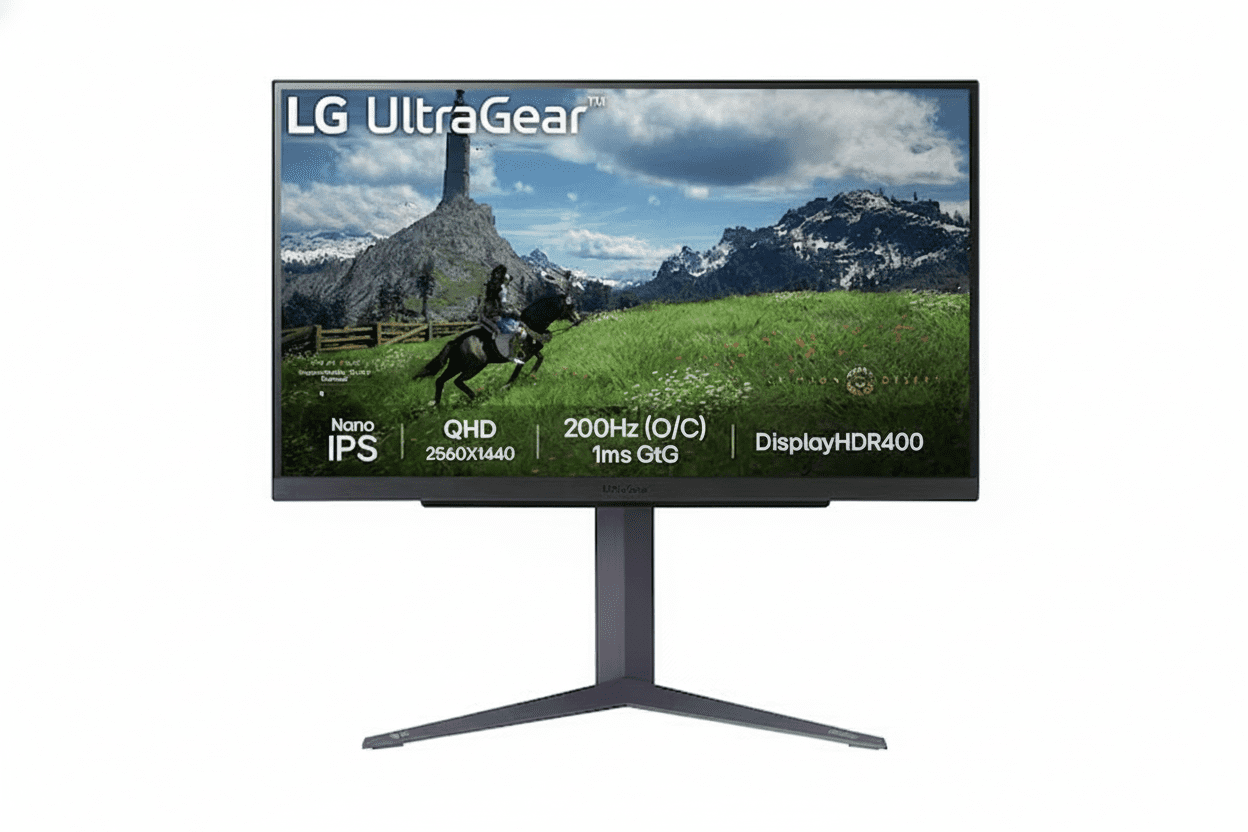
LG 27GS85Q-B UltraGear 27 inch QHD 200Hz Nano IPS Gaming Monitor

⚡ 27″ QHD Sweet Spot: 200Hz + Nano IPS + DCI-P3 98%!

G-SYNC + FreeSync + HDR 400 + Full Ergonomics + USB Hub.

🎮 Best 27″ QHD 200Hz Gaming Monitor – The New 1440p Sweet Spot!

LG 27GS85Q-B UltraGear Gaming Monitor

27″ QHD 200Hz Nano IPS | 1ms GtG | DCI-P3 98% | G-SYNC & FreeSync | HDR 400 | USB Hub

27″ QHD (2560×1440) Nano IPS – 180Hz (OC 200Hz) – 1ms GtG – Full Ergonomics

⚡ The Perfect 1440p “Sweet Spot” Monitor:

• Display: 27″ QHD (2560×1440) Nano IPS Panel

• Speed: 180Hz Native (Overclockable to 200Hz) + 1ms (GtG)

• Colors: DCI-P3 98% Wide Gamut + Factory Calibration

• HDR: VESA DisplayHDR 400 (400 cd/m² Peak)

• Sync: G-SYNC Compatible + AMD FreeSync + VESA AdaptiveSync

• Gaming Tools: Black Stabilizer, Crosshair, FPS Counter

• Ergonomics: Height (110mm) + Tilt + Pivot 90°

• Ports: 2× HDMI + 1× DP 1.4 + 2× USB-A + 1× USB-B Upstream

• Use Case: Esports + Single-player + Content Creation

₹25,099

₹35,000

SAVE ₹9,901 (28% OFF!)

Inclusive of all taxes | Free Priority Delivery

🛒 Buy Now on Amazon – 28% OFF!

Free Delivery | 3-Year Warranty | Elite 27″ QHD Gaming

Resolution

QHD 1440p

Refresh Rate

200 Hz OC

Color Gamut

DCI-P3 98%

LG 27GS85Q-B UltraGear Overview – The New 1440p Sweet Spot

⚡ Gaming Highlights

  • 27″ QHD 1440p: Perfect size + sharpness
  • 180Hz / 200Hz OC: Ultra-fast refresh
  • 1ms GtG Nano IPS: Esports-grade clarity
  • DCI-P3 98%: Wide cinema colors
  • HDR 400: Brighter, more vivid scenes
  • Universal Sync: G-SYNC, FreeSync & AdaptiveSync
  • USB Hub: 2× USB 3.0 downstream
  • Full Ergonomics: Height + Tilt + Pivot

📦 In the Box

  • 🖥️ LG 27GS85Q-B Monitor
  • 🏗️ Height/Tilt/Pivot Stand
  • 🔌 Power Cable
  • 📄 Quick Setup Guide
  • 📜 Warranty Card (3 Years)

Note: HDMI/DP and USB cables are usually not included—budget ~₹800–1,200 extra.

⭐ Why This Monitor?

  • • 27″ QHD = Sweet Spot: 109 PPI sharpness
  • • 200Hz OC: Faster than 144/165Hz rivals
  • • Nano IPS: Speed + wide color
  • • DCI-P3 98%: Creator-friendly
  • • USB Hub: Quality-of-life boost
  • • ₹25,099: Aggressive price for specs

🏆 The 27″ QHD, 200Hz “Do-It-All” Gaming Monitor

Perfect Resolution & Size

27″ at 2560×1440 delivers ~109 PPI, which is significantly sharper than 1080p while still being practical for most GPUs. Text, UI, and in-game details look clean without scaling headaches.

Speed Without Compromise

180Hz native and 200Hz overclock with true 1ms GtG keeps motion razor-sharp in fast shooters and esports, while Nano IPS and DCI-P3 98% ensure it still looks gorgeous for single‑player titles.

High-End Package, Mid-Range Price

For just over ₹25K, you get features that older 144–165Hz QHD monitors lack: higher refresh, wider color, HDR 400, USB hub, and fully adjustable stand, making older models hard to justify.

Why 27″ QHD is the True Gaming Sweet Spot

🖥️ 27″ + 1440p = 109 PPI

On a 27″ panel, 2560×1440 delivers ~109 pixels per inch—much sharper than 24″ 1080p (~92 PPI) and dramatically clearer than 27″ 1080p (~82 PPI). That makes HUDs, text, enemies at distance, and fine details easier to see without oversharpening.

📐 24″ FHD vs 27″ QHD vs 32″ QHD

Resolution & PPI Comparison

SizeResolutionPPIUse Case
24″1920×1080~92 PPIBudget / compact setups
27″2560×1440~109 PPISweet spot for gaming + work
32″2560×1440~93 PPIImmersion-first setups

Why 27″ QHD Works So Well

You get a huge improvement in clarity over 1080p without the GPU burden of 4K. At typical desktop distances (60–80 cm), 27″ QHD looks crisp without scaling and is easier to drive to high frame rates.

🎮 Practical Benefits in Games

  • • Sharper targets: Heads, silhouettes, and scoped targets are clearer at distance.
  • • UI readability: Ability icons, minimaps, and small text are easier on the eyes.
  • • Better screenshots: Streams and screenshots look cleaner at 1440p.
  • • Balanced GPU load: A mid‑range GPU (RTX 4060 / RX 7600) can still push 144–200 FPS in esports titles at QHD.

Bottom line: 27″ QHD is the right choice if you want “next-level” image quality without needing RTX 4080‑class hardware.

Elite Speed: 180Hz Native, Overclockable to 200Hz

⚡ 200Hz vs 144Hz vs 60Hz

A 200Hz panel refreshes more than three times as often as 60Hz (every ~5 ms vs 16.7 ms). Combined with 1ms GtG, you get exceptionally clean motion clarity, reduced blur, and easier target tracking in high‑speed shooters and battle royales.

60Hz

• 16.7 ms frame time
• Good for office work
• Noticeable blur and judder in FPS.

144Hz

• ~6.9 ms frame time
• Huge upgrade over 60Hz
• Now “entry” level for serious gaming.

180–200Hz

• ~5.6–5.0 ms frame time
• Smoother tracking & flicks
• Noticeable gain over 144Hz for FPS.

🎮 Esports & Competitive Play

For games like Valorant, CS2, Apex Legends, Overwatch 2, and Fortnite, higher refresh directly translates into better perceived responsiveness and tracking smoothness. The 27GS85Q-B gives you a panel that can keep up with 200 FPS output if your GPU can drive it.

  • • Esports titles: Easily push 200 FPS with RTX 4060 / RX 7600‑class cards at tuned settings.
  • • Input-lag synergy: High refresh + low response + adaptive sync = minimal latency chain.

🎯 1ms (GtG) True Response

Unlike older IPS panels that quoted 4–5ms GtG, this Nano IPS implementation is specified at a true 1ms GtG. That means transitions between grey levels are much faster, which directly reduces ghosting around moving edges.

  • • Cleaner edges: Less trailing behind enemies when you flick.
  • • Better readability: Text and UI elements stay legible while strafing.

Nano IPS – Speed and Color in One Panel

🎨 What is Nano IPS?

Nano IPS is LG’s enhanced IPS technology that uses nano‑sized particles on the backlight to absorb excess wavelengths and boost color saturation. The result is a wider color gamut (DCI‑P3 98%) while preserving IPS advantages like wide viewing angles and fast pixel transitions.

IPS vs TN vs VA

  • • TN: Fast, but washed‑out colors and poor viewing angles.
  • • VA: Great contrast, but slower response and more smearing in dark scenes.
  • • Nano IPS (this monitor): Near‑TN responsiveness with much better color and off‑axis performance.

Why Nano IPS Matters

For a monitor that aims to be both a competitive esports display and a cinematic single‑player screen, Nano IPS gives you the best trade‑off: fast 1ms GtG for clarity and a color gamut that makes HDR scenes, vibrant worlds, and creative workloads look far better than sRGB‑only panels.

DCI-P3 98% – Creator-Grade Color for Gamers

🌈 Wider Than sRGB

DCI‑P3 covers a significantly wider slice of the visible spectrum than sRGB. At ~98% DCI‑P3, this panel can display more saturated reds and greens, which is exactly what modern games, HDR content, and cinema‑grade color grading target.

🎮 In-Game Impact

Environments in titles like Cyberpunk 2077, Horizon, and open‑world RPGs benefit from this wider gamut. Neon lights, foliage, explosions, spell effects, and skies all look more vivid without pushing into oversaturated “cartoonish” territory if you leave the monitor in calibrated modes.

🎬 Great for Hobby Creators

If you do YouTube thumbnails, light photo editing, or video work, having DCI‑P3 coverage and factory calibration means what you see is much closer to how your content will appear on other wide‑gamut displays and modern phones.

VESA DisplayHDR 400 – Entry-Level, but Real, HDR

🌟 Certified, Not Just “HDR Ready”

DisplayHDR 400 means the panel can reach 400 nits peak brightness and meets VESA’s minimum HDR criteria. It won’t compete with 600–1000 nit FALD or OLED, but it’s noticeably better than SDR and fake HDR labels on 250–300 nit panels.

🎮 HDR Gaming & Movies

In HDR‑aware games and streaming apps, you get brighter highlights (sun, explosions, specular reflections) and somewhat improved shadow detail. Combined with wide color, HDR content looks more impactful than SDR, especially in dark environments.

⚠️ Expectations Check

This is not an HDR1000 mini‑LED or OLED. Blacks remain IPS‑typical, and there are no complex local dimming zones. Treat it as “nice bonus HDR” rather than the primary reason to buy—speed, resolution, and color are the real stars here.

Universal Adaptive Sync – G-SYNC, FreeSync & AdaptiveSync

✅ NVIDIA G-SYNC Compatible

The 27GS85Q-B is listed as G‑SYNC Compatible, meaning NVIDIA has validated it to work with variable refresh on GeForce RTX and GTX 10‑series or newer. You enable it in the control panel and enjoy tear‑free, low‑stutter gameplay.

✅ AMD FreeSync & VESA AdaptiveSync

On the AMD side, it supports FreeSync and additionally carries VESA AdaptiveSync certification, signalling stable and well‑behaved VRR behaviour across the advertised range. That makes it a safe pick regardless of which GPU brand you run today or in future.

Full Ergonomics + USB Hub

🏗️ Height, Tilt & Pivot

The stand supports height adjustment up to about 110 mm, tilt from roughly –5° to +15°, and clockwise pivot for portrait mode. That’s ideal for both long desk sessions and secondary portrait‑mode workflows (chat, code, timelines).

🧍 Ergonomics for Comfort

Being able to get the top of the screen at or just below eye level is key for neck comfort. Many cheaper 1440p monitors are tilt‑only. Here, you don’t need to budget an extra ₹2–5K for a third‑party arm unless you want multi‑monitor stacks.

🔌 USB Hub Convenience

A simple USB 3.0 hub (USB‑B upstream + two USB‑A downstream) lets you park mouse, keyboard, or dongles on the monitor. It’s not a USB‑C docking solution, but it’s a neat quality‑of‑life extra for PC gamers.

Who is the LG 27GS85Q-B For?

🎯 Esports & Competitive FPS

  • • 180–200Hz + 1ms GtG for motion clarity.
  • • VRR for stable frametime feel.
  • • Black Stabilizer & Crosshair tools.

🎮 Hybrid Gamers

  • • QHD sharpness for RPGs and open worlds.
  • • DCI‑P3 gamut for cinematic visuals.
  • • Enough speed for nightly ranked sessions.

🧑‍💻 Work + Play Users

  • • 27″ QHD is excellent for productivity layouts.
  • • Portrait pivot for code/docs.
  • • Wide gamut for hobby photo/video.

📸 Hobby Content Creators

  • • DCI‑P3 98% and IPS consistency.
  • • Factory calibration starting point.
  • • Good enough for YouTube, Insta, basic grading.

🚫 Who Should Skip It

  • • Users needing USB‑C + PD single‑cable dock.
  • • Pro colorists needing hardware LUT monitors.
  • • Console‑only users (many won’t exploit 200Hz).

How the 27GS85Q-B Stacks Up

vs Older 27″ QHD 144–165Hz IPS

Most previous‑gen 27″ 1440p gaming monitors top out at 144–165Hz, sRGB‑only gamut, and 4–5ms GtG.

  • • 27GS85Q-B brings 180/200Hz, Nano IPS, DCI‑P3 98%, HDR 400, and USB hub at a similar or slightly higher street price.
  • • For new buyers, it largely makes those older panels obsolete unless heavily discounted.

vs LG 32GS75Q-B (32″ Sibling)

27GS85Q-B32GS75Q-B
Size27″31.5″
Refresh180 / 200Hz180Hz
GamutDCI‑P3 98%sRGB‑class
Use CaseSharpened + creator‑friendlyImmersion‑first big screen

Pick 27″ if you value pixel density and color work; pick 32″ if immersion and size matter more.

Who Should Buy the LG 27GS85Q-B?

🎯 The Perfect Fit

The LG 27GS85Q-B is designed for PC gamers who refuse to compromise. Whether you’re grinding ranked matches in competitive shooters or exploring vast open worlds in single-player RPGs, this monitor delivers the performance and visual quality to excel in both scenarios without breaking the bank.

✅ Perfect For These Gamers

🎮 Competitive Esports Players

If you play Valorant, CS2, Apex Legends, Overwatch 2, Rainbow Six Siege, or any competitive FPS, this monitor gives you the edge you need. 180Hz native (200Hz OC) + 1ms GtG response means you see enemies faster and track targets more smoothly than opponents stuck on 60Hz or even 144Hz displays.

  • • Why it works: 200Hz refresh shows 40% more frames per second than 144Hz—smoother motion tracking
  • • Response advantage: True 1ms GtG eliminates ghosting for crystal-clear flicks and peeks
  • • GPU requirement: RTX 4060/3060 Ti or RX 7600 can hit 180-200 FPS in esports titles at QHD
  • • Tools included: Black Stabilizer reveals enemies in shadows, Crosshair overlay for hip-fire precision

🌍 Immersive Single-Player Gamers

Love story-driven adventures like Cyberpunk 2077, Red Dead Redemption 2, Elden Ring, Horizon Forbidden West, or The Witcher 3? DCI-P3 98% wide color gamut + HDR 400 certification makes these worlds look dramatically more vibrant and realistic than standard sRGB monitors.

  • • Color advantage: DCI-P3 98% displays 25% more colors than sRGB—neon cities, sunsets, and fantasy worlds pop
  • • HDR benefit: 400 cd/m² peak brightness makes explosions, fire, and sunlight more impactful
  • • Sharpness: 27″ QHD at 109 PPI reveals fine details in textures, foliage, and architecture
  • • Smooth exploration: Even 80-120 FPS feels buttery smooth with VRR enabled

🎨 Hybrid Work + Gaming Users

Need one monitor for 9-to-5 productivity and evening gaming sessions? 27″ QHD provides excellent workspace for coding, design, and multitasking, while gaming features activate when you launch your favorite titles.

  • • Productivity: 2560×1440 fits two browser windows side-by-side or massive Excel sheets
  • • Ergonomics: Height + Tilt + Pivot adjustments prevent neck strain during 8-hour work sessions
  • • Portrait mode: Rotate 90° for coding, reading documents, or timeline editing
  • • USB hub: Connect keyboard, mouse, and peripherals directly to monitor for cleaner desk

📸 Hobby Content Creators

Edit YouTube videos, Instagram photos, or Twitch stream overlays? DCI-P3 98% color accuracy and factory calibration mean your content looks professional without spending ₹50K+ on reference monitors.

  • • Wide gamut: DCI-P3 coverage matches modern phones and TVs—your edits look consistent everywhere
  • • Factory calibrated: Good color accuracy out of box for hobbyist photo/video work
  • • Real estate: 27″ QHD fits full Premiere/DaVinci timelines with room for preview windows
  • • Dual purpose: Edit during the day, game at night—no need for separate monitors

🔄 Upgraders from 1080p or 144Hz

Currently using a 1080p 144Hz or older 1440p 60-75Hz monitor? This is the perfect next-generation upgrade that delivers meaningful improvements across the board.

  • • From 1080p 144Hz: Massive visual clarity boost (77% more pixels) while maintaining competitive speed
  • • From 1440p 60-75Hz: Triple the refresh rate for dramatically smoother motion
  • • From old 1440p 144Hz: Faster refresh (200Hz), better colors (DCI-P3 vs sRGB), and modern features
  • • Future-proof: Won’t need another upgrade for 4-5 years—this spec will age well

💰 Value-Conscious Enthusiasts

Want flagship-tier features without flagship prices? ₹25,099 for this spec combination is extraordinary value—comparable monitors cost ₹32K-40K.

  • • Premium specs: 200Hz + Nano IPS + DCI-P3 98% + HDR 400 + Full ergo stand
  • • Budget saved: ₹9,901 discount + no need for separate monitor arm (₹3K-5K saved)
  • • Better than rivals: Beats older Samsung/ASUS 1440p 165Hz models at similar prices
  • • Smart purchase: Best price-to-performance in 27″ QHD gaming category

❌ Look Elsewhere If You Are…

💼 Single-Cable Laptop Docker

Need to connect your laptop with one USB-C cable for video, data, and charging? This monitor has NO USB-C port with Power Delivery—it only has HDMI/DisplayPort video inputs plus basic USB-A hub.

  • • What’s missing: No USB-C input, no 65W/90W laptop charging, no single-cable docking
  • • Workaround: You’ll need separate power adapter + HDMI/DP cable + USB cable (3 cables total)
  • • Better alternative: Business monitors like Dell P2723DE or HP E27 G5 offer USB-C with PD
  • • Note: If you have a desktop gaming PC, this limitation doesn’t matter—DP cable is ideal

🎬 Professional Colorist / Video Editor

Working on client projects requiring 100% Adobe RGB or Rec.2020? Need hardware calibration with LUT storage? This is a great gaming monitor, not a reference-grade color-critical display.

  • • Limitations: No hardware LUT, no Adobe RGB coverage, no 14-bit processing, no calibration probe included
  • • What it has: DCI-P3 98% is good for hobbyist work but not certified for color-critical professional workflows
  • • Better alternative: BenQ SW270C, ASUS ProArt PA279CV, or Dell UltraSharp UP2720Q for pro color work
  • • Who it works for: Hobbyist YouTubers, Instagram photographers, Twitch streamers—just not paid color grading

🎥 Dark Room Movie Enthusiast

Watch movies in a completely dark room and want deep, inky blacks with high native contrast? IPS panels have typical 1000-1200:1 contrast—VA panels or OLED are better for pure movie watching.

  • • IPS limitation: Blacks look grayish in dark scenes compared to VA (3000:1) or OLED (infinite contrast)
  • • IPS glow: Some backlight glow visible in corners during dark movie scenes at high brightness
  • • Better alternative: Samsung Odyssey G5 (VA) for movies, or LG OLED if budget allows
  • • When IPS is fine: If you watch in normal room lighting or game more than watch movies, IPS works great

🎮 Budget GPU Owner (GTX 1650 / RX 6500 XT)

Running an entry-level GPU that struggles with 1080p? QHD 1440p at 180-200Hz is too demanding—you won’t utilize this monitor’s capabilities and will be stuck at 50-80 FPS in most games.

  • • GPU requirement: You need at least RTX 3060/4060 or RX 6600 XT/7600 for good QHD gaming
  • • Performance reality: GTX 1650 gets ~40-60 FPS at 1440p medium settings—wasted 200Hz capability
  • • Better alternative: Stick with 1080p 144Hz monitors until you upgrade GPU, or get 1080p 240Hz
  • • Future-proofing: Only buy if you plan to upgrade GPU within 6-12 months

🏆 Professional Esports Players (Top 0.1%)

Competing in official tournaments or top-500 ranked globally? True pros often prefer 24.5″ 1080p 360-540Hz TN monitors for absolute minimum input latency over visual quality.

  • • Pro preference: BenQ Zowie XL2566K, ASUS ROG Swift PG259QN—smaller, faster, tournament-standard
  • • 27GS85Q-B trade-off: Prioritizes visual quality (QHD + colors) over max competitive edge (360Hz+)
  • • Reality check: For 99.9% of competitive players, 200Hz is MORE than enough—difference is imperceptible
  • • Recommendation: If you’re not playing in LAN finals, this monitor is perfect for competitive gaming

🎮 Console-Only Gamers (PS5 / Xbox Series X)

Only playing on PlayStation 5 or Xbox Series X with no PC? Consoles max out at 1440p 120Hz—you won’t use 180-200Hz capability and PC-focused features go to waste.

  • • Console limit: PS5 and Xbox Series X output maximum 1440p 120Hz—not 180Hz or 200Hz
  • • Wasted features: No need for 200Hz OC, USB hub, or ultra-wide color for SDR console games
  • • Better alternative: Get a 4K 120Hz TV or monitor designed for consoles with HDMI 2.1
  • • Exception: If you plan to build a gaming PC soon, this is future-ready—buy it!

💻 Tiny Desk / Small Room Setup

Desk depth less than 50cm or sitting very close to screen? 27″ might feel overwhelming at close distances—you’ll need to turn your head to see corners.

  • • Ideal distance: 27″ QHD works best at 60-80cm viewing distance for comfortable gaming
  • • Desk requirement: Minimum 60cm desk depth recommended—50cm is tight
  • • Better alternative: 24″ 1440p monitors (rare) or 24″ 1080p 240Hz for compact setups
  • • Workaround: Mount on monitor arm and push farther back, but that negates included stand

🔊 Users Wanting Built-In Audio

Need built-in speakers for casual YouTube, music, or games without headset? This monitor has NO built-in speakers—you’ll need external speakers or headphones.

  • • What’s missing: Zero integrated speakers—monitor is video-only output
  • • Workaround: Budget ₹2K-8K for desktop speakers or use gaming headset
  • • Industry standard: Most gaming monitors skip speakers—gamers prefer headsets anyway
  • • Audio out: 3.5mm headphone jack available for routing display audio to headphones/speakers

🎯 Quick Decision Matrix

Your ProfileShould You Buy?Reason
Desktop PC gamer (RTX 4060+ or RX 7600+)✅ YESPerfect match—GPU can drive QHD 180-200 FPS in esports, 100+ in AAA
Competitive FPS player (Valorant, CS2, Apex)✅ YES200Hz + 1ms GtG + Black Stabilizer = competitive edge
Single-player story game lover (RPGs, open world)✅ YESDCI-P3 98% + HDR 400 makes games look stunning
Hybrid work + gaming user (coding, design, evening gaming)✅ YES27″ QHD excellent productivity, full ergo for comfort, gaming after hours
Hobby YouTuber / content creator✅ YESDCI-P3 coverage good enough for hobbyist photo/video editing
Laptop user needing USB-C dock with PD charging❌ NONo USB-C port—needs 3 separate cables (power, video, USB)
Professional colorist / video editor (client work)❌ NONo hardware calibration or Adobe RGB—get reference monitor instead
Dark room movie enthusiast (cinema purist)⚠️ MAYBEIPS contrast okay but not deep—VA or OLED better for pure movies
Budget GPU owner (GTX 1650, RX 6500 XT)❌ NOGPU too weak for QHD gaming—stick with 1080p until upgrade
Console-only gamer (PS5 / Xbox Series X)⚠️ MAYBEWorks but wasted potential—consoles max 120Hz, get 4K TV instead
Professional esports player (tournament competitor)⚠️ MAYBEGreat for ranked, but pros prefer 24.5″ 360-540Hz tournament monitors

🏆 Bottom Line: Who Wins with This Monitor?

✅ PERFECT FIT (90%+ of Gamers)

If you’re a desktop PC gamer with a mid-range or better GPU (RTX 3060+, RX 6600 XT+) who wants the absolute best balance of:

  • • Competitive speed (200Hz refresh for esports)
  • • Visual quality (DCI-P3 colors for story games)
  • • Sharpness (QHD 1440p clarity)
  • • Value (₹25K for flagship-tier specs)

This is THE monitor to buy in 2025. No compromises, no regrets.

❌ WRONG CHOICE (10% Edge Cases)

Skip this monitor ONLY if you:

  • • Need USB-C docking with single-cable laptop connection + charging
  • • Do professional color work requiring Adobe RGB and hardware calibration
  • • Watch movies only in dark rooms and want VA/OLED contrast
  • • Have budget GPU that can’t handle 1440p gaming (upgrade GPU first!)
  • • Play console-only with no plans for PC gaming

For these specific use cases, specialized alternatives exist—but they’re rare exceptions.

LG 27GS85Q-B vs Competitors – How It Stacks Up

🏆 Market Position

The LG 27GS85Q-B redefines the 27″ QHD gaming monitor category by offering features that were previously exclusive to ₹35K-45K premium models at just ₹25,099. Let’s see how it compares to the closest rivals and siblings in the LG UltraGear lineup.

🆚 LG 27GS85Q-B vs LG 32GS75Q-B (Sibling Showdown)

Both are 2025 UltraGear models, but target different priorities: 27GS85Q-B prioritizes pixel density and color accuracy, while 32GS75Q-B emphasizes immersive screen size. Here’s the breakdown:

FeatureLG 27GS85Q-B
(This Review)
LG 32GS75Q-B
(32″ Sibling)
Winner
Screen Size27″ (68.5 cm)31.5″ (80 cm) ✓32″ for immersion
ResolutionQHD 2560×1440QHD 2560×1440Tie
Pixel Density (PPI)109 PPI ✓ (Sharper)93 PPI27″ sharper text/UI
Refresh Rate180Hz (OC 200Hz) ✓180Hz27″ (200Hz OC)
Panel TypeNano IPS ✓IPS27″ (Nano tech)
Response Time1ms (GtG)1ms (GtG)Tie
Color GamutDCI-P3 98% ✓sRGB 99% (~73% DCI-P3)27″ (creator-grade)
HDRDisplayHDR 400DisplayHDR 400Tie
Adaptive SyncG-SYNC + FreeSync + AdaptiveSyncG-SYNC + FreeSync27″ (triple cert)
USB HubYes (2× USB 3.0) ✓No27″ (convenience)
ErgonomicsHeight + Tilt + PivotHeight + Tilt + PivotTie
Price₹25,099 ✓₹28,49927″ (₹3,400 cheaper)
Best ForCompetitive gamers, hybrid users, content creators, sharp visualsImmersive single-player gamers, cinematic experiences, big screen loversDepends on priority!

🎯 Which Should You Choose?

  • • Choose 27GS85Q-B if: You want sharper text (109 PPI), wider colors (DCI-P3 98%), faster refresh (200Hz OC), USB hub, and save ₹3,400. Perfect for competitive FPS, work + gaming hybrid, and content creation.
  • • Choose 32GS75Q-B if: Screen size is priority #1 for immersive single-player games (RDR2, Cyberpunk, Elden Ring). The extra 4.5″ diagonal creates dramatically more cinematic experiences, worth the ₹3,400 premium if immersion > sharpness.

🆚 vs Older 27″ QHD 144-165Hz Monitors

The 27GS85Q-B essentially makes most 2022-2023 era 27″ 1440p 144-165Hz monitors obsolete. Let’s compare against typical previous-gen specs:

FeatureLG 27GS85Q-B
(2025 New)
Typical 2022-23
27″ 1440p 165Hz
Upgrade Value
Refresh Rate180Hz (OC 200Hz) ✓144-165Hz+21-39% faster
Response Time1ms (GtG) ✓4-5ms (GtG)75-80% faster pixels
Panel TechNano IPS ✓Standard IPSEnhanced backlight
Color GamutDCI-P3 98% ✓sRGB 99% only+25% wider spectrum
HDRDisplayHDR 400 ✓Fake “HDR” or noneReal certified HDR
USB HubYes (2× USB 3.0) ✓Rare / NoAdded convenience
ErgonomicsHeight + Tilt + Pivot ✓Often tilt-onlySave ₹3K+ on arm
Typical Price₹25,099 ✓₹22K-28KSimilar or cheaper!

💡 Why This Matters

If you’re shopping for a 27″ 1440p gaming monitor in 2025, there’s almost no reason to buy older 144-165Hz models unless they’re heavily discounted (under ₹18K). The 27GS85Q-B delivers meaningfully better performance across every metric at a competitive price—making it the new baseline standard.

🆚 vs ASUS / Samsung / Acer Competitors

How does the 27GS85Q-B compare to similarly-priced 27″ QHD gaming monitors from other major brands?

Monitor ModelRefreshPanelColorPriceNotes
LG 27GS85Q-B200Hz OCNano IPSDCI-P3 98%₹25,099Best all-around value!
ASUS TUF VG27AQ3A180HzIPSsRGB 99%~₹24KSlightly cheaper but no Nano IPS or wide gamut
Samsung Odyssey G5 (27″)165HzVAsRGB~₹22KBetter contrast, slower response, slower refresh
Acer Nitro XV272U170HzIPSDCI-P3 95%~₹26KSimilar color but slower refresh and pricier
MSI MAG274QRF-QD165HzQuantum DotDCI-P3 97%~₹32KGreat color but expensive and slower refresh

🏆 Competitive Verdict

The 27GS85Q-B offers the best combination of refresh rate (200Hz OC), color accuracy (DCI-P3 98%), and price (₹25K) in its class. Rivals are either slower (165-180Hz), have worse colors (sRGB-only), or cost more. If ASUS/Samsung/Acer release competitive 200Hz Nano IPS models, they’ll likely price ₹28K-32K+—making this LG a standout value.

📊 Competitive Summary

🥇 Beats Older 144-165Hz

Faster refresh, better colors, real HDR, better ergonomics—at similar or lower prices. Makes previous-gen obsolete.

🤝 Complements 32GS75Q-B

Choose 27″ for sharpness + colors + speed; choose 32″ for immersion + size. Both excellent, different priorities.

💪 Undercuts Rivals

ASUS/Samsung/Acer competitors cost ₹28K-35K for similar specs. This is ₹3K-10K cheaper with better or equal performance.

Pros & Cons

✅ What We Liked

  • Perfect 27″ QHD Sweet Spot: 109 PPI looks crisp for both games and work.
  • 180Hz Native, 200Hz OC: Faster than typical 144–165Hz competitors.
  • Nano IPS + 1ms GtG: Esports‑ready response with IPS color and angles.
  • DCI‑P3 98% Gamut: Wide color for both gaming and hobby content creation.
  • DisplayHDR 400: Real entry‑level HDR rather than fake marketing HDR.
  • Universal VRR: G-SYNC Compatible, FreeSync, and AdaptiveSync certified.
  • Full Ergonomic Stand: Height, tilt, and pivot included in the price.
  • USB Hub: Integrated 2‑port USB 3.0 hub for peripherals.
  • Price–Feature Ratio: At ~₹25K, it massively undercuts many “premium” 1440p models with weaker specs.

❌ What Could Be Better

  • Typical IPS Contrast: Blacks are fine but not deep; VA panels still win for dark‑room movie watching.
  • No USB-C with PD: You get a USB hub, but no single‑cable laptop docking or charging.
  • No Built-in Speakers: Not a big deal for gamers (headsets are better), but some users expect basic speakers.
  • HDR 400 Limits: Noticeably better than SDR, but not in the same league as HDR600/1000 mini‑LED or OLED.
  • Needs Decent GPU: To really leverage 1440p at 180–200Hz, you want at least an RTX 3060 Ti / 4060 or RX 6700 XT / 7600 XT for esports.

Final Verdict – The 1440p Standard to Beat

🏆 27″ QHD SWEET SPOT KING – 9.4/10

The LG 27GS85Q-B nails the modern PC gaming brief: sharp 1440p resolution, ultra‑fast 200Hz refresh, great color, real HDR, and solid ergonomics at a price that undercuts many weaker rivals.

Who Should Buy It?

✅ Highly Recommended For

  • • PC gamers who want the best 27″ 1440p experience under ~₹30K.
  • • Esports players upgrading from 1080p 144Hz panels.
  • • Hybrid users who game, work, and do light creative tasks on one screen.

❌ Look Elsewhere If

  • • You need USB‑C with power delivery for a one‑cable laptop dock.
  • • You’re a pro colorist needing hardware‑calibrated reference displays.
  • • You mostly watch movies in a dark room and want VA‑level contrast or OLED black.

Our Rating: 9.4 / 10

For most PC gamers in 2025, this is exactly what a “no‑regrets” 1440p monitor should look like. If your budget and GPU can handle it, the LG 27GS85Q‑B is an easy recommendation.

₹25,099

₹35,000

SAVE ₹9,901 (28% OFF!)

🛒 BUY NOW – LIMITED TIME DEAL

Free Delivery | 3-Year Warranty | 27″ QHD 200Hz Nano IPS

20 Most Asked Questions About LG 27GS85Q-B

Q1. How do I enable 200Hz overclock?

Use the monitor’s OSD to enable the 200Hz overclock mode, then in Windows/NVIDIA/AMD display settings select 200Hz at 2560×1440. Always use DisplayPort 1.4 for full refresh; HDMI may be limited to lower rates depending on GPU.

Q2. Is QHD too heavy for my GPU?

Esports titles like Valorant, CS2, LoL, and Overwatch 2 are light enough that even mid‑range cards (RTX 3060 / 4060 / RX 7600) can push 144–200 FPS with tuned settings at QHD. For big AAA games, expect 80–140 FPS depending on your GPU and quality preset.

Q3. Does G-SYNC work on this monitor?

Yes, it’s G‑SYNC Compatible. Connect via DisplayPort, enable VRR in the monitor OSD, then turn on G‑SYNC in NVIDIA Control Panel. You’ll get tear‑free, low‑stutter gameplay across its VRR range.

Q4. Does it support FreeSync on AMD GPUs?

Yes, it supports AMD FreeSync and is also AdaptiveSync certified. Enable FreeSync in AMD’s driver panel and ensure VRR is enabled in the monitor OSD for smooth, tear‑free performance on Radeon cards.

Q5. Is this good for PS5 / Xbox Series X?

It will work and look great at 1440p 120Hz with HDR on consoles, but you won’t use the full 180–200Hz capability. If you’re mainly a console gamer, you may not fully exploit what you’re paying for on the PC side.

Q6. Can I use it for photo and video editing?

Yes, for hobby and semi‑pro work it’s an excellent choice thanks to DCI‑P3 98% coverage, factory calibration, and 27″ QHD real estate. Serious colorists still need reference‑grade, hardware‑calibrated monitors in addition.

Q7. Is there any noticeable IPS glow or backlight bleed?

As with any IPS, some glow and minor variance is normal and varies panel‑to‑panel. For most units it’s only visible in very dark scenes at high brightness in a dark room; for typical mixed use it shouldn’t be distracting.

Q8. Does it have built-in speakers?

No, there are no integrated speakers. Gamers normally prefer headsets or external speakers anyway. The monitor provides audio out via the 3.5 mm jack if you want to route sound from HDMI/DP to headphones or speakers.

Q9. Is the USB hub powered enough for external drives?

The USB hub is fine for peripherals (mouse, keyboard, wireless dongles, gamepads). For bus‑powered HDDs/SSDs, use ports on your PC or a powered hub instead to ensure stable power delivery.

Q10. Is there any difference in latency at 180Hz vs 200Hz?

The difference is small but real. 180Hz has a ~5.6 ms frame interval; 200Hz reduces that to 5.0 ms. On top of pixel response and VRR, the overclock squeezes a bit more responsiveness, noticeable mainly to highly sensitive competitive players.

Q11. Does 1440p at 27″ make text too small?

Most users find 27″ QHD comfortable at 100% or 125% scaling in Windows. Text is sharper than 1080p and still very readable; you can slightly bump scaling in the OS if you sit further away or prefer larger UI elements.

Q12. Does it ship with color calibration?

Units are factory‑calibrated to reasonable targets out of the box (particularly for sRGB/DCI‑P3 modes). For critical work you can still profile it with your own colorimeter, but for gaming and casual creation, stock modes are already good.

Q13. Is there noticeable overshoot or inverse ghosting?

Overdrive is adjustable. In the recommended middle setting you get a good balance of clarity without much overshoot. Max overdrive can induce some halos, so sticking to the “fast” but not “fastest” mode is ideal for most use cases.

Q14. Can this be mounted on a monitor arm?

Yes, it supports a standard 100 × 100 mm VESA mount. The stand detaches, allowing you to use single or dual‑arm gas springs or wall mounts if you prefer a custom layout.

Q15. How good is it for long coding or office sessions?

27″ QHD gives you great workspace; height/tilt/pivot help you dial in comfortable ergonomics. As long as brightness is set sanely and you use a neutral picture mode, it’s very comfortable as a daily‑driver productivity display.

Q16. Does it support 10-bit color?

It uses 8‑bit + FRC to achieve 10‑bit support, which is typical in this class and enough to avoid harsh banding in gradients when used with HDR and proper content/pipeline support.

Q17. Is the stand wobbly?

The UltraGear stand is generally solid. You may see minor shake if your desk is flimsy and you type heavily, but there’s no inherent instability problem with normal setups and desk quality.

Q18. Is this overkill if I only play single-player games?

Not at all. Even in single‑player titles, the combination of 1440p, wide color, HDR 400, and high refresh dramatically improves smoothness, camera movement, and visual impact. You simply get more headroom if you ever jump into competitive modes later.

Q19. What cable should I buy?

Get a certified DisplayPort 1.4 cable from a reputable brand to guarantee 1440p at 180–200Hz. Any basic 1.4‑rated cable is fine; avoid ultra‑cheap no‑name DP cables that often cause flicker or dropouts at high refresh.

Q20. Is this still a good buy in late 2025?

Yes. Even as higher‑end OLED and mini‑LED panels push the flagship segment, this spec mix at this price remains a “sweet spot” recommendation for the majority of PC gamers who want excellent performance without paying a flagship premium.

Complete Technical Specifications – LG 27GS85Q-B

DISPLAY
Screen Size27″ (68.5 cm)
ResolutionQHD 2560 × 1440
Panel TypeNano IPS
Aspect Ratio16:9
Pixel Density~109 PPI
SurfaceAnti‑glare, 3H
PERFORMANCE
Refresh Rate180Hz (Overclockable to 200Hz)
Response Time1ms (GtG)
Adaptive SyncNVIDIA G‑SYNC Compatible, AMD FreeSync, VESA AdaptiveSync
Gaming FeaturesBlack Stabilizer, Crosshair, FPS Counter, Game Modes
COLOR & HDR
Color GamutDCI‑P3 98% (typ.)
Color Depth10‑bit (8‑bit + FRC)
HDRVESA DisplayHDR 400
BrightnessUp to 400 cd/m² (HDR peak)
ContrastTypical IPS (around 1000–1200:1)
CONNECTIVITY
HDMI2 × HDMI (high‑refresh QHD support, GPU‑dependent)
DisplayPort1 × DisplayPort 1.4
USB Upstream1 × USB‑B 3.0
USB Downstream2 × USB‑A 3.0
Headphone Out1 × 3.5 mm audio jack
USB‑CNo
ERGONOMICS & MOUNT
Height AdjustmentYes (approx. 110 mm)
TiltYes (around –5° to +15°)
PivotYes (90° clockwise)
SwivelNot specified / limited
VESA Mount100 × 100 mm
MISCELLANEOUS
SeriesLG UltraGear
Model27GS85Q‑B
Warranty3‑Year Limited
MRP₹35,000
Typical Selling Price₹25,099 (at time of review)

Upgrade to the 1440p Sweet Spot Today

27″ QHD 200Hz Nano IPS | DCI-P3 98% | HDR 400 | Only ₹25,099

🛒 BUY NOW – 28% OFF

Free Delivery | 3-Year Warranty | LG UltraGear Reliability
LG 32U631A-B Review 2025 – Best 32-Inch QHD USB-C Productivity Monitor Under ₹20,000

LG 32U631A-B Review 2025
LG 32U631A-B Monitor Review 2025 – Best 32″ QHD USB-C Productivity Monitor Under ₹20,000
LG 32U631A-B 32 inch QHD Monitor

💼 Productivity Pro: USB-C + 100Hz + 32″ QHD!

Plus sRGB 99% Color + Eye-Care Features!

⭐ Best Budget 32″ QHD – USB-C – 100Hz – Productivity Powerhouse

LG 32U631A-B 32″ QHD Monitor

31.5″ QHD Display | USB-C with 15W PD | Best Budget Productivity Monitor 2025

31.5″ QHD (2560×1440) IPS – 100Hz – USB-C 15W PD – sRGB 99% – HDR10 – 3-Side Borderless

💼 Ultimate Productivity Configuration:

• Display: 31.5″ QHD (2560×1440) IPS Panel

• Refresh Rate: 100Hz Smooth Workflow

• USB-C: 15W Power Delivery (Single Cable!)

• Color: sRGB 99% Accuracy

• HDR: HDR10 Support

• Eye Care: Reader Mode + Flicker Safe

• Bonus: LG Switch App + Super Slim Stand!

₹18,749

₹22,000

SAVE ₹3,251 (15% OFF!)

*Inclusive of all taxes | Free Priority Delivery

🛒 Buy Now on Amazon – 15% OFF!

Free Delivery | Standard Warranty Included

Screen Size

31.5″ QHD

Refresh Rate

100Hz

USB-C PD

15W

LG 32U631A-B Monitor Overview

💼 Productivity Highlights

  • 31.5″ QHD: 2560×1440 resolution
  • 100Hz: Smooth scrolling
  • USB-C: 15W Power Delivery
  • sRGB 99%: Accurate colors
  • HDR10: Enhanced contrast
  • Eye Care: Reader Mode
  • ₹18,749: Amazing value!

📦 In The Box

  • 📺 LG 32U631A-B Monitor with Stand
  • 🔌 Power Adapter & Cable
  • 📺 HDMI Cable (Included!)
  • 📄 Quick Setup Guide
  • 📜 Warranty Card

Bonus: HDMI cable included in box!

⭐ 32U631A-B Advantage

  • • Best Value: 32″ QHD + USB-C under ₹19K
  • • Large Screen: Massive workspace
  • • 100Hz: Smoother than 60Hz
  • • USB-C: Single-cable simplicity
  • • LG Quality: Trusted brand
  • • 15% OFF: Save ₹3,251!

🏆 Best Budget 32″ QHD Productivity Monitor Under ₹19,000

32″ QHD Workspace

Experience a massive 31.5-inch screen with QHD (2560×1440) resolution—that’s 77% more pixels than Full HD! The large IPS panel provides an expansive workspace perfect for multitasking, spreadsheets, coding, and creative work!

100Hz Smooth Performance

100Hz refresh rate delivers 66% smoother motion than 60Hz monitors. Scrolling, window animations, and multitasking feel incredibly fluid and responsive—perfect for modern productivity workflows and light gaming!

Unbeatable ₹18,749 Price!

Get 32″ QHD + 100Hz + USB-C + sRGB 99% + HDR10 + IPS Panel + LG Switch App at just ₹18,749 with 15% discount! The most affordable premium 32″ productivity monitor in India!

31.5″ QHD (2560×1440) IPS Panel

📺 Display Specifications

Quad HD Resolution

Screen Size 31.5″ (80 cm)
Resolution 2560 × 1440 (QHD)
Panel Type IPS
Pixel Density 93 PPI
Total Pixels 3.69 Million
Aspect Ratio 16:9

🎨 Image Quality

Color Performance

Color Coverage sRGB 99% (Typ.)
Color Support 16.7 Million Colors
HDR Support HDR10

Brightness & Contrast

Brightness (Typ.) 250 cd/m²
Contrast Ratio (Typ.) 1000:1
Viewing Angle 178°/178°

🏆 Why 31.5″ QHD for Productivity

The 2560×1440 QHD resolution on a 31.5-inch screen provides the perfect balance of screen size and pixel density. With 77% more pixels than Full HD, you get sharper text, more detailed images, and significantly more screen real estate for multitasking!

Massive Workspace

31.5″ + QHD gives you room for multiple windows side-by-side. Open Excel, Word, browsers, and email simultaneously without cramping!

Sharp Text & Images

93 PPI provides crisp text rendering perfect for documents, code, spreadsheets, and creative work—much sharper than 32″ 1080p (69 PPI)!

Professional IPS Panel

178° viewing angles with sRGB 99% color accuracy ensure consistent, accurate colors from any position—perfect for teamwork and presentations!

100Hz Smooth Refresh Rate

⚡ 100Hz Performance

66% Faster Than 60Hz

Max Refresh Rate 100 Hz
Variable Refresh Rate 48-100 Hz (VRR)
Response Time (Faster) 5 ms GTG
AMD FreeSync Yes (HDMI/USB-C)

💼 Productivity Benefits

Fluid Workflow

100Hz refresh rate provides buttery-smooth scrolling in documents, spreadsheets, web browsers, and code editors. The 66% improvement over 60Hz makes everyday tasks feel more responsive!

  • • Excel: Smooth cell navigation
  • • Web Browsing: Fluid page scrolling
  • • Video Editing: Responsive timeline
  • • Coding: Smooth text scrolling

Light Gaming Ready

100Hz + AMD FreeSync makes casual gaming enjoyable. Perfect for single-player games and light e-sports!

USB-C with 15W Power Delivery

🔌 Single-Cable Simplicity

The USB-C port with 15W Power Delivery streamlines your workspace by allowing you to connect your laptop with a single cable. This transmits the video signal AND provides up to 15W of power simultaneously—perfect for tablets and ultrabooks!

Video + Power

Single cable for display and charging

Clean Desk Setup

Declutter cables and workspace

15W Power Delivery

Keeps tablets/ultrabooks charged

✅ USB-C Benefits

  • • One Cable Solution: Video + power simultaneously
  • • Clean Workspace: Fewer cables, less clutter
  • • Easy Connection: Plug and play simplicity
  • • Modern Standard: Future-proof connectivity
  • • Tablets & Ultrabooks: Perfect for light devices

⚠️ Power Delivery Limitations

The 15W Power Delivery is LOW and only suitable for:

  • • Tablets: iPad, Surface Go
  • • Ultrabooks: Very low-power laptops
  • • Light Tasks: Browsing, documents

Most laptops need 45-65W+ PD and will still require their charger!

Eye-Care Technologies

👁️ Reader Mode

Paper-Like Viewing

Reader Mode adjusts color temperature and luminance to simulate reading paper. This reduces blue light emissions and creates a more comfortable viewing experience for long reading sessions!

  • • Blue Light Reduction: Protect your eyes
  • • Paper Simulation: Natural reading feel
  • • Sleep Protection: Better sleep cycles
  • • Document Work: Comfortable all-day

⚡ Flicker Safe

Flicker-Free Technology

Flicker Safe eliminates invisible screen flickering that causes eye strain, headaches, and fatigue. This hardware-based solution provides comfortable viewing for 8+ hour work days!

  • • Zero Flicker: Hardware DC dimming
  • • Reduced Fatigue: All-day comfort
  • • No Headaches: Minimize strain
  • • Long Sessions: Work for hours

💼 All-Day Comfort for Professionals

The combination of Reader Mode + Flicker Safe + IPS panel makes the LG 32U631A-B comfortable for extended 8-10 hour work sessions. Perfect for office workers, students, developers, and anyone spending long hours in front of a screen!

LG Switch App – Multitasking Powerhouse

💻 Screen Partitioning

Up to 6 Windows

The FREE LG Switch app allows you to divide the large 32″ QHD screen into up to 6 custom partitions. Arrange applications perfectly without manually resizing windows!

  • • 6 Partitions: Maximum multitasking
  • • Custom Layouts: Personalized workflow
  • • Hotkey Mapping: Quick switching
  • • Theme Options: Customizable UI

🚀 Productivity Features

Workflow Optimization

The app helps you optimize your workspace for maximum efficiency. Features include video call platform launch, screen recording, and custom hotkeys for ultimate productivity!

  • • Windows/macOS: Cross-platform support
  • • Video Calls: One-click launch
  • • Screen Capture: Built-in tools
  • • Custom Hotkeys: Boost efficiency

Sleek, Space-Saving Design

🖼️ 3-Side Slim Bezel

Modern Minimalist Look

Featuring a 3-side virtually borderless design with ultra-thin bezels, the monitor provides a clean, modern aesthetic and immersive viewing experience perfect for multi-monitor setups!

  • • Thin Bezels: Minimal distraction
  • • Dual Monitor: Seamless side-by-side
  • • Immersive: Maximum screen focus

📐 Super Slim Stand

Only 3mm Thick!

The innovative super-slim stand (just 3mm thick) minimizes its footprint, allowing you to maximize usable desk space and maintain a clean, organized workspace!

  • • 3mm Thickness: Ultra-compact
  • • Space Saving: More desk room
  • • Tilt Adjustment: -5° to +15°
  • • VESA Mount: 100x100mm compatible

⚠️ Stand Limitations

Tilt-only stand. No height, swivel, or pivot. Consider VESA monitor arm for full ergonomics!

Who Should Buy This Monitor?

💼 Home Office Professionals

  • Remote Workers: Large QHD workspace
  • Data Analysts: Multiple spreadsheets
  • Accountants: Financial software
  • Project Managers: Multi-app workflow
  • Consultants: Presentations + data

Perfect for: Multitasking + productivity

🎓 Students

  • College Students: Research + writing
  • Online Learning: Video lectures
  • CS Students: Coding projects
  • Design Students: Creative work
  • Budget Conscious: Excellent value

Perfect for: Study + entertainment

💻 Laptop Users

  • MacBook Users: USB-C connection
  • Ultrabook Owners: Single cable setup
  • Tablet Users: 15W PD charging
  • Digital Nomads: Clean workspace
  • Minimalists: Cable-free desk

Perfect for: Large external display

👨‍💻 Developers & Coders

  • Software Engineers: Multi-window coding
  • Web Developers: Code + preview
  • Data Scientists: Jupyter notebooks
  • Full Stack Devs: IDE + terminal + browser
  • DevOps: Monitoring dashboards

Perfect for: Code + documentation

📊 Business Users

  • Traders: Multiple charts/data
  • Analysts: Complex models
  • Marketers: Multi-platform management
  • Sales Teams: CRM + email + docs
  • Finance: Spreadsheets + reports

Perfect for: Professional workflows

🚫 NOT Recommended For

  • Competitive Gamers: Need 144Hz+ with faster response
  • High-Power Laptops: 15W PD insufficient
  • DCI-P3 Creators: Only sRGB 99%
  • Full Ergonomics: Tilt-only stand
  • DisplayPort Required: No DP input

Consider alternatives for these needs

LG 32U631A-B vs Competitors

vs Dell S3222HN 32″ Full HD Monitor

Dell: 32″ FHD (1080p), VA, 75Hz – ₹16,999

LG: 31.5″ QHD (1440p), IPS, 100Hz – ₹18,749

LG Wins

  • ✓ QHD vs FHD (77% more pixels!)
  • ✓ 100Hz vs 75Hz (33% faster)
  • ✓ IPS vs VA panel
  • ✓ USB-C with 15W PD
  • ✓ Better viewing angles
  • ✓ sRGB 99% accuracy
  • ✓ Much sharper text

Dell Wins

  • ✓ ₹1,750 cheaper
  • ✓ Built-in speakers (2x2W)
  • ✓ Dell brand premium

Verdict: LG vastly superior for ₹1,750 more!

vs Samsung M7 32″ Smart Monitor

Samsung: 32″ 4K UHD, VA, 60Hz, Smart TV – ₹26,999

LG: 31.5″ QHD, IPS, 100Hz, USB-C – ₹18,749

LG Wins

  • ✓ ₹8,250 cheaper!
  • ✓ 100Hz vs 60Hz (66% faster)
  • ✓ IPS panel vs VA
  • ✓ Better for productivity
  • ✓ USB-C connectivity
  • ✓ sRGB 99% color

Samsung Wins

  • ✓ 4K vs QHD resolution
  • ✓ Smart TV features
  • ✓ Built-in speakers
  • ✓ Remote control
  • ✓ Streaming apps built-in

Verdict: LG for work. Samsung for media + smart features.

vs BenQ GW2790QT 27″ QHD Monitor

BenQ: 27″ QHD, IPS, 75Hz, USB-C – ₹22,999

LG: 31.5″ QHD, IPS, 100Hz, USB-C – ₹18,749

LG Wins

  • ✓ ₹4,250 cheaper!
  • ✓ 31.5″ vs 27″ (larger screen)
  • ✓ 100Hz vs 75Hz
  • ✓ Better value for money
  • ✓ More workspace
  • ✓ Super slim stand

BenQ Wins

  • ✓ 65W USB-C PD (vs 15W)
  • ✓ Full ergonomic stand
  • ✓ Built-in speakers
  • ✓ BenQ eye-care modes
  • ✓ Higher PPI (109 vs 93)

Verdict: LG for size + value. BenQ for premium features.

vs AOC Q27G3XMN 27″ QHD Gaming Monitor

AOC: 27″ QHD, VA, 180Hz, FreeSync – ₹18,999

LG: 31.5″ QHD, IPS, 100Hz, USB-C – ₹18,749

LG Wins

  • ✓ ₹250 cheaper
  • ✓ 31.5″ vs 27″ (larger)
  • ✓ IPS vs VA panel
  • ✓ USB-C connectivity
  • ✓ Better for productivity
  • ✓ LG Switch app
  • ✓ Better viewing angles

AOC Wins

  • ✓ 180Hz vs 100Hz (gaming!)
  • ✓ 1ms MPRT response
  • ✓ AMD FreeSync Premium
  • ✓ 3000:1 contrast (VA)
  • ✓ Gaming-focused

Verdict: LG for work/productivity. AOC for gaming.

vs HP E27 G5 27″ QHD Monitor

HP: 27″ QHD, IPS, 75Hz – ₹21,999

LG: 31.5″ QHD, IPS, 100Hz, USB-C – ₹18,749

LG Wins

  • ✓ ₹3,250 cheaper!
  • ✓ 31.5″ vs 27″ screen
  • ✓ 100Hz vs 75Hz
  • ✓ USB-C with PD
  • ✓ Better value
  • ✓ More workspace

HP Wins

  • ✓ Full ergonomic stand
  • ✓ HP brand premium
  • ✓ Higher PPI (sharper)

Verdict: LG wins on size, speed, and value!

vs Zebronics ZEB-S32A 32″ QHD Curved Monitor

Zebronics: 32″ QHD, VA, 165Hz, Curved – ₹17,999

LG: 31.5″ QHD, IPS, 100Hz, Flat – ₹18,749

LG Wins

  • ✓ IPS vs VA panel
  • ✓ LG brand trust
  • ✓ USB-C connectivity
  • ✓ sRGB 99% accuracy
  • ✓ Better viewing angles
  • ✓ Professional quality
  • ✓ LG Switch app

Zebronics Wins

  • ✓ ₹750 cheaper
  • ✓ 165Hz refresh rate
  • ✓ 1800R curved screen
  • ✓ Better for gaming

Verdict: LG for quality + productivity. Zebronics for gaming.

vs Acer CB322QK 32″ 4K Monitor

Acer: 31.5″ 4K UHD, IPS, 60Hz – ₹24,999

LG: 31.5″ QHD, IPS, 100Hz, USB-C – ₹18,749

LG Wins

  • ✓ ₹6,250 cheaper!
  • ✓ 100Hz vs 60Hz (66% faster)
  • ✓ USB-C connectivity
  • ✓ Better for productivity
  • ✓ Smoother scrolling
  • ✓ LG Switch app

Acer Wins

  • ✓ 4K vs QHD resolution
  • ✓ Higher pixel density
  • ✓ Sharper text/images
  • ✓ Future-proof

Verdict: LG for value + 100Hz. Acer for 4K resolution.

vs MSI PRO MP271QP 27″ QHD Monitor

MSI: 27″ QHD, IPS, 75Hz – ₹16,999

LG: 31.5″ QHD, IPS, 100Hz, USB-C – ₹18,749

LG Wins

  • ✓ 31.5″ vs 27″ (larger)
  • ✓ 100Hz vs 75Hz
  • ✓ USB-C with 15W PD
  • ✓ More screen real estate
  • ✓ LG Switch app
  • ✓ Better for multitasking

MSI Wins

  • ✓ ₹1,750 cheaper
  • ✓ Built-in speakers
  • ✓ Higher PPI (sharper)
  • ✓ MSI brand

Verdict: LG for larger workspace. MSI for budget.

Pros & Cons

✅ Pros

  • ✓ Huge Value for 32″ QHD: Extremely rare to find 31.5″ QHD IPS from top brand at ₹18,749—best price in segment!
  • ✓ 100Hz Refresh Rate: Provides noticeably smoother experience than 60/75Hz—fluid scrolling and responsive multitasking!
  • ✓ USB-C Connectivity: Single-cable solution for video + 15W power—perfect for decluttering workspace!
  • ✓ sRGB 99% Color Accuracy: Excellent color reproduction perfect for creative work and professional tasks
  • ✓ IPS Panel Quality: 178°/178° wide viewing angles with consistent colors from any position
  • ✓ LG Switch App: FREE productivity software for screen partitioning (up to 6 windows) and workflow optimization
  • ✓ Eye-Care Features: Reader Mode + Flicker Safe technology for all-day comfortable viewing
  • ✓ Sleek Design: 3-side virtually borderless + super-slim 3mm stand for modern, space-saving aesthetics
  • ✓ HDR10 Support: Enhanced contrast and brightness for compatible content (movies, games)
  • ✓ HDMI Cable Included: Ready to use out of box—most monitors don’t include cables!
  • ✓ AMD FreeSync VRR: Variable refresh rate (48-100Hz) for tear-free gaming and smooth visuals
  • ✓ LG Brand Quality: Trusted manufacturer with reliable IPS panels and quality control

❌ Cons

  • ✗ Tilt-Only Stand: Basic stand with -5° to +15° tilt only—no height, swivel, or pivot adjustments (VESA mount available)
  • ✗ Low USB-C Power Delivery: Only 15W insufficient for most laptops—suitable only for tablets/ultrabooks
  • ✗ No DisplayPort: Only HDMI + USB-C inputs—no traditional DisplayPort connector
  • ✗ Limited 250 nits Brightness: Average brightness not ideal for very bright rooms or direct sunlight
  • ✗ No Built-in Speakers: Requires external speakers or headphones for audio (common at this price)
  • ✗ QHD Not 4K: Lower resolution than 4K monitors (though better balanced for 32″ screen size)
  • ✗ 100Hz Not 144Hz: Gamers may prefer faster 144Hz+ refresh for competitive gaming
  • ✗ 5ms Response Time: Decent but not ultra-fast—gaming monitors have 1-2ms
  • ✗ sRGB Only: Lacks DCI-P3 or Adobe RGB for professional color work (sRGB 99% is still very good)
  • ✗ No USB Hub: No additional USB ports for connecting peripherals

Category Scores

Productivity

9.5

/ 10

32″ QHD + 100Hz

Display Quality

8.5

/ 10

IPS + sRGB 99%

Value for Money

10

/ 10

Unbeatable!

Build & Design

7.5

/ 10

Slim, basic stand

Features

8.5

/ 10

USB-C + Switch App

Overall Score

9.0 / 10

Best Budget 32″ QHD Productivity Monitor

Final Verdict

🏆 Best Budget 32″ QHD Productivity Monitor 2025

The LG 32U631A-B delivers exceptional productivity performance, massive workspace, and modern USB-C connectivity at ₹18,749. The new king of budget productivity monitors!

🎯 Perfect For Modern Workspaces

Highly Recommended For:

  • • Home Office Workers: Large QHD workspace
  • • Students: Best value productivity monitor
  • • Laptop Users: USB-C single-cable setup
  • • Developers: Massive coding workspace
  • • Business Users: Multitasking powerhouse
  • • Budget Conscious: 32″ QHD under ₹19K!

Not Recommended For:

  • • Competitive Gamers: Need 144Hz+ with faster response
  • • High-Power Laptops: 15W PD insufficient
  • • Full Ergonomics: Only tilt adjustment
  • • DCI-P3 Creators: sRGB only
  • • Very Bright Rooms: 250 nits limited

✅ Final Recommendation

The LG 32U631A-B is a remarkable achievement in the world of budget productivity monitors. It delivers a combination of features—a massive 31.5-inch QHD IPS panel, smooth 100Hz refresh rate, and USB-C connectivity—that is almost impossible to find at the ₹18,749 price point!

What sets the 32U631A-B apart is the huge screen real estate combined with QHD resolution. The 2560×1440 resolution provides 77% more pixels than Full HD, giving you room for multiple windows, applications, and documents side-by-side. The 100Hz refresh rate makes scrolling and multitasking feel incredibly smooth—a luxury feature at this price!

The USB-C connectivity with 15W Power Delivery streamlines your workspace, though the low wattage means most laptops will still need their charger. The LG Switch app, Reader Mode, and Flicker Safe technologies enhance productivity and comfort for all-day use!

Yes, it makes smart compromises—a basic tilt-only stand and 15W USB-C PD. But these are logical sacrifices to achieve this incredible ₹18,749 value. For home office workers, students, and anyone who values screen real estate and a smooth, modern user experience, the LG 32U631A-B is an outstanding choice. Arguably the new king of budget productivity monitors—Highly Recommended!

🛒 Buy LG 32U631A-B Now – Save 15% (₹18,749)

Free Delivery | Standard Warranty Included

Frequently Asked Questions (FAQs)

Q1. What is QHD resolution and how does it compare to Full HD?

QHD (Quad HD) is 2560×1440 resolution, which is 77% more pixels than Full HD (1920×1080). On a 31.5-inch screen, QHD provides sharper text, more detailed images, and significantly more screen real estate for multitasking. You can fit more windows side-by-side without everything feeling cramped. QHD is the sweet spot for 32-inch monitors—not as demanding as 4K, but much better than 1080p!

Q2. Does the USB-C port charge my laptop?

Yes, but with limitations. The USB-C port provides 15W Power Delivery, which is only enough for tablets, iPads, or very low-power ultrabooks doing light tasks (browsing, documents). Most modern laptops need 45-65W+ to charge properly, so you’ll likely still need your laptop’s charger for anything beyond very basic use. The USB-C is best thought of as a convenient single-cable connection for video, with light charging as a bonus.

Q3. How does 100Hz compare to 60Hz for productivity work?

The difference is very noticeable! 100Hz provides 66% more frames per second than standard 60Hz monitors. Scrolling through documents, spreadsheets, web pages, and code feels significantly smoother and more fluid. Window animations are buttery smooth, and the overall desktop experience feels more premium and responsive. While 144Hz is better for gaming, 100Hz is the perfect balance for productivity without being overkill!

Q4. Is this monitor good for photo/video editing?

Yes, it’s good for light to moderate creative work! The sRGB 99% color coverage provides accurate colors for most digital content creation. The large 31.5″ QHD screen gives you room for timelines, toolbars, and preview windows. However, if you need DCI-P3 or Adobe RGB for professional print work or cinema-grade color, you’d need a more expensive color-calibrated monitor. For YouTube creators, social media, web design, and hobbyist work, this is excellent!

Q5. Can I use this monitor for gaming?

Yes, it’s decent for casual gaming! The 100Hz refresh rate is a nice upgrade from 60Hz and supports up to 100 FPS. It has AMD FreeSync VRR (48-100Hz) for tear-free gaming. The 5ms GTG response time is acceptable. However, it’s NOT ideal for competitive gaming—serious gamers want 144Hz+ with 1ms response. Perfect for single-player games, RPGs, strategy games, and console gaming (PS5/Xbox)!

Q6. What is the LG Switch app and how does it work?

The FREE LG Switch app (available for Windows and macOS) is a productivity powerhouse! It allows you to divide the 32″ QHD screen into up to 6 custom partitions, making it easy to arrange multiple applications without manually resizing windows. You can create custom layouts, map hotkeys for quick window switching, change themes, and even launch video call platforms with one click. It’s like having a window manager specifically designed for your LG monitor!

Q7. Does this monitor have built-in speakers?

No, the LG 32U631A-B does NOT have built-in speakers. You’ll need external speakers or headphones for audio. The monitor has a 3.5mm headphone jack for audio output from your computer. This is a common trade-off in budget monitors to keep the price low while focusing on panel quality and features that matter most for productivity!

Q8. Can I adjust the monitor height or rotate it?

The included stand only provides tilt adjustment (-5° to +15°). There is NO height adjustment, swivel, or pivot (portrait mode). However, the monitor supports VESA 100x100mm mounting, so you can use a monitor arm or wall mount for full ergonomic flexibility. If you need height/swivel/pivot, budget ₹1,500-3,000 for a quality VESA monitor arm!

Q9. What cables are included in the box?

Great news! The LG 32U631A-B includes an HDMI cable in the box—which is rare for budget monitors! The box also contains the monitor with stand, power adapter, power cable, quick setup guide, and warranty card. However, there’s NO USB-C cable included, so if you want to use the USB-C connection, you’ll need to purchase a USB-C to USB-C cable separately (around ₹500-1,000 for a quality cable).

Q10. Why doesn’t this monitor have DisplayPort?

The LG 32U631A-B only has HDMI and USB-C inputs—no traditional DisplayPort. This is a design choice to keep costs down and focus on modern connectivity. The HDMI port supports 100Hz at QHD resolution without issues on modern graphics cards. The USB-C port can also carry the display signal at 100Hz. For most users, the lack of DisplayPort won’t be a problem, but if you specifically need DP, you’ll need to look at other models!

Q11. Is 93 PPI enough for sharp text on a 32-inch monitor?

Yes, 93 PPI is perfectly adequate for a 32-inch QHD monitor! At normal viewing distances (60-80cm), text will be crisp and readable. This is 35% sharper than 32-inch 1080p monitors (69 PPI), which can look pixelated. While 27-inch QHD (109 PPI) is technically sharper, the larger 32-inch screen provides more workspace. If you sit close and want maximum sharpness, go 27″ QHD. If you want maximum screen real estate with good sharpness, the 32″ QHD is perfect!

Q12. What is Reader Mode and how does it help?

Reader Mode is an eye-care feature that adjusts color temperature and luminance to simulate reading on paper. It reduces blue light emissions that can cause eye strain and disrupt sleep patterns. This is perfect for reading documents, articles, ebooks, and long work sessions. Combined with Flicker Safe technology (eliminates screen flicker), this monitor is very comfortable for 8-10 hour work days!

Q13. Does this monitor work with MacBook Pro/Mac?

Yes, the LG 32U631A-B works perfectly with MacBook Pro, MacBook Air, iMac, and Mac Mini! You can connect via USB-C to USB-C cable for single-cable video + 15W charging (though your MacBook will need its own charger for full power). Alternatively, use USB-C to HDMI cable/adapter. The sRGB 99% color space matches macOS’s default color management. The sleek design complements Apple’s aesthetic!

Q14. Is 250 nits brightness enough?

The 250 cd/m² (nits) brightness is adequate for normal indoor office and home environments with moderate lighting. It works well for most users. However, if you work in a very bright room with large windows or direct sunlight, you might find it slightly dim. Ideally, you’d want 300-350 nits for very bright environments. For normal indoor use with curtains or blinds, 250 nits is perfectly fine!

Q15. Can I use two of these monitors side-by-side?

Absolutely! The 3-side virtually borderless design makes it perfect for dual-monitor setups. Place two LG 32U631A-B monitors side-by-side for a massive 63-inch combined workspace with 5120×1440 resolution—ideal for trading, video editing, data analysis, and extreme multitasking! The slim bezels create a nearly seamless viewing experience. Total cost: ₹37,498 (₹18,749 × 2) for dual 32″ QHD setup!

Q16. What is AMD FreeSync and do I need it?

AMD FreeSync is a variable refresh rate (VRR) technology that synchronizes the monitor’s refresh rate with your GPU’s frame rate to eliminate screen tearing and stuttering. The 32U631A-B supports FreeSync 48-100Hz range. This is useful for gaming—even if you have an NVIDIA GPU, it will work via G-SYNC compatible mode. For productivity-only use, you won’t notice it, but it’s a nice bonus feature for casual gaming!

Q17. How does QHD compare to 4K on a 32-inch monitor?

4K (3840×2160) has 77% more pixels than QHD (2560×1440), providing sharper images. However, on a 32-inch monitor, the difference is less dramatic than you’d think. QHD at 32″ gives 93 PPI, while 4K gives 138 PPI. The benefits of QHD include: easier to drive (better performance), larger UI elements (easier to read), and lower price. 4K benefits: sharper text and future-proofing. For productivity, 32″ QHD is the sweet spot!

Q18. What graphics card do I need for QHD at 100Hz?

For desktop productivity work, any modern GPU or integrated graphics (Intel UHD, AMD Radeon) can easily handle QHD at 100Hz. For light gaming at 100 FPS in QHD, you’ll need at least an NVIDIA GTX 1660 Super or AMD RX 5600 XT. For modern AAA games at high settings, consider RTX 3060/4060 or RX 6700 XT. For office/productivity only, even integrated graphics work fine!

Q19. Should I buy this in 2025?

Absolutely YES! The LG 32U631A-B remains the best value 32-inch QHD productivity monitor under ₹20,000 in 2025. At ₹18,749, nothing else offers this combination of 31.5″ QHD IPS + 100Hz + USB-C + sRGB 99% from a trusted brand. It’s future-proof for the next 5+ years with modern connectivity, smooth performance, and a massive workspace. If you want the biggest, smoothest screen for your workspace without breaking the bank, this is THE monitor to buy!

Q20. How does this compare to gaming monitors at similar price?

Gaming monitors at ₹18-19K typically offer 27-inch QHD with 165-180Hz refresh rates, but they compromise on connectivity and productivity features. The LG 32U631A-B trades the ultra-high refresh rate for larger screen size (31.5″ vs 27″), USB-C connectivity, LG Switch app, and professional IPS color accuracy. If you’re primarily gaming, get a 165Hz+ gaming monitor. If you’re 80% productivity + 20% casual gaming, the LG 32U631A-B is the smarter choice!

Complete Technical Specifications

DISPLAY SPECIFICATIONS
BrandLG Electronics
Model32U631A-B
Screen Size31.5″ (80 cm)
Panel TypeIPS (In-Plane Switching)
Resolution2560 × 1440 (QHD / WQHD)
Aspect Ratio16:9
Pixel Density93 PPI
Total Pixels3,686,400 (3.69 Million)
Refresh Rate100 Hz
Response Time5ms (GtG at Faster Setting)
Brightness (Typical)250 cd/m² (nits)
Contrast Ratio (Typical)1000:1
Color GamutsRGB 99% (Typical)
Color Depth8-bit
Color Support16.7 Million Colors
HDR SupportHDR10
Viewing Angle178° / 178° (H/V)
Bezel Design3-Side Virtually Borderless
Surface TreatmentAnti-Glare / Matte
CONNECTIVITY
HDMI1 port (HDMI 2.0)
DisplayPortNone
USB-C1 port (15W Power Delivery)
USB-C Alt ModeYes (Display + Data + 15W PD)
USB PortsNone (No USB Hub)
Headphone OutYes (3.5mm jack)
Built-in SpeakersNo
GAMING & SPECIAL FEATURES
AMD FreeSyncYes (VRR 48-100Hz)
NVIDIA G-SYNC CompatibleYes (Unofficial)
Variable Refresh Rate (VRR)48-100 Hz
HDR EffectYes (Enhanced Contrast Mode)
EYE CARE & COMFORT
Reader ModeYes – Blue Light Reduction
Flicker SafeYes – Flicker-Free Technology
Low Blue LightYes (Reader Mode)
Anti-Glare CoatingYes
SOFTWARE & PRODUCTIVITY
LG Switch AppYes – FREE Download (Win/Mac)
Screen PartitionUp to 6 Windows
Hotkey MappingYes
Theme CustomizationYes
Video Call Platform LaunchYes (One-Click)
OnScreen ControlYes (OSD Management Software)
DESIGN & ERGONOMICS
ColorBlack
Stand TypeSuper Slim Stand (3mm thick)
Stand AdjustmentsTilt: -5° to +15°
Height AdjustmentNo
SwivelNo
Pivot (Portrait Mode)No
VESA Mount100 x 100 mm
Kensington Lock SlotYes
DIMENSIONS & WEIGHT
Dimensions (With Stand)714.6 x 526.9 x 230.5 mm (W x H x D)
Dimensions (Without Stand)714.6 x 423.9 x 53.0 mm (W x H x D)
Weight (With Stand)6.5 kg (14.3 lbs)
Weight (Without Stand)5.5 kg (12.1 lbs)
POWER CONSUMPTION
Power InputAC 100-240V (50-60 Hz) – Universal Voltage
Typical Power Consumption30 W
Maximum Power Consumption45 W
Sleep/Standby Mode< 0.3 W
Estimated Yearly Cost₹550-700 (@ ₹8/kWh, 8 hrs/day)
WARRANTY & PACKAGE CONTENTS
WarrantyStandard Warranty (Check with Retailer)
Part Number32U631A-B
Package Contents • LG 32U631A-B Monitor with Stand
• Power Adapter & Cable
• HDMI Cable (Included!)
• Quick Setup Guide
• Warranty Card
• Note: USB-C cable NOT included
PRICING & AVAILABILITY
MRP (Maximum Retail Price)₹22,000
Current Selling Price₹18,749
Discount15% OFF (Save ₹3,251)
ShippingFree Priority Delivery
TaxesInclusive of All Taxes
AvailabilityIn Stock – Amazon India
Recommended AccessoriesUSB-C Cable (₹500-1,000), VESA Monitor Arm (₹1,500-3,000)

Ready to Upgrade Your Workspace?

Get the LG 32U631A-B 32″ QHD Monitor with 100Hz + USB-C at an unbeatable price!

₹18,749

₹22,000

SAVE ₹3,251 (15% OFF!)

Inclusive of all taxes | Free Priority Delivery

🛒 BUY NOW – LIMITED TIME OFFER!

Screen Size

31.5″ QHD

Refresh Rate

100Hz Smooth

USB-C

15W PD

Color Accuracy

sRGB 99%

Last Updated: December 9, 2025 | Model: LG 32U631A-B

Prices and availability subject to change. Check Amazon India for latest offers.

🏆 Best Budget 32″ QHD Productivity Monitor – Highly Recommended!

Dell 27″ 4K USB-C Hub Monitor Review: The Perfect Productivity Sweet Spot for Professionals

Dell 27" 4K USB-C Hub Monitor
Dell 27 4K USB-C Hub Monitor (P2723QE) Review: The Perfect Productivity Hub

Dell 27″ 4K USB-C Hub Monitor (P2723QE) Review: The Perfect Productivity Hub

27″ 4K UHD Display 90W USB-C Power Delivery Full Docking Hub with RJ45 Fully Ergonomic Stand ComfortView Plus ₹34,999
The ideal 4K hub monitor for professionals seeking the perfect balance of size and pixel density.

The Dell 27 4K USB-C Hub Monitor (P2723QE) hits the ultimate sweet spot for professionals, delivering pixel-perfect clarity and single-cable convenience in the most popular monitor size. Priced aggressively at ₹34,999, it packs a stunning 27-inch 4K IPS screen into a full-featured productivity hub. With 90W USB-C power delivery, a built-in Gigabit Ethernet port, and a fully ergonomic stand, the P2723QE is engineered to create a powerful, efficient, and completely clutter-free workspace.

The Productivity Sweet Spot

Get pixel-perfect 4K clarity and single-cable hub convenience in the ideal 27-inch size.

₹34,999
₹43,299 (Save ₹8,300)
Inclusive of all taxes | Free Priority Delivery

Clearance Sale | 3 Year Advanced Exchange Service

Key Features at a Glance

27-inch 4K Panel: High pixel density (163 PPI) for incredibly sharp text and images.
90W USB-C Hub: Power your laptop, transfer data, and get video with a single cable.
Integrated RJ45 Port: Adds stable, wired Gigabit Ethernet to your laptop.
Full Ergonomics: Complete height, tilt, swivel, and pivot adjustability.
ComfortView Plus: Hardware-level low blue light filter that doesn’t affect color.
Eco-Friendly Design: Built with 85% post-consumer recyclable plastic.

1. 4K Clarity in the Perfect Size: Pixel-Perfect Detail

Experience outstanding clarity and detail on a brilliant 27-inch, 4K screen.

High Pixel Density

The 4K UHD (3840 x 2160) resolution packed into a 27-inch screen results in an incredibly high pixel density of 163 PPI. This makes text razor-sharp, images incredibly detailed, and provides a premium, crisp viewing experience for all professional applications.

Vibrant IPS Panel

The IPS panel ensures consistent, accurate colors with wide 178° viewing angles. With 99% sRGB color gamut and support for 1.07 billion colors, this monitor provides the color performance needed for presentations, web content, and general office productivity.

2. The Ultimate Hub: One Cable, Zero Clutter

Your monitor is now your docking station, streamlining your desk setup.

90W USB-C Power Delivery

The powerful USB-C port delivers up to 90W, enough to charge most high-performance laptops. Connect your machine with a single cable to handle video, data, and power, completely eliminating the need for a separate laptop charger and display cable.

Full Docking Connectivity

Beyond USB-C, the monitor acts as a complete dock with an RJ45 Ethernet port for stable network access and four SuperSpeed USB ports for your keyboard, mouse, webcam, and other accessories. Your desk stays organized and efficient.

3. All-Day Comfort: Designed for Wellness

A full range of adjustments and advanced eye care technology for optimal viewing comfort.

Complete Adjustability

Tailor the monitor to your exact preference. The stand offers a full range of motion, including 150mm height adjustment, tilt (-5°/+21°), swivel (-45°/+45°), and pivot (±90°). This ensures you can maintain a comfortable posture throughout your workday.

ComfortView Plus

ComfortView Plus is an always-on, hardware-based low blue light screen that reduces harmful blue light emissions. Unlike software solutions, it does this without compromising the monitor’s excellent color accuracy, protecting your eyes without a yellow tint.

4. Smart Productivity Features

Software and hardware integrations that streamline your workflow.

Advanced Multitasking with DDM

Use Dell Display Manager (DDM) to organize your screen with Easy Arrange, which offers 38 preset window layouts. The auto-restore feature remembers your layout, so applications return to where you left them, even after unplugging.

Jumpstart Productivity

The Power Sync feature allows you to seamlessly start your monitor and a compatible connected Dell PC by simply pressing the monitor’s power button. This convenience gets you to work faster, especially in a hybrid work environment.

Ideal For These Users

Hybrid Workers & Laptop Users

The single-cable USB-C hub functionality is perfect for those who frequently connect and disconnect their laptops, instantly turning their desk into a full-featured workstation.

Anyone Needing High-Resolution Detail

The 27-inch 4K combination provides exceptional text clarity, making it ideal for programmers, writers, financial analysts, and anyone who works with detailed information.

Users with Limited Desk Space

By integrating a full docking station, this monitor eliminates the need for a separate dock, chargers, and extra cables, creating a minimalist and organized setup.

Entry-Level Content Creators

With its sharp 4K resolution and accurate 99% sRGB color, this monitor is a great starting point for creators working primarily with web content.

Who Might Consider Other Options

Gamers

The 60Hz refresh rate and 5ms response time are not suitable for gaming. Gamers should opt for high-refresh-rate models like Dell’s Alienware series.

Professional Creatives (Video/Photo)

While 99% sRGB is excellent for web work, professionals in print, photo, and video will need monitors with wider color gamuts (Adobe RGB, DCI-P3), such as the Dell UltraSharp (U-series) monitors.

Users Needing More Screen Space

For those who want an even larger canvas for multitasking, the 32-inch version of this monitor (P3223QE) offers the same great features with more screen real estate.

Competitive Edge: How It Stacks Up

The perfect balance of size, resolution, and hub functionality.

  • Vs. P3223QE (32-inch version)

    The P2723QE offers all the same fantastic hub features as its larger sibling but in a more compact and popular 27-inch size. Its main advantage is a higher pixel density (163 vs. 140 PPI), which results in even sharper text and images.

  • Vs. Dell UltraSharp U2723QE

    The UltraSharp U2723QE is a step up, offering an advanced IPS Black panel for superior contrast and a wider DCI-P3 color gamut for creative work. However, the P2723QE provides the same core 4K resolution and hub functionality for a significantly lower price, making it a better value for general productivity.

  • The “Sweet Spot” Hub Monitor

    Its competitive edge lies in hitting the sweet spot in every category. The 27-inch size is the industry standard, the 4K resolution provides excellent sharpness, and the 90W USB-C hub with RJ45 is exactly what most laptop users need. It’s the perfect all-in-one package.

Full Specifications

Display

Screen Size
27″
Resolution
4K UHD (3840 x 2160)
Panel Type
IPS
Refresh Rate
60 Hz
Response Time
5ms (Fast Mode)
Brightness
350 cd/m²
Color Gamut
99% sRGB
Pixel Density
163 PPI

Connectivity

Video Ports
1x DP 1.4, 1x HDMI
USB-C Hub
1x USB-C (90W PD, DP Alt Mode)
USB-A Hub
4x USB 3.2 Gen 1 downstream
Ethernet
1x RJ45 Gigabit Ethernet

Mechanical

Height Adjust
150 mm
Tilt
-5° to 21°
Swivel
-45° to 45°
Pivot
±90°

Pros and Cons

What We Liked

  • Single-cable hub with 90W USB-C and RJ45 is a game-changer.
  • Extremely sharp 4K resolution in the ideal 27-inch size.
  • Fully ergonomic stand provides excellent adjustability.
  • ComfortView Plus effectively reduces eye strain.
  • Great value for a full-featured 4K docking station monitor.

What Could Be Better

  • 60Hz refresh rate is standard, not smooth like 100Hz+ models.
  • Strictly for productivity; not suitable for gaming.
  • Lacks the wider DCI-P3 color gamut of pricier UltraSharp models.

Final Verdict

The Dell P2723QE is an absolute triumph in the world of productivity monitors. It perfectly balances the most desirable features for a modern professional: an incredibly sharp 27-inch 4K screen and a comprehensive single-cable USB-C hub. This monitor doesn’t just display your work; it powers and streamlines your entire desk setup, eliminating clutter and maximizing efficiency.

By adding a fully ergonomic stand and hardware-based eye comfort technology, Dell has created a tool that is as comfortable as it is powerful. While the 60Hz refresh rate means gamers should look elsewhere, the P2723QE is unapologetically focused on productivity, and it excels. For any laptop user looking for the perfect intersection of size, pixel density, and hub functionality, the P2723QE is the definitive choice and one of the best value propositions in the entire monitor market.

The MSI PRO MP273QW Truth: Best WQHD Monitor?

MSI PRO MP273QW E14 27″ WQHD 144Hz IPS Monitor | EyesErgo, HDR Ready, Hybrid Work
MSI PRO MP273QW E14 Review 2026 – 27″ WQHD 144Hz IPS Hybrid Monitor – Efficiency by Day, Dominance by Night – Ultimate Productivity & Light Gaming Excellence Under ₹22K
MSI PRO MP273QW E14 27 inch WQHD 144Hz IPS Hybrid Monitor

⚡ Efficiency by Day, Dominance by Night – The Ultimate Hybrid Experience

27″ WQHD + 144Hz smoothness + EyesErgo protection + smart mini-PC integration

🏆 Best 27″ WQHD 144Hz Hybrid Productivity Monitor 2026

MSI PRO MP273QW E14

27″ WQHD 144Hz IPS | HDR Ready | EyesErgo Tech | Built-in Speakers | Mini-PC Mountable

2560×1440 – 1ms MPRT – 300 nits – 118% sRGB – Adaptive-Sync – Power Link CEC

🎯 Designed for the Modern Professional:

• WQHD Sharpness: 77% more pixels than Full HD for crystal-clear multitasking

• 144Hz Fluidity: Ultra-smooth scrolling, light gaming & creative workflows

• EyesErgo Technology: TÜV-certified full eye protection suite + Eye-Q Check

• Built-in 2W×2 Speakers: Clear audio without desktop clutter

• Mini-PC Mount + Power Link: Clean desk + one-button mini-PC power-on

• Accessory Slot: Smart storage for cables & dongles

• HDR Ready: Enhanced contrast & colors for media & creative work

₹19,999

₹26,999

26% OFF

Model: PRO MP273QW E14 | 3-Year Warranty | Free Shipping

🛒 Buy Now on Amazon India

$229.99

Limited Warranty | Free Shipping

🛒 Buy Now – USA

🌍 Global Pricing Overview

• India: ₹19,999–₹21,999 (frequent 22–28% discounts)

• USA: $229.99–$249.99

• Europe: €219–€249

Resolution

2560×1440

Refresh Rate

144Hz

Eye Care

EyesErgo + TÜV

MSI PRO MP273QW E14 Overview – The Modern Professional’s Perfect Hybrid Companion

🖥️ WQHD Productivity Powerhouse

  • 27″ Screen Size: Perfect balance for multitasking & focused work
  • 2560×1440 Resolution: 109 PPI – razor-sharp text & details
  • IPS Panel Technology: Perfect colors & 178° viewing angles
  • 118% sRGB Coverage: Professional-grade color vibrancy
  • 300 cd/m² Brightness: Excellent visibility in bright rooms
  • 1500:1 Contrast: Deeper blacks than standard IPS

⚡ Smooth & Responsive Performance

  • 🔄144Hz Refresh Rate: Ultra-fluid scrolling & animations
  • ⚡1ms MPRT: Dramatically reduced motion blur
  • 🎮Adaptive-Sync 48–144Hz: Tear-free experience
  • 🌟HDR Ready: Enhanced dynamic range

💎 Health & Productivity Focused Features

  • • EyesErgo + TÜV Certification: Full eye protection suite
  • • Eye-Q Check Tool: Built-in eye health self-test
  • • Built-in 2W×2 Speakers: Clean audio solution
  • • Mini-PC Mount + Power Link CEC: One-button workflow
  • • Accessory Slot Design: Organized desk
  • • Easy Firmware Update: Always optimized

🎯 Why the PRO MP273QW E14 Stands Out in 2026

The MSI PRO MP273QW E14 is not just another office monitor — it’s the perfect embodiment of modern professional life: razor-sharp WQHD clarity for serious work, buttery 144Hz smoothness for fluid daily use, and comprehensive EyesErgo technology that genuinely protects your vision during 10+ hour days.

At the heart of the experience is the 27-inch 2560×1440 IPS panel with 109 PPI pixel density — the sweet spot where text is pin-sharp, UI elements are perfectly sized, and you get dramatically more usable workspace than 1080p without the GPU demands of 4K.

The 144Hz refresh rate transforms everyday tasks: web pages scroll like silk, cursor movement feels precise, window animations are buttery, and even light competitive gaming or creative timeline scrubbing becomes enjoyable.

What truly elevates this monitor into premium territory is MSI’s focus on long-term user health and workflow efficiency: TÜV-certified EyesErgo suite, integrated Eye-Q Check self-diagnostic tool, mini-PC mounting with HDMI-CEC Power Link (turn on your mini-PC from the monitor button), accessory slot for dongles/cables, built-in speakers, and easy firmware updates via DisplayPort.

For ₹19,999–₹21,999, you’re getting features normally found in ₹28,000–₹35,000 productivity displays — making the PRO MP273QW E14 one of the strongest value propositions of 2026 for coders, designers, office professionals, students, and anyone who spends serious hours in front of a screen.

Display Quality – WQHD IPS Visual Excellence

📺 27-Inch WQHD – The Productivity Sweet Spot

The 27-inch screen with 2560×1440 resolution delivers the ideal pixel density of ~109 PPI — the Goldilocks zone where text remains razor-sharp, icons look perfectly proportioned, and UI scaling feels natural without wasting screen real estate or demanding excessive GPU power.

Compared to 1080p on the same size, you get 77% more usable pixels — meaning significantly more code lines visible, larger spreadsheets, more timeline space in editing software, and dramatically better multitasking capabilities.

WQHD Advantages for Professionals

  • • 3.68 million pixels vs 2.07 million in FHD
  • • Perfect scaling for Windows 11 & macOS
  • • Ideal for coding, design, spreadsheets, documents
  • • Future-proof for next 4–6 years

🎨 IPS Panel + Wide Color Gamut

The high-quality IPS panel guarantees 178°/178° viewing angles with zero color shift or gamma distortion — perfect when collaborating or watching content from the side.

With 118% sRGB coverage (typical ~95–100% real-world after calibration), colors are noticeably more vibrant and accurate than standard office monitors — making this display suitable for photo editing, UI/UX design, content creation, and media consumption alongside productivity tasks.

The combination of 300 nits brightness and excellent anti-glare matte coating ensures great visibility even in bright office environments or near windows.

Performance – 144Hz Smoothness Meets Professional Reliability

🔄 144Hz – The New Standard for Productivity

144Hz means the screen refreshes approximately every 6.94 milliseconds — more than twice as fast as conventional 60Hz office monitors and noticeably smoother than 75/100Hz panels.

The difference is immediately apparent: web pages, documents, code editors, design tools, spreadsheets — everything feels significantly more fluid and responsive. Even basic window dragging and scrolling becomes a premium experience.

Real-World 144Hz Benefits

  • • Cursor movement feels laser-precise
  • • Long code & document scrolling is buttery
  • • UI animations & transitions look polished
  • • Light gaming & creative timeline work much smoother

🎮 Adaptive-Sync + 1ms MPRT

Adaptive-Sync (48–144Hz VRR range) eliminates screen tearing and stuttering during variable frame rates — useful for light gaming, video playback, and creative software with fluctuating performance.

The 1ms MPRT (Moving Picture Response Time) significantly reduces perceived motion blur compared to standard IPS panels, making fast-scrolling content and casual gaming much clearer and more comfortable.

Eye Care Technology – EyesErgo: Serious Protection for Long Hours

💡 Complete EyesErgo Protection Suite

MSI’s EyesErgo technology combines hardware-level Less Blue Light, DC Anti-Flicker dimming, advanced Anti-Glare coating, and TÜV Rheinland certification — delivering genuine eye comfort during marathon work sessions.

Unlike software filters that distort colors, MSI’s solution reduces harmful blue light while maintaining excellent color accuracy — crucial for professionals who need precise visuals all day.

🩺 Built-in Eye-Q Check Diagnostic Tool

The monitor includes MSI’s exclusive Eye-Q Check — an on-screen self-test tool that helps detect early signs of eye strain, astigmatism, and posture issues.

Features Amsler Grid test, astigmatism checker, and posture guidance — encouraging users to take necessary breaks and adjust positioning before fatigue becomes serious.

👁️ Why This Level of Eye Care Matters in 2026

Most people now spend 8–14 hours daily in front of screens. Cumulative digital eye strain leads to headaches, dry eyes, blurred vision, neck pain, and disrupted sleep. The PRO MP273QW E14 addresses all major risk factors with:

  • • Hardware Low Blue Light (no orange tint)
  • • Zero-flicker DC dimming across all brightness levels
  • • High-quality anti-reflective matte coating
  • • Wide viewing angles prevent neck craning
  • • Built-in diagnostic & reminder tools

Result: Dramatically more comfortable marathon sessions — many users report being able to work 2–4 extra focused hours per day without discomfort.

Smart Features – Designed for Real-World Productivity

🖥️ Mini-PC Mount + MSI Power Link (HDMI CEC)

The stand includes a dedicated mini-PC VESA mount point — allowing you to attach popular mini-PCs (Intel NUC, ASUS PN, Beelink, etc.) directly behind the monitor for an ultra-clean all-in-one workstation look.

MSI Power Link uses HDMI-CEC to let you power on/off the mini-PC using the monitor’s power button — one-button start for your entire setup.

🎧 Built-in Speakers + Accessory Slot + Firmware

2W × 2 built-in speakers deliver surprisingly clear sound for meetings, videos, and casual music — eliminating the need for external desktop speakers in most cases.

The clever accessory slot keeps dongles, cables, and adapters organized. Firmware updates via DisplayPort ensure the monitor stays optimized with future improvements.

Design & Ergonomics – Clean, Professional, Adjustable

🖼️ Modern Minimalist Aesthetic

Refined back engravings, slim bezels, and matte black finish — looks professional in any office or home setup while maintaining a premium feel.

⚙️ Ergonomics & Mounting

-5° ~ +20° tilt, 100×100 VESA mount compatibility, and built-in mini-PC mounting point. While tilt-only out of box, VESA arm support unlocks full ergonomic freedom.

Who Should Buy the MSI PRO MP273QW E14?

✅ Perfect For These Users

💼 Office Professionals & Remote Workers

Long hours, meetings, documents, spreadsheets — this monitor makes every task more comfortable and productive.

👨‍💻 Developers & Programmers

144Hz smooth scrolling through long code files + sharp WQHD text + eye protection = significantly better daily coding experience.

🎨 UI/UX Designers & Content Creators (casual)

Wide color gamut + good accuracy + smooth interface make light creative work enjoyable.

🎮 Light/Casual Gamers + Media Lovers

144Hz + Adaptive-Sync + HDR Ready + built-in speakers = excellent secondary gaming & entertainment display.

⚠️ Consider Alternatives If You Need

⚡ Hardcore Competitive Gaming

Want 180Hz+ & 1ms GtG gaming panels → look at MSI MAG/G series or ASUS TUF VG series.

🖼️ Professional Color-Critical Work

Need hardware calibration, 99%+ Adobe RGB → Dell UltraSharp, BenQ PD series, ASUS ProArt.

🔌 Full USB-C Docking

Want 65W+ USB-C PD charging → Dell S2722QC, LG 27UP series, or dedicated docking monitors.

Pros & Cons – MSI PRO MP273QW E14

✅ What We Loved

🖥️ Perfect WQHD + 144Hz Combination

The ideal balance of sharpness, workspace size, and everyday smoothness — transforms office work into a premium experience.

👁️ Best-in-Class Eye Care Suite

EyesErgo + TÜV + Eye-Q Check — one of the most comprehensive eye protection systems available under ₹25,000.

🧠 Smart Productivity Features

Mini-PC mount, Power Link CEC, accessory slot, firmware updates — thoughtful details that improve daily life.

🔊 Convenient Built-in Audio

Surprisingly good 2×2W speakers for meetings, videos, casual music — eliminates extra clutter.

💰 Exceptional Value in 2026

Delivers ₹30K+ level features at aggressive street pricing — one of the strongest hybrid monitor deals currently available.

⚠️ What Could Be Better

🎮 Not a Dedicated Gaming Monitor

144Hz is excellent for productivity & casual play — serious competitive gamers will want 165Hz/180Hz+ models.

⚙️ Tilt-Only Stand Out of Box

No height, swivel, or pivot adjustment (solved with affordable VESA arm — still a limitation compared to fully adjustable stands).

🔌 No USB-C Power Delivery

Lacks USB-C video + charging (common in higher-priced productivity monitors).

🔇 Speakers Not Audiophile Grade

Good for meetings & casual use — serious music lovers will still want external speakers/headphones.

Final Verdict – The Modern Professional’s New Standard

🏆 Best Hybrid Productivity Monitor Under ₹22,000 – 2026 Champion
9.4 /10

Outstanding All-Day Professional Value

🎯 The Bottom Line

The MSI PRO MP273QW E14 is the perfect representation of what a 2026 productivity monitor should be: stunning WQHD clarity, genuinely useful 144Hz smoothness, comprehensive eye protection, thoughtful smart features, and aggressive pricing that makes premium feel accessible.

For anyone who spends serious hours working, creating, learning, or casually gaming — this monitor dramatically improves daily comfort, productivity, and visual enjoyment.

💡 Who Should Buy This?

Highly recommended for:

  • Office professionals & remote workers doing 8–12+ hour days
  • Software developers & programmers
  • UI/UX designers, light content creators
  • Students & researchers needing sharp, comfortable long-session display
  • Anyone wanting a clean mini-PC workstation with one-button workflow

At current street prices of ₹19,999–₹21,999, it’s one of the strongest monitor recommendations of 2026.

📊 Detailed Rating Breakdown

Display Quality & Color Accuracy 9.5/10
Value for Money (2026) 9.8/10
144Hz Smoothness & Responsiveness 9.3/10
Eye Care & Long-Session Comfort 9.9/10
Smart Features & Workflow Integration 9.6/10
Build Quality & Design 9.2/10

Frequently Asked Questions – MSI PRO MP273QW E14

❓ Is 144Hz really noticeable for normal office work & browsing?

Yes — very much so. Scrolling long documents, code files, web pages, spreadsheets, and even moving windows feels dramatically smoother and more premium compared to 60Hz or 75Hz monitors. Most users notice and appreciate the difference within minutes.

❓ How good is the eye protection for 10+ hour work days?

Outstanding. The combination of TÜV-certified Low Blue Light, zero-flicker DC dimming, high-quality anti-glare coating, wide viewing angles, and the built-in Eye-Q Check tool makes this one of the most comfortable monitors available for extremely long sessions.

❓ Can I mount a mini-PC behind this monitor?

Yes — the stand has a dedicated VESA-compatible mounting point for mini-PCs (Intel NUC, ASUS PN, Beelink, etc.). Combined with MSI Power Link (HDMI-CEC), you can power the entire setup on/off with the monitor button — extremely clean and efficient workstation.

❓ Are the built-in speakers good enough for daily use?

Yes — surprisingly clear and loud enough for Teams/Zoom meetings, YouTube videos, casual music, and system sounds. Most users find them sufficient for everyday needs and appreciate not needing external speakers cluttering the desk.

❓ Is this monitor good for light gaming?

Excellent for casual & light competitive gaming. 144Hz + Adaptive-Sync + 1ms MPRT delivers smooth, tear-free experience in titles like Valorant, League of Legends, Fortnite, Rocket League, etc. Serious esports players may still prefer 180Hz+ gaming monitors.

❓ Does it support firmware updates? How?

Yes — MSI provides easy firmware updates directly through the DisplayPort connection. When new versions are released (improving compatibility, color, or features), you can update yourself without sending the monitor for service.

❓ How is the color accuracy for creative work?

Very good for the price — 118% sRGB coverage with good factory calibration. Suitable for UI/UX design, photo editing, content creation, and video work. For absolute color-critical professional work (print, film), dedicated calibrated monitors are still recommended.

Complete Technical Specifications

Display Specifications
Panel Size27 inches
Panel TypeIPS
Resolution2560 × 1440 (WQHD)
Aspect Ratio16:9
Refresh Rate144Hz
Response Time1ms (MPRT) / 4ms (GtG)
Brightness300 cd/m² (typical)
Contrast Ratio1500:1 (static)
Dynamic Contrast100,000,000:1
Viewing Angle178° Horizontal / 178° Vertical
Color Gamut118% sRGB
Display Colors16.7M (8-bit)
Surface TreatmentAnti-Glare (Matte 3H)
HDR SupportHDR Ready
Connectivity & Audio
HDMI Ports2× HDMI 2.0b (WQHD @ 144Hz)
DisplayPort1× DisplayPort 1.2a (WQHD @ 144Hz)
AudioBuilt-in 2W × 2 Speakers + 1× Headphone-out
SpecialHDMI-CEC (MSI Power Link), Firmware Update via DP
Ergonomics & Physical
Tilt Adjustment-5° ~ +20°
VESA Mounting100 × 100 mm
Mini-PC MountYes (built-in stand support)
Dimensions with Stand613.49 × 201.01 × 470.61 mm
Weight (Net / Gross)4.5 kg / 6.2 kg
Power & Certifications
Power TypeInternal Power Board
Power Input100–240V, 50/60Hz
Adaptive-Sync Range48–144Hz
CertificationsTÜV Rheinland Eye Comfort, CB, CE, Energy Star

Ready to Upgrade Your Daily Work Experience?

Get the MSI PRO MP273QW E14 – 27″ WQHD 144Hz EyesErgo Hybrid Monitor Today!

🛒 Buy Now on Amazon – Starting ₹19,999 (Up to 28% OFF)

✓ 3-Year MSI Warranty • ✓ Free Delivery • ✓ Easy Returns