ReviewNest

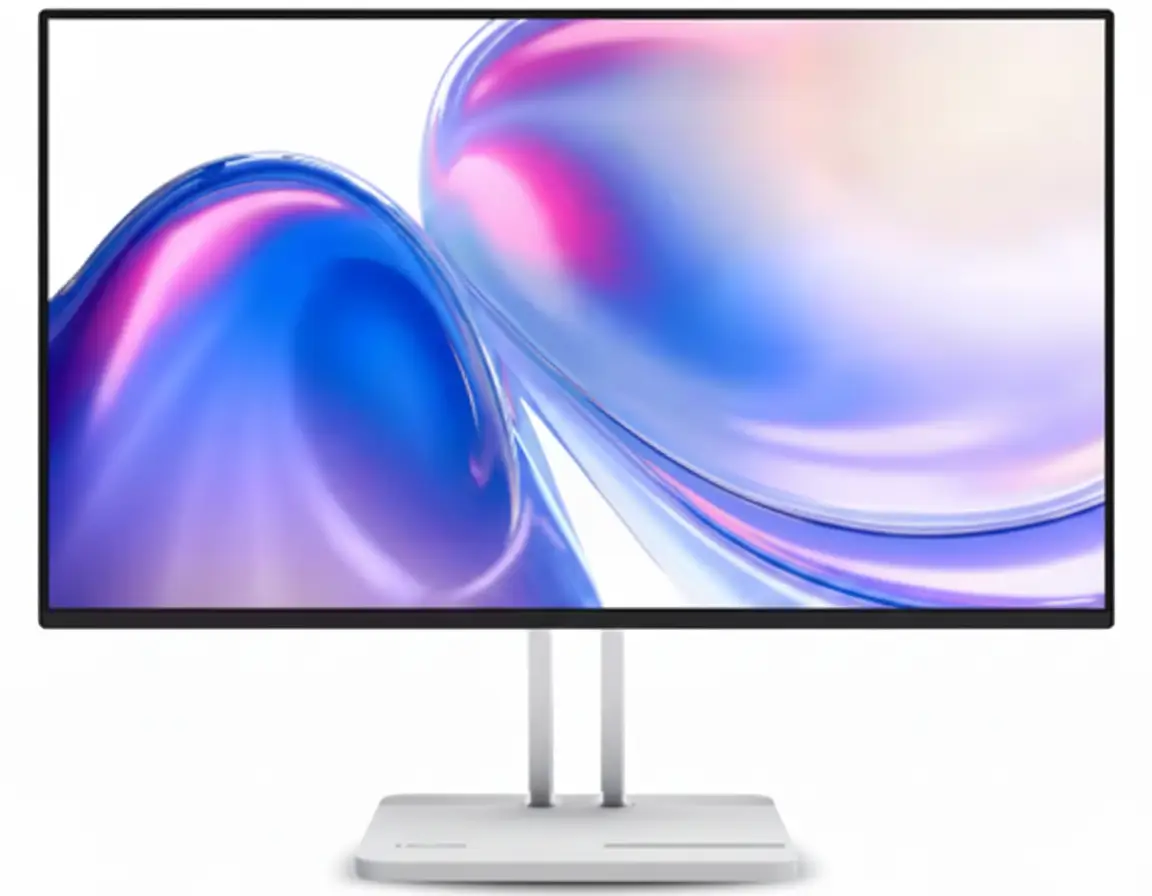
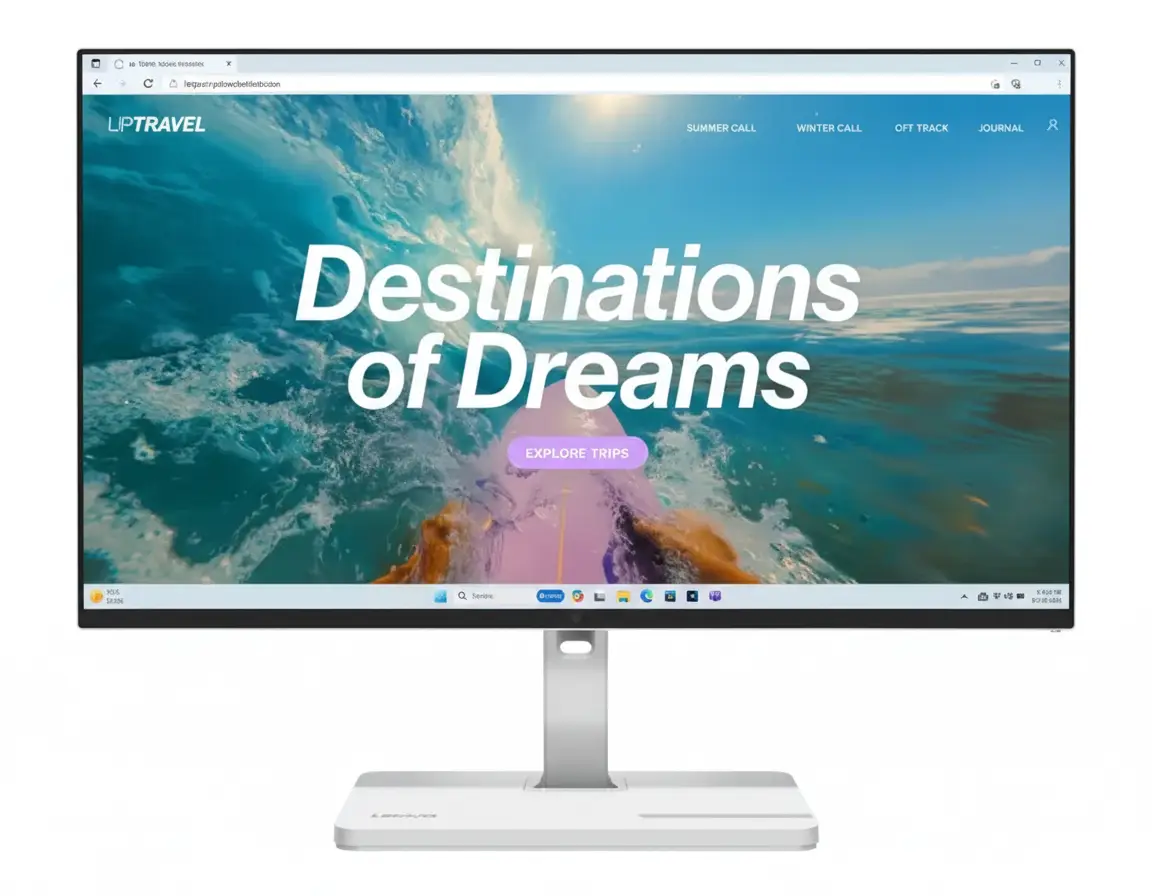
Lenovo L24D-4C 24″ USB-C Hub Monitor – 144Hz IPS, 75W PD, Full Ergonomics | Best Under ₹15,000

Lenovo L24D-4C 24" USB-C Hub Monitor
Lenovo L24D-4C Review 2025 – Best 24″ USB-C Hub Monitor with 144Hz Under ₹15K
Lenovo L24D-4C 24 inch USB-C Hub Monitor 144Hz IPS

⚡ Complete USB-C Docking Hub: 144Hz + 75W PD + 4 USB Ports!

Plus Full Ergonomics + IPS Panel + Built-in Speakers!

🖥️ Best USB-C Hub Monitor – 144Hz + 75W PD + Full Ergonomics Under ₹15K!

Lenovo L24D-4C USB-C Hub Monitor

24″ 144Hz IPS | USB-C 75W PD | 4-Port Hub | Full Ergonomics | Complete Docking Solution 2025

23.8″ FHD (1920×1080) IPS – 144Hz – 1ms MPRT – USB-C Docking – Height/Tilt/Swivel/Pivot

⚡ The Ultimate All-in-One Productivity Monitor:

• Display: 23.8″ FHD (1920×1080) IPS 144Hz Panel

• USB-C Docking: DisplayPort + 75W Power Delivery (Single Cable!)

• USB Hub: 4× USB-A 3.2 Ports (5 Gbps + BC1.2 Charging)

• Speed: 144Hz Refresh + 1ms MPRT Response

• Colors: 99% sRGB + 1500:1 Contrast + 16.7M Colors

• Ergonomics: Height/Tilt/Swivel/Pivot (Full Adjustable!)

• Audio: Built-in 2×3W Speakers

• Sync: AMD FreeSync + VESA MediaSync

• Ports: USB-C + HDMI 1.4 + 4× USB-A + Audio Out

• Bonus: 4-Side NearEdgeless + Lenovo Artery Software!

₹14,298

₹17,690

SAVE ₹3,392 (19% OFF!)

*Inclusive of all taxes | Free Priority Delivery

🛒 Buy Now on Lenovo – 19% OFF!

Free Delivery | 3 Year Warranty | USB-C 75W PD + Hub

Refresh Rate

144 Hz

USB-C PD

75W

USB Ports

4× USB-A

Lenovo L24D-4C USB-C Hub Monitor Overview

⚡ Docking Highlights

  • USB-C 75W PD: Charge laptop + video!
  • 4× USB Hub: Connect all peripherals
  • 144Hz IPS: Smooth gaming + work
  • Full Ergonomics: H+T+S+P adjustable!
  • 99% sRGB: Accurate colors
  • Built-in Speakers: 2×3W audio
  • One Cable Dock: Ultimate simplicity
  • ₹14,298: 19% discount!

📦 In The Box

  • 🖥️ Lenovo L24D-4C Monitor
  • 🏗️ Full Ergonomic Stand (Included!)
  • 🔌 Power Cable (1.8m)
  • 🔗 USB-C to C Cable (1.8m)
  • 📄 Quick Setup Guide
  • 📜 Warranty Booklet (3 Year)

Bonus: USB-C cable INCLUDED—rare for monitors!

⭐ Competitive Advantage

  • • USB-C 75W: Charge + display + data
  • • 4-Port Hub: Replace desk hub
  • • Full Ergo: H+T+S+P included!
  • • 144Hz + 1ms: Gaming ready
  • • ₹14,298: Complete package!

🏆 Best USB-C Docking Monitor Under ₹15,000 – Complete Productivity Solution

One Cable Docking Solution

The USB-C port delivers DisplayPort video + 75W Power Delivery + USB 3.2 data—all over a single cable! Connect your laptop with one cable and get display, charging, and access to 4× USB-A peripherals. No more cable chaos—the ultimate clean desk setup!

Full Ergonomics + 144Hz Gaming

Unlike budget monitors with tilt-only stands, the L24D-4C includes height adjustment (150mm), tilt (-5° to +22°), 360° swivel, AND ±90° pivot! Plus 144Hz refresh rate, 1ms MPRT response, and AMD FreeSync make it gaming-capable while maintaining professional ergonomics!

Unbeatable ₹14,298 Value!

At just ₹14,298 (19% off MRP ₹17,690), you get USB-C 75W PD + 4-port hub + 144Hz IPS + full ergonomics + speakers—features that cost ₹20K-25K in competing monitors! Perfect for WFH professionals, content creators, and hybrid gaming setups!

USB-C 75W Power Delivery – One Cable Docking Solution

🔌 The Ultimate Single-Cable Workspace

The USB-C port (USB 3.2 Gen 1) supports DisplayPort 1.2 Alt Mode + up to 75W Power Delivery! Connect your laptop with one USB-C cable and instantly get FHD 144Hz display output, 75W charging, and USB 3.2 data connectivity to 4× USB-A ports—the ultimate clean desk solution!

Display Output

FHD 144Hz via DP 1.2 Alt Mode

75W Charging

Power Delivery 3.0—charge laptops!

USB 3.2 Data

5 Gbps data to 4× USB-A hub!

One Cable!

Display + charge + data = clean desk!

⚡ 75W Power Delivery Explained

What is 75W PD?

USB-C Power Delivery 3.0 at 75W can charge most ultrabooks, 2-in-1 laptops, and MacBook Air/Pro 13″ models while simultaneously transmitting video and data! Your laptop stays charged during work—no separate power adapter needed on your desk!

  • • Ultrabooks: Dell XPS 13, HP Spectre, ThinkPad X1
  • • MacBooks: MacBook Air, MacBook Pro 13″
  • • 2-in-1s: Surface Laptop, Yoga, Envy
  • • ⚠️ Not Enough For: Gaming laptops, 15″+ workstations

Clean Desk = Maximum Productivity

One USB-C cable from laptop to monitor replaces: display cable + laptop charger + USB hub cable = 3 cables become 1! Ultimate cable management!

🖥️ DisplayPort 1.2 Alt Mode

Video Over USB-C

The USB-C port supports DisplayPort 1.2 Alternate Mode (HBR2), transmitting video signals over the USB-C cable alongside charging and data! Supports FHD 1920×1080 at 144Hz without compression—full refresh rate over single cable!

Resolution 1920×1080 (FHD)
Refresh Rate 144Hz
DP Version 1.2 HBR2

✅ Compatible Laptops

Requires laptop with USB-C DisplayPort Alt Mode (most modern ultrabooks, MacBooks 2016+, ThinkPads, XPS, Surface). Check laptop specs for “USB-C with DP Alt Mode” or “Thunderbolt!”

24″ 144Hz IPS Display – Perfect Balance of Speed & Color

🎨 Professional IPS + Gaming Speed

The 23.8″ IPS panel delivers 1920×1080 FHD resolution, 144Hz refresh rate, 99% sRGB color accuracy, and 1500:1 contrast ratio—combining professional color quality with gaming performance! Perfect for hybrid work+play setups!

IPS Panel Quality

IPS (In-Plane Switching) delivers superior color accuracy and 178° viewing angles—perfect for professional work where accurate colors matter! 99% sRGB coverage ensures web content, photos, and designs look exactly as intended!

Color Gamut: 99% sRGB

144Hz Gaming Speed

144Hz is 2.4× faster than 60Hz—delivering dramatically smoother motion in games, reduced motion blur, and more responsive feel! Great for FPS, esports, and fast-paced gaming after work hours!

Refresh Rate: 144Hz

1ms MPRT Response

1ms Moving Picture Response Time (Extreme mode) eliminates motion blur and ghosting! Combined with 4ms GtG response, motion clarity is excellent for competitive gaming!

Response: 1ms MPRT

🌈 Color Accuracy & Image Quality

99% sRGB + 16.7M Colors

The IPS panel covers 99% of the sRGB color space (CIE 1931) with 8-bit color depth for 16.7 million colors! Perfect for web design, content creation, photo editing, and any work requiring accurate color representation!

Color Gamut 99% sRGB
Color Depth 8-bit (16.7M)
Contrast Ratio 1500:1
Viewing Angles 178°/178°

Eye Comfort Technology

Low Blue Light + TÜV-certified Flicker-Free reduce eye strain during long work sessions! Perfect for 8+ hour workdays without fatigue!

⚡ AMD FreeSync + VESA MediaSync

Tear-Free Gaming & Video

AMD FreeSync synchronizes refresh rate with GPU frame output to eliminate screen tearing and stuttering in games! VESA MediaSync extends this to video playback—smooth YouTube, Netflix, streaming!

  • • AMD FreeSync: Smooth gaming (AMD & NVIDIA GPUs)
  • • VESA MediaSync: Tear-free video streaming
  • • Variable Refresh: Adaptive sync 48-144Hz
  • • Works With: All modern graphics cards

📺 Better Than Standard Monitors

Most budget monitors only have FreeSync for games. MediaSync adds video sync—smoother Netflix, YouTube, Prime Video playback without judder!

4-Port USB Hub – Replace Your Desk Hub

🔌 Integrated 4× USB-A 3.2 Hub

The monitor includes a built-in 4-port USB-A 3.2 Gen 1 hub (5 Gbps) with one BC1.2 fast-charging port! Connect keyboard, mouse, webcam, external drives, and phone charging—all through the monitor. Eliminates need for separate desk USB hub!

4× USB-A 3.2 Ports

  • • Port 1: USB-A 3.2 with BC1.2 (fast charging)
  • • Port 2-4: USB-A 3.2 (5 Gbps data)
  • • Speed: USB 5 Gbps (USB 3.2 Gen 1)
  • • Use Cases: Keyboard, mouse, webcam, drives, phone charging

How It Works

Connect laptop to monitor via USB-C cable → monitor’s 4× USB-A ports become available to laptop → plug peripherals into monitor instead of laptop! Single cable connects everything!

Example Setup:

Laptop → USB-C → Monitor → 4× USB-A peripherals all work!

💰 Saves ₹1,500-2,500 on Desk Hub

Quality 4-port USB-C hubs cost ₹1,500-2,500. This monitor includes the hub + 75W PD + display in one device—saving money and desk space!

Full Ergonomic Stand – Height, Tilt, Swivel, Pivot

🏗️ Complete Ergonomic Freedom

Unlike most budget monitors with tilt-only stands, the L24D-4C includes full ergonomic adjustability: height (150mm), tilt (-5° to +22°), 360° swivel, AND ±90° pivot! Position perfectly for comfort without buying a separate monitor arm!

Height: 150mm

Raise/lower for eye-level alignment!

Tilt: -5° to +22°

Angle screen up/down perfectly!

Swivel: 360°

Rotate left/right to share screen!

Pivot: ±90°

Portrait mode for coding/docs!

💰 Save ₹2,000-5,000 on Monitor Arm!

Most monitors require separate monitor arms (₹2,000-5,000) for full ergonomics. Lenovo includes complete adjustability in the box—saving money and installation hassle!

🔧 VESA 100×100mm Compatible

If you still prefer a monitor arm, the monitor supports standard VESA 100×100mm mounting. But with full ergonomics included, most users won’t need it!

Gaming Performance – 144Hz + 1ms for Casual & Competitive

🎮 Smooth 144Hz Gaming

Perfect for Esports & FPS

144Hz is 2.4× faster than standard 60Hz—delivering dramatically smoother motion in Valorant, CS:GO, Apex Legends, Overwatch 2! Combined with 1ms MPRT response time, motion blur is eliminated for competitive edge!

  • • Esports: Valorant, CS:GO, League, Dota 2
  • • FPS: Apex, Overwatch, COD, Fortnite
  • • Racing: F1, Forza, Gran Turismo
  • • Response: 1ms MPRT, 4ms GtG

🔊 Built-in 2×3W Speakers

Convenient Audio

Built-in dual 3W speakers (6W total) provide convenient audio for video calls, YouTube, casual gaming, and music! Better than no speakers—good for everyday use without headphones!

  • • Total Output: 2× 3W = 6W stereo
  • • Use Case: Video calls, YouTube, casual use
  • • Audio Out: 3.5mm jack for headphones
  • • Upgrade: Add external speakers if needed

Who Should Buy This Monitor?

💼 WFH Professionals

  • Laptop Dockers: One USB-C cable = display + charge
  • Clean Desk: No cable clutter
  • Peripheral Hub: 4× USB-A for keyboard/mouse
  • Video Calls: Built-in speakers
  • Ergonomics: All-day comfort
  • 99% sRGB: Accurate colors

Perfect for: Remote workers needing complete docking solution!

🎮 Casual Gamers

  • 144Hz Gaming: Smooth esports performance
  • 1ms MPRT: Zero motion blur
  • FreeSync: Tear-free gameplay
  • Work + Play: Professional by day, gaming by night
  • 24″ FHD: Easy to drive, high FPS
  • Budget: Premium features, affordable price

Perfect for: Hybrid work+gaming setups!

🎨 Content Creators

  • 99% sRGB: Accurate web colors
  • IPS Panel: Wide viewing angles
  • USB Hub: Connect peripherals
  • Portrait Mode: Pivot for editing
  • USB-C: Laptop + peripherals + charge
  • Eye Care: Low blue light

Perfect for: YouTubers, bloggers, social media managers!

💻 Students & Developers

  • Laptop Docking: Single cable simplicity
  • Portrait Mode: Code, documents, PDFs
  • USB Hub: External drives, peripherals
  • Eye Comfort: Long study sessions
  • Budget-Friendly: ₹14,298 complete package
  • Gaming Capable: Esports after classes

Perfect for: Dorm rooms, coding, studying, gaming!

🏢 Small Businesses

  • Desk Docking: Clean employee workstations
  • Cost Effective: Hub + monitor in one
  • Ergonomic: Healthy employee posture
  • Versatile: Work + presentations
  • 3-Year Warranty: Lenovo reliability
  • Software: Lenovo Artery management

Perfect for: Office deployments, hot-desking!

🚫 NOT Recommended For

  • High-end Gamers: Need 240Hz+ for pro esports
  • 4K Enthusiasts: This is FHD 1080p
  • Color Professionals: Not factory-calibrated
  • Large Screen Fans: 24″ is compact
  • Gaming Laptop Owners: 75W not enough

Consider alternatives if you need specialty features!

Lenovo L24D-4C vs Competitors

vs Dell P2423DE 24″ USB-C Hub

Dell: 24″ FHD 60Hz USB-C 65W IPS – ₹21,999

Lenovo: 24″ FHD 144Hz USB-C 75W IPS – ₹14,298

Lenovo Wins

  • ✓ ₹7,701 cheaper!
  • ✓ 144Hz vs 60Hz (2.4× faster!)
  • ✓ 75W vs 65W PD
  • ✓ 1ms MPRT gaming
  • ✓ FreeSync + MediaSync
  • ✓ Better value overall

Dell Wins

  • ✓ Premium build quality
  • ✓ ComfortView Plus
  • ✓ Dell brand reputation

Verdict: Lenovo unbeatable value—144Hz + cheaper!

vs HP E24 G5 24″ FHD Monitor

HP: 24″ FHD 75Hz IPS Tilt-Only – ₹12,999

Lenovo: 24″ FHD 144Hz USB-C Hub + Ergo – ₹14,298

Lenovo Wins

  • ✓ 144Hz vs 75Hz (92% faster!)
  • ✓ USB-C 75W PD docking
  • ✓ 4× USB hub ports
  • ✓ Full ergonomics (H+T+S+P)
  • ✓ Built-in speakers
  • ✓ Gaming capable

HP Wins

  • ✓ ₹1,299 cheaper
  • ✓ Basic office use

Verdict: Lenovo worth extra ₹1,299 for complete features!

vs BenQ GW2480 24″ Eye Care

BenQ: 24″ FHD 60Hz IPS Eye Care – ₹10,990

Lenovo: 24″ FHD 144Hz USB-C + Hub – ₹14,298

Lenovo Wins

  • ✓ 144Hz vs 60Hz (2.4× faster!)
  • ✓ USB-C 75W docking
  • ✓ 4× USB hub
  • ✓ Full ergonomics
  • ✓ Gaming + work versatility
  • ✓ FreeSync support

BenQ Wins

  • ✓ ₹3,308 cheaper
  • ✓ BenQ eye care features

Verdict: Lenovo for USB-C docking. BenQ for budget office.

vs LG 24GN60R 24″ 144Hz Gaming

LG: 24″ FHD 144Hz IPS Tilt-Only – ₹11,999

Lenovo: 24″ FHD 144Hz USB-C Hub + Ergo – ₹14,298

Lenovo Wins

  • ✓ USB-C 75W PD docking
  • ✓ 4× USB hub ports
  • ✓ Full ergonomics (H+T+S+P)
  • ✓ Built-in speakers
  • ✓ Productivity + gaming
  • ✓ Complete package

LG Wins

  • ✓ ₹2,299 cheaper
  • ✓ Pure gaming focus

Verdict: Lenovo for docking. LG for pure gaming.

vs Acer CB242Y 24″ USB-C

Acer: 24″ FHD 75Hz USB-C 65W – ₹16,999

Lenovo: 24″ FHD 144Hz USB-C 75W – ₹14,298

Lenovo Wins

  • ✓ ₹2,701 cheaper!
  • ✓ 144Hz vs 75Hz (92% faster!)
  • ✓ 75W vs 65W PD
  • ✓ 1ms gaming response
  • ✓ Better value

Acer Wins

  • ✓ Acer BlueLightShield

Verdict: Lenovo clearly better value + performance!

vs ASUS VA24EHF 24″ 165Hz

ASUS: 24″ FHD 165Hz IPS Tilt-Only – ₹9,999

Lenovo: 24″ FHD 144Hz USB-C Hub + Ergo – ₹14,298

Lenovo Wins

  • ✓ USB-C 75W docking
  • ✓ 4× USB hub
  • ✓ Full ergonomics
  • ✓ Built-in speakers
  • ✓ Productivity features
  • ✓ Complete solution

ASUS Wins

  • ✓ ₹4,299 cheaper
  • ✓ 165Hz vs 144Hz
  • ✓ Pure gaming budget

Verdict: ASUS for budget gaming. Lenovo for productivity+gaming.

🏆 Competitive Advantage Summary

The Lenovo L24D-4C’s biggest competitive advantage is the complete USB-C docking solution (75W PD + 4× USB hub + DP Alt Mode) combined with full ergonomics and 144Hz gaming—features that cost ₹20K-25K in competing monitors!

Complete USB-C Docking

Single cable = display + 75W charging + 4× USB hub—most competitors offer only basic USB-C or no USB-C at all!

Full Ergonomics Included

Height + tilt + swivel + pivot—saves ₹2,000-5,000 on monitor arm! Most budget monitors tilt-only!

144Hz + Productivity

Gaming speed + work features—perfect hybrid monitor. Competitors focus on one or the other!

Pros & Cons

✅ What We Love

  • USB-C 75W Power Delivery: Charge laptops + display + data over single cable—ultimate clean desk solution!
  • Built-in 4× USB-A Hub: Connect keyboard, mouse, webcam, drives directly to monitor—eliminates separate desk hub!
  • Full Ergonomic Stand: Height (150mm) + Tilt (-5° to +22°) + 360° Swivel + ±90° Pivot—saves ₹2,000-5,000 on monitor arm!
  • 144Hz IPS Gaming: 2.4× faster than 60Hz for smooth esports performance—perfect hybrid work+gaming!
  • 1ms MPRT + 4ms GtG Response: Zero motion blur and ghosting—excellent gaming motion clarity!
  • Outstanding ₹14,298 Value: 19% discount (save ₹3,392)—best USB-C docking monitor under ₹15K!
  • 99% sRGB IPS Panel: Accurate colors + wide 178° viewing angles—professional work quality!
  • AMD FreeSync + VESA MediaSync: Tear-free gaming AND smooth video playback!
  • USB-C Cable INCLUDED: Rare—most monitors don’t include USB-C cable (saves ₹800-1,200)!
  • Built-in 2×3W Speakers: Convenient audio for video calls, YouTube, casual use!
  • Low Blue Light + Flicker-Free: TÜV-certified eye comfort for long work sessions!
  • 4-Side NearEdgeless Design: Slim bezels enhance visual immersion!
  • 1500:1 Contrast Ratio: Higher than typical IPS (1000:1)—better blacks!
  • Lenovo Artery Software: Easy display management on Windows/macOS!
  • 3-Year Warranty: Lenovo reliability + peace of mind!

❌ Room for Improvement

  • 24″ Size May Be Small: Some users prefer 27″ for more screen real estate—24″ is compact but fine for most desks!
  • FHD Resolution at 24″: 1920×1080 at 23.8″ = 92 PPI—adequate but not as sharp as QHD. Text is clear at normal viewing distance!
  • 75W PD Not Enough for Gaming Laptops: High-performance laptops need 90W-140W—75W charges ultrabooks but not gaming rigs!
  • Built-in Speakers Basic Quality: 2×3W speakers fine for calls/casual use but audiophiles want external speakers/headphones!
  • HDMI 1.4 Limitation: HDMI 1.4 maxes at 120Hz FHD—need USB-C or future HDMI 2.0 for full 144Hz from consoles!
  • No USB-C Downstream Ports: 4× USB-A only—no USB-C ports on the hub itself!
  • 144Hz vs 165Hz/180Hz: Competitive gamers may want even higher refresh rates (though 144Hz is excellent for most!)!
  • No Factory Calibration: Not color-calibrated for professional photo/video editing requiring Adobe RGB or DCI-P3!
  • USB-C Laptop Required: Full docking needs laptop with USB-C DisplayPort Alt Mode—older laptops may not support!
  • 250 cd/m² Brightness: Adequate for indoor use but not for very bright rooms—some monitors offer 300-400 cd/m²!

Final Verdict

🏆 BEST USB-C DOCKING MONITOR UNDER ₹15,000 – 2025

The Lenovo L24D-4C is the ultimate all-in-one productivity monitor, combining USB-C 75W docking, 4-port USB hub, 144Hz gaming, full ergonomics, and built-in speakers at an unbeatable price!

The Complete Docking Solution

Most monitors force you to choose between USB-C docking OR gaming speed OR ergonomics. The L24D-4C delivers all three together: USB-C 75W PD + 4× USB hub + 144Hz IPS + full ergonomics (H+T+S+P)—a feature set normally found in ₹20K-25K monitors!

For Professionals

One USB-C cable from laptop to monitor = display + 75W charging + 4× USB peripherals. The ultimate clean desk WFH setup with perfect ergonomic positioning!

For Casual Gamers

144Hz refresh + 1ms MPRT + FreeSync provide smooth competitive gaming after work. Perfect hybrid monitor—professional by day, gaming by night!

For Value Seekers

At ₹14,298, you get features that cost ₹20K+ elsewhere: USB-C docking, USB hub, full ergonomics, 144Hz gaming, speakers—all in one package!

Outstanding Value at ₹14,298

At just ₹14,298 (19% off MRP ₹17,690), this monitor delivers premium features:

What You Get:

  • • 24″ FHD 144Hz IPS Panel (99% sRGB)
  • • USB-C 75W PD Docking (DP Alt Mode)
  • • 4× USB-A 3.2 Hub (5 Gbps + BC1.2)
  • • Full Ergonomics (H+T+S+P)
  • • 1ms MPRT + 4ms GtG Response
  • • AMD FreeSync + VESA MediaSync
  • • Built-in 2×3W Speakers
  • • USB-C Cable INCLUDED!
  • • Total Value: ₹20,000+

Money You Save:

  • • 19% Discount: Save ₹3,392 instantly
  • • USB Hub: Save ₹1,500-2,500 on desk hub
  • • Ergonomic Stand: Save ₹2,000-5,000 on arm
  • • USB-C Cable: Save ₹800-1,200 (included!)
  • • Total Savings: ₹7,692-11,092!
  • • Your Price: Just ₹14,298!

Who Should Buy This?

✅ Perfect For:

  • • WFH professionals needing laptop docking solution
  • • Hybrid workers wanting work+gaming versatility
  • • Students with laptops needing single-cable setup
  • • Content creators wanting USB hub + ergonomics
  • • Small businesses deploying clean desk workstations
  • • Casual gamers who also need productivity features

❌ Not Ideal For:

  • • Professional esports players (need 240Hz+)
  • • 4K/QHD enthusiasts (this is FHD 1080p)
  • • Gaming laptop owners (75W PD insufficient)
  • • Color professionals (not factory-calibrated)
  • • Large screen fans (prefer 27″+ monitors)

Our Final Rating: 9.3/10

The Lenovo L24D-4C is the best value USB-C docking monitor under ₹15,000 in 2025. It excels as the ultimate hybrid work+gaming monitor with complete docking solution!

₹14,298

₹17,690

SAVE ₹3,392 (19% OFF!)

🛒 BUY NOW – LIMITED TIME OFFER!

Free Delivery | 3 Year Warranty | USB-C Docking + Hub Included

20 Most Asked Questions About Lenovo L24D-4C

Q1. What is USB-C Power Delivery?

USB-C Power Delivery (PD) 3.0 at 75W allows the monitor to charge your laptop while simultaneously transmitting video and data over a single USB-C cable! Connect one cable from laptop to monitor = display + 75W charging + USB hub access. Works with ultrabooks, MacBook Air/Pro 13″, Dell XPS, ThinkPad X1, Surface Laptop, and other USB-C laptops under 75W power requirement!

Q2. Will 75W charge my laptop?

Q2. Will 75W charge my laptop?

75W is sufficient for ultrabooks and 13-14″ laptops like MacBook Air, MacBook Pro 13″, Dell XPS 13, ThinkPad X1 Carbon, HP Spectre, Surface Laptop, and similar devices (typically require 45-65W). NOT enough for gaming laptops or 15″+ workstations which need 90-180W. Check your laptop’s power adapter wattage—if it’s 65W or less, 75W PD will charge it while working!

Q3. Does the USB hub work without USB-C?

Yes, but requires separate connection! If using HDMI for display instead of USB-C, you can still use the 4× USB-A hub by connecting a second USB-C cable from laptop to monitor (data-only). The hub will work for peripherals, but you won’t get charging. Best experience = single USB-C cable for everything!

Q4. Can I use this with desktop PC?

Yes! Desktop PCs can use the monitor via HDMI 1.4 (up to 120Hz) or USB-C if your GPU has USB-C DisplayPort output. For 144Hz from desktop, use USB-C with DP Alt Mode. The 4× USB-A hub works when connected via USB-C upstream. 75W PD charging obviously not needed for desktops!

Q5. How do I get full 144Hz?

Connect via USB-C cable (included!) with DisplayPort Alt Mode → PC will automatically detect 144Hz capability → Right-click desktop → Display Settings → Advanced Display → Select 144Hz refresh rate → Apply. HDMI 1.4 maxes at 120Hz FHD, so use USB-C for full 144Hz!

Q6. Is 24″ too small for productivity?

Not at all! 24″ FHD is the sweet spot for 1-2 feet viewing distance—text is sharp, no scaling needed, perfect for desks with limited space! At 92 PPI, text clarity is excellent for office work, coding, and web browsing. If you prefer more screen space, consider 27″ monitors, but 24″ is ideal for compact setups and paired displays!

Q7. Can I use two monitors with one laptop?

Yes, if your laptop supports it! Connect first monitor via USB-C (display + charge + hub) and second monitor via laptop’s HDMI port. Most modern laptops support dual external displays. Check laptop specs for “dual display support” or number of external displays supported!

Q8. Does this monitor have VESA mount?

Yes! VESA 100×100mm compatible—you can remove the stand and mount on any standard monitor arm or wall mount. However, the included stand already has full ergonomics (H+T+S+P), so most users won’t need an arm unless doing multi-monitor setups or desk mounting!

Q9. Are the built-in speakers good?

2×3W speakers are convenient but basic quality—perfectly fine for video calls (Zoom, Teams), YouTube, casual music, and system sounds. Not suitable for serious music listening or gaming audio. For immersive gaming or audiophile quality, use external speakers or gaming headset via 3.5mm audio-out jack!

Q10. What is DisplayPort Alt Mode?

DisplayPort Alternate Mode allows USB-C cables to carry video signals alongside data and power! The monitor’s USB-C port supports DP 1.2 Alt Mode (HBR2), transmitting FHD 144Hz video from your laptop over the USB-C cable. Your laptop must support “USB-C with DisplayPort Alt Mode” or “Thunderbolt 3/4” for video output!

Q11. Is 144Hz overkill for office work?

Not at all! 144Hz makes desktop cursor movement, scrolling, window dragging smoother—once you use 144Hz, going back to 60Hz feels sluggish! Plus you get gaming capability for after-work hours. Think of it as future-proofing—the monitor handles both productivity and entertainment perfectly!

Q12. Can I charge my phone via the USB hub?

Yes! One of the 4× USB-A ports has BC1.2 (Battery Charging 1.2) support for faster phone/tablet charging! The other 3 ports provide standard USB power. Perfect for keeping your phone charged at your desk without using laptop USB ports or wall adapters!

Q13. Does it work with MacBook?

Absolutely! Perfect for MacBook Air, MacBook Pro 13″, and MacBook Pro 14″ (2016 or newer with USB-C/Thunderbolt). Single cable from MacBook to monitor = display + charging + USB hub! The 75W PD is perfect for 13″ MacBook Pro (61W) and MacBook Air (30-45W). MacBook Pro 16″ needs 96W+, so 75W won’t fully charge under heavy load!

Q14. What is Lenovo Artery software?

Lenovo Artery (formerly Display Control Center) is free software for Windows 10/11 and macOS that lets you adjust monitor settings from your computer instead of physical buttons! Change brightness, contrast, color modes, input source, enable gaming features, manage audio—all via software interface. Makes monitor management much easier!

Q15. Can I use this for PS5/Xbox gaming?

Yes, via HDMI 1.4 connection! PS5 and Xbox Series X will output FHD 1080p at 120Hz (HDMI 1.4 limitation—can’t reach 144Hz via HDMI). Still a massive upgrade over 60Hz! FreeSync works with Xbox for tear-free gaming. For competitive console gaming, this is excellent value!

Q16. Is IPS better than VA for gaming?

Both have advantages! IPS (this monitor) = better color accuracy (99% sRGB), wider viewing angles (178°), faster response in some cases. VA = deeper blacks/contrast (3000:1 vs 1500:1). For hybrid productivity + gaming, IPS is superior due to accurate colors for work and good gaming performance. VA better for pure gaming/movies in dark rooms!

Q17. Does pivot mode work well?

Yes! The monitor rotates ±90° for portrait orientation—perfect for coding (see more lines of code), reading documents/PDFs, web browsing, social media feeds, and Twitch streaming layouts! Windows automatically detects rotation and adjusts display. Portrait mode at 24″ is incredibly useful for developers and content creators!

Q18. What cables are included?

Power cable (1.8m) and USB-C to USB-C cable (1.8m) are INCLUDED—rare for monitors! Most monitors don’t include USB-C cables (cost ₹800-1,200 separately). HDMI cable NOT included—if using HDMI connection, purchase separately (₹300-600 for quality cable). DisplayPort cable also not included!

Q19. Is low blue light certification important?

Yes! TÜV-certified flicker-free + low blue light technology reduces eye strain during long work sessions (8+ hours). Blue light exposure can cause eye fatigue, sleep disruption, and headaches. This monitor filters harmful blue light without color distortion—perfect for professionals staring at screens all day!

Q20. Should I buy this in 2025?

ABSOLUTELY YES! At ₹14,298 with 19% discount, this is the best USB-C docking monitor under ₹15K—no competitor offers USB-C 75W PD + 4× USB hub + 144Hz + full ergonomics at this price! Perfect for WFH professionals, hybrid gamers, students, and anyone wanting a clean desk setup with laptop docking!

Complete Technical Specifications

DISPLAY SPECIFICATIONS
BrandLenovo
ModelL24D-4C (67DCUAC6IN)
Screen Size23.8″ (60.45 cm)
Panel TypeIPS (In-Plane Switching)
ResolutionFHD (1920×1080)
Aspect Ratio16:9
Refresh Rate144 Hz
Response Time1ms MPRT, 4ms GtG (Extreme), 6ms (Normal)
Brightness250 cd/m² (Typical)
Contrast Ratio1500:1 (Typical)
Color Gamut99% sRGB (CIE 1931)
Color Depth8-bit
Color Support16.7 Million Colors
Viewing Angle178° Horizontal / 178° Vertical
BacklightWLED (White LED)
Bezel Design4-Side NearEdgeless
CONNECTIVITY & USB-C DOCKING
USB Type-C1× USB-C (USB 3.2 Gen 1, DP 1.2 Alt Mode HBR2, PD 3.0 up to 75W)
HDMI1× HDMI 1.4
USB Hub4× USB-A 3.2 Gen 1 (5 Gbps, 1× with BC1.2 charging)
Audio Out1× 3.5mm Headphone Jack
Power DeliveryUSB-C PD 3.0 up to 75W
DisplayPort Alt ModeDP 1.2 Alt Mode (HBR2)
GAMING FEATURES
Adaptive SyncAMD FreeSync + VESA MediaSync
Motion Clarity1ms MPRT / 4ms GtG (Extreme Mode)
AUDIO
Built-in SpeakersYes (2× 3W = 6W Total)
Headphone Output3.5mm Audio Jack
ERGONOMICS & STAND
Height Adjustment150 mm (5.9″)
Tilt Angle-5° to +22°
Swivel360° (Full Rotation)
Pivot±90° (Portrait Mode)
VESA Mount100 × 100 mm
Kensington LockYes (Security Slot)
EYE COMFORT
Flicker-FreeYes (TÜV Certified)
Low Blue LightYes (TÜV Certified)
DIMENSIONS & WEIGHT
Dimensions (Head Only)539.4 × 41.0 × 315.2 mm (21.24″ × 1.61″ × 12.41″)
Dimensions (With Stand)539.4 × 196.2 × 530.6 mm (21.24″ × 7.72″ × 20.88″)
Weight (Head Only)3.4 kg (7.5 lbs)
Weight (With Stand)5.1 kg (11.2 lbs)
Package Weight7.2 kg (15.9 lbs)
POWER & ENERGY
Power RequirementAC 100-240V (50-60 Hz)
Power Consumption (Typical)16W
Power Consumption (Maximum)145W
Sleep Mode<0.5W
Off Mode<0.3W
Energy Star8.0 Certified
Smart PowerYes
SOFTWARE & MANAGEMENT
SoftwareLenovo Artery (Lenovo Accessories and Display Manager)
OS CompatibilityWindows 10/11, macOS (functions vary)
PRICING & WARRANTY
Current Price₹14,298
MRP₹17,690
Discount₹3,392 OFF (19% OFF!)
Lenovo RewardsEarn 606 points
Warranty3 Years Limited Warranty
Part Number67DCUAC6IN
WHAT’S INCLUDED IN BOX
MonitorLenovo L24D-4C with Stand
Power Cable1× Power Cable (1.8m)
USB-C Cable1× USB Type-C to Type-C Gen1 Cable (1.8m) – INCLUDED!
DocumentationQuick Setup Guide + Warranty Booklet

Transform Your Workspace with USB-C Docking!

24″ 144Hz IPS | USB-C 75W PD | 4-Port Hub | Full Ergonomics | Only ₹14,298

🛒 BUY NOW – 19% OFF!

Free Delivery | 3 Year Warranty | USB-C Cable Included | Complete Docking Solution
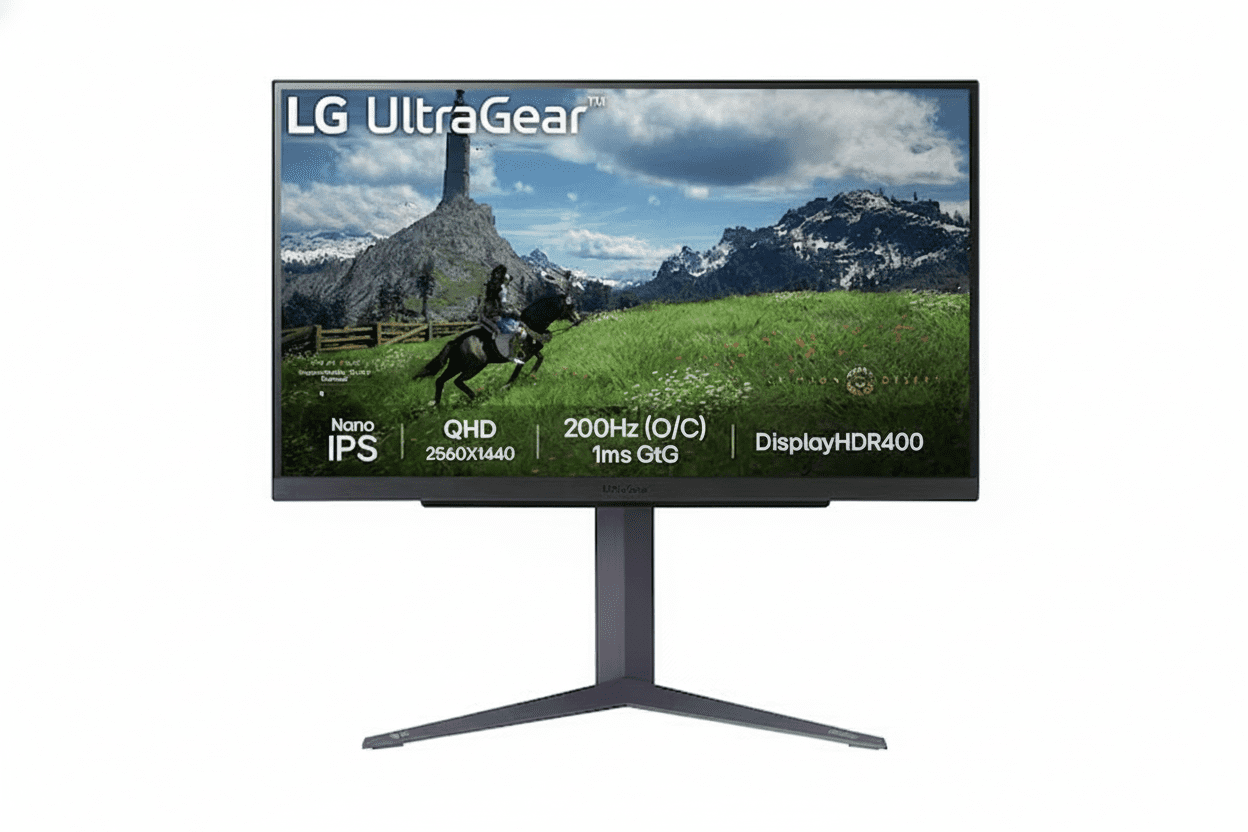
LG 27GS85Q-B Review 2025 — The 27″ QHD 200Hz Nano IPS Gaming Beast You’ve Been Waiting For

LG 27GS85Q-B Review
LG 27GS85Q-B Review 2025 – Best 27″ QHD 200Hz Nano IPS Gaming Monitor Under ₹26K
LG 27GS85Q-B UltraGear 27 inch QHD 200Hz Nano IPS Gaming Monitor

⚡ 27″ QHD Sweet Spot: 200Hz + Nano IPS + DCI-P3 98%!

G-SYNC + FreeSync + HDR 400 + Full Ergonomics + USB Hub.

🎮 Best 27″ QHD 200Hz Gaming Monitor – The New 1440p Sweet Spot!

LG 27GS85Q-B UltraGear Gaming Monitor

27″ QHD 200Hz Nano IPS | 1ms GtG | DCI-P3 98% | G-SYNC & FreeSync | HDR 400 | USB Hub

27″ QHD (2560×1440) Nano IPS – 180Hz (OC 200Hz) – 1ms GtG – Full Ergonomics

⚡ The Perfect 1440p “Sweet Spot” Monitor:

• Display: 27″ QHD (2560×1440) Nano IPS Panel

• Speed: 180Hz Native (Overclockable to 200Hz) + 1ms (GtG)

• Colors: DCI-P3 98% Wide Gamut + Factory Calibration

• HDR: VESA DisplayHDR 400 (400 cd/m² Peak)

• Sync: G-SYNC Compatible + AMD FreeSync + VESA AdaptiveSync

• Gaming Tools: Black Stabilizer, Crosshair, FPS Counter

• Ergonomics: Height (110mm) + Tilt + Pivot 90°

• Ports: 2× HDMI + 1× DP 1.4 + 2× USB-A + 1× USB-B Upstream

• Use Case: Esports + Single-player + Content Creation

₹25,099

₹35,000

SAVE ₹9,901 (28% OFF!)

Inclusive of all taxes | Free Priority Delivery

🛒 Buy Now on Amazon – 28% OFF!

Free Delivery | 3-Year Warranty | Elite 27″ QHD Gaming

Resolution

QHD 1440p

Refresh Rate

200 Hz OC

Color Gamut

DCI-P3 98%

LG 27GS85Q-B UltraGear Overview – The New 1440p Sweet Spot

⚡ Gaming Highlights

  • 27″ QHD 1440p: Perfect size + sharpness
  • 180Hz / 200Hz OC: Ultra-fast refresh
  • 1ms GtG Nano IPS: Esports-grade clarity
  • DCI-P3 98%: Wide cinema colors
  • HDR 400: Brighter, more vivid scenes
  • Universal Sync: G-SYNC, FreeSync & AdaptiveSync
  • USB Hub: 2× USB 3.0 downstream
  • Full Ergonomics: Height + Tilt + Pivot

📦 In the Box

  • 🖥️ LG 27GS85Q-B Monitor
  • 🏗️ Height/Tilt/Pivot Stand
  • 🔌 Power Cable
  • 📄 Quick Setup Guide
  • 📜 Warranty Card (3 Years)

Note: HDMI/DP and USB cables are usually not included—budget ~₹800–1,200 extra.

⭐ Why This Monitor?

  • • 27″ QHD = Sweet Spot: 109 PPI sharpness
  • • 200Hz OC: Faster than 144/165Hz rivals
  • • Nano IPS: Speed + wide color
  • • DCI-P3 98%: Creator-friendly
  • • USB Hub: Quality-of-life boost
  • • ₹25,099: Aggressive price for specs

🏆 The 27″ QHD, 200Hz “Do-It-All” Gaming Monitor

Perfect Resolution & Size

27″ at 2560×1440 delivers ~109 PPI, which is significantly sharper than 1080p while still being practical for most GPUs. Text, UI, and in-game details look clean without scaling headaches.

Speed Without Compromise

180Hz native and 200Hz overclock with true 1ms GtG keeps motion razor-sharp in fast shooters and esports, while Nano IPS and DCI-P3 98% ensure it still looks gorgeous for single‑player titles.

High-End Package, Mid-Range Price

For just over ₹25K, you get features that older 144–165Hz QHD monitors lack: higher refresh, wider color, HDR 400, USB hub, and fully adjustable stand, making older models hard to justify.

Why 27″ QHD is the True Gaming Sweet Spot

🖥️ 27″ + 1440p = 109 PPI

On a 27″ panel, 2560×1440 delivers ~109 pixels per inch—much sharper than 24″ 1080p (~92 PPI) and dramatically clearer than 27″ 1080p (~82 PPI). That makes HUDs, text, enemies at distance, and fine details easier to see without oversharpening.

📐 24″ FHD vs 27″ QHD vs 32″ QHD

Resolution & PPI Comparison

SizeResolutionPPIUse Case
24″1920×1080~92 PPIBudget / compact setups
27″2560×1440~109 PPISweet spot for gaming + work
32″2560×1440~93 PPIImmersion-first setups

Why 27″ QHD Works So Well

You get a huge improvement in clarity over 1080p without the GPU burden of 4K. At typical desktop distances (60–80 cm), 27″ QHD looks crisp without scaling and is easier to drive to high frame rates.

🎮 Practical Benefits in Games

  • • Sharper targets: Heads, silhouettes, and scoped targets are clearer at distance.
  • • UI readability: Ability icons, minimaps, and small text are easier on the eyes.
  • • Better screenshots: Streams and screenshots look cleaner at 1440p.
  • • Balanced GPU load: A mid‑range GPU (RTX 4060 / RX 7600) can still push 144–200 FPS in esports titles at QHD.

Bottom line: 27″ QHD is the right choice if you want “next-level” image quality without needing RTX 4080‑class hardware.

Elite Speed: 180Hz Native, Overclockable to 200Hz

⚡ 200Hz vs 144Hz vs 60Hz

A 200Hz panel refreshes more than three times as often as 60Hz (every ~5 ms vs 16.7 ms). Combined with 1ms GtG, you get exceptionally clean motion clarity, reduced blur, and easier target tracking in high‑speed shooters and battle royales.

60Hz

• 16.7 ms frame time
• Good for office work
• Noticeable blur and judder in FPS.

144Hz

• ~6.9 ms frame time
• Huge upgrade over 60Hz
• Now “entry” level for serious gaming.

180–200Hz

• ~5.6–5.0 ms frame time
• Smoother tracking & flicks
• Noticeable gain over 144Hz for FPS.

🎮 Esports & Competitive Play

For games like Valorant, CS2, Apex Legends, Overwatch 2, and Fortnite, higher refresh directly translates into better perceived responsiveness and tracking smoothness. The 27GS85Q-B gives you a panel that can keep up with 200 FPS output if your GPU can drive it.

  • • Esports titles: Easily push 200 FPS with RTX 4060 / RX 7600‑class cards at tuned settings.
  • • Input-lag synergy: High refresh + low response + adaptive sync = minimal latency chain.

🎯 1ms (GtG) True Response

Unlike older IPS panels that quoted 4–5ms GtG, this Nano IPS implementation is specified at a true 1ms GtG. That means transitions between grey levels are much faster, which directly reduces ghosting around moving edges.

  • • Cleaner edges: Less trailing behind enemies when you flick.
  • • Better readability: Text and UI elements stay legible while strafing.

Nano IPS – Speed and Color in One Panel

🎨 What is Nano IPS?

Nano IPS is LG’s enhanced IPS technology that uses nano‑sized particles on the backlight to absorb excess wavelengths and boost color saturation. The result is a wider color gamut (DCI‑P3 98%) while preserving IPS advantages like wide viewing angles and fast pixel transitions.

IPS vs TN vs VA

  • • TN: Fast, but washed‑out colors and poor viewing angles.
  • • VA: Great contrast, but slower response and more smearing in dark scenes.
  • • Nano IPS (this monitor): Near‑TN responsiveness with much better color and off‑axis performance.

Why Nano IPS Matters

For a monitor that aims to be both a competitive esports display and a cinematic single‑player screen, Nano IPS gives you the best trade‑off: fast 1ms GtG for clarity and a color gamut that makes HDR scenes, vibrant worlds, and creative workloads look far better than sRGB‑only panels.

DCI-P3 98% – Creator-Grade Color for Gamers

🌈 Wider Than sRGB

DCI‑P3 covers a significantly wider slice of the visible spectrum than sRGB. At ~98% DCI‑P3, this panel can display more saturated reds and greens, which is exactly what modern games, HDR content, and cinema‑grade color grading target.

🎮 In-Game Impact

Environments in titles like Cyberpunk 2077, Horizon, and open‑world RPGs benefit from this wider gamut. Neon lights, foliage, explosions, spell effects, and skies all look more vivid without pushing into oversaturated “cartoonish” territory if you leave the monitor in calibrated modes.

🎬 Great for Hobby Creators

If you do YouTube thumbnails, light photo editing, or video work, having DCI‑P3 coverage and factory calibration means what you see is much closer to how your content will appear on other wide‑gamut displays and modern phones.

VESA DisplayHDR 400 – Entry-Level, but Real, HDR

🌟 Certified, Not Just “HDR Ready”

DisplayHDR 400 means the panel can reach 400 nits peak brightness and meets VESA’s minimum HDR criteria. It won’t compete with 600–1000 nit FALD or OLED, but it’s noticeably better than SDR and fake HDR labels on 250–300 nit panels.

🎮 HDR Gaming & Movies

In HDR‑aware games and streaming apps, you get brighter highlights (sun, explosions, specular reflections) and somewhat improved shadow detail. Combined with wide color, HDR content looks more impactful than SDR, especially in dark environments.

⚠️ Expectations Check

This is not an HDR1000 mini‑LED or OLED. Blacks remain IPS‑typical, and there are no complex local dimming zones. Treat it as “nice bonus HDR” rather than the primary reason to buy—speed, resolution, and color are the real stars here.

Universal Adaptive Sync – G-SYNC, FreeSync & AdaptiveSync

✅ NVIDIA G-SYNC Compatible

The 27GS85Q-B is listed as G‑SYNC Compatible, meaning NVIDIA has validated it to work with variable refresh on GeForce RTX and GTX 10‑series or newer. You enable it in the control panel and enjoy tear‑free, low‑stutter gameplay.

✅ AMD FreeSync & VESA AdaptiveSync

On the AMD side, it supports FreeSync and additionally carries VESA AdaptiveSync certification, signalling stable and well‑behaved VRR behaviour across the advertised range. That makes it a safe pick regardless of which GPU brand you run today or in future.

Full Ergonomics + USB Hub

🏗️ Height, Tilt & Pivot

The stand supports height adjustment up to about 110 mm, tilt from roughly –5° to +15°, and clockwise pivot for portrait mode. That’s ideal for both long desk sessions and secondary portrait‑mode workflows (chat, code, timelines).

🧍 Ergonomics for Comfort

Being able to get the top of the screen at or just below eye level is key for neck comfort. Many cheaper 1440p monitors are tilt‑only. Here, you don’t need to budget an extra ₹2–5K for a third‑party arm unless you want multi‑monitor stacks.

🔌 USB Hub Convenience

A simple USB 3.0 hub (USB‑B upstream + two USB‑A downstream) lets you park mouse, keyboard, or dongles on the monitor. It’s not a USB‑C docking solution, but it’s a neat quality‑of‑life extra for PC gamers.

Who is the LG 27GS85Q-B For?

🎯 Esports & Competitive FPS

  • • 180–200Hz + 1ms GtG for motion clarity.
  • • VRR for stable frametime feel.
  • • Black Stabilizer & Crosshair tools.

🎮 Hybrid Gamers

  • • QHD sharpness for RPGs and open worlds.
  • • DCI‑P3 gamut for cinematic visuals.
  • • Enough speed for nightly ranked sessions.

🧑‍💻 Work + Play Users

  • • 27″ QHD is excellent for productivity layouts.
  • • Portrait pivot for code/docs.
  • • Wide gamut for hobby photo/video.

📸 Hobby Content Creators

  • • DCI‑P3 98% and IPS consistency.
  • • Factory calibration starting point.
  • • Good enough for YouTube, Insta, basic grading.

🚫 Who Should Skip It

  • • Users needing USB‑C + PD single‑cable dock.
  • • Pro colorists needing hardware LUT monitors.
  • • Console‑only users (many won’t exploit 200Hz).

How the 27GS85Q-B Stacks Up

vs Older 27″ QHD 144–165Hz IPS

Most previous‑gen 27″ 1440p gaming monitors top out at 144–165Hz, sRGB‑only gamut, and 4–5ms GtG.

  • • 27GS85Q-B brings 180/200Hz, Nano IPS, DCI‑P3 98%, HDR 400, and USB hub at a similar or slightly higher street price.
  • • For new buyers, it largely makes those older panels obsolete unless heavily discounted.

vs LG 32GS75Q-B (32″ Sibling)

27GS85Q-B32GS75Q-B
Size27″31.5″
Refresh180 / 200Hz180Hz
GamutDCI‑P3 98%sRGB‑class
Use CaseSharpened + creator‑friendlyImmersion‑first big screen

Pick 27″ if you value pixel density and color work; pick 32″ if immersion and size matter more.

Who Should Buy the LG 27GS85Q-B?

🎯 The Perfect Fit

The LG 27GS85Q-B is designed for PC gamers who refuse to compromise. Whether you’re grinding ranked matches in competitive shooters or exploring vast open worlds in single-player RPGs, this monitor delivers the performance and visual quality to excel in both scenarios without breaking the bank.

✅ Perfect For These Gamers

🎮 Competitive Esports Players

If you play Valorant, CS2, Apex Legends, Overwatch 2, Rainbow Six Siege, or any competitive FPS, this monitor gives you the edge you need. 180Hz native (200Hz OC) + 1ms GtG response means you see enemies faster and track targets more smoothly than opponents stuck on 60Hz or even 144Hz displays.

  • • Why it works: 200Hz refresh shows 40% more frames per second than 144Hz—smoother motion tracking
  • • Response advantage: True 1ms GtG eliminates ghosting for crystal-clear flicks and peeks
  • • GPU requirement: RTX 4060/3060 Ti or RX 7600 can hit 180-200 FPS in esports titles at QHD
  • • Tools included: Black Stabilizer reveals enemies in shadows, Crosshair overlay for hip-fire precision

🌍 Immersive Single-Player Gamers

Love story-driven adventures like Cyberpunk 2077, Red Dead Redemption 2, Elden Ring, Horizon Forbidden West, or The Witcher 3? DCI-P3 98% wide color gamut + HDR 400 certification makes these worlds look dramatically more vibrant and realistic than standard sRGB monitors.

  • • Color advantage: DCI-P3 98% displays 25% more colors than sRGB—neon cities, sunsets, and fantasy worlds pop
  • • HDR benefit: 400 cd/m² peak brightness makes explosions, fire, and sunlight more impactful
  • • Sharpness: 27″ QHD at 109 PPI reveals fine details in textures, foliage, and architecture
  • • Smooth exploration: Even 80-120 FPS feels buttery smooth with VRR enabled

🎨 Hybrid Work + Gaming Users

Need one monitor for 9-to-5 productivity and evening gaming sessions? 27″ QHD provides excellent workspace for coding, design, and multitasking, while gaming features activate when you launch your favorite titles.

  • • Productivity: 2560×1440 fits two browser windows side-by-side or massive Excel sheets
  • • Ergonomics: Height + Tilt + Pivot adjustments prevent neck strain during 8-hour work sessions
  • • Portrait mode: Rotate 90° for coding, reading documents, or timeline editing
  • • USB hub: Connect keyboard, mouse, and peripherals directly to monitor for cleaner desk

📸 Hobby Content Creators

Edit YouTube videos, Instagram photos, or Twitch stream overlays? DCI-P3 98% color accuracy and factory calibration mean your content looks professional without spending ₹50K+ on reference monitors.

  • • Wide gamut: DCI-P3 coverage matches modern phones and TVs—your edits look consistent everywhere
  • • Factory calibrated: Good color accuracy out of box for hobbyist photo/video work
  • • Real estate: 27″ QHD fits full Premiere/DaVinci timelines with room for preview windows
  • • Dual purpose: Edit during the day, game at night—no need for separate monitors

🔄 Upgraders from 1080p or 144Hz

Currently using a 1080p 144Hz or older 1440p 60-75Hz monitor? This is the perfect next-generation upgrade that delivers meaningful improvements across the board.

  • • From 1080p 144Hz: Massive visual clarity boost (77% more pixels) while maintaining competitive speed
  • • From 1440p 60-75Hz: Triple the refresh rate for dramatically smoother motion
  • • From old 1440p 144Hz: Faster refresh (200Hz), better colors (DCI-P3 vs sRGB), and modern features
  • • Future-proof: Won’t need another upgrade for 4-5 years—this spec will age well

💰 Value-Conscious Enthusiasts

Want flagship-tier features without flagship prices? ₹25,099 for this spec combination is extraordinary value—comparable monitors cost ₹32K-40K.

  • • Premium specs: 200Hz + Nano IPS + DCI-P3 98% + HDR 400 + Full ergo stand
  • • Budget saved: ₹9,901 discount + no need for separate monitor arm (₹3K-5K saved)
  • • Better than rivals: Beats older Samsung/ASUS 1440p 165Hz models at similar prices
  • • Smart purchase: Best price-to-performance in 27″ QHD gaming category

❌ Look Elsewhere If You Are…

💼 Single-Cable Laptop Docker

Need to connect your laptop with one USB-C cable for video, data, and charging? This monitor has NO USB-C port with Power Delivery—it only has HDMI/DisplayPort video inputs plus basic USB-A hub.

  • • What’s missing: No USB-C input, no 65W/90W laptop charging, no single-cable docking
  • • Workaround: You’ll need separate power adapter + HDMI/DP cable + USB cable (3 cables total)
  • • Better alternative: Business monitors like Dell P2723DE or HP E27 G5 offer USB-C with PD
  • • Note: If you have a desktop gaming PC, this limitation doesn’t matter—DP cable is ideal

🎬 Professional Colorist / Video Editor

Working on client projects requiring 100% Adobe RGB or Rec.2020? Need hardware calibration with LUT storage? This is a great gaming monitor, not a reference-grade color-critical display.

  • • Limitations: No hardware LUT, no Adobe RGB coverage, no 14-bit processing, no calibration probe included
  • • What it has: DCI-P3 98% is good for hobbyist work but not certified for color-critical professional workflows
  • • Better alternative: BenQ SW270C, ASUS ProArt PA279CV, or Dell UltraSharp UP2720Q for pro color work
  • • Who it works for: Hobbyist YouTubers, Instagram photographers, Twitch streamers—just not paid color grading

🎥 Dark Room Movie Enthusiast

Watch movies in a completely dark room and want deep, inky blacks with high native contrast? IPS panels have typical 1000-1200:1 contrast—VA panels or OLED are better for pure movie watching.

  • • IPS limitation: Blacks look grayish in dark scenes compared to VA (3000:1) or OLED (infinite contrast)
  • • IPS glow: Some backlight glow visible in corners during dark movie scenes at high brightness
  • • Better alternative: Samsung Odyssey G5 (VA) for movies, or LG OLED if budget allows
  • • When IPS is fine: If you watch in normal room lighting or game more than watch movies, IPS works great

🎮 Budget GPU Owner (GTX 1650 / RX 6500 XT)

Running an entry-level GPU that struggles with 1080p? QHD 1440p at 180-200Hz is too demanding—you won’t utilize this monitor’s capabilities and will be stuck at 50-80 FPS in most games.

  • • GPU requirement: You need at least RTX 3060/4060 or RX 6600 XT/7600 for good QHD gaming
  • • Performance reality: GTX 1650 gets ~40-60 FPS at 1440p medium settings—wasted 200Hz capability
  • • Better alternative: Stick with 1080p 144Hz monitors until you upgrade GPU, or get 1080p 240Hz
  • • Future-proofing: Only buy if you plan to upgrade GPU within 6-12 months

🏆 Professional Esports Players (Top 0.1%)

Competing in official tournaments or top-500 ranked globally? True pros often prefer 24.5″ 1080p 360-540Hz TN monitors for absolute minimum input latency over visual quality.

  • • Pro preference: BenQ Zowie XL2566K, ASUS ROG Swift PG259QN—smaller, faster, tournament-standard
  • • 27GS85Q-B trade-off: Prioritizes visual quality (QHD + colors) over max competitive edge (360Hz+)
  • • Reality check: For 99.9% of competitive players, 200Hz is MORE than enough—difference is imperceptible
  • • Recommendation: If you’re not playing in LAN finals, this monitor is perfect for competitive gaming

🎮 Console-Only Gamers (PS5 / Xbox Series X)

Only playing on PlayStation 5 or Xbox Series X with no PC? Consoles max out at 1440p 120Hz—you won’t use 180-200Hz capability and PC-focused features go to waste.

  • • Console limit: PS5 and Xbox Series X output maximum 1440p 120Hz—not 180Hz or 200Hz
  • • Wasted features: No need for 200Hz OC, USB hub, or ultra-wide color for SDR console games
  • • Better alternative: Get a 4K 120Hz TV or monitor designed for consoles with HDMI 2.1
  • • Exception: If you plan to build a gaming PC soon, this is future-ready—buy it!

💻 Tiny Desk / Small Room Setup

Desk depth less than 50cm or sitting very close to screen? 27″ might feel overwhelming at close distances—you’ll need to turn your head to see corners.

  • • Ideal distance: 27″ QHD works best at 60-80cm viewing distance for comfortable gaming
  • • Desk requirement: Minimum 60cm desk depth recommended—50cm is tight
  • • Better alternative: 24″ 1440p monitors (rare) or 24″ 1080p 240Hz for compact setups
  • • Workaround: Mount on monitor arm and push farther back, but that negates included stand

🔊 Users Wanting Built-In Audio

Need built-in speakers for casual YouTube, music, or games without headset? This monitor has NO built-in speakers—you’ll need external speakers or headphones.

  • • What’s missing: Zero integrated speakers—monitor is video-only output
  • • Workaround: Budget ₹2K-8K for desktop speakers or use gaming headset
  • • Industry standard: Most gaming monitors skip speakers—gamers prefer headsets anyway
  • • Audio out: 3.5mm headphone jack available for routing display audio to headphones/speakers

🎯 Quick Decision Matrix

Your ProfileShould You Buy?Reason
Desktop PC gamer (RTX 4060+ or RX 7600+)✅ YESPerfect match—GPU can drive QHD 180-200 FPS in esports, 100+ in AAA
Competitive FPS player (Valorant, CS2, Apex)✅ YES200Hz + 1ms GtG + Black Stabilizer = competitive edge
Single-player story game lover (RPGs, open world)✅ YESDCI-P3 98% + HDR 400 makes games look stunning
Hybrid work + gaming user (coding, design, evening gaming)✅ YES27″ QHD excellent productivity, full ergo for comfort, gaming after hours
Hobby YouTuber / content creator✅ YESDCI-P3 coverage good enough for hobbyist photo/video editing
Laptop user needing USB-C dock with PD charging❌ NONo USB-C port—needs 3 separate cables (power, video, USB)
Professional colorist / video editor (client work)❌ NONo hardware calibration or Adobe RGB—get reference monitor instead
Dark room movie enthusiast (cinema purist)⚠️ MAYBEIPS contrast okay but not deep—VA or OLED better for pure movies
Budget GPU owner (GTX 1650, RX 6500 XT)❌ NOGPU too weak for QHD gaming—stick with 1080p until upgrade
Console-only gamer (PS5 / Xbox Series X)⚠️ MAYBEWorks but wasted potential—consoles max 120Hz, get 4K TV instead
Professional esports player (tournament competitor)⚠️ MAYBEGreat for ranked, but pros prefer 24.5″ 360-540Hz tournament monitors

🏆 Bottom Line: Who Wins with This Monitor?

✅ PERFECT FIT (90%+ of Gamers)

If you’re a desktop PC gamer with a mid-range or better GPU (RTX 3060+, RX 6600 XT+) who wants the absolute best balance of:

  • • Competitive speed (200Hz refresh for esports)
  • • Visual quality (DCI-P3 colors for story games)
  • • Sharpness (QHD 1440p clarity)
  • • Value (₹25K for flagship-tier specs)

This is THE monitor to buy in 2025. No compromises, no regrets.

❌ WRONG CHOICE (10% Edge Cases)

Skip this monitor ONLY if you:

  • • Need USB-C docking with single-cable laptop connection + charging
  • • Do professional color work requiring Adobe RGB and hardware calibration
  • • Watch movies only in dark rooms and want VA/OLED contrast
  • • Have budget GPU that can’t handle 1440p gaming (upgrade GPU first!)
  • • Play console-only with no plans for PC gaming

For these specific use cases, specialized alternatives exist—but they’re rare exceptions.

LG 27GS85Q-B vs Competitors – How It Stacks Up

🏆 Market Position

The LG 27GS85Q-B redefines the 27″ QHD gaming monitor category by offering features that were previously exclusive to ₹35K-45K premium models at just ₹25,099. Let’s see how it compares to the closest rivals and siblings in the LG UltraGear lineup.

🆚 LG 27GS85Q-B vs LG 32GS75Q-B (Sibling Showdown)

Both are 2025 UltraGear models, but target different priorities: 27GS85Q-B prioritizes pixel density and color accuracy, while 32GS75Q-B emphasizes immersive screen size. Here’s the breakdown:

FeatureLG 27GS85Q-B
(This Review)
LG 32GS75Q-B
(32″ Sibling)
Winner
Screen Size27″ (68.5 cm)31.5″ (80 cm) ✓32″ for immersion
ResolutionQHD 2560×1440QHD 2560×1440Tie
Pixel Density (PPI)109 PPI ✓ (Sharper)93 PPI27″ sharper text/UI
Refresh Rate180Hz (OC 200Hz) ✓180Hz27″ (200Hz OC)
Panel TypeNano IPS ✓IPS27″ (Nano tech)
Response Time1ms (GtG)1ms (GtG)Tie
Color GamutDCI-P3 98% ✓sRGB 99% (~73% DCI-P3)27″ (creator-grade)
HDRDisplayHDR 400DisplayHDR 400Tie
Adaptive SyncG-SYNC + FreeSync + AdaptiveSyncG-SYNC + FreeSync27″ (triple cert)
USB HubYes (2× USB 3.0) ✓No27″ (convenience)
ErgonomicsHeight + Tilt + PivotHeight + Tilt + PivotTie
Price₹25,099 ✓₹28,49927″ (₹3,400 cheaper)
Best ForCompetitive gamers, hybrid users, content creators, sharp visualsImmersive single-player gamers, cinematic experiences, big screen loversDepends on priority!

🎯 Which Should You Choose?

  • • Choose 27GS85Q-B if: You want sharper text (109 PPI), wider colors (DCI-P3 98%), faster refresh (200Hz OC), USB hub, and save ₹3,400. Perfect for competitive FPS, work + gaming hybrid, and content creation.
  • • Choose 32GS75Q-B if: Screen size is priority #1 for immersive single-player games (RDR2, Cyberpunk, Elden Ring). The extra 4.5″ diagonal creates dramatically more cinematic experiences, worth the ₹3,400 premium if immersion > sharpness.

🆚 vs Older 27″ QHD 144-165Hz Monitors

The 27GS85Q-B essentially makes most 2022-2023 era 27″ 1440p 144-165Hz monitors obsolete. Let’s compare against typical previous-gen specs:

FeatureLG 27GS85Q-B
(2025 New)
Typical 2022-23
27″ 1440p 165Hz
Upgrade Value
Refresh Rate180Hz (OC 200Hz) ✓144-165Hz+21-39% faster
Response Time1ms (GtG) ✓4-5ms (GtG)75-80% faster pixels
Panel TechNano IPS ✓Standard IPSEnhanced backlight
Color GamutDCI-P3 98% ✓sRGB 99% only+25% wider spectrum
HDRDisplayHDR 400 ✓Fake “HDR” or noneReal certified HDR
USB HubYes (2× USB 3.0) ✓Rare / NoAdded convenience
ErgonomicsHeight + Tilt + Pivot ✓Often tilt-onlySave ₹3K+ on arm
Typical Price₹25,099 ✓₹22K-28KSimilar or cheaper!

💡 Why This Matters

If you’re shopping for a 27″ 1440p gaming monitor in 2025, there’s almost no reason to buy older 144-165Hz models unless they’re heavily discounted (under ₹18K). The 27GS85Q-B delivers meaningfully better performance across every metric at a competitive price—making it the new baseline standard.

🆚 vs ASUS / Samsung / Acer Competitors

How does the 27GS85Q-B compare to similarly-priced 27″ QHD gaming monitors from other major brands?

Monitor ModelRefreshPanelColorPriceNotes
LG 27GS85Q-B200Hz OCNano IPSDCI-P3 98%₹25,099Best all-around value!
ASUS TUF VG27AQ3A180HzIPSsRGB 99%~₹24KSlightly cheaper but no Nano IPS or wide gamut
Samsung Odyssey G5 (27″)165HzVAsRGB~₹22KBetter contrast, slower response, slower refresh
Acer Nitro XV272U170HzIPSDCI-P3 95%~₹26KSimilar color but slower refresh and pricier
MSI MAG274QRF-QD165HzQuantum DotDCI-P3 97%~₹32KGreat color but expensive and slower refresh

🏆 Competitive Verdict

The 27GS85Q-B offers the best combination of refresh rate (200Hz OC), color accuracy (DCI-P3 98%), and price (₹25K) in its class. Rivals are either slower (165-180Hz), have worse colors (sRGB-only), or cost more. If ASUS/Samsung/Acer release competitive 200Hz Nano IPS models, they’ll likely price ₹28K-32K+—making this LG a standout value.

📊 Competitive Summary

🥇 Beats Older 144-165Hz

Faster refresh, better colors, real HDR, better ergonomics—at similar or lower prices. Makes previous-gen obsolete.

🤝 Complements 32GS75Q-B

Choose 27″ for sharpness + colors + speed; choose 32″ for immersion + size. Both excellent, different priorities.

💪 Undercuts Rivals

ASUS/Samsung/Acer competitors cost ₹28K-35K for similar specs. This is ₹3K-10K cheaper with better or equal performance.

Pros & Cons

✅ What We Liked

  • Perfect 27″ QHD Sweet Spot: 109 PPI looks crisp for both games and work.
  • 180Hz Native, 200Hz OC: Faster than typical 144–165Hz competitors.
  • Nano IPS + 1ms GtG: Esports‑ready response with IPS color and angles.
  • DCI‑P3 98% Gamut: Wide color for both gaming and hobby content creation.
  • DisplayHDR 400: Real entry‑level HDR rather than fake marketing HDR.
  • Universal VRR: G-SYNC Compatible, FreeSync, and AdaptiveSync certified.
  • Full Ergonomic Stand: Height, tilt, and pivot included in the price.
  • USB Hub: Integrated 2‑port USB 3.0 hub for peripherals.
  • Price–Feature Ratio: At ~₹25K, it massively undercuts many “premium” 1440p models with weaker specs.

❌ What Could Be Better

  • Typical IPS Contrast: Blacks are fine but not deep; VA panels still win for dark‑room movie watching.
  • No USB-C with PD: You get a USB hub, but no single‑cable laptop docking or charging.
  • No Built-in Speakers: Not a big deal for gamers (headsets are better), but some users expect basic speakers.
  • HDR 400 Limits: Noticeably better than SDR, but not in the same league as HDR600/1000 mini‑LED or OLED.
  • Needs Decent GPU: To really leverage 1440p at 180–200Hz, you want at least an RTX 3060 Ti / 4060 or RX 6700 XT / 7600 XT for esports.

Final Verdict – The 1440p Standard to Beat

🏆 27″ QHD SWEET SPOT KING – 9.4/10

The LG 27GS85Q-B nails the modern PC gaming brief: sharp 1440p resolution, ultra‑fast 200Hz refresh, great color, real HDR, and solid ergonomics at a price that undercuts many weaker rivals.

Who Should Buy It?

✅ Highly Recommended For

  • • PC gamers who want the best 27″ 1440p experience under ~₹30K.
  • • Esports players upgrading from 1080p 144Hz panels.
  • • Hybrid users who game, work, and do light creative tasks on one screen.

❌ Look Elsewhere If

  • • You need USB‑C with power delivery for a one‑cable laptop dock.
  • • You’re a pro colorist needing hardware‑calibrated reference displays.
  • • You mostly watch movies in a dark room and want VA‑level contrast or OLED black.

Our Rating: 9.4 / 10

For most PC gamers in 2025, this is exactly what a “no‑regrets” 1440p monitor should look like. If your budget and GPU can handle it, the LG 27GS85Q‑B is an easy recommendation.

₹25,099

₹35,000

SAVE ₹9,901 (28% OFF!)

🛒 BUY NOW – LIMITED TIME DEAL

Free Delivery | 3-Year Warranty | 27″ QHD 200Hz Nano IPS

20 Most Asked Questions About LG 27GS85Q-B

Q1. How do I enable 200Hz overclock?

Use the monitor’s OSD to enable the 200Hz overclock mode, then in Windows/NVIDIA/AMD display settings select 200Hz at 2560×1440. Always use DisplayPort 1.4 for full refresh; HDMI may be limited to lower rates depending on GPU.

Q2. Is QHD too heavy for my GPU?

Esports titles like Valorant, CS2, LoL, and Overwatch 2 are light enough that even mid‑range cards (RTX 3060 / 4060 / RX 7600) can push 144–200 FPS with tuned settings at QHD. For big AAA games, expect 80–140 FPS depending on your GPU and quality preset.

Q3. Does G-SYNC work on this monitor?

Yes, it’s G‑SYNC Compatible. Connect via DisplayPort, enable VRR in the monitor OSD, then turn on G‑SYNC in NVIDIA Control Panel. You’ll get tear‑free, low‑stutter gameplay across its VRR range.

Q4. Does it support FreeSync on AMD GPUs?

Yes, it supports AMD FreeSync and is also AdaptiveSync certified. Enable FreeSync in AMD’s driver panel and ensure VRR is enabled in the monitor OSD for smooth, tear‑free performance on Radeon cards.

Q5. Is this good for PS5 / Xbox Series X?

It will work and look great at 1440p 120Hz with HDR on consoles, but you won’t use the full 180–200Hz capability. If you’re mainly a console gamer, you may not fully exploit what you’re paying for on the PC side.

Q6. Can I use it for photo and video editing?

Yes, for hobby and semi‑pro work it’s an excellent choice thanks to DCI‑P3 98% coverage, factory calibration, and 27″ QHD real estate. Serious colorists still need reference‑grade, hardware‑calibrated monitors in addition.

Q7. Is there any noticeable IPS glow or backlight bleed?

As with any IPS, some glow and minor variance is normal and varies panel‑to‑panel. For most units it’s only visible in very dark scenes at high brightness in a dark room; for typical mixed use it shouldn’t be distracting.

Q8. Does it have built-in speakers?

No, there are no integrated speakers. Gamers normally prefer headsets or external speakers anyway. The monitor provides audio out via the 3.5 mm jack if you want to route sound from HDMI/DP to headphones or speakers.

Q9. Is the USB hub powered enough for external drives?

The USB hub is fine for peripherals (mouse, keyboard, wireless dongles, gamepads). For bus‑powered HDDs/SSDs, use ports on your PC or a powered hub instead to ensure stable power delivery.

Q10. Is there any difference in latency at 180Hz vs 200Hz?

The difference is small but real. 180Hz has a ~5.6 ms frame interval; 200Hz reduces that to 5.0 ms. On top of pixel response and VRR, the overclock squeezes a bit more responsiveness, noticeable mainly to highly sensitive competitive players.

Q11. Does 1440p at 27″ make text too small?

Most users find 27″ QHD comfortable at 100% or 125% scaling in Windows. Text is sharper than 1080p and still very readable; you can slightly bump scaling in the OS if you sit further away or prefer larger UI elements.

Q12. Does it ship with color calibration?

Units are factory‑calibrated to reasonable targets out of the box (particularly for sRGB/DCI‑P3 modes). For critical work you can still profile it with your own colorimeter, but for gaming and casual creation, stock modes are already good.

Q13. Is there noticeable overshoot or inverse ghosting?

Overdrive is adjustable. In the recommended middle setting you get a good balance of clarity without much overshoot. Max overdrive can induce some halos, so sticking to the “fast” but not “fastest” mode is ideal for most use cases.

Q14. Can this be mounted on a monitor arm?

Yes, it supports a standard 100 × 100 mm VESA mount. The stand detaches, allowing you to use single or dual‑arm gas springs or wall mounts if you prefer a custom layout.

Q15. How good is it for long coding or office sessions?

27″ QHD gives you great workspace; height/tilt/pivot help you dial in comfortable ergonomics. As long as brightness is set sanely and you use a neutral picture mode, it’s very comfortable as a daily‑driver productivity display.

Q16. Does it support 10-bit color?

It uses 8‑bit + FRC to achieve 10‑bit support, which is typical in this class and enough to avoid harsh banding in gradients when used with HDR and proper content/pipeline support.

Q17. Is the stand wobbly?

The UltraGear stand is generally solid. You may see minor shake if your desk is flimsy and you type heavily, but there’s no inherent instability problem with normal setups and desk quality.

Q18. Is this overkill if I only play single-player games?

Not at all. Even in single‑player titles, the combination of 1440p, wide color, HDR 400, and high refresh dramatically improves smoothness, camera movement, and visual impact. You simply get more headroom if you ever jump into competitive modes later.

Q19. What cable should I buy?

Get a certified DisplayPort 1.4 cable from a reputable brand to guarantee 1440p at 180–200Hz. Any basic 1.4‑rated cable is fine; avoid ultra‑cheap no‑name DP cables that often cause flicker or dropouts at high refresh.

Q20. Is this still a good buy in late 2025?

Yes. Even as higher‑end OLED and mini‑LED panels push the flagship segment, this spec mix at this price remains a “sweet spot” recommendation for the majority of PC gamers who want excellent performance without paying a flagship premium.

Complete Technical Specifications – LG 27GS85Q-B

DISPLAY
Screen Size27″ (68.5 cm)
ResolutionQHD 2560 × 1440
Panel TypeNano IPS
Aspect Ratio16:9
Pixel Density~109 PPI
SurfaceAnti‑glare, 3H
PERFORMANCE
Refresh Rate180Hz (Overclockable to 200Hz)
Response Time1ms (GtG)
Adaptive SyncNVIDIA G‑SYNC Compatible, AMD FreeSync, VESA AdaptiveSync
Gaming FeaturesBlack Stabilizer, Crosshair, FPS Counter, Game Modes
COLOR & HDR
Color GamutDCI‑P3 98% (typ.)
Color Depth10‑bit (8‑bit + FRC)
HDRVESA DisplayHDR 400
BrightnessUp to 400 cd/m² (HDR peak)
ContrastTypical IPS (around 1000–1200:1)
CONNECTIVITY
HDMI2 × HDMI (high‑refresh QHD support, GPU‑dependent)
DisplayPort1 × DisplayPort 1.4
USB Upstream1 × USB‑B 3.0
USB Downstream2 × USB‑A 3.0
Headphone Out1 × 3.5 mm audio jack
USB‑CNo
ERGONOMICS & MOUNT
Height AdjustmentYes (approx. 110 mm)
TiltYes (around –5° to +15°)
PivotYes (90° clockwise)
SwivelNot specified / limited
VESA Mount100 × 100 mm
MISCELLANEOUS
SeriesLG UltraGear
Model27GS85Q‑B
Warranty3‑Year Limited
MRP₹35,000
Typical Selling Price₹25,099 (at time of review)

Upgrade to the 1440p Sweet Spot Today

27″ QHD 200Hz Nano IPS | DCI-P3 98% | HDR 400 | Only ₹25,099

🛒 BUY NOW – 28% OFF

Free Delivery | 3-Year Warranty | LG UltraGear Reliability

Samsung Odyssey G65B 32″ QHD 240Hz Curved Gaming Monitor – HDR600, Gaming Hub

Samsung Odyssey G65B 32" QHD 240Hz Curved Gaming Monitor
Samsung Odyssey G65B 32″ Review 2025 – 240Hz QHD Gaming Monitor with HDR600 & Gaming Hub
Samsung Odyssey G65B 32 inch 240Hz QHD Curved Gaming Monitor with HDR600 and Gaming Hub

🎯 Ultimate Competitive Gaming: 240Hz + 1ms + HDR600 + Gaming Hub!

Premium curved gaming monitor with cloud gaming and Smart TV built-in!

🏆 Premium 240Hz Gaming Monitor with Smart Entertainment Features

Samsung Odyssey G65B 32″

32″ QHD 240Hz | 1ms Response | HDR600 | Gaming Hub | 1000R Curved | Smart TV

2560×1440 VA Panel – DisplayHDR 600 – 95% DCI-P3 – FreeSync Premium Pro – CoreSync Lighting

⚡ Professional Esports Performance Meets Smart Entertainment:

• 240Hz Refresh Rate: Ultra-smooth competitive gaming – 4× faster than 60Hz

• 1ms GtG Response: Lightning-fast response eliminates ghosting and blur

• DisplayHDR 600: True HDR with 600 nit peak brightness – not fake HDR400

• Display: 32″ QHD (2560×1440) VA Panel – 2500:1 Contrast – 95% DCI-P3

• Gaming Hub: Xbox Cloud Gaming + GeForce NOW + Luna – No console needed!

• Smart TV: Tizen OS + Netflix + YouTube + Disney+ + Free Samsung TV Plus

• Adaptive Sync: AMD FreeSync Premium Pro – Works with NVIDIA G-SYNC Compatible

• Immersion: 1000R curve + CoreSync RGB ambient lighting + Game Bar 2.0

$799.99

Model: LS32BG652ENXGO | S32BG652EN | 3-Year Warranty | Free Shipping

🛒 Buy Now on Samsung.com (USA)

₹64,999

Expected price | Check Samsung India for availability | 3-Year Warranty

🛒 Check Samsung India Website

£749

Expected price | Check Samsung UK for availability | 3-Year Warranty

🛒 Check Samsung UK Website

🌍 Global Availability

• USA: $799.99 (Samsung.com – Available Now)

• India: ₹64,999-67,999 expected (Check availability)

• UK: £749-799 estimated

• Europe: €849-899 varies by country

• Availability: Check Samsung regional websites for stock

Refresh Rate

240Hz

Response Time

1ms GtG

HDR

HDR600

Samsung Odyssey G65B 32″ Overview – Premium QHD 240Hz Gaming Monitor

🖥️ Display Excellence

  • 32″ QHD: 2560×1440 resolution – 92 PPI
  • VA Panel: 2500:1 contrast – deep blacks
  • 1000R Curve: Immersive wraparound viewing
  • HDR600: True HDR performance
  • 350 Nits: 300 nits minimum brightness
  • 1B Colors: 10-bit color depth
  • 95% DCI-P3: Wide color gamut (88% min)
  • 178° Viewing: Wide viewing angles

⚡ Gaming Power

  • 🎮 240Hz Refresh: Ultra-smooth gameplay
  • ⚡ 1ms GtG: Lightning-fast response
  • 💨 FreeSync Premium Pro: Tear-free gaming
  • 🔥 HDR10+ Gaming: Enhanced HDR
  • 🎯 Game Bar 2.0: Quick settings access
  • 🌈 CoreSync: Ambient RGB lighting

⭐ Smart Features

  • • Gaming Hub: Cloud gaming without console
  • • Smart TV (Tizen): Streaming apps built-in
  • • Samsung TV Plus: Free live content
  • • SmartThings: Smart home integration
  • • HDMI 2.1: 2× next-gen HDMI ports
  • • Built-in Speakers: Integrated audio

🎯 What Makes Odyssey G65B Special?

The Samsung Odyssey G65B 32″ is a premium gaming monitor that balances competitive performance with smart entertainment features at $799.99 USD. The combination of 240Hz refresh rate, 1ms GtG response time, and AMD FreeSync Premium Pro delivers professional-grade gaming performance, while DisplayHDR 600 certification and 95% DCI-P3 color gamut ensure stunning visuals that rival monitors costing $200-300 more.

The 32-inch QHD (2560×1440) resolution with 1000R curvature hits the sweet spot for competitive gaming – sharper than 1080p with less GPU demand than 4K. The 1000R curve (1-meter radius) wraps around your field of vision, creating exceptional immersion without the pixel density sacrifices of larger ultrawides. The VA panel with 2500:1 contrast ratio produces deeper blacks than IPS alternatives, making dark game scenes more visible.

What sets the G65B apart is Samsung Gaming Hub integration – instant access to Xbox Cloud Gaming, NVIDIA GeForce NOW, Amazon Luna, and more streaming services without console or PC. Combined with Tizen Smart TV platform, the monitor functions as standalone entertainment center with Netflix, YouTube, Disney+, and Samsung TV Plus (free live content). This dual gaming/entertainment capability is rare in competitive gaming monitors.

The DisplayHDR 600 certification with 300-350 nit brightness delivers true HDR performance with local dimming, unlike cheaper HDR400 monitors. Combined with HDR10+ Gaming support, the G65B automatically optimizes HDR settings per game for ideal brightness and contrast. The 95% DCI-P3 color coverage (88% minimum) ensures vibrant, accurate colors that bring games to life.

CoreSync ambient lighting and Game Bar 2.0 enhance the gaming experience beyond the screen. CoreSync RGB lighting on the monitor’s rear projects colors matching on-screen action, while Game Bar 2.0 provides instant overlay access to FPS counters, refresh rate, response time settings, and picture modes without leaving your game. The Ultrawide Game View (21:9 aspect ratio mode) gives competitive advantage in supported titles.

At $799.99 USD, the Odyssey G65B competes with premium gaming monitors like ASUS ROG Swift PG32UQ ($899), LG 32GQ950 ($999), and Gigabyte M32UC ($799). The G65B’s unique combination of 240Hz performance, DisplayHDR 600, Gaming Hub, and Smart TV features justifies the premium pricing for gamers wanting all-in-one entertainment solution.

Display Quality – 32″ QHD 2560×1440 Curved VA Panel

📺 32″ QHD Resolution – The Gaming Sweet Spot

The 2560×1440 QHD resolution on 32 inches delivers 92 pixels per inch – the perfect balance between sharpness and performance for gaming. At typical gaming distances (60-90cm), the pixel density is sharp enough for crisp image quality without requiring GPU-intensive 4K rendering. QHD provides 1.77× more pixels than 1080p, creating noticeably sharper textures and details while maintaining high frame rates.

The 32-inch screen size is ideal for competitive gaming – large enough for immersive gameplay without requiring excessive head movement. The active display area measures 697.344mm × 392.256mm, providing expansive workspace for multitasking between gaming sessions. The 16:9 aspect ratio is optimized for modern games, with no black bars or stretched images.

QHD Gaming Benefits

  • • Resolution: 2560×1440 (92 PPI) – sharp gaming
  • • Performance: 1.77× pixels vs 1080p, 44% less than 4K
  • • GPU Friendly: High FPS easier to achieve than 4K
  • • Size: 32″ perfect for competitive gaming

🌊 1000R Curvature – Maximum Immersion

The 1000R curvature (1-meter radius) is one of the most aggressive curves available, matching the natural curvature of the human eye. This creates exceptional immersion that wraps gameplay around your peripheral vision. Every part of the screen sits at equal distance from your eyes, reducing eye strain during marathon gaming sessions and ensuring consistent focus across the entire display.

For competitive gaming, the 1000R curve provides tactical advantages. Information at screen edges remains visible without turning your head, allowing faster reaction to threats. Racing games, flight simulators, and open-world titles benefit enormously from the wraparound effect. The curve also reduces glare and reflections compared to flat panels, improving visibility in bright rooms.

1000R Curve Advantages

  • • Immersion: Wraps around field of vision
  • • Eye comfort: Equal viewing distance reduces strain
  • • Competitive edge: Edges visible without head turn
  • • Glare reduction: Less reflection than flat panels

🎨 VA Panel – 2500:1 Contrast & DisplayHDR 600

🌑 Superior Contrast for Gaming

The VA (Vertical Alignment) panel with 2500:1 static contrast ratio delivers significantly better blacks than IPS panels (typically 1000:1). This creates deeper shadows and more visible details in dark game scenes – crucial competitive advantage in shooters like CS2, Valorant, or Warzone where enemies hide in shadows. Dark areas maintain detail without appearing washed out.

The 1 billion (10-bit) color support ensures smooth gradients without color banding, particularly noticeable in skies, explosions, and lighting effects. The 95% DCI-P3 color gamut (88% minimum) exceeds standard sRGB coverage, producing vibrant, saturated colors that make games visually stunning. While not factory-calibrated for professional color work, the out-of-box accuracy is excellent for gaming.

🌟 DisplayHDR 600 – True HDR Performance

VESA DisplayHDR 600 certification delivers genuine HDR performance with peak brightness reaching 600 nits in highlights. Unlike budget HDR400 monitors, HDR600 provides noticeable brightness peaks, improved contrast, and local dimming for more realistic lighting. HDR-enabled games like Cyberpunk 2077, Forza Horizon 5, and Resident Evil Village showcase dramatic visual improvements.

The 350 nits typical brightness (300 minimum) handles SDR content comfortably in most lighting conditions. HDR10+ and HDR10+ Gaming support automatically optimizes HDR settings per game and scene, eliminating manual tweaking. The VA panel’s high contrast amplifies HDR’s effectiveness, creating deeper blacks that enhance the dynamic range impact.

📐 Display Specifications Summary

Resolution & Size

2560×1440 QHD at 32″ provides 92 PPI – ideal gaming sharpness with GPU-friendly performance. 16:9 aspect ratio optimized for modern games without black bars.

Panel Quality

VA panel, 2500:1 contrast, DisplayHDR 600 with 1B colors. 1000R curve for immersive gaming. 95% DCI-P3 wide color gamut. 178°/178° viewing angles.

HDR & Brightness

DisplayHDR 600 certified – 600 nits peak. 350 nits typical (300 minimum) for SDR. HDR10+ Gaming auto-optimization. Eye Saver Mode and Flicker Free.

Gaming Performance – 240Hz Refresh Rate & 1ms Response Time

🔄 240Hz Refresh Rate – Competitive Gaming Excellence

The 240Hz refresh rate delivers ultra-smooth motion that provides significant competitive advantage in fast-paced games. At 240 frames per second, each frame displays for just 4.17 milliseconds – 4× faster than 60Hz (16.67ms per frame). This creates buttery-smooth animations, reduced motion blur, and faster visual feedback that helps you spot and track enemies more accurately.

For competitive FPS titles like Valorant, CS2, Apex Legends, and Overwatch 2, 240Hz is considered the gold standard. Professional esports players prefer 240Hz+ monitors because the reduced input lag and smoother motion tracking improve aim precision and reaction times. Even if your GPU can’t sustain 240fps constantly, running games at 144-200fps on this monitor still looks smoother than 144Hz displays.

240Hz Benefits

  • • Smoothness: 4× smoother than 60Hz, 1.67× vs 144Hz
  • • Motion clarity: Reduced blur during fast camera pans
  • • Competitive edge: Faster target tracking and aiming
  • • Input lag: Lower system latency for faster reactions

⚡ 1ms GtG Response Time – Zero Ghosting

1ms Gray-to-Gray (GtG) response time eliminates ghosting and motion blur. When pixels transition between colors in under 1 millisecond (technically 1.00-1.99ms truncated), fast-moving objects remain sharp without trailing artifacts. This is crucial for tracking enemies in FPS games, following fast-paced action in MOBAs, or racing games where clarity at high speeds matters.

The 1ms GtG spec requires “Extreme” overdrive mode for fastest transitions. Samsung’s overdrive implementation is well-tuned, providing fast response without excessive inverse ghosting (coronas). For competitive gaming, the 1ms response combined with 240Hz refresh creates minimal motion blur – approaching the clarity of high-end TN and OLED panels while maintaining VA’s superior contrast.

1ms GtG Response Details

  • • Response: 1.00-1.99ms GtG (requires Extreme mode)
  • • Ghosting: Minimal trailing behind moving objects
  • • VA panel: Excellent for VA response times
  • • Competitive ready: Suitable for esports gaming

🎮 AMD FreeSync Premium Pro – Ultimate Adaptive Sync

🔥 FreeSync Premium Pro Features

AMD FreeSync Premium Pro is the highest tier of AMD adaptive sync technology, going beyond standard FreeSync with additional requirements: Low Framerate Compensation (LFC), HDR support, and low-latency mode. LFC ensures smooth gameplay even when FPS drops below the monitor’s minimum refresh rate by automatically duplicating frames to maintain sync.

The HDR integration with FreeSync Premium Pro means adaptive sync works seamlessly in HDR games, eliminating tearing while maintaining HDR’s visual benefits. This is rare – many monitors lose VRR functionality in HDR mode. The technology works with both AMD GPUs and compatible NVIDIA cards (G-SYNC Compatible mode), though AMD GPUs get full Premium Pro feature access.

⚙️ How Adaptive Sync Works

Adaptive sync matches monitor refresh rate to GPU frame rate, eliminating screen tearing without the input lag penalty of traditional V-Sync. When your GPU outputs 180fps, the monitor refreshes at 180Hz; at 95fps, it refreshes at 95Hz. This creates tear-free, smooth visuals across variable frame rates.

The adaptive sync range likely spans 48-240Hz (typical for 240Hz FreeSync monitors). Within this range, you get perfectly smooth, tear-free gaming. Below 48fps, LFC kicks in to maintain smooth operation. For competitive gaming where frame rates often fluctuate, FreeSync Premium Pro ensures consistent visual quality.

⚠️ GPU Requirements & Performance Expectations

💻 Recommended GPUs for 240Hz Gaming

Hitting 240fps at QHD requires powerful GPUs, though requirements vary dramatically by game. For competitive esports titles (Valorant, CS2, League of Legends, Overwatch 2, Fortnite), mid-range cards like NVIDIA RTX 4060 Ti / RTX 3070 or AMD RX 7700 XT / RX 6800 can achieve 200-240fps at medium-high settings.

For AAA single-player games (Cyberpunk 2077, Starfield, Red Dead Redemption 2), you’ll need high-end GPUs like RTX 4080 / RTX 4090 or RX 7900 XTX to approach 240fps even at lower settings. Most gamers run AAA titles at 100-165fps with high/ultra settings, which still benefits from the 240Hz panel’s superior motion clarity.

🎯 Performance Sweet Spots

You don’t need sustained 240fps to benefit from 240Hz. Even running games at 144-180fps on a 240Hz monitor looks smoother than 144Hz displays due to reduced sample-and-hold blur. The ideal use case is competitive FPS games at 200+ fps combined with single-player games at 100-165fps with better visual settings.

The QHD resolution is 44% fewer pixels than 4K, making high frame rates significantly easier to achieve. This is why serious competitive gamers prefer QHD 240Hz over 4K 144Hz – you get both high refresh rates and manageable GPU requirements without sacrificing too much visual fidelity.

Samsung Gaming Hub – Play Without Console

☁️ Cloud Gaming Services – No Downloads Required

Samsung Gaming Hub provides instant access to cloud gaming services directly from the monitor, eliminating the need for console or gaming PC. Services include Xbox Cloud Gaming (Game Pass Ultimate), NVIDIA GeForce NOW, Amazon Luna, Utomik, and Antstream Arcade. Simply connect a Bluetooth controller, launch Gaming Hub, and start playing.

The game streaming happens server-side – all processing occurs on remote servers, with video streamed to your monitor over Wi-Fi 5 (802.11ac). This means you can play demanding AAA games like Forza Horizon 5, Halo Infinite, or Cyberpunk 2077 without owning high-end hardware. Subscriptions to cloud services are required (Game Pass Ultimate, GeForce NOW Premium, etc.), but Gaming Hub access itself is free.

Gaming Hub Services

  • • Xbox Cloud: 100+ Game Pass titles (subscription)
  • • GeForce NOW: Stream your PC game library
  • • Amazon Luna: Luna+ game channel
  • • Setup: Pair Bluetooth controller + sign in

🎮 Console Gaming Pass-Through

Gaming Hub also provides unified interface for physical console games. Connect PlayStation 5, Xbox Series X/S, or Nintendo Switch via HDMI, and Gaming Hub automatically detects and lists console games in the interface. Launch games directly from Gaming Hub menu instead of switching inputs manually – the monitor handles source switching automatically.

This creates single gaming hub combining cloud gaming and console gaming in one interface. Recent games appear in a unified library regardless of source (cloud or console). The 240Hz refresh rate and 1ms response time benefit connected consoles too – PS5 and Xbox Series X/S support 1440p@120Hz over HDMI 2.1, delivering smooth console gaming.

Console Features

  • • Auto detect: Recognizes connected consoles
  • • 120Hz support: PS5/Xbox Series X/S at 1440p@120Hz
  • • Auto Source: Switches input when console powers on
  • • Unified library: Cloud + console games in one UI

📺 Smart TV Experience – Tizen OS Integration

🎬 Streaming Apps Built-In

The G65B runs Tizen OS – Samsung’s Smart TV platform – providing access to major streaming services without external devices. Download Netflix, YouTube, Disney+, Prime Video, Hulu, HBO Max, Apple TV+, and more directly on the monitor. This eliminates the need for Roku, Fire TV, or Chromecast dongles cluttering your desk.

Samsung TV Plus offers free live TV channels and on-demand content with no subscription or sign-up required. Watch news, sports, movies, and TV shows for free over Wi-Fi. Universal Guide provides personalized content recommendations aggregating suggestions across all installed streaming apps. The built-in Tizen remote control (included) navigates the Smart TV interface comfortably from your gaming chair.

🏠 SmartThings Integration

SmartThings hub functionality is built into the monitor, allowing control of smart home devices directly from the G65B. View security camera feeds, adjust smart lights and thermostats, lock smart locks, or monitor sensors – all without leaving your gaming/work setup. The monitor acts as central smart home control hub.

Bixby voice assistant supports hands-free control via far-field microphones built into the monitor. Say “Hi Bixby, launch Game Pass” or “Hi Bixby, play Stranger Things on Netflix” for voice-controlled entertainment. Bixby supports US English, UK English, Korean, French, German, Italian, Spanish, and Portuguese with feature variations by language.

💡 Gaming Hub Limitations & Considerations

⚠️ Internet Requirements

Cloud gaming requires fast, stable internet – minimum 25-50 Mbps download speed recommended, with 100+ Mbps ideal for 1440p streaming. Ethernet connection (via adapter) recommended over Wi-Fi to minimize latency and packet loss. Input lag from cloud gaming (30-80ms) is higher than local gaming (1-5ms).

📍 Regional Availability

Gaming Hub availability varies by country, with app selection differing by region. Some cloud gaming services (like GeForce NOW) have geographic restrictions. Subscriptions sold separately – Xbox Game Pass Ultimate ($16.99/mo), GeForce NOW Ultimate ($19.99/mo), etc.

Gaming Features – Game Bar 2.0, CoreSync, Ultrawide View

🎯 Game Bar 2.0 – Real-Time Settings Overlay

Game Bar 2.0 provides instant on-screen overlay access to monitor settings without leaving your game. Press a hotkey to reveal overlay showing real-time FPS counter, current refresh rate (Hz), response time mode, HDR status, and active picture mode. This lets you verify settings are optimized mid-game without navigating cumbersome OSD menus.

You can adjust critical gaming settings directly from Game Bar: switch response time between Standard/Faster/Extreme modes, change screen ratio (16:9, 21:9 ultrawide view), modify picture modes (FPS, RTS, RPG), or toggle black equalizer to brighten dark areas. The overlay is customizable and non-intrusive, displaying only the information you want during gameplay.

Game Bar 2.0 Features

  • • Live stats: FPS, refresh rate, response time mode
  • • Quick adjust: Change settings without exiting game
  • • Picture modes: FPS, RTS, RPG, Custom presets
  • • Customizable: Show/hide specific stat overlays

🌈 CoreSync – Ambient RGB Lighting

CoreSync technology analyzes on-screen colors and projects matching ambient lighting from RGB LEDs on the monitor’s rear. When exploring lava-filled dungeons, your room glows red; in snowy landscapes, blue ambient lighting creates atmosphere. This extends the gaming experience beyond the screen, creating room-filling immersion similar to Philips Ambilight TVs.

The Core Lighting system offers multiple color modes: CoreSync (dynamic matching), Static (fixed color), Rainbow (cycling), Breathing (pulsing), and Off. Adjust brightness and speed of lighting effects via OSD. The rear projection lighting reflects off walls, creating bias lighting that reduces eye strain during night gaming while enhancing perceived contrast.

CoreSync Lighting Modes

  • • CoreSync: Matches on-screen colors dynamically
  • • Static: Choose fixed RGB color
  • • Rainbow: RGB color cycling effect
  • • Breathing: Pulsing light effect

📐 Ultrawide Game View – Competitive Advantage

🎮 21:9 Aspect Ratio Mode

Ultrawide Game View crops the 16:9 display to 21:9 aspect ratio, adding black bars top/bottom while extending horizontal field of view. In supported games, this provides wider peripheral vision – see more of the battlefield horizontally without turning your camera. Spot flanking enemies earlier, discover hidden paths, or gain situational awareness advantages.

Note that Ultrawide Game View only works in games that support 21:9 aspect ratios natively. Most modern titles (Valorant, Apex Legends, Overwatch 2) support ultrawide, though some competitive games lock FOV to prevent advantages. The feature essentially trades vertical pixels for horizontal space – useful in competitive scenarios where horizontal awareness matters more than vertical.

🎯 Virtual Aim Point Crosshair

Virtual Aim Point overlays customizable crosshairs on any game, even those without built-in crosshair options. Choose from multiple crosshair styles (dot, cross, circle) and colors (red, green, white) to improve aiming precision. This is particularly useful for hip-firing in FPS games or games with inaccurate/poorly designed crosshairs.

The crosshair overlay is hardware-based, appearing over all content including desktop and games. While some competitive gaming communities frown upon custom crosshairs, it’s a useful training tool for improving aim fundamentals. The feature has no impact on gameplay mechanics – it’s purely visual assistance.

⚙️ Additional Gaming Enhancements

👁️ Eye Saver & Flicker Free

Eye Saver Mode reduces blue light emission for comfortable extended gaming sessions, especially during late-night play. Flicker Free technology uses DC dimming to eliminate screen flicker at all brightness levels, reducing eye strain. Both features work without impacting response time or refresh rate.

🔄 Auto Source Switch+

Auto Source Switch+ automatically detects when connected devices power on and switches to that input instantly. Power on your PS5, and the monitor switches from PC to PlayStation automatically. Eliminates manual input switching, getting you to gameplay faster.

🎨 Picture Modes

Optimized picture modes for different game genres: Standard, Dynamic, Movie, Graphic, and Entertain modes. Adjust color saturation, contrast, and sharpness for specific content types. Factory calibration report included for out-of-box accuracy.

Ergonomics & Design – HAS Pivot Stand & Premium Build

🔧 HAS Pivot Stand – Full Adjustability

The included HAS (Height Adjustable Stand) with Pivot functionality provides comprehensive ergonomic adjustments. Height adjustment range of 120mm (±5mm tolerance) lets you position the display at optimal eye level for comfortable viewing. This is crucial for 32″ monitors that dominate desk space and require proper positioning to avoid neck strain.

Additional adjustments include ±15° swivel for angling the display left/right, -9° to +13° tilt for perfect vertical viewing angle, and -92° to +92° pivot rotation for portrait mode. The pivot capability is rare for gaming monitors and enables portrait orientation for streaming, coding, or vertical content creation alongside gaming.

Stand Adjustments

  • • Height: 120mm adjustment range (±5mm)
  • • Swivel: ±15° (left/right rotation)
  • • Tilt: -9° to +13° (up/down angle)
  • • Pivot: -92° to +92° (portrait rotation)

🖼️ VESA Mount Support – 100×100mm

The 100mm × 100mm VESA mount pattern enables mounting on aftermarket monitor arms or wall mounts. Premium ergonomic arms from Ergotron LX, Amazon Basics, or VIVO provide gas spring tensioning, extended reach (up to 25″ from wall), cable management, and quick-release mechanisms for superior flexibility compared to the stock stand.

Monitor arms maximize desk space by eliminating the stand footprint – critical for smaller desks or multi-monitor setups. The G65B weighs 12.1 lbs (5.5 kg) without stand – well within capacity of most monitor arms rated for 15-25 lbs. The curved design requires arms with depth adjustment to position screen at optimal distance.

VESA Mounting Details

  • • VESA: 100mm × 100mm standard pattern
  • • Weight: 12.1 lbs without stand (5.5 kg)
  • • Compatibility: Most arms (15-25 lb capacity)
  • • Depth needed: Curved screens need adjustable arms

🎨 Design & Aesthetics – Gaming-Focused Styling

🌟 Premium Black Finish

The G65B features all-black design across front bezel, rear casing, and stand – a stealthy, aggressive aesthetic that suits gaming setups. The slim bezels on three sides create immersive viewing experience where the screen dominates, not the frame. The bottom bezel houses subtle Odyssey branding without excessive gamer styling.

The rear design incorporates CoreSync RGB lighting integrated into the circular core pattern, creating visual interest without appearing gaudy when lights are off. The matte black finish resists fingerprints and dust better than glossy alternatives. The overall aesthetic is premium gaming monitor that doesn’t look out of place in professional environments.

📐 Dimensions & Footprint

With stand: 28.1″ W × 23.9″ H × 12.2″ D (714×607×310mm). The 12.2″ depth requires adequate desk space, though typical for curved gaming monitors. Without stand: 28.1″ W × 17.3″ H × 7.1″ D (714×439×180mm) – compact when VESA mounted.

Weight with stand: 16.3 lbs (7.4 kg) – manageable for one-person setup. The substantial weight indicates sturdy build quality and premium materials. Plan for at least 29″ wide desk space with 13″ depth clearance for the stand footprint.

🔌 Connectivity & Cable Management

🔗 Ports & Inputs

2× HDMI 2.1, 1× DisplayPort 1.4 for video inputs. 2× USB 3.0 downstream for peripherals. 1× Ethernet (LAN) for wired networking. Headphone jack, Bluetooth 5.2, Wi-Fi 5 for wireless connectivity. All ports rear-facing for clean cable routing.

📦 Included Accessories

In the box: Power cable (1.5m), DisplayPort cable, USB 3.0 cable, Tizen remote control. Samsung includes comprehensive cables – rare in monitor market. The DP cable supports full 2560×1440@240Hz specifications.

🧰 Cable Routing

The stand includes cable routing channels in the vertical column. Route power, DisplayPort, USB, and Ethernet cables cleanly through stand to minimize desk clutter. For VESA arms, use desk cable management trays or cable sleeves.

Who Should Buy the Samsung Odyssey G65B 32″?

✅ Perfect For

🎮 Competitive FPS & Esports Gamers

If you play Valorant, CS2, Apex Legends, Overwatch 2, or Fortnite competitively, the G65B delivers professional-grade performance. 240Hz refresh rate + 1ms GtG response time + FreeSync Premium Pro provide the smoothest, most responsive gaming experience. The QHD resolution balances clarity with high frame rates achievable on mid-to-high-end GPUs.

🌟 HDR Gaming Enthusiasts

The DisplayHDR 600 certification with 95% DCI-P3 color gamut makes this ideal for gamers prioritizing visual quality. Play Cyberpunk 2077, Forza Horizon 5, Resident Evil Village, or God of War with stunning HDR that reveals details in highlights and shadows. The VA panel’s 2500:1 contrast amplifies HDR’s impact beyond IPS alternatives.

☁️ Cloud Gaming Adopters

If you want console gaming experience without buying expensive hardware, Gaming Hub is transformative. Access Xbox Game Pass, GeForce NOW, or Amazon Luna with just Bluetooth controller and Wi-Fi connection. Perfect for casual gamers, students, or anyone wanting gaming flexibility without PC/console investment.

📺 Entertainment & Gaming Hybrid Users

The Tizen Smart TV platform with streaming apps makes this monitor double as entertainment center. Watch Netflix, YouTube, Disney+ during breaks from gaming. Samsung TV Plus provides free live content. Ideal for dorm rooms, small apartments, or anyone wanting single display for gaming and streaming.

🎯 Console + PC Gamers

The 2× HDMI 2.1 ports support PS5/Xbox Series X/S at 1440p@120Hz while DisplayPort handles PC gaming at 240Hz. Gaming Hub unifies console and cloud gaming libraries in one interface. Auto Source Switch+ detects which device powered on and switches automatically – seamless multi-platform gaming.

💡 Immersion-Focused Gamers

The 1000R curve + CoreSync ambient lighting creates exceptional immersion. Racing games, flight sims, and open-world RPGs benefit enormously from wraparound screen. CoreSync extends gameplay lighting into your room, enhancing atmosphere. Perfect for gamers prioritizing experience over pure competitive performance.

❌ Not Ideal For

💰 Budget-Conscious Gamers

At $799.99 USD, this is premium-priced gaming monitor. Budget alternatives like AOC CQ32G2SE ($299), Gigabyte M32Q ($399), or ASUS TUF VG32VQ ($449) offer 144-165Hz QHD gaming at half the cost. If you don’t need 240Hz, HDR600, or Gaming Hub, save $300-500 with budget options.

🖥️ Professional Content Creators

While 95% DCI-P3 is impressive, the G65B lacks factory color calibration and professional color certifications. No Delta E ratings, no Adobe RGB coverage data, no uniformity compensation. Professional photo/video editors need monitors with 99%+ Adobe RGB, Delta E <2, hardware calibration like BenQ SW321C or ASUS ProArt PA32UCG.

📐 Productivity-First Users

If gaming is secondary and productivity is primary focus, flat panels are better. The 1000R curve can make straight lines appear curved in documents, spreadsheets, and design work. Consider flat alternatives like Dell S3222DGM ($449 flat), LG 32UN650 ($499 flat 4K), or Samsung ViewFinity S8 ($699 flat 4K IPS).

🎨 sRGB Color Accuracy Seekers

The 95% DCI-P3 coverage oversaturates sRGB content (DCI-P3 is ~25% wider than sRGB). Most web content, documents, and non-HDR media appear overly vibrant. No sRGB emulation mode to clamp colors. If accurate sRGB is priority, choose 100% sRGB monitors with sRGB modes.

🌐 Poor Internet Connection Users

If Gaming Hub is key selling point but you lack fast, stable internet (25+ Mbps minimum, 100+ Mbps ideal), cloud gaming will frustrate with lag and compression artifacts. Wi-Fi 5 (not Wi-Fi 6) may struggle with consistent 1440p streaming. Buy console/PC instead of relying on cloud gaming.

⚡ 360Hz Competitive Purists

Pro esports players seeking absolute minimum latency prefer 360Hz 1080p monitors like ASUS ROG Swift 360Hz PG259QN or BenQ Zowie XL2566K. While 240Hz is excellent, the extra 120Hz of 360Hz displays provide marginal competitive edge. If you’re top 1% competitive player, consider 360Hz alternatives.

Competitors & Alternatives – Compare Before You Buy

ASUS ROG Swift PG32UQ

32″ 4K 144Hz Gaming Monitor

Display: 32″ 3840×2160 IPS, 144Hz

Response: 1ms GTG, G-SYNC Compatible

HDR: DisplayHDR 600, 98% DCI-P3

Price: $899 USD

Why Choose This Instead:

  • • 4K resolution: 3840×2160 (sharper than QHD)
  • • IPS panel: Better viewing angles, accurate colors
  • • 98% DCI-P3: Wider color gamut
  • • Flat screen: Better for productivity work

G65B Advantages:

  • • $100 cheaper ($800 vs $899)
  • • 240Hz vs 144Hz (96Hz faster)
  • • Gaming Hub + Smart TV built-in
  • • Higher contrast VA panel (2500:1 vs 1000:1)
  • • Easier to drive QHD vs 4K

LG 32GQ950-B

32″ 4K 144Hz Nano IPS Gaming

Display: 32″ 3840×2160 Nano IPS, 144Hz

HDR: DisplayHDR 600, 98% DCI-P3

Sync: G-SYNC Compatible, FreeSync Premium

Price: ~$999 USD

Why Choose This Instead:

  • • 4K resolution: Ultra-sharp 163 PPI
  • • Nano IPS: Exceptional color accuracy
  • • 98% DCI-P3: Wide color gamut
  • • Flat design: Productivity-friendly

G65B Advantages:

  • • $200 cheaper ($800 vs $999)
  • • 240Hz vs 144Hz refresh
  • • Gaming Hub cloud gaming
  • • 1000R immersive curve
  • • CoreSync ambient lighting

Gigabyte M32UC

32″ 4K 144Hz Gaming Monitor

Display: 32″ 3840×2160 VA, 144Hz

Response: 1ms MPRT, FreeSync Premium Pro

HDR: DisplayHDR 400, 90% DCI-P3

Price: ~$799 USD

Why Choose This Instead:

  • • 4K resolution: Higher pixel density
  • • Same price: $799 like G65B
  • • VA panel: High contrast like G65B
  • • KVM switch: Multi-device control

G65B Advantages:

  • • 240Hz vs 144Hz (much smoother)
  • • DisplayHDR 600 vs 400 (better HDR)
  • • 95% DCI-P3 vs 90% (wider colors)
  • • Gaming Hub + Smart TV
  • • 1000R curve (1500R on M32UC)

Dell S3222DGM

32″ QHD 165Hz Curved Gaming

Display: 32″ 2560×1440 VA, 165Hz

Curve: 1800R curved panel

Response: 2ms GtG, FreeSync Premium

Price: ~$449 USD

Why Choose This Instead:

  • • $350 cheaper: Half price of G65B
  • • Same resolution: QHD 2560×1440
  • • 165Hz: Still smooth for gaming
  • • Budget friendly: Great value option

G65B Advantages:

  • • 240Hz vs 165Hz (75Hz faster)
  • • 1ms vs 2ms response time
  • • DisplayHDR 600 (no HDR on Dell)
  • • 95% DCI-P3 vs standard sRGB
  • • Gaming Hub + Smart TV features
  • • 1000R tighter curve vs 1800R

Alienware AW3423DWF

34″ UWQHD 165Hz QD-OLED

Display: 34″ 3440×1440 QD-OLED, 165Hz

Response: 0.1ms GtG, FreeSync Premium Pro

HDR: DisplayHDR 400 True Black, infinite contrast

Price: ~$899 USD

Why Choose This Instead:

  • • QD-OLED: Perfect blacks, infinite contrast
  • • 0.1ms response: Fastest possible
  • • 99.3% DCI-P3: Exceptional colors
  • • Ultrawide: 34″ 21:9 aspect ratio

G65B Advantages:

  • • $100 cheaper ($800 vs $899)
  • • 240Hz vs 165Hz (75Hz faster)
  • • 16:9 vs 21:9 (better game compatibility)
  • • No OLED burn-in risk (LCD panel)
  • • Gaming Hub + Smart TV features
  • • Brighter HDR (600 nits vs 400)

Samsung Odyssey G7 (2023)

32″ QHD 240Hz Flat Gaming

Display: 32″ 2560×1440 IPS, 240Hz

Response: 1ms GtG, FreeSync Premium Pro

HDR: HDR400, 95% DCI-P3

Price: ~$799 USD

Why Choose This Instead:

  • • Flat panel: Better for productivity
  • • IPS display: Better viewing angles
  • • Same specs: 240Hz, 1ms, 95% DCI-P3
  • • Similar price: $799 like G65B

G65B Advantages:

  • • DisplayHDR 600 vs 400 (better HDR)
  • • 1000R curve for gaming immersion
  • • Higher contrast VA (2500:1 vs 1000:1)
  • • Gaming Hub + Smart TV features
  • • CoreSync ambient lighting

Pros & Cons – The Complete Picture

✅ Pros

  • •

    240Hz Refresh Rate – Professional Gaming Performance

    Ultra-smooth 240Hz refresh rate delivers competitive advantage in FPS games. Each frame displays for 4.17ms – 4× faster than 60Hz. Eliminates motion blur and provides faster visual feedback for tracking enemies. Ideal for Valorant, CS2, Apex Legends, Overwatch 2.

  • •

    DisplayHDR 600 Certification – True HDR Performance

    VESA DisplayHDR 600 delivers genuine HDR with 600 nit peak brightness and local dimming. Significantly better than budget HDR400 monitors. VA panel’s 2500:1 contrast amplifies HDR effectiveness. HDR10+ Gaming auto-optimizes per game for ideal settings.

  • •

    1ms GtG Response Time – Zero Ghosting

    Lightning-fast 1ms Gray-to-Gray response eliminates ghosting and motion blur. Fast-moving objects remain sharp without trailing. Excellent for VA panel – approaches TN/IPS response speeds. Requires “Extreme” overdrive mode for fastest performance.

  • •

    95% DCI-P3 Wide Color Gamut

    95% DCI-P3 coverage (88% minimum) produces vibrant, saturated colors that exceed standard sRGB. Games look visually stunning with rich, lifelike colors. 1 billion color support (10-bit) ensures smooth gradients without banding. Professional-grade color for gaming monitor.

  • •

    Samsung Gaming Hub – Console-Free Cloud Gaming

    Built-in Gaming Hub provides instant access to Xbox Cloud Gaming, GeForce NOW, Amazon Luna without console or gaming PC. Just connect Bluetooth controller and Wi-Fi. Eliminates expensive hardware purchases. Unified interface for cloud and physical console games.

  • •

    Tizen Smart TV Platform – Full Entertainment Hub

    Built-in Netflix, YouTube, Disney+, Prime Video, Hulu, HBO Max without external devices. Samsung TV Plus provides free live TV and on-demand content. Universal Guide aggregates recommendations across all streaming apps. Monitor doubles as smart TV.

  • •

    AMD FreeSync Premium Pro – Ultimate Adaptive Sync

    Highest tier of AMD adaptive sync with Low Framerate Compensation, HDR support, and low-latency mode. Eliminates screen tearing without V-Sync input lag. Works with AMD GPUs and NVIDIA G-SYNC Compatible mode. Adaptive sync functional in HDR games.

  • •

    1000R Curvature – Maximum Immersion

    Aggressive 1000R curve (1-meter radius) matches natural eye curvature for exceptional immersion. Wraps gameplay around peripheral vision. Every screen area sits at equal distance from eyes, reducing eye strain. Provides competitive advantage – edges visible without head turning.

  • •

    VA Panel – 2500:1 High Contrast

    VA panel delivers 2500:1 static contrast – 2.5× better than IPS (1000:1). Deeper blacks reveal details in dark game scenes. Provides competitive advantage in shooters where enemies hide in shadows. Superior contrast enhances HDR effectiveness.

  • •

    HAS Pivot Stand – Full Adjustability

    Height Adjustable Stand with Pivot provides 120mm height adjustment, ±15° swivel, -9° to +13° tilt, and -92° to +92° pivot rotation for portrait mode. Comprehensive ergonomic flexibility. 100×100mm VESA mount supports monitor arms. Premium build quality.

❌ Cons

  • •

    $799.99 Premium Pricing

    At $799.99 USD, the G65B is premium-priced. Budget QHD 144-165Hz alternatives cost $300-449. You’re paying premium for 240Hz, HDR600, and Gaming Hub features. If you don’t need these, save $300-400 with Dell S3222DGM ($449), AOC CQ32G2SE ($299), or Gigabyte M32Q ($399).

  • •

    Cloud Gaming Requires Fast Internet

    Gaming Hub cloud gaming requires 25-50+ Mbps stable internet connection. Input lag (30-80ms) is higher than local gaming (1-5ms). Wi-Fi 5 (not Wi-Fi 6) may struggle with consistent 1440p streaming. Ethernet adapter recommended but adds cost. Useless without fast, reliable internet.

  • •

    High GPU Requirements for 240Hz

    Achieving 240fps at QHD requires high-end GPUs (RTX 4070+ / RX 7800 XT+) in demanding games. Budget/mid-range cards achieve 100-165fps in AAA titles. You’re paying for 240Hz you may not utilize fully unless playing competitive esports exclusively. 4K 144Hz alternatives offer better visuals at same price.

  • •

    VA Viewing Angle Limitations

    Despite 178°/178° spec, VA panels exhibit color/contrast shift when viewed from extreme angles more than IPS. Not issue for centered single-user gaming, but side viewers notice color changes. The 1000R curve partially mitigates this by keeping screen perpendicular to primary user.

  • •

    1000R Curve Not Productivity-Friendly

    Aggressive 1000R curve can make straight lines appear curved in documents, spreadsheets, CAD work, and photo editing. Dedicated productivity users prefer flat panels. The curve optimizes for gaming immersion at expense of productivity accuracy. Consider flat alternatives if work is primary use.

  • •

    No sRGB Emulation Mode

    95% DCI-P3 coverage oversaturates standard sRGB content (web browsing, documents, non-HDR media). No sRGB clamp mode to display accurate sRGB colors. Everything appears overly vibrant and saturated. Professional color accuracy seekers need monitors with sRGB modes and factory calibration.

  • •

    Gaming Hub Regional Limitations

    Gaming Hub availability varies by country with app selection differing by region. Cloud gaming services have geographic restrictions. Subscriptions required for most services (Game Pass Ultimate $16.99/mo, GeForce NOW Ultimate $19.99/mo). Feature may be limited/unavailable in your country.

  • •

    Wi-Fi 5 Instead of Wi-Fi 6

    Built-in Wi-Fi 5 (802.11ac) is older standard – Wi-Fi 6/6E would provide better speeds and latency for cloud gaming. Wi-Fi 5 max theoretical speed ~866 Mbps sufficient for 1440p streaming but Wi-Fi 6 offers lower latency and better congestion handling. Ethernet adapter recommended for serious cloud gaming.

  • •

    Limited USB Connectivity

    Only 2× USB 3.0 downstream ports for peripherals – fewer than competitors offering 4+ USB ports. No USB-C port for laptop connectivity or charging. DisplayPort 1.4 instead of 2.0 (though 1.4 handles 1440p@240Hz fine). Port selection adequate but not generous.

  • •

    Basic Built-In Speakers

    Built-in speakers are functional for system sounds and casual viewing but lack volume, bass, and clarity for immersive gaming or music. Wattage not specified but typical monitor speakers ~2-5W. External speakers, soundbar, or headphones essential for quality audio experience.

Final Verdict – Premium 240Hz Gaming with Smart Features

9.0/10

Overall Rating

Premium Gaming & Entertainment

9.5/10

Gaming Performance

240Hz + 1ms + HDR600 Excellence

8.5/10

Value for Money

Premium Priced But Feature-Rich

🏆 Verdict Summary

The Samsung Odyssey G65B 32″ is a premium gaming monitor that delivers exceptional competitive performance combined with unique smart entertainment features at $799.99 USD. The 240Hz refresh rate, 1ms GtG response time, and AMD FreeSync Premium Pro provide professional-grade gaming experience that rivals monitors costing $900-1,000+. The DisplayHDR 600 certification with 95% DCI-P3 color gamut and 2500:1 VA contrast produces stunning visuals that exceed expectations for gaming monitors at this price.

What distinguishes the G65B from pure gaming competitors is Samsung Gaming Hub and Tizen Smart TV integration – features typically absent from gaming monitors. The ability to play Xbox Game Pass, GeForce NOW, and streaming services without console or PC creates versatile entertainment hub beyond gaming. For students, apartment dwellers, or anyone wanting single display for gaming and entertainment, this dual-purpose capability justifies the premium pricing.

The 32-inch QHD resolution with 1000R curvature balances competitive gaming needs with visual quality. QHD is GPU-friendly for achieving high frame rates while remaining sharper than 1080p. The 1000R curve maximizes immersion without the productivity compromises of ultrawides. At $799.99, the G65B competes with 4K 144Hz monitors but prioritizes refresh rate over resolution – the right choice for competitive gamers who value smoothness over pixel density.

✅ Buy If You:

  • • Play competitive FPS games (Valorant, CS2, Apex)
  • • Want 240Hz smoothness + HDR600 visuals
  • • Value Gaming Hub cloud gaming feature
  • • Need monitor that doubles as Smart TV
  • • Prioritize refresh rate over 4K resolution
  • • Have high-end GPU (RTX 4070+/RX 7800 XT+)

❌ Skip If You:

  • • Budget-conscious ($449 alternatives exist)
  • • Lack fast internet (Gaming Hub unusable)
  • • Prioritize 4K resolution over refresh rate
  • • Need flat screen for productivity work
  • • Want accurate sRGB color for content creation
  • • Have mid-range GPU (144Hz sufficient)

⭐ Category Ratings Breakdown

Display Quality (QHD, HDR600, 95% DCI-P3) 9.0/10
Gaming Performance (240Hz, 1ms, FreeSync Premium Pro) 9.5/10
Smart Features (Gaming Hub, Tizen Smart TV) 9.0/10
Build & Ergonomics (HAS Pivot Stand, VESA) 8.5/10
Connectivity & Ports (2× HDMI 2.1, DP 1.4, USB) 8.0/10
Immersion (1000R Curve, CoreSync Lighting) 9.0/10
Value for Money 8.5/10

Frequently Asked Questions

Q1: Can I achieve 240fps at QHD resolution with my GPU?

Depends on the game and GPU. For competitive esports titles (Valorant, CS2, League of Legends, Overwatch 2, Fortnite), mid-range GPUs like RTX 4060 Ti, RTX 3070, RX 7700 XT, or RX 6800 can achieve 200-240fps at medium-high settings. For demanding AAA games (Cyberpunk 2077, Starfield, Red Dead Redemption 2), you’ll need high-end GPUs like RTX 4080, RTX 4090, or RX 7900 XTX to approach 240fps even at lower settings. Most gamers run AAA titles at 100-165fps with higher quality settings, which still benefits from 240Hz panel’s superior motion clarity.

Q2: How does Gaming Hub work without console or PC?

Gaming Hub streams games from cloud servers directly to the monitor. All game processing happens remotely on server farms operated by Xbox, NVIDIA, Amazon, etc. The monitor receives compressed video stream over Wi-Fi 5 and sends your controller inputs back to servers. You need active subscriptions to cloud gaming services (Xbox Game Pass Ultimate $16.99/mo, GeForce NOW Ultimate $19.99/mo, Amazon Luna $9.99/mo), Bluetooth controller, and fast internet (25-50+ Mbps minimum). Think of it like Netflix for games – streaming instead of local rendering.

Q3: What internet speed do I need for Gaming Hub cloud gaming?

Minimum 25-50 Mbps download speed required, with 100+ Mbps ideal for consistent 1440p streaming at high quality. Stable connection matters more than raw speed – packet loss and jitter cause stuttering. Upload speed of 5-10+ Mbps recommended for low-latency input transmission. Ethernet connection strongly recommended over Wi-Fi to minimize latency (add USB Ethernet adapter if needed). Input lag from cloud gaming is 30-80ms compared to 1-5ms for local gaming, so competitive multiplayer may feel less responsive than local play.

Q4: Is the 1000R curve too aggressive for productivity work?

Yes, the 1000R curve can make straight lines appear curved in documents, spreadsheets, CAD work, and photo editing. If productivity is your primary use case (50%+ of time), consider flat alternatives like Samsung Odyssey G7 Flat, ASUS ROG Swift PG32UQ, or LG 32GQ950. The curve is optimized for gaming immersion where it excels. However, if gaming is 70%+ of usage and productivity is occasional, most users adapt within days. Try viewing 1000R curved monitors in-store before buying if possible.

Q5: Does FreeSync Premium Pro work with NVIDIA GPUs?

Yes, FreeSync Premium Pro works with NVIDIA GPUs through G-SYNC Compatible mode. NVIDIA drivers since 2019 support Adaptive Sync over DisplayPort on FreeSync monitors. However, some Premium Pro features may be limited on NVIDIA GPUs – AMD cards get full Premium Pro feature access including optimized HDR and low-latency modes. For best experience with NVIDIA GPUs, verify G-SYNC Compatible certification or test adaptive sync functionality before purchasing. Connect via DisplayPort (not HDMI) for G-SYNC Compatible support.

Q6: Can PS5 and Xbox Series X/S take advantage of this monitor?

Yes, via 1440p@120Hz over HDMI 2.1. Both PS5 and Xbox Series X/S support QHD (1440p) output at 120Hz maximum refresh rate. The G65B’s 2× HDMI 2.1 ports support this mode, delivering much smoother console gaming than 60Hz. However, you won’t utilize the full 240Hz – that requires PC gaming. The 120Hz console gaming is still significant upgrade over standard 60Hz. Auto Source Switch+ automatically detects which console powers on and switches input.

Q7: How does DisplayHDR 600 compare to HDR400?

DisplayHDR 600 is significantly better than HDR400. HDR600 requires 600 nit peak brightness (vs 400), better local dimming, and wider color gamut. In practice, HDR600 delivers noticeable “pop” in highlights – bright explosions, sunlight, reflections appear genuinely brighter. HDR400 monitors often barely qualify as HDR. The G65B’s VA panel with 2500:1 contrast amplifies HDR600 effectiveness beyond IPS HDR600 monitors with 1000:1 contrast. HDR600 certification ensures you’re getting true HDR experience, not marketing HDR.

Q8: Should I buy this or wait for QD-OLED monitors?

Depends on priorities and budget. QD-OLED monitors like Alienware AW3423DWF ($899) offer perfect blacks, infinite contrast, 0.1ms response, and superior colors. However, QD-OLED has burn-in risk with static UI elements (minimaps, health bars, Windows taskbar), especially problematic for PC gaming/productivity. The G65B’s VA LCD panel has zero burn-in risk, costs less ($800 vs $899+), and provides higher 240Hz refresh (vs 165-175Hz for QD-OLED). For competitive gaming prioritizing refresh rate, the G65B is better. For cinematic single-player gaming prioritizing image quality, QD-OLED wins.

Q9: What’s the difference between this and the Odyssey G7?

The Odyssey G65B and G7 share similar core specs (240Hz, 1ms, QHD, FreeSync Premium Pro) but differ in details. The G65B features DisplayHDR 600, Gaming Hub, Tizen Smart TV, CoreSync lighting, and 1000R curve. The G7 (2023 flat version) uses IPS panel instead of VA, is flat not curved, and lacks Gaming Hub/Smart TV. Both cost ~$799. Choose G65B for gaming immersion + smart features; choose G7 for flat productivity-friendly design with IPS colors.

Q10: Can I use this monitor with MacBook for work?

Yes, but with limitations. MacBooks support QHD (2560×1440) resolution over HDMI or USB-C to DisplayPort adapter. However, M-series MacBooks don’t support high refresh rates over HDMI – you’ll be limited to 60Hz unless using USB-C to DisplayPort adapter. The 1000R curve isn’t ideal for macOS productivity work (text editing, coding, design). The monitor lacks USB-C input with power delivery – can’t charge MacBook while connected. For MacBook-focused setup, consider flat productivity monitors with USB-C like Dell U3223QE or BenQ SW270C.

Complete Technical Specifications

SAMSUNG ODYSSEY G65B 32″ – FULL SPECIFICATIONS
DISPLAY SPECIFICATIONS
Screen Size (Class)32 inch
Screen Size (Inch)32″
Resolution2560 × 1440 (QHD / 1440p)
Aspect Ratio16:9
Panel TypeVA (Vertical Alignment)
Curvature1000R
Flat/CurvedCurved
Screen Curvature1000R (1-meter radius)
Active Display Size (H × V)697.344mm × 392.256mm
Brightness (Typical)350 cd/m²
Brightness (Minimum)300 cd/m²
Contrast Ratio (Static)2,500:1 (Typical)
HDR (High Dynamic Range)VESA DisplayHDR 600
HDR10+Yes
HDR10+ GamingYes
Response Time1ms (GTG)
Response Time (ms)1ms (GtG) – Requires Extreme Mode
Refresh RateMax 240Hz
Frame RateMax 240Hz
Color SupportMax 1 Billion (10-bit)
Color Gamut (DCI-P3 Coverage)95% (Typical), 88% (Minimum)
Viewing Angle (Horizontal/Vertical)178° (H) / 178° (V)
Panel Type (PLS/VA/TN)VA
GAMING FEATURES
FreeSyncAMD FreeSync Premium Pro
Game ModeYes
Gaming HubYes (Cloud Gaming Platform)
Game Bar 2.0Yes
Ultrawide Game ViewYes (21:9 Aspect Ratio Mode)
Virtual AIM PointYes (Custom Crosshair Overlay)
Core SyncYes (Ambient RGB Lighting)
SMART TV FEATURES
Smart TypeSmart
Operating SystemTizen OS
Smart TV (Tizen)Yes
Samsung TV PlusYes (Free Live TV)
Universal GuideYes (US Only)
SmartThings App SupportYes
SmartThingsYes (Smart Home Hub)
Mobile to Screen – Mirroring, DLNAYes
Tap ViewYes
Sound MirroringYes
BixbyUS English, UK English, India English, Korean, French, German, Italian, Spanish, BR Portuguese (features vary by language)
Far-Field Voice InteractionYes (Built-in Microphones)
Web ServiceMicrosoft 365
WorkspaceYes
VIDEO INPUTS
HDMI2 EA
HDMI VersionHDMI 2.1
HDCP Version (HDMI)HDCP 2.2
Display Port1 EA
Display Port VersionDisplayPort 1.4
USB & NETWORKING
USB Ports2 (Downstream)
USB Hub VersionUSB 3.0
Ethernet (LAN)1 EA (RJ45)
Bluetooth®Yes (Bluetooth 5.2)
Wi-FiYes (Wi-Fi 5 / 802.11ac)
HeadphoneYes (3.5mm Audio Jack)
Wireless DisplayYes
ConnectShare™ (USB 2.0)Yes
AUDIO SPECIFICATIONS
SpeakerYes (Built-in)
Built-in SpeakersYes
Adaptive SoundYes
EYE CARE & COMFORT
Eye Saver ModeYes (Blue Light Reduction)
Flicker FreeYes (DC Dimming)
Eco Light SensorYes (Adaptive Brightness)
Adaptive PictureYes
ADDITIONAL FEATURES
Windows CertificationWindows 10
Image SizeYes (Adjustable)
HDMI-CECYes
Auto Source Switch+Yes
ERGONOMICS & DESIGN
Stand TypeHAS PIVOT (Height Adjustable Stand with Pivot)
HAS (Height Adjustable Stand)120.0mm ± 5.0mm
Swivel-15.0° to +15.0° (30° total)
Tilt-9.0° (±2°) to +13.0° (±2°)
Pivot-92.0° to +92.0° (Portrait Mode)
Wall Mount (Size mm)100 × 100mm
Wall Mount (VESA)100 × 100mm VESA Standard
Front ColorBLACK
Rear ColorBLACK
Stand ColorBlack
DIMENSIONS & WEIGHT
Set Dimension with Stand (W × H × D)28.1″ × 23.9″ × 12.2″ (714mm × 607mm × 310mm)
Set Dimension without Stand (W × H × D)28.1″ × 17.3″ × 7.1″ (714mm × 439mm × 180mm)
Package Dimension32.6″ × 8.9″ × 19.4″ (828mm × 226mm × 493mm)
Set Weight with Stand16.3 lbs (7.4 kg)
Set Weight without Stand12.1 lbs (5.5 kg)
Shipping Weight22.27 lbs (10.1 kg)
Package Weight22.3 lbs (10.1 kg)
POWER SPECIFICATIONS
Type (Internal/External)External Adapter
Power Supply TypeAC 100 to 240 VAC (±10%)
Power Cable Length1.5 meters (4.9 feet)
OPERATING CONDITIONS
Temperature10°C to 40°C (50°F to 104°F)
Humidity10% to 80% (Non-Condensing)
CALIBRATION & PICTURE MODES
Factory TuningYes
Factory Calibration ReportYes (Included)
Color ModeStandard / Dynamic / Movie / Graphic / Entertain
IN THE BOX
Package ContentsOdyssey G65B 32″ Display, HAS Pivot Stand, Power Cable (1.5m), DisplayPort Cable, USB 3.0 Cable, Tizen Remote Controller, User Manual, Warranty Card
DP CableYes (Included)
USB 3.0 CableYes (Included)
Remote ControllerYes (Tizen Smart TV Remote)
MODEL INFORMATION
Model Number (USA)LS32BG652ENXGO
Series CodeS32BG652EN
Product SeriesSamsung Odyssey G65B
Generation2024 Model (Odyssey G6 Series)
Color OptionsBlack Only

Ready to Experience Premium 240Hz Gaming?

Best Gaming Monitor with Cloud Gaming & Smart TV Features!

⚡ 240Hz

Ultra-Smooth Gaming

HDR600

True HDR Performance

Gaming Hub

Cloud Gaming Built-In

Smart TV

Tizen Streaming Apps

© 2025 ReviewNest.in – Samsung Odyssey G65B 32″ Review

All product names, logos, and brands are property of their respective owners. All company, product and service names used in this website are for identification purposes only. Use of these names, logos, and brands does not imply endorsement.

Prices and specifications are subject to change without notice. Please verify current pricing and availability with retailers before purchase.

Samsung, Odyssey, and related marks are trademarks of Samsung Electronics Co., Ltd.

Samsung Odyssey OLED G6 Review – 27″ 240Hz QHD OLED Gaming Monitor for ₹74,199

Samsung Odyssey OLED G6 Review: The Pinnacle of QHD OLED Gaming

Samsung Odyssey OLED G6 Review: The Pinnacle of QHD OLED Gaming

68.5 cm (27″) Display QHD (2560 x 1440) Resolution Max 240 Hz Refresh Rate OLED with Quantum Dot 140W Power Consumption 2x HDMI 2.1, 1x DP 1.4, 2x USB 3.0, 1x USB-B, Headphone Out ₹74199.00

This in-depth review will explore the Odyssey OLED G6’s groundbreaking display technology, its blistering performance, versatile connectivity, ergonomic design, and overall value proposition, helping discerning buyers understand why this monitor is a top-tier choice for elevating their gaming experience.

1. Blazing Fast OLED Panel: Unrivaled Speed and Visuals

The Odyssey OLED G6 combines the best of OLED technology with extreme speed.

Unrivaled Response Time:

The defining feature is its astonishingly fast 0.03 ms Grey-to-Grey (GTG) response time. This virtually eliminates motion blur and ghosting, making it one of the fastest monitors available for competitive gaming.

Ultra-High 240 Hz Refresh Rate:

Provides exceptionally smooth gameplay and fluid motion. This high refresh rate is crucial for competitive esports and fast-paced genres, allowing gamers to react quicker.

Crisp 2K QHD Resolution (2560 x 1440):

On a 27-inch screen, QHD resolution strikes a perfect balance between sharp image quality and achievable high frame rates. It offers significantly more detail than Full HD.

Stunning OLED Visuals with Quantum Dot:

Utilizes OLED technology for true blacks and an infinite contrast ratio (1,000,000:1). Coupled with Quantum Dot Color, it offers a wide color gamut (99% DCI-P3 coverage).

HDR10+ Gaming Support & UL Glare Free:

Delivers enhanced contrast, brightness, and color depth for a more immersive High Dynamic Range gaming experience. UL Glare Free Certification enhances viewing comfort by reducing distracting glare.

2. Comprehensive Adaptive Sync & Peace of Mind: Gaming Without Compromise

The G6 ensures smooth gameplay and addresses a key OLED concern.

Advanced Adaptive Sync:

This monitor offers the best of both worlds, being certified for both AMD FreeSync Premium Pro and being NVIDIA G-Sync Compatible. This guarantees buttery-smooth, tear-free, and stutter-free gaming experiences.

Burn-in Warranty Coverage:

A critical advantage for an OLED panel, Samsung provides burn-in coverage under normal usage (excluding commercial, abuse, or misuse). This crucial warranty offers significant peace of mind.

3. Excellent Ergonomics & Robust Connectivity: Comfort and Convenience

Designed for long gaming sessions, the Odyssey OLED G6 prioritizes user comfort and versatile connections.

Highly Ergonomic Stand (HAS PIVOT):

The comprehensive HAS PIVOT stand allows for extensive customization to achieve the most comfortable viewing position. It offers height adjustment (120.0 ±5.0 mm), tilt (-2.0º to 25.0º), swivel (-30.0º to 30.0º), and pivot functionality (-92.0º to 92.0º).

Comprehensive Connectivity:

Equipped with dual HDMI 2.1 ports, a DisplayPort 1.4, and a 2-port USB 3.0 Hub (with a USB-B Upstream port). A headphone out jack is also included.

Dedicated Gaming Features:

Includes Black Equalizer, Virtual AIM Point, Super Arena Gaming UX, Ultrawide Game View, and Auto Source Switch+ to optimize the gaming experience and streamline setup.

Who Is This Monitor For? Tailored Recommendations

The Samsung Odyssey OLED G6 is an ideal choice for:

  • Competitive Esports Players: The 240 Hz refresh rate and 0.03 ms response time provide a significant competitive advantage in fast-paced games.
  • Gamers Seeking the Best Visuals and Speed: For those who want the incredible contrast and colors of OLED combined with top-tier gaming performance without the extreme hardware demands of 4K 240Hz.
  • Users with High-End (but not necessarily bleeding-edge) GPUs: A QHD 240Hz monitor is a fantastic match for powerful graphics cards that might struggle to consistently hit 4K 240Hz frame rates.
  • Adaptive Sync Enthusiasts: With support for both FreeSync Premium Pro and G-Sync Compatible, it offers a smooth experience regardless of your GPU brand.
  • Anyone Concerned About OLED Burn-in: Samsung’s included burn-in warranty provides crucial peace of mind that sets this monitor apart.
  • Users Who Value Ergonomics: The highly adjustable HAS PIVOT stand ensures comfortable viewing for long gaming or work sessions.

Who Might Consider Other Options?

You might consider other options if:

  • You Are on a Strict Budget: At ₹74199.00, this monitor is a significant investment and falls into the premium category.
  • You Prefer 4K Resolution: If pixel density and maximum sharpness for productivity or specific content are your top priority, a 4K monitor would be a better choice, though often at a lower refresh rate or higher price for OLED.
  • You Need Built-in Speakers: This monitor does not include integrated speakers, meaning you’ll need external audio solutions (headphones or desktop speakers).
  • You Need USB-C with Power Delivery: For a single-cable solution to connect and charge compatible laptops, the absence of a USB-C port with power delivery might be a drawback.
  • You Primarily Use Your Monitor for Static Productivity Tasks: While the burn-in warranty offers peace of mind, if your usage involves extremely long hours with static UI elements (e.g., fixed toolbars in design software), some users might still prefer a high-end IPS or VA panel.

Competitive Edge: What Sets It Apart

The Samsung Odyssey OLED G6 distinguishes itself in the market with several key advantages:

  • Unmatched Speed at QHD OLED: The combination of a 240 Hz refresh rate and a virtually instantaneous 0.03 ms (GTG) response time on an OLED panel at QHD resolution is a sweet spot for competitive gaming, offering a level of responsiveness that few monitors can match.
  • Samsung’s OLED Burn-in Warranty: This is a crucial differentiator. Offering a warranty specifically covering burn-in under normal usage directly addresses the primary concern many users have with OLED technology, providing significant peace of mind.
  • Dual Adaptive Sync Support (FreeSync Premium Pro & G-Sync Compatible): This provides universal adaptive sync compatibility, ensuring a buttery-smooth, tear-free experience for users with both AMD and NVIDIA graphics cards, a feature not always found on all high-end monitors.
  • Optimal QHD Resolution for Gaming: Unlike 4K, QHD (1440p) is less graphically demanding, allowing more users to achieve and sustain high frame rates (like 240Hz) with high-end but not necessarily bleeding-edge GPUs, making the high refresh rate more accessible.
  • Excellent Ergonomics and Connectivity: The comprehensive HAS PIVOT stand, dual HDMI 2.1 ports, DisplayPort 1.4, and a USB 3.0 hub provide a highly versatile and user-friendly experience, catering to various setup needs.
  • Stunning OLED Visuals with Quantum Dot: The inherent advantages of OLED (true blacks, infinite contrast) combined with Quantum Dot technology for vibrant colors deliver a visually superior experience for both gaming and multimedia consumption.

Full Specification Details

Display

  • Screen Size (Class): 68.5 cm
  • Flat / Curved: Flat
  • Active Display Size (HxV): 59.04 cm (H) x 33.37 cm (V)
  • Aspect Ratio: 16:9
  • Panel Type: OLED with Quantum Dot
  • Burn-In Warranty: Covered under normal usage (not for Commercial, abuse or mis-use)
  • Brightness (Typical): 250 cd/㎡
  • Brightness (Min): 200 cd/㎡
  • Contrast Ratio Static: 1,000,000:1
  • HDR (High Dynamic Range): HDR 10, HDR10+, HDR 10 + Gaming
  • Resolution: QHD (2560 x 1440)
  • Response Time: 0.03 ms (GTG)
  • Viewing Angle (H/V): 178˚/178˚
  • Colour Support: Max 1B
  • Color Gamut (DCI Coverage): 99% (CIE1976)
  • Refresh Rate: Max 240 Hz

General Features

  • Eye Saver Mode: Yes
  • Flicker Free: Yes
  • Picture-In-Picture: Yes
  • Quantum Dot Color: Yes
  • Image Size: Yes
  • Windows Certification: Windows 11
  • FreeSync: FreeSync Premium Pro
  • G-Sync: G-Sync Compatible
  • Off Timer Plus: Yes
  • Black Equalizer: Yes
  • Virtual AIM Point: Yes
  • Super Arena Gaming UX: Yes
  • Auto Source Switch: Auto Source Switch+
  • Ultrawide Game View: Yes

Interface

  • Display Port: 1 EA
  • Display Port Version: 1.4
  • HDCP Version (DP): 2.2
  • HDMI: 2 EA
  • HDMI Version: 2.1
  • HDCP Version (HDMI): 2.2
  • Headphone: Yes
  • USB Hub: 2 (ports)
  • USB Hub Version: 3
  • USB-C: No
  • USB-B Upstream Port: 1

Audio

  • Speaker: No
  • Speaker Output: No

Operation Conditions

  • Temperature: 10~40 ℃
  • Humidity: 10~80, non-condensing

Design

  • Front Colour: SILVER
  • Rear Color: SILVER
  • Stand Colour: Silver
  • Stand Type: HAS PIVOT
  • HAS (Height Adjustable Stand): 120.0 ±5.0
  • Tilt: -2.0º(± 2°) ~ 25.0º(± 2°)
  • Swivel: -30.0º(± 3°) ~ 30.0º(± 3°)
  • Pivot: -92.0º(± 2°) ~ 92.0º(± 2°)
  • Wall Mount: 100 x 100

Eco Features

  • Recycled Plastic: Yes (details not specified)

Power

  • Power Supply: AC 100~240 V
  • Power Consumption (Max): 140 W
  • Type: External Adaptor

Dimension & Weight

  • Set Dimension with Stand (WxHxD): 61.17 cm x 55.42 cm x 26.35 cm
  • Set Dimension without Stand (WxHxD): 61.17 cm x 35.38 cm x 4.92 cm
  • Package Dimension (WxHxD): 68.4 cm x 20 cm x 46.4 cm
  • Set Weight with Stand: 6.9 kg
  • Set Weight without Stand: 3.8 kg
  • Package Weight: 9.5 kg

Accessory & Launch

  • Power Cable Length: 1.5 m
  • DP Cable: Yes
  • Certification and Compliance: UL Glare Free (Yes)
  • Launch Date: February 28th, 2025

Pros & Cons: A Balanced View for Buyers

Pros:

  • Unrivaled Response Time: The astonishing 0.03 ms (GTG) response time virtually eliminates ghosting and motion blur, making it one of the fastest monitors available and providing an immense advantage in competitive gaming.
  • Blazing Fast Refresh Rate: The 240 Hz refresh rate delivers incredibly smooth and responsive gameplay, crucial for high-tier esports and fluid visual experiences.
  • Stunning OLED Visuals: Offers true blacks, an infinite contrast ratio, and a wide color gamut (99% DCI-P3) for incredibly vibrant, accurate, and immersive visuals, especially noticeable in HDR content.
  • Optimal QHD Resolution on 27-inch: Provides a perfect balance of sharp image quality and high frame rates, delivering excellent visual detail without being as overly demanding on the GPU compared to 4K.
  • Comprehensive Adaptive Sync: With both FreeSync Premium Pro and G-Sync Compatible certification, it ensures buttery-smooth, tear-free, and stutter-free gaming with both AMD and NVIDIA GPUs.
  • Burn-in Warranty: Samsung’s inclusion of burn-in coverage under normal usage provides crucial peace of mind for an OLED panel, addressing a key concern for this technology.
  • Excellent Ergonomics: The HAS PIVOT stand allows for extensive height, tilt, swivel, and pivot adjustments, ensuring optimal viewing comfort for long gaming or work sessions.
  • HDMI 2.1 Connectivity: Dual HDMI 2.1 ports enable full QHD 240Hz support for next-gen consoles and high-end PCs, ensuring future-proofing.
  • Integrated USB Hub: Built-in 2-port USB 3.0 hub (with upstream port) offers convenient connectivity for peripherals directly to the monitor, simplifying cable management.
  • Advanced Gaming Features: Includes Black Equalizer, Virtual AIM Point, Super Arena Gaming UX, Ultrawide Game View, and Auto Source Switch+ to further enhance the overall gaming experience.

Cons:

  • Premium Price: At ₹74199.00, it is a significant investment, targeting serious enthusiasts and professional gamers, making it inaccessible for budget-conscious buyers.
  • No Built-in Speakers: Requires external speakers or headphones for audio output, adding to the overall cost and potential for more cables.
  • Potential for Burn-in (despite warranty): While covered under warranty for normal usage, OLED technology still carries a theoretical risk of image retention or burn-in with extreme prolonged static image display, which some users might remain wary of.
  • Brightness for SDR Content: A typical brightness of 250 cd/㎡ is standard but might feel less impactful than some brighter non-OLED panels for SDR content, especially in very bright rooms.
  • No USB-C with Power Delivery: Lacks a USB-C port that can also deliver power, which would provide a convenient single-cable solution for compatible laptops.

Final Verdict: The Samsung 68.5 cm (27-inch) Odyssey OLED G6 – An Uncompromising Gaming Experience

The 68.5 cm (27-inch) Samsung Odyssey OLED G6 is an uncompromising, top-tier gaming monitor for competitive players and enthusiasts who demand the absolute best in speed, responsiveness, and visual quality. Its combination of a 240 Hz OLED panel with a near-instant 0.03 ms response time is truly groundbreaking, offering an unparalleled gaming experience that sets a new standard. The inclusion of both FreeSync Premium Pro and G-Sync Compatible certifications, modern HDMI 2.1 ports, a comprehensive ergonomic stand, and a crucial burn-in warranty further solidify its position as a premium choice. While the price is high and it lacks built-in speakers, for serious gamers looking to elevate their experience to the highest possible level in QHD resolution, the Odyssey OLED G6 represents the pinnacle of current gaming display technology. It’s an investment in unparalleled performance and visual fidelity.

★★★★★

Overall Rating: 5.0 out of 5.0 (Based on Expert Analysis)


The Lenovo L24-4C Truth: Best Budget IPS or Hype?

Lenovo L24-4C 23.8" 144Hz IPS Gaming Monitor
Lenovo L24-4C 23.8″ 144Hz Gaming Monitor Complete Review 2025 – Best Budget FHD Monitor Under ₹10,000
Lenovo L24-4C Monitor

🎁 FREE HDMI 1.4 Cable Worth ₹500!

Plus 3 Year Comprehensive Warranty!

🔥 LATEST LAUNCH – 144Hz IPS – 99% sRGB – AMD FreeSync – Built-in Speakers

Lenovo L24-4C 23.8″ Gaming Monitor

144Hz IPS Display | 99% sRGB | 1ms MPRT | Best Budget Gaming Monitor 2025

23.8″ FHD IPS – 144Hz – 1ms Response – AMD FreeSync – 3W x 2 Speakers – Cloud Grey

🎮 Ultimate Budget Gaming Configuration:

• Display: 23.8″ FHD (1920×1080) IPS Panel

• Refresh Rate: 144Hz Ultra-Smooth Gaming

• Response Time: 1ms MPRT / 4ms GTG

• Color Accuracy: 99% sRGB (CIE 1931)

• Contrast: 1500:1 (Best in Class!)

• Sync Tech: AMD FreeSync (Tear-Free Gaming)

• Bonus: TÜV Flicker-Free + Low Blue Light!

₹9,230

₹11,591

SAVE ₹2,361 (20% OFF!)

*Includes Free Shipping & All Taxes | EMI from ₹308/month

🛒 Buy Now on Lenovo India – 20% OFF!

Ships FREE by Wed, Dec 10 | My Lenovo Rewards: Earn 391 Points!

Refresh Rate

144Hz

Response

1ms MPRT

Color

99% sRGB

Lenovo L24-4C Monitor Overview

Gaming Monitor Highlights

  • ✓ 144Hz: Ultra-smooth gaming
  • ✓ IPS Panel: Wide viewing angles
  • ✓ 1ms MPRT: Lightning fast
  • ✓ 99% sRGB: Vivid colors
  • ✓ AMD FreeSync: No tearing
  • ✓ Built-in Speakers: 2 x 3W audio
  • ✓ 20% OFF: Save ₹2,361!

In The Box

  • 📦 Lenovo L24-4C Monitor with Stand
  • 🔌 Power Cable (1.8m)
  • 📺 HDMI 1.4 Cable (1.8m – FREE!)
  • 📄 Quick Setup Guide
  • 📜 Warranty Booklet
  • 🔩 Mounting Screw

Bonus: FREE Lenovo Artery Software!

L24-4C Advantage

  • • Latest Launch: December 2025
  • • Best Value: 144Hz under ₹10K
  • • Superior IPS: Better than VA
  • • Eye Care: TÜV certified
  • • Audio: Built-in speakers
  • • 3 Year Warranty: Peace of mind

💼 Best Budget 144Hz Gaming Monitor Under ₹10,000

144Hz IPS Display Excellence

Experience buttery-smooth gaming with 144Hz refresh rate on premium IPS panel technology. Unlike VA panels, IPS delivers 178° wide viewing angles with consistent colors from any position. Perfect for competitive gaming and multimedia!

99% sRGB Color Accuracy

99% sRGB color coverage ensures vivid, true-to-life colors for gaming, content creation, and entertainment. 1500:1 contrast ratio delivers deep blacks and bright whites—significantly better than most competitors at this price!

Unbeatable ₹9,230 Price!

Get 144Hz IPS + AMD FreeSync + 1ms MPRT + Built-in Speakers + 3 Year Warranty at just ₹9,230 with 20% discount! The most affordable 144Hz IPS monitor in India—perfect for gamers and professionals!

23.8″ FHD IPS Panel Technology

📺 Display Specifications

Premium IPS Panel

Screen Size 23.8″ (60.45 cm)
Panel Type IPS (In-Plane Switching)
Resolution 1920 x 1080 (Full HD)
Aspect Ratio 16:9
Bezel Design 4-Side NearEdgeless

IPS Advantage: Superior color accuracy and viewing angles!

🎨 Image Quality

Color Performance

Color Coverage 99% sRGB (CIE 1931)
Color Support 16.7 Million Colors
Color Depth 8-bit

Brightness & Contrast

Brightness 250 cd/㎡ (nits)
Contrast Ratio 1500:1 (Excellent!)
Backlight WLED

🏆 Why IPS Panel is Superior to VA/TN

The IPS (In-Plane Switching) technology delivers exceptional color accuracy and 178° viewing angles both horizontally and vertically. Unlike VA panels with limited viewing angles or TN panels with poor colors, IPS ensures consistent picture quality from any position!

Wide Viewing Angles

178° horizontal and vertical viewing ensures no color shift when viewed from the side—perfect for multi-viewer setups!

Accurate Colors

99% sRGB coverage provides professional-grade color accuracy for content creation, photo editing, and design work!

Better for Eyes

TÜV-certified flicker-free technology and hardware low blue light reduce eye strain during extended use!

144Hz Gaming Performance

⚡ 144Hz Refresh Rate

Ultra-Smooth Gaming

Max Refresh Rate 144 Hz
Response Time (MPRT) 1 ms
Response Time (GTG Extreme) 4 ms
Response Time (GTG Normal) 6 ms
Adaptive Sync AMD FreeSync

144Hz: 2.4x smoother than 60Hz monitors!

🎮 AMD FreeSync Technology

Tear-Free Gaming

AMD FreeSync synchronizes monitor refresh rate with GPU frame rate, eliminating screen tearing and stuttering for buttery-smooth gameplay!

  • • No Screen Tearing: Smooth visuals
  • • Reduced Input Lag: Responsive gaming
  • • AMD & NVIDIA Compatible: Works with both!

Fast Response Time

1ms MPRT response time ensures minimal motion blur and ghosting in fast-paced games. Perfect for competitive FPS, racing, and action games!

🎯 Ultimate Budget Gaming Experience

The 144Hz refresh rate delivers 2.4x more frames per second than standard 60Hz monitors, providing ultra-smooth motion in competitive games. Combined with 1ms MPRT response time and AMD FreeSync, you get a tear-free, lag-free gaming experience at an unbeatable price!

✅ Perfect For

  • Valorant: 144 FPS competitive edge
  • CS2: Smooth aiming precision
  • Fortnite: Fluid building & edits
  • Apex Legends: Fast tracking
  • League of Legends: Quick reactions
  • Rocket League: Smooth aerials

🎮 Gaming Advantages

  • • Reduced Motion Blur: Clear visuals
  • • Lower Input Lag: Faster response
  • • Competitive Edge: See enemies first
  • • Smoother Gameplay: No stuttering
  • • Better Tracking: Aim accuracy

💡 Pro Tips

  • • Enable AMD FreeSync in settings
  • • Use Extreme Mode for 4ms GTG
  • • Connect via HDMI 1.4 for 144Hz
  • • Adjust brightness to 80%
  • • Use Lenovo Artery software

99% sRGB Color Accuracy

🎨 Professional-Grade Color Performance

The Lenovo L24-4C delivers 99% sRGB color coverage (CIE 1931 standard) with 16.7 million colors and 8-bit color depth. This ensures accurate, vivid, and true-to-life colors for content creation, photo editing, graphic design, and immersive gaming!

99% sRGB

Professional color accuracy

16.7M Colors

Rich color palette

8-bit Depth

Smooth gradients

1500:1 Contrast

Deep blacks & whites

🎬 Content Creation

  • • Photo Editing: Accurate colors
  • • Video Editing: True color grading
  • • Graphic Design: sRGB workflow
  • • Digital Art: Vibrant output
  • • YouTube: Preview quality
  • • Social Media: True representation

🎮 Gaming Immersion

  • • Vivid Worlds: Rich environments
  • • Clear Enemy Visibility: Better contrast
  • • HDR-Like Visuals: Deep blacks
  • • Realistic Shadows: 1500:1 ratio
  • • Bright Highlights: Pop effect

📺 Entertainment

  • • Movies: Cinema-like colors
  • • Streaming: Netflix, Prime
  • • YouTube: Creator-intended look
  • • Sports: Vivid grass & sky
  • • Anime: Vibrant animation

✅ 99% sRGB Coverage: Covers 99% of the standard RGB color space used by web, photography, and design industries. This ensures colors appear exactly as intended by content creators!

Eye Care & Smart Features

👁️ TÜV-Certified Eye Care

Flicker-Free Technology

TÜV Rheinland-certified flicker-free technology eliminates harmful screen flicker that causes eye strain and headaches. Built-in hardware solution—not just a software filter!

  • • Zero Flicker: DC dimming
  • • Reduced Fatigue: Extended viewing
  • • TÜV Certified: Independent testing

Low Blue Light (Hardware)

Hardware-based low blue light reduces harmful blue light emissions without compromising color accuracy. Protects eyes during long work/gaming sessions!

🔊 Built-in Audio System

Speakers 2 x 3W Stereo
Total Power 6W
Audio Out 3.5mm Jack
Quality Stereo Sound

Built-in Speakers: Saves desk space! Perfect for casual gaming, YouTube, and video calls. For serious gaming, use headphones via 3.5mm jack.

💻 Lenovo Artery Display Manager Software

Customized Display Control

Lenovo Artery (formerly Lenovo Display Control Center) provides comprehensive control over display settings, audio management, and advanced gaming features—all from your desktop!

  • • Brightness Control: Software adjustment
  • • Color Modes: Gaming, sRGB, Movie
  • • Volume Control: Audio management
  • • Quick Settings: One-click presets

Compatibility & Features

Supports Windows 10 & 11, macOS (functions vary). FREE download from Lenovo website. Create custom profiles for gaming, work, and entertainment!

  • • Gaming Mode: Enhanced visuals
  • • Reading Mode: Reduced blue light
  • • Movie Mode: Optimized colors
  • • Custom Profiles: Save settings

Cloud Grey Minimalist Design

🏗️ Build Quality & Dimensions

Color Cloud Grey
Bezel Design 4-Side NearEdgeless
Thickness (Head Only) 41 mm (Ultra-Thin!)
Weight (Head Only) 3.0 kg (6.6 lbs)
Weight (With Stand) 3.8 kg (8.4 lbs)

📐 Exact Dimensions

Width 539.4 mm (21.24″)
Height (With Stand) 433.8 mm (17.08″)
Depth (With Stand) 182.9 mm (7.20″)
Head Thickness 41 mm (1.61″)
Package Weight 5.6 kg (12.3 lbs)

🖼️ Ultra-Thin Bezel Design

4-Side NearEdgeless Display

The 4-side ultra-thin bezels create a seamless, borderless viewing experience that blends effortlessly into any home or office environment. Maximizes screen real estate for immersive gaming and productivity!

  • • Minimal Bezels: Immersive viewing
  • • Modern Aesthetics: Premium look
  • • Multi-Monitor Setup: Seamless array

Ergonomic Stand & VESA Mount

Tilt-adjustable stand (-5° to 22°) ensures comfortable viewing angles for extended use. 100 x 100 VESA mounting compatible for wall mounting or monitor arms!

  • • Tilt Range: -5° to +22°
  • • VESA Mount: 100 x 100 mm
  • • Kensington Lock: Security slot

Ports & Connectivity

🔌 Physical Ports

Video Inputs

  • 1 x HDMI 1.4: 1080p 144Hz gaming
  • 1 x VGA (D-Sub): Legacy devices

Audio Ports

  • 1 x Audio Out (3.5mm): Headphones/speakers

Power

  • AC 100-240V (50-60Hz): Universal voltage

🎮 Compatibility & Cable Info

HDMI 1.4 – 144Hz Support

The HDMI 1.4 port supports Full HD (1920×1080) at 144Hz. FREE 1.8m HDMI cable included in the box!

  • • 144Hz: Full refresh rate
  • • 1080p: Maximum resolution
  • • FREE Cable: Ready to game

VGA Port – Legacy Support

VGA (D-Sub) port supports older laptops and desktops. Note: VGA limited to 1080p 60Hz—use HDMI for 144Hz gaming!

Compatible Devices

  • • PC, Mac, PS5™, PS4™, Xbox
  • • Gaming Laptops, Notebooks
  • • Mobile Devices (with adapter)

📺 Multi-Device Setup

The L24-4C supports 2 simultaneous input sources (HDMI + VGA) for easy switching between devices. Perfect for connecting both desktop PC and laptop without cable swapping!

⚡ Energy Efficiency

🌿 ENERGY STAR 8.0

Typical Power 14.7W
Maximum Power 35W
Sleep/Off Mode <0.5W
Annual Consumption 45.6 kWh/year

💰 Cost Savings

ENERGY STAR 8.0 certified ensures maximum energy efficiency. At 14.7W typical consumption, this monitor costs approximately ₹270-360 per year to run (based on 8 hours daily use)!

Daily Cost (8 hrs)

₹0.94

Monthly Cost

₹28.20

Yearly Cost

₹338.40

*Based on ₹8 per kWh average electricity rate

Who Should Buy This Monitor?

🎮 Gamers

  • Competitive Gamers: 144Hz advantage
  • FPS Players: Valorant, CS2, Apex
  • MOBA Players: League, Dota 2
  • Console Gamers: PS5, Xbox
  • Budget Gamers: Best value

Perfect for: E-sports, fast-paced gaming at budget price

💼 Professionals

  • Office Workers: Productivity apps
  • Remote Workers: Video calls
  • Programmers: Code editing
  • Data Analysts: Excel, reports
  • Students: Online classes

Perfect for: Work from home, multitasking

🎨 Creators

  • Photo Editors: 99% sRGB accuracy
  • Video Editors: Color grading
  • Graphic Designers: sRGB workflow
  • YouTubers: Content preview
  • Digital Artists: Illustration

Perfect for: Entry-level content creation

🏠 Home Users

  • Families: Shared computer
  • Entertainment: Netflix, streaming
  • General Browsing: Web, email
  • Movie Watching: 1500:1 contrast
  • YouTube: Vivid playback

Perfect for: All-around family use

🎓 Students

  • College Students: Assignments
  • Engineering: CAD software
  • Computer Science: Programming
  • Design Students: Photoshop
  • Gaming Students: After study

Perfect for: Study + gaming combo

💻 Tech Enthusiasts

  • PC Builders: New setups
  • Upgraders: From 60Hz
  • Multi-Monitor: Dual setup
  • Value Seekers: Best price
  • First 144Hz: Entry point

Perfect for: Budget-conscious enthusiasts

Lenovo L24-4C vs Competitors

vs AOC 24G42E 144Hz Gaming Monitor

AOC: 23.8″ VA, 144Hz, 1ms – ₹8,499

Lenovo: 23.8″ IPS, 144Hz, 1ms – ₹9,230

Lenovo Wins

  • ✓ IPS panel vs VA
  • ✓ Better viewing angles
  • ✓ 99% sRGB certified
  • ✓ Built-in speakers
  • ✓ Lenovo brand trust
  • ✓ TÜV eye care

AOC Wins

  • ✓ ₹731 cheaper
  • ✓ DisplayPort included
  • ✓ HDMI 2.0

Verdict: Lenovo for IPS quality and speakers. AOC for budget.

vs MSI G244F E2 144Hz Gaming Monitor

MSI: 23.8″ IPS, 180Hz, 1ms – ₹8,999

Lenovo: 23.8″ IPS, 144Hz, 1ms – ₹9,230

Lenovo Wins

  • ✓ 1500:1 contrast (vs 1000:1)
  • ✓ 99% sRGB certified
  • ✓ Built-in speakers
  • ✓ Better build quality
  • ✓ Lenovo Artery software

MSI Wins

  • ✓ ₹231 cheaper
  • ✓ 180Hz vs 144Hz
  • ✓ DisplayPort 1.2a
  • ✓ 2x HDMI 2.0b

Verdict: MSI for higher refresh rate. Lenovo for better color & audio.

vs LG 24MR400 FHD Monitor

LG: 23.8″ IPS, 100Hz, 5ms – ₹7,199

Lenovo: 23.8″ IPS, 144Hz, 1ms – ₹9,230

Lenovo Wins

  • ✓ 144Hz vs 100Hz
  • ✓ 1ms vs 5ms response
  • ✓ AMD FreeSync
  • ✓ Better for gaming
  • ✓ 1500:1 contrast (vs 1000:1)
  • ✓ Built-in speakers
  • ✓ 99% sRGB

LG Wins

  • ✓ ₹2,031 cheaper
  • ✓ LG brand premium

Verdict: Lenovo for gaming. LG for basic use only.

vs Samsung Essential S3 LS24C330 Monitor

Samsung: 24″ VA, 75Hz, 4ms – ₹7,399

Lenovo: 23.8″ IPS, 144Hz, 1ms – ₹9,230

Lenovo Wins

  • ✓ 144Hz vs 75Hz (92% faster!)
  • ✓ IPS vs VA panel
  • ✓ 1ms vs 4ms
  • ✓ AMD FreeSync
  • ✓ Gaming-focused
  • ✓ Built-in speakers
  • ✓ Better eye care

Samsung Wins

  • ✓ ₹1,831 cheaper
  • ✓ Samsung brand

Verdict: Lenovo far superior for gaming. Samsung for basic office work.

vs Acer Nitro VG240Y M3 Gaming Monitor

Acer: 23.8″ IPS, 180Hz, 1ms – ₹8,999

Lenovo: 23.8″ IPS, 144Hz, 1ms – ₹9,230

Lenovo Wins

  • ✓ 99% sRGB certified
  • ✓ 1500:1 contrast
  • ✓ Built-in speakers
  • ✓ Better build quality
  • ✓ TÜV certified eye care
  • ✓ Lenovo Artery software

Acer Wins

  • ✓ ₹231 cheaper
  • ✓ 180Hz vs 144Hz
  • ✓ Acer Nitro branding

Verdict: Very close! Acer for pure FPS gaming. Lenovo for all-around quality.

vs BenQ GW2480 Office Monitor

BenQ: 23.8″ IPS, 60Hz, 5ms – ₹8,900

Lenovo: 23.8″ IPS, 144Hz, 1ms – ₹9,230

Lenovo Wins

  • ✓ 144Hz vs 60Hz (2.4x faster!)
  • ✓ 1ms vs 5ms response
  • ✓ AMD FreeSync gaming
  • ✓ Built-in speakers
  • ✓ Better for multitasking
  • ✓ Latest 2025 launch

BenQ Wins

  • ✓ ₹330 cheaper
  • ✓ BenQ eye care
  • ✓ Office-focused

Verdict: Lenovo wins decisively! 144Hz worth the tiny extra cost.

vs LG 24GS60F Gaming Monitor

LG: 24″ IPS, 180Hz, 1ms – ₹9,599

Lenovo: 23.8″ IPS, 144Hz, 1ms – ₹9,230

Lenovo Wins

  • ✓ ₹369 cheaper
  • ✓ 99% sRGB certified
  • ✓ Built-in speakers
  • ✓ 1500:1 contrast
  • ✓ Better value for money

LG Wins

  • ✓ 180Hz vs 144Hz
  • ✓ LG UltraGear brand
  • ✓ AMD FreeSync Premium
  • ✓ DisplayPort

Verdict: LG for competitive e-sports. Lenovo for budget-conscious gamers.

vs MSI PRO MP241X Business Monitor

MSI: 23.8″ VA, 75Hz, 4ms – ₹7,649

Lenovo: 23.8″ IPS, 144Hz, 1ms – ₹9,230

Lenovo Wins

  • ✓ 144Hz vs 75Hz (92% faster)
  • ✓ IPS vs VA panel
  • ✓ 1ms vs 4ms
  • ✓ AMD FreeSync
  • ✓ Better viewing angles
  • ✓ Gaming-capable
  • ✓ Built-in speakers

MSI Wins

  • ✓ ₹1,581 cheaper
  • ✓ 3000:1 contrast (VA)
  • ✓ 105% sRGB

Verdict: Lenovo for gaming + work. MSI for office-only use.

Pros & Cons

✅ Pros

  • ✓ 144Hz IPS Panel: Best combination at this price—smooth gaming with excellent colors and viewing angles
  • ✓ 99% sRGB Coverage: Professional color accuracy for content creation, photo editing, and design work
  • ✓ 1ms MPRT / 4ms GTG: Lightning-fast response time eliminates motion blur in fast-paced games
  • ✓ AMD FreeSync Support: Tear-free, stutter-free gaming experience with adaptive sync technology
  • ✓ 1500:1 Contrast Ratio: 50% better than most competitors—deeper blacks and brighter whites
  • ✓ TÜV-Certified Eye Care: Hardware flicker-free and low blue light reduce eye strain during extended use
  • ✓ Built-in 2x3W Speakers: Saves desk space and eliminates need for external speakers
  • ✓ 4-Side NearEdgeless Design: Ultra-thin bezels for immersive viewing and multi-monitor setups
  • ✓ Lenovo Artery Software: FREE comprehensive display management software for Windows and Mac
  • ✓ 3 Year Warranty: Industry-leading warranty coverage for peace of mind
  • ✓ ENERGY STAR 8.0: Only 14.7W typical power consumption—saves electricity costs
  • ✓ FREE HDMI Cable: 1.8m HDMI 1.4 cable included—ready to use out of box
  • ✓ Latest 2025 Launch: Brand new model with modern features and design
  • ✓ VESA 100×100 Mount: Wall mounting or monitor arm compatible for ergonomic setups
  • ✓ ₹9,230 Price: Best value 144Hz IPS monitor under ₹10,000 in India

❌ Cons

  • ✗ No DisplayPort: Only HDMI 1.4 and VGA—no DP for multi-monitor daisy chaining
  • ✗ HDMI 1.4 Limitation: Not HDMI 2.0—limits future 4K upgrade path (though 1080p 144Hz works fine)
  • ✗ No Height Adjustment: Stand only tilts (-5° to 22°)—no height, swivel, or pivot adjustments
  • ✗ Limited Stand Ergonomics: Basic tilt-only stand—may need VESA mount for better positioning
  • ✗ 250 nits Brightness: Average brightness—not ideal for very bright rooms or direct sunlight
  • ✗ Speaker Quality: Built-in speakers are basic 3W each—good for convenience but not audiophile quality
  • ✗ No USB Ports: No USB hub functionality—can’t charge devices or connect peripherals
  • ✗ VGA Port Instead of DP: VGA is outdated—most would prefer DisplayPort over VGA in 2025
  • ✗ No HDR Support: Lacks HDR10—though not expected at this price range
  • ✗ 144Hz Not 180Hz: Some competitors offer 180Hz at similar price (though 144Hz is still excellent)

Category Scores

Gaming Performance

9.0

/ 10

144Hz + 1ms + FreeSync

Display Quality

8.5

/ 10

IPS + 99% sRGB

Value for Money

9.5

/ 10

Best price in segment

Build & Design

7.5

/ 10

Good, basic stand

Features

8.0

/ 10

Eye care + speakers

Overall Score

8.5 / 10

Excellent Budget Gaming Monitor

Final Verdict

🏆 Editor’s Choice – Best Budget 144Hz IPS Monitor 2025

The Lenovo L24-4C delivers exceptional gaming performance, professional color accuracy, and unbeatable value at ₹9,230. Highly Recommended!

🎯 Who Should Buy This Monitor?

Perfect For:

  • • Budget Gamers: Best 144Hz under ₹10K
  • • First-time 144Hz Buyers: Great entry point
  • • Students: Gaming + study combo
  • • Content Creators: 99% sRGB accuracy
  • • Office Workers: Eye care features
  • • Value Seekers: Maximum features for price

Not Recommended For:

  • • Pro E-sports Players: Need 240Hz+
  • • 4K Enthusiasts: This is 1080p only
  • • Audiophiles: Built-in speakers are basic
  • • Multi-monitor Daisy Chain: No DisplayPort
  • • HDR Content: No HDR support

✅ Final Recommendation

The Lenovo L24-4C is the best budget 144Hz IPS gaming monitor you can buy in India right now at ₹9,230. The combination of 144Hz refresh rate, premium IPS panel technology, 99% sRGB color accuracy, 1ms MPRT response time, AMD FreeSync support, and TÜV-certified eye care makes this an unbeatable package.

What sets the L24-4C apart from competitors is the IPS panel with 1500:1 contrast ratio—most budget monitors use VA panels with poor viewing angles or sacrifice contrast. The 99% sRGB coverage ensures professional-grade color accuracy for content creation, while the 4-side nearEdgeless design and built-in speakers add tremendous value.

Yes, it lacks DisplayPort and advanced stand ergonomics, but at this price point, those are acceptable trade-offs. The 3-year warranty, ENERGY STAR certification, and Lenovo brand trust provide peace of mind that budget brands can’t match.

For ₹9,230, you’re getting a monitor that competes with ₹12,000-15,000 models. Whether you’re gaming competitively, creating content, or working from home, the Lenovo L24-4C delivers exceptional performance at an incredible price. Highly Recommended Buy!

🛒 Buy Lenovo L24-4C Now – Save 20% (₹9,230)

Free Shipping | 3 Year Warranty | My Lenovo Rewards: Earn 391 Points!

Frequently Asked Questions (FAQs)

Q1. Does the Lenovo L24-4C support 144Hz on HDMI?

Yes! The HDMI 1.4 port supports 1920×1080 (Full HD) at 144Hz. HDMI 1.4 has sufficient bandwidth for 1080p 144Hz. A FREE 1.8m HDMI cable is included in the box, so you can start gaming at 144Hz immediately after setup.

Q2. Is this monitor good for competitive gaming (Valorant, CS2, Fortnite)?

Absolutely! The 144Hz refresh rate + 1ms MPRT response time + AMD FreeSync combination makes this excellent for competitive gaming. You’ll get smoother motion, reduced input lag, and tear-free gameplay. Professional e-sports players might prefer 240Hz+, but for 99% of gamers, 144Hz is more than sufficient and provides a massive upgrade from 60Hz.

Q3. What’s the difference between IPS and VA panel? Why is IPS better?

IPS panels offer 178° wide viewing angles with consistent colors from any position, while VA panels suffer from color shift when viewed from the side. IPS also provides better color accuracy (99% sRGB) and faster response times. VA panels have higher contrast (3000:1) but slower response causing ghosting. For gaming and content creation, IPS is superior—which is why the L24-4C’s IPS panel at ₹9,230 is exceptional value.

Q4. Can I use this monitor for photo editing and graphic design?

Yes! The 99% sRGB color coverage (CIE 1931 standard) provides professional-grade color accuracy suitable for photo editing, graphic design, and web content creation. The IPS panel ensures consistent colors from all viewing angles. While not Adobe RGB calibrated (needed only for professional print work), the 99% sRGB coverage is perfect for digital content creators, YouTubers, and designers working on screen-based media.

Q5. Does AMD FreeSync work with NVIDIA graphics cards?

Yes! Since 2019, NVIDIA GPUs support AMD FreeSync monitors (called “G-SYNC Compatible”). As long as you have an NVIDIA GTX 10-series or newer GPU and connect via HDMI, you can enable adaptive sync in NVIDIA Control Panel. AMD GPUs (Radeon RX 400 series and newer) support FreeSync natively. This makes the L24-4C compatible with both AMD and NVIDIA systems for tear-free gaming.

Q6. What is the response time? Is 1ms MPRT same as 1ms GTG?

The monitor offers 1ms MPRT (Moving Picture Response Time) and 4ms GTG (Gray to Gray) in Extreme Mode. MPRT measures motion blur reduction, while GTG measures pixel transition speed. The 1ms MPRT is excellent for eliminating motion blur in fast-paced games. The 4ms GTG is also very good for an IPS panel (VA panels can have 6-8ms GTG). For reference, anything under 5ms GTG is considered good for gaming.

Q7. Are the built-in speakers good quality?

The built-in 2 x 3W stereo speakers are convenient for casual use, YouTube, video calls, and background gaming audio. They save desk space and eliminate cable clutter. However, they’re not audiophile quality—serious gamers and music lovers should use headphones or external speakers via the 3.5mm audio-out jack. The speakers are a nice bonus feature that most budget monitors lack.

Q8. Can I wall mount this monitor? What is the VESA mount size?

Yes! The L24-4C supports VESA 100 x 100mm mounting. You can use any standard monitor arm or wall mount bracket with 100x100mm hole pattern. This is useful since the included stand only tilts (-5° to 22°) without height, swivel, or pivot adjustment. A monitor arm provides full ergonomic flexibility and frees up desk space.

Q9. What is TÜV-certified flicker-free technology?

TÜV Rheinland flicker-free certification means the monitor has been independently tested and verified to eliminate screen flicker that causes eye strain and headaches. Unlike software-based flicker reduction, this monitor uses hardware DC dimming to maintain constant brightness without flickering. Combined with hardware low blue light, this makes the L24-4C comfortable for 8+ hour daily use—important for students and professionals.

Q10. Does this monitor support 4K resolution?

No, this is a Full HD (1920×1080) monitor. It does NOT support 4K (3840×2160). However, 1080p is perfect for 23.8″ screen size, providing sharp 92 PPI pixel density. At this screen size, 4K would be overkill and require powerful GPU to drive 144Hz. For gaming at 144Hz, 1080p is the sweet spot for budget GPU performance.

Q11. What is the contrast ratio and why is 1500:1 better?

The 1500:1 static contrast ratio is 50% higher than typical IPS monitors (1000:1). Higher contrast means deeper blacks and brighter whites, creating more vivid images with better depth. While VA panels can reach 3000:1 contrast, they sacrifice viewing angles and response time. The L24-4C’s 1500:1 contrast is the best of both worlds—excellent contrast for an IPS panel without VA’s disadvantages.

Q12. Can I connect PS5, PS4, or Xbox to this monitor?

Yes! The HDMI 1.4 port supports all gaming consoles including PS5, PS4, Xbox Series X/S, Xbox One, and Nintendo Switch. You’ll get smooth 1080p 120Hz gaming on PS5/Xbox Series X (console supports up to 120fps at 1080p). PS4 and Xbox One are limited to 60fps by hardware. The AMD FreeSync also works with Xbox consoles for tear-free gaming.

Q13. What is Lenovo Artery software? Is it necessary?

Lenovo Artery (formerly Display Control Center) is FREE software for Windows 10/11 and macOS that provides on-screen display control from your desktop. You can adjust brightness, color modes, volume, and gaming settings without using physical monitor buttons. It’s not necessary—you can use OSD buttons—but it’s convenient for quick adjustments. Features include gaming mode, reading mode, movie mode, and custom profiles.

Q14. How much power does this monitor consume? What are electricity costs?

The monitor is ENERGY STAR 8.0 certified with 14.7W typical power consumption and 35W maximum. At 8 hours daily use, annual cost is approximately ₹270-360 (based on ₹8/kWh electricity rate). Sleep mode uses less than 0.5W. This is very energy efficient—some older monitors use 40-50W. Lower power also means less heat generation.

Q15. What warranty does Lenovo provide? Is on-site service available?

The L24-4C comes with 3-year limited warranty from Lenovo India. This covers manufacturing defects and hardware failures. Warranty service is typically carry-in (you ship to service center), though Lenovo may provide on-site service depending on location and issue. The 3-year warranty is longer than most competitors who offer 1-2 years, adding significant value and peace of mind.

Q16. Is 250 nits brightness enough for well-lit rooms?

The 250 cd/m² (nits) brightness is adequate for normal indoor use and moderately lit rooms. It’s sufficient for most home and office environments. However, if you have very bright room with direct sunlight hitting the screen, you might want 300+ nits. The anti-glare coating helps reduce reflections. For reference, most budget monitors offer 250 nits—only premium models go 300-400 nits.

Q17. Does the monitor have HDR support?

No, the L24-4C does NOT support HDR (High Dynamic Range). HDR requires 400+ nits brightness and 10-bit color depth, which would increase cost significantly. At this price point, HDR isn’t expected. However, the 1500:1 contrast ratio and 99% sRGB still provide excellent image quality for SDR content (which is 99% of current content anyway).

Q18. Can I use dual monitors side-by-side with thin bezels?

Yes! The 4-side nearEdgeless design makes this perfect for dual or triple monitor setups. The ultra-thin bezels create a near-seamless multi-monitor array. Buy two L24-4C monitors for a killer dual 144Hz setup under ₹19,000! You’ll need two HDMI ports on your GPU (or one HDMI + one DisplayPort with adapter). Note: Can’t daisy-chain since there’s no DisplayPort-out.

Q19. What GPU do I need to run games at 144Hz on this monitor?

For competitive e-sports (Valorant, CS2, League), even NVIDIA GTX 1650 or AMD RX 6500 XT can hit 144+ FPS. For AAA games at high settings, you’ll need RTX 4060 / RX 7600 or better. Lower-end GPUs can still benefit from 144Hz for smoother desktop experience and variable refresh rate. The monitor doesn’t limit you—any GPU with HDMI can connect, and FreeSync ensures smooth gameplay at any FPS.

Q20. How does this compare to 60Hz monitors? Is 144Hz worth it?

The difference is massive and immediately noticeable. 144Hz provides 2.4x more frames per second than 60Hz, resulting in ultra-smooth motion, reduced input lag, and better gaming performance. Even desktop cursor movement feels smoother. Once you experience 144Hz, going back to 60Hz feels choppy. For just ₹2,000-3,000 more than basic 60Hz monitors, the upgrade to 144Hz is 100% worth it—especially for gaming.

Complete Technical Specifications

DISPLAY SPECIFICATIONS
BrandLenovo
ModelL24-4C (67DDKAC6IN)
Screen Size23.8″ (60.45 cm)
Panel TypeIPS (In-Plane Switching)
Resolution1920 x 1080 (Full HD)
Aspect Ratio16:9
Refresh Rate144 Hz
Response Time (MPRT)1 ms
Response Time (GTG Extreme)4 ms (Gray to Gray)
Response Time (GTG Normal)6 ms (Gray to Gray)
Brightness250 cd/m² (nits)
Contrast Ratio1500:1 (Static)
Color Coverage99% sRGB (CIE 1931)
Color Depth8-bit
Color Support16.7 Million Colors
Backlight TechnologyWLED (White LED)
Viewing Angle178° / 178° (H/V)
Bezel Design4-Side NearEdgeless
Surface TreatmentAnti-Glare / Matte
CONNECTIVITY
Video Inputs1 x HDMI 1.4, 1 x VGA (D-Sub)
Audio Ports1 x Audio Out (3.5mm jack)
USB PortsNone
Integrated SpeakersYes – 2 x 3W Stereo Speakers
GAMING FEATURES
Adaptive SyncAMD FreeSync
NVIDIA G-SYNC CompatibleYes (Unofficial – works with GTX 10-series+)
Low Input LagYes
Gaming ModesAvailable via Lenovo Artery Software
EYE CARE FEATURES
Flicker-Free TechnologyYes – TÜV Rheinland Certified
Low Blue LightYes – Hardware-based
Anti-Glare CoatingYes
DESIGN & BUILD
ColorCloud Grey
Stand AdjustmentsTilt: -5° to +22°
Height AdjustmentNo
SwivelNo
Pivot (Portrait Mode)No
VESA Mount100 x 100 mm
Kensington Lock SlotYes
DIMENSIONS & WEIGHT
Dimensions (Head Only)539.4 mm x 41.0 mm x 315.2 mm (W x D x H)
Dimensions (With Stand)539.4 mm x 182.9 mm x 433.8 mm (W x D x H)
Weight (Head Only)3.0 kg (6.6 lbs)
Weight (With Stand)3.8 kg (8.4 lbs)
Package Weight5.6 kg (12.3 lbs)
Thickness (Head Only)41 mm (Ultra-Thin!)
POWER CONSUMPTION
Power InputAC 100-240V (50-60 Hz) – Universal Voltage
Typical Power Consumption14.7 W
Maximum Power Consumption35 W
Sleep/Off Mode< 0.5 W
Switch-Off Mode< 0.3 W
Energy Star RatingENERGY STAR 8.0 Certified
Annual Energy Consumption (TEC)45.6 kWh/year
Estimated Yearly Cost₹270-360 (@ ₹8/kWh, 8 hrs/day)
SOFTWARE & COMPATIBILITY
Display Management SoftwareLenovo Artery (Lenovo Accessories and Display Manager)
Software CompatibilityWindows 10, Windows 11, macOS (functions vary)
Thin Client Support (Tiny)Yes
WARRANTY & PACKAGE CONTENTS
Warranty3 Year Limited Warranty
Part Number67DDKAC6IN
Package Contents • Lenovo L24-4C Monitor with Stand
• Power Cable (1.8m)
• HDMI 1.4 Cable (1.8m) – FREE!
• Quick Setup Guide
• Warranty Booklet
• Mounting Screw
PRICING & AVAILABILITY
MRP (Maximum Retail Price)₹11,591
Current Selling Price₹9,230
Discount20% OFF (Save ₹2,361)
ShippingFREE Shipping
TaxesAll Taxes Included
EMI OptionsStarting from ₹308/month
My Lenovo RewardsEarn 391 Points
Exchange OfferUp to ₹20,000 + Exchange Value
DeliveryShips by Wed, Dec 10, 2025
AvailabilityIn Stock – Latest Launch

Ready to Upgrade Your Gaming Experience?

Get the Lenovo L24-4C 144Hz IPS Gaming Monitor at an unbeatable price!

₹9,230

₹11,591

SAVE ₹2,361 (20% OFF!)

Includes FREE Shipping & All Taxes | FREE HDMI Cable

🛒 BUY NOW – LIMITED TIME OFFER!

Free Shipping

Ships by Dec 10

Warranty

3 Year Limited

EMI Available

From ₹308/month

Rewards

Earn 391 Points

Last Updated: December 9, 2025 | Model: Lenovo L24-4C (67DDKAC6IN)

Prices and availability subject to change. Check Lenovo India website for latest offers.