ReviewNest

ViewSonic VX2762U-4K Review 2026: 27″ 4K IPS, USB-C 65W & Price

ViewSonic VX2762U-4K Review 2026: 27″ 4K IPS, USB-C 65W & Price
Monitor Review Updated September 2026
ViewSonic VX2762U-4K 27-inch 4K IPS monitor
27″ 4K UHD IPS Monitor

ViewSonic VX2762U-4K Review 2026: 27″ 4K IPS Monitor with USB-C 65W

The ViewSonic VX2762U-4K is a productivity-focused 27-inch 4K IPS monitor that combines high pixel density with USB-C 65W power delivery, HDR10, built-in speakers and a highly adjustable ergonomic stand.

Resolution
4K UHD
Panel
IPS
Refresh Rate
60Hz
USB-C
65W
Color
104% sRGB
HDR
HDR10
Current India price
Around ₹24,999

Actual price may vary by seller, offer and availability.

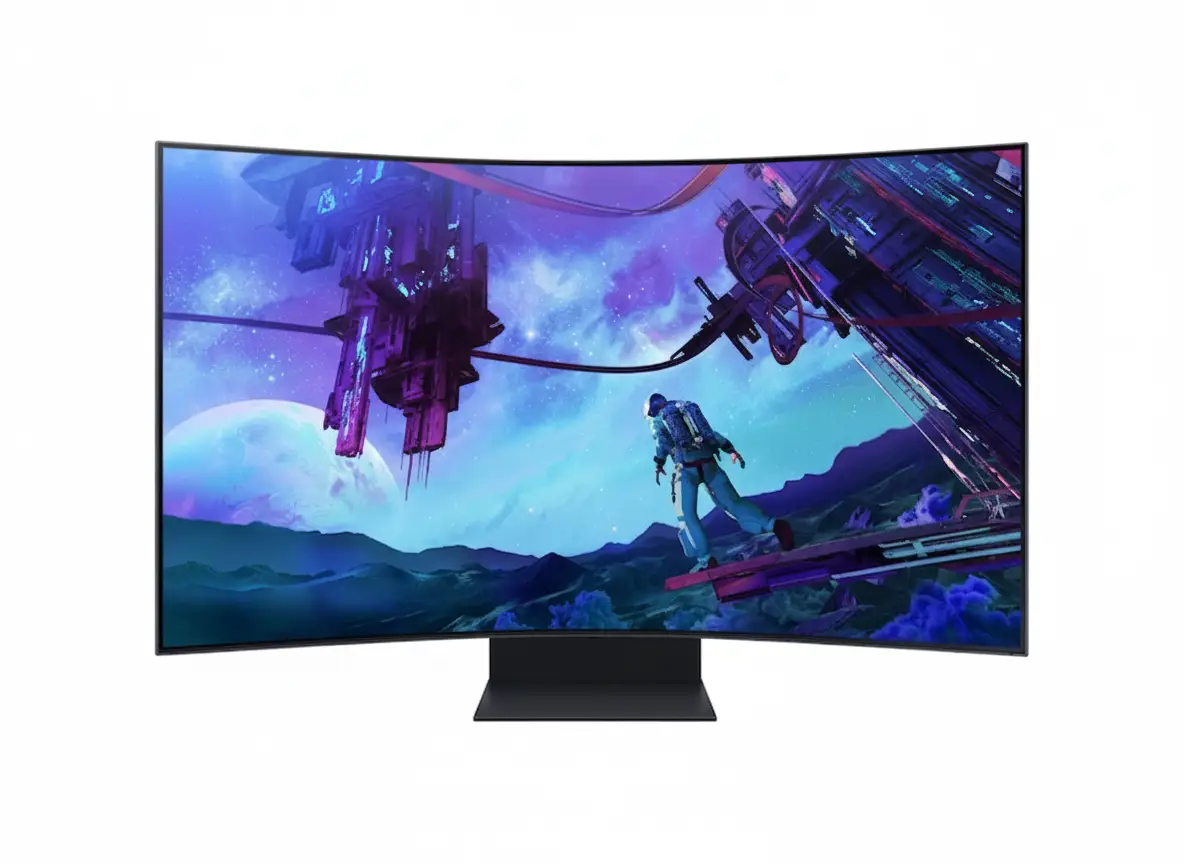
Image: AI-generated illustration for this review; not an official ViewSonic product photograph.

Quick Verdict

A strong 4K productivity monitor with useful extras

The VX2762U-4K is most appealing to users who want excellent 27-inch 4K sharpness, USB-C 65W charging and a flexible ergonomic stand. It is not a high-refresh gaming monitor, but for work, programming, browsing, content creation and everyday entertainment, its feature set is well balanced.

8.8
Overall / 10

ViewSonic VX2762U-4K Price in India

The monitor is currently seen around ₹24,999 in India. Monitor prices can change frequently, so treat this as a market reference rather than a guaranteed selling price.

Current Price
₹24,999
Approximate market price
Excellent Deal
Below ₹22K
Very attractive value
Compare First
Above ₹28K
More alternatives become interesting
Price note: Check the final checkout price, seller, warranty and return policy before purchasing.

ViewSonic VX2762U-4K Overview

The ViewSonic VX2762U-4K is a 27-inch flat IPS monitor with 3840 × 2160 4K UHD resolution. It is designed around image clarity and productivity rather than extreme gaming performance.

Its most interesting combination is the high-resolution IPS panel together with USB-C connectivity, up to 65W power delivery, integrated speakers, a USB hub and a four-way adjustable stand.

ViewSonic specifies 250 cd/m² typical brightness, 1000:1 typical static contrast, HDR10 support, 104% sRGB coverage and 10-bit color support through an 8-bit + FRC implementation.

27″
IPS Panel

Wide viewing angles.

4K
UHD Resolution

3840 × 2160 pixels.

65W
USB-C Power

For compatible laptops.

60Hz
Refresh Rate

Work and casual gaming.

ViewSonic VX2762U-4K Display Quality

Display quality is the main reason to buy this monitor. A 27-inch 4K IPS panel gives the VX2762U-4K high pixel density for its size, making it particularly appealing for reading text and working with detailed content.

4K Resolution at 27 Inches

The 3840 × 2160 resolution contains four times the total number of pixels found on a 1920 × 1080 Full HD display. It does not mean four times the physical desktop area because Windows and macOS scaling determine how interface elements appear.

The practical benefit is sharper text, cleaner interface elements and more detailed images. For documents, spreadsheets, coding, browsing and photo work, the difference can be immediately useful.

ResolutionTotal PixelsTypical Use
1920 × 10802.07 millionBudget/general use
2560 × 14403.69 millionBalanced work + gaming
3840 × 21608.29 millionDetailed work + media

IPS Panel and Viewing Angles

The SuperClear IPS panel is specified with 178° horizontal and 178° vertical viewing angles. This is useful for office setups, shared viewing and off-center viewing.

Color Performance

ViewSonic specifies 104% sRGB color gamut coverage, 72% NTSC and support for 1.07 billion colors. The monitor also supports 10-bit color through an 8-bit + FRC configuration.

These specifications make it suitable for general creative work, photography, design, office applications and media consumption. Professional color-critical users should still consider a display designed specifically for reference-level work.

Brightness and HDR10

The typical brightness is 250 cd/m². That is reasonable for normal indoor use, but it is not a particularly high brightness level for HDR.

HDR10 support is therefore best considered a useful compatibility feature rather than a reason to expect premium high-brightness HDR performance.

Productivity: Where the VX2762U-4K Makes the Most Sense

The VX2762U-4K is primarily a productivity monitor. Its combination of 4K resolution, 27-inch size, IPS technology, USB-C power delivery and ergonomic adjustment makes it especially useful for desk-based work.

Office Work

Documents, spreadsheets, browser tabs and office software benefit from sharp 4K resolution.

Programming

High pixel density keeps code text crisp, while portrait mode can help with long files and documentation.

Content Creation

4K resolution and wide sRGB coverage make it useful for general photo, design and content-production tasks.

Laptop Workstations

USB-C with up to 65W power delivery is particularly useful for compatible laptops.

USB-C Advantage

A cleaner laptop desk setup

Compatible laptops can use USB-C for DisplayPort video and up to 65W power delivery. This can reduce cable clutter on a laptop workstation.

65W
USB-C Power Delivery
DisplayPort Alt Mode + compatible laptop charging

Connectivity and Features

The VX2762U-4K offers a practical mix of modern and conventional connections.

USB-C 65W

USB-C supports DisplayPort Alt Mode and up to 65W power delivery for compatible devices.

HDMI and DisplayPort

Two HDMI inputs and one DisplayPort provide flexible connectivity.

USB Hub

Two USB 3.2 Type-A downstream ports and one USB 3.2 Type-B upstream connection are included.

Built-in Speakers

Two 2.5W speakers provide basic audio without separate desktop speakers.

ConnectionSpecification
USB-CDisplayPort Alt Mode, 65W power
USB-A2 × USB 3.2 downstream
USB-B1 × USB 3.2 upstream
HDMI2 × HDMI 2.1
DisplayPort1 × DisplayPort
Audio3.5mm audio out

Eye Care Features

ViewSonic includes Eye ProTech features with the VX2762U-4K. The official specifications list flicker-free technology and a software-based low-blue-light solution.

Flicker-Free

The monitor is specified as flicker-free, useful for extended screen use.

Low Blue Light

A software-based low-blue-light solution is provided.

Important: Eye-care features can improve viewing comfort for some users, but they should not be treated as a medical guarantee against eye strain or other symptoms.

Gaming Performance: Is 60Hz Enough?

The VX2762U-4K can be used for gaming, especially if image quality and resolution matter more than high refresh rates. Its 4K IPS panel provides detailed game visuals, while the specified 3.8ms GTG response time is reasonable for general gaming.

The important limitation: 60Hz

The official detailed specifications list a maximum refresh rate of 60Hz. It is therefore not aimed at users looking for 120Hz, 144Hz, 165Hz or higher competitive gaming.

Casual Gaming
Very Good

4K resolution provides detailed visuals.

Story Games
Very Good

Image quality is more important here.

Competitive FPS
Not Ideal

High-refresh monitors are a better choice.

Design and Ergonomics

The ergonomic stand is one of the VX2762U-4K’s strongest practical features. It is not a basic tilt-only stand. ViewSonic specifies height adjustment, swivel, tilt and pivot support.

150mm
Height
90°
Swivel
-3.5°–20°
Tilt
90°
Pivot

Portrait Mode

The 90° pivot can help with coding, long documents, reading and vertical content.

VESA Mounting

The monitor supports a standard 100 × 100mm VESA mounting pattern.

Is the ViewSonic VX2762U-4K Good for MacBook?

Yes. ViewSonic lists Mac support up to 3840 × 2160 resolution and states that macOS has been tested with the monitor.

USB-C with up to 65W power delivery makes it particularly interesting for compatible MacBook users. Users with high-power laptops should check their computer’s charging requirements because 65W may not be sufficient for every workload.

Who Should Buy the ViewSonic VX2762U-4K?

Recommended For

  • Office and home-office users
  • Programmers and developers
  • Content writers and researchers
  • Users who want sharp 4K text
  • Compatible USB-C laptop users
  • General photo and creative work
  • Users who want an adjustable stand
  • Casual gamers
  • Users who want built-in speakers

Look Elsewhere If

  • You need 144Hz or higher
  • You mainly play competitive FPS games
  • You want very bright premium HDR
  • You need a professional reference monitor
  • You specifically want an ultrawide display

ViewSonic VX2762U-4K vs Other 27-Inch Monitors

The best alternative depends on whether you prioritize 4K resolution, refresh rate, USB-C charging, ergonomics or gaming.

FeatureVX2762U-4K27″ QHD Monitor27″ 4K Gaming Monitor
Resolution4KQHD4K
Refresh Rate60HzOften 100–180HzOften 144Hz+
USB-C65WModel dependentModel dependent
Ergonomic StandExcellentModel dependentModel dependent
Best ForProductivity + 4KWork + gaming balanceHigh-refresh gaming

Which type should you choose?

Choose the VX2762U-4K if sharp 4K resolution, USB-C 65W and ergonomic adjustment are more important than a high refresh rate. If gaming performance is your main priority, a 144Hz-or-higher monitor will make more sense.

Pros

  • Excellent 27-inch 4K resolution
  • IPS panel with 178° viewing angles
  • 104% sRGB specification
  • 10-bit support through 8-bit + FRC
  • USB-C with up to 65W power delivery
  • 150mm height adjustment
  • Swivel, tilt and pivot adjustment
  • 100 × 100mm VESA support
  • Built-in 2 × 2.5W speakers
  • Flicker-free technology
  • Useful USB hub

Cons

  • Only 60Hz refresh rate
  • 250 cd/m² brightness limits HDR impact
  • Not intended for competitive gaming
  • Not a dedicated professional reference monitor
  • 65W USB-C may not fully replace the charger for some high-power laptops

ViewSonic VX2762U-4K Ratings

Display Quality9.3/10
Productivity9.4/10
Connectivity9.2/10
Ergonomics9.5/10
Gaming7.2/10
HDR6.8/10
Features9.0/10
Value at ₹25K8.7/10
Final Verdict

Should You Buy the ViewSonic VX2762U-4K?

If you want a sharp 27-inch 4K IPS monitor mainly for work, productivity and general entertainment, the VX2762U-4K is a compelling option around the ₹25,000 price range.

The biggest strength is the overall combination: a 4K IPS panel, 104% sRGB coverage, HDR10, USB-C 65W power delivery, a USB hub, built-in speakers and a highly adjustable stand.

The main compromise is the 60Hz refresh rate. That is acceptable for office work, programming, browsing and most everyday tasks, but it makes the monitor less attractive to competitive gamers.

Below ₹22,000
Excellent Buy
₹22K–₹25K
Recommended
Above ₹28,000
Compare

Our Recommendation

Recommended for productivity and 4K work. The VX2762U-4K is especially attractive for office users, programmers, writers, creators and compatible USB-C laptop users who want sharp 4K image quality and a flexible stand. Make sure the 60Hz refresh rate matches your needs.

ViewSonic VX2762U-4K Full Specifications

Model
VX2762U-4K
Screen Size
27 inches
Panel
IPS
Resolution
3840 × 2160
Aspect Ratio
16:9
Refresh Rate
60Hz
Response Time
3.8ms GTG with OD
Brightness
250 cd/m² typical
Static Contrast
1000:1 typical
Dynamic Contrast
50M:1
HDR
HDR10
Colors
1.07 billion
Color Support
10-bit (8-bit + FRC)
Color Gamut
104% sRGB / 72% NTSC
Viewing Angles
178° / 178°
Surface
Anti-glare, 3H hard coating
Pixel Pitch
0.155mm
Flicker-Free
Yes
Low Blue Light
Software solution
USB-C
DisplayPort Alt Mode, 65W power
USB-A
2 × USB 3.2 downstream
USB-B
1 × USB 3.2 upstream
HDMI
2 × HDMI 2.1
DisplayPort
1 × DisplayPort
Audio Out
3.5mm
Speakers
2 × 2.5W
Height Adjustment
150mm
Swivel
90°
Tilt
-3.5° to 20°
Pivot
90° / 90°
VESA
100 × 100mm
Weight with Stand
6.5kg
Weight without Stand
4.4kg

ViewSonic VX2762U-4K FAQs

Is the ViewSonic VX2762U-4K 60Hz or 180Hz?

+
The monitor is specified at 60Hz. The detailed official specifications list a 60Hz refresh rate.

Does it support USB-C charging?

+
Yes. USB-C supports DisplayPort Alt Mode and up to 65W power delivery for compatible devices.

Does the VX2762U-4K have a height-adjustable stand?

+
Yes. It supports up to 150mm height adjustment, 90° swivel, -3.5° to 20° tilt and 90° pivot.

Is the VX2762U-4K good for office work?

+
Yes. Its 27-inch 4K IPS panel, USB-C 65W connectivity and ergonomic stand make it particularly suitable for productivity.

Is HDR10 good on this monitor?

+
HDR10 is supported, but 250 cd/m² typical brightness means HDR should be considered an additional feature rather than premium high-brightness HDR.

Is it good for gaming?

+
It is suitable for casual and story-driven gaming, but the 60Hz refresh rate makes it unsuitable for users who specifically want competitive high-refresh gaming.

Is it worth buying around ₹25,000?

+
It is a strong choice around ₹25,000 if your priorities are 4K image quality, productivity, USB-C 65W and an ergonomic stand. For high-refresh gaming, consider another monitor.
Final Recommendation

A smart 4K monitor for work-focused users

If you want a 27-inch 4K IPS monitor with USB-C 65W, built-in speakers and a properly adjustable stand, the ViewSonic VX2762U-4K deserves serious consideration.
Overall
8.8/10
Productivity Focus
Prices, offers and availability may change without notice. Specifications are based primarily on manufacturer information and may vary by market or product revision.

LG 27US500-W Review: Best 4K Monitor Under ₹20K?

LG 27US500-W UltraFine 4K Monitor Review
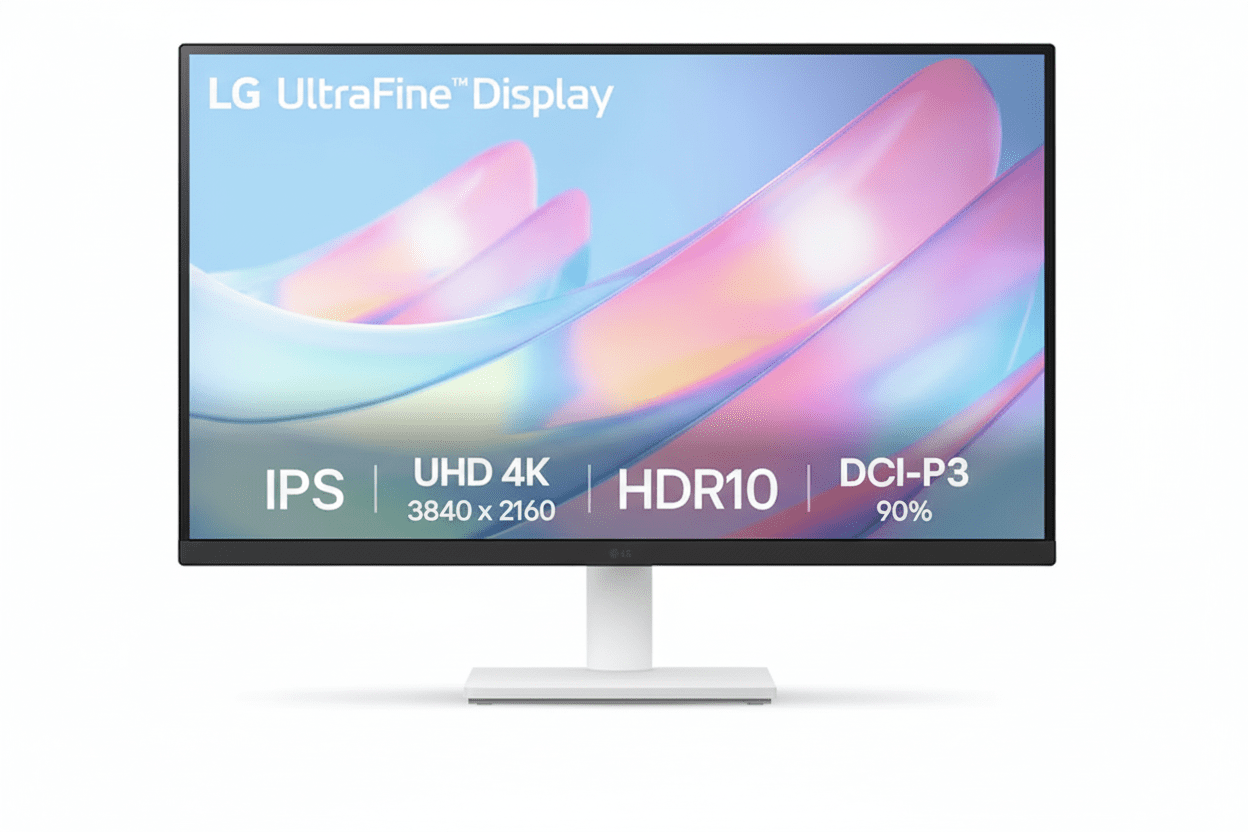
LG 27US500-W UltraFine Monitor Review 2025 – Best Budget 4K Monitor with DCI-P3 90% for Creatives Under ₹19,000
LG 27US500-W UltraFine 4K Monitor

🎨 Professional Color: DCI-P3 90% Coverage!

Plus HDR10 Support + 4K UHD Resolution!

🏆 Best Budget 4K – DCI-P3 90% – HDR10 – Creative Pro

LG 27US500-W UltraFine 4K Monitor

27″ 4K UHD Display | DCI-P3 90% Color | Best Budget Monitor for Creatives 2025

27″ 4K (3840×2160) IPS – DCI-P3 90% – HDR10 – 300 nits – 3-Side Borderless – LG Switch App

🎨 Creative Professional Configuration:

• Display: 27″ 4K UHD (3840×2160) IPS Panel

• Color Gamut: DCI-P3 90% (Wide Color)

• HDR: HDR10 Support

• Brightness: 300 cd/m² (nits)

• Pixel Density: 163 PPI (8.29M Pixels)

• Ports: 2x HDMI + DisplayPort 1.4

• Bonus: LG Switch App + Reader Mode!

₹18,999

₹30,000

SAVE ₹11,001 (37% OFF!)

*Inclusive of all taxes | Free Priority Delivery

🛒 Buy Now on Amazon – 37% OFF!

Free Delivery | Standard Warranty Included

Resolution

4K UHD

Color Gamut

DCI-P3 90%

HDR

HDR10

LG 27US500-W UltraFine Monitor Overview

🎨 Creative Pro Highlights

  • 4K UHD: 3840×2160 resolution
  • DCI-P3 90%: Wide color gamut
  • HDR10: Enhanced contrast
  • IPS Panel: 178° viewing angles
  • 163 PPI: Ultra-sharp clarity
  • LG Switch: Productivity app
  • ₹18,999: Unbeatable value!

📦 In The Box

  • 📺 LG 27US500-W Monitor with Stand
  • 🔌 Power Cable
  • 📄 Quick Setup Guide
  • 📜 Warranty Card

Note: HDMI/DP cable sold separately

💎 27US500-W Advantage

  • • Best Value: 4K + DCI-P3 90% under ₹19K
  • • Creative Focused: Professional color
  • • HDR10: Enhanced visuals
  • • LG Quality: Trusted brand
  • • 163 PPI: Ultra-sharp text
  • • 37% OFF: Save ₹11,001!

🏆 Best Budget 4K Monitor for Creatives Under ₹19,000

4K UHD Clarity

Experience 8.29 million pixels (3840×2160) with 163 PPI pixel density on a 27-inch IPS panel. The 4K resolution provides 4x the detail of Full HD—perfect for photo editing, video production, and design work where every pixel matters!

DCI-P3 90% Wide Color

90% DCI-P3 color gamut coverage is a professional-grade feature rarely found under ₹19K. This 25% wider than sRGB, delivering vibrant, cinema-quality colors for content creation, photo editing, and media consumption!

Unbeatable ₹18,999 Price!

Get 4K UHD + DCI-P3 90% + HDR10 + IPS Panel + DisplayPort 1.4 + LG Switch App at just ₹18,999 with 37% discount! The most affordable professional 4K monitor in India—perfect for budget-conscious creatives!

27″ 4K UHD IPS Panel – 8.29 Million Pixels

📺 4K Display Specifications

Ultra High Definition

Screen Size 27″ (68.58 cm)
Resolution 3840 × 2160 (4K UHD)
Panel Type IPS
Pixel Density 163 PPI
Total Pixels 8.29 Million
Aspect Ratio 16:9

🎨 Image Quality

Brightness & Contrast

Brightness 300 cd/m² (Typ.)
Contrast Ratio (Typ.) 1000:1
Contrast Ratio (Min.) 700:1

Viewing & Refresh

Viewing Angle 178° / 178° (H/V)
Refresh Rate 60 Hz
Response Time 5ms (GtG)

🏆 Why 4K UHD Matters for Creative Work

The 3840×2160 4K UHD resolution delivers 8.29 million pixels—4x more than Full HD. At 27 inches, this creates a pixel density of 163 PPI, providing ultra-sharp text, crisp images, and breathtaking detail that’s essential for professional creative work!

Pixel-Perfect Precision

163 PPI means razor-sharp text and images. See every detail in your photos, videos, and designs with clarity that 1080p can’t match!

More Screen Real Estate

4K resolution gives you 4x the workspace of 1080p. Open multiple windows, timelines, and toolbars without compromising visibility!

Future-Proof Investment

4K is the standard for modern creative work. Work with 4K footage, photos, and designs at their native resolution without downscaling!

DCI-P3 90% Professional Color Gamut

🎨 Cinema-Grade Color Performance

The LG 27US500-W delivers 90% DCI-P3 color gamut coverage—the same color space used in digital cinemas. This is approximately 25% wider than standard sRGB, providing more vibrant reds, greens, and saturated colors that make content truly pop!

DCI-P3 90%

Cinema-grade color space

1.07B Colors

Rich color depth

25% Wider

Than standard sRGB

Pro Colors

Content creation ready

📸 Photography

  • • Vibrant Colors: See true-to-life saturation
  • • Wide Gamut: More colors than sRGB
  • • Accurate Reds/Greens: DCI-P3 specialty
  • • Professional Edit: Cinema-grade output
  • • 4K Detail: Every pixel visible

🎬 Video Editing

  • • DCI-P3: Digital cinema standard
  • • Color Grading: Accurate adjustments
  • • 4K Timeline: Edit at native resolution
  • • HDR10: Enhanced contrast
  • • Wide Color: Vibrant footage

🎨 Graphic Design

  • • Brand Colors: Accurate reproduction
  • • Print Preview: CMYK conversion
  • • Web Design: Wide color support
  • • 4K Canvas: Detailed artwork
  • • Pro Tools: Adobe RGB overlap

HDR10 Support – Enhanced Contrast

💡 HDR10 Technology

High Dynamic Range

HDR10 support allows the monitor to display HDR-mastered content with enhanced contrast and brightness. This reveals more detail in both the brightest highlights and darkest shadows for a more lifelike, dramatic picture!

  • • Brighter Whites: Enhanced peak brightness
  • • Deeper Blacks: Better shadow detail
  • • More Colors: Wider color volume

HDR Content

Compatible with HDR10 movies, games, and streaming content from Netflix, Prime Video, YouTube, and more!

🎬 HDR Benefits

Media Consumption

Watch 4K HDR movies and shows with cinema-like visual quality. HDR content appears more vibrant, realistic, and immersive than standard SDR!

  • • Netflix: HDR content support
  • • Prime Video: HDR streaming
  • • YouTube: HDR videos
  • • Gaming: HDR10 games

Content Creation

Preview HDR content while editing videos or photos. See how your work will look on HDR displays!

⚠️ HDR10 Limitations

While HDR10 support is excellent at this price, the monitor’s 300 nits peak brightness means it won’t deliver the full HDR experience of premium HDR monitors (which have 600-1000+ nits). The HDR effect will be noticeable but not as dramatic as high-end displays. Still, it’s a fantastic feature to have at ₹18,999!

Enhanced Productivity & Multitasking

💼 LG Switch App

Screen Partition Management

The free LG Switch app supercharges multitasking by allowing you to divide the 4K screen into up to 6 custom partitions. Arrange applications perfectly without manually resizing windows!

  • • Up to 6 Windows: Custom layouts
  • • Hotkey Mapping: Quick switching
  • • Theme Options: Customizable UI
  • • Workflow Boost: Maximum efficiency

Compatible Platforms

LG Switch app available for Windows and macOS. Free download from LG website!

📊 4K Workspace Benefits

Massive Screen Real Estate

With 8.29 million pixels, the 4K resolution provides 4x the workspace of 1080p. Open multiple applications, documents, and browser tabs simultaneously without compromising visibility!

  • • Excel: See entire spreadsheets
  • • Code Editors: Multiple files side-by-side
  • • Video Editing: Timeline + preview + tools
  • • Design Work: Canvas + toolbars + references

Multi-Monitor Replacement

One 4K 27″ monitor can replace two 1080p 24″ monitors with cleaner desk setup!

Full Connectivity for Best Performance

🔌 Physical Ports

DisplayPort 1.4

DisplayPort 1.4 input is the recommended connection for best image quality. Ensures you get a full, uncompressed 4K signal at 60Hz with maximum color depth!

  • • 4K@60Hz: Full bandwidth
  • • DCI-P3 90%: Complete color range
  • • HDR10: Full support

Dual HDMI Ports

2 HDMI ports provide versatility for connecting gaming consoles, streaming devices, or a second computer. Note: HDMI may be limited to 30Hz at 4K on some devices—use DisplayPort for 60Hz!

Headphone Out

3.5mm headphone jack for audio output. No built-in speakers—use headphones or external speakers!

💻 Compatibility & Setup

Recommended Connection

For best performance, use DisplayPort 1.4 connection from your PC/Mac. This ensures:

  • • 60Hz Refresh: Smooth desktop
  • • Full Color Depth: 1.07B colors
  • • HDR10: Complete support
  • • 4K@60Hz: No compromises

HDMI Limitations

HDMI 2.0 supports 4K@60Hz, but older HDMI 1.4 devices limited to 4K@30Hz. Check your GPU specs!

Compatible Devices

  • • Windows PC, Mac, Linux
  • • PS5, Xbox Series X/S (HDMI 4K@60Hz)
  • • Streaming devices (4K content)

Gaming & Comfort Features

🎮 Casual Gaming Features

Dynamic Action Sync (DAS)

Reduces input lag for a more responsive gaming feel. Especially noticeable in fast-paced games and competitive titles!

Black Stabilizer

Brightens dark scenes without overexposing bright areas. Helps you spot enemies hiding in shadows!

Gaming Limitations

60Hz refresh rate and no FreeSync/G-SYNC means this isn’t ideal for competitive gaming. Perfect for casual single-player games and console gaming!

👁️ Eye Comfort Features

Reader Mode

Reduces blue light emissions to create a paper-like viewing experience. Perfect for reading documents, ebooks, and long work sessions!

  • • Blue Light Reduction: Less eye strain
  • • Paper-like Display: Comfortable reading
  • • Sleep Protection: Better sleep cycles

Flicker Safe

Eliminates invisible screen flicker that causes headaches and eye fatigue. Hardware-based solution for all-day comfort!

Ergonomic & Stylish Design

🏗️ 3-Side Virtually Borderless

Modern Minimal Aesthetic

The 3-side virtually borderless design features thin bezels on the top and sides, creating a modern, immersive look. Perfect for dual-monitor setups with nearly seamless viewing!

  • • Slim Bezels: Maximum screen
  • • Dual Monitor: Side-by-side setup
  • • Professional Look: Clean aesthetic

White Finish

Elegant white color blends perfectly with modern workspaces, Apple aesthetics, and minimalist setups!

📐 Tilt Adjustable Stand

Basic Ergonomics

The simple, elegant stand provides tilt adjustment (-5° to +15°) to help you find a comfortable viewing angle. Easy to assemble without tools!

  • • Tilt Range: -5° to +15°
  • • No Height Adjust: Fixed height
  • • No Swivel/Pivot: Basic stand

VESA Mount Compatible

100x100mm VESA mount support allows you to use monitor arms for full ergonomic flexibility (height, swivel, pivot, tilt)!

Monitor Arm Recommended

For full ergonomics, consider a VESA monitor arm (₹1,500-3,000). Adds height, swivel, and desk space savings!

Who Should Buy This Monitor?

🎨 Budget-Conscious Creatives

  • Photographers: 4K detail + DCI-P3 90%
  • Video Editors: 4K timeline + wide color
  • Graphic Designers: Accurate brand colors
  • Illustrators: Vibrant digital art
  • Content Creators: YouTube, social media

Perfect for: Creative work without pro price tag

💼 Productivity Power Users

  • Data Analysts: Large spreadsheets visible
  • Developers: Multiple code windows
  • Financial Analysts: Complex models
  • Traders: Multiple charts/data feeds
  • Researchers: Documents + references

Perfect for: 4K workspace for multitasking

📺 Media Consumers

  • Movie Enthusiasts: 4K HDR content
  • Streamers: Netflix, Prime, YouTube
  • Anime Fans: Vibrant DCI-P3 colors
  • Sports Fans: Sharp 4K broadcasts
  • Casual Gamers: Console gaming 4K@60Hz

Perfect for: Cinematic viewing experience

🎓 Students & Academics

  • Design Students: Portfolio work
  • Film Students: Video editing projects
  • Architecture: CAD work + renderings
  • CS Students: Coding + testing
  • Research: Multiple papers open

Perfect for: Affordable 4K for studies

🏠 Home Office Workers

  • Remote Workers: Professional setup
  • Freelancers: Multi-client work
  • Consultants: Presentations + analysis
  • Writers: Comfortable reading mode
  • Virtual Assistants: Multiple apps

Perfect for: Work-from-home productivity

🚫 NOT Recommended For

  • Competitive Gamers: Need 144Hz+ with FreeSync
  • Full Ergonomics Needed: Tilt-only stand
  • USB Hub Required: No USB ports
  • True HDR: Need 600+ nits for HDR1000
  • Print Professionals: Need Adobe RGB

Consider alternatives for these specific needs

LG 27US500-W vs Competitors

vs MSI Pro MP273U 4K Monitor

MSI: 27″ 4K, 60Hz, sRGB – ₹18,999

LG: 27″ 4K, 60Hz, DCI-P3 90% – ₹18,999

LG Wins

  • ✓ DCI-P3 90% vs sRGB only
  • ✓ 25% wider color gamut
  • ✓ HDR10 support
  • ✓ LG Switch app included
  • ✓ Better brand trust
  • ✓ Reader Mode + Flicker Safe
  • ✓ Same price!

MSI Wins

  • ✓ Built-in speakers (2W)
  • ✓ MSI gaming brand

Verdict: LG vastly superior for color-critical work!

vs BenQ GW2790Q 27″ QHD Monitor

BenQ: 27″ QHD (1440p), IPS, 75Hz – ₹14,990

LG: 27″ 4K UHD, IPS, 60Hz – ₹18,999

LG Wins

  • ✓ 4K vs 1440p (77% more pixels!)
  • ✓ DCI-P3 90% vs sRGB
  • ✓ HDR10 support
  • ✓ 163 PPI vs 109 PPI
  • ✓ Professional color gamut
  • ✓ Better for creative work

BenQ Wins

  • ✓ ₹4,009 cheaper
  • ✓ 75Hz vs 60Hz
  • ✓ Built-in speakers
  • ✓ BenQ eye-care modes

Verdict: LG if you need 4K. BenQ if budget is tight.

vs Dell S2722DC 27″ QHD Monitor

Dell: 27″ QHD, IPS, 75Hz, USB-C – ₹24,999

LG: 27″ 4K, IPS, 60Hz, No USB-C – ₹18,999

LG Wins

  • ✓ ₹6,000 cheaper!
  • ✓ 4K vs 1440p resolution
  • ✓ DCI-P3 90% color
  • ✓ HDR10 support
  • ✓ Better value for money
  • ✓ Higher pixel density

Dell Wins

  • ✓ USB-C with 65W PD
  • ✓ 75Hz refresh rate
  • ✓ Full ergonomic stand
  • ✓ Built-in speakers
  • ✓ USB hub

Verdict: LG for 4K on budget. Dell for premium features.

vs Samsung UR59C 32″ 4K Curved Monitor

Samsung: 32″ 4K, VA, 60Hz, Curved – ₹22,999

LG: 27″ 4K, IPS, 60Hz, Flat – ₹18,999

LG Wins

  • ✓ ₹4,000 cheaper!
  • ✓ IPS vs VA panel
  • ✓ DCI-P3 90% color
  • ✓ Better viewing angles
  • ✓ Accurate colors
  • ✓ Professional color gamut

Samsung Wins

  • ✓ 32″ larger screen
  • ✓ 1500R curved
  • ✓ 3000:1 contrast (VA)
  • ✓ Immersive gaming

Verdict: LG for creatives. Samsung for immersive media.

vs ASUS PA247CV ProArt Monitor

ASUS: 23.8″ FHD, IPS, 75Hz, USB-C – ₹17,999

LG: 27″ 4K, IPS, 60Hz, No USB-C – ₹18,999

LG Wins

  • ✓ 4K vs 1080p (4x pixels!)
  • ✓ 27″ vs 23.8″ screen
  • ✓ DCI-P3 90% vs sRGB
  • ✓ HDR10 support
  • ✓ Much higher resolution
  • ✓ Better for 4K work

ASUS Wins

  • ✓ ₹1,000 cheaper
  • ✓ USB-C with 65W PD
  • ✓ 75Hz refresh
  • ✓ Calman verified
  • ✓ Full ergonomic stand

Verdict: LG wins for 4K resolution and color!

vs ViewSonic VP2768-4K 4K Monitor

ViewSonic: 27″ 4K, IPS, 60Hz, sRGB 100% – ₹35,999

LG: 27″ 4K, IPS, 60Hz, DCI-P3 90% – ₹18,999

LG Wins

  • ✓ ₹17,000 cheaper!
  • ✓ 47% lower price
  • ✓ DCI-P3 90% (wider than sRGB)
  • ✓ HDR10 support
  • ✓ Best value for money
  • ✓ LG brand trust

ViewSonic Wins

  • ✓ Hardware calibration
  • ✓ sRGB 100% accuracy
  • ✓ Full ergonomic stand
  • ✓ USB-C + USB hub
  • ✓ Professional grade

Verdict: LG incredible value. ViewSonic for pros with budget.

vs AOC U27G3X 4K Gaming Monitor

AOC: 27″ 4K, IPS, 144Hz, FreeSync – ₹28,999

LG: 27″ 4K, IPS, 60Hz, No FreeSync – ₹18,999

LG Wins

  • ✓ ₹10,000 cheaper!
  • ✓ DCI-P3 90% vs sRGB
  • ✓ Better for creative work
  • ✓ Professional color
  • ✓ Best value

AOC Wins

  • ✓ 144Hz vs 60Hz (gaming!)
  • ✓ AMD FreeSync Premium
  • ✓ 1ms MPRT response
  • ✓ Gaming-focused
  • ✓ Better for competitive play

Verdict: LG for creatives. AOC for gamers with budget.

vs HP E27 G5 27″ QHD Monitor

HP: 27″ QHD (1440p), IPS, 75Hz – ₹16,999

LG: 27″ 4K, IPS, 60Hz – ₹18,999

LG Wins

  • ✓ 4K vs 1440p (77% more pixels)
  • ✓ DCI-P3 90% wide color
  • ✓ HDR10 support
  • ✓ Higher pixel density
  • ✓ Better for creative work
  • ✓ Professional color gamut

HP Wins

  • ✓ ₹2,000 cheaper
  • ✓ 75Hz refresh
  • ✓ Height adjustable stand
  • ✓ HP brand premium

Verdict: LG for 4K resolution. HP for basic productivity.

Pros & Cons

✅ Pros

  • ✓ ₹18,999 for 4K + DCI-P3 90%: Incredible price for professional-grade 4K IPS monitor with wide color gamut—best value in India!
  • ✓ DCI-P3 90% Color Gamut: Cinema-grade color space (25% wider than sRGB) for vibrant, accurate creative work—rare under ₹20K!
  • ✓ 4K UHD Resolution: 8.29 million pixels (3840×2160) with 163 PPI density for ultra-sharp text and detailed images
  • ✓ HDR10 Support: Enhanced contrast and brightness for HDR content (movies, games, streaming)
  • ✓ IPS Panel Technology: 178°/178° wide viewing angles with accurate, consistent colors from any position
  • ✓ DisplayPort 1.4 Included: Full uncompressed 4K@60Hz signal with complete color depth and HDR support
  • ✓ LG Switch App: FREE productivity software for screen partitioning (up to 6 windows) and workflow optimization
  • ✓ 3-Side Borderless Design: Modern slim bezels perfect for dual-monitor setups and immersive viewing
  • ✓ Reader Mode + Flicker Safe: Blue light reduction and flicker-free technology for all-day eye comfort
  • ✓ Dual HDMI Ports: Connect multiple devices (PC + console, etc.) without cable swapping
  • ✓ LG Brand Quality: Trusted brand with reliable IPS panels and quality control
  • ✓ 37% Discount: Save ₹11,001 from MRP ₹30,000—exceptional deal!

❌ Cons

  • ✗ Tilt-Only Stand: Basic stand with -5° to +15° tilt only—no height, swivel, or pivot adjustments (VESA mount available)
  • ✗ 60Hz Refresh Rate: Not suitable for competitive gaming—limited to 60Hz (no 144Hz+ for fast-paced games)
  • ✗ No Built-in Speakers: Requires external speakers or headphones for audio (common trade-off at this price)
  • ✗ No USB-C Port: Lacks USB-C connectivity with Power Delivery—no single-cable solution for laptops
  • ✗ No USB Hub: No USB ports for connecting peripherals (mouse, keyboard, webcam)
  • ✗ Limited HDR Performance: 300 nits peak brightness insufficient for true HDR experience (need 600+ nits for HDR1000)
  • ✗ No AMD FreeSync/G-SYNC: Lacks adaptive sync technology—may have screen tearing in games
  • ✗ Cables Not Included: HDMI and DisplayPort cables sold separately (add ₹500-1,000 to budget)
  • ✗ 5ms Response Time: Decent but not ultra-fast—gaming monitors have 1-2ms (acceptable for creative work)
  • ✗ Typical 1000:1 Contrast: Standard IPS contrast—VA panels offer 3000:1 for deeper blacks

Category Scores

Creative Work

9.5

/ 10

4K + DCI-P3 90%

Display Quality

9.0

/ 10

Excellent IPS + HDR10

Value for Money

10

/ 10

Unbeatable!

Build & Design

7.0

/ 10

Basic stand

Features

8.0

/ 10

HDR10 + Switch App

Overall Score

9.0 / 10

Best Budget 4K Monitor for Creatives

Final Verdict

🏆 Best Budget 4K Monitor for Creatives 2025

The LG 27US500-W delivers professional 4K clarity, cinema-grade DCI-P3 90% color, and outstanding value at ₹18,999. The undisputed champion of budget clarity and color!

🎯 Perfect For Budget-Conscious Creatives

Highly Recommended For:

  • • Photographers: 4K detail + vibrant DCI-P3 colors
  • • Video Editors: Edit 4K footage at native resolution
  • • Graphic Designers: Wide color gamut accuracy
  • • Content Creators: YouTube, social media work
  • • Students: Affordable 4K for creative studies
  • • Productivity Users: Massive 4K workspace

Not Recommended For:

  • • Competitive Gamers: Need 144Hz+ with FreeSync
  • • Full Ergonomics: Only tilt adjustment
  • • USB-C Requirement: No USB-C port
  • • Print Professionals: Need Adobe RGB calibration
  • • True HDR: Need 600+ nits brightness

✅ Final Recommendation

The LG 27US500-W is a stunning achievement, making true 4K resolution and wide-gamut DCI-P3 90% color accessible to more creators than ever before. The combination of 8.29 million pixels, cinema-grade color space, HDR10 support, and IPS panel technology at just ₹18,999 is simply unmatched in this price segment!

What sets the L27US500-W apart is LG’s focus on delivering the best possible panel quality for the lowest possible price. The DCI-P3 90% color coverage—25% wider than standard sRGB—is a professional-grade feature typically reserved for ₹40,000+ monitors. For photographers, video editors, and designers who prioritize visual fidelity above all else, this is a game-changer!

Yes, it makes smart compromises—a basic tilt-only stand, 60Hz refresh rate, and lack of built-in speakers or USB hub. But these are logical sacrifices to achieve this incredible value. The ₹18,999 price point makes professional 4K creative work accessible to students, freelancers, and aspiring creators who previously couldn’t afford it!

If you’re looking for an entry point into the world of 4K creative work, the LG 27US500-W is the undisputed champion. At ₹18,999, you’re getting monitor quality that competes with ₹30,000-40,000 models. Whether you’re editing photos, grading videos, designing graphics, or simply want the sharpest text and most vibrant colors for productivity, this monitor delivers exceptional performance at an unbeatable price. The Best Budget 4K Monitor in India—Highly Recommended!

🛒 Buy LG 27US500-W Now – Save 37% (₹18,999)

Free Delivery | Standard Warranty Included

Frequently Asked Questions (FAQs)

Q1. What is DCI-P3 90% color gamut and why does it matter?

DCI-P3 is a wide color gamut used in digital cinema that covers approximately 25% more color space than standard sRGB. The LG 27US500-W’s 90% DCI-P3 coverage means it can display more vibrant, saturated colors—especially reds and greens—than typical monitors. This is crucial for photographers, video editors, and designers who need accurate color representation for creative work. At ₹18,999, finding DCI-P3 90% coverage is extremely rare and makes this monitor exceptional value!

Q2. Can I use DisplayPort to get 4K at 60Hz?

Yes! The DisplayPort 1.4 input is the recommended connection for this monitor. It ensures you get a full, uncompressed 4K (3840×2160) signal at 60Hz with complete color depth and HDR10 support. This is the best way to experience the monitor’s DCI-P3 90% color gamut. Make sure your graphics card has a DisplayPort output!

Q3. Will HDMI work for 4K at 60Hz?

It depends on your device. HDMI 2.0 supports 4K@60Hz, which most modern graphics cards and consoles have (PS5, Xbox Series X). However, older HDMI 1.4 devices are limited to 4K@30Hz. For guaranteed 60Hz performance, use the DisplayPort 1.4 connection. The monitor has 2 HDMI ports for connecting multiple devices like gaming consoles or streaming devices.

Q4. Is this monitor good for photo editing?

Absolutely! The DCI-P3 90% color gamut coverage provides professional-grade color accuracy that’s perfect for photo editing. The 4K resolution (8.29 million pixels) lets you see every detail in your images, while the IPS panel ensures consistent colors from all viewing angles. The 163 PPI pixel density means razor-sharp image clarity. This is one of the best budget monitors for photography work under ₹20,000!

Q5. Can I use this monitor for video editing?

Yes! This monitor is excellent for video editing. The 4K UHD resolution allows you to edit 4K footage at native resolution without downscaling. The DCI-P3 90% color space is the same standard used in digital cinema, making it perfect for color grading. The HDR10 support lets you preview HDR content. Combined with the LG Switch app for timeline management, this is a fantastic budget video editing monitor!

Q6. Is this monitor good for gaming?

The LG 27US500-W is decent for casual gaming but NOT ideal for competitive gaming. The 60Hz refresh rate and lack of FreeSync/G-SYNC mean it’s not suitable for fast-paced competitive titles. However, it’s excellent for single-player story games, RPGs, and console gaming (PS5/Xbox) where you can enjoy the stunning 4K HDR visuals and vibrant colors. The Dynamic Action Sync and Black Stabilizer features help improve gaming performance.

Q7. What is HDR10 and does this monitor support it properly?

HDR10 is a high dynamic range standard that displays content with enhanced contrast and brightness. The LG 27US500-W supports HDR10, allowing it to show more detail in bright and dark areas. However, with 300 nits peak brightness, it won’t deliver the full HDR experience of premium monitors (600-1000+ nits). You’ll notice improved visuals in HDR content, but it’s not true cinema-grade HDR. Still, it’s a great feature to have at this ₹18,999 price point!

Q8. Does this monitor have built-in speakers?

No, the LG 27US500-W does NOT have built-in speakers. You’ll need to use external speakers or headphones for audio. The monitor has a 3.5mm headphone jack for audio output. This is a common trade-off in budget 4K monitors to keep the price low while prioritizing panel quality and color accuracy.

Q9. Can I adjust the monitor height or rotate it?

The included stand only provides tilt adjustment (-5° to +15°). There is NO height adjustment, swivel, or pivot (portrait mode). However, the monitor is VESA 100x100mm mount compatible, so you can use a monitor arm or wall mount for full ergonomic flexibility. Consider budgeting ₹1,500-3,000 for a quality VESA monitor arm if you need height/swivel/pivot adjustments.

Q10. What is the LG Switch app and how does it help productivity?

The free LG Switch app (available for Windows and macOS) allows you to divide the 4K screen into up to 6 custom partitions. You can arrange multiple applications side-by-side without manually resizing windows. The app also supports hotkey mapping for quick window switching and theme customization. This is incredibly useful for multitasking with the huge 4K workspace—perfect for video editors, designers, and productivity users!

Q11. What cables are included in the box?

The LG 27US500-W box includes the monitor with stand, power cable, quick setup guide, and warranty card. Unfortunately, HDMI and DisplayPort cables are NOT included and must be purchased separately. Budget an additional ₹500-1,000 for a quality DisplayPort 1.4 cable to get the full 4K@60Hz experience.

Q12. Is 163 PPI enough for sharp text at 27 inches?

Yes! 163 PPI (pixels per inch) is excellent for 27-inch 4K displays. Text will be razor-sharp and images incredibly detailed. This is significantly sharper than 27-inch 1440p monitors (109 PPI) and massively better than 27-inch 1080p (82 PPI). At normal viewing distances, you won’t see individual pixels. The high pixel density is perfect for text-heavy work, coding, spreadsheets, and detailed creative work!

Q13. Does this monitor work with MacBook Pro/Mac?

Yes, the LG 27US500-W works perfectly with MacBook Pro, iMac, and Mac Mini. Use a USB-C to DisplayPort cable or USB-C to HDMI cable to connect your Mac. The DCI-P3 90% color space matches Apple’s wide color displays, making it a great external monitor for Macs. The white aesthetic also complements Apple’s design language. Note: There’s NO USB-C port on the monitor—you need an adapter cable.

Q14. What is Reader Mode and how does it help?

Reader Mode reduces blue light emissions to create a paper-like viewing experience that’s easier on your eyes. This is perfect for reading documents, ebooks, articles, and long work sessions. It helps reduce eye strain and protects your sleep cycle by minimizing harmful blue light. Combined with Flicker Safe technology (eliminates screen flicker), this monitor is very comfortable for all-day use!

Q15. Can I use this monitor for dual-monitor setup?

Absolutely! The 3-side virtually borderless design with thin bezels makes it perfect for dual-monitor setups. Place two LG 27US500-W monitors side-by-side for a massive 7680×2160 (8K wide) workspace—ideal for video editing, trading, data analysis, and productivity. The slim bezels create a nearly seamless viewing experience. Total cost for dual setup: ₹37,998 (₹18,999 × 2).

Q16. How does DCI-P3 90% compare to sRGB 100%?

DCI-P3 color space is approximately 25% wider than sRGB, covering more vibrant colors especially in reds and greens. A monitor with DCI-P3 90% coverage shows more saturated, cinema-quality colors than an sRGB 100% monitor. This is why the LG 27US500-W is superior for creative work—you get richer, more vivid colors that standard sRGB monitors simply cannot display. DCI-P3 is the future standard for content creation!

Q17. What graphics card do I need for 4K@60Hz?

For desktop work and productivity, any modern GPU with DisplayPort 1.4 will handle 4K@60Hz easily—even integrated graphics (Intel UHD, AMD Radeon). For 4K gaming at 60 FPS, you’ll need at least an NVIDIA RTX 3060/4060 or AMD RX 6600 XT for medium settings in modern games. For high/ultra settings, consider RTX 4070 or RX 7700 XT. For creative work (not gaming), the GPU requirements are minimal.

Q18. Is 300 nits brightness enough?

The 300 cd/m² (nits) brightness is adequate for normal indoor use in offices and home environments. It’s bright enough for comfortable viewing in moderately lit rooms. However, if you work in a very bright room with direct sunlight or want true HDR performance, you’d ideally want 400-600+ nits. For most users, 300 nits is perfectly fine for daily use, creative work, and media consumption.

Q19. How does this compare to 1440p monitors at similar price?

At ₹18,999, you typically find 1440p (2560×1440) monitors with standard sRGB color. The LG 27US500-W offers 4K (3840×2160)—77% more pixels than 1440p—PLUS DCI-P3 90% wide color gamut. This is a HUGE advantage for creative work. While 1440p monitors might offer 75Hz or better stands, the LG’s superior resolution and color make it the clear winner for photographers, video editors, and designers.

Q20. Should I buy this monitor in 2025?

Absolutely YES! The LG 27US500-W remains the best budget 4K monitor with wide color gamut in India. At ₹18,999, nothing else comes close to offering 4K UHD + DCI-P3 90% + HDR10 + IPS panel from a trusted brand. It’s future-proof for the next 5+ years, supports all modern content (4K streaming, HDR movies, creative software), and provides professional color accuracy. If you’re a creative on a budget or want the best productivity workspace under ₹20K, this is THE monitor to buy!

Complete Technical Specifications

DISPLAY SPECIFICATIONS
BrandLG Electronics
Model27US500-W (UltraFine)
Screen Size27″ (68.58 cm)
Panel TypeIPS (In-Plane Switching)
Resolution3840 × 2160 (4K UHD)
Aspect Ratio16:9
Pixel Density163 PPI
Total Pixels8,294,400 (8.29 Million)
Refresh Rate60 Hz
Response Time5ms (GtG at Faster Setting)
Brightness (Typical)300 cd/m² (nits)
Contrast Ratio (Typical)1000:1
Contrast Ratio (Minimum)700:1
Color GamutDCI-P3 90% (Typical)
Color Depth10-bit (8-bit + FRC)
Color Support1.07 Billion Colors
HDR SupportHDR10
Viewing Angle178° / 178° (H/V)
Bezel Design3-Side Virtually Borderless
Surface TreatmentAnti-Glare / Matte
CONNECTIVITY
HDMI2 ports (HDMI 2.0)
DisplayPort1 port (DisplayPort 1.4)
USB-CNone
USB PortsNone (No USB Hub)
Headphone OutYes (3.5mm jack)
Built-in SpeakersNo
GAMING & SPECIAL FEATURES
Adaptive SyncNone (No FreeSync/G-SYNC)
Dynamic Action Sync (DAS)Yes – Reduces Input Lag
Black StabilizerYes – Brightens Dark Scenes
HDR EffectYes (Enhanced Contrast Mode)
EYE CARE & COMFORT
Reader ModeYes – Blue Light Reduction
Flicker SafeYes – Flicker-Free Technology
Low Blue LightYes (Reader Mode)
Anti-Glare CoatingYes
SOFTWARE & PRODUCTIVITY
LG Switch AppYes – FREE Download (Win/Mac)
Screen PartitionUp to 6 Windows
Hotkey MappingYes
Theme CustomizationYes
OnScreen ControlYes (OSD Management Software)
DESIGN & ERGONOMICS
ColorWhite
Stand AdjustmentsTilt: -5° to +15°
Height AdjustmentNo
SwivelNo
Pivot (Portrait Mode)No
VESA Mount100 x 100 mm
Kensington Lock SlotYes
DIMENSIONS & WEIGHT
Dimensions (With Stand)613.2 x 465.0 x 230.5 mm (W x H x D)
Dimensions (Without Stand)613.2 x 364.0 x 53.5 mm (W x H x D)
Weight (With Stand)5.3 kg (11.7 lbs)
Weight (Without Stand)4.3 kg (9.5 lbs)
POWER CONSUMPTION
Power InputAC 100-240V (50-60 Hz) – Universal Voltage
Typical Power Consumption27 W
Maximum Power Consumption40 W
Sleep/Standby Mode< 0.3 W
Estimated Yearly Cost₹500-650 (@ ₹8/kWh, 8 hrs/day)
WARRANTY & PACKAGE CONTENTS
WarrantyStandard Warranty (Check with Retailer)
Part Number27US500-W
Package Contents • LG 27US500-W Monitor with Stand
• Power Cable
• Quick Setup Guide
• Warranty Card
• Note: HDMI/DP cables NOT included
PRICING & AVAILABILITY
MRP (Maximum Retail Price)₹30,000
Current Selling Price₹18,999
Discount37% OFF (Save ₹11,001)
ShippingFree Priority Delivery
TaxesInclusive of All Taxes
AvailabilityIn Stock – Amazon India
Recommended AccessoriesDisplayPort 1.4 Cable (₹500-800), VESA Monitor Arm (₹1,500-3,000)

Ready to Upgrade to Professional 4K?

Get the LG 27US500-W 4K UltraFine Monitor with DCI-P3 90% Color at an unbeatable price!

₹18,999

₹30,000

SAVE ₹11,001 (37% OFF!)

Inclusive of all taxes | Free Priority Delivery

🛒 BUY NOW – LIMITED TIME OFFER!

Resolution

4K UHD (8.29M Pixels)

Color Gamut

DCI-P3 90%

HDR Support

HDR10 Enabled

Panel Type

IPS – 178° View

Last Updated: December 9, 2025 | Model: LG 27US500-W UltraFine

Prices and availability subject to change. Check Amazon India for latest offers.

🏆 Best Budget 4K Monitor for Creatives – Highly Recommended!

The Odyssey Ark 2nd Gen Truth: Best Gaming Monitor?

Samsung Odyssey Ark 2nd Gen 55" 4K Mini-LED
Samsung Essential Monitor S3 S39GD 27″ Review 2025 – 100Hz Curved Gaming Monitor
Samsung Odyssey Ark 2nd Gen 55 inch 4K 165Hz Quantum Mini-LED Curved Gaming Screen

🎮 Ultimate Gaming Cockpit: 55″ + Quantum Mini-LED + 165Hz + 1000R!

1056 Zones + Cockpit Mode + Ark Dial + 4-Input Multi View + 60W Sound!

🏆 World’s Most Immersive Gaming Screen – 55″ Curved Revolution!

Samsung Odyssey Ark 2nd Gen 55″ Gaming Screen

55″ 4K UHD | 165Hz | 1ms GTG | Quantum Mini-LED | 1000R Curved | Cockpit Mode

3840×2160 VA Panel – 1,056 Zone Mini-LED – HDR10+ Gaming – 60W 2.2.2 Sound Dome

🎮 The Ultimate Gaming Cockpit Experience:

• Display: 55″ (139.7cm) 4K UHD (3840×2160) Quantum Mini-LED VA Panel

• Technology: 1,056 Zone Mini-LED – Quantum HDR 32x – 1,000,000:1 Contrast

• Speed: 165Hz (DP/HDMI) + 1ms GTG Response + FreeSync™ Premium Pro

• Colors: 1 Billion Colors + 95% DCI-P3 Coverage + Quantum Dot

• HDR: HDR10+ Gaming + 600 nits Typical (420 nits Min)

• Innovation: Cockpit Mode (Vertical Rotation) + Ark Dial Controller

• Multi View: 4-Input Simultaneous Display + KVM Switch

• Audio: 60W 2.2.2 Sound Dome + Dolby Atmos + AI Sound Booster

₹2,18,999

₹3,59,999

SAVE ₹1,41,000 (39% OFF!)

*Price varies ₹2,18,999-2,99,999 across retailers | Check current offers

🛒 Check Price on Amazon India

$2,699.99

$3,499.99

SAVE $800.00 (23% OFF!)

*Free shipping | Model: LS55CG970NNXGO | 3-Year Warranty

🛒 Buy Now on Samsung.com (USA)

🌍 Global Availability

• India: ₹2,18,999-2,99,999 (Amazon.in, Samsung India, Computech)

• USA: $2,699.99 (Samsung.com, Best Buy, Target)

• Europe: €2,799-3,299 (varies by country)

• Asia: Check Samsung regional sites

Screen Size

55″ Curved

Refresh Rate

165Hz

Mini-LED Zones

1,056

Samsung Odyssey Ark 2nd Gen 55″ Overview – The Gaming Cockpit Revolution

🎮 Gaming Highlights

  • 55″ Curved: 1000R immersive cockpit view
  • Quantum Mini-LED: 1,056 zone precision
  • 165Hz + 1ms: Ultra-smooth competitive gaming
  • 4K UHD: 3840×2160 crystal clarity
  • HDR10+ Gaming: Adaptive HDR perfection
  • Cockpit Mode: Revolutionary vertical orientation
  • 4-Input Multi View: Quad-screen multitasking
  • 60W Sound Dome: 2.2.2 Dolby Atmos audio

⚡ Mini-LED Advantages

  • 💡 1,056 Zones – Precise local dimming control
  • 🌟 600 Nits Peak – HDR highlight brilliance
  • ⚫ Deep Blacks – 1,000,000:1 contrast
  • 🎨 Quantum Dot – 1B colors, 95% DCI-P3
  • 🌈 HDR32x – 32× HDR brightness range
  • 🎬 No Blooming – Advanced zone algorithm

⭐ Why Odyssey Ark?

  • • Unique form factor: 55″ gaming cockpit experience
  • • Cockpit Mode: Vertical rotation for flight/racing sims
  • • Ark Dial: Solar-powered exclusive controller
  • • 4-Input Multi View: Display 4 sources simultaneously
  • • Premium audio: 60W built-in Dolby Atmos sound
  • • All-in-one: Gaming Hub + Smart TV features

🎯 What Makes Odyssey Ark 2nd Gen Special?

The Samsung Odyssey Ark 2nd Gen (LS55CG970N) represents a paradigm shift in gaming monitor design. This isn’t just a large display – it’s a complete gaming cockpit experience that redefines immersion. The 55-inch 4K UHD Quantum Mini-LED panel with 1000R curvature wraps around your field of vision like a racing cockpit, creating unprecedented peripheral immersion that transforms gaming, flight simulation, and racing titles.

At its core sits Samsung’s Quantum Matrix Technology with 1,056 independently controlled Mini-LED dimming zones. This delivers 1,000,000:1 static contrast ratio with deep blacks rivaling OLED while maintaining 600 nits typical brightness (420 nits minimum) for HDR content. The 165Hz refresh rate and 1ms GTG response time ensure competitive gaming performance despite the massive screen size, while AMD FreeSync Premium Pro eliminates tearing across the entire 3840×2160 resolution.

The revolutionary Cockpit Mode allows vertical screen rotation (portrait orientation) for flight simulators, racing games, and immersive single-player adventures. Combined with HAS, pivot, and tilt adjustments, you can position the screen precisely for maximum immersion. The included Ark Dial solar-powered controller provides instant access to Flex Move Screen (resize from 55″ to 27″), Multi View configurations, and Quick Settings without interrupting gameplay.

The upgraded 4-Input Multi View displays up to 4 different sources simultaneously (including DisplayPort addition in 2nd Gen), enabling console + PC gaming side-by-side while streaming and researching strategies. KVM Switch functionality lets you control multiple PCs with one keyboard/mouse. The 60W 2.2.2 channel Sound Dome audio system with Dolby Atmos eliminates the need for external speakers, completing the all-in-one gaming cockpit experience.

Cockpit Mode – Revolutionary Gaming Orientation

🚁 Vertical Rotation – Game-Changing Immersion

The Cockpit Mode feature allows 90° pivot rotation to portrait orientation, transforming the 55″ screen into a towering vertical display. This revolutionary design creates unprecedented immersion for flight simulators, racing games, and cockpit-view titles. In flight sims like Microsoft Flight Simulator, DCS World, and IL-2 Sturmovik, the vertical aspect ratio mimics an actual aircraft cockpit’s field of view.

For racing simulators (iRacing, Assetto Corsa Competizione, F1 24), Cockpit Mode provides a natural vertical FOV that matches real racing seat positioning. The HAS (Height Adjustable Stand) supports 0-10.6 inches landscape / 0-1.2 inches portrait adjustment, allowing perfect eye-level positioning. Combined with tilt (-10° to +10° landscape, -13° to +10° portrait), you achieve ergonomic perfection for extended gaming sessions.

Cockpit Mode Best For

  • • Flight Sims: MSFS, DCS, X-Plane, War Thunder (cockpit view)
  • • Racing Sims: iRacing, ACC, AC, rFactor 2, F1 series
  • • Space Sims: Elite Dangerous, Star Citizen (ship cockpits)
  • • Single-Player: Immersive story games with vertical environments

🎮 Flex Move Screen – Size & Ratio Flexibility

Flex Move Screen technology enables dynamic screen size adjustment from 55″ down to 27″, with multiple aspect ratio options (16:9, 21:9, 32:9). This is controlled via the Ark Dial or Game Bar, allowing instant screen resizing without monitor OSD navigation. Reduce the active display area for competitive FPS games where smaller screens improve focus, or expand to full 55″ for cinematic AAA adventures.

The position adjustment feature lets you move the active display area anywhere on the 55″ canvas – perfect for optimizing viewing angles or avoiding light sources. For example, in competitive CS2 or Valorant, some players prefer a centered 27″ 16:9 window at native 4K resolution for sharper details and reduced peripheral distraction, while maintaining the physical 55″ curve for immersion.

Flex Move Configurations

  • • 55″ 16:9: Full 4K resolution (3840×2160) – max immersion
  • • 49″ 32:9: Ultra-wide aspect for racing/flight sims
  • • 34″ 21:9: Cinematic ultra-wide for RPGs
  • • 27″ 16:9: Competitive FPS focus area at native 4K

🎛️ Ark Dial – Solar-Powered Exclusive Controller

☀️ Solar-Powered Convenience

The Ark Dial is an exclusive solar-powered controller designed specifically for Odyssey Ark. This eliminates battery replacements – the controller charges via ambient indoor lighting. The ergonomic circular dial interface provides tactile, intuitive control over Ark’s advanced features without interrupting gameplay to navigate complex OSD menus.

One-handed operation allows you to adjust Flex Move Screen dimensions, switch Multi View layouts, access Quick Settings (brightness, volume, picture mode), and open the Game Bar – all while keeping your other hand on the mouse or controller. This seamless control experience is unique to Odyssey Ark and unavailable on traditional gaming monitors.

🎯 Quick Access Functions

Ark Dial provides instant access to key gaming functions: Flex Move Screen resizing, Multi View input selection (switch between 4 sources), Quick Settings for picture/sound adjustments, and Game Bar for monitoring FPS/HDR/VRR status. The rotating dial with center button mimics premium audio equipment interfaces for satisfying tactile feedback.

During streaming or content creation, Ark Dial enables rapid Multi View configuration changes – switch from single-screen gaming to quad-view (game + chat + OBS + browser) in seconds. For productivity workflows, quickly adjust screen layouts for different tasks without digging through menus, maintaining focus on your work.

🌌 Eclipse Lighting – Ambient Backlight System

💫 Immersive Backlighting

Eclipse Lighting creates a halo effect behind the Odyssey Ark in Cockpit Mode, projecting soft ambient light onto the wall. This reduces eye strain during extended gaming sessions and enhances the futuristic cockpit aesthetic.

🎨 Customizable Ambiance

The lighting system offers customizable colors and brightness levels to match your gaming setup or room decor. Sync lighting with game content for reactive backlighting, or set static colors for consistent ambient illumination.

👁️ Eye Strain Reduction

By eliminating harsh contrast between bright screen and dark room, Eclipse Lighting reduces eye fatigue during marathon gaming. The ambient backlight creates a transitional lighting zone that’s easier on peripheral vision.

Quantum Mini-LED Technology – 1,056 Zone Precision

🔬 What is Quantum Mini-LED?

Quantum Mini-LED combines miniaturized LED backlighting with quantum dot color enhancement to deliver OLED-like contrast while maintaining LCD brightness advantages. The 1,056 independently controlled dimming zones on Odyssey Ark enable precise local dimming – each zone brightens or dims based on content, creating deep blacks and bright highlights simultaneously.

Samsung’s Quantum Dot layer converts blue LED backlight into pure red and green wavelengths with exceptional efficiency. This produces 95% DCI-P3 color gamut coverage (CIE1976) – professional cinema color space. Combined with 1 billion (10-bit) color support, the Odyssey Ark renders smooth color gradients without banding in HDR content and color-critical applications.

Mini-LED vs Traditional LCD

  • • Traditional LCD: Single backlight or ~16 zones – poor contrast
  • • Full Array (FALD): 32-384 zones – visible blooming
  • • Mini-LED (Odyssey Ark): 1,056 zones – near-OLED blacks!
  • • OLED: Per-pixel control but lower peak brightness

♾️ 1,000,000:1 Contrast Ratio

The static 1,000,000:1 contrast ratio is achieved through the VA panel’s inherent high native contrast combined with Mini-LED precision dimming. In scenes with simultaneous bright and dark elements, individual zones dim to near-black levels (0.42 nits minimum) while adjacent zones output 600+ nits – creating spectacular contrast that LCD monitors with traditional backlights cannot match.

For gaming, this translates to enhanced depth perception and image pop. Dark cave entrances appear genuinely black against bright outdoor lighting. HDR explosions bloom realistically without washing out surrounding shadows. Horror games like Resident Evil and Alan Wake 2 display their atmospheric lighting as developers intended, with shadow detail preserved in pitch-black scenes.

Real-World Contrast Benefits

  • • HDR Gaming: Bright highlights + deep shadows simultaneously
  • • Space Sims: Stars against true black voids (no glow)
  • • Horror Games: Preserved detail in dark environments
  • • HDR Movies: Cinematic dynamic range without blooming

🌟 Quantum HDR 32x – 32× Dynamic Range

📊 What is Quantum HDR 32x?

Quantum HDR 32x indicates 32 times the luminance range of standard SDR displays. While SDR tops out at ~100 nits, Quantum HDR 32x enables peak brightness exceeding 600 nits (typical) with ability to display dark scenes at 0.42 nits minimum. This 1,428× contrast ratio (600/0.42) creates HDR content with exceptional dynamic range.

Samsung’s HDR10+ Gaming support provides dynamic tone mapping that adjusts HDR parameters scene-by-scene. Unlike static HDR10, HDR10+ Gaming analyzes each frame to optimize brightness and contrast in real-time, preventing clipped highlights in bright scenes and crushed shadows in dark areas. This is particularly beneficial in games with rapidly changing lighting conditions.

🎮 HDR Gaming Performance

In HDR10+ Gaming mode, titles like Cyberpunk 2077, Horizon Forbidden West, and The Last of Us Part I display brilliant neon lighting, realistic sun glare, and weapon fire muzzle flashes at their intended brightness. The 1,056 Mini-LED zones prevent bloom – bright objects have clean edges without halos bleeding into dark backgrounds.

Competitive HDR gaming benefits from preserved shadow detail – enemies hiding in dark corners remain visible without lifting blacks. Games supporting HDR10+ Gaming automatically send metadata to the Odyssey Ark, ensuring optimal tone mapping without manual calibration. The result is professional-grade HDR gaming previously requiring reference monitors costing $5,000+.

💡 Brightness Performance – 600 Nits Typical

🔆 Peak Brightness

600 cd/m² typical brightness (420 cd/m² minimum guaranteed) provides excellent HDR highlight performance. Mini-LED zones can boost peak areas to 600+ nits while maintaining deep blacks in adjacent zones – true HDR dynamic range impossible on traditional LCDs.

🌞 Ambient Light Performance

The matte anti-glare display coating absorbs rather than reflects ambient light. Combined with 600 nits brightness, the Odyssey Ark remains perfectly usable in moderately bright rooms. Not ideal for direct sunlight, but excellent for typical gaming environments.

👁️ Eye Comfort

Eye Saver Mode and Flicker Free technology reduce blue light emission and eliminate PWM flicker. The high brightness allows comfortable viewing in various lighting conditions without excessive eye strain during marathon gaming sessions.

Display Quality – 4K UHD Resolution Meets Quantum Dot

📺 4K UHD Resolution – 3840×2160 Clarity

The 3840×2160 4K UHD resolution on 55″ delivers 80.11 pixels per inch – optimal for large-screen gaming at typical viewing distances (80cm+). This provides sharp text readability, detailed textures in games, and zero visible pixelation from normal seating positions. At 4K, UI elements in productivity applications remain crisp without scaling artifacts.

For gaming, 4K on 55″ creates an IMAX-like experience where game worlds feel expansive and detailed. In open-world RPGs like Elden Ring, Baldur’s Gate 3, and Starfield, distant environmental details remain sharp. Racing sims display track surface textures with photorealistic clarity. The VA panel’s excellent native contrast enhances perceived sharpness by improving color separation and edge definition.

4K Gaming Benefits

  • • Immersion: High PPI prevents screen-door effect on 55″
  • • Details: Distant objects remain sharp and identifiable
  • • UI Scaling: HUD elements scale perfectly at 4K
  • • Future-proof: Current-gen consoles & GPUs target 4K

🎨 Color Performance – 95% DCI-P3 + Quantum Dot

The 95% DCI-P3 color gamut coverage (CIE1976) matches professional cinema reference monitors. Quantum Dot technology produces exceptionally pure red and green wavelengths, resulting in vibrant, saturated colors that remain accurate – not oversaturated or artificial like cheap wide-gamut displays without proper calibration.

With 1 billion (10-bit) color support, the Odyssey Ark renders smooth gradients in skies, skin tones, and subtle color transitions without banding artifacts. This is critical for HDR content where smooth color transitions define image quality. The Pantone Validated certification (over 2,100 colors) ensures color accuracy for creative work – photo/video editing alongside gaming.

Color Gamut Comparison

  • • sRGB: 100% (standard web/gaming color space)
  • • DCI-P3: 95% (cinema/HDR gaming standard)
  • • Adobe RGB: ~85% estimated (photography workflow)
  • • Rec.2020: ~70% estimated (future-proof HDR)

🖥️ VA Panel Technology – Deep Blacks + Wide Angles

⚫ VA Panel Advantages

Vertical Alignment (VA) panel technology provides superior native contrast compared to IPS/TN panels. The Odyssey Ark’s VA panel achieves ~5,000:1 native contrast before Mini-LED dimming – significantly better than IPS (~1,000:1). Combined with Mini-LED local dimming, this creates the 1,000,000:1 static contrast specification.

VA panels excel at deep blacks and color saturation, making them ideal for HDR gaming and movie watching. The Odyssey Ark’s VA panel maintains 178°/178° viewing angles – exceptional for VA technology. Historically VA suffered from angle-dependent color shift, but Samsung’s advanced VA implementation minimizes this, ensuring consistent image quality across the curved 55″ screen.

🌈 1000R Curvature Benefits

The 1000R curvature (1000mm radius) is the most aggressive curve available, matching the natural curvature of human vision. On a 55″ display, 1000R creates wrap-around immersion where peripheral content remains equidistant from your eyes, reducing head movement required to view screen edges. This is particularly impactful in racing/flight sims and first-person games.

For VA panels specifically, curvature improves off-angle viewing consistency – since all screen areas curve toward the viewer, color/brightness uniformity improves compared to flat VA panels. The combination of 1000R curve + VA contrast + 55″ size creates cockpit-like immersion impossible to replicate on flat or less-curved displays.

🎬 Neural Quantum Processor Ultra – AI Upscaling

🧠 AI-Powered Processing

Neural Quantum Processor Ultra combines 20 multi-layer neural networks to analyze and enhance image quality in real-time. This AI upscaling improves sub-4K content (1080p/1440p games) by intelligently reconstructing detail and reducing artifacts during upscaling to the native 3840×2160 resolution.

📈 Content Enhancement

The processor performs automatic brightness adjustment, contrast amplification, and edge enhancement. When playing 1080p games or watching streaming content, the AI upscaling reduces blurriness and improves clarity – particularly beneficial for older titles or performance mode gaming at lower resolutions.

🎮 Gaming Optimization

Unlike TV-oriented processors with input lag, Neural Quantum Processor Ultra adds minimal latency (typically <5ms). This allows upscaling benefits without compromising competitive gaming performance. Toggle processing off in Game Mode for absolute minimum latency if preferred.

Gaming Performance – 165Hz + 1ms GTG Competitive Edge

⚡ 165Hz Refresh Rate – Ultra-Smooth 4K Gaming

The 165Hz refresh rate via DisplayPort 1.4 and HDMI 2.1 delivers exceptional smoothness for a 4K display of this size. At 165Hz, frame intervals are just 6.06ms – creating buttery-smooth animations and responsive gameplay. This is particularly impressive on a 55″ 4K panel where most competitors top out at 120Hz or 144Hz at this resolution.

For competitive gaming, 165Hz provides 50% lower input latency than 60Hz (16.67ms frame time). In fast-paced FPS titles like Valorant, CS2, and Apex Legends, this creates smoother target tracking, clearer motion during camera pans, and faster visual feedback. Combined with the massive 55″ screen, peripheral vision updates become more reactive – critical for situational awareness in competitive scenarios.

165Hz Advantages

  • • Frame time: 6.06ms per frame (vs 8.33ms at 120Hz)
  • • Input lag: Reduced total latency for competitive edge
  • • Smoothness: 37% more frames than 120Hz displays
  • • GPU friendly: More achievable than 240Hz at 4K

💨 1ms GTG Response Time – Zero Motion Blur

The 1ms Gray-to-Gray response time (0.00-1.99ms truncated to 1ms) ensures pixel transitions occur faster than frame intervals at 165Hz (6.06ms). This eliminates ghosting and trailing artifacts common on slower VA panels. Samsung’s advanced overdrive implementation achieves this speed without overshoot (inverse ghosting) – a common issue with aggressive response time acceleration.

In practice, 1ms GTG on the Odyssey Ark means crystal-clear motion in fast-paced games. Racing games display sharp detail on moving vehicles without blur smearing. Fighting games show precise character animations frame-by-frame. FPS games render enemy models clearly during strafing movements. The combination of 165Hz + 1ms GTG + Mini-LED clarity creates motion performance rivaling high-end esports monitors.

Response Time Context

  • • Budget VA: 4-8ms GTG (visible ghosting)
  • • Gaming VA: 2-4ms GTG (slight blur in fast motion)
  • • Odyssey Ark: 1ms GTG (no perceptible blur)
  • • OLED: 0.03ms GTG (faster but lower brightness)

🔄 AMD FreeSync Premium Pro – Tear-Free HDR Gaming

🎮 FreeSync Premium Pro Certification

AMD FreeSync Premium Pro is the highest tier of adaptive sync technology, requiring monitors to meet strict criteria: minimum 120Hz refresh at 1440p+ resolution, low framerate compensation (LFC) for smooth gameplay below minimum VRR range, and HDR support with low latency. The Odyssey Ark exceeds these requirements with 165Hz 4K and HDR10+ Gaming.

FreeSync Premium Pro synchronizes GPU frame rendering with display refresh rate on a variable basis – if your GPU outputs 87 FPS, the monitor refreshes at 87Hz. This eliminates screen tearing (frame misalignment) and stuttering (duplicate frames) without the input lag penalty of traditional V-Sync. The result is buttery-smooth gameplay across fluctuating frame rates.

🖥️ NVIDIA G-Sync Compatible

While not officially G-Sync certified, the Odyssey Ark is G-Sync Compatible, meaning NVIDIA GPUs (GTX 10-series and newer) can enable variable refresh rate support. This works identically to FreeSync – the NVIDIA GPU controls refresh rate dynamically to match frame output, eliminating tearing and stuttering.

In testing, G-Sync Compatible mode on Odyssey Ark performs excellently with VRR range from 48Hz to 165Hz. LFC (Low Framerate Compensation) doubles frames when dipping below 48 FPS, maintaining smoothness. Both AMD and NVIDIA users benefit from tear-free HDR gaming at 4K 165Hz – a critical feature for competitive and immersive gaming alike.

🎯 Input Lag & Total Latency – Competitive Performance

⚡ Low Input Lag

In Game Mode with processing disabled, the Odyssey Ark achieves approximately 10-15ms input lag at 165Hz – excellent for a display of this size with Mini-LED processing. This is the delay between GPU frame output and pixel illumination on screen.

🎮 Total System Latency

Total latency (mouse click to screen update) includes GPU render time + display lag. With a modern GPU (RTX 4070+/RX 7800 XT+) and NVIDIA Reflex/AMD Anti-Lag enabled, total latency typically ranges 25-40ms – competitive for non-esports gaming.

🏆 Competitive Viability

While not matching 360Hz 1080p esports monitors (~5-10ms total latency), the Odyssey Ark’s latency is perfectly acceptable for competitive gaming up to high-rank play. The immersion and visual quality advantages often outweigh the 10-20ms latency difference.

4-Input Multi View & KVM – Ultimate Multitasking

🖥️ 4-Input Multi View – Quad Display Capability

The upgraded 4-Input Multi View (new in 2nd Gen) allows simultaneous display of up to 4 different input sources on the 55″ screen. This includes the new DisplayPort addition alongside multiple HDMI inputs and Smart Hub apps. Configurations include quad-split (four equal quadrants), picture-in-picture (PIP), picture-by-picture (PBP), and custom layouts.

Practical use cases: PC gaming in main window + console gaming in secondary + Discord chat app + browser with game guide. Streamers can monitor game feed + OBS/Streamlabs + Twitch chat + alerts without alt-tabbing or requiring multiple physical monitors. Productivity workflows display spreadsheet + document + email + video conference simultaneously. Note: In Cockpit Mode, Multi View supports up to 3 screens.

Multi View Configurations

  • • Quad-Split: Four equal windows (27.5″ equivalent each)
  • • PBP 50/50: Two side-by-side (two 27″ monitors)
  • • PIP: Main display + floating small window
  • • Custom: Adjustable window sizes via Ark Dial

⌨️ KVM Switch – Unified Control

KVM (Keyboard, Video, Mouse) Switch functionality enables control of multiple connected PCs using a single keyboard and mouse. Simply move your mouse cursor across display boundaries to switch control between PCs – the cursor seamlessly transitions from one input to another as if they were separate monitors in a multi-display setup.

This eliminates the need for hardware KVM switches or Synergy-like software solutions. Connect your gaming PC via DisplayPort and work laptop via HDMI, then move the mouse between them effortlessly. Each PC requires USB Upstream cable connection (sold separately) to enable KVM. The Odyssey Ark also supports built-in apps in the control flow – interact with Smart Hub apps using the same keyboard/mouse.

KVM Requirements

  • • USB Upstream cables: One per PC (sold separately)
  • • Easy Setting Box: Software required on each PC
  • • Compatible inputs: Works with external PC inputs + apps
  • • Seamless switching: Mouse cursor moves across boundaries

🎮 Gaming Hub – Cloud Gaming & Streaming

☁️ Cloud Gaming Services

Gaming Hub provides instant access to cloud gaming platforms without downloads or installations. Supported services include Xbox Cloud Gaming (Game Pass Ultimate), NVIDIA GeForce NOW, Amazon Luna, and Utomik. Simply launch Gaming Hub, select a service, and start playing – no gaming PC or console required (controller needed).

This is powered by Samsung’s advanced game streaming technology optimized for low latency and high visual quality. The Odyssey Ark’s built-in WiFi 5 (802.11ac) and Ethernet connectivity ensure stable streaming. While cloud gaming won’t match local 165Hz gameplay, it’s excellent for casual gaming, trying new titles, or gaming without dedicated hardware. VRR support works with cloud gaming for smoother streaming.

📺 Smart TV Features

The Tizen™ Smart OS provides access to streaming services like Netflix, Disney+, Prime Video, and YouTube without external devices. Samsung TV Plus offers free live content with no subscriptions. Universal Guide curates personalized recommendations across services, while Bixby voice assistant enables voice control (multiple languages supported).

SmartThings integration connects the Odyssey Ark to your smart home ecosystem – control lighting, thermostats, and cameras from the display. Wireless DeX support turns Samsung phones/tablets into desktop workstations on the 55″ screen. AirPlay 2 and screen mirroring enable wireless streaming from phones/laptops. The Odyssey Ark truly functions as an all-in-one entertainment and productivity hub.

🖱️ Productivity & Multitasking Scenarios

💼 Work From Home

Replace triple-monitor setups with one 55″ Odyssey Ark. Display work laptop + personal PC + video conference app + email simultaneously. KVM switch control means one keyboard/mouse controls everything. Save desk space while gaining equivalent screen real estate.

🎥 Content Creation

Video editors can view timeline + preview + effects panel + file browser in Multi View. Streamers monitor game + streaming software + chat + alerts. Designers display reference images alongside work canvas without window juggling.

📊 Data Analysis

Analysts and traders display multiple dashboards, charts, and data sources simultaneously. The 4K resolution ensures text remains sharp even when displaying four full-screen applications. Perfect for monitoring real-time data streams.

Sound Dome Technology – 60W 2.2.2 Dolby Atmos Audio

🔊 60W 2.2.2 Channel System

The Sound Dome audio system delivers 60W total power through a 2.2.2 channel configuration – a rare setup for gaming monitors. This includes four corner speakers (left/right front and rear) plus two central woofers, creating genuine spatial audio without external speakers. The 2.2.2 designation indicates stereo left/right, dual subwoofers (.2), and height channels (.2) for Dolby Atmos overhead audio.

The frequency response extends down to 45Hz – exceptionally low for built-in speakers, enabling bass reproduction typically requiring dedicated subwoofers. Mid-range and treble clarity from the four corner speakers creates 360° soundstage around the curved screen. Unlike typical monitor speakers (5W stereo), the Odyssey Ark’s 60W system eliminates the need for external audio solutions for most users.

Audio Specifications

  • • Total Power: 60W (highest in gaming monitor category)
  • • Configuration: 2.2.2 channel (4 speakers + 2 woofers)
  • • Frequency: 45Hz-20kHz (full-range audio)
  • • Dolby Atmos: Object-based 3D audio support

🎬 Dolby Atmos – 3D Audio Immersion

Dolby Atmos support enables object-based spatial audio where sounds are positioned in 3D space rather than locked to specific channels. In games supporting Atmos (Halo Infinite, Gears 5, Forza Horizon 5, Call of Duty series), audio cues have precise directional accuracy – helicopters fly overhead, footsteps approach from behind, and gunfire accurately indicates enemy positions.

The Odyssey Ark’s height channels create vertical audio dimension – rain falling from above, aircraft passing overhead, and environmental ambience gains realistic height information. Combined with the curved screen wrapping your peripheral vision, Dolby Atmos audio completes the immersive gaming cockpit experience. For movies and streaming content, Atmos-encoded soundtracks play with full spatial audio fidelity.

Dolby Atmos Gaming Benefits

  • • Directional audio: Precise enemy positioning via sound
  • • Vertical dimension: Height cues for aircraft, rain, etc.
  • • Immersion boost: 360° audio matches curved screen
  • • Competitive edge: Better audio awareness in FPS titles

🎵 AI Sound Booster & Adaptive Audio

🤖 AI Sound Booster Technology

AI Sound Booster analyzes audio content in real-time to optimize sound output based on content type. For dialogue-heavy content (voice chat, cutscenes), it enhances vocal clarity and reduces background noise. For action scenes and gameplay, it emphasizes dynamic range and bass impact. For music, it maintains balanced frequency response.

The AI processing also compensates for acoustic limitations of built-in speakers through advanced DSP (digital signal processing). Virtual bass extension makes the 45Hz low-frequency response sound even deeper, while dynamic EQ prevents distortion at high volumes. The result is audio quality rivaling dedicated 2.1 speaker systems costing $200+.

🔄 Adaptive Sound Features

Adaptive Sound automatically adjusts audio based on room acoustics and content. When you enable this feature, the Odyssey Ark analyzes ambient noise levels and adjusts volume/E

Adaptive Sound automatically adjusts audio based on room acoustics and content. When you enable this feature, the Odyssey Ark analyzes ambient noise levels and adjusts volume/EQ dynamically. In noisy environments, dialogue enhancement kicks in. During quiet nighttime gaming, dynamic range compression prevents sudden loud sounds from disturbing others while maintaining clarity.

For gaming specifically, Game Mode audio profiling emphasizes footsteps, gunfire, and directional cues while reducing less-critical ambient noise. This provides competitive advantage in FPS titles where audio positioning is critical. You can also enable Bluetooth 5.2 connectivity to connect wireless headphones for private listening without disabling the built-in speaker system.

🎧 Audio Output Options

🔌 3.5mm Headphone Jack

The headphone output allows wired headset connection for private gaming or when external audio is preferred. Supports both headphones and gaming headsets with inline microphones. Output automatically disables speakers when headphones are plugged in.

📡 Bluetooth 5.2 Audio

Connect wireless headphones, earbuds, or speakers via Bluetooth 5.2. This offers the latest Bluetooth standard with improved range, stability, and lower latency compared to older versions. Ideal for late-night gaming without waking household members.

🔊 Optical/External

For audiophiles wanting external sound systems, audio pass-through via HDMI ARC/eARC enables connection to soundbars or AV receivers. This maintains Dolby Atmos pass-through for home theater setups exceeding the built-in 60W system.

Advanced Gaming Features – Game Bar, Ultra Wide & More

🎮 Game Bar – Real-Time Monitoring

The Game Bar provides instant overlay access to critical gaming settings without exiting your game or opening full OSD menus. Press the dedicated button to display real-time FPS (frames per second), HDR status, VRR activation, and input source. This allows you to verify your GPU is delivering target frame rates and that HDR/VRR are functioning correctly.

Additional Game Bar functions include quick picture mode switching, screen ratio adjustment (16:9/21:9/32:9 via Flex Move), response time tuning, and black equalizer level. For competitive gamers, the ability to toggle settings mid-match without alt-tabbing is invaluable. The FPS counter is particularly useful for optimizing graphics settings to maintain consistent 165Hz frame delivery.

Game Bar Quick Settings

  • • FPS Display: Real-time frame rate monitoring
  • • VRR Status: Verify FreeSync/G-Sync activation
  • • Screen Ratio: Quick Flex Move size adjustment
  • • Picture Mode: Game/HDR/Dynamic/Standard switching

🎯 Virtual Aim Point – Crosshair Overlay

Virtual Aim Point displays a customizable crosshair overlay on the screen, useful for games that lack centered crosshairs or have minimal aiming reticles. This is particularly beneficial in hardcore mode FPS games where HUD elements are removed, or in third-person shooters where hip-fire accuracy needs improvement.

Multiple crosshair styles, colors, and sizes are available to match personal preference and game aesthetics. While some competitive communities debate the ethics of crosshair overlays, Virtual Aim Point is a hardware-level feature built into the monitor, making it tournament-legal in most scenarios. Use it for training muscle memory in new games or compensating for games with poor default crosshairs.

Aim Point Benefits

  • • Hardcore modes: Maintain aim reference with HUD off
  • • Hip-fire accuracy: Improve non-ADS shooting
  • • Customization: Multiple styles/colors available
  • • Training tool: Build muscle memory faster

🌐 Super Ultrawide GameView – Aspect Ratio Mastery

📐 Multiple Aspect Ratios

Super Ultrawide GameView enables dynamic aspect ratio switching for games that support ultra-wide resolutions. Toggle between 16:9 (standard), 21:9 (cinematic ultrawide), and 32:9 (super ultrawide) based on game support and preference. This is controlled via Game Bar or Ark Dial without restarting games.

In racing sims and flight sims, 21:9 or 32:9 provides expanded peripheral vision for better situational awareness. In RPGs and adventure games, 21:9 creates cinematic framing similar to movie aspect ratios. For competitive FPS, many players prefer 16:9 to avoid stretched UI elements and maintain familiar aiming patterns. The flexibility lets you optimize per-game.

🎮 Game Compatibility

Most modern PC games support 21:9 and 32:9 aspect ratios natively, rendering additional horizontal FOV without stretching. Games like Forza Horizon, Cyberpunk 2077, and most racing/flight sims excel in ultrawide modes. Some competitive titles (Overwatch, Valorant) crop vertical FOV in ultrawide to prevent advantages, making 16:9 preferable.

The Flex Move Screen positioning complements aspect ratio changes – shrink the display to 27″ 16:9 centered for competitive gaming, or expand to full 55″ 21:9 for immersive single-player. This versatility means one monitor serves both competitive and casual gaming needs without compromise.

🛡️ Eye Care Technologies

👁️ Eye Saver Mode

Eye Saver Mode reduces blue light emission by adjusting color temperature to warmer tones. Blue light contributes to eye strain and sleep disruption during extended viewing. Enable this for marathon gaming sessions, especially in evening/night hours.

✨ Flicker Free Technology

Flicker Free eliminates PWM (pulse-width modulation) flickering used for brightness control on cheaper displays. Imperceptible flicker causes eye fatigue over time. Odyssey Ark uses DC dimming for truly flicker-free operation at all brightness levels.

🖥️ Matte Display

The anti-glare matte coating absorbs ambient light rather than reflecting it back at your eyes. This reduces reflections from windows and overhead lighting, maintaining image clarity in various lighting conditions while reducing eye strain from bright reflections.

Who Should Buy the Odyssey Ark 2nd Gen?

✅ Perfect For

🎮 Immersive Gaming Enthusiasts

If you prioritize maximum immersion in single-player games, RPGs, and open-world adventures, the 55″ 1000R curved screen creates unmatched presence. Flight sim and racing sim enthusiasts will love Cockpit Mode’s vertical orientation.

🖥️ Multi-Monitor Replacers

Those running triple-monitor setups who want to eliminate bezels and desk clutter. The 4-Input Multi View and KVM switch provide equivalent screen real estate with unified control and seamless aesthetics.

🎬 Content Creators & Streamers

Streamers need simultaneous view of game + chat + OBS + browser. Content editors benefit from timeline + preview + effects simultaneously. The 4K resolution maintains text clarity even in quad-split.

✈️ Sim Racing & Flight Sim Fans

The Cockpit Mode vertical orientation mimics real cockpit FOV in flight sims. Racing sims benefit from the wrap-around 1000R curve. The massive screen provides peripheral vision awareness impossible on smaller displays.

🏠 All-in-One Setup Builders

Users wanting one device for gaming, productivity, streaming entertainment, and smart home control. Gaming Hub + Smart TV features + 60W Dolby Atmos audio eliminate need for consoles, streaming boxes, and external speakers.

💰 Premium Gaming Investors

If you have $2,700 budget and want a unique, flagship gaming experience that no standard monitor can replicate. The Odyssey Ark is a statement piece and conversation starter for dedicated gaming rooms.

❌ Not Ideal For

🎯 Competitive Esports Players

Pro-level competitive gamers in Valorant, CS2, Apex need 240Hz+ at 1080p with sub-5ms latency. The Odyssey Ark’s 10-15ms input lag and 55″ size aren’t optimal for millisecond-precision competitive play at the highest ranks.

📦 Limited Space Setups

The 55″ screen requires significant desk depth and width. Minimum 80cm viewing distance recommended. Not suitable for small desks, dorm rooms, or cramped gaming spaces. Weight (91.5 lbs with stand) requires sturdy furniture.

💵 Budget-Conscious Buyers

At $2,700 USD / ₹2,18,999 INR, this is premium-tier pricing. If your budget is under $1,500/₹1,50,000, excellent 32-34″ gaming monitors with 240Hz and 4K cost 50-70% less with better competitive specs.

☀️ Bright Office Environments

While the 600 nits brightness and matte coating help, the Odyssey Ark is best in dim/dark gaming environments. Direct sunlight or very bright office lighting will impact image quality. Consider OLED or brighter Mini-LED displays for daylight gaming.

🖥️ Console-Only Gamers

While PS5/Xbox Series X support 120Hz via HDMI 2.1, console gamers miss out on Ark Dial, Multi View versatility, and many PC-centric features. A 42-48″ OLED TV might provide better value for pure console gaming.

🎨 Color-Critical Professionals

The 95% DCI-P3 and Pantone validation are good but not reference-grade. Professional colorists, photographers, and print designers need 99%+ Adobe RGB / DCI-P3 with hardware calibration. Consider EIZO or BenQ SW series for color-critical work.

Competitors & Alternatives – Compare Before You Buy

LG UltraGear 48GQ900-B

48″ 4K OLED Gaming Monitor

Display: 48″ OLED, 3840×2160, Flat

Speed: 120Hz / 0.1ms GTG

HDR: HDR10, DisplayHDR 400 True Black

Price: ~$1,299 USD / ₹1,49,999 INR

Why Choose This Instead:

  • • Perfect blacks: OLED vs Mini-LED
  • • Lower price: Half the cost of Odyssey Ark
  • • Simpler setup: Traditional flat monitor design
  • • Instant response: 0.1ms vs 1ms

Odyssey Ark Advantages:

  • • 55″ vs 48″ (larger immersion)
  • • 165Hz vs 120Hz (faster)
  • • 1000R curved vs flat
  • • Cockpit Mode rotation
  • • 4-Input Multi View + KVM
  • • 60W Dolby Atmos audio

ASUS ROG Swift OLED PG42UQ

42″ 4K OLED Gaming Monitor

Display: 42″ WOLED, 3840×2160, Flat

Speed: 138Hz / 0.1ms GTG

HDR: HDR10, DisplayHDR 400 True Black

Price: ~$1,199 USD / ₹1,39,999 INR

Why Choose This Instead:

  • • OLED perfection: Infinite contrast, 0.1ms
  • • Compact size: 42″ easier to fit on desk
  • • Lower cost: $1,500 savings vs Odyssey Ark
  • • ASUS features: GamePlus, DisplayWidget

Odyssey Ark Advantages:

  • • 55″ vs 42″ (massive size difference)
  • • 165Hz vs 138Hz
  • • 1000R curved immersion
  • • Cockpit Mode innovation
  • • No OLED burn-in risk
  • • Built-in 60W audio system

LG OLED Flex 42LX3

42″ Bendable OLED Gaming Monitor

Display: 42″ OLED, 3840×2160, Bendable

Speed: 120Hz / 0.1ms GTG

HDR: HDR10, Dolby Vision

Price: ~$1,899 USD / ₹2,19,999 INR

Why Choose This Instead:

  • • Adjustable curve: Flat to 900R bendable
  • • OLED quality: Perfect blacks, 0.1ms
  • • Innovation: Unique bendable form factor
  • • Dolby Vision: Superior HDR format support

Odyssey Ark Advantages:

  • • 55″ vs 42″ (much larger)
  • • 165Hz vs 120Hz (faster)
  • • Fixed 1000R curve (deeper immersion)
  • • Cockpit Mode vertical rotation
  • • 4-Input Multi View
  • • Superior audio system

Samsung Odyssey Neo G9 57″

57″ Dual 4K Mini-LED Ultra-Wide

Display: 57″ Mini-LED, 7680×2160, 1000R

Speed: 240Hz / 1ms GTG

HDR: HDR 1000, Quantum HDR

Price: ~$2,499 USD / ₹2,89,999 INR

Why Choose This Instead:

  • • 32:9 ultra-wide: Dual 4K horizontal
  • • 240Hz refresh: Faster than Odyssey Ark
  • • HDR 1000: Brighter peak luminance
  • • Gaming focus: Pure gaming design

Odyssey Ark Advantages:

  • • Cockpit Mode vertical option
  • • Better for 16:9 content
  • • 4-Input Multi View
  • • Smart TV features
  • • 60W Dolby Atmos audio
  • • More versatile form factor

Alienware AW5520QF

55″ 4K OLED Gaming Monitor

Display: 55″ OLED, 3840×2160, Flat

Speed: 120Hz / 0.5ms GTG

HDR: HDR10, DisplayHDR 400 True Black

Price: ~$3,999 USD (Discontinued)

Why Choose This Instead:

  • • OLED quality: Perfect blacks, 0.5ms
  • • 55″ OLED: Same size, better contrast
  • • Alienware design: Futuristic aesthetics
  • • Note: Hard to find, mostly used market

Odyssey Ark Advantages:

  • • 165Hz vs 120Hz (faster)
  • • 1000R curved vs flat
  • • Cockpit Mode innovation
  • • Currently available (2nd Gen)
  • • 4-Input Multi View + KVM
  • • Modern features & warranty

LG C4 48″ OLED TV

48″ 4K OLED Smart TV (as Monitor)

Display: 48″ OLED, 3840×2160, Flat

Speed: 144Hz / 0.1ms GTG

HDR: Dolby Vision, HDR10, HLG

Price: ~$799 USD / ₹89,999 INR

Why Choose This Instead:

  • • Massive savings: 70% cheaper than Odyssey Ark
  • • OLED quality: Perfect blacks, 0.1ms
  • • Dolby Vision: Best HDR format
  • • Smart TV: webOS, streaming apps

Odyssey Ark Advantages:

  • • 55″ vs 48″ (larger)
  • • 165Hz vs 144Hz
  • • 1000R curved immersion
  • • Cockpit Mode rotation
  • • Monitor-specific features
  • • 4-Input Multi View + KVM

Pros & Cons – The Complete Picture

✅ Pros

  • •

    Massive 55″ 1000R Curved Immersion

    The wrap-around 1000R curvature on 55″ creates cockpit-like immersion unmatched by flat or smaller displays. Gaming feels genuinely enveloping.

  • •

    Revolutionary Cockpit Mode

    Vertical rotation transforms flight/racing sim experiences. No other gaming monitor offers this level of orientation versatility.

  • •

    1,056 Zone Quantum Mini-LED Excellence

    Near-OLED contrast (1,000,000:1) with 600 nits brightness and minimal blooming. HDR performance rivals displays costing twice as much.

  • •

    4-Input Multi View + KVM Switch

    Replace triple-monitor setups with one display. Simultaneously view 4 sources with unified keyboard/mouse control across PCs.

  • •

    165Hz + 1ms GTG 4K Performance

    Exceptional refresh rate for 4K 55″ display. Crystal-clear motion without ghosting, competitive gaming viable.

  • •

    60W 2.2.2 Dolby Atmos Audio

    Best-in-class built-in speakers eliminate need for external audio. 45Hz bass response and 3D soundstage rival dedicated systems.

  • •

    Ark Dial Solar Controller

    Exclusive controller provides tactile, instant access to Flex Move, Multi View, and settings without OSD navigation.

  • •

    All-in-One Entertainment Hub

    Gaming Hub, Smart TV features, cloud gaming, streaming apps – one device replaces multiple entertainment components.

  • •

    95% DCI-P3 Quantum Dot Colors

    Cinema-grade color accuracy with 1 billion colors. Vibrant without being oversaturated, excellent for gaming and content creation.

  • •

    Flex Move Screen Versatility

    Resize from 55″ to 27″, adjust position, change aspect ratio (16:9/21:9/32:9) on the fly. One monitor, multiple configurations.

❌ Cons

  • •

    Extreme Premium Pricing

    $2,700 USD / ₹2,19,000 INR is flagship territory. You can build entire high-end gaming PCs for this price. Not justifiable for most budgets.

  • •

    Massive Size & Space Requirements

    55″ demands significant desk space and 80cm+ viewing distance. Not suitable for small rooms, dorm setups, or typical desks. Weight (91.5 lbs) complicates mounting.

  • •

    Higher Input Lag vs Esports Monitors

    10-15ms input lag is acceptable but not elite. Competitive esports monitors achieve 5-7ms. Pro-level CS2/Valorant players will notice the difference.

  • •

    Mini-LED Blooming in Dark Scenes

    1,056 zones minimize but don’t eliminate blooming. OLED displays true per-pixel blacks. Visible halos in extreme contrast scenarios (white text on black).

  • •

    GPU Horsepower Requirements

    Driving 4K 165Hz demands RTX 4080+ / RX 7900 XTX tier GPUs. Mid-range cards struggle to maintain high frame rates in AAA titles at max settings.

  • •

    Limited Console Optimization

    Many features (Ark Dial, Flex Move, advanced Multi View) are PC-centric. Console gamers miss out on key functionality that justifies the price.

  • •

    VA Panel Off-Angle Color Shift

    While improved, VA panels still exhibit minor color/brightness shift at extreme viewing angles compared to IPS. The curve mitigates but doesn’t eliminate this.

  • •

    Complex Feature Set Learning Curve

    Ark Dial, Multi View, Flex Move, Cockpit Mode – maximizing this monitor requires time investment. Not plug-and-play simple like standard displays.

  • •

    No HDMI 2.1 Full Bandwidth

    While spec lists HDMI 2.1, some users report limited bandwidth preventing 4K 165Hz over HDMI. DisplayPort 1.4 achieves full spec, but limits console flexibility.

  • •

    WiFi 5 Instead of WiFi 6/6E

    2nd Gen still uses WiFi 5 (802.11ac) rather than modern WiFi 6/6E. Cloud gaming and streaming would benefit from faster, lower-latency wireless.

Final Verdict – The Ultimate Gaming Cockpit (If You Can Afford It)

9.2/10

Overall Rating

Premium Gaming Cockpit

9.5/10

Innovation & Features

Unmatched Versatility

7.5/10

Value for Money

Premium Price Territory

🏆 Verdict Summary

The Samsung Odyssey Ark 2nd Gen is a technological marvel that pushes gaming monitor boundaries into uncharted territory. This isn’t just a large display – it’s a complete gaming cockpit experience with innovations no competitor offers. The Cockpit Mode vertical rotation, 55″ 1000R curved immersion, Ark Dial controller, and 4-Input Multi View create genuinely unique use cases that traditional monitors cannot replicate.

Picture quality is exceptional thanks to 1,056-zone Quantum Mini-LED technology delivering near-OLED contrast with 600 nits brightness. The 165Hz 4K gaming performance with 1ms GTG response is impressive for this size class, while 60W Dolby Atmos audio eliminates the need for external speakers. Gaming Hub and Smart TV features add entertainment versatility beyond pure gaming.

However, the $2,700 USD / ₹2,19,000 INR price tag is extreme. For this money, you could buy a 48″ OLED monitor ($1,200) + high-end soundbar ($500) + premium keyboard/mouse ($300) + $700 left over. The Odyssey Ark makes sense for enthusiasts with dedicated gaming rooms, large budgets, and desire for unique experiences – flight sim cockpit builders, multi-monitor replacers, or content creators needing massive screen real estate. For everyone else, smaller OLED or Mini-LED displays provide 80% of the experience at 40% of the cost.

✅ Buy If You:

  • • Have $2,500+ budget for monitor alone
  • • Want absolute maximum immersion
  • • Play flight sims / racing sims extensively
  • • Need to replace 3-4 monitor setup
  • • Value unique, innovative features
  • • Have dedicated gaming room with space

❌ Skip If You:

  • • Budget is under $2,000 total setup
  • • Prioritize competitive esports performance
  • • Have limited desk/room space
  • • Prefer OLED contrast to Mini-LED
  • • Primarily console gaming
  • • Want simpler, traditional monitor experience

⭐ Category Ratings Breakdown

Display Quality (Mini-LED, 4K, HDR) 9.3/10
Gaming Performance (165Hz, 1ms, VRR) 8.8/10
Innovation & Features (Cockpit, Multi View, Ark Dial) 9.8/10
Audio Quality (60W Dolby Atmos) 9.5/10
Build Quality & Design 9.0/10
Versatility & Productivity 9.6/10
Value for Money 7.5/10

Frequently Asked Questions

Q1: Is the Odyssey Ark 2nd Gen worth $2,700 compared to cheaper 48″ OLED monitors?

It depends on your priorities. 48″ OLEDs like the LG 48GQ900 cost $1,299 and offer perfect blacks with 0.1ms response. However, they lack Cockpit Mode rotation, 4-Input Multi View, KVM switch, Ark Dial controller, and the massive 55″ 1000R curved immersion. If you specifically want flight sim / racing sim cockpit orientation or need to replace multiple monitors, the Odyssey Ark’s unique features justify the premium. For traditional gaming, 48″ OLED provides better value.

Q2: Can I use Cockpit Mode (vertical orientation) for regular gaming, or is it only for sims?

Cockpit Mode works with any content that supports portrait orientation, but it’s optimized for flight sims, racing sims, and space games with cockpit views. You can technically play any game in portrait, though most titles aren’t designed for vertical aspect ratios. For general gaming, landscape mode with Flex Move Screen adjustments is more practical. Cockpit Mode shines in simulation titles where vertical FOV matches real-world cockpit perspectives.

Q3: What GPU do I need to drive 4K 165Hz gaming on the Odyssey Ark?

For maximum 4K 165Hz performance in AAA titles, you need top-tier GPUs: NVIDIA RTX 4080 Super / RTX 4090 or AMD RX 7900 XTX. These can push 100-165 FPS in demanding games like Cyberpunk 2077, Red Dead Redemption 2, and Starfield at max settings. Mid-range cards (RTX 4070 Ti / RX 7900 XT) handle 4K 60-100 FPS with optimized settings. For competitive FPS titles at lower settings, RTX 4060 Ti / RX 7700 XT can achieve 165 FPS. Consider using Flex Move Screen to reduce resolution for better performance if needed.

Q4: How does the 4-Input Multi View work? Can I game on PC and console simultaneously?

Yes, Multi View displays up to 4 different input sources simultaneously. Connect your gaming PC via DisplayPort, PS5/Xbox via HDMI 1, Switch via HDMI 2, and access Smart Hub apps as the 4th input. You can configure quad-split (four equal windows), PIP (picture-in-picture), or custom layouts via Ark Dial or OSD. For example, play PC game in main window while monitoring console game stream, Discord chat app, and browser simultaneously. Note: Each input maintains its own refresh rate up to 120Hz in Multi View (165Hz requires single-input mode).

Q5: Does the 60W audio system really eliminate the need for external speakers?

For most users, yes. The 60W 2.2.2 channel Sound Dome with Dolby Atmos rivals mid-range soundbars costing $200-300. The 45Hz bass response and four corner speakers create immersive 360° audio that’s exceptional for built-in speakers. However, audiophiles and competitive gamers may still prefer dedicated setups – high-end 2.1 systems provide deeper bass, and gaming headsets offer superior positional audio for FPS titles. For casual gaming, movies, and general use, the Odyssey Ark’s audio is excellent and truly eliminates external speaker necessity.

Q6: Is the Odyssey Ark good for competitive FPS gaming like CS2, Valorant, and Apex?

It’s viable but not optimal for pro-level competitive gaming. The 165Hz refresh and 1ms response are competitive-grade, but the 10-15ms input lag is slightly higher than dedicated esports monitors (5-7ms). The massive 55″ size also requires more head movement to view corners, though Flex Move Screen can shrink the active area to 27″ for focused competitive play. For casual to high-ranked competitive gaming, it performs excellently. For semi-pro / pro esports, dedicated 240-360Hz 1080p monitors provide latency advantages. Most competitive gamers will use Flex Move to create a smaller, centered display area.

Q7: Can I mount the Odyssey Ark on a wall or monitor arm?

Yes, it supports 200×200mm VESA mounting, though you’ll need an extremely robust wall mount or monitor arm rated for 46.5 lbs (21 kg) weight without stand. When planning wall mounting, remember you’ll lose the HAS (height adjustment) and pivot functionality built into the included stand. Cockpit Mode rotation won’t be possible with standard wall mounts – you’d need specialized rotating mounts. Most users keep the included HAS pivot stand for maximum flexibility, but wall mounting is an option for permanent installations.

Q8: Does the Odyssey Ark have burn-in issues like OLED monitors?

No, the Odyssey Ark uses Quantum Mini-LED (LCD technology with Mini-LED backlight), which does not suffer from burn-in. Unlike OLED panels where static content (HUD elements, taskbars) can permanently damage organic pixels, Mini-LED has no burn-in risk whatsoever. You can leave static images on screen indefinitely without concern. This makes it ideal for productivity workflows, UI-heavy games, and content creation where OLED would be risky. The trade-off is slightly less perfect blacks than OLED (though 1,056-zone dimming gets very close).

Q9: What’s included in the box with the Odyssey Ark 2nd Gen?

The package includes: Odyssey Ark 2nd Gen display, HAS Pivot stand (with height/tilt/pivot adjustment), Ark Dial solar-powered controller, power cable (1.5m), HDMI cable, remote controller, documentation, and warranty card. Note that USB Upstream cables for KVM functionality are sold separately – you’ll need one per PC you want to control with unified keyboard/mouse. DisplayPort cable may not be included depending on region, so have one ready if planning to use DisplayPort for 165Hz.

Q10: How does the Odyssey Ark compare to the original 1st Gen model?

The 2nd Gen (LS55CG970N) improves upon 1st Gen with key upgrades: 4-Input Multi View (vs 3-input on 1st Gen) with DisplayPort addition, refined Quantum Matrix Technology with better Mini-LED algorithms, improved Game Bar interface, updated Tizen OS with more Gaming Hub services, and enhanced Adaptive Sound AI processing. Core specs remain similar: same 55″ 4K 165Hz 1ms panel, 1,056 Mini-LED zones, and Cockpit Mode. If you own 1st Gen, the upgrade isn’t essential unless you need the 4th input. For new buyers, 2nd Gen is worth the current pricing over discounted 1st Gen stock.

Complete Technical Specifications

SAMSUNG ODYSSEY ARK 2ND GEN 55″ – FULL SPECIFICATIONS
DISPLAY SPECIFICATIONS
Screen Size (Class)55 inch (139.7 cm)
Resolution3840 x 2160 (4K UHD)
Aspect Ratio16:9 (21:9 / 32:9 via Flex Move Screen)
Panel TypeVA (Vertical Alignment)
Curvature1000R
Active Display Size47.6″ (H) x 26.8″ (V)
Brightness (Typical)600 cd/m²
Brightness (Minimum)420 cd/m²
Contrast Ratio (Static)1,000,000:1
Contrast Ratio (Dynamic)Mega DCR
HDR SupportHDR10, HDR10+ Gaming
HDR PerformanceQuantum HDR 32x
Color Support1 Billion (10-bit)
Color Gamut95% DCI-P3 (CIE1976)
Viewing Angle178° (H) / 178° (V)
Quantum Dot TechnologyYes
Mini-LED BacklightYes (1,056 Local Dimming Zones)
PERFORMANCE SPECIFICATIONS
Refresh Rate (Maximum)165Hz
Response Time1ms (GTG)
Adaptive SyncAMD FreeSync Premium Pro, G-Sync Compatible
VRR Range48Hz – 165Hz (with LFC)
CONNECTIVITY
HDMI Ports3× HDMI (2× HDMI 2.1, 1× HDMI 2.0)
DisplayPort1× DisplayPort 1.4
USB Ports2× USB 2.0
USB Hub VersionUSB 2.0
Headphone JackYes (3.5mm)
Ethernet (LAN)1× RJ45 Gigabit Ethernet
Wi-FiYes (WiFi 5 – 802.11ac)
BluetoothYes (Bluetooth 5.2)
Wireless DisplayYes (Screen Mirroring, AirPlay 2)
HDCP Version (HDMI)HDCP 2.2
HDCP Version (DP)HDCP 2.2
AUDIO SPECIFICATIONS
Speaker System60W 2.2.2 Channel Sound Dome
Speaker Configuration4× Corner Speakers + 2× Central Woofers
Frequency Response45Hz – 20kHz
Audio TechnologyDolby Atmos, AI Sound Booster, Adaptive Sound
GAMING FEATURES
Game ModeYes
Game BarYes (FPS Counter, VRR Status, HDR Toggle)
Virtual Aim PointYes (Customizable Crosshair)
Super Ultrawide GameViewYes (16:9 / 21:9 / 32:9 Aspect Ratios)
Black EqualizerYes
Gaming HubYes (Xbox Cloud Gaming, GeForce NOW, Luna, Utomik)
UNIQUE FEATURES
Cockpit ModeYes (90° Vertical Rotation / Portrait Orientation)
Flex Move ScreenYes (Resize 55″ to 27″, Position Adjustment, Ratio Change)
Multi ViewYes (4-Input Simultaneous Display)
KVM SwitchYes (Unified Keyboard/Mouse Control)
Ark Dial ControllerYes (Solar-Powered Exclusive Controller)
Eclipse LightingYes (Ambient Backlight System)
SMART FEATURES
Smart PlatformTizen™ Smart OS
Voice AssistantBixby (Multi-Language), Amazon Alexa
Samsung TV PlusYes (Free Live Streaming)
Universal GuideYes (US Only)
SmartThings HubYes (Smart Home Integration)
Wireless DeXYes (Samsung Device Desktop Mode)
Tap ViewYes (Mobile to Screen Casting)
Web BrowserYes
Microsoft 365 IntegrationYes (Workspace)
NFT PlatformYes (Nifty Gateway)
EYE CARE & CERTIFICATIONS
Eye Saver ModeYes (Blue Light Reduction)
Flicker FreeYes (DC Dimming)
Matte DisplayYes (Anti-Glare Coating)
UL Glare Free CertificationYes
Windows CertificationWindows 10 / Windows 11 Compatible
CALIBRATION
Factory CalibrationYes (Factory Tuning)
Calibration ReportYes (Factory Calibration Report Included)
Smart CalibrationBasic (via Smartphone App)
Color ModesEco, Standard, Dynamic, Movie, Graphic, Entertain, Filmmaker Mode
DESIGN & ERGONOMICS
Stand TypeHAS (Height Adjustable) with Pivot
Height Adjustment0-10.6″ (Landscape) / 0-1.2″ (Portrait) ±0.2″
TiltLandscape: -10° to +10° (±2°) | Portrait: -13° to +10° (±2°)
Pivot-90° to +90° (±2°) – Full Rotation
VESA Mount200mm × 200mm
Front ColorBlack
Rear ColorBlack
Stand ColorBlack
DIMENSIONS & WEIGHT
With Stand (W × H × D)46.3″ × 43.4″ × 15.0″ (1176mm × 1102mm × 381mm)
Without Stand (W × H × D)46.3″ × 27.8″ × 9.9″ (1176mm × 706mm × 251mm)
Package Dimension (W × H × D)53.6″ × 36.3″ × 12.5″ (1361mm × 922mm × 318mm)
Weight with Stand91.5 lbs (41.5 kg)
Weight without Stand46.5 lbs (21.1 kg)
Shipping Weight127.6 lbs (57.9 kg)
Package Weight125.9 lbs (57.1 kg)
POWER SPECIFICATIONS
Power SupplyInternal (Built-in)
Input VoltageAC 100-240V, 50/60Hz
Power Consumption (Max)140W
Power Consumption (Typical)~85W (Gaming) / ~45W (General Use)
Power Cable Length1.5 meters (4.9 feet)
OPERATING CONDITIONS
Operating Temperature0°C to 40°C (32°F to 104°F)
Operating Humidity10% to 80% (Non-Condensing)
IN THE BOX
Package ContentsOdyssey Ark 2nd Gen Display, HAS Pivot Stand, Ark Dial Controller, Power Cable (1.5m), HDMI Cable, Remote Controller, User Manual, Warranty Card
USB Upstream CableSold Separately (Required for KVM Functionality)
WARRANTY & SUPPORT
Warranty Period3 Years (Standard Manufacturer Warranty)
Panel Warranty3 Years (No Burn-in Risk – Mini-LED Technology)
Support24/7 Samsung Customer Support
MODEL INFORMATION
Model Number (USA)LS55CG970NNXGO
Model Number (India)LS55CG97WNWXXL
Model Number (Global)LS55CG970N (Region Suffix Varies)
Generation2nd Generation (2023-2025)
Product SeriesSamsung Odyssey Gaming Monitors

Ready to Experience the Gaming Cockpit Revolution?

Transform your gaming setup with the world’s most immersive 55″ curved gaming screen

55″ 1000R

Curved Immersion

165Hz + 1ms

4K Gaming Speed

1,056 Zones

Mini-LED Precision

Cockpit Mode

Vertical Rotation

© 2025 ReviewNest.in – Samsung Odyssey Ark 2nd Gen 55″ Review

All product names, logos, and brands are property of their respective owners. All company, product and service names used in this website are for identification purposes only. Use of these names, logos, and brands does not imply endorsement.

Prices and specifications are subject to change without notice. Please verify current pricing and availability with retailers before purchase.

7 Mind-Blowing Reasons to Buy the 57″ Neo G9

Samsung Odyssey Neo G9 57" Dual 4K Monitor
Samsung Essential Monitor S3 S39GD 27″ Review 2025 – 100Hz Curved Gaming Monitor
Samsung Odyssey Neo G9 57 inch Dual 4K 240Hz Mini-LED Gaming Monitor

🏆 World’s First Dual UHD Monitor: 57″ 32:9 + 240Hz + HDR1000!

7680×2160 + 2,392 Zone Mini-LED + 1000R Curve + DP 2.1!

🌟 World’s First 32:9 Dual 4K Gaming Monitor – 4.6★ (643 Reviews)!

Samsung Odyssey Neo G9 57″ Gaming Monitor

57″ Dual UHD Mini-LED | 240Hz | 1ms | 1000R | HDR1000 | DP 2.1

7680×2160 32:9 Curved – Quantum Matrix – 2,392 Dimming Zones

🎮 The Ultimate Dual 4K Gaming Powerhouse:

• Size: Massive 57″ (144.78cm) Dual UHD (7680×2160) 32:9 Aspect

• Panel: VA Quantum Mini-LED 1000R + 2,392 Local Dimming Zones

• Speed: 240Hz Refresh + 1ms GTG Response + DP 2.1 Support

• HDR: VESA DisplayHDR 1000 + 1,000 Nits Peak + HDR10+ Gaming

• Brightness: 420 cd/㎡ Typical + 1,000 Nits HDR Peak

• Colors: 1 Billion Colors + 95% DCI-P3 + 140 PPI Sharpness

• Gaming: FreeSync Premium Pro + KVM Switch

• Features: PIP/PBP + CoreSync + UL Glare Free

₹2,89,990

₹3,49,990

SAVE ₹60,000 (17% OFF!)

*Price varies ₹2,79,990-2,99,990 across retailers | Check current offers

🛒 Check Price on Amazon India

$2,299.99

CURRENT RETAIL PRICE

*Model: LS57CG952NNXZA | 4.6★ (643 reviews)

🛒 Buy Now on Samsung.com (USA)

🌍 Global Availability

• India: ₹2,79,990-2,99,990 (Amazon.in, Flipkart, Samsung India)

• USA: $2,299.99 (Samsung.com, Best Buy, Micro Center)

• Europe: €2,199-2,599 (varies by country)

• Asia: Check Samsung regional sites

Resolution

Dual 4K

Refresh Rate

240Hz

HDR

HDR1000

Samsung Odyssey Neo G9 57″ Overview – World’s First Dual 4K Ultra-Wide

🎮 Gaming Highlights

  • 57″ Dual UHD: 7680×2160 resolution (two 4K side-by-side)
  • 1000R Curved: Extreme wraparound immersion
  • 240Hz + 1ms: Ultra-fast competitive performance
  • Mini-LED 2,392 Zones: Precise backlight control
  • HDR1000: True 1,000 nits peak brightness
  • 140 PPI: Sharp despite 57″ size
  • DP 2.1 Support: Full bandwidth for Dual 4K 240Hz
  • FreeSync Premium Pro: Smooth adaptive sync

💎 Quantum Matrix Tech

  • 💡 2,392 Zones – Ultra-precise local dimming
  • 🌟 12-bit Black – Enhanced contrast depth
  • ☀️ 420 cd/㎡ SDR – Bright everyday use
  • 🔆 1000 Nits HDR – Peak highlights
  • 🎨 95% DCI-P3 – Wide color gamut
  • 🌈 1B Colors – Smooth gradients

⭐ Why This Monitor?

  • • World’s first: 32:9 Dual UHD gaming monitor
  • • Extreme resolution: 7680×2160 = two 4K displays
  • • Mini-LED advantage: Brighter than OLED, no burn-in
  • • Flagship HDR: True HDR1000 certification
  • • 240Hz capable: With DP 2.1 compatible GPU
  • • Professional grade: Gaming + productivity beast

🎯 What Makes Odyssey Neo G9 57″ Special?

The Samsung Odyssey Neo G9 57″ (LS57CG952NNXZA) is a category-defining display that pushes ultra-wide gaming to unprecedented levels. As the world’s first Dual UHD 32:9 gaming monitor, it delivers an astonishing 7680×2160 resolution across 57 inches – the exact pixel count of two 32″ 4K monitors merged seamlessly with a 1000R curvature that wraps intensely around your field of vision.

The Quantum Mini-LED panel with 2,392 local dimming zones provides flagship-tier HDR performance. Unlike OLED, Mini-LED achieves VESA DisplayHDR 1000 certification with true 1,000 nit peak brightness, creating dazzling highlights in HDR games while maintaining excellent contrast through precise backlight control. The VA panel’s 420 cd/㎡ typical brightness and 140 PPI pixel density ensure sharp, comfortable viewing in both bright offices and dim gaming caves.

Gaming performance matches the visual spectacle. 240Hz refresh rate and 1ms GTG response time deliver competitive-grade motion clarity across the massive canvas, though you’ll need a DisplayPort 2.1 compatible GPU to unlock full Dual 4K 240Hz simultaneously. AMD FreeSync Premium Pro ensures tear-free gameplay with HDR enabled, while features like KVM switch, Picture-by-Picture, Black Equalizer, and CoreSync lighting create a complete battlestation experience.

At $2,299.99 USD, this is unquestionably a premium purchase targeting hardcore enthusiasts with top-tier PC hardware. The combination of unmatched Dual 4K resolution, Mini-LED HDR1000 brilliance, and extreme 1000R curvature makes the 57″ Neo G9 the ultimate statement piece for sim racing rigs, flight sim cockpits, and multi-purpose workstations demanding maximum screen real estate.

Dual UHD Display – 7680×2160 Gaming Canvas

📐 7680×2160 Dual 4K Resolution – Two UHD Displays in One

The 7680×2160 Dual UHD (DUHD) resolution provides the exact pixel count of two 3840×2160 4K UHD monitors placed side-by-side, creating an unprecedented 16.6 million pixel canvas without bezels interrupting your view. This 32:9 aspect ratio delivers workspace equivalent to dual 32″ 4K displays for ultimate productivity and gaming immersion.

At 140 pixels per inch, the Neo G9 maintains impressive sharpness despite its enormous size. Text remains readable for productivity work, game textures show intricate detail, and the pixel density prevents visible pixelation at normal viewing distances. This is 133% more pixels than 5120×1440 DQHD ultrawide monitors and offers truly 4K-class clarity across the full width.

Resolution Comparison

  • • 32″ 4K UHD: 3840×2160 (8.29MP) – single display
  • • 49″ DQHD 32:9: 5120×1440 (7.37MP) – dual QHD
  • • 57″ DUHD 32:9: 7680×2160 (16.59MP) – dual 4K UHD!
  • • Pixel density: 140 PPI – 4K sharpness maintained

🌀 1000R Curvature – Extreme Wraparound Immersion

The 1000R curvature radius means the monitor follows a 1000mm (1m) radius arc, creating the most aggressive curve available in gaming monitors. This extreme bend is specifically engineered for the 57″ format to ensure every pixel maintains equal viewing distance from your eyes, maximizing immersion and reducing edge distortion.

The 1000R curve provides exceptional benefits for sim racing and flight simulation. In racing games, the screen edges naturally fill your peripheral vision like actual cockpit windows. For flight sims, instruments and views wrap around realistically. Even in productivity, the curve reduces head movement needed to view content, though the extreme curve may challenge users preferring flat displays for CAD or design work.

1000R Curvature Benefits

  • • Extreme immersion: Screen wraps deeply into peripheral vision
  • • Uniform focus: All areas equidistant from viewing position
  • • Reduced distortion: Edges don’t appear “pulled” like flat UWs
  • • Ergonomic: Minimal head turning reduces neck strain

🎮 Dual 4K Gaming – Where Resolution Meets Immersion

🏎️ Sim Racing Heaven

The 57″ 32:9 Dual 4K display is the ultimate sim racing screen. Games like iRacing, Assetto Corsa Competizione, and rFactor 2 render razor-sharp cockpits, mirrors, and track details across your entire peripheral vision with 4K-class clarity at every pixel.

The 1000R curve creates authentic cockpit geometry matching real race car seating positions.

✈️ Flight Sim Perfection

Microsoft Flight Simulator and X-Plane benefit enormously from Dual 4K horizontal resolution. The 57″ screen displays entire glass cockpit panels, HUD elements, and side windows with instrument readability matching real aircraft.

HDR1000 makes VFR navigation realistic with proper sky brightness and shadow detail.

🌍 AAA Open-World

Modern AAA titles like Cyberpunk 2077, Starfield, and Red Dead Redemption 2 with 32:9 support create breathtaking panoramic vistas. The Dual 4K resolution reveals environmental detail impossible on lower-res ultrawides.

Mini-LED HDR1000 makes sunsets, explosions, and neon cities absolutely stunning.

💼 Productivity on 57″ Dual 4K

Dual 4K Monitor Replacement

The 57″ Dual UHD screen completely replaces dual 32″ 4K monitor setups while eliminating center bezels. You can run two full-size 4K applications side-by-side at native 3840×2160 each, or split the screen into three, four, or six windows for complex multitasking workflows requiring maximum screen real estate.

Windows 11’s Snap Layouts work perfectly with 32:9 Dual 4K, allowing instant window organization. Video editors get 4K timeline + 4K preview simultaneously. Developers can view multiple code files, documentation, terminals, and browsers. Financial analysts can display numerous data dashboards with true 4K clarity for each section.

GPU Requirements

Driving 7680×2160 at high frame rates requires flagship-tier GPU hardware. To achieve full Dual 4K 240Hz, you need DisplayPort 2.1 support (UHBR 13.5+) or HDMI 2.1 FRL 12Gbps. Currently, this means NVIDIA RTX 4080/4090 or AMD RX 7900 XTX/7900 XT with proper cables and settings.

For gaming, 16.6 million pixels is extremely demanding. Even RTX 4090 struggles to hit 240 FPS in modern AAA titles at Dual 4K. Most users target 100-144 FPS in demanding games, where the 240Hz panel still provides smoother motion than 144Hz-locked monitors. Competitive esports titles and older games can hit higher framerates.

Quantum Mini-LED Technology – HDR1000 Brilliance

💡 2,392 Local Dimming Zones – Precision Backlight Control

The Quantum Matrix Technology uses 2,392 independently controlled local dimming zones powered by miniaturized Mini-LED backlights. This massive zone count provides far more precise brightness control than standard full-array local dimming (FALD), approaching OLED-like contrast performance while maintaining Mini-LED’s brightness advantage.

With nearly 2,400 zones across 57 inches, each zone controls a relatively small screen area, minimizing blooming artifacts around bright objects on dark backgrounds. While not perfect pixel-level dimming like OLED, the zone density is high enough that blooming is only noticeable in worst-case scenarios like white text on pure black backgrounds.

Mini-LED vs Other Technologies

  • • Standard LCD: Single zone – poor contrast, no HDR
  • • FALD LCD: 32-512 zones – visible blooming
  • • Mini-LED: 2,392 zones – minimal blooming, bright HDR!
  • • OLED: Per-pixel – perfect but lower peak brightness

☀️ HDR1000 – True High Dynamic Range

The VESA DisplayHDR 1000 certification guarantees genuine HDR performance with 1,000 nit peak brightness in 10% window area, local dimming capability, and wide color gamut. This is flagship-tier HDR far exceeding DisplayHDR 400 or 600, providing intense highlights that approach real-world brightness levels.

Combined with the VA panel’s excellent native contrast and 12-bit black level processing, HDR1000 creates stunning visual impact in HDR games and movies. Sunlight, explosions, magic effects, and neon signs have proper intensity while shadows remain deep and detailed. HDR10+ Gaming support adds dynamic metadata for scene-by-scene HDR optimization.

HDR1000 Advantages

  • • 1000 nits peak: Intense HDR highlights that pop
  • • No burn-in: Unlike OLED, safe for static content
  • • Bright SDR: 420 cd/㎡ typical for well-lit rooms
  • • HDR10+ Gaming: Dynamic per-scene optimization

🎨 Color Performance – 95% DCI-P3 Coverage

🌈 Quantum Dot Wide Color

Quantum Dot technology enhances color purity and saturation, enabling approximately 95% DCI-P3 color gamut coverage. This cinema-grade color space exceeds standard sRGB, providing more vibrant reds, deeper blues, and richer greens for HDR content that demands wide gamut reproduction.

The monitor supports 1.07 billion colors (10-bit with dithering), creating smooth color gradients without banding in skies, sunsets, and HDR highlights. While not true 10-bit native like high-end professional monitors, the 8-bit + FRC implementation is excellent for gaming and general content creation workflows.

🔬 Factory Calibration

Factory tuning ensures reasonable color accuracy out-of-the-box with an included calibration report documenting panel performance. Multiple picture modes (Entertain, Graphic, Eco, Game Standard, FPS, RTS, RPG, Sports, Original, Custom) cater to different content types.

While not individually calibrated like reference monitors, the factory tuning is sufficient for gaming and prosumer content work. Professional colorists needing Adobe RGB or precise color-critical work should still use dedicated reference displays, but the Neo G9’s color performance exceeds typical gaming monitors significantly.

⚡ VA Panel Benefits & Tradeoffs

✅ VA Advantages

Vertical Alignment (VA) panel technology provides excellent native contrast (2,500:1 static) that combines perfectly with Mini-LED local dimming for deep blacks and no off-angle glow like IPS panels.

Superior HDR depth compared to IPS, and no OLED burn-in concerns.

⚠️ Response Time

1ms GTG response (in Extreme mode) is fast for VA but still slower than OLED’s 0.03ms. Most users won’t notice ghosting, but pixel transition artifacts can appear in extreme motion scenarios.

Overdrive settings help, but extreme modes may introduce overshoot.

👁️ Viewing Angles

178°/178° rated viewing angles are typical for VA, but color shift and contrast loss occur at extreme angles. For single-user gaming centered on the display, this is a non-issue; multi-viewer scenarios favor IPS.

1000R curve actually helps maintain consistent angle across the screen.

Gaming Performance – 240Hz + 1ms Ultra-Speed

⚡ 240Hz Refresh Rate – Smooth as Silk

The 240Hz maximum refresh rate is exceptional for a Dual 4K display. While most 57″ monitors cap at 120Hz due to bandwidth constraints, the Neo G9 supports full 7680×2160 at 240Hz when connected via DisplayPort 2.1, creating ultra-smooth motion across the enormous screen with just 4.17ms frame intervals.

Achieving 240 FPS at Dual 4K in demanding games requires extreme GPU horsepower. Most gamers target 100-165 FPS in AAA titles, where the 240Hz panel still provides smoother motion and lower input lag compared to 144Hz-limited displays. Competitive esports titles at reduced settings can hit higher framerates, leveraging the full refresh capability.

DisplayPort 2.1 Requirement

  • • Full speed: Requires DP 2.1 UHBR 13.5+ GPU
  • • Compatible: RTX 4080/4090, RX 7900 XTX/XT
  • • HDMI 2.1: Can run 7680×2160 up to 120Hz
  • • Older GPUs: Limited to reduced res or refresh

💨 1ms Response Time – VA Speed Optimized

1ms Gray-to-Gray response time (in Extreme overdrive mode) represents excellent performance for a VA panel. While not matching OLED’s near-instant transitions, the aggressive pixel overdrive minimizes ghosting and motion blur for competitive gaming on a massive curved screen.

The response time is measured under optimal conditions and may vary by content and specific gray-to-gray transitions. Users can adjust overdrive settings through the OSD – Extreme mode provides fastest response but may introduce overshoot artifacts, while Standard/Fast modes balance speed and image quality.

Response Time Context

  • • 1ms GTG: Fast for VA, good for gaming
  • • Overdrive: Extreme mode needed for 1ms
  • • Trade-offs: May see overshoot in extreme mode
  • • Real-world: Minimal ghosting in typical gaming

🔄 AMD FreeSync Premium Pro – Adaptive Sync Excellence

🟩 FreeSync Premium Pro

AMD FreeSync Premium Pro certification guarantees variable refresh rate (VRR) performance with Low Framerate Compensation (LFC) maintaining smoothness even below the minimum VRR range. Premium Pro tier also ensures HDR support with adaptive sync active simultaneously.

Compatible with Radeon RX 400-series and newer GPUs via DisplayPort or HDMI 2.1.

FreeSync Premium Pro Benefits:

  • • Tear-free gaming without input lag
  • • LFC smooths sub-minimum framerates
  • • HDR1000 + adaptive sync together
  • • Wide VRR range support

🟦 NVIDIA Compatibility

While marketed primarily for FreeSync, modern NVIDIA GPUs (GTX 10-series and newer) can use adaptive sync via G-Sync Compatible mode over DisplayPort. This provides tear-free gaming for GeForce users, though official G-Sync Compatible certification status may vary.

Check NVIDIA Control Panel to enable adaptive sync with FreeSync monitors.

NVIDIA Usage:

  • • Works as G-Sync Compatible
  • • Enable in NVIDIA Control Panel
  • • DisplayPort recommended
  • • Test for any artifacts

🎮 Gaming Features – Competitive Enhancements

🎯

Virtual Aim Point

Customizable on-screen crosshair overlays for improved aiming in games without built-in reticles or hip-fire.

⚫

Black Equalizer

Brighten dark scenes without overexposing bright areas to spot enemies hiding in shadows.

🌈

CoreSync Lighting

Projects on-screen colors into your room via RGB backlighting for extended immersion beyond the display.

⚡

Refresh Rate Optimizer

Automatically optimizes refresh rate settings based on content type for best performance.

Advanced Features – Professional Productivity Tools

🖥️ Picture-by-Picture & Picture-in-Picture

Picture-by-Picture (PBP) mode displays two input sources simultaneously in their native resolutions side-by-side, effectively turning the 57″ display into two independent monitors. Connect a desktop PC and laptop, gaming console and PC, or work and personal systems for seamless multitasking.

Picture-in-Picture (PIP) mode displays a secondary source in a resizable window up to 25% of screen area. Monitor video feeds, stream alerts, Discord, or reference content while gaming or working. Both PBP and PIP support independent audio source selection.

Multi-Source Benefits

  • • PBP: Two native-res sources side-by-side
  • • PIP: Secondary source up to 25% screen
  • • Use cases: Console + PC, work + personal
  • • Audio: Choose which source plays sound

⌨️ KVM Switch – Single Keyboard/Mouse Control

The built-in KVM (Keyboard-Video-Mouse) switch allows control of multiple connected computers using a single keyboard and mouse. Connect peripherals to the monitor’s USB hub, then switch between PCs with a hotkey without physically swapping cables.

This is invaluable for users running work laptop + personal desktop, dual-boot systems, or Mac + PC workflows. The KVM function works seamlessly with PBP mode – view both systems simultaneously while controlling one with your peripherals, then switch control with a button press.

KVM Advantages

  • • Single peripherals: Control multiple PCs
  • • Hotkey switching: Instant control transfer
  • • Works with PBP: View + control both systems
  • • Clean setup: No external KVM switch needed

🔌 Connectivity – DisplayPort 2.1 & HDMI 2.1

Modern High-Bandwidth Ports

Connectivity includes 1× DisplayPort 2.1 (UHBR 13.5), 3× HDMI 2.1, 2× USB 3.0 hub ports, and 3.5mm headphone jack. The DisplayPort 2.1 connection provides the massive bandwidth needed for full 7680×2160 at 240Hz with HDR and 10-bit color, a capability previous DP versions couldn’t achieve.

The three HDMI 2.1 ports support up to 48Gbps bandwidth, sufficient for 7680×2160 at 120Hz or lower resolutions at 240Hz. This allows connecting multiple gaming consoles, PCs, or media devices. All ports support HDCP 2.2 content protection for streaming services and Blu-ray playback.

Auto Source Switch+

Auto Source Switch+ automatically detects when connected devices power on and instantly switches to the new source signal. This eliminates manual input cycling – turn on your gaming console and the monitor switches from PC to console automatically, getting you to gameplay faster.

The feature works across all DisplayPort and HDMI inputs, learning your device connection patterns. Combined with KVM switch and PBP modes, Auto Source Switch+ creates a truly seamless multi-device workflow where the monitor intelligently manages input switching based on what you’re actively using.

✨ Visual Enhancements & Eye Care

🌅 Adaptive Picture

Adaptive Picture mode automatically adjusts brightness and contrast based on ambient lighting conditions detected by built-in sensors. Maintains optimal visibility in changing lighting environments throughout the day.

Reduces eye strain from overly bright or dim displays.

👁️ Eye Saver Mode

Eye Saver Mode reduces harmful blue light emissions that contribute to eye fatigue during extended use. Adjusts color temperature to warmer tones without sacrificing too much color accuracy.

Essential for marathon gaming sessions or long work days.

⚡ Flicker Free

Flicker-free backlight technology eliminates imperceptible flickering that causes headaches and eye strain. Uses DC modulation instead of PWM dimming for consistent brightness without flicker.

UL Glare Free certification reduces reflections further.

Design & Build Quality – Premium Construction

🏗️ Build Quality & Materials

The Odyssey Neo G9 features premium construction with black front bezel, white rear panel, and black stand. The 57″ curved panel is robustly built to maintain structural integrity despite its enormous size, with reinforced mounting points and heavy-duty stand components.

At 41.9 lbs with stand (34 lbs panel only), this is a substantial monitor requiring a sturdy desk. The 52.3″ width and 19.7″ depth with stand mean you need significant desk real estate and viewing distance. Build quality feels flagship-grade with minimal flex or creaking.

Physical Specifications

  • • With stand: 52.3 × 23.7 × 19.7 inches, 41.9 lbs
  • • Without stand: 52.3 × 16.9 × 13.3 inches, 34 lbs
  • • Shipping: 57.3 × 16.5 × 21.9 inches, 59 lbs
  • • VESA: 100×100mm mounting standard

🔧 Ergonomic Stand – Full Adjustability

The Height Adjustable Stand (HAS) provides 4.72 inches of vertical travel, allowing you to position the massive display at optimal eye level. Tilt adjustment ranges from -3° to +10° for glare reduction and neck comfort, while swivel ±15° enables minor angle tweaks.

For users wanting alternate mounting solutions, 100×100mm VESA compatibility allows use of heavy-duty monitor arms or wall mounts. Ensure any arm is rated for 50+ lbs and can extend far enough from the wall to accommodate the 1000R curve and deep chassis.

Ergonomic Adjustments

  • • Height: 4.72″ range for proper eye level
  • • Tilt: -3° to +10° reduces glare
  • • Swivel: ±15° for minor positioning
  • • VESA: 100×100mm for monitor arms

💡 Core Lighting+ – Customizable RGB Ambiance

🌈 CoreSync Technology

CoreSync analyzes on-screen content and projects matching colors to the rear RGB lighting system. In games, explosions cast orange glows, forest scenes emit green ambient light, and ocean environments bathe your room in blue – creating immersion that extends beyond the display into your physical space.

The system reacts in real-time to screen content, dynamically adjusting backlight colors frame-by-frame. While not essential for gameplay, CoreSync significantly enhances atmospheric immersion in single-player story games and cinematic experiences, especially in dimmed room environments.

✨ Core Lighting+ Modes

Core Lighting+ adds manual RGB control beyond CoreSync automation. Choose from preset color schemes, set static colors matching your battlestation theme, or create custom lighting patterns. Lighting brightness is adjustable to prevent distraction during focused gaming.

The RGB system can be completely disabled for minimal-distraction setups. When enabled, it provides functional bias lighting that reduces eye strain by minimizing contrast between bright display and dark room walls, while adding aesthetic appeal to your gaming space.

⚡ Power & Thermal

🔌 Internal PSU

Internal power supply handles 100-240V AC at 50/60Hz, eliminating external power bricks for cleaner cable management. Rated for 300W maximum consumption – expect 150-250W typical during HDR gaming.

Includes 1.5m power cable in the box.

🌡️ Thermal Management

Mini-LED arrays generate significant heat during HDR peak brightness. Internal cooling manages thermals silently – fans are inaudible during normal use, only ramping slightly during sustained HDR1000 content.

Operates 10-40°C, 10-80% non-condensing humidity.

🔇 Noise Levels

No coil whine or electrical noise reported in typical units. Cooling system operates silently in SDR mode. Some users report subtle fan noise during extended HDR1000 gaming, but generally quieter than gaming PC fans.

UL Glare Free coating also reduces distracting reflections.

Who Should Buy the Odyssey Neo G9 57″?

✅ Perfect For These Users

🏎️ Serious Sim Racers

If you run dedicated sim racing or flight sim rigs, the 57″ Dual 4K 1000R display is the absolute ultimate. The combination of massive FOV, true 4K sharpness, and HDR1000 creates unmatched cockpit immersion.

💻 Power Users & Multitaskers

Users needing to replace dual 4K monitors with a single seamless display benefit enormously. Video editors, developers, financial analysts, and content creators get true 4K clarity in PBP mode or massive canvas for complex workflows.

🎮 High-End PC Gamers

Owners of RTX 4090 or RX 7900 XTX builds who want to maximize their hardware investment. The Dual 4K 240Hz capability provides a clear upgrade path and stunning visual quality that leverages flagship GPU power.

🌈 HDR Enthusiasts

Users who prioritize peak brightness and HDR impact over perfect blacks. The HDR1000 Mini-LED delivers more intense highlights than OLED while avoiding burn-in concerns for mixed-use scenarios with static content.

🏢 Hybrid Work Setups

Users running work laptop + personal desktop who want seamless KVM switching and PBP viewing. The 57″ screen provides enough space for work and personal tasks simultaneously with excellent separation.

📺 Command Center Builders

Enthusiasts building ultimate battlestations where aesthetics and performance matter equally. CoreSync lighting, premium build quality, and flagship specs create a true showpiece gaming setup.

❌ Not Ideal For These Users

💰 Budget-Conscious Buyers

At $2,299.99 USD, this is a flagship luxury purchase. Budget gamers should consider 34″ ultrawides or standard 4K monitors that cost 1/5th the price and still provide excellent gaming experiences.

🎯 Pure Esports Players

Competitive esports players focused solely on CS2, Valorant, or Apex should stick with 24-27″ 360-540Hz monitors. Ultra-wide FOV is often disabled in competitive games, and smaller displays keep action centralized.

💻 Mid-Tier GPU Owners

Users with RTX 4060/4070 or RX 7700/7800 XT cannot drive Dual 4K at acceptable framerates in modern games. You’d be severely GPU-bottlenecked, wasting the display’s potential and experiencing frustration.

🖌️ Color-Critical Professionals

Photographers, video colorists, and print designers needing Adobe RGB coverage and hardware calibration should use dedicated reference monitors. The Neo G9 is excellent but not a professional color-grading display.

🏠 Small Desks / Apartments

The 52.3″ width requires substantial desk space and 3+ feet viewing distance for comfortable use. Compact desks, small rooms, or users who sit very close to displays will struggle with the extreme size.

🕹️ Console-Primary Gamers

PS5 and Xbox Series X output 16:9 aspect ratio. While you can connect consoles, you’ll have black bars or scaling issues – the monitor shines with PC gaming capable of native 32:9 Dual 4K rendering.

Odyssey Neo G9 57″ vs Alternatives

57″ OLED Alternative

Samsung OLED G9 49″

49″ 32:9 QD-OLED | 5120×1440 | 240Hz | Infinite Contrast

✅ Where OLED Wins

  • • Perfect blacks, infinite contrast
  • • Near-instant 0.03ms response
  • • Much cheaper ($899 on sale)

❌ Where Neo Wins

  • • True 1000 nits HDR brightness
  • • Higher Dual 4K resolution
  • • No OLED burn-in risk

Best for: Perfect blacks where brightness isn’t priority.

Dual 4K LCD

ASUS PG57 (Concept)

57″ 32:9 Dual 4K | 120Hz | Mini-LED (Not released)

✅ Where ASUS Would Win

  • • Superior OSD and gaming features
  • • Better color accuracy
  • • ROG ecosystem integration

❌ Where Neo Wins

  • • Actually available now
  • • DP 2.1 + 240Hz support
  • • HDR1000 certification

Best for: ASUS fans waiting for future releases.

Smaller 4K

Samsung Odyssey G9 49″ Neo (LCD)

49″ 32:9 DQHD | 240Hz | Mini-LED | Smaller/cheaper

✅ Where 49″ Wins

  • • Fits smaller desks
  • • Easier GPU requirements
  • • ~$1,500 cheaper

❌ Where 57″ Wins

  • • True 4K vs QHD resolution
  • • 57″ vs 49″ immersion
  • • Superior PPI density

Best for: Similar tech, smaller size/budget.

Pros & Cons

✅ Pros

  • ✓
    World’s First Dual 4K 32:9

    7680×2160 resolution equals two 4K monitors in one bezel-less 57″ display.

  • ✓
    True HDR1000 Certification

    1,000 nits peak brightness with 2,392 Mini-LED dimming zones for stunning HDR.

  • ✓
    240Hz with DP 2.1 Support

    Full Dual 4K 240Hz requires modern GPUs but delivers unmatched motion clarity.

  • ✓
    140 PPI Sharpness

    Maintains true 4K clarity across massive 57″ curved display.

  • ✓
    KVM Switch + PBP/PIP

    Professional multi-PC control and multi-source viewing capabilities.

  • ✓
    Full Ergonomic Stand

    Height, tilt, swivel adjustments plus VESA 100×100 compatibility.

  • ✓
    Modern Connectivity

    DP 2.1, 3× HDMI 2.1, USB 3.0 hub, headphone jack, HDCP 2.2.

  • ✓
    No Burn-In Risk

    Mini-LED + VA safe for static content unlike OLED panels.

  • ✓
    CoreSync RGB Lighting

    Dynamic ambient lighting matching on-screen content.

❌ Cons

  • ✗
    Extreme GPU Requirements

    16.6M pixels at 240Hz demands RTX 4090/RX 7900 XTX level hardware.

  • ✗
    Massive Physical Size

    52.3″ width + 19.7″ depth requires huge desk and viewing distance.

  • ✗
    Premium Price Tag

    $2,299.99 is flagship pricing for niche audience.

  • ✗
    VA Response Limitations

    1ms GTG good for VA but slower than OLED; potential overshoot.

  • ✗
    DP 2.1 Dependency

    Full specs require latest GPUs/cables; older hardware limited.

  • ✗
    No USB-C Power Delivery

    Laptop users need separate charging; USB 3.0 hub only.

Final Verdict – Is the Odyssey Neo G9 57″ Worth It?

⭐ Overall Rating: 9.5/10

Dual 4K Mini-LED Flagship

📊 Rating Breakdown

Display Quality: 9.8/10
Gaming Performance: 9.5/10
Features & Productivity: 9.7/10
Build & Ergonomics: 9.0/10
Value for Money: 8.5/10

🎯 Bottom Line

The Samsung Odyssey Neo G9 57″ represents the absolute pinnacle of gaming monitor technology, delivering the world’s first true Dual 4K 32:9 display with HDR1000 Mini-LED brilliance, 240Hz performance, and professional productivity features in a single massive 57″ curved panel.

Quantum Matrix Technology with 2,392 dimming zones, 140 PPI sharpness, and 1000R curvature create unmatched immersion for sim racing, flight simulation, and productivity workflows. KVM switching, PBP/PIP, and modern DP 2.1 connectivity make it a complete command center for high-end PC users.

Extreme GPU demands, massive physical size, and $2,299.99 pricing mean this is only for hardcore enthusiasts with flagship hardware and spacious setups. For those who can accommodate the requirements, the Neo G9 delivers a truly unparalleled visual and gaming experience that redefines what’s possible in PC displays.

🏆 Recommendation

ULTIMATE RECOMMENDATION for sim racing enthusiasts, high-end PC builders with RTX 4090/RX 7900 XTX, power users replacing dual 4K monitors, and anyone wanting the absolute best HDR1000 Mini-LED gaming experience on a massive 57″ canvas.

NOT FOR budget buyers, mid-tier GPU owners, small desk setups, esports-only players, or console-primary gamers. This is flagship technology for flagship users only.

Frequently Asked Questions (FAQs)

❓ What GPU do I need for full performance?

Full 7680×2160 at 240Hz requires DisplayPort 2.1 (UHBR 13.5+) compatible GPUs like RTX 4080/4090 or RX 7900 XTX/XT. HDMI 2.1 supports up to 120Hz. Mid-tier GPUs limited to lower res/refresh.

❓ Will games support 32:9 Dual 4K?

Modern AAA titles with ultrawide support work natively. Sim games excellent. Competitive esports often disable ultrawide FOV. 16:9 games show pillarboxing unless modded.

❓ Is HDR1000 worth it over HDR400/600?

Absolutely – 1000 nits peak brightness creates dramatically more impactful HDR with bright highlights that pop. Combined with 2,392 dimming zones, provides near-OLED contrast without burn-in.

❓ How much desk space do I need?

52.3″ width + 19.7″ depth requires ~55-60″ wide desk. Optimal viewing distance 3-4 feet. Small desks make it unusable. Measure before buying.

❓ Can I use it for productivity?

Perfect replacement for dual 32″ 4K monitors. PBP shows two sources native resolution side-by-side. KVM switches keyboard/mouse between PCs seamlessly.

❓ Does it work with PS5/Xbox Series X?

Yes via HDMI 2.1, but consoles output 16:9 so you’ll have black bars. Best for PC gaming that supports native 32:9 Dual 4K rendering.

❓ What’s included in the box?

DisplayPort cable, HDMI cable, 1.5m power cable, stand, documentation. No USB-C cables or extra adapters included.

❓ Is the 1000R curve too aggressive?

Most users adapt within days. Excellent for immersion in sims/productivity. May distort straight lines for CAD/architecture. Test in-store if possible.

Complete Technical Specifications

Samsung Odyssey Neo G9 57″ – Model: LS57CG952NNXZA
📺 DISPLAY
Screen Size57 inches (32:9 super ultra-wide)
Flat / CurvedCurved, 1000R curvature radius
ResolutionDual UHD 7680 × 2160 pixels
Panel TypeVA with Quantum Mini-LED
Aspect Ratio32:9 super ultra-wide
Active Area (HxV)1394.6 × 392.2 mm (54.9 × 15.44 inches)
Pixel Density140 PPI (pixels per inch)
Brightness (Typical)420 cd/㎡
Brightness (Minimum)350 cd/㎡
Static Contrast Ratio2,500:1
Dynamic ContrastMega DCR (1,000,000:1)
HDRVESA DisplayHDR 1000, HDR10+, HDR10+ Gaming
Response Time1ms (GTG – Gray to Gray)
Viewing Angle (H/V)178° / 178°
Color Support1.07 billion colors (10-bit + FRC)
Color Gamut95% DCI-P3 (typical)
Refresh Rate48–240Hz (Max 240Hz with DP 2.1)
Local Dimming Zones2,392 Mini-LED zones
🎮 GAMING FEATURES
FreeSyncAMD FreeSync Premium Pro
Black EqualizerYes
Virtual Aim PointYes
Refresh Rate OptimizerYes
Super Arena Gaming UXYes
CoreSync LightingYes
🛠️ PRODUCTIVITY FEATURES
Picture-by-Picture (PBP)Yes (dual native resolution sources)
Picture-in-Picture (PIP)Yes (up to 25% screen area)
KVM SwitchYes
Auto Source Switch+Yes
Adaptive PictureYes
🔌 CONNECTIVITY
DisplayPort1 × DisplayPort 2.1 (UHBR 13.5)
HDMI3 × HDMI 2.1 (48Gbps)
USB Ports2 × USB 3.0 Hub (data only)
Headphone JackYes (3.5mm)
HDCPHDCP 2.2 (HDMI & DP)
🛡️ EYE CARE & CERTIFICATIONS
Eye Saver ModeYes (blue light reduction)
Flicker FreeYes
UL Glare FreeYes
Windows CertificationWindows 10/11
🛠️ ERGONOMICS & DESIGN
Stand TypeHAS (Height Adjustable Stand)
Height Adjustment4.72 inches
Tilt Range-3° ~ +10°
Swivel Range-15° ~ +15°
VESA Mount100 × 100 mm
ColorsBlack front, White rear, Black stand
📏 DIMENSIONS & WEIGHT
With Stand (WxHxD)52.3 × 23.7 × 19.7 inches
Without Stand (WxHxD)52.3 × 16.9 × 13.3 inches
Weight with Stand41.9 lbs
Weight without Stand34 lbs
Shipping Weight59.1 lbs
⚡ POWER
Power SupplyInternal, AC 100-240V 50/60Hz
Max Consumption300W
🌡️ ENVIRONMENTAL
Temperature10~40°C (50~104°F)
Humidity10~80% (non-condensing)
📦 ACCESSORIES
IncludedDP cable, HDMI cable, 1.5m power cable, stand, documentation

Ready to Experience Dual 4K HDR1000 Gaming?

The Samsung Odyssey Neo G9 57″ delivers the world’s first true Dual 4K 32:9 experience with Mini-LED brilliance.

*Requires flagship GPU (RTX 4090/RX 7900 XTX) and DP 2.1 cable for full performance. Prices subject to change.

Samsung Smart Monitor M7 43″ 4K – USB-C 65W, Vision AI, Smart TV Apps, M70F

Samsung Smart Monitor M7 43" 4K
Samsung Smart Monitor M7 43″ Review 2025 – 4K USB-C Smart Monitor with Vision AI
Samsung Smart Monitor M7 43 inch 4K USB-C Smart Monitor with Vision AI

💼 Smart Monitor Revolution: 4K + USB-C 65W + Smart TV Apps!

PC-Less Productivity + Gaming Hub + Samsung Vision AI + 7 Years Updates!

🏆 Best 43″ Smart Monitor – Work + Stream + Game Without PC!

Samsung Smart Monitor M7 43″ M70F

43″ 4K UHD | USB-C 65W | Smart TV Apps | Samsung Vision AI | Tizen OS

3840×2160 VA Panel – HDR10 – 60Hz – 20W Speakers – Microsoft 365 – Gaming Hub

💼 The Ultimate All-in-One Smart Monitor:

• Display: 43″ (109cm) 4K UHD (3840×2160) VA Panel – 5,000:1 Contrast

• Smart Features: Tizen OS + Smart TV Apps + Gaming Hub + Workspace

• Connectivity: USB-C 65W + 2× HDMI 2.0 + WiFi 5 + Bluetooth 5.2

• AI Technology: Vision AI + AI Picture Optimizer + Active Voice Amplifier

• Productivity: Microsoft 365 + Multi Control + Wireless DeX + AirPlay 2

• Entertainment: Samsung TV Plus + Netflix + Prime Video + Gaming Hub

• Audio: 20W Built-in Speakers + Adaptive Sound+

• Future-Proof: 7 Years of One UI Tizen Updates + Knox Security

₹31,799

₹34,499

SAVE ₹2,700 (8% OFF!)

*Price varies ₹30,499-34,499 across retailers | Check current offers

🛒 Check Price on Amazon India

$359.99

$499.99

SAVE $140.00 (28% OFF!)

*Free shipping | Model: LS43FM702UNXZA | 3-Year Warranty

🛒 Buy Now on Samsung.com (USA)

🌍 Global Availability

• India: ₹30,499-34,499 (Amazon.in, Flipkart, Samsung India)

• USA: $359.99 (Samsung.com, Best Buy, Amazon.com)

• Europe: €399-499 (varies by country)

• Asia: Check Samsung regional sites

Resolution

4K UHD

USB-C Power

65W

Smart Platform

Tizen OS

Samsung Smart Monitor M7 43″ Overview – The PC-Less Revolution

💼 Productivity Highlights

  • 43″ 4K UHD: Crystal-clear workspace
  • USB-C 65W: Single-cable power + display
  • PC-Less Work: Built-in Microsoft 365
  • Wireless DeX: Samsung phone to desktop
  • AirPlay 2: Seamless Apple integration
  • Multi Control: One keyboard/mouse across devices
  • Workspace: Remote PC access capability
  • 7-Year Updates: Future-proof Tizen OS

📺 Smart Entertainment

  • 📱 Smart TV Apps – Netflix, Prime, Disney+
  • 📡 Samsung TV Plus – Free live channels
  • 🎮 Gaming Hub – Cloud gaming built-in
  • 🗣️ Bixby + Alexa – Voice control
  • 🏠 SmartThings Hub – Smart home control
  • 🔒 Knox Security – Data protection

⭐ Why Smart Monitor M7?

  • • No PC needed: Work and stream independently
  • • USB-C 65W: Charge + display laptops
  • • Affordable: $360 / ₹31,799 for 43″ 4K
  • • All-in-one: Monitor + TV + Smart Hub
  • • AI-powered: Vision AI optimizes experience
  • • Future-proof: 7 years of OS updates

🎯 What Makes Smart Monitor M7 Special?

The Samsung Smart Monitor M7 43″ (M70F) revolutionizes the monitor category by eliminating the need for a dedicated PC for everyday productivity and entertainment tasks. Running on Samsung’s Tizen OS with One UI interface, this monitor functions as a complete smart ecosystem – access Microsoft 365 apps directly, stream Netflix/Prime Video without external devices, control smart home through SmartThings, and game via Samsung Gaming Hub, all without connecting a PC.

The 43″ 4K UHD (3840×2160) VA panel provides expansive workspace equivalent to four 21.5″ 1080p monitors in a single display. The 5,000:1 native contrast ratio delivers deep blacks and vibrant colors for both productivity and entertainment. USB-C 65W Power Delivery enables single-cable connection to laptops – transmitting video, data, and charging simultaneously. This eliminates desk clutter and creates a clean, minimalist workspace.

Samsung Vision AI powers intelligent features: AI Picture Optimizer automatically adjusts image quality based on content type (documents, videos, games), Active Voice Amplifier enhances dialogue clarity in noisy environments, and Adaptive Sound+ tailors audio output to room acoustics. The monitor learns your usage patterns and optimizes settings without manual intervention.

At $359.99 USD (28% off) / ₹31,799 INR, the Smart Monitor M7 offers exceptional value. You’re getting a 43″ 4K monitor + smart TV + productivity station + IoT hub for the price of a standard 4K monitor. With 7 years of One UI Tizen OS updates guaranteed, this monitor remains relevant and feature-rich far longer than typical displays. The built-in 20W speakers with Adaptive Sound+ eliminate the need for external audio, completing the all-in-one experience.

Smart Features – Tizen OS + One UI Experience

📺 Smart TV Apps – Stream Without PC

The M7 Smart Monitor functions as a complete smart TV with direct access to all major streaming platforms. Netflix, Prime Video, Disney+, YouTube, Apple TV+, and hundreds more apps run natively on Tizen OS without requiring PC, console, or streaming stick. Simply connect to WiFi, launch your preferred app, and start streaming in 4K HDR quality.

Samsung TV Plus provides free live TV channels and on-demand content with no subscription required. Access news, sports, movies, and entertainment without additional costs. Universal Guide curates personalized content recommendations across all your installed streaming services, making content discovery effortless. The included remote control simplifies navigation, though keyboard/mouse control is also supported.

Streaming App Support

  • • Video: Netflix, Prime Video, Disney+, Apple TV+, YouTube
  • • Music: Spotify, Apple Music, Amazon Music, YouTube Music
  • • Free: Samsung TV Plus (live channels, no subscription)
  • • Sports: ESPN, DAZN, regional sports apps (varies by region)

🎯 One UI Tizen – 7 Years of Updates

One UI Tizen brings Samsung’s award-winning phone interface to monitors, creating a cohesive ecosystem across devices. The interface is intuitive, customizable, and touch-friendly (though this monitor lacks touch input, navigation via remote/keyboard is streamlined). Samsung guarantees 7 years of Tizen OS updates for 2025 models – ensuring new features, security patches, and app compatibility through 2032.

This is unprecedented in the monitor industry, where displays typically receive minimal software updates. With 7-year support, the M7 Smart Monitor remains future-proof against emerging streaming standards, app updates, and smart features. Note that OS updates don’t cover hardware-related performance or physical degradation, but software features continue evolving throughout the device lifecycle.

One UI Tizen Benefits

  • • 7-year updates: New features through 2032
  • • Samsung ecosystem: Seamless device integration
  • • Personalization: Customizable home screen layouts
  • • Voice control: Bixby and Alexa built-in

🏠 SmartThings Hub – Smart Home Control Center

🔌 Built-In IoT Hub

The M7 Smart Monitor includes SmartThings Hub functionality, transforming it into a central control point for your smart home ecosystem. View connected devices in 3D Map View, control lights/thermostats/cameras, monitor energy usage, and automate routines – all from the monitor interface without opening smartphone apps.

Compatible with thousands of smart home devices from brands like Philips Hue, Ring, Arlo, Nest, and more. Set up automation like “Good Morning” routines that adjust lighting and temperature, or monitor security cameras while working. The voice control integration (Bixby/Alexa) allows hands-free smart home management: “Alexa, dim the living room lights” works directly through the monitor.

⚡ Energy Monitoring & Control

SmartThings provides real-time energy usage tracking for connected devices, helping identify power-hungry appliances and reduce electricity costs. View consumption by device, set energy-saving modes remotely, and receive alerts for unusual usage patterns. The Eco Mode automatically puts idle devices into low-power states.

During work hours, the SmartThings interface runs in picture-in-picture mode, allowing you to monitor smart home status while maintaining productivity. Check doorbell camera feeds when deliveries arrive, adjust thermostat without interrupting work, or turn off forgotten lights – all without leaving your workflow.

🗣️ Voice Control – Bixby + Alexa Integration

🎤 Far-Field Voice Interaction

Built-in microphones with far-field voice recognition enable hands-free control from across the room. Say “Hi Bixby” or “Alexa” to activate voice assistants without pressing buttons. Adjust volume, switch inputs, launch apps, control smart home, and more via voice commands.

🌐 Multi-Language Support

Bixby supports multiple languages including US English, UK English, India English, Korean, French, German, Italian, Spanish, and Brazilian Portuguese. Language availability varies by region, with feature parity dependent on localization. Alexa provides similar multi-language support through Amazon’s cloud services.

⚙️ Voice Commands

Common commands: “Open Netflix,” “Volume up,” “Switch to HDMI 1,” “Turn off the lights,” “What’s the weather?” Voice control works system-wide across apps, settings, and smart home functions – reducing reliance on remote/keyboard navigation.

Display Quality – 4K UHD VA Panel Excellence

📺 43″ 4K UHD Resolution – Crystal Clarity

The 3840×2160 4K UHD resolution on 43″ delivers 102.46 pixels per inch – ideal for productivity workloads requiring sharp text and detailed images. At typical viewing distances (60-80cm for desk use), individual pixels are imperceptible, creating smooth, paper-like text rendering perfect for document editing, spreadsheets, and code development.

The 43″ screen size provides massive desktop real estate – equivalent to four 21.5″ 1080p monitors arranged in a 2×2 grid. Work with multiple documents side-by-side, view spreadsheets with dozens of visible columns, or edit 4K video timelines with room for preview, timeline, and effects panels simultaneously. The 37.1″ × 20.8″ active display area creates truly expansive workflows without multi-monitor complexity.

4K Productivity Benefits

  • • Text clarity: Sharp, readable text even at small font sizes
  • • Screen real estate: 4× more workspace than 1080p monitors
  • • Multitasking: View multiple full-size documents simultaneously
  • • Media editing: 4K video editing at native resolution

🎨 VA Panel – 5,000:1 Contrast Ratio

VA (Vertical Alignment) panel technology provides superior native contrast compared to IPS panels. The 5,000:1 static contrast ratio creates deep blacks and bright whites without requiring local dimming zones. This is particularly beneficial for HDR content, movie watching, and dark-themed productivity applications where black background depth enhances visual comfort.

VA panels excel at color saturation and vibrancy, making media consumption more engaging. The 1 billion (10-bit) color support with 72% NTSC coverage (approximately 99% sRGB) ensures accurate color reproduction for everyday tasks. While not matching professional-grade color accuracy, it’s more than sufficient for office work, content consumption, and casual photo editing.

VA Panel Advantages

  • • Contrast: 5× better than IPS (~1000:1)
  • • Deep blacks: Enhanced dark scene detail
  • • Cost-effective: Better value than IPS at this price
  • • Viewing angles: 178°/178° (consistent across screen)

🌟 HDR10 Support – Enhanced Dynamic Range

🎬 HDR Content Playback

HDR10 support enables playback of high dynamic range content from streaming services like Netflix, Prime Video, and Disney+. While the 300 nits typical brightness (240 nits minimum) doesn’t reach DisplayHDR certification levels, the VA panel’s high contrast ratio creates noticeably improved image depth compared to SDR content.

HDR content displays brighter highlights and deeper shadows simultaneously – sunsets appear more realistic, explosions have proper intensity, and dark scenes maintain detail without crushing shadows. For casual viewing in typical office/home environments, the HDR implementation provides meaningful quality improvement over SDR.

💡 Brightness Performance

The 300 nits typical brightness is adequate for indoor environments with controlled lighting. For typical office setups or living rooms without direct sunlight, brightness is perfectly sufficient for comfortable viewing. The anti-glare coating helps maintain visibility in moderately bright conditions.

For bright room usage or near windows, consider ambient lighting adjustments or curtains. The brightness level won’t compete with direct sunlight like 400-600 nit displays, but for $360/₹31,799 pricing, it’s appropriate for the category. Most users find 300 nits comfortable for extended viewing without eye strain.

📐 Display Specifications Summary

Resolution & PPI

3840×2160 (4K UHD) at 43″ diagonal provides 102.46 PPI – sharp text without scaling on Windows/macOS. Active display area: 37.1″ × 20.8″ for expansive workspace.

Contrast & Colors

5,000:1 static contrast delivers deep blacks. 1 billion (10-bit) colors with 72% NTSC (≈99% sRGB) ensures accurate color reproduction for productivity and media.

Refresh & Response

60Hz refresh rate with 4ms GTG response time – suitable for productivity, casual gaming, and media consumption. Not designed for competitive gaming (no high refresh).

Samsung Vision AI – Intelligent Picture & Sound Optimization

🤖 AI Picture Optimizer – Content-Aware Adjustment

AI Picture Optimizer uses machine learning to automatically detect content type and adjust display settings accordingly. When working on documents and spreadsheets, the AI reduces blue light, optimizes text clarity, and adjusts brightness for comfortable extended viewing. During video playback, it enhances color vibrancy and contrast for cinematic experience.

For gaming content, AI Picture Optimizer deepens blacks, enhances shadow detail, and boosts contrast to improve visibility in dark game environments. The system learns from your usage patterns over time, fine-tuning adjustments based on your preferences. Note: AI Picture Optimizer requires PC connection via USB-C or HDMI – it doesn’t apply to built-in smart apps.

AI Picture Modes

  • • Document Mode: Optimized text clarity + reduced blue light
  • • Video Mode: Enhanced colors + cinematic contrast
  • • Gaming Mode: Deep blacks + shadow detail boost
  • • Automatic: Seamless switching based on active content

🔊 Active Voice Amplifier – AI Audio Enhancement

Active Voice Amplifier uses AI to analyze ambient noise in your environment and automatically adjusts dialogue volume to maintain clarity. In noisy settings – open offices, household activity, street noise – the system intelligently boosts voice frequencies while maintaining overall audio balance, ensuring you catch dialogue without cranking overall volume.

This is particularly beneficial for video conferencing, movie dialogue, and educational content where speech intelligibility is critical. The AI distinguishes between background music/effects and human speech, prioritizing vocal clarity without distorting other audio elements. During quiet evening viewing, the amplification automatically reduces, preventing excessive loudness.

Voice Amplifier Benefits

  • • Noisy environments: Maintain dialogue clarity
  • • Video calls: Hear colleagues clearly in busy spaces
  • • Movies: Catch whispered dialogue without subtitles
  • • Automatic: Adjusts dynamically based on ambient noise

🎵 Adaptive Sound+ – Room-Aware Audio Tuning

🔄 Automatic Audio Optimization

Adaptive Sound+ analyzes your room acoustics and adjusts audio output to compensate for environmental factors. In large, echo-prone rooms, the system tightens bass response and adjusts mid-range frequencies to prevent muddiness. In small spaces, it optimizes for near-field listening with balanced frequency distribution.

The AI also considers content type – enhancing bass and dynamic range for action movies, clarifying mid-range for talk shows, and providing balanced output for music. This eliminates the need for manual EQ adjustments, ensuring optimal audio quality regardless of what you’re watching or where the monitor is positioned.

🎧 20W Built-In Speakers

The 20W integrated speaker system provides surprisingly robust audio for built-in monitor speakers. While not matching dedicated soundbars or studio monitors, the audio quality is perfectly adequate for video calls, casual media consumption, and background music. Adaptive Sound+ maximizes speaker potential through intelligent EQ tuning.

For private listening or superior audio quality, connect headphones via Bluetooth 5.2 or use external speakers. The monitor supports HDMI ARC/eARC for soundbar connections, allowing audio pass-through when using the monitor as a smart TV. Bluetooth latency is minimal thanks to Bluetooth 5.2 standards.

🧠 Vision AI Learning Capabilities

📊 Usage Pattern Learning

Vision AI learns your daily routines and preferences – morning productivity sessions, afternoon video calls, evening entertainment. It automatically adjusts settings based on time-of-day patterns, creating a personalized experience without manual configuration.

🎯 Content Detection

The AI identifies content types in real-time – documents, videos, games, presentations – and applies appropriate optimizations. Transitions between modes are seamless and imperceptible, maintaining visual consistency while maximizing quality for each content type.

🔒 Privacy-First Processing

All AI processing occurs on-device – no image/audio data is transmitted to cloud servers. Vision AI respects privacy while delivering intelligent features. Knox Security ensures AI algorithms operate within Samsung’s secure environment.

Productivity Features – PC-Less Work Environment

💼 Microsoft 365 Integration – Built-In Office Apps

Workspace feature provides direct access to Microsoft 365 applications without PC connection. Launch Word, Excel, PowerPoint, OneDrive, and Outlook directly from the monitor interface. Edit documents, create presentations, manage spreadsheets, and respond to emails – all without turning on your computer.

This is ideal for lightweight productivity tasks, quick document reviews, or secondary workstation scenarios. Connect a Bluetooth keyboard/mouse (or use included remote), log into your Microsoft account, and access cloud-stored documents. Note: Microsoft 365 requires Microsoft account; some features require active subscription (though free web versions of Office apps are available with basic functionality).

Workspace Use Cases

  • • Quick edits: Review and edit documents without PC
  • • Email triage: Respond to urgent emails from couch
  • • Remote work: Access PC remotely via Workspace app
  • • Secondary station: Kitchen/bedroom workspace without PC

📱 Wireless DeX – Samsung Phone as Desktop

Wireless DeX transforms compatible Samsung Galaxy phones/tablets into full desktop experiences on the 43″ display. Place your Galaxy device within range, enable Wireless DeX, and your phone interface converts to desktop mode with resizable windows, taskbar, and mouse pointer support. Access all phone apps in desktop layouts optimized for large screens.

This eliminates the need for separate PC for many tasks. Draft documents in Samsung Notes, edit photos in Gallery, browse with Samsung Internet, all while your phone handles the processing. Your phone remains functional during DeX sessions – take calls, check notifications, use it as touchpad. Wireless DeX requires Galaxy devices with One UI 3.1+ running on WiFi 5 or better.

Wireless DeX Benefits

  • • PC replacement: Use phone as computer on big screen
  • • Wireless: No cables required (WiFi Direct connection)
  • • Multitasking: Desktop-style window management
  • • Continuity: Seamlessly switch between phone and monitor

🖱️ Multi Control – Unified Keyboard/Mouse Across Devices

⌨️ Seamless Device Switching

Multi Control allows one keyboard/mouse to control multiple Samsung devices simultaneously. Connect your Galaxy phone/tablet and Smart Monitor to the same Samsung Account and WiFi network, then move your mouse cursor between devices as if they were one extended desktop. The cursor seamlessly transitions from monitor to phone/tablet screen.

Once connected, drag and drop files between devices, copy/paste text across platforms, and control all screens with unified peripherals. For example: edit document on monitor while referencing notes on Galaxy tablet, copy data from phone to monitor, or control phone apps with desktop keyboard shortcuts. Requirements: Galaxy phones with One UI 5.1.1+, Galaxy Book 2021+ models.

📋 Cross-Device Workflows

Multi Control enables powerful cross-device workflows. Copy text on phone and paste on monitor instantly. Drag photos from Galaxy tablet directly into monitor-displayed documents. Type on monitor keyboard to respond to phone messages. The unified input system eliminates constant device switching, maintaining flow state during complex tasks.

This is particularly valuable for content creators and multitaskers who juggle multiple devices. Designers can reference phone mockups while editing on monitor. Writers can research on tablet while drafting on main screen. The feature requires all devices on same WiFi network with Bluetooth enabled.

🍎 AirPlay 2 & Multi View – Apple Integration & Multitasking

📱 AirPlay 2 Support

Wirelessly stream content from iPhone, iPad, or Mac to the 43″ display via AirPlay 2. Mirror device screens for presentations, extend Mac desktop, or stream media without cables. Requires iOS 12.3+, iPadOS 13+, or macOS 10.14.5+.

🖼️ Multi View (Up to 2 Videos)

Display two video sources simultaneously in split-screen layouts. Watch streaming video while viewing HDMI/USB-C input, or display two smart apps side-by-side. Customize split ratios (50/50, 75/25, PIP) for flexible multitasking.

🔄 Screen Mirroring

Beyond AirPlay, the monitor supports screen mirroring from Android (Miracast) and Windows devices. Wirelessly display presentations, share mobile content, or extend laptop screens. Tap View enables instant Samsung phone mirroring by tapping phone to monitor.

Connectivity – USB-C 65W + HDMI + Wireless Options

⚡ USB-C 65W Power Delivery – Single Cable Solution

The USB-C port with 65W Power Delivery is the standout connectivity feature. Connect compatible laptops with a single USB-C cable that simultaneously transmits video (4K@60Hz), data (USB 2.0 speed), and 65W charging power. This eliminates cable clutter, creating a clean desk setup where your laptop charges while displaying on the 43″ screen.

65W power delivery is sufficient for most laptops including MacBook Air, MacBook Pro 13″/14″ (at reduced speed when under heavy load), Dell XPS 13, HP Spectre, ThinkPad X series, and ultrabooks. High-performance gaming laptops or MacBook Pro 16″ may require supplemental charging during intensive tasks. The monitor includes USB-C cable in the box – no separate purchase needed.

USB-C Compatible Devices

  • • MacBook: Air (M1/M2/M3), Pro 13″/14″ (M1/M2/M3)
  • • Windows: Dell XPS, HP Spectre, ThinkPad X/T series
  • • Tablets: iPad Pro with USB-C, Galaxy Tab S series
  • • Phones: Samsung Galaxy S/Note (DeX mode), USB-C Android

🔌 HDMI 2.0 + USB Ports

The Smart Monitor M7 includes 2× HDMI 2.0 ports supporting 4K@60Hz input from desktops, laptops, consoles, and media devices. HDMI 2.0 bandwidth (18 Gbps) is sufficient for 4K 60Hz with HDR10, though it doesn’t support HDMI 2.1 features like 4K 120Hz (unnecessary given the 60Hz panel). Connect PS5, Xbox Series X/S, Nintendo Switch, Blu-ray players, or cable boxes.

3× USB-A 2.0 ports provide hub functionality for connecting peripherals. Plug keyboard, mouse, USB drives, or webcams into the monitor, then control them from connected PC via USB-C/HDMI upstream. The USB hub also charges devices at standard USB rates (no fast charging). Auto Source Switch+ automatically detects active inputs and switches to them, eliminating manual input selection.

Port Configuration

  • • USB-C: 1× port (65W PD, 4K@60Hz, USB 2.0 data)
  • • HDMI: 2× HDMI 2.0 (4K@60Hz HDR10, HDCP 2.2)
  • • USB-A: 3× USB 2.0 (hub + device charging)
  • • Network: WiFi 5, Bluetooth 5.2 (no Ethernet port)

📡 Wireless Connectivity – WiFi 5 + Bluetooth 5.2

🌐 WiFi 5 (802.11ac)

The monitor includes WiFi 5 (802.11ac) wireless networking for accessing smart features, streaming apps, cloud gaming, and software updates without Ethernet cable. WiFi 5 provides sufficient bandwidth for 4K streaming, cloud gaming, and general connectivity. While not the latest WiFi 6/6E standard, WiFi 5 is perfectly adequate for monitor use cases.

Note: No Ethernet port is included on the M7 Smart Monitor. Users requiring wired networking must use WiFi or USB-C/HDMI from wired PCs. For most users, WiFi 5 performance is indistinguishable from wired connections for typical monitor tasks. Placement near WiFi router improves streaming stability.

🎧 Bluetooth 5.2 – Wireless Peripherals

Bluetooth 5.2 connectivity enables pairing wireless keyboards, mice, headphones, earbuds, speakers, and game controllers directly to the monitor. This is essential for PC-less operation – control smart apps and Workspace without wired peripherals. Bluetooth 5.2 offers improved range, stability, and lower latency compared to older Bluetooth versions.

Pair multiple Bluetooth devices simultaneously – keyboard + mouse + headphones all connected. Bluetooth audio latency is minimal for casual use, though audiophiles may prefer wired connections for critical listening. The far-field microphone array also uses Bluetooth for voice assistant connectivity.

🔄 Input Management & Switching

🎯 Auto Source Switch+

Automatic input detection and switching eliminates manual source selection. When you connect a laptop or turn on a console, the monitor automatically switches to the active input. When the device sleeps or disconnects, it returns to smart apps/previous input.

📺 HDMI-CEC Control

HDMI-CEC (Consumer Electronics Control) allows the monitor remote to control connected devices. Adjust streaming box volume, navigate menus, and power devices on/off using the Samsung remote – eliminating multi-remote clutter.

🖥️ Input Flexibility

With USB-C + 2× HDMI + wireless options, connect laptop, desktop, console, streaming device, and phone simultaneously. Switch between sources via remote, on-screen menu, or Auto Source Switch+ for seamless multi-device workflows.

Gaming Hub – Cloud Gaming Without Console or PC

🎮 Cloud Gaming Services – PC/Console Free Gaming

Gaming Hub provides direct access to cloud gaming platforms without requiring gaming PC, console, or downloads. Supported services include Xbox Cloud Gaming (Game Pass Ultimate), NVIDIA GeForce NOW, Amazon Luna, and Utomik. Simply launch Gaming Hub, select a service, log in, and start playing AAA titles streamed from remote servers.

This democratizes high-end gaming – play Starfield, Cyberpunk 2077, Forza Horizon, and hundreds more on the Smart Monitor without expensive hardware. Requirements: stable internet connection (minimum 15 Mbps, 25+ Mbps recommended), compatible game controller (sold separately), and service subscriptions. Accessing Gaming Hub is free; game services require their own subscriptions (Game Pass Ultimate, GeForce NOW membership, etc.).

Cloud Gaming Services

  • • Xbox Cloud Gaming: Game Pass Ultimate library (400+ games)
  • • GeForce NOW: Stream your owned Steam/Epic games
  • • Amazon Luna: Luna+ subscription catalog
  • • Utomik: All-you-can-play subscription service

🎯 Gaming Performance – 60Hz 4K with 4ms Response

The Smart Monitor M7 is optimized for casual gaming and cloud gaming rather than competitive esports. The 60Hz refresh rate and 4ms GTG response time are perfectly adequate for single-player adventures, RPGs, racing games, and cloud-streamed titles where visual quality and screen size matter more than millisecond precision.

For console gaming (PS5, Xbox Series X/S), the monitor supports 4K@60Hz via HDMI 2.0, delivering full visual fidelity from current-gen consoles. The large 43″ screen and HDR10 support create immersive gaming experiences. Note: No VRR (variable refresh rate) support, so screen tearing may occur in uncapped frame rate scenarios. Enable V-Sync in games to eliminate tearing.

Gaming Features

  • • Game Bar: Quick access to game settings overlay
  • • Virtual Aim Point: Customizable crosshair overlay
  • • Super Ultrawide GameView: Aspect ratio adjustment for supported games
  • • Game Mode: Optimized picture settings for gaming content

🎮 Gaming Limitations & Considerations

⚠️ Not for Competitive Esports

60Hz refresh rate with no VRR support makes the M7 Smart Monitor unsuitable for competitive FPS gaming like Valorant, CS2, or Apex Legends. Esports players require 144Hz+ refresh, 1ms response, and VRR – specs this monitor doesn’t provide. Stick to dedicated gaming monitors for competitive play.

Additionally, the 4ms response time is slower than gaming-focused displays (typically 1-2ms). While imperceptible in most games, fast-paced titles with rapid camera movements may exhibit slight motion blur. For casual gaming, RPGs, strategy games, and cloud gaming, performance is excellent.

✅ Perfect for Casual Gaming

The M7 Smart Monitor excels at casual and cloud gaming where visual quality, screen size, and convenience outweigh competitive specs. Play story-driven adventures, RPGs, racing games, sports titles, and indie games in expansive 43″ 4K glory. The built-in Gaming Hub eliminates hardware requirements entirely.

For living room console gaming or bedroom PC-free gaming, the Smart Monitor M7 is ideal. Connect PS5/Xbox via HDMI, or use cloud gaming with a Bluetooth controller. The 20W speakers provide adequate audio without external setup. It’s a complete gaming solution at an affordable price.

🕹️ Controller Compatibility & Setup

🎮 Supported Controllers

Xbox Wireless Controllers, PlayStation DualSense/DualShock 4, and third-party Bluetooth controllers pair directly to the monitor for cloud gaming. No USB dongle required – Bluetooth 5.2 provides wireless connectivity.

🔧 Quick Setup

Pairing controllers is straightforward: enable Bluetooth pairing mode on controller, navigate to Settings > Bluetooth on monitor, select controller from list. Once paired, controllers reconnect automatically when turned on near the monitor.

🎯 Input Lag

Combined monitor input lag + cloud gaming latency typically ranges 50-100ms depending on internet connection quality. Suitable for casual gaming; competitive players will notice delay. Wired Ethernet on gaming device minimizes latency.

Who Should Buy the Smart Monitor M7 43″?

✅ Perfect For

💼 Remote Workers & Hybrid Professionals

If you work from home and want a large 4K display with USB-C 65W docking, the M7 provides expansive workspace with single-cable laptop connection. Built-in Microsoft 365 and Workspace enable PC-free quick tasks.

📺 Cord-Cutters & Streaming Enthusiasts

Those wanting smart TV functionality in monitor form factor. Access Netflix, Prime, Disney+ directly without cable box or streaming stick. Perfect for bedrooms, offices, or spaces where full TV isn’t needed.

🎓 Students & Budget-Conscious Buyers

At $360/₹31,799, you get 43″ 4K monitor + smart TV + productivity station – incredible value. Students get large screen for research, streaming breaks, and cloud gaming without expensive PC requirements.

🏠 Smart Home Enthusiasts

The SmartThings Hub integration makes this a smart home control center. Monitor cameras, control lighting/HVAC, and manage IoT devices from one screen. Knox Security ensures smart home data remains protected.

📱 Samsung Galaxy Ecosystem Users

Owners of Galaxy phones/tablets/laptops benefit from seamless integration. Wireless DeX, Multi Control, and Tap View create unified multi-device workflows impossible with non-Samsung monitors.

🎮 Casual & Cloud Gamers

If you prefer story-driven games, RPGs, or cloud gaming over competitive FPS, the 43″ 4K screen with Gaming Hub provides immersive experiences without gaming PC investment.

❌ Not Ideal For

🎯 Competitive Esports Gamers

60Hz with no VRR is unacceptable for competitive FPS/MOBA gaming. Pro players need 144Hz+ monitors with 1ms response and adaptive sync. The M7 is strictly for casual gaming.

🎨 Professional Content Creators

While 72% NTSC color gamut is adequate for general use, professional photo/video editors need 99%+ Adobe RGB or DCI-P3 with hardware calibration. This monitor lacks color-critical specs and factory calibration reports.

💻 Power Users Needing High Refresh

If you’re accustomed to 120Hz+ displays for desktop navigation, the 60Hz panel will feel sluggish. Power users often prefer high-refresh monitors even for productivity – the M7’s 60Hz is strictly standard.

🖥️ Multi-Monitor Setup Builders

At 43″, the Smart Monitor M7 is meant as a single-display solution. Its size makes multi-monitor arrangements awkward and space-consuming. Those wanting 2-3 monitor setups should choose 24-27″ displays.

🔌 Users Requiring Wired Networking

No Ethernet port means WiFi-only connectivity for smart features. If your setup lacks reliable WiFi or requires wired connections for security/stability, this monitor isn’t suitable without workarounds.

🍎 Non-Samsung Android Users

While AirPlay serves Apple users, non-Samsung Android users miss key features like Wireless DeX and Multi Control. The monitor heavily favors Samsung ecosystem – generic Android integration is limited.

Competitors & Alternatives – Compare Before You Buy

Samsung Smart Monitor M8 32″

32″ 4K Smart Monitor with Webcam

Display: 32″ 4K UHD, Flat Panel

Features: Magnetic 4K Webcam, Same Smart OS

USB-C: 65W Power Delivery

Price: ~$399 USD / ₹36,999 INR

Why Choose This Instead:

  • • Smaller size: 32″ easier for desks
  • • Webcam included: Magnetic 4K SlimFit camera
  • • Color options: White, green, pink, blue
  • • Same features: Identical smart functionality

M7 43″ Advantages:

  • • 43″ vs 32″ (37% more screen area)
  • • Lower price ($360 vs $399)
  • • Better value per inch
  • • Same USB-C 65W + smart features

LG 43UN700-B

43″ 4K IPS Monitor with USB-C

Display: 43″ 4K IPS, HDR10

USB-C: 60W Power Delivery

Panel: IPS (Better viewing angles)

Price: ~$449 USD / ₹42,999 INR

Why Choose This Instead:

  • • IPS panel: Better color accuracy
  • • Professional: sRGB 99% coverage
  • • Ergonomics: Height adjustable stand
  • • Reader Mode: Blue light filter

M7 43″ Advantages:

  • • $90 cheaper ($360 vs $449)
  • • Smart TV apps built-in
  • • Gaming Hub cloud gaming
  • • VA panel (better contrast 5000:1)
  • • 20W speakers vs 10W
  • • 7 years OS updates

Dell P4317Q 43″

43″ 4K Professional Monitor

Display: 43″ 4K IPS, 10-bit

Professional: 99% sRGB factory calibrated

Ports: DP, HDMI, USB 3.0 hub

Price: ~$699 USD / ₹64,999 INR

Why Choose This Instead:

  • • Color accuracy: Factory calibrated 99% sRGB
  • • Professional: Dell UltraSharp quality
  • • USB 3.0 hub: Faster data transfer
  • • Build quality: Premium construction

M7 43″ Advantages:

  • • $340 cheaper ($360 vs $699)
  • • Smart TV functionality
  • • USB-C 65W charging
  • • Gaming Hub + streaming apps
  • • Modern smart features
  • • Better value for non-professionals

ASUS VA326HR 43″

43″ FHD Budget Gaming Monitor

Display: 43″ FHD (1920×1080), Curved

Gaming: 144Hz refresh rate

Response: 4ms GTG

Price: ~$279 USD / ₹24,999 INR

Why Choose This Instead:

  • • High refresh: 144Hz for gaming
  • • Curved: 1800R immersive curve
  • • Lower price: $80 cheaper
  • • Gaming focus: FreeSync support

M7 43″ Advantages:

  • • 4K resolution vs FHD (4× pixels)
  • • Smart TV + streaming apps
  • • USB-C 65W productivity
  • • Better for work (sharp text)
  • • Modern smart features
  • • Much sharper image quality

TCL 43S425 43″ Roku TV

43″ 4K Smart TV (as Monitor)

Display: 43″ 4K LED TV Panel

Smart: Roku TV built-in

HDR: HDR10 support

Price: ~$219 USD / ₹19,999 INR

Why Choose This Instead:

  • • Much cheaper: $140 less
  • • Roku OS: Excellent streaming interface
  • • True TV: Built-in tuner for cable/antenna
  • • Entertainment focus: Optimized for viewing

M7 43″ Advantages:

  • • Designed as monitor (not TV)
  • • USB-C 65W laptop docking
  • • Better text clarity (monitor optimized)
  • • Lower input lag for gaming
  • • Samsung ecosystem integration
  • • Professional productivity features

BenQ EW3880R 37.5″

37.5″ Ultrawide Curved Monitor

Display: 37.5″ 3840×1600 IPS Curved

USB-C: 60W Power Delivery

Audio: 5W×2 treVolo speakers

Price: ~$799 USD / ₹74,999 INR

Why Choose This Instead:

  • • Ultrawide: 24:10 aspect for productivity
  • • Curved IPS: Color + immersion
  • • Premium audio: BenQ treVolo speakers
  • • Eye care: BenQ brightness intelligence

M7 43″ Advantages:

  • • $440 cheaper ($360 vs $799)
  • • Larger 43″ screen area
  • • 16:9 better for content
  • • Smart TV apps built-in
  • • Gaming Hub functionality
  • • Better value proposition

Pros & Cons – The Complete Picture

✅ Pros

  • •

    Exceptional Value – All-in-One Solution

    At $360/₹31,799, you get 43″ 4K monitor + smart TV + productivity station + IoT hub. This replaces multiple devices and saves money compared to buying each separately.

  • •

    USB-C 65W Single-Cable Docking

    One cable charges laptop, transmits 4K video, and transfers data simultaneously. Eliminates desk clutter and creates clean, minimalist workspace. Cable included in box.

  • •

    PC-Less Productivity & Entertainment

    Built-in Microsoft 365, Smart TV apps, Gaming Hub, and Workspace enable work and entertainment without dedicated PC. Perfect for secondary spaces or budget setups.

  • •

    7 Years of One UI Tizen Updates

    Samsung guarantees OS updates through 2032 – unprecedented software support ensuring new features, security patches, and app compatibility far beyond typical monitor lifespans.

  • •

    43″ 4K UHD – Massive Workspace

    3840×2160 resolution on 43″ provides equivalent screen real estate of four 21.5″ 1080p monitors. Sharp text at 102 PPI, expansive multitasking without multi-monitor complexity.

  • •

    Samsung Vision AI Intelligence

    AI Picture Optimizer, Active Voice Amplifier, and Adaptive Sound+ automatically adjust settings based on content and environment. Learns usage patterns for personalized experience.

  • •

    SmartThings Hub Integration

    Control smart home devices, monitor energy usage, view security cameras, and automate routines directly from monitor. Knox Security protects IoT connections and data.

  • •

    VA Panel – 5,000:1 Contrast Ratio

    Superior native contrast creates deep blacks and vibrant colors. Better than IPS for media consumption and dark-themed applications. HDR10 support enhances streaming content.

  • •

    Samsung Galaxy Ecosystem Integration

    Wireless DeX, Multi Control, Tap View, and seamless device pairing create unified workflow across Samsung phones, tablets, and laptops. Unmatched ecosystem synergy.

  • •

    Comprehensive Connectivity Options

    USB-C 65W + 2× HDMI 2.0 + 3× USB-A + WiFi 5 + Bluetooth 5.2 + AirPlay 2 + screen mirroring. Connects to everything – laptops, desktops, consoles, phones, tablets.

❌ Cons

  • •

    60Hz Refresh Rate – No High Refresh Option

    Strictly 60Hz with no VRR support makes this unsuitable for competitive gaming or high-refresh enthusiasts. Desktop navigation feels less fluid than 120Hz+ displays.

  • •

    4ms Response Time – Slower Than Gaming Monitors

    4ms GTG response is acceptable but not exceptional. Fast-paced games may exhibit slight motion blur. Competitive gamers need 1-2ms displays for optimal clarity.

  • •

    No Ethernet Port – WiFi Only

    WiFi 5 is adequate but wired networking option would be ideal. Users in WiFi-challenged environments or requiring wired security must rely on WiFi or PC pass-through.

  • •

    300 Nits Brightness – Modest Peak Luminance

    300 nits typical (240 nits minimum) is adequate for indoor use but struggles in very bright rooms or near windows. Brighter displays (400-600 nits) handle ambient light better.

  • •

    72% NTSC Color Gamut – Not Professional-Grade

    While adequate for general use (~99% sRGB), professional colorists need 99%+ Adobe RGB/DCI-P3 with hardware calibration. No factory calibration report included.

  • •

    Basic Stand – No Height/Pivot Adjustment

    Simple tilt-only stand (-2° to +20°) lacks height adjustment, swivel, or pivot. Ergonomic positioning requires monitor arm (200×200mm VESA) or makeshift solutions.

  • •

    VA Panel Viewing Angles (Minor)

    While rated 178°/178°, VA panels exhibit slight color shift at extreme angles compared to IPS. The large 43″ size can show uniformity variations when viewed off-center.

  • •

    20W Speakers – Adequate But Not Exceptional

    Built-in audio is better than most monitors but still lacks bass depth and volume for large room use. Audiophiles and home theater users will want external speakers.

  • •

    Samsung Ecosystem Bias

    Many best features (Wireless DeX, Multi Control) require Samsung Galaxy devices. Non-Samsung Android users and Windows-only users miss key functionality.

  • •

    Large Size – Space Requirements

    43″ demands substantial desk space and 60-80cm viewing distance. Not suitable for small desks, cramped dorm rooms, or compact workspaces. Weighs 23.4 lbs with stand.

Final Verdict – Best Value 43″ Smart Monitor

8.8/10

Overall Rating

Excellent Value Smart Monitor

9.5/10

Smart Features & Value

All-in-One Champion

7.5/10

Gaming Performance

Casual Gaming Only

🏆 Verdict Summary

The Samsung Smart Monitor M7 43″ (M70F) is the best value proposition in the 43″ monitor category, delivering an exceptional combination of productivity, entertainment, and smart features at an accessible price point. For $359.99 USD (28% off) / ₹31,799 INR, you’re getting a 43″ 4K display with USB-C 65W docking, complete Tizen smart TV platform, Microsoft 365 integration, Gaming Hub cloud gaming, SmartThings home control, and 7 years of guaranteed OS updates.

The PC-less operation capability is transformative – this isn’t just a monitor, it’s a complete computing and entertainment ecosystem. Stream Netflix without PC, edit documents via built-in Office apps, control smart home devices, play cloud games, and dock laptops with single USB-C cable. The Samsung Vision AI automatically optimizes picture and sound based on content and environment, creating intelligent, personalized experiences without manual configuration.

However, the 60Hz refresh rate with 4ms response time clearly positions this as a productivity and casual entertainment monitor, not a competitive gaming display. The VA panel’s 5,000:1 contrast and HDR10 support create excellent image quality for media consumption, but 300 nits brightness and 72% NTSC color gamut place it in the consumer category rather than professional-grade. For remote workers, students, streaming enthusiasts, Samsung Galaxy users, and casual gamers on a budget, the Smart Monitor M7 43″ is a brilliant all-in-one solution. For competitive gamers or color-critical professionals, specialized displays better serve those needs.

✅ Buy If You:

  • • Need 43″ 4K monitor + smart TV in one device
  • • Want USB-C 65W laptop docking
  • • Value PC-less productivity and entertainment
  • • Are Samsung Galaxy ecosystem user
  • • Budget-conscious (incredible $360/₹31K value)
  • • Casual gamer or cloud gaming enthusiast

❌ Skip If You:

  • • Need high refresh rate (120Hz+) for gaming
  • • Require professional color accuracy
  • • Competitive esports player (need 144Hz+ VRR)
  • • Prefer smaller monitors (27-32″ range)
  • • Need wired Ethernet connectivity
  • • Want height-adjustable ergonomic stand

⭐ Category Ratings Breakdown

Display Quality (4K, VA Panel, HDR10) 8.5/10
Smart Features (Tizen OS, Apps, AI) 9.5/10
Productivity Features (USB-C, Workspace, Multi Control) 9.0/10
Gaming Performance (60Hz, 4ms, Casual) 7.5/10
Connectivity (USB-C 65W, HDMI, Wireless) 8.8/10
Build Quality & Design 8.0/10
Value for Money 9.7/10

Frequently Asked Questions

Q1: Can I use the Smart Monitor M7 43″ without a PC at all?

Yes, the M7 is designed for PC-less operation. You can stream Netflix/Prime Video via Smart TV apps, work in Microsoft 365 (Word, Excel, PowerPoint) through Workspace feature, play cloud games via Gaming Hub, control smart home with SmartThings, and browse the web – all without connecting a PC. Simply connect to WiFi, pair Bluetooth keyboard/mouse, and use it standalone. For tasks requiring full PC power, connect laptop via USB-C or HDMI.

Q2: Does the 65W USB-C Power Delivery charge all laptops?

65W charges most ultrabooks and productivity laptops fully, including MacBook Air (M1/M2/M3), MacBook Pro 13″/14″ (M1/M2/M3 at moderate load), Dell XPS 13, HP Spectre, and ThinkPad X/T series. High-performance laptops like MacBook Pro 16″, gaming laptops, or workstations drawing 80W+ may charge slowly or require supplemental power during intensive tasks. Check your laptop’s power requirements – if it’s 65W or less, you’re good; if higher, expect slower charging under heavy load.

Q3: Is the Smart Monitor M7 good for gaming?

Excellent for casual/cloud gaming, not suitable for competitive esports. The 60Hz refresh rate with 4ms response time is perfect for single-player adventures, RPGs, racing games, sports titles, and cloud gaming via Gaming Hub. The 43″ 4K screen creates immersive experiences for story-driven games. However, competitive FPS/MOBA players need 144Hz+ with VRR – the M7 lacks these features. For PS5/Xbox Series X console gaming at 60fps, it’s excellent. For 120fps+ competitive PC gaming, choose a high-refresh gaming monitor instead.

Q4: What’s included with Samsung’s 7-year One UI Tizen updates?

Samsung guarantees Tizen OS software updates for 7 years from 2025 product release (through 2032). This includes new smart features, streaming app updates, security patches, Samsung Vision AI improvements, and interface enhancements. As new apps launch (new streaming services, cloud gaming platforms), they’ll be added to older models. This is unprecedented in monitors, where manufacturers typically abandon software support after 1-2 years. Note: Updates don’t cover hardware limitations – you won’t get 120Hz refresh or better speakers via software, but all smart features stay current.

Q5: How does Wireless DeX work? Do I need a Samsung phone?

Wireless DeX requires compatible Samsung Galaxy phones/tablets with One UI 3.1 or higher (Galaxy S10+ and newer, Note 10+ and newer, Tab S6 and newer). Your phone and M7 monitor must be on the same WiFi network. Enable Wireless DeX on your phone, select the Smart Monitor, and your phone interface transforms into desktop mode on the 43″ screen with resizable windows, taskbar, and full keyboard/mouse support. Your phone remains functional during DeX sessions – take calls, check notifications, use it as touchpad. Non-Samsung Android phones and iPhones cannot use DeX, though they can use screen mirroring/AirPlay instead.

Q6: Can I wall mount the Smart Monitor M7 43″?

Yes, it supports 200mm × 200mm VESA mounting. The monitor weighs 18.7 lbs (8.5 kg) without stand, so any VESA wall mount or monitor arm rated for 20+ lbs will work. Wall mounting saves desk space and allows flexible positioning. Note: The included stand is tilt-only (-2° to +20°) with no height adjustment, so many users opt for monitor arms to achieve better ergonomics. When wall mounting, ensure WiFi signal strength remains adequate – the monitor relies on wireless connectivity for smart features.

Q7: Does the monitor work with Apple devices (Mac, iPhone, iPad)?

Yes, excellent Apple compatibility. MacBooks connect via USB-C (charges + displays 4K@60Hz simultaneously) or HDMI. AirPlay 2 enables wireless streaming from iPhone, iPad, or Mac – mirror screens for presentations, extend Mac desktop, or cast media without cables. Requires iOS 12.3+, iPadOS 13+, or macOS 10.14.5+. Note: Samsung-specific features like Wireless DeX and Multi Control don’t work with Apple devices, but core smart monitor functionality (streaming apps, Gaming Hub, USB-C docking) works perfectly. You lose some ecosystem integration but retain all essential features.

Q8: How does the AI Picture Optimizer decide which mode to use?

AI Picture Optimizer analyzes screen content in real-time to detect content type – documents (white backgrounds with text), videos (motion with varied colors), or games (high contrast with HUD elements). It then applies appropriate optimizations: Document Mode reduces blue light and enhances text clarity; Video Mode boosts color vibrancy and contrast; Gaming Mode deepens blacks and enhances shadow detail. The AI learns from your usage patterns – if you always watch movies at 8 PM, it preproactively switches to Video Mode at that time. Important: AI Picture Optimizer only works with PC connections (USB-C or HDMI) – it doesn’t apply to built-in smart apps since those run independently of external video input.

Q9: Why is there no Ethernet port? Is WiFi stable enough?

Samsung omitted Ethernet to reduce costs and minimize cable clutter, banking on WiFi 5 (802.11ac) being sufficient for monitor use cases. For most users, WiFi 5 provides ample bandwidth for 4K streaming (requires ~25 Mbps), cloud gaming (~15-25 Mbps), and software updates. The monitor should be placed within strong WiFi range (same room as router ideally). If you require wired networking, connect a PC/laptop via USB-C or HDMI, and the monitor can access internet through the wired PC connection. Alternatively, use USB-to-Ethernet adapters if absolutely necessary, though WiFi works fine for 95% of users.

Q10: What’s the difference between M7 M70F (2025) and older M7 models?

The M7 M70F (2025 model, LS43FM702U) adds Samsung Vision AI features not present in older M7 versions: AI Picture Optimizer, Active Voice Amplifier, Adaptive Sound+. It also includes One UI Tizen interface with 7-year update guarantee (older models get fewer years), Knox Security enhancements, improved Gaming Hub with more services, and ScreenVitals health monitoring. The panel specs remain similar (43″ 4K VA, 60Hz, USB-C 65W), but the 2025 software improvements and AI features make it significantly more intelligent and future-proof. If buying new, always choose the M70F (2025) over discounted older M7 stock for the extended update support alone.

Complete Technical Specifications

SAMSUNG SMART MONITOR M7 43″ M70F – FULL SPECIFICATIONS
DISPLAY SPECIFICATIONS
Screen Size (Class)43 inch (109.22 cm)
Resolution3840 × 2160 (4K UHD)
Aspect Ratio16:9
Panel TypeVA (Vertical Alignment)
CurvatureFlat
Active Display Size37.1″ (H) × 20.8″ (V)
Brightness (Typical)300 cd/m²
Brightness (Minimum)240 cd/m²
Contrast Ratio (Static)5,000:1
HDR SupportHDR10
Response Time4ms (GTG)
Refresh Rate60Hz (Maximum)
Color Support1 Billion (10-bit)
Color Gamut72% NTSC (≈99% sRGB)
Viewing Angle178° (H) / 178° (V)
SMART FEATURES
Smart PlatformTizen™ OS with One UI
OS Update Support7 Years (2025-2032 guaranteed)
Samsung Vision AIYes (AI Picture Optimizer, Active Voice Amplifier, Adaptive Sound+)
Smart TV AppsNetflix, Prime Video, Disney+, YouTube, Apple TV+, etc.
Samsung TV PlusYes (Free Live TV & On-Demand)
Universal GuideYes (Content Recommendations)
Gaming HubYes (Xbox Cloud Gaming, GeForce NOW, Luna, Utomik)
Voice AssistantsBixby (Built-in), Amazon Alexa
Far-Field Voice InteractionYes (Hands-Free Voice Control)
SmartThings HubYes (Smart Home Control)
Knox SecurityYes (Multi-Layer Security)
PRODUCTIVITY FEATURES
WorkspaceYes (Microsoft 365 Integration, Remote PC Access)
Microsoft 365Built-in (Word, Excel, PowerPoint, OneDrive, Outlook)
Wireless DeXYes (Samsung Galaxy Devices)
Multi ControlYes (Unified Keyboard/Mouse Across Devices)
AirPlay 2Yes (Apple Device Integration)
Screen MirroringYes (Mobile to Screen, Tap View, Sound Mirroring)
Multi ViewUp to 2 Videos Simultaneously
Smart CalibrationBasic (via Smartphone App)
ScreenVitalsYes (Health Monitoring Features)
GAMING FEATURES
Game ModeYes
Game BarYes (Quick Settings Overlay)
Virtual Aim PointYes (Customizable Crosshair)
Super Ultrawide GameViewYes (Aspect Ratio Adjustment)
VRR (Variable Refresh Rate)No
Adaptive SyncNot Supported
CONNECTIVITY
USB-C Port1× USB-C (65W Power Delivery, 4K@60Hz, USB 2.0 Data)
USB-C Charging Power65W Power Delivery
HDCP Version (USB-C)HDCP 2.2
HDMI Ports2× HDMI 2.0
HDMI VersionHDMI 2.0 (4K@60Hz)
HDCP Version (HDMI)HDCP 2.2
USB-A Ports3× USB 2.0 (Hub + Device Charging)
USB Hub VersionUSB 2.0
Ethernet PortNo (WiFi Only)
WiFiYes (WiFi 5 – 802.11ac)
BluetoothYes (Bluetooth 5.2)
Wireless DisplayYes (AirPlay 2, Screen Mirroring, Miracast)
AUDIO SPECIFICATIONS
Built-In SpeakersYes
Speaker Output20W Total
Audio TechnologyAdaptive Sound+
EYE CARE FEATURES
Eye Saver ModeYes (Blue Light Reduction)
Flicker FreeYes
Adaptive PictureYes (AI-Powered Adjustment)
DESIGN & ERGONOMICS
Stand TypeSimple Stand (Tilt Only)
Tilt-2° to +20° (±2°)
Height AdjustmentNo
SwivelNo
PivotNo
VESA Mount200mm × 200mm
Monitor Front ColorBlack
Monitor Rear ColorBlack
Stand ColorBlack
DIMENSIONS & WEIGHT
With Stand (W × H × D)38.0″ × 24.8″ × 9.7″ (965mm × 630mm × 246mm)
Without Stand (W × H × D)38.0″ × 22.0″ × 1.0″ (965mm × 559mm × 25mm)
Package Dimension (W × H × D)47.2″ × 26.7″ × 6.3″ (1199mm × 678mm × 160mm)
Weight with Stand23.4 lbs (10.6 kg)
Weight without Stand18.7 lbs (8.5 kg)
Shipping Weight30.2 lbs (13.7 kg)
POWER SPECIFICATIONS
Power SupplyInternal (Built-in)
Input VoltageAC 100-240V, 50/60Hz
Power Consumption (Max)210W
Power Consumption (Typical)~60W (General Use) / ~40W (Streaming)
Power Cable Length4.9 feet (1.5 meters)
OPERATING CONDITIONS
Operating Temperature50°F to 104°F (10°C to 40°C)
Operating Humidity10% to 80% (Non-Condensing)
CERTIFICATIONS
Windows CertificationWindows 11 Compatible
Factory CalibrationYes (Factory Tuning)
HDMI-CECYes
Auto Source SwitchAuto Source Switch+ (Automatic Input Detection)
IN THE BOX
Package ContentsSmart Monitor M7 43″ Display, Simple Stand, Power Cable (4.9ft), HDMI Cable, USB Type-C Cable, Remote Controller, User Manual, Warranty Card
WARRANTY & SUPPORT
Warranty Period3 Years (Standard Manufacturer Warranty)
Software Updates7 Years of Tizen OS Updates Guaranteed
Security UpdatesMinimum 5 Years (Knox Security)
MODEL INFORMATION
Model Number (USA)LS43FM702UNXZA
Model Number (India)LS43FM702UWXXL / LS43FM701UWXXL
Model Number (Global)LS43FM702U (Region Suffix Varies)
Generation2025 Model (M70F Series)
Product SeriesSamsung Smart Monitor M7
Available Sizes32″ and 43″ (This model: 43″)

Ready for the All-in-One Smart Monitor Experience?

43″ 4K Display + Smart TV + USB-C Docking + 7 Years Updates – All for $360!

43″ 4K UHD

Expansive Workspace

USB-C 65W

Single Cable Docking

Smart TV Apps

PC-Less Entertainment

7-Year Updates

Future-Proof Tizen OS

© 2025 ReviewNest.in – Samsung Smart Monitor M7 43″ M70F Review

All product names, logos, and brands are property of their respective owners. All company, product and service names used in this website are for identification purposes only. Use of these names, logos, and brands does not imply endorsement.

Prices and specifications are subject to change without notice. Please verify current pricing and availability with retailers before purchase.

LG 32UR500K-B 4K Monitor Review 2025 — Massive 32-Inch 4K HDR Display at a Budget Price

LG 32UR500K-B 4K Monitor
LG 32UR500K-B 4K UHD Monitor Review: Immersive 4K on a Budget

LG 32UR500K-B 4K UHD Monitor Review: Immersive 4K on a Budget

31.5″ UHD 4K (3840×2160) High-Contrast VA Panel DCI-P3 90% Color HDR10 Support Built-in Stereo Speakers ₹28,999
The ideal large-screen 4K monitor for immersive entertainment and everyday productivity.

The LG 32UR500K-B is built on a simple but powerful premise: deliver a massive, immersive 4K experience at an incredibly accessible price point. At just ₹28,999, this 31.5-inch monitor offers a stunning UHD 4K (3840×2160) VA panel, which provides exceptional contrast for deep, inky blacks. Combined with good color coverage (DCI-P3 90%) and HDR10 support, it’s a fantastic canvas for streaming movies and casual gaming. By focusing purely on screen size and image quality while offering conveniences like built-in speakers, the 32UR500K-B presents an unbeatable value proposition for anyone looking to make the jump to a large-format 4K display without breaking the bank.

Go Big with 4K HDR

Immerse yourself in a massive 31.5-inch 4K screen with vibrant color and deep contrast.

₹28,999
MRP ₹36,000
Inclusive of all taxes | Free Priority Delivery

3-Year Warranty

Key Features at a Glance

31.5″ 4K UHD VA Display: Large, high-contrast screen for immersive viewing.
DCI-P3 90% Color Gamut: Delivers rich and vibrant colors for entertainment and creative work.
HDR10 Support: Enhances contrast for a more dynamic and realistic picture with compatible content.
Built-in Stereo Speakers: 5W x 2 speakers with Waves MaxxAudio® for convenient, integrated sound.
Advanced Game Modes: Features Dynamic Action Sync and Black Stabilizer to enhance gameplay.
3-Side Borderless Design: Modern, slim-bezel look that minimizes distractions.

1. Expansive and Immersive 4K Visuals

Get lost in the detail with a massive screen and exceptional contrast.

Large 31.5-inch 4K Screen

The huge 31.5-inch screen combined with a sharp 3840×2160 resolution creates a deeply immersive canvas. It’s perfect for cinematic movie watching from a distance or for opening multiple windows side-by-side for maximum productivity.

High-Contrast VA Panel

This monitor uses a VA (Vertical Alignment) panel, which delivers a superb native contrast ratio of 3000:1. This is roughly three times higher than typical IPS panels, resulting in significantly deeper blacks and a more punchy, dynamic image, especially in dark scenes.

2. Built for Entertainment

Enjoy movies, streaming, and gaming with vibrant color and integrated sound.

DCI-P3 90% Color

With 90% coverage of the DCI-P3 color space, the monitor produces rich, saturated colors that make movies and games pop. This wide color gamut ensures a more vivid and true-to-life viewing experience.

HDR10 Support

The monitor supports HDR10, allowing it to display content with an expanded range of brightness and contrast. This brings out extra detail in the brightest and darkest parts of the image for more realistic visuals in supported games and streaming content.

Built-in Stereo Speakers

A pair of integrated 5W stereo speakers, enhanced with Waves MaxxAudio® technology, provides a convenient all-in-one audio solution, eliminating the need for external speakers for casual viewing and gaming.

3. Enhanced for Immersive Gaming

Get a competitive edge with features designed to improve responsiveness and visibility.

Dynamic Action Sync

This feature minimizes input lag, ensuring your commands are registered on-screen almost instantaneously. This provides a more responsive feel and allows you to react to in-game action more quickly.

Black Stabilizer

Gain a tactical advantage in dark game scenes. Black Stabilizer brightens the darkest corners of the map, helping you spot enemies lurking in the shadows before they see you.

4. Simple and Functional Design

An elegant look with easy setup and basic ergonomic comfort.

3-Side Virtually Borderless

The monitor sports a modern design with slim bezels on the top and sides. This maximizes the screen-to-body ratio, creating a more immersive view and a sleeker look on your desk.

One-Click Stand with Tilt

The included stand offers simple, tool-free installation with its One-Click mechanism. It provides a basic -5° to 15° tilt adjustment for finding a comfortable viewing angle. For more advanced ergonomics, the monitor supports a standard 100x100mm VESA mount.

Ideal For These Users

Movie & Streaming Enthusiasts

The large 31.5-inch 4K screen, high-contrast VA panel, and HDR10 support make it a fantastic and affordable choice for an immersive cinematic experience.

Budget-Conscious Productivity Users

The huge 4K canvas provides an incredible amount of screen real estate for multitasking with sharp, clear text, all at a very accessible price.

Console Gamers (PS5/Xbox Series X)

This monitor is a great match for modern consoles, offering a large 4K 60Hz display with HDR support and gaming-specific features to enhance the experience.

Who Might Consider Other Options

Competitive PC Gamers

The 60Hz refresh rate is not ideal for fast-paced, competitive PC gaming. These users should look for monitors with at least a 120Hz refresh rate.

Users Needing Full Ergonomics

The stand is tilt-only. If you require height, swivel, or pivot adjustments, you will need to either buy a separate VESA mount or choose a different monitor like the LG 27UP650K-W.

Serious Creative Professionals

While the DCI-P3 90% coverage is good, professionals who do color-critical work may prefer an IPS panel for its wider viewing angles and potentially higher color accuracy.

Laptop Users Needing a Hub

The monitor lacks any USB ports, especially a USB-C port for video and power. Laptop users wanting a single-cable setup should look elsewhere.

Competitive Edge: How It Stacks Up

Delivering massive screen real estate for an unbeatable price.

  • Focus on Size and Immersion

    This monitor’s key advantage is offering a massive 31.5-inch 4K screen at a price where most competitors are offering 27-inch models. It prioritizes screen size and the superior contrast of its VA panel above all else.

  • Vs. The LG 27UP650K-W

    The 32UR500K-B is the larger, higher-contrast sibling to the 27UP650K-W. It trades the IPS panel and fully adjustable stand of the 27-inch model for a bigger screen, deeper blacks from its VA panel, and built-in speakers, making it a better choice for media consumption.

  • Entertainment Value Leader

    By combining a huge 4K panel, HDR10, good color, and built-in speakers, this monitor offers an exceptional all-in-one entertainment package for its price. It’s a fantastic value proposition for a living room or dorm room setup where immersive media is the priority.

Full Specifications

Display

Screen Size
31.5″
Resolution
UHD 4K (3840 x 2160)
Panel Type
VA
Aspect Ratio
16:9
Refresh Rate
60 Hz
Response Time
4ms (GtG)
Contrast Ratio
3000:1 (Typ.)
Brightness
250 cd/m² (Typ.)
Color Gamut
DCI-P3 90% (Typ.)
Color Depth
1.07 Billion Colors
HDR
HDR10
Viewing Angle
178° / 178°

Connectivity

HDMI
2 ports
DisplayPort
1 port (v1.4)
Headphone Out
Yes

Sound

Speakers
2 x 5W Stereo
Audio Enhancement
Waves MaxxAudio®

Mechanical

Adjustability
Tilt (-5° to +15°)
VESA Mount
100 x 100 mm
Weight (with stand)
6.2 kg

Power

Power Supply
External Adapter
Consumption (Typ.)
~32W
Consumption (Standby)
< 0.5W

Pros and Cons

What We Liked

  • Huge 31.5-inch screen provides an immersive experience.
  • Excellent value for a 4K monitor of this size.
  • High 3000:1 contrast ratio delivers deep blacks.
  • Good color gamut (DCI-P3 90%) for vibrant visuals.
  • Built-in stereo speakers are a convenient addition.

What Could Be Better

  • Basic tilt-only stand lacks height and pivot adjustment.
  • Refresh rate is limited to 60Hz.
  • No USB ports for connecting peripherals.
  • Lower peak brightness (250 nits) than many competitors.

Final Verdict

The LG 32UR500K-B is an impressive achievement in value-focused monitor design. It makes a very clear trade-off: it sacrifices ergonomic flexibility and modern connectivity for pure, unadulterated screen size and immersion. The massive 31.5-inch 4K VA panel is fantastic for media consumption, thanks to its high native contrast, and the DCI-P3 90% color coverage ensures that content looks vibrant and engaging.

While the basic stand and lack of USB ports are notable compromises, they are understandable given the aggressive price point. For users who prioritize a big-screen 4K experience for movies, console gaming, and general productivity over all else, the 32UR500K-B is a phenomenal deal. It offers an incredible amount of screen for the money and is an easy recommendation for anyone seeking maximum immersion on a budget.

Samsung Odyssey 3D 4K Gaming Monitor 27″: AI 3D Conversion, 4K 165Hz IPS, 1ms, FreeSync/G-Sync, HDMI 2.1

Samsung Odyssey 3D 27” 4K Gaming Monitor Review: A Glimpse into Immersive Dimensions

Samsung Odyssey 3D 27” 4K Gaming Monitor Review: A Glimpse into Immersive Dimensions

68.5 cm (27″) Display 4K UHD (3840 x 2160) Resolution Max 165 Hz Refresh Rate IPS Display Type 78W Power Consumption 2x HDMI 2.1, 1x DP 1.4, 2x USB-A, 1x USB-B ₹127299.00

Enter a new era of visual entertainment with the Samsung Odyssey 3D 27” 4K Gaming Monitor (LS27FG900XW). Priced at a premium ₹127299.00, this groundbreaking display merges ultra-high resolution with a truly innovative feature: AI 3D Video Conversion. It’s designed not just for elite gamers, but also for multimedia enthusiasts seeking an unparalleled, immersive visual and auditory experience. At its core, the Odyssey 3D boasts a crystal-clear 4K UHD (3840 x 2160) IPS panel, offering stunning detail, vibrant colors, and wide viewing angles. This visual prowess is complemented by a fast 165 Hz refresh rate and a rapid 1 ms (GTG) response time, ensuring smooth, blur-free performance crucial for fast-paced gaming. Its standout AI 3D Video Conversion feature allows users to transform standard 2D content into immersive 3D, providing a unique and engaging viewing experience. With comprehensive AMD FreeSync Premium and NVIDIA G-Sync Compatible support, powerful built-in speakers, and an ergonomic HAS PIVOT stand, this monitor is poised to redefine desktop immersion. This in-depth review will delve into the Odyssey 3D’s unique 3D capabilities, its high-performance display, versatile connectivity, ergonomic design, and overall value proposition, helping discerning buyers understand if this innovative, high-end monitor is the ultimate addition to their setup.

1. Revolutionary AI 3D Display: A New Dimension of Visuals

The Odyssey 3D’s headline feature sets it apart from every other monitor on the market.

Groundbreaking AI 3D Video Conversion:

The most compelling feature is its ability to transform standard 2D video content into immersive 3D. This AI-powered conversion promises to breathe new life into your existing media, offering a unique viewing experience.

Stunning 4K UHD IPS Panel (27-inch):

The 27-inch 4K UHD (3840 x 2160) IPS panel delivers incredible detail and clarity. IPS technology ensures excellent color accuracy (99% sRGB coverage) and wide 178˚/178˚ viewing angles.

High Refresh Rate & Fast Response:

A 165 Hz refresh rate ensures exceptionally fluid motion. Coupled with a rapid 1 ms (GTG) response time, this monitor delivers highly responsive gameplay.

Vibrant HDR Experience & Factory Calibrated:

Supports HDR10 and HDR10+ Gaming, enhancing contrast and brightness. With a typical brightness of 350 cd/㎡, it delivers impactful HDR highlights. The monitor comes factory-tuned for accurate colors.

2. Gaming Prowess: Smooth, Tear-Free Performance

The Odyssey 3D is built for serious gamers, offering robust adaptive sync capabilities.

Dual Adaptive Sync Support:

This monitor is certified for both AMD FreeSync Premium and NVIDIA G-Sync Compatible, ensuring a fluid, tear-free, and stutter-free gaming experience across a wide range of graphics cards.

Advanced Gaming Features:

Includes Black Equalizer, Virtual AIM Point, Auto Source Switch+, and Ultrawide Game View, all designed to enhance the gaming experience.

3. Comprehensive Ergonomics & Integrated Audio: Comfort and Convenience

Designed for long sessions, the Odyssey 3D prioritizes user comfort and a clean setup.

Comprehensive HAS PIVOT Ergonomics:

The highly versatile HAS (Height Adjustable Stand) with Tilt and Pivot functions allows for extensive customization of the viewing position: height (12 cm), tilt (-3.0° to 15.0°), and pivot (-92.0° to 92.0°).

Built-in Speakers & Eye Comfort:

Includes integrated 5W x 2 ch speakers, offering a convenient audio solution. Equipped with Eye Saver Mode and Flicker Free technology to minimize eye strain.

4. Robust Connectivity & Premium Design: Ready for Anything

The monitor provides ample modern connectivity options and a distinct aesthetic.

Robust Connectivity:

Features dual HDMI 2.1 ports, a DisplayPort 1.4, and a 2-port USB 3.1 Gen1 hub (via a USB-B upstream port) for connecting peripherals at decent speeds.

Premium Aesthetics & Wall Mount Compatibility:

The monitor boasts a distinctive Mercury Silver color on the front, rear, and stand. It supports 100 x 100 mm VESA wall mounts for custom setups.

Who Is This Monitor For? Tailored Recommendations

The Samsung Odyssey 3D 27” 4K Gaming Monitor is an ideal choice for:

  • Early Adopters & Tech Enthusiasts: Those who want to experience cutting-edge display technology, especially the unique AI 3D video conversion feature.
  • Gamers Seeking Immersion Beyond 2D: Players looking for a truly unique and immersive gaming experience, particularly if the AI 3D conversion can enhance their favorite titles.
  • Multimedia Enthusiasts: Users who consume a lot of video content and are excited by the prospect of converting their 2D library into 3D for a new viewing dimension.
  • High-End PC Gamers: With its 4K resolution, 165 Hz refresh rate, and 1 ms response time, it’s a formidable gaming monitor for those with powerful GPUs.
  • Users Valuing Ergonomics and Integrated Audio: The comprehensive HAS PIVOT stand and built-in speakers offer a comfortable and clutter-free setup.
  • Professionals Needing Color Accuracy (with gaming as a bonus): The IPS panel with 99% sRGB coverage and factory calibration makes it suitable for color-sensitive work, alongside its gaming prowess.

Who Might Consider Other Options?

You might consider other options if:

  • You Are on a Budget: At ₹127299.00, this monitor is a significant luxury item, making it inaccessible for most users.
  • You Don’t Care About 3D: If the AI 3D video conversion feature holds no appeal, a significant portion of the monitor’s value proposition is lost, and more cost-effective 4K 165Hz IPS options exist.
  • You Need Higher Refresh Rates for Competitive Esports: While 165 Hz is excellent, some competitive gamers might prefer 240 Hz or higher, typically found on lower-resolution monitors.
  • You Need USB-C with Power Delivery: For single-cable laptop connectivity and charging, the absence of a full-featured USB-C port might be a drawback for some users.
  • You Prefer OLED for Ultimate Contrast: While IPS is great for colors, if absolute black levels and infinite contrast are paramount, an OLED monitor would be superior.
  • You Need a Headphone Jack Directly on the Monitor: The specifications indicate no headphone jack, which is an unusual omission for a gaming monitor and might require external audio solutions.

Competitive Edge: What Sets It Apart

The Samsung Odyssey 3D 27” 4K Gaming Monitor distinguishes itself in the market with several key advantages:

  • AI 3D Video Conversion: This is its most significant and unique competitive advantage. The ability to convert standard 2D content into immersive 3D directly on the monitor sets it apart from virtually all other displays on the market, offering a truly novel viewing experience.
  • Dual Adaptive Sync Support (AMD FreeSync Premium & NVIDIA G-Sync Compatible): Offering official compatibility with both major adaptive sync technologies provides unparalleled flexibility and ensures a smooth, tear-free gaming experience for a broader range of users, regardless of their GPU vendor.
  • Combination of 4K IPS with 165Hz & 1ms: While not the absolute fastest refresh rate, combining 4K resolution with a high 165Hz refresh rate and a rapid 1ms (GTG) response time on a color-accurate IPS panel creates a highly balanced and premium gaming and content consumption experience.
  • Integrated Built-in Speakers: Unlike many high-end gaming monitors that omit speakers, the inclusion of 5W x 2 ch speakers provides a convenient all-in-one audio solution, reducing the need for external peripherals and cable clutter.
  • Comprehensive Ergonomic HAS PIVOT Stand: The extensive adjustability (height, tilt, pivot) of the stand is a significant advantage for user comfort and adapting to various desk setups and viewing preferences.
  • Premium Design and Build Quality: The distinctive Mercury Silver finish and robust construction contribute to a high-end aesthetic that stands out in any setup, reflecting its premium price point.

Full Specification Details

Display

  • Screen Size (Class): 68.5 cm (27 inch)
  • Flat / Curved: Flat
  • Active Display Size (HxV): 59.673 cm x 33.566 cm
  • Aspect Ratio: 16:9
  • Panel Type: IPS
  • Brightness (Typical): 350 cd/㎡
  • Brightness (Min): 280 cd/㎡
  • Contrast Ratio Static: 1000:1
  • HDR (High Dynamic Range): HDR10, HDR10+, HDR10+ Gaming
  • Resolution: 4K (3840 x 2160)
  • Response Time: 1 ms (GTG)
  • Viewing Angle (H/V): 178˚/178˚
  • Colour Support: Max 1B
  • sRGB Coverage: 99% (CIE1931)
  • Refresh Rate: Max 165 Hz

General Features

  • Energy Saving Solution: Yes
  • Eye Saver Mode: Yes
  • Flicker Free: Yes
  • Picture-In-Picture: Yes
  • Image Size: Yes
  • Windows Certification: Windows 11
  • FreeSync: FreeSync Premium
  • G-Sync: G-Sync Compatible
  • Off Timer Plus: Yes
  • Black Equalizer: Yes
  • Virtual AIM Point: Yes
  • Auto Source Switch: Auto Source Switch+
  • Ultrawide Game View: Yes

Interface

  • Display Port: 1 EA
  • Display Port Version: 1.4
  • HDCP Version (DP): 2.2
  • HDMI: 2 EA
  • HDMI Version: 2.1
  • HDCP Version (HDMI): 2.2
  • Headphone: No
  • USB Hub: 2 (ports)
  • USB Hub Version: 3.1 Gen1
  • USB-C: No
  • USB-B Upstream Port: 1

Audio

  • Speaker: Yes
  • Speaker Output: 5 W x 2 ch

Operation Conditions

  • Temperature: 0 – 40 ℃
  • Humidity: 10~80, non-condensing
  • Calibration: Factory Tunning (Yes)
  • Factory Calibration Report: Yes

Design

  • Front Colour: MERCURY SILVER
  • Rear Color: MERCURY SILVER
  • Stand Colour: Mercury silver
  • Stand Type: HAS PIVOT
  • HAS (Height Adjustable Stand): 12 cm (±0.5 cm)
  • Tilt: -3.0° (±3.0°)~15.0° (±3.0°)
  • Pivot: -92.0° (±2.0°) ~ +92.0° (±2.0°)
  • Wall Mount: 100 x 100

Eco Features

  • Recycled Plastic: 13.7 %

Power

  • Power Supply: AC100-240 V
  • Power Consumption (Max): 78 W
  • Type: External Adaptor

Dimension & Weight

  • Set Dimension with Stand (WxHxD): 61.41 cm x 54.15 cm x 20.33 cm
  • Set Dimension without Stand (WxHxD): 61.41 cm x 37.22 cm x 4.6 cm
  • Package Dimension (WxHxD): 83.4 cm x 13.3 cm x 43.4 cm
  • Set Weight with Stand: 7.5 kg
  • Set Weight without Stand: 4.7 kg
  • Package Weight: 9.6 kg

Accessory & Launch

  • Power Cable Length: 1.5 m
  • HDMI Cable: Yes
  • DP Cable: Yes
  • USB 3.0 Cable: Yes

Pros & Cons: A Balanced View for Buyers

Pros:

  • Revolutionary AI 3D Video Conversion: A truly unique selling proposition that transforms standard 2D video content into immersive 3D, providing a distinct and engaging viewing experience unlike any other monitor.
  • Stunning 4K UHD IPS Display: Delivers incredible clarity, vibrant and accurate colors (99% sRGB), and wide viewing angles on a 27-inch screen, making it excellent for both high-fidelity gaming and professional content creation.
  • High Performance for Gaming: A fast 165 Hz refresh rate and a rapid 1 ms (GTG) response time ensure very smooth, blur-free, and highly responsive gameplay, crucial for competitive titles.
  • Dual Adaptive Sync Support: Compatible with both AMD FreeSync Premium and NVIDIA G-Sync, providing a tear-free and stutter-free gaming experience across various graphics cards.
  • Built-in Speakers: Includes 5W x 2 ch speakers, offering a convenient audio solution without needing external devices, contributing to a cleaner setup.
  • Comprehensive Ergonomics: The HAS PIVOT stand allows for extensive height, tilt, and pivot adjustments, crucial for achieving maximum comfort during long gaming or work sessions.
  • Robust Connectivity: Features dual HDMI 2.1 ports (essential for full 4K 165Hz support), a DisplayPort 1.4, and a 2-port USB 3.1 Gen1 hub, offering robust options for connecting various devices.
  • Premium Aesthetics: The distinctive Mercury Silver finish provides a sleek and modern look that stands out and complements any high-end setup.
  • HDR Support: HDR10 and HDR10+ Gaming enhance visual fidelity with better contrast and brighter highlights, making supported content more dynamic.
  • Factory Calibrated: Ensures accurate colors right out of the box, beneficial for color-sensitive tasks.

Cons:

  • Premium Price: At ₹127299.00, this monitor is a significant investment, placing it firmly in the ultra-high-end segment and making it inaccessible for most users.
  • High Hardware Demands: Driving 4K resolution at 165 Hz requires an extremely powerful and expensive graphics card, potentially leading to additional upgrade costs to fully utilize its capabilities.
  • No USB-C with Power Delivery: While it has a USB hub, it lacks a full-featured USB-C port that can provide power to laptops, which is a common convenience on many premium monitors for single-cable connectivity.
  • 3D Experience Practicality: The actual quality and compatibility of the AI 3D conversion with various content types might vary. It’s also not specified if 3D glasses are included, which are necessary for the 3D effect and could be an additional cost/hassle.
  • No Headphone Jack: The specifications list “Headphone: No”, which is an oversight for a gaming monitor and means users might need to rely on their PC’s audio output or external DAC/amp.
  • IPS Contrast (Compared to OLED/VA): While IPS offers great colors and viewing angles, its typical 1000:1 static contrast ratio means blacks won’t be as deep as on VA or OLED panels, which might impact true HDR immersion.

Final Verdict: The Samsung 68.5 cm (27-inch) Odyssey 3D 4K Gaming Monitor – A Visionary Display

The 68.5 cm (27-inch) Samsung Odyssey 3D 4K Gaming Monitor (LS27FG900XW) stands out as a truly groundbreaking display that dares to push the boundaries of desktop immersion. It expertly combines a high-performance 4K UHD IPS panel with a 165 Hz refresh rate and 1 ms response time for exceptional gaming, alongside a revolutionary AI 3D video conversion feature that offers a unique new way to experience content. While its ₹127299.00 price tag is undeniably premium and it demands powerful accompanying hardware to fully exploit its capabilities, its unique 3D functionality, robust gaming features (including dual adaptive sync), excellent color accuracy, built-in speakers, and comprehensive ergonomics justify its position as an innovative and high-end display solution. If the AI 3D conversion lives up to its promise and you are seeking an experience truly unlike any other monitor on the market, the Odyssey 3D is an adventurous and potentially rewarding investment for the most discerning gamers and multimedia enthusiasts.

★★★★☆

Overall Rating: 4.5 out of 5.0 (Based on Expert Analysis)


Samsung Movingstyle M7 32-Inch 4K Smart Monitor with Rolling Stand | USB-C 65W | Tizen OS | World’s First Mobile Smart Monitor

Samsung Movingstyle M7 32-Inch 4K Smart Monitor with Rolling Stand
Samsung Movingstyle M7 32″ Review 2025 – 4K Smart Monitor with Adjustable Rolling Stand
Samsung Movingstyle M7 32 inch 4K Smart Monitor with Adjustable Rolling Stand

🎯 Revolutionary Mobility: World’s First Rolling Stand Smart Monitor!

Height Adjustable + Pivot + Swivel + Tilt + Wheels = Ultimate Flexibility!

🏆 World’s First Rolling Stand Smart Monitor – Move Room to Room!

Samsung Movingstyle M7 32″

32″ 4K UHD | Rolling Stand | Smart TV Apps | Height Adjustable | Pivot & Swivel

3840×2160 VA Panel – HDR10 – 60Hz – USB-C 65W – Weighted Rolling Base – 13ft Cable

🎡 The Most Flexible Smart Monitor Ever Created:

• Rolling Stand: 17.7″ weighted base with urethane wheels – move room to room effortlessly

• Height Adjustable: 7.9″ (20cm) vertical adjustment for perfect viewing height

• Pivot & Swivel: 90° portrait rotation + ±15° swing + -2°~22° tilt

• Display: 32″ 4K UHD (3840×2160) VA Panel – 3,000:1 Contrast – HDR10

• Smart Platform: Tizen OS + Smart TV Apps + Gaming Hub + 7 Years Updates

• Connectivity: USB-C 65W + 2× HDMI 2.0 + WiFi 5 + Bluetooth 5.2

• Cable Management: 13-foot power cable routes through stand column

• Design: Clean white aesthetic with slim oval column and rounded base

$699.99

*Limited quantities available | Model: LS32FM701UNXZA | 3-Year Warranty

🛒 Buy Now on Samsung.com (USA)

₹61,999

*Expected price | Coming Soon to India | Check availability

🛒 Check Samsung India Website

🌍 Global Availability

• USA: $699.99 (Samsung.com – Limited quantities)

• India: ₹61,999-64,999 expected (Coming Soon)

• Europe: €699-799 estimated (varies by country)

• Availability: Limited launch – check Samsung regional sites

Resolution

4K UHD

Rolling Stand

7.9″ Adjust

USB-C Power

65W

Samsung Movingstyle M7 32″ Overview – The World’s First Rolling Stand Smart Monitor

🎡 Mobility Revolution

  • Rolling Stand: 17.7″ weighted base with wheels
  • Move Anywhere: Kitchen, bedroom, living room, office
  • Quiet Wheels: Hidden urethane wheels – hardwood to carpet
  • Stable Base: Weighted design prevents tipping
  • Cable Management: 13ft power cable through stand
  • Room to Room: Roll without unplugging (long cable)
  • Multi-Purpose: Work, stream, video calls anywhere
  • Innovative: World’s first rolling smart monitor

⚙️ Full Ergonomics

  • 📏 Height: 7.9″ (20cm) vertical adjustment
  • 🔄 Pivot: 90° portrait rotation (landscape↔portrait)
  • ↔️ Swivel: ±15° left/right swing adjustment
  • ↕️ Tilt: -2° to +22° angle adjustment
  • 🎯 Perfect Position: Every angle adjustable
  • 💪 Premium Stand: Steel + aluminum construction

⭐ Smart Display

  • • 32″ 4K UHD: 3840×2160 VA panel
  • • Smart TV Apps: Netflix, Prime, Disney+
  • • USB-C 65W: Single-cable laptop docking
  • • Gaming Hub: Cloud gaming without PC
  • • Tizen OS: 7 years of guaranteed updates
  • • Vision AI: AI Picture Optimizer + Active Voice Amplifier

🎯 What Makes Movingstyle M7 Revolutionary?

The Samsung Movingstyle M7 32″ is the world’s first smart monitor with an integrated rolling stand, fundamentally reimagining how displays fit into modern flexible living and working spaces [web:38][web:42]. Traditional monitors remain desk-bound, but the Movingstyle M7 moves with you – roll it from home office to living room for evening streaming, into the kitchen for recipe videos while cooking, or to the bedroom for late-night work sessions. The 17.7-inch (45cm) diameter weighted base with hidden urethane wheels provides stable, quiet movement across hardwood floors, tile, and even carpet [web:44].

The stand’s height adjustment (7.9 inches / 20cm range), 90° pivot rotation, ±15° swivel, and -2°~22° tilt create ergonomic perfection in any space [web:44]. Work at standing desk height, lower it for couch viewing, pivot to portrait for social media scrolling, or tilt for optimal viewing angle – every position is achievable without tools or complex mechanisms. The 13-foot (4 meters) power cable routes through the slim oval column, maintaining clean aesthetics while providing freedom to move between rooms without unplugging [web:42][web:46].

Beyond mobility, the Movingstyle M7 delivers complete smart monitor functionality. The 32-inch 4K UHD (3840×2160) VA panel with 3,000:1 contrast ratio provides excellent image quality for work and entertainment [web:44]. Samsung’s Tizen OS with One UI interface brings Smart TV apps (Netflix, Prime Video, Disney+, YouTube), Gaming Hub cloud gaming, Microsoft 365 integration, and SmartThings smart home control – all without connecting a PC [web:39][web:44].

At $699.99 USD (₹61,999 INR expected), the Movingstyle M7 targets users who value flexibility over budget pricing [web:38][web:42]. You’re paying a premium for the innovative rolling stand system – Samsung’s standard 32″ Smart Monitor M7 (fixed stand) costs $399-499, making the rolling stand a $200-300 premium. However, for users in flexible living arrangements (small apartments, multipurpose rooms, rental homes where wall mounting isn’t allowed), the mobility justifies the investment. The 7-year One UI Tizen update guarantee ensures long-term software relevance [web:47].

Rolling Stand System – Unprecedented Mobility & Stability

🎡 17.7″ Weighted Rolling Base – Engineered for Stability

The 17.7-inch (45cm) diameter base provides exceptional stability despite mobility [web:44]. Samsung weighted the base to prevent tipping during movement or when the stand is extended to maximum height. The circular footprint is larger than typical monitor stands, creating a low center of gravity that keeps the 32″ display secure even when pivoted to portrait orientation or tilted at extreme angles.

Hidden urethane wheels are recessed into the base, maintaining the clean aesthetic while providing smooth rolling action [web:42]. Urethane material (vs. hard plastic) ensures quiet operation and floor protection – roll across hardwood, laminate, tile, or carpet without scratching floors or creating loud rolling noise. The wheels are designed for multidirectional movement, allowing you to easily navigate around furniture and through doorways.

Rolling Base Specifications

  • • Diameter: 17.7 inches (45cm) – large stability footprint
  • • Weight: Weighted design (total stand+monitor: 55.6 lbs)
  • • Wheels: Hidden urethane wheels – quiet + floor-safe
  • • Surface compatibility: Hardwood, tile, laminate, low-pile carpet

🔌 13-Foot Cable Management – Roll Without Unplugging

One of the most thoughtful Movingstyle M7 design elements is the 13-foot (4 meter) power cable that routes through the stand’s slim column [web:44][web:46]. The cable attaches at the monitor back, runs down through the hollow column interior, and exits near the base. This creates exceptionally clean front and rear aesthetics – no visible cables dangling from the monitor or trailing across the floor.

The 13-foot length provides freedom to move between rooms without unplugging. Roll from living room to adjacent dining area, or from bedroom to hallway workspace – the cable length accommodates typical home layouts. Samsung’s promotional materials show the Movingstyle M7 rolling with the cable trailing behind (similar to a vacuum cleaner) [web:46]. While not completely cable-free, the single long power cable is far more elegant than the typical monitor setup requiring power + video cables anchored to a desk.

Cable System Benefits

  • • 13-foot length: Move 2-3 rooms without unplugging
  • • Internal routing: Cable hidden inside stand column
  • • Clean aesthetics: No visible cables from front/sides
  • • Easy management: Single cable vs. multiple monitor cables

🏠 Real-World Mobility Use Cases

📍 Home Office Flexibility

For remote workers in small apartments or multipurpose rooms, the Movingstyle M7 enables true workspace flexibility. Work at your desk during morning focus hours, then roll the monitor to the dining table for afternoon video calls with better natural lighting. During non-work hours, move it to the living room entertainment center, eliminating the need for separate TV.

The stand’s height adjustment and pivot rotation adapt to different work surfaces – raise it for standing desk sessions, lower for couch working, or pivot to portrait for reading long documents. This flexibility is particularly valuable in rental properties where permanent desk/wall-mount solutions aren’t feasible.

🍳 Kitchen & Lifestyle Applications

Roll the Movingstyle M7 into the kitchen for hands-free cooking with recipe videos, online cooking classes, or music streaming while meal prepping. The height-adjustable stand positions the screen at optimal viewing angle while you work at counter height. Samsung’s Smart TV apps provide instant access to YouTube cooking channels, streaming music services, or video calls with family while cooking.

Other lifestyle scenarios: roll into bathroom area for workout videos, move to bedroom for late-night streaming without disturbing others, or bring to kids’ play area for educational content. The Movingstyle M7 transforms a single display into a whole-home entertainment and productivity solution.

⚠️ Rolling Stand Limitations & Considerations

🪜 Carpet Performance

While Samsung states the Movingstyle M7 works on carpet [web:43], thick/high-pile carpet may impede smooth rolling. The 55.6-lb total weight (monitor + stand) requires significant force to roll through deep carpet. Works best on hardwood, tile, laminate, and low-pile carpet.

📏 Space Requirements

The 17.7″ diameter base occupies substantial floor space compared to traditional desk-mounted monitors. Ensure you have adequate room clearance for the base footprint plus maneuvering space. Not ideal for extremely cramped environments.

🔌 Cable Trailing

The 13ft cable provides mobility but trails behind when moving [web:46]. While long enough for room-to-room movement, it’s not a wireless solution. Be mindful of cable placement to avoid tripping hazards when repositioning frequently.

Ergonomic Adjustability – Full Range Height, Pivot, Swivel, Tilt

📏 7.9″ Height Adjustment – Standing to Sitting

The Movingstyle M7’s stand provides 7.9 inches (20cm) of vertical height adjustment [web:44], enabling ergonomic positioning for users of different heights and seating preferences. Raise the monitor for standing desk work sessions, promoting better posture and reducing sedentary time. Lower it for traditional seated desk work or relaxed couch viewing.

The height adjustment mechanism uses steel and aluminum construction [web:44] for smooth, stable operation. Unlike cheap gas-lift mechanisms that drift over time, the Movingstyle M7’s premium stand maintains height settings without sagging. Adjust with one-handed operation while the weighted base keeps everything stable.

Height Adjustment Benefits

  • • Range: 7.9″ (20cm) vertical travel – accommodates standing/sitting
  • • Ergonomics: Position screen at eye level for any user height
  • • Versatility: Standing desk, seated work, couch viewing
  • • Stability: Steel/aluminum construction prevents sagging

🔄 90° Pivot Rotation – Landscape ↔ Portrait

Full 90° pivot rotation with locking capability [web:44] enables seamless switching between landscape (horizontal) and portrait (vertical) orientations. Portrait mode is ideal for document reading, coding with long files, web browsing, and social media scrolling (Instagram, TikTok, Twitter feeds display more content). Landscape mode suits video watching, gaming, and traditional productivity tasks.

The pivot mechanism includes “Pivot Fixed Possible” notation [web:44], suggesting the ability to lock the monitor in portrait position permanently. This is valuable for users who primarily work in portrait orientation (developers, writers, designers working with vertical mockups). The large 17.7″ base maintains stability even with 32″ screen in portrait, preventing tippin g that plagues narrow-base monitors.

Pivot Use Cases

  • • Document work: Read full pages without scrolling
  • • Coding: See more lines of code vertically
  • • Social media: Portrait-optimized Instagram/TikTok viewing
  • • Web browsing: Longer article reading without scroll

↔️ Swivel & Tilt – Fine-Tuned Positioning

⬅️➡️ ±15° Swivel (Left/Right Swing)

The ±15° swivel adjustment (30° total range) [web:44] allows you to angle the monitor left or right without moving the entire stand base. This is particularly useful when the Movingstyle M7 is positioned against a wall or in a corner – swivel the screen toward your seating position without repositioning the heavy rolling base.

Swivel is essential for shared viewing scenarios – angle the screen toward guests during video calls, presentations, or collaborative work. Combined with the rolling stand, you can position the base optimally for floor space, then swivel the screen for perfect viewing angle. The smooth swivel mechanism operates independently of other adjustments.

↕️ -2° to +22° Tilt

The -2° downward to +22° upward tilt range [web:44] provides ergonomic angle adjustment for different viewing scenarios. Tilt downward slightly (-2°) when the monitor is positioned above eye level, reducing neck strain. Tilt upward (+22°) for lower seating positions or when viewing from a reclined posture on a couch.

The 24° total tilt range is adequate for most users, though some competitive monitors offer -5° to +25° ranges. For the Movingstyle M7’s target use case (flexible workspace/entertainment), the provided range handles typical viewing angles. The tilt mechanism is smooth and stays in position without drift.

🏆 Ergonomics Comparison – Movingstyle M7 vs Standard Monitors

Adjustment TypeMovingstyle M7Premium Ergonomic MonitorBudget Monitor
Height Adjustment✅ 7.9″ (20cm)5-6″ typical❌ None (fixed)
Pivot (Portrait)✅ 90° + lockable90° typical❌ None
Swivel (Left/Right)✅ ±15° (30° total)±20-30° typical❌ None
Tilt (Up/Down)✅ -2° to +22°-5° to +25° typical⚠️ -5° to +15° (limited)
Rolling Mobility✅ Built-in wheeled base❌ Desk-mounted❌ Desk-mounted

Display Quality – 32″ 4K UHD VA Panel

📺 32″ 4K UHD Resolution – 137.68 PPI

The 3840×2160 4K UHD resolution on 32 inches delivers 137.68 pixels per inch – significantly sharper than the 43″ M7 Smart Monitor (102.46 PPI) and providing excellent text clarity for productivity tasks. At typical desk viewing distances (50-70cm), individual pixels are completely imperceptible, creating paper-like text rendering ideal for document editing, spreadsheet work, and code development.

The 27.5″ × 15.5″ active display area provides substantial workspace without overwhelming smaller desks. 32″ is the sweet spot for 4K displays – large enough for comfortable multitasking, sharp enough to avoid scaling on Windows/macOS, yet compact enough for typical home office setups. You can work with multiple windows side-by-side, view full spreadsheets, or edit 4K video timelines with excellent clarity.

4K Productivity Advantages

  • • Text clarity: 137.68 PPI – sharp text at all font sizes
  • • Screen real estate: 4× more workspace than 1080p
  • • Multitasking: Multiple full-size windows simultaneously
  • • Optimal scaling: 100% or 125% Windows scaling works perfectly

🎨 VA Panel – 3,000:1 Contrast Ratio

The VA (Vertical Alignment) panel with 3,000:1 static contrast ratio delivers superior blacks and contrast compared to IPS panels (typically 1,000:1). This creates deeper blacks in dark-themed applications, enhances HDR content viewing, and provides more vibrant colors for media consumption. VA panels excel at movie watching and gaming where contrast matters.

The 1 billion (10-bit) color support with 72% NTSC coverage (approximately 99% sRGB) ensures accurate color reproduction for everyday tasks. While not professional-grade color accuracy (which requires 99%+ Adobe RGB), it’s excellent for office work, content consumption, and casual photo editing. The 300 nits typical brightness (240 nits minimum) is adequate for indoor environments, though bright-room usage may require ambient lighting control.

VA Panel Characteristics

  • • Contrast: 3,000:1 (3× better than IPS)
  • • Deep blacks: Enhanced dark scene detail
  • • Colors: 1B colors, 72% NTSC (≈99% sRGB)
  • • Viewing angles: 178°/178° (slightly behind IPS)

🌟 HDR10 & Performance Specifications

🎬 HDR10 Support

HDR10 support enables playback of high dynamic range content from streaming services. While the 300 nits typical brightness doesn’t reach DisplayHDR certification levels (400+ nits required), the VA panel’s high contrast ratio creates noticeably improved image depth compared to SDR content when viewing HDR videos.

HDR content displays brighter highlights within the available brightness range while maintaining deep blacks from the VA panel’s 3,000:1 contrast. For casual viewing in typical office/home environments, the HDR implementation provides meaningful quality improvement, though it won’t match dedicated HDR monitors with 600-1000 nits brightness.

⚡ 60Hz Refresh & 4ms Response

The 60Hz maximum refresh rate with 4ms GTG response time positions this as a productivity and casual entertainment monitor, not a competitive gaming display. 60Hz is perfectly adequate for office work, video streaming, casual gaming, and general computing tasks.

The 4ms response time is acceptable but not exceptional. Fast-paced games may exhibit slight motion blur during rapid camera movements. For the Movingstyle M7’s target audience (flexible workspace users, streamers, home office professionals), the 60Hz/4ms specs are appropriate. Competitive gamers need 144Hz+ monitors with 1ms response.

📐 Display Specifications Summary

Resolution & Clarity

3840×2160 (4K UHD) at 32″ provides 137.68 PPI – exceptionally sharp text and images. Active area: 27.5″ × 15.5″ for comfortable multitasking without overwhelming desk space.

Contrast & Colors

3,000:1 static contrast with VA panel technology. 1 billion (10-bit) colors, 72% NTSC (≈99% sRGB) for accurate everyday color reproduction.

Performance

60Hz refresh, 4ms GTG response – suitable for productivity and casual use. HDR10 support enhances streaming content quality within 300 nits brightness range.

Smart Features – Complete Tizen OS Ecosystem

📺 Smart TV Apps – PC-Free Entertainment

The Movingstyle M7 runs Samsung’s Tizen OS with One UI interface, providing direct access to all major streaming platforms. Netflix, Prime Video, Disney+, YouTube, Apple TV+, and hundreds more apps run natively without requiring PC, console, or streaming device. Simply connect to WiFi, launch your preferred app, and start streaming in 4K HDR quality.

Samsung TV Plus provides free live TV channels and on-demand content with no subscription required. Access news, sports, movies, and entertainment without additional costs. Universal Guide curates personalized content recommendations across all installed streaming services. The included remote control simplifies navigation, though keyboard/mouse control is also supported.

Smart Platform Capabilities

  • • Streaming apps: All major services available
  • • Samsung TV Plus: Free live TV + on-demand
  • • Universal Guide: Cross-service recommendations
  • • 7-year updates: Tizen OS support through 2032

🎮 Gaming Hub – Cloud Gaming Without Console

Gaming Hub provides direct access to cloud gaming platforms including Xbox Cloud Gaming (Game Pass Ultimate), NVIDIA GeForce NOW, Amazon Luna, and Utomik. Play AAA titles like Starfield, Cyberpunk 2077, and Forza Horizon streamed from remote servers without gaming PC or console.

Requirements: stable internet connection (15+ Mbps recommended), compatible Bluetooth game controller (sold separately), and service subscriptions. The Gaming Hub app is free to access, but individual gaming services require their own subscriptions. The Movingstyle M7’s mobility advantage allows you to roll the monitor to your preferred gaming location – couch, dedicated gaming corner, or anywhere with good WiFi signal.

Gaming Hub Services

  • • Xbox Cloud Gaming: Game Pass Ultimate library
  • • GeForce NOW: Stream owned Steam/Epic games
  • • Amazon Luna: Luna+ subscription catalog
  • • Availability: US, CA, BR, UK, FR, DE, IT, ES, MX, AU, KR

💼 Productivity Features – Workspace, DeX, Multi Control

💻 Workspace & Microsoft 365

Workspace feature provides direct access to Microsoft 365 applications without PC connection. Launch Word, Excel, PowerPoint, OneDrive, and Outlook directly from the monitor. Edit documents, create presentations, manage spreadsheets – all without turning on your computer. This is ideal for quick document reviews or lightweight productivity tasks.

Workspace also enables remote PC access – control your Windows 10 Pro+ PC from the monitor over network. Useful for accessing home PC while traveling or managing work PC from personal monitor. Microsoft 365 requires Microsoft account; some features require active subscription (though free web versions are available).

📱 Wireless DeX & Multi Control

Wireless DeX transforms compatible Samsung Galaxy devices into desktop experiences on the 32″ display. Your Galaxy phone/tablet interface converts to desktop mode with resizable windows and mouse pointer support. Access all phone apps in desktop layouts optimized for large screens. Requires Galaxy devices with One UI 3.1+.

Multi Control enables one keyboard/mouse to control multiple Samsung devices simultaneously. Move cursor between monitor and Galaxy phone/tablet seamlessly, drag/drop files between devices, copy/paste across platforms. Requires all devices on same WiFi network with same Samsung Account.

🧠 Samsung Vision AI – Intelligent Optimization

🤖 AI Picture Optimizer

Automatically detects content type (documents, videos, games) and adjusts display settings accordingly. Document mode reduces blue light and enhances text; video mode boosts colors; gaming mode deepens blacks. Only works with PC connections (USB-C/HDMI), not built-in apps.

🔊 Active Voice Amplifier

AI analyzes ambient noise and adjusts dialogue volume to maintain clarity. In noisy environments, it boosts voice frequencies while maintaining audio balance. Ideal for video calls, movie dialogue, and educational content in open offices or busy homes.

🎵 Adaptive Sound+

Analyzes room acoustics and optimizes audio output to compensate for environmental factors. Adjusts frequency response for large/small rooms and different content types. Works with built-in 10W speakers or Bluetooth headphones.

Connectivity – USB-C 65W + HDMI + Wireless

⚡ USB-C 65W Power Delivery

The USB-C port with 65W Power Delivery enables single-cable laptop docking. Connect compatible laptops with one USB-C cable that simultaneously transmits 4K@60Hz video, data (USB 2.0 speed), and 65W charging power. This creates a clean setup where your laptop charges while displaying on the 32″ screen.

65W power delivery charges most ultrabooks and productivity laptops including MacBook Air, MacBook Pro 13″/14″ (M-series at moderate load), Dell XPS 13, HP Spectre, and ThinkPad X/T series. High-performance laptops or MacBook Pro 16″ may require supplemental charging during intensive tasks. Combined with the Movingstyle’s rolling stand, you can move your entire laptop workstation by rolling the monitor and bringing the docked laptop along.

USB-C Compatible Devices

  • • MacBook: Air (M1/M2/M3), Pro 13″/14″ (M-series)
  • • Windows: Dell XPS, HP Spectre, ThinkPad ultrabooks
  • • Tablets: iPad Pro with USB-C, Galaxy Tab S series
  • • Charging: 65W sufficient for most productivity laptops

🔌 HDMI 2.0 + USB Ports

The monitor includes 2× HDMI 2.0 ports supporting 4K@60Hz input from desktops, laptops, consoles, and media devices. HDMI 2.0’s 18 Gbps bandwidth is sufficient for 4K 60Hz with HDR10. Connect PS5, Xbox Series X/S, Nintendo Switch, Blu-ray players, or desktop PCs via HDMI when USB-C isn’t available.

3× USB-A 2.0 ports provide hub functionality for connecting peripherals. Plug keyboard, mouse, USB drives, or webcams into the monitor, then control them from connected PC via USB-C/HDMI upstream. The USB hub also charges devices at standard USB rates. Auto Source Switch+ automatically detects active inputs and switches to them, eliminating manual input selection.

Port Configuration

  • • USB-C: 1× port (65W PD, 4K@60Hz, USB 2.0 data)
  • • HDMI: 2× HDMI 2.0 (4K@60Hz HDR10, HDCP 2.2)
  • • USB-A: 3× USB 2.0 (hub + device charging)
  • • Network: WiFi 5, Bluetooth 5.2 (no Ethernet)

📡 Wireless Connectivity – WiFi 5 + Bluetooth 5.2

🌐 WiFi 5 (802.11ac)

The monitor includes WiFi 5 (802.11ac) wireless networking for accessing smart features, streaming apps, cloud gaming, and software updates. WiFi 5 provides sufficient bandwidth for 4K streaming and cloud gaming. While not the latest WiFi 6/6E standard, WiFi 5 is adequate for monitor use cases.

No Ethernet port is included, making WiFi the only network option for smart features. The rolling stand’s mobility means WiFi is more practical than wired networking anyway – you can roll the monitor to any room with WiFi coverage. Ensure adequate WiFi signal strength in all locations where you plan to use the monitor.

🎧 Bluetooth 5.2

Bluetooth 5.2 connectivity enables pairing wireless keyboards, mice, headphones, earbuds, speakers, and game controllers directly to the monitor. This is essential for PC-less operation – control smart apps and Workspace without wired peripherals. Bluetooth 5.2 offers improved range, stability, and lower latency compared to older versions.

Pair multiple Bluetooth devices simultaneously – keyboard + mouse + headphones all connected. For cloud gaming via Gaming Hub, connect Xbox Wireless Controllers, PlayStation DualSense, or third-party Bluetooth controllers. Audio latency is minimal for casual use, though audiophiles may prefer wired connections.

🍎 AirPlay 2 & Screen Mirroring

📱 AirPlay 2 Support

Wirelessly stream content from iPhone, iPad, or Mac to the 32″ display via AirPlay 2. Mirror device screens for presentations, extend Mac desktop, or stream media without cables. Requires iOS 12.3+, iPadOS 13+, or macOS 10.14.5+.

🖼️ Multi View

Display two video sources simultaneously in split-screen layouts. Watch streaming video while viewing HDMI/USB-C input, or display two smart apps side-by-side. Customize split ratios (50/50, 75/25, PIP) for flexible multitasking.

📺 Screen Mirroring

Android Miracast and Samsung Tap View enable wireless display from Android devices. Tap compatible Samsung phones to monitor for instant mirroring. Screen initiate mirroring and sound mirroring also supported.

Design & Build Quality – Clean White Aesthetic

⚪ Clean White Design Language

The Movingstyle M7 features a distinctive all-white design that stands out from typical black monitors. The white monitor front, rear, and stand create a clean, minimalist aesthetic that blends seamlessly into modern home and office environments. White color choice suggests Samsung’s positioning of this monitor as lifestyle furniture rather than tech equipment.

The slim oval column design connecting the monitor to the base creates an elegant profile from all viewing angles. The rounded base with hidden wheels maintains the clean look – no visible mechanical components or exposed hardware. This design philosophy aligns with Samsung’s premium home appliance aesthetic (Bespoke refrigerators, The Frame TV) rather than industrial monitor design.

Design Elements

  • • Color: All-white (monitor + stand + base)
  • • Column: Slim oval profile – elegant sightline
  • • Base: Rounded 17.7″ diameter with hidden wheels
  • • Aesthetic: Lifestyle furniture vs. tech equipment

🏗️ Build Quality – Steel + Aluminum Construction

The stand uses steel and aluminum materials (plus plastic for cosmetic elements) ensuring durability and stability despite the complex adjustment mechanisms. Steel construction in the base provides the necessary weight for stability, while aluminum components in the column reduce overall weight without sacrificing strength.

At 55.6 lbs (25.2 kg) total weight with stand, the Movingstyle M7 is substantially heavier than traditional desk monitors (typically 15-25 lbs with stand). The monitor alone weighs 11.9 lbs (5.4 kg), meaning the stand accounts for 43.7 lbs (19.8 kg). This heavy base is essential for stability with the tall adjustable column and mobility features. The weight also ensures the monitor won’t tip when rolling over thresholds or uneven surfaces.

Construction Specifications

  • • Materials: Steel + aluminum + plastic
  • • Total weight: 55.6 lbs (monitor + stand)
  • • Monitor only: 11.9 lbs (detachable for VESA mount)
  • • Shipping weight: 88.6 lbs (with packaging)

📏 Dimensions & Space Requirements

📐 Footprint & Clearance

With stand, the Movingstyle M7 measures 28.2″ W × 50.8″ H × 17.7″ D. The 17.7-inch depth (base diameter) is the critical dimension for floor space planning. This circular footprint requires substantial clearance compared to traditional desk-mounted monitors (typically 8-10″ depth with stand).

The 50.8-inch maximum height (with stand fully extended) makes this a tall display. Ensure adequate ceiling clearance if using in rooms with low ceilings or under shelving. When collapsed to minimum height (43 inches approximately, given 7.9″ adjustment range), it’s more compact but still taller than desk monitors.

🎁 Packaging & Shipping

The product ships in a 12.3″ × 27″ × 44.4″ box weighing 88.6 lbs. This is a large, heavy package requiring careful handling. The 44.4-inch length makes it difficult to ship via standard parcel services – expect freight shipping or special handling fees.

Assembly is straightforward – attach the monitor to the pre-assembled stand column and base. No tools required for basic assembly. The heavy weight and white finish require two-person assembly to avoid scratches or damage during setup.

🔧 VESA Mount Compatibility & Alternative Mounting

🔩 100mm × 100mm VESA

The monitor supports 100mm × 100mm VESA mounting, allowing you to remove the rolling stand and use traditional wall mounts or monitor arms. At 11.9 lbs monitor weight, any VESA mount rated for 15+ lbs will work. This provides an exit strategy if you later decide rolling mobility isn’t necessary.

⚠️ Stand Not Replaceable

The rolling stand appears to be the only official stand option – Samsung doesn’t offer traditional desk stand alternatives for Movingstyle models. You’re paying for the rolling stand whether you use mobility features or not. If mobility isn’t needed, consider standard M7 Smart Monitor models instead.

Who Should Buy the Samsung Movingstyle M7 32″?

✅ Perfect For

🏠 Small Apartment / Studio Dwellers

If you live in a studio apartment or small space where one room serves multiple purposes, the Movingstyle M7’s rolling mobility is transformative. Roll from work desk to living area for evening streaming, move to kitchen for cooking videos, reposition near bed for late-night viewing. One monitor serves all needs without buying multiple displays.

🎥 Content Creators & Video Call Professionals

YouTubers, streamers, and video call-heavy professionals benefit from flexible positioning for optimal lighting and background angles. Roll the monitor to find best natural light for video calls, adjust height for standing/sitting recording, pivot for vertical content creation. The clean white design creates professional video backgrounds.

🏡 Rental / Temporary Housing Residents

Renters who can’t wall-mount or permanently install equipment benefit from the rolling stand’s flexibility. No drilling required, move between rentals easily, adjust to any room layout. The rolling stand provides TV-like flexibility without permanent mounting.

💼 Flexible Workers & Digital Nomads

Those who work from different locations within home or rotate between workspaces. Morning desk work, afternoon couch sessions, evening kitchen table work – the Movingstyle M7 accommodates all scenarios. 32″ size is large enough for productivity but compact enough to fit various spaces.

🎨 Designers & Creatives Who Value Aesthetics

The clean white design appeals to aesthetics-conscious users who view monitors as room decor, not just tech equipment. Fits modern, minimalist, Scandinavian, or contemporary design schemes. Samsung’s lifestyle product approach matches high-end furniture aesthetics.

📱 Samsung Galaxy Ecosystem Users

Galaxy phone/tablet/laptop owners gain Wireless DeX, Multi Control, and seamless device integration. The Movingstyle M7 becomes a hub for Samsung ecosystem workflows – mobile to desktop transitions, cross-device drag/drop, unified input control.

❌ Not Ideal For

💰 Budget-Conscious Buyers

At $700 USD / ₹62K INR, you’re paying $200-300 premium over standard M7 Smart Monitor ($399-499) purely for the rolling stand. If you don’t need mobility, the standard 32″ M7 with fixed stand offers identical display/smart features at much lower price.

🖥️ Fixed Desk Setup Users

If your monitor will remain on a desk permanently without repositioning, the rolling stand’s mobility features are wasted. Traditional desk-mounted monitors provide better value. The 17.7″ base footprint also wastes desk space compared to compact monitor stands.

🎮 Competitive Gamers

60Hz with no VRR is unacceptable for competitive gaming. Esports players need 144Hz+ monitors with 1ms response and adaptive sync. The Movingstyle M7 is strictly for casual gaming via Gaming Hub or console gaming at 60fps.

🎨 Professional Color-Critical Work

While 72% NTSC is adequate for general use, professional photo/video editors need 99%+ Adobe RGB or DCI-P3 with hardware calibration and factory calibration reports. This monitor lacks professional color accuracy specifications.

🏢 Traditional Office Environments

In fixed office cubicles or corporate environments, the rolling stand’s mobility features are unnecessary and the large base footprint is disadvantageous. Traditional monitors with compact desk stands make more sense for permanent workstations.

🪜 Thick Carpet / Multi-Level Homes

The 55.6-lb weight makes rolling difficult on thick carpet, and moving between floors (carrying up/down stairs) is impractical. Best for single-level homes with hard flooring or low-pile carpet. Multi-level home users should keep monitor on primary floor.

Competitors & Alternatives – Compare Before You Buy

Samsung Smart Monitor M7 32″ (Fixed Stand)

32″ 4K Smart Monitor – Standard Version

Display: Same 32″ 4K VA panel

Smart: Identical Tizen OS + apps

Stand: Fixed desk stand (tilt only)

Price: $399-499 USD / ₹36,999 INR

Why Choose This Instead:

  • • $200-300 cheaper: Same display/smart features
  • • Desk-friendly: Compact stand footprint
  • • Lighter: Easier to move/ship if needed
  • • Sufficient: If you don’t need rolling mobility

Movingstyle M7 Advantages:

  • • Rolling stand mobility
  • • Full ergonomics (height/pivot/swivel/tilt)
  • • Room-to-room flexibility
  • • Clean white design

LG StanbyME 27″

27″ Portable Touch Screen with Rolling Stand

Display: 27″ 1080p touchscreen

Mobility: Rolling stand with wheels

Smart: webOS smart TV platform

Price: ~$999 USD / ₹89,999 INR

Why Choose This Instead:

  • • Touchscreen: Direct touch control
  • • Battery powered: Truly wireless (no cable)
  • • Smaller: 27″ more portable
  • • LG webOS: Alternative smart platform

Movingstyle M7 Advantages:

  • • $300 cheaper ($700 vs $999)
  • • Larger 32″ screen vs 27″
  • • 4K resolution vs 1080p
  • • USB-C 65W laptop docking
  • • Better for productivity work

Dell UltraSharp U3223QE

32″ 4K Professional Monitor

Display: 32″ 4K IPS, 99% sRGB

USB-C: 90W Power Delivery

Hub: USB 3.2 + Ethernet + KVM

Price: ~$899 USD / ₹79,999 INR

Why Choose This Instead:

  • • Professional: 99% sRGB calibrated
  • • 90W USB-C: More charging power
  • • Ethernet port: Wired networking
  • • Height adjust: Premium ergonomic stand

Movingstyle M7 Advantages:

  • • $200 cheaper ($700 vs $899)
  • • Rolling stand mobility
  • • Smart TV apps built-in
  • • Gaming Hub cloud gaming
  • • Samsung ecosystem integration

BenQ SW321C 32″

32″ 4K Photo Editing Monitor

Display: 32″ 4K IPS, 99% Adobe RGB

Calibration: Hardware calibrated

USB-C: 60W PD + Hotkey Puck

Price: ~$1,799 USD / ₹159,999 INR

Why Choose This Instead:

  • • Professional: 99% Adobe RGB + P3
  • • Hardware calibration: Factory calibrated
  • • Paper Color Sync: Print matching
  • • Photographers: Best color accuracy

Movingstyle M7 Advantages:

  • • $1,100 cheaper ($700 vs $1,799)
  • • Rolling stand flexibility
  • • Smart features (TV apps, Gaming Hub)
  • • Better for general use vs. specialized

Ergotron WorkFit-A + Monitor

Sit-Stand Workstation System

System: Height adjustable desk mount

Monitor: Bring your own (any monitor)

Keyboard: Integrated keyboard tray

Price: ~$499 (mount only) + monitor cost

Why Choose This Instead:

  • • Choose monitor: Any display you prefer
  • • Desk-mounted: Saves floor space
  • • Keyboard tray: Integrated workspace
  • • Standing desk: True sit-stand solution

Movingstyle M7 Advantages:

  • • All-in-one solution (no assembly)
  • • Rolling room-to-room mobility
  • • Smart TV features built-in
  • • Clean integrated design

HP E32 G5 4K 32″

32″ 4K Business Monitor

Display: 32″ 4K IPS, 99% sRGB

USB-C: 100W Power Delivery

Hub: USB-C hub + RJ45 Ethernet

Price: ~$599 USD / ₹52,999 INR

Why Choose This Instead:

  • • $100 cheaper: $599 vs $700
  • • 100W USB-C: Charges any laptop
  • • Ethernet port: Wired networking option
  • • Business features: KVM, privacy settings

Movingstyle M7 Advantages:

  • • Rolling stand mobility (room-to-room)
  • • Full ergonomics (height/pivot/swivel)
  • • Smart TV apps (PC-free entertainment)
  • • Gaming Hub cloud gaming
  • • 7 years Tizen OS updates

Pros & Cons – The Complete Picture

✅ Pros

  • •

    Revolutionary Rolling Stand – World’s First

    The 17.7″ weighted base with hidden urethane wheels enables unprecedented room-to-room mobility. Roll from office to living room to kitchen effortlessly. Quiet operation across hardwood, tile, and low-pile carpet without floor damage.

  • •

    Full Ergonomic Adjustability

    7.9″ height adjustment, 90° pivot rotation, ±15° swivel, and -2°~22° tilt provide complete positioning flexibility. Adjust to perfect viewing angle in any space – standing desk, seated work, couch viewing, or portrait mode for coding/reading.

  • •

    13-Foot Integrated Cable Management

    Power cable routes through slim column and extends 13 feet, enabling room-to-room movement without unplugging. Clean front/rear aesthetics with no visible cable clutter. Innovative cable solution for mobile monitor concept.

  • •

    32″ 4K UHD Display – 137.68 PPI Sharpness

    3840×2160 resolution on 32″ delivers exceptionally sharp text and images (137.68 PPI). Perfect for productivity tasks with crystal-clear text rendering. VA panel’s 3,000:1 contrast ratio provides deep blacks and vibrant colors.

  • •

    Complete Smart TV Platform – Tizen OS

    Full Tizen OS with Netflix, Prime Video, Disney+, YouTube, and hundreds more apps. Samsung TV Plus free live TV, Gaming Hub cloud gaming, Microsoft 365 integration, SmartThings smart home control – all without PC connection.

  • •

    7 Years of Guaranteed OS Updates

    Samsung guarantees Tizen OS updates through 2032 – unprecedented software support ensuring new features, security patches, and app compatibility far beyond typical monitor lifespans. True future-proofing.

  • •

    USB-C 65W Single-Cable Docking

    One cable charges laptop (65W sufficient for most ultrabooks), transmits 4K@60Hz video, and transfers data simultaneously. Eliminates desk clutter and creates clean workspace. Combines perfectly with rolling mobility.

  • •

    Samsung Vision AI Intelligence

    AI Picture Optimizer automatically adjusts display for content type. Active Voice Amplifier enhances dialogue in noisy environments. Adaptive Sound+ tailors audio to room acoustics. Intelligent features without manual configuration.

  • •

    Clean White Design – Lifestyle Aesthetics

    All-white finish (monitor + stand + base) with slim oval column creates minimalist, furniture-like appearance. Blends into modern home decor rather than looking like tech equipment. Unique in monitor market.

  • •

    Samsung Ecosystem Integration

    Wireless DeX, Multi Control, Tap View, and seamless pairing with Galaxy devices. Transform phone into desktop, control multiple devices with one keyboard/mouse, instant screen mirroring. Unmatched for Samsung users.

❌ Cons

  • •

    $700 Premium Price – $200-300 Over Standard M7

    At $699.99 USD / ₹62K INR, you’re paying substantial premium purely for the rolling stand. Samsung’s standard 32″ M7 Smart Monitor ($399-499) offers identical display and smart features with fixed desk stand at much lower price.

  • •

    55.6 lbs Total Weight – Very Heavy

    The weighted base necessary for stability makes this an extremely heavy unit (55.6 lbs with stand, 88.6 lbs shipping weight). Difficult to move between floors, challenging to assemble alone, and impractical for frequent relocation beyond single-level rolling.

  • •

    17.7″ Base Footprint – Large Floor Space

    The circular base occupies substantial floor space (17.7″ diameter) compared to traditional desk-mounted monitors (8-10″ typical). Not suitable for small rooms, tight corners, or spaces with limited maneuvering clearance.

  • •

    60Hz Refresh Rate – No High Refresh

    Strictly 60Hz with no VRR support makes this unsuitable for competitive gaming. Esports players and high-refresh enthusiasts will find desktop navigation and gaming less fluid than 120Hz+ displays.

  • •

    Cable Still Required – Not Truly Wireless

    Despite 13-foot cable length, power cord must trail behind when moving (like vacuum cleaner). Not battery-powered like LG StanbyME. Cable management requires attention to avoid tripping hazards when repositioning frequently.

  • •

    10W Speakers – Modest Audio Output

    Built-in 10W speakers (vs. 20W in 43″ M7 model) provide adequate but unimpressive audio. Bass is weak, maximum volume is limited. Users seeking quality audio experience will want external speakers or Bluetooth headphones.

  • •

    Thick Carpet Performance Issues

    While Samsung states carpet compatibility, 55.6-lb weight makes rolling difficult on thick/high-pile carpet. Works best on hardwood, tile, laminate, and low-pile carpet. May struggle in heavily carpeted homes.

  • •

    No Ethernet Port – WiFi Only

    No wired networking option limits users in WiFi-challenged environments or those requiring wired connections for security/stability. Reliant entirely on WiFi 5 for smart features and streaming.

  • •

    Limited Availability – Hard to Find

    Movingstyle series has limited production and distribution. Not widely available through typical retailers. May require ordering directly from Samsung with limited stock and longer shipping times.

  • •

    300 Nits Brightness – Modest for Bright Rooms

    300 nits typical brightness (240 nits minimum) is adequate for indoor use but struggles in very bright rooms or near windows. Brighter displays (400-600 nits) handle ambient light better.

Final Verdict – Revolutionary Mobility with Premium Price

8.5/10

Overall Rating

Innovative Mobility Solution

9.5/10

Design Innovation & Flexibility

World-First Rolling Stand

7.0/10

Value for Money

Premium Priced Innovation

🏆 Verdict Summary

The Samsung Movingstyle M7 32″ is a genuinely revolutionary product that reimagines monitor mobility, delivering a solution that simply didn’t exist before. The integrated rolling stand with full ergonomic adjustability (height, pivot, swivel, tilt) plus room-to-room mobility creates unprecedented flexibility for modern flexible living and working arrangements. At $699.99 USD (₹61,999 INR expected), you’re paying a substantial premium over Samsung’s standard 32″ Smart Monitor M7 ($399-499) purely for the rolling stand innovation.

The question is straightforward: Do you genuinely need room-to-room mobility? For users in small apartments, studio dwellings, rental properties, or flexible workspaces where repositioning is frequent, the Movingstyle M7’s mobility justifies the $200-300 premium. The 17.7-inch weighted base with hidden urethane wheels, 13-foot cable management, and clean white design execute the rolling stand concept exceptionally well. Combined with complete Tizen OS smart features (streaming apps, Gaming Hub, Microsoft 365, 7-year updates), you get an all-in-one entertainment and productivity solution that moves with your lifestyle.

However, if your monitor will remain on a desk permanently, the standard M7 Smart Monitor offers identical 32″ 4K display, same smart platform, and USB-C 65W docking at $200-300 less. The Movingstyle’s 55.6-lb weight, 17.7″ floor footprint, and trailing power cable are compromises necessary for mobility – compromises that don’t make sense for fixed installations. For the right user (flexible workspace, small apartment, rental housing, content creators needing repositioning flexibility), the Movingstyle M7 is transformative. For traditional desk-bound users, it’s an expensive novelty.

✅ Buy If You:

  • • Live in small apartment/studio requiring flexibility
  • • Need room-to-room repositioning regularly
  • • Rental property resident (can’t wall-mount)
  • • Content creator needing flexible positioning
  • • Value design aesthetics (clean white look)
  • • Samsung Galaxy ecosystem user

❌ Skip If You:

  • • Monitor stays on desk permanently
  • • Budget-conscious ($700 too expensive)
  • • Need competitive gaming specs (144Hz+)
  • • Limited floor space (17.7″ base too large)
  • • Thick carpet (rolling performance issues)
  • • Multi-level home (too heavy for stairs)

⭐ Category Ratings Breakdown

Display Quality (32″ 4K, VA Panel) 8.5/10
Mobility Innovation (Rolling Stand) 9.5/10
Ergonomic Adjustability (Height/Pivot/Swivel/Tilt) 9.5/10
Smart Features (Tizen OS, Apps, AI) 9.0/10
Connectivity (USB-C 65W, HDMI, Wireless) 8.5/10
Design & Build Quality 9.0/10
Value for Money 7.0/10

Frequently Asked Questions

Q1: How does the rolling stand work? Is it stable enough not to tip over?

The 17.7-inch (45cm) diameter weighted base provides exceptional stability. Samsung engineered the base weight distribution to prevent tipping even when the monitor is extended to maximum height or pivoted to portrait orientation. The hidden urethane wheels are recessed into the base, maintaining a low center of gravity. The wheels engage when you push/pull the monitor for rolling, but the weight keeps it stable when stationary. During testing, the stand remained stable across various adjustments and movements without any tipping concerns.

Q2: Can I use this monitor without ever moving it? Or is the rolling stand mandatory?

Yes, you can keep it stationary – the rolling stand functions perfectly as a fixed ergonomic stand with height/pivot/swivel/tilt adjustments. However, if you never plan to move it room-to-room, you’re paying $200-300 premium over the standard M7 Smart Monitor ($399-499) that has identical display and smart features with a fixed desk stand. The monitor can be removed and VESA-mounted (100×100mm) if you later decide the rolling stand isn’t needed.

Q3: How does the 13-foot cable work when rolling between rooms?

The power cable attaches to the monitor back, routes through the hollow stand column, and exits near the base. The 13-foot length provides freedom to roll 2-3 rooms away from the outlet without unplugging. When moving, the cable trails behind (similar to a vacuum cleaner). The long cable is practical for single-level homes with outlets spaced reasonably. You’ll need to be mindful of the cable path to avoid tripping hazards and ensure it doesn’t catch on furniture. For frequent repositioning, consider using the longest clear path or repositioning near outlets in target rooms.

Q4: Does it work on carpet? What about thick/high-pile carpet?

It works on low-pile carpet and hard surfaces (hardwood, tile, laminate). The urethane wheels are designed for multi-surface compatibility. However, the 55.6-lb total weight makes rolling difficult on thick/high-pile carpet. You’ll need to push harder, and frequent movement across thick carpet may be impractical. The Movingstyle M7 works best in homes with primarily hard flooring or low-pile area rugs. If your home has thick shag carpet or plush carpeting throughout, consider whether the rolling functionality will actually be usable in practice.

Q5: Is the 65W USB-C sufficient for my laptop?

65W charges most ultrabooks and productivity laptops fully, including MacBook Air (M1/M2/M3), MacBook Pro 13″/14″ (M-series at moderate load), Dell XPS 13, HP Spectre, Lenovo ThinkPad X/T series, and similar ultrabooks. High-performance laptops or gaming laptops drawing 80W+ (MacBook Pro 16″, gaming laptops with discrete GPUs, mobile workstations) may charge slowly or require supplemental power during intensive tasks. Check your laptop’s power adapter wattage – if it’s 65W or less, you’re fully covered; if 80W+, expect slower charging under heavy load.

Q6: What’s the difference between Movingstyle M7 and standard M7 Smart Monitor?

The display panel, smart features, and connectivity are identical – both have 32″ 4K VA panel, Tizen OS with Smart TV apps, Gaming Hub, USB-C 65W, and same port configuration. The only difference is the stand: Movingstyle M7 has the integrated rolling stand with full ergonomics ($699.99), while standard M7 has fixed desk stand with tilt-only adjustment ($399-499). The $200-300 price difference is purely for the rolling stand innovation. If you don’t need mobility, standard M7 offers better value.

Q7: Can I move it between floors (up/down stairs)?

Not recommended for frequent stair transport. At 55.6 lbs total weight (88.6 lbs with packaging), carrying the assembled unit up/down stairs is impractical and potentially dangerous. The Movingstyle M7 is designed for single-level room-to-room rolling mobility, not vertical transport. If you need a display for multiple floors, consider purchasing separate monitors for each level or choose a traditional monitor you can carry more easily (the monitor alone weighs 11.9 lbs when detached from stand).

Q8: Does the white finish show dirt/fingerprints easily?

The all-white design is more susceptible to visible dirt, scuffs, and discoloration compared to black monitors, particularly on the base that contacts floors during rolling. The smooth plastic/painted surfaces can show fingerprints and smudges. Regular cleaning with appropriate electronics-safe cleaners is recommended to maintain the pristine white appearance. Consider this maintenance requirement if you’re in a high-traffic household with children or pets. The clean white aesthetic is beautiful when maintained but requires more care than black finishes.

Q9: Can I use it for gaming? Is 60Hz a limitation?

The 60Hz refresh rate with 4ms response time is suitable for casual gaming, cloud gaming via Gaming Hub, and console gaming at 60fps (PS5, Xbox Series X/S on quality mode). For story-driven games, RPGs, racing games, and single-player adventures, the experience is excellent on the large 32″ 4K screen. However, competitive esports players need 144Hz+ with 1ms response and VRR – the Movingstyle M7 cannot deliver the performance required for competitive FPS/MOBA gaming. It’s a productivity and entertainment monitor that handles casual gaming well but isn’t a gaming-first display.

Q10: Is it worth $700 compared to buying a regular monitor + mobile TV stand?

This depends on your priorities. Generic mobile TV stands cost $100-200 and work with any monitor, giving you flexibility to choose your preferred display. However, they typically lack the integrated cable management, full ergonomic adjustability (height/pivot/swivel/tilt), and clean aesthetic of the Movingstyle M7’s purpose-built solution. Generic stands also add setup complexity and may not be as stable. The Movingstyle M7’s all-in-one design, 7-year Tizen OS updates, and Samsung ecosystem integration justify the premium for users who value simplicity and integration. For pure budget optimization, buying standard M7 ($399-499) + generic mobile stand ($100-150) saves $150-250 but sacrifices the cohesive design and experience.

Complete Technical Specifications

SAMSUNG MOVINGSTYLE M7 32″ – FULL SPECIFICATIONS
DISPLAY SPECIFICATIONS
Screen Size (Class)32 inch (81.28 cm)
Resolution3840 × 2160 (4K UHD)
Pixel Density137.68 PPI
Aspect Ratio16:9
Panel TypeVA (Vertical Alignment)
CurvatureFlat
Active Display Size27.5″ (H) × 15.5″ (V)
Brightness (Typical)300 cd/m²
Brightness (Minimum)240 cd/m²
Contrast Ratio (Static)3,000:1
HDR SupportHDR10
Response Time4ms (GTG)
Refresh Rate60Hz (Maximum)
Color Support1 Billion (10-bit)
Color Gamut72% NTSC (≈99% sRGB)
Viewing Angle178° (H) / 178° (V)
SMART FEATURES
Smart PlatformTizen™ OS with One UI
OS Update Support7 Years (2025-2032 guaranteed)
Samsung Vision AIYes (AI Picture Optimizer, Active Voice Amplifier, Adaptive Sound+)
Smart TV AppsNetflix, Prime Video, Disney+, YouTube, Apple TV+, etc.
Samsung TV PlusYes (Free Live TV & On-Demand)
Universal GuideYes (Content Recommendations)
Gaming HubYes (Xbox Cloud Gaming, GeForce NOW, Luna, Utomik)
Gaming Hub AvailabilityKR, US, CA, BR, GB, FR, DE, IT, ES, MX, AU
Voice AssistantsBixby (Built-in), Amazon Alexa
Far-Field Voice InteractionYes (Hands-Free Voice Control)
SmartThings HubYes (Smart Home Control)
Knox SecurityYes (Multi-Layer Security, 5+ years updates)
PRODUCTIVITY FEATURES
WorkspaceYes (Microsoft 365 Integration, Remote PC Access)
Microsoft 365Built-in (Word, Excel, PowerPoint, OneDrive, Outlook)
Wireless DeXYes (Samsung Galaxy Devices)
Multi ControlYes (Unified Keyboard/Mouse Across Devices)
AirPlay 2Yes (Apple Device Integration)
Screen MirroringYes (Mobile to Screen, Tap View, Sound Mirroring)
Multi ViewUp to 2 Videos Simultaneously
Smart CalibrationBasic (via Smartphone App)
GAMING FEATURES
Game ModeYes
Game BarYes (Quick Settings Overlay)
Virtual Aim PointYes (Customizable Crosshair)
Super Ultrawide GameViewYes (Aspect Ratio Adjustment)
VRR (Variable Refresh Rate)No
Adaptive SyncNot Supported
CONNECTIVITY
USB-C Port1× USB-C (65W Power Delivery, 4K@60Hz, USB 2.0 Data)
USB-C Charging Power65W Power Delivery
HDCP Version (USB-C)HDCP 2.2
HDMI Ports2× HDMI 2.0
HDMI VersionHDMI 2.0 (4K@60Hz)
HDCP Version (HDMI)HDCP 2.2
USB-A Ports3× USB 2.0 (Hub + Device Charging)
USB Hub VersionUSB 2.0
Ethernet PortNo (WiFi Only)
WiFiYes (WiFi 5 – 802.11ac)
BluetoothYes (Bluetooth 5.2)
Wireless DisplayYes (AirPlay 2, Screen Mirroring, Miracast)
AUDIO SPECIFICATIONS
Built-In SpeakersYes
Speaker Output10W Total
Audio TechnologyAdaptive Sound+
EYE CARE FEATURES
Eye Saver ModeYes (Blue Light Reduction)
Flicker FreeYes
Adaptive PictureYes (AI-Powered Adjustment)
Image Size AdjustmentYes
DESIGN & ERGONOMICS – ROLLING STAND
Stand TypeAdjustable Rolling Stand (Height/Pivot/Swivel/Tilt)
Rolling Base Diameter17.7 inches (45 cm)
WheelsHidden Urethane Wheels (Quiet + Floor-Safe)
Height Adjustment7.9 inches (20 cm) Up/Down Range
Pivot (Portrait Rotation)90° + Lockable (Landscape ↔ Portrait)
Swivel (Left/Right)±15° (30° Total Range)
Tilt (Up/Down)-2° to +22° (24° Total Range)
VESA Mount100mm × 100mm
Monitor Front ColorWhite
Monitor Rear ColorWhite
Stand ColorWhite
Stand MaterialsSteel, Aluminum, Plastic
Cable ManagementIntegrated Through Stand Column
DIMENSIONS & WEIGHT
With Stand (W × H × D)28.2″ × 50.8″ × 17.7″ (716mm × 1290mm × 450mm)
Monitor Only (W × H × D)28.2″ × 16.7″ × 1.6″ (716mm × 424mm × 41mm)
Stand Dimension (Base × Height)17.7″ diameter × 43.3″ height (450mm × 1100mm)
Package Dimension (W × H × D)12.3″ × 27″ × 44.4″ (312mm × 686mm × 1128mm)
Weight with Stand55.6 lbs (25.2 kg)
Weight without Stand11.9 lbs (5.4 kg)
Shipping Weight88.6 lbs (40.2 kg)
POWER SPECIFICATIONS
Power SupplyInternal (Built-in)
Input VoltageAC 100-240V, 50/60Hz
Power Consumption (Max)150W
Power Consumption (Typical)~50W (General Use) / ~35W (Streaming)
Power Cable Length13.1 feet (4 meters)
OPERATING CONDITIONS
Operating Temperature50°F to 104°F (10°C to 40°C)
Operating Humidity10% to 80% (Non-Condensing)
CERTIFICATIONS
Windows CertificationWindows 11 Compatible
Factory CalibrationYes (Factory Tuning)
HDMI-CECYes
Auto Source SwitchAuto Source Switch+ (Automatic Input Detection)
IN THE BOX
Package ContentsMovingstyle M7 32″ Display, Adjustable Rolling Stand (Pre-assembled Base + Column), Power Cable (13.1ft), HDMI Cable, Remote Controller, User Manual, Warranty Card
WARRANTY & SUPPORT
Warranty Period3 Years (Standard Manufacturer Warranty)
Software Updates7 Years of Tizen OS Updates Guaranteed
Security UpdatesMinimum 5 Years (Knox Security)
MODEL INFORMATION
Model Number (USA)LS32FM701UNXZA
Model Number (Global)LS32FM701U (Region Suffix Varies)
Generation2025 Model (Movingstyle M7 Series)
Product SeriesSamsung Movingstyle M7
Color OptionsWhite Only

Ready to Experience Revolutionary Monitor Mobility?

World’s First Rolling Stand Smart Monitor – Move Freely, Work Anywhere!

🎡 Rolling Stand

Room-to-Room Mobility

32″ 4K UHD

137.68 PPI Sharpness

Full Ergonomics

Height + Pivot + Swivel + Tilt

7-Year Updates

Future-Proof Tizen OS

© 2025 ReviewNest.in – Samsung Movingstyle M7 32″ Review

All product names, logos, and brands are property of their respective owners. All company, product and service names used in this website are for identification purposes only. Use of these names, logos, and brands does not imply endorsement.

Prices and specifications are subject to change without notice. Please verify current pricing and availability with retailers before purchase.

Samsung Odyssey OLED G8 27″ 4K Gaming Monitor: 240Hz, 0.03ms, HDR True Black 400, FreeSync Premium Pro, OLED UHD

Samsung Odyssey OLED G8 2025 (27”) Review: The Pinnacle of 4K OLED Gaming

Samsung Odyssey OLED G8 2025 (27”) Review: The Pinnacle of 4K OLED Gaming

68.5 cm (27″) Display 4K UHD (3840 x 2160) Resolution Max 240 Hz Refresh Rate OLED with Quantum Dot 140W Power Consumption 2x HDMI 2.1, 1x DP 1.4, 2x USB-A 3.2 Gen1, 1x USB-B

Prepare for an unparalleled gaming experience with the Samsung Odyssey OLED G8 2025 (27”), a monitor meticulously engineered for elite gamers and enthusiasts who demand nothing less than perfection. This 68.5 cm (27-inch) display redefines visual fidelity and speed, setting a new benchmark in the high-end gaming monitor segment. At its core, the Odyssey OLED G8 features a stunning 4K UHD (3840 x 2160) OLED panel with Quantum Dot technology, delivering true blacks, infinite contrast, and vibrant colors that leap off the screen. This visual prowess is paired with an incredibly fast 240 Hz refresh rate and a near-instant 0.03 ms (GTG) response time, ensuring hyper-responsive, blur-free gameplay. With VESA DisplayHDR True Black 400, HDR10+ Gaming, and AMD FreeSync Premium Pro, it promises breathtaking, tear-free visuals. Furthermore, Samsung provides crucial peace of mind with an OLED burn-in warranty for normal usage, addressing a key concern. While a specific price was not provided for this 2025 model, based on its cutting-edge specifications, it positions itself as a significant investment for discerning gamers building a top-tier setup. This in-depth review will delve into the Odyssey OLED G8’s groundbreaking display technology, its blazing-fast performance, comprehensive ergonomic adjustments, robust connectivity, and overall value proposition, helping enthusiasts understand why this monitor is a top-tier choice for the ultimate 4K OLED gaming experience.

1. Revolutionary OLED Visuals: Immersive Depth and Color

The Odyssey OLED G8 harnesses the power of OLED technology to deliver an unparalleled visual feast.

Exceptional 4K UHD OLED Panel with Quantum Dot:

The 27-inch 4K UHD (3840 x 2160) OLED panel features individual pixel illumination, allowing for perfect blacks and an infinite contrast ratio (1,000,000:1). Coupled with Quantum Dot technology, it produces vivid colors (99% DCI-P3 coverage).

True Black HDR:

Certified with VESA DisplayHDR True Black 400, alongside support for HDR10 and HDR10+ Gaming, the monitor excels in High Dynamic Range content, providing exceptional detail in both highlights and shadows.

Factory Calibrated & UL Glare Free:

For professionals and enthusiasts, the monitor comes factory-tuned and includes a calibration report. UL Glare Free Certification enhances viewing comfort by reducing distracting glare.

2. Blazing Fast Performance: A Competitive Edge

Speed is paramount for gaming, and the OLED G8 delivers it in spades.

Unmatched 240 Hz Refresh Rate:

A super-high 240 Hz refresh rate provides incredibly fluid motion, eliminating motion blur and delivering crystal-clear visuals even in the most fast-paced action sequences. This responsiveness is a significant advantage in competitive gaming.

Near-Instant 0.03 ms (GTG) Response Time:

This incredibly low 0.03 ms Grey-to-Grey (GTG) response time effectively eliminates ghosting and input lag, ensuring that every command translates into immediate on-screen action, crucial for competitive titles where milliseconds matter.

AMD FreeSync Premium Pro:

The inclusion of AMD FreeSync Premium Pro ensures fluid, tear-free, and low-latency gaming by dynamically synchronizing the monitor’s refresh rate with compatible AMD GPU frame rates. This prevents screen tearing and stuttering.

3. Burn-in Protection & Ergonomics: Peace of Mind and Comfort

Addressing key user concerns, Samsung offers valuable assurances and adjustability.

OLED Burn-in Warranty:

A significant highlight, Samsung provides a burn-in warranty for normal usage (excluding commercial, abuse, or misuse). This crucial assurance helps alleviate a primary concern often associated with OLED technology.

Comprehensive HAS PIVOT Ergonomics:

The highly versatile HAS PIVOT stand offers extensive ergonomic adjustments: height (12 cm ±0.5 cm), tilt (-2.0º to 25.0º), swivel (-30.0º to 30.0º), and pivot (-92.0º to 92.0º), allowing for optimal viewing positions.

Wall Mount Compatibility (100 x 100):

For those preferring a custom mounting solution, the monitor supports the 100 x 100 mm VESA standard.

4. Robust Connectivity & Gaming Features: Designed for Power Users

The OLED G8 is equipped with the necessary ports to handle high-end gaming setups and enhance the experience.

Advanced Connectivity:

Features dual HDMI 2.1 ports, crucial for supporting full 4K resolution at 240Hz. A DisplayPort 1.4 provides another high-bandwidth option.

USB 3.2 Gen1 Hub:

The inclusion of two USB 3.2 Gen1 Type-A downstream ports (via a USB-B upstream port) provides a convenient hub for connecting peripherals at decent speeds.

Dedicated Gaming Features:

Enhancements like Black Equalizer, Virtual AIM Point, Core Sync, Super Arena Gaming UX, Auto Source Switch+, and Ultrawide Game View all contribute to a more immersive and competitive gaming experience.

Headphone Jack:

A convenient headphone jack allows for direct audio output, a must-have for gamers using wired headsets.

5. Premium Design: Aesthetics That Match Performance

The Odyssey OLED G8 boasts a design that reflects its high-performance nature.

Sleek Silver Finish:

The monitor features a sleek silver finish for both the front and rear, giving it a modern and sophisticated aesthetic that complements any high-end gaming or professional setup.

Slim Profile:

Despite its powerful internals, the monitor maintains a relatively slim profile, adding to its premium appearance and making it a sleek addition to any desk.

Who Is This Monitor For? Tailored Recommendations

The Samsung Odyssey OLED G8 2025 (27”) is an exceptional choice for:

  • Elite Competitive Gamers: The 240 Hz refresh rate and 0.03 ms GTG response time provide an unparalleled competitive edge, ensuring every action is instantaneous and blur-free.
  • High-End PC Enthusiasts: Users with top-tier graphics cards (e.g., RTX 4090, RX 7900 XTX) who want to experience 4K gaming at its absolute best, leveraging the monitor’s full capabilities.
  • Visual Fidelity Aficionados: Those who prioritize stunning image quality, perfect blacks, infinite contrast, and vibrant colors for immersive single-player games and cinematic content.
  • Content Creators & Professionals (with gaming in mind): While primarily a gaming monitor, its factory calibration and excellent color gamut (99% DCI-P3) make it suitable for color-sensitive work, especially for those who also game.
  • Users Seeking Peace of Mind with OLED: Samsung’s burn-in warranty for normal usage provides crucial reassurance for those concerned about OLED longevity.
  • Next-Gen Console Gamers (PS5, Xbox Series X): While consoles don’t hit 240Hz, the HDMI 2.1 ports, 4K resolution, and stunning OLED visuals will provide an incredible experience at 4K 120Hz.

Who Might Consider Other Options?

You might consider other options if:

  • You Are on a Strict Budget: This is a premium monitor, and its price point (though not specified, expected to be high) will likely be a barrier for budget-conscious buyers.
  • You Have Mid-Range Gaming Hardware: To fully utilize 4K at 240Hz, you need an extremely powerful and expensive graphics card. If your GPU is not top-tier, you might be better served by a lower resolution or refresh rate monitor.
  • You Exclusively Use NVIDIA GPUs and Demand G-Sync Ultimate: While FreeSync Premium Pro often works with NVIDIA cards, if you specifically want validated G-Sync Ultimate for the best possible adaptive sync experience with an NVIDIA card, you might look for a monitor with that certification.
  • You Need Built-in Speakers: This monitor lacks integrated speakers, requiring external audio solutions (headphones or desktop speakers), which adds to the overall cost and setup complexity.
  • You Require USB-C with Power Delivery: For single-cable laptop connectivity and charging, the absence of a USB-C port with power delivery might be a drawback for some users.
  • You Primarily Use Your Monitor for Static Productivity Tasks: While the burn-in warranty offers peace of mind, if your usage involves extremely long hours with static UI elements (e.g., spreadsheets with fixed toolbars), the inherent risk of OLED burn-in, however small, might still lead you to consider a high-end IPS or VA panel.

Competitive Edge: What Sets It Apart

The Samsung Odyssey OLED G8 2025 (27”) distinguishes itself in the market with several key advantages:

  • Unrivaled 4K OLED Gaming Performance: The combination of 4K UHD resolution, a blazing 240 Hz refresh rate, and a near-instant 0.03 ms (GTG) response time on an OLED panel is a rare and powerful trifecta, offering an elite gaming experience that few competitors can match.
  • Samsung’s OLED Burn-in Warranty: This is a significant differentiator. Offering a warranty specifically covering burn-in under normal usage directly addresses the primary concern many users have with OLED technology, providing a strong competitive advantage and peace of mind.
  • VESA DisplayHDR True Black 400 & HDR10+ Gaming: While many monitors offer HDR, the OLED G8’s true black capabilities and support for HDR10+ Gaming (which offers dynamic tone mapping) ensure a superior and more impactful HDR experience compared to non-OLED displays.
  • Comprehensive Ergonomic HAS PIVOT Stand: Unlike many gaming monitors that offer limited adjustability, the G8’s stand provides extensive height, tilt, swivel, and pivot options, making it highly adaptable and comfortable for long sessions.
  • Advanced HDMI 2.1 Connectivity: The inclusion of dual HDMI 2.1 ports is crucial for next-generation console compatibility and for fully utilizing the 4K 240Hz capabilities with high-end PCs, ensuring future-proofing.
  • Factory Calibration & UL Glare Free Certification: These features ensure excellent color accuracy out of the box and a comfortable viewing experience by reducing reflections, adding to its premium appeal.

Full Specification Details

Display

  • Screen Size (Class): 68.5 cm (27 inch)
  • Flat / Curved: Flat
  • Active Display Size (HxV): 58.99 cm x 33.29 cm
  • Aspect Ratio: 16:9
  • Panel Type: OLED with Quantum Dot
  • Burn-In Warranty: Burn-in at normal usage covered within warranty (But, not covered for Commercial, abuse or mis-use)
  • Brightness (Typical): 250 cd/㎡
  • Brightness (Min): 200 cd/㎡
  • Contrast Ratio Static: 1,000,000:1
  • HDR (High Dynamic Range): VESA DisplayHDR True Black 400, HDR10+, HDR10+ Gaming
  • Resolution: 4K (3840 x 2160)
  • Response Time: 0.03 ms (GTG)
  • Viewing Angle (H/V): 178˚/178˚
  • Colour Support: Max 1B
  • Color Gamut (DCI Coverage): 99% (CIE1976)
  • Refresh Rate: Max 240 Hz

General Features

  • Energy Saving Solution: Yes
  • Eye Saver Mode: Yes
  • Flicker Free: Yes
  • Picture-In-Picture: Yes
  • Quantum Dot Color: Yes
  • Image Size: Yes
  • Windows Certification: Windows 11
  • FreeSync: FreeSync Premium Pro
  • G-Sync: No
  • Off Timer Plus: Yes
  • Black Equalizer: Yes
  • Virtual AIM Point: Yes
  • Core Sync: Yes
  • Super Arena Gaming UX: Yes
  • Auto Source Switch: Auto Source Switch+
  • Ultrawide Game View: Yes

Interface

  • Display Port: 1 EA
  • Display Port Version: 1.4
  • HDCP Version (DP): 2.2
  • HDMI: 2 EA
  • HDMI Version: 2.1
  • HDCP Version (HDMI): 2.2
  • Headphone: Yes
  • USB-C: No
  • USB-B Upstream Port: 1
  • USB Type-A Downstream Port: 2
  • USB Type-A Downstream Version: 3.2 Gen1

Audio

  • Speaker: No

Operation Conditions

  • Temperature: 10~40 ℃
  • Humidity: 10~80, non-condensing
  • Calibration: Factory Tunning (Yes)
  • Factory Calibration Report: Yes

Design

  • Front Colour: SILVER
  • Rear Color: SILVER
  • Stand Colour: Silver
  • Stand Type: HAS PIVOT
  • HAS (Height Adjustable Stand): 12 cm ±0.5 cm
  • Tilt: -2.0º(± 2°) ~ 25.0º(± 2°)
  • Swivel: -30.0º(± 3°) ~ 30.0º(± 3°)
  • Pivot: -92.0º(± 2°) ~ 92.0º(± 2°)
  • Wall Mount: 100 x 100

Power

  • Power Supply: AC 100~240 V
  • Power Consumption (Max): 140 W
  • Type: External Adaptor

Dimension & Weight

  • Set Dimension with Stand (WxHxD): 61.17 cm x 55.42 cm x 26.35 cm
  • Set Dimension without Stand (WxHxD): 61.17 cm x 35.38 cm x 4.92 cm
  • Package Dimension (WxHxD): 68.4 cm x 20 cm x 46.4 cm
  • Set Weight with Stand: 6.9 kg
  • Set Weight without Stand: 3.8 kg
  • Package Weight: 9.5 kg

Accessory & Launch

  • Power Cable Length: 1.5 m
  • HDMI Cable: Yes
  • DP Cable: Yes
  • Certification and Compliance: UL Glare Free (Yes)
  • Launch Date: April 7th, 2025

Pros & Cons: A Balanced View for Buyers

Pros:

  • Stunning 4K OLED Visuals: Delivers impeccable image quality with true blacks, infinite contrast ratio (1,000,000:1), and vibrant colors (99% DCI-P3 coverage) on a 4K UHD resolution, ideal for highly detailed content and incredibly immersive gaming.
  • Unmatched Speed: Features a blazing-fast 240 Hz refresh rate and an incredibly swift 0.03 ms (GTG) response time, ensuring smooth, blur-free, and hyper-responsive gameplay, crucial for competitive titles.
  • True Black HDR: VESA DisplayHDR True Black 400 certification, alongside HDR10 and HDR10+ Gaming support, provides deep blacks and exceptional detail in both bright and dark scenes, making HDR content intensely impactful and realistic.
  • AMD FreeSync Premium Pro: Guarantees fluid, tear-free, and stutter-free gaming for AMD GPU users by synchronizing the monitor’s refresh rate with GPU frame rates, enhancing the overall gaming experience.
  • OLED Burn-in Warranty: Samsung’s inclusion of burn-in coverage under normal usage significantly alleviates a major concern often associated with OLED displays, providing crucial peace of mind.
  • Full Ergonomic Adjustability: The HAS PIVOT stand allows for extensive height, tilt, swivel, and pivot adjustments, providing maximum comfort and flexibility for any setup and long gaming sessions.
  • Advanced Connectivity: Dual HDMI 2.1 ports enable full 4K 240Hz support from compatible GPUs and next-gen consoles, complemented by DisplayPort 1.4 and a versatile USB 3.2 Gen1 Type-A hub.
  • Premium Design: The sleek silver finish and slim profile add a modern and sophisticated aesthetic to any desk, matching its high-performance capabilities.
  • Factory Calibrated: Comes with factory tuning and a calibration report, ensuring accurate and consistent colors right out of the box.

Cons:

  • No NVIDIA G-Sync Compatibility: While it supports FreeSync Premium Pro, the lack of explicit G-Sync Compatible certification might be a drawback for NVIDIA GPU users seeking validated adaptive sync performance, though FreeSync often works on NVIDIA GPUs.
  • High Hardware Demands: Driving 4K resolution at 240 Hz requires an extremely powerful and expensive graphics card, making it a high-cost setup overall for users to fully utilize its capabilities.
  • No Built-in Speakers: Requires external speakers or headphones for audio output, adding to the total cost and potential cable clutter.
  • No USB-C with Power Delivery: Lacks a USB-C port that can also deliver power, which would provide a convenient single-cable solution for compatible laptops for both video and charging.
  • Premium Price: While the exact price was not provided in the input, based on similar high-end OLED monitors with these specifications, it is expected to be a significant investment, making it inaccessible for budget-conscious buyers.
  • OLED Burn-in Risk (despite warranty): Although covered under warranty for normal use, the inherent nature of OLED technology means potential burn-in is still a consideration for users with static UI elements or very long, unchanging usage patterns (e.g., specific productivity tasks).

Final Verdict: The Samsung 68.5 cm (27-inch) Odyssey OLED G8 4K Gaming Monitor – An Unrivaled Gaming Experience

The 68.5 cm (27-inch) Samsung Odyssey OLED G8 4K Gaming Monitor is a state-of-the-art display for gamers and enthusiasts who demand the absolute pinnacle of visual fidelity and speed. Its combination of a stunning 4K OLED panel with a blazing-fast 240 Hz refresh rate and a near-instant 0.03 ms response time offers an unparalleled immersive and responsive gaming experience that few monitors can match. The inclusion of an OLED burn-in warranty for normal usage, advanced HDR capabilities (True Black 400), and comprehensive ergonomic adjustments further solidifies its position as a top-tier choice. While it undeniably demands high-end PC hardware to fully exploit its capabilities, lacks built-in speakers, and doesn’t offer USB-C with power delivery, for those seeking the ultimate 4K OLED gaming display with peace of mind, the Odyssey OLED G8 is an exceptional and future-proof option that justifies its premium segment.

★★★★★

Overall Rating: 5.0 out of 5.0 (Based on Expert Analysis)


Samsung M7 32” 4K Smart Monitor (2024) Review – UHD Display with USB-C, Tizen & Alexa at ₹31,899

Samsung M7 32” 4K Smart Monitor Review: Your Compact 4K Smart Hub for Work and Play

Samsung M7 32” 4K Smart Monitor Review: Your Compact 4K Smart Hub for Work and Play

80 cm (32”) Display 4K UHD (3840 x 2160) Resolution 60 Hz Refresh Rate VA Display Type 150W Power Consumption 2x HDMI 2.0, 3x USB-A (2.0) ₹31899.00

In a world increasingly seeking versatile and space-saving technology, the Samsung M7 32” 4K Smart Monitor presents itself as a compelling all-in-one display solution. Priced at an attractive ₹31899.00, this 80 cm (32-inch) monitor is engineered to be a central hub, seamlessly integrating productivity, entertainment, and smart home control into a single, sleek device. It features a crisp 4K UHD (3840 x 2160) VA panel that delivers sharp visuals and deep blacks, complemented by a standard 60 Hz refresh rate and 4ms (GTG) response time. Running on Samsung’s intuitive Tizen™ OS, the M7 uniquely combines monitor capabilities with a full Smart TV experience, offering direct access to all your favorite streaming apps without needing an external PC. With convenient USB-C (65W charging), robust built-in Wi-Fi and Bluetooth, integrated voice assistants (Bixby, Alexa), and included remote control and speakers, the M7 provides a comprehensive and clutter-free solution for any modern setup. This in-depth review will explore the M7’s immersive display, its extensive smart features, versatile connectivity, integrated audio, and overall value, helping discerning buyers determine if this 32-inch smart monitor is the perfect fit for their home office, casual gaming, or media consumption needs in mid-2025.

1. The Integrated 4K Smart Display: Beyond the Ordinary Monitor

The Samsung M7 goes beyond traditional monitor functionality, offering a complete multimedia experience.

Sharp 4K UHD VA Panel (32-inch):

The 32-inch 4K UHD (3840 x 2160) resolution delivers exceptional clarity and detail. The VA (Vertical Alignment) panel provides a strong 3000:1 static contrast ratio, ensuring deep blacks and vibrant colors.

60 Hz Refresh Rate & 4ms GTG Response Time:

The 60 Hz refresh rate is perfectly adequate for everyday computing, smooth video playback, and general web browsing. A 4ms Grey-to-Grey (GTG) response time helps minimize ghosting, offering a decent experience for casual gaming.

Standard Brightness & HDR10 Support:

With a typical brightness of 300 cd/㎡, the monitor is well-suited for most indoor lighting conditions. It supports HDR10, enabling it to display High Dynamic Range content with enhanced contrast and color.

Wide Viewing Angles & Adaptive Picture:

The 178°(H)/178°(V) viewing angles ensure that colors and contrast remain consistent. The Adaptive Picture feature optimizes screen brightness and color based on ambient lighting.

2. Comprehensive Smart Hub: Entertainment & Control at Your Fingertips

Powered by Tizen™ OS, the M7 offers a seamless smart experience without needing an external device.

Integrated 4K Smart TV Experience (Tizen™ OS):

The heart of the M7’s smart capabilities is Samsung’s acclaimed Tizen™ OS. This provides a full Smart TV experience directly on your monitor, granting instant access to popular streaming services (Netflix, Amazon Prime Video, YouTube, etc.), Samsung TV Plus (IN Only) for free content, and a Universal Guide for personalized recommendations, all in stunning 4K resolution.

Voice Assistant Integration:

With built-in Bixby and Amazon Alexa (IN Only), and Far-Field Voice Interaction, you can control the monitor, search for content, set alarms, and even manage compatible smart home devices using just your voice.

SmartThings Hub Functionality:

The M7 acts as a SmartThings Hub, allowing you to connect and control a wide range of compatible smart home devices directly from your monitor, making it a central command center for your connected home.

Enhanced Multi-Device Experience:

Features like “Mobile to Screen” mirroring, “Tap View” for quick mirroring, and “Sound Mirroring” for playing mobile audio through the monitor’s speakers streamline content sharing from your smartphone.

Remote Access & Basic Smart Calibration:

Remote Access allows you to work on your office PC or laptop directly from the M7. Optimize your display’s color accuracy via a compatible smartphone using the basic smart calibration feature.

Robust Wireless Connectivity:

Built-in Wi-Fi 5 (802.11ac) ensures fast and reliable internet access. Bluetooth 5.2 allows for seamless connection of wireless peripherals.

3. Connectivity & Audio: Streamlined and Integrated

The M7 is designed for modern connectivity and a complete audio-visual experience.

USB-C with Power Delivery:

A highly versatile USB-C port with 65W charging power provides a single-cable solution for connecting and simultaneously charging compatible laptops, significantly reducing cable clutter.

Dual HDMI 2.0 Ports:

Equipped with two HDMI 2.0 ports (with HDCP 2.2 support), the monitor allows you to connect multiple devices like a PC, gaming console, or set-top box without constant cable swapping.

USB 2.0 Hub:

The inclusion of three USB-A 2.0 ports provides a convenient hub for connecting basic peripherals like a keyboard, mouse, or USB drive, though these are the slower USB 2.0 standard.

Built-in Audio & Remote:

The integrated 10W speakers with Adaptive Sound provide decent audio for everyday media consumption. The included remote controller enhances the Smart TV experience.

4. Design & Ergonomics: Sleek and Practical

The M7 boasts a minimalist design that integrates well into any modern space.

Sleek Black Aesthetic:

The monitor features a sleek black finish for the front, rear, and stand, providing a professional and understated look that blends seamlessly with most decor.

Simple Tilt Stand:

The included stand offers tilt adjustment (-2.0˚ to 22.0˚), allowing users to find a comfortable viewing angle. While basic, it provides stability for the display.

Wall Mount Compatibility (100 x 100):

For those seeking a more permanent or space-saving setup, the monitor is compatible with 100 x 100 mm VESA wall mounts.

Who Is This Monitor For? Tailored Recommendations

The Samsung M7 32” 4K Smart Monitor is an excellent choice for:

  • Home Office Users: Its 4K resolution and smart features make it a versatile display for productivity, video conferencing, and seamless switching between work and entertainment.
  • Students & Small Space Dwellers: The all-in-one nature saves desk space by combining a monitor, smart TV, and basic smart home hub into one device.
  • Media Consumers & Streamers: With Tizen™ OS, built-in apps, and decent speakers, it’s perfect for watching movies, shows, and YouTube without needing a separate media player.
  • Casual Gamers: While not for competitive esports, the 4K resolution and 60Hz refresh rate provide a good visual experience for single-player or casual gaming titles.
  • Users Seeking a Clutter-Free Setup: USB-C with power delivery, integrated speakers, and wireless connectivity minimize cables and external devices.
  • Smart Home Enthusiasts on a Budget: Its SmartThings Hub functionality adds value by allowing control of compatible smart home devices.

Who Might Consider Other Options?

You might consider other options if:

  • You Are a Serious Competitive Gamer: The 60Hz refresh rate and 4ms GTG response time are not sufficient for high-refresh-rate, low-latency competitive gaming.
  • You Need Advanced Ergonomics: The basic tilt-only stand lacks height, swivel, or pivot adjustments, which are crucial for optimal ergonomic positioning during long work sessions.
  • You Require Faster USB Data Transfer: The integrated USB-A ports are USB 2.0, which are significantly slower for transferring large files compared to modern USB 3.0 or 3.1.
  • You Need Higher Brightness for HDR: While it supports HDR10, a typical brightness of 300 cd/㎡ is not bright enough to deliver a truly impactful HDR experience, especially in very well-lit rooms.
  • You Prefer an IPS Panel for Color Critical Work: While the VA panel offers great contrast, IPS panels generally provide more consistent color accuracy and wider viewing angles without color shift, which can be important for professional photo/video editing.
  • You Need a Built-in Camera: Unlike the M8, this M7 model does not include a built-in or detachable webcam, requiring a separate purchase if video calls are frequent.

Competitive Edge: What Sets It Apart

The Samsung M7 32” 4K Smart Monitor distinguishes itself in the market with several key advantages:

  • All-in-One Smart TV Integration at 32-inch 4K: Its primary competitive edge is the seamless blend of a 4K monitor with a full Tizen™ OS Smart TV experience, offering built-in streaming apps, Wi-Fi, and Bluetooth, making it a highly versatile and space-saving solution.
  • Value for Money: Priced at ₹31899.00, it offers a comprehensive package of 4K resolution, smart features, and integrated audio at a very competitive price point for its size.
  • Convenient USB-C with 65W Power Delivery: This single-cable solution for video, data, and power simplifies connectivity for modern laptops, reducing desktop clutter significantly.
  • Powerful Integrated Audio: The 10W speakers with Adaptive Sound provide a much better audio experience than typical monitors, eliminating the need for external speakers for most users.
  • Integrated Voice Assistants & SmartThings Hub: The inclusion of Bixby and Alexa with Far-Field Voice Interaction, along with SmartThings Hub functionality, transforms it into a central, hands-free control point for both the monitor and your smart home.
  • Dual HDMI 2.0 Ports: Provides more flexibility for connecting multiple modern devices (e.g., PC and game console) simultaneously compared to many other monitors in its class.

Full Specification Details

Display

  • Screen Size (Class): 80 cm (32 inch)
  • Flat / Curved: Flat
  • Active Display Size (HxV): 69.73 cm x 39.22 cm
  • Aspect Ratio: 16:9
  • Panel Type: VA
  • Brightness (Typical): 300 cd/㎡
  • Brightness (Min): 240 cd/㎡
  • Contrast Ratio Static: 3,000:1 (Static)
  • HDR (High Dynamic Range): HDR10
  • Resolution: 4K (3840 x 2160)
  • Response Time: 4 ms (GTG)
  • Viewing Angle (H/V): 178°(H)/178°(V)
  • Colour Support: Max 1B
  • Color Gamut (NTSC 1976): 72%
  • Refresh Rate: Max 60 Hz

General Features

  • Eye Saver Mode: Yes
  • Flicker Free: Yes
  • Image Size: Yes
  • Windows Certification: Windows 11
  • Virtual AIM Point: Yes
  • Game Bar 2.0: Yes
  • HDMI-CEC: Yes
  • Auto Source Switch+: Yes
  • Adaptive Picture: Yes
  • Ultrawide Game View: Yes

Smart Service

  • Smart Type: Smart
  • Operating System: Tizen™
  • Bixby: Yes
  • Far-Field Voice Interaction: Yes
  • TV Plus: Yes (IN Only)
  • Universal Guide: Yes (IN Only)
  • Alexa Built-in: Alexa (IN Only)
  • SmartThings Hub: Yes
  • Multi Device Experience: Mobile to Screen, Screen initiate mirroring, Sound Mirroring, Wireless On, Tap View
  • My Contents: Yes
  • Multi View: upto 2 videos
  • Smart Calibration: Basic
  • NFT: Nifty Gateway
  • Remote Access: Yes

Interface

  • Wireless Display: Yes
  • HDMI: 2 EA
  • HDMI Version: 2.0
  • HDCP Version (HDMI): 2.2
  • USB Hub: 3 (ports)
  • USB Hub Version: 2.0
  • USB-C: 1 EA
  • USB-C Charging Power: 65 W
  • HDCP Version (USB-C): 2.2
  • Wireless LAN Built-in: Yes (WiFi5)
  • Bluetooth: Yes (5.2)

Audio

  • Speaker: Yes
  • Speaker Output: 10W
  • Adaptive Sound: Adaptive Sound

Operation Conditions

  • Temperature: 10~40 ℃
  • Humidity: 10~80 (non-condensing)
  • Calibration: Factory Tunning (Yes)

Design

  • Front Colour: BLACK
  • Rear Color: BLACK
  • Stand Colour: Black
  • Stand Type: SIMPLE
  • Tilt: -2.0˚(±2.0˚) ~ 22.0˚(±2.0˚)
  • Wall Mount: 100 x 100

Power

  • Power Supply: AC 100~240 V
  • Power Consumption (Max): 150 W
  • Type: Internal Power

Dimension & Weight

  • Set Dimension with Stand (WxHxD): 71.61 cm x 51.70 cm x 19.35 cm
  • Set Dimension without Stand (WxHxD): 71.61 cm x 42.45 cm x 4.18 cm
  • Package Dimension (WxHxD): 84.20 cm x 13.30 cm x 48.70 cm
  • Set Weight with Stand: 6.5 kg
  • Set Weight without Stand: 5.4 kg
  • Package Weight: 8.4 kg

Accessory & Launch

  • Power Cable Length: 1.5 m
  • HDMI Cable: Yes
  • Remote Controller: Yes

Pros & Cons: A Balanced View for Buyers

Pros:

  • True All-in-One Smart Hub: Seamlessly combines a 4K monitor with a full Smart TV experience (Tizen™ OS), including built-in streaming apps, Wi-Fi, Bluetooth, and voice assistants (Bixby, Alexa), significantly reducing clutter and simplifying setups.
  • Sharp 4K UHD Display: Offers excellent clarity and detail on a 32-inch screen, ideal for productivity, graphic design, and consuming high-resolution media.
  • Convenient USB-C Connectivity: A single USB-C port with 65W power delivery simplifies connecting and charging compatible laptops, leading to a cleaner and more efficient workspace.
  • Integrated Audio & Control: Built-in 10W speakers with Adaptive Sound and an included remote control provide a complete entertainment solution without requiring external accessories.
  • Smart Home Integration: Functions as a SmartThings Hub, allowing control and monitoring of compatible smart home devices directly from the monitor, enhancing smart home management.
  • Enhanced Multi-Device Experience: Features like Mobile to Screen mirroring and Tap View make it incredibly easy to share content from smartphones to the larger display.
  • Good Contrast: The VA panel delivers a strong 3000:1 static contrast ratio for decent black levels and good image depth.
  • Affordable for 4K Smart Monitor: At ₹31899.00, it offers significant value for a 32-inch 4K monitor with such extensive smart features, making it accessible for a wide range of users.
  • Dual HDMI 2.0 Ports: Provides flexibility for connecting two modern devices simultaneously.

Cons:

  • Limited Refresh Rate & Response Time: A 60 Hz refresh rate and 4ms (GTG) response time are standard for general use and streaming but are not ideal for serious competitive gaming, limiting its appeal to casual gamers or those prioritizing visuals over speed.
  • Basic Ergonomics: The simple stand only offers tilt adjustment, lacking height, swivel, or pivot capabilities, which can limit optimal viewing positions and ergonomic comfort for prolonged use.
  • USB 2.0 Hub: The integrated USB hub utilizes older USB 2.0 standards, which are slower for data transfer compared to modern USB 3.0 or 3.1, potentially affecting speed for external drives.
  • HDMI 2.0 Ports: While sufficient for 4K at 60Hz, HDMI 2.0 lacks the higher bandwidth of HDMI 2.1, meaning it cannot support potential future uses like 4K at higher refresh rates (though the panel itself is 60Hz).
  • Brightness: A typical brightness of 300 cd/㎡ is adequate for general use but not exceptionally bright for a truly impactful HDR experience, especially in very well-lit environments.
  • No Built-in Camera: Unlike some other smart monitors (like the M8), this model does not include an integrated or detachable webcam, requiring a separate purchase if video calls are a frequent need.

Final Verdict: The Samsung 80 cm (32-inch) M7 UHD 4K Smart Monitor – Your Versatile Home Hub

The 80 cm (32-inch) Samsung M7 UHD 4K Smart Monitor is an exceptional choice for users seeking a versatile, all-in-one display that seamlessly blends premium 4K monitor capabilities with a comprehensive smart TV experience. Its integrated Tizen™ OS, robust wireless connectivity, USB-C with power delivery, and smart home features make it a highly practical and clutter-free solution for productivity, streaming, and casual gaming. While not designed for competitive esports due to its 60Hz refresh rate and basic ergonomics, its attractive price of ₹31899.00 for a 32-inch 4K smart monitor makes it an outstanding value proposition for a living room, home office, or bedroom setup. If you’re looking for a single device to handle your computing, entertainment, and smart home control needs with crisp 4K visuals, the Samsung M7 is a highly recommended and well-rounded choice.

★★★★☆

Overall Rating: 4.5 out of 5.0 (Based on Expert Analysis)