ReviewNest

Dell E2425HM: How to Improve Work Comfort & Eye Care Setup

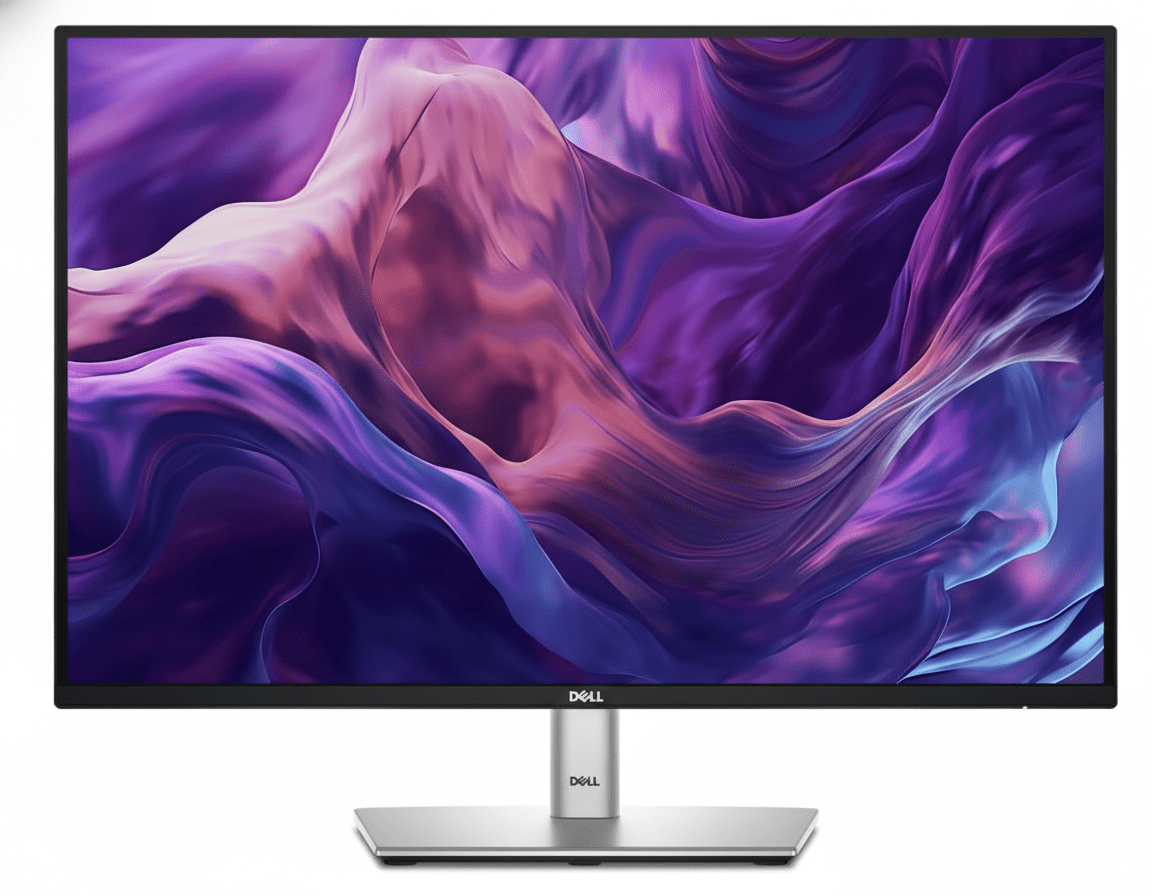
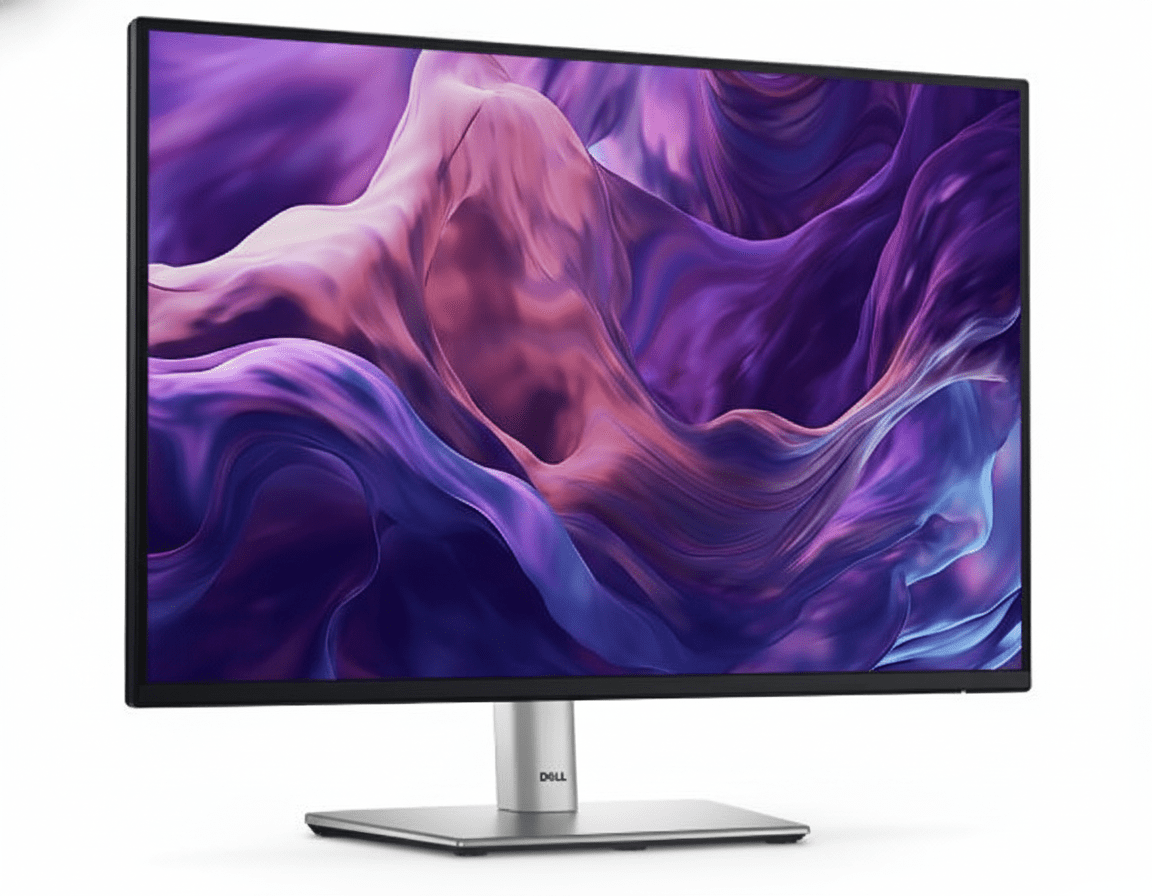
Dell Pro 24 (E2425HM)
Dell Pro 24 Monitor (E2425HM) Review: The Essential Workhorse, Upgraded

Dell Pro 24 Monitor (E2425HM) Review: The Essential Workhorse, Upgraded

24″ FHD 100Hz Display ComfortView Plus DP, HDMI & VGA Ports IPS Panel 3-Star Eye Comfort ₹8,399
The no-frills, high-value choice for essential everyday productivity.

The Dell Pro 24 Monitor (E2425HM) is a masterclass in essentialism, delivering key modern upgrades to the entry-level professional display segment. For an incredibly competitive price of ₹8,399, this 24-inch monitor provides a crisp Full HD IPS panel and elevates the everyday user experience with a smooth 100Hz refresh rate and Dell’s advanced ComfortView Plus hardware. By focusing on a superior viewing experience and broad connectivity (including legacy VGA) while trimming non-essential features like an adjustable stand, the E2425HM offers outstanding value for businesses and individuals seeking a reliable, comfortable, and future-proof workhorse.

Upgrade Your View, Not Your Budget

Get a smooth 100Hz refresh rate, advanced eye comfort, and versatile connectivity for an unbeatable price.

₹8,399
₹8,599 (Save ₹200)
Inclusive of all taxes | Free Priority Delivery

Valid till Oct 17th | 3-Year Advanced Exchange Service

Key Features at a Glance

100Hz Refresh Rate: Delivers smoother scrolling and motion compared to standard 60Hz.
ComfortView Plus: Hardware-level low blue light technology protects your eyes without color distortion.
IPS Panel Technology: Provides consistent colors and wide 178° viewing angles.
Versatile Connectivity: Equipped with DisplayPort, HDMI, and legacy VGA ports.
Slim Bezel Design: Modern look with thin bezels, ideal for multi-monitor setups.
Eco-Friendly Design: Thoughtfully crafted with recycled materials and sustainable packaging.

1. An Upgraded Viewing Experience

Enjoy a smoother, more comfortable view for your everyday tasks.

Smooth 100Hz Refresh Rate

A significant improvement over the 60Hz standard, the 100Hz refresh rate delivers noticeably smoother motion. This makes everything from scrolling through long documents to general OS navigation feel more fluid and pleasant.

ComfortView Plus Technology

This monitor features Dell’s always-on, built-in ComfortView Plus. It’s a TÜV-certified hardware solution that minimizes harmful blue light emissions to reduce eye fatigue during long work sessions, all without distorting the on-screen colors.

2. Dependable from Every Angle

Consistent colors and a modern design for any workspace.

Consistent IPS Viewing

The In-Plane Switching (IPS) panel technology ensures you get consistent, vibrant colors and great picture quality even from wide viewing angles of 178°. This makes it easy to collaborate and share your screen with others.

Ultra-Thin Bezel Design

The monitor features a modern design with slim bezels on three sides. This not only provides a more immersive viewing experience but also makes it an excellent choice for creating a seamless multi-monitor setup.

3. Convenient & Versatile Connectivity

Connect to a wide range of devices, both modern and legacy.

DisplayPort 1.2

HDMI 1.4

VGA

The inclusion of DisplayPort, HDMI, and a legacy VGA port ensures broad compatibility. Whether you’re connecting a brand-new laptop or an older desktop PC, this monitor has the inputs you need without requiring adapters. Both DisplayPort and HDMI support the full 100Hz refresh rate.

4. Functional, Space-Saving Design

A smart build that maximizes your desk space and minimizes clutter.

Compact Stand & Cable Management

The monitor features a compact stand to minimize its footprint on your desk. It also has built-in cable management features to help route cords neatly and keep your workspace tidy.

Tilt and VESA Mount

The included stand offers a simple tilt adjustment from -5° to +21°. For full ergonomic flexibility, the monitor is compatible with standard 100x100mm VESA mounts, allowing you to use it with any monitor arm.

Ideal For These Users

Budget-Conscious Businesses & Home Offices

This monitor offers essential modern features like a 100Hz refresh rate and hardware low blue light at an extremely competitive price, making it perfect for mass deployment or home setups.

General Office Productivity

For everyday tasks like email, web browsing, and working with documents, the combination of a smooth refresh rate and advanced eye comfort makes it a fantastic workhorse.

Organizations with Mixed-Age PCs

The inclusion of a VGA port alongside modern DisplayPort and HDMI makes it easy to deploy in environments where both new and legacy computers are in use, ensuring universal compatibility.

Who Might Consider Other Options

Users Needing Full Ergonomics

The stand is tilt-only. If you require height, swivel, or pivot adjustments, you will need to either buy a separate VESA mount or upgrade to a Dell P-Series monitor with a fully adjustable stand.

Creative Professionals

This monitor is designed for general office use and has a standard color gamut (72% NTSC). Professionals who need high color accuracy for photo or video work should consider a Dell P-Series or UltraSharp monitor.

Users Wanting a USB Hub

This monitor has no built-in USB ports for connecting peripherals. If you need a USB hub, you should look at the Dell P-Series monitors.

Competitive Edge: How It Stacks Up

Delivering next-generation essential features at an unbeatable price.

  • Vs. Older Entry-Level Monitors

    The E2425HM’s primary advantage is bringing a 100Hz refresh rate and ComfortView Plus to a price point where 60Hz and basic software-based blue light filters are the norm. It offers a significantly better and more comfortable viewing experience.

  • Vs. The Dell P-Series (P2425H)

    The E2425HM provides the same excellent 100Hz IPS panel and ComfortView Plus technology as its more expensive P-Series counterpart. It achieves its lower price by offering a simpler tilt-only stand and omitting the USB hub, making it a higher value choice for those who don’t need those specific features.

  • Maximum Value for Core Features

    Its competitive advantage is its laser focus on what matters most for the viewing experience: smoothness and eye comfort. It intelligently cuts non-essential “nice-to-have” features to deliver a superior core product at the lowest possible cost.

Full Specifications

Display

Screen Size
23.8″
Resolution
FHD (1920 x 1080)
Panel Type
IPS
Refresh Rate
100 Hz
Response Time
5ms (Fast Mode)
Brightness
250 cd/m²
Color Gamut
72% NTSC
Contrast Ratio
1000:1

Connectivity & Mechanical

Video Ports
1x DP 1.2, 1x HDMI 1.4, 1x VGA
Adjustability
Tilt (-5° to 21°)
VESA Mount
100 x 100 mm

Pros and Cons

What We Liked

  • Excellent value for money.
  • Smooth 100Hz refresh rate is a huge upgrade over 60Hz.
  • ComfortView Plus is great for reducing eye strain.
  • Wide viewing angles from the IPS panel.
  • Includes a legacy VGA port for older systems.

What Could Be Better

  • Basic tilt-only stand lacks ergonomic adjustment.
  • No built-in USB hub for peripherals.
  • Standard color gamut is not suitable for creative work.

Final Verdict

The Dell E2425HM is a brilliant execution of an essential office monitor. It smartly invests in features that have the biggest impact on the daily user experience—a 100Hz refresh rate for smoothness and ComfortView Plus for eye comfort—while trimming costs elsewhere. The result is a monitor that feels far more premium than its budget-friendly price tag suggests.

While the basic stand and lack of a USB hub are clear trade-offs, they are intelligent ones for its target audience. For businesses needing to deploy a large number of reliable and comfortable monitors, or for home users who want a superior viewing experience without paying for features they won’t use, the E2425HM offers phenomenal value and is an easy recommendation.

Dell P2425DE Review: Better Than Full HD Monitors?

Dell Pro 24 Plus (P2425DE)
Dell Pro 24 Plus QHD USB-C Hub Monitor (P2425DE) Review: The QHD Powerhouse

Dell Pro 24 Plus QHD USB-C Hub Monitor (P2425DE) Review: The QHD Powerhouse

24″ QHD 100Hz Display 90W USB-C Hub with RJ45 4-Star Eye Comfort Daisy Chain via DisplayPort Pop-Out USB Ports ₹24,799
The ultimate single-cable docking station monitor for sharp visuals and maximum productivity.

The Dell Pro 24 Plus (P2425DE) is a masterclass in professional monitor design, perfectly blending high-resolution visuals with ultimate hub convenience. Priced at ₹24,799, it takes the standard 24-inch office display and elevates it with a sharp QHD (2560×1440) resolution and a fluid 100Hz refresh rate. But its true strength is its role as a complete workstation hub. With 90W USB-C power delivery, an integrated Gigabit Ethernet port, and a clever pop-out front-access USB hub, the P2425DE is engineered to be the single-cable centerpiece of a modern, clutter-free desk.

The Clarity and Connectivity You Need

Experience sharp QHD visuals, single-cable hub convenience, and world-class eye comfort.

₹24,799
₹25,499 (Save ₹700)
Inclusive of all taxes | Free Priority Delivery

Valid till Oct 17th | 3-Year Premium Panel Exchange

Key Features at a Glance

QHD Resolution: Sharp 2560×1440 panel makes every detail stand out.
90W USB-C Hub: Power your laptop and connect video, data, and Ethernet with a single cable.
100Hz Refresh Rate: Delivers noticeably smoother scrolling and motion than standard 60Hz.
Pop-Out USB Ports: Cleverly hidden front-access USB-A and USB-C ports for convenience.
4-Star Eye Comfort: TÜV-certified with ComfortView Plus to reduce eye strain without color distortion.
Full Ergonomics: Complete height, tilt, swivel, and pivot adjustability for perfect positioning.

1. The Ultimate Productivity Hub

One cable is all you need to power your entire workspace.

Single-Cable 90W USB-C

The powerful USB-C port is the heart of this monitor, delivering up to 90W of power. Connect your laptop to handle video, transfer data, and charge its battery—all through a single cable, completely eliminating clutter.

Full Docking Connectivity

This monitor replaces your separate dock with a built-in RJ45 Gigabit Ethernet port for stable network access and a hub of USB-A and USB-C downstream ports for peripherals, keeping your desk clean and efficient.

2. A Leap in Clarity and Fluidity

See every detail with sharp QHD resolution and enjoy a smoother workflow.

Sharp QHD Resolution

The 2560×1440 (QHD) resolution delivers 1.77 times more detail than a standard Full HD monitor. This results in significantly sharper text, clearer images, and more space to multitask effectively on the 24-inch screen.

Smooth 100Hz Refresh Rate

Experience a noticeable upgrade in fluidity with the 100Hz refresh rate. It delivers less flicker and more seamless scrolling through documents and websites, making every interaction feel more responsive.

3. World-Class Eye Comfort

Work longer with less strain, thanks to Dell’s industry-leading comfort features.

TÜV 4-Star Eye Comfort Certification

This monitor achieves a top-tier TÜV 4-star eye comfort certification. This is achieved through its advanced ComfortView Plus hardware, which reduces harmful blue light emissions to less than 35% without the yellow tint of software filters, ensuring all-day comfort with uncompromised color accuracy.

4. Designed for Your Workflow

A fully adjustable stand and clever features to enhance convenience.

Full Ergonomic Adjustability

Find your perfect viewing position with a stand that offers a complete range of motion. You can adjust the height (150mm), tilt, swivel, and pivot into a vertical orientation, ensuring all-day comfort.

Convenient Pop-Out Ports

The monitor features a brilliantly designed pop-out hub on the bottom bezel. With a simple press, you get quick access to a USB-A and USB-C port for connecting peripherals or charging your phone, which can then be hidden away for a clean look.

Ideal For These Users

Hybrid & Office Professionals

The single-cable USB-C hub functionality with 90W power and RJ45 Ethernet makes it the perfect companion for modern laptops, turning any desk into a full workstation instantly.

Users Seeking Higher Detail

The jump from FHD or WUXGA to QHD provides a significant increase in sharpness and detail, making it ideal for working with high-resolution images, detailed spreadsheets, or simply enjoying crisper text.

Multi-Monitor Power Users

With DisplayPort-out for daisy chaining, this monitor is the perfect primary display for a clean, efficient, and high-resolution dual-monitor setup.

MacBook and Windows Laptop Users

Dell has specifically tested and validated this monitor for macOS compatibility, ensuring a seamless plug-and-play experience for both Windows and Mac users via USB-C.

Who Might Consider Other Options

Gamers

Despite the 100Hz refresh rate, this is a productivity-focused monitor. It lacks the fast response times and adaptive sync technology (G-Sync/FreeSync) needed for a great gaming experience.

Creative Professionals Needing Wider Gamuts

The 99% sRGB color space is excellent for web content and general office work, but professionals working in print or cinema who need full Adobe RGB or DCI-P3 coverage should look at the UltraSharp series.

Budget-Conscious Buyers

The P2425DE commands a premium for its QHD resolution and extensive hub features. Users who don’t need a docking station or are fine with FHD resolution can save money with the standard P2425 or P2425H models.

Competitive Edge: How It Stacks Up

A perfectly balanced combination of resolution, comfort, and connectivity.

  • Vs. The P2425E (16:10 Version)

    The P2425DE is the QHD, 16:9 sibling to the WUXGA, 16:10 P2425E. While it gives up the extra vertical space of the 16:10 aspect ratio, it offers a denser, sharper image that is better for multimedia content and high-resolution work.

  • Vs. Other 24″ QHD Hub Monitors

    Many competing QHD hubs are stuck at 60Hz or 75Hz. The P2425DE stands out by offering a 100Hz refresh rate for a much smoother experience, combined with Dell’s industry-leading 4-star eye comfort and the clever pop-out front ports.

  • The Complete Productivity Package

    Its edge is the completeness of the package. It doesn’t just offer QHD resolution; it pairs it with a smooth refresh rate, a full docking station, best-in-class ergonomics, and advanced eye comfort. It’s a monitor with no major compromises for the professional user.

Full Specifications

Display

Screen Size
23.8″
Resolution
QHD (2560 x 1440)
Aspect Ratio
16:9
Panel Type
IPS
Refresh Rate
100 Hz
Brightness
350 cd/m²
Contrast Ratio
1500:1
Color Gamut
99% sRGB

Connectivity

USB-C Hub
1x USB-C (90W PD, DP Alt Mode)
Video Ports
1x DP 1.4, 1x HDMI
Video Out
1x DP 1.4 (MST)
Ethernet
1x RJ45 Gigabit Ethernet
USB Downstream
3x USB-A, 1x USB-C (15W)

Mechanical

Height Adjust
150 mm
Tilt
-5° to 21°
Swivel
-45° to 45°
Pivot
±90°

Pros and Cons

What We Liked

  • Sharp QHD resolution provides excellent detail.
  • Complete docking hub with 90W USB-C and RJ45.
  • Smooth 100Hz refresh rate enhances daily use.
  • Top-tier 4-star eye comfort certification.
  • Clever pop-out front-facing USB ports.

What Could Be Better

  • Lacks the extra vertical space of a 16:10 panel.
  • Not suitable for gaming due to slower response times.
  • Higher price than non-hub QHD monitors.

Final Verdict

The Dell P2425DE is a triumph of practical innovation, creating what might be the perfect monitor for the modern professional. It elevates the standard 24-inch display with a sharp QHD resolution and a fluid 100Hz refresh rate, making everyday work clearer and smoother. Its true genius, however, lies in its execution as a complete workstation hub. The 90W USB-C port with Ethernet transforms it into a powerful single-cable docking station that declutters your desk and streamlines your workflow.

Combined with top-tier eye comfort, full ergonomics, and clever design touches like the pop-out front ports, the P2425DE is a monitor without any significant compromises. For any professional who values clarity, comfort, and the ultimate in single-cable convenience, this monitor is an outstanding investment and a new benchmark for QHD productivity displays.

Is Dell Pro 22 Plus Monitor Worth It? Full Review

Dell Pro 22 Plus Monitor
Dell Pro 22 Plus Monitor (P2225H) Review: The Productivity Powerhouse

Dell Pro 22 Plus Monitor (P2225H) Review: The Productivity Powerhouse

21.5″ FHD IPS Display 100Hz Refresh Rate Fully Ergonomic Stand USB Hub with 15W USB-C 4-Star Eye Comfort ₹11,799
The ultimate ergonomic and connected monitor for all-day office work.

The Dell Pro 22 Plus Monitor (P2225H) is engineered from the ground up to be the ideal companion for all-day productivity. Priced at a competitive ₹11,799, this 21.5-inch monitor elevates the standard office display with features focused on comfort, clarity, and connectivity. It combines a crisp FHD IPS panel with a smooth 100Hz refresh rate, top-tier eye comfort certifications, and a fully ergonomic stand. Topped off with a versatile USB hub that includes USB-C, the P2225H is a masterclass in professional efficiency.

Upgrade Your Workday Comfort

Experience smooth 100Hz scrolling, advanced eye comfort, and full ergonomic control.

₹11,799
₹12,099 (Save ₹300)
Inclusive of all taxes | Free Priority Delivery

Offer valid till Oct 17th

Key Features at a Glance

100Hz Refresh Rate: Delivers smoother scrolling and motion than standard 60Hz monitors.
Full Ergonomics: Complete height, tilt, swivel, and pivot adjustability.
Advanced Eye Comfort: TÜV 4-star certified with improved ComfortView Plus.
Extensive Connectivity: DP, HDMI, VGA, and a USB hub with USB-C (15W).
High Contrast IPS: 1500:1 contrast ratio for deeper blacks and vibrant colors.
Sustainable Design: Made with 85% recycled plastics and eco-friendly packaging.

1. Enhanced Visuals: Smooth and Vivid

Experience less flicker, more seamless scrolling, and vibrant, consistent colors.

100Hz Refresh Rate

A key upgrade for productivity, the 100Hz refresh rate provides significantly smoother motion compared to standard 60Hz office monitors. This makes everything from scrolling through long documents and websites to watching videos a more fluid and pleasant experience.

Vibrant IPS Panel

The FHD IPS panel delivers 99% sRGB color coverage for accurate, vivid colors. It also boasts an improved 1500:1 contrast ratio, resulting in deeper blacks and brighter whites for a more dynamic and detailed image, perfect for presentations and content viewing.

2. All-Day Eye Comfort

Certified to reduce eye strain without compromising on color.

TÜV 4-Star Certification

This monitor achieves the rigorous TÜV Rheinland® 4-star eye comfort certification, a leading industry standard. This ensures the display is engineered to minimize eye fatigue during extended periods of use, making it ideal for professionals.

Improved ComfortView Plus

The P2225H features an enhanced, hardware-based ComfortView Plus. This built-in technology reduces harmful blue light emissions to less than 35% without the yellow tint of software solutions, preserving color accuracy while protecting your eyes.

3. Superior Ergonomics: Designed for You

A full range of adjustments to create your perfect, comfortable workspace.

Fully Ergonomic Stand

This monitor excels in adjustability. The stand provides 150mm of height adjustment, tilt (-5°/+21°), and swivel (±45°), allowing you to position the screen perfectly at eye level and reduce neck strain.

Pivot to Portrait

For developers, writers, and researchers, the 90° pivot function is a game-changer. Rotate the monitor into a vertical orientation to easily view long documents, lines of code, or web pages with less scrolling.

4. Extensive Connectivity: Your Productivity Hub

Connect all your devices and reduce cable clutter with a wide variety of ports.

Versatile Video Inputs

The P2225H is ready for any office environment with a comprehensive selection of video ports. It includes modern DisplayPort 1.2 and HDMI 1.4 inputs, as well as a legacy VGA port to ensure compatibility with older PCs.

Quick Access USB Hub

The monitor serves as a convenient USB hub. It features four downstream ports (3x USB-A, 1x USB-C) for connecting your keyboard, mouse, and other peripherals. The USB-C port provides up to 15W of power for charging phones or accessories.

5. Dell Display Manager: Smart Productivity

Unlock the full potential of your monitor with powerful software tools.

Improved Multitasking

Dell Display Manager (DDM) software enhances productivity. Use Easy Arrange to tile and organize application windows in various preset layouts. Easy Arrange Memory even remembers your layouts and restores them upon reconnection.

Easy Management & Customization

For IT managers, DDM allows for easy asset management of an entire fleet of Dell monitors. For users, the menu launcher and hotkeys provide quick access to your favorite features and settings without needing to use the OSD joystick.

6. Sustainability: Environmentally Forward Thinking

Designed with recycled materials and packaged for a lower environmental impact.

Thoughtful Material Choices

This monitor is crafted with a high percentage of sustainable materials, including 85% recycled plastics, 50% recycled steel, 100% recycled aluminum, and at least 20% recycled glass, reducing its environmental footprint from the start.

Top Environmental Standards

The P2225H meets leading environmental regulations, including ENERGY STAR® 8.0, TCO Certified Edge, and is registered EPEAT Gold with Climate+, signifying it meets industry best practices for decarbonization.

Ideal For These Users

Office Professionals & Home Office Users

The combination of full ergonomics, advanced eye comfort, and a 100Hz refresh rate makes it perfect for those who spend many hours a day working on a computer.

Corporate IT Departments

With its versatile connectivity (including VGA), remote asset management via DDM, and top environmental certifications, it’s an ideal choice for mass deployment in a business environment.

Programmers and Writers

The pivot function allows for a vertical screen orientation, which is excellent for viewing long sections of code or text with minimal scrolling.

Dual-Monitor Setup Builders

The thin bezels and full adjustability make it easy to place two of these monitors side-by-side (or one horizontally and one vertically) for a seamless and productive multi-screen setup.

Who Might Consider Other Options

Gamers

While the 100Hz refresh rate is great for productivity, gamers will want faster response times, higher refresh rates, and features like adaptive sync found in dedicated gaming monitors.

Creative Professionals

Although it has good 99% sRGB color, photographers and video editors will need monitors with wider color gamuts (like DCI-P3 or Adobe RGB) and higher resolution for color-critical work.

Users Needing a Single-Cable Solution

The USB-C port only provides 15W of power and does not carry a video signal. Users who want to connect and charge their laptop with a single USB-C cable will need to look at Dell’s UltraSharp series.

Competitive Edge: How It Stacks Up

Packing professional-grade features into an accessible productivity monitor.

  • Vs. Standard Office Monitors

    The P2225H blows away typical 60Hz office monitors. The combination of a 100Hz refresh rate, a fully ergonomic stand, and a USB-C port are features rarely found together in this price category, offering a vastly superior user experience.

  • Vs. Dell UltraSharp Monitors

    While UltraSharp monitors offer more features like higher-power USB-C and wider color gamuts, the P2225H provides the most essential productivity upgrades—100Hz and full ergonomics—at a much more affordable price point, making it a better value for most office users.

  • The Complete Productivity Package

    Its true competitive edge is the completeness of the package for its intended user. It doesn’t just have one good feature; it has the perfect combination of features (smoothness, ergonomics, eye care, connectivity) that directly enhance all-day office productivity.

Full Specifications

Display

Screen Size
21.5″
Resolution
FHD (1920 x 1080)
Panel Type
IPS
Refresh Rate
100 Hz
Response Time
5ms (Fast Mode)
Brightness
250 cd/m²
Color Gamut
99% sRGB
Contrast Ratio
1500:1

Connectivity

Video Ports
1x DP 1.2, 1x HDMI 1.4, 1x VGA
USB Hub
3x USB-A, 1x USB-C (15W)
USB Upstream
1x USB-B 3.2 Gen 1

Mechanical

Height Adjust
150 mm
Tilt
-5° to 21°
Swivel
-45° to 45°
Pivot
±90°

Pros and Cons

What We Liked

  • Superb ergonomics with full height, tilt, swivel, and pivot.
  • Smooth 100Hz refresh rate is a big step up for office work.
  • Excellent connectivity, including legacy VGA and a USB-C port.
  • Top-tier eye comfort certifications for all-day use.
  • Great value for a feature-packed professional monitor.

What Could Be Better

  • 21.5-inch screen size may feel small for some users.
  • USB-C port is data/low-power only, cannot charge a laptop.
  • Not suitable for serious gaming or color-critical creative work.

Final Verdict

The Dell Pro 22 Plus Monitor (P2225H) is an outstanding choice for any professional seeking to maximize their comfort and productivity. It thoughtfully combines the most impactful upgrades for office work—a smooth 100Hz refresh rate, elite eye-care technology, and a fully adjustable ergonomic stand—into one affordable package. The addition of a versatile USB hub with modern and legacy ports further solidifies its position as a central piece of a productive workspace.

While its compact size isn’t for everyone and it lacks single-cable laptop connectivity, these are minor trade-offs for a monitor so squarely focused on its purpose. For anyone building a home office or outfitting a corporate environment where all-day comfort and efficiency are paramount, the P2225H is arguably the best value-for-money productivity monitor on the market.

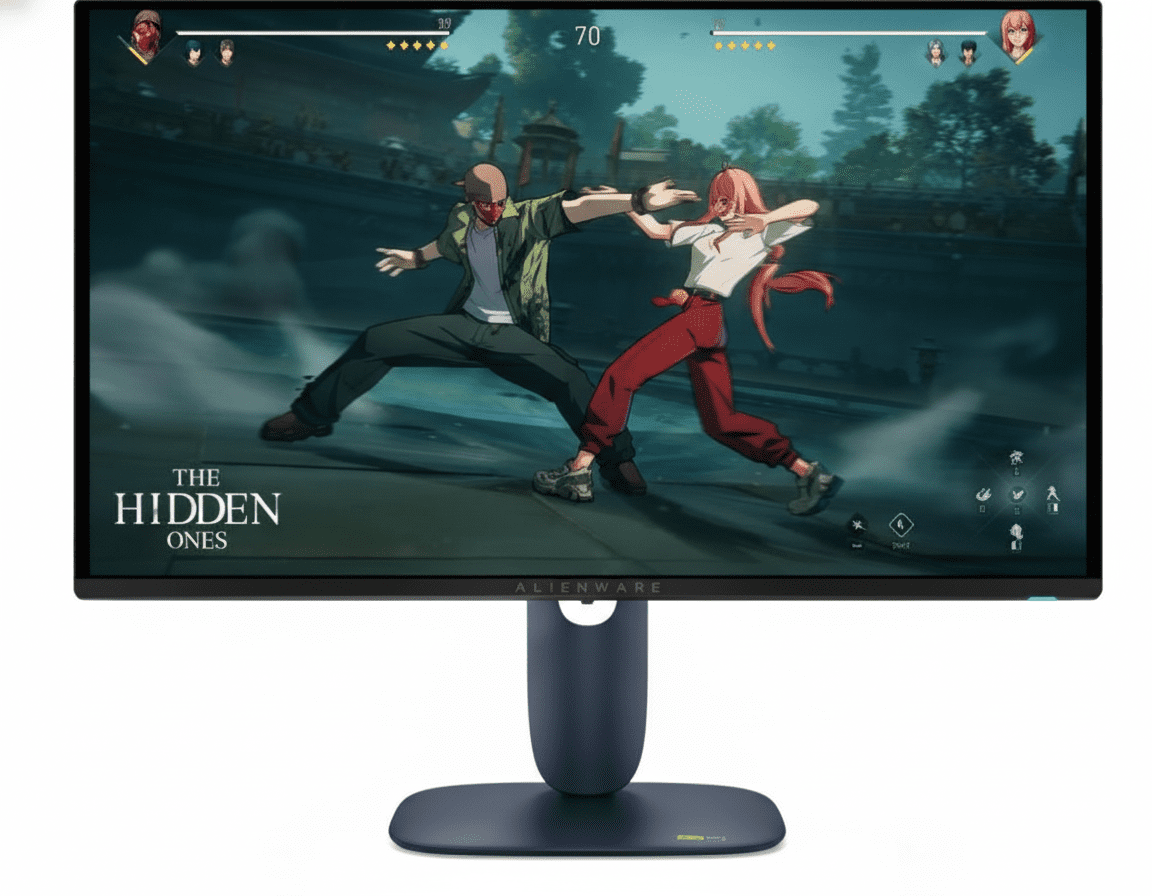
Master Your Gameplay With the New Alienware AW2725D

Alienware AW2725D Review: 27" 280Hz QD-OLED Gaming Monitor
Alienware AW2725D Review 2026: 280Hz QD-OLED Gaming Monitor – Is It Worth Buying?

Alienware AW2725D Review 2026: 280Hz QD-OLED Gaming Monitor – Is It Worth Buying?

The Alienware AW2725D combines a 27-inch-class QHD QD-OLED panel, 280Hz refresh rate, 0.03ms GTG response time and wide-gamut colour performance. But in 2026, its value depends heavily on the price because several 240Hz and 360Hz OLED competitors are available.

26.7-inch Viewable QHD 2560 × 1440 QD-OLED 280Hz 0.03ms GTG 99.3% DCI-P3 HDR True Black 400
Around ₹33,038*
Current marketplace price snapshot checked September 2026

Quick Verdict

The AW2725D remains a highly capable 1440p OLED gaming monitor. Its biggest strengths are the QD-OLED panel, 280Hz refresh rate, extremely fast pixel response, excellent colour gamut and strong connectivity. The biggest question in 2026 is not performance but value: if the AW2725D is available around the low-₹30,000 range, it becomes considerably more attractive than when it was priced above ₹50,000.

BUY

Consider it strongly if you can find the AW2725D around ₹30,000–₹35,000 from a trustworthy seller and want QHD QD-OLED gaming without paying flagship 360Hz pricing.

COMPARE FIRST

If its price moves above ₹40,000, compare it carefully with newer 360Hz QD-OLED monitors before buying.

SKIP

Avoid it if you mainly need long-duration office work, maximum text clarity, extensive USB-C connectivity or a 4K display.

Alienware AW2725D at a Glance

27″
Class / 26.7-inch viewable
QHD
2560 × 1440 resolution
280Hz
Native refresh rate
0.03ms
GTG response time
QD-OLED
Quantum Dot OLED panel
99.3%
DCI-P3 colour gamut
1000 nits
Specified peak brightness
3 Years
Limited warranty

AW2725D Price in India: The Price Matters More Than Ever

The original article listed the monitor at ₹54,129. That figure should no longer be presented as the current buying price.

Current price snapshot

A current Flipkart listing was observed at approximately ₹33,038, with a displayed offer price of approximately ₹31,386.

Dell availability

Dell India’s own product page currently shows the AW2725D as temporarily out of stock.


Important price warning: Marketplace prices can differ substantially between sellers, offers and warranty conditions. Treat ₹33,038 / ₹31,386 as a checked price snapshot rather than a permanent price. Always verify the seller, return policy and warranty before ordering.

1. QD-OLED Picture Quality

Picture quality is the AW2725D’s biggest advantage over conventional LCD gaming monitors. The QD-OLED panel can produce extremely deep blacks while maintaining strong colour volume and wide-gamut coverage.

●

Deep OLED Blacks

OLED pixels can turn off individually, giving the display excellent black levels and very high perceived contrast.

◆

Wide Colour Gamut

Dell specifies up to 99.3% DCI-P3 coverage, making the monitor suitable for vibrant gaming and colour-rich entertainment.

HDR

DisplayHDR True Black 400

The monitor carries DisplayHDR True Black 400 certification and Dell specifies up to 1000 cd/m² peak brightness under the applicable HDR measurement condition.

111

Sharp 27-inch QHD Image

At 2560 × 1440 on a 26.7-inch viewable area, the monitor delivers approximately 111 pixels per inch.

2. 280Hz + 0.03ms: Excellent Gaming Speed

The AW2725D is built around high-refresh-rate PC gaming. Its 280Hz refresh rate is particularly useful for competitive games when the graphics hardware can actually deliver very high frame rates.

280Hz Refresh Rate

280Hz provides very smooth motion and lower frame-to-frame intervals than 144Hz or 165Hz displays.

0.03ms GTG

Dell rates the display at 0.03ms GTG. OLED’s fast pixel transitions are one of the reasons OLED gaming monitors can deliver excellent motion clarity.

Adaptive Sync

The AW2725D supports NVIDIA G-SYNC Compatible, AMD FreeSync Premium Pro and VESA AdaptiveSync.

QHD Is Easier to Drive Than 4K

QHD provides considerably fewer pixels than 4K, making it easier for a gaming PC to target very high frame rates.

3. Connectivity

2×
HDMI 2.1
1×
DisplayPort 1.4
1×
USB-B upstream
15W
USB-C charging capability

Dell specifies both HDMI ports for QHD 280Hz, 10-bit, HDR and VRR operation under its HDMI 2.1 implementation. The USB-C port is a downstream data port with charging capability up to 15W; it is not a full high-power USB-C laptop docking connection.

4. Stand and Ergonomics

110mm
Height adjustment
-5° to 21°
Tilt
±20°
Swivel
±90°
Pivot

The stand supports height, tilt, swivel and pivot adjustment. VESA 100 × 100mm mounting is also supported.

5. OLED Burn-In and Warranty

Burn-in is one of the most important considerations when buying an OLED monitor for long-term use.

3-Year Limited Warranty

Dell lists a three-year limited warranty for the AW2725D. Dell has also stated that its Alienware QD-OLED monitors include three-year limited OLED burn-in coverage.

Pixel Shift / OLED Protection

Dell provides OLED protection features such as pixel shift designed to reduce the risk of image retention and help extend panel life.


OLED protection features reduce risk but do not make burn-in physically impossible. Users who keep static desktop elements visible for very long periods should still use the monitor’s recommended OLED care features.

6. What About Text Clarity?

This is one area where an OLED gaming monitor is not automatically the best choice for every buyer.

Excellent for Gaming

The fast pixel response, contrast and colour performance make the AW2725D particularly attractive for gaming, movies and other visual content.

Less Ideal for Heavy Office Work

QD-OLED’s subpixel structure can produce visible colour fringing around some text depending on operating-system scaling, viewing distance and individual sensitivity.

Who Should Buy the AW2725D?

Competitive Gamers

Ideal for players who want high refresh rates, fast pixel response and QHD resolution.

AAA PC Gamers

QD-OLED contrast and colour make dark scenes and visually rich games particularly impressive.

OLED Enthusiasts

A strong choice for someone specifically looking for QD-OLED rather than a conventional IPS display.

Who Should Consider Something Else?

Office-First Users

If your priority is text-heavy productivity for many hours every day, a high-quality IPS monitor may be more practical.

4K Buyers

The AW2725D is QHD. Buyers prioritising maximum desktop sharpness should look at a 4K OLED instead.

360Hz Competitive Gamers

If every last refresh matters to you, newer 360Hz QD-OLED alternatives deserve comparison.

AW2725D vs 4 Major Competitors

The AW2725D is no longer competing only against 240Hz OLED monitors. Several 360Hz QD-OLED options now exist, so the buying decision should depend on price, refresh rate, panel technology, connectivity and warranty.

MonitorPanelResolutionRefresh RateResponsePrice SnapshotBest For
Alienware AW2725DQD-OLED2560 × 1440280Hz0.03ms₹33,038 observedBest value if discounted
MSI MAG 271QPX QD-OLEDQD-OLED2560 × 1440360Hz0.03msAround ₹60,999 observed360Hz QD-OLED gaming
Samsung Odyssey OLED G6 G60SDOLED2560 × 1440360Hz0.03msAround ₹93,039 observedSamsung gaming ecosystem
LG 27GS95QEOLED2560 × 1440240Hz0.03msAround ₹77,999 observedLG OLED gaming
ASUS ROG Swift PG27AQDMOLED2560 × 1440240Hz0.03msAround ₹81,849 observedROG gaming features

Competitor prices are marketplace price snapshots and can change. They should not be treated as fixed retail prices.

Which Competitor Is Better?

MSI MAG 271QPX — Better for 360Hz

The MSI offers QHD QD-OLED with a 360Hz refresh rate, 0.03ms response time, HDMI 2.1 and USB-C with 15W power delivery. MSI also lists three-year warranty coverage including panel burn-in for this model.

Samsung OLED G6 — Better for Samsung Features

Samsung’s Odyssey OLED G6 offers QHD resolution and 360Hz refresh rate with HDMI 2.1 and additional gaming-oriented features. Its current observed Indian price, however, is substantially higher than the AW2725D snapshot.

LG 27GS95QE — Better if You Prefer LG

LG offers a 27-inch QHD OLED with 240Hz, 0.03ms GTG, DisplayHDR True Black 400 and HDMI 2.1. It is a solid OLED alternative, but the AW2725D has the higher 280Hz refresh rate.

ASUS PG27AQDM — Strong ROG Alternative

ASUS offers a 27-inch QHD OLED at 240Hz with 0.03ms response time. It remains attractive for buyers specifically looking for the ROG ecosystem, but its current observed price is considerably higher than the AW2725D price snapshot.

Alienware AW2725D Ratings

9.5/10
Gaming
9.5/10
Picture Quality
8.5/10
Productivity
9/10
Overall Value

These are ReviewNest editorial ratings based on the monitor’s specifications, feature set and current market positioning.

Alienware AW2725D Full Specifications

ModelAlienware AW2725D
Screen Class27-inch
Viewable Size26.7 inches
PanelQuantum Dot OLED
Resolution2560 × 1440 QHD
Aspect Ratio16:9
Refresh Rate280Hz
Response Time0.03ms GTG
Pixel Density111 PPI
Colour Depth1.07 billion colours
Colour Gamut99.3% DCI-P3
SDR Brightness250 cd/m²
Peak Brightness1000 cd/m² under specified HDR condition
Contrast Ratio1,500,000:1 dynamic
HDRDisplayHDR True Black 400
Adaptive SyncNVIDIA G-SYNC Compatible, AMD FreeSync Premium Pro, VESA AdaptiveSync
HDMI2 × HDMI 2.1
DisplayPort1 × DisplayPort 1.4
USB Upstream1 × USB Type-B 5Gbps
USB Downstream1 × USB-A 5Gbps + 1 × USB-C 5Gbps
USB-C ChargingUp to 15W
Height Adjustment110mm
Tilt-5° to 21°
Swivel-20° to 20°
Pivot±90°
VESA100 × 100mm
Weight with StandApproximately 6.35kg
ColourInterstellar Indigo
Warranty3-year limited warranty

Pros and Cons

What We Like

  • Excellent QD-OLED picture quality.
  • 280Hz refresh rate is faster than typical 240Hz OLED monitors.
  • 0.03ms GTG response time.
  • QHD resolution is well suited to high-refresh-rate PC gaming.
  • 99.3% DCI-P3 colour gamut.
  • HDMI 2.1 support.
  • G-SYNC Compatible and FreeSync Premium Pro.
  • Fully adjustable stand.
  • 3-year limited warranty.

What Could Be Better

  • Only limited USB-C functionality with 15W charging.
  • Not a full USB-C laptop docking monitor.
  • OLED text rendering may not satisfy every productivity user.
  • OLED still requires sensible burn-in prevention habits.
  • 360Hz QD-OLED competitors offer higher refresh rates.
  • Marketplace warranty and seller conditions must be checked carefully.

What Is a Good Price for the AW2725D?

Excellent Deal

≤ ₹35,000

Very attractive if the seller and warranty are trustworthy.

Fair Price

₹35K–₹40K

Still reasonable, but compare against 360Hz alternatives.

Think Carefully

₹40K+

At this level, newer 360Hz QD-OLED monitors become much more relevant to the buying decision.

Final Verdict: Should You Buy the Alienware AW2725D?

The Alienware AW2725D is still an excellent QHD OLED gaming monitor, but its position has changed. At its original premium pricing, it was difficult to recommend over newer 360Hz QD-OLED displays. At a much lower marketplace price, however, the AW2725D becomes a significantly more compelling proposition.

Its combination of QD-OLED, 280Hz, 0.03ms GTG, QHD resolution, 99.3% DCI-P3 coverage and HDMI 2.1 gives it a very strong gaming specification. The 3-year warranty and Alienware’s OLED protection approach also make it more reassuring than many older OLED options.

Our recommendation: if you can buy the AW2725D around ₹30,000–₹35,000 from a reliable seller, it is one of the strongest value propositions in the QHD OLED gaming category. If the price climbs toward ₹40,000 or more, compare it against 360Hz QD-OLED models before purchasing.

Alienware AW2725D FAQ

Is the Alienware AW2725D a 4K monitor?

No. It is a QHD monitor with a 2560 × 1440 resolution.

Does the AW2725D have a 280Hz refresh rate?

Yes. Dell specifies a 280Hz native refresh rate.

Is the AW2725D OLED?

Yes. It uses a Quantum Dot OLED panel.

Does it support HDMI 2.1?

Yes. It has two HDMI ports specified by Dell as HDMI 2.1, supporting QHD up to 280Hz along with HDR and VRR.

Does the AW2725D have USB-C?

Yes. It has a USB-C downstream port with data connectivity and up to 15W charging. It should not be confused with a high-power USB-C laptop docking connection.

Does the AW2725D have built-in speakers?

No. The monitor does not include built-in speakers.

Is the AW2725D good for competitive gaming?

Yes. The combination of QHD, 280Hz, 0.03ms GTG and OLED motion characteristics makes it particularly well suited to competitive PC gaming.

Should I buy the AW2725D or a 360Hz OLED?

If the AW2725D is around ₹30,000–₹35,000, its value is excellent. If its price approaches newer 360Hz QD-OLED models, the 360Hz option may make more sense for serious competitive gaming.

Price & Availability Disclaimer

Prices, stock status, sellers, bank offers and delivery availability can change at any time. The prices mentioned in this review are market snapshots checked during the article update and should not be treated as guaranteed future prices. Always verify the final selling price, seller rating, return policy and warranty terms before placing an order.

Specifications are based primarily on manufacturer information. Product specifications, firmware, availability and regional configurations may change without notice.

Dell Pro 24 Plus (P2425E) Review: The Ultimate 16:10 USB-C Hub Workstation Monitor

Dell Pro 24 Plus (P2425E)
Dell Pro 24 Plus 16:10 USB-C Hub Monitor (P2425E) Review: The Ultimate Workhorse

Dell Pro 24 Plus 16:10 USB-C Hub Monitor (P2425E) Review: The Ultimate Workhorse

24″ WUXGA 100Hz (16:10) 90W USB-C Hub with RJ45 4-Star Eye Comfort Daisy Chain via DisplayPort Fully Ergonomic Stand ₹23,499
The perfect single-cable docking station monitor for maximum productivity.

The Dell Pro 24 Plus (P2425E) is the quintessential modern office monitor, engineered to be the central hub of your entire workspace. For ₹23,499, this display masterfully blends cutting-edge comfort with unparalleled connectivity. It features a productivity-focused 16:10 WUXGA (1920×1200) screen with a smooth 100Hz refresh rate and top-tier 4-star eye comfort. Its true power, however, lies in its ability to act as a complete docking station, offering 90W USB-C power delivery, an integrated Gigabit Ethernet port, and DisplayPort-out for daisy chaining, making it the ultimate single-cable solution for a clean and efficient desk.

The Productivity Hub, Perfected

Experience a taller 16:10 display, single-cable hub convenience, and world-class eye comfort.

₹23,499
₹24,399 (Save ₹900)
Inclusive of all taxes | Free Priority Delivery

Valid till Oct 17th | 3-Year Premium Panel Exchange

Key Features at a Glance

90W USB-C Hub: Power your laptop, transfer data, and get video and Ethernet with a single cable.
16:10 WUXGA Display: Taller 1920×1200 resolution provides more vertical space for productivity.
100Hz Refresh Rate: Delivers noticeably smoother scrolling and motion than standard 60Hz.
4-Star Eye Comfort: TÜV-certified with ComfortView Plus to reduce eye strain without color distortion.
Daisy Chain Support: DisplayPort-out allows for clean and easy multi-monitor setups.
Full Ergonomics: Complete height, tilt, swivel, and pivot adjustability for perfect positioning.

1. The Ultimate Productivity Hub

One cable is all you need to power your entire workspace.

Single-Cable 90W USB-C

The powerful USB-C port is the heart of this monitor, delivering up to 90W of power. Connect your laptop to handle video, transfer data, and charge its battery—all through a single cable, completely eliminating clutter.

Full Docking Connectivity

This monitor replaces your separate dock with a built-in RJ45 Gigabit Ethernet port for stable network access and a hub of USB-A and USB-C downstream ports for peripherals, keeping your desk clean and efficient.

2. A Superior Visual Experience

More vertical space, smoother motion, and best-in-class eye comfort.

Taller 16:10 Aspect Ratio

The WUXGA (1920×1200) resolution provides a 16:10 aspect ratio, giving you 11% more vertical screen space than a standard FHD monitor. This is perfect for viewing documents, spreadsheets, and code with less scrolling.

Smooth 100Hz Refresh Rate

Experience a noticeable upgrade in fluidity with the 100Hz refresh rate. It delivers less flicker and more seamless scrolling, making every interaction with your computer feel more responsive and pleasant.

3. World-Class Eye Comfort

Work longer with less strain, thanks to Dell’s industry-leading comfort features.

TÜV 4-Star Eye Comfort Certification

This monitor achieves a top-tier TÜV 4-star eye comfort certification. This is achieved through its advanced ComfortView Plus hardware, which reduces harmful blue light emissions to less than 35% without the yellow tint of software filters, ensuring all-day comfort with uncompromised color accuracy.

4. Designed for Your Workflow

A fully adjustable stand and smart features to enhance multitasking.

Full Ergonomic Adjustability

Find your perfect viewing position with a stand that offers a complete range of motion. You can adjust the height (150mm), tilt, swivel, and pivot into a vertical orientation for coding or viewing long documents.

Simplified Multi-Monitor Setups

The included DisplayPort-out port allows you to “daisy chain” a second monitor directly to the first. This significantly reduces cable clutter, creating a cleaner and more manageable dual-screen workspace.

Ideal For These Users

Hybrid & Office Professionals

The single-cable USB-C hub functionality is perfect for those who frequently connect and disconnect their laptops, instantly turning any desk into a full-featured workstation.

Users Building Dual-Monitor Setups

The DisplayPort-out for daisy chaining makes this monitor the ideal primary display for a clean, two-monitor setup with minimal cable management headaches.

Programmers and Writers

The taller 16:10 aspect ratio combined with the ability to pivot to portrait mode is a perfect combination for viewing and writing long blocks of code or text.

Corporate IT Departments

Features like an RJ45 Ethernet port with MAC address pass-through, PXE Boot, and remote asset management via Dell Display Manager make it easy to deploy and manage across an organization.

Who Might Consider Other Options

Users Needing Higher Resolution

While WUXGA is sharper than FHD, professionals working with high-resolution photos or video should consider a QHD or 4K monitor for more detail.

Gamers

Although it has a 100Hz refresh rate, this is a productivity monitor. It lacks the fast response times and adaptive sync technology (G-Sync/FreeSync) that gamers need.

Creative Professionals Needing Wider Gamuts

The 99% sRGB color space is excellent for web and general use, but video editors and photographers needing full Adobe RGB or DCI-P3 coverage should look at the UltraSharp series.

Competitive Edge: How It Stacks Up

The ultimate integration of productivity-focused features.

  • Vs. The P2425HE (16:9 Version)

    The P2425E’s key advantage is its 16:10 aspect ratio. It offers every single feature of its 16:9 FHD sibling but provides that crucial extra vertical screen space, making it the superior choice for productivity tasks.

  • Vs. Other 24″ USB-C Hub Monitors

    Most competitors lack the full suite of features found here. The P2425E stands out by combining a 100Hz refresh rate, 90W power delivery, an RJ45 Ethernet port, and DisplayPort-out—a combination that is virtually unmatched in its class.

  • The Complete Workstation Hub

    Its competitive edge is its status as a complete, all-in-one solution. It doesn’t just connect to your laptop; it powers it, gives it a wired internet connection, expands its ports, and simplifies adding a second display. It is a true docking station built into an excellent monitor.

Full Specifications

Display

Screen Size
24.07″
Resolution
WUXGA (1920 x 1200)
Aspect Ratio
16:10
Panel Type
IPS
Refresh Rate
100 Hz
Brightness
300 cd/m²
Contrast Ratio
1500:1
Color Gamut
99% sRGB

Connectivity

USB-C Hub
1x USB-C (90W PD, DP Alt Mode)
Video Ports
1x DP 1.4, 1x HDMI 1.4
Video Out
1x DP 1.4 (MST)
Ethernet
1x RJ45 Gigabit Ethernet
USB Downstream
3x USB-A, 1x USB-C (15W)

Mechanical

Height Adjust
150 mm
Tilt
-5° to 21°
Swivel
-45° to 45°
Pivot
±90°

Pros and Cons

What We Liked

  • Complete docking hub with 90W USB-C and RJ45.
  • Taller 16:10 aspect ratio is excellent for productivity.
  • Smooth 100Hz refresh rate enhances daily use.
  • Top-tier 4-star eye comfort certification.
  • Fully adjustable ergonomic stand and daisy chain support.

What Could Be Better

  • WUXGA resolution is good, but not as sharp as QHD or 4K.
  • Not suitable for gaming due to slower response times.
  • Higher price than standard 16:9 hub monitors.

Final Verdict

The Dell P2425E is the ultimate evolution of the classic office workhorse. It takes the beloved 24-inch, 16:10 form factor and injects it with a host of modern features that genuinely enhance productivity and comfort. The combination of a 100Hz refresh rate, top-tier eye comfort, and a complete 90W USB-C docking station creates a package that is nearly perfect for any professional. It simplifies your desk, streamlines your workflow, and protects your eyes.

While some may wish for a higher resolution, the WUXGA panel is crisp for its size and the taller aspect ratio is a huge boon for productivity. For any professional looking for a single-cable solution that checks every box for a modern office setup, the P2425E is an outstanding investment and one of the most complete and well-thought-out productivity monitors on the market.

Dell Pro 22 Monitor (E2225HM) Review: The Best Budget 100Hz Office Display

Dell Pro 22 Monitor
Dell Pro 22 Monitor (E2225HM) Review: The Essential Upgrade

Dell Pro 22 Monitor (E2225HM) Review: The Essential Upgrade

21.5″ FHD 100Hz Display High Contrast VA Panel DP, HDMI & VGA Ports ComfortView Plus ₹6,799
The ideal budget-friendly monitor for essential productivity with enhanced comfort.

The Dell Pro 22 Monitor (E2225HM) is engineered to deliver a superior viewing experience for everyday productivity without breaking the bank. At an incredible price of just ₹6,799, this 21.5-inch monitor goes beyond the basics. It pairs a high-contrast VA panel with a smooth 100Hz refresh rate, delivering deeper blacks and more fluid motion than typical entry-level displays. With versatile connectivity and Dell’s advanced ComfortView Plus technology, the E2225HM is the smart, budget-friendly choice for any professional workspace.

Elevate Your Everyday Productivity

Experience a smooth 100Hz refresh rate, high-contrast visuals, and advanced eye comfort.

₹6,799
₹6,899 (Save ₹100)
Inclusive of all taxes | Free Priority Delivery

Valid till Oct 17th | 3 Year Advanced Exchange Service

Key Features at a Glance

100Hz Refresh Rate: Provides smoother scrolling and motion than standard 60Hz monitors.
High-Contrast VA Panel: 3000:1 contrast ratio delivers deep blacks and vibrant colors.
ComfortView Plus: Hardware-level low blue light technology reduces eye strain.
Versatile Connectivity: Equipped with DisplayPort, HDMI, and legacy VGA ports.
Eco-Friendly Design: Built with up to 86% recycled plastics and sustainable packaging.
VESA Mountable: Allows for flexible mounting with compatible arms and stands.

1. An Improved Visual Experience

Experience smoother motion, deeper blacks, and enhanced eye comfort.

Smooth 100Hz Refresh Rate

A significant upgrade for an entry-level monitor, the 100Hz refresh rate delivers a noticeably more fluid experience compared to standard 60Hz displays. Scrolling through documents, browsing websites, and general navigation feel smoother and more responsive.

High-Contrast VA Panel

The Vertical Alignment (VA) panel boasts a superb 3000:1 static contrast ratio, far superior to typical IPS panels. This results in significantly deeper blacks, brighter whites, and more vibrant colors, making text easier to read and images more impactful.

2. All-Day Comfort and Functional Design

Built to reduce eye strain and fit neatly into any workspace.

ComfortView Plus

This monitor features Dell’s always-on, built-in ComfortView Plus. This TÜV-certified hardware solution minimizes harmful blue light emissions to reduce eye fatigue during long work sessions, all without distorting the screen’s colors.

Space-Saving Design

Designed for efficiency, the monitor has a compact stand and ultra-thin bezels on three sides. It also features built-in cable management and is VESA-compatible (100x100mm), allowing you to mount it on a custom arm or stand to save even more desk space.

3. Versatile Connectivity

Connect to both modern and legacy systems with a useful array of ports.

DisplayPort 1.2

HDMI 1.4

VGA

The inclusion of DisplayPort, HDMI, and VGA ensures you can connect to a wide range of devices, from modern laptops to older desktop PCs, without needing adapters. Both DP and HDMI ports support the full 100Hz refresh rate at FHD resolution.

Ideal For These Users

Budget-Conscious Businesses

This monitor provides essential productivity upgrades like 100Hz and eye comfort at an extremely accessible price point, making it perfect for mass deployment in offices.

Home Office Setups

For users who need a reliable and comfortable monitor for daily work tasks without needing advanced hub features, the E2225HM is a fantastic and affordable choice.

Environments with Legacy Systems

The inclusion of a VGA port alongside modern DP and HDMI inputs makes it incredibly versatile for connecting to older computers that may still be in use.

Users Prioritizing High Contrast

The VA panel’s 3000:1 contrast ratio is a significant advantage for those who prefer deeper blacks and more “punchy” visuals for text and general content consumption.

Who Might Consider Other Options

Users Needing Ergonomics

This model’s stand is tilt-only. Users who need height, swivel, or pivot adjustments should consider Dell’s P-series monitors, like the P2225H.

Laptop Users Needing a Hub

This monitor lacks USB-C connectivity for a single-cable solution. Laptop users should look at models like the P2725HE to get hub functionality.

Anyone Needing Wider Viewing Angles

While good, VA panels can have minor color shifting at extreme off-angles compared to IPS panels. For collaborative work where many people view the screen, an IPS model may be better.

Competitive Edge: How It Stacks Up

Bringing premium features to the entry-level market.

  • Vs. Other Entry-Level Monitors

    The E2225HM’s key advantage is bringing a 100Hz refresh rate and a high-contrast VA panel to a price point typically dominated by basic 60Hz IPS screens. The smoother motion and deeper blacks provide a noticeably better daily experience.

  • Vs. Dell P2225H (P-Series)

    This E-series monitor offers a similar great viewing experience to its P-series sibling but at a lower cost by forgoing the fully ergonomic stand and USB hub. It’s the perfect choice for users who prioritize screen quality over adjustability and connectivity.

  • Value-Focused Upgrade

    Its competitive edge is simple: it focuses on the upgrades that most impact the viewing experience (100Hz, high contrast, eye comfort) while trimming features that aren’t essential for every user, resulting in exceptional value.

Full Specifications

Display

Screen Size
21.5″
Resolution
FHD (1920 x 1080)
Panel Type
Vertical Alignment (VA)
Refresh Rate
100 Hz
Response Time
5ms (Fast Mode)
Brightness
250 cd/m²
Color Gamut
72% NTSC (CIE 1931)
Contrast Ratio
3000:1

Connectivity & Mechanical

Video Ports
1x DP 1.2, 1x HDMI 1.4, 1x VGA
Adjustability
Tilt (-5° to 21°)
VESA Mount
100 x 100 mm

Pros and Cons

What We Liked

  • Excellent value for the features provided.
  • 100Hz refresh rate makes daily use feel smooth.
  • High-contrast VA panel produces deep blacks.
  • ComfortView Plus is great for reducing eye strain.
  • Versatile connectivity including a VGA port.

What Could Be Better

  • Stand is tilt-only; no height or swivel adjustment.
  • Lacks any USB ports for hub functionality.
  • Viewing angles are slightly narrower than IPS panels.

Final Verdict

The Dell E2225HM is a masterstroke in budget-friendly productivity. It smartly invests in features that tangibly improve the daily user experience, like a smooth 100Hz refresh rate and a high-contrast VA panel, which are significant upgrades over typical entry-level displays. The inclusion of ComfortView Plus and a wide array of video ports further elevates its utility in any office environment.

While it makes logical compromises by omitting an adjustable stand and USB ports to achieve its remarkable price, these can be easily addressed with a VESA mount. For businesses or individuals seeking the best possible viewing experience for essential work tasks without paying for unnecessary extras, the E2225HM delivers exceptional performance and is one of the best value propositions you can find for an office monitor.

Dell UltraSharp U3425WE Review: The Ultimate 34″ Curved Thunderbolt 4 Ultrawide Hub Monitor

Dell UltraSharp U3425WE
Dell UltraSharp 34 Curved Thunderbolt™ Hub Monitor (U3425WE) Review: The Pinnacle of Ultrawide Productivity

Dell UltraSharp 34 Curved Thunderbolt™ Hub Monitor (U3425WE) Review: The Pinnacle of Ultrawide Productivity

34″ Curved WQHD 120Hz Thunderbolt™ 4 Hub (90W) 5-Star Eye Comfort IPS Black Panel (98% DCI-P3) KVM Switch & 2.5GbE LAN ₹74,899
The definitive all-in-one hub for immersive, color-accurate ultrawide productivity.

The Dell UltraSharp U3425WE is not just an incremental update; it’s a new benchmark for premium professional ultrawide monitors. Priced at ₹74,899, this 34-inch curved display combines Dell’s most advanced technologies into a single, breathtaking package. It features a state-of-the-art IPS Black panel for unparalleled contrast, a fluid 120Hz refresh rate, and exceptional color accuracy with 98% DCI-P3 coverage. This stunning visual performance is matched by its power as a workstation hub, boasting a Thunderbolt™ 4 connection with 90W power delivery, a KVM switch, and 2.5GbE LAN, making it the definitive choice for creative professionals and power users.

Productivity Has Never Been So Vibrant

Experience a breathtaking IPS Black panel, ultimate Thunderbolt™ connectivity, and world-first 5-star eye comfort.

₹74,899
Inclusive of all taxes | Free Priority Delivery

3-Year Advanced Exchange Service & Premium Panel Exchange

Key Features at a Glance

IPS Black Panel: Delivers a 2000:1 contrast ratio for incredibly deep blacks and vibrant colors.
Thunderbolt™ 4 Hub: Single-cable solution with 90W Power Delivery, 2.5GbE LAN, and KVM.
120Hz Refresh Rate: Buttery-smooth motion for everything from scrolling to creative work.
Pro-Grade Color Accuracy: 98% DCI-P3 coverage with a factory calibration of Delta E < 2.
5-Star Eye Comfort: The world’s first monitor with this certification, featuring an ambient light sensor.
Auto KVM Switch: Seamlessly control two connected PCs with one keyboard and mouse.

1. A New Caliber of Visuals with IPS Black

Experience unparalleled contrast and color that brings your work to life.

2000:1 Contrast Ratio

The cutting-edge IPS Black panel technology delivers a 2000:1 contrast ratio—double that of conventional IPS displays. This results in dramatically deeper blacks, creating a stunning sense of depth and realism in images and videos.

Professional Color Accuracy

With 98% DCI-P3 and 98% Display P3 color gamut coverage and a factory calibration of Delta E < 2, this monitor produces exceptionally vibrant, consistent, and accurate colors out of the box, making it ideal for creative work.

2. The Ultimate Thunderbolt™ 4 Hub

One cable to connect, power, and control your entire ecosystem.

Single-Cable 90W Power

The powerful Thunderbolt™ 4 port is the heart of this monitor, delivering up to 90W of power to your laptop while simultaneously handling video, audio, and high-speed data transfer over a single cable.

High-Speed Docking

This monitor replaces every dongle with a built-in 2.5GbE RJ45 port for faster-than-gigabit networking, a full suite of 10Gbps USB-A and USB-C ports, and even a downstream Thunderbolt 4 port for daisy-chaining.

3. Seamless Multi-PC Workflow

Effortlessly manage two computers with one monitor, keyboard, and mouse.

Picture-by-Picture & Picture-in-Picture

The vast ultrawide screen is perfect for PbP and PiP modes, allowing you to display and work on content from two different PC sources at the same time, as if you had two monitors in one.

Automatic KVM Switch

The intelligent, built-in Auto KVM switch detects when a new computer is connected and seamlessly transfers control of your keyboard and mouse to it, allowing for effortless toggling between two systems.

4. A New Benchmark in Eye Comfort

Work smarter and more comfortably with groundbreaking eye-care technology.

World’s First 5-Star Certification

The U3425WE is the world’s first monitor to achieve a TÜV Rheinland® 5-star eye comfort certification, the highest standard available for reducing eye strain.

Intelligent Comfort Features

This certification is achieved through a combination of a 120Hz refresh rate for less flicker, hardware-level ComfortView Plus, and a built-in Ambient Light Sensor that intelligently optimizes brightness and color temperature based on your surroundings.

Ideal For These Users

Creative Professionals

The combination of IPS Black, 98% DCI-P3 color, and a 120Hz refresh rate makes it a phenomenal canvas for video editors, graphic designers, and photographers.

Power Users & Developers

The massive screen real estate, seamless KVM switch for multiple PCs, and single-cable Thunderbolt™ hub create the ultimate clutter-free power workstation.

MacBook and High-End Laptop Users

Anyone with a Thunderbolt-equipped laptop (especially a Mac) will unlock the monitor’s full potential, transforming their portable machine into a full-fledged desktop with a single cable.

Who Might Consider Other Options

Hardcore Gamers

While excellent for casual gaming, competitive gamers will want even faster response times and full-fledged G-Sync/FreeSync Premium Pro support found in dedicated gaming monitors.

Users on a Budget

This is a premium, flagship monitor. Users who don’t need Thunderbolt, IPS Black, or 98% DCI-P3 can get a great ultrawide experience for less with the Dell P3425WE.

Users Needing 4K+ Resolution

For those who require the absolute maximum pixel density for 4K+ video work, the even more premium 40-inch 5K2K Dell U4025QW would be the next step up.

Competitive Edge: How It Stacks Up

An uncompromising combination of next-generation panel tech and connectivity.

  • IPS Black vs. Standard IPS

    The U3425WE’s key advantage over most competitors is its IPS Black panel. The 2000:1 contrast ratio provides a level of depth and vibrancy that standard IPS panels simply cannot match, putting its image quality in a class of its own.

  • Vs. The P3425WE

    Compared to its excellent P-series sibling, the U3425WE justifies its premium by offering IPS Black technology, a faster 120Hz refresh rate, superior color coverage (98% DCI-P3 vs. 99% sRGB), 5-star eye comfort, and a more powerful Thunderbolt 4 hub with 2.5GbE LAN.

  • The Complete Flagship Experience

    Its competitive advantage is that it makes no major compromises. It combines the best panel technology, the fastest refresh rate in its class, and the most comprehensive connectivity hub on the market into one meticulously designed product. It is the true all-in-one flagship.

Full Specifications

Display

Screen Size
34.14″ Curved
Resolution
WQHD (3440 x 1440)
Panel Type
IPS Black
Refresh Rate
120 Hz
Contrast Ratio
2000:1
Color Gamut
98% DCI-P3
Color Accuracy
Delta E < 2
Brightness
300 cd/m²

Connectivity

Thunderbolt™ 4 Hub
1x TB4 Upstream (90W PD)
Video Ports
1x DP 1.4, 1x HDMI 2.1
KVM Switch
Yes (Auto KVM)
Ethernet
1x RJ45 (2.5GbE)
USB Downstream
5x USB-A, 2x USB-C (15W)

Mechanical

Height Adjust
150 mm
Tilt
-5° to 21°
Swivel
-30° to 30°

Pros and Cons

What We Liked

  • Stunning image quality with IPS Black panel.
  • Superb, professional-grade color accuracy (98% DCI-P3).
  • The most comprehensive hub: Thunderbolt 4, KVM, 2.5GbE LAN.
  • Fast and fluid 120Hz refresh rate.
  • Industry-leading 5-star eye comfort features.

What Could Be Better

  • Very expensive.
  • No true HDR support for high-end video consumption.
  • Not a dedicated gaming monitor despite the high refresh rate.

Final Verdict

The Dell UltraSharp U3425WE is a statement piece and the definitive ultrawide monitor for the professional who demands the absolute best. It masterfully combines a state-of-the-art IPS Black panel, a fluid 120Hz refresh rate, and pro-grade color accuracy into a breathtaking visual canvas. More than that, it is the most complete connectivity hub in its class, featuring a Thunderbolt™ 4 port with a KVM switch and 2.5GbE LAN that can replace an entire desk’s worth of peripherals with a single cable.

Every feature, from the world-first 5-star eye comfort rating to the built-in speakers, is thoughtfully executed. While its premium price tag places it in the upper echelon of monitors, it earns its place by making zero compromises. For creative professionals, power users, and anyone seeking the ultimate all-in-one workstation centerpiece, the U3425WE is unequivocally the pinnacle of ultrawide productivity and worth every penny.

Dell UltraSharp U2424H Review: 24″ 120Hz Productivity Monitor Redefining Comfort & Clarity

Dell UltraSharp U2424H
Dell UltraSharp 24 Monitor (U2424H) Review: The New Standard for Productivity

Dell UltraSharp 24 Monitor (U2424H) Review: The New Standard for Productivity

24″ FHD 120Hz Display 4-Star Eye Comfort Excellent Color Accuracy Ambient Light Sensor Daisy Chain via DisplayPort ₹18,799
The professional’s choice for superior comfort, color, and connectivity.

The Dell UltraSharp 24 Monitor (U2424H) sets a new benchmark for professional productivity displays. Priced at ₹18,799, it elevates the classic 24-inch FHD monitor with premium features previously reserved for high-end models. It boasts the world’s first 4-star eye comfort certification, a smooth 120Hz refresh rate, and outstanding color accuracy with 100% sRGB coverage. Combined with a fully ergonomic stand, a versatile USB hub, and intelligent features like an ambient light sensor, the U2424H is engineered for professionals who demand exceptional visual quality and all-day comfort.

Experience Unparalleled Visual Comfort

Enjoy a 120Hz refresh rate, world-class eye comfort, and vibrant, accurate colors.

₹18,799
₹19,499 (Save ₹700)
Inclusive of all taxes | Free Priority Delivery

Valid till Oct 17th | 3-Year Premium Panel Exchange

Key Features at a Glance

120Hz Refresh Rate: Delivers a smoother, more responsive experience than standard 60Hz.
4-Star Eye Comfort: TÜV-certified with an Ambient Light Sensor and improved ComfortView Plus.
Excellent Color Accuracy: 100% sRGB & BT.709, 85% DCI-P3 with Delta E < 2 calibration.
Full Ergonomics: Complete height, tilt, swivel, and pivot adjustability for perfect positioning.
Versatile USB Hub: Includes high-speed USB-A and USB-C (15W power) ports for quick access.
Daisy Chain Support: DisplayPort-out allows for clean, easy multi-monitor setups.

1. Unparalleled Visual Comfort

Experience the world’s first 4-star certified monitor for all-day eye comfort.

Intelligent Ambient Light Sensor

This monitor features a built-in Ambient Light Sensor that intelligently optimizes brightness and color temperature based on your surroundings. This not only reduces eye strain but also helps conserve energy.

Improved ComfortView Plus

Dell’s next-generation hardware solution reduces harmful blue light emissions to less than 35%. Unlike software filters, this TÜV-certified technology maintains vibrant, accurate colors while protecting your eyes during long work sessions.

2. A Smoother, More Vibrant Experience

See your work with enhanced fluidity and professional-grade color accuracy.

120Hz Refresh Rate

Doubling the standard refresh rate, the 120Hz panel delivers a significantly smoother visual experience. You’ll notice less flicker, more seamless scrolling through documents and websites, and smoother motion in general.

Vivid, Accurate Color

This monitor comes factory-calibrated with 100% sRGB, 100% BT.709, and 85% DCI-P3 color coverage. With a Delta E < 2 color accuracy, you can trust that the colors on your screen are true-to-life, making it ideal for creative work.

3. Connect to Productivity

A smart hub of high-speed ports designed for a clean and efficient workspace.

High-Speed USB Hub

The monitor serves as a convenient USB hub, featuring 10Gbps USB-A and USB-C ports. This includes a quick-access USB-C port with 15W power delivery, perfect for charging your phone or connecting peripherals.

Daisy Chain for Multi-Monitor Setups

Simplify your dual-monitor setup with the DisplayPort-out port. This allows you to connect a second monitor directly to the U2424H, reducing cable clutter running back to your PC and creating a cleaner workspace.

4. Designed for Comfort and Style

A premium finish and full adjustability to fit any work style.

Fully Ergonomic Stand

Find your perfect viewing position with a stand that offers a complete range of motion. You can adjust the height (150mm), tilt, swivel, and pivot into a vertical orientation, ensuring all-day comfort and reducing physical strain.

Premium Build and Finish

The monitor features a sleek, modern design with a premium platinum silver finish that enhances any workspace. The infinity edge screen with ultra-thin bezels provides a virtually borderless experience, perfect for multi-monitor setups.

Ideal For These Users

Office Professionals & Power Users

Anyone who spends long hours in front of a monitor will appreciate the combination of a smooth 120Hz refresh rate and best-in-class eye comfort features.

Entry-Level Content Creators

The excellent factory-calibrated color accuracy (100% sRGB, 85% DCI-P3) makes it a superb and affordable choice for photo and video editing for web content.

Users Building Dual-Monitor Setups

With its thin bezels and DisplayPort-out for daisy chaining, this monitor is the perfect foundation for a clean and efficient dual-screen workspace.

Who Might Consider Other Options

Laptop Users Needing a Single-Cable Hub

This monitor’s USB-C port is for data and low-power (15W) charging only; it does not support video. Users wanting a true single-cable docking solution should consider a hub monitor like the U2424HE.

Gamers

While the 120Hz refresh rate is smooth, this is a productivity monitor. Gamers will be better served by displays with faster response times and adaptive sync technology (G-Sync/FreeSync).

Users Needing Higher Resolution

For tasks that require more screen real estate and sharper detail, such as 4K video editing or complex data analysis, a QHD or 4K UltraSharp monitor would be a more suitable choice.

Competitive Edge: How It Stacks Up

Bringing premium, next-generation features to the mainstream.

  • Vs. Standard FHD Monitors

    The U2424H stands far above typical 60Hz FHD monitors. Its key advantages are the 120Hz refresh rate for smoother motion, superior color accuracy out of the box, and the world-class 4-star eye comfort system, which are features most competitors lack.

  • Vs. Dell P-Series (P2425H)

    While both offer 120Hz and full ergonomics, the UltraSharp U2424H justifies its price premium with superior color performance (85% DCI-P3 vs. sRGB only), a more advanced USB hub with 10Gbps ports, and the intelligent Ambient Light Sensor for automated comfort.

  • The New Professional Standard

    Its competitive edge is that it redefines what a mainstream professional monitor should be. It makes high-refresh-rate, excellent color, and top-tier eye comfort the new standard, not a luxury.

Full Specifications

Display

Screen Size
23.8″
Resolution
FHD (1920 x 1080)
Panel Type
IPS
Refresh Rate
120 Hz
Response Time
5ms (Fast Mode)
Brightness
250 cd/m²
Pixel Density
92.53 PPI
Contrast Ratio
1000:1

Color & Eye Comfort

Color Gamut
100% sRGB, 85% DCI-P3
Color Accuracy
Delta E < 2
Eye Comfort
TÜV 4-Star Certified

Connectivity

Video In
1x DP 1.4, 1x HDMI 1.4
Video Out
1x DP 1.4 (MST)
USB Upstream
1x USB-C (Data)
USB Downstream
3x USB-A, 1x USB-C (15W)

Mechanical

Height Adjust
150 mm
Tilt
-5° to 21°
Swivel
-45° to 45°
Pivot
±90°

Pros and Cons

What We Liked

  • World-class eye comfort with Ambient Light Sensor.
  • Smooth and fluid 120Hz refresh rate.
  • Excellent color accuracy for creative tasks.
  • Fully ergonomic stand provides great flexibility.
  • Versatile connectivity with a useful USB hub and daisy chain support.

What Could Be Better

  • USB-C port does not support video (no single-cable hub).
  • No HDR support.
  • Premium price for an FHD monitor.

Final Verdict

The Dell UltraSharp U2424H is a phenomenal productivity monitor that redefines the standard for its class. It intelligently combines next-generation features like a 120Hz refresh rate and a sophisticated, sensor-driven 4-star eye comfort system with the traditional UltraSharp strengths of excellent color accuracy and full ergonomics. The result is a display that is not only a pleasure to look at but also actively works to reduce fatigue.

While the lack of a full single-cable USB-C hub is a notable omission, the U2424H excels in every other area. For professionals who prioritize visual comfort, color fidelity, and a smooth, responsive experience above all else, this monitor is arguably the new gold standard for 24-inch professional displays and worth every penny.

Dell UltraSharp U4025QW Review: The Ultimate 40″ 5K2K Thunderbolt 4 Ultrawide Powerhouse

Dell UltraSharp 40 Curved
Dell UltraSharp 40 Curved Thunderbolt™ Hub Monitor (U4025QW) Review: The Unrivaled 5K King

Dell UltraSharp 40 Curved Thunderbolt™ Hub Monitor (U4025QW) Review: The Unrivaled 5K King

40″ Curved 5K2K 120Hz Thunderbolt™ 4 Hub (140W) 5-Star Eye Comfort IPS Black Panel (99% DCI-P3) KVM Switch & 2.5GbE LAN ₹157,699
The no-compromise, all-in-one hub for the ultimate immersive and color-critical productivity.

The Dell UltraSharp U4025QW is more than a monitor; it is a statement. This is Dell’s flagship professional display, engineered without compromise for those who demand the absolute pinnacle of performance. Priced at a premium ₹157,699, this 40-inch curved behemoth boasts a breathtaking 5K2K (5120×2160) resolution and a fluid 120Hz refresh rate. The state-of-the-art IPS Black panel delivers unparalleled contrast and pro-grade 99% DCI-P3 color accuracy, while its powerful Thunderbolt™ 4 hub provides a staggering 140W of power, 2.5GbE LAN, and a full KVM switch. For the ultimate creative professional or power user, the U4025QW is the undisputed king.

The Ultimate 5K Canvas

Experience breathtaking 5K2K resolution, unparalleled color, and the most powerful Thunderbolt™ hub ever built into a monitor.

₹157,699
Inclusive of all taxes | Free Priority Delivery

3-Year Advanced Exchange Service & Premium Panel Exchange

Key Features at a Glance

40″ 5K2K Resolution: Immense 5120×2160 screen for extraordinary detail and multitasking.
IPS Black Panel: Delivers a 2000:1 contrast ratio for incredibly deep blacks and vibrant colors.
140W Thunderbolt™ 4 Hub: The most powerful single-cable hub with KVM and 2.5GbE LAN.
120Hz Refresh Rate: Buttery-smooth motion for everything from OS navigation to creative work.
Pro-Grade Color Accuracy: 99% DCI-P3 coverage with a factory calibration of Delta E < 2.
5-Star Eye Comfort: World’s first with this certification, featuring an ambient light sensor.

1. Unrivaled 5K Visuals with IPS Black

Experience a level of detail, contrast, and color that redefines professional displays.

Breathtaking 5K2K Resolution

The expansive 40-inch screen with 5120×2160 resolution offers 33% more screen space than a 4K monitor. This allows for true 4K video editing at a 1:1 pixel ratio while still having ample room for timelines, tools, and other applications, making it a dream for video editors and data analysts.

Flagship Color & Contrast

The combination of IPS Black technology (2000:1 contrast) and professional-grade color with 99% DCI-P3 and 99% Display P3 coverage results in a visual experience of unparalleled depth, vibrancy, and accuracy, perfect for color-critical work right out of the box with a Delta E < 2 calibration.

Fluid 120Hz Refresh Rate

A first for a 5K monitor of this class, the 120Hz refresh rate doubles the fluidity of a standard 60Hz display. This creates an exceptionally smooth and responsive experience, whether you’re scrolling through complex data, scrubbing a video timeline, or simply navigating your operating system.

2. The Most Powerful Thunderbolt™ Hub

A single, uncompromising connection for the most demanding professional workflows.

140W Power Delivery

The flagship Thunderbolt™ 4 port delivers a massive 140W of power using Extended Power Range (EPR). This is enough to charge even the most power-hungry 16-inch workstation laptops at full speed, eliminating the need for a separate bulky power brick.

Next-Generation Docking

It features a super-fast 2.5GbE RJ45 port for faster-than-gigabit networking, a downstream Thunderbolt 4 port for daisy-chaining another 4K monitor, and a vast array of high-speed 10Gbps USB-A and USB-C ports, many conveniently located in a pop-out front hub.

Network KVM Switch

The advanced Network KVM allows you to control and transfer files between two separate computers connected to the monitor over your network, using just one keyboard and mouse. This is managed seamlessly through the Dell Display Manager software, making it a power user’s dream.

3. Intelligent & Seamless Workflow

A monitor that adapts to your work, not the other way around.

Internal Multi-Stream Transport (iMST)

A groundbreaking feature, iMST allows you to partition the single 40-inch screen to behave like two separate virtual 2560×2160 monitors side-by-side. This allows you to share one half of your screen in a video call while working on the other, all without needing external software.

Dell Software Ecosystem

Take full command with Dell Display Manager for powerful window management (Easy Arrange), KVM control, and remote IT management. The new Dell Color Management software also allows you to easily create, store, and manage ICC color profiles for consistent results across your workflow.

4. A New Benchmark in Eye Comfort

Work smarter and more comfortably with groundbreaking eye-care technology.

World’s First 5-Star Certification

The U4025QW is the world’s first monitor to achieve a TÜV Rheinland® 5-star eye comfort certification, a new, more comprehensive standard that measures and grades performance across multiple categories to definitively certify a reduction in eye strain.

Intelligent Comfort Features

This certification is achieved by combining a fast 120Hz refresh rate, advanced hardware-level ComfortView Plus (reducing blue light to ≤35%), and a built-in Ambient Light Sensor that automatically adjusts brightness and color temperature to match your environment.

Ideal For These Users

High-End Creative Professionals

For 4K video editors, 3D artists, photographers, and graphic designers who need the ultimate combination of screen real estate, resolution, and color accuracy, this monitor is unmatched.

Executives & C-Suite Professionals

The U4025QW is a status symbol and a productivity powerhouse, offering the best single-cable solution to command a workstation with effortless elegance and maximum capability.

Power Users with Workstation Laptops

The massive 140W power delivery is specifically designed to charge the most demanding workstation-class laptops (like a 16-inch MacBook Pro) at full speed, making it the perfect docking partner.

Who Might Consider Other Options

Hardcore Gamers

This is the ultimate productivity monitor, not a gaming one. Competitive gamers will want dedicated gaming displays with even faster response times and full adaptive sync support (G-Sync Ultimate/FreeSync Premium Pro).

Users on a Strict Budget

This is a flagship product with a flagship price. Excellent ultrawide performance can be had for much less with the U3425WE or P3425WE if you don’t need the 5K resolution or 140W power delivery.

Competitive Edge: How It Stacks Up

In a class of its own.

  • The 5K2K Resolution Advantage

    The U4025QW’s primary edge is its 5K2K resolution. It offers a pixel density of 140 PPI, which is equivalent to a 32-inch 4K monitor, but in an ultrawide format. This provides an unmatched level of sharpness and detail for a monitor of this size.

  • Vs. The U3425WE

    While the 34-inch U3425WE is an outstanding monitor, the U4025QW is the ultimate upgrade. It offers a larger screen, a much higher 5K2K resolution, and more powerful 140W power delivery, making it the superior choice for professionals who need the absolute most screen real estate and power.

  • The Uncompromising Flagship

    Its competitive advantage is simple: it is the most feature-rich, highest-resolution, and most powerful productivity ultrawide monitor Dell has ever made. It combines the best of every technology—IPS Black, 120Hz, 5K resolution, 140W Thunderbolt—into a single, no-compromise package.

Full Specifications

Display

Screen Size
39.7″ Curved (2500R)
Resolution
5K2K (5120 x 2160)
Panel Type
IPS Black
Refresh Rate
120 Hz
Contrast Ratio
2000:1
Color Gamut
99% DCI-P3
Color Accuracy
Delta E < 2
HDR
VESA DisplayHDR 600

Connectivity

Thunderbolt™ 4 Hub
1x TB4 Upstream (140W PD)
Video Ports
1x DP 1.4, 1x HDMI 2.1
Daisy Chain
1x TB4 Downstream (15W)
KVM Switch
Yes (Network KVM)
Ethernet
1x RJ45 (2.5GbE)
USB Hub
5x USB-A, 2x USB-C

Mechanical

Height Adjust
150 mm
Tilt
-5° to 21°
Swivel
-30° to 30°

Pros and Cons

What We Liked

  • Breathtaking 5K2K resolution on a 40-inch screen.
  • Stunning image quality and contrast from the IPS Black panel.
  • The most powerful and comprehensive hub available (140W, 2.5GbE).
  • Fast and fluid 120Hz refresh rate.
  • Professional-grade color accuracy (99% DCI-P3).

What Could Be Better

  • Extremely expensive; a huge investment.
  • Response times are not ideal for competitive gaming.
  • The large size and weight may be difficult for some desks.

Final Verdict

The Dell UltraSharp U4025QW is, without exaggeration, the king of professional ultrawide monitors. It is a no-compromise masterpiece that combines the best panel technology, the highest resolution in its class, and the most powerful connectivity hub into a single, breathtaking product. The stunning 40-inch 5K2K IPS Black panel provides a level of clarity and contrast that is simply unmatched, while the 120Hz refresh rate ensures that the entire experience is impossibly smooth.

Its 140W Thunderbolt™ 4 hub with a Network KVM is the most capable single-cable solution on the market, ready to command even the most demanding workstation laptops. While the price is undeniably steep, it is justified by the sheer capability and quality on offer. For the elite professional who needs the absolute best and is willing to invest in it, the U4025QW is not just a monitor; it is the ultimate productivity endgame.

Dell Pro 24 Plus (P2425) Review: The Best 16:10 Productivity Monitor Under ₹17,000

Dell Pro 24 Plus (P2425) Review
Dell Pro 24 Plus 16:10 Monitor (P2425) Review: The Productivity Sweet Spot

Dell Pro 24 Plus 16:10 Monitor (P2425) Review: The Productivity Sweet Spot

24″ WUXGA 100Hz (16:10) 4-Star Eye Comfort Versatile Connectivity Fully Ergonomic Stand High-Contrast IPS ₹16,199
The perfect blend of performance, comfort, and value for everyday productivity.

The Dell Pro 24 Plus (P2425) is the new gold standard for everyday professional monitors, offering a remarkable blend of premium features at an accessible price. For just ₹16,199, this display delivers the highly sought-after 16:10 aspect ratio on a crisp WUXGA (1920×1200) panel, providing more vertical screen space for enhanced productivity. It elevates the user experience with a smooth 100Hz refresh rate and a top-tier 4-star eye comfort certification, all packaged with a fully ergonomic stand and a versatile USB hub. The P2425 is the smart choice for anyone seeking a high-performance, comfortable, and future-proofed office monitor.

Elevate Your Everyday Work

Experience a taller 16:10 display, a smooth 100Hz refresh rate, and world-class eye comfort.

₹16,199
₹17,099 (Save ₹900)
Inclusive of all taxes | Free Priority Delivery

Valid till Oct 17th | 3-Year Premium Panel Exchange

Key Features at a Glance

16:10 WUXGA Display: Taller 1920×1200 resolution gives you more vertical space for work.
100Hz Refresh Rate: Delivers noticeably smoother scrolling and motion than standard 60Hz.
4-Star Eye Comfort: TÜV-certified with ComfortView Plus to reduce eye strain without color distortion.
Full Ergonomics: Complete height, tilt, swivel, and pivot adjustability for perfect positioning.
Extensive Connectivity: Features DisplayPort, HDMI, VGA, and a versatile USB hub.
High-Contrast IPS Panel: A 1500:1 contrast ratio provides deeper blacks and brighter whites.

1. A Superior Visual Experience

See more and see it better, with a display designed for clarity and comfort.

Taller 16:10 Aspect Ratio

The WUXGA (1920×1200) resolution provides a 16:10 aspect ratio, giving you 11% more vertical screen space than a standard FHD monitor. This is a game-changer for viewing documents, spreadsheets, and code with less scrolling.

Smooth 100Hz Refresh Rate

Experience a noticeable upgrade in fluidity with the 100Hz refresh rate. It delivers less flicker and more seamless scrolling, making every interaction with your computer feel more responsive and pleasant.

2. World-Class Eye Comfort

Work longer with less strain, thanks to Dell’s industry-leading comfort features.

TÜV 4-Star Eye Comfort Certification

This monitor achieves a top-tier TÜV 4-star eye comfort certification. This is achieved through its advanced ComfortView Plus hardware, which reduces harmful blue light emissions to less than 35% without the yellow tint of software filters, ensuring all-day comfort with uncompromised color accuracy.

3. Designed for Your Workflow

A fully adjustable stand to fit your unique work style.

Full Ergonomic Adjustability

Find your perfect viewing position and reduce physical strain with a stand that offers a complete range of motion. You can adjust the height (150mm), tilt (-5° to +21°), swivel (-45° to +45°), and pivot (±90°) into a vertical orientation, ideal for coding or viewing long documents.

4. Extensive & Convenient Connectivity

A comprehensive port selection for all your devices, modern and legacy.

Modern & Legacy Ports

This monitor is ready for anything with DisplayPort 1.2, HDMI 1.4, and even a VGA port, ensuring compatibility with a wide range of new and older PCs without needing adapters.

Convenient USB Hub

The monitor includes a built-in USB hub with three USB-A ports and one USB-C port. The quick-access USB-C port can deliver up to 15W of power, perfect for charging your phone or other accessories.

Ideal For These Users

Office Professionals & Power Users

Anyone who spends long hours working on documents, spreadsheets, or browsing will benefit immensely from the taller screen, smoother refresh rate, and top-tier eye comfort.

Programmers and Writers

The 16:10 aspect ratio is a significant advantage for viewing more lines of code or text. The ability to pivot the monitor to a vertical orientation further enhances this workflow.

Budget-Conscious Businesses

This monitor provides premium, future-proof features like a 100Hz refresh rate and excellent ergonomics at a very competitive price, making it ideal for mass deployment.

Who Might Consider Other Options

Laptop Users Needing a Single-Cable Hub

This model requires a separate cable for video and the USB hub. For a true single-cable solution with video, data, Ethernet, and 90W power, the P2425E is the better choice.

Creative Professionals

While the 99% sRGB coverage is good, professionals who need wider color gamuts like Adobe RGB or DCI-P3 for photo and video editing should consider Dell’s UltraSharp series.

Gamers

Although it features a 100Hz refresh rate, it’s not a gaming monitor. It lacks the fast response times and adaptive sync technology (G-Sync/FreeSync) crucial for a good gaming experience.

Competitive Edge: How It Stacks Up

Delivering an unmatched combination of modern features for the price.

  • Vs. The P2425E (USB-C Hub Version)

    The P2425 is the more affordable sibling of the P2425E. It offers the exact same excellent screen, eye comfort, and ergonomics, but forgoes the single-cable USB-C hub with 90W power and RJ45 port. It’s the perfect choice for desktop users who don’t need docking station features.

  • Vs. Standard Office Monitors

    Compared to similarly priced office monitors, the P2425 is in a different class. Most competitors are stuck at 60Hz or 75Hz, lack the 16:10 aspect ratio, and do not have the same level of certified eye comfort or the high-contrast IPS panel.

  • The New Baseline for Excellence

    The P2425’s competitive advantage is that it redefines the baseline for a standard office monitor. It makes a 100Hz refresh rate, a 16:10 aspect ratio, and top-tier eye comfort standard features, not expensive upgrades.

Full Specifications

Display

Screen Size
24.07″
Resolution
WUXGA (1920 x 1200)
Aspect Ratio
16:10
Panel Type
IPS
Refresh Rate
100 Hz
Brightness
300 cd/m²
Contrast Ratio
1500:1
Color Gamut
99% sRGB

Connectivity

Video Ports
1x DP 1.2, 1x HDMI 1.4, 1x VGA
USB Upstream
1x USB-B 3.2 Gen 1
USB Downstream
3x USB-A, 1x USB-C (15W)

Mechanical

Height Adjust
150 mm
Tilt
-5° to 21°
Swivel
-45° to 45°
Pivot
±90°

Pros and Cons

What We Liked

  • Excellent value for the features provided.
  • Taller 16:10 aspect ratio is great for productivity.
  • Smooth 100Hz refresh rate enhances daily use.
  • Top-tier 4-star eye comfort certification.
  • Fully adjustable ergonomic stand.

What Could Be Better

  • Lacks a single-cable USB-C hub with high power delivery.
  • No DisplayPort-out for daisy chaining monitors.
  • No built-in Ethernet (RJ45) port.

Final Verdict

The Dell P2425 is an exceptional monitor that resets the bar for what a standard office display should be. By bringing premium features like a 100Hz refresh rate, a high-contrast 16:10 IPS panel, and top-tier eye comfort to an affordable price point, it offers tremendous value. It’s the perfect display for anyone who wants a superior viewing experience for everyday work without needing the advanced docking features of its more expensive sibling.

It intelligently focuses on the core visual and ergonomic experience, making it an ideal choice for desktop PC users or businesses looking to deploy high-quality, future-proof monitors without overspending. If you don’t need a single-cable USB-C hub, the P2425 is arguably the best value productivity monitor on the market today.