ReviewNest

ViewSonic ColorPro VP3456a Review 2026: 34″ UWQHD Curved Monitor

Read our full review of the ViewSonic ColorPro VP3456a. This 34-inch UWQHD curved creative monitor features a massive 4,000:1 contrast ratio, Pantone Validated colors, and a built-in docking station with 99W USB-C and RJ45 Ethernet.

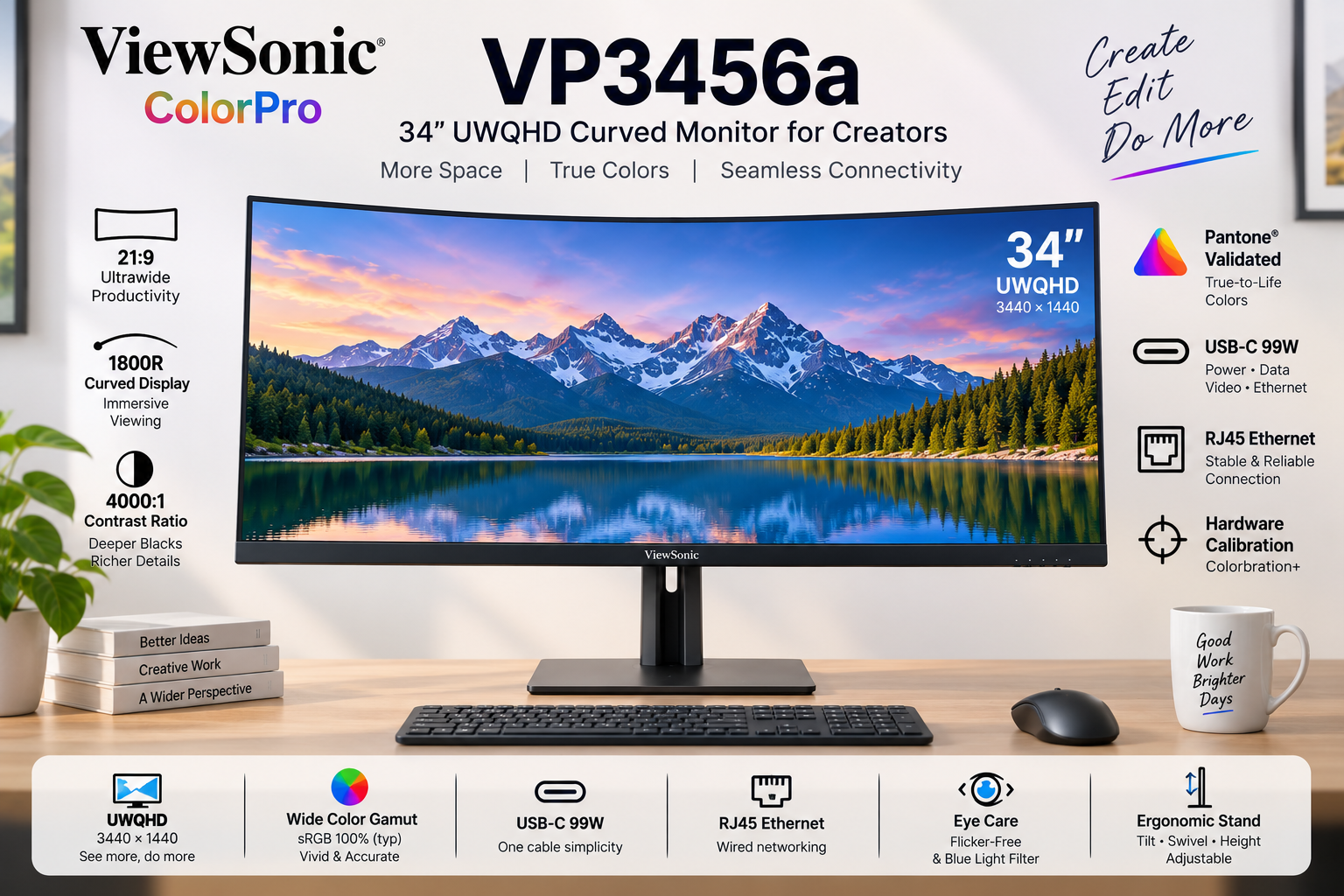
ViewSonic ColorPro VP3456a 34 inch Curved Monitor

🎬 Cinematic Canvas: 34″ UWQHD 1800R Curve!

Wrap-around immersion meets Pantone-validated colors and a 99W USB-C Ethernet Dock.

🏆 Premium Ultrawide Creative Monitor

ViewSonic ColorPro VP3456a

34″ UWQHD (3440×1440) | 21:9 Curved | VA Panel | 99W USB-C

4000:1 Contrast – Pantone® Validated – RJ45 Ethernet – Hardware Calibrated

⚡ Master Multitasking & Workflow:

• Wrap-Around Immersion: 1800R curve with 21:9 cinematic aspect ratio

• Deep VA Contrast: 4,000:1 static contrast ratio for incredibly deep blacks

• Ultimate Docking: 99W USB-C Power Delivery + dedicated RJ45 Ethernet port

• Color Accuracy: Pantone Validated with factory-calibrated Delta E < 2

• Hardware Calibration: Supported by Colorbration+ for long-term consistency

• Multitasking Beast: vDisplay Manager with 12 split-screen layouts

• Fluid Output: 75Hz refresh rate with Adaptive FreeSync technology

₹44,999

₹58,999

23% OFF

Model: VP3456a | 3-Year Warranty | Free Delivery

🛒 Buy Now on Amazon India

$499.99

Model: VP3456a | Premium Warranty | Free Shipping

🛒 Buy Now – USA

£429

Model: VP3456a | Premium Warranty | Check availability

🛒 Check UK Retailers

🌍 Global Availability

• India: ₹44,999 (Amazon / ViewSonic Authorized Dealers)

• USA: $499.99 (B&H Photo, Amazon, ViewSonic Store)

• UK: £429 (Amazon UK, Scan Computers)

• Europe: €459-499 varies by country

Resolution

UWQHD

Curve

1800R

Contrast

4,000:1

USB-C PD

99W

ColorPro VP3456a Overview – Brilliant First Impressions

🖥️ Immersive UWQHD Canvas

  • 34″ Ultrawide: 21:9 Aspect Ratio
  • UWQHD Resolution: 3440 x 1440 pixels
  • 1800R Curve: Wrap-around viewing
  • VA Technology: Deep 4,000:1 Contrast
  • 400 Nits Brightness: Excellent SDR punch
  • HDR10: Extended dynamic range

🎨 Validated Color

  • Pantone® Validated: Authentic reproduction
  • Delta E < 2: Indistinguishable accuracy
  • 100% sRGB: Industry standard web color
  • 16.7M Colors: 8-bit (6-bit + FRC) panel
  • Hardware Calibration: Colorbration+ support
  • Pre-Calibrated: Report included in box

🔌 The Ultimate Dock

  • • 99W USB-C PD: Massive laptop charging power
  • • RJ45 Ethernet: Hardwired internet for your laptop
  • • Split Screen: vDisplay Manager software
  • • Smooth Output: 75Hz with FreeSync
  • • Extensive I/O: 2x HDMI 2.1, 1x DP, USB Hub
  • • Comfort: Flicker-Free & Low Blue Light

🎯 What Makes the ColorPro VP3456a Special?

The ViewSonic ColorPro VP3456a represents a massive productivity upgrade for video editors, timeline-based creatives, and multitasking professionals. By stepping away from the standard 16:9 monitor format and embracing a 34-inch 21:9 UltraWide QHD (3440 x 1440) canvas, it completely eliminates the need for a dual-monitor setup. The 1800R curve gently wraps the edges of the screen into your peripheral vision, ensuring comfortable viewing distances across the entire massive display.

What truly sets this monitor apart in the creative space is its Vertical Alignment (VA) panel boasting a staggering 4,000:1 static contrast ratio. Traditional IPS creative monitors hover around 1,000:1. The VP3456a delivers blacks that are four times deeper, making it an absolute dream for video editors working on cinematic footage, or designers who require intense shadow detail without the “IPS glow” effect in dark rooms.

Despite being a VA panel, ViewSonic has ensured rigorous color accuracy. It is Pantone® Validated with 100% sRGB coverage and arrives factory-calibrated to a Delta E < 2. Furthermore, it supports Hardware Calibration via Colorbration+ software, allowing you to write color LUTs directly to the monitor to maintain long-term color fidelity.

Beyond visuals, the VP3456a functions as a complete, high-end docking station. It features a USB-C port delivering an incredibly robust 99W of Power Delivery—enough to keep heavy-duty 16-inch laptops fully charged under maximum rendering load. But ViewSonic went a step further by including an RJ45 Ethernet port directly on the monitor.

This means a single USB-C cable running to your MacBook or Windows laptop provides: 1) 3440x1440p video, 2) 99W of power, 3) Connection to your USB mouse and keyboard, and 4) A gigabit hardwired internet connection. It is the definition of a “Clutter-Free, One-Cable Solution.”

Finally, the workflow is accelerated by a 75Hz refresh rate with FreeSync (making timeline scrubbing smoother than standard 60Hz) and ViewSonic’s vDisplay Manager. This software allows you to instantly snap applications into 12 customizable split-screen grids, mastering the massive ultrawide real estate without the hassle of manually resizing windows.

Ultrawide Display – Wrap-Around Immersion

🖥️ UWQHD & The 1800R Curve

The UWQHD (3440 x 1440) resolution provides over twice the pixels of a standard Full HD monitor. In practical terms, this 21:9 aspect ratio gives you the horizontal space of roughly one-and-a-half 27-inch monitors, completely uninterrupted by a plastic bezel in the middle. For video editors, this means viewing your preview window in full 1080p or 4K scaled, while still having an incredibly long, un-cramped timeline spanning the bottom of the screen.

Because a flat 34-inch screen would cause color and brightness shifts at the far edges due to extreme viewing angles, ViewSonic utilizes an 1800R curvature. This gentle curve brings the edges of the display equidistant to your eyes, wrapping the digital workspace around you. It dramatically reduces neck turning and eye strain, creating a highly immersive, focused environment.

🌑 4,000:1 VA Contrast Ratio

While IPS panels are famous for viewing angles, VA (Vertical Alignment) panels are the kings of contrast. The VP3456a boasts a massive 4,000:1 static contrast ratio. Blacks on this monitor look truly black, rather than the glowing dark grey typical of IPS displays. When working on moody photography, dark UI themes, or editing cinematic video, the depth and punchiness of the image are immediately noticeable.

Combined with a bright 400 cd/m² (nits) typical brightness and HDR10 support, the dynamic range of this display is excellent for SDR content creation. Note that VA panels can exhibit slight gamma shifts when viewed from extreme off-center angles, but the 1800R curve almost entirely mitigates this issue for the primary user sitting in the center sweet spot.

Color Accuracy – Pantone Validated Precision

🎨 Delta E < 2 Out of the Box

Professional work requires professional guarantees. Every VP3456a undergoes rigorous pre-factory calibration and includes a personalized color calibration report in the box. With a Delta E < 2, the difference between the color your computer requests and the color the monitor outputs is mathematically imperceptible to the human eye. What you see is exactly what your clients will get.

The monitor is proudly Pantone® Validated, ensuring it accurately reproduces the full range of the Pantone Matching System (PMS). With 100% sRGB and 114% REC709 coverage, it serves as an impeccable reference monitor for digital web design, UI/UX creation, and standard broadcast video editing.

⚙️ Colorbration+ Hardware Calibration

Monitors drift in color accuracy over time as the backlight ages. To combat this, the VP3456a supports true Hardware Calibration via ViewSonic’s Colorbration+ software. Using supported colorimeters (like X-Rite i1Display Pro or Datacolor Spyder X), you can recalibrate the display at the hardware level.

Unlike software calibration (which just tweaks your Windows/Mac graphics card output and can cause color banding), Hardware Calibration writes the color correction data directly to the monitor’s internal scaler. This ensures brilliant, long-term color consistency regardless of what laptop or PC you plug into it.

Docking & Workflow – The 99W Command Center

🔌 99W USB-C + RJ45 Ethernet

This is where the VP3456a outshines the competition. The USB-C port provides a massive 99W of Power Delivery. While 65W monitors struggle to keep high-end 15/16-inch laptops charged during video rendering, 99W ensures your mobile workstation stays at 100% battery under maximum load.

Furthermore, the inclusion of an RJ45 Ethernet LAN port turns this monitor into a premium dock. Wi-Fi can be unreliable when transferring massive 4K video files to a NAS or server. By plugging an Ethernet cable into the monitor, your laptop receives hardwired, gigabit internet through the same single USB-C cable that provides power and video.

🪟 vDisplay Manager & 75Hz

Managing a 34-inch ultrawide canvas manually can be tedious. ViewSonic’s free vDisplay Manager software features Screen Split, offering 6 predefined layouts and 12 customizable grids. You can drag and drop applications to instantly tile them perfectly across the screen. The Windows-only Auto Launch feature will even reopen your saved layouts upon boot.

Workflow is further smoothed by the 75Hz refresh rate and FreeSync support. While not a 144Hz gaming monitor, 75Hz provides a 25% smoother experience than standard 60Hz displays. Scrolling through dense code, moving windows, and timeline scrubbing feels noticeably snappier and reduces eye strain.

Design & Ergonomics

📐 Complete Adjustability

Ultrawide monitors are notoriously heavy and often ship with rigid stands. ViewSonic breaks this trend by including a highly versatile ergonomic stand. It offers 130mm of height adjustment, allowing you to set the perfect eye-level posture to prevent neck strain during long editing sessions.

It also features a massive 120º swivel (60º left/right) and a -6º to 21º tilt. Due to the 21:9 ultra-wide format and 1800R curve, there is no portrait pivot mode (which is standard for curved ultrawides). The stand features mindful design with an integrated cable management cutout to keep your desk clutter-free.

🖥️ 3-Sided Borderless Aesthetics

The VP3456a embraces a sleek, modern industrial design with 3-side borderless bezels. The thin frame ensures that your attention remains entirely on your artwork and timeline, not on thick plastic borders. If you somehow have the desk space to run two of these side-by-side, the thin bezels create a nearly seamless panoramic view.

ViewSonic also includes comprehensive Eye Care technology. The monitor is Flicker-Free and features a software-based Low Blue Light filter, allowing you to warm up the screen temperature when reading documents late at night to protect your circadian rhythm.

Who Should Buy the ViewSonic VP3456a?

✅ Perfect For These Users

🎬 Video Editors & Motion Designers

The 21:9 aspect ratio is tailor-made for Premiere Pro, DaVinci Resolve, and After Effects. You can view massive timelines without scrolling, while the 4,000:1 VA contrast ratio ensures deep, cinematic blacks for accurate grading.

💻 High-End Laptop Owners

If you use a powerful workstation laptop (like a MacBook Pro 16 or Dell Precision), the 99W USB-C PD and RJ45 Ethernet make this the ultimate one-cable docking station. Power, display, gigabit internet, and USB peripherals all run through one cord.

📊 Financial Analysts & Multitaskers

Say goodbye to the bezel gap of a dual-monitor setup. The massive UWQHD canvas combined with vDisplay Manager’s split-screen grids allows you to comfortably view three full-size documents or spreadsheets side-by-side.

⚠️ Consider Alternatives If You Need

🎮 Hardcore Competitive Gamers

While 75Hz and FreeSync are great for casual gaming and UI smoothness, competitive gamers need 144Hz+. If your primary use is fast-paced shooters, look into dedicated ultrawide gaming monitors.

📸 Adobe RGB Print Photographers

The monitor covers 100% sRGB for web content, but only 80% of Adobe RGB. If you are a fine-art photographer soft-proofing for physical CMYK print, you need a monitor with 99%+ Adobe RGB coverage.

🔍 Retina-Level Sharpness

At 34 inches, UWQHD (3440×1440) yields roughly 109 PPI. This is standard and looks great at arm’s length, but it is not the 163+ PPI of a 4K 27-inch display. If you are extremely sensitive to text sharpness, stick to standard 4K displays.

Top Competitors & Alternatives

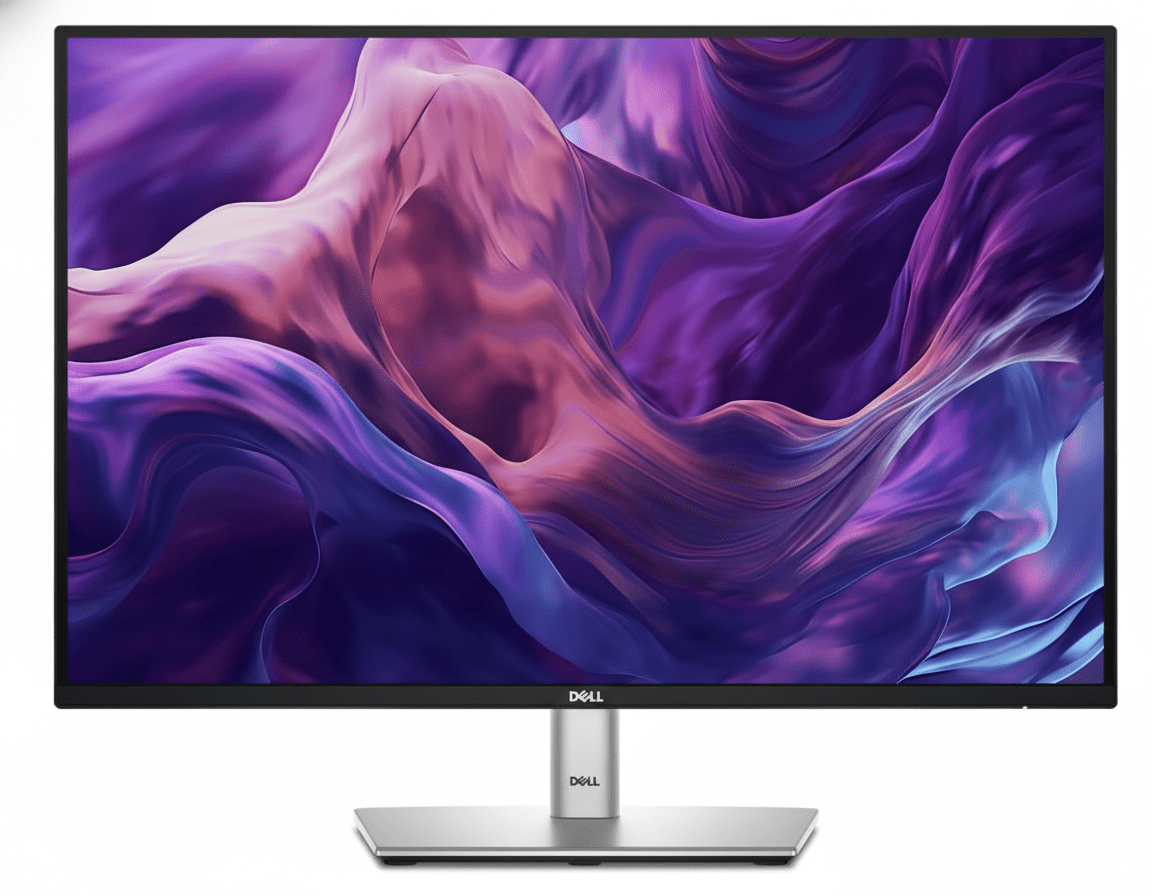
Dell P3424WE Hub Monitor

34″ Curved UWQHD IPS USB-C Dock

₹48,999

34″ 3440x1440p | 60Hz | IPS | 90W USB-C

Display: 34″ UWQHD (3440×1440), IPS, 60Hz, 3800R curve

Features: 90W PD, RJ45 Ethernet, KVM Switch

Advantage: Built-in KVM switch and IPS viewing angles

Why Choose Dell P3424WE Instead?

If you prefer IPS panels over VA panels for wider viewing angles, and you desperately need a built-in KVM switch to seamlessly control two different computers with one keyboard and mouse. It also acts as an excellent USB-C/RJ45 dock.

Why Choose ViewSonic VP3456a Instead?

The ViewSonic offers a much deeper 1800R curve (vs Dell’s flatter 3800R), providing better immersion. It also has a faster 75Hz refresh rate, Hardware Calibration support, and the VA panel provides 4x deeper contrast (4000:1 vs Dell’s 1000:1) for video editors.

LG 34WP65C-B

34″ Curved UWQHD VA Monitor

₹32,999

34″ 3440x1440p | 160Hz | VA | No USB-C

Display: 34″ UWQHD (3440×1440), VA, 160Hz, 1800R curve

Features: 3000:1 contrast, HDR10, built-in 7W speakers

Advantage: Much cheaper and 160Hz for gaming

Why Choose LG 34WP65C Instead?

If you are on a strict budget and want a hybrid monitor for office work by day and high-refresh PC gaming (160Hz) by night. It uses a similar 1800R VA panel but costs significantly less.

Why Choose ViewSonic VP3456a Instead?

The LG completely lacks USB-C and acts just as a dumb screen. The ViewSonic justifies its premium by being a full docking station (99W PD + Ethernet) and offering professional-grade Pantone Validated, factory-calibrated colors with Hardware LUT support.

Pros and Cons – ViewSonic VP3456a

✅ What We Loved

🔌 Ultimate 99W USB-C Dock

Delivering 99W of Power Delivery alongside an RJ45 Ethernet port transforms this monitor into a premium hub. One cable charges massive 16-inch laptops, provides gigabit hardwired internet, and connects peripherals.

🌑 4,000:1 Deep Contrast

The VA panel provides blacks that are four times deeper than standard IPS displays. Editing cinematic footage or working in dark UI modes looks incredibly rich and punchy without annoying “IPS glow.”

🎨 True Hardware Calibration

Factory-calibrated to Delta E < 2 and Pantone Validated out of the box. More importantly, it supports Colorbration+ hardware LUT calibration to maintain that accuracy for years to come.

🔄 75Hz Smooth Multitasking

The 75Hz refresh rate provides a 25% bump in smoothness over standard 60Hz office monitors. Combined with vDisplay Manager’s Screen Split, navigating massive timelines is fluid and highly efficient.

📐 Superb Ergonomics

Unlike many rigid ultrawide monitors, the VP3456a includes a highly adjustable stand featuring 130mm of height adjustment, 120º swivel, and generous tilt, ensuring neck comfort during long sessions.

⚠️ What Could Be Better

👁️ VA Panel Viewing Angles

While the 1800R curve helps mitigate this, VA panels natively suffer from slight color and gamma shifts when viewed from extreme off-center angles compared to IPS panels. You must sit in the sweet spot.

🖨️ Not for Print Photography

With only 80% coverage of the Adobe RGB color space, fine-art photographers and print designers cannot use this display for accurate CMYK soft-proofing. It is strictly for web and digital video (sRGB/REC709).

🏃‍♂️ 75Hz Limits Gaming

While 75Hz is great for productivity, gamers looking to fully utilize their high-end GPUs will be disappointed. It lacks the 144Hz+ speeds required for fast-paced competitive gaming.

🖥️ No Built-in KVM

For a monitor designed to be a premium productivity hub with so many inputs, the lack of a built-in KVM switch (to control two PCs with one mouse/keyboard) is a missed opportunity often found on rival Dell displays.

Final Verdict – A Creator’s Command Center

🏆 Best Ultrawide Docking Monitor for Video Editors
9.0 /10

Massive Workspace Meets Unmatched USB-C Power

🎯 The Bottom Line

The ViewSonic ColorPro VP3456a is an absolute powerhouse for productivity and digital content creation. By pairing a massive 34-inch UWQHD canvas with a VA panel boasting a 4,000:1 contrast ratio, it delivers an immersive, cinematic editing experience that makes traditional IPS monitors look washed out in comparison.

However, its greatest strength lies in its connectivity. The inclusion of a 99W USB-C Power Delivery port alongside hardwired RJ45 Ethernet elevates this display from a mere monitor to a premium laptop docking station. It completely eliminates cable clutter, keeping high-performance workstation laptops charged and connected to gigabit internet through a single cord.

While the VA panel means it isn’t suited for color-critical print photography (lacking Adobe RGB coverage), its Pantone Validation, factory calibration, and Hardware LUT support make it an impeccably accurate tool for web designers and SDR video editors working in sRGB and REC709.

💡 Who Should Buy This?

Video editors, motion graphic artists, and heavy multitaskers will find the VP3456a transformative. The 21:9 aspect ratio is perfect for long Premiere Pro timelines, and the vDisplay Manager makes organizing multiple windows effortless.

It is highly recommended for MacBook Pro 16 and high-end Windows mobile workstation users. The 99W PD ensures your battery won’t slowly drain while exporting heavy projects, a common issue with cheaper 65W USB-C monitors.

Final Recommendation: At ₹44,999, the ViewSonic VP3456a commands a premium, but it justifies every penny by replacing the need for a dual-monitor setup and an expensive external thunderbolt dock. It is a brilliant, streamlined command center for digital creatives.

📊 Rating Breakdown

Productivity & Workspace (UWQHD) 9.8/10
Connectivity (99W PD + Ethernet) 9.9/10
Contrast & Black Levels (VA Panel) 9.5/10
Digital Color Accuracy (sRGB/Delta E) 9.2/10
Ergonomics & Stand Quality 9.0/10
Print Photography (Adobe RGB) 7.5/10
Gaming Performance (75Hz) 7.0/10

Complete Technical Specifications

Display Specifications
Screen Size34 inches (Viewable: 34 inches)
Panel TypeVA (Vertical Alignment) Technology
Resolution3440 x 1440
Resolution TypeUWQHD (UltraWide QHD)
Aspect Ratio21:9
Curvature1800R
Refresh Rate75Hz
Variable Refresh RateYes (FreeSync)
Response Time (GTG Typical)5ms
Response Time (GTG w/OD)5ms
Brightness400 cd/m² (typ)
Static Contrast Ratio4,000:1 (typ)
Dynamic Contrast Ratio20M:1
Viewing Angles178º horizontal, 178º vertical
Display Colors16.7 Million Colors
Color Space Support8 bit (6 bit + FRC)
Light Source & LifeLED / 30,000 Hrs (Min)
Pixel Pitch0.232 mm (H) x 0.232 mm (V)
Surface TreatmentAnti-Glare, Hard Coating (3H)
Color Gamut & Eye Care
sRGB Coverage114% size / 100% coverage (Typ)
REC709 Coverage114% size / 100% coverage (Typ)
DCI-P3 Coverage84% size / 84% coverage (Typ)
Adobe RGB Coverage84% size / 80% coverage (Typ)
EBU & SMPTE-C100% coverage (Typ)
Flicker-FreeYes
Low Blue LightYes (Software Solution)
CalibrationHardware Calibration Supported (Colorbration+)
Connectivity & Audio
USB Type-C (Upstream)1x (DisplayPort Alt mode, 99W Power Delivery)
Ethernet LAN (RJ45)1x Gigabit Ethernet
USB 3.2 Type A (Downstream)2x Ports
USB 3.2 Type B (Upstream)1x Port
HDMI Ports2x HDMI 2.1
DisplayPort1x DisplayPort (v1.2)
Internal Speakers3Watts x2
Ergonomics & Stand
Height Adjustment130 mm
Swivel120º (60º left / 60º right)
Tilt (Forward/Back)-6º / 21º
VESA Compatible100 x 100 mm
Cable OrganizationYes
Power & Dimensions
Power Consumption47.6W (Typical) / 52.6W (Max) / 32.8W (Eco Conserve)
Stand-by Power0.5W
Power SupplyInternal Power Supply
VoltageAC 100-240V
Physical (With Stand)809 x 480.46~539.23 x 243 mm (W x H x D)
Physical (Without Stand)809 x 366 x 105 mm (W x H x D)
Weight (Net with Stand)11.2 kg (24.7 lbs)
Weight (Without Stand)7.4 kg (16.3 lbs)

Ready to Master Your Workflow?

Get the ViewSonic ColorPro VP3456a – 34″ UWQHD 99W USB-C Monitor Today!

🛒 Buy Now on Amazon – Check Price

✓ Pantone Validated | ✓ 99W USB-C + Ethernet | ✓ 4,000:1 Deep Contrast

ViewSonic VX2762U-4K Review 2026: 27″ 4K IPS, USB-C 65W & Price

ViewSonic VX2762U-4K Review 2026: 27″ 4K IPS, USB-C 65W & Price
Monitor Review Updated September 2026
ViewSonic VX2762U-4K 27-inch 4K IPS monitor
27″ 4K UHD IPS Monitor

ViewSonic VX2762U-4K Review 2026: 27″ 4K IPS Monitor with USB-C 65W

The ViewSonic VX2762U-4K is a productivity-focused 27-inch 4K IPS monitor that combines high pixel density with USB-C 65W power delivery, HDR10, built-in speakers and a highly adjustable ergonomic stand.

Resolution
4K UHD
Panel
IPS
Refresh Rate
60Hz
USB-C
65W
Color
104% sRGB
HDR
HDR10
Current India price
Around ₹24,999

Actual price may vary by seller, offer and availability.

Image: AI-generated illustration for this review; not an official ViewSonic product photograph.

Quick Verdict

A strong 4K productivity monitor with useful extras

The VX2762U-4K is most appealing to users who want excellent 27-inch 4K sharpness, USB-C 65W charging and a flexible ergonomic stand. It is not a high-refresh gaming monitor, but for work, programming, browsing, content creation and everyday entertainment, its feature set is well balanced.

8.8
Overall / 10

ViewSonic VX2762U-4K Price in India

The monitor is currently seen around ₹24,999 in India. Monitor prices can change frequently, so treat this as a market reference rather than a guaranteed selling price.

Current Price
₹24,999
Approximate market price
Excellent Deal
Below ₹22K
Very attractive value
Compare First
Above ₹28K
More alternatives become interesting
Price note: Check the final checkout price, seller, warranty and return policy before purchasing.

ViewSonic VX2762U-4K Overview

The ViewSonic VX2762U-4K is a 27-inch flat IPS monitor with 3840 × 2160 4K UHD resolution. It is designed around image clarity and productivity rather than extreme gaming performance.

Its most interesting combination is the high-resolution IPS panel together with USB-C connectivity, up to 65W power delivery, integrated speakers, a USB hub and a four-way adjustable stand.

ViewSonic specifies 250 cd/m² typical brightness, 1000:1 typical static contrast, HDR10 support, 104% sRGB coverage and 10-bit color support through an 8-bit + FRC implementation.

27″
IPS Panel

Wide viewing angles.

4K
UHD Resolution

3840 × 2160 pixels.

65W
USB-C Power

For compatible laptops.

60Hz
Refresh Rate

Work and casual gaming.

ViewSonic VX2762U-4K Display Quality

Display quality is the main reason to buy this monitor. A 27-inch 4K IPS panel gives the VX2762U-4K high pixel density for its size, making it particularly appealing for reading text and working with detailed content.

4K Resolution at 27 Inches

The 3840 × 2160 resolution contains four times the total number of pixels found on a 1920 × 1080 Full HD display. It does not mean four times the physical desktop area because Windows and macOS scaling determine how interface elements appear.

The practical benefit is sharper text, cleaner interface elements and more detailed images. For documents, spreadsheets, coding, browsing and photo work, the difference can be immediately useful.

ResolutionTotal PixelsTypical Use
1920 × 10802.07 millionBudget/general use
2560 × 14403.69 millionBalanced work + gaming
3840 × 21608.29 millionDetailed work + media

IPS Panel and Viewing Angles

The SuperClear IPS panel is specified with 178° horizontal and 178° vertical viewing angles. This is useful for office setups, shared viewing and off-center viewing.

Color Performance

ViewSonic specifies 104% sRGB color gamut coverage, 72% NTSC and support for 1.07 billion colors. The monitor also supports 10-bit color through an 8-bit + FRC configuration.

These specifications make it suitable for general creative work, photography, design, office applications and media consumption. Professional color-critical users should still consider a display designed specifically for reference-level work.

Brightness and HDR10

The typical brightness is 250 cd/m². That is reasonable for normal indoor use, but it is not a particularly high brightness level for HDR.

HDR10 support is therefore best considered a useful compatibility feature rather than a reason to expect premium high-brightness HDR performance.

Productivity: Where the VX2762U-4K Makes the Most Sense

The VX2762U-4K is primarily a productivity monitor. Its combination of 4K resolution, 27-inch size, IPS technology, USB-C power delivery and ergonomic adjustment makes it especially useful for desk-based work.

Office Work

Documents, spreadsheets, browser tabs and office software benefit from sharp 4K resolution.

Programming

High pixel density keeps code text crisp, while portrait mode can help with long files and documentation.

Content Creation

4K resolution and wide sRGB coverage make it useful for general photo, design and content-production tasks.

Laptop Workstations

USB-C with up to 65W power delivery is particularly useful for compatible laptops.

USB-C Advantage

A cleaner laptop desk setup

Compatible laptops can use USB-C for DisplayPort video and up to 65W power delivery. This can reduce cable clutter on a laptop workstation.

65W
USB-C Power Delivery
DisplayPort Alt Mode + compatible laptop charging

Connectivity and Features

The VX2762U-4K offers a practical mix of modern and conventional connections.

USB-C 65W

USB-C supports DisplayPort Alt Mode and up to 65W power delivery for compatible devices.

HDMI and DisplayPort

Two HDMI inputs and one DisplayPort provide flexible connectivity.

USB Hub

Two USB 3.2 Type-A downstream ports and one USB 3.2 Type-B upstream connection are included.

Built-in Speakers

Two 2.5W speakers provide basic audio without separate desktop speakers.

ConnectionSpecification
USB-CDisplayPort Alt Mode, 65W power
USB-A2 × USB 3.2 downstream
USB-B1 × USB 3.2 upstream
HDMI2 × HDMI 2.1
DisplayPort1 × DisplayPort
Audio3.5mm audio out

Eye Care Features

ViewSonic includes Eye ProTech features with the VX2762U-4K. The official specifications list flicker-free technology and a software-based low-blue-light solution.

Flicker-Free

The monitor is specified as flicker-free, useful for extended screen use.

Low Blue Light

A software-based low-blue-light solution is provided.

Important: Eye-care features can improve viewing comfort for some users, but they should not be treated as a medical guarantee against eye strain or other symptoms.

Gaming Performance: Is 60Hz Enough?

The VX2762U-4K can be used for gaming, especially if image quality and resolution matter more than high refresh rates. Its 4K IPS panel provides detailed game visuals, while the specified 3.8ms GTG response time is reasonable for general gaming.

The important limitation: 60Hz

The official detailed specifications list a maximum refresh rate of 60Hz. It is therefore not aimed at users looking for 120Hz, 144Hz, 165Hz or higher competitive gaming.

Casual Gaming
Very Good

4K resolution provides detailed visuals.

Story Games
Very Good

Image quality is more important here.

Competitive FPS
Not Ideal

High-refresh monitors are a better choice.

Design and Ergonomics

The ergonomic stand is one of the VX2762U-4K’s strongest practical features. It is not a basic tilt-only stand. ViewSonic specifies height adjustment, swivel, tilt and pivot support.

150mm
Height
90°
Swivel
-3.5°–20°
Tilt
90°
Pivot

Portrait Mode

The 90° pivot can help with coding, long documents, reading and vertical content.

VESA Mounting

The monitor supports a standard 100 × 100mm VESA mounting pattern.

Is the ViewSonic VX2762U-4K Good for MacBook?

Yes. ViewSonic lists Mac support up to 3840 × 2160 resolution and states that macOS has been tested with the monitor.

USB-C with up to 65W power delivery makes it particularly interesting for compatible MacBook users. Users with high-power laptops should check their computer’s charging requirements because 65W may not be sufficient for every workload.

Who Should Buy the ViewSonic VX2762U-4K?

Recommended For

  • Office and home-office users
  • Programmers and developers
  • Content writers and researchers
  • Users who want sharp 4K text
  • Compatible USB-C laptop users
  • General photo and creative work
  • Users who want an adjustable stand
  • Casual gamers
  • Users who want built-in speakers

Look Elsewhere If

  • You need 144Hz or higher
  • You mainly play competitive FPS games
  • You want very bright premium HDR
  • You need a professional reference monitor
  • You specifically want an ultrawide display

ViewSonic VX2762U-4K vs Other 27-Inch Monitors

The best alternative depends on whether you prioritize 4K resolution, refresh rate, USB-C charging, ergonomics or gaming.

FeatureVX2762U-4K27″ QHD Monitor27″ 4K Gaming Monitor
Resolution4KQHD4K
Refresh Rate60HzOften 100–180HzOften 144Hz+
USB-C65WModel dependentModel dependent
Ergonomic StandExcellentModel dependentModel dependent
Best ForProductivity + 4KWork + gaming balanceHigh-refresh gaming

Which type should you choose?

Choose the VX2762U-4K if sharp 4K resolution, USB-C 65W and ergonomic adjustment are more important than a high refresh rate. If gaming performance is your main priority, a 144Hz-or-higher monitor will make more sense.

Pros

  • Excellent 27-inch 4K resolution
  • IPS panel with 178° viewing angles
  • 104% sRGB specification
  • 10-bit support through 8-bit + FRC
  • USB-C with up to 65W power delivery
  • 150mm height adjustment
  • Swivel, tilt and pivot adjustment
  • 100 × 100mm VESA support
  • Built-in 2 × 2.5W speakers
  • Flicker-free technology
  • Useful USB hub

Cons

  • Only 60Hz refresh rate
  • 250 cd/m² brightness limits HDR impact
  • Not intended for competitive gaming
  • Not a dedicated professional reference monitor
  • 65W USB-C may not fully replace the charger for some high-power laptops

ViewSonic VX2762U-4K Ratings

Display Quality9.3/10
Productivity9.4/10
Connectivity9.2/10
Ergonomics9.5/10
Gaming7.2/10
HDR6.8/10
Features9.0/10
Value at ₹25K8.7/10
Final Verdict

Should You Buy the ViewSonic VX2762U-4K?

If you want a sharp 27-inch 4K IPS monitor mainly for work, productivity and general entertainment, the VX2762U-4K is a compelling option around the ₹25,000 price range.

The biggest strength is the overall combination: a 4K IPS panel, 104% sRGB coverage, HDR10, USB-C 65W power delivery, a USB hub, built-in speakers and a highly adjustable stand.

The main compromise is the 60Hz refresh rate. That is acceptable for office work, programming, browsing and most everyday tasks, but it makes the monitor less attractive to competitive gamers.

Below ₹22,000
Excellent Buy
₹22K–₹25K
Recommended
Above ₹28,000
Compare

Our Recommendation

Recommended for productivity and 4K work. The VX2762U-4K is especially attractive for office users, programmers, writers, creators and compatible USB-C laptop users who want sharp 4K image quality and a flexible stand. Make sure the 60Hz refresh rate matches your needs.

ViewSonic VX2762U-4K Full Specifications

Model
VX2762U-4K
Screen Size
27 inches
Panel
IPS
Resolution
3840 × 2160
Aspect Ratio
16:9
Refresh Rate
60Hz
Response Time
3.8ms GTG with OD
Brightness
250 cd/m² typical
Static Contrast
1000:1 typical
Dynamic Contrast
50M:1
HDR
HDR10
Colors
1.07 billion
Color Support
10-bit (8-bit + FRC)
Color Gamut
104% sRGB / 72% NTSC
Viewing Angles
178° / 178°
Surface
Anti-glare, 3H hard coating
Pixel Pitch
0.155mm
Flicker-Free
Yes
Low Blue Light
Software solution
USB-C
DisplayPort Alt Mode, 65W power
USB-A
2 × USB 3.2 downstream
USB-B
1 × USB 3.2 upstream
HDMI
2 × HDMI 2.1
DisplayPort
1 × DisplayPort
Audio Out
3.5mm
Speakers
2 × 2.5W
Height Adjustment
150mm
Swivel
90°
Tilt
-3.5° to 20°
Pivot
90° / 90°
VESA
100 × 100mm
Weight with Stand
6.5kg
Weight without Stand
4.4kg

ViewSonic VX2762U-4K FAQs

Is the ViewSonic VX2762U-4K 60Hz or 180Hz?

+
The monitor is specified at 60Hz. The detailed official specifications list a 60Hz refresh rate.

Does it support USB-C charging?

+
Yes. USB-C supports DisplayPort Alt Mode and up to 65W power delivery for compatible devices.

Does the VX2762U-4K have a height-adjustable stand?

+
Yes. It supports up to 150mm height adjustment, 90° swivel, -3.5° to 20° tilt and 90° pivot.

Is the VX2762U-4K good for office work?

+
Yes. Its 27-inch 4K IPS panel, USB-C 65W connectivity and ergonomic stand make it particularly suitable for productivity.

Is HDR10 good on this monitor?

+
HDR10 is supported, but 250 cd/m² typical brightness means HDR should be considered an additional feature rather than premium high-brightness HDR.

Is it good for gaming?

+
It is suitable for casual and story-driven gaming, but the 60Hz refresh rate makes it unsuitable for users who specifically want competitive high-refresh gaming.

Is it worth buying around ₹25,000?

+
It is a strong choice around ₹25,000 if your priorities are 4K image quality, productivity, USB-C 65W and an ergonomic stand. For high-refresh gaming, consider another monitor.
Final Recommendation

A smart 4K monitor for work-focused users

If you want a 27-inch 4K IPS monitor with USB-C 65W, built-in speakers and a properly adjustable stand, the ViewSonic VX2762U-4K deserves serious consideration.

Overall
8.8/10
Productivity Focus
Prices, offers and availability may change without notice. Specifications are based primarily on manufacturer information and may vary by market or product revision.

Dell P2425DE Review: Better Than Full HD Monitors?

Dell Pro 24 Plus (P2425DE)
Dell Pro 24 Plus QHD USB-C Hub Monitor (P2425DE) Review: The QHD Powerhouse

Dell Pro 24 Plus QHD USB-C Hub Monitor (P2425DE) Review: The QHD Powerhouse

24″ QHD 100Hz Display 90W USB-C Hub with RJ45 4-Star Eye Comfort Daisy Chain via DisplayPort Pop-Out USB Ports ₹24,799
The ultimate single-cable docking station monitor for sharp visuals and maximum productivity.

The Dell Pro 24 Plus (P2425DE) is a masterclass in professional monitor design, perfectly blending high-resolution visuals with ultimate hub convenience. Priced at ₹24,799, it takes the standard 24-inch office display and elevates it with a sharp QHD (2560×1440) resolution and a fluid 100Hz refresh rate. But its true strength is its role as a complete workstation hub. With 90W USB-C power delivery, an integrated Gigabit Ethernet port, and a clever pop-out front-access USB hub, the P2425DE is engineered to be the single-cable centerpiece of a modern, clutter-free desk.

The Clarity and Connectivity You Need

Experience sharp QHD visuals, single-cable hub convenience, and world-class eye comfort.

₹24,799
₹25,499 (Save ₹700)
Inclusive of all taxes | Free Priority Delivery

Valid till Oct 17th | 3-Year Premium Panel Exchange

Key Features at a Glance

QHD Resolution: Sharp 2560×1440 panel makes every detail stand out.
90W USB-C Hub: Power your laptop and connect video, data, and Ethernet with a single cable.
100Hz Refresh Rate: Delivers noticeably smoother scrolling and motion than standard 60Hz.
Pop-Out USB Ports: Cleverly hidden front-access USB-A and USB-C ports for convenience.
4-Star Eye Comfort: TÜV-certified with ComfortView Plus to reduce eye strain without color distortion.
Full Ergonomics: Complete height, tilt, swivel, and pivot adjustability for perfect positioning.

1. The Ultimate Productivity Hub

One cable is all you need to power your entire workspace.

Single-Cable 90W USB-C

The powerful USB-C port is the heart of this monitor, delivering up to 90W of power. Connect your laptop to handle video, transfer data, and charge its battery—all through a single cable, completely eliminating clutter.

Full Docking Connectivity

This monitor replaces your separate dock with a built-in RJ45 Gigabit Ethernet port for stable network access and a hub of USB-A and USB-C downstream ports for peripherals, keeping your desk clean and efficient.

2. A Leap in Clarity and Fluidity

See every detail with sharp QHD resolution and enjoy a smoother workflow.

Sharp QHD Resolution

The 2560×1440 (QHD) resolution delivers 1.77 times more detail than a standard Full HD monitor. This results in significantly sharper text, clearer images, and more space to multitask effectively on the 24-inch screen.

Smooth 100Hz Refresh Rate

Experience a noticeable upgrade in fluidity with the 100Hz refresh rate. It delivers less flicker and more seamless scrolling through documents and websites, making every interaction feel more responsive.

3. World-Class Eye Comfort

Work longer with less strain, thanks to Dell’s industry-leading comfort features.

TÜV 4-Star Eye Comfort Certification

This monitor achieves a top-tier TÜV 4-star eye comfort certification. This is achieved through its advanced ComfortView Plus hardware, which reduces harmful blue light emissions to less than 35% without the yellow tint of software filters, ensuring all-day comfort with uncompromised color accuracy.

4. Designed for Your Workflow

A fully adjustable stand and clever features to enhance convenience.

Full Ergonomic Adjustability

Find your perfect viewing position with a stand that offers a complete range of motion. You can adjust the height (150mm), tilt, swivel, and pivot into a vertical orientation, ensuring all-day comfort.

Convenient Pop-Out Ports

The monitor features a brilliantly designed pop-out hub on the bottom bezel. With a simple press, you get quick access to a USB-A and USB-C port for connecting peripherals or charging your phone, which can then be hidden away for a clean look.

Ideal For These Users

Hybrid & Office Professionals

The single-cable USB-C hub functionality with 90W power and RJ45 Ethernet makes it the perfect companion for modern laptops, turning any desk into a full workstation instantly.

Users Seeking Higher Detail

The jump from FHD or WUXGA to QHD provides a significant increase in sharpness and detail, making it ideal for working with high-resolution images, detailed spreadsheets, or simply enjoying crisper text.

Multi-Monitor Power Users

With DisplayPort-out for daisy chaining, this monitor is the perfect primary display for a clean, efficient, and high-resolution dual-monitor setup.

MacBook and Windows Laptop Users

Dell has specifically tested and validated this monitor for macOS compatibility, ensuring a seamless plug-and-play experience for both Windows and Mac users via USB-C.

Who Might Consider Other Options

Gamers

Despite the 100Hz refresh rate, this is a productivity-focused monitor. It lacks the fast response times and adaptive sync technology (G-Sync/FreeSync) needed for a great gaming experience.

Creative Professionals Needing Wider Gamuts

The 99% sRGB color space is excellent for web content and general office work, but professionals working in print or cinema who need full Adobe RGB or DCI-P3 coverage should look at the UltraSharp series.

Budget-Conscious Buyers

The P2425DE commands a premium for its QHD resolution and extensive hub features. Users who don’t need a docking station or are fine with FHD resolution can save money with the standard P2425 or P2425H models.

Competitive Edge: How It Stacks Up

A perfectly balanced combination of resolution, comfort, and connectivity.

  • Vs. The P2425E (16:10 Version)

    The P2425DE is the QHD, 16:9 sibling to the WUXGA, 16:10 P2425E. While it gives up the extra vertical space of the 16:10 aspect ratio, it offers a denser, sharper image that is better for multimedia content and high-resolution work.

  • Vs. Other 24″ QHD Hub Monitors

    Many competing QHD hubs are stuck at 60Hz or 75Hz. The P2425DE stands out by offering a 100Hz refresh rate for a much smoother experience, combined with Dell’s industry-leading 4-star eye comfort and the clever pop-out front ports.

  • The Complete Productivity Package

    Its edge is the completeness of the package. It doesn’t just offer QHD resolution; it pairs it with a smooth refresh rate, a full docking station, best-in-class ergonomics, and advanced eye comfort. It’s a monitor with no major compromises for the professional user.

Full Specifications

Display

Screen Size
23.8″
Resolution
QHD (2560 x 1440)
Aspect Ratio
16:9
Panel Type
IPS
Refresh Rate
100 Hz
Brightness
350 cd/m²
Contrast Ratio
1500:1
Color Gamut
99% sRGB

Connectivity

USB-C Hub
1x USB-C (90W PD, DP Alt Mode)
Video Ports
1x DP 1.4, 1x HDMI
Video Out
1x DP 1.4 (MST)
Ethernet
1x RJ45 Gigabit Ethernet
USB Downstream
3x USB-A, 1x USB-C (15W)

Mechanical

Height Adjust
150 mm
Tilt
-5° to 21°
Swivel
-45° to 45°
Pivot
±90°

Pros and Cons

What We Liked

  • Sharp QHD resolution provides excellent detail.
  • Complete docking hub with 90W USB-C and RJ45.
  • Smooth 100Hz refresh rate enhances daily use.
  • Top-tier 4-star eye comfort certification.
  • Clever pop-out front-facing USB ports.

What Could Be Better

  • Lacks the extra vertical space of a 16:10 panel.
  • Not suitable for gaming due to slower response times.
  • Higher price than non-hub QHD monitors.

Final Verdict

The Dell P2425DE is a triumph of practical innovation, creating what might be the perfect monitor for the modern professional. It elevates the standard 24-inch display with a sharp QHD resolution and a fluid 100Hz refresh rate, making everyday work clearer and smoother. Its true genius, however, lies in its execution as a complete workstation hub. The 90W USB-C port with Ethernet transforms it into a powerful single-cable docking station that declutters your desk and streamlines your workflow.

Combined with top-tier eye comfort, full ergonomics, and clever design touches like the pop-out front ports, the P2425DE is a monitor without any significant compromises. For any professional who values clarity, comfort, and the ultimate in single-cable convenience, this monitor is an outstanding investment and a new benchmark for QHD productivity displays.

Dell E2425HM: How to Improve Work Comfort & Eye Care Setup

Dell Pro 24 (E2425HM)
Dell Pro 24 Monitor (E2425HM) Review: The Essential Workhorse, Upgraded

Dell Pro 24 Monitor (E2425HM) Review: The Essential Workhorse, Upgraded

24″ FHD 100Hz Display ComfortView Plus DP, HDMI & VGA Ports IPS Panel 3-Star Eye Comfort ₹8,399
The no-frills, high-value choice for essential everyday productivity.

The Dell Pro 24 Monitor (E2425HM) is a masterclass in essentialism, delivering key modern upgrades to the entry-level professional display segment. For an incredibly competitive price of ₹8,399, this 24-inch monitor provides a crisp Full HD IPS panel and elevates the everyday user experience with a smooth 100Hz refresh rate and Dell’s advanced ComfortView Plus hardware. By focusing on a superior viewing experience and broad connectivity (including legacy VGA) while trimming non-essential features like an adjustable stand, the E2425HM offers outstanding value for businesses and individuals seeking a reliable, comfortable, and future-proof workhorse.

Upgrade Your View, Not Your Budget

Get a smooth 100Hz refresh rate, advanced eye comfort, and versatile connectivity for an unbeatable price.

₹8,399
₹8,599 (Save ₹200)
Inclusive of all taxes | Free Priority Delivery

Valid till Oct 17th | 3-Year Advanced Exchange Service

Key Features at a Glance

100Hz Refresh Rate: Delivers smoother scrolling and motion compared to standard 60Hz.
ComfortView Plus: Hardware-level low blue light technology protects your eyes without color distortion.
IPS Panel Technology: Provides consistent colors and wide 178° viewing angles.
Versatile Connectivity: Equipped with DisplayPort, HDMI, and legacy VGA ports.
Slim Bezel Design: Modern look with thin bezels, ideal for multi-monitor setups.
Eco-Friendly Design: Thoughtfully crafted with recycled materials and sustainable packaging.

1. An Upgraded Viewing Experience

Enjoy a smoother, more comfortable view for your everyday tasks.

Smooth 100Hz Refresh Rate

A significant improvement over the 60Hz standard, the 100Hz refresh rate delivers noticeably smoother motion. This makes everything from scrolling through long documents to general OS navigation feel more fluid and pleasant.

ComfortView Plus Technology

This monitor features Dell’s always-on, built-in ComfortView Plus. It’s a TÜV-certified hardware solution that minimizes harmful blue light emissions to reduce eye fatigue during long work sessions, all without distorting the on-screen colors.

2. Dependable from Every Angle

Consistent colors and a modern design for any workspace.

Consistent IPS Viewing

The In-Plane Switching (IPS) panel technology ensures you get consistent, vibrant colors and great picture quality even from wide viewing angles of 178°. This makes it easy to collaborate and share your screen with others.

Ultra-Thin Bezel Design

The monitor features a modern design with slim bezels on three sides. This not only provides a more immersive viewing experience but also makes it an excellent choice for creating a seamless multi-monitor setup.

3. Convenient & Versatile Connectivity

Connect to a wide range of devices, both modern and legacy.

DisplayPort 1.2

HDMI 1.4

VGA

The inclusion of DisplayPort, HDMI, and a legacy VGA port ensures broad compatibility. Whether you’re connecting a brand-new laptop or an older desktop PC, this monitor has the inputs you need without requiring adapters. Both DisplayPort and HDMI support the full 100Hz refresh rate.

4. Functional, Space-Saving Design

A smart build that maximizes your desk space and minimizes clutter.

Compact Stand & Cable Management

The monitor features a compact stand to minimize its footprint on your desk. It also has built-in cable management features to help route cords neatly and keep your workspace tidy.

Tilt and VESA Mount

The included stand offers a simple tilt adjustment from -5° to +21°. For full ergonomic flexibility, the monitor is compatible with standard 100x100mm VESA mounts, allowing you to use it with any monitor arm.

Ideal For These Users

Budget-Conscious Businesses & Home Offices

This monitor offers essential modern features like a 100Hz refresh rate and hardware low blue light at an extremely competitive price, making it perfect for mass deployment or home setups.

General Office Productivity

For everyday tasks like email, web browsing, and working with documents, the combination of a smooth refresh rate and advanced eye comfort makes it a fantastic workhorse.

Organizations with Mixed-Age PCs

The inclusion of a VGA port alongside modern DisplayPort and HDMI makes it easy to deploy in environments where both new and legacy computers are in use, ensuring universal compatibility.

Who Might Consider Other Options

Users Needing Full Ergonomics

The stand is tilt-only. If you require height, swivel, or pivot adjustments, you will need to either buy a separate VESA mount or upgrade to a Dell P-Series monitor with a fully adjustable stand.

Creative Professionals

This monitor is designed for general office use and has a standard color gamut (72% NTSC). Professionals who need high color accuracy for photo or video work should consider a Dell P-Series or UltraSharp monitor.

Users Wanting a USB Hub

This monitor has no built-in USB ports for connecting peripherals. If you need a USB hub, you should look at the Dell P-Series monitors.

Competitive Edge: How It Stacks Up

Delivering next-generation essential features at an unbeatable price.

  • Vs. Older Entry-Level Monitors

    The E2425HM’s primary advantage is bringing a 100Hz refresh rate and ComfortView Plus to a price point where 60Hz and basic software-based blue light filters are the norm. It offers a significantly better and more comfortable viewing experience.

  • Vs. The Dell P-Series (P2425H)

    The E2425HM provides the same excellent 100Hz IPS panel and ComfortView Plus technology as its more expensive P-Series counterpart. It achieves its lower price by offering a simpler tilt-only stand and omitting the USB hub, making it a higher value choice for those who don’t need those specific features.

  • Maximum Value for Core Features

    Its competitive advantage is its laser focus on what matters most for the viewing experience: smoothness and eye comfort. It intelligently cuts non-essential “nice-to-have” features to deliver a superior core product at the lowest possible cost.

Full Specifications

Display

Screen Size
23.8″
Resolution
FHD (1920 x 1080)
Panel Type
IPS
Refresh Rate
100 Hz
Response Time
5ms (Fast Mode)
Brightness
250 cd/m²
Color Gamut
72% NTSC
Contrast Ratio
1000:1

Connectivity & Mechanical

Video Ports
1x DP 1.2, 1x HDMI 1.4, 1x VGA
Adjustability
Tilt (-5° to 21°)
VESA Mount
100 x 100 mm

Pros and Cons

What We Liked

  • Excellent value for money.
  • Smooth 100Hz refresh rate is a huge upgrade over 60Hz.
  • ComfortView Plus is great for reducing eye strain.
  • Wide viewing angles from the IPS panel.
  • Includes a legacy VGA port for older systems.

What Could Be Better

  • Basic tilt-only stand lacks ergonomic adjustment.
  • No built-in USB hub for peripherals.
  • Standard color gamut is not suitable for creative work.

Final Verdict

The Dell E2425HM is a brilliant execution of an essential office monitor. It smartly invests in features that have the biggest impact on the daily user experience—a 100Hz refresh rate for smoothness and ComfortView Plus for eye comfort—while trimming costs elsewhere. The result is a monitor that feels far more premium than its budget-friendly price tag suggests.

While the basic stand and lack of a USB hub are clear trade-offs, they are intelligent ones for its target audience. For businesses needing to deploy a large number of reliable and comfortable monitors, or for home users who want a superior viewing experience without paying for features they won’t use, the E2425HM offers phenomenal value and is an easy recommendation.

Is Dell Pro 22 Plus Monitor Worth It? Full Review

Dell Pro 22 Plus Monitor
Dell Pro 22 Plus Monitor (P2225H) Review: The Productivity Powerhouse

Dell Pro 22 Plus Monitor (P2225H) Review: The Productivity Powerhouse

21.5″ FHD IPS Display 100Hz Refresh Rate Fully Ergonomic Stand USB Hub with 15W USB-C 4-Star Eye Comfort ₹11,799
The ultimate ergonomic and connected monitor for all-day office work.

The Dell Pro 22 Plus Monitor (P2225H) is engineered from the ground up to be the ideal companion for all-day productivity. Priced at a competitive ₹11,799, this 21.5-inch monitor elevates the standard office display with features focused on comfort, clarity, and connectivity. It combines a crisp FHD IPS panel with a smooth 100Hz refresh rate, top-tier eye comfort certifications, and a fully ergonomic stand. Topped off with a versatile USB hub that includes USB-C, the P2225H is a masterclass in professional efficiency.

Upgrade Your Workday Comfort

Experience smooth 100Hz scrolling, advanced eye comfort, and full ergonomic control.

₹11,799
₹12,099 (Save ₹300)
Inclusive of all taxes | Free Priority Delivery

Offer valid till Oct 17th

Key Features at a Glance

100Hz Refresh Rate: Delivers smoother scrolling and motion than standard 60Hz monitors.
Full Ergonomics: Complete height, tilt, swivel, and pivot adjustability.
Advanced Eye Comfort: TÜV 4-star certified with improved ComfortView Plus.
Extensive Connectivity: DP, HDMI, VGA, and a USB hub with USB-C (15W).
High Contrast IPS: 1500:1 contrast ratio for deeper blacks and vibrant colors.
Sustainable Design: Made with 85% recycled plastics and eco-friendly packaging.

1. Enhanced Visuals: Smooth and Vivid

Experience less flicker, more seamless scrolling, and vibrant, consistent colors.

100Hz Refresh Rate

A key upgrade for productivity, the 100Hz refresh rate provides significantly smoother motion compared to standard 60Hz office monitors. This makes everything from scrolling through long documents and websites to watching videos a more fluid and pleasant experience.

Vibrant IPS Panel

The FHD IPS panel delivers 99% sRGB color coverage for accurate, vivid colors. It also boasts an improved 1500:1 contrast ratio, resulting in deeper blacks and brighter whites for a more dynamic and detailed image, perfect for presentations and content viewing.

2. All-Day Eye Comfort

Certified to reduce eye strain without compromising on color.

TÜV 4-Star Certification

This monitor achieves the rigorous TÜV Rheinland® 4-star eye comfort certification, a leading industry standard. This ensures the display is engineered to minimize eye fatigue during extended periods of use, making it ideal for professionals.

Improved ComfortView Plus

The P2225H features an enhanced, hardware-based ComfortView Plus. This built-in technology reduces harmful blue light emissions to less than 35% without the yellow tint of software solutions, preserving color accuracy while protecting your eyes.

3. Superior Ergonomics: Designed for You

A full range of adjustments to create your perfect, comfortable workspace.

Fully Ergonomic Stand

This monitor excels in adjustability. The stand provides 150mm of height adjustment, tilt (-5°/+21°), and swivel (±45°), allowing you to position the screen perfectly at eye level and reduce neck strain.

Pivot to Portrait

For developers, writers, and researchers, the 90° pivot function is a game-changer. Rotate the monitor into a vertical orientation to easily view long documents, lines of code, or web pages with less scrolling.

4. Extensive Connectivity: Your Productivity Hub

Connect all your devices and reduce cable clutter with a wide variety of ports.

Versatile Video Inputs

The P2225H is ready for any office environment with a comprehensive selection of video ports. It includes modern DisplayPort 1.2 and HDMI 1.4 inputs, as well as a legacy VGA port to ensure compatibility with older PCs.

Quick Access USB Hub

The monitor serves as a convenient USB hub. It features four downstream ports (3x USB-A, 1x USB-C) for connecting your keyboard, mouse, and other peripherals. The USB-C port provides up to 15W of power for charging phones or accessories.

5. Dell Display Manager: Smart Productivity

Unlock the full potential of your monitor with powerful software tools.

Improved Multitasking

Dell Display Manager (DDM) software enhances productivity. Use Easy Arrange to tile and organize application windows in various preset layouts. Easy Arrange Memory even remembers your layouts and restores them upon reconnection.

Easy Management & Customization

For IT managers, DDM allows for easy asset management of an entire fleet of Dell monitors. For users, the menu launcher and hotkeys provide quick access to your favorite features and settings without needing to use the OSD joystick.

6. Sustainability: Environmentally Forward Thinking

Designed with recycled materials and packaged for a lower environmental impact.

Thoughtful Material Choices

This monitor is crafted with a high percentage of sustainable materials, including 85% recycled plastics, 50% recycled steel, 100% recycled aluminum, and at least 20% recycled glass, reducing its environmental footprint from the start.

Top Environmental Standards

The P2225H meets leading environmental regulations, including ENERGY STAR® 8.0, TCO Certified Edge, and is registered EPEAT Gold with Climate+, signifying it meets industry best practices for decarbonization.

Ideal For These Users

Office Professionals & Home Office Users

The combination of full ergonomics, advanced eye comfort, and a 100Hz refresh rate makes it perfect for those who spend many hours a day working on a computer.

Corporate IT Departments

With its versatile connectivity (including VGA), remote asset management via DDM, and top environmental certifications, it’s an ideal choice for mass deployment in a business environment.

Programmers and Writers

The pivot function allows for a vertical screen orientation, which is excellent for viewing long sections of code or text with minimal scrolling.

Dual-Monitor Setup Builders

The thin bezels and full adjustability make it easy to place two of these monitors side-by-side (or one horizontally and one vertically) for a seamless and productive multi-screen setup.

Who Might Consider Other Options

Gamers

While the 100Hz refresh rate is great for productivity, gamers will want faster response times, higher refresh rates, and features like adaptive sync found in dedicated gaming monitors.

Creative Professionals

Although it has good 99% sRGB color, photographers and video editors will need monitors with wider color gamuts (like DCI-P3 or Adobe RGB) and higher resolution for color-critical work.

Users Needing a Single-Cable Solution

The USB-C port only provides 15W of power and does not carry a video signal. Users who want to connect and charge their laptop with a single USB-C cable will need to look at Dell’s UltraSharp series.

Competitive Edge: How It Stacks Up

Packing professional-grade features into an accessible productivity monitor.

  • Vs. Standard Office Monitors

    The P2225H blows away typical 60Hz office monitors. The combination of a 100Hz refresh rate, a fully ergonomic stand, and a USB-C port are features rarely found together in this price category, offering a vastly superior user experience.

  • Vs. Dell UltraSharp Monitors

    While UltraSharp monitors offer more features like higher-power USB-C and wider color gamuts, the P2225H provides the most essential productivity upgrades—100Hz and full ergonomics—at a much more affordable price point, making it a better value for most office users.

  • The Complete Productivity Package

    Its true competitive edge is the completeness of the package for its intended user. It doesn’t just have one good feature; it has the perfect combination of features (smoothness, ergonomics, eye care, connectivity) that directly enhance all-day office productivity.

Full Specifications

Display

Screen Size
21.5″
Resolution
FHD (1920 x 1080)
Panel Type
IPS
Refresh Rate
100 Hz
Response Time
5ms (Fast Mode)
Brightness
250 cd/m²
Color Gamut
99% sRGB
Contrast Ratio
1500:1

Connectivity

Video Ports
1x DP 1.2, 1x HDMI 1.4, 1x VGA
USB Hub
3x USB-A, 1x USB-C (15W)
USB Upstream
1x USB-B 3.2 Gen 1

Mechanical

Height Adjust
150 mm
Tilt
-5° to 21°
Swivel
-45° to 45°
Pivot
±90°

Pros and Cons

What We Liked

  • Superb ergonomics with full height, tilt, swivel, and pivot.
  • Smooth 100Hz refresh rate is a big step up for office work.
  • Excellent connectivity, including legacy VGA and a USB-C port.
  • Top-tier eye comfort certifications for all-day use.
  • Great value for a feature-packed professional monitor.

What Could Be Better

  • 21.5-inch screen size may feel small for some users.
  • USB-C port is data/low-power only, cannot charge a laptop.
  • Not suitable for serious gaming or color-critical creative work.

Final Verdict

The Dell Pro 22 Plus Monitor (P2225H) is an outstanding choice for any professional seeking to maximize their comfort and productivity. It thoughtfully combines the most impactful upgrades for office work—a smooth 100Hz refresh rate, elite eye-care technology, and a fully adjustable ergonomic stand—into one affordable package. The addition of a versatile USB hub with modern and legacy ports further solidifies its position as a central piece of a productive workspace.

While its compact size isn’t for everyone and it lacks single-cable laptop connectivity, these are minor trade-offs for a monitor so squarely focused on its purpose. For anyone building a home office or outfitting a corporate environment where all-day comfort and efficiency are paramount, the P2225H is arguably the best value-for-money productivity monitor on the market.

LG 27US500-W Review: Best 4K Monitor Under ₹20K?

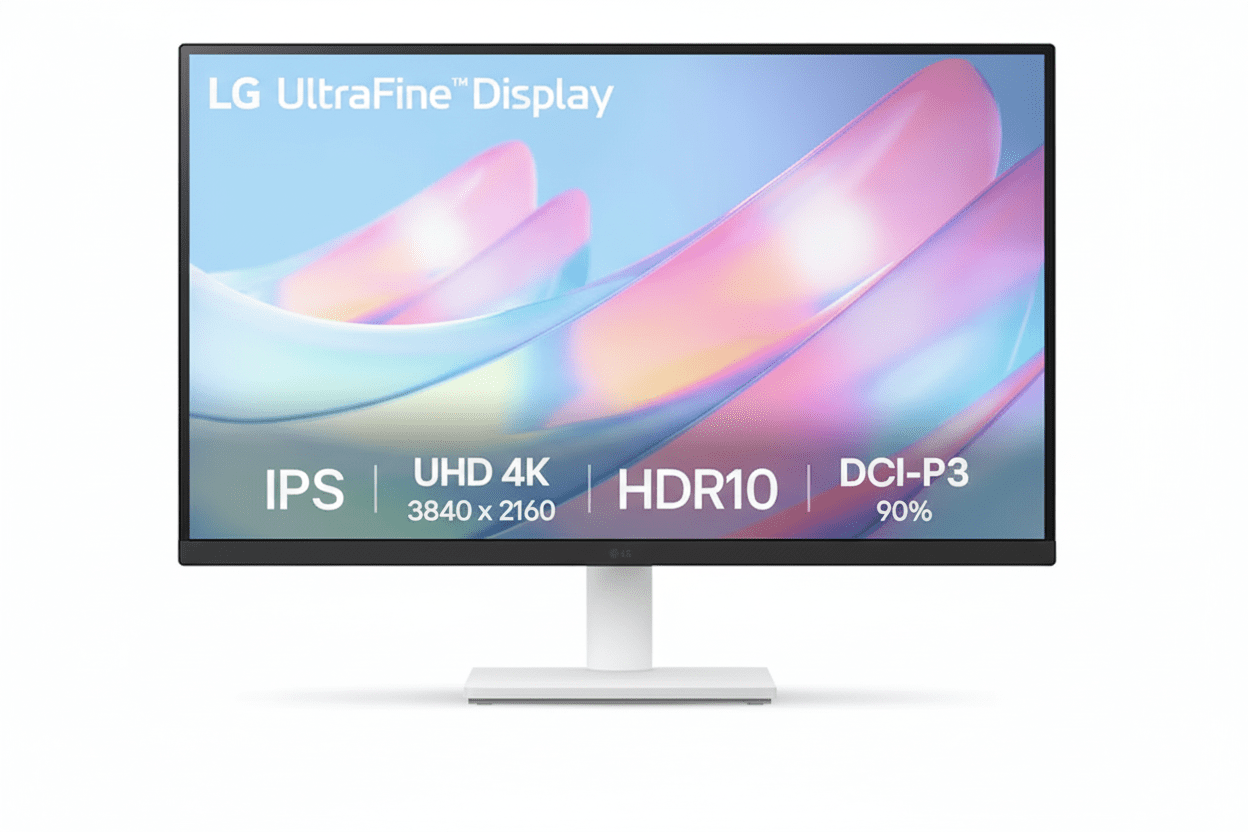
LG 27US500-W UltraFine 4K Monitor Review
LG 27US500-W UltraFine Monitor Review 2025 – Best Budget 4K Monitor with DCI-P3 90% for Creatives Under ₹19,000
LG 27US500-W UltraFine 4K Monitor

🎨 Professional Color: DCI-P3 90% Coverage!

Plus HDR10 Support + 4K UHD Resolution!

🏆 Best Budget 4K – DCI-P3 90% – HDR10 – Creative Pro

LG 27US500-W UltraFine 4K Monitor

27″ 4K UHD Display | DCI-P3 90% Color | Best Budget Monitor for Creatives 2025

27″ 4K (3840×2160) IPS – DCI-P3 90% – HDR10 – 300 nits – 3-Side Borderless – LG Switch App

🎨 Creative Professional Configuration:

• Display: 27″ 4K UHD (3840×2160) IPS Panel

• Color Gamut: DCI-P3 90% (Wide Color)

• HDR: HDR10 Support

• Brightness: 300 cd/m² (nits)

• Pixel Density: 163 PPI (8.29M Pixels)

• Ports: 2x HDMI + DisplayPort 1.4

• Bonus: LG Switch App + Reader Mode!

₹18,999

₹30,000

SAVE ₹11,001 (37% OFF!)

*Inclusive of all taxes | Free Priority Delivery

🛒 Buy Now on Amazon – 37% OFF!

Free Delivery | Standard Warranty Included

Resolution

4K UHD

Color Gamut

DCI-P3 90%

HDR

HDR10

LG 27US500-W UltraFine Monitor Overview

🎨 Creative Pro Highlights

  • 4K UHD: 3840×2160 resolution
  • DCI-P3 90%: Wide color gamut
  • HDR10: Enhanced contrast
  • IPS Panel: 178° viewing angles
  • 163 PPI: Ultra-sharp clarity
  • LG Switch: Productivity app
  • ₹18,999: Unbeatable value!

📦 In The Box

  • 📺 LG 27US500-W Monitor with Stand
  • 🔌 Power Cable
  • 📄 Quick Setup Guide
  • 📜 Warranty Card

Note: HDMI/DP cable sold separately

💎 27US500-W Advantage

  • • Best Value: 4K + DCI-P3 90% under ₹19K
  • • Creative Focused: Professional color
  • • HDR10: Enhanced visuals
  • • LG Quality: Trusted brand
  • • 163 PPI: Ultra-sharp text
  • • 37% OFF: Save ₹11,001!

🏆 Best Budget 4K Monitor for Creatives Under ₹19,000

4K UHD Clarity

Experience 8.29 million pixels (3840×2160) with 163 PPI pixel density on a 27-inch IPS panel. The 4K resolution provides 4x the detail of Full HD—perfect for photo editing, video production, and design work where every pixel matters!

DCI-P3 90% Wide Color

90% DCI-P3 color gamut coverage is a professional-grade feature rarely found under ₹19K. This 25% wider than sRGB, delivering vibrant, cinema-quality colors for content creation, photo editing, and media consumption!

Unbeatable ₹18,999 Price!

Get 4K UHD + DCI-P3 90% + HDR10 + IPS Panel + DisplayPort 1.4 + LG Switch App at just ₹18,999 with 37% discount! The most affordable professional 4K monitor in India—perfect for budget-conscious creatives!

27″ 4K UHD IPS Panel – 8.29 Million Pixels

📺 4K Display Specifications

Ultra High Definition

Screen Size 27″ (68.58 cm)
Resolution 3840 × 2160 (4K UHD)
Panel Type IPS
Pixel Density 163 PPI
Total Pixels 8.29 Million
Aspect Ratio 16:9

🎨 Image Quality

Brightness & Contrast

Brightness 300 cd/m² (Typ.)
Contrast Ratio (Typ.) 1000:1
Contrast Ratio (Min.) 700:1

Viewing & Refresh

Viewing Angle 178° / 178° (H/V)
Refresh Rate 60 Hz
Response Time 5ms (GtG)

🏆 Why 4K UHD Matters for Creative Work

The 3840×2160 4K UHD resolution delivers 8.29 million pixels—4x more than Full HD. At 27 inches, this creates a pixel density of 163 PPI, providing ultra-sharp text, crisp images, and breathtaking detail that’s essential for professional creative work!

Pixel-Perfect Precision

163 PPI means razor-sharp text and images. See every detail in your photos, videos, and designs with clarity that 1080p can’t match!

More Screen Real Estate

4K resolution gives you 4x the workspace of 1080p. Open multiple windows, timelines, and toolbars without compromising visibility!

Future-Proof Investment

4K is the standard for modern creative work. Work with 4K footage, photos, and designs at their native resolution without downscaling!

DCI-P3 90% Professional Color Gamut

🎨 Cinema-Grade Color Performance

The LG 27US500-W delivers 90% DCI-P3 color gamut coverage—the same color space used in digital cinemas. This is approximately 25% wider than standard sRGB, providing more vibrant reds, greens, and saturated colors that make content truly pop!

DCI-P3 90%

Cinema-grade color space

1.07B Colors

Rich color depth

25% Wider

Than standard sRGB

Pro Colors

Content creation ready

📸 Photography

  • • Vibrant Colors: See true-to-life saturation
  • • Wide Gamut: More colors than sRGB
  • • Accurate Reds/Greens: DCI-P3 specialty
  • • Professional Edit: Cinema-grade output
  • • 4K Detail: Every pixel visible

🎬 Video Editing

  • • DCI-P3: Digital cinema standard
  • • Color Grading: Accurate adjustments
  • • 4K Timeline: Edit at native resolution
  • • HDR10: Enhanced contrast
  • • Wide Color: Vibrant footage

🎨 Graphic Design

  • • Brand Colors: Accurate reproduction
  • • Print Preview: CMYK conversion
  • • Web Design: Wide color support
  • • 4K Canvas: Detailed artwork
  • • Pro Tools: Adobe RGB overlap

HDR10 Support – Enhanced Contrast

💡 HDR10 Technology

High Dynamic Range

HDR10 support allows the monitor to display HDR-mastered content with enhanced contrast and brightness. This reveals more detail in both the brightest highlights and darkest shadows for a more lifelike, dramatic picture!

  • • Brighter Whites: Enhanced peak brightness
  • • Deeper Blacks: Better shadow detail
  • • More Colors: Wider color volume

HDR Content

Compatible with HDR10 movies, games, and streaming content from Netflix, Prime Video, YouTube, and more!

🎬 HDR Benefits

Media Consumption

Watch 4K HDR movies and shows with cinema-like visual quality. HDR content appears more vibrant, realistic, and immersive than standard SDR!

  • • Netflix: HDR content support
  • • Prime Video: HDR streaming
  • • YouTube: HDR videos
  • • Gaming: HDR10 games

Content Creation

Preview HDR content while editing videos or photos. See how your work will look on HDR displays!

⚠️ HDR10 Limitations

While HDR10 support is excellent at this price, the monitor’s 300 nits peak brightness means it won’t deliver the full HDR experience of premium HDR monitors (which have 600-1000+ nits). The HDR effect will be noticeable but not as dramatic as high-end displays. Still, it’s a fantastic feature to have at ₹18,999!

Enhanced Productivity & Multitasking

💼 LG Switch App

Screen Partition Management

The free LG Switch app supercharges multitasking by allowing you to divide the 4K screen into up to 6 custom partitions. Arrange applications perfectly without manually resizing windows!

  • • Up to 6 Windows: Custom layouts
  • • Hotkey Mapping: Quick switching
  • • Theme Options: Customizable UI
  • • Workflow Boost: Maximum efficiency

Compatible Platforms

LG Switch app available for Windows and macOS. Free download from LG website!

📊 4K Workspace Benefits

Massive Screen Real Estate

With 8.29 million pixels, the 4K resolution provides 4x the workspace of 1080p. Open multiple applications, documents, and browser tabs simultaneously without compromising visibility!

  • • Excel: See entire spreadsheets
  • • Code Editors: Multiple files side-by-side
  • • Video Editing: Timeline + preview + tools
  • • Design Work: Canvas + toolbars + references

Multi-Monitor Replacement

One 4K 27″ monitor can replace two 1080p 24″ monitors with cleaner desk setup!

Full Connectivity for Best Performance

🔌 Physical Ports

DisplayPort 1.4

DisplayPort 1.4 input is the recommended connection for best image quality. Ensures you get a full, uncompressed 4K signal at 60Hz with maximum color depth!

  • • 4K@60Hz: Full bandwidth
  • • DCI-P3 90%: Complete color range
  • • HDR10: Full support

Dual HDMI Ports

2 HDMI ports provide versatility for connecting gaming consoles, streaming devices, or a second computer. Note: HDMI may be limited to 30Hz at 4K on some devices—use DisplayPort for 60Hz!

Headphone Out

3.5mm headphone jack for audio output. No built-in speakers—use headphones or external speakers!

💻 Compatibility & Setup

Recommended Connection

For best performance, use DisplayPort 1.4 connection from your PC/Mac. This ensures:

  • • 60Hz Refresh: Smooth desktop
  • • Full Color Depth: 1.07B colors
  • • HDR10: Complete support
  • • 4K@60Hz: No compromises

HDMI Limitations

HDMI 2.0 supports 4K@60Hz, but older HDMI 1.4 devices limited to 4K@30Hz. Check your GPU specs!

Compatible Devices

  • • Windows PC, Mac, Linux
  • • PS5, Xbox Series X/S (HDMI 4K@60Hz)
  • • Streaming devices (4K content)

Gaming & Comfort Features

🎮 Casual Gaming Features

Dynamic Action Sync (DAS)

Reduces input lag for a more responsive gaming feel. Especially noticeable in fast-paced games and competitive titles!

Black Stabilizer

Brightens dark scenes without overexposing bright areas. Helps you spot enemies hiding in shadows!

Gaming Limitations

60Hz refresh rate and no FreeSync/G-SYNC means this isn’t ideal for competitive gaming. Perfect for casual single-player games and console gaming!

👁️ Eye Comfort Features

Reader Mode

Reduces blue light emissions to create a paper-like viewing experience. Perfect for reading documents, ebooks, and long work sessions!

  • • Blue Light Reduction: Less eye strain
  • • Paper-like Display: Comfortable reading
  • • Sleep Protection: Better sleep cycles

Flicker Safe

Eliminates invisible screen flicker that causes headaches and eye fatigue. Hardware-based solution for all-day comfort!

Ergonomic & Stylish Design

🏗️ 3-Side Virtually Borderless

Modern Minimal Aesthetic

The 3-side virtually borderless design features thin bezels on the top and sides, creating a modern, immersive look. Perfect for dual-monitor setups with nearly seamless viewing!

  • • Slim Bezels: Maximum screen
  • • Dual Monitor: Side-by-side setup
  • • Professional Look: Clean aesthetic

White Finish

Elegant white color blends perfectly with modern workspaces, Apple aesthetics, and minimalist setups!

📐 Tilt Adjustable Stand

Basic Ergonomics

The simple, elegant stand provides tilt adjustment (-5° to +15°) to help you find a comfortable viewing angle. Easy to assemble without tools!

  • • Tilt Range: -5° to +15°
  • • No Height Adjust: Fixed height
  • • No Swivel/Pivot: Basic stand

VESA Mount Compatible

100x100mm VESA mount support allows you to use monitor arms for full ergonomic flexibility (height, swivel, pivot, tilt)!

Monitor Arm Recommended

For full ergonomics, consider a VESA monitor arm (₹1,500-3,000). Adds height, swivel, and desk space savings!

Who Should Buy This Monitor?

🎨 Budget-Conscious Creatives

  • Photographers: 4K detail + DCI-P3 90%
  • Video Editors: 4K timeline + wide color
  • Graphic Designers: Accurate brand colors
  • Illustrators: Vibrant digital art
  • Content Creators: YouTube, social media

Perfect for: Creative work without pro price tag

💼 Productivity Power Users

  • Data Analysts: Large spreadsheets visible
  • Developers: Multiple code windows
  • Financial Analysts: Complex models
  • Traders: Multiple charts/data feeds
  • Researchers: Documents + references

Perfect for: 4K workspace for multitasking

📺 Media Consumers

  • Movie Enthusiasts: 4K HDR content
  • Streamers: Netflix, Prime, YouTube
  • Anime Fans: Vibrant DCI-P3 colors
  • Sports Fans: Sharp 4K broadcasts
  • Casual Gamers: Console gaming 4K@60Hz

Perfect for: Cinematic viewing experience

🎓 Students & Academics

  • Design Students: Portfolio work
  • Film Students: Video editing projects
  • Architecture: CAD work + renderings
  • CS Students: Coding + testing
  • Research: Multiple papers open

Perfect for: Affordable 4K for studies

🏠 Home Office Workers

  • Remote Workers: Professional setup
  • Freelancers: Multi-client work
  • Consultants: Presentations + analysis
  • Writers: Comfortable reading mode
  • Virtual Assistants: Multiple apps

Perfect for: Work-from-home productivity

🚫 NOT Recommended For

  • Competitive Gamers: Need 144Hz+ with FreeSync
  • Full Ergonomics Needed: Tilt-only stand
  • USB Hub Required: No USB ports
  • True HDR: Need 600+ nits for HDR1000
  • Print Professionals: Need Adobe RGB

Consider alternatives for these specific needs

LG 27US500-W vs Competitors

vs MSI Pro MP273U 4K Monitor

MSI: 27″ 4K, 60Hz, sRGB – ₹18,999

LG: 27″ 4K, 60Hz, DCI-P3 90% – ₹18,999

LG Wins

  • ✓ DCI-P3 90% vs sRGB only
  • ✓ 25% wider color gamut
  • ✓ HDR10 support
  • ✓ LG Switch app included
  • ✓ Better brand trust
  • ✓ Reader Mode + Flicker Safe
  • ✓ Same price!

MSI Wins

  • ✓ Built-in speakers (2W)
  • ✓ MSI gaming brand

Verdict: LG vastly superior for color-critical work!

vs BenQ GW2790Q 27″ QHD Monitor

BenQ: 27″ QHD (1440p), IPS, 75Hz – ₹14,990

LG: 27″ 4K UHD, IPS, 60Hz – ₹18,999

LG Wins

  • ✓ 4K vs 1440p (77% more pixels!)
  • ✓ DCI-P3 90% vs sRGB
  • ✓ HDR10 support
  • ✓ 163 PPI vs 109 PPI
  • ✓ Professional color gamut
  • ✓ Better for creative work

BenQ Wins

  • ✓ ₹4,009 cheaper
  • ✓ 75Hz vs 60Hz
  • ✓ Built-in speakers
  • ✓ BenQ eye-care modes

Verdict: LG if you need 4K. BenQ if budget is tight.

vs Dell S2722DC 27″ QHD Monitor

Dell: 27″ QHD, IPS, 75Hz, USB-C – ₹24,999

LG: 27″ 4K, IPS, 60Hz, No USB-C – ₹18,999

LG Wins

  • ✓ ₹6,000 cheaper!
  • ✓ 4K vs 1440p resolution
  • ✓ DCI-P3 90% color
  • ✓ HDR10 support
  • ✓ Better value for money
  • ✓ Higher pixel density

Dell Wins

  • ✓ USB-C with 65W PD
  • ✓ 75Hz refresh rate
  • ✓ Full ergonomic stand
  • ✓ Built-in speakers
  • ✓ USB hub

Verdict: LG for 4K on budget. Dell for premium features.

vs Samsung UR59C 32″ 4K Curved Monitor

Samsung: 32″ 4K, VA, 60Hz, Curved – ₹22,999

LG: 27″ 4K, IPS, 60Hz, Flat – ₹18,999

LG Wins

  • ✓ ₹4,000 cheaper!
  • ✓ IPS vs VA panel
  • ✓ DCI-P3 90% color
  • ✓ Better viewing angles
  • ✓ Accurate colors
  • ✓ Professional color gamut

Samsung Wins

  • ✓ 32″ larger screen
  • ✓ 1500R curved
  • ✓ 3000:1 contrast (VA)
  • ✓ Immersive gaming

Verdict: LG for creatives. Samsung for immersive media.

vs ASUS PA247CV ProArt Monitor

ASUS: 23.8″ FHD, IPS, 75Hz, USB-C – ₹17,999

LG: 27″ 4K, IPS, 60Hz, No USB-C – ₹18,999

LG Wins

  • ✓ 4K vs 1080p (4x pixels!)
  • ✓ 27″ vs 23.8″ screen
  • ✓ DCI-P3 90% vs sRGB
  • ✓ HDR10 support
  • ✓ Much higher resolution
  • ✓ Better for 4K work

ASUS Wins

  • ✓ ₹1,000 cheaper
  • ✓ USB-C with 65W PD
  • ✓ 75Hz refresh
  • ✓ Calman verified
  • ✓ Full ergonomic stand

Verdict: LG wins for 4K resolution and color!

vs ViewSonic VP2768-4K 4K Monitor

ViewSonic: 27″ 4K, IPS, 60Hz, sRGB 100% – ₹35,999

LG: 27″ 4K, IPS, 60Hz, DCI-P3 90% – ₹18,999

LG Wins

  • ✓ ₹17,000 cheaper!
  • ✓ 47% lower price
  • ✓ DCI-P3 90% (wider than sRGB)
  • ✓ HDR10 support
  • ✓ Best value for money
  • ✓ LG brand trust

ViewSonic Wins

  • ✓ Hardware calibration
  • ✓ sRGB 100% accuracy
  • ✓ Full ergonomic stand
  • ✓ USB-C + USB hub
  • ✓ Professional grade

Verdict: LG incredible value. ViewSonic for pros with budget.

vs AOC U27G3X 4K Gaming Monitor

AOC: 27″ 4K, IPS, 144Hz, FreeSync – ₹28,999

LG: 27″ 4K, IPS, 60Hz, No FreeSync – ₹18,999

LG Wins

  • ✓ ₹10,000 cheaper!
  • ✓ DCI-P3 90% vs sRGB
  • ✓ Better for creative work
  • ✓ Professional color
  • ✓ Best value

AOC Wins

  • ✓ 144Hz vs 60Hz (gaming!)
  • ✓ AMD FreeSync Premium
  • ✓ 1ms MPRT response
  • ✓ Gaming-focused
  • ✓ Better for competitive play

Verdict: LG for creatives. AOC for gamers with budget.

vs HP E27 G5 27″ QHD Monitor

HP: 27″ QHD (1440p), IPS, 75Hz – ₹16,999

LG: 27″ 4K, IPS, 60Hz – ₹18,999

LG Wins

  • ✓ 4K vs 1440p (77% more pixels)
  • ✓ DCI-P3 90% wide color
  • ✓ HDR10 support
  • ✓ Higher pixel density
  • ✓ Better for creative work
  • ✓ Professional color gamut

HP Wins

  • ✓ ₹2,000 cheaper
  • ✓ 75Hz refresh
  • ✓ Height adjustable stand
  • ✓ HP brand premium

Verdict: LG for 4K resolution. HP for basic productivity.

Pros & Cons

✅ Pros

  • ✓ ₹18,999 for 4K + DCI-P3 90%: Incredible price for professional-grade 4K IPS monitor with wide color gamut—best value in India!
  • ✓ DCI-P3 90% Color Gamut: Cinema-grade color space (25% wider than sRGB) for vibrant, accurate creative work—rare under ₹20K!
  • ✓ 4K UHD Resolution: 8.29 million pixels (3840×2160) with 163 PPI density for ultra-sharp text and detailed images
  • ✓ HDR10 Support: Enhanced contrast and brightness for HDR content (movies, games, streaming)
  • ✓ IPS Panel Technology: 178°/178° wide viewing angles with accurate, consistent colors from any position
  • ✓ DisplayPort 1.4 Included: Full uncompressed 4K@60Hz signal with complete color depth and HDR support
  • ✓ LG Switch App: FREE productivity software for screen partitioning (up to 6 windows) and workflow optimization
  • ✓ 3-Side Borderless Design: Modern slim bezels perfect for dual-monitor setups and immersive viewing
  • ✓ Reader Mode + Flicker Safe: Blue light reduction and flicker-free technology for all-day eye comfort
  • ✓ Dual HDMI Ports: Connect multiple devices (PC + console, etc.) without cable swapping
  • ✓ LG Brand Quality: Trusted brand with reliable IPS panels and quality control
  • ✓ 37% Discount: Save ₹11,001 from MRP ₹30,000—exceptional deal!

❌ Cons

  • ✗ Tilt-Only Stand: Basic stand with -5° to +15° tilt only—no height, swivel, or pivot adjustments (VESA mount available)
  • ✗ 60Hz Refresh Rate: Not suitable for competitive gaming—limited to 60Hz (no 144Hz+ for fast-paced games)
  • ✗ No Built-in Speakers: Requires external speakers or headphones for audio (common trade-off at this price)
  • ✗ No USB-C Port: Lacks USB-C connectivity with Power Delivery—no single-cable solution for laptops
  • ✗ No USB Hub: No USB ports for connecting peripherals (mouse, keyboard, webcam)
  • ✗ Limited HDR Performance: 300 nits peak brightness insufficient for true HDR experience (need 600+ nits for HDR1000)
  • ✗ No AMD FreeSync/G-SYNC: Lacks adaptive sync technology—may have screen tearing in games
  • ✗ Cables Not Included: HDMI and DisplayPort cables sold separately (add ₹500-1,000 to budget)
  • ✗ 5ms Response Time: Decent but not ultra-fast—gaming monitors have 1-2ms (acceptable for creative work)
  • ✗ Typical 1000:1 Contrast: Standard IPS contrast—VA panels offer 3000:1 for deeper blacks

Category Scores

Creative Work

9.5

/ 10

4K + DCI-P3 90%

Display Quality

9.0

/ 10

Excellent IPS + HDR10

Value for Money

10

/ 10

Unbeatable!

Build & Design

7.0

/ 10

Basic stand

Features

8.0

/ 10

HDR10 + Switch App

Overall Score

9.0 / 10

Best Budget 4K Monitor for Creatives

Final Verdict

🏆 Best Budget 4K Monitor for Creatives 2025

The LG 27US500-W delivers professional 4K clarity, cinema-grade DCI-P3 90% color, and outstanding value at ₹18,999. The undisputed champion of budget clarity and color!

🎯 Perfect For Budget-Conscious Creatives

Highly Recommended For:

  • • Photographers: 4K detail + vibrant DCI-P3 colors
  • • Video Editors: Edit 4K footage at native resolution
  • • Graphic Designers: Wide color gamut accuracy
  • • Content Creators: YouTube, social media work
  • • Students: Affordable 4K for creative studies
  • • Productivity Users: Massive 4K workspace

Not Recommended For:

  • • Competitive Gamers: Need 144Hz+ with FreeSync
  • • Full Ergonomics: Only tilt adjustment
  • • USB-C Requirement: No USB-C port
  • • Print Professionals: Need Adobe RGB calibration
  • • True HDR: Need 600+ nits brightness

✅ Final Recommendation

The LG 27US500-W is a stunning achievement, making true 4K resolution and wide-gamut DCI-P3 90% color accessible to more creators than ever before. The combination of 8.29 million pixels, cinema-grade color space, HDR10 support, and IPS panel technology at just ₹18,999 is simply unmatched in this price segment!

What sets the L27US500-W apart is LG’s focus on delivering the best possible panel quality for the lowest possible price. The DCI-P3 90% color coverage—25% wider than standard sRGB—is a professional-grade feature typically reserved for ₹40,000+ monitors. For photographers, video editors, and designers who prioritize visual fidelity above all else, this is a game-changer!

Yes, it makes smart compromises—a basic tilt-only stand, 60Hz refresh rate, and lack of built-in speakers or USB hub. But these are logical sacrifices to achieve this incredible value. The ₹18,999 price point makes professional 4K creative work accessible to students, freelancers, and aspiring creators who previously couldn’t afford it!

If you’re looking for an entry point into the world of 4K creative work, the LG 27US500-W is the undisputed champion. At ₹18,999, you’re getting monitor quality that competes with ₹30,000-40,000 models. Whether you’re editing photos, grading videos, designing graphics, or simply want the sharpest text and most vibrant colors for productivity, this monitor delivers exceptional performance at an unbeatable price. The Best Budget 4K Monitor in India—Highly Recommended!

🛒 Buy LG 27US500-W Now – Save 37% (₹18,999)

Free Delivery | Standard Warranty Included

Frequently Asked Questions (FAQs)

Q1. What is DCI-P3 90% color gamut and why does it matter?

DCI-P3 is a wide color gamut used in digital cinema that covers approximately 25% more color space than standard sRGB. The LG 27US500-W’s 90% DCI-P3 coverage means it can display more vibrant, saturated colors—especially reds and greens—than typical monitors. This is crucial for photographers, video editors, and designers who need accurate color representation for creative work. At ₹18,999, finding DCI-P3 90% coverage is extremely rare and makes this monitor exceptional value!

Q2. Can I use DisplayPort to get 4K at 60Hz?

Yes! The DisplayPort 1.4 input is the recommended connection for this monitor. It ensures you get a full, uncompressed 4K (3840×2160) signal at 60Hz with complete color depth and HDR10 support. This is the best way to experience the monitor’s DCI-P3 90% color gamut. Make sure your graphics card has a DisplayPort output!

Q3. Will HDMI work for 4K at 60Hz?

It depends on your device. HDMI 2.0 supports 4K@60Hz, which most modern graphics cards and consoles have (PS5, Xbox Series X). However, older HDMI 1.4 devices are limited to 4K@30Hz. For guaranteed 60Hz performance, use the DisplayPort 1.4 connection. The monitor has 2 HDMI ports for connecting multiple devices like gaming consoles or streaming devices.

Q4. Is this monitor good for photo editing?

Absolutely! The DCI-P3 90% color gamut coverage provides professional-grade color accuracy that’s perfect for photo editing. The 4K resolution (8.29 million pixels) lets you see every detail in your images, while the IPS panel ensures consistent colors from all viewing angles. The 163 PPI pixel density means razor-sharp image clarity. This is one of the best budget monitors for photography work under ₹20,000!

Q5. Can I use this monitor for video editing?

Yes! This monitor is excellent for video editing. The 4K UHD resolution allows you to edit 4K footage at native resolution without downscaling. The DCI-P3 90% color space is the same standard used in digital cinema, making it perfect for color grading. The HDR10 support lets you preview HDR content. Combined with the LG Switch app for timeline management, this is a fantastic budget video editing monitor!

Q6. Is this monitor good for gaming?

The LG 27US500-W is decent for casual gaming but NOT ideal for competitive gaming. The 60Hz refresh rate and lack of FreeSync/G-SYNC mean it’s not suitable for fast-paced competitive titles. However, it’s excellent for single-player story games, RPGs, and console gaming (PS5/Xbox) where you can enjoy the stunning 4K HDR visuals and vibrant colors. The Dynamic Action Sync and Black Stabilizer features help improve gaming performance.

Q7. What is HDR10 and does this monitor support it properly?

HDR10 is a high dynamic range standard that displays content with enhanced contrast and brightness. The LG 27US500-W supports HDR10, allowing it to show more detail in bright and dark areas. However, with 300 nits peak brightness, it won’t deliver the full HDR experience of premium monitors (600-1000+ nits). You’ll notice improved visuals in HDR content, but it’s not true cinema-grade HDR. Still, it’s a great feature to have at this ₹18,999 price point!

Q8. Does this monitor have built-in speakers?

No, the LG 27US500-W does NOT have built-in speakers. You’ll need to use external speakers or headphones for audio. The monitor has a 3.5mm headphone jack for audio output. This is a common trade-off in budget 4K monitors to keep the price low while prioritizing panel quality and color accuracy.

Q9. Can I adjust the monitor height or rotate it?

The included stand only provides tilt adjustment (-5° to +15°). There is NO height adjustment, swivel, or pivot (portrait mode). However, the monitor is VESA 100x100mm mount compatible, so you can use a monitor arm or wall mount for full ergonomic flexibility. Consider budgeting ₹1,500-3,000 for a quality VESA monitor arm if you need height/swivel/pivot adjustments.

Q10. What is the LG Switch app and how does it help productivity?

The free LG Switch app (available for Windows and macOS) allows you to divide the 4K screen into up to 6 custom partitions. You can arrange multiple applications side-by-side without manually resizing windows. The app also supports hotkey mapping for quick window switching and theme customization. This is incredibly useful for multitasking with the huge 4K workspace—perfect for video editors, designers, and productivity users!

Q11. What cables are included in the box?

The LG 27US500-W box includes the monitor with stand, power cable, quick setup guide, and warranty card. Unfortunately, HDMI and DisplayPort cables are NOT included and must be purchased separately. Budget an additional ₹500-1,000 for a quality DisplayPort 1.4 cable to get the full 4K@60Hz experience.

Q12. Is 163 PPI enough for sharp text at 27 inches?

Yes! 163 PPI (pixels per inch) is excellent for 27-inch 4K displays. Text will be razor-sharp and images incredibly detailed. This is significantly sharper than 27-inch 1440p monitors (109 PPI) and massively better than 27-inch 1080p (82 PPI). At normal viewing distances, you won’t see individual pixels. The high pixel density is perfect for text-heavy work, coding, spreadsheets, and detailed creative work!

Q13. Does this monitor work with MacBook Pro/Mac?

Yes, the LG 27US500-W works perfectly with MacBook Pro, iMac, and Mac Mini. Use a USB-C to DisplayPort cable or USB-C to HDMI cable to connect your Mac. The DCI-P3 90% color space matches Apple’s wide color displays, making it a great external monitor for Macs. The white aesthetic also complements Apple’s design language. Note: There’s NO USB-C port on the monitor—you need an adapter cable.

Q14. What is Reader Mode and how does it help?

Reader Mode reduces blue light emissions to create a paper-like viewing experience that’s easier on your eyes. This is perfect for reading documents, ebooks, articles, and long work sessions. It helps reduce eye strain and protects your sleep cycle by minimizing harmful blue light. Combined with Flicker Safe technology (eliminates screen flicker), this monitor is very comfortable for all-day use!

Q15. Can I use this monitor for dual-monitor setup?

Absolutely! The 3-side virtually borderless design with thin bezels makes it perfect for dual-monitor setups. Place two LG 27US500-W monitors side-by-side for a massive 7680×2160 (8K wide) workspace—ideal for video editing, trading, data analysis, and productivity. The slim bezels create a nearly seamless viewing experience. Total cost for dual setup: ₹37,998 (₹18,999 × 2).

Q16. How does DCI-P3 90% compare to sRGB 100%?

DCI-P3 color space is approximately 25% wider than sRGB, covering more vibrant colors especially in reds and greens. A monitor with DCI-P3 90% coverage shows more saturated, cinema-quality colors than an sRGB 100% monitor. This is why the LG 27US500-W is superior for creative work—you get richer, more vivid colors that standard sRGB monitors simply cannot display. DCI-P3 is the future standard for content creation!

Q17. What graphics card do I need for 4K@60Hz?

For desktop work and productivity, any modern GPU with DisplayPort 1.4 will handle 4K@60Hz easily—even integrated graphics (Intel UHD, AMD Radeon). For 4K gaming at 60 FPS, you’ll need at least an NVIDIA RTX 3060/4060 or AMD RX 6600 XT for medium settings in modern games. For high/ultra settings, consider RTX 4070 or RX 7700 XT. For creative work (not gaming), the GPU requirements are minimal.

Q18. Is 300 nits brightness enough?

The 300 cd/m² (nits) brightness is adequate for normal indoor use in offices and home environments. It’s bright enough for comfortable viewing in moderately lit rooms. However, if you work in a very bright room with direct sunlight or want true HDR performance, you’d ideally want 400-600+ nits. For most users, 300 nits is perfectly fine for daily use, creative work, and media consumption.

Q19. How does this compare to 1440p monitors at similar price?

At ₹18,999, you typically find 1440p (2560×1440) monitors with standard sRGB color. The LG 27US500-W offers 4K (3840×2160)—77% more pixels than 1440p—PLUS DCI-P3 90% wide color gamut. This is a HUGE advantage for creative work. While 1440p monitors might offer 75Hz or better stands, the LG’s superior resolution and color make it the clear winner for photographers, video editors, and designers.

Q20. Should I buy this monitor in 2025?

Absolutely YES! The LG 27US500-W remains the best budget 4K monitor with wide color gamut in India. At ₹18,999, nothing else comes close to offering 4K UHD + DCI-P3 90% + HDR10 + IPS panel from a trusted brand. It’s future-proof for the next 5+ years, supports all modern content (4K streaming, HDR movies, creative software), and provides professional color accuracy. If you’re a creative on a budget or want the best productivity workspace under ₹20K, this is THE monitor to buy!

Complete Technical Specifications

DISPLAY SPECIFICATIONS
BrandLG Electronics
Model27US500-W (UltraFine)
Screen Size27″ (68.58 cm)
Panel TypeIPS (In-Plane Switching)
Resolution3840 × 2160 (4K UHD)
Aspect Ratio16:9
Pixel Density163 PPI
Total Pixels8,294,400 (8.29 Million)
Refresh Rate60 Hz
Response Time5ms (GtG at Faster Setting)
Brightness (Typical)300 cd/m² (nits)
Contrast Ratio (Typical)1000:1
Contrast Ratio (Minimum)700:1
Color GamutDCI-P3 90% (Typical)
Color Depth10-bit (8-bit + FRC)
Color Support1.07 Billion Colors
HDR SupportHDR10
Viewing Angle178° / 178° (H/V)
Bezel Design3-Side Virtually Borderless
Surface TreatmentAnti-Glare / Matte
CONNECTIVITY
HDMI2 ports (HDMI 2.0)
DisplayPort1 port (DisplayPort 1.4)
USB-CNone
USB PortsNone (No USB Hub)
Headphone OutYes (3.5mm jack)
Built-in SpeakersNo
GAMING & SPECIAL FEATURES
Adaptive SyncNone (No FreeSync/G-SYNC)
Dynamic Action Sync (DAS)Yes – Reduces Input Lag
Black StabilizerYes – Brightens Dark Scenes
HDR EffectYes (Enhanced Contrast Mode)
EYE CARE & COMFORT
Reader ModeYes – Blue Light Reduction
Flicker SafeYes – Flicker-Free Technology
Low Blue LightYes (Reader Mode)
Anti-Glare CoatingYes
SOFTWARE & PRODUCTIVITY
LG Switch AppYes – FREE Download (Win/Mac)
Screen PartitionUp to 6 Windows
Hotkey MappingYes
Theme CustomizationYes
OnScreen ControlYes (OSD Management Software)
DESIGN & ERGONOMICS
ColorWhite
Stand AdjustmentsTilt: -5° to +15°
Height AdjustmentNo
SwivelNo
Pivot (Portrait Mode)No
VESA Mount100 x 100 mm
Kensington Lock SlotYes
DIMENSIONS & WEIGHT
Dimensions (With Stand)613.2 x 465.0 x 230.5 mm (W x H x D)
Dimensions (Without Stand)613.2 x 364.0 x 53.5 mm (W x H x D)
Weight (With Stand)5.3 kg (11.7 lbs)
Weight (Without Stand)4.3 kg (9.5 lbs)
POWER CONSUMPTION
Power InputAC 100-240V (50-60 Hz) – Universal Voltage
Typical Power Consumption27 W
Maximum Power Consumption40 W
Sleep/Standby Mode< 0.3 W
Estimated Yearly Cost₹500-650 (@ ₹8/kWh, 8 hrs/day)
WARRANTY & PACKAGE CONTENTS
WarrantyStandard Warranty (Check with Retailer)
Part Number27US500-W
Package Contents • LG 27US500-W Monitor with Stand
• Power Cable
• Quick Setup Guide
• Warranty Card
• Note: HDMI/DP cables NOT included
PRICING & AVAILABILITY
MRP (Maximum Retail Price)₹30,000
Current Selling Price₹18,999
Discount37% OFF (Save ₹11,001)
ShippingFree Priority Delivery
TaxesInclusive of All Taxes
AvailabilityIn Stock – Amazon India
Recommended AccessoriesDisplayPort 1.4 Cable (₹500-800), VESA Monitor Arm (₹1,500-3,000)

Ready to Upgrade to Professional 4K?

Get the LG 27US500-W 4K UltraFine Monitor with DCI-P3 90% Color at an unbeatable price!

₹18,999

₹30,000

SAVE ₹11,001 (37% OFF!)

Inclusive of all taxes | Free Priority Delivery

🛒 BUY NOW – LIMITED TIME OFFER!

Resolution

4K UHD (8.29M Pixels)

Color Gamut

DCI-P3 90%

HDR Support

HDR10 Enabled

Panel Type

IPS – 178° View

Last Updated: December 9, 2025 | Model: LG 27US500-W UltraFine

Prices and availability subject to change. Check Amazon India for latest offers.

🏆 Best Budget 4K Monitor for Creatives – Highly Recommended!

Is the ThinkVision T24v-30 the Ultimate Video Calling Monitor?

Lenovo ThinkVision T24v-30 24" FHD Video Conferencing Monitor
Samsung Essential Monitor S3 S39GD 27″ Review 2025 – 100Hz Curved Gaming Monitor
Lenovo ThinkVision T24v-30 24 inch FHD Video Conferencing Monitor

💼 All-in-One Work-from-Home Solution: Built-in Webcam + Mic + Speakers!

Windows Hello + USB Hub + Full Ergonomics + Eye Care!

💼 Best Video Conferencing Monitor – Complete WFH Package!

Lenovo ThinkVision T24v-30 Monitor

24″ FHD IPS | 2MP IR Camera + Windows Hello | Dual Mic | Speakers | USB Hub | Full Ergo

23.8″ FHD (1920×1080) IPS – 75Hz – 3-Side NearEdgeless – Enterprise Security

💼 Complete Work-from-Home Solution:

• Display: 23.8″ FHD (1920×1080) IPS Panel – 3-Side NearEdgeless

• Camera: 2MP Full HD IR+RGB + Windows Hello Face Recognition

• Audio: Dual Array Microphones + 2× 3W Stereo Speakers

• Privacy: Physical Camera Shutter + IR Sensor

• Colors: 99% sRGB Coverage + Natural Low Blue Light

• Eye Care: TÜV Rheinland Certified – Flicker-Free

• Ergonomics: Height + Tilt + Swivel + Pivot (155mm lift!)

• USB Hub: 4× USB 3.2 Gen1 Ports + Audio Combo Jack

• Connectivity: HDMI + DP + VGA + USB-B Upstream

₹17,599

₹31,748

SAVE ₹14,149 (44% OFF!)

*Inclusive of all taxes | Free Shipping

🛒 Buy Now on Lenovo.com – 44% OFF!

Free Delivery | 3 Year Warranty | Complete WFH Package

Screen Size

24″

Camera

2MP IR

USB Hub

4 Ports

Lenovo ThinkVision T24v-30 Overview – The Ultimate WFH Monitor

💼 Work-from-Home Highlights

  • 2MP IR Camera: Windows Hello face unlock
  • Privacy Shutter: Physical camera cover
  • Dual Microphones: Clear voice pickup
  • 3W Speakers: Stereo audio built-in
  • USB Hub: 4 ports for peripherals
  • Full Ergonomics: H+T+S+P adjustments
  • 99% sRGB: Accurate colors
  • ₹17,599: 44% discount!

📦 In The Box

  • 🖥️ ThinkVision T24v-30 Monitor
  • 🏗️ Full Ergonomic Stand
  • 🔌 Power Cable (1.8m)
  • 📺 DisplayPort Cable (1.8m)
  • 🔗 USB Type-A to Type-B Cable (1.8m)
  • 📄 Quick Setup Guide

Bonus: All cables included—ready to use out of box!

⭐ Why This Monitor?

  • • All-in-One: No separate webcam needed
  • • Security: Windows Hello + IR sensor
  • • Professional: Enterprise-grade quality
  • • Complete: Camera + mic + speakers
  • • Ergonomic: Full adjustability
  • • ₹17,599: Unbeatable value!

🏆 Best Video Conferencing Monitor Under ₹18,000

Complete WFH Solution

The T24v-30 is a complete work-from-home package—monitor + webcam + microphone + speakers + USB hub in one device! No need to buy separate peripherals worth ₹8K-15K. Just plug in and you’re ready for Teams, Zoom, or Google Meet calls with professional quality.

Enterprise Security Built-In

Windows Hello face recognition using IR camera provides instant, secure login without typing passwords. The physical privacy shutter lets you physically cover the camera when not in use—essential for privacy-conscious professionals working from home.

Massive ₹17,599 Value!

At ₹17,599 (44% off MRP ₹31,748), you get a premium monitor + 2MP camera + dual mics + speakers + USB hub + full ergonomics. Buying these separately would cost ₹25K-30K+—this bundle saves you ₹8K-12K while delivering ThinkVision enterprise quality!

2MP IR Camera + Windows Hello – Enterprise Security

📷 Professional Video Conferencing Camera

The built-in 2MP Full HD (1920×1080) IR+RGB camera delivers crisp, professional video quality for all your Zoom, Teams, Google Meet, and Webex calls. Unlike cheap 720p webcams, this 1080p camera ensures you look sharp and professional during client meetings, presentations, and team standups.

Full HD 1080p

1920×1080 resolution for crisp video!

IR Sensor

Windows Hello face unlock!

Privacy Shutter

Physical cover for camera!

🔐 Windows Hello Face Recognition

Instant Secure Login

IR (infrared) camera enables Windows Hello facial recognition—just look at the screen to unlock your Windows 10/11 PC instantly! No need to type passwords, use fingerprint readers, or remember PINs. Works in complete darkness thanks to IR sensor.

  • • Instant unlock: Recognize your face in under 2 seconds—faster than typing password
  • • Works in dark: IR sensor functions even in pitch-black room—no ambient light needed
  • • Secure authentication: Enterprise-grade biometric security—can’t be fooled by photos
  • • Multi-user support: Recognizes different users—automatically logs in correct person

How to Set Up Windows Hello

  1. Connect monitor via USB-B cable to enable camera
  2. Go to Windows Settings → Accounts → Sign-in options
  3. Click “Windows Hello Face” → “Set up”
  4. Look at camera to scan your face (takes ~10 seconds)
  5. Done! Your PC now unlocks when you sit down—no password needed!

🔒 Physical Privacy Shutter

Complete Privacy Control

Physical sliding shutter covers the camera lens when you’re not in meetings—providing 100% guaranteed privacy! Unlike software toggles (which can be hacked), a physical shutter ensures the camera is mechanically blocked.

  • • Physical barrier: Slide shutter manually to physically cover camera lens
  • • Hack-proof: No software can bypass physical shutter—absolute privacy guarantee
  • • Visual indicator: See at a glance if camera is covered or active
  • • Peace of mind: Work in PJs without worrying about accidental camera activation!

When to Use Privacy Shutter

  • • Between meetings: Close shutter when not on calls—prevent accidental camera access
  • • After work hours: Keep covered when done for the day—no chance of being seen
  • • Working from bedroom: Privacy essential when working from personal spaces
  • • Security paranoia: Some companies/governments require physical camera covers—this has it built-in!

📸 Video Quality Comparison

2MP Full HD vs Typical Webcams

Camera TypeResolutionQualityPrice
Budget webcam720p (1MP)Blurry, pixelated₹1,500-3,000
Laptop built-in720-1080pMediocre, fixed angleIncluded
T24v-30 Monitor1080p (2MP)Sharp, professionalIncluded!
Logitech C9201080pGood quality₹5,000-7,000
Logitech Brio 4K4K (8MP)Excellent₹18,000+

Value proposition: The T24v-30’s 2MP camera matches ₹5K-7K standalone webcams in quality, but you get it included with the monitor at no extra cost—effectively saving ₹5K-7K vs buying monitor + separate webcam!

💼 Perfect Camera for Remote Work

Ideal Video Conferencing Scenarios

  • • Daily standup meetings: Quick team syncs on Teams, Zoom, or Slack Huddles
  • • Client presentations: Professional appearance for customer-facing calls
  • • Job interviews: Look polished during remote hiring processes
  • • Webinars & training: Clear video for teaching, demos, and presentations
  • • Family video calls: High-quality WhatsApp/FaceTime calls with relatives
  • • Content creation: Record YouTube videos, tutorials, or course content

Dual Microphones + Stereo Speakers – Complete Audio Solution

🎤 Professional Audio System Built-In

The T24v-30 includes a complete audio solution—dual array microphones for crystal-clear voice pickup and 2× 3W stereo speakers for meeting audio playback. No need to buy separate mic or speakers, saving you ₹3K-5K on additional peripherals!

🎤 Dual Array Microphones

Two built-in microphones use beamforming technology to focus on your voice while reducing background noise. Unlike single laptop mics that pick up keyboard clicks, fan noise, and room echo, these dual mics isolate your speech for professional call clarity.

  • • Beamforming: Focuses on voice from sitting position—reduces room echo and background chatter
  • • Noise reduction: Filters out keyboard typing, mouse clicks, and fan noise during calls
  • • Conference optimized: Clear voice pickup from 50-100cm distance—perfect desk setup
  • • Always ready: No need to wear headset for every quick call—just start talking!

🔊 2× 3W Stereo Speakers

Built-in stereo speakers (3W each, 6W total) deliver clear audio for video calls, presentations, and casual media playback. While not audiophile-grade, they’re perfectly adequate for work scenarios and eliminate the need for desk speakers for basic use.

  • • Meeting audio: Hear colleagues clearly during Zoom, Teams, Meet calls without headset
  • • Notification sounds: Never miss Slack pings, email alerts, or calendar reminders
  • • YouTube & training: Watch tutorial videos and courses with decent audio quality
  • • Convenience: No headset fatigue during 8-hour workdays—speakers reduce ear strain

📞 Dedicated VoIP Control Buttons

Quick Call Controls

The monitor includes dedicated physical buttons for call control—answer/hang up, mute/unmute, and volume adjustment directly on the monitor bezel. No need to fumble with software windows during urgent calls!

  • • Answer/Hang up: Accept or end calls with one button press—instant response
  • • Mute toggle: Quickly mute/unmute mic—essential when doorbell rings or dog barks!
  • • Volume control: Adjust speaker volume without touching PC—convenient during meetings
  • • Universal compatibility: Works with Teams, Zoom, Meet, Webex—standard HID controls

🎧 Audio Combo Jack (3.5mm In/Out)

Headphone/Mic Flexibility

The 3.5mm combo jack supports both headphone output and microphone input—giving you the flexibility to use external audio gear when needed. Plug in gaming headset, studio headphones, or external mic for critical calls.

  • • Headphone out: Route PC audio to wired headphones for private listening
  • • Microphone in: Use external mic for podcasting or high-quality recording
  • • Combo jack: Single port handles both input and output—convenient desk placement
  • • Best of both: Use built-in speakers normally, plug in headset for focus time

When to Use External Audio

  • • Confidential calls: Use headphones for privacy in open office or home with family
  • • Noisy environment: External mic with noise cancellation for loud backgrounds
  • • Music/gaming: Better audio quality with dedicated headphones after work hours

23.8″ FHD IPS Display – Professional Visual Quality

🖥️ 24″ Full HD – Perfect Office Size

The 23.8-inch (24″) screen at 1920×1080 Full HD resolution is the ideal size for office productivity and video conferencing. At ~92 PPI pixel density, text is sharp and readable without scaling, while the 3-side NearEdgeless design maximizes screen real estate for modern, distraction-free viewing.

Perfect Office Size

24″ is the sweet spot for office work—large enough to view full documents and spreadsheets comfortably, compact enough to fit any desk, and positioned perfectly at comfortable viewing distance (50-70cm).

  • • Document work: View full A4 pages at 100% zoom
  • • Spreadsheets: See 20+ Excel columns without scrolling
  • • Multitasking: Two browser windows side-by-side

IPS Panel Technology

IPS (In-Plane Switching) panel delivers accurate colors and wide 178° viewing angles—perfect for sharing screen during in-person meetings or client presentations without color shift.

  • • Accurate colors: 99% sRGB for true-to-life display
  • • Wide angles: 178°—no color shift when viewed from side
  • • Consistent image: Same quality from all seating positions

3-Side NearEdgeless

Thin bezels on three sides create a modern, minimalist look—maximizing screen space and reducing visual clutter. Perfect for dual-monitor setups with minimal gap between screens.

  • • Modern aesthetic: Sleek, professional appearance
  • • More screen: Maximized display area
  • • Dual-monitor ready: Seamless multi-monitor setup

🎨 99% sRGB Color Gamut

Professional Color Accuracy

99% sRGB coverage ensures accurate color reproduction for presentations, design reviews, and document work. Colors appear as intended by content creators—critical for marketing materials, product photos, and brand assets.

  • • sRGB standard: Web and office industry standard color space—99% coverage
  • • Accurate presentations: PowerPoint slides, PDFs, and images display true colors
  • • Design review: Approve marketing materials, logos, and graphics with confidence
  • • Photo viewing: View product photos, team headshots, and portfolios accurately

16.7 Million Colors (8-bit + FRC)

The display supports 16.7 million colors using 8-bit + FRC (Frame Rate Control) technology—delivering smooth gradients in charts, graphs, and images without banding artifacts.

💡 250 cd/m² Brightness + 1000:1 Contrast

Office-Optimized Brightness

250 cd/m² (nits) brightness is perfect for office environments—bright enough for well-lit rooms but not excessively bright like gaming monitors (300-400 nits). Reduces eye strain during 8-hour work sessions.

  • • Office lighting: 250 nits ideal for fluorescent/LED office environments
  • • Adjustable range: Lower brightness for dark rooms, increase for bright sunlight
  • • Eye comfort: Not overly bright—reduces eye fatigue vs 400+ nit gaming panels
  • • Energy efficient: Lower brightness = lower power consumption

1000:1 Typical IPS Contrast

Standard IPS 1000:1 contrast ratio provides adequate depth for office work. While not as deep as VA panels (3000:1), IPS prioritizes color accuracy and viewing angles—better for professional use.

⚡ 75Hz Refresh Rate

Smoother Than Standard 60Hz

75Hz refresh rate is 25% faster than standard 60Hz office monitors—providing noticeably smoother scrolling in documents, web browsing, and window animations. While not a gaming monitor, 75Hz improves daily desktop experience.

  • • Smoother scrolling: Less stutter when scrolling long documents, emails, or web pages
  • • Fluid animations: Windows transitions and UI animations feel more responsive
  • • Casual gaming: Adequate for light gaming after work—strategy games, indie titles
  • • Better than 60Hz: Noticeable improvement without gaming monitor price premium

⏱️ 4ms / 6ms Response Time

Office-Adequate Speed

6ms normal mode / 4ms extreme mode response time is perfectly adequate for office productivity and video conferencing. While not esports-fast (1ms), there’s zero ghosting in normal desktop use.

  • • No ghosting: Mouse cursor, windows, and text move cleanly without trails
  • • Video playback: Smooth video conferences and YouTube without motion blur
  • • Casual gaming: Fine for turn-based, strategy, or casual games after work
  • • Not for esports: If you play competitive FPS, get dedicated gaming monitor instead

Full Ergonomics – Height + Tilt + Swivel + Pivot

🏗️ Complete 4-Way Adjustability

The T24v-30 includes a premium fully ergonomic stand with all four adjustment types—height (155mm range!), tilt, swivel, and pivot. This is exceptional at this price point—most budget monitors are tilt-only, forcing you to buy separate monitor arms (₹2K-5K). Lenovo saves you money while ensuring ergonomic comfort!

Height

155mm lift range!

Tilt

-5° to +23.5°

Swivel

±45° rotation

Pivot

±90° portrait

⬆️ Height (155mm) + Tilt (-5° / +23.5°)

Ergonomic Positioning for All-Day Comfort

155mm (6.1 inches) of height adjustment is exceptional—raise or lower the monitor to position the top edge at or slightly below eye level, preventing neck strain during 8-10 hour work sessions. Tilt range of -5° to +23.5° lets you angle the screen perfectly for your viewing position.

  • • Proper ergonomics: Top of screen at eye level = neutral neck position—prevents strain
  • • Height flexibility: 155mm range accommodates short and tall users, different chair heights
  • • Tilt for comfort: Angle screen to reduce glare from overhead lights and windows
  • • All-day comfort: Prevents neck pain, shoulder tension, and eye strain from bad positioning

Ergonomic Setup Guide

  1. Sit in your chair with back against backrest
  2. Adjust monitor height so top edge is at or below eye level
  3. Screen should be 50-70cm (arm’s length) away
  4. Tilt screen to avoid reflections from windows/lights
  5. Your neck should be neutral—not looking up or down

🔄 Swivel (±45°) + Pivot (±90°)

Share Screen + Portrait Mode

Swivel ±45° (90° total range) lets you easily rotate the monitor to share screen with colleagues during in-person discussions. Pivot ±90° enables portrait orientation—perfect for coding, reading long documents, or viewing full-page PDFs at actual size!

  • • Swivel for sharing: Rotate screen toward coworkers during desk-side meetings and reviews
  • • No repositioning needed: Swivel monitor instead of moving entire desk setup
  • • Portrait mode: Rotate 90° to view code, Excel, or documents vertically—fits more content
  • • Developer-friendly: Portrait ideal for coding, timeline editing, chat apps, dashboards

Portrait Mode Use Cases

  • • Coding: See 50-80 lines of code without scrolling—perfect for long functions
  • • Documents: View full A4/Letter page at 100% zoom—actual size reading
  • • Social media: Instagram, Twitter feeds in native vertical orientation
  • • Dual setup: Landscape primary + portrait secondary = ideal developer combo

🔧 VESA 100×100mm Mount Compatibility

Monitor Arm Ready

Standard VESA 100×100mm mount means you can attach any third-party monitor arm or wall mount if desired. However, the included stand is so good that most users won’t need an arm—only consider if doing multi-monitor setups or ultra-minimal desks.

  • • Standard mount: 100×100mm works with all major monitor arms (Amazon Basics, Ergotron, etc.)
  • • Multi-monitor: Use arms for dual/triple setups with seamless alignment
  • • Wall mount: Free up desk space by mounting to wall—minimal desk setups
  • • Stand is great: Built-in stand so good that most users won’t need aftermarket arms!

🔒 Kensington Lock Slot

Physical Security for Office Environments

Kensington lock slot enables physical security cable attachment—preventing monitor theft in open offices, co-working spaces, or public environments. Essential for corporate IT departments managing office equipment.

  • • Theft prevention: Secure monitor to desk in open offices or shared workspaces
  • • Corporate requirement: Many companies mandate Kensington locks on office equipment
  • • Simple security: Loop cable through desk, lock to monitor—physical theft deterrent
  • • Standard feature: All ThinkVision business monitors include security slot

USB 3.2 Gen1 Hub – 4-Port Connectivity

🔌 Built-In USB Hub for Desk Organization

The T24v-30 includes a built-in 4-port USB hub (3× USB 3.2 Gen1 Type-A + 1× USB 2.0 Type-A downstream, plus 1× USB Type-B upstream)—connecting keyboard, mouse, flash drives, and dongles directly to the monitor. One USB cable to PC enables all peripherals, dramatically reducing desk cable clutter!

🚀 USB 3.2 Gen1 Speed

Three USB 3.2 Gen1 ports deliver 5 Gbps (625 MB/s) speed—fast enough for external SSDs, flash drives, and high-speed peripherals. Transfer large files, backup data, or use webcams without bottlenecks.

  • • Fast transfers: 5 Gbps = 625 MB/s theoretical—copy large files quickly
  • • External storage: Connect SSDs, HDDs, flash drives for backups and file transfers
  • • Peripherals: Wireless mouse/keyboard dongles, webcams, card readers
  • • Future-proof: USB 3.2 Gen1 backward compatible with older USB devices

📦 4-Port Layout

Four downstream ports handle all your desk peripherals—mouse, keyboard, flash drives, phone charger, and more. Connect everything to monitor, then one USB-B cable to PC connects all devices simultaneously!

  • • 3× USB 3.2 Gen1: High-speed ports for storage, cameras, and data devices
  • • 1× USB 2.0: Perfect for keyboard/mouse dongles—they don’t need high speed
  • • 1× USB-B upstream: Single cable to PC connects all 4 ports + camera + microphone
  • • Cable management: All peripherals connect to monitor = cleaner desk!

🔗 How USB Hub Works

One Cable Setup

Connect monitor to PC with USB Type-B cable (included!)—this enables the camera, microphones, speakers, AND all 4 USB ports simultaneously. All your peripherals connect to monitor instead of PC—dramatically reducing cable runs!

  1. Connect DisplayPort or HDMI from PC to monitor (for video signal)
  2. Connect USB Type-B cable from monitor to PC (for camera, mic, hub)
  3. Plug keyboard, mouse, flash drive into monitor’s USB ports
  4. Done! All devices work through monitor—only 2 cables to PC!

What You Can Connect

  • • Wireless dongles: Mouse, keyboard, headset receivers
  • • Flash drives: USB sticks for quick file transfers
  • • Phone charging: USB cable to charge smartphone at desk
  • • External drives: Portable SSDs/HDDs for backups
  • • Card readers: SD card readers for camera photos

✨ USB Hub Benefits

Why Built-In Hub Matters

Most monitors don’t include USB hubs—you’d need to buy a separate USB hub (₹1K-3K) and clutter your desk with another device. The T24v-30 integrates hub into monitor design, saving money and desk space while improving cable management!

  • • Cable management: Fewer cables running to PC—cleaner desk appearance
  • • Convenience: USB ports right on monitor—easy to plug in flash drives without reaching PC
  • • Desk reach: Monitor on desk = easier access than PC under desk or far away
  • • Cost savings: Don’t need to buy separate USB hub (₹1K-3K saved)
  • • Laptop use: Great for laptop users—connects all desk peripherals with one USB cable

⚠️ Note: Not USB-C Docking

This is a USB-A hub, not a USB-C dock with power delivery. You still need separate video cable (HDMI/DP) + USB-B cable + laptop power adapter. For true single-cable USB-C docking, consider Dell/HP USB-C monitors instead.

TÜV Rheinland Eye Comfort – All-Day Protection

👁️ Certified Eye Care Technology

The T24v-30 features TÜV Rheinland Eye Comfort certification—validating that the monitor meets strict standards for reducing eye strain during extended use. Combined with Natural Low Blue Light and Flicker-Free backlight, this monitor protects your eyes during 8-10 hour work sessions without compromising color accuracy.

TÜV Certified

Independent eye comfort validation!

Low Blue Light

Natural filter without color shift!

Flicker-Free

DC backlight eliminates flicker!

🌙 Natural Low Blue Light

Hardware-Level Blue Light Reduction

Natural Low Blue Light uses hardware filtering to reduce harmful blue wavelengths (415-455nm) that cause eye strain and sleep disruption. Unlike software filters that make screen yellowish, Natural Low Blue Light maintains accurate colors while protecting eyes!

  • • Hardware filter: Built into panel backlight—not software tint that distorts colors
  • • Accurate colors: Reduces blue light WITHOUT making screen yellow like Night Light mode
  • • Eye strain reduction: Less eye fatigue, headaches, and dryness during long work sessions
  • • Better sleep: Less blue light exposure = doesn’t disrupt circadian rhythm/sleep cycle
  • • Always-on protection: Works at hardware level—no need to remember to enable software filter

Why Blue Light Matters

Blue wavelengths (415-455nm) penetrate deep into the eye, causing digital eye strain (computer vision syndrome) symptoms: headaches, dry eyes, blurred vision, and neck pain. Prolonged exposure also disrupts melatonin production, making it harder to fall asleep after evening screen time.

⚡ Flicker-Free Backlight

DC Backlight Technology

Flicker-Free backlight uses DC (direct current) dimming instead of PWM (pulse-width modulation) that rapidly flickers on/off hundreds of times per second. While imperceptible to consciousness, PWM flicker causes subconscious eye strain—DC dimming eliminates this entirely!

  • • No PWM flicker: DC dimming = steady light output—no rapid on/off cycling
  • • Subconscious strain: Even invisible flicker causes headaches and eye fatigue over hours
  • • All brightness levels: Flicker-free at ALL brightness settings—even 0-10% brightness
  • • Long-session comfort: Essential for 8-10 hour work days—prevents cumulative strain
  • • Migraine-friendly: Some users with migraine sensitivity can’t tolerate PWM flicker

PWM vs DC Dimming

PWM (cheap monitors): Backlight rapidly flickers 100-300 times/sec to control brightness—causes subliminal eye strain. DC (this monitor): Continuously adjusts electrical current to dim backlight smoothly—zero flicker at any brightness level.

🏆 TÜV Rheinland Eye Comfort

Independent Third-Party Validation

TÜV Rheinland is an independent German certification body—their Eye Comfort certification validates that this monitor meets strict standards for flicker-free operation, low blue light emissions, and reduced eye strain. Not marketing hype—real third-party testing!

  • • Independent testing: TÜV Rheinland verifies claims—not just manufacturer marketing
  • • Strict standards: Must pass blue light, flicker, and brightness uniformity tests
  • • Trusted certification: TÜV Rheinland globally recognized for safety/quality testing
  • • Proven protection: Scientific validation that eye care features actually work

💡 Additional Eye Comfort Features

Software Eye Care Tools

Beyond hardware features, the Lenovo ThinkColour software provides additional eye comfort modes—reading mode, paper mode, and custom color temperature adjustments to further reduce strain based on task and time of day.

  • • Reading mode: Reduces brightness and warms color temp for easier text reading
  • • Paper mode: Mimics e-ink display appearance—ultra-low strain for documents
  • • Color temperature: Adjust warmth (cooler for daytime, warmer for evening)
  • • Brightness scheduling: Auto-adjust brightness based on time of day

20-20-20 Rule Reminder

Even with eye care features, take regular breaks: Every 20 minutes, look at something 20 feet (6m) away for 20 seconds. This relaxes eye muscles and prevents accommodation strain from prolonged close focusing!

Who Should Buy the Lenovo ThinkVision T24v-30?

🏠 Work-from-Home Professionals

  • Remote workers: Teams/Zoom meetings daily
  • Video conferencing: Built-in camera + mic + speakers
  • All-in-one: No separate webcam purchase needed
  • Privacy: Physical camera shutter essential
  • Long sessions: Eye care for 8-10 hour days
  • Ergonomics: Prevents neck/back pain

Ideal for: Anyone working remotely full-time needing professional meeting setup!

🏢 Corporate IT Departments

  • Bulk deployments: Standardize office setups
  • Enterprise security: Windows Hello + Kensington lock
  • ThinkVision reliability: Lenovo enterprise-grade quality
  • 3-year warranty: Long support lifecycle
  • TCO efficiency: Lower total cost of ownership
  • Energy Star 8.0: Eco-friendly certification

Ideal for: IT managers buying 10-100+ monitors for office rollout!

💰 Value Seekers

  • Complete package: Monitor + camera + mic + speakers
  • Save ₹8K-12K: vs buying peripherals separately
  • ₹17,599 price: Exceptional value proposition
  • No extras needed: Everything included in box
  • Ready to work: Plug-and-play setup
  • Future-proof: Won’t need upgrades for years

Ideal for: Budget-conscious buyers wanting complete WFH setup under ₹18K!

🔄 Hybrid Office Workers

  • Office 2-3 days/week: Hot-desking friendly
  • Home office setup: Permanent WFH desk
  • Professional appearance: Important for client calls
  • USB hub convenience: Easy peripheral connection
  • Ergonomic comfort: Adjustable for different locations
  • Laptop docking: Connect laptop easily

Ideal for: Professionals splitting time between home and office!

🎓 Students & Teachers

  • Online classes: Built-in camera for lectures/attendance
  • Group projects: Video collaboration tools essential
  • Research & writing: Eye care for long study sessions
  • Presentations: Share screen during seminars
  • Student discount: Check Lenovo student offers!
  • Dorm-friendly: 24″ perfect for small desks

Ideal for: College students and teachers doing remote/hybrid learning!

💼 Small Business Owners

  • Client calls: Professional video meeting appearance
  • Cost-effective: All-in-one solution saves money
  • Home office: Perfect for entrepreneurs/freelancers
  • Productivity: Full ergonomics reduces fatigue
  • Multi-purpose: Work + occasional casual use
  • Business expense: Tax-deductible equipment

Ideal for: Freelancers, consultants, and solopreneurs!

❌ Who Should Skip This Monitor

Not Ideal For

  • • Gamers: 75Hz + 4-6ms not for competitive FPS—get 144Hz+ gaming monitor instead
  • • Content creators: 99% sRGB okay but not DCI-P3/Adobe RGB for pro color work
  • • 4K enthusiasts: This is 1080p—if you need 4K sharpness, look elsewhere
  • • Home theater: Not designed for movie watching—limited contrast, no HDR
  • • USB-C laptop users: No USB-C port—needs separate video + USB + power cables

Better Alternatives

  • • For gaming: LG 27GS85Q-B (200Hz QHD) or BenQ Zowie (esports)
  • • For creators: BenQ SW270C, Dell UltraSharp UP2720Q (wide gamut + calibration)
  • • For 4K: Dell P2723DE, BenQ PD2725U (27″ 4K productivity)
  • • For USB-C: Dell P2422HE, HP E24 G5 (USB-C with PD charging)
  • • For movies: Samsung Odyssey G5 (VA panel, better contrast)

Lenovo ThinkVision T24v-30 vs Competitors – How It Stacks Up

🏆 Market Position

The Lenovo ThinkVision T24v-30 dominates the video conferencing monitor category under ₹20,000 by bundling enterprise features (2MP IR camera, Windows Hello, dual mics, speakers, USB hub, full ergonomics) that competitors either lack entirely or charge ₹25K-35K to include. Let’s see how it compares to the closest rivals and alternative approaches.

🆚 Lenovo T24v-30 vs Dell P2422HE (USB-C Showdown)

Both are enterprise 24″ monitors, but T24v-30 prioritizes video conferencing with built-in camera/audio, while P2422HE focuses on single-cable USB-C docking. Here’s the breakdown:

FeatureLenovo T24v-30
(This Review)
Dell P2422HE
(USB-C Alternative)
Winner
Screen Size23.8″ (60.45 cm)23.8″ (60.45 cm)Tie
ResolutionFHD 1920×1080FHD 1920×1080Tie
Panel TypeIPSIPSTie
Refresh Rate75Hz ✓60HzLenovo (smoother)
Built-in Camera2MP IR+RGB ✓No ❌Lenovo (huge win)
Windows HelloYes (IR camera) ✓No ❌Lenovo (security)
Privacy ShutterYes (Physical) ✓N/A (no camera)Lenovo
MicrophonesDual Array ✓No ❌Lenovo (audio)
Speakers2× 3W ✓No ❌Lenovo (convenience)
VoIP ButtonsYes ✓No ❌Lenovo (call control)
USB-C PortNo ❌Yes (65W PD) ✓Dell (laptop docking)
USB Hub TypeUSB-A (4 ports)USB-C + 4× USB-A ✓Dell (more versatile)
Single-Cable DockingNo (3 cables) ❌Yes (USB-C only) ✓Dell (convenience)
ErgonomicsH+T+S+P (155mm) ✓H+T+P (150mm)Lenovo (swivel added)
Color Gamut99% sRGB99% sRGBTie
Eye CareTÜV Certified ✓ComfortView PlusLenovo (certified)
Warranty3 Years3 YearsTie
Price (India)₹17,599 ✓~₹22,000Lenovo (₹4.4K cheaper)
Best ForVideo conferencing, remote workers needing camera/mic/speakers, desktop PC usersLaptop users needing USB-C docking, minimal cables, no need for webcamDifferent priorities!

🎯 Which Should You Choose?

  • • Choose T24v-30 if: You need built-in camera/mic/speakers for video calls, use desktop PC (not laptop), want Windows Hello face unlock, and want to save ₹4,400. Perfect for remote workers who need complete WFH package without buying separate webcam!
  • • Choose Dell P2422HE if: You use a laptop and want single USB-C cable for video + data + 65W charging. USB-C docking convenience worth ₹4.4K premium IF you already have external webcam (₹5K-7K additional cost). Better for laptop-centric minimal desk setups!
  • • Total Cost Reality: Dell P2422HE (₹22K) + Logitech C920 webcam (₹6K) = ₹28,000 total vs T24v-30 all-in-one = ₹17,599. Lenovo saves you ₹10,401!

🆚 vs HP E24 G5 FHD Monitor

HP E24 G5 is another enterprise 24″ FHD monitor, but it’s a basic office display without video conferencing features. Let’s compare:

FeatureLenovo T24v-30
(Complete Package)
HP E24 G5
(Basic Office Monitor)
Upgrade Value
Screen & Resolution23.8″ FHD (1920×1080)23.8″ FHD (1920×1080)Same
Refresh Rate75Hz ✓75HzSame
Camera2MP IR+RGB ✓No ❌+₹5K-7K value
MicrophonesDual Array ✓No ❌+₹2K-3K value
Speakers2× 3W ✓No ❌+₹1.5K-2.5K value
Windows HelloYes ✓No ❌Security feature
USB Hub4 ports (3× 3.2 + 1× 2.0) ✓4 ports (USB 3.2)Similar
ErgonomicsH+T+S+P (155mm) ✓H+T (150mm)+Swivel +Pivot
Eye Care CertificationTÜV Rheinland ✓Low Blue LightIndependent cert
Price (India)₹17,599 ✓~₹19,000₹1.4K cheaper!
Value AnalysisComplete WFH package: monitor + camera + mic + speakers + better ergonomicsBasic monitor only—need to buy webcam, mic, speakers separately (₹8K-12K extra)Lenovo ₹10K+ better value!

💡 Value Breakdown

If you bought HP E24 G5: ₹19,000 monitor + ₹6,000 webcam + ₹2,500 mic + ₹2,000 speakers = ₹29,500 total

Lenovo T24v-30 all-in-one: ₹17,599 with everything built-in

You save: ₹11,901 while getting superior ergonomics (swivel + pivot) and TÜV certification!

🆚 vs Budget 24″ Monitors (BenQ GW2480, LG 24MR400, Samsung S24C336)

Budget monitors cost ₹10K-13K but lack ALL video conferencing features. Here’s what you miss:

Feature CategoryLenovo T24v-30BenQ GW2480
(~₹13K)
LG 24MR400
(~₹10K)
Samsung S24C336
(~₹12K)
Camera2MP IR+RGB ✓❌ No❌ No❌ No
MicrophonesDual Array ✓❌ No❌ No❌ No
Speakers2× 3W ✓2× 2W (weak)❌ No❌ No
Windows HelloYes ✓❌ No❌ No❌ No
USB Hub4 ports ✓❌ No❌ No❌ No
ErgonomicsH+T+S+P ✓T onlyT onlyT only
Eye Care CertTÜV ✓BasicBasicBasic
Refresh Rate75Hz ✓60Hz75Hz75Hz
Warranty3 Years ✓3 Years3 Years3 Years
Total Package ValueComplete WFH setup ₹17,599₹13K + ₹10K peripherals = ₹23K₹10K + ₹12K peripherals = ₹22K₹12K + ₹12K peripherals = ₹24K

💰 Why “Cheap” Monitors Cost More

Budget monitors seem cheaper upfront, but you’ll spend more buying peripherals:

BenQ GW2480 Setup:

  • Monitor: ₹13,000
  • Webcam: ₹6,000
  • Mic: ₹2,500
  • USB Hub: ₹1,500
  • Total: ₹23,000

LG 24MR400 Setup:

  • Monitor: ₹10,000
  • Webcam: ₹6,000
  • Mic: ₹2,500
  • Speakers: ₹2,000
  • USB Hub: ₹1,500
  • Total: ₹22,000

T24v-30 All-in-One:

  • Complete package!
  • ✓ 2MP Camera
  • ✓ Dual Mics
  • ✓ Speakers
  • ✓ USB Hub
  • ✓ Full Ergo
  • Total: ₹17,599

Lenovo saves ₹4,401-5,401 while delivering better ergonomics and enterprise features!

🆚 T24v-30 vs Building Your Own Setup (Monitor + Separate Webcam)

Some users consider buying a basic monitor + external webcam. Let’s compare cost and convenience:

ComponentT24v-30
All-in-One
DIY Setup
(Monitor + Peripherals)
24″ FHD Monitor✓ IncludedDell E2424HS: ₹11,000
1080p Webcam✓ 2MP IR+RGBLogitech C920: ₹6,000
Windows Hello✓ IR sensor❌ (C920 no IR)
Microphone✓ Dual ArrayBlue Snowball: ₹3,500
Speakers✓ 2× 3WCreative Pebble: ₹2,000
USB Hub✓ 4-port 3.2AmazonBasics Hub: ₹1,500
Ergonomic Stand✓ H+T+S+PMonitor Arm: ₹3,000
Desk Cable Clutter✓ Minimal (2 cables)❌ 8+ cables
Setup Complexity✓ Plug & play❌ 6 devices to configure
Warranty Support✓ Single 3-year6 different warranties
TOTAL COST₹17,599₹27,000
YOU SAVE₹9,401 + cleaner desk + easier setup!

🧮 Hidden Costs of DIY Setup

  • • Time investment: Research, buy, configure 6 separate devices vs 1 monitor
  • • Cable management: 8+ cables (monitor power, video, webcam USB, mic USB, speaker power, speaker audio, hub USB, etc.) vs 2 cables
  • • Desk space: Webcam clip + desktop mic + speakers + hub take up desk real estate
  • • Compatibility issues: Driver conflicts, multiple software installations, troubleshooting different brands
  • • Warranty complexity: 6 different RMA processes if something breaks vs 1 Lenovo support
  • • Resale value: Integrated monitor easier to sell vs bundle of random peripherals

T24v-30 saves money, time, and hassle while delivering cleaner professional setup!

💡 Competitive Advantage Summary

What You Save with T24v-30

  • • 2MP IR Webcam: Save ₹5,000-7,000 (vs Logitech C920/C922 Pro)
  • • Dual Microphones: Save ₹2,000-3,500 (vs Blue Snowball/Yeti)
  • • Stereo Speakers: Save ₹1,500-2,500 (vs Creative Pebble/Edifier)
  • • USB 3.2 Hub: Save ₹1,000-2,000 (vs standalone 4-port hub)
  • • Ergonomic Stand: Save ₹2,000-4,000 (vs monitor arm for basic monitors)
  • • Windows Hello IR: Priceless security feature most webcams lack!
  • • Total Peripheral Savings: ₹11,500-19,000!

Price Comparison vs Competitors

Dell P2422HE (USB-C) ~₹22,000
+ Logitech C920 Webcam +₹6,000
Dell Total Cost: ₹28,000
HP E24 G5 Monitor ~₹19,000
+ Webcam + Mic + Speakers +₹10,500
HP Total Cost: ₹29,500
Budget Monitor (LG/Samsung) ~₹12,000
+ All Peripherals +₹12,000
Budget Total Cost: ₹24,000
Lenovo T24v-30: ₹17,599 ✓

SAVE ₹6,401 TO ₹11,901!

🏆 Competitive Verdict

For Video Conferencing & Remote Work:

T24v-30 is UNBEATABLE under ₹20K—no competitor bundles 2MP IR camera, Windows Hello, dual mics, speakers, USB hub, and full ergonomics at this price. Saves ₹7K-12K vs buying monitor + peripherals separately while delivering cleaner desk and easier setup!

For Laptop Users Wanting USB-C Docking:

Dell P2422HE better IF you already own external webcam and prioritize single-cable docking over cost savings. But P2422HE (₹22K) + webcam (₹6K) = ₹28K total vs T24v-30’s ₹17.6K—you’re paying ₹10.4K premium just for USB-C convenience!

For Budget Shoppers:

Budget monitors (₹10K-13K) are false economy—you’ll spend ₹22K-24K total after buying webcam, mic, speakers, and hub. T24v-30 at ₹17.6K delivers EVERYTHING for ₹4K-7K less while offering superior ergonomics (H+T+S+P vs tilt-only) and enterprise features!

💰 Best Value Conclusion:

The Lenovo ThinkVision T24v-30 at ₹17,599 offers ₹27,000-29,000 worth of features (monitor + camera + audio + hub + ergo stand) at a ₹10,000+ discount vs any competitor combination. For work-from-home professionals, this is THE monitor to buy in 2025—unmatched value proposition!

Pros & Cons

✅ What We Loved

  • Complete WFH Package: Monitor + 2MP camera + dual mics + speakers + USB hub—everything needed for remote work in one device!
  • Windows Hello IR Camera: Instant secure face unlock + works in complete darkness—enterprise-grade biometric security built-in!
  • Physical Privacy Shutter: Mechanical camera cover provides 100% guaranteed privacy—hack-proof physical barrier!
  • Full Ergonomics (H+T+S+P): 155mm height adjustment + tilt + swivel + pivot—exceptional at this price point!
  • TÜV Eye Care Certified: Natural Low Blue Light + Flicker-Free + independent certification—proven all-day comfort!
  • Professional Camera Quality: 2MP Full HD 1080p camera matches ₹5K-7K standalone webcams—sharp video for client calls!
  • Dual Array Microphones: Beamforming technology focuses on voice + reduces background noise—better than laptop mics!
  • USB 3.2 Gen1 Hub: 4-port hub (3× USB 3.2 + 1× USB 2.0) included—connects all peripherals to monitor!
  • Dedicated VoIP Buttons: Hardware controls for answer/hang up/mute—instant call management without software!
  • 99% sRGB Color Gamut: Accurate professional colors for presentations, design review, and document work!
  • 3-Side NearEdgeless Design: Thin bezels create modern look + perfect for dual-monitor setups!
  • 75Hz Refresh Rate: 25% smoother than standard 60Hz—better scrolling and desktop responsiveness!
  • All Cables Included: Power + DisplayPort + USB-B cables in box—ready to use immediately!
  • 3-Year Warranty: Enterprise-grade support + long warranty period—Lenovo ThinkVision reliability!
  • Energy Star 8.0 + TCO: Eco-friendly certifications reduce power consumption—lower electricity bills!
  • Kensington Lock Slot: Physical security for corporate environments—prevent theft in offices!
  • ThinkColour Software: Advanced color management + eye care modes + brightness scheduling included!
  • Exceptional Value: ₹17,599 for complete package saves ₹7K-18K vs buying monitor + peripherals separately!

❌ What Could Be Better

  • No USB-C Port: Lacks USB-C input with Power Delivery—can’t do single-cable laptop docking (need separate HDMI/DP + USB-B + power adapter)!
  • 1080p Resolution Only: FHD is adequate for 24″ but not as sharp as QHD/4K—27″ 1440p monitors offer better pixel density for text work!
  • Not for Gaming: 75Hz + 4-6ms response fine for office but not competitive gaming—gamers need 144Hz+ with 1ms GtG!
  • Basic Speaker Quality: 2× 3W speakers adequate for calls/videos but not music/movies—audiophiles need external speakers!
  • Limited Color Gamut: 99% sRGB good for office but no DCI-P3/Adobe RGB—content creators need wide-gamut monitors!
  • IPS Contrast Ratio: Standard 1000:1 IPS contrast—blacks look grayish vs VA panels (3000:1) or OLED (infinite)!
  • 250 cd/m² Brightness: Adequate for offices but lower than gaming monitors (300-400 nits)—may struggle in very bright sunlight!
  • Camera Not 4K: 2MP (1080p) camera is good but not 4K—premium webcams offer higher resolution for professional video!
  • No HDR Support: Standard SDR panel—no HDR10 or DisplayHDR certification for enhanced contrast/brightness!
  • VGA Port Dated: Includes legacy VGA connector—modern monitors dropping VGA in favor of USB-C or more HDMI ports!
  • Single HDMI Port: Only 1× HDMI + 1× DP + 1× VGA—multi-device users may want 2× HDMI for PC + laptop + console!
  • Heavy at 6kg: Monitor + stand weighs 6kg (13.2 lbs)—heavier than minimalist gaming monitors (4-5kg)!
  • Not Curved: Flat panel—some users prefer curved displays for immersive viewing (though 24″ too small for curve to matter)!

Final Verdict

🏆 BEST VIDEO CONFERENCING MONITOR UNDER ₹20,000 – 2025

The Lenovo ThinkVision T24v-30 is the ultimate all-in-one work-from-home solution, bundling enterprise-grade camera, microphones, speakers, USB hub, and full ergonomics at an unbeatable price!

The Complete WFH Package

Most monitors force you to buy separate webcam (₹5K-7K), microphone (₹2K-3K), speakers (₹2K), and USB hub (₹1K-2K)—adding ₹10K-14K to monitor cost. The T24v-30 includes all these features built-in, saving you money while delivering ThinkVision enterprise quality!

For Remote Workers

2MP IR camera + Windows Hello + dual mics + speakers create the perfect video conferencing setup—professional appearance for daily Teams/Zoom calls!

For Corporate IT

Enterprise security (Windows Hello + Kensington lock) + 3-year warranty + Energy Star certification make this ideal for bulk office deployments!

For Budget Buyers

At ₹17,599, you get a complete WFH setup for less than buying basic monitor + webcam alone—exceptional value proposition!

Who Should Buy This?

✅ Perfect For:

  • • Work-from-home professionals needing complete video conferencing setup
  • • Corporate IT departments buying monitors for office rollouts
  • • Hybrid workers splitting time between home and office
  • • Students and educators doing online classes and remote learning
  • • Small business owners needing professional client call setup
  • • Budget-conscious buyers wanting complete package under ₹18K
  • • Privacy-focused users requiring physical camera shutter

❌ Not Ideal For:

  • • Gamers needing high refresh (144Hz+) and fast response (1ms)
  • • Content creators requiring wide color gamut (DCI-P3/Adobe RGB)
  • • 4K enthusiasts wanting ultra-sharp text and UI (this is 1080p)
  • • USB-C laptop users needing single-cable docking with PD charging
  • • Movie buffs wanting deep blacks and high contrast (VA/OLED better)
  • • Multi-monitor power users needing multiple HDMI inputs

Our Final Rating: 9.1/10

The Lenovo ThinkVision T24v-30 is the best value video conferencing monitor for remote workers, corporate offices, and budget-conscious professionals who need a complete work-from-home setup!

₹17,599

₹31,748

SAVE ₹14,149 (44% OFF!)

🛒 BUY NOW – LIMITED TIME OFFER!

Free Delivery | 3 Year Warranty | Complete WFH Package

20 Most Asked Questions About Lenovo ThinkVision T24v-30

Q1. Does the camera work with Zoom, Teams, and Google Meet?

Yes! The 2MP camera is a standard USB video device—works with all video conferencing apps including Zoom, Microsoft Teams, Google Meet, Webex, Skype, Slack, Discord, and any software that supports webcams. Just connect the USB-B cable and the camera appears as a selectable video input!

Q2. How do I enable Windows Hello face recognition?

Connect monitor via USB-B cable, then go to Windows Settings → Accounts → Sign-in options → Windows Hello Face → Set up. Look at the camera to scan your face (takes ~10 seconds). From then on, just sit at your desk and Windows unlocks automatically—no password needed! Works with Windows 10 and 11.

Q3. Does the privacy shutter physically block the camera?

Yes! The privacy shutter is a physical sliding cover that mechanically blocks the camera lens when closed. This is 100% hack-proof—even if malware tries to access the camera, the shutter physically prevents image capture. Slide it closed when not in meetings for guaranteed privacy!

Q4. Can I use my own external webcam instead?

Yes! The built-in camera doesn’t prevent using external webcams. Just plug your Logitech/external camera into USB port (monitor or PC) and select it as video source in Zoom/Teams settings. You can use whichever camera you prefer—built-in is just a convenient included option!

Q5. Are the built-in speakers good enough for music?

The 2× 3W speakers are designed for meetings and basic media playback—adequate for video calls, YouTube, and notification sounds but not music/movie-quality audio. For serious listening, use headphones or external speakers. For work purposes (calls, training videos), they’re perfectly fine!

Q6. Can I use headphones with this monitor?

Yes! The 3.5mm combo audio jack supports both headphone output and microphone input. Plug in wired headphones for private listening during calls, or use gaming headset with mic. You can switch between built-in speakers and headphones as needed!

Q7. How many USB devices can I connect to the hub?

The monitor has 4 downstream USB ports (3× USB 3.2 Gen1 Type-A + 1× USB 2.0 Type-A). Connect keyboard, mouse, flash drive, and phone charger simultaneously. All devices work through one USB-B cable to PC—dramatically reduces cable clutter on your desk!

Q8. Does it support laptop docking with one cable?

No—this is NOT a USB-C dock. You need separate cables for video (HDMI/DP) + data (USB-B) + laptop power. For true single-cable USB-C docking with power delivery, consider Dell P2422HE or HP E24 G5 monitors with USB-C instead.

Q9. What cables are included in the box?

All cables included! You get power cable (1.8m), DisplayPort cable (1.8m), and USB Type-A to Type-B cable (1.8m). Ready to use out of box—no need to buy additional cables. Just plug into your PC and you’re set!

Q10. Can I connect two computers to this monitor?

Yes! The monitor has 1× HDMI + 1× DisplayPort + 1× VGA = 3 video inputs. Connect desktop via DisplayPort, laptop via HDMI, and switch between inputs using monitor’s OSD buttons. However, USB hub only works with whichever PC has the USB-B cable connected.

Q11. Is 1080p sharp enough for 24″ screen?

Yes! 24″ at 1920×1080 = ~92 PPI pixel density—perfectly sharp for office work, documents, spreadsheets, and web browsing. Text is clear and readable at normal viewing distances (50-70cm). For ultra-sharp text, 27″ 1440p offers 109 PPI, but 24″ FHD is the office standard for good reason!

Q12. Can I rotate the monitor to portrait mode?

Yes! The stand supports ±90° pivot (portrait rotation)—perfect for coding, reading long documents, viewing full-page PDFs, or using as secondary vertical monitor in dual setups. Combined with height/tilt/swivel, this is one of the most ergonomic stands at this price!

Q13. Does it work with Mac computers?

Yes! The monitor works with Mac via HDMI or DisplayPort for video. Camera, microphones, and speakers work via USB connection—Mac recognizes them as standard USB devices. However, Windows Hello face recognition only works on Windows PCs—Macs don’t support this feature.

Q14. Is the stand stable or does it wobble?

The ThinkVision stand is solid and stable—no significant wobble during typing or desk movement. The base is wide enough to support the 24″ panel securely. Height/tilt/swivel/pivot adjustments lock firmly in place. For a business monitor, stability is excellent!

Q15. Can I mount it on a monitor arm?

Yes! Standard VESA 100×100mm mount works with all major monitor arms (Amazon Basics, Ergotron, etc.). However, the included stand is so good (H+T+S+P adjustability) that most users won’t need an arm unless doing multi-monitor setups or wall mounting!

Q16. Does it support HDR (High Dynamic Range)?

No—this is a standard SDR (Standard Dynamic Range) monitor without HDR10 or DisplayHDR certification. It’s designed for office productivity and video conferencing, not HDR gaming or content creation. For HDR, look at gaming monitors with DisplayHDR 400+ certification.

Q17. Is 75Hz good for casual gaming after work?

75Hz is adequate for casual/light gaming—strategy games, indie titles, turn-based games, and older titles. It’s 25% smoother than 60Hz. However, for competitive FPS (Valorant, CS2, Apex), you need 144Hz+ gaming monitor. This is an office monitor that can handle light gaming, not a gaming-first display!

Q18. Does the low blue light feature change colors?

No! Natural Low Blue Light uses hardware filtering at backlight level—reduces harmful blue wavelengths WITHOUT making screen yellowish like software filters (Windows Night Light). Colors remain accurate for professional work while protecting your eyes. This is a major advantage over cheap monitors with software-only blue light modes!

Q19. What’s the power consumption?

Typical consumption: 18W | Max: 60W | Energy Star: 13W | Sleep/Off: <0.5W. This is very efficient—lower power bills and eco-friendly. Energy Star 8.0 and TCO Edge 2.0 certifications validate environmental responsibility. Running 8 hours/day costs ~₹5-8/month in electricity!

Q20. Should I buy this in 2025?

ABSOLUTELY YES if you need a complete work-from-home setup under ₹18K! No other monitor bundles 2MP IR camera, Windows Hello, dual mics, speakers, USB hub, and full ergonomics at this price. At ₹17,599 (44% off), it’s exceptional value—saves ₹7K-18K vs buying monitor + webcam + peripherals separately. Perfect for 2025 hybrid work!

Complete Technical Specifications

DISPLAY SPECIFICATIONS
BrandLenovo
SeriesThinkVision
ModelT24v-30 (63D8MAR3WW)
Screen Size23.8″ (60.45 cm)
Panel TypeIPS (In-Plane Switching)
ResolutionFHD (1920×1080)
Pixel Density~92 PPI
Aspect Ratio16:9
Refresh Rate75 Hz
Response Time6ms (Normal) / 4ms (Extreme Mode)
Brightness (Typical)250 cd/m²
Contrast Ratio1000:1 (Typical)
Color Gamut99% sRGB
Color Depth8-bit (6-bit + FRC)
Color Support16.7 Million Colors
BacklightWLED
Viewing Angle178° Horizontal / 178° Vertical
Surface TreatmentAnti-Glare
Bezel Design3-Side NearEdgeless
CAMERA & AUDIO
Built-in CameraYes (2MP Full HD 1920×1080)
Camera TypeIR+RGB (Infrared + RGB)
Windows HelloYes (Face Recognition)
Privacy ShutterYes (Physical Camera Cover)
MicrophonesYes (2× Dual Array Microphones)
SpeakersYes (2× 3W Stereo Speakers)
VoIP ButtonsYes (Answer/Hang Up/Mute Controls)
Audio Jack1× 3.5mm Combo (In/Out)
CONNECTIVITY
HDMI1× HDMI 1.4
DisplayPort1× DisplayPort 1.2
VGA1× VGA (D-Sub)
USB Upstream1× USB 3.2 Gen1 Type-B
USB Downstream3× USB 3.2 Gen1 Type-A
USB 2.0 Downstream1× USB 2.0 Type-A
Total USB Ports4 Downstream Ports (USB Hub)
USB-CNo
ERGONOMICS & STAND
Height AdjustmentYes (155mm Lift Range)
Tilt AdjustmentYes (-5° to +23.5°)
Swivel AdjustmentYes (±45° / 90° Total Range)
PivotYes (±90° Portrait Mode)
VESA Mount100 × 100 mm
Kensington LockYes (Security Slot)
EYE CARE
Eye Care CertificationTÜV Rheinland Eye Comfort
Low Blue LightYes (Natural Low Blue Light – Hardware)
Flicker-FreeYes (DC Backlight)
POWER
Power Requirement100-240 VAC, 40-60 Hz
Power Consumption (Typical)18W
Power Consumption (Max)60W
Energy Star Mode13W
Sleep/Off Mode<0.5W
Switch-Off<0.3W
Energy Star8.0 Certified
TCO CertificationTCO Edge 2.0
DIMENSIONS & WEIGHT
Dimensions (Head Only)539.8mm × 345.7mm × 53.9mm (W × H × D)
Dimensions (With Stand)539.8mm × 542.8mm × 199.7mm
Weight (Head Only)3.9 kg (8.6 lbs)
Weight (With Stand)6.0 kg (13.2 lbs)
Weight (With Package)8.5 kg (18.7 lbs)
SOFTWARE & FEATURES
SoftwareLenovo ThinkColour (Display Control Centre)
Special FeaturesSmart Traffic Light, VoIP Buttons
PRICING & WARRANTY
MRP₹31,748
Current Price₹17,599
Discount₹14,149 OFF (44% OFF!)
Warranty3 Years Limited Warranty
WHAT’S INCLUDED IN BOX
MonitorThinkVision T24v-30 with Stand
Power CableYes (1.8m – Included)
DisplayPort CableYes (1.8m – Included)
USB CableYes (USB-A to USB-B 1.8m – Included)
HDMI CableNot Included (available separately)
DocumentationQuick Setup Guide

Complete Your Work-from-Home Setup Today!

24″ FHD IPS | 2MP IR Camera + Windows Hello | Dual Mics + Speakers | USB Hub | Full Ergonomics | Only ₹17,599

🛒 BUY NOW – 44% OFF!

Free Delivery | 3 Year Warranty | Save ₹14,149 | Complete WFH Package

LG 25SR50F-W Smart Monitor Review 2025 — The Compact All-in-One Display You’ll Love

LG 25SR50F-W Smart Monitor Review
LG 25SR50F-W Smart Monitor Review 2025 – Best 24″ webOS Smart Display Under ₹14,000
LG 25SR50F-W Smart Monitor 24 inch webOS

📺 Smart All-in-One: webOS 23 + Streaming Apps Built-in!

Plus AirPlay 2 + 5W×2 Speakers + Remote Control!

🌟 Best All-in-One Smart Monitor – webOS 23 – PC-Free Entertainment

LG 25SR50F-W Smart Monitor

24″ Full HD Smart Display | webOS 23 | Best PC-Free Monitor 2025

24″ FHD (1920×1080) IPS – webOS 23 – Netflix/Prime/Disney+ – AirPlay 2 – 5W×2 Speakers – Remote

📺 Complete Smart Entertainment System:

• Display: 24″ Full HD (1920×1080) IPS Panel

• Smart OS: webOS 23 (Netflix, Prime, Disney+)

• Wireless: AirPlay 2 + Screen Share + Bluetooth

• Audio: 5W × 2 Stereo Speakers (Built-in!)

• Smart Home: ThinQ Home Dashboard

• Included: Remote Control!

• Bonus: PC-Free Streaming + Cloud Apps!

₹14,000

₹22,500

SAVE ₹8,500 (38% OFF!)

*Inclusive of all taxes | Free Priority Delivery

🛒 Buy Now on Amazon – 38% OFF!

Free Delivery | 3 Year Warranty | Remote Included

Smart OS

webOS 23

Speakers

5W × 2

Wireless

AirPlay 2

LG 25SR50F-W Smart Monitor Overview

📺 Smart Highlights

  • 24″ FHD IPS: Sharp 1920×1080
  • webOS 23: Full smart platform
  • Streaming: Netflix/Prime/Disney+
  • AirPlay 2: Apple device casting
  • Speakers: 5W × 2 stereo
  • Remote: Included in box!
  • ₹14,000: Incredible value!

📦 In The Box

  • 📺 LG 25SR50F-W Smart Monitor
  • 📱 Remote Control (Included!)
  • 🔌 Power Adapter & Cable
  • 📄 Quick Setup Guide
  • 📜 Warranty Card (3 Year)

Bonus: Remote control included—ready to stream!

⭐ Smart Monitor Advantage

  • • All-in-One: Monitor + TV + Streaming
  • • PC-Free: No computer needed!
  • • webOS 23: Full smart platform
  • • 5W×2 Speakers: Built-in audio
  • • Wireless: AirPlay 2 + Bluetooth
  • • 38% OFF: Save ₹8,500!

🏆 Best PC-Free Smart Monitor Under ₹14,000

webOS 23 Smart Platform

Experience LG’s acclaimed webOS 23 smart platform built directly into the monitor! Access Netflix, Prime Video, Disney+, YouTube, Apple TV, and 300+ free LG Channels without ever connecting a PC. Comes with a remote control included—just like a Smart TV!

All-in-One Entertainment Hub

This single device replaces a monitor + small TV + streaming device (Fire Stick) + Bluetooth speakers! With built-in 5W × 2 stereo speakers, Wi-Fi, Bluetooth, AirPlay 2, it’s the ultimate space-saving solution for dorms, bedrooms, and kitchens!

Unbeatable ₹14,000 Price!

Get 24″ FHD IPS + webOS 23 + 5W×2 Speakers + Remote + AirPlay 2 + Smart Home Control at just ₹14,000 with 38% discount! No other monitor offers this complete smart entertainment system at this price!

webOS 23 Smart Platform – PC-Free Entertainment

📺 Full Smart TV Experience Built-in

The LG 25SR50F-W features webOS 23—LG’s award-winning smart TV platform—built directly into the monitor! This means you can access a complete world of entertainment, productivity apps, and services without ever connecting a PC or external streaming device. It’s a true all-in-one smart display!

Streaming Apps

Netflix, Prime, Disney+, YouTube

Web Browser

Browse internet PC-free

Home Office

Cloud PC & remote desktop

300+ Free Channels

LG Channels included

🎬 Built-in Streaming Apps

Popular Streaming Services

Access your favorite streaming apps directly from the monitor without any external device! The included remote control has dedicated buttons for instant access:

  • • Netflix: Instant access button
  • • Prime Video: Amazon originals & movies
  • • Disney+: Marvel, Star Wars, Pixar
  • • YouTube: Videos, music, tutorials
  • • Apple TV: Apple TV+ content
  • • HBO Max: Premium content
  • • 300+ LG Channels: FREE content!

💼 PC-Free Productivity

Work Without a PC

The monitor supports Home Office services that let you work without a traditional PC! Access cloud-based applications and remote desktop services:

  • • Remote Desktop: Connect to office PC
  • • Cloud PC: Access Microsoft 365
  • • Google Workspace: Docs, Sheets, Slides
  • • Web Browser: Internet access
  • • File Browser: Network storage

Note: Internet connection required. Some services need subscriptions.

Seamless Wireless Connectivity

📱 AirPlay 2 & Screen Share

Apple AirPlay 2

Wirelessly mirror or cast content from your iPhone, iPad, or Mac directly to the monitor! No cables needed—just connect to the same Wi-Fi network and stream:

  • • Photos & Videos: View on big screen
  • • Music: Play through 5W×2 speakers
  • • Presentations: Mirror slides from Mac
  • • Apps: Cast any iPhone/iPad app
  • • Requires: iOS 12.3+ or macOS 10.14.5+

Screen Share (Miracast)

Android and Windows devices can wirelessly cast using Screen Share/Miracast. Perfect for presentations and media sharing!

🔊 Bluetooth & Wi-Fi

Built-in Bluetooth

Pair Bluetooth headphones or speakers directly to the monitor for private listening or enhanced audio. Perfect for late-night movies or music without disturbing others!

  • • Headphones: Private audio
  • • Speakers: Enhanced sound
  • • Keyboard/Mouse: Wireless peripherals
  • • Cable-Free: Clean desk setup

Built-in Wi-Fi

Connect to your home Wi-Fi for instant access to streaming apps, web browsing, and smart home control—no ethernet cable needed!

ThinQ Home Dashboard – Smart Home Control

🏠 Your Smart Home Command Center

The ThinQ Home Dashboard transforms your monitor into a smart home control hub! Check the status of and control your compatible LG smart appliances directly from the monitor screen using the included remote control.

Washing Machines

Check wash status, start/stop cycles, get notifications

Air Conditioners

Control temperature, mode, fan speed remotely

Other Devices

Refrigerators, ovens, vacuums, purifiers

ThinQ App Integration: Control everything from your smartphone too! Download the free LG ThinQ app to manage your smart home from anywhere.

24″ Full HD IPS Display

📺 Display Specifications

Full HD Resolution

Screen Size 24″ (60.96 cm)
Resolution 1920 × 1080 (Full HD)
Panel Type IPS
Pixel Density 92 PPI
Refresh Rate 60 Hz
Aspect Ratio 16:9

🎨 Image Quality

Color & Brightness

Color Coverage NTSC 72% (sRGB ~99%)
Color Support 16.7 Million Colors
Brightness (Typ.) 300 cd/m²
HDR Support HDR10

IPS Panel Benefits

Viewing Angle 178° / 178°
Response Time 5ms

💡 Perfect 24″ Full HD for Compact Spaces

The 24-inch Full HD (1920×1080) IPS panel is the ideal size and resolution for bedrooms, kitchens, dorm rooms, and secondary displays. At this screen size, Full HD provides sharp, crystal-clear images with 92 PPI pixel density—perfect for streaming movies, casual work, and everyday use!

Sharp Full HD

1920×1080 resolution provides excellent clarity at 24 inches—sharp text and detailed images for streaming and work!

IPS Wide Angles

178° viewing angles mean consistent colors from any position—perfect for watching with friends or family!

HDR10 Support

Enhanced contrast and brightness for HDR streaming content from Netflix, Prime Video, and Disney+!

5W × 2 Stereo Speaker System

🔊 Powerful Built-in Audio

Unlike most monitors that have weak or no speakers, the LG 25SR50F-W includes a powerful 5W × 2 stereo speaker system (total 10W output)! This provides rich, clear audio for movies, music, streaming apps, and video calls—eliminating the need for external speakers!

5W × 2 Stereo

Total 10W powerful output

Rich Sound

Clear dialogue, immersive audio

No External Needed

Save money & desk space

Perfect For:

  • • Streaming: Netflix, Prime, Disney+ with clear audio
  • • Music: Spotify, YouTube Music, Apple Music
  • • Gaming: Casual games with immersive sound
  • • Video Calls: Zoom, Teams meetings
  • • YouTube: Tutorials, vlogs, entertainment
  • • Bluetooth: Pair headphones for private audio

Stylish & Space-Saving Design

🖼️ 3-Side Thin Bezel

Modern Minimal Aesthetic

Featuring a 3-side virtually borderless design with ultra-thin bezels, the monitor provides a clean, modern look that enhances immersion and is ideal for dual-monitor setups!

  • • Slim Bezels: Maximum screen focus
  • • White Color: Clean, elegant look
  • • Compact 24″: Perfect for small spaces

📐 Slim & Flat Stand

Minimal Desktop Footprint

The slim, flat-style stand takes up very little desk space, leaving you more room for keyboards, notebooks, and accessories. The stand offers convenient tilt adjustment!

  • • Space Saving: Compact stand design
  • • Tilt Adjustment: Comfortable viewing angle
  • • White Finish: Matches modern decor
  • • VESA Mount: 100x100mm compatible

⚠️ Stand Limitations

Tilt-only stand. No height, swivel, or pivot. Consider VESA monitor arm for full ergonomics!

Who Should Buy This Smart Monitor?

🎓 Students in Dorms

  • All-in-One Device: Monitor + TV + streaming
  • Space Saving: Perfect for small dorm rooms
  • Study & Stream: PC monitor + Netflix
  • Budget Friendly: Only ₹14,000!
  • No Extra Devices: Everything built-in

Perfect for: Compact living spaces

🏠 Bedroom & Kitchen

  • Secondary Display: Perfect for bedroom TV
  • Kitchen Entertainment: Follow recipes + watch shows
  • Compact Size: Fits anywhere
  • Built-in Speakers: Good audio quality
  • Smart Features: Stream without PC

Perfect for: Secondary entertainment

💼 Minimalist Home Office

  • Clean Desk: Reduce device clutter
  • Dual Purpose: Work monitor + entertainment
  • Cloud Apps: Access Office 365, Google Workspace
  • AirPlay 2: Mac/iPhone integration
  • Remote Desktop: Connect to office PC

Perfect for: Minimalist workflows

👨‍👩‍👧 Family Rooms

  • Kids’ Entertainment: YouTube, Disney+, cartoons
  • Family Streaming: Netflix, Prime Video
  • Safe Size: 24″ perfect for kids
  • Easy to Use: Simple remote control
  • Affordable: Budget-friendly family screen

Perfect for: Family entertainment

💻 Laptop Users

  • External Display: Larger screen for laptop
  • Wireless Casting: AirPlay 2 from MacBook
  • Dual Screen: Laptop + monitor setup
  • Entertainment: Stream when not working
  • Versatile: Work + play in one device

Perfect for: Laptop external display

🚫 NOT Recommended For

  • Competitive Gamers: Need 144Hz+ gaming monitor
  • Ergonomic Needs: Only tilt adjustment
  • Professional Creatives: Need color-accurate display
  • Large Screen Needs: 24″ may be too small
  • Heavy Gamers: 60Hz not suitable

Consider alternatives for these needs

LG 25SR50F-W vs Competitors

vs Samsung M5 24″ Smart Monitor

Samsung: 24″ FHD, VA, Tizen OS, 60Hz – ₹15,999

LG: 24″ FHD, IPS, webOS 23, 60Hz – ₹14,000

LG Wins

  • ✓ ₹2,000 cheaper!
  • ✓ IPS panel vs VA
  • ✓ Better viewing angles
  • ✓ webOS 23 vs Tizen
  • ✓ AirPlay 2 support
  • ✓ Remote included
  • ✓ Better value

Samsung Wins

  • ✓ Samsung DeX support
  • ✓ USB-C with 65W PD
  • ✓ Office 365 built-in
  • ✓ Samsung brand

Verdict: LG better value for entertainment. Samsung for productivity.

vs BenQ GW2480 24″ Monitor

BenQ: 24″ FHD, IPS, No Smart Features – ₹10,999

LG: 24″ FHD, IPS, webOS 23 Smart – ₹14,000

LG Wins

  • ✓ webOS 23 smart platform!
  • ✓ Netflix/Prime/Disney+ built-in
  • ✓ 5W×2 speakers (vs none)
  • ✓ Remote control included
  • ✓ AirPlay 2 + Bluetooth
  • ✓ All-in-one device
  • ✓ Smart home control

BenQ Wins

  • ✓ ₹3,000 cheaper
  • ✓ Full ergonomic stand
  • ✓ BenQ eye-care modes
  • ✓ Better for pure PC use

Verdict: LG for all-in-one entertainment. BenQ for pure PC monitor.

vs Mi A24i 24″ Smart TV

Mi: 24″ HD (1366×768), Android TV, Remote – ₹8,999

LG: 24″ FHD (1920×1080), webOS 23, Remote – ₹14,000

LG Wins

  • ✓ Full HD vs HD (42% more pixels!)
  • ✓ IPS panel vs standard LCD
  • ✓ Sharper image quality
  • ✓ Better color accuracy
  • ✓ Premium webOS 23
  • ✓ AirPlay 2 support
  • ✓ LG brand trust

Mi Wins

  • ✓ ₹5,000 cheaper
  • ✓ Android TV (more apps)
  • ✓ Chromecast built-in
  • ✓ Budget-friendly

Verdict: LG vastly superior display quality. Mi for tight budgets.

vs Dell E2423H 24″ Monitor

Dell: 24″ FHD, IPS, 75Hz, No Smart – ₹9,999

LG: 24″ FHD, IPS, 60Hz, webOS 23 – ₹14,000

LG Wins

  • ✓ webOS 23 smart features!
  • ✓ Streaming apps built-in
  • ✓ 5W×2 speakers
  • ✓ Remote control
  • ✓ Wi-Fi + Bluetooth
  • ✓ AirPlay 2 casting
  • ✓ All-in-one device

Dell Wins

  • ✓ ₹4,000 cheaper
  • ✓ 75Hz vs 60Hz
  • ✓ DisplayPort input
  • ✓ Full ergonomic stand
  • ✓ Dell brand premium

Verdict: LG for entertainment. Dell for PC-only use.

vs TCL P615 24″ Smart TV

TCL: 24″ HD Ready, Android TV, Remote – ₹8,499

LG: 24″ Full HD, webOS 23, Remote – ₹14,000

LG Wins

  • ✓ Full HD vs HD Ready
  • ✓ Much sharper display
  • ✓ IPS panel (better angles)
  • ✓ Premium webOS 23
  • ✓ AirPlay 2 support
  • ✓ Better build quality
  • ✓ LG brand trust

TCL Wins

  • ✓ ₹5,500 cheaper
  • ✓ Android TV platform
  • ✓ More app selection
  • ✓ Very budget-friendly

Verdict: LG for quality + features. TCL for budget.

vs HP 24mh 24″ Monitor

HP: 24″ FHD, IPS, 75Hz, No Smart – ₹11,499

LG: 24″ FHD, IPS, 60Hz, webOS 23 – ₹14,000

LG Wins

  • ✓ webOS 23 smart OS!
  • ✓ Streaming without PC
  • ✓ 5W×2 speakers built-in
  • ✓ Remote control
  • ✓ AirPlay 2 + Bluetooth
  • ✓ All-in-one versatility

HP Wins

  • ✓ ₹2,500 cheaper
  • ✓ 75Hz refresh rate
  • ✓ Height adjustable stand
  • ✓ Better for PC use
  • ✓ HP brand

Verdict: LG for smart features. HP for traditional PC monitor.

vs Amazon Fire TV 24″ Smart TV

Amazon: 24″ HD Ready, Fire OS, Alexa – ₹9,999

LG: 24″ Full HD, webOS 23, Remote – ₹14,000

LG Wins

  • ✓ Full HD vs HD Ready
  • ✓ 42% more pixels!
  • ✓ IPS panel quality
  • ✓ Premium webOS 23
  • ✓ AirPlay 2 for Apple
  • ✓ Better picture quality
  • ✓ LG brand reliability

Amazon Wins

  • ✓ ₹4,000 cheaper
  • ✓ Alexa voice control
  • ✓ Fire OS ecosystem
  • ✓ Budget-friendly

Verdict: LG superior quality. Amazon for Alexa users.

vs Regular 24″ Monitor + Streaming Stick

Separate: 24″ Monitor (₹10K) + Fire Stick (₹3K) = ₹13,000

LG: All-in-One 24″ Smart Monitor – ₹14,000

LG Wins

  • ✓ Only ₹1,000 more!
  • ✓ Everything built-in
  • ✓ One remote control
  • ✓ No external devices
  • ✓ Clean, cable-free setup
  • ✓ webOS 23 integrated
  • ✓ 5W×2 speakers built-in
  • ✓ Premium unified experience

Separate Wins

  • ✓ Slightly cheaper overall
  • ✓ Flexibility to upgrade parts
  • ✓ More monitor options

Verdict: LG all-in-one is cleaner, simpler, better value!

Pros & Cons

✅ Pros

  • ✓ Incredible All-in-One Value: Replaces monitor + TV + streaming device + speakers at just ₹14,000—unbeatable consolidation!
  • ✓ Full webOS 23 Smart Platform: Fast, intuitive, feature-rich smart TV OS with Netflix, Prime, Disney+, YouTube built-in!
  • ✓ Remote Control Included: Comes with LG remote in the box—ready to stream out of the box!
  • ✓ Powerful 5W × 2 Stereo Speakers: Built-in 10W total audio—most monitors have NO speakers or weak 2W!
  • ✓ Excellent Wireless Connectivity: Wi-Fi, Bluetooth, AirPlay 2, Screen Share—connect everything wirelessly!
  • ✓ Sharp Full HD IPS Panel: 1920×1080 resolution perfect for 24″—crisp text, vibrant colors, 178° viewing angles!
  • ✓ PC-Free Productivity: Access cloud apps, remote desktop, web browser without a computer!
  • ✓ ThinQ Smart Home Control: Manage LG smart appliances from your monitor—washing machines, ACs, more!
  • ✓ Perfect 24″ Size: Ideal for dorms, bedrooms, kitchens—compact yet fully functional!
  • ✓ HDR10 Support: Enhanced contrast for streaming HDR content from Netflix, Disney+, Prime!
  • ✓ 3-Side Thin Bezel Design: Modern, sleek look that maximizes screen immersion!
  • ✓ 300+ Free LG Channels: Bonus free content included—comedy, movies, sports, more!

❌ Cons

  • ✗ 60Hz Refresh Rate: Not suitable for competitive gaming—gamers need 144Hz+ dedicated gaming monitors
  • ✗ Tilt-Only Stand: Basic stand with only tilt adjustment—no height, swivel, or pivot (VESA mount available)
  • ✗ Magic Remote Sold Separately: Includes basic remote, but LG’s premium Magic Remote (point-and-click) costs extra
  • ✗ No DisplayPort: Only HDMI inputs—no traditional DisplayPort connector for PCs
  • ✗ Limited to 24″ Size: Some users may want larger screen—this model only available in 24″
  • ✗ Subscription Services Required: Streaming apps need paid subscriptions (Netflix, Prime, Disney+)
  • ✗ No USB-C: Lacks USB-C connectivity for modern laptops (only HDMI + USB-A ports)
  • ✗ 5ms Response Time: Decent but not ultra-fast—gaming monitors have 1ms response
  • ✗ Internet Required for Smart Features: Needs Wi-Fi for webOS, streaming apps, and cloud services
  • ✗ Not Color-Accurate for Pros: sRGB ~99% good but lacks DCI-P3 for professional creative work

Category Scores

Smart Features

10

/ 10

webOS 23 Perfect!

Display Quality

8.0

/ 10

FHD IPS Good

Value for Money

9.5

/ 10

Amazing Value!

Audio Quality

8.5

/ 10

5W×2 Excellent

Connectivity

9.0

/ 10

Wi-Fi + AirPlay 2

Overall Score

9.0 / 10

Best All-in-One Smart Monitor Under ₹15K

Final Verdict

🏆 Best PC-Free All-in-One Smart Monitor 2025

The LG 25SR50F-W delivers a complete smart entertainment and productivity system in one compact package at ₹14,000. The ultimate all-in-one display!

🎯 Perfect All-in-One Solution

Highly Recommended For:

  • • Students in Dorms: Monitor + TV in one
  • • Bedrooms & Kitchens: Compact entertainment
  • • Minimalist Offices: Clean desk setup
  • • Laptop Users: AirPlay 2 external display
  • • Smart Home Users: ThinQ dashboard
  • • Budget Conscious: All-in-one value!

Not Recommended For:

  • • Competitive Gamers: Need 144Hz+ refresh
  • • Ergonomic Needs: Only tilt adjustment
  • • Professional Creatives: Need color accuracy
  • • Large Screen Needs: 24″ may be small
  • • No Internet Access: Smart features need Wi-Fi

✅ Final Recommendation

The LG 25SR50F-W is a brilliant and incredibly versatile device that punches far above its weight class. By integrating the full webOS 23 smart platform into a high-quality 24-inch IPS display, LG has created the ultimate all-in-one screen for compact spaces!

What makes this monitor truly special is its ability to function as a standalone Smart TV, PC monitor, wireless casting display, and smart home hub—all in one device. The powerful 5W × 2 stereo speakers, remote control, Wi-Fi, Bluetooth, and AirPlay 2 mean you can enjoy a complete entertainment and productivity experience without ever connecting a PC or external streaming device!

At just ₹14,000, this single device effectively replaces a monitor (₹10K) + small TV (₹8K) + streaming stick (₹3K) + Bluetooth speakers (₹2K)—that’s ₹23,000 worth of value for less than ₹14K! The consolidation and convenience are unmatched.

Yes, it’s not meant for hardcore gamers or ergonomic purists. But it absolutely nails its mission. For students, anyone needing a screen for a bedroom or kitchen, or those who want a minimalist desk setup, the LG 25SR50F-W offers an unmatched combination of features and value. It is the perfect compact smart display—Highly Recommended!

🛒 Buy LG 25SR50F-W Now – Save 38% (₹14,000)

Free Delivery | 3 Year Warranty | Remote Included

Frequently Asked Questions (FAQs)

Q1. What is webOS 23 and how is it different from a regular monitor?

webOS 23 is LG’s smart TV operating system built directly into this monitor! Unlike regular monitors that only display content from a connected PC, this smart monitor has a complete smart TV platform with Netflix, Prime Video, Disney+, YouTube, and 300+ free channels built-in. You can stream content, browse the web, access cloud apps, and control your smart home without ever connecting a computer. It comes with a remote control and works just like a Smart TV—but in monitor form!

Q2. Can I use this as a regular PC monitor?

Absolutely! The LG 25SR50F-W works perfectly as a regular PC monitor via HDMI connection. Just plug in your computer and it functions like any standard monitor with 24″ Full HD IPS display. The smart features are additional bonus capabilities—you can switch between PC input and smart apps using the remote. It’s the best of both worlds: traditional PC monitor + standalone Smart TV!

Q3. What streaming apps are available on webOS 23?

The webOS 23 platform includes access to all major streaming services: Netflix, Prime Video, Disney+, Disney+ Hotstar, YouTube, Apple TV+, HBO Max, Zee5, SonyLIV, and many more! There are also 300+ free LG Channels with content like comedy, movies, sports, news, and lifestyle shows. The LG Content Store lets you download additional apps. Note that paid services require active subscriptions.

Q4. What is AirPlay 2 and how does it work?

AirPlay 2 is Apple’s wireless casting technology that lets you mirror or stream content from your iPhone, iPad, or Mac directly to the monitor. Simply connect both devices to the same Wi-Fi network, tap the AirPlay icon on your Apple device, and select the LG monitor. You can stream photos, videos, music, presentations, or mirror your entire screen wirelessly. Requires iOS 12.3+ or macOS 10.14.5+.

Q5. Does the monitor work without internet?

The monitor can function as a regular PC monitor via HDMI without internet. However, all smart features require Wi-Fi: streaming apps (Netflix, Prime, Disney+), web browser, cloud apps, remote desktop, ThinQ smart home, AirPlay 2, and Screen Share all need an active internet connection. For PC-only use, no internet needed—just connect via HDMI cable!

Q6. How good are the built-in speakers?

The 5W × 2 stereo speakers (total 10W output) are excellent for a monitor! They provide clear dialogue for movies, rich sound for music, and immersive audio for streaming content—much better than typical monitor speakers (2W) or no speakers at all. Perfect for casual listening, video calls, and entertainment. For audiophile-quality sound, you can always connect external speakers or Bluetooth headphones, but the built-in speakers are very capable!

Q7. Can Android/Windows devices cast to this monitor?

Yes! The monitor supports Screen Share (Miracast) for Android smartphones and Windows laptops. Connect both devices to the same Wi-Fi network, open Screen Share on your Android/Windows device, and select the LG monitor. You can wirelessly mirror your screen, play videos, show presentations, or share photos. AirPlay 2 is for Apple devices, Screen Share is for Android/Windows!

Q8. What is ThinQ Home Dashboard?

The ThinQ Home Dashboard transforms your monitor into a smart home control center! If you have compatible LG smart appliances (washing machines, air conditioners, refrigerators, air purifiers, ovens), you can check their status and control them directly from the monitor using the remote. See washing machine progress, adjust AC temperature, get refrigerator notifications, and more—all on-screen. Download the LG ThinQ smartphone app to manage everything from your phone too!

Q9. Is the remote control included in the box?

Yes! The monitor comes with a standard LG remote control included in the box. This remote has dedicated buttons for Netflix, Prime Video, and other services, plus navigation buttons and volume control. However, it’s NOT the premium Magic Remote (point-and-click motion control)—that’s sold separately. The included remote works perfectly fine for all smart features and navigation!

Q10. Can I work on this monitor without a PC?

Yes, to a limited extent! The monitor supports Home Office services that allow PC-free productivity. You can access remote desktop to connect to your office PC, use cloud-based PC services, access Microsoft Office 365 online, use Google Workspace (Docs/Sheets/Slides), and browse the web. However, for serious work you’ll likely still want a traditional PC. This is perfect for light tasks, checking emails, editing documents, and casual work!

Q11. How do I connect Bluetooth headphones?

The monitor has built-in Bluetooth! Put your Bluetooth headphones or speaker in pairing mode, then use the monitor’s settings menu (accessed via remote) to find and pair the device. Once connected, all audio from the monitor—streaming apps, PC input, everything—will play through your Bluetooth device. Perfect for private listening at night or enhancing audio quality with premium headphones/speakers!

Q12. Is this monitor good for gaming?

The 25SR50F-W is decent for casual gaming but NOT for competitive gaming. The 60Hz refresh rate and 5ms response time are fine for single-player story games, casual titles, and console gaming (Nintendo Switch, casual Xbox/PS5 games). However, serious gamers need a dedicated gaming monitor with 144Hz+ refresh rate and 1ms response time. This monitor prioritizes smart entertainment features over gaming performance.

Q13. Can I mount this monitor on the wall?

Yes! The monitor supports VESA 100x100mm mounting, so you can use a compatible monitor arm or wall mount. This is perfect if you want to save desk space, achieve full ergonomic adjustment (height, swivel, pivot), or mount it in the kitchen/bedroom. The included stand is tilt-only, so a VESA mount gives you more flexibility. Budget ₹1,500-3,000 for a quality VESA arm.

Q14. What’s the difference between this and a Smart TV?

Functionally, the LG 25SR50F-W IS a Smart TV that also works as a PC monitor! The main differences: (1) 24-inch compact size perfect for desks/small spaces, (2) Higher pixel density (92 PPI) for sharper text when used as PC monitor, (3) Can connect to computer via HDMI for dual purpose use. A traditional Smart TV focuses only on entertainment, while this smart monitor does entertainment + PC work seamlessly!

Q15. How much does it cost to run the smart features?

The monitor itself is a one-time purchase at ₹14,000 with no additional fees for the webOS platform or remote. However, streaming services require paid subscriptions: Netflix (₹149-649/month), Prime Video (₹1,499/year), Disney+ Hotstar (₹499-1,499/year). The good news: 300+ LG Channels are completely FREE, plus you can use free apps like YouTube. Overall monthly cost depends on which subscriptions you choose!

Q16. What cables are included in the box?

The box includes: LG 25SR50F-W Smart Monitor with stand, Remote Control (with batteries), Power Adapter, Power Cable, Quick Setup Guide, and Warranty Card. Unfortunately, NO HDMI cable is included, so if you want to connect a PC, you’ll need to purchase an HDMI cable separately (₹200-500 for a quality cable).

Q17. Can I use voice control with this monitor?

The webOS 23 platform supports LG’s voice assistant if you upgrade to the Magic Remote (sold separately). The included basic remote does NOT have voice control. However, you can control compatible smart home devices through the ThinQ app on your smartphone, which supports voice commands via Google Assistant or Alexa on your phone!

Q18. Is 24 inches too small?

It depends on your use case! For dorm rooms, bedrooms, kitchens, and compact desks, 24 inches is perfect—large enough for comfortable viewing but compact enough to fit small spaces. At typical viewing distances (50-70cm), Full HD on 24″ looks sharp and immersive. If you have a large living room or want a primary entertainment display, you might prefer 32″+ Smart TV. But for secondary displays and tight spaces, 24″ is ideal!

Q19. Does this replace a laptop?

Not entirely, but it can handle many laptop tasks! With webOS 23, you can browse the web, access cloud apps (Office 365, Google Workspace), use remote desktop to connect to another PC, stream entertainment, and manage smart home devices. For light productivity, email checking, document editing, and casual use, it can work. However, for heavy work, local file storage, offline apps, or intensive tasks, you’ll still want a traditional laptop or PC.

Q20. Should I buy this in 2025?

Absolutely YES! The LG 25SR50F-W remains the best all-in-one smart monitor value in India. At ₹14,000 with 38% discount, nothing else offers this combination of 24″ FHD IPS display + full webOS 23 smart platform + 5W×2 speakers + remote control + AirPlay 2 + Wi-Fi + Bluetooth + Smart Home control. It’s perfect for students, bedrooms, kitchens, and minimalist setups. If you want an all-in-one device that does everything without cluttering your space, this is THE smart monitor to buy in 2025!

Complete Technical Specifications

DISPLAY SPECIFICATIONS
BrandLG Electronics
Model25SR50F-W (Smart Monitor)
Screen Size24″ (60.96 cm)
Panel TypeIPS (In-Plane Switching)
Resolution1920 × 1080 (Full HD)
Aspect Ratio16:9
Pixel Density92 PPI
Refresh Rate60 Hz
Response Time5ms
Brightness (Typical)300 cd/m² (nits)
Color GamutNTSC 72% (sRGB ~99%)
Color Depth8-bit
Color Support16.7 Million Colors
HDR SupportHDR10
Viewing Angle178° / 178° (H/V)
Bezel Design3-Side Virtually Borderless
Surface TreatmentAnti-Glare
SMART FEATURES & PLATFORM
Operating SystemwebOS 23 (Smart TV Platform)
Streaming AppsNetflix, Prime Video, Disney+, YouTube, Apple TV+, HBO Max, Zee5, SonyLIV, many more
Free Content300+ LG Channels (FREE)
Web BrowserYes (Built-in)
Remote ControlYes – Included in Box!
Magic Remote SupportYes (Sold Separately)
Home Office ServicesRemote Desktop, Cloud PC, Office 365, Google Workspace
LG Content StoreYes (Download Additional Apps)
WIRELESS CONNECTIVITY
Wi-FiYes – Built-in
BluetoothYes – Built-in
AirPlay 2Yes (Apple Devices Casting)
Screen Share (Miracast)Yes (Android/Windows Casting)
Bluetooth Audio OutYes (Pair Headphones/Speakers)
SMART HOME FEATURES
ThinQ Home DashboardYes – Control LG Smart Appliances
Compatible DevicesLG Washing Machines, Air Conditioners, Refrigerators, Air Purifiers, Ovens, more
ThinQ App IntegrationYes (Smartphone Control)
AUDIO SYSTEM
Built-in SpeakersYes – 5W × 2 Stereo (Total 10W)
Audio OutputRich, Clear Stereo Sound
Audio TechnologyStereo Speaker System
PHYSICAL CONNECTIVITY
HDMI2 ports
USB2× USB-A (Downstream, Media Playback)
DisplayPortNone
USB-CNone
Headphone OutYes (3.5mm jack)
Optical Audio OutNo
DESIGN & ERGONOMICS
ColorWhite
Stand TypeSlim & Flat Style Stand
Stand AdjustmentsTilt Only
Height AdjustmentNo
SwivelNo
Pivot (Portrait Mode)No
VESA Mount100 x 100 mm
POWER CONSUMPTION
Power InputAC 100-240V (50-60 Hz)
Typical Power Consumption25 W
Standby Mode< 0.5 W
WARRANTY & PACKAGE CONTENTS
Warranty3 Year Warranty
Part Number25SR50F-W
Package Contents • LG 25SR50F-W Smart Monitor with Stand
• Remote Control (Included with Batteries!)
• Power Adapter & Cable
• Quick Setup Guide
• Warranty Card
• Note: HDMI cable NOT included
PRICING & AVAILABILITY
MRP (Maximum Retail Price)₹22,500
Current Selling Price₹14,000
Discount38% OFF (Save ₹8,500)
ShippingFree Priority Delivery
TaxesInclusive of All Taxes
AvailabilityIn Stock – Amazon India

Ready for the Ultimate All-in-One Smart Display?

Get the LG 25SR50F-W Smart Monitor with webOS 23 + Streaming Apps + Remote!

₹14,000

₹22,500

SAVE ₹8,500 (38% OFF!)

Inclusive of all taxes | Free Priority Delivery | Remote Included

🛒 BUY NOW – LIMITED TIME OFFER!

Smart Platform

webOS 23

Built-in Speakers

5W × 2 Stereo

Wireless Casting

AirPlay 2

Free Content

300+ Channels

Last Updated: December 9, 2025 | Model: LG 25SR50F-W Smart Monitor

Prices and availability subject to change. Check Amazon India for latest offers.

🏆 Best All-in-One Smart Monitor – Highly Recommended!

LG 27BA850-B Review 2025 — The Ultimate All-in-One Monitor for Hybrid Work & Productivity

LG 27BA850-B Review
LG 27BA850-B FHD Monitor Review: The Ultimate All-in-One for Hybrid Work

LG 27BA850-B FHD Monitor Review: The Ultimate All-in-One for Hybrid Work

Built-in FHD Webcam 90W USB-C Hub 100Hz Refresh Rate Daisy Chain via DP KVM & RJ45 LAN Port ₹27,000
The complete, clutter-free solution for the modern hybrid workspace.

The LG 27BA850-B is a brilliantly conceived monitor designed to solve every major pain point of the modern hybrid worker. For an impressive price of ₹27,000, it rolls a docking station, a video conferencing system, and a high-quality display into a single, elegant package. It features a crisp 27-inch Full HD IPS panel with a smooth 100Hz refresh rate, but its true genius lies in its integration. With a built-in FHD webcam, microphone, and speakers, plus a powerful 90W USB-C hub with a LAN port, this monitor allows you to connect, charge, and conference using just one cable. It is the ultimate desk-decluttering machine, purpose-built for productivity.

Streamline Your Workspace

Experience all-in-one conferencing, single-cable connectivity, and a smooth 100Hz workflow.

₹27,000
MRP ₹45,000
Inclusive of all taxes | Free Priority Delivery

3-Year Warranty

Key Features at a Glance

All-in-One Conferencing: Built-in FHD webcam, microphone, and stereo speakers.
90W USB-C Docking Hub: Single cable for display, data, charging, and wired internet (RJ45).
100Hz Refresh Rate: Delivers a noticeably smoother workflow compared to standard 60Hz.
Fully Ergonomic Stand: Complete height, tilt, swivel, and bi-directional pivot adjustments.
Daisy Chain Support: DisplayPort Out allows for easy connection of a second monitor.
Built-in KVM Switch: Control two connected computers with one keyboard and mouse.

1. The Ultimate All-in-One Workspace

One monitor to replace your webcam, microphone, speakers, and docking station.

Integrated Conferencing

The monitor comes with a built-in Full HD webcam, microphone, and 2W stereo speakers. This brilliant integration means you’re always ready for video calls without needing any external peripherals, keeping your desk completely clean.

Powerful 90W USB-C Hub

The USB-C port acts as a full-fledged docking station. It delivers 90W of power—enough for most professional laptops—while also transmitting the video signal, data, and a stable internet connection via the built-in RJ45 LAN port.

Built-in Power Supply

Unlike many monitors that use bulky external power bricks, the 27BA850-B features a built-in power module. This means a standard, clean power cable is all you need, further reducing cable clutter on and under your desk for a truly streamlined setup.

2. Smooth, Comfortable, and Productive

Features designed for a superior all-day working experience.

100Hz Smooth Workflow

The 100Hz refresh rate is a significant upgrade over the 60Hz standard. It provides smoother motion when scrolling through websites, documents, and applications, reducing stutter and making the entire user experience feel more fluid and responsive.

Full Ergonomic Stand

Find your perfect position for all-day comfort. The highly adjustable stand offers a full range of motion, including 150mm of height adjustment, tilt, swivel, and bi-directional pivot for a vertical screen orientation—a must-have for programmers and writers.

3. Unmatched Connectivity for Power Users

Expand your workspace and control multiple systems with ease.

Daisy Chain via DisplayPort

Featuring a DisplayPort Out port, this monitor supports daisy chaining. This allows you to connect a second monitor directly to this one with a single cable, creating a clean and simple multi-monitor setup without running extra cables to your PC.

Built-in KVM Switch

The integrated KVM (Keyboard, Video, Mouse) switch lets you connect two different computers to the monitor (e.g., via USB-C and HDMI) and control both using a single keyboard and mouse, easily switching between them.

4. Advanced Software & Management

Powerful tools for individual productivity and enterprise-level management.

LG Switch App

The powerful LG Switch app supercharges your multitasking. It allows you to easily partition your screen into multiple layouts, manage schedules, and even launch specific apps or video call platforms with a mapped hotkey for ultimate efficiency.

Command Line Interface (CLI)

Aimed at enterprise environments, this monitor supports CLI management. This allows IT managers to remotely update firmware and adjust monitor settings like brightness and video modes in batches across an entire fleet of devices.

Ideal For These Users

Remote & Hybrid Workers

This is arguably the perfect monitor for a home office. The all-in-one design declutters the desk, and the single-cable USB-C hub makes connecting a work laptop effortless.

Office & Corporate Environments

The combination of a built-in webcam, KVM, daisy-chaining, and remote management (CLI) makes it an incredibly versatile and efficient choice for mass deployment in offices.

General Productivity Users

Anyone who wants a smoother workflow (thanks to 100Hz), a comfortable setup (thanks to the stand), and a cleaner desk will love what this monitor offers.

Who Might Consider Other Options

Creative Professionals & Gamers

The Full HD resolution on a 27-inch screen (81 PPI) is not ideal for tasks requiring high pixel density, like photo editing. Gamers will want higher refresh rates and faster response times.

Users Needing High Color Accuracy

The sRGB 99% color gamut is great for general and web use, but creatives working in print or cinema will need a monitor with wider DCI-P3 or Adobe RGB coverage.

Competitive Edge: How It Stacks Up

An unmatched combination of productivity features for the price.

  • The Complete Package for Business

    This monitor’s biggest strength is its sheer completeness. It’s almost impossible to find another monitor that combines a webcam, mic, speakers, 90W USB-C hub, RJ45 port, KVM, daisy-chaining, 100Hz refresh rate, and a fully ergonomic stand into a single product, especially at this price point.

  • Vs. Other Conferencing Monitors

    Many competing “webcam monitors” are stuck at 60Hz, offer less powerful USB-C hubs (e.g., 65W), or lack advanced features like daisy-chaining and a KVM. The LG 27BA850-B includes practically every feature a power user could want.

  • Focus on Workflow over Pixels

    LG made a smart choice to prioritize workflow and convenience features over pixel density. While a QHD or 4K panel would be sharper, it would also significantly increase the cost. For its target audience of business and office users, the FHD resolution is perfectly adequate, and the budget is instead spent on features that genuinely improve day-to-day productivity.

Full Specifications

Display

Screen Size
27″
Resolution
Full HD (1920 x 1080)
Panel Type
IPS
Refresh Rate
100 Hz
Response Time
5ms (GtG)
Brightness
250 cd/m²
Color Gamut
sRGB 99%
Contrast Ratio
1300:1

Conferencing & Audio

Webcam
Built-in FHD (1080p)
Microphone
Built-in
Speakers
2 x 2W Stereo

Connectivity

USB-C Hub
1x USB-C (90W PD, DP Alt Mode)
Video Ports
1x HDMI, 1x DP In
Daisy Chain
1x DP Out
Ethernet
1x RJ45 LAN
USB Hub
4x USB 3.0 Downstream
KVM
Yes (via USB Upstream)

Mechanical

Height Adjust
150 mm
Tilt
-5° to +21°
Swivel
±45°
Pivot
Bi-directional (90°)

Pros and Cons

What We Liked

  • Complete all-in-one conferencing and docking solution.
  • Powerful 90W USB-C hub with LAN port simplifies connectivity.
  • Smooth 100Hz refresh rate is great for general use.
  • Fully ergonomic stand with height, tilt, swivel, and pivot.
  • Excellent connectivity options including KVM and daisy-chaining.

What Could Be Better

  • Full HD resolution is soft for a 27-inch screen.
  • Color gamut is limited to sRGB, not ideal for creative work.
  • Brightness is on the lower side at 250 nits.

Final Verdict

The LG 27BA850-B is a triumph of thoughtful, user-centric design for the modern professional. It brilliantly identifies and solves the most common frustrations of a hybrid work setup: cable clutter, external webcams, docking stations, and poor ergonomics. By integrating a full conferencing system and a powerful 90W USB-C hub with LAN into a smooth 100Hz display with a fully adjustable stand, LG has created the ultimate productivity machine.

While the Full HD resolution on a 27-inch panel is its main compromise, it’s a perfectly logical one for a monitor focused squarely on business and office tasks. The value packed into this single device is simply immense. For any professional, remote worker, or IT department looking to deploy a smart, efficient, and clutter-free workstation, the LG 27BA850-B is an outstanding choice and arguably the most complete business monitor in its class.

Dell Pro 24 Plus (P2425E) Review: The Ultimate 16:10 USB-C Hub Workstation Monitor

Dell Pro 24 Plus (P2425E)
Dell Pro 24 Plus 16:10 USB-C Hub Monitor (P2425E) Review: The Ultimate Workhorse

Dell Pro 24 Plus 16:10 USB-C Hub Monitor (P2425E) Review: The Ultimate Workhorse

24″ WUXGA 100Hz (16:10) 90W USB-C Hub with RJ45 4-Star Eye Comfort Daisy Chain via DisplayPort Fully Ergonomic Stand ₹23,499
The perfect single-cable docking station monitor for maximum productivity.

The Dell Pro 24 Plus (P2425E) is the quintessential modern office monitor, engineered to be the central hub of your entire workspace. For ₹23,499, this display masterfully blends cutting-edge comfort with unparalleled connectivity. It features a productivity-focused 16:10 WUXGA (1920×1200) screen with a smooth 100Hz refresh rate and top-tier 4-star eye comfort. Its true power, however, lies in its ability to act as a complete docking station, offering 90W USB-C power delivery, an integrated Gigabit Ethernet port, and DisplayPort-out for daisy chaining, making it the ultimate single-cable solution for a clean and efficient desk.

The Productivity Hub, Perfected

Experience a taller 16:10 display, single-cable hub convenience, and world-class eye comfort.

₹23,499
₹24,399 (Save ₹900)
Inclusive of all taxes | Free Priority Delivery

Valid till Oct 17th | 3-Year Premium Panel Exchange

Key Features at a Glance

90W USB-C Hub: Power your laptop, transfer data, and get video and Ethernet with a single cable.
16:10 WUXGA Display: Taller 1920×1200 resolution provides more vertical space for productivity.
100Hz Refresh Rate: Delivers noticeably smoother scrolling and motion than standard 60Hz.
4-Star Eye Comfort: TÜV-certified with ComfortView Plus to reduce eye strain without color distortion.
Daisy Chain Support: DisplayPort-out allows for clean and easy multi-monitor setups.
Full Ergonomics: Complete height, tilt, swivel, and pivot adjustability for perfect positioning.

1. The Ultimate Productivity Hub

One cable is all you need to power your entire workspace.

Single-Cable 90W USB-C

The powerful USB-C port is the heart of this monitor, delivering up to 90W of power. Connect your laptop to handle video, transfer data, and charge its battery—all through a single cable, completely eliminating clutter.

Full Docking Connectivity

This monitor replaces your separate dock with a built-in RJ45 Gigabit Ethernet port for stable network access and a hub of USB-A and USB-C downstream ports for peripherals, keeping your desk clean and efficient.

2. A Superior Visual Experience

More vertical space, smoother motion, and best-in-class eye comfort.

Taller 16:10 Aspect Ratio

The WUXGA (1920×1200) resolution provides a 16:10 aspect ratio, giving you 11% more vertical screen space than a standard FHD monitor. This is perfect for viewing documents, spreadsheets, and code with less scrolling.

Smooth 100Hz Refresh Rate

Experience a noticeable upgrade in fluidity with the 100Hz refresh rate. It delivers less flicker and more seamless scrolling, making every interaction with your computer feel more responsive and pleasant.

3. World-Class Eye Comfort

Work longer with less strain, thanks to Dell’s industry-leading comfort features.

TÜV 4-Star Eye Comfort Certification

This monitor achieves a top-tier TÜV 4-star eye comfort certification. This is achieved through its advanced ComfortView Plus hardware, which reduces harmful blue light emissions to less than 35% without the yellow tint of software filters, ensuring all-day comfort with uncompromised color accuracy.

4. Designed for Your Workflow

A fully adjustable stand and smart features to enhance multitasking.

Full Ergonomic Adjustability

Find your perfect viewing position with a stand that offers a complete range of motion. You can adjust the height (150mm), tilt, swivel, and pivot into a vertical orientation for coding or viewing long documents.

Simplified Multi-Monitor Setups

The included DisplayPort-out port allows you to “daisy chain” a second monitor directly to the first. This significantly reduces cable clutter, creating a cleaner and more manageable dual-screen workspace.

Ideal For These Users

Hybrid & Office Professionals

The single-cable USB-C hub functionality is perfect for those who frequently connect and disconnect their laptops, instantly turning any desk into a full-featured workstation.

Users Building Dual-Monitor Setups

The DisplayPort-out for daisy chaining makes this monitor the ideal primary display for a clean, two-monitor setup with minimal cable management headaches.

Programmers and Writers

The taller 16:10 aspect ratio combined with the ability to pivot to portrait mode is a perfect combination for viewing and writing long blocks of code or text.

Corporate IT Departments

Features like an RJ45 Ethernet port with MAC address pass-through, PXE Boot, and remote asset management via Dell Display Manager make it easy to deploy and manage across an organization.

Who Might Consider Other Options

Users Needing Higher Resolution

While WUXGA is sharper than FHD, professionals working with high-resolution photos or video should consider a QHD or 4K monitor for more detail.

Gamers

Although it has a 100Hz refresh rate, this is a productivity monitor. It lacks the fast response times and adaptive sync technology (G-Sync/FreeSync) that gamers need.

Creative Professionals Needing Wider Gamuts

The 99% sRGB color space is excellent for web and general use, but video editors and photographers needing full Adobe RGB or DCI-P3 coverage should look at the UltraSharp series.

Competitive Edge: How It Stacks Up

The ultimate integration of productivity-focused features.

  • Vs. The P2425HE (16:9 Version)

    The P2425E’s key advantage is its 16:10 aspect ratio. It offers every single feature of its 16:9 FHD sibling but provides that crucial extra vertical screen space, making it the superior choice for productivity tasks.

  • Vs. Other 24″ USB-C Hub Monitors

    Most competitors lack the full suite of features found here. The P2425E stands out by combining a 100Hz refresh rate, 90W power delivery, an RJ45 Ethernet port, and DisplayPort-out—a combination that is virtually unmatched in its class.

  • The Complete Workstation Hub

    Its competitive edge is its status as a complete, all-in-one solution. It doesn’t just connect to your laptop; it powers it, gives it a wired internet connection, expands its ports, and simplifies adding a second display. It is a true docking station built into an excellent monitor.

Full Specifications

Display

Screen Size
24.07″
Resolution
WUXGA (1920 x 1200)
Aspect Ratio
16:10
Panel Type
IPS
Refresh Rate
100 Hz
Brightness
300 cd/m²
Contrast Ratio
1500:1
Color Gamut
99% sRGB

Connectivity

USB-C Hub
1x USB-C (90W PD, DP Alt Mode)
Video Ports
1x DP 1.4, 1x HDMI 1.4
Video Out
1x DP 1.4 (MST)
Ethernet
1x RJ45 Gigabit Ethernet
USB Downstream
3x USB-A, 1x USB-C (15W)

Mechanical

Height Adjust
150 mm
Tilt
-5° to 21°
Swivel
-45° to 45°
Pivot
±90°

Pros and Cons

What We Liked

  • Complete docking hub with 90W USB-C and RJ45.
  • Taller 16:10 aspect ratio is excellent for productivity.
  • Smooth 100Hz refresh rate enhances daily use.
  • Top-tier 4-star eye comfort certification.
  • Fully adjustable ergonomic stand and daisy chain support.

What Could Be Better

  • WUXGA resolution is good, but not as sharp as QHD or 4K.
  • Not suitable for gaming due to slower response times.
  • Higher price than standard 16:9 hub monitors.

Final Verdict

The Dell P2425E is the ultimate evolution of the classic office workhorse. It takes the beloved 24-inch, 16:10 form factor and injects it with a host of modern features that genuinely enhance productivity and comfort. The combination of a 100Hz refresh rate, top-tier eye comfort, and a complete 90W USB-C docking station creates a package that is nearly perfect for any professional. It simplifies your desk, streamlines your workflow, and protects your eyes.

While some may wish for a higher resolution, the WUXGA panel is crisp for its size and the taller aspect ratio is a huge boon for productivity. For any professional looking for a single-cable solution that checks every box for a modern office setup, the P2425E is an outstanding investment and one of the most complete and well-thought-out productivity monitors on the market.