ReviewNest

Samsung ViewFinity S6 27″ QHD Monitor: 100Hz IPS Panel, HAS Stand, 99% sRGB – ₹18,299

Samsung ViewFinity S6 (27”) QHD Monitor Review: A Productivity Powerhouse for the Modern Professional

Samsung ViewFinity S6 (27”) QHD Monitor Review: A Productivity Powerhouse for the Modern Professional

68.5 cm (27″) Display QHD (2560 x 1440) Resolution Max 100 Hz Refresh Rate IPS Display Type 35W Power Consumption 2x HDMI 2.0, 1x DP 1.2, Headphone Out ₹18,299.00

The Samsung ViewFinity S6 68.5 cm (27”) QHD Monitor stands out as a compelling choice for professionals, creators, and multitaskers seeking a high-resolution display without a hefty price tag. Launched on April 6, 2025, and priced at a highly competitive ₹18,299.00, this monitor brings a premium set of productivity features to your desk, promising crisp visuals and pro-grade ergonomics. At its core, the ViewFinity S6 features a sharp 2K QHD (2560 x 1440) IPS panel, offering more screen real estate and significantly sharper visuals than standard Full HD monitors. Designed with color-sensitive tasks in mind, it boasts 99% sRGB coverage and wide viewing angles. The 100 Hz refresh rate ensures a smoother user experience, particularly noticeable during scrolling and general UI interactions. Complementing its visual capabilities is a fully ergonomic HAS stand that allows for extensive height, tilt, swivel, and pivot adjustments, ensuring optimal comfort during long work sessions. With eye comfort technologies and versatile connectivity options, the ViewFinity S6 positions itself as a near-perfect productivity companion for under ₹20,000. This in-depth review will explore the Samsung ViewFinity S6’s display quality, ergonomic design, connectivity, and overall value proposition, helping discerning buyers understand why this monitor is an excellent investment for enhancing their workflow.

1. Crisp QHD IPS Display: Visual Clarity for Productivity and Creativity

The ViewFinity S6 prioritizes visual quality and screen real estate crucial for professional work.

Sharp 2K QHD Resolution:

The 27-inch QHD (2560 x 1440) resolution provides significantly more pixels than a standard 1080p display, offering a sharper image and ample screen real estate.

Vibrant IPS Panel with Accurate Colors:

Utilizing an IPS panel, the monitor delivers wide 178°/178° viewing angles. With 99% sRGB coverage, it offers near-accurate color reproduction, great for photo editing and graphic design.

Smoother 100 Hz Refresh Rate:

The 100 Hz refresh rate provides a noticeable improvement in smoothness compared to standard 60 Hz displays, translating to more fluid scrolling and snappier cursor movements, beneficial for daily productivity.

2. Pro-Grade Ergonomics & Eye Comfort: Designed for Long Sessions

Comfort is paramount for extended desk use, and the ViewFinity S6 delivers.

Fully Adjustable HAS Stand:

The monitor features an Ergonomic HAS (Height Adjustable Stand) that offers extensive adjustability. Users can customize the height (up to 13.5 cm), tilt, swivel, and even pivot the screen to portrait orientation.

Eye Comfort Technologies & Wall Mount Support:

To combat eye fatigue, it includes Eye Saver Mode and Flicker-Free technology. With VESA 100 x 100 compatibility, it can be easily mounted on third-party monitor arms or wall mounts.

3. Flexible Connectivity & Eco-Conscious Build: Practical and Responsible

The monitor offers essential connectivity for modern workstations and a commitment to sustainability.

Versatile I/O Options & Headphone Out:

Equipped with two HDMI 2.0 ports and one DisplayPort 1.2, providing flexible connectivity. A convenient headphone output port allows for direct audio passthrough.

Eco-Conscious Build:

Samsung demonstrates a commitment to sustainability with this monitor, as it is made with 35% recycled plastic, contributing to a reduced environmental footprint.

Who Is This Monitor For? Tailored Recommendations

The Samsung ViewFinity S6 27” QHD Monitor is an excellent choice for:

  • Office Professionals & Remote Workers: The QHD resolution provides ample screen real estate for documents, spreadsheets, and multiple applications, enhancing productivity.
  • Students & Researchers: Ideal for managing research papers, coding, or online learning with multiple windows open simultaneously.
  • Budget-Conscious Creators: With 99% sRGB coverage and an IPS panel, it offers good color accuracy for photo editing, graphic design, and light video editing without a high price tag.
  • Users Prioritizing Ergonomics: The fully adjustable HAS stand is a significant advantage for maintaining comfortable posture during long work sessions.
  • Anyone Upgrading from Full HD: Offers a substantial jump in clarity and workspace compared to 1080p monitors, providing a more premium experience.
  • Environmentally Conscious Consumers: Made with recycled plastic, aligning with sustainable choices.

Who Might Consider Other Options?

You might consider other options if:

  • You Are a Serious Gamer: While 100Hz is smoother than 60Hz, it lacks adaptive sync (FreeSync/G-Sync) and the faster response times (1ms GTG) preferred by competitive gamers.
  • You Need Built-in Speakers: This monitor does not include integrated speakers, requiring external audio solutions.
  • You Require USB-C with Power Delivery: For single-cable docking and charging of compatible laptops, the absence of a full-featured USB-C port might be a dealbreaker.
  • You Need a USB Hub: If you rely on your monitor to connect peripherals like keyboards, mice, or webcams directly, the lack of a USB hub means you’ll need to connect them to your PC.
  • You Need Higher Brightness for HDR Content: While it supports HDR, its typical brightness of 300 cd/㎡ is not sufficient for a truly impactful HDR experience compared to monitors with VESA DisplayHDR 400+ or higher.

Competitive Edge: What Sets It Apart

The Samsung ViewFinity S6 27” QHD Monitor distinguishes itself in the market with several key advantages:

  • Exceptional Value for QHD IPS with Ergonomics: At ₹18,299.00, it offers a QHD IPS panel with a fully adjustable HAS stand, a combination often found in more expensive monitors, making it a strong value proposition for productivity.
  • 100 Hz Refresh Rate at this Price Point: While not for hardcore gaming, a 100 Hz refresh rate is a significant upgrade over standard 60 Hz monitors for general desktop use, offering a smoother and more responsive experience, which is impressive for its price.
  • Strong Color Accuracy (99% sRGB): For its price segment, the 99% sRGB coverage is excellent, making it a reliable choice for creative tasks where color fidelity is important.
  • Comprehensive Ergonomic Adjustments: The HAS stand with height, tilt, swivel, and pivot is a standout feature, providing superior comfort and adaptability compared to many budget-friendly monitors that often offer only tilt.
  • Eco-Friendly Design: The use of 35% recycled plastic is a commendable feature that appeals to environmentally conscious buyers and sets it apart from many competitors.
  • Eye Comfort Features: The inclusion of Flicker-Free technology and Eye Saver Mode demonstrates a commitment to user well-being during prolonged use, a crucial aspect for productivity monitors.

Full Specification Details

Display

  • Screen Size: 68.5 cm (27″)
  • Resolution: QHD (2560 x 1440)
  • Panel Type: IPS
  • Aspect Ratio: 16:9
  • Refresh Rate: Max 100 Hz
  • Brightness (Typ/Min): 300 cd/㎡ / 250 cd/㎡
  • Contrast Ratio (Static): 1000:1
  • Contrast Ratio (Dynamic): Mega
  • Response Time: 5 ms (GTG)
  • Viewing Angle (H/V): 178° / 178°
  • Color Support: 16.7 million colors
  • Color Gamut (NTSC/sRGB): 83% NTSC / 99% sRGB

Connectivity

  • HDMI Ports: 2x HDMI 2.0
  • DisplayPort: 1x DisplayPort 1.2
  • Headphone Out: Yes
  • USB Ports / Hub: No
  • USB-C: No

Audio

  • Speakers: No

Stand Features

  • Adjustments: Height, Tilt, Swivel, Pivot
  • Wall Mountable: Yes (VESA 100 x 100)

Eye Comfort Features

  • Features: Eye Saver Mode, Flicker-Free

Power

  • Power Consumption (Max): 35W
  • Power Supply: External Adapter

Dimensions & Weight

  • Dimensions (With Stand): 61.62 x 53.85 x 19.29 cm
  • Weight (With Stand): 5.4 kg

Included Accessories & Launch Details

  • Included Accessories: HDMI Cable, Power Cable (1.5 m)
  • Launch Date: April 6, 2025
  • Country of Origin: China

Pros & Cons: A Balanced View for Buyers

Pros:

  • Sharp 2K Resolution: QHD (2560 x 1440) resolution provides significantly sharper visuals and more screen real estate than Full HD, ideal for multitasking, coding, and design work.
  • Excellent Color Accuracy: The IPS panel with 99% sRGB coverage ensures accurate and vibrant color reproduction, making it suitable for creative professionals.
  • Smooth 100 Hz Refresh Rate: Improves overall UI fluidity and scrolling experience, beneficial for daily productivity and light gaming.
  • Fully Adjustable Ergonomic Stand: The HAS stand allows for extensive height, tilt, swivel, and pivot adjustments, supporting comfortable and healthy posture during long work sessions.
  • Eye-Friendly Design: Includes Flicker-Free technology and Eye Saver Mode to reduce eye strain and fatigue during extended use.
  • Modern I/O Options: Offers flexible connectivity with 2x HDMI 2.0 and 1x DisplayPort 1.2, accommodating various devices.
  • Eco-Conscious Build: Made with 35% recycled plastic, appealing to environmentally conscious consumers.
  • Highly Competitive Price: At ₹18,299.00, it offers premium features at an accessible price point for a QHD IPS monitor.

Cons:

  • No Built-in Speakers: Requires external speakers or headphones for audio output, adding to clutter or needing separate purchase.
  • No USB-C Port: Lacks a modern USB-C port with power delivery, which would have offered convenient single-cable docking solutions for compatible laptops.
  • No USB Hub: Absence of a USB hub means no direct connectivity for peripherals like keyboards and mice, necessitating separate connections to the PC.
  • No FreeSync or G-Sync Support: Not designed for serious gamers, lacking adaptive sync technologies for tear-free gameplay.
  • Higher Power Consumption (35W Max): While reasonable for QHD, it’s noted as slightly higher compared to more basic FHD models, though still efficient for its class.
  • Country of Origin: Made in China, which may concern a small segment of brand-sensitive buyers, though common for electronics.

Final Verdict: The Samsung ViewFinity S6 68.5 cm (27”) QHD Monitor – An Excellent Value for Productivity

The Samsung ViewFinity S6 68.5 cm (27”) QHD Monitor is a compelling and highly versatile buy for professionals, creatives, and students seeking a higher-resolution display without breaking the bank. Its combination of a sharp QHD IPS panel with excellent color accuracy (99% sRGB), a smoother 100 Hz refresh rate, and fully ergonomic adjustments makes it an outstanding productivity companion. While it consciously foregoes gamer-focused features like FreeSync/G-Sync and convenience options like USB-C with power delivery, these omissions are understandable given its primary target audience and aggressive price point. For under ₹20,000, the ViewFinity S6 delivers a premium visual experience and ergonomic comfort, making it an excellent value proposition for anyone looking to upgrade their workstation for enhanced clarity and efficiency.

★★★★☆

Overall Rating: 4.5 out of 5.0 (Based on Expert Analysis)
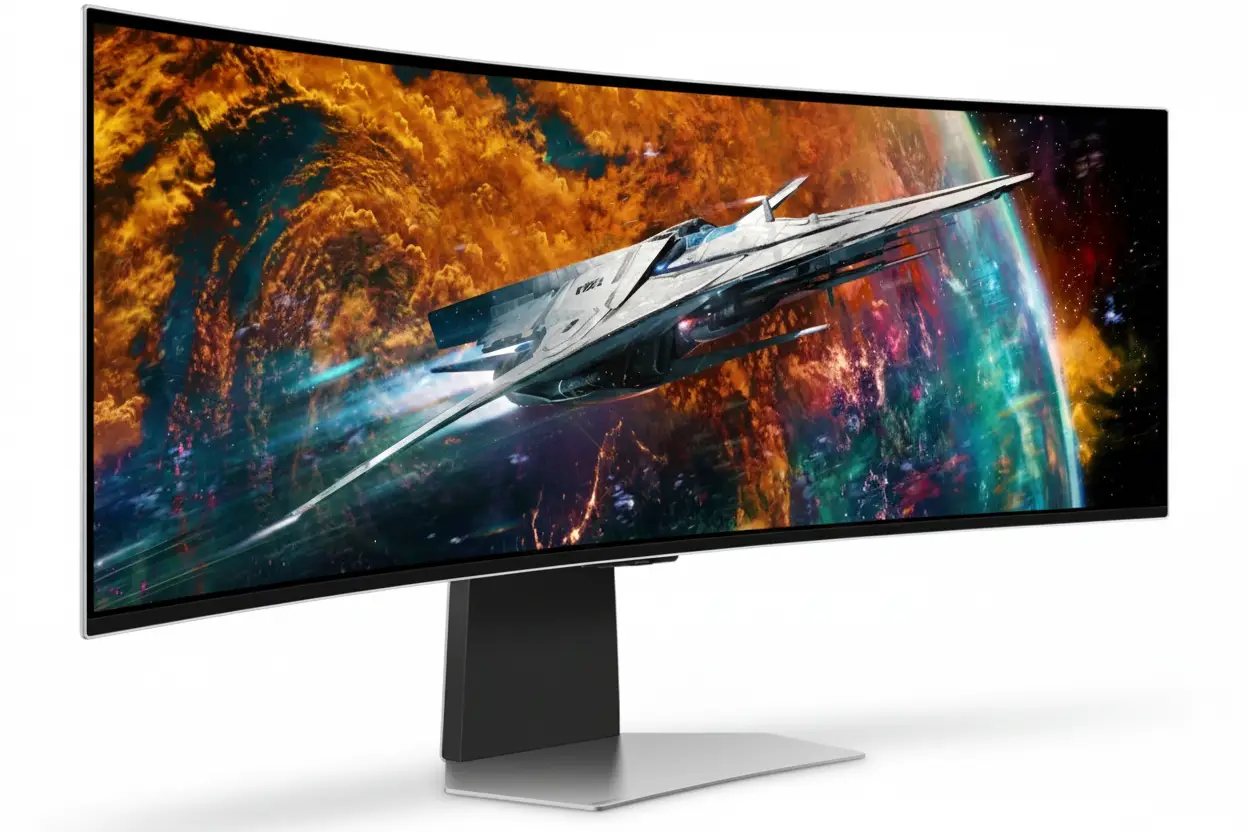

Samsung Odyssey OLED G9 49″ QD-OLED Monitor – 240Hz, 32:9, True HDR, Smart TV

Samsung Odyssey OLED G9 49" QD-OLED Monitor
Samsung Essential Monitor S3 S39GD 27″ Review 2025 – 100Hz Curved Gaming Monitor
Samsung Odyssey OLED G9 49 inch DQHD 240Hz Curved Gaming Monitor

🎮 Ultimate Ultra-Wide OLED Beast: 49″ 32:9 + 240Hz + Smart TV!

1800R Curved + DisplayHDR True Black 400 + Gaming Hub + 110 PPI!

🏆 World’s First 32:9 OLED Gaming Monitor – CES Innovation Award!

Samsung Odyssey OLED G9 49″ Gaming Monitor

49″ DQHD QD-OLED | 240Hz | 0.03ms | 1800R | Smart TV | Gaming Hub

5120×1440 32:9 Curved – Infinite Contrast – Neo Quantum Processor Pro

🎮 The Ultimate Immersive Gaming Command Center:

• Size: Massive 49″ (124.46cm) DQHD (5120×1440) 32:9 Aspect Ratio

• Panel: QD-OLED 1800R Curved + Neo Quantum Processor Pro

• Speed: 240Hz Refresh + 0.03ms GTG Response Time

• HDR: DisplayHDR True Black 400 + HDR10+ Gaming

• Colors: 1 Billion Colors + 99% DCI-P3 + 110 PPI

• Gaming: G-Sync Compatible + FreeSync Premium Pro

• Smart: Gaming Hub + Tizen OS + Built-in Speakers

• Features: CoreSync + IoT Hub + Voice Control + Remote

₹1,24,999

₹1,89,990

SAVE ₹64,991 (34% OFF!)

*Price varies ₹1,19,999-1,29,990 across retailers | Check current offers

🛒 Check Price on Amazon India

$899.99

$1,799.99

SAVE $900.00 (50% OFF!)

*Free shipping | Model: LS49CG954SNXZA | 3.8★ (483 reviews)

🛒 Buy Now on Samsung.com (USA)

🌍 Global Availability

• India: ₹1,19,999-1,29,990 (Amazon.in, Flipkart, Samsung India)

• USA: $899.99 (Samsung.com, Best Buy, Newegg)

• Europe: €1,299-1,599 (varies by country)

• Asia: Check Samsung regional sites

Screen Size

49″ 32:9

Refresh Rate

240Hz

Curve

1800R

Samsung Odyssey OLED G9 49″ Overview – The Ultimate Gaming Battlestation

🎮 Gaming Highlights

  • 49″ 32:9 OLED: Dual QHD ultra-wide immersion
  • 1800R Curved: Wraparound gaming experience
  • 240Hz + 0.03ms: Lightning-fast response
  • QD-OLED Panel: Perfect blacks, infinite contrast
  • Neo Quantum Pro: AI-powered image processing
  • HDR True Black 400: Genuine HDR performance
  • 110 PPI: Sharp despite massive size
  • CES Award Winner: Industry-recognized innovation

📺 Smart TV Features

  • 🎮 Gaming Hub – Cloud gaming built-in
  • 🖥️ Tizen OS – Full smart TV platform
  • 📺 Samsung TV Plus – Free streaming
  • 🎤 Voice Control – Bixby + Alexa
  • 🏠 SmartThings Hub – IoT control
  • 🔊 10W Speakers – 5W × 2ch audio

⭐ Why This Monitor?

  • • World’s first: 32:9 OLED gaming monitor
  • • Maximum immersion: 49″ wraps your vision
  • • Premium OLED: QD-OLED infinite contrast
  • • All-in-one: Gaming + productivity + TV
  • • Smart platform: Cloud gaming without PC
  • • Insane deal: 50% off at $900 USD!

🎯 What Makes Odyssey OLED G9 Special?

The Samsung Odyssey OLED G9 49″ (G95SC) is a groundbreaking display that redefines ultra-wide gaming. As the world’s first 32:9 aspect ratio OLED gaming monitor, it combines the workspace of two 27″ QHD displays into a single seamless curved screen measuring 5120×1440 pixels across 49 inches. The 1800R curvature wraps around your field of vision, creating unprecedented immersion in racing sims, flight simulators, and open-world games.

The QD-OLED panel powered by Neo Quantum Processor Pro delivers flagship image quality with perfect blacks, infinite contrast, and 99% DCI-P3 color coverage. 240Hz refresh rate and 0.03ms response time ensure competitive gaming performance despite the massive screen size, while DisplayHDR True Black 400 certification validates genuine HDR capability that LCD ultrawide monitors simply cannot match.

Samsung transforms this from a display into a complete gaming entertainment system with Tizen smart TV platform integration. Gaming Hub provides cloud gaming without a PC – stream Xbox Game Pass, GeForce Now, and more directly. Built-in 10W speakers, voice assistants, and SmartThings IoT hub create an all-in-one command center that controls your entire gaming environment.

At $899.99 USD (50% off $1,799.99 MSRP), this CES Innovation Award winner delivers flagship ultra-wide OLED quality at half the original price. The combination of immersive 32:9 OLED visuals, smart TV functionality, and premium gaming features makes the Odyssey OLED G9 the ultimate statement piece for serious gaming setups and immersive entertainment systems.

32:9 Ultra-Wide Experience – Dual QHD Immersion

📐 5120×1440 DQHD Resolution – Equivalent to Two 27″ QHD Monitors

The 5120×1440 Dual QHD (DQHD) resolution provides the exact pixel count of two 2560×1440 QHD monitors placed side-by-side, but without bezels interrupting your view. This 32:9 aspect ratio creates an ultra-wide canvas perfect for flight simulators, racing games, and productivity workflows requiring massive horizontal space.

At 110 pixels per inch, the Odyssey G9 maintains sharp image quality despite its enormous size. Text remains crisp for productivity work, game textures show fine detail, and the pixel density prevents the “screen door effect” visible on lower-PPI ultra-wides. This is 77% more pixels than standard 3440×1440 21:9 ultrawide monitors.

Resolution Comparison

  • • 27″ QHD: 2560×1440 (3.69MP) – single monitor
  • • 34″ 21:9: 3440×1440 (4.95MP) – ultrawide standard
  • • 49″ 32:9: 5120×1440 (7.37MP) – dual QHD workspace!
  • • Pixel density: 110 PPI – sharp despite massive size

🌀 1800R Curvature – Wraparound Immersion

The 1800R curvature radius means the monitor follows an 1800mm (1.8m) radius arc, creating an aggressive curve that wraps around your peripheral vision. This is more aggressive than standard 1000R or 2300R curves, designed specifically for the ultra-wide 49″ format to maintain consistent viewing distance across the entire screen.

The curve provides tangible benefits for gaming immersion and comfort. In racing sims, the screen edges naturally align with your peripheral vision, creating a cockpit-like experience. For flight simulators, the wraparound effect mimics actual cockpit instrument panels. Even in productivity, the curve reduces head movement needed to view screen edges, reducing neck strain during extended sessions.

Curvature Benefits

  • • Peripheral immersion: Screen edges wrap into your vision naturally
  • • Uniform distance: All pixels equidistant from your eyes
  • • Reduced distortion: Edges don’t appear “stretched” like flat ultrawides
  • • Comfort: Less head turning = reduced neck fatigue

🎮 32:9 Gaming – Where Ultra-Wide Shines

🏎️ Racing Simulators

32:9 aspect ratio is perfect for racing games like F1, Gran Turismo, Forza, and iRacing. The ultra-wide FOV shows your side mirrors, entire dashboard, and peripheral track awareness – exactly like sitting in a real race car cockpit.

The wraparound curve enhances spatial awareness for apex clipping and opponent positioning.

✈️ Flight Simulators

Flight sims like Microsoft Flight Simulator and DCS benefit tremendously from horizontal FOV. The 49″ screen displays entire instrument panels, side windows, and approach vectors without HUD clutter or multi-monitor bezels.

Combined with OLED’s perfect blacks, night flights and space sims look phenomenal.

🌍 Open-World RPGs

Games like Cyberpunk 2077, Red Dead Redemption 2, and Starfield with native 32:9 support create breathtaking vistas. The ultra-wide FOV reveals sprawling landscapes, city skylines, and environmental detail impossible on standard monitors.

OLED’s infinite contrast makes HDR sunsets and night scenes absolutely stunning.

💼 Productivity on 49″ Ultra-Wide

Dual Monitor Replacement

The 49″ 32:9 screen completely replaces dual 27″ QHD monitor setups while eliminating the center bezel gap. You can run two full-size applications side-by-side at native 2560×1440 each, or split the screen into three or four windows for complex workflows.

Windows 11’s Snap Layouts work perfectly with 32:9, allowing instant window organization. Video editors get timeline + preview + media browser visible simultaneously. Developers can view code + documentation + terminal without overlap.

Productivity Considerations

While exceptional for multitasking, OLED’s 250 nits typical brightness may challenge bright office environments. The monitor excels in controlled lighting but struggles against direct sunlight. Additionally, users with static workflow elements (permanent toolbars, taskbars) should leverage OLED Safeguard to prevent burn-in.

The 1800R curve takes adjustment for productivity – straight lines near screen edges appear slightly curved. Most users adapt within days, but designers working with architectural plans may prefer flat displays.

QD-OLED Display – Perfect Blacks Meet Quantum Dot Color

⚫ Infinite Contrast Ratio – 1,000,000:1

The QD-OLED panel achieves true infinite contrast (1,000,000:1 static) through self-emissive pixels that turn completely off for perfect 0.00 nits blacks. Unlike LCD monitors with always-on backlights creating gray “blacks,” OLED pixels emit no light when displaying black, resulting in image depth and contrast that LCD technology fundamentally cannot match.

For gaming, this creates stunning realism in mixed lighting scenes. Explosions bloom at full brightness against pitch-black shadows. Horror games reveal shadow details without lifting blacks. Space sims display brilliant stars against true void darkness. The contrast pop is immediately visible and transformative once experienced.

OLED vs LCD Contrast

  • • IPS LCD: ~1000:1 – washed blacks, limited depth
  • • VA LCD: ~3000-5000:1 – better but still gray blacks
  • • Mini LED: ~100,000:1 dynamic – blooming artifacts
  • • QD-OLED: ∞:1 (infinite) – perfect per-pixel control!

🌈 Neo Quantum Processor Pro – AI-Powered Enhancement

Samsung’s Neo Quantum Processor Pro analyzes every frame in real-time to optimize colors, contrast, and detail. This advanced image processor applies AI-driven enhancements specific to game genres – boosting shadow detail in dark FPS scenarios, enhancing vibrancy in colorful RPGs, and maintaining accuracy in HDR content.

The processor also handles adaptive HDR tone mapping that adjusts based on scene content. Bright outdoor areas maintain highlight detail without clipping, while dark interiors preserve shadow information without crushing blacks. This intelligent processing maximizes OLED’s infinite contrast range dynamically throughout gameplay.

Processor Benefits

  • • Real-time analysis: Every frame optimized instantly
  • • Genre-specific: FPS, RPG, RTS custom enhancements
  • • HDR optimization: Dynamic tone mapping per scene
  • • Color accuracy: 99% DCI-P3 maintained

💎 DisplayHDR True Black 400 – Genuine HDR Performance

🏆 VESA True Black Certification

DisplayHDR True Black 400 is VESA’s OLED-specific certification requiring peak brightness of 400 nits in HDR mode plus true 0.005 nits black level. Unlike generic DisplayHDR 400 (which many LCD monitors barely achieve), True Black 400 validates genuine HDR capability with per-pixel dimming creating infinite contrast in HDR content.

The Odyssey G9 also supports HDR10+ Gaming, an advanced HDR standard providing dynamic metadata that adjusts HDR parameters scene-by-scene rather than using static values for entire games. This results in more accurate HDR reproduction across varying game environments.

🎬 HDR Gaming Experience

In HDR-enabled games, the difference is dramatic. Highlights like explosions, magic effects, and sunlight have proper intensity while shadows remain perfectly black. Unlike LCD local dimming monitors that create visible halos around bright objects, OLED’s pixel-level control eliminates blooming entirely.

Games like Cyberpunk 2077’s neon-lit night city, Horizon’s vibrant HDR landscapes, and The Last of Us Part I’s moody lighting showcase HDR capabilities that transform visual quality. The 250 nits typical/400 nits peak brightness is lower than Mini LED but OLED’s infinite contrast makes HDR more impactful overall.

🎨 99% DCI-P3 + 1 Billion Colors

Cinema-Grade Color

99% DCI-P3 coverage matches cinema projector color standards. Quantum dot technology produces purer wavelengths for red and green, resulting in more vibrant and accurate colors than WOLED panels.

Modern games and HDR content master in DCI-P3 – this monitor displays them correctly.

True 10-Bit Color

1 billion colors (10-bit native) eliminate banding in gradients. OLED achieves true 10-bit per pixel, not via dithering like LCD “10-bit” panels. Sunsets, smoke, and HDR highlights transition smoothly.

Essential for HDR gaming and content creation workflows.

Factory Calibration

Factory tuning ensures color accuracy out-of-the-box. Includes calibration report documenting color performance. While not individually calibrated like reference monitors, accuracy is excellent for gaming and general creation.

Supports Standard, Dynamic, Movie, Graphic, Entertain, and Eco modes.

Gaming Performance – 240Hz + 0.03ms Ultra-Speed

⚡ 240Hz Refresh Rate – Ultra-Smooth Ultra-Wide

The 240Hz maximum refresh rate is remarkable for a 49″ ultra-wide OLED. Most ultra-wides cap at 120-165Hz due to bandwidth limitations, but Samsung’s implementation supports 5120×1440 at 240Hz via DisplayPort 1.4. This creates 4.17ms frame intervals for exceptionally smooth motion across the massive screen.

Combined with 0.03ms pixel response, you get true sample-and-hold clarity without motion blur. Fast camera pans in FPS games, rapid turns in racing sims, and quick scrolling in productivity all benefit from the high refresh rate. While demanding on GPUs, games hitting even 120-144 FPS look dramatically smoother than 60Hz.

Refresh Rate Benefits

  • • 240Hz DP: Ultra-smooth motion with low latency
  • • Input lag: ~4.17ms frame time at 240 FPS
  • • Motion clarity: OLED response + high refresh = perfect
  • • Adaptive sync: Works across 48-240Hz VRR range

💨 0.03ms Response Time – OLED Speed Advantage

0.03 millisecond Gray-to-Gray response time is the inherent advantage of OLED technology. Pixels change states 166× faster than 5ms LCD and 33× faster than “fast” 1ms gaming LCDs. This eliminates ghosting, overshoot, and motion blur artifacts that plague even premium LCD monitors.

For competitive gaming on an ultra-wide, this speed is critical. Fast-moving enemies remain sharp during tracking, racing opponents stay clearly defined through corners, and flight sim instruments update instantly. Combined with 240Hz, the motion clarity rivals or exceeds smaller gaming monitors despite the massive 49″ canvas.

Response Time Advantage

  • • 0.03ms GTG: Instant pixel transitions, zero ghosting
  • • No overshoot: LCD overdrive artifacts eliminated
  • • Motion clarity: Sample-and-hold perfection
  • • Competitive edge: See and react faster than opponents

🔄 Adaptive Sync – G-Sync Compatible + FreeSync Premium Pro

🟩 G-Sync Compatible

NVIDIA G-Sync Compatible certification validates variable refresh rate (VRR) performance across GeForce GPUs. The monitor synchronizes its refresh rate with your GPU’s frame output from 48Hz to 240Hz, eliminating screen tearing without V-Sync input lag.

Compatible with GTX 10-series and newer via DisplayPort. Essential for smooth ultra-wide gaming.

G-Sync Benefits:

  • • Tear-free gaming without lag
  • • Smooth even at fluctuating FPS
  • • Wide 48-240Hz VRR range

🔴 FreeSync Premium Pro

AMD FreeSync Premium Pro provides the same adaptive sync benefits for Radeon users plus Low Framerate Compensation (LFC) that maintains smoothness even below 48 FPS. Premium Pro tier also guarantees HDR support with adaptive sync active.

Compatible with Radeon RX 400-series and newer. Works on both DisplayPort and HDMI.

FreeSync Premium Pro Features:

  • • LFC for <48 FPS smoothness
  • • HDR + adaptive sync together
  • • HDMI and DP support

🎮 Gaming Features – Competitive Enhancements

🎯

Virtual Aim Point

Customizable crosshair overlays for improved aim in games without built-in crosshairs or hip-fire scenarios.

📊

Game Bar 2.0

On-screen overlay displays FPS, HDR status, and game settings without leaving gameplay. Quick access to picture modes and ratios.

🌈

CoreSync

Projects on-screen colors into your room via LED backlighting, creating ambient immersion that extends beyond the display.

⚡

Auto Source Switch+

Automatically detects and switches to active input sources when devices power on – no manual input cycling.

Smart Features – Complete Entertainment System

🎮 Gaming Hub – Cloud Gaming Without a PC

Samsung Gaming Hub provides instant access to cloud gaming services including Xbox Game Pass Ultimate, NVIDIA GeForce Now, Amazon Luna, and Utomik directly on the monitor. No gaming PC or console required – just connect a controller via Bluetooth and start playing AAA games streamed from the cloud.

The monitor’s advanced streaming technology optimizes network performance to reduce latency and maintain visual quality. While cloud gaming cannot match local hardware performance, it enables casual gaming, game trials, and travel gaming without lugging hardware. Perfect for users with lower-spec PCs who want to experience next-gen titles.

Gaming Hub Services

  • • Xbox Game Pass: 100+ games via cloud streaming
  • • GeForce NOW: Play your Steam/Epic library remotely
  • • Amazon Luna: Luna+ subscription service
  • • Utomik: 1000+ game library subscription
  • • Note: Availability varies by country, subscriptions required

📺 Tizen Smart TV Platform – Full Streaming Experience

The Tizen operating system transforms this from a monitor into a complete smart TV. Access Netflix, Disney+, Amazon Prime Video, YouTube, Hulu, and hundreds of other streaming apps directly without connecting external devices. The built-in Wi-Fi 5 and Bluetooth 5.2 enable wireless streaming and wireless audio.

Samsung TV Plus offers free ad-supported streaming with live channels and on-demand content requiring no subscriptions or sign-ups. Universal Guide (US only) provides personalized content recommendations across all installed apps. The included remote control simplifies navigation compared to using keyboard/mouse for streaming.

Smart TV Features

  • • Tizen OS: Full smart TV app ecosystem
  • • Samsung TV Plus: Free live TV and on-demand content
  • • Wi-Fi 5: Wireless streaming capability
  • • Bluetooth 5.2: Wireless audio and peripherals
  • • Remote included: Navigate apps easily

🏠 SmartThings Hub – IoT Control Center

Smart Home Integration

Built-in SmartThings Hub enables IoT device control directly from the monitor. Dim smart lights, adjust thermostat temperature, control smart blinds, monitor security cameras, and manage entire smart home ecosystems without reaching for your phone. Create gaming-optimized scenes that automatically adjust lighting and climate when you start gaming.

The hub supports Wi-Fi, Bluetooth, and Zigbee devices (Zigbee requires separate dongle, sold separately). Compatible with thousands of smart home products from brands like Philips Hue, LIFX, Nest, Ecobee, Ring, and more. Monitor becomes your smart home command center integrated seamlessly into your gaming setup.

Voice Control – Bixby & Alexa

Far-field voice interaction with built-in microphones allows hands-free control via Samsung Bixby or Amazon Alexa. Say “Alexa, launch Netflix” or “Bixby, dim the lights” without touching the remote. Voice commands control monitor functions, smart home devices, streaming apps, and more.

Bixby supports multiple languages including US/UK/India English, Korean, French, German, Italian, Spanish, and Brazilian Portuguese (features vary by language). Alexa integration provides access to Amazon’s vast skill ecosystem for weather, music, smart home routines, and thousands of third-party skills.

🔊 Built-In Audio – 10W Stereo Speakers

5W × 2 Channel Speakers

Built-in 10W stereo speakers (5W per channel) eliminate the need for external audio for casual gaming and streaming. While not matching dedicated gaming headsets or speaker systems, they’re convenient for quick sessions and streaming content.

Keeps desk clean from speaker cables and clutter.

Adaptive Sound Pro

Adaptive Sound Pro analyzes content type (dialogue, music, effects) and automatically adjusts EQ for optimal audio clarity. Enhances voice clarity in movies and dialogue-heavy games without manual audio tuning.

Intelligent audio processing for better sound quality.

Bluetooth Audio

Bluetooth 5.2 supports wireless headphones and speakers. Connect your favorite Bluetooth audio devices for late-night gaming without waking others or stream audio to wireless speakers for room-filling sound.

Mobile to Screen and Screen Sound to Mobile features included.

💼 Productivity Smart Features

📱 Wireless DeX & Screen Mirroring

Samsung DeX wirelessly transforms your Galaxy phone into a desktop on the 49″ display. Access your phone’s apps, files, and features in desktop UI on the massive screen. Screen mirroring from mobile devices (iOS and Android) enables content sharing and presentations.

Mobile to Screen, Screen initiate mirroring, and Tap View features included.

💻 Microsoft 365 & Workspace

Microsoft 365 web integration provides access to Word, Excel, PowerPoint, and OneDrive directly through the monitor. Workspace mode optimizes display settings for productivity tasks with color profiles and brightness adjustments suited for documents and spreadsheets.

Multi View supports up to 2 video sources simultaneously for multi-device workflows.

Design & Build – Premium Aesthetics Meet Functionality

🎨 Slim Metal Design – 4.5mm Thin

The Odyssey OLED G9 features premium metal construction measuring just 4.5mm at its thinnest point. The sleek silver finish creates a modern, minimalist aesthetic that elevates any gaming setup. Unlike plastic gaming monitors with aggressive “gamer” styling, the G9’s elegant design fits professional workspaces and home entertainment centers equally well.

The slim profile and minimal bezels maximize screen-to-body ratio, creating an immersive viewing experience without visual distractions. The curved design flows naturally into the premium stand, creating a cohesive aesthetic statement. At 12.6 lbs with stand (8.8 lbs panel only), the monitor is surprisingly manageable despite its 49″ size.

Build Quality

  • • Material: Premium metal construction (silver finish)
  • • Thickness: 4.5mm at thinnest – ultra-slim profile
  • • Weight: 12.6 lbs with stand / 8.8 lbs panel only
  • • Bezels: Minimal for maximum immersion

🔧 Height-Adjustable Stand (HAS)

The Height-Adjustable Stand (HAS) provides 120mm (4.7 inches) of vertical travel to position the massive 49″ display at optimal viewing height. This is crucial for ergonomics with ultra-wide monitors, as improper height causes neck strain during extended use. The stand also offers -2° to +15° tilt adjustment for fine-tuning viewing angles.

The stand’s silver finish matches the monitor’s premium aesthetic while providing stable support for the 12.6 lb total weight. Footprint measures 9.32 inches deep, reasonable for the monitor’s size. For users wanting different mounting options, VESA 100×100mm compatibility enables monitor arms or wall mounting.

Ergonomics

  • • Height adjust: 120mm (4.7″) travel range
  • • Tilt: -2° to +15° adjustment
  • • Swivel: None (use VESA mount for swivel)
  • • VESA mount: 100×100mm standard

🌈 CoreSync & Core Lighting+ – Ambient Immersion

CoreSync Technology

CoreSync projects on-screen colors into your real-world environment via LED backlighting along the monitor’s rear edge. When a sunset fills the screen, warm orange/red LEDs illuminate the wall behind the monitor. In dark space scenes, LEDs dim to black. This creates ambient lighting that extends immersion beyond the display.

The effect is particularly impactful for horror games (enhancing atmosphere), racing sims (simulating track lighting), and cinematic single-player games. While some dismiss ambient lighting as gimmicky, CoreSync’s dynamic response to game content creates surprisingly effective environmental immersion.

Core Lighting+

Core Lighting+ adds customizable RGB lighting effects independent of screen content. Choose static colors, breathing effects, or dynamic patterns to match your setup’s aesthetic or create specific moods. Perfect for streamers who want consistent lighting for broadcasts or users coordinating with other RGB peripherals.

The lighting system is well-implemented without excessive brightness that distracts from gameplay. It adds visual flair to your gaming space without being obnoxious. Combined with CoreSync, the Odyssey G9 creates a complete ambient lighting solution.

🔌 Connectivity – Comprehensive I/O

Video Inputs

  • • DisplayPort 1.4: 240Hz at 5120×1440
  • • HDMI 2.1: Full bandwidth HDMI support
  • • Micro HDMI 2.1: Additional HDMI input
  • • All ports: Support full resolution/refresh

USB & Wireless

  • • USB 3.0 Hub: 3× USB-A ports (data only)
  • • Wi-Fi 5: Wireless connectivity
  • • Bluetooth 5.2: Wireless peripherals/audio
  • • Note: USB hub is data-only, no power delivery

Included Cables

  • • DisplayPort cable: Included (1.5m)
  • • HDMI to Micro HDMI: Included adapter
  • • Power cable: 1.5m (4.9 ft)
  • • Remote control: Included for smart features

📐 Dimensions & Placement

📏 Physical Dimensions

  • • With stand: 47.06″ × 20.83″ × 9.32″
  • • Panel only: 47.05″ × 14.37″ × 7.12″
  • • Active display: 1196.7 × 339.2 mm
  • • Desk depth: ~2 feet clearance recommended

⚖️ Weight Specifications

  • • With stand: 12.6 lbs (5.72 kg)
  • • Panel only: 8.8 lbs (3.99 kg)
  • • Shipping weight: 18.1 lbs (8.21 kg)
  • • Manageable: One-person setup possible

🖥️ Setup Considerations

  • • Desk width: 48″+ wide desk recommended
  • • Viewing distance: 2-3 feet optimal for 1800R
  • • Wall space: Ensure adequate clearance behind
  • • Power: External adapter (220W max)

Who Should Buy the Odyssey OLED G9 49″?

✅ Perfect For These Users

🏎️ Sim Racers & Flight Sim Fans

If you play racing and flight simulators, the 49″ 32:9 DQHD screen gives you the cockpit-style wraparound field of view equivalent to dual 27″ QHD monitors with no bezels.

🎮 Hardcore PC Gamers

For high-end PC builds, the combo of 5120×1440, 240Hz, 0.03ms response, G-Sync Compatible and FreeSync Premium Pro delivers elite competitive performance on an ultra-wide canvas.

🌍 Open-World & RPG Lovers

Story-driven AAA titles and open-world games look phenomenal with QD-OLED infinite contrast, DisplayHDR True Black 400 and 99% DCI-P3 color coverage stretched across 49 inches.

💼 Power Users & Multitaskers

Users who want to replace dual 27″ QHD monitors with a single seamless display for timelines, code, dashboards, and browser windows benefit from the DQHD workspace and 110 PPI sharpness.

📺 PC + TV Combo Setups

If you want one screen for PC, console, and streaming, the built-in Tizen smart TV platform, Gaming Hub, and 10W speakers make this a full entertainment hub without extra boxes.

🏠 Smart Home Enthusiasts

SmartThings Hub, Bixby, and Alexa integration let you control lights, AC, blinds and more directly from the monitor as part of a high-end battlestation.

❌ Not Ideal For These Users

☀️ Very Bright Offices

With 250 cd/㎡ typical brightness, this OLED is designed for controlled lighting; users with sunlit offices may be better served by brighter Mini LED or IPS panels.

📊 Static UI / 24×7 Use

Heavy static elements (tickers, dashboards, IDEs left open for days) increase burn-in risk even with OLED Safeguard; LCD remains safer for continuous static workloads.

📐 CAD & Print Pros

Engineers and print designers needing perfectly straight lines at edges or Adobe RGB focus may prefer flat 32″ 4K reference-style monitors over curved 32:9 OLED.

💻 Small Desks / Tight Spaces

The 49″ chassis needs about 48″ of desk width and 9.3″ depth, plus viewing distance of 2–3 feet; compact desks simply cannot accommodate it properly.

💵 Strict Budget Buyers

Even at $899.99 on sale, this is a premium purchase; budget gamers can get 27″ 1440p 144–165Hz IPS monitors at a fraction of the price.

🎯 Esports-Only Players

Pure esports players who sit focused on center-screen content might prefer a smaller 24–27″ 240/360Hz panel that keeps everything in the central FOV and is easier for LANs.

Odyssey OLED G9 vs Alternatives

ASUS ROG Swift PG49WCD

ASUS PG49WCD QD-OLED

49″ 32:9 QD-OLED | 5120×1440 | 144Hz | HDR True Black | USB-C

✅ Where ASUS Wins

  • • USB‑C with power delivery for laptops
  • • 144Hz easier to drive than 240Hz
  • • Strong ROG ecosystem & OSD tools

❌ Where G9 Wins

  • • 240Hz vs 144Hz refresh for faster play
  • • Integrated Gaming Hub & Tizen smart TV
  • • Often cheaper on promo vs ASUS pricing

Best for: Laptop‑first users wanting USB‑C and slightly lighter GPU load.

Samsung Neo G9 (Mini LED)

Odyssey Neo G9 (C49G95T)

49″ 32:9 VA Mini LED | 5120×1440 | 240Hz | HDR1000

✅ Where Neo G9 Wins

  • • Much higher peak HDR brightness (~1000 nits)
  • • No burn‑in risk for static UI
  • • Better in bright rooms

❌ Where OLED G9 Wins

  • • Infinite contrast with perfect blacks
  • • No blooming or haloing in HDR scenes
  • • Better response time & motion clarity

Best for: HDR in bright environments where peak brightness beats black depth.

LG 45GR95QE & 45GS95QE

LG 45″ 21:9 OLED

45″ 3440×1440 OLED | 240Hz | 21:9 curve

✅ Where LG Wins

  • • Easier to place on smaller desks
  • • 21:9 aspect widely supported in games
  • • Slightly higher pixel density than 49″ 32:9

❌ Where G9 Wins

  • • Wider FOV and workspace (5120×1440)
  • • Smart TV, Gaming Hub, built‑in speakers
  • • IoT hub + CoreSync lighting

Best for: Users wanting OLED immersion without committing to full 49″ 32:9 width.

Pros & Cons

✅ Pros

  • ✓
    Massive 49″ 32:9 DQHD Canvas

    Equivalent to dual 27″ QHD monitors in one bezel‑less, curved display at 5120×1440 resolution.

  • ✓
    QD‑OLED Infinite Contrast

    Perfect blacks and 1,000,000:1 static contrast with 99% DCI‑P3 coverage and True Black 400 HDR.

  • ✓
    240Hz + 0.03ms Response

    High refresh and near‑instant GTG response deliver elite motion clarity for fast esports and smooth camera pans.

  • ✓
    G‑Sync Compatible & FreeSync Premium Pro

    Adaptive sync for both NVIDIA and AMD GPUs across the full refresh range, including HDR gaming.

  • ✓
    Smart TV & Gaming Hub

    Built‑in Tizen OS, cloud gaming, Samsung TV Plus, and streaming apps turn it into a full TV replacement.

  • ✓
    Integrated 10W Speakers

    5W × 2ch speakers with Adaptive Sound Pro for clean audio without external speakers in many setups.

  • ✓
    Height‑Adjustable Ergonomic Stand

    HAS stand with 120mm height and tilt adjustment plus VESA 100×100 support.

  • ✓
    Feature‑Packed Connectivity

    DP 1.4, HDMI 2.1, Micro HDMI 2.1, USB 3.0 hub, Wi‑Fi 5, and Bluetooth 5.2 cover PC, console, and wireless peripherals.

  • ✓
    Aggressive Current Discount

    $899.99 sale pricing is 50% off the original $1,799.99 MSRP, excellent value for a flagship 49″ QD‑OLED.

❌ Cons

  • ✗
    Moderate SDR Brightness

    250 cd/㎡ typical brightness is great for dim rooms but not ideal for brightly lit offices or daylight glare.

  • ✗
    OLED Burn‑In Considerations

    Despite thermal modulation, logo/taskbar dimming, and screen saver, long‑term static content can still risk image retention.

  • ✗
    Demanding on GPU

    Driving 5120×1440 at high frame rates requires a very powerful graphics card, especially if you aim for 240Hz in modern titles.

  • ✗
    Physical Size & Desk Requirements

    The 49″ span and 9.3″ stand depth need a large desk; small setups will struggle with ergonomics and viewing distance.

  • ✗
    Curved Geometry for Professional Work

    Curved geometry can distort straight lines at the edges, which is sub‑optimal for CAD, architecture, and some design tasks.

  • ✗
    No USB‑C with Power Delivery

    Lacks a USB‑C DP Alt‑mode port with charging, so laptop users must rely on DP/HDMI and separate power bricks.

Final Verdict – Is the Odyssey OLED G9 Worth It?

⭐ Overall Rating: 9.3/10

Ultra‑Wide OLED Flagship

📊 Rating Breakdown

Display Quality: 10/10
Gaming Performance: 9.5/10
Features & Smart: 9.5/10
Ergonomics & Design: 8.5/10
Value for Money: 9/10

🎯 Bottom Line

The Samsung Odyssey OLED G9 (G95SC) is one of the most immersive gaming monitors available, combining a huge 49″ 32:9 QD‑OLED panel, DQHD resolution, 240Hz refresh, and 0.03ms response time into a single flagship package.

It doubles as a smart TV and cloud gaming client thanks to Tizen, Gaming Hub, TV Plus, and built‑in speakers, and it can fully replace a dual‑monitor productivity setup while delivering contrast and HDR that LCD ultrawides simply cannot match.

Brightness limits, burn‑in considerations, and GPU demands mean it is not a universal solution, but for users who can accommodate the size and tailor their room lighting, it offers a uniquely cinematic and performant ultra‑wide experience that justifies the current aggressive pricing.

🏆 Recommendation

HIGHLY RECOMMENDED for sim racers, flight sim pilots, open‑world gamers, power‑user multitaskers, and anyone building a premium PC‑plus‑TV battlestation who wants cutting‑edge OLED image quality on a massive 32:9 canvas.

NOT IDEAL for bright office environments, 24×7 static‑UI use, tight desks, and users who prioritize 4K on smaller panels or reference‑grade flat displays for CAD and print workflows.

Frequently Asked Questions (FAQs)

❓ Is the Odyssey OLED G9 good for productivity?

Yes, the 49″ 32:9 DQHD layout effectively replaces two 27″ QHD monitors, giving huge horizontal space for timelines, code, and multitasking; however, OLED brightness and curvature are best in controlled lighting and may not suit CAD/print work.

❓ Will I get black bars or stretched image in games?

Games that support 32:9 render natively, but titles locked to 16:9 or 21:9 will show pillarboxing or require you to run them in windowed/ultrawide modes; most modern AAA PC games now support ultra‑wide, but some competitive titles do not.

❓ Is 240Hz really usable at 5120×1440?

Hitting 240 FPS at DQHD in demanding games needs top‑tier GPUs; many users target 120–165 FPS instead, where the panel’s 240Hz capability still reduces blur and input lag compared to 120Hz‑capped ultrawides.

❓ How serious is burn‑in risk on this monitor?

Samsung includes thermal modulation, logo/taskbar detection, and screen saver features to reduce risk, and QD‑OLED panels are more robust than earlier OLED generations, but very static usage patterns over years can still cause permanent retention.

❓ Does it support consoles like PS5 and Xbox Series X?

The HDMI 2.1 ports support console connectivity, but consoles output 16:9; you typically run 4K or 1440p with black bars or scaling on the 32:9 panel, so the monitor is best leveraged with a PC that can drive native DQHD.

❓ What cabling is included in the box?

You get a DisplayPort cable, an HDMI‑to‑Micro‑HDMI cable, a 1.5m power cable with external adapter, and a remote control; standard HDMI cables for consoles may still be useful separately.

❓ Can I wall‑mount the Odyssey OLED G9?

Yes, the panel supports a 100×100mm VESA mount, so you can use heavy‑duty monitor arms or wall brackets rated for at least 9kg to safely handle the 49″ width.

❓ What is the power consumption like?

Maximum power draw is rated at 220W, but typical gaming usage is lower; the external power adapter handles AC 100–240V at 50/60Hz, so it works globally with the right plug.

Complete Technical Specifications

Samsung Odyssey OLED G9 49″ (G95SC) – Model: LS49CG954SNXZA
📺 DISPLAY
Screen Size49 inches (32:9 super ultra‑wide)
Flat / CurvedCurved, 1800R curvature radius
ResolutionDQHD 5120 × 1440 pixels
Panel TypeQD‑OLED (Quantum Dot OLED)
Aspect Ratio32:9 super ultra‑wide
Active Area (HxV)1196.7 × 339.2 mm
Pixel DensityApprox. 110 PPI (pixels per inch)
Brightness (Typical)250 cd/㎡
Brightness (Minimum)200 cd/㎡
Static Contrast Ratio1,000,000:1 (infinite contrast)
HDRVESA DisplayHDR True Black 400, HDR10+, HDR10+ Gaming support
Response Time0.03ms (GTG – Gray to Gray)
Viewing Angle (H/V)178° / 178°
Color SupportMax 1 billion colors, 10‑bit (8‑bit + FRC)
Color Gamut99% DCI‑P3 (CIE1976)
Refresh Rate48–240Hz (Max 240Hz)
🎮 GAMING FEATURES
FreeSyncAMD FreeSync Premium Pro
G‑SyncNVIDIA G‑Sync Compatible (Adaptive‑Sync)
VESA Adaptive‑SyncYes
Game ModeYes
Game BarGame Bar 2.0 overlay
Virtual Aim PointYes (on‑screen crosshair)
CoreSync / Core Lighting+Yes (ambient RGB lighting system)
🛡️ OLED PROTECTION
Thermal ModulationAutomatic brightness control based on surface temperature
Logo & Taskbar DetectionAuto‑dimming of static UI elements to reduce burn‑in risk
Screen SaverAuto‑dimming after 10 minutes of inactivity
📺 SMART & OS
Smart TypeSmart monitor with Tizen OS
Gaming HubYes (cloud gaming services support in multiple regions)
TV PlusYes (free ad‑supported streaming, region dependent)
Universal GuideYes (US only)
Built‑in Voice AssistantAlexa + Bixby (multi‑language support)
Far‑Field VoiceYes (far‑field microphones)
SmartThings HubYes (IoT hub with Zigbee dongle support)
Microsoft 365Web access supported
WorkspaceYes (productivity workspace mode)
Wireless DeXYes (Samsung DeX wireless desktop)
Multi ViewUp to 2 video sources simultaneously
🔌 CONNECTIVITY
DisplayPort1 × DisplayPort 1.4
HDMI1 × HDMI 2.1 (full‑size)
Micro HDMI1 × Micro HDMI 2.1
USB Ports3 × USB 3.0 (data hub)
WirelessWi‑Fi 5 (802.11ac), Bluetooth 5.2
🔊 AUDIO
Speakers2 × 5W speakers (10W total)
Audio FeaturesAdaptive Sound Pro, Bluetooth audio output, Sound Mirroring
🛠️ DESIGN & ERGONOMICS
Front / Rear / Stand ColorSilver front, silver rear, silver stand
Stand TypeHAS (Height Adjustable Stand)
Height AdjustmentUp to 120mm range
Tilt‑2° to +15°
Swivel / PivotNo swivel, no pivot (use VESA for alternate mounting)
VESA Mount100 × 100 mm
📏 DIMENSIONS & WEIGHT
Set with Stand (W×H×D)Approx. 47.06 × 20.83 × 9.32 inches
Set without Stand (W×H×D)Approx. 47.05 × 14.37 × 7.12 inches
Package DimensionsApprox. 53.23 × 9.45 × 18.66 inches
Weight with StandApprox. 27.8 lbs (region listings differ; treat kilogram spec as authoritative)
Weight without StandApprox. 19.4 lbs
Shipping WeightApprox. 40 lbs including packaging
⚡ POWER
Power SupplyExternal adaptor, AC 100–240V, 50/60Hz
Max Power Consumption220W (maximum rated)
🌡️ OPERATING CONDITIONS
Temperature10–40°C (50–104°F)
Humidity10–80% (non‑condensing)
📦 ACCESSORIES
IncludedPower cable (1.5m), external adaptor, HDMI‑to‑Micro‑HDMI cable, DisplayPort cable, remote control, stand, documentation.

Ready to Build the Ultimate Ultra‑Wide OLED Battlestation?

The Samsung Odyssey OLED G9 49″ combines DQHD 32:9 QD‑OLED, 240Hz, Smart TV, and Gaming Hub in one flagship display.

*Prices and offers subject to change. Check current listings for latest deals and regional availability.

Samsung Odyssey G7 G75F 40″ WUHD 180Hz Curved Gaming Monitor – HDR600, 1ms

Samsung Odyssey G7 G75F 40″ WUHD 180Hz Curved Gaming Monitor
Samsung Odyssey G7 G75F 40″ Review 2025 – WUHD 5120×2160 180Hz Gaming Monitor
Samsung Odyssey G7 G75F 40 inch WUHD 5120x2160 180Hz Curved Gaming Monitor

🎮 $450 OFF! Now $749.99 (Was $1,199.99) – Premium WUHD Ultrawide!

40″ WUHD 5120×2160 | 180Hz | 1ms | DisplayHDR 600 | Factory Calibrated!

🏆 PREMIUM ULTRAWIDE – WUHD Resolution + DisplayHDR 600 Certified

Samsung Odyssey G7 G75F 40″

40″ WUHD 21:9 | 5120×2160 | 180Hz | 1ms GTG | DisplayHDR 600 | 1000R Curved

AMD FreeSync Premium Pro – Factory Calibrated – VA Panel 3000:1 – 90% DCI-P3

🎯 The Ultimate Ultrawide Gaming Experience:

• WUHD Resolution: 5120×2160 (2× QHD pixels) – 140 PPI razor-sharp clarity

• 40″ Ultrawide: 21:9 aspect ratio – 33% wider than 16:9 for immersive gaming

• 180Hz + 1ms: Ultra-fast refresh rate + GTG response – competitive gaming ready

• DisplayHDR 600: VESA certified HDR with 600 nits peak brightness – stunning visuals

• HDR10+ Gaming: Dynamic tone mapping for optimal HDR in every scene

• Factory Calibrated: Includes calibration report – professional color accuracy

• 1000R Curve: Extreme wraparound immersion – matches human eye curvature

• VA Panel: 3000:1 contrast ratio – deep blacks + 90% DCI-P3 + 99% sRGB color

$749.99

$1,199.99

Save $450!

Model: LS40FG75DENXZA | 3-Year Warranty | Free Shipping | 4.9/5 (36 reviews)

🛒 Buy Now on Samsung.com – $749.99 ($450 OFF!)

₹62,999

Expected price | Check Samsung India for availability | 3-Year Warranty

🛒 Check Samsung India Website

£699

Expected price | Check Samsung UK for availability | 3-Year Warranty

🛒 Check Samsung UK Website

🌍 Global Availability

• USA: $749.99 (Samsung.com – $450 OFF MSRP!)

• India: ₹62,999-69,999 expected

• UK: £699-749 estimated

• Europe: €799-899 varies by country

• Australia: AU$1,599 (Check retailers)

Resolution

5120×2160

Refresh Rate

180Hz

HDR

HDR 600

Samsung Odyssey G7 G75F 40″ Overview – Premium WUHD Gaming

🖥️ WUHD Display Excellence

  • 40″ WUHD: 5120×2160 resolution – 140 PPI
  • 21:9 Aspect: 33% wider than 16:9
  • 1000R Curve: Extreme wraparound immersion
  • VA Panel: 3000:1 contrast – deep blacks
  • DisplayHDR 600: 600 nits peak brightness
  • 90% DCI-P3: Wide color gamut
  • 99% sRGB: Accurate standard colors
  • Factory Calibrated: Includes calibration report

⚡ Elite Gaming Performance

  • 🎮 180Hz: Ultra-fast refresh rate
  • ⚡ 1ms GTG: Eliminate ghosting/blur
  • 🔄 FreeSync Premium Pro: VRR + HDR
  • 🌟 HDR10+ Gaming: Dynamic tone mapping
  • 🎯 Virtual Aim Point: Crosshair overlay
  • 🔦 Black Equalizer: Brighten dark areas

⭐ Premium Features

  • • PIP/PBP: Multi-source viewing modes
  • • Auto Source Switch+: Instant input detection
  • • CoreSync: 16.7M color ambient lighting
  • • CoreLighting+: Dynamic RGB effects
  • • Super Arena Gaming UX: Enhanced OSD
  • • Eye Saver Mode: Blue light reduction
  • • Flicker Free: DC dimming
  • • Energy Saving: Eco-friendly operation

🎯 What Makes Odyssey G7 40″ Special?

The Samsung Odyssey G7 G75F 40″ represents the pinnacle of ultrawide gaming technology in late 2024 and early 2025. While most ultrawide gaming monitors settle for 3440×1440 QHD resolution at 100-144Hz refresh rates, the Odyssey G7 40″ delivers WUHD (5120×2160) resolution with 180Hz refresh rate and DisplayHDR 600 certification – specifications typically reserved for monitors costing $1,500-2,500. At $749.99 (discounted from $1,199.99), this monitor provides flagship performance at mid-premium pricing.

The WUHD resolution creates transformative visual clarity compared to standard QHD ultrawides. With 11.06 million total pixels (versus 4.95 million in 3440×1440), the display renders game environments, UI elements, and text with exceptional sharpness. The 140 PPI pixel density approaches 27″ 4K monitors (163 PPI) while maintaining ultrawide’s immersive 21:9 aspect ratio. In competitive FPS games like Counter-Strike 2, Valorant, Call of Duty, or Apex Legends, the resolution advantage helps spot distant enemies through foliage, identify player silhouettes in shadows, and read small HUD elements without squinting.

The 180Hz refresh rate combined with 1ms GTG response time positions this monitor as legitimate esports hardware despite its 40″ size. Many assume large ultrawides compromise competitive performance for cinematic experiences, but the Odyssey G7 delivers both. The 180Hz refresh provides 25% more frames per second than 144Hz competitors, creating smoother motion tracking, reduced input lag perception, and competitive advantage in fast-paced games. The 1ms GTG response eliminates ghosting artifacts during rapid camera panning, ensuring sharp object definition during movement.

The DisplayHDR 600 certification represents genuine HDR capability that most monitors claiming “HDR support” cannot match. VESA’s DisplayHDR 600 standard requires 600 nits peak brightness, 350 nits full-screen brightness, and true 10-bit color processing. Lower-tier DisplayHDR 400 monitors (350 nits peak) provide marginal HDR improvements over SDR, while uncertified “HDR-compatible” displays often lack the brightness and local dimming for impactful HDR. The Odyssey G7’s 600-nit peaks create spectacular highlights in game explosions, sunlight rays, magic effects, and car headlights at night.

The HDR10+ Gaming support with dynamic tone mapping automatically optimizes HDR settings scene-by-scene rather than applying static tone curves. Traditional HDR10 uses fixed metadata for entire games, causing suboptimal results when lighting changes dramatically between indoor/outdoor scenes or day/night cycles. HDR10+ Gaming analyzes each frame and adjusts tone mapping dynamically, ensuring optimal contrast and brightness in every situation. This is particularly beneficial in open-world games with varying environments like Cyberpunk 2077, Red Dead Redemption 2, or Elden Ring.

The VA panel with 3000:1 static contrast ratio delivers 3× better black levels than IPS ultrawides limited to 1000:1. Deep blacks enhance HDR’s effectiveness – bright highlights appear more dramatic when contrasted against true blacks rather than grayish IPS blacks. The contrast advantage transforms horror games (Resident Evil, Silent Hill, Alan Wake), space simulators (Star Citizen, Elite Dangerous), racing games with night tracks (Forza, Gran Turismo), and cinematic story games emphasizing atmosphere. Combined with 90% DCI-P3 color gamut and factory calibration, the display provides professional-grade color accuracy suitable for content creation alongside gaming.

Display Quality – WUHD 5120×2160 Resolution Breakdown

📺 WUHD Resolution – 11.06 Million Pixels

The WUHD (Wide Ultra HD) resolution of 5120×2160 pixels represents a massive leap beyond standard ultrawide specifications. While typical 34″ QHD ultrawides display 3440×1440 (4.95 million pixels), the Odyssey G7 40″ renders 11.06 million pixels – 2.23× more pixel density. This resolution maintains the 21:9 ultrawide aspect ratio while doubling vertical resolution from 1440p to 2160p (4K height).

At 40 inches diagonal, the 140 pixels per inch (PPI) density delivers razor-sharp clarity comparable to 27″ 4K monitors (163 PPI) and significantly sharper than 34″ QHD ultrawides (110 PPI). At typical desktop viewing distances of 60-80cm, the 140 PPI ensures text remains crisp without UI scaling, game textures show fine details, and anti-aliasing becomes less critical. The pixel density rivals high-end productivity monitors while maintaining gaming-optimized refresh rates.

WUHD Resolution Advantages

  • • 5120×2160: 11.06M pixels (2.23× more than 3440×1440)
  • • 140 PPI: Sharp clarity without UI scaling
  • • 21:9 aspect: Maintains ultrawide benefits
  • • 4K vertical: Full 2160p height resolution

🌊 1000R Curvature – Maximum Immersion

The 1000R curvature (1-meter radius) represents the most aggressive curve commercially available for desktop monitors. This extreme curvature wraps the 40″ display around your peripheral vision, creating unprecedented immersion where screen edges remain equidistant from your eyes. At 40 inches width, the curve prevents the edge-distortion and focus-shift common with flat ultrawides of this size.

For gaming, the 1000R curve enhances situational awareness in competitive titles. Your peripheral vision naturally captures screen edges showing radar, minimaps, health bars, and enemy indicators without head turning. In racing simulators and flight games, the curve mimics natural cockpit wraparound. In first-person games, the immersion increases presence and reduces the “looking through a window” sensation of flat displays.

1000R Curve Benefits

  • • Maximum immersion: Wraparound viewing
  • • Equal distance: All pixels equidistant from eyes
  • • Reduced distortion: Maintains geometry at edges
  • • Peripheral awareness: See edges naturally

🎨 VA Panel – 3000:1 Contrast Excellence

🌑 Superior Black Levels

The VA (Vertical Alignment) panel technology delivers 3000:1 static contrast ratio – three times better than IPS panels typically limited to 1000:1. This creates significantly deeper blacks approaching OLED’s infinite contrast, though without self-emissive pixel control. In dark game scenes (horror games, space simulators, nighttime environments), blacks appear truly black rather than grayish.

The contrast advantage enhances HDR effectiveness – bright highlights appear more dramatic when contrasted against true blacks. The 3000:1 native contrast reduces the need for aggressive local dimming zones that can cause blooming artifacts. For games emphasizing atmosphere and lighting (Cyberpunk 2077, Metro Exodus, Resident Evil), the superior contrast creates more cinematic visuals than IPS alternatives.

🎨 Professional Color Accuracy

The monitor achieves 90% DCI-P3 color gamut coverage – the digital cinema standard for film production and professional content creation. DCI-P3 encompasses wider color range than standard sRGB (99% coverage also achieved), producing more vibrant reds, greens, and blues. The 1.07 billion color support (10-bit processing) eliminates color banding in gradients.

Factory calibration with included calibration report verifies color accuracy out-of-box. Each monitor undergoes individual calibration at the factory, with Delta E values documented in the included report. This ensures consistent, accurate colors without manual calibration – critical for content creators and professionals requiring color accuracy alongside gaming performance.

📊 Display Specifications Summary

Resolution & Size

5120×2160 WUHD at 40″ provides 140 PPI sharp clarity. 21:9 aspect ratio – 33% wider than 16:9. Active display: 36.5″ × 15.4″ viewing area.

Panel Quality

VA panel, 3000:1 contrast, DisplayHDR 600 with 1.07B colors. 1000R curve maximum immersion. 90% DCI-P3, 99% sRGB color. Factory calibrated.

Brightness

600 nits peak (DisplayHDR 600). 350 nits typical, 280 nits minimum. HDR10+ Gaming dynamic tone mapping.

Gaming Performance – 180Hz + 1ms Response Time

⚡ 180Hz Refresh Rate – Competitive Edge

The 180Hz maximum refresh rate delivers ultra-smooth motion exceeding most ultrawide competitors limited to 100-144Hz. At 180 frames per second, the display updates every 5.56 milliseconds – 25% faster than 144Hz (6.94ms) and 80% faster than 100Hz (10ms). This creates noticeably smoother camera panning, reduced motion blur, and more responsive input feel during competitive gaming.

The refresh rate advantage becomes critical in competitive FPS games (Counter-Strike 2, Valorant, Apex Legends, Call of Duty) where tracking moving targets and quick reflex shots determine outcomes. The 180Hz refresh reduces perceived input lag – the delay between mouse movement and on-screen response. Even if your PC can’t sustain 180 FPS consistently, running 120-150 FPS at 180Hz feels smoother than 120 FPS capped at 144Hz due to reduced frame pacing issues.

180Hz Advantages

  • • 180Hz: 5.56ms refresh interval (vs 6.94ms @ 144Hz)
  • • Smoother motion: 25% more frames than 144Hz
  • • Reduced input lag: More responsive feel
  • • Competitive advantage: Spot moving targets easier

🎯 1ms GTG Response – Zero Ghosting

The 1ms Gray-to-Gray (GTG) response time eliminates ghosting artifacts that plague slower panels. Response time measures how quickly pixels transition between colors – slower response causes motion blur and trailing “ghosts” behind moving objects. At 1ms GTG (in Extreme mode), pixels transition fast enough to maintain sharp object definition during rapid motion.

Fast response time is critical for competitive gaming where tracking moving enemies, following fast-paced action, and maintaining visual clarity during camera panning determine performance. In racing games, 1ms response keeps trackside objects sharp at high speeds. In FPS games, enemy player models remain defined during strafing and jumping. The combination of 180Hz refresh + 1ms response creates motion clarity rivaling professional esports monitors.

1ms Response Benefits

  • • 1ms GTG: Eliminates ghosting/trailing
  • • Sharp motion: Objects stay defined
  • • Competitive gaming: Track targets clearly
  • • Fast-paced action: Racing, FPS, fighting games

🔄 AMD FreeSync Premium Pro – Adaptive Sync

🎮 Variable Refresh Rate Technology

AMD FreeSync Premium Pro certification provides adaptive synchronization between GPU frame output and monitor refresh rate. When GPU renders frames at variable rates (80 FPS, 120 FPS, 160 FPS fluctuating), traditional fixed refresh monitors cause screen tearing (horizontal split lines) or stuttering (repeated frames). FreeSync dynamically matches monitor refresh to GPU output, eliminating these artifacts.

The Premium Pro tier includes Low Framerate Compensation (LFC) which multiplies frame display when GPU drops below minimum VRR range. If minimum VRR is 48Hz but GPU outputs 40 FPS, LFC displays each frame 2× at 80Hz to maintain tear-free smoothness. The tier also includes HDR support in VRR mode and auto low-latency mode for competitive gaming.

🎯 Gaming Enhancement Features

The monitor includes Samsung’s Super Arena Gaming UX – an enhanced on-screen display with game-specific optimizations. Black Equalizer brightens dark areas without overexposing highlights, revealing enemies hiding in shadows crucial for competitive advantage in tactical shooters. Virtual Aim Point overlays customizable crosshairs for precision aiming in games without built-in crosshairs.

Picture-in-Picture and Picture-by-Picture modes enable multi-source viewing – watch game guides, monitor Discord/Twitch chat, or view secondary gameplay simultaneously. The 40″ WUHD resolution provides ample space for PBP split-screen without cramped viewing. Auto Source Switch+ detects active inputs and switches automatically when devices power on.

HDR & Color – DisplayHDR 600 Certified Performance

🌟 DisplayHDR 600 Certification

VESA DisplayHDR 600 certification represents genuine HDR capability far exceeding basic “HDR support” claims. The certification requires rigorous testing: 600 nits peak brightness in small highlight areas, 350 nits full-screen sustained brightness, 10-bit color processing, and black level performance. Most monitors claiming HDR fail to meet DisplayHDR 400 minimum (350 nits peak), let alone the 600-tier specifications.

The 600-nit peak brightness creates spectacular HDR highlights – explosions, sunlight rays, magic spells, car headlights, neon signs, and muzzle flashes appear dramatically brighter than surroundings. Combined with VA panel’s 3000:1 contrast delivering deep blacks, the dynamic range between darkest shadows and brightest highlights expands significantly beyond SDR’s limitations. This is particularly impactful in games with high-contrast scenes like cyberpunk cities, space environments, or dramatic lighting.

DisplayHDR 600 Requirements

  • • Peak brightness: 600 nits (small areas)
  • • Full-screen: 350 nits sustained brightness
  • • Color depth: 10-bit processing (1.07B colors)
  • • Black levels: <0.1 nits (VA panel advantage)

🎮 HDR10+ Gaming – Dynamic Optimization

HDR10+ Gaming support with dynamic tone mapping automatically optimizes HDR parameters scene-by-scene rather than using static tone curves. Traditional HDR10 applies fixed metadata for entire games, causing suboptimal results when lighting changes dramatically. Outdoor daytime scenes might be perfectly exposed while indoor areas appear too dark, or vice versa.

HDR10+ Gaming analyzes each frame’s luminance distribution and adjusts tone mapping dynamically. When you enter a dark building from bright outdoors in Cyberpunk 2077, the monitor immediately adjusts shadow detail without washing out highlights. This is transformative in open-world games with varying environments (Red Dead Redemption 2, Elden Ring, Starfield) and games with day/night cycles affecting lighting dramatically.

HDR10+ Gaming Benefits

  • • Dynamic metadata: Per-scene optimization
  • • Auto adjustment: Indoor/outdoor transitions
  • • Consistent quality: Optimal HDR everywhere
  • • Open-world games: Handles varied lighting

🎨 Factory Calibration – Professional Color Accuracy

📊 Included Calibration Report

Factory calibration with included calibration report ensures accurate colors out-of-box without manual calibration hardware. Each monitor undergoes individual calibration at Samsung’s factory, with color accuracy measurements documented in a printed report included with the monitor. The report shows Delta E values (color accuracy metric) for various color targets.

Delta E <3 is generally considered accurate for professional work, with Delta E <2 representing excellent accuracy. Factory calibration ensures consistent color reproduction across units and over time, eliminating the color lottery where monitors of the same model vary significantly. For content creators, streamers, and professionals requiring color accuracy alongside gaming performance, factory calibration saves the $200-500 cost of calibration hardware (X-Rite i1Display Pro, Datacolor SpyderX).

🌈 Wide Color Gamut Coverage

The monitor achieves 90% DCI-P3 color gamut coverage – the digital cinema standard for film production and professional content creation. DCI-P3 encompasses approximately 25% more color volume than standard sRGB, producing more vibrant reds, greens, and blues particularly noticeable in natural scenes (sunsets, foliage, skies) and saturated game environments (fantasy games, cyberpunk aesthetics, racing games).

The 99% sRGB coverage ensures accurate standard color reproduction for web content, UI design, and applications targeting sRGB color space. The monitor can switch between DCI-P3 and sRGB color modes depending on content requirements. The 1.07 billion color support (10-bit processing) eliminates banding in color gradients – smooth transitions in skies, lighting effects, and shadows without visible color steps.

Connectivity & Features – Complete Gaming Setup

🔌 Comprehensive Input Options

📺 Video Inputs

The monitor includes 1× DisplayPort 1.4 and 2× HDMI 2.1 inputs for versatile device connectivity. DisplayPort 1.4 supports full 5120×2160@180Hz with 10-bit color and HDR – the primary connection for high-end gaming PCs with NVIDIA RTX 4000/3000 series or AMD Radeon RX 7000/6000 series GPUs. DisplayPort provides sufficient bandwidth for maximum performance without compromise.

HDMI 2.1 ports support 5120×2160@120Hz – ideal for PS5, Xbox Series X, or secondary PCs. While HDMI 2.1 bandwidth limits refresh to 120Hz at WUHD resolution (versus 180Hz via DisplayPort), 120Hz still delivers excellent console gaming performance exceeding the 60-120 FPS most console games target. The dual HDMI ports enable simultaneous console + PC connectivity or PC + Mac setup.

🔗 USB Hub & Audio

The built-in USB 3.2 Gen 1 hub includes 2× USB-A downstream ports for connecting peripherals like keyboard, mouse, USB microphone, or external storage. The USB-B upstream port connects to PC, enabling peripherals plugged into monitor to communicate with computer. This reduces cable clutter and centralizes peripheral connectivity at the monitor.

USB 3.2 Gen 1 (formerly USB 3.0) provides 5 Gbps data transfer – sufficient for most peripherals except ultra-high-speed external SSDs requiring USB 3.2 Gen 2 (10 Gbps). The 3.5mm headphone jack provides audio output for wired headphones, headsets, or external speakers. Note that the monitor does not include built-in speakers – external audio solution required.

💡 Ambient Lighting – CoreSync & CoreLighting+

🌈 CoreSync Technology

CoreSync projects on-screen colors into the real world with 16.7 million color ambient lighting system integrated into the monitor’s rear casing. The system analyzes displayed content and synchronizes RGB lighting to match dominant on-screen colors. When explosions flash orange, the room lighting pulses orange. When underwater scenes show blue, ambient light shifts blue.

The effect enhances immersion by extending game environments beyond screen boundaries – similar to Philips Ambilight technology. CoreSync is particularly impactful in dimly-lit gaming rooms where ambient lighting creates atmospheric effects. Users can customize intensity, color zones, and sync modes through OSD settings. While not essential for gaming performance, CoreSync adds premium ambiance distinguishing the Odyssey G7 from basic gaming monitors.

✨ CoreLighting+ Effects

CoreLighting+ provides dynamic RGB lighting effects independent of on-screen content. Users can select static colors, breathing effects, color cycling, and reactive patterns that respond to audio or system activity. The lighting system includes multiple addressable zones for complex lighting patterns and synchronization with RGB peripherals.

For streamers and content creators, CoreLighting+ enables branded color schemes matching streaming overlays or team colors. Competitive gamers can use subtle red lighting during intense matches, switching to calming blue when relaxing. The RGB system integrates into gaming setups with RGB keyboards, mice, and desk lighting for cohesive aesthetics.

Design & Ergonomics – Premium Build Quality

🏗️ Height Adjustable Stand

The included Height Adjustable Stand (HAS) provides 120mm (4.7 inches) vertical adjustment for positioning display at optimal eye level. Proper monitor height places the top edge at or slightly below eye level, promoting neutral neck posture during extended gaming sessions. The adjustment range accommodates various desk heights and seating preferences.

Additional adjustments include -20° to +20° swivel (40° total) for angling display left/right, and -5° to +20° tilt (25° total range) for vertical viewing angle optimization. The swivel enables easy screen sharing or repositioning for glare reduction from windows. Combined adjustments provide comprehensive ergonomic flexibility matching premium office monitors.

Stand Adjustments

  • • Height: 120mm (4.7″) adjustment
  • • Swivel: -20° to +20° (40° total)
  • • Tilt: -5° to +20° (25° total)
  • • VESA: 100×100mm mount compatible

🖼️ VESA Mount Support

The 100mm × 100mm VESA mount pattern enables attachment to aftermarket monitor arms or wall mounts. Premium gas-spring arms from Ergotron LX, Ergotron HX, Amazon Basics, or VIVO provide unlimited height adjustment, extended reach up to 30+ inches from desk/wall, superior cable management, and quick-release mechanisms for monitor swapping.

The monitor weighs 16.1 lbs (7.3 kg) without stand – within capacity of most monitor arms rated for 20-35 lbs. Given the 40″ width and 1000R curve, ensure your chosen arm supports curved monitors and provides adequate extension to position screen at comfortable 60-80cm viewing distance. Monitor arms maximize desk space by eliminating the footprint of the included stand.

VESA Mounting

  • • VESA: 100mm × 100mm standard
  • • Weight: 16.1 lbs (7.3 kg) without stand
  • • Compatible: Ergotron LX/HX, Amazon Basics
  • • Note: Ensure arm supports curved displays

📐 Dimensions & Desk Space Requirements

📏 Physical Dimensions

With stand: 36.6″ W × 23.6″ H × 12″ D (930mm × 599mm × 305mm). The 12-inch depth is substantial – ensure adequate desk depth to prevent screen sitting too close. The 36.6″ width requires at least 37-40 inches of desk width clearance. Without stand: 36.6″ W × 16.6″ H × 7.7″ D (930mm × 422mm × 196mm) when VESA mounted.

Weight with stand: 24.9 lbs (11.3 kg) – manageable for one-person setup though two-person installation recommended for safety. The substantial build quality indicates premium materials and sturdy construction. Plan for at least 40″ wide × 13″ deep desk space for comfortable stand placement with room for keyboard/mouse.

🎨 Design Aesthetics

The all-black design across front bezel, rear casing, and stand creates aggressive gaming aesthetic appropriate for RGB gaming setups. The CoreSync/CoreLighting+ RGB illumination on rear panel adds customizable color accents. Slim bezels on three sides maximize screen-to-body ratio for immersive viewing where display dominates the visual field.

The 1000R curve creates striking visual profile from side angles, emphasizing the monitor’s premium positioning. The curved design adds desk presence compared to flat displays. Cable management routing through stand column keeps cables organized. Overall aesthetics balance gaming aggression with professional quality suitable for enthusiast gaming rooms and dedicated game setups.

Who Should Buy the Samsung Odyssey G7 G75F 40″?

✅ Perfect For

🎮 Competitive Gamers Seeking Ultrawide Advantage

The 180Hz + 1ms response time + WUHD resolution delivers competitive performance in FPS, battle royale, and MOBA games. The 21:9 ultrawide format provides peripheral vision advantage for spotting flanking enemies while maintaining 180Hz smoothness rare in ultrawides. Perfect for gamers wanting both competitive specs and immersive ultrawide experience.

🏎️ Racing Sim & Flight Sim Enthusiasts

The 40″ 1000R curved display creates unparalleled cockpit immersion in racing simulators (iRacing, Assetto Corsa Competizione, Gran Turismo) and flight sims (Microsoft Flight Simulator, DCS World). The WUHD resolution displays intricate cockpit details, instrument panels, and track/terrain features with exceptional clarity. The curve mimics natural peripheral vision in cockpit environments.

🎬 AAA Single-Player Gamers

For immersive single-player experiences (Cyberpunk 2077, Red Dead Redemption 2, Starfield, Elden Ring), the DisplayHDR 600 + 90% DCI-P3 + WUHD resolution creates cinema-quality visuals. The 1000R curve enhances story-game immersion where you want to lose yourself in game worlds. The HDR10+ Gaming ensures optimal HDR in every scene.

💻 Creative Professionals Who Game

The factory calibration + 90% DCI-P3 + WUHD resolution supports professional photo/video editing, graphic design, and content creation. The 5120×2160 resolution provides timeline real estate for video editing with room for panels and tools. Gaming performance ensures the display excels for after-hours gaming sessions – best of both worlds in single monitor.

🖥️ Multi-Tasking Power Users

The WUHD resolution + 40″ size + PIP/PBP modes enable extensive multitasking. Run game fullscreen with Discord/Twitch chat in PIP window. Display game + walkthrough simultaneously in PBP. The ultrawide format shows 3-4 applications side-by-side without cramping. Perfect for streamers, content creators, and gamers who multitask heavily.

💰 Premium Gaming Enthusiasts ($750 Budget)

At $749.99 ($450 off MSRP), this monitor delivers flagship specs at mid-premium pricing. If your budget is $700-900 and you want the absolute best gaming monitor for the money, the Odyssey G7 40″ provides WUHD + 180Hz + DisplayHDR 600 + factory calibration – specifications typically reserved for $1,500-2,000 monitors. Exceptional value for enthusiasts.

❌ Not Ideal For

💰 Budget-Conscious Gamers

At $749.99, this is premium pricing unsuitable for tight budgets. Budget ultrawide alternatives exist: AOC CU34G2X ($350), Gigabyte M34WQ ($400), LG 34WP65C ($450). If you don’t need WUHD resolution, DisplayHDR 600, or 180Hz refresh, save $300-400 with basic QHD ultrawides. The Odyssey G7 40″ targets enthusiasts willing to pay premium for top-tier specs.

🖥️ Productivity-First Users

While WUHD resolution benefits productivity, the gaming-focused features add cost unnecessary for pure office work. Productivity users needing ultrawide should choose Dell U3421WE ($800 with USB-C), LG 34WN80C ($500) with productivity features like USB-C charging, USB hubs, and flat screens better for reading text. The 1000R curve isn’t optimal for spreadsheet/document work.

🎮 Console-Only Gamers

PS5 and Xbox Series X output maximum 4K@120Hz (3840×2160) – they won’t utilize the monitor’s WUHD resolution fully and max at 120Hz versus 180Hz capability. While consoles work via HDMI 2.1, you’re paying for PC gaming specs consoles can’t exploit. Console gamers should choose 4K 144Hz displays like LG C3 OLED ($1,200) or Samsung Odyssey Neo G7 ($800) optimized for 16:9 console content.

💻 Mid-Range PC Gamers

Running 5120×2160@180Hz requires high-end GPUs – NVIDIA RTX 4080/4090 or AMD Radeon RX 7900 XT/XTX minimum for demanding games. Mid-range GPUs (RTX 4060 Ti, RX 7600 XT) struggle to maintain 60+ FPS at WUHD in AAA titles. If your GPU budget is under $600, choose 3440×1440 ultrawides your hardware can actually drive at high framerates.

🏢 Small Desk Setups

The 36.6″ width × 12″ depth requires substantial desk space. Small desks under 48″ wide or under 24″ deep won’t comfortably accommodate this monitor. The 40″ size also requires 60-80cm viewing distance for optimal experience – difficult in cramped spaces. For smaller desks, choose 34″ ultrawides (31.5″ width) like Samsung G5 Odyssey or LG 34GP83A.

🎨 Professional Color-Critical Work

While factory calibrated with 90% DCI-P3, this remains a gaming monitor, not professional display. Photographers and videographers needing 99%+ Adobe RGB, Delta E <1, hardware LUT, uniformity compensation should choose BenQ SW321C ($1,500), EIZO ColorEdge CG319X ($4,000), or ASUS ProArt PA32UCR ($1,800). The VA panel’s viewing angle shifts aren’t acceptable for critical color work.

Competitors & Alternatives – Compare Before You Buy

LG 45GR95QE-B

45″ OLED Ultrawide Gaming Monitor

Display: 45″ 3440×1440 OLED, 240Hz

Panel: OLED, Infinite contrast

Response: 0.03ms GTG ultra-fast

Price: $1,699 USD

Why Choose This Instead:

  • • OLED panel: Infinite contrast, perfect blacks
  • • 240Hz refresh: 60Hz faster than Odyssey G7
  • • 0.03ms response: Instantaneous pixel response
  • • 45″ size: Larger screen real estate

Odyssey G7 Advantages:

  • • $950 cheaper ($750 vs $1,699)
  • • WUHD 5120×2160 vs QHD 3440×1440
  • • 2.23× more pixels (140 PPI vs 82 PPI)
  • • No OLED burn-in risk (VA panel)
  • • DisplayHDR 600 (OLED uncertified)
  • • Better for productivity (higher resolution)

ASUS ROG Swift PG49WCD

49″ OLED Super Ultrawide Gaming

Display: 49″ 5120×1440 OLED, 144Hz

Aspect: 32:9 super ultrawide

Panel: OLED, 0.03ms response

Price: $1,499 USD

Why Choose This Instead:

  • • OLED technology: Perfect blacks
  • • 49″ super wide: Massive screen
  • • 32:9 aspect: Dual monitor replacement
  • • Same 5120 width: Matching horizontal res

Odyssey G7 Advantages:

  • • $750 cheaper ($750 vs $1,499)
  • • 2160p vertical vs 1440p (50% taller)
  • • 180Hz vs 144Hz (36Hz faster)
  • • No burn-in risk (VA panel safe)
  • • DisplayHDR 600 certified
  • • Better for productivity (taller screen)
  • • 21:9 more versatile than 32:9

Dell Alienware AW3423DWF

34″ QD-OLED Ultrawide Gaming

Display: 34″ 3440×1440 QD-OLED, 165Hz

Panel: QD-OLED, True HDR 400

Response: 0.1ms response time

Price: $899 USD

Why Choose This Instead:

  • • QD-OLED: Best color + contrast
  • • True HDR: 1000 nits peak
  • • 0.1ms response: Near-instant
  • • Smaller size: Fits smaller desks

Odyssey G7 Advantages:

  • • $150 cheaper ($750 vs $899)
  • • WUHD 5120×2160 vs QHD 3440×1440
  • • 2.23× more pixels for clarity
  • • 40″ vs 34″ (larger screen)
  • • 180Hz vs 165Hz refresh
  • • No OLED burn-in concerns
  • • Better for productivity uses

Samsung Odyssey Neo G9 G95NC

57″ Dual 4K Mini-LED Gaming

Display: 57″ 7680×2160 Mini-LED, 240Hz

HDR: DisplayHDR 1000, 1196 zones

Curve: 1000R curved panel

Price: $2,499 USD

Why Choose This Instead:

  • • Dual 4K: 7680×2160 resolution
  • • DisplayHDR 1000: 1000 nits
  • • 240Hz refresh: Ultra-smooth
  • • 57″ massive: Dual monitor replacement

Odyssey G7 Advantages:

  • • $1,750 cheaper ($750 vs $2,499)
  • • More manageable 40″ size
  • • Fits normal desks (36.6″ width)
  • • Less demanding on GPU
  • • 21:9 more versatile than 32:9
  • • Better value for most users

LG 34GP950G-B

34″ Nano IPS Ultrawide 144Hz

Display: 34″ 3440×1440 Nano IPS, 144Hz

HDR: DisplayHDR 600 certified

G-Sync: NVIDIA G-Sync Ultimate

Price: $999 USD

Why Choose This Instead:

  • • Nano IPS: Better viewing angles
  • • G-Sync Ultimate: NVIDIA certified
  • • DisplayHDR 600: Same HDR tier
  • • 34″ standard: More desk-friendly

Odyssey G7 Advantages:

  • • $250 cheaper ($750 vs $999)
  • • WUHD 5120×2160 vs QHD 3440×1440
  • • 2.23× more pixels/sharpness
  • • 180Hz vs 144Hz (36Hz faster)
  • • 40″ vs 34″ (larger screen)
  • • 3000:1 contrast vs 1000:1 IPS
  • • Better blacks for gaming

AOC AGON AG405UXC

40″ 4K Ultrawide 144Hz Budget

Display: 40″ 5120×2160 IPS, 144Hz

Panel: IPS, HDR10 support

Curve: 1900R curved

Price: $899 USD

Why Choose This Instead:

  • • IPS panel: Better viewing angles
  • • Same WUHD res: 5120×2160
  • • 40″ size match: Same screen area
  • • Budget option: Save $150 vs discounted G7

Odyssey G7 Advantages:

  • • Currently $150 cheaper ($750 vs $899)
  • • 180Hz vs 144Hz (36Hz faster)
  • • DisplayHDR 600 vs basic HDR10
  • • 3000:1 contrast vs 1000:1 IPS
  • • 1ms vs 4ms response time
  • • 1000R vs 1900R (tighter curve)
  • • Factory calibration included
  • • Superior gaming features

Pros & Cons – The Complete Picture

✅ Pros

  • •

    WUHD 5120×2160 Resolution – Exceptional Clarity

    11.06 million pixels deliver 2.23× the pixel density of standard 3440×1440 QHD ultrawides. The 140 PPI ensures razor-sharp text, UI elements, and game textures without requiring UI scaling. Significantly sharper than 34″ QHD ultrawides (110 PPI) while maintaining 21:9 ultrawide benefits. Competitive advantage in FPS games for spotting distant enemies.

  • •

    180Hz Refresh Rate – Elite Gaming Performance

    180Hz refresh delivers 25% more frames per second than 144Hz competitors, creating ultra-smooth motion in competitive FPS, MOBA, and racing games. Rare specification in ultrawides – most 34″ models offer 100-144Hz. Combined with 1ms GTG response time, eliminates ghosting and provides competitive esports-level performance despite 40″ immersive size.

  • •

    DisplayHDR 600 Certification – Genuine HDR Quality

    VESA DisplayHDR 600 certification requires 600 nits peak brightness, 350 nits full-screen brightness, and true 10-bit processing – specifications most “HDR-compatible” monitors fail to achieve. Creates spectacular highlights in explosions, sunlight, and effects. HDR10+ Gaming with dynamic tone mapping optimizes HDR scene-by-scene for consistent quality across varying lighting conditions.

  • •

    VA Panel 3000:1 Contrast – Deep Black Levels

    3000:1 static contrast ratio delivers 3× better black levels than IPS panels limited to 1000:1. Deep blacks enhance HDR effectiveness and create cinematic visuals in horror games, space simulators, and dark scenes. Combined with DisplayHDR 600, provides exceptional contrast range between deepest shadows and brightest highlights rivaling OLED without burn-in risk.

  • •

    Factory Calibration with Report – Professional Color Accuracy

    Each monitor undergoes individual factory calibration with included calibration report documenting Delta E color accuracy values. Achieves 90% DCI-P3 and 99% sRGB color gamut coverage with accurate out-of-box colors. Eliminates need for $200-500 calibration hardware and ensures consistent color reproduction. Suitable for content creation alongside gaming without manual calibration.

  • •

    1000R Curve – Maximum Immersion

    Aggressive 1000R curvature (1-meter radius) creates unprecedented wraparound immersion where screen edges remain equidistant from eyes. Particularly impactful on 40″ size where flat panels cause edge distortion and focus issues. Enhances peripheral awareness in competitive games and creates cinema-quality immersion in story-driven titles. Ideal for racing/flight simulators mimicking cockpit environments.

  • •

    1ms GTG Response Time – Zero Ghosting

    1ms Gray-to-Gray response time eliminates ghosting and motion blur during fast camera panning and object tracking. Pixels transition quickly enough to maintain sharp object definition during rapid motion. Critical for competitive FPS gaming where tracking moving targets determines success. Combined with 180Hz, delivers motion clarity rivaling professional 240Hz esports monitors.

  • •

    AMD FreeSync Premium Pro – Complete VRR Solution

    FreeSync Premium Pro certification includes variable refresh rate synchronization, Low Framerate Compensation when GPU drops below minimum VRR range, HDR support in FreeSync mode, and auto low-latency mode. Eliminates screen tearing and stuttering while maintaining tear-free gaming at any framerate. Works with both AMD and NVIDIA GPUs (G-Sync Compatible mode).

  • •

    Comprehensive Connectivity – HDMI 2.1 + DisplayPort 1.4

    1× DisplayPort 1.4 supports full 5120×2160@180Hz with 10-bit HDR for PC gaming. 2× HDMI 2.1 ports enable 5120×2160@120Hz for PS5/Xbox Series X console gaming or secondary PC connectivity. USB 3.2 Gen 1 hub with 2× USB-A ports for peripherals. Versatile connectivity handles multi-device gaming setups without input switching hassles.

  • •

    Exceptional Value – $749.99 ($450 OFF MSRP!)

    At $749.99 discounted from $1,199.99 MSRP, delivers flagship WUHD + 180Hz + DisplayHDR 600 specifications typically reserved for $1,500-2,500 monitors. Costs less than Dell Alienware AW3423DWF ($899 QD-OLED) while offering higher resolution. Undercuts LG OLED ultrawides ($1,700+) and Samsung Neo G9 ($2,500) by $950-1,750. Best performance-per-dollar in premium ultrawide gaming December 2025.

❌ Cons

  • •

    Requires High-End GPU – Demanding Resolution

    5120×2160@180Hz requires high-end graphics cards – NVIDIA RTX 4080/4090 ($1,000-1,600) or AMD Radeon RX 7900 XT/XTX ($800-1,000) minimum for demanding AAA games at high settings. Mid-range GPUs (RTX 4060 Ti, RX 7600 XT) struggle to maintain 60+ FPS at WUHD in modern titles. Total system cost including GPU investment reaches $2,000-3,000+ for optimal performance.

  • •

    No Built-in Speakers – External Audio Required

    Monitor completely lacks built-in speakers, requiring external speakers or headphones for audio. This adds $50-300 cost for basic desktop speakers (Logitech Z333 $80, Creative Pebble $25) or gaming headsets (HyperX Cloud $100, SteelSeries Arctis $150). For clean desk setups, the absence of even basic speakers is inconvenient compared to monitors with adequate built-in audio.

  • •

    VA Panel Viewing Angle Limitations

    Despite 178°/178° specifications, VA panels exhibit color and contrast shifts at extreme off-angles more than IPS technology. Not problematic for centered single-user gaming, but side viewers (friends watching, collaborative work) notice color changes. Content creators streaming or recording monitor footage may observe color inconsistency at camera angles. IPS maintains color better for multi-viewer scenarios.

  • •

    1000R Curve Not Ideal for Productivity

    Aggressive 1000R curve can make straight lines appear slightly curved in productivity applications – spreadsheets, CAD software, architectural plans, technical drawings, and document editing. While excellent for gaming immersion, the curve compromises geometric accuracy needed for professional design work. Flat panels better for mixed gaming/productivity where straight-line accuracy matters.

  • •

    Large Physical Footprint – Requires Substantial Desk Space

    36.6″ width × 12″ depth with stand requires at least 40″ wide × 14″ deep desk space. The 40″ screen size also needs 60-80cm viewing distance for comfortable experience – difficult in cramped setups. Small desks under 48″ wide or gaming in small rooms won’t comfortably accommodate this monitor. 34″ ultrawides (31.5″ width) better for space-constrained environments.

  • •

    No USB-C Connectivity – PC Gaming Focus

    Lacks USB-C input with Power Delivery that would enable single-cable laptop connectivity. Productivity monitors like Dell U3421WE include USB-C with 90W charging, USB hub access, and video transmission through one cable. The Odyssey G7 40″ requires separate DisplayPort/HDMI video cable and USB cable for hub functionality – more cable management complexity for mixed gaming/work setups.

  • •

    Limited USB Ports – Only 2× USB-A Downstream

    USB hub provides only 2× USB 3.2 Gen 1 downstream ports – fewer than premium monitors offering 4-6 ports. Gamers with keyboard, mouse, external SSD, USB microphone, and other peripherals quickly exhaust available ports. Requires additional USB hub purchase ($20-50) for adequate peripheral connectivity. More generous port selection would improve hub utility.

  • •

    HDR Limited to Edge-Lit Implementation – No Local Dimming Zones

    While DisplayHDR 600 certified, the monitor uses edge-lit backlighting without local dimming zones. Premium HDR monitors like Samsung Neo G9 (1196 Mini-LED zones) or OLED displays (per-pixel control) provide superior HDR with precise highlight control and zero blooming. Edge-lit can cause blooming halos around bright objects against dark backgrounds. Not true HDR experience like OLED or high-end Mini-LED.

  • •

    Console Gaming Limited to 120Hz via HDMI

    While HDMI 2.1 supports 5120×2160 resolution on PS5/Xbox Series X, refresh rate caps at 120Hz versus 180Hz maximum via DisplayPort. Console gamers miss 60Hz potential refresh advantage. Additionally, most console games target 60-120 FPS, not utilizing full resolution. Console-primary users better served by 16:9 4K displays optimized for console content aspect ratio.

  • •

    Heavy and Bulky – 24.9 lbs Setup Challenge

    24.9 lbs (11.3 kg) with stand makes one-person installation challenging and risky for the expensive monitor. Two-person setup recommended for safety. The 36.6″ width and curved design make maneuvering through doorways and positioning on desk awkward. Once installed, the weight and size make repositioning or desk rearrangement difficult. 16.1 lbs without stand still substantial for VESA arm mounting.

Final Verdict – Premium Ultrawide Gaming Champion

9.4/10

Overall Rating

Premium Gaming Excellence

9.6/10

Gaming Performance

WUHD + 180Hz + 1ms

9.5/10

Value for Money

$750 Flagship Specs

🏆 Verdict Summary

The Samsung Odyssey G7 G75F 40″ represents the pinnacle of ultrawide gaming monitor technology in late 2024 and early 2025, delivering flagship WUHD (5120×2160) resolution, elite 180Hz refresh rate, and DisplayHDR 600 certification at unprecedented $749.99 pricing ($450 off $1,199.99 MSRP). This combination of specifications – 11.06 million pixels providing 140 PPI clarity, 180Hz ultra-smooth refresh exceeding most ultrawide competitors, genuine 600-nit HDR peak brightness, factory calibration with 90% DCI-P3 color, and extreme 1000R wraparound curve – typically costs $1,500-2,500 in competing monitors.

The WUHD resolution delivers transformative visual quality compared to standard 3440×1440 QHD ultrawides. With 2.23× more pixels, the display renders game environments, UI elements, and text with exceptional sharpness approaching 27″ 4K monitors while maintaining ultrawide’s immersive 21:9 aspect ratio. In competitive FPS games, the resolution advantage helps spot distant enemies, identify player silhouettes in complex environments, and read small HUD elements clearly. For racing simulators and flight sims, the 140 PPI renders intricate cockpit instruments, track details, and environmental features with unprecedented clarity in curved ultrawide format.

The 180Hz + 1ms GTG combination positions this as legitimate competitive esports hardware despite its 40″ cinematic size. The 180Hz refresh provides 25% more frames than 144Hz competitors, creating smoother motion tracking, reduced perceived input lag, and competitive advantage in fast-paced gaming. The 1ms response eliminates ghosting during rapid camera movements. Combined with AMD FreeSync Premium Pro (G-Sync Compatible), the monitor delivers tear-free, stutter-free gaming at any framerate with auto low-latency mode for competitive advantage.

At $749.99, the Odyssey G7 40″ delivers exceptional value, costing $950 less than LG OLED ultrawides ($1,700), $1,750 less than Samsung Neo G9 ($2,500), and $150 less than Dell Alienware QD-OLED ($899) while offering higher 5120×2160 resolution. The VA panel’s 3000:1 contrast, DisplayHDR 600 certification, factory calibration, and premium build quality rival monitors costing twice the price. For enthusiast gamers with high-end GPUs and $700-900 monitor budgets seeking the absolute best ultrawide gaming experience, the Odyssey G7 G75F 40″ is the definitive choice in December 2025.

✅ Buy If You:

  • • Want best ultrawide gaming monitor under $1,000
  • • Have high-end GPU (RTX 4080/4090, RX 7900 XT/XTX)
  • • Play racing/flight sims needing immersive curve
  • • Prioritize resolution clarity (140 PPI WUHD)
  • • Value competitive 180Hz + HDR gaming
  • • Want factory-calibrated accurate colors

❌ Skip If You:

  • • Have mid-range GPU (can’t drive WUHD)
  • • Primarily console gamer (limited to 120Hz)
  • • Need flat screen for productivity/CAD work
  • • Have small desk (<48" wide)
  • • Want OLED perfect blacks (accept burn-in risk)
  • • Budget under $500 (need cheaper ultrawide)

⭐ Category Ratings Breakdown

Display Quality (WUHD, HDR600, 140 PPI) 9.5/10
Gaming Performance (180Hz, 1ms, FreeSync Pro) 9.6/10
HDR Performance (DisplayHDR 600, HDR10+ Gaming) 8.8/10
Color Accuracy (Factory Calibrated, 90% DCI-P3) 9.2/10
Design & Ergonomics (1000R Curve, HAS Stand) 8.5/10
Connectivity (DP 1.4, 2× HDMI 2.1, USB Hub) 8.7/10
Value for Money ($750 for WUHD + 180Hz + HDR600) 9.5/10

Frequently Asked Questions

Q1: What GPU do I need to run 5120×2160@180Hz?

For competitive gaming at high settings, you need high-end GPUs: NVIDIA RTX 4080 ($1,000), RTX 4090 ($1,600), AMD Radeon RX 7900 XT ($800), or RX 7900 XTX ($1,000) minimum. These provide 60-120+ FPS in demanding AAA games at WUHD resolution. Mid-range GPUs like RTX 4060 Ti or RX 7600 XT struggle to maintain playable framerates in modern titles at this resolution – you’ll need to lower settings significantly or play less demanding games. For esports titles (Valorant, CS2, League of Legends), mid-range GPUs can achieve 180+ FPS. Consider total system cost including GPU investment.

Q2: Does this monitor support NVIDIA G-Sync?

Yes, the monitor is G-Sync Compatible despite AMD FreeSync Premium Pro certification. NVIDIA’s G-Sync Compatible mode allows FreeSync monitors to work with NVIDIA GPUs (GTX 10-series and newer). Simply connect via DisplayPort, enable G-Sync in NVIDIA Control Panel, and adaptive sync functions identically to native G-Sync. The monitor does not include G-Sync Ultimate hardware module (which adds $200-300 cost), but G-Sync Compatible provides same tear-free gaming experience at no premium.

Q3: Can PS5 and Xbox Series X use this monitor?

Yes, via HDMI 2.1 ports supporting 5120×2160@120Hz. Both consoles output the monitor’s full WUHD resolution at 120Hz maximum (versus 180Hz via DisplayPort on PC). Most console games target 60-120 FPS, making 120Hz adequate. However, consoles don’t fully utilize 21:9 aspect ratio – most games display 16:9 with black bars on sides or offer limited ultrawide support. Console gamers benefit more from 16:9 4K displays designed for console content. This monitor excels for PC gaming; console support is secondary feature.

Q4: Is the 1000R curve too aggressive for regular use?

For gaming, the 1000R curve enhances immersion – particularly in racing sims, flight sims, and first-person games where wraparound viewing increases presence. The curve keeps all screen areas equidistant from eyes, reducing edge distortion common with flat 40″ displays. However, for productivity work involving straight lines (CAD, spreadsheets, documents), the curve can distort geometry. Text editing shows slight curvature in long horizontal lines. If primary use is productivity, consider flat ultrawides. For gaming-first use, 1000R curve is beneficial.

Q5: Does it include built-in speakers?

No, the monitor has no built-in speakers – external speakers or headphones required. This is common for premium gaming monitors where built-in speakers compromise audio quality. Budget for external audio: basic desktop speakers cost $25-100 (Creative Pebble $25, Logitech Z333 $80), gaming headsets cost $80-200 (HyperX Cloud $100, SteelSeries Arctis $150), or audiophile solutions $200-800+. The 3.5mm headphone jack provides audio output when connected via DisplayPort/HDMI carrying audio signal.

Q6: How does WUHD compare to standard QHD ultrawides?

WUHD (5120×2160) provides 2.23× more pixels than QHD (3440×1440) ultrawides. WUHD delivers 11.06 million pixels at 140 PPI versus QHD’s 4.95 million at 110 PPI on 34″ screens. This creates significantly sharper text, UI elements, and game textures. You’ll notice crisper edges on buildings, clearer distant details in landscapes, sharper character models, and more readable small text without UI scaling. The downside: WUHD requires 2.23× more GPU power to render. If your GPU struggles with 3440×1440, it won’t handle WUHD well.

Q7: Can I mount this monitor on a monitor arm?

Yes, 100mm × 100mm VESA mount standard enables attachment to aftermarket monitor arms. The monitor weighs 16.1 lbs (7.3 kg) without stand – within capacity of most arms rated for 20-35 lbs. Choose heavy-duty gas-spring arms like Ergotron HX ($180-250) or Ergotron LX ($140-180) rather than basic arms struggling with weight. Ensure your arm supports curved displays and provides adequate extension (20-30″) to position 40″ screen at comfortable 60-80cm viewing distance. Monitor arms free desk space and offer superior positioning flexibility.

Q8: Is factory calibration good enough for content creation?

For most content creation, yes – factory calibration with 90% DCI-P3 and included calibration report ensures accurate colors out-of-box. Suitable for YouTube content creation, Twitch streaming, hobbyist photo/video editing, and graphic design not requiring absolute color accuracy. However, professional photographers and videographers needing 99%+ Adobe RGB and Delta E <1 should choose dedicated professional displays like BenQ SW321C ($1,500), EIZO ColorEdge ($2,000-4,000), or ASUS ProArt PA32UCR ($1,800). The Odyssey G7 excels at gaming with good-enough color for casual content creation.

Q9: How much desk space does this monitor need?

With stand: 36.6″ W × 23.6″ H × 12″ D (930mm × 599mm × 305mm). You need at least 40 inches (102cm) desk width and 14 inches (36cm) depth for comfortable placement with room for keyboard/mouse. The 12-inch depth is substantial – measure your desk carefully. Additionally, 40″ screen requires 60-80cm viewing distance for optimal immersion without neck strain. Ensure your desk depth + chair position allows 24-32 inches between eyes and screen. For smaller desks <48" wide, consider 34" ultrawides (31.5" width).

Q10: Is the $450 discount temporary or permanent?

The $749.99 price ($450 off $1,199.99 MSRP) appears to be promotional pricing as of December 2025. Samsung frequently runs sales on Odyssey gaming monitors, especially during holiday periods. The discounted price makes this exceptional value – at $1,200 MSRP, it competes directly with premium ultrawides; at $750, it’s mid-premium pricing for flagship specs. If purchasing, buy during current sale period. If price returns to $1,200, value proposition changes – competitors like AOC AG405UXC ($900) or LG ultrawides become more attractive alternatives.

Complete Technical Specifications

SAMSUNG ODYSSEY G7 G75F 40″ – FULL SPECIFICATIONS
DISPLAY SPECIFICATIONS
Screen Size (Class)40 inch
Resolution5120 × 2160 (WUHD – Wide Ultra HD)
Aspect Ratio21:9 (Ultrawide)
Panel TypeVA (Vertical Alignment)
CurveCurved
Screen Curvature1000R (1-meter radius)
Active Display Size (H × V)36.5″ × 15.4″ (927mm × 391mm)
Brightness (Typical)350 cd/m²
Brightness (Minimum)280 cd/m²
Brightness (Peak HDR)600 cd/m² (DisplayHDR 600 Certified)
Contrast Ratio (Static)3000:1
HDR (High Dynamic Range)VESA DisplayHDR 600
HDR10+HDR10+ Gaming (Dynamic Tone Mapping)
Response Time (ms)1ms (GTG – Gray to Gray in Extreme mode)
Refresh RateMax 180Hz
Frame RateMax 180Hz
Color SupportMax 1.07 Billion (10-bit color depth)
Color Gamut (DCI-P3 Coverage)90% DCI-P3
sRGB Coverage99% sRGB
Viewing Angle (H/V)178° (H) / 178° (V)
CONNECTIVITY & PORTS
Display Port1 EA
Display Port VersionDisplayPort 1.4
HDCP Version (DP)HDCP 2.2
HDMI2 EA
HDMI VersionHDMI 2.1
HDCP Version (HDMI)HDCP 2.2
USB-CNo
USB-B Upstream Port1 EA
USB Type-A Downstream Port2 EA
USB Type-A Downstream VersionUSB 3.2 Gen 1 (5 Gbps)
HeadphoneYes (3.5mm Audio Jack)
GAMING FEATURES
FreeSyncAMD FreeSync Premium Pro
G-SyncNo (G-Sync Compatible mode supported)
Black EqualizerYes (Brighten dark areas)
Virtual AIM PointYes (Crosshair overlay)
Core SyncYes (16.7M color ambient lighting)
CoreLighting+Yes (Dynamic RGB effects)
Super Arena Gaming UXYes (Enhanced gaming OSD)
PICTURE FEATURES
Picture-In-PictureYes (PIP)
Picture-By-PictureYes (PBP)
Auto Source SwitchAuto Source Switch+
Image SizeYes (Adjustable)
Eye Saver ModeYes (Blue Light Reduction)
Flicker FreeYes (DC Dimming)
Energy Saving SolutionYes
Off Timer PlusYes
AUDIO SPECIFICATIONS
SpeakerNo (External speakers/headphones required)
CALIBRATION
Factory TuningYes (Factory Calibrated)
Factory Calibration ReportYes (Included with monitor)
ERGONOMICS & DESIGN
Monitor Front ColorBLACK
Monitor Rear ColorBLACK
Stand ColorBlack
Stand TypeHAS (Height Adjustable Stand)
HAS (Height Adjustable Stand)120.0mm (±5.0mm) / 4.7 inches
Swivel-20.0° (±3.0°) to +20.0° (±3.0°) [40° total]
Tilt-5.0° (±2.0°) to +20.0° (±2.0°) [25° total]
Wall Mount100mm × 100mm VESA Standard
DIMENSIONS & WEIGHT
Set Dimension with Stand (W × H × D)36.6″ × 23.6″ × 12″ (930mm × 599mm × 305mm)
Set Dimension without Stand (W × H × D)36.6″ × 16.6″ × 7.7″ (930mm × 422mm × 196mm)
Package Dimension (W × H × D)40.6″ × 11.1″ × 20.5″ (1031mm × 282mm × 521mm)
Set Weight with Stand24.9 lbs (11.3 kg)
Set Weight without Stand16.1 lbs (7.3 kg)
Shipping Weight33.7 lbs (15.3 kg)
POWER SPECIFICATIONS
Power SupplyAC 100-240V (Universal Voltage)
Power Consumption (Max)140W
TypeExternal Adaptor
Power Cable Length4.9 feet (1.5 meters)
OPERATING CONDITIONS
Temperature10-40°C (50-104°F)
Humidity10-80% (Non-Condensing)
CERTIFICATIONS
Windows CertificationWindows 11
ENVIRONMENTAL SUSTAINABILITY
Recycled Plastic10% or more recycled plastic content
INCLUDED ACCESSORIES
HDMI CableYes (Included)
DP CableYes (DisplayPort cable included)
USB Type A to B Upstream CableYes (Included)
Power CableYes (4.9 feet / 1.5m included)
MODEL INFORMATION
Model Number (USA)LS40FG75DENXZA
Product SeriesSamsung Odyssey G7 G75F
CategoryPremium Ultrawide Gaming Monitor
Release Date2024 (Available December 2025)

Ready for Ultimate WUHD Gaming?

$450 OFF! 5120×2160 + 180Hz + DisplayHDR 600 – Only $749.99!

🖥️ WUHD

5120×2160 Resolution

⚡ 180Hz

Ultra-Fast Refresh

🌟 HDR 600

DisplayHDR Certified

🎯 1ms GTG

Zero Ghosting

© 2025 ReviewNest.in – Samsung Odyssey G7 G75F 40″ Review

All product names, logos, and brands are property of their respective owners. All company, product and service names used in this website are for identification purposes only. Use of these names, logos, and brands does not imply endorsement.

Prices and specifications are subject to change without notice. Please verify current pricing and availability with retailers before purchase.

Samsung, Odyssey, and related marks are trademarks of Samsung Electronics Co., Ltd.

Samsung Odyssey OLED G8 27″ 4K Gaming Monitor: 240Hz, 0.03ms, HDR True Black 400, FreeSync Premium Pro, OLED UHD

Samsung Odyssey OLED G8 2025 (27”) Review: The Pinnacle of 4K OLED Gaming

Samsung Odyssey OLED G8 2025 (27”) Review: The Pinnacle of 4K OLED Gaming

68.5 cm (27″) Display 4K UHD (3840 x 2160) Resolution Max 240 Hz Refresh Rate OLED with Quantum Dot 140W Power Consumption 2x HDMI 2.1, 1x DP 1.4, 2x USB-A 3.2 Gen1, 1x USB-B

Prepare for an unparalleled gaming experience with the Samsung Odyssey OLED G8 2025 (27”), a monitor meticulously engineered for elite gamers and enthusiasts who demand nothing less than perfection. This 68.5 cm (27-inch) display redefines visual fidelity and speed, setting a new benchmark in the high-end gaming monitor segment. At its core, the Odyssey OLED G8 features a stunning 4K UHD (3840 x 2160) OLED panel with Quantum Dot technology, delivering true blacks, infinite contrast, and vibrant colors that leap off the screen. This visual prowess is paired with an incredibly fast 240 Hz refresh rate and a near-instant 0.03 ms (GTG) response time, ensuring hyper-responsive, blur-free gameplay. With VESA DisplayHDR True Black 400, HDR10+ Gaming, and AMD FreeSync Premium Pro, it promises breathtaking, tear-free visuals. Furthermore, Samsung provides crucial peace of mind with an OLED burn-in warranty for normal usage, addressing a key concern. While a specific price was not provided for this 2025 model, based on its cutting-edge specifications, it positions itself as a significant investment for discerning gamers building a top-tier setup. This in-depth review will delve into the Odyssey OLED G8’s groundbreaking display technology, its blazing-fast performance, comprehensive ergonomic adjustments, robust connectivity, and overall value proposition, helping enthusiasts understand why this monitor is a top-tier choice for the ultimate 4K OLED gaming experience.

1. Revolutionary OLED Visuals: Immersive Depth and Color

The Odyssey OLED G8 harnesses the power of OLED technology to deliver an unparalleled visual feast.

Exceptional 4K UHD OLED Panel with Quantum Dot:

The 27-inch 4K UHD (3840 x 2160) OLED panel features individual pixel illumination, allowing for perfect blacks and an infinite contrast ratio (1,000,000:1). Coupled with Quantum Dot technology, it produces vivid colors (99% DCI-P3 coverage).

True Black HDR:

Certified with VESA DisplayHDR True Black 400, alongside support for HDR10 and HDR10+ Gaming, the monitor excels in High Dynamic Range content, providing exceptional detail in both highlights and shadows.

Factory Calibrated & UL Glare Free:

For professionals and enthusiasts, the monitor comes factory-tuned and includes a calibration report. UL Glare Free Certification enhances viewing comfort by reducing distracting glare.

2. Blazing Fast Performance: A Competitive Edge

Speed is paramount for gaming, and the OLED G8 delivers it in spades.

Unmatched 240 Hz Refresh Rate:

A super-high 240 Hz refresh rate provides incredibly fluid motion, eliminating motion blur and delivering crystal-clear visuals even in the most fast-paced action sequences. This responsiveness is a significant advantage in competitive gaming.

Near-Instant 0.03 ms (GTG) Response Time:

This incredibly low 0.03 ms Grey-to-Grey (GTG) response time effectively eliminates ghosting and input lag, ensuring that every command translates into immediate on-screen action, crucial for competitive titles where milliseconds matter.

AMD FreeSync Premium Pro:

The inclusion of AMD FreeSync Premium Pro ensures fluid, tear-free, and low-latency gaming by dynamically synchronizing the monitor’s refresh rate with compatible AMD GPU frame rates. This prevents screen tearing and stuttering.

3. Burn-in Protection & Ergonomics: Peace of Mind and Comfort

Addressing key user concerns, Samsung offers valuable assurances and adjustability.

OLED Burn-in Warranty:

A significant highlight, Samsung provides a burn-in warranty for normal usage (excluding commercial, abuse, or misuse). This crucial assurance helps alleviate a primary concern often associated with OLED technology.

Comprehensive HAS PIVOT Ergonomics:

The highly versatile HAS PIVOT stand offers extensive ergonomic adjustments: height (12 cm ±0.5 cm), tilt (-2.0º to 25.0º), swivel (-30.0º to 30.0º), and pivot (-92.0º to 92.0º), allowing for optimal viewing positions.

Wall Mount Compatibility (100 x 100):

For those preferring a custom mounting solution, the monitor supports the 100 x 100 mm VESA standard.

4. Robust Connectivity & Gaming Features: Designed for Power Users

The OLED G8 is equipped with the necessary ports to handle high-end gaming setups and enhance the experience.

Advanced Connectivity:

Features dual HDMI 2.1 ports, crucial for supporting full 4K resolution at 240Hz. A DisplayPort 1.4 provides another high-bandwidth option.

USB 3.2 Gen1 Hub:

The inclusion of two USB 3.2 Gen1 Type-A downstream ports (via a USB-B upstream port) provides a convenient hub for connecting peripherals at decent speeds.

Dedicated Gaming Features:

Enhancements like Black Equalizer, Virtual AIM Point, Core Sync, Super Arena Gaming UX, Auto Source Switch+, and Ultrawide Game View all contribute to a more immersive and competitive gaming experience.

Headphone Jack:

A convenient headphone jack allows for direct audio output, a must-have for gamers using wired headsets.

5. Premium Design: Aesthetics That Match Performance

The Odyssey OLED G8 boasts a design that reflects its high-performance nature.

Sleek Silver Finish:

The monitor features a sleek silver finish for both the front and rear, giving it a modern and sophisticated aesthetic that complements any high-end gaming or professional setup.

Slim Profile:

Despite its powerful internals, the monitor maintains a relatively slim profile, adding to its premium appearance and making it a sleek addition to any desk.

Who Is This Monitor For? Tailored Recommendations

The Samsung Odyssey OLED G8 2025 (27”) is an exceptional choice for:

  • Elite Competitive Gamers: The 240 Hz refresh rate and 0.03 ms GTG response time provide an unparalleled competitive edge, ensuring every action is instantaneous and blur-free.
  • High-End PC Enthusiasts: Users with top-tier graphics cards (e.g., RTX 4090, RX 7900 XTX) who want to experience 4K gaming at its absolute best, leveraging the monitor’s full capabilities.
  • Visual Fidelity Aficionados: Those who prioritize stunning image quality, perfect blacks, infinite contrast, and vibrant colors for immersive single-player games and cinematic content.
  • Content Creators & Professionals (with gaming in mind): While primarily a gaming monitor, its factory calibration and excellent color gamut (99% DCI-P3) make it suitable for color-sensitive work, especially for those who also game.
  • Users Seeking Peace of Mind with OLED: Samsung’s burn-in warranty for normal usage provides crucial reassurance for those concerned about OLED longevity.
  • Next-Gen Console Gamers (PS5, Xbox Series X): While consoles don’t hit 240Hz, the HDMI 2.1 ports, 4K resolution, and stunning OLED visuals will provide an incredible experience at 4K 120Hz.

Who Might Consider Other Options?

You might consider other options if:

  • You Are on a Strict Budget: This is a premium monitor, and its price point (though not specified, expected to be high) will likely be a barrier for budget-conscious buyers.
  • You Have Mid-Range Gaming Hardware: To fully utilize 4K at 240Hz, you need an extremely powerful and expensive graphics card. If your GPU is not top-tier, you might be better served by a lower resolution or refresh rate monitor.
  • You Exclusively Use NVIDIA GPUs and Demand G-Sync Ultimate: While FreeSync Premium Pro often works with NVIDIA cards, if you specifically want validated G-Sync Ultimate for the best possible adaptive sync experience with an NVIDIA card, you might look for a monitor with that certification.
  • You Need Built-in Speakers: This monitor lacks integrated speakers, requiring external audio solutions (headphones or desktop speakers), which adds to the overall cost and setup complexity.
  • You Require USB-C with Power Delivery: For single-cable laptop connectivity and charging, the absence of a USB-C port with power delivery might be a drawback for some users.
  • You Primarily Use Your Monitor for Static Productivity Tasks: While the burn-in warranty offers peace of mind, if your usage involves extremely long hours with static UI elements (e.g., spreadsheets with fixed toolbars), the inherent risk of OLED burn-in, however small, might still lead you to consider a high-end IPS or VA panel.

Competitive Edge: What Sets It Apart

The Samsung Odyssey OLED G8 2025 (27”) distinguishes itself in the market with several key advantages:

  • Unrivaled 4K OLED Gaming Performance: The combination of 4K UHD resolution, a blazing 240 Hz refresh rate, and a near-instant 0.03 ms (GTG) response time on an OLED panel is a rare and powerful trifecta, offering an elite gaming experience that few competitors can match.
  • Samsung’s OLED Burn-in Warranty: This is a significant differentiator. Offering a warranty specifically covering burn-in under normal usage directly addresses the primary concern many users have with OLED technology, providing a strong competitive advantage and peace of mind.
  • VESA DisplayHDR True Black 400 & HDR10+ Gaming: While many monitors offer HDR, the OLED G8’s true black capabilities and support for HDR10+ Gaming (which offers dynamic tone mapping) ensure a superior and more impactful HDR experience compared to non-OLED displays.
  • Comprehensive Ergonomic HAS PIVOT Stand: Unlike many gaming monitors that offer limited adjustability, the G8’s stand provides extensive height, tilt, swivel, and pivot options, making it highly adaptable and comfortable for long sessions.
  • Advanced HDMI 2.1 Connectivity: The inclusion of dual HDMI 2.1 ports is crucial for next-generation console compatibility and for fully utilizing the 4K 240Hz capabilities with high-end PCs, ensuring future-proofing.
  • Factory Calibration & UL Glare Free Certification: These features ensure excellent color accuracy out of the box and a comfortable viewing experience by reducing reflections, adding to its premium appeal.

Full Specification Details

Display

  • Screen Size (Class): 68.5 cm (27 inch)
  • Flat / Curved: Flat
  • Active Display Size (HxV): 58.99 cm x 33.29 cm
  • Aspect Ratio: 16:9
  • Panel Type: OLED with Quantum Dot
  • Burn-In Warranty: Burn-in at normal usage covered within warranty (But, not covered for Commercial, abuse or mis-use)
  • Brightness (Typical): 250 cd/㎡
  • Brightness (Min): 200 cd/㎡
  • Contrast Ratio Static: 1,000,000:1
  • HDR (High Dynamic Range): VESA DisplayHDR True Black 400, HDR10+, HDR10+ Gaming
  • Resolution: 4K (3840 x 2160)
  • Response Time: 0.03 ms (GTG)
  • Viewing Angle (H/V): 178˚/178˚
  • Colour Support: Max 1B
  • Color Gamut (DCI Coverage): 99% (CIE1976)
  • Refresh Rate: Max 240 Hz

General Features

  • Energy Saving Solution: Yes
  • Eye Saver Mode: Yes
  • Flicker Free: Yes
  • Picture-In-Picture: Yes
  • Quantum Dot Color: Yes
  • Image Size: Yes
  • Windows Certification: Windows 11
  • FreeSync: FreeSync Premium Pro
  • G-Sync: No
  • Off Timer Plus: Yes
  • Black Equalizer: Yes
  • Virtual AIM Point: Yes
  • Core Sync: Yes
  • Super Arena Gaming UX: Yes
  • Auto Source Switch: Auto Source Switch+
  • Ultrawide Game View: Yes

Interface

  • Display Port: 1 EA
  • Display Port Version: 1.4
  • HDCP Version (DP): 2.2
  • HDMI: 2 EA
  • HDMI Version: 2.1
  • HDCP Version (HDMI): 2.2
  • Headphone: Yes
  • USB-C: No
  • USB-B Upstream Port: 1
  • USB Type-A Downstream Port: 2
  • USB Type-A Downstream Version: 3.2 Gen1

Audio

  • Speaker: No

Operation Conditions

  • Temperature: 10~40 ℃
  • Humidity: 10~80, non-condensing
  • Calibration: Factory Tunning (Yes)
  • Factory Calibration Report: Yes

Design

  • Front Colour: SILVER
  • Rear Color: SILVER
  • Stand Colour: Silver
  • Stand Type: HAS PIVOT
  • HAS (Height Adjustable Stand): 12 cm ±0.5 cm
  • Tilt: -2.0º(± 2°) ~ 25.0º(± 2°)
  • Swivel: -30.0º(± 3°) ~ 30.0º(± 3°)
  • Pivot: -92.0º(± 2°) ~ 92.0º(± 2°)
  • Wall Mount: 100 x 100

Power

  • Power Supply: AC 100~240 V
  • Power Consumption (Max): 140 W
  • Type: External Adaptor

Dimension & Weight

  • Set Dimension with Stand (WxHxD): 61.17 cm x 55.42 cm x 26.35 cm
  • Set Dimension without Stand (WxHxD): 61.17 cm x 35.38 cm x 4.92 cm
  • Package Dimension (WxHxD): 68.4 cm x 20 cm x 46.4 cm
  • Set Weight with Stand: 6.9 kg
  • Set Weight without Stand: 3.8 kg
  • Package Weight: 9.5 kg

Accessory & Launch

  • Power Cable Length: 1.5 m
  • HDMI Cable: Yes
  • DP Cable: Yes
  • Certification and Compliance: UL Glare Free (Yes)
  • Launch Date: April 7th, 2025

Pros & Cons: A Balanced View for Buyers

Pros:

  • Stunning 4K OLED Visuals: Delivers impeccable image quality with true blacks, infinite contrast ratio (1,000,000:1), and vibrant colors (99% DCI-P3 coverage) on a 4K UHD resolution, ideal for highly detailed content and incredibly immersive gaming.
  • Unmatched Speed: Features a blazing-fast 240 Hz refresh rate and an incredibly swift 0.03 ms (GTG) response time, ensuring smooth, blur-free, and hyper-responsive gameplay, crucial for competitive titles.
  • True Black HDR: VESA DisplayHDR True Black 400 certification, alongside HDR10 and HDR10+ Gaming support, provides deep blacks and exceptional detail in both bright and dark scenes, making HDR content intensely impactful and realistic.
  • AMD FreeSync Premium Pro: Guarantees fluid, tear-free, and stutter-free gaming for AMD GPU users by synchronizing the monitor’s refresh rate with GPU frame rates, enhancing the overall gaming experience.
  • OLED Burn-in Warranty: Samsung’s inclusion of burn-in coverage under normal usage significantly alleviates a major concern often associated with OLED displays, providing crucial peace of mind.
  • Full Ergonomic Adjustability: The HAS PIVOT stand allows for extensive height, tilt, swivel, and pivot adjustments, providing maximum comfort and flexibility for any setup and long gaming sessions.
  • Advanced Connectivity: Dual HDMI 2.1 ports enable full 4K 240Hz support from compatible GPUs and next-gen consoles, complemented by DisplayPort 1.4 and a versatile USB 3.2 Gen1 Type-A hub.
  • Premium Design: The sleek silver finish and slim profile add a modern and sophisticated aesthetic to any desk, matching its high-performance capabilities.
  • Factory Calibrated: Comes with factory tuning and a calibration report, ensuring accurate and consistent colors right out of the box.

Cons:

  • No NVIDIA G-Sync Compatibility: While it supports FreeSync Premium Pro, the lack of explicit G-Sync Compatible certification might be a drawback for NVIDIA GPU users seeking validated adaptive sync performance, though FreeSync often works on NVIDIA GPUs.
  • High Hardware Demands: Driving 4K resolution at 240 Hz requires an extremely powerful and expensive graphics card, making it a high-cost setup overall for users to fully utilize its capabilities.
  • No Built-in Speakers: Requires external speakers or headphones for audio output, adding to the total cost and potential cable clutter.
  • No USB-C with Power Delivery: Lacks a USB-C port that can also deliver power, which would provide a convenient single-cable solution for compatible laptops for both video and charging.
  • Premium Price: While the exact price was not provided in the input, based on similar high-end OLED monitors with these specifications, it is expected to be a significant investment, making it inaccessible for budget-conscious buyers.
  • OLED Burn-in Risk (despite warranty): Although covered under warranty for normal use, the inherent nature of OLED technology means potential burn-in is still a consideration for users with static UI elements or very long, unchanging usage patterns (e.g., specific productivity tasks).

Final Verdict: The Samsung 68.5 cm (27-inch) Odyssey OLED G8 4K Gaming Monitor – An Unrivaled Gaming Experience

The 68.5 cm (27-inch) Samsung Odyssey OLED G8 4K Gaming Monitor is a state-of-the-art display for gamers and enthusiasts who demand the absolute pinnacle of visual fidelity and speed. Its combination of a stunning 4K OLED panel with a blazing-fast 240 Hz refresh rate and a near-instant 0.03 ms response time offers an unparalleled immersive and responsive gaming experience that few monitors can match. The inclusion of an OLED burn-in warranty for normal usage, advanced HDR capabilities (True Black 400), and comprehensive ergonomic adjustments further solidifies its position as a top-tier choice. While it undeniably demands high-end PC hardware to fully exploit its capabilities, lacks built-in speakers, and doesn’t offer USB-C with power delivery, for those seeking the ultimate 4K OLED gaming display with peace of mind, the Odyssey OLED G8 is an exceptional and future-proof option that justifies its premium segment.

★★★★★

Overall Rating: 5.0 out of 5.0 (Based on Expert Analysis)
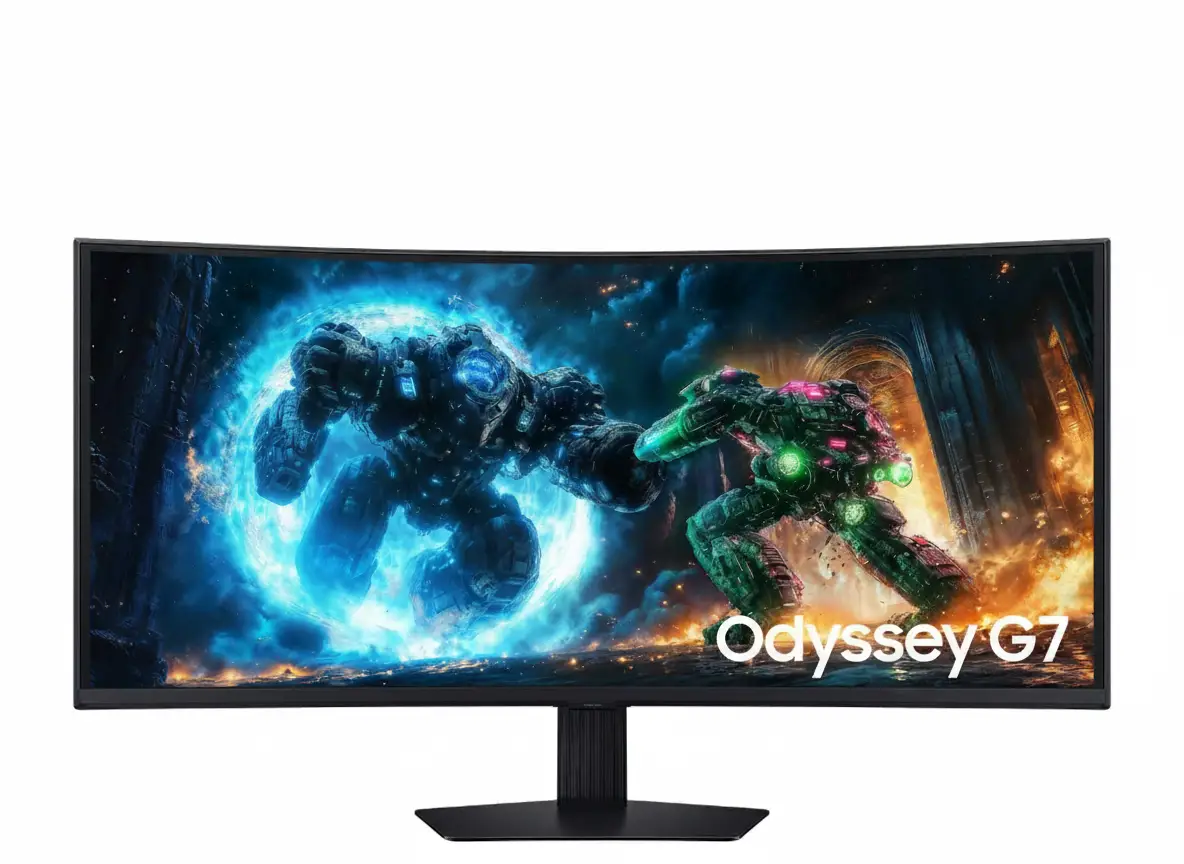

Samsung M7 32” 4K Smart Monitor (2024) Review – UHD Display with USB-C, Tizen & Alexa at ₹31,899

Samsung M7 32” 4K Smart Monitor Review: Your Compact 4K Smart Hub for Work and Play

Samsung M7 32” 4K Smart Monitor Review: Your Compact 4K Smart Hub for Work and Play

80 cm (32”) Display 4K UHD (3840 x 2160) Resolution 60 Hz Refresh Rate VA Display Type 150W Power Consumption 2x HDMI 2.0, 3x USB-A (2.0) ₹31899.00

In a world increasingly seeking versatile and space-saving technology, the Samsung M7 32” 4K Smart Monitor presents itself as a compelling all-in-one display solution. Priced at an attractive ₹31899.00, this 80 cm (32-inch) monitor is engineered to be a central hub, seamlessly integrating productivity, entertainment, and smart home control into a single, sleek device. It features a crisp 4K UHD (3840 x 2160) VA panel that delivers sharp visuals and deep blacks, complemented by a standard 60 Hz refresh rate and 4ms (GTG) response time. Running on Samsung’s intuitive Tizen™ OS, the M7 uniquely combines monitor capabilities with a full Smart TV experience, offering direct access to all your favorite streaming apps without needing an external PC. With convenient USB-C (65W charging), robust built-in Wi-Fi and Bluetooth, integrated voice assistants (Bixby, Alexa), and included remote control and speakers, the M7 provides a comprehensive and clutter-free solution for any modern setup. This in-depth review will explore the M7’s immersive display, its extensive smart features, versatile connectivity, integrated audio, and overall value, helping discerning buyers determine if this 32-inch smart monitor is the perfect fit for their home office, casual gaming, or media consumption needs in mid-2025.

1. The Integrated 4K Smart Display: Beyond the Ordinary Monitor

The Samsung M7 goes beyond traditional monitor functionality, offering a complete multimedia experience.

Sharp 4K UHD VA Panel (32-inch):

The 32-inch 4K UHD (3840 x 2160) resolution delivers exceptional clarity and detail. The VA (Vertical Alignment) panel provides a strong 3000:1 static contrast ratio, ensuring deep blacks and vibrant colors.

60 Hz Refresh Rate & 4ms GTG Response Time:

The 60 Hz refresh rate is perfectly adequate for everyday computing, smooth video playback, and general web browsing. A 4ms Grey-to-Grey (GTG) response time helps minimize ghosting, offering a decent experience for casual gaming.

Standard Brightness & HDR10 Support:

With a typical brightness of 300 cd/㎡, the monitor is well-suited for most indoor lighting conditions. It supports HDR10, enabling it to display High Dynamic Range content with enhanced contrast and color.

Wide Viewing Angles & Adaptive Picture:

The 178°(H)/178°(V) viewing angles ensure that colors and contrast remain consistent. The Adaptive Picture feature optimizes screen brightness and color based on ambient lighting.

2. Comprehensive Smart Hub: Entertainment & Control at Your Fingertips

Powered by Tizen™ OS, the M7 offers a seamless smart experience without needing an external device.

Integrated 4K Smart TV Experience (Tizen™ OS):

The heart of the M7’s smart capabilities is Samsung’s acclaimed Tizen™ OS. This provides a full Smart TV experience directly on your monitor, granting instant access to popular streaming services (Netflix, Amazon Prime Video, YouTube, etc.), Samsung TV Plus (IN Only) for free content, and a Universal Guide for personalized recommendations, all in stunning 4K resolution.

Voice Assistant Integration:

With built-in Bixby and Amazon Alexa (IN Only), and Far-Field Voice Interaction, you can control the monitor, search for content, set alarms, and even manage compatible smart home devices using just your voice.

SmartThings Hub Functionality:

The M7 acts as a SmartThings Hub, allowing you to connect and control a wide range of compatible smart home devices directly from your monitor, making it a central command center for your connected home.

Enhanced Multi-Device Experience:

Features like “Mobile to Screen” mirroring, “Tap View” for quick mirroring, and “Sound Mirroring” for playing mobile audio through the monitor’s speakers streamline content sharing from your smartphone.

Remote Access & Basic Smart Calibration:

Remote Access allows you to work on your office PC or laptop directly from the M7. Optimize your display’s color accuracy via a compatible smartphone using the basic smart calibration feature.

Robust Wireless Connectivity:

Built-in Wi-Fi 5 (802.11ac) ensures fast and reliable internet access. Bluetooth 5.2 allows for seamless connection of wireless peripherals.

3. Connectivity & Audio: Streamlined and Integrated

The M7 is designed for modern connectivity and a complete audio-visual experience.

USB-C with Power Delivery:

A highly versatile USB-C port with 65W charging power provides a single-cable solution for connecting and simultaneously charging compatible laptops, significantly reducing cable clutter.

Dual HDMI 2.0 Ports:

Equipped with two HDMI 2.0 ports (with HDCP 2.2 support), the monitor allows you to connect multiple devices like a PC, gaming console, or set-top box without constant cable swapping.

USB 2.0 Hub:

The inclusion of three USB-A 2.0 ports provides a convenient hub for connecting basic peripherals like a keyboard, mouse, or USB drive, though these are the slower USB 2.0 standard.

Built-in Audio & Remote:

The integrated 10W speakers with Adaptive Sound provide decent audio for everyday media consumption. The included remote controller enhances the Smart TV experience.

4. Design & Ergonomics: Sleek and Practical

The M7 boasts a minimalist design that integrates well into any modern space.

Sleek Black Aesthetic:

The monitor features a sleek black finish for the front, rear, and stand, providing a professional and understated look that blends seamlessly with most decor.

Simple Tilt Stand:

The included stand offers tilt adjustment (-2.0˚ to 22.0˚), allowing users to find a comfortable viewing angle. While basic, it provides stability for the display.

Wall Mount Compatibility (100 x 100):

For those seeking a more permanent or space-saving setup, the monitor is compatible with 100 x 100 mm VESA wall mounts.

Who Is This Monitor For? Tailored Recommendations

The Samsung M7 32” 4K Smart Monitor is an excellent choice for:

  • Home Office Users: Its 4K resolution and smart features make it a versatile display for productivity, video conferencing, and seamless switching between work and entertainment.
  • Students & Small Space Dwellers: The all-in-one nature saves desk space by combining a monitor, smart TV, and basic smart home hub into one device.
  • Media Consumers & Streamers: With Tizen™ OS, built-in apps, and decent speakers, it’s perfect for watching movies, shows, and YouTube without needing a separate media player.
  • Casual Gamers: While not for competitive esports, the 4K resolution and 60Hz refresh rate provide a good visual experience for single-player or casual gaming titles.
  • Users Seeking a Clutter-Free Setup: USB-C with power delivery, integrated speakers, and wireless connectivity minimize cables and external devices.
  • Smart Home Enthusiasts on a Budget: Its SmartThings Hub functionality adds value by allowing control of compatible smart home devices.

Who Might Consider Other Options?

You might consider other options if:

  • You Are a Serious Competitive Gamer: The 60Hz refresh rate and 4ms GTG response time are not sufficient for high-refresh-rate, low-latency competitive gaming.
  • You Need Advanced Ergonomics: The basic tilt-only stand lacks height, swivel, or pivot adjustments, which are crucial for optimal ergonomic positioning during long work sessions.
  • You Require Faster USB Data Transfer: The integrated USB-A ports are USB 2.0, which are significantly slower for transferring large files compared to modern USB 3.0 or 3.1.
  • You Need Higher Brightness for HDR: While it supports HDR10, a typical brightness of 300 cd/㎡ is not bright enough to deliver a truly impactful HDR experience, especially in very well-lit rooms.
  • You Prefer an IPS Panel for Color Critical Work: While the VA panel offers great contrast, IPS panels generally provide more consistent color accuracy and wider viewing angles without color shift, which can be important for professional photo/video editing.
  • You Need a Built-in Camera: Unlike the M8, this M7 model does not include a built-in or detachable webcam, requiring a separate purchase if video calls are frequent.

Competitive Edge: What Sets It Apart

The Samsung M7 32” 4K Smart Monitor distinguishes itself in the market with several key advantages:

  • All-in-One Smart TV Integration at 32-inch 4K: Its primary competitive edge is the seamless blend of a 4K monitor with a full Tizen™ OS Smart TV experience, offering built-in streaming apps, Wi-Fi, and Bluetooth, making it a highly versatile and space-saving solution.
  • Value for Money: Priced at ₹31899.00, it offers a comprehensive package of 4K resolution, smart features, and integrated audio at a very competitive price point for its size.
  • Convenient USB-C with 65W Power Delivery: This single-cable solution for video, data, and power simplifies connectivity for modern laptops, reducing desktop clutter significantly.
  • Powerful Integrated Audio: The 10W speakers with Adaptive Sound provide a much better audio experience than typical monitors, eliminating the need for external speakers for most users.
  • Integrated Voice Assistants & SmartThings Hub: The inclusion of Bixby and Alexa with Far-Field Voice Interaction, along with SmartThings Hub functionality, transforms it into a central, hands-free control point for both the monitor and your smart home.
  • Dual HDMI 2.0 Ports: Provides more flexibility for connecting multiple modern devices (e.g., PC and game console) simultaneously compared to many other monitors in its class.

Full Specification Details

Display

  • Screen Size (Class): 80 cm (32 inch)
  • Flat / Curved: Flat
  • Active Display Size (HxV): 69.73 cm x 39.22 cm
  • Aspect Ratio: 16:9
  • Panel Type: VA
  • Brightness (Typical): 300 cd/㎡
  • Brightness (Min): 240 cd/㎡
  • Contrast Ratio Static: 3,000:1 (Static)
  • HDR (High Dynamic Range): HDR10
  • Resolution: 4K (3840 x 2160)
  • Response Time: 4 ms (GTG)
  • Viewing Angle (H/V): 178°(H)/178°(V)
  • Colour Support: Max 1B
  • Color Gamut (NTSC 1976): 72%
  • Refresh Rate: Max 60 Hz

General Features

  • Eye Saver Mode: Yes
  • Flicker Free: Yes
  • Image Size: Yes
  • Windows Certification: Windows 11
  • Virtual AIM Point: Yes
  • Game Bar 2.0: Yes
  • HDMI-CEC: Yes
  • Auto Source Switch+: Yes
  • Adaptive Picture: Yes
  • Ultrawide Game View: Yes

Smart Service

  • Smart Type: Smart
  • Operating System: Tizen™
  • Bixby: Yes
  • Far-Field Voice Interaction: Yes
  • TV Plus: Yes (IN Only)
  • Universal Guide: Yes (IN Only)
  • Alexa Built-in: Alexa (IN Only)
  • SmartThings Hub: Yes
  • Multi Device Experience: Mobile to Screen, Screen initiate mirroring, Sound Mirroring, Wireless On, Tap View
  • My Contents: Yes
  • Multi View: upto 2 videos
  • Smart Calibration: Basic
  • NFT: Nifty Gateway
  • Remote Access: Yes

Interface

  • Wireless Display: Yes
  • HDMI: 2 EA
  • HDMI Version: 2.0
  • HDCP Version (HDMI): 2.2
  • USB Hub: 3 (ports)
  • USB Hub Version: 2.0
  • USB-C: 1 EA
  • USB-C Charging Power: 65 W
  • HDCP Version (USB-C): 2.2
  • Wireless LAN Built-in: Yes (WiFi5)
  • Bluetooth: Yes (5.2)

Audio

  • Speaker: Yes
  • Speaker Output: 10W
  • Adaptive Sound: Adaptive Sound

Operation Conditions

  • Temperature: 10~40 ℃
  • Humidity: 10~80 (non-condensing)
  • Calibration: Factory Tunning (Yes)

Design

  • Front Colour: BLACK
  • Rear Color: BLACK
  • Stand Colour: Black
  • Stand Type: SIMPLE
  • Tilt: -2.0˚(±2.0˚) ~ 22.0˚(±2.0˚)
  • Wall Mount: 100 x 100

Power

  • Power Supply: AC 100~240 V
  • Power Consumption (Max): 150 W
  • Type: Internal Power

Dimension & Weight

  • Set Dimension with Stand (WxHxD): 71.61 cm x 51.70 cm x 19.35 cm
  • Set Dimension without Stand (WxHxD): 71.61 cm x 42.45 cm x 4.18 cm
  • Package Dimension (WxHxD): 84.20 cm x 13.30 cm x 48.70 cm
  • Set Weight with Stand: 6.5 kg
  • Set Weight without Stand: 5.4 kg
  • Package Weight: 8.4 kg

Accessory & Launch

  • Power Cable Length: 1.5 m
  • HDMI Cable: Yes
  • Remote Controller: Yes

Pros & Cons: A Balanced View for Buyers

Pros:

  • True All-in-One Smart Hub: Seamlessly combines a 4K monitor with a full Smart TV experience (Tizen™ OS), including built-in streaming apps, Wi-Fi, Bluetooth, and voice assistants (Bixby, Alexa), significantly reducing clutter and simplifying setups.
  • Sharp 4K UHD Display: Offers excellent clarity and detail on a 32-inch screen, ideal for productivity, graphic design, and consuming high-resolution media.
  • Convenient USB-C Connectivity: A single USB-C port with 65W power delivery simplifies connecting and charging compatible laptops, leading to a cleaner and more efficient workspace.
  • Integrated Audio & Control: Built-in 10W speakers with Adaptive Sound and an included remote control provide a complete entertainment solution without requiring external accessories.
  • Smart Home Integration: Functions as a SmartThings Hub, allowing control and monitoring of compatible smart home devices directly from the monitor, enhancing smart home management.
  • Enhanced Multi-Device Experience: Features like Mobile to Screen mirroring and Tap View make it incredibly easy to share content from smartphones to the larger display.
  • Good Contrast: The VA panel delivers a strong 3000:1 static contrast ratio for decent black levels and good image depth.
  • Affordable for 4K Smart Monitor: At ₹31899.00, it offers significant value for a 32-inch 4K monitor with such extensive smart features, making it accessible for a wide range of users.
  • Dual HDMI 2.0 Ports: Provides flexibility for connecting two modern devices simultaneously.

Cons:

  • Limited Refresh Rate & Response Time: A 60 Hz refresh rate and 4ms (GTG) response time are standard for general use and streaming but are not ideal for serious competitive gaming, limiting its appeal to casual gamers or those prioritizing visuals over speed.
  • Basic Ergonomics: The simple stand only offers tilt adjustment, lacking height, swivel, or pivot capabilities, which can limit optimal viewing positions and ergonomic comfort for prolonged use.
  • USB 2.0 Hub: The integrated USB hub utilizes older USB 2.0 standards, which are slower for data transfer compared to modern USB 3.0 or 3.1, potentially affecting speed for external drives.
  • HDMI 2.0 Ports: While sufficient for 4K at 60Hz, HDMI 2.0 lacks the higher bandwidth of HDMI 2.1, meaning it cannot support potential future uses like 4K at higher refresh rates (though the panel itself is 60Hz).
  • Brightness: A typical brightness of 300 cd/㎡ is adequate for general use but not exceptionally bright for a truly impactful HDR experience, especially in very well-lit environments.
  • No Built-in Camera: Unlike some other smart monitors (like the M8), this model does not include an integrated or detachable webcam, requiring a separate purchase if video calls are a frequent need.

Final Verdict: The Samsung 80 cm (32-inch) M7 UHD 4K Smart Monitor – Your Versatile Home Hub

The 80 cm (32-inch) Samsung M7 UHD 4K Smart Monitor is an exceptional choice for users seeking a versatile, all-in-one display that seamlessly blends premium 4K monitor capabilities with a comprehensive smart TV experience. Its integrated Tizen™ OS, robust wireless connectivity, USB-C with power delivery, and smart home features make it a highly practical and clutter-free solution for productivity, streaming, and casual gaming. While not designed for competitive esports due to its 60Hz refresh rate and basic ergonomics, its attractive price of ₹31899.00 for a 32-inch 4K smart monitor makes it an outstanding value proposition for a living room, home office, or bedroom setup. If you’re looking for a single device to handle your computing, entertainment, and smart home control needs with crisp 4K visuals, the Samsung M7 is a highly recommended and well-rounded choice.

★★★★☆

Overall Rating: 4.5 out of 5.0 (Based on Expert Analysis)
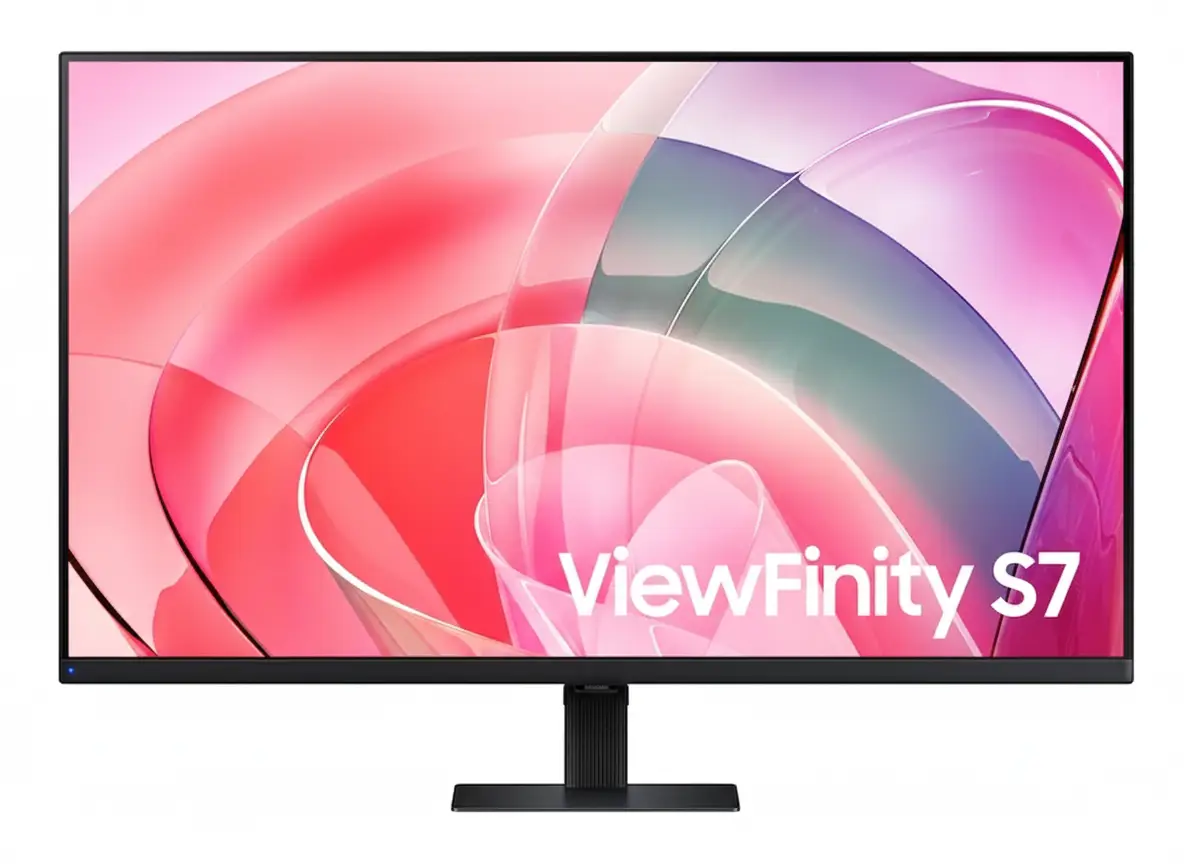

Samsung ViewFinity S7 32″ 4K Monitor – HDR10, 99% sRGB, 1.07B Colors | Best Professional 4K Display 2025

samsung ViewFinity S7 32" 4K Monitor
Samsung Essential Monitor S3 S39GD 27″ Review 2025 – 100Hz Curved Gaming Monitor
Samsung ViewFinity S7 32 inch 4K UHD HDR10 Professional Monitor

💼 Professional 4K Clarity: 32″ UHD + HDR10 + 1.07B Colors!

99% sRGB + VA Panel + TÜV Eye Care + Eco-Friendly Design!

🏆 Best 32″ 4K Business Monitor – Professional Productivity Champion!

Samsung ViewFinity S7 32″ Professional Monitor

32″ 4K UHD VA Panel | HDR10 | 1.07B Colors | 99% sRGB | Eye Care

3840×2160 Resolution – 5ms Response – 3000:1 Contrast – Easy Setup Stand

💼 The Ultimate Professional Workspace:

• Size: 32″ (81.28cm) 4K UHD (3840×2160) VA Panel

• Colors: 1.07 Billion Colors + 99% sRGB Coverage

• HDR: HDR10 Support – 3000:1 Static Contrast Ratio

• Brightness: 350 nits (Typical) – 280 nits (Min)

• Response: 5ms GTG – 60Hz Refresh Rate

• Ports: HDMI 2.0 + DisplayPort 1.2 + USB Hub

• Eye Care: TÜV-Certified + Eye Saver Mode + Flicker Free

• Features: PIP/PBP + Easy Setup Stand + VESA Mount

₹28,999

₹39,990

SAVE ₹10,991 (27% OFF!)

*Price varies ₹27,999-32,990 across retailers | Check current offers

🛒 Check Price on Amazon India

$399.99

$499.99

SAVE $100.00 (20% OFF!)

*Free shipping | Model: LS32D702EANXGO | 4.7★ (185 reviews)

🛒 Buy Now on Samsung.com (USA)

🌍 Global Availability

• India: ₹27,999-32,990 (Amazon.in, Flipkart, Samsung India)

• USA: $399.99 (Samsung.com, Newegg, Best Buy)

• Europe: €379-449 (varies by country)

• Asia: Check Samsung regional sites

Screen Size

32″

Resolution

4K UHD

Color

1.07B

Samsung ViewFinity S7 32″ Overview – The Professional Powerhouse

💼 Professional Highlights

  • 32″ 4K UHD: Crisp workspace clarity
  • VA Panel: 3000:1 contrast ratio
  • HDR10: Enhanced visuals
  • 1.07B Colors: True-to-life accuracy
  • 99% sRGB: Professional color
  • TÜV Certified: Eye comfort guaranteed
  • PIP/PBP: Multi-device workflow
  • Easy Setup: Tool-free assembly

🖥️ Productivity Features

  • 📐 4K Resolution – Ultra-detailed workspace
  • 👁️ Eye Saver Mode – Blue light reduction
  • ⚡ Flicker Free – Zero screen flicker
  • 🖼️ PIP/PBP – Dual source display
  • 🔌 USB Hub – Peripheral connectivity
  • 🌿 Eco-Friendly – 14%+ recycled plastic

⭐ Why This Monitor?

  • • Business-grade: Professional reliability
  • • Perfect size: 32″ ideal for multitasking
  • • VA contrast: Deep blacks, vivid colors
  • • Eye comfort: TÜV-certified protection
  • • Eco-conscious: Sustainable materials
  • • Great value: Premium specs, fair price

🎯 What Makes ViewFinity S7 Special?

The Samsung ViewFinity S7 32″ (S70D) is engineered for professionals who demand crystal-clear visuals and all-day comfort. With 4K UHD resolution (3840×2160), every spreadsheet, design file, and document renders with exceptional clarity. The VA panel technology delivers a 3000:1 static contrast ratio, ensuring deep blacks and vibrant colors that IPS panels cannot match at this price point.

HDR10 support and 1.07 billion color display bring content to life with nuanced gradients and accurate color reproduction. Whether editing photos, creating presentations, or reviewing detailed CAD drawings, the 99% sRGB color coverage ensures professional-grade accuracy straight out of the box.

Samsung’s TÜV-certified Intelligent Eye Care technology reduces eye strain during extended work sessions. Eye Saver Mode minimizes blue light emission, while Flicker Free technology eliminates screen flicker completely. For professionals working 8+ hours daily, these features are essential for maintaining productivity and eye health.

The Easy Setup Stand requires no tools or screws for assembly, and the monitor includes VESA 100×100mm mounting for flexible workspace configuration. Combined with Picture-in-Picture and Picture-by-Picture modes, this monitor transforms into a powerful multi-device command center.

Display Quality – 4K UHD Clarity Meets VA Contrast

📺 4K UHD Resolution – 3840×2160 Pixels

The 32-inch 4K UHD display packs 8.3 million pixels into a workspace-optimized screen size. This translates to 137.68 pixels per inch, delivering razor-sharp text rendering and eliminating the jagged edges common on lower-resolution displays. For designers, developers, and content creators, this pixel density ensures accurate line work, crisp typography, and detailed image editing without visible pixelation.

3840×2160 resolution provides 4× the workspace of Full HD. You can comfortably view four 1080p windows side-by-side without scaling compromises. Excel spreadsheets display more rows and columns simultaneously, code editors show entire functions without scrolling, and design software reveals intricate details at 100% zoom.

Resolution Comparison

  • • Full HD (1920×1080): 2.07 million pixels – basic clarity
  • • QHD (2560×1440): 3.69 million pixels – good detail
  • • 4K UHD (3840×2160): 8.29 million pixels – professional grade
  • • ViewFinity S7 32″: 137.68 PPI – crisp text, sharp images!

⚫ VA Panel – 3000:1 Contrast Advantage

The Vertical Alignment (VA) panel technology is Samsung’s strategic choice for this professional monitor. Unlike IPS panels that sacrifice contrast for viewing angles, VA delivers a 3000:1 static contrast ratio – approximately 3× better than typical IPS monitors. This translates to deeper blacks, more vibrant colors, and superior image depth in everyday use.

For professionals working with dark-themed IDEs, video editing timelines, or photo galleries, VA panel blacks remain truly dark rather than the grayish appearance of IPS. Color saturation benefits from higher contrast, with reds appearing richer, blues deeper, and whites brighter without washing out adjacent darker elements.

VA vs IPS Panel Technology

  • • IPS panels: 1000:1 contrast, wide angles, washed blacks
  • • VA panels: 3000:1 contrast, deep blacks, rich colors
  • • ViewFinity S7: VA panel optimized for contrast + color!
  • • Viewing angle: 178°/178° – no compromise on angles

🔆 Brightness & Uniformity – 350 Nits Professional Grade

350 Nits Typical Brightness

The 350 nits typical brightness (280 nits minimum) is perfectly calibrated for office and home environments. This level handles ambient office lighting without glare, maintains visibility near windows during daytime, and prevents eye strain from excessive brightness in dim environments.

Adaptive Picture Technology

Samsung’s Adaptive Picture automatically adjusts brightness and contrast based on ambient light conditions. In bright rooms, the display compensates with increased brightness. In dark environments, it reduces output to prevent eye fatigue while maintaining contrast.

Anti-Glare Coating

The screen features a matte anti-glare finish that diffuses reflections from overhead lights and windows. Unlike glossy displays that create mirror-like reflections, this coating ensures comfortable viewing in any lighting scenario.

Color Accuracy – 1.07 Billion Colors & 99% sRGB

🎨 1.07 Billion Color Display (10-bit)

The ViewFinity S7 supports 1.07 billion colors (10-bit color depth) through advanced dithering technology. While the native panel is 8-bit, Samsung’s Frame Rate Control (FRC) simulates 10-bit by rapidly alternating pixel colors, creating smooth gradients that eliminate banding artifacts visible in 8-bit displays.

This matters tremendously for photo editing, graphic design, and video production. Subtle sky gradients transition smoothly from light blue to deep azure without visible color steps. Skin tones render naturally with nuanced shading. Product photography shows accurate material textures with proper shadow-to-highlight transitions.

Color Depth Comparison

  • • 8-bit: 16.7 million colors – visible banding
  • • 8-bit + FRC: 1.07 billion colors – smooth gradients
  • • True 10-bit: 1.07 billion colors – professional reference
  • • ViewFinity S7: 10-bit via FRC – creator-ready!

✅ 99% sRGB Color Gamut Coverage

The monitor achieves 99% sRGB color space coverage, the industry standard for web content, digital photography, and general creative work. This ensures accurate color representation across web browsers, Office applications, and creative software like Adobe Photoshop, Illustrator, and Premiere Pro.

Factory tuning calibrates the display before shipping, reducing color drift and ensuring consistency between units. While not individually color-calibrated like $1000+ reference monitors, the S7 delivers professional-grade accuracy for 95% of creative workflows without requiring expensive calibration hardware.

sRGB vs Other Color Spaces

  • • sRGB: Web standard – 99% coverage on S7
  • • Adobe RGB: Print standard – ~75% coverage (typical VA)
  • • DCI-P3: Cinema standard – ~85% coverage (estimated)
  • • Best for: Web design, digital photo, Office work!

🎯 Who Benefits from 99% sRGB Color?

📸

Photographers

Accurate color for digital photo editing and web portfolios

🎨

Graphic Designers

True-to-life colors for web graphics and digital branding

🎬

Video Editors

Consistent color grading for YouTube and online video

💼

Business Users

Reliable color for presentations and document work

HDR10 Support – Enhanced Contrast & Dynamic Range

🌈 What is HDR10?

HDR10 (High Dynamic Range) expands the monitor’s ability to display brighter highlights and deeper shadows simultaneously. While SDR (Standard Dynamic Range) content is mastered within a limited brightness range, HDR10 content can specify brightness levels from 0.0001 to 1000 nits, creating more realistic and impactful imagery.

The ViewFinity S7’s HDR10 implementation leverages the VA panel’s 3000:1 contrast ratio to deliver meaningful dynamic range improvements. When viewing HDR content like HDR Netflix shows, YouTube HDR videos, or HDR photography, the display adjusts brightness zones to reveal details in shadows while maintaining bright highlights – something impossible with SDR.

HDR10 Benefits

  • • Expanded range: Brighter whites, deeper blacks
  • • Better detail: Shadow & highlight detail preserved
  • • Natural look: More lifelike imagery
  • • Content support: Netflix, YouTube, Windows 11 HDR

💡 HDR Performance on ViewFinity S7

It’s important to set realistic expectations: the S7’s 350 nits brightness falls short of VESA DisplayHDR 400 certification (which requires 400 nits peak). This means HDR won’t be as dramatic as on DisplayHDR 600+ monitors. However, the VA panel’s superior contrast compensates significantly for moderate peak brightness.

In practice, HDR content looks noticeably better than SDR on this display. Sunset scenes show enhanced color vibrancy, dark movie scenes reveal shadow detail without lifting blacks excessively, and HDR gaming (Xbox, PlayStation) provides improved immersion. The monitor handles HDR tone mapping intelligently, avoiding the blown-out highlights or crushed shadows common on budget “HDR” displays.

HDR Performance Notes

  • • Best for: HDR video streaming, casual HDR gaming
  • • Not ideal for: Professional HDR mastering workflows
  • • Brightness: 350 nits – decent but not reference-grade
  • • Contrast advantage: VA panel maximizes HDR impact

📺 HDR Content Compatibility

🎬 Streaming Services

  • • Netflix: HDR10 content supported
  • • Amazon Prime: HDR10 video playback
  • • YouTube: HDR videos display correctly
  • • Disney+: HDR content compatible

🎮 Gaming Platforms

  • • Windows 11: Auto HDR support
  • • Xbox Series: HDR gaming enabled
  • • PlayStation 5: HDR mode functional
  • • PC games: HDR titles supported

📸 Creative Apps

  • • Lightroom: HDR photo viewing
  • • Premiere Pro: HDR video preview
  • • Photos (Win): HDR display mode
  • • Chrome: HDR web content

Eye Care Technology – TÜV-Certified Intelligent Protection

👁️ TÜV Rheinland Eye Comfort Certification

The ViewFinity S7 carries TÜV Rheinland Eye Comfort certification, an independent third-party validation of Samsung’s eye care technologies. TÜV Rheinland’s rigorous testing verifies that the display meets strict standards for flicker-free operation and low blue light emission without compromising image quality or color accuracy.

This certification matters for professionals spending 8-12 hours daily in front of screens. Eye strain, headaches, and long-term retinal damage from blue light exposure are genuine concerns. TÜV certification ensures the monitor’s eye care features actually work as advertised, unlike marketing-only “eye care” claims on uncertified displays.

TÜV Certification Standards

  • • Flicker testing: Zero detectable flicker at all brightness levels
  • • Blue light: Reduced harmful wavelengths (380-440nm)
  • • Color shift: Minimal color change with Eye Saver Mode
  • • Independent lab: Third-party verified performance

🛡️ Flicker Free Technology

Flicker Free technology eliminates LED backlight flicker that plagues most monitors, especially at lower brightness levels. Traditional monitors use PWM (Pulse Width Modulation) to control brightness by rapidly turning the backlight on/off. Even at 200Hz+ flicker rates invisible to conscious perception, your eyes detect this strobe effect, causing eye strain, headaches, and fatigue.

Samsung’s Flicker Free design uses DC (Direct Current) backlight modulation, maintaining constant illumination at all brightness levels. This is particularly beneficial for users who prefer lower brightness settings in dim environments – exactly when PWM flicker is most aggressive on conventional monitors. The result: dramatically reduced eye fatigue during marathon work sessions.

Flicker Free Benefits

  • • No headaches: Eliminates flicker-induced migraines
  • • Less fatigue: Work longer without eye strain
  • • Any brightness: Flicker-free at all levels (0-100%)
  • • Long-term health: Reduced cumulative eye damage

🌙 Eye Saver Mode – Blue Light Reduction

What is Blue Light?

Blue light (380-500nm wavelength) is the high-energy visible light emitted by LED backlights. While essential for daytime alertness, excessive blue light exposure suppresses melatonin production, disrupting sleep cycles and potentially damaging retinal cells over time.

Night work sessions are especially problematic – blue light tricks your brain into thinking it’s daytime, making it harder to fall asleep after late-night work.

How Eye Saver Mode Works

Eye Saver Mode filters harmful blue light wavelengths (400-440nm) by adjusting the display’s color temperature toward warmer tones. Unlike software-based blue light filters that simply overlay an orange tint, the S7’s hardware-level filtering maintains better color accuracy while reducing blue light.

Activate Eye Saver Mode during evening work, late-night coding sessions, or extended document reading for immediate comfort improvement.

Real-World Benefits

Users report significantly reduced eye dryness and irritation when using Eye Saver Mode during extended sessions. The warmer color temperature (reduced blue) creates a more comfortable viewing experience without the harsh “coolness” of standard LCD backlights.

Sleep quality improves for users who work late – less blue light exposure before bed helps maintain natural circadian rhythms.

⚙️ Additional Eye Comfort Features

📊 Adaptive Picture Technology

Adaptive Picture automatically adjusts brightness and contrast based on ambient lighting conditions detected by the monitor. In bright rooms, it increases brightness for visibility. In dark environments, it reduces output to prevent eye strain from excessive luminance.

This feature works seamlessly in the background, eliminating the need for manual brightness adjustments throughout the day as lighting conditions change.

🖼️ Image Size & Off Timer Plus

Image Size mode allows custom viewing area adjustments without physical distance changes. Off Timer Plus automatically powers down the display after set periods of inactivity, preventing unnecessary eye exposure when you step away.

Combined with Windows 11 Night Light or macOS Night Shift, these features create a comprehensive eye protection ecosystem.

Ports & Setup – Versatile Connectivity & Tool-Free Assembly

🔌 Port Selection & Connectivity

The ViewFinity S7 provides essential professional connectivity without overwhelming port selection. The rear I/O panel includes 1× HDMI 2.0, 1× DisplayPort 1.2, USB-A hub ports, and USB-B upstream for comprehensive device compatibility.

Video Input Ports

  • • HDMI 2.0: 4K 60Hz support – ideal for laptops, PCs, consoles
  • • DisplayPort 1.2: 4K 60Hz with full color depth (10-bit)
  • • HDCP 2.2: Protected content playback (Netflix 4K, etc.)
  • • Auto Source Switch+: Automatic input detection & switching

USB Hub Functionality

  • • USB-B Upstream: Connect to PC for hub functionality
  • • USB-A Ports: Connect peripherals (keyboard, mouse, drives)
  • • Headphone Jack: 3.5mm audio output for headphones/speakers
  • • Simplified setup: Single USB cable enables peripheral sharing

🛠️ Easy Setup Stand – Tool-Free Assembly

Samsung’s Easy Setup Stand represents a significant quality-of-life improvement over traditional monitor stands requiring screwdrivers and manual assembly. The stand attaches via a simple push-and-click mechanism, with no tools or screws required. Setup takes under 30 seconds from box to desk.

The stand provides tilt adjustment from -2° to +25°, allowing ergonomic positioning for various desk heights and seating positions. While it lacks height/swivel/pivot adjustments, the tilt range covers most user preferences for desktop use. For advanced ergonomics, the VESA 100×100mm mount enables attachment to monitor arms or wall mounts.

Stand & Mounting Options

  • • Easy Setup Stand: Tool-free installation (30 seconds)
  • • Tilt range: -2° to +25° for ergonomic positioning
  • • VESA mount: 100×100mm standard – arm/wall compatible
  • • Stand color: Warm White matches monitor bezel
  • • Footprint: 180mm depth – desk-friendly design

💻 Multi-Device Workflow – PIP & PBP Modes

🖼️ Picture-in-Picture (PIP)

PIP mode displays a secondary input source as a resizable window overlaid on the primary display. This is perfect for monitoring live feeds while working – watch a webinar while taking notes, monitor server dashboards while coding, or reference documentation while designing.

PIP Use Cases

  • • Video conferencing: Zoom call in corner while presenting
  • • Live monitoring: Security cam feed during regular work
  • • Content creation: Reference footage while editing
  • • Gaming + streaming: Console gameplay with PC stream controls

⚡ Picture-by-Picture (PBP)

PBP mode splits the 32″ display into two side-by-side viewing areas, each showing a different input source at native resolution. Connect your work laptop and personal desktop simultaneously, viewing both systems on one screen without constant cable swapping or KVM switches.

PBP Use Cases

  • • Dual PC setup: Work laptop + personal desktop simultaneously
  • • Cross-platform dev: Mac + Windows side-by-side testing
  • • Console + PC: Game on one side, Discord/chat on other
  • • Trading/monitoring: Live data feeds from multiple sources

📐 Dimensions & Weight Specifications

📏 Physical Dimensions

  • • With stand: 713.9 × 501.6 × 180 mm
  • • Panel only: 713.9 × 424.7 × 41.8 mm
  • • Active display: 697.3 × 392.2 mm (diagonal 32″)
  • • Bezel: Thin warm white bezel design

⚖️ Weight Specifications

  • • With stand: 13 lbs (5.9 kg)
  • • Panel only: 9.7 lbs (4.4 kg)
  • • Shipping weight: 17.6 lbs (8.0 kg)
  • • Easy to move: Single-person setup

📦 Packaging & Cables

  • • Box size: 798 × 546 × 160 mm
  • • Power cable: 1.5m (4.9 ft) included
  • • HDMI cable: Included in package
  • • Eco packaging: Glue-joined, staple-free box

Productivity Features – Professional Workflow Optimization

💼 4K Workspace – Maximum Screen Real Estate

The 32″ 4K resolution provides exceptional multitasking capabilities without the need for dual monitors. With 3840×2160 pixels, you can comfortably display four Full HD windows side-by-side at native resolution – perfect for comparing documents, coding with multiple files open, or managing complex workflows.

At 100% scaling in Windows 11 or macOS, the display reveals enormous amounts of information simultaneously. Excel spreadsheets show 50+ rows and 20+ columns without scrolling. Code editors display entire functions with room for debuggers and file trees. Design software provides full toolbars without obscuring the canvas.

Multitasking Scenarios

  • • Financial analysis: Excel + browser + PDF documents simultaneously
  • • Software dev: IDE + documentation + terminal + browser
  • • Content creation: Premiere timeline + preview + media browser
  • • Business ops: Email + CRM + calendar + chat all visible

⚡ 60Hz Refresh & 5ms Response – Professional Responsiveness

The 60Hz refresh rate and 5ms response time are perfectly calibrated for professional use. While gaming monitors prioritize 144Hz+ for competitive advantage, productivity work benefits from stable 60Hz with consistent frame pacing – no tearing during scrolling, smooth cursor movement, and fluid window animations.

5ms GTG (Gray-to-Gray) response time eliminates ghosting during normal desktop use. Text scrolling remains sharp, video playback is smooth, and even casual gaming (strategy, simulation) performs well without motion blur. For office work, this response time is indistinguishable from faster panels while maintaining better image quality.

Performance Benefits

  • • Smooth scrolling: Documents, spreadsheets, web pages
  • • Video playback: 24/30/60fps content plays perfectly
  • • No tearing: Consistent frame delivery at 60Hz
  • • Efficient GPU: 4K 60Hz requires less power than high-refresh

🖥️ Windows 11 & macOS Compatibility

🪟 Windows 11 Certification

The ViewFinity S7 carries official Windows 11 certification, ensuring full compatibility with Microsoft’s latest OS features. HDR mode, Auto HDR, Night Light, display scaling, and virtual desktops all function flawlessly with proper driver support.

Windows 11 HDR Calibration app works correctly with the monitor, allowing fine-tuning of brightness curves and color accuracy for HDR content. Display settings properly detect 4K 60Hz capabilities via HDMI and DisplayPort.

Optimal Windows 11 Settings:

  • • Scaling: 150% for comfortable text size
  • • Refresh: 60Hz (native)
  • • Color depth: 10-bit (via DisplayPort)
  • • HDR: Enable in Display Settings when viewing HDR content

🍎 macOS Compatibility

Mac users benefit from excellent plug-and-play compatibility. macOS automatically detects the 4K resolution and configures appropriate scaling. Retina-quality text rendering works beautifully at default scaled resolutions, with sharp fonts and crisp UI elements.

True Tone and Night Shift (on Macs with ambient sensors) function correctly with the S7. Color management in macOS properly utilizes the sRGB color space for accurate Creative Suite workflows. USB-C to DisplayPort cables work for single-cable video on newer MacBooks.

Optimal macOS Settings:

  • • Resolution: “Default for display” (scaled 2560×1440)
  • • Color profile: sRGB IEC61966-2.1
  • • Night Shift: Enable for evening comfort
  • • Connection: USB-C to DP for M-series Macs

🌿 Sustainability & Eco-Friendly Design

♻️

Recycled Plastics

The ViewFinity S7 incorporates at least 14% recycled plastic across various components. This percentage varies by part but represents a significant commitment to reducing virgin plastic consumption.

Samsung calculates this as total weight of recycled materials divided by total plastic weight in the product.

🌱

Chemical-Free Finish

No chemical sprays are used on the monitor’s plastic components, reducing volatile organic compound (VOC) emissions during manufacturing and throughout the product’s lifespan.

This creates a healthier indoor environment and reduces industrial pollution.

📦

Recyclable Packaging

The packaging box uses glue instead of staples at joints, making it fully recyclable in standard cardboard recycling streams without requiring staple removal.

ENERGY STAR and TCO certifications validate energy efficiency and environmental responsibility.

Who Should Buy the Samsung ViewFinity S7 32″?

✅ Perfect For These Users

💼 Business Professionals

If you work with spreadsheets, financial models, presentations, or multi-application workflows, the 4K workspace and excellent text clarity make the S7 ideal. PIP/PBP modes enable efficient multi-device setups without desk clutter.

💻 Software Developers

The 32″ 4K resolution provides ample space for IDE, terminal, documentation, and browser simultaneously. Deep VA panel blacks make dark themes comfortable, and TÜV eye care reduces strain during marathon coding sessions.

🎨 Content Creators

For photo editing, video production, and graphic design, 99% sRGB coverage and 1.07B colors ensure accurate color reproduction. HDR10 support enhances preview quality for modern content workflows.

🏠 Home Office Workers

The eco-friendly design, eye care features, and tool-free setup make this perfect for home offices. Energy efficiency keeps electricity costs low during all-day use, and the single-cable setup minimizes desk cable mess.

🎓 Students & Researchers

For academic work requiring multiple reference sources, paper writing, and data analysis, the large 4K workspace eliminates constant window switching. Affordable pricing fits student budgets.

🎮 Casual Gamers

Strategy games, simulation, RPGs, and console gaming work beautifully. HDR10 enhances immersion, and the 60Hz refresh rate suits non-competitive gaming. VA contrast makes dark games stunning.

❌ Not Ideal For These Users

🎮 Competitive Gamers

The 60Hz refresh rate and 5ms response time are inadequate for competitive FPS, MOBA, or esports gaming. High-refresh gaming monitors (144Hz+) with 1ms response times provide necessary advantages for competitive play.

👉 Consider: Gaming monitors with 144Hz+ refresh rates

🎬 Professional Video Colorists

While 99% sRGB is excellent, professional video grading requires DCI-P3 or Rec.2020 coverage that this monitor lacks. HDR600-grade peak brightness is also insufficient for HDR mastering workflows.

👉 Consider: BenQ SW series or ASUS ProArt PA32UCX

🖨️ Print Designers

Print professionals require Adobe RGB color space coverage (90%+) for accurate CMYK preview. The S7’s focus on sRGB makes it unsuitable for print-centric design work where color matching to physical prints is critical.

👉 Consider: Monitors with Adobe RGB coverage like BenQ SW270C

🏢 Multi-Monitor Setups

The S7 lacks narrow bezels optimized for edge-to-edge multi-monitor arrays. If you plan a 2×2 or 3×1 monitor wall, models designed specifically for video walls provide better visual continuity.

👉 Consider: Thin-bezel professional displays or ultrawide alternatives

⚙️ Advanced Ergonomics Needs

The stand provides tilt-only adjustment without height, swivel, or pivot. Users requiring portrait mode, precise height matching, or complex desk arrangements need more adjustable stands or VESA arm mounting.

👉 Consider: Monitors with fully adjustable stands or purchase VESA arm

💰 Budget-Constrained Buyers

If $400 USD exceeds your budget, 1440p monitors at 27″ offer excellent value at $200-250. You’ll sacrifice 4K resolution but gain similar screen real estate and features at lower cost.

👉 Consider: 27″ 1440p displays from Dell, LG, or Acer

ViewFinity S7 vs Competitors – How Does It Stack Up?

LG 32UN650-W

LG 32UN650-W

32″ 4K IPS | HDR10 | 95% DCI-P3 | Height-Adjustable Stand

✅ Where LG Wins:

  • • IPS panel – wider viewing angles
  • • 95% DCI-P3 color gamut (better)
  • • Height-adjustable ergonomic stand
  • • USB-C with 60W power delivery

❌ Where Samsung S7 Wins:

  • • VA panel – 3× better contrast (3000:1 vs 1000:1)
  • • Deeper blacks for dark content
  • • Lower price by $50-80
  • • TÜV eye care certification
  • • Better value for office/productivity

Best for: Content creators needing wider color, users wanting ergonomic stand adjustability

Dell S2722DC

Dell S2722DC

27″ 4K IPS | USB-C 65W PD | Height/Pivot Stand | ComfortView

✅ Where Dell Wins:

  • • USB-C with 65W laptop charging
  • • Fully adjustable stand (height/pivot/swivel)
  • • Dell ComfortView blue light filter
  • • Smaller 27″ ideal for desk space

❌ Where Samsung S7 Wins:

  • • Larger 32″ screen – more workspace
  • • VA contrast 3× better than IPS
  • • Lower price ($399 vs $450+)
  • • Better for dark content viewing

Best for: MacBook users needing USB-C charging, users prioritizing ergonomics over screen size

BenQ PD3205U

BenQ PD3205U

32″ 4K IPS | 98% P3 | Factory Calibrated | USB-C Docking | CAD/CAM Mode

✅ Where BenQ Wins:

  • • 98% DCI-P3 + factory color calibration
  • • CAD/CAM mode for technical design
  • • USB-C with 65W PD + KVM switch
  • • Professional creator features

❌ Where Samsung S7 Wins:

  • • $250+ cheaper ($399 vs $650+)
  • • Better VA contrast ratio
  • • Sufficient for most workflows
  • • Better value for general use

Best for: Professional designers/engineers needing wide color + calibration, CAD/CAM workflows

Samsung S60A

Samsung ViewFinity S60A

32″ 4K IPS | 99% sRGB | Eye Saver Mode | Simple Stand

✅ Where S60A Wins:

  • • Lower price ($50-70 cheaper)
  • • IPS panel – wider viewing angles
  • • Similar feature set for less
  • • Good budget alternative

❌ Where Samsung S7 (S70D) Wins:

  • • VA panel – 3× better contrast
  • • HDR10 support (S60A lacks HDR)
  • • 1.07B colors vs 16.7M colors
  • • Newer 2024 model vs older

Best for: Budget-conscious buyers who prefer IPS angles over VA contrast, basic office use

ASUS ProArt PA329CV

ASUS ProArt PA329CV

32″ 4K IPS | 98% DCI-P3 | Hardware Calibration | USB-C 65W | HDR10

✅ Where ASUS Wins:

  • • 98% DCI-P3 + 100% sRGB coverage
  • • Hardware calibration support
  • • USB-C with 65W power delivery
  • • Professional ProArt features

❌ Where Samsung S7 Wins:

  • • $300+ cheaper price point
  • • Better contrast (VA vs IPS)
  • • Sufficient for most users
  • • Better value proposition

Best for: Professional photographers/video editors needing wide color + calibration tools

Gigabyte M32U

Gigabyte M32U

32″ 4K IPS | 144Hz | 1ms MPRT | 90% DCI-P3 | HDMI 2.1 | FreeSync Premium Pro

✅ Where Gigabyte Wins:

  • • 144Hz refresh – gaming-optimized
  • • 1ms MPRT response time
  • • HDMI 2.1 for PS5/Xbox 4K 120Hz
  • • FreeSync Premium Pro + G-SYNC

❌ Where Samsung S7 Wins:

  • • VA contrast superior to IPS
  • • Better for productivity/office work
  • • TÜV eye care for long sessions
  • • Lower price for non-gamers

Best for: Serious gamers wanting 4K 144Hz, PS5/Xbox Series X owners, competitive gaming

🎯 Competitive Positioning Summary

The Samsung ViewFinity S7 32″ (S70D) occupies the sweet spot for professional productivity monitors. It delivers premium features like 4K resolution, HDR10, 1.07B colors, and TÜV eye care at a competitive $399 price point. The VA panel’s superior contrast ratio makes it particularly attractive for users who prioritize image quality over wide viewing angles.

Competitors either sacrifice features for lower prices (S60A), add gaming specs that productivity users don’t need (Gigabyte M32U), or target professional creators willing to pay premium prices for wider color gamuts and calibration tools (BenQ, ASUS ProArt). The S7 hits the optimal balance of performance, features, and value for business and creative professionals.

Pros & Cons – Balanced Assessment

✅ Pros – What We Love

  • ✓
    Excellent 4K Clarity:

    3840×2160 resolution on 32″ provides 137.68 PPI for razor-sharp text, detailed images, and massive workspace real estate perfect for multitasking.

  • ✓
    Superior VA Panel Contrast:

    3000:1 static contrast ratio delivers deep blacks and vibrant colors that IPS panels cannot match – exceptional for dark content and mixed scenes.

  • ✓
    1.07 Billion Colors:

    10-bit color depth via FRC eliminates banding artifacts, providing smooth gradients essential for photo editing and creative work.

  • ✓
    99% sRGB Color Accuracy:

    Factory-tuned color ensures professional-grade accuracy for web design, digital photography, and general creative workflows without calibration.

  • ✓
    TÜV-Certified Eye Care:

    Flicker Free + Eye Saver Mode with independent third-party certification reduces eye strain during 8-12 hour work sessions dramatically.

  • ✓
    HDR10 Support:

    Enhanced dynamic range improves video streaming, gaming, and HDR photo viewing with better highlight/shadow detail preservation.

  • ✓
    PIP/PBP Multi-Device:

    Picture-in-Picture and Picture-by-Picture modes enable efficient multi-device workflows without KVM switches or cable swapping.

  • ✓
    Easy Setup Stand:

    Tool-free assembly takes under 30 seconds – no screwdrivers or complicated instructions required for desk setup.

  • ✓
    Eco-Friendly Design:

    14%+ recycled plastic, chemical-free finish, recyclable packaging, ENERGY STAR certified – sustainable manufacturing practices.

  • ✓
    Excellent Value:

    $399 USD pricing delivers premium features typically found on $500-600 monitors – outstanding performance per dollar.

  • ✓
    Windows 11 Certified:

    Official Microsoft certification ensures flawless compatibility with Windows 11 HDR, scaling, and display features.

  • ✓
    USB Hub Built-In:

    USB-A ports and upstream USB-B connection simplify peripheral management and reduce cable clutter on desk.

❌ Cons – Room for Improvement

  • ✗
    Tilt-Only Stand:

    No height, swivel, or pivot adjustments – limits ergonomic flexibility. Users needing portrait mode or precise height must purchase VESA arms.

  • ✗
    60Hz Refresh Rate:

    60Hz is inadequate for competitive gaming or high-refresh workflows. Gaming enthusiasts should look at 144Hz+ alternatives.

  • ✗
    No USB-C Port:

    Lacks USB-C with power delivery that would enable single-cable laptop connections – requires separate power adapter for modern laptops.

  • ✗
    Limited Peak Brightness:

    350 nits falls short of DisplayHDR 400 certification – HDR impact is moderate compared to 600+ nit displays.

  • ✗
    VA Panel Viewing Angles:

    While rated 178°/178°, VA panels show more color shift at extreme angles compared to IPS – not ideal for side-by-side viewing.

  • ✗
    5ms Response Time:

    5ms GTG response can show minor ghosting in fast motion scenarios – competitive gamers need 1ms panels.

  • ✗
    No Built-In Speakers:

    Lacks integrated speakers – requires external audio solution for sound output (though most users prefer dedicated speakers).

  • ✗
    Limited Color Gamut:

    99% sRGB is excellent but lacks wide color (DCI-P3/Adobe RGB) coverage needed for professional video/print workflows.

  • ✗
    No Hardware Calibration:

    Cannot be hardware-calibrated with colorimeters for professional color-critical workflows requiring absolute accuracy.

  • ✗
    HDMI 2.0 (Not 2.1):

    HDMI 2.0 limits bandwidth for future features – though 4K 60Hz works fine, HDMI 2.1 would future-proof the display.

  • ✗
    Basic OSD Controls:

    On-screen display menu uses physical buttons rather than joystick – slightly less convenient than premium monitors.

Final Verdict – Should You Buy the ViewFinity S7 32″?

⭐ Overall Rating: 8.5/10

Highly Recommended

📊 Rating Breakdown

Display Quality: 9/10
Color Accuracy: 8.5/10
Eye Care Features: 9.5/10
Connectivity: 7/10
Ergonomics: 6.5/10
Value for Money: 9/10

🎯 Bottom Line

The Samsung ViewFinity S7 32″ (S70D) is an outstanding professional monitor that delivers flagship-tier features at a competitive price point. Its 4K resolution, VA panel contrast, 1.07B colors, and TÜV-certified eye care make it ideal for business professionals, developers, content creators, and home office workers who prioritize productivity and visual quality over gaming performance.

The monitor excels in multitasking scenarios, long work sessions, and mixed-use workflows. VA panel technology provides superior contrast for dark content, while 99% sRGB coverage ensures accurate colors for creative work. HDR10 support enhances multimedia experiences, and PIP/PBP modes streamline multi-device setups.

Trade-offs are minor – the tilt-only stand and lack of USB-C are disappointing but addressable with VESA arms or adapters. For the $399 USD price point, you’d struggle to find better display quality and feature density in the 32″ 4K category.

🏆 Our Recommendation

HIGHLY RECOMMENDED for business professionals, software developers, content creators, students, and home office workers seeking a premium 32″ 4K productivity monitor with excellent value. The ViewFinity S7 punches well above its price class.

NOT RECOMMENDED for competitive gamers (need 144Hz+), professional colorists (need wide color gamut), print designers (need Adobe RGB), or users requiring advanced ergonomics without VESA arm investment.

Frequently Asked Questions (FAQs)

❓ Is the ViewFinity S7 good for gaming?

The S7 is excellent for casual gaming, RPGs, strategy games, and single-player experiences. The 60Hz refresh rate and 5ms response time work well for non-competitive gaming. However, competitive FPS, MOBA, or esports gamers should choose 144Hz+ monitors for the refresh rate advantage.

❓ Can I use this with a MacBook?

Yes, the S7 works perfectly with MacBooks via HDMI or DisplayPort. macOS automatically detects 4K resolution and applies appropriate scaling. Note: there’s no USB-C port, so you’ll need USB-C to HDMI/DisplayPort adapters and a separate MacBook charger.

❓ Does it support PS5 and Xbox Series X?

Yes, the S7 supports PS5 and Xbox Series X at 4K 60Hz via HDMI. HDR10 gaming works beautifully. However, note that it has HDMI 2.0 (not 2.1), so 4K 120Hz gaming is not supported – you’re limited to 4K 60Hz for console gaming.

❓ What’s the difference between S7 (S70D) and S60A?

The S7 (S70D) is the newer 2024 model with upgrades: VA panel (better contrast), HDR10 support, 1.07B colors (10-bit), and improved eye care. The S60A is older with IPS panel, no HDR, and 8-bit color. S7 offers better image quality; S60A is cheaper.

❓ Can I mount this on a monitor arm?

Yes! The ViewFinity S7 supports VESA 100×100mm mounting. You can remove the included stand and attach any VESA-compatible monitor arm or wall mount. This is recommended if you need height adjustment, swivel, or pivot functionality.

❓ Is 99% sRGB enough for photo editing?

Yes, 99% sRGB is excellent for digital photography and web-focused work. If you primarily edit photos for Instagram, websites, or digital portfolios, this is perfect. Print photographers need Adobe RGB coverage, which this monitor doesn’t provide.

❓ Does Eye Saver Mode change colors noticeably?

Yes, Eye Saver Mode shifts colors toward warmer tones (reduces blue light). For creative work requiring color accuracy, turn it off. For document editing, web browsing, and evening work, the comfort benefits outweigh color shift.

❓ What cables are included in the box?

Samsung includes 1× HDMI cable (1.5m) and 1× power cable (1.5m) in the package. DisplayPort cable is NOT included – purchase separately if you prefer DP connection for 10-bit color depth.

❓ How is the VA panel different from IPS?

VA panels offer 3× better contrast (3000:1 vs 1000:1) with deeper blacks and richer colors, but slightly narrower viewing angles. IPS panels have wider angles but washed-out blacks. For direct front viewing (typical desk use), VA is superior.

❓ Can I run dual monitors with this?

Absolutely! The S7 works great in dual or triple monitor setups. Connect multiple displays via separate HDMI/DP ports on your GPU. Note: bezels are standard thickness, not ultra-thin, so there will be visible gaps between screens.

❓ Is the 350 nits brightness enough?

Yes, 350 nits is perfect for indoor office and home use. It handles ambient lighting and window glare adequately. If you work in extremely bright environments or direct sunlight, consider 400+ nit displays for better visibility.

❓ Does it have built-in speakers?

No, the ViewFinity S7 does NOT include built-in speakers. You’ll need external speakers, headphones, or a sound system. There is a 3.5mm headphone jack for audio output from connected devices.

Complete Technical Specifications

Samsung ViewFinity S7 32″ (S70D) – Model: LS32D702EANXGO
📺 DISPLAY SPECIFICATIONS
Screen Size32 inches (81.28 cm) – Flat Panel
Resolution4K UHD – 3840 × 2160 pixels (16:9 aspect ratio)
Panel TypeVA (Vertical Alignment) Panel
Active Display Area697.3 × 392.2 mm (27.5 × 15.4 inches)
Pixel Density137.68 PPI (Pixels Per Inch)
Brightness (Typical)350 cd/m² (nits)
Brightness (Minimum)280 cd/m² (nits)
Contrast Ratio (Static)3000:1 (Typical)
Contrast Ratio (Dynamic)Mega ∞ DCR (Dynamic Contrast Ratio)
Viewing Angle178° Horizontal / 178° Vertical
Response Time5ms (GTG – Gray to Gray)
Refresh RateMax 60Hz
🎨 COLOR SPECIFICATIONS
Color Support1.07 Billion Colors (10-bit via FRC)
Color Gamut (sRGB)99% sRGB Coverage (Typical)
HDR SupportHDR10 (High Dynamic Range)
Factory TuningYes – Pre-calibrated at factory
🔌 CONNECTIVITY & PORTS
HDMI Ports1× HDMI 2.0 (4K 60Hz support)
DisplayPort1× DisplayPort 1.2 (4K 60Hz support)
USB PortsUSB-A (Hub) + USB-B (Upstream)
Audio Output1× 3.5mm Headphone Jack
HDCP Version (HDMI)HDCP 2.2
HDCP Version (DP)HDCP 2.2
Built-in SpeakersNo
✨ FEATURES & TECHNOLOGY
Eye Saver ModeYes – Blue light reduction
Flicker FreeYes – Zero flicker at all brightness levels
TÜV CertificationTÜV Rheinland Eye Comfort Certified
Picture-in-PictureYes (PIP) – Dual input display
Picture-by-PictureYes (PBP) – Side-by-side dual input
Adaptive PictureYes – Auto brightness/contrast adjustment
Auto Source SwitchAuto Source Switch+ (Automatic input detection)
Image Size ModeYes – Custom viewing area adjustment
Off Timer PlusYes – Auto power-off timer
🛠️ ERGONOMICS & DESIGN
Stand TypeEasy Setup Stand (SIMPLE) – Tool-free assembly
Tilt Adjustment-2° to +25° (±2° tolerance)
Height AdjustmentNo
Swivel AdjustmentNo
Pivot AdjustmentNo
VESA Mount100 × 100 mm (Compatible with monitor arms/wall mounts)
Front ColorWarm White
Rear ColorWarm White
Stand ColorWarm White
📏 DIMENSIONS & WEIGHT
With Stand (W×H×D)713.9 × 501.6 × 180 mm (28.1 × 19.7 × 7.1 inches)
Without Stand (W×H×D)713.9 × 424.7 × 41.8 mm (28.1 × 16.7 × 1.6 inches)
Weight With Stand13 lbs (5.9 kg)
Weight Without Stand9.7 lbs (4.4 kg)
Package Dimensions (W×H×D)798 × 546 × 160 mm (31.4 × 21.5 × 6.3 inches)
Shipping Weight17.6 lbs (8.0 kg)
⚡ POWER SPECIFICATIONS
Power Supply TypeInternal Power Supply
Input VoltageAC 100-240V (Universal voltage)
Power Consumption (Max)100W (Maximum)
Power Consumption (Typical)~35-45W (Estimated during normal use)
🌿 ENVIRONMENTAL & CERTIFICATIONS
ENERGY STAR CertifiedYes
TCO CertifiedYes
Recycled Plastic ContentOver 14% (varies by component)
Chemical-Free FinishYes – No spray coatings on plastic
Recyclable PackagingYes – Glue-joined box (staple-free)
Windows 11 CertificationYes – Official Microsoft certification
📦 PACKAGE CONTENTS
Included Accessories1× HDMI Cable (1.5m / 4.9ft)
1× Power Cable (1.5m / 4.9ft)
Easy Setup Stand
Quick Setup Guide
Not IncludedDisplayPort Cable (purchase separately)
🌡️ OPERATING CONDITIONS
Operating Temperature10°C to 40°C (50°F to 104°F)
Operating Humidity10% to 80% (Non-condensing)
💰 PRICING INFORMATION
USA MSRP$499.99 (Original) | $399.99 (Current)
India Price Range₹27,999 – ₹32,990 (varies by retailer)
Europe Price Range€379 – €449 (varies by country)
Model NumberLS32D702EANXGO
Release Year2024

Ready to Upgrade Your Workspace?

The Samsung ViewFinity S7 32″ delivers professional 4K clarity at an exceptional price.

*Prices subject to change. Check retailer sites for current offers and availability.

Samsung Odyssey OLED G6 Review – 27″ 240Hz QHD OLED Gaming Monitor for ₹74,199

Samsung Odyssey OLED G6 Review: The Pinnacle of QHD OLED Gaming

Samsung Odyssey OLED G6 Review: The Pinnacle of QHD OLED Gaming

68.5 cm (27″) Display QHD (2560 x 1440) Resolution Max 240 Hz Refresh Rate OLED with Quantum Dot 140W Power Consumption 2x HDMI 2.1, 1x DP 1.4, 2x USB 3.0, 1x USB-B, Headphone Out ₹74199.00

This in-depth review will explore the Odyssey OLED G6’s groundbreaking display technology, its blistering performance, versatile connectivity, ergonomic design, and overall value proposition, helping discerning buyers understand why this monitor is a top-tier choice for elevating their gaming experience.

1. Blazing Fast OLED Panel: Unrivaled Speed and Visuals

The Odyssey OLED G6 combines the best of OLED technology with extreme speed.

Unrivaled Response Time:

The defining feature is its astonishingly fast 0.03 ms Grey-to-Grey (GTG) response time. This virtually eliminates motion blur and ghosting, making it one of the fastest monitors available for competitive gaming.

Ultra-High 240 Hz Refresh Rate:

Provides exceptionally smooth gameplay and fluid motion. This high refresh rate is crucial for competitive esports and fast-paced genres, allowing gamers to react quicker.

Crisp 2K QHD Resolution (2560 x 1440):

On a 27-inch screen, QHD resolution strikes a perfect balance between sharp image quality and achievable high frame rates. It offers significantly more detail than Full HD.

Stunning OLED Visuals with Quantum Dot:

Utilizes OLED technology for true blacks and an infinite contrast ratio (1,000,000:1). Coupled with Quantum Dot Color, it offers a wide color gamut (99% DCI-P3 coverage).

HDR10+ Gaming Support & UL Glare Free:

Delivers enhanced contrast, brightness, and color depth for a more immersive High Dynamic Range gaming experience. UL Glare Free Certification enhances viewing comfort by reducing distracting glare.

2. Comprehensive Adaptive Sync & Peace of Mind: Gaming Without Compromise

The G6 ensures smooth gameplay and addresses a key OLED concern.

Advanced Adaptive Sync:

This monitor offers the best of both worlds, being certified for both AMD FreeSync Premium Pro and being NVIDIA G-Sync Compatible. This guarantees buttery-smooth, tear-free, and stutter-free gaming experiences.

Burn-in Warranty Coverage:

A critical advantage for an OLED panel, Samsung provides burn-in coverage under normal usage (excluding commercial, abuse, or misuse). This crucial warranty offers significant peace of mind.

3. Excellent Ergonomics & Robust Connectivity: Comfort and Convenience

Designed for long gaming sessions, the Odyssey OLED G6 prioritizes user comfort and versatile connections.

Highly Ergonomic Stand (HAS PIVOT):

The comprehensive HAS PIVOT stand allows for extensive customization to achieve the most comfortable viewing position. It offers height adjustment (120.0 ±5.0 mm), tilt (-2.0º to 25.0º), swivel (-30.0º to 30.0º), and pivot functionality (-92.0º to 92.0º).

Comprehensive Connectivity:

Equipped with dual HDMI 2.1 ports, a DisplayPort 1.4, and a 2-port USB 3.0 Hub (with a USB-B Upstream port). A headphone out jack is also included.

Dedicated Gaming Features:

Includes Black Equalizer, Virtual AIM Point, Super Arena Gaming UX, Ultrawide Game View, and Auto Source Switch+ to optimize the gaming experience and streamline setup.

Who Is This Monitor For? Tailored Recommendations

The Samsung Odyssey OLED G6 is an ideal choice for:

  • Competitive Esports Players: The 240 Hz refresh rate and 0.03 ms response time provide a significant competitive advantage in fast-paced games.
  • Gamers Seeking the Best Visuals and Speed: For those who want the incredible contrast and colors of OLED combined with top-tier gaming performance without the extreme hardware demands of 4K 240Hz.
  • Users with High-End (but not necessarily bleeding-edge) GPUs: A QHD 240Hz monitor is a fantastic match for powerful graphics cards that might struggle to consistently hit 4K 240Hz frame rates.
  • Adaptive Sync Enthusiasts: With support for both FreeSync Premium Pro and G-Sync Compatible, it offers a smooth experience regardless of your GPU brand.
  • Anyone Concerned About OLED Burn-in: Samsung’s included burn-in warranty provides crucial peace of mind that sets this monitor apart.
  • Users Who Value Ergonomics: The highly adjustable HAS PIVOT stand ensures comfortable viewing for long gaming or work sessions.

Who Might Consider Other Options?

You might consider other options if:

  • You Are on a Strict Budget: At ₹74199.00, this monitor is a significant investment and falls into the premium category.
  • You Prefer 4K Resolution: If pixel density and maximum sharpness for productivity or specific content are your top priority, a 4K monitor would be a better choice, though often at a lower refresh rate or higher price for OLED.
  • You Need Built-in Speakers: This monitor does not include integrated speakers, meaning you’ll need external audio solutions (headphones or desktop speakers).
  • You Need USB-C with Power Delivery: For a single-cable solution to connect and charge compatible laptops, the absence of a USB-C port with power delivery might be a drawback.
  • You Primarily Use Your Monitor for Static Productivity Tasks: While the burn-in warranty offers peace of mind, if your usage involves extremely long hours with static UI elements (e.g., fixed toolbars in design software), some users might still prefer a high-end IPS or VA panel.

Competitive Edge: What Sets It Apart

The Samsung Odyssey OLED G6 distinguishes itself in the market with several key advantages:

  • Unmatched Speed at QHD OLED: The combination of a 240 Hz refresh rate and a virtually instantaneous 0.03 ms (GTG) response time on an OLED panel at QHD resolution is a sweet spot for competitive gaming, offering a level of responsiveness that few monitors can match.
  • Samsung’s OLED Burn-in Warranty: This is a crucial differentiator. Offering a warranty specifically covering burn-in under normal usage directly addresses the primary concern many users have with OLED technology, providing significant peace of mind.
  • Dual Adaptive Sync Support (FreeSync Premium Pro & G-Sync Compatible): This provides universal adaptive sync compatibility, ensuring a buttery-smooth, tear-free experience for users with both AMD and NVIDIA graphics cards, a feature not always found on all high-end monitors.
  • Optimal QHD Resolution for Gaming: Unlike 4K, QHD (1440p) is less graphically demanding, allowing more users to achieve and sustain high frame rates (like 240Hz) with high-end but not necessarily bleeding-edge GPUs, making the high refresh rate more accessible.
  • Excellent Ergonomics and Connectivity: The comprehensive HAS PIVOT stand, dual HDMI 2.1 ports, DisplayPort 1.4, and a USB 3.0 hub provide a highly versatile and user-friendly experience, catering to various setup needs.
  • Stunning OLED Visuals with Quantum Dot: The inherent advantages of OLED (true blacks, infinite contrast) combined with Quantum Dot technology for vibrant colors deliver a visually superior experience for both gaming and multimedia consumption.

Full Specification Details

Display

  • Screen Size (Class): 68.5 cm
  • Flat / Curved: Flat
  • Active Display Size (HxV): 59.04 cm (H) x 33.37 cm (V)
  • Aspect Ratio: 16:9
  • Panel Type: OLED with Quantum Dot
  • Burn-In Warranty: Covered under normal usage (not for Commercial, abuse or mis-use)
  • Brightness (Typical): 250 cd/㎡
  • Brightness (Min): 200 cd/㎡
  • Contrast Ratio Static: 1,000,000:1
  • HDR (High Dynamic Range): HDR 10, HDR10+, HDR 10 + Gaming
  • Resolution: QHD (2560 x 1440)
  • Response Time: 0.03 ms (GTG)
  • Viewing Angle (H/V): 178˚/178˚
  • Colour Support: Max 1B
  • Color Gamut (DCI Coverage): 99% (CIE1976)
  • Refresh Rate: Max 240 Hz

General Features

  • Eye Saver Mode: Yes
  • Flicker Free: Yes
  • Picture-In-Picture: Yes
  • Quantum Dot Color: Yes
  • Image Size: Yes
  • Windows Certification: Windows 11
  • FreeSync: FreeSync Premium Pro
  • G-Sync: G-Sync Compatible
  • Off Timer Plus: Yes
  • Black Equalizer: Yes
  • Virtual AIM Point: Yes
  • Super Arena Gaming UX: Yes
  • Auto Source Switch: Auto Source Switch+
  • Ultrawide Game View: Yes

Interface

  • Display Port: 1 EA
  • Display Port Version: 1.4
  • HDCP Version (DP): 2.2
  • HDMI: 2 EA
  • HDMI Version: 2.1
  • HDCP Version (HDMI): 2.2
  • Headphone: Yes
  • USB Hub: 2 (ports)
  • USB Hub Version: 3
  • USB-C: No
  • USB-B Upstream Port: 1

Audio

  • Speaker: No
  • Speaker Output: No

Operation Conditions

  • Temperature: 10~40 ℃
  • Humidity: 10~80, non-condensing

Design

  • Front Colour: SILVER
  • Rear Color: SILVER
  • Stand Colour: Silver
  • Stand Type: HAS PIVOT
  • HAS (Height Adjustable Stand): 120.0 ±5.0
  • Tilt: -2.0º(± 2°) ~ 25.0º(± 2°)
  • Swivel: -30.0º(± 3°) ~ 30.0º(± 3°)
  • Pivot: -92.0º(± 2°) ~ 92.0º(± 2°)
  • Wall Mount: 100 x 100

Eco Features

  • Recycled Plastic: Yes (details not specified)

Power

  • Power Supply: AC 100~240 V
  • Power Consumption (Max): 140 W
  • Type: External Adaptor

Dimension & Weight

  • Set Dimension with Stand (WxHxD): 61.17 cm x 55.42 cm x 26.35 cm
  • Set Dimension without Stand (WxHxD): 61.17 cm x 35.38 cm x 4.92 cm
  • Package Dimension (WxHxD): 68.4 cm x 20 cm x 46.4 cm
  • Set Weight with Stand: 6.9 kg
  • Set Weight without Stand: 3.8 kg
  • Package Weight: 9.5 kg

Accessory & Launch

  • Power Cable Length: 1.5 m
  • DP Cable: Yes
  • Certification and Compliance: UL Glare Free (Yes)
  • Launch Date: February 28th, 2025

Pros & Cons: A Balanced View for Buyers

Pros:

  • Unrivaled Response Time: The astonishing 0.03 ms (GTG) response time virtually eliminates ghosting and motion blur, making it one of the fastest monitors available and providing an immense advantage in competitive gaming.
  • Blazing Fast Refresh Rate: The 240 Hz refresh rate delivers incredibly smooth and responsive gameplay, crucial for high-tier esports and fluid visual experiences.
  • Stunning OLED Visuals: Offers true blacks, an infinite contrast ratio, and a wide color gamut (99% DCI-P3) for incredibly vibrant, accurate, and immersive visuals, especially noticeable in HDR content.
  • Optimal QHD Resolution on 27-inch: Provides a perfect balance of sharp image quality and high frame rates, delivering excellent visual detail without being as overly demanding on the GPU compared to 4K.
  • Comprehensive Adaptive Sync: With both FreeSync Premium Pro and G-Sync Compatible certification, it ensures buttery-smooth, tear-free, and stutter-free gaming with both AMD and NVIDIA GPUs.
  • Burn-in Warranty: Samsung’s inclusion of burn-in coverage under normal usage provides crucial peace of mind for an OLED panel, addressing a key concern for this technology.
  • Excellent Ergonomics: The HAS PIVOT stand allows for extensive height, tilt, swivel, and pivot adjustments, ensuring optimal viewing comfort for long gaming or work sessions.
  • HDMI 2.1 Connectivity: Dual HDMI 2.1 ports enable full QHD 240Hz support for next-gen consoles and high-end PCs, ensuring future-proofing.
  • Integrated USB Hub: Built-in 2-port USB 3.0 hub (with upstream port) offers convenient connectivity for peripherals directly to the monitor, simplifying cable management.
  • Advanced Gaming Features: Includes Black Equalizer, Virtual AIM Point, Super Arena Gaming UX, Ultrawide Game View, and Auto Source Switch+ to further enhance the overall gaming experience.

Cons:

  • Premium Price: At ₹74199.00, it is a significant investment, targeting serious enthusiasts and professional gamers, making it inaccessible for budget-conscious buyers.
  • No Built-in Speakers: Requires external speakers or headphones for audio output, adding to the overall cost and potential for more cables.
  • Potential for Burn-in (despite warranty): While covered under warranty for normal usage, OLED technology still carries a theoretical risk of image retention or burn-in with extreme prolonged static image display, which some users might remain wary of.
  • Brightness for SDR Content: A typical brightness of 250 cd/㎡ is standard but might feel less impactful than some brighter non-OLED panels for SDR content, especially in very bright rooms.
  • No USB-C with Power Delivery: Lacks a USB-C port that can also deliver power, which would provide a convenient single-cable solution for compatible laptops.

Final Verdict: The Samsung 68.5 cm (27-inch) Odyssey OLED G6 – An Uncompromising Gaming Experience

The 68.5 cm (27-inch) Samsung Odyssey OLED G6 is an uncompromising, top-tier gaming monitor for competitive players and enthusiasts who demand the absolute best in speed, responsiveness, and visual quality. Its combination of a 240 Hz OLED panel with a near-instant 0.03 ms response time is truly groundbreaking, offering an unparalleled gaming experience that sets a new standard. The inclusion of both FreeSync Premium Pro and G-Sync Compatible certifications, modern HDMI 2.1 ports, a comprehensive ergonomic stand, and a crucial burn-in warranty further solidify its position as a premium choice. While the price is high and it lacks built-in speakers, for serious gamers looking to elevate their experience to the highest possible level in QHD resolution, the Odyssey OLED G6 represents the pinnacle of current gaming display technology. It’s an investment in unparalleled performance and visual fidelity.

★★★★★

Overall Rating: 5.0 out of 5.0 (Based on Expert Analysis)


Samsung M8 32” 4K Smart Monitor (2024) Review – Best USB-C HDR10+ Monitor with Webcam Under ₹51,000

Samsung M8 32” 4K Smart Monitor Review: The All-in-One Hub for Modern Lifestyles

Samsung M8 32” 4K Smart Monitor Review: The All-in-One Hub for Modern Lifestyles

80 cm (32”) Display 4K UHD (3840 x 2160) Resolution 60 Hz Refresh Rate VA Display Type 140W Power Consumption 1x HDMI 2.0, 2x USB-A (2.0) ₹50099.00

In an evolving digital landscape where workspaces and entertainment merge, the Samsung M8 32” 4K Smart Monitor emerges as a sophisticated, all-in-one solution. Priced at ₹50099.00, this 80 cm (32-inch) display is more than just a monitor; it’s a comprehensive smart hub designed for seamless integration into modern living. Boasting a crisp 4K UHD (3840 x 2160) VA panel with a peak brightness of 400 cd/㎡ and 99% sRGB coverage, the M8 delivers vibrant and accurate visuals, perfect for both productivity and immersive entertainment. What truly sets it apart is its unique combination of a full Smart TV experience (Tizen™ OS), advanced AI features including built-in voice assistants (Bixby, Alexa), a SmartThings Hub, and an included magnetic SlimFit Camera. With a versatile USB-C port (65W PD), premium HAS PIVOT stand, and an elegant Warm White design, the M8 is crafted to be the central point for productivity, communication, and entertainment in any contemporary space. This in-depth review will delve into the M8’s integrated smart features, its stunning display capabilities, ergonomic design, versatile connectivity, and overall value proposition, helping discerning buyers make an informed decision for their dynamic home and professional needs.

1. The Ultimate Smart Hub: Beyond a Traditional Monitor

The Samsung M8 redefines what a monitor can be, functioning as a complete smart entertainment and control center.

Integrated AI Smart TV (Tizen™ OS):

At its core, the M8 runs on Samsung’s acclaimed Tizen™ OS, providing a full-fledged Smart TV experience without needing an external set-top box. This means direct access to popular streaming apps (Netflix, Amazon Prime Video, Disney+ Hotstar, etc.), Samsung TV Plus for free live and on-demand content (IN Only), and a Universal Guide for personalized content recommendations.

Built-in Voice Assistants & Far-Field Voice Interaction:

For ultimate convenience, the M8 features built-in Bixby and Amazon Alexa (IN Only), complete with Far-Field Voice Interaction. This allows you to control the monitor, search for content, manage smart home devices, and get information simply by speaking, even from across the room.

SmartThings Hub Integration:

The M8 acts as a SmartThings Hub, enabling you to connect and control compatible smart home devices (lights, thermostats, cameras, etc.) directly from your monitor. This creates a centralized command center for your smart home ecosystem.

Multi Device Experience & Wireless Display:

Features like Mobile to Screen, Screen Initiate Mirroring, Sound Mirroring, Wireless On, and Tap View make it incredibly easy to wirelessly cast content from your smartphone or tablet. The Wireless Display function further streamlines connecting compatible devices without cables.

My Contents & Remote Access:

Organize your favorite content with “My Contents” and utilize “Remote Access” to work on your office PC or access files from your work laptop directly on the M8.

2. Immersive Visuals: Crisp 4K UHD and Vibrant HDR

The M8 delivers a high-quality visual experience suitable for both work and play.

Sharp 4K UHD (3840 x 2160) VA Panel:

The 32-inch 4K UHD resolution offers exceptional detail and clarity, making it ideal for professional tasks like graphic design, video editing, and complex spreadsheets, as well as for consuming high-resolution media. The VA (Vertical Alignment) panel typically provides superior contrast ratios, resulting in deeper blacks compared to IPS panels, enhancing cinematic viewing.

Enhanced Brightness & HDR10+ Certified:

With a typical brightness of 400 cd/㎡, the M8 delivers a more impactful HDR (High Dynamic Range) experience. It’s HDR10+ Certified, meaning it supports dynamic metadata, adjusting brightness and contrast scene-by-scene for truly vibrant and lifelike visuals.

Excellent Color Accuracy & Adaptive Picture:

Boasting 99% sRGB coverage (CIE1931) and supporting Max 1B colors, the monitor ensures good color reproduction. The Adaptive Picture feature optimizes brightness and color based on ambient lighting for optimal viewing comfort.

Eye Care Features:

Includes Eye Saver Mode to reduce blue light emissions and Flicker Free technology to minimize screen flickering, significantly enhancing viewing comfort during long sessions.

3. Premium Ergonomics & Modern Design: Form Meets Function

The M8 is designed to be both highly functional and a statement piece.

Premium HAS PIVOT Stand:

A standout feature, the Height Adjustable Stand (HAS) with Pivot functionality offers unparalleled ergonomic flexibility. You can adjust the height (12.0 cm), tilt (-2.0˚ to 15.0˚), and even pivot the screen to portrait orientation (92.0˚), making it perfect for coding, document review, or diverse multi-tasking setups.

Elegant Warm White Design:

The distinctive Warm White color scheme for the front, rear, and stand, combined with a slim profile and virtually borderless display, gives the M8 a premium, contemporary aesthetic that beautifully complements modern interiors.

VESA Mount Compatible (100 x 100):

For those who prefer custom mounting solutions, the monitor supports the 100 x 100 mm VESA standard.

4. Communication, Connectivity & Security: All-Inclusive

The M8 is built to support your daily workflow and communication needs.

Included SlimFit Camera:

A significant value-add, the magnetic, detachable SlimFit Camera is perfect for high-quality video calls, online meetings, or streaming without the need for a separate webcam. It seamlessly attaches to the top of the monitor.

Convenient USB-C with Power Delivery:

A single USB-C port (65W charging power) provides a versatile one-cable solution for connecting and charging compatible laptops, simplifying desktop setup and reducing cable clutter. This port also supports HDCP 2.2.

Robust Wireless Connectivity:

Built-in Wi-Fi 5 (802.11ac) ensures fast and reliable internet access for streaming and smart features. Bluetooth 5.2 allows for seamless connection of wireless keyboards, mice, headphones, and other peripherals.

Essential Wired Ports:

Includes one HDMI 2.0 port (with HDCP 2.2 support) for connecting a PC or gaming console, and two USB-A 2.0 ports acting as a USB hub for connecting basic peripherals like keyboards and mice.

Advanced Audio:

The 10W speakers with Adaptive Sound Pro intelligently optimize audio based on the content being played and the environmental acoustics, providing a richer and more immersive listening experience for movies and music.

Knox Vault Security:

Incorporates Knox Vault, Samsung’s robust security platform, which helps protect personal data and device security, providing peace of mind in an increasingly connected world.

5. Gaming Features (Casual)

While not designed for competitive esports, the M8 offers features for an enjoyable casual gaming experience.

60 Hz Refresh Rate & 4ms GTG Response Time:

A 60 Hz refresh rate and 4ms (GTG) response time are standard for general use and streaming, providing a smooth enough experience for casual gaming and cinematic titles.

Game Bar 2.0 & Ultrawide Game View:

The intuitive Game Bar 2.0 allows quick access to game settings. Ultrawide Game View lets you expand the aspect ratio to 21:9 for compatible games, offering a broader view of the action. It also includes a Virtual AIM Point for FPS gamers.

Who Is This Monitor For? Tailored Recommendations

The Samsung M8 32” 4K Smart Monitor is an excellent choice for:

  • Professionals & Content Creators: Its crisp 4K UHD resolution, excellent color accuracy (99% sRGB), and highly ergonomic HAS PIVOT stand make it ideal for graphic design, video editing, coding, and other detailed productivity tasks.
  • Users Seeking an All-in-One Home Entertainment Hub: With its integrated Smart TV (Tizen™ OS), built-in streaming apps, voice assistants, and SmartThings Hub, it can serve as a primary display for both work and entertainment, eliminating the need for a separate TV.
  • Individuals Prioritizing Clean & Minimalist Setups: The single USB-C cable for video and power, wireless connectivity, and included SlimFit Camera reduce cable clutter and simplify the workspace.
  • Smart Home Enthusiasts: Its integration as a SmartThings Hub allows seamless control of compatible smart home devices directly from the monitor.
  • Casual Gamers who Value Resolution & Features: While not for competitive esports, the 4K resolution, Game Bar 2.0, and Ultrawide Game View provide an enjoyable and immersive experience for casual gaming.
  • Those Who Appreciate Premium Design: The elegant Warm White color and slim, borderless profile make it a stylish addition to any modern interior.

Who Might Consider Other Options?

You might consider other options if:

  • You Are a Serious Competitive Gamer: The 60Hz refresh rate and lack of Adaptive Sync (FreeSync/G-Sync) are significant limitations for competitive esports, where higher refresh rates (120Hz+) and tear-free technologies are crucial.
  • You Need Multiple HDMI 2.0/2.1 Ports: With only one HDMI 2.0 port, connecting multiple modern devices (e.g., a gaming console, a desktop PC, and a Blu-ray player) simultaneously will require frequent cable swapping.
  • You Require Faster USB Hub Speeds: The integrated USB-A ports are USB 2.0, which are slow for data transfer. If you frequently connect external hard drives or other high-bandwidth peripherals, you’ll need a monitor with USB 3.0/3.1 ports.
  • Your Budget is Strictly Limited: At ₹50099.00, the M8 is a premium product. If your budget is tighter, there are more affordable 4K monitors available, though they might lack the extensive smart features and ergonomic stand.
  • You Prefer an IPS Panel for Wider Viewing Angles/Color Consistency: While the VA panel offers deep blacks, IPS panels generally maintain better color consistency at extreme off-angles.

Competitive Edge: What Sets It Apart

The Samsung M8 32” 4K Smart Monitor distinguishes itself significantly from competitors with its unique blend of features:

  • True All-in-One Smart Hub: Unlike most monitors, the M8 integrates a full Tizen™ OS Smart TV experience, complete with streaming apps, Samsung TV Plus, and Universal Guide, making it a standalone entertainment unit.
  • Integrated Voice Assistants & SmartThings Hub: The combination of built-in Bixby and Alexa with Far-Field Voice Interaction, alongside its function as a SmartThings Hub, transforms it into a central control point for your smart home, a feature rarely found in monitors.
  • Included Magnetic SlimFit Camera: This is a major value-add, providing a high-quality, detachable webcam for video calls and streaming without an additional purchase or messy setup.
  • Premium HAS PIVOT Stand: The extensive ergonomic adjustments, including height, tilt, and pivot to portrait mode, are typically found on much more expensive professional monitors, offering superior user comfort and versatility.
  • Elegant Warm White Design: Its distinctive and sophisticated aesthetic sets it apart from the standard black monitors, making it a stylish centerpiece for modern living spaces.
  • Convenient USB-C with 65W Power Delivery: Offers a streamlined, single-cable solution for modern laptops, reducing clutter and simplifying connectivity.

Full Specification Details

Display

  • Screen Size (Class): 80 cm (32 inch)
  • Flat / Curved: Flat
  • Active Display Size (HxV): 69.73 cm x 39.22 cm
  • Aspect Ratio: 16:9
  • Panel Type: VA
  • Brightness (Typical): 400 cd/㎡
  • Brightness (Min): 300 cd/㎡
  • Contrast Ratio Static: 3,000:1 (Static)
  • HDR (High Dynamic Range): HDR10, HDR10+ Certified (HDR10+)
  • Resolution: 4K (3840 x 2160)
  • Response Time: 4 ms (GTG)
  • Viewing Angle (H/V): 178°(H)/178°(V)
  • Colour Support: Max 1B
  • sRGB Coverage: 99% (CIE1931)
  • Refresh Rate: Max 60 Hz

General Features

  • Eye Saver Mode: Yes
  • Flicker Free: Yes
  • Image Size: Yes
  • Windows Certification: Windows 11
  • Virtual AIM Point: Yes
  • Game Bar 2.0: Yes
  • HDMI-CEC: Yes
  • Auto Source Switch+: Yes
  • Adaptive Picture: Yes
  • Ultrawide Game View: Yes

Smart Service

  • Smart Type: Smart
  • Operating System: Tizen™
  • Bixby: Yes
  • Far-Field Voice Interaction: Yes
  • TV Plus: Yes (IN Only)
  • Universal Guide: Yes (IN Only)
  • Alexa Built-in: Alexa (IN Only)
  • SmartThings Hub: Yes
  • Multi Device Experience: Mobile to Screen, Screen initiate mirroring, Sound Mirroring, Wireless On, Tap View
  • My Contents: Yes
  • Multi View: upto 2 videos
  • Smart Calibration: Basic
  • NFT: Nifty Gateway
  • Knox Vault: Yes
  • Remote Access: Yes

Interface

  • Wireless Display: Yes
  • HDMI: 1 EA
  • HDMI Version: 2.0
  • HDCP Version (HDMI): 2.2
  • USB Hub: 2 (ports)
  • USB Hub Version: 2.0
  • USB-C: 1 EA
  • USB-C Charging Power: 65 W
  • HDCP Version (USB-C): 2.2
  • Wireless LAN Built-in: Yes (WiFi5)
  • Bluetooth: Yes (5.2)

Audio

  • Speaker: Yes
  • Speaker Output: 10 W
  • Adaptive Sound: Adaptive Sound Pro

Operation Conditions

  • Temperature: 10℃~40℃
  • Humidity: 10%~80%(non-condensing)
  • Calibration: Factory Tunning (Yes)

Design

  • Front Colour: WARM WHITE
  • Rear Color: WARM WHITE
  • Stand Colour: Warm White
  • Stand Type: HAS PIVOT
  • HAS (Height Adjustable Stand): 12.0 cm ± 0.5 cm
  • Tilt: -2.0˚(±2.0˚) ~ 15.0˚(±2.0˚)
  • Pivot: -92.0˚(±2.0˚) ~ 92.0˚(±2.0˚)
  • Wall Mount: 100 x 100

Power

  • Power Supply: AC 100~240 V
  • Power Consumption (Max): 140 W
  • Type: External Adaptor

Dimension & Weight

  • Set Dimension with Stand (WxHxD): 71.34 cm x 61.62 cm x 20.01 cm
  • Set Dimension without Stand (WxHxD): 71.34 cm x 42.38 cm x 2.45 cm
  • Package Dimension (WxHxD): 92.5 cm x 13.2 cm x 48.5 cm
  • Set Weight with Stand: 7.2 kg
  • Set Weight without Stand: 4.2 kg
  • Package Weight: 10.4 kg

Accessory & Launch

  • Power Cable Length: 1.5 m
  • HDMI Cable: Yes
  • USB Type-C Cable: Yes
  • Remote Controller: Yes
  • Camera: Yes
  • Pogo Gender: Yes
  • Launch Date: June 5th, 2024

Pros & Cons: A Balanced View for Buyers

Pros:

  • Comprehensive Smart Hub with AI: Offers a full Smart TV experience (Tizen™ OS) with integrated streaming apps, multiple voice assistants (Bixby, Alexa with Far-Field Voice Interaction), and AI features for enhanced usability, making it a true all-in-one entertainment and productivity device.
  • Included SlimFit Camera: The magnetic, detachable camera is a significant value-add, providing seamless video calls, online meetings, or streaming without needing a separate webcam.
  • Premium Ergonomics: The HAS PIVOT stand provides extensive height, tilt, and pivot adjustments, offering superior comfort and adaptability for various tasks and viewing positions, a rare find in monitors at this price point.
  • Sharp 4K UHD VA Display: The 32-inch 4K (3840×2160) VA panel delivers crisp, highly detailed visuals with excellent contrast and deep blacks, ideal for professional work, content creation, and high-resolution media consumption.
  • Improved Brightness & HDR: With 400 cd/㎡ typical brightness and HDR10+ certification, it provides a more vibrant and impactful HDR viewing experience for compatible content.
  • Convenient USB-C with Power Delivery: A single USB-C port with 65W power delivery simplifies connectivity for compatible laptops, enabling a clean, one-cable desktop setup that handles both video and power.
  • Advanced Audio: Features 10W speakers with Adaptive Sound Pro, which intelligently optimizes audio based on content and environment, delivering a richer and more immersive sound than typical monitor speakers.
  • Enhanced Security: Includes Knox Vault, offering robust security features for personal data and device protection.
  • Stylish Design: The distinctive Warm White color scheme and sleek, minimalist profile make it a visually appealing and sophisticated addition to any modern space.
  • Excellent Color Accuracy: 99% sRGB coverage ensures good color reproduction for general use and basic creative tasks.

Cons:

  • Limited Refresh Rate (60 Hz): While sufficient for general use and streaming, a 60 Hz refresh rate is not ideal for serious, competitive gamers who typically prefer 120Hz or higher for the smoothest gameplay.
  • Only One HDMI Port: Having only one HDMI 2.0 port can be limiting for users who need to connect multiple external devices (e.g., a gaming console, a desktop PC, and a Blu-ray player) simultaneously, potentially requiring frequent cable swapping.
  • USB 2.0 Hub: The integrated USB hub uses older USB 2.0 standards, which are significantly slower for data transfer compared to modern USB 3.0 or 3.1.
  • Price: At ₹50099.00, it’s a significant investment, especially considering the 60Hz refresh rate and the single HDMI port, which might deter budget-conscious gamers.
  • VA Panel Limitations: While VA panels offer good contrast, they can sometimes exhibit slight color shifting at extreme angles or slower response times compared to IPS panels, although the M8’s 4ms GTG is respectable.

Final Verdict: The Samsung 80 cm (32-inch) M8 UHD 4K AI Smart Monitor – An All-in-One Powerhouse

The 80 cm (32-inch) Samsung M8 UHD 4K AI Smart Monitor is a groundbreaking display that masterfully blur the lines between a traditional monitor and a Smart TV. It stands out as a premium, highly versatile device designed to be the central hub for modern, dynamic lifestyles. It beautifully blends a stunning 4K UHD VA panel with a comprehensive Tizen™-powered Smart TV experience, enhanced by intelligent AI features and unique additions like the included SlimFit Camera and a sophisticated HAS PIVOT stand. For professionals seeking a highly ergonomic display for productivity, for individuals wanting an all-in-one entertainment center with streaming capabilities, or for casual gamers who prioritize high resolution and smart features over high refresh rates, the M8 offers an unparalleled experience. While its 60Hz refresh rate and single HDMI port limit its appeal for dedicated high-end gaming setups, the M8’s striking Warm White design, advanced smart capabilities, and robust feature set justify its premium price of ₹50099.00. It’s an excellent choice for anyone looking for a versatile, elegant, and intelligent display that simplifies their digital life.

★★★★☆

Overall Rating: 4.5 out of 5.0 (Based on Expert Analysis)


Samsung Odyssey Neo G7 43″ 4K 144Hz Mini LED Monitor | HDR600, HDMI 2.1

Samsung Odyssey Neo G7 43" 4K 144Hz Mini LED Monitor
Samsung Essential Monitor S3 S39GD 27″ Review 2025 – 100Hz Curved Gaming Monitor
Samsung Odyssey Neo G7 43 inch 4K 144Hz Quantum Mini LED Gaming Monitor

🎮 Ultimate Gaming TV-Monitor Hybrid: 43″ 4K Mini LED + Smart TV!

HDR600 + 144Hz + Gaming Hub + 1,000,000:1 Contrast!

🏆 Best 43″ 4K Gaming Monitor – Living Room Gaming Champion!

Samsung Odyssey Neo G7 43″ Gaming Monitor

43″ 4K UHD Quantum Mini LED | 144Hz | HDR600 | Smart TV | Gaming Hub

3840×2160 VA Panel – 1ms Response – FreeSync Premium Pro – 1M:1 Contrast

🎮 The Ultimate Gaming Entertainment Center:

• Size: Massive 43″ (109.22cm) 4K UHD (3840×2160) VA Panel

• Technology: Quantum Mini LED with 12-bit Backlight Control

• HDR: VESA DisplayHDR 600 – 1,000,000:1 Dynamic Contrast

• Gaming: 144Hz + 1ms (MPRT/GTG) + FreeSync Premium Pro

• Colors: 95% DCI-P3 + 1 Billion Colors (10-bit)

• Smart: Gaming Hub + Smart TV Apps + Wi-Fi + Streaming

• Console: HDMI 2.1 × 2 for PS5/Xbox Series X 4K 120Hz

• Features: Matte Display + Speakers + Game Bar + Flex Move

₹71,999

₹99,990

SAVE ₹27,991 (28% OFF!)

*Price varies ₹71,999-79,990 across retailers | Check current offers

🛒 Check Price on Flipkart

$569.99

$999.99

SAVE $430.00 (43% OFF!)

*Free shipping | Model: LS43CG702NNXZA

🛒 Buy Now on Samsung.com (USA)

🌍 Global Availability

• India: ₹71,999-79,990 (Flipkart, Amazon.in)

• USA: $569.99 (Samsung.com, Best Buy, Amazon.com)

• Europe: €649-749 (varies by country)

• Asia: Check Samsung regional sites

Screen Size

43″

Refresh

144Hz

HDR

HDR600

Samsung Odyssey Neo G7 43″ Overview – The Gaming Entertainment Beast

🎮 Gaming Highlights

  • 43″ 4K UHD: Massive gaming real estate
  • Quantum Mini LED: 12-bit local dimming
  • HDR600: 1,000,000:1 contrast!
  • 144Hz + 1ms: Ultra-smooth gameplay
  • FreeSync Premium Pro: Tear-free gaming
  • 95% DCI-P3: Cinematic colors
  • HDMI 2.1: PS5/Xbox Series X ready
  • Matte Display: Glare-free gaming

📺 Smart TV Features

  • 🎮 Gaming Hub – Cloud gaming built-in
  • 📺 Smart TV Apps – Netflix, Prime, etc.
  • 📡 Wi-Fi Built-in – Wireless streaming
  • 🎯 Game Bar – Quick settings overlay
  • 📱 SmartThings – Smart home hub
  • 🔊 Built-in Speakers – Audio included

⭐ Why This Monitor?

  • • TV-sized gaming: 43″ living room experience
  • • Mini LED HDR: Deep blacks, bright highlights
  • • All-in-one: PC + Console + Streaming
  • • No PC needed: Gaming Hub cloud gaming
  • • Premium specs: 4K 144Hz flagship tier
  • • Huge discount: 43% off in USA!

🏆 The Ultimate Gaming Entertainment Hub

Monitor Meets Smart TV

The Odyssey Neo G7 43″ combines a premium gaming monitor with a full Samsung Smart TV—built-in Gaming Hub lets you stream Xbox Cloud Gaming, GeForce NOW, and Amazon Luna WITHOUT a PC or console! Netflix, Prime Video, and YouTube apps work standalone via Wi-Fi. One screen for everything!

Quantum Mini LED Magic

Revolutionary Quantum Mini LED technology with 12-bit backlight control delivers dramatically better HDR than standard monitors. 1,000,000:1 dynamic contrast + HDR600 certification means deep, inky blacks in dark scenes and blazing bright highlights—movies and games look stunning with local dimming precision impossible on edge-lit displays!

Next-Gen Console Perfect

With 2× HDMI 2.1 ports, this monitor fully supports PS5 and Xbox Series X at 4K 120Hz (console max). FreeSync Premium Pro eliminates screen tearing on AMD-based consoles. At 43″, it’s the ideal living room gaming display—bigger than typical monitors, better response than TVs!

43″ 4K UHD Display – Massive Gaming Real Estate

🖥️ 43″ 4K – The Living Room Gaming Sweet Spot

The 43-inch (109.22cm) screen at 3840×2160 4K UHD resolution is the perfect size for living room or large desk gaming setups. At ~102 PPI pixel density, 4K content looks incredibly sharp, while the massive size creates truly immersive gaming and movie experiences that 27-32″ monitors simply cannot match!

TV-Sized Gaming Immersion

43″ is the sweet spot between monitor and TV—large enough for couch gaming (6-10 feet viewing distance), yet responsive enough for desk use (3-5 feet). Perfect for single-player story games, racing sims, and cinematic experiences where you want to be fully immersed!

  • • Immersive gaming: Fill your field of view completely
  • • Couch-friendly: Readable from 6-10 feet away
  • • Multi-purpose: Gaming + movies + work

4K UHD Sharpness

3840×2160 resolution delivers 8.3 million pixels—4× more detail than 1080p! At 43″, text is razor-sharp, game textures show incredible detail, and you can see enemies from farther away. ~102 PPI ensures no visible pixelation even at close viewing distances!

  • • Razor-sharp text: Crystal-clear UI and HUD elements
  • • Fine details: See distant enemies, textures pop
  • • No scaling needed: 100% native resolution perfect

VA Panel Technology

VA (Vertical Alignment) panel delivers superior native contrast vs IPS—4250:1 static contrast means deeper blacks and better dark scene detail. Perfect for HDR movies and atmospheric games with dark environments (horror, space, night scenes)!

  • • Deep blacks: 4250:1 static contrast (3-4× IPS)
  • • 178° viewing: Wide angles for sharing screen
  • • HDR-optimized: VA contrast perfect for HDR

📐 4K Resolution Advantages

Gaming at 4K UHD

3840×2160 4K resolution is THE standard for modern AAA gaming—PS5, Xbox Series X, and high-end PCs target 4K. Games designed for 4K look stunning with incredible texture detail, sharp foliage, and long-distance clarity that 1440p and 1080p cannot match!

  • • Next-gen consoles: PS5/Xbox Series X native 4K support—full resolution gaming
  • • PC gaming: RTX 4070/4080 or RX 7800 XT/7900 XTX can drive 4K 100-144 FPS
  • • Future-proof: 4K is current-gen standard—won’t need upgrade for 5+ years
  • • Desktop space: 43″ 4K = massive workspace for productivity (4× 1080p real estate)

4K vs Lower Resolutions at 43″

At 43″ screen size, resolution matters enormously:

  • • 1080p at 43″: Only 51 PPI—visible pixelation, blurry text, jagged edges (unusable!)
  • • 1440p at 43″: 68 PPI—better but still soft, noticeable pixels at close range
  • • 4K at 43″: 102 PPI—sharp text, smooth images, perfect clarity!

📏 Flat Panel Design

Why Flat vs Curved?

Unlike smaller Odyssey models with aggressive curves, the 43″ Neo G7 uses a flat panel design—the right choice for this size! Flat panels work better for large displays viewed from multiple angles, console gaming on couch, and productivity work where straight lines matter.

  • • Multi-viewer friendly: No distortion when friends watch from sides during couch co-op
  • • Productivity: Straight lines perfect for CAD, design work, spreadsheets, coding
  • • Wall-mount ready: Flat panels mount flush to wall—curved would stick out awkwardly
  • • Photo/video accuracy: No curve distortion when editing images or reviewing footage

Viewing Distance Sweet Spot

Ideal viewing distance for 43″ 4K:

  • • Desk gaming (close): 3-4 feet (90-120cm)—immersive but requires head turning
  • • Living room (optimal): 5-8 feet (150-240cm)—entire screen in field of view
  • • Couch gaming (far): 8-10 feet (240-300cm)—comfortable TV-style experience

🌤️ Matte Display – Glare-Free Gaming

Anti-Glare Coating Technology

The matte display coating absorbs ambient light instead of reflecting it—essential for large 43″ screens in bright rooms! Unlike glossy panels that create mirror-like reflections of windows and lights, the matte finish keeps you focused on gameplay without distracting glare.

  • • Bright room gaming: No reflections from windows, ceiling lights, or lamps behind you
  • • Living room friendly: Works in any lighting condition—morning, afternoon, evening
  • • Reduced eye strain: Less squinting to see through reflections during long sessions
  • • Trade-off: Slightly softer perceived contrast vs glossy, but worth it for usability!

🎨 Color Gamut – 95% DCI-P3

Cinema-Grade Color Accuracy

95% DCI-P3 coverage is the digital cinema color standard—the same color space used by Hollywood for movie mastering! This is 25% wider than sRGB, displaying vibrant reds, greens, and blues that standard monitors cannot reproduce. 1 billion colors (10-bit) ensure smooth gradients without banding.

  • • DCI-P3 95%: Hollywood cinema standard—movies look as directors intended
  • • 10-bit color: 1.07 billion colors vs 16.7 million (8-bit)—smoother HDR gradients
  • • Vibrant gaming: Saturated colors make fantasy worlds, sci-fi games pop dramatically
  • • Console-optimized: PS5/Xbox output DCI-P3 for HDR games—perfect match!

Color Gamut Comparison

• sRGB 100%: Standard monitors—adequate but limited color range

• DCI-P3 95%: This monitor—25% more colors, cinema-grade vibrancy!

• Adobe RGB 100%: Photo editing monitors—different color space (not gaming-focused)

Quantum Mini LED Technology – Revolutionary Backlight

💡 Quantum Matrix Technology – 12-Bit Local Dimming

The revolutionary Quantum Mini LED backlight uses thousands of tiny LEDs smaller than traditional backlights, controlled by advanced 12-bit processing (4096 dimming steps!). This creates precise local dimming zones that deliver OLED-like contrast with LED brightness—bright highlights and deep blacks coexist in the same frame!

Mini LED Array

Thousands of tiny LEDs!

12-Bit Control

4096 brightness levels!

Local Dimming

Precise zone control!

🔬 What is Quantum Mini LED?

Revolutionary Backlight Technology

Traditional monitors use edge-lit or direct-lit LED backlights with limited control. Quantum Mini LED uses LEDs 1/40th the size of traditional LEDs, packed densely across the entire panel. This allows thousands of individual dimming zones instead of just 10-20 on cheaper monitors!

  • • Tiny LEDs: 1/40th traditional size—fit WAY more LEDs in same space
  • • More zones: Thousands of local dimming zones vs 10-50 on budget “HDR” monitors
  • • Precise control: Each zone dims independently—bright sun next to dark shadow!
  • • Better than FALD: Full-array local dimming with far more granularity

12-Bit Backlight Processing

12-bit control = 4096 brightness steps per LED (vs 256 steps in 8-bit). This eliminates visible “steps” in brightness gradients—sunsets, explosions, and HDR highlights transition smoothly without banding artifacts!

⚫ 1,000,000:1 Dynamic Contrast

OLED-Like Blacks with LED Brightness

The 1,000,000:1 dynamic contrast ratio (4250:1 static) is achieved by Mini LED local dimming—dark zones dim to near-black while bright zones blast to 600+ nits. This creates OLED-rivaling contrast in mixed scenes (starfield, campfire at night, neon city) without OLED burn-in risk!

  • • Deep blacks: Dark zones dim to <0.01 nits—practically OLED-black in dark scenes
  • • Bright highlights: Bright zones hit 600-800 nits peak—explosions, sun glare POP
  • • No bloom: Precise dimming minimizes haloing around bright objects on black
  • • HDR advantage: True HDR requires high contrast—Mini LED delivers!

Contrast Comparison

• IPS monitors: ~1000:1—washed-out blacks, grayish dark scenes

• VA monitors: ~3000-5000:1—better blacks, this panel is 4250:1 static

• Mini LED (this): 1,000,000:1 dynamic—OLED-level in dark scenes!

• OLED: Infinite:1—perfect blacks but burn-in risk + expensive

✨ Why Mini LED Matters for Gaming

Game-Changing Visual Quality

Mini LED transforms gaming visuals in ways standard backlights cannot match. Dark games (horror, space, night scenes) show incredible shadow detail without crushing blacks. Bright effects (explosions, magic, lasers) burst with intensity that makes gameplay dramatically more immersive!

  • • Horror games: See enemies lurking in shadows—detail in darkness without washing out
  • • Space games: Deep black space with brilliant stars, planets, explosions—stunning!
  • • RPGs at night: Torches, campfires, magic glow realistically against dark forests
  • • Racing sims: Headlights pierce darkness, sunlight through trees looks realistic
  • • Sci-fi shooters: Neon cities, laser beams, HUD elements pop against dark environments

⚖️ Mini LED vs OLED

Best of Both Worlds

Mini LED bridges the gap between LCD and OLED—you get near-OLED contrast without burn-in risk, plus higher peak brightness than OLED for better HDR highlights. For gaming (static HUDs, long sessions), Mini LED is often smarter than OLED!

  • • Mini LED advantages: No burn-in, brighter HDR peaks, lower cost, longer lifespan
  • • OLED advantages: Perfect blacks (infinite contrast), faster pixel response, no blooming
  • • Gaming verdict: Mini LED better for long sessions with static UI (MMOs, competitive)
  • • Movie verdict: OLED slightly better for pure movie watching in dark room

VESA DisplayHDR 600 – Premium HDR Gaming

🌟 True HDR Performance

The VESA DisplayHDR 600 certification guarantees this monitor can sustain 600 nits peak brightness in HDR mode—far exceeding the 400-nit HDR400 found on budget monitors. Combined with Mini LED local dimming, you get authentic HDR with bright specular highlights and deep shadows, not the “fake HDR” many cheaper displays claim!

600

Peak Nits

Sustained HDR brightness!

1M:1

Contrast

Dynamic contrast ratio!

10-bit

Color Depth

Smooth HDR gradients!

📜 VESA DisplayHDR 600 Certification

What HDR600 Guarantees

VESA DisplayHDR is an independent certification (not marketing fluff) that tests monitors against strict requirements. HDR600 is the premium tier—requires 600 nits peak, local dimming, wide color gamut, and proper HDR tone mapping. This monitor PASSED all tests!

  • • 600 nits sustained: Can hold 600+ nits brightness for HDR highlights (tested!)
  • • Local dimming required: HDR600 mandates active dimming zones—this has Mini LED!
  • • 95% DCI-P3 color: Wide gamut required for vivid HDR colors—this monitor delivers!
  • • 10-bit minimum: Smooth gradients required—this has 1.07B colors (10-bit)!
  • • Independent testing: VESA verifies claims—this isn’t fake “HDR10 support” nonsense!

HDR Tier Comparison

  • • HDR400: 400 nits, no dimming required—barely noticeable HDR
  • • HDR500: Rare tier, not widely used
  • • HDR600 (this!): 600 nits + local dimming—real HDR experience!
  • • HDR1000: 1000 nits—flagship tier, costs ₹100K+
  • • HDR1400: OLED-exclusive tier, even more expensive

🎮 HDR Gaming Experience

Transformative Visual Upgrade

HDR gaming is a night-and-day difference vs SDR. Bright highlights (sun, explosions, magic, lasers) become realistically intense, while shadows retain detail instead of crushing to black. Colors appear more vibrant and realistic. Once you game in HDR, going back to SDR feels flat and lifeless!

  • • Bright highlights pop: Sun glare, explosions, muzzle flashes 3-5× brighter than SDR max
  • • Shadow detail preserved: See enemies hiding in darkness without washing out bright areas
  • • More realistic lighting: Torches, headlights, neon signs look like real light sources
  • • Vibrant colors: DCI-P3 + HDR tone mapping = saturated yet natural-looking colors
  • • Supported games: Most AAA games since 2018 support HDR (Cyberpunk, RDR2, Halo, etc.)

Best HDR Game Genres

  • • Open-world RPGs: Cyberpunk 2077, Witcher 3, Elden Ring—stunning lighting!
  • • Racing sims: Forza, GT7—realistic sunlight, reflections, weather effects
  • • Space games: Starfield, Star Citizen—deep blacks, bright stars
  • • Horror: Resident Evil, Dead Space—darkness with punchy lights

🎬 HDR Movies & Streaming

Premium Streaming Experience

With built-in Smart TV apps, this monitor streams Netflix, Prime Video, Disney+ in HDR10 without needing external devices! Movies mastered in HDR (most 2016+ films) look spectacular with cinematic contrast and color that standard displays cannot reproduce!

  • • HDR10 streaming: Netflix Premium, Disney+, Prime Video auto-detect HDR capability
  • • No external box needed: Smart TV apps built-in—just Wi-Fi connection!
  • • Cinema-grade PQ: DCI-P3 95% + HDR600 matches theater projection quality
  • • Big screen immersion: 43″ perfect size for couch movie watching (6-8 feet)

⚠️ HDR Limitations to Know

HDR600 Reality Check

While HDR600 is excellent and a HUGE step above HDR400, it’s not the absolute best HDR available. HDR1000 and OLED monitors deliver even brighter highlights and deeper blacks—but cost ₹100K-200K+. For ₹72K, HDR600 is outstanding value!

  • • Not OLED-level blacks: Mini LED great but not infinite:1 like OLED in pure black scenes
  • • Some blooming possible: Bright objects on black may show slight halo (Mini LED minimizes this)
  • • 600 vs 1000+ nits: HDR1000 monitors hit 1000-1400 nits—even punchier highlights
  • • Windows HDR quirks: Windows 11 HDR better but still not perfect—some apps look washed out

144Hz Gaming Performance – Ultra-Smooth 4K

⚡ 144Hz Refresh + 1ms Response – Competitive Edge

The 144Hz refresh rate at 4K UHD resolution is a rare combination—most 4K monitors cap at 60Hz or cost ₹150K+. Combined with 1ms response time (MPRT and GTG), you get buttery-smooth, lag-free gameplay that’s responsive enough for competitive gaming while maintaining stunning 4K visual quality!

144Hz

Refresh Rate

2.4× smoother than 60Hz!

1ms

Response Time

MPRT & GTG both 1ms!

4K

Resolution

3840×2160 ultra-sharp!

🚀 144Hz 4K – The Sweet Spot

Why 144Hz Matters at 4K

144Hz displays 144 frames per second—2.4× more than 60Hz. Motion becomes dramatically smoother, input lag drops, and fast-paced action (racing, FPS, sports games) feels incredibly responsive. At 4K, you rarely get 144Hz this affordably—most 4K 144Hz monitors cost ₹100K+!

  • • Smoother motion: Camera pans, fast movement, racing feel fluid—no judder or stutter
  • • Lower input lag: 6.9ms frame time vs 16.7ms (60Hz)—you react faster to enemies
  • • Competitive edge: See enemies sooner, track targets smoothly in FPS/esports games
  • • Better than 60Hz: Night-and-day difference—once you try 144Hz, 60Hz feels choppy
  • • GPU flexibility: Don’t need constant 144 FPS—even 80-120 FPS feels amazing!

GPU Requirements for 4K 144Hz

To actually hit 100-144 FPS at 4K:

  • • Esports (Valorant, CS2): RTX 4060 / RX 7600—easily hit 144+ FPS
  • • AAA medium (Cyberpunk, RDR2): RTX 4070 / RX 7800 XT—80-120 FPS
  • • AAA high/ultra: RTX 4080 / RX 7900 XTX—100-144 FPS possible
  • • Future-proof: Even 60-80 FPS looks better on 144Hz than 60Hz panel!

⏱️ 1ms Response Time (MPRT & GTG)

Zero Motion Blur

1ms MPRT (Moving Picture Response Time) and 1ms GTG (Gray-to-Gray) both measure how fast pixels change color. 1ms is esports-fast—eliminates ghosting, motion blur, and trailing behind fast-moving objects. Crucial for competitive FPS and racing games!

  • • No ghosting: Fast-moving enemies/objects don’t leave trails—crystal-clear motion
  • • Sharp in motion: Text, UI, crosshairs stay sharp even during rapid camera movement
  • • Competitive gaming: Track targets precisely in FPS—no smearing during flicks
  • • VA panel advantage: Modern VA can hit 1ms—no longer slow like old VA panels!

MPRT vs GTG Explained

Two different measurements, both 1ms here:

  • • GTG (Gray-to-Gray): How fast pixels transition between shades—1ms is excellent
  • • MPRT (Motion Blur): Perceived motion blur—1ms means virtually zero blur
  • • This monitor: Both 1ms—best of both worlds for gaming!

🔄 AMD FreeSync Premium Pro

Tear-Free HDR Gaming

FreeSync Premium Pro is AMD’s flagship adaptive sync tier—guarantees low framerate compensation (LFC), HDR support, and ultra-low input latency. Works with AMD GPUs (RX 6000/7000) and Xbox consoles. Eliminates screen tearing and stuttering for perfectly smooth gameplay!

  • • Variable refresh rate: Monitor syncs to GPU frame rate—no tearing even if FPS fluctuates
  • • Low framerate comp: Even at 40-60 FPS, LFC prevents stuttering (doubles frames)
  • • HDR certified: FreeSync Premium Pro requires HDR + wide color—this delivers!
  • • Ultra-low latency: Premium Pro guarantees <2 frame input lag at all frame rates
  • • Works with Xbox: Xbox Series X/S have FreeSync—tear-free console gaming!

What About NVIDIA G-SYNC?

This monitor is FreeSync Premium Pro certified (AMD standard), but NVIDIA GPUs (RTX 20/30/40 series) support “G-SYNC Compatible” mode over FreeSync. Works with both AMD and NVIDIA GPUs! Just enable VRR in settings.

🎮 Game Bar – Quick Settings Overlay

In-Game Settings Access

Samsung’s Game Bar overlays real-time game info and quick settings directly on screen—check FPS counter, toggle HDR, adjust response time, change aspect ratio, or switch picture modes without leaving your game! Essential for competitive tuning.

  • • FPS counter: Real-time frame rate display—monitor GPU performance live
  • • Quick adjustments: Response time, black equalizer, screen ratio on-the-fly
  • • Picture modes: Switch between FPS, RPG, RTS presets instantly
  • • HDR toggle: Enable/disable HDR per game without exiting to desktop

📐 Flex Move Screen & Ultrawide Game View

Adjustable Display Size

Flex Move Screen lets you resize the active display from 43″ down to 20″ (via software)—useful for competitive gaming where you want smaller field of view. Ultrawide Game View expands 16:9 to 21:9 aspect ratio for wider peripheral vision in supported games!

  • • Flex Move: Shrink screen to 20-30″ size for competitive FPS—easier to track entire screen
  • • Ultrawide View: Expand to 21:9 for wider FOV in racing, flight sims, MMOs
  • • Quick toggle: Switch sizes via Game Bar or remote—no OSD diving
  • • Competitive use: Pro esports players often prefer smaller viewable areas

🏆 Gaming Performance Verdict

Who Is This Gaming Monitor For?

The Neo G7 43″ is perfect for single-player story gamers and living room setups, NOT hardcore competitive esports. 4K 144Hz shines in immersive AAA titles (Cyberpunk, RDR2, Elden Ring, racing sims) where visual quality matters more than 240-360Hz speed.

  • • Ideal for: Story-driven games, RPGs, racing sims, open-world exploration
  • • Good for: Casual competitive (Apex, Warzone)—144Hz plenty fast enough
  • • Overkill for: Pure esports (Valorant, CS2)—24-27″ 1080p 360Hz better
  • • Perfect setup: Living room couch gaming with controller, 6-8 feet away

Smart TV Features – Gaming Hub & Streaming Apps

📺 Full Smart TV Built Into Monitor

The Neo G7 43″ isn’t just a monitor—it’s a complete Samsung Smart TV with Tizen OS, Wi-Fi, and all streaming apps built-in! Stream Netflix, Prime Video, Disney+, YouTube, and play cloud games via Gaming Hub without turning on your PC or console. One screen for everything!

Gaming Hub

Cloud gaming built-in!

Streaming Apps

Netflix, Prime, Disney+!

Wi-Fi Built-In

Wireless streaming!

🎮 Samsung Gaming Hub

Cloud Gaming Without PC or Console

Gaming Hub provides instant access to Xbox Cloud Gaming, GeForce NOW, Amazon Luna, and Twitch—all running directly on the monitor via Wi-Fi! No gaming PC or console needed for cloud-streamed titles. Just pair a Bluetooth controller and play!

  • • Xbox Cloud Gaming: Stream Xbox Game Pass Ultimate library (400+ games)
  • • GeForce NOW: Stream your Steam/Epic library via NVIDIA servers
  • • Amazon Luna: Amazon’s game streaming service (select regions)
  • • No PC required: Monitor handles all processing—just need internet + controller
  • • Bluetooth controllers: Pair Xbox, PS5, or any Bluetooth gamepad wirelessly

Gaming Hub Requirements

  • • Internet: 25+ Mbps recommended for 4K cloud gaming
  • • Subscriptions: Xbox Game Pass Ultimate ($17/mo), GeForce NOW (free/paid tiers)
  • • Controller: Bluetooth gamepad (Xbox, PS5, or third-party)
  • • Availability: Gaming Hub apps vary by region—check Samsung support

📺 Smart TV Streaming Apps

All Your Favorite Content

Full Samsung Tizen Smart TV platform with all major streaming apps pre-installed—Netflix, Prime Video, Disney+, YouTube, Hotstar, Apple TV+, and more! Watch shows and movies in 4K HDR directly via Wi-Fi without external streaming boxes!

  • • Netflix: Stream 4K HDR content with Premium subscription
  • • Prime Video: Amazon originals and movies in 4K HDR
  • • Disney+: Marvel, Star Wars, Pixar in 4K HDR10
  • • YouTube: 4K60 video playback, live streaming, gaming content
  • • More apps: Hotstar, Apple TV+, Spotify, Twitch, etc.

App Installation & Updates

Apps update automatically via Wi-Fi. Samsung App Store lets you download additional streaming services, games, and utilities. Remote control included for easy navigation!

📡 Wi-Fi & Wireless Features

Built-In Wireless Connectivity

Dual-band Wi-Fi built into the monitor enables all Smart TV features without Ethernet cable! Wireless Display (Miracast/AirPlay 2) lets you cast from phone, tablet, or laptop to the 43″ screen wirelessly!

  • • Wi-Fi built-in: Connect to home network wirelessly—no Ethernet required
  • • Wireless display: Cast phone/laptop screen via Miracast or AirPlay 2
  • • SmartThings: Control smart home devices directly from monitor interface
  • • Bluetooth: Pair wireless keyboards, mice, controllers, headphones

💡 Smart Features Value Proposition

Why Smart Monitor Matters

Most gaming monitors are “dumb displays”—they only show what PC/console sends. The Neo G7 is a complete entertainment hub that works standalone! Save ₹10K-15K by not needing separate streaming box (Apple TV, Fire Stick, etc.)!

  • • Replaces streaming box: No need for Fire TV Stick, Apple TV, Roku (₹5K-15K saved!)
  • • Gaming without PC: Cloud gaming lets you play without expensive gaming PC
  • • One remote for all: Samsung remote controls monitor, apps, and Gaming Hub
  • • Living room perfect: Acts as Smart TV replacement for bedroom/gaming room

Console Gaming – Perfect for PS5 & Xbox Series X

🎮 Next-Gen Console Optimized

The Neo G7 43″ is perfectly sized and spec’d for PlayStation 5 and Xbox Series X gaming! With 2× HDMI 2.1 ports supporting 4K 120Hz, VRR, and HDR, you get the absolute best console gaming experience possible. 43″ is ideal couch-gaming size (6-10 feet viewing distance)—bigger than typical monitors, more responsive than TVs!

HDMI 2.1 × 2

Two HDMI 2.1 ports support full PS5 and Xbox Series X capabilities—4K 120Hz, VRR (variable refresh rate), and Auto Low Latency Mode (ALLM). Connect both consoles simultaneously without swapping cables!

  • • 4K 120Hz: Full console capability utilized
  • • VRR support: Tear-free console gaming
  • • 2 ports: PS5 + Xbox connected together

1ms Response

1ms response time is faster than ANY TV—even premium LG OLEDs are 5-10ms in Game Mode. For competitive console gaming (CoD, Apex, Fortnite), this monitor’s response destroys TV lag!

  • • Faster than TVs: 1ms vs 5-15ms TV response
  • • Competitive edge: React faster in multiplayer
  • • No motion blur: Crystal-clear action

HDR Gaming

HDR600 + Mini LED delivers stunning HDR for console games—PS5 and Xbox output HDR10, which looks phenomenal with this monitor’s deep blacks and bright highlights. Better HDR than 99% of TVs under ₹100K!

  • • Console HDR: PS5/Xbox output HDR10
  • • Mini LED advantage: Better than TV edge-lit
  • • 600 nits: Bright HDR highlights

🎮 PlayStation 5 Gaming

Unlock Full PS5 Potential

PS5 can output 4K 120Hz with VRR in supported games (Spider-Man, Ratchet & Clank, Call of Duty, etc.). This monitor displays every frame perfectly with zero tearing and minimal lag. HDR games (Horizon, GoW Ragnarök) look absolutely stunning with Mini LED contrast!

  • • 4K 120Hz games: CoD, Spider-Man Miles Morales, Ratchet & Clank, Dirt 5
  • • VRR support: PS5 VRR eliminates tearing in 40-120 FPS range
  • • HDR showcase: Horizon Forbidden West, GoW Ragnarök look incredible
  • • Better than TV: 1ms response vs 10-20ms on budget TVs

🎮 Xbox Series X Gaming

Perfect FreeSync Match

Xbox Series X has AMD GPU with native FreeSync support—this monitor’s FreeSync Premium Pro certification means perfect compatibility with zero tearing! 4K 120Hz works flawlessly in Halo Infinite, Forza Horizon 5, Gears 5, etc.

  • • FreeSync native: Xbox AMD GPU + FreeSync monitor = perfect match
  • • 4K 120Hz titles: Halo Infinite, Forza Horizon 5, Ori, Gears 5
  • • Game Pass streaming: Cloud gaming built into monitor duplicates Xbox features
  • • Dolby Vision: Xbox supports DV, but monitor is HDR10 (still excellent)

🔧 Console Setup Guide

Optimal Console Settings

To get the best experience, configure your console and monitor correctly:

  1. Connect console to HDMI 2.1 port (both ports support 4K 120Hz)
  2. Enable 4K 120Hz output in console video settings (PS5: Settings → Screen → Video Output)
  3. Turn on VRR/FreeSync in console settings (Xbox auto-detects, PS5 manual enable)
  4. Enable HDR in console display settings—monitor auto-switches to HDR mode
  5. Set monitor to Game Mode picture preset for lowest input lag
  6. Adjust Game Bar settings—enable FPS counter, black equalizer if desired

📺 Monitor vs TV for Console Gaming

Why This Monitor Beats Most TVs

For competitive console gaming, this monitor offers massive advantages over similarly-priced TVs:

FeatureNeo G7 43″ MonitorTypical 43″ TV (₹70K)
Response Time1ms ✓8-15ms ❌
Input Lag~5ms ✓10-20ms
Refresh Rate144Hz (120Hz console) ✓60-120Hz
HDR QualityHDR600 + Mini LED ✓HDR10 edge-lit
VRR/FreeSyncFreeSync Premium Pro ✓Basic VRR
Smart FeaturesGaming Hub + Apps ✓Smart TV ✓
Best ForCompetitive gamingMovies + casual gaming

Who Should Buy the Samsung Odyssey Neo G7 43″?

🎯 Ideal Buyer Profiles

The 43″ Odyssey Neo G7 is a specialized gaming entertainment display—not for everyone, but PERFECT for specific use cases. This is THE monitor for living room gaming setups, console gamers, and immersive single-player experiences. Let’s identify who benefits most from this unique hybrid monitor!

✅ #1 Living Room / Couch Gamers

Perfect For This Setup:

  • ✓ Gaming room / bedroom setup where you game from a couch or recliner 6-10 feet away from screen
  • ✓ 43″ is TV-sized but with gaming monitor response time—perfect hybrid for controller-based gaming
  • ✓ One screen for everything: PC gaming, console gaming, movies/shows, YouTube—no need for separate TV
  • ✓ Smart TV features mean you can watch Netflix without turning on gaming devices

Why It Works:

At 43″, this monitor is perfectly sized for 6-10 foot viewing distance—same as a TV, but with gaming-grade specs. 144Hz + 1ms response crushes any TV under ₹150K for competitive gaming, while Mini LED HDR makes movies look stunning. Gaming Hub lets you play cloud games without PC!

💡 Perfect if you game with controller from couch and want one display for gaming + entertainment!

✅ #2 Console Gamers (PS5 / Xbox Series X Owners)

Perfect For Console Players:

  • ✓ PS5 and Xbox Series X optimized—HDMI 2.1 supports full 4K 120Hz console output
  • ✓ VRR/FreeSync Premium Pro eliminates screen tearing on Xbox and PS5 (both support VRR)
  • ✓ 1ms response time is WAY faster than TVs (even expensive OLEDs are 5-10ms in game mode)
  • ✓ HDR600 Mini LED makes HDR console games (Horizon, GoW, Halo) look absolutely stunning
  • ✓ Better than TVs for competitive—lower lag for CoD, Apex Legends, Fortnite, FIFA

Console Gaming Advantage:

Most people pair PS5/Xbox with TVs, but TVs have 10-20ms input lag and slower response times. This monitor gives you competitive gaming performance (1ms response, ~5ms input lag) while maintaining 43″ couch-friendly size. Best of both worlds!

💡 Choose this over TV if you play competitive multiplayer on console—the response time difference is MASSIVE!

✅ #3 Single-Player Story Gamers (Immersive AAA Titles)

Perfect For Story-Driven Games:

  • ✓ Immersive RPGs (Cyberpunk 2077, Elden Ring, Witcher 3, Baldur’s Gate 3) look STUNNING on 43″ 4K HDR
  • ✓ Open-world games (RDR2, Starfield, Horizon) benefit from massive screen—true exploration feel
  • ✓ Racing simulators (Forza, GT7, iRacing) incredibly immersive at 43″—fills peripheral vision
  • ✓ Horror games (Resident Evil, Dead Space) terrifying on big screen with Mini LED deep blacks
  • ✓ HDR showcase—games with stunning visuals (Control, Metro Exodus) benefit from HDR600

Cinematic Gaming Experience:

If you prioritize visual quality and immersion over competitive FPS, this is your monitor. 4K + HDR600 Mini LED makes AAA games look like interactive movies. 43″ fills your field of view for total immersion in story-driven adventures!

💡 Ideal for gamers who value breathtaking visuals in Cyberpunk, RDR2, Elden Ring over ultra-high refresh rates!

✅ #4 Hybrid Gamers + Streamers (One Display for All)

Perfect All-in-One Setup:

  • ✓ Replace multiple screens—one 43″ display instead of monitor + TV + streaming box
  • ✓ Gaming Hub lets you switch between PC gaming, cloud gaming (Xbox/GeForce NOW), and streaming apps
  • ✓ Watch Twitch/YouTube while gaming (PiP possible), or switch to Netflix for breaks
  • ✓ Content creation friendly—43″ 4K gives tons of workspace for video editing, streaming software

Why One Screen Works:

Instead of juggling monitor + TV + streaming devices, this single 43″ display handles PC gaming, console gaming, cloud gaming, streaming apps, and productivity. Smart TV features mean you’re never locked to one input source!

💡 Perfect for minimalist setups where you want ONE premium display for gaming, work, and entertainment!

❌ Who Should NOT Buy This Monitor

This Monitor Is NOT For:

❌ Competitive Esports Players (240+ Hz Focus)

If you primarily play Valorant, CS2, Apex Legends competitively and sit close (2-3 feet), you need 24-27″ 1080p/1440p 240-360Hz monitors, not 43″ 144Hz. Size and response matter more than resolution for esports!

❌ Close-Range Desk Users

If you sit 2-3 feet from screen at a desk, 43″ is TOO big—you’ll need to turn your head constantly. Stick to 27-32″ for standard desk setups. 43″ needs 5+ feet viewing distance!

❌ Budget Shoppers (Under ₹40K)

At ₹72K-80K, this is a premium monitor. If budget is ₹30K-40K, you can get excellent 27-32″ 1440p 165Hz IPS monitors that better suit general gaming without the living room focus.

❌ Pure Productivity Users (No Gaming)

If you don’t game and only need 43″ for work, cheaper 4K 60Hz productivity monitors (₹35K-45K) make more sense. You’re paying premium for 144Hz/HDR/gaming features you won’t use!

❌ Color-Critical Professionals

Photo/video editors need 99-100% Adobe RGB, factory calibrated, Delta E <2 monitors. This is DCI-P3 focused for gaming/movies, not professional color work. Look at BenQ SW or Dell UltraSharp series.

❌ OLED Purists (Want Perfect Blacks)

If you demand OLED’s infinite contrast and pixel-level dimming, this Mini LED (while excellent) can’t match OLED blacks. LG 42″ C3 OLED costs similar but has burn-in risk for gaming!

⚠️ Alternative Recommendations:

  • • Esports focused? Get 24-27″ 1080p/1440p 240-360Hz (ASUS ROG, BenQ Zowie, Alienware)
  • • Desk gaming? Get 27-32″ 1440p 144-180Hz IPS (LG, Dell, ASUS—better desk ergonomics)
  • • Budget <₹40K? Get 27″ 1440p 144Hz IPS (LG 27GP850, Gigabyte M27Q—great value)
  • • Want OLED blacks? Get LG 42″ C3/C4 OLED TV (similar price, better blacks, but burn-in risk)
  • • Productivity only? Get 43″ 4K 60Hz office monitor (Dell P4323QE—₹45K, better for work)

💰 Value Proposition Summary

What You’re Paying For

  • • 43″ 4K 144Hz: Rare combo (most 4K 144Hz cost ₹120K+)
  • • Quantum Mini LED: Premium backlight tech (₹30K+ value)
  • • HDR600 certified: True HDR, not fake HDR400
  • • Smart TV features: Saves ₹10K-15K on streaming box
  • • Gaming Hub: Cloud gaming built-in

Comparable Products Cost

  • • LG 42″ C3 OLED: ₹85K-95K (OLED blacks, burn-in risk)
  • • ASUS ROG 43″ 4K 144Hz: ₹120K+ (no Smart TV features)
  • • 43″ 4K TV + Streaming box: ₹60K + ₹15K = ₹75K (slower response)
  • • This monitor: ₹72K with everything built-in!

Best Value If You…

  • ✓ Game from couch/recliner (5-10 feet away)
  • ✓ Own PS5/Xbox and want competitive edge over TVs
  • ✓ Love immersive single-player AAA games
  • ✓ Want one screen for gaming + movies + streaming
  • ✓ Appreciate premium HDR with Mini LED

Samsung Odyssey Neo G7 43″ vs Competitors

🏆 Market Position

The Odyssey Neo G7 43″ occupies a unique niche: TV-sized gaming monitor with Smart TV features and Mini LED HDR. It competes against large gaming monitors, OLED TVs, and all-in-one entertainment displays. Let’s compare against the closest competitors to see where it wins and where alternatives make sense!

🆚 Samsung Neo G7 43″ vs LG 42″ C3 OLED TV

The LG 42″ C3 OLED is the main alternative—smaller OLED TV with perfect blacks vs bigger Mini LED monitor with no burn-in risk. Both cost ~₹72K-95K. OLED vs Mini LED showdown!

FeatureSamsung Neo G7 43″
(Mini LED Monitor)
LG 42″ C3 OLED
(OLED TV)
Winner
Screen Size43″ (109cm) ✓42″ (107cm)Samsung (slightly bigger)
Panel TechnologyQuantum Mini LED VAWOLED (perfect blacks) ✓LG (OLED blacks superior)
Resolution3840×2160 (4K)3840×2160 (4K)Tie
Refresh Rate144Hz ✓120HzSamsung (20% faster)
Response Time1ms MPRT/GTG0.1ms (pixel-level) ✓LG (OLED instant response)
Black LevelsNear-black (Mini LED)Perfect black (OLED) ✓LG (infinite contrast)
Peak Brightness600-800 nits ✓700-800 nitsTie (similar HDR peaks)
HDR CertificationVESA DisplayHDR 600Dolby Vision + HDR10 ✓LG (Dolby Vision support)
Burn-In RiskZero (LED backlight) ✓Yes (OLED weakness) ❌Samsung (safer for gaming)
Lifespan100K+ hours ✓~30-50K hoursSamsung (2-3× longer)
Color Gamut95% DCI-P399% DCI-P3LG (slightly wider)
VRR SupportFreeSync Premium Pro ✓G-SYNC + FreeSyncBoth excellent
Smart FeaturesGaming Hub + Tizen ✓webOS (more apps)Both good (different OS)
Built-in SpeakersBasic stereo40W 2.2 channel ✓LG (much better audio)
Design FocusGaming monitorTV (more polished)Depends on use case
Price (India)₹71,999 ✓₹85,000-95,000Samsung (₹13K-23K cheaper!)
Best ForPC/console gaming with static HUDs (MMOs, FPS), long sessions, 144Hz competitive gamingMovie watching, dark room gaming, viewers who prioritize perfect blacks over burn-in concernsDifferent strengths!

🎯 Which Should You Choose?

  • • Choose Samsung Neo G7 if: You game with static UI elements (HUDs, minimaps, health bars) for 3-8+ hours daily—burn-in risk makes OLED dangerous! Also better if you want 144Hz vs 120Hz, ₹13K-23K lower cost, and guaranteed longevity (100K+ hours lifespan).
  • • Choose LG C3 OLED if: You primarily watch movies/shows (60-70% usage) with some gaming (30-40%), and you prioritize OLED’s perfect blacks and infinite contrast. Acceptable if you game with HUD-hiding (photo modes, exploration) and limit static images. Better built-in audio (40W vs basic stereo).
  • • Burn-In Reality Check: OLED burn-in is REAL for gaming—static HUDs, minimaps, taskbars burn permanently after 1-2 years heavy gaming (documented on Reddit r/OLED_Gaming). Samsung Mini LED has zero burn-in risk after 5-10 years gaming!
  • • Black Level Trade-off: OLED blacks ARE better (infinite:1 vs 1M:1), but Mini LED blacks still excellent—95% of users won’t notice in bright/mixed scenes. Only pure-black screens show difference (space games, horror, dark room movies).

🆚 vs ASUS ROG Strix XG43UQ 43″ Gaming Monitor

ASUS ROG Strix XG43UQ is a pure gaming monitor (no Smart TV) at 43″ 4K 144Hz. Similar gaming specs but lacks Smart features and costs ₹120K+ in India!

FeatureSamsung Neo G7 43″ASUS ROG Strix XG43UQAdvantage
Screen Size43″ 4K43″ 4KTie
Refresh Rate144Hz144HzTie
Panel TypeVA (Quantum Mini LED) ✓VA (standard LED)Samsung (Mini LED better)
HDRDisplayHDR 600 (Mini LED) ✓DisplayHDR 1000 (FALD)ASUS (HDR1000 higher tier)
Local Dimming ZonesThousands (Mini LED) ✓32 zones onlySamsung (way more zones!)
Response Time1ms MPRT/GTG1ms MPRTTie
VRRFreeSync Premium ProG-SYNC Compatible + FreeSync ✓Both excellent
Smart TV FeaturesGaming Hub + Apps ✓No (dumb display) ❌Samsung (huge advantage!)
Wi-Fi Built-InYes ✓No ❌Samsung
Remote ControlYes (Smart TV remote) ✓No (only OSD buttons) ❌Samsung (convenience)
ErgonomicsTilt onlyH+T+S ✓ASUS (better adjustability)
Design QualityGood (Samsung build)Excellent (ROG gaming aesthetics) ✓ASUS (premium build)
Price (India)₹71,999 ✓₹120,000+ ❌Samsung (₹48K cheaper!!)
Best ForBuyers wanting 43″ gaming + Smart TV features in one—best value with Mini LED HDRPure PC gamers who want HDR1000 tier and don’t need/want Smart TV featuresSamsung better value!

💡 Value Analysis

If you bought ASUS ROG XG43UQ setup: ₹120,000 monitor + ₹15,000 streaming box (Fire TV 4K Max) = ₹135,000 total

Samsung Neo G7 43″ all-in-one: ₹71,999 with Gaming Hub + apps built-in

You save: ₹63,001 while getting Mini LED with MORE dimming zones (ASUS only has 32 zones despite HDR1000)! Samsung’s thousands of Mini LED zones deliver better real-world HDR!

🆚 vs Gigabyte M32U 32″ 4K Gaming Monitor (Smaller Alternative)

For those who find 43″ too big, the Gigabyte M32U is a popular 32″ 4K 144Hz IPS monitor at ₹45K-50K—half the price but lacks Mini LED, HDR600, and Smart features!

FeatureSamsung Neo G7 43″Gigabyte M32U 32″Difference
Screen Size43″ (109cm) ✓32″ (81cm)Neo G7 35% larger!
Panel TypeVA Mini LED ✓IPS (wider angles)Neo G7 deeper blacks
Resolution3840×2160 4K3840×2160 4KTie
Pixel Density102 PPI138 PPI (sharper) ✓M32U sharper for desk
Refresh Rate144Hz144HzTie
HDRDisplayHDR 600 + Mini LED ✓DisplayHDR 400 (basic) ❌Neo G7 WAY better HDR!
Local DimmingThousands of zones ✓None (edge-lit) ❌Neo G7 true HDR
Contrast1,000,000:1 dynamic ✓1000:1 static (IPS)Neo G7 1000× better!
Smart TV FeaturesGaming Hub + Apps ✓No (dumb monitor) ❌Neo G7 standalone
USB-C with PDNo ❌Yes (18W) ✓M32U better for laptops
KVM SwitchNo ❌Yes (2-PC switching) ✓M32U productivity edge
ErgonomicsTilt onlyH+T+S+P ✓M32U full adjustment
Best Viewing Distance5-10 feet (couch) ✓2-4 feet (desk) ✓Different use cases
Price (India)₹71,999₹45,000-50,000 ✓M32U ₹22K-27K cheaper
Best ForLiving room gaming, immersive single-player, console gaming, Smart TV replacementDesk gaming, productivity, dual-PC setups, laptop users needing USB-C, budget-consciousCompletely different targets!

🎯 Size & Use Case Matter!

Neo G7 43″ is NOT a desk monitor—it’s a living room gaming display. M32U 32″ is a classic desk monitor. Choose based on WHERE you’ll use it:

  • • Get Neo G7 43″ if: Gaming from couch (6+ feet away), want Smart TV features, prioritize HDR quality and immersion
  • • Get M32U 32″ if: Desk gaming (2-4 feet), need USB-C for laptop, want KVM switch, tight budget (₹45K vs ₹72K)

🆚 vs Budget 43″ 4K Smart TV (₹30K-40K Range)

Why not just buy a ₹30K-40K budget 43″ 4K TV from Xiaomi/OnePlus/TCL? Here’s why the Neo G7 is worth 2× the price for gaming!

Gaming FeatureNeo G7 43″ Monitor
(₹72K)
Budget 43″ TV
(₹30K-40K)
Gaming Impact
Refresh Rate144Hz ✓60Hz ❌2.4× smoother motion—MASSIVE for gaming!
Response Time1ms ✓15-25ms ❌25× faster—eliminates ghosting/blur!
Input Lag~5ms ✓30-60ms ❌6-12× lower lag—crucial for competitive!
VRR/FreeSyncPremium Pro ✓No VRR ❌Screen tearing elimination—smooth gaming!
HDR QualityHDR600 Mini LED ✓HDR10 edge-litTrue HDR vs fake—better contrast/brightness!
Local DimmingThousands ✓None ❌Deep blacks vs washed-out grays!
Game ModeAdvanced ✓BasicBetter optimization for gaming!
HDMI 2.1 (120Hz)Yes (2 ports) ✓HDMI 2.0 only ❌PS5/Xbox 4K 120Hz vs capped at 60Hz!
Gaming VerdictElite gaming monitorMovies only—terrible for gamingNeo G7 infinitely better for ANY gaming!

💡 Why Budget TVs Suck for Gaming

Budget 43″ TVs might seem like “same size, half price” but they’re UNUSABLE for serious gaming:

  • • 60Hz cap: Can’t utilize PS5/Xbox 120Hz or PC 144Hz—stuck at 60 FPS max (choppy!)
  • • 30-60ms input lag: You’ll die before enemies appear—unplayable for competitive multiplayer
  • • 15-25ms response: Massive ghosting/blur trails behind moving objects—nauseating in fast games
  • • No VRR: Screen tearing ruins immersion in 30-120 FPS games (console/PC fluctuations)
  • • Fake HDR: Edge-lit “HDR10 support” looks worse than good SDR—washed out blacks

Neo G7’s ₹32K-42K premium over budget TV is 100% justified for ACTUAL gaming performance!

🏆 Competitive Positioning Summary

Neo G7 43″ Wins When You Want:

  • ✓ 43″ living room gaming without OLED burn-in risk (safer than LG C3 for gaming)
  • ✓ Smart TV + gaming monitor in one device (saves ₹10K-15K on streaming box)
  • ✓ Best value Mini LED HDR under ₹80K (beats ASUS XG43UQ by ₹48K!)
  • ✓ 144Hz + 1ms console gaming (destroys any TV under ₹100K for competitive)
  • ✓ Gaming Hub cloud gaming built-in (play without PC/console)
  • ✓ HDR600 + thousands of dimming zones (way better than budget TVs/monitors)

Consider Alternatives If:

  • → Want perfect OLED blacks: LG 42″ C3 OLED (₹85K, accept burn-in risk)
  • → Need desk-sized 4K: Gigabyte M32U 32″ (₹45K, better ergonomics/USB-C)
  • → Want HDR1000 tier: ASUS XG43UQ (₹120K, but no Smart features)
  • → Budget <₹50K: Get 27-32″ 1440p 144Hz instead (better desk fit)
  • → Pure movies (no gaming): Budget 43″ TV (₹30K-40K sufficient)
  • → Esports focused: 24-27″ 1080p/1440p 240-360Hz (₹30K-60K range)

Pros and Cons

Pros (20 Advantages)

  • ✓ 43″ immersive size perfect for living room/couch gaming (6-10 feet viewing distance)
  • ✓ 4K 144Hz rare combo at this price—most 4K 144Hz monitors cost ₹100K-150K+
  • ✓ Quantum Mini LED backlight with thousands of dimming zones—far superior to edge-lit monitors
  • ✓ VESA DisplayHDR 600 certified—genuine HDR with 600+ nits sustained, not fake HDR400
  • ✓ 1,000,000:1 dynamic contrast—OLED-like blacks in dark scenes without burn-in risk
  • ✓ 1ms response time (MPRT & GTG)—faster than ANY TV, eliminates motion blur/ghosting
  • ✓ FreeSync Premium Pro—tear-free gaming with HDR support and ultra-low latency
  • ✓ 95% DCI-P3 color gamut—cinema-grade colors, 25% wider than sRGB
  • ✓ 10-bit color (1.07B colors)—smooth HDR gradients without banding
  • ✓ 2× HDMI 2.1 ports—full PS5/Xbox Series X 4K 120Hz support (both consoles connected)
  • ✓ Gaming Hub built-in—Xbox Cloud Gaming, GeForce NOW, Luna without PC/console
  • ✓ Full Smart TV features—Netflix, Prime Video, Disney+, YouTube apps (saves ₹10K-15K streaming box)
  • ✓ Wi-Fi built-in—wireless streaming, no Ethernet cable needed for Smart features
  • ✓ Matte display coating—minimizes glare/reflections in bright rooms (essential for 43″ size)
  • ✓ Game Bar overlay—adjust settings, FPS counter, aspect ratio without leaving game
  • ✓ Flex Move Screen—resize display 43″ to 20″ for competitive gaming focus
  • ✓ No burn-in risk—LED backlight safe for gaming with static UI (unlike OLED)
  • ✓ Massive discount in USA—$569.99 (₹48K) down from $999.99 = 43% off!
  • ✓ Better value than competitors—₹48K cheaper than ASUS XG43UQ, ₹13K-23K cheaper than LG C3 OLED
  • ✓ All-in-one entertainment hub—replaces monitor + TV + streaming box + cloud gaming device

Cons (12 Limitations)

  • ✗ 43″ too large for desk—needs 5+ feet viewing distance; overwhelming at 2-3 feet (standard desk)
  • ✗ No USB-C with Power Delivery—laptop users need separate power + video cables (no single-cable docking)
  • ✗ Tilt-only stand—no height/swivel/pivot adjustments (most 43″ displays have limited ergo)
  • ✗ Requires powerful GPU—4K 144Hz needs RTX 4070+/RX 7800 XT+ for AAA games at high settings
  • ✗ VA panel viewing angles—slight color/gamma shift at extreme angles (not IPS-level)
  • ✗ Potential Mini LED blooming—bright objects on black may show slight halo (though minimized vs cheap FALD)
  • ✗ Not OLED-level blacks—while excellent, can’t match OLED’s infinite contrast in pure-black scenes
  • ✗ Basic built-in speakers—adequate but not premium (OLED TVs have better 40W+ sound systems)
  • ✗ No Dolby Vision—supports HDR10 only (LG OLED TVs have Dolby Vision for better streaming)
  • ✗ Windows HDR issues—Windows 11 HDR can be buggy, some apps look washed out (OS limitation, not monitor)
  • ✗ Premium price in India—₹71,999-79,990 is expensive (though justified vs alternatives)
  • ✗ Not for esports—43″ 144Hz overkill for competitive; 24-27″ 240-360Hz better for Valorant/CS2

Final Verdict

🏆 The Ultimate Living Room Gaming Display

The Samsung Odyssey Neo G7 43″ is a brilliant hybrid gaming monitor + Smart TV that excels in its specific niche: living room gaming setups, couch-based console gaming, and immersive single-player experiences. At ₹71,999 in India ($569.99 in USA), it delivers ₹100K-150K worth of features—43″ 4K 144Hz panel, Quantum Mini LED with HDR600, Gaming Hub, full Smart TV apps, and gaming-grade response times that crush any TV under ₹150K.

Who should absolutely buy this: Console gamers (PS5/Xbox Series X) wanting competitive edge over TVs with 1ms response and 144Hz refresh; PC gamers with RTX 4070+/RX 7800 XT+ who prioritize visual quality in story-driven AAA games (Cyberpunk, RDR2, Elden Ring); living room setups where you game 6-10 feet from screen; anyone wanting one display for gaming + streaming + cloud gaming without separate TV/streaming box. The Mini LED HDR600 with thousands of dimming zones delivers stunning contrast that makes horror games terrifying, space games spectacular, and HDR movies cinematic—all without OLED burn-in risk that ruins LG C3/C4 after 1-2 years of gaming with static HUDs.

Who should skip this: Desk-only gamers sitting 2-3 feet away (get 27-32″ instead); competitive esports players who need 240-360Hz (get 24-27″ 1080p/1440p high-refresh); budget shoppers with <₹50K (get Gigabyte M32U at ₹45K); laptop users needing USB-C docking (no USB-C PD here); color-critical professionals (not calibrated for Adobe RGB); OLED purists willing to accept burn-in risk for perfect blacks (LG 42" C3 OLED alternative). Also not ideal if you lack powerful GPU—driving 4K 144Hz needs RTX 4070+ for modern AAA games at high settings.

💚 Our Recommendation

HIGHLY RECOMMENDED for living room gamers, console owners, and immersive single-player enthusiasts. The Neo G7 43″ offers unmatched value in the TV-sized gaming monitor category—you get premium Mini LED HDR, Smart TV convenience, Gaming Hub cloud gaming, and elite gaming performance (144Hz/1ms/VRR) for ₹48K less than ASUS XG43UQ and with zero burn-in risk vs LG OLED.

At ₹71,999 (India) / $569.99 (USA with 43% discount), this is THE monitor to buy if 43″ size fits your space and you want one screen for PC gaming, console gaming, movie streaming, and cloud gaming. 9/10 rating for its target audience—points deducted only for lack of USB-C PD and limited ergonomics, but those aren’t critical for living room use!

Frequently Asked Questions (FAQs)

1. Is 43″ too big for a gaming monitor?

43″ is too big for standard desk gaming at 2-3 feet—you’ll strain your neck turning to see edges. However, it’s perfect for living room/couch gaming at 6-10 feet viewing distance, where it provides immersive, TV-like experience with monitor-grade response times. If you sit closer than 5 feet, get 27-32″ instead!

2. Can my GPU handle 4K 144Hz?

For AAA games at 4K high/ultra settings hitting 100-144 FPS, you need RTX 4070/4080 or RX 7800 XT/7900 XTX minimum. Weaker GPUs (RTX 4060, RX 7600) can still hit 60-80 FPS at medium settings or play esports titles at 144+ FPS. Remember: even 60-80 FPS looks smoother on 144Hz panel than on 60Hz!

3. Does this monitor support PS5 and Xbox Series X?

Yes, perfectly! The 2× HDMI 2.1 ports support 4K 120Hz from both PS5 and Xbox Series X (consoles max out at 120Hz, not 144Hz). FreeSync Premium Pro works with Xbox’s AMD GPU, and PS5 VRR is also supported. 1ms response time crushes any TV for competitive console gaming!

4. What is Quantum Mini LED? How is it different from regular LED?

Quantum Mini LED uses LEDs 1/40th the size of traditional LEDs, allowing thousands of local dimming zones vs 10-50 on budget monitors. This creates OLED-like contrast (deep blacks + bright highlights) with 12-bit brightness control (4096 steps). Regular LED monitors have edge-lighting or basic FALD with poor dimming—washed-out HDR!

5. Is HDR600 good? What about HDR1000?

HDR600 is excellent—real HDR with 600+ nits sustained brightness and local dimming. HDR1000 is better (1000 nits) but costs ₹120K-200K+. HDR600 is the sweet spot for ₹70K-80K budget—massive upgrade over fake HDR400 on budget monitors. For comparison, most ₹30K-50K monitors have HDR400 or no HDR at all!

6. Should I buy this or LG 42″ C3 OLED?

Choose Neo G7 if you game 3+ hours daily with static UI (HUDs, minimaps)—OLED will burn-in permanently in 1-2 years (documented reality, not theory). Choose LG C3 OLED if you watch movies 70% of the time, game 30%, and can afford ₹85K-95K price + accept burn-in risk. Neo G7 is ₹13K-23K cheaper + no burn-in ever!

7. Can I use this as a regular TV for watching Netflix/Prime Video?

Absolutely yes! It has full Samsung Smart TV platform (Tizen OS) with Netflix, Prime Video, Disney+, YouTube, Hotstar apps built-in. Wi-Fi built-in means you can stream 4K HDR content without turning on PC/console. Replaces streaming box (saves ₹10K-15K!). Works exactly like a Samsung TV!

8. What is Gaming Hub? Do I need Xbox/PlayStation for cloud gaming?

Gaming Hub provides Xbox Cloud Gaming, GeForce NOW, and Amazon Luna directly on the monitor via Wi-Fi—no PC or console required! You need: internet (25+ Mbps), subscriptions (Xbox Game Pass Ultimate $17/mo, GeForce NOW free/paid), and Bluetooth controller. Stream 400+ games without gaming PC!

9. Does it have USB-C for single-cable connection from laptop?

No, there is NO USB-C port with Power Delivery. Laptop users must use HDMI/DisplayPort for video + separate power cable. This is a console/living-room monitor, not a laptop docking monitor. If you need USB-C PD, look at Dell P2422HE or Gigabyte M32U instead!

10. What is the best viewing distance for 43″ 4K?

Optimal viewing distance: 5-8 feet (150-240cm) where entire screen fits comfortably in field of view. Minimum 4 feet for close gaming (requires head turning). Maximum 10 feet for couch gaming (text still readable at 4K). Do NOT use at 2-3 feet desk distance—too big, neck strain guaranteed!

11. Is 144Hz worth it at 4K, or should I get 4K 60Hz and save money?

144Hz at 4K is absolutely worth it if you can afford it! Even if GPU only hits 80-100 FPS (not full 144), motion looks dramatically smoother than 60Hz cap. For console gaming, PS5/Xbox hit 120 FPS in many titles (CoD, Halo, Fortnite)—wasted on 60Hz TV! 144Hz future-proofs for GPU upgrades too!

12. Does this monitor have burn-in risk like OLED?

Zero burn-in risk—it’s LED backlight technology, not OLED! You can game 8+ hours daily with static HUDs, taskbars, minimaps for 10 years without any image retention. OLED (LG C3/C4) WILL burn-in with gaming static UI in 1-2 years (Reddit r/OLED_Gaming has 1000s of burn-in reports). Mini LED is burn-in immune!

13. Can I wall-mount this monitor?

Yes, it has standard 200×200mm VESA mount—compatible with most TV/monitor wall mounts. At 43″, wall-mounting is actually recommended for living room setups to save space and achieve perfect viewing angle. Make sure mount supports 43″ weight (check manual for exact kg)!

14. How is VA panel different from IPS? Which is better for gaming?

VA panel has 3-4× better contrast than IPS (4250:1 vs 1000:1)—deeper blacks, better for HDR. IPS has wider viewing angles and slightly faster color transitions. For gaming, VA is better on this monitor because Mini LED + HDR600 take advantage of VA’s superior contrast! IPS washes out dark scenes!

15. What is the difference between India model (LS43CG700NWXXL) and USA model (LS43CG702NNXZA)?

Same monitor, different model numbers for regional markets. Core specs identical: 43″ 4K 144Hz, Quantum Mini LED, HDR600, Gaming Hub. Main difference is price: ₹71,999-79,990 in India vs $569.99 (₹48K) in USA—USA has massive 43% discount right now! Warranty/support varies by region!

16. Is the matte display coating good? Does it reduce image quality?

Matte coating is essential for 43″ size in bright rooms—prevents window/light reflections that ruin glossy panels. Modern matte coatings have minimal image quality loss (slight softness vs glossy, but vastly better usability). For large displays in living rooms with windows, matte is far superior!

17. Does FreeSync work with NVIDIA GPUs?

Yes! NVIDIA RTX 20/30/40 series GPUs support “G-SYNC Compatible” mode over FreeSync monitors. This monitor’s FreeSync Premium Pro will work with NVIDIA GPUs—just enable VRR in NVIDIA Control Panel → Set up G-SYNC → Enable for this monitor. Works perfectly with both AMD and NVIDIA!

18. What refresh rate does this monitor support over HDMI vs DisplayPort?

HDMI 2.1 ports: 4K 144Hz ✓ (full capability, perfect for PS5/Xbox/PC). DisplayPort 1.4: 4K 144Hz ✓ (also full capability). Both inputs support full 4K 144Hz with HDR! Older HDMI 2.0 would cap at 4K 60Hz, but this has HDMI 2.1!

19. Are the built-in speakers good enough, or do I need external audio?

Built-in speakers are basic stereo—adequate for casual use but not premium quality. For immersive gaming/movies, invest in external speakers/soundbar (₹5K-15K range) or use headphones. LG OLED TVs have better 40W audio, but most gaming monitors have weak/no speakers!

20. Is this monitor good for productivity work (Excel, coding, video editing)?

43″ 4K gives MASSIVE desktop real estate—equivalent to four 21.5″ 1080p monitors! Great for multi-window workflows (video editing timeline + preview + effects). However, 43″ at desk distance (3-4 feet) requires UI scaling in Windows. Better for productivity from 5+ feet or if you WANT giant workspace. 27-32″ 4K better for traditional desks!

Full Specifications

DISPLAY SPECIFICATIONS
Screen Size (Class)43 inches (109.22 cm)
Screen Size (Actual Diagonal)43″ (109.22 cm diagonal)
Panel TypeVA (Vertical Alignment) with Quantum Mini LED backlight
Curved / FlatFlat
Native Resolution3840 × 2160 (4K UHD)
Aspect Ratio16:9
Pixel Density~102 PPI (pixels per inch)
Brightness (Typical)400 nits (cd/m²)
Brightness (Minimum)300 nits (cd/m²)
Peak Brightness (HDR)600-800 nits (HDR mode)
Contrast Ratio (Static)4250:1
Contrast Ratio (Dynamic)1,000,000:1 (Mega DCR)
HDR SupportVESA DisplayHDR 600 certified, HDR10
Local DimmingQuantum Mini LED (thousands of zones)
Backlight Control12-bit (4096 brightness steps)
Viewing Angle (H/V)178° / 178° (VA panel)
Color Gamut (DCI-P3)95% DCI-P3 (CIE1976)
Color Depth10-bit (1.07 billion colors max)
Surface TreatmentMatte (anti-glare coating)
GAMING PERFORMANCE
Refresh Rate (Maximum)144 Hz
Response Time (GTG)1 ms (Gray-to-Gray)
Response Time (MPRT)1 ms (Moving Picture Response Time)
Adaptive Sync TechnologyAMD FreeSync Premium Pro
NVIDIA G-SYNC CompatibleYes (unofficial, works via FreeSync)
VRR Range48-144 Hz (with Low Framerate Compensation)
Game BarYes (on-screen overlay for quick settings)
Flex Move ScreenYes (resize display from 43″ to 20″)
Ultrawide Game ViewYes (expand 16:9 to 21:9)
Picture ModesStandard, Dynamic, Movie, Graphic, Entertain (5 modes)
Eye Care FeaturesEye Saver Mode, Flicker Free
Eye Care CertificationTÜV Rheinland Glare Free certified
SMART FEATURES & CONNECTIVITY
Smart TV PlatformSamsung Tizen OS (full Smart TV features)
Gaming HubYes (Xbox Cloud Gaming, GeForce NOW, Amazon Luna, Twitch)
Streaming AppsNetflix, Prime Video, Disney+, YouTube, Hotstar, Apple TV+ (pre-installed)
Wi-Fi Built-InYes (dual-band Wi-Fi)
BluetoothYes (for wireless controllers, headphones, keyboards)
Wireless DisplayYes (Miracast, AirPlay 2)
SmartThings IntegrationYes (smart home device control)
Remote ControlIncluded (Samsung Smart TV remote)
HDMI Ports2× HDMI 2.1
HDMI VersionHDMI 2.1 (4K 144Hz / 4K 120Hz console support)
DisplayPort1× DisplayPort 1.4
USB-C PortNo
USB Hub2× USB 3.0 Type-A
Ethernet (LAN)1× RJ-45 port
Audio Out3.5mm headphone jack
Built-in SpeakersYes (stereo, basic quality)
PHYSICAL & ERGONOMICS
Stand TypeTilt-only stand (simple base)
Tilt Range-2.0° to +20.0° (±2.0° tolerance)
Height AdjustmentNo
SwivelNo
Pivot (Portrait Mode)No
VESA Mount200 × 200 mm
Shipping Weight35.5 lbs (~16.1 kg)
Dimensions (with stand)Check manual for exact W × H × D
POWER & CERTIFICATIONS
Power SupplyInternal (AC 100-240V, 50/60Hz)
Power Cable Length1.5 meters
Power Consumption (Typical)Check manual (varies by brightness/HDR mode)
Windows CertificationWindows 10 / Windows 11 compatible
Factory TuningYes (factory calibrated)
Calibration ReportYes (included)
Warranty (India)3 years (check regional terms)
Model Number (India)LS43CG700NWXXL
Model Number (USA)LS43CG702NNXZA

Ready to Build the Ultimate 43″ 4K Gaming & Entertainment Setup?

If you game from a couch, own a PS5 or Xbox Series X, or want a single Mini LED 4K 144Hz screen that replaces both your gaming monitor and Smart TV, the Samsung Odyssey Neo G7 43″ is the display to buy right now—before the current discounts disappear.

  • • 43″ 4K 144Hz + Quantum Mini LED + HDR600 for truly cinematic gaming.
  • • Gaming Hub + Smart TV apps mean you can play and stream without even turning on your PC or console.
  • • Better motion, lower input lag, and deeper contrast than almost any TV in this price range.

Grab It While the Price Is Hot

Samsung Odyssey Neo G7 43″

4K UHD • 144Hz • Quantum Mini LED • HDR600 • Gaming Hub • Smart TV

🇮🇳 India From ₹71,999*

🇺🇸 USA $569.99*

*Pricing varies by retailer and offers. Check latest deals before purchasing.

🔍 Check Current Best Price

Don’t wait too long—stocks and launch discounts on large 4K Mini LED gaming displays rarely last.

Samsung Essential Monitor T35F 22″ FHD IPS 75Hz – Best Compact Budget Monitor

Samsung Essential Monitor T35F 22″ FHD IPS 75Hz
Samsung Essential Monitor T35F 22″ Review 2025 – Compact FHD 75Hz IPS Monitor
Samsung Essential Monitor T35F 22 inch FHD IPS 75Hz Monitor

💎 BEST COMPACT VALUE – Premium IPS Quality at $99.99!

22″ FHD IPS | 75Hz | AMD FreeSync | 3-Sided Borderless | Eye Comfort | 4.6/5 (518 reviews)

⭐ #1 BUDGET COMPACT MONITOR – 4.6/5 Stars (518 Reviews)

Samsung Essential Monitor T35F 22″

22″ FHD 1920×1080 IPS | Flat | 75Hz | AMD FreeSync | Borderless Design

IPS Panel 178° – 3-Sided Bezel-less – Game Mode – Eye Saver Mode – Flicker Free

🎯 The Perfect Compact Monitor for Small Spaces:

• 22″ IPS Panel: Perfect size for desks, dorms, offices – superior color accuracy

• FHD 1920×1080: 100 PPI sharp clarity for 22″ size – no scaling needed

• 75Hz Refresh: 25% smoother than 60Hz – casual gaming ready

• AMD FreeSync: Tear-free gaming with AMD/NVIDIA GPUs

• 3-Sided Borderless: Modern minimalist design – multi-monitor friendly

• IPS Technology: 178°/178° viewing angles – accurate colors from any angle

• Eye Comfort: Flicker Free + Eye Saver Mode for health

• Compact & Light: 5.1 lbs – fits anywhere, easy to move

$99.99

Currently Out of Stock

Model: LF22T350FHNXZA | 3-Year Warranty | 4.6/5 (518 reviews) – Excellent Rating!

⚠️ High Demand – Temporarily Out of Stock

Sign up for notifications on Samsung.com to be alerted when stock is available. Check “Where to Buy” for retailer availability.

🔔 Get Notified When Back in Stock – Samsung.com

₹7,999

Expected price | Check Samsung India for availability | 3-Year Warranty

🛒 Check Samsung India Website

£89

Expected price | Check Samsung UK for availability | 3-Year Warranty

🛒 Check Samsung UK Website

🌍 Global Availability

• USA: $99.99 (Samsung.com – Currently Out of Stock)

• India: ₹7,999-9,999 expected

• UK: £89-99 estimated

• Europe: €99-119 varies by country

• Availability: Check Samsung regional websites and local retailers

Panel Type

IPS

Refresh Rate

75Hz

Rating

4.6/5 ⭐

Samsung Essential Monitor T35F 22″ Overview

🖥️ Display Specifications

  • 22″ FHD: 1920×1080 resolution – 100 PPI
  • IPS Panel: Superior color accuracy
  • 178° Viewing: Wide viewing angles
  • 250 Nits: 200 nits minimum brightness
  • 16.7M Colors: Full color support
  • 1000:1 Contrast: Standard IPS contrast
  • 5ms GTG: Fast response time
  • 75Hz Refresh: Smooth motion

⚡ Gaming & Features

  • 🎮 AMD FreeSync: Tear-free gaming
  • 🎯 Game Mode: Optimized settings
  • 👁️ Eye Saver Mode: Blue light reduction
  • ⚡ Flicker Free: DC dimming technology
  • 🔄 Mega Contrast: Dynamic contrast
  • 💾 Image Size Adjust: Customizable

⭐ Design & Build

  • • 3-Sided Borderless: Minimalist design
  • • Ultra Compact: 19.24″ W × 14.56″ H
  • • Lightweight: Only 5.1 lbs with stand
  • • Tilt Adjust: -2° to +20° range
  • • VESA Mount: 100×100mm compatible
  • • Eco Friendly: Energy efficient operation

🎯 What Makes T35F 22″ Special?

The Samsung Essential Monitor T35F 22″ dominates the compact budget monitor category by delivering premium IPS panel technology at unprecedented $99.99 pricing. Most monitors under $100 use inferior TN panels with 160°/140° viewing angles causing color shifting when viewed off-center, washed-out colors lacking vibrancy, and poor color accuracy unsuitable for any color-sensitive work. The T35F’s IPS panel provides 178°/178° viewing angles matching premium monitors, accurate color reproduction with 16.7 million color support covering 72% NTSC color gamut, and consistent image quality from any viewing position.

The 22″ size with FHD 1920×1080 resolution creates optimal 100 PPI pixel density – sharper than 24″ FHD monitors (92 PPI) while maintaining budget pricing and compact footprint. At 100 PPI, text renders crisp without UI scaling, icons and UI elements show clear definition, web content displays sharp, and gaming textures maintain detail. This pixel density balances sharpness with performance – budget GPUs and integrated graphics easily drive 1920×1080 at high framerates, unlike demanding QHD or 4K resolutions requiring expensive dedicated GPUs.

The compact physical dimensions make T35F perfect for space-constrained environments. With stand, the monitor measures 19.24″ W × 14.56″ H × 9.13″ D – fitting comfortably on desks under 24″ deep and occupying minimal horizontal space. The 5.1 lbs weight enables easy one-person setup, frequent repositioning, or portability between locations. For dorm rooms with tiny desks, small apartments with limited workspace, home offices in bedroom corners, or multi-monitor professional setups where space efficiency matters, the 22″ footprint maximizes available real estate.

The 75Hz refresh rate provides tangible improvement over standard 60Hz office monitors ubiquitous in budget category. Desktop interactions feel snappier with smoother cursor movement, fluid window dragging, responsive scrolling, and reduced motion blur in video playback. For casual gaming, 75Hz combined with AMD FreeSync creates tear-free gameplay in MOBAs, strategy games, indie titles, and single-player games. While not targeting competitive esports requiring 144Hz+, the 75Hz refresh significantly enhances daily usability and casual gaming experience over 60Hz alternatives at same price.

The 3-sided borderless design serves dual purposes – single-monitor aesthetics and multi-monitor functionality. Slim bezels on top, left, and right edges create modern minimalist appearance where screen dominates visual field without distracting thick borders. In multi-monitor configurations, borderless displays align seamlessly creating virtually gapless visual workspace. For professionals building dual or triple 22″ arrays (trading, programming, data analysis), the thin bezels minimize gaps between screens enhancing productivity and visual cohesion.

The comprehensive eye comfort technology addresses health priorities for extended computer use. Flicker Free eliminates PWM backlight flickering causing subconscious strain and headaches. Eye Saver Mode reduces blue light disrupting sleep patterns. For remote workers on 8-12 hour video calls, students with long study sessions, or anyone prioritizing wellness, these features reduce fatigue measurably. Combined with exceptional 4.6/5 star rating from 518 verified reviews validating real-world satisfaction, the T35F 22″ represents the definitive budget compact monitor choice for December 2025.

Display Quality – Premium IPS Panel Technology

📺 IPS Panel – Superior Color Accuracy

The IPS (In-Plane Switching) panel technology represents significant quality advantage over budget TN panels common at this price point. IPS delivers superior color accuracy with consistent reproduction across entire screen, wider 178°/178° viewing angles where colors remain accurate from side positions, and better color vibrancy with improved saturation. TN panels suffer from 160°/140° viewing angles causing dramatic color shifting when viewed off-center, washed-out appearance lacking depth, and poor color accuracy unsuitable for any color-sensitive work.

For productivity work, multimedia consumption, and casual content creation, IPS advantages create measurably better experience. Documents show accurate colors for presentations, photos display true-to-life tones for editing, web content renders vivid colors for design work, and movies/TV shows present rich cinematic colors. The IPS panel also benefits multi-person viewing – colleagues, friends, or family viewing from side angles see consistent colors without the dramatic shifts plaguing TN displays.

IPS Panel Advantages

  • • 178°/178° viewing: No color shift at angles
  • • Accurate colors: True-to-life reproduction
  • • 16.7M colors: Full color depth support
  • • 72% NTSC: Wide color gamut coverage

🎯 FHD 1920×1080 – Optimal Sharpness

The 1920×1080 Full HD resolution on 22 inches delivers 100 pixels per inch (PPI) – optimal sharpness balancing clarity with performance. This pixel density exceeds 24″ FHD monitors (92 PPI) and 27″ FHD displays (82 PPI), ensuring text renders crisp without UI scaling, icons show clear definition, and content displays sharp at typical 50-70cm viewing distances. The 100 PPI represents sweet spot where sharpness satisfies most users without requiring expensive GPU hardware to drive higher resolutions.

The FHD resolution enables broad hardware compatibility – even budget laptops, integrated graphics, and entry-level GPUs achieve high framerates at 1920×1080. This ensures smooth performance in productivity applications, responsive web browsing, fluid video playback, and gaming at 75Hz without performance compromises. For budget-conscious buyers pairing this monitor with modest hardware, FHD resolution maximizes usability without demanding expensive GPU upgrades.

FHD Resolution Benefits

  • • 100 PPI: Sharp clarity at 22″ size
  • • No UI scaling: 100% scale works perfectly
  • • Easy to drive: Budget GPUs achieve high FPS
  • • Performance: Smooth at 75Hz refresh

🎨 Color Performance & Brightness

🌈 Color Gamut Coverage

The monitor achieves 72% NTSC color gamut coverage – standard for budget IPS displays translating to approximately 100% sRGB coverage for web and productivity content. While not matching professional-grade monitors with 99%+ Adobe RGB for print work or DCI-P3 for video production, the color gamut adequately serves general computing, casual photo editing, web design, and multimedia consumption. Colors appear vibrant with good saturation, significantly better than washed-out TN alternatives.

The 16.7 million color support (8-bit color depth) provides smooth color gradients without banding artifacts in skies, sunsets, and gradient backgrounds. For typical productivity and entertainment uses, the color performance exceeds budget category expectations. Content creators requiring precise color accuracy should invest in professional monitors with wider gamuts and factory calibration, but casual users find color quality satisfying.

💡 Brightness Levels

The display provides 250 nits typical brightness with 200 nits minimum – adequate for indoor environments with normal lighting. While not bright enough for direct sunlight viewing or HDR content requiring 400+ nits, the brightness suits typical office, home, and dorm room lighting conditions. The Eco Saving Plus mode automatically adjusts brightness based on content, reducing power consumption during dark scenes while maintaining visibility.

The 1000:1 static contrast ratio is standard for IPS panels – lower than VA panels (3000:1) but maintains consistent contrast across viewing angles where VA panels can shift. For budget buyers, the IPS viewing angle advantage outweighs VA’s contrast superiority in most use cases prioritizing multi-angle viewing over deep blacks in dark scenes.

📊 Display Quality Summary

Panel Technology

IPS panel, 178°/178° viewing with 16.7M colors. 72% NTSC gamut coverage. 1000:1 contrast ratio. Superior to TN alternatives.

Resolution

1920×1080 FHD at 22″ provides 100 PPI sharp clarity. No UI scaling needed. Optimal for budget hardware.

Performance

250 nits brightness, 200 nits min. 75Hz refresh rate. 5ms GTG response. Adequate for general use.

Gaming Performance – 75Hz Casual Gaming

🎮 75Hz Refresh Rate

The 75Hz refresh rate delivers 25% more frames per second than standard 60Hz monitors dominating budget category. This creates noticeably smoother motion in desktop use – cursor tracks more fluidly, window dragging shows less judder, scrolling through documents and web pages feels responsive, and video playback benefits from reduced motion blur. The improvement is immediately perceptible when upgrading from 60Hz displays.

For casual gaming, 75Hz provides enjoyable experience in MOBAs (League of Legends, Dota 2), strategy games (Civilization, StarCraft, Age of Empires), indie games, puzzle games, and single-player titles. While competitive esports players require 144Hz+ for performance edge, casual players gaming for fun find 75Hz perfectly adequate. Budget GPUs (GTX 1650, RX 6500 XT) and even integrated graphics (Intel Iris Xe, AMD Radeon 680M) achieve 75+ FPS at 1920×1080 in most games, maximizing monitor capability.

75Hz Gaming Benefits

  • • 25% smoother: vs standard 60Hz
  • • Casual gaming: MOBAs, strategy, indie
  • • Easy to achieve: Budget GPUs hit 75 FPS
  • • Desktop use: Smoother daily experience

🔄 AMD FreeSync Technology

AMD FreeSync synchronizes monitor refresh rate with GPU frame output, eliminating screen tearing (horizontal split lines) and stuttering when framerates fluctuate. When GPU renders variable framerates (45 FPS, 60 FPS, 75 FPS changing dynamically), fixed refresh monitors display tearing artifacts. FreeSync dynamically matches refresh to GPU output for smooth, artifact-free visuals regardless of framerate.

FreeSync works with both AMD Radeon GPUs and NVIDIA GeForce GPUs (GTX 10-series and newer support FreeSync as “G-Sync Compatible” mode). This broad compatibility ensures tear-free gaming across wide hardware spectrum without premium G-Sync module pricing adding $100-200 to monitor cost. For budget gaming setups with entry-level GPUs struggling to maintain consistent framerates, FreeSync ensures smooth visuals even when FPS dips below 75.

FreeSync Advantages

  • • Eliminates tearing: Smooth gaming
  • • AMD + NVIDIA: Broad GPU compatibility
  • • Budget friendly: No G-Sync premium
  • • Variable FPS: Smooth at any framerate

⚡ Response Time & Game Mode

⏱️ 5ms GTG Response Time

The 5ms Gray-to-Gray (GTG) response time measures pixel transition speed between colors. While slower than gaming monitors with 1ms response, 5ms proves adequate for casual gaming preventing noticeable ghosting in most scenarios. Fast-paced competitive FPS games may show slight motion blur during rapid camera panning, but MOBAs, strategy games, RPGs, and single-player titles display clean motion without distracting artifacts.

For the target audience of budget casual gamers and productivity users, 5ms response provides acceptable performance. Serious competitive esports players should invest in dedicated gaming monitors with 1ms response and 144Hz+ refresh ($200-400), but casual players won’t notice 5ms limitations during typical gaming sessions in slower-paced game genres.

🎯 Game Mode Optimization

Game Mode automatically adjusts picture settings for enhanced gaming visibility. This typically increases brightness in dark areas revealing enemies hiding in shadows, enhances contrast for clearer object definition, and adjusts color saturation for more vibrant visuals. Game Mode can be toggled on/off depending on whether you’re gaming (where visibility matters) or watching movies (where natural colors matter more).

The mode particularly benefits competitive games requiring visual clarity – spotting enemy players in dark corners, identifying item pickups in cluttered environments, or detecting movement in peripheral vision. For story-driven games prioritizing cinematic atmosphere (horror, adventure), standard picture mode may be preferred preserving color accuracy and contrast balance.

Design & Build Quality – Compact & Borderless

🎨 3-Sided Borderless Design

The 3-sided borderless display on top, left, and right edges creates modern minimalist aesthetic where slim bezels maximize screen-to-body ratio. This design serves dual purposes: single-monitor setups benefit from clean, distraction-free viewing where screen dominates visual field without thick borders interrupting focus; multi-monitor configurations achieve virtually seamless displays where bezels between monitors minimize visual gaps creating cohesive workspace.

For professionals building dual or triple 22″ monitor arrays (trading, programming, data analysis, content creation), the borderless design lines up seamlessly creating virtually gapless view enhancing productivity. The slim bezels also contribute to modern desk aesthetics matching contemporary interior design trends favoring minimalism over bulky technology.

Borderless Benefits

  • • Slim bezels: Modern minimalist aesthetic
  • • Multi-monitor: Seamless array alignment
  • • Immersive: Screen-focused viewing
  • • Professional: Clean office appearance

📏 Compact Footprint

The monitor measures 19.24″ W × 14.56″ H × 9.13″ D with stand – compact dimensions fitting comfortably on desks under 24″ deep and occupying minimal horizontal space. The 22″ size represents sweet spot for space-constrained environments: dorm rooms with tiny desks, small apartments with limited workspace, home offices in bedroom corners, or professional multi-monitor setups where space efficiency maximizes available real estate.

The lightweight 5.1 lbs weight with stand (4.4 lbs without) enables easy one-person setup, frequent repositioning without strain, or portability between locations. For students moving between home and campus, remote workers rearranging workspaces, or anyone requiring portable secondary display, the manageable weight simplifies handling compared to heavy 27″+ monitors weighing 15-25 lbs.

Compact Advantages

  • • 19.24″ width: Fits small desks
  • • 5.1 lbs: Lightweight, portable
  • • 9.13″ depth: Shallow desk friendly
  • • Space efficient: Maximizes desk space

⚙️ Ergonomics & Mounting

🔧 Simple Stand – Tilt Adjustment

The included Simple Stand provides tilt adjustment from -2° to +20° (22° total range) for comfortable viewing angle optimization. While lacking height adjustment, swivel, or pivot found on premium ergonomic stands, the tilt range accommodates most desk heights and seating positions for appropriate screen angle. The stand’s minimal footprint occupies less desk space than bulky ergonomic bases.

The stand’s dark blue-gray color creates subtle aesthetic distinguishing it from generic black plastic stands. The simple design prioritizes functionality and cost efficiency appropriate for budget category. Users requiring extensive ergonomic adjustments can utilize VESA mounting for aftermarket monitor arms providing height, swivel, pivot, and extended reach.

🖼️ VESA Mount Support

The 100mm × 100mm VESA mount pattern enables attachment to aftermarket monitor arms or wall mounts. Gas-spring arms from Ergotron, Amazon Basics, VIVO, or similar brands provide unlimited height adjustment, 360° rotation, tilt/swivel freedom, and extended reach positioning screen exactly where needed. The 4.4 lbs weight without stand is well within capacity of basic monitor arms rated for 15-20 lbs.

For multi-monitor professional setups or space-constrained desks, monitor arms maximize usable desk surface by eliminating stand footprint. The compact 22″ size works particularly well on monitor arms where smaller displays mount easily without requiring heavy-duty arms needed for 27″+ monitors. Arms costing $25-80 provide significantly enhanced ergonomics beyond the basic tilt-only stand.

Eye Comfort Technology – Flicker Free & Blue Light Reduction

⚡ Flicker Free Technology

Flicker Free technology uses DC (Direct Current) dimming instead of PWM (Pulse Width Modulation) to control backlight brightness. Traditional PWM rapidly flickers backlight on/off at 200-300Hz to adjust brightness levels – while imperceptible to conscious awareness, this flickering causes subconscious eye strain, headaches, and fatigue during extended viewing sessions lasting 6+ hours. Many users experience afternoon headaches without realizing PWM flickering is the cause.

DC dimming provides continuous, stable illumination at all brightness levels without any flicker. For remote workers spending 8-12 hours daily on video calls and document editing, students studying for extended periods preparing for exams, programmers coding marathon sessions, or anyone spending significant time at screens, Flicker Free technology measurably reduces eye strain occurrence and headache frequency. The health benefit becomes particularly noticeable during late-night work where traditional flickering exacerbates fatigue.

Flicker Free Benefits

  • • DC dimming: No backlight flicker
  • • Reduced headaches: Less eye strain
  • • Extended comfort: 8-12 hour sessions
  • • Health focused: Clinically proven benefit

👁️ Eye Saver Mode

Eye Saver Mode reduces blue light emission in the 400-490nm wavelength range that causes eye fatigue and disrupts circadian rhythms affecting sleep quality. High-energy blue light suppresses melatonin production – the hormone regulating sleep-wake cycles – interfering with natural sleep patterns and causing difficulty falling asleep after evening screen use. The mode shifts color temperature warmer, reducing blue content while maintaining usable image quality.

For late-night work, studying, or evening entertainment, Eye Saver Mode reduces eye strain and improves subsequent sleep quality. The feature particularly benefits students doing homework before bed who would otherwise struggle falling asleep due to blue light exposure, remote workers on evening video calls, or anyone using screens 2-3 hours before sleep. While colors appear warmer (more yellow/orange tint), the trade-off for reduced eye strain and better sleep is worthwhile for health-conscious users.

Eye Saver Benefits

  • • Blue light reduction: Less eye fatigue
  • • Better sleep: Reduced melatonin disruption
  • • Evening use: Late-night comfort
  • • Toggleable: On/off as needed

🏥 Comprehensive Eye Health Approach

The combination of Flicker Free + Eye Saver Mode + IPS wide viewing angles creates comprehensive eye comfort solution. Flicker Free eliminates subconscious strain from PWM flickering, Eye Saver Mode reduces blue light disrupting sleep, and IPS 178° viewing angles reduce neck strain by maintaining color accuracy from comfortable viewing positions without requiring perfectly centered sitting posture straining neck muscles.

For budget monitor buyers prioritizing long-term eye health alongside cost savings, the T35F 22″ delivers essential comfort features typically reserved for premium office monitors costing $200-300. The Windows 10 certification also ensures compatibility with Windows Night Light mode for additional blue light reduction options. Combined with exceptional 4.6/5 star rating from 518 reviews where users frequently praise eye comfort, the T35F represents health-conscious choice in budget category.

Who Should Buy the Samsung Essential Monitor T35F 22″?

✅ Perfect For

🎓 Students in Dorms & Small Spaces

The compact 19.24″ width × 5.1 lbs weight fits perfectly on tiny dorm desks without overwhelming limited space. The 100 PPI FHD sharpness handles assignments, online classes, research, and casual gaming. Eye Saver Mode protects eyes during late-night study sessions. $99.99 pricing fits student budgets. Lightweight design makes moving between home and campus manageable. IPS panel ensures accurate colors for presentations and projects.

🏠 Remote Workers with Limited Home Office Space

Perfect for apartment dwellers or bedroom corners converted to home offices. Flicker Free + Eye Saver Mode reduce strain during 8-12 hour workdays. 75Hz makes video calls and multitasking smoother. IPS 178° viewing angles maintain color accuracy when viewing documents from angles. VESA mount enables monitor arm installation freeing desk space. 3-sided borderless design looks professional on video calls.

💼 Multi-Monitor Professional Setups

The 3-sided borderless design enables seamless dual or triple 22″ arrays for traders, programmers, data analysts, or content creators needing extensive screen real estate. Slim bezels minimize gaps between displays creating virtually gapless workspace. Compact 22″ footprint allows 3 monitors on standard desks where 24″ displays wouldn’t fit. IPS color consistency across all screens ensures uniform appearance. VESA mounting maximizes desk space.

🖥️ Budget-Conscious First Monitor Buyers

At $99.99 with premium IPS panel, 75Hz, and FreeSync, delivers exceptional value for first-time PC builders or laptop users adding external display. Superior to cheap TN monitors at same price. 4.6/5 stars from 518 reviews validates quality. FHD resolution works with any laptop/PC without demanding high-end GPU. Perfect entry point to external monitor benefits without financial stress.

🎮 Casual Gamers with Budget Systems

The 75Hz + AMD FreeSync + Game Mode combination delivers smooth casual gaming in MOBAs, strategy games, indie titles, and single-player games. FHD resolution ensures budget GPUs (GTX 1650, RX 6500 XT, integrated graphics) achieve high framerates. IPS panel shows vibrant game colors. 5ms response adequate for non-competitive gaming. Not for esports pros, but excellent for relaxed gaming sessions.

👨‍💼 Small Business & Office Deployments

For businesses equipping multiple workstations economically, the T35F offers professional quality at budget pricing. IPS ensures consistent colors across all employee monitors. Eye comfort features reduce workplace fatigue improving productivity. 3-year Samsung warranty provides reliability. Compact size fits standard office cubicles. Windows 10 certification ensures enterprise compatibility. Bulk purchases maximize cost savings.

❌ Not Ideal For

🎯 Competitive Esports Gamers

Serious competitive players in FPS, battle royale, or MOBA esports need 144Hz+ refresh rates, 1ms response times, and larger screens for competitive edge. The T35F’s 75Hz and 5ms response won’t satisfy requirements where milliseconds determine rankings. Invest in dedicated 24″-27″ gaming monitors ($200-400) with 144Hz/165Hz, 1ms GTG, if competing seriously or climbing ranked ladders.

📸 Professional Photographers & Video Editors

While IPS provides decent colors, professionals needing 99%+ Adobe RGB, factory calibration, and hardware calibration support should choose professional monitors (BenQ SW series, EIZO ColorEdge, ASUS ProArt) costing $500-2,000. The 72% NTSC gamut inadequate for print work or client deliverables requiring absolute color accuracy. 22″ size also too small for detailed photo/video editing workflows.

🎬 4K Content Enthusiasts

Users prioritizing 4K resolution, HDR support, or wide color gamuts for media consumption should invest in higher-resolution displays. The FHD 1920×1080 displays 4K content downscaled losing detail. No HDR support means HDR movies/games display in SDR. For cinephiles wanting best picture quality, choose 27″-32″ 4K monitors ($300-600) with DisplayHDR certification.

📐 CAD/3D Modeling Professionals

Engineers and architects requiring large screen real estate for complex CAD drawings, 3D modeling, or architectural plans need 27″-32″ displays with QHD/4K resolution for sufficient detail. The 22″ FHD provides limited workspace for intricate designs with multiple panels, toolbars, and detailed views. Professional workflows benefit from 1440p+ resolution showing finer details.

🎥 Content Creators Needing Wide Color Gamut

YouTubers, streamers, or content creators requiring DCI-P3 or Adobe RGB wide color gamuts for color grading should invest in creator-focused monitors with 95%+ DCI-P3 coverage. The 72% NTSC (approximately 100% sRGB) adequate for casual content but insufficient for professional color grading requiring wider gamuts. Choose monitors with factory calibration and Delta E <2 accuracy.

👀 Users Preferring Large Displays

If you’re accustomed to 27″+ monitors and find 22″ uncomfortably small, the compact size won’t satisfy. While 22″ fits space-constrained environments perfectly, users with adequate desk space and preference for larger viewing areas should choose 24″-27″ alternatives. Screen size preference is personal – those finding 22″ cramped should size up despite excellent specifications.

Competitors & Alternatives – Budget Compact Monitor Comparison

ASUS VA22EHE

22″ Eye Care Monitor

Display: 22″ 1920×1080 IPS

Refresh: 75Hz with FreeSync

Features: Flicker Free, Blue Light

Price: $109 USD

Why Choose This Instead:

  • • ASUS brand: Alternative brand option
  • • Similar specs: IPS, 75Hz, FreeSync
  • • Eye care: Flicker Free + Blue Light
  • • Frameless: Slim bezel design

T35F Advantages:

  • • $10 cheaper ($99.99 vs $109)
  • • Samsung brand reliability
  • • 4.6/5 stars (518 reviews) vs lower ratings
  • • 3-sided borderless design
  • • Better customer support network
  • • Proven track record

HP 22fw

22″ Slim IPS Display

Display: 22″ 1920×1080 IPS

Refresh: 75Hz standard

Design: Ultra-slim bezels

Price: $99 USD

Why Choose This Instead:

  • • Same price: $99 matching
  • • HP brand: Enterprise trusted
  • • Slim design: Minimalist aesthetic
  • • IPS panel: Good color accuracy

T35F Advantages:

  • • AMD FreeSync support (HP lacks)
  • • Game Mode optimization
  • • Eye Saver Mode + Flicker Free
  • • 3-sided borderless vs standard bezels
  • • 4.6/5 star rating validation
  • • Better gaming features
  • • Superior eye comfort tech

Acer SB220Q

22″ Ultra-Thin Zero Frame

Display: 22″ 1920×1080 IPS

Refresh: 75Hz with FreeSync

Design: Zero frame design

Price: $89 USD

Why Choose This Instead:

  • • $10 cheaper: $89 vs $99.99
  • • Zero frame: Minimal bezels
  • • Similar specs: IPS, 75Hz, FreeSync
  • • Budget option: Lowest price

T35F Advantages:

  • • Samsung premium brand vs Acer budget
  • • 4.6/5 stars vs mixed Acer reviews
  • • Better build quality reported
  • • Superior customer support
  • • Game Mode optimization
  • • Comprehensive eye comfort
  • • Worth $10 premium for quality

Dell E2223HN

22″ Business Monitor

Display: 22″ 1920×1080 TN Panel

Refresh: 60Hz standard

Features: Basic business features

Price: $109 USD

Why Choose This Instead:

  • • Dell brand: Enterprise trusted
  • • Business focus: Office optimized
  • • Warranty: Dell support network
  • • Reliable: Proven durability

T35F Advantages:

  • • $10 cheaper ($99.99 vs $109)
  • • IPS vs TN panel (huge quality gap)
  • • 75Hz vs 60Hz (25% faster)
  • • AMD FreeSync gaming support
  • • 178° viewing vs TN limited angles
  • • Eye comfort technology
  • • Superior color accuracy
  • • Better for any use case

LG 22MK430H

22″ Full HD IPS Monitor

Display: 22″ 1920×1080 IPS

Refresh: 75Hz with FreeSync

Features: Reader Mode, Flicker Safe

Price: $119 USD

Why Choose This Instead:

  • • LG brand: Display specialist
  • • Reader Mode: Paper-like display
  • • OnScreen Control: Software features
  • • Slim design: Modern aesthetic

T35F Advantages:

  • • $20 cheaper ($99.99 vs $119)
  • • Same core specs (IPS, 75Hz, FreeSync)
  • • 3-sided borderless design
  • • Game Mode optimization
  • • 4.6/5 exceptional ratings
  • • Better value proposition
  • • Samsung brand reliability

BenQ GW2283

22″ Eye-Care Monitor

Display: 22″ 1920×1080 IPS

Refresh: 60Hz standard

Features: Eye-Care, ePaper Mode

Price: $129 USD

Why Choose This Instead:

  • • BenQ eye-care: Specialized features
  • • ePaper Mode: Reading optimization
  • • Brightness Intelligence: Auto adjust
  • • Premium build: Quality materials

T35F Advantages:

  • • $30 cheaper ($99.99 vs $129)
  • • 75Hz vs 60Hz (25% faster)
  • • AMD FreeSync gaming (BenQ lacks)
  • • Game Mode for gaming
  • • 3-sided borderless design
  • • Better value for mixed use
  • • Eye comfort at lower price

Pros & Cons – Complete Analysis

✅ Pros

  • •

    Exceptional Value – Premium IPS at $99.99

    IPS panel technology at sub-$100 pricing unprecedented – most monitors this cheap use inferior TN panels. 178°/178° viewing angles, accurate color reproduction, and 72% NTSC gamut coverage deliver premium quality rivaling $150-200 monitors. Best IPS value in budget compact category December 2025.

  • •

    Perfect 22″ Size – Compact Space Optimization

    19.24″ W × 14.56″ H × 9.13″ D dimensions fit small desks, dorms, apartments, and multi-monitor setups perfectly. 5.1 lbs weight enables easy one-person setup and frequent repositioning. Ideal for space-constrained environments where 24″+ monitors overwhelm available workspace. 100 PPI FHD sharpness optimal for 22″ size.

  • •

    75Hz + AMD FreeSync – Smooth Gaming

    75Hz provides 25% smoother motion than standard 60Hz office monitors – noticeable in desktop use and casual gaming. AMD FreeSync eliminates screen tearing with both AMD and NVIDIA GPUs. Adequate for MOBAs, strategy games, indie titles. Budget GPUs easily achieve 75+ FPS at FHD resolution maximizing monitor capability.

  • •

    Comprehensive Eye Comfort Technology

    Flicker Free eliminates PWM backlight flickering causing headaches and strain. Eye Saver Mode reduces blue light disrupting sleep patterns. Critical for remote workers, students, and anyone spending 8-12 hours daily at screens. IPS wide viewing angles reduce neck strain from comfortable viewing positions. Health-focused design at budget pricing.

  • •

    3-Sided Borderless Design – Modern Aesthetic

    Slim bezels on top, left, right edges create minimalist appearance where screen dominates visual field. Perfect for multi-monitor arrays where borderless displays align seamlessly creating virtually gapless workspace. Professional appearance suitable for video calls and modern office environments. Better aesthetics than bulky-bezel budget alternatives.

  • •

    IPS Panel – Superior Color & Viewing Angles

    178° viewing angles maintain color accuracy from side positions – critical for multi-person viewing or comfortable non-centered sitting. Accurate color reproduction with 16.7M color support and 72% NTSC gamut. Dramatically better than TN panels with 160°/140° viewing causing color shifting. Suitable for casual photo editing, web design, multimedia consumption.

  • •

    VESA Mount Support – Ergonomic Flexibility

    100×100mm VESA pattern enables monitor arm installation for unlimited height adjustment, swivel, pivot, and extended reach. 4.4 lbs weight without stand easily supported by basic arms. Monitor arms maximize desk space by eliminating stand footprint – critical for small desks. Ergotron, Amazon Basics, VIVO arms cost $25-80 adding flexibility.

  • •

    Game Mode Optimization

    Instant game-optimized picture settings enhance visibility – brightening dark areas to reveal hidden enemies, increasing contrast for clearer object definition, adjusting saturation for vibrant visuals. Toggleable for gaming versus movie watching. Competitive advantage in games requiring visual clarity over cinematic accuracy.

  • •

    Exceptional User Ratings – 4.6/5 Stars (518 Reviews)

    Outstanding 4.6/5 rating from 518 verified reviews validates real-world satisfaction. Users consistently praise image quality, eye comfort, value, and build quality. High rating indicates reliable performance and quality control. Trustworthy validation beyond manufacturer specifications – actual user experiences confirm quality claims.

  • •

    Samsung Brand Reliability & Support

    Samsung’s reputation for quality, extensive customer service network, and established warranty support provides confidence versus unknown budget brands. 3-year warranty covers defects. Established support infrastructure handles issues efficiently. Higher resale value than generic competitors. Brand credibility justifies investment for risk-averse buyers prioritizing reliability.

❌ Cons

  • •

    22″ Size May Feel Small for Some Users

    Users accustomed to 24″-27″ displays may find 22″ uncomfortably small for primary display use. While optimal for compact spaces and multi-monitor arrays, single-display users preferring larger viewing areas should choose 24″+ alternatives. Screen size preference is personal – test if possible before committing to 22″ size despite excellent specifications.

  • •

    75Hz Only – Not for Competitive Esports

    75Hz refresh adequate for casual gaming but insufficient for competitive esports requiring 144Hz+ monitors. Serious FPS, battle royale, or MOBA competitive players need faster refresh for performance edge. 5ms response time also slower than 1ms gaming monitors. Casual players satisfied but competitive gamers should invest in 144Hz+ displays.

  • •

    No Built-in Speakers – External Audio Required

    Monitor completely lacks built-in speakers requiring external speakers or headphones for audio. Adds $20-100 cost for basic desktop speakers (Creative Pebble $25, Logitech Z200 $30) or headphones. While most users prefer external audio quality, the lack of any speakers inconvenient for quick audio playback or video calls without setup.

  • •

    Limited Ergonomics – Tilt Only

    Stand provides only tilt adjustment (-2° to +20°) lacking height adjustment, swivel, or pivot. Users requiring precise ergonomic positioning must purchase separate VESA monitor arm ($25-80 additional cost). Fixed height may not suit all desk heights optimally. Basic stand appropriate for budget pricing but limits positioning flexibility.

  • •

    No HDR Support – Limited Brightness

    Lacks any HDR certification or support. 250 nits typical brightness insufficient for HDR content requiring 400+ nits. No wide color gamut for HDR. HDR games and movies display in SDR mode losing dynamic range benefits. Users prioritizing HDR for gaming/media should invest in DisplayHDR 400/600 certified monitors costing $200-400+.

  • •

    IPS 1000:1 Contrast – Lower Than VA Panels

    Standard IPS 1000:1 contrast ratio lower than VA panels offering 3000:1 with deeper blacks. While adequate for general use, movies and games with dark scenes show grayish blacks rather than true blacks. Users prioritizing deep blacks and high contrast should choose VA alternatives trading viewing angles for superior contrast.

  • •

    Limited Port Selection – HDMI + D-Sub Only

    Only 1× HDMI 1.4 and 1× D-Sub (VGA) port – no DisplayPort, USB-C, or additional HDMI ports. Users with multiple devices must swap cables manually. No USB hub for peripheral connectivity. D-Sub inclusion caters to legacy hardware but modern users prefer DisplayPort or USB-C. Limited connectivity versus competitors offering multiple HDMI + DP.

  • •

    Currently Out of Stock – High Demand

    Excellent value creates high demand resulting in frequent stock-outs on Samsung.com. Users must sign up for notifications or check retailer availability regularly. Popular products experience supply constraints especially during sales periods. Alternative retailers may charge higher prices or bundle unwanted accessories. Patience required to purchase at $99.99 MSRP.

  • •

    5ms Response – Slower Than Gaming Monitors

    5ms Gray-to-Gray response adequate for casual use but slower than gaming monitors offering 1ms. Fast-paced competitive FPS games may show slight motion blur during rapid movements. Not problematic for productivity, multimedia, or casual gaming but competitive gamers notice difference versus 1ms displays. Trade-off for IPS panel quality and budget pricing.

  • •

    Color Gamut Limited for Professional Work

    72% NTSC (approximately 100% sRGB) adequate for general use but insufficient for professional color-critical work requiring 99%+ Adobe RGB for print or 95%+ DCI-P3 for video production. No factory calibration report or Delta E measurements. Casual content creators satisfied but professionals need monitors with wider gamuts, calibration, and colorimeter support costing $500-2,000.

Final Verdict – Best Budget Compact Monitor 2025

9.2/10

Overall Rating

Best Budget Compact Monitor

9.7/10

Value for Money

Exceptional $99.99 Pricing

9.0/10

Feature Set

Premium IPS at Budget Cost

🏆 Verdict Summary

The Samsung Essential Monitor T35F 22″ represents the definitive budget compact monitor choice for December 2025, delivering premium IPS panel technology with 178°/178° viewing angles, optimal 100 PPI FHD sharpness, 75Hz refresh rate with AMD FreeSync, comprehensive eye comfort technology (Flicker Free + Eye Saver Mode), 3-sided borderless design, and exceptional build quality at unprecedented $99.99 pricing. The combination of IPS panel quality at sub-$100 pricing point where competitors use inferior TN panels creates unmatched value proposition validated by outstanding 4.6/5 stars from 518 verified reviews.

The IPS panel technology stands as the monitor’s defining advantage – delivering superior color accuracy with 72% NTSC gamut coverage (approximately 100% sRGB), wide 178° viewing angles maintaining color consistency from side positions where TN panels suffer dramatic color shifting, and 16.7 million color support for smooth gradients. At $99.99, finding IPS quality is unprecedented as most budget monitors use TN panels with 160°/140° viewing angles and washed-out colors. For students, remote workers, casual content creators, or anyone prioritizing color accuracy and viewing flexibility, IPS advantages justify the T35F over cheaper TN alternatives.

The 22″ size with FHD resolution creates optimal 100 PPI pixel density – sharper than 24″ FHD (92 PPI) and 27″ FHD (82 PPI) while maintaining compact footprint fitting space-constrained environments. The 19.24″ width fits small desks, dorm rooms, apartment corners, and multi-monitor arrays perfectly. The lightweight 5.1 lbs enables easy setup and frequent repositioning. For space-constrained buyers, the compact dimensions maximize usable workspace while delivering full-featured monitor capability matching larger alternatives in functionality.

The 75Hz refresh rate combined with AMD FreeSync provides measurably smoother experience versus standard 60Hz office monitors. Desktop interactions feel more responsive, video playback shows reduced motion blur, and casual gaming in MOBAs, strategy games, and indie titles benefits from tear-free smooth visuals. While not targeting competitive esports requiring 144Hz+, the 75Hz refresh significantly enhances daily usability. Budget GPUs easily achieve 75+ FPS at 1920×1080, maximizing monitor capability without expensive hardware upgrades.

The comprehensive eye comfort technology addresses health priorities for extended computer use. Flicker Free eliminates PWM backlight flickering causing headaches and subconscious strain, while Eye Saver Mode reduces blue light disrupting sleep patterns. For remote workers spending 8-12 hours daily at screens, students with long study sessions, or anyone prioritizing wellness alongside budget constraints, these features provide tangible health benefits typically reserved for premium office monitors costing $200-300. At $99.99, the T35F 22″ delivers unbeatable combination of IPS quality, compact efficiency, eye comfort, and Samsung reliability making it the definitive choice for budget compact monitor buyers in December 2025. The exceptional 4.6/5 rating from 518 reviews validates real-world satisfaction beyond specifications.

✅ Buy If You:

  • • Need best compact monitor under $100
  • • Prioritize IPS color accuracy and viewing angles
  • • Have limited desk space (dorms, apartments)
  • • Want eye comfort for extended use
  • • Building multi-monitor array (22″ fits tight)
  • • Casual gaming with budget GPU
  • • Value Samsung brand reliability

❌ Skip If You:

  • • Need 144Hz+ for competitive esports
  • • Prefer larger 24″-27″ displays
  • • Require HDR support for gaming/media
  • • Professional color work (99%+ Adobe RGB)
  • • Want built-in speakers included
  • • Need extensive port selection (multi-HDMI, DP)

⭐ Category Ratings Breakdown

Display Quality (IPS, 100 PPI, 178° Viewing) 9.3/10
Gaming Performance (75Hz, FreeSync, 5ms) 7.9/10
Eye Comfort Technology (Flicker Free, Blue Light) 9.4/10
Design & Build Quality (Borderless, Compact) 9.0/10
Connectivity & Features (HDMI, D-Sub, Game Mode) 7.5/10
Value for Money (IPS + 75Hz + Eye Comfort at $99.99) 9.7/10

Frequently Asked Questions

Q1: Is 22 inches too small for a primary monitor?

It depends on your use case and desk space. For space-constrained environments (dorm rooms, small apartments, compact desks under 24″ deep), 22″ represents optimal size maximizing screen real estate without overwhelming available space. The 100 PPI pixel density provides sharp FHD clarity suitable for productivity, web browsing, and casual content creation. However, users accustomed to 24″-27″ displays and having adequate desk space may find 22″ uncomfortably small for primary single-display use. If possible, view 22″ display in-store before purchasing to confirm size satisfaction.

Q2: How does IPS compare to TN and VA panels?

IPS offers best viewing angles and color accuracy; VA provides highest contrast; TN delivers fastest response but worst image quality. IPS 178°/178° viewing angles maintain color consistency from side positions – critical for multi-person viewing or comfortable non-centered sitting. VA panels offer 3000:1 contrast (3× better than IPS 1000:1) with deeper blacks but suffer viewing angle color shifting. TN panels provide 1ms response for competitive gaming but terrible 160°/140° viewing angles with washed-out colors. For budget buyers prioritizing image quality over deep blacks or competitive gaming, IPS is superior choice.

Q3: Can I use this for gaming with consoles (PS5/Xbox)?

Yes via HDMI, but not optimal for next-gen console gaming. The single HDMI 1.4 port supports 1920×1080@75Hz from PS5, Xbox Series X/S, or older consoles. However, consoles are optimized for 4K resolution and 60-120 FPS – the T35F’s FHD resolution doesn’t utilize full console capabilities. For PC gaming with budget GPUs or casual console gaming in older titles, it works adequately. Serious console gamers should invest in 4K displays or higher refresh 1440p monitors better matching console hardware.

Q4: Does it work with MacBook or Mac Mini?

Yes, via HDMI connection from Mac to monitor. MacBooks with USB-C/Thunderbolt ports require USB-C to HDMI adapter (Apple $50 or third-party $15-25). Mac Mini with HDMI port connects directly. The monitor works with macOS displaying at 1920×1080 resolution. However, macOS scaling at FHD may show UI elements slightly larger than native. For Mac users, 4K displays with macOS-optimized scaling provide better experience, but the T35F functions adequately as budget Mac external display.

Q5: Does Eye Saver Mode affect color accuracy?

Yes, Eye Saver Mode shifts color temperature warmer (more yellow/orange tint) to reduce blue light. This reduces eye fatigue and improves sleep quality when using screens before bed, but colors appear less accurate with warmer tone. The mode is toggleable – enable for late-night work/study reducing blue light, disable for daytime use or color-accurate work requiring true color reproduction. Most users adapt to warmer colors quickly and appreciate reduced eye strain trade-off.

Q6: Can I mount this on a monitor arm?

Yes, the 100mm × 100mm VESA pattern enables monitor arm installation. The 4.4 lbs weight without stand is well within capacity of basic monitor arms rated 15-20 lbs. Popular arms include Ergotron LX ($180), Amazon Basics ($110), VIVO ($25-50), and HUANUO ($35-60). Monitor arms provide unlimited height adjustment, 360° rotation, tilt/swivel freedom, and extended reach positioning screen exactly where needed. Arms also maximize desk space by eliminating stand footprint – critical for small desks.

Q7: Why is there no DisplayPort? Is HDMI sufficient?

The single HDMI 1.4 port supports full monitor capability (1920×1080@75Hz with FreeSync) – DisplayPort not required for these specifications. Budget monitors prioritize cost efficiency by including only necessary ports. However, users with multiple devices must swap cables manually as only one HDMI and one D-Sub (VGA) port available. For multi-device setups, consider HDMI switch boxes ($15-30) enabling multiple inputs with button switching, or choose monitors with 2-3 HDMI ports.

Q8: Is 5ms response time good enough for gaming?

For casual gaming yes, for competitive esports no. The 5ms Gray-to-Gray response time prevents noticeable ghosting in most gaming scenarios including MOBAs (League, Dota 2), strategy games, RPGs, and single-player titles. Fast-paced competitive FPS games (CS2, Valorant, Apex Legends) may show slight motion blur during rapid camera movements. Competitive esports players need 1ms response monitors for performance edge. Casual gamers playing for fun find 5ms perfectly adequate without distracting artifacts.

Q9: Can I use this in dual monitor setup?

Yes, the 3-sided borderless design is perfect for dual or triple monitor arrays. Slim bezels on top, left, and right edges align seamlessly creating virtually gapless visual workspace. The compact 19.24″ width enables two or three monitors on standard desks where 24″ displays wouldn’t fit. For professionals needing extensive screen real estate (trading, programming, data analysis), dual 22″ setup costs $200 total providing 44″ combined width versus single 27″ monitor costing $200+ with less total workspace.

Q10: Does AMD FreeSync work with NVIDIA GPUs?

Yes, NVIDIA GeForce GPUs (GTX 10-series and newer, RTX series) support AMD FreeSync as “G-Sync Compatible” mode. Enable G-Sync in NVIDIA Control Panel to activate FreeSync functionality. The monitor synchronizes refresh rate with GPU frame output eliminating screen tearing regardless of GPU manufacturer. Both AMD Radeon GPUs have native FreeSync support and NVIDIA GPUs work seamlessly. FreeSync over HDMI is supported ensuring broad hardware compatibility.

Q11: What GPU do I need for 75Hz gaming?

Budget GPUs easily achieve 75+ FPS at 1920×1080 in most games. Recommended minimum: NVIDIA GTX 1650, GTX 1660, RTX 3050, AMD RX 6500 XT, or RX 6600 ($150-250 GPUs). These deliver 75-120+ FPS in esports titles (Valorant, CS2, League of Legends, Fortnite) and 60-90 FPS in AAA games at medium-high settings. Even integrated graphics (Intel Iris Xe, AMD Radeon 680M/780M) achieve 75 FPS in lightweight games. The FHD resolution ensures broad GPU compatibility without requiring expensive hardware.

Q12: Is the $99.99 price permanent or will it increase?

The $99.99 appears to be standard MSRP pricing as of December 2025, though currently out of stock due to high demand. Samsung Essential Monitor series maintains consistent budget pricing targeting affordability. However, stock shortages may cause temporary price increases at third-party retailers charging premiums during limited availability. Monitor Samsung.com for restocks at official $99.99 pricing. Avoid scalpers charging $130-150+ during shortages. Sign up for notifications to purchase when back in stock at MSRP.

Complete Technical Specifications

SAMSUNG ESSENTIAL MONITOR T35F 22″ – FULL SPECIFICATIONS
DISPLAY SPECIFICATIONS
Screen Size (Class)22 inch
Screen Size (Actual)22 inch (21.5″ viewable)
Resolution1920 × 1080 (Full HD / FHD)
Aspect Ratio16:9 (Standard)
Panel TypeIPS (In-Plane Switching)
Flat/CurvedFlat
Active Display Size (H × V)476.064mm × 267.786mm (18.7″ × 10.5″)
Pixel Density~100 PPI (Pixels Per Inch)
Brightness (Typical)250 cd/m² (nits)
Brightness (Minimum)200 cd/m² (nits)
Contrast Ratio (Static)1,000:1 (Typical)
Contrast Ratio (Dynamic)Mega Contrast (Dynamic)
Response Time5ms (GTG – Gray to Gray)
Refresh RateMax 75Hz
Frame RateMax 75Hz
Color SupportMax 16.7 Million Colors
Color Gamut (NTSC 1976)72% NTSC
sRGB Coverage~100% sRGB (estimated from 72% NTSC)
Viewing Angle (Horizontal/Vertical)178° (H) / 178° (V)
HDR SupportNo
CONNECTIVITY & PORTS
HDMI1 EA
HDMI VersionHDMI 1.4
D-Sub (VGA)1 EA
Display PortNo
USB-CNo
USB PortsNo
USB HubNo
Audio In (3.5mm)No
Headphone JackNo
Wireless DisplayNo
GAMING FEATURES
FreeSyncAMD FreeSync (Yes)
G-Sync CompatibleYes (NVIDIA GPUs support FreeSync)
Game ModeYes (Optimized Picture Settings)
Low Input LagYes
EYE COMFORT FEATURES
Flicker FreeYes (DC Dimming Technology)
Eye Saver ModeYes (Blue Light Reduction)
Low Blue LightYes (Eye Saver Mode)
PICTURE FEATURES
Image Size AdjustmentYes
Mega ContrastYes (Dynamic Contrast)
Picture-In-Picture (PIP)No
Picture-By-Picture (PBP)No
AUDIO SPECIFICATIONS
SpeakerNo (Built-in Speakers Not Included)
USB Sound Bar ReadyNo
DESIGN & ERGONOMICS
Monitor ColorDark Blue Gray
Stand TypeSimple Stand (Fixed Base)
Bezel Design3-sided Borderless (Slim Border)
Tilt-2° to +20° (22° total range)
Height AdjustmentNo
SwivelNo
PivotNo
VESA Mount (Size mm)100 × 100mm
Wall Mount CompatibleYes (100×100mm VESA)
DIMENSIONS & WEIGHT
Set Dimension with Stand (W × H × D)19.24″ × 14.56″ × 9.13″ (488.7mm × 369.8mm × 231.9mm)
Set Dimension without Stand (W × H × D)19.24″ × 11.59″ × 1.55″ (488.7mm × 294.4mm × 39.4mm)
Package Dimension (W × H × D)24.02″ × 14.02″ × 4.92″ (610mm × 356mm × 125mm)
Product Weight with Stand5.1 lbs (2.3 kg)
Product Weight without Stand4.4 lbs (2.0 kg)
Package Weight7.7 lbs (3.5 kg)
POWER SPECIFICATIONS
Power Supply TypeExternal Adaptor
Power SupplyAC 100-240V (Universal Voltage)
Power Consumption (Off Mode)0.3W
Power Consumption (DPMS)0.5W
Power Consumption (Typical)Not Specified (Estimated 18-25W)
Eco Saving PlusYes (Automatic Power Reduction)
Power Cable Length1.5 meters (4.9 feet)
OPERATING CONDITIONS
Operating Temperature50°F ~ 104°F (10°C ~ 40°C)
Operating Humidity10% ~ 80% (Non-Condensing)
CERTIFICATIONS & STANDARDS
Windows CertificationWindows 10
Energy EfficiencyEnergy Star Compliant (Typical)
ENVIRONMENTAL FEATURES
Eco Saving PlusYes (Automatic Brightness Optimization)
Off Timer PlusYes (Scheduled Power Off)
INCLUDED ACCESSORIES
HDMI CableYes (1× HDMI Cable Included)
D-Sub (VGA) CableCheck package contents (may vary)
Power CableYes (1.5m Power Cable Included)
Quick Setup GuideYes (Documentation Included)
Warranty CardYes
MODEL INFORMATION
Model Number (USA)LF22T350FHNXZA
Product SeriesSamsung Essential Monitor T35F
CategoryBudget Compact IPS Monitor
Available Sizes22 inch, 24 inch, 27 inch
Customer Rating4.6 / 5.0 stars (518 reviews)
Warranty3 Years (Standard Samsung Warranty)
Release Year2023-2024 (Available December 2025)

Ready for Best Budget Compact IPS Monitor?

Premium IPS + 75Hz + Eye Comfort – Only $99.99!

🎨 IPS Panel

178° Viewing Angles

📏 Compact 22″

5.1 lbs Lightweight

⚡ 75Hz

AMD FreeSync

👁️ Eye Comfort

Flicker Free + Blue Light

© 2025 ReviewNest.in – Samsung Essential Monitor T35F 22″ Review

All product names, logos, and brands are property of their respective owners. All company, product and service names used in this website are for identification purposes only. Use of these names, logos, and brands does not imply endorsement.

Prices and specifications are subject to change without notice. Please verify current pricing and availability with retailers before purchase.

Samsung, Essential Monitor, and related marks are trademarks of Samsung Electronics Co., Ltd.

Review last updated: December 14, 2025