ReviewNest

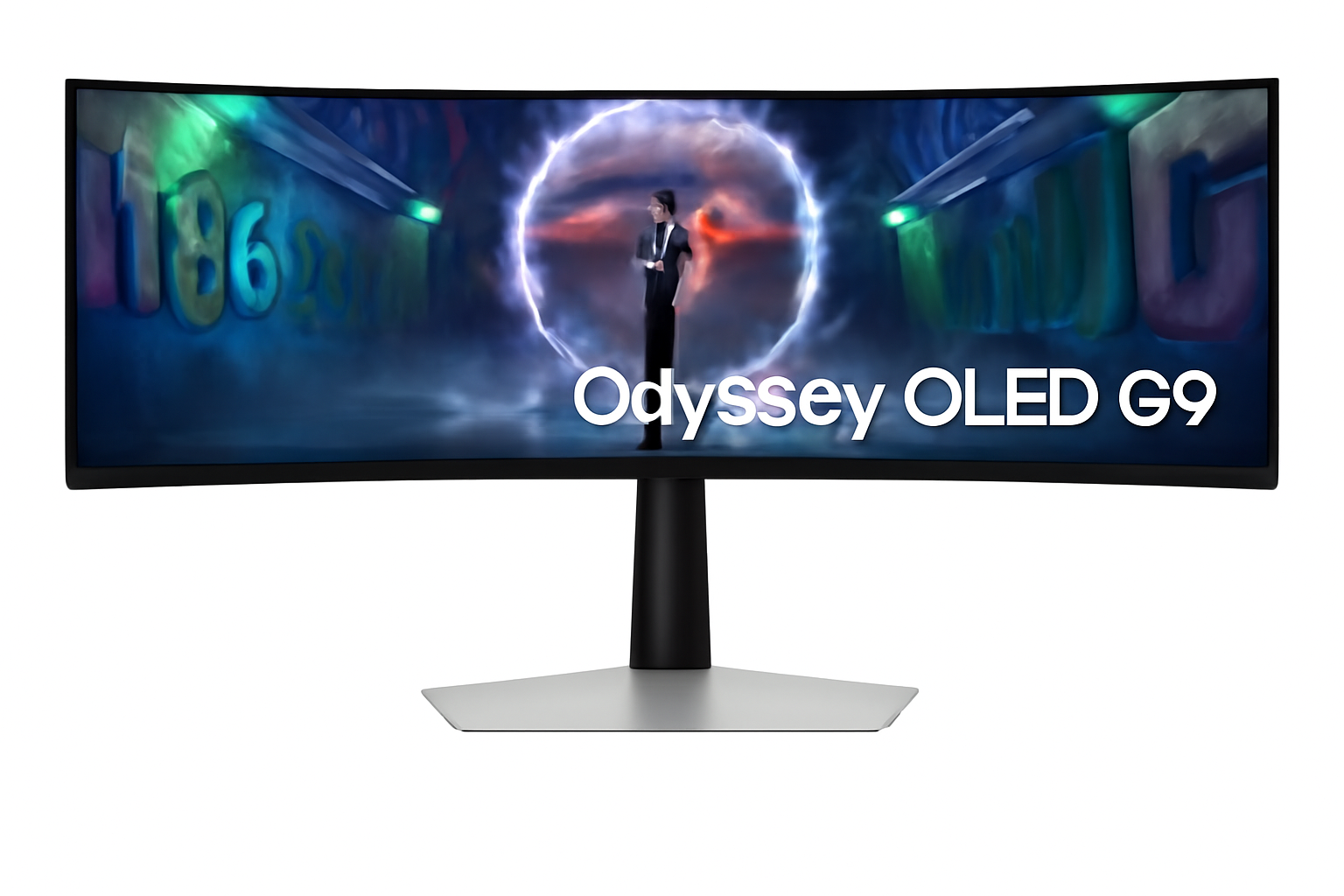
Samsung Odyssey OLED G9 Review – 49” 240Hz Dual QHD OLED Curved Monitor for ₹1.27 Lakh

Samsung Odyssey OLED G9 (49”) Gaming Monitor Review: The Apex of Ultrawide Immersion

Samsung Odyssey OLED G9 (49”) Gaming Monitor Review: The Apex of Ultrawide Immersion

1.24 m (49″) Display DQHD (5120 x 1440) Resolution Max 240 Hz Refresh Rate OLED with Quantum Dot 220W Power Consumption 1x DP 1.4, 1x HDMI 2.1, 1x Micro HDMI 2.1, Headphone Out, USB-C (Up: 1, Down: 2) ₹127399.00

The Samsung Odyssey OLED G9 (49”) is not just a gaming monitor; it’s a statement. This 1.24 m (49-inch) ultra-wide, curved display represents the absolute pinnacle of immersive gaming technology, meticulously engineered for enthusiasts who demand the ultimate visual and speed experience. With a price tag of ₹127399.00, it firmly establishes itself as a luxury investment, promising an uncompromising journey into digital worlds. Boasting an expansive 1800R curved OLED panel with Quantum Dot technology, the Odyssey OLED G9 delivers a stunning 5120 x 1440 DQHD resolution, rendering true blacks, infinite contrast, and vibrant colors that pop off the screen. This visual feast is paired with a blistering 240 Hz refresh rate and a near-instant 0.03 ms (GTG) response time, ensuring unparalleled fluidity and responsiveness. Enhanced with HDR10+ Gaming, comprehensive AMD FreeSync Premium Pro, and NVIDIA G-Sync Compatible certifications, it guarantees tear-free, stutter-free, and incredibly vibrant gameplay. Furthermore, Samsung provides crucial peace of mind with a burn-in warranty coverage under normal usage, a significant benefit for OLED technology. This in-depth review will explore the Odyssey OLED G9’s revolutionary display, its groundbreaking performance, versatile connectivity, ergonomic design, and overall value proposition, helping discerning buyers understand why this monitor redefines competitive and immersive gaming.

1. Revolutionary OLED Display: Unparalleled Immersion and Visuals

The Odyssey OLED G9’s display technology is a masterclass in modern panel engineering.

Ultra-Wide Curved OLED Panel:

The enormous 49-inch 1800R curved DQHD (5120 x 1440) OLED panel with Quantum Dot creates a panoramic and incredibly engaging viewing experience. OLED means true blacks and infinite contrast (1,000,000:1 static ratio).

Blazing Fast Performance:

Experience unparalleled fluidity with a lightning-fast 240 Hz refresh rate and an unprecedentedly low 0.03 ms Grey-to-Grey (GTG) response time, ensuring near-instant pixel transitions and zero input lag.

Vivid HDR Gaming & UL Glare Free:

Supports HDR10 and HDR10+ Gaming, delivering stunning highlights and deep shadows. UL Glare Free Certification enhances viewing comfort by reducing distracting glare.

Factory Calibrated:

For professionals and enthusiasts who demand color accuracy, the monitor comes factory-tuned and includes a calibration report, ensuring accurate colors right out of the box.

2. Comprehensive Adaptive Sync & Peace of Mind: Gaming Without Compromise

The G9 ensures smooth gameplay and addresses a key OLED concern.

Advanced Adaptive Sync:

This monitor offers the best of both worlds, supporting both AMD FreeSync Premium Pro and being NVIDIA G-Sync Compatible. This ensures a tear-free and stutter-free gaming experience with dynamic refresh rates.

OLED Burn-in Warranty:

A critical advantage for an OLED panel, Samsung provides burn-in coverage under normal usage (excluding commercial, abuse, or misuse). This crucial warranty offers significant peace of mind.

3. Productivity Powerhouse & Ergonomics: Multitask with Ease

Beyond gaming, the vast screen real estate is a dream for productivity.

Multi-Tasking Powerhouse:

The expansive DQHD (5120 x 1440) resolution and ultra-wide aspect ratio effectively replace two QHD monitors. Features like Picture-In-Picture (PIP) and Picture-By-Picture (PBP) modes allow multiple video sources to be displayed simultaneously.

Ergonomic Design:

Equipped with a Height Adjustable Stand (HAS) (120.0 ± 5.0 mm adjustment) and Tilt functionality (-2° to 15°), the monitor allows users to optimize their viewing comfort. It’s also wall-mountable (100 x 100 mm VESA).

4. Comprehensive Connectivity & Gaming Enhancements: Ready for the Future

The Odyssey OLED G9 offers modern ports to support high-end gaming and peripheral connectivity.

Versatile Connectivity:

Offers a robust array of input options including DisplayPort 1.4, HDMI 2.1, and a Micro HDMI 2.1 port, ensuring compatibility with modern graphics cards and next-gen consoles.

USB-C Hub & Headphone Out:

Features a USB-C upstream port (data only) and two USB-C downstream ports (3.2 Gen1), providing a convenient hub for connecting modern peripherals. A dedicated headphone jack allows for easy audio output.

Dedicated Gaming Enhancements:

Includes Black Equalizer, Virtual AIM Point, Core Sync, Super Arena Gaming UX, and Auto Source Switch+ for an optimized and streamlined gaming environment.

Who Is This Monitor For? Tailored Recommendations

The Samsung Odyssey OLED G9 (49”) is the ultimate choice for:

  • Elite Gaming Enthusiasts: Those who demand the absolute best in immersive gaming with unparalleled speed (240Hz, 0.03ms GTG) and stunning OLED visuals.
  • Hardcore Competitive Gamers: The combination of ultra-high refresh rate, near-instant response time, and adaptive sync makes it ideal for gaining a competitive edge.
  • High-End PC Builders: Users with top-tier graphics cards (e.g., RTX 4090, RX 7900 XTX) who want to push their hardware to its limits and experience DQHD gaming at its absolute best.
  • Multimedia Creators & Power Users: The vast DQHD screen real estate, excellent color accuracy (99% DCI-P3), and multitasking features (PIP/PBP) make it a dream for video editing, graphic design, and complex workflows.
  • Users Seeking Peace of Mind with OLED: Samsung’s burn-in warranty for normal usage provides crucial reassurance for those concerned about OLED longevity.
  • Anyone Desiring the Most Immersive Desktop Experience: The aggressive 1800R curve and ultrawide format create a deeply engaging and panoramic view for all types of content.

Who Might Consider Other Options?

You might consider other options if:

  • You Are on a Strict Budget: At ₹127399.00, this monitor is a significant luxury investment and is not for budget-conscious buyers.
  • You Have Mid-Range Gaming Hardware: To fully utilize DQHD at 240Hz, you need an extremely powerful and expensive graphics card. If your GPU isn’t top-tier, you might be better served by a lower resolution or refresh rate monitor.
  • You Have Limited Desk Space: The 49-inch ultrawide form factor with its stand requires a very large desk and considerable room.
  • You Need Built-in Speakers: This monitor does not include integrated speakers, requiring external audio solutions (headphones or desktop speakers).
  • You Prefer Traditional USB-A Hubs: While it has USB-C data ports, it lacks traditional USB-A downstream ports for older peripherals, which might require adapters.
  • You Primarily Use Your Monitor for Static Productivity Tasks: While the burn-in warranty offers peace of mind, if your usage involves extremely long hours with static UI elements (e.g., fixed toolbars in spreadsheets), some users might still prefer a high-end IPS or VA panel.

Competitive Edge: What Sets It Apart

The Samsung Odyssey OLED G9 distinguishes itself in the market with several key advantages:

  • Unparalleled DQHD OLED Performance: The combination of a massive 49-inch DQHD OLED panel with a blistering 240 Hz refresh rate and a near-instant 0.03 ms (GTG) response time is an industry-leading feat, offering an experience unmatched by competitors.
  • Samsung’s OLED Burn-in Warranty: This is a critical differentiator. Offering a warranty specifically covering burn-in under normal usage directly addresses the primary concern many users have with OLED technology, providing significant peace of mind.
  • Dual Adaptive Sync Support (FreeSync Premium Pro & G-Sync Compatible): This provides universal adaptive sync compatibility, ensuring a buttery-smooth, tear-free experience for users with both AMD and NVIDIA graphics cards, a feature crucial for high-end gaming.
  • Extreme 1800R Curved Immersion: The aggressive curvature perfectly wraps around the user’s field of view, creating an incredibly immersive and panoramic experience that enhances both gaming and productivity.
  • Comprehensive Connectivity with USB-C: The inclusion of DisplayPort 1.4, HDMI 2.1, Micro HDMI 2.1, and a USB-C hub (for data) provides versatile and future-proof connectivity options for a wide range of devices.
  • True Blacks and Infinite Contrast: As an OLED display, it delivers perfect blacks and an infinite contrast ratio, resulting in a visually stunning experience, especially for HDR content, that surpasses traditional LED panels.

Full Specification Details

Display

  • Screen Size (Class): 1.24 m (49 inch)
  • Flat / Curved: Curved
  • Screen Curvature: 1800R
  • Active Display Size (HxV): 1.19 m (H) x 33.92 cm (V)
  • Aspect Ratio: 32:9
  • Panel Type: OLED with Quantum Dot
  • Burn-In Warranty: Covered under normal usage (not for Commercial, abuse or mis-use)
  • Brightness (Typical): 250 cd/㎡
  • Brightness (Min): 200 cd/㎡
  • Contrast Ratio Static: 1,000,000:1
  • HDR (High Dynamic Range): HDR10, HDR10+, HDR10+ Gaming
  • Resolution: DQHD (5120 x 1440)
  • Response Time: 0.03 ms (GTG)
  • Viewing Angle (H/V): 178˚/178˚
  • Colour Support: Max 1B
  • Color Gamut (DCI Coverage): 99% (CIE1976)
  • Refresh Rate: Max 240 Hz

General Features

  • Eye Saver Mode: Yes
  • Flicker Free: Yes
  • Picture-In-Picture: Yes
  • Picture-By-Picture: Yes
  • Quantum Dot Color: Yes
  • Image Size: Yes
  • Windows Certification: Windows 11
  • FreeSync: FreeSync Premium Pro
  • G-Sync: G-Sync Compatible
  • Off Timer Plus: Yes
  • Black Equalizer: Yes
  • Virtual AIM Point: Yes
  • Core Sync: Yes
  • Super Arena Gaming UX: Yes
  • Auto Source Switch: Auto Source Switch+

Interface

  • Display Port: 1 EA
  • Display Port Version: 1.4
  • HDCP Version (DP): 2.2
  • HDMI: 1 EA
  • HDMI Version: 2.1
  • HDCP Version (HDMI): 2.2
  • Micro HDMI: 1 EA
  • Micro HDMI Version: 2.1
  • HDCP Version (Micro HDMI): 2.2
  • Headphone: Yes
  • USB Hub: No (but has USB-C data ports)
  • USB-C Upstream Port (ONLY DATA): 1
  • USB Type-C Downstream Port: 2
  • USB Type-C Downstream Version: 3.2 Gen1

Audio

  • Speaker: No
  • Speaker Output: No

Operation Conditions

  • Temperature: 10~40 ℃
  • Humidity: 10~80 (non-condensing)
  • Calibration: Factory Tunning (Yes)
  • Factory Calibration Report: Yes

Design

  • Front Colour: SILVER
  • Rear Color: SILVER
  • Stand Colour: Silver
  • Stand Type: HAS
  • HAS (Height Adjustable Stand): 120.0 ± 5.0
  • Tilt: -2°(±2°) ~ 15°(±2°)
  • Wall Mount: 100 x 100

Power

  • Power Supply: AC 100~240V
  • Power Consumption (Max): 220 W
  • Type: External Adaptor

Dimension & Weight

  • Set Dimension with Stand (WxHxD): 1.19 m x 52.93 cm x 28.41 cm
  • Set Dimension without Stand (WxHxD): 1.19 m x 36.50 cm x 18.08 cm
  • Package Dimension (WxHxD): 1.35 m x 24.00 cm x 47.40 cm
  • Set Weight with Stand: 12.9 kg
  • Set Weight without Stand: 9.2 kg
  • Package Weight: 18.5 kg

Accessory & Launch

  • Power Cable Length: 1.5 m
  • DP Cable: Yes
  • USB Type-C to Type-A Gender Cable: Yes
  • Certification and Compliance: UL Glare Free (Yes)
  • Launch Date: April 22nd, 2025

Pros & Cons: A Balanced View for Buyers

Pros:

  • Ultimate Immersion: The enormous 49-inch 1800R curved DQHD (5120×1440) OLED panel provides an incredibly immersive, super-ultrawide field of view for gaming and unparalleled productivity.
  • Unmatched Speed: The combination of a blistering 240 Hz refresh rate and a near-instant 0.03 ms (GTG) response time delivers peerless fluidity and responsiveness, making it ideal for competitive gaming and fast-paced action.
  • Stunning OLED Visuals: True blacks, infinite contrast, and 99% DCI-P3 color gamut (with Quantum Dot Color) ensure breathtakingly vibrant, accurate, and realistic HDR visuals, creating an incredibly rich visual experience.
  • Comprehensive Adaptive Sync: With both AMD FreeSync Premium Pro and G-Sync Compatible certification, it guarantees tear-free and stutter-free gaming experiences with both AMD and NVIDIA GPUs.
  • Burn-in Warranty: Samsung’s inclusion of burn-in coverage under normal usage provides crucial peace of mind, alleviating a major concern for an OLED panel of this caliber.
  • Enhanced Productivity: The vast DQHD resolution and ultra-wide aspect ratio effectively replace two QHD monitors, allowing for seamless multitasking with Picture-In-Picture (PIP) and Picture-By-Picture (PBP) modes.
  • Versatile Connectivity: Features DisplayPort 1.4, HDMI 2.1, Micro HDMI 2.1, and functional USB-C ports (data only with downstream ports) for extensive device compatibility with modern hardware.
  • Factory Calibrated: Ensures accurate colors right out of the box, which is highly beneficial for content creators and users who prioritize color fidelity.
  • Ergonomic Design: The HAS stand with tilt adjustment and wall-mount option allows for comfortable positioning, essential for such a large display.

Cons:

  • Extremely High Price: At ₹127399.00, this monitor is a significant luxury investment, making it inaccessible for the vast majority of users.
  • Demanding on Hardware: Driving a DQHD resolution at 240 Hz requires an extremely powerful and expensive GPU, potentially necessitating costly PC upgrades to achieve optimal performance in modern games.
  • No Built-in Speakers: Requires external audio solutions (headphones or speakers), adding to the overall cost and potentially cable clutter.
  • Limited USB Hub: While it has USB-C data ports, it lacks a traditional USB-A hub with power delivery, which might be a minor inconvenience for some older peripherals or single-cable laptop setups.
  • Potential for Burn-in (despite warranty): While covered under warranty, the inherent nature of OLED technology still carries a theoretical risk of image retention or burn-in with prolonged display of static elements, which some users might remain wary of.
  • Micro HDMI Port: The inclusion of a Micro HDMI port, while offering an additional HDMI 2.1 connection, might require an adapter for standard HDMI cables, potentially being less convenient than a second full-sized HDMI 2.1 port.
  • Heavy and Large Footprint: The monitor’s substantial size and weight, along with its stand, demand significant desk space and can be challenging to move.

Final Verdict: The Samsung 1.24 m (49-inch) Odyssey OLED G9 – An Unparalleled Ultrawide Experience

The 1.24 m (49-inch) Samsung Odyssey OLED G9 is a flagship gaming monitor that truly redefines the high-end display market. It’s an uncompromising powerhouse built for enthusiasts who demand the absolute best in immersive gaming, visual quality, and speed. The combination of an enormous curved DQHD OLED panel with a blistering 240 Hz refresh rate and a near-instant 0.03 ms response time delivers an unparalleled, future-proof experience that simply cannot be matched by conventional display technologies. While its very high price and demanding hardware requirements make it a niche product, for those who can afford it and possess the PC rig to drive it, the Odyssey OLED G9 offers a truly groundbreaking and deeply immersive computing and gaming experience. Its comprehensive adaptive sync support, burn-in warranty, and versatile connectivity further solidify its position as a premium, no-compromise choice for the ultimate desktop setup.

★★★★★

Overall Rating: 5.0 out of 5.0 (Based on Expert Analysis)


Dell UltraSharp U3425WE Review: The Ultimate 34″ Curved Thunderbolt 4 Ultrawide Hub Monitor

Dell UltraSharp U3425WE
Dell UltraSharp 34 Curved Thunderbolt™ Hub Monitor (U3425WE) Review: The Pinnacle of Ultrawide Productivity

Dell UltraSharp 34 Curved Thunderbolt™ Hub Monitor (U3425WE) Review: The Pinnacle of Ultrawide Productivity

34″ Curved WQHD 120Hz Thunderbolt™ 4 Hub (90W) 5-Star Eye Comfort IPS Black Panel (98% DCI-P3) KVM Switch & 2.5GbE LAN ₹74,899
The definitive all-in-one hub for immersive, color-accurate ultrawide productivity.

The Dell UltraSharp U3425WE is not just an incremental update; it’s a new benchmark for premium professional ultrawide monitors. Priced at ₹74,899, this 34-inch curved display combines Dell’s most advanced technologies into a single, breathtaking package. It features a state-of-the-art IPS Black panel for unparalleled contrast, a fluid 120Hz refresh rate, and exceptional color accuracy with 98% DCI-P3 coverage. This stunning visual performance is matched by its power as a workstation hub, boasting a Thunderbolt™ 4 connection with 90W power delivery, a KVM switch, and 2.5GbE LAN, making it the definitive choice for creative professionals and power users.

Productivity Has Never Been So Vibrant

Experience a breathtaking IPS Black panel, ultimate Thunderbolt™ connectivity, and world-first 5-star eye comfort.

₹74,899
Inclusive of all taxes | Free Priority Delivery

3-Year Advanced Exchange Service & Premium Panel Exchange

Key Features at a Glance

IPS Black Panel: Delivers a 2000:1 contrast ratio for incredibly deep blacks and vibrant colors.
Thunderbolt™ 4 Hub: Single-cable solution with 90W Power Delivery, 2.5GbE LAN, and KVM.
120Hz Refresh Rate: Buttery-smooth motion for everything from scrolling to creative work.
Pro-Grade Color Accuracy: 98% DCI-P3 coverage with a factory calibration of Delta E < 2.
5-Star Eye Comfort: The world’s first monitor with this certification, featuring an ambient light sensor.
Auto KVM Switch: Seamlessly control two connected PCs with one keyboard and mouse.

1. A New Caliber of Visuals with IPS Black

Experience unparalleled contrast and color that brings your work to life.

2000:1 Contrast Ratio

The cutting-edge IPS Black panel technology delivers a 2000:1 contrast ratio—double that of conventional IPS displays. This results in dramatically deeper blacks, creating a stunning sense of depth and realism in images and videos.

Professional Color Accuracy

With 98% DCI-P3 and 98% Display P3 color gamut coverage and a factory calibration of Delta E < 2, this monitor produces exceptionally vibrant, consistent, and accurate colors out of the box, making it ideal for creative work.

2. The Ultimate Thunderbolt™ 4 Hub

One cable to connect, power, and control your entire ecosystem.

Single-Cable 90W Power

The powerful Thunderbolt™ 4 port is the heart of this monitor, delivering up to 90W of power to your laptop while simultaneously handling video, audio, and high-speed data transfer over a single cable.

High-Speed Docking

This monitor replaces every dongle with a built-in 2.5GbE RJ45 port for faster-than-gigabit networking, a full suite of 10Gbps USB-A and USB-C ports, and even a downstream Thunderbolt 4 port for daisy-chaining.

3. Seamless Multi-PC Workflow

Effortlessly manage two computers with one monitor, keyboard, and mouse.

Picture-by-Picture & Picture-in-Picture

The vast ultrawide screen is perfect for PbP and PiP modes, allowing you to display and work on content from two different PC sources at the same time, as if you had two monitors in one.

Automatic KVM Switch

The intelligent, built-in Auto KVM switch detects when a new computer is connected and seamlessly transfers control of your keyboard and mouse to it, allowing for effortless toggling between two systems.

4. A New Benchmark in Eye Comfort

Work smarter and more comfortably with groundbreaking eye-care technology.

World’s First 5-Star Certification

The U3425WE is the world’s first monitor to achieve a TÜV Rheinland® 5-star eye comfort certification, the highest standard available for reducing eye strain.

Intelligent Comfort Features

This certification is achieved through a combination of a 120Hz refresh rate for less flicker, hardware-level ComfortView Plus, and a built-in Ambient Light Sensor that intelligently optimizes brightness and color temperature based on your surroundings.

Ideal For These Users

Creative Professionals

The combination of IPS Black, 98% DCI-P3 color, and a 120Hz refresh rate makes it a phenomenal canvas for video editors, graphic designers, and photographers.

Power Users & Developers

The massive screen real estate, seamless KVM switch for multiple PCs, and single-cable Thunderbolt™ hub create the ultimate clutter-free power workstation.

MacBook and High-End Laptop Users

Anyone with a Thunderbolt-equipped laptop (especially a Mac) will unlock the monitor’s full potential, transforming their portable machine into a full-fledged desktop with a single cable.

Who Might Consider Other Options

Hardcore Gamers

While excellent for casual gaming, competitive gamers will want even faster response times and full-fledged G-Sync/FreeSync Premium Pro support found in dedicated gaming monitors.

Users on a Budget

This is a premium, flagship monitor. Users who don’t need Thunderbolt, IPS Black, or 98% DCI-P3 can get a great ultrawide experience for less with the Dell P3425WE.

Users Needing 4K+ Resolution

For those who require the absolute maximum pixel density for 4K+ video work, the even more premium 40-inch 5K2K Dell U4025QW would be the next step up.

Competitive Edge: How It Stacks Up

An uncompromising combination of next-generation panel tech and connectivity.

  • IPS Black vs. Standard IPS

    The U3425WE’s key advantage over most competitors is its IPS Black panel. The 2000:1 contrast ratio provides a level of depth and vibrancy that standard IPS panels simply cannot match, putting its image quality in a class of its own.

  • Vs. The P3425WE

    Compared to its excellent P-series sibling, the U3425WE justifies its premium by offering IPS Black technology, a faster 120Hz refresh rate, superior color coverage (98% DCI-P3 vs. 99% sRGB), 5-star eye comfort, and a more powerful Thunderbolt 4 hub with 2.5GbE LAN.

  • The Complete Flagship Experience

    Its competitive advantage is that it makes no major compromises. It combines the best panel technology, the fastest refresh rate in its class, and the most comprehensive connectivity hub on the market into one meticulously designed product. It is the true all-in-one flagship.

Full Specifications

Display

Screen Size
34.14″ Curved
Resolution
WQHD (3440 x 1440)
Panel Type
IPS Black
Refresh Rate
120 Hz
Contrast Ratio
2000:1
Color Gamut
98% DCI-P3
Color Accuracy
Delta E < 2
Brightness
300 cd/m²

Connectivity

Thunderbolt™ 4 Hub
1x TB4 Upstream (90W PD)
Video Ports
1x DP 1.4, 1x HDMI 2.1
KVM Switch
Yes (Auto KVM)
Ethernet
1x RJ45 (2.5GbE)
USB Downstream
5x USB-A, 2x USB-C (15W)

Mechanical

Height Adjust
150 mm
Tilt
-5° to 21°
Swivel
-30° to 30°

Pros and Cons

What We Liked

  • Stunning image quality with IPS Black panel.
  • Superb, professional-grade color accuracy (98% DCI-P3).
  • The most comprehensive hub: Thunderbolt 4, KVM, 2.5GbE LAN.
  • Fast and fluid 120Hz refresh rate.
  • Industry-leading 5-star eye comfort features.

What Could Be Better

  • Very expensive.
  • No true HDR support for high-end video consumption.
  • Not a dedicated gaming monitor despite the high refresh rate.

Final Verdict

The Dell UltraSharp U3425WE is a statement piece and the definitive ultrawide monitor for the professional who demands the absolute best. It masterfully combines a state-of-the-art IPS Black panel, a fluid 120Hz refresh rate, and pro-grade color accuracy into a breathtaking visual canvas. More than that, it is the most complete connectivity hub in its class, featuring a Thunderbolt™ 4 port with a KVM switch and 2.5GbE LAN that can replace an entire desk’s worth of peripherals with a single cable.

Every feature, from the world-first 5-star eye comfort rating to the built-in speakers, is thoughtfully executed. While its premium price tag places it in the upper echelon of monitors, it earns its place by making zero compromises. For creative professionals, power users, and anyone seeking the ultimate all-in-one workstation centerpiece, the U3425WE is unequivocally the pinnacle of ultrawide productivity and worth every penny.

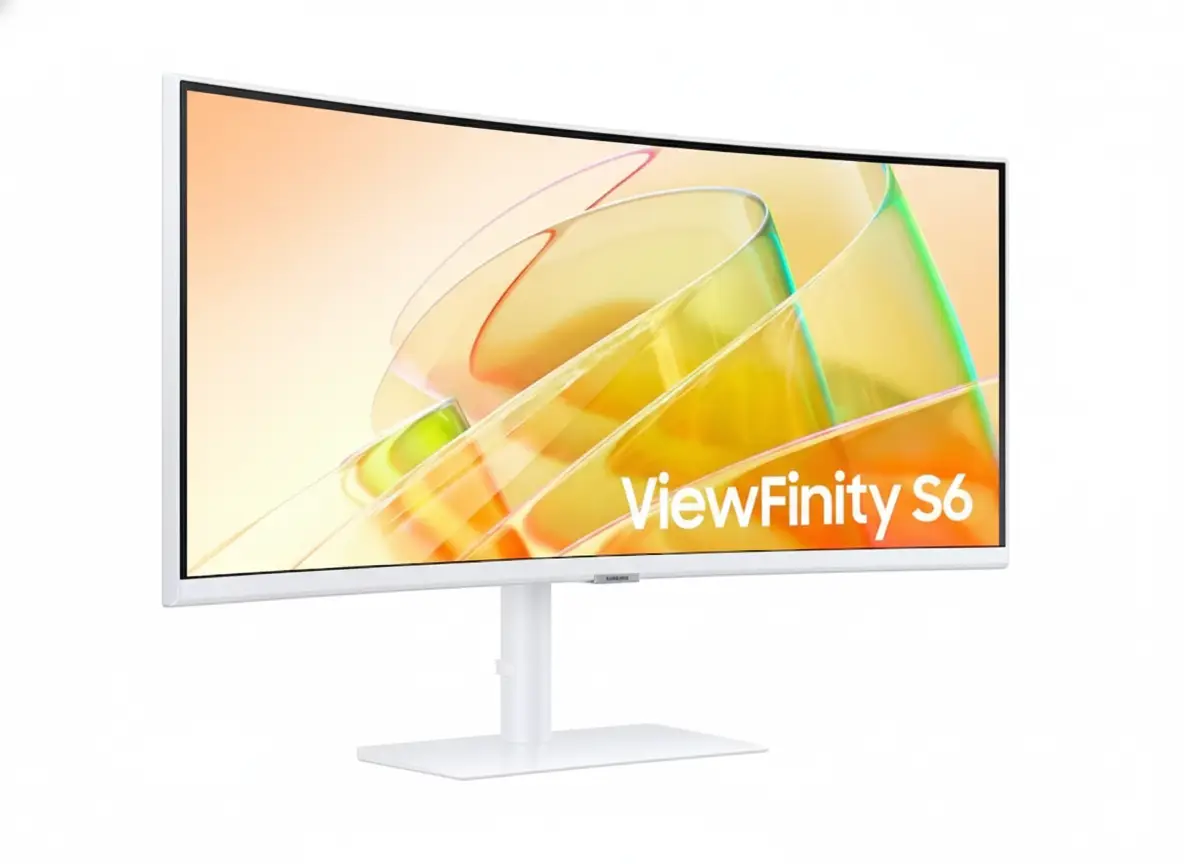
Samsung ViewFinity S65TC 34″ Ultrawide Thunderbolt 4 Monitor – 90W, 100Hz, KVM

Samsung ViewFinity S65TC 34" Ultrawide Thunderbolt 4 Monitor
Samsung Essential Monitor S3 S39GD 27″ Review 2025 – 100Hz Curved Gaming Monitor
Samsung ViewFinity S65TC 34 inch Ultrawide UWQHD Curved Monitor with Thunderbolt 4

⚡ Thunderbolt 4 Powerhouse: 90W Charging + 40Gbps Data Transfer!

34″ Ultrawide UWQHD + 100Hz + 1000R Curve + KVM Switch = Ultimate Productivity!

🏆 Best Value Thunderbolt 4 Ultrawide – Professional Productivity Monitor!

Samsung ViewFinity S65TC 34″

34″ Ultrawide UWQHD | Thunderbolt 4 90W | 100Hz | 1000R Curved | KVM Switch

3440×1440 VA Panel – HDR10 – AMD FreeSync – Built-in Speakers – Height Adjustable Stand

⚡ The Ultimate Thunderbolt 4 Productivity Monitor:

• Display: 34″ (86.4cm) UWQHD 3440×1440 – 21:9 Ultrawide – 1000R Curve

• Thunderbolt 4: Dual TB4 ports – 90W Power Delivery + 40Gbps data transfer

• Performance: 100Hz refresh rate + AMD FreeSync + 5ms response time

• Productivity: KVM Switch + PIP/PBP + Easy Setting Box + Daisy Chain

• Connectivity: HDMI 2.0 + DisplayPort 1.2 + USB 3.0 Hub + Ethernet (RJ45)

• Visuals: HDR10 + 1.07B colors + 3000:1 contrast + 350 nits brightness

• Ergonomics: Height adjustable (4.7″) + Swivel ±30° + Tilt -2°~20°

• Audio: Built-in 5W speakers + 3.5mm headphone jack

$799.99

*Model: LS34C650TANXGO | 3-Year Warranty | Free Shipping

🛒 Buy Now on Samsung.com (USA)

₹57,999

*Expected price | Model: LS34C650UAWXXL | Check availability

🛒 Check Samsung India Website

🌍 Global Availability

• USA: $799.99 (Samsung.com, Best Buy, Amazon)

• India: ₹57,999 expected (Samsung India, Amazon.in)

• Europe: €749-849 (varies by country)

• Global: Check Samsung regional sites

Resolution

UWQHD 3440×1440

Thunderbolt 4

90W PD

Refresh Rate

100Hz

Samsung ViewFinity S65TC 34″ Overview – The Ultimate Thunderbolt 4 Ultrawide

🖥️ Ultrawide Excellence

  • 34″ UWQHD: 3440×1440 resolution – 110.21 PPI
  • 21:9 Aspect: 33% more screen vs. 16:9
  • 1000R Curve: Immersive wraparound viewing
  • VA Panel: 3000:1 contrast – deep blacks
  • HDR10: Enhanced dynamic range
  • 1.07B Colors: 10-bit color depth
  • 350 Nits: Bright enough for most rooms
  • 178° Viewing: Wide viewing angles

⚡ Thunderbolt 4 Power

  • 🔌 Dual TB4 Ports: 2× Thunderbolt 4 inputs
  • ⚡ 90W PD: Port 1 charges laptops at 90W
  • 💨 40Gbps Speed: Ultra-fast data transfer
  • 🔗 Daisy Chain: Connect multiple monitors
  • 🖥️ Single Cable: Power + video + data
  • 🌐 Ethernet: RJ45 LAN port included

⭐ Productivity Tools

  • • KVM Switch: Control 2 PCs with 1 keyboard/mouse
  • • PIP/PBP: View multiple sources simultaneously
  • • Easy Setting Box: Window management software
  • • 100Hz Refresh: Smooth scrolling and navigation
  • • AMD FreeSync: Tear-free gaming performance
  • • Built-in Speakers: 5W audio – desk space saving

🎯 What Makes ViewFinity S65TC Special?

The Samsung ViewFinity S65TC 34″ is the best value Thunderbolt 4 ultrawide monitor on the market, delivering professional-grade connectivity and productivity features at a competitive $799.99 USD / ₹57,999 INR price point. Most Thunderbolt 4 ultrawides cost $1,000-1,500, making the S65TC a $200-700 savings without compromising essential features.

The dual Thunderbolt 4 ports with 90W Power Delivery on port 1 enable true single-cable setups – connect your MacBook Pro or high-end Windows laptop with one cable that simultaneously charges at 90W, transmits 3440×1440@100Hz video, and provides 40Gbps data transfer speeds. This eliminates cable clutter and creates clean desk aesthetics. The second TB4 port (15W charging) supports daisy-chaining additional monitors or connecting TB4 storage devices.

The 34-inch 3440×1440 UWQHD resolution with 21:9 aspect ratio provides 33% more horizontal space than standard 16:9 displays. This is transformative for productivity – view spreadsheets with dozens of visible columns, edit timelines with room for panels, code with multiple files side-by-side, or browse with multiple full-size windows simultaneously. The 1000R curvature (1-meter radius) closely matches human eye curvature, creating immersive viewing that reduces eye strain during extended work sessions.

The VA panel with 3000:1 contrast ratio and HDR10 support delivers superior image quality compared to IPS ultrawides at this price. Deep blacks and vibrant colors enhance both productivity (dark-themed applications look stunning) and media consumption (movies and videos benefit from HDR). The 350 nits brightness (280 nits minimum) is adequate for typical office environments.

Built-in KVM switch, PIP/PBP modes, and Easy Setting Box software transform the S65TC into a true productivity hub. Control two computers with one keyboard/mouse via KVM, view multiple video sources simultaneously in split-screen layouts, and use Easy Setting Box to create custom window arrangements that snap apps into predefined positions. These features justify the “professional monitor” designation.

At $799.99 USD, the ViewFinity S65TC costs less than many Thunderbolt 3 ultrawides while offering newer TB4 technology with double the bandwidth (40Gbps vs 20Gbps). Competitors like Dell U3424WE ($1,149), LG 34WK95U ($999), and BenQ PD3420U ($1,099) cost $200-300+ more for similar specs. The S65TC’s value proposition is exceptional for professionals needing Thunderbolt connectivity without premium pricing.

Display Quality – 34″ UWQHD 3440×1440 Curved VA Panel

📺 34″ UWQHD Resolution – 110.21 PPI

The 3440×1440 UWQHD resolution on 34 inches delivers 110.21 pixels per inch – sharp enough for crisp text rendering while providing massive screen real estate. At typical desk viewing distances (60-80cm), text is perfectly readable without scaling on Windows or macOS. The ultrawide format provides 33% more horizontal pixels than standard 2560×1440 QHD displays.

The 21:9 aspect ratio transforms productivity workflows. View full-width spreadsheets with 30+ columns visible, edit 4K video timelines with room for preview and effects panels, browse with three full-size browser windows side-by-side, or code with editor + terminal + documentation visible simultaneously. The active display area measures 31.4″ × 13.1″ (797.22mm × 333.72mm) – truly expansive workspace.

UWQHD Productivity Benefits

  • • Resolution: 3440×1440 (110.21 PPI) – sharp text
  • • Workspace: 33% more horizontal space vs. 16:9
  • • Multitasking: 3+ full windows side-by-side
  • • Scaling: 100% scaling perfect on Windows/macOS

🌊 1000R Curvature – Immersive Viewing

The 1000R curvature (1-meter radius) is one of the most aggressive curves in the ultrawide category, creating exceptional immersion. The curve matches human eye curvature more closely than gentler 1800R or 1500R curves, ensuring every part of the screen sits at equal distance from your eyes. This reduces head movement and eye strain during extended use.

For productivity, the curve keeps information at screen edges within natural field of vision without turning your head. The immersive effect also benefits media consumption and gaming, wrapping content around your peripheral vision for more engaging experiences.

1000R Curve Advantages

  • • Eye strain: Reduces head/eye movement
  • • Immersion: Wraps around field of vision
  • • Edges visible: No turning head for corners
  • • Natural viewing: Matches eye curvature

🎨 VA Panel – 3000:1 Contrast & HDR10

🌑 Superior Contrast & Colors

The VA (Vertical Alignment) panel with 3000:1 static contrast ratio provides significantly better blacks and contrast than IPS panels (typically 1000:1). This creates deeper blacks in dark-themed applications and enhances HDR content viewing. Dark mode productivity apps (IDEs, terminals, design tools) look stunning with true black backgrounds.

The 1.07 billion (10-bit) color support ensures smooth color gradients without banding. While the monitor doesn’t specify exact color gamut coverage, typical business-class VA panels cover 99-100% sRGB, sufficient for office work, content consumption, and casual photo editing. Professional colorists need wider gamut monitors with factory calibration.

🌟 HDR10 & Brightness

HDR10 support enables playback of high dynamic range content from streaming services and HDR-compatible applications. While the 350 nits typical brightness (280 nits minimum) doesn’t reach DisplayHDR 400 certification (requires 400+ nits), the VA panel’s high contrast creates noticeable HDR improvements over SDR content.

The 350 nits brightness is adequate for typical office environments with controlled lighting. For bright rooms or near windows, consider positioning away from direct sunlight or using window treatments. Brightness is sufficient for comfortable all-day use without eye strain. The monitor includes TÜV-certified eye care features (flicker-free, blue light reduction) for extended viewing comfort.

📐 Display Specifications Summary

Resolution & Format

3440×1440 UWQHD at 34″ provides 110.21 PPI – sharp text with massive workspace. 21:9 ultrawide aspect ratio delivers 33% more horizontal space than standard 16:9 displays.

Panel Quality

VA panel, 3000:1 contrast, HDR10 with 1.07B colors. 1000R curve for immersive viewing. 178°/178° viewing angles maintain color accuracy off-center.

Brightness & Eye Care

350 nits typical (280 minimum) adequate for offices. TÜV-certified eye care: Flicker-free, blue light reduction, adaptive brightness. Eye Saver Mode for late-night work.

Thunderbolt 4 – 90W Power Delivery + 40Gbps Transfer

⚡ Dual Thunderbolt 4 Ports – Port 1: 90W PD

The ViewFinity S65TC includes two Thunderbolt 4 ports, with port 1 providing 90W Power Delivery. This is sufficient to charge high-performance laptops while simultaneously transmitting 3440×1440@100Hz video and providing 40Gbps data transfer. Connect MacBook Pro 14″/16″, Dell XPS 15/17, ThinkPad P-series, or Surface Laptop Studio with a single cable for complete workstation functionality.

The 90W charging power charges even demanding laptops during moderate workloads. MacBook Pro 16″ (140W max) charges at reduced speed but remains functional; during light work (web browsing, document editing), 90W suffices. Gaming laptops requiring 150W+ need supplemental charging during intensive tasks. The second TB4 port provides 15W charging – enough for tablets, phones, or low-power accessories while maintaining daisy-chain capability.

Thunderbolt 4 Specifications

  • • Port 1: 90W Power Delivery + 40Gbps data
  • • Port 2: 15W Power Delivery + 40Gbps data
  • • Video: 3440×1440@100Hz single cable
  • • Daisy chain: Connect additional TB4 monitors

🚀 40Gbps Data Transfer – Thunderbolt 4 vs 3

Thunderbolt 4 provides 40Gbps bidirectional bandwidth – double the minimum spec of Thunderbolt 3 (20Gbps baseline, though TB3 could reach 40Gbps). This ensures sustained 40Gbps performance for data-intensive workflows: transferring large video files, accessing high-speed external SSDs, or running multiple high-resolution displays via daisy-chain.

Thunderbolt 4 also mandates PCIe data speeds of 32Gbps (vs. TB3’s optional 16Gbps), improving external GPU and storage performance. For professionals working with 4K/8K video, large RAW photo libraries, or virtual machines on external drives, the guaranteed 40Gbps throughput eliminates bottlenecks. TB4’s improved power delivery (up to 100W max, 90W here) and universal charging support also standardize behavior across devices.

TB4 Advantages Over TB3

  • • 40Gbps guaranteed (TB3 baseline was 20Gbps)
  • • 32Gbps PCIe standard (TB3 was 16Gbps)
  • • Universal docking: Certified compatibility
  • • Daisy chain: Up to 4 TB4 devices per port

🔗 Daisy Chaining & Multi-Monitor Setups

🖥️ Daisy Chain Support

The ViewFinity S65TC supports Thunderbolt 4 daisy chaining, enabling you to connect additional TB4 monitors or devices through the monitor itself rather than consuming multiple laptop ports. Connect your laptop to the S65TC’s TB4 port, then connect a second TB4 monitor to the S65TC’s second TB4 port, creating a dual-ultrawide setup with one laptop cable.

The 40Gbps bandwidth accommodates 3440×1440@100Hz on the primary monitor plus additional displays on the chain, though exact configurations depend on laptop GPU capabilities. This simplifies desk setups – one TB4 cable to laptop provides power, video to primary monitor, and connectivity to all daisy-chained peripherals (monitors, storage, docks).

💻 Single-Cable Workspace

The ultimate benefit of Thunderbolt 4 is true single-cable workstation setups. Arrive at your desk, plug one TB4 cable into your laptop, and instantly gain: 90W charging, 34″ ultrawide display, USB 3.0 hub access (3 ports), Ethernet connectivity (RJ45 pass-through), and audio output. Leaving the desk requires unplugging one cable.

This eliminates the cable spaghetti typical of multi-device workstations. No separate power adapter, video cable, USB hub, Ethernet adapter – everything runs through the TB4 connection. For remote workers alternating between office and home, or users docking laptops at multiple locations, single-cable simplicity is transformative.

🔌 Additional Connectivity – HDMI, DP, USB Hub, Ethernet

📺 Video Inputs

1× HDMI 2.0 + 1× DisplayPort 1.2 provide alternatives to Thunderbolt for non-TB devices. Connect desktops, consoles, or secondary laptops via HDMI/DP while maintaining TB4 connection to primary laptop. Supports 3440×1440@100Hz via DP/HDMI.

🔗 USB 3.0 Hub

3× USB 3.0 ports function as hub when connected via TB4/DP upstream. Connect keyboard, mouse, USB drives, webcam to monitor; control from laptop via single TB4 cable. Hub also provides device charging at standard USB rates.

🌐 Ethernet Port

RJ45 Ethernet port (1 Gigabit) enables wired networking for laptops without Ethernet. Connect monitor to network via Ethernet, then laptops access wired connection through TB4 cable. Ideal for MacBooks lacking Ethernet ports.

Productivity Features – KVM Switch, PIP/PBP, Easy Setting Box

⌨️ Built-In KVM Switch – One Keyboard, Two Computers

The integrated KVM (Keyboard, Video, Mouse) switch allows you to control two connected computers with a single keyboard and mouse. Connect work laptop via Thunderbolt 4 and personal desktop via HDMI, then switch between them using the monitor’s on-screen menu or hotkey. Your keyboard/mouse (connected to the monitor’s USB hub) control whichever source is active.

This eliminates the need for external KVM switches or multiple keyboard/mouse sets, saving desk space and cost. Common scenarios: control work PC and personal PC from one setup, manage server and workstation, or switch between Mac and Windows machines. The KVM integrates seamlessly with PIP/PBP modes – you can see both computers’ screens simultaneously while controlling one at a time.

KVM Switch Benefits

  • • Control 2 PCs: One keyboard/mouse for both
  • • Instant switching: Hotkey or OSD menu toggle
  • • Cost saving: No external KVM needed ($100+ saved)
  • • Seamless: Works with PIP/PBP viewing modes

🖼️ PIP & PBP – Multi-Source Viewing

Picture-in-Picture (PIP) and Picture-by-Picture (PBP) modes enable viewing multiple video sources simultaneously. PBP splits the screen into two equal halves (left/right) displaying different inputs – ideal for comparing documents, monitoring two systems, or referencing material while working. PIP displays one source full-screen with a smaller window overlay from the second source.

Common use cases: monitor server logs on one half while developing on the other, watch tutorial videos (PIP) while following along in applications (main screen), or display reference material alongside active work. Note that 100Hz refresh rate is unavailable in PBP mode – the monitor reverts to 60Hz when splitting screen between two sources to accommodate bandwidth limitations.

PIP/PBP Capabilities

  • • PBP: Split screen (50/50) between 2 inputs
  • • PIP: Main screen + overlay window
  • • Flexible: Any input combo (TB4, HDMI, DP)
  • • Limitation: 100Hz disabled in PBP mode

📐 Easy Setting Box – Window Management Software

🪟 Custom Screen Partitions

Easy Setting Box is Samsung’s free window management software that enables creating custom screen layouts with predefined zones. Divide the 34″ ultrawide into 2, 3, 4, or more sections, then drag applications into zones for automatic sizing and positioning. Apps snap to designated areas with pixel-perfect precision, maximizing the ultrawide’s real estate.

Create layouts like: 70/30 split (main editor + sidebar reference), 33/33/33 triple column (code + terminal + browser), or 2×2 grid (quadrant multitasking). Saved layouts persist across sessions – launch Easy Setting Box on startup to automatically restore your preferred configuration. This transforms the ultrawide from unwieldy single canvas into structured workspace.

⚡ Productivity Boost

Without Easy Setting Box, managing windows on 34″ ultrawide is tedious – Windows/macOS native snapping doesn’t understand ultrawide dimensions, resulting in awkwardly sized windows. Easy Setting Box solves this by providing ultrawide-optimized layouts that make full use of the 3440-pixel width.

The software is available for free download from Samsung’s website and must be installed on each PC you use with the monitor. It runs as a background utility with minimal resource usage. While third-party alternatives exist (PowerToys FancyZones for Windows, Rectangle for macOS), Easy Setting Box is pre-configured for Samsung monitors and includes S65TC-specific presets.

💼 Professional Productivity Workflow Example

Developer Workflow

Single cable TB4 connection powers MacBook Pro while displaying 3440×1440@100Hz. Easy Setting Box creates 3-column layout: code editor (60% width) + terminal (20%) + browser with documentation (20%). KVM switch lets you test on Windows PC (HDMI) while controlling from Mac keyboard. Total desk cables: one.

Video Editor Workflow

Thunderbolt 4 charges laptop and displays timeline at 100Hz for smooth scrubbing. PBP mode splits screen: editing application on left half, reference footage/color grading preview on right half (via HDMI from color calibration device). USB hub connects Thunderbolt SSD with media files. Single-cable disconnect when moving laptop.

Performance – 100Hz Refresh Rate & AMD FreeSync

🔄 100Hz Refresh Rate – Smooth Productivity & Gaming

The 100Hz refresh rate provides noticeably smoother motion compared to standard 60Hz monitors. While not the 144Hz+ of gaming-focused displays, 100Hz creates fluid scrolling, smooth window dragging, and responsive cursor movement that enhances everyday productivity tasks.

For casual gaming, 100Hz is excellent. Most single-player games, RPGs, racing titles, and strategy games run beautifully at 100fps on this resolution (3440×1440 is easier to drive than 4K). The 5ms response time is adequate but not exceptional – competitive FPS players will notice slight motion blur, but casual gamers find it perfectly acceptable. The high refresh + AMD FreeSync combination eliminates screen tearing.

100Hz Benefits

  • • Smooth scrolling: Documents, web pages, code
  • • Fluid motion: Window dragging, animations
  • • Gaming: 100fps gameplay for casual titles
  • • Better than 60Hz: Noticeable improvement

🎮 AMD FreeSync – Tear-Free Experience

AMD FreeSync synchronizes monitor refresh rate with GPU frame rate, eliminating screen tearing without input lag penalties of V-Sync. When your GPU outputs 75fps in a game, the monitor refreshes at 75Hz; at 100fps, it refreshes at 100Hz. This creates smooth, tear-free visuals across variable frame rates.

FreeSync works with AMD graphics cards and compatible NVIDIA GPUs (G-Sync Compatible mode). It’s available via HDMI or DisplayPort connections; Thunderbolt also supports it when transmitting DisplayPort signal. The adaptive sync range likely spans 48-100Hz (typical for FreeSync displays), meaning benefits apply when frame rates fluctuate within that window.

AMD FreeSync Details

  • • Eliminates tearing: Sync refresh with FPS
  • • AMD & NVIDIA: Works with both GPU brands
  • • Connections: HDMI, DisplayPort, Thunderbolt
  • • Range: Likely 48-100Hz adaptive sync

⚠️ Performance Limitations & Considerations

🚫 Not for Competitive Gaming

The 100Hz refresh rate and 5ms response time position this as a productivity-first monitor that handles casual gaming well but isn’t competitive-gaming optimized. Esports players need 240Hz+ monitors with 1ms response for maximum competitive advantage in titles like Valorant, CS2, Apex Legends, or League of Legends.

If competitive gaming is your primary use case, skip the ViewFinity S65TC and choose gaming-focused ultrawides like Alienware AW3423DWF (175Hz OLED), LG 34GN850 (160Hz IPS), or Samsung Odyssey G5 (165Hz VA) – all sacrifice productivity features for gaming performance.

🖥️ GPU Requirements

Driving 3440×1440@100Hz requires mid-to-high-end GPUs for gaming. NVIDIA RTX 4060 Ti / RTX 3070, AMD RX 7700 XT / RX 6800, or better recommended for AAA gaming at high/ultra settings. Productivity work (office apps, browsing, coding) runs smoothly on integrated graphics (Intel Iris Xe, AMD Radeon 680M).

The 3440×1440 resolution is 35% fewer pixels than 4K (4.95M vs 8.29M pixels), making it significantly easier to drive. Budget GPUs (RTX 4060, RX 7600) can achieve 60-100fps in older titles or esports games at medium settings.

Ergonomics & Design – Height Adjustable Stand & Clean Aesthetics

🔧 Height Adjustable Stand – Full Ergonomic Control

The included HAS (Height Adjustable Stand) provides comprehensive ergonomic adjustments for comfortable viewing. Height adjustment range of 4.72 inches (120mm) lets you position the display at optimal eye level, reducing neck strain during extended work sessions. This is crucial for ultrawide monitors that occupy significant desk space.

Additional adjustments include ±30° swivel (60° total range) for sharing screen with colleagues or adjusting viewing angle, and -2° to +20° tilt for finding the perfect vertical angle. The stand lacks pivot/rotation for portrait mode – not typically useful for 34″ ultrawides due to extreme vertical height.

Stand Adjustments

  • • Height: 4.72″ range (120mm adjustment)
  • • Swivel: ±30° (left/right rotation)
  • • Tilt: -2° to +20° (up/down angle)
  • • Pivot: Not supported (uncommon for ultrawides)

🖼️ VESA Mount Support – Monitor Arm Compatibility

The 100mm × 100mm VESA mount pattern enables mounting on aftermarket monitor arms or wall mounts. Premium ergonomic arms from Ergotron, Humanscale, or Amazon Basics provide superior flexibility compared to the stock stand – gas spring tensioning, extended reach, cable management channels, and quick-release mechanisms.

Monitor arms maximize desk space by eliminating the stand footprint, crucial for smaller desks or multi-monitor setups. The S65TC weighs 11.7 lbs (5.31 kg) without stand – within capacity of most monitor arms rated for 15-20 lbs. Ensure your chosen arm supports 34″ ultrawide dimensions and VESA 100×100 mounting.

VESA Mounting Details

  • • VESA: 100mm × 100mm standard pattern
  • • Weight: 11.7 lbs without stand (5.31 kg)
  • • Compatibility: Most monitor arms (15-20 lb capacity)
  • • Benefit: Maximizes desk space vs. stock stand

🎨 Design & Aesthetics – Warm White Professional Look

🌟 Clean Modern Appearance

The ViewFinity S65TC features a warm white color scheme across front bezel, rear casing, and stand – a refreshing departure from typical black monitors. The minimalist design with thin bezels on three sides creates an immersive viewing experience where the screen dominates, not the frame.

The professional aesthetic suits modern office environments and home workspaces emphasizing clean, light design. The warm white finish complements natural wood desks and minimalist decor better than stark black. Note that only one color option (warm white) is available – no black variant exists.

📐 Dimensions & Footprint

With stand: 31.8″ W × 22.1″ H × 9.5″ D (807×561×241mm). The 9.5″ depth requires adequate desk space, though typical for curved ultrawides. Without stand: 31.8″ W × 14.5″ H × 4.9″ D (807×368×124mm) – compact when VESA mounted.

Weight with stand: 17.9 lbs (8.12 kg) – manageable for one-person setup but benefits from two-person installation. The substantial weight indicates sturdy build quality. Plan for at least 32″ wide desk space with 10″ depth clearance.

💡 Cable Management & Setup Considerations

🔌 Included Cables

In the box: Power cable (1.5m), HDMI cable, Thunderbolt 3/4 cable, USB 3.0 upstream cable. Samsung includes all necessary connectivity cables – rare generosity in monitor market. The included TB4 cable (likely 0.8m-1m length) supports full 40Gbps + 90W charging specifications.

🧰 Cable Routing

The stand likely includes basic cable routing channels (typical Samsung design). For Thunderbolt single-cable setups, you’ll run minimal cables – TB4 to laptop, power to wall outlet, Ethernet (optional). Use cable ties or desk cable management trays to organize connections cleanly.

Who Should Buy the Samsung ViewFinity S65TC 34″?

✅ Perfect For

💻 MacBook Pro / High-End Laptop Users

If you use a MacBook Pro, Dell XPS, ThinkPad X1, or premium Windows laptop with Thunderbolt 4, the S65TC is the ideal docking monitor. 90W Power Delivery charges your laptop while transmitting 3440×1440@100Hz video + 40Gbps data through one cable. Arrive at desk, plug one cable, and gain full workstation functionality instantly.

👨‍💻 Developers & Programmers

The 3440×1440 ultrawide resolution with 100Hz refresh is transformative for coding. Display editor + terminal + browser/documentation simultaneously without window juggling. Easy Setting Box creates persistent 3-column layouts that restore on startup. The 100Hz makes scrolling through thousands of code lines butter-smooth.

📊 Financial Analysts & Data Professionals

Spreadsheet work benefits enormously from 21:9 ultrawide format – view 30+ columns without horizontal scrolling. Compare multiple data sources side-by-side using PBP mode. The KVM switch lets you control work PC and analysis server with one keyboard/mouse while viewing both screens.

🎬 Video Editors & Content Creators

The 34″ ultrawide format matches video editing timeline layouts perfectly. View full 4K timeline with room for preview window, effects panels, and color grading tools. 100Hz refresh ensures smooth scrubbing. Thunderbolt 4 connects external SSDs at full 40Gbps speed for fast media file access.

🏢 Remote Workers & Hybrid Employees

If you work from home or split time between office and remote, single-cable TB4 setup is game-changing. Pack laptop in bag, arrive at workspace, plug one cable – instant full desk setup. No dongles, no cable management, no multiple connections. Reverse process takes 2 seconds when leaving.

💼 Multi-Device Users (Work + Personal PCs)

The built-in KVM switch is perfect for managing work and personal computers. Connect work laptop via TB4, personal desktop via HDMI, then control both with one keyboard/mouse. Switch between systems instantly. PBP mode lets you see both screens simultaneously for cross-device workflows.

❌ Not Ideal For

💰 Budget-Conscious Buyers

At $799.99 USD / ₹57,999 INR, you’re paying premium for Thunderbolt 4. Non-TB4 ultrawides with similar specs cost $400-600. If you don’t have Thunderbolt 4 devices or don’t need 90W laptop charging, you’re paying $200-300 for unused features. Consider cheaper ultrawides with USB-C or standard inputs instead.

🎮 Competitive Gamers

100Hz and 5ms response time are inadequate for competitive esports. Valorant, CS2, Apex Legends, and MOBA players need 240Hz+ monitors with 1ms response. The S65TC is a productivity monitor that handles casual gaming well but won’t deliver competitive advantages in fast-paced multiplayer titles.

🎨 Professional Color Work

While adequate for general use, the S65TC lacks professional color specifications – no Adobe RGB coverage data, no factory calibration, no color accuracy guarantees. Professional photographers and video colorists need monitors with 99%+ Adobe RGB/DCI-P3, Delta E <2, and calibration reports.

💻 Non-Thunderbolt Laptop Users

If your laptop lacks Thunderbolt 4/3 ports, you’re paying for connectivity you can’t use. Budget laptops, older laptops, and many AMD-based systems lack Thunderbolt. You’ll connect via HDMI or DisplayPort, negating the single-cable advantage. Buy a cheaper non-TB ultrawide and save $200-300.

🖥️ Desktop-Only Users

If you use a desktop PC exclusively without laptop docking needs, the 90W Power Delivery and single-cable convenience are irrelevant. Desktop users connect via DisplayPort or HDMI regardless. The S65TC’s value proposition centers on laptop docking – desktops don’t benefit from this premium feature.

📐 4K Resolution Seekers

The 3440×1440 UWQHD resolution is lower than 4K (3840×2160) in pixel count. If you prioritize absolute resolution over ultrawide format, consider 32″ 4K monitors instead. However, note that UWQHD at 34″ provides more usable workspace than 16:9 4K for productivity due to the wider aspect ratio.

Competitors & Alternatives – Compare Before You Buy

Dell UltraSharp U3424WE

34″ UWQHD Thunderbolt 4 Hub Monitor

Display: 34″ 3440×1440 IPS, 60Hz

Thunderbolt: Dual TB4, 90W PD

Color: 99% sRGB, factory calibrated

Price: $1,149 USD / ₹99,999 INR

Why Choose This Instead:

  • • IPS panel: Better color accuracy
  • • Factory calibrated: Professional color work
  • • More USB ports: 5× USB-C, 5× USB-A
  • • Ethernet 2.5Gbps: Faster networking

S65TC Advantages:

  • • $350 cheaper ($800 vs $1,149)
  • • 100Hz vs 60Hz (smoother)
  • • Higher contrast (3000:1 vs 1000:1)
  • • Built-in KVM switch

LG 34WK95U-W

34″ 5K2K Ultrawide Thunderbolt 3

Display: 34″ 5120×2160, 60Hz

Panel: IPS Nano, 98% DCI-P3

Thunderbolt: TB3, 85W PD

Price: ~$999 USD / ₹89,999 INR

Why Choose This Instead:

  • • 5K2K resolution: 5120×2160 (higher than UWQHD)
  • • 98% DCI-P3: Wide color gamut
  • • IPS Nano: Superior color accuracy
  • • HDR 600: True HDR performance

S65TC Advantages:

  • • $200 cheaper ($800 vs $999)
  • • 100Hz vs 60Hz refresh
  • • Thunderbolt 4 (newer, 40Gbps guaranteed)
  • • KVM switch built-in
  • • Easier to drive (less GPU demanding)

BenQ PD3420Q

34″ UWQHD Designer Monitor

Display: 34″ 3440×1440 IPS, 60Hz

USB-C: 85W PD (no Thunderbolt)

Color: 99% sRGB, calibrated

Price: ~$899 USD / ₹79,999 INR

Why Choose This Instead:

  • • Factory calibrated: Delta E <3
  • • Hotkey Puck G2: Physical controls
  • • KVM switch: 2-device management
  • • Designer focused: CAD/CAM modes

S65TC Advantages:

  • • $100 cheaper ($800 vs $899)
  • • Thunderbolt 4 (40Gbps vs USB-C)
  • • 100Hz vs 60Hz
  • • Higher contrast VA panel
  • • AMD FreeSync for gaming

ASUS ProArt PA348CGV

34″ UWQHD Creator Monitor

Display: 34″ 3440×1440 IPS, 120Hz

Color: 100% sRGB, 98% DCI-P3

USB-C: 90W PD (no Thunderbolt)

Price: ~$799 USD / ₹74,999 INR

Why Choose This Instead:

  • • 120Hz: Higher refresh than S65TC
  • • 98% DCI-P3: Wide color gamut
  • • Factory calibrated: Pre-calibrated
  • • Similar price: Comparable to S65TC

S65TC Advantages:

  • • Thunderbolt 4 (40Gbps ecosystem)
  • • Daisy chain capability
  • • Built-in KVM switch
  • • Ethernet port included
  • • Higher contrast VA panel

AOC CU34G2X

34″ UWQHD Budget Gaming Ultrawide

Display: 34″ 3440×1440 VA, 144Hz

Gaming: FreeSync, 1ms MPRT

Curve: 1500R curved

Price: ~$399 USD / ₹36,999 INR

Why Choose This Instead:

  • • $400 cheaper: Half the price
  • • 144Hz: Better for gaming
  • • 1ms MPRT: Fast response time
  • • Budget gaming: Value-focused

S65TC Advantages:

  • • Thunderbolt 4 (90W PD docking)
  • • Professional features (KVM, PIP/PBP)
  • • Better build quality
  • • USB hub + Ethernet
  • • Productivity-optimized design

Gigabyte M34WQ

34″ UWQHD Mid-Range Ultrawide

Display: 34″ 3440×1440 IPS, 144Hz

USB-C: 18W PD (limited power)

Gaming: FreeSync Premium

Price: ~$499 USD / ₹44,999 INR

Why Choose This Instead:

  • • $300 cheaper: Better value
  • • 144Hz: Higher refresh rate
  • • IPS panel: Better viewing angles
  • • KVM switch: 2-device control

S65TC Advantages:

  • • Thunderbolt 4 (40Gbps vs basic USB-C)
  • • 90W PD vs 18W (charges laptops)
  • • Ethernet port included
  • • Higher contrast VA panel
  • • Professional productivity focus

Pros & Cons – The Complete Picture

✅ Pros

  • •

    Dual Thunderbolt 4 – 90W Power Delivery

    Two Thunderbolt 4 ports with 90W PD on port 1 enable true single-cable laptop docking. Charge high-performance laptops while transmitting 3440×1440@100Hz video and 40Gbps data simultaneously. Port 2 provides 15W + daisy-chain capability.

  • •

    Exceptional Value for TB4 Ultrawide

    At $799.99 USD / ₹57,999 INR, the S65TC costs $200-400 less than competing Thunderbolt 4 ultrawides (Dell U3424WE $1,149, LG 34WK95U $999) while delivering similar core features. Best price-to-performance in TB4 ultrawide category.

  • •

    34″ UWQHD 3440×1440 – Massive Workspace

    110.21 PPI delivers sharp text at 100% scaling. 21:9 aspect provides 33% more horizontal space than 16:9 displays – view full spreadsheets, timelines, or multiple windows side-by-side. Active display area: 31.4″ × 13.1″ for expansive productivity.

  • •

    1000R Curvature – Immersive Viewing

    Aggressive 1000R curve (1-meter radius) matches human eye curvature, keeping all screen areas equidistant from eyes. Reduces head movement and eye strain during extended ultrawide viewing. More immersive than gentler 1500R/1800R curves.

  • •

    100Hz Refresh Rate – Smooth Productivity

    100Hz provides noticeably smoother scrolling, window dragging, and cursor movement compared to 60Hz. Enhances everyday productivity and casual gaming. Combined with AMD FreeSync for tear-free visuals. 67% faster than standard 60Hz monitors.

  • •

    VA Panel – 3000:1 Contrast & HDR10

    VA panel’s 3000:1 static contrast ratio (3× better than IPS) delivers deep blacks and vibrant colors. HDR10 support enhances streaming content. 1.07 billion colors (10-bit) ensure smooth gradients. Excellent for dark-themed productivity apps and media.

  • •

    Built-In KVM Switch

    Control two connected computers with single keyboard/mouse. Connect work laptop (TB4) + personal desktop (HDMI), switch between them instantly. Saves $100+ on external KVM hardware while providing seamless multi-device management with PIP/PBP support.

  • •

    PIP/PBP + Easy Setting Box

    Picture-in-Picture and Picture-by-Picture modes display multiple sources simultaneously. Easy Setting Box software creates persistent window layouts optimized for ultrawide. Partition screen into 2, 3, 4+ zones with saved configurations for different workflows.

  • •

    Comprehensive Connectivity

    2× TB4 + 1× HDMI 2.0 + 1× DisplayPort 1.2 + 3× USB 3.0 + RJ45 Ethernet + headphone jack. USB hub functionality when connected via TB4/DP. Ethernet pass-through for laptops without LAN ports. Covers every connectivity scenario.

  • •

    Ergonomic Design – Height Adjustable Stand

    Height adjustable stand (4.7″ range) + swivel (±30°) + tilt (-2° to +20°) provide comprehensive ergonomic flexibility. 100×100mm VESA mount supports monitor arms. Warm white design with minimal bezels creates clean, professional aesthetic.

❌ Cons

  • •

    Thunderbolt 4 Premium – Expensive Without TB Devices

    At $799.99 USD / ₹57,999 INR, you’re paying $200-300 premium purely for Thunderbolt 4 connectivity. If you lack TB4 laptops or don’t need 90W laptop charging, you’re overpaying for unused features. Non-TB ultrawides with similar specs cost $400-600.

  • •

    100Hz Not Competitive Gaming Spec

    100Hz with 5ms response time is inadequate for competitive esports. Valorant, CS2, and MOBA players need 240Hz+ with 1ms response. The S65TC is productivity-first with casual gaming capability, not a competitive gaming monitor.

  • •

    No Professional Color Accuracy Specs

    Lacks Adobe RGB/DCI-P3 coverage specifications, factory calibration, or Delta E accuracy ratings. Not suitable for professional photo editing, video color grading, or print work. Adequate for general use but not color-critical workflows.

  • •

    5ms Response Time – Minor Ghosting Possible

    5ms GTG response time is average for VA panels but slower than 1-4ms IPS/TN monitors. Can exhibit slight ghosting during rapid scrolling or fast-paced gaming. Not noticeable in productivity tasks but visible in motion-intensive scenarios.

  • •

    350 Nits Brightness – Modest for Bright Rooms

    350 nits typical (280 minimum) is adequate for typical offices but struggles in very bright rooms or near windows. Brighter displays (400-600 nits) handle ambient light better. Consider room lighting when positioning.

  • •

    100Hz Disabled in PBP Mode

    When using Picture-by-Picture to display two sources simultaneously, the refresh rate drops to 60Hz to accommodate bandwidth limitations. Loses smooth scrolling benefit during split-screen workflows. PIP and single-source modes maintain 100Hz.

  • •

    Weak Built-In Speakers – 5W Audio

    5W built-in speakers are functional for system sounds and video calls but lack volume and bass for music or immersive media. Audio quality is typical of monitor speakers – adequate but unimpressive. External speakers or headphones recommended for quality audio.

  • •

    VA Viewing Angle Shift

    While rated at 178°/178°, VA panels exhibit color/contrast shift when viewed from extreme angles more than IPS. Not an issue for single-user setups, but side viewers may notice color changes. The 1000R curve mitigates this for primary user by keeping screen perpendicular.

  • •

    No USB-C Alternate Mode for Non-TB Devices

    The TB4 ports require Thunderbolt 3/4 capable devices – they don’t function as generic USB-C DisplayPort alternate mode for non-TB devices. Devices with USB-C but no Thunderbolt (budget laptops, tablets) must use HDMI/DP connections instead.

  • •

    Limited Availability – Harder to Find

    ViewFinity S65TC has more limited retail presence than Dell/LG competitors. May require ordering directly from Samsung with potentially longer shipping times. Not as widely stocked at Best Buy, Amazon, or local retailers.

Final Verdict – Best Value Thunderbolt 4 Ultrawide

9.0/10

Overall Rating

Exceptional TB4 Ultrawide Value

9.5/10

Thunderbolt 4 Implementation

90W PD + 40Gbps Excellence

9.0/10

Value for Money

Best Price in TB4 Category

🏆 Verdict Summary

The Samsung ViewFinity S65TC 34″ is the best value Thunderbolt 4 ultrawide monitor available, delivering professional-grade connectivity and productivity features at a remarkably competitive $799.99 USD (₹57,999 INR expected) price point. Most competing Thunderbolt 4 ultrawides cost $1,000-1,500, making the S65TC a $200-700 savings without sacrificing essential features. The dual TB4 ports with 90W Power Delivery + 40Gbps data transfer + 3440×1440@100Hz video transmission create true single-cable laptop docking – a transformative workflow improvement for MacBook Pro, Dell XPS, ThinkPad, and other premium laptop users.

The 34-inch 3440×1440 UWQHD resolution with 1000R curvature provides exceptional productivity workspace – 33% more horizontal space than 16:9 displays with immersive wraparound viewing that reduces eye strain. The 100Hz refresh rate creates noticeably smoother everyday computing compared to 60Hz competitors (Dell U3424WE, LG 34WK95U), while VA panel’s 3000:1 contrast ratio delivers superior blacks and HDR10 performance compared to IPS alternatives at this price.

The built-in KVM switch, PIP/PBP modes, Easy Setting Box software, and comprehensive connectivity (HDMI, DP, USB hub, Ethernet) justify the “professional productivity monitor” designation. For Thunderbolt 4 laptop users prioritizing value, the ViewFinity S65TC is the obvious choice. Non-Thunderbolt users should consider cheaper ultrawides since they can’t utilize the TB4 premium features.

✅ Buy If You:

  • • Own MacBook Pro, Dell XPS, or TB4 laptop
  • • Need single-cable docking (90W + video + data)
  • • Want ultrawide productivity workspace
  • • Value 100Hz smooth scrolling/navigation
  • • Manage multiple PCs (KVM switch)
  • • Seek best value in TB4 ultrawide category

❌ Skip If You:

  • • Lack Thunderbolt 4/3 devices
  • • Need competitive gaming specs (240Hz+)
  • • Require professional color accuracy
  • • Use desktop PC only (no laptop docking)
  • • Budget-constrained ($400-600 non-TB ultrawides)
  • • Prefer IPS over VA panels

⭐ Category Ratings Breakdown

Display Quality (34″ UWQHD, VA Panel) 8.5/10
Thunderbolt 4 Implementation (90W PD, 40Gbps) 9.5/10
Productivity Features (KVM, PIP/PBP, Easy Setting Box) 9.0/10
Performance (100Hz, AMD FreeSync) 8.0/10
Connectivity & Ports 9.5/10
Ergonomics & Design 8.5/10
Value for Money 9.0/10

Frequently Asked Questions

Q1: Will the 90W Power Delivery charge my laptop fully?

90W charges most ultrabooks and productivity laptops fully including MacBook Air (all models), MacBook Pro 13″/14″ (M-series during moderate work), Dell XPS 13/15, HP Spectre, ThinkPad X/T series, and similar. High-performance laptops like MacBook Pro 16″ (140W max) or gaming laptops (150W+) will charge slowly or require supplemental power during intensive tasks (video rendering, 3D work, gaming). For typical office work (documents, browsing, email), 90W is sufficient for even high-end laptops.

Q2: Does Thunderbolt 4 work with non-Apple laptops?

Yes, Thunderbolt 4 is cross-platform and works with Windows laptops, Linux systems, and MacBooks equally. Any device with Thunderbolt 4 or Thunderbolt 3 ports can utilize the monitor’s TB4 connectivity. Many high-end Windows laptops include TB4: Dell XPS series, HP EliteBook/Spectre, Lenovo ThinkPad X1/P-series, Microsoft Surface Laptop Studio, ASUS ZenBook, and more. Check your laptop specs for “Thunderbolt 4” or “Thunderbolt 3” port designation.

Q3: Can I use this monitor without Thunderbolt devices?

Yes, but you won’t utilize its key advantages. The monitor has HDMI 2.0 and DisplayPort 1.2 inputs that work with any desktop or laptop. However, you’re paying $200-300 premium for Thunderbolt 4 features you won’t use. If you don’t have TB4 laptops or need 90W laptop charging, consider cheaper 34″ ultrawides like AOC CU34G2X ($399), Gigabyte M34WQ ($499), or ASUS VA34 series ($450-550) that offer similar display specs without the TB4 premium.

Q4: How does the KVM switch work?

The built-in KVM (Keyboard, Video, Mouse) switch lets you control two connected computers with a single keyboard and mouse. Connect your keyboard/mouse to the monitor’s USB ports. Connect computer A via Thunderbolt 4 and computer B via HDMI. Use the monitor’s on-screen menu to switch active input – your keyboard/mouse will now control whichever computer is currently selected. The KVM works seamlessly with PIP/PBP, allowing you to see both computers’ screens while controlling one.

Q5: Is 100Hz good enough for gaming?

100Hz is excellent for casual gaming but not competitive esports. Single-player games, RPGs, racing titles, and strategy games look smooth and responsive at 100fps. The AMD FreeSync eliminates screen tearing. However, competitive FPS/MOBA players need 240Hz+ with 1ms response for maximum advantage. The S65TC’s 5ms response time also causes slight motion blur in fast-paced scenarios. Position this as a productivity monitor that handles casual gaming well, not a gaming-first display.

Q6: What’s the difference between UWQHD and 4K?

UWQHD (3440×1440) has 4.95 million pixels; 4K (3840×2160) has 8.29 million pixels – 4K is higher resolution. However, UWQHD at 21:9 ultrawide provides more usable workspace than 16:9 4K for productivity. The extra horizontal space (3440 vs 3840 width, but spread across ultrawide format) enables better side-by-side multitasking. UWQHD is also easier to drive – you need less GPU power to reach 100fps than 4K@100fps.

Q7: Does the Ethernet port work through Thunderbolt?

Yes, the RJ45 Ethernet port functions as pass-through when connected via Thunderbolt 4. Connect the monitor to your network via Ethernet cable, then laptops connected via TB4 can access wired networking through the single TB4 cable. This is perfect for MacBooks and ultrabooks that lack Ethernet ports. The Ethernet port provides standard 1 Gigabit connectivity, sufficient for typical office networks.

Q8: Can I daisy chain multiple monitors?

Yes, Thunderbolt 4 supports daisy chaining. Connect your laptop to the S65TC’s TB4 port 1, then connect a second TB4 monitor to the S65TC’s TB4 port 2. The second monitor receives video signal and power through the S65TC. Total configuration depends on laptop GPU capabilities – driving 3440×1440@100Hz plus additional displays requires substantial graphics performance. Check your laptop’s TB4 specifications for multi-display support details.

Q9: How does it compare to Dell U3424WE?

The Dell U3424WE costs $1,149 vs S65TC’s $800 ($350 more expensive). Dell advantages: IPS panel with factory color calibration, more USB ports (5× USB-C, 5× USB-A), 2.5Gbps Ethernet. S65TC advantages: $350 cheaper, 100Hz vs 60Hz (smoother), higher contrast VA panel (3000:1 vs 1000:1), built-in KVM switch. For general productivity, the S65TC offers better value. For color-critical work or users needing many USB ports, Dell U3424WE justifies its premium.

Q10: Is the 1000R curve too aggressive?

1000R is aggressive but most users adapt within days. The tight curve creates exceptional immersion and keeps screen edges within natural field of vision, reducing head movement. Some users find aggressive curves distracting initially, especially for productivity (straight lines appear curved). If possible, view 1000R ultrawides in-store before buying. Gentler alternatives: 1500R (common) or 1800R (subtle). The S65TC’s curve is one of its defining features – embrace it or choose flatter alternatives.

Complete Technical Specifications

SAMSUNG VIEWFINITY S65TC 34″ – FULL SPECIFICATIONS
DISPLAY SPECIFICATIONS
Screen Size (Class)34 inch (86.36 cm)
Resolution3440 × 1440 (UWQHD)
Pixel Density110.21 PPI
Aspect Ratio21:9 (Ultrawide)
Panel TypeVA (Vertical Alignment)
Curvature1000R (1-meter radius)
Active Display Size (H × V)797.22mm (H) × 333.72mm (V) / 31.4″ × 13.1″
Brightness (Typical)350 cd/m²
Brightness (Minimum)280 cd/m²
Contrast Ratio (Static)3,000:1 (Typical)
Contrast Ratio (Dynamic)Mega ∞ DCR
HDR SupportHDR10
Response Time5ms (GTG)
Refresh RateMax 100Hz
Color SupportMax 1.07 Billion (10-bit)
Color Gamut (sRGB Coverage)1.15 (115% sRGB coverage)
Viewing Angle178° (H) / 178° (V)
THUNDERBOLT 4 CONNECTIVITY
Thunderbolt Input Ports2× Thunderbolt 4
Thunderbolt VersionThunderbolt 4
Thunderbolt Charging (Port 1)90W Power Delivery
Thunderbolt Charging (Port 2)15W Power Delivery
Thunderbolt Data Speed40Gbps Bidirectional
Daisy Chain SupportYes (Up to 4 TB4 devices)
Thunderbolt 3 Cable IncludedYes (1× TB3/TB4 cable)
VIDEO INPUTS
HDMI Ports1× HDMI 2.0
HDMI VersionHDMI 2.0
HDCP Version (HDMI)HDCP 2.2
DisplayPort1× DisplayPort 1.2
DisplayPort VersionDisplayPort 1.2
HDMI Cable IncludedYes
USB & NETWORKING
USB-A Ports3× USB 3.0
USB Hub VersionUSB 3.0 (5Gbps)
USB 3.0 Cable IncludedYes
Ethernet Port (LAN)1× RJ45 Gigabit Ethernet
Ethernet Speed1 Gigabit (1000 Mbps)
Headphone JackYes (3.5mm audio out)
PRODUCTIVITY FEATURES
KVM SwitchYes (Built-in 2-device KVM)
Picture-in-Picture (PIP)Yes
Picture-by-Picture (PBP)Yes (Split-screen mode)
Easy Setting BoxYes (Free software download)
Image Size AdjustmentYes
Adaptive PictureYes (Automatic adjustment)
GAMING FEATURES
Refresh RateMax 100Hz
AMD FreeSyncYes (Adaptive Sync)
G-Sync CompatibleCompatible (unofficial)
Game ModeYes (Multiple modes)
Color ModesEntertain / Graphic / Eco / Game Standard / RPG / RTS / FPS / Sports / Original / Custom
AUDIO SPECIFICATIONS
Built-In SpeakersYes
Speaker Output5W Total
EYE CARE & COMFORT
Eye Saver ModeYes (Blue Light Reduction)
Flicker FreeYes (DC Dimming)
TÜV CertificationTÜV-Certified Intelligent Eye Care
Adaptive BrightnessYes (Auto adjustment <200 lux)
ERGONOMICS & DESIGN
Stand TypeHAS (Height Adjustable Stand)
Height Adjustment4.72 inches (±0.2″) / 120mm
Swivel (Left/Right)±30° (60° total range)
Tilt (Up/Down)-2° to +20° (22° total range)
Pivot RotationNot Supported
VESA Mount100mm × 100mm
Front ColorWhite
Rear ColorWarm White
Stand ColorWarm White
DIMENSIONS & WEIGHT
With Stand (W × H × D)31.8″ × 22.1″ × 9.5″ (807mm × 561mm × 241mm)
Without Stand (W × H × D)31.8″ × 14.5″ × 4.9″ (807mm × 368mm × 124mm)
Package Dimension (W × H × D)31.8″ × 4.9″ × 14.4″ (807mm × 124mm × 366mm)
Weight with Stand17.9 lbs (8.12 kg)
Weight without Stand11.7 lbs (5.31 kg)
Package Weight23.1 lbs (10.48 kg)
Shipping Weight23.15 lbs (10.50 kg)
POWER SPECIFICATIONS
Power SupplyInternal (Built-in)
Input VoltageAC 100-240V, 50/60Hz
Power Consumption (Max)200W
Power Consumption (Typical)~60W (estimated during normal use)
Power Cable Length1.5 meters (4.9 feet)
OPERATING CONDITIONS
Operating Temperature50°F to 104°F (10°C to 40°C)
Operating Humidity10% to 80% (Non-Condensing)
CERTIFICATIONS & COMPLIANCE
ENERGY STAR® CertifiedYes (Latest version)
TCO CertifiedYes
Windows CertificationWindows 11 Compatible
HDMI-CEC SupportNot Specified
Auto Source SwitchYes (Automatic input detection)
Off Timer PlusYes
ENVIRONMENTAL
Recycled Plastic10% post-consumer recycled plastic
Eco CertificationENERGY STAR, TCO Certified
IN THE BOX
Package ContentsViewFinity S65TC 34″ Display, Height Adjustable Stand, Power Cable (1.5m), HDMI Cable, Thunderbolt 3/4 Cable, USB 3.0 Cable, User Manual, Warranty Card
WARRANTY & SUPPORT
Warranty Period3 Years (Standard Manufacturer Warranty)
Panel Warranty3 Years (Dead pixel policy applies)
Customer SupportSamsung Customer Service (Region-specific)
MODEL INFORMATION
Model Number (USA)LS34C650TANXGO
Model Number (Global)LS34C650T (Region suffix varies)
Model Number (India)LS34C650UAWXXL (Expected)
Generation2024/2025 Model (ViewFinity S6 Series)
Product SeriesSamsung ViewFinity S65TC
Color OptionsWarm White Only
SKULS34C650TANXGO (USA)

Ready to Experience Ultimate Thunderbolt 4 Productivity?

Best Value TB4 Ultrawide – 90W PD + 3440×1440@100Hz + KVM Switch!

⚡ Thunderbolt 4

90W PD + 40Gbps

34″ UWQHD

3440×1440 @ 100Hz

KVM Switch

2-Device Control

Best Value

$800 TB4 Ultrawide

© 2025 ReviewNest.in – Samsung ViewFinity S65TC 34″ Review

All product names, logos, and brands are property of their respective owners. All company, product and service names used in this website are for identification purposes only. Use of these names, logos, and brands does not imply endorsement.

Prices and specifications are subject to change without notice. Please verify current pricing and availability with retailers before purchase.

Thunderbolt and the Thunderbolt logo are trademarks of Intel Corporation in the U.S. and/or other countries.

Dell UltraSharp U4025QW Review: The Ultimate 40″ 5K2K Thunderbolt 4 Ultrawide Powerhouse

Dell UltraSharp 40 Curved
Dell UltraSharp 40 Curved Thunderbolt™ Hub Monitor (U4025QW) Review: The Unrivaled 5K King

Dell UltraSharp 40 Curved Thunderbolt™ Hub Monitor (U4025QW) Review: The Unrivaled 5K King

40″ Curved 5K2K 120Hz Thunderbolt™ 4 Hub (140W) 5-Star Eye Comfort IPS Black Panel (99% DCI-P3) KVM Switch & 2.5GbE LAN ₹157,699
The no-compromise, all-in-one hub for the ultimate immersive and color-critical productivity.

The Dell UltraSharp U4025QW is more than a monitor; it is a statement. This is Dell’s flagship professional display, engineered without compromise for those who demand the absolute pinnacle of performance. Priced at a premium ₹157,699, this 40-inch curved behemoth boasts a breathtaking 5K2K (5120×2160) resolution and a fluid 120Hz refresh rate. The state-of-the-art IPS Black panel delivers unparalleled contrast and pro-grade 99% DCI-P3 color accuracy, while its powerful Thunderbolt™ 4 hub provides a staggering 140W of power, 2.5GbE LAN, and a full KVM switch. For the ultimate creative professional or power user, the U4025QW is the undisputed king.

The Ultimate 5K Canvas

Experience breathtaking 5K2K resolution, unparalleled color, and the most powerful Thunderbolt™ hub ever built into a monitor.

₹157,699
Inclusive of all taxes | Free Priority Delivery

3-Year Advanced Exchange Service & Premium Panel Exchange

Key Features at a Glance

40″ 5K2K Resolution: Immense 5120×2160 screen for extraordinary detail and multitasking.
IPS Black Panel: Delivers a 2000:1 contrast ratio for incredibly deep blacks and vibrant colors.
140W Thunderbolt™ 4 Hub: The most powerful single-cable hub with KVM and 2.5GbE LAN.
120Hz Refresh Rate: Buttery-smooth motion for everything from OS navigation to creative work.
Pro-Grade Color Accuracy: 99% DCI-P3 coverage with a factory calibration of Delta E < 2.
5-Star Eye Comfort: World’s first with this certification, featuring an ambient light sensor.

1. Unrivaled 5K Visuals with IPS Black

Experience a level of detail, contrast, and color that redefines professional displays.

Breathtaking 5K2K Resolution

The expansive 40-inch screen with 5120×2160 resolution offers 33% more screen space than a 4K monitor. This allows for true 4K video editing at a 1:1 pixel ratio while still having ample room for timelines, tools, and other applications, making it a dream for video editors and data analysts.

Flagship Color & Contrast

The combination of IPS Black technology (2000:1 contrast) and professional-grade color with 99% DCI-P3 and 99% Display P3 coverage results in a visual experience of unparalleled depth, vibrancy, and accuracy, perfect for color-critical work right out of the box with a Delta E < 2 calibration.

Fluid 120Hz Refresh Rate

A first for a 5K monitor of this class, the 120Hz refresh rate doubles the fluidity of a standard 60Hz display. This creates an exceptionally smooth and responsive experience, whether you’re scrolling through complex data, scrubbing a video timeline, or simply navigating your operating system.

2. The Most Powerful Thunderbolt™ Hub

A single, uncompromising connection for the most demanding professional workflows.

140W Power Delivery

The flagship Thunderbolt™ 4 port delivers a massive 140W of power using Extended Power Range (EPR). This is enough to charge even the most power-hungry 16-inch workstation laptops at full speed, eliminating the need for a separate bulky power brick.

Next-Generation Docking

It features a super-fast 2.5GbE RJ45 port for faster-than-gigabit networking, a downstream Thunderbolt 4 port for daisy-chaining another 4K monitor, and a vast array of high-speed 10Gbps USB-A and USB-C ports, many conveniently located in a pop-out front hub.

Network KVM Switch

The advanced Network KVM allows you to control and transfer files between two separate computers connected to the monitor over your network, using just one keyboard and mouse. This is managed seamlessly through the Dell Display Manager software, making it a power user’s dream.

3. Intelligent & Seamless Workflow

A monitor that adapts to your work, not the other way around.

Internal Multi-Stream Transport (iMST)

A groundbreaking feature, iMST allows you to partition the single 40-inch screen to behave like two separate virtual 2560×2160 monitors side-by-side. This allows you to share one half of your screen in a video call while working on the other, all without needing external software.

Dell Software Ecosystem

Take full command with Dell Display Manager for powerful window management (Easy Arrange), KVM control, and remote IT management. The new Dell Color Management software also allows you to easily create, store, and manage ICC color profiles for consistent results across your workflow.

4. A New Benchmark in Eye Comfort

Work smarter and more comfortably with groundbreaking eye-care technology.

World’s First 5-Star Certification

The U4025QW is the world’s first monitor to achieve a TÜV Rheinland® 5-star eye comfort certification, a new, more comprehensive standard that measures and grades performance across multiple categories to definitively certify a reduction in eye strain.

Intelligent Comfort Features

This certification is achieved by combining a fast 120Hz refresh rate, advanced hardware-level ComfortView Plus (reducing blue light to ≤35%), and a built-in Ambient Light Sensor that automatically adjusts brightness and color temperature to match your environment.

Ideal For These Users

High-End Creative Professionals

For 4K video editors, 3D artists, photographers, and graphic designers who need the ultimate combination of screen real estate, resolution, and color accuracy, this monitor is unmatched.

Executives & C-Suite Professionals

The U4025QW is a status symbol and a productivity powerhouse, offering the best single-cable solution to command a workstation with effortless elegance and maximum capability.

Power Users with Workstation Laptops

The massive 140W power delivery is specifically designed to charge the most demanding workstation-class laptops (like a 16-inch MacBook Pro) at full speed, making it the perfect docking partner.

Who Might Consider Other Options

Hardcore Gamers

This is the ultimate productivity monitor, not a gaming one. Competitive gamers will want dedicated gaming displays with even faster response times and full adaptive sync support (G-Sync Ultimate/FreeSync Premium Pro).

Users on a Strict Budget

This is a flagship product with a flagship price. Excellent ultrawide performance can be had for much less with the U3425WE or P3425WE if you don’t need the 5K resolution or 140W power delivery.

Competitive Edge: How It Stacks Up

In a class of its own.

  • The 5K2K Resolution Advantage

    The U4025QW’s primary edge is its 5K2K resolution. It offers a pixel density of 140 PPI, which is equivalent to a 32-inch 4K monitor, but in an ultrawide format. This provides an unmatched level of sharpness and detail for a monitor of this size.

  • Vs. The U3425WE

    While the 34-inch U3425WE is an outstanding monitor, the U4025QW is the ultimate upgrade. It offers a larger screen, a much higher 5K2K resolution, and more powerful 140W power delivery, making it the superior choice for professionals who need the absolute most screen real estate and power.

  • The Uncompromising Flagship

    Its competitive advantage is simple: it is the most feature-rich, highest-resolution, and most powerful productivity ultrawide monitor Dell has ever made. It combines the best of every technology—IPS Black, 120Hz, 5K resolution, 140W Thunderbolt—into a single, no-compromise package.

Full Specifications

Display

Screen Size
39.7″ Curved (2500R)
Resolution
5K2K (5120 x 2160)
Panel Type
IPS Black
Refresh Rate
120 Hz
Contrast Ratio
2000:1
Color Gamut
99% DCI-P3
Color Accuracy
Delta E < 2
HDR
VESA DisplayHDR 600

Connectivity

Thunderbolt™ 4 Hub
1x TB4 Upstream (140W PD)
Video Ports
1x DP 1.4, 1x HDMI 2.1
Daisy Chain
1x TB4 Downstream (15W)
KVM Switch
Yes (Network KVM)
Ethernet
1x RJ45 (2.5GbE)
USB Hub
5x USB-A, 2x USB-C

Mechanical

Height Adjust
150 mm
Tilt
-5° to 21°
Swivel
-30° to 30°

Pros and Cons

What We Liked

  • Breathtaking 5K2K resolution on a 40-inch screen.
  • Stunning image quality and contrast from the IPS Black panel.
  • The most powerful and comprehensive hub available (140W, 2.5GbE).
  • Fast and fluid 120Hz refresh rate.
  • Professional-grade color accuracy (99% DCI-P3).

What Could Be Better

  • Extremely expensive; a huge investment.
  • Response times are not ideal for competitive gaming.
  • The large size and weight may be difficult for some desks.

Final Verdict

The Dell UltraSharp U4025QW is, without exaggeration, the king of professional ultrawide monitors. It is a no-compromise masterpiece that combines the best panel technology, the highest resolution in its class, and the most powerful connectivity hub into a single, breathtaking product. The stunning 40-inch 5K2K IPS Black panel provides a level of clarity and contrast that is simply unmatched, while the 120Hz refresh rate ensures that the entire experience is impossibly smooth.

Its 140W Thunderbolt™ 4 hub with a Network KVM is the most capable single-cable solution on the market, ready to command even the most demanding workstation laptops. While the price is undeniably steep, it is justified by the sheer capability and quality on offer. For the elite professional who needs the absolute best and is willing to invest in it, the U4025QW is not just a monitor; it is the ultimate productivity endgame.

LG 34SR60QC-B Review 2025 — The 34″ Curved Smart Monitor That Replaces Your PC & TV

LG 34SR60QC-B Review 2025
LG 34SR60QC-B Smart Monitor Review 2025 – Best 34″ Curved Ultrawide webOS Display Under ₹30,000
LG 34SR60QC-B 34 inch Curved Ultrawide Smart Monitor webOS

🖥️ Ultimate Ultrawide: 34″ Curved + webOS Smart TV + 100Hz!

Plus 7W×2 Speakers + AirPlay 2 + Remote Control!

🌟 Best 34″ Curved Ultrawide Smart Monitor – webOS + 100Hz – All-in-One

LG 34SR60QC-B Smart Monitor

34″ Curved WQHD Ultrawide | webOS Smart TV | Best All-in-One 2025

34″ WQHD (3440×1440) 21:9 Curved VA – 1800R – webOS – 100Hz – 7W×2 Speakers – Remote

🖥️ Complete Ultrawide Entertainment System:

• Display: 34″ WQHD (3440×1440) 21:9 Curved VA Panel

• Curve: 1800R Immersive Curvature

• Smart OS: webOS (Netflix, Prime, Disney+, YouTube)

• Refresh: 100Hz Smooth Motion + HDR10

• Wireless: AirPlay 2 + Screen Share + Bluetooth

• Audio: 7W × 2 Stereo Speakers (Total 14W!)

• Smart Home: ThinQ Home Dashboard

• Included: Remote Control in Box!

• Bonus: 34% More Workspace than 16:9!

₹29,715

₹46,000

SAVE ₹16,285 (35% OFF!)

*Inclusive of all taxes | Free Priority Delivery

🛒 Buy Now on Amazon – 35% OFF!

Free Delivery | 3 Year Warranty | Remote Included

Smart OS

webOS

Speakers

7W × 2

Refresh

100Hz

LG 34SR60QC-B Smart Monitor Overview

🖥️ Ultrawide Highlights

  • 34″ WQHD 21:9: 3440×1440 pixels
  • 1800R Curve: Immersive viewing
  • webOS Smart: Netflix/Prime Built-in
  • 100Hz Refresh: Smooth motion
  • 7W×2 Speakers: Powerful stereo
  • AirPlay 2: Apple casting
  • Remote: Included!
  • ₹29,715: 35% discount!

📦 In The Box

  • 🖥️ LG 34SR60QC-B Smart Monitor
  • 🎮 Remote Control (Included!)
  • 🔌 Power Adapter & Cable
  • 📄 Quick Setup Guide
  • 📜 Warranty Card (3 Year)

Note: HDMI cable NOT included—purchase separately.

⭐ All-in-One Advantage

  • • Ultrawide 21:9: 34% more workspace
  • • Smart TV Built-in: webOS + remote
  • • PC-Free Streaming: No computer needed
  • • 100Hz Smooth: Better than 60Hz
  • • 14W Audio: 7W×2 stereo speakers
  • • 35% OFF: Save ₹16,285!

🏆 Best 34″ Curved Ultrawide Smart Monitor Under ₹30,000

34″ WQHD 21:9 Ultrawide Curved

The massive 34-inch ultrawide display with 3440×1440 WQHD resolution provides 34% more horizontal workspace than standard 16:9 QHD monitors! The gentle 1800R curvature wraps around your field of view, creating an immersive experience perfect for multitasking with 4 apps side-by-side, video editing with full timelines, coding with multiple panels, and watching 21:9 cinematic movies without black bars!

Complete webOS Smart TV Experience

Built-in webOS smart platform transforms this ultrawide monitor into a full Smart TV! Stream Netflix, Prime Video, Disney+, YouTube, Apple TV, and 300+ free LG Channels directly with the included remote control—no PC required! Access home office apps, remote desktop, cloud services, and browse the web on the massive 34″ curved screen!

Unbeatable ₹29,715 Value!

Get 34″ curved WQHD ultrawide + full webOS Smart TV + 100Hz refresh + 7W×2 speakers + remote control + AirPlay 2 + smart home control for just ₹29,715 (35% off MRP ₹46,000)! This single device replaces a traditional ultrawide monitor + Smart TV + streaming box + Bluetooth speakers—incredible all-in-one value!

34″ Curved WQHD Ultrawide Display – Immersive 21:9

📏 34% More Screen Real Estate

The expansive 34-inch ultrawide 21:9 display with 3440×1440 WQHD resolution delivers a massive panoramic workspace that changes everything! Compared to a standard 16:9 QHD (2560×1440) monitor, you get 34% more horizontal pixels (3440 vs 2560)—perfect for multitasking, productivity, and cinematic entertainment!

4 Apps Side-by-Side

Browser + Docs + Email + Chat simultaneously

Video Editing

Full timeline + preview + assets visible

Coding

IDE + Terminal + Docs + Browser together

Cinematic Movies

21:9 content—no black bars!

📺 Display Specifications

34″ WQHD 21:9 Curved VA Panel

Screen Size 34″ (86.36 cm)
Resolution 3440 × 1440 (WQHD)
Aspect Ratio 21:9 Ultrawide
Panel Type VA (Vertical Alignment)
Curvature 1800R
Total Pixels 4,953,600 pixels
Pixel Density 110 PPI

🎨 Image Quality & Performance

Color & Brightness

Color Gamut sRGB 99% (Typ.)
Contrast Ratio 3000:1 (Typ.)
Brightness (Typ.) 300 cd/m²
HDR Support HDR10

Performance Features

Refresh Rate 100 Hz
Response Time 5ms

🌊 Immersive 1800R Curvature

The 1800R curvature means the screen maintains a consistent distance from your eyes across its entire width! This gentle curve (radius of 1800mm) wraps around your field of view, creating a more comfortable and immersive viewing experience by reducing eye movement and enhancing depth perception!

Reduced Eye Strain

The curve maintains equal viewing distance across the entire 34″ width, reducing the need for constant eye refocusing—more comfortable for extended work sessions!

Enhanced Immersion

The wraparound effect creates a peripheral vision experience similar to natural human sight—perfect for gaming, movies, and immersive content!

Better Depth Perception

The curve adds a three-dimensional quality to the display, making content feel more lifelike and engaging compared to flat ultrawide panels!

webOS Smart Platform – PC-Free Entertainment on 34″ Ultrawide

📺 Full Smart TV Experience on Ultrawide Screen

The LG 34SR60QC-B features webOS—LG’s award-winning smart TV platform—built directly into the ultrawide monitor! This means you can access a complete world of entertainment, productivity apps, and services on the massive 34″ curved 21:9 screen without ever connecting a PC or external streaming device. It’s a true all-in-one smart ultrawide display!

Netflix

Dedicated button on remote

Prime Video

Amazon originals & movies

Disney+

Marvel, Star Wars, Pixar in 21:9!

YouTube

Videos, music, tutorials on 34″

🎬 Cinematic 21:9 Streaming Experience

Built-in Streaming Apps

With webOS built-in, you get instant access to a huge library of content on the massive 34″ curved ultrawide screen. Watch movies in their native 21:9 cinematic aspect ratio—no black bars on ultrawide content! The included remote control has dedicated buttons for instant access:

  • • Netflix: Instant access button on remote
  • • Prime Video: Amazon originals, movies, series
  • • Disney+: Marvel, Star Wars, Pixar, National Geographic
  • • YouTube: Videos, music, gaming content, tutorials
  • • Apple TV: Apple TV+ exclusive content
  • • HBO Max: Premium movies and series
  • • Disney+ Hotstar: Live sports, Indian content
  • • 300+ LG Channels: FREE comedy, movies, news, sports!

📺 Personalized Experience

webOS provides tailored recommendations for content and music based on your viewing habits. Built-in apps for Sports, Gaming, and LG Fitness create a personalized hub for each user profile!

💼 Ultrawide PC-Free Productivity

Work Without a PC

The monitor supports Home Office services that let you work on the massive 34″ ultrawide screen without a traditional PC! The 21:9 aspect ratio is perfect for side-by-side productivity apps:

  • • Remote Desktop: Connect to your office PC from home
  • • Cloud PC: Access Microsoft 365, Windows 365
  • • Google Workspace: Docs, Sheets, Slides on 34″ screen
  • • Web Browser: Full internet access with keyboard/mouse
  • • File Browser: Network storage, cloud drives
  • • Video Conferencing: Zoom, Teams meetings

💡 Ultrawide Advantage

The 21:9 ultrawide format is perfect for productivity! Keep 4 full-size windows open simultaneously—browser + email + documents + chat—all visible at once without alt-tabbing!

Note: Internet connection required. Some services need subscriptions. For heavy work, traditional PC still recommended.

Seamless Wireless Connectivity

📱 AirPlay 2 & Screen Share

Apple AirPlay 2

Wirelessly mirror or cast content from your iPhone, iPad, or Mac directly to the massive 34″ curved ultrawide screen! No cables needed—just connect to the same Wi-Fi network and enjoy the ultrawide experience:

  • • Photos & Videos: View on giant 34″ ultrawide
  • • Music & Podcasts: Play through 7W×2 speakers
  • • Presentations: Mirror slides from MacBook on 34″ display
  • • Apps & Games: Cast any iPhone/iPad app to ultrawide
  • • Web Browsing: Safari to big screen wirelessly
  • • Requires: iOS 12.3+ or macOS 10.14.5+

Screen Share (Miracast)

Android smartphones and Windows laptops can wirelessly cast using Screen Share/Miracast protocol. Perfect for presentations, media sharing, and wireless desktop extension on the ultrawide display!

🔊 Bluetooth & Wi-Fi Connectivity

Built-in Bluetooth

Pair Bluetooth headphones or external speakers directly to the ultrawide monitor for private listening or enhanced audio. Perfect for late-night ultrawide movie marathons or music without disturbing others! The built-in 7W×2 speakers are great, but Bluetooth gives you flexibility:

  • • Headphones: Private audio for late-night sessions
  • • Bluetooth Speakers: Enhanced sound for movies/games
  • • Keyboard/Mouse: Wireless peripherals for clean setup
  • • Soundbars: Premium audio for ultrawide cinema
  • • Cable-Free: Clean, minimal ultrawide desk setup

Built-in Wi-Fi

Connect to your home Wi-Fi network for instant access to streaming apps, web browsing, cloud services, and smart home control—no ethernet cable needed! The ultrawide monitor becomes a wireless entertainment and productivity hub!

ThinQ Home Dashboard – 34″ Ultrawide Smart Home Command Center

🏠 Your 34″ Smart Home Control Hub

The ThinQ Home Dashboard transforms your massive 34″ ultrawide monitor into a smart home command center! Check the status of and control your compatible LG smart appliances directly from the curved ultrawide screen using the included remote control. The expansive 21:9 display is perfect for viewing multiple smart home devices at once!

Washing Machines

Check wash cycle status, start/stop cycles remotely, get completion notifications on the ultrawide screen

Air Conditioners

Control temperature, mode, fan speed, and energy settings remotely from your ultrawide display

More Appliances

Refrigerators, ovens, dishwashers, air purifiers, robot vacuums—all controllable!

ThinQ App Integration: Control everything from your smartphone too! Download the free LG ThinQ app (iOS/Android) to manage your smart home from anywhere. The 34″ ultrawide display serves as your home command center, while the app gives you mobile control!

Multiple Control Methods

• Remote control (included)

• ThinQ smartphone app

• Keyboard & mouse via webOS

Ultrawide Advantage

• View multiple devices at once

• Larger control interface

• Better visibility across room

VA Panel with HDR10 & 100Hz Refresh

🎨 Rich Colors & Deep Blacks

VA Panel Advantages

The VA (Vertical Alignment) panel delivers exceptional 3000:1 contrast ratio—significantly higher than IPS panels! This means deeper blacks, more vivid colors, and better perceived image depth, perfect for movies and content consumption on the ultrawide 34″ screen!

Contrast Ratio 3000:1 (Typ.)
Color Gamut sRGB 99% (Typ.)
Brightness 300 cd/m² (Typ.)

HDR10 Support

Compatible with industry-standard HDR10 high dynamic range format! Streaming content from Netflix, Prime Video, and Disney+ can display with specific levels of enhanced color and brightness for a more dramatic and lifelike ultrawide picture!

⚡ Smooth 100Hz Refresh Rate

Why 100Hz Matters

With a 100Hz refresh rate, the ultrawide display refreshes 100 times per second—67% more than standard 60Hz monitors! This provides smoother motion, reduced blur, and more comfortable viewing whether you’re working, gaming, or watching content on the 34″ curved screen!

  • • Smoother Scrolling: Web pages, documents glide effortlessly
  • • Better Gaming: Casual and AAA games feel more responsive
  • • Sports Content: Fast action appears clearer, less blurry
  • • Cursor Tracking: Mouse movement feels more fluid
  • • Video Playback: 24fps, 30fps, 60fps all display smoothly

100Hz vs 60Hz Comparison

100Hz displays each frame for just 10ms compared to 16.7ms on 60Hz monitors. This 40% faster response makes everything feel smoother and more responsive on the ultrawide display!

Note: Not a 144Hz+ gaming monitor. Competitive gamers need faster refresh. Great for casual/AAA gaming!

7W × 2 Stereo Speaker System

🔊 Powerful Built-in Audio for Ultrawide

Unlike most ultrawide monitors that have weak or no speakers, the LG 34SR60QC-B includes a powerful 7W × 2 stereo speaker system (total 14W output)! This provides rich, clear audio for movies, music, streaming apps, and video calls on the massive 34″ curved screen—eliminating the need for external speakers!

7W × 2 Stereo

Total 14W powerful output—double most monitors!

Ultrawide Sound

Stereo separation matches 34″ width perfectly!

No External Needed

Save money & desk space—audio built-in!

Perfect For Ultrawide Entertainment:

  • • 21:9 Movies: Cinematic sound for ultrawide films
  • • Streaming: Netflix, Prime, Disney+ with clear audio
  • • Music: Spotify, YouTube Music, Apple Music
  • • Gaming: Immersive 34″ ultrawide game audio
  • • Video Calls: Zoom, Teams meetings with clear sound
  • • YouTube: Tutorials, vlogs, entertainment
  • • Podcasts: Listen while working on 34″ screen
  • • Bluetooth Option: Pair headphones for private audio

Audio Comparison: Most 34″ ultrawide monitors have NO speakers or weak 2-3W speakers. This monitor’s 14W total output (7W×2) is significantly more powerful—comparable to dedicated desktop speakers!

Modern Ultrawide Design

🖥️ 3-Side Virtually Borderless

Sleek Minimal Aesthetic

Featuring a 3-side virtually borderless design with ultra-thin bezels on the top and sides, the monitor provides a clean, modern look that maximizes the immersive quality of the curved 34″ ultrawide screen and minimizes distractions. The thin bezels also make it ideal for dual-ultrawide setups!

  • • Slim Bezels: Maximum screen-to-body ratio
  • • Black Color: Professional, elegant look
  • • Curved 1800R: Wraparound immersion
  • • 34″ Ultrawide: Command presence on desk

📐 Stand & Ergonomics

Tilt Adjustment

The included stand offers tilt adjustment (-5° to +15°) for comfortable viewing angles. The stable base supports the curved 34″ ultrawide panel securely!

  • • Tilt Range: -5° to +15°
  • • Stable Base: Supports 34″ curved panel
  • • Black Finish: Matches monitor design

⚠️ Stand Limitations

Tilt-only stand—no height, swivel, or pivot adjustment. For full ergonomic flexibility, consider purchasing a VESA monitor arm (100x100mm compatible)!

Budget ₹2,000-5,000 for quality ultrawide monitor arm.

✅ VESA Mount Compatible

100 × 100mm VESA mounting holes on back. Compatible with most ultrawide monitor arms and wall mounts!

🔌 Multi-Port Connectivity

The monitor is equipped with a variety of ports for easy connectivity to multiple devices:

HDMI Ports

2× HDMI ports allow you to connect a PC, gaming console (PS5/Xbox), laptop, streaming box, and more! Switch between sources with the remote.

USB Ports

2× USB-A downstream ports for connecting peripherals like keyboard, mouse, or USB drives for media playback!

Headphone Out

3.5mm headphone jack for wired headphones or external speakers when you want enhanced audio or private listening!

Missing Ports: No USB-C, DisplayPort, or Thunderbolt. HDMI-only connectivity. No laptop charging via single cable.

Who Should Buy This Ultrawide Smart Monitor?

💼 Productivity Power Users

  • 4 Apps Side-by-Side: Browser + Docs + Email + Chat visible simultaneously
  • Video Editors: Full timeline + preview + assets without scrolling
  • Coders/Developers: IDE + terminal + docs + browser together
  • Stock Trading: Multiple charts + watchlists + news feeds
  • Data Analysis: Spreadsheets + visualizations + reports
  • Content Creators: Editing + reference + chat visible

Perfect for: Professionals who multitask heavily

🎬 PC-Free Streamers & Movie Lovers

  • 21:9 Movies: Watch cinematic films without black bars!
  • Netflix/Prime: Built-in webOS—no PC needed!
  • Bedroom/Dorm: All-in-one Smart TV + monitor
  • 7W×2 Speakers: Powerful audio built-in
  • Remote Control: Couch-friendly operation
  • 300+ Free Channels: Bonus entertainment

Perfect for: Compact entertainment spaces

🎮 Casual Gamers

  • 100Hz Smooth: Better than 60Hz for gaming!
  • Immersive 21:9: Ultrawide FOV in supported games
  • PS5/Xbox: Console gaming on massive screen
  • AAA Single-Player: Story games look stunning
  • Racing/Sim Games: Peripheral vision advantage
  • HDR10 Gaming: Enhanced graphics

Perfect for: Non-competitive gaming

🏠 Smart Home Enthusiasts

  • ThinQ Dashboard: Control all LG appliances
  • 34″ Command Center: Massive control interface
  • AirPlay 2: Cast from Apple devices
  • Bluetooth Audio: Wireless headphones
  • Remote Control: Easy appliance management

Perfect for: LG smart home ecosystems

💻 Minimalist Setup Lovers

  • All-in-One: Monitor + TV + streaming + speakers
  • Wireless Everything: Wi-Fi + Bluetooth + AirPlay 2
  • Clean Desk: Fewer cables and devices
  • One Remote: Control everything simply
  • Space Saving: Replaces multiple devices

Perfect for: Clean, organized workspaces

🚫 NOT Recommended For

  • Competitive Esports: Need 144Hz+ & 1ms response
  • Ergonomic Needs: Tilt-only stand insufficient
  • Color-Critical Work: Not factory calibrated
  • Laptop Docking: No USB-C with Power Delivery
  • DisplayPort Users: HDMI-only connectivity

Consider alternatives for these specific needs

LG 34SR60QC-B vs Competitors

vs Samsung Odyssey G5 34″ Gaming Monitor

Samsung: 34″ VA 165Hz 1000R Gaming – ₹28,490-31,590

LG: 34″ VA 100Hz 1800R Smart – ₹29,715

LG Wins

  • ✓ webOS Smart TV platform!
  • ✓ Netflix/Prime/Disney+ built-in
  • ✓ 7W×2 speakers (vs none!)
  • ✓ Remote control included
  • ✓ AirPlay 2 + Bluetooth
  • ✓ Smart home control
  • ✓ All-in-one versatility

Samsung Wins

  • ✓ 165Hz vs 100Hz
  • ✓ 1ms vs 5ms response
  • ✓ 1000R tighter curve
  • ✓ FreeSync Premium
  • ✓ Better for gaming

Verdict: LG for entertainment & productivity. Samsung for serious gaming.

vs LG 34WR50QC-B (Non-Smart Version)

34WR50QC: 34″ VA 100Hz No Smart – ₹26,999

34SR60QC: 34″ VA 100Hz webOS Smart – ₹29,715

34SR60QC Wins

  • ✓ webOS Smart TV!
  • ✓ Streaming apps built-in
  • ✓ 7W×2 speakers
  • ✓ Remote control
  • ✓ AirPlay 2 casting
  • ✓ PC-free operation
  • ✓ Worth ₹2,716 extra!

34WR50QC Wins

  • ✓ ₹2,716 cheaper
  • ✓ Traditional monitor
  • ✓ No smart features complexity

Verdict: 34SR60QC’s smart features worth the ₹2,716 premium!

vs Dell P3424WE 34″ Curved USB-C Hub Monitor

Dell: 34″ IPS USB-C 90W Dock – ₹52,499

LG: 34″ VA webOS Smart – ₹29,715

LG Wins

  • ✓ ₹22,784 cheaper!
  • ✓ webOS streaming
  • ✓ 7W×2 speakers
  • ✓ Remote control
  • ✓ AirPlay 2 casting
  • ✓ 100Hz vs 60Hz
  • ✓ Better value overall

Dell Wins

  • ✓ IPS wider angles
  • ✓ USB-C 90W charging
  • ✓ KVM switch
  • ✓ Ethernet port
  • ✓ Productivity focused

Verdict: LG for entertainment/value. Dell for laptop docking.

vs Acer Nitro ED343CUR 34″ Gaming Monitor

Acer: 34″ VA 100Hz Budget Gaming – ₹21,499

LG: 34″ VA 100Hz Smart Monitor – ₹29,715

LG Wins

  • ✓ webOS Smart TV!
  • ✓ Streaming apps
  • ✓ 7W×2 speakers
  • ✓ Remote control
  • ✓ AirPlay 2
  • ✓ LG brand quality
  • ✓ All-in-one value

Acer Wins

  • ✓ ₹8,216 cheaper
  • ✓ Budget-friendly
  • ✓ Traditional monitor
  • ✓ Basic needs covered

Verdict: LG worth extra for Smart TV features. Acer for tight budgets.

vs AOC CU34G10XP 34″ Budget Curved Monitor

AOC: 34″ VA 75Hz Budget Curved – ₹17,499

LG: 34″ VA 100Hz webOS Smart – ₹29,715

LG Wins

  • ✓ webOS Smart platform!
  • ✓ 100Hz vs 75Hz
  • ✓ 7W×2 speakers vs none
  • ✓ Remote control
  • ✓ AirPlay 2 + Bluetooth
  • ✓ Premium features
  • ✓ LG brand trust

AOC Wins

  • ✓ ₹12,216 cheaper!
  • ✓ Rock-bottom price
  • ✓ Basic 34″ ultrawide

Verdict: LG vastly superior features. AOC for extreme budget only.

vs BenQ MOBIUZ EX3415R 34″ Gaming Monitor

BenQ: 34″ VA 144Hz Premium Gaming – ₹42,999

LG: 34″ VA 100Hz webOS Smart – ₹29,715

LG Wins

  • ✓ ₹13,284 cheaper!
  • ✓ webOS Smart TV
  • ✓ Streaming apps built-in
  • ✓ Remote control
  • ✓ AirPlay 2 casting
  • ✓ Better value

BenQ Wins

  • ✓ 144Hz vs 100Hz
  • ✓ 1ms MPRT response
  • ✓ HDRi technology
  • ✓ treVolo audio
  • ✓ Gaming optimized

Verdict: LG for entertainment/work. BenQ for serious gaming.

🏆 Competitive Advantage Summary

The LG 34SR60QC-B’s biggest competitive advantage is its built-in webOS smart platform. Unlike every other 34″ ultrawide monitor in its price range, this monitor functions as a complete standalone Smart TV + PC monitor + smart home hub all in one device!

vs Gaming Monitors

Samsung/BenQ/Acer gaming ultrawides have faster refresh rates but NO smart features, NO speakers, NO streaming apps, NO remote. LG adds Smart TV functionality!

vs Traditional Ultrawides

Standard 34″ monitors are just displays. LG 34SR60QC-B includes webOS + 7W×2 speakers + Wi-Fi + Bluetooth + remote—effectively replacing multiple devices!

vs Premium Docks

Dell USB-C ultrawides cost ₹20K+ more. LG sacrifices laptop charging but adds Smart TV platform + better refresh rate at half the price!

Pros & Cons

✅ What We Love

  • 34″ WQHD 21:9 Ultrawide: 3440×1440 resolution gives 34% more workspace than 16:9 QHD monitors—perfect for multitasking, video editing, coding, and cinematic movies!
  • webOS Smart TV Platform: Netflix, Prime Video, Disney+, YouTube, Apple TV built-in with remote control—stream without a PC!
  • 100Hz Smooth Refresh: 67% faster than 60Hz for smoother motion in work, gaming, and content viewing!
  • 7W × 2 Stereo Speakers: Powerful 14W total audio eliminates need for external speakers—much better than typical monitors!
  • Exceptional ₹29,715 Value: 35% discount (save ₹16,285!)—best 34″ ultrawide smart monitor under ₹30K!
  • 1800R Immersive Curve: Gentle curvature wraps around field of view for comfortable viewing and enhanced depth perception!
  • AirPlay 2 & Screen Share: Wireless casting from iPhone, iPad, Mac, Android, Windows devices!
  • HDR10 & sRGB 99%: Rich colors and high contrast ratio (3000:1) from VA panel for stunning visuals!
  • ThinQ Smart Home Control: Manage LG appliances from the 34″ ultrawide screen!
  • Built-in Bluetooth & Wi-Fi: Wireless peripherals and network connectivity without cables!
  • Remote Control Included: Couch-friendly operation—unlike traditional monitors!
  • All-in-One Solution: Replaces PC monitor + Smart TV + streaming box + speakers in one device!
  • 300+ Free LG Channels: Bonus entertainment content included!
  • Home Office Apps: Remote desktop, cloud PC, Office 365, Google Workspace access!

❌ Room for Improvement

  • Tilt-Only Stand: No height, swivel, or pivot adjustment—limited ergonomics. Need to purchase VESA monitor arm (100×100mm) separately for full flexibility!
  • VA Panel Viewing Angles: Narrower viewing angles than IPS panels—colors shift when viewed from extreme side angles (less issue with curve).
  • 5ms Response Time: Not ideal for competitive esports gaming—competitive players need 1ms response time monitors!
  • No USB-C with Power Delivery: Cannot charge laptop and transmit video with single cable—need separate power adapter for laptop!
  • No DisplayPort Input: HDMI-only connectivity—no DisplayPort for high-refresh PC gaming or multi-monitor daisy chaining!
  • Not for Competitive Gaming: 100Hz is smooth but serious gamers need 144Hz+ refresh rate monitors!
  • HDMI Cable Not Included: Need to purchase HDMI cable separately (₹300-600 for quality cable)!
  • Streaming Subscriptions Required: Netflix, Prime, Disney+ require paid subscriptions—not included with monitor!
  • Limited USB Ports: Only 2× USB-A downstream ports—no USB hub functionality like premium monitors!
  • No Built-in Camera: Need external webcam for video calls—unlike some premium monitors!

Final Verdict

🏆 BEST 34″ CURVED ULTRAWIDE SMART MONITOR 2025

The LG 34SR60QC-B Smart Monitor is a revolutionary all-in-one ultrawide display that successfully combines the immersive productivity of a 34″ curved 21:9 monitor, the entertainment versatility of a Smart TV, and the convenience of a smart home hub into one exceptional device!

Why This Monitor Stands Out

The LG 34SR60QC-B’s greatest strength is its unprecedented versatility. Unlike traditional 34″ ultrawide monitors that are just displays requiring a connected PC, this monitor features webOS—LG’s award-winning Smart TV platform—built directly into the hardware. This means you can seamlessly switch from a sprawling multi-window ultrawide workspace to streaming Netflix in native 21:9 cinematic glory with a single press of the remote control!

For Productivity

The 34% extra horizontal workspace from the 21:9 aspect ratio transforms multitasking. View 4 full-size applications simultaneously—browser + documents + email + chat—all visible without alt-tabbing. Video editors get full timeline + preview + assets. Coders see IDE + terminal + docs + browser together. Stock traders view multiple charts + watchlists + news feeds. The 1800R curve reduces eye strain during long work sessions.

For Entertainment

The built-in webOS platform eliminates the need for a PC or external streaming device. Access Netflix, Prime Video, Disney+, YouTube, Apple TV, and 300+ free LG Channels directly with the included remote. Watch cinematic movies in their native 21:9 aspect ratio without black bars! The 7W×2 stereo speakers (14W total) provide room-filling audio, and the 100Hz refresh rate makes everything feel smoother than standard 60Hz displays.

For Smart Home

The ThinQ Home Dashboard transforms the massive 34″ ultrawide screen into a smart home command center. Control compatible LG appliances—washing machines, air conditioners, refrigerators—directly from the curved display. AirPlay 2 and Screen Share enable wireless casting from Apple, Android, and Windows devices. Bluetooth connectivity pairs headphones and speakers for private or enhanced audio.

Outstanding Value at ₹29,715

At just ₹29,715 (35% off MRP ₹46,000), this monitor delivers exceptional value by effectively replacing multiple devices:

Replaces:

  • • 34″ Ultrawide Monitor (₹25,000-35,000)
  • • 32″ Smart TV (₹15,000-20,000)
  • • Streaming Box (₹3,000-5,000)
  • • Desktop Speakers (₹2,000-4,000)
  • • Total Value: ₹45,000-64,000!

You Get All This:

  • • 34″ WQHD 21:9 Curved Display
  • • webOS Smart TV Platform
  • • 100Hz Smooth Refresh
  • • 7W×2 Stereo Speakers
  • • For Just ₹29,715!

No other 34″ ultrawide monitor in India offers this combination of smart features, built-in audio, and versatile functionality at this price point!

Who Should Buy This?

✅ Perfect For:

  • • Productivity power users who multitask heavily
  • • Content creators (video editors, developers, designers)
  • • PC-free streamers wanting Smart TV on ultrawide
  • • Minimalists seeking all-in-one solutions
  • • Smart home enthusiasts with LG appliances
  • • Casual gamers who enjoy immersive AAA titles
  • • Movie lovers who appreciate 21:9 cinema
  • • Bedroom/dorm setups with limited space

❌ Not Ideal For:

  • • Competitive esports gamers (need 144Hz+ & 1ms)
  • • Color-critical professionals (not factory calibrated)
  • • Users needing ergonomics (tilt-only stand)
  • • Laptop dockers (no USB-C Power Delivery)
  • • DisplayPort users (HDMI-only connectivity)

Our Final Rating: 9.0/10

The LG 34SR60QC-B Smart Monitor earns our highest recommendation for anyone seeking an all-in-one ultrawide display that combines work, entertainment, and smart features. While it’s not designed for hardcore competitive gaming or users who need perfect ergonomics out of the box, it excels at its mission of being the ultimate versatile ultrawide for everyone else!

₹29,715

₹46,000

SAVE ₹16,285 (35% OFF!)

🛒 BUY NOW – LIMITED TIME OFFER!

Free Delivery | 3 Year Warranty | Remote Included

20 Most Asked Questions About LG 34SR60QC-B

Q1. What is the difference between this and a regular 34″ ultrawide monitor?

Regular 34″ ultrawide monitors are just displays that require a connected PC to show content. The LG 34SR60QC-B includes webOS smart platform built-in—it’s essentially a Smart TV in ultrawide format! You can stream Netflix, Prime Video, Disney+, YouTube without a PC, control it with the included remote, access home office apps, cast from smartphones, and manage smart home devices. It also includes 7W×2 speakers, Wi-Fi, Bluetooth, and AirPlay 2—features regular monitors lack!

Q2. Can I use this as a regular PC monitor?

Absolutely! The LG 34SR60QC-B works perfectly as a traditional PC monitor via HDMI connection. Just plug in your computer and it functions like any standard 34″ ultrawide with 3440×1440 resolution and 100Hz refresh rate. The smart webOS features are additional bonus capabilities—you can easily switch between PC input and smart apps using the remote control or on-screen menu. It’s the best of both worlds!

Q3. What streaming apps are available on webOS?

The webOS platform includes access to all major streaming services: Netflix (dedicated remote button), Prime Video, Disney+, Disney+ Hotstar, YouTube, Apple TV+, HBO Max, Zee5, SonyLIV, Voot, MX Player, Eros Now, and many more! There are also 300+ free LG Channels with content like comedy, movies, sports, news, and lifestyle shows. The LG Content Store lets you download additional apps. Note that paid services require active subscriptions.

Q4. Is 100Hz good for gaming on a 34″ ultrawide?

Yes! 100Hz is excellent for casual and AAA gaming on the ultrawide 34″ display. It’s 67% faster than 60Hz (refreshes 100 times per second vs 60), providing noticeably smoother motion, reduced blur, and more responsive feel in games. Perfect for single-player story games, racing simulators, RPGs, and casual multiplayer. However, competitive esports players who play Counter-Strike, Valorant, or Apex Legends at high levels should choose a dedicated 144Hz-240Hz gaming monitor with 1ms response time!

Q5. What is AirPlay 2 and how does it work?

AirPlay 2 is Apple’s wireless casting technology that lets you mirror or stream content from your iPhone, iPad, or Mac directly to the 34″ ultrawide monitor. Simply connect both devices to the same Wi-Fi network, tap the AirPlay icon on your Apple device, and select the LG monitor. You can stream photos, videos (full 34″ ultrawide!), music, presentations, or mirror your entire screen wirelessly. Great for showing vacation photos, presenting slides, or watching YouTube on the big curved screen. Requires iOS 12.3+ or macOS 10.14.5+.

Q6. Does the monitor work without internet?

The monitor can function as a regular PC monitor via HDMI without internet—just connect your computer and use it normally! However, all smart features require Wi-Fi connection: streaming apps (Netflix, Prime, Disney+), web browser, cloud apps, remote desktop, ThinQ smart home control, AirPlay 2, Screen Share, and webOS features all need active internet. For PC-only use as a traditional ultrawide monitor, no internet needed—just HDMI cable!

Q7. How good are the built-in 7W×2 speakers?

The 7W × 2 stereo speakers (total 14W output) are excellent for an ultrawide monitor! They provide clear dialogue for movies, rich sound for music, and immersive audio for streaming content on the 34″ curved screen—significantly better than typical monitor speakers (2-3W) or no speakers at all. The stereo separation matches the ultrawide 34″ width perfectly. Great for casual listening, video calls, and entertainment without external speakers. For audiophile-quality sound or home theater experience, you can always connect external speakers or Bluetooth headphones!

Q8. Can Android/Windows devices cast to this monitor?

Yes! The monitor supports Screen Share (Miracast protocol) for Android smartphones and Windows laptops. Connect both devices to the same Wi-Fi network, open Screen Share/Wireless Display on your Android/Windows device, and select the LG monitor from available displays. You can wirelessly mirror your screen to the massive 34″ ultrawide, play videos, show presentations, or share photos. AirPlay 2 is for Apple devices (iPhone/iPad/Mac), Screen Share is for Android/Windows—both work great on the curved ultrawide screen!

Q9. What is ThinQ Home Dashboard?

The ThinQ Home Dashboard transforms your 34″ ultrawide monitor into a smart home control center! If you have compatible LG smart appliances (washing machines, air conditioners, refrigerators, air purifiers, ovens, dishwashers), you can check their status and control them directly from the curved ultrawide screen using the remote control. See washing machine progress, adjust AC temperature, get refrigerator door alerts, monitor air quality, and more—all displayed beautifully on the expansive 34″ screen. Download the LG ThinQ smartphone app to manage everything from your phone too!

Q10. Is the remote control included in the box?

Yes! The monitor comes with a standard LG remote control included in the box. This remote has dedicated buttons for Netflix, Prime Video, and other streaming services, plus navigation buttons, volume control, and input switching. However, it’s NOT the premium Magic Remote (point-and-click motion control with voice assistant)—that’s sold separately for around ₹3,000-4,000. The included standard remote works perfectly fine for all smart features, webOS navigation, and controlling the ultrawide monitor!

Q11. Can I work on this monitor without a PC?

Yes, for light productivity! The monitor supports Home Office services on webOS that allow PC-free work on the massive 34″ ultrawide. You can access remote desktop to connect to your office PC, use cloud-based PC services (Windows 365), access Microsoft Office 365 online, use Google Workspace (Docs/Sheets/Slides), browse the web, and manage cloud storage. The 21:9 ultrawide format is perfect for side-by-side windows! However, for serious work with local files, offline apps, or intensive tasks, you’ll still want a traditional PC. This is perfect for checking emails, editing documents, video calls, and casual productivity!

Q12. How do I connect Bluetooth headphones?

The monitor has built-in Bluetooth! Put your Bluetooth headphones or speaker in pairing mode, then use the monitor’s settings menu (accessed via remote control) to find and pair the device. Navigate to Settings → Sound → Sound Out → Bluetooth, search for available devices, and select your headphones. Once connected, all audio from the ultrawide monitor—streaming apps, PC input, everything—will play through your Bluetooth device. Perfect for private listening at night or enhancing audio quality with premium headphones/soundbar on the 34″ curved screen!

Q13. Is this monitor good for video editing?

Yes, the 34″ ultrawide is excellent for video editing! The 21:9 aspect ratio (3440×1440) provides 34% more horizontal space—perfect for seeing your entire timeline, preview window, and assets panel simultaneously without scrolling or hiding panels. Editors love ultrawide displays because you can keep timeline + source monitor + program monitor + effects controls all visible at once. The 100Hz refresh makes scrubbing smooth, and the sRGB 99% color accuracy is good for general editing (though not factory-calibrated for color grading). For professional color work, use a calibrated reference monitor. For YouTube, social media, and general video editing on the ultrawide layout—fantastic!

Q14. Can I mount this monitor on the wall or arm?

Yes! The monitor supports VESA 100×100mm mounting standard, so you can use a compatible ultrawide monitor arm or wall mount. This is perfect if you want to save desk space, achieve full ergonomic adjustment (height, swivel, pivot), or mount it in a bedroom/kitchen/living room. The included stand is tilt-only (-5° to +15°), so a VESA mount gives you much more flexibility for positioning the 34″ curved ultrawide. Budget ₹2,000-5,000 for a quality gas-spring monitor arm that can support 34″ ultrawides (typically 5-8 kg weight)!

Q15. What’s the difference between this and a 34″ Smart TV?

Functionally, the LG 34SR60QC-B IS a Smart TV that also works as a PC monitor! The main differences from traditional Smart TVs: (1) 21:9 ultrawide aspect ratio perfect for productivity and cinematic content, (2) Higher pixel density (110 PPI vs ~60-80 PPI on TVs) for sharper text when used as PC monitor, (3) Can connect to computer via HDMI for dual-purpose use as ultrawide PC display. A traditional 34″ Smart TV (if they even existed) would focus only on entertainment at living room viewing distances. This smart monitor does entertainment + PC work + ultrawide productivity seamlessly!

Q16. How much does it cost to run the smart features?

The monitor itself is a one-time purchase at ₹29,715 with no additional fees for the webOS platform, remote control, or basic smart features. However, streaming services require paid subscriptions: Netflix (₹149-649/month), Prime Video (₹1,499/year or included with Amazon Prime), Disney+ Hotstar (₹499-1,499/year). The good news: 300+ LG Channels are completely FREE, plus you can use free apps like YouTube, web browser, and many others. Overall monthly cost depends on which streaming subscriptions you choose—many people already have these anyway!

Q17. What cables are included in the box?

The box includes: LG 34SR60QC-B Smart Monitor with curved screen, Stand base and neck, Remote Control (with batteries included!), Power Adapter (external brick), Power Cable, Quick Setup Guide, and Warranty Card (3 Year). Unfortunately, NO HDMI cable is included, so if you want to connect a PC, gaming console, or laptop, you’ll need to purchase an HDMI cable separately. Budget ₹300-600 for a quality 2m HDMI 2.0 cable (avoid cheap cables—they can cause display issues with the 34″ ultrawide!).

Q18. Can I use voice control with this monitor?

The webOS platform supports LG’s voice assistant if you upgrade to the Magic Remote (sold separately for ₹3,000-4,000). The included basic remote does NOT have voice control or motion pointer functionality. However, you can control compatible smart home devices through the ThinQ app on your smartphone, which supports voice commands via Google Assistant or Amazon Alexa on your phone. For most users, the standard remote + smartphone control is sufficient for navigating the ultrawide smart monitor!

Q19. How is the 1800R curve—too much or just right?

The 1800R curvature is gentle and comfortable—just right for a 34″ ultrawide! The “1800R” means the curve has a radius of 1800mm (1.8 meters), which creates a subtle wraparound effect without being extreme. This is less aggressive than 1000R curves found on some gaming monitors (which can feel too curved for productivity), but more immersive than flat panels. For the 34″ width, 1800R is the sweet spot—it enhances depth perception and reduces eye movement without distorting straight lines in documents or code. Most users adapt within hours and prefer it over flat ultrawides!

Q20. Should I buy this in 2025?

Absolutely YES! The LG 34SR60QC-B remains the best all-in-one 34″ ultrawide smart monitor value in India. At ₹29,715 with 35% discount (save ₹16,285!), nothing else offers this combination of 34″ WQHD (3440×1440) curved display + full webOS smart platform + 100Hz refresh + 7W×2 speakers + remote control + AirPlay 2 + Wi-Fi + Bluetooth + smart home control in one device. Perfect for productivity power users, content creators, PC-free streamers, minimalists, and anyone wanting an ultrawide that does everything. If you want an all-in-one device that replaces multiple gadgets without cluttering your space, this is THE ultrawide smart monitor to buy in 2025!

Complete Technical Specifications

DISPLAY SPECIFICATIONS
BrandLG Electronics
Model Number34SR60QC-B (Smart Monitor)
Screen Size34 inches (86.36 cm) Diagonal
Resolution3440 × 1440 (WQHD / Ultrawide QHD)
Aspect Ratio21:9 Ultrawide
Total Pixels4,953,600 pixels
Pixel Density110 PPI (Pixels Per Inch)
Panel TypeVA (Vertical Alignment)
Curvature1800R (Radius: 1800mm)
Refresh Rate100 Hz
Response Time5ms (GTG)
Brightness (Typical)300 cd/m² (nits)
Contrast Ratio (Typical)3000:1
Color Gamut (Typical)sRGB 99%
HDR SupportHDR10
Viewing Angle178° (H) / 178° (V)
Surface TreatmentAnti-Glare (3H)
Bezel Design3-Side Virtually Borderless (Slim Bezel)
SMART FEATURES & OPERATING SYSTEM
Operating SystemwebOS (LG Smart TV Platform)
Streaming AppsNetflix, Prime Video, Disney+, Disney+ Hotstar, YouTube, Apple TV, HBO Max, Zee5, SonyLIV, Voot, MX Player, and more
Free Content300+ LG Channels (Movies, Comedy, News, Sports)
Home Office AppsRemote Desktop, Cloud PC, Office 365 Online, Google Workspace, Web Browser
Smart Home ControlThinQ Home Dashboard (Control LG Smart Appliances)
Remote ControlIncluded (Standard Remote with Dedicated Netflix/Prime Buttons)
Voice ControlSupported with Magic Remote (sold separately)
WIRELESS CONNECTIVITY
Wi-FiBuilt-in Wi-Fi (802.11ac)
BluetoothBuilt-in Bluetooth (Headphones, Speakers, Peripherals)
Apple AirPlay 2Yes (Cast from iPhone, iPad, Mac)
Screen Share (Miracast)Yes (Cast from Android & Windows)
AUDIO SYSTEM
Built-in Speakers7W × 2 Stereo (Total 14W Output)
Speaker TypeDown-Firing Stereo Speakers
Audio Output3.5mm Headphone Jack
Bluetooth AudioYes (Pair Wireless Headphones/Speakers)
CONNECTIVITY & PORTS
HDMI Ports2 × HDMI 2.0
USB Ports2 × USB-A (Downstream for Peripherals)
Headphone Out1 × 3.5mm Audio Jack
USB-CNot Available
DisplayPortNot Available
Ethernet (LAN)Not Available (Wi-Fi only)
STAND & ERGONOMICS
Stand IncludedYes (Tilt-Only Stand)
Tilt Adjustment-5° to +15°
Height AdjustmentNot Available
Swivel AdjustmentNot Available
Pivot (Portrait Mode)Not Available
VESA Mount100 × 100 mm (Compatible with Monitor Arms)
POWER & DIMENSIONS
Power Consumption (Typical)~60W
Power Consumption (Max)~90W
Standby Power< 0.5W
Power SupplyExternal Adapter (Included)
Voltage100-240V AC, 50/60Hz
Dimensions with Stand (WxHxD)Approx. 807 × 468 × 227 mm
Dimensions without Stand (WxHxD)Approx. 807 × 373 × 90 mm
Weight with StandApprox. 6.9 kg
Weight without StandApprox. 5.8 kg
WARRANTY & PRICING
Warranty3 Years Manufacturer Warranty
MRP (Official Price)₹46,000
Current Price (December 2025)₹29,715
Discount₹16,285 OFF (35% Discount!)
ColorBlack
Made InCheck Product Label

Ready to Experience the Ultimate Ultrawide?

Transform your workspace with the best all-in-one 34″ curved smart monitor!

₹29,715
₹46,000
SAVE ₹16,285 (35% OFF!)

✓ Free Delivery

Fast shipping to your door

✓ 3 Year Warranty

LG manufacturer warranty

✓ Remote Included

Full smart control in box

✓ Easy Returns

Amazon return policy