ReviewNest

HP Series 5 27 Monitor: How to Improve Work Setup with Smooth Display

HP Series 5 27 FHD White Monitor (527sw) Review: A Sustainable & Stylish Display for Your Home

HP Series 5 27 FHD White Monitor (527sw) Review: A Sustainable & Stylish Display for Your Home

27 inches Display Full HD (1920 x 1080) Resolution 100 Hz Refresh Rate IPS Display Type 19W Typical Power 1x HDMI 1.4, 1x VGA ₹15,104

The HP Series 5 27 FHD White Monitor – 527sw (94F47AA) is a compelling display solution designed for the modern home, blending sleek aesthetics with comfortable viewing and a commitment to sustainability. Priced at ₹15,104, this 27-inch Full HD monitor offers a vibrant visual experience and practical features for everyday use, work, and entertainment. At its core, the 527sw features a 68.6 cm (27-inch) Full HD (1920 x 1080) IPS display. This anti-glare, flicker-free panel delivers crisp visuals and wide viewing angles, making it suitable for various tasks. A notable highlight is its 100 Hz refresh rate, which provides a smoother visual experience than standard 60Hz monitors. Eye comfort is prioritized with HP Eye Ease technology and Eyesafe® certification, significantly reducing blue light without compromising color accuracy. Beyond its performance, the monitor stands out for its sustainable build, incorporating 85% recycled plastic and 5% ocean-bound plastic, along with WWCB and ENERGY STAR® certifications, making it an eco-friendly upgrade for any setup. Its elegant white finish ensures it complements modern home decor. This in-depth review will explore the HP Series 5 27 FHD White Monitor’s display quality, eye-care features, design, connectivity, and overall value proposition, helping discerning buyers understand why this monitor is a smart, future-ready choice for their home.

1. Vibrant & Smooth Display: Enhanced Visuals for Daily Use

The HP Series 5 27 FHD monitor offers a comfortable and fluid viewing experience.

Expansive 27-inch Full HD IPS Display:

The 27-inch screen size provides ample real estate for multitasking. As an IPS (In-Plane Switching) panel, it ensures vibrant, consistent colors and wide viewing angles.

100 Hz Refresh Rate:

A significant upgrade over standard 60Hz monitors, the 100 Hz refresh rate provides noticeably smoother visuals, translating to more fluid scrolling and clearer video playback.

Good Brightness and Contrast:

With 300 nits of brightness and a 1500:1 static contrast ratio, the monitor delivers bright images and decent differentiation between light and dark areas.

Fast Response Time:

A 5 ms GtG (with overdrive) response time helps reduce ghosting and motion blur, ensuring clearer motion for fast-moving content and light gaming.

2. Superior Eye Comfort & Sleek Design: Health and Aesthetics Combined

This monitor is designed with user well-being and modern aesthetics in mind.

HP Eye Ease with Eyesafe® Certification:

HP Eye Ease technology actively reduces harmful blue light emissions directly from the hardware. The Eyesafe® certification provides independent verification of its low blue light performance.

Sleek White Finish:

The elegant white aesthetic of the monitor, including the stand and back, makes it a perfect fit for modern home decor, adding a touch of sophistication to any workspace.

Tilt-Adjustable Stand:

The included stand offers tilt adjustment (-5° to +25°), allowing users to find a comfortable viewing angle.

3. Sustainable Build & Versatile Connectivity: Eco-Conscious and Practical

The 527sw stands out for its commitment to environmental responsibility and essential connectivity.

Sustainable Build:

It’s constructed with 85% post-consumer recycled plastic and 5% ocean-bound plastic, significantly reducing its environmental footprint. It also holds EPEAT® Silver certification.

WWCB & ENERGY STAR® Certified:

The monitor is Works With Chromebook (WWCB) certified, ensuring seamless compatibility. It’s also ENERGY STAR® certified, indicating high energy efficiency.

Essential Connectivity:

Equipped with one HDMI 1.4 port and one VGA port, the monitor provides essential connectivity for a range of devices, from modern PCs to older systems.

Who Is This Monitor For? Tailored Recommendations

The HP Series 5 27 FHD White Monitor is an excellent choice for:

  • Home Office Users: Provides a comfortable and stylish display for daily productivity, emails, and video calls.
  • Students: Ideal for online learning, research, and document work, with eye-care features for long study sessions.
  • Users Prioritizing Eye Comfort: HP Eye Ease with Eyesafe® Certification is a significant benefit for reducing eye strain during prolonged use.
  • Eco-Conscious Consumers: Its sustainable build with recycled plastics and environmental certifications makes it a responsible choice.
  • Users Seeking a Stylish Setup: The elegant white finish seamlessly blends with modern home decor.
  • Chromebook Users: WWCB certification ensures a seamless and optimized experience.

Who Might Consider Other Options?

You might consider other options if:

  • You Need Higher Resolution: For professional graphic design or very detailed productivity, a QHD (2560×1440) or 4K monitor would offer significantly sharper images on a 27-inch screen.
  • You Are a Serious Competitive Gamer: While 100Hz is good, competitive gamers typically seek higher refresh rates (144Hz+) and adaptive sync technologies for peak performance.
  • You Require Full Ergonomic Adjustability: The stand offers only tilt adjustment, lacking height, swivel, or pivot options for precise posture customization.
  • You Need Built-in Speakers or a Webcam: This monitor lacks integrated audio and a webcam, requiring external peripherals for sound and video conferencing.
  • You Need Multiple HDMI Ports or USB-C Connectivity: With only one HDMI port and no USB-C, connecting multiple modern devices simultaneously might be inconvenient.

Competitive Edge: What Sets It Apart

The HP Series 5 27 FHD White Monitor distinguishes itself in the market with several key advantages:

  • Sustainable Design Leader: Its significant use of post-consumer recycled and ocean-bound plastics, along with EPEAT® Silver certification, sets it apart as a truly eco-conscious display.
  • Superior Eye Comfort: HP Eye Ease hardware-based low blue light and Eyesafe® certification provide exceptional eye protection without color distortion, a major advantage for prolonged use.
  • Elegant White Aesthetic: The consistent white finish offers a unique and premium look that complements modern home and office environments beautifully.
  • Works With Chromebook Certified: Guarantees a seamless and optimized experience specifically for Chromebook users, ensuring plug-and-play functionality.
  • Balanced Performance for Home Use: The 27-inch Full HD IPS panel with 100Hz refresh rate offers a great balance of screen size, visual quality, and fluidity for everyday tasks and casual entertainment.

Full Specification Details

Display

  • Display Size: 68.6 cm (27 inches)
  • Display Type: IPS, Flat with Edge-lit Backlight
  • Resolution: Full HD (1920 x 1080 @ 100 Hz)
  • Supported Resolutions: 640 x 480 up to 1920 x 1080
  • Aspect Ratio: 16:9
  • Pixel Pitch: 0.31 x 0.31 mm
  • Brightness: 300 nits
  • Contrast Ratio: 1500:1 (static)
  • Response Time: 5 ms GtG (with overdrive)
  • Color Support: Up to 16.7 million colors
  • Low Blue Light: Yes, HP Eye Ease (Eyesafe® Certified)
  • Flicker-free: Yes
  • Anti-glare: Yes
  • Refresh Rate: 100 Hz

Ports & Connectivity

  • Ports: 1 x HDMI 1.4, 1 x VGA

Ergonomics & Controls

  • Tilt Adjustment: -5° to +25°
  • On-screen Controls: Management, Input, Image, Power, Menu, Brightness+, Color, Exit

Power & Environmental

  • Power Consumption: 24W max, 19W typical, 0.5W standby
  • Input Voltage: 100–240V AC, 50/60 Hz
  • Operating Temperature: 5°C to 35°C
  • Environmental Impact: 85% post-consumer recycled plastic, 5% ocean-bound plastic, EPEAT® Silver
  • Certifications: ENERGY STAR®, Eyesafe®, WWCB, TUV Flicker Free, Microsoft WHQL, and more

Dimensions & Weight

  • Dimensions (W x D x H) without stand: 60.79 x 3.42 x 35.6 cm
  • Dimensions (W x D x H) with stand: 60.79 x 18.82 x 43.73 cm
  • Weight: 3.2 kg

General & Warranty

  • Color: White
  • Camera: No built-in webcam
  • Security: Security lock-ready
  • Included in Box: Monitor, HDMI cable, Power adapter, AC power cord, Documentation kit
  • Warranty: HP 3-year limited warranty
  • Country of Origin: Made in China

Pros & Cons: A Balanced View for Buyers

Pros:

  • Sharp and Fluid Display: Full HD resolution on a 27-inch IPS panel provides clear visuals, and the 100 Hz refresh rate ensures a smoother and more responsive experience than standard monitors.
  • Exceptional Eye Comfort: HP Eye Ease with Eyesafe® Certification and flicker-free technology effectively reduces blue light emissions and eye strain without impacting color accuracy, making it comfortable for prolonged use.
  • Elegant White Aesthetic: The sleek white finish offers a modern and clean look that seamlessly blends with contemporary home decor, enhancing the overall appeal of your workspace.
  • Environmentally Responsible: Made with significant percentages of post-consumer recycled and ocean-bound plastics, and holding EPEAT® Silver certification, it’s a great choice for eco-conscious consumers.
  • Chromebook Compatibility: WWCB (Works With Chromebook) certified, guaranteeing a seamless and reliable experience for Chromebook users.
  • Solid Warranty: Backed by HP’s 3-year limited warranty, providing long-term peace of mind.

Cons:

  • No Built-in Speakers or Webcam: Lacks integrated audio and a webcam, meaning external peripherals are required for sound and video conferencing, which might add to desk clutter.
  • Limited Ergonomic Adjustments: The stand only supports tilt adjustment, lacking height, swivel, or pivot options. This can limit personalized comfort for users with specific ergonomic needs.
  • Only One HDMI Port: Having only one HDMI 1.4 port (alongside a VGA port) means connecting multiple modern devices (e.g., PC and game console) simultaneously might be inconvenient without manual cable swapping or an external switch.
  • FHD on 27-inch Pixel Density: While acceptable for general use, some users might find the pixel density of Full HD on a 27-inch screen to be less sharp than QHD (2560×1440) for detailed text or graphics work.

Final Verdict: The HP Series 5 27 FHD White Monitor – Stylish, Sustainable, and Comfortable

The HP Series 5 27 FHD White Monitor – 527sw is a stylish and sustainable option perfectly suited for modern home setups where aesthetics, eye comfort, and general productivity are key priorities. With its vivid Full HD IPS display, a smooth 100 Hz refresh rate, and the highly effective HP Eye Ease technology for reduced eye strain, it strikes an excellent balance between performance and user well-being. Its eco-conscious design, incorporating recycled materials and boasting relevant environmental certifications, makes it a smart, future-ready choice for consumers who value sustainability. While it might not cater to professional users needing extensive ergonomic adjustments or integrated multimedia features, for everyday home use, work, casual entertainment, and especially for Chromebook users, the HP Series 5 27 FHD White Monitor offers a compelling package of style, comfort, and environmental responsibility at a competitive price.

★★★★☆

Overall Rating: 4.0 out of 5.0 (Based on Expert Analysis)


Is Dell Pro 22 Plus Monitor Worth It? Full Review

Dell Pro 22 Plus Monitor
Dell Pro 22 Plus Monitor (P2225H) Review: The Productivity Powerhouse

Dell Pro 22 Plus Monitor (P2225H) Review: The Productivity Powerhouse

21.5″ FHD IPS Display 100Hz Refresh Rate Fully Ergonomic Stand USB Hub with 15W USB-C 4-Star Eye Comfort ₹11,799
The ultimate ergonomic and connected monitor for all-day office work.

The Dell Pro 22 Plus Monitor (P2225H) is engineered from the ground up to be the ideal companion for all-day productivity. Priced at a competitive ₹11,799, this 21.5-inch monitor elevates the standard office display with features focused on comfort, clarity, and connectivity. It combines a crisp FHD IPS panel with a smooth 100Hz refresh rate, top-tier eye comfort certifications, and a fully ergonomic stand. Topped off with a versatile USB hub that includes USB-C, the P2225H is a masterclass in professional efficiency.

Upgrade Your Workday Comfort

Experience smooth 100Hz scrolling, advanced eye comfort, and full ergonomic control.

₹11,799
₹12,099 (Save ₹300)
Inclusive of all taxes | Free Priority Delivery

Offer valid till Oct 17th

Key Features at a Glance

100Hz Refresh Rate: Delivers smoother scrolling and motion than standard 60Hz monitors.
Full Ergonomics: Complete height, tilt, swivel, and pivot adjustability.
Advanced Eye Comfort: TÜV 4-star certified with improved ComfortView Plus.
Extensive Connectivity: DP, HDMI, VGA, and a USB hub with USB-C (15W).
High Contrast IPS: 1500:1 contrast ratio for deeper blacks and vibrant colors.
Sustainable Design: Made with 85% recycled plastics and eco-friendly packaging.

1. Enhanced Visuals: Smooth and Vivid

Experience less flicker, more seamless scrolling, and vibrant, consistent colors.

100Hz Refresh Rate

A key upgrade for productivity, the 100Hz refresh rate provides significantly smoother motion compared to standard 60Hz office monitors. This makes everything from scrolling through long documents and websites to watching videos a more fluid and pleasant experience.

Vibrant IPS Panel

The FHD IPS panel delivers 99% sRGB color coverage for accurate, vivid colors. It also boasts an improved 1500:1 contrast ratio, resulting in deeper blacks and brighter whites for a more dynamic and detailed image, perfect for presentations and content viewing.

2. All-Day Eye Comfort

Certified to reduce eye strain without compromising on color.

TÜV 4-Star Certification

This monitor achieves the rigorous TÜV Rheinland® 4-star eye comfort certification, a leading industry standard. This ensures the display is engineered to minimize eye fatigue during extended periods of use, making it ideal for professionals.

Improved ComfortView Plus

The P2225H features an enhanced, hardware-based ComfortView Plus. This built-in technology reduces harmful blue light emissions to less than 35% without the yellow tint of software solutions, preserving color accuracy while protecting your eyes.

3. Superior Ergonomics: Designed for You

A full range of adjustments to create your perfect, comfortable workspace.

Fully Ergonomic Stand

This monitor excels in adjustability. The stand provides 150mm of height adjustment, tilt (-5°/+21°), and swivel (±45°), allowing you to position the screen perfectly at eye level and reduce neck strain.

Pivot to Portrait

For developers, writers, and researchers, the 90° pivot function is a game-changer. Rotate the monitor into a vertical orientation to easily view long documents, lines of code, or web pages with less scrolling.

4. Extensive Connectivity: Your Productivity Hub

Connect all your devices and reduce cable clutter with a wide variety of ports.

Versatile Video Inputs

The P2225H is ready for any office environment with a comprehensive selection of video ports. It includes modern DisplayPort 1.2 and HDMI 1.4 inputs, as well as a legacy VGA port to ensure compatibility with older PCs.

Quick Access USB Hub

The monitor serves as a convenient USB hub. It features four downstream ports (3x USB-A, 1x USB-C) for connecting your keyboard, mouse, and other peripherals. The USB-C port provides up to 15W of power for charging phones or accessories.

5. Dell Display Manager: Smart Productivity

Unlock the full potential of your monitor with powerful software tools.

Improved Multitasking

Dell Display Manager (DDM) software enhances productivity. Use Easy Arrange to tile and organize application windows in various preset layouts. Easy Arrange Memory even remembers your layouts and restores them upon reconnection.

Easy Management & Customization

For IT managers, DDM allows for easy asset management of an entire fleet of Dell monitors. For users, the menu launcher and hotkeys provide quick access to your favorite features and settings without needing to use the OSD joystick.

6. Sustainability: Environmentally Forward Thinking

Designed with recycled materials and packaged for a lower environmental impact.

Thoughtful Material Choices

This monitor is crafted with a high percentage of sustainable materials, including 85% recycled plastics, 50% recycled steel, 100% recycled aluminum, and at least 20% recycled glass, reducing its environmental footprint from the start.

Top Environmental Standards

The P2225H meets leading environmental regulations, including ENERGY STAR® 8.0, TCO Certified Edge, and is registered EPEAT Gold with Climate+, signifying it meets industry best practices for decarbonization.

Ideal For These Users

Office Professionals & Home Office Users

The combination of full ergonomics, advanced eye comfort, and a 100Hz refresh rate makes it perfect for those who spend many hours a day working on a computer.

Corporate IT Departments

With its versatile connectivity (including VGA), remote asset management via DDM, and top environmental certifications, it’s an ideal choice for mass deployment in a business environment.

Programmers and Writers

The pivot function allows for a vertical screen orientation, which is excellent for viewing long sections of code or text with minimal scrolling.

Dual-Monitor Setup Builders

The thin bezels and full adjustability make it easy to place two of these monitors side-by-side (or one horizontally and one vertically) for a seamless and productive multi-screen setup.

Who Might Consider Other Options

Gamers

While the 100Hz refresh rate is great for productivity, gamers will want faster response times, higher refresh rates, and features like adaptive sync found in dedicated gaming monitors.

Creative Professionals

Although it has good 99% sRGB color, photographers and video editors will need monitors with wider color gamuts (like DCI-P3 or Adobe RGB) and higher resolution for color-critical work.

Users Needing a Single-Cable Solution

The USB-C port only provides 15W of power and does not carry a video signal. Users who want to connect and charge their laptop with a single USB-C cable will need to look at Dell’s UltraSharp series.

Competitive Edge: How It Stacks Up

Packing professional-grade features into an accessible productivity monitor.

  • Vs. Standard Office Monitors

    The P2225H blows away typical 60Hz office monitors. The combination of a 100Hz refresh rate, a fully ergonomic stand, and a USB-C port are features rarely found together in this price category, offering a vastly superior user experience.

  • Vs. Dell UltraSharp Monitors

    While UltraSharp monitors offer more features like higher-power USB-C and wider color gamuts, the P2225H provides the most essential productivity upgrades—100Hz and full ergonomics—at a much more affordable price point, making it a better value for most office users.

  • The Complete Productivity Package

    Its true competitive edge is the completeness of the package for its intended user. It doesn’t just have one good feature; it has the perfect combination of features (smoothness, ergonomics, eye care, connectivity) that directly enhance all-day office productivity.

Full Specifications

Display

Screen Size
21.5″
Resolution
FHD (1920 x 1080)
Panel Type
IPS
Refresh Rate
100 Hz
Response Time
5ms (Fast Mode)
Brightness
250 cd/m²
Color Gamut
99% sRGB
Contrast Ratio
1500:1

Connectivity

Video Ports
1x DP 1.2, 1x HDMI 1.4, 1x VGA
USB Hub
3x USB-A, 1x USB-C (15W)
USB Upstream
1x USB-B 3.2 Gen 1

Mechanical

Height Adjust
150 mm
Tilt
-5° to 21°
Swivel
-45° to 45°
Pivot
±90°

Pros and Cons

What We Liked

  • Superb ergonomics with full height, tilt, swivel, and pivot.
  • Smooth 100Hz refresh rate is a big step up for office work.
  • Excellent connectivity, including legacy VGA and a USB-C port.
  • Top-tier eye comfort certifications for all-day use.
  • Great value for a feature-packed professional monitor.

What Could Be Better

  • 21.5-inch screen size may feel small for some users.
  • USB-C port is data/low-power only, cannot charge a laptop.
  • Not suitable for serious gaming or color-critical creative work.

Final Verdict

The Dell Pro 22 Plus Monitor (P2225H) is an outstanding choice for any professional seeking to maximize their comfort and productivity. It thoughtfully combines the most impactful upgrades for office work—a smooth 100Hz refresh rate, elite eye-care technology, and a fully adjustable ergonomic stand—into one affordable package. The addition of a versatile USB hub with modern and legacy ports further solidifies its position as a central piece of a productive workspace.

While its compact size isn’t for everyone and it lacks single-cable laptop connectivity, these are minor trade-offs for a monitor so squarely focused on its purpose. For anyone building a home office or outfitting a corporate environment where all-day comfort and efficiency are paramount, the P2225H is arguably the best value-for-money productivity monitor on the market.

LG 25SR50F-W Smart Monitor Review 2025 — The Compact All-in-One Display You’ll Love

LG 25SR50F-W Smart Monitor Review
LG 25SR50F-W Smart Monitor Review 2025 – Best 24″ webOS Smart Display Under ₹14,000
LG 25SR50F-W Smart Monitor 24 inch webOS

📺 Smart All-in-One: webOS 23 + Streaming Apps Built-in!

Plus AirPlay 2 + 5W×2 Speakers + Remote Control!

🌟 Best All-in-One Smart Monitor – webOS 23 – PC-Free Entertainment

LG 25SR50F-W Smart Monitor

24″ Full HD Smart Display | webOS 23 | Best PC-Free Monitor 2025

24″ FHD (1920×1080) IPS – webOS 23 – Netflix/Prime/Disney+ – AirPlay 2 – 5W×2 Speakers – Remote

📺 Complete Smart Entertainment System:

• Display: 24″ Full HD (1920×1080) IPS Panel

• Smart OS: webOS 23 (Netflix, Prime, Disney+)

• Wireless: AirPlay 2 + Screen Share + Bluetooth

• Audio: 5W × 2 Stereo Speakers (Built-in!)

• Smart Home: ThinQ Home Dashboard

• Included: Remote Control!

• Bonus: PC-Free Streaming + Cloud Apps!

₹14,000

₹22,500

SAVE ₹8,500 (38% OFF!)

*Inclusive of all taxes | Free Priority Delivery

🛒 Buy Now on Amazon – 38% OFF!

Free Delivery | 3 Year Warranty | Remote Included

Smart OS

webOS 23

Speakers

5W × 2

Wireless

AirPlay 2

LG 25SR50F-W Smart Monitor Overview

📺 Smart Highlights

  • 24″ FHD IPS: Sharp 1920×1080
  • webOS 23: Full smart platform
  • Streaming: Netflix/Prime/Disney+
  • AirPlay 2: Apple device casting
  • Speakers: 5W × 2 stereo
  • Remote: Included in box!
  • ₹14,000: Incredible value!

📦 In The Box

  • 📺 LG 25SR50F-W Smart Monitor
  • 📱 Remote Control (Included!)
  • 🔌 Power Adapter & Cable
  • 📄 Quick Setup Guide
  • 📜 Warranty Card (3 Year)

Bonus: Remote control included—ready to stream!

⭐ Smart Monitor Advantage

  • • All-in-One: Monitor + TV + Streaming
  • • PC-Free: No computer needed!
  • • webOS 23: Full smart platform
  • • 5W×2 Speakers: Built-in audio
  • • Wireless: AirPlay 2 + Bluetooth
  • • 38% OFF: Save ₹8,500!

🏆 Best PC-Free Smart Monitor Under ₹14,000

webOS 23 Smart Platform

Experience LG’s acclaimed webOS 23 smart platform built directly into the monitor! Access Netflix, Prime Video, Disney+, YouTube, Apple TV, and 300+ free LG Channels without ever connecting a PC. Comes with a remote control included—just like a Smart TV!

All-in-One Entertainment Hub

This single device replaces a monitor + small TV + streaming device (Fire Stick) + Bluetooth speakers! With built-in 5W × 2 stereo speakers, Wi-Fi, Bluetooth, AirPlay 2, it’s the ultimate space-saving solution for dorms, bedrooms, and kitchens!

Unbeatable ₹14,000 Price!

Get 24″ FHD IPS + webOS 23 + 5W×2 Speakers + Remote + AirPlay 2 + Smart Home Control at just ₹14,000 with 38% discount! No other monitor offers this complete smart entertainment system at this price!

webOS 23 Smart Platform – PC-Free Entertainment

📺 Full Smart TV Experience Built-in

The LG 25SR50F-W features webOS 23—LG’s award-winning smart TV platform—built directly into the monitor! This means you can access a complete world of entertainment, productivity apps, and services without ever connecting a PC or external streaming device. It’s a true all-in-one smart display!

Streaming Apps

Netflix, Prime, Disney+, YouTube

Web Browser

Browse internet PC-free

Home Office

Cloud PC & remote desktop

300+ Free Channels

LG Channels included

🎬 Built-in Streaming Apps

Popular Streaming Services

Access your favorite streaming apps directly from the monitor without any external device! The included remote control has dedicated buttons for instant access:

  • • Netflix: Instant access button
  • • Prime Video: Amazon originals & movies
  • • Disney+: Marvel, Star Wars, Pixar
  • • YouTube: Videos, music, tutorials
  • • Apple TV: Apple TV+ content
  • • HBO Max: Premium content
  • • 300+ LG Channels: FREE content!

💼 PC-Free Productivity

Work Without a PC

The monitor supports Home Office services that let you work without a traditional PC! Access cloud-based applications and remote desktop services:

  • • Remote Desktop: Connect to office PC
  • • Cloud PC: Access Microsoft 365
  • • Google Workspace: Docs, Sheets, Slides
  • • Web Browser: Internet access
  • • File Browser: Network storage

Note: Internet connection required. Some services need subscriptions.

Seamless Wireless Connectivity

📱 AirPlay 2 & Screen Share

Apple AirPlay 2

Wirelessly mirror or cast content from your iPhone, iPad, or Mac directly to the monitor! No cables needed—just connect to the same Wi-Fi network and stream:

  • • Photos & Videos: View on big screen
  • • Music: Play through 5W×2 speakers
  • • Presentations: Mirror slides from Mac
  • • Apps: Cast any iPhone/iPad app
  • • Requires: iOS 12.3+ or macOS 10.14.5+

Screen Share (Miracast)

Android and Windows devices can wirelessly cast using Screen Share/Miracast. Perfect for presentations and media sharing!

🔊 Bluetooth & Wi-Fi

Built-in Bluetooth

Pair Bluetooth headphones or speakers directly to the monitor for private listening or enhanced audio. Perfect for late-night movies or music without disturbing others!

  • • Headphones: Private audio
  • • Speakers: Enhanced sound
  • • Keyboard/Mouse: Wireless peripherals
  • • Cable-Free: Clean desk setup

Built-in Wi-Fi

Connect to your home Wi-Fi for instant access to streaming apps, web browsing, and smart home control—no ethernet cable needed!

ThinQ Home Dashboard – Smart Home Control

🏠 Your Smart Home Command Center

The ThinQ Home Dashboard transforms your monitor into a smart home control hub! Check the status of and control your compatible LG smart appliances directly from the monitor screen using the included remote control.

Washing Machines

Check wash status, start/stop cycles, get notifications

Air Conditioners

Control temperature, mode, fan speed remotely

Other Devices

Refrigerators, ovens, vacuums, purifiers

ThinQ App Integration: Control everything from your smartphone too! Download the free LG ThinQ app to manage your smart home from anywhere.

24″ Full HD IPS Display

📺 Display Specifications

Full HD Resolution

Screen Size 24″ (60.96 cm)
Resolution 1920 × 1080 (Full HD)
Panel Type IPS
Pixel Density 92 PPI
Refresh Rate 60 Hz
Aspect Ratio 16:9

🎨 Image Quality

Color & Brightness

Color Coverage NTSC 72% (sRGB ~99%)
Color Support 16.7 Million Colors
Brightness (Typ.) 300 cd/m²
HDR Support HDR10

IPS Panel Benefits

Viewing Angle 178° / 178°
Response Time 5ms

💡 Perfect 24″ Full HD for Compact Spaces

The 24-inch Full HD (1920×1080) IPS panel is the ideal size and resolution for bedrooms, kitchens, dorm rooms, and secondary displays. At this screen size, Full HD provides sharp, crystal-clear images with 92 PPI pixel density—perfect for streaming movies, casual work, and everyday use!

Sharp Full HD

1920×1080 resolution provides excellent clarity at 24 inches—sharp text and detailed images for streaming and work!

IPS Wide Angles

178° viewing angles mean consistent colors from any position—perfect for watching with friends or family!

HDR10 Support

Enhanced contrast and brightness for HDR streaming content from Netflix, Prime Video, and Disney+!

5W × 2 Stereo Speaker System

🔊 Powerful Built-in Audio

Unlike most monitors that have weak or no speakers, the LG 25SR50F-W includes a powerful 5W × 2 stereo speaker system (total 10W output)! This provides rich, clear audio for movies, music, streaming apps, and video calls—eliminating the need for external speakers!

5W × 2 Stereo

Total 10W powerful output

Rich Sound

Clear dialogue, immersive audio

No External Needed

Save money & desk space

Perfect For:

  • • Streaming: Netflix, Prime, Disney+ with clear audio
  • • Music: Spotify, YouTube Music, Apple Music
  • • Gaming: Casual games with immersive sound
  • • Video Calls: Zoom, Teams meetings
  • • YouTube: Tutorials, vlogs, entertainment
  • • Bluetooth: Pair headphones for private audio

Stylish & Space-Saving Design

🖼️ 3-Side Thin Bezel

Modern Minimal Aesthetic

Featuring a 3-side virtually borderless design with ultra-thin bezels, the monitor provides a clean, modern look that enhances immersion and is ideal for dual-monitor setups!

  • • Slim Bezels: Maximum screen focus
  • • White Color: Clean, elegant look
  • • Compact 24″: Perfect for small spaces

📐 Slim & Flat Stand

Minimal Desktop Footprint

The slim, flat-style stand takes up very little desk space, leaving you more room for keyboards, notebooks, and accessories. The stand offers convenient tilt adjustment!

  • • Space Saving: Compact stand design
  • • Tilt Adjustment: Comfortable viewing angle
  • • White Finish: Matches modern decor
  • • VESA Mount: 100x100mm compatible

⚠️ Stand Limitations

Tilt-only stand. No height, swivel, or pivot. Consider VESA monitor arm for full ergonomics!

Who Should Buy This Smart Monitor?

🎓 Students in Dorms

  • All-in-One Device: Monitor + TV + streaming
  • Space Saving: Perfect for small dorm rooms
  • Study & Stream: PC monitor + Netflix
  • Budget Friendly: Only ₹14,000!
  • No Extra Devices: Everything built-in

Perfect for: Compact living spaces

🏠 Bedroom & Kitchen

  • Secondary Display: Perfect for bedroom TV
  • Kitchen Entertainment: Follow recipes + watch shows
  • Compact Size: Fits anywhere
  • Built-in Speakers: Good audio quality
  • Smart Features: Stream without PC

Perfect for: Secondary entertainment

💼 Minimalist Home Office

  • Clean Desk: Reduce device clutter
  • Dual Purpose: Work monitor + entertainment
  • Cloud Apps: Access Office 365, Google Workspace
  • AirPlay 2: Mac/iPhone integration
  • Remote Desktop: Connect to office PC

Perfect for: Minimalist workflows

👨‍👩‍👧 Family Rooms

  • Kids’ Entertainment: YouTube, Disney+, cartoons
  • Family Streaming: Netflix, Prime Video
  • Safe Size: 24″ perfect for kids
  • Easy to Use: Simple remote control
  • Affordable: Budget-friendly family screen

Perfect for: Family entertainment

💻 Laptop Users

  • External Display: Larger screen for laptop
  • Wireless Casting: AirPlay 2 from MacBook
  • Dual Screen: Laptop + monitor setup
  • Entertainment: Stream when not working
  • Versatile: Work + play in one device

Perfect for: Laptop external display

🚫 NOT Recommended For

  • Competitive Gamers: Need 144Hz+ gaming monitor
  • Ergonomic Needs: Only tilt adjustment
  • Professional Creatives: Need color-accurate display
  • Large Screen Needs: 24″ may be too small
  • Heavy Gamers: 60Hz not suitable

Consider alternatives for these needs

LG 25SR50F-W vs Competitors

vs Samsung M5 24″ Smart Monitor

Samsung: 24″ FHD, VA, Tizen OS, 60Hz – ₹15,999

LG: 24″ FHD, IPS, webOS 23, 60Hz – ₹14,000

LG Wins

  • ✓ ₹2,000 cheaper!
  • ✓ IPS panel vs VA
  • ✓ Better viewing angles
  • ✓ webOS 23 vs Tizen
  • ✓ AirPlay 2 support
  • ✓ Remote included
  • ✓ Better value

Samsung Wins

  • ✓ Samsung DeX support
  • ✓ USB-C with 65W PD
  • ✓ Office 365 built-in
  • ✓ Samsung brand

Verdict: LG better value for entertainment. Samsung for productivity.

vs BenQ GW2480 24″ Monitor

BenQ: 24″ FHD, IPS, No Smart Features – ₹10,999

LG: 24″ FHD, IPS, webOS 23 Smart – ₹14,000

LG Wins

  • ✓ webOS 23 smart platform!
  • ✓ Netflix/Prime/Disney+ built-in
  • ✓ 5W×2 speakers (vs none)
  • ✓ Remote control included
  • ✓ AirPlay 2 + Bluetooth
  • ✓ All-in-one device
  • ✓ Smart home control

BenQ Wins

  • ✓ ₹3,000 cheaper
  • ✓ Full ergonomic stand
  • ✓ BenQ eye-care modes
  • ✓ Better for pure PC use

Verdict: LG for all-in-one entertainment. BenQ for pure PC monitor.

vs Mi A24i 24″ Smart TV

Mi: 24″ HD (1366×768), Android TV, Remote – ₹8,999

LG: 24″ FHD (1920×1080), webOS 23, Remote – ₹14,000

LG Wins

  • ✓ Full HD vs HD (42% more pixels!)
  • ✓ IPS panel vs standard LCD
  • ✓ Sharper image quality
  • ✓ Better color accuracy
  • ✓ Premium webOS 23
  • ✓ AirPlay 2 support
  • ✓ LG brand trust

Mi Wins

  • ✓ ₹5,000 cheaper
  • ✓ Android TV (more apps)
  • ✓ Chromecast built-in
  • ✓ Budget-friendly

Verdict: LG vastly superior display quality. Mi for tight budgets.

vs Dell E2423H 24″ Monitor

Dell: 24″ FHD, IPS, 75Hz, No Smart – ₹9,999

LG: 24″ FHD, IPS, 60Hz, webOS 23 – ₹14,000

LG Wins

  • ✓ webOS 23 smart features!
  • ✓ Streaming apps built-in
  • ✓ 5W×2 speakers
  • ✓ Remote control
  • ✓ Wi-Fi + Bluetooth
  • ✓ AirPlay 2 casting
  • ✓ All-in-one device

Dell Wins

  • ✓ ₹4,000 cheaper
  • ✓ 75Hz vs 60Hz
  • ✓ DisplayPort input
  • ✓ Full ergonomic stand
  • ✓ Dell brand premium

Verdict: LG for entertainment. Dell for PC-only use.

vs TCL P615 24″ Smart TV

TCL: 24″ HD Ready, Android TV, Remote – ₹8,499

LG: 24″ Full HD, webOS 23, Remote – ₹14,000

LG Wins

  • ✓ Full HD vs HD Ready
  • ✓ Much sharper display
  • ✓ IPS panel (better angles)
  • ✓ Premium webOS 23
  • ✓ AirPlay 2 support
  • ✓ Better build quality
  • ✓ LG brand trust

TCL Wins

  • ✓ ₹5,500 cheaper
  • ✓ Android TV platform
  • ✓ More app selection
  • ✓ Very budget-friendly

Verdict: LG for quality + features. TCL for budget.

vs HP 24mh 24″ Monitor

HP: 24″ FHD, IPS, 75Hz, No Smart – ₹11,499

LG: 24″ FHD, IPS, 60Hz, webOS 23 – ₹14,000

LG Wins

  • ✓ webOS 23 smart OS!
  • ✓ Streaming without PC
  • ✓ 5W×2 speakers built-in
  • ✓ Remote control
  • ✓ AirPlay 2 + Bluetooth
  • ✓ All-in-one versatility

HP Wins

  • ✓ ₹2,500 cheaper
  • ✓ 75Hz refresh rate
  • ✓ Height adjustable stand
  • ✓ Better for PC use
  • ✓ HP brand

Verdict: LG for smart features. HP for traditional PC monitor.

vs Amazon Fire TV 24″ Smart TV

Amazon: 24″ HD Ready, Fire OS, Alexa – ₹9,999

LG: 24″ Full HD, webOS 23, Remote – ₹14,000

LG Wins

  • ✓ Full HD vs HD Ready
  • ✓ 42% more pixels!
  • ✓ IPS panel quality
  • ✓ Premium webOS 23
  • ✓ AirPlay 2 for Apple
  • ✓ Better picture quality
  • ✓ LG brand reliability

Amazon Wins

  • ✓ ₹4,000 cheaper
  • ✓ Alexa voice control
  • ✓ Fire OS ecosystem
  • ✓ Budget-friendly

Verdict: LG superior quality. Amazon for Alexa users.

vs Regular 24″ Monitor + Streaming Stick

Separate: 24″ Monitor (₹10K) + Fire Stick (₹3K) = ₹13,000

LG: All-in-One 24″ Smart Monitor – ₹14,000

LG Wins

  • ✓ Only ₹1,000 more!
  • ✓ Everything built-in
  • ✓ One remote control
  • ✓ No external devices
  • ✓ Clean, cable-free setup
  • ✓ webOS 23 integrated
  • ✓ 5W×2 speakers built-in
  • ✓ Premium unified experience

Separate Wins

  • ✓ Slightly cheaper overall
  • ✓ Flexibility to upgrade parts
  • ✓ More monitor options

Verdict: LG all-in-one is cleaner, simpler, better value!

Pros & Cons

✅ Pros

  • ✓ Incredible All-in-One Value: Replaces monitor + TV + streaming device + speakers at just ₹14,000—unbeatable consolidation!
  • ✓ Full webOS 23 Smart Platform: Fast, intuitive, feature-rich smart TV OS with Netflix, Prime, Disney+, YouTube built-in!
  • ✓ Remote Control Included: Comes with LG remote in the box—ready to stream out of the box!
  • ✓ Powerful 5W × 2 Stereo Speakers: Built-in 10W total audio—most monitors have NO speakers or weak 2W!
  • ✓ Excellent Wireless Connectivity: Wi-Fi, Bluetooth, AirPlay 2, Screen Share—connect everything wirelessly!
  • ✓ Sharp Full HD IPS Panel: 1920×1080 resolution perfect for 24″—crisp text, vibrant colors, 178° viewing angles!
  • ✓ PC-Free Productivity: Access cloud apps, remote desktop, web browser without a computer!
  • ✓ ThinQ Smart Home Control: Manage LG smart appliances from your monitor—washing machines, ACs, more!
  • ✓ Perfect 24″ Size: Ideal for dorms, bedrooms, kitchens—compact yet fully functional!
  • ✓ HDR10 Support: Enhanced contrast for streaming HDR content from Netflix, Disney+, Prime!
  • ✓ 3-Side Thin Bezel Design: Modern, sleek look that maximizes screen immersion!
  • ✓ 300+ Free LG Channels: Bonus free content included—comedy, movies, sports, more!

❌ Cons

  • ✗ 60Hz Refresh Rate: Not suitable for competitive gaming—gamers need 144Hz+ dedicated gaming monitors
  • ✗ Tilt-Only Stand: Basic stand with only tilt adjustment—no height, swivel, or pivot (VESA mount available)
  • ✗ Magic Remote Sold Separately: Includes basic remote, but LG’s premium Magic Remote (point-and-click) costs extra
  • ✗ No DisplayPort: Only HDMI inputs—no traditional DisplayPort connector for PCs
  • ✗ Limited to 24″ Size: Some users may want larger screen—this model only available in 24″
  • ✗ Subscription Services Required: Streaming apps need paid subscriptions (Netflix, Prime, Disney+)
  • ✗ No USB-C: Lacks USB-C connectivity for modern laptops (only HDMI + USB-A ports)
  • ✗ 5ms Response Time: Decent but not ultra-fast—gaming monitors have 1ms response
  • ✗ Internet Required for Smart Features: Needs Wi-Fi for webOS, streaming apps, and cloud services
  • ✗ Not Color-Accurate for Pros: sRGB ~99% good but lacks DCI-P3 for professional creative work

Category Scores

Smart Features

10

/ 10

webOS 23 Perfect!

Display Quality

8.0

/ 10

FHD IPS Good

Value for Money

9.5

/ 10

Amazing Value!

Audio Quality

8.5

/ 10

5W×2 Excellent

Connectivity

9.0

/ 10

Wi-Fi + AirPlay 2

Overall Score

9.0 / 10

Best All-in-One Smart Monitor Under ₹15K

Final Verdict

🏆 Best PC-Free All-in-One Smart Monitor 2025

The LG 25SR50F-W delivers a complete smart entertainment and productivity system in one compact package at ₹14,000. The ultimate all-in-one display!

🎯 Perfect All-in-One Solution

Highly Recommended For:

  • • Students in Dorms: Monitor + TV in one
  • • Bedrooms & Kitchens: Compact entertainment
  • • Minimalist Offices: Clean desk setup
  • • Laptop Users: AirPlay 2 external display
  • • Smart Home Users: ThinQ dashboard
  • • Budget Conscious: All-in-one value!

Not Recommended For:

  • • Competitive Gamers: Need 144Hz+ refresh
  • • Ergonomic Needs: Only tilt adjustment
  • • Professional Creatives: Need color accuracy
  • • Large Screen Needs: 24″ may be small
  • • No Internet Access: Smart features need Wi-Fi

✅ Final Recommendation

The LG 25SR50F-W is a brilliant and incredibly versatile device that punches far above its weight class. By integrating the full webOS 23 smart platform into a high-quality 24-inch IPS display, LG has created the ultimate all-in-one screen for compact spaces!

What makes this monitor truly special is its ability to function as a standalone Smart TV, PC monitor, wireless casting display, and smart home hub—all in one device. The powerful 5W × 2 stereo speakers, remote control, Wi-Fi, Bluetooth, and AirPlay 2 mean you can enjoy a complete entertainment and productivity experience without ever connecting a PC or external streaming device!

At just ₹14,000, this single device effectively replaces a monitor (₹10K) + small TV (₹8K) + streaming stick (₹3K) + Bluetooth speakers (₹2K)—that’s ₹23,000 worth of value for less than ₹14K! The consolidation and convenience are unmatched.

Yes, it’s not meant for hardcore gamers or ergonomic purists. But it absolutely nails its mission. For students, anyone needing a screen for a bedroom or kitchen, or those who want a minimalist desk setup, the LG 25SR50F-W offers an unmatched combination of features and value. It is the perfect compact smart display—Highly Recommended!

🛒 Buy LG 25SR50F-W Now – Save 38% (₹14,000)

Free Delivery | 3 Year Warranty | Remote Included

Frequently Asked Questions (FAQs)

Q1. What is webOS 23 and how is it different from a regular monitor?

webOS 23 is LG’s smart TV operating system built directly into this monitor! Unlike regular monitors that only display content from a connected PC, this smart monitor has a complete smart TV platform with Netflix, Prime Video, Disney+, YouTube, and 300+ free channels built-in. You can stream content, browse the web, access cloud apps, and control your smart home without ever connecting a computer. It comes with a remote control and works just like a Smart TV—but in monitor form!

Q2. Can I use this as a regular PC monitor?

Absolutely! The LG 25SR50F-W works perfectly as a regular PC monitor via HDMI connection. Just plug in your computer and it functions like any standard monitor with 24″ Full HD IPS display. The smart features are additional bonus capabilities—you can switch between PC input and smart apps using the remote. It’s the best of both worlds: traditional PC monitor + standalone Smart TV!

Q3. What streaming apps are available on webOS 23?

The webOS 23 platform includes access to all major streaming services: Netflix, Prime Video, Disney+, Disney+ Hotstar, YouTube, Apple TV+, HBO Max, Zee5, SonyLIV, and many more! There are also 300+ free LG Channels with content like comedy, movies, sports, news, and lifestyle shows. The LG Content Store lets you download additional apps. Note that paid services require active subscriptions.

Q4. What is AirPlay 2 and how does it work?

AirPlay 2 is Apple’s wireless casting technology that lets you mirror or stream content from your iPhone, iPad, or Mac directly to the monitor. Simply connect both devices to the same Wi-Fi network, tap the AirPlay icon on your Apple device, and select the LG monitor. You can stream photos, videos, music, presentations, or mirror your entire screen wirelessly. Requires iOS 12.3+ or macOS 10.14.5+.

Q5. Does the monitor work without internet?

The monitor can function as a regular PC monitor via HDMI without internet. However, all smart features require Wi-Fi: streaming apps (Netflix, Prime, Disney+), web browser, cloud apps, remote desktop, ThinQ smart home, AirPlay 2, and Screen Share all need an active internet connection. For PC-only use, no internet needed—just connect via HDMI cable!

Q6. How good are the built-in speakers?

The 5W × 2 stereo speakers (total 10W output) are excellent for a monitor! They provide clear dialogue for movies, rich sound for music, and immersive audio for streaming content—much better than typical monitor speakers (2W) or no speakers at all. Perfect for casual listening, video calls, and entertainment. For audiophile-quality sound, you can always connect external speakers or Bluetooth headphones, but the built-in speakers are very capable!

Q7. Can Android/Windows devices cast to this monitor?

Yes! The monitor supports Screen Share (Miracast) for Android smartphones and Windows laptops. Connect both devices to the same Wi-Fi network, open Screen Share on your Android/Windows device, and select the LG monitor. You can wirelessly mirror your screen, play videos, show presentations, or share photos. AirPlay 2 is for Apple devices, Screen Share is for Android/Windows!

Q8. What is ThinQ Home Dashboard?

The ThinQ Home Dashboard transforms your monitor into a smart home control center! If you have compatible LG smart appliances (washing machines, air conditioners, refrigerators, air purifiers, ovens), you can check their status and control them directly from the monitor using the remote. See washing machine progress, adjust AC temperature, get refrigerator notifications, and more—all on-screen. Download the LG ThinQ smartphone app to manage everything from your phone too!

Q9. Is the remote control included in the box?

Yes! The monitor comes with a standard LG remote control included in the box. This remote has dedicated buttons for Netflix, Prime Video, and other services, plus navigation buttons and volume control. However, it’s NOT the premium Magic Remote (point-and-click motion control)—that’s sold separately. The included remote works perfectly fine for all smart features and navigation!

Q10. Can I work on this monitor without a PC?

Yes, to a limited extent! The monitor supports Home Office services that allow PC-free productivity. You can access remote desktop to connect to your office PC, use cloud-based PC services, access Microsoft Office 365 online, use Google Workspace (Docs/Sheets/Slides), and browse the web. However, for serious work you’ll likely still want a traditional PC. This is perfect for light tasks, checking emails, editing documents, and casual work!

Q11. How do I connect Bluetooth headphones?

The monitor has built-in Bluetooth! Put your Bluetooth headphones or speaker in pairing mode, then use the monitor’s settings menu (accessed via remote) to find and pair the device. Once connected, all audio from the monitor—streaming apps, PC input, everything—will play through your Bluetooth device. Perfect for private listening at night or enhancing audio quality with premium headphones/speakers!

Q12. Is this monitor good for gaming?

The 25SR50F-W is decent for casual gaming but NOT for competitive gaming. The 60Hz refresh rate and 5ms response time are fine for single-player story games, casual titles, and console gaming (Nintendo Switch, casual Xbox/PS5 games). However, serious gamers need a dedicated gaming monitor with 144Hz+ refresh rate and 1ms response time. This monitor prioritizes smart entertainment features over gaming performance.

Q13. Can I mount this monitor on the wall?

Yes! The monitor supports VESA 100x100mm mounting, so you can use a compatible monitor arm or wall mount. This is perfect if you want to save desk space, achieve full ergonomic adjustment (height, swivel, pivot), or mount it in the kitchen/bedroom. The included stand is tilt-only, so a VESA mount gives you more flexibility. Budget ₹1,500-3,000 for a quality VESA arm.

Q14. What’s the difference between this and a Smart TV?

Functionally, the LG 25SR50F-W IS a Smart TV that also works as a PC monitor! The main differences: (1) 24-inch compact size perfect for desks/small spaces, (2) Higher pixel density (92 PPI) for sharper text when used as PC monitor, (3) Can connect to computer via HDMI for dual purpose use. A traditional Smart TV focuses only on entertainment, while this smart monitor does entertainment + PC work seamlessly!

Q15. How much does it cost to run the smart features?

The monitor itself is a one-time purchase at ₹14,000 with no additional fees for the webOS platform or remote. However, streaming services require paid subscriptions: Netflix (₹149-649/month), Prime Video (₹1,499/year), Disney+ Hotstar (₹499-1,499/year). The good news: 300+ LG Channels are completely FREE, plus you can use free apps like YouTube. Overall monthly cost depends on which subscriptions you choose!

Q16. What cables are included in the box?

The box includes: LG 25SR50F-W Smart Monitor with stand, Remote Control (with batteries), Power Adapter, Power Cable, Quick Setup Guide, and Warranty Card. Unfortunately, NO HDMI cable is included, so if you want to connect a PC, you’ll need to purchase an HDMI cable separately (₹200-500 for a quality cable).

Q17. Can I use voice control with this monitor?

The webOS 23 platform supports LG’s voice assistant if you upgrade to the Magic Remote (sold separately). The included basic remote does NOT have voice control. However, you can control compatible smart home devices through the ThinQ app on your smartphone, which supports voice commands via Google Assistant or Alexa on your phone!

Q18. Is 24 inches too small?

It depends on your use case! For dorm rooms, bedrooms, kitchens, and compact desks, 24 inches is perfect—large enough for comfortable viewing but compact enough to fit small spaces. At typical viewing distances (50-70cm), Full HD on 24″ looks sharp and immersive. If you have a large living room or want a primary entertainment display, you might prefer 32″+ Smart TV. But for secondary displays and tight spaces, 24″ is ideal!

Q19. Does this replace a laptop?

Not entirely, but it can handle many laptop tasks! With webOS 23, you can browse the web, access cloud apps (Office 365, Google Workspace), use remote desktop to connect to another PC, stream entertainment, and manage smart home devices. For light productivity, email checking, document editing, and casual use, it can work. However, for heavy work, local file storage, offline apps, or intensive tasks, you’ll still want a traditional laptop or PC.

Q20. Should I buy this in 2025?

Absolutely YES! The LG 25SR50F-W remains the best all-in-one smart monitor value in India. At ₹14,000 with 38% discount, nothing else offers this combination of 24″ FHD IPS display + full webOS 23 smart platform + 5W×2 speakers + remote control + AirPlay 2 + Wi-Fi + Bluetooth + Smart Home control. It’s perfect for students, bedrooms, kitchens, and minimalist setups. If you want an all-in-one device that does everything without cluttering your space, this is THE smart monitor to buy in 2025!

Complete Technical Specifications

DISPLAY SPECIFICATIONS
BrandLG Electronics
Model25SR50F-W (Smart Monitor)
Screen Size24″ (60.96 cm)
Panel TypeIPS (In-Plane Switching)
Resolution1920 × 1080 (Full HD)
Aspect Ratio16:9
Pixel Density92 PPI
Refresh Rate60 Hz
Response Time5ms
Brightness (Typical)300 cd/m² (nits)
Color GamutNTSC 72% (sRGB ~99%)
Color Depth8-bit
Color Support16.7 Million Colors
HDR SupportHDR10
Viewing Angle178° / 178° (H/V)
Bezel Design3-Side Virtually Borderless
Surface TreatmentAnti-Glare
SMART FEATURES & PLATFORM
Operating SystemwebOS 23 (Smart TV Platform)
Streaming AppsNetflix, Prime Video, Disney+, YouTube, Apple TV+, HBO Max, Zee5, SonyLIV, many more
Free Content300+ LG Channels (FREE)
Web BrowserYes (Built-in)
Remote ControlYes – Included in Box!
Magic Remote SupportYes (Sold Separately)
Home Office ServicesRemote Desktop, Cloud PC, Office 365, Google Workspace
LG Content StoreYes (Download Additional Apps)
WIRELESS CONNECTIVITY
Wi-FiYes – Built-in
BluetoothYes – Built-in
AirPlay 2Yes (Apple Devices Casting)
Screen Share (Miracast)Yes (Android/Windows Casting)
Bluetooth Audio OutYes (Pair Headphones/Speakers)
SMART HOME FEATURES
ThinQ Home DashboardYes – Control LG Smart Appliances
Compatible DevicesLG Washing Machines, Air Conditioners, Refrigerators, Air Purifiers, Ovens, more
ThinQ App IntegrationYes (Smartphone Control)
AUDIO SYSTEM
Built-in SpeakersYes – 5W × 2 Stereo (Total 10W)
Audio OutputRich, Clear Stereo Sound
Audio TechnologyStereo Speaker System
PHYSICAL CONNECTIVITY
HDMI2 ports
USB2× USB-A (Downstream, Media Playback)
DisplayPortNone
USB-CNone
Headphone OutYes (3.5mm jack)
Optical Audio OutNo
DESIGN & ERGONOMICS
ColorWhite
Stand TypeSlim & Flat Style Stand
Stand AdjustmentsTilt Only
Height AdjustmentNo
SwivelNo
Pivot (Portrait Mode)No
VESA Mount100 x 100 mm
POWER CONSUMPTION
Power InputAC 100-240V (50-60 Hz)
Typical Power Consumption25 W
Standby Mode< 0.5 W
WARRANTY & PACKAGE CONTENTS
Warranty3 Year Warranty
Part Number25SR50F-W
Package Contents • LG 25SR50F-W Smart Monitor with Stand
• Remote Control (Included with Batteries!)
• Power Adapter & Cable
• Quick Setup Guide
• Warranty Card
• Note: HDMI cable NOT included
PRICING & AVAILABILITY
MRP (Maximum Retail Price)₹22,500
Current Selling Price₹14,000
Discount38% OFF (Save ₹8,500)
ShippingFree Priority Delivery
TaxesInclusive of All Taxes
AvailabilityIn Stock – Amazon India

Ready for the Ultimate All-in-One Smart Display?

Get the LG 25SR50F-W Smart Monitor with webOS 23 + Streaming Apps + Remote!

₹14,000

₹22,500

SAVE ₹8,500 (38% OFF!)

Inclusive of all taxes | Free Priority Delivery | Remote Included

🛒 BUY NOW – LIMITED TIME OFFER!

Smart Platform

webOS 23

Built-in Speakers

5W × 2 Stereo

Wireless Casting

AirPlay 2

Free Content

300+ Channels

Last Updated: December 9, 2025 | Model: LG 25SR50F-W Smart Monitor

Prices and availability subject to change. Check Amazon India for latest offers.

🏆 Best All-in-One Smart Monitor – Highly Recommended!

HP M22f FHD Monitor Review – Stylish, Eye safe & Energy Efficient Display

HP M22f (2E2Y3A6) FHD Monitor Review: A Stylish & Eye-Friendly Display for Home

HP M22f (2E2Y3A6) FHD Monitor Review: A Stylish & Eye-Friendly Display for Home

21.5 inches Display FHD (1920 x 1080) Resolution 75 Hz Refresh Rate IPS Display Type 13W Typical Power 1x VGA, 1x HDMI 1.4 ₹9,701

The HP M22f (2E2Y3A6) FHD Monitor is a sleek and thoughtfully designed display aimed at home users who prioritize visual comfort, clarity, and modern aesthetics. Priced at ₹9,701, this 21.5-inch monitor offers a compelling set of features including an ultra-slim IPS panel, advanced eye-care certifications, and adaptive sync technology, making it an excellent choice for daily streaming, working, and browsing. At its core, the M22f features a 54.6 cm (21.5-inch) Full HD (1920 x 1080) IPS display, which delivers vibrant and consistent visuals. It boasts a 75Hz refresh rate for smoother motion and AMD FreeSync™ support for tear-free experiences, particularly beneficial for casual gaming. Eye comfort is paramount with Eyesafe® certification, low blue light, and flicker-free technologies, ensuring reduced strain during prolonged use. With its ultra-thin profile, tilt adjustment, essential connectivity (HDMI and VGA), and strong eco-certifications, the HP M22f is a smart and sustainable addition to any home setup. This in-depth review will explore the HP M22f monitor’s display capabilities, eye-care features, design, connectivity, and overall value proposition, helping discerning buyers understand why this monitor is an ideal solution for their everyday home computing needs.

1. Crystal-Clear IPS Display & Smooth Visuals: Vivid and Fluid Experience

The HP M22f delivers a high-quality visual experience for its price point.

Vibrant 21.5-inch Full HD IPS Display:

The 21.5-inch screen size combined with Full HD (1920 x 1080) resolution provides sharp and clear visuals. As an IPS (In-Plane Switching) panel, it ensures crystal-clear images with vibrant and consistent colors across wide viewing angles.

Smooth 75Hz Refresh Rate:

An upgrade from standard 60Hz displays, the 75Hz refresh rate provides a more fluid and responsive visual experience, translating to smoother scrolling and clearer motion.

AMD FreeSync™ Support:

For casual gamers and general multimedia consumption, the inclusion of AMD FreeSync™ is a significant benefit, synchronizing the monitor’s refresh rate with compatible AMD graphics cards to eliminate screen tearing.

Good Brightness and Contrast & Fast Response Time:

With 300 nits of brightness and a 1000:1 contrast ratio, the monitor delivers bright images. A 5ms GtG (Grey-to-Grey) response time with overdrive minimizes ghosting.

2. Superior Eye Comfort & Ultra-Thin Design: Health and Modern Aesthetics

This monitor is designed with user well-being and a sleek appearance in mind.

Eyesafe® Certified Eye Comfort:

The HP M22f is Eyesafe® Certified, indicating it meets stringent industry standards for low blue light emissions. This hardware-based solution effectively reduces harmful blue light directly from the display.

Ultra-Thin Profile & Anti-Glare:

The monitor boasts a remarkably ultra-thin profile (just 3.18 cm without the stand) and sleek bezels. The anti-glare coating effectively minimizes reflections.

Tilt-Adjustable Stand:

The included stand offers tilt adjustment (-5° to +25°), allowing users to find a comfortable viewing angle to reduce neck and back strain.

3. Essential Connectivity & Eco-Conscious: Practical and Responsible

The M22f offers necessary ports and demonstrates environmental responsibility.

Essential Connectivity:

Equipped with one HDMI 1.4 port (with HDCP support) and one VGA port, the monitor provides fundamental connections for both modern and legacy systems. Both an HDMI cable and a VGA cable are included.

Power Efficient & Eco-Certifications:

The monitor is designed to be highly energy-efficient with low typical (13W) and standby (0.5W) power consumption. It holds EPEAT® registered and ENERGY STAR® certifications, along with others like CE, BIS, FCC, VCCI, and WEEE.

Solid 3-Year Warranty:

The monitor comes with a 3-year HP warranty, providing strong long-term support and peace of mind.

Full Specifications: A Detailed Overview

Display

  • Display Size: 54.6 cm (21.5 inch)
  • Display Type: IPS, Flat, Edge-lit
  • Resolution (Native): FHD (1920 x 1080 @ 75 Hz)
  • Aspect Ratio: 16:9
  • Brightness: 300 nits
  • Contrast Ratio: 1000:1
  • Response Time: 5ms GtG (with overdrive)
  • Refresh Rate: 75 Hz
  • Color Features: Low blue light (Eyesafe® Certified), Flicker-free, Anti-glare
  • Sync Technology: AMD FreeSync™, Adaptive Sync
  • Viewable Area: 47.6 x 26.78 cm
  • Pixel Pitch: 0.248 mm
  • Supported Resolutions: Up to 1920 x 1080

Ports & Connectivity

  • Display Inputs: 1 VGA, 1 HDMI 1.4 (with HDCP support)

Ergonomics & Controls

  • Tilt Range: -5° to +25°
  • Swivel/Height Adjust: Not available
  • Mounting: Not VESA mount compatible
  • On-screen Controls: Brightness, Color, Input, Power, Management, Image, Menu

Power & Environmental

  • Power Supply: 100 – 240 VAC, 50/60 Hz
  • Power Consumption: 13W (typical), 19W (max), 0.5W (standby)
  • Operating Temp. Range: 5°C to 35°C
  • Certifications: ENERGY STAR®, EPEAT®, CE, BIS, FCC, KC, VCCI, WEEE, etc.

Dimensions & Weight

  • Dimensions (Without Stand): 48.55 x 3.18 x 28.72 cm
  • Dimensions (With Stand): 48.55 x 17.72 x 31.8 cm
  • Weight: 2.2 kg

General & Warranty

  • Model Number: 2E2Y3A6
  • Series: M-Series
  • Recommended Usage: Home
  • Built-in Webcam: No
  • Security: Security lock-ready
  • Included in Box: Monitor, HDMI Cable, VGA Cable, Doc Kit, AC Power Cord
  • Warranty: 3 Years Warranty

Pros and Cons: A Balanced View for Buyers

Pros:

  • Crystal-Clear IPS Panel: Delivers vibrant, consistent colors and wide viewing angles, enhancing image quality for all types of content.
  • Eyesafe® Certified and Flicker-free: Offers superior eye comfort by reducing harmful blue light without color distortion and eliminating screen flickering, ideal for long hours of use.
  • Smooth 75Hz Refresh Rate with AMD FreeSync™: Provides a noticeably smoother visual experience for everyday tasks and casual gaming, minimizing tearing and stuttering.
  • Slim, Modern Design: Its ultra-thin profile and sleek aesthetics make it an attractive addition to any modern home setup.
  • Low Power Consumption: Very energy efficient, contributing to lower electricity bills and a smaller environmental footprint.
  • Eco-Certified: Backed by multiple environmental certifications (EPEAT®, ENERGY STAR®), appealing to environmentally conscious consumers.
  • Versatile Basic Connectivity: Includes both HDMI and VGA ports, covering compatibility with a wide range of devices.
  • Solid 3-Year Warranty: Provides good long-term reliability and peace of mind.

Cons:

  • No VESA Mount Support: This is a significant limitation for users who prefer mounting their monitors on arms for improved ergonomics or multi-monitor setups.
  • Lacks Built-in Speakers: Requires external speakers or headphones for audio output, which could be an additional cost or add to desk clutter.
  • No Height or Swivel Adjustment: The stand only offers tilt functionality, limiting ergonomic flexibility for finding the optimal viewing position.
  • No USB Hub or DisplayPort: The absence of a USB hub means peripherals need to connect directly to the PC. The lack of a DisplayPort might be a minor limitation for some advanced setups, though HDMI 1.4 is sufficient for 75Hz FHD.
  • Smaller Size: At 21.5 inches, it’s on the smaller side for an FHD monitor, which might be a drawback for users who prefer more screen real estate.

Final Verdict: The HP M22f FHD Monitor – A Stylish and Eye-Friendly Home Display

The HP M22f FHD Monitor is an ideal choice for home users who need a blend of performance, visual comfort, and modern aesthetics, all at an affordable price. Its sharp IPS display with a 75Hz refresh rate provides excellent clarity and fluidity for daily tasks, media consumption, and casual gaming. The monitor truly shines in its commitment to eye health, with Eyesafe® certification, low blue light, and flicker-free technologies making it exceptionally comfortable for prolonged use. While the lack of VESA mount support and advanced ergonomic adjustments are notable drawbacks, these are often trade-offs for its sleek design and competitive price point. For those seeking a stylish, eye-friendly, and energy-efficient display for everyday home computing, the HP M22f is a highly recommended and value-packed option.

★★★★☆

Overall Rating: 4.0 out of 5.0 (Based on Expert Analysis)


Dell Pro 22 Monitor (E2225HM) Review: The Best Budget 100Hz Office Display

Dell Pro 22 Monitor
Dell Pro 22 Monitor (E2225HM) Review: The Essential Upgrade

Dell Pro 22 Monitor (E2225HM) Review: The Essential Upgrade

21.5″ FHD 100Hz Display High Contrast VA Panel DP, HDMI & VGA Ports ComfortView Plus ₹6,799
The ideal budget-friendly monitor for essential productivity with enhanced comfort.

The Dell Pro 22 Monitor (E2225HM) is engineered to deliver a superior viewing experience for everyday productivity without breaking the bank. At an incredible price of just ₹6,799, this 21.5-inch monitor goes beyond the basics. It pairs a high-contrast VA panel with a smooth 100Hz refresh rate, delivering deeper blacks and more fluid motion than typical entry-level displays. With versatile connectivity and Dell’s advanced ComfortView Plus technology, the E2225HM is the smart, budget-friendly choice for any professional workspace.

Elevate Your Everyday Productivity

Experience a smooth 100Hz refresh rate, high-contrast visuals, and advanced eye comfort.

₹6,799
₹6,899 (Save ₹100)
Inclusive of all taxes | Free Priority Delivery

Valid till Oct 17th | 3 Year Advanced Exchange Service

Key Features at a Glance

100Hz Refresh Rate: Provides smoother scrolling and motion than standard 60Hz monitors.
High-Contrast VA Panel: 3000:1 contrast ratio delivers deep blacks and vibrant colors.
ComfortView Plus: Hardware-level low blue light technology reduces eye strain.
Versatile Connectivity: Equipped with DisplayPort, HDMI, and legacy VGA ports.
Eco-Friendly Design: Built with up to 86% recycled plastics and sustainable packaging.
VESA Mountable: Allows for flexible mounting with compatible arms and stands.

1. An Improved Visual Experience

Experience smoother motion, deeper blacks, and enhanced eye comfort.

Smooth 100Hz Refresh Rate

A significant upgrade for an entry-level monitor, the 100Hz refresh rate delivers a noticeably more fluid experience compared to standard 60Hz displays. Scrolling through documents, browsing websites, and general navigation feel smoother and more responsive.

High-Contrast VA Panel

The Vertical Alignment (VA) panel boasts a superb 3000:1 static contrast ratio, far superior to typical IPS panels. This results in significantly deeper blacks, brighter whites, and more vibrant colors, making text easier to read and images more impactful.

2. All-Day Comfort and Functional Design

Built to reduce eye strain and fit neatly into any workspace.

ComfortView Plus

This monitor features Dell’s always-on, built-in ComfortView Plus. This TÜV-certified hardware solution minimizes harmful blue light emissions to reduce eye fatigue during long work sessions, all without distorting the screen’s colors.

Space-Saving Design

Designed for efficiency, the monitor has a compact stand and ultra-thin bezels on three sides. It also features built-in cable management and is VESA-compatible (100x100mm), allowing you to mount it on a custom arm or stand to save even more desk space.

3. Versatile Connectivity

Connect to both modern and legacy systems with a useful array of ports.

DisplayPort 1.2

HDMI 1.4

VGA

The inclusion of DisplayPort, HDMI, and VGA ensures you can connect to a wide range of devices, from modern laptops to older desktop PCs, without needing adapters. Both DP and HDMI ports support the full 100Hz refresh rate at FHD resolution.

Ideal For These Users

Budget-Conscious Businesses

This monitor provides essential productivity upgrades like 100Hz and eye comfort at an extremely accessible price point, making it perfect for mass deployment in offices.

Home Office Setups

For users who need a reliable and comfortable monitor for daily work tasks without needing advanced hub features, the E2225HM is a fantastic and affordable choice.

Environments with Legacy Systems

The inclusion of a VGA port alongside modern DP and HDMI inputs makes it incredibly versatile for connecting to older computers that may still be in use.

Users Prioritizing High Contrast

The VA panel’s 3000:1 contrast ratio is a significant advantage for those who prefer deeper blacks and more “punchy” visuals for text and general content consumption.

Who Might Consider Other Options

Users Needing Ergonomics

This model’s stand is tilt-only. Users who need height, swivel, or pivot adjustments should consider Dell’s P-series monitors, like the P2225H.

Laptop Users Needing a Hub

This monitor lacks USB-C connectivity for a single-cable solution. Laptop users should look at models like the P2725HE to get hub functionality.

Anyone Needing Wider Viewing Angles

While good, VA panels can have minor color shifting at extreme off-angles compared to IPS panels. For collaborative work where many people view the screen, an IPS model may be better.

Competitive Edge: How It Stacks Up

Bringing premium features to the entry-level market.

  • Vs. Other Entry-Level Monitors

    The E2225HM’s key advantage is bringing a 100Hz refresh rate and a high-contrast VA panel to a price point typically dominated by basic 60Hz IPS screens. The smoother motion and deeper blacks provide a noticeably better daily experience.

  • Vs. Dell P2225H (P-Series)

    This E-series monitor offers a similar great viewing experience to its P-series sibling but at a lower cost by forgoing the fully ergonomic stand and USB hub. It’s the perfect choice for users who prioritize screen quality over adjustability and connectivity.

  • Value-Focused Upgrade

    Its competitive edge is simple: it focuses on the upgrades that most impact the viewing experience (100Hz, high contrast, eye comfort) while trimming features that aren’t essential for every user, resulting in exceptional value.

Full Specifications

Display

Screen Size
21.5″
Resolution
FHD (1920 x 1080)
Panel Type
Vertical Alignment (VA)
Refresh Rate
100 Hz
Response Time
5ms (Fast Mode)
Brightness
250 cd/m²
Color Gamut
72% NTSC (CIE 1931)
Contrast Ratio
3000:1

Connectivity & Mechanical

Video Ports
1x DP 1.2, 1x HDMI 1.4, 1x VGA
Adjustability
Tilt (-5° to 21°)
VESA Mount
100 x 100 mm

Pros and Cons

What We Liked

  • Excellent value for the features provided.
  • 100Hz refresh rate makes daily use feel smooth.
  • High-contrast VA panel produces deep blacks.
  • ComfortView Plus is great for reducing eye strain.
  • Versatile connectivity including a VGA port.

What Could Be Better

  • Stand is tilt-only; no height or swivel adjustment.
  • Lacks any USB ports for hub functionality.
  • Viewing angles are slightly narrower than IPS panels.

Final Verdict

The Dell E2225HM is a masterstroke in budget-friendly productivity. It smartly invests in features that tangibly improve the daily user experience, like a smooth 100Hz refresh rate and a high-contrast VA panel, which are significant upgrades over typical entry-level displays. The inclusion of ComfortView Plus and a wide array of video ports further elevates its utility in any office environment.

While it makes logical compromises by omitting an adjustable stand and USB ports to achieve its remarkable price, these can be easily addressed with a VESA mount. For businesses or individuals seeking the best possible viewing experience for essential work tasks without paying for unnecessary extras, the E2225HM delivers exceptional performance and is one of the best value propositions you can find for an office monitor.

HP P24v G5 Monitor Review – Crystal-Clear 23.8″ Display for Smart Professionals

HP P24v G5 (23.8”) FHD Monitor Review: A Productivity Powerhouse with Eye-Care Focus

HP P24v G5 (23.8”) FHD Monitor Review: A Productivity Powerhouse with Eye-Care Focus

23.8 inches Display FHD (1920 x 1080) Resolution 75 Hz Refresh Rate VA Display Type 20W Typical Power 1x HDMI, 1x VGA ₹10,063

The HP P24v G5 60.5 cm (23.8”) FHD Monitor is a thoughtfully designed display aimed at modern professionals and home users seeking a balance of visual clarity, eye comfort, and practical features for a productive workspace. Priced at ₹10,063, this monitor offers a compelling package for everyday computing tasks, virtual meetings, and content consumption. At its core, the P24v G5 features a 23.8-inch Full HD (1920 x 1080) VA panel, delivering crisp visuals and a strong contrast ratio. It boasts a 75 Hz refresh rate for smoother motion than standard 60Hz displays. A key highlight for extended use is its advanced eye-care suite, featuring anti-glare, flicker-free technology, and TÜV-certified low blue light mode, ensuring comfort throughout the workday. With essential connectivity options like HDMI and VGA ports, VESA mount compatibility, and a commitment to sustainable build materials, the HP P24v G5 is a smart and eco-conscious choice for any workstation. This in-depth review will explore the HP P24v G5 monitor’s display quality, eye-care capabilities, design, connectivity, and overall value proposition, helping discerning buyers understand why this monitor is an ideal solution for their professional and home computing needs.

1. Crisp Visuals & Eye-Care Focus: Productivity with Comfort

The HP P24v G5 is built for a clear and comfortable viewing experience.

23.8-inch Full HD VA Display:

The 23.8-inch screen size with Full HD (1920 x 1080) resolution provides sharp and clear visuals. The VA (Vertical Alignment) panel ensures a high 3000:1 contrast ratio.

Smooth 75 Hz Refresh Rate:

A noticeable upgrade from standard 60Hz monitors, the 75 Hz refresh rate provides a smoother visual experience, enhancing overall productivity and reducing potential eye fatigue.

Exceptional Eye Comfort (TÜV Certified):

It’s TÜV-certified for both Flicker-Free technology and Low Blue Light mode, ensuring comfort and productivity during long workdays. The anti-glare coating further minimizes reflections.

Good Brightness and Viewing Angles:

With 250 nits of brightness, the monitor is suitable for typical office lighting conditions. The 178° horizontal / 178° vertical viewing angles ensure consistent image quality from various positions.

2. Practical Design & Sustainable Build: Smart and Responsible

The monitor’s design supports a functional and eco-friendly workspace.

Sleek and Functional Design:

The P24v G5 boasts a professional and minimalist design that fits seamlessly into any modern office or home setup. Its relatively compact dimensions are suitable for various desk sizes.

Ergonomic Tilt Adjustment:

The included stand offers tilt adjustment (-5° to +23°), allowing users to find a comfortable viewing angle to reduce neck and back strain.

VESA Mount Compatible:

With 100 x 100 mm VESA mount compatibility, the monitor offers excellent flexibility for workspace customization, allowing mounting on an arm or wall.

Sustainable Build:

It’s made with 85% ITE (Information Technology Equipment)-derived recycled plastics and features low halogen components. It is also ENERGY STAR® and TCO Certified.

3. Versatile Connectivity & Reliable Warranty: Broad Compatibility

The P24v G5 provides essential ports and robust long-term support.

Essential Connectivity:

Equipped with both a HDMI port and a VGA port, the monitor ensures broad compatibility with both modern laptops and desktop PCs, as well as legacy systems.

Solid 3-Year Warranty:

The monitor comes with a 3-year HP limited warranty, providing solid long-term support and peace of mind for your investment.

Who Is This Monitor For? Tailored Recommendations

The HP P24v G5 FHD Monitor is an excellent choice for:

  • Modern Professionals & Home Users: Ideal for daily office applications, web browsing, and content consumption with its clear display and eye-care features.
  • Students: Great for online learning, research, and document work, with eye-care features for long study sessions.
  • Users Prioritizing Eye Comfort: TÜV-certified Flicker-Free and Low Blue Light mode significantly reduce eye strain, making it comfortable for extended use.
  • Environmentally Conscious Consumers: Its sustainable build with recycled plastics and environmental certifications makes it a responsible choice.
  • Users Seeking Flexible Setup Options: VESA mount compatibility allows for custom monitor arms or wall mounting.
  • Budget-Conscious Buyers: Offers a compelling feature set for its price, providing excellent value.

Who Might Consider Other Options?

You might consider other options if:

  • You Need Higher Resolution: For professional graphic design or very detailed productivity, a QHD (2560×1440) or 4K monitor would offer significantly sharper images.
  • You Are a Serious Competitive Gamer: While 75Hz is an improvement, competitive gamers typically seek higher refresh rates (144Hz+) and faster response times, along with adaptive sync features.
  • You Require Full Ergonomic Adjustability: The stand offers only tilt adjustment, lacking height, swivel, or pivot options for precise posture customization.
  • You Need Built-in Speakers or a Webcam: This monitor lacks integrated audio and a webcam, requiring external peripherals for sound and video conferencing.
  • You Need USB Hub or DisplayPort Connectivity: The absence of a USB hub means peripherals need to connect directly to the PC, and no DisplayPort limits options for high-refresh-rate connections on some systems.

Competitive Edge: What Sets It Apart

The HP P24v G5 FHD Monitor distinguishes itself in the market with several key advantages:

  • Superior Eye-Care Certifications: Its TÜV-certified Flicker-Free and Low Blue Light modes provide a high level of eye protection and comfort, making it ideal for long working hours.
  • Strong Contrast with VA Panel: The 3000:1 contrast ratio delivers significantly deeper blacks and more vibrant colors compared to typical IPS or TN panels, enhancing visual impact.
  • Commitment to Sustainability: Made with 85% ITE-derived recycled plastics and holding ENERGY STAR® and TCO certifications, it’s a leader in eco-friendly monitor design.
  • Versatile Connectivity for its Class: The inclusion of both HDMI and VGA ports makes it highly adaptable for connecting to a wide array of modern and legacy systems, a practical choice for diverse setups.
  • Excellent Value for Productivity: It offers a compelling blend of essential features, eye comfort, and sustainable design at an accessible price point, making it a smart investment for productivity.

Full Specification Details

Display

  • Display Size: 60.5 cm (23.8 inches)
  • Panel Type: VA (Vertical Alignment)
  • Resolution (Native): FHD (1920 x 1080 @ 75 Hz)
  • Aspect Ratio: 16:9
  • Brightness: 250 nits
  • Contrast Ratio: 3000:1
  • Response Time: 5ms GtG (with overdrive)
  • Color Support: Up to 16.7 million colors
  • Low Blue Light: Yes (TÜV certified)
  • Flicker-Free: Yes (TÜV certified)
  • Viewing Angle: 178° horizontal / 178° vertical
  • Pixel Pitch: 0.27 x 0.27 mm
  • Horizontal Frequency: 55.6–90.8 kHz
  • Vertical Frequency: 48–75 Hz

Ports & Connectivity

  • Ports: 1 x HDMI, 1 x VGA

Ergonomics & Controls

  • Stand Tilt: -5° to +23°
  • VESA Mount: 100 x 100 mm
  • On-Screen Controls: Brightness, Input, Power, Menu, etc.

Power & Environmental

  • Power Consumption: Max: 30W, Typical: 20W, Standby: 0.5W
  • Power Input: 100 – 240 VAC, 50/60 Hz
  • Operating Temperature: 5 to 35°C
  • Sustainability: 85% ITE-derived recycled plastic, Low Halogen
  • Certifications: ENERGY STAR®, TCO Certified, RoHS, TÜV etc.

Dimensions & Weight

  • Dimensions (W x D x H) without stand: 53.89 x 5.14 x 32.36 cm
  • Dimensions (W x D x H) with Stand: 53.89 x 18.05 x 39.78 cm
  • Weight: 3.57 kg

General & Warranty

  • Model SKU: 64W18AA
  • Security: Security lock-ready
  • In the Box: Monitor, HDMI cable, Power cord, Docs kit
  • Warranty: 3-year HP limited warranty

Pros & Cons: A Balanced View for Buyers

Pros:

  • Crisp and Clear FHD Resolution: The 23.8-inch Full HD display provides sharp visuals ideal for office applications, web browsing, and content consumption.
  • Enhanced Eye Safety: TÜV-certified Flicker-Free technology and Low Blue Light mode significantly reduce eye strain, making it comfortable for extended work or study sessions.
  • Smoother Visuals: The 75Hz refresh rate offers a noticeable improvement in fluidity over standard 60Hz monitors, enhancing overall user experience.
  • High Contrast VA Panel: The 3000:1 contrast ratio delivers deep blacks and vibrant colors, making images and videos more impactful.
  • Versatile Connectivity: Both HDMI and VGA ports cover a wide range of modern and legacy devices, ensuring broad compatibility.
  • Sustainable Build: Made with 85% ITE-derived recycled plastics and low halogen components, appealing to environmentally conscious consumers.
  • VESA Mounting Option: Allows for flexible workspace arrangements and compatibility with monitor arms, enhancing ergonomic potential.
  • Attractive Price Point: Offers excellent value for its feature set, especially considering its professional-grade features and eye-care certifications.

Cons:

  • No Built-in Speakers: Requires external speakers or headphones for audio output, which could be an additional cost or add to desk clutter.
  • Lacks USB or DisplayPort Connectivity: The absence of a USB hub means peripherals need to connect directly to the PC, and no DisplayPort limits options for high-refresh-rate connections on some systems (though 75Hz doesn’t strictly require DP).
  • Limited Ergonomic Adjustments: The stand only provides tilt adjustment, lacking height, swivel, or pivot options, which might limit optimal positioning for some users.
  • Not for Serious Gaming: While 75Hz is an improvement, dedicated gamers will typically look for higher refresh rates (144Hz+) and faster response times, along with adaptive sync features.

Final Verdict: The HP P24v G5 FHD Monitor – A Smart and Comfortable Productivity Companion

The HP P24v G5 FHD Monitor is an excellent choice for modern professionals, students, and home users who prioritize a clear, comfortable, and efficient workspace. Its combination of a crisp 23.8-inch Full HD VA display, a smoother 75Hz refresh rate, and TÜV-certified eye-care features (Flicker-Free and Low Blue Light) makes it ideal for long hours of productivity without compromising visual comfort. With its sleek design, practical HDMI and VGA ports, VESA mount compatibility, and a strong commitment to sustainability, the P24v G5 ticks all the right boxes for a professional-grade monitor at an accessible price point. While it lacks built-in speakers and a USB hub, these are minor trade-offs for its core strengths. If you’re looking for an eco-conscious, sharp, and highly comfortable monitor tailored for everyday productivity, the HP P24v G5 is a highly recommended and smart investment for both home and business workstations.

★★★★☆

Overall Rating: 4.0 out of 5.0 (Based on Expert Analysis)

HP Series 5 23.8″ FHD Monitor Review – Stunning Design, Smooth 100Hz Display

HP Series 5 23.8 FHD White Monitor (524sw) Review: A Stylish and Eye-Friendly Home Display

HP Series 5 23.8 FHD White Monitor (524sw) Review: A Stylish and Eye-Friendly Home Display

23.8 inches Display FHD (1920 x 1080) Resolution 100 Hz Refresh Rate IPS Display Type 16W Typical Power 1x HDMI 1.4, 1x VGA ₹12,402

The HP Series 5 23.8 FHD White Monitor (Model: 524sw) offers an elegant and eye-conscious display experience, perfectly suited for modern home environments. Priced at ₹12,402, this 23.8-inch Full HD monitor strikes a fine balance between performance, design, and user comfort, making it an excellent choice for daily work, online learning, or casual entertainment. At its core, the 524sw features a 60.45 cm (23.8-inch) Full HD (1920 x 1080) IPS display, which delivers crisp, color-accurate visuals with wide viewing angles. A key highlight for a smoother user experience is its 100Hz refresh rate and a fast 5ms GtG response time. Eye comfort is prioritized with HP Eye Ease technology and Eyesafe® certification, ensuring reduced blue light emissions without compromising color integrity. With its sleek white finish, anti-glare screen, tilt-adjustable stand, and a commitment to energy efficiency and recycled materials, this monitor is designed to enhance any home setup with both style and substance. This in-depth review will explore the HP Series 5 23.8 FHD White Monitor’s display capabilities, eye-care features, design, connectivity, and overall value proposition, helping discerning buyers understand why this monitor is a smart and aesthetically pleasing choice for their daily computing needs.

1. Crisp IPS Display & Smooth Visuals: Clarity with Fluidity

The HP Series 5 23.8 FHD monitor delivers a high-quality visual experience.

Vibrant 23.8-inch Full HD IPS Display:

The 23.8-inch screen size with Full HD (1920 x 1080) resolution provides sharp and clear visuals. As an IPS (In-Plane Switching) panel, it ensures crisp, color-accurate visuals and wide 178° viewing angles.

100Hz Refresh Rate:

A significant upgrade over standard 60Hz monitors, the 100Hz refresh rate provides a noticeably smoother visual experience, translating to more fluid scrolling and clearer motion.

Good Brightness and Contrast:

With 300 nits of brightness and a 1500:1 static contrast ratio, the monitor delivers bright images and decent differentiation between light and dark areas.

Fast Response Time:

A 5ms GtG (Grey-to-Grey) response time with overdrive helps reduce ghosting and motion blur, ensuring clearer motion for fast-moving content and casual gaming.

2. Superior Eye Comfort & Elegant Design: Health Meets Style

This monitor is designed with user well-being and modern aesthetics at its forefront.

HP Eye Ease & Eyesafe® Certified Low Blue Light:

Features HP Eye Ease technology and Eyesafe® certification, actively reducing harmful blue light emissions directly from the display without impacting color accuracy.

Anti-Glare Screen:

The anti-glare coating effectively minimizes reflections from ambient light sources, enhancing visibility and reducing eye fatigue.

Sleek, Modern White Design:

The elegant white color of the monitor provides a clean, minimalist, and modern aesthetic, seamlessly blending with contemporary home decor.

Tilt-Adjustable Stand & Lightweight:

The included stand offers tilt adjustment (-5° to +25°). Weighing just 2.5 kg, the monitor is lightweight and compact.

3. Essential Connectivity & Eco-Conscious: Practical and Responsible

The 524sw offers necessary ports and a commitment to sustainability.

Essential Connectivity:

Equipped with one HDMI 1.4 port and one VGA port, the monitor provides fundamental connections for both modern and legacy systems. An HDMI cable is included.

Energy Efficient and Eco-Friendly:

It is constructed with 85% recycled plastic and features a low halogen design and holds EPEAT® Silver and ENERGY STAR® certifications.

Solid 3-Year Warranty:

The monitor comes with a 3-year HP limited warranty, providing strong long-term support and peace of mind.

Who Is This Monitor For? Tailored Recommendations

The HP Series 5 23.8 FHD White Monitor is an excellent choice for:

  • Home Users & Students: Ideal for daily productivity, online learning, and casual entertainment.
  • Users Prioritizing Eye Comfort: HP Eye Ease and Eyesafe® certified low blue light technology significantly reduce eye strain for long sessions.
  • Users Seeking a Stylish Setup: The elegant white finish offers a modern and clean aesthetic.
  • Budget-Conscious Buyers: Offers a strong feature set at a competitive price.
  • Environmentally Conscious Consumers: Its sustainable build with recycled plastics and environmental certifications makes it a responsible choice.

Who Might Consider Other Options?

You might consider other options if:

  • You Need Higher Resolution: For professional graphic design or very detailed productivity, a QHD (2560×1440) or 4K monitor would offer significantly sharper images.
  • You Are a Serious Competitive Gamer: While 100Hz is good, competitive gamers typically seek higher refresh rates (144Hz+) and adaptive sync features for peak performance.
  • You Require Full Ergonomic Adjustability: The stand offers only tilt adjustment, lacking height, swivel, or pivot options for precise posture customization.
  • You Need Built-in Speakers or a Webcam: This monitor lacks integrated audio and a webcam, requiring external peripherals for sound and video conferencing.
  • You Need VESA Mount Compatibility: This monitor is not VESA mount compatible, limiting options for monitor arms or wall mounting.
  • You Need USB Hub or DisplayPort Connectivity: The absence of a USB hub means peripherals need to connect directly to the PC, and no DisplayPort limits options for high-refresh-rate connections on some systems.

Competitive Edge: What Sets It Apart

The HP Series 5 23.8 FHD White Monitor distinguishes itself in the market with several key advantages:

  • Superior Eye Comfort: HP Eye Ease hardware-based low blue light and Eyesafe® certification provide exceptional eye protection without color distortion, a major advantage for prolonged use.
  • Elegant White Aesthetic: The consistent white finish offers a unique and premium look that complements modern home and office environments beautifully.
  • Smooth 100Hz IPS Display: Combines the benefits of crisp, color-accurate IPS visuals with a higher refresh rate for a noticeably smoother user experience in everyday tasks.
  • Commitment to Sustainability: Made with 85% recycled plastics and other eco-friendly features, it’s a responsible choice for environmentally conscious consumers.
  • Balanced Performance for Home Use: Offers a great balance of screen size, visual quality, and fluidity for daily work, online learning, and casual entertainment at a competitive price.

Full Specification Details

Display

  • Display Size: 60.45 cm (23.8″)
  • Display Type: IPS, Flat, Edge-lit
  • Resolution (Native): FHD (1920 x 1080)
  • Refresh Rate: 100 Hz
  • Aspect Ratio: 16:9
  • Brightness: 300 nits
  • Contrast Ratio: 1500:1
  • Response Time: 5ms GtG (with overdrive)
  • Color Support: Up to 16.7 million colors
  • Low Blue Light Tech: HP Eye Ease, Eyesafe® Certified
  • Flicker-Free: Yes

Ports & Connectivity

  • Ports: 1 HDMI 1.4, 1 VGA

Ergonomics & Controls

  • Tilt Adjustment: -5° to +25°
  • VESA Mount Compatibility: No

Power & Environmental

  • Power Consumption: 16W (typical), 20W (max), 0.5W (standby)
  • Environmental Features: 85% recycled plastic, Low halogen design
  • Certifications: EPEAT® Silver, ENERGY STAR®, Eyesafe® etc.

Dimensions & Weight

  • Dimensions (with Stand): 53.58 x 17.72 x 39.68 cm
  • Weight: 2.5 kg

General & Warranty

  • Model Number: 94C22AA
  • Webcam: No
  • Security: Security lock-ready
  • In the Box: Monitor, HDMI cable, AC power cord, docs
  • Warranty: 3 Years Limited Warranty

Pros & Cons: A Balanced View for Buyers

Pros:

  • Smooth 100Hz Refresh Rate: Provides a noticeably smoother visual experience than standard 60Hz monitors, enhancing general usage and casual gaming.
  • Superior Eye Comfort: HP Eye Ease and Eyesafe® certified low blue light technology, combined with flicker-free tech, significantly reduce eye strain for comfortable long-hour use.
  • Crisp and Color-Accurate IPS Display: IPS technology ensures vibrant and consistent colors with wide viewing angles, making content look great.
  • Elegant White Design: The sleek white finish offers a modern and clean aesthetic, adding a touch of sophistication to any desk setup.
  • Anti-Glare Coating: Helps minimize reflections, improving visibility and reducing eye fatigue in various lighting conditions.
  • Environmentally Conscious: Designed with 85% recycled plastic and other eco-friendly features, appealing to environmentally responsible consumers.
  • Lightweight and Compact: Easy to set up and move, suitable for various home or study spaces.
  • Solid 3-Year Warranty: Provides good long-term reliability and peace of mind.

Cons:

  • No Built-in Speakers: Requires external speakers or headphones for audio output, which could be an additional cost or add to desk clutter.
  • Not VESA Mount Compatible: This is a significant limitation for users who prefer mounting their monitors on arms for improved ergonomics or multi-monitor setups.
  • No USB or DisplayPort Inputs: The absence of a USB hub means peripherals need to connect directly to the PC. The lack of a DisplayPort might limit connectivity options for some systems, though HDMI 1.4 handles 100Hz FHD adequately.
  • Limited Ergonomic Adjustments: The stand only provides tilt adjustment, lacking height, swivel, or pivot options, which might limit optimal positioning for some users.
  • Not for Hardcore Gaming: While 100Hz is good, serious competitive gamers will typically look for higher refresh rates (144Hz+) and faster response times, along with adaptive sync features (not mentioned for this model).

Final Verdict: The HP Series 5 23.8 FHD White Monitor – A Stylish and Eye-Friendly Home Display

The HP Series 5 23.8 FHD White Monitor (524sw) is a stylish and smart choice for everyday users seeking clarity, comfort, and an eco-conscious design for their home setup. Its combination of a smooth 100Hz IPS display with HP Eye Ease and Eyesafe® certification makes it an excellent option for long hours of work, study, or entertainment while prioritizing eye health. The elegant white body adds a modern touch that stands out on any desk. While it’s not built for hardcore gaming or users demanding extensive ergonomic adjustability (due to the lack of VESA mount and advanced stand features), for its target audience – home users, students, and casual workers – it provides an excellent balance of performance, visual comfort, and aesthetic appeal at a competitive price. If you prioritize eye comfort, a sleek design, and an overall smooth user experience, the HP Series 5 23.8 FHD White Monitor is a highly recommended and reliable display for your home or casual work setup.

★★★★☆

Overall Rating: 4.0 out of 5.0 (Based on Expert Analysis)


HP V24v G5 FHD Monitor Review – Best Budget 23.8″ Display for Everyday Productivity

HP V24v G5 FHD Monitor Review: Value-Packed Display for Everyday Use

HP V24v G5 FHD Monitor Review: Value-Packed Display for Everyday Use

23.8 inches Display FHD (1920 x 1080) Resolution 75Hz Refresh Rate VA Display Type 15W Typical Power 1x HDMI, 1x VGA ₹9,455

The HP V24v G5 FHD Monitor is a practical and budget-friendly display designed to meet the demands of everyday productivity and casual entertainment. Priced at ₹9,455, this 23.8-inch monitor offers a compelling set of features including a VA panel, a smooth 75Hz refresh rate, and essential eye-care technologies, making it an attractive option for students, home users, and those seeking an affordable yet capable display. At its core, the V24v G5 features a 23.8-inch (60.5 cm) Full HD (1920 x 1080) VA panel. This display is enhanced by a 75Hz refresh rate for fluid visuals and AMD FreeSync™ support for tear-free gaming. Eye comfort is prioritized with TÜV-certified flicker-free and low blue light features, ensuring a comfortable viewing experience during long hours. With a modern tilt-adjustable design, VESA mount compatibility, and energy-efficient operation, the HP V24v G5 fits seamlessly into various home or work environments without breaking the bank. This in-depth review will explore the HP V24v G5 monitor’s display capabilities, eye-care features, design, connectivity, and overall value proposition, helping discerning buyers understand why this monitor is a solid choice for their daily computing needs.

1. Clear Visuals & Smooth Performance: Enhanced Everyday Viewing

The HP V24v G5 delivers a crisp and fluid visual experience.

23.8-inch Full HD VA Display:

The 23.8-inch screen size with Full HD (1920 x 1080) resolution provides a clear and comfortable viewing area. The VA (Vertical Alignment) panel offers an excellent 3000:1 contrast ratio.

Smoother 75Hz Refresh Rate:

An upgrade from standard 60Hz displays, the 75Hz refresh rate provides a more fluid and responsive visual experience, noticeable in smoother scrolling and clearer motion.

AMD FreeSync™ Support:

For casual gamers, the inclusion of AMD FreeSync™ is a significant benefit, synchronizing the monitor’s refresh rate with compatible AMD graphics cards to eliminate screen tearing.

Good Response Time & Wide Viewing Angles:

A 5ms GtG (Grey-to-Grey) response time with overdrive minimizes ghosting. The VA panel offers 178° horizontal / 178° vertical viewing angles, ensuring consistent clarity.

2. Prioritized Eye Comfort & Functional Design: Health and Simplicity

The monitor focuses on user well-being and a practical aesthetic.

TÜV-Certified Eye Comfort:

Features TÜV-certified flicker-free technology and a TÜV-certified low blue light mode, which actively reduce eye strain and fatigue during long hours of use.

Anti-Glare Panel:

The anti-glare coating effectively minimizes reflections from ambient light sources, enhancing visibility and reducing eye fatigue.

Tilt-Adjustable Stand:

The included stand allows for tilt adjustment (-5° to +23°), enabling users to find a comfortable viewing angle to reduce neck and back strain.

VESA Mount Compatible:

With 100 x 100 mm VESA mount compatibility, the monitor offers flexibility for custom setups, allowing users to mount it on a monitor arm or wall mount.

3. Essential Connectivity & Eco-Friendly: Practical and Responsible

The V24v G5 provides necessary ports and demonstrates environmental responsibility.

Essential Connectivity:

Equipped with one HDMI port and one VGA port, the monitor offers the fundamental connections needed for both modern and legacy systems. An HDMI cable is included.

Energy Efficient & Eco-Friendly Materials:

It incorporates 85% recycled plastic and features low halogen components and eco-packaging. It holds ENERGY STAR®, TCO, and EPEAT® certifications.

Solid 3-Year Warranty:

The monitor comes with a 3-year HP warranty, providing strong long-term support and peace of mind.

Who Is This Monitor For? Tailored Recommendations

The HP V24v G5 FHD Monitor is an excellent choice for:

  • Home Users & Students: Ideal for daily productivity, online learning, and casual entertainment.
  • Budget-Conscious Buyers: Offers a strong feature set at an accessible price point.
  • Users Prioritizing Eye Comfort: TÜV-certified Flicker-Free and Low Blue Light mode significantly reduce eye strain for long sessions.
  • Casual Gamers: The 75Hz refresh rate and AMD FreeSync™ provide a smoother, tear-free gaming experience.
  • Environmentally Conscious Consumers: Its sustainable build with recycled plastics and environmental certifications makes it a responsible choice.
  • Users Seeking Flexible Setup Options: VESA mount compatibility allows for custom monitor arms or wall mounting.

Who Might Consider Other Options?

You might consider other options if:

  • You Need Higher Resolution: For professional graphic design or very detailed productivity, a QHD (2560×1440) or 4K monitor would offer significantly sharper images.
  • You Are a Serious Competitive Gamer: While 75Hz is an improvement, competitive gamers typically seek higher refresh rates (144Hz+) and faster response times for peak performance.
  • You Require Full Ergonomic Adjustability: The stand offers only tilt adjustment, lacking height, swivel, or pivot options for precise posture customization.
  • You Need Built-in Speakers or a Webcam: This monitor lacks integrated audio and a webcam, requiring external peripherals for sound and video conferencing.
  • You Need USB Hub or DisplayPort Connectivity: The absence of a USB hub means peripherals need to connect directly to the PC, and no DisplayPort limits options for high-refresh-rate connections on some systems.

Competitive Edge: What Sets It Apart

The HP V24v G5 FHD Monitor distinguishes itself in the market with several key advantages:

  • Value-Packed for Everyday Use: Offers a compelling blend of essential features, eye comfort, and gaming-friendly additions like FreeSync at a highly accessible price point.
  • Superior Eye-Care Certifications: TÜV-certified Flicker-Free and Low Blue Light modes provide a high level of eye protection and comfort, making it ideal for prolonged use.
  • Gaming-Friendly Features at a Budget: The 75Hz refresh rate combined with AMD FreeSync™ offers a smoother and tear-free casual gaming experience, which is a significant plus for its price.
  • High Contrast VA Panel: The 3000:1 contrast ratio delivers significantly deeper blacks and more vibrant colors compared to typical IPS or TN panels, enhancing visual impact for media consumption.
  • Commitment to Sustainability: Made with 85% recycled plastics and featuring eco-packaging, it’s a responsible choice for environmentally conscious consumers.

Full Specification Details

Display

  • Display Size: 60.5 cm (23.8″)
  • Display Type: VA, Flat, Edge-lit
  • Resolution (Native): FHD (1920 x 1080 @ 75Hz)
  • Aspect Ratio: 16:9
  • Brightness: 250 nits
  • Contrast Ratio: 3000:1
  • Response Time: 5ms GtG (with overdrive)
  • Refresh Rate: 75Hz
  • AMD FreeSync™: Yes
  • Flicker-Free: Yes (TÜV Certified)
  • Low Blue Light: Yes (TÜV Certified)
  • Color Support: Up to 16.7 million colors
  • Pixel Pitch: 0.27 x 0.27 mm
  • Supported Resolutions: Up to 1920 x 1080

Ports & Connectivity

  • Ports: 1 HDMI, 1 VGA

Ergonomics & Controls

  • Tilt Adjustment: -5° to +23°
  • VESA Mount Compatibility: 100 x 100 mm
  • On-Screen Controls: Brightness, Input, Menu, Color, Image, Info
  • Display Features: Anti-glare, FreeSync, On-screen controls

Power & Environmental

  • Power Consumption: 15W (typical), 23W (max), 0.5W (standby)
  • Power Supply: 100 – 240 VAC, 50/60 Hz
  • Operating Temperature: 5 to 35°C
  • Environmental Features: 85% recycled plastic, Low halogen, Eco-packaging
  • Certifications: ENERGY STAR®, TCO, EPEAT®, TÜV, FCC, RoHS, and more

Dimensions & Weight

  • Dimensions (Without Stand): 53.89 x 5.14 x 32.36 cm
  • Dimensions (With Stand): 53.89 x 18.05 x 39.78 cm
  • Weight: 3.36 kg

General & Warranty

  • Model Number: 65P63AA
  • Webcam: No
  • Security: Security lock-ready
  • In the Box: Monitor, HDMI Cable, AC Cord, Docs, Setup Poster
  • Warranty: 3 Years Warranty
  • Made In: China

Pros & Cons: A Balanced View for Buyers

Pros:

  • Smooth 75Hz Refresh Rate with FreeSync Support: Provides a noticeably smoother visual experience for everyday use and tear-free casual gaming, enhancing overall user comfort.
  • Excellent 3000:1 Contrast Ratio: The VA panel delivers deep blacks and vibrant colors, resulting in a more immersive and impactful viewing experience for multimedia and general content.
  • TÜV Certified Eye-Care Features: Flicker-free technology and low blue light certification actively reduce eye strain, making it comfortable for prolonged use, which is a major advantage for students and home users.
  • VESA Mount Compatible: Offers flexibility for custom setups, allowing users to mount the monitor on an arm or wall mount for improved ergonomics.
  • Affordable Pricing with Energy-Efficient Design: Delivers a solid set of features at a competitive price, making it accessible for budget-conscious buyers, while also being environmentally friendly.
  • Comes with HDMI Cable Included: Ready to use out of the box, saving an immediate extra purchase.
  • Solid 3-Year Warranty: Provides good long-term reliability and peace of mind.

Cons:

  • No Built-in Speakers: Requires external speakers or headphones for audio output, which could be an additional cost or add to desk clutter.
  • Slightly Lower Brightness (250 nits): While adequate for most indoor environments, it may struggle in very brightly lit rooms compared to monitors with higher peak brightness.
  • Lacks USB or DisplayPort Connectivity: The absence of a USB hub means peripherals need to connect directly to the PC. The lack of a DisplayPort might be a minor limitation for some advanced setups, though HDMI 1.4 is sufficient for 75Hz FHD.
  • Limited Ergonomic Adjustments: The stand only provides tilt adjustment, lacking height, swivel, or pivot options, which might limit optimal positioning for some users.

Final Verdict: The HP V24v G5 FHD Monitor – A Smart and Comfortable Productivity Companion

The HP V24v G5 FHD Monitor delivers an affordable, reliable, and eye-friendly solution for home users, students, and anyone looking for a quality display for everyday productivity and casual entertainment. Its combination of a vibrant VA panel with excellent contrast, a smooth 75Hz refresh rate with FreeSync support, and crucial TÜV-certified eye-care features makes it a strong contender in its segment. While it may not have premium extras like built-in speakers or USB-C connectivity, its core performance, commitment to eye comfort, and eco-conscious design make it a winner for its price point. If you’re seeking a value-packed, comfortable, and efficient monitor that fits seamlessly into any home or work environment without breaking the bank, the HP V24v G5 is a highly recommended and smart investment for both home and business workstations.

★★★★☆

Overall Rating: 4.0 out of 5.0 (Based on Expert Analysis)
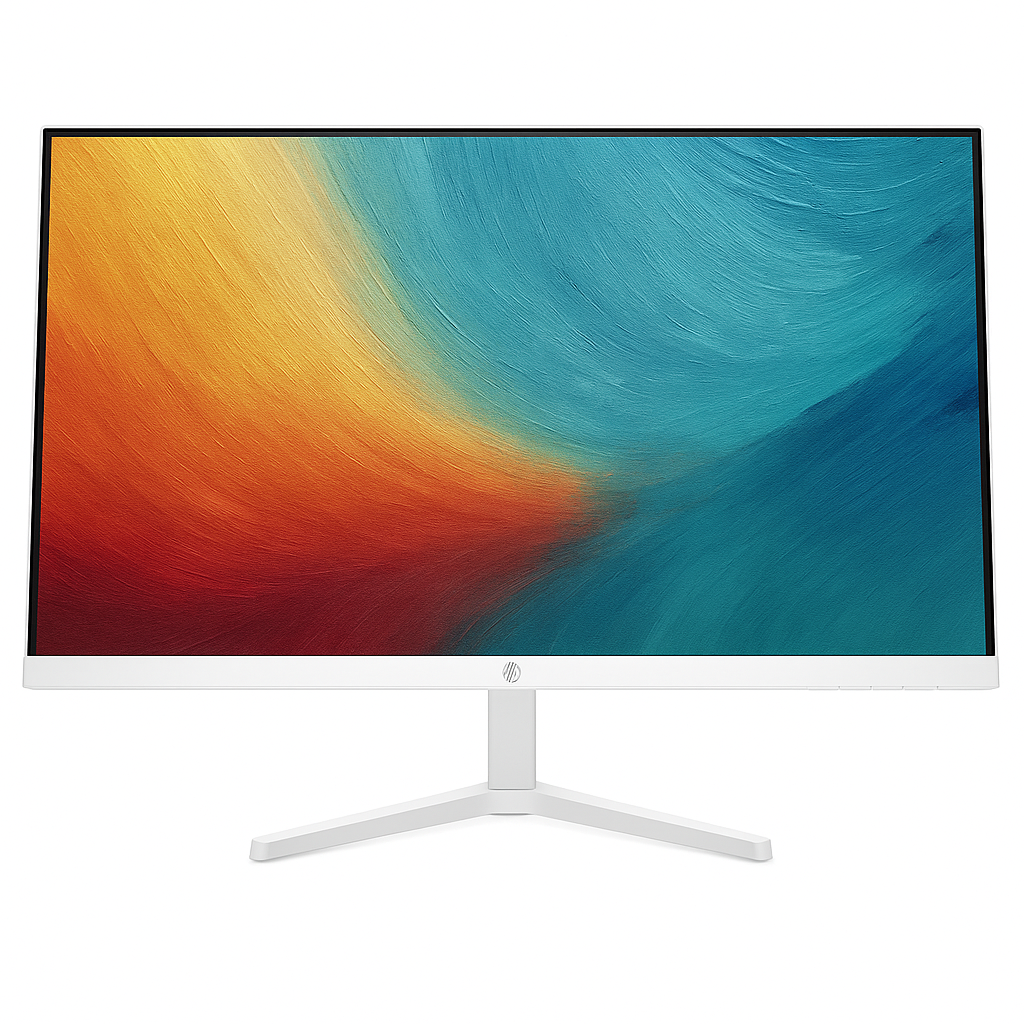

Samsung M5 Smart Monitor 27″ FHD: Smart TV Experience, Tizen OS, WiFi, Bluetooth, HDMI, Built-in Speakers

Samsung M5 27” FHD Smart Monitor Review: The Affordable All-in-One for Everyday Smart Living

Samsung M5 27” FHD Smart Monitor Review: The Affordable All-in-One for Everyday Smart Living

68.6 cm (27″) Display Full HD (1920 x 1080) Resolution 60 Hz Refresh Rate VA Display Type 50 W Power Consumption 2x USB-A, 2x HDMI 1.4 ₹15499.00

The Samsung M5 27” FHD Smart Monitor offers a refreshing blend of monitor functionality and a complete Smart TV experience, all within an accessible price point of ₹15499.00. This 68.6 cm (27-inch) display is designed for individuals seeking a versatile, clutter-free solution for work, streaming, and casual entertainment, eliminating the need for multiple devices. Featuring a Full HD (1920 x 1080) VA panel with a standard 60 Hz refresh rate and 4ms (GTG) response time, the M5 is well-suited for everyday computing, enjoying your favorite movies and shows, and light gaming. Powered by Samsung’s intuitive Tizen™ OS, it provides direct access to popular streaming apps like Netflix and YouTube, alongside built-in Wi-Fi and Bluetooth. With smart features such as Mobile to Screen mirroring, SmartThings Hub integration, integrated speakers, and an included remote controller, the M5 aims to be the central hub for your digital life without breaking the bank. This in-depth review will explore the M5’s display performance, its comprehensive smart features, connectivity options, design, and overall value proposition, helping budget-conscious buyers make an informed decision for their modern home or office setup in mid-2025.

1. Smart Display Capabilities: Bridging Monitor and TV

The Samsung M5 efficiently serves as both a productivity tool and a standalone entertainment center.

Versatile Full HD (1920×1080) VA Panel:

The 27-inch Full HD resolution provides a clear and crisp image for general computing tasks and multimedia. The VA (Vertical Alignment) panel boasts a strong 3000:1 static contrast ratio, delivering noticeably deeper blacks and better image depth.

Standard Refresh Rate and Response Time:

A 60 Hz refresh rate is perfectly adequate for smooth scrolling and video playback. The 4ms Grey-to-Grey (GTG) response time helps minimize motion blur, making it suitable for casual gaming.

Good Viewing Angles & Brightness:

With 178°(H)/178°(V) viewing angles, colors and contrast remain consistent. A typical brightness of 250 cd/㎡ is sufficient for most indoor environments, and it supports HDR10 for enhanced contrast.

Eye Care Features:

Equipped with Eye Saver Mode (reduces blue light emissions) and Flicker Free technology (eliminates screen flickering), the M5 helps minimize eye strain for extended viewing sessions.

2. Comprehensive Smart Hub: Entertainment & Connectivity Simplified

The M5’s Tizen™ OS integration truly elevates its functionality, making it a powerful smart device.

Integrated Smart TV Experience (Tizen™ OS):

At the core of the M5’s versatility is Samsung’s acclaimed Tizen™ operating system. This provides a full-fledged Smart TV experience directly on your monitor, granting instant access to popular streaming apps like Netflix, YouTube, Amazon Prime Video, Samsung TV Plus (IN Only) for free content, and a Universal Guide for personalized recommendations.

Wireless Connectivity:

Built-in Wi-Fi 5 (802.11ac) ensures fast and reliable internet access. Bluetooth 5.2 allows for seamless connection of wireless keyboards, mice, headphones, and other peripherals, contributing to a clutter-free setup. It also supports Wireless Display for easy screen mirroring.

Smart Device Integration:

Offers seamless “Mobile to Screen” mirroring and “Tap View” for quick content sharing. It also functions as a SmartThings Hub, enabling you to control and monitor compatible smart home devices directly from your monitor.

Productivity & Entertainment Modes:

Features like Multi View (up to 2 videos) allow for efficient multitasking. Remote Access enables you to work on your office PC or laptop directly from the M5, providing flexibility for your work-from-home setup.

Game-Ready Features (Casual):

For light gamers, the M5 includes features like Virtual AIM Point (an on-screen crosshair), Game Bar 2.0 (quick access to game settings), and Ultrawide Game View (expands the aspect ratio to 21:9 for compatible games).

3. All-in-One Convenience: Audio & Control

The M5 simplifies your setup by integrating essential accessories.

Convenient All-in-One Solution:

The M5 is designed to be highly convenient. It includes integrated 10W speakers with Adaptive Sound, providing decent audio for general multimedia consumption without the need for external speakers. An included remote controller enhances the Smart TV experience.

Dual HDMI 1.4 Ports:

Equipped with two HDMI 1.4 ports (with HDCP 2.2 support), the monitor allows you to connect multiple devices like a PC, gaming console, or set-top box without constant cable swapping.

USB-A Hub:

The inclusion of two USB-A ports provides a basic hub for connecting peripherals like a keyboard or mouse, though these are USB 2.0 standard.

4. Design & Ergonomics: Simple and Sleek

The M5 maintains a minimalist design suitable for various environments.

Sleek Black Aesthetic:

The monitor features a sleek black finish for the front, rear, and stand, providing a professional and understated look that blends seamlessly with most decor.

Simple Tilt Stand:

The included stand offers tilt adjustment (-2.0˚ to 22.0˚), allowing users to find a comfortable viewing angle. While basic, it provides stability.

Wall Mount Compatibility (100 x 100):

For those seeking a more permanent or space-saving setup, the monitor is compatible with 100 x 100 mm VESA wall mounts.

Who Is This Monitor For? Tailored Recommendations

The Samsung M5 27” FHD Smart Monitor is an excellent choice for:

  • Home Office Users: Its 27-inch FHD display and smart features make it a versatile display for productivity, video conferencing, and seamless switching between work and entertainment.
  • Students & Small Space Dwellers: The all-in-one nature saves desk space by combining a monitor, smart TV, and basic smart home hub into one device.
  • Media Consumers & Streamers: With Tizen™ OS, built-in apps, and decent speakers, it’s perfect for watching movies, shows, and YouTube without needing a separate media player.
  • Casual Gamers: While not for competitive esports, the FHD resolution and 60Hz refresh rate provide a good visual experience for single-player or casual gaming titles.
  • Users Seeking a Clutter-Free Setup: Integrated speakers and wireless connectivity minimize cables and external devices.
  • Smart Home Enthusiasts on a Budget: Its SmartThings Hub functionality adds value by allowing control of compatible smart home devices.

Who Might Consider Other Options?

You might consider other options if:

  • You Are a Serious Competitive Gamer: The 60Hz refresh rate and 4ms GTG response time are not sufficient for high-refresh-rate, low-latency competitive gaming.
  • You Need Advanced Ergonomics: The basic tilt-only stand lacks height, swivel, or pivot capabilities, which are crucial for optimal ergonomic positioning during long work sessions.
  • You Require Faster USB Data Transfer: The integrated USB-A ports are USB 2.0, which are significantly slower for transferring large files compared to modern USB 3.0 or 3.1.
  • You Need Higher Brightness for HDR: While it supports HDR10, a typical brightness of 250 cd/㎡ is not bright enough to deliver a truly impactful HDR experience, especially in very well-lit rooms.
  • You Prefer a Higher Resolution for 27-inch: For a 27-inch screen, Full HD might appear less sharp to some users accustomed to QHD or 4K, leading to visible pixelation at closer viewing distances.
  • You Need a Built-in Camera or USB-C: This model does not include an integrated or detachable webcam, nor does it have a USB-C port for single-cable connectivity.

Competitive Edge: What Sets It Apart

The Samsung M5 27” FHD Smart Monitor distinguishes itself in the market with several key advantages:

  • Integrated Smart TV Functionality at an Affordable Price: Its primary competitive edge is the seamless blend of an FHD monitor with a full Tizen™ OS Smart TV experience, offering built-in streaming apps, Wi-Fi, and Bluetooth, all at a very accessible price point.
  • All-in-One Convenience: Built-in 10W speakers with Adaptive Sound and an included remote control provide a complete entertainment solution without requiring external accessories, leading to a clutter-free setup.
  • Smart Device Integration: Seamlessly connects with smartphones for mirroring (Mobile to Screen, Tap View) and integrates with the SmartThings ecosystem for smart home control, adding significant convenience.
  • Good Contrast VA Panel: Offers a 3000:1 static contrast ratio, delivering notably deeper blacks and better image depth compared to typical IPS panels, enhancing the visual experience, especially for movies.
  • Casual Game-Ready Features: Includes Virtual AIM Point, Game Bar 2.0, and Ultrawide Game View, providing a surprisingly capable experience for casual gaming despite its 60Hz refresh rate.
  • Eye Comfort Features: Eye Saver Mode and Flicker Free technology make it more comfortable for extended use, a valuable addition for daily productivity and entertainment.

Full Specification Details

Display

  • Screen Size (Class): 68.6 cm (27 inch)
  • Flat / Curved: Flat
  • Active Display Size (HxV): 59.78 cm x 33.63 cm
  • Aspect Ratio: 16:9
  • Panel Type: VA
  • Brightness (Typical): 250 cd/㎡
  • Brightness (Min): 200 cd/㎡
  • Contrast Ratio Static: 3,000:1 (Typ.)
  • HDR (High Dynamic Range): HDR10
  • Resolution: FHD (1920 x 1080)
  • Response Time: 4ms (GTG)
  • Viewing Angle (H/V): 178°(H)/178°(V)
  • Colour Support: Max 1B
  • Color Gamut (NTSC 1976): 72%
  • Refresh Rate: Max 60 Hz

General Features

  • Eye Saver Mode: Yes
  • Flicker Free: Yes
  • Image Size: Yes
  • Windows Certification: Windows 11
  • Virtual AIM Point: Yes
  • Game Bar 2.0: Yes
  • HDMI-CEC: Yes
  • Auto Source Switch+: Yes
  • Adaptive Picture: Yes
  • Ultrawide Game View: Yes

Smart Service

  • Smart Type: Smart
  • Operating System: Tizen™
  • TV Plus: Yes (IN Only)
  • Universal Guide: Yes (IN Only)
  • SmartThings Hub: Yes
  • Multi Device Experience: Mobile to Screen, Screen initiate mirroring, Sound Mirroring, Wireless On, Tap View
  • My Contents: Yes
  • Multi View: upto 2 videos
  • NFT: Nifty Gateway
  • Remote Access: Yes

Interface

  • Wireless Display: Yes
  • HDMI: 2 EA
  • HDMI Version: 1.4
  • HDCP Version (HDMI): 2.2
  • USB Hub: 2 (ports)
  • Wireless LAN Built-in: Yes (WiFi5)
  • Bluetooth: Yes (5.2)

Audio

  • Speaker: Yes
  • Speaker Output: 10 W
  • Adaptive Sound: Adaptive Sound

Operation Conditions

  • Temperature: 10℃~40℃
  • Humidity: 10%~80%(non-condensing)

Design

  • Front Colour: BLACK
  • Rear Color: BLACK
  • Stand Colour: Black
  • Stand Type: SIMPLE
  • Tilt: -2.0˚(±2.0˚) ~ 22.0˚(±2.0˚)
  • Wall Mount: 100 x 100

Power

  • Power Supply: AC 100~240V
  • Power Consumption (Max): 50 W
  • Type: Internal Power

Dimension & Weight

  • Set Dimension with Stand (WxHxD): 61.55 cm x 45.54 cm x 19.35 cm
  • Set Dimension without Stand (WxHxD): 61.55 cm x 36.79 cm x 4.18 cm
  • Package Dimension (WxHxD): 73.80 cm x 12.60 cm x 42.80 cm
  • Set Weight with Stand: 4.8 kg
  • Set Weight without Stand: 3.6 kg
  • Package Weight: 6.1 kg

Accessory & Launch

  • Power Cable Length: 1.5 m
  • HDMI Cable: Yes
  • Remote Controller: Yes

Pros & Cons: A Balanced View for Buyers

Pros:

  • Integrated Smart TV Functionality: Powered by Tizen™ OS, it eliminates the need for a separate streaming device, providing direct access to a vast array of streaming apps and services, making it a true all-in-one entertainment hub.
  • Affordable Price: At just ₹15499.00, it offers exceptional value for a 27-inch monitor with such extensive smart features, making smart TV functionality accessible.
  • All-in-One Solution: Built-in 10W speakers, Wi-Fi, Bluetooth, and an included remote make it a highly convenient and clutter-free setup for both work and entertainment.
  • Versatile Connectivity: Supports Wireless Display, features two HDMI 1.4 ports, and two USB-A ports for connecting various devices.
  • Smart Device Integration: Seamlessly connects with smartphones for mirroring (Mobile to Screen, Tap View) and integrates with the SmartThings ecosystem for smart home control, adding significant convenience.
  • Good Contrast: The VA panel offers a 3000:1 static contrast ratio, delivering notably deeper blacks and better image depth compared to typical IPS panels.
  • Eye Comfort: Eye Saver Mode and Flicker Free technology effectively help reduce eye strain during prolonged use, enhancing user comfort.
  • Multi-Tasking Support: Multi View allows displaying content from two different sources simultaneously, boosting productivity for users who multitask.
  • Casual Game-Ready Features: Includes Virtual AIM Point, Game Bar 2.0, and Ultrawide Game View for an enhanced casual gaming experience.

Cons:

  • FHD Resolution for 27-inch: For a 27-inch screen, Full HD (1920×1080) might appear less sharp to some users who are accustomed to QHD or 4K, especially for detailed text or graphics, leading to visible pixelation at closer viewing distances.
  • Basic Refresh Rate & Response Time: A 60 Hz refresh rate and 4ms (GTG) response time are standard for general use and streaming but are not ideal for serious competitive gaming, limiting its appeal to hardcore gamers.
  • Limited Ergonomics: The simple stand only offers tilt adjustment, lacking height, swivel, or pivot capabilities, which can limit optimal viewing positions and ergonomic comfort for prolonged use.
  • HDMI 1.4: Uses older HDMI 1.4 ports. While sufficient for FHD at 60Hz, they lack the higher bandwidth of HDMI 2.0 or 2.1, which might be a minor limitation for future-proofing or specific niche applications.
  • No USB-C: Lacks a USB-C port, which is becoming increasingly common for convenient single-cable connectivity with modern laptops (video, data, and power).
  • Brightness: 250 cd/㎡ typical brightness is adequate for general use but not exceptionally bright for a truly impactful HDR experience, especially in very well-lit rooms.

Final Verdict: The Samsung 68.6 cm (27-inch) M5 FHD Smart Monitor – Your Versatile Home Hub

The 68.6 cm (27-inch) Samsung M5 FHD Smart Monitor is an outstanding choice for users seeking a versatile and budget-friendly display that effortlessly transitions between a PC monitor and a standalone Smart TV. Its integrated Tizen™ OS, comprehensive wireless connectivity, and smart features make it a highly convenient and clutter-free entertainment and productivity hub. While its Full HD resolution for a 27-inch screen might be a slight compromise for pixel-peepers, and its 60 Hz refresh rate isn’t geared towards high-end competitive gaming, for everyday computing, streaming, and casual gaming, the M5 offers exceptional value at just ₹15499.00. It’s perfect for a bedroom, dorm room, small home office, or any space where a flexible, clutter-free, and smart display is desired.

★★★★☆

Overall Rating: 4.0 out of 5.0 (Based on Expert Analysis)


Lenovo L22e-40 Monitor: 21.5″ FHD, 75Hz, Low Blue Light, Slim Design

Lenovo L22e-40 (21.5”) Monitor Review: The Essential Eye-Care Display for Everyday Use

Lenovo L22e-40 (21.5”) Monitor Review: The Essential Eye-Care Display for Everyday Use

21.45 inches Display 1920 x 1080 (Full HD) Resolution 75Hz Max Refresh Rate VA Display Type 15W Typical Power 1x HDMI 1.4, 1x VGA, 1x Audio Out ₹6,499

The Lenovo L22e-40 54.61cms (21.5”) Monitor stands out as an incredibly value-for-money display, perfectly crafted for home offices, students, and general everyday computing. Priced at an attractive ₹6,499 (a significant 34% discount from its MRP of ₹9,990), this monitor combines a sleek design with essential eye-care features and versatile connectivity, making it an ideal choice for a clean and productive workspace on a budget. Featuring a 21.5-inch Full HD (1920 x 1080) VA panel with a 3-side near-edgeless design, the L22e-40 delivers crisp visuals and an immersive viewing experience. It offers a respectable 75Hz refresh rate for smoother visuals compared to standard 60Hz displays. A key highlight is Lenovo’s Natural Low Blue Light technology, which significantly reduces eye strain during prolonged use without compromising color accuracy. With its ultra-slim monitor head, integrated cable management, and a convenient phone stand, the L22e-40 is designed to keep your desk organized and aesthetically pleasing. Its inclusion of both HDMI and VGA ports ensures broad compatibility with a range of devices, both modern and older. This in-depth review will explore the Lenovo L22e-40’s display quality, eye-care features, design, connectivity, and overall value proposition, helping discerning buyers understand why this monitor is a smart and affordable choice for their daily computing needs.

1. Immersive VA Display & Smooth Visuals: Clear and Comfortable Viewing

The L22e-40 offers a solid visual experience for its price point.

Immersive Full HD VA Display:

The 21.5-inch (54.61cms) VA (Vertical Alignment) panel delivers crisp 1920 x 1080 Full HD resolution. The 3-side near-edgeless design minimizes bezels for an immersive view.

Superior Contrast:

VA panels are known for their high native contrast ratios, and the L22e-40 delivers with a 3000:1 contrast ratio, producing impressively deep blacks and vibrant colors.

Smooth Visuals:

With a maximum 75Hz refresh rate, this monitor provides a fluid viewing experience that is noticeably smoother than standard 60Hz displays, enhancing everyday tasks and casual gaming.

Fast Response Time & Wide Viewing Angles:

A 4ms (Extreme Mode) / 6ms (Normal Mode) response time helps reduce ghosting. It boasts wide 178°/178° viewing angles, ensuring consistent color and clarity from almost any perspective.

2. Eye-Safe Technology & Ultra-Slim Design: Health and Aesthetics

The monitor places a strong emphasis on user well-being and a clean aesthetic.

Eye-Safe Technology (Natural Low Blue Light):

A significant benefit is its Lenovo’s Natural Low Blue Light technology, which effectively reduces harmful blue light emissions without distorting colors.

Ultra-Slim Design:

The monitor features a sleek 6.9mm monitor head design, contributing to a minimalist and modern aesthetic on your desk, particularly appealing for compact workspaces.

Integrated Cable Management & Phone Stand:

Thoughtful design elements include built-in cable management in the stand and a convenient phone stand integrated into the base.

3. Versatile Connectivity & Software: Broad Compatibility

The L22e-40 offers essential connectivity for diverse setups.

Versatile Connectivity:

The monitor includes both a HDMI 1.4 port and a VGA port, ensuring broad compatibility with a wide range of devices. An Audio Out (3.5 mm) jack is also provided.

Lenovo Artery Software:

The inclusion of Lenovo Artery Software (version 2.0) provides a user-friendly interface for effortless control and customization of monitor settings.

Thin Client Support (Tiny):

This feature indicates compatibility with Lenovo Tiny thin client devices, allowing for a compact and integrated computing solution.

Who Is This Monitor For? Tailored Recommendations

The Lenovo L22e-40 monitor is an excellent choice for:

  • Home Office Users: Provides a comfortable and organized workspace for daily tasks, emails, and video calls.
  • Students: Ideal for online learning, research, and document work, with eye-care features for long study sessions.
  • Budget-Conscious Buyers: Offers a compelling feature set at a very attractive price point, especially with the current discount.
  • Users Prioritizing Eye Comfort: Natural Low Blue Light technology is a significant benefit for reducing eye strain during prolonged use.
  • Users Seeking a Clean Desktop Setup: The ultra-slim design, cable management, and phone stand help maintain an organized workspace.
  • Users with Mixed Device Setups: HDMI and VGA ports provide flexibility for connecting both modern and older devices.

Who Might Consider Other Options?

You might consider other options if:

  • You Need Higher Color Accuracy: The 72% NTSC color coverage is adequate for general use but not sufficient for professional graphic design, video editing, or other color-critical work.
  • You Are a Serious Competitive Gamer: While 75Hz is better than 60Hz, competitive gamers typically seek higher refresh rates (120Hz+) and faster response times, along with adaptive sync technologies.
  • You Require Full Ergonomic Adjustability: The stand offers only tilt adjustment, lacking height, swivel, or pivot options for precise posture customization.
  • You Need a USB Hub or USB-C Connectivity: This monitor lacks integrated USB ports for connecting peripherals directly or a single-cable USB-C solution for laptops.
  • You Need Built-in Speakers: This monitor does not have integrated speakers, requiring external audio solutions.

Competitive Edge: What Sets It Apart

The Lenovo L22e-40 distinguishes itself in the market with several key advantages:

  • Unbeatable Value at its Price Point: The current 34% discount makes it one of the most affordable and feature-rich monitors in its category, offering exceptional value for budget-conscious buyers.
  • Dedicated Eye-Care Technology: Lenovo’s Natural Low Blue Light technology is a standout feature, providing superior eye comfort without the color distortion often seen in other solutions.
  • Sleek, Modern, and Organized Design: The ultra-slim bezels, thin monitor head, integrated cable management, and phone stand create a premium aesthetic and a highly organized workspace, which is rare at this price.
  • Superior Contrast with VA Panel: The 3000:1 contrast ratio delivers deeper blacks and more vibrant colors than many entry-level IPS or TN panels, enhancing the visual experience for media consumption.
  • Versatile Legacy & Modern Connectivity: The inclusion of both HDMI and VGA ports ensures it can easily connect to a wide range of devices, from new laptops to older desktop PCs.

Full Specification Details

Display

  • Screen Size: 21.45 inches (54.61cms)
  • Panel Type: VA
  • Resolution: 1920 x 1080 (FHD)
  • Aspect Ratio: 16:9
  • Brightness: 250 cd/㎡ (typical)
  • Contrast Ratio: 3000:1
  • Refresh Rate: 60Hz (typical), 75Hz (maximum)
  • Response Time: 4ms (Extreme Mode), 6ms (Normal Mode)
  • Viewing Angle: 178° / 178°
  • Color Coverage: 72% NTSC
  • Color Depth: 8-bit
  • Color Support: 16.7 Million
  • Backlight: WLED
  • Near Edgeless: 3-side NearEdgeless

Connectivity

  • Ports: 1 x HDMI 1.4, 1 x VGA, 1 x Audio Out (3.5 mm)

Stand

  • Adjustments: Tilt

Security & Compatibility

  • Kensington Lock: Yes
  • Thin Client Support: Yes (Tiny)

Power

  • Power Consumption: 15W (Typical), 20.5W (Max), Sleep<0.5W, Power Off<0.3W
  • Power Requirement: 90 – 264 VAC,47 – 63 Hz

Dimensions & Weight

  • Dimensions (w/o Package): 491.6 mm x 401.6 mm x 182.8 mm (19.35″ x 15.81″ x 7.19″)
  • Head Only Dimensions: 491.6 mm x 290.3 mm x 41.0 mm (19.35″ x 11.43″ x 1.61″)
  • Weight (w/o Package): 3.1 kg (6.8 lbs)
  • Weight (Head Only): 2.2 kg (4.9 lbs)
  • Weight (w/ Package): 4.2 kg (9.1 lbs)

Included Accessories & Warranty

  • Included Accessories: Power Cable (1.8 m), HDMI cable (1.8 m), Quick Setup Guide, Screw, Warranty Booklet
  • Software/Driver: Yes (Lenovo Artery 2.0)
  • Warranty: 3 Years limited

Pros & Cons: A Balanced View for Buyers

Pros:

  • Highly Affordable Price: Excellent value for money, especially with the current 34% discount, making it an accessible option for budget-conscious buyers.
  • Eye-Care Technology: Natural Low Blue Light is a significant benefit for reducing eye strain during long hours of use, promoting better eye health.
  • Sleek and Modern Design: Ultra-slim bezels and monitor head, along with integrated cable management and a convenient phone stand, create a clean, minimalist, and organized desk aesthetic.
  • Good for Productivity: Full HD resolution on a 21.5-inch screen offers comfortable viewing for office tasks, web browsing, and document work.
  • Decent Refresh Rate: 75Hz provides a noticeably smoother experience than standard 60Hz monitors for general use, making animations and scrolling feel more fluid.
  • VA Panel Benefits: Offers superior contrast ratios and deeper blacks compared to typical IPS or TN panels, leading to more impactful visuals, especially in darker scenes.
  • Versatile Connectivity: The inclusion of both HDMI and VGA ports ensures broad compatibility with both modern and older devices.
  • Lenovo Artery Software: Adds useful software control for monitor settings and usage scenarios.
  • 3-Year Warranty: Provides good long-term peace of mind and reliability.

Cons:

  • Limited Adjustability: Only tilt adjustment is mentioned for the stand, lacking height, swivel, or pivot options, which might limit ergonomic comfort for some users.
  • 72% NTSC Color Coverage: While adequate for general use and media consumption, it might not be sufficient for professional graphic design, video editing, or other color-critical work that demands higher color accuracy.
  • No USB Hub: Lacks additional USB ports on the monitor itself for connecting peripherals directly, meaning devices must connect to the PC.
  • No Built-in Speakers: Requires external headphones or speakers for audio output, which could be an added cost or clutter.
  • Not Ideal for Serious Gaming: While 75Hz is better than 60Hz, serious competitive gamers typically prefer higher refresh rates (120Hz+) and faster response times, along with adaptive sync technologies (not explicitly mentioned for this model).

Final Verdict: The Lenovo L22e-40 – A Smart and Affordable Essential

The Lenovo L22e-40 monitor is an excellent value-for-money option, particularly well-suited for home offices, students, and general everyday computing. Its strong emphasis on eye comfort with Natural Low Blue Light technology, combined with a sleek, minimalist design and intelligent cable management, makes it a highly appealing option for those seeking a clean, organized, and eye-friendly workspace without spending a fortune. While professional users needing precise color accuracy or avid gamers demanding very high refresh rates and adaptive sync might look elsewhere, for its target audience, the L22e-40 delivers a compelling blend of features, performance, and affordability. The 3-year warranty and the current significant discounted price of ₹6,499 further solidify its position as a smart and highly recommended buy for anyone in need of a reliable, comfortable, and attractive basic monitor.

★★★★☆

Overall Rating: 4.0 out of 5.0 (Based on Expert Analysis)