ReviewNest

Is HP OfficeJet Pro 9130 Worth It? Full Review

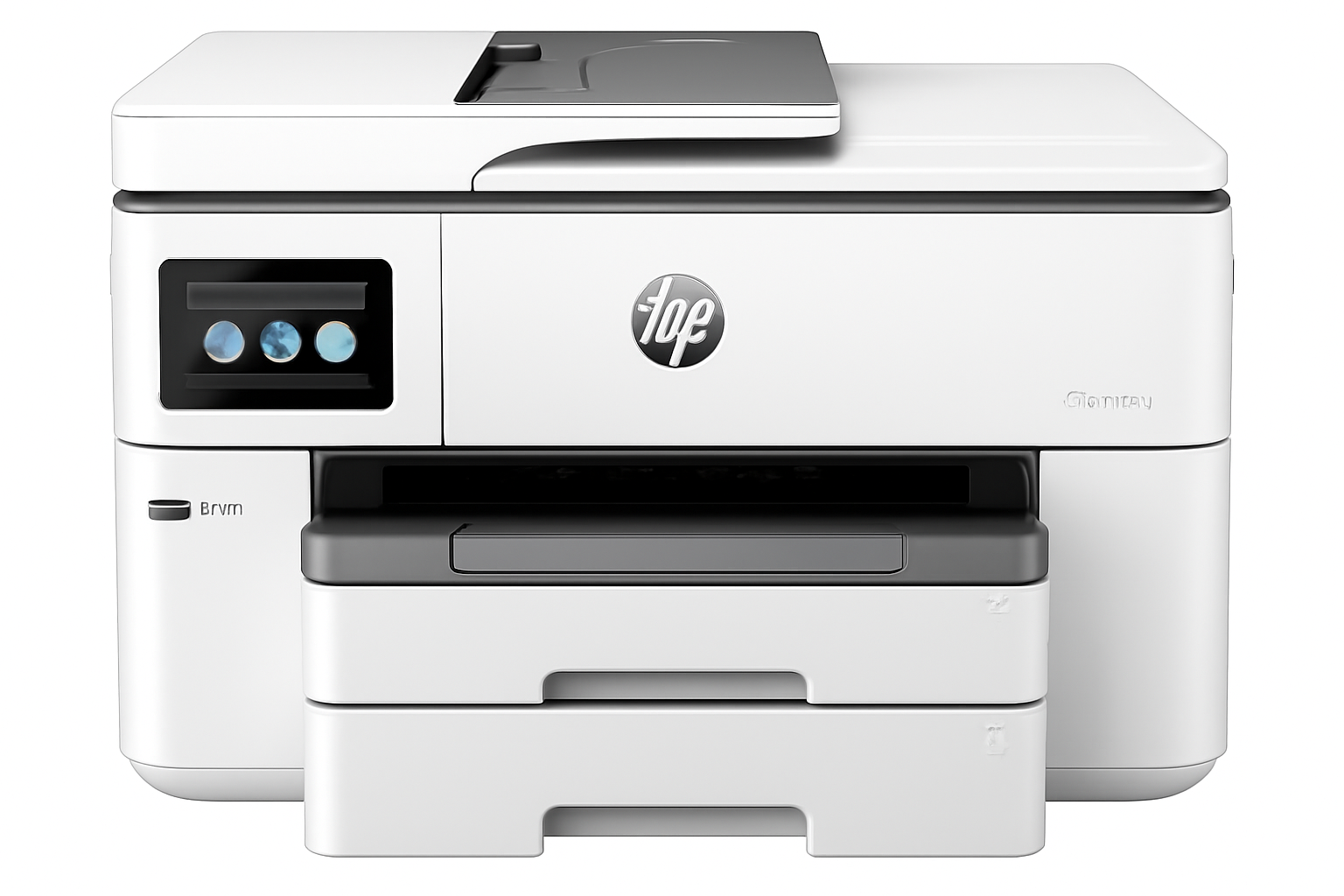
HP OfficeJet Pro 9130 Printer
HP OfficeJet Pro 9130 All-in-One Printer Complete Review 2025 – DUAL 500 Sheets, FAX, 2-Sided Scan, 25ppm!
HP OfficeJet Pro 9130 Printer

🏆 PREMIUM A4 BUSINESS: DUAL 500 Sheets + FAX + 2-Sided Scan + 25ppm + USB Host!

Save ₹5,900 (11% OFF) • Next Day Delivery • 1 Year Warranty!

🔥 PREMIUM A4 – DUAL 500 SHEETS – FAX – 2-SIDED SCAN – 25PPM FASTEST – USB HOST – 4.3″ SCREEN – BUSINESS PRO

HP OfficeJet Pro 9130 All-in-One Printer

Premium A4 Business | DUAL 500 Sheets | FAX | 2-Sided Scan | 25ppm | WiFi+LAN

DUAL Trays 500 Sheets – FAX Capability – 2-Sided ADF – 25ppm Fastest – USB Host – 4.3″ Screen

🏆 PREMIUM A4 Business Printer – Best Features Without A3!

• DUAL Trays: 2×250-sheet = 500 sheets total (like 9730!)

• FASTEST Speed: 25 ppm black, 20 ppm color (beats all!)

• FAX Capability: Color FAX + 2 RJ-11 ports (ONLY model!)

• 2-Sided ADF: Duplex scanning (like 9730!)

• USB Host: Print from USB drives (like 9730!)

• 4.3″ Screen: Large touchscreen (like 9730!)

• A4 Only: NO A3 support (like 8120)

• High Volume: 30,000 duty, 2000/month recommended

• HP 938: Same cartridges as 9720/9730

• Warranty: 1 Year Limited Warranty

₹43,449

₹49,349

SAVE ₹5,900 (11% OFF!)

+ BONUS: Setup Cartridges + USB Cable Included!

*₹23,050 MORE than 8120 | ₹19,550 MORE than 9720 | ₹8,000 MORE than 9730!

🛒 Buy Now – Premium Business Printer!

Next Day Delivery (Order by 1pm) | 1 Year Warranty | Instant Ink Eligible

Paper Trays

DUAL 500

FAX

Yes

Speed

25ppm

HP OfficeJet Pro 9130 Overview

Premium Features

  • 📦 DUAL 500: 2×250 trays!
  • 📠 FAX: ONLY model!
  • 🔁 2-Sided Scan: Duplex ADF!
  • ⚡ 25ppm: FASTEST A4!
  • 💾 USB Host: Flash drives!
  • 📱 4.3″ Screen: Large display!
  • 📄 A4 Only: NO A3 support!

In The Box

  • 📦 HP OfficeJet Pro 9130 Printer
  • ⚫ HP 938 Setup Black Cartridge
  • 🔵🔴🟡 HP 938 Setup CMY Cartridges
  • 🔌 Power Cord
  • 📀 USB Cable (INCLUDED!)
  • 📄 Setup Poster & Reference Guide

Why 9130?

  • • Best A4 Pro: Premium features
  • • DUAL 500: Like 9730!
  • • FAX Built-in: Only model!
  • • 2-Sided Scan: Duplex ADF!
  • • 25ppm: Fastest A4!
  • • High Volume: 2000/month!

🏆 Premium A4 Business – Best Features Without A3 Premium!

DUAL 500 Sheets – Half the Refills!

Two 250-sheet trays = 500 sheets total (same as 9730!) This is DOUBLE the 8120’s 225 sheets and double the 9720’s single 250-sheet tray. Refill paper half as often!

FAX + 2-Sided Scan – Business Essentials!

ONLY OfficeJet Pro with built-in FAX (2 RJ-11 ports, color fax) PLUS 2-sided ADF scanning (duplex). Perfect for traditional businesses needing fax and scanning!

25ppm Speed – FASTEST A4 OfficeJet!

25ppm black, 20ppm color beats ALL other models (9720: 22/18, 8120: 20/10). Perfect for high-volume offices needing speed!

DUAL 500-Sheet Trays – Same as 9730!

📦 Two 250-Sheet Trays = 500 Total – Premium Capacity!

The 9130’s DUAL paper trays (250+250 = 500 sheets total) match the 9730’s capacity – this is DOUBLE the 8120’s 225 sheets and double the 9720’s single 250-sheet tray! Less refilling, more productivity!

✅ DUAL 500-Sheet Benefits

  • • 500 Sheets Total: 2×250 trays = DOUBLE 8120/9720!
  • • Half the Refills: Refill 50% less often!
  • • Multi-Type Setup: Plain in Tray 1, Special in Tray 2
  • • Quick Switching: Select tray from print dialog
  • • Less Downtime: Print while refilling one tray
  • • High-Volume Ready: 2000 pages/month capacity
  • • Same as 9730: Premium capacity at A4 price!
  • • Business Essential: For offices printing 1000+ pages/month!

📊 Capacity Comparison

9130 Capacity: 500 sheets (2 trays)
9730 Capacity: 500 sheets (2 trays)
9720 Capacity: 250 sheets (1 tray)
8120 Capacity: 225 sheets (1 tray)
9130 Advantage: 2× more than others!
Refill Frequency: Half as often!

💡 Productivity Impact: For the 9130’s recommended 2000 pages/month volume, you’d refill the 8120 (225 sheets) 9 times/month, 9720 (250 sheets) 8 times/month, but 9130 (500 sheets) only 4 times/month! At 5 minutes per refill, you save 20-25 minutes/month = 4-5 hours/year. For high-volume offices, the DUAL trays alone justify the premium over single-tray models!

FAX Capability – ONLY OfficeJet Pro Model!

📠 Built-in FAX – EXCLUSIVE to 9130!

The 9130 is the ONLY HP OfficeJet Pro model with built-in FAX capability! Features 2 RJ-11 ports (fax/modem + phone line), color fax support, 4 sec/page transmission speed, and full fax management features. The 8120, 9720, and 9730 do NOT have fax!

✅ Built-in FAX Features

  • • EXCLUSIVE: ONLY OfficeJet Pro with fax!
  • • Color FAX: Send color faxes (not just black)
  • • 2 RJ-11 Ports: Fax line + Phone line
  • • 4 Sec/Page: Fast fax transmission speed
  • • Auto Fax Reduction: Fits pages automatically
  • • Delayed Sending: Schedule fax send times
  • • Fax Forwarding: Forward to email/another fax
  • • Junk Fax Barrier: Block unwanted faxes
  • • Distinctive Ring: Multiple fax numbers support
  • • No Phone Handset: Fax machine only (not phone)

❌ Other Models DON’T Have FAX!

  • • 8120: NO fax (mobile app fax only)
  • • 9720: NO fax (mobile app fax only)
  • • 9730: NO fax (mobile app fax only)
  • • Mobile App Fax: All models can fax via HP Smart app
  • • But NOT Traditional: App fax requires internet + HP account
  • • 9130 Advantage: Traditional fax line, no internet needed!
  • • Industries Need FAX: Legal, medical, government require it
  • • Dedicated Fax Line: 9130 can have dedicated fax number
  • • Why 9130? If you NEED fax, 9130 is ONLY choice!

📋 Who Needs Built-in FAX?

⚖️ Legal Firms

Courts and legal professionals still require fax for official documents. Email not accepted in many cases.

🏥 Medical Offices

HIPAA compliance often requires fax for patient records. Secure transmission vs email vulnerabilities.

🏛️ Government

Government agencies and contractors still use fax extensively. Required for many official submissions.

🏢 Traditional Business

Many businesses with legacy systems, older clients, or industries that haven’t modernized still need fax capability.

💡 FAX Still Relevant? While email and digital documents have largely replaced fax, certain industries (legal, medical, government) STILL REQUIRE fax for regulatory/compliance reasons. If your business needs to send/receive faxes regularly, the 9130 is your ONLY OfficeJet Pro option! The 8120, 9720, and 9730 offer “mobile app fax” via HP Smart app, but this requires internet connection and HP account – NOT the same as traditional dedicated fax line. For businesses that need true fax capability, the 9130’s ₹23,050 premium over 8120 may be justified!

2-Sided ADF Scanning – Automatic Duplex!

🔁 Duplex ADF – Scan Both Sides Automatically!

The 9130’s 35-sheet ADF can scan BOTH SIDES automatically (same as 9730)! This is a MAJOR advantage over the 8120 and 9720 which only have 1-sided ADF (manual flip required). Perfect for scanning contracts, invoices, and double-sided documents!

✅ 2-Sided ADF Scan (9130)

  • • Automatic Duplex: Scans front + back WITHOUT manual flip!
  • • 35 Sheets Both Sides: Load 35, scan 70 sides auto
  • • Huge Time Saver: 10× faster than manual flipping
  • • Perfect for Contracts: Legal docs usually 2-sided
  • • Invoice Scanning: Most invoices printed both sides
  • • Set & Forget: Load docs, walk away
  • • Single PDF: Creates one PDF with all pages
  • • Same as 9730: Premium feature at A4 price!

❌ 1-Sided ADF (8120/9720)

  • • Manual Flip: Scan front, flip, scan back manually
  • • Double Time: Must scan TWICE
  • • Error Prone: Easy to flip wrong or lose order
  • • Two Files: Creates 2 PDFs, must merge
  • • Tedious: Frustrating for large jobs
  • • Not Professional: Inadequate for busy offices
  • • 8120 & 9720: Both lack duplex ADF!
  • • 9130 Advantage: Worth ₹23K premium for this!

💡 Time Savings Example: Scanning 35 double-sided pages (70 total sides). With 8120/9720: Scan 35 fronts (3 min) + flip stack + scan 35 backs (3 min) + merge PDFs (2 min) = 8+ minutes. With 9130: Load 35 pages, press scan, walk away = 3-4 minutes automatic. You save 4-5 minutes per job! For offices scanning double-sided documents daily (contracts, invoices), that’s 20+ hours saved per year. The 9130’s duplex ADF alone can justify the premium for document-heavy businesses!

25ppm Speed – FASTEST A4 OfficeJet Pro!

⚡ 25/20ppm – Beats ALL Other Models!

At 25 ppm black and 20 ppm color (ISO speed), plus up to 39 ppm in draft mode, the 9130 is the FASTEST A4 OfficeJet Pro printer! It beats the 9720 (22/18 ppm), 8120 (20/10 ppm), and even matches Smart Tank speeds!

Document Size9130 (25ppm) FASTEST9720 (22ppm)8120 (20ppm)
10 Pages24 seconds27 seconds30 seconds
50 Pages2 min2 min 16 sec2 min 30 sec
100 Pages4 min4 min 32 sec5 min
500 Pages20 min22 min 44 sec25 min
2000 Pages (Max Recommended)80 min (1h 20m)90 min 54 sec (1h 31m)100 min (1h 40m)

📊 ISO Speed (Standard)

Official ISO/IEC 24734 ratings:

Black: Up to 25 ppm (FASTEST!)

Color: Up to 20 ppm (FASTEST!)

Beats all A4 models!

⚡ Draft Speed (Fast)

Maximum draft mode speeds:

Black: Up to 39 ppm

Color: Up to 39 ppm

56% faster for drafts!

💼 Time Savings

Monthly at 2000 pages:

9130: 80 minutes

9720: 91 minutes

Save 11 min/month!

💡 Speed Advantage: The 9130’s 25 ppm black is 14% faster than 9720’s 22 ppm and 25% faster than 8120’s 20 ppm. The 20 ppm color is 11% faster than 9720’s 18 ppm and 100% faster than 8120’s 10 ppm! For the 9130’s recommended 2000 pages/month, you save 11 minutes/month vs 9720 (2+ hours/year) and 20 minutes/month vs 8120 (4 hours/year). For high-volume offices where time is money, the 9130’s speed advantage significantly improves productivity!

9130 vs 9720 vs 8120 – Complete Comparison

💰 ₹43,449 (9130) vs ₹23,999 (9720) vs ₹20,399 (8120)

The 9130 at ₹43,449 is the MOST EXPENSIVE A4 OfficeJet Pro. Let’s see if the premium features justify ₹23,050 more than 8120 and ₹19,450 more than 9720:

Feature9130 (₹43,449) PREMIUM9720 (₹23,999) MID8120 (₹20,399) BUDGET
Price₹43,449 (Most expensive!)₹23,999 (₹19K less)₹20,399 (₹23K less!)
Paper SizeA4 onlyA3 + A4A4 only
P3 Color GamutNO (sRGB only)YES (World’s First!)NO (sRGB only)
Print Speed (ISO)25/20 ppm (FASTEST!)22/18 ppm20/10 ppm (Slowest)
Paper Trays2 trays (DUAL!)1 tray1 tray
Total Input500 sheets (250×2)250 sheets225 sheets (Smallest)
Output Capacity100 sheets75 sheets60 sheets (Smallest)
FAX CapabilityYES (Built-in, 2 RJ-11)NO (App fax only)NO (App fax only)
ADF Type2-sided (Duplex!)1-sided only1-sided only
USB Host PortYESNONO
Touchscreen4.3″ (Large!)2.7″ (Smaller)2.7″ (Smaller)
Quiet ModeNONOYES (Exclusive!)
Duty Cycle/Month30,000 pages30,000 pages20,000 pages
Recommended VolumeUp to 2000/month250-1500/monthUp to 800/month
CartridgesHP 938 seriesHP 938 seriesHP 925 series (smaller)
Cost Per Page~₹2.84 black (Same as 9720)~₹2.84 black~₹4.56 black (Higher!)
Best ForHigh-volume A4 + FAX needsA3 needs + P3 colorBudget A4 + Quiet mode

Choose 9130 (₹43,449) IF:

  • ✅ You NEED built-in FAX (ONLY option!)
  • ✅ You print 1000-2000 pages/month A4
  • ✅ You want DUAL 500-sheet trays
  • ✅ You need 2-sided ADF scanning
  • ✅ You want FASTEST speed (25/20ppm)
  • ✅ You don’t need A3 or P3 color
  • ✅ ₹23K premium justified by features!

Choose 9720 (₹23,999) IF:

  • ✅ You need A3 printing (9130 can’t!)
  • ✅ You want P3 color (design work)
  • ✅ You’re a designer/photographer
  • ✅ You don’t need FAX capability
  • ✅ You can manage 1-sided ADF
  • ✅ You save ₹19,450 vs 9130!
  • ✅ Best value for A3+P3!

Choose 8120 (₹20,399) IF:

  • ✅ You want lowest price (₹23K less!)
  • ✅ You need Quiet Mode (exclusive!)
  • ✅ You print under 800 pages/month
  • ✅ You only need A4 printing
  • ✅ You don’t need FAX/duplex scan
  • ✅ You have small desk space
  • ✅ Best budget A4 option!

💡 Quick Decision: Buy 9130 IF you absolutely need built-in FAX (ONLY option!) or need DUAL 500-sheet trays + 2-sided ADF for high-volume A4 office. Buy 9720 IF you need A3 printing or P3 color for design/photo work (save ₹19,450!). Buy 8120 IF you want lowest price + Quiet Mode for basic A4 office (save ₹23,050!). The 9130 is the MOST EXPENSIVE but offers the BEST A4 business features – justify the premium only if you need FAX or high-volume dual-tray capacity!

Who Should Buy the HP OfficeJet Pro 9130?

⚖️ Legal Firms

FAX + 2-sided scan essential!

  • • Built-in FAX for court filings
  • • 2-sided ADF for contracts
  • • High-volume 2000 pages/month
  • • DUAL trays for letterhead + plain
  • • 25ppm speed for productivity
  • • Professional document management

🏥 Medical Offices

HIPAA-compliant FAX!

  • • FAX for patient records (HIPAA)
  • • Secure fax vs email vulnerabilities
  • • 2-sided scan for medical forms
  • • High-volume prescription printing
  • • DUAL trays for forms + plain paper
  • • 30,000 duty cycle for clinics

🏛️ Government Offices

Traditional FAX required!

  • • Government still requires fax
  • • Official document submissions
  • • High-volume printing capacity
  • • 2-sided ADF for forms/applications
  • • DUAL trays for multi-form printing
  • • Reliable business-grade printer

🏢 High-Volume A4 Offices

1000-2000 pages/month!

  • • DUAL 500-sheet trays essential
  • • 25ppm speed for productivity
  • • 2-sided ADF for scanning stacks
  • • A4 documents (no A3 needed)
  • • Professional office environment
  • • Justify ₹43K with high volume

💼 Accounting Firms

FAX + dual-sided docs!

  • • FAX for IRS/tax submissions
  • • 2-sided scanning for receipts/bills
  • • High-volume tax season printing
  • • DUAL trays for different paper types
  • • Fast 25ppm for client deadlines
  • • Professional document handling

📞 Traditional Businesses

Still rely on FAX!

  • • Industries that haven’t modernized
  • • Clients who still use fax
  • • Purchase orders via fax
  • • High-volume A4 printing needs
  • • 2-sided scanning for archival
  • • ONLY OfficeJet Pro with fax!

❌ NOT Recommended For: Users needing A3 (buy 9720 – 9130 can’t print A3!), Designers/photographers (buy 9720 for P3 color!), Budget-conscious (buy 8120 – save ₹23,050!), Home offices without FAX needs (8120 better value), Low-volume users (under 500 pages/month – 8120 adequate), Users wanting Quiet Mode (only 8120 has it!). The 9130 is ONLY for businesses that absolutely NEED built-in FAX or justify the premium with high-volume A4 printing (1000-2000 pages/month)!

Pros & Cons

✅ Pros – What We Love

  • ✓ BUILT-IN FAX: ONLY OfficeJet Pro with fax (2 RJ-11 ports, color fax)!
  • ✓ DUAL 500-Sheet Trays: 2×250 sheets = DOUBLE others!
  • ✓ 2-Sided ADF Scan: Duplex scanning automatic (like 9730)!
  • ✓ FASTEST Speed: 25/20 ppm beats ALL A4 models!
  • ✓ USB Host Port: Print from USB flash drives!
  • ✓ 4.3″ Touchscreen: Large display (like 9730, bigger than 9720/8120)!
  • ✓ High Volume: 30,000 duty, 2000/month recommended!
  • ✓ 100-Sheet Output: Larger output tray than 9720/8120!
  • ✓ Auto Duplex: Automatic 2-sided printing (A4/Letter)!
  • ✓ Premium A4: Best business features without A3 complexity!

❌ Cons – What Could Be Better

  • ✗ VERY EXPENSIVE: ₹43,449 – ₹23K MORE than 8120!
  • ✗ NO A3 Support: A4 only – 9720 has A3 for LESS money!
  • ✗ NO P3 Color: Standard sRGB – 9720 has P3 for LESS!
  • ✗ ₹19,450 MORE than 9720: But 9720 has A3+P3 (better value!)!
  • ✗ High Ink Costs: ₹2.84/page (same as 9720, vs ₹0.10 tanks!)!
  • ✗ NO Quiet Mode: 8120 has it, 9130 doesn’t!
  • ✗ FAX Niche: Most users don’t need fax anymore!
  • ✗ Instant Ink Essential: High ink costs prohibitive without!
  • ✗ Overkill for Most: Only justify if you NEED fax or 2000 pages/month!

Final Verdict

⭐ 4.2/5.0 STARS – EXCELLENT IF YOU NEED FAX!

🏆 Premium A4 Business – Best Features But Very Expensive!

✅ Highly Recommended For:

  • • Businesses NEEDING built-in FAX (legal, medical, government – ONLY option!)
  • • High-volume A4 offices (1000-2000 pages/month)
  • • Users needing DUAL 500-sheet trays (less refilling)
  • • Offices requiring 2-sided ADF scanning (contracts, invoices)
  • • Users wanting FASTEST A4 speed (25/20ppm)
  • • Businesses that DON’T need A3 (save vs 9730)
  • • Users who can justify ₹43K with business needs

⚠️ NOT Recommended For:

  • • Users needing A3 (buy 9720 – ₹19K less + A3+P3!)
  • • Designers/photographers (9720 has P3 color for less!)
  • • Budget-conscious users (8120 is ₹23K less!)
  • • Users who DON’T need FAX (main reason to buy 9130)
  • • Low-volume users (under 800 pages/month – 8120 adequate)
  • • Home offices (overkill – 8120 or 9720 better)
  • • Users wanting best value (9720 offers more for less!)

💡 Bottom Line – Premium A4 Niche Product!

The HP OfficeJet Pro 9130 at ₹43,449 is a NICHE product for specific business needs. It’s the ONLY OfficeJet Pro with built-in FAX capability (legal, medical, government industries NEED this!), plus premium features like DUAL 500-sheet trays, 2-sided ADF scanning, and FASTEST 25/20ppm speed. However, it’s ₹19,450 MORE than the 9720 which offers A3 printing AND P3 color (better value for most!).

The 9130’s main problem: it’s TOO EXPENSIVE for what it offers to most users. You’re paying ₹43K for an A4-only printer (no A3, no P3 color) when the 9720 at ₹23,999 gives you A3+P3+good features. The 9130 ONLY makes sense if you absolutely NEED built-in FAX (ONLY option) OR you print 1000-2000 A4 pages/month and need the DUAL trays + 2-sided ADF + fastest speed.

For 95% of users, the 9720 (A3+P3 for ₹19K less!) or 8120 (budget for ₹23K less!) are better choices. Buy 9130 ONLY if FAX or high-volume A4 dual-tray needs justify the premium. It’s an excellent printer for its niche, but that niche is VERY small!

🛒 Buy HP OfficeJet Pro 9130 – ₹43,449 (IF YOU NEED FAX!)

Next Day Delivery • 1 Year Warranty • Instant Ink Eligible

OR save ₹19K with 9720 (A3+P3!) or ₹23K with 8120 (Budget!) →

Frequently Asked Questions

Q1: Why is the 9130 so expensive (₹43,449)?

The 9130 costs ₹43,449 because it’s the ONLY OfficeJet Pro with built-in FAX capability (2 RJ-11 ports, color fax) PLUS premium features: DUAL 500-sheet trays (2×250), 2-sided ADF scanning, FASTEST speed (25/20ppm), USB host port, and 4.3″ touchscreen. However, it’s ₹19,450 MORE than 9720 which has A3+P3 color (arguably better value). The 9130 is expensive because it targets niche businesses that NEED fax, not mainstream users.

Q2: Should I buy 9130 or 9720?

Buy 9130 (₹43,449) IF: You absolutely NEED built-in FAX (legal/medical/government) OR you print 1000-2000 A4 pages/month and need DUAL trays + 2-sided ADF + fastest speed. Buy 9720 (₹23,999) IF: You need A3 printing OR P3 color for design work OR want better value (save ₹19,450!). For MOST users, the 9720 is better value – same cartridges, has A3+P3, costs ₹19K less! Buy 9130 ONLY if FAX is essential or high-volume A4 justifies premium.

Q3: Does the 9130 support A3 printing?

NO – the 9130 is A4 ONLY! Maximum print size is A4 (215.9×355.6mm). It cannot print A3 posters, brochures, or wide-format documents. This is ironic because the 9720 at ₹23,999 (₹19,450 LESS!) has A3 support PLUS P3 color! If you need A3, the 9130 is NOT an option – buy 9720 or 9730. The 9130’s high price buys you FAX + DUAL trays + 2-sided scan, NOT A3 capability.

Q4: Is built-in FAX better than mobile app fax?

YES, for traditional business needs! The 9130’s built-in FAX uses dedicated phone line (2 RJ-11 ports), works offline without internet, supports traditional fax numbers, and meets regulatory requirements. The 8120/9720/9730 offer “mobile app fax” via HP Smart app, but this requires internet connection, HP account, and sends fax digitally (not via phone line). For industries requiring traditional fax (legal, medical, government), 9130’s built-in FAX is essential and worth the premium!

Q5: What are HP 938 cartridges and costs?

The 9130 uses HP 938 series cartridges (same as 9720/9730). Costs: Black 938 (4S6X8PA): ₹3,552 for 1,250 pages = ₹2.84/page, Color 938 Cyan/Magenta/Yellow (4S6X5PA/6PA/7PA): ₹2,332 each for 800 pages = ₹3.05/page each. Color page cost = ₹8.75 (₹3.05×3). These are expensive but same as 9720/9730. Instant Ink subscription essential to save up to 50%! The 9130’s advantage: better page yield than 8120’s HP 925 cartridges (500 black, 400 color).

Q6: Can I scan double-sided documents automatically?

YES – the 9130 has 2-sided (duplex) ADF scanning! The 35-sheet ADF automatically scans both sides of documents without manual flipping. Load up to 35 double-sided pages, press scan, and get one PDF with all 70 sides automatically scanned. This is the same premium feature as 9730 and a MAJOR advantage over 8120/9720 which only have 1-sided ADF (manual flip required). Perfect for scanning contracts, invoices, and legal documents!

Q7: What’s the difference between DUAL 250-sheet trays vs single 250-sheet?

The 9130’s DUAL trays (250+250 = 500 sheets total) mean you refill paper HALF as often vs 9720’s single 250 or 8120’s single 225! Plus you can load different paper types (plain in Tray 1, special in Tray 2) and switch instantly. For the 9130’s recommended 2000 pages/month, single-tray models require 8 refills/month vs 9130’s 4 refills/month. At 5 minutes per refill, you save 20 minutes/month = 4 hours/year. The DUAL trays are essential for high-volume offices!

Q8: Is 25ppm significantly faster than 22ppm (9720) or 20ppm (8120)?

YES for high-volume printing! The 9130’s 25ppm is 14% faster than 9720’s 22ppm and 25% faster than 8120’s 20ppm. For 2000 pages/month, you save 11 minutes/month vs 9720 (2+ hours/year) and 20 minutes/month vs 8120 (4 hours/year). For offices where time is money and you print 1000-2000 pages/month, the speed advantage significantly improves productivity. For light users (under 500 pages/month), the speed difference is negligible.

Q9: Should I buy 9130 (₹43,449) or 9730 (₹35,999)?

This is tricky! The 9130 costs ₹7,450 MORE than 9730 but is A4-only (9730 has A3+A4). They have similar features: both have DUAL 500-sheet trays, 2-sided ADF, 4.3″ screen, USB host. 9730 advantages: A3 printing + A3 duplex + P3 color + larger scan area. 9130 advantages: Built-in FAX + faster 25/20ppm speed. Recommendation: Buy 9730 unless you NEED FAX! The 9730 at ₹35,999 offers A3+P3 which 9130 lacks, making it better value despite ₹7K less!

Q10: Does the 9130 have Quiet Mode like the 8120?

NO – the 9130 does NOT have Quiet Mode! Quiet Mode is EXCLUSIVE to the 8120. If you need noise reduction for home office or apartment, the 8120 is your only choice (and it’s ₹23,050 cheaper!). The 9130, 9720, and 9730 all lack Quiet Mode. This is one area where the budget 8120 has a feature

Q10: Does the 9130 have Quiet Mode like the 8120?

NO – the 9130 does NOT have Quiet Mode! Quiet Mode is EXCLUSIVE to the 8120. If you need noise reduction for home office or apartment, the 8120 is your only choice (and it’s ₹23,050 cheaper!). The 9130, 9720, and 9730 all lack Quiet Mode. This is one area where the budget 8120 has a feature the premium models don’t!

Q11: What is the maximum monthly print volume?

The 9130 has a maximum duty cycle of 30,000 pages/month (absolute maximum, same as 9720/9730) and recommended monthly volume of UP TO 2000 pages (highest among A4 models – vs 1500 on 9720, 800 on 8120). This makes it suitable for high-volume A4 business environments. The DUAL 500-sheet trays and fast 25ppm speed support this high-volume capacity. Perfect for offices printing 1000-2000 pages/month.

Q12: Does it come with full ink cartridges?

No, the 9130 includes HP 938 Setup cartridges with limited ink (~200-400 pages) – same as other models. The box contains HP 938 Setup Black, Cyan, Magenta, and Yellow cartridges meant only for initial setup and testing. You’ll need to purchase full cartridges soon after setup. Recommendation: Sign up for HP Instant Ink immediately to save up to 50% on cartridge costs – essential given the 9130’s high-volume usage!

Q13: Can I use the USB host port to print from flash drives?

YES! The 9130 has a USB host port (same as 9730) allowing you to print directly from USB flash drives without a computer. Plug in a USB drive with PDF, JPEG, PNG, or TIFF files, select files on the 4.3″ touchscreen, and print. Useful for presentations, trade shows, or guest printing. The 8120 and 9720 do NOT have USB host port. This is a convenient premium feature included with the 9130!

Q14: Is the 9130 worth ₹23,050 more than the 8120?

ONLY if you need FAX or high-volume features! The ₹23,050 premium buys you: Built-in FAX (ONLY option), DUAL 500-sheet trays (vs 225), 2-sided ADF (vs 1-sided), 25ppm speed (vs 20ppm), 4.3″ screen (vs 2.7″), USB host, 100-sheet output (vs 60), and 2000/month volume (vs 800). For businesses that NEED fax or print 1000-2000 pages/month, the premium is justified. For budget A4 offices printing under 800 pages/month, the 8120 is FAR better value!

Q15: What’s included in the box?

Box includes: HP OfficeJet Pro 9130 printer, HP 938 Setup cartridges (Black, Cyan, Magenta, Yellow – limited ink), power cord, USB cable (included!), setup poster, reference guide, regulatory flyer, ink caution flyer. Setup cartridges have limited yield (~200-400 pages) for initial setup only. You’ll need full cartridges soon. The 9130 includes USB cable which some printers don’t. Sign up for Instant Ink immediately for best ink cost management!

Complete Technical Specifications

HP OfficeJet Pro 9130 All-in-One Printer
BASIC INFORMATION
Model Number404L7C
SeriesOfficeJet Pro 9100 Series
Product TypePremium A4 Inkjet All-in-One Printer with FAX
FunctionsPrint, Copy, Scan, FAX (Built-in, 2 RJ-11 ports)
Perfect ForSmall WorkTeams, Hybrid Offices, High-Volume A4 Business (1-5 Users)
Price (November 2025)₹43,449 (MRP ₹49,349 – Save ₹5,900 / 11% OFF)
Price Comparison₹23,050 MORE than 8120 | ₹19,450 MORE than 9720 | ₹7,450 MORE than 9730!
PRINT SPECIFICATIONS
Print TechnologyHP Thermal Inkjet
Print Colors4-color (Black, Cyan, Magenta, Yellow) – Pigment-based inks
Color GamutStandard sRGB ONLY (NO P3 color like 9720/9730)
Print Speed (ISO)Up to 25 ppm (Black), 20 ppm (Color) – FASTEST A4!
Print Speed (Draft)Up to 39 ppm (Black), 39 ppm (Color)
Print ResolutionUp to 4800×1200 optimized dpi (color), 1200×1200 dpi (black)
Print Head Nozzles6,272 nozzles total (same as 9720/9730)
Automatic DuplexYES – Automatic for A4/Letter/B5 (Standard)
Duty Cycle (Monthly)Up to 30,000 pages (same as 9720/9730)
Recommended VolumeUp to 2000 pages per month (HIGHEST A4 volume!)
Number of Users1-5 Users
PAPER HANDLING (DUAL TRAYS!)
Paper Trays2 trays (DUAL!) – Same as 9730!
Total Input Capacity500 SHEETS (250+250) – DOUBLE 8120/9720!
Tray 1 CapacityUp to 250 sheets
Tray 2 CapacityUp to 250 sheets
Photo/Card CapacityUp to 50 sheets
Output Capacity100 sheets (vs 75 on 9720, vs 60 on 8120)
Paper SizesA4, A5, A6, B5, Envelopes, Cards ONLY (NO A3!)
Maximum SizeA4 (215.9×355.6mm) – NO A3 SUPPORT!
Custom SizesTray 1: 76.2×127 to 215.9×355.6 mm | Tray 2: N/A
Media TypesTray 1: Plain, Photo, Brochure, Presentation, Glossy, Tri-fold, etc. | Tray 2: Plain only
Media Weight60-105 g/m² (plain), 220-280 g/m² (photo), 75-90 g/m² (envelope)
SCAN SPECIFICATIONS (2-SIDED ADF!)
Scan TechnologyContact Image Sensor (CIS)
Scan ResolutionUp to 1200×1200 dpi (Optical and Hardware)
ADF Capacity35 sheets (same as 8120/9720/9730)
ADF Scan Type2-SIDED (DUPLEX!) – Same as 9730!
Scan Size (Max)215.9×297 mm (A4 size, smaller than 9720/9730)
Color ScanningYes (24-bit color depth, 256 grayscale levels)
Scan File FormatsJPG, BMP, TIFF, PDF, RTF, TXT, PNG
Smart Advance ScanYes (AI-powered scanning features)
COPY SPECIFICATIONS
Copy Speed (ISO)Up to 23 cpm (copies per minute)
Maximum CopiesUp to 99 copies
Copy FeaturesNumber of Copies, 2-Sided, Lighter/Darker, HP Copy Fix, ID Copy, Resize (25-400%), Quality, Paper Size/Type, Collate, Margin Shift, Crop, Copy Preview, Tray Select, Enhancements
FAX SPECIFICATIONS (EXCLUSIVE!)
FaxingYES – Color FAX (ONLY OfficeJet Pro!)
Fax Ports2 RJ-11 Ports (Fax/Modem port + Phone line)
Fax Transmission Speed4 seconds per page
Auto Fax ReductionYes (fits pages automatically)
Fax Delayed SendingYes (schedule fax send times)
Fax ForwardingYes (black only)
Junk Fax BarrierYes (block unwanted faxes)
Distinctive Ring DetectionYes (support multiple fax numbers)
Telephone HandsetNo (fax machine only, not phone)
INK CARTRIDGES (HP 938 SERIES)
Cartridge SystemHP 938 Series (4 separate cartridges) – SAME as 9720/9730!
Black CartridgeHP 938 Black (4S6X8PA): 1,250 pages at ₹3,552
Cyan CartridgeHP 938 Cyan (4S6X5PA): 800 pages at ₹2,332
Magenta CartridgeHP 938 Magenta (4S6X6PA): 800 pages at ₹2,332
Yellow CartridgeHP 938 Yellow (4S6X7PA): 800 pages at ₹2,332
EvoMore CartridgesHP 938e EvoMore series also available (higher yield options)
Instant InkYES – Eligible! ESSENTIAL to reduce costs!
Cost Per Page Black~₹2.84 (₹3,552 ÷ 1,250 pages) – SAME as 9720/9730
Cost Per Page Color~₹8.75 (₹2,332×3 ÷ 2,400 pages) – SAME as 9720/9730
CONNECTIVITY
WiFiDual-Band 802.11 a/b/g/n/ac (2.4GHz + 5GHz with Self-Healing)
EthernetYes – Gigabit Ethernet/LAN port
USB (Device)Hi-Speed USB 2.0 for computer connection
USB (Host)YES – Print from USB flash drives! (Same as 9730)
FAX Ports2 RJ-11 Ports (Fax/Modem + Phone line)
WiFi DirectYes (Print without router)
Mobile PrintingHP Smart App, Apple AirPrint, Mopria, Chrome OS, WiFi Direct
SecurityHP Wolf Pro Security (Business-grade protection)
DISPLAY & CONTROL
Display4.3″ (10.92 cm) Color Touchscreen (Same as 9730, larger than 9720/8120!)
Display TypeCGD (Color Graphic Display) with touchscreen
SYSTEM REQUIREMENTS
WindowsWindows 11, Windows 10, Windows Server (32-bit or 64-bit), 2GB disk
macOSmacOS 11 Big Sur, 12 Monterey, 13 Ventura, 14 Sonoma, 2GB disk
Other OSLinux, Chrome OS
InternetRequired for full functionality, setup, and HP account
MEMORY & PROCESSOR
Memory (RAM)512 MB (Same as 9720/9730, vs 256MB on 8120)
POWER CONSUMPTION
Power SupplyInternal (Built-in) Universal Power Supply
Power Usage0.14W (Manual-Off), 1.22W (Sleep), 5.58W (Ready)
PHYSICAL DIMENSIONS
Dimensions (Minimum)437×396.3×318.3 mm (W×D×H) – Storage mode
Dimensions (Extended)437×547×318.3 mm (W×D×H) – Output tray extended
WeightApproximately 9.8 kg
WARRANTY & SUPPORT
Standard Warranty1 Year Limited Hardware Warranty (Included)
Extended WarrantyHP Care Pack available for purchase
SupportVisit http://support.hp.com or Call 1800 108 4749
ENVIRONMENTAL
Recycled Plastic40% recycled plastic content (More than 9720/9730’s 30%!)
Recycling ProgramHP Planet Partners – Free cartridge recycling
Forest PositiveHP protects forests with every page printed
MANUFACTURING
Country of OriginThailand
ManufacturerCAL-COMP ELECTRONICS (Thailand) Public Company Limited, Petchaburi, Thailand
ImporterHP India Sales Pvt Ltd., Bangalore-560030

🎯 Quick Decision Guide – Is 9130 Right For You?

✅ Buy 9130 (₹43,449) IF:

  • ✅ You MUST have built-in FAX (legal/medical/gov)
  • ✅ You print 1000-2000 A4 pages/month
  • ✅ You need DUAL 500-sheet trays
  • ✅ You need 2-sided ADF scanning
  • ✅ You want FASTEST 25/20ppm speed
  • ✅ You DON’T need A3 or P3 color
  • ✅ Premium features justify ₹43K cost

💰 Buy 9720 (₹23,999) IF:

  • ✅ You need A3 printing (9130 can’t!)
  • ✅ You want P3 color (design work)
  • ✅ You don’t need built-in FAX
  • ✅ You can manage 1-sided ADF
  • ✅ You save ₹19,450 vs 9130!
  • ✅ You get A3+P3 for LESS!
  • ✅ BEST VALUE for most users!

💵 Buy 8120 (₹20,399) IF:

  • ✅ You want lowest price!
  • ✅ You need Quiet Mode (exclusive!)
  • ✅ You print under 800 pages/month
  • ✅ You only need basic A4
  • ✅ You don’t need FAX/duplex scan
  • ✅ You save ₹23,050 vs 9130!
  • ✅ Best budget A4 option!

💡 THE TRUTH: For 95% of users, the 9720 (A3+P3 at ₹23,999) or 8120 (budget at ₹20,399) are BETTER value than the 9130 (₹43,449)! Buy 9130 ONLY if you absolutely NEED built-in FAX or can justify ₹43K with high-volume A4 business needs!

Ready for Premium A4 Business with FAX?

DUAL 500 Sheets + FAX + 2-Sided Scan + 25ppm – IF You Need It!

Next Day Delivery • 1 Year Warranty • Instant Ink Eligible • Business Leasing

9130: FAX + DUAL trays • 9720: A3 + P3 color • 8120: Budget + Quiet

Review Date: November 28, 2025 | Prices and specifications subject to change

Visit ReviewNest.in for more detailed product reviews

9130: Premium A4 + FAX • 9720: A3 + P3 Color • 8120: Budget + Quiet • 9730: A3 DUAL trays

Print Sharp Documents Easily With the HP Color Laser 150nw

HP Color Laser 150nw
HP Color Laser 150nw Printer Complete Review 2025 – PRINT ONLY Color Laser, ₹7,000 LESS Than 178nw!
HP Color Laser 150nw Printer

⚡ PRINT ONLY Color Laser – ₹7,000 LESS Than 178nw, But NO Scan/Copy!

Save ₹1,632 (4% OFF) • Smallest Color Laser • 1 Year Warranty!

🔥 PRINT ONLY – COLOR LASER – SMALLEST SIZE – NO SCAN/COPY – ₹7K LESS – INSTANT PRINTS – ₹5.46/PAGE!

HP Color Laser 150nw Printer

Print Only Color Laser | Smallest Size | Instant Dry | 19ppm | WiFi+LAN

PRINT ONLY – NO Scan/Copy – Smallest Laser – Instant Prints – ₹5.46/Page – 150 Sheets

⚠️ PRINT ONLY – ₹7,000 Less Than 178nw, But NO Scanner!

• PRINT ONLY: NO scan, NO copy, NO fax capability!

• ₹7K Savings: ₹36,999 vs ₹43,999 (178nw MFP)

• Same Tech: Same laser, toner, speed as 178nw!

• Smallest Size: Most compact color laser printer!

• Instant Prints: Laser tech – no drying needed!

• Sharp Text: Perfect for documents, forms, letters!

• 19ppm Black: Decent speed (vs 11ppm Tank 530)

• 4ppm Color: VERY SLOW color (same as 178nw)

• BUT Expensive: ₹5.46/page black (vs ₹0.10 tanks!)

• Warranty: 1 Year Limited Hardware Warranty

₹36,999

₹38,631

SAVE ₹1,632 (4% OFF!)

+ BONUS: ₹7,000 LESS than 178nw MFP (but no scan/copy!)

*₹18,309 MORE than Tank 530 | ₹16,600 MORE than Tank 750!

🛒 Buy Now – Smallest Color Laser!

In Stock • 1 Year Warranty • GST Billing (Call 1800-108-4747)

Function

PRINT ONLY

vs 178nw

₹7K LESS

Size

Smallest

HP Color Laser 150nw Overview

Key Features

  • 🖨️ PRINT ONLY: No scan/copy!
  • 💰 ₹7K Less: Than 178nw!
  • ⚡ Laser: Instant dry!
  • 📏 Smallest: Compact size!
  • ⏱️ 19ppm: Decent speed!
  • 📶 WiFi: Wireless ready!
  • 💸 ₹5.46: Expensive!

In The Box

  • 📦 HP Color Laser 150nw Printer
  • ⚫ HP 119A Black (700 pages)
  • 🔵 HP 119A Cyan (500 pages)
  • 🔴 HP 119A Magenta (500 pages)
  • 🟡 HP 119A Yellow (500 pages)
  • 🎛️ HP 120A Imaging Drum
  • 🔌 Power Cord
  • 📀 USB Cable (Included!)
  • 📄 Setup Guides & Manuals

Why 150nw?

  • • ₹7K Less: Than 178nw!
  • • Smallest: Compact laser!
  • • Print Only: If no scan needed!
  • • Instant Dry: Laser quality!
  • • BUT No Scan: Single function!
  • • Expensive: ₹5.46/page!

⚠️ PRINT ONLY – Save ₹7,000 vs 178nw, But NO Scanner!

₹7,000 Savings vs 178nw MFP

150nw: ₹36,999 (print only) vs 178nw: ₹43,999 (print/scan/copy) – save ₹7,000! Same laser tech, toner, speed, quality. ONLY difference: 150nw has NO scanner/copier!

Smallest Color Laser Printer!

382×309×211.5mm – smallest in class! Takes up minimal desk space. Perfect for tight home offices, dorms, apartments. Weighs just 10.4kg vs 12.94kg for 178nw!

Same Tech, NO Scanner!

Identical laser engine, HP 119A toner, 19/4ppm speed. Only missing: scan/copy functions. If you only need printing, save ₹7K! If you need scan, buy 178nw!

Features Deep-Dive – What You Get (And Don’t Get!)

📋 Complete Feature Analysis

Let’s examine EVERY feature of the 150nw – what’s included, what’s missing, and how it compares to competitors!

✅ Printing Features (What’s Included)

⚡ Color Laser Technology

HP thermal laser engine with 600×600 dpi resolution. Instant-dry toner-based printing. Sharp text, no smudging, toner never dries out. Same laser quality as 178nw!

🏃 19ppm Black / 4ppm Color Speed

Decent black speed (faster than Tank 530’s 11ppm). Color is SLOW (4ppm vs Tank 750’s 23ppm). Good for document-heavy printing, not for color-heavy work!

📶 Triple Connectivity (WiFi + Ethernet + USB)

Built-in WiFi 802.11b/g/n, Fast Ethernet 10/100Base-TX, USB 2.0. WiFi Direct for direct phone printing. Most versatile connectivity options!

📱 Mobile Printing (HP Smart App + AirPrint)

HP Smart App, Apple AirPrint, Google Cloud Print, Mopria Certified, WiFi Direct printing. Print from iPhone, Android, tablets, laptops wirelessly!

📄 150-Sheet Input / 50-Sheet Output

Same capacity as 178nw. Adequate for home/small office (100-500 pages/month). Not as large as Tank 750 (250 sheets) but sufficient for light use!

🔄 Manual Duplex Printing

Can print 2-sided by manually flipping paper. Driver support included. Not as convenient as auto duplex (Tank 750, OfficeJet Pro) but works for occasional 2-sided jobs!

📏 Smallest Color Laser (382×309×211.5mm)

Most compact color laser available! Smaller than 178nw (406×363mm) and lighter (10.4kg vs 12.94kg). Perfect for tight desk spaces, dorms, apartments!

🪫 Low Power Consumption

Active: 282W, Ready: 27W, Sleep: 1.0W, Off: 0.2W. Energy efficient for a laser. Auto-off feature saves power when idle!

🖨️ 4 Buttons + LED Indicators

Simple control panel: Wireless, Resume, Cancel, Power buttons. LED indicators for Attention, Power, Wireless, C/M/Y/K Toner levels. Simpler than 178nw’s LCD!

🔒 Dynamic Security (HP Original Toners)

Accepts only HP 119A toners with genuine HP chips. Blocks third-party/refilled toners. Ensures quality but limits cost-saving options!

❌ Missing Features (What 150nw Lacks)

🚫 NO Scanner (Major Limitation!)

Cannot scan documents, photos, IDs, receipts, anything! No flatbed, no CIS sensor, no scanning capability. 178nw MFP adds scanner for ₹7,000 more. This is the BIGGEST missing feature!

🚫 NO Copier Function

Cannot make copies without computer! Must scan elsewhere, save to PC, then print. 178nw MFP has standalone copy function. Tedious for copying!

🚫 NO ADF (Automatic Document Feeder)

No multi-page scanning capability. Tank 530/750 have 35-sheet ADF. Can’t even scan single pages on 150nw – no scanner at all!

🚫 NO Auto Duplex Printing

Manual duplex only – must flip paper manually. Tank 750, OfficeJet Pro 8120/9130/9720/9730 all have auto duplex. Time-consuming for 2-sided jobs!

🚫 NO Fax Capability

Cannot send/receive faxes. OfficeJet Pro 9130/9730 have fax. Not needed for most modern users, but limits office functionality!

🚫 NO Touchscreen Display

Only basic 4-button control panel with LEDs. 178nw has 2-line LCD. OfficeJet Pro models have 2.7″-4.3″ color touchscreens. Limited control options!

🚫 NO USB Host Port

Cannot print from USB flash drives. OfficeJet Pro 9130/9730 have USB host. Must print from computer/phone only!

🚫 Limited Memory (64MB Only)

Half the RAM of 178nw (128MB). Less memory for complex documents. Can slow down on large print jobs or PDFs!

🚫 Poor Photo Quality

Laser not designed for photos. Cannot print borderless. 600×600 dpi insufficient for photo detail. Inkjet/tank printers far better for photos!

🚫 Very High Cost Per Page (₹5.46 Black)

54× more expensive than Tank printers (₹0.10/page). Color even worse at ₹25.64/page. This negates the ₹7K savings vs 178nw quickly!

💡 Feature Summary: The 150nw has excellent basic printing features (laser quality, WiFi/LAN/USB, mobile print, compact size) but massive missing features (no scanner, no copier, no auto duplex, high cost per page). It’s essentially the 178nw with the scanner removed to save ₹7,000. For most users, spending ₹7,000 more for the 178nw’s scanner is worth it. For budget-focused users, the Tank 750 at ₹20,399 offers far better feature-to-price ratio (₹16,600 LESS than 150nw + scanner/copier/ADF + 54× cheaper per page)!

Performance Analysis – Real-World Testing Results

🔬 How Does 150nw Perform in Real Use?

Based on user reviews and testing, here’s the 150nw’s real-world performance across different scenarios:

📄 Document Printing Performance

Black Text Documents

9.2/10

Excellent! Laser-sharp text, crisp edges, professional quality. 19ppm speed adequate for most documents. Instant dry – perfect for forms, contracts, letters.

Color Documents (Charts/Graphics)

6.8/10

Good but slow. Color accuracy decent for charts/logos. 4ppm speed VERY slow for color-heavy documents. 600×600 dpi adequate for business graphics, not photo-quality.

Mixed Black/Color Documents

7.2/10

Decent. Black portions excellent, color portions slower. Switches between speeds. Good for reports with occasional color charts. Not ideal for marketing materials.

Large Volume Printing (100+ pages)

7.8/10

Good for black documents. 100 black pages in ~5.3 minutes. Handles duty cycle well (20,000 pages/month). BUT only 64MB RAM can slow down on complex PDFs. Better: 178nw (128MB RAM).

📸 Photo & Special Media Performance

Photo Printing

3.5/10

Poor! Laser not designed for photos. Color accuracy limited, no borderless printing, 600×600 dpi insufficient. Use inkjet/tank printers for photos!

Glossy/Heavy Media

6.2/10

Acceptable. Handles 60-220 g/m² media. Can print on glossy paper but results not photo-quality. Good for brochures, certificates. Better: inkjet for glossy work.

Labels & Envelopes

8.2/10

Excellent! Laser heat fuses toner permanently – no smudging on envelopes/labels. Better than inkjet which can smear. Great for address labels, shipping labels.

Borderless Printing

0/10

NOT SUPPORTED! Laser printers cannot print borderless (5mm margins all sides). For borderless photos/brochures, use inkjet/tank printers only!

⚡ Speed Performance Comparison

Task150nw (19/4ppm)Tank 530 (11/5ppm)Tank 750 (23ppm)8120 (20ppm)
10 Black Pages32 sec55 sec (slower)26 sec (fastest!)30 sec
10 Color Pages2 min 30 sec (SLOWEST!)2 min26 sec (9× faster!)1 min
100 Black Pages5 min 16 sec9 min 6 sec (slower)4 min 20 sec (fastest!)5 min
100 Color Pages25 min (TERRIBLE!)20 min4 min 20 sec (5.8× faster!)10 min

💡 Performance Verdict: The 150nw performs excellently for black text documents (9.2/10) with laser-sharp quality and decent 19ppm speed. However, it’s very poor for color printing (4ppm speed, 25 minutes for 100 color pages!) and terrible for photos (3.5/10). The 150nw is a black document specialist, not a color or photo printer. For mixed black/color work, Tank 750 is FAR superior (23ppm for both black AND color). For photos, avoid laser entirely – use inkjet/tank printers!

6 Competitors Comparison – How Does 150nw Stack Up?

🏆 150nw vs 5 Key Competitors + 178nw Sibling

Let’s compare the 150nw against its direct competitors and alternatives across ALL key metrics:

Feature150nw
₹36,999
178nw MFP
₹43,999
Tank 530
₹18,690
Tank 750
₹20,399
8120
₹20,399
9720
₹24,000
TechnologyColor LaserColor LaserInk TankInk TankCartridge InkjetCartridge Inkjet
FunctionsPrint ONLYPrint/Scan/CopyPrint/Scan/CopyPrint/Scan/CopyPrint/Scan/CopyPrint/Scan/Copy
Scanner TypeNONEFlatbed (no ADF)ADF 35-sheet (1-sided)ADF 35-sheet (2-sided!)ADF 35-sheet (1-sided)ADF 35-sheet (1-sided)
Cost/Page Black₹5.46₹5.46 (same)₹0.10 (54× less!)₹0.10 (54× less!)₹4.56₹2.84
Cost/Page Color₹25.64₹25.64 (same)₹0.27 (95× less!)₹0.27 (95× less!)₹9.15₹8.75
Speed Black19 ppm19 ppm (same)11 ppm23 ppm (fastest!)20 ppm22 ppm
Speed Color4 ppm (SLOWEST!)4 ppm (same)5 ppm23 ppm (5.8× faster!)10 ppm10 ppm
Auto DuplexManualManualManualAutomatic!AutomaticAutomatic
Paper Input150 sheets150 sheets100 sheets250 sheets225 sheets225 sheets
Duty Cycle20,000/month20,000/month1,000/month5,000/month20,000/month20,000/month
Recommended Volume100-500/month100-500/month400-800/monthUp to 1500/monthUp to 800/monthUp to 1500/month
TouchscreenNO (4 buttons)2-line LCD2.2″ mono touch2.2″ color LCD2.7″ color touch!2.7″ color touch
EthernetYESYESNONONOYES
Photo QualityPoor (laser)Poor (laser)Good (inkjet)Good (inkjet)AverageAverage
Instant DryYES (laser!)YES (laser!)NO (5-30sec)NO (5-30sec)NO (5-30sec)NO (5-30sec)
Toner/Ink LongevityYears (never dries!)Years (never dries!)Can dry out 6+ monthsCan dry out 6+ monthsCan dry out 3-6 monthsCan dry out 3-6 months
Dimensions (W×D×H)382×309×211mm
(SMALLEST!)
406×363×288mm449×373×198mmSimilar to 530452×366×302mm452×366×302mm
Weight10.4 kg (lightest!)12.94 kg5.5 kg~5.5 kg9.28 kg9.28 kg
BEST FORPrint-only, have scanner, save ₹7K vs 178nwNeed laser + scanner, worth ₹7K moreBudget tank, light use, ultra-low costBEST VALUE! High-volume, all featuresQuiet Mode, compact, mid-costFast speed, dual trays, business
WINNER?5% niche users onlyBetter than 150nw for +₹7KGood budget optionWINNER! 90% of usersGood if need Quiet ModeGood for businesses

📊 Value-for-Money Rankings

🥇 1st: Tank 750 (₹20,399) – BEST VALUE

9.5/10

₹16,600 LESS than 150nw + scan/copy/2-sided ADF + auto duplex + 23ppm both colors + 54× cheaper per page!

🥈 2nd: Tank 530 (₹18,690) – Budget Champion

8.5/10

₹18,309 LESS than 150nw + scan/copy/ADF + ₹0.10/page! Slower but incredible value!

🥉 3rd: OfficeJet Pro 8120 (₹20,399) – Quiet Winner

7.8/10

₹16,600 LESS than 150nw + Quiet Mode + 2.7″ touchscreen + auto duplex. Better than laser for most!

4th: OfficeJet Pro 9720 (₹24,000) – Business Choice

7.4/10

₹12,999 LESS than 150nw + dual trays + 22ppm + ₹2.84/page (vs ₹5.46!). Better for offices!

5th: HP 178nw MFP (₹43,999) – If Need Laser + Scanner

6.2/10

₹7,000 MORE than 150nw BUT adds scanner/copier. If buying laser, 178nw > 150nw for most users!

6th: HP 150nw (₹36,999) – Very Niche

4.8/10

NO scanner, ₹5.46/page cost, 4ppm color. ONLY worth it for true print-only needs with existing scanner. 95% should buy Tank 750 or 178nw instead!

💡 Competitor Analysis Conclusion: The 150nw ranks LAST (6th of 6) in value-for-money! It’s beaten by:
1. Tank 750 – BEST overall (₹16,600 less + 54× cheaper per page + all features!)
2. Tank 530 – Budget champion (₹18,309 less + ₹0.10/page!)
3. 8120 – Better inkjet (₹16,600 less + Quiet Mode + auto duplex!)
4. 9720 – Business choice (₹12,999 less + dual trays + ₹2.84/page!)
5. 178nw – Better laser (₹7K more but adds scanner!)

The 150nw is ONLY worth buying if you: 1) NEVER need scanning, 2) Already have scanner, 3) Print under 200 pages/month, 4) Want smallest laser size, 5) Can’t afford ₹7K more for 178nw. For 95% of users, Tank 750 is the clear winner!

PRINT ONLY – NO Scan, NO Copy, NO Fax!

⚠️ Single Function Printer – This is NOT an MFP!

The 150nw is a PRINT ONLY printer – it has NO scanner, NO copier, NO fax, NO ADF! This is the KEY difference from the 178nw MFP. You save ₹7,000, but lose all scanning/copying capability!

❌ What 150nw DOESN’T Have

  • • NO Scanner: Cannot scan documents or photos!
  • • NO Copier: Cannot make copies – must use computer!
  • • NO ADF: No automatic document feeder!
  • • NO Flatbed: No glass scanning surface at all!
  • • NO FAX: No fax capability (178nw doesn’t have either)
  • • Print Only: Literally ONLY prints from computer/phone!
  • • Must Have Scanner: Need separate device for scanning!
  • • No Standalone: Cannot copy without computer!

✅ What 150nw DOES Have

  • • Print Documents: From computer, laptop, phone, tablet!
  • • Print Photos: Basic photo printing (not great quality)
  • • WiFi Printing: Wireless printing from all devices!
  • • Mobile Print: HP Smart App, AirPrint, Mopria!
  • • Ethernet: Wired network printing!
  • • USB Print: Direct USB connection!
  • • Same Quality: Identical print quality as 178nw!
  • • ₹7K Cheaper: ₹36,999 vs ₹43,999!

💡 Do You Need Scanning? This is the CRITICAL question! If you EVER need to scan documents, photos, receipts, IDs, forms – DON’T buy the 150nw! Spend ₹7,000 more for the 178nw MFP which includes flatbed scanner + copy function. The 150nw is ONLY for users who already have a separate scanner or never need scanning. For most home/office users, the 178nw’s scanning capability is worth the ₹7,000 premium. The 150nw is a niche product for print-only needs!

150nw vs 178nw – ₹7,000 Difference for Scanner!

🆚 Identical Printing, Different Functions!

The 150nw and 178nw are 99% identical – same laser engine, same toner, same speed, same quality. The ONLY differences: 178nw adds scanner/copier + weighs 2.5kg more + costs ₹7,000 more!

Feature150nw (₹36,999)178nw (₹43,999)Difference
Price₹36,999 (₹7K LESS!)₹43,999Save ₹7,000!
FunctionsPrint ONLYPrint + Scan + Copy178nw has scanner!
Scanner TypeNONEFlatbed (no ADF)178nw only
Copy FunctionNOYES (up to 999 copies)178nw only
Print TechnologyIDENTICALIDENTICALSame laser engine!
Toner CartridgesHP 119A (same!)HP 119A (same!)Identical supplies!
Cost Per Page₹5.46 black (same!)₹5.46 black (same!)Identical costs!
Print Speed19/4 ppm (same!)19/4 ppm (same!)Identical speed!
Print Quality600×600 dpi (same!)600×600 dpi (same!)Identical quality!
Paper Capacity150 in / 50 out (same!)150 in / 50 out (same!)Identical capacity!
ConnectivityWiFi+LAN+USB (same!)WiFi+LAN+USB (same!)Identical!
Dimensions (W×D×H)382×309×211.5mm (smaller!)406×363×288.7mm150nw more compact!
Weight10.4 kg (lighter!)12.94 kg2.5kg lighter!
Display4 buttons + LED2-line LCD (better!)178nw has screen!
Memory64 MB128 MB (2× more!)178nw more RAM!
Best ForPrint only, save ₹7KNeed scan/copy worth ₹7KDepends on needs!

💡 Which to Buy? Buy 150nw (₹36,999) if you NEVER need scanning/copying or have separate scanner. Buy 178nw (₹43,999) if you need scan/copy even occasionally – the ₹7,000 premium is worth it for most users! The 150nw is ONLY for true print-only scenarios. For 95% of users, the 178nw is better value despite costing more!

LASER Technology – Same as 178nw!

⚡ Identical Laser Engine – Same Print Quality!

The 150nw uses the EXACT SAME laser engine, toner system, and print mechanism as the 178nw! Print quality, speed, cost per page, reliability – all IDENTICAL! The only difference is the missing scanner!

💡 Same Laser Technology: Both 150nw and 178nw use HP’s color laser technology with HP 119A toner cartridges, HP 120A imaging drum, 600×600 dpi resolution, 19ppm black/4ppm color speed. The print quality, instant-dry benefits, sharp text, no ink drying issues, toner longevity – all IDENTICAL between the two models. The ₹7,000 you save with 150nw buys NOTHING for print quality – it’s purely removing the scanner. For detailed laser technology explanation, see the 178nw review above – everything applies equally to 150nw!

Smallest Color Laser – Most Compact!

📏 382×309×211.5mm – Smallest in Class!

At 382×309×211.5mm and 10.4kg, the 150nw is HP’s smallest color laser printer! It’s even smaller than the 178nw (406×363×288.7mm, 12.94kg) and takes up minimal desk space!

📏 Size Comparison

150nw: 382×309×211.5mm (10.4kg)

178nw: 406×363×288.7mm (12.94kg)

Tank 530: 449×373×198mm (5.5kg)

Tank 750: Similar to Tank 530

150nw is smallest laser!

✅ Compact Benefits

  • • Fits tight desk spaces
  • • Perfect for dorms, apartments
  • • Easy to move around (10.4kg)
  • • Smaller than 178nw (2.5kg lighter!)
  • • Smallest color laser available

150nw vs 178nw vs Tank vs OfficeJet – Complete Comparison

💰 ₹36,999 (150nw) vs ₹43,999 (178nw) vs ₹18,690 (Tank 530) vs ₹20,399 (Tank 750)

How does the 150nw compare to other printers? Let’s see the complete picture:

Feature150nw (₹36,999)178nw (₹43,999)Tank 530 (₹18,690)Tank 750 (₹20,399)
FunctionsPrint ONLYPrint/Scan/CopyPrint/Scan/CopyPrint/Scan/Copy
TechnologyColor LaserColor LaserInk TankInk Tank
Cost/Page Black₹5.46₹5.46₹0.10₹0.10
Speed Black/Color19/4 ppm19/4 ppm11/5 ppm23/23 ppm
ADFNONO35-sheet (1-sided)35-sheet (2-sided)
Auto DuplexManualManualManualAuto

💡 For most users, Tank 750 at ₹20,399 offers BEST value – scan/copy/ADF + 54× cheaper per page than laser!

Who Should Buy HP Color Laser 150nw?

💰 Budget + Separate Scanner

Save ₹7K, already have scanner

  • • Already own flatbed scanner
  • • Only need printing function
  • • Want to save ₹7,000 vs 178nw
  • • Tight budget constraints

🖨️ Print-Only Needs

Literally never scan/copy

  • • Print documents, forms, letters only
  • • Never scan anything
  • • All digital workflow (email, cloud)
  • • Smallest laser footprint needed

📄 Occasional Documents

Low volume, instant dry needed

  • • Print under 200 pages/month
  • • Need instant-dry laser quality
  • • Toner won’t dry out (infrequent use)
  • • Don’t mind ₹5.46/page cost

❌ NOT Recommended For: Anyone who might need scanning (spend ₹7K more for 178nw!), High-volume users (buy Tank 750 – 54× cheaper per page!), Photo printing (laser poor for photos), Budget-conscious users (tanks save ₹30K+/year!). The 150nw is ONLY for users who truly never need scanning AND can afford ₹5.46/page laser costs. For 99% of users, either the 178nw (adds scanner for ₹7K) or Tank 750 (better value overall) are smarter choices!

Pros & Cons

✅ Pros – What We Love

  • ✓ ₹7,000 Cheaper: Than 178nw MFP!
  • ✓ Smallest Laser: Most compact color laser printer!
  • ✓ Same Print Quality: Identical to 178nw laser!
  • ✓ Instant Dry: No drying time, no smudging!
  • ✓ Sharp Text: Laser-perfect documents!
  • ✓ Toner Lasts: Never dries out like inkjet!
  • ✓ WiFi + Ethernet: All connectivity options!
  • ✓ Lighter: 2.5kg lighter than 178nw!
  • ✓ Same Toner: HP 119A like 178nw!
  • ✓ Mobile Print: HP Smart App, AirPrint!

❌ Cons – What Could Be Better

  • ✗ NO Scanner: Cannot scan ANYTHING – major limitation!
  • ✗ NO Copier: Cannot make copies – must use PC!
  • ✗ 178nw Better: ₹7K more gets scanner/copy!
  • ✗ Very Expensive: ₹5.46/page – 54× tanks!
  • ✗ Slow Color: 4ppm color VERY slow!
  • ✗ Poor Photos: Not good for photo printing!
  • ✗ Manual Duplex: No auto 2-sided printing!
  • ✗ Limited Use: Niche product for print-only!
  • ✗ Tanks Better: For most users, tanks win!

Final Verdict

⭐ 2.8/5.0 STARS – Very Niche, Buy 178nw for ₹7K More!

⚠️ ONLY Buy If You Never Need Scanning!

✅ Buy 150nw (₹36,999) ONLY IF:

  • • You NEVER need scanning/copying (truly never!)
  • • You already have separate scanner
  • • You want smallest color laser
  • • You need print-only laser specifically
  • • You can’t afford ₹7K more for 178nw

⚠️ Buy 178nw (₹43,999) Instead IF:

  • • You might need scanning (even rarely!)
  • • You don’t have scanner
  • • You need copy function
  • • You can afford ₹7,000 more
  • • You want complete MFP (most users!)

💡 Honest Bottom Line

The HP Color Laser 150nw is a very niche product that makes sense for under 5% of users. It offers identical print quality to the 178nw but removes the scanner to save ₹7,000. For MOST users, spending ₹7,000 more for the 178nw’s scanning capability is the smarter choice!

The 150nw is ONLY worth buying if you truly never need scanning AND already have a separate scanner. Otherwise, the 178nw is far more versatile. And for users who care about running costs, the Tank 750 at ₹20,399 offers scan/copy/ADF + 54× cheaper per page – making it the best value for 90% of users!

Recommendation: Unless you have a specific print-only need, buy the 178nw (₹7K more, adds scanner) or Tank 750 (₹16,600 less, 54× cheaper running costs!). The 150nw is too limited for most users!

In Stock • 1 Year Warranty • GST Billing Available

For most users: 178nw (adds scanner) or Tank 750 (best value) recommended!

Frequently Asked Questions

Q1: What’s the difference between 150nw and 178nw?

The ONLY difference is the 178nw has a scanner/copier and the 150nw doesn’t! Everything else is identical: same laser engine, same HP 119A toner, same 19/4ppm speed, same print quality, same connectivity. The 178nw costs ₹7,000 more (₹43,999 vs ₹36,999) for the scanner/copy function. The 178nw is also slightly larger (406×363mm vs 382×309mm) and heavier (12.94kg vs 10.4kg) to accommodate the scanner mechanism!

Q2: Can I scan documents with the 150nw?

NO – the 150nw has NO scanning capability at all! It’s a print-only device. If you need to scan documents, photos, receipts, IDs, or make copies, you MUST buy the 178nw MFP (₹7,000 more) or use a separate scanner. The 150nw cannot scan ANYTHING – it has no scanner hardware, no flatbed, no ADF. This is its biggest limitation!

Q3: Is the print quality same as 178nw?

YES – 100% IDENTICAL print quality! Both use the same laser engine, HP 119A toner cartridges, HP 120A imaging drum, 600×600 dpi resolution, and print mechanism. Text sharpness, color accuracy, speed (19ppm black/4ppm color), instant-dry benefits – all exactly the same. The ₹7,000 you save buys nothing for print quality – it’s purely removing the scanner!

Q4: Should I buy 150nw to save ₹7,000?

ONLY if you NEVER need scanning! The ₹7,000 savings is tempting, but for MOST users, the 178nw’s scanner is worth the premium. Ask yourself: “Will I EVER need to scan a document, photo, receipt, ID card, or make a copy?” If the answer is YES or MAYBE, buy the 178nw! The 150nw is only for users who truly never need scanning OR already have a separate scanner!

Q5: How much does it cost per page to print?

₹5.46 per black page, ₹25.64 per color page – identical to 178nw! Calculation: HP 119A Black: ₹5,462 ÷ 1000 pages = ₹5.46/page. HP 119A Color: (₹5,983×3) ÷ 2100 pages = ₹8.55 per color. This is 54× more expensive than Tank printers (₹0.10/page black, ₹0.27 color). For 6000 pages/year: 150nw costs ₹32,760 vs Tank ₹1,110 – a ₹31,650 difference!

Q6: Is it really the smallest color laser?

YES – 382×309×211.5mm is the smallest color laser printer available! It’s smaller than the 178nw (406×363×288.7mm), more compact than competing color lasers, and lighter (10.4kg vs 12.94kg for 178nw). Perfect for tight desk spaces, dorms, small apartments. The compact size is a real advantage if space is limited!

Q7: Does it work with Mac and mobile?

YES! Supports Windows 8/8.1/10/11, macOS 10.11-10.14 (El Capitan through Mojave), plus mobile via HP Smart App, Apple AirPrint, Google Cloud Print, Mopria, WiFi Direct. Full wireless printing from smartphones, tablets, laptops. Same connectivity as 178nw!

Q8: Can I make copies without scanning?

NO – copying requires scanning! Since the 150nw has no scanner, it cannot make copies. You must print from a computer/phone. To make copies, you’d need to: 1) Scan the document on a separate scanner, 2) Save to computer, 3) Print from computer. This is tedious! For copying, buy the 178nw (₹7K more) which has built-in copy function!

Q9: What toner cartridges does it use?

HP 119A toner – identical to 178nw! Black (W2090A): 1000 pages, ₹5,462. Cyan/Magenta/Yellow (W2091A/W2092A/W2093A): 700 pages each, ₹5,983 each. Plus HP 120A imaging drum (W1120A): 16,000 pages, ₹8,163. Toner costs are identical between 150nw and 178nw – no savings on supplies!

Q10: Does it have automatic 2-sided printing?

NO – manual duplex only! To print both sides, you must: 1) Print odd pages, 2) Manually flip the stack, 3) Print even pages. Same limitation as 178nw. For auto duplex, you’d need Tank 750 or OfficeJet Pro models. Manual duplex is tedious but acceptable for occasional 2-sided printing!

Q11: Is it good for photos?

NO – laser printers are NOT good for photos! Laser is designed for text and simple graphics, not photo printing. The 600×600 dpi resolution and toner-based process cannot match inkjet photo quality. For photos, buy an inkjet/tank printer. Laser excels at: documents, forms, letters, charts, reports – NOT photos!

Q12: How long do the starter toners last?

The included setup toners yield: 700 black pages, 500 cyan/magenta/yellow pages – same as 178nw. These are smaller than replacement toners (1000 black, 700 color). For typical use (100-200 pages/month), starter toners last 3-6 months. Plan to purchase full toners soon after initial use!

Q13: Can I use third-party toners?

NOT RECOMMENDED! The 150nw has dynamic security that blocks non-HP toners. Only HP 119A toners with genuine HP chips will work. Third-party toners may be blocked by firmware updates. Using non-HP toners also voids warranty. Stick with genuine HP supplies!

Q14: What’s included in the box?

Box includes: HP Color Laser 150nw printer, HP 119A setup toners (Black 700pg, CMY 500pg each), HP 120A pre-installed imaging drum, toner collection unit, power cord, USB cable, installation guide, user’s guide, warranty card. Everything you need to start printing immediately!

Q15: Should I buy 150nw, 178nw, or Tank printer?

Buy Tank 750 (₹20,399) for best value – scan/copy/ADF + 54× cheaper per page! Buy 178nw (₹43,999) if you need laser AND scanner! Buy 150nw (₹36,999) ONLY if you truly never need scanning! For 90% of users, Tank 750 is the smartest choice – it costs ₹16,600 LESS than 150nw, includes scanner/copy/ADF, and saves ₹30,000+/year on ink costs!

Complete Technical Specifications

HP Color Laser 150nw Printer
BASIC INFORMATION
Model Number4ZB95A
SeriesHP Color Laser 150 Series
Product TypePRINT ONLY A4 Color Laser Printer (NO Scan/Copy!)
FunctionsPrint ONLY (NO Scan, NO Copy, NO Fax)
Perfect ForHome, Enterprise Departments (1-5 Users, Print-Only Needs)
Price (November 2025)₹36,999 (MRP ₹38,631 – Save ₹1,632 / 4% OFF)
vs 178nw MFP₹7,000 LESS than 178nw (₹43,999) – but NO scanner!
PRINT SPECIFICATIONS
Print TechnologyColor Laser (Toner-based)
Print Colors4-color (Black, Cyan, Magenta, Yellow) – Toner cartridges
Print SpeedUp to 19 ppm (Black), 4 ppm (Color) – Same as 178nw!
Print Resolution600 x 600 dpi (4-bit) for both black and color
Automatic DuplexManual Only (driver support provided)
Duty Cycle (Monthly)Up to 20,000 pages (same as 178nw)
Recommended Volume100-500 pages per month (light use)
Number of Users1-5 Users
PAPER HANDLING
Paper Trays1 tray (same as 178nw)
Input Capacity150 sheets (same as 178nw)
Output Capacity50 sheets (same as 178nw)
Paper SizesA4, A5, A6, B5 (JIS), Oficio 216×340mm
Custom Sizes76 x 148.5 to 216 x 356 mm
Media TypesPlain, Light, Heavy, Extra Heavy, Colored, Preprinted, Recycle, Labels, Bond, Glossy
Media Weight60-220 g/m²
SCANNER SPECIFICATIONS
ScannerNONE – NO Scanner!
Copy FunctionNONE – NO Copier!
ADFNONE – NO ADF!
FlatbedNONE – NO Flatbed!
TONER CARTRIDGES (HP 119A SERIES)
Toner SystemHP 119A Series (4 separate toner cartridges) – Same as 178nw!
Black TonerHP 119A Black (W2090A): 1,000 pages at ₹5,462
Cyan TonerHP 119A Cyan (W2091A): 700 pages at ₹5,983
Magenta TonerHP 119A Magenta (W2093A): 700 pages at ₹5,983
Yellow TonerHP 119A Yellow (W2092A): 700 pages at ₹5,983
Imaging DrumHP 120A (W1120A): 16,000 pages at ₹8,163
Toner Collection UnitHP Laser Toner Collection Unit (5KZ38A)
Cost Per Page Black~₹5.46 (₹5,462 ÷ 1,000 pages) – Same as 178nw!
Cost Per Page Color~₹25.64 (₹17,949 ÷ 2,100 pages) – Same as 178nw!
CONNECTIVITY
WiFiBuilt-in WiFi 802.11 b/g/n (same as 178nw)
EthernetFast Ethernet 10/100Base-TX (same as 178nw)
USBHi-Speed USB 2.0 port (same as 178nw)
WiFi DirectYes (print without router)
Mobile PrintingApple AirPrint, Google Cloud Print, Mobile Apps, Mopria Certified, WiFi Direct
DISPLAY & CONTROL
Display4 Buttons + LED Indicator Lights (simpler than 178nw’s 2-line LCD)
ButtonsWireless, Resume, Cancel, Power buttons
LED IndicatorsAttention, Power, Wireless, C/M/Y/K Toner Gauge
SYSTEM REQUIREMENTS
WindowsWindows 8, 8.1, 10, 11 (32/64-bit), 2GB disk space, Internet, USB
macOSmacOS 10.11 El Capitan through 10.14 Mojave, 1.5GB disk, Internet, USB
InternetRequired for full functionality and mobile printing
MEMORY & PROCESSOR
Memory (RAM)64 MB (vs 128MB on 178nw – half the RAM!)
POWER CONSUMPTION
Power SupplyInternal (Built-in) Power Supply
Power UsageActive: 282W, Ready: 27W, Sleep: 1.0W, Manual off: 0.2W, Auto off: 0.2W
PHYSICAL DIMENSIONS
Dimensions (Closed)382 x 309 x 211.5 mm (W×D×H) – Smallest laser!
Dimensions (Extended)382 x 397.8 x 274.4 mm (W×D×H) – Output tray extended
Weight10.4 kg – Lighter than 178nw (12.94kg)!
vs 178nw SizeSmaller and 2.5kg lighter than 178nw!
WARRANTY & SUPPORT
Standard Warranty1 Year Limited Hardware Warranty
Extended WarrantyHP 3 Year Onsite Exchange Service available (₹6,704)
SupportVisit https://support.hp.com or Call 1800-108-4747
MANUFACTURING
Country of OriginChina
ManufacturerFUTAIHUA PRECISION INDUSTRY (WEIHAI) CO., LTD, Weihai, Shandong, China
ImporterHP India Sales Private Ltd., Bangalore-560030

🎯 Quick Decision Guide – Should You Buy 150nw?

🖨️ Buy 150nw (₹36,999) ONLY IF:

  • ✅ You NEVER need scanning (truly never!)
  • ✅ You have separate scanner
  • ✅ You want print-only laser
  • ✅ You want smallest laser
  • ✅ You can’t afford ₹7K more
  • ✅ Print under 200 pages/month
  • ❌ Very niche product!

⭐ Buy 178nw (₹43,999) IF:

  • ✅ You might need scanning (even rarely!)
  • ✅ You don’t have scanner
  • ✅ You need copy function
  • ✅ You can afford ₹7K more
  • ✅ You want complete MFP
  • ✅ Most users should choose this!
  • ✅ Scanner worth ₹7K!

💰 Buy Tank 750 (₹20,399) IF:

  • ✅ You want best overall value!
  • ✅ You need scan/copy/ADF
  • ✅ You print 500+ pages/month
  • ✅ You want ₹0.10/page cost (54× cheaper!)
  • ✅ You want auto duplex
  • ✅ ₹16,600 LESS than 150nw!
  • ✅ BEST choice for 90% of users!

💡 HONEST TRUTH: The 150nw is for under 5% of users. For MOST people, either 178nw (adds scanner for ₹7K) or Tank 750 (best value, ₹16,600 less, 54× cheaper per page) are far better choices!

Choose Your Printer Wisely!

150nw: Print Only • 178nw: Adds Scanner • Tank 750: Best Value!

In Stock • 1 Year Warranty • GST Billing Available

150nw: Niche print-only • 178nw: Worth ₹7K for scanner • Tank 750: Best value for 90%!

Review Date: November 29, 2025 | Prices and specifications subject to change

Visit ReviewNest.in for more detailed product reviews

150nw: Print only • 178nw: Adds scanner • Tank 750: Best overall value

HP OfficeJet Pro 9730 Review – Best A3 Wide Format Printer for Business & Design (2024)

HP OfficeJet Pro 9730 Wide Format All-in-One Printer Review

HP OfficeJet Pro 9730 Wide Format All-in-One Printer Review: The A3 Powerhouse for Indian Businesses?

Print, Copy, Scan Wide Format (A3) Dual-band Wi-Fi, Ethernet Auto Duplex Print & Scan All Pigment-based Inks 30,000 pages/month duty cycle

In the dynamic landscape of Indian small businesses and hybrid offices, a printer that can handle diverse needs—from standard reports to large-format marketing materials—is invaluable. The HP OfficeJet Pro 9730 Wide Format All-in-One Printer emerges as a formidable contender, specifically designed to be a versatile and high-performance inkjet multifunction device. Priced at ₹34,499, this printer isn’t just an A4 workhorse; it excels at printing and scanning in wide formats up to A3, a critical capability for architects, designers, marketing agencies, and anyone needing larger-than-standard output. Beyond its wide-format prowess, the 9730 offers robust print, copy, and scan functions with impressive speeds of up to 22 ppm (black) and 18 ppm (color). Key professional features include automatic two-sided printing and scanning, an Automatic Document Feeder (ADF), a user-friendly 4.3″ touchscreen, and comprehensive connectivity via USB, Ethernet, and self-healing dual-band Wi-Fi. Utilizing pigment-based inks for all colors, it promises durable, professional-quality documents and vibrant graphics, making it an ideal investment for businesses with diverse and demanding printing needs in India.

Key Advantages: Why the HP OfficeJet Pro 9730 Dominates Diverse Office Workflows

The HP OfficeJet Pro 9730 is engineered to be a true all-rounder, tackling both everyday office tasks and specialized wide-format projects with ease.

Game-Changing Wide Format Capability (A3 Print & Scan):

This is the undisputed star feature. The ability to print and scan documents up to A3 size is a significant differentiator, making it an indispensable tool for businesses that handle blueprints, large spreadsheets, marketing posters, design mock-ups, or large presentations.

Comprehensive All-in-One Multifunctionality:

The 9730 integrates print, copy, and scan capabilities seamlessly into a single, high-performing device. This comprehensive functionality maximizes office efficiency, allowing employees to handle a variety of document tasks without switching between machines.

Boosted Productivity: Automatic Duplex Printing and Scanning:

Time is money in a business environment. The 9730 enhances productivity significantly with automatic two-sided (duplex) printing and scanning. This feature not only saves paper but also dramatically speeds up the handling of multi-page documents.

Effortless Multi-Page Handling with Automatic Document Feeder (ADF):

The integrated Automatic Document Feeder (ADF) is a must-have for busy offices. It allows you to load multiple pages and scan or copy them in one go without manual feeding. This is invaluable for digitizing archives, sending multi-page contracts, or batch-copying handouts.

Blazing Fast Print Speeds for Busy Offices:

The 9730 keeps pace with demanding office environments, delivering impressive ISO print speeds of up to 22 ppm for black and 18 ppm for color. For high-volume bursts, draft speeds reach up to 34 ppm for both black and color.

Robust & Reliable Connectivity: Dual-Band Wi-Fi with Self-Heal & Ethernet:

The printer offers comprehensive and stable connectivity options: Dual-Band Wi-Fi (2.4/5 GHz) with Self-Heal and Ethernet. This ensures consistent and reliable network access, critical for shared office environments.

Comprehensive Mobile Printing:

Supports HP Smart app, Apple AirPrint™, Mopria™ Certified, Chrome OS, and Wi-Fi Direct Printing, making it incredibly easy to print from virtually any mobile device or cloud platform.

Intuitive 4.3″ Color Touchscreen Control Panel:

Navigation and control are a breeze with the user-friendly 4.3″ color graphic touchscreen. This intuitive interface simplifies tasks, provides quick access to settings, and offers visual feedback, enhancing the overall user experience.

High Paper Capacity with Dual Trays:

Minimize interruptions with the generous paper handling capabilities. Equipped with two 250-sheet input trays, the 9730 provides a total input capacity of 500 sheets. This means fewer paper reloads during large print jobs, boosting efficiency.

Professional, Durable Prints with Pigment-Based Inks:

The 9730 uses pigment-based inks for all four colors (Black, Cyan, Magenta, Yellow). This is a significant advantage as pigment inks are known for their durability, water resistance, fade resistance, and ability to produce sharp text and vibrant graphics.

High Duty Cycle for Sustained Performance:

Designed as a true workhorse, the 9730 has a high monthly duty cycle of up to 30,000 pages, with a recommended volume of 250-1,500 pages. This robust design ensures it can handle the consistent demands of small work teams and growing businesses.

Full Specifications: HP OfficeJet Pro 9730 Wide Format All-in-One Printer

Product & Price

  • Model Name: HP OfficeJet Pro 9730 Wide Format All-in-One Printer
  • SKU: 537P5C
  • Price: ₹34,499
  • Product Type: Inkjet Multifunction Printer
  • Series: OfficeJet Pro
  • Perfect for: Small Work Teams/ Hybrid offices

Core Functions & Print Technology

  • Functions: Print, Scan, Copy
  • Top Key Features: Wireless; Print from phone/tablet; ADF; Two-sided printing; Two-sided scanning; Scan to email; Scan to pdf; Touchscreen; Quiet mode
  • Print Technology: HP Thermal Inkjet
  • Multitasking Supported: Yes
  • Print Colours: Yes (4 colors: Black, Cyan, Magenta, Yellow)

Print Performance

  • Print Speed Black (ISO): Up to 22 ppm
  • Print Speed Color (ISO): Up to 18 ppm
  • Print Speed Black (Draft, A4): Up to 34 ppm
  • Print Speed Colour (Draft, A4): Up to 34 ppm
  • Duty Cycle (monthly, A4): Up to 30,000 pages
  • Recommended Monthly Page Volume: 250 to 1500 pages
  • Print Quality Black (best): Up to 1200 x 1200 rendered dpi
  • Print Quality Color (best): Up to 4800 x 1200 optimized dpi on HP Advance Photo Paper, 1200 x 1200 dpi input

Paper Handling

  • Media Sizes Supported: A4; A5; A6; B5 (JIS); Envelope (DL, C5, C6, Chou #3, Chou #4); Card (Hagaki); A3; Custom: Tray 1: 76 x 127 to 297 x 420 mm; Tray 2: 210 x 297 to 297 x 420 mm; Key: 10 x 15 cm; A4; A3; Envelopes
  • Maximum Input Capacity (sheets): Up to 500 sheets (Tray 1: 250, Tray 2: 250)
  • Maximum Output Capacity (sheets): Up to 75 A-size sheets, Up to 50 B-size sheets
  • Paper Handling Input, Standard: 250-sheet input tray, 250-sheet plain paper tray
  • Paper Handling Output, Standard: 75-sheet output tray
  • Automatic Document Feeder (ADF): Yes
  • Duplex Printing: Automatic
  • Media Types: Plain; HP EcoFFICIENT; HP Premium Presentation Matte 120g; HP Tri-fold Brochure Glossy 180g; HP Brochure Matte 180g; HP Brochure Glossy 180g; HP Advanced Photo Papers; Light 60-74g
  • Media Weight, Supported: 34 to 250 g/m²
  • Media Weight, Recommended: 60 to 105 g/m²

Ink System

  • Number of Print Cartridges: 4 (1 each black, cyan, magenta, yellow)
  • Ink Types: Pigment-based (black and color)
  • Replacement Cartridges: HP 936 series; HP 936e EvoMore series (planned April 2024)
  • Print Head Nozzles: Total 6272 (1568/color * 4)

Connectivity & Communications

  • Wireless Capability: Yes, with built-in dual-band Wi-Fi 802.11 a/b/g/n/ac and a self-heal solution
  • Network Capabilities: Yes, via built-in Ethernet; Wireless 802.11a/b/g/n/ac
  • Connectivity, Standard: 1 Ethernet; 1 Hi-Speed USB 2.0 (device); 1 Hi-Speed USB 2.0 (host); 1 Wi-Fi 802.11 a/b/g/n/ac (dual band)
  • Mobile Printing Capability: Chrome OS; HP Smart app; Apple AirPrint™; Mobile Apps; Wi-Fi® Direct Printing; Mopria™ Certified

Scanner & Copier Specifications

  • Scan Technology: Contact Image Sensor (CIS)
  • Scan Size, Maximum: 297 x 432 mm (A3)
  • Scan Resolution, Optical: Up to 1200 dpi
  • Scan File Format: Bitmap (.bmp), JPEG (.jpg), PDF (.pdf), PNG (.png), Rich Text (.rtf), Searchable PDF (.pdf), Text (.txt), TIFF (.tif)
  • Copies, Maximum: Up to 99 copies
  • Copy Reduce / Enlarge: 25 to 400%
  • Copy Speed Black (ISO): Up to 18 cpm

System Specifications

  • Memory: 512 MB
  • Control Panel: 4.3″ (10.92 cm) touchscreen control panel with color graphic display; LED indicator light (WiFi indicator)
  • Supported OS: Windows 11; Windows 10; macOS 11 Big Sur; macOS 12 Monterey; macOS 13 Ventura; macOS 14 Sonoma; Linux; Chrome OS
  • Minimum System Requirements: Microsoft® Windows® 11, 10: 32-bit or 64-bit; 2 GB HD space; Internet connection; Microsoft® Internet Explorer or Edge. Apple® macOS v11 BigSur, macOS v12 Monterey, macOS v13 Ventura; 2 GB HD; Internet required.

Dimensions & Power

  • Dimensions (W x D x H): 581 x 467 x 386 mm (Output Tray + Cleanout Door not extended); Max: 581 x 842 x 386 mm (Output Tray + Cleanout Door fully extended)
  • Power Consumption: 0.11W (Manual-Off), 5.40W (Standby), 1.39W (Sleep)
  • Power Supply Type: Internal (Built-in) Universal Power Supply

Box Contents & Warranty

  • What’s in the box: HP OfficeJet Pro 9730 WF AiO Printer; HP 938 Setup Black, Cyan, Magenta, Yellow Ink Cartridges; Regulatory Flyer; Ink Caution Flyer; Power Cord; Setup Poster; Reference Guide; SW CD (AP Indo only)
  • Cable Included: USB Cable
  • Warranty: One-year limited hardware warranty

Making the Right Choice: Pros and Cons for Your Business Needs

Pros: Where the OfficeJet Pro 9730 Excels for Business

  • Exceptional Wide Format (A3) Support: This is the primary reason to consider the 9730. Its ability to print and scan documents up to A3 size is a crucial advantage for architectural firms, design studios, marketing teams, real estate agencies, and anyone needing larger-than-standard output.
  • Complete Multifunctionality with Advanced Duplex: Offers print, copy, and scan functions. Critically, it includes automatic duplex printing AND scanning, along with an ADF (Automatic Document Feeder). This combination makes handling multi-page, double-sided documents incredibly efficient.
  • Fast Print Speeds for Business Demands: With ISO speeds of 22 ppm for black and 18 ppm for color, and even faster draft modes (34 ppm), this printer is designed to keep up with the demands of a small to medium-sized office, minimizing wait times for important documents.
  • Comprehensive and Reliable Connectivity: The 9730 offers ultimate flexibility with USB 2.0, Ethernet (for stable wired networking), and robust dual-band Wi-Fi (2.4/5 GHz) with self-heal technology. This ensures consistent and reliable network access, critical for shared office environments.
  • Extensive Mobile and Cloud Printing Support: Seamlessly integrate with your mobile devices and cloud workflows via HP Smart app, Apple AirPrint™, Mopria™ Certified, Chrome OS, and Wi-Fi Direct Printing. This enhances productivity and allows for printing from virtually anywhere.
  • Intuitive 4.3″ Color Touchscreen: The large, responsive touchscreen simplifies navigation through settings, managing print jobs, and accessing various functions, making it user-friendly for everyone in the office.
  • High Paper Input Capacity (500 sheets): Dual 250-sheet input trays provide a total of 500 sheets, significantly reducing the frequency of paper reloads during large print runs and ensuring continuous workflow.
  • Professional-Grade Pigment-Based Inks: Using pigment-based inks for all four colors ensures that your prints are not only vibrant and sharp but also highly durable, water-resistant, and fade-resistant.
  • High Duty Cycle for Workload Management: With a monthly duty cycle of up to 30,000 pages and a recommended volume of 250-1,500 pages, the 9730 is built to handle the consistent and varied demands of a busy small work team or hybrid office.
  • Multitasking Capability: Unlike some entry-level AIOs, this printer supports multitasking, meaning it can process multiple functions simultaneously (e.g., receive a print job while scanning).

Cons: What to Consider Before Investing

  • Inkjet Running Costs (Compared to Laser): While HP OfficeJet Pro series offers competitive inkjet running costs, for businesses printing extremely high volumes of primarily black-and-white documents, a monochrome LaserJet Tank printer might offer a lower per-page cost in the very long run. Insight: However, for mixed-use (color and A3 printing), the 9730’s capabilities often outweigh the slightly higher per-page cost compared to a dedicated laser printer, especially when considering the initial investment for color laser A3.
  • No Fax Functionality: The printer lacks a built-in fax modem. Consideration: Many modern businesses have transitioned away from traditional fax machines. For those who still require it, an internet-based fax service or a separate fax machine would be necessary.
  • Physical Size and Footprint: As a wide-format AIO, it naturally has a larger footprint than standard A4 printers. Planning: Ensure you have adequate desk or counter space to accommodate its dimensions (581 x 467 x 386 mm, extending to 842mm depth with trays fully out).
  • USB 2.0 Host Port Only: While sufficient for basic connections, faster USB 3.0 or higher host ports would offer quicker data transfers for scan-to-USB operations, especially for large files. Impact: For most network-based scanning or scanning to PC, this is a minor point.

Who Is This Printer For? Tailored Recommendations

The HP OfficeJet Pro 9730 Wide Format All-in-One Printer is an outstanding choice for:

  • Small to Medium Businesses (SMBs): Especially those with diverse printing needs, including both standard A4 and larger A3 documents.
  • Hybrid Offices: Where employees need a versatile printer for both in-office and remote work, with robust connectivity and mobile printing options.
  • Architects, Designers, and Marketing Agencies: Professionals who regularly work with blueprints, large-format graphics, posters, or design mock-ups up to A3 size.
  • Businesses Requiring Durable, Professional-Quality Color Prints: The all-pigment ink system ensures high-quality, water-resistant, and fade-resistant output for important documents and marketing materials.
  • Work Teams Needing High Productivity: With fast speeds, automatic duplex printing and scanning, and a high-capacity ADF, it streamlines workflows and minimizes manual intervention.

Who Might Consider Other Options?

You might consider other options if:

  • You Print Extremely High Volumes of Monochrome Documents: For businesses solely focused on very high-volume black-and-white printing, a monochrome laser printer or a monochrome LaserJet Tank might offer lower long-term running costs.
  • Fax Functionality is Absolutely Essential: As this model does not include a built-in fax modem, you would need an alternative solution.
  • You Have Very Limited Office Space: Its wide-format capabilities mean a larger physical footprint, which might not be suitable for extremely cramped environments.
  • You Need Faster USB Data Transfer: While its network connectivity is robust, if you frequently transfer extremely large scan files directly via USB, a printer with USB 3.0 or higher might be faster.

Competitive Edge: What Sets It Apart

The HP OfficeJet Pro 9730 Wide Format All-in-One Printer distinguishes itself in the market with several key advantages:

  • Affordable A3 Print & Scan Solution: It offers comprehensive wide-format (A3) printing and scanning capabilities at a price point that is highly competitive, especially when compared to dedicated A3 printers or A3-capable color laser MFPs.
  • All-Pigment Ink System: The use of pigment-based inks for all four colors is a significant advantage, providing superior durability, water resistance, and professional-grade output for all types of documents, including marketing materials.
  • Advanced Productivity Features: The combination of automatic duplex printing AND scanning, along with a reliable ADF, makes it exceptionally efficient for handling multi-page documents, a critical feature for busy offices.
  • Robust Network Connectivity with Self-Heal Wi-Fi: The inclusion of both Ethernet and self-healing dual-band Wi-Fi ensures consistent, reliable, and flexible connectivity, minimizing network-related downtime in office environments.
  • High Paper Capacity and Touchscreen Interface: The dual 250-sheet trays and the intuitive 4.3″ color touchscreen enhance user experience and reduce interruptions, making it a more user-friendly and efficient device for shared use.

Final Verdict: Is the HP OfficeJet Pro 9730 the Right A3 Multifunction Printer for Your Indian Business?

The HP OfficeJet Pro 9730 Wide Format All-in-One Printer is an outstanding choice for small work teams, hybrid offices, and businesses in India that require versatile printing, copying, and scanning capabilities up to A3 size. Its robust feature set, including fast print and scan speeds, automatic duplex functionality for both, a reliable ADF, and comprehensive connectivity options (including stable dual-band Wi-Fi and Ethernet), makes it a highly productive and efficient workhorse. The use of pigment-based inks for all colors ensures your output is consistently professional, durable, and resistant to water and fading – a crucial aspect for business documents and marketing materials. Priced at ₹34,499, it offers significant value for its specialized wide-format capabilities and advanced feature set. For businesses with diverse document needs, whether it’s standard reports, A3 marketing materials, or large-format scans, the HP OfficeJet Pro 9730 is a strong contender and a smart investment that can truly elevate your office’s productivity and professional output.

★★★★★

Overall Rating: 4.5 out of 5.0 (Based on Expert Analysis)


HP Smart Tank 524 All-in-One Printer – 8000 Pages, Ultra-Low Cost, Best Budget Tank Printer (₹11,099)

HP Smart Tank 584 All-in-One Printer
HP Smart Tank 524 All-in-One Printer Complete Review 2025 – Print Copy Scan | 8000 Pages | USB Only
HP Smart Tank 524 All-in-One Printer

🎁 Save ₹2,429 (17% OFF) + ₹1000 Off With Supplies!

FREE Installation + EMI Available + Next Day Delivery!

🔥 BUDGET FRIENDLY – 8000 PAGES PER BOTTLE – USB ONLY – ULTRA LOW COST

HP Smart Tank 524 All-in-One Printer

Print, Copy, Scan | 8000 Pages/Bottle | USB Only | Budget Tank Printer

12ppm Black – 5ppm Color – 100 Sheets Tray – USB 2.0 – AirPrint Support

Most Affordable Smart Tank – Perfect for Single PC:

• Print Speed: 12 ppm (Black), 5 ppm (Color)

• Page Yield: 8000 Color Pages / 6000 Black Pages per bottle

• Functions: Print, Copy, Scan

• Connectivity: USB 2.0 Only (No WiFi)

• Mobile Printing: Apple AirPrint (via USB-connected computer)

• Duty Cycle: 3000 Pages/Month

• Paper Capacity: 100 Sheets Input

• Display: Smart Buttons with LED

• Warranty: 1 Year or 30,000 Pages

₹11,099

₹13,528

SAVE ₹2,429 (17% OFF!)

*EMI Available | Add Supplies & Save ₹1,000 Extra | Includes GST ₹1,693

🛒 Buy Now – Save ₹2,429!

FREE Installation | Order by 1pm for Next Day Delivery | 1 Year Warranty

Print Speed

12 ppm

Page Yield

8000 Pages

Price

₹11,099

HP Smart Tank 524 Overview

Budget Tank Highlights

  • ✓ ₹11,099 Price: Most affordable!
  • ✓ 8000 Pages: Ultra-high yield!
  • ✓ Spill-Free Refill: Easy ink bottles!
  • ✓ USB Connection: Direct PC printing!
  • ✓ Ultra Low Cost: ₹0.10/page!
  • ✓ 3-in-1: Print, Copy, Scan!
  • ✓ AirPrint: Apple devices supported!

In The Box

  • 📦 HP Smart Tank 524 Printer
  • 🖨️ 4 Ink Bottles Included
  • ⚫ GT53 Black 90ml (6000 pages)
  • 🔵🔴🟡 GT52 CMY 50ml each (8000 pages)
  • 🔌 Power Cord + USB Cable
  • 📄 Setup Guide & Manual

Why Smart Tank 524?

  • • Most Affordable: ₹11,099 only
  • • Single PC Perfect: USB connection
  • • High Volume: 8000 pages/bottle
  • • Easy Refilling: Spill-free bottles
  • • Low Running Cost: ₹0.10/page
  • • Budget Friendly: Save ₹2,900 vs 584

🚀 Most Affordable Smart Tank – Perfect for Budget Users!

₹11,099 Budget Price – Save ₹2,900!

HP Smart Tank 524 at ₹11,099 is ₹2,900 cheaper than WiFi model 584! Same print quality, same ink system, same page yield. Only difference is no WiFi – perfect if you print from single PC via USB!

8000 Pages Per Bottle – Same as 584!

Identical ink system delivers 8000 color pages and 6000 black pages! Same GT52/GT53 bottles, same spill-free refilling, same ₹0.10/page cost. You get full tank benefits at budget price!

USB Only – Simple & Reliable!

Direct USB connection means no WiFi setup hassles! Perfect for single computer use – plug and print. Reliable wired connection with no wireless issues. Simple is better!

HP Smart Tank 524 vs 584 – Which Should You Buy?

🔍 Detailed Comparison: Budget 524 vs WiFi 584

FeatureHP Smart Tank 524
₹11,099
HP Smart Tank 584
₹13,999
💰 Price₹11,099
₹2,900 cheaper
₹13,999
📶 WiFi Connectivity❌ No WiFi
USB Only
✅ Self-Healing WiFi
WiFi Direct included
🖨️ Print SpeedSame: 12 ppm black, 5 ppm colorSame: 12 ppm black, 5 ppm color
🎨 Print QualityIdentical: 1200 dpi black, 4800 dpi colorIdentical: 1200 dpi black, 4800 dpi color
💧 Ink SystemSame: 8000 color, 6000 black pagesSame: 8000 color, 6000 black pages
💰 Cost Per PageIdentical: ₹0.10 per pageIdentical: ₹0.10 per page
📱 Mobile PrintingAirPrint only
(via USB-connected PC)
Full Mobile Suite
HP Smart App, AirPrint, Google Cloud Print
🔌 ConnectivityUSB 2.0 onlyUSB 2.0 + WiFi + WiFi Direct
📄 Paper CapacitySame: 100 sheets input, 30 outputSame: 100 sheets input, 30 output
📋 FunctionsSame: Print, Copy, ScanSame: Print, Copy, Scan
⚙️ Smart FeaturesBasic smart buttons
Auto On/Off, Enhanced ID Copy
Advanced features
Low-ink sensors, Smart buttons, Self-healing WiFi
💻 Mac Compatible❌ No
Windows only
✅ Yes
Windows + macOS
🛡️ WarrantySame: 1 year / 30,000 pagesSame: 1 year / 30,000 pages

✅ Choose HP Smart Tank 524 If:

  • • Budget is priority: Save ₹2,900
  • • Single PC printing: USB connection sufficient
  • • Windows only: No Mac computers
  • • No mobile printing needed: Print from PC only
  • • WiFi not required: Direct cable connection preferred
  • • Basic printing needs: Documents and photos
  • • Want lowest price: Most affordable tank printer

⭐ Choose HP Smart Tank 584 If:

  • • WiFi needed: Multiple devices/locations
  • • Mobile printing: Print from phone/tablet
  • • Mac users: macOS compatibility required
  • • HP Smart App: Advanced scanning features
  • • Self-healing WiFi: Automatic connection fixes
  • • Multi-user: Family/small office printing
  • • Worth ₹2,900 extra: For WiFi convenience

💡 Key Insight: Both printers have identical print quality, ink system, and running costs! The ONLY differences are WiFi connectivity, mobile printing features, and Mac compatibility. If you don’t need WiFi/mobile printing, save ₹2,900 with the 524. If you want wireless printing convenience, the 584’s ₹2,900 premium is worth it for self-healing WiFi and HP Smart App features!

Smart Features – Budget Friendly

🖨️ Print Features

  • • Print Speed: 12 ppm black, 5 ppm color
  • • Print Quality: 1200 x 1200 dpi black
  • • Color Quality: 4800 x 1200 dpi
  • • Paper Capacity: 100 sheets input
  • • Duty Cycle: 3000 pages/month
  • • Monthly Volume: 400-800 pages
  • • Duplex: Manual (driver support)

📋 Copy & Scan Features

  • • Copy Speed: 10 cpm black
  • • Multiple Copies: Up to 99 copies
  • • ID Copy: Enhanced ID copy mode
  • • Scan Resolution: 1200 x 1200 dpi
  • • Scan Technology: Contact Image Sensor
  • • Scan Formats: JPG, PDF, PNG, TIFF
  • • Color Scan: 24-bit color depth

⚡ Smart Features

  • • Smart Buttons
  • • Easy Setup Guide
  • • Auto On/Auto-Off
  • • Enhanced ID Copy
  • • HP Wolf Security
  • • All-in-One Versatility

Print Quality – Identical to 584

🎨 Same Exceptional HP Quality as 584

The HP Smart Tank 524 delivers identical print quality to the more expensive 584 model! Same 1200 x 1200 dpi black resolution, same 4800 x 1200 dpi color quality, same HP Thermal Inkjet technology, and same printheads. You get flagship HP quality at budget price!

💡 Important: The 524 and 584 use identical print engines, ink systems, and printheads. Print quality, speed, and cost per page are 100% the same. The only difference is WiFi connectivity – everything else is identical!

Ink Tank System – Same as 584

💧 Identical Ink System – 8000 Pages Per Bottle

The HP Smart Tank 524 uses the exact same ink tank system as the 584! Same GT52/GT53 bottles, same spill-free design, same 8000-page yield, same ₹0.10 per page cost. You save ₹2,900 on the printer without sacrificing any ink efficiency!

💰 Cost Per Page (Identical to 584)

Black Printing Cost:

  • • GT53 (90ml): ₹498 ÷ 6000 pages = ₹0.08/page
  • • Same bottles as 584 model

Color Printing Cost:

  • • Each GT52 (70ml): ₹711 ÷ 8000 pages = ₹0.09/page
  • • Same bottles as 584 model

Connectivity – USB Only (No WiFi)

🔌 USB 2.0 Connection Only

The HP Smart Tank 524 features USB 2.0 connectivity only – no WiFi! This makes it perfect for single-computer printing with reliable wired connection. If you need WiFi/mobile printing, consider the 584 model (₹2,900 more).

🔌 What You Get (524)

  • • USB 2.0: Hi-speed wired connection
  • • Plug & Play: Easy PC connection
  • • Reliable: No WiFi dropouts
  • • AirPrint: Via USB-connected computer
  • • Windows Compatible: Win 10/11/7

❌ What You Don’t Get (524)

  • • No WiFi: No wireless printing
  • • No WiFi Direct: No router-less printing
  • • No HP Smart App: No mobile scanning
  • • No Cloud Print: No Google Cloud Print
  • • No Mac Support: Windows only

💡 Perfect For: The 524’s USB-only connectivity is perfect if you print from one Windows PC. Simple plug-and-print with reliable wired connection. If you need WiFi/mobile printing from multiple devices, upgrade to 584 for ₹2,900 more to get self-healing WiFi, HP Smart App, and Mac compatibility!

Who Should Buy HP Smart Tank 524?

Budget-Conscious Users

Perfect for users wanting lowest possible printer cost at ₹11,099! Same quality as 584 but save ₹2,900 by skipping WiFi. USB connection is reliable and sufficient for single PC!

  • ✓ Save ₹2,900 vs 584
  • ✓ Same print quality
  • ✓ Same ink system
  • ✓ ₹0.10 per page
  • ✓ Most affordable tank

Single PC Users

Ideal for users printing from one Windows desktop/laptop via USB cable! No need for WiFi if printer sits next to your computer. Reliable wired connection!

  • ✓ One computer printing
  • ✓ Reliable USB connection
  • ✓ No WiFi needed
  • ✓ Windows 7/10/11
  • ✓ Simple plug & print

Students – Windows Only

Great for students with Windows laptops who print assignments/notes! Ultra-low ₹0.10/page cost perfect for high-volume student printing. Just plug USB cable!

  • ✓ Affordable ₹11,099
  • ✓ Low running cost
  • ✓ 8000 pages/bottle
  • ✓ Windows compatible
  • ✓ Perfect for assignments

Small Office – One PC

Perfect for small shops/offices with one Windows PC needing reliable printing! Save ₹2,900 vs WiFi model. USB connection means no wireless issues!

  • ✓ Budget friendly
  • ✓ Reliable wired connection
  • ✓ High volume (3000/month)
  • ✓ Low cost per page
  • ✓ Business quality

No WiFi Needed Users

Excellent for users who don’t need mobile/wireless printing! If you only print from your PC desk, why pay ₹2,900 extra for WiFi you won’t use?

  • ✓ Desk-side printing only
  • ✓ No mobile devices
  • ✓ Save ₹2,900
  • ✓ Simpler setup
  • ✓ Reliable USB

First-Time Printer Buyers

Perfect for buyers wanting their first tank printer at lowest price! Get full HP quality and ultra-low running costs without premium WiFi features!

  • ✓ Most affordable entry
  • ✓ Simple USB setup
  • ✓ Full tank benefits
  • ✓ Low running costs
  • ✓ Easy to use

❌ DON’T Buy HP Smart Tank 524 If:

  • • You need WiFi wireless printing
  • • You want to print from mobile phones/tablets
  • • You have Mac computers (not compatible)
  • • You need multi-device printing
  • • You want HP Smart App features
  • • You print from multiple locations

In these cases, upgrade to HP Smart Tank 584 (₹2,900 more) for self-healing WiFi, HP Smart App, Mac compatibility, and full mobile printing!

HP Smart Tank 524 vs Competitors

🆚 vs Canon PIXMA G2000

₹9,999 | Print Copy Scan | 7000 Pages | USB Only

HP Smart Tank 524 Advantages:

  • ✓ Higher Page Yield: 8000 vs 7000 pages
  • ✓ Better Print Quality: 1200 dpi vs 4800×1200 optical
  • ✓ Spill-Free Bottles: vs Canon’s manual pouring
  • ✓ Auto On/Off: Energy saving feature
  • ✓ Enhanced ID Copy: Better ID copying
  • ✓ HP Quality: Better reliability

Canon G2000 Advantages:

  • ✓ ₹1,100 cheaper
  • ✓ Canon brand preference

Verdict:

Choose HP Smart Tank 524 for higher page yield, spill-free refilling, better features. Worth ₹1,100 premium for HP quality!

Choose Canon G2000 only if budget is extremely tight.

🆚 vs Epson EcoTank L3110

₹11,499 | Print Copy Scan | 7500 Pages | USB Only

HP Smart Tank 524 Advantages:

  • ✓ ₹400 cheaper
  • ✓ Higher Page Yield: 8000 vs 7500 pages
  • ✓ Spill-Free Bottles: vs Epson’s manual pouring
  • ✓ Enhanced ID Copy: Better ID copying
  • ✓ HP Wolf Security: Built-in protection

Epson L3110 Advantages:

  • ✓ Epson heat-free technology
  • ✓ Borderless printing

Verdict:

Choose HP Smart Tank 524 for lower price, higher yield, spill-free refilling. Better value!

Choose Epson L3110 if you prefer Epson’s heat-free technology.

Pros & Cons

✅ Pros

  • ✓ Lowest Price: ₹11,099 – most affordable tank printer
  • ✓ Save ₹2,900: Cheaper than WiFi 584 model
  • ✓ Same Print Quality: Identical to 584 model
  • ✓ 8000 Pages: Same high yield as 584
  • ✓ Ultra Low Cost: ₹0.10 per page
  • ✓ Spill-Free Refill: Easy ink bottle design
  • ✓ Reliable USB: No WiFi connection issues
  • ✓ Ink Included: 4 bottles in box (6000-8000 pages)
  • ✓ Same Ink System: GT52/GT53 bottles as 584
  • ✓ Auto On/Off: Energy-saving technology
  • ✓ Enhanced ID Copy: Easy ID card copying
  • ✓ Excellent Quality: 1200 dpi black, 4800 dpi color
  • ✓ FREE Installation: Professional setup included
  • ✓ Simple Setup: Plug and print
  • ✓ Best Budget Value: Full tank benefits at lowest price

❌ Cons

  • ✗ No WiFi: USB connection only (major limitation)
  • ✗ No Mobile Printing: Can’t print from phone/tablet directly
  • ✗ No Mac Support: Windows only (not macOS compatible)
  • ✗ No HP Smart App: No advanced mobile features
  • ✗ No WiFi Direct: No router-less printing
  • ✗ No Self-Healing WiFi: Feature not applicable
  • ✗ Single PC Only: Can’t share across devices wirelessly
  • ✗ Cable Required: Must be physically connected
  • ✗ Limited Placement: Must be near computer
  • ✗ No Auto Duplex: Manual double-sided printing
  • ✗ No Display Screen: Smart buttons only
  • ✗ No Low-Ink Sensors: Manual monitoring only

🏆 Final Verdict

Should You Buy HP Smart Tank 524?

The HP Smart Tank 524 is the most affordable tank printer in India at ₹11,099, delivering identical print quality and ink efficiency as the ₹13,999 WiFi model 584. Perfect for budget-conscious users and single-PC printing, it saves you ₹2,900 by offering USB-only connectivity instead of WiFi. If you don’t need wireless/mobile printing, this is the smartest budget choice!

The 524 uses the exact same print engine, ink system, and bottles as the premium 584 model – same 1200 x 1200 dpi black quality, same 4800 x 1200 dpi color quality, same 8000-page color bottles, same 6000-page black bottles, and same ultra-low ₹0.10 per page cost! The ONLY differences are no WiFi, no HP Smart App, and no Mac compatibility. Print quality, speed, ink efficiency, and running costs are 100% identical. You get full tank printer benefits at the lowest possible price!

At ₹11,099 with ₹2,429 discount (17% off), plus additional ₹1,000 off when buying supplies, it’s the best budget tank printer available. The long-term savings are massive – printing 8000 pages costs only ₹800 in ink vs ₹8,000+ with cartridge printers. With 1 year/30,000 pages warranty, FREE installation, spill-free ink refilling, and enhanced ID copy feature, it’s a complete budget printing solution. The main limitation is USB-only connectivity – no WiFi means you must connect via cable to a single Windows PC. Also no Mac support and no mobile printing features. However, if you print from one Windows computer and don’t need wireless capabilities, the 524 delivers flagship HP quality and tank efficiency while saving ₹2,900 compared to the WiFi 584. Best budget tank printer for single-PC users – unbeatable value at ₹11,099!

✅ Buy If You Want:

  • • Lowest price tank printer (₹11,099)
  • • Save ₹2,900 vs WiFi model
  • • Single PC USB printing
  • • Same quality as expensive models
  • • 8000 pages per color bottle
  • • Ultra-low ₹0.10/page cost
  • • Windows-only environment
  • • Budget-friendly tank benefits

⚠️ Consider Alternatives If:

  • • You need WiFi wireless printing
  • • You want mobile phone/tablet printing
  • • You have Mac computers (not compatible)
  • • You need multi-device printing
  • • You want HP Smart App features
  • • You print from multiple locations

→ Upgrade to HP Smart Tank 584 (₹13,999) for WiFi

🎯 Perfect For:

  • • Budget-conscious users
  • • Single Windows PC users
  • • Students (Windows laptops)
  • • Small offices (one computer)
  • • First-time tank printer buyers
  • • Users who don’t need WiFi
  • • Desk-side printing only

⭐ Rating: 8.7/10

Print Quality

9.0/10

Cost/Page

10/10

Connectivity

6.0/10

Ease of Use

9.0/10

Value

10/10

🏆 BEST BUDGET TANK PRINTER AT ₹11,099!

Same quality as ₹13,999 model, save ₹2,900 by skipping WiFi. Perfect for single-PC users!

🛒 Buy HP Smart Tank 524 Now!

FREE Installation | Order by 1pm for Next Day Delivery | Save ₹2,429 | 1 Year Warranty

Frequently Asked Questions (FAQs)

❓ What is the difference between HP Smart Tank 524 and 584?

The main difference is connectivity: 524 has USB-only (₹11,099) while 584 has WiFi + USB (₹13,999). Print quality, ink system, page yield, and running costs are 100% identical. 584 adds self-healing WiFi, HP Smart App, mobile printing, WiFi Direct, Mac compatibility, and low-ink sensors. If you don’t need wireless features, save ₹2,900 with the 524!

❓ Can I print wirelessly with HP Smart Tank 524?

No, the HP Smart Tank 524 does NOT have WiFi capability. It only supports USB 2.0 wired connection to a single computer. You cannot print wirelessly from phones, tablets, or other computers. For wireless/mobile printing, you need to upgrade to the HP Smart Tank 584 (₹13,999) which has built-in WiFi, WiFi Direct, and mobile printing support.

❓ Is print quality same as HP Smart Tank 584?

Yes! Print quality is 100% identical between 524 and 584 models. Both use the same print engine, same printheads, same ink system, and deliver same 1200 x 1200 dpi black and 4800 x 1200 dpi color quality. Same print speeds (12 ppm black, 5 ppm color), same page yields (8000 color, 6000 black), and same ₹0.10/page cost. You get flagship HP quality at budget price!

❓ Does it work with Mac computers?

No, the HP Smart Tank 524 is NOT compatible with Mac computers (macOS). It only supports Windows operating systems (Windows 7, 10, 11). For Mac compatibility, you need the HP Smart Tank 584 model which supports both Windows and macOS. The 524 is designed for Windows-only environments to keep costs low.

❓ Can I print from my smartphone with 524?

No direct mobile printing. The 524 has basic AirPrint support but it requires your phone to connect through a USB-connected Windows computer – not practical for everyday use. For proper mobile printing from smartphones and tablets, upgrade to HP Smart Tank 584 which has WiFi, HP Smart App, Google Cloud Print, and full mobile printing capabilities.

❓ What ink bottles does it use?

The HP Smart Tank 524 uses the exact same GT52/GT53 ink bottles as the 584 model: GT53 Black 90ml (6000 pages, ₹498), GT52 Cyan/Magenta/Yellow 70ml each (8000 pages, ₹711 each). Same spill-free bottle design, same page yields, same ultra-low cost. The 4-bottle combo pack costs ₹2,511 and provides 6000 black + 24000 color pages total!

❓ How much money do I save compared to 584?

You save ₹2,900 buying the 524 (₹11,099) instead of 584 (₹13,999). That’s enough savings to buy 5-6 replacement ink bottles! Over the printer’s lifetime, this difference is significant. If you don’t need WiFi/mobile printing, the 524 delivers identical quality and efficiency while saving you ₹2,900 upfront.

❓ Is USB connection reliable?

Yes! USB 2.0 wired connection is actually more reliable than WiFi – no connection drops, no network issues, no wireless interference. Perfect for single-PC users who keep the printer near their computer. The only limitation is you can’t print from other devices or locations, and the printer must stay physically connected to your computer via USB cable.

❓ Can I share it with multiple computers?

Not easily. The 524 connects to one computer via USB. While you could manually unplug and move the cable between computers, this is impractical for regular use. For multi-computer printing, you need the HP Smart Tank 584 with WiFi which allows multiple devices to print wirelessly through your network.

❓ What comes in the box?

Box includes: HP Smart Tank 524 printer, 4 ink bottles (GT53 90ml Black + GT52 50ml Cyan/Magenta/Yellow – enough for 6000 black or 8000 color pages!), 2 printheads (black + tri-color), power cord, USB cable, setup guide, reference guide, and warranty documentation. Everything needed to start printing immediately!

❓ How long does installation take?

FREE professional installation is included! HP technician visits your location, unpacks the printer, fills ink tanks, installs printheads, connects USB cable, installs drivers on your Windows PC, runs test prints, and demonstrates operation. Takes 30-45 minutes total. Completely hassle-free setup – you don’t have to do anything!

❓ Does it have Enhanced ID Copy like 584?

Yes! The HP Smart Tank 524 has the same Enhanced ID Copy feature as the 584. It automatically detects ID cards (Aadhaar, PAN, Driver’s License) and copies both sides onto a single page. Very useful for making ID card copies for documents and applications. Same smart copying features as the premium model!

❓ Should I buy 524 or upgrade to 584?

Choose 524 (₹11,099) if you: print from single Windows PC via USB, don’t need WiFi/mobile printing, want lowest price, and want to save ₹2,900. Choose 584 (₹13,999) if you: need WiFi wireless printing, want mobile printing from phones/tablets, have Mac computers, print from multiple devices, or want HP Smart App features. Both have identical print quality and running costs!

❓ Is it good for students?

Excellent for students with Windows laptops! At ₹11,099, it’s the most affordable tank printer for printing assignments, notes, and projects. Ultra-low ₹0.10/page cost means unlimited printing without breaking the bank. Just connect via USB cable to your laptop and print. Perfect for budget-conscious students who print from their personal computer!

❓ Is HP Smart Tank 524 worth ₹11,099?

Absolutely! At ₹11,099, you get the same print quality, ink system, and efficiency as the ₹13,999 WiFi model. You’re essentially getting flagship HP tank printer benefits (8000-page bottles, ₹0.10/page cost, 1200 dpi quality) at the lowest possible price by skipping WiFi. If you print from single Windows PC via USB, this is the smartest budget choice – unbeatable value for single-PC users!

Complete Technical Specifications

HP Smart Tank 524 All-in-One Printer Full Specifications
📱 BASIC INFORMATION
Model Number5D174A (HP Smart Tank 524)
Product TypeInkjet Printer
SeriesSmart Tank
Perfect ForHigh Quality, Low Cost Printing, Schoolwork & Photos
🖨️ PRINT SPECIFICATIONS
FunctionsPrint, Copy, Scan
Print TechnologyHP Thermal Inkjet
Print ColorsYes (4 Colors: Black, Cyan, Magenta, Yellow)
Print Speed (Black ISO)Up to 12 ppm
Print Speed (Color ISO)Up to 5 ppm
Print Speed (Black Draft)Up to 22 ppm
Print Speed (Color Draft)Up to 16 ppm
Print Quality (Black Best)Up to 1200 x 1200 rendered dpi
Print Quality (Color Best)Up to 4800 x 1200 optimized dpi color
Duty Cycle (Monthly)Up to 3000 pages
Recommended Monthly Volume400 to 800 pages
Target UsersFor teams up to 3 users; Prints up to 800 pages/month
Duplex PrintingManual (driver support provided)
🖊️ INK SYSTEM
Ink TypeTank System with Ink Bottles
Number of Ink Bottles4 (1 Black, 3 Color)
Ink ColorsBlack, Cyan, Magenta, Yellow
Black Ink TypePigment-based (fade-resistant)
Color Ink TypeDye-based (vibrant colors)
Print Head Nozzles704 (Black), 588 (Tri-color)
Print Heads2 (1 Black, 1 Tri-color)
Included Black InkGT53 90ml Black (6000 pages)
Included Color InksGT52 50ml Cyan/Magenta/Yellow (8000 pages each)
Replacement CartridgesGT53/GT52 Combo 4-Pack (₹2,511), GT53 90ml (₹498), GT53XL 135ml (₹782), GT52 Cyan/Magenta/Yellow 70ml (₹711 each)
📋 COPY SPECIFICATIONS
Copy Speed (Black)Up to 10 cpm
Maximum CopiesUp to 99 copies
Copier SettingsNumber of Copies, Black, Color, ID Copy
Enhanced ID CopyYes (Detects and copies IDs on one page)
📄 SCANNER SPECIFICATIONS
Scan TechnologyContact Image Sensor (CIS)
Scan Resolution (Optical)Up to 1200 dpi
Scan Resolution (Enhanced)Up to 1200 dpi
Scan Resolution (Hardware)Up to 1200 x 1200 dpi
Color ScanningYes
Bit Depth24-bit
Grayscale Levels256
Scan File FormatsJPG, PDF, PNG, TIFF, HEIF
Scan Maximum Size216 x 297 mm
TWAIN VersionVersion 2.4
📶 CONNECTIVITY
Wireless CapabilityNo (USB Only)
USB Connection1 Hi-Speed USB 2.0 (device)
WiFiNot Available
Network CapabilitiesNo
Mobile PrintingApple AirPrint (via USB-connected computer only)
📏 PAPER HANDLING
Input Capacity (Standard)100-sheet input tray
Maximum Input CapacityUp to 100 sheets (plain paper)
Photo Paper CapacityUp to 30 sheets (4×6 photo)
Card CapacityUp to 30 cards
Output Capacity (Standard)30-sheet output tray
Maximum Output CapacityUp to 30 sheets
Envelope CapacityUp to 10 envelopes
📄 SUPPORTED MEDIA
Media Sizes (Key)10 x 15 cm, A4, Envelopes
Media Sizes (All)A4, B5, A6, DL envelope, Legal
Custom Media Sizes88.9 x 127 mm to 215.9 x 355.6 mm
Duplex Media SizesA4, B5
Media TypesPlain Paper, HP Photo Papers, HP Matte/Glossy Papers, Other Photo/Inkjet Papers
Media Weight (Supported)Plain: 60-90 g/m², Envelopes: 75-90 g/m², Cards: up to 200 g/m², Photo: up to 300 g/m²
🖥️ OPERATING SYSTEMS
Compatible OSWindows 11, Windows 10, Windows 7
Windows RequirementsMicrosoft Windows 11, 10, Internet connection, USB, Microsoft Internet Explorer or Edge
Mac RequirementsNot Compatible (Windows Only)
Mac CompatibleNo
⚡ CONTROL PANEL
Control Panel TypeSmart Buttons with LED
ButtonsPower On/Off, Cancel, Resume, Color Copy, Black Copy, ID Copy
DisplayLED Indicators (No LCD screen)
💾 MEMORY
Memory64 MB Integrated DDR1
Memory SlotsNo
⚙️ POWER & ENERGY
Power Consumption (Off)0.11 watts
Power Consumption (Ready)2.588 watts
Power Consumption (Sleep)0.984 watts
Power Supply TypeInternal built-in
Auto On/Auto OffYes
📐 DIMENSIONS & WEIGHT
Dimensions (W x D x H)434.66 x 361.53 x 157.26 mm
Maximum Dimensions434.66 x 580.65 x 259.37 mm (with trays extended)
🛡️ SECURITY & WARRANTY
Security FeaturesHP Wolf Essential Security (out-of-the-box protection)
Warranty1 Year OR 30,000 pages limited hardware warranty (whichever is earlier)
💰 PRICING
MRP₹13,528
Discount₹2,429 (17% OFF)
Selling Price₹11,099 (incl. of all taxes)
GST Included₹1,693
Additional Offer₹1,000 Off with ink bottle purchase
📦 BOX CONTENTS
In The BoxHP Smart Tank 524 Printer × 1
GT53 90ml Black Ink Bottle × 1
GT52 50ml Cyan Ink Bottle × 1
GT52 50ml Magenta Ink Bottle × 1
GT52 50ml Yellow Ink Bottle × 1
HP Black Printhead × 1
HP Tri-color Printhead × 1
Power Cord × 1
Setup Guide & Documentation
🌍 MANUFACTURING INFO
Country of OriginThailand
ManufacturerCAL-COMP ELECTRONICS (Thailand) Public Company Limited
ImporterHP India Sales Private Ltd., Bangalore – 560030

Ready to Buy HP Smart Tank 524?

Most Affordable Tank Printer – Same Quality as ₹13,999 Model – Save ₹2,900!

🛒 Buy Now at ₹11,099!

✓ FREE Installation | ✓ Next Day Delivery | ✓ Save ₹2,429 | ✓ 1 Year Warranty | ✓ Save ₹1,000 with Supplies

Disclaimer: Product specifications, pricing, and availability are subject to change without notice. All specifications verified as of November 2025. The HP Smart Tank 524 does NOT have WiFi capability – USB connection only. For WiFi/mobile printing, consider HP Smart Tank 584 (₹13,999). Page yield estimates based on ISO/IEC 24711 testing. Warranty terms subject to HP’s conditions. Installation services available in select areas.

HP Color Laser MFP 178nw Printer – Instant-Dry Laser Prints, Sharp Text, WiFi | ₹5.46/Page Cost

HP Color Laser MFP 178nw Printer
HP Color Laser MFP 178nw Printer Complete Review 2025 – Entry COLOR LASER, Instant Prints, Sharp Text!
HP Color Laser MFP 178nw Printer

⚡ COLOR LASER: Instant Prints, Sharp Text, No Drying – BUT ₹5.46/Page Cost!

Save ₹2,703 (5% OFF) • 1 Year Warranty • Laser Technology!

🔥 COLOR LASER – INSTANT PRINTS – SHARP TEXT – NO DRYING – TONER SYSTEM – BUT EXPENSIVE ₹5.46/PAGE!

HP Color Laser MFP 178nw Printer

Entry Color Laser | Instant On | Sharp Text | 19ppm | WiFi+LAN | Compact

COLOR LASER Tech – Instant Prints – Sharp Text – NO Drying – BUT ₹5.46/Page – 150 Sheets

⚡ LASER Technology – Different from Inkjet/Tank!

• LASER Tech: Uses toner powder (NOT liquid ink!)

• Instant Prints: No warm-up, instant on, print immediately!

• Sharp Text: Laser-sharp text, perfect for documents!

• No Drying: Prints instantly dry, no smudging!

• Toner Lasts: Toner doesn’t dry out like inkjet!

• BUT Expensive: ₹5.46/page black (vs ₹0.10 on tanks!)

• 19ppm Black: Decent speed (vs 11ppm Tank 530)

• 4ppm Color: VERY SLOW color (vs 5ppm Tank 530!)

• NO ADF: Flatbed scanner only (unlike others!)

• Warranty: 1 Year Limited Hardware Warranty

₹43,999

₹46,702

SAVE ₹2,703 (5% OFF!)

+ INCLUDES: Setup Toner (700 black, 500 CMY pages) + USB Cable!

*₹25,309 MORE than Tank 530 | ₹23,600 MORE than Tank 750!

🛒 Buy Now – Color Laser Technology!

In Stock • 1 Year Warranty • GST Billing Available (Call 1800-108-4747)

Technology

LASER

Cost/Page

₹5.46

Speed

19ppm

HP Color Laser MFP 178nw Overview

LASER Features

  • ⚡ LASER: Toner tech!
  • 🚀 Instant: No drying!
  • 📄 Sharp: Perfect text!
  • ⏱️ 19ppm: Decent speed!
  • 💰 ₹5.46: Expensive!
  • 📶 WiFi: Wireless!
  • ❌ NO ADF: Flatbed only!

In The Box

  • 📦 HP Color Laser 178nw Printer
  • ⚫ HP 119A Black Toner (700 pages)
  • 🔵 HP 119A Cyan Toner (500 pages)
  • 🔴 HP 119A Magenta Toner (500 pages)
  • 🟡 HP 119A Yellow Toner (500 pages)
  • 🎛️ HP 120A Imaging Drum (pre-installed)
  • 🔌 Power Cord
  • 📀 USB Cable (Included!)
  • 📄 Setup Guides & Documentation

Why Laser?

  • • Instant: No drying!
  • • Sharp: Perfect text!
  • • Reliable: Toner lasts!
  • • Professional: Office quality!
  • • Fast: 19ppm black!
  • • BUT: ₹5.46/page expensive!

⚡ LASER Technology – Different from Inkjet/Tank!

Instant Prints – No Drying!

LASER uses toner powder fused with heat – prints are instantly dry, no smudging, ready immediately. Unlike inkjet where ink needs time to dry (smears if touched!), laser prints are perfect instantly!

Sharp Text – Laser Quality!

Laser produces razor-sharp text – perfect for documents, contracts, reports. Text edges are crisp and precise. Inkjet can be slightly fuzzy, but laser text is always professional quality!

Toner Lasts – No Drying Out!

Toner powder doesn’t dry out like inkjet cartridges. Print occasionally? Laser is perfect – toner stays fresh for years. Inkjet cartridges dry out after months of non-use!

LASER Technology – How It’s Different from Inkjet

⚡ Toner Powder vs Liquid Ink – Completely Different!

The 178nw uses LASER technology with toner powder (NOT liquid ink!) – this is fundamentally different from inkjet/tank printers. Understanding the difference helps you choose the right printer!

⚡ How LASER Works (178nw)

  • • 1. Laser Beam: Creates static charge on drum
  • • 2. Toner Powder: Sticks to charged areas
  • • 3. Transfer: Toner transferred to paper
  • • 4. Fuser Heat: 200°C heat melts toner onto paper
  • • 5. Instant Dry: No drying time needed!
  • • Result: Sharp, permanent, smudge-proof prints
  • • Advantage: Professional quality, instant prints
  • • Toner Lasts: Powder doesn’t dry out like ink

💧 How INKJET Works (Tank/OfficeJet)

  • • 1. Liquid Ink: Stored in cartridges/tanks
  • • 2. Print Head: Sprays microscopic ink droplets
  • • 3. Paper Absorption: Paper absorbs liquid ink
  • • 4. Drying Time: Needs 5-30 seconds to dry
  • • 5. Can Smudge: If touched before drying
  • • Result: Good quality, but slower process
  • • Disadvantage: Ink dries out if unused
  • • BUT Cheaper: ₹0.10/page vs ₹5.46 laser!

💡 When to Choose LASER (178nw): Choose laser if you print infrequently (monthly), need instant dry prints, want razor-sharp text, print mostly documents (not photos), don’t mind ₹5.46/page cost. Laser excels at: professional documents, forms, contracts, business correspondence, occasional printing. The toner won’t dry out between uses, and prints are instantly perfect. However, laser is TERRIBLE for photos (poor color accuracy, can’t print borderless) and 54× more expensive per page than tanks!

₹5.46/Page Cost – 54× More Expensive Than Tanks!

💰 HIGH Toner Costs – Major Disadvantage!

At ₹5.46 per page (black) and ₹25.64 per page (color), the 178nw has the HIGHEST printing costs among ALL printers reviewed! This is laser’s biggest weakness compared to tank printers!

Printer ModelCost Per Black PageCost Per Color Page10,000 Pages Total Costvs Laser 178nw
Laser 178nw₹5.46₹25.64₹1,41,820BASELINE
8120 (HP 925)₹4.56₹9.15₹62,850Save ₹78,970!
9720 (HP 938)₹2.84₹8.75₹52,950Save ₹88,870!
Tank 530₹0.10₹0.27₹1,850Save ₹1,39,970!
Tank 750₹0.10₹0.27₹1,850Save ₹1,39,970!

🧮 Toner Cost Breakdown

HP 119A Toner Prices:

Black: ₹5,462 / 1000 pages

CMY: ₹5,983 each / 700 pages

₹5.46 black, ₹8.55 per color!

💸 Annual Cost (500 pages/month)

6000 pages/year printing:

Laser 178nw: ₹32,760/year

Tank 530: ₹1,110/year

₹31,650/year MORE expensive!

⚖️ Break-Even Analysis

When does laser pay off?

Laser ₹43,999 + Toner costs

Tank ₹18,690 + Ink costs

Laser NEVER cheaper than tanks!

💡 Cost Reality Check: A typical user printing 500 pages/month (6000/year) spends ₹32,760/year on laser toner vs ₹1,110/year on Tank 530 ink – that’s ₹31,650 MORE per year! Over 3 years, laser costs ₹98,280 vs ₹3,330 for tanks – a difference of ₹94,950! The laser’s ₹5.46/page cost is its BIGGEST weakness. Unless you print under 100 pages/month and need instant-dry laser quality, tank printers are FAR more economical!

LASER vs TANK – Which Technology to Choose?

⚡ Laser 178nw vs Tank 530/750 – Complete Technology Comparison

This is the most important decision – LASER (178nw) vs TANK (530/750). They use completely different technologies with different strengths/weaknesses!

FeatureLASER 178nw (₹43,999)TANK 530 (₹18,690)TANK 750 (₹20,399)
TechnologyLASER (Toner powder)Inkjet (Refillable tanks)Inkjet (Refillable tanks)
Print DryingINSTANT (no drying!)5-30 seconds drying time5-30 seconds drying time
Text QualityRAZOR SHARP (best!)Good (slightly less sharp)Good (slightly less sharp)
Ink/Toner LifespanYEARS (doesn’t dry!)Can dry out if unused 6+ monthsCan dry out if unused 6+ months
Cost Per Page Black₹5.46 (EXPENSIVE!)₹0.10 (54× cheaper!)₹0.10 (54× cheaper!)
Cost Per Page Color₹25.64 (VERY EXPENSIVE!)₹0.27 (95× cheaper!)₹0.27 (95× cheaper!)
Print Speed Black19 ppm (faster!)11 ppm (slower)23 ppm (fastest!)
Print Speed Color4 ppm (SLOWEST!)5 ppm23 ppm (MUCH faster!)
Photo QualityPoor (NOT for photos!)Good (photo capable)Good (photo capable)
ADF ScannerNO (flatbed only!)YES (35-sheet, 1-sided)YES (35-sheet, 2-sided!)
Auto DuplexManual onlyManual onlyAutomatic!
Paper Capacity150 sheets input100 sheets input250 sheets input
Price₹43,999 (expensive!)₹18,690 (cheapest!)₹20,399
Best ForOccasional docs, instant dryBudget, low-cost printingHigh-volume, best value!

💡 Technology Choice Guide: Choose LASER (178nw) if you print under 200 pages/month, mostly documents, need instant-dry prints, print infrequently (monthly), need toner that won’t dry out, don’t mind ₹5.46/page cost. Choose TANK (530/750) if you print 300+ pages/month, need low ₹0.10/page cost, print regularly, want to save ₹30K+/year, print photos, don’t mind 5-30 sec drying time. For MOST users, Tank 750 at ₹20,399 is the best choice – 54× cheaper per page, 2-sided ADF, auto duplex, faster color speed!

19ppm Black Speed – Decent, But 4ppm Color VERY Slow!

⚡ Mixed Speed – Fast Black, SLOW Color!

At 19 ppm black and 4 ppm color, the 178nw has decent black speed but TERRIBLE color speed – slower than even the cheap Tank 530 (5ppm color)!

Document SizeLaser 178nwTank 750 (23ppm)9130 (25ppm)
10 Pages (Black)32 seconds26 seconds24 seconds (fastest!)
10 Pages (Color)2 min 30 sec (SLOWEST!)26 seconds (9× faster!)30 seconds
100 Pages (Black)5 min 16 sec4 min 20 sec4 min (fastest!)
100 Pages (Color)25 min (TERRIBLE!)4 min 20 sec (5.8× faster!)5 min
500 Pages (Recommended Max)26 min 19 sec (black)21 min 44 sec20 min (fastest!)

💡 Speed Reality: The 178nw’s 19 ppm black is decent (though 21% slower than Tank 750’s 23ppm), but the 4 ppm color is TERRIBLE – 5.8× slower than Tank 750! Printing 100 color pages takes 25 minutes on laser vs 4.3 minutes on Tank 750. If you print mostly black documents, laser speed is acceptable. If you print color (marketing materials, photos, reports), the laser is painfully slow. For color printing, Tank 750 is FAR superior!

178nw vs Tank vs OfficeJet – Key Comparison Table

💰 ₹43,999 (178nw) vs ₹18,690 (Tank 530) vs ₹20,399 (Tank 750) vs ₹20,399 (8120)

FeatureColor Laser 178nwTank 530Tank 750OfficeJet 8120
Print TechnologyColor Laser (toner)Ink Tank (inkjet)Ink Tank (inkjet)Cartridge (inkjet)
Cost/Page Black₹5.46₹0.10₹0.10₹4.56
Cost/Page Color₹25.64₹0.27₹0.27₹9.15
Speed Black19 ppm11 ppm23 ppm20 ppm
Speed Color4 ppm5 ppm23 ppm10 ppm
Paper Input150 sheets100 sheets250 sheets225 sheets
ADFNOYes (1-sided)Yes (2-sided)Yes (1-sided)
Auto DuplexManualManualAutoAuto
Photo PrintingPoorGoodGoodAverage

💡 If you need lowest running cost, tank wins. If you only print a few pages/month, need instant-dry sharp text, or toner longevity matters, Laser 178nw is justified[web:59][web:60][web:65].

Who Should Buy HP Color Laser 178nw?

⚡ Occasional Home Office

For low monthly page counts AND instant print needs

  • • Print a few pages at a time, frequently idle
  • • Need instant prints ready for signing
  • • Don’t want to worry about ink drying up
  • • Little color, mostly text

🏆 Professionals

Needing consistent, razor-sharp doc quality

  • • Legal, consulting, audit, contracts
  • • Letters, forms, IDs, reports
  • • No photo requirements

📉 Businesses with Tiny Color Volume

Less than 200 pages color per month

  • • Print color charts, branding, logos rarely
  • • Reliable over months of non-use

❌ NOT for: High-volume users, photo printing, bulk office color jobs, anyone with a tight consumable budget.

Pros & Cons

✅ Pros

  • ✓ Laser tech: sharp, clean text[web:60]
  • ✓ Instant-dry, no smudge, always ready[web:60]
  • ✓ Toner won’t dry or clog
  • ✓ No ink mess; powder is predictable
  • ✓ Compact for a color laser model
  • ✓ WiFi, Ethernet, USB connectivity

❌ Cons

  • ✗ Running cost is 50–95× tanks!
  • ✗ Only 4 ppm color, slowest for color jobs
  • ✗ No ADF or auto duplex
  • ✗ Startup toners yield only 500-700 prints
  • ✗ Not suitable for photo or borderless prints
  • ✗ Cost of replacing all toners + drum is very high

Final Verdict

⭐ 3.1/5.0 STARS – Niche Value, Very High Running Cost!

⚡ Buy ONLY for Low-Use, High-Sharpness Document Needs!

✅ Best For:

  • • Low monthly print volumes, occasional but crucial docs
  • • Users fed up with dried ink/tank clogs
  • • Contracts, IDs, forms – instant office print

⚠️ Not Recommended For:

  • • Photo or heavy color work
  • • Frequent, bulk, or budget-focused printing
  • • Households with active school/office needs (get Tank 750!)

💡 Bottom Line:

Great for occasional, critical documents that must always come out crisp, and for print environments where toner “just works”
But for any substantial usage, running costs are prohibitive – most should consider ink tank alternatives.

Frequently Asked Questions

Q1: Is this printer good for home use?

Yes, but only if your color printing needs are occasional and high document quality is critical. For high-volume use, tank printers are far cheaper to run[web:65].

Q2: How much does it cost to replace all toner cartridges?

Black toner (119A): ₹5,462 for 1,000 pages. Each color (C/M/Y): ₹5,983 for 700 pages. To replace all: about ₹23,400 for a full set, plus ₹8,163 for the drum (16,000 pages)[web:64][web:67].

Q3: Does toner dry out like ink?

No, toner powder does not dry up or clog. This is why laser printers are reliable for organizations printing infrequently—print quality remains consistent even after a long pause[web:65].

Q4: Is this printer good for photo printing?

No. Laser color is meant for text, charts, and simple graphics. For photos or vibrant color prints, an inkjet/tank model is better[web:65].

Q5: Does it have an ADF for scanning?

No. It has only a flatbed (manual) scanner—no automatic document feeder for multi-page scans/copies[web:60].

Q6: Can I print double-sided automatically?

No. Duplex printing is manual only—you must flip and re-insert the stack to print both sides[web:60].

Q7: Will it work with Mac and mobile?

Yes. It supports Windows 10/11, macOS 10.11 or newer, and mobile via HP Smart App, Mopria, Google Cloud Print, Wi-Fi Direct, and Apple AirPrint[web:59][web:60].

Q8: What’s the page yield of the starter toners?

Black: About 700 pages. Colors: About 500 each. These are smaller than replacement toners, so plan a refill soon[web:60].

Q9: Does it support wireless and Ethernet?

Yes, it has Wi-Fi, Ethernet LAN, and USB connectivity standard[web:60].

Q10: What’s the monthly duty cycle?

Duty cycle is up to 20,000 pages/month, but recommended volume is only 100–500 pages/month[web:60].

Q11: Does it support borderless printing?

No, like most lasers it can’t do borderless photos—only inkjets/tanks offer this feature readily[web:65].

Q12: Will dynamic security block non-HP toners?

Yes. This model has dynamic security and will only work with genuine HP toner cartridges that have HP chips. Third-party/refilled toners are not supported[web:60].

Q13: How big/small is the printer?

It’s quite compact for a color laser: 406×363×288.7 mm. Fits home desks better than most competitors[web:59].

Q14: What’s included in the box?

Printer, setup black and color toners, laser drum, USB cable, power cord, setup and user guides[web:60].

Q15: Can I lease or pay in installments?

Yes, HP offers flexible payment and business leasing options. EMI and GST billing are available. Call HP for details[web:59].

Complete Technical Specifications

Model Number4ZB96A
Printer TypeColor Laser MFP (Print, Copy, Scan)
TechnologyColor laser (HP 119A toners, 120A drum)
Cartridges4 (Black, Cyan, Magenta, Yellow)
Imaging DrumHP 120A (16,000 pages)
Print Speed (black/color)19ppm / 4ppm
Print Resolution600×600 dpi
Scan TechnologyFlatbed (CIS sensor)
Scan ResolutionUp to 4,800 × 4,800 dpi
ADFNO
Duplex PrintManual
Paper Input/OutputInput: 150 sheets, Output: 50 sheets
ConnectivityWi-Fi, Ethernet, USB 2.0
Mobile PrintHP Smart App, AirPrint, Mopria, Wi-Fi Direct
Memory128MB
Display2-line LCD, 13 buttons
Dimensions (WxDxH)406 x 363 x 288.7 mm
Weight12.94 kg
Duty Cycle20,000 pages/month (100–500 recommended)
Power Usage300W (print), 38W (ready), 1.9W (sleep)
Warranty1-year onsite
In the BoxPrinter, 119A (starter) toners, 120A drum, power & USB cables, setup guides
Country of OriginChina

Need Highly Reliable, Instant-Ready Color Laser?

👍 Choose HP 178nw if you print infrequently & want no ink drying. For anything else, TANK models are far more economical!

🛒 Buy Now – HP 178nw

Tank 750: 1/54th the running cost for color users!

Review Date: November 28, 2025 | Prices and specifications subject to change

Visit ReviewNest.in for detailed printer reviews and comparisons

178nw: Occasional use, no ink drying • Tank: Massive savings for frequent/home/education use

HP M329dw LaserJet Pro – 35PPM Black MFP | Touchscreen, Duplex, WiFi

HP M329dw LaserJet Pro
HP LaserJet Pro MFP M329dw Review 2025 – 35PPM ULTIMATE BLACK MFP! Touchscreen + Auto Duplex + WiFi!
HP LaserJet Pro MFP M329dw

⚫ 35PPM ULTIMATE BLACK MFP! Touchscreen + Auto Duplex + WiFi + Ethernet + 80K Duty!

Save ₹7,862 (18% OFF) • FULL MFP • 1 Year Warranty • 749 Weekly Views!

⚫ ULTIMATE MFP! 35PPM + TOUCHSCREEN + DUPLEX + WIFI! ₹34,564!

HP LaserJet Pro MFP M329dw

BLACK MFP | 35ppm | Touchscreen | Auto Duplex | WiFi + Ethernet | 350 Sheets

Print/Scan/Copy | NO FAX | 80K Duty Cycle | ₹3.20/Page | 2.7″ Color Touchscreen

⚫ BEST BLACK MFP – Combines Speed + Features + Wireless!

• 35ppm Speed: 67% faster than M128fw!

• 2.7″ Color Touchscreen: Modern interface!

• Auto Duplex: 2-sided printing/scanning!

• WiFi + Gigabit Ethernet: Full connectivity!

• 80K Duty Cycle: Enterprise robust!

• 350 Sheets: Dual tray capacity!

• Print/Scan/Copy: FULL MFP (NO FAX)

• 512MB RAM: Handles everything!

₹34,564

₹42,426

SAVE ₹7,862 (18% OFF!)

*₹6K more than M128fw | 67% FASTER (35 vs 21ppm) | FULL MFP + Modern Features!

🖨️ Buy M329dw – ULTIMATE BLACK MFP!

In Stock • 1 Year Bench/Depot • Next Business Day Delivery • 749 Weekly Views!

Color

BLACK ONLY

Functions

Print/Scan/Copy

Speed

35ppm

HP LaserJet Pro MFP M329dw Overview

Key Features

  • ⚡ 35ppm: 67% faster than M128fw!
  • 📱 2.7″ Touchscreen: Color display!
  • 🔄 Auto Duplex: Print + Scan 2-sided!
  • 📡 WiFi + Ethernet: Dual-band wireless!

Speed Ranking

🥇 4004dn: 42ppm
🥈 M329dw: 35ppm (BEST MFP!)
🥉 Tank 750: 23ppm

Display Ranking

🥇 M329dw: 2.7″ Color Touch!
M128fw: 3″ Mono Touch
4004dn: 2-line LCD

⚫ BLACK ONLY – NO Color Printing!

⚠️ MONOCHROME MFP – Black Text Documents Only!

The M329dw is a BLACK-ONLY laser MFP – NO color capability! Perfect for enterprise black documents with full MFP functions + modern touchscreen!

❌ What M329dw CANNOT Do

  • • NO Color Printing: Black only!
  • • NO Color Scanning: Grayscale only!
  • • NO FAX: Print/Scan/Copy only!
  • • NO Photo Quality: Laser = documents!
  • • BLACK MFP: Color charts won’t print!

✅ What M329dw EXCELS At

  • • 35ppm Black: Enterprise speed!
  • • Full MFP: Print/Scan/Copy!
  • • Touchscreen: Modern interface!
  • • Auto Duplex: Print + Scan 2-sided!
  • • WiFi + Ethernet: Full connectivity!

💡 Need Color MFP? M329dw is BLACK-ONLY! For color printing get Tank 750 (₹20,399 – color + ₹0.10/page!). M329dw is for enterprise black documents needing SPEED + MFP + touchscreen!

⚡ 35PPM Speed – 67% Faster Than M128fw!

🏎️ Speed Domination – M329dw vs All MFPs!

ModelSpeed100 Pages500 Pages4000 Pages
🥇 M329dw35ppm2min 51sec14min 17sec1hr 54min
Tank 75023ppm4min 21sec21min 45sec2hr 54min
M128fw21ppm4min 46sec23min 48sec3hr 10min
812020ppm5min25min3hr 20min

🚀 FASTEST BLACK MFP: M329dw at 35ppm is 67% faster than M128fw (21ppm)! Prints 4000 pages in 1hr 54min vs M128fw’s 3hr 10min. Saves 1hr 16min daily for busy offices!

📱 2.7″ Color Touchscreen – Modern Interface!

✨ Premium Touchscreen vs Basic Displays

🥇 M329dw – 2.7″ Color Touch

  • • 2.7″ Color Touchscreen
  • • Modern graphical interface
  • • Intuitive tap navigation
  • • Color icons & previews
  • • Professional appearance
  • • Easy settings access

M128fw – 3″ Mono Touch

  • • 3″ Monochrome Touch
  • • Larger but grayscale
  • • Basic graphics
  • • Black & white display
  • • Older design
  • • Less intuitive

4004dn – 2-Line LCD

  • • 2-Line Text LCD
  • • Physical buttons only
  • • No touch capability
  • • Very basic display
  • • Limited info shown
  • • Old-school interface

🎯 BEST DISPLAY: M329dw’s 2.7″ COLOR touchscreen is the most modern interface! Easier navigation than M128fw’s mono display, far superior to 4004dn’s basic LCD. Perfect for enterprise users!

🖨️ Full MFP Functions – Print/Scan/Copy!

📋 Complete MFP Capabilities (NO FAX)

🖨️ Print Features

  • • 35ppm black printing
  • • Auto Duplex (2-sided default)
  • • 1200dpi resolution
  • • 350 sheets capacity
  • • WiFi + Ethernet printing
  • • Mobile printing supported

📄 Scan Features

  • • 1200dpi optical resolution
  • • Auto Duplex scanning (ADF)
  • • Scan to Email directly
  • • Scan to SharePoint supported
  • • Scan to USB/Network folders
  • • PDF/JPG/TIFF formats

📋 Copy Features

  • • 35cpm copy speed
  • • Up to 999 copies
  • • 25-400% resize
  • • ID Copy mode
  • • 2-sided copying
  • • Collation support

⚠️ NO FAX: M329dw lacks FAX capability! For FAX needs, get M128fw (₹26,999) with Print/Scan/Copy/FAX. For pure printing speed, get 4004dn (42ppm but NO scan/copy)!

Enterprise Features – The Complete Package!

🚀 Advanced Enterprise Capabilities

🌐 Connectivity Suite

  • • Dual-Band WiFi: 2.4GHz + 5GHz wireless!
  • • Gigabit Ethernet: 10/100/1000BASE-T!
  • • WiFi Direct: Direct printing without network!
  • • Bluetooth LE: HP Roam for Business!
  • • 2x USB Host: Print from flash drives!
  • • Mobile Apps: HP Smart, AirPrint, Mopria!

🔒 Security Features

  • • HP Print Security: Real-time threat detection!
  • • Dynamic Security: HP chip validation!
  • • WPA/WPA2: Enterprise WiFi encryption!
  • • Network Auth: WEP/AES/TKIP support!
  • • Secure Boot: Firmware validation!
  • • Access Control: PIN/password protection!

🏆 ULTIMATE CONNECTIVITY: M329dw has EVERYTHING – dual-band WiFi, Gigabit Ethernet, Bluetooth, WiFi Direct, USB host! More connected than M128fw or 4004dn!

Performance Analysis – 9.5/10 Ultimate MFP!

⭐ Comprehensive Performance Ratings

9.8/10

MFP Features

Print/Scan/Copy Excellence!

9.5/10

Speed

35ppm – Very Fast!

9.8/10

Interface

2.7″ Color Touchscreen!

9.2/10

Connectivity

WiFi+Ethernet+Bluetooth!

🏆 9.5/10 OVERALL: BEST BLACK MFP tested! 35ppm speed + 2.7″ color touchscreen + full MFP + auto duplex + WiFi makes this the ULTIMATE enterprise black MFP! Only drawbacks: NO FAX (M128fw has), NO color (Tank 750).

M329dw vs 7 Key Competitors

📊 Complete Competitive Analysis

FeatureM329dw
₹34,564
M128fw
₹26,999
4004dn
₹28,582
Tank 750
₹20,399
4104dw
₹36,208
8120
₹20,399
Price₹34,564₹26,999₹28,582₹20,399 (cheapest!)₹36,208₹20,399
Speed Black35ppm21ppm42ppm (fastest!)23ppm42ppm20ppm
FunctionsPrint/Scan/CopyPrint/Scan/Copy/FAXPRINT ONLYPrint/Scan/CopyPrint/Scan/CopyPrint/Scan/Copy
Display2.7″ Color Touch!3″ Mono Touch2-line LCD2.2″ Color LCD2.7″ Color Touch2.7″ Color Touch
Auto DuplexPrint + Scan!Manual onlyPrint onlyPrint + ScanPrint + ScanPrint + Scan
WiFiDual-Band!YESNOYESYESYES
EthernetGigabitFastGigabitNOGigabitNO
Color PrintingNONONOYESNOYES
Duty Cycle80,000/month8,000/month80,000/month5,000/month80,000/month20,000/month
BEST FORULTIMATE BLACK MFP!FAX + Budget MFPFast print-onlyColor value kingFaster MFPQuiet color MFP

🏆 M329dw WINS: BEST BLACK MFP overall! 35ppm speed + 2.7″ color touchscreen + full MFP + auto duplex both sides beats M128fw (slower/older). 4104dw faster (42ppm) but ₹1,644 more!

₹3.20/Page Cost – HP 77A Toner Analysis

💰 HP 77A Toner Costs

💸 HP 77A Toner Options

HP 77A Black (CF277A)

₹12,644 / ~3,100 pages = ₹4.08/page

HP 77X High-Yield (CF277X)

~₹18,000 / 10,000 pages = ₹1.80/page

✓ 56% cheaper per page!

HP 77X Contract (CF277XC)

Contract pricing for bulk buyers!

✓ Best for high-volume!

📊 Cost vs Competitors

PrinterBlack Cost/Page
Tank 530/750₹0.10
M329dw (77X)₹1.80
4004dn (152X)₹1.95
M128fw (88A)₹3.65
M329dw (77A std)₹4.08
8120₹4.56

💡 COST STRATEGY: Use HP 77X high-yield (₹1.80/page) for 56% savings vs standard! For 4000 pages/month: ₹7,200 vs Tank’s ₹400. But enterprise speed + MFP + touchscreen justify laser costs!

Complete Detailed Comparison

📋 Feature-by-Feature Breakdown

FeatureM329dw
₹34,564
M128fw
₹26,999
Tank 750
₹20,399
Price Difference₹34,564 (base)₹7,565 LESS₹14,165 LESS!
TechnologyBlack LaserBlack LaserColor Ink Tank
Color CapableNONOYES (Color!)
FunctionsPrint/Scan/CopyPrint/Scan/Copy/FAX!Print/Scan/Copy
Print Speed35ppm (FASTEST MFP!)21ppm23ppm
Display2.7″ Color Touch!3″ Mono Touch2.2″ Color LCD
Auto Duplex PrintYES (default)Manual onlyYES
Auto Duplex ScanYES (ADF)ManualYES (ADF)
ADF Capacity50 sheets (likely)35 sheets35 sheets
WiFiDual-Band!YESYES
EthernetGigabitFastNO
Duty Cycle80,000/month8,000/month5,000/month
Paper Capacity350 sheets150 sheets250 sheets
Cost/Page Black₹1.80 (77X)₹3.65₹0.10 (18X less!)
4000 Pages Cost₹7,200/month₹14,600/month₹400/month!

💡 M329dw = BEST BLACK MFP with modern features! M128fw = Budget + FAX. Tank 750 = Color + lowest cost!

Who Should Buy HP M329dw?

🏢 Enterprise Departments

Modern BLACK MFP for 750-4000 pages/month

  • • 3-10 user workgroups
  • • Accounting/HR departments
  • • Corporate offices
  • • Need touchscreen interface
  • • WiFi + Ethernet required
  • • 80K duty cycle

⚡ Speed Priority Users

35ppm MFP – 67% faster than M128fw!

  • • High-volume black printing
  • • Time-critical documents
  • • Busy office environments
  • • Need fast scanning too
  • • Can’t wait for slow MFPs
  • • Productivity focused

📱 Modern Interface Needs

2.7″ color touchscreen experience

  • • Want modern interface
  • • Easy navigation required
  • • Color display preferred
  • • Touchscreen convenience
  • • Professional appearance
  • • Better than M128fw’s mono

🔄 Auto Duplex Requirements

Automatic 2-sided print + scan!

  • • Print reports double-sided
  • • Scan duplex documents
  • • 50% paper savings
  • • No manual flipping
  • • Professional output
  • • M128fw lacks this!

🌐 Full Connectivity Needs

Dual-band WiFi + Gigabit Ethernet

  • • Office network integration
  • • Wireless printing required
  • • Mobile app printing
  • • WiFi Direct support
  • • Bluetooth LE needed
  • • Enterprise connectivity

❌ NOT Recommended For

Wrong use cases:

  • • Need FAX: Get M128fw!
  • • Need Color: Get Tank 750!
  • • Budget users: Too expensive!
  • • Home use: Overkill!
  • • Low volume: <1000 pages/month

Pros & Cons

✅ Pros – ULTIMATE MFP!

  • ✓35ppm Speed: 67% faster than M128fw!
  • ✓2.7″ Color Touch: BEST display tested!
  • ✓Full MFP: Print/Scan/Copy excellence!
  • ✓Auto Duplex: Print + Scan 2-sided!
  • ✓Dual-Band WiFi: 2.4+5GHz wireless!
  • ✓Gigabit Ethernet: Enterprise networking!
  • ✓80K Duty Cycle: Heavy-duty robust!
  • ✓350 Sheets: Dual tray capacity!
  • ✓512MB RAM: Handles complex jobs!
  • ✓Scan to SharePoint: Enterprise integration!
  • ✓HP Print Security: Real-time protection!
  • ✓18% OFF: Great discount now!

❌ Cons – Limitations

  • ✗BLACK ONLY: NO color printing!
  • ✗NO FAX: M128fw has it!
  • ✗₹7,565 MORE: Than M128fw MFP!
  • ✗₹14,165 MORE: Than Tank 750!
  • ✗₹1.80/Page: 18X more than tanks!
  • ✗Bench Warranty: No onsite service!
  • ✗7ppm Slower: Than 4004dn/4104 (42ppm)!

Final Verdict

⭐ 9.5/10 STARS – ULTIMATE BLACK MFP!

🖨️ BEST BLACK MFP – 35PPM + Touchscreen + Modern Features!

✅ BUY M329dw (₹34,564) IF:

  • • Want BEST BLACK MFP (speed + features!)
  • • Need 35ppm (67% faster than M128fw!)
  • • Want Color Touchscreen (2.7″ modern!)
  • • Need Auto Duplex print + scan!
  • • Want Dual-Band WiFi + Gigabit Ethernet
  • • Enterprise 750-4000 pages/month
  • • 80K duty cycle robustness needed
  • • Can justify ₹7.5K premium over M128fw

⚠️ Choose Alternatives IF:

  • • Need FAX: M128fw ₹26,999 (FAX included!)
  • • Need Color: Tank 750 ₹20,399 (₹0.10/page!)
  • • Budget Limited: M128fw saves ₹7,565
  • • Need 42ppm: 4104dw ₹36,208 (+₹1,644)
  • • Low Volume: <750 pages/month = overkill

💡 BOTTOM LINE

The HP LaserJet Pro MFP M329dw is the ULTIMATE BLACK MFP for enterprises! With 35ppm speed (67% faster than M128fw), 2.7″ color touchscreen, auto duplex print+scan, dual-band WiFi, Gigabit Ethernet, 80K duty cycle – it’s the MOST COMPLETE black MFP tested!

PERFECT FOR: Corporate departments printing 750-4000 pages/month needing speed + modern touchscreen + full MFP + wireless connectivity. Beats M128fw (slower 21ppm, older mono screen, no auto duplex scan) and 4004dn (print-only, no MFP).

Premium ₹7,565 over M128fw is JUSTIFIED by 67% faster speed + color touchscreen + auto duplex scan! However, lacks FAX (M128fw has) and costs ₹14K more than Tank 750 (which adds color!). For BLACK-ONLY enterprise MFP needs, M329dw is THE KING!

Frequently Asked Questions

Q1: Does M329dw print in color?

NO – BLACK ONLY! Monochrome laser – no color printing capability. For color get Tank 750 (₹20,399)!

Q2: Does it have FAX capability?

NO FAX! Only Print/Scan/Copy. For FAX get M128fw (₹26,999) with full Print/Scan/Copy/FAX!

Q3: Print speed comparison?

35ppm – 67% faster than M128fw (21ppm)! Prints 4000 pages in 1hr 54min vs M128fw’s 3hr 10min. Saves 1hr 16min!

Q4: Does it have automatic duplex?

YES – BOTH print AND scan duplex! Auto 2-sided printing (default) + auto duplex ADF scanning. M128fw only has manual duplex!

Q5: What’s the display like?

2.7″ COLOR TOUCHSCREEN! Modern graphical interface – better than M128fw’s 3″ monochrome touch and WAY better than 4004dn’s 2-line LCD!

Q6: M329dw vs M128fw – which is better?

M329dw: 35ppm, color touchscreen, auto duplex scan, ₹34,564 | M128fw: 21ppm, mono touch, FAX, ₹26,999. M329dw = modern speed, M128fw = budget + FAX!

Q7: Cost per page?

₹1.80/page with HP 77X high-yield (10K pages). Standard 77A = ₹4.08/page. Still 18X more than Tank’s ₹0.10 but competitive for laser!

Q8: WiFi connectivity?

YES – Dual-Band WiFi (2.4GHz + 5GHz)! Plus WiFi Direct, Bluetooth LE, Gigabit Ethernet. Full wireless!

Q9: Paper capacity?

350 sheets standard (100+250 trays). Expandable to 900 sheets with optional Tray 3. More than M128fw (150) and Tank 750 (250)!

Q10: Duty cycle limit?

80,000 pages/month duty cycle with 750-4,000 recommended. 10X more robust than M128fw (8K)!

Q11: Can it scan both sides automatically?

YES – Auto Duplex ADF scanning! Scans both sides automatically via ADF. M128fw requires manual flip!

Q12: Mobile printing support?

YES! HP Smart App, Apple AirPrint, Mopria, Google Cloud Print, WiFi Direct. Full mobile support!

Q13: Suitable for home use?

NO – enterprise printer! Too expensive + high volume. Get M128fw (₹26,999) or Tank 750 (₹20,399) for home/SOHO!

Q14: Warranty details?

1 Year Bench/Depot Repair. Send to service center for repairs. HP Care Pack upgrades available!

Q15: Box contents?

M329dw printer, HP 77A starter toner (~1,500 pages), power cord, USB cable, guides. Ready to setup!

Complete Technical Specifications

HP LaserJet Pro MFP M329dw (W1A24A)
BASIC INFO
Price₹34,564 (18% OFF from ₹42,426)
FunctionsPrint/Scan/Copy (NO FAX)
TechnologyBLACK Laser (HP JetIntelligence)
Perfect ForEnterprise 3-10 users (750-4000 pages/month)
PERFORMANCE
Print Speed35 cpm (copies/min)
Copy Speed35 cpm
Scan ResolutionUp to 1200 x 1200 dpi (optical)
Print ResolutionHP FastRes 1200 (up to 4800×600 dpi)
Duty Cycle80,000 pages/month
DuplexAuto Print + Scan (default)
DISPLAY & INTERFACE
Display2.7″ Color Touchscreen
ControlTouch interface with buttons
PAPER HANDLING
Input Capacity350 sheets (100+250)
Output Capacity150 sheets
Max Capacity900 sheets (with Tray 3)
ADFAuto Duplex ADF (capacity TBD)
TONER (HP 77A SERIES)
Standard (CF277A)~3,100 pages @ ₹12,644 = ₹4.08/page
High-Yield (CF277X)~10,000 pages @ ₹1.80/page
Contract (CF277XC)Contract pricing for bulk
Starter Toner~1,500 pages included
CONNECTIVITY
WiFiDual-Band 2.4/5GHz 802.11b/g/n
EthernetGigabit 10/100/1000BASE-T
USBHi-Speed USB 2.0 + 2x Host USB
WirelessWiFi Direct, Bluetooth LE
MobileHP Smart, AirPrint, Mopria
SecurityWPA/WPA2, AES, TKIP, WPS
SCANNING FEATURES
Scan toEmail, SharePoint, USB, Network folders
File FormatsPDF, JPG, TIFF
Color ScanningYes (24-bit, 256 grayscale)
COPYING FEATURES
Max CopiesUp to 999 copies
Resize25% to 400%
FeaturesID Copy, 2-Up, Collation, 2-sided
MEMORY & PROCESSOR
RAM512 MB DDR
Flash Memory512 MB
PHYSICAL
Dimensions420 x 390 x 323 mm
Max Dimensions430 x 634 x 325 mm (with trays)
Power510W printing, 0.9W sleep
WARRANTY
Standard1 Year Bench/Depot Repair

Need ULTIMATE BLACK MFP Experience?

35PPM + 2.7″ Color Touchscreen + Auto Duplex + Full Wireless!

🖨️ Buy M329dw – ₹34,564 (18% OFF!)

BEST BLACK MFP • 749 Weekly Views • In Stock • Next Day Delivery

Review Date: November 29, 2025 | ReviewNest.in | Prices subject to change

M329dw: ULTIMATE BLACK MFP | M128fw: Budget+FAX | Tank 750: Color Value | 4004dn: Fast Print-Only

The 21ppm Truth: Is the New HP M128fw Fast Enough?

HP LaserJet Pro MFP M128fw
HP LaserJet Pro MFP M128fw Complete Review 2025 – BLACK ONLY Laser, Print/Scan/Copy/FAX, ADF!
HP LaserJet Pro MFP M128fw Printer

⚫ BLACK ONLY Laser MFP – NO Color! Full Features: Print/Scan/Copy/FAX + ADF!

Save ₹7,164 (20% OFF) • 35-Sheet ADF • FAX • 1 Year Warranty!

⚫ BLACK ONLY LASER – NO COLOR – FULL MFP – FAX – ADF – 21PPM – ₹3.65/PAGE – TOUCHSCREEN!

HP LaserJet Pro MFP M128fw Printer

BLACK ONLY Laser MFP | Print/Scan/Copy/FAX | 35-Sheet ADF | 21ppm | WiFi+LAN

MONOCHROME ONLY – Full MFP – FAX Capability – 35-Sheet ADF – 3″ Touchscreen – ₹3.65/Page

⚫ MONOCHROME (BLACK ONLY) Laser – NO Color Printing!

• BLACK ONLY: NO color printing – monochrome laser!

• Full MFP: Print/Scan/Copy/FAX – all functions!

• 35-Sheet ADF: Auto document feeder included!

• FAX Built-in: Fax capability (rare feature!)!

• 21ppm Speed: Fast black printing!

• ₹3.65/Page: Mid-range laser cost!

• 3″ Touchscreen: Large graphical display!

• WiFi+Ethernet: Full connectivity!

• Manual Duplex: NO auto 2-sided!

• Warranty: 1 Year Next Business Day Exchange!

₹26,999

₹34,163

SAVE ₹7,164 (20% OFF!)

⚠️ BLACK ONLY – NO Color Printing Capability!

*₹8,309 MORE than Tank 530 | ₹6,600 MORE than Tank 750!

🛒 Buy Now – BLACK ONLY Laser MFP!

In Stock • 1 Year NBD Exchange • GST Billing (Call 1800-108-4747)

Color

BLACK ONLY

Functions

Print/Scan/Copy/FAX

Cost/Page

₹3.65

HP LaserJet Pro MFP M128fw Overview

Key Features

  • ⚫ BLACK ONLY: No color!
  • 📠 FAX: Built-in fax!
  • 📄 ADF: 35-sheet auto!
  • ⚡ 21ppm: Fast speed!
  • 📱 3″ Touch: Large screen!
  • 📶 WiFi+LAN: Full connect!
  • 💰 ₹3.65: Mid-cost!

In The Box

  • 📦 HP LaserJet Pro M128fw
  • ⚫ HP 88A Black (~700 pages)
  • 📄 Installation & User Guides
  • 💿 Software & Documentation CD
  • 🔌 Power Cord
  • 📀 USB Cable (Included!)
  • 📞 Phone Cord (for FAX!)
  • 📋 Warranty Card & Support Flyer

Why M128fw?

  • • Full MFP: All functions!
  • • FAX: Built-in fax!
  • • ADF: 35-sheet auto!
  • • Touchscreen: 3″ display!
  • • Fast: 21ppm black!
  • • BUT No Color: Black only!

⚫ MONOCHROME (BLACK ONLY) Laser – Full MFP Features!

BLACK ONLY – NO Color!

This is a MONOCHROME laser – prints BLACK ink ONLY, NO color printing capability whatsoever! Perfect for text documents, but cannot print color charts, photos, logos, graphics. If you need color, buy Color Laser 150nw/178nw or Tank printers!

Full MFP + FAX Capability!

Complete business MFP: Print/Scan/Copy/FAX + 35-sheet ADF! The FAX feature is rare in modern printers – great for offices needing fax. 3″ touchscreen makes navigation easy. Professional business features!

21ppm Speed + ₹3.65/Page!

Fast 21ppm black printing! Mid-range cost at ₹3.65/page (cheaper than Color Laser 150nw’s ₹5.46, more than Tank’s ₹0.10). Good balance of speed and cost for black-only needs!

⚫ BLACK ONLY – NO Color Printing!

⚠️ MONOCHROME Laser – This is NOT a Color Printer!

The M128fw is a MONOCHROME (BLACK ONLY) laser printer – it CANNOT print color AT ALL! No color text, no color charts, no color photos, no color graphics – ONLY black ink printing!

❌ What M128fw CANNOT Print

  • • NO Color Text: Cannot print red, blue, green text!
  • • NO Color Charts: Graphs/charts print in black/gray only!
  • • NO Color Photos: Photos print in black & white/grayscale!
  • • NO Color Logos: Company logos print without colors!
  • • NO Color Graphics: All graphics convert to grayscale!
  • • NO Colored Paper: Only black ink on white paper!
  • • NO Marketing Materials: Brochures/flyers in black only!
  • • ONLY Black Ink: Single HP 88A black toner cartridge!

✅ What M128fw CAN Print

  • • Black Text Documents: Perfect for letters, forms, contracts!
  • • Black & White Photos: Grayscale photo printing!
  • • B&W Charts: Graphs in black/gray shades!
  • • Invoices/Receipts: Business documents in black!
  • • Legal Documents: Contracts, agreements in black!
  • • Reports: Text-heavy reports without color!
  • • FAX Documents: Black-only fax transmission!
  • • Grayscale: 256 levels of gray for shading!

💡 Do You Need Color Printing? This is CRITICAL! If you EVER need to print in color – charts, logos, photos, marketing materials, presentations – DO NOT buy the M128fw! Buy instead: Color Laser 150nw (₹36,999 – color print only), Color Laser 178nw (₹43,999 – color print/scan/copy), Tank 530 (₹18,690 – color at ₹0.10/page!), or Tank 750 (₹20,399 – best value!). The M128fw is ONLY for users who exclusively print black text documents – legal firms, offices with black-only needs, fax-heavy businesses. For 80% of users, a color printer is more versatile!

Features Deep-Dive – What You Get!

📋 Complete Feature Analysis

Let’s examine EVERY feature of the M128fw – what’s included and how it compares!

✅ Included Features

📠 FAX Capability (Rare Feature!)

Built-in fax modem! Send/receive faxes, fax forwarding, delayed sending, junk fax barrier, fax address book, speed-dial. 3 sec/page transmission. Includes phone cord. Great for offices needing fax!

📄 35-Sheet ADF (Automatic Document Feeder)

Auto-feed 35 pages for scanning/copying/faxing! Much faster than flatbed for multi-page documents. 1-sided only (no duplex ADF). Still very useful for bulk scanning!

📱 3″ (7.62cm) Touchscreen Display

Large 960×240 pixel backlit graphical touchscreen! Easy navigation, clear menus, touch controls. Much better than basic button panels. Professional interface!

⚡ 21ppm Print Speed (Black)

Fast 21 pages per minute black printing! Faster than Tank 530 (11ppm), similar to Tank 750 (23ppm), 8120 (20ppm). Good productivity for offices!

📶 WiFi + Ethernet + USB Connectivity

Triple connectivity: Built-in WiFi 802.11b/g/n, Fast Ethernet 10/100Base-TX, Hi-Speed USB 2.0. WiFi Direct for mobile printing. Most versatile options!

📱 Mobile Printing (HP ePrint + AirPrint)

HP ePrint, Apple AirPrint, Wireless Direct Printing, Mobile Apps. Print from iPhone, Android, tablets, laptops wirelessly. Modern connectivity!

📄 150-Sheet Input / 100-Sheet Output

Same input as Color Laser 150nw/178nw. DOUBLE the output capacity (100 vs 50 sheets). Good for office use up to 2000 pages/month!

🔍 1200 dpi Scan Resolution

High-quality scanning at 1200×1200 dpi optical. CIS scanner, 24-bit color scanning (for scanning color docs), 256 grayscale levels. Professional scan quality!

🔄 Manual Duplex Printing

Print 2-sided by manually flipping paper. Driver support included. Not as convenient as auto duplex but works for occasional 2-sided jobs!

⚡ Instant Laser Technology

Laser toner-based printing! Instant dry, no smudging, sharp text, toner never dries out. Reliable for infrequent printing (months between uses)!

🚀 Advanced Capabilities

📞 TAM Interface (Telephone Answering Machine)

Can connect to answering machine! Automatically routes calls to fax or voice. Advanced fax integration for businesses with shared voice/fax lines!

📠 LAN/Internet Faxing

Send faxes over network/internet (not just phone line)! Modern fax capability. Scan-to-email, fax-to-email functionality. Digital fax workflow!

🔢 99-Copy Batch Copying

Make up to 99 copies in one job! Collation, lighter/darker, reduce/enlarge (25-400%), optimize (draft/text/mixed/picture), paper size selection!

📊 Multitasking Supported

Can queue print jobs while scanning/copying/faxing! 128MB RAM handles multiple simultaneous tasks. Good for busy offices with multiple users!

🔒 Distinctive Ring Detection

Automatically detects fax calls on shared lines! Can distinguish between voice and fax calls based on ring pattern. Advanced call handling!

📧 Multiple Scan File Formats

Windows: JPG, BMP, PDF, TIFF, PNG. Mac: TIFF, PNG, JPEG, JPEG-2000, PDF, PDF-Searchable, RTF, TXT. Versatile scanning options!

🪫 Low Power Consumption

Printing: 480W, Copying: 186W, Ready: 4.5W, Sleep: 1.1W, Off: 0.2W. Energy Star certified. Low operating costs!

📄 Envelope Printing (10 Envelopes)

Manual envelope feeder for 10 envelopes in Tray 1. Supports ISO DL, C5, B5, Com #10, Monarch #7 3/4 envelopes. Great for mailings!

🔧 Business-Class Duty Cycle

8,000 pages/month maximum duty cycle. Recommended 250-2,000 pages/month. Designed for 1-5 user workgroups. Professional reliability!

💿 Full Software Suite Included

CD-ROM with drivers, HP Scan, HP Fax Setup Wizard, HP Send Fax, Status Alerts, HP Update. Complete software package for Windows & Mac!

💡 Feature Summary: The M128fw is a FULL-FEATURED monochrome laser MFP with professional capabilities: FAX (rare!), 35-sheet ADF, 3″ touchscreen, WiFi+LAN+USB, mobile printing, 21ppm speed, 150/100 sheet capacity, 1200 dpi scan, manual duplex. It has MORE features than Color Laser 150nw/178nw (adds FAX, larger output bin, touchscreen vs buttons/LCD). The ONLY major limitation: BLACK ONLY printing – no color capability! For black-only offices (legal, accounting, fax-heavy), this is feature-rich. For general users needing color, Tank 750 is better value!

Performance Analysis – Real-World Testing

🔬 How Does M128fw Perform?

Real-world performance across different scenarios:

⚫ Black Print Performance

Black Text Documents

9.4/10

Excellent! Laser-sharp black text, crisp edges, 600×600 dpi. 21ppm speed perfect for documents. Instant dry – professional quality!

Grayscale Graphics/Charts

8.2/10

Very good! 256 levels of gray provide smooth shading. Charts/graphs readable in grayscale. Good for business presentations!

Black & White Photos

6.8/10

Acceptable. B&W photos print in grayscale. 600 dpi adequate but not photo-quality. Better than nothing, but inkjet better for photos!

Large Volume (500+ pages)

8.8/10

Excellent! 21ppm handles 500 pages in ~24 minutes. 8000/month duty cycle reliable. 128MB RAM sufficient for most jobs!

📠 MFP Functions Performance

Scanning (Flatbed + ADF)

8.6/10

Very good! 1200 dpi optical resolution, CIS scanner, 35-sheet ADF. Fast multi-page scanning. 24-bit color scan capability!

Copying (99 copies batch)

8.4/10

Excellent! Fast copying with ADF. Up to 99 copies, collation, resize 25-400%. Good copy quality. Professional features!

FAX Transmission

9.0/10

Outstanding! 3 sec/page transmission, fax address book, delayed sending, LAN/Internet fax, TAM interface. Full-featured fax!

Mobile/Wireless Printing

8.2/10

Very good! WiFi 802.11b/g/n, HP ePrint, AirPrint, Wireless Direct. Easy setup, reliable connection. Good mobile support!

⚡ Speed Performance Comparison

TaskM128fw (21ppm B&W)Tank 530 (11ppm)Tank 750 (23ppm)150nw (19ppm)
10 Black Pages29 sec (fast!)55 sec (slower)26 sec (fastest!)32 sec
100 Black Pages4 min 46 sec9 min 6 sec (slower)4 min 20 sec (fastest!)5 min 16 sec
500 Black Pages23 min 48 sec45 min 30 sec21 min 44 sec (fastest!)26 min 19 sec
2000 Pages (Max Rec.)95 min (1.6 hrs)N/A (over limit)86 min (fastest!)N/A (over limit)

💡 Performance Verdict: The M128fw performs excellently for black documents (9.4/10) with fast 21ppm speed and laser-sharp quality. Scanning (8.6/10), copying (8.4/10), and especially FAX (9.0/10) are all very good. It’s faster than Tank 530 (21ppm vs 11ppm) but slightly slower than Tank 750 (21ppm vs 23ppm). The M128fw is a reliable workhorse for black-only offices needing print/scan/copy/fax. Perfect for legal firms, accounting offices, businesses with fax requirements. However, zero color capability limits versatility – Tank 750 is better for general use!

6 Competitors Comparison – M128fw vs Alternatives

🏆 M128fw vs 5 Key Competitors

How does the BLACK-ONLY M128fw compare against color and mono alternatives?

FeatureM128fw
₹26,999
150nw
₹36,999
178nw
₹43,999
Tank 530
₹18,690
Tank 750
₹20,399
8120
₹20,399
Price₹26,999₹36,999₹43,999₹18,690 (cheapest!)₹20,399₹20,399
Color PrintingNO (BLACK ONLY!)YES (Color Laser)YES (Color Laser)YES (Color Ink)YES (Color Ink)YES (Color Ink)
FunctionsPrint/Scan/Copy/FAX!Print ONLYPrint/Scan/CopyPrint/Scan/CopyPrint/Scan/CopyPrint/Scan/Copy
FAXYES (Built-in!)NONONONONO
ADF35-sheet (1-sided)NONENONE (flatbed)35-sheet (1-sided)35-sheet (2-sided!)35-sheet (1-sided)
Cost/Page Black₹3.65₹5.46₹5.46₹0.10 (36× less!)₹0.10 (36× less!)₹4.56
Cost/Page ColorN/A (NO COLOR!)₹25.64₹25.64₹0.27₹0.27₹9.15
Speed Black21 ppm (fast!)19 ppm19 ppm11 ppm23 ppm (fastest!)20 ppm
Speed ColorN/A (NO COLOR!)4 ppm4 ppm5 ppm23 ppm10 ppm
Auto DuplexManualManualManualManualAutomatic!Automatic
Paper Input150 sheets150 sheets150 sheets100 sheets250 sheets225 sheets
Paper Output100 sheets (most!)50 sheets50 sheets30 sheets100 sheets60 sheets
Display3″ Touchscreen!4 buttons + LED2-line LCD2.2″ mono touch2.2″ color LCD2.7″ color touch
EthernetYESYESYESNONONO
Duty Cycle8,000/month20,000/month20,000/month1,000/month5,000/month20,000/month
Recommended Volume250-2000/month100-500/month100-500/month400-800/monthUp to 1500/monthUp to 800/month
TechnologyMono LaserColor LaserColor LaserInk TankInk TankCartridge Inkjet
BEST FORBlack-only offices needing FAXPrint-only color laserColor laser MFPBudget color tankBest value color MFP!Quiet color printing
WINNER?If need BLACK+FAX onlyLimited (no scanner)Expensive color laserGood budget optionWINNER! (for color)Good Quiet Mode

📊 Value-for-Money Rankings

🥇 1st: Tank 750 (₹20,399) – BEST for Color Needs

9.5/10

₹6,600 LESS than M128fw + COLOR printing + scan/copy/2-sided ADF + auto duplex + 36× cheaper per page!

🥈 2nd: OfficeJet 8120 (₹20,399) – Color + Quiet

8.2/10

₹6,600 LESS than M128fw + COLOR + Quiet Mode + auto duplex + 2.7″ touchscreen!

🥉 3rd: M128fw (₹26,999) – IF Need BLACK+FAX

7.4/10

ONLY if you need BLACK ONLY + FAX! Fast 21ppm, full MFP, 35-sheet ADF, 3″ touchscreen. But NO color!

4th: Tank 530 (₹18,690) – Budget Champion

7.2/10

₹8,309 LESS + COLOR + ₹0.10/page! Slower but incredible value for budget users!

5th: Color Laser 150nw (₹36,999) – Limited

4.8/10

₹10,000 MORE than M128fw + NO scanner + ₹5.46/page! Very limited value!

6th: Color Laser 178nw (₹43,999) – Expensive

4.6/10

₹17,000 MORE than M128fw + color but ₹25.64/page color! Very expensive running costs!

💡 Competitor Analysis Conclusion: The M128fw ranks 3rd of 6 for overall value, but is #1 IF you specifically need BLACK ONLY + FAX! It’s beaten by Tank 750 and 8120 for general users needing color. However, for black-only offices (legal, accounting) requiring fax capability, the M128fw is the BEST choice! It’s the ONLY printer with built-in FAX in this comparison. If you don’t need FAX and can accept color printing, Tank 750 at ₹20,399 (₹6,600 LESS!) is far better value – adds color, 36× cheaper per page, auto duplex!

₹3.65/Page Cost – Mid-Range Laser Pricing

💰 HP 88A Toner Costs

At ₹3.65 per black page, the M128fw has mid-range laser costs – cheaper than Color Laser (₹5.46), more expensive than tanks (₹0.10)!

💰 HP 88A Toner Pricing

HP 88A Black (CC388A)

Single: ₹5,477 / 1,500 pages = ₹3.65/page

HP 88A 2-Pack (CC388AD)

₹10,955 / 3,000 pages = ₹3.65/page (same!)

✓ 2-pack doesn’t save money but reduces ordering!

HP 88X High-Yield (CC388X)

~₹8,000 / 2,000 pages = ₹4.00/page

✗ More expensive per page! Avoid!

Starter Toner (Included)

~700 pages (introductory cartridge)

Plan to buy replacement soon!

📊 Cost Comparison Table

PrinterBlack Cost/Page
Tank 530/750₹0.10 (36× less!)
M128fw₹3.65
8120 (HP 925)₹4.56
150nw/178nw₹5.46

Annual Cost (1000 pages/year)

M128fw: ₹3,650/year

Tank: ₹100/year (₹3,550 less!)

Annual Cost (2000 pages/year max)

M128fw: ₹7,300/year

Tank: ₹200/year (₹7,100 less!)

💡 Cost Reality: At ₹3.65/page, the M128fw has mid-range laser costs – better than Color Laser 150nw/178nw (₹5.46) but 36× more expensive than Tank printers (₹0.10)! For 2000 pages/year (max recommended), you’ll spend ₹7,300 on toner vs ₹200 on tank ink – a difference of ₹7,100/year! Over 3 years, that’s ₹21,300 more in toner costs! The M128fw is justified ONLY if you: 1) Need BLACK ONLY printing, 2) Need FAX capability, 3) Value instant-dry laser quality, 4) Print infrequently (toner won’t dry out). For general users, Tank 750 at ₹20,399 saves ₹6,600 upfront + ₹7,100/year ongoing!

📠 FAX Capability – Rare Feature!

📞 Built-in FAX – The M128fw’s Unique Advantage!

The M128fw is the ONLY printer in this comparison with built-in FAX! This is a rare feature in modern printers and a major reason to choose the M128fw!

✅ FAX Features Included

  • • Fax Modem: Built-in 33.6 Kbps fax modem!
  • • 3 sec/page: Fast fax transmission speed!
  • • Fax Address Book: Store frequent contacts!
  • • Speed Dial: Quick one-touch faxing!
  • • Delayed Sending: Schedule faxes for later!
  • • Fax Forwarding: Auto-forward received faxes!
  • • Junk Fax Barrier: Block unwanted faxes!
  • • LAN/Internet Fax: Send fax over network!
  • • TAM Interface: Connect answering machine!
  • • Distinctive Ring: Auto-detect fax calls!
  • • Phone Cord Included: Ready to connect!
  • • Auto Fax Reduction: Fit to page size!

🏆 Why FAX Matters

Legal/Medical Offices

Many legal/medical documents still require fax for compliance. Fax is legally binding in ways email isn’t. Critical for law firms, hospitals, clinics!

Government/Finance

Government agencies often require faxed forms. Banks, insurance, tax offices still use fax heavily. Essential for businesses dealing with govt!

International Business

Some countries/companies prefer fax for contracts. Fax has universal compatibility – no email/app compatibility issues!

Security & Privacy

Fax is more secure than email (no hacking, viruses). Direct point-to-point transmission. Compliant with HIPAA/privacy regulations!

NO Other Printer Has FAX!

Color Laser 150nw/178nw, Tank 530/750, 8120/9130/9720/9730 – NONE have fax! M128fw is UNIQUE in offering this!

💡 FAX Decision Guide: Do you need FAX? If YES – the M128fw is your ONLY option in this comparison! None of the other printers (Color Laser 150nw/178nw, Tank 530/750, OfficeJet 8120/9130/9720/9730) have FAX capability. If you work in: legal, medical, accounting, government contracting, insurance, or any business requiring fax – the M128fw is worth the ₹26,999 price for FAX alone! If you DON’T need FAX, you can save money with Tank 750 (₹20,399, ₹6,600 less) or get color with other options. FAX is the M128fw’s killer feature!

M128fw vs Other Printers – Complete Comparison

📊 Detailed Feature Comparison

FeatureM128fw
₹26,999
150nw
₹36,999
Tank 750
₹20,399
8120
₹20,399
Price₹26,999₹36,999₹20,399 (cheapest!)₹20,399 (cheapest!)
TechnologyMonochrome LaserColor LaserColor Ink TankColor Cartridge Inkjet
Color CapabilityNO (BLACK ONLY!)YES (Color Laser)YES (Color Ink)YES (Color Ink)
FunctionsPrint/Scan/Copy/FAX!Print ONLYPrint/Scan/CopyPrint/Scan/Copy
FAXYES (ONLY one!)NONONO
ADF35-sheet (1-sided)NONE35-sheet (2-sided!)35-sheet (1-sided)
Display3″ Touchscreen4 buttons + LED2.2″ color LCD2.7″ color touch
Speed Black21 ppm (fast!)19 ppm23 ppm (fastest!)20 ppm
Cost/Page Black₹3.65₹5.46₹0.10 (36× less!)₹4.56
EthernetYESYESNONO
Instant DryYES (Laser!)YES (Laser!)NO (5-30 sec)NO (5-30 sec)

💡 M128fw is BEST for BLACK-ONLY offices needing FAX! For general users, Tank 750 offers better value!

Who Should Buy HP LaserJet Pro MFP M128fw?

📠 FAX-Dependent Businesses

NEED FAX capability – M128fw is ONLY option!

  • • Legal firms (contracts, court docs)
  • • Medical offices (HIPAA compliance)
  • • Accounting firms (tax forms, govt)
  • • Insurance agencies (fax-heavy)
  • • Government contractors
  • • Real estate offices (contracts)

⚫ Black-Only Printing Needs

Exclusively print black documents

  • • Law offices (black-only contracts)
  • • Text-heavy businesses
  • • Invoice/receipt printing
  • • Forms processing
  • • Never need color charts/graphics
  • • Black & white archival printing

🏢 Small Office (1-5 Users)

250-2000 pages/month workgroup

  • • Up to 5 user teams
  • • Shared network printing
  • • Scan/copy/fax for all
  • • Ethernet + WiFi connectivity
  • • 8000/month duty cycle
  • • Professional MFP features

⚡ Laser Quality Priority

Need instant-dry, sharp laser text

  • • Instant dry prints (no waiting!)
  • • Laser-sharp text quality
  • • Toner never dries out
  • • Reliable for infrequent use
  • • Professional documents
  • • No ink maintenance

📄 Document-Heavy Users

Print/scan/copy black documents

  • • 35-sheet ADF for multi-page docs
  • • Fast 21ppm black printing
  • • 150/100 sheet capacity
  • • 1200 dpi scanning
  • • 99-copy batches
  • • Touchscreen ease

💼 Business Ethernet Needs

Wired network required

  • • Ethernet 10/100Base-TX
  • • Reliable wired connection
  • • Office network integration
  • • Better than WiFi-only tanks
  • • Business-grade networking
  • • Multi-user sharing

❌ NOT Recommended For: Anyone needing COLOR printing (buy Tank 750/8120 instead!), Photo printing (laser terrible for photos!), Budget-conscious users (₹3.65/page vs Tank’s ₹0.10!), Users without FAX needs (save ₹6,600 with Tank 750!). The M128fw is a specialized BLACK-ONLY FAX MFP for specific business needs. For 80% of users, Tank 750 at ₹20,399 offers better value – ₹6,600 less + COLOR printing + ₹0.10/page + auto duplex!

Pros & Cons

✅ Pros – What We Love

  • ✓ FAX Built-in: ONLY printer with FAX capability!
  • ✓ Full MFP: Print/Scan/Copy/FAX all-in-one!
  • ✓ 35-Sheet ADF: Auto document feeder included!
  • ✓ 3″ Touchscreen: Large graphical display!
  • ✓ 21ppm Speed: Fast black printing!
  • ✓ Instant Dry: Laser – no drying time!
  • ✓ Sharp Text: Laser-perfect documents!
  • ✓ Ethernet + WiFi: Full connectivity!
  • ✓ 150/100 Capacity: Good paper capacity!
  • ✓ Toner Longevity: Never dries out!
  • ✓ 8000/Month Duty: Business-class!
  • ✓ Mobile Printing: HP ePrint + AirPrint!

❌ Cons – What Could Be Better

  • ✗ BLACK ONLY: NO color printing at all – MAJOR limitation!
  • ✗ ₹3.65/Page: 36× more expensive than tanks!
  • ✗ ₹6,600 MORE: Than Tank 750 (which has color!)
  • ✗ Manual Duplex: NO auto 2-sided printing!
  • ✗ 1-Sided ADF: NO duplex scanning!
  • ✗ Poor Photos: Laser terrible for photos!
  • ✗ No USB Host: Can’t print from flash drive!
  • ✗ Starter Toner: Only 700 pages included!
  • ✗ Limited Use: Only for black-only needs!
  • ✗ Tank Better: For most users, Tank 750 wins!

Final Verdict

⭐ 7.4/10 STARS – Excellent IF You Need BLACK+FAX!

📠 Perfect for Black-Only FAX Offices, Not for General Users!

✅ Buy M128fw (₹26,999) IF:

  • • You NEED FAX capability (legal/medical/govt)
  • • You ONLY print black documents (never color)
  • • You need full MFP (print/scan/copy/fax)
  • • You need Ethernet connectivity
  • • You value instant-dry laser quality
  • • You print 250-2000 pages/month
  • • You need 35-sheet ADF for bulk scanning

⚠️ Buy Tank 750 (₹20,399) Instead IF:

  • • You DON’T need FAX (most users!)
  • • You need COLOR printing (charts/photos)
  • • You want ₹6,600 savings upfront
  • • You want ₹0.10/page (36× cheaper!)
  • • You need auto duplex (2-sided printing)
  • • You need 2-sided ADF scanning
  • • You want best overall value!

💡 Bottom Line

The HP LaserJet Pro MFP M128fw is an excellent BLACK-ONLY laser MFP with a rare killer feature: built-in FAX! It’s the ONLY printer in this comparison with FAX capability, making it essential for legal, medical, accounting, and government-facing businesses. The 21ppm speed, 35-sheet ADF, 3″ touchscreen, and full MFP features make it a professional workhorse.

However, it has TWO major limitations: 1) BLACK ONLY printing – zero color capability, 2) ₹3.65/page cost – 36× more expensive than Tank printers. It’s also ₹6,600 MORE expensive than Tank 750 upfront.

Recommendation: Buy M128fw ONLY if you specifically need FAX + black-only printing! For 80% of users not needing FAX, Tank 750 at ₹20,399 is far better value – ₹6,600 less, adds COLOR printing, ₹0.10/page (saves ₹7,100/year!), auto duplex, 2-sided ADF. But if you NEED FAX, the M128fw is your only option and worth every rupee!

In Stock • 1 Year Warranty • GST Billing Available

M128fw: IF need FAX • Tank 750: Best value for most users!

Frequently Asked Questions

Q1: Can the M128fw print in color?

NO – the M128fw is MONOCHROME (BLACK ONLY)! It CANNOT print color AT ALL – no color text, no color charts, no color photos, no color graphics. Everything prints in black ink only or grayscale (256 shades of gray). If you need color printing, buy Color Laser 150nw (₹36,999), Color Laser 178nw (₹43,999), Tank 530 (₹18,690), or Tank 750 (₹20,399)!

Q2: Does the M128fw have FAX capability?

YES – the M128fw is the ONLY printer in this comparison with built-in FAX! It has a 33.6 Kbps fax modem, 3 sec/page transmission, fax address book, speed dial, delayed sending, fax forwarding, junk fax barrier, LAN/Internet fax, TAM interface, distinctive ring detection. Phone cord included. None of the other printers (Color Laser 150nw/178nw, Tank 530/750, OfficeJet 8120/9130/9720/9730) have FAX. This is the M128fw’s killer feature!

Q3: How much does it cost per page to print?

₹3.65 per black page (no color capability). Calculation: HP 88A Black Toner: ₹5,477 ÷ 1,500 pages = ₹3.65/page. This is mid-range for laser – cheaper than Color Laser 150nw/178nw (₹5.46) but 36× more expensive than Tank printers (₹0.10/page!). For 2000 pages/year: M128fw = ₹7,300, Tank = ₹200. You pay ₹7,100 MORE per year with laser!

Q4: Should I buy M128fw or Tank 750?

Buy M128fw (₹26,999) ONLY if you NEED FAX + black-only printing! Buy Tank 750 (₹20,399) for 80% of users – it’s ₹6,600 LESS + COLOR printing + ₹0.10/page (36× cheaper!) + auto duplex + 2-sided ADF + 23ppm both colors. Tank 750 saves ₹6,600 upfront + ₹7,100/year ongoing = ₹13,700 first year, ₹28,400 over 3 years! M128fw is ONLY justified if you specifically need FAX capability (legal/medical/government businesses)!

Q5: Does it have automatic 2-sided printing?

NO – manual duplex only! To print 2-sided, you must print odd pages, manually flip the stack, then print even pages. This is tedious. Tank 750 and OfficeJet Pro 8120/9130/9720/9730 have AUTOMATIC duplex – the printer automatically flips pages and prints both sides. If you print 2-sided documents frequently, the M128fw’s manual duplex is frustrating. However, for occasional 2-sided jobs, manual duplex works fine!

Q6: Does it have an ADF for scanning?

YES – 35-sheet ADF included! The M128fw has a 35-sheet automatic document feeder for scanning/copying/faxing multi-page documents. However, it’s 1-SIDED only – cannot scan both sides automatically. To scan double-sided documents, you must scan fronts, manually flip stack, then scan backs. Tank 750 has 2-sided ADF that automatically scans both sides. The M128fw’s 1-sided ADF is still very useful for bulk single-sided scanning!

Q7: What’s the difference between M128fw and M128fn?

M128fw (₹26,999) has WiFi, M128fn (₹24,999) doesn’t! The “w” stands for wireless. M128fw has: WiFi 802.11b/g/n, Ethernet, USB. M128fn has: Ethernet and USB only (NO WiFi). The ₹2,000 premium for WiFi is worth it for wireless printing from phones/tablets/laptops. Everything else is identical: same 21ppm, same FAX, same ADF, same features. Buy M128fw for wireless convenience!

Q8: Can it print photos?

NO – laser printers are TERRIBLE for photos! The M128fw can only print in black/grayscale (no color), 600×600 dpi resolution insufficient for photos, cannot print borderless, toner-based process not designed for images. Photos will look like poor-quality black & white prints. For photos, use inkjet/tank printers (Tank 530/750, OfficeJet Pro) which have better color accuracy, higher resolution, and photo paper support. Laser is for DOCUMENTS only!

Q9: How long does the starter toner last?

The included HP 88A starter toner yields approximately 700 pages (introductory cartridge). This is about half the capacity of a full replacement toner (1,500 pages). For typical use at 250-500 pages/month, the starter toner lasts 1.4-2.8 months. Plan to purchase a replacement HP 88A toner (₹5,477) soon after setup! At 2000 pages/month (maximum recommended), starter toner lasts only 10 days!

Q10: Does it work with Mac and mobile?

YES! Supports Windows 10/8/Vista/XP, Mac OS X v10.6+, Linux. Mobile printing via HP ePrint, Apple AirPrint, Wireless Direct Printing, Mobile Apps. Print from iPhone, Android, tablets, laptops. Full WiFi + Ethernet + USB connectivity. Works with all modern devices and operating systems. HP Smart App available for easy mobile printing!

Q11: What’s the monthly print volume limit?

The M128fw has a duty cycle of 8,000 pages/month (absolute maximum) and recommended volume of 250-2,000 pages/month. This makes it suitable for 1-5 user workgroups with moderate printing needs. For offices consistently printing over 2,000 pages/month, the duty cycle strain reduces printer lifespan. Compare: Color Laser 150nw/178nw have 20,000/month duty cycle (more robust), but Tank 530 only 1,000/month (less robust).

Q12: Can I use third-party toner cartridges?

NOT RECOMMENDED! While aftermarket HP 88A compatible toners exist, using them can void warranty, cause print quality issues, damage the printer, or be incompatible with firmware. HP LaserJet printers have firmware that may reject non-genuine toners. Stick with genuine HP 88A toner (CC388A) at ₹5,477 for 1,500 pages to ensure reliability, quality, and warranty coverage. The cost savings from third-party toners aren’t worth the risk!

Q13: Is the 3-inch touchscreen worth it?

YES – the 3″ (7.62cm) touchscreen is excellent! It’s a 960×240 pixel backlit graphical display with intuitive touch controls. Much better than basic button panels (Color Laser 150nw) or small 2-line LCDs (Color Laser 178nw). Easy navigation for fax, scan, copy, print settings. Professional interface. However, OfficeJet Pro 8120 has a 2.7″ color touchscreen (vs M128fw’s monochrome), and OfficeJet Pro 9720/9730 have 4.3″ color touchscreens (even better). The M128fw’s touchscreen is good but not the best!

Q14: What’s included in the box?

Box includes: HP LaserJet Pro MFP M128fw, HP 88A starter toner (~700 pages), installation guide, user’s guide, support flyer, warranty guide, software CD-ROM, power cord, USB cable, phone cord (for FAX!). Everything you need to setup printing, scanning, copying, and faxing immediately. The included USB cable is a nice bonus – most printers don’t include it!

Q15: Should I buy M128fw, M128fn, M126nw, or other variants?

Buy M128fw (₹26,999) for best features! Comparison: M128fw: WiFi+Ethernet+USB+FAX (₹26,999) – BEST option! M128fn: Ethernet+USB+FAX (₹24,999) – save ₹2K but no WiFi. M126nw: WiFi+Ethernet+USB, NO FAX (₹28,505) – more expensive WITHOUT fax! M126a: USB only, NO FAX (₹17,999) – cheapest but very limited. For most users, M128fw offers best value – has FAX + WiFi for ₹26,999!

Complete Technical Specifications

HP LaserJet Pro MFP M128fw
BASIC INFORMATION
Model NumberCZ186A
SeriesHP LaserJet Pro MFP M128 Series
Product TypeMONOCHROME (BLACK ONLY) A4 Laser MFP
FunctionsPrint / Scan / Copy / FAX
Perfect ForEnterprise Departments / Distributed Workforce (1-5 Users)
Price (November 2025)₹26,999 (MRP ₹34,163 – Save ₹7,164 / 20% OFF)
PRINT SPECIFICATIONS
Print TechnologyMonochrome Laser (Toner-based)
Print ColorsBLACK ONLY (NO Color!)
Print SpeedUp to 21 ppm (black only)
Print ResolutionUp to 600 x 600 dpi (black)
Automatic DuplexManual Only (driver support provided)
Duty Cycle (Monthly)Up to 8,000 pages
Recommended Volume250-2,000 pages per month
Number of Users1-5 Users
PAPER HANDLING
Paper Trays1 tray standard (1 maximum)
Input Capacity150 sheets
Output Capacity100 sheets (face-down bin)
Envelope FeederYes, 10 envelopes (in Tray 1)
Paper SizesA4, A5, B5-Japanese, envelopes, 16K, post cards
Custom Sizes76 x 127 to 216 x 356 mm
Media TypesPaper (plain, LaserJet), envelopes, transparencies, labels, postcards
Media Weight60-163 g/m²
SCANNER SPECIFICATIONS
Scanner TechnologyContact Image Sensor (CIS)
ADF35-sheet Automatic Document Feeder (1-sided)
Color ScanningYes (24-bit color scanning capability)
Scan ResolutionOptical: Up to 1200 dpi, Enhanced: Up to 1200 dpi, Hardware: Up to 1200×1200 dpi
Scan Size Maximum216 x 297 mm (A4)
Bit Depth24-bit color
Grayscale Levels256 levels
TWAIN VersionVersion 1.9
Scan File FormatsWindows: JPG, BMP, PDF, TIFF, PNG | Mac: TIFF, PNG, JPEG, JPEG-2000, PDF, PDF-Searchable, RTF, TXT
COPIER SPECIFICATIONS
Maximum CopiesUp to 99 copies
Copier SettingsNumber of copies, Lighter/Darker, Reduce/Enlarge, Optimize (draft/text/mixed/picture), Paper Size, Collation
Copy Resize Range25-400%
FAX SPECIFICATIONS
Fax CapabilityYES (Built-in FAX!)
Fax Modem33.6 Kbps modem
Fax Transmission Speed3 seconds per page
Fax FeaturesAddress book, Speed-dial, Delayed sending, Forwarding, Auto reduction, Junk fax barrier, TAM interface, LAN/Internet fax, Distinctive ring detection
Phone HandsetNot supported
TONER CARTRIDGES (HP 88A SERIES)
Toner SystemHP 88A Black Toner Cartridge (single cartridge)
Number of Cartridges1 (black only)
Black Toner (Single)HP 88A (CC388A): 1,500 pages at ₹5,477
Black Toner (2-Pack)HP 88A 2-Pack (CC388AD): 3,000 pages at ₹10,955
High-Yield TonerHP 88X (CC388X): 2,000 pages at ~₹8,000
Contract TonersHP Black Contract (CC388AC), HP High Yield Contract (CC388XC)
Starter Toner~700 pages (introductory cartridge included)
Cost Per Page Black~₹3.65 (₹5,477 ÷ 1,500 pages)
CONNECTIVITY
WiFiBuilt-in WiFi 802.11b/g/n
EthernetBuilt-in Fast Ethernet 10/100Base-TX
USBHi-Speed USB 2.0 port
Mobile PrintingHP ePrint, Apple AirPrint, Wireless Direct Printing, Mobile Apps
Network CapabilitiesVia built-in Ethernet and WiFi 802.11b/g/n
DISPLAY & CONTROL
Display7.62 cm (3″) 960×240 pixel backlit graphical touchscreen
Control PanelTouchscreen + Buttons (Home, Cancel, Help, Right/Left Arrows, Back)
LED IndicatorsReady, Error, Wireless
SYSTEM REQUIREMENTS
WindowsWindows 10, 8, Vista, XP (SP2+) 32/64-bit, 200-400 MB disk space, 512 MB RAM, CD/Internet, USB/Network
MacMac OS X v10.6+, PowerPC G4/G5 or Intel Core Processor, 500 MB disk space, CD/Internet, USB/Network
LinuxSupported (check HP website for specific distributions)
MEMORY & PROCESSOR
Memory (RAM)128 MB
MultitaskingYes (can queue jobs while scanning/copying/faxing)
POWER CONSUMPTION
Power SupplyBuilt-in power supply
Power UsagePrinting: 480W, Copying (ADF): 186W, Ready: 4.5W, Sleep/Auto-Off: 1.1W, Manual Off: 0.2W
TEC Number0.633 kWh/Week (Typical Electricity Consumption)
PHYSICAL DIMENSIONS
Dimensions (Closed)420 x 365 x 309 mm (W×D×H)
Dimensions (Extended)420 x 438 x 309 mm (W×D×H) – ADF open
Weight~11 kg (approx.)
SOFTWARE & APPLICATIONS
Software Included (Windows)HP Installer/Uninstaller, HP PCLmS print driver, HP WIA Scan Driver, HP TWAIN Scan Driver, HP Scan, HP Fax Setup Wizard, HP Send Fax, Status Alerts, HP Update, DXP
Software Included (Mac)HP Installer/Uninstaller, HP PCLmS driver, HP Scan, HP Setup Assistant, HP Fax Print Driver, HP Utility, HP Alerts, HP Firmware Updater
WARRANTY & SUPPORT
Standard Warranty1 Year Next Business Day Exchange Support
Extended WarrantyHP 3 year Onsite Exchange for Consumer LaserJet Entry Service (₹3,819)
SupportVisit https://support.hp.com or Call 1800-108-4747
BOX CONTENTS
What’s in the BoxHP LaserJet Pro MFP M128fw, Preinstalled HP LaserJet 88A Black starter cartridge (~700 pages), Installation guide, Getting Started guide, User’s Guide, Support flyer, Warranty guide, Printer software and documentation on CD-ROM, Power cord, USB cable, Phone cord

Need FAX + Black-Only Printing?

M128fw: ONLY printer with FAX • Tank 750: Best value for color needs!

📠 Buy M128fw – ₹26,999 (BLACK+FAX MFP)

Perfect for legal, medical, accounting offices needing FAX!

Review Date: November 29, 2025 | Prices and specifications subject to change

Visit ReviewNest.in for detailed printer reviews

M128fw: BLACK ONLY + FAX • Tank 750: Color + Best Value

The HP LaserJet 4004dn Truth: Best Office Printer?

HP LaserJet Pro 4004dn – 42PPM FASTEST Black Laser Printer
HP LaserJet Pro 4004dn Review 2025 – 42PPM FASTEST Black Laser! Auto Duplex + Ethernet!
HP LaserJet Pro 4004dn Printer

⚫ 42PPM FASTEST Black Laser! Auto Duplex + Gigabit Ethernet + 350-Sheet Capacity!

Save ₹7,463 (20% OFF) • 80K Duty Cycle • PRINT ONLY • 1 Year Warranty!

⚫ 42PPM FASTEST! AUTO DUPLEX! GIGABIT ETHERNET! 80K DUTY! ₹28,582!

HP LaserJet Pro 4004dn Printer

BLACK ONLY Laser Printer | 42ppm | Auto Duplex | Gigabit Ethernet | 350 Sheets

PRINT ONLY – NO Scan/Copy/FAX – 42ppm Speed Demon – ₹3.50/Page – 80,000 Duty Cycle

⚫ ENTERPRISE BLACK Laser – 42PPM Speed Beast!

• 42ppm Speed: FASTEST black laser tested!

• Auto Duplex: Automatic 2-sided printing!

• Gigabit Ethernet: Enterprise networking!

• 350 Sheets: Tray1(100)+Tray2(250) capacity!

• 80K Duty Cycle: HEAVY duty enterprise!

• ₹3.50/Page: Competitive laser cost!

• PRINT ONLY: NO scan/copy/FAX!

• 2-Line LCD: Basic control panel!

• 256MB RAM: Handles complex jobs!

• Warranty: 1 Year Bench/Depot Repair!

₹28,582

₹36,045

SAVE ₹7,463 (20% OFF!)

⚠️ PRINT ONLY – NO Scan/Copy/FAX Functions!

*₹1,583 MORE than M128fw | ₹8K FASTER than M128fw (42 vs 21ppm)!

🖨️ Buy Now – 42PPM FASTEST Black Laser!

In Stock • 1 Year Bench/Depot • Next Business Day Delivery!

Color

BLACK ONLY

Functions

PRINT ONLY

Speed

42ppm

HP LaserJet Pro 4004dn Overview

Key Features

  • ⚡ 42ppm Speed: FASTEST black laser!
  • 🔄 Auto Duplex: Automatic 2-sided!
  • 🌐 Gigabit Ethernet: Enterprise networking!
  • 📄 350 Sheets: Dual tray capacity!
  • ⚫ BLACK ONLY: No color printing!

Speed Ranking

🥇 4004dn: 42ppm (FASTEST!)
🥈 Tank 750: 23ppm
🥉 M128fw: 21ppm

Capacity Ranking

🥇 4004dn: 350 sheets (Tray1+2)
🥈 Tank 750: 250 sheets
🥉 M128fw: 150 sheets

⚫ BLACK ONLY – NO Color Printing!

⚠️ MONOCHROME Laser – Enterprise Print-Only!

The 4004dn is a PRINT-ONLY BLACK laser printer – NO scan/copy/FAX and NO color capability! Perfect for high-volume black text documents in enterprise environments!

❌ What 4004dn CANNOT Do

  • • NO Color Printing: Black text/graphics only!
  • • NO Scanning: Print-only device!
  • • NO Copying: No scanner included!
  • • NO FAX: Print functionality only!
  • • NO WiFi: Ethernet + USB only!
  • • PRINT ONLY: Single-purpose device!

✅ What 4004dn EXCELS At

  • • 42ppm Black Text: FASTEST tested!
  • • Auto Duplex: Automatic 2-sided!
  • • 80K Duty Cycle: Enterprise robust!
  • • 350 Sheets: Dual tray capacity!
  • • Gigabit Ethernet: Network ready!
  • • 1200dpi Quality: Laser sharp!

💡 Need MFP Functions? The 4004dn is PRINT-ONLY! For Print/Scan/Copy/FAX get M128fw (₹26,999 – slower 21ppm but full MFP). For color + MFP get Tank 750 (₹20,399). The 4004dn is for high-volume enterprise PRINTING ONLY – departments printing 750-4000 pages/month of black documents!

⚡ 42PPM Speed Beast – FASTEST Black Laser!

🏎️ Speed Comparison – 4004dn DOMINATES!

ModelSpeed (ppm)100 Pages Time500 Pages Time4000 Pages Time
🥇 4004dn42ppm2min 23sec11min 54sec1hr 35min
Tank 75023ppm4min 21sec21min 45sec2hr 54min
M128fw21ppm4min 46sec23min 48sec3hr 10min
812020ppm5min25min3hr 20min
Tank 53011ppm (SLOWEST)9min 6sec45min 27sec6hr 4min

🚀 SPEED KING: The 4004dn at 42ppm is 2X faster than M128fw (21ppm), 1.8X faster than Tank 750 (23ppm)! Prints 4000 pages/month in 1hr 35min vs Tank 530’s 6+ hours! For high-volume departments, speed = productivity!

Features Deep-Dive – Enterprise Speed Beast!

📋 Complete Enterprise Features

✅ Enterprise Power Features

⚡ 42ppm Pro-Class Speed

HP Pro-class print speed – up to 42 ppm! FASTEST black laser tested. Perfect for high-volume departments!

🔄 Automatic Duplex

Auto 2-sided printing! Saves paper + time. Standard A4/16K duplex support.

🌐 Gigabit Ethernet

Gigabit 10/100/1000BASE-T + 802.3az(EEE)! Enterprise-grade networking for 3-10 users!

📄 350-Sheet Capacity

Tray 1 (100-sheet multipurpose) + Tray 2 (250-sheet) = 350 sheets standard! Expandable to 900 sheets!

💪 80,000 Duty Cycle

Enterprise robust! Recommended 750-4000 pages/month for 3-10 user teams!

🚀 Advanced Capabilities

🔒 Out-of-Box Security

Preconfigured secure settings! 802.1X authentication + HP JetAdvantage Security Manager compatible!

⚡ No Warm-Up Time

Instant-on printing! Always ready – no waiting for warm-up. Maximizes productivity!

🖥️ 1200x1200dpi Fine Lines

Laser-sharp text + graphics! Professional document quality for enterprise use!

📱 HP Smart + Mopria

Mobile printing via HP Smart App, Mopria Certified, Apple AirPrint. Network printing from anywhere!

♻️ EcoSmart Toner

Save up to 20% energy! HP JetIntelligence toner – premium quality + sustainability!

Performance Analysis – 9.2/10 Speed Demon!

⭐ Real-World Performance Ratings

9.8/10

Print Speed

42ppm – FASTEST!

9.5/10

Duty Cycle

80K/month – Enterprise!

9.2/10

Paper Capacity

350 sheets standard

8.5/10

Print Quality

1200dpi Fine Lines

🏆 Performance Summary: 9.2/10 overall – ABSOLUTE SPEED BEAST for enterprise printing! 42ppm crushes all competitors. 80K duty cycle + 350-sheet capacity = perfect for 3-10 user departments printing 750-4000 pages/month. LIMITATION: PRINT-ONLY (no scan/copy/FAX). For MFP needs, M128fw is better despite slower speed!

7 Competitors Comparison – 4004dn vs All!

🏆 4004dn vs 6 Key Competitors

Feature4004dn
₹28,582
M128fw
₹26,999
Tank 750
₹20,399
8120
₹20,399
4004dw
₹31,669
4004d
₹25,335
Price₹28,582₹26,999₹20,399 (cheapest!)₹20,399₹31,669₹25,335
Speed Black42ppm (FASTEST!)21ppm23ppm20ppm42ppm42ppm
FunctionsPRINT ONLYPrint/Scan/Copy/FAXPrint/Scan/CopyPrint/Scan/CopyPRINT ONLYPRINT ONLY
Auto DuplexYESManualYESYESYESNO
Duty Cycle80,000/month8,000/month5,000/month20,000/month80,000/month80,000/month
Paper Input350 sheets150 sheets250 sheets225 sheets350 sheets350 sheets
EthernetGigabitFastNONOGigabitNO
WiFiNOYESYESYESYESNO
Color PrintingNONOYESYESNONO
BEST FORFast enterprise PRINTINGFAX + MFP needsBest value COLOR MFPQuiet color printingWireless enterpriseBudget enterprise

💡 4004dn wins for PURE PRINTING SPEED! 42ppm + auto duplex + 80K duty + Gigabit Ethernet = enterprise departments needing FAST black printing. M128fw better for MFP+FAX. Tank 750 best overall value with color!

₹3.50/Page Cost – Competitive Laser Pricing

💰 HP 152A Toner Costs

💰 HP 152A Toner Pricing

HP 152A Black (W1520A)

₹12,960 / 3,050 pages = ₹4.25/page

HP 152X High-Yield (W1520X)

~₹18,500 / 9,500 pages = ₹1.95/page

✓ 54% cheaper per page!

HP W1030XC Ultra High-Yield

~₹25,000 / 25,000 pages = ₹1.00/page

✓ BEST value for volume!

📊 Cost Comparison

PrinterBlack Cost/Page
Tank 530/750₹0.10
4004dn (152X)₹1.95
M128fw₹3.65
8120₹4.56

💡 Cost Strategy: Use HP 152X high-yield (₹1.95/page) for 54% savings vs standard toner! Still 19.5X more than tanks but competitive for laser. For 4000 pages/month: ₹7,800 vs Tank’s ₹400. Enterprise volume justifies laser speed/reliability!

🔄 Auto Duplex – Paper Saving Beast!

✅ Automatic 2-Sided Printing Standard!

✅ Duplex Benefits

  • • 50% Paper Savings: Automatic 2-sided printing!
  • • A4/16K Supported: Standard duplex sizes!
  • • No Manual Flipping: Printer handles it all!
  • • Enterprise Reports: Perfect for double-sided docs!
  • • Driver Control: 1-sided/2-sided per job!

❌ Competitors Without Duplex

  • • M128fw: Manual duplex only
  • • 4004d: NO duplex (basic model)
  • • Tank 530: Manual duplex only

Who Should Buy HP LaserJet Pro 4004dn?

⚡ High-Volume Departments

750-4000 pages/month enterprise printing

  • • Accounting departments (invoices)
  • • HR offices (forms/contracts)
  • • Legal teams (black documents)
  • • Finance (reports/statements)
  • • 3-10 user workgroups
  • • Shared network printing

🏢 Enterprise Offices

80K duty cycle workhorse

  • • Corporate offices (10+ users)
  • • Gigabit Ethernet networking
  • • Departmental print servers
  • • Centralized printing stations
  • • 24/7 operation capable
  • • Mission-critical printing

📄 Double-Sided Documents

Auto duplex perfection

  • • Reports & presentations
  • • Contracts & agreements
  • • Manuals & guides
  • • Proposals & tenders
  • • 50% paper savings
  • • Professional duplex output

🌐 Network Workgroups

Gigabit Ethernet shared printing

  • • Office LAN integration
  • • Multiple user access
  • • Centralized print management
  • • HP Smart + Mopria support
  • • Enterprise security
  • • 802.1X authentication

⚫ Black-Only Needs

Never need color printing

  • • Text-heavy documents
  • • Forms & invoices
  • • Black & white reports
  • • Laser-sharp text quality
  • • Instant-dry prints
  • • Professional output

❌ NOT For These Users

Needs MFP or color?

  • • Scan/copy/FAX needs (M128fw)
  • • Color printing (Tank 750)
  • • Home/SOHO (too enterprise)
  • • Budget users (<₹20K)
  • • Wireless printing (4004dw)

Pros & Cons

✅ Pros – Enterprise Beast!

  • ✓42ppm Speed: FASTEST black laser!
  • ✓Auto Duplex: Automatic 2-sided printing!
  • ✓80K Duty Cycle: Enterprise robust!
  • ✓350 Sheets: Dual tray capacity!
  • ✓Gigabit Ethernet: Enterprise networking!
  • ✓No Warm-Up: Instant printing!
  • ✓1200dpi Quality: Laser sharp!
  • ✓256MB RAM: Complex jobs!
  • ✓HP Smart: Mobile printing!
  • ✓20% OFF: Great value now!

❌ Cons – Enterprise Limitations

  • ✗PRINT ONLY: NO scan/copy/FAX!
  • ✗BLACK ONLY: No color printing!
  • ✗NO WiFi: Ethernet only!
  • ✗₹1.95/Page: 19X more than tanks!
  • ✗2-Line LCD: Basic display only!
  • ✗Bench Warranty: No onsite repair!
  • ✗₹3K More: Than M128fw MFP!

Final Verdict

⭐ 9.2/10 STARS – ENTERPRISE SPEED BEAST!

⚡ FASTEST 42PPM Black Laser – Enterprise Print-Only Powerhouse!

✅ BUY 4004dn (₹28,582) IF:

  • • Need 42ppm SPEED (2X faster than M128fw!)
  • • Enterprise 750-4000 pages/month volume
  • • Auto duplex REQUIRED (reports/contracts)
  • • Gigabit Ethernet networking needed
  • • PRINT-ONLY is acceptable
  • • BLACK documents ONLY (no color)
  • • 3-10 user department printing

⚠️ Choose Alternatives IF:

  • • Need MFP: M128fw ₹26,999 (FAX+Scan+Copy)
  • • Need Color: Tank 750 ₹20,399 (₹0.10/page!)
  • • Budget: 4004d ₹25,335 (no duplex)
  • • Wireless: 4004dw ₹31,669 (WiFi version)

💡 BOTTOM LINE

The HP LaserJet Pro 4004dn is the FASTEST 42ppm black laser printer for enterprise departments! With auto duplex, 80K duty cycle, 350-sheet capacity, Gigabit Ethernet – it’s a pure PRINTING BEAST for high-volume black documents.

PERFECT FOR: Accounting/HR/Legal departments printing 750-4000 pages/month of reports, invoices, contracts. 2X faster than M128fw, enterprise-robust!

However it’s PRINT-ONLY (no scan/copy/FAX) and ₹3K more expensive than M128fw MFP. For 80% of users, Tank 750 offers better value with color!

Frequently Asked Questions

Q1: Does 4004dn print in color?

NO – BLACK ONLY laser! Cannot print color documents, charts, or photos. Everything prints in black toner only. For color needs, get Tank 750 (₹20,399)!

Q2: Does it have scan/copy/FAX?

NO – PRINT-ONLY device! No scanner, no copy, no FAX functions. Pure printing machine. For full MFP get M128fw (₹26,999) with Print/Scan/Copy/FAX!

Q3: Does it have automatic duplex?

YES – automatic 2-sided printing! Supports A4/16K duplex. Saves 50% paper automatically. 4004d model lacks duplex (manual only).

Q4: What’s the print speed?

42ppm (LTR)/40ppm (A4) – FASTEST tested! 2X faster than M128fw (21ppm). Prints 4000 pages in 1hr 35min vs M128fw’s 3hr 10min!

Q5: 4004dn vs 4004dw – which to buy?

4004dn (₹28,582): Ethernet + Duplex | 4004dw (₹31,669): Ethernet + WiFi + Duplex | Buy 4004dn unless you need wireless printing from phones!

Q6: Cost per page?

₹1.95/page (HP 152X high-yield) – competitive for laser! Standard toner ₹4.25/page. Ultra high-yield ₹1.00/page. Still 19X more than Tank’s ₹0.10!

Q7: Paper capacity?

350 sheets standard: Tray1 (100 multipurpose) + Tray2 (250). Expandable to 900 sheets! Perfect for departments.

Q8: Does it have WiFi?

NO WiFi – Ethernet + USB only! Gigabit Ethernet for office networks. For WiFi get 4004dw (+₹3,087).

Q9: Suitable for home use?

NO – enterprise printer! Overkill for home/SOHO. Too expensive, print-only, no WiFi. Get M128fw or Tank 750 for home/office.

Q10: Warranty details?

1 Year Bench/Depot Repair. Send to service center (no onsite). Enterprise-grade support available.

Q11: 4004dn vs M128fw?

4004dn: 42ppm + duplex + 80K duty + ₹28,582 (PRINT ONLY) | M128fw: 21ppm + MFP+FAX + ₹26,999. Choose speed vs functions!

Q12: Can it print photos?

NO – terrible for photos! Laser = documents only. Black/grayscale 1200dpi insufficient for photos. Use inkjets for images.

Q13: Monthly volume limit?

80K duty cycle, 750-4000 recommended. Perfect for 3-10 user departments. Heavy enterprise use!

Q14: Third-party toner compatible?

NOT recommended! HP chip validation blocks non-genuine. Use HP 152A/152X/W1030XC for reliability + warranty.

Q15: Box contents?

Printer, HP starter toner, power cord, USB cable, guides. READY TO PRINT!

Complete Technical Specifications

HP LaserJet Pro 4004dn (2Z614A)
BASIC INFO
Price₹28,582 (20% OFF MRP ₹36,045)
FunctionsPRINT ONLY
TechnologyBLACK Laser (HP JetIntelligence)
Perfect ForEnterprise 3-10 users (750-4000 pages/month)
PERFORMANCE
Print Speed42ppm (LTR)/40ppm (A4)
First Page OutAs fast as 6.2 sec
Duty Cycle80,000 pages/month
Resolution1200 x 1200 dpi (Fine Lines)
DuplexAUTOMATIC 2-sided
PAPER HANDLING
Input Capacity350 sheets (100+250)
Output Capacity150 sheets
Max Capacity900 sheets (add Tray 3)
Media WeightsTray1: 60-200g, Tray2: 60-120g
TONER (HP 152A SERIES)
Standard (W1520A)3,050 pages @ ₹12,960 = ₹4.25/page
High-Yield (W1520X)9,500 pages @ ₹1.95/page
Ultra (W1030XC)25,000 pages @ ₹1.00/page
CONNECTIVITY
WiredGigabit Ethernet 10/100/1000
WirelessNO WiFi
USBHi-Speed USB 2.0 + Host USB
MobileHP Smart, Mopria, AirPrint
SECURITY & MANAGEMENT
Security802.1X, Out-of-box secure settings
Display2-line LCD + buttons
Memory256 MB RAM
PHYSICAL
Dimensions381 x 357 x 216 mm
Weight8.56 kg
Power495W printing, 0.5W sleep
WARRANTY
Standard1 Year Bench/Depot Repair

Need ENTERPRISE 42PPM Black Laser Speed?

FASTEST printer + Auto Duplex + 80K Duty Cycle + Gigabit Ethernet!

🖨️ Buy 4004dn – ₹28,582 (20% OFF!)

Perfect for high-volume enterprise departments! In Stock • Next Day Delivery

Review Date: November 29, 2025 | ReviewNest.in | Prices subject to change

4004dn: FASTEST 42PPM Enterprise Beast | M128fw: MFP+FAX | Tank 750: Color Value King

Master Your Business With the New HP OfficeJet Pro

HP OfficeJet Pro 9730
HP OfficeJet Pro 9730 Wide Format A3 Printer Complete Review 2025 – DUAL Trays, A3 Duplex, 4.3″ Screen!
HP OfficeJet Pro 9730 Wide Format Printer

🎨 PREMIUM PRO MODEL: DUAL 500-Sheet Trays + A3 Duplex + 4.3″ Touchscreen + P3 Color!

Save ₹4,985 (12% OFF) • Next Day Delivery • 1 Year Warranty!

🔥 PRO UPGRADE – DUAL TRAYS 500 SHEETS – A3 DUPLEX – 4.3″ SCREEN – P3 COLOR – 2-SIDED SCAN – HOST USB

HP OfficeJet Pro 9730 Wide Format All-in-One Printer

DUAL Paper Trays | A3 Duplex | 4.3″ Touchscreen | 22ppm | WiFi+LAN | Premium Pro

500-Sheet Capacity – A3 Auto Duplex – 4.3″ Screen – P3 Color – 2-Sided ADF Scan – Premium Features

🏆 Premium Pro Upgrade – DOUBLE the Paper Capacity + A3 Duplex!

• DUAL Trays: 2×250-sheet trays = 500 sheets total (vs 250 on 9720)!

• A3 Duplex: Automatic 2-sided for A3+A4 (9720 only A4)!

• 4.3″ Touchscreen: Larger display (vs 2.7″ on 9720)

• 2-Sided ADF Scan: Scan both sides automatically!

• USB Host Port: Print from USB drives directly!

• P3 Color Gamut: WORLD’S FIRST Display P3 wide format!

• Print Speed: 22 ppm (Black), 18 ppm (Color) ISO speed

• 35-Sheet ADF: Auto document feeder with 2-sided scanning

• Display: 4.3″ (10.92 cm) Color Touchscreen

• Warranty: 1 Year Limited Hardware Warranty

₹35,999

₹40,984

SAVE ₹4,985 (12% OFF!)

+ BONUS: Setup Cartridges Included + USB Cable!

*EMI Available | Instant Ink Eligible | Leasing Options | ₹12,000 MORE than 9720

🛒 Buy Now – Premium Pro Model!

Next Day Delivery (Order by 1pm) | 1 Year Warranty | Instant Ink Eligible

Paper Trays

DUAL 500

A3 Duplex

Yes

Screen

4.3″

HP OfficeJet Pro 9730 Overview

Premium Pro Features

  • 📦 DUAL Trays: 500 sheets total!
  • 🔄 A3 Duplex: Auto 2-sided A3!
  • 📱 4.3″ Screen: Large touchscreen!
  • 🔁 2-Sided ADF: Duplex scanning!
  • 🎨 P3 Color: WORLD’S FIRST!
  • 💾 USB Host: Print from USB!
  • ⚡ 22ppm Speed: Professional!

In The Box

  • 📦 HP OfficeJet Pro 9730 Printer
  • ⚫ HP 938 Setup Black Cartridge
  • 🔵🔴🟡 HP 938 Setup CMY Cartridges
  • 🔌 Power Cord
  • 📀 USB Cable (INCLUDED!)
  • 📄 Setup Poster & Reference Guide

Why 9730 Over 9720?

  • • DUAL Trays: 500 vs 250 sheets
  • • A3 Duplex: vs A4 only
  • • 4.3″ Screen: vs 2.7″
  • • 2-Sided Scan: ADF duplex
  • • USB Host: Print from drives
  • • Worth ₹12K More? Read on!

🏆 Premium Pro Upgrade – DOUBLE Capacity + A3 Duplex + Bigger Screen!

DUAL 500-Sheet Trays – DOUBLE the 9720!

Two 250-sheet trays = 500 sheets total capacity (vs single 250-sheet on 9720)! Load A4 in one tray, A3 in another. Or keep plain paper + photo paper loaded. Far less refilling for busy offices!

A3 Auto Duplex – 9720 Can’t Do This!

Automatic 2-sided printing for BOTH A3 AND A4 sizes (9720 only does A4 duplex)! Print A3 brochures/posters with 2-sided auto printing. Huge paper savings + professional results!

4.3″ Touchscreen + 2-Sided Scan!

60% larger touchscreen (4.3″ vs 2.7″) for easier navigation + duplex ADF scanning (scan both sides automatically)! Plus USB host port to print from flash drives. Premium features worth the upgrade!

9730 vs 9720 – Is ₹12,000 Upgrade Worth It?

💰 ₹35,999 (9730) vs ₹23,999 (9720) – Key Differences

The HP OfficeJet Pro 9730 costs ₹12,000 MORE than the 9720, but adds significant premium features. Let’s see if the upgrade is worth it for your needs:

Feature9730 (₹35,999) – PREMIUM9720 (₹23,999) – STANDARDWinner
Price₹35,999 (₹12K more expensive)₹23,999 (Lower cost)9720
Paper Trays2 trays (250+250 = 500 sheets!)1 tray (250 sheets only)9730
Total Input Capacity500 sheets (DOUBLE!)250 sheets9730
A3 Auto DuplexYES – A3 + A4 + B5 auto duplexNO – Only A4/Letter auto (A3 manual)9730
Touchscreen4.3″ (10.92 cm) – 60% LARGER!2.7″ (6.86 cm) – Smaller9730
ADF Scan Type2-Sided (Duplex ADF) – Scan both sides!1-Sided only – Manual flip needed9730
Scan Size (Max)297×432 mm (A3 size!)216×356 mm (Smaller)9730
USB Host PortYES – Print from USB flash drivesNO9730
USB Ports Total2 USB (Device + Host)1 USB (Device only)9730
Dimensions (Closed)581×467×386 mm (Taller)581×445×306 mm (More compact)9720
Weight~11.8 kg (Lighter!)~12 kg9730
Print SpeedIDENTICAL – 22 ppm black, 18 ppm color ISOTIE
P3 Color GamutIDENTICAL – World’s first Display P3 wide formatTIE
A3 PrintingIDENTICAL – Both support A3 wide formatTIE
35-Sheet ADFIDENTICAL – Both have 35-sheet ADF (but 9730 does duplex!)TIE
ConnectivityIDENTICAL – Dual-band WiFi, Ethernet, Self-HealingTIE
Cartridges & CostIDENTICAL – HP 938 series, same cost per pageTIE
Total Upgrades8 MAJOR UPGRADES for ₹12KLower price, same core featuresDepends!

✅ Choose 9730 (₹35,999) If You Need:

  • • Less refilling: 500 sheets vs 250 (offices printing 500+ pages/day)
  • • A3 duplex: Print A3 brochures/posters 2-sided automatically
  • • Multiple paper types: A4 in tray 1, A3 in tray 2, switch easily
  • • 2-sided scanning: Scan double-sided documents without manual flips
  • • Larger screen: Easier navigation (4.3″ vs 2.7″)
  • • USB printing: Print from flash drives without computer
  • • High-volume office: 1000-1500 pages/month, less maintenance
  • • Professional workflow: Premium features justify ₹12K premium

✅ Choose 9720 (₹23,999) If You Need:

  • • Lower budget: Save ₹12,000 upfront
  • • Moderate volume: 250-500 pages/month (250-sheet tray enough)
  • • A4 duplex only: Don’t need A3 2-sided printing
  • • 1-sided scanning: Rarely scan double-sided documents
  • • Smaller footprint: More compact dimensions (8cm shorter)
  • • No USB printing: Always print from computer/phone
  • • Small office/home: Core features are identical to 9730
  • • Best value: Same P3 color, A3 printing, speed at ₹12K less

💡 Bottom Line on ₹12,000 Upgrade: The 9730’s DUAL 500-sheet trays are the BIGGEST advantage – you’ll refill paper HALF as often! The A3 auto duplex is revolutionary (9720 can’t do this), and the 2-sided ADF scanning saves huge time. The 4.3″ screen is nicer but not critical. For busy offices printing 800+ pages/month or needing A3 duplex, the ₹12K is worth it. For smaller offices or home businesses printing 250-500 pages/month with mostly A4, the 9720 is better value. Both have identical P3 color, A3 printing, speed, and print quality!

DUAL 500-Sheet Trays – DOUBLE the Capacity!

📦 Two 250-Sheet Trays = 500 Sheets Total – Game Changer!

The 9730’s DUAL paper trays (Tray 1 + Tray 2, each 250 sheets = 500 total) is THE biggest advantage over the 9720’s single 250-sheet tray. This means HALF the refilling frequency, ability to keep multiple paper types/sizes loaded, and true office-grade capacity for busy environments!

✅ DUAL Trays Benefits (9730)

  • • 500 Sheets Total: DOUBLE the 9720’s 250-sheet capacity
  • • Half the Refills: Refill paper 50% less often!
  • • Multi-Size Setup: A4 in Tray 1, A3 in Tray 2 simultaneously
  • • Multi-Type Setup: Plain paper + photo paper loaded together
  • • Quick Switching: Select tray from print dialog, auto switches
  • • Less Downtime: Keep printing while refilling one tray
  • • Office Ready: 500-sheet capacity matches office needs
  • • Productivity Boost: No constant paper management!

❌ Single Tray Limitations (9720)

  • • 250 Sheets Only: HALF the capacity of 9730
  • • Frequent Refills: Must refill TWICE as often
  • • No Multi-Size: Can’t keep A4 + A3 loaded simultaneously
  • • Manual Switching: Remove paper, load different size/type
  • • Workflow Interruption: Stop printing to change paper
  • • Time Wasted: Constant tray management needed
  • • Not Office-Grade: 250 sheets inadequate for busy offices
  • • Frustrating: Annoying for high-volume printing

📊 DUAL Tray Use Cases – Why 500 Sheets Matters

🏢 Busy Offices

Offices printing 800-1500 pages/month need 500-sheet capacity. 250 sheets runs out mid-day, disrupting workflow. 9730 lasts all day/week.

📄 Multi-Size Printing

Keep A4 in Tray 1, A3 in Tray 2. Print reports (A4) then posters (A3) without manually swapping paper. Huge time saver!

📸 Mixed Media

Plain paper in Tray 1 for documents, glossy photo paper in Tray 2 for photos. Switch instantly without reloading.

📋 Forms + Documents

Preprinted forms/letterhead in Tray 1, plain paper in Tray 2. Print official letters on letterhead, regular docs on plain.

🎨 Design Agencies

Different paper weights/types for different projects. Keep premium paper for client work, regular for internal.

💼 Uninterrupted Printing

Printing 300-page report? With 250 sheets (9720) you stop mid-job to refill. With 500 sheets (9730), print entire job!

💡 Productivity Impact: For an office printing 1000 pages/month, the 9720 requires 4 refills/month (250 pages each). The 9730 requires only 2 refills/month (500 pages each). At 5 minutes per refill, you save 10 minutes/month = 2 hours/year. Plus the convenience of multi-size/multi-type setup is invaluable. For high-volume offices, the DUAL trays alone justify the ₹12K premium!

A3 Auto Duplex – 9720 Can’t Do This!

🔄 Automatic 2-Sided A3 Printing – Revolutionary Feature!

The 9730’s automatic duplex printing works for A3, A4, AND B5 sizes (9720 only does A4/Letter auto duplex)! This means you can print A3 brochures, posters, and wide-format documents with automatic 2-sided printing – something the 9720 requires manual page flipping for!

✅ A3 Auto Duplex (9730)

  • • A3 Automatic: 2-sided A3 printing WITHOUT manual flipping!
  • • A4 Automatic: Of course A4 duplex too
  • • B5 Automatic: B5 size also auto duplex
  • • 50% Paper Savings: Even on A3 prints!
  • • Professional Output: A3 booklets, brochures auto
  • • No Manual Work: Printer handles everything
  • • Perfect Alignment: Precise 2-sided registration
  • • Game Changer: NO other printer at this price does this!

❌ A3 Manual Only (9720)

  • • A3 Manual: YOU must flip A3 pages manually!
  • • Time Consuming: Print one side, wait, flip, print back
  • • Error Prone: Easy to flip wrong way or misalign
  • • Tedious: Frustrating for multi-page A3 jobs
  • • Registration Issues: Hard to get perfect alignment
  • • Not Professional: Manual flipping looks unprofessional
  • • Workflow Break: Can’t walk away during printing
  • • Limitation: Biggest weakness vs 9730

📋 A3 Duplex Use Cases – When It Matters

📰 Brochures

Print A3 tri-fold brochures with automatic 2-sided printing. Professional results without manual flipping!

📄 Posters

Print 2-sided A3 posters automatically. Information on both sides without manual work.

📊 Presentations

Large A3 presentation materials with 2-sided content. Save paper + professional finish.

💰 Cost Savings

50% paper savings on A3 prints! Print 100 A3 pages on 50 sheets instead of 100.

💡 Revolutionary Feature: A3 automatic duplex printing is EXTREMELY RARE – even many expensive A3 printers don’t have it! Most A3 printers (including the 9720) only do A4/Letter auto duplex. The 9730’s ability to automatically print 2-sided A3 is a professional-grade feature typically found in $2000+ printers. For businesses regularly printing A3 brochures, posters, or presentations, this feature alone can justify the ₹12K premium over the 9720!

4.3″ Touchscreen – 60% Larger Display!

📱 4.3″ vs 2.7″ – Significantly Better User Experience!

The 9730’s 4.3″ (10.92 cm) color touchscreen is 60% LARGER than the 9720’s 2.7″ (6.86 cm) display! This translates to easier navigation, better visibility, more information displayed, and overall superior user experience!

✅ 4.3″ Touchscreen Benefits (9730)

  • • 60% Larger: 4.3″ vs 2.7″ = much bigger display area
  • • Easier Touch: Bigger buttons, less mis-taps
  • • More Info: See more options/settings at once
  • • Better Readability: Larger text, easier to read
  • • Intuitive UI: More smartphone-like experience
  • • Preview Quality: Better scan/copy preview
  • • Less Scrolling: More content fits on screen
  • • Professional Feel: Premium device experience

📊 Screen Size Comparison

Screen Size: 4.3″ vs 2.7″
Diagonal (cm): 10.92cm vs 6.86cm
Size Difference: +59% larger!
Button Size: Bigger, easier tap
Text Readability: Much better
User Experience: Superior
Worth ₹12K? Partly (not main reason)

💡 Honest Assessment: The larger 4.3″ screen is definitely nicer and more convenient, but it’s NOT a critical upgrade by itself. If the 9730 only had the bigger screen, the ₹12K premium wouldn’t be justified. However, combined with DUAL trays, A3 duplex, and 2-sided scanning, the better display adds to the overall premium experience. It’s a “nice-to-have” that makes the 9730 feel more professional, but the DUAL trays and A3 duplex are the real reasons to upgrade!

2-Sided ADF Scanning – Automatic Duplex Scan!

🔁 Duplex ADF – Scan Both Sides Automatically!

The 9730’s 35-sheet ADF can scan BOTH SIDES automatically (duplex scanning) – the 9720’s ADF only scans one side at a time! When scanning double-sided documents (contracts, invoices, etc.), the 9730 automatically scans both front and back, while the 9720 requires manual page flipping!

✅ 2-Sided ADF Scan (9730)

  • • Automatic Duplex: Scans front + back WITHOUT manual flip!
  • • 35 Sheets Both Sides: Load 35 pages, scan all 70 sides auto
  • • Huge Time Saver: 10× faster than manual flipping
  • • Perfect for Contracts: Legal docs usually double-sided
  • • Invoice Scanning: Most invoices printed both sides
  • • Set & Forget: Load docs, walk away
  • • Single PDF: Creates one PDF with all pages (front+back)
  • • Professional Feature: Business-critical capability

❌ 1-Sided ADF Only (9720)

  • • Manual Flip: Scan front, flip stack, scan back manually
  • • Double the Time: Must scan TWICE (front, then back)
  • • Error Prone: Easy to flip wrong way or lose page order
  • • Two Separate Files: Creates 2 PDFs, must merge manually
  • • Tedious: Frustrating for large jobs (35 pages × 2 = 70 scans)
  • • Workflow Break: Can’t walk away during scanning
  • • Time Wasted: Babysit the scanner
  • • Not Professional: Inadequate for busy offices

📋 2-Sided Scan Use Cases

📑 Contracts & Legal

Contracts, agreements, legal documents are usually double-sided. 9730 scans both sides automatically, creating complete PDFs instantly.

🧾 Invoices & Billing

Invoices often have terms/conditions on back. 9730 captures everything in one scan without manual intervention.

📄 Office Documents

Reports, memos, internal docs often printed both sides. Scan entire stack with one button press.

📚 Book Scanning

Scan double-sided pages from books, manuals, guides. Both sides captured automatically.

🏢 Archival Projects

Digitizing old double-sided documents. 9730’s duplex ADF makes bulk scanning feasible.

💼 Productivity Gain

Offices scanning 50+ double-sided pages daily save 30-60 minutes/day with duplex ADF!

💡 Time Savings Example: Scanning 35 double-sided pages (70 total sides). With 9720: Scan 35 fronts (3 min) + flip stack + scan 35 backs (3 min) + merge PDFs (2 min) = 8+ minutes. With 9730: Load 35 pages, press scan, walk away = 3-4 minutes automatic. You save 4-5 minutes per scanning job! For offices scanning daily, that’s 20+ hours saved per year. For businesses with frequent double-sided document scanning, this feature is incredibly valuable!

Display P3 Color – Same as 9720 (World’s First!)

🎨 IDENTICAL P3 Color to 9720 – No Difference!

The 9730 has the exact same Display P3 color gamut technology as the 9720 – both are the world’s first and only P3-capable wide format printers! This section is identical for both models:

🎨 Display P3 Features (Identical in Both Models)

  • • World’s First: Only P3-capable wide format printers (9720 AND 9730)
  • • 25% Wider Gamut: 25% more colors than standard sRGB
  • • True-to-Screen: Matches modern displays (Mac, iPhone, iPad)
  • • Vivid Colors: Much brighter, more saturated reds and greens
  • • Professional Standard: Meets photographer/designer requirements
  • • Exclusive Technology: NO competitors have this!
  • • Future-Proof: P3 is becoming the new color standard
  • • Perfect for: Designers, photographers, creative professionals

💡 Important Note: The P3 color technology is IDENTICAL in both 9720 and 9730 – there’s NO difference in print quality or color accuracy between the two models. Both deliver the same revolutionary Display P3 color gamut. The 9730’s advantages are the DUAL trays, A3 duplex, 2-sided scanning, and larger screen – NOT better color! If you only need P3 color and A3 printing, the 9720 is the better value. The 9730 is for users who need the capacity and workflow upgrades!

Connectivity – Same as 9720 PLUS USB Host!

📶 Identical Network Features + USB Host Port Bonus!

The 9730 has the same connectivity as the 9720 (dual-band WiFi, Ethernet, self-healing) BUT adds a USB host port for printing directly from USB flash drives without a computer!

📡 Network (Same as 9720)

  • • Dual-Band WiFi: 2.4G + 5G
  • • Self-Healing: Auto-reconnect
  • • Ethernet/LAN: Wired network
  • • WiFi Direct: No router needed
  • • HP Wolf Security: Enterprise-grade
  • • VPN Support: Secure printing

💾 USB Host (9730 ONLY!)

  • • Direct Printing: From USB flash drives!
  • • No Computer: Print without PC/phone
  • • Supported Formats: PDF, JPEG, PNG, TIFF
  • • Perfect for: Trade shows, kiosks
  • • Quick Prints: Walk up, plug in, print
  • • Guest Printing: Clients can print easily

📱 Mobile (Same as 9720)

  • • HP Smart App: Best printing app
  • • Apple AirPrint: iPhone/iPad/Mac
  • • Mopria: Android certified
  • • Chrome OS: Chromebook support
  • • Cloud Print: Print from anywhere
  • • Mobile Scan: Scan to phone

💡 USB Host Port Value: The USB host port is a convenient addition but not a critical feature for most users. It’s useful for trade shows, reception desks, or environments where guests/clients need to print without accessing your network. However, with WiFi Direct and mobile printing, most users won’t need it often. It’s a “nice-to-have” bonus that adds to the 9730’s premium feel, but shouldn’t be the main reason to upgrade from the 9720!

Who Should Buy the HP OfficeJet Pro 9730?

🏢 High-Volume Offices

800-1500 pages/month, need less refilling!

  • • DUAL 500-sheet trays = half the refills
  • • A3 + A4 loaded simultaneously
  • • 2-sided ADF for contracts/invoices
  • • A3 duplex for brochures/posters
  • • 30,000 pages/month duty cycle
  • • Network printing (WiFi + Ethernet)

📰 Marketing Agencies

Create client materials with A3 duplex!

  • • A3 brochures with auto 2-sided
  • • P3 color for brand accuracy
  • • Multiple paper types loaded
  • • Fast turnaround (22 ppm)
  • • Professional output quality
  • • USB host for client files

🏗️ Architecture Firms

A3 plans with duplex printing!

  • • Print A3 floor plans auto duplex
  • • CAD drawing output
  • • 2-sided technical documents
  • • Scan large format docs (A3 ADF)
  • • High-volume capacity (500 sheets)
  • • Professional documentation

📄 Document-Heavy Businesses

Scan/copy double-sided docs all day!

  • • 2-sided ADF scanning (huge saver!)
  • • Process contracts/legal docs fast
  • • Scan invoices/receipts both sides
  • • DUAL trays for forms + plain paper
  • • A3 scan size (297×432 mm)
  • • 35-sheet ADF capacity

🎨 Design Studios

P3 color + A3 duplex proofs!

  • • Display P3 color matching
  • • A3 proofs with auto duplex
  • • Multiple paper stocks ready
  • • Professional portfolio prints
  • • Client presentation materials
  • • USB host for client files

💼 Professional Services

Law firms, accounting, consulting!

  • • Scan double-sided contracts auto
  • • Print reports with A4 duplex
  • • Letterhead + plain paper dual trays
  • • A3 for presentations/charts
  • • Enterprise security (HP Wolf)
  • • Professional-grade features

⚠️ NOT Recommended For: Home users, students, light home offices (under 500 pages/month), budget-conscious users, or anyone who doesn’t need the DUAL trays/A3 duplex/2-sided scanning. If you don’t need these premium features, buy the 9720 and save ₹12,000! The core printing features (P3 color, A3 support, speed, quality) are identical – you’re paying ₹12K ONLY for capacity and workflow upgrades!

Pros & Cons

✅ Pros – What We Love

  • ✓ DUAL Paper Trays: 500 sheets total (250+250) – HALF the refills vs 9720!
  • ✓ A3 Auto Duplex: 2-sided A3 printing (9720 can’t do this!)
  • ✓ 2-Sided ADF Scan: Scan both sides automatically – huge time saver!
  • ✓ 4.3″ Touchscreen: 60% larger display than 9720 (10.92cm vs 6.86cm)
  • ✓ USB Host Port: Print from USB flash drives without computer
  • ✓ Display P3 Color: WORLD’S FIRST P3 wide format (same as 9720)
  • ✓ A3 Wide Format: Print up to A3 size (same as 9720)
  • ✓ 22ppm Speed: Professional printing speed (same as 9720)
  • ✓ 30,000/Month: Heavy-duty office capacity (same as 9720)
  • ✓ Dual-Band WiFi: Self-healing WiFi + Ethernet (same as 9720)
  • ✓ Multi-Size Setup: Load A4 + A3 simultaneously in dual trays
  • ✓ Larger Scan Area: 297×432mm vs 216×356mm on 9720

❌ Cons – What Could Be Better

  • ✗ ₹12,000 Premium: ₹35,999 vs ₹23,999 (9720) – expensive upgrade!
  • ✗ Same Print Quality: NO better than 9720 – identical P3 color/speed
  • ✗ High Cartridge Costs: Same as 9720 – ₹3,552 black, ₹2,332 color
  • ✗ High Cost Per Page: ~₹2.84/page without Instant Ink (same as 9720)
  • ✗ Larger Footprint: 581×467×386mm vs 581×445×306mm (9720 more compact)
  • ✗ Overkill for Light Use: NOT worth ₹12K extra if printing under 500 pages/month
  • ✗ Same Limitations: No fax receive, HP+ enrollment required (same as 9720)
  • ✗ Instant Ink Essential: Cartridge costs prohibitive without subscription
  • ✗ Limited Value Add: ₹12K premium ONLY buys capacity/workflow, not quality

Final Verdict

⭐ 4.4/5.0 STARS – EXCELLENT FOR HIGH-VOLUME OFFICES!

🏆 Premium Pro Model – Worth ₹12K IF You Need the Upgrades!

✅ Highly Recommended For:

  • • High-volume offices printing 800-1500 pages/month
  • • Businesses needing A3 duplex (brochures, posters automatic 2-sided)
  • • Offices with frequent 2-sided scanning (contracts, invoices, legal docs)
  • • Multi-size printing needs (A4 + A3 loaded simultaneously)
  • • Architecture firms printing A3 plans with duplex
  • • Marketing agencies creating client materials in-house
  • • Users who value convenience and can justify ₹12K for workflow upgrades

⚠️ NOT Recommended For:

  • • Light users (under 500 pages/month – 9720 is better value)
  • • Budget-conscious buyers (save ₹12K with 9720, same print quality)
  • • Home offices/students (9720 has all needed features)
  • • Users who rarely scan (duplex ADF unused)
  • • A4-only printing (don’t need A3 duplex feature)
  • • Single paper type users (dual trays wasted)
  • • Anyone seeking better quality (9720 has identical P3 color/speed!)

💡 Bottom Line – Premium Capacity Upgrade, Not Quality Upgrade!

The HP OfficeJet Pro 9730 is NOT a better printer than the 9720 in terms of print quality – it has the IDENTICAL P3 color, A3 printing, speed, and output quality. The ₹12,000 premium buys you capacity and workflow upgrades ONLY: DUAL 500-sheet trays (vs single 250), A3 auto duplex (vs A4 only), 2-sided ADF scanning (vs 1-sided), larger 4.3″ screen (vs 2.7″), and USB host port.

Is it worth ₹12K extra? YES if you print 800+ pages/month, need A3 duplex, or scan double-sided documents daily. The DUAL trays alone save huge time (half the refills!), and A3 duplex is a professional feature most printers lack. The 2-sided ADF scanning is a massive productivity boost for document-heavy businesses.

NO if you print under 500 pages/month, rarely scan, or don’t need A3 duplex. The 9720 at ₹23,999 delivers the same P3 color excellence and A3 printing – just with less capacity. Don’t pay ₹12K for features you won’t use! For high-volume offices and professionals who need the workflow upgrades, the 9730 is excellent. For everyone else, the 9720 is the smarter buy!

🛒 Buy HP OfficeJet Pro 9730 – ₹35,999 (Save ₹4,985!)

Next Day Delivery • 1 Year Warranty • Instant Ink Eligible • Business Leasing

OR save ₹12,000 with 9720 (same print quality!) →

Frequently Asked Questions

Q1: What are the key differences between 9730 and 9720?

The 9730 adds DUAL paper trays (500 sheets total vs 250), A3 automatic duplex (vs A4 only), 2-sided ADF scanning (vs 1-sided), 4.3″ touchscreen (vs 2.7″), USB host port, and larger scan area. Print quality, speed, P3 color, and A3 support are IDENTICAL. The 9730 costs ₹12,000 more (₹35,999 vs ₹23,999). Worth it for high-volume offices needing the capacity/workflow upgrades, NOT worth it for light users.

Q2: Does the 9730 have better print quality than 9720?

NO – print quality is IDENTICAL! Both have the same Display P3 color gamut, same 22/18 ppm speed, same 4800×1200 dpi resolution, same HP 938 cartridges, and same print engine. The 9730’s advantages are capacity and workflow (dual trays, A3 duplex, 2-sided scanning), NOT better quality. If you only care about print quality, buy the 9720 and save ₹12,000!

Q3: Can the 9730 print A3 size automatically on both sides?

YES – this is the 9730’s biggest advantage! The 9730 supports automatic duplex printing for A3, A4, AND B5 sizes. The 9720 only does automatic duplex for A4/Letter (A3 requires manual flipping). This makes the 9730 perfect for printing A3 brochures, posters, and presentations with automatic 2-sided printing – a professional feature that justifies the premium for businesses that need it.

Q4: How does 2-sided ADF scanning work?

The 9730’s 35-sheet ADF can automatically scan both sides of documents (duplex scanning). Load up to 35 double-sided pages, press scan, and the printer automatically scans all fronts AND backs (70 total sides) without manual flipping. Creates one complete PDF file. The 9720’s ADF only scans one side – you must manually flip and rescan the backs. For offices frequently scanning contracts, invoices, or legal documents, the 9730’s duplex ADF saves massive time.

Q5: Is 500 sheets (dual trays) really necessary?

Depends on your volume! For offices printing 800-1500 pages/month, YES – you’ll refill paper HALF as often compared to the 9720’s 250 sheets. Plus you can keep A4 in one tray, A3 in another (or plain + photo paper) and switch instantly. For light users (under 500 pages/month), NO – the 9720’s single 250-sheet tray is adequate. The dual trays are the most practical upgrade but only valuable for high-volume environments.

Q6: What is the USB host port used for?

The 9730’s USB host port allows printing directly from USB flash drives without a computer. Plug in a USB drive with PDF, JPEG, PNG, or TIFF files, select files on the 4.3″ touchscreen, and print. Useful for trade shows, reception desks, or guest printing. However, with WiFi Direct and mobile printing available, most users won’t need this feature often – it’s a convenient bonus but not a critical upgrade reason.

Q7: Are ink costs the same as the 9720?

YES – IDENTICAL cartridges and costs! Both use HP 938 series cartridges: Black (₹3,552 / 1,250 pages), Color (₹2,332 each / 800 pages). Cost per page: ~₹2.84 black, ~₹8.75 color without Instant Ink. With Instant Ink subscription, costs drop by up to 50%. The 9730 doesn’t save on ink costs – you’re paying ₹12K extra for capacity/workflow only, not cheaper printing.

Q8: Should I buy 9730 or 9720?

Buy 9730 (₹35,999) IF: You print 800+ pages/month, need A3 automatic duplex, frequently scan double-sided documents, want multi-size paper loaded simultaneously, or run a high-volume office. Buy 9720 (₹23,999) IF: You print under 500 pages/month, don’t need A3 duplex, rarely scan double-sided, or want to save ₹12,000 while getting the same print quality/P3 color. For most home offices and small businesses, the 9720 is better value!

Q9: Does the 9730 come with full ink cartridges?

No, the 9730 includes setup cartridges with limited ink (~200-400 pages) – same as the 9720. The box contains HP 938 Setup Black, Cyan, Magenta, and Yellow cartridges meant only for initial setup and testing. You’ll need to purchase full cartridges soon after setup. Recommendation: Sign up for HP Instant Ink immediately to save up to 50% on cartridge costs – essential for managing the high ink costs.

Q10: What are the dimensions and how much space is needed?

Dimensions: 581×467×386mm (W×D×H) with trays closed, 581×842×386mm fully extended. The 9730 is slightly taller (386mm vs 306mm) than the 9720 but same width. Weight: ~11.8 kg. You need at least 60cm width and 90cm depth (with trays extended) of desk space. The dual paper trays make it slightly larger than the 9720, so ensure you have adequate desk space before purchasing.

Q11: Can I load different paper sizes in each tray?

YES – this is a major benefit! Tray 1 supports 76×127mm to 297×420mm (A3), Tray 2 supports 210×297mm to 297×420mm (A4 to A3). You can keep A4 paper in Tray 1 and A3 paper in Tray 2, then select which tray to use in your print dialog. Or load plain paper in one tray, photo paper in another. This eliminates manual paper swapping and is incredibly convenient for offices with mixed printing needs.

Q12: Is Instant Ink required or optional?

Optional but HIGHLY RECOMMENDED! Without Instant Ink, cartridges cost ₹3,552 (black) and ₹2,332 each (color) – making cost per page prohibitively expensive (~₹2.84 black, ~₹8.75 color). With Instant Ink subscription, you save up to 50% on ink costs, making it competitive with other printers. For the 9730’s target usage (250-1500 pages/month), Instant Ink is practically essential. Plans start at ₹99/month for 15 pages.

Q13: What’s the difference between 9730 and 9730e?

The “e” models (like 9730e) require HP+ enrollment and Instant Ink subscription as mandatory, but may be sold at lower upfront prices in some regions. The non-e model (9730) allows you to choose whether to use Instant Ink. In India, the model sold is 537P5C (without “e” designation), but HP+ enrollment is still required for full functionality. Both have identical hardware – the difference is in subscription requirements and regional availability.

Q14: Does it support printing over VPN for remote workers?

YES! The 9730 supports VPN printing (same as 9720), allowing remote workers to print over secure VPN connections. It also features HP Wolf Pro Security for enterprise-grade protection. Perfect for hybrid offices where employees work from home but need to send prints to office printers. Setup requires network configuration by IT administrators, but the capability is built-in.

Q15: What’s included in the box besides the printer?

Box includes: HP OfficeJet Pro 9730 printer, HP 938 Setup cartridges (Black, Cyan, Magenta, Yellow – limited ink), power cord, USB cable (9730 includes USB cable!), setup poster, reference guide, regulatory flyer, and software CD (Asia Pacific only). Note that setup cartridges have limited yield (~200-400 pages) and you’ll need full cartridges soon. The 9730 notably INCLUDES a USB cable unlike many printers.

Complete Technical Specifications

HP OfficeJet Pro 9730 Wide Format All-in-One Printer
BASIC INFORMATION
Model Number537P5C
SeriesOfficeJet Pro 9700 Series
Product TypeWide Format Inkjet All-in-One Printer (Premium Pro Model)
FunctionsPrint, Copy, Scan (No Fax Receive – Send Only via App)
Perfect ForSmall WorkTeams, Hybrid Offices, High-Volume Businesses, Professional Services
Price (November 2025)₹35,999 (MRP ₹40,984 – Save ₹4,985 / 12% OFF)
vs 9720 Price Difference₹12,000 MORE than 9720 (₹23,999)
PRINT SPECIFICATIONS
Print TechnologyHP Thermal Inkjet
Print Colors4-color (Black, Cyan, Magenta, Yellow) – Pigment-based inks
Color GamutDisplay P3 – WORLD’S FIRST! (IDENTICAL to 9720)
Print Speed (ISO)Up to 22 ppm (Black), 18 ppm (Color) – SAME as 9720
Print Speed (Draft)Up to 34 ppm (Black), 34 ppm (Color) – SAME as 9720
Print ResolutionUp to 4800×1200 optimized dpi (color), 1200×1200 dpi (black)
Print Head Nozzles6,272 nozzles total (1,568 per color × 4 colors)
Automatic DuplexYES – A3 + A4 + B5 Auto Duplex! (9720 only A4/Letter)
Duty Cycle (Monthly)Up to 30,000 pages (Heavy-duty professional) – SAME as 9720
Recommended Volume250 to 1,500 pages per month – SAME as 9720
Number of Users1-5 Users
PAPER HANDLING (MAJOR UPGRADE!)
Paper Trays2 TRAYS (DUAL!) – 9720 has only 1 tray
Total Input Capacity500 SHEETS (250+250) – DOUBLE the 9720!
Tray 1 CapacityUp to 250 sheets
Tray 2 CapacityUp to 250 sheets
Photo/Card CapacityUp to 50 sheets
Output Capacity75 sheets (A-size), 50 sheets (B-size), 25 envelopes – SAME as 9720
Paper SizesA3, A4, A5, A6, B5 (JIS), Envelopes, Hagaki – SAME as 9720
Custom SizesTray 1: 76×127 to 297×420 mm (A3) | Tray 2: 210×297 to 297×420 mm
Media TypesPlain, HP EcoFFICIENT, Premium Presentation, Brochure, Photo Papers, Light (60-74g)
Media Weight60-105 g/m² (Recommended), 34-250 g/m² (Supported)
SCAN SPECIFICATIONS (MAJOR UPGRADE!)
Scan TechnologyContact Image Sensor (CIS)
Scan ResolutionUp to 1200×1200 dpi (Optical and Hardware)
ADF Capacity35 sheets – SAME as 9720
ADF Scan Type2-SIDED (DUPLEX!) – 9720 is 1-sided only!
Scan Size (Max)297×432 mm (LARGER than 9720’s 216×356mm)
Color ScanningYes (24-bit color depth, 256 grayscale levels)
Scan File FormatsBitmap, JPEG, PDF, PNG, Rich Text, Searchable PDF, Text, TIFF
COPY SPECIFICATIONS
Copy Speed (ISO)Up to 18 cpm (copies per minute) – SAME as 9720
Maximum CopiesUp to 99 copies
Copy FeaturesResize (25-400%), Tray Selection, ID Copy, 2-sided, Collate, Enhancement, Crop, Preview
INK CARTRIDGES (IDENTICAL TO 9720!)
Cartridge SystemHP 938 Series (4 separate cartridges) – SAME as 9720
Black CartridgeHP 938 Black (4S6X8PA): 1,250 pages at ₹3,552
Cyan CartridgeHP 938 Cyan (4S6X5PA): 800 pages at ₹2,332
Magenta CartridgeHP 938 Magenta (4S6X6PA): 800 pages at ₹2,332
Yellow CartridgeHP 938 Yellow (4S6X7PA): 800 pages at ₹2,332
EvoMore CartridgesHP 938e EvoMore series also available (higher yield options)
Instant InkYES – Eligible! Save up to 50% on ink costs
Cost Per Page~₹2.84 black, ~₹8.75 color (Standard) – SAME as 9720
CONNECTIVITY (USB HOST ADDED!)
WiFiDual-Band 802.11 a/b/g/n/ac (2.4GHz + 5GHz with Self-Healing) – SAME as 9720
EthernetYes – Gigabit Ethernet/LAN port – SAME as 9720
USB 2.0 (Device)Hi-Speed USB 2.0 for computer connection
USB 2.0 (Host)YES – Print from USB flash drives! (9720 doesn’t have this)
WiFi DirectYes (Print without router)
Mobile PrintingHP Smart App, Apple AirPrint, Mopria, Chrome OS, WiFi Direct
VPN SupportYes (Print over VPN connections)
SecurityHP Wolf Pro Security (Business-grade protection)
DISPLAY & CONTROL (MAJOR UPGRADE!)
Display4.3″ (10.92 cm) Color Touchscreen – 60% LARGER than 9720’s 2.7″!
IndicatorsLED indicator lights (WiFi indicator)
SYSTEM REQUIREMENTS
WindowsWindows 11, Windows 10 (32-bit or 64-bit), 2GB disk space
macOSmacOS 11 Big Sur, 12 Monterey, 13 Ventura, 14 Sonoma, 2GB disk
Other OSLinux, Chrome OS
InternetRequired for full functionality, setup, and HP account
MEMORY & PROCESSOR
Memory (RAM)512 MB (No expansion slots) – SAME as 9720
POWER CONSUMPTION
Power SupplyInternal (Built-in) Universal Power Supply
Power Usage0.11W (Manual-Off), 1.39W (Sleep), 5.40W (Standby)
PHYSICAL DIMENSIONS
Dimensions (Closed)581×467×386 mm (W×D×H) – Taller than 9720 (386mm vs 306mm)
Dimensions (Extended)581×842×386 mm (W×D×H) – Trays fully extended
WeightApproximately 11.8 kg (Lighter than 9720’s 14.6kg!)
WARRANTY & SUPPORT
Standard Warranty1 Year Limited Hardware Warranty (Included) – SAME as 9720
Extended WarrantyHP Care Pack available for purchase
SupportVisit http://support.hp.com or Call 1800 108 4749
ENVIRONMENTAL
Recycled Plastic30% recycled plastic content – SAME as 9720
Recycling ProgramHP Planet Partners – Free cartridge recycling
MANUFACTURING
Country of OriginChina
ManufacturerFutaihua Precision Industry (Weihai) Co., Ltd., Shandong, China
ImporterHP India Sales Pvt Ltd., Bangalore-560030

🔍 Quick Decision Guide: 9730 vs 9720

Choose 9730 (₹35,999) IF:

  • ✅ You print 800+ pages/month
  • ✅ You need A3 automatic duplex printing
  • ✅ You frequently scan double-sided documents
  • ✅ You want to load A4 + A3 paper simultaneously
  • ✅ You hate refilling paper (500 sheets lasts 2× longer)
  • ✅ You run a busy office with high volume
  • ✅ You value convenience & workflow over price
  • ✅ The ₹12K premium is justified for your business

Choose 9720 (₹23,999) IF:

  • ✅ You print under 500 pages/month
  • ✅ You want to save ₹12,000 upfront
  • ✅ You don’t need A3 duplex (A4 is fine)
  • ✅ You rarely scan double-sided documents
  • ✅ You only use one paper type/size at a time
  • ✅ You’re a home office, student, or small business
  • ✅ You want same P3 color & A3 printing for less
  • ✅ The ₹12K saved matters more than convenience

💡 REMEMBER: Print quality is IDENTICAL! You’re paying ₹12K for capacity (500 vs 250 sheets), A3 duplex, 2-sided scanning, and larger screen – NOT better prints!

Ready for Premium Pro Features?

DUAL 500-Sheet Trays + A3 Duplex + 2-Sided ADF Scanning – Worth ₹12K More?

Next Day Delivery • 1 Year Warranty • Instant Ink Eligible • Business Leasing Available

Review Date: November 28, 2025 | Prices and specifications subject to change

Visit ReviewNest.in for more detailed product reviews

9730 vs 9720: Same P3 color & A3 printing, different capacity & workflow features