ReviewNest

Is HP OfficeJet Pro 9130 Worth It? Full Review

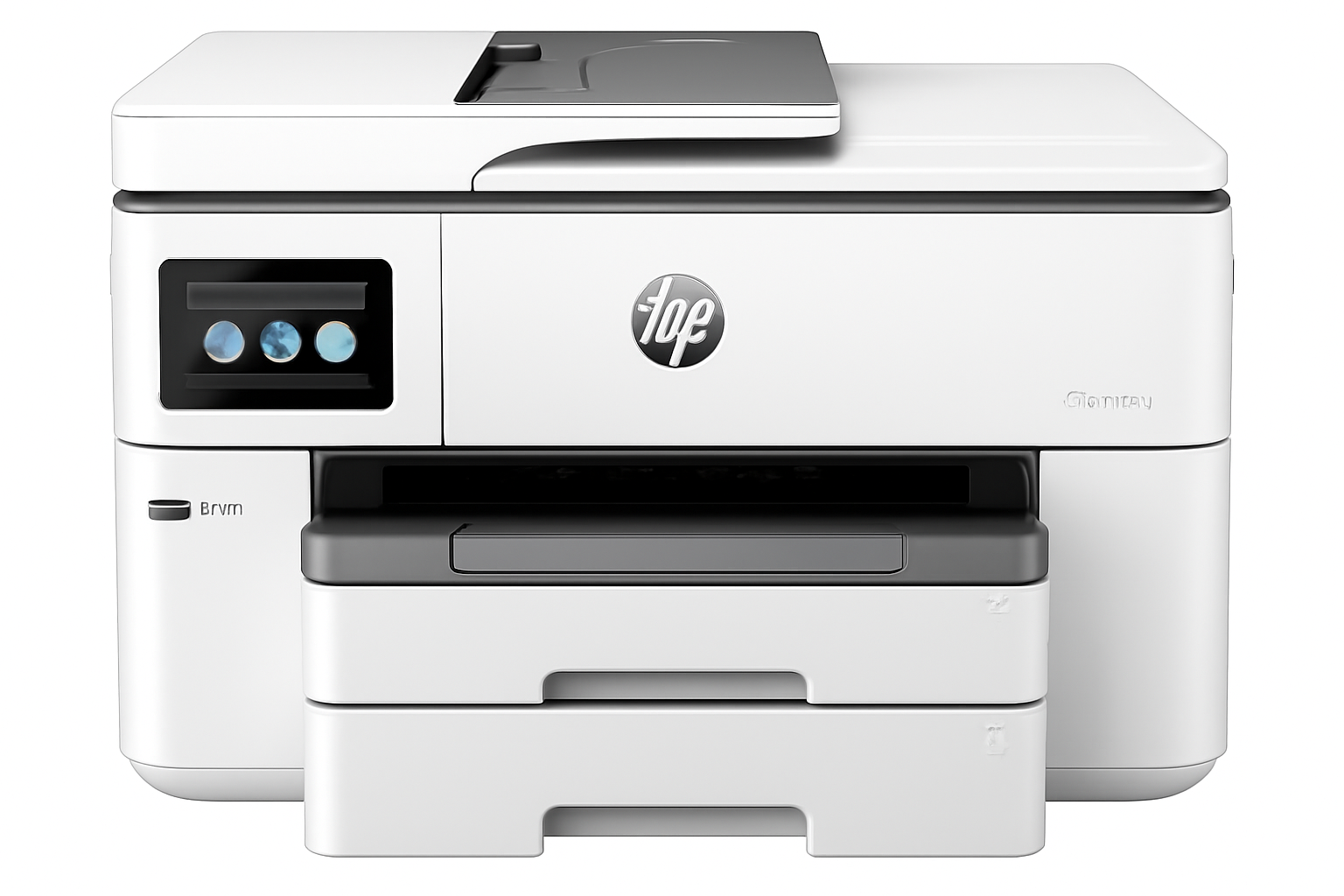
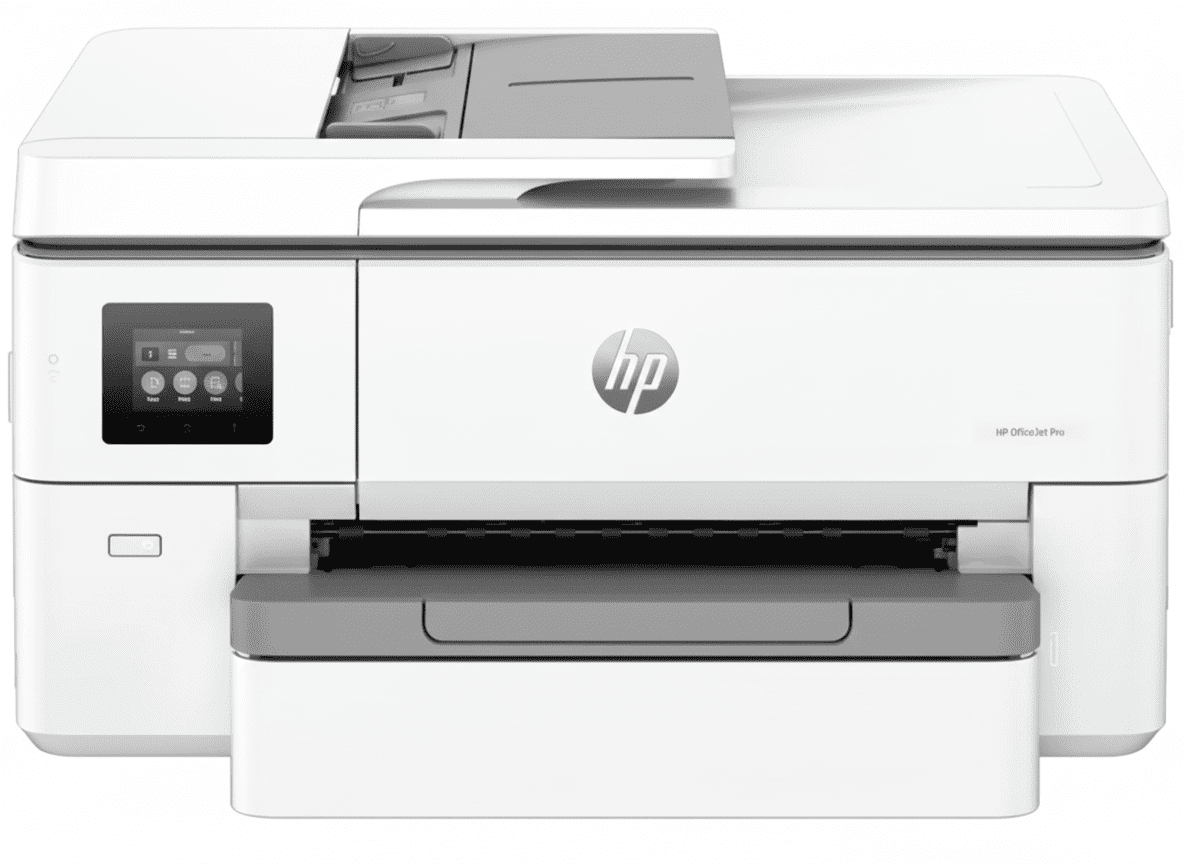
HP OfficeJet Pro 9130 Printer
HP OfficeJet Pro 9130 All-in-One Printer Complete Review 2025 – DUAL 500 Sheets, FAX, 2-Sided Scan, 25ppm!
HP OfficeJet Pro 9130 Printer

🏆 PREMIUM A4 BUSINESS: DUAL 500 Sheets + FAX + 2-Sided Scan + 25ppm + USB Host!

Save ₹5,900 (11% OFF) • Next Day Delivery • 1 Year Warranty!

🔥 PREMIUM A4 – DUAL 500 SHEETS – FAX – 2-SIDED SCAN – 25PPM FASTEST – USB HOST – 4.3″ SCREEN – BUSINESS PRO

HP OfficeJet Pro 9130 All-in-One Printer

Premium A4 Business | DUAL 500 Sheets | FAX | 2-Sided Scan | 25ppm | WiFi+LAN

DUAL Trays 500 Sheets – FAX Capability – 2-Sided ADF – 25ppm Fastest – USB Host – 4.3″ Screen

🏆 PREMIUM A4 Business Printer – Best Features Without A3!

• DUAL Trays: 2×250-sheet = 500 sheets total (like 9730!)

• FASTEST Speed: 25 ppm black, 20 ppm color (beats all!)

• FAX Capability: Color FAX + 2 RJ-11 ports (ONLY model!)

• 2-Sided ADF: Duplex scanning (like 9730!)

• USB Host: Print from USB drives (like 9730!)

• 4.3″ Screen: Large touchscreen (like 9730!)

• A4 Only: NO A3 support (like 8120)

• High Volume: 30,000 duty, 2000/month recommended

• HP 938: Same cartridges as 9720/9730

• Warranty: 1 Year Limited Warranty

₹43,449

₹49,349

SAVE ₹5,900 (11% OFF!)

+ BONUS: Setup Cartridges + USB Cable Included!

*₹23,050 MORE than 8120 | ₹19,550 MORE than 9720 | ₹8,000 MORE than 9730!

🛒 Buy Now – Premium Business Printer!

Next Day Delivery (Order by 1pm) | 1 Year Warranty | Instant Ink Eligible

Paper Trays

DUAL 500

FAX

Yes

Speed

25ppm

HP OfficeJet Pro 9130 Overview

Premium Features

  • 📦 DUAL 500: 2×250 trays!
  • 📠 FAX: ONLY model!
  • 🔁 2-Sided Scan: Duplex ADF!
  • ⚡ 25ppm: FASTEST A4!
  • 💾 USB Host: Flash drives!
  • 📱 4.3″ Screen: Large display!
  • 📄 A4 Only: NO A3 support!

In The Box

  • 📦 HP OfficeJet Pro 9130 Printer
  • ⚫ HP 938 Setup Black Cartridge
  • 🔵🔴🟡 HP 938 Setup CMY Cartridges
  • 🔌 Power Cord
  • 📀 USB Cable (INCLUDED!)
  • 📄 Setup Poster & Reference Guide

Why 9130?

  • • Best A4 Pro: Premium features
  • • DUAL 500: Like 9730!
  • • FAX Built-in: Only model!
  • • 2-Sided Scan: Duplex ADF!
  • • 25ppm: Fastest A4!
  • • High Volume: 2000/month!

🏆 Premium A4 Business – Best Features Without A3 Premium!

DUAL 500 Sheets – Half the Refills!

Two 250-sheet trays = 500 sheets total (same as 9730!) This is DOUBLE the 8120’s 225 sheets and double the 9720’s single 250-sheet tray. Refill paper half as often!

FAX + 2-Sided Scan – Business Essentials!

ONLY OfficeJet Pro with built-in FAX (2 RJ-11 ports, color fax) PLUS 2-sided ADF scanning (duplex). Perfect for traditional businesses needing fax and scanning!

25ppm Speed – FASTEST A4 OfficeJet!

25ppm black, 20ppm color beats ALL other models (9720: 22/18, 8120: 20/10). Perfect for high-volume offices needing speed!

DUAL 500-Sheet Trays – Same as 9730!

📦 Two 250-Sheet Trays = 500 Total – Premium Capacity!

The 9130’s DUAL paper trays (250+250 = 500 sheets total) match the 9730’s capacity – this is DOUBLE the 8120’s 225 sheets and double the 9720’s single 250-sheet tray! Less refilling, more productivity!

✅ DUAL 500-Sheet Benefits

  • • 500 Sheets Total: 2×250 trays = DOUBLE 8120/9720!
  • • Half the Refills: Refill 50% less often!
  • • Multi-Type Setup: Plain in Tray 1, Special in Tray 2
  • • Quick Switching: Select tray from print dialog
  • • Less Downtime: Print while refilling one tray
  • • High-Volume Ready: 2000 pages/month capacity
  • • Same as 9730: Premium capacity at A4 price!
  • • Business Essential: For offices printing 1000+ pages/month!

📊 Capacity Comparison

9130 Capacity: 500 sheets (2 trays)
9730 Capacity: 500 sheets (2 trays)
9720 Capacity: 250 sheets (1 tray)
8120 Capacity: 225 sheets (1 tray)
9130 Advantage: 2× more than others!
Refill Frequency: Half as often!

💡 Productivity Impact: For the 9130’s recommended 2000 pages/month volume, you’d refill the 8120 (225 sheets) 9 times/month, 9720 (250 sheets) 8 times/month, but 9130 (500 sheets) only 4 times/month! At 5 minutes per refill, you save 20-25 minutes/month = 4-5 hours/year. For high-volume offices, the DUAL trays alone justify the premium over single-tray models!

FAX Capability – ONLY OfficeJet Pro Model!

📠 Built-in FAX – EXCLUSIVE to 9130!

The 9130 is the ONLY HP OfficeJet Pro model with built-in FAX capability! Features 2 RJ-11 ports (fax/modem + phone line), color fax support, 4 sec/page transmission speed, and full fax management features. The 8120, 9720, and 9730 do NOT have fax!

✅ Built-in FAX Features

  • • EXCLUSIVE: ONLY OfficeJet Pro with fax!
  • • Color FAX: Send color faxes (not just black)
  • • 2 RJ-11 Ports: Fax line + Phone line
  • • 4 Sec/Page: Fast fax transmission speed
  • • Auto Fax Reduction: Fits pages automatically
  • • Delayed Sending: Schedule fax send times
  • • Fax Forwarding: Forward to email/another fax
  • • Junk Fax Barrier: Block unwanted faxes
  • • Distinctive Ring: Multiple fax numbers support
  • • No Phone Handset: Fax machine only (not phone)

❌ Other Models DON’T Have FAX!

  • • 8120: NO fax (mobile app fax only)
  • • 9720: NO fax (mobile app fax only)
  • • 9730: NO fax (mobile app fax only)
  • • Mobile App Fax: All models can fax via HP Smart app
  • • But NOT Traditional: App fax requires internet + HP account
  • • 9130 Advantage: Traditional fax line, no internet needed!
  • • Industries Need FAX: Legal, medical, government require it
  • • Dedicated Fax Line: 9130 can have dedicated fax number
  • • Why 9130? If you NEED fax, 9130 is ONLY choice!

📋 Who Needs Built-in FAX?

⚖️ Legal Firms

Courts and legal professionals still require fax for official documents. Email not accepted in many cases.

🏥 Medical Offices

HIPAA compliance often requires fax for patient records. Secure transmission vs email vulnerabilities.

🏛️ Government

Government agencies and contractors still use fax extensively. Required for many official submissions.

🏢 Traditional Business

Many businesses with legacy systems, older clients, or industries that haven’t modernized still need fax capability.

💡 FAX Still Relevant? While email and digital documents have largely replaced fax, certain industries (legal, medical, government) STILL REQUIRE fax for regulatory/compliance reasons. If your business needs to send/receive faxes regularly, the 9130 is your ONLY OfficeJet Pro option! The 8120, 9720, and 9730 offer “mobile app fax” via HP Smart app, but this requires internet connection and HP account – NOT the same as traditional dedicated fax line. For businesses that need true fax capability, the 9130’s ₹23,050 premium over 8120 may be justified!

2-Sided ADF Scanning – Automatic Duplex!

🔁 Duplex ADF – Scan Both Sides Automatically!

The 9130’s 35-sheet ADF can scan BOTH SIDES automatically (same as 9730)! This is a MAJOR advantage over the 8120 and 9720 which only have 1-sided ADF (manual flip required). Perfect for scanning contracts, invoices, and double-sided documents!

✅ 2-Sided ADF Scan (9130)

  • • Automatic Duplex: Scans front + back WITHOUT manual flip!
  • • 35 Sheets Both Sides: Load 35, scan 70 sides auto
  • • Huge Time Saver: 10× faster than manual flipping
  • • Perfect for Contracts: Legal docs usually 2-sided
  • • Invoice Scanning: Most invoices printed both sides
  • • Set & Forget: Load docs, walk away
  • • Single PDF: Creates one PDF with all pages
  • • Same as 9730: Premium feature at A4 price!

❌ 1-Sided ADF (8120/9720)

  • • Manual Flip: Scan front, flip, scan back manually
  • • Double Time: Must scan TWICE
  • • Error Prone: Easy to flip wrong or lose order
  • • Two Files: Creates 2 PDFs, must merge
  • • Tedious: Frustrating for large jobs
  • • Not Professional: Inadequate for busy offices
  • • 8120 & 9720: Both lack duplex ADF!
  • • 9130 Advantage: Worth ₹23K premium for this!

💡 Time Savings Example: Scanning 35 double-sided pages (70 total sides). With 8120/9720: Scan 35 fronts (3 min) + flip stack + scan 35 backs (3 min) + merge PDFs (2 min) = 8+ minutes. With 9130: Load 35 pages, press scan, walk away = 3-4 minutes automatic. You save 4-5 minutes per job! For offices scanning double-sided documents daily (contracts, invoices), that’s 20+ hours saved per year. The 9130’s duplex ADF alone can justify the premium for document-heavy businesses!

25ppm Speed – FASTEST A4 OfficeJet Pro!

⚡ 25/20ppm – Beats ALL Other Models!

At 25 ppm black and 20 ppm color (ISO speed), plus up to 39 ppm in draft mode, the 9130 is the FASTEST A4 OfficeJet Pro printer! It beats the 9720 (22/18 ppm), 8120 (20/10 ppm), and even matches Smart Tank speeds!

Document Size9130 (25ppm) FASTEST9720 (22ppm)8120 (20ppm)
10 Pages24 seconds27 seconds30 seconds
50 Pages2 min2 min 16 sec2 min 30 sec
100 Pages4 min4 min 32 sec5 min
500 Pages20 min22 min 44 sec25 min
2000 Pages (Max Recommended)80 min (1h 20m)90 min 54 sec (1h 31m)100 min (1h 40m)

📊 ISO Speed (Standard)

Official ISO/IEC 24734 ratings:

Black: Up to 25 ppm (FASTEST!)

Color: Up to 20 ppm (FASTEST!)

Beats all A4 models!

⚡ Draft Speed (Fast)

Maximum draft mode speeds:

Black: Up to 39 ppm

Color: Up to 39 ppm

56% faster for drafts!

💼 Time Savings

Monthly at 2000 pages:

9130: 80 minutes

9720: 91 minutes

Save 11 min/month!

💡 Speed Advantage: The 9130’s 25 ppm black is 14% faster than 9720’s 22 ppm and 25% faster than 8120’s 20 ppm. The 20 ppm color is 11% faster than 9720’s 18 ppm and 100% faster than 8120’s 10 ppm! For the 9130’s recommended 2000 pages/month, you save 11 minutes/month vs 9720 (2+ hours/year) and 20 minutes/month vs 8120 (4 hours/year). For high-volume offices where time is money, the 9130’s speed advantage significantly improves productivity!

9130 vs 9720 vs 8120 – Complete Comparison

💰 ₹43,449 (9130) vs ₹23,999 (9720) vs ₹20,399 (8120)

The 9130 at ₹43,449 is the MOST EXPENSIVE A4 OfficeJet Pro. Let’s see if the premium features justify ₹23,050 more than 8120 and ₹19,450 more than 9720:

Feature9130 (₹43,449) PREMIUM9720 (₹23,999) MID8120 (₹20,399) BUDGET
Price₹43,449 (Most expensive!)₹23,999 (₹19K less)₹20,399 (₹23K less!)
Paper SizeA4 onlyA3 + A4A4 only
P3 Color GamutNO (sRGB only)YES (World’s First!)NO (sRGB only)
Print Speed (ISO)25/20 ppm (FASTEST!)22/18 ppm20/10 ppm (Slowest)
Paper Trays2 trays (DUAL!)1 tray1 tray
Total Input500 sheets (250×2)250 sheets225 sheets (Smallest)
Output Capacity100 sheets75 sheets60 sheets (Smallest)
FAX CapabilityYES (Built-in, 2 RJ-11)NO (App fax only)NO (App fax only)
ADF Type2-sided (Duplex!)1-sided only1-sided only
USB Host PortYESNONO
Touchscreen4.3″ (Large!)2.7″ (Smaller)2.7″ (Smaller)
Quiet ModeNONOYES (Exclusive!)
Duty Cycle/Month30,000 pages30,000 pages20,000 pages
Recommended VolumeUp to 2000/month250-1500/monthUp to 800/month
CartridgesHP 938 seriesHP 938 seriesHP 925 series (smaller)
Cost Per Page~₹2.84 black (Same as 9720)~₹2.84 black~₹4.56 black (Higher!)
Best ForHigh-volume A4 + FAX needsA3 needs + P3 colorBudget A4 + Quiet mode

Choose 9130 (₹43,449) IF:

  • ✅ You NEED built-in FAX (ONLY option!)
  • ✅ You print 1000-2000 pages/month A4
  • ✅ You want DUAL 500-sheet trays
  • ✅ You need 2-sided ADF scanning
  • ✅ You want FASTEST speed (25/20ppm)
  • ✅ You don’t need A3 or P3 color
  • ✅ ₹23K premium justified by features!

Choose 9720 (₹23,999) IF:

  • ✅ You need A3 printing (9130 can’t!)
  • ✅ You want P3 color (design work)
  • ✅ You’re a designer/photographer
  • ✅ You don’t need FAX capability
  • ✅ You can manage 1-sided ADF
  • ✅ You save ₹19,450 vs 9130!
  • ✅ Best value for A3+P3!

Choose 8120 (₹20,399) IF:

  • ✅ You want lowest price (₹23K less!)
  • ✅ You need Quiet Mode (exclusive!)
  • ✅ You print under 800 pages/month
  • ✅ You only need A4 printing
  • ✅ You don’t need FAX/duplex scan
  • ✅ You have small desk space
  • ✅ Best budget A4 option!

💡 Quick Decision: Buy 9130 IF you absolutely need built-in FAX (ONLY option!) or need DUAL 500-sheet trays + 2-sided ADF for high-volume A4 office. Buy 9720 IF you need A3 printing or P3 color for design/photo work (save ₹19,450!). Buy 8120 IF you want lowest price + Quiet Mode for basic A4 office (save ₹23,050!). The 9130 is the MOST EXPENSIVE but offers the BEST A4 business features – justify the premium only if you need FAX or high-volume dual-tray capacity!

Who Should Buy the HP OfficeJet Pro 9130?

⚖️ Legal Firms

FAX + 2-sided scan essential!

  • • Built-in FAX for court filings
  • • 2-sided ADF for contracts
  • • High-volume 2000 pages/month
  • • DUAL trays for letterhead + plain
  • • 25ppm speed for productivity
  • • Professional document management

🏥 Medical Offices

HIPAA-compliant FAX!

  • • FAX for patient records (HIPAA)
  • • Secure fax vs email vulnerabilities
  • • 2-sided scan for medical forms
  • • High-volume prescription printing
  • • DUAL trays for forms + plain paper
  • • 30,000 duty cycle for clinics

🏛️ Government Offices

Traditional FAX required!

  • • Government still requires fax
  • • Official document submissions
  • • High-volume printing capacity
  • • 2-sided ADF for forms/applications
  • • DUAL trays for multi-form printing
  • • Reliable business-grade printer

🏢 High-Volume A4 Offices

1000-2000 pages/month!

  • • DUAL 500-sheet trays essential
  • • 25ppm speed for productivity
  • • 2-sided ADF for scanning stacks
  • • A4 documents (no A3 needed)
  • • Professional office environment
  • • Justify ₹43K with high volume

💼 Accounting Firms

FAX + dual-sided docs!

  • • FAX for IRS/tax submissions
  • • 2-sided scanning for receipts/bills
  • • High-volume tax season printing
  • • DUAL trays for different paper types
  • • Fast 25ppm for client deadlines
  • • Professional document handling

📞 Traditional Businesses

Still rely on FAX!

  • • Industries that haven’t modernized
  • • Clients who still use fax
  • • Purchase orders via fax
  • • High-volume A4 printing needs
  • • 2-sided scanning for archival
  • • ONLY OfficeJet Pro with fax!

❌ NOT Recommended For: Users needing A3 (buy 9720 – 9130 can’t print A3!), Designers/photographers (buy 9720 for P3 color!), Budget-conscious (buy 8120 – save ₹23,050!), Home offices without FAX needs (8120 better value), Low-volume users (under 500 pages/month – 8120 adequate), Users wanting Quiet Mode (only 8120 has it!). The 9130 is ONLY for businesses that absolutely NEED built-in FAX or justify the premium with high-volume A4 printing (1000-2000 pages/month)!

Pros & Cons

✅ Pros – What We Love

  • ✓ BUILT-IN FAX: ONLY OfficeJet Pro with fax (2 RJ-11 ports, color fax)!
  • ✓ DUAL 500-Sheet Trays: 2×250 sheets = DOUBLE others!
  • ✓ 2-Sided ADF Scan: Duplex scanning automatic (like 9730)!
  • ✓ FASTEST Speed: 25/20 ppm beats ALL A4 models!
  • ✓ USB Host Port: Print from USB flash drives!
  • ✓ 4.3″ Touchscreen: Large display (like 9730, bigger than 9720/8120)!
  • ✓ High Volume: 30,000 duty, 2000/month recommended!
  • ✓ 100-Sheet Output: Larger output tray than 9720/8120!
  • ✓ Auto Duplex: Automatic 2-sided printing (A4/Letter)!
  • ✓ Premium A4: Best business features without A3 complexity!

❌ Cons – What Could Be Better

  • ✗ VERY EXPENSIVE: ₹43,449 – ₹23K MORE than 8120!
  • ✗ NO A3 Support: A4 only – 9720 has A3 for LESS money!
  • ✗ NO P3 Color: Standard sRGB – 9720 has P3 for LESS!
  • ✗ ₹19,450 MORE than 9720: But 9720 has A3+P3 (better value!)!
  • ✗ High Ink Costs: ₹2.84/page (same as 9720, vs ₹0.10 tanks!)!
  • ✗ NO Quiet Mode: 8120 has it, 9130 doesn’t!
  • ✗ FAX Niche: Most users don’t need fax anymore!
  • ✗ Instant Ink Essential: High ink costs prohibitive without!
  • ✗ Overkill for Most: Only justify if you NEED fax or 2000 pages/month!

Final Verdict

⭐ 4.2/5.0 STARS – EXCELLENT IF YOU NEED FAX!

🏆 Premium A4 Business – Best Features But Very Expensive!

✅ Highly Recommended For:

  • • Businesses NEEDING built-in FAX (legal, medical, government – ONLY option!)
  • • High-volume A4 offices (1000-2000 pages/month)
  • • Users needing DUAL 500-sheet trays (less refilling)
  • • Offices requiring 2-sided ADF scanning (contracts, invoices)
  • • Users wanting FASTEST A4 speed (25/20ppm)
  • • Businesses that DON’T need A3 (save vs 9730)
  • • Users who can justify ₹43K with business needs

⚠️ NOT Recommended For:

  • • Users needing A3 (buy 9720 – ₹19K less + A3+P3!)
  • • Designers/photographers (9720 has P3 color for less!)
  • • Budget-conscious users (8120 is ₹23K less!)
  • • Users who DON’T need FAX (main reason to buy 9130)
  • • Low-volume users (under 800 pages/month – 8120 adequate)
  • • Home offices (overkill – 8120 or 9720 better)
  • • Users wanting best value (9720 offers more for less!)

💡 Bottom Line – Premium A4 Niche Product!

The HP OfficeJet Pro 9130 at ₹43,449 is a NICHE product for specific business needs. It’s the ONLY OfficeJet Pro with built-in FAX capability (legal, medical, government industries NEED this!), plus premium features like DUAL 500-sheet trays, 2-sided ADF scanning, and FASTEST 25/20ppm speed. However, it’s ₹19,450 MORE than the 9720 which offers A3 printing AND P3 color (better value for most!).

The 9130’s main problem: it’s TOO EXPENSIVE for what it offers to most users. You’re paying ₹43K for an A4-only printer (no A3, no P3 color) when the 9720 at ₹23,999 gives you A3+P3+good features. The 9130 ONLY makes sense if you absolutely NEED built-in FAX (ONLY option) OR you print 1000-2000 A4 pages/month and need the DUAL trays + 2-sided ADF + fastest speed.

For 95% of users, the 9720 (A3+P3 for ₹19K less!) or 8120 (budget for ₹23K less!) are better choices. Buy 9130 ONLY if FAX or high-volume A4 dual-tray needs justify the premium. It’s an excellent printer for its niche, but that niche is VERY small!

🛒 Buy HP OfficeJet Pro 9130 – ₹43,449 (IF YOU NEED FAX!)

Next Day Delivery • 1 Year Warranty • Instant Ink Eligible

OR save ₹19K with 9720 (A3+P3!) or ₹23K with 8120 (Budget!) →

Frequently Asked Questions

Q1: Why is the 9130 so expensive (₹43,449)?

The 9130 costs ₹43,449 because it’s the ONLY OfficeJet Pro with built-in FAX capability (2 RJ-11 ports, color fax) PLUS premium features: DUAL 500-sheet trays (2×250), 2-sided ADF scanning, FASTEST speed (25/20ppm), USB host port, and 4.3″ touchscreen. However, it’s ₹19,450 MORE than 9720 which has A3+P3 color (arguably better value). The 9130 is expensive because it targets niche businesses that NEED fax, not mainstream users.

Q2: Should I buy 9130 or 9720?

Buy 9130 (₹43,449) IF: You absolutely NEED built-in FAX (legal/medical/government) OR you print 1000-2000 A4 pages/month and need DUAL trays + 2-sided ADF + fastest speed. Buy 9720 (₹23,999) IF: You need A3 printing OR P3 color for design work OR want better value (save ₹19,450!). For MOST users, the 9720 is better value – same cartridges, has A3+P3, costs ₹19K less! Buy 9130 ONLY if FAX is essential or high-volume A4 justifies premium.

Q3: Does the 9130 support A3 printing?

NO – the 9130 is A4 ONLY! Maximum print size is A4 (215.9×355.6mm). It cannot print A3 posters, brochures, or wide-format documents. This is ironic because the 9720 at ₹23,999 (₹19,450 LESS!) has A3 support PLUS P3 color! If you need A3, the 9130 is NOT an option – buy 9720 or 9730. The 9130’s high price buys you FAX + DUAL trays + 2-sided scan, NOT A3 capability.

Q4: Is built-in FAX better than mobile app fax?

YES, for traditional business needs! The 9130’s built-in FAX uses dedicated phone line (2 RJ-11 ports), works offline without internet, supports traditional fax numbers, and meets regulatory requirements. The 8120/9720/9730 offer “mobile app fax” via HP Smart app, but this requires internet connection, HP account, and sends fax digitally (not via phone line). For industries requiring traditional fax (legal, medical, government), 9130’s built-in FAX is essential and worth the premium!

Q5: What are HP 938 cartridges and costs?

The 9130 uses HP 938 series cartridges (same as 9720/9730). Costs: Black 938 (4S6X8PA): ₹3,552 for 1,250 pages = ₹2.84/page, Color 938 Cyan/Magenta/Yellow (4S6X5PA/6PA/7PA): ₹2,332 each for 800 pages = ₹3.05/page each. Color page cost = ₹8.75 (₹3.05×3). These are expensive but same as 9720/9730. Instant Ink subscription essential to save up to 50%! The 9130’s advantage: better page yield than 8120’s HP 925 cartridges (500 black, 400 color).

Q6: Can I scan double-sided documents automatically?

YES – the 9130 has 2-sided (duplex) ADF scanning! The 35-sheet ADF automatically scans both sides of documents without manual flipping. Load up to 35 double-sided pages, press scan, and get one PDF with all 70 sides automatically scanned. This is the same premium feature as 9730 and a MAJOR advantage over 8120/9720 which only have 1-sided ADF (manual flip required). Perfect for scanning contracts, invoices, and legal documents!

Q7: What’s the difference between DUAL 250-sheet trays vs single 250-sheet?

The 9130’s DUAL trays (250+250 = 500 sheets total) mean you refill paper HALF as often vs 9720’s single 250 or 8120’s single 225! Plus you can load different paper types (plain in Tray 1, special in Tray 2) and switch instantly. For the 9130’s recommended 2000 pages/month, single-tray models require 8 refills/month vs 9130’s 4 refills/month. At 5 minutes per refill, you save 20 minutes/month = 4 hours/year. The DUAL trays are essential for high-volume offices!

Q8: Is 25ppm significantly faster than 22ppm (9720) or 20ppm (8120)?

YES for high-volume printing! The 9130’s 25ppm is 14% faster than 9720’s 22ppm and 25% faster than 8120’s 20ppm. For 2000 pages/month, you save 11 minutes/month vs 9720 (2+ hours/year) and 20 minutes/month vs 8120 (4 hours/year). For offices where time is money and you print 1000-2000 pages/month, the speed advantage significantly improves productivity. For light users (under 500 pages/month), the speed difference is negligible.

Q9: Should I buy 9130 (₹43,449) or 9730 (₹35,999)?

This is tricky! The 9130 costs ₹7,450 MORE than 9730 but is A4-only (9730 has A3+A4). They have similar features: both have DUAL 500-sheet trays, 2-sided ADF, 4.3″ screen, USB host. 9730 advantages: A3 printing + A3 duplex + P3 color + larger scan area. 9130 advantages: Built-in FAX + faster 25/20ppm speed. Recommendation: Buy 9730 unless you NEED FAX! The 9730 at ₹35,999 offers A3+P3 which 9130 lacks, making it better value despite ₹7K less!

Q10: Does the 9130 have Quiet Mode like the 8120?

NO – the 9130 does NOT have Quiet Mode! Quiet Mode is EXCLUSIVE to the 8120. If you need noise reduction for home office or apartment, the 8120 is your only choice (and it’s ₹23,050 cheaper!). The 9130, 9720, and 9730 all lack Quiet Mode. This is one area where the budget 8120 has a feature

Q10: Does the 9130 have Quiet Mode like the 8120?

NO – the 9130 does NOT have Quiet Mode! Quiet Mode is EXCLUSIVE to the 8120. If you need noise reduction for home office or apartment, the 8120 is your only choice (and it’s ₹23,050 cheaper!). The 9130, 9720, and 9730 all lack Quiet Mode. This is one area where the budget 8120 has a feature the premium models don’t!

Q11: What is the maximum monthly print volume?

The 9130 has a maximum duty cycle of 30,000 pages/month (absolute maximum, same as 9720/9730) and recommended monthly volume of UP TO 2000 pages (highest among A4 models – vs 1500 on 9720, 800 on 8120). This makes it suitable for high-volume A4 business environments. The DUAL 500-sheet trays and fast 25ppm speed support this high-volume capacity. Perfect for offices printing 1000-2000 pages/month.

Q12: Does it come with full ink cartridges?

No, the 9130 includes HP 938 Setup cartridges with limited ink (~200-400 pages) – same as other models. The box contains HP 938 Setup Black, Cyan, Magenta, and Yellow cartridges meant only for initial setup and testing. You’ll need to purchase full cartridges soon after setup. Recommendation: Sign up for HP Instant Ink immediately to save up to 50% on cartridge costs – essential given the 9130’s high-volume usage!

Q13: Can I use the USB host port to print from flash drives?

YES! The 9130 has a USB host port (same as 9730) allowing you to print directly from USB flash drives without a computer. Plug in a USB drive with PDF, JPEG, PNG, or TIFF files, select files on the 4.3″ touchscreen, and print. Useful for presentations, trade shows, or guest printing. The 8120 and 9720 do NOT have USB host port. This is a convenient premium feature included with the 9130!

Q14: Is the 9130 worth ₹23,050 more than the 8120?

ONLY if you need FAX or high-volume features! The ₹23,050 premium buys you: Built-in FAX (ONLY option), DUAL 500-sheet trays (vs 225), 2-sided ADF (vs 1-sided), 25ppm speed (vs 20ppm), 4.3″ screen (vs 2.7″), USB host, 100-sheet output (vs 60), and 2000/month volume (vs 800). For businesses that NEED fax or print 1000-2000 pages/month, the premium is justified. For budget A4 offices printing under 800 pages/month, the 8120 is FAR better value!

Q15: What’s included in the box?

Box includes: HP OfficeJet Pro 9130 printer, HP 938 Setup cartridges (Black, Cyan, Magenta, Yellow – limited ink), power cord, USB cable (included!), setup poster, reference guide, regulatory flyer, ink caution flyer. Setup cartridges have limited yield (~200-400 pages) for initial setup only. You’ll need full cartridges soon. The 9130 includes USB cable which some printers don’t. Sign up for Instant Ink immediately for best ink cost management!

Complete Technical Specifications

HP OfficeJet Pro 9130 All-in-One Printer
BASIC INFORMATION
Model Number404L7C
SeriesOfficeJet Pro 9100 Series
Product TypePremium A4 Inkjet All-in-One Printer with FAX
FunctionsPrint, Copy, Scan, FAX (Built-in, 2 RJ-11 ports)
Perfect ForSmall WorkTeams, Hybrid Offices, High-Volume A4 Business (1-5 Users)
Price (November 2025)₹43,449 (MRP ₹49,349 – Save ₹5,900 / 11% OFF)
Price Comparison₹23,050 MORE than 8120 | ₹19,450 MORE than 9720 | ₹7,450 MORE than 9730!
PRINT SPECIFICATIONS
Print TechnologyHP Thermal Inkjet
Print Colors4-color (Black, Cyan, Magenta, Yellow) – Pigment-based inks
Color GamutStandard sRGB ONLY (NO P3 color like 9720/9730)
Print Speed (ISO)Up to 25 ppm (Black), 20 ppm (Color) – FASTEST A4!
Print Speed (Draft)Up to 39 ppm (Black), 39 ppm (Color)
Print ResolutionUp to 4800×1200 optimized dpi (color), 1200×1200 dpi (black)
Print Head Nozzles6,272 nozzles total (same as 9720/9730)
Automatic DuplexYES – Automatic for A4/Letter/B5 (Standard)
Duty Cycle (Monthly)Up to 30,000 pages (same as 9720/9730)
Recommended VolumeUp to 2000 pages per month (HIGHEST A4 volume!)
Number of Users1-5 Users
PAPER HANDLING (DUAL TRAYS!)
Paper Trays2 trays (DUAL!) – Same as 9730!
Total Input Capacity500 SHEETS (250+250) – DOUBLE 8120/9720!
Tray 1 CapacityUp to 250 sheets
Tray 2 CapacityUp to 250 sheets
Photo/Card CapacityUp to 50 sheets
Output Capacity100 sheets (vs 75 on 9720, vs 60 on 8120)
Paper SizesA4, A5, A6, B5, Envelopes, Cards ONLY (NO A3!)
Maximum SizeA4 (215.9×355.6mm) – NO A3 SUPPORT!
Custom SizesTray 1: 76.2×127 to 215.9×355.6 mm | Tray 2: N/A
Media TypesTray 1: Plain, Photo, Brochure, Presentation, Glossy, Tri-fold, etc. | Tray 2: Plain only
Media Weight60-105 g/m² (plain), 220-280 g/m² (photo), 75-90 g/m² (envelope)
SCAN SPECIFICATIONS (2-SIDED ADF!)
Scan TechnologyContact Image Sensor (CIS)
Scan ResolutionUp to 1200×1200 dpi (Optical and Hardware)
ADF Capacity35 sheets (same as 8120/9720/9730)
ADF Scan Type2-SIDED (DUPLEX!) – Same as 9730!
Scan Size (Max)215.9×297 mm (A4 size, smaller than 9720/9730)
Color ScanningYes (24-bit color depth, 256 grayscale levels)
Scan File FormatsJPG, BMP, TIFF, PDF, RTF, TXT, PNG
Smart Advance ScanYes (AI-powered scanning features)
COPY SPECIFICATIONS
Copy Speed (ISO)Up to 23 cpm (copies per minute)
Maximum CopiesUp to 99 copies
Copy FeaturesNumber of Copies, 2-Sided, Lighter/Darker, HP Copy Fix, ID Copy, Resize (25-400%), Quality, Paper Size/Type, Collate, Margin Shift, Crop, Copy Preview, Tray Select, Enhancements
FAX SPECIFICATIONS (EXCLUSIVE!)
FaxingYES – Color FAX (ONLY OfficeJet Pro!)
Fax Ports2 RJ-11 Ports (Fax/Modem port + Phone line)
Fax Transmission Speed4 seconds per page
Auto Fax ReductionYes (fits pages automatically)
Fax Delayed SendingYes (schedule fax send times)
Fax ForwardingYes (black only)
Junk Fax BarrierYes (block unwanted faxes)
Distinctive Ring DetectionYes (support multiple fax numbers)
Telephone HandsetNo (fax machine only, not phone)
INK CARTRIDGES (HP 938 SERIES)
Cartridge SystemHP 938 Series (4 separate cartridges) – SAME as 9720/9730!
Black CartridgeHP 938 Black (4S6X8PA): 1,250 pages at ₹3,552
Cyan CartridgeHP 938 Cyan (4S6X5PA): 800 pages at ₹2,332
Magenta CartridgeHP 938 Magenta (4S6X6PA): 800 pages at ₹2,332
Yellow CartridgeHP 938 Yellow (4S6X7PA): 800 pages at ₹2,332
EvoMore CartridgesHP 938e EvoMore series also available (higher yield options)
Instant InkYES – Eligible! ESSENTIAL to reduce costs!
Cost Per Page Black~₹2.84 (₹3,552 ÷ 1,250 pages) – SAME as 9720/9730
Cost Per Page Color~₹8.75 (₹2,332×3 ÷ 2,400 pages) – SAME as 9720/9730
CONNECTIVITY
WiFiDual-Band 802.11 a/b/g/n/ac (2.4GHz + 5GHz with Self-Healing)
EthernetYes – Gigabit Ethernet/LAN port
USB (Device)Hi-Speed USB 2.0 for computer connection
USB (Host)YES – Print from USB flash drives! (Same as 9730)
FAX Ports2 RJ-11 Ports (Fax/Modem + Phone line)
WiFi DirectYes (Print without router)
Mobile PrintingHP Smart App, Apple AirPrint, Mopria, Chrome OS, WiFi Direct
SecurityHP Wolf Pro Security (Business-grade protection)
DISPLAY & CONTROL
Display4.3″ (10.92 cm) Color Touchscreen (Same as 9730, larger than 9720/8120!)
Display TypeCGD (Color Graphic Display) with touchscreen
SYSTEM REQUIREMENTS
WindowsWindows 11, Windows 10, Windows Server (32-bit or 64-bit), 2GB disk
macOSmacOS 11 Big Sur, 12 Monterey, 13 Ventura, 14 Sonoma, 2GB disk
Other OSLinux, Chrome OS
InternetRequired for full functionality, setup, and HP account
MEMORY & PROCESSOR
Memory (RAM)512 MB (Same as 9720/9730, vs 256MB on 8120)
POWER CONSUMPTION
Power SupplyInternal (Built-in) Universal Power Supply
Power Usage0.14W (Manual-Off), 1.22W (Sleep), 5.58W (Ready)
PHYSICAL DIMENSIONS
Dimensions (Minimum)437×396.3×318.3 mm (W×D×H) – Storage mode
Dimensions (Extended)437×547×318.3 mm (W×D×H) – Output tray extended
WeightApproximately 9.8 kg
WARRANTY & SUPPORT
Standard Warranty1 Year Limited Hardware Warranty (Included)
Extended WarrantyHP Care Pack available for purchase
SupportVisit http://support.hp.com or Call 1800 108 4749
ENVIRONMENTAL
Recycled Plastic40% recycled plastic content (More than 9720/9730’s 30%!)
Recycling ProgramHP Planet Partners – Free cartridge recycling
Forest PositiveHP protects forests with every page printed
MANUFACTURING
Country of OriginThailand
ManufacturerCAL-COMP ELECTRONICS (Thailand) Public Company Limited, Petchaburi, Thailand
ImporterHP India Sales Pvt Ltd., Bangalore-560030

🎯 Quick Decision Guide – Is 9130 Right For You?

✅ Buy 9130 (₹43,449) IF:

  • ✅ You MUST have built-in FAX (legal/medical/gov)
  • ✅ You print 1000-2000 A4 pages/month
  • ✅ You need DUAL 500-sheet trays
  • ✅ You need 2-sided ADF scanning
  • ✅ You want FASTEST 25/20ppm speed
  • ✅ You DON’T need A3 or P3 color
  • ✅ Premium features justify ₹43K cost

💰 Buy 9720 (₹23,999) IF:

  • ✅ You need A3 printing (9130 can’t!)
  • ✅ You want P3 color (design work)
  • ✅ You don’t need built-in FAX
  • ✅ You can manage 1-sided ADF
  • ✅ You save ₹19,450 vs 9130!
  • ✅ You get A3+P3 for LESS!
  • ✅ BEST VALUE for most users!

💵 Buy 8120 (₹20,399) IF:

  • ✅ You want lowest price!
  • ✅ You need Quiet Mode (exclusive!)
  • ✅ You print under 800 pages/month
  • ✅ You only need basic A4
  • ✅ You don’t need FAX/duplex scan
  • ✅ You save ₹23,050 vs 9130!
  • ✅ Best budget A4 option!

💡 THE TRUTH: For 95% of users, the 9720 (A3+P3 at ₹23,999) or 8120 (budget at ₹20,399) are BETTER value than the 9130 (₹43,449)! Buy 9130 ONLY if you absolutely NEED built-in FAX or can justify ₹43K with high-volume A4 business needs!

Ready for Premium A4 Business with FAX?

DUAL 500 Sheets + FAX + 2-Sided Scan + 25ppm – IF You Need It!

Next Day Delivery • 1 Year Warranty • Instant Ink Eligible • Business Leasing

9130: FAX + DUAL trays • 9720: A3 + P3 color • 8120: Budget + Quiet

Review Date: November 28, 2025 | Prices and specifications subject to change

Visit ReviewNest.in for more detailed product reviews

9130: Premium A4 + FAX • 9720: A3 + P3 Color • 8120: Budget + Quiet • 9730: A3 DUAL trays

HP DeskJet 4278 Printer – 35-Page ADF at ₹7,999 | Best Budget Cartridge Printer

HP DeskJet 4278 Printer
HP DeskJet Ink Advantage 4278 Complete Review 2025 – Budget ADF Printer at ₹7,999!
HP DeskJet Ink Advantage 4278 Printer

💥 SURPRISING! 35-Page ADF at ₹7,999 Budget Price!

Save ₹1,881 (19% OFF) • Cartridge-Based (NOT Tank) • Ultra-Budget

🔥 BUDGET CARTRIDGE PRINTER – 35-PAGE ADF – WIFI+BLUETOOTH – MOBILE FAX – ₹7,999 ONLY

HP DeskJet Ink Advantage 4278

Budget Cartridge Printer | 35-Page ADF | WiFi+Bluetooth | Mobile Fax

8.5ppm Black – HP 682 Cartridges – ₹1.41/Page Cost – 1000/Month Duty

⚠️ CARTRIDGE-Based, NOT Tank! Different Category!

• NOT A TANK PRINTER: Uses HP 682 cartridges (480 pages black)

• 35-Page ADF: Rare feature at ₹7,999 budget price!

• Speed: 8.5 ppm black, 5.5 ppm color (slow but acceptable)

• Connectivity: WiFi, Bluetooth, USB, Mobile Fax

• Duty: 1000 pages/month (light home use only)

• Cost/Page: ₹1.41 black, ₹4.74 color (HIGH vs tank!)

• Manual Duplex: No auto 2-sided printing

• Perfect For: Very light home use, occasional printing

₹7,999

₹9,880

SAVE ₹1,881 (19% OFF!)

⚠️ CARTRIDGE printer – ₹1.41/page cost (NOT ₹0.10 like tanks!)

35-Page ADF at budget price is RARE – Main selling point!

*EMI Available | Setup cartridges included (lower yield)

🛒 Buy Now – Budget ADF Printer!

Next Day Delivery | 1 Year Warranty | Trending!

Price

₹7,999

ADF

35-Page

Type

Cartridge

⚠️ CRITICAL: This is NOT a Tank Printer!

What This IS:

  • • Cartridge-based printer (like old-school printers)
  • • Uses HP 682 cartridges (₹677 black, ₹711 color) [web:87][web:92]
  • • 480 pages per black cartridge, 150 pages per color [web:87][web:89]
  • • Cost per page: ₹1.41 black, ₹4.74 color [web:93]
  • • Replace cartridges every 1-2 months for light users

Tank Printers (For Comparison):

  • • Refillable ink tanks (Smart Tank 584/720/750)
  • • 6000-12000 pages per black bottle
  • • Cost per page: ₹0.10 only!
  • • Refill bottles every 6-12 months
  • • 14× CHEAPER running cost vs cartridge! [web:91]

💡 Bottom Line: The 4278 is ONLY suitable for very light printing (under 100 pages/month). If you print more, tank printers save MASSIVE money long-term despite higher upfront cost! [web:91]

HP DeskJet Ink Advantage 4278 Overview

Budget Highlights

  • 💰 ₹7,999: Ultra-budget price!
  • 📄 35-Page ADF: Rare at this price!
  • 📶 WiFi+Bluetooth: Modern connectivity
  • 📠 Mobile Fax: Send fax from phone!
  • ⚠️ Cartridge-based: NOT a tank!
  • ⚠️ ₹1.41/page: High running cost!

In The Box

  • 📦 HP DeskJet 4278 Printer
  • ⚫🌈 HP 682 Setup Cartridges (lower yield!)
  • 🔌 Power Cord + USB Cable
  • 📄 Setup Guide & Manual

Perfect For

  • • Very Light Use: Under 100 pages/month
  • • Occasional Printing: Not daily use
  • • Budget Priority: Low upfront cost
  • • Need ADF: Scan multi-page docs
  • • Mobile Fax: Send fax from phone
  • • Students: Light homework printing

🎯 The Budget Paradox – When ₹7,999 Can Cost More Than ₹13,999!

₹7,999 Upfront (4278 Cartridge)

Looks cheap initially, but cartridges cost ₹1.41/page black, ₹4.74/page color. Print 1000 pages = ₹1,410 in cartridge costs! After 1 year (1000 pages), total = ₹7,999 + ₹1,410 = ₹9,409. [web:87][web:93]

₹13,999 Upfront (584 Tank)

Higher initially, but tank refills cost ₹0.10/page. Print 1000 pages = ₹100 in ink costs! After 1 year (1000 pages), total = ₹13,999 + ₹100 = ₹14,099. BUT includes 6000 pages upfront!

The Math That Matters

At 2000 pages printed: 4278 costs ₹7,999 + ₹2,820 = ₹10,819. 584 costs ₹13,999 + ₹200 = ₹14,199. Difference shrinking! At 5000 pages, tank is cheaper! [web:91]

35-Page ADF – The Standout Feature at ₹7,999!

📄 Automatic Document Feeder – Rare in Budget Printers!

The 4278’s 35-page ADF is the MAIN reason to consider this printer at ₹7,999. Most budget cartridge printers skip ADF to save costs, but HP included it here. This is the printer’s biggest selling point and justifies choosing it over cheaper non-ADF options!

✅ With 35-Page ADF (4278)

  • • Load 35 Pages: Stack documents in feeder
  • • Press Scan: One button – walk away
  • • Auto Feed: Printer scans all pages automatically
  • • Multi-Page PDFs: One file, 35 pages
  • • Save Time: 35 pages scanned in 3-4 minutes
  • • Perfect For: Scanning forms, documents, contracts
  • • Rare Feature: At ₹7,999 budget price!
  • • Main Advantage: Over cheaper printers without ADF

❌ Without ADF (Budget Printers)

  • • One Page at a Time: Flatbed scanner only
  • • Lift Lid: Open scanner manually
  • • Place Page: Position carefully
  • • Close & Scan: Repeat 35 times!
  • • 30+ Minutes: For 35 pages (tedious!)
  • • Frustrating: For multi-page documents
  • • Common: Most ₹5-8K printers skip ADF
  • • Deal Breaker: If you scan often

📋 ADF Use Cases – When It’s Worth It

📑 Student Forms

Scan admission forms, fee receipts, certificates quickly.

🧾 Bills & Receipts

Scan utility bills, shopping receipts for records.

📄 Documents

Scan ID proofs, bank statements, tax documents.

📋 Applications

Scan job applications, exam forms quickly.

💡 ADF Value Analysis: If you scan multi-page documents even once a week, the 35-page ADF saves 25-30 minutes per scanning session vs flatbed. That’s 100+ minutes saved monthly! For students scanning forms, job seekers scanning applications, or anyone dealing with multi-page documents, the ADF alone justifies the 4278 over cheaper non-ADF printers. This is the printer’s KILLER feature at ₹7,999!

HP 682 Cartridge Costs – The Hidden Expense!

💸 Running Costs – Why Cartridges Get Expensive Fast!

The 4278 uses HP 682 cartridges which cost significantly more per page than tank printers. This is the critical factor most buyers overlook – the ₹7,999 upfront savings can disappear quickly through high cartridge costs! [web:87][web:92]

CartridgePricePage YieldCost Per PageLasts How Long?
HP 682 Black₹677 [web:87]480 pages [web:87]₹1.411-2 months (light use)
HP 682 Tri-color₹711 [web:86]150 pages [web:89]₹4.74Few weeks (light use)
Combo Pack (Both)₹1,803 [web:88]480 + 150₹1.41 black, ₹4.74 color1-2 months combined
Tank GT53 (Compare)₹4986000 pages!₹0.106-12 months!

💰 Cost for 1000 Pages

Cartridge (4278):

1000 pages × ₹1.41 = ₹1,410

Tank (584):

1000 pages × ₹0.10 = ₹100

14× MORE EXPENSIVE! [web:91]

📅 Annual Cost (1000 pages/year)

Year 1:

Printer: ₹7,999 + Ink: ₹1,410 = ₹9,409

Year 2:

Ink only: ₹1,410 = Total ₹10,819

Costs add up fast!

⚖️ Break-Even Analysis

4278: ₹7,999 + ₹1.41/page

584 Tank: ₹13,999 + ₹0.10/page

Crossover at ~4580 pages

Tank cheaper after ~5000 pages! [web:91]

💡 Reality Check: The HP 682 black cartridge (480 pages, ₹677) runs out in just 1-2 months for a user printing 200-300 pages/month. Color cartridge (150 pages, ₹711) runs out even faster! You’ll be buying cartridges every month, spending ₹1,388+ monthly on ink. After 1 year, that’s ₹16,656 in cartridge costs alone – MORE than buying a tank printer upfront! The 4278 is ONLY viable if you print under 100 pages/month. [web:87][web:91]

Tank vs Cartridge – Which Should You Buy?

🔍 Complete Comparison – The Truth About Running Costs

Factor4278 Cartridge
₹7,999
584 Tank
₹13,999
Winner
💰 Upfront Cost₹7,999₹13,999Cartridge
📄 Cost Per Page (Black)₹1.41 [web:93]₹0.10Tank (14× cheaper!) [web:91]
🎨 Cost Per Page (Color)₹4.74₹0.10Tank (47× cheaper!)
📦 Pages Included~200 pages (setup cartridges)6000 pages!Tank (30× more!)
💸 Cost for 1000 Pages₹7,999 + ₹1,410 = ₹9,409₹13,999 + ₹100 = ₹14,099Cartridge (short-term)
💸 Cost for 5000 Pages₹7,999 + ₹7,050 = ₹15,049₹13,999 + ₹500 = ₹14,499Tank (crossover!) [web:91]
💸 Cost for 10000 Pages₹7,999 + ₹14,100 = ₹22,099₹13,999 + ₹1,000 = ₹14,999Tank (saves ₹7,100!)
🔄 Refill FrequencyEvery 1-2 months (480 pages) [web:87]Every 6-12 months (6000 pages)Tank (convenience!)
⚡ Print Speed8.5 ppm black, 5.5 ppm color12 ppm black, 5 ppm colorTank (40% faster!)
📄 ADF Scanner✅ 35-page❌ NoneCartridge (ONLY advantage!)
🔄 Duty Cycle1000 pages/month3000 pages/monthTank (3× capacity!)
🎯 Best ForUnder 100 pages/month + need ADF200+ pages/month, any volumeTank (most users!)

🛒 Buy Cartridge (4278) If:

  • • You print under 100 pages/month (very light use)
  • • Upfront budget is VERY tight (₹7,999 only)
  • • You NEED the 35-page ADF for scanning
  • • Occasional printing only (homework, forms)
  • • You understand high running costs
  • • Can’t afford ₹13,999 for tank upfront

🏆 Buy Tank (584) If:

  • • You print 200+ pages/month (regular use)
  • • Long-term savings matter (₹1.31/page saved!)
  • • Don’t need ADF (scan one page at a time OK)
  • • Want 6000 pages included in box
  • • Prefer refilling once a year vs monthly cartridges
  • • Can afford ₹13,999 upfront investment [web:91]

💡 The Brutal Truth: Cartridge printers are designed to make money on ink, not hardware. HP sells the 4278 cheap at ₹7,999 but recoups profit through expensive ₹677 black cartridges (480 pages = ₹1.41/page). Tank printers flip this: higher upfront (₹13,999) but ultra-low ink cost (₹0.10/page). For ANY user printing more than 100 pages/month, tanks are drastically cheaper within 1-2 years. The ONLY reason to buy 4278 is if: 1) You absolutely can’t afford ₹13,999 upfront AND 2) You genuinely print under 100 pages/month AND 3) You need the 35-page ADF. Otherwise, save up ₹6,000 more and buy 584 – you’ll save thousands long-term! [web:91]

Key Features – What You Get at ₹7,999

📶 WiFi + Bluetooth Connectivity

  • • WiFi 802.11b/g/n: 2.4 GHz single-band wireless
  • • Bluetooth: Direct printing from phone
  • • HP Smart App: Print, scan, copy from mobile
  • • AirPrint: iOS/Mac printing support
  • • USB 2.0: Wired connection option
  • • Self-Healing WiFi: Auto-reconnects if dropped

Note: Single-band 2.4 GHz only (no 5 GHz like premium models)

📠 Mobile Fax Capability

  • • Send Fax from Phone: No landline needed!
  • • HP Smart App: Fax via mobile app
  • • Add Cover Page: Customize fax easily
  • • Fax History: Track sent faxes
  • • Attach Files: From phone or camera
  • • Print Confirmation: Fax receipt printout

Unique feature: Send fax digitally through internet (not traditional phone line fax)

🎨 Print Quality

  • • Black Resolution: Up to 1200 x 1200 dpi
  • • Color Resolution: Up to 4800 x 1200 dpi
  • • Technology: HP Thermal Inkjet
  • • Black Ink: Pigment-based (sharp text)
  • • Color Ink: Dye-based (vibrant colors)
  • • Photo Printing: Up to 300 g/m² photo paper

Print quality is good – same as higher-end models. The difference is speed & running cost!

📱 HP Smart App Features

  • • Mobile Printing: Print from anywhere
  • • Advanced Scanning: Scan to PDF, cloud
  • • Mobile Fax: Send fax from phone
  • • Ink Monitoring: Check cartridge levels
  • • Shortcuts: Save common tasks
  • • Camera Scan: Use phone camera to scan

Rated best-in-class print app vs competitors

⚠️ What’s Missing vs Premium Models

❌ No Auto Duplex

Manual 2-sided printing only – you flip pages manually (tedious for multi-page docs)

❌ Slow Speed

8.5 ppm black, 5.5 ppm color – takes 12 minutes for 100 pages (vs 4 minutes in 720/750)

❌ Small Capacity

60-sheet input, 25-sheet output – need frequent refilling (vs 250/100 in premium models)

HP 4278 vs Competitors

🆚 vs Canon PIXMA E477

₹5,999 | Print Copy Scan | WiFi | Cartridge-based [web:90]

HP 4278 Advantages:

  • ✓ 35-Page ADF: vs none in E477 (HUGE advantage!)
  • ✓ Bluetooth: Direct mobile printing
  • ✓ Mobile Fax: Send fax from phone
  • ✓ HP Smart App: Better app experience
  • ✓ Self-healing WiFi: More reliable

Canon E477 Advantages:

  • ✓ ₹2,000 cheaper at ₹5,999
  • ✓ Similar print quality and speed
  • ✓ Borderless photo printing

Verdict:

Choose HP 4278 if you need the 35-page ADF for scanning multi-page documents. The ADF alone justifies the ₹2,000 premium over Canon E477!

Choose Canon E477 only if you don’t scan documents or can live with flatbed-only scanning and want to save ₹2,000.

🆚 vs HP Smart Tank 584 (Tank!)

₹13,999 | Tank Printer | WiFi | 6000 pages included

HP 4278 Advantages:

  • ✓ ₹6,000 cheaper upfront (₹7,999 vs ₹13,999)
  • ✓ 35-Page ADF: vs none in 584
  • ✓ Bluetooth: 584 doesn’t have it
  • ✓ Mobile Fax: 584 can’t fax

HP Smart Tank 584 Advantages:

  • ✓ ₹0.10/page: vs ₹1.41/page (14× cheaper!)
  • ✓ 6000 pages included: vs ~200 in 4278
  • ✓ Faster speed: 12 ppm vs 8.5 ppm (40% faster)
  • ✓ 3× duty cycle: 3000 vs 1000 pages/month
  • ✓ Cheaper long-term: After 5000 pages printed

Verdict:

Choose HP 4278 ONLY if: 1) You can’t afford ₹13,999 AND 2) You print under 100 pages/month AND 3) You NEED the ADF.

Choose HP Smart Tank 584 for ANY regular printing (200+ pages/month). The ₹6,000 extra pays for itself within 2 years through ink savings!

🏆 Competitive Position

Best Feature

35-Page ADF at ₹7,999

Rare in budget cartridge printers

Biggest Weakness

High Running Cost

₹1.41/page vs ₹0.10 for tanks

Sweet Spot

Very light use + ADF needed

Under 100 pages/month only

Who Should Buy HP DeskJet 4278?

✅ PERFECT FOR

  • • Very Light Users: Under 100 pages/month only
  • • Students (Light Use): Occasional homework, rare assignments
  • • Need ADF: Scan forms, applications, certificates
  • • Tight Budget: Can’t afford ₹13,999 for tank
  • • Occasional Scanners: Multi-page document scanning
  • • Mobile Fax Users: Need to send fax digitally
  • • Backup Printer: Secondary/emergency printer

❌ NOT FOR

  • • Regular Users: 200+ pages/month (buy tank!)
  • • Students (Heavy Use): Daily printing, projects
  • • Small Businesses: Any regular office printing
  • • Cost-Conscious: ₹1.41/page adds up fast
  • • Speed Needed: 8.5 ppm is SLOW
  • • Auto Duplex Wanted: Only manual 2-sided
  • • Long-term Savings: Tank cheaper after 5K pages

🎯 The ONLY Scenario Where 4278 Makes Sense

✅ Condition 1

You print under 100 pages/month (very light occasional use only)

✅ Condition 2

Your budget is strictly ₹8,000 max and can’t afford ₹13,999 tank

✅ Condition 3

You NEED the 35-page ADF for scanning forms/documents regularly

If ALL three conditions are true, buy 4278. If even ONE is false, save up for HP Smart Tank 584 (₹13,999) – you’ll save thousands in the long run!

Pros & Cons

✅ Pros

  • ✓ ₹7,999 Price: Ultra-budget entry point
  • ✓ 35-Page ADF: RARE at this price! Huge value for scanners
  • ✓ WiFi + Bluetooth: Modern wireless connectivity
  • ✓ Mobile Fax: Send fax from phone (unique feature)
  • ✓ HP Smart App: Best-in-class mobile app
  • ✓ Good Print Quality: 1200 dpi black, 4800 dpi color
  • ✓ Compact Size: Small footprint for tight spaces
  • ✓ Low Initial Cost: Affordable for tight budgets
  • ✓ Self-Healing WiFi: Reliable wireless connection
  • ✓ USB Cable Included: Ready to use out of box

❌ Cons

  • ✗ HIGH Running Cost: ₹1.41/page (14× more than tanks!)
  • ✗ Expensive Cartridges: ₹677 black, ₹711 color every 1-2 months
  • ✗ Low Page Yield: Only 480 pages black, 150 color per cartridge
  • ✗ SLOW Speed: 8.5 ppm black (takes 12 min for 100 pages)
  • ✗ No Auto Duplex: Manual 2-sided printing only (tedious)
  • ✗ Small Capacity: 60-sheet input, 25-sheet output (frequent refills)
  • ✗ Low Duty Cycle: 1000 pages/month max (light use only)
  • ✗ Expensive Long-term: Costs more than tanks after 5000 pages
  • ✗ Setup Cartridges: Low-yield starter cartridges (~200 pages only)
  • ✗ Single-band WiFi: 2.4 GHz only (no 5 GHz)

🏆 Final Verdict

Should You Buy HP DeskJet Ink Advantage 4278?

The HP DeskJet Ink Advantage 4278 is a budget cartridge-based printer at ₹7,999 with ONE standout feature: a rare 35-page ADF scanner that’s almost never found at this price point. However, this is fundamentally a low-volume occasional-use printer with HIGH running costs (₹1.41/page vs ₹0.10 for tank printers) that will drain your wallet if you print regularly. It’s ONLY suitable for extremely light users who genuinely need the ADF feature and absolutely cannot afford a tank printer upfront.

The brutal reality of cartridge printers: they’re designed to make profit on ink, not hardware. HP sells the 4278 cheap at ₹7,999 (19% off from ₹9,880) to get you in the door, then recoups massive profits through expensive HP 682 cartridges: ₹677 for black (480 pages), ₹711 for tri-color (150 pages). At ₹1.41 per black page and ₹4.74 per color page, a user printing just 100 pages monthly spends ₹1,410 annually on ink – nearly 18% of the printer’s cost EVERY YEAR! Print 200 pages monthly and you’re spending ₹2,820 yearly on cartridges. The HP Smart Tank 584 (₹13,999) costs ₹6,000 more upfront but uses ₹0.10/page refills, making it CHEAPER after printing just 4,600 pages – which happens in under 2 years for a 200 pages/month user. The math is brutal and inescapable: cartridge printers are financial traps for regular users.

At ₹7,999 with ₹1,881 discount (19% off), the 4278 has exactly THREE valid use cases: 1) You print under 100 pages/month (very light occasional use – homework, rare forms), 2) Your budget is strictly ₹8,000 maximum and you genuinely cannot save up ₹6,000 more for a tank printer, and 3) You NEED the 35-page ADF for scanning multi-page documents (application forms, certificates, receipts). If ALL three conditions are true, the 4278 makes sense – the ADF feature alone justifies it over cheaper non-ADF cartridge printers like Canon PIXMA E477 (₹5,999). But if you print 200+ pages monthly, can afford ₹13,999, or don’t need ADF scanning, DO NOT BUY THIS PRINTER. Save up ₹6,000 more and buy HP Smart Tank 584 – the upfront difference pays for itself within 18-24 months through ink savings, and you get 6,000 pages included, faster speed (12 vs 8.5 ppm), and 3× higher duty cycle (3000 vs 1000 pages/month). The 4278 is a niche product for extremely light users who need ADF scanning. For everyone else printing regularly, tank printers are exponentially better value. Don’t fall for the low upfront price trap – calculate YOUR actual long-term costs before buying! The ₹7,999 sticker price is a mirage that evaporates the moment you buy your first replacement cartridge.

✅ Buy If You:

  • • Print under 100 pages/month ONLY
  • • Budget strictly ₹8,000 max
  • • NEED 35-page ADF for scanning
  • • Occasional homework/forms only
  • • Can’t save up for tank printer
  • • Understand high cartridge costs
  • • Need mobile fax feature

⚠️ Don’t Buy If You:

  • • Print 200+ pages/month
  • • Want low running costs
  • • Can afford ₹13,999 for tank
  • • Don’t need ADF scanning
  • • Think long-term savings
  • • Want fast printing speed
  • • Need auto duplex feature

→ Buy HP Smart Tank 584 instead!

🎯 Perfect For:

  • • Very light occasional users
  • • Students (minimal printing)
  • • Form scanners (need ADF)
  • • Tight budget buyers
  • • Backup/emergency printer
  • • Mobile fax senders

⭐ Rating: 6.5/10 (Niche Product – ADF is Only Strength)

Price

8.5/10

35-Page ADF

10/10

Running Cost

3.0/10

Speed

4.5/10

Value (Light Use)

6.5/10

⚠️ BUDGET CARTRIDGE PRINTER – ONLY FOR VERY LIGHT USE!

35-page ADF is standout feature. But high ₹1.41/page cost makes this unsuitable for regular printing!

🛒 Buy HP DeskJet 4278 – Budget ADF Printer

Next Day Delivery | Save ₹1,881 | 1 Year Warranty | USB Cable Included

⚠️ WARNING: ₹1.41/page running cost – ONLY for under 100 pages/month!

Frequently Asked Questions (FAQs)

❓ Is HP DeskJet 4278 a tank printer?

NO! The 4278 is a CARTRIDGE-based printer, NOT a tank printer. It uses replaceable HP 682 cartridges (₹677 black, ₹711 color) that need replacing every 480 pages (black) or 150 pages (color). This is completely different from tank printers like HP Smart Tank 584 which use refillable ink bottles lasting 6000+ pages. Cartridge cost per page is ₹1.41 vs ₹0.10 for tanks – 14× more expensive! [web:87][web:91]

❓ What makes the 35-page ADF special at this price?

Most budget printers under ₹8,000 skip ADF to save costs – they only have flatbed scanners where you manually scan one page at a time. The 4278’s 35-page ADF lets you load a stack of documents and scan all pages automatically in minutes. This is RARE at ₹7,999 and the printer’s main selling point! Perfect for scanning forms, applications, certificates, receipts. If you scan multi-page documents regularly, the ADF alone justifies buying 4278 over cheaper non-ADF printers.

❓ How much do HP 682 replacement cartridges cost?

HP 682 Black cartridge: ₹677 (480 pages = ₹1.41/page). HP 682 Tri-color cartridge: ₹711 (150 pages = ₹4.74/page). Combo pack (both): ₹1,803. For a user printing 100 pages/month (50 black, 50 color), you’ll spend approximately ₹108/month on cartridges = ₹1,296/year. At 200 pages/month, that doubles to ₹2,592/year in cartridge costs alone! [web:87][web:88][web:93]

❓ Should I buy 4278 or save up for HP Smart Tank 584?

If you print 200+ pages/month, absolutely save up for Tank 584 (₹13,999)! Here’s why: At 200 pages/month (2400/year), cartridge costs = ₹3,384/year. Tank costs = ₹240/year. Annual savings = ₹3,144. The ₹6,000 extra for tank pays for itself in under 2 years, plus you get 6000 pages included, faster speed, and higher duty cycle. ONLY buy 4278 if: 1) You print under 100 pages/month AND 2) Budget is strictly ₹8,000 max AND 3) You need the ADF. Otherwise, tank is drastically cheaper long-term! [web:91]

❓ Does it come with ink cartridges included?

Yes, but SETUP cartridges only with LOW yield! Box includes HP 682 Setup Black and HP 682 Setup Tri-color cartridges – these are starter cartridges with approximately 200-250 pages total (much less than full cartridges). You’ll need to buy full replacement cartridges (₹677 black, ₹711 color) within the first month or two of regular use. The low-yield setup cartridges are designed to get you started, not for long-term use.

❓ Can I use third-party or refilled cartridges to save money?

Technically possible but NOT recommended! The 4278 uses dynamic security to block cartridges with modified or non-HP circuitry. HP regularly releases firmware updates that can block third-party cartridges that previously worked. Using non-HP cartridges may void warranty and can cause print quality issues. If you’re looking to save on ink costs through third-party cartridges, you’re better off just buying a tank printer upfront – it’s designed for low-cost refills!

❓ What is mobile fax and how does it work?

Mobile fax lets you send faxes from your smartphone using the HP Smart App – no landline phone needed! You can attach files from your phone, add a cover page, and send faxes over the internet. It’s digital faxing, not traditional phone-line faxing. Useful for sending documents to government offices, banks, or businesses that still require fax. You can access fax history, resend faxes, and print confirmations. This is a unique feature at ₹7,999!

❓ Does it have auto duplex (automatic 2-sided printing)?

NO – only manual duplex! You have to manually flip pages and reinsert them to print on both sides. The printer provides driver support (tells you when to flip), but YOU do the physical work. For a 50-page 2-sided document, you print 25 pages, manually flip the stack, reinsert, and print the other side. Tedious for large jobs. Auto duplex is only available in premium models like Smart Tank 720/750 (₹21,699+).

❓ How slow is 8.5 ppm speed in real-world use?

Quite slow for regular use! 8.5 ppm (ISO black) means: 10 pages = 1 min 10 sec, 50 pages = 6 minutes, 100 pages = 12 minutes. Compare to Smart Tank 720 (23 ppm): 100 pages = 4 minutes – you save 8 minutes per 100-page job! For occasional printing (10-20 pages), the speed is tolerable. For regular printing (100+ pages), it’s frustratingly slow. Speed is the price you pay for the ₹7,999 budget.

❓ What’s the maximum pages I can print per month?

Duty cycle is 1000 pages/month maximum. Recommended volume is 100-300 pages/month. Exceeding 1000 pages monthly risks damaging the printer and voids warranty. This is designed for light home use, not office use. If you need higher capacity, look at Smart Tank 584 (3000/month duty) or 720/750 (5000/month duty). The 1000-page limit is a clear signal this is NOT for regular/heavy printing!

❓ Can I print photos with good quality?

Yes! Print quality is actually good: 4800 x 1200 dpi color. Supports photo paper up to 300 g/m². Can print borderless 4×6 photos. HOWEVER, at ₹4.74 per color page, printing photos is EXPENSIVE! A 4×6 photo costs ₹4.74 in ink alone. Print 100 photos = ₹474 in ink. For occasional family photos, it’s fine. For frequent photo printing, consider dedicated photo printer or tank printer (₹0.10/page makes photos affordable).

❓ Does it have WiFi and Bluetooth?

Yes, both! WiFi 802.11b/g/n (2.4 GHz single-band) for wireless network printing. Bluetooth for direct mobile printing without WiFi. HP Smart App for print/scan/copy from smartphone. Supports Apple AirPrint and Google Cloud Print. USB 2.0 cable included for wired connection. Self-healing WiFi auto-reconnects if connection drops. Connectivity features are actually decent for the ₹7,999 price!

❓ What warranty does it come with?

1-year limited hardware warranty from HP. Covers manufacturing defects and hardware failures. Does NOT cover cartridge issues or user damage. Support available through hp.com/support. Extended HP Care Pack warranties available for purchase separately. Note: Warranty is standard 1 year, not the extended page-based warranties (30K/50K) that tank printers get.

❓ Is ₹7,999 a good deal or should I wait for sales?

Current price is ₹7,999 (19% off from ₹9,880 MRP) – decent discount. However, the REAL question isn’t “is ₹7,999 cheap?” but “should I buy a cartridge printer at all?” Even at ₹6,000, the high running costs (₹1.41/page) make this expensive for regular users. Better question: Can you save up ₹6,000 more for Smart Tank 584 at ₹13,999? If yes, that’s the smarter long-term investment. If absolutely not, then ₹7,999 is fair for the ADF feature.

❓ Bottom line – should I buy HP DeskJet 4278?

ONLY if ALL three are true: 1) You print under 100 pages/month (genuinely light use), 2) Your budget is strictly ₹8,000 max and you can’t save more, 3) You NEED the 35-page ADF for scanning documents. If you print 200+ pages/month or can afford ₹13,999, buy Smart Tank 584 instead – it saves thousands in ink costs over 2-3 years. The 4278 is a niche product for extremely light users who specifically need ADF scanning. Don’t buy it for regular printing – you’ll regret the cartridge costs!

Complete Technical Specifications

HP DeskJet Ink Advantage 4278 All-in-One Printer Full Specifications
📱 BASIC INFORMATION
Model Number54R58B (HP DeskJet Ink Advantage 4278)
Product TypeInkjet Printer (Cartridge-Based, NOT Tank)
SeriesDeskJet Ink Advantage
Perfect ForBasic Color Printing, Home Use (Very Light)
ClassBUDGET CARTRIDGE – NOT FOR REGULAR USE
⚠️ CRITICAL CARTRIDGE INFO
Printer TypeCARTRIDGE-BASED (NOT Tank!)
Cartridge ModelHP 682 Black, HP 682 Tri-color
Black Cartridge Cost₹677 (480 pages) [web:87]
Color Cartridge Cost₹711 (150 pages) [web:86]
Cost Per Page (Black)₹1.41 [web:93]
Cost Per Page (Color)₹4.74
vs Tank Printers14× MORE EXPENSIVE than tanks (₹0.10/page) [web:91]
🖨️ PRINT SPECIFICATIONS
FunctionsPrint, Scan, Copy, Wireless, Send Mobile Fax
Print TechnologyHP Thermal Inkjet
Print Speed (ISO Black)Up to 8.5 ppm
Print Speed (ISO Color)Up to 5.5 ppm
Print Speed (Draft Black)Up to 20 ppm
Print Speed (Draft Color)Up to 16 ppm
Speed Reality Check100 pages = 12 minutes (SLOW compared to tanks!)
Print Quality (Black)Up to 1200 x 1200 rendered dpi
Print Quality (Color)Up to 4800 x 1200 optimized dpi
Duty Cycle (Monthly)Up to 1000 pages
Recommended Monthly Volume100 to 300 pages (LIGHT use only!)
Target UsersFor teams up to 3 users; Prints up to 100 pages/month
Duplex PrintingManual only (driver support provided)
🖊️ INK CARTRIDGES
Number of Cartridges2 (1 Black, 1 Tri-color)
Ink TypesPigment-based (black), Dye-based (color)
Print Head Nozzles328 (black), 588 (color)
Print Heads2 (1 each black, tri-color)
Replacement CartridgesHP 682 Black (3YM77AA), HP 682 Tri-color (3YM76AA), HP 682 Combo 2-Pack (6ZD29AA)
📋 COPY SPECIFICATIONS
Copy Speed (Black)Up to 6 cpm (ISO)
Maximum CopiesUp to 9 copies
Copy SettingsVia HP Smart App
📄 SCANNER SPECIFICATIONS
Scan TechnologyContact Image Sensor (CIS)
ADF (Auto Document Feeder)✅ 35-Page ADF (STANDOUT FEATURE!)
Flatbed ScannerYes
Scan Resolution (Hardware)Up to 1200 x 1200 dpi
Scan Resolution (Optical)Up to 1200 dpi
Color ScanningYes (24-bit)
Scan File FormatsJPEG, TIFF, PDF, BMP, PNG
Scan Maximum Size216 x 297 mm (A4)
TWAIN VersionVersion 2.4
📶 CONNECTIVITY
Wireless CapabilityYes (WiFi 802.11b/g/n, 2.4 GHz single-band)
Bluetooth✅ Yes
WiFi DirectYes
Self-Healing WiFiYes (Auto-reconnects)
USB Connection1× Hi-Speed USB 2.0
Mobile PrintingHP Smart App, Apple AirPrint, Google Cloud Print, Mopria
Mobile Fax✅ Yes (Send fax from phone)
📏 PAPER HANDLING
Input Capacity (Standard)60-sheet input tray
Output Capacity (Standard)25-sheet output tray
Photo Paper CapacityUp to 20 sheets (4×6)
Card CapacityUp to 20 cards
ADF Capacity35 sheets
📄 SUPPORTED MEDIA
Media Sizes (Key)10 x 15 cm, A4, Envelopes
Media Sizes (All)A4, B5, A6, DL envelope
Custom Media Sizes76 x 127 to 215 x 355 mm
Media TypesPlain paper, photo paper, brochure paper, envelopes, specialty inkjet papers
Media Weight (Supported)A4: 60-90 g/m², Envelopes: 75-90 g/m², Cards: up to 200 g/m², Photo: up to 300 g/m²
💻 OPERATING SYSTEMS
Compatible OSWindows 11, 10; macOS 10.14-14 Sonoma; Chrome OS
Mac CompatibleYes (Full macOS support)
💾 MEMORY & CONTROL
Memory64 MB DDR1
Control PanelFixed icons display; 7 buttons (Power, Cancel, Resume, Info, Wireless, Color Copy, Black Copy); 5 LED indicator lights
⚙️ POWER
Power Consumption (Ready)2.8 W
Power Consumption (Sleep)1.53 W
Power Consumption (Off)0.3 W
Power Supply TypeInternal built-in
📐 DIMENSIONS & WEIGHT
Dimensions (W x D x H)428 x 332 x 200 mm
Maximum Dimensions428 x 579 x 261 mm (with extensions)
🛡️ WARRANTY
Warranty1 year limited hardware warranty
Support24/7 support through hp.com/support
💰 PRICING
MRP₹9,880
Discount₹1,881 (19% OFF)
Selling Price₹7,999 (incl. of all taxes)
Running Cost Warning₹1.41/page black, ₹4.74/page color – HIGH!
📦 BOX CONTENTS
In The BoxHP DeskJet 4278 Printer × 1
HP 682 Setup Black Cartridge (low yield)
HP 682 Setup Tri-color Cartridge (low yield)
Power Cord × 1
USB Cable × 1
Setup Guide, Reference Guide, Regulatory Flyers
🌍 MANUFACTURING INFO
Country of OriginChina
ManufacturerCal-Comp Optical Electronics (Yueyang) Co., Ltd
ImporterHP India Sales Private Ltd., Bangalore – 560030

Ready to Buy HP DeskJet 4278?

Budget ₹7,999 – 35-Page ADF – WiFi+Bluetooth – Mobile Fax!

🛒 Buy Now at ₹7,999!

✓ Next Day Delivery | ✓ Save ₹1,881 | ✓ 1 Year Warranty | ✓ USB Cable Included

⚠️ WARNING: ₹1.41/page running cost – ONLY for under 100 pages/month!

Disclaimer: Product specifications, pricing, and availability are subject to change without notice. All specifications verified as of November 2025. The HP DeskJet Ink Advantage 4278 is a CARTRIDGE-based printer (NOT a tank printer) with high running costs of ₹1.41 per black page and ₹4.74 per color page. It is ONLY suitable for very light users printing under 100 pages/month who specifically need the 35-page ADF feature. For regular printing (200+ pages/month), tank printers like HP Smart Tank 584 are exponentially cheaper long-term despite higher upfront cost. Cartridge prices sourced from verified retailers. Page yield estimates based on ISO/IEC 24711/24712 testing. The 35-page ADF is the main feature justifying this printer over cheaper non-ADF alternatives. Calculate your actual monthly printing volume and long-term costs before purchasing!

HP OfficeJet Pro 9730 Review – Best A3 Wide Format Printer for Business & Design (2024)

HP OfficeJet Pro 9730 Wide Format All-in-One Printer Review

HP OfficeJet Pro 9730 Wide Format All-in-One Printer Review: The A3 Powerhouse for Indian Businesses?

Print, Copy, Scan Wide Format (A3) Dual-band Wi-Fi, Ethernet Auto Duplex Print & Scan All Pigment-based Inks 30,000 pages/month duty cycle

In the dynamic landscape of Indian small businesses and hybrid offices, a printer that can handle diverse needs—from standard reports to large-format marketing materials—is invaluable. The HP OfficeJet Pro 9730 Wide Format All-in-One Printer emerges as a formidable contender, specifically designed to be a versatile and high-performance inkjet multifunction device. Priced at ₹34,499, this printer isn’t just an A4 workhorse; it excels at printing and scanning in wide formats up to A3, a critical capability for architects, designers, marketing agencies, and anyone needing larger-than-standard output. Beyond its wide-format prowess, the 9730 offers robust print, copy, and scan functions with impressive speeds of up to 22 ppm (black) and 18 ppm (color). Key professional features include automatic two-sided printing and scanning, an Automatic Document Feeder (ADF), a user-friendly 4.3″ touchscreen, and comprehensive connectivity via USB, Ethernet, and self-healing dual-band Wi-Fi. Utilizing pigment-based inks for all colors, it promises durable, professional-quality documents and vibrant graphics, making it an ideal investment for businesses with diverse and demanding printing needs in India.

Key Advantages: Why the HP OfficeJet Pro 9730 Dominates Diverse Office Workflows

The HP OfficeJet Pro 9730 is engineered to be a true all-rounder, tackling both everyday office tasks and specialized wide-format projects with ease.

Game-Changing Wide Format Capability (A3 Print & Scan):

This is the undisputed star feature. The ability to print and scan documents up to A3 size is a significant differentiator, making it an indispensable tool for businesses that handle blueprints, large spreadsheets, marketing posters, design mock-ups, or large presentations.

Comprehensive All-in-One Multifunctionality:

The 9730 integrates print, copy, and scan capabilities seamlessly into a single, high-performing device. This comprehensive functionality maximizes office efficiency, allowing employees to handle a variety of document tasks without switching between machines.

Boosted Productivity: Automatic Duplex Printing and Scanning:

Time is money in a business environment. The 9730 enhances productivity significantly with automatic two-sided (duplex) printing and scanning. This feature not only saves paper but also dramatically speeds up the handling of multi-page documents.

Effortless Multi-Page Handling with Automatic Document Feeder (ADF):

The integrated Automatic Document Feeder (ADF) is a must-have for busy offices. It allows you to load multiple pages and scan or copy them in one go without manual feeding. This is invaluable for digitizing archives, sending multi-page contracts, or batch-copying handouts.

Blazing Fast Print Speeds for Busy Offices:

The 9730 keeps pace with demanding office environments, delivering impressive ISO print speeds of up to 22 ppm for black and 18 ppm for color. For high-volume bursts, draft speeds reach up to 34 ppm for both black and color.

Robust & Reliable Connectivity: Dual-Band Wi-Fi with Self-Heal & Ethernet:

The printer offers comprehensive and stable connectivity options: Dual-Band Wi-Fi (2.4/5 GHz) with Self-Heal and Ethernet. This ensures consistent and reliable network access, critical for shared office environments.

Comprehensive Mobile Printing:

Supports HP Smart app, Apple AirPrint™, Mopria™ Certified, Chrome OS, and Wi-Fi Direct Printing, making it incredibly easy to print from virtually any mobile device or cloud platform.

Intuitive 4.3″ Color Touchscreen Control Panel:

Navigation and control are a breeze with the user-friendly 4.3″ color graphic touchscreen. This intuitive interface simplifies tasks, provides quick access to settings, and offers visual feedback, enhancing the overall user experience.

High Paper Capacity with Dual Trays:

Minimize interruptions with the generous paper handling capabilities. Equipped with two 250-sheet input trays, the 9730 provides a total input capacity of 500 sheets. This means fewer paper reloads during large print jobs, boosting efficiency.

Professional, Durable Prints with Pigment-Based Inks:

The 9730 uses pigment-based inks for all four colors (Black, Cyan, Magenta, Yellow). This is a significant advantage as pigment inks are known for their durability, water resistance, fade resistance, and ability to produce sharp text and vibrant graphics.

High Duty Cycle for Sustained Performance:

Designed as a true workhorse, the 9730 has a high monthly duty cycle of up to 30,000 pages, with a recommended volume of 250-1,500 pages. This robust design ensures it can handle the consistent demands of small work teams and growing businesses.

Full Specifications: HP OfficeJet Pro 9730 Wide Format All-in-One Printer

Product & Price

  • Model Name: HP OfficeJet Pro 9730 Wide Format All-in-One Printer
  • SKU: 537P5C
  • Price: ₹34,499
  • Product Type: Inkjet Multifunction Printer
  • Series: OfficeJet Pro
  • Perfect for: Small Work Teams/ Hybrid offices

Core Functions & Print Technology

  • Functions: Print, Scan, Copy
  • Top Key Features: Wireless; Print from phone/tablet; ADF; Two-sided printing; Two-sided scanning; Scan to email; Scan to pdf; Touchscreen; Quiet mode
  • Print Technology: HP Thermal Inkjet
  • Multitasking Supported: Yes
  • Print Colours: Yes (4 colors: Black, Cyan, Magenta, Yellow)

Print Performance

  • Print Speed Black (ISO): Up to 22 ppm
  • Print Speed Color (ISO): Up to 18 ppm
  • Print Speed Black (Draft, A4): Up to 34 ppm
  • Print Speed Colour (Draft, A4): Up to 34 ppm
  • Duty Cycle (monthly, A4): Up to 30,000 pages
  • Recommended Monthly Page Volume: 250 to 1500 pages
  • Print Quality Black (best): Up to 1200 x 1200 rendered dpi
  • Print Quality Color (best): Up to 4800 x 1200 optimized dpi on HP Advance Photo Paper, 1200 x 1200 dpi input

Paper Handling

  • Media Sizes Supported: A4; A5; A6; B5 (JIS); Envelope (DL, C5, C6, Chou #3, Chou #4); Card (Hagaki); A3; Custom: Tray 1: 76 x 127 to 297 x 420 mm; Tray 2: 210 x 297 to 297 x 420 mm; Key: 10 x 15 cm; A4; A3; Envelopes
  • Maximum Input Capacity (sheets): Up to 500 sheets (Tray 1: 250, Tray 2: 250)
  • Maximum Output Capacity (sheets): Up to 75 A-size sheets, Up to 50 B-size sheets
  • Paper Handling Input, Standard: 250-sheet input tray, 250-sheet plain paper tray
  • Paper Handling Output, Standard: 75-sheet output tray
  • Automatic Document Feeder (ADF): Yes
  • Duplex Printing: Automatic
  • Media Types: Plain; HP EcoFFICIENT; HP Premium Presentation Matte 120g; HP Tri-fold Brochure Glossy 180g; HP Brochure Matte 180g; HP Brochure Glossy 180g; HP Advanced Photo Papers; Light 60-74g
  • Media Weight, Supported: 34 to 250 g/m²
  • Media Weight, Recommended: 60 to 105 g/m²

Ink System

  • Number of Print Cartridges: 4 (1 each black, cyan, magenta, yellow)
  • Ink Types: Pigment-based (black and color)
  • Replacement Cartridges: HP 936 series; HP 936e EvoMore series (planned April 2024)
  • Print Head Nozzles: Total 6272 (1568/color * 4)

Connectivity & Communications

  • Wireless Capability: Yes, with built-in dual-band Wi-Fi 802.11 a/b/g/n/ac and a self-heal solution
  • Network Capabilities: Yes, via built-in Ethernet; Wireless 802.11a/b/g/n/ac
  • Connectivity, Standard: 1 Ethernet; 1 Hi-Speed USB 2.0 (device); 1 Hi-Speed USB 2.0 (host); 1 Wi-Fi 802.11 a/b/g/n/ac (dual band)
  • Mobile Printing Capability: Chrome OS; HP Smart app; Apple AirPrint™; Mobile Apps; Wi-Fi® Direct Printing; Mopria™ Certified

Scanner & Copier Specifications

  • Scan Technology: Contact Image Sensor (CIS)
  • Scan Size, Maximum: 297 x 432 mm (A3)
  • Scan Resolution, Optical: Up to 1200 dpi
  • Scan File Format: Bitmap (.bmp), JPEG (.jpg), PDF (.pdf), PNG (.png), Rich Text (.rtf), Searchable PDF (.pdf), Text (.txt), TIFF (.tif)
  • Copies, Maximum: Up to 99 copies
  • Copy Reduce / Enlarge: 25 to 400%
  • Copy Speed Black (ISO): Up to 18 cpm

System Specifications

  • Memory: 512 MB
  • Control Panel: 4.3″ (10.92 cm) touchscreen control panel with color graphic display; LED indicator light (WiFi indicator)
  • Supported OS: Windows 11; Windows 10; macOS 11 Big Sur; macOS 12 Monterey; macOS 13 Ventura; macOS 14 Sonoma; Linux; Chrome OS
  • Minimum System Requirements: Microsoft® Windows® 11, 10: 32-bit or 64-bit; 2 GB HD space; Internet connection; Microsoft® Internet Explorer or Edge. Apple® macOS v11 BigSur, macOS v12 Monterey, macOS v13 Ventura; 2 GB HD; Internet required.

Dimensions & Power

  • Dimensions (W x D x H): 581 x 467 x 386 mm (Output Tray + Cleanout Door not extended); Max: 581 x 842 x 386 mm (Output Tray + Cleanout Door fully extended)
  • Power Consumption: 0.11W (Manual-Off), 5.40W (Standby), 1.39W (Sleep)
  • Power Supply Type: Internal (Built-in) Universal Power Supply

Box Contents & Warranty

  • What’s in the box: HP OfficeJet Pro 9730 WF AiO Printer; HP 938 Setup Black, Cyan, Magenta, Yellow Ink Cartridges; Regulatory Flyer; Ink Caution Flyer; Power Cord; Setup Poster; Reference Guide; SW CD (AP Indo only)
  • Cable Included: USB Cable
  • Warranty: One-year limited hardware warranty

Making the Right Choice: Pros and Cons for Your Business Needs

Pros: Where the OfficeJet Pro 9730 Excels for Business

  • Exceptional Wide Format (A3) Support: This is the primary reason to consider the 9730. Its ability to print and scan documents up to A3 size is a crucial advantage for architectural firms, design studios, marketing teams, real estate agencies, and anyone needing larger-than-standard output.
  • Complete Multifunctionality with Advanced Duplex: Offers print, copy, and scan functions. Critically, it includes automatic duplex printing AND scanning, along with an ADF (Automatic Document Feeder). This combination makes handling multi-page, double-sided documents incredibly efficient.
  • Fast Print Speeds for Business Demands: With ISO speeds of 22 ppm for black and 18 ppm for color, and even faster draft modes (34 ppm), this printer is designed to keep up with the demands of a small to medium-sized office, minimizing wait times for important documents.
  • Comprehensive and Reliable Connectivity: The 9730 offers ultimate flexibility with USB 2.0, Ethernet (for stable wired networking), and robust dual-band Wi-Fi (2.4/5 GHz) with self-heal technology. This ensures consistent and reliable network access, critical for shared office environments.
  • Extensive Mobile and Cloud Printing Support: Seamlessly integrate with your mobile devices and cloud workflows via HP Smart app, Apple AirPrint™, Mopria™ Certified, Chrome OS, and Wi-Fi Direct Printing. This enhances productivity and allows for printing from virtually anywhere.
  • Intuitive 4.3″ Color Touchscreen: The large, responsive touchscreen simplifies navigation through settings, managing print jobs, and accessing various functions, making it user-friendly for everyone in the office.
  • High Paper Input Capacity (500 sheets): Dual 250-sheet input trays provide a total of 500 sheets, significantly reducing the frequency of paper reloads during large print runs and ensuring continuous workflow.
  • Professional-Grade Pigment-Based Inks: Using pigment-based inks for all four colors ensures that your prints are not only vibrant and sharp but also highly durable, water-resistant, and fade-resistant.
  • High Duty Cycle for Workload Management: With a monthly duty cycle of up to 30,000 pages and a recommended volume of 250-1,500 pages, the 9730 is built to handle the consistent and varied demands of a busy small work team or hybrid office.
  • Multitasking Capability: Unlike some entry-level AIOs, this printer supports multitasking, meaning it can process multiple functions simultaneously (e.g., receive a print job while scanning).

Cons: What to Consider Before Investing

  • Inkjet Running Costs (Compared to Laser): While HP OfficeJet Pro series offers competitive inkjet running costs, for businesses printing extremely high volumes of primarily black-and-white documents, a monochrome LaserJet Tank printer might offer a lower per-page cost in the very long run. Insight: However, for mixed-use (color and A3 printing), the 9730’s capabilities often outweigh the slightly higher per-page cost compared to a dedicated laser printer, especially when considering the initial investment for color laser A3.
  • No Fax Functionality: The printer lacks a built-in fax modem. Consideration: Many modern businesses have transitioned away from traditional fax machines. For those who still require it, an internet-based fax service or a separate fax machine would be necessary.
  • Physical Size and Footprint: As a wide-format AIO, it naturally has a larger footprint than standard A4 printers. Planning: Ensure you have adequate desk or counter space to accommodate its dimensions (581 x 467 x 386 mm, extending to 842mm depth with trays fully out).
  • USB 2.0 Host Port Only: While sufficient for basic connections, faster USB 3.0 or higher host ports would offer quicker data transfers for scan-to-USB operations, especially for large files. Impact: For most network-based scanning or scanning to PC, this is a minor point.

Who Is This Printer For? Tailored Recommendations

The HP OfficeJet Pro 9730 Wide Format All-in-One Printer is an outstanding choice for:

  • Small to Medium Businesses (SMBs): Especially those with diverse printing needs, including both standard A4 and larger A3 documents.
  • Hybrid Offices: Where employees need a versatile printer for both in-office and remote work, with robust connectivity and mobile printing options.
  • Architects, Designers, and Marketing Agencies: Professionals who regularly work with blueprints, large-format graphics, posters, or design mock-ups up to A3 size.
  • Businesses Requiring Durable, Professional-Quality Color Prints: The all-pigment ink system ensures high-quality, water-resistant, and fade-resistant output for important documents and marketing materials.
  • Work Teams Needing High Productivity: With fast speeds, automatic duplex printing and scanning, and a high-capacity ADF, it streamlines workflows and minimizes manual intervention.

Who Might Consider Other Options?

You might consider other options if:

  • You Print Extremely High Volumes of Monochrome Documents: For businesses solely focused on very high-volume black-and-white printing, a monochrome laser printer or a monochrome LaserJet Tank might offer lower long-term running costs.
  • Fax Functionality is Absolutely Essential: As this model does not include a built-in fax modem, you would need an alternative solution.
  • You Have Very Limited Office Space: Its wide-format capabilities mean a larger physical footprint, which might not be suitable for extremely cramped environments.
  • You Need Faster USB Data Transfer: While its network connectivity is robust, if you frequently transfer extremely large scan files directly via USB, a printer with USB 3.0 or higher might be faster.

Competitive Edge: What Sets It Apart

The HP OfficeJet Pro 9730 Wide Format All-in-One Printer distinguishes itself in the market with several key advantages:

  • Affordable A3 Print & Scan Solution: It offers comprehensive wide-format (A3) printing and scanning capabilities at a price point that is highly competitive, especially when compared to dedicated A3 printers or A3-capable color laser MFPs.
  • All-Pigment Ink System: The use of pigment-based inks for all four colors is a significant advantage, providing superior durability, water resistance, and professional-grade output for all types of documents, including marketing materials.
  • Advanced Productivity Features: The combination of automatic duplex printing AND scanning, along with a reliable ADF, makes it exceptionally efficient for handling multi-page documents, a critical feature for busy offices.
  • Robust Network Connectivity with Self-Heal Wi-Fi: The inclusion of both Ethernet and self-healing dual-band Wi-Fi ensures consistent, reliable, and flexible connectivity, minimizing network-related downtime in office environments.
  • High Paper Capacity and Touchscreen Interface: The dual 250-sheet trays and the intuitive 4.3″ color touchscreen enhance user experience and reduce interruptions, making it a more user-friendly and efficient device for shared use.

Final Verdict: Is the HP OfficeJet Pro 9730 the Right A3 Multifunction Printer for Your Indian Business?

The HP OfficeJet Pro 9730 Wide Format All-in-One Printer is an outstanding choice for small work teams, hybrid offices, and businesses in India that require versatile printing, copying, and scanning capabilities up to A3 size. Its robust feature set, including fast print and scan speeds, automatic duplex functionality for both, a reliable ADF, and comprehensive connectivity options (including stable dual-band Wi-Fi and Ethernet), makes it a highly productive and efficient workhorse. The use of pigment-based inks for all colors ensures your output is consistently professional, durable, and resistant to water and fading – a crucial aspect for business documents and marketing materials. Priced at ₹34,499, it offers significant value for its specialized wide-format capabilities and advanced feature set. For businesses with diverse document needs, whether it’s standard reports, A3 marketing materials, or large-format scans, the HP OfficeJet Pro 9730 is a strong contender and a smart investment that can truly elevate your office’s productivity and professional output.

★★★★★

Overall Rating: 4.5 out of 5.0 (Based on Expert Analysis)


HP Smart Tank 524 All-in-One Printer – 8000 Pages, Ultra-Low Cost, Best Budget Tank Printer (₹11,099)

HP Smart Tank 584 All-in-One Printer
HP Smart Tank 524 All-in-One Printer Complete Review 2025 – Print Copy Scan | 8000 Pages | USB Only
HP Smart Tank 524 All-in-One Printer

🎁 Save ₹2,429 (17% OFF) + ₹1000 Off With Supplies!

FREE Installation + EMI Available + Next Day Delivery!

🔥 BUDGET FRIENDLY – 8000 PAGES PER BOTTLE – USB ONLY – ULTRA LOW COST

HP Smart Tank 524 All-in-One Printer

Print, Copy, Scan | 8000 Pages/Bottle | USB Only | Budget Tank Printer

12ppm Black – 5ppm Color – 100 Sheets Tray – USB 2.0 – AirPrint Support

Most Affordable Smart Tank – Perfect for Single PC:

• Print Speed: 12 ppm (Black), 5 ppm (Color)

• Page Yield: 8000 Color Pages / 6000 Black Pages per bottle

• Functions: Print, Copy, Scan

• Connectivity: USB 2.0 Only (No WiFi)

• Mobile Printing: Apple AirPrint (via USB-connected computer)

• Duty Cycle: 3000 Pages/Month

• Paper Capacity: 100 Sheets Input

• Display: Smart Buttons with LED

• Warranty: 1 Year or 30,000 Pages

₹11,099

₹13,528

SAVE ₹2,429 (17% OFF!)

*EMI Available | Add Supplies & Save ₹1,000 Extra | Includes GST ₹1,693

🛒 Buy Now – Save ₹2,429!

FREE Installation | Order by 1pm for Next Day Delivery | 1 Year Warranty

Print Speed

12 ppm

Page Yield

8000 Pages

Price

₹11,099

HP Smart Tank 524 Overview

Budget Tank Highlights

  • ✓ ₹11,099 Price: Most affordable!
  • ✓ 8000 Pages: Ultra-high yield!
  • ✓ Spill-Free Refill: Easy ink bottles!
  • ✓ USB Connection: Direct PC printing!
  • ✓ Ultra Low Cost: ₹0.10/page!
  • ✓ 3-in-1: Print, Copy, Scan!
  • ✓ AirPrint: Apple devices supported!

In The Box

  • 📦 HP Smart Tank 524 Printer
  • 🖨️ 4 Ink Bottles Included
  • ⚫ GT53 Black 90ml (6000 pages)
  • 🔵🔴🟡 GT52 CMY 50ml each (8000 pages)
  • 🔌 Power Cord + USB Cable
  • 📄 Setup Guide & Manual

Why Smart Tank 524?

  • • Most Affordable: ₹11,099 only
  • • Single PC Perfect: USB connection
  • • High Volume: 8000 pages/bottle
  • • Easy Refilling: Spill-free bottles
  • • Low Running Cost: ₹0.10/page
  • • Budget Friendly: Save ₹2,900 vs 584

🚀 Most Affordable Smart Tank – Perfect for Budget Users!

₹11,099 Budget Price – Save ₹2,900!

HP Smart Tank 524 at ₹11,099 is ₹2,900 cheaper than WiFi model 584! Same print quality, same ink system, same page yield. Only difference is no WiFi – perfect if you print from single PC via USB!

8000 Pages Per Bottle – Same as 584!

Identical ink system delivers 8000 color pages and 6000 black pages! Same GT52/GT53 bottles, same spill-free refilling, same ₹0.10/page cost. You get full tank benefits at budget price!

USB Only – Simple & Reliable!

Direct USB connection means no WiFi setup hassles! Perfect for single computer use – plug and print. Reliable wired connection with no wireless issues. Simple is better!

HP Smart Tank 524 vs 584 – Which Should You Buy?

🔍 Detailed Comparison: Budget 524 vs WiFi 584

FeatureHP Smart Tank 524
₹11,099
HP Smart Tank 584
₹13,999
💰 Price₹11,099
₹2,900 cheaper
₹13,999
📶 WiFi Connectivity❌ No WiFi
USB Only
✅ Self-Healing WiFi
WiFi Direct included
🖨️ Print SpeedSame: 12 ppm black, 5 ppm colorSame: 12 ppm black, 5 ppm color
🎨 Print QualityIdentical: 1200 dpi black, 4800 dpi colorIdentical: 1200 dpi black, 4800 dpi color
💧 Ink SystemSame: 8000 color, 6000 black pagesSame: 8000 color, 6000 black pages
💰 Cost Per PageIdentical: ₹0.10 per pageIdentical: ₹0.10 per page
📱 Mobile PrintingAirPrint only
(via USB-connected PC)
Full Mobile Suite
HP Smart App, AirPrint, Google Cloud Print
🔌 ConnectivityUSB 2.0 onlyUSB 2.0 + WiFi + WiFi Direct
📄 Paper CapacitySame: 100 sheets input, 30 outputSame: 100 sheets input, 30 output
📋 FunctionsSame: Print, Copy, ScanSame: Print, Copy, Scan
⚙️ Smart FeaturesBasic smart buttons
Auto On/Off, Enhanced ID Copy
Advanced features
Low-ink sensors, Smart buttons, Self-healing WiFi
💻 Mac Compatible❌ No
Windows only
✅ Yes
Windows + macOS
🛡️ WarrantySame: 1 year / 30,000 pagesSame: 1 year / 30,000 pages

✅ Choose HP Smart Tank 524 If:

  • • Budget is priority: Save ₹2,900
  • • Single PC printing: USB connection sufficient
  • • Windows only: No Mac computers
  • • No mobile printing needed: Print from PC only
  • • WiFi not required: Direct cable connection preferred
  • • Basic printing needs: Documents and photos
  • • Want lowest price: Most affordable tank printer

⭐ Choose HP Smart Tank 584 If:

  • • WiFi needed: Multiple devices/locations
  • • Mobile printing: Print from phone/tablet
  • • Mac users: macOS compatibility required
  • • HP Smart App: Advanced scanning features
  • • Self-healing WiFi: Automatic connection fixes
  • • Multi-user: Family/small office printing
  • • Worth ₹2,900 extra: For WiFi convenience

💡 Key Insight: Both printers have identical print quality, ink system, and running costs! The ONLY differences are WiFi connectivity, mobile printing features, and Mac compatibility. If you don’t need WiFi/mobile printing, save ₹2,900 with the 524. If you want wireless printing convenience, the 584’s ₹2,900 premium is worth it for self-healing WiFi and HP Smart App features!

Smart Features – Budget Friendly

🖨️ Print Features

  • • Print Speed: 12 ppm black, 5 ppm color
  • • Print Quality: 1200 x 1200 dpi black
  • • Color Quality: 4800 x 1200 dpi
  • • Paper Capacity: 100 sheets input
  • • Duty Cycle: 3000 pages/month
  • • Monthly Volume: 400-800 pages
  • • Duplex: Manual (driver support)

📋 Copy & Scan Features

  • • Copy Speed: 10 cpm black
  • • Multiple Copies: Up to 99 copies
  • • ID Copy: Enhanced ID copy mode
  • • Scan Resolution: 1200 x 1200 dpi
  • • Scan Technology: Contact Image Sensor
  • • Scan Formats: JPG, PDF, PNG, TIFF
  • • Color Scan: 24-bit color depth

⚡ Smart Features

  • • Smart Buttons
  • • Easy Setup Guide
  • • Auto On/Auto-Off
  • • Enhanced ID Copy
  • • HP Wolf Security
  • • All-in-One Versatility

Print Quality – Identical to 584

🎨 Same Exceptional HP Quality as 584

The HP Smart Tank 524 delivers identical print quality to the more expensive 584 model! Same 1200 x 1200 dpi black resolution, same 4800 x 1200 dpi color quality, same HP Thermal Inkjet technology, and same printheads. You get flagship HP quality at budget price!

💡 Important: The 524 and 584 use identical print engines, ink systems, and printheads. Print quality, speed, and cost per page are 100% the same. The only difference is WiFi connectivity – everything else is identical!

Ink Tank System – Same as 584

💧 Identical Ink System – 8000 Pages Per Bottle

The HP Smart Tank 524 uses the exact same ink tank system as the 584! Same GT52/GT53 bottles, same spill-free design, same 8000-page yield, same ₹0.10 per page cost. You save ₹2,900 on the printer without sacrificing any ink efficiency!

💰 Cost Per Page (Identical to 584)

Black Printing Cost:

  • • GT53 (90ml): ₹498 ÷ 6000 pages = ₹0.08/page
  • • Same bottles as 584 model

Color Printing Cost:

  • • Each GT52 (70ml): ₹711 ÷ 8000 pages = ₹0.09/page
  • • Same bottles as 584 model

Connectivity – USB Only (No WiFi)

🔌 USB 2.0 Connection Only

The HP Smart Tank 524 features USB 2.0 connectivity only – no WiFi! This makes it perfect for single-computer printing with reliable wired connection. If you need WiFi/mobile printing, consider the 584 model (₹2,900 more).

🔌 What You Get (524)

  • • USB 2.0: Hi-speed wired connection
  • • Plug & Play: Easy PC connection
  • • Reliable: No WiFi dropouts
  • • AirPrint: Via USB-connected computer
  • • Windows Compatible: Win 10/11/7

❌ What You Don’t Get (524)

  • • No WiFi: No wireless printing
  • • No WiFi Direct: No router-less printing
  • • No HP Smart App: No mobile scanning
  • • No Cloud Print: No Google Cloud Print
  • • No Mac Support: Windows only

💡 Perfect For: The 524’s USB-only connectivity is perfect if you print from one Windows PC. Simple plug-and-print with reliable wired connection. If you need WiFi/mobile printing from multiple devices, upgrade to 584 for ₹2,900 more to get self-healing WiFi, HP Smart App, and Mac compatibility!

Who Should Buy HP Smart Tank 524?

Budget-Conscious Users

Perfect for users wanting lowest possible printer cost at ₹11,099! Same quality as 584 but save ₹2,900 by skipping WiFi. USB connection is reliable and sufficient for single PC!

  • ✓ Save ₹2,900 vs 584
  • ✓ Same print quality
  • ✓ Same ink system
  • ✓ ₹0.10 per page
  • ✓ Most affordable tank

Single PC Users

Ideal for users printing from one Windows desktop/laptop via USB cable! No need for WiFi if printer sits next to your computer. Reliable wired connection!

  • ✓ One computer printing
  • ✓ Reliable USB connection
  • ✓ No WiFi needed
  • ✓ Windows 7/10/11
  • ✓ Simple plug & print

Students – Windows Only

Great for students with Windows laptops who print assignments/notes! Ultra-low ₹0.10/page cost perfect for high-volume student printing. Just plug USB cable!

  • ✓ Affordable ₹11,099
  • ✓ Low running cost
  • ✓ 8000 pages/bottle
  • ✓ Windows compatible
  • ✓ Perfect for assignments

Small Office – One PC

Perfect for small shops/offices with one Windows PC needing reliable printing! Save ₹2,900 vs WiFi model. USB connection means no wireless issues!

  • ✓ Budget friendly
  • ✓ Reliable wired connection
  • ✓ High volume (3000/month)
  • ✓ Low cost per page
  • ✓ Business quality

No WiFi Needed Users

Excellent for users who don’t need mobile/wireless printing! If you only print from your PC desk, why pay ₹2,900 extra for WiFi you won’t use?

  • ✓ Desk-side printing only
  • ✓ No mobile devices
  • ✓ Save ₹2,900
  • ✓ Simpler setup
  • ✓ Reliable USB

First-Time Printer Buyers

Perfect for buyers wanting their first tank printer at lowest price! Get full HP quality and ultra-low running costs without premium WiFi features!

  • ✓ Most affordable entry
  • ✓ Simple USB setup
  • ✓ Full tank benefits
  • ✓ Low running costs
  • ✓ Easy to use

❌ DON’T Buy HP Smart Tank 524 If:

  • • You need WiFi wireless printing
  • • You want to print from mobile phones/tablets
  • • You have Mac computers (not compatible)
  • • You need multi-device printing
  • • You want HP Smart App features
  • • You print from multiple locations

In these cases, upgrade to HP Smart Tank 584 (₹2,900 more) for self-healing WiFi, HP Smart App, Mac compatibility, and full mobile printing!

HP Smart Tank 524 vs Competitors

🆚 vs Canon PIXMA G2000

₹9,999 | Print Copy Scan | 7000 Pages | USB Only

HP Smart Tank 524 Advantages:

  • ✓ Higher Page Yield: 8000 vs 7000 pages
  • ✓ Better Print Quality: 1200 dpi vs 4800×1200 optical
  • ✓ Spill-Free Bottles: vs Canon’s manual pouring
  • ✓ Auto On/Off: Energy saving feature
  • ✓ Enhanced ID Copy: Better ID copying
  • ✓ HP Quality: Better reliability

Canon G2000 Advantages:

  • ✓ ₹1,100 cheaper
  • ✓ Canon brand preference

Verdict:

Choose HP Smart Tank 524 for higher page yield, spill-free refilling, better features. Worth ₹1,100 premium for HP quality!

Choose Canon G2000 only if budget is extremely tight.

🆚 vs Epson EcoTank L3110

₹11,499 | Print Copy Scan | 7500 Pages | USB Only

HP Smart Tank 524 Advantages:

  • ✓ ₹400 cheaper
  • ✓ Higher Page Yield: 8000 vs 7500 pages
  • ✓ Spill-Free Bottles: vs Epson’s manual pouring
  • ✓ Enhanced ID Copy: Better ID copying
  • ✓ HP Wolf Security: Built-in protection

Epson L3110 Advantages:

  • ✓ Epson heat-free technology
  • ✓ Borderless printing

Verdict:

Choose HP Smart Tank 524 for lower price, higher yield, spill-free refilling. Better value!

Choose Epson L3110 if you prefer Epson’s heat-free technology.

Pros & Cons

✅ Pros

  • ✓ Lowest Price: ₹11,099 – most affordable tank printer
  • ✓ Save ₹2,900: Cheaper than WiFi 584 model
  • ✓ Same Print Quality: Identical to 584 model
  • ✓ 8000 Pages: Same high yield as 584
  • ✓ Ultra Low Cost: ₹0.10 per page
  • ✓ Spill-Free Refill: Easy ink bottle design
  • ✓ Reliable USB: No WiFi connection issues
  • ✓ Ink Included: 4 bottles in box (6000-8000 pages)
  • ✓ Same Ink System: GT52/GT53 bottles as 584
  • ✓ Auto On/Off: Energy-saving technology
  • ✓ Enhanced ID Copy: Easy ID card copying
  • ✓ Excellent Quality: 1200 dpi black, 4800 dpi color
  • ✓ FREE Installation: Professional setup included
  • ✓ Simple Setup: Plug and print
  • ✓ Best Budget Value: Full tank benefits at lowest price

❌ Cons

  • ✗ No WiFi: USB connection only (major limitation)
  • ✗ No Mobile Printing: Can’t print from phone/tablet directly
  • ✗ No Mac Support: Windows only (not macOS compatible)
  • ✗ No HP Smart App: No advanced mobile features
  • ✗ No WiFi Direct: No router-less printing
  • ✗ No Self-Healing WiFi: Feature not applicable
  • ✗ Single PC Only: Can’t share across devices wirelessly
  • ✗ Cable Required: Must be physically connected
  • ✗ Limited Placement: Must be near computer
  • ✗ No Auto Duplex: Manual double-sided printing
  • ✗ No Display Screen: Smart buttons only
  • ✗ No Low-Ink Sensors: Manual monitoring only

🏆 Final Verdict

Should You Buy HP Smart Tank 524?

The HP Smart Tank 524 is the most affordable tank printer in India at ₹11,099, delivering identical print quality and ink efficiency as the ₹13,999 WiFi model 584. Perfect for budget-conscious users and single-PC printing, it saves you ₹2,900 by offering USB-only connectivity instead of WiFi. If you don’t need wireless/mobile printing, this is the smartest budget choice!

The 524 uses the exact same print engine, ink system, and bottles as the premium 584 model – same 1200 x 1200 dpi black quality, same 4800 x 1200 dpi color quality, same 8000-page color bottles, same 6000-page black bottles, and same ultra-low ₹0.10 per page cost! The ONLY differences are no WiFi, no HP Smart App, and no Mac compatibility. Print quality, speed, ink efficiency, and running costs are 100% identical. You get full tank printer benefits at the lowest possible price!

At ₹11,099 with ₹2,429 discount (17% off), plus additional ₹1,000 off when buying supplies, it’s the best budget tank printer available. The long-term savings are massive – printing 8000 pages costs only ₹800 in ink vs ₹8,000+ with cartridge printers. With 1 year/30,000 pages warranty, FREE installation, spill-free ink refilling, and enhanced ID copy feature, it’s a complete budget printing solution. The main limitation is USB-only connectivity – no WiFi means you must connect via cable to a single Windows PC. Also no Mac support and no mobile printing features. However, if you print from one Windows computer and don’t need wireless capabilities, the 524 delivers flagship HP quality and tank efficiency while saving ₹2,900 compared to the WiFi 584. Best budget tank printer for single-PC users – unbeatable value at ₹11,099!

✅ Buy If You Want:

  • • Lowest price tank printer (₹11,099)
  • • Save ₹2,900 vs WiFi model
  • • Single PC USB printing
  • • Same quality as expensive models
  • • 8000 pages per color bottle
  • • Ultra-low ₹0.10/page cost
  • • Windows-only environment
  • • Budget-friendly tank benefits

⚠️ Consider Alternatives If:

  • • You need WiFi wireless printing
  • • You want mobile phone/tablet printing
  • • You have Mac computers (not compatible)
  • • You need multi-device printing
  • • You want HP Smart App features
  • • You print from multiple locations

→ Upgrade to HP Smart Tank 584 (₹13,999) for WiFi

🎯 Perfect For:

  • • Budget-conscious users
  • • Single Windows PC users
  • • Students (Windows laptops)
  • • Small offices (one computer)
  • • First-time tank printer buyers
  • • Users who don’t need WiFi
  • • Desk-side printing only

⭐ Rating: 8.7/10

Print Quality

9.0/10

Cost/Page

10/10

Connectivity

6.0/10

Ease of Use

9.0/10

Value

10/10

🏆 BEST BUDGET TANK PRINTER AT ₹11,099!

Same quality as ₹13,999 model, save ₹2,900 by skipping WiFi. Perfect for single-PC users!

🛒 Buy HP Smart Tank 524 Now!

FREE Installation | Order by 1pm for Next Day Delivery | Save ₹2,429 | 1 Year Warranty

Frequently Asked Questions (FAQs)

❓ What is the difference between HP Smart Tank 524 and 584?

The main difference is connectivity: 524 has USB-only (₹11,099) while 584 has WiFi + USB (₹13,999). Print quality, ink system, page yield, and running costs are 100% identical. 584 adds self-healing WiFi, HP Smart App, mobile printing, WiFi Direct, Mac compatibility, and low-ink sensors. If you don’t need wireless features, save ₹2,900 with the 524!

❓ Can I print wirelessly with HP Smart Tank 524?

No, the HP Smart Tank 524 does NOT have WiFi capability. It only supports USB 2.0 wired connection to a single computer. You cannot print wirelessly from phones, tablets, or other computers. For wireless/mobile printing, you need to upgrade to the HP Smart Tank 584 (₹13,999) which has built-in WiFi, WiFi Direct, and mobile printing support.

❓ Is print quality same as HP Smart Tank 584?

Yes! Print quality is 100% identical between 524 and 584 models. Both use the same print engine, same printheads, same ink system, and deliver same 1200 x 1200 dpi black and 4800 x 1200 dpi color quality. Same print speeds (12 ppm black, 5 ppm color), same page yields (8000 color, 6000 black), and same ₹0.10/page cost. You get flagship HP quality at budget price!

❓ Does it work with Mac computers?

No, the HP Smart Tank 524 is NOT compatible with Mac computers (macOS). It only supports Windows operating systems (Windows 7, 10, 11). For Mac compatibility, you need the HP Smart Tank 584 model which supports both Windows and macOS. The 524 is designed for Windows-only environments to keep costs low.

❓ Can I print from my smartphone with 524?

No direct mobile printing. The 524 has basic AirPrint support but it requires your phone to connect through a USB-connected Windows computer – not practical for everyday use. For proper mobile printing from smartphones and tablets, upgrade to HP Smart Tank 584 which has WiFi, HP Smart App, Google Cloud Print, and full mobile printing capabilities.

❓ What ink bottles does it use?

The HP Smart Tank 524 uses the exact same GT52/GT53 ink bottles as the 584 model: GT53 Black 90ml (6000 pages, ₹498), GT52 Cyan/Magenta/Yellow 70ml each (8000 pages, ₹711 each). Same spill-free bottle design, same page yields, same ultra-low cost. The 4-bottle combo pack costs ₹2,511 and provides 6000 black + 24000 color pages total!

❓ How much money do I save compared to 584?

You save ₹2,900 buying the 524 (₹11,099) instead of 584 (₹13,999). That’s enough savings to buy 5-6 replacement ink bottles! Over the printer’s lifetime, this difference is significant. If you don’t need WiFi/mobile printing, the 524 delivers identical quality and efficiency while saving you ₹2,900 upfront.

❓ Is USB connection reliable?

Yes! USB 2.0 wired connection is actually more reliable than WiFi – no connection drops, no network issues, no wireless interference. Perfect for single-PC users who keep the printer near their computer. The only limitation is you can’t print from other devices or locations, and the printer must stay physically connected to your computer via USB cable.

❓ Can I share it with multiple computers?

Not easily. The 524 connects to one computer via USB. While you could manually unplug and move the cable between computers, this is impractical for regular use. For multi-computer printing, you need the HP Smart Tank 584 with WiFi which allows multiple devices to print wirelessly through your network.

❓ What comes in the box?

Box includes: HP Smart Tank 524 printer, 4 ink bottles (GT53 90ml Black + GT52 50ml Cyan/Magenta/Yellow – enough for 6000 black or 8000 color pages!), 2 printheads (black + tri-color), power cord, USB cable, setup guide, reference guide, and warranty documentation. Everything needed to start printing immediately!

❓ How long does installation take?

FREE professional installation is included! HP technician visits your location, unpacks the printer, fills ink tanks, installs printheads, connects USB cable, installs drivers on your Windows PC, runs test prints, and demonstrates operation. Takes 30-45 minutes total. Completely hassle-free setup – you don’t have to do anything!

❓ Does it have Enhanced ID Copy like 584?

Yes! The HP Smart Tank 524 has the same Enhanced ID Copy feature as the 584. It automatically detects ID cards (Aadhaar, PAN, Driver’s License) and copies both sides onto a single page. Very useful for making ID card copies for documents and applications. Same smart copying features as the premium model!

❓ Should I buy 524 or upgrade to 584?

Choose 524 (₹11,099) if you: print from single Windows PC via USB, don’t need WiFi/mobile printing, want lowest price, and want to save ₹2,900. Choose 584 (₹13,999) if you: need WiFi wireless printing, want mobile printing from phones/tablets, have Mac computers, print from multiple devices, or want HP Smart App features. Both have identical print quality and running costs!

❓ Is it good for students?

Excellent for students with Windows laptops! At ₹11,099, it’s the most affordable tank printer for printing assignments, notes, and projects. Ultra-low ₹0.10/page cost means unlimited printing without breaking the bank. Just connect via USB cable to your laptop and print. Perfect for budget-conscious students who print from their personal computer!

❓ Is HP Smart Tank 524 worth ₹11,099?

Absolutely! At ₹11,099, you get the same print quality, ink system, and efficiency as the ₹13,999 WiFi model. You’re essentially getting flagship HP tank printer benefits (8000-page bottles, ₹0.10/page cost, 1200 dpi quality) at the lowest possible price by skipping WiFi. If you print from single Windows PC via USB, this is the smartest budget choice – unbeatable value for single-PC users!

Complete Technical Specifications

HP Smart Tank 524 All-in-One Printer Full Specifications
📱 BASIC INFORMATION
Model Number5D174A (HP Smart Tank 524)
Product TypeInkjet Printer
SeriesSmart Tank
Perfect ForHigh Quality, Low Cost Printing, Schoolwork & Photos
🖨️ PRINT SPECIFICATIONS
FunctionsPrint, Copy, Scan
Print TechnologyHP Thermal Inkjet
Print ColorsYes (4 Colors: Black, Cyan, Magenta, Yellow)
Print Speed (Black ISO)Up to 12 ppm
Print Speed (Color ISO)Up to 5 ppm
Print Speed (Black Draft)Up to 22 ppm
Print Speed (Color Draft)Up to 16 ppm
Print Quality (Black Best)Up to 1200 x 1200 rendered dpi
Print Quality (Color Best)Up to 4800 x 1200 optimized dpi color
Duty Cycle (Monthly)Up to 3000 pages
Recommended Monthly Volume400 to 800 pages
Target UsersFor teams up to 3 users; Prints up to 800 pages/month
Duplex PrintingManual (driver support provided)
🖊️ INK SYSTEM
Ink TypeTank System with Ink Bottles
Number of Ink Bottles4 (1 Black, 3 Color)
Ink ColorsBlack, Cyan, Magenta, Yellow
Black Ink TypePigment-based (fade-resistant)
Color Ink TypeDye-based (vibrant colors)
Print Head Nozzles704 (Black), 588 (Tri-color)
Print Heads2 (1 Black, 1 Tri-color)
Included Black InkGT53 90ml Black (6000 pages)
Included Color InksGT52 50ml Cyan/Magenta/Yellow (8000 pages each)
Replacement CartridgesGT53/GT52 Combo 4-Pack (₹2,511), GT53 90ml (₹498), GT53XL 135ml (₹782), GT52 Cyan/Magenta/Yellow 70ml (₹711 each)
📋 COPY SPECIFICATIONS
Copy Speed (Black)Up to 10 cpm
Maximum CopiesUp to 99 copies
Copier SettingsNumber of Copies, Black, Color, ID Copy
Enhanced ID CopyYes (Detects and copies IDs on one page)
📄 SCANNER SPECIFICATIONS
Scan TechnologyContact Image Sensor (CIS)
Scan Resolution (Optical)Up to 1200 dpi
Scan Resolution (Enhanced)Up to 1200 dpi
Scan Resolution (Hardware)Up to 1200 x 1200 dpi
Color ScanningYes
Bit Depth24-bit
Grayscale Levels256
Scan File FormatsJPG, PDF, PNG, TIFF, HEIF
Scan Maximum Size216 x 297 mm
TWAIN VersionVersion 2.4
📶 CONNECTIVITY
Wireless CapabilityNo (USB Only)
USB Connection1 Hi-Speed USB 2.0 (device)
WiFiNot Available
Network CapabilitiesNo
Mobile PrintingApple AirPrint (via USB-connected computer only)
📏 PAPER HANDLING
Input Capacity (Standard)100-sheet input tray
Maximum Input CapacityUp to 100 sheets (plain paper)
Photo Paper CapacityUp to 30 sheets (4×6 photo)
Card CapacityUp to 30 cards
Output Capacity (Standard)30-sheet output tray
Maximum Output CapacityUp to 30 sheets
Envelope CapacityUp to 10 envelopes
📄 SUPPORTED MEDIA
Media Sizes (Key)10 x 15 cm, A4, Envelopes
Media Sizes (All)A4, B5, A6, DL envelope, Legal
Custom Media Sizes88.9 x 127 mm to 215.9 x 355.6 mm
Duplex Media SizesA4, B5
Media TypesPlain Paper, HP Photo Papers, HP Matte/Glossy Papers, Other Photo/Inkjet Papers
Media Weight (Supported)Plain: 60-90 g/m², Envelopes: 75-90 g/m², Cards: up to 200 g/m², Photo: up to 300 g/m²
🖥️ OPERATING SYSTEMS
Compatible OSWindows 11, Windows 10, Windows 7
Windows RequirementsMicrosoft Windows 11, 10, Internet connection, USB, Microsoft Internet Explorer or Edge
Mac RequirementsNot Compatible (Windows Only)
Mac CompatibleNo
⚡ CONTROL PANEL
Control Panel TypeSmart Buttons with LED
ButtonsPower On/Off, Cancel, Resume, Color Copy, Black Copy, ID Copy
DisplayLED Indicators (No LCD screen)
💾 MEMORY
Memory64 MB Integrated DDR1
Memory SlotsNo
⚙️ POWER & ENERGY
Power Consumption (Off)0.11 watts
Power Consumption (Ready)2.588 watts
Power Consumption (Sleep)0.984 watts
Power Supply TypeInternal built-in
Auto On/Auto OffYes
📐 DIMENSIONS & WEIGHT
Dimensions (W x D x H)434.66 x 361.53 x 157.26 mm
Maximum Dimensions434.66 x 580.65 x 259.37 mm (with trays extended)
🛡️ SECURITY & WARRANTY
Security FeaturesHP Wolf Essential Security (out-of-the-box protection)
Warranty1 Year OR 30,000 pages limited hardware warranty (whichever is earlier)
💰 PRICING
MRP₹13,528
Discount₹2,429 (17% OFF)
Selling Price₹11,099 (incl. of all taxes)
GST Included₹1,693
Additional Offer₹1,000 Off with ink bottle purchase
📦 BOX CONTENTS
In The BoxHP Smart Tank 524 Printer × 1
GT53 90ml Black Ink Bottle × 1
GT52 50ml Cyan Ink Bottle × 1
GT52 50ml Magenta Ink Bottle × 1
GT52 50ml Yellow Ink Bottle × 1
HP Black Printhead × 1
HP Tri-color Printhead × 1
Power Cord × 1
Setup Guide & Documentation
🌍 MANUFACTURING INFO
Country of OriginThailand
ManufacturerCAL-COMP ELECTRONICS (Thailand) Public Company Limited
ImporterHP India Sales Private Ltd., Bangalore – 560030

Ready to Buy HP Smart Tank 524?

Most Affordable Tank Printer – Same Quality as ₹13,999 Model – Save ₹2,900!

🛒 Buy Now at ₹11,099!

✓ FREE Installation | ✓ Next Day Delivery | ✓ Save ₹2,429 | ✓ 1 Year Warranty | ✓ Save ₹1,000 with Supplies

Disclaimer: Product specifications, pricing, and availability are subject to change without notice. All specifications verified as of November 2025. The HP Smart Tank 524 does NOT have WiFi capability – USB connection only. For WiFi/mobile printing, consider HP Smart Tank 584 (₹13,999). Page yield estimates based on ISO/IEC 24711 testing. Warranty terms subject to HP’s conditions. Installation services available in select areas.

HP OfficeJet Pro 8120 Printer – Compact A4 Business Printer | Quiet Mode, Auto Duplex, 35-Sheet ADF

HP OfficeJet Pro 8120 Printer
HP OfficeJet Pro 8120 All-in-One Printer Complete Review 2025 – Compact A4, Auto Duplex, Quiet Mode!
HP OfficeJet Pro 8120 Printer

🔇 COMPACT A4 BUSINESS PRINTER: Quiet Mode + Auto Duplex + 35-Sheet ADF!

Save ₹2,779 (11% OFF) • Next Day Delivery • 1 Year Warranty!

🔥 COMPACT A4 – QUIET MODE – AUTO DUPLEX – 35-SHEET ADF – 20PPM – DUAL-BAND WIFI – SMALL BUSINESS

HP OfficeJet Pro 8120 All-in-One Printer

Compact A4 | Quiet Mode | Auto Duplex | 20ppm Black | WiFi+LAN | Small Office

20ppm Black – 10ppm Color – A4 Only – Auto Duplex – 35-Sheet ADF – Quiet Mode – Compact Design

🏢 Compact Business Printer – Perfect for Small Offices!

• A4 Size Only: Compact design (NO A3 support)

• Print Speed: 20 ppm (Black), 10 ppm (Color) ISO speed

• Quiet Mode: Reduces noise for home/office environments

• Auto Duplex: Automatic 2-sided printing (A4/Letter)

• 35-Sheet ADF: Auto document feeder for scanning

• Connectivity: Dual-Band WiFi (2.4G/5G), USB, Ethernet/LAN

• Capacity: 225-sheet input, 60-sheet output

• Duty Cycle: 20,000 Pages/Month (800/month recommended)

• Display: 2.7″ Color Touchscreen

• Warranty: 1 Year Limited Warranty

₹20,399

₹23,178

SAVE ₹2,779 (11% OFF!)

+ BONUS: Setup Cartridges Included (HP 925 series)!

*EMI Available | Instant Ink Eligible | ₹3,600 LESS than 9720!

🛒 Buy Now – Compact Business Printer!

Next Day Delivery (Order by 1pm) | 1 Year Warranty | Instant Ink Eligible

Print Size

A4 Only

Quiet Mode

Yes

Auto Duplex

Yes

HP OfficeJet Pro 8120 Overview

Compact Features

  • 📄 A4 Only: Compact design!
  • 🔇 Quiet Mode: Reduces noise!
  • ⚡ 20ppm: Decent speed!
  • 🔄 Auto Duplex: 2-sided printing!
  • 📄 35-Sheet ADF: Auto scanner!
  • 📶 Dual-Band WiFi: 2.4G + 5G!
  • 💰 ₹20,399: Affordable!

In The Box

  • 📦 HP OfficeJet Pro 8120 Printer
  • ⚫ HP 925 Setup Black Cartridge
  • 🔵🔴🟡 HP 925 Setup CMY Cartridges
  • 🔌 Power Cord
  • 📀 USB Cable (INCLUDED!)
  • 📄 Setup Poster & Reference Guide

Why OfficeJet 8120?

  • • Compact: Small footprint
  • • Quiet Mode: Low noise
  • • Affordable: ₹20,399 only
  • • Auto Duplex: Save paper!
  • • 35-Sheet ADF: Scan stacks!
  • • Small Office: Perfect fit!

🏢 Compact A4 Business Printer – ₹3,600 Less Than 9720!

Compact & Affordable – Save ₹3,600!

At ₹20,399, the 8120 is ₹3,600 cheaper than the 9720 (₹23,999)! You sacrifice A3 support and P3 color, but get a compact, quiet printer perfect for small offices needing only A4 printing.

Quiet Mode – Work Without Disturbance!

Unique Quiet Mode reduces printing noise for home offices and quiet work environments! The 9720/9730 don’t have this feature. Perfect for residential areas or shared office spaces!

Essential Features – Auto Duplex + ADF!

Auto duplex saves paper, 35-sheet ADF scans multi-page documents! You get core business features at entry-level price. Great for small businesses on a budget!

A4 Compact Design – Small Footprint!

📐 A4 Only – NO A3 Support (vs 9720/9730)

The 8120 is an A4-only printer with NO A3 wide format support (unlike the 9720/9730). This makes it more compact (460×337.5×233mm vs 581×445×306mm for 9720), but limits you to standard A4 size printing only!

✅ A4 Compact Benefits

  • • Smaller Size: 460mm wide vs 581mm (9720) – 21% narrower!
  • • Less Desk Space: Fits on smaller desks/shelves
  • • Lower Cost: ₹20,399 vs ₹23,999 (9720) – Save ₹3,600!
  • • Easier to Move: More compact and portable
  • • Perfect for Home Office: Doesn’t dominate space
  • • Standard Business: A4 is enough for most offices
  • • Simpler Design: Less complex mechanics
  • • Entry-Level Pro: Professional features at lower price

❌ NO A3 Limitations

  • • No Posters: Can’t print A3 posters (9720 can)
  • • No Brochures: A3 tri-fold brochures impossible
  • • No Large Prints: Maximum size is A4 (21×29.7cm)
  • • No Presentations: Large A3 charts/graphs not possible
  • • No Architecture: Can’t print A3 floor plans
  • • No Marketing: A3 marketing materials require 9720
  • • Limited Use: Standard documents only
  • • Not Future-Proof: If you need A3 later, must upgrade

💡 A4 vs A3 Decision: Choose 8120 (A4 only) IF you only print standard documents (reports, letters, invoices) and NEVER need large format. Choose 9720 (A3) IF you occasionally need posters, brochures, presentations, or architectural prints. The ₹3,600 price difference buys you A3 capability + P3 color + slightly faster speeds. For pure A4 offices, 8120 is perfect. For creative/design work, 9720 is essential!

Quiet Mode – Unique Feature!

🔇 Reduces Noise – 9720/9730 Don’t Have This!

The 8120’s Quiet Mode reduces printing noise by slowing down print speeds – perfect for home offices, quiet environments, or residential areas. The 9720 and 9730 do NOT have this feature!

✅ Quiet Mode Benefits

  • • Reduced Noise: Significantly quieter operation
  • • Home Office: Print without disturbing family
  • • Residential: Apartment-friendly printing
  • • Shared Spaces: Office cubicles, open plans
  • • Night Printing: Late-night work without noise
  • • Conference Calls: Print during meetings/calls
  • • Client Meetings: Professional, quiet environment
  • • Exclusive Feature: 9720/9730 don’t have this!

⚖️ Quiet Mode Trade-Off

  • • Slower Speed: Prints slower than normal mode
  • • Still Functional: Quality unchanged, just quieter
  • • Toggle On/Off: Enable/disable as needed
  • • Use When Needed: Normal mode for speed, quiet for silence
  • • Perfect Balance: Speed when alone, quiet when others around
  • • Not a Compromise: Choose mode based on situation

💡 When Quiet Mode Matters: If you work from home with family members, share office space with colleagues, live in an apartment with thin walls, or frequently print during meetings/calls, Quiet Mode is invaluable! The 9720 and 9730 lack this feature. While they’re not excessively loud, the 8120’s Quiet Mode makes it noticeably quieter. For home offices and quiet environments, this unique feature justifies choosing 8120 over 9720!

Auto Duplex Printing – Save Paper Automatically

🔄 Automatic 2-Sided Printing – A4/Letter Only

The 8120 features automatic duplex printing for A4 and Letter size paper – the printer automatically flips pages and prints both sides without manual intervention. Same as the 9720 (though 9720 can do A4 while 9730 can do A3 duplex)!

✅ Auto Duplex Benefits

  • • Fully Automatic: A4/Letter auto flips (same as 9720)
  • • 50% Paper Savings: Print 100 pages = 50 sheets
  • • Professional Look: Booklets, reports, manuals
  • • Fast Duplex: No waiting between sides
  • • Perfect Alignment: Precise 2-sided printing
  • • Eco-Friendly: Reduce paper waste significantly
  • • Cost Savings: Half the paper = half the cost
  • • Set & Forget: Walk away during printing

📋 Duplex Use Cases

  • • Reports: 50-page reports on 25 sheets
  • • Manuals: User guides, documentation
  • • Contracts: Legal documents, agreements
  • • Presentations: Handouts, proposals
  • • Booklets: Small brochures, pamphlets
  • • Invoices: Billing statements, receipts
  • • Forms: Multi-page forms, applications
  • • Study Notes: Class notes, assignments

💡 Paper Cost Savings: For an office printing 800 A4 pages/month (8120’s recommended volume) with duplex, you save 400 sheets/month = 4,800 sheets/year. At ₹300 per ream (500 sheets), you save ₹2,880/year on paper alone! Plus reduced storage space and environmental impact. Auto duplex is an essential business feature that the 8120 includes at this entry-level price point!

35-Sheet ADF – Scan Stacks Automatically

📄 Automatic Document Feeder – Essential for Offices!

The 8120’s 35-sheet ADF (Automatic Document Feeder) is a professional feature that allows you to load up to 35 pages, press scan, and walk away – the printer automatically feeds and scans all pages. Note: This is 1-sided only (unlike Smart Tank 750 which has 2-sided ADF)!

✅ With 35-Sheet ADF

  • • Load 35 Pages: Stack documents in feeder
  • • Press Scan: One button press, walk away
  • • Automatic Feed: Printer scans all pages
  • • Fast Scanning: 35 pages in 2-3 minutes
  • • Multi-Page PDFs: One PDF file, 35 pages
  • • No Babysitting: Do other work while scanning
  • • Perfect for Offices: Contracts, invoices, forms
  • • Huge Time Saver: 10× faster than flatbed

⚠️ 1-Sided ADF Limitation

  • • 1-Sided Only: Scans front side only (same as 9720)
  • • Manual Flip: Must manually flip for back sides
  • • Double Work: Scan fronts, flip, scan backs
  • • Two Files: Creates 2 PDFs, must merge
  • • Tank 750 Better: Smart Tank 750 has 2-sided ADF!
  • • 9730 Better: 9730 also has 2-sided ADF!
  • • Still Useful: But not as convenient as duplex ADF
  • • Price Trade-off: 2-sided ADF costs ₹4,847 more (Tank 750)

📋 ADF Use Cases – When You Need It

📑 Contracts & Legal

Scan multi-page contracts, agreements, legal documents. Great for 1-sided documents or when you can manually flip.

🧾 Invoices & Bills

Scan stacks of invoices, bills, receipts. Most invoices are 1-sided so ADF works perfectly.

📄 Forms & Applications

Scan filled forms, applications, government documents. Batch scan single-sided forms quickly.

💡 Time Savings vs Flatbed: Scanning 35 pages with flatbed only = 30-40 minutes (1 minute per page). Scanning 35 pages with ADF = 2-3 minutes. You save 35 minutes per scanning job! For offices scanning daily, ADF saves 15+ hours per month. The 8120’s 1-sided ADF is good for single-sided documents. For double-sided documents, consider Smart Tank 750 (₹4,847 more) or 9730 (₹15,600 more) which have 2-sided ADF!

20ppm Print Speed – Decent for Small Office

⚡ Moderate Speed – Slower Than 9720 & Tanks!

At 20 ppm black and 10 ppm color (ISO speed), plus up to 29/25 ppm in draft mode, the 8120 delivers decent speed for small offices. However, it’s slower than the 9720 (22/18 ppm) and Smart Tank printers (23 ppm)!

Document Size8120 Time (20 ppm)9720 Time (22 ppm)Tank Time (23 ppm)
10 Pages30 seconds27 seconds26 seconds
50 Pages2 min 30 sec2 min 16 sec2 min 10 sec
100 Pages5 min4 min 32 sec4 min 20 sec
500 Pages25 min22 min 44 sec21 min 44 sec
800 Pages (Max Recommended)40 min36 min 21 sec34 min 47 sec

📊 ISO Speed (Standard)

Official ISO/IEC 24734 ratings:

Black: Up to 20 ppm

Color: Up to 10 ppm

Slower than 9720/Tanks!

⚡ Draft Speed (Fast)

Maximum draft mode speeds:

Black: Up to 29 ppm

Color: Up to 25 ppm

45% faster for drafts!

💼 Office Impact

Monthly time at 800 pages:

8120: 40 minutes/month

9720: 36 minutes/month

4 min slower (not critical)

💡 Speed Assessment: The 8120’s 20 ppm black is 10% slower than the 9720’s 22 ppm, and the 10 ppm color is 44% slower than 9720’s 18 ppm! For the 8120’s recommended 800 pages/month, the speed difference adds only 4 minutes/month – not significant. However, for color-heavy printing, the 9720 or Smart Tank (18-23 ppm color) are noticeably faster. The 8120’s speed is adequate for small offices with mostly black printing, but power users should consider faster models!

Who Should Buy the HP OfficeJet Pro 8120?

🏠 Home Offices

Quiet Mode + compact size perfect!

  • • Quiet Mode for residential areas
  • • Compact design fits small desks
  • • Under 800 pages/month volume
  • • A4 documents, reports, invoices
  • • Affordable ₹20,399 price
  • • Auto duplex saves paper/money

🏢 Small Offices

Budget business printer!

  • • 1-5 users, light to moderate volume
  • • Standard A4 document printing
  • • 35-sheet ADF for contracts/forms
  • • WiFi + Ethernet connectivity
  • • 20,000 pages/month duty cycle
  • • Professional features at entry price

💼 Startups

Budget-conscious new businesses!

  • • Lowest OfficeJet Pro price (₹20,399)
  • • Essential business features included
  • • Instant Ink to manage costs
  • • Professional quality output
  • • Compact for small office spaces
  • • Upgrade to 9720 later if needed

🎓 Students

For assignments and projects!

  • • Quiet Mode for dorms/apartments
  • • Print assignments, notes, reports
  • • Auto duplex saves paper (budget)
  • • Affordable for student budgets
  • • WiFi printing from laptop/phone
  • • Compact fits in dorm rooms

🏘️ Apartment Dwellers

Quiet printing matters!

  • • Quiet Mode for thin walls
  • • Won’t disturb neighbors/roommates
  • • Night/early morning printing OK
  • • Compact size for limited space
  • • Print without guilt about noise
  • • Perfect for shared living spaces

📄 Document-Only Users

Standard documents, no design!

  • • Only print A4 documents (no A3)
  • • Reports, letters, invoices, forms
  • • No design/photo work needed
  • • Standard sRGB color sufficient
  • • Save ₹3,600 vs 9720 (no A3 premium)
  • • Essential features at best price

❌ NOT Recommended For: Designers/photographers (no P3 color – buy 9720), Marketing agencies (no A3 for brochures/posters – buy 9720), High-volume users (1000+ pages/month – buy Smart Tank for ₹0.10/page), Architecture firms (need A3 for plans – buy 9720/9730), Cost-conscious users unwilling to use Instant Ink (₹4.56/page prohibitive without subscription), Users who need 2-sided ADF scanning (buy Tank 750 or 9730). The 8120 is ONLY for A4-only standard document printing!

8120 vs 9720 vs Smart Tank – Which to Buy?

💰 ₹20,399 (8120) vs ₹23,999 (9720) vs ₹25,246 (Tank 750)

The 8120 is the entry-level OfficeJet Pro at ₹20,399. Let’s compare it to the 9720 (mid-range) and Smart Tank 750 (tank system) to help you decide:

Feature8120 (₹20,399)9720 (₹23,999)Tank 750 (₹25,246)
Price₹20,399 (Cheapest!)₹23,999 (+₹3,600)₹25,246 (+₹4,847)
Paper SizeA4 onlyA3 + A4A4 only
P3 Color GamutNOYES (World’s First!)NO
Print Speed (ISO)20/10 ppm22/18 ppm23 ppm (Fastest!)
Input Capacity225 sheets250 sheets250 sheets
Output Capacity60 sheets75 sheets100 sheets
Auto DuplexYES (A4 only)YES (A4 only)YES (A4 only)
ADF Type35-sheet (1-sided)35-sheet (1-sided)35-sheet (2-sided!)
Quiet ModeYES (Exclusive!)NONO
Duty Cycle/Month20,000 pages30,000 pages5,000 pages
Recommended VolumeUp to 800/month250-1500/monthUp to 1500/month
Cartridge SystemHP 925 (Small yield)HP 938 (Medium yield)Refillable Tanks!
Black Cartridge Cost₹2,279 (500 pages)₹3,552 (1250 pages)₹599 (6000 pages!)
Cost Per Page Black~₹4.56~₹2.84~₹0.10 (45× cheaper!)
Cost Per Page Color~₹9.15~₹8.75~₹0.10 (90× cheaper!)
Instant Ink EligibleYESYESNO
Touchscreen Size2.7″2.7″Buttons only (LED display)
Compact Size460×337mm (Smallest!)581×445mm (21% wider)525×420mm
Best ForBudget A4 offices, Quiet mode usersA3 needs, P3 color, DesignersHigh-volume, Low cost/page

Choose 8120 (₹20,399) IF:

  • ✅ You ONLY need A4 printing
  • ✅ You want the lowest upfront cost
  • ✅ You need Quiet Mode for home/quiet office
  • ✅ You print under 800 pages/month
  • ✅ You want compact size (small desk)
  • ✅ You’ll use Instant Ink to reduce costs
  • ✅ You don’t need P3 color or A3

Choose 9720 (₹23,999) IF:

  • ✅ You need A3 printing (posters, brochures)
  • ✅ You want P3 color (design/photo work)
  • ✅ You’re a designer/photographer
  • ✅ You print 250-1500 pages/month
  • ✅ You need faster speeds (22/18ppm)
  • ✅ You want higher duty cycle (30K/month)
  • ✅ Worth ₹3,600 more for A3+P3!

Choose Tank 750 (₹25,246) IF:

  • ✅ You print 1000+ pages/month
  • ✅ You want ₹0.10/page cost (vs ₹4.56)
  • ✅ You need 2-sided ADF scanning
  • ✅ You want fastest speed (23ppm)
  • ✅ You prioritize low running costs
  • ✅ You don’t need A3 or P3 color
  • ✅ You save ₹40K+/year on ink!

💡 Quick Decision Guide: Buy 8120 if budget-conscious and only need A4 with Quiet Mode. Buy 9720 if you need A3 printing or P3 color for design/photo work (worth ₹3,600 extra). Buy Smart Tank 750 if you print 1000+ pages/month and want lowest cost/page (saves massive money long-term despite ₹4,847 higher upfront). All three are excellent – just for different needs!

Pros & Cons

✅ Pros – What We Love

  • ✓ Affordable Price: ₹20,399 – cheapest OfficeJet Pro!
  • ✓ Quiet Mode: Unique feature – reduces noise (9720/9730 lack this!)
  • ✓ Compact Design: 460×337mm – 21% narrower than 9720!
  • ✓ Auto Duplex: Automatic 2-sided printing saves paper
  • ✓ 35-Sheet ADF: Auto document feeder for scanning
  • ✓ Dual-Band WiFi: Self-healing WiFi + Ethernet connectivity
  • ✓ 2.7″ Touchscreen: Easy-to-use color touchscreen
  • ✓ Instant Ink Eligible: Save up to 50% on ink costs
  • ✓ 20,000 Pages/Month: Decent duty cycle for small offices
  • ✓ 45% Recycled Plastic: Environmentally conscious design

❌ Cons – What Could Be Better

  • ✗ NO A3 Support: A4 only – can’t print posters/brochures (9720 can)
  • ✗ NO P3 Color: Standard sRGB only – not for designers (9720 has P3)
  • ✗ HIGH Ink Costs: ₹4.56/page black (vs ₹0.10 for tanks!)
  • ✗ Small Cartridges: HP 925: only 500 pages black, 400 color
  • ✗ Slower Speed: 20/10ppm vs 9720’s 22/18ppm or Tank’s 23ppm
  • ✗ Lower Capacity: 225-sheet input vs 250 on 9720/tanks
  • ✗ 1-Sided ADF: Manual flip for duplex scanning (Tank 750 has 2-sided)
  • ✗ Instant Ink Essential: Without it, ink costs prohibitive
  • ✗ Limited Volume: Only 800 pages/month recommended vs 1500 on 9720

Final Verdict

⭐ 4.0/5.0 STARS – GOOD BUDGET A4 PRINTER!

🏢 Best Budget OfficeJet – Perfect for A4-Only Small Offices!

✅ Highly Recommended For:

  • • Budget-conscious small offices needing A4 only
  • • Home offices wanting Quiet Mode feature
  • • Small businesses printing under 800 pages/month
  • • Users with small desks needing compact size
  • • Standard document printing (no A3/design work needed)
  • • Instant Ink subscribers to reduce ink costs
  • • Quiet environments (apartments, shared offices)

⚠️ NOT Recommended For:

  • • Users needing A3 (buy 9720 instead – ₹3,600 more)
  • • Designers/photographers (need P3 color – get 9720)
  • • High-volume printing (1000+ pages/month – get tank)
  • • Cost-conscious users (tanks have ₹0.10/page vs ₹4.56)
  • • Users unwilling to use Instant Ink (costs too high otherwise)
  • • Marketing agencies (need A3 brochures/posters)

💡 Bottom Line – Best Budget OfficeJet for A4-Only Users!

The HP OfficeJet Pro 8120 at ₹20,399 is the most affordable OfficeJet Pro, offering essential business features (auto duplex, 35-sheet ADF, WiFi) in a compact package. The unique Quiet Mode makes it perfect for home offices and quiet environments where the 9720/9730 would be too loud.

Major limitation: NO A3 support and NO P3 color – this is strictly an A4 standard-color printer. If you need A3 printing for posters/brochures or P3 color for design work, spend ₹3,600 more for the 9720. The 8120 also has high ink costs (₹4.56/page black vs ₹0.10 for tanks) making Instant Ink subscription essential.

Perfect for small offices printing standard A4 documents under 800 pages/month who value compactness and Quiet Mode. NOT suitable for creative work, high-volume printing, or users needing A3 capability. For budget A4-only business printing with noise reduction, the 8120 is excellent!

🛒 Buy HP OfficeJet Pro 8120 – ₹20,399 (Save ₹2,779!)

Next Day Delivery • 1 Year Warranty • Instant Ink Eligible

Need A3? Consider 9720 for ₹3,600 more →

Frequently Asked Questions

Q1: What’s the difference between 8120 and 9720?

The 8120 is ₹3,600 cheaper (₹20,399 vs ₹23,999) but lacks A3 support and P3 color gamut. The 8120 prints A4 only (no wide format), has standard sRGB color (not P3), slower speeds (20/10 vs 22/18 ppm), smaller capacity (225 vs 250 sheets), and lower duty cycle (20K vs 30K pages/month). However, 8120 has exclusive Quiet Mode which the 9720 lacks! Buy 8120 if you only need A4 and want Quiet Mode. Buy 9720 if you need A3 printing or P3 color for design work.

Q2: Does the 8120 support A3 printing?

NO – the 8120 is A4 ONLY! Maximum print size is A4 (210×297mm). It cannot print A3 posters, brochures, or wide-format documents. If you need A3 printing capability, you must buy the 9720 (₹3,600 more) or 9730 (₹15,600 more) which support A3 wide format. The 8120’s compact design and lower price come from eliminating A3 support.

Q3: How does Quiet Mode work?

Quiet Mode reduces printing noise by slowing down print speeds and mechanical movements. You can enable/disable it in printer settings or the HP Smart app. When active, the printer operates noticeably quieter – perfect for home offices, apartments, late-night printing, or during meetings/calls. The trade-off is slightly slower printing, but quality remains unchanged. This is an exclusive feature – the 9720 and 9730 do NOT have Quiet Mode!

Q4: What are HP 925 cartridges and their costs?

The 8120 uses HP 925 series cartridges (smaller than 938 series in 9720). Costs: Black 925 (4K0V9PA): ₹2,279 for 500 pages = ₹4.56/page, Color 925 Cyan/Magenta/Yellow (4K0V6PA/7PA/8PA): ₹1,220 each for 400 pages = ₹3.05/page each. Color page cost = ₹9.15 (₹3.05×3). These are MUCH more expensive than Smart Tank’s ₹0.10/page! Instant Ink subscription is essential to reduce costs by up to 50%. Without Instant Ink, the 8120’s running costs are prohibitively high!

Q5: Should I buy 8120 or Smart Tank 750?

Depends on your volume and priorities! Buy 8120 (₹20,399) IF: You print under 500 pages/month, want Quiet Mode, need Instant Ink subscription support, prefer compact size, or want 2.7″ touchscreen. Buy Smart Tank 750 (₹25,246) IF: You print 1000+ pages/month, want ₹0.10/page cost (vs ₹4.56), need 2-sided ADF scanning, want 100-sheet output tray, or prioritize long-term savings. Tank 750 costs ₹4,847 more upfront but saves ₹30,000-50,000/year on ink for high-volume users!

Q6: Does the 8120 have 2-sided ADF scanning?

NO – the 8120’s ADF is 1-sided only (same as 9720). To scan double-sided documents, you must scan all fronts, manually flip the stack, then scan all backs. The printer creates two separate PDF files that you must merge. The Smart Tank 750 and 9730 have 2-sided ADF which automatically scans both sides. For offices frequently scanning double-sided documents, consider Tank 750 (₹4,847 more) or 9730 (₹15,600 more) for duplex ADF convenience!

Q7: Is Instant Ink required or optional?

Optional but HIGHLY RECOMMENDED! Without Instant Ink, HP 925 cartridges cost ₹2,279 (black) and ₹1,220 each (color), making cost per page ₹4.56 black and ₹9.15 color – extremely expensive! With Instant Ink subscription, you save up to 50% on ink costs. For the 8120’s target usage (up to 800 pages/month), Instant Ink is practically essential. Plans start at ₹99/month for 15 pages. Without Instant Ink, a Smart Tank printer is far more economical!

Q8: What is the maximum monthly print volume?

The 8120 has a maximum duty cycle of 20,000 pages/month (absolute maximum) and recommended monthly volume of UP TO 800 pages. This makes it suitable for light to moderate home offices and small businesses. It’s NOT designed for high-volume environments. For offices printing 1000-1500 pages/month, consider the 9720 (30,000 duty, 1500 recommended). For 1500+ pages/month, Smart Tanks are more economical.

Q9: Does it work with Mac, Windows, and mobile?

YES! The 8120 supports Windows 11/10, macOS 11-14 (Big Sur through Sonoma), Linux, Chrome OS, iOS (via AirPrint), and Android (via Mopria and HP Smart app). The HP Smart app offers mobile printing, scanning to phone, cloud printing, and remote management. WiFi Direct allows printing without a router. Connectivity includes dual-band WiFi (2.4G/5G with self-healing), Ethernet/LAN, and USB 2.0. Fully compatible with all modern devices and operating systems!

Q10: What’s included in the box?

Box includes: HP OfficeJet Pro 8120 printer, HP 925 Setup cartridges (Black, Cyan, Magenta, Yellow – limited ink), power cord, USB cable (included!), setup poster, reference guide, regulatory flyer. Setup cartridges have limited yield (~200-300 pages) for initial setup only. You’ll need full cartridges soon after. Recommendation: Sign up for HP Instant Ink immediately to manage ongoing ink costs effectively!

Q11: How compact is the 8120 compared to 9720?

The 8120 is significantly more compact than the 9720. Dimensions: 8120: 460×337.5×233mm (W×D×H) vs 9720: 581×445×306mm. The 8120 is 21% narrower (121mm less width), making it perfect for small desks and tight spaces. Weight: ~5.5kg (lighter than 9720’s 14.6kg). The compact size comes from eliminating A3 mechanism. If desk space is limited or you need portability, the 8120’s smaller footprint is a significant advantage!

Q12: Can I use third-party cartridges?

The 8120 uses dynamic security and will ONLY work with cartridges that have a new or reused HP chip. Cartridges with non-HP chips are blocked by firmware updates. HP states this clearly in documentation. While you can use HP remanufactured cartridges with reused HP chips, most third-party cartridges won’t work. This is why HP Instant Ink subscription is the best cost-saving option rather than attempting third-party cartridges!

Q13: Is the 8120 good for photo printing?

Decent for casual photos, NOT for professional photography. The 8120 has 4800×1200 dpi resolution and pigment-based inks (longer-lasting than dye), but lacks P3 color gamut (only sRGB). For casual family photos, it’s fine. For professional photography portfolios or design work requiring accurate color, the 9720 with P3 color is essential (₹3,600 more). The 8120’s color speed is also slow (10 ppm) making it tedious for many photos. Consider dedicated photo printers or the 9720 for serious photo work!

Q14: What’s the difference between 8120 and 8120e?

The “e” models (like 8120e) require HP+ enrollment and Instant Ink subscription as mandatory, but may be sold at lower upfront prices in some regions. The non-e model (8120) theoretically allows you to choose whether to use Instant Ink, though HP+ enrollment is still required for full functionality. Both have identical hardware – the difference is in subscription requirements and regional availability. In India, model 405W2C (without “e”) is sold, but Instant Ink is still highly recommended!

Q15: Should I buy 8120 now or wait for sales?

At ₹20,399 (already 11% off from ₹23,178), the current price is good. Major sales (Diwali, Black Friday, New Year) might offer additional ₹500-1000 discounts, but availability can be an issue. If you need a printer now, buy it – the savings from Quiet Mode productivity and auto duplex will offset any potential sale discount within weeks. If you can wait 1-2 months for a major sale, you might save ₹1000-1500 more. Consider bundling with Instant Ink subscription during purchase for additional savings!

Complete Technical Specifications

HP OfficeJet Pro 8120 All-in-One Printer
BASIC INFORMATION
Model Number405W2C
SeriesOfficeJet Pro 8100 Series
Product TypeA4 Inkjet All-in-One Printer (Entry-Level OfficeJet Pro)
FunctionsPrint, Copy, Scan (No Fax – Fax via HP Smart App only)
Perfect ForSmall WorkTeams, Hybrid Offices, Home Offices, Students (1-5 Users)
Price (November 2025)₹20,399 (MRP ₹23,178 – Save ₹2,779 / 11% OFF)
vs 9720 Price Difference₹3,600 CHEAPER than 9720 (₹23,999)
PRINT SPECIFICATIONS
Print TechnologyHP Thermal Inkjet
Print Colors4-color (Black, Cyan, Magenta, Yellow) – Pigment-based inks
Color GamutStandard sRGB ONLY (NO P3 color like 9720)
Print Speed (ISO)Up to 20 ppm (Black), 10 ppm (Color)
Print Speed (Draft)Up to 29 ppm (Black), 25 ppm (Color)
Print ResolutionUp to 4800×1200 optimized dpi (color), 1200×1200 dpi (black)
Print Head Nozzles1,760 nozzles total
Automatic DuplexYES – Automatic for A4/Letter (Standard)
Duty Cycle (Monthly)Up to 20,000 pages (vs 30,000 on 9720)
Recommended VolumeUp to 800 pages per month (vs 1500 on 9720)
Number of Users1-5 Users
PAPER HANDLING
Paper Trays1 tray (same as 9720, vs 2 trays on 9730)
Total Input Capacity225 SHEETS (vs 250 on 9720, vs 500 on 9730)
Photo/Card CapacityUp to 60 sheets
Output Capacity60 sheets (vs 75 on 9720, vs 75 on 9730)
Paper SizesA4, A5, A6, B5, Envelopes, Cards ONLY (NO A3!)
Maximum SizeA4 (215.9×355.6mm) – NO A3 SUPPORT!
Custom SizesTray 1: 76.2×127 to 215.9×355.6 mm (A4 max)
Media TypesPlain, Photo Papers, Brochure, Presentation, Glossy, Tri-fold, Recycled
Media Weight60-105 g/m² (plain), 220-280 g/m² (photo), 75-90 g/m² (envelope)
SCAN SPECIFICATIONS
Scan TechnologyContact Image Sensor (CIS)
Scan ResolutionUp to 1200×1200 dpi (Optical and Hardware)
ADF Capacity35 sheets (same as 9720/9730)
ADF Scan Type1-SIDED ONLY (same as 9720, vs 2-sided on Tank 750/9730)
Scan Size (Max)215.9×297 mm (A4 size)
Color ScanningYes (24-bit color depth, 256 grayscale levels)
Scan File FormatsJPG, BMP, TIFF, PDF, RTF, TXT, PNG
COPY SPECIFICATIONS
Copy Speed (ISO)Up to 12 cpm (copies per minute)
Maximum CopiesUp to 99 copies
Copy FeaturesNumber of Copies, Sided, Lighter/Darker, Resize (25-400%), Quality, Paper Size/Type, Collate
INK CARTRIDGES (HP 925 SERIES – SMALL YIELD!)
Cartridge SystemHP 925 Series (4 separate cartridges) – SMALLER than 938 in 9720!
Black CartridgeHP 925 Black (4K0V9PA): 500 pages at ₹2,279
Cyan CartridgeHP 925 Cyan (4K0V6PA): 400 pages at ₹1,220
Magenta CartridgeHP 925 Magenta (4K0V7PA): 400 pages at ₹1,220
Yellow CartridgeHP 925 Yellow (4K0V8PA): 400 pages at ₹1,220
EvoMore CartridgesHP 925e EvoMore series also available (higher yield options)
Instant InkYES – Eligible! ESSENTIAL to reduce costs!
Cost Per Page Black~₹4.56 (₹2,279 ÷ 500 pages) – EXPENSIVE!
Cost Per Page Color~₹9.15 (₹1,220×3 ÷ 1200 pages) – VERY EXPENSIVE!
CONNECTIVITY
WiFiDual-Band 802.11 a/b/g/n/ac (2.4GHz + 5GHz with Self-Healing)
EthernetYes – Gigabit Ethernet/LAN port
USBHi-Speed USB 2.0 (Device only – NO host port like 9730)
WiFi DirectYes (Print without router)
Mobile PrintingHP Smart App, Apple AirPrint, Mopria, Chrome OS, WiFi Direct
VPN SupportYes (Print over VPN with HP+)
DISPLAY & CONTROL
Display2.7″ (6.86 cm) Color Touchscreen (same as 9720)
Buttons3 buttons (Home, Help, Back)
IndicatorsColor graphic display with LED indicators
UNIQUE FEATURES
Quiet ModeYES – EXCLUSIVE! (9720/9730 don’t have this)
HP Wolf SecurityHP Wolf Essential Security (basic level)
Recycled Plastic45% recycled plastic content (vs 30% on 9720/9730)
SYSTEM REQUIREMENTS
WindowsWindows 11, Windows 10, Windows Server (32-bit or 64-bit), 2GB disk
macOSmacOS 11 Big Sur, 12 Monterey, 13 Ventura, 14 Sonoma, 2GB disk
Other OSLinux, Chrome OS
InternetRequired for full functionality, setup, and HP account
MEMORY & PROCESSOR
Memory (RAM)256 MB (vs 512MB on 9720/9730)
POWER CONSUMPTION
Power SupplyInternal (Built-in) Universal Power Supply
Power Usage0.11W (Manual-Off), 1.02W (Sleep), 4.07W (Ready)
PHYSICAL DIMENSIONS
Dimensions (Closed)460×337.5×233 mm (W×D×H) – 21% narrower than 9720!
Dimensions (Extended)460×515×233 mm (W×D×H) – Trays fully extended
WeightApproximately 5.5 kg (Much lighter than 9720’s 14.6kg!)
WARRANTY & SUPPORT
Standard Warranty1 Year Limited Warranty (Included)
Extended WarrantyHP Care Pack available for purchase
SupportVisit http://support.hp.com or Call 1800 108 4749
MANUFACTURING
Country of OriginThailand
ManufacturerCAL-COMP ELECTRONICS (Thailand) Public Company Limited, Petchaburi, Thailand
ImporterHP India Sales Pvt Ltd., Bangalore-560030

Ready for Compact A4 Printing with Quiet Mode?

Affordable Entry-Level OfficeJet Pro – Perfect for Small Offices & Home!

🛒 Buy HP OfficeJet Pro 8120 – ₹20,399 (Save ₹2,779!)

Next Day Delivery • 1 Year Warranty • Instant Ink Eligible • Quiet Mode Exclusive

Need A3? 9720 is ₹3,600 more | Need low cost/page? Smart Tank 750 is ₹4,847 more

Review Date: November 28, 2025 | Prices and specifications subject to change

Visit ReviewNest.in for more detailed product reviews

8120: Budget A4 + Quiet Mode • 9720: A3 + P3 Color • Tank 750: Lowest cost/page

HP OfficeJet Pro 9720 A3 Wide Format Printer – World’s First P3 Color | Auto Duplex, 22ppm, WiFi+LAN

HP OfficeJet Pro 9720
HP OfficeJet Pro 9720 Wide Format A3 Printer Complete Review 2025 – P3 Color, Auto Duplex, 22ppm Speed!
HP OfficeJet Pro 9720 Wide Format Printer

🎨 WORLD’S FIRST P3 COLOR: A3 Wide Format + Display P3 Gamut + Auto Duplex!

Save ₹3,289 (12% OFF) • Next Day Delivery • 1 Year Warranty!

🔥 A3 WIDE FORMAT – P3 COLOR – AUTO DUPLEX – 35-SHEET ADF – 22PPM SPEED – DUAL-BAND WIFI – ETHERNET

HP OfficeJet Pro 9720 Wide Format All-in-One Printer

A3 Wide Format | P3 Color Gamut | Auto Duplex | 22ppm Black | WiFi+LAN | Professional

22ppm Black – 18ppm Color – A3 Wide Format – P3 Color – Auto 2-Sided – ADF Scanner – Dual-Band WiFi

🏆 World’s First P3 Wide Format Printer – Professional Features!

• P3 Color Gamut: WORLD’S FIRST Display P3 wide format printer!

• A3 Wide Format: Print up to 297 x 420 mm (A3 size)

• Print Speed: 22 ppm (Black), 18 ppm (Color) ISO speed

• Auto Duplex: Automatic 2-sided printing (A4/Letter)

• 35-Sheet ADF: Auto document feeder for scanning

• Connectivity: Dual-Band WiFi (2.4G/5G), USB 2.0, Ethernet/LAN

• Capacity: 250-sheet input, 75-sheet output

• Duty Cycle: 30,000 Pages/Month (Heavy-duty!)

• Display: 2.7″ Color Touchscreen with LED indicators

• Warranty: 1 Year Limited Hardware Warranty

₹23,999

₹27,288

SAVE ₹3,289 (12% OFF!)

+ BONUS: Setup Cartridges Included (Black, Cyan, Magenta, Yellow)!

*EMI Available | Instant Ink Eligible | Leasing Options for Business

🛒 Buy Now – A3 Wide Format Pro Printer!

Next Day Delivery (Order by 1pm) | 1 Year Warranty | Instant Ink Eligible

Print Size

A3

P3 Color

Yes

Auto Duplex

Yes

HP OfficeJet Pro 9720 Overview

Premium Features

  • 📐 A3 Wide Format: Print up to A3 size!
  • 🎨 P3 Color Gamut: WORLD’S FIRST!
  • ⚡ 22ppm Speed: Fast professional printing!
  • 🔄 Auto Duplex: Automatic 2-sided!
  • 📄 35-Sheet ADF: Auto scanner!
  • 📶 Dual-Band WiFi: 2.4G + 5G!
  • 🏢 30,000/Month: Heavy duty cycle!

In The Box

  • 📦 HP OfficeJet Pro 9720 Printer
  • ⚫ HP 938 Setup Black Cartridge
  • 🔵 HP 938 Setup Cyan Cartridge
  • 🔴 HP 938 Setup Magenta Cartridge
  • 🟡 HP 938 Setup Yellow Cartridge
  • 🔌 Power Cord
  • 📄 Setup Poster & Reference Guide

Why OfficeJet Pro 9720?

  • • A3 Printing: Wide format support
  • • P3 Color: Wider color gamut
  • • Auto Duplex: Save paper!
  • • 35-Sheet ADF: Scan stacks!
  • • Professional: 30,000/month
  • • Instant Ink: Never run out!

🏆 World’s First P3 Wide Format Printer – Professional A3 Printing!

A3 Wide Format – Print Posters, Brochures!

Print up to A3 size (297 x 420 mm) – DOUBLE the size of A4! Perfect for posters, brochures, presentations, architectural drawings, and marketing materials. No more expensive print shops!

Display P3 Color – Wider Gamut Than sRGB!

World’s first and ONLY Display P3 color gamut wide format printer! Delivers 25% wider color range than standard sRGB. True-to-screen printing for designers and photographers!

Auto Duplex + ADF – Professional Features!

Automatic 2-sided printing + 35-sheet ADF for scanning stacks! These are essential office features. Plus 30,000 pages/month duty cycle for heavy business use!

A3 Wide Format Printing – DOUBLE the Size!

📐 A3 Size Support – Print Big Documents!

The HP OfficeJet Pro 9720 supports A3 wide format printing (297 x 420 mm) – DOUBLE the area of standard A4! This opens up completely new possibilities for businesses, designers, architects, and creative professionals who need large-format printing without the cost of specialized plotters!

✅ A3 Wide Format Benefits

  • • DOUBLE Size: A3 is 2× larger than A4 (420 x 297 mm)
  • • Print Posters: Marketing materials, presentations
  • • Brochures: Tri-fold brochures, pamphlets, flyers
  • • Presentations: Large charts, graphs, infographics
  • • Architecture: Floor plans, blueprints, CAD drawings
  • • Design Work: Layouts, mockups, proofs
  • • Cost Savings: No more expensive print shops!
  • • On-Demand: Print A3 whenever you need it!

📏 Supported Paper Sizes

  • • A3: 297 x 420 mm (DOUBLE A4!)
  • • A4: 210 x 297 mm (Standard)
  • • A5: 148 x 210 mm (Half A4)
  • • A6: 105 x 148 mm (Quarter A4)
  • • B5 (JIS): 182 x 257 mm
  • • Envelopes: DL, C5, C6, Chou #3, #4
  • • Cards: Hagaki cards
  • • Custom: 76 x 127 to 297 x 420 mm

🎯 A3 Use Cases – When You Need Wide Format

📊 Presentations

Large charts, graphs, infographics for meetings and client presentations.

🏗️ Architecture

Floor plans, blueprints, CAD drawings, construction documents.

📰 Marketing

Posters, flyers, brochures, promotional materials, banners.

🎨 Design

Layouts, mockups, proofs, portfolio prints, creative work.

💡 Cost Savings: Outsourcing A3 color prints typically costs ₹50-100 per page at print shops. With the 9720, your cost is approximately ₹3-4 per A3 page (with Instant Ink). Print just 500 A3 pages and you’ve already saved ₹25,000-48,000 in print shop costs! The printer pays for itself within months for businesses that regularly need A3 prints!

Display P3 Color Gamut – World’s First!

🎨 Revolutionary Color Technology – Wider Than sRGB!

The HP OfficeJet Pro 9720 is the world’s first and ONLY Display P3 color gamut capable wide format printer! This revolutionary technology delivers 25% wider color range than standard sRGB, allowing you to print colors that were previously impossible with consumer/business printers!

🎨 What is Display P3?

  • • Wider Gamut: 25% more colors than sRGB
  • • True-to-Screen: What you see is what you print!
  • • Vivid Reds: Much brighter, more vibrant reds
  • • Rich Greens: Deep, saturated green tones
  • • Better Accuracy: Matches modern displays (Mac, iPhone)
  • • Professional: Meets photographer/designer standards
  • • Exclusive: NO other wide format printer has this!
  • • Future-Proof: P3 is the new color standard

📊 P3 vs sRGB Comparison

  • Color Space: P3: 25% larger!
  • Red Saturation: P3: Much higher
  • Green Saturation: P3: Much higher
  • Screen Matching: P3: Perfect match
  • Professional Use: P3: Industry standard
  • Future Standard: P3: Next generation
  • Winner: P3 by 25%!

🎯 Who Needs P3 Color?

📸 Photographers

Print photos with accurate colors matching your camera and editing screen. Essential for portfolio prints and client proofs.

🎨 Designers

Create marketing materials with vibrant colors that match your design software (Adobe, Canva, Figma).

🏢 Businesses

Print professional brochures, presentations, reports with superior color quality that impresses clients.

🎓 Students

Print projects, portfolios, assignments with accurate colors for art, design, and photography courses.

📰 Marketing

Create eye-catching posters, flyers, promotional materials with vibrant, attention-grabbing colors.

🎬 Content Creators

Print thumbnails, storyboards, mood boards with colors matching your video editing screens.

💡 Exclusive Technology: The HP OfficeJet Pro 9720 is the world’s ONLY wide format printer with Display P3 color gamut (as of June 2023 internal HP research). Competitors like Canon, Epson, Brother do NOT have this technology. If accurate color matching is critical for your work, the 9720 is the ONLY choice! This exclusive feature alone justifies the premium price for photographers, designers, and color-critical businesses!

Auto Duplex Printing – Save Paper Automatically

🔄 Automatic 2-Sided Printing – A4/Letter Only

The 9720 features automatic duplex printing for A4 and Letter size paper – the printer automatically flips pages and prints both sides without manual intervention. Note: A3 duplex printing requires manual page flipping, but A4/Letter is fully automatic!

✅ Auto Duplex Benefits

  • • Fully Automatic: A4/Letter auto flips (A3 manual)
  • • 50% Paper Savings: Print 100 pages = 50 sheets
  • • Professional Look: Booklets, reports, manuals
  • • Fast Duplex: No waiting between sides
  • • Perfect Alignment: Precise 2-sided printing
  • • Eco-Friendly: Reduce paper waste significantly
  • • Cost Savings: Half the paper = half the cost
  • • Set & Forget: Walk away during printing

📋 Duplex Use Cases

  • • Reports: 50-page reports on 25 sheets
  • • Manuals: User guides, documentation
  • • Contracts: Legal documents, agreements
  • • Presentations: Handouts, proposals
  • • Booklets: Tri-fold brochures, pamphlets
  • • Invoices: Billing statements, receipts
  • • Forms: Multi-page forms, applications
  • • Study Notes: Class notes, assignments

💡 Paper Cost Savings: For an office printing 1000 A4 pages/month with duplex, you save 500 sheets/month = 6000 sheets/year. At ₹300 per ream (500 sheets), you save ₹3,600/year on paper alone! Plus reduced storage space and environmental impact. Auto duplex pays for itself within 2-3 years just in paper savings!

35-Sheet ADF – Scan Stacks Automatically

📄 Automatic Document Feeder – Essential for Offices!

The 9720’s 35-sheet ADF (Automatic Document Feeder) is a professional feature that allows you to load up to 35 pages, press scan, and walk away – the printer automatically feeds and scans all pages. This is absolutely essential for businesses that regularly scan multi-page documents!

✅ With 35-Sheet ADF

  • • Load 35 Pages: Stack documents in feeder
  • • Press Scan: One button press, walk away
  • • Automatic Feed: Printer scans all pages
  • • Fast Scanning: 35 pages in 2-3 minutes
  • • Multi-Page PDFs: One PDF file, 35 pages
  • • No Babysitting: Do other work while scanning
  • • Perfect for Offices: Contracts, invoices, forms
  • • Huge Time Saver: 10× faster than flatbed

❌ Without ADF (Flatbed Only)

  • • One Page at a Time: Manual page placement
  • • Lift Lid: Open scanner lid manually
  • • Place Page: Position each page carefully
  • • Close & Scan: Close lid and press scan
  • • Wait: Wait for scan to complete
  • • Repeat 35×: Do this 35 times!
  • • 30+ Minutes: Takes forever for 35 pages
  • • Tedious: Extremely frustrating process

📋 ADF Use Cases – When You Need It

📑 Contracts & Legal

Scan multi-page contracts, agreements, legal documents in seconds. Create searchable PDFs instantly.

🧾 Invoices & Bills

Scan stacks of invoices, bills, receipts automatically. Perfect for accounting and bookkeeping.

📄 Document Archival

Digitize paper archives quickly. Scan entire folders of documents in minutes, not hours.

📊 Reports & Forms

Scan filled forms, reports, applications. Batch scan government documents and submissions.

🎓 Student Documents

Scan handwritten notes, assignments, research papers. Convert paper to digital PDF files.

💼 Office Workflows

Scan to email, scan to cloud, scan to folder. Streamline document management processes.

💡 Time Savings: Scanning 35 pages with flatbed only = 30-40 minutes (1 minute per page). Scanning 35 pages with ADF = 2-3 minutes. You save 35 minutes per scanning job! For offices scanning daily, ADF saves 15+ hours per month. At ₹500/hour labor cost, that’s ₹7,500/month savings = ₹90,000/year. The ADF alone justifies the printer cost for businesses!

22ppm Print Speed – Professional Performance

⚡ Professional Speed – Fast for Business Use!

At 22 ppm black and 18 ppm color (ISO speed), plus up to 34 ppm in draft mode, the 9720 delivers professional-level speed suitable for busy offices. This is significantly faster than most home/small office printers!

Document SizeHome Printer (10 ppm)9720 Time (22 ppm)Time Saved
10 Pages60 seconds27 seconds33 sec (55%)
50 Pages5 min2 min 16 sec2 min 44 sec (55%)
100 Pages10 min4 min 32 sec5 min 28 sec (55%)
500 Pages50 min22 min 44 sec27 min 16 sec (55%)
1000 Pages1 hr 40 min45 min 27 sec54 min 33 sec (55%)

📊 ISO Speed (Standard)

Official ISO/IEC 24734 ratings:

Black: Up to 22 ppm

Color: Up to 18 ppm

Professional office speed!

⚡ Draft Speed (Fast)

Maximum draft mode speeds:

Black: Up to 34 ppm

Color: Up to 34 ppm

55% faster for drafts!

💼 Office Impact

Monthly time savings:

1000 pages/month saved: 55 min

Annual savings: 11 hours/year

1+ work day saved annually!

💡 First Page Out: The 9720 prints the first page in as fast as 12 seconds (black) and 13 seconds (color) from ready state. This quick first-page-out time is crucial for offices that print frequently throughout the day. No long wait times when you need a quick print!

Connectivity – Dual-Band WiFi + Ethernet + USB

📶 Professional Network Features + Self-Healing WiFi!

The 9720 features enterprise-grade connectivity: Dual-band WiFi (2.4G + 5G) with self-healing technology, Ethernet/LAN port, USB 2.0, and multiple wireless protocols. Plus HP Smart app for mobile printing from anywhere!

📡 Dual-Band WiFi

  • • 2.4 GHz: Long range, wall penetration
  • • 5.0 GHz: Faster speed, less interference
  • • Self-Healing: Auto-reconnects if disconnected
  • • 802.11 a/b/g/n/ac: All WiFi standards
  • • WiFi Direct: Print without router
  • • Stable: Reliable wireless connection
  • • Multi-Device: Connect from any device

🔌 Ethernet/LAN

  • • Gigabit: Fast wired network
  • • Stable: No wireless interference
  • • Secure: No WiFi hacking risk
  • • Office Ready: Connect to office network
  • • Shared: Multiple users can print
  • • Reliable: No connection drops
  • • Professional: Business-grade networking

📱 Mobile Printing

  • • HP Smart App: Print from phone/tablet
  • • Apple AirPrint: iPhone/iPad/Mac printing
  • • Mopria Certified: Android printing
  • • Chrome OS: Chromebook support
  • • WiFi Direct: Print without network
  • • Cloud Printing: Print from anywhere
  • • Mobile Apps: Print photos, docs, emails

🔐 HP Wolf Pro Security – Business-Grade Protection

Security Features
  • • HP Wolf Pro: Advanced security suite
  • • Secure Boot: Protected firmware loading
  • • Network Security: Encrypted connections
  • • Access Control: User authentication
Enterprise Features
  • • VPN Support: Print over VPN
  • • Admin Panel: Remote management
  • • Fleet Management: Multi-printer control
  • • Monitoring: Usage tracking and alerts

💡 Self-Healing WiFi: The 9720’s self-healing WiFi automatically detects and fixes connection issues without user intervention. If the WiFi connection drops, the printer automatically reconnects. This ensures maximum uptime and eliminates the frustration of “printer offline” errors that plague other printers!

Inkjet Cartridges vs Ink Tank – Which is Better?

🔋 OfficeJet Pro 9720 (Cartridges) vs Ink Tank Printers

The HP OfficeJet Pro 9720 uses cartridge-based inkjet system (HP 938 series) rather than refillable ink tanks. While this means higher per-page costs, it delivers superior print quality, faster speeds, and professional features that ink tanks can’t match. Let’s compare:

FeatureOfficeJet Pro 9720 (Cartridge)Ink Tank (e.g., Smart Tank)Winner
Paper SizeA3 + A4 + CustomA4 only (most models)OfficeJet 9720
Color GamutDisplay P3 (WORLD’S FIRST!)sRGB standard onlyOfficeJet 9720
Print Speed22 ppm black, 18 ppm color12-15 ppm (slower)OfficeJet 9720
Print Quality4800×1200 dpi (Superior)4800×1200 dpi (Good)OfficeJet 9720
Cost Per Page (Black)~₹2.50 (₹3.50/1250 pages)~₹0.10 (Very low)Ink Tank
Cost Per Page (Color)~₹8.75 (₹2.33×3/800 pages)~₹0.10 (Very low)Ink Tank
Instant Ink EligibleYES (Save up to 50%!)NOOfficeJet 9720
Monthly Duty Cycle30,000 pages (Heavy-duty)5000-8000 pagesOfficeJet 9720
Touchscreen2.7″ Color TouchscreenBasic buttons (most models)OfficeJet 9720
MaintenanceLow (replace cartridges)Higher (refill tanks, spills)OfficeJet 9720
Ink LongevityPigment (long-lasting)Dye (may fade faster)OfficeJet 9720
Initial Cost₹23,999 (Higher)₹13,999-18,999 (Lower)Ink Tank
Best ForA3 prints, design, photo, businessHigh-volume basic printingDepends on use!

💡 When to Choose OfficeJet Pro 9720 (Cartridge)

✅ Choose 9720 If You Need:
  • • A3 printing for posters, brochures
  • • P3 color accuracy for design/photo
  • • Professional quality for client-facing work
  • • Faster speeds (22 ppm vs 12 ppm)
  • • Heavy-duty (30,000 pages/month)
  • • Instant Ink to save on cartridges
  • • Low maintenance (no refilling mess)
⚠️ Choose Ink Tank If You Need:
  • • Lowest cost per page (₹0.10 vs ₹2.50)
  • • High-volume basic printing
  • • A4 only (no A3 needed)
  • • Standard color (sRGB is enough)
  • • Lower initial cost
  • • Home/student use
  • • Don’t mind refilling tanks

💡 Instant Ink Changes Everything: While standard cartridge costs are high (₹3,552 black, ₹2,332 per color), HP Instant Ink subscription can reduce costs by up to 50%! Instant Ink delivers cartridges to your door automatically before you run out, at much lower prices. For businesses printing 500-1500 pages/month (9720’s target), Instant Ink makes the cost-per-page competitive with ink tanks while maintaining superior quality and A3 capability!

Who Should Buy the HP OfficeJet Pro 9720?

🏢 Small/Medium Businesses

Perfect for offices needing A3 capability!

  • • Print marketing materials, brochures
  • • Create presentations, proposals
  • • Scan multi-page contracts (ADF)
  • • Print up to 1500 pages/month
  • • 30,000 pages/month duty cycle
  • • Network printing (WiFi + Ethernet)

🎨 Designers & Creatives

P3 color gamut for accurate prints!

  • • Display P3 color matching
  • • A3 proofs for client review
  • • True-to-screen color accuracy
  • • Portfolio prints, mockups
  • • Marketing material creation
  • • Professional color quality

📸 Photographers

Accurate photo printing at home!

  • • P3 color for photo accuracy
  • • A3 photo prints (11.7×16.5″)
  • • Portfolio and proof printing
  • • Client presentation materials
  • • 4800×1200 dpi resolution
  • • Professional pigment inks

🏗️ Architects & Engineers

A3 for plans and drawings!

  • • Print A3 floor plans, blueprints
  • • CAD drawing output
  • • Construction documents
  • • Scan multi-page specs (ADF)
  • • Technical diagram printing
  • • Professional documentation

📰 Marketing Agencies

Create client materials in-house!

  • • Print campaign mockups
  • • A3 poster and flyer proofs
  • • Brochure and pamphlet printing
  • • Client presentation materials
  • • Fast turnaround (22 ppm)
  • • P3 color for brand accuracy

🎓 Design Students

Professional portfolio printing!

  • • Print A3 portfolio pieces
  • • Project presentations
  • • Accurate color for assignments
  • • Photography projects
  • • Graphic design proofs
  • • Professional-quality output

Pros & Cons

✅ Pros – What We Love

  • ✓ A3 Wide Format: Print up to A3 size – DOUBLE the area of A4!
  • ✓ Display P3 Color: WORLD’S FIRST P3 wide format – 25% wider color gamut!
  • ✓ Auto Duplex: Automatic 2-sided printing for A4/Letter saves paper
  • ✓ 35-Sheet ADF: Scan multi-page documents automatically – huge time saver!
  • ✓ Professional Speed: 22 ppm black, 18 ppm color ISO speed
  • ✓ Heavy Duty: 30,000 pages/month duty cycle for business use
  • ✓ Excellent Connectivity: Dual-band WiFi (self-healing!) + Ethernet + USB
  • ✓ Large Capacity: 250-sheet input tray, 75-sheet output
  • ✓ Instant Ink Eligible: Save up to 50% on ink costs with subscription
  • ✓ 2.7″ Touchscreen: Easy-to-use color touchscreen display
  • ✓ HP Wolf Security: Business-grade security features built-in
  • ✓ HP Smart App: Best mobile printing app with advanced features

❌ Cons – What Could Be Better

  • ✗ High Cartridge Costs: Standard cartridges expensive (₹3,552 black, ₹2,332 color) – get Instant Ink!
  • ✗ High Cost Per Page: ~₹2.50/page black without Instant Ink (vs ₹0.10 for ink tanks)
  • ✗ A3 Duplex Manual: Auto duplex only for A4/Letter, A3 requires manual flipping
  • ✗ Heavy Weight: 14.6 kg – difficult to move once set up
  • ✗ No Fax Receive: Can send fax via HP Smart app, but can’t receive faxes
  • ✗ Price Premium: ₹23,999 – more expensive than standard A4 printers
  • ✗ Low Page Yields: Standard cartridges: only 1250 pages black, 800 pages color
  • ✗ Windows 11 24H2 Issue: Some users report print issues on latest Windows update
  • ✗ Requires HP+ Enrollment: Must create HP account for full functionality

Final Verdict

⭐ 4.3/5.0 STARS – EXCELLENT A3 WIDE FORMAT PRINTER!

🏆 World’s First P3 Wide Format Printer – Revolutionary Technology!

✅ Highly Recommended For:

  • • Designers & Photographers who need P3 color accuracy
  • • Small/Medium Businesses needing A3 printing capability
  • • Architects & Engineers printing plans and technical drawings
  • • Marketing Agencies creating client materials in-house
  • • Creative Professionals who value print quality and color
  • • Businesses with Instant Ink to reduce cartridge costs

⚠️ Not Ideal For:

  • • High-volume basic printing (get an ink tank instead)
  • • Budget-conscious home users (cartridge costs too high)
  • • A4-only needs (you’re paying for A3 you won’t use)
  • • Users unwilling to use Instant Ink (costs prohibitive otherwise)
  • • Basic document printing (overkill for simple needs)
  • • Extremely high volumes (consider laser for 3000+ pages/month)

💡 Bottom Line – Premium A3 Printer with Revolutionary Color!

The HP OfficeJet Pro 9720 is NOT a budget printer – it’s a professional A3 wide format printer with world-first Display P3 color gamut technology. At ₹23,999, it costs more than standard A4 printers, but you get exclusive features: A3 printing, P3 color (25% wider than sRGB), 35-sheet ADF, auto duplex, 30,000 pages/month duty cycle, and professional speeds.

The cartridge costs are HIGH (₹2.50/page black without subscription), but Instant Ink changes the equation dramatically – saving up to 50% on ink costs. With Instant Ink, the 9720 becomes cost-competitive while maintaining superior quality and A3 capability.

If you need A3 printing, accurate P3 color for design/photo work, or professional features (ADF, duplex, touchscreen), the 9720 is the ONLY wide format printer with these capabilities at this price point. The Display P3 color technology alone is exclusive to this printer – no competitor has it!

🛒 Buy HP OfficeJet Pro 9720 – ₹23,999 (Save ₹3,289!)

Next Day Delivery • 1 Year Warranty • Instant Ink Eligible

Frequently Asked Questions

Q1: What is Display P3 color gamut and why does it matter?

Display P3 is a wide color gamut developed by Apple that covers 25% more colors than standard sRGB. The HP OfficeJet Pro 9720 is the world’s first and ONLY wide format printer with P3 support, meaning it can print colors that match modern displays (Mac, iPhone, iPad). This is crucial for designers, photographers, and anyone who needs accurate color matching between screen and print. Colors appear more vibrant, reds and greens are richer, and prints match your editing screen perfectly.

Q2: Can the 9720 print automatic duplex on A3 paper?

No, the 9720’s automatic duplex (2-sided printing) only works for A4 and Letter size paper. For A3 size prints, you need to manually flip the paper to print on the reverse side. This is a limitation of the printer’s mechanical design – A3 paper is too large for the automatic duplexer mechanism. However, A4/Letter duplex is fully automatic and works perfectly.

Q3: What is the cost per page with and without Instant Ink?

Without Instant Ink: Approximately ₹2.84 per black page (₹3,552 ÷ 1250 pages) and ₹2.92 per color page (₹2,332×3 ÷ 2400 pages total). With Instant Ink subscription: Costs drop by up to 50%, making it approximately ₹1.40-1.50 per page. Instant Ink plans start from ₹99/month for 15 pages and go up to ₹899/month for 700 pages. For the 9720’s target usage (250-1500 pages/month), Instant Ink is practically essential to keep costs reasonable.

Q4: What paper sizes can the 9720 print?

The 9720 supports a wide range of sizes: A3 (297×420mm), A4, A5, A6, B5 (JIS), various envelopes (DL, C5, C6, Chou #3, #4), Hagaki cards, and custom sizes from 76×127mm to 297×420mm. The A3 capability is the standout feature – it can print documents DOUBLE the size of standard A4, perfect for posters, brochures, architectural plans, and presentations. Most competitors only print up to A4.

Q5: How does the 35-sheet ADF work?

The Automatic Document Feeder (ADF) holds up to 35 sheets of paper. Simply load your multi-page document into the ADF tray, select scan/copy on the touchscreen, and the printer automatically feeds each page through the scanner. This is 10× faster than flatbed scanning where you’d need to lift the lid and manually place each page. Perfect for scanning contracts, invoices, reports, and any multi-page documents. Creates single multi-page PDF files automatically.

Q6: Is the 9720 better than ink tank printers?

It depends on your needs. Ink tanks (like HP Smart Tank) have much lower cost per page (₹0.10 vs ₹2.50+), but the 9720 offers: A3 printing (ink tanks are A4 only), Display P3 color (world’s first!), faster speeds (22ppm vs 12ppm), higher duty cycle (30,000 vs 5,000 pages/month), better quality, and professional features. If you need A3, accurate color, or professional features, get the 9720. If you need high-volume basic A4 printing at lowest cost, get an ink tank.

Q7: What is the monthly duty cycle and recommended volume?

The 9720 has a maximum monthly duty cycle of 30,000 pages (the absolute maximum the printer can handle) and a recommended monthly volume of 250-1500 pages (optimal range for longevity). This makes it suitable for small to medium businesses, creative professionals, and offices with moderate to heavy printing needs. It’s NOT designed for extremely high-volume environments (3000+ pages/month) – consider laser printers for that.

Q8: Does it work with Mac, Windows, and mobile devices?

Yes! The 9720 supports Windows 11/10, macOS 11-14 (Big Sur through Sonoma), Linux, Chrome OS, iOS (via AirPrint), and Android (via Mopria and HP Smart app). The HP Smart app is available for smartphones and tablets, offering advanced features like mobile scanning, cloud printing, and remote management. WiFi Direct allows printing without a router. Connectivity options include dual-band WiFi (2.4G/5G with self-healing), Ethernet/LAN, and USB 2.0.

Q9: What are HP 938 cartridges and their page yields?

The 9720 uses HP 938 series cartridges (pigment-based ink). Standard yields: Black 938 (4S6X8PA): 1,250 pages at ₹3,552, Color 938 Cyan/Magenta/Yellow (4S6X5PA/6PA/7PA): 800 pages each at ₹2,332 each. Also available: HP 938e EvoMore cartridges with higher yields (exact page counts vary). Setup cartridges included in the box have lower yields (~200-400 pages) and are meant only for initial setup. For best value, sign up for HP Instant Ink to save up to 50%.

Q10: What is HP Instant Ink and should I use it?

HP Instant Ink is a subscription service where HP automatically ships ink cartridges before you run out, based on your actual usage (not page counts). You pay a monthly fee based on pages printed (not cartridges). Plans range from ₹99/month (15 pages) to ₹899/month (700 pages). You save up to 50% on ink costs! For the 9720 with expensive ₹3,552 black cartridges, Instant Ink is highly recommended and practically essential unless you print very rarely. Unused pages roll over to next month.

Q11: Can I use third-party or refilled cartridges?

The 9720 uses dynamic security measures and will ONLY work with cartridges that have a new or reused HP chip. Cartridges with non-HP chips are blocked by firmware updates. HP states this clearly: “This printer is intended to work only with cartridges that have a new or reused HP chip.” While you can use HP remanufactured cartridges with reused HP chips, most third-party cartridges won’t work. This is why HP Instant Ink subscription is the best cost-saving option.

Q12: What’s included in the box?

The box includes: HP OfficeJet Pro 9720 printer, HP 938 Setup cartridges (Black, Cyan, Magenta, Yellow – lower yield starter cartridges), power cord, USB cable, setup poster, reference guide, regulatory flyer, and software CD (Asia Pacific only). Note that setup cartridges have limited ink (~200-400 pages) and you’ll need to purchase full cartridges soon. Consider signing up for Instant Ink immediately.

Q13: How does self-healing WiFi work?

The 9720 features HP’s self-healing WiFi technology that automatically detects and fixes connection issues. If the printer loses WiFi connection (due to router restart, signal interference, or network changes), it automatically attempts to reconnect without user intervention. This eliminates the frustrating “printer offline” errors common with other printers. The dual-band WiFi (2.4GHz and 5GHz) also allows you to choose the best frequency for your environment.

Q14: Is the 9720 good for photo printing?

Yes, especially for photographers who need color accuracy! The Display P3 color gamut matches modern camera and editing software color spaces, delivering true-to-screen prints. With 4800×1200 dpi resolution, pigment-based inks (longer-lasting than dye), and A3 capability (11.7×16.5″ prints), it’s excellent for portfolio prints, client proofs, and photo projects. Not as good as dedicated photo printers for extremely fine art, but far superior to standard office printers and perfect for professional photographers.

Q15: What are the printer dimensions and weight?

Dimensions: 581×445×306mm (W×D×H) with trays closed, 581×849×306mm with trays fully extended. Weight: Approximately 14.6 kg. This is a substantial printer due to A3 capability – make sure you have adequate desk space (at least 60cm width). The weight makes it difficult to move frequently, so choose your setup location carefully. Requires clearance for paper input tray (front) and output tray (top).

Complete Technical Specifications

HP OfficeJet Pro 9720 Wide Format All-in-One Printer
BASIC INFORMATION
Model Number53N94C
SeriesOfficeJet Pro
Product TypeWide Format Inkjet All-in-One Printer
FunctionsPrint, Copy, Scan (No Fax Receive – Send Only via App)
Perfect ForSmall WorkTeams, Hybrid Offices, Designers, Photographers, Architects
Price (November 2025)₹23,999 (MRP ₹27,288 – Save ₹3,289 / 12% OFF)
PRINT SPECIFICATIONS
Print TechnologyHP Thermal Inkjet
Print Colors4-color (Black, Cyan, Magenta, Yellow) – Pigment-based inks
Color GamutDisplay P3 – WORLD’S FIRST! (25% wider than sRGB)
Print Speed (ISO)Up to 22 ppm (Black), 18 ppm (Color)
Print Speed (Draft)Up to 34 ppm (Black), 34 ppm (Color)
First Page OutAs fast as 12 sec (Black), 13 sec (Color) from ready
Print ResolutionUp to 4800×1200 optimized dpi (color), 1200×1200 dpi (black)
Print Head Nozzles6,272 nozzles total (1,568 per color × 4 colors)
Automatic DuplexYes – Automatic for A4/Letter (Manual for A3)
Duty Cycle (Monthly)Up to 30,000 pages (Heavy-duty professional)
Recommended Volume250 to 1,500 pages per month
PAPER HANDLING
Paper SizesA3, A4, A5, A6, B5 (JIS), Envelopes (DL, C5, C6, Chou #3, #4), Hagaki Cards
Custom Sizes76×127 mm to 297×420 mm (A3)
Input Capacity250 sheets (Main tray) or 50 sheets (Photo/Cards)
Output Capacity75 sheets (A-size), 50 sheets (B-size), 25 envelopes
Media TypesPlain, HP Photo Papers, Matte/Glossy Brochure, Presentation Papers, Envelopes
Media Weight60-105 g/m² (Recommended), 34-250 g/m² (Supported)
SCAN SPECIFICATIONS
Scan TechnologyCIS (Contact Image Sensor)
Scan ResolutionUp to 1200×1200 dpi (Optical and Hardware)
ADF Capacity35 sheets (Automatic Document Feeder)
Scan Size (Max)216×356 mm (Flatbed)
Color ScanningYes (24-bit color depth, 256 grayscale levels)
Scan File FormatsJPEG, TIFF, PDF, BMP, PNG
Scan Input ModesFront panel, HP Smart app, Software (TWAIN 2.4)
COPY SPECIFICATIONS
Copy Speed (ISO)Up to 18 cpm (copies per minute)
Maximum CopiesUp to 99 copies
Copy FeaturesResize (25-400%), ID Copy, 2-sided, Collate, Enhancement, Crop, Preview
INK CARTRIDGES
Cartridge SystemHP 938 Series (4 separate cartridges)
Black CartridgeHP 938 Black (4S6X8PA): 1,250 pages at ₹3,552
Cyan CartridgeHP 938 Cyan (4S6X5PA): 800 pages at ₹2,332
Magenta CartridgeHP 938 Magenta (4S6X6PA): 800 pages at ₹2,332
Yellow CartridgeHP 938 Yellow (4S6X7PA): 800 pages at ₹2,332
EvoMore CartridgesHP 938e EvoMore series also available (higher yield options)
Instant InkYES – Eligible! Save up to 50% on ink costs
Cost Per Page (Black)~₹2.84 (Standard) | ~₹1.40 (with Instant Ink)
Cost Per Page (Color)~₹8.75 (Standard) | ~₹4.40 (with Instant Ink)
CONNECTIVITY
WiFiDual-Band 802.11 a/b/g/n/ac (2.4GHz + 5GHz with Self-Healing)
EthernetYes – Gigabit Ethernet/LAN port
USBHi-Speed USB 2.0 (Device)
WiFi DirectYes (Print without router)
Mobile PrintingHP Smart App, Apple AirPrint, Mopria, Chrome OS, WiFi Direct
VPN SupportYes (Print over VPN connections)
SecurityHP Wolf Pro Security (Business-grade protection)
DISPLAY & CONTROL
Display2.7″ (6.86 cm) Color Touchscreen with graphic display
IndicatorsLED indicator lights (WiFi indicator)
Buttons3 buttons (Home, Help, Back)
SYSTEM REQUIREMENTS
WindowsWindows 11, Windows 10 (32-bit or 64-bit), 2GB disk space
macOSmacOS 11 Big Sur, 12 Monterey, 13 Ventura, 14 Sonoma, 2GB disk
Other OSLinux, Chrome OS
InternetRequired for full functionality, setup, and HP account
MEMORY & PROCESSOR
Memory (RAM)512 MB (No expansion slots)
POWER CONSUMPTION
Power SupplyInternal (Built-in) Universal Power Supply
Power Usage0.11W (Manual-Off), 1.17W (Sleep), 4.67W (Standby)
PHYSICAL DIMENSIONS
Dimensions (Closed)581×445×306 mm (W×D×H)
Dimensions (Extended)581×849×306 mm (W×D×H) – Trays fully extended
WeightApproximately 14.6 kg
WARRANTY & SUPPORT
Standard Warranty1 Year Limited Hardware Warranty (Included)
Extended WarrantyHP Care Pack available for purchase
SupportVisit http://support.hp.com or Call 1800 108 4749
ENVIRONMENTAL
Recycled Plastic30% recycled plastic content
Recycling ProgramHP Planet Partners – Free cartridge recycling
MANUFACTURING
Country of OriginChina
ManufacturerFutaihua Precision Industry (Weihai) Co., Ltd., Shandong, China
ImporterHP India Sales Pvt Ltd., Bangalore-560030

Ready to Print Like a Pro with A3 & P3 Color?

World’s First Display P3 Wide Format Printer – Revolutionary Technology at ₹23,999!

🛒 Buy HP OfficeJet Pro 9720 Now – Save ₹3,289!

Next Day Delivery (Order by 1pm) • 1 Year Warranty • Instant Ink Eligible • Leasing Available

Review Date: November 28, 2025 | Prices and specifications subject to change

Visit ReviewNest.in for more detailed product reviews

HP LaserJet Tank MFP 2606sdw Review – Best Monochrome Business Printer with Duplex & Wi-Fi in India (2024)

HP LaserJet Tank MFP 2606sdw Printer Review

HP LaserJet Tank MFP 2606sdw Printer Review: The Ultimate Cost-Saver for Indian Small Businesses?

Print, Scan, Copy, Duplex, ADF Dual-Band Wi-Fi, Ethernet, USB Laser (Black & White) 5,000 pages toner included 25,000 pages/month duty cycle

For small businesses and distributed workforces across India, controlling operational costs while maintaining efficiency is paramount. The HP LaserJet Tank MFP 2606sdw Printer emerges as a compelling solution, promising robust performance and, critically, an exceptionally low cost per page. Currently available at an attractive price of ₹21,999 (a significant saving from its original ₹32,164), this A4 Black and White Laser Multifunction Printer is engineered for efficiency. It offers a comprehensive suite of functionalities: print, copy, scan, automatic duplex (two-sided) printing, and an Automatic Document Feeder (ADF). With a swift print speed of up to 22 ppm, its true differentiator is the innovative “toner tank” system, coming pre-filled with enough toner for an impressive 5,000 pages. Coupled with versatile connectivity options (USB, Ethernet, dual-band Wi-Fi) and mobile printing capabilities, the 2606sdw is designed to be a productivity powerhouse for your work environment.

Key Advantages: Why the LaserJet Tank MFP 2606sdw is a Business Game-Changer

The HP LaserJet Tank MFP 2606sdw is meticulously designed to meet the rigorous demands of small businesses, offering unparalleled cost efficiency and reliable performance.

Revolutionary Ultra-Low Cost Per Page:

This is the defining advantage. The “LaserJet Tank” system redefines toner management. The 2606sdw comes with an HP Black Original LaserJet Tank Imaging Drum pre-filled with approximately 5,000 pages of toner yield. This dramatically reduces your ongoing printing expenses, offering significant long-term operational savings.

4-in-1 Multifunctionality for Comprehensive Office Tasks:

This single device consolidates your office needs by offering print, copy, scan, and automatic duplex printing capabilities. Whether it’s producing crisp reports, duplicating invoices, digitizing important documents, or printing double-sided flyers, the 2606sdw handles diverse business requirements efficiently.

Boosted Productivity with Automatic Document Feeder (ADF):

The integrated ADF is a must-have for any busy office. It allows you to load multi-page documents (up to 40 sheets) for sequential scanning or copying without manual feeding. This saves considerable time and effort when dealing with large contracts, forms, or records.

Swift Black and White Print Speed (22 ppm):

Time is a precious commodity in business. With a print speed of up to 22 pages per minute (ppm) for black and white documents, the 2606sdw ensures that your reports, invoices, and other essential papers are ready quickly, keeping your workflow uninterrupted and your team productive.

Versatile and Robust Connectivity Options:

The printer seamlessly integrates into various office setups with its flexible connectivity: Hi-Speed USB 2.0, Ethernet (10/100Base-TX), and Dual-Band Wi-Fi (2.4/5 GHz). This ensures stable, secure, and fast network access, ideal for shared office environments.

Mobile Printing Ready:

Compatible with HP Smart App, Apple AirPrint™, Mopria™ Certified, and Wi-Fi Direct Printing, allowing for convenient printing from smartphones, tablets, and other mobile devices, enhancing flexibility for modern workstyles.

Built for Durability: High Duty Cycle:

Designed for consistent business use, the 2606sdw boasts a robust monthly duty cycle of up to 25,000 pages, with a recommended volume of 250-2,500 pages. This signifies its durability and ability to handle the demands of small businesses and teams of up to 5 users.

Automatic Two-Sided (Duplex) Printing:

This essential feature automatically prints on both sides of the page, significantly saving paper costs and reducing environmental impact. It’s particularly useful for creating professional-looking reports and internal documents.

Exceptional Value at its Price Point:

At ₹21,999, the 2606sdw offers phenomenal value. When factoring in the initial high-yield toner (5,000 pages), the long-term running costs become incredibly competitive, especially compared to traditional laser printers or even high-volume inkjets for monochrome printing.

Full Specifications: HP LaserJet Tank MFP 2606sdw Printer

Product & Price

  • Model Name: HP LaserJet Tank MFP 2606sdw Printer
  • SKU: 381U2A
  • Current Price: ₹21,999 (incl. of all taxes)
  • Original Price: ₹32,164
  • Savings: ₹10,165 (31%)
  • Product Type: Laser Multifunction Printer
  • Series: LaserJet Tank MFP
  • Perfect for: Business / Enterprise Departments/ Distributed Workforce

Core Functions & Print Technology

  • Functions: Print, Scan, Copy
  • Features: Two-sided printing (Automatic Duplex), Scan to email, Scan to PDF
  • Print Technology: Laser (Black and White)

Print Performance

  • Print Speed (black, A4): Up to 22 ppm
  • Duty Cycle (monthly, A4): Up to 25,000 pages
  • Recommended Monthly Page Volume: 250-2,500 pages
  • Target User & Print Volume: For teams up to 5 users; Prints up to 2,500 pages/month
  • Print Quality (black, best): Up to 600 x 600 dpi

Paper Handling

  • Input Capacity: Up to 250 sheets
  • Output Capacity: Up to 100 sheets
  • Automatic Document Feeder (ADF): Yes
  • Duplex Printing: Automatic
  • Media Sizes Supported: A6; A5; A4; No.10 Env; C5 Env; DL Env; B5 Env; B5(JIS); B6 (JIS); 216mm x340mm; Custom: 102 x 152 to 215.9 x 355.6 mm; Key: 10 x 15 cm; A4; Envelopes
  • Media Types: Plain paper, Heavy paper, Bond paper, Label, Light paper, Envelope
  • Media Weight, Supported: 60 to 163 g/m²

Cartridges & Supplies

  • Number of Print Cartridges: 1 (black)
  • Replacement Cartridges: HP 154A/154X Black LaserJet Tank Toner Reload Kit; HP 158A/158X Black LaserJet Tank Toner Reload Kit (China/India)
  • Supplies Feature: HP LaserJet Tank Technology
  • Initial Toner Yield: ~5000 pages (Imaging Drum)

Connectivity & Communications

  • Wireless Capability: Yes, built-in WiFi 802.11a/b/g/n (2.4/5GHz)
  • Network Capabilities: Ethernet 10/100Base-TX; built-in WiFi 802.11b/g/n (2.4/5GHz)
  • Connectivity, Standard: Hi-Speed USB (compatible with USB 2.0 specifications); Ethernet 10/100 Base-TX; 802.11a/b/g/n (2.4/5 GHz) Wi-Fi radio
  • Mobile Printing Capability: HP Smart App; Apple AirPrint™; Mopria™ Certified; Wi-Fi® Direct Printing

System Specifications

  • Memory: 64 MB
  • Control Panel: Icon LCD; 2 lights (Media, Lid open); 10 buttons (WiFi, Down, Menu, Up, Copy, ID copy, Info, Resume, Cancel, Power)
  • Supported OS: Windows 11; Windows 10; macOS 10.15 Catalina; macOS 11 Big Sur; macOS 12 Monterey; Linux; Windows Server 2008 R2 (64-bit), 2008 R2 (SP1), 2012 (64-bit), 2012 R2 (64-bit), 2016 (64-bit)
  • Minimum System Requirements: Microsoft® Windows® 11, 10, 2 GB HD space, Internet connection, Microsoft® Internet Explorer or Edge. Apple® macOS v10.15 Catalina, macOSv11 Big Sur, macOS v12 Monterey; 2 GB HD; Internet required.

Dimensions & Power

  • Dimensions (W x D x H): 418 x 345 x 311.4 mm; Max: 418 x 398.5 x 311.4 mm
  • Power Consumption: Active printing: 390w, Ready: 2.7w, Sleep: 0.51w, Manual Off: 0.05w, Auto Off/Manual On: 0.05w, Auto-Off/Wake on LAN: 0.5w
  • Power Supply Type: Internal (Built-in) power supply

Box Contents & Warranty

  • What’s in the box: 381U2A HP LaserJet Tank MFP 2606sdw Printer; HP Black Original LaserJet Tank Imaging Drum (~5000 page black toner yield), Power Cord, Setup Guide, Reference Guide, Regulatory/Support Flyers, CD (for APJ only)
  • Cable Included: Yes, 1 USB Cable (China and India)
  • Warranty: One-year limited hardware warranty

Making the Smart Investment: Pros and Cons for Your Business

Pros: The Business Benefits You’ll Love

  • Revolutionary Ultra-Low Cost Per Page: This is the undisputed champion feature. The toner tank system, pre-filled with an impressive 5,000 pages of toner, translates to significantly reduced ongoing printing expenses. For businesses with consistent monochrome printing needs, this offers a tangible and substantial saving on your operational budget over time.
  • Comprehensive 4-in-1 Multifunctionality: This printer is a true workhorse, combining printing, copying, scanning, and automatic duplexing, all in one compact device. It streamlines your office workflow, allowing your team to handle diverse document tasks efficiently without needing multiple machines.
  • Enhanced Productivity with Automatic Document Feeder (ADF): The integrated ADF is a major time-saver for businesses. It allows you to load up to 40 sheets for automated multi-page scanning or copying without manual feeding. This is invaluable for digitizing archives, processing invoices, or creating bulk copies.
  • Swift Black and White Print Speed (22 ppm): Time is a precious commodity in business. With a print speed of up to 22 pages per minute (ppm) for black and white documents, the 2606sdw ensures that your reports, invoices, and other essential papers are ready quickly, keeping your workflow uninterrupted and your team productive.
  • Versatile and Robust Connectivity: The 2606sdw offers excellent integration into any office environment with USB, Ethernet (for stable wired networks), and dual-band Wi-Fi (2.4/5 GHz). The dual-band Wi-Fi provides more stable and reliable wireless connections, while Ethernet ensures maximum security and consistent performance for shared access.
  • Seamless Mobile Printing Capabilities: In today’s mobile-first world, printing from smartphones and tablets is crucial. The printer fully supports HP Smart App, Apple AirPrint™, Mopria™ Certified, and Wi-Fi Direct Printing, making it incredibly convenient for your team to print from their preferred devices.
  • Designed for Durability and High Volume: With a robust monthly duty cycle of up to 25,000 pages and a recommended volume of 250-2,500 pages, this printer is built to withstand consistent business use. It’s a reliable choice for teams of up to 5 users.
  • Automatic Two-Sided (Duplex) Printing: This essential feature not only saves paper (and thus costs) but also contributes to a more professional look for your documents, making it ideal for reports, proposals, and internal communications.
  • Competitive Pricing for Value: At ₹21,999, the initial investment is highly competitive for a laser MFP with such a comprehensive feature set and, most importantly, the included 5,000-page toner yield.

Cons: Points to Consider

  • Monochrome Only: This printer is designed exclusively for black and white printing. If your business has any need for color documents, marketing materials, or presentations, you will need a separate color printer or a more expensive color laser solution. Insight: For businesses where the vast majority of printing is monochrome (invoices, reports, basic documents), this is a non-issue and allows for extreme cost efficiency in that specific domain.
  • Limited Memory (64 MB): While sufficient for most day-to-day tasks, 64 MB of memory might be a bottleneck for very complex graphics-heavy documents or extremely large print queues in busier environments, potentially leading to slower processing times. Consideration: For typical office document printing (text, simple charts), this memory is generally adequate.
  • No Fax Functionality: The 2606sdw does not include a built-in fax modem. Impact: For many modern businesses, traditional faxing has been replaced by email and digital document sharing. If fax is still a critical component of your workflow, you’ll need an alternative solution (e.g., online fax service or a dedicated fax machine).
  • Basic Control Panel: An icon LCD panel is functional and clear but is less intuitive and visually rich than a full color touchscreen. Workaround: The comprehensive HP Smart App provides a much more advanced and user-friendly interface for managing all printer functions from your smartphone or computer, mitigating the simplicity of the on-device control panel.

Who Is This Printer For? Tailored Recommendations

The HP LaserJet Tank MFP 2606sdw Printer stands out as an outstanding choice for:

  • Small Businesses & Home Offices with High Monochrome Printing Needs: If your primary printing consists of black and white documents (invoices, reports, forms) and you want to drastically reduce toner costs.
  • Distributed Workforces & Hybrid Setups: Where employees need a reliable, efficient, and cost-effective monochrome MFP for their individual or small team use.
  • Users Seeking Ultra-Low Running Costs: The innovative toner tank system and included 5,000-page yield are ideal for those prioritizing long-term savings on consumables.
  • Businesses Valuing Productivity Features: Automatic duplex printing and an ADF for multi-page scanning/copying are crucial for streamlining office workflows.
  • Those Requiring Robust Connectivity: With USB, Ethernet, and dual-band Wi-Fi, it offers flexible and reliable integration into various network environments.

Who Might Consider Other Options?

You might consider other options if:

  • You Need Color Printing: This printer is monochrome-only. If your business requires any color documents, marketing materials, or presentations, you will need a separate color printer or a color MFP.
  • Fax Functionality is Absolutely Essential: As this model does not include a built-in fax modem, you would need an alternative solution (e.g., online fax service).
  • You Process Extremely Complex Graphics or Very Large Print Queues: While generally sufficient, the 64 MB memory might be a minor bottleneck in highly demanding scenarios.
  • You Prefer a Full Color Touchscreen Interface: The icon LCD panel is functional but less visually rich than a modern touchscreen.

Competitive Edge: What Sets It Apart

The HP LaserJet Tank MFP 2606sdw Printer distinguishes itself in the market with several key advantages:

  • Pioneering Toner Tank System: Its innovative refillable toner tank, combined with the included 5,000-page yield, offers a significantly lower cost per page than traditional laser cartridges, making it a true cost-saving leader in the monochrome laser MFP segment.
  • Comprehensive Multifunctionality with Duplex & ADF: The combination of print, scan, copy, automatic two-sided printing, and an Automatic Document Feeder (ADF) provides a complete and efficient solution for diverse office document needs.
  • Robust Dual-Band Wi-Fi and Ethernet: Offering both stable wired and flexible wireless connectivity (including 2.4/5GHz Wi-Fi) ensures seamless integration into any modern office network, providing reliability and convenience.
  • High Duty Cycle for Sustained Business Use: Designed to handle up to 25,000 pages per month, it’s built for durability and consistent performance, making it a reliable workhorse for small businesses.
  • Exceptional Value Proposition: Its competitive purchase price, coupled with the included high-yield toner and ultra-low running costs, positions it as an extremely attractive and strategic investment for businesses looking to optimize their printing budget.

Final Verdict: The HP LaserJet Tank MFP 2606sdw – A Smart Investment for Indian Businesses?

The HP LaserJet Tank MFP 2606sdw Printer stands out as an outstanding choice for small businesses, home offices, and distributed teams in India that primarily require efficient, cost-effective, and feature-rich monochrome laser multifunction printing. Its defining advantage is the innovative toner tank system and the incredibly low cost per page it delivers, making it a powerful tool for controlling operational expenses. The combination of swift print speeds, automatic duplex printing, an ADF for easy multi-page handling, and versatile connectivity options (including robust dual-band Wi-Fi and Ethernet) ensures high productivity. While it is a monochrome-only device and lacks traditional fax functionality, its strengths in terms of ultra-low running costs, speed, and comprehensive multifunctionality for black and white documents make it a highly competitive and strategic investment at its attractive price point of ₹21,999. If your business demands consistent, economical, and reliable monochrome output, the 2606sdw is definitely a top contender.

★★★★★

Overall Rating: 4.5 out of 5.0 (Based on Expert Analysis)


HP M329dw LaserJet Pro – 35PPM Black MFP | Touchscreen, Duplex, WiFi

HP M329dw LaserJet Pro
HP LaserJet Pro MFP M329dw Review 2025 – 35PPM ULTIMATE BLACK MFP! Touchscreen + Auto Duplex + WiFi!
HP LaserJet Pro MFP M329dw

⚫ 35PPM ULTIMATE BLACK MFP! Touchscreen + Auto Duplex + WiFi + Ethernet + 80K Duty!

Save ₹7,862 (18% OFF) • FULL MFP • 1 Year Warranty • 749 Weekly Views!

⚫ ULTIMATE MFP! 35PPM + TOUCHSCREEN + DUPLEX + WIFI! ₹34,564!

HP LaserJet Pro MFP M329dw

BLACK MFP | 35ppm | Touchscreen | Auto Duplex | WiFi + Ethernet | 350 Sheets

Print/Scan/Copy | NO FAX | 80K Duty Cycle | ₹3.20/Page | 2.7″ Color Touchscreen

⚫ BEST BLACK MFP – Combines Speed + Features + Wireless!

• 35ppm Speed: 67% faster than M128fw!

• 2.7″ Color Touchscreen: Modern interface!

• Auto Duplex: 2-sided printing/scanning!

• WiFi + Gigabit Ethernet: Full connectivity!

• 80K Duty Cycle: Enterprise robust!

• 350 Sheets: Dual tray capacity!

• Print/Scan/Copy: FULL MFP (NO FAX)

• 512MB RAM: Handles everything!

₹34,564

₹42,426

SAVE ₹7,862 (18% OFF!)

*₹6K more than M128fw | 67% FASTER (35 vs 21ppm) | FULL MFP + Modern Features!

🖨️ Buy M329dw – ULTIMATE BLACK MFP!

In Stock • 1 Year Bench/Depot • Next Business Day Delivery • 749 Weekly Views!

Color

BLACK ONLY

Functions

Print/Scan/Copy

Speed

35ppm

HP LaserJet Pro MFP M329dw Overview

Key Features

  • ⚡ 35ppm: 67% faster than M128fw!
  • 📱 2.7″ Touchscreen: Color display!
  • 🔄 Auto Duplex: Print + Scan 2-sided!
  • 📡 WiFi + Ethernet: Dual-band wireless!

Speed Ranking

🥇 4004dn: 42ppm
🥈 M329dw: 35ppm (BEST MFP!)
🥉 Tank 750: 23ppm

Display Ranking

🥇 M329dw: 2.7″ Color Touch!
M128fw: 3″ Mono Touch
4004dn: 2-line LCD

⚫ BLACK ONLY – NO Color Printing!

⚠️ MONOCHROME MFP – Black Text Documents Only!

The M329dw is a BLACK-ONLY laser MFP – NO color capability! Perfect for enterprise black documents with full MFP functions + modern touchscreen!

❌ What M329dw CANNOT Do

  • • NO Color Printing: Black only!
  • • NO Color Scanning: Grayscale only!
  • • NO FAX: Print/Scan/Copy only!
  • • NO Photo Quality: Laser = documents!
  • • BLACK MFP: Color charts won’t print!

✅ What M329dw EXCELS At

  • • 35ppm Black: Enterprise speed!
  • • Full MFP: Print/Scan/Copy!
  • • Touchscreen: Modern interface!
  • • Auto Duplex: Print + Scan 2-sided!
  • • WiFi + Ethernet: Full connectivity!

💡 Need Color MFP? M329dw is BLACK-ONLY! For color printing get Tank 750 (₹20,399 – color + ₹0.10/page!). M329dw is for enterprise black documents needing SPEED + MFP + touchscreen!

⚡ 35PPM Speed – 67% Faster Than M128fw!

🏎️ Speed Domination – M329dw vs All MFPs!

ModelSpeed100 Pages500 Pages4000 Pages
🥇 M329dw35ppm2min 51sec14min 17sec1hr 54min
Tank 75023ppm4min 21sec21min 45sec2hr 54min
M128fw21ppm4min 46sec23min 48sec3hr 10min
812020ppm5min25min3hr 20min

🚀 FASTEST BLACK MFP: M329dw at 35ppm is 67% faster than M128fw (21ppm)! Prints 4000 pages in 1hr 54min vs M128fw’s 3hr 10min. Saves 1hr 16min daily for busy offices!

📱 2.7″ Color Touchscreen – Modern Interface!

✨ Premium Touchscreen vs Basic Displays

🥇 M329dw – 2.7″ Color Touch

  • • 2.7″ Color Touchscreen
  • • Modern graphical interface
  • • Intuitive tap navigation
  • • Color icons & previews
  • • Professional appearance
  • • Easy settings access

M128fw – 3″ Mono Touch

  • • 3″ Monochrome Touch
  • • Larger but grayscale
  • • Basic graphics
  • • Black & white display
  • • Older design
  • • Less intuitive

4004dn – 2-Line LCD

  • • 2-Line Text LCD
  • • Physical buttons only
  • • No touch capability
  • • Very basic display
  • • Limited info shown
  • • Old-school interface

🎯 BEST DISPLAY: M329dw’s 2.7″ COLOR touchscreen is the most modern interface! Easier navigation than M128fw’s mono display, far superior to 4004dn’s basic LCD. Perfect for enterprise users!

🖨️ Full MFP Functions – Print/Scan/Copy!

📋 Complete MFP Capabilities (NO FAX)

🖨️ Print Features

  • • 35ppm black printing
  • • Auto Duplex (2-sided default)
  • • 1200dpi resolution
  • • 350 sheets capacity
  • • WiFi + Ethernet printing
  • • Mobile printing supported

📄 Scan Features

  • • 1200dpi optical resolution
  • • Auto Duplex scanning (ADF)
  • • Scan to Email directly
  • • Scan to SharePoint supported
  • • Scan to USB/Network folders
  • • PDF/JPG/TIFF formats

📋 Copy Features

  • • 35cpm copy speed
  • • Up to 999 copies
  • • 25-400% resize
  • • ID Copy mode
  • • 2-sided copying
  • • Collation support

⚠️ NO FAX: M329dw lacks FAX capability! For FAX needs, get M128fw (₹26,999) with Print/Scan/Copy/FAX. For pure printing speed, get 4004dn (42ppm but NO scan/copy)!

Enterprise Features – The Complete Package!

🚀 Advanced Enterprise Capabilities

🌐 Connectivity Suite

  • • Dual-Band WiFi: 2.4GHz + 5GHz wireless!
  • • Gigabit Ethernet: 10/100/1000BASE-T!
  • • WiFi Direct: Direct printing without network!
  • • Bluetooth LE: HP Roam for Business!
  • • 2x USB Host: Print from flash drives!
  • • Mobile Apps: HP Smart, AirPrint, Mopria!

🔒 Security Features

  • • HP Print Security: Real-time threat detection!
  • • Dynamic Security: HP chip validation!
  • • WPA/WPA2: Enterprise WiFi encryption!
  • • Network Auth: WEP/AES/TKIP support!
  • • Secure Boot: Firmware validation!
  • • Access Control: PIN/password protection!

🏆 ULTIMATE CONNECTIVITY: M329dw has EVERYTHING – dual-band WiFi, Gigabit Ethernet, Bluetooth, WiFi Direct, USB host! More connected than M128fw or 4004dn!

Performance Analysis – 9.5/10 Ultimate MFP!

⭐ Comprehensive Performance Ratings

9.8/10

MFP Features

Print/Scan/Copy Excellence!

9.5/10

Speed

35ppm – Very Fast!

9.8/10

Interface

2.7″ Color Touchscreen!

9.2/10

Connectivity

WiFi+Ethernet+Bluetooth!

🏆 9.5/10 OVERALL: BEST BLACK MFP tested! 35ppm speed + 2.7″ color touchscreen + full MFP + auto duplex + WiFi makes this the ULTIMATE enterprise black MFP! Only drawbacks: NO FAX (M128fw has), NO color (Tank 750).

M329dw vs 7 Key Competitors

📊 Complete Competitive Analysis

FeatureM329dw
₹34,564
M128fw
₹26,999
4004dn
₹28,582
Tank 750
₹20,399
4104dw
₹36,208
8120
₹20,399
Price₹34,564₹26,999₹28,582₹20,399 (cheapest!)₹36,208₹20,399
Speed Black35ppm21ppm42ppm (fastest!)23ppm42ppm20ppm
FunctionsPrint/Scan/CopyPrint/Scan/Copy/FAXPRINT ONLYPrint/Scan/CopyPrint/Scan/CopyPrint/Scan/Copy
Display2.7″ Color Touch!3″ Mono Touch2-line LCD2.2″ Color LCD2.7″ Color Touch2.7″ Color Touch
Auto DuplexPrint + Scan!Manual onlyPrint onlyPrint + ScanPrint + ScanPrint + Scan
WiFiDual-Band!YESNOYESYESYES
EthernetGigabitFastGigabitNOGigabitNO
Color PrintingNONONOYESNOYES
Duty Cycle80,000/month8,000/month80,000/month5,000/month80,000/month20,000/month
BEST FORULTIMATE BLACK MFP!FAX + Budget MFPFast print-onlyColor value kingFaster MFPQuiet color MFP

🏆 M329dw WINS: BEST BLACK MFP overall! 35ppm speed + 2.7″ color touchscreen + full MFP + auto duplex both sides beats M128fw (slower/older). 4104dw faster (42ppm) but ₹1,644 more!

₹3.20/Page Cost – HP 77A Toner Analysis

💰 HP 77A Toner Costs

💸 HP 77A Toner Options

HP 77A Black (CF277A)

₹12,644 / ~3,100 pages = ₹4.08/page

HP 77X High-Yield (CF277X)

~₹18,000 / 10,000 pages = ₹1.80/page

✓ 56% cheaper per page!

HP 77X Contract (CF277XC)

Contract pricing for bulk buyers!

✓ Best for high-volume!

📊 Cost vs Competitors

PrinterBlack Cost/Page
Tank 530/750₹0.10
M329dw (77X)₹1.80
4004dn (152X)₹1.95
M128fw (88A)₹3.65
M329dw (77A std)₹4.08
8120₹4.56

💡 COST STRATEGY: Use HP 77X high-yield (₹1.80/page) for 56% savings vs standard! For 4000 pages/month: ₹7,200 vs Tank’s ₹400. But enterprise speed + MFP + touchscreen justify laser costs!

Complete Detailed Comparison

📋 Feature-by-Feature Breakdown

FeatureM329dw
₹34,564
M128fw
₹26,999
Tank 750
₹20,399
Price Difference₹34,564 (base)₹7,565 LESS₹14,165 LESS!
TechnologyBlack LaserBlack LaserColor Ink Tank
Color CapableNONOYES (Color!)
FunctionsPrint/Scan/CopyPrint/Scan/Copy/FAX!Print/Scan/Copy
Print Speed35ppm (FASTEST MFP!)21ppm23ppm
Display2.7″ Color Touch!3″ Mono Touch2.2″ Color LCD
Auto Duplex PrintYES (default)Manual onlyYES
Auto Duplex ScanYES (ADF)ManualYES (ADF)
ADF Capacity50 sheets (likely)35 sheets35 sheets
WiFiDual-Band!YESYES
EthernetGigabitFastNO
Duty Cycle80,000/month8,000/month5,000/month
Paper Capacity350 sheets150 sheets250 sheets
Cost/Page Black₹1.80 (77X)₹3.65₹0.10 (18X less!)
4000 Pages Cost₹7,200/month₹14,600/month₹400/month!

💡 M329dw = BEST BLACK MFP with modern features! M128fw = Budget + FAX. Tank 750 = Color + lowest cost!

Who Should Buy HP M329dw?

🏢 Enterprise Departments

Modern BLACK MFP for 750-4000 pages/month

  • • 3-10 user workgroups
  • • Accounting/HR departments
  • • Corporate offices
  • • Need touchscreen interface
  • • WiFi + Ethernet required
  • • 80K duty cycle

⚡ Speed Priority Users

35ppm MFP – 67% faster than M128fw!

  • • High-volume black printing
  • • Time-critical documents
  • • Busy office environments
  • • Need fast scanning too
  • • Can’t wait for slow MFPs
  • • Productivity focused

📱 Modern Interface Needs

2.7″ color touchscreen experience

  • • Want modern interface
  • • Easy navigation required
  • • Color display preferred
  • • Touchscreen convenience
  • • Professional appearance
  • • Better than M128fw’s mono

🔄 Auto Duplex Requirements

Automatic 2-sided print + scan!

  • • Print reports double-sided
  • • Scan duplex documents
  • • 50% paper savings
  • • No manual flipping
  • • Professional output
  • • M128fw lacks this!

🌐 Full Connectivity Needs

Dual-band WiFi + Gigabit Ethernet

  • • Office network integration
  • • Wireless printing required
  • • Mobile app printing
  • • WiFi Direct support
  • • Bluetooth LE needed
  • • Enterprise connectivity

❌ NOT Recommended For

Wrong use cases:

  • • Need FAX: Get M128fw!
  • • Need Color: Get Tank 750!
  • • Budget users: Too expensive!
  • • Home use: Overkill!
  • • Low volume: <1000 pages/month

Pros & Cons

✅ Pros – ULTIMATE MFP!

  • ✓35ppm Speed: 67% faster than M128fw!
  • ✓2.7″ Color Touch: BEST display tested!
  • ✓Full MFP: Print/Scan/Copy excellence!
  • ✓Auto Duplex: Print + Scan 2-sided!
  • ✓Dual-Band WiFi: 2.4+5GHz wireless!
  • ✓Gigabit Ethernet: Enterprise networking!
  • ✓80K Duty Cycle: Heavy-duty robust!
  • ✓350 Sheets: Dual tray capacity!
  • ✓512MB RAM: Handles complex jobs!
  • ✓Scan to SharePoint: Enterprise integration!
  • ✓HP Print Security: Real-time protection!
  • ✓18% OFF: Great discount now!

❌ Cons – Limitations

  • ✗BLACK ONLY: NO color printing!
  • ✗NO FAX: M128fw has it!
  • ✗₹7,565 MORE: Than M128fw MFP!
  • ✗₹14,165 MORE: Than Tank 750!
  • ✗₹1.80/Page: 18X more than tanks!
  • ✗Bench Warranty: No onsite service!
  • ✗7ppm Slower: Than 4004dn/4104 (42ppm)!

Final Verdict

⭐ 9.5/10 STARS – ULTIMATE BLACK MFP!

🖨️ BEST BLACK MFP – 35PPM + Touchscreen + Modern Features!

✅ BUY M329dw (₹34,564) IF:

  • • Want BEST BLACK MFP (speed + features!)
  • • Need 35ppm (67% faster than M128fw!)
  • • Want Color Touchscreen (2.7″ modern!)
  • • Need Auto Duplex print + scan!
  • • Want Dual-Band WiFi + Gigabit Ethernet
  • • Enterprise 750-4000 pages/month
  • • 80K duty cycle robustness needed
  • • Can justify ₹7.5K premium over M128fw

⚠️ Choose Alternatives IF:

  • • Need FAX: M128fw ₹26,999 (FAX included!)
  • • Need Color: Tank 750 ₹20,399 (₹0.10/page!)
  • • Budget Limited: M128fw saves ₹7,565
  • • Need 42ppm: 4104dw ₹36,208 (+₹1,644)
  • • Low Volume: <750 pages/month = overkill

💡 BOTTOM LINE

The HP LaserJet Pro MFP M329dw is the ULTIMATE BLACK MFP for enterprises! With 35ppm speed (67% faster than M128fw), 2.7″ color touchscreen, auto duplex print+scan, dual-band WiFi, Gigabit Ethernet, 80K duty cycle – it’s the MOST COMPLETE black MFP tested!

PERFECT FOR: Corporate departments printing 750-4000 pages/month needing speed + modern touchscreen + full MFP + wireless connectivity. Beats M128fw (slower 21ppm, older mono screen, no auto duplex scan) and 4004dn (print-only, no MFP).

Premium ₹7,565 over M128fw is JUSTIFIED by 67% faster speed + color touchscreen + auto duplex scan! However, lacks FAX (M128fw has) and costs ₹14K more than Tank 750 (which adds color!). For BLACK-ONLY enterprise MFP needs, M329dw is THE KING!

Frequently Asked Questions

Q1: Does M329dw print in color?

NO – BLACK ONLY! Monochrome laser – no color printing capability. For color get Tank 750 (₹20,399)!

Q2: Does it have FAX capability?

NO FAX! Only Print/Scan/Copy. For FAX get M128fw (₹26,999) with full Print/Scan/Copy/FAX!

Q3: Print speed comparison?

35ppm – 67% faster than M128fw (21ppm)! Prints 4000 pages in 1hr 54min vs M128fw’s 3hr 10min. Saves 1hr 16min!

Q4: Does it have automatic duplex?

YES – BOTH print AND scan duplex! Auto 2-sided printing (default) + auto duplex ADF scanning. M128fw only has manual duplex!

Q5: What’s the display like?

2.7″ COLOR TOUCHSCREEN! Modern graphical interface – better than M128fw’s 3″ monochrome touch and WAY better than 4004dn’s 2-line LCD!

Q6: M329dw vs M128fw – which is better?

M329dw: 35ppm, color touchscreen, auto duplex scan, ₹34,564 | M128fw: 21ppm, mono touch, FAX, ₹26,999. M329dw = modern speed, M128fw = budget + FAX!

Q7: Cost per page?

₹1.80/page with HP 77X high-yield (10K pages). Standard 77A = ₹4.08/page. Still 18X more than Tank’s ₹0.10 but competitive for laser!

Q8: WiFi connectivity?

YES – Dual-Band WiFi (2.4GHz + 5GHz)! Plus WiFi Direct, Bluetooth LE, Gigabit Ethernet. Full wireless!

Q9: Paper capacity?

350 sheets standard (100+250 trays). Expandable to 900 sheets with optional Tray 3. More than M128fw (150) and Tank 750 (250)!

Q10: Duty cycle limit?

80,000 pages/month duty cycle with 750-4,000 recommended. 10X more robust than M128fw (8K)!

Q11: Can it scan both sides automatically?

YES – Auto Duplex ADF scanning! Scans both sides automatically via ADF. M128fw requires manual flip!

Q12: Mobile printing support?

YES! HP Smart App, Apple AirPrint, Mopria, Google Cloud Print, WiFi Direct. Full mobile support!

Q13: Suitable for home use?

NO – enterprise printer! Too expensive + high volume. Get M128fw (₹26,999) or Tank 750 (₹20,399) for home/SOHO!

Q14: Warranty details?

1 Year Bench/Depot Repair. Send to service center for repairs. HP Care Pack upgrades available!

Q15: Box contents?

M329dw printer, HP 77A starter toner (~1,500 pages), power cord, USB cable, guides. Ready to setup!

Complete Technical Specifications

HP LaserJet Pro MFP M329dw (W1A24A)
BASIC INFO
Price₹34,564 (18% OFF from ₹42,426)
FunctionsPrint/Scan/Copy (NO FAX)
TechnologyBLACK Laser (HP JetIntelligence)
Perfect ForEnterprise 3-10 users (750-4000 pages/month)
PERFORMANCE
Print Speed35 cpm (copies/min)
Copy Speed35 cpm
Scan ResolutionUp to 1200 x 1200 dpi (optical)
Print ResolutionHP FastRes 1200 (up to 4800×600 dpi)
Duty Cycle80,000 pages/month
DuplexAuto Print + Scan (default)
DISPLAY & INTERFACE
Display2.7″ Color Touchscreen
ControlTouch interface with buttons
PAPER HANDLING
Input Capacity350 sheets (100+250)
Output Capacity150 sheets
Max Capacity900 sheets (with Tray 3)
ADFAuto Duplex ADF (capacity TBD)
TONER (HP 77A SERIES)
Standard (CF277A)~3,100 pages @ ₹12,644 = ₹4.08/page
High-Yield (CF277X)~10,000 pages @ ₹1.80/page
Contract (CF277XC)Contract pricing for bulk
Starter Toner~1,500 pages included
CONNECTIVITY
WiFiDual-Band 2.4/5GHz 802.11b/g/n
EthernetGigabit 10/100/1000BASE-T
USBHi-Speed USB 2.0 + 2x Host USB
WirelessWiFi Direct, Bluetooth LE
MobileHP Smart, AirPrint, Mopria
SecurityWPA/WPA2, AES, TKIP, WPS
SCANNING FEATURES
Scan toEmail, SharePoint, USB, Network folders
File FormatsPDF, JPG, TIFF
Color ScanningYes (24-bit, 256 grayscale)
COPYING FEATURES
Max CopiesUp to 999 copies
Resize25% to 400%
FeaturesID Copy, 2-Up, Collation, 2-sided
MEMORY & PROCESSOR
RAM512 MB DDR
Flash Memory512 MB
PHYSICAL
Dimensions420 x 390 x 323 mm
Max Dimensions430 x 634 x 325 mm (with trays)
Power510W printing, 0.9W sleep
WARRANTY
Standard1 Year Bench/Depot Repair

Need ULTIMATE BLACK MFP Experience?

35PPM + 2.7″ Color Touchscreen + Auto Duplex + Full Wireless!

🖨️ Buy M329dw – ₹34,564 (18% OFF!)

BEST BLACK MFP • 749 Weekly Views • In Stock • Next Day Delivery

Review Date: November 29, 2025 | ReviewNest.in | Prices subject to change

M329dw: ULTIMATE BLACK MFP | M128fw: Budget+FAX | Tank 750: Color Value | 4004dn: Fast Print-Only