ReviewNest

Dell UltraSharp U3425WE Review: The Ultimate 34″ Curved Thunderbolt 4 Ultrawide Hub Monitor

Dell UltraSharp U3425WE
Dell UltraSharp 34 Curved Thunderbolt™ Hub Monitor (U3425WE) Review: The Pinnacle of Ultrawide Productivity

Dell UltraSharp 34 Curved Thunderbolt™ Hub Monitor (U3425WE) Review: The Pinnacle of Ultrawide Productivity

34″ Curved WQHD 120Hz Thunderbolt™ 4 Hub (90W) 5-Star Eye Comfort IPS Black Panel (98% DCI-P3) KVM Switch & 2.5GbE LAN ₹74,899
The definitive all-in-one hub for immersive, color-accurate ultrawide productivity.

The Dell UltraSharp U3425WE is not just an incremental update; it’s a new benchmark for premium professional ultrawide monitors. Priced at ₹74,899, this 34-inch curved display combines Dell’s most advanced technologies into a single, breathtaking package. It features a state-of-the-art IPS Black panel for unparalleled contrast, a fluid 120Hz refresh rate, and exceptional color accuracy with 98% DCI-P3 coverage. This stunning visual performance is matched by its power as a workstation hub, boasting a Thunderbolt™ 4 connection with 90W power delivery, a KVM switch, and 2.5GbE LAN, making it the definitive choice for creative professionals and power users.

Productivity Has Never Been So Vibrant

Experience a breathtaking IPS Black panel, ultimate Thunderbolt™ connectivity, and world-first 5-star eye comfort.

₹74,899
Inclusive of all taxes | Free Priority Delivery

3-Year Advanced Exchange Service & Premium Panel Exchange

Key Features at a Glance

IPS Black Panel: Delivers a 2000:1 contrast ratio for incredibly deep blacks and vibrant colors.
Thunderbolt™ 4 Hub: Single-cable solution with 90W Power Delivery, 2.5GbE LAN, and KVM.
120Hz Refresh Rate: Buttery-smooth motion for everything from scrolling to creative work.
Pro-Grade Color Accuracy: 98% DCI-P3 coverage with a factory calibration of Delta E < 2.
5-Star Eye Comfort: The world’s first monitor with this certification, featuring an ambient light sensor.
Auto KVM Switch: Seamlessly control two connected PCs with one keyboard and mouse.

1. A New Caliber of Visuals with IPS Black

Experience unparalleled contrast and color that brings your work to life.

2000:1 Contrast Ratio

The cutting-edge IPS Black panel technology delivers a 2000:1 contrast ratio—double that of conventional IPS displays. This results in dramatically deeper blacks, creating a stunning sense of depth and realism in images and videos.

Professional Color Accuracy

With 98% DCI-P3 and 98% Display P3 color gamut coverage and a factory calibration of Delta E < 2, this monitor produces exceptionally vibrant, consistent, and accurate colors out of the box, making it ideal for creative work.

2. The Ultimate Thunderbolt™ 4 Hub

One cable to connect, power, and control your entire ecosystem.

Single-Cable 90W Power

The powerful Thunderbolt™ 4 port is the heart of this monitor, delivering up to 90W of power to your laptop while simultaneously handling video, audio, and high-speed data transfer over a single cable.

High-Speed Docking

This monitor replaces every dongle with a built-in 2.5GbE RJ45 port for faster-than-gigabit networking, a full suite of 10Gbps USB-A and USB-C ports, and even a downstream Thunderbolt 4 port for daisy-chaining.

3. Seamless Multi-PC Workflow

Effortlessly manage two computers with one monitor, keyboard, and mouse.

Picture-by-Picture & Picture-in-Picture

The vast ultrawide screen is perfect for PbP and PiP modes, allowing you to display and work on content from two different PC sources at the same time, as if you had two monitors in one.

Automatic KVM Switch

The intelligent, built-in Auto KVM switch detects when a new computer is connected and seamlessly transfers control of your keyboard and mouse to it, allowing for effortless toggling between two systems.

4. A New Benchmark in Eye Comfort

Work smarter and more comfortably with groundbreaking eye-care technology.

World’s First 5-Star Certification

The U3425WE is the world’s first monitor to achieve a TÜV Rheinland® 5-star eye comfort certification, the highest standard available for reducing eye strain.

Intelligent Comfort Features

This certification is achieved through a combination of a 120Hz refresh rate for less flicker, hardware-level ComfortView Plus, and a built-in Ambient Light Sensor that intelligently optimizes brightness and color temperature based on your surroundings.

Ideal For These Users

Creative Professionals

The combination of IPS Black, 98% DCI-P3 color, and a 120Hz refresh rate makes it a phenomenal canvas for video editors, graphic designers, and photographers.

Power Users & Developers

The massive screen real estate, seamless KVM switch for multiple PCs, and single-cable Thunderbolt™ hub create the ultimate clutter-free power workstation.

MacBook and High-End Laptop Users

Anyone with a Thunderbolt-equipped laptop (especially a Mac) will unlock the monitor’s full potential, transforming their portable machine into a full-fledged desktop with a single cable.

Who Might Consider Other Options

Hardcore Gamers

While excellent for casual gaming, competitive gamers will want even faster response times and full-fledged G-Sync/FreeSync Premium Pro support found in dedicated gaming monitors.

Users on a Budget

This is a premium, flagship monitor. Users who don’t need Thunderbolt, IPS Black, or 98% DCI-P3 can get a great ultrawide experience for less with the Dell P3425WE.

Users Needing 4K+ Resolution

For those who require the absolute maximum pixel density for 4K+ video work, the even more premium 40-inch 5K2K Dell U4025QW would be the next step up.

Competitive Edge: How It Stacks Up

An uncompromising combination of next-generation panel tech and connectivity.

  • IPS Black vs. Standard IPS

    The U3425WE’s key advantage over most competitors is its IPS Black panel. The 2000:1 contrast ratio provides a level of depth and vibrancy that standard IPS panels simply cannot match, putting its image quality in a class of its own.

  • Vs. The P3425WE

    Compared to its excellent P-series sibling, the U3425WE justifies its premium by offering IPS Black technology, a faster 120Hz refresh rate, superior color coverage (98% DCI-P3 vs. 99% sRGB), 5-star eye comfort, and a more powerful Thunderbolt 4 hub with 2.5GbE LAN.

  • The Complete Flagship Experience

    Its competitive advantage is that it makes no major compromises. It combines the best panel technology, the fastest refresh rate in its class, and the most comprehensive connectivity hub on the market into one meticulously designed product. It is the true all-in-one flagship.

Full Specifications

Display

Screen Size
34.14″ Curved
Resolution
WQHD (3440 x 1440)
Panel Type
IPS Black
Refresh Rate
120 Hz
Contrast Ratio
2000:1
Color Gamut
98% DCI-P3
Color Accuracy
Delta E < 2
Brightness
300 cd/m²

Connectivity

Thunderbolt™ 4 Hub
1x TB4 Upstream (90W PD)
Video Ports
1x DP 1.4, 1x HDMI 2.1
KVM Switch
Yes (Auto KVM)
Ethernet
1x RJ45 (2.5GbE)
USB Downstream
5x USB-A, 2x USB-C (15W)

Mechanical

Height Adjust
150 mm
Tilt
-5° to 21°
Swivel
-30° to 30°

Pros and Cons

What We Liked

  • Stunning image quality with IPS Black panel.
  • Superb, professional-grade color accuracy (98% DCI-P3).
  • The most comprehensive hub: Thunderbolt 4, KVM, 2.5GbE LAN.
  • Fast and fluid 120Hz refresh rate.
  • Industry-leading 5-star eye comfort features.

What Could Be Better

  • Very expensive.
  • No true HDR support for high-end video consumption.
  • Not a dedicated gaming monitor despite the high refresh rate.

Final Verdict

The Dell UltraSharp U3425WE is a statement piece and the definitive ultrawide monitor for the professional who demands the absolute best. It masterfully combines a state-of-the-art IPS Black panel, a fluid 120Hz refresh rate, and pro-grade color accuracy into a breathtaking visual canvas. More than that, it is the most complete connectivity hub in its class, featuring a Thunderbolt™ 4 port with a KVM switch and 2.5GbE LAN that can replace an entire desk’s worth of peripherals with a single cable.

Every feature, from the world-first 5-star eye comfort rating to the built-in speakers, is thoughtfully executed. While its premium price tag places it in the upper echelon of monitors, it earns its place by making zero compromises. For creative professionals, power users, and anyone seeking the ultimate all-in-one workstation centerpiece, the U3425WE is unequivocally the pinnacle of ultrawide productivity and worth every penny.

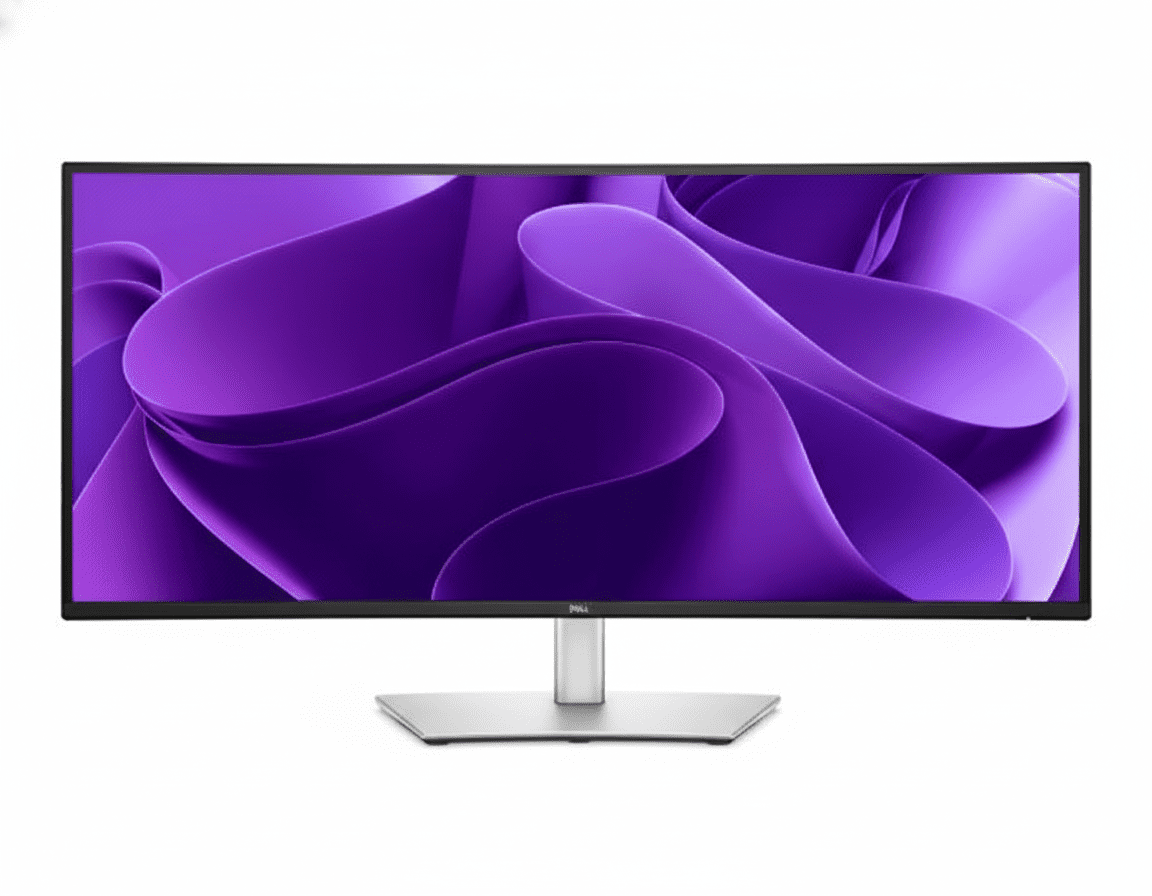
Dell UltraSharp U4025QW Review: The Ultimate 40″ 5K2K Thunderbolt 4 Ultrawide Powerhouse

Dell UltraSharp 40 Curved
Dell UltraSharp 40 Curved Thunderbolt™ Hub Monitor (U4025QW) Review: The Unrivaled 5K King

Dell UltraSharp 40 Curved Thunderbolt™ Hub Monitor (U4025QW) Review: The Unrivaled 5K King

40″ Curved 5K2K 120Hz Thunderbolt™ 4 Hub (140W) 5-Star Eye Comfort IPS Black Panel (99% DCI-P3) KVM Switch & 2.5GbE LAN ₹157,699
The no-compromise, all-in-one hub for the ultimate immersive and color-critical productivity.

The Dell UltraSharp U4025QW is more than a monitor; it is a statement. This is Dell’s flagship professional display, engineered without compromise for those who demand the absolute pinnacle of performance. Priced at a premium ₹157,699, this 40-inch curved behemoth boasts a breathtaking 5K2K (5120×2160) resolution and a fluid 120Hz refresh rate. The state-of-the-art IPS Black panel delivers unparalleled contrast and pro-grade 99% DCI-P3 color accuracy, while its powerful Thunderbolt™ 4 hub provides a staggering 140W of power, 2.5GbE LAN, and a full KVM switch. For the ultimate creative professional or power user, the U4025QW is the undisputed king.

The Ultimate 5K Canvas

Experience breathtaking 5K2K resolution, unparalleled color, and the most powerful Thunderbolt™ hub ever built into a monitor.

₹157,699
Inclusive of all taxes | Free Priority Delivery

3-Year Advanced Exchange Service & Premium Panel Exchange

Key Features at a Glance

40″ 5K2K Resolution: Immense 5120×2160 screen for extraordinary detail and multitasking.
IPS Black Panel: Delivers a 2000:1 contrast ratio for incredibly deep blacks and vibrant colors.
140W Thunderbolt™ 4 Hub: The most powerful single-cable hub with KVM and 2.5GbE LAN.
120Hz Refresh Rate: Buttery-smooth motion for everything from OS navigation to creative work.
Pro-Grade Color Accuracy: 99% DCI-P3 coverage with a factory calibration of Delta E < 2.
5-Star Eye Comfort: World’s first with this certification, featuring an ambient light sensor.

1. Unrivaled 5K Visuals with IPS Black

Experience a level of detail, contrast, and color that redefines professional displays.

Breathtaking 5K2K Resolution

The expansive 40-inch screen with 5120×2160 resolution offers 33% more screen space than a 4K monitor. This allows for true 4K video editing at a 1:1 pixel ratio while still having ample room for timelines, tools, and other applications, making it a dream for video editors and data analysts.

Flagship Color & Contrast

The combination of IPS Black technology (2000:1 contrast) and professional-grade color with 99% DCI-P3 and 99% Display P3 coverage results in a visual experience of unparalleled depth, vibrancy, and accuracy, perfect for color-critical work right out of the box with a Delta E < 2 calibration.

Fluid 120Hz Refresh Rate

A first for a 5K monitor of this class, the 120Hz refresh rate doubles the fluidity of a standard 60Hz display. This creates an exceptionally smooth and responsive experience, whether you’re scrolling through complex data, scrubbing a video timeline, or simply navigating your operating system.

2. The Most Powerful Thunderbolt™ Hub

A single, uncompromising connection for the most demanding professional workflows.

140W Power Delivery

The flagship Thunderbolt™ 4 port delivers a massive 140W of power using Extended Power Range (EPR). This is enough to charge even the most power-hungry 16-inch workstation laptops at full speed, eliminating the need for a separate bulky power brick.

Next-Generation Docking

It features a super-fast 2.5GbE RJ45 port for faster-than-gigabit networking, a downstream Thunderbolt 4 port for daisy-chaining another 4K monitor, and a vast array of high-speed 10Gbps USB-A and USB-C ports, many conveniently located in a pop-out front hub.

Network KVM Switch

The advanced Network KVM allows you to control and transfer files between two separate computers connected to the monitor over your network, using just one keyboard and mouse. This is managed seamlessly through the Dell Display Manager software, making it a power user’s dream.

3. Intelligent & Seamless Workflow

A monitor that adapts to your work, not the other way around.

Internal Multi-Stream Transport (iMST)

A groundbreaking feature, iMST allows you to partition the single 40-inch screen to behave like two separate virtual 2560×2160 monitors side-by-side. This allows you to share one half of your screen in a video call while working on the other, all without needing external software.

Dell Software Ecosystem

Take full command with Dell Display Manager for powerful window management (Easy Arrange), KVM control, and remote IT management. The new Dell Color Management software also allows you to easily create, store, and manage ICC color profiles for consistent results across your workflow.

4. A New Benchmark in Eye Comfort

Work smarter and more comfortably with groundbreaking eye-care technology.

World’s First 5-Star Certification

The U4025QW is the world’s first monitor to achieve a TÜV Rheinland® 5-star eye comfort certification, a new, more comprehensive standard that measures and grades performance across multiple categories to definitively certify a reduction in eye strain.

Intelligent Comfort Features

This certification is achieved by combining a fast 120Hz refresh rate, advanced hardware-level ComfortView Plus (reducing blue light to ≤35%), and a built-in Ambient Light Sensor that automatically adjusts brightness and color temperature to match your environment.

Ideal For These Users

High-End Creative Professionals

For 4K video editors, 3D artists, photographers, and graphic designers who need the ultimate combination of screen real estate, resolution, and color accuracy, this monitor is unmatched.

Executives & C-Suite Professionals

The U4025QW is a status symbol and a productivity powerhouse, offering the best single-cable solution to command a workstation with effortless elegance and maximum capability.

Power Users with Workstation Laptops

The massive 140W power delivery is specifically designed to charge the most demanding workstation-class laptops (like a 16-inch MacBook Pro) at full speed, making it the perfect docking partner.

Who Might Consider Other Options

Hardcore Gamers

This is the ultimate productivity monitor, not a gaming one. Competitive gamers will want dedicated gaming displays with even faster response times and full adaptive sync support (G-Sync Ultimate/FreeSync Premium Pro).

Users on a Strict Budget

This is a flagship product with a flagship price. Excellent ultrawide performance can be had for much less with the U3425WE or P3425WE if you don’t need the 5K resolution or 140W power delivery.

Competitive Edge: How It Stacks Up

In a class of its own.

  • The 5K2K Resolution Advantage

    The U4025QW’s primary edge is its 5K2K resolution. It offers a pixel density of 140 PPI, which is equivalent to a 32-inch 4K monitor, but in an ultrawide format. This provides an unmatched level of sharpness and detail for a monitor of this size.

  • Vs. The U3425WE

    While the 34-inch U3425WE is an outstanding monitor, the U4025QW is the ultimate upgrade. It offers a larger screen, a much higher 5K2K resolution, and more powerful 140W power delivery, making it the superior choice for professionals who need the absolute most screen real estate and power.

  • The Uncompromising Flagship

    Its competitive advantage is simple: it is the most feature-rich, highest-resolution, and most powerful productivity ultrawide monitor Dell has ever made. It combines the best of every technology—IPS Black, 120Hz, 5K resolution, 140W Thunderbolt—into a single, no-compromise package.

Full Specifications

Display

Screen Size
39.7″ Curved (2500R)
Resolution
5K2K (5120 x 2160)
Panel Type
IPS Black
Refresh Rate
120 Hz
Contrast Ratio
2000:1
Color Gamut
99% DCI-P3
Color Accuracy
Delta E < 2
HDR
VESA DisplayHDR 600

Connectivity

Thunderbolt™ 4 Hub
1x TB4 Upstream (140W PD)
Video Ports
1x DP 1.4, 1x HDMI 2.1
Daisy Chain
1x TB4 Downstream (15W)
KVM Switch
Yes (Network KVM)
Ethernet
1x RJ45 (2.5GbE)
USB Hub
5x USB-A, 2x USB-C

Mechanical

Height Adjust
150 mm
Tilt
-5° to 21°
Swivel
-30° to 30°

Pros and Cons

What We Liked

  • Breathtaking 5K2K resolution on a 40-inch screen.
  • Stunning image quality and contrast from the IPS Black panel.
  • The most powerful and comprehensive hub available (140W, 2.5GbE).
  • Fast and fluid 120Hz refresh rate.
  • Professional-grade color accuracy (99% DCI-P3).

What Could Be Better

  • Extremely expensive; a huge investment.
  • Response times are not ideal for competitive gaming.
  • The large size and weight may be difficult for some desks.

Final Verdict

The Dell UltraSharp U4025QW is, without exaggeration, the king of professional ultrawide monitors. It is a no-compromise masterpiece that combines the best panel technology, the highest resolution in its class, and the most powerful connectivity hub into a single, breathtaking product. The stunning 40-inch 5K2K IPS Black panel provides a level of clarity and contrast that is simply unmatched, while the 120Hz refresh rate ensures that the entire experience is impossibly smooth.

Its 140W Thunderbolt™ 4 hub with a Network KVM is the most capable single-cable solution on the market, ready to command even the most demanding workstation laptops. While the price is undeniably steep, it is justified by the sheer capability and quality on offer. For the elite professional who needs the absolute best and is willing to invest in it, the U4025QW is not just a monitor; it is the ultimate productivity endgame.

Dell Pro 34 Plus (P3425WE) Review: The Ultimate 34″ Ultrawide QHD USB-C Hub Powerhouse

Dell Pro 34 Plus (P3425WE)
Dell Pro 34 Plus USB-C Hub Monitor (P3425WE) Review: The Ultimate Ultrawide Hub

Dell Pro 34 Plus USB-C Hub Monitor (P3425WE) Review: The Ultimate Ultrawide Hub

34″ Curved WQHD 100Hz 90W USB-C Hub with KVM 4-Star Eye Comfort PiP & PbP Modes Pop-Out USB Ports ₹52,159
The definitive all-in-one hub for immersive, ultrawide productivity.

The Dell Pro 34 Plus (P3425WE) represents the pinnacle of productivity-focused ultrawide monitors, combining an immense, immersive screen with the most comprehensive connectivity hub in its class. For ₹52,159, this 34-inch curved display delivers a sharp WQHD (3440×1440) resolution, a fluid 100Hz refresh rate, and top-tier 4-star eye comfort. Its true power, however, is its ability to serve as the ultimate workstation centerpiece, featuring a 90W USB-C port, integrated KVM switch, Gigabit Ethernet, and clever pop-out front ports. The P3425WE is designed for the power user who demands maximum screen real estate and minimum clutter.

Immerse Yourself in Productivity

Experience an expansive 34″ curved WQHD screen, a powerful KVM hub, and world-class eye comfort.

₹52,159
Inclusive of all taxes | Free Priority Delivery

3-Year Premium Panel Exchange

Key Features at a Glance

34″ Curved WQHD Display: Immersive, sharp 3440×1440 ultrawide screen.
90W USB-C Hub with KVM: Power your laptop and control two PCs with one keyboard and mouse.
100Hz Refresh Rate: Delivers noticeably smoother scrolling and motion than standard 60Hz.
PiP and PbP Modes: View and manage content from two different PC sources simultaneously.
4-Star Eye Comfort: TÜV-certified with ComfortView Plus to reduce eye strain without color distortion.
Pop-Out USB Ports: Cleverly hidden front-access USB-A and USB-C ports for convenience.

1. The Ultimate Immersive Hub

A single command center for all your devices, wrapped in an expansive ultrawide view.

Single-Cable Hub with KVM

This monitor is a true docking station. The powerful 90W USB-C port powers your laptop, while the integrated KVM switch lets you control two connected PCs with a single keyboard and mouse, seamlessly switching between them.

Full Docking Connectivity

It replaces your separate dock with a built-in RJ45 Gigabit Ethernet port, and a hub of USB-A and USB-C downstream ports—including clever pop-out front ports—keeping your desk efficient and free of clutter.

2. Expansive, Fluid Visuals

Immerse yourself in a panoramic view with stunning detail and smooth motion.

Curved Ultrawide WQHD Screen

The immense 34-inch, 21:9 screen with a gentle 3800R curve and sharp 3440×1440 resolution provides a panoramic, immersive view that’s perfect for expansive spreadsheets, long timelines, and side-by-side document comparison.

Smooth 100Hz Refresh Rate

Experience a noticeable upgrade in fluidity with the 100Hz refresh rate. It delivers less flicker and more seamless scrolling through data and websites, making every interaction feel more responsive.

3. Next-Level Multitasking

View and manage multiple sources on one expansive screen.

Picture-by-Picture & Picture-in-Picture

The ultrawide screen is perfect for PbP and PiP modes, allowing you to display and work on content from two different PC sources at the same time, as if you had two monitors in one.

Integrated KVM Switch

The built-in KVM (Keyboard, Video, Mouse) switch lets you connect two computers to the monitor and control both using a single keyboard and mouse, seamlessly toggling between them with the push of a button.

4. World-Class Eye Comfort

Work longer with less strain, thanks to Dell’s industry-leading comfort features.

TÜV 4-Star Eye Comfort Certification

This monitor achieves a top-tier TÜV 4-star eye comfort certification. This is achieved through its advanced ComfortView Plus hardware, which reduces harmful blue light emissions to less than 35% without the yellow tint of software filters, ensuring all-day comfort with uncompromised color accuracy.

Ideal For These Users

Power Multitaskers & Financial Analysts

The vast 21:9 screen is perfect for viewing multiple large spreadsheets, data feeds, and applications simultaneously without needing a second monitor.

Users with Multiple Computers

The built-in KVM switch is a game-changer for anyone who regularly works with two PCs (like a work laptop and a personal desktop), allowing them to control both with one set of peripherals.

Content Creators & Video Editors

The ultrawide aspect ratio is ideal for viewing long video editing timelines, with plenty of space for bins and tool palettes on the side.

Anyone Seeking an Immersive Single-Monitor Setup

For those who want to replace a dual-monitor setup with a single, seamless, and immersive display, the P3425WE is the perfect solution.

Who Might Consider Other Options

Gamers

While the 100Hz refresh rate is good, this is a productivity monitor. It lacks the fast response times and adaptive sync technology that are crucial for a competitive gaming experience.

High-End Creative Professionals

The 99% sRGB color gamut is excellent, but professionals needing wider gamuts like Adobe RGB or DCI-P3 for color-critical work should look at Dell’s UltraSharp or Alienware lines.

Users on a Tight Budget

This is a premium productivity monitor. Users can get excellent QHD performance in a standard 16:9 aspect ratio from the P2725DE for a significantly lower price.

Competitive Edge: How It Stacks Up

The ultimate integration of ultrawide immersion and docking station power.

  • Vs. Other Ultrawide Monitors

    Many competing ultrawides focus on gaming and often lack comprehensive connectivity. The P3425WE stands out by pairing its excellent 100Hz WQHD panel with a full 90W USB-C hub, KVM switch, and RJ45 port, making it a far more versatile productivity tool.

  • Vs. Dell UltraSharp Ultrawides

    The P3425WE brings many premium features, like the KVM and 100Hz refresh rate, from the more expensive UltraSharp line down to the more accessible P-series, offering better value. UltraSharp models typically offer wider color gamuts (DCI-P3) and sometimes higher resolutions or faster refresh rates for a higher price.

  • The Complete Power-User Package

    Its key advantage is being a true all-in-one solution. It replaces a dual-monitor setup, a docking station, and a KVM switch with a single, elegant, and powerful device, offering an unmatched level of integration and convenience.

Full Specifications

Display

Screen Size
34.1″ Curved (3800R)
Resolution
WQHD (3440 x 1440)
Aspect Ratio
21:9
Panel Type
IPS
Refresh Rate
100 Hz
Brightness
350 cd/m²
Contrast Ratio
1500:1
Color Gamut
99% sRGB

Connectivity

USB-C Hub
1x USB-C (90W PD, DP Alt Mode)
Video Ports
1x DP 1.4, 1x HDMI 2.1
KVM Switch
Yes (1x USB-B Upstream)
Ethernet
1x RJ45 Gigabit Ethernet
USB Downstream
3x USB-A, 1x USB-C (15W)

Mechanical

Height Adjust
150 mm
Tilt
-5° to 21°
Swivel
-30° to 30°
Slant
±4°

Pros and Cons

What We Liked

  • Immersive 34-inch curved ultrawide screen.
  • Complete docking station with KVM, 90W USB-C, and RJ45.
  • Smooth 100Hz refresh rate enhances daily use.
  • Excellent ergonomics and build quality.
  • Useful PiP, PbP, and pop-out USB features.

What Could Be Better

  • No DisplayPort-out for daisy chaining.
  • Color gamut is limited to sRGB, not ideal for high-end creatives.
  • Premium price point.

Final Verdict

The Dell P3425WE is a phenomenal productivity powerhouse that successfully combines the immersive experience of an ultrawide with the unparalleled convenience of a full-featured KVM docking station. The expansive 34-inch curved WQHD screen, enhanced by a fluid 100Hz refresh rate, offers a breathtaking canvas for multitasking. When paired with its ability to control two PCs and act as a single-cable hub for power, networking, and peripherals, it becomes a truly transformative tool for any power user’s desk.

While its sRGB color space may not suit high-end colorists, it’s more than enough for most professional and creative work. For anyone looking to declutter their desk, streamline a multi-PC workflow, and gain an immersive productivity boost, the P3425WE is an outstanding all-in-one solution and a top contender in the premium ultrawide market.