ReviewNest

Dell E2425HM: How to Improve Work Comfort & Eye Care Setup

Dell Pro 24 (E2425HM)
Dell Pro 24 Monitor (E2425HM) Review: The Essential Workhorse, Upgraded

Dell Pro 24 Monitor (E2425HM) Review: The Essential Workhorse, Upgraded

24″ FHD 100Hz Display ComfortView Plus DP, HDMI & VGA Ports IPS Panel 3-Star Eye Comfort ₹8,399
The no-frills, high-value choice for essential everyday productivity.

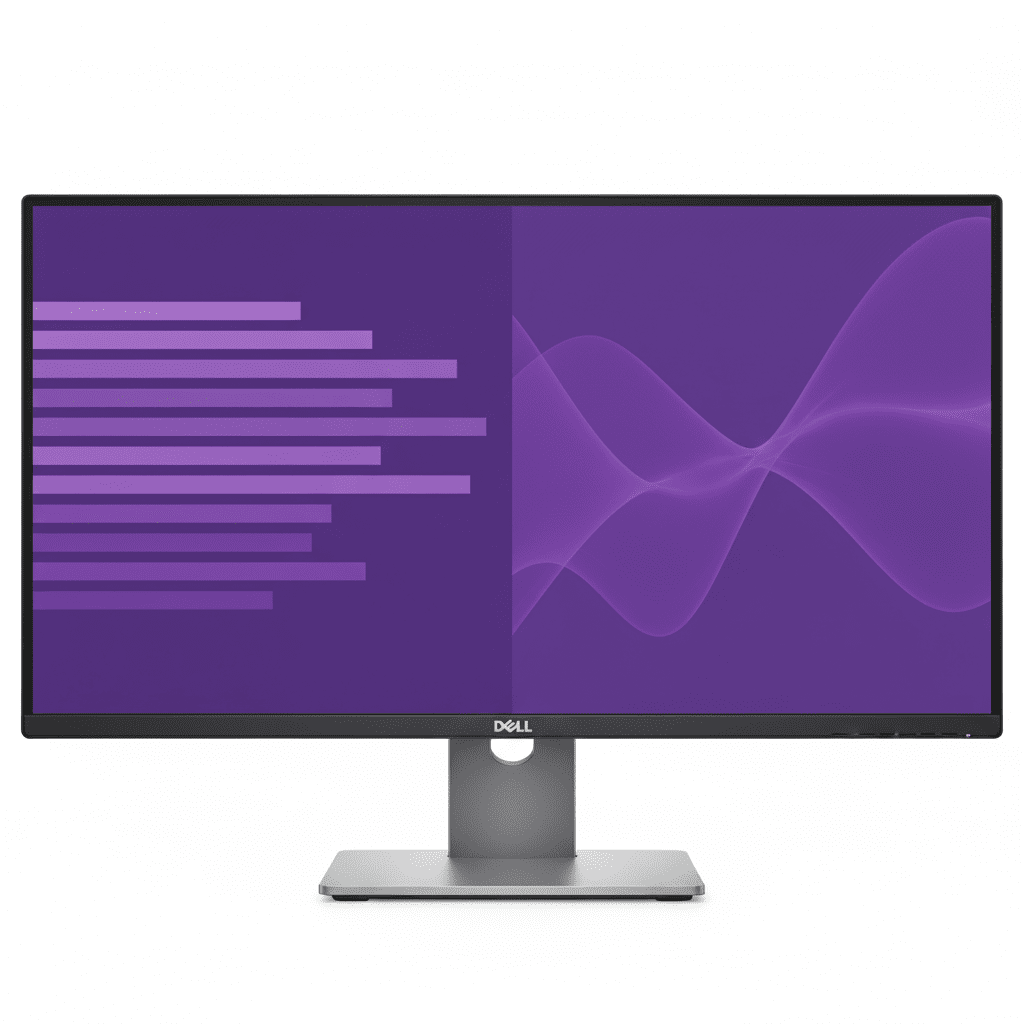
The Dell Pro 24 Monitor (E2425HM) is a masterclass in essentialism, delivering key modern upgrades to the entry-level professional display segment. For an incredibly competitive price of ₹8,399, this 24-inch monitor provides a crisp Full HD IPS panel and elevates the everyday user experience with a smooth 100Hz refresh rate and Dell’s advanced ComfortView Plus hardware. By focusing on a superior viewing experience and broad connectivity (including legacy VGA) while trimming non-essential features like an adjustable stand, the E2425HM offers outstanding value for businesses and individuals seeking a reliable, comfortable, and future-proof workhorse.

Upgrade Your View, Not Your Budget

Get a smooth 100Hz refresh rate, advanced eye comfort, and versatile connectivity for an unbeatable price.

₹8,399
₹8,599 (Save ₹200)
Inclusive of all taxes | Free Priority Delivery

Valid till Oct 17th | 3-Year Advanced Exchange Service

Key Features at a Glance

100Hz Refresh Rate: Delivers smoother scrolling and motion compared to standard 60Hz.
ComfortView Plus: Hardware-level low blue light technology protects your eyes without color distortion.
IPS Panel Technology: Provides consistent colors and wide 178° viewing angles.
Versatile Connectivity: Equipped with DisplayPort, HDMI, and legacy VGA ports.
Slim Bezel Design: Modern look with thin bezels, ideal for multi-monitor setups.
Eco-Friendly Design: Thoughtfully crafted with recycled materials and sustainable packaging.

1. An Upgraded Viewing Experience

Enjoy a smoother, more comfortable view for your everyday tasks.

Smooth 100Hz Refresh Rate

A significant improvement over the 60Hz standard, the 100Hz refresh rate delivers noticeably smoother motion. This makes everything from scrolling through long documents to general OS navigation feel more fluid and pleasant.

ComfortView Plus Technology

This monitor features Dell’s always-on, built-in ComfortView Plus. It’s a TÜV-certified hardware solution that minimizes harmful blue light emissions to reduce eye fatigue during long work sessions, all without distorting the on-screen colors.

2. Dependable from Every Angle

Consistent colors and a modern design for any workspace.

Consistent IPS Viewing

The In-Plane Switching (IPS) panel technology ensures you get consistent, vibrant colors and great picture quality even from wide viewing angles of 178°. This makes it easy to collaborate and share your screen with others.

Ultra-Thin Bezel Design

The monitor features a modern design with slim bezels on three sides. This not only provides a more immersive viewing experience but also makes it an excellent choice for creating a seamless multi-monitor setup.

3. Convenient & Versatile Connectivity

Connect to a wide range of devices, both modern and legacy.

DisplayPort 1.2

HDMI 1.4

VGA

The inclusion of DisplayPort, HDMI, and a legacy VGA port ensures broad compatibility. Whether you’re connecting a brand-new laptop or an older desktop PC, this monitor has the inputs you need without requiring adapters. Both DisplayPort and HDMI support the full 100Hz refresh rate.

4. Functional, Space-Saving Design

A smart build that maximizes your desk space and minimizes clutter.

Compact Stand & Cable Management

The monitor features a compact stand to minimize its footprint on your desk. It also has built-in cable management features to help route cords neatly and keep your workspace tidy.

Tilt and VESA Mount

The included stand offers a simple tilt adjustment from -5° to +21°. For full ergonomic flexibility, the monitor is compatible with standard 100x100mm VESA mounts, allowing you to use it with any monitor arm.

Ideal For These Users

Budget-Conscious Businesses & Home Offices

This monitor offers essential modern features like a 100Hz refresh rate and hardware low blue light at an extremely competitive price, making it perfect for mass deployment or home setups.

General Office Productivity

For everyday tasks like email, web browsing, and working with documents, the combination of a smooth refresh rate and advanced eye comfort makes it a fantastic workhorse.

Organizations with Mixed-Age PCs

The inclusion of a VGA port alongside modern DisplayPort and HDMI makes it easy to deploy in environments where both new and legacy computers are in use, ensuring universal compatibility.

Who Might Consider Other Options

Users Needing Full Ergonomics

The stand is tilt-only. If you require height, swivel, or pivot adjustments, you will need to either buy a separate VESA mount or upgrade to a Dell P-Series monitor with a fully adjustable stand.

Creative Professionals

This monitor is designed for general office use and has a standard color gamut (72% NTSC). Professionals who need high color accuracy for photo or video work should consider a Dell P-Series or UltraSharp monitor.

Users Wanting a USB Hub

This monitor has no built-in USB ports for connecting peripherals. If you need a USB hub, you should look at the Dell P-Series monitors.

Competitive Edge: How It Stacks Up

Delivering next-generation essential features at an unbeatable price.

  • Vs. Older Entry-Level Monitors

    The E2425HM’s primary advantage is bringing a 100Hz refresh rate and ComfortView Plus to a price point where 60Hz and basic software-based blue light filters are the norm. It offers a significantly better and more comfortable viewing experience.

  • Vs. The Dell P-Series (P2425H)

    The E2425HM provides the same excellent 100Hz IPS panel and ComfortView Plus technology as its more expensive P-Series counterpart. It achieves its lower price by offering a simpler tilt-only stand and omitting the USB hub, making it a higher value choice for those who don’t need those specific features.

  • Maximum Value for Core Features

    Its competitive advantage is its laser focus on what matters most for the viewing experience: smoothness and eye comfort. It intelligently cuts non-essential “nice-to-have” features to deliver a superior core product at the lowest possible cost.

Full Specifications

Display

Screen Size
23.8″
Resolution
FHD (1920 x 1080)
Panel Type
IPS
Refresh Rate
100 Hz
Response Time
5ms (Fast Mode)
Brightness
250 cd/m²
Color Gamut
72% NTSC
Contrast Ratio
1000:1

Connectivity & Mechanical

Video Ports
1x DP 1.2, 1x HDMI 1.4, 1x VGA
Adjustability
Tilt (-5° to 21°)
VESA Mount
100 x 100 mm

Pros and Cons

What We Liked

  • Excellent value for money.
  • Smooth 100Hz refresh rate is a huge upgrade over 60Hz.
  • ComfortView Plus is great for reducing eye strain.
  • Wide viewing angles from the IPS panel.
  • Includes a legacy VGA port for older systems.

What Could Be Better

  • Basic tilt-only stand lacks ergonomic adjustment.
  • No built-in USB hub for peripherals.
  • Standard color gamut is not suitable for creative work.

Final Verdict

The Dell E2425HM is a brilliant execution of an essential office monitor. It smartly invests in features that have the biggest impact on the daily user experience—a 100Hz refresh rate for smoothness and ComfortView Plus for eye comfort—while trimming costs elsewhere. The result is a monitor that feels far more premium than its budget-friendly price tag suggests.

While the basic stand and lack of a USB hub are clear trade-offs, they are intelligent ones for its target audience. For businesses needing to deploy a large number of reliable and comfortable monitors, or for home users who want a superior viewing experience without paying for features they won’t use, the E2425HM offers phenomenal value and is an easy recommendation.

Dell Pro 22 Monitor (E2225HM) Review: The Best Budget 100Hz Office Display

Dell Pro 22 Monitor
Dell Pro 22 Monitor (E2225HM) Review: The Essential Upgrade

Dell Pro 22 Monitor (E2225HM) Review: The Essential Upgrade

21.5″ FHD 100Hz Display High Contrast VA Panel DP, HDMI & VGA Ports ComfortView Plus ₹6,799
The ideal budget-friendly monitor for essential productivity with enhanced comfort.

The Dell Pro 22 Monitor (E2225HM) is engineered to deliver a superior viewing experience for everyday productivity without breaking the bank. At an incredible price of just ₹6,799, this 21.5-inch monitor goes beyond the basics. It pairs a high-contrast VA panel with a smooth 100Hz refresh rate, delivering deeper blacks and more fluid motion than typical entry-level displays. With versatile connectivity and Dell’s advanced ComfortView Plus technology, the E2225HM is the smart, budget-friendly choice for any professional workspace.

Elevate Your Everyday Productivity

Experience a smooth 100Hz refresh rate, high-contrast visuals, and advanced eye comfort.

₹6,799
₹6,899 (Save ₹100)
Inclusive of all taxes | Free Priority Delivery

Valid till Oct 17th | 3 Year Advanced Exchange Service

Key Features at a Glance

100Hz Refresh Rate: Provides smoother scrolling and motion than standard 60Hz monitors.
High-Contrast VA Panel: 3000:1 contrast ratio delivers deep blacks and vibrant colors.
ComfortView Plus: Hardware-level low blue light technology reduces eye strain.
Versatile Connectivity: Equipped with DisplayPort, HDMI, and legacy VGA ports.
Eco-Friendly Design: Built with up to 86% recycled plastics and sustainable packaging.
VESA Mountable: Allows for flexible mounting with compatible arms and stands.

1. An Improved Visual Experience

Experience smoother motion, deeper blacks, and enhanced eye comfort.

Smooth 100Hz Refresh Rate

A significant upgrade for an entry-level monitor, the 100Hz refresh rate delivers a noticeably more fluid experience compared to standard 60Hz displays. Scrolling through documents, browsing websites, and general navigation feel smoother and more responsive.

High-Contrast VA Panel

The Vertical Alignment (VA) panel boasts a superb 3000:1 static contrast ratio, far superior to typical IPS panels. This results in significantly deeper blacks, brighter whites, and more vibrant colors, making text easier to read and images more impactful.

2. All-Day Comfort and Functional Design

Built to reduce eye strain and fit neatly into any workspace.

ComfortView Plus

This monitor features Dell’s always-on, built-in ComfortView Plus. This TÜV-certified hardware solution minimizes harmful blue light emissions to reduce eye fatigue during long work sessions, all without distorting the screen’s colors.

Space-Saving Design

Designed for efficiency, the monitor has a compact stand and ultra-thin bezels on three sides. It also features built-in cable management and is VESA-compatible (100x100mm), allowing you to mount it on a custom arm or stand to save even more desk space.

3. Versatile Connectivity

Connect to both modern and legacy systems with a useful array of ports.

DisplayPort 1.2

HDMI 1.4

VGA

The inclusion of DisplayPort, HDMI, and VGA ensures you can connect to a wide range of devices, from modern laptops to older desktop PCs, without needing adapters. Both DP and HDMI ports support the full 100Hz refresh rate at FHD resolution.

Ideal For These Users

Budget-Conscious Businesses

This monitor provides essential productivity upgrades like 100Hz and eye comfort at an extremely accessible price point, making it perfect for mass deployment in offices.

Home Office Setups

For users who need a reliable and comfortable monitor for daily work tasks without needing advanced hub features, the E2225HM is a fantastic and affordable choice.

Environments with Legacy Systems

The inclusion of a VGA port alongside modern DP and HDMI inputs makes it incredibly versatile for connecting to older computers that may still be in use.

Users Prioritizing High Contrast

The VA panel’s 3000:1 contrast ratio is a significant advantage for those who prefer deeper blacks and more “punchy” visuals for text and general content consumption.

Who Might Consider Other Options

Users Needing Ergonomics

This model’s stand is tilt-only. Users who need height, swivel, or pivot adjustments should consider Dell’s P-series monitors, like the P2225H.

Laptop Users Needing a Hub

This monitor lacks USB-C connectivity for a single-cable solution. Laptop users should look at models like the P2725HE to get hub functionality.

Anyone Needing Wider Viewing Angles

While good, VA panels can have minor color shifting at extreme off-angles compared to IPS panels. For collaborative work where many people view the screen, an IPS model may be better.

Competitive Edge: How It Stacks Up

Bringing premium features to the entry-level market.

  • Vs. Other Entry-Level Monitors

    The E2225HM’s key advantage is bringing a 100Hz refresh rate and a high-contrast VA panel to a price point typically dominated by basic 60Hz IPS screens. The smoother motion and deeper blacks provide a noticeably better daily experience.

  • Vs. Dell P2225H (P-Series)

    This E-series monitor offers a similar great viewing experience to its P-series sibling but at a lower cost by forgoing the fully ergonomic stand and USB hub. It’s the perfect choice for users who prioritize screen quality over adjustability and connectivity.

  • Value-Focused Upgrade

    Its competitive edge is simple: it focuses on the upgrades that most impact the viewing experience (100Hz, high contrast, eye comfort) while trimming features that aren’t essential for every user, resulting in exceptional value.

Full Specifications

Display

Screen Size
21.5″
Resolution
FHD (1920 x 1080)
Panel Type
Vertical Alignment (VA)
Refresh Rate
100 Hz
Response Time
5ms (Fast Mode)
Brightness
250 cd/m²
Color Gamut
72% NTSC (CIE 1931)
Contrast Ratio
3000:1

Connectivity & Mechanical

Video Ports
1x DP 1.2, 1x HDMI 1.4, 1x VGA
Adjustability
Tilt (-5° to 21°)
VESA Mount
100 x 100 mm

Pros and Cons

What We Liked

  • Excellent value for the features provided.
  • 100Hz refresh rate makes daily use feel smooth.
  • High-contrast VA panel produces deep blacks.
  • ComfortView Plus is great for reducing eye strain.
  • Versatile connectivity including a VGA port.

What Could Be Better

  • Stand is tilt-only; no height or swivel adjustment.
  • Lacks any USB ports for hub functionality.
  • Viewing angles are slightly narrower than IPS panels.

Final Verdict

The Dell E2225HM is a masterstroke in budget-friendly productivity. It smartly invests in features that tangibly improve the daily user experience, like a smooth 100Hz refresh rate and a high-contrast VA panel, which are significant upgrades over typical entry-level displays. The inclusion of ComfortView Plus and a wide array of video ports further elevates its utility in any office environment.

While it makes logical compromises by omitting an adjustable stand and USB ports to achieve its remarkable price, these can be easily addressed with a VESA mount. For businesses or individuals seeking the best possible viewing experience for essential work tasks without paying for unnecessary extras, the E2225HM delivers exceptional performance and is one of the best value propositions you can find for an office monitor.

Dell Pro 27 Monitor (E2725HM) Review: The Best Large-Screen 100Hz Productivity Upgrade

Dell Pro 27 Monitor
Dell Pro 27 Monitor (E2725HM) Review: The Expansive Workhorse

Dell Pro 27 Monitor (E2725HM) Review: The Expansive Workhorse

27″ FHD 100Hz Display ComfortView Plus DP, HDMI & VGA Ports IPS Panel ₹11,299
An affordable, large-screen monitor for essential productivity with enhanced comfort.

The Dell Pro 27 Monitor (E2725HM) is designed for professionals who crave more screen real estate without a premium price tag. For an affordable ₹11,299, this monitor delivers an expansive 27-inch IPS display that brings key upgrades to the entry-level segment. It features a smooth 100Hz refresh rate for more fluid daily use and Dell’s advanced ComfortView Plus hardware to reduce eye strain. By focusing on a large, comfortable viewing experience and versatile connectivity, the E2725HM offers exceptional value for everyday business and home office tasks.

Expand Your View, Not Your Budget

Get a large 27-inch screen with a smooth 100Hz refresh rate and advanced eye comfort.

₹11,299
₹11,499 (Save ₹200)
Inclusive of all taxes | Free Priority Delivery

Valid till Oct 17th | 3 Year Advanced Exchange Service

Key Features at a Glance

Expansive 27″ Display: Large screen for enhanced multitasking and a more immersive view.
100Hz Refresh Rate: Delivers smoother scrolling and motion compared to standard 60Hz.
ComfortView Plus: Hardware-level low blue light technology protects your eyes.
IPS Panel Technology: Provides consistent colors and wide 178° viewing angles.
Versatile Connectivity: Equipped with DisplayPort, HDMI, and legacy VGA ports.
Eco-Friendly Design: Thoughtfully crafted with recycled materials and sustainable packaging.

1. An Expansive Canvas for Productivity

More room to work for enhanced multitasking and efficiency.

Large 27-inch Screen

The generous 27-inch screen size provides ample digital real estate, allowing you to comfortably view multiple applications side-by-side. This reduces window switching and improves workflow, whether you’re comparing spreadsheets or writing a report with source material open.

Consistent IPS Viewing

The In-Plane Switching (IPS) panel technology ensures you get consistent, accurate colors and great picture quality even from wide viewing angles of 178°. This makes it easy to collaborate and share your screen with others without any color distortion.

2. A Smoother, More Comfortable Experience

Key upgrades that enhance daily use and reduce eye strain.

100Hz Refresh Rate

A significant improvement over the 60Hz standard, the 100Hz refresh rate delivers less flicker and noticeably smoother motion. This makes everything from scrolling through long web pages to general OS navigation feel more fluid and pleasant.

ComfortView Plus

This monitor features Dell’s always-on, built-in ComfortView Plus. It’s a TÜV-certified hardware solution that minimizes harmful blue light emissions, helping to reduce eye fatigue during long work sessions without distorting the on-screen colors.

3. Convenient & Versatile Connectivity

Connect to a wide range of devices, both modern and legacy.

DisplayPort 1.2

HDMI 1.4

VGA

The inclusion of DisplayPort, HDMI, and VGA ensures broad compatibility. Whether you’re connecting a new laptop or an older desktop PC, this monitor has the inputs you need without requiring adapters. Both DP and HDMI support the full 100Hz refresh rate.

4. Smart Design & Management

A space-saving design paired with powerful organizational software.

Functional, Space-Saving Build

The monitor features a compact stand and slim bezels to maximize your view and minimize its footprint. Integrated cable management helps keep your desk tidy, while VESA compatibility allows for custom mounting solutions.

Dell Display Manager

Boost your multitasking with Easy Arrange, which lets you tile applications across your screen in various preset layouts. The software also simplifies asset management for IT departments and allows for easy firmware updates.

Ideal For These Users

Users Wanting a Large, Affordable Screen

This monitor is perfect for those who prioritize screen size for multitasking but are working with a tight budget. It offers a large 27″ canvas at an entry-level price.

General Office and Home Use

For everyday tasks like email, web browsing, and working with documents, the combination of a large screen, 100Hz refresh rate, and eye comfort features makes it a great workhorse.

Businesses with Mixed-Age PCs

The inclusion of a VGA port alongside modern DisplayPort and HDMI makes it easy to deploy in environments where both new and legacy computers are in use.

Who Might Consider Other Options

Users Sensitive to Pixel Density

A 1080p (FHD) resolution on a 27-inch screen results in low pixel density (81 PPI), which can make text and images appear less sharp. Those wanting crisp visuals should consider a QHD or 4K monitor.

Anyone Needing Ergonomics

The stand is tilt-only. If you need to adjust the height, swivel, or pivot the screen, you will need to either buy a separate VESA mount or upgrade to a Dell P-series monitor.

Laptop Users Needing a Hub

This monitor lacks any USB ports, especially USB-C for a single-cable connection. Laptop users who want to charge their device and connect peripherals through the monitor should look for a hub monitor like the P2725HE.

Competitive Edge: How It Stacks Up

Delivering a large, smooth display at an unbeatable price.

  • Vs. The E2225HM (22-inch version)

    The E2725HM offers the same core features (100Hz, ComfortView Plus, basic stand) as its smaller sibling but in a much larger 27-inch size. Its edge is providing significantly more screen real estate for multitasking for a small price increase, though this comes at the cost of lower pixel density.

  • Vs. Other Entry-Level 27″ Monitors

    Many competing 27″ FHD monitors are stuck at 60Hz and may lack advanced hardware-based eye comfort. The E2725HM stands out by providing a 100Hz refresh rate and ComfortView Plus, offering a superior and more comfortable viewing experience for the price.

  • Maximum Screen for Minimum Cost

    Its competitive advantage is its singular focus on providing a large screen with a smooth refresh rate at the lowest possible cost. It intelligently cuts non-essential features like an adjustable stand and USB hub to deliver on this promise.

Full Specifications

Display

Screen Size
27″
Resolution
FHD (1920 x 1080)
Panel Type
IPS
Refresh Rate
100 Hz
Response Time
5ms (Fast Mode)
Brightness
300 cd/m²
Pixel Density
81 PPI
Contrast Ratio
1000:1

Connectivity & Mechanical

Video Ports
1x DP 1.2, 1x HDMI 1.4, 1x VGA
Adjustability
Tilt (-5° to 21°)
VESA Mount
100 x 100 mm

Pros and Cons

What We Liked

  • Large 27-inch screen is great for multitasking.
  • 100Hz refresh rate provides a smooth user experience.
  • Excellent value for a large monitor with modern features.
  • Wide viewing angles thanks to the IPS panel.
  • Hardware-based ComfortView Plus is a great addition.

What Could Be Better

  • Low pixel density (FHD on 27″) can make text look soft.
  • Basic tilt-only stand lacks ergonomic adjustment.
  • No USB hub for connecting peripherals.

Final Verdict

The Dell E2725HM is a fantastic proposition for anyone who believes bigger is better, but doesn’t have a big budget. It delivers a massive 27-inch screen and enhances the experience with a smooth 100Hz refresh rate and advanced eye comfort technology, features that punch well above its entry-level price tag.

The critical trade-off is the 1080p resolution, which results in low pixel density on a screen this large. However, if you’re coming from a smaller 1080p monitor and primarily want more space for multitasking rather than razor-sharp detail, this compromise is easy to accept. For those seeking maximum screen real estate for minimum cost, the E2725HM is an excellent, value-driven workhorse monitor.