HP DeskJet Ink Advantage 2876 All-in-One Printer Review: Your Ideal Home Printing Partner?
In the bustling Indian market, finding a printer that balances affordability, functionality, and ease of use can be a challenge. The HP DeskJet Ink Advantage 2876 All-in-One Printer emerges as a strong contender for home users and small setups, promising a stress-free printing experience. Currently available at a compelling ₹6,099 – a generous 34% saving from its original price – this compact device handles your printing, copying, and scanning needs with intuitive ease. But is it truly the right fit for your home or small office? Let’s delve into its features, performance, and where it truly shines, helping you decide if this budget-friendly multifunction printer is the smart choice for you.
Unpacking the Value: Why the HP DeskJet Ink Advantage 2876 Stands Out
The 2876 is meticulously crafted to simplify everyday printing tasks. Here’s a breakdown of its key strengths and how they translate into tangible benefits for you:
Ultimate Versatility: Print, Copy, Scan in One:
No more needing separate devices! The 2876 consolidates three essential functions into a single, space-saving unit. Whether it’s printing school assignments, quickly copying documents for official work, or scanning old photographs to digitize memories, this all-in-one capability streamlines your home office or study space.
Effortless Connectivity for Every Device:
In today’s interconnected world, flexibility is paramount. The HP DeskJet Ink Advantage 2876 offers a trifecta of connectivity options: Wi-Fi, Bluetooth, and USB. This versatile suite ensures you can print from laptops, desktops, smartphones, and tablets with minimal hassle.
Mobile Printing Made Simple with HP Smart App:
Imagine printing a document directly from your phone without transferring it to a computer. The 2876 makes this a reality with comprehensive mobile printing support. Compatible with the HP Smart App, Apple AirPrint, and Chrome OS, you can send print jobs directly from your smartphone or tablet.
Setup in Minutes: The “Simple Setup Smart App” Advantage:
One of the biggest frustrations with new tech can be the setup process. HP addresses this head-on with its “Simple Setup Smart App.” This intelligent application guides you through the installation process step-by-step, making it accessible even for users with limited technical experience.
Compact & Home-Friendly Design:
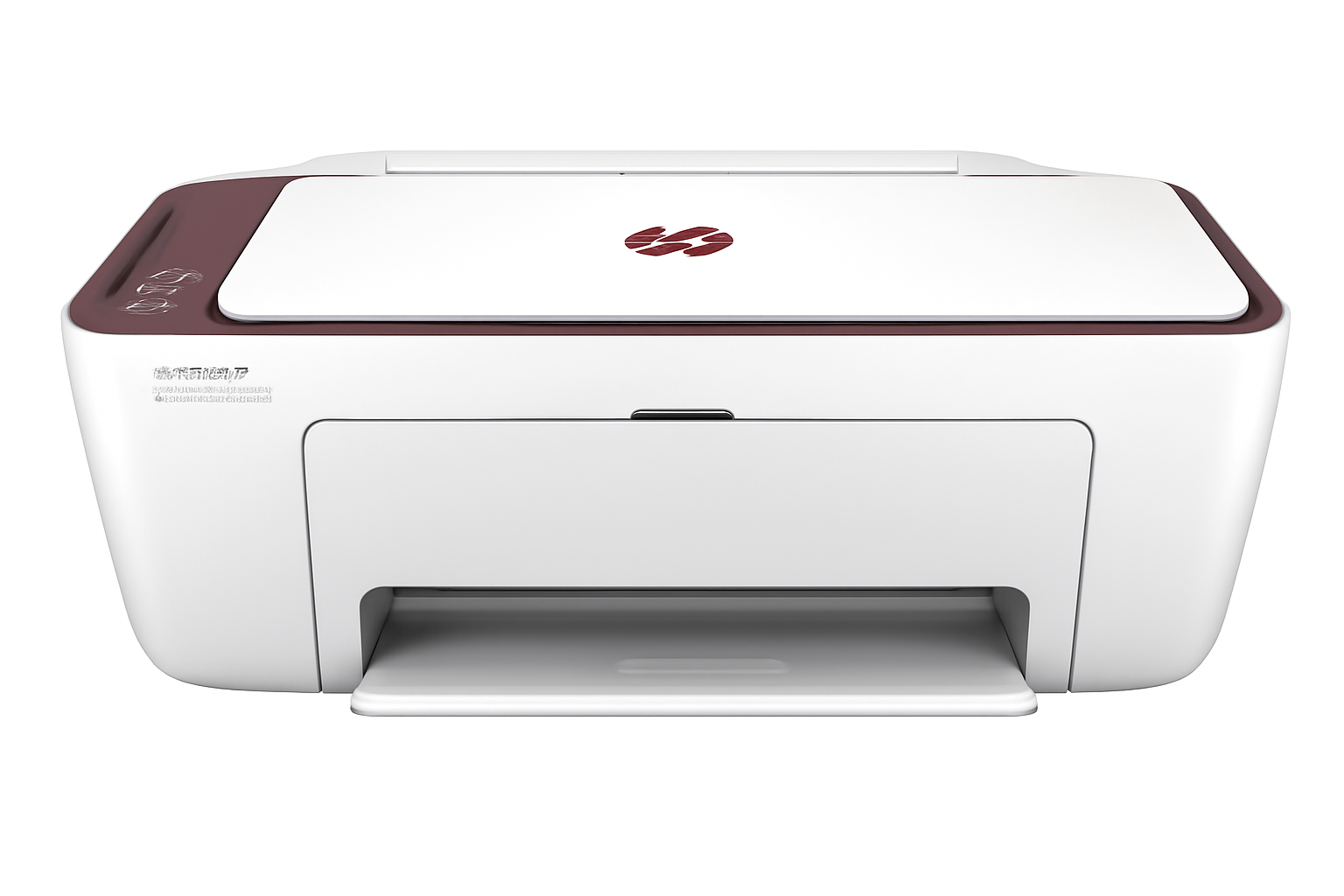
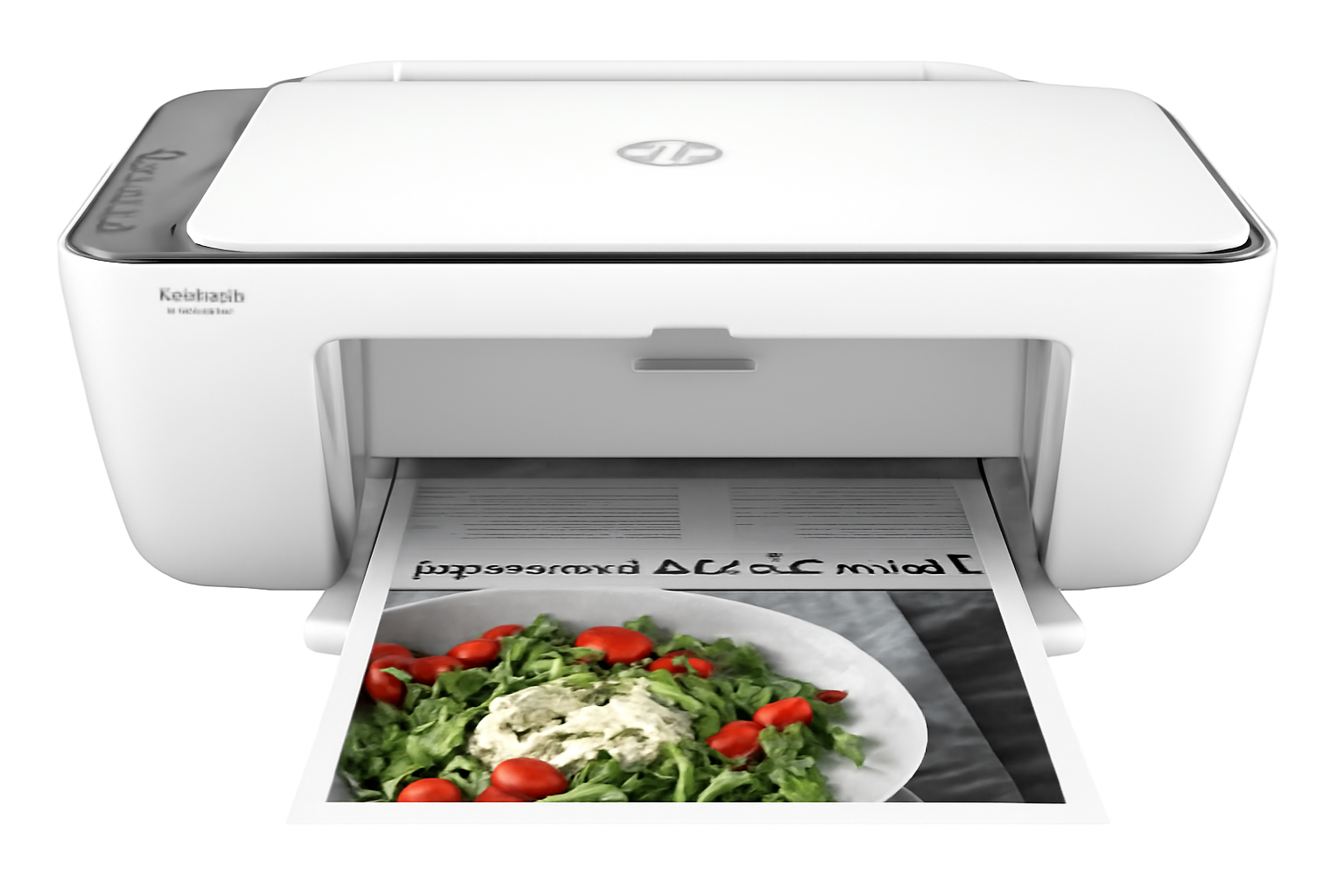
Space is often a premium in Indian homes. The 2876’s small footprint and space-saving design mean it can fit comfortably on a desk, shelf, or even a small side table without overwhelming your living or workspace. Its unobtrusive presence makes it an ideal addition to any home environment.
Budget-Friendly Entry Point:
At its current price of ₹6,099 (a 34% saving), the 2876 is incredibly cost-effective for basic home printing needs. This affordable entry price makes quality printing, scanning, and copying accessible to a wider audience, from students to small businesses just starting out.
Professional-Grade Black Text with Pigment-Based Ink:
For important documents, sharp and legible text is crucial. The 2876 utilizes pigment-based black ink, which provides superior water resistance and durability compared to dye-based inks. This ensures your contracts, reports, and academic papers feature crisp, professional-looking black text.
Full Specifications: HP DeskJet Ink Advantage 2876 All-in-One Printer
Product & Price
- Model Name: Ink Advantage 2876 Printer, Copy, Scan, WiFi, Bluetooth, USB, Simple Setup Smart App, Ideal for Home
- SKU: 588J8B
- Current Price: ₹6,099
- Original Price: ₹9,317
- Savings: ₹3,218 (34%)
- Product Type: Inkjet Printers
- Series: DeskJet
- Perfect for: Basic Color Printing / Home
Core Functions & Print Technology
- Functions: Print, Scan, Copy
- Top Key Features: Scan to PDF
- Print Technology: HP Thermal Inkjet
- Multitasking Supported: No
- Print Colours: Yes (Black, Cyan, Magenta, Yellow)
Print Performance
- Print Speed Black (ISO): Up to 7.5 ppm
- Print Speed Color (ISO): Up to 5.5 ppm
- Print Speed Black (Draft, A4): Up to 20 ppm
- Print Speed Colour (Draft, A4): Up to 16 ppm
- Duty Cycle (monthly, A4): Up to 1,000 pages/month
- Recommended Monthly Page Volume: 50 to 100 pages
- Target User & Print Volume: For teams up to 3 users; Prints up to 100 pages/month
- Print Quality Black (best): Up to 1200 x 1200 rendered dpi
- Print Quality Color (best): Up to 4800 x 1200 optimized dpi color (when printing from a computer on selected HP photo papers and 1200 input dpi)
- Vertical Alignment Accuracy: +/- 0.042 mm
Paper Handling
- Paper Trays, Standard: 1
- Maximum Input Capacity (sheets): Up to 60 sheets
- Maximum Output Capacity (sheets): Up to 25 sheets
- Duplex Printing: Manual (driver support provided)
- Media Sizes Supported: A4; B5; A6; DL envelope; Custom: 76 x 127 to 215 x 355 mm; Key: 10 x 15 cm; A4; Envelopes
- Media Types: Plain paper, Photo paper, Brochure paper, envelopes and other specialty inkjet paper
- Media Weight, Supported: A4: 60-90 g/m²; HP envelopes: 75-90 g/m²; HP cards: up to 200 g/m²; HP 10 x 15 cm photo paper: up to 300 g/m²
- Media Weight, Recommended: 75 g/m²
Ink System
- Number of Print Cartridges: 2 (1 each black, tri-color)
- Ink Types: Dye-based (color); Pigment-based (black)
- Replacement Cartridges: HP 682 Tri-color Original Ink Advantage Cartridge (3YM76A); HP 682 Black Original Ink Advantage Cartridge (3YM77A)
- Print Head Nozzles: 328 (black), 588 (color)
- Print Heads: 2 (1 each black, tri-color)
Connectivity & Communications
- Wireless Capability: Yes, built-in Wi-Fi 802.11b/g/n, 2.4 GHz single-band only
- Connectivity, Standard: 1 Wi-Fi 802.11b/g/n; 1 Hi-Speed USB 2.0 (device)
- Mobile Printing Capability: HP app; Apple AirPrint; Chrome OS
Scanner Specifications
- Scan Technology: Contact Image Sensor (CIS)
- Color Scanning: Yes
- Scan Input Modes: Front-panel Copy buttons, HP Smart software
- Scan Size, Maximum: 216 x 297 mm (A4)
- Scan Resolution, Hardware: Up to 1200 x 1200 dpi
- Scan Resolution, Optical: Up to 1200 dpi
- Scan File Format: JPEG, TIFF, PDF, BMP, PNG
- Faxing: No
System Specifications
- Memory: 64 MB DDR1
- Control Panel: Icon LCD display, 7 buttons (Power, Cancel, Resume, Wi-Fi, Info, Color Copy & Black Copy) 5 LED indicator lights (Power, Ink, Resume, Wi-Fi & Info)
- Supported Operating Systems: Windows 11; Windows 10; macOS 10.14 Mojave; macOS 10.15 Catalina; macOS 11 Big Sur; macOS 12 Monterey; macOS 13 Ventura; Chrome OS; macOS 14 Sonoma
- Minimum System Requirements: Windows 10, 11: 1 GHz 32-bit (x86) or 64-bit (x64) processor, 2 GB HD space, Internet connection, Internet Explorer. Mac: macOS V10.14 Mojave, 10.15 Catalina, 11 Big Sur, 12 Monterey, 13 Ventura; 2 GB HD; Internet required.
Dimensions & Power
- Dimensions (W x D x H): 425 x 304 x 154 mm (Standard); 425 x 546 x 250 mm (Output Extension fully out)
- Power Consumption: 2.8 W (ready), 1.53 W (sleep), 0.3 W (auto-off), 0.3 W (off).
- Power Supply Type: Internal
Box Contents & Warranty
- What’s in the box: HP DeskJet Ink Advantage 2876 All-in-One; HP 682 Setup Black Cartridge; HP 682 Setup Tri-color Cartridge; Regulatory flyer; Setup guide; Reference guide; Power cord, USB cable
- Cable Included: Yes (USB) for India
- Warranty: One-year limited warranty
Considerations Before You Buy: A Balanced View
Pros: What You’ll Love
- Extremely Affordable Entry Price: At just ₹6,099, it’s one of the most budget-friendly all-in-one printers on the market, making it accessible for almost any household.
- Essential All-in-One Functionality: Get printing, copying, and scanning in one compact device, covering all your core home office and personal document needs.
- Flexible Wireless & Wired Connectivity: With Wi-Fi, Bluetooth, and USB, you have multiple options for connecting your devices, from traditional PCs to modern smartphones and tablets.
- Seamless Mobile Printing Experience: HP Smart App, Apple AirPrint, and Chrome OS compatibility ensure you can print directly from your mobile devices with ease, enhancing convenience.
- Space-Saving, Compact Design: Its small footprint makes it ideal for homes or small offices where desk space is at a premium, fitting neatly into any corner.
- Truly Easy Setup & Management: The “Simple Setup Smart App” lives up to its name, promising a hassle-free installation, even for those new to printers. Ongoing management through the app is also straightforward.
- Sharp, Durable Black Text: The use of pigment-based black ink ensures your text documents are crisp, professional, and resistant to smudging, essential for important papers.
- Good for Light, Occasional Use: With a recommended monthly volume of 50-100 pages, it’s perfect for families, students, or individuals who print intermittently.
Cons: What to Be Aware Of (and potential workarounds)
- No Automatic Duplex Printing: For two-sided prints, you’ll need to manually flip pages. This can be a minor inconvenience for multi-page documents. Workaround: For occasional double-sided prints, follow the driver prompts. For high-volume duplexing, consider a higher-end model.
- Modest Print Speeds (7.5 ppm black / 5.5 ppm color): It’s not designed for high-volume or urgent printing needs. If you need to churn out hundreds of pages quickly, this printer will feel slow. Consideration: If your primary need is for occasional documents, these speeds are perfectly acceptable and contribute to the printer’s affordability.
- Limited Paper Capacity (60 sheets input / 25 sheets output): You’ll need to refill the paper tray more frequently if you print more than a few documents at a time. Solution: Keep a small stack of paper nearby for quick refills. This is a common trade-off for compact, entry-level printers.
- No Automatic Document Feeder (ADF): For multi-page scanning or copying, each page must be manually placed on the scanner glass. This can be time-consuming for large documents. Recommendation: If you frequently scan multi-page documents, an ADF-equipped printer (typically at a higher price point) might be necessary.
- Basic Icon LCD Control Panel: The control panel uses an icon LCD display and buttons, which is less intuitive and visual than a touchscreen. Mitigation: Most advanced functions and detailed controls are available through the excellent HP Smart App on your smartphone or computer, which offers a much richer interface.
- Single-Band Wi-Fi (2.4 GHz only): Limited to the 2.4 GHz band, which can sometimes be less stable or slower in crowded wireless environments compared to dual-band Wi-Fi. Tip: Ensure your router is placed optimally and try to minimize interference from other 2.4GHz devices if you experience connectivity issues.
- No Ethernet Port: Lacks a wired network connection, meaning it relies entirely on Wi-Fi or USB for connectivity. Impact: Not an issue for most home users, but might be a consideration for those with unstable Wi-Fi or strict network requirements.
- No Fax Functionality: This printer does not include a fax modem. Alternative: For occasional faxing, consider online fax services. Most modern homes and small offices rarely use traditional fax anymore.
- Ink Cartridge Cost Over Time: While the printer itself is inexpensive, replacement ink cartridges (HP 682 Black & Tri-color) can add up, especially if your printing volume increases significantly. This is a common characteristic of cartridge-based inkjet printers. Strategy: If you anticipate very high print volumes in the long run, exploring HP’s Ink Tank printers (which have a higher upfront cost but significantly lower per-page cost) might be a more economical choice. For occasional printing, the Ink Advantage system remains cost-effective.
Who Is This Printer For? Tailored Recommendations
The HP DeskJet Ink Advantage 2876 All-in-One Printer is an ideal choice for:
- Home Users with Occasional Printing Needs: Perfect for families, students, or individuals who print a few documents, assignments, or photos periodically.
- Budget-Conscious Buyers: Its low upfront cost makes it highly accessible for those seeking an affordable multifunction printer.
- Users Seeking Simple Setup and Operation: The HP Smart App makes installation and daily use incredibly straightforward, even for non-tech-savvy individuals.
- Those with Limited Space: Its compact design allows it to fit comfortably in smaller home offices, dorm rooms, or study areas.
- Mobile-First Users: Excellent mobile printing support via HP Smart App, AirPrint, and Chrome OS makes it easy to print directly from smartphones and tablets.
Who Might Consider Other Options?
You might consider other options if:
- You Have High-Volume Printing Needs: If you print hundreds of pages regularly, the modest print speeds and cartridge costs will become a bottleneck. Consider an Ink Tank (tank-based) printer or a laser printer.
- Automatic Duplex Printing is Essential: If you frequently print double-sided documents and don’t want to manually flip pages.
- You Need to Scan/Copy Multi-Page Documents Frequently: The absence of an Automatic Document Feeder (ADF) means manual placement for each page, which is inefficient for large scanning/copying jobs.
- You Require Faster Network Connectivity: If you need a wired Ethernet connection for network stability or faster data transfer than 2.4 GHz Wi-Fi.
- You Need Fax Functionality: This model does not include a fax modem.
- You Prefer a Touchscreen Control Panel: If you desire a more modern and intuitive on-device control experience.
Competitive Edge: What Sets It Apart
The HP DeskJet Ink Advantage 2876 All-in-One Printer distinguishes itself in the market with several key advantages:
- Unbeatable Price for an All-in-One: Its current offer price makes it one of the most affordable multifunction inkjet printers available, offering immense value for basic home use.
- HP Smart App Ecosystem: The seamless integration with the HP Smart App for effortless setup, mobile printing (AirPrint, Chrome OS), and intuitive management sets it apart from many budget competitors.
- Pigment-Based Black Ink: This is a premium feature for an entry-level printer, ensuring sharp, durable, and water-resistant black text documents, which is crucial for professional-looking prints.
- Compact and Space-Saving Design: Its small footprint is a significant advantage for homes where space is limited, making it easy to integrate into any environment.
- Versatile Wireless Connectivity (Wi-Fi & Bluetooth): The inclusion of both Wi-Fi and Bluetooth offers more flexible connection options than many printers in its class, catering to a wider range of devices.
Final Verdict: Is the HP DeskJet Ink Advantage 2876 Your Perfect Match?
The HP DeskJet Ink Advantage 2876 All-in-One Printer is an excellent entry-level option for home users, students, or small families in India seeking a basic, affordable, and easy-to-use multifunction device. Its combination of print, copy, scan, and versatile wireless connectivity (Wi-Fi and Bluetooth) makes it an incredibly convenient choice for everyday tasks. While its print speeds are modest, and it lacks advanced features like automatic duplexing or an ADF, its compact design, remarkably simple setup via the HP Smart App, and reliable pigment-based black ink quality make it ideal for light usage and budget-conscious individuals or families who primarily need a dependable all-in-one for occasional printing needs. If your requirements align with its strengths, the HP DeskJet Ink Advantage 2876 offers significant value for its price.
Overall Rating: 4.0 out of 5.0 (Based on Expert Analysis)