ReviewNest

Is Dell Pro 22 Plus Monitor Worth It? Full Review

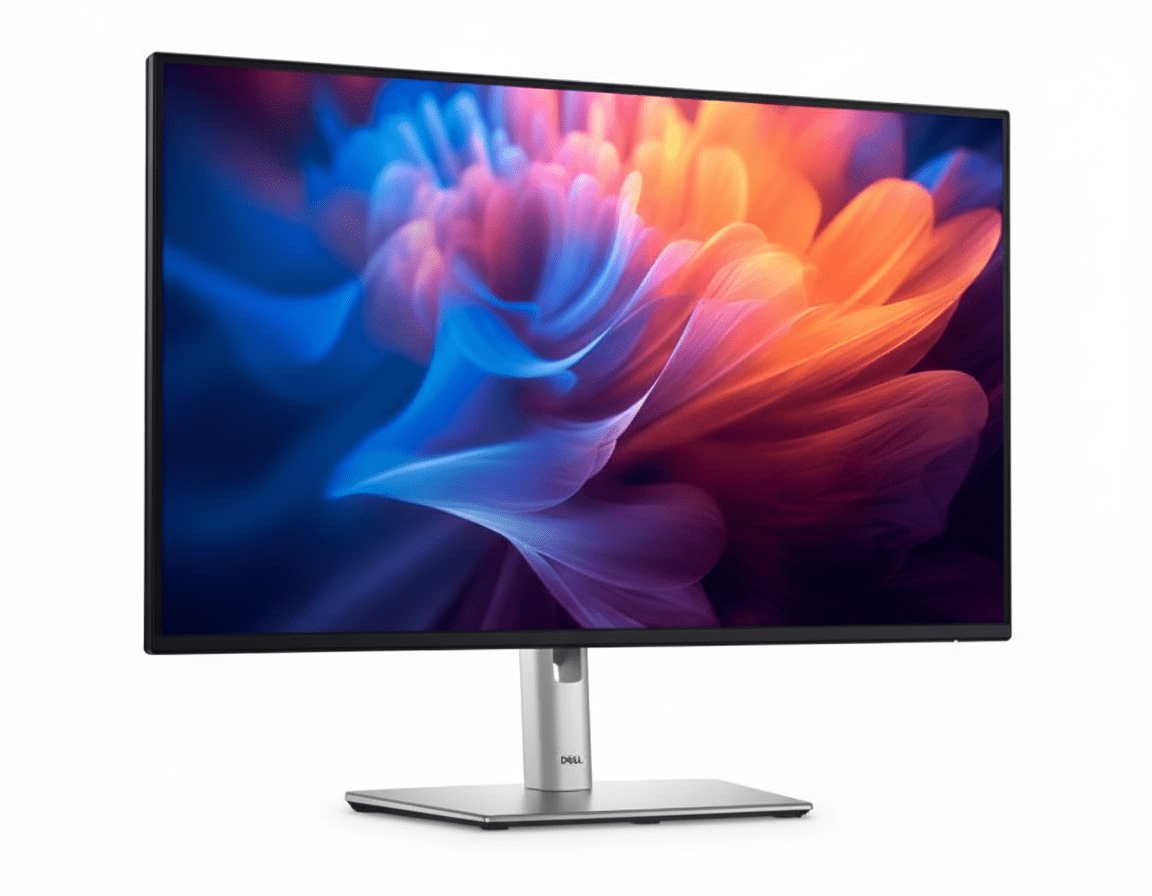
Dell Pro 22 Plus Monitor
Dell Pro 22 Plus Monitor (P2225H) Review: The Productivity Powerhouse

Dell Pro 22 Plus Monitor (P2225H) Review: The Productivity Powerhouse

21.5″ FHD IPS Display 100Hz Refresh Rate Fully Ergonomic Stand USB Hub with 15W USB-C 4-Star Eye Comfort ₹11,799
The ultimate ergonomic and connected monitor for all-day office work.

The Dell Pro 22 Plus Monitor (P2225H) is engineered from the ground up to be the ideal companion for all-day productivity. Priced at a competitive ₹11,799, this 21.5-inch monitor elevates the standard office display with features focused on comfort, clarity, and connectivity. It combines a crisp FHD IPS panel with a smooth 100Hz refresh rate, top-tier eye comfort certifications, and a fully ergonomic stand. Topped off with a versatile USB hub that includes USB-C, the P2225H is a masterclass in professional efficiency.

Upgrade Your Workday Comfort

Experience smooth 100Hz scrolling, advanced eye comfort, and full ergonomic control.

₹11,799
₹12,099 (Save ₹300)
Inclusive of all taxes | Free Priority Delivery

Offer valid till Oct 17th

Key Features at a Glance

100Hz Refresh Rate: Delivers smoother scrolling and motion than standard 60Hz monitors.
Full Ergonomics: Complete height, tilt, swivel, and pivot adjustability.
Advanced Eye Comfort: TÜV 4-star certified with improved ComfortView Plus.
Extensive Connectivity: DP, HDMI, VGA, and a USB hub with USB-C (15W).
High Contrast IPS: 1500:1 contrast ratio for deeper blacks and vibrant colors.
Sustainable Design: Made with 85% recycled plastics and eco-friendly packaging.

1. Enhanced Visuals: Smooth and Vivid

Experience less flicker, more seamless scrolling, and vibrant, consistent colors.

100Hz Refresh Rate

A key upgrade for productivity, the 100Hz refresh rate provides significantly smoother motion compared to standard 60Hz office monitors. This makes everything from scrolling through long documents and websites to watching videos a more fluid and pleasant experience.

Vibrant IPS Panel

The FHD IPS panel delivers 99% sRGB color coverage for accurate, vivid colors. It also boasts an improved 1500:1 contrast ratio, resulting in deeper blacks and brighter whites for a more dynamic and detailed image, perfect for presentations and content viewing.

2. All-Day Eye Comfort

Certified to reduce eye strain without compromising on color.

TÜV 4-Star Certification

This monitor achieves the rigorous TÜV Rheinland® 4-star eye comfort certification, a leading industry standard. This ensures the display is engineered to minimize eye fatigue during extended periods of use, making it ideal for professionals.

Improved ComfortView Plus

The P2225H features an enhanced, hardware-based ComfortView Plus. This built-in technology reduces harmful blue light emissions to less than 35% without the yellow tint of software solutions, preserving color accuracy while protecting your eyes.

3. Superior Ergonomics: Designed for You

A full range of adjustments to create your perfect, comfortable workspace.

Fully Ergonomic Stand

This monitor excels in adjustability. The stand provides 150mm of height adjustment, tilt (-5°/+21°), and swivel (±45°), allowing you to position the screen perfectly at eye level and reduce neck strain.

Pivot to Portrait

For developers, writers, and researchers, the 90° pivot function is a game-changer. Rotate the monitor into a vertical orientation to easily view long documents, lines of code, or web pages with less scrolling.

4. Extensive Connectivity: Your Productivity Hub

Connect all your devices and reduce cable clutter with a wide variety of ports.

Versatile Video Inputs

The P2225H is ready for any office environment with a comprehensive selection of video ports. It includes modern DisplayPort 1.2 and HDMI 1.4 inputs, as well as a legacy VGA port to ensure compatibility with older PCs.

Quick Access USB Hub

The monitor serves as a convenient USB hub. It features four downstream ports (3x USB-A, 1x USB-C) for connecting your keyboard, mouse, and other peripherals. The USB-C port provides up to 15W of power for charging phones or accessories.

5. Dell Display Manager: Smart Productivity

Unlock the full potential of your monitor with powerful software tools.

Improved Multitasking

Dell Display Manager (DDM) software enhances productivity. Use Easy Arrange to tile and organize application windows in various preset layouts. Easy Arrange Memory even remembers your layouts and restores them upon reconnection.

Easy Management & Customization

For IT managers, DDM allows for easy asset management of an entire fleet of Dell monitors. For users, the menu launcher and hotkeys provide quick access to your favorite features and settings without needing to use the OSD joystick.

6. Sustainability: Environmentally Forward Thinking

Designed with recycled materials and packaged for a lower environmental impact.

Thoughtful Material Choices

This monitor is crafted with a high percentage of sustainable materials, including 85% recycled plastics, 50% recycled steel, 100% recycled aluminum, and at least 20% recycled glass, reducing its environmental footprint from the start.

Top Environmental Standards

The P2225H meets leading environmental regulations, including ENERGY STAR® 8.0, TCO Certified Edge, and is registered EPEAT Gold with Climate+, signifying it meets industry best practices for decarbonization.

Ideal For These Users

Office Professionals & Home Office Users

The combination of full ergonomics, advanced eye comfort, and a 100Hz refresh rate makes it perfect for those who spend many hours a day working on a computer.

Corporate IT Departments

With its versatile connectivity (including VGA), remote asset management via DDM, and top environmental certifications, it’s an ideal choice for mass deployment in a business environment.

Programmers and Writers

The pivot function allows for a vertical screen orientation, which is excellent for viewing long sections of code or text with minimal scrolling.

Dual-Monitor Setup Builders

The thin bezels and full adjustability make it easy to place two of these monitors side-by-side (or one horizontally and one vertically) for a seamless and productive multi-screen setup.

Who Might Consider Other Options

Gamers

While the 100Hz refresh rate is great for productivity, gamers will want faster response times, higher refresh rates, and features like adaptive sync found in dedicated gaming monitors.

Creative Professionals

Although it has good 99% sRGB color, photographers and video editors will need monitors with wider color gamuts (like DCI-P3 or Adobe RGB) and higher resolution for color-critical work.

Users Needing a Single-Cable Solution

The USB-C port only provides 15W of power and does not carry a video signal. Users who want to connect and charge their laptop with a single USB-C cable will need to look at Dell’s UltraSharp series.

Competitive Edge: How It Stacks Up

Packing professional-grade features into an accessible productivity monitor.

  • Vs. Standard Office Monitors

    The P2225H blows away typical 60Hz office monitors. The combination of a 100Hz refresh rate, a fully ergonomic stand, and a USB-C port are features rarely found together in this price category, offering a vastly superior user experience.

  • Vs. Dell UltraSharp Monitors

    While UltraSharp monitors offer more features like higher-power USB-C and wider color gamuts, the P2225H provides the most essential productivity upgrades—100Hz and full ergonomics—at a much more affordable price point, making it a better value for most office users.

  • The Complete Productivity Package

    Its true competitive edge is the completeness of the package for its intended user. It doesn’t just have one good feature; it has the perfect combination of features (smoothness, ergonomics, eye care, connectivity) that directly enhance all-day office productivity.

Full Specifications

Display

Screen Size
21.5″
Resolution
FHD (1920 x 1080)
Panel Type
IPS
Refresh Rate
100 Hz
Response Time
5ms (Fast Mode)
Brightness
250 cd/m²
Color Gamut
99% sRGB
Contrast Ratio
1500:1

Connectivity

Video Ports
1x DP 1.2, 1x HDMI 1.4, 1x VGA
USB Hub
3x USB-A, 1x USB-C (15W)
USB Upstream
1x USB-B 3.2 Gen 1

Mechanical

Height Adjust
150 mm
Tilt
-5° to 21°
Swivel
-45° to 45°
Pivot
±90°

Pros and Cons

What We Liked

  • Superb ergonomics with full height, tilt, swivel, and pivot.
  • Smooth 100Hz refresh rate is a big step up for office work.
  • Excellent connectivity, including legacy VGA and a USB-C port.
  • Top-tier eye comfort certifications for all-day use.
  • Great value for a feature-packed professional monitor.

What Could Be Better

  • 21.5-inch screen size may feel small for some users.
  • USB-C port is data/low-power only, cannot charge a laptop.
  • Not suitable for serious gaming or color-critical creative work.

Final Verdict

The Dell Pro 22 Plus Monitor (P2225H) is an outstanding choice for any professional seeking to maximize their comfort and productivity. It thoughtfully combines the most impactful upgrades for office work—a smooth 100Hz refresh rate, elite eye-care technology, and a fully adjustable ergonomic stand—into one affordable package. The addition of a versatile USB hub with modern and legacy ports further solidifies its position as a central piece of a productive workspace.

While its compact size isn’t for everyone and it lacks single-cable laptop connectivity, these are minor trade-offs for a monitor so squarely focused on its purpose. For anyone building a home office or outfitting a corporate environment where all-day comfort and efficiency are paramount, the P2225H is arguably the best value-for-money productivity monitor on the market.
Dell 32″ 4K USB-C Hub Monitor Review: The Ultimate Single-Cable Productivity Powerhouse

Dell 32" 4K USB-C Hub Monitor
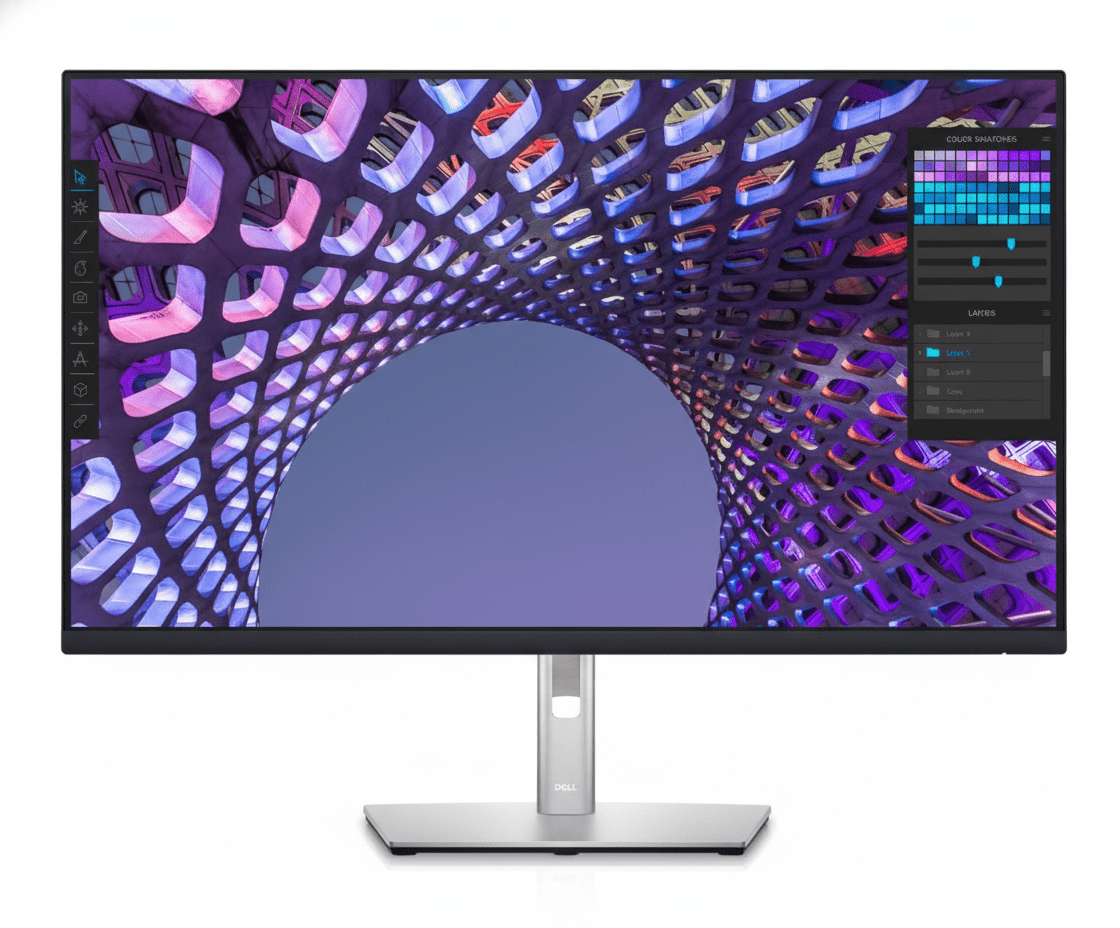
Dell 32 4K USB-C Hub Monitor (P3223QE) Review: The Ultimate Productivity Hub

Dell 32″ 4K USB-C Hub Monitor (P3223QE) Review: The Ultimate Productivity Hub

32″ 4K UHD Display 90W USB-C Power Delivery Full Docking Hub with RJ45 Fully Ergonomic Stand ComfortView Plus ₹45,999
The definitive 4K hub monitor for a clutter-free, single-cable workspace.

The Dell 32 4K USB-C Hub Monitor (P3223QE) is more than just a display; it’s a complete workspace command center. Priced at ₹45,999, this monitor is engineered for the modern professional who demands both expansive screen real estate and a streamlined, clutter-free desk. It combines a massive 31.5-inch 4K screen with a powerhouse USB-C hub that delivers 90W of power, wired Ethernet, and extensive USB connectivity—all through a single cable. With a fully ergonomic stand and advanced eye comfort, the P3223QE is the ultimate tool for maximizing productivity and efficiency.

Transform Your Workspace into a Productivity Hub

Experience expansive 4K detail and single-cable convenience with a built-in 90W USB-C and Ethernet hub.

₹45,999
₹48,299 (Save ₹2,300)
Inclusive of all taxes | Free Priority Delivery

Clearance Sale | 3 Year Advanced Exchange Service

Key Features at a Glance

31.5-inch 4K Panel: Massive screen real estate with ultra-sharp UHD resolution.
90W USB-C Hub: Delivers video, data, and 90W of power to charge your laptop via one cable.
Built-in RJ45 Port: Provides stable, wired Gigabit Ethernet connectivity directly from the monitor.
Full Ergonomics: Complete height, tilt, swivel, and pivot adjustability for optimal comfort.
ComfortView Plus: Hardware-based low blue light technology reduces eye strain.
Power Sync: Pressing the monitor power button can wake up a connected Dell PC.

1. The 4K Productivity Canvas: See Every Detail

Experience outstanding power, clarity, and detail on a brilliant 4K screen.

Expansive 31.5-inch Screen

The massive 31.5-inch viewing area provides an enormous digital canvas, allowing you to comfortably view multiple full-size windows side-by-side. This is ideal for comparing documents, analyzing large datasets, or managing complex project timelines without constant switching.

Ultra-Sharp 4K UHD Resolution

With a 4K UHD (3840 x 2160) resolution, this monitor packs four times the pixels of a standard FHD display. This results in incredibly sharp text, fine detail in images and spreadsheets, and an overall crystal-clear viewing experience, reducing the need to zoom in and out.

2. The Ultimate Connectivity Hub: One Cable to Rule Them All

Transform your monitor into a full-featured docking station for a clutter-free desk.

90W USB-C Power Delivery

The star of the show is the USB-C port, which delivers up to 90W of power. This allows you to connect a compatible laptop to transmit video, transfer data via the USB hub, and charge the laptop’s battery, all through a single, convenient cable.

Built-in Ethernet and USB Hub

This monitor replaces your docking station with a built-in RJ45 port for stable wired internet and four SuperSpeed USB 5Gbps ports for all your peripherals. Features like MAC Address pass-through and Wake-on-LAN are conveniently built in for easy enterprise management.

3. Ergonomics & Comfort: Designed for Wellness

A full range of adjustments and advanced eye care for optimal, all-day comfort.

Full Adjustability

Find your perfect viewing angle with a fully ergonomic stand. It offers extensive height adjustment (150mm), tilt (-5°/+21°), swivel (-30°/+30°), and pivot (±90°), allowing you to customize your setup for maximum comfort and reduce physical strain.

ComfortView Plus

Protect your eyes during long workdays with ComfortView Plus. This always-on, built-in hardware feature reduces potentially harmful blue light emissions without the yellow discoloration of software solutions, ensuring color accuracy is maintained.

4. Smart Productivity: A Seamless Workflow

Software and hardware features that work together to streamline your tasks.

Power Sync

With compatible Dell PCs, the Power Sync feature provides a seamless startup experience. Simply press the monitor’s power button, and it will automatically start both the monitor and the connected PC, even if the laptop lid is closed.

Dell Display Manager

Boost your multitasking with Easy Arrange, which lets you tile applications in 38 preset partitions. The auto-restore feature remembers where you left off, and shortcut keys provide quick access to your favorite display management settings.

Ideal For These Users

Laptop & MacBook Users

The 90W USB-C single-cable solution makes this the perfect docking station and external display for users who want to connect and charge their powerful laptops with one plug.

Serious Multitaskers & Data Analysts

The massive 32-inch 4K screen provides ample space to view multiple applications, large spreadsheets, and complex dashboards without compromise.

Programmers and Coders

The ability to pivot the screen into a vertical orientation, combined with ultra-sharp 4K text, makes it ideal for reading and writing long blocks of code.

Corporate & Home Office Power Users

For anyone looking to create a clean, powerful, and ergonomic desk setup, this monitor serves as the central hub, eliminating the need for a separate docking station.

Who Might Consider Other Options

Gamers

With a 60Hz refresh rate and a 5ms response time, this monitor is not designed for competitive or even casual gaming. Gamers should look for high-refresh-rate models.

Professional Photo & Video Editors

While the 99% sRGB color is good for general use, creative professionals will require monitors with wider color gamuts like Adobe RGB or DCI-P3, such as Dell’s UltraSharp PremierColor series.

Users on a Budget

This is a premium productivity monitor. Users who don’t need a full USB-C hub with 90W power delivery or a 4K resolution can find excellent QHD or FHD productivity monitors for a lower price.

Competitive Edge: How It Stacks Up

The ultimate integration of screen and docking station.

  • Vs. Standard 4K Monitors

    Most 4K monitors are just displays. The P3223QE’s competitive edge is its function as a complete docking station. The single-cable 90W USB-C, RJ45 Ethernet, and 4-port USB hub eliminate clutter and the need for a separate ~$200 dock.

  • Vs. Dell UltraSharp U3223QE

    The P3223QE offers the same core hub functionality and screen size as its more expensive UltraSharp sibling. The UltraSharp U3223QE justifies its higher price with a more advanced IPS Black panel for better contrast and wider DCI-P3 color coverage, making it better for creative work, but the P3223QE is the superior value for general productivity.

  • The All-in-One Productivity King

    Its strength isn’t one single feature, but the seamless integration of all of them. It combines a large 4K panel, full ergonomics, and a complete connectivity hub into a single, cohesive product designed to create the most efficient and clutter-free workspace possible.

Full Specifications

Display

Screen Size
31.5″
Resolution
4K UHD (3840 x 2160)
Panel Type
IPS
Refresh Rate
60 Hz
Response Time
5ms (Fast Mode)
Brightness
350 cd/m²
Color Gamut
99% sRGB
Contrast Ratio
1000:1

Connectivity

Video Ports
1x DP 1.4, 1x HDMI
USB-C Hub
1x USB-C (90W PD, DP Alt Mode)
USB-A Hub
4x USB 3.2 Gen 1 downstream
Ethernet
1x RJ45 Gigabit Ethernet

Mechanical

Height Adjust
150 mm
Tilt
-5° to 21°
Swivel
-30° to 30°
Pivot
±90°

Pros and Cons

What We Liked

  • Single-cable solution with 90W USB-C and RJ45 Ethernet.
  • Large 31.5-inch screen with sharp 4K resolution.
  • Fully ergonomic stand with height, tilt, swivel, and pivot.
  • Hardware-based ComfortView Plus reduces eye strain.
  • Excellent as a docking station, removing desk clutter.

What Could Be Better

  • Limited to a 60Hz refresh rate.
  • 99% sRGB color gamut is good, but not wide enough for pro creatives.
  • Not suitable for gaming due to slow response time and refresh rate.

Final Verdict

The Dell P3223QE is the quintessential monitor for the modern professional seeking the ultimate single-cable solution. It masterfully combines an expansive 32-inch 4K screen with a full-fledged docking station hub, complete with 90W power delivery and wired Ethernet. This monitor isn’t just about reducing clutter; it’s about fundamentally streamlining your workflow. Add in a fully ergonomic stand and hardware-based eye comfort, and you have a tool designed for peak productivity and wellness.

While gamers and creative professionals should look elsewhere, the P3223QE isn’t for them. It knows its audience perfectly. For any laptop power user who lives in spreadsheets, documents, and multiple applications, the P3223QE is one of the best and most complete productivity hubs you can put on your desk.

Dell 27″ 4K USB-C Hub Monitor Review: The Perfect Productivity Sweet Spot for Professionals

Dell 27" 4K USB-C Hub Monitor
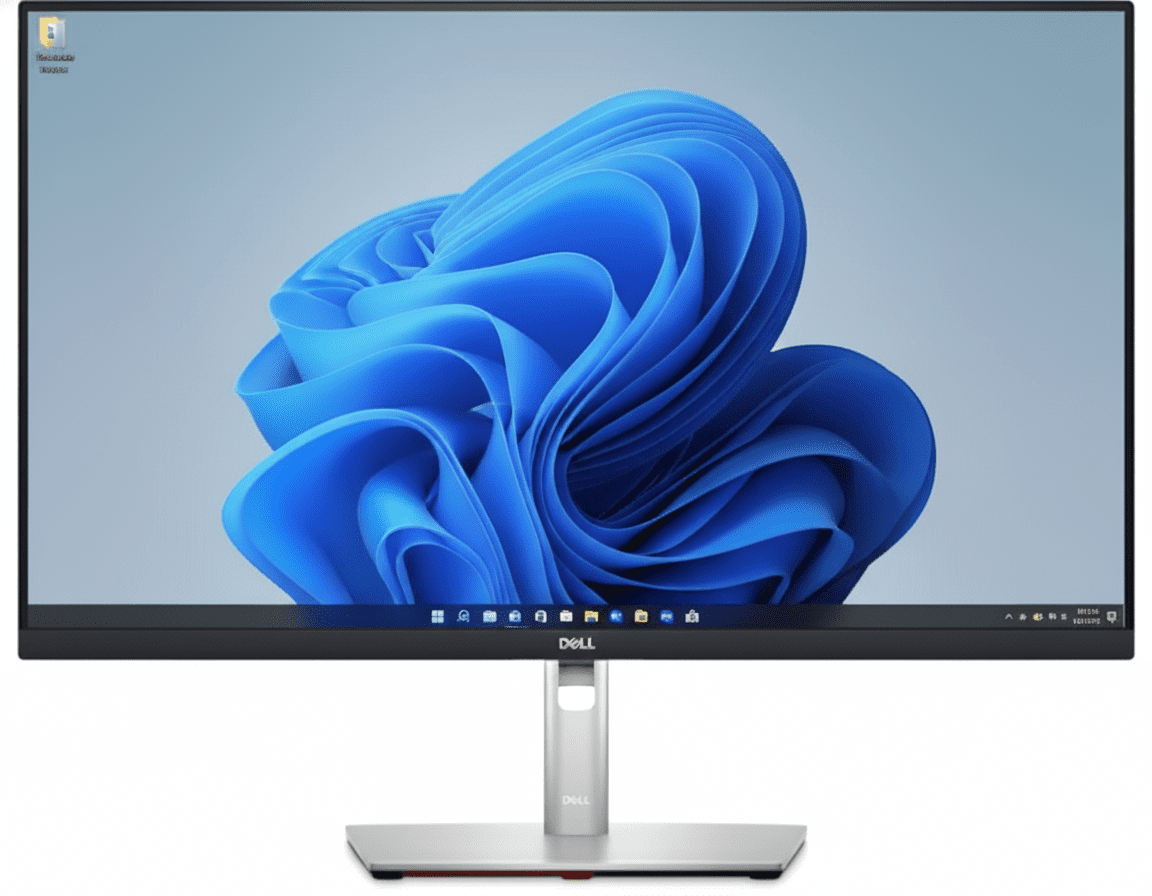
Dell 27 4K USB-C Hub Monitor (P2723QE) Review: The Perfect Productivity Hub

Dell 27″ 4K USB-C Hub Monitor (P2723QE) Review: The Perfect Productivity Hub

27″ 4K UHD Display 90W USB-C Power Delivery Full Docking Hub with RJ45 Fully Ergonomic Stand ComfortView Plus ₹34,999
The ideal 4K hub monitor for professionals seeking the perfect balance of size and pixel density.

The Dell 27 4K USB-C Hub Monitor (P2723QE) hits the ultimate sweet spot for professionals, delivering pixel-perfect clarity and single-cable convenience in the most popular monitor size. Priced aggressively at ₹34,999, it packs a stunning 27-inch 4K IPS screen into a full-featured productivity hub. With 90W USB-C power delivery, a built-in Gigabit Ethernet port, and a fully ergonomic stand, the P2723QE is engineered to create a powerful, efficient, and completely clutter-free workspace.

The Productivity Sweet Spot

Get pixel-perfect 4K clarity and single-cable hub convenience in the ideal 27-inch size.

₹34,999
₹43,299 (Save ₹8,300)
Inclusive of all taxes | Free Priority Delivery

Clearance Sale | 3 Year Advanced Exchange Service

Key Features at a Glance

27-inch 4K Panel: High pixel density (163 PPI) for incredibly sharp text and images.
90W USB-C Hub: Power your laptop, transfer data, and get video with a single cable.
Integrated RJ45 Port: Adds stable, wired Gigabit Ethernet to your laptop.
Full Ergonomics: Complete height, tilt, swivel, and pivot adjustability.
ComfortView Plus: Hardware-level low blue light filter that doesn’t affect color.
Eco-Friendly Design: Built with 85% post-consumer recyclable plastic.

1. 4K Clarity in the Perfect Size: Pixel-Perfect Detail

Experience outstanding clarity and detail on a brilliant 27-inch, 4K screen.

High Pixel Density

The 4K UHD (3840 x 2160) resolution packed into a 27-inch screen results in an incredibly high pixel density of 163 PPI. This makes text razor-sharp, images incredibly detailed, and provides a premium, crisp viewing experience for all professional applications.

Vibrant IPS Panel

The IPS panel ensures consistent, accurate colors with wide 178° viewing angles. With 99% sRGB color gamut and support for 1.07 billion colors, this monitor provides the color performance needed for presentations, web content, and general office productivity.

2. The Ultimate Hub: One Cable, Zero Clutter

Your monitor is now your docking station, streamlining your desk setup.

90W USB-C Power Delivery

The powerful USB-C port delivers up to 90W, enough to charge most high-performance laptops. Connect your machine with a single cable to handle video, data, and power, completely eliminating the need for a separate laptop charger and display cable.

Full Docking Connectivity

Beyond USB-C, the monitor acts as a complete dock with an RJ45 Ethernet port for stable network access and four SuperSpeed USB ports for your keyboard, mouse, webcam, and other accessories. Your desk stays organized and efficient.

3. All-Day Comfort: Designed for Wellness

A full range of adjustments and advanced eye care technology for optimal viewing comfort.

Complete Adjustability

Tailor the monitor to your exact preference. The stand offers a full range of motion, including 150mm height adjustment, tilt (-5°/+21°), swivel (-45°/+45°), and pivot (±90°). This ensures you can maintain a comfortable posture throughout your workday.

ComfortView Plus

ComfortView Plus is an always-on, hardware-based low blue light screen that reduces harmful blue light emissions. Unlike software solutions, it does this without compromising the monitor’s excellent color accuracy, protecting your eyes without a yellow tint.

4. Smart Productivity Features

Software and hardware integrations that streamline your workflow.

Advanced Multitasking with DDM

Use Dell Display Manager (DDM) to organize your screen with Easy Arrange, which offers 38 preset window layouts. The auto-restore feature remembers your layout, so applications return to where you left them, even after unplugging.

Jumpstart Productivity

The Power Sync feature allows you to seamlessly start your monitor and a compatible connected Dell PC by simply pressing the monitor’s power button. This convenience gets you to work faster, especially in a hybrid work environment.

Ideal For These Users

Hybrid Workers & Laptop Users

The single-cable USB-C hub functionality is perfect for those who frequently connect and disconnect their laptops, instantly turning their desk into a full-featured workstation.

Anyone Needing High-Resolution Detail

The 27-inch 4K combination provides exceptional text clarity, making it ideal for programmers, writers, financial analysts, and anyone who works with detailed information.

Users with Limited Desk Space

By integrating a full docking station, this monitor eliminates the need for a separate dock, chargers, and extra cables, creating a minimalist and organized setup.

Entry-Level Content Creators

With its sharp 4K resolution and accurate 99% sRGB color, this monitor is a great starting point for creators working primarily with web content.

Who Might Consider Other Options

Gamers

The 60Hz refresh rate and 5ms response time are not suitable for gaming. Gamers should opt for high-refresh-rate models like Dell’s Alienware series.

Professional Creatives (Video/Photo)

While 99% sRGB is excellent for web work, professionals in print, photo, and video will need monitors with wider color gamuts (Adobe RGB, DCI-P3), such as the Dell UltraSharp (U-series) monitors.

Users Needing More Screen Space

For those who want an even larger canvas for multitasking, the 32-inch version of this monitor (P3223QE) offers the same great features with more screen real estate.

Competitive Edge: How It Stacks Up

The perfect balance of size, resolution, and hub functionality.

  • Vs. P3223QE (32-inch version)

    The P2723QE offers all the same fantastic hub features as its larger sibling but in a more compact and popular 27-inch size. Its main advantage is a higher pixel density (163 vs. 140 PPI), which results in even sharper text and images.

  • Vs. Dell UltraSharp U2723QE

    The UltraSharp U2723QE is a step up, offering an advanced IPS Black panel for superior contrast and a wider DCI-P3 color gamut for creative work. However, the P2723QE provides the same core 4K resolution and hub functionality for a significantly lower price, making it a better value for general productivity.

  • The “Sweet Spot” Hub Monitor

    Its competitive edge lies in hitting the sweet spot in every category. The 27-inch size is the industry standard, the 4K resolution provides excellent sharpness, and the 90W USB-C hub with RJ45 is exactly what most laptop users need. It’s the perfect all-in-one package.

Full Specifications

Display

Screen Size
27″
Resolution
4K UHD (3840 x 2160)
Panel Type
IPS
Refresh Rate
60 Hz
Response Time
5ms (Fast Mode)
Brightness
350 cd/m²
Color Gamut
99% sRGB
Pixel Density
163 PPI

Connectivity

Video Ports
1x DP 1.4, 1x HDMI
USB-C Hub
1x USB-C (90W PD, DP Alt Mode)
USB-A Hub
4x USB 3.2 Gen 1 downstream
Ethernet
1x RJ45 Gigabit Ethernet

Mechanical

Height Adjust
150 mm
Tilt
-5° to 21°
Swivel
-45° to 45°
Pivot
±90°

Pros and Cons

What We Liked

  • Single-cable hub with 90W USB-C and RJ45 is a game-changer.
  • Extremely sharp 4K resolution in the ideal 27-inch size.
  • Fully ergonomic stand provides excellent adjustability.
  • ComfortView Plus effectively reduces eye strain.
  • Great value for a full-featured 4K docking station monitor.

What Could Be Better

  • 60Hz refresh rate is standard, not smooth like 100Hz+ models.
  • Strictly for productivity; not suitable for gaming.
  • Lacks the wider DCI-P3 color gamut of pricier UltraSharp models.

Final Verdict

The Dell P2723QE is an absolute triumph in the world of productivity monitors. It perfectly balances the most desirable features for a modern professional: an incredibly sharp 27-inch 4K screen and a comprehensive single-cable USB-C hub. This monitor doesn’t just display your work; it powers and streamlines your entire desk setup, eliminating clutter and maximizing efficiency.

By adding a fully ergonomic stand and hardware-based eye comfort technology, Dell has created a tool that is as comfortable as it is powerful. While the 60Hz refresh rate means gamers should look elsewhere, the P2723QE is unapologetically focused on productivity, and it excels. For any laptop user looking for the perfect intersection of size, pixel density, and hub functionality, the P2723QE is the definitive choice and one of the best value propositions in the entire monitor market.

Dell 27″ USB-C Hub Monitor (P2725HE) Review: The Smartest FHD Productivity Powerhouse

Dell 27" USB-C Hub Monitor
Dell 27″ USB-C Hub Monitor (P2725HE) Review: The Ultimate FHD Hub

Dell 27″ USB-C Hub Monitor (P2725HE) Review: The Ultimate FHD Hub

27″ FHD 100Hz Display 90W USB-C Power Delivery Full Docking Hub with RJ45 Daisy Chain via DisplayPort 4-Star Eye Comfort ₹20,899
The definitive single-cable productivity monitor for multi-screen setups.

The Dell 27 USB-C Hub Monitor (P2725HE) is a masterclass in streamlined productivity, purpose-built for the modern professional. At an exceptional price of ₹20,899, it combines the most sought-after office features into one cohesive package. This 27-inch monitor elevates the standard FHD experience with a smooth 100Hz refresh rate and top-tier eye comfort. Its true power, however, lies in its function as a complete docking station, offering 90W USB-C power delivery, wired Ethernet, and the ability to daisy chain a second monitor, creating the ultimate single-cable, multi-display workspace.

Streamline Your Workspace

Experience single-cable hub convenience, smooth 100Hz motion, and advanced eye comfort.

₹20,899
₹22,299 (Save ₹1,400)
Inclusive of all taxes | Free Priority Delivery

Valid till Oct 17th | 3 Year Advanced Exchange Service

Key Features at a Glance

90W USB-C Hub: Delivers video, data, and 90W of power to charge your laptop via a single cable.
100Hz Refresh Rate: Provides noticeably smoother scrolling and motion than standard 60Hz displays.
DisplayPort Daisy Chain: Connect a second monitor directly to the first for a clean, multi-display setup.
Full Ergonomics: Complete height, tilt, swivel, and pivot adjustability for optimal comfort.
TÜV 4-Star Eye Comfort: Hardware-based ComfortView Plus reduces blue light without affecting color.
Integrated RJ45 Port: Adds stable, wired Gigabit Ethernet connectivity to your laptop.

1. The Ultimate Hub: One Cable for Everything

Streamline your desk with a monitor that doubles as a full-featured docking station.

Single-Cable 90W USB-C

The powerful USB-C port is the heart of this monitor, delivering up to 90W of power. This allows you to connect your laptop to handle video, transfer data, and charge its battery—all through a single, convenient cable, eliminating clutter.

Full Docking Connectivity

This monitor replaces your separate dock with a built-in RJ45 port for stable wired internet and a hub of USB-A and USB-C downstream ports for peripherals. It’s a complete solution for a clean and efficient workspace.

2. Enhanced Visuals: Smooth and Comfortable

Experience less flicker, more seamless scrolling, and advanced eye comfort.

Smooth 100Hz Refresh Rate

The 100Hz refresh rate is a major upgrade over standard 60Hz monitors. It delivers noticeably smoother motion when scrolling through documents, browsing websites, and watching videos, making the entire user experience more fluid and responsive.

TÜV 4-Star Eye Comfort

This monitor achieves a top-tier TÜV 4-star eye comfort certification. Its built-in ComfortView Plus hardware reduces harmful blue light emissions without the yellow tint of software filters, protecting your eyes during long work hours.

3. Multi-Monitor Productivity, Simplified

Effortlessly build a dual-monitor setup with minimal cable clutter.

DisplayPort Daisy Chaining

The included DisplayPort-out port with Multi-Stream Transport (MST) allows you to “daisy chain” a second compatible monitor. You can connect your laptop to the first monitor via USB-C and then link the first monitor to a second monitor with a single DP cable.

Dell Display Manager

Manage your multi-monitor setup with Dell Display Manager (DDM). Use Easy Arrange to tile windows across both screens with 38 preset layouts. The auto-restore feature will even remember your app layouts when you reconnect.

4. Superior Ergonomics: Work in Comfort

A full range of motion allows you to tailor your workspace to your needs.

Full Adjustability

This monitor’s stand offers complete ergonomic freedom. You can adjust the height by up to 150mm, tilt the screen forward and backward, and swivel it left and right to find the perfect position and share your screen with colleagues.

Pivot to Portrait

The 90° pivot function is a key feature for developers, writers, and designers. Rotating the monitor into a vertical orientation is perfect for viewing long documents, lines of code, or portrait-oriented layouts with far less scrolling.

Ideal For These Users

Hybrid & Office Professionals

The single-cable USB-C hub functionality is perfect for those who frequently connect and disconnect their laptops, instantly turning their desk into a full-featured workstation.

Users Building Dual-Monitor Setups

The DisplayPort-out for daisy chaining makes this monitor the ideal primary display for a clean, two-monitor setup with minimal cable management headaches.

Corporate IT Departments

Features like RJ45 Ethernet with MAC address pass-through, remote asset management via DDM, and PXE Boot make it easy to deploy and manage across an organization.

Anyone Seeking a Smoother Experience

The 100Hz refresh rate is a significant quality-of-life improvement over standard 60Hz monitors, making all daily computer tasks feel more fluid and pleasant.

Who Might Consider Other Options

Users Needing High Resolution

While FHD is fine for most tasks, users who work with detailed graphics, large spreadsheets, or simply want sharper text should consider the 4K version, the P2723QE.

Gamers

This is a productivity monitor. Gamers will be better served by displays with higher refresh rates, faster response times, and adaptive sync technology.

Creative Professionals

The 99% sRGB color space is great for general use, but photographers and video editors will require the wider color gamuts (DCI-P3, Adobe RGB) found in Dell’s UltraSharp series.

Competitive Edge: How It Stacks Up

The ultimate integration of hub functionality and multi-monitor convenience.

  • Vs. The P2723QE (4K Version)

    The P2725HE offers every single hub and ergonomic feature of its more expensive 4K sibling but with an FHD 100Hz panel instead. This makes it a fantastic value for users who prioritize hub features and smooth motion over raw pixel density.

  • Vs. Other FHD USB-C Monitors

    Most competitors in this price range lack the full suite of features. The P2725HE stands out by including not just USB-C, but 90W power delivery, an RJ45 Ethernet port, a 100Hz refresh rate, and DisplayPort-out for daisy chaining—a combination that is virtually unmatched.

  • The Multi-Monitor Champion

    Its key advantage is being the perfect primary monitor for a dual-display setup. The ability to connect a laptop with one cable and then run a second monitor from the first simplifies multi-screen productivity like no other monitor in its class.

Full Specifications

Display

Screen Size
27″
Resolution
FHD (1920 x 1080)
Panel Type
IPS
Refresh Rate
100 Hz
Response Time
5ms (Fast Mode)
Brightness
300 cd/m²
Color Gamut
99% sRGB
Contrast Ratio
1500:1

Connectivity

Video In
1x DP 1.4, 1x HDMI 1.4
Video Out
1x DP 1.4 (MST)
USB-C Hub
1x USB-C (90W PD, DP Alt Mode)
USB Downstream
3x USB-A, 1x USB-C (15W)
Ethernet
1x RJ45 Gigabit Ethernet

Mechanical

Height Adjust
150 mm
Tilt
-5° to 21°
Swivel
-45° to 45°
Pivot
±90°

Pros and Cons

What We Liked

  • Full docking hub with 90W USB-C and RJ45 is incredible value.
  • Smooth 100Hz refresh rate enhances the daily user experience.
  • DisplayPort-out for daisy chaining simplifies multi-monitor setups.
  • Excellent ergonomics with a fully adjustable stand.
  • Top-tier TÜV 4-star eye comfort certification.

What Could Be Better

  • FHD resolution on a 27-inch screen results in low pixel density.
  • Not suitable for gaming or color-critical creative work.
  • Contrast ratio is good for IPS, but not as deep as VA panels.

Final Verdict

The Dell P2725HE is a brilliantly conceived productivity monitor that packs an incredible amount of functionality into an affordable package. It combines all the features a modern professional could want: a full docking station with 90W USB-C and Ethernet, a smooth 100Hz refresh rate, top-tier eye comfort, and even daisy-chaining capability. It is, without a doubt, one of the most feature-rich productivity monitors available at this price point.

The only significant compromise is the 1080p resolution on a 27-inch screen, which can look pixelated to those accustomed to QHD or 4K. However, if you prioritize seamless hub functionality, multi-monitor convenience, and ergonomic comfort over raw pixel density, the P2725HE stands in a class of its own and represents one of the best values on the market for building a modern, clutter-free workspace.