ReviewNest

Dell P2425DE Review: Better Than Full HD Monitors?

Dell Pro 24 Plus (P2425DE)
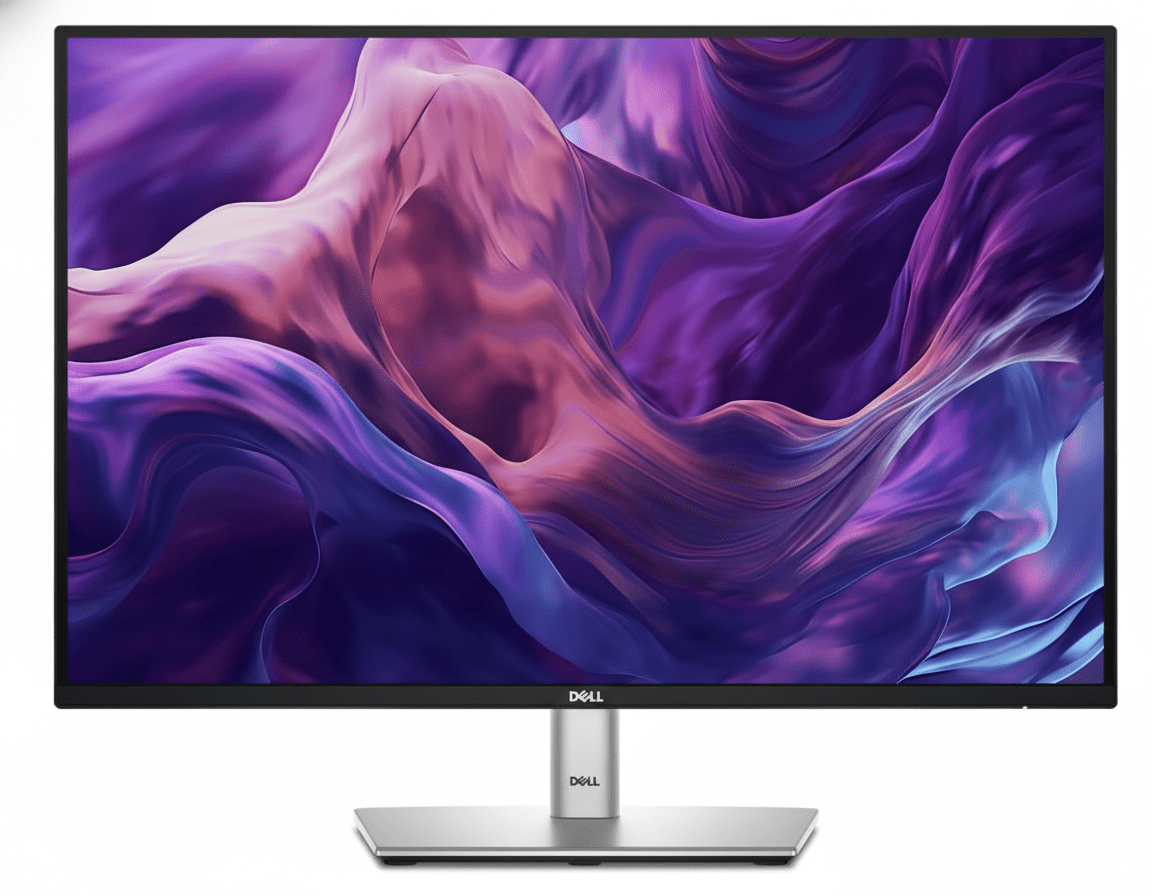
Dell Pro 24 Plus QHD USB-C Hub Monitor (P2425DE) Review: The QHD Powerhouse

Dell Pro 24 Plus QHD USB-C Hub Monitor (P2425DE) Review: The QHD Powerhouse

24″ QHD 100Hz Display 90W USB-C Hub with RJ45 4-Star Eye Comfort Daisy Chain via DisplayPort Pop-Out USB Ports ₹24,799
The ultimate single-cable docking station monitor for sharp visuals and maximum productivity.

The Dell Pro 24 Plus (P2425DE) is a masterclass in professional monitor design, perfectly blending high-resolution visuals with ultimate hub convenience. Priced at ₹24,799, it takes the standard 24-inch office display and elevates it with a sharp QHD (2560×1440) resolution and a fluid 100Hz refresh rate. But its true strength is its role as a complete workstation hub. With 90W USB-C power delivery, an integrated Gigabit Ethernet port, and a clever pop-out front-access USB hub, the P2425DE is engineered to be the single-cable centerpiece of a modern, clutter-free desk.

The Clarity and Connectivity You Need

Experience sharp QHD visuals, single-cable hub convenience, and world-class eye comfort.

₹24,799
₹25,499 (Save ₹700)
Inclusive of all taxes | Free Priority Delivery

Valid till Oct 17th | 3-Year Premium Panel Exchange

Key Features at a Glance

QHD Resolution: Sharp 2560×1440 panel makes every detail stand out.
90W USB-C Hub: Power your laptop and connect video, data, and Ethernet with a single cable.
100Hz Refresh Rate: Delivers noticeably smoother scrolling and motion than standard 60Hz.
Pop-Out USB Ports: Cleverly hidden front-access USB-A and USB-C ports for convenience.
4-Star Eye Comfort: TÜV-certified with ComfortView Plus to reduce eye strain without color distortion.
Full Ergonomics: Complete height, tilt, swivel, and pivot adjustability for perfect positioning.

1. The Ultimate Productivity Hub

One cable is all you need to power your entire workspace.

Single-Cable 90W USB-C

The powerful USB-C port is the heart of this monitor, delivering up to 90W of power. Connect your laptop to handle video, transfer data, and charge its battery—all through a single cable, completely eliminating clutter.

Full Docking Connectivity

This monitor replaces your separate dock with a built-in RJ45 Gigabit Ethernet port for stable network access and a hub of USB-A and USB-C downstream ports for peripherals, keeping your desk clean and efficient.

2. A Leap in Clarity and Fluidity

See every detail with sharp QHD resolution and enjoy a smoother workflow.

Sharp QHD Resolution

The 2560×1440 (QHD) resolution delivers 1.77 times more detail than a standard Full HD monitor. This results in significantly sharper text, clearer images, and more space to multitask effectively on the 24-inch screen.

Smooth 100Hz Refresh Rate

Experience a noticeable upgrade in fluidity with the 100Hz refresh rate. It delivers less flicker and more seamless scrolling through documents and websites, making every interaction feel more responsive.

3. World-Class Eye Comfort

Work longer with less strain, thanks to Dell’s industry-leading comfort features.

TÜV 4-Star Eye Comfort Certification

This monitor achieves a top-tier TÜV 4-star eye comfort certification. This is achieved through its advanced ComfortView Plus hardware, which reduces harmful blue light emissions to less than 35% without the yellow tint of software filters, ensuring all-day comfort with uncompromised color accuracy.

4. Designed for Your Workflow

A fully adjustable stand and clever features to enhance convenience.

Full Ergonomic Adjustability

Find your perfect viewing position with a stand that offers a complete range of motion. You can adjust the height (150mm), tilt, swivel, and pivot into a vertical orientation, ensuring all-day comfort.

Convenient Pop-Out Ports

The monitor features a brilliantly designed pop-out hub on the bottom bezel. With a simple press, you get quick access to a USB-A and USB-C port for connecting peripherals or charging your phone, which can then be hidden away for a clean look.

Ideal For These Users

Hybrid & Office Professionals

The single-cable USB-C hub functionality with 90W power and RJ45 Ethernet makes it the perfect companion for modern laptops, turning any desk into a full workstation instantly.

Users Seeking Higher Detail

The jump from FHD or WUXGA to QHD provides a significant increase in sharpness and detail, making it ideal for working with high-resolution images, detailed spreadsheets, or simply enjoying crisper text.

Multi-Monitor Power Users

With DisplayPort-out for daisy chaining, this monitor is the perfect primary display for a clean, efficient, and high-resolution dual-monitor setup.

MacBook and Windows Laptop Users

Dell has specifically tested and validated this monitor for macOS compatibility, ensuring a seamless plug-and-play experience for both Windows and Mac users via USB-C.

Who Might Consider Other Options

Gamers

Despite the 100Hz refresh rate, this is a productivity-focused monitor. It lacks the fast response times and adaptive sync technology (G-Sync/FreeSync) needed for a great gaming experience.

Creative Professionals Needing Wider Gamuts

The 99% sRGB color space is excellent for web content and general office work, but professionals working in print or cinema who need full Adobe RGB or DCI-P3 coverage should look at the UltraSharp series.

Budget-Conscious Buyers

The P2425DE commands a premium for its QHD resolution and extensive hub features. Users who don’t need a docking station or are fine with FHD resolution can save money with the standard P2425 or P2425H models.

Competitive Edge: How It Stacks Up

A perfectly balanced combination of resolution, comfort, and connectivity.

  • Vs. The P2425E (16:10 Version)

    The P2425DE is the QHD, 16:9 sibling to the WUXGA, 16:10 P2425E. While it gives up the extra vertical space of the 16:10 aspect ratio, it offers a denser, sharper image that is better for multimedia content and high-resolution work.

  • Vs. Other 24″ QHD Hub Monitors

    Many competing QHD hubs are stuck at 60Hz or 75Hz. The P2425DE stands out by offering a 100Hz refresh rate for a much smoother experience, combined with Dell’s industry-leading 4-star eye comfort and the clever pop-out front ports.

  • The Complete Productivity Package

    Its edge is the completeness of the package. It doesn’t just offer QHD resolution; it pairs it with a smooth refresh rate, a full docking station, best-in-class ergonomics, and advanced eye comfort. It’s a monitor with no major compromises for the professional user.

Full Specifications

Display

Screen Size
23.8″
Resolution
QHD (2560 x 1440)
Aspect Ratio
16:9
Panel Type
IPS
Refresh Rate
100 Hz
Brightness
350 cd/m²
Contrast Ratio
1500:1
Color Gamut
99% sRGB

Connectivity

USB-C Hub
1x USB-C (90W PD, DP Alt Mode)
Video Ports
1x DP 1.4, 1x HDMI
Video Out
1x DP 1.4 (MST)
Ethernet
1x RJ45 Gigabit Ethernet
USB Downstream
3x USB-A, 1x USB-C (15W)

Mechanical

Height Adjust
150 mm
Tilt
-5° to 21°
Swivel
-45° to 45°
Pivot
±90°

Pros and Cons

What We Liked

  • Sharp QHD resolution provides excellent detail.
  • Complete docking hub with 90W USB-C and RJ45.
  • Smooth 100Hz refresh rate enhances daily use.
  • Top-tier 4-star eye comfort certification.
  • Clever pop-out front-facing USB ports.

What Could Be Better

  • Lacks the extra vertical space of a 16:10 panel.
  • Not suitable for gaming due to slower response times.
  • Higher price than non-hub QHD monitors.

Final Verdict

The Dell P2425DE is a triumph of practical innovation, creating what might be the perfect monitor for the modern professional. It elevates the standard 24-inch display with a sharp QHD resolution and a fluid 100Hz refresh rate, making everyday work clearer and smoother. Its true genius, however, lies in its execution as a complete workstation hub. The 90W USB-C port with Ethernet transforms it into a powerful single-cable docking station that declutters your desk and streamlines your workflow.

Combined with top-tier eye comfort, full ergonomics, and clever design touches like the pop-out front ports, the P2425DE is a monitor without any significant compromises. For any professional who values clarity, comfort, and the ultimate in single-cable convenience, this monitor is an outstanding investment and a new benchmark for QHD productivity displays.
Dell Pro 24 Plus (P2425E) Review: The Ultimate 16:10 USB-C Hub Workstation Monitor

Dell Pro 24 Plus (P2425E)
Dell Pro 24 Plus 16:10 USB-C Hub Monitor (P2425E) Review: The Ultimate Workhorse

Dell Pro 24 Plus 16:10 USB-C Hub Monitor (P2425E) Review: The Ultimate Workhorse

24″ WUXGA 100Hz (16:10) 90W USB-C Hub with RJ45 4-Star Eye Comfort Daisy Chain via DisplayPort Fully Ergonomic Stand ₹23,499
The perfect single-cable docking station monitor for maximum productivity.

The Dell Pro 24 Plus (P2425E) is the quintessential modern office monitor, engineered to be the central hub of your entire workspace. For ₹23,499, this display masterfully blends cutting-edge comfort with unparalleled connectivity. It features a productivity-focused 16:10 WUXGA (1920×1200) screen with a smooth 100Hz refresh rate and top-tier 4-star eye comfort. Its true power, however, lies in its ability to act as a complete docking station, offering 90W USB-C power delivery, an integrated Gigabit Ethernet port, and DisplayPort-out for daisy chaining, making it the ultimate single-cable solution for a clean and efficient desk.

The Productivity Hub, Perfected

Experience a taller 16:10 display, single-cable hub convenience, and world-class eye comfort.

₹23,499
₹24,399 (Save ₹900)
Inclusive of all taxes | Free Priority Delivery

Valid till Oct 17th | 3-Year Premium Panel Exchange

Key Features at a Glance

90W USB-C Hub: Power your laptop, transfer data, and get video and Ethernet with a single cable.
16:10 WUXGA Display: Taller 1920×1200 resolution provides more vertical space for productivity.
100Hz Refresh Rate: Delivers noticeably smoother scrolling and motion than standard 60Hz.
4-Star Eye Comfort: TÜV-certified with ComfortView Plus to reduce eye strain without color distortion.
Daisy Chain Support: DisplayPort-out allows for clean and easy multi-monitor setups.
Full Ergonomics: Complete height, tilt, swivel, and pivot adjustability for perfect positioning.

1. The Ultimate Productivity Hub

One cable is all you need to power your entire workspace.

Single-Cable 90W USB-C

The powerful USB-C port is the heart of this monitor, delivering up to 90W of power. Connect your laptop to handle video, transfer data, and charge its battery—all through a single cable, completely eliminating clutter.

Full Docking Connectivity

This monitor replaces your separate dock with a built-in RJ45 Gigabit Ethernet port for stable network access and a hub of USB-A and USB-C downstream ports for peripherals, keeping your desk clean and efficient.

2. A Superior Visual Experience

More vertical space, smoother motion, and best-in-class eye comfort.

Taller 16:10 Aspect Ratio

The WUXGA (1920×1200) resolution provides a 16:10 aspect ratio, giving you 11% more vertical screen space than a standard FHD monitor. This is perfect for viewing documents, spreadsheets, and code with less scrolling.

Smooth 100Hz Refresh Rate

Experience a noticeable upgrade in fluidity with the 100Hz refresh rate. It delivers less flicker and more seamless scrolling, making every interaction with your computer feel more responsive and pleasant.

3. World-Class Eye Comfort

Work longer with less strain, thanks to Dell’s industry-leading comfort features.

TÜV 4-Star Eye Comfort Certification

This monitor achieves a top-tier TÜV 4-star eye comfort certification. This is achieved through its advanced ComfortView Plus hardware, which reduces harmful blue light emissions to less than 35% without the yellow tint of software filters, ensuring all-day comfort with uncompromised color accuracy.

4. Designed for Your Workflow

A fully adjustable stand and smart features to enhance multitasking.

Full Ergonomic Adjustability

Find your perfect viewing position with a stand that offers a complete range of motion. You can adjust the height (150mm), tilt, swivel, and pivot into a vertical orientation for coding or viewing long documents.

Simplified Multi-Monitor Setups

The included DisplayPort-out port allows you to “daisy chain” a second monitor directly to the first. This significantly reduces cable clutter, creating a cleaner and more manageable dual-screen workspace.

Ideal For These Users

Hybrid & Office Professionals

The single-cable USB-C hub functionality is perfect for those who frequently connect and disconnect their laptops, instantly turning any desk into a full-featured workstation.

Users Building Dual-Monitor Setups

The DisplayPort-out for daisy chaining makes this monitor the ideal primary display for a clean, two-monitor setup with minimal cable management headaches.

Programmers and Writers

The taller 16:10 aspect ratio combined with the ability to pivot to portrait mode is a perfect combination for viewing and writing long blocks of code or text.

Corporate IT Departments

Features like an RJ45 Ethernet port with MAC address pass-through, PXE Boot, and remote asset management via Dell Display Manager make it easy to deploy and manage across an organization.

Who Might Consider Other Options

Users Needing Higher Resolution

While WUXGA is sharper than FHD, professionals working with high-resolution photos or video should consider a QHD or 4K monitor for more detail.

Gamers

Although it has a 100Hz refresh rate, this is a productivity monitor. It lacks the fast response times and adaptive sync technology (G-Sync/FreeSync) that gamers need.

Creative Professionals Needing Wider Gamuts

The 99% sRGB color space is excellent for web and general use, but video editors and photographers needing full Adobe RGB or DCI-P3 coverage should look at the UltraSharp series.

Competitive Edge: How It Stacks Up

The ultimate integration of productivity-focused features.

  • Vs. The P2425HE (16:9 Version)

    The P2425E’s key advantage is its 16:10 aspect ratio. It offers every single feature of its 16:9 FHD sibling but provides that crucial extra vertical screen space, making it the superior choice for productivity tasks.

  • Vs. Other 24″ USB-C Hub Monitors

    Most competitors lack the full suite of features found here. The P2425E stands out by combining a 100Hz refresh rate, 90W power delivery, an RJ45 Ethernet port, and DisplayPort-out—a combination that is virtually unmatched in its class.

  • The Complete Workstation Hub

    Its competitive edge is its status as a complete, all-in-one solution. It doesn’t just connect to your laptop; it powers it, gives it a wired internet connection, expands its ports, and simplifies adding a second display. It is a true docking station built into an excellent monitor.

Full Specifications

Display

Screen Size
24.07″
Resolution
WUXGA (1920 x 1200)
Aspect Ratio
16:10
Panel Type
IPS
Refresh Rate
100 Hz
Brightness
300 cd/m²
Contrast Ratio
1500:1
Color Gamut
99% sRGB

Connectivity

USB-C Hub
1x USB-C (90W PD, DP Alt Mode)
Video Ports
1x DP 1.4, 1x HDMI 1.4
Video Out
1x DP 1.4 (MST)
Ethernet
1x RJ45 Gigabit Ethernet
USB Downstream
3x USB-A, 1x USB-C (15W)

Mechanical

Height Adjust
150 mm
Tilt
-5° to 21°
Swivel
-45° to 45°
Pivot
±90°

Pros and Cons

What We Liked

  • Complete docking hub with 90W USB-C and RJ45.
  • Taller 16:10 aspect ratio is excellent for productivity.
  • Smooth 100Hz refresh rate enhances daily use.
  • Top-tier 4-star eye comfort certification.
  • Fully adjustable ergonomic stand and daisy chain support.

What Could Be Better

  • WUXGA resolution is good, but not as sharp as QHD or 4K.
  • Not suitable for gaming due to slower response times.
  • Higher price than standard 16:9 hub monitors.

Final Verdict

The Dell P2425E is the ultimate evolution of the classic office workhorse. It takes the beloved 24-inch, 16:10 form factor and injects it with a host of modern features that genuinely enhance productivity and comfort. The combination of a 100Hz refresh rate, top-tier eye comfort, and a complete 90W USB-C docking station creates a package that is nearly perfect for any professional. It simplifies your desk, streamlines your workflow, and protects your eyes.

While some may wish for a higher resolution, the WUXGA panel is crisp for its size and the taller aspect ratio is a huge boon for productivity. For any professional looking for a single-cable solution that checks every box for a modern office setup, the P2425E is an outstanding investment and one of the most complete and well-thought-out productivity monitors on the market.