ReviewNest

The 19-Hour Battery Truth: Is the New Galaxy Book5 Hype?

Samsung Galaxy Book5
Samsung Galaxy Book5 (Ultra 7) Review: The AI-Powered Professional

Samsung Galaxy Book5 (Ultra 7) Review: The AI-Powered Professional

Intel® Core™ Ultra 7 (Series 2) Intel® AI Boost NPU 15.6″ FHD IPS Display 1.55 kg Lightweight Up to 19 Hours Battery ₹87,990
A smart, powerful, and long-lasting laptop that brings next-generation AI to your everyday workflow.

The Samsung Galaxy Book5 represents the next evolution of the mainstream laptop, intelligently blending performance, endurance, and cutting-edge AI. Priced at a competitive ₹87,990, this configuration features the powerful Intel® Core™ Ultra 7 (Series 2) processor, built from the ground up to supercharge your productivity with a dedicated Intel AI Boost NPU. It combines this next-gen intelligence with 16GB of fast RAM, a 512GB SSD, and a battery that promises up to 19 hours of runtime. Housed in a slim 1.55kg chassis and featuring a comprehensive array of ports, it’s the perfect all-rounder for students and professionals who need a reliable, future-proof machine for work and study.

The Future of Everyday Computing

Harness next-gen AI power, all-day battery, and seamless connectivity.

₹87,990.00
MRP ₹109,990.00
Save ₹22,000.00

Or from ₹4224.62/mo for 24 mos at 14% Interest.

Launched August 19th, 2025

Key Features at a Glance

Intel® Core™ Ultra 7 (Series 2): Next-gen CPU with a powerful Intel AI Boost NPU.
Long-Lasting Battery: Up to 19 hours of video runtime for all-day productivity.
Strong Configuration: Comes with 16GB of LPDDR5X RAM and a 512GB NVMe SSD.
Full Port Selection: Includes HDMI, USB-C, USB-A, microSD, and an RJ45 LAN port.
On-Device AI Features: Includes new tools like AI Select and Photo Remaster.
Galaxy Ecosystem Integration: Seamlessly connect and control your other Samsung devices.

1. Supercharged Next-Gen Performance

Powered by Intel’s latest Core Ultra (Series 2) processor for an AI-enhanced workflow.

Intel® Core™ Ultra 7 (Series 2)

The Galaxy Book5 is equipped with the powerful Intel Core Ultra 7 255U processor, offering a significant performance boost over the previous generation. With P-cores that turbo up to 5.2 GHz, it effortlessly handles heavy workloads, video editing, and content creation.

Intel® AI Boost NPU

At the heart of the new processor is the Intel AI Boost NPU (Neural Processing Unit). This dedicated AI engine accelerates AI-intensive tasks, enabling powerful on-device features and a more responsive system while improving power efficiency.

2. Smart, Integrated AI Tools

A suite of new AI features designed to enhance your productivity and creativity.

AI Select

Turn curiosity into instant answers. Simply select an image, text, or QR code on your screen, and AI Select will immediately provide search results, fitting seamlessly into your study or research flow.

Photo Remaster

Breathe new life into your old photos. The Photo Remaster tool uses a smart algorithm to retouch images and clean up blurry photos, making every detail shine with just a click.

Dedicated Copilot Key

Instant access to AI assistance is built right into the hardware. A single press of the dedicated Copilot key on the keyboard launches Microsoft’s AI assistant, ready to help you work smarter.

3. All-Day Endurance

A long-lasting battery that keeps you productive from morning to night.

Up to 19 Hours of Runtime

Thanks to the power efficiency of the new Intel processor and a sizable 61.2Wh battery, the Galaxy Book5 supports up to 19 hours of video playback, ensuring it can last through a full day of work or classes without needing a charge.

Compact Fast Charging

When you need to top up, the compact 45W USB Type-C adapter provides fast charging, capable of restoring up to 33% of the battery in just 30 minutes.

4. No-Compromise Connectivity

A full suite of built-in ports that eliminates the need for dongles.

Complete Port Selection

The Galaxy Book5 is equipped with all the ports you need, including one HDMI port, two USB Type-C ports, and two USB 3.2 Type-A ports. This wide array ensures easy connection to external monitors, peripherals, and storage devices.

Wired LAN and Expandable Storage

In a rare move for a thin laptop, it also includes a dedicated RJ45 port for high-speed wired internet connections and a microSD card reader for easily expanding storage or transferring files from cameras.

5. The Connected Power of Galaxy

Deep integration that makes your Samsung devices work together as one seamless system.

Multi Control

Use your Galaxy Book5’s keyboard and mouse to seamlessly navigate and control your Galaxy smartphone or Tab. Drag and drop files, copy and paste text, and multitask across devices like never before.

Storage Share

Access and use the storage on your phone directly from your PC. Browse photos, play videos, and even edit mobile content on your laptop without ever needing to download the files.

Second Screen

Instantly expand your workspace by using your Galaxy Tab as an additional display for your Galaxy Book5. Extend your desktop, duplicate your screen, and boost your productivity with just one click.

6. Premium Build and Immersive Audio

A device that looks and sounds as good as it performs.

Light and Durable Design

The Galaxy Book5 features a slim, compact, and durable build that weighs just 1.55 kg. Its minimalist design and Gray finish give it a professional look suitable for any environment.

Dolby Atmos Audio

The stereo speakers are tuned with Dolby Atmos to create a rich, immersive soundscape. This provides dynamic and engaging audio for video calls, movies, and music.

Ideal For These Users

Students and Academics

The long battery life, lightweight design, and AI-powered productivity tools make it a perfect companion for lectures, research, and late-night study sessions.

Mobile Professionals

With its excellent port selection (including RJ45), all-day battery, and professional design, it’s a reliable and versatile machine for business use.

Samsung Ecosystem Users

The deep integration with Galaxy phones and tablets makes this the default choice for anyone already invested in Samsung’s ecosystem.

Who Might Consider Other Options

Gamers and 3D Artists

The integrated Intel Graphics are capable but cannot match the performance of a dedicated GPU required for demanding 3D games or rendering applications.

Users Needing an OLED Display

While the FHD IPS screen is solid, users who prioritize screen quality for media consumption or creative work might prefer a model with an OLED panel, like the Galaxy Book5 Pro.

Competitive Edge: How It Stacks Up

The Galaxy Book5 carves out a strong position as a smart, practical, and future-proof workhorse.

  • Next-Generation Intel AI Processor

    Being one of the first laptops with Intel’s Core Ultra (Series 2) CPU gives it a distinct advantage. The powerful NPU provides a foundation for next-gen AI software, making it more future-proof than older models.

  • Unmatched Port Selection in its Class

    It is extremely rare for a thin-and-light laptop to include a full array of ports. The presence of HDMI, two USB-A, two USB-C, microSD, and even an RJ45 LAN port gives it a massive practical advantage over competitors that rely on dongles.

  • Strong Memory and Storage

    Shipping with 16GB of LPDDR5X RAM and a 512GB SSD provides a smooth, responsive experience and ample storage for most professional and academic users, a configuration that is ideal for this price point.

Full Specifications

General Information

Model Name
Galaxy Book5
Model Number
NP750XHD-KD4IN
Operating System
Windows 11 Home
Color
Gray

Processor & Chipset

Processor
Intel® Core™ Ultra 7 255U
NPU
Intel® AI Boost

Memory & Storage

RAM
16 GB LPDDR5X (Onboard)
Storage
512 GB NVMe SSD (2 slots total)

Display & Graphics

Screen Size
15.6-inch (39.62 cm)
Resolution
FHD (1920 x 1080)
Panel Type
IPS, Anti-Glare

Network & Communication

Wireless LAN
Wi-Fi 6 (802.11ax)
Wired LAN
Gigabit Ethernet (RJ45)
Bluetooth
Bluetooth® v5.2

Built-in Devices & Input

Keyboard
Pro Keyboard w/ Numpad
Webcam
1080p FHD Camera
Speakers
Stereo Speakers (2W x 2), Dolby Atmos®

Battery & Physical Characteristics

Battery
61.2 Wh
Power Adapter
45W USB-C Adapter
Weight
1.55 kg
Dimensions
35.66 x 22.80 x 1.51 cm

Pros and Cons

What We Liked

  • Powerful Core Ultra 7 processor with AI Boost.
  • Excellent battery life for all-day use.
  • Strong 16GB RAM and 512GB SSD for professional use.
  • Fantastic port selection, including a rare RJ45 LAN port.
  • Deep integration with the Samsung Galaxy ecosystem.

What Could Be Better

  • Basic FHD IPS display lacks OLED or high-refresh rate options.
  • Integrated graphics are not suitable for demanding games.
  • 45W charger is on the slower side for fast charging.
  • RAM is soldered and cannot be upgraded.

Final Verdict

The Samsung Galaxy Book5 with the Core Ultra 7 processor is an exceptionally well-balanced and intelligent machine for the modern professional or student. It delivers a powerful performance upgrade with its next-gen Intel AI processor, ensuring it’s ready for the next wave of software. However, its true strength lies in its practicality: it combines that power with fantastic battery life and one of the best port selections available in a thin-and-light laptop today.

While it may lack the high-end screen of premium models, it more than compensates with its strong core specifications and thoughtful design. For those seeking a powerful, reliable, and highly connected laptop that is built to last through long days and is ready for the future of AI, the Galaxy Book5 is a fantastic and pragmatic choice.
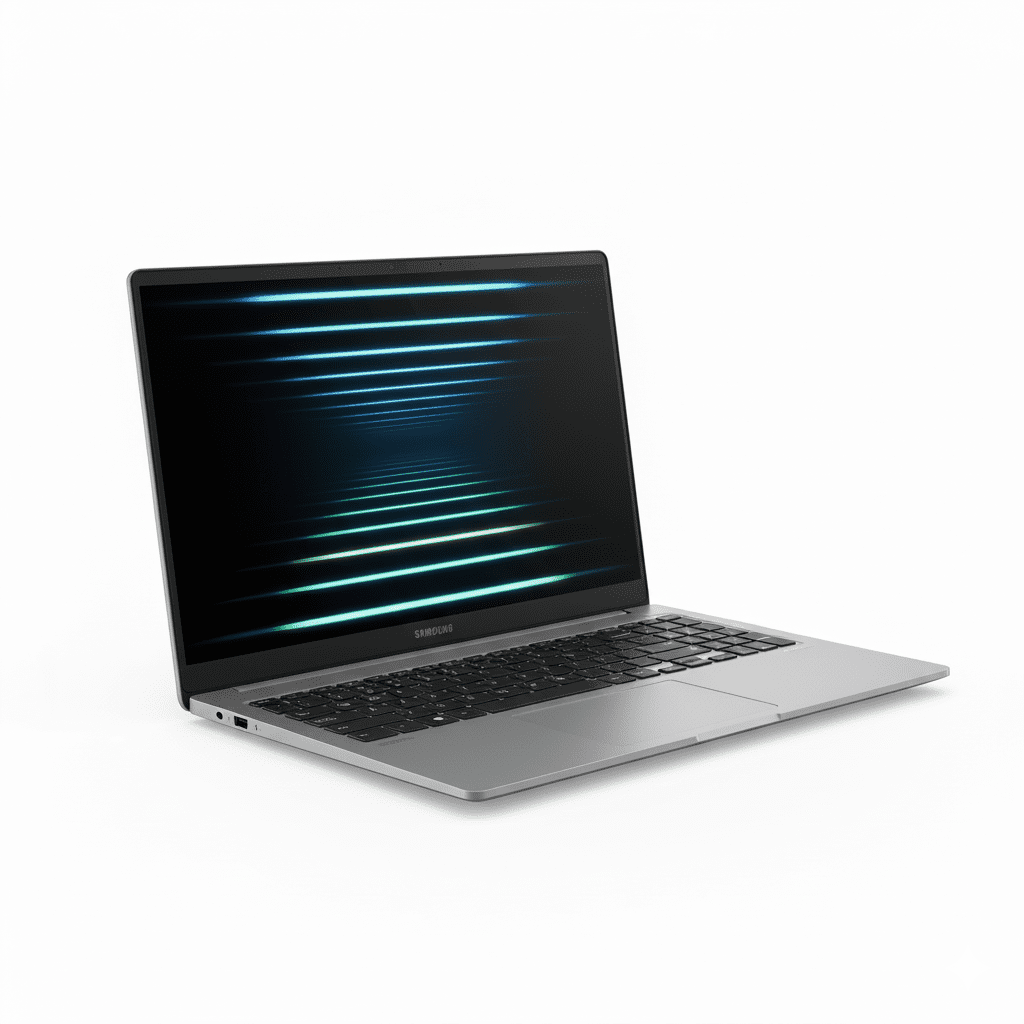
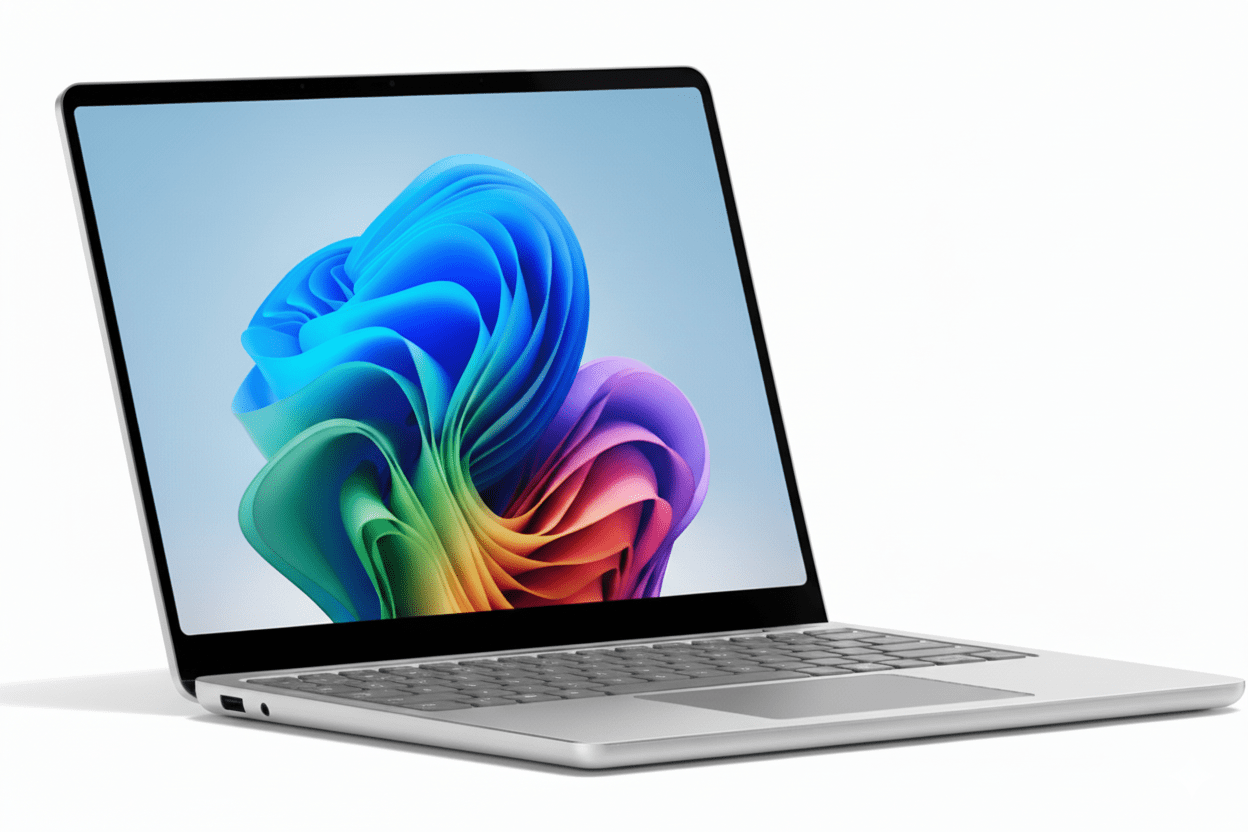
Samsung Galaxy Book5 (Ultra 5) Review — Best Value AI Laptop with Intel Core Ultra 5, 16GB RAM & 19-Hour Battery Life

Samsung Galaxy Book5 (Ultra 5)
Samsung Galaxy Book5 (Ultra 5) Review: The Smart AI Everyday Laptop

Samsung Galaxy Book5 (Ultra 5) Review: The Smart AI Everyday Laptop

Intel® Core™ Ultra 5 (Series 2) Intel® AI Boost NPU 15.6″ FHD IPS Display 1.55 kg Lightweight Up to 19 Hours Battery ₹77,990
An intelligent, powerful, and long-lasting laptop that brings next-generation AI to your everyday workflow at a great price.

The Samsung Galaxy Book5 makes a compelling case for the AI-powered future of everyday computing. Priced at an aggressive ₹77,990, this model brings the intelligence of Intel’s Core™ Ultra 5 (Series 2) processor and its dedicated AI Boost NPU to a mainstream audience. It combines this next-gen brain with a solid foundation: 16GB of fast RAM, a 512GB SSD, and a battery that promises up to 19 hours of use. For students and professionals looking for a reliable, feature-packed workhorse that offers a taste of the AI future without a premium price tag, the Galaxy Book5 is a practical and powerful choice.

The Future of Everyday Computing

Harness next-gen AI power, all-day battery, and seamless connectivity.

₹77,990.00
MRP ₹100,990.00
Save ₹23,000.00

Or from ₹3744.49/mo for 24 mos at 14% Interest.

Launched August 19th, 2025

Key Features at a Glance

Intel® Core™ Ultra 5 (Series 2): Next-gen CPU with a powerful Intel AI Boost NPU.
Long-Lasting Battery: Up to 19 hours of video runtime for all-day productivity.
Solid Configuration: Comes with 16GB of LPDDR5X RAM and a 512GB NVMe SSD.
Full Port Selection: Includes HDMI, USB-C, USB-A, microSD, and an RJ45 LAN port.
On-Device AI Features: Includes new tools like AI Select and Photo Remaster.
Galaxy Ecosystem Integration: Seamlessly connect and control your other Samsung devices.

1. Supercharged Next-Gen Performance

Powered by Intel’s latest Core Ultra (Series 2) processor for an AI-enhanced workflow.

Intel® Core™ Ultra 5 (Series 2)

The Galaxy Book5 is equipped with the capable Intel Core Ultra 5 225U processor. It offers a significant performance boost over the previous generation, with P-cores that turbo up to 4.8 GHz, ensuring it handles everyday tasks, moderate content creation, and multitasking with ease.

Intel® AI Boost NPU

At the heart of the new processor is the Intel AI Boost NPU (Neural Processing Unit). This dedicated AI engine accelerates AI-intensive tasks, enabling powerful on-device features and a more responsive system while improving power efficiency.

2. Smart, Integrated AI Tools

A suite of new AI features designed to enhance your productivity and creativity.

AI Select

Turn curiosity into instant answers. Simply select an image, text, or QR code on your screen, and AI Select will immediately provide search results, fitting seamlessly into your study or research flow.

Photo Remaster

Breathe new life into your old photos. The Photo Remaster tool uses a smart algorithm to retouch images and clean up blurry photos, making every detail shine with just a click.

Dedicated Copilot Key

Instant access to AI assistance is built right into the hardware. A single press of the dedicated Copilot key on the keyboard launches Microsoft’s AI assistant, ready to help you work smarter.

3. All-Day Endurance

A long-lasting battery that keeps you productive from morning to night.

Up to 19 Hours of Runtime

Thanks to the power efficiency of the new Intel processor and a sizable 61.2Wh battery, the Galaxy Book5 supports up to 19 hours of video playback, ensuring it can last through a full day of work or classes without needing a charge.

Compact Fast Charging

When you need to top up, the compact 45W USB Type-C adapter provides fast charging, capable of restoring up to 33% of the battery in just 30 minutes.

4. No-Compromise Connectivity

A full suite of built-in ports that eliminates the need for dongles.

Complete Port Selection

The Galaxy Book5 is equipped with all the ports you need, including one HDMI port, two USB Type-C ports, and two USB 3.2 Type-A ports. This wide array ensures easy connection to external monitors, peripherals, and storage devices.

Wired LAN and Expandable Storage

In a rare move for a thin laptop, it also includes a dedicated RJ45 port for high-speed wired internet connections and a microSD card reader for easily expanding storage or transferring files from cameras.

5. The Connected Power of Galaxy

Deep integration that makes your Samsung devices work together as one seamless system.

Multi Control

Use your Galaxy Book5’s keyboard and mouse to seamlessly navigate and control your Galaxy smartphone or Tab. Drag and drop files, copy and paste text, and multitask across devices like never before.

Storage Share

Access and use the storage on your phone directly from your PC. Browse photos, play videos, and even edit mobile content on your laptop without ever needing to download the files.

Second Screen

Instantly expand your workspace by using your Galaxy Tab as an additional display for your Galaxy Book5. Extend your desktop, duplicate your screen, and boost your productivity with just one click.

6. Premium Build and Immersive Audio

A device that looks and sounds as good as it performs.

Light and Durable Design

The Galaxy Book5 features a slim, compact, and durable build that weighs just 1.55 kg. Its minimalist design and Gray finish give it a professional look suitable for any environment.

Dolby Atmos Audio

The stereo speakers are tuned with Dolby Atmos to create a rich, immersive soundscape. This provides dynamic and engaging audio for video calls, movies, and music.

Ideal For These Users

Students and Academics

The long battery life, lightweight design, and AI-powered productivity tools make it a perfect companion for lectures, research, and late-night study sessions.

Value-Conscious Professionals

It offers next-gen AI features and excellent connectivity at a more accessible price point than premium flagship models.

Samsung Ecosystem Users

The deep integration with Galaxy phones and tablets makes this a fantastic choice for anyone already invested in Samsung’s ecosystem.

Who Might Consider Other Options

Gamers and Heavy Creators

The integrated Intel Graphics are not designed for intensive 3D gaming or heavy video rendering. These users will need a laptop with a dedicated GPU.

Users Needing a Premium Display

While the FHD IPS screen is functional, users who require exceptional color accuracy or the perfect blacks of an OLED panel should look at the Galaxy Book5 Pro models.

Competitive Edge: How It Stacks Up

The Galaxy Book5 carves out a strong position as a smart, practical, and future-proof workhorse.

  • Next-Gen AI at an Accessible Price

    It is one of the most affordable entry points into the new generation of AI PCs, featuring Intel’s Core Ultra (Series 2) CPU with its powerful NPU for on-device AI tasks.

  • Unmatched Port Selection in its Class

    It is extremely rare for a thin-and-light laptop to include a full array of ports. The presence of HDMI, two USB-A, two USB-C, microSD, and even an RJ45 LAN port gives it a massive practical advantage over competitors that rely on dongles.

  • Solid Memory and Storage Configuration

    Shipping with 16GB of LPDDR5X RAM and a 512GB SSD as standard provides a smooth, responsive experience and ample storage for most mainstream users, a configuration that is ideal for this price point.

Full Specifications

General Information

Model Name
Galaxy Book5
Model Number
NP750XHD-KD1IN
Operating System
Windows 11 Home
Color
Gray

Processor & Chipset

Processor
Intel® Core™ Ultra 5 225U
NPU
Intel® AI Boost

Memory & Storage

RAM
16 GB LPDDR5X (Onboard)
Storage
512 GB NVMe SSD (2 slots total)

Display & Graphics

Screen Size
15.6-inch (39.62 cm)
Resolution
FHD (1920 x 1080)
Panel Type
IPS, Anti-Glare

Network & Communication

Wireless LAN
Wi-Fi 6 (802.11ax)
Wired LAN
Gigabit Ethernet (RJ45)
Bluetooth
Bluetooth® v5.2

Built-in Devices & Input

Keyboard
Pro Keyboard w/ Numpad
Webcam
1080p FHD Camera
Speakers
Stereo Speakers (2W x 2), Dolby Atmos®

Battery & Physical Characteristics

Battery
61.2 Wh
Power Adapter
45W USB-C Adapter
Weight
1.55 kg
Dimensions
35.66 x 22.80 x 1.51 cm

Pros and Cons

What We Liked

  • Great value for a next-gen AI-powered laptop.
  • Excellent battery life for all-day use.
  • Solid 16GB RAM and 512GB SSD for everyday use.
  • Fantastic port selection, including a rare RJ45 LAN port.
  • Deep integration with the Samsung Galaxy ecosystem.

What Could Be Better

  • Standard FHD IPS display is functional but not premium.
  • Integrated graphics are not suitable for demanding games.
  • 45W charger is on the slower side for fast charging.
  • RAM is soldered and cannot be upgraded.

Final Verdict

The Samsung Galaxy Book5 in its Core Ultra 5 configuration is a thoughtfully designed laptop that brings the future of AI computing to an accessible price point. It wisely focuses on the features that matter most to everyday users: fantastic battery life, a lightweight yet sturdy build, and an incredibly practical selection of ports. The inclusion of the new Intel Core Ultra (Series 2) processor makes it a smart, future-proof investment.

While it doesn’t have the flashy OLED screen of its more expensive siblings, it delivers where it counts. For students and professionals looking for a reliable, long-lasting, and intelligently designed workhorse without breaking the bank, the Galaxy Book5 is an exceptional and highly recommended choice.

Microsoft Surface Laptop 2025 Comparison – 13″ vs 13.8″ vs 15″ | Snapdragon X AI Copilot+ PC, OLED Display, Wi-Fi 7, Best Laptop 2025

Microsoft Surface Laptop
Microsoft Surface Laptop Complete Comparison 2025 – 13″ vs 13.8″ vs 15″

Microsoft Surface Laptop 2025

Complete Comparison: 13″ vs 13.8″ vs 15″

Snapdragon X AI Copilot+ PC | Wi-Fi 7 | Windows 11

Surface Laptop 13″

₹77,990+

Ultralight. Ultraportable.

  • – Snapdragon X Plus (8-core)
  • – 13″ Touch 60Hz
  • – 16GB RAM / 256-512GB
  • – 23 hrs battery
  • – 1.22 kg
RECOMMENDED

Surface Laptop 13.8″

₹1,26,990+

Exceptionally powerful.

  • – Snapdragon X Plus/Elite
  • – 13.8″ HDR OLED 120Hz
  • – 16-32GB / 256GB-1TB
  • – 20 hrs battery
  • – 1.34 kg

Surface Laptop 15″

₹1,60,000+

Unmatched performance.

  • – Snapdragon X Elite (12-core)
  • – 15″ HDR OLED 120Hz
  • – 16-32GB / 256GB-1TB
  • – 22 hrs battery
  • – 1.66 kg

Surface Laptop 2025 Overview

🚀 What’s New in 2025?

Snapdragon X AI Processors

Microsoft’s first ARM-based Surface laptops with Qualcomm Snapdragon X Plus (8/10-core) and X Elite (12-core) featuring 45 TOPS NPU for AI workloads and exceptional battery life!

Copilot+ PC Platform

Built for Windows 11 Copilot+ AI features: Windows Studio Effects, Live Captions, AI-powered search, and on-device AI processing without cloud dependency!

Best Battery Ever

Up to 23 hours video playback (13″), 20 hours (13.8″), 22 hours (15″). Real-world usage: 13-16 hours productivity. All-day computing is finally here!

Key Highlights

  • ✓ Snapdragon X: ARM efficiency
  • ✓ 45 TOPS NPU: AI acceleration
  • ✓ Wi-Fi 7: Latest wireless
  • ✓ OLED HDR: 13.8″ & 15″
  • ✓ 3:2 Display: More workspace
  • ✓ Ultra-light: From 1.22kg

What’s Included

  • 💻 Surface Laptop (chosen model)
  • 🔌 Power adapter (13.8″/15″ only)
  • 🔋 USB-C charging cable (all models)
  • 📄 Quick Start Guide
  • 💼 Microsoft 365 trial (30 days)
  • 🛡️ 1-Year Limited Warranty

Note: 13″ model does NOT include charger (sold separately)

Surface Advantage

  • – Premium Design: Aluminum build
  • – Best Battery: 20-23 hours
  • – Copilot+ AI: On-device processing
  • – 3:2 Display: 20% more vertical
  • – Touch + Pen: Creator-friendly
  • – Sustainability: 67% recycled

Display Comparison

13″ Display

PixelSense Touch (IPS)

Resolution 1920 x 1280
PPI 178 ppi
Refresh Rate 60Hz
Panel Type IPS LCD
Brightness 400 nits
HDR No

Good for: Basic tasks, web browsing, documents

13.8″ Display ⭐

PixelSense Flow OLED

Resolution 2304 x 1536
PPI 201 ppi
Refresh Rate 120Hz
Panel Type OLED
Brightness 600+ nits
HDR Dolby Vision IQ

Best for: Creators, media, multitasking, everything!

15″ Display

PixelSense Flow OLED

Resolution 2496 x 1664
PPI 201 ppi
Refresh Rate 120Hz
Panel Type OLED
Brightness 600+ nits
HDR Dolby Vision IQ

Best for: Power users, video editing, large workspace

✨ Why 13.8″/15″ Displays Are Superior

OLED vs IPS

Infinite contrast (true blacks), 2x brighter (600 vs 400 nits), 120Hz smooth scrolling, and Dolby Vision HDR. OLED is dramatically better for media, photos, and everyday use!

Resolution Difference

13.8″/15″ have 201 PPI vs 178 PPI (13% sharper text), plus higher native resolution means more screen real estate. Perfect for productivity, coding, and creative work!

3:2 Aspect Ratio

All Surface Laptops use 3:2 aspect ratio (vs standard 16:9), giving 20% more vertical space—perfect for documents, web pages, spreadsheets, and multitasking!

Performance & Processors

13″ CPU

Snapdragon X Plus (8-core)

Cores 8-core
Max Clock 3.4 GHz
NPU 45 TOPS
GPU Adreno (Integrated)
RAM 16GB LPDDR5x

Good for: Everyday tasks, web, Office

13.8″ CPU ⭐

X Plus 10-core or X Elite 12-core

Cores 10 or 12-core
Max Clock 3.8-4.0 GHz
NPU 45 TOPS
GPU Adreno (Enhanced)
RAM 16GB/32GB LPDDR5x

Best for: Multitasking, productivity, light creative work

15″ CPU

Snapdragon X Elite (12-core)

Cores 12-core
Max Clock 4.0 GHz
NPU 45 TOPS
GPU Adreno (Max Power)
RAM 16GB/32GB LPDDR5x

Best for: Power users, video editing, demanding apps

13″ Storage

Options 256GB / 512GB
Type UFS (Slower)
Removable Yes

13.8″ Storage ⭐

Options 256GB / 512GB / 1TB
Type Gen 4 NVMe SSD
Removable Yes

15″ Storage

Options 256GB / 512GB / 1TB
Type Gen 4 NVMe SSD
Removable Yes + microSD slot

AI Copilot+ Features

🤖 What is Copilot+ PC?

Surface Laptop 2025 models are Microsoft’s first Copilot+ PCs with dedicated 45 TOPS NPU (Neural Processing Unit) for on-device AI processing. This means AI features run locally without cloud dependency, offering faster response, better privacy, and working offline!

Windows Studio Effects

  • – Auto framing (keeps you centered)
  • – Portrait blur (background)
  • – Eye contact correction
  • – Creative filters (illustrated, animated)

Live Captions

  • – Real-time transcription
  • – Works in any language
  • – On-device processing
  • – Works offline!

AI Search & Recall

  • – Find anything you’ve seen
  • – Search across apps & web
  • – Privacy-first design
  • – Instant results

🎥 Camera & Video

  • ●
    1080p Full HD Camera

    Surface Studio Camera with AI enhancements

  • ●
    Windows Hello (13.8″/15″)

    Face authentication with IR camera

  • ●
    Fingerprint (13″)

    Power button with fingerprint reader

🔊 Audio Features

  • ●
    Omnisonic Speakers

    Dolby Audio (13″) or Dolby Atmos (13.8″/15″)

  • ●
    Dual Studio Mics

    Enhanced voice focus with AI noise reduction

  • ●
    Bluetooth LE Audio

    Latest audio standard support

Design & Build Quality

13″ Design

Weight 1.22 kg
Thickness 15.6 mm
Colors Platinum only
Material Anodized Aluminum

13.8″ Design ⭐

Weight 1.34 kg
Thickness 17.5 mm
Colors Black, Platinum
Material 67% Recycled Aluminum

15″ Design

Weight 1.66 kg
Thickness 18.3 mm
Colors Black, Platinum
Material 67% Recycled Aluminum

♻️ Sustainability Leadership

Recycled Materials

13.8″/15″ enclosures made with 67% recycled aluminum (minimum). 100% recycled rare earth magnets. 100% recycled cobalt in battery cells. Industry-leading sustainability!

Repairability

User-replaceable SSD on 13.8″/15″ models. Clear visual icons and built-in repair instructions. Microsoft committed to right-to-repair!

Energy Efficiency

ENERGY STAR certified. EPEAT Gold registered (13.8″/15″). ARM processors deliver exceptional performance per watt!

Ports & Connectivity – Wi-Fi 7

13″ Ports

USB Connectivity

– 2x USB-C (USB 3.2)

– 1x USB-A (USB 3.1)

– USB-C charging (60W min)

Display

– DisplayPort 1.4a via USB-C

– Supports two 4K@60Hz monitors

Audio

– 3.5mm headphone jack

Note: No Surface Connect, no charger included

13.8″ Ports ⭐

USB Connectivity

– 2x USB-C (USB4 / 40Gbps)

– 1x USB-A (USB 3.2)

– Thunderbolt 4 dock support

Charging & Display

– Surface Connect port (magnetic)

– USB-C fast charging (65W+)

– DisplayPort 1.4a

Audio

– 3.5mm headphone jack

15″ Ports

USB Connectivity

– 2x USB-C (USB4 / 40Gbps)

– 1x USB-A (USB 3.2)

– Thunderbolt 4 dock support

Charging & Storage

– Surface Connect port

– USB-C fast charging (65W+)

– MicroSDXC card reader

Audio

– 3.5mm headphone jack

📡 Wi-Fi 7 – Latest Wireless Standard

Wi-Fi 7 (802.11be)

All Surface Laptop 2025 models feature Wi-Fi 7—the absolute latest wireless standard. Offers 46Gbps theoretical max speed, ultra-low latency, and 6GHz band support. Future-proof for years!

Bluetooth 5.4

Bluetooth Core 5.4 with LE Audio support. Latest standard for wireless headphones, mice, keyboards, and other accessories. Better range and efficiency than older versions!

Battery Life Comparison

13″ Battery 🏆

23 hours

Video playback

– Capacity: 50 Wh (min 48)

– Video: Up to 23 hours

– Web Use: Up to 16 hours

– Real World: 12-16 hours

– Charging: USB-C (60W min)

13.8″ Battery

20 hours

Video playback

– Capacity: 54 Wh (min 52)

– Video: Up to 20 hours

– Web Use: Up to 13 hours

– Real World: 10-13 hours

– Charging: 39W adapter (included)

15″ Battery

22 hours

Video playback

– Capacity: 66 Wh (min 64)

– Video: Up to 22 hours

– Web Use: Up to 15 hours

– Real World: 12-15 hours

– Charging: 65W adapter (included)

✅ Best-in-Class Battery: Surface Laptop 2025 delivers industry-leading battery life thanks to efficient ARM Snapdragon processors. Expect 10-16 hours real-world usage (web, Office, video calls). True all-day computing without chargers!

Complete Side-by-Side Comparison

Feature13″13.8″ ⭐15″
DISPLAY
Screen Size13″13.8″15″
Resolution1920×12802304×15362496×1664
PPI178201201
Panel TypeIPS LCDOLEDOLED
Refresh Rate60Hz120Hz120Hz
HDRNoDolby Vision IQDolby Vision IQ
Brightness400 nits600+ nits600+ nits
PERFORMANCE
ProcessorX Plus (8-core)X Plus 10 / Elite 12X Elite (12-core)
NPU45 TOPS45 TOPS45 TOPS
RAM Options16GB only16GB / 32GB16GB / 32GB
Storage TypeUFSGen 4 NVMeGen 4 NVMe
Storage Options256 / 512GB256 / 512 / 1TB256 / 512 / 1TB
BATTERY
Capacity50 Wh54 Wh66 Wh
Video Playback23 hours20 hours22 hours
Web Use16 hours13 hours15 hours
DESIGN
Weight1.22 kg1.34 kg1.66 kg
Thickness15.6 mm17.5 mm18.3 mm
ColorsPlatinumBlack, PlatinumBlack, Platinum
CONNECTIVITY
USB-C2x (USB 3.2)2x (USB4)2x (USB4)
Surface ConnectNoYesYes
Card ReaderNoNomicroSDXC
BiometricsFingerprintFace (Windows Hello)Face (Windows Hello)
PRICING (Approx)
Starting Price₹77,990₹1,26,990₹1,60,000+

Which Surface Laptop Should You Buy?

13″ – Budget/Portable

3.5/5

Good for travel, not for everyone

✅ Choose if you:

  • – Need lightest laptop (1.22kg)
  • – Want best battery (23 hrs)
  • – Have tight budget (₹77k)
  • – Only basic tasks (web, Office)
  • – Secondary/travel laptop

❌ Skip if you:

  • – Want OLED/better screen
  • – Need 120Hz refresh
  • – Do creative work
  • – Want more power
BEST CHOICE

13.8″ – Best All-Rounder ⭐

4.8/5

Perfect balance for most users

✅ Choose if you:

  • – Want best display (OLED 120Hz)
  • – Need more power (10/12-core)
  • – Do multitasking/productivity
  • – Want Face recognition
  • – Need up to 32GB RAM
  • – Want best value overall

❌ Skip if you:

  • – Budget under ₹80k
  • – Need 15″ screen size

15″ – Power Users

4.5/5

Best for specific needs

✅ Choose if you:

  • – Need largest screen (15″)
  • – Do video editing/creation
  • – Want microSD slot
  • – Desktop replacement
  • – Have ₹1.6L+ budget

❌ Skip if you:

  • – Want lighter laptop
  • – Limited budget
  • – 13.8″ is enough
  • – Don’t need 15″ size

🎯 Expert Recommendation

Go with the 13.8″ model for 90% of users. It offers the perfect balance of display quality (OLED 120Hz Dolby Vision), performance (10/12-core options), portability (1.34kg), and battery life (20 hours video). The OLED upgrade alone is worth the extra cost over 13″.

The 13″ is only for extreme budget/weight conscious buyers who primarily do basic tasks. Its 60Hz IPS display and lower specs make it feel compromised compared to 13.8″.

The 15″ is perfect for power users and creators who need maximum screen space, but the 13.8″ offers 90% of the experience at significantly lower price and weight. Choose 15″ only if you truly need the larger display.

Bottom Line: The Surface Laptop 13.8″ is the sweet spot—best display, best performance, best features, and reasonable weight. It’s the model we’d buy ourselves and recommend to family/friends. The premium over 13″ is absolutely worth it for the OLED screen alone!

Complete Technical Specifications

All three Surface Laptop models share Wi-Fi 7, Bluetooth 5.4, Windows 11 Home, 3:2 touchscreen, Copilot+ AI features, premium aluminum build, and 1-year warranty. See comparison table above for detailed differences.

Key Takeaways

  • – Best Battery: 13″ (23 hrs) > 15″ (22 hrs) > 13.8″ (20 hrs)
  • – Best Display: 13.8″/15″ (OLED 120Hz HDR) >> 13″ (IPS 60Hz)
  • – Best Performance: 15″ (Elite 12) ≥ 13.8″ (Elite 12) > 13.8″ (Plus 10) > 13″ (Plus 8)
  • – Best Weight: 13″ (1.22kg) < 13.8" (1.34kg) < 15" (1.66kg)
  • – Best Value: 13.8″ offers best balance of features vs price
  • – Best Ports: 15″ (USB4 + microSD) > 13.8″ (USB4) > 13″ (USB 3.2)

Complete Pros & Cons

Surface Laptop 13″

✅ Strengths (12)

  • – Lightest: Only 1.22 kg
  • – Best Battery: 23 hours video
  • – 45 TOPS NPU: AI acceleration
  • – Wi-Fi 7: Latest wireless
  • – Snapdragon X: ARM efficiency
  • – 3:2 Display: More vertical space
  • – Touchscreen: 10-point multi-touch
  • – Copilot+ PC: AI features
  • – Best Price: ₹77,990
  • – Premium Build: Aluminum
  • – Bluetooth 5.4: Latest
  • – Quiet Operation: Fanless

⚠️ Weaknesses (10)

  • – 60Hz Display: Not 120Hz
  • – IPS LCD: Not OLED
  • – Lower PPI: 178 vs 201
  • – No HDR: No Dolby Vision
  • – 8-Core Only: Weakest CPU
  • – 16GB RAM Only: Not upgradable
  • – UFS Storage: Slower than NVMe
  • – Max 512GB: No 1TB option
  • – No Charger: Must buy separately
  • – Fingerprint Only: No face unlock
RECOMMENDED

Surface Laptop 13.8″ ⭐

✅ Strengths (20)

  • – OLED Display: Infinite contrast
  • – 120Hz: Smooth scrolling
  • – Dolby Vision HDR: Premium
  • – 201 PPI: Sharper text
  • – 600+ nits: Bright outdoor
  • – 10/12-Core CPU: Powerful
  • – Up to 32GB RAM: Future-proof
  • – Gen 4 NVMe: Fast storage
  • – Up to 1TB: Massive storage
  • – USB4: 40Gbps ports
  • – Surface Connect: Magnetic charging
  • – Face Recognition: Windows Hello
  • – Dolby Atmos: Premium audio
  • – Haptic Touchpad: Adjustable
  • – 45 TOPS NPU: AI power
  • – Wi-Fi 7: Latest wireless
  • – Removable SSD: User-replaceable
  • – 67% Recycled: Sustainable
  • – Light: Only 1.34 kg
  • – Best Value: Perfect balance

⚠️ Weaknesses (5)

  • – Higher Price: ₹1.27L starting
  • – Shorter Battery: 20 hrs vs 23
  • – Slightly Heavier: 1.34kg vs 1.22
  • – Glossy OLED: Reflective
  • – No microSD: No card reader

Surface Laptop 15″

✅ Strengths (18)

  • – Largest Display: 15″ OLED
  • – 120Hz OLED: Premium panel
  • – Dolby Vision HDR: Best quality
  • – 12-Core Elite: Max power
  • – Up to 32GB RAM: Max memory
  • – Up to 1TB SSD: Max storage
  • – microSD Slot: Expandable
  • – 66Wh Battery: Largest capacity
  • – 22 hrs Battery: All-day
  • – USB4 Ports: 40Gbps
  • – Surface Connect: Magnetic
  • – Face Recognition: IR camera
  • – Dolby Atmos: Premium audio
  • – Haptic Touchpad: Best experience
  • – 45 TOPS NPU: AI acceleration
  • – Wi-Fi 7: Latest wireless
  • – Desktop Replacement: Large screen
  • – 67% Recycled: Sustainable

⚠️ Weaknesses (6)

  • – Highest Price: ₹1.6L+ starting
  • – Heaviest: 1.66 kg
  • – Thickest: 18.3mm
  • – Less Portable: Large size
  • – Glossy OLED: Reflective
  • – Overkill: For most users

Who Should Buy Which Model?

Students

Best Choice: 13.8″ – Perfect balance of display quality for note-taking, research, and multimedia. OLED screen makes studying more pleasant. Lightweight for daily commute.

Budget Option: 13″ – If budget is tight, the 13″ model offers excellent battery life and portability for class and library use.

Business Professionals

Best Choice: 13.8″ – Premium OLED for presentations, Face recognition for quick login, excellent video call quality with Windows Studio Effects. Professional yet portable.

Travel Warriors: 13″ – If you travel constantly and prioritize lightest weight + longest battery, the 13″ is your companion.

Content Creators

Best Choice: 15″ – Largest OLED display with Dolby Vision for accurate color work. 12-core CPU handles video editing. microSD slot for camera cards. Maximum screen real estate for timelines.

Alternative: 13.8″ with 32GB RAM – If portability matters more than screen size, the 13.8″ with maxed specs is very capable.

Developers & Programmers

Best Choice: 13.8″ or 15″ – High resolution OLED displays make code easier to read. 3:2 aspect ratio shows more lines of code. 32GB RAM option essential for VMs and containers. ARM compatibility improving rapidly.

Note: Check ARM/x64 compatibility for your development tools. Most modern tools work well via emulation or native ARM.

Home & Entertainment

Best Choice: 13.8″ or 15″ – OLED with Dolby Vision makes movies and streaming look incredible. 120Hz for smooth Netflix browsing. Dolby Atmos audio enhances entertainment experience.

Choose 15″ if primarily used at home as family computer. Choose 13.8″ if you move it between rooms.

Seniors & Accessibility

Best Choice: 15″ – Largest screen easier to see. Touchscreen for intuitive interaction. Windows accessibility features built-in. Face recognition eliminates password typing.

Alternative: 13.8″ – If portability needed, 13.8″ offers excellent readability with high-res OLED while remaining manageable to carry.

Gaming Performance

🎮 What About Gaming?

Surface Laptop 2025 uses integrated Qualcomm Adreno GPU (not dedicated graphics). Performance is good for casual/light gaming but NOT for AAA gaming. Here’s what to expect:

✅ Games That Work Well

  • – Minecraft: 60+ FPS at 1080p
  • – League of Legends: 60+ FPS medium
  • – Valorant: 40-60 FPS low/medium
  • – CS2: 40-50 FPS low settings
  • – Fortnite: 30-40 FPS performance mode
  • – Rocket League: 60 FPS low
  • – Indie Games: Most work great
  • – Older Games: Excellent performance
  • – Cloud Gaming: Xbox Game Pass perfect

❌ Games That Don’t Work Well

  • – Cyberpunk 2077: Too demanding
  • – Red Dead Redemption 2: Unplayable
  • – Call of Duty (Modern): Very low FPS
  • – Hogwarts Legacy: Not playable
  • – Spider-Man: Too demanding
  • – Starfield: ARM compatibility issues
  • – Most AAA 2023-2025: Skip it
  • – VR Games: Not supported
  • – Ray Tracing: Not available

🎯 Gaming Verdict: Surface Laptop is NOT a gaming laptop. Perfect for casual/indie games, emulators, and cloud gaming (Xbox Game Pass). For serious gaming, consider laptops with RTX 4050/4060 GPUs instead. The 13.8″/15″ OLED displays are amazing for cloud gaming though!

Surface Laptop vs Key Competitors

vs MacBook Air M3

MacBook Air M3: ₹1,14,900

13.6″ or 15.3″ | M3 chip | 8GB/256GB base

Surface Advantages:

  • – Touchscreen: MacBook lacks touch
  • – Windows: Better software compatibility
  • – 3:2 Display: More vertical space
  • – Removable SSD: User-upgradable (13.8″/15″)
  • – Face Unlock: IR camera (13.8″/15″)
  • – OLED Option: Better contrast (13.8″/15″)

MacBook Advantages:

  • – M3 Performance: Faster CPU/GPU
  • – macOS: Better for Apple ecosystem
  • – Longer Battery: 18-22 hours real-world
  • – Better Resale: Holds value better
  • – Silent: Completely fanless
  • – Build Quality: Premium aluminum

vs Dell XPS 13 Plus

Dell XPS 13 Plus: ₹1,39,990

13.4″ | Intel Core Ultra 7 | 16GB/512GB

Surface Advantages:

  • – Better Battery: 20-23 hours vs 12
  • – 3:2 Display: More workspace
  • – OLED Option: 13.8″/15″ available
  • – 15″ Option: Larger screen choice
  • – Lower Price: 13″ at ₹77k
  • – ARM Efficiency: Cooler, quieter

XPS Advantages:

  • – Intel CPU: Better x64 compatibility
  • – Build Quality: CNC machined aluminum
  • – Keyboard: Edge-to-edge design
  • – Minimalist: Sleeker aesthetics
  • – Dell Support: Established network

vs HP Spectre x360 14

HP Spectre x360: ₹1,54,990

13.5″ | Intel Core Ultra 7 | 16GB/512GB | 2-in-1

Surface Advantages:

  • – Lower Price: ₹27-77k cheaper
  • – Better Battery: 20-23 hours
  • – Lighter: 1.22-1.34kg vs 1.44kg
  • – ARM Efficiency: Silent operation
  • – Larger Options: 15″ available

Spectre Advantages:

  • – 2-in-1 Design: 360° hinge + pen
  • – Intel CPU: Better compatibility
  • – OLED Standard: All models OLED
  • – Premium Design: Gem-cut edges
  • – Thunderbolt 4: Native support

vs Lenovo Yoga 9i

Lenovo Yoga 9i: ₹1,69,990

14″ | Intel Core Ultra 7 | 16GB/1TB | 2-in-1

Surface Advantages:

  • – Much Cheaper: ₹42-92k less
  • – Better Battery: 20-23 hours
  • – Lighter: More portable
  • – 15″ Option: Larger available
  • – ARM Efficiency: Silent, cool

Yoga Advantages:

  • – 2-in-1 Design: Convertible + pen
  • – 1TB Standard: More storage
  • – OLED Standard: All models
  • – Rotating Soundbar: Better audio
  • – Intel CPU: Better compatibility

🏆 Competitive Summary

Surface Laptop 2025’s biggest advantages are exceptional battery life (20-23 hours), ARM efficiency (silent/cool), Windows touchscreen, and competitive pricing. The 13″ at ₹77k is a steal!

Main compromises vs premium Windows competitors: Lower raw performance vs Intel/AMD, some x64 app compatibility issues, not 2-in-1 convertible, and 13″ has basic IPS display.

vs MacBook: Choose Surface if you need Windows, touchscreen, or OLED. Choose MacBook if you want absolute best performance and macOS ecosystem. Both are excellent choices!

Frequently Asked Questions

Q: Can Surface Laptop run Windows x64/x86 apps?

A: Yes! Windows 11 on ARM includes x64 emulation that runs most Windows apps seamlessly. Performance is slightly slower than native ARM apps, but most productivity software (Office, Chrome, Photoshop, etc.) works great. Some older games and specialized software may have compatibility issues.

Q: Which size should I buy – 13″, 13.8″, or 15″?

A: For 90% of users, get the 13.8″. It’s the sweet spot with OLED 120Hz display, good performance, and reasonable weight. Get 13″ only if you need absolute lightest/cheapest. Get 15″ only if you truly need larger screen for work.

Q: Is the OLED display worth the price difference?

A: Absolutely yes! The OLED on 13.8″/15″ models is dramatically better than 13″ IPS – infinite contrast, 120Hz, HDR, brighter, and sharper. If you can afford it, the OLED upgrade alone justifies choosing 13.8″ over 13″.

Q: Can I upgrade RAM or storage later?

A: RAM: No – soldered on all models. Storage: Yes – 13.8″ and 15″ have removable M.2 SSD that users can replace. 13″ has removable UFS storage (harder to find replacements). Buy the RAM configuration you need from the start!

Q: How does ARM Snapdragon compare to Intel/AMD?

A: Snapdragon X provides similar productivity performance to Intel Core Ultra 7 / AMD Ryzen 7, with much better battery life and cooler/quieter operation. However, Intel/AMD have better raw performance for heavy tasks and better x64 app compatibility. For everyday use, Snapdragon is excellent!

Q: Is 16GB RAM enough or should I get 32GB?

A: 16GB is enough for most users (web, Office, email, streaming, light photo editing). Get 32GB if you do heavy multitasking, run VMs/containers, video editing, or want maximum future-proofing. Remember RAM is not upgradable later!

Q: Why doesn’t 13″ model include a charger?

A: Microsoft assumes most users already have USB-C chargers (from phones/tablets). This reduces e-waste and packaging. You can use any USB-C charger with 60W+ power delivery. The 13.8″ and 15″ include chargers (39W and 65W respectively).

Q: Can I use external GPU (eGPU) for gaming?

A: No – Snapdragon ARM processors don’t support external GPUs currently. If you need serious gaming or GPU performance, consider Windows laptops with dedicated NVIDIA/AMD graphics instead.

Q: Is Surface Laptop good for students?

A: Excellent choice! Long battery life lasts all day at university, touchscreen is great for note-taking, lightweight for carrying, and Copilot AI features help with research and writing. The 13.8″ model offers best value for students.

Q: How long will Microsoft support ARM-based Surface?

A: Microsoft is fully committed to Windows on ARM – it’s the future of Windows laptops. Expect 5+ years of updates. App compatibility is improving rapidly as more developers release native ARM versions.