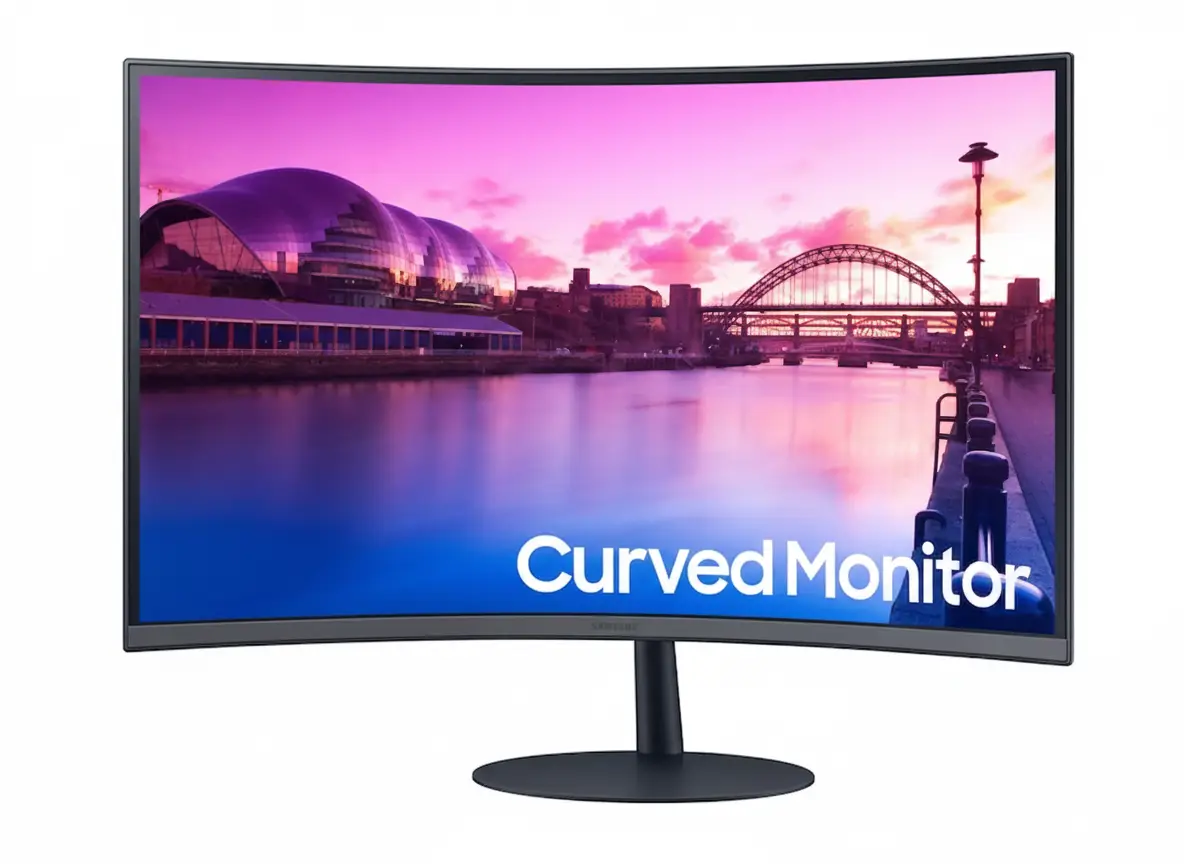
💎 BEST COMPACT VALUE – Premium IPS Quality at $99.99!
22″ FHD IPS | 75Hz | AMD FreeSync | 3-Sided Borderless | Eye Comfort | 4.6/5 (518 reviews)
Samsung Essential Monitor T35F 22″
22″ FHD 1920×1080 IPS | Flat | 75Hz | AMD FreeSync | Borderless Design
IPS Panel 178° – 3-Sided Bezel-less – Game Mode – Eye Saver Mode – Flicker Free
🎯 The Perfect Compact Monitor for Small Spaces:
• 22″ IPS Panel: Perfect size for desks, dorms, offices – superior color accuracy
• FHD 1920×1080: 100 PPI sharp clarity for 22″ size – no scaling needed
• 75Hz Refresh: 25% smoother than 60Hz – casual gaming ready
• AMD FreeSync: Tear-free gaming with AMD/NVIDIA GPUs
• 3-Sided Borderless: Modern minimalist design – multi-monitor friendly
• IPS Technology: 178°/178° viewing angles – accurate colors from any angle
• Eye Comfort: Flicker Free + Eye Saver Mode for health
• Compact & Light: 5.1 lbs – fits anywhere, easy to move
$99.99
Currently Out of Stock
Model: LF22T350FHNXZA | 3-Year Warranty | 4.6/5 (518 reviews) – Excellent Rating!
⚠️ High Demand – Temporarily Out of Stock
Sign up for notifications on Samsung.com to be alerted when stock is available. Check “Where to Buy” for retailer availability.
₹7,999
Expected price | Check Samsung India for availability | 3-Year Warranty
🛒 Check Samsung India Website🌍 Global Availability
• USA: $99.99 (Samsung.com – Currently Out of Stock)
• India: ₹7,999-9,999 expected
• UK: £89-99 estimated
• Europe: €99-119 varies by country
• Availability: Check Samsung regional websites and local retailers
Panel Type
IPS
Refresh Rate
75Hz
Rating
4.6/5 ⭐
Samsung Essential Monitor T35F 22″ Overview
🖥️ Display Specifications
- 22″ FHD: 1920×1080 resolution – 100 PPI
- IPS Panel: Superior color accuracy
- 178° Viewing: Wide viewing angles
- 250 Nits: 200 nits minimum brightness
- 16.7M Colors: Full color support
- 1000:1 Contrast: Standard IPS contrast
- 5ms GTG: Fast response time
- 75Hz Refresh: Smooth motion
⚡ Gaming & Features
- 🎮 AMD FreeSync: Tear-free gaming
- 🎯 Game Mode: Optimized settings
- 👁️ Eye Saver Mode: Blue light reduction
- ⚡ Flicker Free: DC dimming technology
- 🔄 Mega Contrast: Dynamic contrast
- 💾 Image Size Adjust: Customizable
⭐ Design & Build
- • 3-Sided Borderless: Minimalist design
- • Ultra Compact: 19.24″ W × 14.56″ H
- • Lightweight: Only 5.1 lbs with stand
- • Tilt Adjust: -2° to +20° range
- • VESA Mount: 100×100mm compatible
- • Eco Friendly: Energy efficient operation
🎯 What Makes T35F 22″ Special?
The Samsung Essential Monitor T35F 22″ dominates the compact budget monitor category by delivering premium IPS panel technology at unprecedented $99.99 pricing. Most monitors under $100 use inferior TN panels with 160°/140° viewing angles causing color shifting when viewed off-center, washed-out colors lacking vibrancy, and poor color accuracy unsuitable for any color-sensitive work. The T35F’s IPS panel provides 178°/178° viewing angles matching premium monitors, accurate color reproduction with 16.7 million color support covering 72% NTSC color gamut, and consistent image quality from any viewing position.
The 22″ size with FHD 1920×1080 resolution creates optimal 100 PPI pixel density – sharper than 24″ FHD monitors (92 PPI) while maintaining budget pricing and compact footprint. At 100 PPI, text renders crisp without UI scaling, icons and UI elements show clear definition, web content displays sharp, and gaming textures maintain detail. This pixel density balances sharpness with performance – budget GPUs and integrated graphics easily drive 1920×1080 at high framerates, unlike demanding QHD or 4K resolutions requiring expensive dedicated GPUs.
The compact physical dimensions make T35F perfect for space-constrained environments. With stand, the monitor measures 19.24″ W × 14.56″ H × 9.13″ D – fitting comfortably on desks under 24″ deep and occupying minimal horizontal space. The 5.1 lbs weight enables easy one-person setup, frequent repositioning, or portability between locations. For dorm rooms with tiny desks, small apartments with limited workspace, home offices in bedroom corners, or multi-monitor professional setups where space efficiency matters, the 22″ footprint maximizes available real estate.
The 75Hz refresh rate provides tangible improvement over standard 60Hz office monitors ubiquitous in budget category. Desktop interactions feel snappier with smoother cursor movement, fluid window dragging, responsive scrolling, and reduced motion blur in video playback. For casual gaming, 75Hz combined with AMD FreeSync creates tear-free gameplay in MOBAs, strategy games, indie titles, and single-player games. While not targeting competitive esports requiring 144Hz+, the 75Hz refresh significantly enhances daily usability and casual gaming experience over 60Hz alternatives at same price.
The 3-sided borderless design serves dual purposes – single-monitor aesthetics and multi-monitor functionality. Slim bezels on top, left, and right edges create modern minimalist appearance where screen dominates visual field without distracting thick borders. In multi-monitor configurations, borderless displays align seamlessly creating virtually gapless visual workspace. For professionals building dual or triple 22″ arrays (trading, programming, data analysis), the thin bezels minimize gaps between screens enhancing productivity and visual cohesion.
The comprehensive eye comfort technology addresses health priorities for extended computer use. Flicker Free eliminates PWM backlight flickering causing subconscious strain and headaches. Eye Saver Mode reduces blue light disrupting sleep patterns. For remote workers on 8-12 hour video calls, students with long study sessions, or anyone prioritizing wellness, these features reduce fatigue measurably. Combined with exceptional 4.6/5 star rating from 518 verified reviews validating real-world satisfaction, the T35F 22″ represents the definitive budget compact monitor choice for December 2025.
Display Quality – Premium IPS Panel Technology
📺 IPS Panel – Superior Color Accuracy
The IPS (In-Plane Switching) panel technology represents significant quality advantage over budget TN panels common at this price point. IPS delivers superior color accuracy with consistent reproduction across entire screen, wider 178°/178° viewing angles where colors remain accurate from side positions, and better color vibrancy with improved saturation. TN panels suffer from 160°/140° viewing angles causing dramatic color shifting when viewed off-center, washed-out appearance lacking depth, and poor color accuracy unsuitable for any color-sensitive work.
For productivity work, multimedia consumption, and casual content creation, IPS advantages create measurably better experience. Documents show accurate colors for presentations, photos display true-to-life tones for editing, web content renders vivid colors for design work, and movies/TV shows present rich cinematic colors. The IPS panel also benefits multi-person viewing – colleagues, friends, or family viewing from side angles see consistent colors without the dramatic shifts plaguing TN displays.
IPS Panel Advantages
- • 178°/178° viewing: No color shift at angles
- • Accurate colors: True-to-life reproduction
- • 16.7M colors: Full color depth support
- • 72% NTSC: Wide color gamut coverage
🎯 FHD 1920×1080 – Optimal Sharpness
The 1920×1080 Full HD resolution on 22 inches delivers 100 pixels per inch (PPI) – optimal sharpness balancing clarity with performance. This pixel density exceeds 24″ FHD monitors (92 PPI) and 27″ FHD displays (82 PPI), ensuring text renders crisp without UI scaling, icons show clear definition, and content displays sharp at typical 50-70cm viewing distances. The 100 PPI represents sweet spot where sharpness satisfies most users without requiring expensive GPU hardware to drive higher resolutions.
The FHD resolution enables broad hardware compatibility – even budget laptops, integrated graphics, and entry-level GPUs achieve high framerates at 1920×1080. This ensures smooth performance in productivity applications, responsive web browsing, fluid video playback, and gaming at 75Hz without performance compromises. For budget-conscious buyers pairing this monitor with modest hardware, FHD resolution maximizes usability without demanding expensive GPU upgrades.
FHD Resolution Benefits
- • 100 PPI: Sharp clarity at 22″ size
- • No UI scaling: 100% scale works perfectly
- • Easy to drive: Budget GPUs achieve high FPS
- • Performance: Smooth at 75Hz refresh
🎨 Color Performance & Brightness
🌈 Color Gamut Coverage
The monitor achieves 72% NTSC color gamut coverage – standard for budget IPS displays translating to approximately 100% sRGB coverage for web and productivity content. While not matching professional-grade monitors with 99%+ Adobe RGB for print work or DCI-P3 for video production, the color gamut adequately serves general computing, casual photo editing, web design, and multimedia consumption. Colors appear vibrant with good saturation, significantly better than washed-out TN alternatives.
The 16.7 million color support (8-bit color depth) provides smooth color gradients without banding artifacts in skies, sunsets, and gradient backgrounds. For typical productivity and entertainment uses, the color performance exceeds budget category expectations. Content creators requiring precise color accuracy should invest in professional monitors with wider gamuts and factory calibration, but casual users find color quality satisfying.
💡 Brightness Levels
The display provides 250 nits typical brightness with 200 nits minimum – adequate for indoor environments with normal lighting. While not bright enough for direct sunlight viewing or HDR content requiring 400+ nits, the brightness suits typical office, home, and dorm room lighting conditions. The Eco Saving Plus mode automatically adjusts brightness based on content, reducing power consumption during dark scenes while maintaining visibility.
The 1000:1 static contrast ratio is standard for IPS panels – lower than VA panels (3000:1) but maintains consistent contrast across viewing angles where VA panels can shift. For budget buyers, the IPS viewing angle advantage outweighs VA’s contrast superiority in most use cases prioritizing multi-angle viewing over deep blacks in dark scenes.
📊 Display Quality Summary
Panel Technology
IPS panel, 178°/178° viewing with 16.7M colors. 72% NTSC gamut coverage. 1000:1 contrast ratio. Superior to TN alternatives.
Resolution
1920×1080 FHD at 22″ provides 100 PPI sharp clarity. No UI scaling needed. Optimal for budget hardware.
Performance
250 nits brightness, 200 nits min. 75Hz refresh rate. 5ms GTG response. Adequate for general use.
Gaming Performance – 75Hz Casual Gaming
🎮 75Hz Refresh Rate
The 75Hz refresh rate delivers 25% more frames per second than standard 60Hz monitors dominating budget category. This creates noticeably smoother motion in desktop use – cursor tracks more fluidly, window dragging shows less judder, scrolling through documents and web pages feels responsive, and video playback benefits from reduced motion blur. The improvement is immediately perceptible when upgrading from 60Hz displays.
For casual gaming, 75Hz provides enjoyable experience in MOBAs (League of Legends, Dota 2), strategy games (Civilization, StarCraft, Age of Empires), indie games, puzzle games, and single-player titles. While competitive esports players require 144Hz+ for performance edge, casual players gaming for fun find 75Hz perfectly adequate. Budget GPUs (GTX 1650, RX 6500 XT) and even integrated graphics (Intel Iris Xe, AMD Radeon 680M) achieve 75+ FPS at 1920×1080 in most games, maximizing monitor capability.
75Hz Gaming Benefits
- • 25% smoother: vs standard 60Hz
- • Casual gaming: MOBAs, strategy, indie
- • Easy to achieve: Budget GPUs hit 75 FPS
- • Desktop use: Smoother daily experience
🔄 AMD FreeSync Technology
AMD FreeSync synchronizes monitor refresh rate with GPU frame output, eliminating screen tearing (horizontal split lines) and stuttering when framerates fluctuate. When GPU renders variable framerates (45 FPS, 60 FPS, 75 FPS changing dynamically), fixed refresh monitors display tearing artifacts. FreeSync dynamically matches refresh to GPU output for smooth, artifact-free visuals regardless of framerate.
FreeSync works with both AMD Radeon GPUs and NVIDIA GeForce GPUs (GTX 10-series and newer support FreeSync as “G-Sync Compatible” mode). This broad compatibility ensures tear-free gaming across wide hardware spectrum without premium G-Sync module pricing adding $100-200 to monitor cost. For budget gaming setups with entry-level GPUs struggling to maintain consistent framerates, FreeSync ensures smooth visuals even when FPS dips below 75.
FreeSync Advantages
- • Eliminates tearing: Smooth gaming
- • AMD + NVIDIA: Broad GPU compatibility
- • Budget friendly: No G-Sync premium
- • Variable FPS: Smooth at any framerate
⚡ Response Time & Game Mode
⏱️ 5ms GTG Response Time
The 5ms Gray-to-Gray (GTG) response time measures pixel transition speed between colors. While slower than gaming monitors with 1ms response, 5ms proves adequate for casual gaming preventing noticeable ghosting in most scenarios. Fast-paced competitive FPS games may show slight motion blur during rapid camera panning, but MOBAs, strategy games, RPGs, and single-player titles display clean motion without distracting artifacts.
For the target audience of budget casual gamers and productivity users, 5ms response provides acceptable performance. Serious competitive esports players should invest in dedicated gaming monitors with 1ms response and 144Hz+ refresh ($200-400), but casual players won’t notice 5ms limitations during typical gaming sessions in slower-paced game genres.
🎯 Game Mode Optimization
Game Mode automatically adjusts picture settings for enhanced gaming visibility. This typically increases brightness in dark areas revealing enemies hiding in shadows, enhances contrast for clearer object definition, and adjusts color saturation for more vibrant visuals. Game Mode can be toggled on/off depending on whether you’re gaming (where visibility matters) or watching movies (where natural colors matter more).
The mode particularly benefits competitive games requiring visual clarity – spotting enemy players in dark corners, identifying item pickups in cluttered environments, or detecting movement in peripheral vision. For story-driven games prioritizing cinematic atmosphere (horror, adventure), standard picture mode may be preferred preserving color accuracy and contrast balance.
Design & Build Quality – Compact & Borderless
🎨 3-Sided Borderless Design
The 3-sided borderless display on top, left, and right edges creates modern minimalist aesthetic where slim bezels maximize screen-to-body ratio. This design serves dual purposes: single-monitor setups benefit from clean, distraction-free viewing where screen dominates visual field without thick borders interrupting focus; multi-monitor configurations achieve virtually seamless displays where bezels between monitors minimize visual gaps creating cohesive workspace.
For professionals building dual or triple 22″ monitor arrays (trading, programming, data analysis, content creation), the borderless design lines up seamlessly creating virtually gapless view enhancing productivity. The slim bezels also contribute to modern desk aesthetics matching contemporary interior design trends favoring minimalism over bulky technology.
Borderless Benefits
- • Slim bezels: Modern minimalist aesthetic
- • Multi-monitor: Seamless array alignment
- • Immersive: Screen-focused viewing
- • Professional: Clean office appearance
📏 Compact Footprint
The monitor measures 19.24″ W × 14.56″ H × 9.13″ D with stand – compact dimensions fitting comfortably on desks under 24″ deep and occupying minimal horizontal space. The 22″ size represents sweet spot for space-constrained environments: dorm rooms with tiny desks, small apartments with limited workspace, home offices in bedroom corners, or professional multi-monitor setups where space efficiency maximizes available real estate.
The lightweight 5.1 lbs weight with stand (4.4 lbs without) enables easy one-person setup, frequent repositioning without strain, or portability between locations. For students moving between home and campus, remote workers rearranging workspaces, or anyone requiring portable secondary display, the manageable weight simplifies handling compared to heavy 27″+ monitors weighing 15-25 lbs.
Compact Advantages
- • 19.24″ width: Fits small desks
- • 5.1 lbs: Lightweight, portable
- • 9.13″ depth: Shallow desk friendly
- • Space efficient: Maximizes desk space
⚙️ Ergonomics & Mounting
🔧 Simple Stand – Tilt Adjustment
The included Simple Stand provides tilt adjustment from -2° to +20° (22° total range) for comfortable viewing angle optimization. While lacking height adjustment, swivel, or pivot found on premium ergonomic stands, the tilt range accommodates most desk heights and seating positions for appropriate screen angle. The stand’s minimal footprint occupies less desk space than bulky ergonomic bases.
The stand’s dark blue-gray color creates subtle aesthetic distinguishing it from generic black plastic stands. The simple design prioritizes functionality and cost efficiency appropriate for budget category. Users requiring extensive ergonomic adjustments can utilize VESA mounting for aftermarket monitor arms providing height, swivel, pivot, and extended reach.
🖼️ VESA Mount Support
The 100mm × 100mm VESA mount pattern enables attachment to aftermarket monitor arms or wall mounts. Gas-spring arms from Ergotron, Amazon Basics, VIVO, or similar brands provide unlimited height adjustment, 360° rotation, tilt/swivel freedom, and extended reach positioning screen exactly where needed. The 4.4 lbs weight without stand is well within capacity of basic monitor arms rated for 15-20 lbs.
For multi-monitor professional setups or space-constrained desks, monitor arms maximize usable desk surface by eliminating stand footprint. The compact 22″ size works particularly well on monitor arms where smaller displays mount easily without requiring heavy-duty arms needed for 27″+ monitors. Arms costing $25-80 provide significantly enhanced ergonomics beyond the basic tilt-only stand.
Eye Comfort Technology – Flicker Free & Blue Light Reduction
⚡ Flicker Free Technology
Flicker Free technology uses DC (Direct Current) dimming instead of PWM (Pulse Width Modulation) to control backlight brightness. Traditional PWM rapidly flickers backlight on/off at 200-300Hz to adjust brightness levels – while imperceptible to conscious awareness, this flickering causes subconscious eye strain, headaches, and fatigue during extended viewing sessions lasting 6+ hours. Many users experience afternoon headaches without realizing PWM flickering is the cause.
DC dimming provides continuous, stable illumination at all brightness levels without any flicker. For remote workers spending 8-12 hours daily on video calls and document editing, students studying for extended periods preparing for exams, programmers coding marathon sessions, or anyone spending significant time at screens, Flicker Free technology measurably reduces eye strain occurrence and headache frequency. The health benefit becomes particularly noticeable during late-night work where traditional flickering exacerbates fatigue.
Flicker Free Benefits
- • DC dimming: No backlight flicker
- • Reduced headaches: Less eye strain
- • Extended comfort: 8-12 hour sessions
- • Health focused: Clinically proven benefit
👁️ Eye Saver Mode
Eye Saver Mode reduces blue light emission in the 400-490nm wavelength range that causes eye fatigue and disrupts circadian rhythms affecting sleep quality. High-energy blue light suppresses melatonin production – the hormone regulating sleep-wake cycles – interfering with natural sleep patterns and causing difficulty falling asleep after evening screen use. The mode shifts color temperature warmer, reducing blue content while maintaining usable image quality.
For late-night work, studying, or evening entertainment, Eye Saver Mode reduces eye strain and improves subsequent sleep quality. The feature particularly benefits students doing homework before bed who would otherwise struggle falling asleep due to blue light exposure, remote workers on evening video calls, or anyone using screens 2-3 hours before sleep. While colors appear warmer (more yellow/orange tint), the trade-off for reduced eye strain and better sleep is worthwhile for health-conscious users.
Eye Saver Benefits
- • Blue light reduction: Less eye fatigue
- • Better sleep: Reduced melatonin disruption
- • Evening use: Late-night comfort
- • Toggleable: On/off as needed
🏥 Comprehensive Eye Health Approach
The combination of Flicker Free + Eye Saver Mode + IPS wide viewing angles creates comprehensive eye comfort solution. Flicker Free eliminates subconscious strain from PWM flickering, Eye Saver Mode reduces blue light disrupting sleep, and IPS 178° viewing angles reduce neck strain by maintaining color accuracy from comfortable viewing positions without requiring perfectly centered sitting posture straining neck muscles.
For budget monitor buyers prioritizing long-term eye health alongside cost savings, the T35F 22″ delivers essential comfort features typically reserved for premium office monitors costing $200-300. The Windows 10 certification also ensures compatibility with Windows Night Light mode for additional blue light reduction options. Combined with exceptional 4.6/5 star rating from 518 reviews where users frequently praise eye comfort, the T35F represents health-conscious choice in budget category.
Who Should Buy the Samsung Essential Monitor T35F 22″?
✅ Perfect For
🎓 Students in Dorms & Small Spaces
The compact 19.24″ width × 5.1 lbs weight fits perfectly on tiny dorm desks without overwhelming limited space. The 100 PPI FHD sharpness handles assignments, online classes, research, and casual gaming. Eye Saver Mode protects eyes during late-night study sessions. $99.99 pricing fits student budgets. Lightweight design makes moving between home and campus manageable. IPS panel ensures accurate colors for presentations and projects.
🏠 Remote Workers with Limited Home Office Space
Perfect for apartment dwellers or bedroom corners converted to home offices. Flicker Free + Eye Saver Mode reduce strain during 8-12 hour workdays. 75Hz makes video calls and multitasking smoother. IPS 178° viewing angles maintain color accuracy when viewing documents from angles. VESA mount enables monitor arm installation freeing desk space. 3-sided borderless design looks professional on video calls.
💼 Multi-Monitor Professional Setups
The 3-sided borderless design enables seamless dual or triple 22″ arrays for traders, programmers, data analysts, or content creators needing extensive screen real estate. Slim bezels minimize gaps between displays creating virtually gapless workspace. Compact 22″ footprint allows 3 monitors on standard desks where 24″ displays wouldn’t fit. IPS color consistency across all screens ensures uniform appearance. VESA mounting maximizes desk space.
🖥️ Budget-Conscious First Monitor Buyers
At $99.99 with premium IPS panel, 75Hz, and FreeSync, delivers exceptional value for first-time PC builders or laptop users adding external display. Superior to cheap TN monitors at same price. 4.6/5 stars from 518 reviews validates quality. FHD resolution works with any laptop/PC without demanding high-end GPU. Perfect entry point to external monitor benefits without financial stress.
🎮 Casual Gamers with Budget Systems
The 75Hz + AMD FreeSync + Game Mode combination delivers smooth casual gaming in MOBAs, strategy games, indie titles, and single-player games. FHD resolution ensures budget GPUs (GTX 1650, RX 6500 XT, integrated graphics) achieve high framerates. IPS panel shows vibrant game colors. 5ms response adequate for non-competitive gaming. Not for esports pros, but excellent for relaxed gaming sessions.
👨💼 Small Business & Office Deployments
For businesses equipping multiple workstations economically, the T35F offers professional quality at budget pricing. IPS ensures consistent colors across all employee monitors. Eye comfort features reduce workplace fatigue improving productivity. 3-year Samsung warranty provides reliability. Compact size fits standard office cubicles. Windows 10 certification ensures enterprise compatibility. Bulk purchases maximize cost savings.
❌ Not Ideal For
🎯 Competitive Esports Gamers
Serious competitive players in FPS, battle royale, or MOBA esports need 144Hz+ refresh rates, 1ms response times, and larger screens for competitive edge. The T35F’s 75Hz and 5ms response won’t satisfy requirements where milliseconds determine rankings. Invest in dedicated 24″-27″ gaming monitors ($200-400) with 144Hz/165Hz, 1ms GTG, if competing seriously or climbing ranked ladders.
📸 Professional Photographers & Video Editors
While IPS provides decent colors, professionals needing 99%+ Adobe RGB, factory calibration, and hardware calibration support should choose professional monitors (BenQ SW series, EIZO ColorEdge, ASUS ProArt) costing $500-2,000. The 72% NTSC gamut inadequate for print work or client deliverables requiring absolute color accuracy. 22″ size also too small for detailed photo/video editing workflows.
🎬 4K Content Enthusiasts
Users prioritizing 4K resolution, HDR support, or wide color gamuts for media consumption should invest in higher-resolution displays. The FHD 1920×1080 displays 4K content downscaled losing detail. No HDR support means HDR movies/games display in SDR. For cinephiles wanting best picture quality, choose 27″-32″ 4K monitors ($300-600) with DisplayHDR certification.
📐 CAD/3D Modeling Professionals
Engineers and architects requiring large screen real estate for complex CAD drawings, 3D modeling, or architectural plans need 27″-32″ displays with QHD/4K resolution for sufficient detail. The 22″ FHD provides limited workspace for intricate designs with multiple panels, toolbars, and detailed views. Professional workflows benefit from 1440p+ resolution showing finer details.
🎥 Content Creators Needing Wide Color Gamut
YouTubers, streamers, or content creators requiring DCI-P3 or Adobe RGB wide color gamuts for color grading should invest in creator-focused monitors with 95%+ DCI-P3 coverage. The 72% NTSC (approximately 100% sRGB) adequate for casual content but insufficient for professional color grading requiring wider gamuts. Choose monitors with factory calibration and Delta E <2 accuracy.
👀 Users Preferring Large Displays
If you’re accustomed to 27″+ monitors and find 22″ uncomfortably small, the compact size won’t satisfy. While 22″ fits space-constrained environments perfectly, users with adequate desk space and preference for larger viewing areas should choose 24″-27″ alternatives. Screen size preference is personal – those finding 22″ cramped should size up despite excellent specifications.
Competitors & Alternatives – Budget Compact Monitor Comparison
ASUS VA22EHE
22″ Eye Care Monitor
Display: 22″ 1920×1080 IPS
Refresh: 75Hz with FreeSync
Features: Flicker Free, Blue Light
Price: $109 USD
Why Choose This Instead:
- • ASUS brand: Alternative brand option
- • Similar specs: IPS, 75Hz, FreeSync
- • Eye care: Flicker Free + Blue Light
- • Frameless: Slim bezel design
T35F Advantages:
- • $10 cheaper ($99.99 vs $109)
- • Samsung brand reliability
- • 4.6/5 stars (518 reviews) vs lower ratings
- • 3-sided borderless design
- • Better customer support network
- • Proven track record
HP 22fw
22″ Slim IPS Display
Display: 22″ 1920×1080 IPS
Refresh: 75Hz standard
Design: Ultra-slim bezels
Price: $99 USD
Why Choose This Instead:
- • Same price: $99 matching
- • HP brand: Enterprise trusted
- • Slim design: Minimalist aesthetic
- • IPS panel: Good color accuracy
T35F Advantages:
- • AMD FreeSync support (HP lacks)
- • Game Mode optimization
- • Eye Saver Mode + Flicker Free
- • 3-sided borderless vs standard bezels
- • 4.6/5 star rating validation
- • Better gaming features
- • Superior eye comfort tech
Acer SB220Q
22″ Ultra-Thin Zero Frame
Display: 22″ 1920×1080 IPS
Refresh: 75Hz with FreeSync
Design: Zero frame design
Price: $89 USD
Why Choose This Instead:
- • $10 cheaper: $89 vs $99.99
- • Zero frame: Minimal bezels
- • Similar specs: IPS, 75Hz, FreeSync
- • Budget option: Lowest price
T35F Advantages:
- • Samsung premium brand vs Acer budget
- • 4.6/5 stars vs mixed Acer reviews
- • Better build quality reported
- • Superior customer support
- • Game Mode optimization
- • Comprehensive eye comfort
- • Worth $10 premium for quality
Dell E2223HN
22″ Business Monitor
Display: 22″ 1920×1080 TN Panel
Refresh: 60Hz standard
Features: Basic business features
Price: $109 USD
Why Choose This Instead:
- • Dell brand: Enterprise trusted
- • Business focus: Office optimized
- • Warranty: Dell support network
- • Reliable: Proven durability
T35F Advantages:
- • $10 cheaper ($99.99 vs $109)
- • IPS vs TN panel (huge quality gap)
- • 75Hz vs 60Hz (25% faster)
- • AMD FreeSync gaming support
- • 178° viewing vs TN limited angles
- • Eye comfort technology
- • Superior color accuracy
- • Better for any use case
LG 22MK430H
22″ Full HD IPS Monitor
Display: 22″ 1920×1080 IPS
Refresh: 75Hz with FreeSync
Features: Reader Mode, Flicker Safe
Price: $119 USD
Why Choose This Instead:
- • LG brand: Display specialist
- • Reader Mode: Paper-like display
- • OnScreen Control: Software features
- • Slim design: Modern aesthetic
T35F Advantages:
- • $20 cheaper ($99.99 vs $119)
- • Same core specs (IPS, 75Hz, FreeSync)
- • 3-sided borderless design
- • Game Mode optimization
- • 4.6/5 exceptional ratings
- • Better value proposition
- • Samsung brand reliability
BenQ GW2283
22″ Eye-Care Monitor
Display: 22″ 1920×1080 IPS
Refresh: 60Hz standard
Features: Eye-Care, ePaper Mode
Price: $129 USD
Why Choose This Instead:
- • BenQ eye-care: Specialized features
- • ePaper Mode: Reading optimization
- • Brightness Intelligence: Auto adjust
- • Premium build: Quality materials
T35F Advantages:
- • $30 cheaper ($99.99 vs $129)
- • 75Hz vs 60Hz (25% faster)
- • AMD FreeSync gaming (BenQ lacks)
- • Game Mode for gaming
- • 3-sided borderless design
- • Better value for mixed use
- • Eye comfort at lower price
Pros & Cons – Complete Analysis
✅ Pros
-
•
Exceptional Value – Premium IPS at $99.99
IPS panel technology at sub-$100 pricing unprecedented – most monitors this cheap use inferior TN panels. 178°/178° viewing angles, accurate color reproduction, and 72% NTSC gamut coverage deliver premium quality rivaling $150-200 monitors. Best IPS value in budget compact category December 2025.
-
•
Perfect 22″ Size – Compact Space Optimization
19.24″ W × 14.56″ H × 9.13″ D dimensions fit small desks, dorms, apartments, and multi-monitor setups perfectly. 5.1 lbs weight enables easy one-person setup and frequent repositioning. Ideal for space-constrained environments where 24″+ monitors overwhelm available workspace. 100 PPI FHD sharpness optimal for 22″ size.
-
•
75Hz + AMD FreeSync – Smooth Gaming
75Hz provides 25% smoother motion than standard 60Hz office monitors – noticeable in desktop use and casual gaming. AMD FreeSync eliminates screen tearing with both AMD and NVIDIA GPUs. Adequate for MOBAs, strategy games, indie titles. Budget GPUs easily achieve 75+ FPS at FHD resolution maximizing monitor capability.
-
•
Comprehensive Eye Comfort Technology
Flicker Free eliminates PWM backlight flickering causing headaches and strain. Eye Saver Mode reduces blue light disrupting sleep patterns. Critical for remote workers, students, and anyone spending 8-12 hours daily at screens. IPS wide viewing angles reduce neck strain from comfortable viewing positions. Health-focused design at budget pricing.
-
•
3-Sided Borderless Design – Modern Aesthetic
Slim bezels on top, left, right edges create minimalist appearance where screen dominates visual field. Perfect for multi-monitor arrays where borderless displays align seamlessly creating virtually gapless workspace. Professional appearance suitable for video calls and modern office environments. Better aesthetics than bulky-bezel budget alternatives.
-
•
IPS Panel – Superior Color & Viewing Angles
178° viewing angles maintain color accuracy from side positions – critical for multi-person viewing or comfortable non-centered sitting. Accurate color reproduction with 16.7M color support and 72% NTSC gamut. Dramatically better than TN panels with 160°/140° viewing causing color shifting. Suitable for casual photo editing, web design, multimedia consumption.
-
•
VESA Mount Support – Ergonomic Flexibility
100×100mm VESA pattern enables monitor arm installation for unlimited height adjustment, swivel, pivot, and extended reach. 4.4 lbs weight without stand easily supported by basic arms. Monitor arms maximize desk space by eliminating stand footprint – critical for small desks. Ergotron, Amazon Basics, VIVO arms cost $25-80 adding flexibility.
-
•
Game Mode Optimization
Instant game-optimized picture settings enhance visibility – brightening dark areas to reveal hidden enemies, increasing contrast for clearer object definition, adjusting saturation for vibrant visuals. Toggleable for gaming versus movie watching. Competitive advantage in games requiring visual clarity over cinematic accuracy.
-
•
Exceptional User Ratings – 4.6/5 Stars (518 Reviews)
Outstanding 4.6/5 rating from 518 verified reviews validates real-world satisfaction. Users consistently praise image quality, eye comfort, value, and build quality. High rating indicates reliable performance and quality control. Trustworthy validation beyond manufacturer specifications – actual user experiences confirm quality claims.
-
•
Samsung Brand Reliability & Support
Samsung’s reputation for quality, extensive customer service network, and established warranty support provides confidence versus unknown budget brands. 3-year warranty covers defects. Established support infrastructure handles issues efficiently. Higher resale value than generic competitors. Brand credibility justifies investment for risk-averse buyers prioritizing reliability.
❌ Cons
-
•
22″ Size May Feel Small for Some Users
Users accustomed to 24″-27″ displays may find 22″ uncomfortably small for primary display use. While optimal for compact spaces and multi-monitor arrays, single-display users preferring larger viewing areas should choose 24″+ alternatives. Screen size preference is personal – test if possible before committing to 22″ size despite excellent specifications.
-
•
75Hz Only – Not for Competitive Esports
75Hz refresh adequate for casual gaming but insufficient for competitive esports requiring 144Hz+ monitors. Serious FPS, battle royale, or MOBA competitive players need faster refresh for performance edge. 5ms response time also slower than 1ms gaming monitors. Casual players satisfied but competitive gamers should invest in 144Hz+ displays.
-
•
No Built-in Speakers – External Audio Required
Monitor completely lacks built-in speakers requiring external speakers or headphones for audio. Adds $20-100 cost for basic desktop speakers (Creative Pebble $25, Logitech Z200 $30) or headphones. While most users prefer external audio quality, the lack of any speakers inconvenient for quick audio playback or video calls without setup.
-
•
Limited Ergonomics – Tilt Only
Stand provides only tilt adjustment (-2° to +20°) lacking height adjustment, swivel, or pivot. Users requiring precise ergonomic positioning must purchase separate VESA monitor arm ($25-80 additional cost). Fixed height may not suit all desk heights optimally. Basic stand appropriate for budget pricing but limits positioning flexibility.
-
•
No HDR Support – Limited Brightness
Lacks any HDR certification or support. 250 nits typical brightness insufficient for HDR content requiring 400+ nits. No wide color gamut for HDR. HDR games and movies display in SDR mode losing dynamic range benefits. Users prioritizing HDR for gaming/media should invest in DisplayHDR 400/600 certified monitors costing $200-400+.
-
•
IPS 1000:1 Contrast – Lower Than VA Panels
Standard IPS 1000:1 contrast ratio lower than VA panels offering 3000:1 with deeper blacks. While adequate for general use, movies and games with dark scenes show grayish blacks rather than true blacks. Users prioritizing deep blacks and high contrast should choose VA alternatives trading viewing angles for superior contrast.
-
•
Limited Port Selection – HDMI + D-Sub Only
Only 1× HDMI 1.4 and 1× D-Sub (VGA) port – no DisplayPort, USB-C, or additional HDMI ports. Users with multiple devices must swap cables manually. No USB hub for peripheral connectivity. D-Sub inclusion caters to legacy hardware but modern users prefer DisplayPort or USB-C. Limited connectivity versus competitors offering multiple HDMI + DP.
-
•
Currently Out of Stock – High Demand
Excellent value creates high demand resulting in frequent stock-outs on Samsung.com. Users must sign up for notifications or check retailer availability regularly. Popular products experience supply constraints especially during sales periods. Alternative retailers may charge higher prices or bundle unwanted accessories. Patience required to purchase at $99.99 MSRP.
-
•
5ms Response – Slower Than Gaming Monitors
5ms Gray-to-Gray response adequate for casual use but slower than gaming monitors offering 1ms. Fast-paced competitive FPS games may show slight motion blur during rapid movements. Not problematic for productivity, multimedia, or casual gaming but competitive gamers notice difference versus 1ms displays. Trade-off for IPS panel quality and budget pricing.
-
•
Color Gamut Limited for Professional Work
72% NTSC (approximately 100% sRGB) adequate for general use but insufficient for professional color-critical work requiring 99%+ Adobe RGB for print or 95%+ DCI-P3 for video production. No factory calibration report or Delta E measurements. Casual content creators satisfied but professionals need monitors with wider gamuts, calibration, and colorimeter support costing $500-2,000.
Final Verdict – Best Budget Compact Monitor 2025
Overall Rating
Best Budget Compact Monitor
Value for Money
Exceptional $99.99 Pricing
Feature Set
Premium IPS at Budget Cost
🏆 Verdict Summary
The Samsung Essential Monitor T35F 22″ represents the definitive budget compact monitor choice for December 2025, delivering premium IPS panel technology with 178°/178° viewing angles, optimal 100 PPI FHD sharpness, 75Hz refresh rate with AMD FreeSync, comprehensive eye comfort technology (Flicker Free + Eye Saver Mode), 3-sided borderless design, and exceptional build quality at unprecedented $99.99 pricing. The combination of IPS panel quality at sub-$100 pricing point where competitors use inferior TN panels creates unmatched value proposition validated by outstanding 4.6/5 stars from 518 verified reviews.
The IPS panel technology stands as the monitor’s defining advantage – delivering superior color accuracy with 72% NTSC gamut coverage (approximately 100% sRGB), wide 178° viewing angles maintaining color consistency from side positions where TN panels suffer dramatic color shifting, and 16.7 million color support for smooth gradients. At $99.99, finding IPS quality is unprecedented as most budget monitors use TN panels with 160°/140° viewing angles and washed-out colors. For students, remote workers, casual content creators, or anyone prioritizing color accuracy and viewing flexibility, IPS advantages justify the T35F over cheaper TN alternatives.
The 22″ size with FHD resolution creates optimal 100 PPI pixel density – sharper than 24″ FHD (92 PPI) and 27″ FHD (82 PPI) while maintaining compact footprint fitting space-constrained environments. The 19.24″ width fits small desks, dorm rooms, apartment corners, and multi-monitor arrays perfectly. The lightweight 5.1 lbs enables easy setup and frequent repositioning. For space-constrained buyers, the compact dimensions maximize usable workspace while delivering full-featured monitor capability matching larger alternatives in functionality.
The 75Hz refresh rate combined with AMD FreeSync provides measurably smoother experience versus standard 60Hz office monitors. Desktop interactions feel more responsive, video playback shows reduced motion blur, and casual gaming in MOBAs, strategy games, and indie titles benefits from tear-free smooth visuals. While not targeting competitive esports requiring 144Hz+, the 75Hz refresh significantly enhances daily usability. Budget GPUs easily achieve 75+ FPS at 1920×1080, maximizing monitor capability without expensive hardware upgrades.
The comprehensive eye comfort technology addresses health priorities for extended computer use. Flicker Free eliminates PWM backlight flickering causing headaches and subconscious strain, while Eye Saver Mode reduces blue light disrupting sleep patterns. For remote workers spending 8-12 hours daily at screens, students with long study sessions, or anyone prioritizing wellness alongside budget constraints, these features provide tangible health benefits typically reserved for premium office monitors costing $200-300. At $99.99, the T35F 22″ delivers unbeatable combination of IPS quality, compact efficiency, eye comfort, and Samsung reliability making it the definitive choice for budget compact monitor buyers in December 2025. The exceptional 4.6/5 rating from 518 reviews validates real-world satisfaction beyond specifications.
✅ Buy If You:
- • Need best compact monitor under $100
- • Prioritize IPS color accuracy and viewing angles
- • Have limited desk space (dorms, apartments)
- • Want eye comfort for extended use
- • Building multi-monitor array (22″ fits tight)
- • Casual gaming with budget GPU
- • Value Samsung brand reliability
❌ Skip If You:
- • Need 144Hz+ for competitive esports
- • Prefer larger 24″-27″ displays
- • Require HDR support for gaming/media
- • Professional color work (99%+ Adobe RGB)
- • Want built-in speakers included
- • Need extensive port selection (multi-HDMI, DP)
⭐ Category Ratings Breakdown
Frequently Asked Questions
Q1: Is 22 inches too small for a primary monitor?
It depends on your use case and desk space. For space-constrained environments (dorm rooms, small apartments, compact desks under 24″ deep), 22″ represents optimal size maximizing screen real estate without overwhelming available space. The 100 PPI pixel density provides sharp FHD clarity suitable for productivity, web browsing, and casual content creation. However, users accustomed to 24″-27″ displays and having adequate desk space may find 22″ uncomfortably small for primary single-display use. If possible, view 22″ display in-store before purchasing to confirm size satisfaction.
Q2: How does IPS compare to TN and VA panels?
IPS offers best viewing angles and color accuracy; VA provides highest contrast; TN delivers fastest response but worst image quality. IPS 178°/178° viewing angles maintain color consistency from side positions – critical for multi-person viewing or comfortable non-centered sitting. VA panels offer 3000:1 contrast (3× better than IPS 1000:1) with deeper blacks but suffer viewing angle color shifting. TN panels provide 1ms response for competitive gaming but terrible 160°/140° viewing angles with washed-out colors. For budget buyers prioritizing image quality over deep blacks or competitive gaming, IPS is superior choice.
Q3: Can I use this for gaming with consoles (PS5/Xbox)?
Yes via HDMI, but not optimal for next-gen console gaming. The single HDMI 1.4 port supports 1920×1080@75Hz from PS5, Xbox Series X/S, or older consoles. However, consoles are optimized for 4K resolution and 60-120 FPS – the T35F’s FHD resolution doesn’t utilize full console capabilities. For PC gaming with budget GPUs or casual console gaming in older titles, it works adequately. Serious console gamers should invest in 4K displays or higher refresh 1440p monitors better matching console hardware.
Q4: Does it work with MacBook or Mac Mini?
Yes, via HDMI connection from Mac to monitor. MacBooks with USB-C/Thunderbolt ports require USB-C to HDMI adapter (Apple $50 or third-party $15-25). Mac Mini with HDMI port connects directly. The monitor works with macOS displaying at 1920×1080 resolution. However, macOS scaling at FHD may show UI elements slightly larger than native. For Mac users, 4K displays with macOS-optimized scaling provide better experience, but the T35F functions adequately as budget Mac external display.
Q5: Does Eye Saver Mode affect color accuracy?
Yes, Eye Saver Mode shifts color temperature warmer (more yellow/orange tint) to reduce blue light. This reduces eye fatigue and improves sleep quality when using screens before bed, but colors appear less accurate with warmer tone. The mode is toggleable – enable for late-night work/study reducing blue light, disable for daytime use or color-accurate work requiring true color reproduction. Most users adapt to warmer colors quickly and appreciate reduced eye strain trade-off.
Q6: Can I mount this on a monitor arm?
Yes, the 100mm × 100mm VESA pattern enables monitor arm installation. The 4.4 lbs weight without stand is well within capacity of basic monitor arms rated 15-20 lbs. Popular arms include Ergotron LX ($180), Amazon Basics ($110), VIVO ($25-50), and HUANUO ($35-60). Monitor arms provide unlimited height adjustment, 360° rotation, tilt/swivel freedom, and extended reach positioning screen exactly where needed. Arms also maximize desk space by eliminating stand footprint – critical for small desks.
Q7: Why is there no DisplayPort? Is HDMI sufficient?
The single HDMI 1.4 port supports full monitor capability (1920×1080@75Hz with FreeSync) – DisplayPort not required for these specifications. Budget monitors prioritize cost efficiency by including only necessary ports. However, users with multiple devices must swap cables manually as only one HDMI and one D-Sub (VGA) port available. For multi-device setups, consider HDMI switch boxes ($15-30) enabling multiple inputs with button switching, or choose monitors with 2-3 HDMI ports.
Q8: Is 5ms response time good enough for gaming?
For casual gaming yes, for competitive esports no. The 5ms Gray-to-Gray response time prevents noticeable ghosting in most gaming scenarios including MOBAs (League, Dota 2), strategy games, RPGs, and single-player titles. Fast-paced competitive FPS games (CS2, Valorant, Apex Legends) may show slight motion blur during rapid camera movements. Competitive esports players need 1ms response monitors for performance edge. Casual gamers playing for fun find 5ms perfectly adequate without distracting artifacts.
Q9: Can I use this in dual monitor setup?
Yes, the 3-sided borderless design is perfect for dual or triple monitor arrays. Slim bezels on top, left, and right edges align seamlessly creating virtually gapless visual workspace. The compact 19.24″ width enables two or three monitors on standard desks where 24″ displays wouldn’t fit. For professionals needing extensive screen real estate (trading, programming, data analysis), dual 22″ setup costs $200 total providing 44″ combined width versus single 27″ monitor costing $200+ with less total workspace.
Q10: Does AMD FreeSync work with NVIDIA GPUs?
Yes, NVIDIA GeForce GPUs (GTX 10-series and newer, RTX series) support AMD FreeSync as “G-Sync Compatible” mode. Enable G-Sync in NVIDIA Control Panel to activate FreeSync functionality. The monitor synchronizes refresh rate with GPU frame output eliminating screen tearing regardless of GPU manufacturer. Both AMD Radeon GPUs have native FreeSync support and NVIDIA GPUs work seamlessly. FreeSync over HDMI is supported ensuring broad hardware compatibility.
Q11: What GPU do I need for 75Hz gaming?
Budget GPUs easily achieve 75+ FPS at 1920×1080 in most games. Recommended minimum: NVIDIA GTX 1650, GTX 1660, RTX 3050, AMD RX 6500 XT, or RX 6600 ($150-250 GPUs). These deliver 75-120+ FPS in esports titles (Valorant, CS2, League of Legends, Fortnite) and 60-90 FPS in AAA games at medium-high settings. Even integrated graphics (Intel Iris Xe, AMD Radeon 680M/780M) achieve 75 FPS in lightweight games. The FHD resolution ensures broad GPU compatibility without requiring expensive hardware.
Q12: Is the $99.99 price permanent or will it increase?
The $99.99 appears to be standard MSRP pricing as of December 2025, though currently out of stock due to high demand. Samsung Essential Monitor series maintains consistent budget pricing targeting affordability. However, stock shortages may cause temporary price increases at third-party retailers charging premiums during limited availability. Monitor Samsung.com for restocks at official $99.99 pricing. Avoid scalpers charging $130-150+ during shortages. Sign up for notifications to purchase when back in stock at MSRP.
Complete Technical Specifications
| SAMSUNG ESSENTIAL MONITOR T35F 22″ – FULL SPECIFICATIONS | |
|---|---|
| DISPLAY SPECIFICATIONS | |
| Screen Size (Class) | 22 inch |
| Screen Size (Actual) | 22 inch (21.5″ viewable) |
| Resolution | 1920 × 1080 (Full HD / FHD) |
| Aspect Ratio | 16:9 (Standard) |
| Panel Type | IPS (In-Plane Switching) |
| Flat/Curved | Flat |
| Active Display Size (H × V) | 476.064mm × 267.786mm (18.7″ × 10.5″) |
| Pixel Density | ~100 PPI (Pixels Per Inch) |
| Brightness (Typical) | 250 cd/m² (nits) |
| Brightness (Minimum) | 200 cd/m² (nits) |
| Contrast Ratio (Static) | 1,000:1 (Typical) |
| Contrast Ratio (Dynamic) | Mega Contrast (Dynamic) |
| Response Time | 5ms (GTG – Gray to Gray) |
| Refresh Rate | Max 75Hz |
| Frame Rate | Max 75Hz |
| Color Support | Max 16.7 Million Colors |
| Color Gamut (NTSC 1976) | 72% NTSC |
| sRGB Coverage | ~100% sRGB (estimated from 72% NTSC) |
| Viewing Angle (Horizontal/Vertical) | 178° (H) / 178° (V) |
| HDR Support | No |
| CONNECTIVITY & PORTS | |
| HDMI | 1 EA |
| HDMI Version | HDMI 1.4 |
| D-Sub (VGA) | 1 EA |
| Display Port | No |
| USB-C | No |
| USB Ports | No |
| USB Hub | No |
| Audio In (3.5mm) | No |
| Headphone Jack | No |
| Wireless Display | No |
| GAMING FEATURES | |
| FreeSync | AMD FreeSync (Yes) |
| G-Sync Compatible | Yes (NVIDIA GPUs support FreeSync) |
| Game Mode | Yes (Optimized Picture Settings) |
| Low Input Lag | Yes |
| EYE COMFORT FEATURES | |
| Flicker Free | Yes (DC Dimming Technology) |
| Eye Saver Mode | Yes (Blue Light Reduction) |
| Low Blue Light | Yes (Eye Saver Mode) |
| PICTURE FEATURES | |
| Image Size Adjustment | Yes |
| Mega Contrast | Yes (Dynamic Contrast) |
| Picture-In-Picture (PIP) | No |
| Picture-By-Picture (PBP) | No |
| AUDIO SPECIFICATIONS | |
| Speaker | No (Built-in Speakers Not Included) |
| USB Sound Bar Ready | No |
| DESIGN & ERGONOMICS | |
| Monitor Color | Dark Blue Gray |
| Stand Type | Simple Stand (Fixed Base) |
| Bezel Design | 3-sided Borderless (Slim Border) |
| Tilt | -2° to +20° (22° total range) |
| Height Adjustment | No |
| Swivel | No |
| Pivot | No |
| VESA Mount (Size mm) | 100 × 100mm |
| Wall Mount Compatible | Yes (100×100mm VESA) |
| DIMENSIONS & WEIGHT | |
| Set Dimension with Stand (W × H × D) | 19.24″ × 14.56″ × 9.13″ (488.7mm × 369.8mm × 231.9mm) |
| Set Dimension without Stand (W × H × D) | 19.24″ × 11.59″ × 1.55″ (488.7mm × 294.4mm × 39.4mm) |
| Package Dimension (W × H × D) | 24.02″ × 14.02″ × 4.92″ (610mm × 356mm × 125mm) |
| Product Weight with Stand | 5.1 lbs (2.3 kg) |
| Product Weight without Stand | 4.4 lbs (2.0 kg) |
| Package Weight | 7.7 lbs (3.5 kg) |
| POWER SPECIFICATIONS | |
| Power Supply Type | External Adaptor |
| Power Supply | AC 100-240V (Universal Voltage) |
| Power Consumption (Off Mode) | 0.3W |
| Power Consumption (DPMS) | 0.5W |
| Power Consumption (Typical) | Not Specified (Estimated 18-25W) |
| Eco Saving Plus | Yes (Automatic Power Reduction) |
| Power Cable Length | 1.5 meters (4.9 feet) |
| OPERATING CONDITIONS | |
| Operating Temperature | 50°F ~ 104°F (10°C ~ 40°C) |
| Operating Humidity | 10% ~ 80% (Non-Condensing) |
| CERTIFICATIONS & STANDARDS | |
| Windows Certification | Windows 10 |
| Energy Efficiency | Energy Star Compliant (Typical) |
| ENVIRONMENTAL FEATURES | |
| Eco Saving Plus | Yes (Automatic Brightness Optimization) |
| Off Timer Plus | Yes (Scheduled Power Off) |
| INCLUDED ACCESSORIES | |
| HDMI Cable | Yes (1× HDMI Cable Included) |
| D-Sub (VGA) Cable | Check package contents (may vary) |
| Power Cable | Yes (1.5m Power Cable Included) |
| Quick Setup Guide | Yes (Documentation Included) |
| Warranty Card | Yes |
| MODEL INFORMATION | |
| Model Number (USA) | LF22T350FHNXZA |
| Product Series | Samsung Essential Monitor T35F |
| Category | Budget Compact IPS Monitor |
| Available Sizes | 22 inch, 24 inch, 27 inch |
| Customer Rating | 4.6 / 5.0 stars (518 reviews) |
| Warranty | 3 Years (Standard Samsung Warranty) |
| Release Year | 2023-2024 (Available December 2025) |
Ready for Best Budget Compact IPS Monitor?
Premium IPS + 75Hz + Eye Comfort – Only $99.99!
🎨 IPS Panel
178° Viewing Angles
📏 Compact 22″
5.1 lbs Lightweight
⚡ 75Hz
AMD FreeSync
👁️ Eye Comfort
Flicker Free + Blue Light