ReviewNest

Samsung 32L Masala & SunDry Microwave (MC32K7056CR) Review | Indian Cooking Specialist

Samsung 32L Masala & SunDry Convection Microwave (MC32K7056CR) Review

Samsung 32L Masala & SunDry™ Microwave (MC32K7056CR) Review: The Ultimate Specialist for Indian Cuisine

32L Capacity Masala & SunDry™ Modes SLIM FRY™ Est. Price: ₹24,990*

Launched in September 2023, the Samsung 32L Masala & SunDry™ Convection Microwave (MC32K7056CR) is a purpose-built appliance for the discerning home chef who specializes in Indian cuisine. While many ovens offer generic “Indian recipe” buttons, this model goes deeper by providing dedicated modes for the foundational processes of Indian cooking: roasting spices (Masala) and drying ingredients (SunDry™). This specialist focus is complemented by versatile features like SLIM FRY™ for healthy snacking, a powerful Wide Grill with a rotisserie spit, and a spacious 32L Ceramic Enamel cavity. It consciously forgoes complex smart features for a direct, powerful, and authentic cooking experience, wrapped in a stylish patterned black design.

Engineered for Authentic Flavors & Modern Kitchens

The Indian Cuisine Specialist: Masala & SunDry™

This oven’s crowning feature is its focus on authentic Indian cooking techniques. The Masala mode is specifically designed to toast spices perfectly, unlocking deep, aromatic flavors. The SunDry™ mode hygienically dehydrates fruits, vegetables, and spices indoors, providing the concentrated taste of sun-dried ingredients anytime. These functions set it apart as a true specialist.

SLIM FRY™ for Healthier Indulgence

Enjoy your favorite fried snacks with far less oil. SLIM FRY™ technology uses a combination of grill heat and hot air circulation to achieve a crispy texture, making it ideal for everything from samosas to french fries. The included Crusty Plate accessory further enhances browning and crisping from below.

Powerful Grilling & Tandoori Results

This model excels at grilling. The Wide Grill provides more consistent and powerful heat coverage, while the Multi Spit rotisserie accessory is perfect for achieving authentic, evenly-cooked tandoori chicken, paneer tikka, and kebabs right at home. The Turntable On/Off feature allows you to use large rectangular dishes to maximize the grilling area.

Durable and Stylish by Design

The oven features a unique patterned black door and a premium drop-down handle, adding a touch of elegance to your kitchen. The interior is lined with Samsung’s robust Ceramic Enamel, which is 7 times more scratch and rust-resistant than standard interiors, and is exceptionally easy to wipe clean.

Full Specification Table

General & Design

  • Model: MC32K7056CR
  • Capacity: 32 Litres
  • Installation Type: Freestanding
  • Colour: Black & Pattern (Door), Black (Cabinet)
  • Control: Touch & Dial
  • Door Type: Drop Down
  • Cavity Material: Ceramic Enamel
  • Display: LED (Ice Blue)

Power & Performance

  • Power Source: 230V / 50Hz
  • Output Power (Microwave): 900 W
  • Power Consumption (Max): 2900 W
  • Power Consumption (Grill): 1500 W
  • Power Consumption (Convection): 2100 W
  • Convection Temperature: 40-200 °C
  • Grill Heater: Sheath (Wide Grill)
  • Convection Heater: Quartz

Features & Functions

  • Specialty Cooking: Masala, SunDry, SLIM FRY™
  • General Cooking: Convection, Grill, Microwave
  • Auto Programs: Yes (Auto Cook)
  • Convenience: Clock, 30 sec. Plus, Turntable On/Off, Child Lock, Eco Mode, Sound On/Off
  • Defrost: Power Defrost
  • Smart Connectivity: None (No WiFi)
  • Omitted Functions: No Steam Cook, No Yogurt/Dough, No Keep Warm, No Deodorization

Accessories & Dimensions

  • Included Accessories: Wire Rack, Crusty Plate, Multi Spit (Rotisserie)
  • Cavity (WxHxD): 37.3 x 23.3 x 36.3 cm
  • Outside (WxHxD): 52.3 x 30.9 x 48.6 cm
  • Net Weight: 20.0 kg
  • Turntable Size: 34.5 cm

Pros and Cons: A Detailed Breakdown

Pros:

  • Unique Indian Cooking Modes: The Masala & SunDry™ functions are a game-changer for authentic Indian cooking, a feature not found in most competitors.
  • Superior Grilling & Roasting: The combination of a Wide Grill and a Multi Spit rotisserie delivers excellent, tandoori-style results.
  • Effective Healthy Frying: SLIM FRY™ technology provides a satisfyingly crispy texture for snacks with minimal oil.
  • Durable & Easy-to-Clean Interior: The Ceramic Enamel cavity is a premium feature that resists scratches and makes cleanup effortless.
  • Spacious and Flexible: The large 32L capacity and the ability to turn the turntable off allow for cooking large or awkwardly shaped dishes.

Cons:

  • No Smart Features: The complete lack of Wi-Fi or app connectivity feels dated for a 2023 premium model.
  • Very High Power Draw: A maximum consumption of 2900W requires a 15A socket and can lead to high electricity bills during convection or grill use.
  • Lacks Versatility: The absence of Steam Cook, Dough/Yogurt, and Keep Warm functions makes it less of an all-in-one appliance compared to similarly priced competitors.
  • Confusing “SLIM FRY” vs “Air Fry”: While it has SLIM FRY™, the specs explicitly state “Air Fry: No,” which could be confusing for consumers looking for a dedicated air fryer.

Ideal User Profile

The Samsung MC32K7056CR is a perfect choice for:

  • The Dedicated Indian Cook: Someone who will frequently use the specialized Masala and SunDry™ modes to create authentic dishes from scratch.
  • Grilling and Tandoori Enthusiasts: Users for whom powerful, even grilling and rotisserie cooking are top priorities.
  • Those Who Prefer Simplicity: Buyers who want a powerful, high-quality oven without the complexity of smart features and app connectivity.

Who Should Look Elsewhere?

This oven may not be the best fit if:

  • You Want an All-in-One Appliance: The lack of steam cooking and yogurt-making capabilities limits its versatility.
  • You Desire a Smart Kitchen: The absence of Wi-Fi is a major drawback for anyone wanting to integrate their appliances with a smart home system.
  • You Have Standard Electrical Wiring: The 2900W power requirement is a serious constraint and may require costly electrical work.

Competitive Edge: Culinary Specialization

The Samsung MC32K7056CR’s competitive edge is its unapologetic focus on culinary specialization over generalized functionality. In a market flooded with “all-in-one” smart ovens, this model distinguishes itself by catering specifically to the nuanced demands of Indian cooking. The Masala and SunDry™ modes are not mere presets; they are dedicated functions designed to perfect the foundational elements of Indian flavor. This makes it the go-to appliance for the serious home chef who values authentic results and specialized tools above the bells and whistles of smart connectivity.

Final Verdict: A Powerful Niche Performer for the Indian Kitchen

The Samsung 32L Masala & SunDry™ Microwave (MC32K7056CR) is a beautifully designed and powerful oven that knows its audience perfectly. It’s a specialist appliance that truly excels at its core tasks: delivering authentic Indian flavors through its unique Masala & SunDry™ modes, and providing exceptional grilling and tandoori results. The inclusion of SLIM FRY™ and the premium ceramic interior add significant value.

However, its identity as a specialist comes at the cost of versatility and modernity. The lack of any smart features is a major omission in today’s market, and the absence of common functions like steaming and yogurt making narrows its appeal. Furthermore, its massive power consumption is a practical hurdle that cannot be ignored. For the passionate Indian cook who prioritizes authentic flavor creation above all else, this oven is a stellar choice. For everyone else, its limitations may be too significant to overlook.

★★★★☆

Overall Rating: 4.2 out of 5.0 (Excellent for its niche, but limited)

New Nissan X-Trail 2025 Review: Premium 7-Seater SUV with VC-Turbo Mild Hybrid Power

New Nissan X-Trail
New Nissan X-Trail Review | A New Chapter in the Global Saga

New Nissan X-Trail Review: Tough X Refined

1.5L VC-Turbo Mild Hybrid Versatile 7-Seater Layout 7 Airbags Panoramic Electric Sunroof

Introduction: A New Chapter in the Global Saga

The iconic Nissan X-Trail is back, opening a new chapter in its global saga that began in 2001. This fourth-generation model arrives as a premium, modern, and stronger SUV that blends cutting-edge Japanese engineering with refined comfort. It introduces the world’s first 1.5L Variable Compression Turbo (VCT) engine with a mild-hybrid system, offering an unparalleled balance of power and efficiency. Built on the advanced CMF-C platform, the new X-Trail delivers a sophisticated, drive-centric experience with a versatile 7-seat cabin and a host of advanced safety and technology features, staying true to its legacy as a fan-favorite SUV across the world.

Price and Variants

The Nissan X-Trail is expected to launch as a premium offering in India. Official pricing and variant details are yet to be announced.

VariantExpected Ex-Showroom Price (INR)
1.5L VC-Turbo Mild Hybrid CVTTo Be Announced

Design: The Art of Japanese Futurism

The X-Trail’s design is a testament to Nissan’s Japanese heritage, integrating technology and nature. Its muscular wheel arches, crafted lines, and signature V-Motion grille create a dominating presence that refuses to blend in. Every element, from the headlamps to the aerodynamic deflectors, is engineered for both form and function.

Signature V-Motion Grille

The refined, pin-striped Double V-Motion Signature Grille is inspired by the traditional Japanese craft of ‘Kumiki’ (braided wood), giving the front a three-dimensional, elaborate pattern.

Striking LED Lighting

Sleek, two-stage LED headlamps with sequential turn indicators create a modern signature, while the boomerang-shaped rear LED lamps feature a unique 3D raindrop effect.

Dominating Stance

Large-diameter R20 diamond-cut alloy wheels fill the muscular arches, enhancing the 210mm ground clearance and giving the X-Trail a commanding bearing on the road.

Technology & Performance: Engineering Marvel

At the heart of the X-Trail lies state-of-the-art technology. It debuts the world’s first Variable Compression Turbo engine combined with a mild hybrid system, delivering a drive that is both powerful and exceptionally efficient.

Variable Compression Turbo Engine

The 1.5L VC-Turbo engine is a game-changer, automatically adjusting its compression ratio from 8:1 for high power to 14:1 for high efficiency, ensuring optimal performance in any scenario.

ALiS Mild Hybrid System

The 12V ALiS (Advanced Lithium-ion battery System) provides torque assist and enables extended idle/coasting stop, recovering energy during deceleration to improve fuel economy and reduce CO2 emissions.

Advanced X-TRONIC CVT

The third-generation X-TRONIC CVT with D-Step Logic offers the best of both worlds: seamless city driving and a direct, connected DCT-like feel during hard acceleration.

Multiple Drive Modes

Easily shift between Normal, Eco, and Sport modes via the center console to adjust throttle response and transmission mapping to suit your driving preference.

Space & Versatility: Redefining Freedom

The X-Trail’s cabin is meticulously designed to maximize space and comfort. With a versatile 7-seat layout and clever storage solutions, it gives you the freedom to configure the interior to meet your every need.

Flexible 7-Seat Layout

Choose from over 16 seating options. The second row splits 40/20/40 with sliding and reclining functions, and the 50:50 third row folds flat into the floor.

Exceptional Accessibility

The rear doors open to an impressive 85 degrees, making it effortless to get in and out, install a child seat, or load bulky items.

Smart Storage Solutions

A unique Butterfly Centre Console opens from the side for easy rear-passenger access, complemented by a floating console for extra storage.

Generous Cargo Capacity

The X-Trail offers a total carrying capacity of 585 litres with the third row folded down, perfect for weekend getaways.

World-Class Safety

Comprehensive Airbag System

The X-Trail is equipped with 7 airbags, including dual front, side, curtain, and a front-far-side airbag for comprehensive occupant protection.

Advanced Vehicle Control

Navigate tricky roads with confidence thanks to Electronic Stability Control, Traction Control System, and Hill Start Assist, ensuring peace of mind on every drive.

Intelligent Monitoring

The Around View Monitor with Moving Object Detection (MOD) enhances safety when parking, while the Tyre Pressure Monitoring System ensures optimal tyre health.

Full Specifications Table: New Nissan X-Trail

Engine & Transmission

  • Engine Type1.5L Variable Compression Turbo Petrol with ALiS 12V Mild Hybrid
  • Max Power163 PS @ 4800 rpm
  • Max Torque300 Nm @ 2800-3600 rpm
  • Transmission2WD XTRONIC CVT
  • Fuel Efficiency (EU-WVTA)13.7 km/l

Dimensions & Capacity

  • Length x Width x Height4680 x 1840 x 1725 mm
  • Wheelbase2705 mm
  • Ground Clearance210 mm
  • Boot Space177 L (7-Seat) / 585 L (5-Seat)
  • Fuel Tank Capacity55 L
  • Turning Radius5.5 m

Suspension, Brakes & Tyres

  • Front SuspensionIndependent Strut Type With Twin Tube Shock Absorbers
  • Rear SuspensionIndependent Multi-link Type With Twin Tube Shock Absorbers
  • BrakesFront & Rear Ventilated Disc Brakes
  • Tyres255/45/R20 Alloy Wheels

Comparisons: X-Trail vs Rivals

The Nissan X-Trail re-enters the premium 7-seater SUV segment, positioning itself against established rivals like the Skoda Kodiaq, Jeep Meridian, and Hyundai Tucson. Its key differentiator is the revolutionary VC-Turbo mild-hybrid engine, which promises a unique blend of performance and efficiency unmatched by the conventional petrol and diesel powertrains of its competitors. While the Kodiaq is renowned for its sheer luxury and clever features, the X-Trail counters with advanced Japanese engineering and superior ride comfort from its independent multi-link rear suspension. Against the rugged Jeep Meridian, the X-Trail focuses more on refined on-road manners and technological sophistication.

Pros and Cons: Our Balanced View

Pros

  • Revolutionary Engine: The 1.5L VC-Turbo mild-hybrid is a marvel of engineering, offering both power and efficiency.
  • Premium & Versatile Cabin: High-quality materials, clever storage, and a flexible 7-seat layout.
  • Advanced Technology: Packed with features like a large digital cluster, panoramic sunroof, and a full suite of safety aids.
  • Superior Ride Comfort: Independent multi-link rear suspension promises a comfortable and stable ride.

Cons

  • Premium Pricing: Expected to be launched as a CBU (Completely Built Unit), which will likely result in a high price tag.
  • No Diesel or AWD Option: The single 2WD petrol-hybrid powertrain may not appeal to all premium SUV buyers.

Who Is This Car For? Tailored Recommendations

The New Nissan X-Trail is an outstanding choice for:

  • The Technology Aficionado: Buyers who appreciate cutting-edge engineering and want the latest in powertrain and in-cabin technology.
  • The Modern Family: Families looking for a premium, safe, and highly versatile 7-seater for city and highway journeys.
  • The Discerning SUV Buyer: Customers who want to stand out with a globally renowned SUV that offers a unique blend of Japanese design and advanced features.

Final Verdict: A Sophisticated and Tech-Laden Return

The New Nissan X-Trail marks a triumphant return to form, bringing a level of engineering sophistication rarely seen in its segment. The VC-Turbo engine is its standout feature, offering a compelling solution to the classic power-versus-efficiency dilemma. Combined with a premium, well-packaged interior and a full suite of modern safety aids, the X-Trail presents itself as a formidable contender. If Nissan prices it competitively, it has the potential to not just challenge the establishment, but to redefine what customers expect from a premium family SUV.

★★★★☆

Overall Rating: 4.9 out of 5.0 Based on Expert Analysis


Samsung 55″ Neo QLED QN85F 4K AI Smart TV Review: Price, Specs & Features

Samsung 1.38 m (55″) Neo QLED QN85F 4K Smart TV Review

Samsung 1.38 m (55″) Neo QLED QN85F 4K Smart TV Review: Enhanced HDR & Audio for an Immersive Experience

55” (1.38 m) Display 4K UHD (3840 x 2160) Resolution 144Hz Refresh Rate NQ4 AI Gen2 Processor 110W Typical Power HDMI x4, USB-A x2 ₹1,14,990.00

Launched on April 28th, 2025, the Samsung 1.38 m (55) Neo QLED QN85F 4K Samsung Vision AI Smart TV sits as a strong contender within Samsung’s premium Neo QLED lineup, offering a significant upgrade in picture and sound capabilities compared to entry-level Neo QLED models. Available at ₹114,990.00 (with an MRP of ₹144,900.00, saving ₹29,910.00), or from ₹5575.47/mo for 24 months, the QN85F delivers an exceptional viewing experience for the discerning consumer. This TV integrates the sophisticated Neo QLED display with Quantum Matrix Technology Plus and the intelligent NQ4 AI Gen2 Processor, ensuring stunning 4K clarity and dynamic HDR. With enhanced audio features including Dolby Atmos and a 2.2CH OTS Lite system, coupled with robust gaming performance and comprehensive smart features, the QN85F is designed to provide a truly immersive and intelligent home entertainment hub.

1. Picture Quality: Next-Level Neo QLED with AI Refinement

The Samsung QN85F leverages advanced Neo QLED technology, featuring Quantum Mini LEDs that are meticulously controlled to deliver unparalleled contrast and brightness. The inclusion of Quantum Matrix Technology Plus signifies a higher density of Mini LEDs and more precise dimming zones.

NQ4 AI Gen2 Processor with 4K AI Upscaling:

This powerful AI processor intelligently analyzes and enhances lower-resolution content to near-4K resolution, ensuring clarity across all sources.

Neo Quantum HDR+ & Auto HDR Remastering:

Offers a spectacular range of brightness and contrast. Dynamically improves the HDR appearance of non-HDR content, bringing out more detail and vibrancy.

Motion Xcelerator 144Hz & Wide Viewing Angle:

Delivers exceptionally smooth motion, reducing blur in fast-paced action. Maintains consistent picture quality and color accuracy even from off-center positions.

Real Depth Enhancer & EyeComfort Mode:

Optimizes contrast in foreground objects for realism. Automatically adjusts screen brightness and tone based on ambient light to reduce eye strain.

2. Audio Experience: Enhanced Immersion with Dolby Atmos

The QN85F offers a robust audio system designed for a more immersive and spatial sound experience.

Dolby Atmos & Object Tracking Sound Lite (OTS Lite):

Experience multi-dimensional audio that moves around you. OTS Lite creates a virtual surround sound where audio seems to follow the action on screen.

Q-Symphony & 40W 2.2CH Speakers:

When paired with a compatible Samsung soundbar, Q-Symphony creates a richer and more expansive soundstage. The 2.2CH configuration includes dedicated subwoofers for deeper bass.

Active Voice Amplifier Pro & Adaptive Sound Pro:

Intelligently analyzes ambient noise and boosts dialogue volume. Optimizes audio based on content and room acoustics.

3. Smart Features: Tizen OS and AI-Powered Convenience

Powered by Tizen™ Smart TV, the QN85F offers a seamless and intuitive smart TV experience, enhanced by AI.

Built-in Voice Assistants:

Interact hands-free using Bixby or the built-in Alexa (India Only). Supports Far-Field Voice Interaction and “Works with” Google Assistant (India Only).

SmartThings Hub / Matter Hub / IoT-Sensor Functionality:

Control your compatible smart home devices directly from your TV, acting as a central hub for Matter and IoT devices. The Quick Remote function adds convenience.

Multi-View (up to 2 videos) & Apple AirPlay:

Watch two different content sources simultaneously on the same screen. Easily stream content from your Apple devices.

Multi Device Experience & Unique AI Features:

Seamlessly connect and interact with your mobile devices through features like TV to Mobile, Mobile to TV, and Tap View. Explore Generative Wallpaper and Karaoke Mic functionality.

4. Gaming Features: Smooth and Responsive on a 144Hz Panel

For gamers, the QN85F is packed with features designed to deliver a fluid and engaging experience.

4K 144Hz on All HDMI Ports & FreeSync Premium Pro:

All four HDMI ports support 4K resolution at a swift 144Hz refresh rate. FreeSync Premium Pro ensures tear-free and stutter-free gaming.

Auto Game Mode (ALLM) & VRR:

Automatically switches to low-latency mode when a game console is detected. VRR (Variable Refresh Rate) adapts the refresh rate in real-time for fluid gameplay.

HGiG & AI Auto Game Mode:

HGiG (HDR Gaming Interest Group) ensures accurate HDR tone mapping for games. AI Auto Game Mode intelligently optimizes settings for the specific game you’re playing.

Super Ultra Wide Game View & Mini Map Zoom:

Enhance your gaming experience by allowing you to change aspect ratios and zoom in on mini-maps for a competitive edge.

5. Design & Connectivity: Sleek Aesthetics and Comprehensive Ports

The QN85F features a sophisticated design that complements its premium capabilities.

Simple Chamfer Design & 3 Bezel-less:

A refined aesthetic with a virtually borderless display on three sides maximizes screen real estate and minimizes distractions, enhancing immersion.

TITAN BLACK Finish & METAL AERO CENTER Stand:

Both the front bezel and the stand come in an elegant Titan Black color, adding a premium and sturdy touch.

Comprehensive Ports (HDMI 2.1, USB, Ethernet):

4 x HDMI ports (all 4K 144Hz compatible), 2 x USB-A ports, 1 x Ethernet (LAN), and 1 x Digital Audio Out (Optical).

Wi-Fi 5 & Bluetooth 5.3 & Anynet+ (HDMI-CEC):

Robust wireless connectivity options and seamless control of multiple HDMI-connected devices with a single remote.

6. Power & Eco Solution: Consciously Designed

Samsung has designed the QN85F with environmental considerations in mind. It is ENERGY STAR® certified and includes features like Eco Sensor, Auto Power Off, and Auto Power Saving to reduce energy consumption.

Full Specifications: Samsung 1.38 m (55) Neo QLED QN85F 4K Samsung Vision AI Smart TV

Product Information

  • Product Type: Neo QLED Smart TV
  • Model: QN85F (1.38 m / 55 inch)
  • Launch Date: April 28th, 2025
  • Country of Origin: India
  • Manufacturer: Samsung India Electronics Pvt. Ltd.

Display

  • Display Size: 1.38 m (55 inch)
  • Resolution: 4K (3,840 x 2,160)
  • Picture Engine: NQ4 AI Gen2 Processor
  • Display Type: Neo QLED
  • HDR: Neo Quantum HDR+, HDR 10+ (ADAPTIVE/GAMING), HDR Brightness Optimizer
  • AI Upscale: 4K AI Upscaling
  • Contrast: Quantum Matrix Technology Plus
  • Viewing Angle: Wide Viewing Angle
  • Micro Dimming: Supreme UHD Dimming
  • Contrast Enhancer: Real Depth Enhancer
  • Motion Technology: Motion Xcelerator 144Hz
  • Color Booster: Color Booster Pro
  • AI HDR Remastering: Auto HDR Remastering
  • EyeComfort Mode: Yes
  • Filmmaker Mode (FMM): Yes
  • Smart Calibration: Basic

Audio

  • Dolby Atmos: Yes
  • Object Tracking Sound: OTS Lite
  • Q-Symphony: Yes
  • Sound Output (RMS): 40W
  • Speaker Type: 2.2CH
  • Active Voice Amplifier: Active Voice Amplifier Pro
  • Adaptive Sound: Adaptive Sound Pro

Smart Features

  • Operating System: Tizen™ Smart TV
  • Voice Assistants: Bixby, Far-Field Voice Interaction, Built-in Alexa (IN Only), Works with Alexa (IN Only), Works with Google Assistant (IN Only)
  • Smart Hub Features: Samsung TV Plus (IN Only), Web Browser, SmartThings Hub / Matter Hub / IoT-Sensor, Quick Remote, Universal Guide (IN Only)
  • Multi Device Experience: TV to Mobile, Mobile to TV, TV initiate mirroring, Sound Mirroring, Wireless TV On, Tap View
  • Multi-View: Up to 2 videos
  • Apple AirPlay: Yes
  • Unique Smart Features: Daily+, Storage Share, Generative Wallpaper, Karaoke Mic

Gaming Features

  • Auto Game Mode (ALLM): Yes
  • Game Motion Plus: Yes
  • Dynamic Black EQ: Yes
  • VRR: Yes
  • Surround Sound: Yes
  • Super Ultra Wide Game View: Yes
  • Mini Map Zoom: Yes
  • FreeSync Premium Pro: Yes
  • HGiG: Yes
  • AI Auto Game Mode: Yes

Connectivity

  • HDMI Ports: 4 (all 4K 144Hz compatible)
  • USB Ports: 2 x USB-A
  • Ethernet (LAN): 1
  • Digital Audio Out (Optical): 1
  • RF In: 1/1 (Terrestrial / Cable common use)/1
  • Wi-Fi: Yes (Wi-Fi 5)
  • Bluetooth: Yes (5.3)
  • Anynet+ (HDMI-CEC): Yes
  • HDMI Audio Return Channel: eARC

Design

  • Design Type: Simple Chamfer
  • Bezel Type: 3 Bezel-less
  • Front/Stand Color: TITAN BLACK / METAL AERO CENTER
  • Set Size with Stand (WxHxD): 1.22 m x 76.12 cm x 24.74 cm
  • Set Size without Stand (WxHxD): 1.22 m x 70.64 cm x 4.61 cm
  • Set Weight with Stand: 18.0 kg
  • Set Weight without Stand: 17.0 kg

Power & Eco Solution

  • Power Supply: AC220-240V~ 50/60Hz
  • Power Consumption (Max): 180 W
  • Power Consumption (Typical): 110 W
  • Power Consumption (Stand-by): 0.50 W
  • Energy Efficiency Class: 1

Accessories & Certifications

  • Included Accessories: Remote Controller (TM2360E), No Gap Wall-mount (Y21 VESA) support, Auto-Rotation Accessory Support, User Manual, Zigbee / Thread Module (Built-In), Power Cable
  • Digital Broadcasting: DVB-T2CS2
  • Analog Tuner: Yes
  • Warranty: 3 Years Limited Warranty
  • Certifications: ENERGY STAR® certified

Pros and Cons: Samsung 1.38 m (55″) Neo QLED QN85F

Pros:

  • Superior Picture Quality: Features Neo QLED with Quantum Matrix Technology Plus and Neo Quantum HDR+, offering excellent brightness, deeper blacks, and vibrant colors with highly precise light control.
  • Capable AI Processor (NQ4 AI Gen2): Drives intelligent 4K upscaling, depth enhancement, and color optimization.
  • Smooth Motion (144Hz): High native refresh rate across all HDMI 2.1 ports for fluid action in movies, sports, and gaming.
  • Strong Gaming Performance: Full suite of gaming features including FreeSync Premium Pro, VRR, ALLM, HGiG, and AI Auto Game Mode.
  • Enhanced Audio with Dolby Atmos and 2.2CH: 40W sound output with dedicated subwoofers (2.2CH) and Dolby Atmos support provide a more immersive and impactful audio experience than lower-tier models.
  • Comprehensive Smart TV Platform (Tizen): Intuitive interface with multiple voice assistants (Bixby, Alexa built-in, Google Assistant compatible), extensive apps, and smart home integration (SmartThings/Matter Hub).
  • Sleek Design: Simple Chamfer design and 3-bezel-less display with a premium Metal Aero Center stand offer a modern and sophisticated aesthetic.
  • Good Connectivity: Ample HDMI 2.1 ports (all 4K 144Hz), eARC, multiple USB, Wi-Fi 5, and Bluetooth 5.3.
  • EyeComfort Mode: Automatically adjusts display settings to reduce eye strain.
  • Included Wall-Mount & Auto-Rotation Support: Adds value and versatility to installation.

Cons:

  • No Glare-Free / Anti-Reflection Layer: Unlike the top-tier QN90F model, this TV does not feature an anti-reflection screen, which could lead to noticeable glare in brightly lit rooms.
  • NQ4 AI Gen2 Processor: While powerful, it’s a generation behind the Gen3 processor found in Samsung’s absolute flagship models, meaning slightly less advanced AI optimizations.
  • OTS Lite (vs. OTS+): While good, OTS Lite is a less advanced version of Object Tracking Sound compared to OTS+ found in premium models, meaning less precise sound tracking.
  • Wi-Fi 5: While perfectly functional, Wi-Fi 6 is available on some newer premium devices.

Final Verdict: A Feature-Rich Neo QLED with Premium Picture and Sound

The Samsung 1.38 m (55″) Neo QLED QN85F 4K Samsung Vision AI Smart TV stands out as a highly capable and appealing option for consumers in India seeking a premium home entertainment experience. It offers a significant upgrade in core display technology with Quantum Matrix Technology Plus and Neo Quantum HDR+, delivering stunning visual fidelity with deep blacks and vibrant colors. The TV’s 144Hz refresh rate and extensive gaming features make it an excellent choice for avid gamers. Its improved audio system with Dolby Atmos and a 2.2CH OTS Lite setup provides a more immersive soundstage than many competitors in its segment. While it doesn’t include the anti-reflection screen or the latest AI processor generation of the top-tier QN90F, the QN85F strikes an impressive balance between cutting-edge performance and value. For those looking for a large-screen, feature-packed 4K Smart TV with superior picture quality, robust gaming capabilities, enhanced audio, and seamless smart features, the Samsung QN85F is a highly recommended and value-conscious premium choice.

★★★★☆

Overall Rating: 4.0 out of 5.0 (Based on Expert Analysis)


Samsung ViewFinity S7 32″ 4K Monitor – HDR10, 99% sRGB, 1.07B Colors | Best Professional 4K Display 2025

samsung ViewFinity S7 32" 4K Monitor
Samsung Essential Monitor S3 S39GD 27″ Review 2025 – 100Hz Curved Gaming Monitor
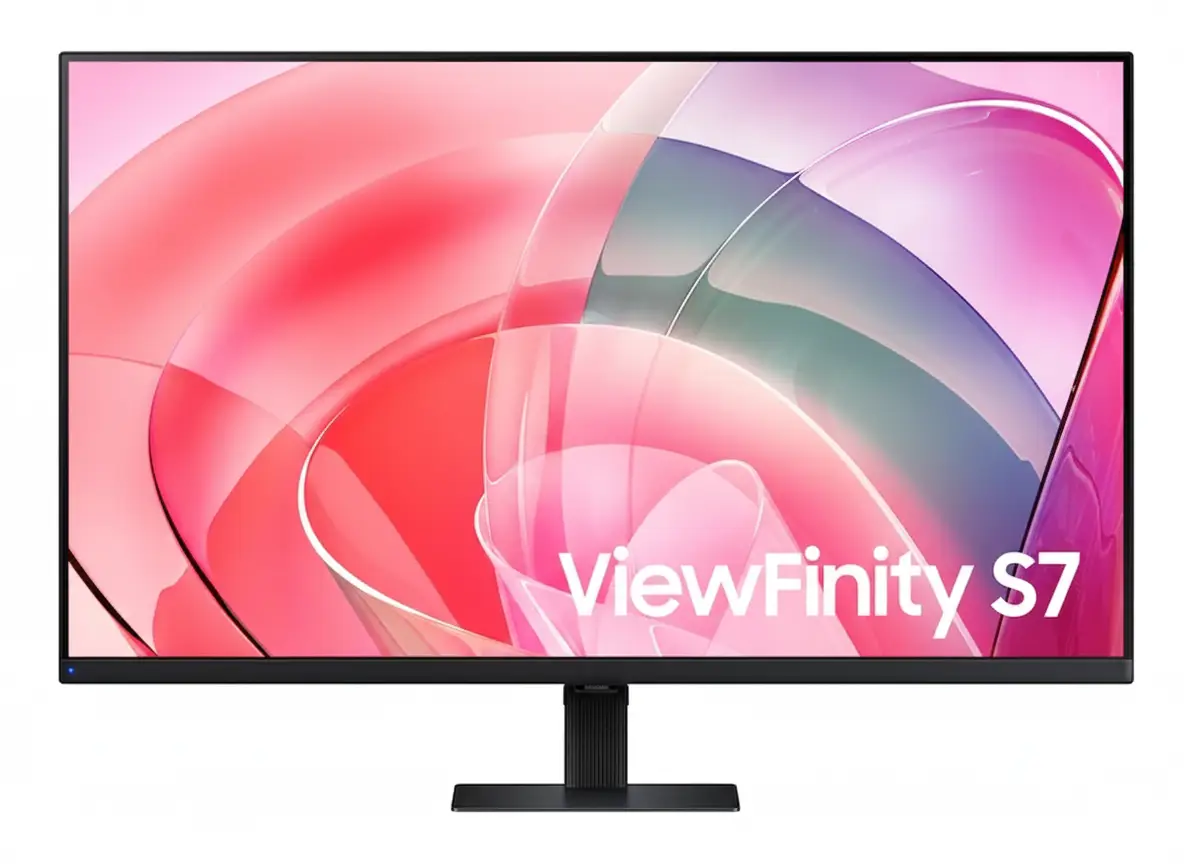
Samsung ViewFinity S7 32 inch 4K UHD HDR10 Professional Monitor

💼 Professional 4K Clarity: 32″ UHD + HDR10 + 1.07B Colors!

99% sRGB + VA Panel + TÜV Eye Care + Eco-Friendly Design!

🏆 Best 32″ 4K Business Monitor – Professional Productivity Champion!

Samsung ViewFinity S7 32″ Professional Monitor

32″ 4K UHD VA Panel | HDR10 | 1.07B Colors | 99% sRGB | Eye Care

3840×2160 Resolution – 5ms Response – 3000:1 Contrast – Easy Setup Stand

💼 The Ultimate Professional Workspace:

• Size: 32″ (81.28cm) 4K UHD (3840×2160) VA Panel

• Colors: 1.07 Billion Colors + 99% sRGB Coverage

• HDR: HDR10 Support – 3000:1 Static Contrast Ratio

• Brightness: 350 nits (Typical) – 280 nits (Min)

• Response: 5ms GTG – 60Hz Refresh Rate

• Ports: HDMI 2.0 + DisplayPort 1.2 + USB Hub

• Eye Care: TÜV-Certified + Eye Saver Mode + Flicker Free

• Features: PIP/PBP + Easy Setup Stand + VESA Mount

₹28,999

₹39,990

SAVE ₹10,991 (27% OFF!)

*Price varies ₹27,999-32,990 across retailers | Check current offers

🛒 Check Price on Amazon India

$399.99

$499.99

SAVE $100.00 (20% OFF!)

*Free shipping | Model: LS32D702EANXGO | 4.7★ (185 reviews)

🛒 Buy Now on Samsung.com (USA)

🌍 Global Availability

• India: ₹27,999-32,990 (Amazon.in, Flipkart, Samsung India)

• USA: $399.99 (Samsung.com, Newegg, Best Buy)

• Europe: €379-449 (varies by country)

• Asia: Check Samsung regional sites

Screen Size

32″

Resolution

4K UHD

Color

1.07B

Samsung ViewFinity S7 32″ Overview – The Professional Powerhouse

💼 Professional Highlights

  • 32″ 4K UHD: Crisp workspace clarity
  • VA Panel: 3000:1 contrast ratio
  • HDR10: Enhanced visuals
  • 1.07B Colors: True-to-life accuracy
  • 99% sRGB: Professional color
  • TÜV Certified: Eye comfort guaranteed
  • PIP/PBP: Multi-device workflow
  • Easy Setup: Tool-free assembly

🖥️ Productivity Features

  • 📐 4K Resolution – Ultra-detailed workspace
  • 👁️ Eye Saver Mode – Blue light reduction
  • ⚡ Flicker Free – Zero screen flicker
  • 🖼️ PIP/PBP – Dual source display
  • 🔌 USB Hub – Peripheral connectivity
  • 🌿 Eco-Friendly – 14%+ recycled plastic

⭐ Why This Monitor?

  • • Business-grade: Professional reliability
  • • Perfect size: 32″ ideal for multitasking
  • • VA contrast: Deep blacks, vivid colors
  • • Eye comfort: TÜV-certified protection
  • • Eco-conscious: Sustainable materials
  • • Great value: Premium specs, fair price

🎯 What Makes ViewFinity S7 Special?

The Samsung ViewFinity S7 32″ (S70D) is engineered for professionals who demand crystal-clear visuals and all-day comfort. With 4K UHD resolution (3840×2160), every spreadsheet, design file, and document renders with exceptional clarity. The VA panel technology delivers a 3000:1 static contrast ratio, ensuring deep blacks and vibrant colors that IPS panels cannot match at this price point.

HDR10 support and 1.07 billion color display bring content to life with nuanced gradients and accurate color reproduction. Whether editing photos, creating presentations, or reviewing detailed CAD drawings, the 99% sRGB color coverage ensures professional-grade accuracy straight out of the box.

Samsung’s TÜV-certified Intelligent Eye Care technology reduces eye strain during extended work sessions. Eye Saver Mode minimizes blue light emission, while Flicker Free technology eliminates screen flicker completely. For professionals working 8+ hours daily, these features are essential for maintaining productivity and eye health.

The Easy Setup Stand requires no tools or screws for assembly, and the monitor includes VESA 100×100mm mounting for flexible workspace configuration. Combined with Picture-in-Picture and Picture-by-Picture modes, this monitor transforms into a powerful multi-device command center.

Display Quality – 4K UHD Clarity Meets VA Contrast

📺 4K UHD Resolution – 3840×2160 Pixels

The 32-inch 4K UHD display packs 8.3 million pixels into a workspace-optimized screen size. This translates to 137.68 pixels per inch, delivering razor-sharp text rendering and eliminating the jagged edges common on lower-resolution displays. For designers, developers, and content creators, this pixel density ensures accurate line work, crisp typography, and detailed image editing without visible pixelation.

3840×2160 resolution provides 4× the workspace of Full HD. You can comfortably view four 1080p windows side-by-side without scaling compromises. Excel spreadsheets display more rows and columns simultaneously, code editors show entire functions without scrolling, and design software reveals intricate details at 100% zoom.

Resolution Comparison

  • • Full HD (1920×1080): 2.07 million pixels – basic clarity
  • • QHD (2560×1440): 3.69 million pixels – good detail
  • • 4K UHD (3840×2160): 8.29 million pixels – professional grade
  • • ViewFinity S7 32″: 137.68 PPI – crisp text, sharp images!

⚫ VA Panel – 3000:1 Contrast Advantage

The Vertical Alignment (VA) panel technology is Samsung’s strategic choice for this professional monitor. Unlike IPS panels that sacrifice contrast for viewing angles, VA delivers a 3000:1 static contrast ratio – approximately 3× better than typical IPS monitors. This translates to deeper blacks, more vibrant colors, and superior image depth in everyday use.

For professionals working with dark-themed IDEs, video editing timelines, or photo galleries, VA panel blacks remain truly dark rather than the grayish appearance of IPS. Color saturation benefits from higher contrast, with reds appearing richer, blues deeper, and whites brighter without washing out adjacent darker elements.

VA vs IPS Panel Technology

  • • IPS panels: 1000:1 contrast, wide angles, washed blacks
  • • VA panels: 3000:1 contrast, deep blacks, rich colors
  • • ViewFinity S7: VA panel optimized for contrast + color!
  • • Viewing angle: 178°/178° – no compromise on angles

🔆 Brightness & Uniformity – 350 Nits Professional Grade

350 Nits Typical Brightness

The 350 nits typical brightness (280 nits minimum) is perfectly calibrated for office and home environments. This level handles ambient office lighting without glare, maintains visibility near windows during daytime, and prevents eye strain from excessive brightness in dim environments.

Adaptive Picture Technology

Samsung’s Adaptive Picture automatically adjusts brightness and contrast based on ambient light conditions. In bright rooms, the display compensates with increased brightness. In dark environments, it reduces output to prevent eye fatigue while maintaining contrast.

Anti-Glare Coating

The screen features a matte anti-glare finish that diffuses reflections from overhead lights and windows. Unlike glossy displays that create mirror-like reflections, this coating ensures comfortable viewing in any lighting scenario.

Color Accuracy – 1.07 Billion Colors & 99% sRGB

🎨 1.07 Billion Color Display (10-bit)

The ViewFinity S7 supports 1.07 billion colors (10-bit color depth) through advanced dithering technology. While the native panel is 8-bit, Samsung’s Frame Rate Control (FRC) simulates 10-bit by rapidly alternating pixel colors, creating smooth gradients that eliminate banding artifacts visible in 8-bit displays.

This matters tremendously for photo editing, graphic design, and video production. Subtle sky gradients transition smoothly from light blue to deep azure without visible color steps. Skin tones render naturally with nuanced shading. Product photography shows accurate material textures with proper shadow-to-highlight transitions.

Color Depth Comparison

  • • 8-bit: 16.7 million colors – visible banding
  • • 8-bit + FRC: 1.07 billion colors – smooth gradients
  • • True 10-bit: 1.07 billion colors – professional reference
  • • ViewFinity S7: 10-bit via FRC – creator-ready!

✅ 99% sRGB Color Gamut Coverage

The monitor achieves 99% sRGB color space coverage, the industry standard for web content, digital photography, and general creative work. This ensures accurate color representation across web browsers, Office applications, and creative software like Adobe Photoshop, Illustrator, and Premiere Pro.

Factory tuning calibrates the display before shipping, reducing color drift and ensuring consistency between units. While not individually color-calibrated like $1000+ reference monitors, the S7 delivers professional-grade accuracy for 95% of creative workflows without requiring expensive calibration hardware.

sRGB vs Other Color Spaces

  • • sRGB: Web standard – 99% coverage on S7
  • • Adobe RGB: Print standard – ~75% coverage (typical VA)
  • • DCI-P3: Cinema standard – ~85% coverage (estimated)
  • • Best for: Web design, digital photo, Office work!

🎯 Who Benefits from 99% sRGB Color?

📸

Photographers

Accurate color for digital photo editing and web portfolios

🎨

Graphic Designers

True-to-life colors for web graphics and digital branding

🎬

Video Editors

Consistent color grading for YouTube and online video

💼

Business Users

Reliable color for presentations and document work

HDR10 Support – Enhanced Contrast & Dynamic Range

🌈 What is HDR10?

HDR10 (High Dynamic Range) expands the monitor’s ability to display brighter highlights and deeper shadows simultaneously. While SDR (Standard Dynamic Range) content is mastered within a limited brightness range, HDR10 content can specify brightness levels from 0.0001 to 1000 nits, creating more realistic and impactful imagery.

The ViewFinity S7’s HDR10 implementation leverages the VA panel’s 3000:1 contrast ratio to deliver meaningful dynamic range improvements. When viewing HDR content like HDR Netflix shows, YouTube HDR videos, or HDR photography, the display adjusts brightness zones to reveal details in shadows while maintaining bright highlights – something impossible with SDR.

HDR10 Benefits

  • • Expanded range: Brighter whites, deeper blacks
  • • Better detail: Shadow & highlight detail preserved
  • • Natural look: More lifelike imagery
  • • Content support: Netflix, YouTube, Windows 11 HDR

💡 HDR Performance on ViewFinity S7

It’s important to set realistic expectations: the S7’s 350 nits brightness falls short of VESA DisplayHDR 400 certification (which requires 400 nits peak). This means HDR won’t be as dramatic as on DisplayHDR 600+ monitors. However, the VA panel’s superior contrast compensates significantly for moderate peak brightness.

In practice, HDR content looks noticeably better than SDR on this display. Sunset scenes show enhanced color vibrancy, dark movie scenes reveal shadow detail without lifting blacks excessively, and HDR gaming (Xbox, PlayStation) provides improved immersion. The monitor handles HDR tone mapping intelligently, avoiding the blown-out highlights or crushed shadows common on budget “HDR” displays.

HDR Performance Notes

  • • Best for: HDR video streaming, casual HDR gaming
  • • Not ideal for: Professional HDR mastering workflows
  • • Brightness: 350 nits – decent but not reference-grade
  • • Contrast advantage: VA panel maximizes HDR impact

📺 HDR Content Compatibility

🎬 Streaming Services

  • • Netflix: HDR10 content supported
  • • Amazon Prime: HDR10 video playback
  • • YouTube: HDR videos display correctly
  • • Disney+: HDR content compatible

🎮 Gaming Platforms

  • • Windows 11: Auto HDR support
  • • Xbox Series: HDR gaming enabled
  • • PlayStation 5: HDR mode functional
  • • PC games: HDR titles supported

📸 Creative Apps

  • • Lightroom: HDR photo viewing
  • • Premiere Pro: HDR video preview
  • • Photos (Win): HDR display mode
  • • Chrome: HDR web content

Eye Care Technology – TÜV-Certified Intelligent Protection

👁️ TÜV Rheinland Eye Comfort Certification

The ViewFinity S7 carries TÜV Rheinland Eye Comfort certification, an independent third-party validation of Samsung’s eye care technologies. TÜV Rheinland’s rigorous testing verifies that the display meets strict standards for flicker-free operation and low blue light emission without compromising image quality or color accuracy.

This certification matters for professionals spending 8-12 hours daily in front of screens. Eye strain, headaches, and long-term retinal damage from blue light exposure are genuine concerns. TÜV certification ensures the monitor’s eye care features actually work as advertised, unlike marketing-only “eye care” claims on uncertified displays.

TÜV Certification Standards

  • • Flicker testing: Zero detectable flicker at all brightness levels
  • • Blue light: Reduced harmful wavelengths (380-440nm)
  • • Color shift: Minimal color change with Eye Saver Mode
  • • Independent lab: Third-party verified performance

🛡️ Flicker Free Technology

Flicker Free technology eliminates LED backlight flicker that plagues most monitors, especially at lower brightness levels. Traditional monitors use PWM (Pulse Width Modulation) to control brightness by rapidly turning the backlight on/off. Even at 200Hz+ flicker rates invisible to conscious perception, your eyes detect this strobe effect, causing eye strain, headaches, and fatigue.

Samsung’s Flicker Free design uses DC (Direct Current) backlight modulation, maintaining constant illumination at all brightness levels. This is particularly beneficial for users who prefer lower brightness settings in dim environments – exactly when PWM flicker is most aggressive on conventional monitors. The result: dramatically reduced eye fatigue during marathon work sessions.

Flicker Free Benefits

  • • No headaches: Eliminates flicker-induced migraines
  • • Less fatigue: Work longer without eye strain
  • • Any brightness: Flicker-free at all levels (0-100%)
  • • Long-term health: Reduced cumulative eye damage

🌙 Eye Saver Mode – Blue Light Reduction

What is Blue Light?

Blue light (380-500nm wavelength) is the high-energy visible light emitted by LED backlights. While essential for daytime alertness, excessive blue light exposure suppresses melatonin production, disrupting sleep cycles and potentially damaging retinal cells over time.

Night work sessions are especially problematic – blue light tricks your brain into thinking it’s daytime, making it harder to fall asleep after late-night work.

How Eye Saver Mode Works

Eye Saver Mode filters harmful blue light wavelengths (400-440nm) by adjusting the display’s color temperature toward warmer tones. Unlike software-based blue light filters that simply overlay an orange tint, the S7’s hardware-level filtering maintains better color accuracy while reducing blue light.

Activate Eye Saver Mode during evening work, late-night coding sessions, or extended document reading for immediate comfort improvement.

Real-World Benefits

Users report significantly reduced eye dryness and irritation when using Eye Saver Mode during extended sessions. The warmer color temperature (reduced blue) creates a more comfortable viewing experience without the harsh “coolness” of standard LCD backlights.

Sleep quality improves for users who work late – less blue light exposure before bed helps maintain natural circadian rhythms.

⚙️ Additional Eye Comfort Features

📊 Adaptive Picture Technology

Adaptive Picture automatically adjusts brightness and contrast based on ambient lighting conditions detected by the monitor. In bright rooms, it increases brightness for visibility. In dark environments, it reduces output to prevent eye strain from excessive luminance.

This feature works seamlessly in the background, eliminating the need for manual brightness adjustments throughout the day as lighting conditions change.

🖼️ Image Size & Off Timer Plus

Image Size mode allows custom viewing area adjustments without physical distance changes. Off Timer Plus automatically powers down the display after set periods of inactivity, preventing unnecessary eye exposure when you step away.

Combined with Windows 11 Night Light or macOS Night Shift, these features create a comprehensive eye protection ecosystem.

Ports & Setup – Versatile Connectivity & Tool-Free Assembly

🔌 Port Selection & Connectivity

The ViewFinity S7 provides essential professional connectivity without overwhelming port selection. The rear I/O panel includes 1× HDMI 2.0, 1× DisplayPort 1.2, USB-A hub ports, and USB-B upstream for comprehensive device compatibility.

Video Input Ports

  • • HDMI 2.0: 4K 60Hz support – ideal for laptops, PCs, consoles
  • • DisplayPort 1.2: 4K 60Hz with full color depth (10-bit)
  • • HDCP 2.2: Protected content playback (Netflix 4K, etc.)
  • • Auto Source Switch+: Automatic input detection & switching

USB Hub Functionality

  • • USB-B Upstream: Connect to PC for hub functionality
  • • USB-A Ports: Connect peripherals (keyboard, mouse, drives)
  • • Headphone Jack: 3.5mm audio output for headphones/speakers
  • • Simplified setup: Single USB cable enables peripheral sharing

🛠️ Easy Setup Stand – Tool-Free Assembly

Samsung’s Easy Setup Stand represents a significant quality-of-life improvement over traditional monitor stands requiring screwdrivers and manual assembly. The stand attaches via a simple push-and-click mechanism, with no tools or screws required. Setup takes under 30 seconds from box to desk.

The stand provides tilt adjustment from -2° to +25°, allowing ergonomic positioning for various desk heights and seating positions. While it lacks height/swivel/pivot adjustments, the tilt range covers most user preferences for desktop use. For advanced ergonomics, the VESA 100×100mm mount enables attachment to monitor arms or wall mounts.

Stand & Mounting Options

  • • Easy Setup Stand: Tool-free installation (30 seconds)
  • • Tilt range: -2° to +25° for ergonomic positioning
  • • VESA mount: 100×100mm standard – arm/wall compatible
  • • Stand color: Warm White matches monitor bezel
  • • Footprint: 180mm depth – desk-friendly design

💻 Multi-Device Workflow – PIP & PBP Modes

🖼️ Picture-in-Picture (PIP)

PIP mode displays a secondary input source as a resizable window overlaid on the primary display. This is perfect for monitoring live feeds while working – watch a webinar while taking notes, monitor server dashboards while coding, or reference documentation while designing.

PIP Use Cases

  • • Video conferencing: Zoom call in corner while presenting
  • • Live monitoring: Security cam feed during regular work
  • • Content creation: Reference footage while editing
  • • Gaming + streaming: Console gameplay with PC stream controls

⚡ Picture-by-Picture (PBP)

PBP mode splits the 32″ display into two side-by-side viewing areas, each showing a different input source at native resolution. Connect your work laptop and personal desktop simultaneously, viewing both systems on one screen without constant cable swapping or KVM switches.

PBP Use Cases

  • • Dual PC setup: Work laptop + personal desktop simultaneously
  • • Cross-platform dev: Mac + Windows side-by-side testing
  • • Console + PC: Game on one side, Discord/chat on other
  • • Trading/monitoring: Live data feeds from multiple sources

📐 Dimensions & Weight Specifications

📏 Physical Dimensions

  • • With stand: 713.9 × 501.6 × 180 mm
  • • Panel only: 713.9 × 424.7 × 41.8 mm
  • • Active display: 697.3 × 392.2 mm (diagonal 32″)
  • • Bezel: Thin warm white bezel design

⚖️ Weight Specifications

  • • With stand: 13 lbs (5.9 kg)
  • • Panel only: 9.7 lbs (4.4 kg)
  • • Shipping weight: 17.6 lbs (8.0 kg)
  • • Easy to move: Single-person setup

📦 Packaging & Cables

  • • Box size: 798 × 546 × 160 mm
  • • Power cable: 1.5m (4.9 ft) included
  • • HDMI cable: Included in package
  • • Eco packaging: Glue-joined, staple-free box

Productivity Features – Professional Workflow Optimization

💼 4K Workspace – Maximum Screen Real Estate

The 32″ 4K resolution provides exceptional multitasking capabilities without the need for dual monitors. With 3840×2160 pixels, you can comfortably display four Full HD windows side-by-side at native resolution – perfect for comparing documents, coding with multiple files open, or managing complex workflows.

At 100% scaling in Windows 11 or macOS, the display reveals enormous amounts of information simultaneously. Excel spreadsheets show 50+ rows and 20+ columns without scrolling. Code editors display entire functions with room for debuggers and file trees. Design software provides full toolbars without obscuring the canvas.

Multitasking Scenarios

  • • Financial analysis: Excel + browser + PDF documents simultaneously
  • • Software dev: IDE + documentation + terminal + browser
  • • Content creation: Premiere timeline + preview + media browser
  • • Business ops: Email + CRM + calendar + chat all visible

⚡ 60Hz Refresh & 5ms Response – Professional Responsiveness

The 60Hz refresh rate and 5ms response time are perfectly calibrated for professional use. While gaming monitors prioritize 144Hz+ for competitive advantage, productivity work benefits from stable 60Hz with consistent frame pacing – no tearing during scrolling, smooth cursor movement, and fluid window animations.

5ms GTG (Gray-to-Gray) response time eliminates ghosting during normal desktop use. Text scrolling remains sharp, video playback is smooth, and even casual gaming (strategy, simulation) performs well without motion blur. For office work, this response time is indistinguishable from faster panels while maintaining better image quality.

Performance Benefits

  • • Smooth scrolling: Documents, spreadsheets, web pages
  • • Video playback: 24/30/60fps content plays perfectly
  • • No tearing: Consistent frame delivery at 60Hz
  • • Efficient GPU: 4K 60Hz requires less power than high-refresh

🖥️ Windows 11 & macOS Compatibility

🪟 Windows 11 Certification

The ViewFinity S7 carries official Windows 11 certification, ensuring full compatibility with Microsoft’s latest OS features. HDR mode, Auto HDR, Night Light, display scaling, and virtual desktops all function flawlessly with proper driver support.

Windows 11 HDR Calibration app works correctly with the monitor, allowing fine-tuning of brightness curves and color accuracy for HDR content. Display settings properly detect 4K 60Hz capabilities via HDMI and DisplayPort.

Optimal Windows 11 Settings:

  • • Scaling: 150% for comfortable text size
  • • Refresh: 60Hz (native)
  • • Color depth: 10-bit (via DisplayPort)
  • • HDR: Enable in Display Settings when viewing HDR content

🍎 macOS Compatibility

Mac users benefit from excellent plug-and-play compatibility. macOS automatically detects the 4K resolution and configures appropriate scaling. Retina-quality text rendering works beautifully at default scaled resolutions, with sharp fonts and crisp UI elements.

True Tone and Night Shift (on Macs with ambient sensors) function correctly with the S7. Color management in macOS properly utilizes the sRGB color space for accurate Creative Suite workflows. USB-C to DisplayPort cables work for single-cable video on newer MacBooks.

Optimal macOS Settings:

  • • Resolution: “Default for display” (scaled 2560×1440)
  • • Color profile: sRGB IEC61966-2.1
  • • Night Shift: Enable for evening comfort
  • • Connection: USB-C to DP for M-series Macs

🌿 Sustainability & Eco-Friendly Design

♻️

Recycled Plastics

The ViewFinity S7 incorporates at least 14% recycled plastic across various components. This percentage varies by part but represents a significant commitment to reducing virgin plastic consumption.

Samsung calculates this as total weight of recycled materials divided by total plastic weight in the product.

🌱

Chemical-Free Finish

No chemical sprays are used on the monitor’s plastic components, reducing volatile organic compound (VOC) emissions during manufacturing and throughout the product’s lifespan.

This creates a healthier indoor environment and reduces industrial pollution.

📦

Recyclable Packaging

The packaging box uses glue instead of staples at joints, making it fully recyclable in standard cardboard recycling streams without requiring staple removal.

ENERGY STAR and TCO certifications validate energy efficiency and environmental responsibility.

Who Should Buy the Samsung ViewFinity S7 32″?

✅ Perfect For These Users

💼 Business Professionals

If you work with spreadsheets, financial models, presentations, or multi-application workflows, the 4K workspace and excellent text clarity make the S7 ideal. PIP/PBP modes enable efficient multi-device setups without desk clutter.

💻 Software Developers

The 32″ 4K resolution provides ample space for IDE, terminal, documentation, and browser simultaneously. Deep VA panel blacks make dark themes comfortable, and TÜV eye care reduces strain during marathon coding sessions.

🎨 Content Creators

For photo editing, video production, and graphic design, 99% sRGB coverage and 1.07B colors ensure accurate color reproduction. HDR10 support enhances preview quality for modern content workflows.

🏠 Home Office Workers

The eco-friendly design, eye care features, and tool-free setup make this perfect for home offices. Energy efficiency keeps electricity costs low during all-day use, and the single-cable setup minimizes desk cable mess.

🎓 Students & Researchers

For academic work requiring multiple reference sources, paper writing, and data analysis, the large 4K workspace eliminates constant window switching. Affordable pricing fits student budgets.

🎮 Casual Gamers

Strategy games, simulation, RPGs, and console gaming work beautifully. HDR10 enhances immersion, and the 60Hz refresh rate suits non-competitive gaming. VA contrast makes dark games stunning.

❌ Not Ideal For These Users

🎮 Competitive Gamers

The 60Hz refresh rate and 5ms response time are inadequate for competitive FPS, MOBA, or esports gaming. High-refresh gaming monitors (144Hz+) with 1ms response times provide necessary advantages for competitive play.

👉 Consider: Gaming monitors with 144Hz+ refresh rates

🎬 Professional Video Colorists

While 99% sRGB is excellent, professional video grading requires DCI-P3 or Rec.2020 coverage that this monitor lacks. HDR600-grade peak brightness is also insufficient for HDR mastering workflows.

👉 Consider: BenQ SW series or ASUS ProArt PA32UCX

🖨️ Print Designers

Print professionals require Adobe RGB color space coverage (90%+) for accurate CMYK preview. The S7’s focus on sRGB makes it unsuitable for print-centric design work where color matching to physical prints is critical.

👉 Consider: Monitors with Adobe RGB coverage like BenQ SW270C

🏢 Multi-Monitor Setups

The S7 lacks narrow bezels optimized for edge-to-edge multi-monitor arrays. If you plan a 2×2 or 3×1 monitor wall, models designed specifically for video walls provide better visual continuity.

👉 Consider: Thin-bezel professional displays or ultrawide alternatives

⚙️ Advanced Ergonomics Needs

The stand provides tilt-only adjustment without height, swivel, or pivot. Users requiring portrait mode, precise height matching, or complex desk arrangements need more adjustable stands or VESA arm mounting.

👉 Consider: Monitors with fully adjustable stands or purchase VESA arm

💰 Budget-Constrained Buyers

If $400 USD exceeds your budget, 1440p monitors at 27″ offer excellent value at $200-250. You’ll sacrifice 4K resolution but gain similar screen real estate and features at lower cost.

👉 Consider: 27″ 1440p displays from Dell, LG, or Acer

ViewFinity S7 vs Competitors – How Does It Stack Up?

LG 32UN650-W

LG 32UN650-W

32″ 4K IPS | HDR10 | 95% DCI-P3 | Height-Adjustable Stand

✅ Where LG Wins:

  • • IPS panel – wider viewing angles
  • • 95% DCI-P3 color gamut (better)
  • • Height-adjustable ergonomic stand
  • • USB-C with 60W power delivery

❌ Where Samsung S7 Wins:

  • • VA panel – 3× better contrast (3000:1 vs 1000:1)
  • • Deeper blacks for dark content
  • • Lower price by $50-80
  • • TÜV eye care certification
  • • Better value for office/productivity

Best for: Content creators needing wider color, users wanting ergonomic stand adjustability

Dell S2722DC

Dell S2722DC

27″ 4K IPS | USB-C 65W PD | Height/Pivot Stand | ComfortView

✅ Where Dell Wins:

  • • USB-C with 65W laptop charging
  • • Fully adjustable stand (height/pivot/swivel)
  • • Dell ComfortView blue light filter
  • • Smaller 27″ ideal for desk space

❌ Where Samsung S7 Wins:

  • • Larger 32″ screen – more workspace
  • • VA contrast 3× better than IPS
  • • Lower price ($399 vs $450+)
  • • Better for dark content viewing

Best for: MacBook users needing USB-C charging, users prioritizing ergonomics over screen size

BenQ PD3205U

BenQ PD3205U

32″ 4K IPS | 98% P3 | Factory Calibrated | USB-C Docking | CAD/CAM Mode

✅ Where BenQ Wins:

  • • 98% DCI-P3 + factory color calibration
  • • CAD/CAM mode for technical design
  • • USB-C with 65W PD + KVM switch
  • • Professional creator features

❌ Where Samsung S7 Wins:

  • • $250+ cheaper ($399 vs $650+)
  • • Better VA contrast ratio
  • • Sufficient for most workflows
  • • Better value for general use

Best for: Professional designers/engineers needing wide color + calibration, CAD/CAM workflows

Samsung S60A

Samsung ViewFinity S60A

32″ 4K IPS | 99% sRGB | Eye Saver Mode | Simple Stand

✅ Where S60A Wins:

  • • Lower price ($50-70 cheaper)
  • • IPS panel – wider viewing angles
  • • Similar feature set for less
  • • Good budget alternative

❌ Where Samsung S7 (S70D) Wins:

  • • VA panel – 3× better contrast
  • • HDR10 support (S60A lacks HDR)
  • • 1.07B colors vs 16.7M colors
  • • Newer 2024 model vs older

Best for: Budget-conscious buyers who prefer IPS angles over VA contrast, basic office use

ASUS ProArt PA329CV

ASUS ProArt PA329CV

32″ 4K IPS | 98% DCI-P3 | Hardware Calibration | USB-C 65W | HDR10

✅ Where ASUS Wins:

  • • 98% DCI-P3 + 100% sRGB coverage
  • • Hardware calibration support
  • • USB-C with 65W power delivery
  • • Professional ProArt features

❌ Where Samsung S7 Wins:

  • • $300+ cheaper price point
  • • Better contrast (VA vs IPS)
  • • Sufficient for most users
  • • Better value proposition

Best for: Professional photographers/video editors needing wide color + calibration tools

Gigabyte M32U

Gigabyte M32U

32″ 4K IPS | 144Hz | 1ms MPRT | 90% DCI-P3 | HDMI 2.1 | FreeSync Premium Pro

✅ Where Gigabyte Wins:

  • • 144Hz refresh – gaming-optimized
  • • 1ms MPRT response time
  • • HDMI 2.1 for PS5/Xbox 4K 120Hz
  • • FreeSync Premium Pro + G-SYNC

❌ Where Samsung S7 Wins:

  • • VA contrast superior to IPS
  • • Better for productivity/office work
  • • TÜV eye care for long sessions
  • • Lower price for non-gamers

Best for: Serious gamers wanting 4K 144Hz, PS5/Xbox Series X owners, competitive gaming

🎯 Competitive Positioning Summary

The Samsung ViewFinity S7 32″ (S70D) occupies the sweet spot for professional productivity monitors. It delivers premium features like 4K resolution, HDR10, 1.07B colors, and TÜV eye care at a competitive $399 price point. The VA panel’s superior contrast ratio makes it particularly attractive for users who prioritize image quality over wide viewing angles.

Competitors either sacrifice features for lower prices (S60A), add gaming specs that productivity users don’t need (Gigabyte M32U), or target professional creators willing to pay premium prices for wider color gamuts and calibration tools (BenQ, ASUS ProArt). The S7 hits the optimal balance of performance, features, and value for business and creative professionals.

Pros & Cons – Balanced Assessment

✅ Pros – What We Love

  • ✓
    Excellent 4K Clarity:

    3840×2160 resolution on 32″ provides 137.68 PPI for razor-sharp text, detailed images, and massive workspace real estate perfect for multitasking.

  • ✓
    Superior VA Panel Contrast:

    3000:1 static contrast ratio delivers deep blacks and vibrant colors that IPS panels cannot match – exceptional for dark content and mixed scenes.

  • ✓
    1.07 Billion Colors:

    10-bit color depth via FRC eliminates banding artifacts, providing smooth gradients essential for photo editing and creative work.

  • ✓
    99% sRGB Color Accuracy:

    Factory-tuned color ensures professional-grade accuracy for web design, digital photography, and general creative workflows without calibration.

  • ✓
    TÜV-Certified Eye Care:

    Flicker Free + Eye Saver Mode with independent third-party certification reduces eye strain during 8-12 hour work sessions dramatically.

  • ✓
    HDR10 Support:

    Enhanced dynamic range improves video streaming, gaming, and HDR photo viewing with better highlight/shadow detail preservation.

  • ✓
    PIP/PBP Multi-Device:

    Picture-in-Picture and Picture-by-Picture modes enable efficient multi-device workflows without KVM switches or cable swapping.

  • ✓
    Easy Setup Stand:

    Tool-free assembly takes under 30 seconds – no screwdrivers or complicated instructions required for desk setup.

  • ✓
    Eco-Friendly Design:

    14%+ recycled plastic, chemical-free finish, recyclable packaging, ENERGY STAR certified – sustainable manufacturing practices.

  • ✓
    Excellent Value:

    $399 USD pricing delivers premium features typically found on $500-600 monitors – outstanding performance per dollar.

  • ✓
    Windows 11 Certified:

    Official Microsoft certification ensures flawless compatibility with Windows 11 HDR, scaling, and display features.

  • ✓
    USB Hub Built-In:

    USB-A ports and upstream USB-B connection simplify peripheral management and reduce cable clutter on desk.

❌ Cons – Room for Improvement

  • ✗
    Tilt-Only Stand:

    No height, swivel, or pivot adjustments – limits ergonomic flexibility. Users needing portrait mode or precise height must purchase VESA arms.

  • ✗
    60Hz Refresh Rate:

    60Hz is inadequate for competitive gaming or high-refresh workflows. Gaming enthusiasts should look at 144Hz+ alternatives.

  • ✗
    No USB-C Port:

    Lacks USB-C with power delivery that would enable single-cable laptop connections – requires separate power adapter for modern laptops.

  • ✗
    Limited Peak Brightness:

    350 nits falls short of DisplayHDR 400 certification – HDR impact is moderate compared to 600+ nit displays.

  • ✗
    VA Panel Viewing Angles:

    While rated 178°/178°, VA panels show more color shift at extreme angles compared to IPS – not ideal for side-by-side viewing.

  • ✗
    5ms Response Time:

    5ms GTG response can show minor ghosting in fast motion scenarios – competitive gamers need 1ms panels.

  • ✗
    No Built-In Speakers:

    Lacks integrated speakers – requires external audio solution for sound output (though most users prefer dedicated speakers).

  • ✗
    Limited Color Gamut:

    99% sRGB is excellent but lacks wide color (DCI-P3/Adobe RGB) coverage needed for professional video/print workflows.

  • ✗
    No Hardware Calibration:

    Cannot be hardware-calibrated with colorimeters for professional color-critical workflows requiring absolute accuracy.

  • ✗
    HDMI 2.0 (Not 2.1):

    HDMI 2.0 limits bandwidth for future features – though 4K 60Hz works fine, HDMI 2.1 would future-proof the display.

  • ✗
    Basic OSD Controls:

    On-screen display menu uses physical buttons rather than joystick – slightly less convenient than premium monitors.

Final Verdict – Should You Buy the ViewFinity S7 32″?

⭐ Overall Rating: 8.5/10

Highly Recommended

📊 Rating Breakdown

Display Quality: 9/10
Color Accuracy: 8.5/10
Eye Care Features: 9.5/10
Connectivity: 7/10
Ergonomics: 6.5/10
Value for Money: 9/10

🎯 Bottom Line

The Samsung ViewFinity S7 32″ (S70D) is an outstanding professional monitor that delivers flagship-tier features at a competitive price point. Its 4K resolution, VA panel contrast, 1.07B colors, and TÜV-certified eye care make it ideal for business professionals, developers, content creators, and home office workers who prioritize productivity and visual quality over gaming performance.

The monitor excels in multitasking scenarios, long work sessions, and mixed-use workflows. VA panel technology provides superior contrast for dark content, while 99% sRGB coverage ensures accurate colors for creative work. HDR10 support enhances multimedia experiences, and PIP/PBP modes streamline multi-device setups.

Trade-offs are minor – the tilt-only stand and lack of USB-C are disappointing but addressable with VESA arms or adapters. For the $399 USD price point, you’d struggle to find better display quality and feature density in the 32″ 4K category.

🏆 Our Recommendation

HIGHLY RECOMMENDED for business professionals, software developers, content creators, students, and home office workers seeking a premium 32″ 4K productivity monitor with excellent value. The ViewFinity S7 punches well above its price class.

NOT RECOMMENDED for competitive gamers (need 144Hz+), professional colorists (need wide color gamut), print designers (need Adobe RGB), or users requiring advanced ergonomics without VESA arm investment.

Frequently Asked Questions (FAQs)

❓ Is the ViewFinity S7 good for gaming?

The S7 is excellent for casual gaming, RPGs, strategy games, and single-player experiences. The 60Hz refresh rate and 5ms response time work well for non-competitive gaming. However, competitive FPS, MOBA, or esports gamers should choose 144Hz+ monitors for the refresh rate advantage.

❓ Can I use this with a MacBook?

Yes, the S7 works perfectly with MacBooks via HDMI or DisplayPort. macOS automatically detects 4K resolution and applies appropriate scaling. Note: there’s no USB-C port, so you’ll need USB-C to HDMI/DisplayPort adapters and a separate MacBook charger.

❓ Does it support PS5 and Xbox Series X?

Yes, the S7 supports PS5 and Xbox Series X at 4K 60Hz via HDMI. HDR10 gaming works beautifully. However, note that it has HDMI 2.0 (not 2.1), so 4K 120Hz gaming is not supported – you’re limited to 4K 60Hz for console gaming.

❓ What’s the difference between S7 (S70D) and S60A?

The S7 (S70D) is the newer 2024 model with upgrades: VA panel (better contrast), HDR10 support, 1.07B colors (10-bit), and improved eye care. The S60A is older with IPS panel, no HDR, and 8-bit color. S7 offers better image quality; S60A is cheaper.

❓ Can I mount this on a monitor arm?

Yes! The ViewFinity S7 supports VESA 100×100mm mounting. You can remove the included stand and attach any VESA-compatible monitor arm or wall mount. This is recommended if you need height adjustment, swivel, or pivot functionality.

❓ Is 99% sRGB enough for photo editing?

Yes, 99% sRGB is excellent for digital photography and web-focused work. If you primarily edit photos for Instagram, websites, or digital portfolios, this is perfect. Print photographers need Adobe RGB coverage, which this monitor doesn’t provide.

❓ Does Eye Saver Mode change colors noticeably?

Yes, Eye Saver Mode shifts colors toward warmer tones (reduces blue light). For creative work requiring color accuracy, turn it off. For document editing, web browsing, and evening work, the comfort benefits outweigh color shift.

❓ What cables are included in the box?

Samsung includes 1× HDMI cable (1.5m) and 1× power cable (1.5m) in the package. DisplayPort cable is NOT included – purchase separately if you prefer DP connection for 10-bit color depth.

❓ How is the VA panel different from IPS?

VA panels offer 3× better contrast (3000:1 vs 1000:1) with deeper blacks and richer colors, but slightly narrower viewing angles. IPS panels have wider angles but washed-out blacks. For direct front viewing (typical desk use), VA is superior.

❓ Can I run dual monitors with this?

Absolutely! The S7 works great in dual or triple monitor setups. Connect multiple displays via separate HDMI/DP ports on your GPU. Note: bezels are standard thickness, not ultra-thin, so there will be visible gaps between screens.

❓ Is the 350 nits brightness enough?

Yes, 350 nits is perfect for indoor office and home use. It handles ambient lighting and window glare adequately. If you work in extremely bright environments or direct sunlight, consider 400+ nit displays for better visibility.

❓ Does it have built-in speakers?

No, the ViewFinity S7 does NOT include built-in speakers. You’ll need external speakers, headphones, or a sound system. There is a 3.5mm headphone jack for audio output from connected devices.

Complete Technical Specifications

Samsung ViewFinity S7 32″ (S70D) – Model: LS32D702EANXGO
📺 DISPLAY SPECIFICATIONS
Screen Size32 inches (81.28 cm) – Flat Panel
Resolution4K UHD – 3840 × 2160 pixels (16:9 aspect ratio)
Panel TypeVA (Vertical Alignment) Panel
Active Display Area697.3 × 392.2 mm (27.5 × 15.4 inches)
Pixel Density137.68 PPI (Pixels Per Inch)
Brightness (Typical)350 cd/m² (nits)
Brightness (Minimum)280 cd/m² (nits)
Contrast Ratio (Static)3000:1 (Typical)
Contrast Ratio (Dynamic)Mega ∞ DCR (Dynamic Contrast Ratio)
Viewing Angle178° Horizontal / 178° Vertical
Response Time5ms (GTG – Gray to Gray)
Refresh RateMax 60Hz
🎨 COLOR SPECIFICATIONS
Color Support1.07 Billion Colors (10-bit via FRC)
Color Gamut (sRGB)99% sRGB Coverage (Typical)
HDR SupportHDR10 (High Dynamic Range)
Factory TuningYes – Pre-calibrated at factory
🔌 CONNECTIVITY & PORTS
HDMI Ports1× HDMI 2.0 (4K 60Hz support)
DisplayPort1× DisplayPort 1.2 (4K 60Hz support)
USB PortsUSB-A (Hub) + USB-B (Upstream)
Audio Output1× 3.5mm Headphone Jack
HDCP Version (HDMI)HDCP 2.2
HDCP Version (DP)HDCP 2.2
Built-in SpeakersNo
✨ FEATURES & TECHNOLOGY
Eye Saver ModeYes – Blue light reduction
Flicker FreeYes – Zero flicker at all brightness levels
TÜV CertificationTÜV Rheinland Eye Comfort Certified
Picture-in-PictureYes (PIP) – Dual input display
Picture-by-PictureYes (PBP) – Side-by-side dual input
Adaptive PictureYes – Auto brightness/contrast adjustment
Auto Source SwitchAuto Source Switch+ (Automatic input detection)
Image Size ModeYes – Custom viewing area adjustment
Off Timer PlusYes – Auto power-off timer
🛠️ ERGONOMICS & DESIGN
Stand TypeEasy Setup Stand (SIMPLE) – Tool-free assembly
Tilt Adjustment-2° to +25° (±2° tolerance)
Height AdjustmentNo
Swivel AdjustmentNo
Pivot AdjustmentNo
VESA Mount100 × 100 mm (Compatible with monitor arms/wall mounts)
Front ColorWarm White
Rear ColorWarm White
Stand ColorWarm White
📏 DIMENSIONS & WEIGHT
With Stand (W×H×D)713.9 × 501.6 × 180 mm (28.1 × 19.7 × 7.1 inches)
Without Stand (W×H×D)713.9 × 424.7 × 41.8 mm (28.1 × 16.7 × 1.6 inches)
Weight With Stand13 lbs (5.9 kg)
Weight Without Stand9.7 lbs (4.4 kg)
Package Dimensions (W×H×D)798 × 546 × 160 mm (31.4 × 21.5 × 6.3 inches)
Shipping Weight17.6 lbs (8.0 kg)
⚡ POWER SPECIFICATIONS
Power Supply TypeInternal Power Supply
Input VoltageAC 100-240V (Universal voltage)
Power Consumption (Max)100W (Maximum)
Power Consumption (Typical)~35-45W (Estimated during normal use)
🌿 ENVIRONMENTAL & CERTIFICATIONS
ENERGY STAR CertifiedYes
TCO CertifiedYes
Recycled Plastic ContentOver 14% (varies by component)
Chemical-Free FinishYes – No spray coatings on plastic
Recyclable PackagingYes – Glue-joined box (staple-free)
Windows 11 CertificationYes – Official Microsoft certification
📦 PACKAGE CONTENTS
Included Accessories1× HDMI Cable (1.5m / 4.9ft)
1× Power Cable (1.5m / 4.9ft)
Easy Setup Stand
Quick Setup Guide
Not IncludedDisplayPort Cable (purchase separately)
🌡️ OPERATING CONDITIONS
Operating Temperature10°C to 40°C (50°F to 104°F)
Operating Humidity10% to 80% (Non-condensing)
💰 PRICING INFORMATION
USA MSRP$499.99 (Original) | $399.99 (Current)
India Price Range₹27,999 – ₹32,990 (varies by retailer)
Europe Price Range€379 – €449 (varies by country)
Model NumberLS32D702EANXGO
Release Year2024

Ready to Upgrade Your Workspace?

The Samsung ViewFinity S7 32″ delivers professional 4K clarity at an exceptional price.

*Prices subject to change. Check retailer sites for current offers and availability.

Honda Elevate Gets Festive Upgrades | Interiors, Features & Great India Fest Offers

Honda Elevate Festive Upgrades

Honda Elevate Receives Festive-Season Upgrades with New Interiors and Styling

In a strategic move to boost sales during the festive season, Honda Cars India has rolled out a series of significant enhancements for its mid-size SUV, the Honda Elevate. These updates, which focus on interior aesthetics, styling, and feature additions, are designed to make the Elevate more competitive against rivals like the Hyundai Creta and Kia Seltos.

Detailed Upgrades by Variant

1. ZX Grade: The Pinnacle of Premium

New Interior

The ZX variant now offers a new Ivory & Black dual-tone interior, with ivory-colored leatherette seats and matching soft-touch inserts on the doors and dashboard.

Exterior Styling

An optional Alpha-Bold Plus Grille with nine vertical slats and a thick chrome surround is available for a more aggressive front look.

Optional Add-ons

For a premium, customers can add a 360-degree surround vision camera and 7-color rhythmic ambient lighting.

2. V and VX Grades: Mid-Range Gets a Makeover

New Dual-Tone Interior

The Shadow Beige upholstery is replaced with a new dual-tone theme of black fabric seats and ivory soft-touch inserts on the doors and dashboard.

Grille as Accessory

Customers can now purchase the Alpha-Bold Plus Grille as an accessory to customize the exterior look.

New Exterior Color

A new exterior color option, Crystal Black Pearl, has been added to the V, VX, and ZX lineups for a slight premium.

3. Black Edition: The Dark Knight Rises

Black Edition and Signature Black Edition

The Black Edition retains its all-black theme with chrome accents, while the Signature Black Edition is the most blacked-out version, featuring the new Alpha-Bold Plus Grille and 7-color rhythmic ambient lighting as standard.

Interior Styling

Both Black Edition models come with an all-black interior theme with black leatherette seats, black stitching, and soft-touch panels.

Unchanged Mechanicals and Safety

The Honda Elevate’s core mechanicals remain unchanged. It continues to be powered by the reliable 1.5-liter i-VTEC DOHC petrol engine that produces 121 hp and 145 Nm of torque. The engine is paired with either a 6-speed manual transmission or a 7-speed CVT automatic. The SUV maintains its practicality with a 458-liter boot space and a high ground clearance of 220 mm. The top-spec ZX grade continues to feature the Honda Sensing ADAS suite, which includes advanced safety features like Adaptive Cruise Control and Collision Mitigation Braking System.

Warranty and Festive Offers

  • Warranty: Honda offers a standard 3-year unlimited kilometer warranty on the Elevate, with the option to extend it up to 10 years.
  • Festive Discounts: As part of the “Great India Fest,” Honda is offering discounts of up to ₹1.22 lakh on the Elevate, which may include cash benefits, exchange bonuses, corporate perks, and a complimentary 7-year extended warranty.

PHILIPS 32″ Google TV 2025 at ₹10,499: HDR10, 24W Dolby Audio, and Frameless Display

PHILIPS 32" Google TV 2025 at ₹10,499: HDR10, 24W Dolby Audio, and Frameless Display
PHILIPS 32-inch Google TV 2025 Edition (32PFT6130/94) Review

PHILIPS 32″ Google TV 2025: Premium Experience, Accessible Price

32″ Frameless HD Display Google TV OS 24W Dolby Audio HDR10 Support 1.5GB RAM & 8GB Storage
Special Price: ₹10,499

Overview

The PHILIPS 32-inch Frameless Google TV (2025 Edition) represents a significant step up in the budget smart TV market, blending the brand’s renowned picture quality with the sophisticated and content-rich Google TV platform. Its elegant, ultra-narrow bezel design draws you into a vibrant HD display that supports both HDR10 and HLG, delivering superior contrast and color. The audio experience is equally premium, with powerful 24W speakers enhanced by Dolby Audio. Performance is smooth and responsive thanks to the capable A55 processor, 1.5GB of RAM, and 8GB of storage, ensuring quick access to over 8,000 apps. With features like flicker-free technology, Night Mode, built-in Google Assistant, and Chromecast, this Philips TV is a polished, feature-packed hub for modern entertainment.

1. Superior Visuals with HDR and Eye Comfort

HDR10 & HLG Support

This TV brings scenes to life by supporting HDR10 and HLG, enhancing content with deeper blacks, brighter highlights, and a wider range of colors for a more realistic and impactful picture.

Ultra-Narrow Bezel Design

The frameless design maximizes the screen area, offering a more immersive, cinematic viewing experience that pulls you deeper into the story with fewer distractions.

Eye-Care Technology

With flicker-free technology and a dedicated Night Mode, the TV is designed to reduce eye strain, making it comfortable for long viewing sessions, day or night.

2. The Power of Google TV and Smooth Performance

Google TV OS

The advanced Google TV interface curates content from all your apps and subscriptions, organizing it just for you. Access over 8,000 apps from the Google Play Store.

Responsive A55 Processor

Powered by a capable A55 quad-core chip, along with 1.5GB of RAM and 8GB of storage, this TV delivers a smooth, lag-free experience when navigating menus and apps.

Google Assistant & Chromecast

Use the built-in Google Assistant for voice control of your TV and smart home. Effortlessly mirror content from your phone to the TV with Chromecast Built-in.

3. Cinematic Sound and Ample Connectivity

24W Speakers with Dolby Audio

A powerful 24W RMS speaker system enhanced by Dolby Audio delivers rich, layered, and cinematic sound that immerses you in the action without needing an external soundbar.

Intelligent Volume Control

The TV automatically balances audio levels, preventing sudden, jarring jumps in volume between channels or during commercials for a smooth and consistent listening experience.

Who Is This TV For?

  • Users Wanting a Premium Experience: Those who value a smooth UI, superior sound, HDR support, and the polished Google TV interface.
  • Heavy App Users: With 1.5GB of RAM and the vast Google Play Store, it’s perfect for people who use many different streaming services and apps.
  • Families and Multi-Purpose Users: Ideal for everything from movie nights and streaming to kids’ online classes and home workouts, thanks to its responsive performance.

Who Might Consider Other Options?

  • The Ultra-Budget Shopper: Buyers on the tightest budget may find cheaper Android TV options, though likely with fewer premium features.
  • Picture Quality Aficionados: While its HDR support is a great feature, users demanding the best possible picture might prefer a TV with a Full HD (1080p) or 4K panel.

Competitive Edge

  • Superior Operating System: The Google TV platform is more polished, content-centric, and often faster than the standard Android TV OS found on many budget competitors.
  • Enhanced Performance Specs: With 1.5GB of RAM, it offers a smoother multitasking experience compared to the 0.5GB or 1GB of RAM common in this price range, leading to less lag.
  • Premium Audio and Visuals: The combination of 24W Dolby Audio speakers and HDR10 support provides a significant step-up in both sound and picture quality over entry-level smart TVs.
  • Brand Trust and Build Quality: As a product from Philips, consumers can expect a higher standard of build quality, reliability, and after-sales support compared to lesser-known brands.

Full Specifications

Display & Picture

  • Model: 32PFT6130/94
  • Display Size: 80 cm (32 inch)
  • Resolution: HD Ready (1366 x 768)
  • Display Technology: LED, Frameless
  • Refresh Rate: 60 Hz
  • HDR Support: HDR10, HLG
  • Viewing Angle: 178 Degrees
  • Brightness: 300 nits

Audio

  • Speaker Output RMS: 24 Watts
  • Speaker Type: Down Firing
  • Sound Technology: Dolby Audio

Smart TV & Performance

  • Operating System: Google TV
  • Processor: A55 Quad-Core 1.5GHz
  • GPU: Mali-G31MP2
  • RAM: 1.5 GB
  • Storage Memory: 8 GB

Connectivity

  • HDMI Ports: 2
  • USB Ports: 2
  • Wi-Fi Type: 2T2R (Dual-Band)
  • Bluetooth: Yes (V5.1)
  • Chromecast: Built-in
  • Digital Audio Output: 1 (Optical)

General & Dimensions

  • Launch Year: 2025
  • Power Consumption: 60 W
  • Energy Star Rating: 2 Star
  • Dimensions (without stand): 715.2 x 425.9 x 177.6 mm
  • Weight (without stand): 3.35 kg
  • Warranty: 1 Year Domestic

Pros and Cons

Pros

  • Smooth Google TV Interface: Polished, fast, and content-focused user experience.
  • Excellent Audio Quality: 24W speakers with Dolby Audio are powerful and immersive.
  • HDR10 and HLG Support: Delivers superior picture contrast and color compared to standard HD TVs.
  • Good Performance: 1.5GB of RAM ensures smooth app navigation and multitasking.
  • Premium Frameless Design: Looks sleek and modern, enhancing the viewing experience.
  • Strong Connectivity: Dual-band WiFi and Bluetooth provide reliable wireless performance.

Cons

  • HD Ready Resolution: Not a Full HD panel, which some users may prefer.
  • Higher Price Point: Costs more than many other 32-inch budget smart TVs.
  • Only 8GB Storage: May be restrictive for users who download a large number of apps and games.

Final Verdict: A Premium, Polished Performer Worth the Price

The PHILIPS 32-inch Google TV (2025 Edition) is a standout product in the crowded 32-inch TV market, justifying its slightly higher price with a genuinely premium and well-rounded experience. The combination of a sleek frameless design, vibrant HDR-capable display, and powerful 24W Dolby Audio speakers sets it apart from the competition. Its biggest strength is the sophisticated and buttery-smooth Google TV operating system, backed by ample RAM for a lag-free performance that cheaper alternatives often lack. While it may not have a Full HD panel, the overall quality of the visuals, audio, and user experience is a cut above. If you’re willing to invest a little more for a reliable, feature-rich, and polished smart TV from a trusted brand, the Philips 32PFT6130/94 is an excellent choice and a top contender in its class.

★★★★½

Overall Rating: 4.4 out of 5.0


realme NARZO 80x 5G Review — IP69 Waterproof Beast with Dimensity 6400, 120Hz FHD+ Display & 45W Charging @ ₹13,999

realme NARZO 80x 5G
realme NARZO 80x 5G Review: Flagship-Grade Durability with Top-Tier Waterproofing

realme NARZO 80x 5G Review: Flagship-Grade Durability with Top-Tier Waterproofing

Dimensity 6400 5G, 2.5GHz 8GB LPDDR4X RAM 128GB UFS 2.2 Storage 6.72″ FHD+ LCD, 120Hz 6000mAh Battery ₹13,999

Introducing the realme NARZO 80x 5G, a premium mid-range smartphone that redefines durability and performance in the 5G era. Launched in October 2025, the NARZO 80x 5G features the powerful MediaTek Dimensity 6400 5G chipset and robust 6000mAh battery with blazing 45W fast charging for uninterrupted usage. Boasting IP69 top-tier waterproofing and military-grade shock resistance, this device withstands high-pressure water jets and drops up to 1.5 meters, making it perfect for adventurous lifestyles. The stunning 6.72-inch FHD+ 120Hz display provides immersive visuals, while the sophisticated Deep Ocean color finish adds premium aesthetics. With advanced AI features and a durable ArmorShell glass display, the NARZO 80x 5G offers flagship-level protection and performance at an accessible ₹13,999, positioning it as the ultimate choice for young professionals, adventurers, and performance enthusiasts who demand rugged reliability.

Key Features at a Glance

Dimensity 6400 5G Chipset

The 6nm MediaTek Dimensity 6400 delivers 2.5GHz octa-core performance with advanced 5G connectivity and AnTuTu scores over 400k, perfect for gaming, multitasking, and fast content streaming.

6000mAh Battery with 45W Fast Charge

Massive 6000mAh battery provides up to 49.7 hours of talk time while 45W SuperVOOC charging delivers 50% charge in just 42 minutes, ensuring you’re always ready for extended usage.

IP69 Top-Tier Waterproofing

IP69 certification withstands high-pressure water jets and immersion up to 2m for 30 minutes, plus MIL-STD-810H military-grade shock resistance handles drops up to 1.5m and extreme conditions.

6.72″ 120Hz FHD+ Display

Vibrant 6.72-inch FHD+ IPS LCD with 950 nits peak brightness and 120Hz refresh rate delivers immersive gaming and multimedia experience protected by durable ArmorShell glass.

50MP AI-Powered Camera

Sophisticated 50MP main camera with PDAF and 2MP depth sensor delivers stunning 1080p@60fps videos and sharp photos, complemented by 8MP front camera for professional-quality selfies.

Complete Technical Specifications

General Information

Brand: realme
Model: NARZO 80x 5G
Price: ₹13,999 (18% off MRP ₹16,999)
Color: Deep Ocean
Dimensions: 165.7 x 76.2 x 7.94 mm
Weight: 197 grams
Build: Glass front (ArmorShell), plastic frame/back
Protection: IP68/IP69 dust/water resistant, MIL-STD-810H compliant
Release Date: April 2025
SIM: Dual Nano-SIM (shared with microSD slot)

Performance & Memory

Chipset: MediaTek Dimensity 6400 (6 nm)
CPU: Octa-core (2×2.5 GHz Cortex-A76 & 6×2.0 GHz Cortex-A55)
GPU: Mali-G57 MC2
RAM: 8GB LPDDR4X (+up to 16GB dynamic RAM)
Storage: 128GB UFS 2.2
Expandable: microSDXC (shared SIM slot, up to 2TB)
OS: Android 15, Realme UI 6.0
Benchmark: AnTuTu v10 ~415,000

Display Specifications

Size: 6.72 inches
Type: IPS LCD, 1080 x 2400 pixels (FHD+), 120Hz
Pixel Density: ~392 ppi
Screen-to-Body: ~86.3%
Brightness: 950 nits (peak)
Touch Sampling: 180Hz
Protection: ArmorShell glass
Features: DC dimming, eye comfort mode, 2160Hz PWM

Camera System

Main Camera: 50 MP, f/1.8, 26mm (wide), 1/1.95″, 0.8µm, PDAF
Depth Camera: 2 MP, f/2.4
Video: 1080p@30/60fps, gyro-EIS
Front Camera: 8 MP, f/2.0, 26mm (wide)
Front Video: 1080p@30fps
Features: LED flash, HDR, panorama, night mode

Battery & Charging

Capacity: 6000 mAh, non-removable Li-Ion
Charging: 45W SuperVOOC wired (50% in 42 min), 5W reverse wired
Battery Life: Up to 13 hours video playback
Talk Time: Up to 49.7 hours

Connectivity & Sensors

Network: 5G NR (n1/n3/n5/n8/n28/n40/n41/n77/n78), 4G LTE, 3G, 2G
SIM: Dual Nano-SIM
WLAN: Wi-Fi 802.11 a/b/g/n/ac, dual-band
Bluetooth: 5.3, A2DP, LE
GPS: Yes (GPS, GALILEO, GLONASS, BDS)
USB: USB Type-C 2.0, OTG
Sensors: Side-mounted fingerprint, accelerometer, gyro, proximity, compass
Audio: Loudspeaker, 3.5mm jack (Hi-Res audio), 24-bit/192kHz audio
NFC/Radio: No

What’s in the Box

  • realme NARZO 80x 5G Smartphone
  • Protective Phone Case
  • Screen Protector (pre-applied)
  • 45W Power Adapter
  • USB Type-C Cable
  • SIM Tray Ejector Tool
  • User Manual & Warranty Card

1. Exceptional Performance & Durability

Experience flagship-grade performance combined with military-grade durability for demanding environments.

MediaTek Dimensity 6400 5G

The 6nm Dimensity 6400 chipset with 2.5GHz octa-core processor and Mali-G57 MC2 GPU delivers AnTuTu scores exceeding 415,000, supporting smooth gaming, fast 5G downloads up to 2.77Gbps, and efficient multitasking with advanced thermal management.

IP69 Top-Tier Protection

IP69 certification withstands high-pressure water jets up to 80°C and immersion up to 2m for 30 minutes, while MIL-STD-810H compliance ensures durability against drops up to 1.5m, extreme temperatures, and harsh environments.

Advanced Battery System

6000mAh Li-Ion battery with intelligent power management delivers exceptional endurance, supporting 45W SuperVOOC fast charging that reaches 50% capacity in just 42 minutes and 5W reverse wired charging for emergency device power.

2. Immersive Display & Camera Excellence

Experience stunning visuals and professional-grade photography with premium display and camera technologies.

120Hz 6.72″ FHD+ Visuals

The expansive 6.72-inch FHD+ IPS LCD with 392 ppi density and 950 nits peak brightness offers vibrant colors and sharp details. 120Hz refresh rate ensures ultra-smooth gaming and scrolling while 2160Hz PWM dimming reduces eye strain during extended use.

50MP Professional Camera

Advanced 50MP main camera with f/1.8 aperture and PDAF delivers stunning photos with 1080p@60fps video recording, complemented by 2MP depth sensor for portrait mode and 8MP front camera for clear video calls.

ArmorShell Display Protection

Military-grade ArmorShell glass provides superior scratch resistance and drop protection, ensuring the premium FHD+ display remains pristine even under demanding conditions and rough usage.

Who Is This Phone For? Tailored Recommendations

The realme NARZO 80x 5G is engineered for users who demand extreme durability and premium performance.

  • Adventure Enthusiasts: IP69 waterproofing and military-grade shock resistance make it perfect for outdoor activities, travel, and rugged environments.
  • Mobile Gamers: Dimensity 6400 chipset with 120Hz FHD+ display delivers smooth gameplay and high frame rates for gaming enthusiasts.
  • Content Creators: 50MP camera with 1080p@60fps video and FHD+ display provide professional-grade content creation capabilities.
  • Power Professionals: 8GB RAM, 128GB storage, and 45W fast charging handle heavy multitasking and demanding workflows efficiently.

Who Might Consider Other Options?

  • Ultra-Premium Seekers: While feature-rich, it doesn’t offer the absolute highest-end materials and specifications found in flagship models.
  • Compact Phone Users: At 6.72 inches, it may feel large for users preferring more compact smartphone designs.
  • Wireless Charging Fans: Lacks wireless charging option available in some competing premium mid-range devices.

Competitive Edge: What Sets It Apart?

The NARZO 80x 5G combines flagship durability with advanced performance at mid-range pricing.

  • Ultimate IP69 Waterproofing: Top-tier protection withstands high-pressure jets and 2m immersion, exceeding typical IP68 ratings.
  • Dimensity 6400 Power: Advanced 6nm chipset delivers AnTuTu scores over 415k with 5G SA/NSA support for blazing-fast connectivity.
  • Premium 120Hz Display: FHD+ resolution with 950 nits brightness and 2160Hz PWM dimming offers superior visual quality.
  • 45W SuperVOOC Charging: Ultra-fast 45W charging reaches 50% in 42 minutes, significantly faster than standard 33W competitors.
  • Military-Grade Certification: MIL-STD-810H compliance ensures reliability against drops, vibrations, and extreme temperatures.
  • Advanced Audio Quality: 24-bit/192kHz Hi-Res audio with 3.5mm jack and enhanced loudspeaker deliver premium sound experience.

Pros & Cons: A Balanced View for Buyers

Pros

  • Top-Tier IP69 Protection: Unmatched waterproofing withstands high-pressure jets and 2m immersion for ultimate durability.
  • Powerful Dimensity 6400: 6nm chipset delivers AnTuTu scores over 415k for smooth gaming and fast 5G performance.
  • Stunning FHD+ Display: 6.72-inch 120Hz screen with 950 nits brightness and ArmorShell protection.
  • Lightning-Fast 45W Charging: 6000mAh battery reaches 50% charge in just 42 minutes with 5W reverse charging support.
  • Premium Camera System: 50MP main + 2MP depth setup with 8MP front camera for professional photography.
  • Advanced Audio Experience: Hi-Res audio with 3.5mm jack and 24-bit/192kHz sound quality.
  • Military-Grade Reliability: MIL-STD-810H certification ensures performance in extreme conditions.
  • Expandable 128GB Storage: UFS 2.2 internal storage with microSD support up to 2TB.

Cons

  • No Wireless Charging: Relies on wired 45W charging without wireless option available in premium models.
  • Plastic Frame Construction: While durable, lacks the premium feel of metal or glass alternatives.
  • No NFC Support: Missing contactless payment capabilities found in many competing devices.
  • Shared SIM/microSD Slot: Hybrid slot means choosing between dual SIM or expandable storage.
  • Mid-Range Chipset: While powerful, doesn’t match absolute flagship processor performance.
  • No OIS in Camera: Lacks optical image stabilization for smoother video recording.

Final Verdict

The realme NARZO 80x 5G represents a revolutionary approach to mid-range smartphones, combining the rugged durability of flagship devices with powerful 5G performance at an accessible price point. With IP69 waterproofing, military-grade shock resistance, and the advanced Dimensity 6400 chipset, it offers protection and performance typically reserved for premium models.

The impressive FHD+ 120Hz display, 45W SuperVOOC charging, and sophisticated 50MP camera system deliver premium features for gaming, content creation, and daily use. While it makes some compromises in materials and advanced features, the NARZO 80x 5G provides exceptional value for users who demand reliability and performance in a durable, waterproof package.

Expert Rating

8.7/10

Buy Now on Amazon – ₹13,999

Free Delivery | 10-Day Replacement | EMI Available


HP Pro Tower 280 G9 i3 Review (₹37,837) – 6 Configs, Specs, Pros & Verdict

HP Pro Tower 280 G9
HP Pro Tower 280 G9 Complete Review 2025 – Budget Business Desktop i3-12100
HP Pro Tower 280 G9 Budget i3

💼 BUDGET BUSINESS – 265 Views!

12th Gen i3 + Lowest Price + 6 Configs Available!

💰 BUDGET – 12th i3-12100 – 8GB DDR4 – 512GB SSD – FreeDOS – ₹37,837

HP Pro Tower 280 G9 Budget Desktop

Entry-Level Business Tower | 12th Gen i3 | Cheapest!

12th Gen Core i3-12100 (4-core) – 8GB DDR4 – 512GB SSD – NO Wi-Fi – Expandable – FreeDOS

⚠️ IMPORTANT: 6 Configurations Available!

• Budget (This): 12th Gen i3-12100, 8GB, ₹37,837

• Mid: 13th Gen i5-13500, 8-16GB, ₹49-61K

• Premium: 14th Gen i7-14700, 16GB DDR5, ₹67,594

• See comparison below to choose right config!

₹37,837

₹40,324

SAVE ₹2,487 (6% OFF) – CHEAPEST!

*EMI available | In Stock!

CPU

12th i3

Price

₹37.8K

Type

Budget

HP Pro Tower 280 G9 – Budget Business Desktop

💰 Cheapest HP Business Tower – 6 Configurations Available!

The HP Pro Tower 280 G9 is HP’s budget business tower desktop series with 6 different configurations ranging from ₹37,837 to ₹67,594! This review focuses on the entry-level 12th Gen Core i3-12100 variant at ₹37,837 – the cheapest HP business desktop currently available. Perfect for small businesses, startups, basic office work, and budget-conscious buyers needing reliable desktop computing!

Budget i3 (This) – ₹37,837

  • • 12th Gen i3-12100 (4-core, 4.3GHz)
  • • 8GB DDR4-3200
  • • 512GB SSD
  • ✗ NO Wi-Fi (wired only)
  • • FreeDOS
  • • CHEAPEST!

Mid i5 – ₹49-61K

  • • 12th/13th Gen i5
  • • 8GB or 16GB DDR4
  • • 512GB SSD
  • • Optional Wi-Fi 6
  • • FreeDOS or Win11 Pro
  • • Balanced choice

Premium i7 – ₹67,594

  • • 14th Gen i7-14700 (20-core!)
  • • 16GB DDR5-5600
  • • 512GB SSD
  • ✗ NO Wi-Fi
  • • FreeDOS
  • • BEST PERFORMER!

💼 What You Get (i3 Budget)

  • • 12th Gen i3-12100: 4-core desktop CPU
  • • 8GB DDR4-3200: Basic memory
  • • 512GB SSD: Fast storage
  • • Intel UHD 730: Basic graphics
  • • Expandable Tower: Add more later
  • • FreeDOS: Install OS yourself
  • • HP 125 KB/Mouse: Included

💰 Budget Advantage

At ₹37,837, this is THE cheapest HP business desktop:

  • • ₹29.7K less than i7 variant!
  • • ₹11.6K less than i5 variants
  • • ₹26.7K less than 24″ AIO
  • • Entry-level: Budget businesses
  • • Upgradable: Add RAM/storage later

⚠️ Limitations

Budget means compromises:

  • • Only 4 cores: vs 20 in i7
  • • 8GB RAM: Not 16GB
  • • DDR4: Not DDR5
  • • NO Wi-Fi: Wired LAN only
  • • Basic for: Office, browsing only

All 6 HP Pro Tower 280 G9 Configurations

🎯 Which Configuration Should You Buy?

The Pro Tower 280 G9 has 6 different configurations from ₹37,837 to ₹67,594. Choose based on your needs and budget!

ConfigCPURAMStorageWi-FiOSPriceBest For
1. Budget i3
(This Review)
12th Gen
i3-12100
(4-core)
8GB
DDR4
512GB
SSD
✗FreeDOS₹37,837Basic office
Budget
2. Mid i5 (12th)12th Gen
i5-12400
(6-core)
8GB
DDR4
512GB
SSD
✗FreeDOS₹49,506Small business
Balanced
3. Mid i5 (13th)13th Gen
i5-13500
(14-core)
8GB
DDR4
512GB
SSD
✗FreeDOS₹53,453Good performance
Value
4. Mid i5 (12th) Alt12th Gen
i5-12400
(6-core)
8GB
DDR4
512GB
SSD
✗FreeDOS₹49,506Same as #2
Alternate SKU
5. Premium i5 + Win1113th Gen
i5-13500
(14-core)
16GB
DDR4
512GB
SSD
✗Win11 Pro₹61,168Complete package
+ Windows
6. Top i7 (14th)14th Gen
i7-14700
(20-core)
16GB
DDR5
512GB
SSD
✗FreeDOS₹67,594Best performance
Power users

💰 Best Budget

Config #1: i3-12100 – ₹37,837

Cheapest HP business desktop. Good for basic office work, browsing, documents. Upgradable later!

BUY i3 – ₹37,837

⚖️ Best Value

Config #3: i5-13500 – ₹53,453

13th Gen i5 with 14 cores! Best balance of performance and price. Sweet spot for most businesses!

BUY i5-13500 – ₹53,453

🏆 Best Performance

Config #6: i7-14700 – ₹67,594

14th Gen i7 with 20 cores + DDR5! Fastest option. For power users needing maximum performance!

BUY i7-14700 – ₹67,594

Intel Core i3-12100 12th Gen – Budget Desktop CPU

Core i3-12100 12th Gen

Alder Lake – Budget Desktop CPU

Cores/Threads 4 Cores / 8 Threads
Max Turbo 4.3 GHz
Cache 12 MB L3
Generation 12th Gen (Alder Lake)
Type Desktop CPU (65W)

vs Higher Configs

14th Gen i7-14700 (₹67.6K)

  • • 20 cores / 28 threads
  • • Up to 5.4 GHz
  • • 33 MB L3 cache
  • • 5x more cores!
  • • ~3x faster!

12th Gen i3-12100 (This)

  • • 4 cores / 8 threads
  • • Up to 4.3 GHz
  • • 12 MB L3 cache
  • • Budget friendly!
  • • Good for basics

💾 Memory & Storage

8GB DDR4-3200

• Configuration: 1 x 8GB (Single channel)

• Slots: 2 DIMM (Upgradable to 32GB)

• Speed: 3200 MT/s

• Type: DDR4 (not DDR5)

• Upgrade tip: Add another 8GB for dual channel!

512GB PCIe NVMe SSD

• Type: M.2 PCIe NVMe

• Capacity: 512GB

• Expandability: 2 M.2 slots total

• Drive Bays: 1-2 x 3.5″ HDD bays

• Can add: More SSDs or HDDs easily!

⚡ Performance Reality Check

The 12th Gen i3-12100 is a budget desktop CPU – fine for basic office work (Word, Excel, browsing, email), but NOT for heavy workloads. If you need multitasking, professional apps, or future-proofing, spend ₹15-30K more for i5 or i7 configs!

✓ Good For:

  • • Office apps (Word, Excel, PowerPoint)
  • • Web browsing, email
  • • Basic data entry
  • • Video calls (1-2 apps)
  • • Budget startups

✗ NOT Good For:

  • • Heavy multitasking (10+ tabs)
  • • Video editing, CAD
  • • Virtual machines
  • • Future-proofing (3+ years)
  • • Power users

Expandability – Upgrade Later!

💡 Budget Now, Upgrade Later Strategy

The beauty of the i3 config is you can start cheap at ₹37,837 and upgrade components as your business grows! Tower design allows easy upgrades without buying new PC.

🔧 Expansion Slots

PCIe Slots

  • • 1x PCIe 4.0 x16: Add GPU (GTX 1650, etc)
  • • 1x PCIe 3.0 x1: Expansion cards
  • • 1x PCI: Legacy devices

M.2 Slots

2 M.2 slots for additional NVMe SSDs

💽 Storage & Memory Upgrades

Easy Upgrades

  • • Add 8GB RAM: ₹2-3K (total 16GB)
  • • Add 1TB HDD: ₹3-4K (extra storage)
  • • Add GPU: ₹12-15K (GTX 1650)
  • • Add Wi-Fi card: ₹2-3K (wireless)

Upgrade Path

Start: ₹37.8K base → Add RAM/storage later: ₹5-10K → Total: Still cheaper than i7 config!

Ports & Connectivity

🔌 Front Ports

  • • 2x USB-A 10Gbps: SuperSpeed USB 3.2
  • • 4x USB-A 5Gbps: USB 3.2 Gen 1
  • • 1x Audio combo: Headphone/microphone
  • • Total front: 6 USB + 1 audio

🔌 Rear Ports

  • • 2x USB 2.0: Legacy devices
  • • 1x HDMI: Monitor output
  • • 1x VGA: Legacy monitor
  • • 1x RJ-45: Gigabit Ethernet
  • • Audio ports: Line in/out
  • • 1x Serial port: Legacy equipment

⚠️ NO Wi-Fi or Bluetooth!

This budget config has NO wireless connectivity – wired LAN only. If you need Wi-Fi, either buy USB adapter (₹2-3K) or choose i5 configs with optional Wi-Fi. Budget compromise!

HP Pro Tower 280 G9 i3 vs 6 Competitors

🏆 #1: HP Pro Tower 280 G9 i7 (Same Series!)

i7 Config: 14th Gen i7-14700, 16GB DDR5, ₹67,594

i3 Config (This): 12th Gen i3-12100, 8GB DDR4, ₹37,837

i7 Wins:

  • ✓ 20 cores vs 4!
  • ✓ DDR5 vs DDR4!
  • ✓ 16GB vs 8GB!
  • ✓ 3x faster!

i3 Wins:

  • ✓ ₹29,757 cheaper!
  • ✓ Budget friendly!

Verdict: i7 for power, i3 for budget. Both same platform!

💻 #2: Dell Vostro 3000 Tower

Dell: 12th Gen i3-12100, 8GB, 512GB – ₹42,000

HP 280: 12th Gen i3-12100, 8GB, 512GB – ₹37,837

HP Wins:

  • ✓ ₹4K cheaper!
  • ✓ Same specs!
  • ✓ Better value!

Dell Wins:

  • ✓ Dell brand
  • ✓ Vostro reputation

Verdict: HP better value for same hardware!

🖥️ #3: Lenovo ThinkCentre Neo 50t

Lenovo: 12th Gen i3-12100, 4GB RAM, 1TB HDD – ₹35,000

HP 280: 12th Gen i3-12100, 8GB RAM, 512GB SSD – ₹37,837

HP Wins:

  • ✓ 8GB vs 4GB RAM!
  • ✓ SSD vs HDD!
  • ✓ Much faster!

Lenovo Wins:

  • ✓ ₹2.8K cheaper
  • ✓ 1TB vs 512GB

Verdict: HP worth ₹2.8K extra for double RAM + SSD!

⚙️ #4: Asus ExpertCenter D3 Tower

Asus: 11th Gen i3-10105, 8GB, 512GB HDD – ₹34,000

HP 280: 12th Gen i3-12100, 8GB, 512GB SSD – ₹37,837

HP Wins:

  • ✓ Newer 12th Gen!
  • ✓ 30% faster CPU!
  • ✓ SSD vs HDD!

Asus Wins:

  • ✓ ₹3.8K cheaper

Verdict: HP worth premium for newer CPU + SSD!

💼 #5: Acer Veriton Essential VES2735G

Acer: 12th Gen i3-12100, 4GB, 1TB HDD – ₹32,000

HP 280: 12th Gen i3-12100, 8GB, 512GB SSD – ₹37,837

HP Wins:

  • ✓ Double RAM (8GB)!
  • ✓ SSD vs HDD!
  • ✓ HP brand!
  • ✓ Much faster!

Acer Wins:

  • ✓ ₹5.8K cheaper!
  • ✓ 1TB vs 512GB

Verdict: HP worth extra for better components!

🔧 #6: Custom DIY PC Build

DIY: i3-12100 (₹10K) + H610 (₹6K) + 8GB (₹2.5K) + 512GB SSD (₹3.5K) + Case/PSU (₹5K) = ₹27K

HP 280: Pre-built with warranty – ₹37,837

HP Wins:

  • ✓ Pre-built & tested!
  • ✓ Warranty + support!
  • ✓ No assembly!
  • ✓ KB/Mouse included!

DIY Wins:

  • ✓ ₹10.8K cheaper!
  • ✓ Choose parts!
  • ✓ Better motherboard!

Verdict: HP for warranty + convenience, DIY for savings!

🏆 Competitor Summary

At ₹37,837, the HP Pro Tower 280 G9 i3 offers best value among branded business desktops – beats Dell/Lenovo/Asus at similar specs, includes SSD (not HDD), and has HP’s business warranty. DIY is cheaper but no warranty/support!

Who Should Buy Pro Tower 280 G9 i3?

💰 Budget Businesses

  • • Startups: Limited budget
  • • Small Shops: Basic POS/billing
  • • Home Offices: Simple work
  • • Data Entry: Basic input work
  • • Retail: Point of sale systems

Perfect for: Budget-conscious businesses needing basic PC

📄 Basic Office Work

  • • Documents: Word, Excel, PowerPoint
  • • Email: Outlook, Gmail
  • • Web Browsing: Research, portals
  • • Video Calls: Zoom, Teams (1-2 apps)
  • • Basic Tasks: Light workloads

Perfect for: Standard office applications only

🔄 Upgrade-Later Strategy

  • • Start Cheap: ₹37.8K base
  • • Add RAM: +₹2-3K later
  • • Add Storage: +₹3-4K later
  • • Add GPU: +₹12K later
  • • Grow as Business Grows: Smart!

Perfect for: Businesses with growth plans

⚠️ NOT Recommended For

  • • Heavy Multitasking: Get i5/i7!
  • • Video Editing: Underpowered!
  • • CAD/3D Work: Need more cores!
  • • Gaming: No dedicated GPU!
  • • Power Users: Will feel slow!

Better choice: Spend ₹15-30K more for i5/i7!

🏫 Educational Institutions

  • • Computer Labs: Bulk deployments
  • • Training Centers: Basic software
  • • Libraries: Public access PCs
  • • Admin Offices: Simple tasks
  • • Budget Schools: Limited funds

Perfect for: Bulk orders with budget constraints

🏪 Reception/Counter PCs

  • • Reception Desks: Visitor management
  • • Billing Counters: POS systems
  • • Service Centers: Basic logging
  • • Kiosks: Information displays
  • • Front Office: Simple operations

Perfect for: Single-purpose workstations

⚠️ Honest Buying Advice

The HP Pro Tower 280 G9 i3-12100 at ₹37,837 is ONLY for budget-conscious buyers needing basic office PC. If you can spend ₹15-30K more, the i5 or i7 configs offer much better value and longevity!

✓ Buy i3 (₹37.8K) If:

  • 1. Strict budget of ₹40K or less
  • 2. ONLY basic office work (Word, Excel, email)
  • 3. Single task at a time (no multitasking)
  • 4. Can upgrade RAM/storage later
  • 5. Buying multiple PCs (bulk order)

⭐ Better: Spend ₹15-30K More:

  • ✓ i5-13500 (₹53.5K): 14 cores, 75% faster!
  • ✓ i7-14700 (₹67.6K): 20 cores, 3x faster!
  • ✓ Better multitasking, future-proofing
  • ✓ Won’t feel slow in 1-2 years
  • ✓ BETTER LONG-TERM VALUE!

Business Features & Security

🔒 Security

  • • TPM 2.0: Hardware encryption chip
  • • Padlock Loop: Physical security
  • • Cable Lock: Integrated accessories
  • • Slim Cable Lock: Theft protection
  • • Business Grade: Enterprise security

🛠️ Management

  • • HP Support Assistant: Easy updates
  • • HP Client Catalog: Driver management
  • • HP Cloud Recovery: System recovery
  • • Remote Capable: IT management
  • • Business Tools: Included software

📜 Warranty

Standard Warranty

1 Year Limited Warranty (business-class)

Better than consumer warranty – business support included!

Pros & Cons

✅ Pros

  • + ₹37,837 Price: Cheapest HP business desktop!
  • + Desktop i3-12100: Real desktop CPU (65W)!
  • + 512GB SSD: Fast storage (not HDD)!
  • + 8GB DDR4: Adequate for basics!
  • + Expandable Tower: Upgrade later!
  • + 2 DIMM Slots: Add more RAM easily!
  • + HDD Bays: Add storage cheap!
  • + PCIe x16 Slot: Can add GPU!
  • + Business Warranty: Better than consumer!
  • + HP Brand: Reliable quality!
  • + KB/Mouse Included: Complete package!
  • + 6 Configs: Can upgrade to i5/i7!

❌ Cons

  • – Only 4 Cores: vs 14-20 in i5/i7!
  • – 12th Gen: Not latest 14th Gen!
  • – 8GB RAM: Not 16GB!
  • – DDR4: Not DDR5 like i7 config!
  • – NO Wi-Fi: Wired LAN only!
  • – NO Bluetooth: Wired peripherals!
  • – FreeDOS: No Windows (₹10K extra)!
  • – NO Monitor: Buy separately (₹12K)!
  • – NO Office: Buy separately (₹9K)!
  • – Slow for Multitasking: Only 4 cores!
  • – Limited Future: Will feel slow soon!
  • – Total Cost: ~₹69K with everything!

🎯 Final Verdict

Budget-Friendly, But Consider Upgrading!

Honest Assessment: Good Budget Option, Better Options Available

The HP Pro Tower 280 G9 with 12th Gen Core i3-12100 at ₹37,837 is the cheapest HP business desktop currently available, featuring desktop-class 4-core CPU, 8GB DDR4 RAM, 512GB SSD, expandable tower design, business security features, and 1-year warranty. It’s perfect for ultra-budget businesses needing basic office PC (Word, Excel, browsing), bulk deployments (schools, training centers), or as entry-level desktop with upgrade-later strategy.

However, the 4-core i3-12100 is limited – fine for single-tasking basic office work, but struggles with multitasking, modern apps, or any demanding workload. If you can afford ₹15,000-30,000 more, the i5-13500 config (₹53,453) or i7-14700 config (₹67,594) offer dramatically better value – 3.5x to 5x more cores, much faster performance, DDR5 RAM (i7), and better longevity. You’ll appreciate the extra investment within 6-12 months!

At ₹37,837, this is a good budget option IF you truly cannot spend more, but it’s NOT the best value in the lineup. Our honest recommendation: Save ₹15K more and buy the i5-13500 config (₹53,453) – it has 14 cores (vs 4), 75% faster performance, and will serve you much better for 3-5 years. Buy the i3 only if: (1) Absolute budget constraint under ₹40K, (2) Only basic single-task office work, (3) Buying in bulk for simple workstations, or (4) Plan to upgrade RAM/CPU later!

⭐

Overall Rating

3.5/5

Good budget, limited performance!

💰

Value Rating

3.8/5

Cheap, but i5 better value!

🎯

Recommended?

Maybe

If budget-limited only!

👥 Which Config Should You Buy?

💰 Buy i3 (₹37,837) If:

  • • Budget: Cannot spend more than ₹40K
  • • Usage: ONLY basic office work
  • • Tasks: Single application at a time
  • • Bulk: Buying 10+ PCs (cost matters)
  • • Simple: Billing, data entry, reception
  • • Upgrade: Will add RAM later

⭐ Buy i5 (₹53,453) If:

  • • Budget: Can spend ₹50-60K
  • • Usage: Regular office + multitasking
  • • Performance: Want smooth experience
  • • Future: Use for 3-5 years
  • • Value: Best price/performance!
  • • RECOMMENDED!

🏆 Buy i7 (₹67,594) If:

  • • Budget: Can spend ₹65-70K
  • • Usage: Heavy workloads, professional apps
  • • Performance: Want maximum speed
  • • DDR5: Want latest RAM technology
  • • Power: 20-core desktop CPU!
  • • BEST PERFORMANCE!

🎯 Category Scores (i3 Config)

6/10
CPU Power
9/10
Budget Price
9/10
Expandability
7/10
Value
8/10
Business Features

💡 Editor’s Final Recommendation

“If possible, save ₹15K more and buy i5-13500 config (₹53,453) – you’ll thank yourself later!” The i3-12100 at ₹37,837 is fine for strict-budget scenarios, but it’s already entry-level and will feel slow within 12-24 months. The i5-13500 has 14 cores (vs 4), offers 75% better performance, and provides much better longevity for just ₹15,616 more – that’s only ₹1,300/month over a year!

Think long-term: Spending ₹37.8K on i3 that feels slow in 2 years vs ₹53.5K on i5 that serves you well for 4-5 years. Our verdict: Buy i3 ONLY if budget is truly stuck at ₹40K. Otherwise, go for i5 or i7 configs – better investment!

💰 Choose Your Configuration!

i3: 4-core, 8GB DDR4 | i5: 14-core, 8GB DDR4 | i7: 20-core, 16GB DDR5

Frequently Asked Questions (FAQs)

Q1: Should I buy i3-12100 config or spend more for i5/i7?

A: If possible, buy i5-13500 (₹53,453) or i7-14700 (₹67,594)! The i3-12100 is fine for strict budgets under ₹40K, but has only 4 cores and will feel slow with multitasking or modern apps. i5 has 14 cores (3.5x more), i7 has 20 cores (5x more) – much better performance and longevity for ₹15-30K extra!

Q2: Is 8GB RAM enough in 2025?

A: For basic office work, YES. For multitasking, NO! 8GB handles Word, Excel, browsing (5-6 tabs), email fine. But opens many apps or 15+ browser tabs = slow. Good news: 2 DIMM slots mean you can add another 8GB stick later (₹2-3K) for total 16GB!

Q3: Does this come with Windows and monitor?

A: NO! Tower PC only with FreeDOS (no OS). Must buy: Monitor (₹12K), Windows 11 Pro (₹10K), MS Office (₹9K) separately. Total complete setup ~₹69K! Only the ₹61K i5 config comes with Windows 11 Pro pre-installed.

Q4: Does this have Wi-Fi?

A: NO! This i3 budget config has NO wireless – wired Gigabit LAN only. If you need Wi-Fi, either: (1) Buy USB Wi-Fi adapter (₹2-3K), or (2) Choose i5 configs which may have optional Wi-Fi. Budget means no wireless!

Q5: Can I upgrade RAM and add storage later?

A: YES! Fully upgradable tower! 2 DIMM slots (add 8GB for 16GB total), 2 M.2 slots (add NVMe SSD), 1-2 HDD bays (add cheap bulk storage), PCIe x16 slot (add GPU). Start cheap at ₹37.8K, upgrade as business grows!

Q6: How much slower is i3 vs i5 vs i7?

A: Huge difference! i3-12100 (4-core) = baseline. i5-13500 (14-core) = 75% faster. i7-14700 (20-core + DDR5) = 200-300% faster! For multitasking, video calls, professional apps, the difference is day and night. i3 is ONLY for single-task basic work!

Q7: Which HP Pro Tower 280 G9 config is best value?

A: i5-13500 at ₹53,453 = BEST VALUE! 13th Gen with 14 cores, great performance, reasonable price. i3 (₹37.8K) is cheapest but limited. i7 (₹67.6K) is fastest but expensive. For most buyers, i5-13500 offers best balance!

Q8: Is this good for video editing or CAD?

A: NO! Too weak! i3-12100 with 4 cores and integrated graphics struggles with video editing, CAD, 3D rendering. For creative work, minimum i5-13500 + add dedicated GPU (GTX 1650/RTX 4060). Better yet, buy i7-14700 config for serious workloads!

Q9: Can I add a graphics card for gaming?

A: Yes, but i3 will bottleneck! Has PCIe 4.0 x16 slot – can add GPU like GTX 1650 (₹15K) or RTX 4060 (₹30K). But i3-12100’s 4 cores will limit GPU performance in modern games. For gaming, buy i5/i7 config + add GPU later!

Q10: How is this different from Pro Tower 400 G9?

A: Different series, different pricing! Pro Tower 280 G9 = budget series (₹37K-67K, 6 configs, i3/i5/i7, NO Wi-Fi in most). Pro Tower 400 G9 = mid-range with Wi-Fi options (₹56K-77K). Both are towers, 280 is newer/better value!

Q11: What’s the warranty?

A: 1 Year Standard Limited Warranty (business-class). Better than consumer warranty – includes business support. Can extend warranty for additional cost. On-site repair may vary by configuration.

Q12: Is this suitable for a small business?

A: Depends on usage! For basic billing, data entry, simple office work = YES. For multitasking, professional software, heavy workloads = NO (get i5/i7). Perfect for startups/small shops with tight budgets doing simple tasks!

Q13: Should I buy this or build custom PC?

A: Custom PC is ₹10K cheaper (₹27K) but no warranty/support! DIY: i3-12100 + mobo + RAM + SSD + case = ₹27K vs HP ₹37.8K. HP gives: pre-built, warranty, support, KB/mouse, business-class quality. DIY if tech-savvy, HP if want hassle-free!

Q14: Can HP customize this for bulk orders?

A: YES! HP offers business customization for bulk orders – configure specs, add Windows, pre-install software, custom imaging, volume discounts. Contact HP Business Sales for enterprise/education bulk pricing!

Q15: Final verdict – should I buy this i3 config?

A: Only if budget is truly limited to ₹40K! At ₹37,837, it’s cheapest HP business desktop – good for basic office, bulk deployments, upgrade-later strategy. BUT if you can save ₹15K more, buy i5-13500 (₹53,453) – 3.5x more cores, 75% faster, better longevity. i3 = budget necessity, i5 = smart investment!

Complete Technical Specifications

HP Pro Tower 280 G9 (i3-12100 Budget Config) Full Specifications
📋 BASIC INFORMATION
Model NameHP Pro Tower 280 G9 PCI Desktop PC (Budget Config)
SKU / Part NumberB6BP4AT
SeriesHP Pro (Business) – Budget Tier
Form FactorTower (NOT All-in-One!)
Recommended UsageBusiness (budget/basic office work)
Configuration1 of 6 available configs (cheapest!)
💻 OPERATING SYSTEM
OSFreeDOS (NO Windows – Install Separately!)
⚡ PROCESSOR
Processor NameIntel Core i3-12100 (12th Generation – Alder Lake)
Cores / Threads4 Cores / 8 Threads
Max Turbo BoostUp to 4.3 GHz (Intel Turbo Boost Technology)
Cache12 MB L3 Cache
CPU TypeDesktop CPU (65W TDP – NOT Laptop!)
ChipsetIntel H670
🧠 MEMORY (RAM)
Installed RAM8 GB DDR4-3200 SDRAM
RAM Configuration1 x 8 GB (Single channel)
Memory Slots2 DIMM (Upgradable to 32GB DDR4)
💾 STORAGE
SSD512 GB PCIe NVMe M.2 SSD
Internal Drive BaysOne 3.5″ HDD (some configs have two)
M.2 Slots2 M.2 slots total
🎨 GRAPHICS
GraphicsIntel UHD Graphics 730 (Integrated)
Dedicated GPUNone (Can Add via PCIe x16 Slot)
🖥️ DISPLAY
Screen SizeWithout Screen (Tower PC Only!)
Display NoteMust Buy Monitor Separately!
🔊 AUDIO
Audio CodecRealtek ALC3867 codec
Audio FeaturesUniversal audio jack with CTIA headset support, audio line-out rear ports (3.5 mm), multi-streaming capable
⌨️ INPUT DEVICES
KeyboardHP 125 Wired Keyboard (Included)
MouseHP 125 Wired Mouse (Included)
📡 NETWORK CONNECTIVITY
EthernetIntegrated 10/100/1000M GbE (Gigabit LAN)
WirelessNO Wi-Fi (Wired LAN Only!)
BluetoothNO Bluetooth
🔌 PORTS & CONNECTIVITY
Front Ports2 USB Type-A 10Gbps signaling rate, 4 USB Type-A 5Gbps signaling rate, 1 headphone/microphone combo
Rear Ports2 USB 2.0 Type-A, 1 HDMI, 1 VGA, 1 RJ-45, 1 power connector, 1 serial, 1 line in, 1 line out
Total USB Ports8 USB Ports (6 front + 2 rear)
Video Connectors1 HDMI, 1 VGA (legacy)
🔧 EXPANSION SLOTS
PCIe Slots1 full-height PCI; 2 M.2; 1 PCIe 3 x1; 1 PCIe 4 x16
🔋 POWER
Power Supply180 W internal power supply, up to 90% efficiency, active PFC
🔒 SECURITY
Security FeaturesPadlock loop; Trusted Platform Module (TPM) 2.0; Integrated accessories cable lock; Slim cable lock
📐 DIMENSIONS & WEIGHT
Dimensions (W x D x H)15.5 x 30.3 x 33.7 cm
Weight4.7 kg (exact weight depends on configuration)
📜 WARRANTY & SUPPORT
Standard Warranty1 Year Standard Limited Warranty
Warranty TypeBusiness-class warranty (better than consumer)
💰 PRICING
MRP (Original Price)₹40,324
Discounted Price₹37,837
Discount Amount₹2,487 (6% OFF)
EMI AvailableYes (Various Banks)
📦 BOX CONTENTS
In The Box • HP Pro Tower 280 G9 Desktop PC
• HP 125 Wired Keyboard
• HP 125 Wired Mouse
• 180W Power Supply (Internal)
• Quick Start Guide
• Warranty Card
NOT Included: Monitor, Windows, Office
🔄 OTHER CONFIGURATIONS AVAILABLE
Total Configs6 configurations (₹37,837 to ₹67,594)
Mid-Rangei5-13500 (14-core), 8GB DDR4 – ₹53,453
Premiumi7-14700 (20-core), 16GB DDR5 – ₹67,594
💵 TOTAL SETUP COST ESTIMATE
Tower PC₹37,837
Monitor (24″ FHD)₹12,000 (approx)
Windows 11 Pro₹10,000 (approx)
MS Office 2024₹9,000 (approx)
Total Complete Setup₹68,837 (approx)
ℹ️ ADDITIONAL INFORMATION
PopularityOver 265 views in the last week!
Stock StatusIn Stock (Ready to Ship!)
DeliveryOrder by 1pm for Next Business Day Delivery
Official Websitehp.com/in-en

🎯 Final Decision: Which Config to Buy?

💰 BUDGET OPTION

i3-12100 – ₹37,837

✓ Cheapest HP business desktop
✓ 4 cores for basic work
✓ Upgradable later
✗ Limited performance
BUY i3 – Budget Choice
RECOMMENDED!

⭐ BEST VALUE

i5-13500 – ₹53,453

✓ 14 cores (3.5x more!)
✓ 75% faster than i3
✓ Better longevity (4-5 years)
✓ Best price/performance!
BUY i5 – RECOMMENDED!

🏆 PREMIUM POWER

i7-14700 – ₹67,594

✓ 20 cores (5x more!)
✓ DDR5 RAM (latest!)
✓ 3x faster than i3
✓ Best performance!
BUY i7 – Premium Choice

💡 Smart Buying Advice:

If budget allows, spend the extra ₹15,616 and get i5-13500 – you get 3.5x more cores, 75% better performance, and it’ll serve you well for 4-5 years. The i3 at ₹37,837 is fine for strict budgets, but you may feel limited within 12-24 months. Think long-term value, not just initial price!

Ready to Choose Your Configuration?

6 Configs Available – Pick What Fits Your Budget!

✅ In Stock | ✅ Next Day Delivery | ✅ 1-Year Warranty | ✅ Business Support

i3: 4-core, 8GB DDR4, ₹37.8K | i5: 14-core, 8GB DDR4, ₹53.5K | i7: 20-core, 16GB DDR5, ₹67.6K

💡 Honest Review Summary: HP Pro Tower 280 G9 i3-12100 at ₹37,837 is the cheapest HP business desktop – good for strict budgets and basic office work. However, if you can save ₹15K more, the i5-13500 config (₹53,453) offers much better value with 14 cores, 75% better performance, and superior longevity. Buy i3 only if budget is truly limited to ₹40K!

Last Updated: November 2025 | 265+ Views Last Week | 6 Configurations Available (₹37,837 to ₹67,594) | All prices subject to change

⚠️ Editor’s Note: This review focuses on the budget i3-12100 config. For better performance, consider i5 or i7 configs. Tower PC only – monitor, Windows, Office sold separately. Complete setup costs ~₹69K!

Havells Insta Cook TC16 Induction Cooktop Review – 1600W, Child Lock & Touch Controls

Havells Insta Cook TC16 Induction Cooktop Review

Havells Insta Cook TC16 Review: Safety, Style, and Smart Cooking

1600W Power Full Touch Controls Child Lock Safety 7 Preset Menus 3-Year Coil Warranty ₹3,499* (MRP: ₹5,995)

The Havells Insta Cook TC16 is a sophisticated 1600W induction cooktop designed to bring efficiency, safety, and style to your kitchen. With its slim profile, full touch-control panel, and a suite of intelligent features like Child Lock and 7 preset menus, it offers a perfect balance of performance and convenience for the modern home.

Key Features: Safety and Convenience at Your Fingertips

Efficient 1600W Power

The 1600-watt cooktop, powered by a durable copper coil, provides rapid and consistent heat. This ensures that your meals are cooked faster, saving you valuable time and reducing energy consumption for everyday cooking tasks.

Child Lock Safety Feature

An essential feature for families, the Child Lock function deactivates the touch panel, preventing children from accidentally turning on the cooktop or changing settings. This provides critical peace of mind in a busy kitchen.

Sleek Full Touch Controls

The intuitive full touch panel offers a seamless user experience. It allows for easy adjustments of settings with a simple touch and contributes to the cooktop’s modern, slim design, which is also exceptionally easy to clean.

Intelligent Cooking

With 7 preset cooking menus and a 3-hour timer, the TC16 makes cooking effortless. Intelligent features like Auto Pan Detection and Automatic Turn-off ensure safety and prevent energy waste by operating only when needed.

Robust Surge Protection

Equipped with Double MOV Technology, the cooktop is well-protected against unexpected voltage surges and fluctuations, safeguarding the internal components and ensuring long-term durability.

3-Year Coil Warranty

Havells provides a standard 1-year warranty on the product and a standout 3-year warranty on the induction coil, offering exceptional coverage on the most vital component and reflecting confidence in its quality.

Full Specifications

Power & Performance

  • Model Name:Insta Cook TC16 (GHCICDPK160)
  • Wattage:1600 W
  • Voltage:230 V, 50 Hz
  • Preset Menus:7 Options

Features & Build

  • Control Type:Soft & Full Touch Panel
  • Timer:Up to 3 hours
  • Child Lock:Yes
  • Safety:Double MOV, Auto Pan Detection, Auto Turn-Off

Warranty & Origin

  • Product Warranty:1 Year
  • Coil Warranty:3 Years
  • Manufacturer:Havells India Ltd.
  • Country of Origin:India

Pros & Cons

Pros: The Strengths

  • Excellent Safety Features: The inclusion of a Child Lock and Double MOV protection makes it a very safe choice for families.
  • Modern and Convenient: A sleek touch panel, 7 presets, and a 3-hour timer simplify the cooking process.
  • Durable and Reliable: The 3-year warranty on the copper coil provides long-term assurance of quality.
  • Easy to Clean: The flat, seamless glass surface makes maintenance effortless.

Cons: Aspects to Consider

  • 1600W Power: While sufficient for most daily cooking, it may not be as fast as 1800W+ models for heavy-duty tasks.
  • Price: It is priced higher than basic models, reflecting its advanced features and design.

Who Is This Cooktop For?

The Havells Insta Cook TC16 is an ideal choice for:

  • Families with Children: The Child Lock feature is a top priority for households seeking maximum kitchen safety.
  • Design-Conscious Users: Those who want a cooktop that complements a modern kitchen aesthetic with its slim build and touch controls.
  • Convenience Seekers: Individuals who will appreciate the timer and preset menus for making cooking simpler and more predictable.
  • Users Prioritizing Reliability: The robust safety features and extended coil warranty make it a dependable long-term appliance.

Final Verdict: A Perfect Blend of Safety, Style, and Value

The Havells Insta Cook TC16 is an outstanding induction cooktop that masterfully balances power, safety, and modern design. Its 1600W output is ample for everyday cooking, while features like the Child Lock and 3-hour timer add layers of safety and convenience that are hard to beat at its price point. Backed by a 3-year coil warranty, it stands as a smart, reliable, and stylish investment for any contemporary kitchen.

★★★★★

Overall Rating: 4.8 out of 5.0

HP Elitebook Ultra G1q AI PC (Snapdragon X Elite, 1TB SSD, 2.2K Touch) – ₹169,934

HP EliteBook Ultra G1i AI PC
HP Elitebook Ultra G1q (Snapdragon X Elite) Review – Full Details

HP Elitebook Ultra G1q Business Laptop AI PC

Snapdragon® X Elite Copilot+ PC Multi-Day Battery Life 1TB NVMe™ SSD 2.2K Touch Display MIL-STD Tested

The HP Elitebook Ultra G1q marks a paradigm shift for business laptops, merging the elite security and durability of the Elitebook line with the revolutionary efficiency of the Snapdragon platform. Priced at ₹169,934, this Copilot+ PC is engineered for business owners and CXOs who prioritize all-day (and multi-day) battery life, instant-on responsiveness, and powerful on-device AI.

It’s powered by the groundbreaking 12-core Snapdragon® X Elite processor, which delivers lightning-fast performance while sipping power. This is paired with fast LPDDR5x RAM, a spacious 1TB SSD, and a sharp 2.2K touch display. Housed in a slim, durable, and military-standard tested chassis, the Elitebook Ultra G1q is the intelligent choice for the future of mobile work.

The Snapdragon X Elite Revolution

Experience a new class of performance defined by incredible speed and game-changing efficiency.

12-Core AI Powerhouse

The Snapdragon® X Elite X1E-78-100 processor boasts 12 high-performance cores and a dedicated Qualcomm® Hexagon™ NPU. This purpose-built AI engine accelerates on-device tasks, enabling powerful Copilot+ features while delivering lightning-fast responsiveness.

Multi-Day Battery Life

The extreme power efficiency of the ARM-based Snapdragon platform is its greatest strength. The Elitebook Ultra G1q delivers phenomenal battery life that can last through multiple workdays on a single charge, fundamentally changing how and where you can work, free from power outlets.

Built for the Executive

A device that combines a slim, premium aesthetic with the durability required for mobile leadership.

Ultra-Slim, Ultra-Durable

This laptop is incredibly thin and light, starting at just 1.34 kg. Despite its slim profile, it’s built to last, having undergone rigorous Military Standard testing to withstand the demands of travel and daily use.

Sharp 2.2K Touch Display

The 14-inch, 2.2K (2240 x 1400) touch display is bright, sharp, and color-accurate with 100% sRGB coverage. The low-power IPS panel provides an excellent viewing experience while contributing to the laptop’s outstanding battery life.

Superior Collaboration, Powered by AI

Look and sound your best in every meeting with a premium, AI-enhanced audio-visual system.

5MP IR Camera

The high-resolution 5MP IR camera provides a crystal-clear video feed, ensuring you present a professional image. The IR capability allows for fast, secure logins with Windows Hello.

NPU-Accelerated Video Effects

With Poly Camera Pro, AI-powered features like Auto Framing, Spotlight, and Background Blur run on the power-efficient NPU. This gives you studio-quality video controls without draining your battery during long meetings.

A Foundation of Speed and Space

With next-generation memory and ample storage, this laptop is ready for any business challenge.

High-Speed Memory and Storage

The Elitebook Ultra is equipped with 16 GB of ultra-fast LPDDR5x-8400 RAM, ensuring the powerful Snapdragon processor is never left waiting for data. A spacious 1 TB PCIe Gen4 NVMe SSD provides lightning-fast boot times and ample room for all your large files and business applications, making it a true productivity workhorse.

Ready for the Modern Enterprise

Equipped with the ports, security, and OS that professionals demand.

Comprehensive Security and Connectivity

This laptop comes with Windows 11 Pro, offering enhanced security and management features. The port selection includes a versatile 40Gbps USB-C port alongside another USB-C and a USB-A port. Fast and reliable Wi-Fi 6E ensures you’re always connected, while HP’s enterprise-grade security suite protects your data from every angle.

Full Specifications Table

General Information

  • Brand:HP
  • Model Name:Elitebook Ultra G1q Business Laptop AI PC
  • SKU:A5KJ7PA
  • Color:Atmosphere Blue

Processor & Graphics

  • Processor:Snapdragon® X Elite X1E-78-100 (up to 3.4 GHz, 12 cores)
  • NPU:Qualcomm® Hexagon™ NPU
  • Graphic Card:Integrated Qualcomm® Adreno™ GPU

Memory & Storage

  • Memory:16 GB LPDDR5x-8400 MHz RAM (onboard)
  • Storage:1 TB PCIe® Gen4 NVMe™ TLC M.2 SSD

Display Details

  • Display Size:35.6 cm (14 inch)
  • Display Resolution:2.2K (2240 x 1400)
  • Display Technology:Touch, IPS, anti-glare, 300 nits, low power, 100% sRGB

Input & Security

  • Keyboard:Full-size, backlit keyboard
  • Webcam:5MP IR camera with privacy features
  • Audio:Audio by Poly Studio, dual stereo speakers with discrete amplifiers

Connectivity

  • WIFI:Qualcomm® FastConnect™ 6900 Wi-Fi 6E (2×2)
  • Bluetooth:Bluetooth® 5.2
  • Ports:1x USB-C® 40Gbps, 1x USB-C® 10Gbps, 1x USB-A 5Gbps (charging), 1x headphone/mic combo

OS & Warranty

  • Operating System:Windows 11 Pro
  • Warranty:1 Year Warranty

Pros and Cons: A Balanced View

Pros:

  • Revolutionary Battery Life: The Snapdragon X Elite’s efficiency is its killer feature, offering multi-day potential.
  • Powerful On-Device AI: A potent NPU enables next-gen Copilot+ features with low power draw.
  • Slim, Light, and Durable: Premium, military-tested build in a highly portable package.
  • Excellent Collaboration Tools: A sharp 5MP IR camera and Poly Studio audio are great for hybrid work.
  • Generous Storage: A 1TB NVMe SSD is standard, offering plenty of fast storage.

Cons:

  • Limited Port Selection: Lacks HDMI and has only one USB-A port, requiring dongles for some setups.
  • IPS, Not OLED: The 2.2K display is good, but lacks the vibrancy and contrast of the OLED panels in competing models.
  • ARM App Compatibility: While improving, some legacy or niche x86 business software may still face compatibility issues.
  • High Price for an IPS Model: The price is steep for a laptop without a premium OLED screen.

Who Is This Laptop For?

  • The Ultimate Road Warrior: Business leaders and professionals who are constantly traveling and prioritize battery life above all else.
  • AI Early Adopters in Business: Executives who want to leverage the latest on-device AI capabilities in a secure, enterprise-ready package.
  • Mobile-First Organizations: Companies looking to deploy a fleet of highly efficient, secure, and always-on connected PCs for their workforce.

Who Might Consider Other Options?

  • Visual Content Creators: The 100% sRGB display is good, but professionals needing DCI-P3 color accuracy should opt for the OLED Intel version.
  • Users Needing Many Ports: Professionals who frequently use multiple peripherals, external drives, and wired networks may prefer a ProBook or ZBook with more built-in I/O.
  • Those Reliant on Legacy x86 Software: If your workflow depends on older or niche software not yet optimized for ARM, an Intel-based machine remains a safer bet.

Competitive Edge: The Efficiency Champion

The Elitebook Ultra G1q carves its niche by delivering a revolutionary combination of battery life and AI performance within a premium business chassis.

  • Unmatched Power Efficiency: Its core advantage is the Snapdragon X Elite platform. No Intel or AMD-based competitor can currently match its performance-per-watt, resulting in a transformative, multi-day battery life that is a game-changer for mobile professionals.
  • AI in a Business Suit: It is one of the first laptops to package the powerful 45 TOPS NPU of the Snapdragon X Elite into a secure, durable, and MIL-STD tested Elitebook frame. It brings next-generation AI capabilities to the enterprise world without compromising on security.
  • Optimized for Mobility: By trading a few ports and an OLED screen for an ultra-slim design, a low-power display, and the Snapdragon chip, this device is hyper-focused on its mission: to be the ultimate, long-lasting companion for the executive on the move.

Final Verdict: The Dawn of a New Business Era

The HP Elitebook Ultra G1q is a bold and impressive vision of the future of business computing. It successfully leverages the groundbreaking Snapdragon X Elite processor to deliver on the promise of multi-day battery life and powerful, efficient on-device AI—all within a chassis that upholds the Elitebook’s reputation for premium design and robust security.

While it makes calculated trade-offs—favoring a low-power IPS screen over a vibrant OLED and a minimalist port selection for ultimate portability—these choices sharpen its focus. This is not a one-size-fits-all flagship; it is a specialized instrument for the mobile-first executive. For the professional whose work life is measured in airports and boardrooms rather than by proximity to a power outlet, the Elitebook Ultra G1q is not just a smart choice, it’s a revolutionary one.

★★★★☆

Overall Rating: 4.8 out of 5.0 (For Mobile Professionals)