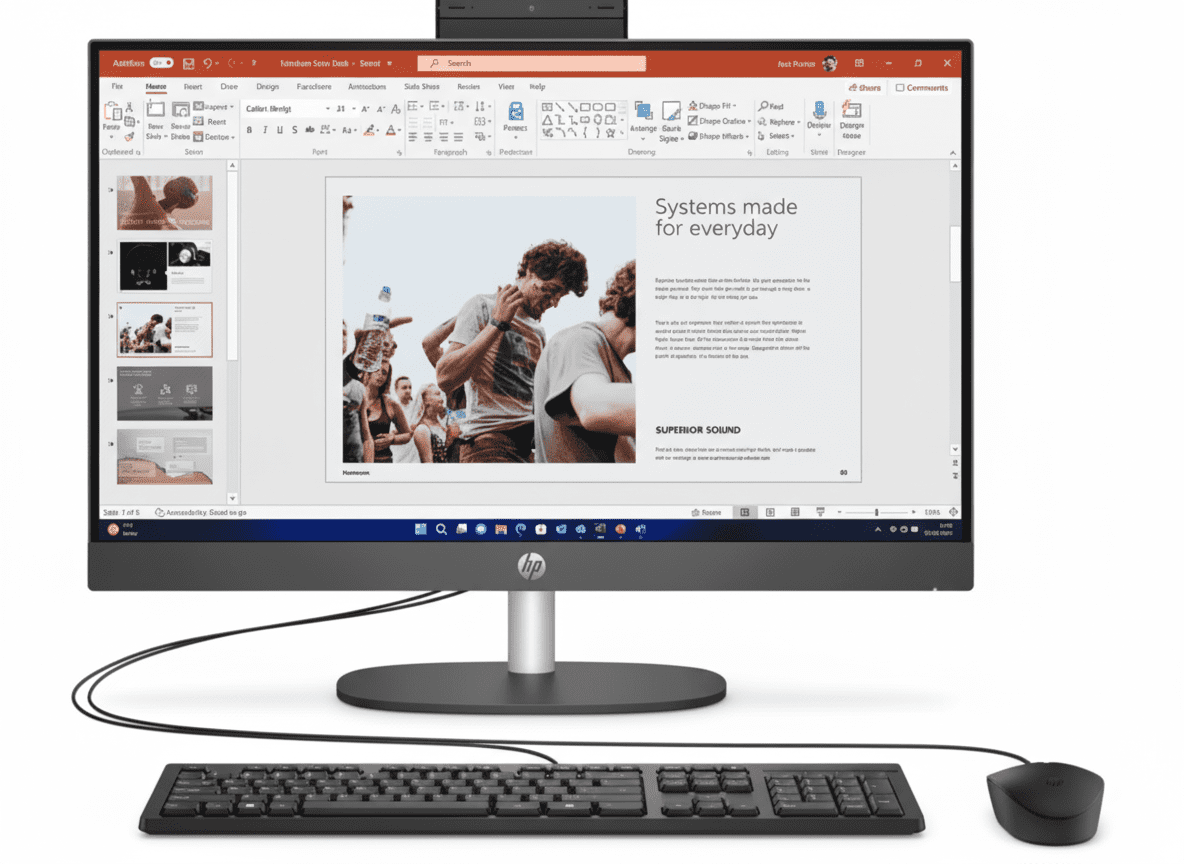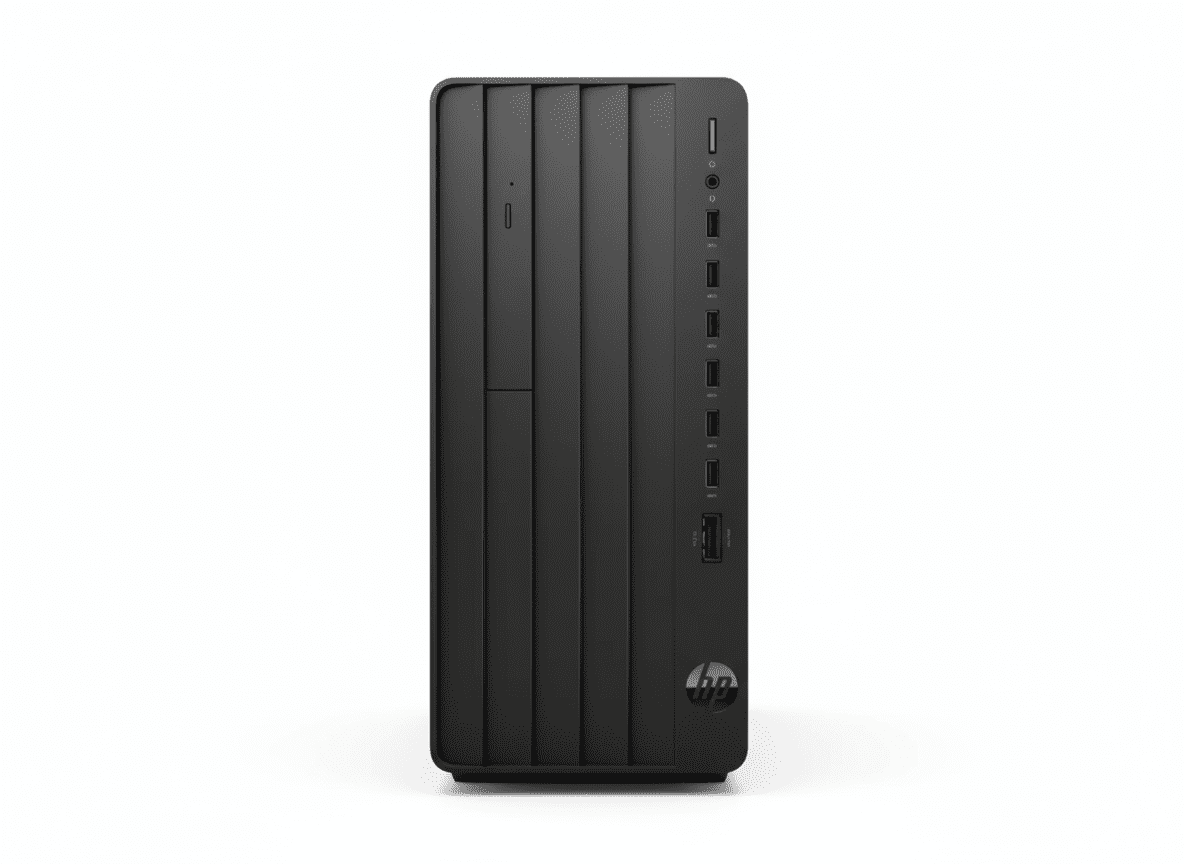
💼 BUDGET BUSINESS – 265 Views!
12th Gen i3 + Lowest Price + 6 Configs Available!
HP Pro Tower 280 G9 Budget Desktop
Entry-Level Business Tower | 12th Gen i3 | Cheapest!
12th Gen Core i3-12100 (4-core) – 8GB DDR4 – 512GB SSD – NO Wi-Fi – Expandable – FreeDOS
⚠️ IMPORTANT: 6 Configurations Available!
• Budget (This): 12th Gen i3-12100, 8GB, ₹37,837
• Mid: 13th Gen i5-13500, 8-16GB, ₹49-61K
• Premium: 14th Gen i7-14700, 16GB DDR5, ₹67,594
• See comparison below to choose right config!
₹37,837
₹40,324
SAVE ₹2,487 (6% OFF) – CHEAPEST!
*EMI available | In Stock!
CPU
12th i3
Price
₹37.8K
Type
Budget
HP Pro Tower 280 G9 – Budget Business Desktop
💰 Cheapest HP Business Tower – 6 Configurations Available!
The HP Pro Tower 280 G9 is HP’s budget business tower desktop series with 6 different configurations ranging from ₹37,837 to ₹67,594! This review focuses on the entry-level 12th Gen Core i3-12100 variant at ₹37,837 – the cheapest HP business desktop currently available. Perfect for small businesses, startups, basic office work, and budget-conscious buyers needing reliable desktop computing!
Budget i3 (This) – ₹37,837
- • 12th Gen i3-12100 (4-core, 4.3GHz)
- • 8GB DDR4-3200
- • 512GB SSD
- ✗ NO Wi-Fi (wired only)
- • FreeDOS
- • CHEAPEST!
Mid i5 – ₹49-61K
- • 12th/13th Gen i5
- • 8GB or 16GB DDR4
- • 512GB SSD
- • Optional Wi-Fi 6
- • FreeDOS or Win11 Pro
- • Balanced choice
Premium i7 – ₹67,594
- • 14th Gen i7-14700 (20-core!)
- • 16GB DDR5-5600
- • 512GB SSD
- ✗ NO Wi-Fi
- • FreeDOS
- • BEST PERFORMER!
💼 What You Get (i3 Budget)
- • 12th Gen i3-12100: 4-core desktop CPU
- • 8GB DDR4-3200: Basic memory
- • 512GB SSD: Fast storage
- • Intel UHD 730: Basic graphics
- • Expandable Tower: Add more later
- • FreeDOS: Install OS yourself
- • HP 125 KB/Mouse: Included
💰 Budget Advantage
At ₹37,837, this is THE cheapest HP business desktop:
- • ₹29.7K less than i7 variant!
- • ₹11.6K less than i5 variants
- • ₹26.7K less than 24″ AIO
- • Entry-level: Budget businesses
- • Upgradable: Add RAM/storage later
⚠️ Limitations
Budget means compromises:
- • Only 4 cores: vs 20 in i7
- • 8GB RAM: Not 16GB
- • DDR4: Not DDR5
- • NO Wi-Fi: Wired LAN only
- • Basic for: Office, browsing only
All 6 HP Pro Tower 280 G9 Configurations
🎯 Which Configuration Should You Buy?
The Pro Tower 280 G9 has 6 different configurations from ₹37,837 to ₹67,594. Choose based on your needs and budget!
| Config | CPU | RAM | Storage | Wi-Fi | OS | Price | Best For |
|---|---|---|---|---|---|---|---|
| 1. Budget i3 (This Review) | 12th Gen i3-12100 (4-core) | 8GB DDR4 | 512GB SSD | ✗ | FreeDOS | ₹37,837 | Basic office Budget |
| 2. Mid i5 (12th) | 12th Gen i5-12400 (6-core) | 8GB DDR4 | 512GB SSD | ✗ | FreeDOS | ₹49,506 | Small business Balanced |
| 3. Mid i5 (13th) | 13th Gen i5-13500 (14-core) | 8GB DDR4 | 512GB SSD | ✗ | FreeDOS | ₹53,453 | Good performance Value |
| 4. Mid i5 (12th) Alt | 12th Gen i5-12400 (6-core) | 8GB DDR4 | 512GB SSD | ✗ | FreeDOS | ₹49,506 | Same as #2 Alternate SKU |
| 5. Premium i5 + Win11 | 13th Gen i5-13500 (14-core) | 16GB DDR4 | 512GB SSD | ✗ | Win11 Pro | ₹61,168 | Complete package + Windows |
| 6. Top i7 (14th) | 14th Gen i7-14700 (20-core) | 16GB DDR5 | 512GB SSD | ✗ | FreeDOS | ₹67,594 | Best performance Power users |
💰 Best Budget
Config #1: i3-12100 – ₹37,837
Cheapest HP business desktop. Good for basic office work, browsing, documents. Upgradable later!
BUY i3 – ₹37,837⚖️ Best Value
Config #3: i5-13500 – ₹53,453
13th Gen i5 with 14 cores! Best balance of performance and price. Sweet spot for most businesses!
BUY i5-13500 – ₹53,453🏆 Best Performance
Config #6: i7-14700 – ₹67,594
14th Gen i7 with 20 cores + DDR5! Fastest option. For power users needing maximum performance!
BUY i7-14700 – ₹67,594Intel Core i3-12100 12th Gen – Budget Desktop CPU
Core i3-12100 12th Gen
Alder Lake – Budget Desktop CPU
vs Higher Configs
14th Gen i7-14700 (₹67.6K)
- • 20 cores / 28 threads
- • Up to 5.4 GHz
- • 33 MB L3 cache
- • 5x more cores!
- • ~3x faster!
12th Gen i3-12100 (This)
- • 4 cores / 8 threads
- • Up to 4.3 GHz
- • 12 MB L3 cache
- • Budget friendly!
- • Good for basics
💾 Memory & Storage
8GB DDR4-3200
• Configuration: 1 x 8GB (Single channel)
• Slots: 2 DIMM (Upgradable to 32GB)
• Speed: 3200 MT/s
• Type: DDR4 (not DDR5)
• Upgrade tip: Add another 8GB for dual channel!
512GB PCIe NVMe SSD
• Type: M.2 PCIe NVMe
• Capacity: 512GB
• Expandability: 2 M.2 slots total
• Drive Bays: 1-2 x 3.5″ HDD bays
• Can add: More SSDs or HDDs easily!
⚡ Performance Reality Check
The 12th Gen i3-12100 is a budget desktop CPU – fine for basic office work (Word, Excel, browsing, email), but NOT for heavy workloads. If you need multitasking, professional apps, or future-proofing, spend ₹15-30K more for i5 or i7 configs!
✓ Good For:
- • Office apps (Word, Excel, PowerPoint)
- • Web browsing, email
- • Basic data entry
- • Video calls (1-2 apps)
- • Budget startups
✗ NOT Good For:
- • Heavy multitasking (10+ tabs)
- • Video editing, CAD
- • Virtual machines
- • Future-proofing (3+ years)
- • Power users
Expandability – Upgrade Later!
💡 Budget Now, Upgrade Later Strategy
The beauty of the i3 config is you can start cheap at ₹37,837 and upgrade components as your business grows! Tower design allows easy upgrades without buying new PC.
🔧 Expansion Slots
PCIe Slots
- • 1x PCIe 4.0 x16: Add GPU (GTX 1650, etc)
- • 1x PCIe 3.0 x1: Expansion cards
- • 1x PCI: Legacy devices
M.2 Slots
2 M.2 slots for additional NVMe SSDs
💽 Storage & Memory Upgrades
Easy Upgrades
- • Add 8GB RAM: ₹2-3K (total 16GB)
- • Add 1TB HDD: ₹3-4K (extra storage)
- • Add GPU: ₹12-15K (GTX 1650)
- • Add Wi-Fi card: ₹2-3K (wireless)
Upgrade Path
Start: ₹37.8K base → Add RAM/storage later: ₹5-10K → Total: Still cheaper than i7 config!
Ports & Connectivity
🔌 Front Ports
- • 2x USB-A 10Gbps: SuperSpeed USB 3.2
- • 4x USB-A 5Gbps: USB 3.2 Gen 1
- • 1x Audio combo: Headphone/microphone
- • Total front: 6 USB + 1 audio
🔌 Rear Ports
- • 2x USB 2.0: Legacy devices
- • 1x HDMI: Monitor output
- • 1x VGA: Legacy monitor
- • 1x RJ-45: Gigabit Ethernet
- • Audio ports: Line in/out
- • 1x Serial port: Legacy equipment
⚠️ NO Wi-Fi or Bluetooth!
This budget config has NO wireless connectivity – wired LAN only. If you need Wi-Fi, either buy USB adapter (₹2-3K) or choose i5 configs with optional Wi-Fi. Budget compromise!
HP Pro Tower 280 G9 i3 vs 6 Competitors
🏆 #1: HP Pro Tower 280 G9 i7 (Same Series!)
i7 Config: 14th Gen i7-14700, 16GB DDR5, ₹67,594
i3 Config (This): 12th Gen i3-12100, 8GB DDR4, ₹37,837
i7 Wins:
- ✓ 20 cores vs 4!
- ✓ DDR5 vs DDR4!
- ✓ 16GB vs 8GB!
- ✓ 3x faster!
i3 Wins:
- ✓ ₹29,757 cheaper!
- ✓ Budget friendly!
Verdict: i7 for power, i3 for budget. Both same platform!
💻 #2: Dell Vostro 3000 Tower
Dell: 12th Gen i3-12100, 8GB, 512GB – ₹42,000
HP 280: 12th Gen i3-12100, 8GB, 512GB – ₹37,837
HP Wins:
- ✓ ₹4K cheaper!
- ✓ Same specs!
- ✓ Better value!
Dell Wins:
- ✓ Dell brand
- ✓ Vostro reputation
Verdict: HP better value for same hardware!
🖥️ #3: Lenovo ThinkCentre Neo 50t
Lenovo: 12th Gen i3-12100, 4GB RAM, 1TB HDD – ₹35,000
HP 280: 12th Gen i3-12100, 8GB RAM, 512GB SSD – ₹37,837
HP Wins:
- ✓ 8GB vs 4GB RAM!
- ✓ SSD vs HDD!
- ✓ Much faster!
Lenovo Wins:
- ✓ ₹2.8K cheaper
- ✓ 1TB vs 512GB
Verdict: HP worth ₹2.8K extra for double RAM + SSD!
⚙️ #4: Asus ExpertCenter D3 Tower
Asus: 11th Gen i3-10105, 8GB, 512GB HDD – ₹34,000
HP 280: 12th Gen i3-12100, 8GB, 512GB SSD – ₹37,837
HP Wins:
- ✓ Newer 12th Gen!
- ✓ 30% faster CPU!
- ✓ SSD vs HDD!
Asus Wins:
- ✓ ₹3.8K cheaper
Verdict: HP worth premium for newer CPU + SSD!
💼 #5: Acer Veriton Essential VES2735G
Acer: 12th Gen i3-12100, 4GB, 1TB HDD – ₹32,000
HP 280: 12th Gen i3-12100, 8GB, 512GB SSD – ₹37,837
HP Wins:
- ✓ Double RAM (8GB)!
- ✓ SSD vs HDD!
- ✓ HP brand!
- ✓ Much faster!
Acer Wins:
- ✓ ₹5.8K cheaper!
- ✓ 1TB vs 512GB
Verdict: HP worth extra for better components!
🔧 #6: Custom DIY PC Build
DIY: i3-12100 (₹10K) + H610 (₹6K) + 8GB (₹2.5K) + 512GB SSD (₹3.5K) + Case/PSU (₹5K) = ₹27K
HP 280: Pre-built with warranty – ₹37,837
HP Wins:
- ✓ Pre-built & tested!
- ✓ Warranty + support!
- ✓ No assembly!
- ✓ KB/Mouse included!
DIY Wins:
- ✓ ₹10.8K cheaper!
- ✓ Choose parts!
- ✓ Better motherboard!
Verdict: HP for warranty + convenience, DIY for savings!
🏆 Competitor Summary
At ₹37,837, the HP Pro Tower 280 G9 i3 offers best value among branded business desktops – beats Dell/Lenovo/Asus at similar specs, includes SSD (not HDD), and has HP’s business warranty. DIY is cheaper but no warranty/support!
Who Should Buy Pro Tower 280 G9 i3?
💰 Budget Businesses
- • Startups: Limited budget
- • Small Shops: Basic POS/billing
- • Home Offices: Simple work
- • Data Entry: Basic input work
- • Retail: Point of sale systems
Perfect for: Budget-conscious businesses needing basic PC
📄 Basic Office Work
- • Documents: Word, Excel, PowerPoint
- • Email: Outlook, Gmail
- • Web Browsing: Research, portals
- • Video Calls: Zoom, Teams (1-2 apps)
- • Basic Tasks: Light workloads
Perfect for: Standard office applications only
🔄 Upgrade-Later Strategy
- • Start Cheap: ₹37.8K base
- • Add RAM: +₹2-3K later
- • Add Storage: +₹3-4K later
- • Add GPU: +₹12K later
- • Grow as Business Grows: Smart!
Perfect for: Businesses with growth plans
⚠️ NOT Recommended For
- • Heavy Multitasking: Get i5/i7!
- • Video Editing: Underpowered!
- • CAD/3D Work: Need more cores!
- • Gaming: No dedicated GPU!
- • Power Users: Will feel slow!
Better choice: Spend ₹15-30K more for i5/i7!
🏫 Educational Institutions
- • Computer Labs: Bulk deployments
- • Training Centers: Basic software
- • Libraries: Public access PCs
- • Admin Offices: Simple tasks
- • Budget Schools: Limited funds
Perfect for: Bulk orders with budget constraints
🏪 Reception/Counter PCs
- • Reception Desks: Visitor management
- • Billing Counters: POS systems
- • Service Centers: Basic logging
- • Kiosks: Information displays
- • Front Office: Simple operations
Perfect for: Single-purpose workstations
⚠️ Honest Buying Advice
The HP Pro Tower 280 G9 i3-12100 at ₹37,837 is ONLY for budget-conscious buyers needing basic office PC. If you can spend ₹15-30K more, the i5 or i7 configs offer much better value and longevity!
✓ Buy i3 (₹37.8K) If:
- 1. Strict budget of ₹40K or less
- 2. ONLY basic office work (Word, Excel, email)
- 3. Single task at a time (no multitasking)
- 4. Can upgrade RAM/storage later
- 5. Buying multiple PCs (bulk order)
⭐ Better: Spend ₹15-30K More:
- ✓ i5-13500 (₹53.5K): 14 cores, 75% faster!
- ✓ i7-14700 (₹67.6K): 20 cores, 3x faster!
- ✓ Better multitasking, future-proofing
- ✓ Won’t feel slow in 1-2 years
- ✓ BETTER LONG-TERM VALUE!
Business Features & Security
🔒 Security
- • TPM 2.0: Hardware encryption chip
- • Padlock Loop: Physical security
- • Cable Lock: Integrated accessories
- • Slim Cable Lock: Theft protection
- • Business Grade: Enterprise security
🛠️ Management
- • HP Support Assistant: Easy updates
- • HP Client Catalog: Driver management
- • HP Cloud Recovery: System recovery
- • Remote Capable: IT management
- • Business Tools: Included software
📜 Warranty
Standard Warranty
1 Year Limited Warranty (business-class)
Better than consumer warranty – business support included!
Pros & Cons
✅ Pros
- + ₹37,837 Price: Cheapest HP business desktop!
- + Desktop i3-12100: Real desktop CPU (65W)!
- + 512GB SSD: Fast storage (not HDD)!
- + 8GB DDR4: Adequate for basics!
- + Expandable Tower: Upgrade later!
- + 2 DIMM Slots: Add more RAM easily!
- + HDD Bays: Add storage cheap!
- + PCIe x16 Slot: Can add GPU!
- + Business Warranty: Better than consumer!
- + HP Brand: Reliable quality!
- + KB/Mouse Included: Complete package!
- + 6 Configs: Can upgrade to i5/i7!
❌ Cons
- – Only 4 Cores: vs 14-20 in i5/i7!
- – 12th Gen: Not latest 14th Gen!
- – 8GB RAM: Not 16GB!
- – DDR4: Not DDR5 like i7 config!
- – NO Wi-Fi: Wired LAN only!
- – NO Bluetooth: Wired peripherals!
- – FreeDOS: No Windows (₹10K extra)!
- – NO Monitor: Buy separately (₹12K)!
- – NO Office: Buy separately (₹9K)!
- – Slow for Multitasking: Only 4 cores!
- – Limited Future: Will feel slow soon!
- – Total Cost: ~₹69K with everything!
🎯 Final Verdict
Budget-Friendly, But Consider Upgrading!
Honest Assessment: Good Budget Option, Better Options Available
The HP Pro Tower 280 G9 with 12th Gen Core i3-12100 at ₹37,837 is the cheapest HP business desktop currently available, featuring desktop-class 4-core CPU, 8GB DDR4 RAM, 512GB SSD, expandable tower design, business security features, and 1-year warranty. It’s perfect for ultra-budget businesses needing basic office PC (Word, Excel, browsing), bulk deployments (schools, training centers), or as entry-level desktop with upgrade-later strategy.
However, the 4-core i3-12100 is limited – fine for single-tasking basic office work, but struggles with multitasking, modern apps, or any demanding workload. If you can afford ₹15,000-30,000 more, the i5-13500 config (₹53,453) or i7-14700 config (₹67,594) offer dramatically better value – 3.5x to 5x more cores, much faster performance, DDR5 RAM (i7), and better longevity. You’ll appreciate the extra investment within 6-12 months!
At ₹37,837, this is a good budget option IF you truly cannot spend more, but it’s NOT the best value in the lineup. Our honest recommendation: Save ₹15K more and buy the i5-13500 config (₹53,453) – it has 14 cores (vs 4), 75% faster performance, and will serve you much better for 3-5 years. Buy the i3 only if: (1) Absolute budget constraint under ₹40K, (2) Only basic single-task office work, (3) Buying in bulk for simple workstations, or (4) Plan to upgrade RAM/CPU later!
Overall Rating
Good budget, limited performance!
Value Rating
Cheap, but i5 better value!
Recommended?
If budget-limited only!
👥 Which Config Should You Buy?
💰 Buy i3 (₹37,837) If:
- • Budget: Cannot spend more than ₹40K
- • Usage: ONLY basic office work
- • Tasks: Single application at a time
- • Bulk: Buying 10+ PCs (cost matters)
- • Simple: Billing, data entry, reception
- • Upgrade: Will add RAM later
⭐ Buy i5 (₹53,453) If:
- • Budget: Can spend ₹50-60K
- • Usage: Regular office + multitasking
- • Performance: Want smooth experience
- • Future: Use for 3-5 years
- • Value: Best price/performance!
- • RECOMMENDED!
🏆 Buy i7 (₹67,594) If:
- • Budget: Can spend ₹65-70K
- • Usage: Heavy workloads, professional apps
- • Performance: Want maximum speed
- • DDR5: Want latest RAM technology
- • Power: 20-core desktop CPU!
- • BEST PERFORMANCE!
🎯 Category Scores (i3 Config)
💡 Editor’s Final Recommendation
“If possible, save ₹15K more and buy i5-13500 config (₹53,453) – you’ll thank yourself later!” The i3-12100 at ₹37,837 is fine for strict-budget scenarios, but it’s already entry-level and will feel slow within 12-24 months. The i5-13500 has 14 cores (vs 4), offers 75% better performance, and provides much better longevity for just ₹15,616 more – that’s only ₹1,300/month over a year!
Think long-term: Spending ₹37.8K on i3 that feels slow in 2 years vs ₹53.5K on i5 that serves you well for 4-5 years. Our verdict: Buy i3 ONLY if budget is truly stuck at ₹40K. Otherwise, go for i5 or i7 configs – better investment!
💰 Choose Your Configuration!
i3: 4-core, 8GB DDR4 | i5: 14-core, 8GB DDR4 | i7: 20-core, 16GB DDR5
Frequently Asked Questions (FAQs)
Q1: Should I buy i3-12100 config or spend more for i5/i7?
A: If possible, buy i5-13500 (₹53,453) or i7-14700 (₹67,594)! The i3-12100 is fine for strict budgets under ₹40K, but has only 4 cores and will feel slow with multitasking or modern apps. i5 has 14 cores (3.5x more), i7 has 20 cores (5x more) – much better performance and longevity for ₹15-30K extra!
Q2: Is 8GB RAM enough in 2025?
A: For basic office work, YES. For multitasking, NO! 8GB handles Word, Excel, browsing (5-6 tabs), email fine. But opens many apps or 15+ browser tabs = slow. Good news: 2 DIMM slots mean you can add another 8GB stick later (₹2-3K) for total 16GB!
Q3: Does this come with Windows and monitor?
A: NO! Tower PC only with FreeDOS (no OS). Must buy: Monitor (₹12K), Windows 11 Pro (₹10K), MS Office (₹9K) separately. Total complete setup ~₹69K! Only the ₹61K i5 config comes with Windows 11 Pro pre-installed.
Q4: Does this have Wi-Fi?
A: NO! This i3 budget config has NO wireless – wired Gigabit LAN only. If you need Wi-Fi, either: (1) Buy USB Wi-Fi adapter (₹2-3K), or (2) Choose i5 configs which may have optional Wi-Fi. Budget means no wireless!
Q5: Can I upgrade RAM and add storage later?
A: YES! Fully upgradable tower! 2 DIMM slots (add 8GB for 16GB total), 2 M.2 slots (add NVMe SSD), 1-2 HDD bays (add cheap bulk storage), PCIe x16 slot (add GPU). Start cheap at ₹37.8K, upgrade as business grows!
Q6: How much slower is i3 vs i5 vs i7?
A: Huge difference! i3-12100 (4-core) = baseline. i5-13500 (14-core) = 75% faster. i7-14700 (20-core + DDR5) = 200-300% faster! For multitasking, video calls, professional apps, the difference is day and night. i3 is ONLY for single-task basic work!
Q7: Which HP Pro Tower 280 G9 config is best value?
A: i5-13500 at ₹53,453 = BEST VALUE! 13th Gen with 14 cores, great performance, reasonable price. i3 (₹37.8K) is cheapest but limited. i7 (₹67.6K) is fastest but expensive. For most buyers, i5-13500 offers best balance!
Q8: Is this good for video editing or CAD?
A: NO! Too weak! i3-12100 with 4 cores and integrated graphics struggles with video editing, CAD, 3D rendering. For creative work, minimum i5-13500 + add dedicated GPU (GTX 1650/RTX 4060). Better yet, buy i7-14700 config for serious workloads!
Q9: Can I add a graphics card for gaming?
A: Yes, but i3 will bottleneck! Has PCIe 4.0 x16 slot – can add GPU like GTX 1650 (₹15K) or RTX 4060 (₹30K). But i3-12100’s 4 cores will limit GPU performance in modern games. For gaming, buy i5/i7 config + add GPU later!
Q10: How is this different from Pro Tower 400 G9?
A: Different series, different pricing! Pro Tower 280 G9 = budget series (₹37K-67K, 6 configs, i3/i5/i7, NO Wi-Fi in most). Pro Tower 400 G9 = mid-range with Wi-Fi options (₹56K-77K). Both are towers, 280 is newer/better value!
Q11: What’s the warranty?
A: 1 Year Standard Limited Warranty (business-class). Better than consumer warranty – includes business support. Can extend warranty for additional cost. On-site repair may vary by configuration.
Q12: Is this suitable for a small business?
A: Depends on usage! For basic billing, data entry, simple office work = YES. For multitasking, professional software, heavy workloads = NO (get i5/i7). Perfect for startups/small shops with tight budgets doing simple tasks!
Q13: Should I buy this or build custom PC?
A: Custom PC is ₹10K cheaper (₹27K) but no warranty/support! DIY: i3-12100 + mobo + RAM + SSD + case = ₹27K vs HP ₹37.8K. HP gives: pre-built, warranty, support, KB/mouse, business-class quality. DIY if tech-savvy, HP if want hassle-free!
Q14: Can HP customize this for bulk orders?
A: YES! HP offers business customization for bulk orders – configure specs, add Windows, pre-install software, custom imaging, volume discounts. Contact HP Business Sales for enterprise/education bulk pricing!
Q15: Final verdict – should I buy this i3 config?
A: Only if budget is truly limited to ₹40K! At ₹37,837, it’s cheapest HP business desktop – good for basic office, bulk deployments, upgrade-later strategy. BUT if you can save ₹15K more, buy i5-13500 (₹53,453) – 3.5x more cores, 75% faster, better longevity. i3 = budget necessity, i5 = smart investment!
Complete Technical Specifications
| HP Pro Tower 280 G9 (i3-12100 Budget Config) Full Specifications | |
|---|---|
| 📋 BASIC INFORMATION | |
| Model Name | HP Pro Tower 280 G9 PCI Desktop PC (Budget Config) |
| SKU / Part Number | B6BP4AT |
| Series | HP Pro (Business) – Budget Tier |
| Form Factor | Tower (NOT All-in-One!) |
| Recommended Usage | Business (budget/basic office work) |
| Configuration | 1 of 6 available configs (cheapest!) |
| 💻 OPERATING SYSTEM | |
| OS | FreeDOS (NO Windows – Install Separately!) |
| ⚡ PROCESSOR | |
| Processor Name | Intel Core i3-12100 (12th Generation – Alder Lake) |
| Cores / Threads | 4 Cores / 8 Threads |
| Max Turbo Boost | Up to 4.3 GHz (Intel Turbo Boost Technology) |
| Cache | 12 MB L3 Cache |
| CPU Type | Desktop CPU (65W TDP – NOT Laptop!) |
| Chipset | Intel H670 |
| 🧠 MEMORY (RAM) | |
| Installed RAM | 8 GB DDR4-3200 SDRAM |
| RAM Configuration | 1 x 8 GB (Single channel) |
| Memory Slots | 2 DIMM (Upgradable to 32GB DDR4) |
| 💾 STORAGE | |
| SSD | 512 GB PCIe NVMe M.2 SSD |
| Internal Drive Bays | One 3.5″ HDD (some configs have two) |
| M.2 Slots | 2 M.2 slots total |
| 🎨 GRAPHICS | |
| Graphics | Intel UHD Graphics 730 (Integrated) |
| Dedicated GPU | None (Can Add via PCIe x16 Slot) |
| 🖥️ DISPLAY | |
| Screen Size | Without Screen (Tower PC Only!) |
| Display Note | Must Buy Monitor Separately! |
| 🔊 AUDIO | |
| Audio Codec | Realtek ALC3867 codec |
| Audio Features | Universal audio jack with CTIA headset support, audio line-out rear ports (3.5 mm), multi-streaming capable |
| ⌨️ INPUT DEVICES | |
| Keyboard | HP 125 Wired Keyboard (Included) |
| Mouse | HP 125 Wired Mouse (Included) |
| 📡 NETWORK CONNECTIVITY | |
| Ethernet | Integrated 10/100/1000M GbE (Gigabit LAN) |
| Wireless | NO Wi-Fi (Wired LAN Only!) |
| Bluetooth | NO Bluetooth |
| 🔌 PORTS & CONNECTIVITY | |
| Front Ports | 2 USB Type-A 10Gbps signaling rate, 4 USB Type-A 5Gbps signaling rate, 1 headphone/microphone combo |
| Rear Ports | 2 USB 2.0 Type-A, 1 HDMI, 1 VGA, 1 RJ-45, 1 power connector, 1 serial, 1 line in, 1 line out |
| Total USB Ports | 8 USB Ports (6 front + 2 rear) |
| Video Connectors | 1 HDMI, 1 VGA (legacy) |
| 🔧 EXPANSION SLOTS | |
| PCIe Slots | 1 full-height PCI; 2 M.2; 1 PCIe 3 x1; 1 PCIe 4 x16 |
| 🔋 POWER | |
| Power Supply | 180 W internal power supply, up to 90% efficiency, active PFC |
| 🔒 SECURITY | |
| Security Features | Padlock loop; Trusted Platform Module (TPM) 2.0; Integrated accessories cable lock; Slim cable lock |
| 📐 DIMENSIONS & WEIGHT | |
| Dimensions (W x D x H) | 15.5 x 30.3 x 33.7 cm |
| Weight | 4.7 kg (exact weight depends on configuration) |
| 📜 WARRANTY & SUPPORT | |
| Standard Warranty | 1 Year Standard Limited Warranty |
| Warranty Type | Business-class warranty (better than consumer) |
| 💰 PRICING | |
| MRP (Original Price) | ₹40,324 |
| Discounted Price | ₹37,837 |
| Discount Amount | ₹2,487 (6% OFF) |
| EMI Available | Yes (Various Banks) |
| 📦 BOX CONTENTS | |
| In The Box |
• HP Pro Tower 280 G9 Desktop PC • HP 125 Wired Keyboard • HP 125 Wired Mouse • 180W Power Supply (Internal) • Quick Start Guide • Warranty Card NOT Included: Monitor, Windows, Office |
| 🔄 OTHER CONFIGURATIONS AVAILABLE | |
| Total Configs | 6 configurations (₹37,837 to ₹67,594) |
| Mid-Range | i5-13500 (14-core), 8GB DDR4 – ₹53,453 |
| Premium | i7-14700 (20-core), 16GB DDR5 – ₹67,594 |
| 💵 TOTAL SETUP COST ESTIMATE | |
| Tower PC | ₹37,837 |
| Monitor (24″ FHD) | ₹12,000 (approx) |
| Windows 11 Pro | ₹10,000 (approx) |
| MS Office 2024 | ₹9,000 (approx) |
| Total Complete Setup | ₹68,837 (approx) |
| ℹ️ ADDITIONAL INFORMATION | |
| Popularity | Over 265 views in the last week! |
| Stock Status | In Stock (Ready to Ship!) |
| Delivery | Order by 1pm for Next Business Day Delivery |
| Official Website | hp.com/in-en |
🎯 Final Decision: Which Config to Buy?
💰 BUDGET OPTION
i3-12100 – ₹37,837
⭐ BEST VALUE
i5-13500 – ₹53,453
🏆 PREMIUM POWER
i7-14700 – ₹67,594
💡 Smart Buying Advice:
If budget allows, spend the extra ₹15,616 and get i5-13500 – you get 3.5x more cores, 75% better performance, and it’ll serve you well for 4-5 years. The i3 at ₹37,837 is fine for strict budgets, but you may feel limited within 12-24 months. Think long-term value, not just initial price!
Ready to Choose Your Configuration?
6 Configs Available – Pick What Fits Your Budget!
✅ In Stock | ✅ Next Day Delivery | ✅ 1-Year Warranty | ✅ Business Support
i3: 4-core, 8GB DDR4, ₹37.8K | i5: 14-core, 8GB DDR4, ₹53.5K | i7: 20-core, 16GB DDR5, ₹67.6K
💡 Honest Review Summary: HP Pro Tower 280 G9 i3-12100 at ₹37,837 is the cheapest HP business desktop – good for strict budgets and basic office work. However, if you can save ₹15K more, the i5-13500 config (₹53,453) offers much better value with 14 cores, 75% better performance, and superior longevity. Buy i3 only if budget is truly limited to ₹40K!
Last Updated: November 2025 | 265+ Views Last Week | 6 Configurations Available (₹37,837 to ₹67,594) | All prices subject to change
⚠️ Editor’s Note: This review focuses on the budget i3-12100 config. For better performance, consider i5 or i7 configs. Tower PC only – monitor, Windows, Office sold separately. Complete setup costs ~₹69K!