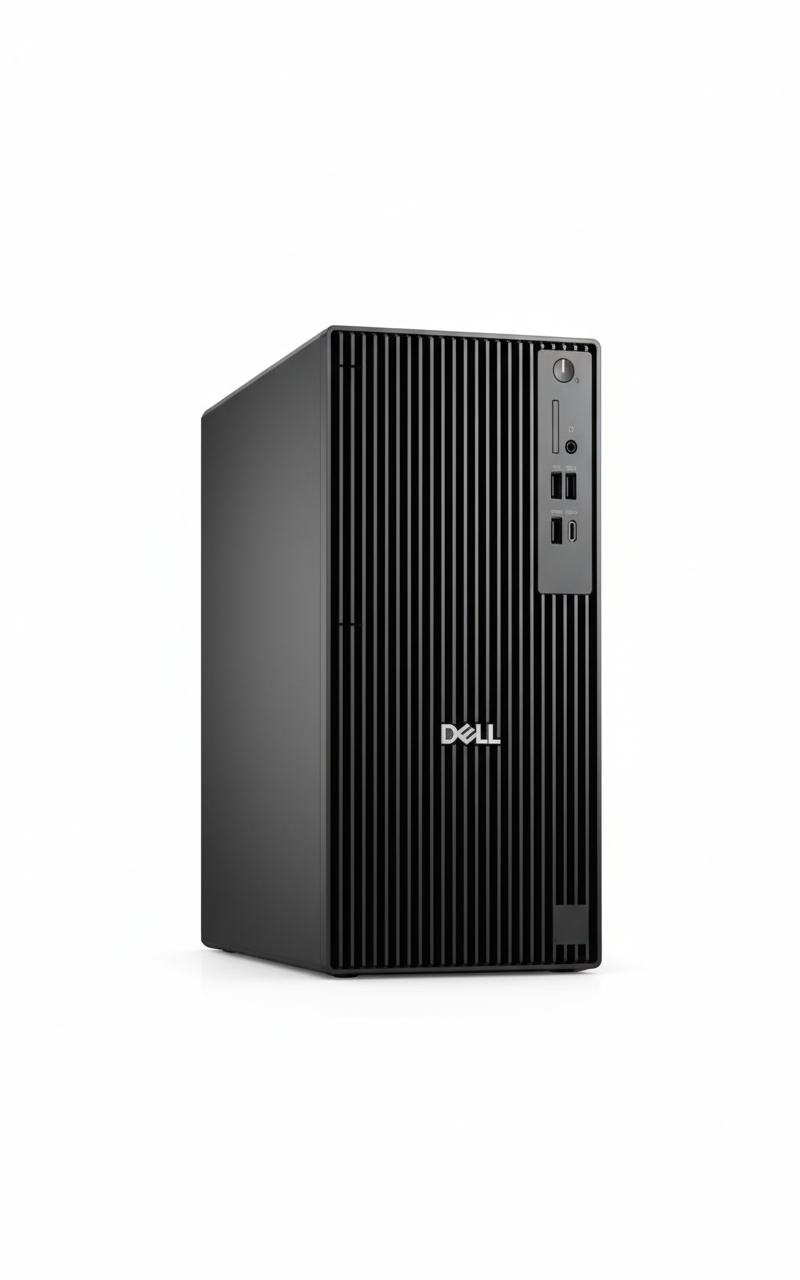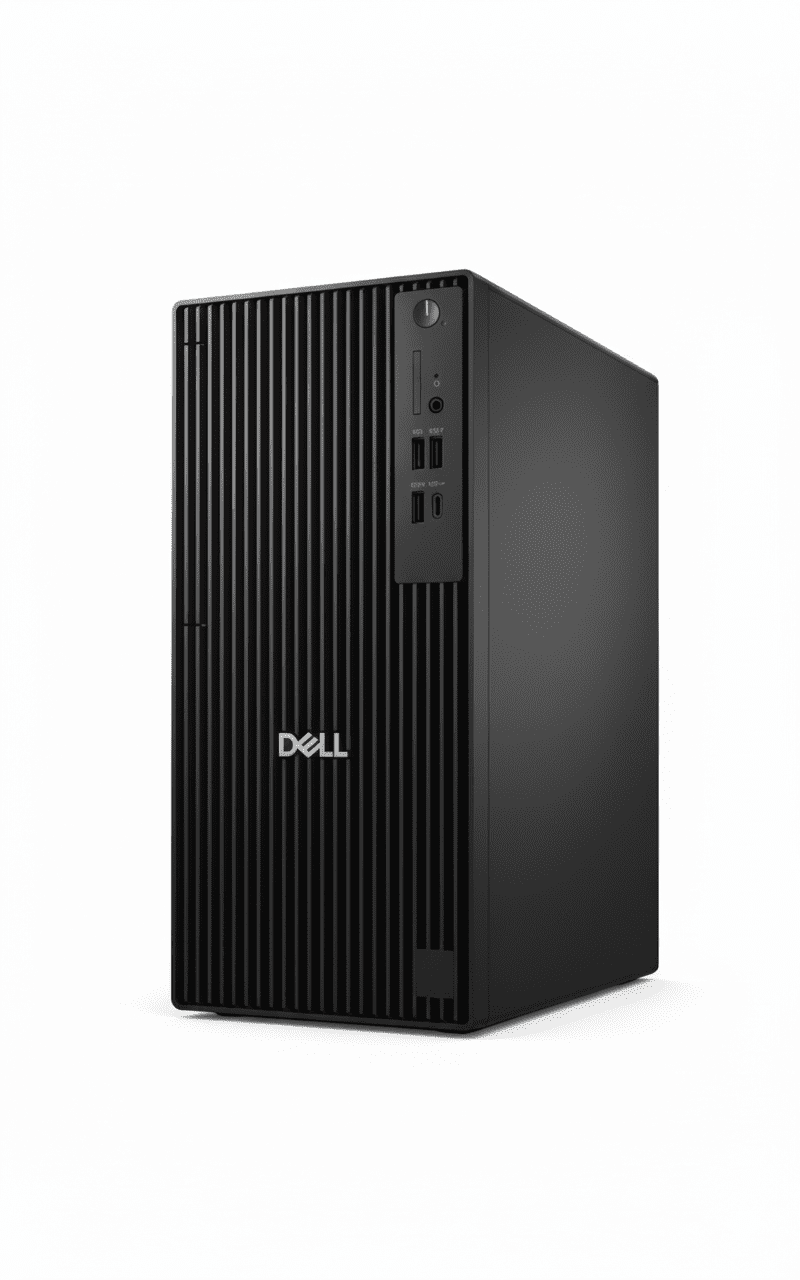
🖥️ BUSINESS TOWER – 101 Reviews!
Core Ultra 7 + AI-Ready + Expandable Tower!
Dell Pro Tower Plus QBT1250
Business Tower Desktop | Core Ultra 7 265 | AI-Ready | Expandable!
Intel Core Ultra 7 265 (20-core, 5.3GHz, 13 TOPS NPU) – 16GB DDR5 – 512GB SSD – Windows 11 Pro – Dell KB+Mouse – 3Y Warranty
🖥️ Traditional Tower Desktop – Need Separate Monitor!
• Core Ultra 7 265: Latest 2025 AI-ready CPU!
• 13 TOPS NPU: Built-in AI accelerator!
• Expandable Tower: PCIe slots, upgradable!
• NO Monitor: Must buy separately!
₹1,00,590
₹1,09,204
SAVE ₹8,614 (7.9% OFF!)
*Tower only – Monitor, display NOT included | In Stock!
3 Year Warranty | In Stock | Free Delivery | No Cost EMI
CPU
Ultra 7 265
Type
Tower
Price
₹1.01L
Dell Pro Tower Plus QBT1250 – AI-Ready Business Tower
🖥️ Traditional Tower Desktop – Monitor NOT Included!
The Dell Pro Tower Plus QBT1250 at ₹1,00,590 is a traditional tower desktop (NOT All-in-One!) featuring the latest Intel Core Ultra 7 265 (20 cores, 13 TOPS NPU for AI), Windows 11 Pro, 16GB DDR5 (up to 5600MT/s), 512GB SSD, integrated graphics, Dell KB216 keyboard & MS116 mouse, and 3-year warranty. IMPORTANT: This is a tower PC only – you must buy monitor, display separately! Perfect for businesses wanting expandable, upgradable desktop towers for office work!
⚡ Core Ultra 7 265 (AI!)
- • 20 Cores: 8P+12E cores!
- • 5.3 GHz Turbo: Fast speeds!
- • 13 TOPS NPU: AI accelerator built-in!
- • Arrow Lake: Latest 2025 architecture!
- • 30MB Cache: Large L3!
- • Better Efficiency: Than 13th Gen!
🔧 Tower Advantages
- • Expandable: Multiple PCIe slots!
- • Upgradable: Easy CPU/RAM/GPU upgrades!
- • Cooling: Better airflow than AIO!
- • Storage: 3 M.2 slots + SATA!
- • Powerful PSU: 260W/360W options!
- • Choose Monitor: Pick your own display!
⚠️ What’s NOT Included
- • NO Monitor: Must buy separately!
- • NO Display: Tower only!
- • Need to Buy: Monitor (₹8-20K)
- • Cables: HDMI/DisplayPort cable
- • KB+Mouse: Included FREE!
- • Tower PC: Traditional desktop!
🎯 What You Get
- • Core Ultra 7 265: 20-core AI CPU!
- • Windows 11 Pro: Included!
- • 16GB DDR5: Fast memory!
- • 512GB SSD: NVMe speed!
- • Tower Chassis: Expandable!
- • KB + Mouse: Dell wired!
- • 3Y Warranty: Onsite!
🔥 Tower vs All-in-One
Key differences:
- • Expandability: Tower has slots!
- • Upgrades: Easy in tower!
- • Choose Monitor: Your preference!
- • More Cables: Than AIO!
- • Takes Space: Tower + monitor!
💡 Perfect For
Best use cases:
- • Want Upgrades: Future GPU add!
- • Have Monitor: Already own display!
- • Need Expandability: PCIe cards!
- • IT Departments: Standardized!
- • Multiple Monitors: 3-display setup!
Display & Monitor Options – Choose Your Own!
⚠️ NO Built-in Display – Must Buy Monitor Separately!
CRITICAL: This is a traditional tower PC – it does NOT include a monitor/display! You must purchase a monitor separately (₹8,000-30,000 depending on size and features). However, this gives you the flexibility to choose exactly the monitor you want – size, resolution, panel type, features – unlike All-in-One PCs where you’re stuck with the built-in display!
💰 Budget Monitors (₹8-12K)
- • Size: 24″ FHD (1920×1080)
- • Panel: IPS for good colors
- • Examples: Dell E2423HN, HP M24f, BenQ GW2480
- • Perfect for: Basic office work, email, web browsing
- • Features: Anti-glare, HDMI+DP, VESA mount
💼 Mid-Range (₹15-20K)
- • Size: 27″ FHD or 24″ QHD (2560×1440)
- • Panel: IPS with 99% sRGB
- • Examples: Dell S2722DC, HP Z27, LG 27UP550
- • Perfect for: Productivity, content creation, designers
- • Features: USB-C hub, height adjust, blue light filter
🎨 Premium (₹25-35K)
- • Size: 27-32″ QHD/4K (3840×2160)
- • Panel: IPS with 100% sRGB/DCI-P3
- • Examples: Dell U2723DE, BenQ PD2725U
- • Perfect for: Video editing, photo work, CAD
- • Features: USB-C 90W PD, factory calibrated, pivot
🖥️ Video Output Capabilities
Available Video Ports
- • 3× DisplayPort 1.4a (HBR3): Up to 5120×3200 @60Hz
- • Optional HDMI 2.1 (FRL): Up to 5120×3200 @60Hz
- • Optional DisplayPort 2.1: Up to 7680×4320 @60Hz (8K!)
- • USB-C with DP Alt Mode: Single-cable monitor connection
Multi-Monitor Support
- • Up to 4 Displays: Integrated graphics supports quad monitors!
- • 3× 4K @60Hz: Triple 4K monitor setup possible
- • Perfect for: Trading, productivity, video editing workflows
- • Recommendation: 2-3 monitors for best productivity
💡 Monitor Buying Guide
By Use Case:
- • Basic Office: 24″ FHD IPS (₹8-10K)
- • Productivity: 27″ FHD/QHD IPS (₹15-18K)
- • Design/Photo: 27″ QHD 100% sRGB (₹20-25K)
- • Video Editing: 27-32″ 4K IPS (₹28-35K)
- • Multi-Monitor: 2-3× 24″ FHD (₹8-10K each)
Key Features to Look For:
- ✓ Panel Type: IPS (wide viewing angles, better colors)
- ✓ Resolution: FHD minimum, QHD for 27″+
- ✓ Ports: HDMI + DisplayPort for flexibility
- ✓ Adjustability: Height/tilt/swivel stand
- ✓ Eye Care: Flicker-free, blue light filter
Webcam – Must Buy USB Webcam Separately!
📹 NO Built-in Webcam – External USB Required!
IMPORTANT: Traditional tower PCs do NOT have built-in webcams (unlike All-in-One PCs). For video conferencing (Zoom, Teams, Google Meet), you must purchase a USB webcam separately (₹1,500-5,000). However, you can choose the exact webcam quality you need – from basic 720p to premium 4K models!
💰 Budget Webcams (₹1.5-2.5K)
- • Resolution: 720p HD
- • Examples: Logitech C270, C310, HP 320
- • Features: Basic mic, auto light correction
- • Perfect for: Basic video calls, occasional meetings
- • Pros: Cheap, plug-and-play
- • Cons: Lower quality, noisy in low light
💼 Mid-Range (₹3-5K)
- • Resolution: 1080p FHD
- • Examples: Logitech C920, C922, Razer Kiyo
- • Features: Dual stereo mics, HDR, 60fps option
- • Perfect for: Daily video calls, content creators
- • Pros: Sharp image, good low-light, reliable
- • Cons: More expensive
🎨 Premium (₹8-15K)
- • Resolution: 4K UHD
- • Examples: Logitech Brio, Razer Kiyo Pro
- • Features: HDR, AI autofocus, 90° FOV, ring light
- • Perfect for: Executives, streamers, presenters
- • Pros: Excellent quality, professional look
- • Cons: Expensive, overkill for basic use
🎥 Webcam Recommendations by Use
| Use Case | Recommended Webcam | Price Range | Key Features |
|---|---|---|---|
| Occasional Meetings | Logitech C270 | ₹1,500-2,000 | 720p, built-in mic, plug-and-play |
| Daily Video Calls | Logitech C920 | ₹3,500-4,500 | 1080p, dual mics, HDR, best value! |
| Executive/Presenter | Logitech Brio 4K | ₹12,000-15,000 | 4K, AI autofocus, RightLight 3 |
| Content Creation | Razer Kiyo Pro | ₹8,000-10,000 | 1080p 60fps, HDR, wide angle |
💡 AI-Enhanced Video with Core Ultra NPU
Good news: The Core Ultra 7 265’s 13 TOPS NPU enables Windows Studio Effects that work with ANY webcam! Get AI-powered background blur, eye contact correction, auto-framing, and noise suppression – all accelerated by the NPU (58% less CPU usage than software processing).
Even a budget ₹2K webcam becomes much better with AI effects powered by the NPU. Perfect for professional video calls!
Connectivity – Comprehensive Port Selection
🔌 Extensive Connectivity Options
The Dell Pro Tower Plus offers comprehensive connectivity with USB-C 20Gbps, multiple USB-A ports, triple DisplayPort, Ethernet, and expansion options for Wi-Fi, Thunderbolt 4, and more!
🔵 Front Ports (Easy Access)
- • 1× USB 3.2 Gen 2×2 Type-C: 20 Gbps! (Super fast transfers)
- • 1× USB 3.2 Gen 2 Type-A: 10 Gbps
- • 2× USB 2.0 Type-A: 480 Mbps (keyboard/mouse)
- • 1× PowerShare USB: Charges devices when PC off
- • 1× Headset Jack: 3.5mm combo audio
🔴 Rear Ports (Permanent Connections)
- • 3× DisplayPort 1.4a: Triple monitor support!
- • 1× USB 3.2 Gen 2 Type-C: 10 Gbps rear port
- • 3× USB 3.2 Gen 1 Type-A: 5 Gbps each
- • 2× USB 2.0 Type-A: SmartPower On feature
- • 1× RJ45 Ethernet: Gigabit (1000 Mbps)
- • Optional: Serial, VGA, HDMI, Thunderbolt 4
📶 Network Connectivity
Wired Network (Included)
- • Gigabit Ethernet: RJ45 port, 1000 Mbps speed
- • Stable Connection: No dropouts, consistent speed
- • Best for: Office environments, video conferencing
- • Optional 5GbE: Can upgrade to 5 Gigabit Ethernet!
Wireless (Optional Upgrade)
- • NO Wi-Fi Built-in: Must add M.2 Wi-Fi card
- • M.2 2230 Slot: For Wi-Fi 6/6E + Bluetooth 5.3 combo
- • Cost: ₹1,500-3,000 for Wi-Fi card
- • Recommendation: Use Ethernet for desktops (better!)
⚡ USB Speed Comparison
| USB Type | Speed | Quantity | Best Use |
|---|---|---|---|
| USB 3.2 Gen 2×2 Type-C | 20 Gbps | 1 (Front) | Ultra-fast external SSDs, video transfers |
| USB 3.2 Gen 2 (10 Gbps) | 10 Gbps | 2 (1 Front, 1 Rear) | Fast external drives, high-speed devices |
| USB 3.2 Gen 1 (5 Gbps) | 5 Gbps | 4 (1 Front, 3 Rear) | External HDD, printers, scanners |
| USB 2.0 (480 Mbps) | 480 Mbps | 4 (2 Front, 2 Rear) | Keyboard, mouse, low-speed peripherals |
Software & Management Tools
💻 Pre-Installed Software
✅ What’s Included
- • Windows 11 Pro: Full business OS pre-installed & activated
- • Microsoft 365 Trial: 30-day trial (must subscribe after)
- • Dell Optimizer: AI-powered performance & battery optimization
- • Dell SupportAssist: Automatic updates, diagnostics, support
- • Dell Update: Driver & BIOS update manager
- • Dell Command: IT management suite (Deploy, Update, Monitor)
❌ NOT Included (Must Buy)
- • Antivirus: Windows Defender included, but can add Norton/McAfee
- • Microsoft Office: Only 30-day trial – need Microsoft 365 subscription
- • PDF Editor: Need Adobe Acrobat or alternatives
- • Backup Software: Windows Backup included, or use third-party
🔧 IT Management Features
Dell Command Suite
- • Deploy: Automated PC deployment
- • Update: Centralized driver/BIOS updates
- • Monitor: Fleet health monitoring
- • Configure: BIOS settings management
Windows 11 Pro Tools
- • Group Policy: Centralized management
- • BitLocker: Drive encryption
- • Hyper-V: Virtual machines
- • Remote Desktop: IT remote support
Dell Optimizer
- • ExpressResponse: AI app prioritization
- • Intelligent Audio: Auto noise cancellation
- • ExpressConnect: Best network selection
- • ExpressCharge: Fast charging (if applicable)
Use Cases – Who Should Buy This?
💼 #1: Enterprise IT Departments
Perfect for: Large businesses needing standardized, manageable desktops for 50+ employees
Why this works:
- ✓ Core Ultra 7 265 handles all business workloads
- ✓ Windows 11 Pro + Dell Command for centralized management
- ✓ 3-year warranty reduces support burden
- ✓ Expandable for future GPU/RAM upgrades
- ✓ AI NPU ready for upcoming Windows AI features
👨💼 #2: Power Users & Executives
Perfect for: C-suite, managers, analysts needing high-performance workstations
Why this works:
- ✓ 20-core CPU handles heavy multitasking (50+ tabs)
- ✓ 16GB RAM sufficient for complex spreadsheets
- ✓ Triple monitor support for productivity
- ✓ Latest AI technology for future-proofing
- ✓ Quiet operation (50% quieter than standard towers)
🎨 #3: Content Creators (Light)
Perfect for: Graphic designers, video editors (1080p), photographers
Why this works:
- ✓ 20-core CPU handles Photoshop/Lightroom smoothly
- ✓ Can edit 1080p video (4K needs dedicated GPU)
- ✓ PCIe Gen4 x16 slot for future GPU upgrade (RTX 4060)
- ✓ 3 M.2 slots for massive storage expansion
- ✓ Triple DisplayPort for color-accurate monitors
📊 #4: Financial/Trading Workstations
Perfect for: Stock traders, financial analysts, accountants
Why this works:
- ✓ Supports up to 4 monitors for multi-chart setups
- ✓ Fast CPU handles real-time data feeds
- ✓ 16GB RAM runs multiple trading platforms
- ✓ Rock-solid stability for 24/7 operation
- ✓ Expandable for future monitor additions
🏗️ #5: CAD/Engineering (with GPU)
Perfect for: Engineers, architects, CAD operators (with GPU upgrade)
Why this works:
- ✓ 20-core CPU handles complex calculations
- ✓ PCIe Gen4 x16 for professional GPU (RTX A2000/A4000)
- ✓ 260W PSU supports mid-range workstation GPUs
- ✓ Can upgrade to 32GB RAM for large assemblies
- ✓ 3 M.2 slots for project file storage
🏫 #6: Educational Institutions
Perfect for: Computer labs, teacher workstations, admin offices
Why this works:
- ✓ Fast enough for all educational software
- ✓ Dell Command for centralized lab management
- ✓ 3-year warranty reduces maintenance costs
- ✓ Expandable for future curriculum needs
- ✓ Windows 11 Pro for domain join
❌ NOT Recommended For
- ❌ Gaming: Integrated graphics only – no gaming possible without GPU
- ❌ 4K Video Editing: Need dedicated GPU for smooth 4K workflows
- ❌ 3D Rendering: Too slow without professional GPU
- ❌ Budget Users: Too expensive – choose Dell Pro Tower (₹63K) instead
- ❌ Space-Constrained: Need separate monitor – choose AIO instead
- ❌ Basic Office Only: Overkill – save ₹37K with budget tower
Intel Core Ultra 7 265 – AI-Ready Arrow Lake CPU
🚀 20-Core Powerhouse with 13 TOPS NPU!
The Intel Core Ultra 7 265 is the latest 2025 Arrow Lake processor with 20 cores (8 Performance + 12 Efficient), 20 threads, up to 5.3 GHz turbo, 30MB L3 cache, and most importantly: 13 TOPS NPU (Neural Processing Unit) for AI workloads! This is Intel’s first mainstream desktop CPU with built-in AI accelerator. Better efficiency than 13th Gen (10-37% faster in some tasks), perfect for business workloads and AI-enhanced applications!
Core Ultra 7 265 Specs
AI NPU – What’s New?
🤖 13 TOPS NPU Benefits:
- • AI Workloads: Dedicated AI accelerator chip!
- • Windows Studio Effects: Background blur, eye contact
- • AI Noise Suppression: Clear video calls
- • AI Photo/Video: Faster AI editing in apps
- • Future-Ready: For upcoming AI Windows features
- • Efficiency: Offloads AI from CPU/GPU
💡 vs 13th Gen i7-13700:
- • 10-37% faster (depending on workload)
- • Better power efficiency
- • Built-in NPU (13th Gen has none!)
- • Newer Arrow Lake architecture
💾 Memory & Storage
16GB DDR5-5600 RAM
• Configuration: 1 x 16GB DDR5 non-ECC
• Speed: Up to 5600 MT/s (Fast!)
• Expandable: Can add more RAM sticks
• Sufficient for: Office + multitasking
512GB TLC SSD
• Capacity: 512GB SSD
• Type: TLC (Triple-Level Cell)
• Expandable: 3 M.2 slots + SATA slot!
• Can Add: More SSDs or HDDs easily
Tower Design – Traditional Desktop Form Factor
🖥️ Tower PC – Separate Monitor Required!
IMPORTANT: This is a traditional tower desktop – the PC is a separate box/tower that sits on/under your desk. You MUST buy a monitor separately (₹8,000-20,000 for office monitors). Unlike All-in-One PCs (HP ProOne), the display is NOT built-in. However, tower design offers major advantages: easy upgrades, better expandability, choose your own monitor, and better cooling!
✅ Tower Advantages
- • Easy Upgrades: Can upgrade CPU, RAM, GPU, storage anytime!
- • PCIe Expansion: 4 PCIe slots – add GPU, capture cards, etc!
- • Choose Monitor: Pick size, resolution, features you want!
- • Multi-Monitor: Easily connect 3+ displays!
- • Better Cooling: More airflow than cramped AIO!
- • Repair Friendly: Easy to fix, replace parts!
- • Powerful PSU: 260W/360W – can add dedicated GPU!
- • Future-Proof: Upgrade components for 5-10 years!
❌ Tower Disadvantages
- • Need Monitor: Must buy separately (₹8-20K extra cost!)
- • More Cables: Tower to monitor, power, keyboard, mouse = mess!
- • Takes Space: Tower + monitor = more desk space needed!
- • No Built-in Webcam: Must buy USB webcam (₹1.5-3K)
- • Setup Time: Connect monitor, cables, peripherals
- • Not Portable: Heavy tower + separate monitor = hard to move!
📐 Dimensions & Weight
Tower Size
• Height: 324.30 mm (12.77 inches)
• Width: 154.00 mm (6.06 inches)
• Depth: 293.00 mm (11.54 inches)
• Weight: 5.73-7.17 kg (12.6-15.8 lbs)
• Form Factor: Mid-tower desktop
Total Setup Space
• Tower: 154×293 mm footprint
• + Monitor: ~500-600mm wide
• Total Desk Space: Need ~70×50 cm
• vs AIO: Takes more space than All-in-One
Expandability – Future-Proof Upgrades
🔧 Massive Upgrade Potential!
The Dell Pro Tower Plus offers exceptional expandability – a key advantage over All-in-One PCs! With 4 PCIe slots (1×Gen4 x16, 1×Gen3 x4, 1×Gen3 x1, 1×Gen3 x4), 3 M.2 SSD slots, SATA HDD/ODD slots, and multiple USB ports, you can easily add: dedicated GPU for CAD/light gaming, NVMe SSDs, Wi-Fi cards, capture cards, and more. Perfect for businesses wanting long-term investment that grows with needs!
🎰 Expansion Slots
- • 1× PCIe Gen4 x16: For dedicated GPU (RTX/RX)!
- • 1× PCIe Gen3 x4: NVMe adapter, capture card
- • 1× PCIe Gen3 x1: Wi-Fi card, sound card
- • 1× PCIe Gen3 x4: Additional expansion board
- • 3× M.2 2230/2280: Triple NVMe SSD support!
- • 1× SATA 3.0 HDD: Add mechanical drive
- • 1× SATA 3.0 ODD: Optical drive slot
- • 1× SD Card Slot: Optional reader
⬆️ Easy Upgrades
Can Upgrade Later:
- ✓ Add GPU: RTX 4060/RX 7600 for CAD/light gaming
- ✓ More RAM: Expand to 32GB+ DDR5
- ✓ More Storage: Add 2-3 more NVMe SSDs!
- ✓ Wi-Fi Card: Add wireless networking
- ✓ Better PSU: Upgrade to 360W Platinum
- ✓ Optical Drive: Add DVD/Blu-ray drive
💡 vs All-in-One:
AIO PCs (HP ProOne) have VERY limited upgrades – usually just RAM. Tower design means you can upgrade almost everything, extending PC lifespan to 5-10 years!
🔌 Ports & Connectivity
Front Ports (Easy Access)
- • 1× USB 3.2 Gen 2×2 Type-C (20 Gbps!)
- • 1× USB 3.2 Gen 2 (10 Gbps)
- • 2× USB 2.0 (one with PowerShare)
- • 1× Headset jack (combo audio)
Rear Ports (Permanent)
- • 3× DisplayPort 1.4a (HBR3) – Triple display!
- • 1× USB 3.2 Gen 2 Type-C (10 Gbps)
- • 3× USB 3.2 Gen 1 (5 Gbps)
- • 2× USB 2.0 (SmartPower On)
- • 1× RJ45 Gigabit Ethernet
- • Optional: HDMI 2.1, DP 2.1, Thunderbolt 4
Tower vs All-in-One – Which Desktop Type?
🆚 Dell Tower vs HP ProOne AIO – Different Form Factors!
| Feature | Dell Tower (₹1.01L) | HP ProOne AIO (₹1.08L) |
|---|---|---|
| Form Factor | Traditional Tower (Separate box) | All-in-One (Display built-in) |
| Display | NOT included – Must buy! | 23.8″ Built-in! |
| CPU | Ultra 7 265 (20C, AI NPU) | i7-13700 (16C, older) |
| Expandability | Excellent! 4 PCIe slots | Very Limited |
| Upgrades | Easy! CPU/RAM/GPU/Storage | RAM only |
| Desk Space | More space (tower + monitor) | 70% less space! |
| Cables | 5-8 cables (messy) | 2-3 cables (clean!) |
| Setup Time | 15-30 minutes | 5 minutes! |
| Webcam | Must buy separately | 5MP IR Built-in! |
| Choose Display | YES! Pick your own | Stuck with 23.8″ built-in |
| Best For | Power users, Upgrades, Multi-monitor | Space-saving, Clean setup, Executives |
✅ Which Should You Choose?
🖥️ Choose Tower If:
- ✓ Want Upgrades: Plan to add GPU, RAM, storage later
- ✓ Have Monitor: Already own good display
- ✓ Multi-Monitor: Need 2-3 displays
- ✓ Better Value: ₹7K cheaper + choose monitor
- ✓ Power Users: Want expandability
- ✓ IT Departments: Standardized towers
- ✓ Future-Proof: 5-10 year upgrade path
💼 Choose All-in-One If:
- • Limited Space: Small desk, reception counter
- • Clean Setup: Minimal cables, professional look
- • Quick Deploy: Need plug-and-play setup
- • Complete Package: Display + PC + webcam included
- • Executives: Premium, sleek appearance
- • No Upgrades Needed: Won’t change components
💰 Total Cost Comparison
Dell Tower Total Cost:
- • Tower PC: ₹1,00,590
- • + Monitor (24″ FHD): ₹10,000-15,000
- • + Webcam (if needed): ₹1,500-3,000
- • KB+Mouse: Included!
- Total: ₹1,12,000 – ₹1,19,000
HP ProOne AIO Total Cost:
- • AIO PC: ₹1,08,499
- • Display: Built-in (included!)
- • Webcam: Built-in (included!)
- • KB+Mouse: Included!
- Total: ₹1,08,499 (Complete!)
Verdict: AIO is slightly cheaper complete package (₹1.08L vs ₹1.12-1.19L), BUT tower offers better expandability + newer CPU. If have monitor already, tower saves ₹8K!
Dell Pro Tower Plus vs Competitors
💼 #1: HP ProDesk 400 G9 Tower
HP: i7-13700 + 16GB + 512GB + Win 11 Pro – ₹95,000
Dell: Ultra 7 265 + 16GB + 512GB + Win 11 Pro – ₹1,00,590
Dell Wins:
- ✓ Newer CPU (Ultra 7 265 vs i7-13700)
- ✓ AI NPU built-in!
- ✓ Better expandability
HP Wins:
- ✓ ₹5.5K cheaper
- ✓ HP brand
Verdict: Dell worth ₹5.5K extra for newer tech!
🖥️ #2: Lenovo ThinkCentre M90t Gen 4
Lenovo: i7-13700 + 16GB + 512GB + Win 11 Pro – ₹98,000
Dell: Ultra 7 265 + 16GB + 512GB + Win 11 Pro – ₹1,00,590
Dell Wins:
- ✓ Latest 2025 CPU!
- ✓ AI NPU
- ✓ Better efficiency
Lenovo Wins:
- ✓ ₹2.5K cheaper
- ✓ ThinkCentre brand
Verdict: Very close, Dell newer tech!
💻 #3: HP ProOne 440 G9 AIO
HP AIO: i7-13700 + 16GB + 512GB + Display – ₹1,08,499
Dell Tower: Ultra 7 265 + 16GB + 512GB (No display) – ₹1,00,590
Dell Wins:
- ✓ ₹8K cheaper!
- ✓ Newer CPU + AI NPU
- ✓ Easy upgrades!
- ✓ Expandable!
HP Wins:
- ✓ Display built-in!
- ✓ 5MP IR webcam!
- ✓ Space-saving!
- ✓ Clean setup!
Verdict: Different form factors – Tower for upgrades, AIO for space!
🔷 #4: ASUS ExpertCenter D7 Tower
ASUS: i7-13700 + 16GB + 512GB + Win 11 Pro – ₹92,000
Dell: Ultra 7 265 + 16GB + 512GB + Win 11 Pro – ₹1,00,590
Dell Wins:
- ✓ Latest 2025 CPU!
- ✓ AI NPU
- ✓ Dell brand reputation
ASUS Wins:
- ✓ ₹8.5K cheaper!
Verdict: Dell worth extra for 2025 tech!
🎮 #5: Acer Veriton M Tower
Acer: i5-13400 + 8GB + 256GB + Win 11 Pro – ₹68,000
Dell: Ultra 7 265 + 16GB + 512GB + Win 11 Pro – ₹1,00,590
Dell Wins:
- ✓ Much faster CPU!
- ✓ Double RAM!
- ✓ Double storage!
- ✓ AI NPU!
Acer Wins:
- ✓ ₹32K cheaper!
Verdict: Dell much better specs!
🔧 #6: Custom DIY Build
DIY: Ultra 7 265 + Parts – ₹95,000-1,05,000
Dell: Pre-built + Warranty – ₹1,00,590
Dell Wins:
- ✓ 3-year warranty!
- ✓ No assembly needed!
- ✓ Windows 11 Pro included!
- ✓ Business support!
DIY Wins:
- ✓ Choose exact components
- ✓ Potentially cheaper
Verdict: Dell better for businesses wanting warranty!
🏆 Competitor Summary
At ₹1,00,590, the Dell Pro Tower Plus offers best value for latest 2025 technology with Intel Core Ultra 7 265 (Arrow Lake), 13 TOPS AI NPU, excellent expandability, and 3-year warranty. While some competitors are ₹5-8K cheaper, they use older 13th Gen CPUs without AI capabilities. For businesses wanting future-proof investment, Dell’s newest tech is worth the premium!
Pros & Cons
✅ Pros
- + Core Ultra 7 265: Latest 2025 CPU with AI NPU!
- + 13 TOPS NPU: Built-in AI accelerator for future Windows features!
- + 20 Cores/20 Threads: 8P+12E core configuration!
- + Windows 11 Pro: Pre-installed business OS!
- + 16GB DDR5-5600: Fast memory!
- + Excellent Expandability: 4 PCIe slots + 3 M.2!
- + Easy Upgrades: Can add GPU, RAM, storage anytime!
- + Choose Monitor: Pick your own display!
- + KB+Mouse Included: Dell wired peripherals!
- + 3-Year Warranty: Excellent support!
- + Triple DisplayPort: 3-monitor setup support!
- + 20 Gbps USB-C: Fast front port!
- + Tool-less Design: Easy to open/upgrade!
- + Better Cooling: Tower airflow > AIO!
- + Future-Proof: 5-10 year upgrade path!
- + ₹1,00,590 Price: Good for latest tech!
❌ Cons
- – NO Monitor Included: Must buy separately (₹10-20K extra!)
- – NO Webcam: Need to buy USB webcam (₹1.5-3K)
- – More Cables: Tower to monitor, power, KB, mouse = messy!
- – Takes More Space: Tower + monitor = larger footprint!
- – Setup Time: 15-30 minutes to connect everything!
- – Integrated Graphics: No dedicated GPU – can’t game!
- – 512GB Storage: Not huge for heavy users!
- – NO Wi-Fi: Ethernet only – must buy Wi-Fi card!
- – 260W PSU: Base model – limits GPU options!
- – Heavy: 5.7-7.2 kg tower weight!
- – Not Portable: Bulky tower + separate monitor!
- – Total Cost ₹1.12-1.19L: With monitor + webcam!
🎯 Final Verdict
Best AI-Ready Business Tower – Latest 2025 Tech + Expandable!
Honest Assessment: Latest AI-Ready Tower, BUT Need to Buy Monitor!
The Dell Pro Tower Plus QBT1250 at ₹1,00,590 is an excellent AI-ready business tower featuring the latest Intel Core Ultra 7 265 (20 cores, 13 TOPS NPU), Windows 11 Pro, 16GB DDR5-5600, 512GB SSD, exceptional expandability (4 PCIe slots + 3 M.2), and 3-year warranty. CRITICAL: This is a traditional tower PC – you must buy monitor, webcam separately! Total cost with accessories: ₹1.12-1.19 lakh. Perfect for businesses wanting upgradable, future-proof desktops with latest 2025 technology!
What makes this special: First mainstream desktop with AI NPU – The Core Ultra 7 265’s 13 TOPS Neural Processing Unit accelerates AI workloads, enabling Windows Studio Effects, AI noise suppression, and future AI features in Windows. The Arrow Lake architecture is 10-37% faster than 13th Gen with better efficiency. Tower design offers unmatched expandability – can add dedicated GPU (RTX 4060), more RAM (32GB+), multiple NVMe SSDs, Wi-Fi cards, and more. With 3 M.2 slots + PCIe Gen4 x16 slot, this grows with your business needs for 5-10 years!
At ₹1,00,590 (+ monitor ₹10-15K), this is the best AI-ready business tower for 2025. Yes, total cost (₹1.12-1.19L) is higher than budget options, but you get: latest 2025 CPU with AI NPU, excellent expandability, easy upgrades, 3-year warranty, and ability to choose your own monitor. Our recommendation: Buy this if you’re a business wanting future-proof investment, plan to upgrade components later, need multi-monitor setup, want latest AI-ready technology, or already have monitor. For space-constrained offices wanting clean setup with display included, HP ProOne 440 AIO (₹1.08L) is better choice. But for power users, IT departments, and businesses prioritizing expandability: Dell Tower Plus is THE choice!
Overall Rating
Excellent tower PC!
Value Rating
Good for latest tech!
Recommended?
*Need monitor!
👥 Who Should Buy This?
✅ Buy Dell Tower If:
- ✓ Want Upgrades: Plan to add GPU/RAM/storage later
- ✓ Have Monitor: Already own good display (saves ₹10-15K!)
- ✓ Multi-Monitor: Need 2-3 displays for productivity
- ✓ Latest Tech: Want 2025 Core Ultra 7 with AI NPU
- ✓ Future-Proof: Want 5-10 year upgrade path
- ✓ IT Departments: Standardized, expandable towers
- ✓ Power Users: Need expandability options
💼 Choose AIO Instead If:
- • Limited Space: Small desk, reception counter
- • Clean Setup: Want minimal cables, professional look
- • Complete Package: Need display + PC + webcam included
- • No Upgrades: Won’t change components ever
- • Quick Deploy: Need plug-and-play 5-minute setup
- • Executives: Premium, sleek appearance matters
🎯 Category Scores
💡 Editor’s Final Recommendation
“Best AI-ready business tower for 2025 – but factor in monitor cost!” At ₹1,00,590 (+ monitor ₹10-15K = ₹1.12-1.19L total), this Dell Pro Tower Plus delivers cutting-edge technology: Intel Core Ultra 7 265 with 13 TOPS AI NPU, Windows 11 Pro, excellent expandability (4 PCIe + 3 M.2), and 3-year warranty. The Core Ultra 7 265 is Intel’s first mainstream desktop CPU with AI accelerator – perfect for future Windows AI features!
Our verdict: For businesses wanting upgradable, future-proof investment, this is EXCELLENT choice at ₹1.01L! The tower design means you can add GPU for CAD work, expand to 32GB+ RAM, add multiple NVMe SSDs, and keep upgrading for 5-10 years. If you already have monitor, saves ₹10-15K making it even better value! For offices with limited space wanting complete package (display included), HP ProOne 440 AIO (₹1.08L) is better. But for IT departments, power users, multi-monitor setups, and businesses prioritizing expandability: Dell Pro Tower Plus with Core Ultra 7 265 is THE best choice for 2025!
🖥️ Ready for AI-Ready Computing?
🖥️ ORDER Dell Pro Tower Plus – ₹1,00,590Core Ultra 7 265 (20C, AI NPU) + Windows 11 Pro + 16GB DDR5 + 512GB SSD + KB+Mouse
Tower Only (Monitor NOT included!) | 3 Year Warranty | In Stock | Free Delivery | No Cost EMI
Frequently Asked Questions (FAQs)
Q1: Does this include a monitor/display?
A: NO! Tower PC only! This is a traditional tower desktop – the PC is a separate box. You MUST buy monitor separately (₹8,000-20,000 for office monitors). Total cost: ₹1,00,590 (tower) + ₹10-15K (monitor) + ₹1.5-3K (webcam if needed) = ₹1.12-1.19 lakh complete setup!
Q2: What is Core Ultra 7 265 and how is it different?
A: Latest 2025 Arrow Lake CPU with AI! Core Ultra 7 265 has: 20 cores (8P+12E), 5.3GHz max turbo, 30MB cache, AND most importantly: 13 TOPS NPU (Neural Processing Unit) – Intel’s first mainstream desktop CPU with built-in AI accelerator! This enables Windows Studio Effects, AI noise cancellation, and future AI features. 10-37% faster than i7-13700 with better efficiency!
Q3: What does 13 TOPS NPU mean for me?
A: AI acceleration built into CPU! NPU (Neural Processing Unit) is dedicated AI chip that handles: Windows Studio Effects (background blur, eye contact correction), AI noise suppression in video calls, AI-enhanced photo/video editing, and upcoming AI features in Windows. Offloads AI work from CPU/GPU for better efficiency. Makes your PC “AI-ready” for future applications!
Q4: Can I add a dedicated GPU for gaming/CAD?
A: YES! Has PCIe Gen4 x16 slot! Can add GPUs like: RTX 4060 (light gaming/CAD), RTX 4070 (better performance), or professional GPUs. However, base 260W PSU limits options – recommend upgrading to 360W Platinum PSU (available option) if adding power-hungry GPU. Perfect for CAD software (AutoCAD, SolidWorks), light gaming, or video editing!
Q5: Tower vs All-in-One – which is better?
A: Different needs! Choose Tower if: Want upgrades, have monitor, need expandability, multi-monitor setup, future-proofing. Choose AIO if: Limited space, want clean setup, need complete package (display included), no upgrades needed. Tower: ₹1.12-1.19L total (with monitor). AIO: ₹1.08L complete (HP ProOne 440). Tower better for power users, AIO better for space-saving!
Q6: Can I upgrade RAM and storage later?
A: YES! Very easy in tower! RAM: Can add more DDR5 sticks (expand to 32GB+ easily). Storage: Has 3 M.2 2230/2280 slots + SATA HDD slot – can add 2-3 more NVMe SSDs! Also has 1 SATA ODD slot for optical drive. Tower design = super easy to open and upgrade. One of the main advantages vs All-in-One PCs!
Q7: Does this have Wi-Fi or need Ethernet cable?
A: Ethernet only (no Wi-Fi included!): Has RJ45 Gigabit Ethernet port. If need wireless, must buy Wi-Fi card (has M.2 2230 slot for Wi-Fi/Bluetooth combo card – ₹1,500-3,000). Or use Ethernet cable (recommended for office PCs anyway – more stable + faster than Wi-Fi!)
Q8: What monitor should I buy with this?
A: Recommendations by use: Office work: 24″ FHD (1920×1080) IPS monitor – ₹10-12K (Dell, HP, LG). Productivity: 27″ FHD/QHD IPS – ₹15-20K. Multi-monitor: 2-3× 24″ FHD monitors. Tower has 3× DisplayPort 1.4a outputs – can connect up to 3 monitors! Choose based on desk space and budget.
Q9: Is this suitable for video conferencing?
A: Need to buy webcam! Tower has NO built-in webcam (unlike AIOs). Must buy USB webcam: Budget ₹1,500-2,000 (Logitech C270/C310), Better quality ₹3,000-5,000 (Logitech C920/C922). However, Core Ultra 7’s AI NPU enables Windows Studio Effects (background blur, eye contact) which work with any webcam!
Q10: What’s the total cost with all accessories?
A: ₹1,12,000 – ₹1,19,000 complete! Tower: ₹1,00,590. Monitor (24″ FHD): ₹10,000-15,000. Webcam (if needed): ₹1,500-3,000. KB+Mouse: Included! Cables: ₹500. Total: ₹1,12,000-1,19,000. If you already have monitor, only ₹1,00,590 + webcam = ₹1.02-1.04L!
Q11: How is Dell warranty and support?
A: Excellent 3-year warranty! Includes: 3 years parts, 3 years labor, 3 years onsite repair. Dell sends technician to your location (no need to ship tower). Business-grade support with dedicated helpline. Can extend warranty or add ProSupport Plus (priority support, accidental damage coverage) for additional cost. Very reliable!
Q12: Can this handle CAD software like AutoCAD?
A: 2D CAD: YES. 3D CAD: Add GPU! Core Ultra 7 265 handles: AutoCAD 2D (excellent), light 3D modeling (okay), SolidWorks basics (acceptable with integrated graphics). For heavy 3D CAD, rendering, simulations: Add dedicated GPU (RTX 4060/4070). Has PCIe Gen4 x16 slot – easy to add! Upgrade PSU to 360W if adding power-hungry GPU.
Q13: Why Core Ultra 7 265 vs older i7-13700?
A: Newer = Better! Core Ultra 7 265: Arrow Lake 2025, 20 cores, 13 TOPS AI NPU, better efficiency, 10-37% faster. i7-13700: Raptor Lake 2023, 16 cores, NO NPU, older. Ultra 7 has built-in AI accelerator for future Windows features. Both good for office work, but Ultra 7 more future-proof!
Q14: Can I connect 3 monitors for trading/productivity?
A: YES! Triple DisplayPort outputs! Has 3× DisplayPort 1.4a (HBR3) on rear – can connect 3 monitors simultaneously! Perfect for: stock trading (multiple charts), productivity (spreadsheet + email + browser), video editing (timeline + preview + bins). Integrated graphics handles 3× FHD monitors easily. Great for multi-tasking workflows!
Q15: Final verdict – should I buy this?
A: YES if you fit the profile! Buy if: Want upgradable tower, have/will buy monitor, need multi-monitor setup, want latest 2025 AI tech, plan future upgrades (GPU/RAM/storage), IT departments standardizing towers, power users. Total ₹1.12-1.19L with monitor. Choose AIO instead if: Limited space, want clean setup, need complete package (display included), no upgrades ever. This tower is BEST for businesses wanting future-proof, expandable investment with latest Core Ultra 7 AI technology!
Complete Technical Specifications
| Dell Pro Tower Plus QBT1250 Desktop Full Specifications | |
|---|---|
| 📋 BASIC INFORMATION | |
| Model Name | Dell Pro Tower Plus Desktop |
| Model Number | QBT1250 |
| Order Code | bto108_qbt1250_i2x |
| Series | Dell Pro (Business Series) |
| Form Factor | Traditional Tower Desktop (Separate Box) |
| Recommended Usage | Business, Office, IT Departments, Power Users |
| Rating | 4.0/5 (101 reviews) |
| 💻 OPERATING SYSTEM | |
| OS | Windows 11 Pro (Pre-installed) |
| Note | Dell recommends Windows 11 Pro for business |
| ⚡ PROCESSOR (AI-READY!) | |
| Processor Name | Intel Core Ultra 7 265 (Arrow Lake – 2025!) |
| Cores / Threads | 20 Cores / 20 Threads (8P+12E cores) |
| Max Turbo | Up to 5.3 GHz |
| L3 Cache | 30 MB |
| NPU (AI Accelerator) | 13 TOPS Neural Processing Unit! |
| Architecture | Arrow Lake (Latest 2025) |
| vs 13th Gen | 10-37% faster + AI NPU! |
| 🧠 MEMORY (RAM) | |
| Installed RAM | 16 GB DDR5-5600 MT/s (1 x 16 GB, non-ECC) |
| RAM Type | DDR5 (Latest generation!) |
| Speed | Up to 5600 MT/s |
| Expandable | Yes – can add more DDR5 sticks |
| 💾 STORAGE | |
| SSD | 512 GB SSD, TLC |
| Optical Drive | No Optical Drive (can add later) |
| 🖥️ DISPLAY (CRITICAL!) | |
| Built-in Display | NOT INCLUDED – Must buy separately! |
| Monitor Cost | ₹10,000 – ₹20,000 extra |
| Form Factor Note | Traditional Tower PC – Separate monitor required! |
| 🎮 GRAPHICS | |
| Graphics | Integrated Graphics (Intel) |
| GPU Expansion | Can add dedicated GPU (PCIe Gen4 x16 slot!) |
| Note | For gaming/CAD, add dedicated GPU! |
| 🎰 EXPANSION SLOTS (EXCELLENT!) | |
| PCIe Slots | 4 PCIe Slots Total! |
| PCIe Gen4 x16 | 1 Full-height Gen4 PCIe x16 slot (for GPU!) |
| PCIe Gen3 Slots | 1× Gen3 x4 open-end, 1× Gen3 x1, 1× Gen3 x4 (expansion board) |
| M.2 SSD Slots | 3× M.2 2230/2280 slots (Triple NVMe!) |
| M.2 WiFi Slot | 1× M.2 2230 slot for WiFi/Bluetooth combo card |
| SATA Slots | 1 SATA 3.0 HDD slot + 1 SATA 3.0 ODD slot |
| SD Card Slot | 1 SD-card 4.0 slot (optional) |
| Security Slot | 1 security-cable slot (Kensington lock) |
| 🔌 PORTS & CONNECTIVITY | |
| Front Ports | 1× USB 3.2 Gen 2×2 Type-C (20 Gbps!), 1× USB 3.2 Gen 2 (10 Gbps), 2× USB 2.0 (1 with PowerShare), 1× Headset jack |
| Rear USB Ports | 1× USB 3.2 Gen 2 Type-C (10 Gbps), 3× USB 3.2 Gen 1 (5 Gbps), 2× USB 2.0 (SmartPower On) |
| Video Outputs | 3× DisplayPort 1.4a (HBR3) – Triple monitor support! |
| Network Port | 1× RJ45 Gigabit Ethernet (1 Gbps) |
| Legacy Port | 1 legacy serial port (optional) |
| Optional Ports | VGA, HDMI 2.1 (FRL), DisplayPort 2.1 (UHBR20), Thunderbolt 4, 5GbE Ethernet (expansion options) |
| 📡 WIRELESS CONNECTIVITY | |
| Wireless LAN | No Wireless LAN Card (Must add separately!) |
| Ethernet | 1× RJ45 Gigabit Ethernet (included) |
| WiFi Upgrade | Can add M.2 WiFi 6/6E card (₹1.5-3K) |
| ⌨️ INPUT DEVICES (INCLUDED!) | |
| Keyboard | Dell Wired Keyboard KB216 – US International (QWERTY) Black (Included!) |
| Mouse | Dell USB Optical Mouse MS116 Black (Included!) |
| Webcam | NOT Included – Must buy separately (₹1.5-3K) |
| 🔋 POWER | |
| Power Supply | 260 W Bronze internal PSU |
| Upgrade Option | 360 W Platinum internal PSU (optional – for dedicated GPU) |
| Energy Efficiency | EPEAT registered, ENERGY STAR certified |
| 🏗️ CHASSIS & DESIGN | |
| Chassis | Dell Pro Tower Plus QBT1250 with Core Ultra CPU |
| Form Factor | Mid-Tower Desktop |
| Design | Tool-less design for easy upgrades |
| 📐 DIMENSIONS & WEIGHT | |
| Height | 12.77 in. (324.30 mm) |
| Width | 6.06 in. (154.00 mm) |
| Depth | 11.54 in. (293.00 mm) |
| Weight (Minimum) | 12.63 lb (5.73 kg) |
| Weight (Maximum) | 15.81 lb (7.17 kg) |
| 🛡️ SECURITY FEATURES | |
| Physical Security | Kensington Security lock slot, Chassis padlock compatible |
| BIOS Security | Power-on password, Setup password, SATA port disable |
| Data Security | HP Secure Erase available |
| 📜 WARRANTY & SUPPORT | |
| Warranty | 3 Year Warranty (36 Months) |
| Support Type | Onsite repair (Dell technician comes to you!) |
| Upgrade Option | ProSupport Plus available (priority support, accidental damage) |
| 💿 SOFTWARE | |
| Microsoft Office | Activate Your Microsoft 365 For A 30 Day Trial |
| Security Software | None (can add separately) |
| 💰 PRICING | |
| Online Price | ₹1,09,204 |
| Dell Price | ₹1,00,590 |
| Savings | ₹8,614 (7.9% OFF!) |
| Monitor Cost (Extra) | +₹10,000 – ₹20,000 (NOT included!) |
| Webcam Cost (if needed) | +₹1,500 – ₹3,000 |
| Total Complete Setup | ₹1,12,000 – ₹1,19,000 (with monitor + webcam) |
| Financing | No Cost EMI available (see options at checkout) |
| 🏭 MANUFACTURING INFO | |
| Country of Origin | India (Made in India!) |
| Manufacturer/Importer | Dell International Services India Private Limited, Bengaluru |
| Net Quantity | 1 (Tower PC only) |
| Commodity Type | Desktop Computer (Tower) |
| Consumer Complaints | grievanceofficer@dell.com |
| ℹ️ ADDITIONAL INFORMATION | |
| Stock Status | In Stock (Ready to ship!) |
| Delivery | Free delivery |
| Customer Rating | 4.0/5 stars (101 reviews) |
| Key Advantages | Core Ultra 7 265 AI NPU + Excellent Expandability + 3Y Warranty! |
| Best For | Businesses wanting upgradable towers, Power users, Multi-monitor setups, IT departments |
| NOT For | Space-constrained offices, Users wanting complete package (display included), No-upgrades needed |
| vs All-in-One | Tower = Upgradable/Expandable. AIO = Space-saving/Complete package |
🖥️ Ready for AI-Ready Business Tower?
Latest 2025 Core Ultra 7 + Expandable + 3Y Warranty!
🖥️ ORDER Dell Pro Tower Plus – ₹1,00,590✅ Core Ultra 7 265 (20C, AI NPU) | ✅ Windows 11 Pro | ✅ 16GB DDR5 | ✅ 512GB SSD | ✅ KB+Mouse
⚠️ Tower Only (Monitor NOT included – Add ₹10-15K!) | 3 Year Warranty | In Stock | Free Delivery | No Cost EMI
🖥️ AI-Ready Tower Review Summary: Dell Pro Tower Plus QBT1250 at ₹1,00,590 (+ monitor ₹10-15K) is the best AI-ready business tower for 2025 – Intel Core Ultra 7 265 (20-core, 13 TOPS NPU for AI), Windows 11 Pro, 16GB DDR5-5600, 512GB SSD, excellent expandability (4 PCIe slots + 3 M.2), Dell KB+Mouse included, 3-year onsite warranty. ⚠️ IMPORTANT: Tower PC only – Monitor, webcam NOT included! Total cost ₹1.12-1.19L with accessories. Perfect for businesses wanting upgradable, future-proof desktops with latest 2025 technology!
Last Updated: November 2025 | 4.0/5 (101 Reviews) | In Stock | All prices subject to change
⚠️ Editor’s Note: Best AI-ready business tower with Core Ultra 7 265 (first mainstream CPU with AI NPU!). Tower = need monitor, but excellent expandability. Total ₹1.12-1.19L with monitor+webcam. For space-saving complete package, choose AIO instead!