🎨 WORLD’S FIRST P3 COLOR: A3 Wide Format + Display P3 Gamut + Auto Duplex!
Save ₹3,289 (12% OFF) • Next Day Delivery • 1 Year Warranty!
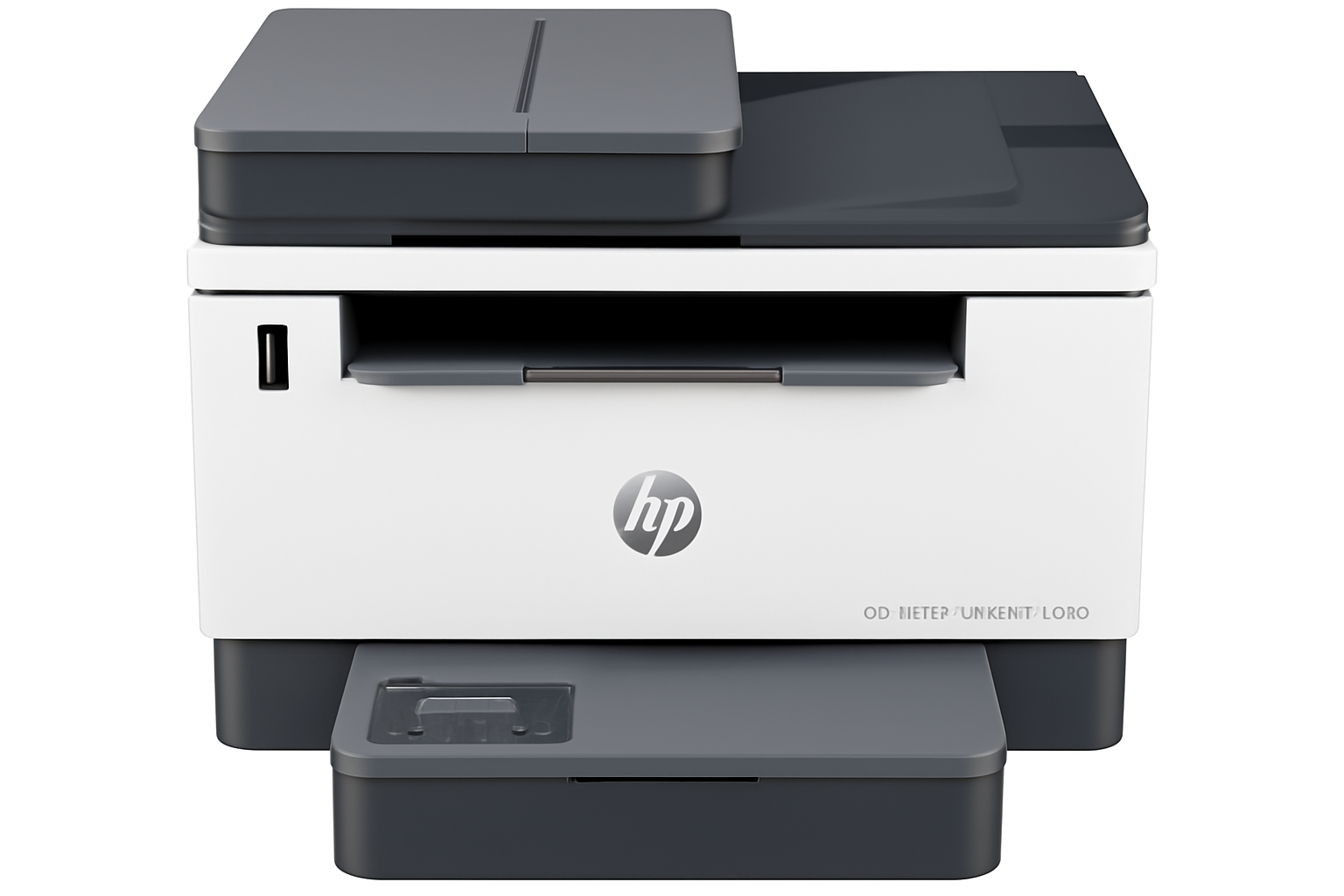
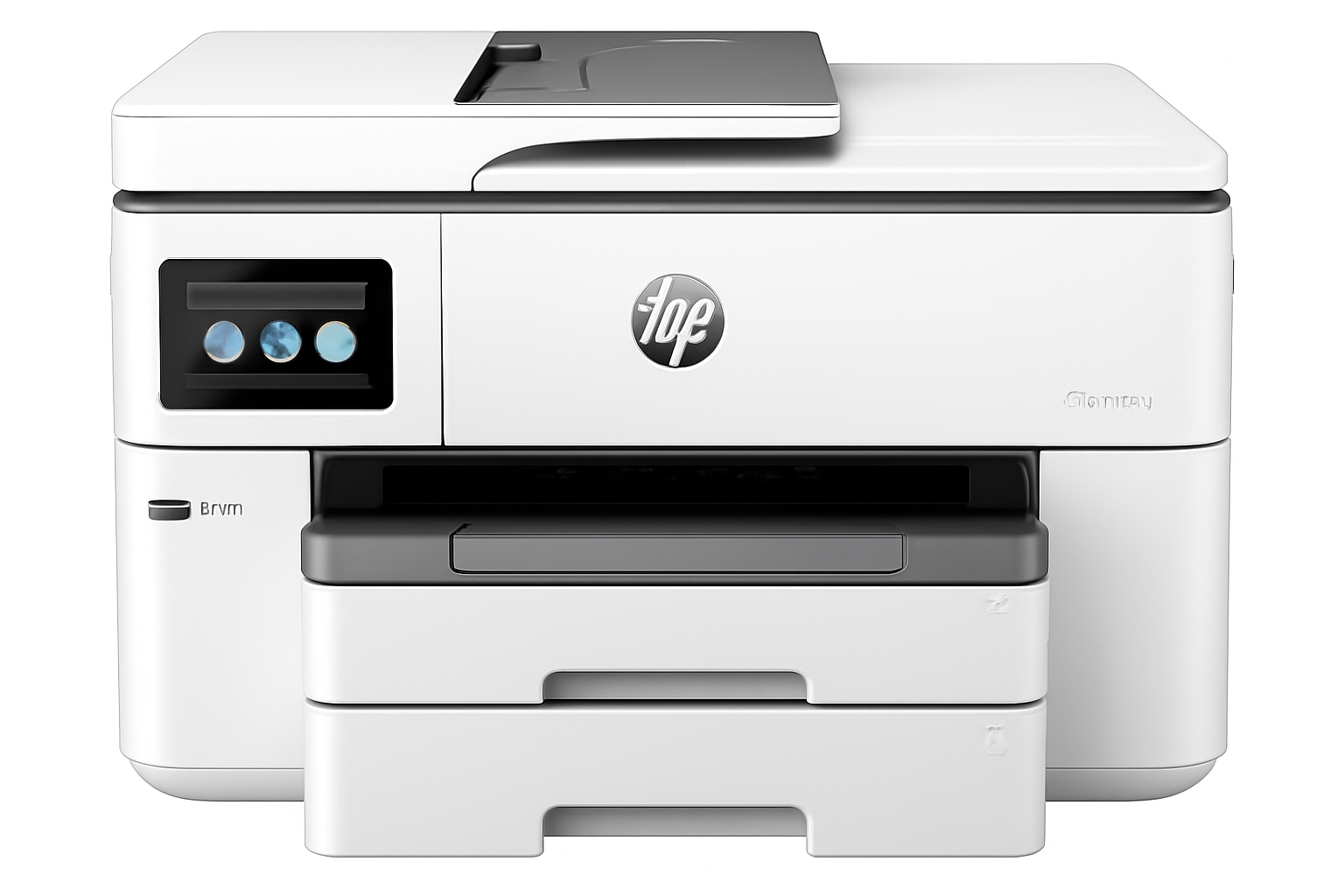
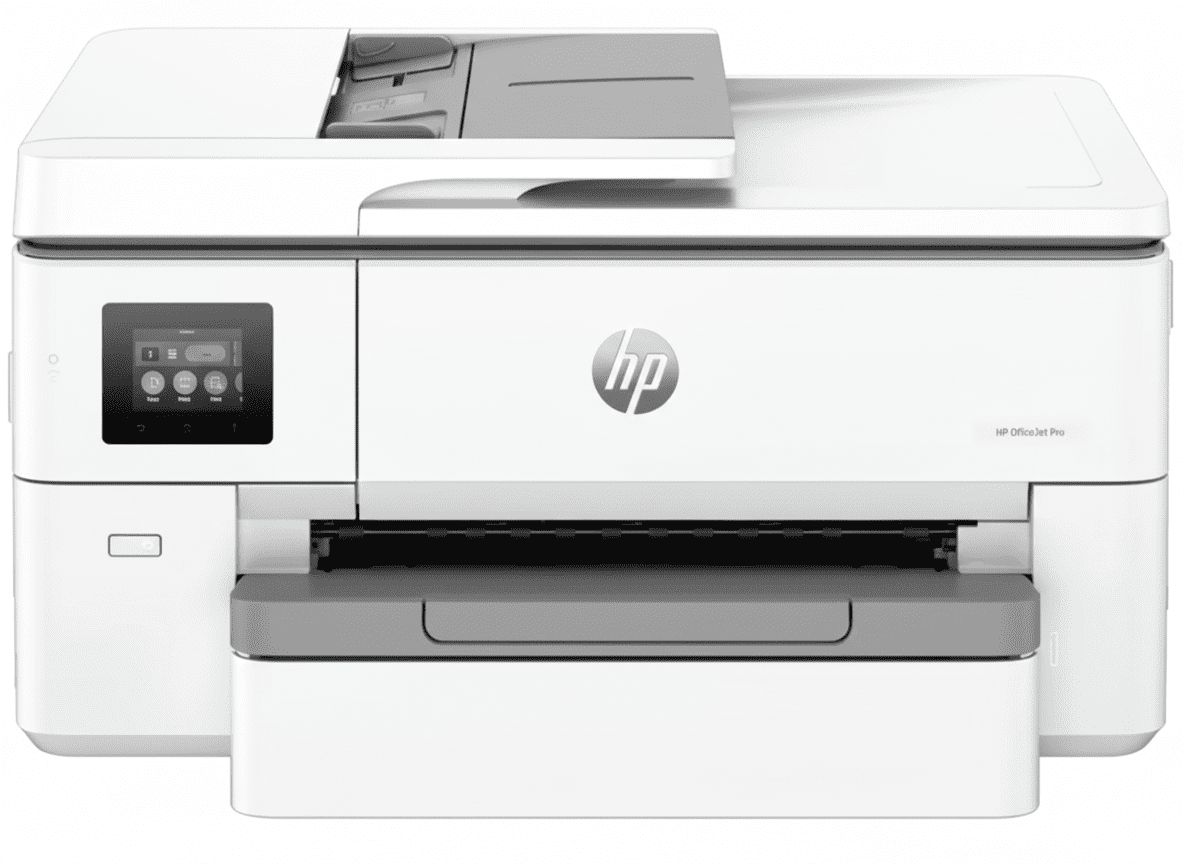
HP OfficeJet Pro 9720 Wide Format All-in-One Printer
A3 Wide Format | P3 Color Gamut | Auto Duplex | 22ppm Black | WiFi+LAN | Professional
22ppm Black – 18ppm Color – A3 Wide Format – P3 Color – Auto 2-Sided – ADF Scanner – Dual-Band WiFi
🏆 World’s First P3 Wide Format Printer – Professional Features!
• P3 Color Gamut: WORLD’S FIRST Display P3 wide format printer!
• A3 Wide Format: Print up to 297 x 420 mm (A3 size)
• Print Speed: 22 ppm (Black), 18 ppm (Color) ISO speed
• Auto Duplex: Automatic 2-sided printing (A4/Letter)
• 35-Sheet ADF: Auto document feeder for scanning
• Connectivity: Dual-Band WiFi (2.4G/5G), USB 2.0, Ethernet/LAN
• Capacity: 250-sheet input, 75-sheet output
• Duty Cycle: 30,000 Pages/Month (Heavy-duty!)
• Display: 2.7″ Color Touchscreen with LED indicators
• Warranty: 1 Year Limited Hardware Warranty
₹23,999
₹27,288
SAVE ₹3,289 (12% OFF!)
+ BONUS: Setup Cartridges Included (Black, Cyan, Magenta, Yellow)!
*EMI Available | Instant Ink Eligible | Leasing Options for Business
Next Day Delivery (Order by 1pm) | 1 Year Warranty | Instant Ink Eligible
Print Size
A3
P3 Color
Yes
Auto Duplex
Yes
HP OfficeJet Pro 9720 Overview
Premium Features
- 📐 A3 Wide Format: Print up to A3 size!
- 🎨 P3 Color Gamut: WORLD’S FIRST!
- ⚡ 22ppm Speed: Fast professional printing!
- 🔄 Auto Duplex: Automatic 2-sided!
- 📄 35-Sheet ADF: Auto scanner!
- 📶 Dual-Band WiFi: 2.4G + 5G!
- 🏢 30,000/Month: Heavy duty cycle!
In The Box
- 📦 HP OfficeJet Pro 9720 Printer
- ⚫ HP 938 Setup Black Cartridge
- 🔵 HP 938 Setup Cyan Cartridge
- 🔴 HP 938 Setup Magenta Cartridge
- 🟡 HP 938 Setup Yellow Cartridge
- 🔌 Power Cord
- 📄 Setup Poster & Reference Guide
Why OfficeJet Pro 9720?
- • A3 Printing: Wide format support
- • P3 Color: Wider color gamut
- • Auto Duplex: Save paper!
- • 35-Sheet ADF: Scan stacks!
- • Professional: 30,000/month
- • Instant Ink: Never run out!
🏆 World’s First P3 Wide Format Printer – Professional A3 Printing!
A3 Wide Format – Print Posters, Brochures!
Print up to A3 size (297 x 420 mm) – DOUBLE the size of A4! Perfect for posters, brochures, presentations, architectural drawings, and marketing materials. No more expensive print shops!
Display P3 Color – Wider Gamut Than sRGB!
World’s first and ONLY Display P3 color gamut wide format printer! Delivers 25% wider color range than standard sRGB. True-to-screen printing for designers and photographers!
Auto Duplex + ADF – Professional Features!
Automatic 2-sided printing + 35-sheet ADF for scanning stacks! These are essential office features. Plus 30,000 pages/month duty cycle for heavy business use!
A3 Wide Format Printing – DOUBLE the Size!
📐 A3 Size Support – Print Big Documents!
The HP OfficeJet Pro 9720 supports A3 wide format printing (297 x 420 mm) – DOUBLE the area of standard A4! This opens up completely new possibilities for businesses, designers, architects, and creative professionals who need large-format printing without the cost of specialized plotters!
✅ A3 Wide Format Benefits
- • DOUBLE Size: A3 is 2× larger than A4 (420 x 297 mm)
- • Print Posters: Marketing materials, presentations
- • Brochures: Tri-fold brochures, pamphlets, flyers
- • Presentations: Large charts, graphs, infographics
- • Architecture: Floor plans, blueprints, CAD drawings
- • Design Work: Layouts, mockups, proofs
- • Cost Savings: No more expensive print shops!
- • On-Demand: Print A3 whenever you need it!
📏 Supported Paper Sizes
- • A3: 297 x 420 mm (DOUBLE A4!)
- • A4: 210 x 297 mm (Standard)
- • A5: 148 x 210 mm (Half A4)
- • A6: 105 x 148 mm (Quarter A4)
- • B5 (JIS): 182 x 257 mm
- • Envelopes: DL, C5, C6, Chou #3, #4
- • Cards: Hagaki cards
- • Custom: 76 x 127 to 297 x 420 mm
🎯 A3 Use Cases – When You Need Wide Format
📊 Presentations
Large charts, graphs, infographics for meetings and client presentations.
🏗️ Architecture
Floor plans, blueprints, CAD drawings, construction documents.
📰 Marketing
Posters, flyers, brochures, promotional materials, banners.
🎨 Design
Layouts, mockups, proofs, portfolio prints, creative work.
💡 Cost Savings: Outsourcing A3 color prints typically costs ₹50-100 per page at print shops. With the 9720, your cost is approximately ₹3-4 per A3 page (with Instant Ink). Print just 500 A3 pages and you’ve already saved ₹25,000-48,000 in print shop costs! The printer pays for itself within months for businesses that regularly need A3 prints!
Display P3 Color Gamut – World’s First!
🎨 Revolutionary Color Technology – Wider Than sRGB!
The HP OfficeJet Pro 9720 is the world’s first and ONLY Display P3 color gamut capable wide format printer! This revolutionary technology delivers 25% wider color range than standard sRGB, allowing you to print colors that were previously impossible with consumer/business printers!
🎨 What is Display P3?
- • Wider Gamut: 25% more colors than sRGB
- • True-to-Screen: What you see is what you print!
- • Vivid Reds: Much brighter, more vibrant reds
- • Rich Greens: Deep, saturated green tones
- • Better Accuracy: Matches modern displays (Mac, iPhone)
- • Professional: Meets photographer/designer standards
- • Exclusive: NO other wide format printer has this!
- • Future-Proof: P3 is the new color standard
📊 P3 vs sRGB Comparison
- Color Space: P3: 25% larger!
- Red Saturation: P3: Much higher
- Green Saturation: P3: Much higher
- Screen Matching: P3: Perfect match
- Professional Use: P3: Industry standard
- Future Standard: P3: Next generation
- Winner: P3 by 25%!
🎯 Who Needs P3 Color?
📸 Photographers
Print photos with accurate colors matching your camera and editing screen. Essential for portfolio prints and client proofs.
🎨 Designers
Create marketing materials with vibrant colors that match your design software (Adobe, Canva, Figma).
🏢 Businesses
Print professional brochures, presentations, reports with superior color quality that impresses clients.
🎓 Students
Print projects, portfolios, assignments with accurate colors for art, design, and photography courses.
📰 Marketing
Create eye-catching posters, flyers, promotional materials with vibrant, attention-grabbing colors.
🎬 Content Creators
Print thumbnails, storyboards, mood boards with colors matching your video editing screens.
💡 Exclusive Technology: The HP OfficeJet Pro 9720 is the world’s ONLY wide format printer with Display P3 color gamut (as of June 2023 internal HP research). Competitors like Canon, Epson, Brother do NOT have this technology. If accurate color matching is critical for your work, the 9720 is the ONLY choice! This exclusive feature alone justifies the premium price for photographers, designers, and color-critical businesses!
Auto Duplex Printing – Save Paper Automatically
🔄 Automatic 2-Sided Printing – A4/Letter Only
The 9720 features automatic duplex printing for A4 and Letter size paper – the printer automatically flips pages and prints both sides without manual intervention. Note: A3 duplex printing requires manual page flipping, but A4/Letter is fully automatic!
✅ Auto Duplex Benefits
- • Fully Automatic: A4/Letter auto flips (A3 manual)
- • 50% Paper Savings: Print 100 pages = 50 sheets
- • Professional Look: Booklets, reports, manuals
- • Fast Duplex: No waiting between sides
- • Perfect Alignment: Precise 2-sided printing
- • Eco-Friendly: Reduce paper waste significantly
- • Cost Savings: Half the paper = half the cost
- • Set & Forget: Walk away during printing
📋 Duplex Use Cases
- • Reports: 50-page reports on 25 sheets
- • Manuals: User guides, documentation
- • Contracts: Legal documents, agreements
- • Presentations: Handouts, proposals
- • Booklets: Tri-fold brochures, pamphlets
- • Invoices: Billing statements, receipts
- • Forms: Multi-page forms, applications
- • Study Notes: Class notes, assignments
💡 Paper Cost Savings: For an office printing 1000 A4 pages/month with duplex, you save 500 sheets/month = 6000 sheets/year. At ₹300 per ream (500 sheets), you save ₹3,600/year on paper alone! Plus reduced storage space and environmental impact. Auto duplex pays for itself within 2-3 years just in paper savings!
35-Sheet ADF – Scan Stacks Automatically
📄 Automatic Document Feeder – Essential for Offices!
The 9720’s 35-sheet ADF (Automatic Document Feeder) is a professional feature that allows you to load up to 35 pages, press scan, and walk away – the printer automatically feeds and scans all pages. This is absolutely essential for businesses that regularly scan multi-page documents!
✅ With 35-Sheet ADF
- • Load 35 Pages: Stack documents in feeder
- • Press Scan: One button press, walk away
- • Automatic Feed: Printer scans all pages
- • Fast Scanning: 35 pages in 2-3 minutes
- • Multi-Page PDFs: One PDF file, 35 pages
- • No Babysitting: Do other work while scanning
- • Perfect for Offices: Contracts, invoices, forms
- • Huge Time Saver: 10× faster than flatbed
❌ Without ADF (Flatbed Only)
- • One Page at a Time: Manual page placement
- • Lift Lid: Open scanner lid manually
- • Place Page: Position each page carefully
- • Close & Scan: Close lid and press scan
- • Wait: Wait for scan to complete
- • Repeat 35×: Do this 35 times!
- • 30+ Minutes: Takes forever for 35 pages
- • Tedious: Extremely frustrating process
📋 ADF Use Cases – When You Need It
📑 Contracts & Legal
Scan multi-page contracts, agreements, legal documents in seconds. Create searchable PDFs instantly.
🧾 Invoices & Bills
Scan stacks of invoices, bills, receipts automatically. Perfect for accounting and bookkeeping.
📄 Document Archival
Digitize paper archives quickly. Scan entire folders of documents in minutes, not hours.
📊 Reports & Forms
Scan filled forms, reports, applications. Batch scan government documents and submissions.
🎓 Student Documents
Scan handwritten notes, assignments, research papers. Convert paper to digital PDF files.
💼 Office Workflows
Scan to email, scan to cloud, scan to folder. Streamline document management processes.
💡 Time Savings: Scanning 35 pages with flatbed only = 30-40 minutes (1 minute per page). Scanning 35 pages with ADF = 2-3 minutes. You save 35 minutes per scanning job! For offices scanning daily, ADF saves 15+ hours per month. At ₹500/hour labor cost, that’s ₹7,500/month savings = ₹90,000/year. The ADF alone justifies the printer cost for businesses!
22ppm Print Speed – Professional Performance
⚡ Professional Speed – Fast for Business Use!
At 22 ppm black and 18 ppm color (ISO speed), plus up to 34 ppm in draft mode, the 9720 delivers professional-level speed suitable for busy offices. This is significantly faster than most home/small office printers!
| Document Size | Home Printer (10 ppm) | 9720 Time (22 ppm) | Time Saved |
|---|---|---|---|
| 10 Pages | 60 seconds | 27 seconds | 33 sec (55%) |
| 50 Pages | 5 min | 2 min 16 sec | 2 min 44 sec (55%) |
| 100 Pages | 10 min | 4 min 32 sec | 5 min 28 sec (55%) |
| 500 Pages | 50 min | 22 min 44 sec | 27 min 16 sec (55%) |
| 1000 Pages | 1 hr 40 min | 45 min 27 sec | 54 min 33 sec (55%) |
📊 ISO Speed (Standard)
Official ISO/IEC 24734 ratings:
Black: Up to 22 ppm
Color: Up to 18 ppm
Professional office speed!
⚡ Draft Speed (Fast)
Maximum draft mode speeds:
Black: Up to 34 ppm
Color: Up to 34 ppm
55% faster for drafts!
💼 Office Impact
Monthly time savings:
1000 pages/month saved: 55 min
Annual savings: 11 hours/year
1+ work day saved annually!
💡 First Page Out: The 9720 prints the first page in as fast as 12 seconds (black) and 13 seconds (color) from ready state. This quick first-page-out time is crucial for offices that print frequently throughout the day. No long wait times when you need a quick print!
Connectivity – Dual-Band WiFi + Ethernet + USB
📶 Professional Network Features + Self-Healing WiFi!
The 9720 features enterprise-grade connectivity: Dual-band WiFi (2.4G + 5G) with self-healing technology, Ethernet/LAN port, USB 2.0, and multiple wireless protocols. Plus HP Smart app for mobile printing from anywhere!
📡 Dual-Band WiFi
- • 2.4 GHz: Long range, wall penetration
- • 5.0 GHz: Faster speed, less interference
- • Self-Healing: Auto-reconnects if disconnected
- • 802.11 a/b/g/n/ac: All WiFi standards
- • WiFi Direct: Print without router
- • Stable: Reliable wireless connection
- • Multi-Device: Connect from any device
🔌 Ethernet/LAN
- • Gigabit: Fast wired network
- • Stable: No wireless interference
- • Secure: No WiFi hacking risk
- • Office Ready: Connect to office network
- • Shared: Multiple users can print
- • Reliable: No connection drops
- • Professional: Business-grade networking
📱 Mobile Printing
- • HP Smart App: Print from phone/tablet
- • Apple AirPrint: iPhone/iPad/Mac printing
- • Mopria Certified: Android printing
- • Chrome OS: Chromebook support
- • WiFi Direct: Print without network
- • Cloud Printing: Print from anywhere
- • Mobile Apps: Print photos, docs, emails
🔐 HP Wolf Pro Security – Business-Grade Protection
Security Features
- • HP Wolf Pro: Advanced security suite
- • Secure Boot: Protected firmware loading
- • Network Security: Encrypted connections
- • Access Control: User authentication
Enterprise Features
- • VPN Support: Print over VPN
- • Admin Panel: Remote management
- • Fleet Management: Multi-printer control
- • Monitoring: Usage tracking and alerts
💡 Self-Healing WiFi: The 9720’s self-healing WiFi automatically detects and fixes connection issues without user intervention. If the WiFi connection drops, the printer automatically reconnects. This ensures maximum uptime and eliminates the frustration of “printer offline” errors that plague other printers!
Inkjet Cartridges vs Ink Tank – Which is Better?
🔋 OfficeJet Pro 9720 (Cartridges) vs Ink Tank Printers
The HP OfficeJet Pro 9720 uses cartridge-based inkjet system (HP 938 series) rather than refillable ink tanks. While this means higher per-page costs, it delivers superior print quality, faster speeds, and professional features that ink tanks can’t match. Let’s compare:
| Feature | OfficeJet Pro 9720 (Cartridge) | Ink Tank (e.g., Smart Tank) | Winner |
|---|---|---|---|
| Paper Size | A3 + A4 + Custom | A4 only (most models) | OfficeJet 9720 |
| Color Gamut | Display P3 (WORLD’S FIRST!) | sRGB standard only | OfficeJet 9720 |
| Print Speed | 22 ppm black, 18 ppm color | 12-15 ppm (slower) | OfficeJet 9720 |
| Print Quality | 4800×1200 dpi (Superior) | 4800×1200 dpi (Good) | OfficeJet 9720 |
| Cost Per Page (Black) | ~₹2.50 (₹3.50/1250 pages) | ~₹0.10 (Very low) | Ink Tank |
| Cost Per Page (Color) | ~₹8.75 (₹2.33×3/800 pages) | ~₹0.10 (Very low) | Ink Tank |
| Instant Ink Eligible | YES (Save up to 50%!) | NO | OfficeJet 9720 |
| Monthly Duty Cycle | 30,000 pages (Heavy-duty) | 5000-8000 pages | OfficeJet 9720 |
| Touchscreen | 2.7″ Color Touchscreen | Basic buttons (most models) | OfficeJet 9720 |
| Maintenance | Low (replace cartridges) | Higher (refill tanks, spills) | OfficeJet 9720 |
| Ink Longevity | Pigment (long-lasting) | Dye (may fade faster) | OfficeJet 9720 |
| Initial Cost | ₹23,999 (Higher) | ₹13,999-18,999 (Lower) | Ink Tank |
| Best For | A3 prints, design, photo, business | High-volume basic printing | Depends on use! |
💡 When to Choose OfficeJet Pro 9720 (Cartridge)
✅ Choose 9720 If You Need:
- • A3 printing for posters, brochures
- • P3 color accuracy for design/photo
- • Professional quality for client-facing work
- • Faster speeds (22 ppm vs 12 ppm)
- • Heavy-duty (30,000 pages/month)
- • Instant Ink to save on cartridges
- • Low maintenance (no refilling mess)
⚠️ Choose Ink Tank If You Need:
- • Lowest cost per page (₹0.10 vs ₹2.50)
- • High-volume basic printing
- • A4 only (no A3 needed)
- • Standard color (sRGB is enough)
- • Lower initial cost
- • Home/student use
- • Don’t mind refilling tanks
💡 Instant Ink Changes Everything: While standard cartridge costs are high (₹3,552 black, ₹2,332 per color), HP Instant Ink subscription can reduce costs by up to 50%! Instant Ink delivers cartridges to your door automatically before you run out, at much lower prices. For businesses printing 500-1500 pages/month (9720’s target), Instant Ink makes the cost-per-page competitive with ink tanks while maintaining superior quality and A3 capability!
Who Should Buy the HP OfficeJet Pro 9720?
🏢 Small/Medium Businesses
Perfect for offices needing A3 capability!
- • Print marketing materials, brochures
- • Create presentations, proposals
- • Scan multi-page contracts (ADF)
- • Print up to 1500 pages/month
- • 30,000 pages/month duty cycle
- • Network printing (WiFi + Ethernet)
🎨 Designers & Creatives
P3 color gamut for accurate prints!
- • Display P3 color matching
- • A3 proofs for client review
- • True-to-screen color accuracy
- • Portfolio prints, mockups
- • Marketing material creation
- • Professional color quality
📸 Photographers
Accurate photo printing at home!
- • P3 color for photo accuracy
- • A3 photo prints (11.7×16.5″)
- • Portfolio and proof printing
- • Client presentation materials
- • 4800×1200 dpi resolution
- • Professional pigment inks
🏗️ Architects & Engineers
A3 for plans and drawings!
- • Print A3 floor plans, blueprints
- • CAD drawing output
- • Construction documents
- • Scan multi-page specs (ADF)
- • Technical diagram printing
- • Professional documentation
📰 Marketing Agencies
Create client materials in-house!
- • Print campaign mockups
- • A3 poster and flyer proofs
- • Brochure and pamphlet printing
- • Client presentation materials
- • Fast turnaround (22 ppm)
- • P3 color for brand accuracy
🎓 Design Students
Professional portfolio printing!
- • Print A3 portfolio pieces
- • Project presentations
- • Accurate color for assignments
- • Photography projects
- • Graphic design proofs
- • Professional-quality output
Pros & Cons
✅ Pros – What We Love
- ✓ A3 Wide Format: Print up to A3 size – DOUBLE the area of A4!
- ✓ Display P3 Color: WORLD’S FIRST P3 wide format – 25% wider color gamut!
- ✓ Auto Duplex: Automatic 2-sided printing for A4/Letter saves paper
- ✓ 35-Sheet ADF: Scan multi-page documents automatically – huge time saver!
- ✓ Professional Speed: 22 ppm black, 18 ppm color ISO speed
- ✓ Heavy Duty: 30,000 pages/month duty cycle for business use
- ✓ Excellent Connectivity: Dual-band WiFi (self-healing!) + Ethernet + USB
- ✓ Large Capacity: 250-sheet input tray, 75-sheet output
- ✓ Instant Ink Eligible: Save up to 50% on ink costs with subscription
- ✓ 2.7″ Touchscreen: Easy-to-use color touchscreen display
- ✓ HP Wolf Security: Business-grade security features built-in
- ✓ HP Smart App: Best mobile printing app with advanced features
❌ Cons – What Could Be Better
- ✗ High Cartridge Costs: Standard cartridges expensive (₹3,552 black, ₹2,332 color) – get Instant Ink!
- ✗ High Cost Per Page: ~₹2.50/page black without Instant Ink (vs ₹0.10 for ink tanks)
- ✗ A3 Duplex Manual: Auto duplex only for A4/Letter, A3 requires manual flipping
- ✗ Heavy Weight: 14.6 kg – difficult to move once set up
- ✗ No Fax Receive: Can send fax via HP Smart app, but can’t receive faxes
- ✗ Price Premium: ₹23,999 – more expensive than standard A4 printers
- ✗ Low Page Yields: Standard cartridges: only 1250 pages black, 800 pages color
- ✗ Windows 11 24H2 Issue: Some users report print issues on latest Windows update
- ✗ Requires HP+ Enrollment: Must create HP account for full functionality
Final Verdict
🏆 World’s First P3 Wide Format Printer – Revolutionary Technology!
✅ Highly Recommended For:
- • Designers & Photographers who need P3 color accuracy
- • Small/Medium Businesses needing A3 printing capability
- • Architects & Engineers printing plans and technical drawings
- • Marketing Agencies creating client materials in-house
- • Creative Professionals who value print quality and color
- • Businesses with Instant Ink to reduce cartridge costs
⚠️ Not Ideal For:
- • High-volume basic printing (get an ink tank instead)
- • Budget-conscious home users (cartridge costs too high)
- • A4-only needs (you’re paying for A3 you won’t use)
- • Users unwilling to use Instant Ink (costs prohibitive otherwise)
- • Basic document printing (overkill for simple needs)
- • Extremely high volumes (consider laser for 3000+ pages/month)
💡 Bottom Line – Premium A3 Printer with Revolutionary Color!
The HP OfficeJet Pro 9720 is NOT a budget printer – it’s a professional A3 wide format printer with world-first Display P3 color gamut technology. At ₹23,999, it costs more than standard A4 printers, but you get exclusive features: A3 printing, P3 color (25% wider than sRGB), 35-sheet ADF, auto duplex, 30,000 pages/month duty cycle, and professional speeds.
The cartridge costs are HIGH (₹2.50/page black without subscription), but Instant Ink changes the equation dramatically – saving up to 50% on ink costs. With Instant Ink, the 9720 becomes cost-competitive while maintaining superior quality and A3 capability.
If you need A3 printing, accurate P3 color for design/photo work, or professional features (ADF, duplex, touchscreen), the 9720 is the ONLY wide format printer with these capabilities at this price point. The Display P3 color technology alone is exclusive to this printer – no competitor has it!
Next Day Delivery • 1 Year Warranty • Instant Ink Eligible
Frequently Asked Questions
Q1: What is Display P3 color gamut and why does it matter?
Display P3 is a wide color gamut developed by Apple that covers 25% more colors than standard sRGB. The HP OfficeJet Pro 9720 is the world’s first and ONLY wide format printer with P3 support, meaning it can print colors that match modern displays (Mac, iPhone, iPad). This is crucial for designers, photographers, and anyone who needs accurate color matching between screen and print. Colors appear more vibrant, reds and greens are richer, and prints match your editing screen perfectly.
Q2: Can the 9720 print automatic duplex on A3 paper?
No, the 9720’s automatic duplex (2-sided printing) only works for A4 and Letter size paper. For A3 size prints, you need to manually flip the paper to print on the reverse side. This is a limitation of the printer’s mechanical design – A3 paper is too large for the automatic duplexer mechanism. However, A4/Letter duplex is fully automatic and works perfectly.
Q3: What is the cost per page with and without Instant Ink?
Without Instant Ink: Approximately ₹2.84 per black page (₹3,552 ÷ 1250 pages) and ₹2.92 per color page (₹2,332×3 ÷ 2400 pages total). With Instant Ink subscription: Costs drop by up to 50%, making it approximately ₹1.40-1.50 per page. Instant Ink plans start from ₹99/month for 15 pages and go up to ₹899/month for 700 pages. For the 9720’s target usage (250-1500 pages/month), Instant Ink is practically essential to keep costs reasonable.
Q4: What paper sizes can the 9720 print?
The 9720 supports a wide range of sizes: A3 (297×420mm), A4, A5, A6, B5 (JIS), various envelopes (DL, C5, C6, Chou #3, #4), Hagaki cards, and custom sizes from 76×127mm to 297×420mm. The A3 capability is the standout feature – it can print documents DOUBLE the size of standard A4, perfect for posters, brochures, architectural plans, and presentations. Most competitors only print up to A4.
Q5: How does the 35-sheet ADF work?
The Automatic Document Feeder (ADF) holds up to 35 sheets of paper. Simply load your multi-page document into the ADF tray, select scan/copy on the touchscreen, and the printer automatically feeds each page through the scanner. This is 10× faster than flatbed scanning where you’d need to lift the lid and manually place each page. Perfect for scanning contracts, invoices, reports, and any multi-page documents. Creates single multi-page PDF files automatically.
Q6: Is the 9720 better than ink tank printers?
It depends on your needs. Ink tanks (like HP Smart Tank) have much lower cost per page (₹0.10 vs ₹2.50+), but the 9720 offers: A3 printing (ink tanks are A4 only), Display P3 color (world’s first!), faster speeds (22ppm vs 12ppm), higher duty cycle (30,000 vs 5,000 pages/month), better quality, and professional features. If you need A3, accurate color, or professional features, get the 9720. If you need high-volume basic A4 printing at lowest cost, get an ink tank.
Q7: What is the monthly duty cycle and recommended volume?
The 9720 has a maximum monthly duty cycle of 30,000 pages (the absolute maximum the printer can handle) and a recommended monthly volume of 250-1500 pages (optimal range for longevity). This makes it suitable for small to medium businesses, creative professionals, and offices with moderate to heavy printing needs. It’s NOT designed for extremely high-volume environments (3000+ pages/month) – consider laser printers for that.
Q8: Does it work with Mac, Windows, and mobile devices?
Yes! The 9720 supports Windows 11/10, macOS 11-14 (Big Sur through Sonoma), Linux, Chrome OS, iOS (via AirPrint), and Android (via Mopria and HP Smart app). The HP Smart app is available for smartphones and tablets, offering advanced features like mobile scanning, cloud printing, and remote management. WiFi Direct allows printing without a router. Connectivity options include dual-band WiFi (2.4G/5G with self-healing), Ethernet/LAN, and USB 2.0.
Q9: What are HP 938 cartridges and their page yields?
The 9720 uses HP 938 series cartridges (pigment-based ink). Standard yields: Black 938 (4S6X8PA): 1,250 pages at ₹3,552, Color 938 Cyan/Magenta/Yellow (4S6X5PA/6PA/7PA): 800 pages each at ₹2,332 each. Also available: HP 938e EvoMore cartridges with higher yields (exact page counts vary). Setup cartridges included in the box have lower yields (~200-400 pages) and are meant only for initial setup. For best value, sign up for HP Instant Ink to save up to 50%.
Q10: What is HP Instant Ink and should I use it?
HP Instant Ink is a subscription service where HP automatically ships ink cartridges before you run out, based on your actual usage (not page counts). You pay a monthly fee based on pages printed (not cartridges). Plans range from ₹99/month (15 pages) to ₹899/month (700 pages). You save up to 50% on ink costs! For the 9720 with expensive ₹3,552 black cartridges, Instant Ink is highly recommended and practically essential unless you print very rarely. Unused pages roll over to next month.
Q11: Can I use third-party or refilled cartridges?
The 9720 uses dynamic security measures and will ONLY work with cartridges that have a new or reused HP chip. Cartridges with non-HP chips are blocked by firmware updates. HP states this clearly: “This printer is intended to work only with cartridges that have a new or reused HP chip.” While you can use HP remanufactured cartridges with reused HP chips, most third-party cartridges won’t work. This is why HP Instant Ink subscription is the best cost-saving option.
Q12: What’s included in the box?
The box includes: HP OfficeJet Pro 9720 printer, HP 938 Setup cartridges (Black, Cyan, Magenta, Yellow – lower yield starter cartridges), power cord, USB cable, setup poster, reference guide, regulatory flyer, and software CD (Asia Pacific only). Note that setup cartridges have limited ink (~200-400 pages) and you’ll need to purchase full cartridges soon. Consider signing up for Instant Ink immediately.
Q13: How does self-healing WiFi work?
The 9720 features HP’s self-healing WiFi technology that automatically detects and fixes connection issues. If the printer loses WiFi connection (due to router restart, signal interference, or network changes), it automatically attempts to reconnect without user intervention. This eliminates the frustrating “printer offline” errors common with other printers. The dual-band WiFi (2.4GHz and 5GHz) also allows you to choose the best frequency for your environment.
Q14: Is the 9720 good for photo printing?
Yes, especially for photographers who need color accuracy! The Display P3 color gamut matches modern camera and editing software color spaces, delivering true-to-screen prints. With 4800×1200 dpi resolution, pigment-based inks (longer-lasting than dye), and A3 capability (11.7×16.5″ prints), it’s excellent for portfolio prints, client proofs, and photo projects. Not as good as dedicated photo printers for extremely fine art, but far superior to standard office printers and perfect for professional photographers.
Q15: What are the printer dimensions and weight?
Dimensions: 581×445×306mm (W×D×H) with trays closed, 581×849×306mm with trays fully extended. Weight: Approximately 14.6 kg. This is a substantial printer due to A3 capability – make sure you have adequate desk space (at least 60cm width). The weight makes it difficult to move frequently, so choose your setup location carefully. Requires clearance for paper input tray (front) and output tray (top).
Complete Technical Specifications
| HP OfficeJet Pro 9720 Wide Format All-in-One Printer | |
|---|---|
| BASIC INFORMATION | |
| Model Number | 53N94C |
| Series | OfficeJet Pro |
| Product Type | Wide Format Inkjet All-in-One Printer |
| Functions | Print, Copy, Scan (No Fax Receive – Send Only via App) |
| Perfect For | Small WorkTeams, Hybrid Offices, Designers, Photographers, Architects |
| Price (November 2025) | ₹23,999 (MRP ₹27,288 – Save ₹3,289 / 12% OFF) |
| PRINT SPECIFICATIONS | |
| Print Technology | HP Thermal Inkjet |
| Print Colors | 4-color (Black, Cyan, Magenta, Yellow) – Pigment-based inks |
| Color Gamut | Display P3 – WORLD’S FIRST! (25% wider than sRGB) |
| Print Speed (ISO) | Up to 22 ppm (Black), 18 ppm (Color) |
| Print Speed (Draft) | Up to 34 ppm (Black), 34 ppm (Color) |
| First Page Out | As fast as 12 sec (Black), 13 sec (Color) from ready |
| Print Resolution | Up to 4800×1200 optimized dpi (color), 1200×1200 dpi (black) |
| Print Head Nozzles | 6,272 nozzles total (1,568 per color × 4 colors) |
| Automatic Duplex | Yes – Automatic for A4/Letter (Manual for A3) |
| Duty Cycle (Monthly) | Up to 30,000 pages (Heavy-duty professional) |
| Recommended Volume | 250 to 1,500 pages per month |
| PAPER HANDLING | |
| Paper Sizes | A3, A4, A5, A6, B5 (JIS), Envelopes (DL, C5, C6, Chou #3, #4), Hagaki Cards |
| Custom Sizes | 76×127 mm to 297×420 mm (A3) |
| Input Capacity | 250 sheets (Main tray) or 50 sheets (Photo/Cards) |
| Output Capacity | 75 sheets (A-size), 50 sheets (B-size), 25 envelopes |
| Media Types | Plain, HP Photo Papers, Matte/Glossy Brochure, Presentation Papers, Envelopes |
| Media Weight | 60-105 g/m² (Recommended), 34-250 g/m² (Supported) |
| SCAN SPECIFICATIONS | |
| Scan Technology | CIS (Contact Image Sensor) |
| Scan Resolution | Up to 1200×1200 dpi (Optical and Hardware) |
| ADF Capacity | 35 sheets (Automatic Document Feeder) |
| Scan Size (Max) | 216×356 mm (Flatbed) |
| Color Scanning | Yes (24-bit color depth, 256 grayscale levels) |
| Scan File Formats | JPEG, TIFF, PDF, BMP, PNG |
| Scan Input Modes | Front panel, HP Smart app, Software (TWAIN 2.4) |
| COPY SPECIFICATIONS | |
| Copy Speed (ISO) | Up to 18 cpm (copies per minute) |
| Maximum Copies | Up to 99 copies |
| Copy Features | Resize (25-400%), ID Copy, 2-sided, Collate, Enhancement, Crop, Preview |
| INK CARTRIDGES | |
| Cartridge System | HP 938 Series (4 separate cartridges) |
| Black Cartridge | HP 938 Black (4S6X8PA): 1,250 pages at ₹3,552 |
| Cyan Cartridge | HP 938 Cyan (4S6X5PA): 800 pages at ₹2,332 |
| Magenta Cartridge | HP 938 Magenta (4S6X6PA): 800 pages at ₹2,332 |
| Yellow Cartridge | HP 938 Yellow (4S6X7PA): 800 pages at ₹2,332 |
| EvoMore Cartridges | HP 938e EvoMore series also available (higher yield options) |
| Instant Ink | YES – Eligible! Save up to 50% on ink costs |
| Cost Per Page (Black) | ~₹2.84 (Standard) | ~₹1.40 (with Instant Ink) |
| Cost Per Page (Color) | ~₹8.75 (Standard) | ~₹4.40 (with Instant Ink) |
| CONNECTIVITY | |
| WiFi | Dual-Band 802.11 a/b/g/n/ac (2.4GHz + 5GHz with Self-Healing) |
| Ethernet | Yes – Gigabit Ethernet/LAN port |
| USB | Hi-Speed USB 2.0 (Device) |
| WiFi Direct | Yes (Print without router) |
| Mobile Printing | HP Smart App, Apple AirPrint, Mopria, Chrome OS, WiFi Direct |
| VPN Support | Yes (Print over VPN connections) |
| Security | HP Wolf Pro Security (Business-grade protection) |
| DISPLAY & CONTROL | |
| Display | 2.7″ (6.86 cm) Color Touchscreen with graphic display |
| Indicators | LED indicator lights (WiFi indicator) |
| Buttons | 3 buttons (Home, Help, Back) |
| SYSTEM REQUIREMENTS | |
| Windows | Windows 11, Windows 10 (32-bit or 64-bit), 2GB disk space |
| macOS | macOS 11 Big Sur, 12 Monterey, 13 Ventura, 14 Sonoma, 2GB disk |
| Other OS | Linux, Chrome OS |
| Internet | Required for full functionality, setup, and HP account |
| MEMORY & PROCESSOR | |
| Memory (RAM) | 512 MB (No expansion slots) |
| POWER CONSUMPTION | |
| Power Supply | Internal (Built-in) Universal Power Supply |
| Power Usage | 0.11W (Manual-Off), 1.17W (Sleep), 4.67W (Standby) |
| PHYSICAL DIMENSIONS | |
| Dimensions (Closed) | 581×445×306 mm (W×D×H) |
| Dimensions (Extended) | 581×849×306 mm (W×D×H) – Trays fully extended |
| Weight | Approximately 14.6 kg |
| WARRANTY & SUPPORT | |
| Standard Warranty | 1 Year Limited Hardware Warranty (Included) |
| Extended Warranty | HP Care Pack available for purchase |
| Support | Visit http://support.hp.com or Call 1800 108 4749 |
| ENVIRONMENTAL | |
| Recycled Plastic | 30% recycled plastic content |
| Recycling Program | HP Planet Partners – Free cartridge recycling |
| MANUFACTURING | |
| Country of Origin | China |
| Manufacturer | Futaihua Precision Industry (Weihai) Co., Ltd., Shandong, China |
| Importer | HP India Sales Pvt Ltd., Bangalore-560030 |
Ready to Print Like a Pro with A3 & P3 Color?
World’s First Display P3 Wide Format Printer – Revolutionary Technology at ₹23,999!
🛒 Buy HP OfficeJet Pro 9720 Now – Save ₹3,289!Next Day Delivery (Order by 1pm) • 1 Year Warranty • Instant Ink Eligible • Leasing Available
Review Date: November 28, 2025 | Prices and specifications subject to change
Visit ReviewNest.in for more detailed product reviews