🏢 BUSINESS AIO – 525 Views!
23.8″ Display Built-in + Keyboard & Mouse Included!
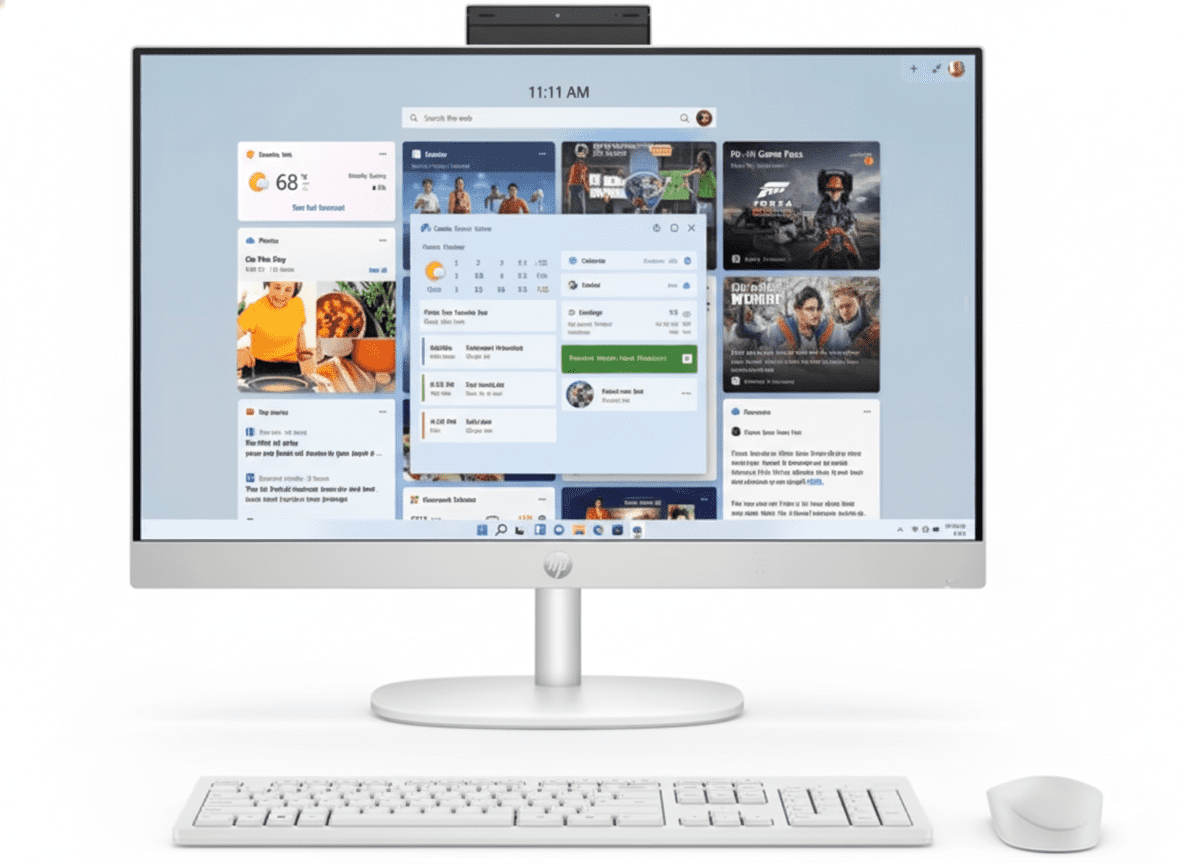
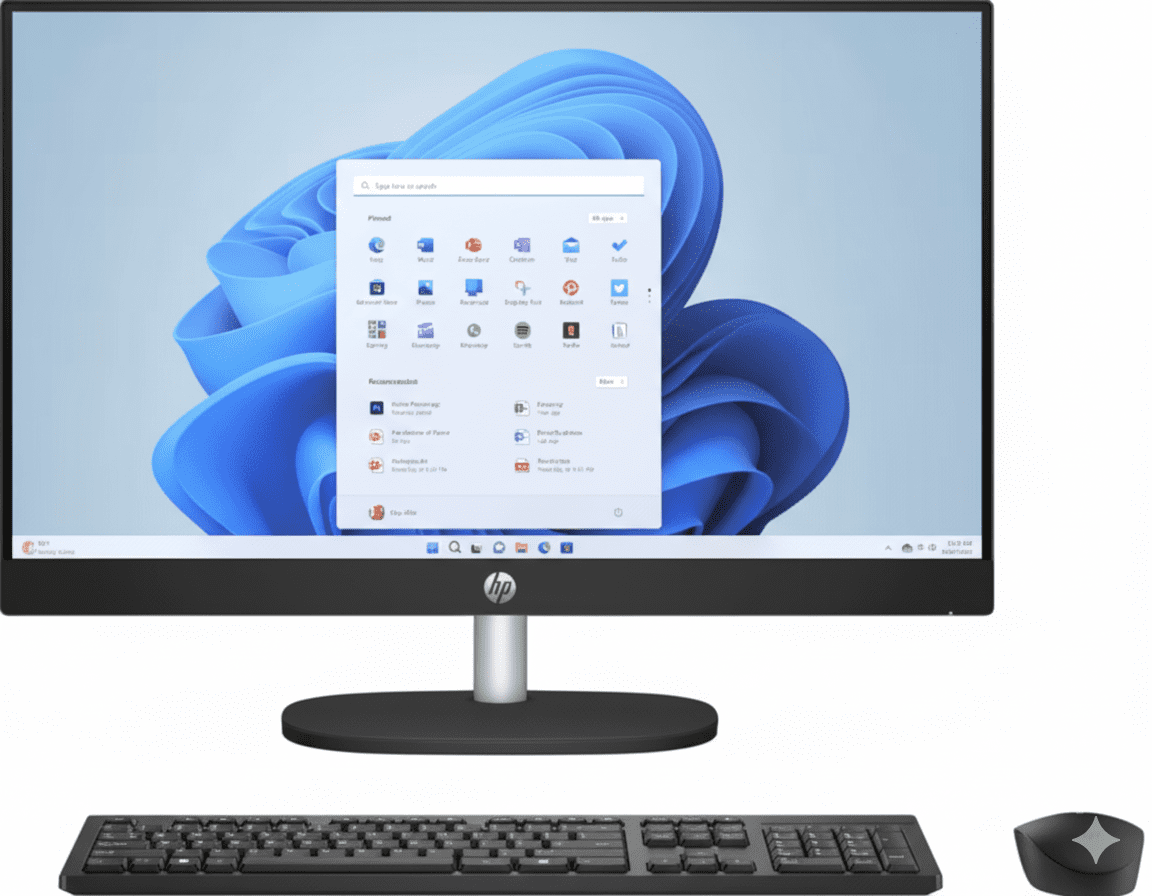
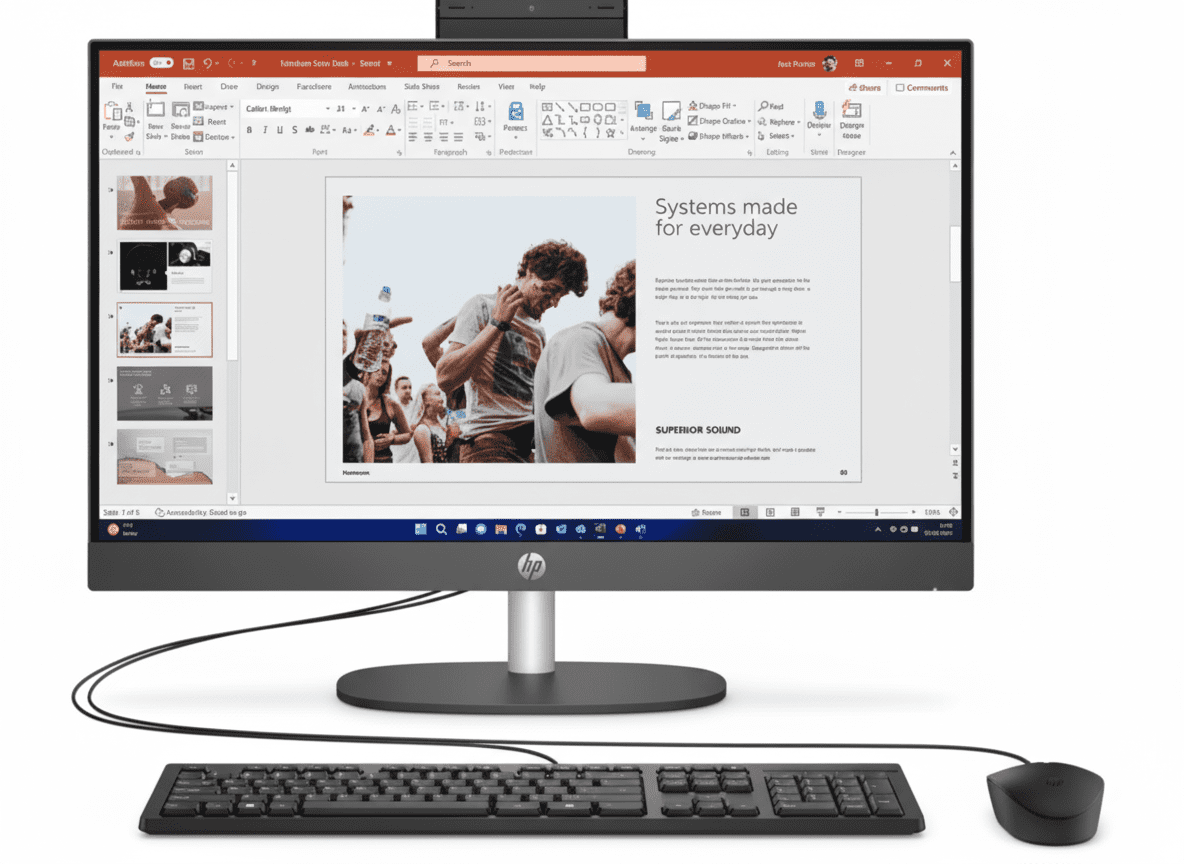
HP ProOne 240 G10 All-in-One
Business Desktop PC | 23.8″ FHD Display | Space-Saving!
Intel Core i3-N300 (8-core, 3.8GHz) – 8GB DDR4 – 512GB SSD – 23.8″ FHD Display – 5MP Webcam – Keyboard & Mouse – FreeDOS
🏢 All-in-One Business PC – Everything Included!
• 23.8″ FHD Display: Built-in screen!
• 5MP Webcam: Pull-up for privacy!
• Keyboard & Mouse: Included FREE!
• Space-Saving: All-in-One design!
₹54,499
₹55,417
SAVE ₹918 (1% OFF!)
*Complete setup – Display + KB + Mouse included | In Stock!
1 Year Warranty | In Stock | Next Business Day Delivery
Display
23.8″ FHD
Type
All-in-One
Price
₹54,499
HP ProOne 240 G10 – Complete Business All-in-One PC
🏢 All-in-One Business Solution – Display + Keyboard + Mouse!
The HP ProOne 240 G10 All-in-One Desktop at ₹54,499 is a complete business solution featuring 23.8″ FHD IPS display built-in, Intel Core i3-N300 (8-core low-power processor), 8GB DDR4 RAM, 512GB SSD, 5MP pull-up webcam for video conferencing, Wi-Fi 6 + Bluetooth 5.3, and includes HP 125 keyboard & mouse! Perfect for offices, small businesses, front desks, and home offices needing space-saving design with everything included!
🖥️ 23.8″ FHD Display (Built-in!)
- • 23.8″ Diagonal: Perfect size!
- • FHD 1920×1080: Clear display!
- • IPS Panel: Wide viewing angles!
- • Anti-Glare: Reduce eye strain!
- • 250 Nits: Good brightness!
- • Built-in: No separate monitor needed!
📹 5MP Webcam + Accessories
- • 5MP Camera: HD video calls!
- • Pull-up Design: Privacy protection!
- • Dual Mics: Clear audio!
- • HP 125 Keyboard: USB wired included!
- • HP 125 Mouse: USB wired included!
- • Complete Setup: Everything ready!
🏢 Business Features
- • Space-Saving: All-in-One design!
- • Cable Management: Clean desk!
- • Wi-Fi 6: Fast wireless!
- • HP Eye Ease: Low blue light!
- • Business Ready: Office work!
- • 1 Year Warranty: Onsite support!
🎯 What You Get
- • 23.8″ Display: Built-in FHD!
- • i3-N300 CPU: 8-core efficiency!
- • 8GB DDR4: Enough for office!
- • 512GB SSD: Fast storage!
- • 5MP Webcam: HD video calls!
- • Keyboard & Mouse: Included!
- • Complete Setup: Ready to use!
🔥 Why All-in-One?
Space-saving advantages:
- • No Tower: Clean desk space!
- • Display Built-in: No separate monitor!
- • Less Cables: Minimal clutter!
- • Easy Setup: Plug & play!
- • Professional Look: Office ready!
⚠️ Important Notes
Things to know:
- • FreeDOS Only: No Windows included!
- • Need to Install OS: Buy Windows separately!
- • Not for Gaming: Basic graphics only!
- • Office Use: Work PC only!
- • Limited Upgrades: AIO design!
All-in-One Design – Space-Saving & Clean Setup
🖥️ Everything Integrated – No Tower, No Clutter!
The HP ProOne 240 G10 is a true All-in-One desktop where the computer is built into the display. Unlike traditional desktops with separate towers, this integrates CPU, RAM, storage, and ports behind the 23.8″ screen. Perfect for offices wanting clean, professional workspaces with minimal cable mess and maximum desk space!
All-in-One Benefits
- • Space-Saving: No bulky tower – saves 70% desk space!
- • Clean Setup: Minimal cables – just power + peripherals
- • Professional Look: Sleek design for offices/reception
- • Easy Movement: Move entire PC by lifting display
- • Cable Management: Built-in cable clip organizer
- • Rear Ports: Hidden ports keep desk clean
- • Quick Setup: Unbox, plug in, ready in 5 minutes!
- • Perfect for: Offices, front desks, reception, home office
AIO vs Traditional Tower
✅ All-in-One Advantages:
- • 70% less desk space needed
- • Built-in display (no separate monitor)
- • Minimal cables (cleaner look)
- • Easy to move entire system
- • Professional appearance
❌ AIO Limitations:
- • Limited upgrade options
- • Can’t change display separately
- • If screen breaks, affects whole PC
- • Generally more expensive than tower
📐 Dimensions & Space Savings
ProOne 240 G10 Size
• Width: 54.06 cm (21.3 inches)
• Depth: 18.37 cm (7.2 inches) – Very thin!
• Height: 41.9 cm (16.5 inches)
• Weight: 5.37 kg (11.8 lbs) – Light!
• Desk Space: Only 54×18 cm needed!
• Perfect for: Small desks, reception counters
vs Traditional Tower
• Tower Size: 40×50 cm + monitor space
• AIO Size: 54×18 cm (display included!)
• Space Saved: ~70% less desk space!
• Cables: AIO: 2-3 cables vs Tower: 5-8 cables
• Appearance: AIO much cleaner!
23.8″ FHD Display – Built-in IPS Panel
🖥️ Professional 23.8″ Display – Perfect for Office Work!
The built-in 23.8-inch FHD display features IPS technology with 1920×1080 resolution, anti-glare coating, 250 nits brightness, and 72% NTSC color gamut. With three-sided micro-edge bezels (89.3% screen-to-body ratio), HP Eye Ease low blue light protection, and tiltable stand, this display is perfect for long office hours, spreadsheets, documents, and video conferencing!
Display Specifications
Display Features
- • IPS Panel: 178° viewing angles – great for collaboration!
- • FHD 1080p: Crystal-clear text for documents/spreadsheets
- • Anti-Glare: Reduces reflections – comfortable for 8+ hours
- • HP Eye Ease: TÜV certified low blue light – protects eyes
- • Micro-Edge Bezels: Sleek modern look, more screen!
- • Tiltable Stand: Adjust angle for comfort
- • Perfect for: Office work, spreadsheets, video calls, multitasking
✅ Perfect Display Size for Office Work
23.8″ (60.5 cm) is the sweet spot for office work – big enough for comfortable multitasking (open 2 windows side-by-side), but not too large that it overwhelms small desks. FHD 1080p resolution ensures sharp text for spreadsheets and documents. Anti-glare + low blue light protection means comfortable 8+ hour workdays without eye strain. Perfect for reception desks, front offices, accounting, data entry, customer service!
5MP Pull-Up Webcam – Privacy Protection
📹 5MP HD Webcam
- • 5MP Resolution: HD 1080p video calls
- • Pull-Up Design: Physically hides camera when not in use!
- • Privacy Protection: No hacking worries – physically closed!
- • Dual Microphones: Integrated array mics for clear audio
- • Low-Light Adjustment: Clear video even in dim lighting
- • Tiltable: Adjust camera angle
- • Perfect for: Zoom, Teams, Google Meet, video conferencing
🔒 Privacy-First Design
Pull-Up Camera Benefits:
- ✓ Physical Privacy: Camera hidden when not in use
- ✓ No Software Hacks: Physically closed = no spying!
- ✓ Visual Indicator: See when camera is up/down
- ✓ Easy to Use: Pull up when needed, push down when done
- ✓ Peace of Mind: Complete privacy control
Performance – Intel Core i3-N300 + Office Work
⚡ Intel Core i3-N300 – Efficient Office CPU
The Intel Core i3-N300 is a low-power 8-core processor (8 cores/8 threads) with up to 3.8 GHz boost and 6MB L3 cache. With only 7W TDP, it’s extremely power-efficient and runs cool/quiet. Perfect for office tasks like web browsing, Microsoft Office, email, video calls, and light multitasking. NOT suitable for gaming, heavy video editing, or 3D rendering!
CPU Specifications
What Can It Do?
✅ Perfect For:
- • Microsoft Office (Word, Excel, PowerPoint)
- • Web browsing (Chrome, Edge, Firefox)
- • Email and communication
- • Video conferencing (Zoom, Teams, Meet)
- • Light multitasking (5-10 tabs)
- • Accounting software, data entry
- • Point-of-sale systems, kiosks
❌ NOT For:
- • Gaming (any games!)
- • Video editing (4K/heavy editing)
- • 3D rendering, CAD software
- • Heavy multitasking (50+ tabs)
💾 Memory & Storage
8GB DDR4 RAM
• Configuration: 1 x 8GB DDR4-3200
• Slots: 2 SODIMM (can add 1 more stick)
• Upgradable: Up to 16GB total (add 8GB)
• Sufficient for: Office work, web, video calls
• Note: 8GB enough for basic office tasks
512GB PCIe NVMe SSD
• Capacity: 512GB
• Type: PCIe NVMe (Fast!)
• Speed: Much faster than HDD
• Expandable: Has 2.5″ HDD bay (can add HDD)
• Perfect for: OS + office files + documents
⚠️ IMPORTANT: FreeDOS – NO Windows Included!
This PC comes with FreeDOS – which means NO operating system is installed! You CANNOT use this PC out of the box. You must:
❌ What FreeDOS Means:
- • NO Windows: Must buy and install separately!
- • NO Apps: No Microsoft Office, Chrome, nothing!
- • Can’t Use Immediately: Need to install OS first
- • Extra Cost: Windows 11 costs ₹10,000-15,000!
- • Technical Knowledge: Need to know how to install OS
✅ Your Options:
- 1. Buy Windows 11: ₹10-15K, install yourself or hire tech
- 2. Use Linux: Free (Ubuntu, Linux Mint) – need tech knowledge
- 3. Ask HP: Some dealers can pre-install for fee
- 4. For Business: Use volume license Windows
💡 Why FreeDOS? HP sells FreeDOS versions to reduce price (saving ₹10K+ by not including Windows). Popular with businesses who have their own Windows licenses, or tech-savvy users who prefer Linux. If you’re not technical, consider buying a model with Windows pre-installed!
All-in-One vs Tower Desktop – Which to Choose?
🆚 HP ProOne AIO vs Traditional Tower Desktop
| Feature | ProOne AIO (₹54,499) | Traditional Tower |
|---|---|---|
| Display | 23.8″ FHD Built-in! | Need to buy separately (₹8-12K) |
| Desk Space | 54×18 cm (Compact!) | Large tower + monitor space |
| Cables | 2-3 cables (Clean!) | 5-8 cables (Messy) |
| Setup Time | 5 minutes | 15-30 minutes |
| Webcam | 5MP Built-in! | Buy separately (₹1.5-3K) |
| Keyboard & Mouse | Included! | Usually not included |
| Upgradeability | Limited (RAM only) | Easy upgrades |
| Performance | Office tasks (i3-N300) | Can be much faster |
| Portability | Easy to move | Heavy, difficult |
| Best For | Office, Reception, Clean setup | Power users, Gaming, Upgrades |
✅ When to Choose AIO vs Tower?
✅ Choose All-in-One If:
- ✓ Limited desk space (small office, reception)
- ✓ Want clean, professional appearance
- ✓ Need complete setup (display + PC + webcam)
- ✓ Only office work (no gaming/heavy tasks)
- ✓ Easy setup required (plug & play)
- ✓ Move PC frequently between locations
- ✓ Business/office/front desk use
🖥️ Choose Tower If:
- • Need powerful performance (gaming/editing)
- • Want upgrade flexibility (GPU, RAM, storage)
- • Already have monitor you like
- • Multiple monitor setup needed
- • Budget for separate components
- • Gaming or heavy workstation tasks
HP ProOne 240 G10 vs Competitors
💼 #1: Dell OptiPlex 24 AIO
Dell: i3-13100T + 8GB + 256GB – ₹62,000
HP ProOne: i3-N300 + 8GB + 512GB – ₹54,499
HP Wins:
- ✓ ₹7.5K cheaper!
- ✓ Double storage (512GB vs 256GB)
- ✓ KB+Mouse included
- ✓ Better value!
Dell Wins:
- ✓ Faster CPU
- ✓ Windows included
- ✓ Dell brand
Verdict: HP better value if you have Windows license!
🖥️ #2: Lenovo IdeaCentre AIO 3
Lenovo: Pentium + 8GB + 512GB – ₹48,000
HP ProOne: i3-N300 + 8GB + 512GB – ₹54,499
HP Wins:
- ✓ Better CPU (i3 vs Pentium)
- ✓ 5MP webcam (vs 1MP)
- ✓ Business features
- ✓ Better build
Lenovo Wins:
- ✓ ₹6.5K cheaper
- ✓ Home market
Verdict: HP better quality for ₹6.5K extra!
💻 #3: ASUS AiO V241
ASUS: Celeron N4500 + 4GB + 256GB – ₹42,000
HP ProOne: i3-N300 + 8GB + 512GB – ₹54,499
HP Wins:
- ✓ Much better CPU!
- ✓ Double RAM (8GB vs 4GB)
- ✓ Double storage!
- ✓ Better webcam!
ASUS Wins:
- ✓ ₹12K cheaper
Verdict: HP worth extra for much better specs!
🔷 #4: Acer Aspire C24 AIO
Acer: i3-1215U + 8GB + 512GB – ₹58,000
HP ProOne: i3-N300 + 8GB + 512GB – ₹54,499
HP Wins:
- ✓ ₹3.5K cheaper!
- ✓ Business series
- ✓ Better build
Acer Wins:
- ✓ Slightly faster CPU
- ✓ Windows included
Verdict: Similar specs, HP cheaper!
🎮 #5: MSI PRO AP241
MSI: i3-12100 + 8GB + 256GB – ₹65,000
HP ProOne: i3-N300 + 8GB + 512GB – ₹54,499
HP Wins:
- ✓ ₹10.5K cheaper!
- ✓ Double storage!
- ✓ Much better value!
MSI Wins:
- ✓ Much faster CPU
- ✓ Gaming brand
Verdict: HP better budget choice!
🖥️ #6: DIY Tower + Monitor
DIY: i3 Tower + 24″ monitor – ₹48,000
HP ProOne: Complete AIO – ₹54,499
HP Wins:
- ✓ Cleaner setup!
- ✓ Space-saving!
- ✓ Webcam included!
- ✓ Warranty!
DIY Wins:
- ✓ ₹6K cheaper
- ✓ Easy upgrades
- ✓ More powerful
Verdict: AIO for clean office, Tower for upgrades!
🏆 Competitor Summary
At ₹54,499, the HP ProOne 240 G10 offers best value for business All-in-One with 23.8″ FHD display, Intel i3-N300, 8GB RAM, 512GB SSD, 5MP webcam, keyboard & mouse included. While competitors may have Windows pre-installed or faster CPUs, HP ProOne provides complete package at competitive price with business-grade quality!
Pros & Cons
✅ Pros
- + ₹54,499 Price: Affordable business AIO!
- + 23.8″ FHD Display: Built-in IPS screen!
- + All-in-One Design: Space-saving, clean desk!
- + 5MP Webcam: Pull-up privacy design!
- + Keyboard & Mouse: HP 125 included FREE!
- + 512GB SSD: Fast storage!
- + 8GB DDR4: Enough for office work!
- + Wi-Fi 6 + BT 5.3: Latest wireless!
- + Micro-Edge Bezels: Modern sleek look!
- + HP Eye Ease: Low blue light protection!
- + Easy Setup: Plug & play in 5 minutes!
- + Cable Management: Built-in cable clip!
- + In Stock: Next business day delivery!
- + 1 Year Warranty: Onsite support!
- + Business Ready: HP Pro series quality!
❌ Cons
- – FreeDOS Only: NO Windows – must install yourself!
- – Extra ₹10-15K: Need to buy Windows 11!
- – Basic CPU: i3-N300 only for office work!
- – NO Gaming: Intel UHD Graphics – basic only!
- – Limited Upgrades: Only RAM can be upgraded!
- – 8GB RAM: Not upgradable beyond 16GB!
- – Can’t Change Display: Stuck with 23.8″ built-in!
- – If Screen Breaks: Whole PC affected!
- – Low Power CPU: Slow for heavy multitasking!
- – 250 Nits Only: Not super bright!
- – No Dedicated GPU: Integrated graphics only!
- – Single Display: Can’t upgrade to dual monitors easily!
- – Repair Costs: AIO repairs more expensive!
🎯 Final Verdict
Best Budget Business All-in-One – Complete Setup Included!
Honest Assessment: Perfect Office AIO, BUT FreeDOS Requires Tech Knowledge!
The HP ProOne 240 G10 All-in-One Desktop at ₹54,499 is an excellent value business All-in-One PC featuring 23.8″ FHD IPS display built-in, Intel Core i3-N300 (8-core efficient processor), 8GB DDR4 RAM, 512GB SSD, 5MP pull-up webcam for privacy, Wi-Fi 6 + Bluetooth 5.3, and includes HP 125 keyboard & mouse. The space-saving all-in-one design is perfect for offices, reception desks, front desks, and home offices where clean setup and minimal cables matter!
What makes this special: Complete integrated solution – The 23.8″ display is built into the PC, saving 70% desk space compared to traditional towers. The 5MP pull-up webcam provides physical privacy protection, HP Eye Ease reduces blue light for comfortable 8+ hour workdays, and everything (display, keyboard, mouse, webcam) is included in one package. With minimal cables, professional appearance, and easy 5-minute setup, this is ideal for businesses wanting clean, efficient workspaces. However, IMPORTANT: It comes with FreeDOS (no Windows!), so you must install your own OS or buy Windows separately (₹10-15K extra).
At ₹54,499, this is the best budget business All-in-One IF you have Windows license or tech knowledge to install OS. The Intel i3-N300 handles office tasks perfectly (Word, Excel, web browsing, video calls), 8GB RAM is sufficient for basic multitasking, 512GB SSD provides fast storage, and 1-year onsite warranty gives peace of mind. Our recommendation: Buy this if you’re a business with Windows volume license, have technical staff to install OS, need space-saving clean setup for office/reception/front desk, and only need basic office computing. For home users without tech knowledge, consider models with Windows pre-installed (costs ₹10K more but ready to use!). Perfect for: reception desks, point-of-sale systems, office workstations, front desk computers!
Overall Rating
Great business AIO!
Value Rating
Excellent if have Windows!
Recommended?
*For businesses!
👥 Who Should Buy This?
✅ Buy This If:
- ✓ Business: Have Windows volume license
- ✓ Technical Staff: Can install OS easily
- ✓ Office Use: Reception, front desk, workstation
- ✓ Space-Saving: Need clean, minimal desk setup
- ✓ Complete Package: Want display + PC + webcam + KB/Mouse
- ✓ Budget ₹55K: Best AIO at this price
- ✓ Basic Tasks: Office work, email, web, video calls
❌ Don’t Buy If:
- • No Tech Knowledge: Can’t install OS yourself
- • Home User: Need Windows pre-installed
- • Gaming: Want to play games (not suitable!)
- • Heavy Tasks: Video editing, 3D work, CAD
- • Need Upgrades: Want to upgrade GPU/CPU later
- • Dual Monitors: Need multi-display setup
🎯 Category Scores
💡 Editor’s Final Recommendation
“Best budget business All-in-One – perfect for offices, BUT requires OS installation!” At ₹54,499, this ProOne 240 G10 delivers complete integrated solution: 23.8″ FHD display built-in, i3-N300 for office tasks, 8GB RAM, 512GB SSD, 5MP webcam, keyboard & mouse included. The space-saving design saves 70% desk space, clean cable management, and professional appearance make it perfect for reception desks, front offices, and business workstations.
Critical consideration: FreeDOS means NO Windows! You must have Windows license (volume license for business) or technical knowledge to install OS. Factor in ₹10-15K extra for Windows if needed. Our verdict: For businesses with Windows licenses and IT staff, this is EXCELLENT value at ₹54,499 – complete AIO setup with everything included. For home users without tech knowledge, spend ₹10K more for Windows pre-installed model. Perfect use cases: office reception, front desk, point-of-sale, kiosk, workstation!
🏢 Ready for Office Setup?
🏢 ORDER ProOne 240 G10 AIO – ₹54,49923.8″ FHD Display + i3-N300 + 8GB + 512GB + 5MP Webcam + KB + Mouse
1 Year Warranty | In Stock | Next Business Day Delivery | FreeDOS
Frequently Asked Questions (FAQs)
Q1: What is FreeDOS and can I use this PC immediately?
A: NO! FreeDOS means NO operating system! This PC comes with FreeDOS (a basic DOS system) – you CANNOT use it for office work immediately. You must install Windows 11 (₹10-15K) or Linux yourself. FreeDOS is used by businesses who have their own Windows volume licenses. If you’re not technical, consider buying a model with Windows pre-installed!
Q2: Is this suitable for gaming?
A: NO! Not for gaming at all! The Intel i3-N300 has integrated Intel UHD Graphics – suitable ONLY for office work, web browsing, video playback. Cannot run modern games. If you want gaming, look for dedicated GPU systems (RTX series). This is strictly an office/business PC!
Q3: Can I upgrade the RAM and storage?
A: Limited upgrades: RAM – YES, can add one more 8GB stick (total 16GB max). Storage – Can add 2.5″ HDD in internal bay. However, CANNOT upgrade CPU, GPU, or display (all integrated into AIO design). If you need major upgrades, consider traditional tower desktop!
Q4: Does this include keyboard, mouse, and webcam?
A: YES! Complete package: Includes HP 125 USB wired keyboard, HP 125 USB wired mouse, and 5MP pull-up webcam (built into display). Display is also built-in (23.8″ FHD). Only thing not included is operating system (FreeDOS). Complete setup ready except need to install Windows!
Q5: How much desk space does this save vs traditional desktop?
A: Saves 70% desk space! Traditional tower + monitor needs ~40×50 cm for tower + monitor space. ProOne AIO needs only 54×18 cm (just the display stand footprint). Saves huge desk space + minimal cables (2-3 vs 5-8 cables). Perfect for small desks, reception counters!
Q6: Is 8GB RAM enough for office work?
A: Yes, sufficient for basic office work! 8GB DDR4 handles: Microsoft Office (Word, Excel, PowerPoint), web browsing (5-10 tabs), email, video conferencing (Zoom, Teams), basic multitasking. If you run 20+ browser tabs or heavy spreadsheets, upgrade to 16GB (add another 8GB stick). For basic office tasks, 8GB is fine!
Q7: What is the 5MP pull-up webcam and why is it better?
A: Physical privacy protection! The 5MP webcam physically pulls up when you need it, pushes down when not in use. When down, camera is PHYSICALLY blocked – no software hacking possible! Much better than stick-on camera covers. Plus 5MP resolution gives HD 1080p video calls. Perfect for privacy-conscious offices!
Q8: Can I connect external monitors to this AIO?
A: Yes, has HDMI out! Has 1 HDMI 1.4 output port on the back. You can connect external monitor for dual-display setup (built-in 23.8″ + external monitor). However, i3-N300’s weak GPU may struggle with heavy multitasking on dual displays. Best for basic dual-screen office work!
Q9: What happens if the screen breaks?
A: Main AIO disadvantage: If built-in display breaks, the entire PC is affected (can’t use without screen). Repair is expensive (need to service whole AIO unit). With traditional tower, you just replace monitor separately. This is the trade-off for space-saving AIO design. Get accidental damage protection if concerned!
Q10: Is this suitable for video editing or photo editing?
A: Very light editing only! Can handle: Basic photo editing (Photoshop with small files), light 1080p video editing (short clips, simple edits). CANNOT handle: 4K video editing, heavy After Effects, professional video work, RAW photo processing of 100+ images. The i3-N300 + 8GB RAM is too weak for professional creative work!
Q11: What’s the actual total cost with Windows 11?
A: ₹64,499 – ₹69,499 total! ProOne AIO: ₹54,499. Windows 11 Home: ₹10,000-15,000 (varies by seller/retailer). Total: ₹64,499-69,499. If your business has Windows volume license, no extra cost! But for home users buying fresh, factor in Windows cost. Still competitive vs AIO with Windows pre-installed (₹65-70K)!
Q12: Can I use this as a POS (Point of Sale) system?
A: YES! Perfect for POS! HP ProOne AIOs are commonly used for: retail POS systems, restaurant ordering kiosks, reception check-in, library systems, ticketing counters. Space-saving design, clean look, integrated webcam (for customer verification), and business-grade reliability make it ideal for POS applications!
Q13: How is the display quality for 8+ hour office work?
A: Very good for office work! 23.8″ FHD IPS panel with anti-glare coating reduces reflections. HP Eye Ease (TÜV certified low blue light) protects eyes during long work hours. 250 nits brightness is adequate for indoor offices. IPS panel gives wide viewing angles for collaboration. Perfect for 8+ hour workdays with documents, spreadsheets, email!
Q14: Is warranty good and what does it cover?
A: 1 year (1/1/1) limited warranty – includes 1 year parts, labor, and onsite repair. HP sends technician to your location (no need to ship heavy AIO). Covers hardware defects, not accidental damage. Can extend warranty or add accidental damage protection for additional cost. For businesses, this is standard adequate coverage!
Q15: Final verdict – should I buy this AIO?
A: YES if you fit the profile! Buy if: Business with Windows license, need space-saving office PC, have technical staff to install OS, budget ₹55K, reception/front desk/POS use, want clean professional setup. Don’t buy if: Home user without tech knowledge (can’t install OS), want gaming, need heavy performance, want easy upgrades. This is BEST budget business AIO at ₹54,499 for the right use case!
Complete Technical Specifications
| HP ProOne 240 G10 All-in-One Desktop Full Specifications | |
|---|---|
| 📋 BASIC INFORMATION | |
| Model Name | HP 60.5 cm (23.8) ProOne 240 G10 All-in-One Desktop PC |
| SKU / Part Number | 9J051PA |
| Series | HP Pro (Business Series) |
| Form Factor | All-in-One PC |
| Recommended Usage | Business, Office, Reception, Front Desk, POS |
| Color | Black |
| 💻 OPERATING SYSTEM | |
| OS | FreeDOS (NO Windows! Must install separately!) |
| Note | Requires Windows 11 installation (₹10-15K extra) or Linux |
| ⚡ PROCESSOR | |
| Processor Name | Intel Core i3-N300 (Alder Lake-N) |
| Cores / Threads | 8 Cores / 8 Threads (8 E-cores) |
| Max Turbo | Up to 3.8 GHz with Intel Turbo Boost |
| L3 Cache | 6 MB |
| TDP | 7W (Ultra Low Power – Energy Efficient!) |
| 🧠 MEMORY (RAM) | |
| Installed RAM | 8 GB DDR4-3200 MHz RAM (1 x 8 GB) |
| Memory Slots | 2 SODIMM (1 occupied, 1 free) |
| Upgradable | Can add 1 more 8GB stick (16GB total max) |
| 💾 STORAGE | |
| SSD | 512 GB PCIe NVMe SSD |
| Internal Drive Bay | One 2.5″ HDD bay (can add HDD) |
| Expansion Slots | 1 M.2 2230; 1 M.2 2280; 1 SATA storage connector |
| 🖥️ BUILT-IN DISPLAY | |
| Screen Size | 60.5 cm (23.8 inch) diagonal |
| Resolution | FHD (1920 x 1080) |
| Panel Type | IPS (Wide Viewing Angles) |
| Bezels | Three-sided micro-edge (89.3% screen-to-body ratio) |
| Surface | Anti-glare (Matte) |
| Brightness | 250 nits |
| Color Gamut | 72% NTSC |
| HP Eye Ease | TÜV certified low blue light panel |
| 🎮 GRAPHICS | |
| Graphics | Intel UHD Graphics (Integrated) |
| Note | Basic graphics – NOT for gaming! |
| 📹 WEBCAM & AUDIO | |
| Webcam | 5 MP camera (pull-up design for privacy) |
| Microphones | Integrated dual array digital microphones |
| Camera Security | Physical pull-up design (closes physically) |
| Audio | Realtek ALC3274 codec, high performance internal speaker |
| Audio Ports | Combo microphone/headphone jack, line-in and line-out (3.5 mm) |
| 📡 NETWORK CONNECTIVITY | |
| Wireless | Realtek RTL8852BE Wi-Fi 6 (2×2) and Bluetooth 5.3 |
| Ethernet | 1 RJ-45 port (Gigabit LAN) |
| 🔌 PORTS (REAR MOUNTED) | |
| USB Ports | 1 USB Type-C 5Gbps; 2 USB Type-A 5Gbps; 2 USB 2.0 Type-A |
| Video Out | 1 HDMI 1.4 (for external monitor) |
| Audio | 1 headphone/microphone combo (3.5mm) |
| Network | 1 RJ-45 Ethernet |
| Power | 1 power connector |
| ⌨️ INPUT DEVICES (INCLUDED!) | |
| Keyboard | HP 125 USB Wired Keyboard (Included FREE!) |
| Mouse | HP 125 Wired Mouse (Included FREE!) |
| 🔋 POWER | |
| Power Adapter | 65 W external power adapter (up to 89% efficiency) |
| 📐 DIMENSIONS & WEIGHT | |
| Dimensions (W x D x H) | 54.06 x 18.37 x 41.9 cm |
| Weight | 5.37 kg (11.8 lbs) |
| Desk Space | Only 54×18 cm footprint – 70% less than tower! |
| 📜 WARRANTY & SUPPORT | |
| Warranty | 1 year (1/1/1) limited warranty (parts, labor, onsite repair) |
| ♻️ ENVIRONMENTAL | |
| Certifications | Low Halogen compliant |
| 💰 PRICING | |
| MRP (Original Price) | ₹55,417 |
| Discounted Price | ₹54,499 |
| Savings | ₹918 (1% OFF) |
| Windows 11 Cost (if needed) | +₹10,000-15,000 (not included!) |
| Total with Windows | ₹64,499 – ₹69,499 |
| 🏭 MANUFACTURING INFO | |
| Country of Origin | China |
| Manufacturer | QUANTA CQ, Tech-Front (Chongqing) Computer Co., Ltd. |
| Importer | HP India Sales Pvt Ltd, Bangalore |
| ℹ️ ADDITIONAL INFORMATION | |
| Popularity | 525 views in the last week – Trending! |
| Stock Status | In Stock (Ready to ship!) |
| Delivery | Next Business Day Delivery (if ordered by 1pm) |
| Key Advantage | Complete AIO setup – Display + PC + Webcam + KB + Mouse! |
| Best For | Business offices, Reception desks, Front desk, POS systems, Workstations |
| NOT For | Gaming, Heavy video editing, Home users without tech knowledge |
🏢 Ready for Business Setup?
Complete All-in-One Solution – Display + PC + Webcam + KB + Mouse!
🏢 ORDER ProOne 240 G10 AIO – ₹54,499✅ 23.8″ FHD Display | ✅ i3-N300 | ✅ 8GB RAM | ✅ 512GB SSD | ✅ 5MP Webcam | ✅ KB + Mouse
Business AIO PC | 1 Year Warranty | In Stock | Next Day Delivery | FreeDOS (Need Windows!)
🏢 Business AIO Review Summary: HP ProOne 240 G10 at ₹54,499 is the best budget business All-in-One PC – 23.8″ FHD IPS display built-in, Intel i3-N300 (8-core, 7W efficient), 8GB DDR4, 512GB SSD, 5MP pull-up webcam, Wi-Fi 6, HP 125 keyboard & mouse included. Space-saving design (70% less desk space), clean cable management, 1-year onsite warranty. Perfect for offices, reception, front desk, POS. ⚠️ FreeDOS – requires Windows installation (₹10-15K extra)!
Last Updated: November 2025 | 525 Views – Trending! | In Stock | All prices subject to change
⚠️ Editor’s Note: Best business AIO under ₹55K with complete package (display + PC + webcam + KB + mouse). FreeDOS means NO Windows – must install separately. Perfect for businesses with Windows license or tech staff. Total cost with Windows: ₹64-69K!