🎁 FREE HDMI 1.4 Cable Worth ₹500!
Plus 3 Year Comprehensive Warranty!
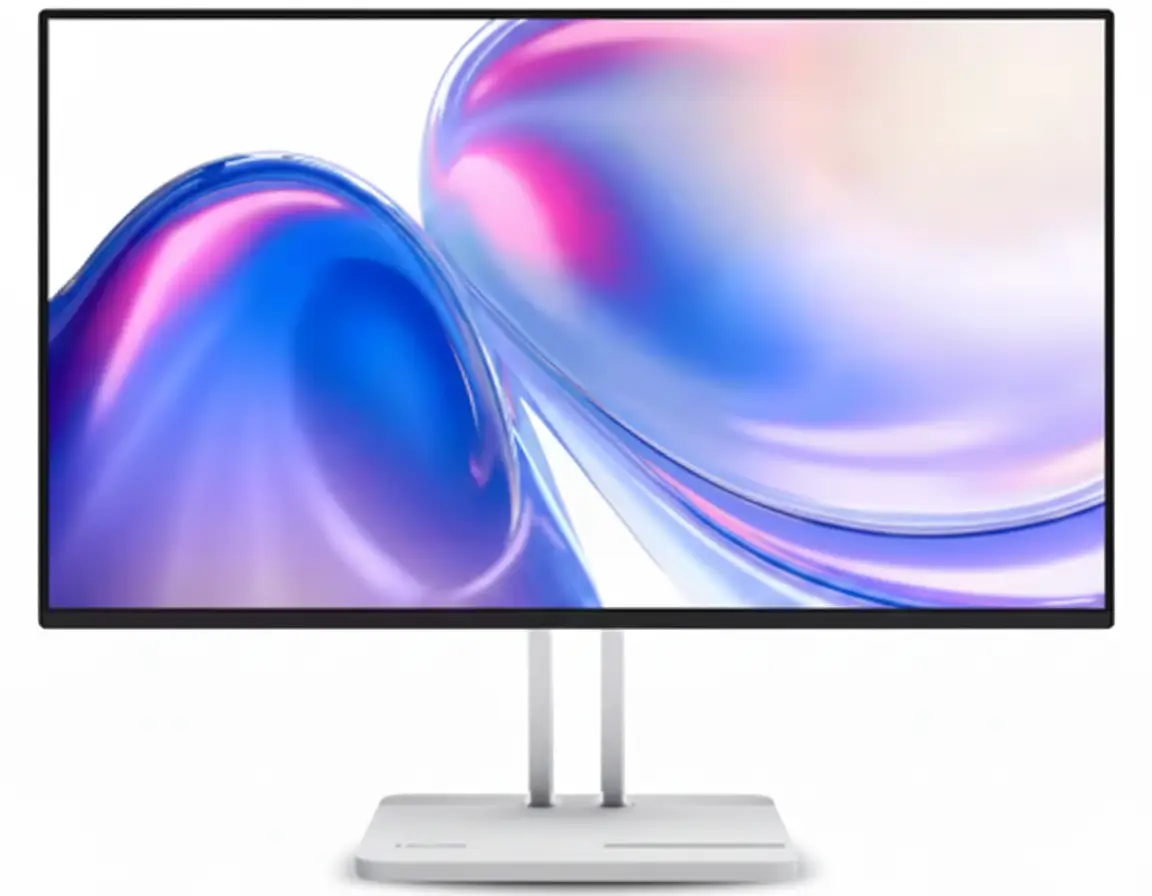
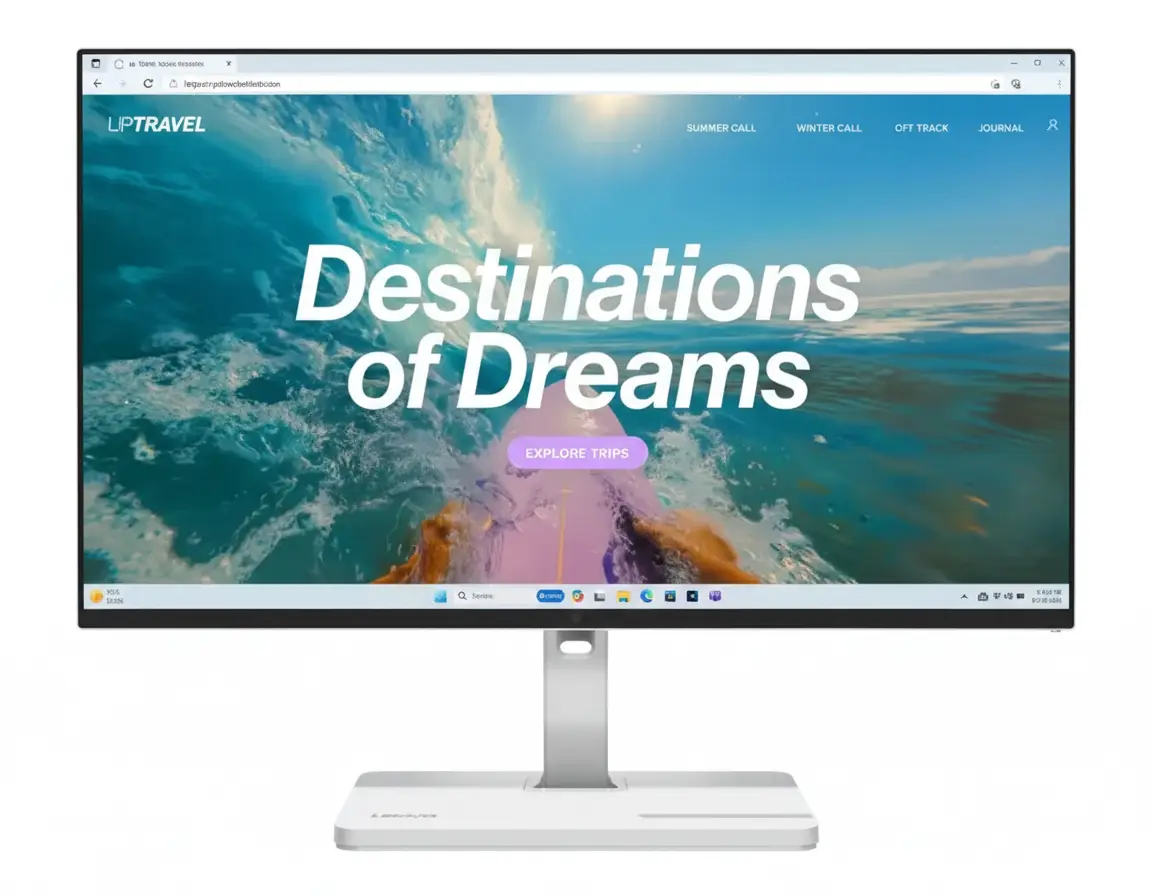
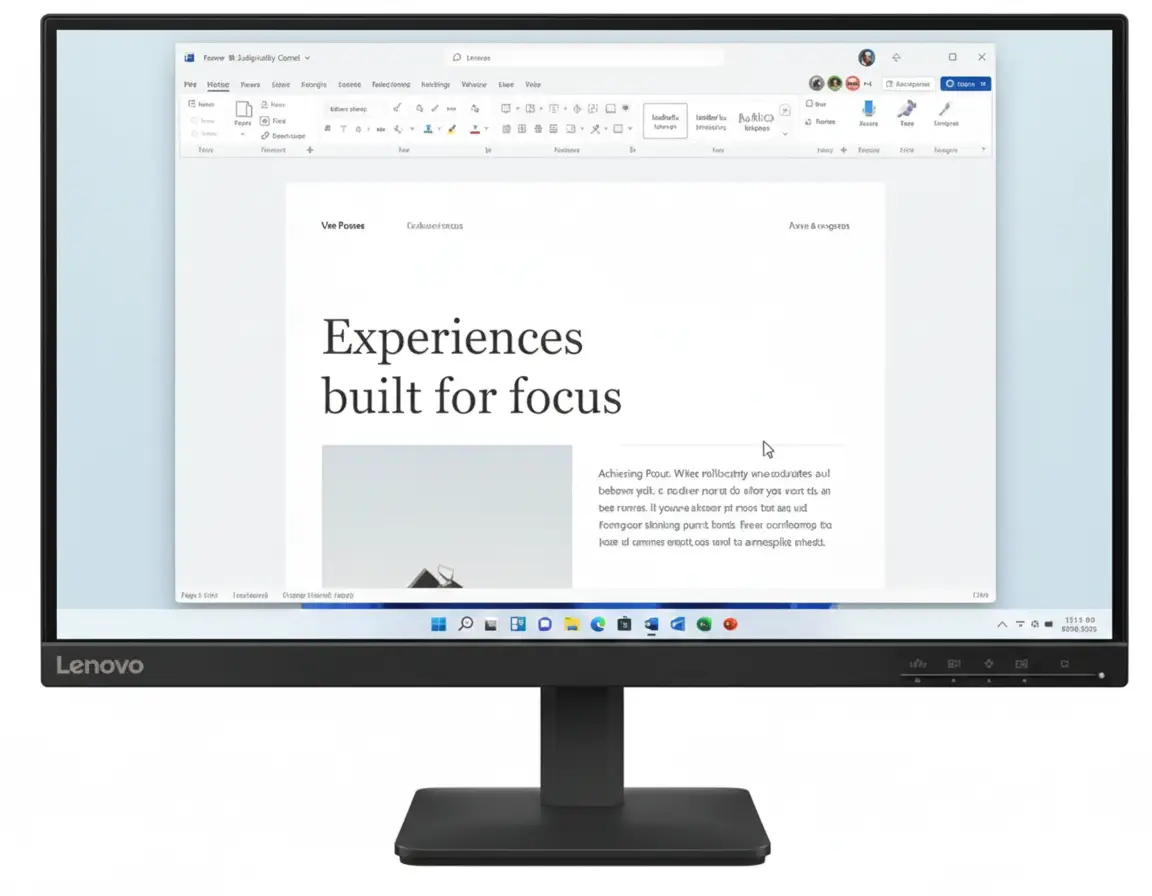
Lenovo L24-4e 23.8″ Office Monitor
100Hz IPS Display | 99% sRGB | Best Budget Office & Productivity Monitor 2025
23.8″ FHD IPS – 100Hz – 4ms Response – 1300:1 Contrast – Flicker-Free – 3-Side Borderless
💼 Professional Office Configuration:
• Display: 23.8″ FHD (1920×1080) IPS Panel
• Refresh Rate: 100Hz Smooth Scrolling
• Response Time: 4ms GTG (Extreme Mode)
• Color Accuracy: 99% sRGB Coverage
• Contrast: 1300:1 (Excellent!)
• Design: 3-Side NearEdgeless Borderless
• Bonus: Flicker-Free + Low Blue Light!
₹8,299
₹10,891
SAVE ₹2,592 (23% OFF!)
*Includes Free Shipping & All Taxes | EMI from ₹277/month
Ships FREE by Wed, Dec 10 | My Lenovo Rewards: Earn 352 Points!
Refresh Rate
100Hz
Response
4ms GTG
Color
99% sRGB
Lenovo L24-4e Monitor Overview
Office Monitor Highlights
- ✓ 100Hz: Smooth scrolling
- ✓ IPS Panel: Wide viewing angles
- ✓ 4ms GTG: Fast response
- ✓ 99% sRGB: Accurate colors
- ✓ 3-Side Borderless: Modern look
- ✓ Flicker-Free: Eye comfort
- ✓ 23% OFF: Save ₹2,592!
In The Box
- 📦 Lenovo L24-4e Monitor with Stand
- 🔌 Power Cable (1.8m)
- 📺 HDMI 1.4 Cable (1.8m – FREE!)
- 📄 Quick Setup Guide
- 📜 Warranty Booklet
Eco-Friendly: 100% paper packaging!
L24-4e Advantage
- • Best Value: 100Hz IPS under ₹9K
- • Office Perfect: Productivity focused
- • Eye Care: Flicker-free tech
- • Eco-Friendly: Sustainable packaging
- • Lightweight: Only 2.7kg
- • 3 Year Warranty: Peace of mind
💼 Best Budget Office & Productivity Monitor Under ₹9,000
100Hz IPS for Smooth Workflow
Experience smooth scrolling and responsive performance with 100Hz refresh rate on premium IPS panel technology. 66% faster than standard 60Hz monitors for effortless multitasking, Excel work, and web browsing!
99% sRGB Professional Colors
99% sRGB color coverage ensures accurate, true-to-life colors for presentations, spreadsheets, and content creation. 1300:1 contrast ratio delivers crisp text and vibrant images—perfect for office work and multimedia!
Unbeatable ₹8,299 Price!
Get 100Hz IPS + 99% sRGB + Flicker-Free + 3-Year Warranty + FREE HDMI Cable at just ₹8,299 with 23% discount! The most affordable 100Hz IPS monitor in India—perfect for professionals and students!
23.8″ FHD IPS Panel Technology
📺 Display Specifications
Premium IPS Panel
IPS Advantage: 178° viewing angles and accurate colors!
🎨 Image Quality
Color Performance
Brightness & Contrast
🏆 Why IPS Panel for Office & Productivity
The IPS (In-Plane Switching) technology delivers exceptional color accuracy and 178° wide viewing angles. Perfect for office environments where you need consistent colors from any viewing position during meetings, presentations, and collaborative work!
Wide Viewing Angles
178° horizontal and vertical viewing—colors stay consistent when viewed from the side during team discussions!
Crisp Text Rendering
IPS panels provide sharp, clear text rendering for Excel spreadsheets, Word documents, and coding—reducing eye strain!
Flicker-Free Eye Care
Hardware flicker-free technology and low blue light reduce eye fatigue during 8+ hour work days!
100Hz Smooth Performance
⚡ 100Hz Refresh Rate
66% Faster Than 60Hz
100Hz: 66% smoother than standard 60Hz monitors!
💼 Productivity Advantages
Smooth Scrolling
100Hz refresh rate provides buttery-smooth scrolling in Excel, Word, web browsers, and code editors. No more choppy motion when scrolling through long documents!
- • Excel: Smooth cell navigation
- • Web Browsing: Fluid scrolling
- • Coding: Responsive editor
Reduced Eye Fatigue
Higher refresh rate reduces perceived flicker and motion blur, making extended work sessions more comfortable on your eyes!
🎯 Why 100Hz Matters for Office Work
The 100Hz refresh rate delivers 66% more frames per second than standard 60Hz office monitors. This translates to smoother cursor movement, fluid window transitions, and responsive scrolling that makes everyday tasks feel more effortless!
✅ Perfect For
- Excel: Smooth spreadsheet scrolling
- PowerPoint: Fluid presentations
- Web Browsing: Responsive pages
- Email: Quick inbox navigation
- Multitasking: Window switching
- Video Calls: Smooth motion
📊 Productivity Benefits
- • Reduced Motion Blur: Clear text
- • Better Responsiveness: Quick actions
- • Comfortable Scrolling: No stutter
- • Smooth Desktop: Fluid cursor
- • Less Eye Strain: Comfortable viewing
💡 Bonus: Light Gaming
- • Casual Gaming: 100 FPS support
- • E-sports: Smooth gameplay
- • Better than 60Hz: 66% improvement
- • Work & Play: Versatile monitor
99% sRGB Color Accuracy
🎨 Professional-Grade Color Performance
The Lenovo L24-4e delivers 99% sRGB color coverage with 16.7 million colors and 8-bit color depth. This ensures accurate, vibrant colors for presentations, photo viewing, graphic design, and professional work!
99% sRGB
Professional color accuracy
16.7M Colors
Rich color palette
8-bit Depth
Smooth gradients
1300:1 Contrast
Deep blacks
💼 Business Use
- • Presentations: Accurate brand colors
- • Marketing: True color preview
- • Design Reviews: Color consistency
- • Client Calls: Professional look
- • Reports: Vibrant charts
🎨 Creative Work
- • Photo Editing: Accurate colors
- • Graphic Design: sRGB workflow
- • Web Design: True representation
- • Digital Art: Vibrant output
- • Content Creation: Color grading
📺 Entertainment
- • Movies: Cinema-like colors
- • Streaming: Netflix, Prime
- • YouTube: Creator intent
- • Sports: Vivid imagery
- • Gaming: Immersive worlds
Eye Care & Health Features
👁️ Flicker-Free Technology
Hardware Flicker-Free
Hardware-based flicker-free technology eliminates screen flicker that causes eye strain, headaches, and fatigue during extended use. Unlike software filters, this is built into the panel hardware!
- • Zero Flicker: DC dimming technology
- • Reduced Fatigue: 8+ hour comfort
- • Hardware Solution: Not software filter
Low Blue Light
Hardware low blue light reduces harmful blue light emissions that can disrupt sleep patterns and cause eye strain—without compromising color accuracy!
⏰ All-Day Comfort
Extended Work Sessions
The combination of flicker-free technology, low blue light, and IPS panel makes this monitor comfortable for extended 8-10 hour work days without eye fatigue!
- • Office Workers: Full day comfort
- • Students: Long study sessions
- • Programmers: Code all day
- • Designers: Creative marathons
Health Benefits
Reduced blue light helps maintain healthy sleep cycles. Flicker-free prevents headaches and eye strain. Perfect for health-conscious professionals!
🌿 Eco-Friendly Sustainable Design
100% Paper Packaging
Lenovo L24-4e champions sustainability with 100% paper packaging, eliminating reliance on plastics. This reduces environmental impact and supports eco-conscious purchasing!
- • Zero Plastic: 100% recyclable
- • Reduced Footprint: Lower emissions
- • Eco-Conscious: Sustainable choice
Energy Efficient Operation
16W typical power consumption saves electricity and reduces carbon footprint. Sleep mode uses less than 0.5W for maximum efficiency!
- • Low Power: Only 16W typical
- • Sleep Mode: <0.5W standby
- • Cost Savings: Lower electricity bills
3-Side Borderless Modern Design
🏗️ Build Quality & Dimensions
📐 Exact Dimensions
🖼️ 3-Side NearEdgeless Borderless Design
Modern Minimalist Aesthetics
The 3-side nearEdgeless borderless design creates an immersive, stylish look that blends effortlessly into any modern workspace. Thin bezels maximize screen real estate and minimize distractions!
- • Minimal Bezels: Sleek appearance
- • Modern Office: Professional look
- • Home Setup: Stylish design
Ergonomic & Flexible Setup
Easy-to-assemble tilt stand (-5° to 22°) provides comfortable viewing angles. Tiny PC-supported VESA mount enables wall mounting or monitor arm attachment!
- • Tilt Adjustment: -5° to +22°
- • VESA Mount: Space-saving option
- • Kensington Lock: Security slot
Ports & Connectivity
🔌 Physical Ports
Video Inputs
- 1 x HDMI 1.4: 1080p 100Hz support
- 1 x VGA (D-Sub): Legacy devices
Power
- AC 100-240V (50-60Hz): Universal voltage
Included Accessory
- FREE HDMI Cable: 1.8m length
💻 Compatibility
HDMI 1.4 – 100Hz Support
The HDMI 1.4 port supports Full HD (1920×1080) at 100Hz. FREE 1.8m HDMI cable included in the box—ready to use immediately!
- • 100Hz: Full refresh rate
- • 1080p: Maximum resolution
- • FREE Cable: Ready to connect
VGA Port – Legacy Support
VGA (D-Sub) port supports older computers and laptops. Note: VGA limited to 1080p 60Hz—use HDMI for 100Hz!
Compatible Devices
- • Windows PC, Mac, Linux systems
- • Laptops, desktops, workstations
- • Tiny PC (VESA mount compatible)
📺 Dual Input Setup
The L24-4e supports 2 simultaneous input sources (HDMI + VGA) for easy switching between devices. Perfect for connecting both desktop PC and laptop without cable swapping!
⚡ Energy Efficiency
🌿 Low Power Consumption
💰 Operating Cost Savings
At 16W typical consumption, this monitor costs approximately ₹290-380 per year to run (based on 8 hours daily use). Ultra-efficient for office environments!
Daily Cost (8 hrs)
₹1.02
Monthly Cost
₹30.72
Yearly Cost
₹368.64
*Based on ₹8 per kWh average electricity rate
Who Should Buy This Monitor?
💼 Office Professionals
- Corporate Employees: Excel, PowerPoint
- Remote Workers: Work from home
- Data Analysts: Spreadsheets, reports
- Accountants: Financial software
- Administrators: Office productivity
Perfect for: 9-5 office work, multitasking
🎓 Students & Academics
- College Students: Assignments, research
- Online Learning: Video classes
- Engineering Students: CAD software
- CS Students: Programming
- Researchers: Data analysis
Perfect for: Study, online classes, projects
💻 Developers & Coders
- Web Developers: VS Code, browsers
- Software Engineers: IDE, testing
- Data Scientists: Python, Jupyter
- Full Stack Devs: Multi-window work
- Frontend Devs: Design preview
Perfect for: Coding marathons, debugging
🎨 Content Creators
- YouTubers: Video editing basics
- Bloggers: Content writing
- Photographers: Photo preview (99% sRGB)
- Graphic Designers: Light design work
- Social Media Managers: Content creation
Perfect for: Content creation on budget
🏠 Home Users
- Families: Shared computer
- Entertainment: Netflix, streaming
- General Browsing: Web, email
- Movie Watching: 1300:1 contrast
- Light Gaming: Casual games at 100Hz
Perfect for: All-around family use
🏢 Small Businesses
- Startups: Budget-conscious setup
- Retail Shops: POS systems
- Cafes/Restaurants: Billing software
- Service Centers: Customer management
- Co-working Spaces: Shared desks
Perfect for: Cost-effective business setup
Lenovo L24-4e vs Competitors
vs Samsung Essential S3 LS24C330 Monitor
Samsung: 24″ VA, 75Hz, 4ms – ₹7,399
Lenovo: 23.8″ IPS, 100Hz, 4ms – ₹8,299
Lenovo Wins
- ✓ 100Hz vs 75Hz (33% faster!)
- ✓ IPS vs VA panel
- ✓ Better viewing angles
- ✓ 99% sRGB certified
- ✓ Flicker-free eye care
- ✓ 3-side borderless
- ✓ 100% paper packaging
Samsung Wins
- ✓ ₹900 cheaper
- ✓ Samsung brand
Verdict: Lenovo far superior for ₹900 more. Worth the upgrade!
vs LG 24MR400 FHD Monitor
LG: 23.8″ IPS, 100Hz, 5ms – ₹7,199
Lenovo: 23.8″ IPS, 100Hz, 4ms – ₹8,299
Lenovo Wins
- ✓ 4ms vs 5ms response
- ✓ 1300:1 vs 1000:1 contrast
- ✓ 99% sRGB certified
- ✓ 3-side borderless
- ✓ Better build quality
- ✓ Eco-friendly packaging
LG Wins
- ✓ ₹1,100 cheaper
- ✓ LG brand premium
Verdict: Very close! LG for budget, Lenovo for better specs.
vs BenQ GW2490 Office Monitor
BenQ: 23.8″ IPS, 100Hz, 5ms – ₹9,249
Lenovo: 23.8″ IPS, 100Hz, 4ms – ₹8,299
Lenovo Wins
- ✓ ₹950 cheaper!
- ✓ 4ms vs 5ms response
- ✓ 1300:1 vs 1000:1 contrast
- ✓ 3-side borderless design
- ✓ Better value for money
- ✓ 100% paper packaging
BenQ Wins
- ✓ BenQ brand trust
- ✓ Dedicated eye care modes
Verdict: Lenovo wins decisively! Better specs at lower price.
vs Acer EK241Y 75Hz Monitor
Acer: 23.8″ IPS, 75Hz, 4ms – ₹7,599
Lenovo: 23.8″ IPS, 100Hz, 4ms – ₹8,299
Lenovo Wins
- ✓ 100Hz vs 75Hz (33% faster!)
- ✓ 99% sRGB vs 72% NTSC
- ✓ 1300:1 vs 1000:1 contrast
- ✓ Better color accuracy
- ✓ 3-side borderless
- ✓ Superior build
Acer Wins
- ✓ ₹700 cheaper
- ✓ Acer brand
Verdict: Lenovo much better for ₹700 extra. Worth it!
vs Dell E2424HS Office Monitor
Dell: 23.8″ IPS, 100Hz, 4ms – ₹8,999
Lenovo: 23.8″ IPS, 100Hz, 4ms – ₹8,299
Lenovo Wins
- ✓ ₹700 cheaper!
- ✓ 99% sRGB certified
- ✓ 1300:1 vs 1000:1 contrast
- ✓ 3-side borderless design
- ✓ Eco-friendly packaging
- ✓ Better value
Dell Wins
- ✓ Dell brand premium
- ✓ ComfortView Plus
Verdict: Lenovo offers better value at lower price!
vs MSI PRO MP241X Business Monitor
MSI: 23.8″ VA, 75Hz, 4ms – ₹7,649
Lenovo: 23.8″ IPS, 100Hz, 4ms – ₹8,299
Lenovo Wins
- ✓ 100Hz vs 75Hz (33% faster)
- ✓ IPS vs VA panel
- ✓ Better viewing angles
- ✓ 99% sRGB vs 105% sRGB
- ✓ 3-side borderless
- ✓ More modern design
MSI Wins
- ✓ ₹650 cheaper
- ✓ 3000:1 contrast (VA)
Verdict: Lenovo for IPS quality. MSI for deep blacks.
vs HP M24f FHD Monitor
HP: 23.8″ IPS, 75Hz, 5ms – ₹8,599
Lenovo: 23.8″ IPS, 100Hz, 4ms – ₹8,299
Lenovo Wins
- ✓ ₹300 cheaper!
- ✓ 100Hz vs 75Hz (33% faster)
- ✓ 4ms vs 5ms response
- ✓ 1300:1 vs 1000:1 contrast
- ✓ Better specs overall
- ✓ Superior value
HP Wins
- ✓ HP brand
- ✓ 3-sided micro-edge
Verdict: Lenovo wins! Better specs at lower price.
vs Croma CRSM24FMDA029601 Monitor
Croma: 24″ VA, 75Hz, 5ms – ₹6,994
Lenovo: 23.8″ IPS, 100Hz, 4ms – ₹8,299
Lenovo Wins
- ✓ 100Hz vs 75Hz (33% faster)
- ✓ IPS vs VA panel
- ✓ 4ms vs 5ms response
- ✓ 99% sRGB color
- ✓ Better viewing angles
- ✓ Lenovo brand trust
- ✓ 3-side borderless
Croma Wins
- ✓ ₹1,305 cheaper
- ✓ Built-in speakers
Verdict: Lenovo far superior for office/professional use!
Pros & Cons
✅ Pros
- ✓ 100Hz IPS Panel: Perfect for office work—33% faster than 75Hz and 66% faster than 60Hz with excellent viewing angles
- ✓ 99% sRGB Coverage: Professional color accuracy for presentations, design work, and content creation
- ✓ 4ms GTG Response: Fast response time eliminates ghosting in documents and casual gaming
- ✓ 1300:1 Contrast Ratio: 30% better than typical IPS monitors—crisp text and deep blacks
- ✓ Flicker-Free Eye Care: Hardware flicker-free and low blue light for all-day comfort
- ✓ 3-Side NearEdgeless: Modern borderless design looks professional in any workspace
- ✓ Ultra-Lightweight: Only 2.7kg head weight—easy to move and mount
- ✓ 100% Paper Packaging: Eco-friendly sustainable packaging reduces environmental impact
- ✓ 3 Year Warranty: Industry-leading warranty coverage from Lenovo
- ✓ Energy Efficient: Only 16W typical power consumption—saves electricity costs
- ✓ FREE HDMI Cable: 1.8m HDMI 1.4 cable included—ready to use immediately
- ✓ ₹8,299 Price: Best value 100Hz IPS monitor under ₹9,000 in India
- ✓ 4.6/5 Rating: Excellent customer reviews and satisfaction
❌ Cons
- ✗ No Built-in Speakers: Requires external speakers or headphones for audio (unlike some competitors)
- ✗ No DisplayPort: Only HDMI 1.4 and VGA—no DP for daisy-chaining multiple monitors
- ✗ Basic Stand: Tilt-only stand (-5° to 22°)—no height, swivel, or pivot adjustments
- ✗ HDMI 1.4 Limitation: Not HDMI 2.0—limits future upgrade path (though 100Hz works fine at 1080p)
- ✗ 250 nits Brightness: Average brightness—not ideal for very bright rooms with direct sunlight
- ✗ No USB Ports: No USB hub functionality for charging devices or connecting peripherals
- ✗ No Adaptive Sync: Lacks AMD FreeSync or G-SYNC—not ideal for serious gaming (though 100Hz is decent)
- ✗ No HDR Support: Lacks HDR10—though not expected at this price range
- ✗ 100Hz Not 144Hz: Office-focused—not ideal for competitive gaming (though sufficient for casual)
- ✗ VGA Port Outdated: VGA is legacy technology—most would prefer DisplayPort in 2025
Category Scores
Office Productivity
9.0
/ 10
100Hz + IPS + Eye Care
Display Quality
8.5
/ 10
IPS + 99% sRGB
Value for Money
9.5
/ 10
Best in segment
Build & Design
7.5
/ 10
Good, basic stand
Features
8.0
/ 10
Eye care + eco-friendly
Overall Score
8.5 / 10
Excellent Budget Office Monitor
Final Verdict
🏆 Best Budget Office & Productivity Monitor 2025
The Lenovo L24-4e delivers exceptional office performance, professional color accuracy, and outstanding value at ₹8,299. Highly Recommended for Professionals!
🎯 Who Should Buy This Monitor?
Perfect For:
- • Office Workers: Excel, PowerPoint, multitasking
- • Students: Online classes, assignments
- • Developers: Coding, IDE work
- • Budget-Conscious: Best 100Hz IPS under ₹9K
- • Content Creators: 99% sRGB accuracy
- • Small Businesses: Cost-effective setup
Not Recommended For:
- • Serious Gamers: Need 144Hz+ with FreeSync
- • 4K Content: This is 1080p only
- • Audiophiles: No built-in speakers
- • Bright Environments: Only 250 nits brightness
- • Multi-Monitor Daisy Chain: No DisplayPort
✅ Final Recommendation
The Lenovo L24-4e is the best budget office and productivity monitor you can buy in India at ₹8,299. The combination of 100Hz refresh rate, premium IPS panel, 99% sRGB color accuracy, 1300:1 contrast ratio, and hardware flicker-free eye care makes this an exceptional value proposition.
What sets the L24-4e apart is the focus on office productivity and eye health—100Hz provides smooth scrolling in documents and spreadsheets, while flicker-free technology enables comfortable 8+ hour work days. The 3-side borderless design and 100% eco-friendly paper packaging demonstrate Lenovo’s commitment to modern aesthetics and sustainability.
Yes, it lacks built-in speakers and DisplayPort, but at this price point, those are acceptable trade-offs for the superior IPS panel quality and professional features. The 3-year warranty, ultra-light 2.7kg weight, and FREE HDMI cable add significant value that budget brands can’t match.
For ₹8,299, you’re getting a monitor that competes with ₹10,000-12,000 models. Whether you’re working from home, studying, coding, or creating content, the Lenovo L24-4e delivers professional performance at an unbeatable price. Highly Recommended for Office & Productivity!
Free Shipping | 3 Year Warranty | My Lenovo Rewards: Earn 352 Points!
Frequently Asked Questions (FAQs)
Q1. Does the Lenovo L24-4e support 100Hz on HDMI?
Yes! The HDMI 1.4 port supports 1920×1080 (Full HD) at 100Hz. HDMI 1.4 has sufficient bandwidth for 1080p 100Hz. A FREE 1.8m HDMI cable is included in the box, so you can connect immediately and enjoy smooth 100Hz performance.
Q2. Is this monitor good for office work and productivity?
Absolutely! The 100Hz refresh rate provides 66% smoother scrolling than standard 60Hz office monitors, making Excel, Word, web browsing, and multitasking significantly more responsive. The IPS panel with 99% sRGB ensures accurate colors for presentations, and flicker-free technology enables comfortable all-day use without eye strain. Perfect for 8-10 hour office work sessions!
Q3. What’s the difference between this and the L24-4C model?
L24-4C: 144Hz, 1ms MPRT, 1500:1 contrast, 4-side borderless, built-in speakers – ₹9,230 (gaming-focused). L24-4e: 100Hz, 4ms GTG, 1300:1 contrast, 3-side borderless, no speakers – ₹8,299 (office-focused). The L24-4C is better for gaming, while the L24-4e is optimized for office productivity at a lower price. Both have IPS panels and 99% sRGB.
Q4. Can I use this monitor for photo editing and graphic design?
Yes! The 99% sRGB color coverage provides professional-grade color accuracy suitable for photo editing, graphic design, and web content creation. The IPS panel ensures consistent colors from all viewing angles. While not Adobe RGB calibrated (needed only for professional print work), the 99% sRGB coverage is perfect for digital content creators, social media managers, and designers working on screen-based projects.
Q5. Does this monitor have built-in speakers?
No, the L24-4e does NOT have built-in speakers. You’ll need external speakers or headphones for audio. This is one cost-saving measure to keep the price at ₹8,299. If you need built-in speakers, consider the Lenovo L24-4C (₹9,230) which includes 2x3W stereo speakers.
Q6. What is flicker-free technology and why does it matter?
Flicker-free technology eliminates invisible screen flicker that causes eye strain, headaches, and fatigue during extended computer use. The L24-4e uses hardware-based DC dimming to maintain constant brightness without flickering. Combined with low blue light, this makes the monitor comfortable for 8-10 hour office work days. Essential for office workers, students, and anyone spending long hours in front of the screen!
Q7. Can I wall mount this monitor? What is the VESA mount size?
Yes! The L24-4e supports VESA mounting and is Tiny PC compatible. While the exact VESA hole pattern isn’t specified, it supports monitor arms and wall mounts. The included stand provides tilt adjustment (-5° to 22°). Using a monitor arm gives you height, swivel, and pivot adjustments that the basic stand doesn’t offer, plus saves desk space.
Q8. How does 100Hz compare to 60Hz? Is the difference noticeable?
The difference is very noticeable and immediately apparent. 100Hz provides 66% more frames per second than 60Hz, resulting in smoother scrolling in documents, fluid window transitions, and more responsive cursor movement. Even everyday tasks like browsing Excel spreadsheets or scrolling web pages feel more effortless. Once you experience 100Hz, going back to 60Hz feels choppy and sluggish.
Q9. Is this monitor good for casual gaming?
Yes, it’s good for casual gaming! The 100Hz refresh rate and 4ms GTG response time provide smooth gameplay for casual titles, older games, and e-sports at lower settings. However, it lacks AMD FreeSync/G-SYNC, so you may experience screen tearing if FPS exceeds 100. For serious competitive gaming, consider the L24-4C (144Hz with AMD FreeSync) instead. The L24-4e is perfect for office work with light gaming on the side.
Q10. What’s the contrast ratio and why is 1300:1 good?
The 1300:1 static contrast ratio is excellent for an IPS panel. Most budget IPS monitors have 1000:1 contrast, so the L24-4e’s 1300:1 is 30% better. Higher contrast means deeper blacks and brighter whites, creating more vivid images with better depth. This makes text appear crisper and images more vibrant—ideal for document reading and presentations.
Q11. Does this monitor support 4K resolution?
No, this is a Full HD (1920×1080) monitor. It does NOT support 4K (3840×2160). However, 1080p is perfect for 23.8″ screen size, providing sharp 92 PPI pixel density. At this screen size and price point, 1080p is the standard. For office work and productivity, 1080p is more than sufficient and easier to drive than 4K.
Q12. What is the 100% paper packaging feature?
Lenovo packages the L24-4e in 100% paper-based packaging with zero plastic. This eco-friendly initiative reduces environmental impact and supports sustainability. The entire box and internal packaging materials are recyclable paper, eliminating single-use plastics. Great choice for environmentally-conscious buyers who want to minimize their carbon footprint!
Q13. How much power does this monitor consume?
The monitor consumes 16W typical power and 19W maximum. At 8 hours daily use, annual cost is approximately ₹290-380 (based on ₹8/kWh electricity rate). Sleep mode uses less than 0.5W for maximum efficiency. This is very energy efficient—some older monitors use 40-50W. Lower power consumption saves money and reduces environmental impact.
Q14. What warranty does Lenovo provide?
The L24-4e comes with 3-year limited warranty from Lenovo India. This covers manufacturing defects and hardware failures. Warranty service is typically carry-in (you ship to service center). The 3-year warranty is longer than most budget competitors who offer 1-2 years, adding significant value and peace of mind.
Q15. Is 250 nits brightness enough?
The 250 cd/m² (nits) brightness is adequate for normal indoor office environments and moderately lit rooms. It’s sufficient for most home and office use. However, if you have very bright room with direct sunlight hitting the screen, you might want 300+ nits. For typical office cubicles, home offices, and indoor use, 250 nits is perfectly fine.
Q16. Can I use dual monitors side-by-side?
Yes! The 3-side nearEdgeless design makes this perfect for dual monitor setups. The thin bezels create a near-seamless multi-monitor array. Buy two L24-4e monitors for a professional dual-screen workstation under ₹17,000! You’ll need two HDMI ports on your computer (or one HDMI + one VGA). Note: Cannot daisy-chain since there’s no DisplayPort-out.
Q17. What computers are compatible with this monitor?
The L24-4e is compatible with all computers that have HDMI or VGA output, including Windows PCs, Mac computers, Linux systems, laptops, desktops, and workstations. The HDMI 1.4 port works with all modern computers at 100Hz. The VGA port supports older legacy systems (limited to 60Hz on VGA). Also supports Tiny PC mounting for compact desktop setups.
Q18. How does IPS compare to VA panel for office work?
IPS is superior for office work because of 178° wide viewing angles—colors stay consistent when viewed from the side during meetings or collaborative work. VA panels have limited viewing angles causing color shift. IPS also provides better text clarity and faster response times. VA panels have higher contrast (3000:1) but slower response causing ghosting. For office productivity, IPS is the clear winner.
Q19. What’s included in the box?
The box includes: L24-4e Monitor with stand, Power Cable (1.8m), HDMI 1.4 Cable (1.8m) – FREE!, Quick Setup Guide, and Warranty Booklet. Everything you need is included. No VGA cable included—only HDMI. The stand is easy to assemble without tools.
Q20. Should I buy L24-4e or L24-4C?
Buy L24-4e (₹8,299) if: You need office/productivity monitor, want best value, don’t need speakers, prefer to save ₹931. Buy L24-4C (₹9,230) if: You game regularly, want 144Hz and AMD FreeSync, need built-in speakers, prefer 4-side borderless, want 1ms MPRT response. Both have excellent IPS panels and 99% sRGB. L24-4e is best for office work, L24-4C is best for gaming.
Complete Technical Specifications
| DISPLAY SPECIFICATIONS | |
|---|---|
| Brand | Lenovo |
| Model | L24-4e (68C2KAC1IN) |
| Screen Size | 23.8″ (60.45 cm) |
| Panel Type | IPS (In-Plane Switching) |
| Resolution | 1920 x 1080 (Full HD) |
| Aspect Ratio | 16:9 |
| Refresh Rate | 100 Hz |
| Response Time (Extreme Mode) | 4 ms (GTG) |
| Response Time (Normal Mode) | 6 ms (GTG) |
| Brightness | 250 cd/m² (nits) |
| Contrast Ratio | 1300:1 (Static) |
| Color Coverage | 99% sRGB |
| Color Depth | 8-bit |
| Color Support | 16.7 Million Colors |
| Color Calibration Accuracy | No (Factory Calibrated for sRGB) |
| Backlight Technology | WLED (White LED) |
| Viewing Angle | 178° / 178° (H/V) |
| Bezel Design | 3-Side NearEdgeless |
| Surface Treatment | Anti-Glare / Matte |
| CONNECTIVITY | |
|---|---|
| Video Inputs | 1 x HDMI 1.4, 1 x VGA (D-Sub) |
| Audio Ports | None |
| USB Ports | None |
| Integrated Speakers | No |
| Included Accessory | HDMI 1.4 Cable (1.8m) – FREE! |
| EYE CARE FEATURES | |
|---|---|
| Flicker-Free Technology | Yes – Hardware-based |
| Low Blue Light | Yes – Hardware-based |
| Anti-Glare Coating | Yes |
| Eye Comfort Certification | Reduces Blue Light Emissions |
| DESIGN & BUILD | |
|---|---|
| Stand Adjustments | Tilt: -5° to +22° |
| Height Adjustment | No |
| Swivel | No |
| Pivot (Portrait Mode) | No |
| VESA Mount | Yes – Tiny PC Supported |
| Kensington Lock Slot | Yes |
| DIMENSIONS & WEIGHT | |
|---|---|
| Dimensions (Head Only) | 539.8 mm x 180.0 mm x 402.9 mm (W x D x H) |
| Dimensions (With Stand) | 539.8 mm x 180.0 mm x 402.9 mm (W x D x H) |
| Weight (Head Only) | 2.7 kg (6.0 lbs) – Ultra-Light! |
| Weight (With Stand) | 3.0 kg (6.6 lbs) |
| Package Weight | 4.7 kg (10.4 lbs) |
| POWER CONSUMPTION | |
|---|---|
| Power Input | AC 100-240V (50-60 Hz) – Universal Voltage |
| Typical Power Consumption | 16 W |
| Maximum Power Consumption | 19 W |
| Sleep/Off Mode | < 0.5 W |
| Switch-Off Mode | < 0.3 W |
| Estimated Yearly Cost | ₹290-380 (@ ₹8/kWh, 8 hrs/day) |
| SUSTAINABILITY | |
|---|---|
| Eco-Friendly Packaging | 100% Paper Packaging (Zero Plastic) |
| Environmental Impact | Reduced Carbon Footprint |
| Energy Efficiency | Low Power Consumption (16W typical) |
| WARRANTY & PACKAGE CONTENTS | |
|---|---|
| Warranty | 3-Year Limited Warranty |
| Part Number | 68C2KAC1IN |
| Customer Rating | 4.6 / 5 (3 reviews) |
| Package Contents |
• Lenovo L24-4e Monitor with Stand • Power Cable (1.8m) • HDMI 1.4 Cable (1.8m) – FREE! • Quick Setup Guide • Warranty Booklet |
| PRICING & AVAILABILITY | |
|---|---|
| MRP (Maximum Retail Price) | ₹10,891 |
| Current Selling Price | ₹8,299 |
| Discount | 23% OFF (Save ₹2,592) |
| Shipping | FREE Shipping |
| Taxes | All Taxes Included |
| EMI Options | Starting from ₹277/month |
| My Lenovo Rewards | Earn 352 Points |
| Exchange Offer | Up to ₹20,000 + Exchange Value |
| Delivery | Ships by Wed, Dec 10, 2025 |
| Availability | In Stock |
Ready to Upgrade Your Workspace?
Get the Lenovo L24-4e 100Hz IPS Office Monitor at an unbeatable price!
₹8,299
₹10,891
SAVE ₹2,592 (23% OFF!)
Includes FREE Shipping & All Taxes | FREE HDMI Cable
Free Shipping
Ships by Dec 10
Warranty
3 Year Limited
EMI Available
From ₹277/month
Rewards
Earn 352 Points
Last Updated: December 9, 2025 | Model: Lenovo L24-4e (68C2KAC1IN)
Prices and availability subject to change. Check Lenovo India website for latest offers.
⭐ Customer Rating: 4.6/5 based on 3 reviews