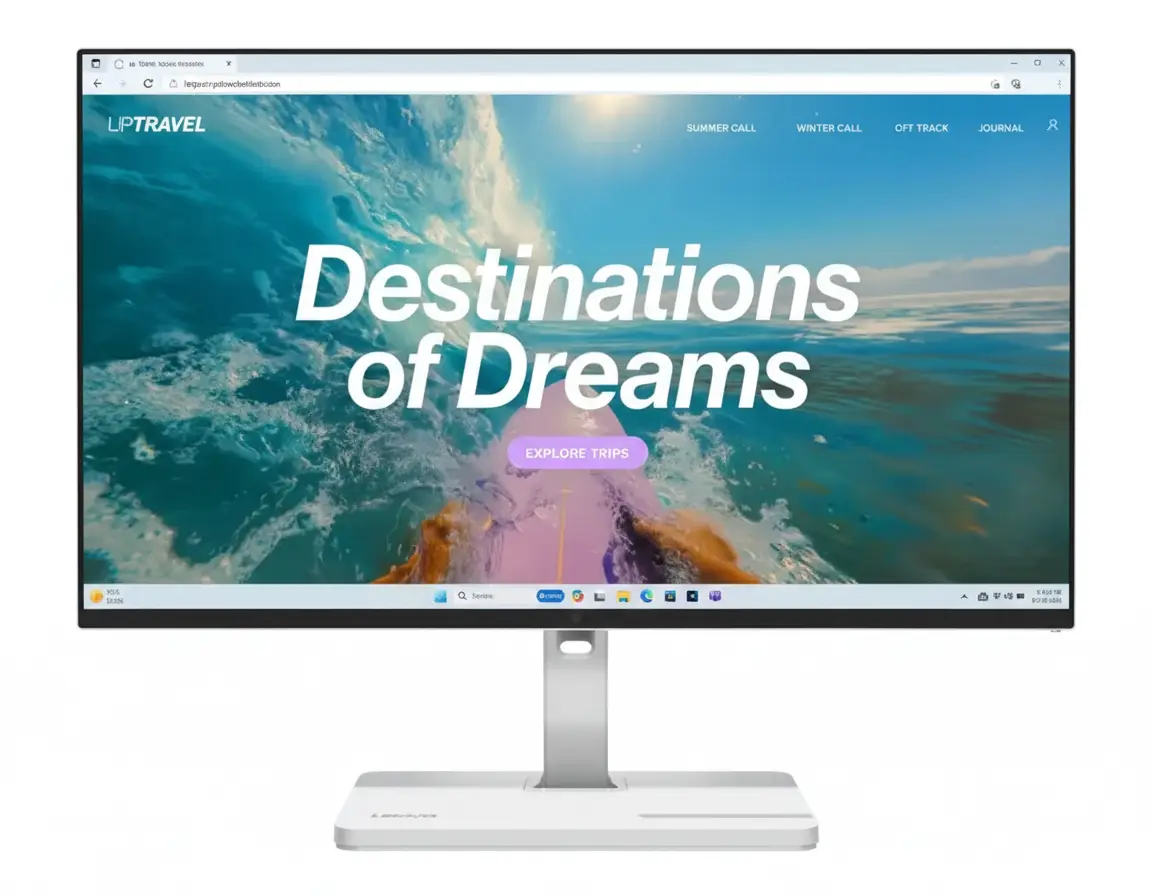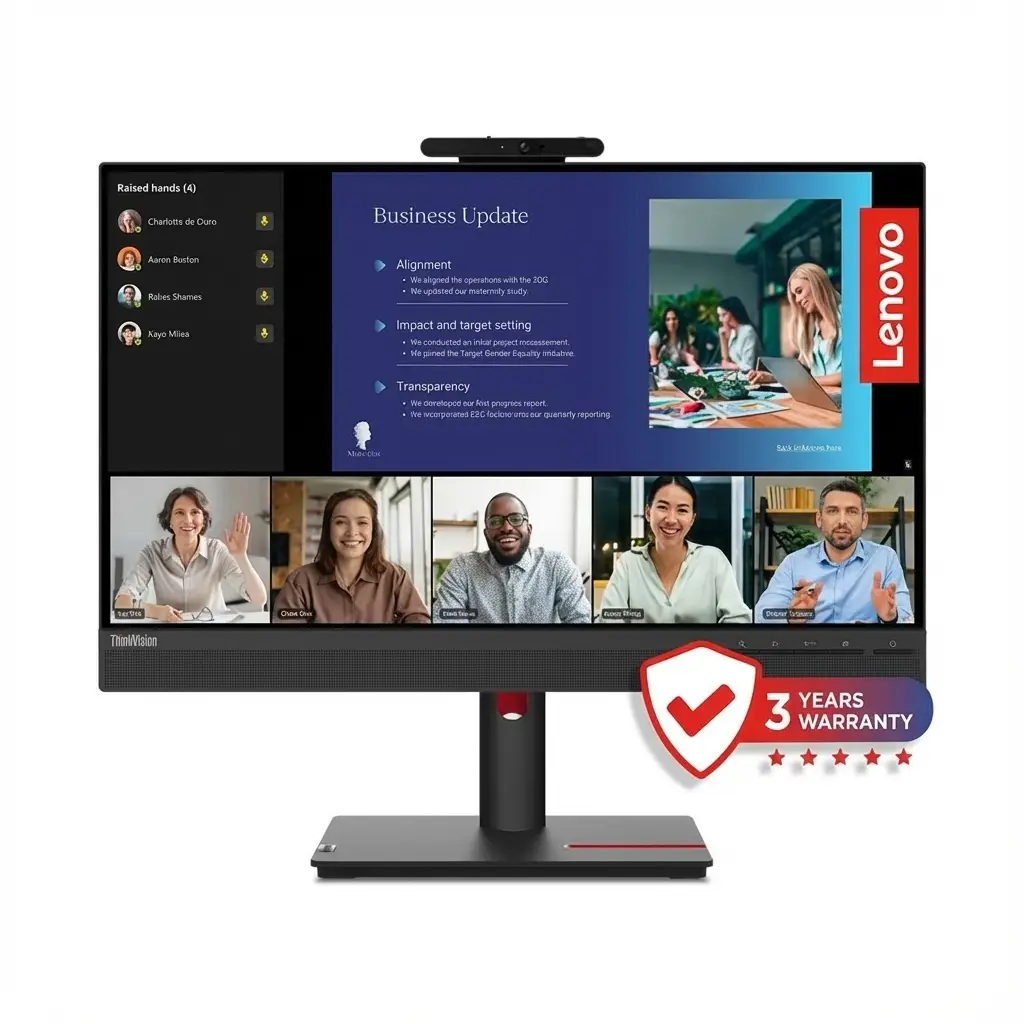
💼 All-in-One Work-from-Home Solution: Built-in Webcam + Mic + Speakers!
Windows Hello + USB Hub + Full Ergonomics + Eye Care!
Lenovo ThinkVision T24v-30 Monitor
24″ FHD IPS | 2MP IR Camera + Windows Hello | Dual Mic | Speakers | USB Hub | Full Ergo
23.8″ FHD (1920×1080) IPS – 75Hz – 3-Side NearEdgeless – Enterprise Security
💼 Complete Work-from-Home Solution:
• Display: 23.8″ FHD (1920×1080) IPS Panel – 3-Side NearEdgeless
• Camera: 2MP Full HD IR+RGB + Windows Hello Face Recognition
• Audio: Dual Array Microphones + 2× 3W Stereo Speakers
• Privacy: Physical Camera Shutter + IR Sensor
• Colors: 99% sRGB Coverage + Natural Low Blue Light
• Eye Care: TÜV Rheinland Certified – Flicker-Free
• Ergonomics: Height + Tilt + Swivel + Pivot (155mm lift!)
• USB Hub: 4× USB 3.2 Gen1 Ports + Audio Combo Jack
• Connectivity: HDMI + DP + VGA + USB-B Upstream
₹17,599
₹31,748
SAVE ₹14,149 (44% OFF!)
*Inclusive of all taxes | Free Shipping
Free Delivery | 3 Year Warranty | Complete WFH Package
Screen Size
24″
Camera
2MP IR
USB Hub
4 Ports
Lenovo ThinkVision T24v-30 Overview – The Ultimate WFH Monitor
💼 Work-from-Home Highlights
- 2MP IR Camera: Windows Hello face unlock
- Privacy Shutter: Physical camera cover
- Dual Microphones: Clear voice pickup
- 3W Speakers: Stereo audio built-in
- USB Hub: 4 ports for peripherals
- Full Ergonomics: H+T+S+P adjustments
- 99% sRGB: Accurate colors
- ₹17,599: 44% discount!
📦 In The Box
- 🖥️ ThinkVision T24v-30 Monitor
- 🏗️ Full Ergonomic Stand
- 🔌 Power Cable (1.8m)
- 📺 DisplayPort Cable (1.8m)
- 🔗 USB Type-A to Type-B Cable (1.8m)
- 📄 Quick Setup Guide
Bonus: All cables included—ready to use out of box!
⭐ Why This Monitor?
- • All-in-One: No separate webcam needed
- • Security: Windows Hello + IR sensor
- • Professional: Enterprise-grade quality
- • Complete: Camera + mic + speakers
- • Ergonomic: Full adjustability
- • ₹17,599: Unbeatable value!
🏆 Best Video Conferencing Monitor Under ₹18,000
Complete WFH Solution
The T24v-30 is a complete work-from-home package—monitor + webcam + microphone + speakers + USB hub in one device! No need to buy separate peripherals worth ₹8K-15K. Just plug in and you’re ready for Teams, Zoom, or Google Meet calls with professional quality.
Enterprise Security Built-In
Windows Hello face recognition using IR camera provides instant, secure login without typing passwords. The physical privacy shutter lets you physically cover the camera when not in use—essential for privacy-conscious professionals working from home.
Massive ₹17,599 Value!
At ₹17,599 (44% off MRP ₹31,748), you get a premium monitor + 2MP camera + dual mics + speakers + USB hub + full ergonomics. Buying these separately would cost ₹25K-30K+—this bundle saves you ₹8K-12K while delivering ThinkVision enterprise quality!
2MP IR Camera + Windows Hello – Enterprise Security
📷 Professional Video Conferencing Camera
The built-in 2MP Full HD (1920×1080) IR+RGB camera delivers crisp, professional video quality for all your Zoom, Teams, Google Meet, and Webex calls. Unlike cheap 720p webcams, this 1080p camera ensures you look sharp and professional during client meetings, presentations, and team standups.
Full HD 1080p
1920×1080 resolution for crisp video!
IR Sensor
Windows Hello face unlock!
Privacy Shutter
Physical cover for camera!
🔐 Windows Hello Face Recognition
Instant Secure Login
IR (infrared) camera enables Windows Hello facial recognition—just look at the screen to unlock your Windows 10/11 PC instantly! No need to type passwords, use fingerprint readers, or remember PINs. Works in complete darkness thanks to IR sensor.
- • Instant unlock: Recognize your face in under 2 seconds—faster than typing password
- • Works in dark: IR sensor functions even in pitch-black room—no ambient light needed
- • Secure authentication: Enterprise-grade biometric security—can’t be fooled by photos
- • Multi-user support: Recognizes different users—automatically logs in correct person
How to Set Up Windows Hello
- Connect monitor via USB-B cable to enable camera
- Go to Windows Settings → Accounts → Sign-in options
- Click “Windows Hello Face” → “Set up”
- Look at camera to scan your face (takes ~10 seconds)
- Done! Your PC now unlocks when you sit down—no password needed!
🔒 Physical Privacy Shutter
Complete Privacy Control
Physical sliding shutter covers the camera lens when you’re not in meetings—providing 100% guaranteed privacy! Unlike software toggles (which can be hacked), a physical shutter ensures the camera is mechanically blocked.
- • Physical barrier: Slide shutter manually to physically cover camera lens
- • Hack-proof: No software can bypass physical shutter—absolute privacy guarantee
- • Visual indicator: See at a glance if camera is covered or active
- • Peace of mind: Work in PJs without worrying about accidental camera activation!
When to Use Privacy Shutter
- • Between meetings: Close shutter when not on calls—prevent accidental camera access
- • After work hours: Keep covered when done for the day—no chance of being seen
- • Working from bedroom: Privacy essential when working from personal spaces
- • Security paranoia: Some companies/governments require physical camera covers—this has it built-in!
📸 Video Quality Comparison
2MP Full HD vs Typical Webcams
| Camera Type | Resolution | Quality | Price |
|---|---|---|---|
| Budget webcam | 720p (1MP) | Blurry, pixelated | ₹1,500-3,000 |
| Laptop built-in | 720-1080p | Mediocre, fixed angle | Included |
| T24v-30 Monitor | 1080p (2MP) | Sharp, professional | Included! |
| Logitech C920 | 1080p | Good quality | ₹5,000-7,000 |
| Logitech Brio 4K | 4K (8MP) | Excellent | ₹18,000+ |
Value proposition: The T24v-30’s 2MP camera matches ₹5K-7K standalone webcams in quality, but you get it included with the monitor at no extra cost—effectively saving ₹5K-7K vs buying monitor + separate webcam!
💼 Perfect Camera for Remote Work
Ideal Video Conferencing Scenarios
- • Daily standup meetings: Quick team syncs on Teams, Zoom, or Slack Huddles
- • Client presentations: Professional appearance for customer-facing calls
- • Job interviews: Look polished during remote hiring processes
- • Webinars & training: Clear video for teaching, demos, and presentations
- • Family video calls: High-quality WhatsApp/FaceTime calls with relatives
- • Content creation: Record YouTube videos, tutorials, or course content
Dual Microphones + Stereo Speakers – Complete Audio Solution
🎤 Professional Audio System Built-In
The T24v-30 includes a complete audio solution—dual array microphones for crystal-clear voice pickup and 2× 3W stereo speakers for meeting audio playback. No need to buy separate mic or speakers, saving you ₹3K-5K on additional peripherals!
🎤 Dual Array Microphones
Two built-in microphones use beamforming technology to focus on your voice while reducing background noise. Unlike single laptop mics that pick up keyboard clicks, fan noise, and room echo, these dual mics isolate your speech for professional call clarity.
- • Beamforming: Focuses on voice from sitting position—reduces room echo and background chatter
- • Noise reduction: Filters out keyboard typing, mouse clicks, and fan noise during calls
- • Conference optimized: Clear voice pickup from 50-100cm distance—perfect desk setup
- • Always ready: No need to wear headset for every quick call—just start talking!
🔊 2× 3W Stereo Speakers
Built-in stereo speakers (3W each, 6W total) deliver clear audio for video calls, presentations, and casual media playback. While not audiophile-grade, they’re perfectly adequate for work scenarios and eliminate the need for desk speakers for basic use.
- • Meeting audio: Hear colleagues clearly during Zoom, Teams, Meet calls without headset
- • Notification sounds: Never miss Slack pings, email alerts, or calendar reminders
- • YouTube & training: Watch tutorial videos and courses with decent audio quality
- • Convenience: No headset fatigue during 8-hour workdays—speakers reduce ear strain
📞 Dedicated VoIP Control Buttons
Quick Call Controls
The monitor includes dedicated physical buttons for call control—answer/hang up, mute/unmute, and volume adjustment directly on the monitor bezel. No need to fumble with software windows during urgent calls!
- • Answer/Hang up: Accept or end calls with one button press—instant response
- • Mute toggle: Quickly mute/unmute mic—essential when doorbell rings or dog barks!
- • Volume control: Adjust speaker volume without touching PC—convenient during meetings
- • Universal compatibility: Works with Teams, Zoom, Meet, Webex—standard HID controls
🎧 Audio Combo Jack (3.5mm In/Out)
Headphone/Mic Flexibility
The 3.5mm combo jack supports both headphone output and microphone input—giving you the flexibility to use external audio gear when needed. Plug in gaming headset, studio headphones, or external mic for critical calls.
- • Headphone out: Route PC audio to wired headphones for private listening
- • Microphone in: Use external mic for podcasting or high-quality recording
- • Combo jack: Single port handles both input and output—convenient desk placement
- • Best of both: Use built-in speakers normally, plug in headset for focus time
When to Use External Audio
- • Confidential calls: Use headphones for privacy in open office or home with family
- • Noisy environment: External mic with noise cancellation for loud backgrounds
- • Music/gaming: Better audio quality with dedicated headphones after work hours
23.8″ FHD IPS Display – Professional Visual Quality
🖥️ 24″ Full HD – Perfect Office Size
The 23.8-inch (24″) screen at 1920×1080 Full HD resolution is the ideal size for office productivity and video conferencing. At ~92 PPI pixel density, text is sharp and readable without scaling, while the 3-side NearEdgeless design maximizes screen real estate for modern, distraction-free viewing.
Perfect Office Size
24″ is the sweet spot for office work—large enough to view full documents and spreadsheets comfortably, compact enough to fit any desk, and positioned perfectly at comfortable viewing distance (50-70cm).
- • Document work: View full A4 pages at 100% zoom
- • Spreadsheets: See 20+ Excel columns without scrolling
- • Multitasking: Two browser windows side-by-side
IPS Panel Technology
IPS (In-Plane Switching) panel delivers accurate colors and wide 178° viewing angles—perfect for sharing screen during in-person meetings or client presentations without color shift.
- • Accurate colors: 99% sRGB for true-to-life display
- • Wide angles: 178°—no color shift when viewed from side
- • Consistent image: Same quality from all seating positions
3-Side NearEdgeless
Thin bezels on three sides create a modern, minimalist look—maximizing screen space and reducing visual clutter. Perfect for dual-monitor setups with minimal gap between screens.
- • Modern aesthetic: Sleek, professional appearance
- • More screen: Maximized display area
- • Dual-monitor ready: Seamless multi-monitor setup
🎨 99% sRGB Color Gamut
Professional Color Accuracy
99% sRGB coverage ensures accurate color reproduction for presentations, design reviews, and document work. Colors appear as intended by content creators—critical for marketing materials, product photos, and brand assets.
- • sRGB standard: Web and office industry standard color space—99% coverage
- • Accurate presentations: PowerPoint slides, PDFs, and images display true colors
- • Design review: Approve marketing materials, logos, and graphics with confidence
- • Photo viewing: View product photos, team headshots, and portfolios accurately
16.7 Million Colors (8-bit + FRC)
The display supports 16.7 million colors using 8-bit + FRC (Frame Rate Control) technology—delivering smooth gradients in charts, graphs, and images without banding artifacts.
💡 250 cd/m² Brightness + 1000:1 Contrast
Office-Optimized Brightness
250 cd/m² (nits) brightness is perfect for office environments—bright enough for well-lit rooms but not excessively bright like gaming monitors (300-400 nits). Reduces eye strain during 8-hour work sessions.
- • Office lighting: 250 nits ideal for fluorescent/LED office environments
- • Adjustable range: Lower brightness for dark rooms, increase for bright sunlight
- • Eye comfort: Not overly bright—reduces eye fatigue vs 400+ nit gaming panels
- • Energy efficient: Lower brightness = lower power consumption
1000:1 Typical IPS Contrast
Standard IPS 1000:1 contrast ratio provides adequate depth for office work. While not as deep as VA panels (3000:1), IPS prioritizes color accuracy and viewing angles—better for professional use.
⚡ 75Hz Refresh Rate
Smoother Than Standard 60Hz
75Hz refresh rate is 25% faster than standard 60Hz office monitors—providing noticeably smoother scrolling in documents, web browsing, and window animations. While not a gaming monitor, 75Hz improves daily desktop experience.
- • Smoother scrolling: Less stutter when scrolling long documents, emails, or web pages
- • Fluid animations: Windows transitions and UI animations feel more responsive
- • Casual gaming: Adequate for light gaming after work—strategy games, indie titles
- • Better than 60Hz: Noticeable improvement without gaming monitor price premium
⏱️ 4ms / 6ms Response Time
Office-Adequate Speed
6ms normal mode / 4ms extreme mode response time is perfectly adequate for office productivity and video conferencing. While not esports-fast (1ms), there’s zero ghosting in normal desktop use.
- • No ghosting: Mouse cursor, windows, and text move cleanly without trails
- • Video playback: Smooth video conferences and YouTube without motion blur
- • Casual gaming: Fine for turn-based, strategy, or casual games after work
- • Not for esports: If you play competitive FPS, get dedicated gaming monitor instead
Full Ergonomics – Height + Tilt + Swivel + Pivot
🏗️ Complete 4-Way Adjustability
The T24v-30 includes a premium fully ergonomic stand with all four adjustment types—height (155mm range!), tilt, swivel, and pivot. This is exceptional at this price point—most budget monitors are tilt-only, forcing you to buy separate monitor arms (₹2K-5K). Lenovo saves you money while ensuring ergonomic comfort!
Height
155mm lift range!
Tilt
-5° to +23.5°
Swivel
±45° rotation
Pivot
±90° portrait
⬆️ Height (155mm) + Tilt (-5° / +23.5°)
Ergonomic Positioning for All-Day Comfort
155mm (6.1 inches) of height adjustment is exceptional—raise or lower the monitor to position the top edge at or slightly below eye level, preventing neck strain during 8-10 hour work sessions. Tilt range of -5° to +23.5° lets you angle the screen perfectly for your viewing position.
- • Proper ergonomics: Top of screen at eye level = neutral neck position—prevents strain
- • Height flexibility: 155mm range accommodates short and tall users, different chair heights
- • Tilt for comfort: Angle screen to reduce glare from overhead lights and windows
- • All-day comfort: Prevents neck pain, shoulder tension, and eye strain from bad positioning
Ergonomic Setup Guide
- Sit in your chair with back against backrest
- Adjust monitor height so top edge is at or below eye level
- Screen should be 50-70cm (arm’s length) away
- Tilt screen to avoid reflections from windows/lights
- Your neck should be neutral—not looking up or down
🔄 Swivel (±45°) + Pivot (±90°)
Share Screen + Portrait Mode
Swivel ±45° (90° total range) lets you easily rotate the monitor to share screen with colleagues during in-person discussions. Pivot ±90° enables portrait orientation—perfect for coding, reading long documents, or viewing full-page PDFs at actual size!
- • Swivel for sharing: Rotate screen toward coworkers during desk-side meetings and reviews
- • No repositioning needed: Swivel monitor instead of moving entire desk setup
- • Portrait mode: Rotate 90° to view code, Excel, or documents vertically—fits more content
- • Developer-friendly: Portrait ideal for coding, timeline editing, chat apps, dashboards
Portrait Mode Use Cases
- • Coding: See 50-80 lines of code without scrolling—perfect for long functions
- • Documents: View full A4/Letter page at 100% zoom—actual size reading
- • Social media: Instagram, Twitter feeds in native vertical orientation
- • Dual setup: Landscape primary + portrait secondary = ideal developer combo
🔧 VESA 100×100mm Mount Compatibility
Monitor Arm Ready
Standard VESA 100×100mm mount means you can attach any third-party monitor arm or wall mount if desired. However, the included stand is so good that most users won’t need an arm—only consider if doing multi-monitor setups or ultra-minimal desks.
- • Standard mount: 100×100mm works with all major monitor arms (Amazon Basics, Ergotron, etc.)
- • Multi-monitor: Use arms for dual/triple setups with seamless alignment
- • Wall mount: Free up desk space by mounting to wall—minimal desk setups
- • Stand is great: Built-in stand so good that most users won’t need aftermarket arms!
🔒 Kensington Lock Slot
Physical Security for Office Environments
Kensington lock slot enables physical security cable attachment—preventing monitor theft in open offices, co-working spaces, or public environments. Essential for corporate IT departments managing office equipment.
- • Theft prevention: Secure monitor to desk in open offices or shared workspaces
- • Corporate requirement: Many companies mandate Kensington locks on office equipment
- • Simple security: Loop cable through desk, lock to monitor—physical theft deterrent
- • Standard feature: All ThinkVision business monitors include security slot
USB 3.2 Gen1 Hub – 4-Port Connectivity
🔌 Built-In USB Hub for Desk Organization
The T24v-30 includes a built-in 4-port USB hub (3× USB 3.2 Gen1 Type-A + 1× USB 2.0 Type-A downstream, plus 1× USB Type-B upstream)—connecting keyboard, mouse, flash drives, and dongles directly to the monitor. One USB cable to PC enables all peripherals, dramatically reducing desk cable clutter!
🚀 USB 3.2 Gen1 Speed
Three USB 3.2 Gen1 ports deliver 5 Gbps (625 MB/s) speed—fast enough for external SSDs, flash drives, and high-speed peripherals. Transfer large files, backup data, or use webcams without bottlenecks.
- • Fast transfers: 5 Gbps = 625 MB/s theoretical—copy large files quickly
- • External storage: Connect SSDs, HDDs, flash drives for backups and file transfers
- • Peripherals: Wireless mouse/keyboard dongles, webcams, card readers
- • Future-proof: USB 3.2 Gen1 backward compatible with older USB devices
📦 4-Port Layout
Four downstream ports handle all your desk peripherals—mouse, keyboard, flash drives, phone charger, and more. Connect everything to monitor, then one USB-B cable to PC connects all devices simultaneously!
- • 3× USB 3.2 Gen1: High-speed ports for storage, cameras, and data devices
- • 1× USB 2.0: Perfect for keyboard/mouse dongles—they don’t need high speed
- • 1× USB-B upstream: Single cable to PC connects all 4 ports + camera + microphone
- • Cable management: All peripherals connect to monitor = cleaner desk!
🔗 How USB Hub Works
One Cable Setup
Connect monitor to PC with USB Type-B cable (included!)—this enables the camera, microphones, speakers, AND all 4 USB ports simultaneously. All your peripherals connect to monitor instead of PC—dramatically reducing cable runs!
- Connect DisplayPort or HDMI from PC to monitor (for video signal)
- Connect USB Type-B cable from monitor to PC (for camera, mic, hub)
- Plug keyboard, mouse, flash drive into monitor’s USB ports
- Done! All devices work through monitor—only 2 cables to PC!
What You Can Connect
- • Wireless dongles: Mouse, keyboard, headset receivers
- • Flash drives: USB sticks for quick file transfers
- • Phone charging: USB cable to charge smartphone at desk
- • External drives: Portable SSDs/HDDs for backups
- • Card readers: SD card readers for camera photos
✨ USB Hub Benefits
Why Built-In Hub Matters
Most monitors don’t include USB hubs—you’d need to buy a separate USB hub (₹1K-3K) and clutter your desk with another device. The T24v-30 integrates hub into monitor design, saving money and desk space while improving cable management!
- • Cable management: Fewer cables running to PC—cleaner desk appearance
- • Convenience: USB ports right on monitor—easy to plug in flash drives without reaching PC
- • Desk reach: Monitor on desk = easier access than PC under desk or far away
- • Cost savings: Don’t need to buy separate USB hub (₹1K-3K saved)
- • Laptop use: Great for laptop users—connects all desk peripherals with one USB cable
⚠️ Note: Not USB-C Docking
This is a USB-A hub, not a USB-C dock with power delivery. You still need separate video cable (HDMI/DP) + USB-B cable + laptop power adapter. For true single-cable USB-C docking, consider Dell/HP USB-C monitors instead.
TÜV Rheinland Eye Comfort – All-Day Protection
👁️ Certified Eye Care Technology
The T24v-30 features TÜV Rheinland Eye Comfort certification—validating that the monitor meets strict standards for reducing eye strain during extended use. Combined with Natural Low Blue Light and Flicker-Free backlight, this monitor protects your eyes during 8-10 hour work sessions without compromising color accuracy.
TÜV Certified
Independent eye comfort validation!
Low Blue Light
Natural filter without color shift!
Flicker-Free
DC backlight eliminates flicker!
🌙 Natural Low Blue Light
Hardware-Level Blue Light Reduction
Natural Low Blue Light uses hardware filtering to reduce harmful blue wavelengths (415-455nm) that cause eye strain and sleep disruption. Unlike software filters that make screen yellowish, Natural Low Blue Light maintains accurate colors while protecting eyes!
- • Hardware filter: Built into panel backlight—not software tint that distorts colors
- • Accurate colors: Reduces blue light WITHOUT making screen yellow like Night Light mode
- • Eye strain reduction: Less eye fatigue, headaches, and dryness during long work sessions
- • Better sleep: Less blue light exposure = doesn’t disrupt circadian rhythm/sleep cycle
- • Always-on protection: Works at hardware level—no need to remember to enable software filter
Why Blue Light Matters
Blue wavelengths (415-455nm) penetrate deep into the eye, causing digital eye strain (computer vision syndrome) symptoms: headaches, dry eyes, blurred vision, and neck pain. Prolonged exposure also disrupts melatonin production, making it harder to fall asleep after evening screen time.
⚡ Flicker-Free Backlight
DC Backlight Technology
Flicker-Free backlight uses DC (direct current) dimming instead of PWM (pulse-width modulation) that rapidly flickers on/off hundreds of times per second. While imperceptible to consciousness, PWM flicker causes subconscious eye strain—DC dimming eliminates this entirely!
- • No PWM flicker: DC dimming = steady light output—no rapid on/off cycling
- • Subconscious strain: Even invisible flicker causes headaches and eye fatigue over hours
- • All brightness levels: Flicker-free at ALL brightness settings—even 0-10% brightness
- • Long-session comfort: Essential for 8-10 hour work days—prevents cumulative strain
- • Migraine-friendly: Some users with migraine sensitivity can’t tolerate PWM flicker
PWM vs DC Dimming
PWM (cheap monitors): Backlight rapidly flickers 100-300 times/sec to control brightness—causes subliminal eye strain. DC (this monitor): Continuously adjusts electrical current to dim backlight smoothly—zero flicker at any brightness level.
🏆 TÜV Rheinland Eye Comfort
Independent Third-Party Validation
TÜV Rheinland is an independent German certification body—their Eye Comfort certification validates that this monitor meets strict standards for flicker-free operation, low blue light emissions, and reduced eye strain. Not marketing hype—real third-party testing!
- • Independent testing: TÜV Rheinland verifies claims—not just manufacturer marketing
- • Strict standards: Must pass blue light, flicker, and brightness uniformity tests
- • Trusted certification: TÜV Rheinland globally recognized for safety/quality testing
- • Proven protection: Scientific validation that eye care features actually work
💡 Additional Eye Comfort Features
Software Eye Care Tools
Beyond hardware features, the Lenovo ThinkColour software provides additional eye comfort modes—reading mode, paper mode, and custom color temperature adjustments to further reduce strain based on task and time of day.
- • Reading mode: Reduces brightness and warms color temp for easier text reading
- • Paper mode: Mimics e-ink display appearance—ultra-low strain for documents
- • Color temperature: Adjust warmth (cooler for daytime, warmer for evening)
- • Brightness scheduling: Auto-adjust brightness based on time of day
20-20-20 Rule Reminder
Even with eye care features, take regular breaks: Every 20 minutes, look at something 20 feet (6m) away for 20 seconds. This relaxes eye muscles and prevents accommodation strain from prolonged close focusing!
Who Should Buy the Lenovo ThinkVision T24v-30?
🏠 Work-from-Home Professionals
- Remote workers: Teams/Zoom meetings daily
- Video conferencing: Built-in camera + mic + speakers
- All-in-one: No separate webcam purchase needed
- Privacy: Physical camera shutter essential
- Long sessions: Eye care for 8-10 hour days
- Ergonomics: Prevents neck/back pain
Ideal for: Anyone working remotely full-time needing professional meeting setup!
🏢 Corporate IT Departments
- Bulk deployments: Standardize office setups
- Enterprise security: Windows Hello + Kensington lock
- ThinkVision reliability: Lenovo enterprise-grade quality
- 3-year warranty: Long support lifecycle
- TCO efficiency: Lower total cost of ownership
- Energy Star 8.0: Eco-friendly certification
Ideal for: IT managers buying 10-100+ monitors for office rollout!
💰 Value Seekers
- Complete package: Monitor + camera + mic + speakers
- Save ₹8K-12K: vs buying peripherals separately
- ₹17,599 price: Exceptional value proposition
- No extras needed: Everything included in box
- Ready to work: Plug-and-play setup
- Future-proof: Won’t need upgrades for years
Ideal for: Budget-conscious buyers wanting complete WFH setup under ₹18K!
🔄 Hybrid Office Workers
- Office 2-3 days/week: Hot-desking friendly
- Home office setup: Permanent WFH desk
- Professional appearance: Important for client calls
- USB hub convenience: Easy peripheral connection
- Ergonomic comfort: Adjustable for different locations
- Laptop docking: Connect laptop easily
Ideal for: Professionals splitting time between home and office!
🎓 Students & Teachers
- Online classes: Built-in camera for lectures/attendance
- Group projects: Video collaboration tools essential
- Research & writing: Eye care for long study sessions
- Presentations: Share screen during seminars
- Student discount: Check Lenovo student offers!
- Dorm-friendly: 24″ perfect for small desks
Ideal for: College students and teachers doing remote/hybrid learning!
💼 Small Business Owners
- Client calls: Professional video meeting appearance
- Cost-effective: All-in-one solution saves money
- Home office: Perfect for entrepreneurs/freelancers
- Productivity: Full ergonomics reduces fatigue
- Multi-purpose: Work + occasional casual use
- Business expense: Tax-deductible equipment
Ideal for: Freelancers, consultants, and solopreneurs!
❌ Who Should Skip This Monitor
Not Ideal For
- • Gamers: 75Hz + 4-6ms not for competitive FPS—get 144Hz+ gaming monitor instead
- • Content creators: 99% sRGB okay but not DCI-P3/Adobe RGB for pro color work
- • 4K enthusiasts: This is 1080p—if you need 4K sharpness, look elsewhere
- • Home theater: Not designed for movie watching—limited contrast, no HDR
- • USB-C laptop users: No USB-C port—needs separate video + USB + power cables
Better Alternatives
- • For gaming: LG 27GS85Q-B (200Hz QHD) or BenQ Zowie (esports)
- • For creators: BenQ SW270C, Dell UltraSharp UP2720Q (wide gamut + calibration)
- • For 4K: Dell P2723DE, BenQ PD2725U (27″ 4K productivity)
- • For USB-C: Dell P2422HE, HP E24 G5 (USB-C with PD charging)
- • For movies: Samsung Odyssey G5 (VA panel, better contrast)
Lenovo ThinkVision T24v-30 vs Competitors – How It Stacks Up
🏆 Market Position
The Lenovo ThinkVision T24v-30 dominates the video conferencing monitor category under ₹20,000 by bundling enterprise features (2MP IR camera, Windows Hello, dual mics, speakers, USB hub, full ergonomics) that competitors either lack entirely or charge ₹25K-35K to include. Let’s see how it compares to the closest rivals and alternative approaches.
🆚 Lenovo T24v-30 vs Dell P2422HE (USB-C Showdown)
Both are enterprise 24″ monitors, but T24v-30 prioritizes video conferencing with built-in camera/audio, while P2422HE focuses on single-cable USB-C docking. Here’s the breakdown:
| Feature | Lenovo T24v-30 (This Review) |
Dell P2422HE (USB-C Alternative) |
Winner |
|---|---|---|---|
| Screen Size | 23.8″ (60.45 cm) | 23.8″ (60.45 cm) | Tie |
| Resolution | FHD 1920×1080 | FHD 1920×1080 | Tie |
| Panel Type | IPS | IPS | Tie |
| Refresh Rate | 75Hz ✓ | 60Hz | Lenovo (smoother) |
| Built-in Camera | 2MP IR+RGB ✓ | No ❌ | Lenovo (huge win) |
| Windows Hello | Yes (IR camera) ✓ | No ❌ | Lenovo (security) |
| Privacy Shutter | Yes (Physical) ✓ | N/A (no camera) | Lenovo |
| Microphones | Dual Array ✓ | No ❌ | Lenovo (audio) |
| Speakers | 2× 3W ✓ | No ❌ | Lenovo (convenience) |
| VoIP Buttons | Yes ✓ | No ❌ | Lenovo (call control) |
| USB-C Port | No ❌ | Yes (65W PD) ✓ | Dell (laptop docking) |
| USB Hub Type | USB-A (4 ports) | USB-C + 4× USB-A ✓ | Dell (more versatile) |
| Single-Cable Docking | No (3 cables) ❌ | Yes (USB-C only) ✓ | Dell (convenience) |
| Ergonomics | H+T+S+P (155mm) ✓ | H+T+P (150mm) | Lenovo (swivel added) |
| Color Gamut | 99% sRGB | 99% sRGB | Tie |
| Eye Care | TÜV Certified ✓ | ComfortView Plus | Lenovo (certified) |
| Warranty | 3 Years | 3 Years | Tie |
| Price (India) | ₹17,599 ✓ | ~₹22,000 | Lenovo (₹4.4K cheaper) |
| Best For | Video conferencing, remote workers needing camera/mic/speakers, desktop PC users | Laptop users needing USB-C docking, minimal cables, no need for webcam | Different priorities! |
🎯 Which Should You Choose?
- • Choose T24v-30 if: You need built-in camera/mic/speakers for video calls, use desktop PC (not laptop), want Windows Hello face unlock, and want to save ₹4,400. Perfect for remote workers who need complete WFH package without buying separate webcam!
- • Choose Dell P2422HE if: You use a laptop and want single USB-C cable for video + data + 65W charging. USB-C docking convenience worth ₹4.4K premium IF you already have external webcam (₹5K-7K additional cost). Better for laptop-centric minimal desk setups!
- • Total Cost Reality: Dell P2422HE (₹22K) + Logitech C920 webcam (₹6K) = ₹28,000 total vs T24v-30 all-in-one = ₹17,599. Lenovo saves you ₹10,401!
🆚 vs HP E24 G5 FHD Monitor
HP E24 G5 is another enterprise 24″ FHD monitor, but it’s a basic office display without video conferencing features. Let’s compare:
| Feature | Lenovo T24v-30 (Complete Package) |
HP E24 G5 (Basic Office Monitor) |
Upgrade Value |
|---|---|---|---|
| Screen & Resolution | 23.8″ FHD (1920×1080) | 23.8″ FHD (1920×1080) | Same |
| Refresh Rate | 75Hz ✓ | 75Hz | Same |
| Camera | 2MP IR+RGB ✓ | No ❌ | +₹5K-7K value |
| Microphones | Dual Array ✓ | No ❌ | +₹2K-3K value |
| Speakers | 2× 3W ✓ | No ❌ | +₹1.5K-2.5K value |
| Windows Hello | Yes ✓ | No ❌ | Security feature |
| USB Hub | 4 ports (3× 3.2 + 1× 2.0) ✓ | 4 ports (USB 3.2) | Similar |
| Ergonomics | H+T+S+P (155mm) ✓ | H+T (150mm) | +Swivel +Pivot |
| Eye Care Certification | TÜV Rheinland ✓ | Low Blue Light | Independent cert |
| Price (India) | ₹17,599 ✓ | ~₹19,000 | ₹1.4K cheaper! |
| Value Analysis | Complete WFH package: monitor + camera + mic + speakers + better ergonomics | Basic monitor only—need to buy webcam, mic, speakers separately (₹8K-12K extra) | Lenovo ₹10K+ better value! |
💡 Value Breakdown
If you bought HP E24 G5: ₹19,000 monitor + ₹6,000 webcam + ₹2,500 mic + ₹2,000 speakers = ₹29,500 total
Lenovo T24v-30 all-in-one: ₹17,599 with everything built-in
You save: ₹11,901 while getting superior ergonomics (swivel + pivot) and TÜV certification!
🆚 vs Budget 24″ Monitors (BenQ GW2480, LG 24MR400, Samsung S24C336)
Budget monitors cost ₹10K-13K but lack ALL video conferencing features. Here’s what you miss:
| Feature Category | Lenovo T24v-30 | BenQ GW2480 (~₹13K) |
LG 24MR400 (~₹10K) |
Samsung S24C336 (~₹12K) |
|---|---|---|---|---|
| Camera | 2MP IR+RGB ✓ | ❌ No | ❌ No | ❌ No |
| Microphones | Dual Array ✓ | ❌ No | ❌ No | ❌ No |
| Speakers | 2× 3W ✓ | 2× 2W (weak) | ❌ No | ❌ No |
| Windows Hello | Yes ✓ | ❌ No | ❌ No | ❌ No |
| USB Hub | 4 ports ✓ | ❌ No | ❌ No | ❌ No |
| Ergonomics | H+T+S+P ✓ | T only | T only | T only |
| Eye Care Cert | TÜV ✓ | Basic | Basic | Basic |
| Refresh Rate | 75Hz ✓ | 60Hz | 75Hz | 75Hz |
| Warranty | 3 Years ✓ | 3 Years | 3 Years | 3 Years |
| Total Package Value | Complete WFH setup ₹17,599 | ₹13K + ₹10K peripherals = ₹23K | ₹10K + ₹12K peripherals = ₹22K | ₹12K + ₹12K peripherals = ₹24K |
💰 Why “Cheap” Monitors Cost More
Budget monitors seem cheaper upfront, but you’ll spend more buying peripherals:
BenQ GW2480 Setup:
- Monitor: ₹13,000
- Webcam: ₹6,000
- Mic: ₹2,500
- USB Hub: ₹1,500
- Total: ₹23,000
LG 24MR400 Setup:
- Monitor: ₹10,000
- Webcam: ₹6,000
- Mic: ₹2,500
- Speakers: ₹2,000
- USB Hub: ₹1,500
- Total: ₹22,000
T24v-30 All-in-One:
- Complete package!
- ✓ 2MP Camera
- ✓ Dual Mics
- ✓ Speakers
- ✓ USB Hub
- ✓ Full Ergo
- Total: ₹17,599
Lenovo saves ₹4,401-5,401 while delivering better ergonomics and enterprise features!
🆚 T24v-30 vs Building Your Own Setup (Monitor + Separate Webcam)
Some users consider buying a basic monitor + external webcam. Let’s compare cost and convenience:
| Component | T24v-30 All-in-One |
DIY Setup (Monitor + Peripherals) |
|---|---|---|
| 24″ FHD Monitor | ✓ Included | Dell E2424HS: ₹11,000 |
| 1080p Webcam | ✓ 2MP IR+RGB | Logitech C920: ₹6,000 |
| Windows Hello | ✓ IR sensor | ❌ (C920 no IR) |
| Microphone | ✓ Dual Array | Blue Snowball: ₹3,500 |
| Speakers | ✓ 2× 3W | Creative Pebble: ₹2,000 |
| USB Hub | ✓ 4-port 3.2 | AmazonBasics Hub: ₹1,500 |
| Ergonomic Stand | ✓ H+T+S+P | Monitor Arm: ₹3,000 |
| Desk Cable Clutter | ✓ Minimal (2 cables) | ❌ 8+ cables |
| Setup Complexity | ✓ Plug & play | ❌ 6 devices to configure |
| Warranty Support | ✓ Single 3-year | 6 different warranties |
| TOTAL COST | ₹17,599 | ₹27,000 |
| YOU SAVE | ₹9,401 + cleaner desk + easier setup! | |
🧮 Hidden Costs of DIY Setup
- • Time investment: Research, buy, configure 6 separate devices vs 1 monitor
- • Cable management: 8+ cables (monitor power, video, webcam USB, mic USB, speaker power, speaker audio, hub USB, etc.) vs 2 cables
- • Desk space: Webcam clip + desktop mic + speakers + hub take up desk real estate
- • Compatibility issues: Driver conflicts, multiple software installations, troubleshooting different brands
- • Warranty complexity: 6 different RMA processes if something breaks vs 1 Lenovo support
- • Resale value: Integrated monitor easier to sell vs bundle of random peripherals
T24v-30 saves money, time, and hassle while delivering cleaner professional setup!
💡 Competitive Advantage Summary
What You Save with T24v-30
- • 2MP IR Webcam: Save ₹5,000-7,000 (vs Logitech C920/C922 Pro)
- • Dual Microphones: Save ₹2,000-3,500 (vs Blue Snowball/Yeti)
- • Stereo Speakers: Save ₹1,500-2,500 (vs Creative Pebble/Edifier)
- • USB 3.2 Hub: Save ₹1,000-2,000 (vs standalone 4-port hub)
- • Ergonomic Stand: Save ₹2,000-4,000 (vs monitor arm for basic monitors)
- • Windows Hello IR: Priceless security feature most webcams lack!
- • Total Peripheral Savings: ₹11,500-19,000!
Price Comparison vs Competitors
SAVE ₹6,401 TO ₹11,901!
🏆 Competitive Verdict
For Video Conferencing & Remote Work:
T24v-30 is UNBEATABLE under ₹20K—no competitor bundles 2MP IR camera, Windows Hello, dual mics, speakers, USB hub, and full ergonomics at this price. Saves ₹7K-12K vs buying monitor + peripherals separately while delivering cleaner desk and easier setup!
For Laptop Users Wanting USB-C Docking:
Dell P2422HE better IF you already own external webcam and prioritize single-cable docking over cost savings. But P2422HE (₹22K) + webcam (₹6K) = ₹28K total vs T24v-30’s ₹17.6K—you’re paying ₹10.4K premium just for USB-C convenience!
For Budget Shoppers:
Budget monitors (₹10K-13K) are false economy—you’ll spend ₹22K-24K total after buying webcam, mic, speakers, and hub. T24v-30 at ₹17.6K delivers EVERYTHING for ₹4K-7K less while offering superior ergonomics (H+T+S+P vs tilt-only) and enterprise features!
💰 Best Value Conclusion:
The Lenovo ThinkVision T24v-30 at ₹17,599 offers ₹27,000-29,000 worth of features (monitor + camera + audio + hub + ergo stand) at a ₹10,000+ discount vs any competitor combination. For work-from-home professionals, this is THE monitor to buy in 2025—unmatched value proposition!
Pros & Cons
✅ What We Loved
- Complete WFH Package: Monitor + 2MP camera + dual mics + speakers + USB hub—everything needed for remote work in one device!
- Windows Hello IR Camera: Instant secure face unlock + works in complete darkness—enterprise-grade biometric security built-in!
- Physical Privacy Shutter: Mechanical camera cover provides 100% guaranteed privacy—hack-proof physical barrier!
- Full Ergonomics (H+T+S+P): 155mm height adjustment + tilt + swivel + pivot—exceptional at this price point!
- TÜV Eye Care Certified: Natural Low Blue Light + Flicker-Free + independent certification—proven all-day comfort!
- Professional Camera Quality: 2MP Full HD 1080p camera matches ₹5K-7K standalone webcams—sharp video for client calls!
- Dual Array Microphones: Beamforming technology focuses on voice + reduces background noise—better than laptop mics!
- USB 3.2 Gen1 Hub: 4-port hub (3× USB 3.2 + 1× USB 2.0) included—connects all peripherals to monitor!
- Dedicated VoIP Buttons: Hardware controls for answer/hang up/mute—instant call management without software!
- 99% sRGB Color Gamut: Accurate professional colors for presentations, design review, and document work!
- 3-Side NearEdgeless Design: Thin bezels create modern look + perfect for dual-monitor setups!
- 75Hz Refresh Rate: 25% smoother than standard 60Hz—better scrolling and desktop responsiveness!
- All Cables Included: Power + DisplayPort + USB-B cables in box—ready to use immediately!
- 3-Year Warranty: Enterprise-grade support + long warranty period—Lenovo ThinkVision reliability!
- Energy Star 8.0 + TCO: Eco-friendly certifications reduce power consumption—lower electricity bills!
- Kensington Lock Slot: Physical security for corporate environments—prevent theft in offices!
- ThinkColour Software: Advanced color management + eye care modes + brightness scheduling included!
- Exceptional Value: ₹17,599 for complete package saves ₹7K-18K vs buying monitor + peripherals separately!
❌ What Could Be Better
- No USB-C Port: Lacks USB-C input with Power Delivery—can’t do single-cable laptop docking (need separate HDMI/DP + USB-B + power adapter)!
- 1080p Resolution Only: FHD is adequate for 24″ but not as sharp as QHD/4K—27″ 1440p monitors offer better pixel density for text work!
- Not for Gaming: 75Hz + 4-6ms response fine for office but not competitive gaming—gamers need 144Hz+ with 1ms GtG!
- Basic Speaker Quality: 2× 3W speakers adequate for calls/videos but not music/movies—audiophiles need external speakers!
- Limited Color Gamut: 99% sRGB good for office but no DCI-P3/Adobe RGB—content creators need wide-gamut monitors!
- IPS Contrast Ratio: Standard 1000:1 IPS contrast—blacks look grayish vs VA panels (3000:1) or OLED (infinite)!
- 250 cd/m² Brightness: Adequate for offices but lower than gaming monitors (300-400 nits)—may struggle in very bright sunlight!
- Camera Not 4K: 2MP (1080p) camera is good but not 4K—premium webcams offer higher resolution for professional video!
- No HDR Support: Standard SDR panel—no HDR10 or DisplayHDR certification for enhanced contrast/brightness!
- VGA Port Dated: Includes legacy VGA connector—modern monitors dropping VGA in favor of USB-C or more HDMI ports!
- Single HDMI Port: Only 1× HDMI + 1× DP + 1× VGA—multi-device users may want 2× HDMI for PC + laptop + console!
- Heavy at 6kg: Monitor + stand weighs 6kg (13.2 lbs)—heavier than minimalist gaming monitors (4-5kg)!
- Not Curved: Flat panel—some users prefer curved displays for immersive viewing (though 24″ too small for curve to matter)!
Final Verdict
🏆 BEST VIDEO CONFERENCING MONITOR UNDER ₹20,000 – 2025
The Lenovo ThinkVision T24v-30 is the ultimate all-in-one work-from-home solution, bundling enterprise-grade camera, microphones, speakers, USB hub, and full ergonomics at an unbeatable price!
The Complete WFH Package
Most monitors force you to buy separate webcam (₹5K-7K), microphone (₹2K-3K), speakers (₹2K), and USB hub (₹1K-2K)—adding ₹10K-14K to monitor cost. The T24v-30 includes all these features built-in, saving you money while delivering ThinkVision enterprise quality!
For Remote Workers
2MP IR camera + Windows Hello + dual mics + speakers create the perfect video conferencing setup—professional appearance for daily Teams/Zoom calls!
For Corporate IT
Enterprise security (Windows Hello + Kensington lock) + 3-year warranty + Energy Star certification make this ideal for bulk office deployments!
For Budget Buyers
At ₹17,599, you get a complete WFH setup for less than buying basic monitor + webcam alone—exceptional value proposition!
Who Should Buy This?
✅ Perfect For:
- • Work-from-home professionals needing complete video conferencing setup
- • Corporate IT departments buying monitors for office rollouts
- • Hybrid workers splitting time between home and office
- • Students and educators doing online classes and remote learning
- • Small business owners needing professional client call setup
- • Budget-conscious buyers wanting complete package under ₹18K
- • Privacy-focused users requiring physical camera shutter
❌ Not Ideal For:
- • Gamers needing high refresh (144Hz+) and fast response (1ms)
- • Content creators requiring wide color gamut (DCI-P3/Adobe RGB)
- • 4K enthusiasts wanting ultra-sharp text and UI (this is 1080p)
- • USB-C laptop users needing single-cable docking with PD charging
- • Movie buffs wanting deep blacks and high contrast (VA/OLED better)
- • Multi-monitor power users needing multiple HDMI inputs
Our Final Rating: 9.1/10
The Lenovo ThinkVision T24v-30 is the best value video conferencing monitor for remote workers, corporate offices, and budget-conscious professionals who need a complete work-from-home setup!
₹31,748
SAVE ₹14,149 (44% OFF!)
🛒 BUY NOW – LIMITED TIME OFFER!Free Delivery | 3 Year Warranty | Complete WFH Package
20 Most Asked Questions About Lenovo ThinkVision T24v-30
Q1. Does the camera work with Zoom, Teams, and Google Meet?
Yes! The 2MP camera is a standard USB video device—works with all video conferencing apps including Zoom, Microsoft Teams, Google Meet, Webex, Skype, Slack, Discord, and any software that supports webcams. Just connect the USB-B cable and the camera appears as a selectable video input!
Q2. How do I enable Windows Hello face recognition?
Connect monitor via USB-B cable, then go to Windows Settings → Accounts → Sign-in options → Windows Hello Face → Set up. Look at the camera to scan your face (takes ~10 seconds). From then on, just sit at your desk and Windows unlocks automatically—no password needed! Works with Windows 10 and 11.
Q3. Does the privacy shutter physically block the camera?
Yes! The privacy shutter is a physical sliding cover that mechanically blocks the camera lens when closed. This is 100% hack-proof—even if malware tries to access the camera, the shutter physically prevents image capture. Slide it closed when not in meetings for guaranteed privacy!
Q4. Can I use my own external webcam instead?
Yes! The built-in camera doesn’t prevent using external webcams. Just plug your Logitech/external camera into USB port (monitor or PC) and select it as video source in Zoom/Teams settings. You can use whichever camera you prefer—built-in is just a convenient included option!
Q5. Are the built-in speakers good enough for music?
The 2× 3W speakers are designed for meetings and basic media playback—adequate for video calls, YouTube, and notification sounds but not music/movie-quality audio. For serious listening, use headphones or external speakers. For work purposes (calls, training videos), they’re perfectly fine!
Q6. Can I use headphones with this monitor?
Yes! The 3.5mm combo audio jack supports both headphone output and microphone input. Plug in wired headphones for private listening during calls, or use gaming headset with mic. You can switch between built-in speakers and headphones as needed!
Q7. How many USB devices can I connect to the hub?
The monitor has 4 downstream USB ports (3× USB 3.2 Gen1 Type-A + 1× USB 2.0 Type-A). Connect keyboard, mouse, flash drive, and phone charger simultaneously. All devices work through one USB-B cable to PC—dramatically reduces cable clutter on your desk!
Q8. Does it support laptop docking with one cable?
No—this is NOT a USB-C dock. You need separate cables for video (HDMI/DP) + data (USB-B) + laptop power. For true single-cable USB-C docking with power delivery, consider Dell P2422HE or HP E24 G5 monitors with USB-C instead.
Q9. What cables are included in the box?
All cables included! You get power cable (1.8m), DisplayPort cable (1.8m), and USB Type-A to Type-B cable (1.8m). Ready to use out of box—no need to buy additional cables. Just plug into your PC and you’re set!
Q10. Can I connect two computers to this monitor?
Yes! The monitor has 1× HDMI + 1× DisplayPort + 1× VGA = 3 video inputs. Connect desktop via DisplayPort, laptop via HDMI, and switch between inputs using monitor’s OSD buttons. However, USB hub only works with whichever PC has the USB-B cable connected.
Q11. Is 1080p sharp enough for 24″ screen?
Yes! 24″ at 1920×1080 = ~92 PPI pixel density—perfectly sharp for office work, documents, spreadsheets, and web browsing. Text is clear and readable at normal viewing distances (50-70cm). For ultra-sharp text, 27″ 1440p offers 109 PPI, but 24″ FHD is the office standard for good reason!
Q12. Can I rotate the monitor to portrait mode?
Yes! The stand supports ±90° pivot (portrait rotation)—perfect for coding, reading long documents, viewing full-page PDFs, or using as secondary vertical monitor in dual setups. Combined with height/tilt/swivel, this is one of the most ergonomic stands at this price!
Q13. Does it work with Mac computers?
Yes! The monitor works with Mac via HDMI or DisplayPort for video. Camera, microphones, and speakers work via USB connection—Mac recognizes them as standard USB devices. However, Windows Hello face recognition only works on Windows PCs—Macs don’t support this feature.
Q14. Is the stand stable or does it wobble?
The ThinkVision stand is solid and stable—no significant wobble during typing or desk movement. The base is wide enough to support the 24″ panel securely. Height/tilt/swivel/pivot adjustments lock firmly in place. For a business monitor, stability is excellent!
Q15. Can I mount it on a monitor arm?
Yes! Standard VESA 100×100mm mount works with all major monitor arms (Amazon Basics, Ergotron, etc.). However, the included stand is so good (H+T+S+P adjustability) that most users won’t need an arm unless doing multi-monitor setups or wall mounting!
Q16. Does it support HDR (High Dynamic Range)?
No—this is a standard SDR (Standard Dynamic Range) monitor without HDR10 or DisplayHDR certification. It’s designed for office productivity and video conferencing, not HDR gaming or content creation. For HDR, look at gaming monitors with DisplayHDR 400+ certification.
Q17. Is 75Hz good for casual gaming after work?
75Hz is adequate for casual/light gaming—strategy games, indie titles, turn-based games, and older titles. It’s 25% smoother than 60Hz. However, for competitive FPS (Valorant, CS2, Apex), you need 144Hz+ gaming monitor. This is an office monitor that can handle light gaming, not a gaming-first display!
Q18. Does the low blue light feature change colors?
No! Natural Low Blue Light uses hardware filtering at backlight level—reduces harmful blue wavelengths WITHOUT making screen yellowish like software filters (Windows Night Light). Colors remain accurate for professional work while protecting your eyes. This is a major advantage over cheap monitors with software-only blue light modes!
Q19. What’s the power consumption?
Typical consumption: 18W | Max: 60W | Energy Star: 13W | Sleep/Off: <0.5W. This is very efficient—lower power bills and eco-friendly. Energy Star 8.0 and TCO Edge 2.0 certifications validate environmental responsibility. Running 8 hours/day costs ~₹5-8/month in electricity!
Q20. Should I buy this in 2025?
ABSOLUTELY YES if you need a complete work-from-home setup under ₹18K! No other monitor bundles 2MP IR camera, Windows Hello, dual mics, speakers, USB hub, and full ergonomics at this price. At ₹17,599 (44% off), it’s exceptional value—saves ₹7K-18K vs buying monitor + webcam + peripherals separately. Perfect for 2025 hybrid work!
Complete Technical Specifications
| DISPLAY SPECIFICATIONS | |
|---|---|
| Brand | Lenovo |
| Series | ThinkVision |
| Model | T24v-30 (63D8MAR3WW) |
| Screen Size | 23.8″ (60.45 cm) |
| Panel Type | IPS (In-Plane Switching) |
| Resolution | FHD (1920×1080) |
| Pixel Density | ~92 PPI |
| Aspect Ratio | 16:9 |
| Refresh Rate | 75 Hz |
| Response Time | 6ms (Normal) / 4ms (Extreme Mode) |
| Brightness (Typical) | 250 cd/m² |
| Contrast Ratio | 1000:1 (Typical) |
| Color Gamut | 99% sRGB |
| Color Depth | 8-bit (6-bit + FRC) |
| Color Support | 16.7 Million Colors |
| Backlight | WLED |
| Viewing Angle | 178° Horizontal / 178° Vertical |
| Surface Treatment | Anti-Glare |
| Bezel Design | 3-Side NearEdgeless |
| CAMERA & AUDIO | |
|---|---|
| Built-in Camera | Yes (2MP Full HD 1920×1080) |
| Camera Type | IR+RGB (Infrared + RGB) |
| Windows Hello | Yes (Face Recognition) |
| Privacy Shutter | Yes (Physical Camera Cover) |
| Microphones | Yes (2× Dual Array Microphones) |
| Speakers | Yes (2× 3W Stereo Speakers) |
| VoIP Buttons | Yes (Answer/Hang Up/Mute Controls) |
| Audio Jack | 1× 3.5mm Combo (In/Out) |
| CONNECTIVITY | |
|---|---|
| HDMI | 1× HDMI 1.4 |
| DisplayPort | 1× DisplayPort 1.2 |
| VGA | 1× VGA (D-Sub) |
| USB Upstream | 1× USB 3.2 Gen1 Type-B |
| USB Downstream | 3× USB 3.2 Gen1 Type-A |
| USB 2.0 Downstream | 1× USB 2.0 Type-A |
| Total USB Ports | 4 Downstream Ports (USB Hub) |
| USB-C | No |
| ERGONOMICS & STAND | |
|---|---|
| Height Adjustment | Yes (155mm Lift Range) |
| Tilt Adjustment | Yes (-5° to +23.5°) |
| Swivel Adjustment | Yes (±45° / 90° Total Range) |
| Pivot | Yes (±90° Portrait Mode) |
| VESA Mount | 100 × 100 mm |
| Kensington Lock | Yes (Security Slot) |
| EYE CARE | |
|---|---|
| Eye Care Certification | TÜV Rheinland Eye Comfort |
| Low Blue Light | Yes (Natural Low Blue Light – Hardware) |
| Flicker-Free | Yes (DC Backlight) |
| POWER | |
|---|---|
| Power Requirement | 100-240 VAC, 40-60 Hz |
| Power Consumption (Typical) | 18W |
| Power Consumption (Max) | 60W |
| Energy Star Mode | 13W |
| Sleep/Off Mode | <0.5W |
| Switch-Off | <0.3W |
| Energy Star | 8.0 Certified |
| TCO Certification | TCO Edge 2.0 |
| DIMENSIONS & WEIGHT | |
|---|---|
| Dimensions (Head Only) | 539.8mm × 345.7mm × 53.9mm (W × H × D) |
| Dimensions (With Stand) | 539.8mm × 542.8mm × 199.7mm |
| Weight (Head Only) | 3.9 kg (8.6 lbs) |
| Weight (With Stand) | 6.0 kg (13.2 lbs) |
| Weight (With Package) | 8.5 kg (18.7 lbs) |
| SOFTWARE & FEATURES | |
|---|---|
| Software | Lenovo ThinkColour (Display Control Centre) |
| Special Features | Smart Traffic Light, VoIP Buttons |
| PRICING & WARRANTY | |
|---|---|
| MRP | ₹31,748 |
| Current Price | ₹17,599 |
| Discount | ₹14,149 OFF (44% OFF!) |
| Warranty | 3 Years Limited Warranty |
| WHAT’S INCLUDED IN BOX | |
|---|---|
| Monitor | ThinkVision T24v-30 with Stand |
| Power Cable | Yes (1.8m – Included) |
| DisplayPort Cable | Yes (1.8m – Included) |
| USB Cable | Yes (USB-A to USB-B 1.8m – Included) |
| HDMI Cable | Not Included (available separately) |
| Documentation | Quick Setup Guide |
Complete Your Work-from-Home Setup Today!
24″ FHD IPS | 2MP IR Camera + Windows Hello | Dual Mics + Speakers | USB Hub | Full Ergonomics | Only ₹17,599
🛒 BUY NOW – 44% OFF!Free Delivery | 3 Year Warranty | Save ₹14,149 | Complete WFH Package