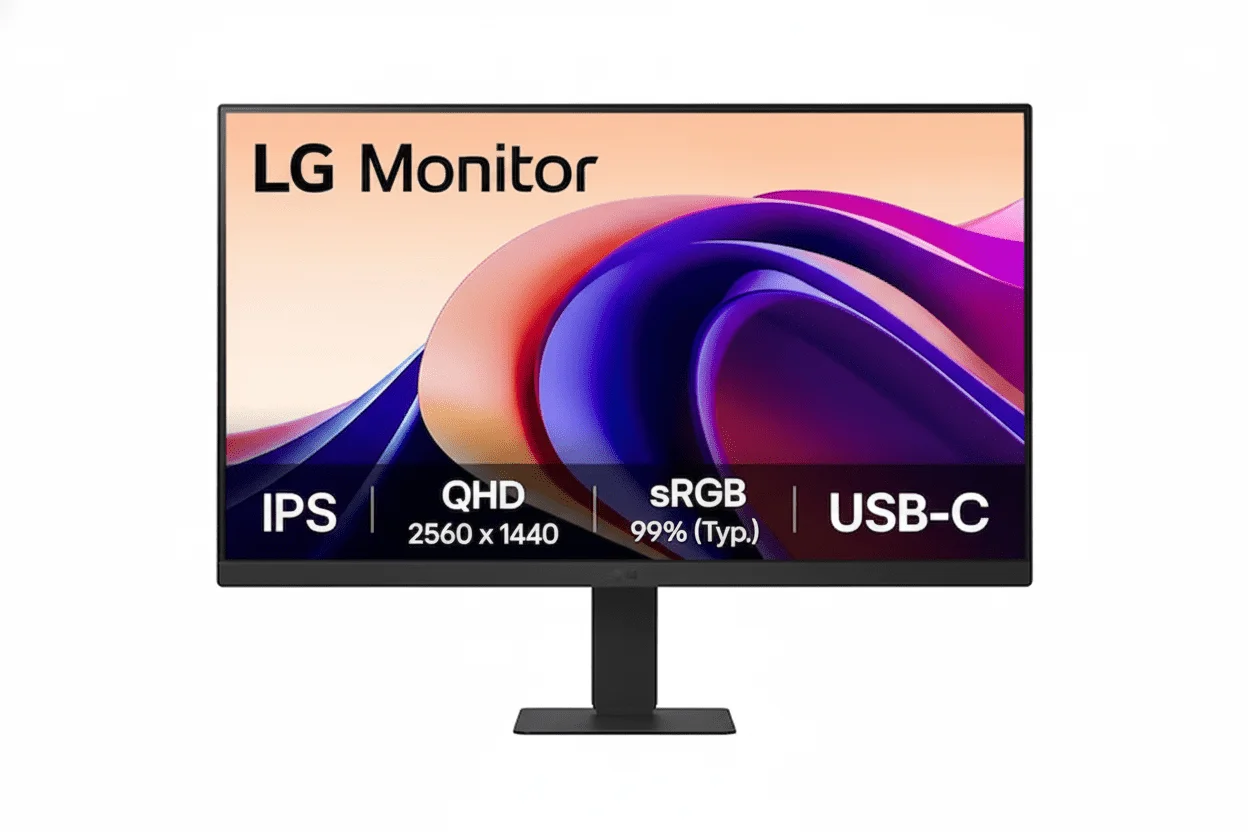
🎯 Unbeatable Value: 100Hz IPS + FreeSync for Just ₹7,349!
The perfect entry-level monitor for smooth, everyday performance
LG 24MR400-B 24″
24″ FHD 100Hz | IPS Panel | AMD FreeSync™ | sRGB 99% | Reader Mode
1920×1080 Resolution – 5ms Response – 250 nits Brightness – Flicker Safe – 3-Side Slim Bezel
⚡ The Perfect Entry-Level Monitor Experience:
• 100Hz Refresh Rate: 67% smoother than 60Hz – fluid everyday experience
• IPS Panel: Vibrant colors with sRGB 99% coverage and wide viewing angles
• Display: 23.8″ Full HD (1920×1080) – 92 PPI – 16:9 Aspect Ratio
• AMD FreeSync™: Eliminates screen tearing for smooth gaming
• Gaming Features: Black Stabilizer + Dynamic Action Sync for competitive edge
• Eye Care: Reader Mode + Flicker Safe technology for all-day comfort
• Design: 3-Side slim bezel + VESA 100×100mm mount support
• Value: Premium features at entry-level price – redefines budget segment
🌍 Global Availability
• India: ₹7,349 (Amazon – 55% discount available)
• USA: $79.99 (LG.com, Walmart – Available Now)
• UK: £79-89 estimated
• Europe: €89-99 varies by country
• Availability: Widely available at major retailers
Refresh Rate
100Hz
Panel Type
IPS
Color Gamut
sRGB 99%
LG 24MR400-B Overview – The Budget 100Hz IPS Champion
🖥️ Display Excellence
- 23.8″ FHD: 1920×1080 resolution – 92 PPI
- IPS Panel: Wide viewing angles (178°)
- sRGB 99%: Accurate, vibrant colors
- 250 Nits: Good brightness for indoor use
- 1300:1 Contrast: 1000:1 minimum guaranteed
- 16.7M Colors: Smooth color gradients
- 3-Side Bezel: Slim, modern design
- Anti-Glare: Reduces reflections
⚡ Performance
- 🔄 100Hz Refresh: Smooth motion
- ⚡ 5ms GtG: Fast response time
- 🎮 AMD FreeSync™: Tear-free gaming
- 🎯 Black Stabilizer: See dark areas
- 💨 Dynamic Action Sync: Low input lag
- 👁️ Flicker Safe: Reduces eye strain
💎 Value Features
- • Reader Mode: Paper-like reading experience
- • OnScreen Control: Software-based settings
- • Screen Split: Multi-window layouts
- • VESA Mount: 100×100mm compatibility
- • 3-Year Warranty: India (1-year USA/UK)
- • Energy Efficient: Low power consumption
🎯 What Makes LG 24MR400-B Special?
The LG 24MR400-B redefines the entry-level monitor segment by delivering a feature set once reserved for monitors costing ₹12,000-15,000. At just ₹7,349 (55% off MRP ₹16,500), this monitor provides exceptional value through its 100Hz IPS panel, AMD FreeSync™, and sRGB 99% color accuracy. The combination creates a smooth, colorful viewing experience that dramatically surpasses typical 60Hz budget monitors.
The 100Hz refresh rate is the standout feature at this price point. While 60Hz has been the budget standard for years, the 100Hz panel delivers 67% more frames per second, creating noticeably smoother motion when scrolling web pages, dragging windows, or playing casual games. This single upgrade elevates the entire user experience, making everyday computing feel more responsive and premium.
The 23.8-inch IPS panel with sRGB 99% coverage ensures accurate, vibrant colors with excellent viewing angles. IPS technology means colors remain consistent whether viewed straight-on or from the side – crucial for sharing screen content or multi-monitor setups. The 1920×1080 Full HD resolution at 92 PPI provides sharp text and images suitable for productivity, media consumption, and gaming at typical viewing distances.
AMD FreeSync™ technology eliminates screen tearing by synchronizing the monitor’s refresh rate with compatible AMD or NVIDIA graphics cards. This creates smooth, tear-free gameplay even when frame rates fluctuate. Combined with Dynamic Action Sync (reduced input lag) and Black Stabilizer (brightens dark areas), the 24MR400-B delivers a genuinely competitive gaming experience for esports titles like Valorant, CS2, League of Legends, and Fortnite.
The eye care features set this monitor apart for all-day use. Reader Mode adjusts color temperature and brightness to create a paper-like reading experience, reducing blue light exposure during document work. Flicker Safe technology eliminates screen flicker, preventing eye fatigue during marathon work or gaming sessions. These features make the 24MR400-B ideal for students, professionals, and anyone spending extended hours in front of screens.
LG achieves this incredible value through smart, targeted compromises. The stand offers only tilt adjustment (no height/swivel/pivot), connectivity is limited to HDMI and VGA (no DisplayPort or USB hub), and there are no built-in speakers. By cutting features that can be easily supplemented with external accessories, LG focuses the entire budget on what matters most: a fast, colorful, tear-free display experience.
Display Quality – 23.8″ Full HD IPS Panel
📺 23.8″ Full HD – Perfect for Daily Use
The 23.8-inch screen size is ideal for most desk setups, providing ample workspace without requiring excessive desk depth or head movement. At typical viewing distances (50-70cm), the 1920×1080 Full HD resolution delivers 92 pixels per inch – sharp enough for crisp text, detailed images, and comfortable media viewing without pixelation.
The 16:9 aspect ratio is perfectly optimized for modern content – movies, streaming services, games, and web browsing all display without black bars or stretching. For productivity, the Full HD resolution provides sufficient workspace for side-by-side documents, with enough screen real estate for comfortable multitasking without feeling cramped.
Display Size Benefits
- • Size: 23.8″ (60.45cm) diagonal – ideal for most desks
- • Resolution: 1920×1080 (92 PPI) – sharp text and images
- • Viewing Distance: Optimal at 50-70cm from screen
- • Workspace: Comfortable for documents and multitasking
🎨 IPS Panel – Superior Color & Viewing Angles
IPS (In-Plane Switching) technology delivers superior color accuracy and viewing angles compared to budget TN panels. The 178°/178° horizontal and vertical viewing angles mean colors remain consistent even when viewing from the side or at angles – perfect for sharing content with others, collaborative work, or multi-monitor setups where side monitors sit at angles.
The sRGB 99% color gamut coverage ensures accurate, vibrant colors that closely match the standard used by web content, photography, and digital media. While not designed for professional color grading (which requires wider gamuts like DCI-P3 or Adobe RGB), the color accuracy is excellent for everyday use, gaming, and casual content creation.
IPS Panel Advantages
- • Technology: IPS – better than TN, different from VA
- • Viewing Angles: 178°/178° – colors stay consistent
- • Color Gamut: sRGB 99% – accurate web/media colors
- • Color Depth: 16.7 million colors (8-bit)
💡 Brightness & Contrast Performance
☀️ 250 Nits Brightness
The 250 cd/m² typical brightness is well-suited for indoor environments with normal lighting. This brightness level provides comfortable viewing in offices, bedrooms, and living rooms without the eye strain of overly bright displays. While not ideal for brightly-lit rooms with direct sunlight, the anti-glare coating helps reduce reflections and maintain visibility in most conditions.
For budget monitors, 250 nits is the standard brightness level that balances cost, power consumption, and viewing comfort. Premium monitors offer 300-400 nits for HDR content, but at the entry-level price point, 250 nits is perfectly adequate for everyday use. The brightness is adjustable through on-screen controls to match your environment and preferences.
🌓 1300:1 Contrast Ratio
The 1300:1 typical contrast ratio (1000:1 minimum) is standard for IPS panels and provides decent differentiation between bright and dark areas. IPS panels traditionally sacrifice contrast compared to VA panels (which achieve 2500:1+), but the trade-off brings better viewing angles and color consistency. For general use, gaming, and media consumption, 1300:1 contrast is perfectly acceptable.
The contrast performance means blacks appear dark gray rather than pure black, which is noticeable in dark room movie viewing. However, for typical office/gaming environments with ambient lighting, the contrast is more than sufficient. Games, videos, and productivity applications look vibrant and detailed without feeling washed out.
📐 Display Specifications Summary
Resolution & Size
1920×1080 Full HD at 23.8″ provides 92 PPI – sharp for daily use. 16:9 aspect ratio optimized for modern content and gaming.
Panel Quality
IPS panel, sRGB 99%, 1300:1 contrast. 178° viewing angles. 16.7M colors (8-bit). Anti-glare coating.
Brightness & Features
250 nits brightness – good for indoor use. 3-side slim bezel design. Flicker Safe technology for eye comfort.
Gaming Performance – 100Hz Refresh Rate & AMD FreeSync™
🔄 100Hz Refresh Rate – Smooth Gaming on a Budget
The 100Hz refresh rate is a game-changer at this price point, delivering dramatically smoother motion compared to standard 60Hz monitors. At 100 frames per second, each frame displays for 10 milliseconds – 67% faster than 60Hz (16.67ms per frame). This creates noticeably smoother animations, reduced motion blur, and more responsive gameplay.
For entry-level gaming, 100Hz hits the perfect sweet spot. It’s significantly smoother than 60Hz for competitive games like Valorant, CS2, League of Legends, and Fortnite, yet it doesn’t require the expensive GPUs needed to sustain 144Hz or 240Hz. Most budget and mid-range graphics cards (GTX 1650, RTX 3050, RX 6600) can comfortably hit 100fps in esports titles, making this monitor perfectly matched to entry-level gaming PCs.
100Hz Benefits
- • Smoothness: 67% smoother than 60Hz standard
- • Frame Time: 10ms per frame vs 16.67ms at 60Hz
- • GPU Friendly: Easier to hit than 144Hz or 240Hz
- • Esports Ready: Smooth for competitive gaming
⚡ 5ms Response Time – Fast for IPS
The 5ms Gray-to-Gray (GtG) response time is respectable for an IPS panel at this price. While not as fast as 1ms gaming monitors, 5ms is fast enough to prevent noticeable ghosting in most games. Fast-paced shooters, racing games, and action titles remain clear and sharp without significant motion blur or trailing artifacts behind moving objects.
For budget gaming, 5ms GtG is the acceptable standard. Professional esports players might prefer 1ms panels, but for casual and entry-level competitive gaming, the difference is minimal. The 100Hz refresh rate contributes more to motion clarity than the 5ms response time, and the combination provides a smooth, responsive gaming experience that far exceeds 60Hz/5ms monitors.
Response Time Details
- • Response: 5ms GtG – standard for IPS panels
- • Ghosting: Minimal in most gaming scenarios
- • Trade-off: Slower than 1ms, but with IPS color benefits
- • Suitable For: Casual and competitive entry-level gaming
🎮 AMD FreeSync™ – Tear-Free Gaming
🔥 How FreeSync Works
AMD FreeSync™ is adaptive sync technology that synchronizes the monitor’s refresh rate with your graphics card’s frame rate output. When your GPU renders 85fps, the monitor refreshes at 85Hz; at 100fps, it refreshes at 100Hz. This dynamic matching eliminates screen tearing (horizontal lines during fast motion) and stuttering, creating perfectly smooth visuals.
The FreeSync range likely spans 48-100Hz (typical for entry-level FreeSync monitors). Within this range, you get tear-free gaming even when frame rates fluctuate. This is especially valuable for entry-level gaming where consistent frame rates are harder to maintain. FreeSync works with both AMD and NVIDIA graphics cards (NVIDIA calls it G-SYNC Compatible mode).
⚙️ Gaming Features
Black Stabilizer brightens dark areas in games without overexposing bright areas, making it easier to spot enemies hiding in shadows. This provides a tactical advantage in competitive shooters like CS2, Valorant, and Rainbow Six Siege where visibility in dark corners is crucial.
Dynamic Action Sync reduces input lag by minimizing the delay between pressing a button and seeing the action on screen. Lower input lag means faster reactions and more responsive gameplay – critical for competitive gaming where milliseconds matter. Combined with 100Hz and FreeSync, the gaming experience feels smooth, responsive, and competitive.
⚠️ GPU Requirements & Performance Expectations
💻 Recommended GPUs for 100Hz Gaming
Hitting 100fps at Full HD is achievable with budget and mid-range GPUs. For competitive esports titles (Valorant, CS2, League of Legends, Fortnite, Overwatch 2), even entry-level cards like NVIDIA GTX 1650 / GTX 1660 or AMD RX 6500 XT / RX 6600 can achieve 100+ fps at medium-high settings.
For AAA single-player games (Cyberpunk 2077, Red Dead Redemption 2, Starfield), you’ll need mid-range cards like RTX 3060 / RTX 4060 or RX 6700 XT / RX 7600 to maintain 80-100fps at medium-high settings. This monitor’s 100Hz ceiling perfectly matches the capabilities of budget gaming systems, preventing GPU bottlenecks.
🎯 Perfect Entry-Level Match
The 100Hz refresh rate perfectly complements budget gaming builds. Unlike 144Hz or 240Hz monitors that require expensive GPUs to fully utilize, this monitor’s 100Hz target is achievable with affordable graphics cards. This means you can build a complete gaming system (PC + monitor) within a reasonable budget without overspending on unused refresh rate capacity.
Even if you can’t hit 100fps constantly, running games at 70-90fps with FreeSync enabled still looks smoother than locked 60fps on a 60Hz monitor. The variable refresh rate technology ensures smooth, tear-free visuals across the entire performance range, making the monitor future-proof as you upgrade your GPU over time.
Smart Features – OnScreen Control & Screen Split
🖱️ OnScreen Control – Software-Based Settings
OnScreen Control is LG’s software utility that allows you to adjust monitor settings using your mouse and keyboard instead of fumbling with physical buttons. The intuitive interface provides quick access to brightness, contrast, color temperature, gaming modes, and picture presets. This software-based control is significantly more convenient than navigating traditional OSD menus with physical buttons.
The software includes preset profiles for different usage scenarios: Reader Mode for documents, Game Mode for enhanced gaming visuals, Cinema Mode for movies, and Custom modes you can configure. Switching between profiles is instant, allowing you to optimize the display for whatever you’re doing without manual adjustments.
📐 Screen Split – Multi-Window Layouts
Screen Split feature divides your monitor into organized layouts for improved multitasking. You can choose from multiple preset layouts (split screen, picture-in-picture, grid layouts) that automatically snap windows into position. This is particularly useful for productivity tasks like document editing with reference materials, coding with documentation, or gaming with streaming/chat windows.
While Windows 11 includes basic snap layouts, LG’s Screen Split offers more layout options and finer control over window positioning. The feature works seamlessly with OnScreen Control, allowing you to save custom layouts for different workflows and switch between them instantly.
Eye Care Technology – Reader Mode & Flicker Safe
📖 Reader Mode – Paper-Like Reading Experience
Reader Mode transforms your monitor into a comfortable reading surface by adjusting color temperature and luminance to mimic printed paper. The mode reduces blue light emission, which is linked to eye strain and sleep disruption, making it ideal for extended reading sessions, document work, research, or e-book consumption.
When activated, Reader Mode shifts the color temperature toward warmer tones (reducing blue/cyan light) and optimizes brightness for comfortable reading. This creates a softer, more natural viewing experience that reduces eye fatigue during all-day work sessions. The mode is easily toggled on/off through OnScreen Control software when switching between reading and other tasks.
Reader Mode Benefits
- • Blue Light Reduction: Less eye strain and fatigue
- • Warm Color Temp: Paper-like appearance
- • Ideal For: Documents, articles, e-books, research
- • Easy Toggle: Quick on/off via software
✨ Flicker Safe – Zero Flicker Technology
Flicker Safe technology eliminates screen flicker that occurs when monitors use PWM (Pulse Width Modulation) to control brightness. Traditional monitors flicker the backlight hundreds or thousands of times per second – imperceptible to conscious awareness but causing eye strain, headaches, and fatigue during extended use.
The LG 24MR400-B uses DC (Direct Current) backlight control instead of PWM, which eliminates flicker entirely across all brightness levels. This creates a stable, consistent image that’s significantly more comfortable for all-day viewing. The flicker-free technology is especially beneficial for users who experience headaches or eye discomfort with traditional monitors.
Flicker Safe Advantages
- • Zero Flicker: DC backlight eliminates PWM flicker
- • All Brightness Levels: Flicker-free at any setting
- • Reduces: Eye strain, headaches, fatigue
- • Ideal For: Extended work/gaming sessions
🛡️ Comprehensive Eye Protection
The combination of Reader Mode and Flicker Safe technology makes the LG 24MR400-B exceptionally comfortable for extended use. Whether you’re working on documents for hours, coding through the night, gaming in marathon sessions, or binge-watching content, these eye care features reduce fatigue and strain significantly compared to monitors without these technologies.
For students, professionals, and remote workers spending 6-10 hours daily in front of screens, these eye care features provide genuine health benefits. The reduced eye strain translates to improved productivity, better focus, and less discomfort at the end of long work days. Combined with the anti-glare coating that reduces reflections, the 24MR400-B is designed for all-day comfort.
Design & Ergonomics – 3-Side Slim Bezel & Tilt Stand
🖼️ 3-Side Slim Bezel Design
The 3-side slim bezel design creates a modern, minimalist aesthetic with thin borders on the top and sides. This design provides a more immersive viewing experience by reducing visual distractions around the screen. The slim bezels also make the monitor ideal for multi-monitor setups, allowing screens to sit closer together with minimal gaps between displays.
The bottom bezel is slightly thicker to accommodate the LG logo and maintain structural integrity, but the overall design feels contemporary and premium. The anti-glare coating on the screen surface reduces reflections, improving visibility in rooms with windows or overhead lighting. The matte finish prevents distracting glare without significantly impacting color vibrancy.
⚙️ Tilt-Only Stand
The included stand provides -5° to +20° tilt adjustment, allowing you to angle the screen for comfortable viewing. This basic tilt range is sufficient for most desk setups, letting you eliminate screen glare and find an ergonomic viewing angle. However, the stand does not offer height, swivel, or pivot adjustments – these premium ergonomic features have been sacrificed to hit the aggressive price point.
For users requiring full ergonomic adjustability, the monitor includes VESA 100×100mm mount compatibility. This standard mounting pattern allows you to attach any third-party monitor arm or desk mount, gaining height adjustment, swivel, pivot (portrait mode), and cable management. Quality VESA arms cost ₹1,500-3,000 and provide significantly better ergonomics than the stock stand.
🔌 Connectivity – HDMI & VGA Ports
📱 Available Ports
The LG 24MR400-B includes 1× HDMI port and 1× VGA (D-Sub) port. The HDMI connection supports the full 100Hz refresh rate at 1920×1080 resolution, making it the preferred connection for modern PCs and gaming consoles. The VGA port provides legacy compatibility for older computers, though VGA is limited to 60Hz and doesn’t support FreeSync.
There’s also a 3.5mm headphone jack for audio output. Since the monitor lacks built-in speakers, you’ll need external speakers or headphones for audio. The limited port selection is a deliberate compromise – by excluding DisplayPort, USB-C, and USB hub functionality, LG reduces costs to deliver better core display performance.
⚠️ Connectivity Limitations
No DisplayPort means no daisy-chaining for multi-monitor setups (requires DisplayPort MST). No USB-C means no single-cable laptop docking – you’ll need separate power, video, and USB connections when using laptops. No USB hub means no convenient peripheral connection through the monitor.
These omissions are acceptable for desktop PC gaming and basic productivity but limiting for laptop-centric workflows. If you need USB-C docking or USB hub functionality, consider spending more on mid-range monitors with expanded connectivity. For budget desktop gaming, the single HDMI port is sufficient.
📏 Physical Specifications
Dimensions
Without Stand: 540×320.04×50.5mm
With Stand: Width 540mm, Height 414.02mm
Depth with Stand: 200.66mm
Weight
Without Stand: 2.54 kg
With Stand: 2.95 kg
Portability: Light and easy to move
Mounting
VESA Mount: 100×100mm standard
Stand Tilt: -5° to +20°
Power: External power adapter
Who Should Buy LG 24MR400-B?
✅ Perfect For These Users
🎓 Students & Home Office Users
The 100Hz smoothness, Reader Mode, and Flicker Safe technology make this monitor ideal for students writing papers, attending online classes, and general productivity. The affordable price fits student budgets while delivering premium features. The eye care technologies reduce strain during all-day study sessions.
🎮 Entry-Level PC Gamers
For first-time PC builders or casual gamers, this monitor provides genuine 100Hz smooth gaming with FreeSync, Black Stabilizer, and Dynamic Action Sync at an unbeatable price. Perfect for competitive esports titles like Valorant, CS2, League of Legends, and Fortnite without requiring expensive GPUs.
🖥️ Second Monitor Users
The slim bezels, VESA mount support, and low price make this an excellent secondary display. Pair it with a primary high-refresh gaming monitor, use it for chat/streaming apps, or create a dual-monitor productivity setup. The 100Hz smoothness ensures consistent experience across both screens.
💼 Budget-Conscious Professionals
For remote workers, coders, writers, and general office tasks, this monitor delivers IPS color accuracy, comfortable eye care features, and smooth 100Hz desktop experience at an affordable price. The OnScreen Control and Screen Split features enhance productivity without premium pricing.
⚠️ Consider Alternatives If You Need
🎨 Professional Color Work
While sRGB 99% is good, photo/video professionals need wider color gamuts (DCI-P3, Adobe RGB), factory calibration, and higher resolution (QHD or 4K). Consider Dell UltraSharp or BenQ DesignVue series for professional content creation with accurate color reproduction.
🔌 Extensive Connectivity
With only HDMI and VGA, this monitor lacks DisplayPort, USB-C, and USB hub. If you need single-cable laptop docking, multiple input sources, or built-in USB connectivity for peripherals, spend more on mid-range monitors with expanded port selection.
⚙️ Full Ergonomic Adjustability
The tilt-only stand lacks height, swivel, and pivot adjustments. If you need comprehensive ergonomics without buying a separate VESA arm, choose monitors with fully adjustable stands. However, adding a ₹2,000 VESA arm provides better ergonomics than most stock stands.
🏆 Competitive Esports Performance
Serious competitive gamers chasing ranks need 144Hz-240Hz refresh rates and 1ms response times. While 100Hz is smooth, it’s not enough for top-tier performance. Consider AOC 24G2 (144Hz), ASUS VG259QM (280Hz), or BenQ Zowie (240Hz) for hardcore competitive gaming.
Top Competitors & Alternatives
AOC 24G2
24″ 144Hz IPS Gaming Monitor
₹13,999
India Price | 144Hz IPS | 1ms MPRT
Display: 24″ FHD (1920×1080) IPS, 144Hz, 1ms MPRT
Features: AMD FreeSync Premium, Low Input Lag Mode
Extras: Built-in speakers, height-adjustable stand
Ports: 2× HDMI 1.4, 1× DisplayPort 1.2, VGA
Why Choose AOC 24G2 Instead?
The AOC 24G2 offers 144Hz refresh rate (44% faster than 100Hz) with better ergonomics (height-adjustable stand) and built-in speakers. If your budget allows ₹6,600 more, the extra 44Hz smoothness and improved stand justify the premium for serious gamers who can drive 120-144fps consistently.
Why Choose LG 24MR400-B Instead?
Save ₹6,600 (47% cheaper) while still getting smooth 100Hz gaming. For entry-level systems that struggle to exceed 100fps, the LG provides identical real-world smoothness at massive savings. The Reader Mode and 3-year warranty (India) are exclusive advantages.
BenQ GW2480
24″ 60Hz IPS Office Monitor
₹8,999
India Price | 60Hz IPS | Eye Care
Display: 23.8″ FHD (1920×1080) IPS, 60Hz, 5ms
Features: Brightness Intelligence Plus, Low Blue Light
Extras: Built-in speakers, cable management
Ports: HDMI, DisplayPort, VGA, headphone jack
Why Choose BenQ GW2480 Instead?
The BenQ GW2480 includes built-in speakers and DisplayPort connectivity, plus BenQ’s Brightness Intelligence Plus auto-adjusts brightness based on ambient light. Better connectivity (3 video inputs) and convenience features for pure office productivity.
Why Choose LG 24MR400-B Instead?
100Hz vs 60Hz is a massive upgrade (67% smoother) for the same price. The AMD FreeSync, Black Stabilizer, and gaming features make the LG vastly superior for gaming and general smoothness. Save ₹1,650 in India while getting significantly better performance.
MSI PRO MP223
21.5″ 100Hz IPS Budget Monitor
₹5,299
India Price | 100Hz IPS | Eye Comfort
Display: 21.5″ FHD (1920×1080) IPS, 100Hz, 4ms
Features: TÜV Eye Comfort, Low Blue Light, Flicker-Free
Extras: VESA mount, EyeErgo design
Ports: HDMI, VGA
Why Choose MSI PRO MP223 Instead?
Save ₹2,050 (39% cheaper) while keeping 100Hz smoothness. The smaller 21.5″ size fits tight desk spaces better. TÜV Rheinland Eye Comfort certification provides credible eye care validation. Best ultra-budget 100Hz option.
Why Choose LG 24MR400-B Instead?
23.8″ provides 23% more screen area than 21.5″, creating better immersion and workspace. The sRGB 99% color accuracy, AMD FreeSync, and gaming features justify ₹2,050 extra. Better brand support and 3-year warranty in India.
ASUS VA27EHF
27″ 100Hz IPS Large Screen
₹9,999
India Price | 100Hz IPS | 27″ Screen
Display: 27″ FHD (1920×1080) IPS, 100Hz, 1ms MPRT
Features: AMD FreeSync, GamePlus features
Extras: Larger screen size, ASUS Eye Care
Ports: HDMI, VGA
Why Choose ASUS VA27EHF Instead?
27″ screen provides 28% more screen area than 24″, creating more immersive gaming and better multitasking workspace. The 1ms MPRT response time is faster than 5ms GtG. For ₹2,650 more, you get significantly larger display.
Why Choose LG 24MR400-B Instead?
Save ₹2,650 (36% cheaper) with better pixel density (92 PPI vs 82 PPI) for sharper text. The 24″ size is ideal for competitive gaming without excessive head movement. LG’s OnScreen Control and Reader Mode are superior software features.
Pros and Cons – LG 24MR400-B
✅ What We Loved
🎯 Unbeatable Value Proposition
At ₹7,349 (55% off), this monitor delivers 100Hz IPS performance previously costing ₹12,000-15,000. The combination of smooth refresh rate, accurate colors, FreeSync, and eye care features at this price is unprecedented. Redefines the entire budget monitor segment with premium features at entry-level pricing.
🔄 100Hz Smoothness Game-Changer
The 100Hz refresh rate creates 67% smoother motion than 60Hz, elevating everyday computing and gaming significantly. Web scrolling, window dragging, and casual games feel dramatically more responsive. Perfect match for entry-level gaming PCs without requiring expensive GPUs to sustain higher refresh rates.
🎨 Excellent IPS Color Quality
sRGB 99% coverage with IPS panel delivers vibrant, accurate colors with 178° viewing angles. Colors remain consistent from any angle, unlike budget TN panels. Perfect for media consumption, gaming, and general productivity. Better color quality than monitors costing ₹3,000-5,000 more.
🎮 Complete Gaming Feature Set
AMD FreeSync, Black Stabilizer, and Dynamic Action Sync provide genuine competitive gaming advantages. FreeSync eliminates tearing, Black Stabilizer reveals enemies in shadows, Dynamic Action Sync reduces input lag. Rare to find these features on monitors under ₹10,000.
👁️ Superior Eye Care Technologies
Reader Mode and Flicker Safe technology make extended use comfortable. Reader Mode reduces blue light for document work, Flicker Safe eliminates PWM flicker at all brightness levels. These features prevent eye strain, headaches, and fatigue during marathon work/gaming sessions.
🖥️ Modern Slim Bezel Design
3-side slim bezel creates minimalist aesthetic and improves immersion. Perfect for multi-monitor setups with minimal gaps between displays. The contemporary design feels premium despite budget pricing. Anti-glare coating reduces reflections effectively.
🛡️ Generous 3-Year Warranty (India)
3-year warranty in India (1-year USA/UK) provides exceptional peace of mind for budget purchase. Most budget monitors offer 1-year coverage. LG’s extended warranty demonstrates confidence in product reliability and provides long-term protection.
⚠️ What Could Be Better
⚙️ Basic Tilt-Only Stand
The stand offers only -5° to +20° tilt adjustment with no height, swivel, or pivot functionality. This limits ergonomic positioning options, though VESA 100×100mm mount allows third-party arms. The compromise is acceptable at this price, but users wanting full adjustability need to budget ₹1,500-3,000 for VESA arms.
🔌 Limited Port Selection
Only HDMI and VGA ports – no DisplayPort, USB-C, or USB hub. This limits connectivity flexibility for multi-input setups and eliminates single-cable laptop docking. Cannot daisy-chain monitors or connect peripherals through monitor. Acceptable for single desktop PC use, limiting for advanced setups.
🔇 No Built-In Speakers
Lack of integrated speakers requires external audio solution. While monitor speakers are typically mediocre, they provide convenience for basic audio needs. Users must purchase separate speakers or use headphones. The 3.5mm audio jack allows audio passthrough from HDMI sources.
🔋 External Power Adapter
External power brick adds desk clutter compared to internal power supplies found on premium monitors. The brick and cable take up space and create cable management challenges. While standard for budget monitors, integrated power would improve the clean desk aesthetic.
💡 Modest 250 Nits Brightness
250 cd/m² brightness is adequate for indoor use but struggles with direct sunlight. Rooms with large windows or bright overhead lighting may require closing curtains for optimal viewing. Premium monitors offer 300-400+ nits for better visibility in bright environments. Acceptable for typical office/gaming setups.
🎯 5ms Response Not Competitive-Level
5ms GtG response time is slower than 1ms gaming monitors. While adequate for casual and entry-level competitive gaming, hardcore esports players will notice the difference in fast-paced shooters. The trade-off brings IPS color quality – TN panels offer 1ms but with inferior colors and viewing angles.
Final Verdict – The New Budget Monitor Champion
Outstanding Value – Highly Recommended
🎯 The Bottom Line
The LG 24MR400-B fundamentally redefines what’s possible in the entry-level monitor segment. By delivering 100Hz IPS panel, AMD FreeSync™, sRGB 99% color accuracy, and comprehensive eye care features for just ₹7,349, LG has created a product that makes previous budget monitors feel obsolete. This is no longer a “good for the price” monitor – it’s a genuinely excellent monitor that happens to cost very little.
The 100Hz refresh rate is the transformative feature that elevates every aspect of the user experience. Whether you’re scrolling through documents, dragging windows, browsing the web, or playing competitive games, the 67% increase in smoothness over 60Hz is immediately noticeable. Combined with the vibrant IPS colors and FreeSync technology, the viewing experience rivals monitors costing ₹12,000-15,000.
What’s most impressive is LG’s strategic approach to compromises. By limiting the stand to tilt-only, excluding DisplayPort/USB-C connectivity, and omitting built-in speakers, LG focuses the entire budget on what actually matters: a fast, smooth, colorful display. These omitted features can be easily supplemented with inexpensive accessories, but the core display experience cannot be upgraded.
💡 Who Should Buy This?
This monitor is perfect for students, entry-level gamers, home office users, and anyone building their first PC. The combination of smooth 100Hz performance, eye care features, and gaming capabilities makes it equally suitable for productivity and entertainment. The ₹7,349 price point makes it accessible to nearly any budget.
Entry-level PC gamers will particularly appreciate this monitor. The 100Hz ceiling perfectly matches the capabilities of budget graphics cards (GTX 1650, RTX 3050, RX 6600), preventing GPU bottlenecks while delivering genuinely smooth competitive gaming. FreeSync, Black Stabilizer, and Dynamic Action Sync provide features typically found on monitors costing twice as much.
The only users who should look elsewhere are professionals needing wider color gamuts, users requiring extensive connectivity, or hardcore esports players demanding 144Hz+. For everyone else, the LG 24MR400-B represents exceptional value that’s difficult to match.
Final Recommendation: At ₹7,349, the LG 24MR400-B is the best budget monitor available in 2026. It delivers premium features at entry-level pricing, making it an easy recommendation for anyone seeking excellent value. Highly Recommended.
📊 Rating Breakdown
Frequently Asked Questions
❓ Is 100Hz really that much better than 60Hz?
Yes, absolutely. 100Hz delivers 67% more frames per second than 60Hz, creating noticeably smoother motion in everything from desktop navigation to gaming. The difference is immediately apparent when scrolling web pages, dragging windows, or playing games. Once you experience 100Hz, going back to 60Hz feels choppy and laggy. For the minimal price premium over 60Hz monitors, the smoothness improvement is transformative.
❓ Does this monitor work with NVIDIA graphics cards?
Yes, AMD FreeSync works with NVIDIA graphics cards (GTX 10-series and newer) through NVIDIA’s G-SYNC Compatible mode. Connect via HDMI, enable G-SYNC in NVIDIA Control Panel, and you’ll get the same tear-free adaptive sync experience as AMD users. Both AMD and NVIDIA users benefit equally from FreeSync on this monitor.
❓ Can my budget GPU run games at 100fps?
It depends on the games. Competitive esports titles (Valorant, CS2, League of Legends, Fortnite) easily hit 100+ fps on budget cards like GTX 1650, RTX 3050, or RX 6600 at medium-high settings. AAA games (Cyberpunk 2077, Red Dead Redemption 2) require mid-range cards (RTX 3060+, RX 6700 XT+) to approach 100fps. However, even running at 70-90fps with FreeSync looks smoother than locked 60fps on 60Hz monitors.
❓ Is IPS better than VA or TN panels?
IPS offers the best balance for most users. IPS provides excellent color accuracy, wide 178° viewing angles, and good all-around performance. VA panels have better contrast (deeper blacks) but slower response times and narrower viewing angles. TN panels offer the fastest response times but suffer from poor colors and terrible viewing angles. For this price point, IPS is the superior choice.
❓ Does Reader Mode really help with eye strain?
Yes, Reader Mode significantly reduces blue light emission, which studies link to eye strain and sleep disruption. By shifting color temperature toward warmer tones, Reader Mode creates a paper-like viewing experience that’s much more comfortable for extended reading. Combined with Flicker Safe technology (eliminates screen flicker), the monitor provides genuine eye comfort during all-day use. Many users report reduced headaches and eye fatigue.
❓ Can I mount this monitor on a VESA arm?
Yes, the monitor includes VESA 100×100mm mount compatibility, the industry standard for monitor arms. You can replace the basic tilt-only stand with any third-party VESA arm to gain height adjustment, swivel, pivot (portrait mode), and superior cable management. Quality VESA arms cost ₹1,500-3,000 and dramatically improve ergonomics and desk space utilization.
❓ Why doesn’t this monitor have DisplayPort?
Excluding DisplayPort reduces manufacturing costs, allowing LG to invest in the 100Hz IPS panel instead. For single-monitor desktop PC use, HDMI is sufficient – it fully supports 100Hz at 1920×1080 without limitations. DisplayPort is primarily needed for daisy-chaining monitors or specific professional applications. The trade-off is acceptable given the aggressive pricing and excellent display performance.
❓ Is 24 inches too small for gaming and productivity?
No, 23.8 inches is the sweet spot for most users. At typical viewing distances (50-70cm), 24″ provides comfortable viewing without requiring excessive head movement. The Full HD resolution delivers 92 PPI – sharp enough for productivity and gaming. Larger 27″ monitors at Full HD have lower pixel density (82 PPI), resulting in less sharp text. For competitive gaming, 24″ is preferred by esports professionals.
❓ How does this compare to 144Hz monitors?
144Hz is 44% smoother than 100Hz, but costs significantly more (typically ₹13,000-16,000). For entry-level systems that can’t sustain 144fps consistently, the extra refresh rate is wasted. The LG 24MR400-B at ₹7,349 provides 100Hz smoothness at half the cost. If your budget allows and your GPU can sustain 120-144fps, upgrade to 144Hz. Otherwise, 100Hz delivers exceptional value.
❓ Does this monitor have built-in speakers?
No, the monitor does not include built-in speakers. You’ll need external speakers or headphones for audio. However, the monitor includes a 3.5mm headphone jack for audio passthrough from HDMI sources. While this adds a minor inconvenience, excluding speakers allows LG to invest in better display quality. Most gamers use headphones anyway, and monitor speakers are typically low-quality.
❓ What’s the warranty coverage?
India receives a generous 3-year warranty, providing exceptional peace of mind for a budget purchase. USA and UK markets typically receive 1-year warranty. The extended India warranty demonstrates LG’s confidence in product reliability and provides long-term protection. This is significantly better than most budget monitors, which offer only 1-year coverage.
❓ Can I use this for PS5 or Xbox Series X gaming?
Yes, the monitor works with consoles via HDMI, but you won’t benefit from the full 100Hz refresh rate. PS5 and Xbox Series X output 60Hz at 1080p for most games (some support 120fps but require HDMI 2.1). The IPS color quality, FreeSync (Xbox supports it), and fast 5ms response time still provide good console gaming experience, but a TV might offer better value for console-primary setups.
Complete Technical Specifications
| Display Specifications | |
|---|---|
| Screen Size | 23.8 inches (60.45 cm diagonal) |
| Panel Type | IPS (In-Plane Switching) |
| Resolution | 1920 × 1080 (Full HD, 1080p) |
| Aspect Ratio | 16:9 |
| Pixel Pitch | 0.2745 mm |
| Pixel Density | 92 PPI (Pixels Per Inch) |
| Refresh Rate | 100Hz |
| Response Time | 5ms (GtG – Gray to Gray) |
| Color & Image Quality | |
|---|---|
| Color Gamut | sRGB 99% (typical) |
| Color Depth | 16.7 Million Colors (8-bit) |
| Brightness | 250 cd/m² (typical) |
| Contrast Ratio | 1300:1 (typical), 1000:1 (minimum) |
| Viewing Angle | 178° Horizontal / 178° Vertical |
| Surface Treatment | Anti-Glare (Matte) |
| Gaming & Adaptive Sync | |
|---|---|
| Adaptive Sync | AMD FreeSync™ |
| FreeSync Range | 48-100Hz (estimated) |
| Black Stabilizer | Yes – Brightens dark game areas |
| Dynamic Action Sync | Yes – Reduces input lag |
| Crosshair | Not specified |
| Game Mode | Yes – Preset gaming picture modes |
| Eye Care & Comfort Features | |
|---|---|
| Reader Mode | Yes – Reduces blue light, paper-like viewing |
| Flicker Safe | Yes – Eliminates screen flicker (DC backlight) |
| Low Blue Light | Yes (via Reader Mode) |
| Anti-Glare Coating | Yes |
| Connectivity & Ports | |
|---|---|
| HDMI | 1 × HDMI (supports 100Hz at 1920×1080) |
| VGA (D-Sub) | 1 × VGA (60Hz limitation, no FreeSync) |
| DisplayPort | None |
| USB-C | None |
| USB Hub | None |
| Audio Out | 1 × 3.5mm Headphone Jack |
| Speakers | None (built-in speakers not included) |
| Software & Controls | |
|---|---|
| OnScreen Control | Yes – Software-based monitor settings control |
| Screen Split | Yes – Multi-window layout management |
| Picture Modes | Reader, Game, Cinema, Custom modes |
| OSD Languages | Multiple languages supported |
| Ergonomics & Design | |
|---|---|
| Stand Tilt | -5° to +20° (forward/backward) |
| Stand Height Adjustment | None |
| Stand Swivel | None |
| Stand Pivot (Portrait Mode) | None |
| VESA Mount | 100 × 100 mm |
| Bezel Design | 3-Side Slim Bezel (top and sides thin) |
| Cable Management | Basic (through stand) |
| Physical Dimensions & Weight | |
|---|---|
| Dimensions (Without Stand) | 540 × 320.04 × 50.5 mm (W × H × D) |
| Dimensions (With Stand) | 540 × 414.02 × 200.66 mm (W × H × D) |
| Weight (Without Stand) | 2.54 kg |
| Weight (With Stand) | 2.95 kg |
| Power & Environmental | |
|---|---|
| Power Supply | External Power Adapter (AC/DC) |
| Power Consumption (Typical) | ≈18W (estimated) |
| Power Consumption (Max) | ≈30W (estimated) |
| Power Saving Mode | Yes (Sleep mode supported) |
| Operating Temperature | 0°C to 40°C |
| Energy Efficiency | Energy Star compliant (region dependent) |
| Pricing & Warranty | |
|---|---|
| India Price | ₹7,349 (MRP ₹16,500 – 55% discount) |
| USA Price | $79.99 |
| UK Price | £79 (estimated) |
| Warranty (India) | 3 Years (manufacturer warranty) |
| Warranty (USA/UK) | 1 Year (manufacturer warranty) |
| Model Number | 24MR400-B |
| Launch Date | 2024 (available 2025-2026) |
Ready to Experience 100Hz Smoothness?
Get the LG 24MR400-B for just ₹7,349 – The best budget monitor of 2026!
🛒 Buy Now on Amazon India – ₹7,349✓ 3-Year Warranty | ✓ Free Delivery | ✓ 55% Discount