🎯 Maximum Screen for Minimum Cost: 27″ 100Hz IPS for Just ₹8,799!
The ideal choice for an immersive, large-screen experience on a tight budget
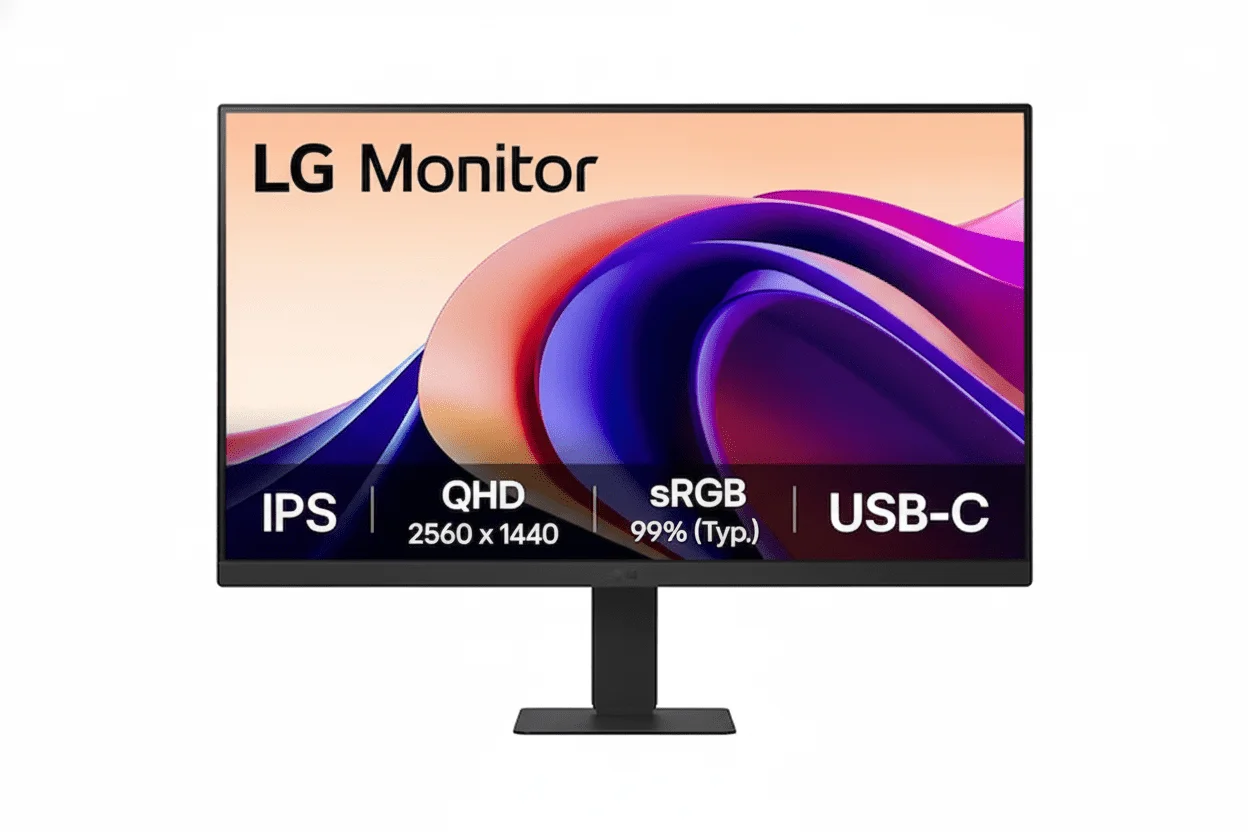
LG 27MR400-B 27″
27″ FHD 100Hz | IPS Panel | AMD FreeSync™ | sRGB 99% | Reader Mode
1920×1080 Resolution – 5ms Response – 250 nits Brightness – Flicker Safe – 3-Side Slim Bezel
⚡ The Ultimate Large-Screen Budget Experience:
• 27″ Large Screen: Maximum immersion – 28% larger than 24″ monitors
• 100Hz Refresh Rate: 67% smoother than 60Hz – fluid everyday experience
• IPS Panel: Vibrant colors with sRGB 99% coverage and wide viewing angles
• Display: 27″ Full HD (1920×1080) – 81 PPI – 16:9 Aspect Ratio
• AMD FreeSync™: Eliminates screen tearing for smooth gaming
• Gaming Features: Black Stabilizer + Dynamic Action Sync for competitive edge
• Eye Care: Reader Mode + Flicker Safe technology for all-day comfort
• Value: ₹8,799 for 27″ 100Hz IPS – impossible to match screen size per rupee
🌍 Global Availability
• India: ₹8,799 (Amazon – 54% discount available)
• USA: $89.99 (LG.com – Available Now)
• UK: £79 (LG UK, retailers)
• Europe: €89-99 varies by country
• Availability: Widely available at major retailers
Screen Size
27 inches
Refresh Rate
100Hz
Panel Type
IPS
LG 27MR400-B Overview – Maximum Screen Size at Minimum Price
🖥️ Large Screen Display
- 27″ Screen: 28% larger than 24″ monitors
- IPS Panel: Wide viewing angles (178°)
- sRGB 99%: Accurate, vibrant colors
- 250 Nits: Good brightness for indoor use
- 1300:1 Contrast: 1000:1 minimum guaranteed
- 16.7M Colors: Smooth color gradients
- 3-Side Bezel: Slim, modern design
- Anti-Glare: Reduces reflections
⚡ Smooth Performance
- 🔄 100Hz Refresh: Smooth motion
- ⚡ 5ms GtG: Fast response time
- 🎮 AMD FreeSync™: Tear-free gaming
- 🎯 Black Stabilizer: See dark areas
- 💨 Dynamic Action Sync: Low input lag
- 👁️ Flicker Safe: Reduces eye strain
💎 Budget Value
- • ₹8,799 Price: Unbeatable for 27″ 100Hz
- • Reader Mode: Paper-like reading experience
- • OnScreen Control: Software-based settings
- • Screen Split: Multi-window layouts
- • VESA Mount: 100×100mm compatibility
- • 3-Year Warranty: India (1-year USA/UK)
🎯 What Makes LG 27MR400-B Special?
The LG 27MR400-B takes the winning formula of its 24-inch sibling and supersizes it onto a larger 27-inch canvas. At just ₹8,799 (54% off MRP ₹19,000), this monitor delivers exceptional value by providing 28% more screen area than 24-inch displays while maintaining the same excellent 100Hz IPS panel quality, AMD FreeSync™, and comprehensive eye care features that made the 24MR400-B so popular.
The 27-inch screen size provides dramatically more immersive viewing for gaming, movies, and productivity tasks. The larger canvas makes multitasking more comfortable, allowing side-by-side documents or multiple browser tabs without cramped feeling. For budget-conscious users seeking maximum screen real estate, the 27MR400-B delivers more display area per rupee than virtually any competitor at this price point.
The 100Hz refresh rate remains the transformative feature that elevates this from basic budget monitor to genuinely smooth everyday experience. Whether scrolling web pages, dragging windows, or playing casual games, the 67% increase in smoothness over 60Hz is immediately noticeable. Combined with vibrant IPS colors (sRGB 99%) and FreeSync technology, the viewing experience rivals monitors costing ₹15,000-18,000.
The primary trade-off for the larger size is lower pixel density at 81 PPI (compared to 92 PPI on 24-inch FHD). The 1920×1080 resolution stretched across 27 inches means text and images appear slightly less sharp than smaller displays. This is acceptable for general use, media consumption, and gaming, but users accustomed to high-resolution displays or working extensively with text may notice the reduced crispness.
Like its smaller sibling, LG achieves this incredible value through strategic compromises on features less critical to core experience. The tilt-only stand lacks height/swivel/pivot adjustment. Connectivity is limited to HDMI and VGA without DisplayPort or USB-C. There are no built-in speakers. By eliminating premium features that can be supplemented externally, LG focuses budget on what matters most: a large, smooth, colorful display.
The choice between 24MR400-B (₹7,349) and 27MR400-B (₹8,799) comes down to personal preference. The 27-inch provides more immersive large-screen experience for just ₹1,450 extra, while the 24-inch delivers sharper image quality with better pixel density. For users prioritizing maximum screen size on tight budgets, the 27MR400-B’s value proposition is unmatched.
Display Quality – 27″ IPS Panel with Vibrant Colors
📺 Large 27-Inch Screen – Maximum Immersion
The 27-inch screen provides 28% more display area than 24-inch monitors, creating a dramatically more immersive viewing experience. The larger canvas is particularly beneficial for multitasking with multiple windows, gaming with wider field of view, and media consumption where bigger screen size enhances enjoyment. The spacious display reduces the need for constant window switching.
However, the Full HD (1920×1080) resolution on 27 inches results in 81 pixels per inch, lower than the 92 PPI of 24-inch FHD displays. This means text and fine details appear less sharp. For typical viewing distances (50-70cm), the difference is acceptable for general use, but users working extensively with text or coming from higher-resolution displays may notice reduced crispness. The trade-off is intentional: maximum screen size for minimum cost.
27″ Screen Advantages
- • Screen Area: 28% larger than 24″ (477 sq in vs 372 sq in)
- • Immersion: More engaging for gaming and movies
- • Multitasking: Comfortable side-by-side windows
- • Pixel Density: 81 PPI – acceptable for general use
🎨 IPS Panel – Accurate Colors & Wide Angles
The IPS (In-Plane Switching) panel technology delivers excellent color accuracy with sRGB 99% coverage, ensuring vibrant, lifelike colors for photos, videos, and games. The 178° horizontal and vertical viewing angles maintain consistent color and brightness from any position, making the monitor suitable for shared viewing or angled setups. Unlike TN panels, IPS doesn’t suffer from color shifting.
The 250 cd/m² brightness and 1300:1 contrast ratio (1000:1 minimum) provide good image quality for indoor environments. The brightness is sufficient for typical office and home lighting, though direct sunlight may require adjustments. The 16.7 million colors (8-bit) produce smooth gradients without banding. The anti-glare coating reduces reflections, improving visibility in various lighting conditions.
IPS Panel Benefits
- • Color Accuracy: sRGB 99% – vibrant, lifelike colors
- • Viewing Angles: 178°/178° – no color shift
- • Contrast: 1300:1 typical (1000:1 min)
- • Brightness: 250 nits – good for indoor use
⚖️ The Resolution Trade-Off – Size vs Sharpness
✅ When 27″ FHD Works Well
Gaming: The lower pixel density is less noticeable in fast-paced games where motion and smoothness matter more than ultra-sharp text. The larger screen provides better immersion and peripheral awareness.
Media Consumption: Movies, YouTube, and streaming content look great on the large screen. Most video content is 1080p anyway, making this a perfect match for native resolution playback.
General Browsing: Web browsing, social media, and casual productivity tasks work fine. The larger screen makes everything easier to see, which can offset slightly softer text for many users.
⚠️ When You Might Want Higher Resolution
Text-Heavy Work: Coding, writing, spreadsheets, or extensive document editing benefit from sharper text. Consider 24″ FHD (92 PPI) or 27″ QHD (109 PPI) for better clarity.
Photo/Video Editing: Creative work requires more pixels to see fine details. The 81 PPI isn’t sufficient for professional color-critical work where QHD or 4K displays are standard.
Close Viewing: If you sit closer than 50cm to the screen, the lower pixel density becomes more apparent. Optimal viewing distance is 60-80cm for comfortable 27″ FHD use.
Gaming Performance – 100Hz Refresh Rate & AMD FreeSync™
🔄 100Hz Refresh Rate – Smooth Gameplay
The 100Hz refresh rate is the standout feature that transforms this budget monitor into a genuinely smooth gaming experience. At 100 frames per second, each frame displays for 10 milliseconds – 67% faster than 60Hz (16.67ms). This creates noticeably smoother motion in games, reducing blur and improving responsiveness for competitive advantage.
For casual and esports gaming, 100Hz hits the sweet spot. It’s fast enough to provide significant smoothness improvement over 60Hz, yet easier for budget GPUs to achieve than 144Hz+. Games like Valorant, CS2, League of Legends, Fortnite, and older AAA titles can easily hit 100fps at 1080p with mid-range cards (GTX 1660, RX 6600, RTX 3050). The refresh rate enhances everything from desktop scrolling to video playback.
100Hz Benefits
- • Smoothness: 67% faster frame delivery than 60Hz
- • Frame Time: 10ms per frame vs 16.67ms (60Hz)
- • GPU Friendly: Easier to achieve than 144Hz
- • Everyday Benefit: Smoother desktop and browsing
🎮 AMD FreeSync™ – Tear-Free Gaming
AMD FreeSync™ adaptive sync technology eliminates screen tearing and stuttering by synchronizing the monitor’s refresh rate with your GPU’s frame output. This ensures smooth, consistent gameplay even when frame rates fluctuate between 48-100fps. The technology works with both AMD (RX 400 series+) and NVIDIA (GTX 10 series+) graphics cards.
FreeSync is particularly valuable for budget gaming where frame rates aren’t consistently maxed out. Instead of jarring tearing when frames dip below 100fps, FreeSync maintains smooth visuals by dynamically adjusting refresh rate. The 48-100Hz VRR range covers typical budget gaming scenarios, providing tear-free experience across most titles without requiring expensive high-end GPU.
FreeSync Advantages
- • No Tearing: Eliminates screen tearing artifacts
- • No Stuttering: Smooth even with variable FPS
- • VRR Range: 48-100Hz adaptive sync window
- • GPU Support: AMD & NVIDIA compatible
🎯 Advanced Gaming Features
⚫ Black Stabilizer
Black Stabilizer brightens dark areas without overexposing bright regions, helping you spot enemies hiding in shadows. This competitive feature is invaluable in games like Valorant, CS2, or battle royales where visibility in dark corners provides tactical advantage. The adjustable levels let you fine-tune darkness visibility to preference.
While not as sophisticated as HDR, Black Stabilizer provides practical gaming benefit at budget price point. It works in real-time without affecting overall image quality, making it useful for both competitive and single-player games with dark environments.
⚡ Dynamic Action Sync
Dynamic Action Sync reduces input lag by minimizing processing delay between controller input and on-screen action. In competitive gaming, every millisecond matters for reaction time. The feature works automatically, optimizing signal processing for fastest possible response without requiring manual configuration.
Combined with the 5ms GtG response time, Dynamic Action Sync ensures responsive gaming experience. While not matching 1ms gaming monitors, the 5ms response is sufficient for casual to intermediate competitive gaming without noticeable ghosting in most scenarios.
🎮 Expected Gaming Performance
✅ Great For These Games
Esports Titles: Valorant, CS2, League of Legends, Dota 2, Overwatch 2 – easily hit 100+ fps at 1080p with budget GPUs. The large 27″ screen improves awareness while 100Hz provides competitive smoothness.
Battle Royales: Fortnite, Apex Legends, PUBG – maintain 80-100fps on medium settings with GTX 1660/RX 6600. FreeSync ensures smooth experience even with frame rate dips.
Older AAA Games: Any game 3-5+ years old runs excellently. The 1080p resolution is easy to drive, and IPS colors make single-player adventures look vibrant.
⚠️ Recommended GPU Tier
Budget GPUs (GTX 1650, RX 6500 XT): Can hit 60-80fps in esports, FreeSync smooths it out. Perfect pairing for true budget gaming setup under ₹50,000 total.
Mid-Range GPUs (GTX 1660 Ti, RX 6600, RTX 3050): Ideal match – consistently hit 100fps in most games at medium-high settings. This is the sweet spot pairing.
Modern AAA Games: Latest demanding titles (Cyberpunk 2077, Starfield) will run 50-70fps on medium settings. FreeSync keeps it smooth, but consider 24″ FHD or upgrade GPU for higher settings.
Features – OnScreen Control & Screen Split
🖱️ OnScreen Control Software
LG’s OnScreen Control software provides convenient monitor settings adjustment using your mouse and keyboard, eliminating the need to navigate physical OSD buttons. The software interface lets you change brightness, contrast, picture modes, and color temperature with simple clicks. This is particularly useful for frequent adjustments between work and gaming scenarios.
The software also enables quick access to gaming features like Black Stabilizer and FreeSync, as well as eye care modes like Reader Mode. For users managing multiple monitors or frequently switching between use cases, OnScreen Control saves significant time compared to button-based OSD navigation. The intuitive interface is beginner-friendly.
📐 Screen Split – Multitasking Layouts
Screen Split feature provides preset window layout templates for efficient multitasking on the large 27-inch screen. Choose from layouts like side-by-side (50/50), three-column, or picture-in-picture arrangements to organize multiple applications. Windows snap automatically to defined regions, eliminating manual window dragging and resizing.
This feature is particularly valuable on 27-inch displays where screen real estate accommodates multiple full-sized windows comfortably. For productivity workflows requiring simultaneous document viewing, research with browsing, or code editing with reference materials, Screen Split streamlines organization. The presets can be customized and saved for repeated workflows.
🔌 Connectivity Options
📺 Video Inputs
The monitor includes 1× HDMI port and 1× D-Sub (VGA) port. The HDMI connection supports the full 100Hz refresh rate at 1920×1080, ensuring smooth gaming performance. The VGA port provides legacy compatibility for older systems, though it’s limited to 60Hz and analog signal quality. Most users will use HDMI exclusively.
The single HDMI port is a limitation if you want to connect multiple devices (PC + console) simultaneously. You’ll need to manually swap cables or use an HDMI switch. There’s no DisplayPort or USB-C, keeping the monitor budget-focused. For most single-PC setups, the connectivity is adequate.
🎧 Audio Output
The monitor features a 3.5mm headphone jack for audio output. When connected via HDMI, audio from your PC passes through to the headphone jack, providing convenient access without reaching to PC rear panel. This is useful for quickly plugging/unplugging headphones or speakers during gaming and work.
There are no built-in speakers, which is expected at this price point. Most users prefer external speakers or headphones anyway for better audio quality. The omission keeps costs down while maintaining the monitor’s value proposition of investing budget in display quality rather than mediocre speakers.
Eye Care Technology – Reader Mode & Flicker Safe
📖 Reader Mode – Paper-Like Experience
Reader Mode is a dedicated eye care setting that mimics the experience of reading on paper. The mode adjusts color temperature to warmer tones and reduces blue light output, which studies suggest may contribute to eye strain and sleep disruption during extended screen time. The luminance is optimized to reduce brightness without compromising readability.
This feature is particularly valuable for students, writers, researchers, or anyone reading documents, articles, or books on screen for hours. The warmer, softer appearance reduces eye fatigue compared to standard blue-heavy display modes. While it changes color accuracy (not suitable for photo editing), Reader Mode makes extended reading sessions significantly more comfortable. It can be toggled on/off via OnScreen Control.
Reader Mode Benefits
- • Blue Light Reduction: Lessens potential eye strain
- • Warm Color Temp: Paper-like comfortable viewing
- • Extended Reading: Reduces fatigue during long sessions
- • Quick Toggle: Easy on/off via software
✨ Flicker Safe – Invisible Comfort
Flicker Safe technology eliminates the invisible screen flickering common in monitors using PWM (Pulse Width Modulation) for brightness control. Standard displays flicker at high frequencies (often 200-250Hz) that aren’t consciously visible but can cause headaches, eye strain, and fatigue during prolonged use. LG’s Flicker Safe uses DC (Direct Current) dimming for truly flicker-free illumination.
The benefit is subtle but significant for all-day computer users, particularly those sensitive to flicker-induced eye strain. You won’t “see” the difference, but your eyes will feel less fatigued after 6-8 hour work sessions. Combined with Reader Mode and the IPS panel’s comfortable viewing angles, the 27MR400-B provides genuinely comfortable long-term viewing that justifies its positioning as everyday productivity monitor.
Flicker Safe Advantages
- • Zero Flicker: DC dimming eliminates PWM flicker
- • Reduced Strain: Less eye fatigue during extended use
- • Fewer Headaches: Helps sensitive users
- • Always Active: Works at all brightness levels
👁️ Complete Eye Care for All-Day Comfort
The combination of Reader Mode, Flicker Safe, and anti-glare coating makes the 27MR400-B exceptionally comfortable for extended viewing. For students attending online classes, remote workers on video calls, or gamers playing for hours, these eye care features reduce fatigue that accumulates during prolonged screen time.
The IPS panel’s wide viewing angles also contribute to comfort by maintaining consistent image quality even when you shift position or lean back. You don’t need to maintain perfect centered position, reducing neck and shoulder strain. The large 27-inch screen means less squinting to read text compared to smaller displays, which further reduces eye strain for many users.
For the ₹8,799 price point, having comprehensive eye care features is exceptional value typically found in premium displays. LG prioritizes user health alongside performance, making this monitor suitable not just for gaming but as an all-day everyday display for work, study, and entertainment.
Design & Ergonomics – Slim Bezel with Basic Stand
🖼️ 3-Side Slim Bezel Design
The monitor features a modern 3-side virtually borderless design with ultra-slim bezels on top and sides. This creates a clean, minimalist look that maximizes screen-to-body ratio and reduces visual distractions during gaming and content consumption. The slim bezels make the display appear larger than traditional thick-bezel monitors.
The design is particularly beneficial for multi-monitor setups where slim bezels create near-seamless displays when placed side-by-side. For dual-monitor productivity workflows, two 27MR400-B units provide massive 54-inch ultrawide workspace at combined ₹17,598 – exceptional value for expansive desktop real estate. The simple black finish maintains professional appearance suitable for home offices.
⚙️ Basic Tilt-Only Stand
The included stand provides basic tilt adjustment (-5° to +15°) to angle the screen for optimal viewing position. This allows you to eliminate glare from overhead lighting and find comfortable viewing angle for your desk setup. However, there’s no height, swivel, or pivot adjustment, which limits ergonomic flexibility compared to premium monitors.
For users needing better ergonomics, the monitor supports VESA 100×100mm mounting, allowing third-party monitor arms providing full height, swivel, and rotation adjustment. Budget monitor arms cost ₹1,500-3,000, still keeping total investment well below premium adjustable monitors while gaining superior flexibility. The basic stand keeps the monitor affordable while offering upgrade path.
📏 Physical Specifications & Build Quality
📐 Dimensions & Weight
The monitor measures approximately 614mm (W) × 462mm (H) × 195mm (D) with stand, occupying moderate desk space appropriate for 27-inch size. The weight is around 3.5-4kg, making it manageable for single-person setup without being flimsy. The stand footprint is reasonably compact, leaving space for keyboard and mouse.
The anti-glare matte screen coating reduces reflections from windows and overhead lights, improving visibility in various lighting conditions. The coating strikes good balance between anti-reflection properties and maintaining image clarity without excessive graininess sometimes found in aggressive matte coatings.
🔨 Build Quality & Durability
The monitor uses plastic construction appropriate for budget category, but LG’s build quality remains solid without feeling cheap. The panel doesn’t flex excessively, and the stand provides stable support without wobbling during typing. The bezels fit together neatly with consistent gaps, demonstrating good manufacturing quality control.
The monitor includes 3-year warranty in India (1-year in USA/UK), providing peace of mind for defects. LG’s established service network in India ensures support availability if issues arise. For the price, the build quality exceeds expectations of typical budget monitors, delivering reliable long-term performance.
Who Should Buy LG 27MR400-B?
✅ Perfect For These Users
🎮 Budget-Conscious Gamers
Gamers with tight budgets seeking maximum screen size and smooth 100Hz performance will love this monitor. The large 27″ display enhances immersion in single-player games and provides competitive awareness advantage in multiplayer titles. AMD FreeSync eliminates tearing, and gaming features like Black Stabilizer add value. For ₹8,799, this is exceptional entry-level gaming display.
📚 Students & Online Learners
Students attending online classes, taking notes, and researching benefit from large 27″ screen accommodating multiple windows comfortably. The Reader Mode and Flicker Safe reduce eye strain during long study sessions. The 100Hz makes scrolling through documents and web pages feel snappy. Screen Split organizes multiple reference materials efficiently for productive studying.
💼 Home Office Workers
Remote workers and general productivity users get spacious workspace for multitasking with spreadsheets, documents, and communication apps. The 27″ IPS display with excellent colors makes presentations and media look professional. Eye care features reduce fatigue during 8-hour workdays. OnScreen Control and Screen Split streamline workflow management efficiently.
🎬 Media Consumption Enthusiasts
Movie watchers, YouTube viewers, and streaming fans enjoy large 27″ screen with vibrant IPS colors for immersive entertainment. The 100Hz refresh makes video playback smoother than 60Hz displays. The anti-glare coating reduces reflections during varied lighting. For casual entertainment at budget price, this delivers excellent viewing experience for movies and shows.
💰 Maximum Screen Size Seekers
If your top priority is getting the largest possible screen from reputable brand at lowest price, the 27MR400-B is unbeatable. The ₹8,799 price for 27″ 100Hz IPS provides more screen area per rupee than virtually any competitor. For users who value size over ultra-sharp resolution, this represents exceptional value maximizing display real estate on minimal budget.
⚠️ Consider Alternatives If You Need
📝 Sharp Text for Productivity
Users doing extensive text-heavy work (coding, writing, spreadsheets) may find the 81 PPI resolution inadequate. Text appears softer than 24″ FHD (92 PPI) or 27″ QHD (109 PPI) displays. If you prioritize razor-sharp text clarity over large screen size, consider the 24MR400-B (₹7,349) for better pixel density or budget QHD monitors (₹14,000+) for superior sharpness at 27″.
🎨 Creative Professional Work
Photo editors, video editors, and graphic designers need higher resolution for detailed work and precise editing. The 1920×1080 resolution doesn’t provide enough pixels for professional creative workflows. Invest in 27″ QHD (2560×1440) or 4K displays (₹18,000-30,000+) that offer necessary detail, color accuracy, and workspace for professional tools.
⚙️ Ergonomic Adjustability
Users requiring height, swivel, and pivot adjustment for ergonomic comfort should budget for monitor arm (₹1,500-3,000) or choose monitors with fully adjustable stands. The tilt-only stand is limiting for users needing precise positioning for health and comfort. Alternatively, premium ergonomic monitors (₹15,000+) include comprehensive adjustment out-of-box.
🔌 Multiple Device Connectivity
The single HDMI port requires cable swapping for multiple devices (PC + console + laptop). Users needing simultaneous multi-device connectivity should consider monitors with 2× HDMI + DisplayPort (₹10,000-12,000) or budget external HDMI switch (₹500-1,000). The limited connectivity is acceptable for single-PC setups but frustrating for complex configurations.
🏆 Competitive High-Refresh Gaming
Serious competitive gamers prioritizing maximum refresh rates need 144Hz+ displays for smoothest possible motion. While 100Hz is significant upgrade over 60Hz, dedicated esports players benefit from 144Hz-165Hz panels (₹10,000-14,000 for 24″ 144Hz). The 100Hz is excellent for casual-intermediate gaming but not quite esports-competitive level preferred by hardcore players.
Top Competitors & Alternatives
LG 24MR400-B (Its Sibling)
24″ FHD 100Hz IPS
₹7,349
24″ FHD | 100Hz | IPS | AMD FreeSync™
Display: 24″ Full HD (1920×1080), IPS, 100Hz, 5ms
Features: Same gaming features, eye care, OnScreen Control
Advantage: Sharper image at 92 PPI vs 81 PPI
Ports: Identical – 1× HDMI, 1× VGA, headphone jack
Why Choose 24MR400-B Instead?
Save ₹1,450 while getting sharper 92 PPI image quality. The smaller size delivers better text clarity for productivity work. Fits better on smaller desks. If you prioritize sharpness over size and have limited desk space, the 24″ model is smarter choice. Same features, smaller footprint, sharper display.
Why Choose 27MR400-B Instead?
28% more screen area provides significantly more immersive experience for just ₹1,450 extra. The larger display is better for gaming immersion, movie watching, and comfortable multitasking. If you have desk space and prioritize maximum viewing area, the 27″ size justifies small premium for enhanced experience.
AOC 27G2 Gaming Monitor
27″ FHD 165Hz IPS Gaming
₹12,999
27″ FHD | 165Hz | IPS | AMD FreeSync Premium
Display: 27″ Full HD (1920×1080), IPS, 165Hz, 1ms MPRT
Features: FreeSync Premium, Low Input Lag, gaming OSD
Advantage: 65% faster refresh (165Hz vs 100Hz)
Ports: 2× HDMI 1.4, 1× DisplayPort 1.2, VGA, headphone
Why Choose AOC 27G2 Instead?
48% price premium (₹4,200 extra) gets 65% faster 165Hz refresh for serious gaming. The faster response time (1ms MPRT vs 5ms GtG) reduces motion blur further. Dedicated gaming-focused monitor with better connectivity (2× HDMI + DisplayPort). Choose if competitive gaming is priority and budget allows ₹13K.
Why Choose 27MR400-B Instead?
Save ₹4,200 (48% cheaper) while still getting smooth 100Hz that’s significant upgrade over 60Hz. The 100Hz vs 165Hz difference is smaller than 60Hz to 100Hz jump – diminishing returns for casual gamers. Better value for mixed-use (work + gaming) with excellent eye care features. Reader Mode and LG software ecosystem add productivity value AOC lacks.
BenQ GW2780 Business Monitor
27″ FHD 60Hz IPS Productivity
₹9,999
27″ FHD | 60Hz | IPS | Eye Care Focus
Display: 27″ Full HD (1920×1080), IPS, 60Hz, 5ms
Features: BenQ Eye-Care (Low Blue Light, Flicker-Free)
Advantage: Built-in 2W speakers, BenQ brand reputation
Ports: 1× HDMI, 1× DisplayPort, 1× VGA, headphone, audio-in
Why Choose BenQ GW2780 Instead?
BenQ’s established eye-care technology and built-in speakers add convenience. The DisplayPort connectivity provides better cable option. BenQ’s reputation for business/productivity monitors appeals to corporate users. Choose if you need speakers, prefer 60Hz for pure office work, and trust BenQ’s brand heritage in professional displays.
Why Choose 27MR400-B Instead?
Save ₹1,200 (14% cheaper) while getting 67% smoother 100Hz experience. The 100Hz makes everything from scrolling to gaming feel modern and responsive compared to dated 60Hz. LG’s eye care (Reader Mode + Flicker Safe) matches BenQ’s technology. AMD FreeSync adds gaming capability BenQ lacks. Better value for mixed productivity and entertainment use.
MSI PRO MP273 Business
27″ FHD 100Hz IPS Business
₹10,499
27″ FHD | 100Hz | IPS | Anti-Flicker
Display: 27″ Full HD (1920×1080), IPS, 100Hz, 5ms
Features: Anti-Flicker, Less Blue Light, frameless design
Advantage: MSI gaming brand heritage, modern design
Ports: 1× HDMI 1.4, 1× VGA, headphone jack
Why Choose MSI MP273 Instead?
MSI’s gaming brand reputation and slightly more premium design aesthetic. The same 100Hz refresh rate with MSI’s eye care technology. If you prefer MSI brand over LG and want business-oriented styling with gaming smoothness, this delivers similar experience with different brand positioning.
Why Choose 27MR400-B Instead?
Save ₹1,700 (19% cheaper) for essentially identical specifications. Both offer 27″ FHD 100Hz IPS with eye care – the LG provides same experience for significantly less money. LG’s OnScreen Control software and Reader Mode arguably superior to MSI’s offerings. Better value proposition unless MSI brand specifically preferred.
Pros and Cons – LG 27MR400-B
✅ What We Loved
💰 Exceptional Value – ₹8,799 for 27″ 100Hz
The ₹8,799 price (54% off MRP ₹19,000) delivers unbeatable value for 27-inch 100Hz IPS monitor. This provides more screen area per rupee than virtually any competitor, making it the price-to-performance champion for budget buyers seeking maximum display size without compromising on smoothness or color quality.
📺 Large 27-Inch Screen – Maximum Immersion
The 27-inch screen provides 28% more display area than 24-inch monitors, creating dramatically more immersive experience for gaming, movies, and multitasking. The spacious canvas makes side-by-side windows comfortable for productivity while enhancing gaming engagement. For users prioritizing screen size on budget, this is maximum value.
🔄 Smooth 100Hz Refresh Rate
The 100Hz refresh rate provides 67% faster frame delivery than 60Hz, creating noticeably smoother experience for everything from desktop scrolling to gaming. At this price point, having 100Hz is exceptional – most budget monitors remain stuck at 60Hz. The smoothness enhances everyday usability significantly.
🎨 Excellent IPS Color Quality
The IPS panel delivers vibrant, accurate colors with sRGB 99% coverage and 178° viewing angles that maintain consistency from any position. The color quality rivals monitors costing ₹15,000+, making this exceptional for media consumption and casual content creation. The anti-glare coating reduces reflections effectively.
🎮 AMD FreeSync™ – Tear-Free Gaming
AMD FreeSync eliminates screen tearing and stuttering by synchronizing refresh rate with GPU output. This provides smooth gaming experience even with variable frame rates, crucial for budget gaming where consistent 100fps isn’t always achievable. Works with both AMD and NVIDIA GPUs for universal compatibility.
👁️ Comprehensive Eye Care Features
The Reader Mode and Flicker Safe technology reduce eye strain during extended viewing. Reader Mode mimics paper for comfortable reading, while Flicker Safe eliminates PWM flicker causing headaches. For all-day computer users, these features provide genuinely comfortable long-term viewing rare at budget price.
🖱️ OnScreen Control & Screen Split
LG’s OnScreen Control software provides mouse-based settings adjustment, eliminating tedious button navigation. Screen Split enables preset window layouts for efficient multitasking on the large screen. These software features add productivity value typically absent in budget monitors.
✅ Reliable LG Brand & 3-Year Warranty
LG’s established reputation and 3-year warranty in India (1-year USA/UK) provide peace of mind. The extensive service network ensures support availability if issues arise. Brand reliability at budget pricing is exceptional value, avoiding risks associated with unknown brands.
⚠️ What Could Be Better
📐 Lower Pixel Density – 81 PPI
The 1920×1080 resolution on 27 inches results in 81 pixels per inch, lower than 24″ FHD (92 PPI) or 27″ QHD (109 PPI). Text and fine details appear less sharp, particularly noticeable for users accustomed to higher-resolution displays. This is acceptable trade-off for screen size at budget price, but may frustrate text-heavy productivity users.
⚙️ Basic Tilt-Only Stand
The stand provides only tilt adjustment (-5° to +15°) without height, swivel, or pivot. This limits ergonomic flexibility for users needing precise positioning. While VESA 100×100mm mounting enables monitor arm upgrades, the basic stand may require additional ₹1,500-3,000 investment for proper ergonomics.
🔌 Limited Connectivity – Single HDMI
The monitor includes only 1× HDMI and 1× VGA port, requiring cable swapping for multiple devices (PC + console + laptop). There’s no DisplayPort or USB-C, limiting modern connectivity options. Users with multi-device setups need external HDMI switch or constantly swap cables, which is inconvenient.
🔇 No Built-In Speakers
The monitor lacks built-in speakers, requiring external speakers or headphones for audio. While most users prefer dedicated audio anyway, the omission means additional cost (₹500-2,000) for budget buyers expecting all-in-one solution. The headphone jack provides pass-through but no integrated audio output.
🎮 Not Quite Competitive Gaming Tier
While 100Hz is excellent upgrade over 60Hz, serious competitive gamers prefer 144Hz-165Hz+ refresh rates for maximum smoothness. The 5ms GtG response time, while adequate, isn’t the 1ms of dedicated gaming monitors. This excels for casual-intermediate gaming but doesn’t match competitive-tier displays.
📱 No USB Hub or Extra Features
The monitor lacks USB hub, KVM switch, or PIP/PBP modes found in premium displays. There’s no built-in power delivery or USB-C docking for simplified laptop connectivity. The feature set is intentionally basic to achieve budget pricing, but power users may find it limiting for complex workflows.
Final Verdict – Maximum Screen, Minimum Cost
Exceptional Value – Maximum Screen Size at Minimum Price
🎯 The Bottom Line
The LG 27MR400-B delivers exceptional value by maximizing screen size without compromising on the features that matter most. At ₹8,799 (54% off MRP ₹19,000), this monitor provides more display area per rupee than virtually any competitor, making it the definitive choice for budget-conscious buyers seeking large, smooth, colorful displays for gaming, productivity, and entertainment.
The 27-inch IPS panel with 100Hz refresh rate and AMD FreeSync™ creates genuinely smooth, immersive experience that rivals monitors costing ₹15,000-18,000. The combination of vibrant colors (sRGB 99%), wide viewing angles, and comprehensive eye care features makes this suitable for all-day use across diverse scenarios from gaming to remote work to media consumption.
The primary trade-off is lower pixel density at 81 PPI, making text and fine details less sharp than 24″ FHD or 27″ QHD displays. For users whose workflow involves extensive text-heavy productivity or creative professional work, the resolution may feel inadequate. However, for gaming, media, general browsing, and casual productivity, the large screen size outweighs the sharpness compromise for most users.
💡 Who Should Buy This?
Budget gamers, students, home office workers, and media enthusiasts seeking maximum screen size at minimum cost will find tremendous value. The 28% larger screen area compared to 24″ monitors provides dramatically more immersive experience for just ₹1,450 premium over the 24MR400-B, making it worthwhile for users with adequate desk space.
The monitor excels for mixed-use scenarios where users need smooth gaming, comfortable productivity, and enjoyable media consumption in one affordable package. The comprehensive eye care features make it genuinely comfortable for all-day viewing, addressing health concerns often overlooked in budget monitors.
Users needing sharper text should consider the 24MR400-B (₹7,349) or budget QHD monitors (₹14,000+). Creative professionals requiring high resolution should invest in 27″ QHD or 4K displays. Competitive gamers prioritizing maximum refresh rates may prefer 144Hz+ panels (₹12,000+).
Final Recommendation: For the ₹8,799 price point, the LG 27MR400-B represents exceptional value for budget buyers prioritizing screen size and smooth performance. The intentional trade-offs (lower resolution, basic stand, limited ports) focus budget on what matters most: a large, smooth, colorful display. Highly Recommended for budget-conscious users seeking maximum screen size.
📊 Rating Breakdown
Frequently Asked Questions
❓ Is 27″ Full HD (1080p) resolution good enough?
It depends on your use case. The 1920×1080 resolution on 27″ results in 81 PPI pixel density, which is lower than 24″ FHD (92 PPI) or 27″ QHD (109 PPI). For gaming, movies, and general browsing, it’s perfectly acceptable and the larger screen enhances immersion. For extensive text-heavy work (coding, writing), you may notice softer text. The trade-off is intentional: maximum screen size for minimum cost. Optimal viewing distance is 60-80cm for comfortable 27″ FHD use.
❓ Should I buy the 24″ or 27″ version of this monitor?
The choice depends on your priorities. 24MR400-B (₹7,349): Better for sharper text with 92 PPI, fits smaller desks, saves ₹1,450. Choose if you prioritize image sharpness, have limited desk space, or do extensive text work. 27MR400-B (₹8,799): 28% more screen area for immersive experience. Choose if you prioritize maximum viewing area for gaming/movies, have adequate desk space, and don’t mind slightly softer text. Both have identical features (100Hz, IPS, FreeSync, eye care) – the difference is purely size vs sharpness trade-off.
❓ Can I use this monitor for gaming? What FPS can I expect?
Yes, it’s excellent for budget gaming. The 100Hz refresh rate and AMD FreeSync™ provide smooth, tear-free gaming. Expected performance: Esports titles (Valorant, CS2, League) easily hit 100+ fps with budget GPUs (GTX 1660, RX 6600). Battle royales maintain 80-100fps on medium settings. Modern AAA games run 50-70fps – FreeSync keeps it smooth. The 1080p resolution is easy to drive, making this perfect for budget gaming PCs. The large 27″ screen enhances immersion and peripheral awareness in games.
❓ Does this monitor have built-in speakers?
No, the monitor does not include built-in speakers. You’ll need external speakers or headphones for audio. However, it has a 3.5mm headphone jack that passes through audio from HDMI connection, providing convenient access for headphones/speakers without reaching to PC. The omission keeps costs down – most users prefer dedicated audio anyway for better quality. Budget ₹500-2,000 for external speakers if needed.
❓ Can I connect multiple devices (PC + console) simultaneously?
The monitor has 1× HDMI and 1× VGA port, so you can connect two devices but only one can display at a time. To switch between devices, you need to manually change input via OSD buttons – there’s no automatic switching or PIP/PBP mode. For multiple HDMI devices (PC + console + laptop), you’ll need to swap cables or purchase an external HDMI switch (₹500-1,000) for convenient switching.
❓ Does the stand adjust height, or do I need a monitor arm?
The included stand provides only tilt adjustment (-5° to +15°) without height, swivel, or pivot. If you need ergonomic positioning, the monitor supports VESA 100×100mm mounting for third-party monitor arms. Budget monitor arms cost ₹1,500-3,000 and provide full height/swivel/rotation adjustment. The basic stand keeps the monitor affordable while offering upgrade path for users needing better ergonomics.
❓ Is 100Hz really noticeable compared to 60Hz?
Yes, absolutely. 100Hz delivers 67% faster frame updates than 60Hz (10ms vs 16.67ms per frame). The difference is immediately noticeable in everything from desktop scrolling to gaming. Windows drag smoother, web pages scroll without judder, and games feel significantly more responsive. Once you experience 100Hz, going back to 60Hz feels sluggish and dated. This is the monitor’s most transformative feature, making everyday computing feel modern and fluid.
❓ What is Reader Mode and should I use it?
Reader Mode adjusts color temperature and reduces blue light to mimic paper reading experience. It’s excellent for reading documents, articles, or books on screen for extended periods. The warmer tones reduce eye strain and fatigue. However, it changes color accuracy, so don’t use it for photo editing or color-critical work. Toggle it on via OnScreen Control software for reading sessions, then disable for normal use. Combined with Flicker Safe, it makes all-day viewing comfortable.
❓ Does this work with AMD and NVIDIA graphics cards?
Yes, AMD FreeSync™ technology works with both AMD and NVIDIA GPUs. AMD cards (RX 400 series+) support FreeSync natively. NVIDIA cards (GTX 10 series+) support it as “G-SYNC Compatible” – enable adaptive sync in NVIDIA Control Panel. Both receive the same tear-free, smooth gaming experience. The monitor’s 48-100Hz VRR range ensures smooth gameplay even when frame rates fluctuate below the 100Hz maximum.
❓ Can I use this monitor for photo or video editing?
For casual editing, yes. The IPS panel with sRGB 99% coverage provides accurate, vibrant colors. However, professional work requires higher resolution – the 81 PPI doesn’t provide enough detail for pixel-peeping or precise editing. The large 27″ screen helps with timeline layouts in video editing. For serious creative work, invest in 27″ QHD (2560×1440) or 4K displays (₹18,000-30,000+) that offer necessary sharpness and workspace for professional tools.
❓ What GPU do I need for 100Hz gaming at 1080p?
Budget GPUs (GTX 1650, RX 6500 XT): 60-80fps in esports – FreeSync smooths it out. Mid-range GPUs (GTX 1660 Ti, RX 6600, RTX 3050): Ideal pairing – consistently hit 100fps in most games at medium-high settings. This is the sweet spot. High-end GPUs (RTX 4060+): Overkill for 1080p 100Hz – easily max out refresh rate but GPU capability wasted. The 1080p resolution is easy to drive, making this monitor perfect for budget gaming PCs under ₹50,000 total build cost.
❓ How is the warranty and LG’s support in India?
LG provides 3-year warranty in India (1-year in USA/UK), covering manufacturing defects and panel issues. LG has extensive service network across India with service centers in major cities, ensuring support availability if problems arise. The established brand reputation and long warranty provide peace of mind for ₹8,799 investment. Registration and warranty claims are handled through LG India website and customer service helpline.
❓ Is the 54% discount (₹19,000 to ₹8,799) real?
Yes, the ₹8,799 street price is genuine and widely available. The MRP ₹19,000 is inflated launch price that was never the actual selling price. Indian retailers commonly show high MRP with perpetual “discounts” for marketing. The real value assessment: ₹8,799 is fair market price for 27″ 100Hz IPS monitor, competitive with similar offerings. Focus on the absolute ₹8,799 value rather than discount percentage – at this price, it’s exceptional value regardless of MRP.
Complete Technical Specifications
| Display Specifications | |
|---|---|
| Screen Size | 27 inches (68.58 cm diagonal) |
| Panel Type | IPS (In-Plane Switching) |
| Resolution | Full HD (1920 × 1080) |
| Aspect Ratio | 16:9 (Widescreen) |
| Pixel Density | 81 PPI (Pixels Per Inch) |
| Refresh Rate | 100Hz (Native) |
| Response Time | 5ms (GtG – Gray to Gray) |
| Brightness | 250 cd/m² (Typical) |
| Contrast Ratio | 1300:1 (Typical) / 1000:1 (Minimum) |
| Color Gamut | sRGB 99% (CIE1931) |
| Display Colors | 16.7 Million (8-bit) |
| Viewing Angle | 178° Horizontal / 178° Vertical |
| Surface Treatment | Anti-Glare Coating (Matte) |
| Backlight Type | LED (Edge-Lit) |
| Gaming & Adaptive Sync | |
|---|---|
| Adaptive Sync Technology | AMD FreeSync™ |
| VRR Range | 48-100Hz (Variable Refresh Rate) |
| NVIDIA G-SYNC Compatible | Yes (Works with GTX 10 series and newer) |
| Black Stabilizer | Yes – Brightens dark areas for visibility |
| Dynamic Action Sync | Yes – Reduces input lag |
| Game Mode | Yes – Pre-optimized gaming presets |
| Eye Care Technology | |
|---|---|
| Reader Mode | Yes – Paper-like reading experience with reduced blue light |
| Flicker Safe | Yes – DC dimming eliminates PWM flicker |
| Low Blue Light | Yes – Reduces blue light emission |
| Anti-Glare Coating | Yes – Reduces screen reflections |
| Connectivity & Ports | |
|---|---|
| HDMI Ports | 1× HDMI (Supports 1920×1080@100Hz) |
| D-Sub (VGA) Port | 1× VGA (Legacy analog support, 60Hz max) |
| Headphone Out | 1× 3.5mm headphone jack (Audio pass-through from HDMI) |
| Built-in Speakers | None |
| DisplayPort | None |
| USB Ports | None |
| Software & Features | |
|---|---|
| OnScreen Control | Yes – Mouse-based settings adjustment software |
| Screen Split | Yes – Preset window layout templates for multitasking |
| Picture Modes | Custom, Reader, Photo, Cinema, Color Weakness, Game, FPS, RTS |
| PIP/PBP | None |
| KVM Switch | None |
| Ergonomics & Design | |
|---|---|
| Stand Tilt | -5° to +15° (Forward/Backward) |
| Stand Height Adjustment | None |
| Stand Swivel | None |
| Stand Pivot (Portrait Mode) | None |
| VESA Mount | 100 × 100 mm (Compatible with third-party monitor arms) |
| Bezel Design | 3-Side Virtually Borderless (Slim bezels on top and sides) |
| Color Finish | Black (Matte) |
| Physical Dimensions & Weight | |
|---|---|
| Dimensions (With Stand) | Approx. 614 × 462 × 195 mm (W × H × D) |
| Dimensions (Without Stand) | Approx. 614 × 366 × 44 mm (W × H × D) |
| Weight (With Stand) | Approx. 3.5-4.0 kg |
| Weight (Without Stand) | Approx. 3.0 kg |
| Power & Environmental | |
|---|---|
| Power Supply | Internal Power Supply |
| Power Input | 100-240V AC, 50-60Hz (Universal) |
| Power Consumption (On) | ≈25W (Typical) |
| Power Consumption (Sleep) | ≈0.5W |
| Power Consumption (Off) | ≈0.3W |
| Operating Temperature | 0°C to 40°C (32°F to 104°F) |
| Storage Temperature | -20°C to 60°C (-4°F to 140°F) |
| Pricing & Warranty | |
|---|---|
| India Price | ₹8,799 (Street Price) / ₹19,000 (MRP) |
| USA Price | $89.99 |
| UK Price | £79 |
| Warranty Period | 3 Years (India) / 1 Year (USA, UK) |
| Model Number | 27MR400-B |
| Series | LG MR Series (Budget IPS Gaming/Productivity) |
| Launch Year | 2024 (Available through 2026) |
| Package Contents | |
|---|---|
| In The Box |
• 1× LG 27MR400-B Monitor • 1× Monitor Stand (Base + Riser) • 1× HDMI Cable • 1× Power Cable • 1× Quick Setup Guide • 1× Warranty Card |
| Certifications & Compliance | |
|---|---|
| Regulatory Certifications | FCC, CE, RoHS, BIS (India) |
| Environmental | RoHS Compliant (Lead-free) |
| Energy Efficiency | Energy Star (Region Dependent) |
Ready for Large Screen Smooth Experience?
Get the LG 27MR400-B – 27″ 100Hz IPS Monitor for Just ₹8,799!
🛒 Buy Now on Amazon – ₹8,799 (54% OFF)✓ 3-Year Warranty | ✓ 100Hz Smooth Performance | ✓ Free Priority Delivery