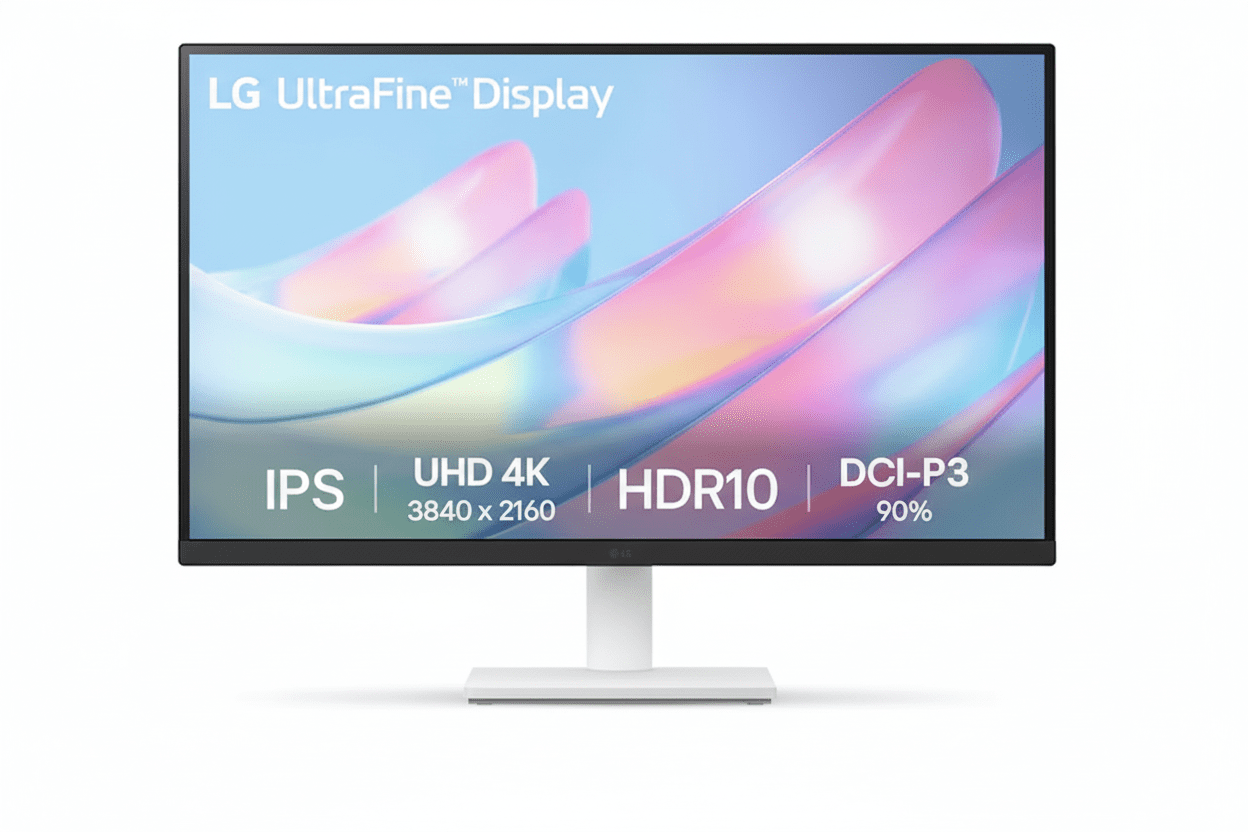
🎨 Professional Color: DCI-P3 90% Coverage!
Plus HDR10 Support + 4K UHD Resolution!
LG 27US500-W UltraFine 4K Monitor
27″ 4K UHD Display | DCI-P3 90% Color | Best Budget Monitor for Creatives 2025
27″ 4K (3840×2160) IPS – DCI-P3 90% – HDR10 – 300 nits – 3-Side Borderless – LG Switch App
🎨 Creative Professional Configuration:
• Display: 27″ 4K UHD (3840×2160) IPS Panel
• Color Gamut: DCI-P3 90% (Wide Color)
• HDR: HDR10 Support
• Brightness: 300 cd/m² (nits)
• Pixel Density: 163 PPI (8.29M Pixels)
• Ports: 2x HDMI + DisplayPort 1.4
• Bonus: LG Switch App + Reader Mode!
₹18,999
₹30,000
SAVE ₹11,001 (37% OFF!)
*Inclusive of all taxes | Free Priority Delivery
Free Delivery | Standard Warranty Included
Resolution
4K UHD
Color Gamut
DCI-P3 90%
HDR
HDR10
LG 27US500-W UltraFine Monitor Overview
🎨 Creative Pro Highlights
- 4K UHD: 3840×2160 resolution
- DCI-P3 90%: Wide color gamut
- HDR10: Enhanced contrast
- IPS Panel: 178° viewing angles
- 163 PPI: Ultra-sharp clarity
- LG Switch: Productivity app
- ₹18,999: Unbeatable value!
📦 In The Box
- 📺 LG 27US500-W Monitor with Stand
- 🔌 Power Cable
- 📄 Quick Setup Guide
- 📜 Warranty Card
Note: HDMI/DP cable sold separately
💎 27US500-W Advantage
- • Best Value: 4K + DCI-P3 90% under ₹19K
- • Creative Focused: Professional color
- • HDR10: Enhanced visuals
- • LG Quality: Trusted brand
- • 163 PPI: Ultra-sharp text
- • 37% OFF: Save ₹11,001!
🏆 Best Budget 4K Monitor for Creatives Under ₹19,000
4K UHD Clarity
Experience 8.29 million pixels (3840×2160) with 163 PPI pixel density on a 27-inch IPS panel. The 4K resolution provides 4x the detail of Full HD—perfect for photo editing, video production, and design work where every pixel matters!
DCI-P3 90% Wide Color
90% DCI-P3 color gamut coverage is a professional-grade feature rarely found under ₹19K. This 25% wider than sRGB, delivering vibrant, cinema-quality colors for content creation, photo editing, and media consumption!
Unbeatable ₹18,999 Price!
Get 4K UHD + DCI-P3 90% + HDR10 + IPS Panel + DisplayPort 1.4 + LG Switch App at just ₹18,999 with 37% discount! The most affordable professional 4K monitor in India—perfect for budget-conscious creatives!
27″ 4K UHD IPS Panel – 8.29 Million Pixels
📺 4K Display Specifications
Ultra High Definition
🎨 Image Quality
Brightness & Contrast
Viewing & Refresh
🏆 Why 4K UHD Matters for Creative Work
The 3840×2160 4K UHD resolution delivers 8.29 million pixels—4x more than Full HD. At 27 inches, this creates a pixel density of 163 PPI, providing ultra-sharp text, crisp images, and breathtaking detail that’s essential for professional creative work!
Pixel-Perfect Precision
163 PPI means razor-sharp text and images. See every detail in your photos, videos, and designs with clarity that 1080p can’t match!
More Screen Real Estate
4K resolution gives you 4x the workspace of 1080p. Open multiple windows, timelines, and toolbars without compromising visibility!
Future-Proof Investment
4K is the standard for modern creative work. Work with 4K footage, photos, and designs at their native resolution without downscaling!
DCI-P3 90% Professional Color Gamut
🎨 Cinema-Grade Color Performance
The LG 27US500-W delivers 90% DCI-P3 color gamut coverage—the same color space used in digital cinemas. This is approximately 25% wider than standard sRGB, providing more vibrant reds, greens, and saturated colors that make content truly pop!
DCI-P3 90%
Cinema-grade color space
1.07B Colors
Rich color depth
25% Wider
Than standard sRGB
Pro Colors
Content creation ready
📸 Photography
- • Vibrant Colors: See true-to-life saturation
- • Wide Gamut: More colors than sRGB
- • Accurate Reds/Greens: DCI-P3 specialty
- • Professional Edit: Cinema-grade output
- • 4K Detail: Every pixel visible
🎬 Video Editing
- • DCI-P3: Digital cinema standard
- • Color Grading: Accurate adjustments
- • 4K Timeline: Edit at native resolution
- • HDR10: Enhanced contrast
- • Wide Color: Vibrant footage
🎨 Graphic Design
- • Brand Colors: Accurate reproduction
- • Print Preview: CMYK conversion
- • Web Design: Wide color support
- • 4K Canvas: Detailed artwork
- • Pro Tools: Adobe RGB overlap
HDR10 Support – Enhanced Contrast
💡 HDR10 Technology
High Dynamic Range
HDR10 support allows the monitor to display HDR-mastered content with enhanced contrast and brightness. This reveals more detail in both the brightest highlights and darkest shadows for a more lifelike, dramatic picture!
- • Brighter Whites: Enhanced peak brightness
- • Deeper Blacks: Better shadow detail
- • More Colors: Wider color volume
HDR Content
Compatible with HDR10 movies, games, and streaming content from Netflix, Prime Video, YouTube, and more!
🎬 HDR Benefits
Media Consumption
Watch 4K HDR movies and shows with cinema-like visual quality. HDR content appears more vibrant, realistic, and immersive than standard SDR!
- • Netflix: HDR content support
- • Prime Video: HDR streaming
- • YouTube: HDR videos
- • Gaming: HDR10 games
Content Creation
Preview HDR content while editing videos or photos. See how your work will look on HDR displays!
⚠️ HDR10 Limitations
While HDR10 support is excellent at this price, the monitor’s 300 nits peak brightness means it won’t deliver the full HDR experience of premium HDR monitors (which have 600-1000+ nits). The HDR effect will be noticeable but not as dramatic as high-end displays. Still, it’s a fantastic feature to have at ₹18,999!
Enhanced Productivity & Multitasking
💼 LG Switch App
Screen Partition Management
The free LG Switch app supercharges multitasking by allowing you to divide the 4K screen into up to 6 custom partitions. Arrange applications perfectly without manually resizing windows!
- • Up to 6 Windows: Custom layouts
- • Hotkey Mapping: Quick switching
- • Theme Options: Customizable UI
- • Workflow Boost: Maximum efficiency
Compatible Platforms
LG Switch app available for Windows and macOS. Free download from LG website!
📊 4K Workspace Benefits
Massive Screen Real Estate
With 8.29 million pixels, the 4K resolution provides 4x the workspace of 1080p. Open multiple applications, documents, and browser tabs simultaneously without compromising visibility!
- • Excel: See entire spreadsheets
- • Code Editors: Multiple files side-by-side
- • Video Editing: Timeline + preview + tools
- • Design Work: Canvas + toolbars + references
Multi-Monitor Replacement
One 4K 27″ monitor can replace two 1080p 24″ monitors with cleaner desk setup!
Full Connectivity for Best Performance
🔌 Physical Ports
DisplayPort 1.4
DisplayPort 1.4 input is the recommended connection for best image quality. Ensures you get a full, uncompressed 4K signal at 60Hz with maximum color depth!
- • 4K@60Hz: Full bandwidth
- • DCI-P3 90%: Complete color range
- • HDR10: Full support
Dual HDMI Ports
2 HDMI ports provide versatility for connecting gaming consoles, streaming devices, or a second computer. Note: HDMI may be limited to 30Hz at 4K on some devices—use DisplayPort for 60Hz!
Headphone Out
3.5mm headphone jack for audio output. No built-in speakers—use headphones or external speakers!
💻 Compatibility & Setup
Recommended Connection
For best performance, use DisplayPort 1.4 connection from your PC/Mac. This ensures:
- • 60Hz Refresh: Smooth desktop
- • Full Color Depth: 1.07B colors
- • HDR10: Complete support
- • 4K@60Hz: No compromises
HDMI Limitations
HDMI 2.0 supports 4K@60Hz, but older HDMI 1.4 devices limited to 4K@30Hz. Check your GPU specs!
Compatible Devices
- • Windows PC, Mac, Linux
- • PS5, Xbox Series X/S (HDMI 4K@60Hz)
- • Streaming devices (4K content)
Gaming & Comfort Features
🎮 Casual Gaming Features
Dynamic Action Sync (DAS)
Reduces input lag for a more responsive gaming feel. Especially noticeable in fast-paced games and competitive titles!
Black Stabilizer
Brightens dark scenes without overexposing bright areas. Helps you spot enemies hiding in shadows!
Gaming Limitations
60Hz refresh rate and no FreeSync/G-SYNC means this isn’t ideal for competitive gaming. Perfect for casual single-player games and console gaming!
👁️ Eye Comfort Features
Reader Mode
Reduces blue light emissions to create a paper-like viewing experience. Perfect for reading documents, ebooks, and long work sessions!
- • Blue Light Reduction: Less eye strain
- • Paper-like Display: Comfortable reading
- • Sleep Protection: Better sleep cycles
Flicker Safe
Eliminates invisible screen flicker that causes headaches and eye fatigue. Hardware-based solution for all-day comfort!
Ergonomic & Stylish Design
🏗️ 3-Side Virtually Borderless
Modern Minimal Aesthetic
The 3-side virtually borderless design features thin bezels on the top and sides, creating a modern, immersive look. Perfect for dual-monitor setups with nearly seamless viewing!
- • Slim Bezels: Maximum screen
- • Dual Monitor: Side-by-side setup
- • Professional Look: Clean aesthetic
White Finish
Elegant white color blends perfectly with modern workspaces, Apple aesthetics, and minimalist setups!
📐 Tilt Adjustable Stand
Basic Ergonomics
The simple, elegant stand provides tilt adjustment (-5° to +15°) to help you find a comfortable viewing angle. Easy to assemble without tools!
- • Tilt Range: -5° to +15°
- • No Height Adjust: Fixed height
- • No Swivel/Pivot: Basic stand
VESA Mount Compatible
100x100mm VESA mount support allows you to use monitor arms for full ergonomic flexibility (height, swivel, pivot, tilt)!
Monitor Arm Recommended
For full ergonomics, consider a VESA monitor arm (₹1,500-3,000). Adds height, swivel, and desk space savings!
Who Should Buy This Monitor?
🎨 Budget-Conscious Creatives
- Photographers: 4K detail + DCI-P3 90%
- Video Editors: 4K timeline + wide color
- Graphic Designers: Accurate brand colors
- Illustrators: Vibrant digital art
- Content Creators: YouTube, social media
Perfect for: Creative work without pro price tag
💼 Productivity Power Users
- Data Analysts: Large spreadsheets visible
- Developers: Multiple code windows
- Financial Analysts: Complex models
- Traders: Multiple charts/data feeds
- Researchers: Documents + references
Perfect for: 4K workspace for multitasking
📺 Media Consumers
- Movie Enthusiasts: 4K HDR content
- Streamers: Netflix, Prime, YouTube
- Anime Fans: Vibrant DCI-P3 colors
- Sports Fans: Sharp 4K broadcasts
- Casual Gamers: Console gaming 4K@60Hz
Perfect for: Cinematic viewing experience
🎓 Students & Academics
- Design Students: Portfolio work
- Film Students: Video editing projects
- Architecture: CAD work + renderings
- CS Students: Coding + testing
- Research: Multiple papers open
Perfect for: Affordable 4K for studies
🏠 Home Office Workers
- Remote Workers: Professional setup
- Freelancers: Multi-client work
- Consultants: Presentations + analysis
- Writers: Comfortable reading mode
- Virtual Assistants: Multiple apps
Perfect for: Work-from-home productivity
🚫 NOT Recommended For
- Competitive Gamers: Need 144Hz+ with FreeSync
- Full Ergonomics Needed: Tilt-only stand
- USB Hub Required: No USB ports
- True HDR: Need 600+ nits for HDR1000
- Print Professionals: Need Adobe RGB
Consider alternatives for these specific needs
LG 27US500-W vs Competitors
vs MSI Pro MP273U 4K Monitor
MSI: 27″ 4K, 60Hz, sRGB – ₹18,999
LG: 27″ 4K, 60Hz, DCI-P3 90% – ₹18,999
LG Wins
- ✓ DCI-P3 90% vs sRGB only
- ✓ 25% wider color gamut
- ✓ HDR10 support
- ✓ LG Switch app included
- ✓ Better brand trust
- ✓ Reader Mode + Flicker Safe
- ✓ Same price!
MSI Wins
- ✓ Built-in speakers (2W)
- ✓ MSI gaming brand
Verdict: LG vastly superior for color-critical work!
vs BenQ GW2790Q 27″ QHD Monitor
BenQ: 27″ QHD (1440p), IPS, 75Hz – ₹14,990
LG: 27″ 4K UHD, IPS, 60Hz – ₹18,999
LG Wins
- ✓ 4K vs 1440p (77% more pixels!)
- ✓ DCI-P3 90% vs sRGB
- ✓ HDR10 support
- ✓ 163 PPI vs 109 PPI
- ✓ Professional color gamut
- ✓ Better for creative work
BenQ Wins
- ✓ ₹4,009 cheaper
- ✓ 75Hz vs 60Hz
- ✓ Built-in speakers
- ✓ BenQ eye-care modes
Verdict: LG if you need 4K. BenQ if budget is tight.
vs Dell S2722DC 27″ QHD Monitor
Dell: 27″ QHD, IPS, 75Hz, USB-C – ₹24,999
LG: 27″ 4K, IPS, 60Hz, No USB-C – ₹18,999
LG Wins
- ✓ ₹6,000 cheaper!
- ✓ 4K vs 1440p resolution
- ✓ DCI-P3 90% color
- ✓ HDR10 support
- ✓ Better value for money
- ✓ Higher pixel density
Dell Wins
- ✓ USB-C with 65W PD
- ✓ 75Hz refresh rate
- ✓ Full ergonomic stand
- ✓ Built-in speakers
- ✓ USB hub
Verdict: LG for 4K on budget. Dell for premium features.
vs Samsung UR59C 32″ 4K Curved Monitor
Samsung: 32″ 4K, VA, 60Hz, Curved – ₹22,999
LG: 27″ 4K, IPS, 60Hz, Flat – ₹18,999
LG Wins
- ✓ ₹4,000 cheaper!
- ✓ IPS vs VA panel
- ✓ DCI-P3 90% color
- ✓ Better viewing angles
- ✓ Accurate colors
- ✓ Professional color gamut
Samsung Wins
- ✓ 32″ larger screen
- ✓ 1500R curved
- ✓ 3000:1 contrast (VA)
- ✓ Immersive gaming
Verdict: LG for creatives. Samsung for immersive media.
vs ASUS PA247CV ProArt Monitor
ASUS: 23.8″ FHD, IPS, 75Hz, USB-C – ₹17,999
LG: 27″ 4K, IPS, 60Hz, No USB-C – ₹18,999
LG Wins
- ✓ 4K vs 1080p (4x pixels!)
- ✓ 27″ vs 23.8″ screen
- ✓ DCI-P3 90% vs sRGB
- ✓ HDR10 support
- ✓ Much higher resolution
- ✓ Better for 4K work
ASUS Wins
- ✓ ₹1,000 cheaper
- ✓ USB-C with 65W PD
- ✓ 75Hz refresh
- ✓ Calman verified
- ✓ Full ergonomic stand
Verdict: LG wins for 4K resolution and color!
vs ViewSonic VP2768-4K 4K Monitor
ViewSonic: 27″ 4K, IPS, 60Hz, sRGB 100% – ₹35,999
LG: 27″ 4K, IPS, 60Hz, DCI-P3 90% – ₹18,999
LG Wins
- ✓ ₹17,000 cheaper!
- ✓ 47% lower price
- ✓ DCI-P3 90% (wider than sRGB)
- ✓ HDR10 support
- ✓ Best value for money
- ✓ LG brand trust
ViewSonic Wins
- ✓ Hardware calibration
- ✓ sRGB 100% accuracy
- ✓ Full ergonomic stand
- ✓ USB-C + USB hub
- ✓ Professional grade
Verdict: LG incredible value. ViewSonic for pros with budget.
vs AOC U27G3X 4K Gaming Monitor
AOC: 27″ 4K, IPS, 144Hz, FreeSync – ₹28,999
LG: 27″ 4K, IPS, 60Hz, No FreeSync – ₹18,999
LG Wins
- ✓ ₹10,000 cheaper!
- ✓ DCI-P3 90% vs sRGB
- ✓ Better for creative work
- ✓ Professional color
- ✓ Best value
AOC Wins
- ✓ 144Hz vs 60Hz (gaming!)
- ✓ AMD FreeSync Premium
- ✓ 1ms MPRT response
- ✓ Gaming-focused
- ✓ Better for competitive play
Verdict: LG for creatives. AOC for gamers with budget.
vs HP E27 G5 27″ QHD Monitor
HP: 27″ QHD (1440p), IPS, 75Hz – ₹16,999
LG: 27″ 4K, IPS, 60Hz – ₹18,999
LG Wins
- ✓ 4K vs 1440p (77% more pixels)
- ✓ DCI-P3 90% wide color
- ✓ HDR10 support
- ✓ Higher pixel density
- ✓ Better for creative work
- ✓ Professional color gamut
HP Wins
- ✓ ₹2,000 cheaper
- ✓ 75Hz refresh
- ✓ Height adjustable stand
- ✓ HP brand premium
Verdict: LG for 4K resolution. HP for basic productivity.
Pros & Cons
✅ Pros
- ✓ ₹18,999 for 4K + DCI-P3 90%: Incredible price for professional-grade 4K IPS monitor with wide color gamut—best value in India!
- ✓ DCI-P3 90% Color Gamut: Cinema-grade color space (25% wider than sRGB) for vibrant, accurate creative work—rare under ₹20K!
- ✓ 4K UHD Resolution: 8.29 million pixels (3840×2160) with 163 PPI density for ultra-sharp text and detailed images
- ✓ HDR10 Support: Enhanced contrast and brightness for HDR content (movies, games, streaming)
- ✓ IPS Panel Technology: 178°/178° wide viewing angles with accurate, consistent colors from any position
- ✓ DisplayPort 1.4 Included: Full uncompressed 4K@60Hz signal with complete color depth and HDR support
- ✓ LG Switch App: FREE productivity software for screen partitioning (up to 6 windows) and workflow optimization
- ✓ 3-Side Borderless Design: Modern slim bezels perfect for dual-monitor setups and immersive viewing
- ✓ Reader Mode + Flicker Safe: Blue light reduction and flicker-free technology for all-day eye comfort
- ✓ Dual HDMI Ports: Connect multiple devices (PC + console, etc.) without cable swapping
- ✓ LG Brand Quality: Trusted brand with reliable IPS panels and quality control
- ✓ 37% Discount: Save ₹11,001 from MRP ₹30,000—exceptional deal!
❌ Cons
- ✗ Tilt-Only Stand: Basic stand with -5° to +15° tilt only—no height, swivel, or pivot adjustments (VESA mount available)
- ✗ 60Hz Refresh Rate: Not suitable for competitive gaming—limited to 60Hz (no 144Hz+ for fast-paced games)
- ✗ No Built-in Speakers: Requires external speakers or headphones for audio (common trade-off at this price)
- ✗ No USB-C Port: Lacks USB-C connectivity with Power Delivery—no single-cable solution for laptops
- ✗ No USB Hub: No USB ports for connecting peripherals (mouse, keyboard, webcam)
- ✗ Limited HDR Performance: 300 nits peak brightness insufficient for true HDR experience (need 600+ nits for HDR1000)
- ✗ No AMD FreeSync/G-SYNC: Lacks adaptive sync technology—may have screen tearing in games
- ✗ Cables Not Included: HDMI and DisplayPort cables sold separately (add ₹500-1,000 to budget)
- ✗ 5ms Response Time: Decent but not ultra-fast—gaming monitors have 1-2ms (acceptable for creative work)
- ✗ Typical 1000:1 Contrast: Standard IPS contrast—VA panels offer 3000:1 for deeper blacks
Category Scores
Creative Work
9.5
/ 10
4K + DCI-P3 90%
Display Quality
9.0
/ 10
Excellent IPS + HDR10
Value for Money
10
/ 10
Unbeatable!
Build & Design
7.0
/ 10
Basic stand
Features
8.0
/ 10
HDR10 + Switch App
Overall Score
9.0 / 10
Best Budget 4K Monitor for Creatives
Final Verdict
🏆 Best Budget 4K Monitor for Creatives 2025
The LG 27US500-W delivers professional 4K clarity, cinema-grade DCI-P3 90% color, and outstanding value at ₹18,999. The undisputed champion of budget clarity and color!
🎯 Perfect For Budget-Conscious Creatives
Highly Recommended For:
- • Photographers: 4K detail + vibrant DCI-P3 colors
- • Video Editors: Edit 4K footage at native resolution
- • Graphic Designers: Wide color gamut accuracy
- • Content Creators: YouTube, social media work
- • Students: Affordable 4K for creative studies
- • Productivity Users: Massive 4K workspace
Not Recommended For:
- • Competitive Gamers: Need 144Hz+ with FreeSync
- • Full Ergonomics: Only tilt adjustment
- • USB-C Requirement: No USB-C port
- • Print Professionals: Need Adobe RGB calibration
- • True HDR: Need 600+ nits brightness
✅ Final Recommendation
The LG 27US500-W is a stunning achievement, making true 4K resolution and wide-gamut DCI-P3 90% color accessible to more creators than ever before. The combination of 8.29 million pixels, cinema-grade color space, HDR10 support, and IPS panel technology at just ₹18,999 is simply unmatched in this price segment!
What sets the L27US500-W apart is LG’s focus on delivering the best possible panel quality for the lowest possible price. The DCI-P3 90% color coverage—25% wider than standard sRGB—is a professional-grade feature typically reserved for ₹40,000+ monitors. For photographers, video editors, and designers who prioritize visual fidelity above all else, this is a game-changer!
Yes, it makes smart compromises—a basic tilt-only stand, 60Hz refresh rate, and lack of built-in speakers or USB hub. But these are logical sacrifices to achieve this incredible value. The ₹18,999 price point makes professional 4K creative work accessible to students, freelancers, and aspiring creators who previously couldn’t afford it!
If you’re looking for an entry point into the world of 4K creative work, the LG 27US500-W is the undisputed champion. At ₹18,999, you’re getting monitor quality that competes with ₹30,000-40,000 models. Whether you’re editing photos, grading videos, designing graphics, or simply want the sharpest text and most vibrant colors for productivity, this monitor delivers exceptional performance at an unbeatable price. The Best Budget 4K Monitor in India—Highly Recommended!
Free Delivery | Standard Warranty Included
Frequently Asked Questions (FAQs)
Q1. What is DCI-P3 90% color gamut and why does it matter?
DCI-P3 is a wide color gamut used in digital cinema that covers approximately 25% more color space than standard sRGB. The LG 27US500-W’s 90% DCI-P3 coverage means it can display more vibrant, saturated colors—especially reds and greens—than typical monitors. This is crucial for photographers, video editors, and designers who need accurate color representation for creative work. At ₹18,999, finding DCI-P3 90% coverage is extremely rare and makes this monitor exceptional value!
Q2. Can I use DisplayPort to get 4K at 60Hz?
Yes! The DisplayPort 1.4 input is the recommended connection for this monitor. It ensures you get a full, uncompressed 4K (3840×2160) signal at 60Hz with complete color depth and HDR10 support. This is the best way to experience the monitor’s DCI-P3 90% color gamut. Make sure your graphics card has a DisplayPort output!
Q3. Will HDMI work for 4K at 60Hz?
It depends on your device. HDMI 2.0 supports 4K@60Hz, which most modern graphics cards and consoles have (PS5, Xbox Series X). However, older HDMI 1.4 devices are limited to 4K@30Hz. For guaranteed 60Hz performance, use the DisplayPort 1.4 connection. The monitor has 2 HDMI ports for connecting multiple devices like gaming consoles or streaming devices.
Q4. Is this monitor good for photo editing?
Absolutely! The DCI-P3 90% color gamut coverage provides professional-grade color accuracy that’s perfect for photo editing. The 4K resolution (8.29 million pixels) lets you see every detail in your images, while the IPS panel ensures consistent colors from all viewing angles. The 163 PPI pixel density means razor-sharp image clarity. This is one of the best budget monitors for photography work under ₹20,000!
Q5. Can I use this monitor for video editing?
Yes! This monitor is excellent for video editing. The 4K UHD resolution allows you to edit 4K footage at native resolution without downscaling. The DCI-P3 90% color space is the same standard used in digital cinema, making it perfect for color grading. The HDR10 support lets you preview HDR content. Combined with the LG Switch app for timeline management, this is a fantastic budget video editing monitor!
Q6. Is this monitor good for gaming?
The LG 27US500-W is decent for casual gaming but NOT ideal for competitive gaming. The 60Hz refresh rate and lack of FreeSync/G-SYNC mean it’s not suitable for fast-paced competitive titles. However, it’s excellent for single-player story games, RPGs, and console gaming (PS5/Xbox) where you can enjoy the stunning 4K HDR visuals and vibrant colors. The Dynamic Action Sync and Black Stabilizer features help improve gaming performance.
Q7. What is HDR10 and does this monitor support it properly?
HDR10 is a high dynamic range standard that displays content with enhanced contrast and brightness. The LG 27US500-W supports HDR10, allowing it to show more detail in bright and dark areas. However, with 300 nits peak brightness, it won’t deliver the full HDR experience of premium monitors (600-1000+ nits). You’ll notice improved visuals in HDR content, but it’s not true cinema-grade HDR. Still, it’s a great feature to have at this ₹18,999 price point!
Q8. Does this monitor have built-in speakers?
No, the LG 27US500-W does NOT have built-in speakers. You’ll need to use external speakers or headphones for audio. The monitor has a 3.5mm headphone jack for audio output. This is a common trade-off in budget 4K monitors to keep the price low while prioritizing panel quality and color accuracy.
Q9. Can I adjust the monitor height or rotate it?
The included stand only provides tilt adjustment (-5° to +15°). There is NO height adjustment, swivel, or pivot (portrait mode). However, the monitor is VESA 100x100mm mount compatible, so you can use a monitor arm or wall mount for full ergonomic flexibility. Consider budgeting ₹1,500-3,000 for a quality VESA monitor arm if you need height/swivel/pivot adjustments.
Q10. What is the LG Switch app and how does it help productivity?
The free LG Switch app (available for Windows and macOS) allows you to divide the 4K screen into up to 6 custom partitions. You can arrange multiple applications side-by-side without manually resizing windows. The app also supports hotkey mapping for quick window switching and theme customization. This is incredibly useful for multitasking with the huge 4K workspace—perfect for video editors, designers, and productivity users!
Q11. What cables are included in the box?
The LG 27US500-W box includes the monitor with stand, power cable, quick setup guide, and warranty card. Unfortunately, HDMI and DisplayPort cables are NOT included and must be purchased separately. Budget an additional ₹500-1,000 for a quality DisplayPort 1.4 cable to get the full 4K@60Hz experience.
Q12. Is 163 PPI enough for sharp text at 27 inches?
Yes! 163 PPI (pixels per inch) is excellent for 27-inch 4K displays. Text will be razor-sharp and images incredibly detailed. This is significantly sharper than 27-inch 1440p monitors (109 PPI) and massively better than 27-inch 1080p (82 PPI). At normal viewing distances, you won’t see individual pixels. The high pixel density is perfect for text-heavy work, coding, spreadsheets, and detailed creative work!
Q13. Does this monitor work with MacBook Pro/Mac?
Yes, the LG 27US500-W works perfectly with MacBook Pro, iMac, and Mac Mini. Use a USB-C to DisplayPort cable or USB-C to HDMI cable to connect your Mac. The DCI-P3 90% color space matches Apple’s wide color displays, making it a great external monitor for Macs. The white aesthetic also complements Apple’s design language. Note: There’s NO USB-C port on the monitor—you need an adapter cable.
Q14. What is Reader Mode and how does it help?
Reader Mode reduces blue light emissions to create a paper-like viewing experience that’s easier on your eyes. This is perfect for reading documents, ebooks, articles, and long work sessions. It helps reduce eye strain and protects your sleep cycle by minimizing harmful blue light. Combined with Flicker Safe technology (eliminates screen flicker), this monitor is very comfortable for all-day use!
Q15. Can I use this monitor for dual-monitor setup?
Absolutely! The 3-side virtually borderless design with thin bezels makes it perfect for dual-monitor setups. Place two LG 27US500-W monitors side-by-side for a massive 7680×2160 (8K wide) workspace—ideal for video editing, trading, data analysis, and productivity. The slim bezels create a nearly seamless viewing experience. Total cost for dual setup: ₹37,998 (₹18,999 × 2).
Q16. How does DCI-P3 90% compare to sRGB 100%?
DCI-P3 color space is approximately 25% wider than sRGB, covering more vibrant colors especially in reds and greens. A monitor with DCI-P3 90% coverage shows more saturated, cinema-quality colors than an sRGB 100% monitor. This is why the LG 27US500-W is superior for creative work—you get richer, more vivid colors that standard sRGB monitors simply cannot display. DCI-P3 is the future standard for content creation!
Q17. What graphics card do I need for 4K@60Hz?
For desktop work and productivity, any modern GPU with DisplayPort 1.4 will handle 4K@60Hz easily—even integrated graphics (Intel UHD, AMD Radeon). For 4K gaming at 60 FPS, you’ll need at least an NVIDIA RTX 3060/4060 or AMD RX 6600 XT for medium settings in modern games. For high/ultra settings, consider RTX 4070 or RX 7700 XT. For creative work (not gaming), the GPU requirements are minimal.
Q18. Is 300 nits brightness enough?
The 300 cd/m² (nits) brightness is adequate for normal indoor use in offices and home environments. It’s bright enough for comfortable viewing in moderately lit rooms. However, if you work in a very bright room with direct sunlight or want true HDR performance, you’d ideally want 400-600+ nits. For most users, 300 nits is perfectly fine for daily use, creative work, and media consumption.
Q19. How does this compare to 1440p monitors at similar price?
At ₹18,999, you typically find 1440p (2560×1440) monitors with standard sRGB color. The LG 27US500-W offers 4K (3840×2160)—77% more pixels than 1440p—PLUS DCI-P3 90% wide color gamut. This is a HUGE advantage for creative work. While 1440p monitors might offer 75Hz or better stands, the LG’s superior resolution and color make it the clear winner for photographers, video editors, and designers.
Q20. Should I buy this monitor in 2025?
Absolutely YES! The LG 27US500-W remains the best budget 4K monitor with wide color gamut in India. At ₹18,999, nothing else comes close to offering 4K UHD + DCI-P3 90% + HDR10 + IPS panel from a trusted brand. It’s future-proof for the next 5+ years, supports all modern content (4K streaming, HDR movies, creative software), and provides professional color accuracy. If you’re a creative on a budget or want the best productivity workspace under ₹20K, this is THE monitor to buy!
Complete Technical Specifications
| DISPLAY SPECIFICATIONS | |
|---|---|
| Brand | LG Electronics |
| Model | 27US500-W (UltraFine) |
| Screen Size | 27″ (68.58 cm) |
| Panel Type | IPS (In-Plane Switching) |
| Resolution | 3840 × 2160 (4K UHD) |
| Aspect Ratio | 16:9 |
| Pixel Density | 163 PPI |
| Total Pixels | 8,294,400 (8.29 Million) |
| Refresh Rate | 60 Hz |
| Response Time | 5ms (GtG at Faster Setting) |
| Brightness (Typical) | 300 cd/m² (nits) |
| Contrast Ratio (Typical) | 1000:1 |
| Contrast Ratio (Minimum) | 700:1 |
| Color Gamut | DCI-P3 90% (Typical) |
| Color Depth | 10-bit (8-bit + FRC) |
| Color Support | 1.07 Billion Colors |
| HDR Support | HDR10 |
| Viewing Angle | 178° / 178° (H/V) |
| Bezel Design | 3-Side Virtually Borderless |
| Surface Treatment | Anti-Glare / Matte |
| CONNECTIVITY | |
|---|---|
| HDMI | 2 ports (HDMI 2.0) |
| DisplayPort | 1 port (DisplayPort 1.4) |
| USB-C | None |
| USB Ports | None (No USB Hub) |
| Headphone Out | Yes (3.5mm jack) |
| Built-in Speakers | No |
| GAMING & SPECIAL FEATURES | |
|---|---|
| Adaptive Sync | None (No FreeSync/G-SYNC) |
| Dynamic Action Sync (DAS) | Yes – Reduces Input Lag |
| Black Stabilizer | Yes – Brightens Dark Scenes |
| HDR Effect | Yes (Enhanced Contrast Mode) |
| EYE CARE & COMFORT | |
|---|---|
| Reader Mode | Yes – Blue Light Reduction |
| Flicker Safe | Yes – Flicker-Free Technology |
| Low Blue Light | Yes (Reader Mode) |
| Anti-Glare Coating | Yes |
| SOFTWARE & PRODUCTIVITY | |
|---|---|
| LG Switch App | Yes – FREE Download (Win/Mac) |
| Screen Partition | Up to 6 Windows |
| Hotkey Mapping | Yes |
| Theme Customization | Yes |
| OnScreen Control | Yes (OSD Management Software) |
| DESIGN & ERGONOMICS | |
|---|---|
| Color | White |
| Stand Adjustments | Tilt: -5° to +15° |
| Height Adjustment | No |
| Swivel | No |
| Pivot (Portrait Mode) | No |
| VESA Mount | 100 x 100 mm |
| Kensington Lock Slot | Yes |
| DIMENSIONS & WEIGHT | |
|---|---|
| Dimensions (With Stand) | 613.2 x 465.0 x 230.5 mm (W x H x D) |
| Dimensions (Without Stand) | 613.2 x 364.0 x 53.5 mm (W x H x D) |
| Weight (With Stand) | 5.3 kg (11.7 lbs) |
| Weight (Without Stand) | 4.3 kg (9.5 lbs) |
| POWER CONSUMPTION | |
|---|---|
| Power Input | AC 100-240V (50-60 Hz) – Universal Voltage |
| Typical Power Consumption | 27 W |
| Maximum Power Consumption | 40 W |
| Sleep/Standby Mode | < 0.3 W |
| Estimated Yearly Cost | ₹500-650 (@ ₹8/kWh, 8 hrs/day) |
| WARRANTY & PACKAGE CONTENTS | |
|---|---|
| Warranty | Standard Warranty (Check with Retailer) |
| Part Number | 27US500-W |
| Package Contents |
• LG 27US500-W Monitor with Stand • Power Cable • Quick Setup Guide • Warranty Card • Note: HDMI/DP cables NOT included |
| PRICING & AVAILABILITY | |
|---|---|
| MRP (Maximum Retail Price) | ₹30,000 |
| Current Selling Price | ₹18,999 |
| Discount | 37% OFF (Save ₹11,001) |
| Shipping | Free Priority Delivery |
| Taxes | Inclusive of All Taxes |
| Availability | In Stock – Amazon India |
| Recommended Accessories | DisplayPort 1.4 Cable (₹500-800), VESA Monitor Arm (₹1,500-3,000) |
Ready to Upgrade to Professional 4K?
Get the LG 27US500-W 4K UltraFine Monitor with DCI-P3 90% Color at an unbeatable price!
₹18,999
₹30,000
SAVE ₹11,001 (37% OFF!)
Inclusive of all taxes | Free Priority Delivery
Resolution
4K UHD (8.29M Pixels)
Color Gamut
DCI-P3 90%
HDR Support
HDR10 Enabled
Panel Type
IPS – 178° View
Last Updated: December 9, 2025 | Model: LG 27US500-W UltraFine
Prices and availability subject to change. Check Amazon India for latest offers.
🏆 Best Budget 4K Monitor for Creatives – Highly Recommended!