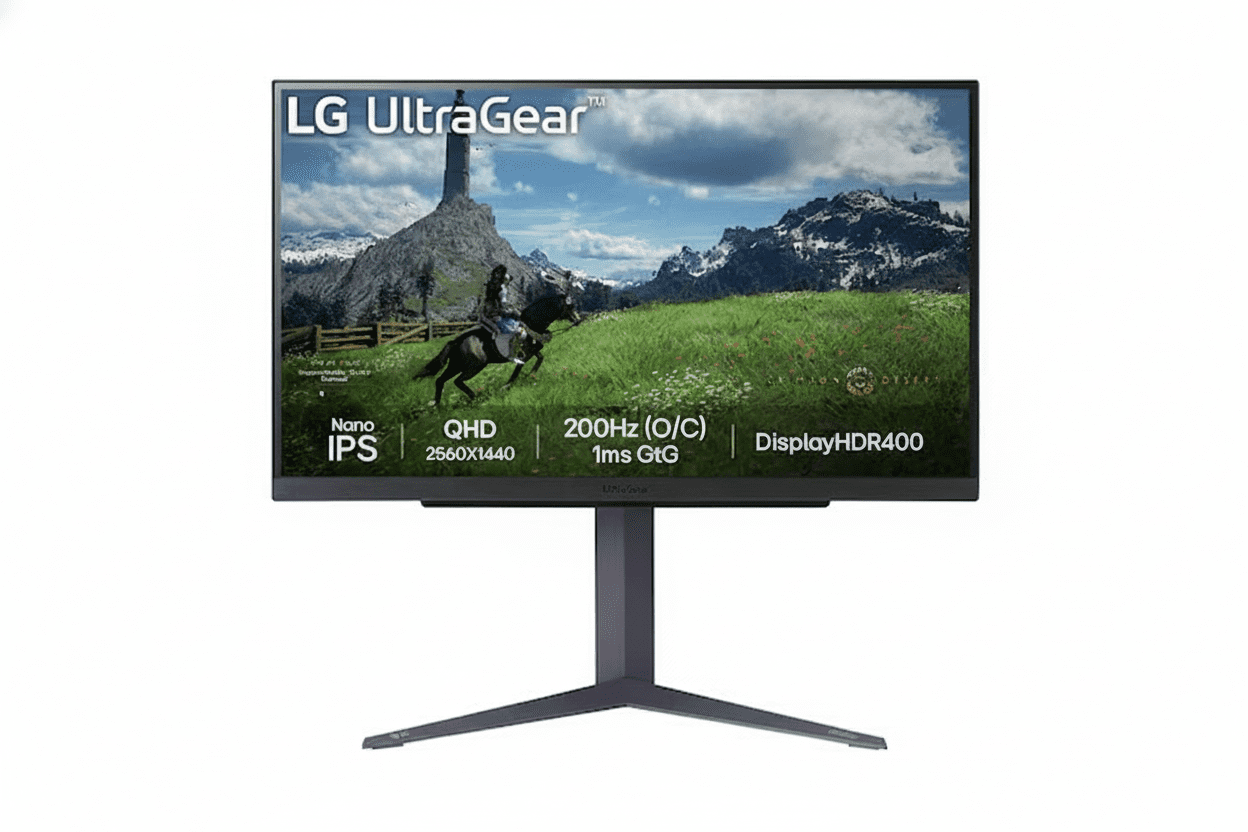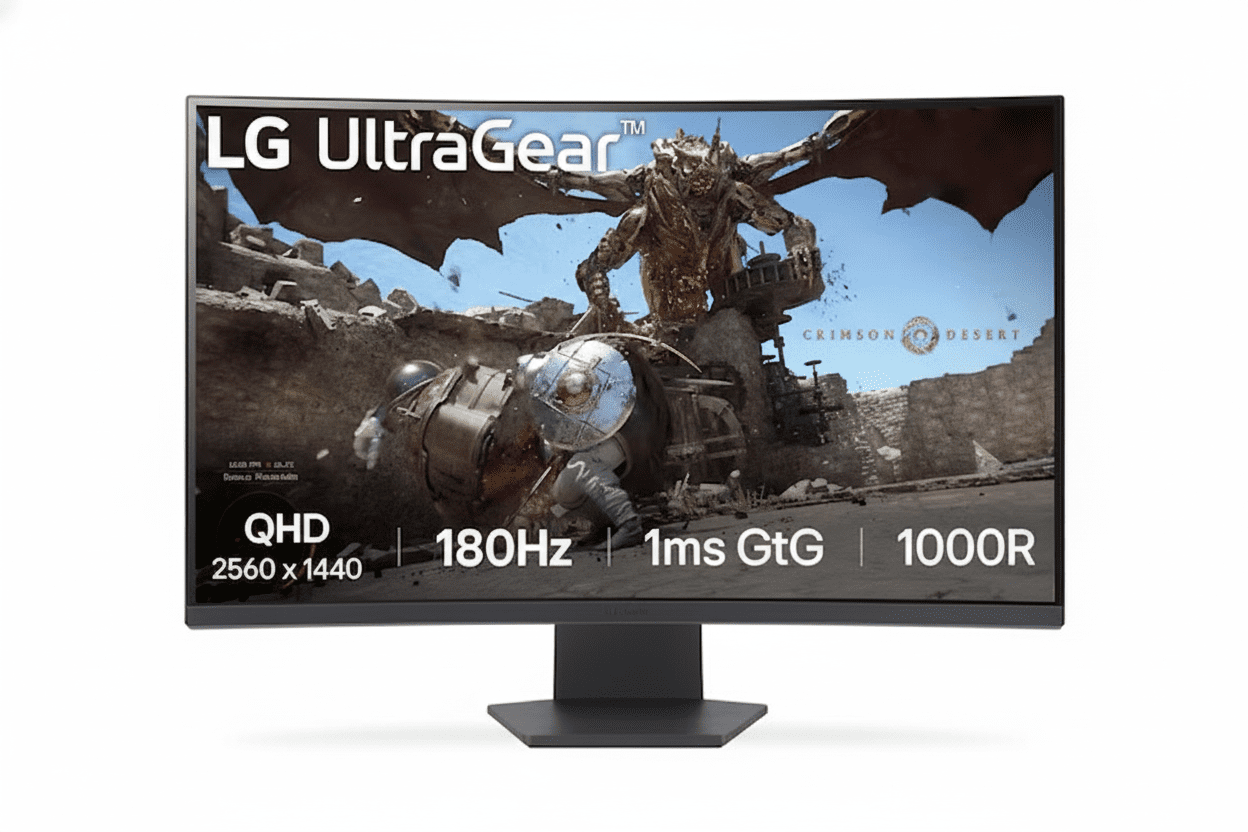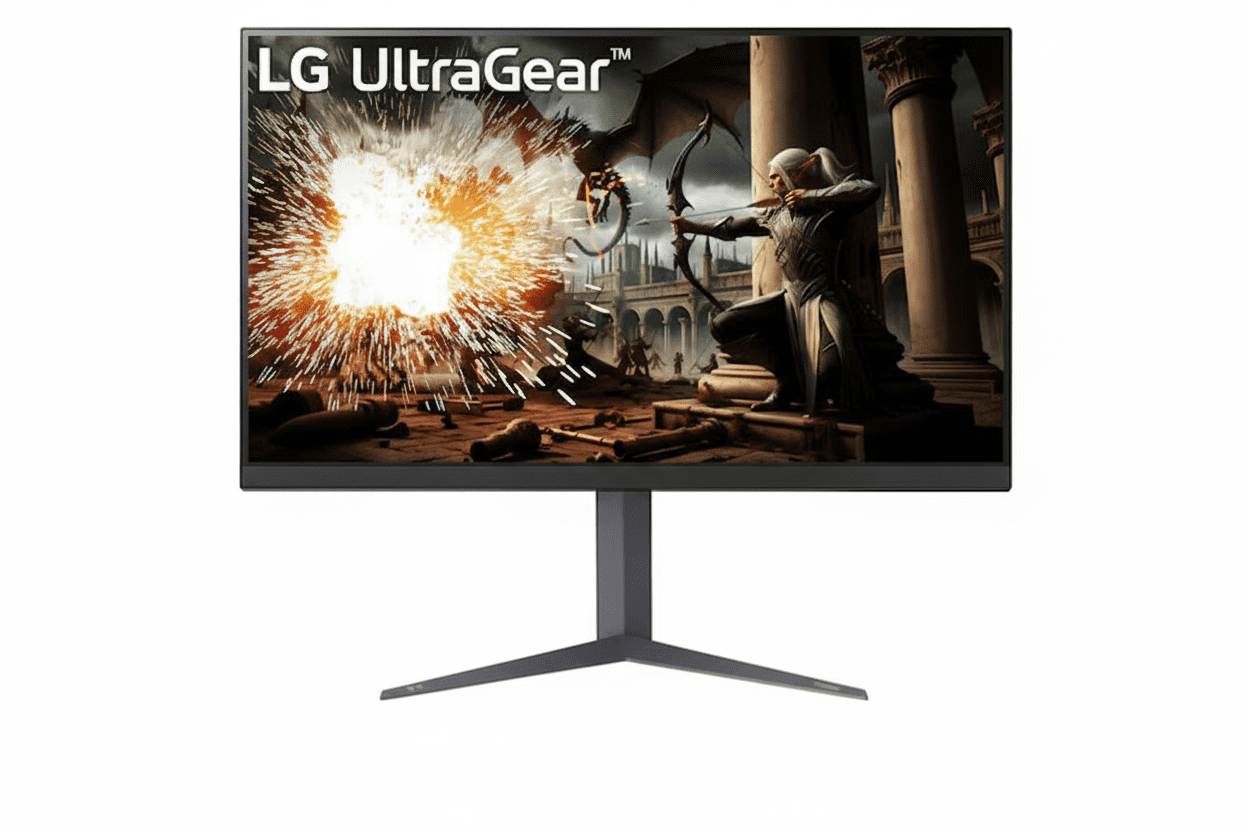
⚡ Ultimate Big-Screen Gaming: 32″ QHD + 180Hz + HDR 400!
Plus G-SYNC + FreeSync + Full Ergonomics + Gaming Tools!
LG 32GS75Q-B UltraGear Gaming Monitor
32″ QHD 180Hz IPS | 1ms GtG | G-SYNC + FreeSync | HDR 400 | Big Screen Gaming 2025
31.5″ QHD (2560×1440) IPS – 180Hz – 1ms GtG – HDR 400 – Full Ergonomics
⚡ The Ultimate Big-Screen Gaming Monitor:
• Display: 31.5″ QHD (2560×1440) IPS Panel
• Speed: 180Hz Refresh + 1ms (GtG) Response
• HDR: VESA DisplayHDR 400 (400 cd/m² Peak)
• Sync: G-SYNC Compatible + AMD FreeSync
• Colors: sRGB 99% + 1.07 Billion Colors
• Gaming Tools: Black Stabilizer + DAS + Crosshair + FPS Counter
• Ergonomics: Height + Tilt + Pivot (Full Adjustable!)
• Ports: 2× HDMI + 1× DisplayPort 1.4
• Bonus: VESA 100×100mm + 3-Side Borderless Design!
₹28,499
₹35,000
SAVE ₹6,501 (19% OFF!)
*Inclusive of all taxes | Free Priority Delivery
Free Delivery | 3 Year Warranty | 32″ QHD Immersion
Screen Size
32″
Refresh Rate
180 Hz
HDR
HDR 400
LG 32GS75Q-B UltraGear Gaming Monitor Overview
⚡ Gaming Highlights
- 32″ QHD: Massive immersive screen
- 180Hz Refresh: Elite competitive speed
- 1ms GtG IPS: Zero motion blur
- HDR 400: 400 cd/m² brightness!
- Universal Sync: G-SYNC + FreeSync
- Full Ergo: H+T+P adjustments
- Gaming Tools: Black Stabilizer + DAS
- ₹28,499: 19% discount!
📦 In The Box
- 🖥️ LG 32GS75Q-B Gaming Monitor
- 🏗️ Full Ergonomic Stand (H+T+P)
- 🔌 Power Cable
- 📄 Quick Setup Guide
- 📜 Warranty Card (3 Year)
Note: HDMI & DisplayPort cables NOT included—purchase separately (₹400-800).
⭐ Competitive Advantage
- • 32″ QHD: Ultimate immersion
- • 180Hz IPS: Speed + colors
- • HDR 400: True certification
- • Universal Sync: All GPUs
- • Full Ergo Stand: H+T+P!
- • ₹28,499: Unbeatable value!
🏆 Best 32″ QHD 180Hz Gaming Monitor Under ₹30,000
Massive 32″ QHD Immersion
The 31.5-inch QHD (2560×1440) display is the perfect big-screen gaming size—large enough for cinematic immersion in single-player adventures like Red Dead Redemption 2, Cyberpunk 2077, and The Witcher 3, yet maintains 93 PPI pixel density for sharp gaming visuals. You get 27% more screen area than 27″ monitors for truly expansive gameplay!
180Hz IPS Performance
IPS panel delivers 180Hz refresh rate + 1ms (GtG) response time—rare combination at this price! You get competitive gaming speed for esports titles WITHOUT sacrificing IPS color accuracy (sRGB 99%) and wide 178° viewing angles. Best of both worlds for hybrid gamers!
Unbeatable ₹28,499 Value!
At just ₹28,499 (19% off MRP ₹35,000), no other 32″ monitor offers QHD + 180Hz + IPS + HDR 400 + G-SYNC + FreeSync + full ergonomic stand at this price! This is the ultimate big-screen value gaming monitor of 2025!
32″ QHD Display – Ultimate Big-Screen Gaming Immersion
🖥️ Why 32″ QHD is the Sweet Spot
The 31.5-inch screen size delivers 27% more viewing area than 27″ monitors—creating dramatically more immersive gaming experiences that fill your peripheral vision! At QHD 2560×1440 resolution, you get 93 PPI pixel density (similar to 24″ FHD at 92 PPI), which is the perfect balance for gaming—sharp enough for detailed visuals while remaining easy to drive for high frame rates. Larger than 27″ for immersion, sharper than 32″ FHD (69 PPI)!
Massive Screen
27% more area than 27″ monitors!
Fills Vision
Cinematic immersive gameplay!
Sharp QHD
93 PPI perfect clarity!
Easy to Drive
Better FPS than 4K!
📐 32″ vs 27″ vs 24″ Comparison
Why 32″ QHD is Perfect for Gaming
32″ at QHD resolution strikes the ideal balance—massive screen for immersion without sacrificing sharpness or requiring a powerful GPU for 4K gaming. Perfect for open-world RPGs, racing games, and immersive single-player experiences!
24″ FHD
~ Sharp (92 PPI)
~ Too small
~ Compact desks
27″ QHD
✓ Sharpest (109 PPI)
✓ Good size
~ Mainstream choice
32″ QHD
✓ Good (93 PPI)
✓ Most immersive!
✓ This monitor!
32″ QHD Advantages
- • Maximum Immersion: Fills peripheral vision—cinema at home!
- • 27% Larger: Than 27″ for expansive game worlds!
- • 93 PPI Sweet Spot: Sharp for gaming, easy to drive!
- • Better Than 32″ FHD: 69 PPI too low vs 93 PPI!
🎯 QHD 2560×1440 Resolution
Why QHD > FHD at 32″
At 32″ screen size, FHD (1920×1080) only delivers 69 PPI—noticeably less sharp with visible pixelation. QHD 2560×1440 at 32″ = 93 PPI—significantly sharper while remaining much easier to drive than 4K (140 PPI)!
32″ FHD 1080p
~ 69 PPI (pixelated)
✓ Easy to drive
~ Less detail
~ Budget option
32″ QHD 1440p
✓ 93 PPI (sharp!)
✓ Reasonable GPU
✓ Great detail
✓ This monitor!
QHD vs 4K at 32″
32″ 4K (3840×2160) = 140 PPI—sharper but requires RTX 4070+ GPU for 100+ FPS! QHD is the smart choice: better than FHD sharpness, easier than 4K performance!
180Hz + 1ms GtG – Elite Competitive Gaming Speed
⚡ 180Hz Refresh Rate + 1ms Response
The 180Hz refresh rate delivers 3× more frames per second than standard 60Hz monitors—creating exceptionally smooth motion in fast-paced games! Each frame displays for just 5.6ms instead of 16.7ms at 60Hz. Combined with true 1ms Gray-to-Gray (GtG) response time, motion blur and ghosting are eliminated for crystal-clear competitive gaming!
180Hz vs 60Hz
180Hz shows 180 images per second vs 60Hz’s 60 images—each frame displays for 5.6ms instead of 16.7ms! Massive difference in smoothness, target tracking, and perceived responsiveness in competitive shooters!
1ms GtG Response
True 1ms Gray-to-Gray response time eliminates ghosting and motion blur! Pixels transition instantly between colors, keeping fast-moving objects razor-sharp during chaotic action—critical for competitive FPS!
IPS Speed
180Hz + 1ms on IPS panel is rare—most fast monitors use TN panels with poor colors. This combines competitive speed with excellent IPS color accuracy and viewing angles!
🎮 Perfect for These Games
Competitive Esports & FPS
The 180Hz refresh rate is perfect for competitive gaming! Games like Valorant, CS2, Apex Legends, Overwatch 2, Call of Duty, Fortnite, PUBG benefit enormously from 180 FPS motion—giving you faster target acquisition, smoother tracking, and competitive advantage!
- • Tactical FPS: Valorant, CS2, Rainbow Six Siege
- • Hero Shooters: Overwatch 2, Apex Legends
- • Battle Royale: Fortnite, PUBG, Warzone
- • MOBA: League of Legends, Dota 2
- • Racing: F1, Forza, iRacing
⚡ QHD at 180Hz Performance
2560×1440 at 180Hz requires mid-range+ GPUs: RTX 4060/4070, RTX 3060 Ti/3070, RX 7600/7700 XT. Esports titles easily hit 180+ FPS, AAA games 100-144 FPS on high settings!
📊 180Hz vs 144Hz vs 240Hz
Why 180Hz is the Sweet Spot
180Hz sits perfectly between mainstream 144Hz and professional 240Hz+. You get 25% more frames than 144Hz (noticeable improvement!) without the cost premium of 240Hz+ monitors. Perfect for serious gamers who want elite performance without esports-level expense!
✅ Noticeable Upgrade from 144Hz
180Hz provides a perceptible smoothness improvement over 144Hz—especially in competitive shooters where every millisecond matters. Worth the upgrade!
VESA DisplayHDR 400 – Enhanced Contrast & Brightness
🌟 True DisplayHDR 400 Certification
The VESA DisplayHDR 400 certification guarantees true HDR performance—not fake HDR like many budget monitors claim! With 400 cd/m² peak brightness (higher than typical 250-300 cd/m²) and enhanced contrast processing, HDR-enabled games and movies deliver more impactful, dramatic visuals with brighter highlights and improved shadow detail!
What is DisplayHDR 400?
VESA DisplayHDR 400 is an official certification requiring monitors to meet strict standards: minimum 400 cd/m² peak brightness, minimum 320 cd/m² sustained brightness, 10-bit processing, and HDR10 support. Unlike fake “HDR-ready” monitors, DisplayHDR 400 delivers real improvements!
HDR Gaming Benefits
HDR makes compatible games look significantly more realistic! Bright areas like explosions, sunlight, and fire appear more intense, while dark areas retain detail instead of crushing to black. Perfect for immersive single-player games!
- • Brighter Highlights: Sun, explosions, fire pop!
- • Better Shadow Detail: See in dark areas
- • Improved Contrast: More depth and realism
- • HDR10 Games: Cyberpunk, RDR2, Horizon
💡 HDR 400 vs Fake HDR
Real HDR Certification Matters
Many budget monitors claim “HDR support” or “HDR-ready” without certification—these lack the brightness and processing for true HDR! DisplayHDR 400 certification guarantees real improvements with verified peak brightness and HDR10 processing!
This Monitor (HDR 400)
✓ VESA Certified
✓ 400 cd/m² peak
✓ 10-bit processing
✓ Real improvements
Fake “HDR”
~ No certification
~ 250 cd/m² only
~ 8-bit panel
~ Marketing term
🎬 HDR Content Support
What Works with HDR 400?
HDR works with HDR10-enabled games, streaming movies/shows on Netflix/Prime Video/Disney+, and HDR video content! Windows 11 has excellent HDR support with Auto HDR for older games. PS5 and Xbox Series X also support HDR output!
- • PC Gaming: Cyberpunk 2077, RDR2, Horizon
- • Console: PS5, Xbox Series X HDR games
- • Streaming: Netflix, Prime, Disney+ HDR
- • Windows: Auto HDR for legacy games
Universal Adaptive Sync – G-SYNC Compatible + AMD FreeSync
✅ G-SYNC Compatible
Works with NVIDIA GPUs
Officially NVIDIA G-SYNC Compatible certified—works perfectly with NVIDIA GeForce GTX 10-series (1050/1060/1070/1080) and newer GPUs including RTX 20/30/40 series! Eliminates screen tearing and stuttering by synchronizing monitor refresh with GPU frame rate!
How to Enable G-SYNC
NVIDIA Control Panel → Display → Set up G-SYNC → Enable G-SYNC → Apply. Refresh rate automatically adapts to match GPU frame output!
✅ AMD FreeSync
Works with AMD GPUs
Full AMD FreeSync support—works seamlessly with AMD Radeon RX 400-series and newer GPUs including RX 5000/6000/7000 series! Adaptive sync technology eliminates tearing and stuttering for perfectly smooth gaming even when FPS fluctuates!
How to Enable FreeSync
AMD Software → Display → Enable FreeSync. Also enable in monitor OSD menu. Tear-free gaming activated!
🌍 Universal Compatibility Advantage
The LG 32GS75Q-B works with ALL modern GPUs—both NVIDIA and AMD! Whether you own RTX 4070, RX 7800 XT, or older GTX 1660, you get tear-free adaptive sync gaming. No need to worry about GPU brand compatibility—this monitor has you covered!
NVIDIA Users
Enable G-SYNC Compatible mode for tear-free gaming on GTX 10-series, RTX 20/30/40 series, and all modern GeForce GPUs!
AMD Users
Full FreeSync support for RX 400/500/5000/6000/7000 series—perfect for Radeon gamers!
LG Gaming Tools – Black Stabilizer, DAS, Crosshair & FPS Counter
🔦 Black Stabilizer
Illuminate Dark Areas
Black Stabilizer brightens dark scenes without overexposing bright areas—revealing hidden enemies camping in shadows! Essential for competitive FPS games where visibility in dark corners and shadowy areas gives you the winning edge!
- • See Hidden Enemies: In dark corners and shadows
- • Balanced Exposure: Brightens darks, preserves lights
- • Perfect For: Valorant, CS2, R6 Siege
- • Adjustable: Control brightness level
⚡ Dynamic Action Sync (DAS)
Minimize Input Lag
Dynamic Action Sync reduces input lag to near-zero—your mouse clicks and keyboard presses register on-screen almost instantaneously! Critical for competitive gaming where every millisecond matters between winning and losing the engagement!
- • Reduced Input Lag: Near-instantaneous response
- • Better Responsiveness: Actions feel immediate
- • Competitive Edge: Faster than opponents
- • Always On: No manual activation needed
🎯 Crosshair Overlay
Hardware Crosshair
On-screen hardware crosshair overlay helps improve aim precision—especially useful in games with small or unclear crosshairs, or when hip-firing weapons! Choose from multiple crosshair styles and colors to match your preference!
- • Multiple Styles: Various crosshair designs
- • Customizable: Color and size options
- • Hip-Fire Aid: Perfect for shotguns and snipers
- • Toggleable: On/off with OSD button
📊 FPS Counter
Real-Time Performance Monitor
Built-in hardware FPS counter displays real-time frame rate on-screen—no need for third-party software like MSI Afterburner! Monitor your game performance instantly to optimize graphics settings for smooth 180 FPS gaming!
- • Hardware-Based: No software needed
- • Real-Time: Live FPS monitoring
- • Optimize Settings: Tune for 180 FPS
- • Low Overhead: Zero performance impact
Full Ergonomic Stand – Height, Tilt & Pivot Adjustments
🏗️ Complete Adjustability
The fully ergonomic stand provides height adjustment, tilt adjustment, and pivot (portrait mode)—rare at this price point! Most budget monitors only offer tilt, forcing you to buy a separate monitor arm (₹2,000-5,000). This monitor saves you money with full ergonomics built-in!
Height Adjustment
Raise or lower for perfect eye level!
Tilt Adjustment
Angle up or down for comfort!
Pivot (Portrait Mode)
Rotate 90° for vertical display!
⬆️ Height & Tilt Adjustments
Perfect Ergonomic Position
Height adjustment lets you raise or lower the monitor to match your eye level—preventing neck strain during long gaming sessions! Tilt adjustment allows you to angle the screen for optimal viewing based on your seating position and desk height!
- • Height Range: Adjustable vertical positioning
- • Tilt Range: Angle up/down for comfort
- • Reduce Strain: Proper ergonomics matter
- • Long Sessions: Gaming comfort for hours
🔄 Pivot & VESA Mount
Portrait Mode & Monitor Arm Ready
Pivot capability lets you rotate the monitor 90° into portrait orientation—perfect for coding, reading documents, or vertical content! VESA 100×100mm mount compatibility means you can attach any standard monitor arm if desired!
- • Pivot Rotation: 90° portrait mode
- • VESA Mount: 100×100mm standard
- • Monitor Arms: Compatible with all
- • Flexibility: Stand or arm option
Who Should Buy the LG 32GS75Q-B?
🎮 Immersive Gamers
- 32″ QHD: Massive cinematic screen
- Story Games: RPGs, open-world adventures
- HDR 400: Enhanced visuals
- sRGB 99%: Accurate colors
- IPS Panel: Wide viewing angles
- Perfect For: RDR2, Cyberpunk, Horizon
Ideal for: Single-player story-driven gaming!
⚡ Competitive Players
- 180Hz Speed: Elite competitive refresh
- 1ms GtG: Zero motion blur
- Universal Sync: G-SYNC + FreeSync
- Gaming Tools: Black Stabilizer + DAS
- 32″ Advantage: Better peripheral vision
- Perfect For: Valorant, CS2, Apex
Ideal for: Serious competitive gaming!
🎯 Hybrid Gamers
- Best of Both: Size + speed
- Story + Esports: All game types
- 32″ Immersion: RPGs and adventures
- 180Hz Smooth: Competitive titles
- Full Package: Complete features
- Best Value: ₹28,499 for everything
Ideal for: Players who want it all!
🖥️ Console Gamers
- PS5/Xbox: Perfect console display
- QHD 120Hz: Console-optimized
- 32″ Size: Living room ready
- HDR 400: PS5/Xbox HDR support
- Fast Response: 1ms GtG
- 2× HDMI: Multiple console support
Ideal for: PS5/Xbox Series X gaming!
📺 Media Enthusiasts
- 32″ Display: Great movie size
- HDR 400: Netflix/Prime HDR
- sRGB 99%: Accurate colors
- IPS Panel: Wide viewing angles
- QHD Resolution: Sharp content
- Perfect For: Movies and streaming
Ideal for: Entertainment + gaming!
🚫 NOT Recommended For
- Text-Heavy Work: 27″ QHD sharper
- Content Creators: Need DCI-P3 gamut
- Laptop Dockers: No USB-C hub
- Small Desks: 32″ needs space
- Budget GPUs: QHD 180Hz demanding
Consider alternatives for specialty needs!
LG 32GS75Q-B vs Competitors
vs LG 27GS85Q-B (27″ Sibling)
27″ Model: 27″ QHD 200Hz DCI-P3 95% – ₹26,999
32″ Model: 32″ QHD 180Hz sRGB 99% – ₹28,499
32″ Wins
- ✓ 27% larger screen!
- ✓ More immersive gaming
- ✓ Better for story games
- ✓ Cinematic experience
- ✓ Full ergonomics
27″ Wins
- ✓ 200Hz (OC) faster
- ✓ DCI-P3 95% colors
- ✓ Sharper (109 PPI)
- ✓ ₹1,500 cheaper
- ✓ Content creation
Verdict: 32″ for immersion, 27″ for competitive speed and color work!
vs Samsung Odyssey G50A 32″ QHD
Samsung: 32″ QHD 165Hz VA FreeSync – ₹24,999
LG: 32″ QHD 180Hz IPS G-SYNC + FreeSync – ₹28,499
LG Wins
- ✓ 180Hz vs 165Hz (faster!)
- ✓ IPS > VA (colors, angles)
- ✓ G-SYNC Compatible
- ✓ HDR 400 certified
- ✓ Full ergonomic stand
- ✓ LG gaming tools
Samsung Wins
- ✓ ₹3,500 cheaper
- ✓ VA deeper blacks
- ✓ 3000:1 contrast
Verdict: LG worth premium for IPS quality + speed!
vs ASUS TUF VG32VQ 32″ QHD
ASUS: 32″ QHD 165Hz VA Curved FreeSync – ₹26,990
LG: 32″ QHD 180Hz IPS Flat G-SYNC + FreeSync – ₹28,499
LG Wins
- ✓ 180Hz vs 165Hz
- ✓ IPS colors + angles
- ✓ G-SYNC Compatible
- ✓ HDR 400 certified
- ✓ 1ms GtG response
- ✓ Better gaming tools
ASUS Wins
- ✓ ₹1,509 cheaper
- ✓ 1800R curved
- ✓ VA contrast
- ✓ ASUS TUF brand
Verdict: LG better overall performance + certification!
vs MSI G323CQF 32″ QHD Curved
MSI: 32″ QHD 170Hz VA Curved FreeSync – ₹25,999
LG: 32″ QHD 180Hz IPS Flat G-SYNC + FreeSync – ₹28,499
LG Wins
- ✓ 180Hz vs 170Hz
- ✓ IPS superior colors
- ✓ G-SYNC Compatible
- ✓ HDR 400 certified
- ✓ Better stand
- ✓ 1ms GtG faster
MSI Wins
- ✓ ₹2,500 cheaper
- ✓ 1500R curved
- ✓ VA blacks
Verdict: LG premium features worth the price!
vs Acer Nitro XV320QU 32″ QHD
Acer: 32″ QHD 170Hz IPS FreeSync – ₹27,990
LG: 32″ QHD 180Hz IPS G-SYNC + FreeSync – ₹28,499
LG Wins
- ✓ 180Hz vs 170Hz
- ✓ G-SYNC Compatible
- ✓ HDR 400 certified
- ✓ Better ergonomics
- ✓ 1ms GtG response
- ✓ LG brand quality
Acer Wins
- ✓ ₹509 cheaper
- ✓ Nitro branding
Verdict: LG better specs for tiny premium!
vs BenQ MOBIUZ EX3210U 32″ 4K
BenQ: 32″ 4K 144Hz IPS FreeSync – ₹42,999
LG: 32″ QHD 180Hz IPS G-SYNC + FreeSync – ₹28,499
LG Wins
- ✓ ₹14,500 cheaper!
- ✓ 180Hz vs 144Hz (faster!)
- ✓ Easier to drive QHD
- ✓ Higher FPS gaming
- ✓ 1ms GtG vs 1ms MPRT
- ✓ Better value overall
BenQ Wins
- ✓ 4K resolution
- ✓ 140 PPI sharpness
- ✓ HDR 600
- ✓ BenQ MOBIUZ
Verdict: LG unbeatable value—QHD perfect for gaming!
🏆 Competitive Advantage Summary
The LG 32GS75Q-B’s biggest competitive advantage is delivering 32″ QHD + 180Hz + IPS + HDR 400 + G-SYNC + full ergonomics at just ₹28,499—a feature combination that normally costs ₹35,000-45,000 in competing monitors!
32″ QHD Immersion
Massive 32″ screen with QHD resolution provides the ultimate big-screen gaming experience at a budget price—competitors charge ₹35K+!
180Hz IPS Speed
180Hz + 1ms on IPS panel is rare—most fast monitors use VA or TN. You get speed + color accuracy in one package!
Complete Package
HDR 400 + G-SYNC + full ergonomics included—competitors often lack certification or charge extra for adjustable stands!
Pros & Cons
✅ What We Love
- Outstanding ₹28,499 Value: Best 32″ QHD 180Hz monitor under ₹30K—saves ₹6,501 (19% off MRP ₹35,000)!
- Massive 32″ QHD Immersion: 31.5″ with 2560×1440 resolution—27% more screen area than 27″ for cinematic gaming experiences!
- 180Hz + 1ms GtG IPS: Rare combination—competitive speed WITHOUT sacrificing IPS color accuracy and viewing angles!
- VESA DisplayHDR 400: True certification—400 cd/m² peak brightness delivers impactful HDR gaming and movies!
- Universal Adaptive Sync: G-SYNC Compatible + AMD FreeSync—works with ALL modern NVIDIA and AMD GPUs!
- Full Ergonomic Stand: Height + Tilt + Pivot adjustments—saves ₹2,000-5,000 on separate monitor arm!
- sRGB 99% + 1.07B Colors: Excellent IPS color accuracy with 10-bit processing for gaming and content!
- Complete Gaming Tools: Black Stabilizer + Dynamic Action Sync + Crosshair + FPS Counter!
- 3-Side Borderless Design: Slim bezels maximize immersion and modern aesthetic!
- Wide 178° Viewing Angles: IPS panel maintains color consistency from all positions!
- 93 PPI Sweet Spot: Sharp enough for gaming, easy enough to drive for high FPS!
- 2× HDMI + DisplayPort 1.4: Connect gaming PC + console simultaneously, 180Hz support!
- VESA 100×100mm Mount: Compatible with all standard monitor arms if desired!
- LG UltraGear Quality: Premium gaming brand with reliable build quality!
- 3-Year Warranty: LG peace of mind and support!
❌ Room for Improvement
- 93 PPI May Not Satisfy Text Users: QHD at 32″ = 93 PPI (similar to 24″ FHD)—fine for gaming but less sharp for heavy text/productivity work than 27″ QHD (109 PPI)!
- sRGB 99% Not Wide Gamut: Great for gaming but lacks DCI-P3 coverage for professional content creation—27GS85
- sRGB 99% Not Wide Gamut: Great for gaming but lacks DCI-P3 coverage for professional content creation—27GS85Q-B better for creators!
- No USB-C Docking: Lacks USB-C port or USB hub functionality—can’t function as laptop docking station!
- No Built-in Speakers: Most gamers use headsets anyway, but convenient audio option missing!
- Cables NOT Included: Need to purchase HDMI/DisplayPort cables separately (₹400-800 cost)!
- 32″ Size Needs Desk Space: Larger footprint than 27″—ensure adequate desk depth (70-100cm ideal viewing distance)!
- 1200:1 Contrast Ratio: Typical IPS contrast—VA panels offer 3000:1 for deeper blacks in dark movie scenes!
- HDR 400 is Entry-Level: Better than SDR but not as impactful as HDR 600/1000—limited peak brightness and no local dimming zones!
- 180Hz vs 240Hz+: Professional esports players competing at highest levels may prefer even higher refresh rates!
- QHD Needs Mid-Range+ GPU: Requires RTX 4060/3060 Ti or RX 7600 minimum for 180 FPS in competitive games!
Final Verdict
🏆 BEST 32″ QHD 180Hz GAMING MONITOR UNDER ₹30,000 – 2025
The LG 32GS75Q-B UltraGear is the ultimate big-screen value gaming monitor, combining massive 32″ QHD immersion, 180Hz IPS speed, HDR 400 certification, universal sync, and full ergonomics at an unbeatable price!
Immersion Meets Performance
Most gamers must choose between screen size OR refresh rate OR panel quality OR price. The 32GS75Q-B delivers all four together: 32″ QHD immersion + 180Hz IPS speed + HDR 400 certification + ₹28,499 price—a combination that redefines big-screen gaming value!
For Immersive Gamers
32″ QHD fills your vision for cinematic single-player adventures—Red Dead Redemption 2, Cyberpunk 2077, The Witcher 3, Horizon Zero Dawn look spectacular on this massive canvas!
For Competitive Players
180Hz + 1ms GtG + G-SYNC + FreeSync + gaming tools provide competitive edge in esports titles like Valorant, CS2, Apex Legends while maintaining IPS color quality!
For Value Seekers
At ₹28,499, you get premium features that cost ₹35K-40K elsewhere—best price-to-size-to-performance ratio in 32″ category!
Unbeatable Value at ₹28,499
At just ₹28,499 (19% off MRP ₹35,000), this monitor delivers flagship-level features:
What You Get:
- • 32″ QHD (2560×1440) IPS Panel
- • 180Hz Refresh + 1ms GtG Response
- • VESA DisplayHDR 400 Certification
- • G-SYNC Compatible + AMD FreeSync
- • sRGB 99% + 1.07 Billion Colors
- • Full Ergonomic Stand (H+T+P)
- • Black Stabilizer + DAS + Crosshair + FPS Counter
- • 3-Side Borderless Design
- • VESA 100×100mm Mount
- • Total Value: ₹40,000+
Money You Save:
- • 19% Discount: Save ₹6,501 instantly
- • Monitor Arm: Save ₹2,000-5,000 (full ergo included!)
- • vs Competition: ₹5,000-10,000 cheaper than similar!
- • Total Savings: ₹13,501-21,501!
- • Your Price: Just ₹28,499!
Who Should Buy This?
✅ Perfect For:
- • Immersive gamers wanting big-screen cinematic experiences
- • Hybrid gamers playing both story games and competitive titles
- • 27″ upgraders wanting more screen real estate
- • Mid-range GPU owners (RTX 4060/4070, RX 7600/7700 XT)
- • Console gamers with PS5/Xbox Series X
- • Movie/media enthusiasts wanting large HDR display
- • Value seekers wanting flagship features at budget price
❌ Not Ideal For:
- • Text-heavy work (27″ QHD sharper at 109 PPI)
- • Content creators (need DCI-P3 wide gamut)
- • Laptop dockers (no USB-C hub functionality)
- • Small/compact desks (32″ needs 70-100cm depth)
- • Budget GPU owners (QHD 180Hz demanding)
- • Pro esports players (may want 240Hz+)
Our Final Rating: 9.3/10
The LG 32GS75Q-B is the best big-screen gaming monitor under ₹30,000 in 2025. It delivers unmatched immersion, competitive speed, HDR quality, and full ergonomics at an unbeatable price!
₹35,000
SAVE ₹6,501 (19% OFF!)
🛒 BUY NOW – LIMITED TIME OFFER!Free Delivery | 3 Year Warranty | 32″ QHD 180Hz Immersion
20 Most Asked Questions About LG 32GS75Q-B
Q1. Is 32″ too big for QHD resolution?
Not at all! 32″ QHD delivers 93 PPI pixel density—similar to 24″ FHD (92 PPI), which is the gaming sweet spot! While 27″ QHD has higher 109 PPI for text work, 32″ at 93 PPI is perfectly sharp for gaming at 60-100cm viewing distance. You get massive immersion without pixelation. QHD is much sharper than 32″ FHD (69 PPI)!
Q2. Can I get full 180Hz over HDMI?
Yes! Use DisplayPort 1.4 for guaranteed 180Hz at QHD 2560×1440. HDMI ports may support 144Hz at QHD (depending on HDMI version). Always use DisplayPort 1.4 for full 180Hz capability—DP cable sold separately (₹500-800). Check if your GPU has DisplayPort output!
Q3. What GPU do I need for QHD 180Hz?
Esports (Valorant, CS2, League): RTX 4060/3060, RX 7600, GTX 1660 Ti—easily hit 180+ FPS! AAA games (high settings): RTX 4070/3070, RX 7700 XT for 100-144 FPS. Story games: Even 80-120 FPS looks smooth with FreeSync. Minimum: RTX 3060 or RX 6600 XT for good QHD gaming!
Q4. Does G-SYNC work with AMD GPUs?
No, but this monitor supports BOTH G-SYNC (NVIDIA) and FreeSync (AMD)! NVIDIA users: Enable G-SYNC Compatible mode for GTX 10-series+, RTX 20/30/40 series. AMD users: Enable FreeSync for RX 400+ series. Universal compatibility—works with ALL modern GPUs!
Q5. Is HDR 400 worth it or fake HDR?
HDR 400 is REAL certified HDR—VESA DisplayHDR 400 requires 400 cd/m² peak brightness, 10-bit processing, and HDR10 support. Unlike fake “HDR-ready” monitors (250 cd/m², no certification), HDR 400 delivers noticeable improvements in bright highlights and shadow detail. Entry-level but genuine—better than SDR!
Q6. How much desk space does 32″ need?
Ideal viewing distance: 70-100cm (2.3-3.3 feet) for comfortable 32″ QHD gaming. Desk depth needed: 24-30 inches (60-75cm) minimum. Width-wise, the stand is ~18-20 inches wide. If your desk is less than 24″ deep or you sit very close, consider 27″ instead!
Q7. Are there built-in speakers?
No—this monitor does NOT have built-in speakers. Most serious gamers use gaming headsets anyway for better audio and comms. Connect headset to PC/console directly or use 3.5mm headphone jack if monitor has one. For desktop audio, use external speakers (₹2,000-8,000 for 2.1 systems)!
Q8. Can I wall mount this monitor?
Yes! VESA 100×100mm mount compatibility—works with all standard monitor arms and wall mounts! Remove the included stand and attach any arm (₹2,000-5,000). However, the monitor already has full ergonomics (H+T+P), so most users won’t need an arm unless doing multi-monitor setups!
Q9. Does it work with PS5/Xbox Series X?
Yes! Connect via HDMI (2 ports available). PS5 and Xbox Series X output QHD 1440p at 120Hz—perfect match for this monitor! You get smooth 120Hz gaming (monitor supports up to 180Hz). HDR 400 works with console HDR games for enhanced visuals. Excellent console gaming monitor!
Q10. What is Black Stabilizer?
Black Stabilizer brightens dark areas without overexposing bright areas—revealing enemies hiding in shadows! Essential for competitive FPS like Valorant, CS2, Rainbow Six Siege where visibility in dark corners gives you the edge. Adjustable via OSD menu—find perfect balance for your games!
Q11. Is IPS better than VA for gaming?
Both have advantages! IPS (this monitor) = better color accuracy (sRGB 99%), wider viewing angles (178°), no color shift, faster response. VA = deeper blacks/contrast (3000:1 vs 1200:1). For gaming, IPS is superior—accurate colors, no ghosting, consistent image from all angles. VA better for pure dark-room movies!
Q12. What cables are included?
Only power cable included—HDMI and DisplayPort cables NOT included (common for monitors). You need to purchase DisplayPort 1.4 cable separately (₹500-800) for full 180Hz capability. Budget HDMI/DP cables work fine—don’t overspend on “gaming” cables!
Q13. Can I use this for productivity work?
32″ QHD is good for productivity but not ideal for heavy text work. At 93 PPI, it’s fine for general office tasks, web browsing, and media. For coding or Excel-heavy work, 27″ QHD (109 PPI) is sharper. The pivot feature lets you rotate to portrait mode for coding, reading documents, and vertical content—great for developers!
Q14. Does it have USB-C for laptop docking?
No—this monitor does NOT have USB-C port or USB hub. It’s a pure gaming display with 2× HDMI + 1× DisplayPort video inputs only. Cannot function as laptop docking station. If you need USB-C docking with PD charging and hub, consider monitors like Lenovo L24D-4C!
Q15. Is 180Hz overkill for single-player games?
Not at all! Even single-player games benefit from 180Hz smoothness—camera panning, motion, and general movement feel much more fluid than 60Hz. Plus you get versatility: immersive 32″ QHD for story games, competitive 180Hz for multiplayer. Perfect hybrid monitor—don’t limit yourself!
Q16. What is Dynamic Action Sync (DAS)?
Dynamic Action Sync minimizes input lag to near-zero—your mouse clicks and keyboard presses register on-screen almost instantaneously! Critical for competitive gaming where every millisecond matters. Always enabled automatically—no manual activation needed. Feel the responsiveness difference!
Q17. Can I connect two PCs simultaneously?
Yes! 2× HDMI + 1× DisplayPort = 3 input sources! Connect gaming PC via DisplayPort (180Hz), laptop via HDMI, and console via second HDMI. Switch between inputs using OSD menu button—no need to swap cables constantly. Perfect for multi-device setups!
Q18. Is the stand stable or wobbly?
LG UltraGear stands are generally sturdy and stable—no significant wobble during typing or desk movement. The full ergonomic design includes height, tilt, and pivot with secure locking mechanisms. At 32″, the monitor is larger but the stand is engineered for stability. If concerned, VESA mount available!
Q19. Does it support 10-bit color?
Yes! 10-bit color processing (8-bit + FRC) = 1.07 billion colors—more than 8-bit’s 16.7 million! Required for DisplayHDR 400 certification. Smoother color gradients and HDR rendering. Note: Native 8-bit panel with FRC (Frame Rate Control) achieves 10-bit output—standard for HDR monitors!
Q20. Should I buy this in 2025?
ABSOLUTELY YES! At ₹28,499 with 19% discount, the LG 32GS75Q-B is the best 32″ QHD 180Hz gaming monitor under ₹30K—no competitor offers this combination of size, speed, IPS quality, HDR certification, and full ergonomics at this price! Perfect for immersive gamers, hybrid players, and value seekers wanting big-screen gaming in 2025!
Complete Technical Specifications
| DISPLAY SPECIFICATIONS | |
|---|---|
| Brand | LG |
| Series | UltraGear |
| Model | 32GS75Q-B |
| Screen Size | 31.5″ (80 cm) |
| Panel Type | IPS (In-Plane Switching) |
| Resolution | QHD (2560×1440) |
| Pixel Density | 93 PPI |
| Aspect Ratio | 16:9 |
| Refresh Rate | 180 Hz |
| Response Time | 1ms (GtG) |
| Brightness (Typical) | 400 cd/m² |
| Brightness (Peak) | 400 cd/m² (HDR) |
| Contrast Ratio | 1200:1 (Typical) |
| Color Gamut | sRGB 99% (Typical) |
| Color Depth | 10-bit (8-bit + FRC) |
| Color Support | 1.07 Billion Colors |
| Viewing Angle | 178° Horizontal / 178° Vertical |
| Surface Treatment | Anti-Glare |
| Bezel Design | 3-Side Borderless |
| HDR SPECIFICATIONS | |
|---|---|
| HDR Support | Yes (VESA DisplayHDR 400 Certified) |
| HDR Standard | HDR10 |
| Peak Brightness | 400 cd/m² |
| Typical Brightness | 400 cd/m² |
| CONNECTIVITY | |
|---|---|
| HDMI | 2× HDMI Ports |
| DisplayPort | 1× DisplayPort 1.4 |
| Headphone Out | 1× 3.5mm Audio Jack (3-pole) |
| USB-C | No |
| USB Hub | No |
| GAMING FEATURES | |
|---|---|
| Adaptive Sync | G-SYNC Compatible + AMD FreeSync |
| Black Stabilizer | Yes |
| Dynamic Action Sync (DAS) | Yes |
| Crosshair Overlay | Yes (Hardware) |
| FPS Counter | Yes (Hardware) |
| ERGONOMICS & STAND | |
|---|---|
| Height Adjustment | Yes (Adjustable) |
| Tilt Adjustment | Yes (Adjustable) |
| Pivot | Yes (90° Portrait Mode) |
| Swivel | Not specified |
| VESA Mount | 100 × 100 mm |
| AUDIO | |
|---|---|
| Built-in Speakers | No |
| Headphone Output | Yes (3.5mm Jack) |
| POWER | |
|---|---|
| Power Consumption | Typical (varies by usage) |
| Power Supply | Internal |
| DESIGN | |
|---|---|
| Bezel Design | 3-Side Borderless |
| Color | Black |
| Design Style | Gaming Aesthetic |
| PRICING & WARRANTY | |
|---|---|
| Current Price | ₹28,499 |
| MRP | ₹35,000 |
| Discount | ₹6,501 OFF (19% OFF!) |
| Warranty | 3 Years |
| WHAT’S INCLUDED IN BOX | |
|---|---|
| Monitor | LG 32GS75Q-B with Full Ergonomic Stand |
| Power Cable | Yes (Included) |
| HDMI Cable | NOT Included (Purchase Separately) |
| DisplayPort Cable | NOT Included (Purchase Separately) |
| Documentation | Quick Setup Guide + Warranty Card |
Experience Ultimate Big-Screen Gaming!
32″ QHD 180Hz IPS | HDR 400 | G-SYNC + FreeSync | Full Ergonomics | Only ₹28,499
🛒 BUY NOW – 19% OFF!Free Delivery | 3 Year Warranty | 32″ QHD Immersion | Best Value 2025