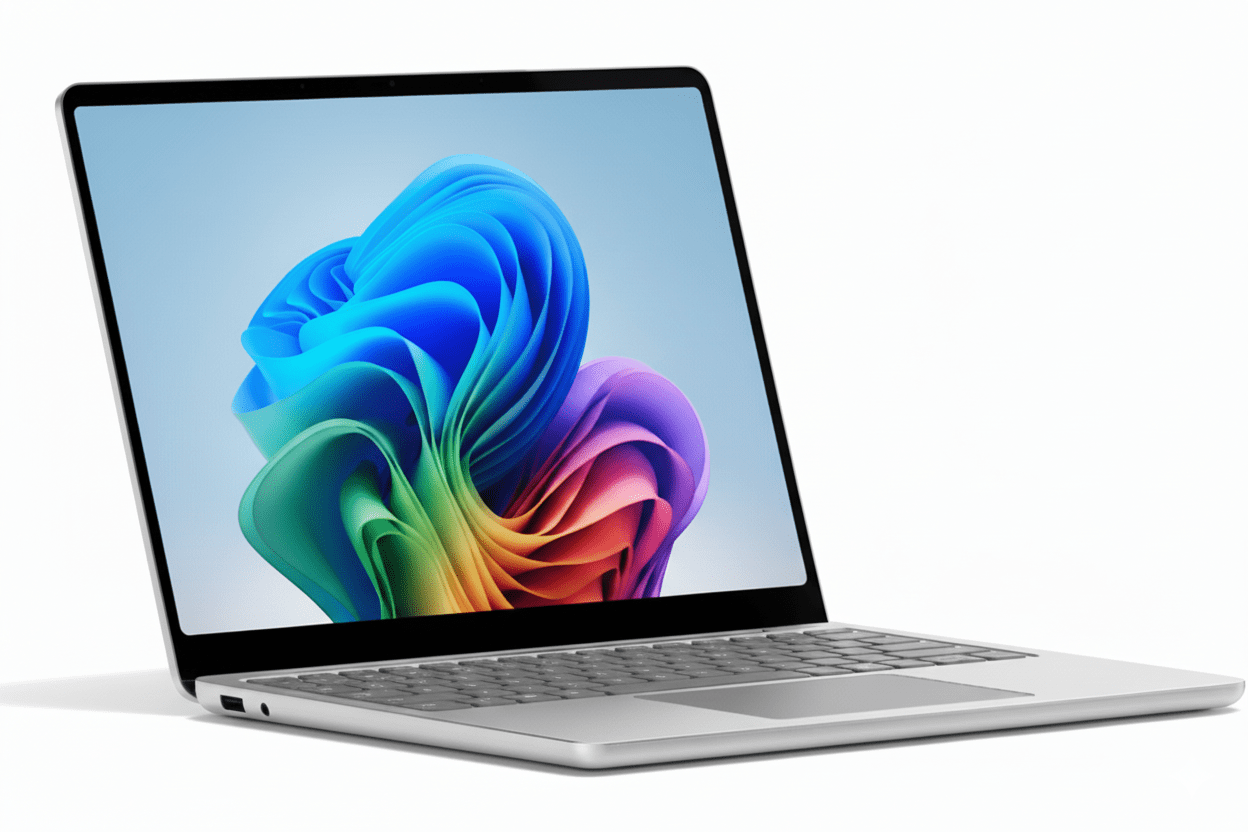
Microsoft Surface Laptop 2025
Complete Comparison: 13″ vs 13.8″ vs 15″
Snapdragon X AI Copilot+ PC | Wi-Fi 7 | Windows 11
Surface Laptop 13″
₹77,990+
Ultralight. Ultraportable.
- – Snapdragon X Plus (8-core)
- – 13″ Touch 60Hz
- – 16GB RAM / 256-512GB
- – 23 hrs battery
- – 1.22 kg
Surface Laptop 13.8″
₹1,26,990+
Exceptionally powerful.
- – Snapdragon X Plus/Elite
- – 13.8″ HDR OLED 120Hz
- – 16-32GB / 256GB-1TB
- – 20 hrs battery
- – 1.34 kg
Surface Laptop 15″
₹1,60,000+
Unmatched performance.
- – Snapdragon X Elite (12-core)
- – 15″ HDR OLED 120Hz
- – 16-32GB / 256GB-1TB
- – 22 hrs battery
- – 1.66 kg
Surface Laptop 2025 Overview
🚀 What’s New in 2025?
Snapdragon X AI Processors
Microsoft’s first ARM-based Surface laptops with Qualcomm Snapdragon X Plus (8/10-core) and X Elite (12-core) featuring 45 TOPS NPU for AI workloads and exceptional battery life!
Copilot+ PC Platform
Built for Windows 11 Copilot+ AI features: Windows Studio Effects, Live Captions, AI-powered search, and on-device AI processing without cloud dependency!
Best Battery Ever
Up to 23 hours video playback (13″), 20 hours (13.8″), 22 hours (15″). Real-world usage: 13-16 hours productivity. All-day computing is finally here!
Key Highlights
- ✓ Snapdragon X: ARM efficiency
- ✓ 45 TOPS NPU: AI acceleration
- ✓ Wi-Fi 7: Latest wireless
- ✓ OLED HDR: 13.8″ & 15″
- ✓ 3:2 Display: More workspace
- ✓ Ultra-light: From 1.22kg
What’s Included
- 💻 Surface Laptop (chosen model)
- 🔌 Power adapter (13.8″/15″ only)
- 🔋 USB-C charging cable (all models)
- 📄 Quick Start Guide
- 💼 Microsoft 365 trial (30 days)
- 🛡️ 1-Year Limited Warranty
Note: 13″ model does NOT include charger (sold separately)
Surface Advantage
- – Premium Design: Aluminum build
- – Best Battery: 20-23 hours
- – Copilot+ AI: On-device processing
- – 3:2 Display: 20% more vertical
- – Touch + Pen: Creator-friendly
- – Sustainability: 67% recycled
Display Comparison
13″ Display
PixelSense Touch (IPS)
Good for: Basic tasks, web browsing, documents
13.8″ Display ⭐
PixelSense Flow OLED
Best for: Creators, media, multitasking, everything!
15″ Display
PixelSense Flow OLED
Best for: Power users, video editing, large workspace
✨ Why 13.8″/15″ Displays Are Superior
OLED vs IPS
Infinite contrast (true blacks), 2x brighter (600 vs 400 nits), 120Hz smooth scrolling, and Dolby Vision HDR. OLED is dramatically better for media, photos, and everyday use!
Resolution Difference
13.8″/15″ have 201 PPI vs 178 PPI (13% sharper text), plus higher native resolution means more screen real estate. Perfect for productivity, coding, and creative work!
3:2 Aspect Ratio
All Surface Laptops use 3:2 aspect ratio (vs standard 16:9), giving 20% more vertical space—perfect for documents, web pages, spreadsheets, and multitasking!
Performance & Processors
13″ CPU
Snapdragon X Plus (8-core)
Good for: Everyday tasks, web, Office
13.8″ CPU ⭐
X Plus 10-core or X Elite 12-core
Best for: Multitasking, productivity, light creative work
15″ CPU
Snapdragon X Elite (12-core)
Best for: Power users, video editing, demanding apps
13″ Storage
13.8″ Storage ⭐
15″ Storage
AI Copilot+ Features
🤖 What is Copilot+ PC?
Surface Laptop 2025 models are Microsoft’s first Copilot+ PCs with dedicated 45 TOPS NPU (Neural Processing Unit) for on-device AI processing. This means AI features run locally without cloud dependency, offering faster response, better privacy, and working offline!
Windows Studio Effects
- – Auto framing (keeps you centered)
- – Portrait blur (background)
- – Eye contact correction
- – Creative filters (illustrated, animated)
Live Captions
- – Real-time transcription
- – Works in any language
- – On-device processing
- – Works offline!
AI Search & Recall
- – Find anything you’ve seen
- – Search across apps & web
- – Privacy-first design
- – Instant results
🎥 Camera & Video
-
●
1080p Full HD Camera
Surface Studio Camera with AI enhancements
-
●
Windows Hello (13.8″/15″)
Face authentication with IR camera
-
●
Fingerprint (13″)
Power button with fingerprint reader
🔊 Audio Features
-
●
Omnisonic Speakers
Dolby Audio (13″) or Dolby Atmos (13.8″/15″)
-
●
Dual Studio Mics
Enhanced voice focus with AI noise reduction
-
●
Bluetooth LE Audio
Latest audio standard support
Design & Build Quality
13″ Design
13.8″ Design ⭐
15″ Design
♻️ Sustainability Leadership
Recycled Materials
13.8″/15″ enclosures made with 67% recycled aluminum (minimum). 100% recycled rare earth magnets. 100% recycled cobalt in battery cells. Industry-leading sustainability!
Repairability
User-replaceable SSD on 13.8″/15″ models. Clear visual icons and built-in repair instructions. Microsoft committed to right-to-repair!
Energy Efficiency
ENERGY STAR certified. EPEAT Gold registered (13.8″/15″). ARM processors deliver exceptional performance per watt!
Ports & Connectivity – Wi-Fi 7
13″ Ports
USB Connectivity
– 2x USB-C (USB 3.2)
– 1x USB-A (USB 3.1)
– USB-C charging (60W min)
Display
– DisplayPort 1.4a via USB-C
– Supports two 4K@60Hz monitors
Audio
– 3.5mm headphone jack
Note: No Surface Connect, no charger included
13.8″ Ports ⭐
USB Connectivity
– 2x USB-C (USB4 / 40Gbps)
– 1x USB-A (USB 3.2)
– Thunderbolt 4 dock support
Charging & Display
– Surface Connect port (magnetic)
– USB-C fast charging (65W+)
– DisplayPort 1.4a
Audio
– 3.5mm headphone jack
15″ Ports
USB Connectivity
– 2x USB-C (USB4 / 40Gbps)
– 1x USB-A (USB 3.2)
– Thunderbolt 4 dock support
Charging & Storage
– Surface Connect port
– USB-C fast charging (65W+)
– MicroSDXC card reader
Audio
– 3.5mm headphone jack
📡 Wi-Fi 7 – Latest Wireless Standard
Wi-Fi 7 (802.11be)
All Surface Laptop 2025 models feature Wi-Fi 7—the absolute latest wireless standard. Offers 46Gbps theoretical max speed, ultra-low latency, and 6GHz band support. Future-proof for years!
Bluetooth 5.4
Bluetooth Core 5.4 with LE Audio support. Latest standard for wireless headphones, mice, keyboards, and other accessories. Better range and efficiency than older versions!
Battery Life Comparison
13″ Battery 🏆
23 hours
Video playback
– Capacity: 50 Wh (min 48)
– Video: Up to 23 hours
– Web Use: Up to 16 hours
– Real World: 12-16 hours
– Charging: USB-C (60W min)
13.8″ Battery
20 hours
Video playback
– Capacity: 54 Wh (min 52)
– Video: Up to 20 hours
– Web Use: Up to 13 hours
– Real World: 10-13 hours
– Charging: 39W adapter (included)
15″ Battery
22 hours
Video playback
– Capacity: 66 Wh (min 64)
– Video: Up to 22 hours
– Web Use: Up to 15 hours
– Real World: 12-15 hours
– Charging: 65W adapter (included)
✅ Best-in-Class Battery: Surface Laptop 2025 delivers industry-leading battery life thanks to efficient ARM Snapdragon processors. Expect 10-16 hours real-world usage (web, Office, video calls). True all-day computing without chargers!
Complete Side-by-Side Comparison
| Feature | 13″ | 13.8″ ⭐ | 15″ |
|---|---|---|---|
| DISPLAY | |||
| Screen Size | 13″ | 13.8″ | 15″ |
| Resolution | 1920×1280 | 2304×1536 | 2496×1664 |
| PPI | 178 | 201 | 201 |
| Panel Type | IPS LCD | OLED | OLED |
| Refresh Rate | 60Hz | 120Hz | 120Hz |
| HDR | No | Dolby Vision IQ | Dolby Vision IQ |
| Brightness | 400 nits | 600+ nits | 600+ nits |
| PERFORMANCE | |||
| Processor | X Plus (8-core) | X Plus 10 / Elite 12 | X Elite (12-core) |
| NPU | 45 TOPS | 45 TOPS | 45 TOPS |
| RAM Options | 16GB only | 16GB / 32GB | 16GB / 32GB |
| Storage Type | UFS | Gen 4 NVMe | Gen 4 NVMe |
| Storage Options | 256 / 512GB | 256 / 512 / 1TB | 256 / 512 / 1TB |
| BATTERY | |||
| Capacity | 50 Wh | 54 Wh | 66 Wh |
| Video Playback | 23 hours | 20 hours | 22 hours |
| Web Use | 16 hours | 13 hours | 15 hours |
| DESIGN | |||
| Weight | 1.22 kg | 1.34 kg | 1.66 kg |
| Thickness | 15.6 mm | 17.5 mm | 18.3 mm |
| Colors | Platinum | Black, Platinum | Black, Platinum |
| CONNECTIVITY | |||
| USB-C | 2x (USB 3.2) | 2x (USB4) | 2x (USB4) |
| Surface Connect | No | Yes | Yes |
| Card Reader | No | No | microSDXC |
| Biometrics | Fingerprint | Face (Windows Hello) | Face (Windows Hello) |
| PRICING (Approx) | |||
| Starting Price | ₹77,990 | ₹1,26,990 | ₹1,60,000+ |
Which Surface Laptop Should You Buy?
13″ – Budget/Portable
3.5/5
Good for travel, not for everyone
✅ Choose if you:
- – Need lightest laptop (1.22kg)
- – Want best battery (23 hrs)
- – Have tight budget (₹77k)
- – Only basic tasks (web, Office)
- – Secondary/travel laptop
❌ Skip if you:
- – Want OLED/better screen
- – Need 120Hz refresh
- – Do creative work
- – Want more power
13.8″ – Best All-Rounder ⭐
4.8/5
Perfect balance for most users
✅ Choose if you:
- – Want best display (OLED 120Hz)
- – Need more power (10/12-core)
- – Do multitasking/productivity
- – Want Face recognition
- – Need up to 32GB RAM
- – Want best value overall
❌ Skip if you:
- – Budget under ₹80k
- – Need 15″ screen size
15″ – Power Users
4.5/5
Best for specific needs
✅ Choose if you:
- – Need largest screen (15″)
- – Do video editing/creation
- – Want microSD slot
- – Desktop replacement
- – Have ₹1.6L+ budget
❌ Skip if you:
- – Want lighter laptop
- – Limited budget
- – 13.8″ is enough
- – Don’t need 15″ size
🎯 Expert Recommendation
Go with the 13.8″ model for 90% of users. It offers the perfect balance of display quality (OLED 120Hz Dolby Vision), performance (10/12-core options), portability (1.34kg), and battery life (20 hours video). The OLED upgrade alone is worth the extra cost over 13″.
The 13″ is only for extreme budget/weight conscious buyers who primarily do basic tasks. Its 60Hz IPS display and lower specs make it feel compromised compared to 13.8″.
The 15″ is perfect for power users and creators who need maximum screen space, but the 13.8″ offers 90% of the experience at significantly lower price and weight. Choose 15″ only if you truly need the larger display.
Bottom Line: The Surface Laptop 13.8″ is the sweet spot—best display, best performance, best features, and reasonable weight. It’s the model we’d buy ourselves and recommend to family/friends. The premium over 13″ is absolutely worth it for the OLED screen alone!
Complete Technical Specifications
All three Surface Laptop models share Wi-Fi 7, Bluetooth 5.4, Windows 11 Home, 3:2 touchscreen, Copilot+ AI features, premium aluminum build, and 1-year warranty. See comparison table above for detailed differences.
Key Takeaways
- – Best Battery: 13″ (23 hrs) > 15″ (22 hrs) > 13.8″ (20 hrs)
- – Best Display: 13.8″/15″ (OLED 120Hz HDR) >> 13″ (IPS 60Hz)
- – Best Performance: 15″ (Elite 12) ≥ 13.8″ (Elite 12) > 13.8″ (Plus 10) > 13″ (Plus 8)
- – Best Weight: 13″ (1.22kg) < 13.8" (1.34kg) < 15" (1.66kg)
- – Best Value: 13.8″ offers best balance of features vs price
- – Best Ports: 15″ (USB4 + microSD) > 13.8″ (USB4) > 13″ (USB 3.2)
Complete Pros & Cons
Surface Laptop 13″
✅ Strengths (12)
- – Lightest: Only 1.22 kg
- – Best Battery: 23 hours video
- – 45 TOPS NPU: AI acceleration
- – Wi-Fi 7: Latest wireless
- – Snapdragon X: ARM efficiency
- – 3:2 Display: More vertical space
- – Touchscreen: 10-point multi-touch
- – Copilot+ PC: AI features
- – Best Price: ₹77,990
- – Premium Build: Aluminum
- – Bluetooth 5.4: Latest
- – Quiet Operation: Fanless
⚠️ Weaknesses (10)
- – 60Hz Display: Not 120Hz
- – IPS LCD: Not OLED
- – Lower PPI: 178 vs 201
- – No HDR: No Dolby Vision
- – 8-Core Only: Weakest CPU
- – 16GB RAM Only: Not upgradable
- – UFS Storage: Slower than NVMe
- – Max 512GB: No 1TB option
- – No Charger: Must buy separately
- – Fingerprint Only: No face unlock
Surface Laptop 13.8″ ⭐
✅ Strengths (20)
- – OLED Display: Infinite contrast
- – 120Hz: Smooth scrolling
- – Dolby Vision HDR: Premium
- – 201 PPI: Sharper text
- – 600+ nits: Bright outdoor
- – 10/12-Core CPU: Powerful
- – Up to 32GB RAM: Future-proof
- – Gen 4 NVMe: Fast storage
- – Up to 1TB: Massive storage
- – USB4: 40Gbps ports
- – Surface Connect: Magnetic charging
- – Face Recognition: Windows Hello
- – Dolby Atmos: Premium audio
- – Haptic Touchpad: Adjustable
- – 45 TOPS NPU: AI power
- – Wi-Fi 7: Latest wireless
- – Removable SSD: User-replaceable
- – 67% Recycled: Sustainable
- – Light: Only 1.34 kg
- – Best Value: Perfect balance
⚠️ Weaknesses (5)
- – Higher Price: ₹1.27L starting
- – Shorter Battery: 20 hrs vs 23
- – Slightly Heavier: 1.34kg vs 1.22
- – Glossy OLED: Reflective
- – No microSD: No card reader
Surface Laptop 15″
✅ Strengths (18)
- – Largest Display: 15″ OLED
- – 120Hz OLED: Premium panel
- – Dolby Vision HDR: Best quality
- – 12-Core Elite: Max power
- – Up to 32GB RAM: Max memory
- – Up to 1TB SSD: Max storage
- – microSD Slot: Expandable
- – 66Wh Battery: Largest capacity
- – 22 hrs Battery: All-day
- – USB4 Ports: 40Gbps
- – Surface Connect: Magnetic
- – Face Recognition: IR camera
- – Dolby Atmos: Premium audio
- – Haptic Touchpad: Best experience
- – 45 TOPS NPU: AI acceleration
- – Wi-Fi 7: Latest wireless
- – Desktop Replacement: Large screen
- – 67% Recycled: Sustainable
⚠️ Weaknesses (6)
- – Highest Price: ₹1.6L+ starting
- – Heaviest: 1.66 kg
- – Thickest: 18.3mm
- – Less Portable: Large size
- – Glossy OLED: Reflective
- – Overkill: For most users
Who Should Buy Which Model?
Students
Best Choice: 13.8″ – Perfect balance of display quality for note-taking, research, and multimedia. OLED screen makes studying more pleasant. Lightweight for daily commute.
Budget Option: 13″ – If budget is tight, the 13″ model offers excellent battery life and portability for class and library use.
Business Professionals
Best Choice: 13.8″ – Premium OLED for presentations, Face recognition for quick login, excellent video call quality with Windows Studio Effects. Professional yet portable.
Travel Warriors: 13″ – If you travel constantly and prioritize lightest weight + longest battery, the 13″ is your companion.
Content Creators
Best Choice: 15″ – Largest OLED display with Dolby Vision for accurate color work. 12-core CPU handles video editing. microSD slot for camera cards. Maximum screen real estate for timelines.
Alternative: 13.8″ with 32GB RAM – If portability matters more than screen size, the 13.8″ with maxed specs is very capable.
Developers & Programmers
Best Choice: 13.8″ or 15″ – High resolution OLED displays make code easier to read. 3:2 aspect ratio shows more lines of code. 32GB RAM option essential for VMs and containers. ARM compatibility improving rapidly.
Note: Check ARM/x64 compatibility for your development tools. Most modern tools work well via emulation or native ARM.
Home & Entertainment
Best Choice: 13.8″ or 15″ – OLED with Dolby Vision makes movies and streaming look incredible. 120Hz for smooth Netflix browsing. Dolby Atmos audio enhances entertainment experience.
Choose 15″ if primarily used at home as family computer. Choose 13.8″ if you move it between rooms.
Seniors & Accessibility
Best Choice: 15″ – Largest screen easier to see. Touchscreen for intuitive interaction. Windows accessibility features built-in. Face recognition eliminates password typing.
Alternative: 13.8″ – If portability needed, 13.8″ offers excellent readability with high-res OLED while remaining manageable to carry.
Gaming Performance
🎮 What About Gaming?
Surface Laptop 2025 uses integrated Qualcomm Adreno GPU (not dedicated graphics). Performance is good for casual/light gaming but NOT for AAA gaming. Here’s what to expect:
✅ Games That Work Well
- – Minecraft: 60+ FPS at 1080p
- – League of Legends: 60+ FPS medium
- – Valorant: 40-60 FPS low/medium
- – CS2: 40-50 FPS low settings
- – Fortnite: 30-40 FPS performance mode
- – Rocket League: 60 FPS low
- – Indie Games: Most work great
- – Older Games: Excellent performance
- – Cloud Gaming: Xbox Game Pass perfect
❌ Games That Don’t Work Well
- – Cyberpunk 2077: Too demanding
- – Red Dead Redemption 2: Unplayable
- – Call of Duty (Modern): Very low FPS
- – Hogwarts Legacy: Not playable
- – Spider-Man: Too demanding
- – Starfield: ARM compatibility issues
- – Most AAA 2023-2025: Skip it
- – VR Games: Not supported
- – Ray Tracing: Not available
🎯 Gaming Verdict: Surface Laptop is NOT a gaming laptop. Perfect for casual/indie games, emulators, and cloud gaming (Xbox Game Pass). For serious gaming, consider laptops with RTX 4050/4060 GPUs instead. The 13.8″/15″ OLED displays are amazing for cloud gaming though!
Surface Laptop vs Key Competitors
vs MacBook Air M3
MacBook Air M3: ₹1,14,900
13.6″ or 15.3″ | M3 chip | 8GB/256GB base
Surface Advantages:
- – Touchscreen: MacBook lacks touch
- – Windows: Better software compatibility
- – 3:2 Display: More vertical space
- – Removable SSD: User-upgradable (13.8″/15″)
- – Face Unlock: IR camera (13.8″/15″)
- – OLED Option: Better contrast (13.8″/15″)
MacBook Advantages:
- – M3 Performance: Faster CPU/GPU
- – macOS: Better for Apple ecosystem
- – Longer Battery: 18-22 hours real-world
- – Better Resale: Holds value better
- – Silent: Completely fanless
- – Build Quality: Premium aluminum
vs Dell XPS 13 Plus
Dell XPS 13 Plus: ₹1,39,990
13.4″ | Intel Core Ultra 7 | 16GB/512GB
Surface Advantages:
- – Better Battery: 20-23 hours vs 12
- – 3:2 Display: More workspace
- – OLED Option: 13.8″/15″ available
- – 15″ Option: Larger screen choice
- – Lower Price: 13″ at ₹77k
- – ARM Efficiency: Cooler, quieter
XPS Advantages:
- – Intel CPU: Better x64 compatibility
- – Build Quality: CNC machined aluminum
- – Keyboard: Edge-to-edge design
- – Minimalist: Sleeker aesthetics
- – Dell Support: Established network
vs HP Spectre x360 14
HP Spectre x360: ₹1,54,990
13.5″ | Intel Core Ultra 7 | 16GB/512GB | 2-in-1
Surface Advantages:
- – Lower Price: ₹27-77k cheaper
- – Better Battery: 20-23 hours
- – Lighter: 1.22-1.34kg vs 1.44kg
- – ARM Efficiency: Silent operation
- – Larger Options: 15″ available
Spectre Advantages:
- – 2-in-1 Design: 360° hinge + pen
- – Intel CPU: Better compatibility
- – OLED Standard: All models OLED
- – Premium Design: Gem-cut edges
- – Thunderbolt 4: Native support
vs Lenovo Yoga 9i
Lenovo Yoga 9i: ₹1,69,990
14″ | Intel Core Ultra 7 | 16GB/1TB | 2-in-1
Surface Advantages:
- – Much Cheaper: ₹42-92k less
- – Better Battery: 20-23 hours
- – Lighter: More portable
- – 15″ Option: Larger available
- – ARM Efficiency: Silent, cool
Yoga Advantages:
- – 2-in-1 Design: Convertible + pen
- – 1TB Standard: More storage
- – OLED Standard: All models
- – Rotating Soundbar: Better audio
- – Intel CPU: Better compatibility
🏆 Competitive Summary
Surface Laptop 2025’s biggest advantages are exceptional battery life (20-23 hours), ARM efficiency (silent/cool), Windows touchscreen, and competitive pricing. The 13″ at ₹77k is a steal!
Main compromises vs premium Windows competitors: Lower raw performance vs Intel/AMD, some x64 app compatibility issues, not 2-in-1 convertible, and 13″ has basic IPS display.
vs MacBook: Choose Surface if you need Windows, touchscreen, or OLED. Choose MacBook if you want absolute best performance and macOS ecosystem. Both are excellent choices!
Frequently Asked Questions
Q: Can Surface Laptop run Windows x64/x86 apps?
A: Yes! Windows 11 on ARM includes x64 emulation that runs most Windows apps seamlessly. Performance is slightly slower than native ARM apps, but most productivity software (Office, Chrome, Photoshop, etc.) works great. Some older games and specialized software may have compatibility issues.
Q: Which size should I buy – 13″, 13.8″, or 15″?
A: For 90% of users, get the 13.8″. It’s the sweet spot with OLED 120Hz display, good performance, and reasonable weight. Get 13″ only if you need absolute lightest/cheapest. Get 15″ only if you truly need larger screen for work.
Q: Is the OLED display worth the price difference?
A: Absolutely yes! The OLED on 13.8″/15″ models is dramatically better than 13″ IPS – infinite contrast, 120Hz, HDR, brighter, and sharper. If you can afford it, the OLED upgrade alone justifies choosing 13.8″ over 13″.
Q: Can I upgrade RAM or storage later?
A: RAM: No – soldered on all models. Storage: Yes – 13.8″ and 15″ have removable M.2 SSD that users can replace. 13″ has removable UFS storage (harder to find replacements). Buy the RAM configuration you need from the start!
Q: How does ARM Snapdragon compare to Intel/AMD?
A: Snapdragon X provides similar productivity performance to Intel Core Ultra 7 / AMD Ryzen 7, with much better battery life and cooler/quieter operation. However, Intel/AMD have better raw performance for heavy tasks and better x64 app compatibility. For everyday use, Snapdragon is excellent!
Q: Is 16GB RAM enough or should I get 32GB?
A: 16GB is enough for most users (web, Office, email, streaming, light photo editing). Get 32GB if you do heavy multitasking, run VMs/containers, video editing, or want maximum future-proofing. Remember RAM is not upgradable later!
Q: Why doesn’t 13″ model include a charger?
A: Microsoft assumes most users already have USB-C chargers (from phones/tablets). This reduces e-waste and packaging. You can use any USB-C charger with 60W+ power delivery. The 13.8″ and 15″ include chargers (39W and 65W respectively).
Q: Can I use external GPU (eGPU) for gaming?
A: No – Snapdragon ARM processors don’t support external GPUs currently. If you need serious gaming or GPU performance, consider Windows laptops with dedicated NVIDIA/AMD graphics instead.
Q: Is Surface Laptop good for students?
A: Excellent choice! Long battery life lasts all day at university, touchscreen is great for note-taking, lightweight for carrying, and Copilot AI features help with research and writing. The 13.8″ model offers best value for students.
Q: How long will Microsoft support ARM-based Surface?
A: Microsoft is fully committed to Windows on ARM – it’s the future of Windows laptops. Expect 5+ years of updates. App compatibility is improving rapidly as more developers release native ARM versions.