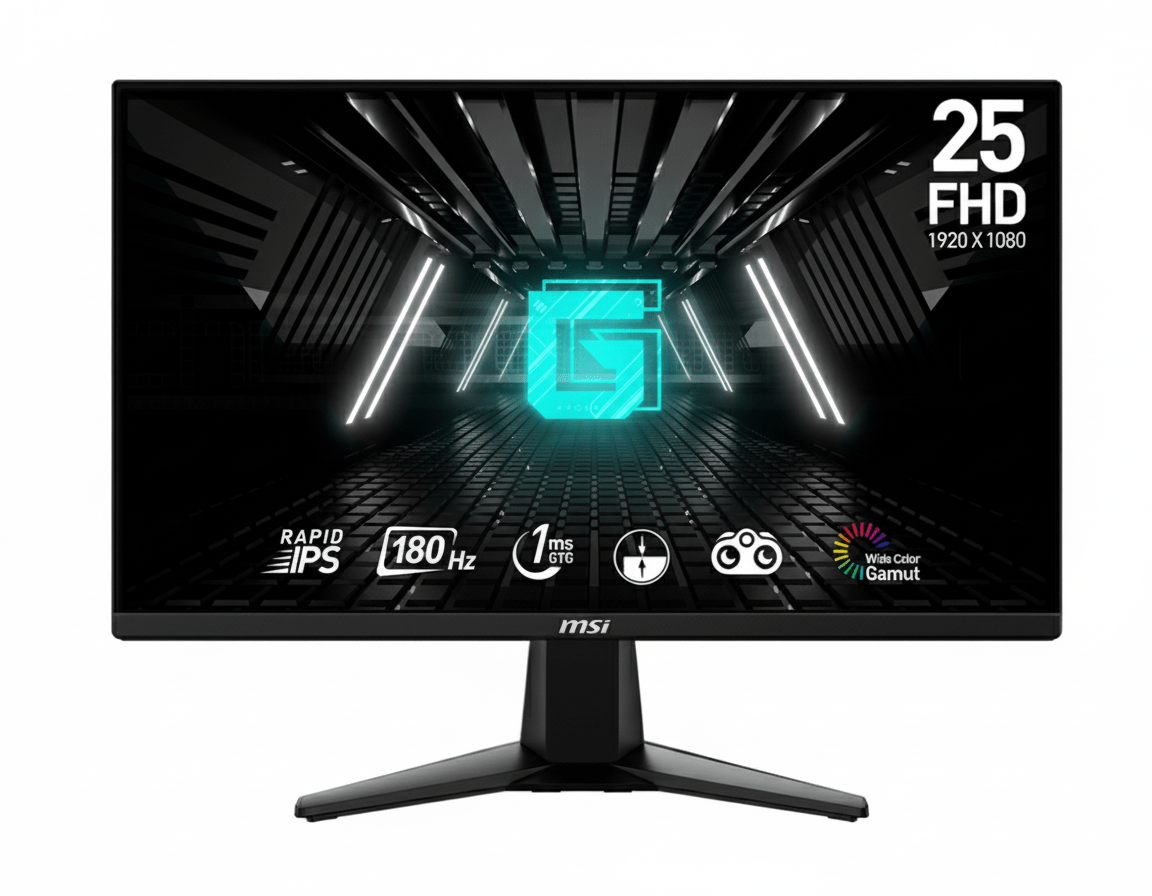
🎯 Ultimate 1440p Gaming: 27″ WQHD 180Hz Rapid IPS + DisplayHDR 400!
Premium resolution meets ultra-fast refresh rate with HDR certification for stunning visuals
MSI G274QPF E2 27″
27″ WQHD 180Hz | Rapid IPS | DisplayHDR 400 | 1ms GTG | Fully Adjustable
2560×1440 Resolution – 1ms Response – 400 nits – sRGB 124% – Ergonomic Stand – USB-C
⚡ The Premium 1440p Competitive Gaming Experience:
• WQHD 2560×1440: 77% more pixels than 1080p – sharp, detailed imagery
• 180Hz Refresh Rate: Ultra-smooth motion with 5.56ms frame time
• Rapid IPS Panel: 1ms GTG response + 10-bit color (1.07B colors)
• DisplayHDR 400: VESA certified 400-nit brightness with HDR support
• Wide Color Gamut: 124% sRGB, 92% Adobe RGB, 91% DCI-P3 coverage
• Fully Ergonomic: Height (130mm), tilt, swivel (±30°), pivot (±90°)
• USB Type-C: 15W power delivery + DisplayPort Alt mode connectivity
• Night Vision: Smart black tuner reveals details in dark areas
₹24,499
₹32,999
26% OFFModel: G274QPF E2 | 3-Year Warranty | Free Delivery
🛒 Buy Now on Amazon India🌍 Global Availability
• India: ₹24,499 (Amazon – 26% discount available)
• USA: $289.99 (MSI Store, Newegg, Amazon)
• UK: £269 (Scan, Overclockers UK)
• Europe: €279-299 varies by country
• Availability: Widely available at major retailers
Resolution
2560×1440
Refresh Rate
180Hz
HDR
DisplayHDR 400
MSI G274QPF E2 Overview – Premium 1440p Competitive Gaming
🖥️ WQHD Rapid IPS Excellence
- 27″ Screen: Perfect size for 1440p
- 2560×1440: 77% more pixels than FHD
- Rapid IPS: 1ms GTG response
- 10-bit Color: 1.07B colors (8+FRC)
- 124% sRGB: Wide accurate colors
- 400 Nits: DisplayHDR 400 certified
- 1000:1 Contrast: Deep blacks
- Anti-Glare: Matte coating
⚡ Lightning-Fast Performance
- 🔄 180Hz Refresh: Ultra-smooth gaming
- ⚡ 1ms GTG: Instant response
- 🎮 Adaptive-Sync: 48-180Hz VRR
- 🎯 Night Vision: Smart tuner
- 🌈 HDR Support: Windows 11 Auto HDR
- 👁️ 178° View: Wide IPS angles
💎 Premium Features & Value
- • Fully Adjustable: Height/tilt/swivel/pivot
- • USB Type-C: 15W PD + DisplayPort
- • Dual HDMI 2.0b: Console + PC ready
- • DisplayPort 1.4a: Full 180Hz support
- • VESA 75×75mm: Mount compatible
- • 3-Year Warranty: India protection
🎯 What Makes MSI G274QPF E2 Special?
The MSI G274QPF E2 represents the perfect convergence of competitive gaming performance and premium display quality: a stunning 27-inch WQHD (2560×1440) panel delivering 77% more pixels than Full HD, combined with a blazing 180Hz Rapid IPS panel achieving both 1ms GTG response and 10-bit color depth. At ₹24,499 (26% off ₹32,999), this monitor provides exceptional value for competitive gamers demanding sharper visuals without sacrificing refresh rate or response time.
The WQHD 2560×1440 resolution on 27 inches creates ideal pixel density (109 PPI) where text remains razor-sharp, game details become clearly visible, and workspace expands significantly compared to 1080p. This resolution sweet spot provides dramatically improved visual clarity without the performance penalty of 4K—modern mid-range GPUs (RTX 4060 Ti, RX 7700 XT) can consistently achieve high frame rates at 1440p, making it perfectly matched to the 180Hz refresh rate.
The 180Hz refresh rate delivers 5.56ms frame time—three times faster than 60Hz, creating ultra-smooth motion crucial for competitive gaming. Combined with Rapid IPS technology’s true 1ms GTG response, you eliminate motion blur and ghosting entirely while enjoying IPS panel benefits—accurate colors, wide viewing angles, consistent brightness. The technology delivers best-of-both-worlds performance previously requiring TN panel compromises.
What elevates the G274QPF E2 beyond budget 1440p alternatives is VESA DisplayHDR 400 certification guaranteeing genuine 400-nit brightness and HDR10 support. This certification ensures consistent HDR performance with wider dynamic range, brighter highlights, and deeper shadows compared to non-certified “HDR-compatible” monitors. The 10-bit color depth (8-bit + FRC) produces 1.07 billion colors, creating smoother gradients without banding in both SDR and HDR content.
The exceptional color gamut coverage (124% sRGB, 92% Adobe RGB, 91% DCI-P3) means game environments, character models, and visual effects look dramatically more vibrant and lifelike than standard gaming monitors. This isn’t merely aesthetic—superior color differentiation helps spot enemies against complex backgrounds in tactical shooters. The wide gamut also benefits content creators using this monitor for photo/video editing alongside gaming.
Unlike budget gaming monitors sacrificing ergonomics for cost savings, the G274QPF E2 includes fully adjustable stand with 130mm height adjustment, ±30° swivel, -5°/+20° tilt, and ±90° pivot. This comprehensive adjustability ensures optimal viewing position for any desk height, seating posture, or user preference, reducing neck and shoulder strain during marathon gaming sessions. The included USB Type-C port with 15W Power Delivery and DisplayPort Alt mode provides modern laptop connectivity convenience rarely found in gaming monitors under ₹25,000.
Display Quality – WQHD Rapid IPS Excellence
📺 27-Inch WQHD Resolution
The 27-inch screen size with 2560×1440 WQHD resolution creates ideal pixel density of approximately 109 PPI—the sweet spot where text remains razor-sharp, game details become clearly visible, and UI elements scale perfectly without appearing too small. This resolution provides 77% more pixels than Full HD (3.7 million vs 2.1 million), dramatically improving visual clarity in games, productivity work, and multimedia consumption.
At 1440p on 27 inches, you experience noticeable improvement over 1080p in texture detail, distant object clarity, and overall image sharpness without the extreme GPU demands of 4K. Modern mid-range graphics cards (RTX 4060 Ti, RX 7700 XT) can consistently maintain high frame rates at 1440p, making this resolution perfectly matched to the 180Hz refresh rate. The wider aspect ratio provides more screen real estate for competitive gaming awareness and productivity multitasking.
WQHD Advantages Over FHD
- • 77% More Pixels: 3.7M vs 2.1M pixels – sharper details
- • 109 PPI Density: Perfect clarity for 27-inch size
- • Better Game Details: Clearer textures and distant objects
- • GPU Friendly: Easier to drive than 4K displays
🎨 10-Bit Rapid IPS Panel
The Rapid IPS panel delivers true 1ms GTG response time with 10-bit color depth (8-bit + FRC), producing 1.07 billion colors for smooth gradients without banding. This advanced panel technology maintains IPS benefits—accurate colors, wide 178°/178° viewing angles, consistent brightness—while achieving response speeds previously exclusive to TN panels. You get premium color reproduction and zero ghosting simultaneously.
The exceptional color gamut covers 124% sRGB, 92% Adobe RGB, and 91% DCI-P3, producing dramatically more vibrant, saturated colors than standard gaming monitors. Game environments look richer and more lifelike, with better differentiation in shades helping spot details and movement. The 400-nit brightness and 1000:1 contrast ratio provide sufficient dynamic range for both SDR gaming and DisplayHDR 400 content, while the anti-glare matte coating minimizes reflections effectively.
10-Bit Rapid IPS Benefits
- • 1.07B Colors: Smooth gradients without banding
- • 1ms GTG Response: Zero ghosting in fast motion
- • 124% sRGB Coverage: Vivid, accurate colors
- • 400 Nits Brightness: DisplayHDR 400 certified
⚖️ Resolution Comparison: 1080p vs 1440p vs 4K
Full HD 1920×1080
Advantages: Easiest to drive with any GPU, highest frame rates possible, budget-friendly. Perfect for competitive esports where frame rate trumps visual clarity. Cost-effective builds under ₹60K.
Disadvantages: Limited screen real estate, less sharp on 27-inch displays (82 PPI), visible pixelation in detailed scenes. Not ideal for productivity multitasking or immersive single-player games.
Verdict: Choose 1080p for maximum frame rates with budget GPUs. The G274QPF E2’s 1440p provides significantly better clarity worth the modest performance cost.
WQHD 2560×1440 ⭐ BEST
Advantages: Ideal pixel density on 27-inch (109 PPI), 77% more pixels than FHD for sharper details, achievable frame rates with mid-range GPUs. Perfect balance of clarity and performance. Great for gaming and productivity.
Disadvantages: Requires RTX 4060 Ti / RX 7700 XT minimum for high settings at 180Hz in AAA games. More demanding than 1080p. Slightly higher monitor cost than FHD alternatives.
Verdict: The G274QPF E2 represents the sweet spot—dramatically better visuals than 1080p without 4K’s extreme demands. Ideal for serious gamers.
4K UHD 3840×2160
Advantages: Maximum detail and sharpness, exceptional clarity for productivity, future-proof resolution. Perfect for content creation, single-player immersion, and 4K media consumption on large displays.
Disadvantages: Requires high-end GPU (RTX 4070 Ti+) for high frame rates, difficult to achieve 180Hz in demanding games, significantly more expensive monitors (₹40K-60K+). Overkill for competitive gaming.
Verdict: Choose 4K for visual fidelity over frame rates. For competitive gaming, 1440p 180Hz offers better value and achievable performance than 4K.
Gaming Performance – 180Hz Competitive Excellence
🔄 180Hz Refresh Rate
The 180Hz refresh rate updates frames every 5.56 milliseconds—three times faster than 60Hz (16.67ms) and 25% faster than 144Hz (6.94ms). This creates dramatically smoother motion where fast-moving targets remain clear and distinct, camera panning feels fluid without judder, and rapid movements display every micro-adjustment with precision. The extra refresh rate provides genuine competitive advantage in fast-paced scenarios.
At 1440p resolution, modern mid-range GPUs (RTX 4060 Ti, RX 7700 XT) can achieve 180+ fps in competitive esports titles with optimized settings, fully utilizing the monitor’s capabilities. Even in demanding AAA games, these GPUs maintain 100-144fps at high settings, where Adaptive-Sync ensures smooth experience by dynamically matching refresh rate to frame output. The 180Hz ceiling provides headroom for both competitive and immersive gaming.
180Hz Performance Benefits
- • 5.56ms Frame Time: 3× faster than 60Hz
- • 25% More Frames: vs 144Hz (36 extra fps)
- • Smoother Motion: Clearer fast-target tracking
- • 1440p Optimized: Achievable with mid-range GPUs
🎮 Adaptive-Sync Technology
Adaptive-Sync dynamically synchronizes the monitor’s refresh rate with your GPU’s frame output, eliminating screen tearing and reducing stuttering when frame rates fluctuate. The 48-180Hz VRR (Variable Refresh Rate) window covers all realistic gaming scenarios, providing smooth experience whether frames dip to 80fps during intense action or max out at 180fps in calmer moments.
This technology works with both AMD FreeSync and NVIDIA G-SYNC Compatible modes, providing universal GPU support. Unlike fixed V-Sync which introduces input lag, Adaptive-Sync maintains low latency while preventing tearing—critical for competitive gaming where every millisecond matters. The wide VRR range ensures smooth gameplay across diverse titles without manual adjustment or compromise.
Adaptive-Sync Advantages
- • Tear-Free Gaming: Eliminates horizontal tear lines
- • No Stuttering: Smooth with variable FPS
- • 48-180Hz Range: Wide VRR window coverage
- • Universal Support: AMD & NVIDIA compatible
🎯 Advanced Gaming Features
⚫ Night Vision Smart Black Tuner
Night Vision is MSI’s proprietary smart black tuner that brightens dark scene areas without overexposing bright regions. This reveals enemies hiding in shadows, dark corners, or poorly-lit interiors—common camping spots in competitive shooters. The technology analyzes screen content in real-time, selectively adjusting darkness visibility while maintaining overall image quality and contrast.
In games like Valorant, CS2, Rainbow Six Siege, and battle royales, Night Vision provides tactical advantage by making previously invisible threats visible. Adjustable intensity levels let you fine-tune the effect for different games and personal preference without washing out the entire image. Essential feature for competitive advantage in tactical shooters.
⚡ 1ms Response Time (GTG & MPRT)
The 1ms GTG (Gray-to-Gray) response time means pixels transition instantly from one shade to another, eliminating ghosting trails behind fast-moving objects. This is complemented by 1ms MPRT (Moving Picture Response Time) which measures motion blur in dynamic scenes. Both metrics at 1ms confirm truly instantaneous pixel response across all scenarios.
For competitive gaming, this means crosshairs track smoothly across moving targets without blur, rapid camera panning maintains sharp focus, and flick shots display crisp target edges for precise aiming. The combination of 180Hz refresh and 1ms response creates motion clarity matching professional esports monitors costing ₹35,000+.
🎮 Expected Gaming Performance by Genre
✅ Ideal Game Types
Competitive FPS Shooters: Valorant, CS2, Overwatch 2, Rainbow Six Siege, Call of Duty. The 1440p resolution provides sharper enemy visibility at distance while 180Hz and 1ms response ensure competitive edge. Mid-range GPUs easily achieve 180+ fps in esports titles at 1440p.
AAA Single-Player Adventures: Cyberpunk 2077, Starfield, Red Dead Redemption 2, Hogwarts Legacy. The WQHD resolution and DisplayHDR 400 create stunning visuals with detailed environments and vibrant colors. Immersive experience at 100-144fps with high settings on RTX 4060 Ti / RX 7700 XT class GPUs.
Battle Royales: Fortnite, Apex Legends, PUBG, Warzone. The 27-inch 1440p display helps spot distant enemies while maintaining competitive frame rates. Adaptive-Sync smooths performance during chaotic endgames. Night Vision reveals opponents in varied lighting conditions effectively.
MOBA & RTS: League of Legends, Dota 2, StarCraft II, Age of Empires IV. The extra screen real estate at 1440p provides better strategic overview, making map awareness and unit management easier. The 180Hz ensures responsive micro-management during intense team fights.
⚠️ Recommended GPU Pairing
Entry GPUs (RTX 3060, RX 6600 XT): Maintain 144-180fps in esports titles (Valorant, CS2, League) at medium-high settings. Struggle to reach 180fps in demanding AAA games—expect 60-90fps at medium settings. Adequate for competitive gaming but limits AAA performance at 1440p resolution.
Mid-Range GPUs (RTX 4060 Ti, RX 7700 XT): Ideal match—consistently hit 180fps in esports games maxed out, achieve 120-180fps in modern AAA titles at high settings. This GPU tier fully utilizes the monitor’s 1440p 180Hz capabilities without bottlenecking. Recommended pairing for balanced gaming builds ₹80,000-1,00,000.
High-End GPUs (RTX 4070 Super+, RX 7800 XT+): Easily max out 180Hz in virtually all games at 1440p ultra settings. These GPUs provide headroom for future demanding titles and ray tracing at 1440p. Optimal if budget allows ₹50,000+ for graphics card alone.
Console Gaming: PS5 and Xbox Series X support 1440p 120Hz maximum—the monitor’s 180Hz is underutilized. However, the superior image quality and ergonomics justify purchase for console + PC hybrid setups where PC gaming benefits from full 180Hz capabilities.
HDR Technology – VESA DisplayHDR 400 Certification
🌟 DisplayHDR 400 Certified
The VESA DisplayHDR 400 certification guarantees genuine 400-nit brightness and HDR10 support with consistent performance validated through independent testing. Unlike vague “HDR-compatible” marketing claims, DisplayHDR certification ensures the monitor meets strict specifications for peak brightness, color gamut, bit depth, and HDR processing. This certification provides confidence in real-world HDR capabilities.
The 400-nit peak brightness in HDR mode creates brighter highlights and increased dynamic range compared to standard SDR displays limited to 250-300 nits. While not approaching premium HDR1000 monitors, DisplayHDR 400 provides noticeable improvement in HDR games and video content with more impactful brightness peaks, deeper shadows, and enhanced color vibrancy. Entry-level HDR that actually works as intended.
DisplayHDR 400 Benefits
- • VESA Certified: Guaranteed 400-nit HDR performance
- • HDR10 Support: Wide dynamic range content
- • 10-bit Color: Smooth gradients in HDR
- • Better Highlights: Brighter, more impactful peaks
🎮 Windows 11 Auto HDR Support
Windows 11 Auto HDR automatically enhances DirectX 11 and DirectX 12 games with HDR-like improvements even when games don’t natively support HDR. The feature uses machine learning to intelligently expand dynamic range, improve highlights, and enhance color vibrancy in thousands of existing games. This breathes new life into older titles with modern HDR-enhanced visuals.
Combined with the G274QPF E2’s DisplayHDR 400 certification and 10-bit color depth, Auto HDR provides noticeable visual improvement across your entire game library. Titles like Forza Horizon, Halo, Gears of War, and many others benefit from enhanced contrast and brightness without developer implementation. This feature extends HDR benefits beyond the limited catalog of native HDR games.
Auto HDR Advantages
- • Enhanced Games: Thousands of titles improved
- • Automatic: No game developer support needed
- • Better Contrast: Expanded dynamic range
- • Free Feature: Built into Windows 11
📊 HDR Performance Reality Check
It’s important to set realistic expectations: DisplayHDR 400 represents entry-level HDR, not the dramatic transformation of premium HDR1000 or HDR1400 displays costing ₹80,000-1,50,000. The 400-nit brightness provides moderate improvement over SDR with brighter highlights and better contrast, but doesn’t match the jaw-dropping impact of high-end OLED or FALD monitors with 1000+ nit peaks.
The monitor’s 1000:1 contrast ratio (typical of IPS panels) limits HDR effectiveness compared to VA panels (3000:1) or OLED (infinite contrast). This means blacks won’t be as deep and contrast won’t be as dramatic as premium HDR implementations. However, the wide color gamut (124% sRGB, 91% DCI-P3) enhances HDR content with more vibrant, saturated colors that compensate somewhat for limited contrast.
Where DisplayHDR 400 shines is consistency and compatibility. Unlike fake “HDR-compatible” monitors that barely improve over SDR, VESA certification guarantees meaningful performance. For gaming monitors under ₹25,000, DisplayHDR 400 is the most realistic HDR implementation—higher certifications require significantly more expensive hardware (local dimming, mini-LED backlights) that push prices beyond ₹40,000.
The G274QPF E2’s HDR provides tangible visual enhancement in supported games and Windows 11 Auto HDR titles. Explosions look brighter, sunsets appear more vibrant, and dark scenes maintain better shadow detail. It’s genuine improvement worth having at this price point, just not the transformative experience of premium HDR. For ₹24,499, having any form of certified HDR alongside 1440p 180Hz is exceptional value.
Features – Premium Connectivity & Modern Convenience
🔌 USB Type-C Connectivity
The USB Type-C port with DisplayPort Alt mode provides single-cable connectivity for modern laptops, delivering both video signal and 15W Power Delivery for device charging. This elegant solution eliminates cable clutter and provides convenient docking experience. The 15W charging supports smartphones, tablets, and low-power devices without needing separate power adapters.
For laptop users, the USB-C connection means true single-cable workflow: connect MacBook or Windows ultrabook once for display, charging, and peripherals (if using USB hub). This feature is increasingly essential for modern work-from-home setups where users frequently switch between gaming PC and productivity laptop. The convenience factor alone justifies choosing this monitor over alternatives lacking USB-C.
🎮 Comprehensive Video Inputs
The monitor includes 2× HDMI 2.0b ports and 1× DisplayPort 1.4a, providing flexibility for multiple devices simultaneously. Both HDMI ports support full 1440p@180Hz bandwidth, allowing connection of gaming PC, PS5, and Xbox Series X without cable swapping. The DisplayPort 1.4a provides highest bandwidth for PC gaming with full HDR and VRR support.
The multi-input flexibility serves diverse use cases: streamers running dual-PC setups, hybrid console + PC gamers, or users sharing monitor between work laptop and gaming desktop. Quick input switching via OSD menu makes transitioning between devices effortless. The 3.5mm headphone jack provides convenient audio output when using HDMI/DisplayPort audio pass-through.
🎨 Gaming Presets & Customization
🎮 Picture Mode Presets
The monitor includes multiple pre-calibrated picture modes optimized for different content types. Gaming modes enhance visibility and contrast for competitive play with adjusted gamma and sharpness. Cinema modes prioritize color accuracy and saturation for movies and streaming. sRGB mode provides standardized color space for content creation work.
Quick preset switching via OSD buttons lets you instantly adapt display characteristics between competitive ranked matches (gaming mode with Night Vision) and immersive single-player adventures (cinema mode for natural visuals). User mode allows complete customization of brightness, contrast, sharpness, and color temperature to personal preference for specialized workflows.
🖼️ Frameless Design
The three-side frameless design with ultra-slim bezels maximizes screen-to-body ratio, creating clean, modern aesthetic that reduces visual distractions during gaming. The minimal borders on top and sides make the 27-inch display appear even larger while maintaining focus on content rather than bezel thickness.
This frameless design proves especially valuable for multi-monitor setups where slim bezels create near-seamless displays. Dual or triple G274QPF E2 configurations provide expansive workspace for sim racing, flight simulation, or productivity workflows with minimal visual interruption. The consistent bezel thickness ensures professional appearance whether used standalone or in arrays.
Eye Care Technology – Marathon Gaming Comfort
💡 Less Blue Light Technology
MSI’s Less Blue Light technology reduces harmful blue light wavelength emissions that studies suggest contribute to eye strain, headaches, and disrupted sleep patterns during extended screen time. The monitor is optimized at hardware level to produce less blue light while maintaining acceptable color accuracy, unlike software filters that simply tint the entire screen orange.
This feature proves particularly valuable for late-night gaming sessions or marathon ranked grinds where players spend 6-8+ hours in front of the screen. By reducing blue light exposure, the monitor helps minimize eye fatigue and maintains natural circadian rhythms, potentially improving sleep quality after gaming. The effect is subtle—you won’t notice obvious color shift, but your eyes feel less strained after extended use.
Less Blue Light Benefits
- • Reduced Eye Strain: Less fatigue during long sessions
- • Better Sleep: Minimizes circadian rhythm disruption
- • Hardware-Based: No color accuracy compromise
- • Always Active: Works at all brightness levels
✨ Anti-Flicker Protection
Anti-Flicker technology eliminates invisible screen flickering caused by PWM (Pulse Width Modulation) brightness control common in budget displays. Standard monitors flicker at high frequencies (typically 200-250Hz) that aren’t consciously visible but cause headaches, eye strain, and fatigue during prolonged viewing. The G274QPF E2 uses DC (Direct Current) dimming for truly flicker-free illumination.
The benefit is imperceptible moment-to-moment but significantly impacts comfort during extended gaming marathons. Users sensitive to flicker-induced strain report fewer headaches and less eye fatigue after 6-8 hour sessions compared to flickering displays. Combined with Less Blue Light, the G274QPF E2 provides genuinely comfortable all-day gaming experience rare in gaming monitors prioritizing speed over health features.
Anti-Flicker Advantages
- • Zero Flicker: DC dimming eliminates PWM
- • Reduced Headaches: Helps sensitive users
- • Less Fatigue: Comfortable extended viewing
- • All Brightness: Works at every level
👁️ Complete Eye Protection for Premium Gaming
The combination of Less Blue Light, Anti-Flicker, and anti-glare matte coating makes the G274QPF E2 exceptionally comfortable for marathon gaming sessions. Competitive gamers grinding ranked ladders, practicing for tournaments, or streaming for hours benefit from comprehensive eye care that reduces accumulated fatigue without compromising visual quality or competitive performance. The 27-inch size and 1440p resolution reduce need for excessive screen proximity, further minimizing eye strain.
The wide 178°/178° IPS viewing angles maintain consistent image quality even when you shift position, lean back between matches, or adjust seating posture. You don’t need to maintain perfect centered position, reducing neck and shoulder strain during extended sessions. The anti-glare matte coating minimizes reflections from windows and overhead lighting, improving visibility in various room lighting conditions without requiring blackout curtains or special positioning.
For the ₹24,499 price point, having comprehensive eye care features alongside 1440p 180Hz and DisplayHDR 400 is exceptional value typically found in premium displays costing ₹35,000+. MSI demonstrates that high-performance gaming monitors can prioritize both competitive excellence and player health, making the G274QPF E2 suitable for serious gamers who regularly invest long hours improving their skills and maintaining peak performance without sacrificing wellbeing.
Design & Ergonomics – Fully Adjustable Premium Stand
🖼️ Premium Gaming Aesthetic
The MSI G274QPF E2 features clean, sophisticated gaming aesthetic with three-side frameless design and matte black finish that fits seamlessly into both gaming battlestations and professional environments. The understated appearance appeals to gamers seeking performance without excessive RGB or aggressive styling, making it versatile for home office or dedicated gaming room setups.
The sturdy stand provides exceptional stability while occupying reasonable desk footprint (308.6 × 227.8mm base dimensions). The stand design balances rock-solid support during intense gaming (preventing wobble during aggressive mouse movements) with efficient space usage, leaving room for keyboard, mouse, and peripherals. The professional black aesthetic maintains focus on the stunning display rather than distracting with unnecessary embellishments.
⚙️ Fully Ergonomic Adjustability
Unlike budget gaming monitors sacrificing ergonomics for cost savings, the G274QPF E2 includes comprehensive adjustment capabilities: 130mm height adjustment, ±30° swivel, -5°/+20° tilt, and ±90° pivot (portrait mode). This full adjustability ensures optimal viewing position for any desk height, seating posture, or user preference, dramatically reducing neck and shoulder strain during marathon gaming sessions.
The 130mm height range accommodates diverse desk heights and chair types, from low gaming desks to standing desk converters. The ±30° swivel enables easy angle adjustment when showing content to others or repositioning for glare reduction. The pivot function supports portrait orientation valuable for programmers, content creators managing vertical social media feeds, or reading documentation. This flexibility makes the monitor suitable for diverse workflows beyond pure gaming.
📏 Physical Specifications & Build Quality
📐 Dimensions & Footprint
The monitor measures 613.5 × 227.9 × 406.6mm (W×D×H) with stand at lowest position, occupying moderate desk space appropriate for 27-inch size. The footprint balances stability with desk space efficiency, providing adequate room for full-size gaming keyboards and extended mouse pads. At maximum height, dimensions extend to accommodate taller users or elevated viewing positions.
Without stand, dimensions are 613.5 × 69.8 × 362.5mm, maintaining ultra-slim profile suitable for VESA 75×75mm arm mounting or wall installation. The net weight is 6.3kg with stand (3.95kg panel only), indicating solid construction without excessive bulk. The weight provides stability preventing accidental tipping while remaining manageable for single-person setup and desk relocation.
🔨 Build Quality & Premium Materials
The monitor uses quality plastic construction with premium finish that avoids the cheap feel of budget displays. MSI’s manufacturing quality ensures solid feel without creaking or flexing, and the fully adjustable stand mechanisms operate smoothly through their entire range without loosening over time. The bezels fit together cleanly with consistent gaps demonstrating excellent quality control.
The adjustment mechanisms provide firm, stable positioning that holds selected angles reliably without gradual sagging common in cheaper monitors. The height adjustment slides smoothly with appropriate resistance, while tilt and swivel movements feel precise and controlled. The monitor includes 3-year warranty in India (36 months), providing peace of mind for panel defects, backlight issues, or electronic failures backed by MSI’s established service network.
🔧 VESA Mounting & Flexibility
The monitor supports VESA 75×75mm mounting standard, enabling installation on aftermarket monitor arms or wall mounts if desired. While the included stand provides comprehensive adjustability making separate arms unnecessary for most users, VESA compatibility offers upgrade path for specialized ergonomic needs like ultra-low desk mounting, desk clamp space savings, or multi-monitor arm arrays.
Premium monitor arms (₹3,000-6,000) provide extended reach, cable management channels, and tool-free adjustment for users preferring maximum flexibility. However, the G274QPF E2’s included stand is so comprehensive that most users won’t need separate arms—the full adjustment range handles virtually any desk configuration. The VESA mounting provides future flexibility without forcing immediate additional investment common with basic tilt-only stands.
Who Should Buy MSI G274QPF E2?
✅ Perfect For These Users
🎯 Serious Competitive Gamers
Players demanding both competitive performance and premium visual quality will love the 1440p 180Hz combination. The sharper WQHD resolution helps spot distant enemies while 180Hz and 1ms response maintain competitive edge. Perfect for Valorant, CS2, Apex Legends, and Overwatch 2 players who refuse to compromise between clarity and speed.
🎮 AAA Gaming Enthusiasts
Gamers who prioritize stunning visuals in single-player adventures benefit from the WQHD resolution, DisplayHDR 400, and wide color gamut. Games like Cyberpunk 2077, Starfield, and Hogwarts Legacy look dramatically better at 1440p with HDR. The 180Hz ensures smooth gameplay even in demanding titles with mid-range GPUs.
💼 Hybrid Work-Gaming Users
Users needing one monitor for both productivity and gaming benefit from the USB Type-C connectivity, fully adjustable stand, and 27-inch 1440p workspace. The portrait pivot supports coding and document work, while gaming features activate after work hours. Superior to maintaining separate work and gaming monitors.
🎨 Content Creator Gamers
Users who game and create content (photo/video editing, streaming, YouTube) appreciate the 124% sRGB and 91% DCI-P3 color accuracy. The 1440p resolution provides adequate workspace for editing timelines and Photoshop. Not replacement for professional color-critical displays, but excellent dual-purpose monitor for creator-gamers.
⚡ Mid-Range GPU Owners
Gamers with RTX 4060 Ti, RTX 4070, RX 7700 XT, or RX 7800 XT graphics cards find this monitor perfectly matched to their GPU’s capabilities. These cards consistently achieve 120-180fps at 1440p in most games, fully utilizing the monitor’s speed without wasting refresh rate potential or leaving performance on the table.
🖥️ Ergonomics-Conscious Users
Users valuing proper ergonomic positioning without buying separate monitor arms benefit from the comprehensive stand adjustability. The 130mm height adjustment, swivel, tilt, and pivot eliminate need for aftermarket solutions. Ideal for users prioritizing health and comfort during extended gaming or work sessions.
⚠️ Consider Alternatives If You Need
💰 Extreme Budget Constraints
Users with total gaming budgets under ₹60,000 should prioritize GPU investment over premium monitor. At ₹24,499, the G274QPF E2 represents significant portion of budget builds. Consider 1080p 144Hz alternatives (₹12,000-15,000) to allocate more budget toward GPU, upgrading monitor later when finances allow.
🏆 Professional Esports Players
Sponsored competitive players and extreme enthusiasts targeting maximum refresh rates (240Hz-360Hz) for ultimate competitive advantage should invest in faster panels. While 180Hz is excellent, professional players benefit from 240Hz+ displays (₹30,000-45,000) providing even faster frame updates for marginal performance gains that matter at elite level.
🖼️ Professional Color Work
Professional photographers, video editors, and graphic designers need factory-calibrated displays with hardware LUTs and 99%+ Adobe RGB coverage. While the 92% Adobe RGB is impressive for gaming monitors, it’s insufficient for critical color work. Invest in professional displays (₹35,000-60,000) with calibration support and color accuracy guarantees.
🎬 HDR Enthusiasts
Users demanding premium HDR experience with 1000+ nit peaks and local dimming should look at mini-LED or OLED displays. The DisplayHDR 400 provides modest improvement but not transformative HDR. For jaw-dropping HDR, expect to spend ₹60,000-1,20,000 on DisplayHDR 1000/1400 monitors or OLED panels.
⚙️ Entry-Level GPU Owners
Gamers with budget GPUs (GTX 1660 Super, RTX 3050, RX 6600) may struggle to consistently achieve high frame rates at 1440p. These cards are better matched to 1080p 144Hz displays where they can maintain higher fps. The monitor’s 1440p resolution will be underutilized, wasting its potential on hardware limitations.
📱 Console-Only Gamers
PS5 and Xbox Series X are limited to 1440p 120Hz maximum—the 180Hz is wasted. While the monitor works fine with consoles, you’re paying premium for features you cannot fully utilize. Consider console-optimized 144Hz displays or invest savings in games/accessories unless planning future PC gaming upgrade.
Top Competitors & Alternatives
LG 27GP850-B UltraGear
27″ WQHD 165Hz Nano IPS Gaming
₹26,999
27″ WQHD | 165Hz | Nano IPS | G-SYNC Compatible
Display: 27″ WQHD (2560×1440), Nano IPS, 165Hz, 1ms GTG
Features: G-SYNC Compatible, HDR10, 98% DCI-P3, fully adjustable stand
Advantage: Wider DCI-P3 coverage, proven reliability
Ports: 2× HDMI 2.0, 1× DisplayPort 1.4, 2× USB 3.0, headphone
Why Choose LG 27GP850-B Instead?
Wider 98% DCI-P3 gamut vs MSI’s 91% provides even more vibrant colors. The Nano IPS technology and LG’s reputation for reliability justify ₹2,500 premium. Includes USB hub for peripherals. Choose if maximum color accuracy matters and budget allows the extra investment.
Why Choose MSI G274QPF E2 Instead?
Save ₹2,500 while getting 9% faster refresh rate (180Hz vs 165Hz). The DisplayHDR 400 certification vs LG’s basic HDR10 guarantees better HDR performance. Includes USB Type-C port lacking on LG. Better value for budget-conscious gamers prioritizing speed and certified HDR over maximum gamut.
ASUS TUF VG27AQ Gaming
27″ WQHD 165Hz IPS Gaming
₹23,999
27″ WQHD | 165Hz | IPS | Adaptive-Sync
Display: 27″ WQHD (2560×1440), IPS, 165Hz, 1ms MPRT
Features: Adaptive-Sync, HDR10, ELMB sync, fully adjustable stand
Advantage: ASUS quality, ELMB motion blur reduction
Ports: 2× HDMI 2.0, 1× DisplayPort 1.2, 2× USB 3.0, headphone
Why Choose ASUS TUF VG27AQ Instead?
Save ₹500 while getting excellent ASUS build quality and customer service reputation. The ELMB (Extreme Low Motion Blur) technology reduces motion blur effectively. TUF branding ensures durability testing. Choose if ASUS reliability matters and 165Hz suffices for your gaming needs.
Why Choose MSI G274QPF E2 Instead?
9% faster refresh (180Hz vs 165Hz) provides competitive edge. The DisplayHDR 400 certification guarantees better HDR vs basic HDR10. USB Type-C connectivity lacking on ASUS. Rapid IPS may offer better response than standard IPS. Worth ₹500 premium for superior specifications and modern features.
Dell S2722DGM Curved VA
27″ WQHD 165Hz Curved VA Gaming
₹20,499
27″ WQHD | 165Hz | Curved VA | AMD FreeSync Premium
Display: 27″ WQHD (2560×1440), Curved VA, 165Hz, 2ms GTG
Features: FreeSync Premium, 1500R curvature, 3000:1 contrast
Advantage: Superior contrast ratio, immersive curvature
Ports: 2× HDMI 2.0, 1× DisplayPort 1.2, headphone
Why Choose Dell S2722DGM Instead?
Save ₹4,000 while getting superior 3000:1 VA contrast vs MSI’s 1000:1 IPS. The 1500R curvature provides immersive wraparound effect for single-player games. Deeper blacks and better HDR contrast. Choose if contrast and immersion matter more than IPS viewing angles.
Why Choose MSI G274QPF E2 Instead?
Faster 180Hz vs 165Hz and superior 1ms vs 2ms response. The IPS viewing angles, color accuracy, and faster pixel response suit competitive gaming better. DisplayHDR 400 certification, USB-C port, fully adjustable stand. Worth ₹4K premium for competitive features and modern connectivity Dell lacks.
Samsung Odyssey G5 C27G55T
27″ WQHD 144Hz Curved VA Gaming
₹18,999
27″ WQHD | 144Hz | Curved VA | AMD FreeSync Premium
Display: 27″ WQHD (2560×1440), Curved VA, 144Hz, 1ms MPRT
Features: FreeSync Premium, 1000R aggressive curvature, HDR10
Advantage: Aggressive 1000R curve, Samsung brand
Ports: 1× HDMI 2.0, 1× DisplayPort 1.2, headphone
Why Choose Samsung Odyssey G5 Instead?
Save ₹5,500 (29% cheaper) while getting aggressive 1000R curvature for maximum immersion. The VA panel contrast suits single-player adventures. Samsung’s gaming monitor heritage and brand recognition. Choose if budget is tight and curved immersion matters more than flat competitive precision.
Why Choose MSI G274QPF E2 Instead?
25% faster refresh (180Hz vs 144Hz) and dramatically better response (1ms GTG vs VA ghosting). The IPS panel, DisplayHDR 400 certification, USB-C, and fully adjustable stand justify ₹5,500 premium. Flat screen better for competitive gaming. MSI targets serious gamers; Samsung suits budget-conscious casual players.
Pros and Cons – MSI G274QPF E2
✅ What We Loved
🖥️ Perfect 1440p 180Hz Combination
The WQHD 2560×1440 resolution on 27 inches creates ideal 109 PPI pixel density dramatically sharper than 1080p while remaining achievable for mid-range GPUs. Combined with 180Hz refresh rate, you get both superior visual clarity and competitive smoothness—best of both worlds for serious gaming.
⚡ True 1ms Rapid IPS Technology
The Rapid IPS panel delivers genuine 1ms GTG response with 10-bit color depth (1.07B colors), eliminating the traditional speed vs quality trade-off. You get instant pixel response with zero ghosting plus IPS color accuracy and viewing angles—premium performance previously requiring TN compromises.
🌟 VESA DisplayHDR 400 Certified
DisplayHDR 400 certification guarantees genuine 400-nit brightness and HDR10 support with validated performance. Unlike fake “HDR-compatible” monitors, VESA certification ensures meaningful HDR experience with brighter highlights, wider dynamic range, and enhanced colors. Rare certification under ₹25K price point.
🎨 Exceptional Color Gamut Coverage
The 124% sRGB, 92% Adobe RGB, and 91% DCI-P3 coverage produces vibrant, accurate colors rivaling professional displays. Game environments look dramatically more realistic, helping spot enemies against complex backgrounds. This wide gamut benefits both competitive gaming visibility and content creation workflows.
⚙️ Fully Adjustable Ergonomic Stand
130mm height adjustment, ±30° swivel, -5°/+20° tilt, and ±90° pivot provide comprehensive ergonomic positioning without separate monitor arms. This full adjustability reduces neck and shoulder strain during extended sessions—premium feature rarely included in gaming monitors under ₹25,000.
🔌 USB Type-C Connectivity
The USB Type-C port with DisplayPort Alt mode and 15W Power Delivery provides convenient single-cable laptop connectivity. This modern feature eliminates cable clutter for hybrid work-gaming setups, supporting MacBooks and Windows ultrabooks with elegant docking solution.
🎮 Complete Gaming Feature Set
Night Vision smart black tuner, Adaptive-Sync (48-180Hz VRR), Anti-Flicker, and Less Blue Light create comprehensive gaming package. These features provide competitive advantage (Night Vision visibility), smooth gameplay (Adaptive-Sync), and eye comfort (health features) all in one monitor.
👁️ Comprehensive Eye Care
The Anti-Flicker DC dimming and Less Blue Light technology reduce eye strain during marathon gaming sessions. Combined with anti-glare coating and wide IPS viewing angles, the monitor provides genuinely comfortable all-day viewing experience without compromising competitive performance.
💰 Outstanding Value for Money
At ₹24,499, the G274QPF E2 delivers 1440p 180Hz Rapid IPS with DisplayHDR 400 and full ergonomics—features typically found in monitors costing ₹30,000-35,000. The combination represents exceptional value for serious gamers demanding premium performance without extreme pricing.
⚠️ What Could Be Better
💻 Requires Mid-Range GPU Minimum
The 1440p 180Hz combination requires RTX 4060 Ti / RX 7700 XT class GPU minimum to fully utilize capabilities in demanding games. Budget GPUs (GTX 1660 Super, RTX 3050) struggle to maintain high frame rates at 1440p, underutilizing the monitor’s potential. The resolution demands more powerful hardware than 1080p alternatives.
🌓 DisplayHDR 400 Limitations
While certified and functional, DisplayHDR 400 provides modest HDR improvement—not transformative experience of premium HDR1000+ displays. The 400-nit brightness and 1000:1 IPS contrast limit dynamic range impact. Better than fake HDR but doesn’t match OLED or mini-LED displays costing ₹60,000-1,20,000.
🔇 No Built-In Speakers
The monitor lacks integrated speakers, requiring external speakers or headphones for audio. While most serious gamers prefer dedicated audio, this adds ₹2,000-5,000 to total setup cost for budget builders expecting all-in-one solution. The omission keeps costs down but adds complexity.
⚡ Not Quite 240Hz Tier
While 180Hz is excellent, extreme competitive players and professional esports athletes prefer 240Hz+ for maximum advantage. The 60Hz difference provides marginal but measurable improvement for elite players. The G274QPF E2 targets serious competitive gaming but doesn’t match absolute top-tier equipment.
🔌 Limited 15W USB-C Power
The USB Type-C port provides only 15W Power Delivery—sufficient for smartphones and tablets but inadequate for laptop charging. Modern laptops require 60-100W PD for charging while working. The USB-C serves display connectivity well but doesn’t replace laptop power adapters.
📦 No DisplayPort Cable Included
The monitor includes power cord and AC adapter but no DisplayPort cable, requiring separate ₹500-1,000 purchase for full 180Hz support. While HDMI cable is included, DisplayPort 1.4a provides superior bandwidth for premium experience. Budget builds must factor additional cable cost into total investment.
Final Verdict – Premium 1440p Gaming Excellence
Outstanding Premium Gaming Value
🎯 The Bottom Line
The MSI G274QPF E2 represents the pinnacle of 1440p competitive gaming monitors by combining WQHD resolution’s superior clarity with blazing 180Hz refresh rate and true 1ms Rapid IPS response. At ₹24,499, this monitor delivers premium performance typically found in displays costing ₹30,000-35,000, making it exceptional value for serious gamers demanding both visual quality and competitive speed without compromise.
The 2560×1440 WQHD resolution on 27 inches creates ideal pixel density (109 PPI) dramatically sharper than 1080p while remaining achievable for mid-range GPUs. Combined with DisplayHDR 400 certification, 10-bit color depth (1.07B colors), and exceptional 124% sRGB gamut, the monitor produces stunning visuals with vibrant colors, smooth gradients, and enhanced dynamic range that elevate both competitive and immersive gaming experiences.
The comprehensive feature set—fully adjustable stand, USB Type-C connectivity, Night Vision smart tuner, and complete eye care technology—creates premium package addressing every aspect of modern gaming. MSI demonstrates understanding of enthusiast gamers’ needs by including features that genuinely matter without inflating price with unnecessary additions.
💡 Who Should Buy This?
Serious competitive gamers with mid-range GPUs (RTX 4060 Ti+, RX 7700 XT+) seeking perfect balance between visual clarity and competitive performance will find tremendous value. The 1440p 180Hz combination provides sharper enemy visibility and smoother motion than 1080p alternatives without the extreme hardware demands of 4K, making it ideal sweet spot for enthusiast gaming builds ₹80,000-1,20,000.
The monitor excels for hybrid work-gaming users, content creator gamers, and AAA gaming enthusiasts who demand premium visuals alongside competitive capabilities. The USB Type-C connectivity and fully adjustable stand make it practical for productivity workflows, while gaming features activate for after-hours entertainment. The wide color gamut supports casual photo/video editing alongside gaming.
Users with budget GPUs should upgrade graphics first. Professional color work requires factory-calibrated displays. Extreme competitive players wanting 240Hz+ should invest more. However, for balanced premium gaming where both clarity and speed matter, the G274QPF E2 represents best value in 1440p 180Hz category.
Final Recommendation: At ₹24,499, the MSI G274QPF E2 is highly recommended for enthusiast gamers demanding premium 1440p experience without extreme pricing. The combination of WQHD resolution, 180Hz Rapid IPS, DisplayHDR 400, full ergonomics, and modern connectivity creates compelling package. Best premium 1440p value in ₹25K budget gaming monitor category.
📊 Rating Breakdown
Frequently Asked Questions
❓ Is 1440p 180Hz better than 1080p 240Hz for gaming?
It depends on priorities. 1440p 180Hz provides 77% more pixels (sharper image) with excellent 180Hz smoothness—ideal for gamers valuing visual clarity in AAA titles and competitive games equally. 1080p 240Hz prioritizes maximum frame rate over resolution—better for pure competitive esports players (CS2, Valorant pros) where every frame matters more than visual quality. For balanced gaming, 1440p 180Hz offers better overall experience.
❓ What GPU do I need to run 1440p 180Hz properly?
Mid-range GPUs (RTX 4060 Ti, RTX 4070, RX 7700 XT, RX 7800 XT) are ideal pairings for this monitor. They consistently achieve 180fps in esports titles (Valorant, CS2, Overwatch 2) and 120-180fps in modern AAA games at high settings. Budget GPUs (RTX 3060, RX 6600 XT) struggle with 1440p—better suited for 1080p displays. High-end GPUs (RTX 4070 Super+) easily max everything out, providing future-proofing.
❓ Is DisplayHDR 400 worth it or just marketing?
DisplayHDR 400 is genuine certified HDR—not fake marketing. VESA certification guarantees 400-nit brightness and HDR10 support with validated performance. It provides noticeable improvement over SDR with brighter highlights and enhanced colors, though not as dramatic as premium HDR1000+ displays. For gaming monitors under ₹25K, DisplayHDR 400 is most realistic HDR implementation worth having versus no HDR at all.
❓ Does this monitor work with PS5 and Xbox Series X?
Yes, but consoles max out at 1440p 120Hz—the 180Hz is underutilized. The HDMI 2.0b ports support console connection, and you’ll get excellent 1440p 120Hz gaming. However, if you’re console-only, you’re paying for 180Hz refresh you cannot use. The monitor is best for PC + console hybrid setups where PC gaming benefits from full 180Hz while consoles get great 120Hz experience.
❓ How does Rapid IPS compare to regular IPS and VA panels?
Rapid IPS achieves 1ms GTG response matching TN speed while maintaining IPS color accuracy and viewing angles—best of both worlds. Regular IPS has 4-5ms response causing noticeable ghosting. VA panels offer superior contrast (3000:1) but suffer from slower response and ghosting in fast motion. Rapid IPS eliminates compromises, providing fast response AND beautiful colors simultaneously—ideal for competitive gaming.
❓ Is 27 inches too big for competitive gaming?
No, 27 inches with 1440p resolution is increasingly popular in competitive gaming, offering excellent balance. While 24.5 inches remains tournament standard, 27-inch provides more screen real estate without excessive size that requires head movement. At typical gaming distances (60-80cm), 27 inches fits comfortable viewing field. The sharper 1440p resolution provides competitive advantage spotting distant enemies compared to 1080p.
❓ Can I use this monitor for photo/video editing?
Yes, for casual to intermediate content creation. The 124% sRGB and 92% Adobe RGB coverage provide accurate colors suitable for photo editing, video color grading, and graphic design. The 1440p resolution offers adequate workspace. However, professionals need factory-calibrated displays with 99%+ Adobe RGB and hardware calibration support. The G274QPF E2 suits creator-gamers doing both activities but isn’t replacement for professional color-critical monitors.
❓ What is Windows 11 Auto HDR and does it really work?
Windows 11 Auto HDR automatically enhances DirectX 11/12 games with HDR-like improvements using machine learning, even when games don’t natively support HDR. It expands dynamic range, brightens highlights, and enhances colors in thousands of existing games. Combined with DisplayHDR 400, it provides noticeable visual enhancement. It’s genuine feature that works well, not placebo—extends HDR benefits beyond limited catalog of native HDR games.
❓ Does the USB Type-C port charge my laptop?
Partially. The USB-C port provides 15W Power Delivery—sufficient for smartphones, tablets, and very light devices, but inadequate for laptop charging during active use. Most modern laptops require 60-100W PD for charging while working. The USB-C serves excellent display connectivity with single-cable convenience, but you’ll still need your laptop’s power adapter for charging.
❓ Is the fully adjustable stand worth it vs buying a monitor arm?
Yes, the included stand provides comprehensive adjustment (height, tilt, swivel, pivot) that matches or exceeds many aftermarket arms. You save ₹3,000-6,000 on separate ergonomic arms while getting excellent adjustability. The stand is stable, smooth-operating, and well-engineered. Most users won’t need separate arms—the included stand handles virtually any desk configuration. VESA mounting provides upgrade option if specialized needs arise later.
❓ How does Night Vision work and should I use it always?
Night Vision analyzes dark scene areas in real-time and selectively brightens them without overexposing bright regions, revealing enemies in shadows. Enable it for competitive shooters (Valorant, CS2, Rainbow Six Siege) where opponents hide in dark corners—provides genuine tactical advantage. Disable it for single-player story games where natural lighting and atmosphere matter. Adjustable intensity lets you fine-tune for preference.
❓ Does Adaptive-Sync work with both AMD and NVIDIA GPUs?
Yes, the monitor’s Adaptive-Sync supports AMD FreeSync natively and NVIDIA G-SYNC Compatible mode. AMD Radeon cards (RX 400 series+) work automatically. NVIDIA GeForce cards (GTX 10 series+) require enabling G-SYNC Compatible in NVIDIA Control Panel. Both receive identical tear-free experience with 48-180Hz VRR range, eliminating screen tearing while maintaining low latency.
❓ Is ₹24,499 good value compared to competitors?
Excellent value. Comparable 1440p 180Hz monitors with DisplayHDR 400 and full ergonomics typically cost ₹28,000-35,000. The G274QPF E2 undercuts premium alternatives while matching or exceeding specifications. The combination of WQHD Rapid IPS, 180Hz, DisplayHDR 400 certification, USB-C, and fully adjustable stand for ₹24,499 represents best value in premium 1440p gaming category. Competitors sacrifice features or charge significantly more.
❓ What warranty does MSI provide in India?
MSI provides 3-year warranty (36 months) in India covering manufacturing defects, panel issues, and electronic failures. MSI has established service network in India with service centers in major cities, ensuring support availability if problems arise. Registration and warranty claims are handled through MSI India website and customer support. The 3-year coverage provides peace of mind for ₹24,499 investment.
❓ Does the monitor include built-in speakers?
No, the G274QPF E2 does not include built-in speakers. You’ll need external speakers or headphones for audio. However, it has a 3.5mm headphone jack for convenient audio output when using HDMI/DisplayPort connection. The omission keeps costs down—most serious gamers prefer dedicated headsets anyway for competitive audio positioning and communication. Budget ₹2,000-5,000 for quality gaming headset if not already owned.
Complete Technical Specifications
| Display Specifications | |
|---|---|
| Screen Size | 27 inches (69 cm diagonal) |
| Panel Type | Rapid IPS (In-Plane Switching) |
| Resolution | WQHD 2560 × 1440 |
| Aspect Ratio | 16:9 (Widescreen) |
| Pixel Pitch | 0.2331mm (H) × 0.2331mm (V) |
| Active Display Area | 596.736mm (H) × 335.664mm (V) |
| Curvature | Flat |
| Refresh Rate | 180Hz (Native) |
| Response Time (GTG) | 1ms (Gray to Gray) |
| Response Time (MPRT) | 1ms (Moving Picture Response Time) |
| Brightness (SDR) | 400 cd/m² (nits) |
| Brightness (HDR Peak) | 400 cd/m² (nits) |
| Contrast Ratio | 1000:1 (Static) |
| Dynamic Contrast Ratio (DCR) | 100,000,000:1 |
| Viewing Angle | 178° Horizontal / 178° Vertical |
| Display Colors | 1.07 Billion (10-bit via 8-bit + FRC) |
| Color Bit Depth | 10 bits (8 bits + FRC) |
| Surface Treatment | Anti-Glare (Matte) |
| Color Gamut Coverage | |
|---|---|
| NTSC (CIE1976) | 104% Area / 89% Overlap |
| NTSC (CIE1931) | 88% Area / 83% Overlap |
| sRGB (CIE1976) | 119% Area / 99% Overlap |
| sRGB (CIE1931) | 124% Area / 99% Overlap |
| Adobe RGB (CIE1976) | 102% Area / 94% Overlap |
| Adobe RGB (CIE1931) | 92% Area / 87% Overlap |
| DCI-P3 (CIE1976) | 95% Area / 93% Overlap |
| DCI-P3 (CIE1931) | 91% Area / 91% Overlap |
| Rec.709 (CIE1976) | 119% Area / 99% Overlap |
| Rec.709 (CIE1931) | 124% Area / 99% Overlap |
| Rec.2020 (CIE1976) | 69% Area / 69% Overlap |
| Rec.2020 (CIE1931) | 65% Area / 65% Overlap |
| HDR & Gaming Features | |
|---|---|
| HDR Certification | VESA DisplayHDR 400 |
| HDR Format Support | HDR10 |
| Adaptive Sync Technology | Adaptive-Sync (AMD FreeSync / NVIDIA G-SYNC Compatible) |
| VRR Range | 48-180Hz (Variable Refresh Rate) |
| Signal Frequency | 64.56-266.4 KHz (H) / 48-180 Hz (V) |
| Night Vision | Yes – Smart black tuner for dark areas |
| Frameless Design | Yes – 3-side borderless |
| Windows 11 Auto HDR | Supported |
| Eye Care Technology | |
|---|---|
| Anti-Flicker | Yes – DC dimming eliminates PWM flicker |
| Less Blue Light | Yes – Reduces harmful blue light emission |
| Anti-Glare Coating | Yes – Matte surface treatment |
| Wide Viewing Angle | 178°/178° IPS – Consistent image quality |
| Connectivity & Ports | |
|---|---|
| USB Type-C | 1× USB Type-C (DisplayPort Alt Mode + 15W Power Delivery) |
| HDMI Ports | 2× HDMI 2.0b (Both support 180Hz at 1440p) |
| HDMI Version | 2.0b |
| HDMI HDCP Version | 2.2 |
| DisplayPort | 1× DisplayPort 1.4a |
| DisplayPort Version | 1.4a |
| DisplayPort HDCP Version | 2.3 |
| Headphone Out | 1× 3.5mm headphone jack |
| Built-in Speakers | None |
| USB Ports | None (USB-C for display only) |
| Lock Type | Kensington Lock |
| Ergonomics & Mounting | |
|---|---|
| Tilt Adjustment | -5° to +20° (Forward/Backward) |
| Swivel Adjustment | -30° to +30° (Left/Right) |
| Height Adjustment | 0 to 130 mm (5.1 inches) |
| Pivot (Portrait Mode) | -90° to +90° (Clockwise/Counter-clockwise) |
| VESA Mount | 75 × 75 mm |
| VESA Screws Included | 4× M4 screws |
| Physical Dimensions & Weight | |
|---|---|
| Dimensions (With Stand) | 613.5 × 227.9 × 406.6 mm (W × D × H at lowest) |
| Dimensions (Without Stand) | 613.5 × 69.8 × 362.5 mm (W × D × H) |
| Stand Dimension | 308.6 × 227.8 × 406.6 mm (W × D × H) |
| Weight (Net with Stand) | 6.3 kg (13.89 lbs) |
| Weight (Without Stand) | 3.95 kg (8.71 lbs) |
| Weight (Gross/Packaged) | 8.5 kg (18.74 lbs) |
| Color Finish | ID1 / Black-Black (Matte) |
| Power & Energy | |
|---|---|
| Power Type | External Adaptor 19V 3.42A |
| Power Input | 100-240V AC, 50-60Hz (Universal) |
| Power Consumption (On-mode) | 26 KWh/1000h |
| Annual Energy Consumption | 26 KWh |
| Standby Power Consumption | 0.5W |
| Off-mode Power Consumption | 0.3W |
| Energy Efficiency Rating | F |
| Power Cord Type | C13 |
| Package Contents | |
|---|---|
| In The Box |
• 1× MSI G274QPF E2 Monitor • 1× Monitor Stand (Base + Riser) • 1× DisplayPort Cable • 1× Power Cord • 1× AC Adaptor (19V 3.42A) • 1× Quick Guide • 4× VESA Mounting Screws • No HDMI cable included • No USB cables included |
| Pricing & Warranty | |
|---|---|
| India Price | ₹24,499 (Street Price) / ₹32,999 (MRP) |
| USA Price | $289.99 |
| UK Price | £269 |
| Warranty Period | 36 Months (3 Years) – India |
| Model Number | G274QPF E2 (3CC2) |
| Part Number | 9S6-3CC29H-210 |
| Series | MSI G Series (Gaming) |
| EAN | 4711377123334 |
| UPC | 824142332788 |
| UCC14 | 10824142332785 |
| Packaging Dimensions | |
|---|---|
| Inside Carton Dimension | 81.5 × 14.5 × 50.2 cm |
| Outer Carton Dimension | 83 × 15.8 × 52.6 cm |
Ready for Premium 1440p Gaming Excellence?
Get the MSI G274QPF E2 – 27″ WQHD 180Hz DisplayHDR 400 Monitor for Just ₹24,499!
🛒 Buy Now on Amazon – ₹24,499 (26% OFF)✓ 3-Year Warranty | ✓ WQHD 180Hz DisplayHDR 400 | ✓ Free Priority Delivery