
👑 MEG LEGEND: 0.03ms Response + 175Hz + True Black 400 + SpectrumBar!
The revelation of legendary gaming elegance with flagship QD-OLED technology
MSI MEG 342C QD-OLED
34″ UWQHD 175Hz | 0.03ms GtG | QD-OLED | HDR True Black 400 | SpectrumBar RGB
3440×1440 1800R Curved – 1,000,000:1 Contrast – 99.3% DCI-P3 – FreeSync Premium Pro – USB-C 65W PD
⚡ The Ultimate Flagship Gaming Experience:
• QD-OLED Technology: Quantum Dot + OLED – Perfect blacks with infinite contrast
• 0.03ms GtG Response: Fastest response time ever – zero motion blur
• Display: 34″ UWQHD (3440×1440) 21:9 – 1800R Curve – 175Hz Refresh
• HDR True Black 400: VESA certified – 1000 nits peak brightness
• Color Mastery: 99.3% DCI-P3, 139.1% sRGB, Delta E≤2 – 1.07B colors
• SpectrumBar: Exclusive RGB ambient lighting – Mystic Light sync
• Premium Features: USB-C 65W PD + KVM + PIP/PBP + 5-Way Joystick
• OLED Care: 3-year warranty including burn-in protection
₹1,31,296
Model: MEG 342C QD-OLED | 3-Year OLED Warranty (Burn-in Covered)
🛒 Find Authorized Retailers in India🌍 Global Availability
• India: ₹1,31,296 (Check availability at authorized dealers)
• USA: $1,099 (Newegg, Amazon – Limited Stock)
• UK: £999-1,099 estimated
• Europe: €1,099-1,199 varies by country
• Availability: Premium flagship – limited availability worldwide
Refresh Rate
175Hz
Response Time
0.03ms
Panel Type
QD-OLED
MSI MEG 342C QD-OLED Overview – The Revelation of Legendary Gaming
🖥️ QD-OLED Excellence
- 34″ UWQHD: 3440×1440 – Perfect pixel density
- QD-OLED Panel: Quantum Dot + OLED hybrid
- 1800R Curve: Immersive wraparound viewing
- True Black 400: VESA HDR certified
- 1000 Nits Peak: Incredible HDR highlights
- 1.07B Colors: 10-bit color depth
- 99.3% DCI-P3: Cinema-grade color
- Infinite Contrast: 1,000,000:1 native ratio
⚡ Gaming Supremacy
- 🚀 0.03ms GtG: Fastest ever response
- 🔄 175Hz Refresh: Ultrasmooth gaming
- 🎮 FreeSync Premium Pro: Tear-free + HDR
- 🌈 SpectrumBar RGB: Ambient lighting
- 🎯 Gaming Intelligence: AI optimization
- 🛡️ OLED Care: Burn-in protection
💎 Flagship Features
- • USB-C 65W PD: Single-cable laptop docking
- • KVM Switch: Control multiple PCs
- • PIP/PBP: Multi-device simultaneous viewing
- • USB 3.2 Hub: 4× Type-A ports
- • 5-Way Joystick: Premium OSD control
- • Macro Keys: Customizable shortcuts
- • Built-in ANC Mic: Active noise cancellation
- • Light Sensor: Auto-brightness adjustment
👑 What Makes MSI MEG 342C QD-OLED Legendary?
The MSI MEG 342C QD-OLED represents the pinnacle of gaming monitor technology, combining cutting-edge QD-OLED panel technology with MSI’s flagship MEG series design philosophy [web:12]. At ₹1,31,296 ($1,099 USD), this monitor targets enthusiast gamers and content creators who demand absolute best-in-class performance. The MEG series embodies “the revelation of legend” – transcending conventional gaming products with flagship features that redefine premium gaming [web:12].
The QD-OLED (Quantum Dot Organic Light Emitting Diode) technology is the revolutionary centerpiece. By combining Samsung’s blue self-emitting OLED layer with pioneering Quantum Dot color conversion layer, QD-OLED achieves perfect blacks (infinite contrast), faster response times than any LCD, and wider color gamut than W-OLED panels [web:12]. Unlike traditional OLEDs that add white subpixels, QD-OLED uses pure RGB quantum dots for superior color purity and brightness [web:18].
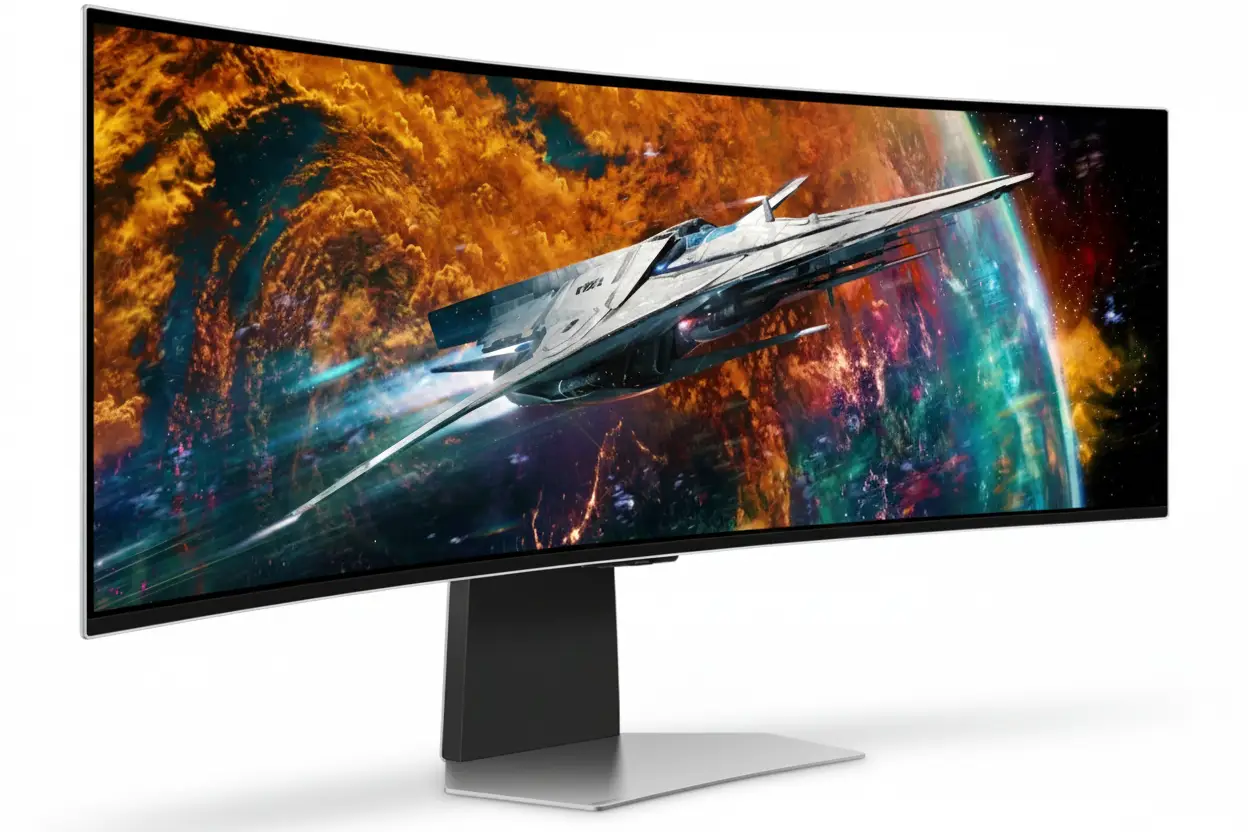
The 34-inch 3440×1440 UWQHD resolution with 21:9 aspect ratio provides the golden standard for ultrawide gaming. The 1800R curvature wraps around your field of vision with aggressive immersion without the extreme distortion of tighter curves [web:12]. This resolution and size combination delivers perfect pixel density (109 PPI) for sharp text and gaming visuals while remaining GPU-friendly compared to 4K ultrawides.
The 175Hz refresh rate paired with 0.03ms Gray-to-Gray response time creates the fastest, smoothest gaming experience technologically possible. The 0.03ms response is 33× faster than typical 1ms gaming monitors and 166× faster than 5ms IPS panels [web:12]. This eliminates all motion blur and ghosting, providing OLED’s legendary instant pixel transitions. Combined with 175Hz, competitive gaming reaches new levels of clarity.
VESA DisplayHDR True Black 400 certification represents genuine HDR performance with pixel-level dimming [web:12]. The 1000 nit peak brightness creates dramatic HDR highlights while maintaining perfect 0.0 nit blacks, achieving infinite native contrast ratio (1,000,000:1 spec). Unlike LCD’s local dimming zones, QD-OLED’s per-pixel control eliminates blooming entirely, rendering HDR content as intended.
The SpectrumBar exclusive RGB lighting design projects ambient illumination synchronized with on-screen content via Mystic Light [web:12][web:16]. The legendary black/gold MEG aesthetic with unique surface finish patterns distinguishes this flagship from standard gaming monitors. Premium build quality includes height-adjustable stand, VESA 100×100mm mount, and ergonomic 5-way navigator joystick for intuitive control.
MSI’s 3-year OLED warranty including burn-in coverage addresses the primary OLED concern with industry-leading protection [web:12]. Combined with built-in OLED Care features (pixel shift, screen savers, static content detection), the MEG 342C QD-OLED provides peace of mind for long-term investment in flagship gaming technology.
QD-OLED Technology – The Future of Display Innovation
🔬 How QD-OLED Works – Revolutionary Hybrid Technology
QD-OLED combines two cutting-edge technologies: Samsung’s blue OLED emitters and Quantum Dot color conversion layer [web:12]. Unlike conventional OLED (W-OLED) that uses white OLED with color filters (wasting light energy), QD-OLED uses pure blue OLED light passed through Quantum Dot film that converts blue photons into precise red and green wavelengths.
This architecture delivers three revolutionary advantages: First, higher brightness because no light is lost to color filters. Second, wider color gamut because Quantum Dots produce purer RGB wavelengths than filtered white light. Third, better subpixel layout (RGB stripe) compared to W-OLED’s WRGB PenTile, improving text clarity significantly [web:18][web:19].
QD-OLED Technology Advantages
- • Perfect Blacks: Per-pixel lighting = infinite contrast
- • Quantum Dot Color: Purer RGB than W-OLED filters
- • Higher Brightness: No color filter light loss
- • Better Text: RGB stripe vs PenTile layout
⚡ The True Black – Infinite Contrast Performance
Unlike LCD technology that always has backlight bleed, QD-OLED achieves perfect 0.0 nit blacks by completely turning off individual pixels [web:12]. This creates infinite native contrast ratio (marketed as 1,000,000:1) where black areas emit absolutely no light, making bright elements pop with incredible intensity against pure darkness.
The pixel-level dimming eliminates the blooming and halo artifacts common in LCD local dimming implementations. When a bright object moves across dark background, QD-OLED maintains perfect blacks immediately adjacent to bright pixels – impossible with LCD zone dimming [web:12]. This precision makes HDR content appear dramatically more realistic and immersive.
OLED Black Level Benefits
- • Perfect Blacks: 0.0 nits – pixels completely off
- • Zero Blooming: No LCD halo effects
- • Instant Transitions: No zone dimming lag
- • HDR Impact: True contrast for cinematic quality
🎨 Color Performance – Beyond Standard Gamuts
🌈 Wide Color Gamut Coverage
The MEG 342C QD-OLED delivers 99.3% DCI-P3 color gamut coverage – the cinema industry standard used by movie studios and professional content creators [web:12]. This exceeds standard sRGB by 139.1% coverage, producing incredibly vibrant, saturated colors that bring games and media to life. The 97.8% Adobe RGB coverage approaches professional photo editing monitor standards.
Delta E ≤2 color accuracy ensures colors match professional standards with differences imperceptible to human eye [web:12][web:16]. The 1.07 billion color depth (10-bit) creates smooth gradients without color banding, particularly noticeable in skies, sunsets, and lighting effects. QD-OLED’s Quantum Dot color purity surpasses W-OLED panels, delivering more accurate and vibrant hues [web:18].
💡 VESA DisplayHDR True Black 400
True Black 400 certification represents genuine HDR with requirements far exceeding standard HDR400 [web:12]. The spec demands 400 nit sustained full-screen brightness, 1000 nit peak highlights, infinite contrast, and pixel-level local dimming. Only OLED technology can achieve True Black certification due to perfect black level requirements.
The 1000 nit peak brightness in HDR highlights creates sun reflections, explosions, and bright UI elements with eye-searing intensity against perfect blacks [web:12]. HDR10+ and HDR10 support ensures compatibility with gaming and streaming content. The combination of infinite contrast and high peak brightness delivers HDR impact unmatched by LCD technology.
Display Quality – 34″ UWQHD 3440×1440 at 1800R Curvature
📺 34″ Ultrawide – The Golden 21:9 Ratio
The 34-inch diagonal with 3440×1440 UWQHD resolution delivers the perfect ultrawide experience [web:12]. The 21:9 aspect ratio provides 33% more horizontal screen space than 16:9, creating expansive field of view for immersive gaming and productive multitasking. At 109 pixels per inch, text remains sharp while gaming visuals look stunning without GPU-crushing 4K demands.
The 800.1mm × 337.1mm active display area provides comfortable viewing from typical desk distances (60-90cm) [web:12]. This size avoids the excessive width of 38-49″ ultrawides that require constant head turning, while offering substantially more immersion than 27-32″ standard monitors. For competitive gaming, the ultrawide format reveals enemies in peripheral vision impossible on 16:9 displays.
UWQHD Resolution Benefits
- • Resolution: 3440×1440 (109 PPI) – perfect density
- • Aspect Ratio: 21:9 – 33% wider than 16:9
- • GPU Performance: Easier than 4K ultrawide
- • Gaming FOV: Expanded peripheral awareness
🌊 1800R Curvature – Wraparound Immersion
The 1800R curvature (1800mm radius) provides aggressive immersion that wraps the ultrawide display around your field of vision [web:12]. This tighter curve than standard 3800R ultrawides creates stronger sense of depth and presence, particularly effective in racing games, flight simulators, and first-person titles where peripheral immersion matters.
The curvature matches natural eye rotation, keeping all screen areas equidistant from your eyes. This reduces eye fatigue during extended gaming sessions by minimizing focus adjustment between screen center and edges. The curve also reduces glare and reflections by angling screen edges away from overhead lighting, improving visibility in bright rooms.
1800R Curve Advantages
- • Immersion: Aggressive wraparound effect
- • Eye Comfort: Consistent viewing distance
- • Gaming: Enhanced depth perception
- • Glare Reduction: Angled edges minimize reflections
🎯 QD-OLED Visual Quality Summary
Perfect Blacks & Contrast
Infinite contrast ratio with 0.0 nit blacks. Per-pixel lighting eliminates LCD blooming. HDR highlights reach 1000 nits peak brightness.
Cinema-Grade Color
99.3% DCI-P3, 139.1% sRGB, 97.8% Adobe RGB. Delta E≤2 accuracy. 1.07B colors (10-bit) for smooth gradients.
Viewing Angles
178°/178° horizontal and vertical viewing angles [web:12]. OLED maintains perfect color and contrast from any angle – no LCD shift.
Gaming Performance – 175Hz Refresh Rate & 0.03ms Response Time
🔄 175Hz Refresh Rate – Ultrasmooth Competitive Gaming
The 175Hz refresh rate delivers exceptionally smooth motion for ultrawide gaming [web:12]. At 175 frames per second, each frame displays for 5.71 milliseconds – 2.92× faster than 60Hz (16.67ms per frame) and 22% faster than 144Hz (6.94ms). This creates buttery-smooth animations that provide competitive advantage in fast-paced titles.
For ultrawide 3440×1440 gaming, 175Hz is the sweet spot between smoothness and GPU requirements. While 240Hz panels exist, hitting 240fps at ultrawide resolution requires extreme GPU horsepower. The 175Hz target is achievable with high-end cards (RTX 4080/4090, RX 7900 XTX) in competitive titles while maintaining visual quality. The panel supports 48-175Hz variable refresh rate range [web:12].
175Hz Benefits
- • Smoothness: 2.92× faster than 60Hz standard
- • Frame Time: 5.71ms per frame delivery
- • Competitive: Professional-grade refresh rate
- • GPU Balanced: Achievable at ultrawide resolution
⚡ 0.03ms Response Time – Zero Motion Blur
The 0.03ms Gray-to-Gray response time is the fastest ever achieved, possible only with OLED’s instant pixel transitions [web:12]. At 0.03 milliseconds (30 microseconds), pixels change color 33× faster than 1ms gaming monitors and 166× faster than 5ms IPS panels. This eliminates all motion blur and ghosting artifacts completely.
Unlike LCD panels that use overdrive voltage to accelerate slower liquid crystal response (causing inverse ghosting), OLED pixels transition instantaneously without overdrive artifacts. Fast-moving objects in shooters, racing games, and action titles remain perfectly sharp with zero trailing. Combined with 175Hz, the motion clarity approaches CRT monitor levels – the gold standard for motion performance [web:12].
0.03ms OLED Response
- • Response: 0.03ms GtG – instant pixel transitions
- • Zero Ghosting: No trailing artifacts whatsoever
- • No Overdrive: Perfect transitions without artifacts
- • CRT-Level Clarity: Ultimate motion performance
🎮 AMD FreeSync Premium Pro – Ultimate Adaptive Sync
🔥 FreeSync Premium Pro Features
AMD FreeSync Premium Pro is the highest tier of adaptive sync, exceeding standard FreeSync with additional requirements: Low Framerate Compensation (LFC), HDR support at high refresh rates, and low-latency gaming mode [web:12]. LFC ensures smooth gameplay even when frame rates drop below 48fps by frame doubling to maintain sync.
The HDR integration with FreeSync Premium Pro means adaptive sync functions perfectly in HDR gaming – many monitors lose VRR in HDR mode [web:12]. The technology works with both AMD and NVIDIA graphics cards (NVIDIA calls it G-SYNC Compatible), though AMD GPUs access full Premium Pro features. The 48-175Hz VRR range covers the entire performance spectrum.
🎯 Gaming Intelligence App
MSI’s Gaming Intelligence software optimizes monitor settings per game automatically [web:12]. The AI-powered app detects running games and applies customized profiles for brightness, contrast, color temperature, and response time settings. This eliminates manual tweaking for different game genres and lighting conditions.
Features include Night Vision (brightens dark areas), Smart Crosshair (customizable aim points), Screen Assistance (display timers/FPS counters), and Alarm Clock. The software integrates with MSI’s ecosystem for unified control across motherboards, graphics cards, and peripherals. Gaming Intelligence creates the perfect viewing experience without constant OSD adjustments [web:12].
⚠️ GPU Requirements & Performance Expectations
💻 Recommended GPUs for 175Hz Ultrawide Gaming
Hitting 175fps at 3440×1440 requires high-end graphics cards. For competitive esports titles (Valorant, CS2, Overwatch 2, Apex Legends), cards like NVIDIA RTX 4070 Ti / RTX 4080 or AMD RX 7900 XT / 7900 XTX can achieve 150-175fps at high settings. The ultrawide resolution is more demanding than standard 1440p.
For AAA games (Cyberpunk 2077, Starfield, Alan Wake 2), expect 100-144fps with RTX 4080/4090 or RX 7900 XTX at high/ultra settings. The 175Hz ceiling provides headroom for competitive titles while AAA games benefit from QD-OLED’s perfect blacks and HDR even at 100-120fps with FreeSync smoothing. This monitor pairs best with flagship GPUs to utilize the premium panel capabilities.
🎮 Console Gaming – PS5 & Xbox Series X
The MEG 342C includes Console Mode optimized for PS5 and Xbox Series X [web:12]. PS5 outputs 2560×1440 (2K) at 120Hz with VRR support, displaying in 16:9 with black bars on sides. Xbox Series X supports ultrawide 21:9 in some titles at 120Hz. The console optimization provides proper HDR tone mapping and reduced input lag for controller gaming.
While consoles can’t fully utilize 3440×1440 ultrawide resolution, the QD-OLED’s perfect blacks, HDR True Black 400, and 120Hz support deliver stunning console gaming visuals. The instant 0.03ms response eliminates input lag concerns. However, PC gaming maximizes the monitor’s capabilities with full ultrawide support and higher frame rates.
Premium Features – USB-C 65W PD, KVM Switch & More
🔌 USB-C 65W Power Delivery – Single Cable Docking
The USB Type-C port with DisplayPort Alt Mode and 65W Power Delivery enables single-cable laptop docking [web:12]. Connect your laptop with one USB-C cable to transmit 3440×1440@175Hz video, charge the laptop at 65W, and access the USB hub simultaneously. This eliminates cable clutter for ultrawide laptop setups.
The 65W power delivery is sufficient for most ultrabooks and thin-and-light laptops during normal use, though gaming laptops require dedicated power adapters. The USB-C connection supports 10-bit color depth and full 175Hz refresh rate via DisplayPort 1.4a protocol. For desktop PC users, the USB-C port serves as third video input alongside 2× HDMI 2.1 and DisplayPort 1.4a [web:12].
🖥️ KVM Switch – Control Multiple PCs
Built-in KVM (Keyboard, Video, Mouse) switch lets you control multiple computers with one set of peripherals [web:12]. Connect work laptop via USB-C, gaming PC via DisplayPort, and console via HDMI – then switch between them using hotkeys while keeping keyboard and mouse connected to monitor’s USB hub.
The KVM functionality is perfect for remote workers and content creators managing work and personal systems. Switch between computers in seconds without physically moving cables or peripherals. Combined with PIP (Picture-in-Picture) and PBP (Picture-by-Picture) modes, you can display multiple inputs simultaneously for monitoring workflows or comparing content side-by-side.
🎛️ Premium Control & Convenience Features
🕹️ 5-Way Navigator Joystick & Macro Keys
The ergonomic 5-way navigator joystick provides intuitive OSD control without fumbling with traditional buttons [web:12]. Push up/down/left/right or click center to navigate menus smoothly. Programmable macro keys offer one-touch access to favorite settings like input switching, picture modes, or brightness presets.
This premium control scheme feels luxurious compared to budget monitors’ button arrays. The joystick’s tactile feedback and logical menu navigation make adjustments effortless. Combined with Gaming Intelligence software for remote control, the MEG 342C offers flagship-tier control convenience matching its premium positioning.
🎤 Built-in ANC Microphone & Light Sensor
Integrated active noise cancellation microphone provides convenient voice chat without headset [web:12]. The ANC technology reduces background noise for clearer communication in team games or video calls. While not studio-quality, it eliminates the need for separate microphone in casual gaming scenarios.
The ambient light sensor automatically adjusts brightness based on room lighting conditions [web:12]. This maintains comfortable viewing throughout the day as natural light changes, preventing eye strain from overly bright displays in dark rooms or dim screens in bright environments. The feature can be disabled for manual control preference.
🛡️ MSI OLED Care – Burn-In Protection Technology
🔒 Comprehensive Burn-In Prevention
MSI OLED Care includes multiple technologies to prevent image retention and burn-in [web:12]. Pixel Shift microscopically moves the image periodically to prevent static elements from staying in fixed positions. Panel Refresh/Compensation cycles run automatically during idle periods to reset pixel wear uniformity.
Static Content Detection identifies unchanging UI elements (taskbars, logos) and applies local dimming to reduce stress on those pixels. Screen Savers activate automatically after prolonged inactivity. These features work invisibly in background, requiring no user intervention while extending OLED panel lifespan significantly.
✅ 3-Year Warranty Including Burn-In Coverage
MSI provides industry-leading 3-year warranty covering OLED burn-in issues [web:12]. Most manufacturers offer 1-year coverage and exclude burn-in from warranty terms. MSI’s extended protection demonstrates confidence in QD-OLED reliability and OLED Care effectiveness, providing peace of mind for ₹1.3 lakh investment.
The warranty covers manufacturing defects, dead pixels, and image retention/burn-in within 3-year period. Combined with OLED Care’s preventive technologies and user best practices (hiding taskbar, using dark themes, varying content), burn-in risk is minimal for mixed-use scenarios. The protection makes OLED viable for productivity alongside gaming.
SpectrumBar RGB Lighting – Exclusive Ambient Illumination
🌈 Dynamic RGB Ambient Lighting
SpectrumBar is MSI’s exclusive RGB lighting design featuring LED strips on the monitor’s rear that project ambient lighting onto the wall behind [web:12][web:16]. The lighting synchronizes with on-screen content, extending game colors beyond the display edges for enhanced immersion. Explosions, sunsets, and dominant screen colors reflect in ambient lighting.
The system offers multiple lighting modes: Screen Sync (matches content), Rainbow Wave, Static Color, Breathing Effect, and Custom patterns. The lighting enhances the legendary MEG aesthetic while reducing eye strain by preventing dark walls contrasting with bright screen. The effect creates bias lighting similar to Philips Ambilight technology.
✨ Mystic Light Sync – Unified RGB Ecosystem
SpectrumBar integrates with MSI Mystic Light ecosystem for synchronized RGB lighting across your entire setup [web:12]. The monitor’s lighting coordinates with MSI motherboards, graphics cards, keyboards, mice, and PC cases to create unified color themes and effects. All components synchronize via Mystic Light software for cohesive lighting choreography.
For non-MSI components, SpectrumBar still functions independently with customizable colors and effects via OSD controls. The premium RGB implementation distinguishes the MEG series from standard gaming monitors, adding visual flair matching the flagship positioning. The lighting can be dimmed or disabled for minimalist preference without affecting monitor functionality.
Design & Ergonomics – Legendary MEG Black/Gold Aesthetic
👑 MEG Legendary Design Language
The MEG 342C features the signature black/gold color scheme with unique surface finish that defines MSI’s flagship series [web:12]. The elegant MEG pattern textures on stand and rear housing create premium tactile experience. The gold accents on black matte finish evoke luxury aesthetics befitting the flagship positioning and premium pricing.
The frameless design with ultra-slim bezels maximizes screen-to-body ratio for immersive viewing. Build quality feels substantial with sturdy materials throughout. The monitor weighs 9.3kg with stand (6.5kg panel only), providing stable foundation that doesn’t wobble during gaming [web:12]. The premium construction justifies the MEG series’ reputation for transcending ordinary gaming products.
⚙️ Full Ergonomic Adjustability
The included stand provides -5° to +20° tilt and 0-100mm height adjustment [web:12]. The height range accommodates various desk heights and seating positions for comfortable ergonomic alignment. Tilt adjustment prevents glare from overhead lighting while maintaining optimal viewing angle. The stand’s stability prevents monitor wobble during frantic gaming sessions.
For advanced setups, VESA 100×100mm mount compatibility allows third-party monitor arms [web:12]. This enables swivel, additional height adjustment beyond stock stand, and improved desk space utilization. The monitor’s cable management channels route cables cleanly through stand base, maintaining the legendary aesthetic with organized cable routing.
🔌 Comprehensive Connectivity – USB 3.2 Gen 1 Hub
📱 Complete Port Selection
The MEG 342C includes 2× HDMI 2.1, 1× DisplayPort 1.4a, and 1× USB-C (DP Alt Mode with 65W PD) for versatile connectivity [web:12]. The HDMI 2.1 ports support full 3440×1440@175Hz with RGB 12-bit color, perfect for NVIDIA RTX 40-series cards and consoles. DisplayPort 1.4a delivers 175Hz with YCbCr 10-bit color for maximum bandwidth.
The USB 3.2 Gen 1 hub provides 4× USB Type-A ports plus 1× Type-B upstream [web:12]. Connect keyboard, mouse, external drives, and controllers directly to monitor, reducing cable runs to PC. The hub supports 5Gbps transfer speeds for fast peripherals. Headphone jack provides convenient audio output, though the monitor lacks built-in speakers for cleaner audio solution.
🎮 Multi-Device Flexibility
The four video inputs enable simultaneous device connections: gaming PC via DisplayPort, work laptop via USB-C, PlayStation 5 via HDMI 1, Xbox Series X via HDMI 2. Quick input switching via macro keys or OSD transitions between devices seamlessly. The KVM function lets you control all devices with one keyboard/mouse [web:12].
PIP/PBP modes display multiple inputs simultaneously – monitor work laptop in small window while gaming, or split screen 50/50 for comparing content [web:12]. The flexibility accommodates complex workflows: streamer monitoring chat while gaming, developer testing on multiple platforms, or productivity user running work and personal systems side-by-side on one ultrawide display.
📏 Physical Specifications
Dimensions
With Stand: 814 × 293 × 375mm (W×D×H)
Without Stand: 814 × 143 × 375mm
Active Display: 800.1 × 337.1mm
Weight
With Stand: 9.3 kg
Without Stand: 6.5 kg
Shipping Weight: 13.9 kg
Mounting & Power
VESA Mount: 100×100mm standard
Power Input: 100-240V 50-60Hz
Kensington Lock: Yes – security slot
Who Should Buy MSI MEG 342C QD-OLED?
✅ Perfect For These Users
🎮 Enthusiast PC Gamers
Gamers with high-end GPUs (RTX 4080/4090, RX 7900 XTX) seeking ultimate visual quality will appreciate QD-OLED’s perfect blacks, 175Hz smoothness, and 0.03ms response. The ultrawide 21:9 format enhances immersion in single-player RPGs, racing simulators, and competitive shooters. If you demand absolute best display technology and have budget for flagship pricing, this is the monitor [web:12][web:19].
🎬 Content Creators & Editors
Video editors, photographers, and designers benefit from 99.3% DCI-P3 coverage, Delta E≤2 accuracy, and infinite contrast [web:12]. The ultrawide workspace accommodates timeline and panels comfortably. Perfect blacks ensure accurate dark scene editing. The USB-C 65W PD enables single-cable MacBook docking. OLED Care mitigates burn-in risk for productivity workflows with varied content.
💼 Power Users with Multi-PC Setups
Users managing work laptop + gaming PC + console benefit from KVM switch, four video inputs, and PIP/PBP multitasking [web:12]. The USB-C docking simplifies laptop connection while DisplayPort/HDMI handle desktop PC and consoles. Control all devices with one keyboard/mouse via KVM, or view multiple inputs simultaneously via split-screen modes.
🏆 Competitive Gamers (AAA & Esports)
The 0.03ms response eliminates motion blur for perfect target tracking in shooters [web:12]. 175Hz with FreeSync Premium Pro provides smooth, tear-free competitive gaming. Ultrawide 21:9 FOV reveals peripheral threats in battle royales and MOBAs. While 240Hz flat panels exist for hardcore esports, this balances competition and immersion for mixed gaming libraries.
⚠️ Consider Alternatives If You Need
💰 Budget-Conscious Gaming
At ₹1,31,296 ($1,099), this is flagship pricing for enthusiast budgets only. If you want ultrawide gaming without premium cost, consider LCD ultrawides like LG 34GP83A-B (₹40,000), Samsung Odyssey G5 (₹35,000). You sacrifice perfect blacks and instant response but save ₹90,000+ for GPU upgrades that improve gaming performance more.
📐 Productivity-Primary Workflows
Users spending 8+ hours daily on static productivity (coding, writing, spreadsheets) face higher OLED burn-in risk despite OLED Care. Consider IPS ultrawides with USB-C hubs like Dell U3423WE (₹70,000) with better ergonomics, brighter SDR, and zero burn-in concern. OLED excels for mixed gaming/creative use, not pure office work.
🎯 Pure Esports Performance
Hardcore competitive gamers prioritizing maximum frame rates need 240-360Hz flat panels at 1080p/1440p. The ultrawide format and 3440×1440 resolution are harder to drive at 200+ fps. ASUS ROG Swift PG279QM (240Hz 1440p), BenQ Zowie XL2566K (360Hz 1080p) offer better pure competitive performance for lower cost, sacrificing OLED quality and immersion [web:18].
☀️ Bright Room Environments
QD-OLED’s 250 nits SDR brightness and glossy finish struggle with direct sunlight or bright overhead lighting [web:19]. Rooms with large windows may experience reflections and washed-out image. Matte IPS ultrawides with 400+ nits brightness handle bright environments better. OLED excels in controlled lighting (dim rooms, bias lighting) common in dedicated gaming setups.
Top Competitors & Alternatives
Dell Alienware AW3423DWF
34″ QD-OLED 165Hz Ultrawide
$899 / ₹95,000
34″ QD-OLED | 165Hz | HDR True Black 400
Display: 34″ UWQHD (3440×1440), QD-OLED, 165Hz, 0.1ms
Features: AMD FreeSync Premium Pro, G-SYNC Compatible
HDR: DisplayHDR True Black 400, 1000 nits peak
Ports: 2× HDMI 2.0, 1× DisplayPort 1.4, USB hub
Why Choose Alienware AW3423DWF Instead?
Save $200 (₹36,000) while keeping QD-OLED technology [web:18]. The 165Hz vs 175Hz difference is negligible in real-world gaming. Established Dell warranty and support. Better availability worldwide. If you want QD-OLED ultrawide for less, this is the proven choice that started the QD-OLED revolution [web:19].
Why Choose MSI MEG 342C Instead?
10Hz higher refresh (175Hz), superior ergonomics with height adjustment, USB-C 65W PD for laptop docking, KVM switch, SpectrumBar RGB lighting, Gaming Intelligence AI, 5-way joystick, and MEG legendary design [web:12]. The premium features justify ₹36,000 extra for flagship experience.
ASUS ROG Swift OLED PG34WCDM
34″ QD-OLED 240Hz Ultrawide
$1,299 / ₹1,45,000
34″ QD-OLED | 240Hz | HDR True Black 400
Display: 34″ UWQHD (3440×1440), QD-OLED, 240Hz, 0.03ms
Features: G-SYNC Compatible, Variable Overdrive
Extras: ROG Smart KVM, USB-C 90W PD, tripod socket
Ports: 2× HDMI 2.1, 1× DisplayPort 1.4, USB-C 90W
Why Choose ASUS PG34WCDM Instead?
240Hz refresh rate (37% faster than 175Hz) for ultimate competitive gaming [web:18]. USB-C 90W PD charges more laptops. ROG ecosystem integration. ASUS’s premium build quality and extensive gaming features. If you have flagship GPU and want absolute maximum refresh rate, the extra $200 delivers measurable advantage.
Why Choose MSI MEG 342C Instead?
Save $200 (₹13,700) – the 240Hz advantage requires sustained 200+ fps few achieve at ultrawide resolution [web:12]. 175Hz is sufficient for 99% of gaming scenarios. MSI’s SpectrumBar RGB, Gaming Intelligence AI, legendary MEG aesthetics, and 3-year OLED warranty with burn-in coverage provide better value proposition.
LG 34GS95QE-B UltraGear
34″ W-OLED 240Hz Ultrawide
$1,199 / ₹1,35,000
34″ W-OLED | 240Hz | HDR True Black 400
Display: 34″ UWQHD (3440×1440), W-OLED, 240Hz, 0.03ms
Features: NVIDIA G-SYNC Compatible, AMD FreeSync Premium
Extras: Anti-Glare & Low Reflection (RWBG), DCI-P3 98.5%
Ports: 2× HDMI 2.1, 1× DisplayPort 1.4a
Why Choose LG 34GS95QE-B Instead?
240Hz refresh rate with superior anti-glare coating (LG’s MLA tech reduces reflections better than QD-OLED) [web:21]. Better for bright rooms. W-OLED potentially longer lifespan than early QD-OLED. LG’s OLED expertise and mature panel technology. Choose if your room has significant ambient light or you prioritize maximum refresh rate.
Why Choose MSI MEG 342C Instead?
QD-OLED delivers wider DCI-P3 coverage (99.3% vs 98.5%) and purer colors than W-OLED [web:12][web:18]. Better text clarity thanks to RGB stripe vs W-OLED PenTile. USB-C 65W PD, KVM, SpectrumBar RGB, and MEG flagship features LG lacks. Save ₹3,700 while getting better color and connectivity [web:19].
Samsung Odyssey G8 OLED (G85SB)
34″ QD-OLED 175Hz with Smart Hub
$999 / ₹1,15,000
34″ QD-OLED | 175Hz | Smart TV Features
Display: 34″ UWQHD (3440×1440), QD-OLED, 175Hz, 0.03ms
Features: Gaming Hub, Tizen OS, Samsung TV Plus (free TV)
Smart: Netflix, YouTube, cloud gaming without PC
Ports: 2× HDMI 2.1, 1× Micro HDMI, 1× DisplayPort 1.4a
Why Choose Samsung G8 OLED Instead?
Save ₹16,000 while getting smart TV features, Gaming Hub (Xbox Cloud/GeForce NOW), and standalone entertainment without PC. Samsung’s established QD-OLED manufacturing. Better for users wanting monitor that doubles as entertainment center with streaming apps and cloud gaming built-in.
Why Choose MSI MEG 342C Instead?
Superior ergonomics with height adjustment (G8 is stand-only), USB-C 65W PD for laptop docking, KVM switch, USB 3.2 hub, better gaming-focused features [web:12]. MEG legendary build quality and aesthetics. 3-year burn-in warranty. The ₹16,000 premium delivers professional-grade features Samsung lacks for pure gaming/productivity.
Pros and Cons – MSI MEG 342C QD-OLED
✅ What We Loved
🎨 Revolutionary QD-OLED Technology
The QD-OLED panel delivers perfect 0.0 nit blacks with infinite contrast, creating dramatic visual impact impossible with LCD technology [web:12]. The combination of Quantum Dot color purity (99.3% DCI-P3) and OLED’s per-pixel lighting produces the most accurate, vibrant colors ever seen in gaming monitors. HDR content looks cinematically stunning with 1000 nit peaks against true blacks [web:18].
⚡ Fastest Response Time Ever – 0.03ms
0.03ms GtG response eliminates all motion blur completely [web:12]. At 33× faster than 1ms gaming monitors, pixel transitions are instantaneous. Combined with 175Hz refresh rate, motion clarity approaches CRT-level perfection. Fast-paced shooters, racing games, and action titles look impossibly sharp during movement – a transformative experience once witnessed.
👑 MEG Legendary Build Quality & Aesthetics
The black/gold MEG design with unique surface finish patterns exudes premium luxury befitting flagship positioning [web:12]. Build quality feels substantial throughout. 5-way navigator joystick, macro keys, height-adjustable stand, and meticulous cable management demonstrate attention to detail. The legendary aesthetics justify the MEG series’ reputation for transcending ordinary gaming products.
🔌 Comprehensive Flagship Features
USB-C 65W PD enables single-cable laptop docking with power, video, and USB hub access [web:12]. KVM switch controls multiple PCs with one keyboard/mouse. PIP/PBP modes, Gaming Intelligence AI, built-in ANC mic, light sensor, and USB 3.2 hub create the most feature-rich ultrawide available. Every premium feature expected in flagship monitor included.
🌈 SpectrumBar RGB – Exclusive Ambient Lighting
MSI’s exclusive SpectrumBar projects ambient lighting synchronized with screen content [web:12][web:16]. The RGB implementation extends game colors beyond display edges for enhanced immersion. Mystic Light ecosystem integration coordinates lighting across MSI motherboards, GPUs, and peripherals. The feature distinguishes MEG series with visual flair matching flagship positioning.
🛡️ Industry-Leading 3-Year OLED Warranty
3-year warranty including burn-in coverage addresses primary OLED concern with best-in-class protection [web:12]. Most manufacturers offer 1-year and exclude burn-in. MSI’s extended coverage demonstrates confidence in QD-OLED reliability and OLED Care effectiveness. The warranty provides genuine peace of mind for ₹1.3 lakh investment in cutting-edge technology.
🎯 Perfect Ultrawide Gaming Experience
The 34″ UWQHD 21:9 format with 1800R curvature provides optimal ultrawide gaming immersion [web:12]. The 3440×1440 resolution balances sharpness with GPU-friendly performance compared to 4K ultrawides. The aggressive curve wraps around field of vision without excessive width requiring head turning. This is the definitive ultrawide gaming monitor specification.
⚠️ What Could Be Better
💰 Premium Flagship Pricing
At ₹1,31,296 ($1,099), the MEG 342C targets enthusiast budgets only. While the QD-OLED technology and features justify premium pricing, this exceeds most gamers’ monitor budgets by 2-3×. The Alienware AW3423DWF at $899 offers similar QD-OLED experience for $200 less [web:18]. The MEG premium buys legendary aesthetics and extra features, not dramatically better performance.
⚠️ OLED Burn-In Risk (Though Mitigated)
OLED panels remain susceptible to image retention and burn-in with prolonged static content display. While OLED Care features and 3-year burn-in warranty provide significant protection [web:12], users with static productivity workflows (taskbars, IDE interfaces, stock tickers) face higher risk than varied gaming content. Best practices required: hide taskbar, use dark themes, enable screen savers, vary content.
☀️ Limited SDR Brightness & Reflections
The 250 nits typical SDR brightness struggles in bright rooms with direct sunlight [web:19]. QD-OLED’s glossy finish increases reflections compared to matte LCD panels. Rooms with large windows or bright overhead lighting may experience washed-out image and distracting reflections. Optimal viewing requires controlled lighting (dim rooms, bias lighting, closed curtains) common in dedicated gaming setups but limiting for general use.
🎮 High GPU Requirements for Full Utilization
Hitting 175fps at 3440×1440 requires flagship GPUs (RTX 4080/4090, RX 7900 XTX). Budget and mid-range cards struggle to exceed 100-120fps in AAA titles at ultrawide resolution. While FreeSync smooths lower frame rates, you’re not fully utilizing the 175Hz panel capability without extreme GPU horsepower. The monitor’s performance ceiling exceeds what many systems can deliver.
🔇 No Built-In Speakers
The monitor lacks integrated speakers, requiring external speakers or headphones for audio. While this enables cleaner audio solutions (most gamers use headsets anyway), it adds inconvenience and cost for users wanting all-in-one simplicity. The omission is unusual at flagship pricing where competitors include basic speaker arrays.
📏 Ultrawide Not Ideal for All Content
21:9 ultrawide format displays 16:9 content (movies, console games) with black bars on sides or stretched/cropped. Not all PC games support ultrawide properly – older titles may stretch incorrectly or limit FOV. The format excels for ultrawide-optimized games and productivity but compromises versatility compared to standard 16:9 displays that handle all content natively.
Final Verdict – The Revelation of Gaming Monitor Perfection
Flagship Perfection – The Best Ultrawide OLED
👑 The Bottom Line
The MSI MEG 342C QD-OLED represents the absolute pinnacle of gaming monitor technology available in 2026 [web:12]. By combining revolutionary QD-OLED panel technology with MSI’s legendary MEG series design philosophy and comprehensive flagship features, this monitor delivers an experience that genuinely transcends conventional gaming products. The perfect blacks, 0.03ms response, 175Hz refresh, and cinema-grade color create visual quality that must be witnessed to be believed.
The ₹1,31,296 ($1,099 USD) pricing positions this firmly in enthusiast territory, but the premium buys more than just performance specifications. The MEG legendary black/gold aesthetics, SpectrumBar RGB lighting, USB-C 65W PD docking, KVM switch, Gaming Intelligence AI, and 3-year burn-in warranty create a complete flagship package that cheaper QD-OLED alternatives cannot match [web:12].
What truly distinguishes the MEG 342C is the attention to detail evident throughout. The 5-way navigator joystick, macro keys, height-adjustable stand, comprehensive connectivity, built-in ANC mic, and automatic light sensor demonstrate premium build quality exceeding spec-sheet comparisons. This is a monitor designed for users who demand absolute best and appreciate the refinement differentiating good from legendary [web:12].
🎯 Who Should Buy This?
Enthusiast PC gamers with high-end systems (RTX 4080/4090, RX 7900 XTX) seeking ultimate visual experience will find the MEG 342C delivers technology impossible to achieve with LCD monitors. The QD-OLED’s perfect blacks and instant response create gaming immersion surpassing even premium mini-LED displays [web:18][web:19].
Content creators and hybrid users who game and create benefit from the 99.3% DCI-P3 color accuracy, Delta E≤2 precision, and USB-C docking simplifying laptop workflows [web:12]. The OLED Care features and 3-year burn-in warranty make mixed productivity/gaming viable despite OLED concerns.
Power users managing multi-PC setups (work laptop + gaming desktop + console) benefit enormously from KVM switch, four video inputs, and PIP/PBP multitasking [web:12]. The MEG 342C consolidates complex workflows onto one premium display.
Final Recommendation: If you have the budget for flagship gaming monitors and demand absolute best technology regardless of cost compromises, the MSI MEG 342C QD-OLED delivers legendary performance justifying its premium positioning. For enthusiast budgets seeking ultimate ultrawide OLED experience – Highly Recommended [web:12].
📊 Rating Breakdown
Frequently Asked Questions
❓ What is QD-OLED and how is it different from regular OLED?
QD-OLED combines Samsung’s blue OLED emitters with Quantum Dot color conversion layer [web:12]. Unlike W-OLED (used by LG) that filters white light through color filters, QD-OLED converts blue light directly into red and green using Quantum Dots. This creates purer colors, higher brightness, and better text clarity (RGB stripe vs PenTile) [web:18][web:19]. Both achieve perfect blacks, but QD-OLED delivers superior color performance and brightness.
❓ Should I worry about OLED burn-in on this monitor?
Burn-in risk exists with any OLED panel, but MSI OLED Care features (pixel shift, panel refresh, static content detection) significantly mitigate the issue [web:12]. The 3-year warranty including burn-in coverage provides protection most manufacturers don’t offer. For mixed gaming/productivity use with varied content, risk is minimal. Avoid 24/7 static content (stock tickers, always-visible taskbars). Best practices: hide taskbar, use dark themes, enable screen savers.
❓ Can I use this monitor in a bright room with windows?
QD-OLED’s 250 nits SDR brightness and glossy finish struggle with direct sunlight [web:19]. Bright rooms with large windows may experience reflections and washed-out image. The monitor performs best in controlled lighting – dim rooms, bias lighting, or closed curtains. The built-in light sensor helps by auto-adjusting brightness. For bright offices, consider matte IPS ultrawides with 400+ nits instead. OLED excels in dedicated gaming rooms with controlled lighting.
❓ What GPU do I need to run games at 175Hz on this monitor?
For competitive esports titles (Valorant, CS2, Apex Legends), RTX 4070 Ti / RX 7900 XT can hit 150-175fps at high settings. For AAA games, RTX 4080/4090 or RX 7900 XTX achieve 100-144fps at high/ultra. The 3440×1440 ultrawide resolution is more demanding than standard 1440p. However, FreeSync Premium Pro ensures smooth gaming even at 100-120fps with variable refresh rate [web:12]. The 175Hz ceiling provides headroom for competitive titles.
❓ Does this work with NVIDIA graphics cards?
Yes, AMD FreeSync Premium Pro works with NVIDIA GPUs (GTX 10-series and newer) through G-SYNC Compatible mode [web:12]. Enable G-SYNC in NVIDIA Control Panel for tear-free adaptive sync. Both AMD and NVIDIA users benefit from the VRR technology. The DisplayPort 1.4a and HDMI 2.1 connections support full 175Hz refresh rate at 3440×1440 with both GPU brands.
❓ How does 175Hz compare to 240Hz monitors?
240Hz is 37% faster than 175Hz, providing smoother motion for competitive gaming. However, hitting 240fps at 3440×1440 requires extreme GPU power few gamers have. The difference between 175Hz and 240Hz is much smaller than 60Hz to 144Hz. For ultrawide gaming, 175Hz is the sweet spot balancing smoothness with achievable frame rates [web:18]. Hardcore esports players prioritizing maximum refresh rate may prefer 240Hz flat panels at lower resolution.
❓ Can I use this for photo/video editing professionally?
Yes, the 99.3% DCI-P3 coverage, Delta E≤2 accuracy, and infinite contrast make this suitable for professional work [web:12]. The perfect blacks help judge dark scene exposure accurately. However, burn-in risk with static editing interfaces requires OLED Care best practices. The 250 nits SDR brightness is lower than some professional monitors (400+ nits). For dedicated color-critical work, factory-calibrated displays with hardware calibration might be preferable. For hybrid gaming/editing, this excels.
❓ What is the USB-C port capable of?
The USB-C port supports DisplayPort Alt Mode (3440×1440@175Hz video) and 65W Power Delivery [web:12]. This enables single-cable laptop docking – transmit video, charge laptop, and access USB hub simultaneously. The 65W power is sufficient for most ultrabooks and thin-and-light laptops during normal use. Gaming laptops need dedicated power adapters. The USB-C serves as third video input alongside 2× HDMI 2.1 and DisplayPort 1.4a.
❓ How does the KVM switch work?
Built-in KVM lets you control multiple computers with one keyboard and mouse [web:12]. Connect peripherals to the monitor’s USB hub, then switch between computers using hotkeys or OSD. For example: work laptop via USB-C, gaming PC via DisplayPort. Switch inputs and your keyboard/mouse control whichever system is displayed. Combined with PIP/PBP, you can view multiple inputs simultaneously while controlling one system.
❓ Does this monitor have built-in speakers?
No, the monitor does not include built-in speakers. You’ll need external speakers or headphones for audio. However, it includes a 3.5mm headphone jack for audio output and built-in ANC microphone for voice chat [web:12]. The lack of speakers is common in premium monitors where users prefer dedicated audio solutions. Most gamers use headsets anyway, and the omission allows better display and feature investment.
❓ What is SpectrumBar RGB lighting?
SpectrumBar is MSI’s exclusive RGB lighting system projecting ambient illumination from the monitor’s rear onto the wall [web:12][web:16]. The lighting synchronizes with on-screen content, extending game colors beyond display edges. It supports multiple modes: Screen Sync, Rainbow Wave, Static Color, Breathing, Custom. The system integrates with MSI Mystic Light ecosystem for unified RGB across motherboards, GPUs, and peripherals. Can be dimmed or disabled via OSD.
❓ Is 1800R curvature too aggressive?
1800R is aggressive but perfect for 34″ ultrawide [web:12]. The curve wraps around your field of vision, creating strong immersion in racing, flight sims, and first-person games. All screen areas remain equidistant from eyes, reducing fatigue. Some users prefer flatter 3800R curves, but for gaming-focused ultrawide, 1800R maximizes immersion. The curve is less extreme than 1000R but more immersive than flat panels. Try viewing in person if possible to confirm preference.
❓ Can PS5 and Xbox Series X use the full resolution?
Consoles have limited ultrawide support. PS5 outputs 2560×1440 (2K) at 120Hz with VRR, displaying in 16:9 with black bars on sides [web:12]. Xbox Series X supports 21:9 ultrawide in some titles at 120Hz. The Console Mode optimizes HDR tone mapping and reduces input lag. While you can’t use full 3440×1440 ultrawide, the QD-OLED’s perfect blacks, HDR True Black 400, and 120Hz deliver stunning console visuals. PC gaming maximizes capabilities with full ultrawide support.
❓ How does this compare to the Alienware AW3423DWF?
Both use same Samsung QD-OLED panel with similar picture quality [web:18]. The MSI offers 175Hz vs 165Hz (negligible difference), USB-C 65W PD, KVM switch, height adjustment, SpectrumBar RGB, and MEG premium aesthetics [web:12]. The Alienware costs $200 less ($899 vs $1,099). Choose Alienware for value and proven track record. Choose MSI for premium features, better ergonomics, and flagship build quality. Performance-wise, they’re nearly identical [web:19].
❓ Is the 3-year warranty really worth it?
Yes, MSI’s 3-year OLED warranty including burn-in coverage is industry-leading [web:12]. Most manufacturers offer 1-year and exclude burn-in from warranty terms. The extended protection provides genuine peace of mind for ₹1.3 lakh investment in cutting-edge technology. Burn-in, while unlikely with OLED Care and proper use, is the primary OLED concern. MSI’s comprehensive coverage demonstrates confidence in panel reliability and eliminates long-term risk, making the premium pricing more justified.
Complete Technical Specifications
| Display Specifications | |
|---|---|
| Panel Size | 34.18 inches (86.82 cm diagonal) |
| Active Display Area | 800.1mm (H) × 337.1mm (V) |
| Curvature | 1800R (1800mm radius) |
| Panel Type | QD-OLED (Quantum Dot Organic Light Emitting Diode) |
| Resolution | 3440 × 1440 (UWQHD – Ultra Wide Quad HD) |
| Pixel Pitch | 0.2315mm (H) × 0.2315mm (V) |
| Aspect Ratio | 21:9 (Ultrawide) |
| Pixel Density | 109 PPI (Pixels Per Inch) |
| Refresh Rate | 175Hz (Native) |
| Response Time | 0.03ms (GtG – Gray to Gray) |
| Color & Image Quality | |
|---|---|
| Color Gamut | Adobe RGB 97.8% / DCI-P3 99.3% / sRGB 139.1% |
| Color Accuracy | Delta E ≤ 2 (Factory calibrated) |
| Color Depth | 1.07 Billion Colors (10-bit) |
| Brightness (SDR) | 250 cd/m² (Typical) |
| Brightness (HDR Peak) | 1000 cd/m² (Peak Highlights) |
| Contrast Ratio | 1,000,000:1 (Native – Infinite Contrast) |
| Viewing Angle | 178° Horizontal / 178° Vertical |
| Surface Treatment | Anti-Reflection Coating (Glossy QD-OLED) |
| Gaming & Adaptive Sync | |
|---|---|
| Adaptive Sync Technology | AMD FreeSync Premium Pro |
| G-SYNC Compatible | Yes (Works with NVIDIA GPUs) |
| VRR Range | 48-175Hz (Variable Refresh Rate) |
| Signal Frequency | 31-274 KHz (H) / 48-175 Hz (V) |
| Low Framerate Compensation | Yes (LFC – Part of FreeSync Premium Pro) |
| Gaming Intelligence App | Yes – AI-powered game optimization |
| HDR Support | |
|---|---|
| HDR Certification | VESA DisplayHDR True Black 400 |
| HDR Formats | HDR10, HDR10+ |
| Peak Brightness (HDR) | 1000 nits (Highlights) |
| Black Level (HDR) | 0.0 nits (Perfect Black – Pixels Off) |
| Connectivity & Ports | |
|---|---|
| HDMI Ports | 2× HDMI 2.1 (Supports 3440×1440@175Hz RGB 12-bit) |
| DisplayPort | 1× DisplayPort 1.4a (Supports 3440×1440@175Hz YCbCr 10-bit) |
| USB Type-C | 1× USB-C (DP Alt Mode + 65W Power Delivery, 3440×1440@175Hz YCbCr 10-bit) |
| USB Hub | 4× USB 3.2 Gen 1 Type-A (Downstream) 1× USB 3.2 Gen 1 Type-B (Upstream) |
| USB Transfer Speed | 5 Gbps (USB 3.2 Gen 1) |
| Audio Out | 3.5mm Headphone Jack |
| Built-in Microphone | Yes – ANC (Active Noise Cancellation) Microphone |
| Built-in Speakers | None |
| Premium Features | |
|---|---|
| SpectrumBar RGB Lighting | Yes – Exclusive MSI ambient lighting system |
| Mystic Light Support | Yes – RGB sync with MSI ecosystem |
| KVM Switch | Yes – Control multiple PCs with one keyboard/mouse |
| PIP / PBP | Yes – Picture-in-Picture / Picture-by-Picture |
| 5-Way Navigator Joystick | Yes – Premium OSD control |
| Macro Keys | Yes – Programmable shortcut keys |
| Light Sensor | Yes – Auto-brightness adjustment |
| Console Mode | Yes – PS5 (2K 120Hz VRR) / Xbox Series X optimization |
| OLED Care & Protection | |
|---|---|
| OLED Care Features | Pixel Shift, Panel Refresh, Static Content Detection, Screen Savers |
| Burn-In Protection | Yes – Comprehensive OLED Care technology |
| Warranty Coverage | 3-Year Warranty including OLED Burn-In Coverage |
| Ergonomics & Design | |
|---|---|
| Stand Tilt | -5° to +20° (Forward/Backward) |
| Stand Height Adjustment | 0-100mm |
| Stand Swivel | None |
| Stand Pivot (Portrait Mode) | None |
| VESA Mount | 100 × 100 mm |
| Bezel Design | Frameless Design (Ultra-Slim Bezels) |
| Design Aesthetic | MEG Legendary Black/Gold with Unique Surface Finish |
| Kensington Lock | Yes – Security Slot |
| Physical Dimensions & Weight | |
|---|---|
| Dimensions (With Stand) | 814 × 293 × 375 mm (W × D × H) |
| Dimensions (Without Stand) | 814 × 143 × 375 mm (W × D × H) |
| Weight (With Stand) | 9.3 kg (20.5 lbs) |
| Weight (Without Stand) | 6.5 kg (14.3 lbs) |
| Shipping Weight | 13.9 kg (30.6 lbs) |
| Power & Environmental | |
|---|---|
| Power Supply | Power Cable (Internal Power Supply) |
| Power Input | 100-240V, 50-60Hz (Universal) |
| Power Consumption (Typical) | ≈50W (Estimated, varies by brightness and content) |
| Power Consumption (Max) | ≈120W (Estimated) |
| Operating Temperature | 0°C to 40°C (32°F to 104°F) |
| Energy Efficiency | Energy Star compliant (region dependent) |
| Pricing & Warranty | |
|---|---|
| India Price | ₹1,31,296 (Approximately) |
| USA Price | $1,099 USD |
| UK Price | £999-1,099 (Estimated) |
| Warranty Period | 3 Years (Manufacturer Warranty) |
| Burn-In Coverage | Yes – Included in 3-year warranty |
| Model Number | MEG 342C QD-OLED |
| Series | MSI MEG (Most Enthusiast Gaming) |
| Launch Year | 2023 (Available 2024-2026) |
| Technical Notes | |
|---|---|
| DisplayPort Notes | Up to 3440×1440@175Hz (YCbCr 10-bit) via DisplayPort 1.4a |
| USB-C Notes | Up to 3440×1440@175Hz (YCbCr 10-bit) with 65W PD charging |
| HDMI Notes | Up to 3440×1440@175Hz (RGB 12-bit) via HDMI 2.1 |
| Color Standards | sRGB, DCI-P3, and Adobe RGB follow CIE1976 standard |
| Awards & Recognition | PC Mag Editor’s Choice, Overclock3D Recommended, MSI Official Recognition |
Ready to Experience QD-OLED Gaming Perfection?
Get the MSI MEG 342C QD-OLED – The Ultimate 34″ Ultrawide Gaming Monitor!
🛒 Find Authorized Retailers – ₹1,31,296✓ 3-Year OLED Warranty (Burn-In Covered) | ✓ QD-OLED Technology | ✓ MEG Legendary Design

Terrific post but I was wondering if you could write a litte more on this topic? I’d be very grateful if you could elaborate a little bit further. Thanks!
Thanks so much for the kind words! I’m glad you found the post helpful 😊
I really appreciate the suggestion—this is definitely a topic I can expand on. I’ll plan to dive a bit deeper and add more details in a follow-up or an update soon. Thanks again for reading and for taking the time to comment!