Available Color:
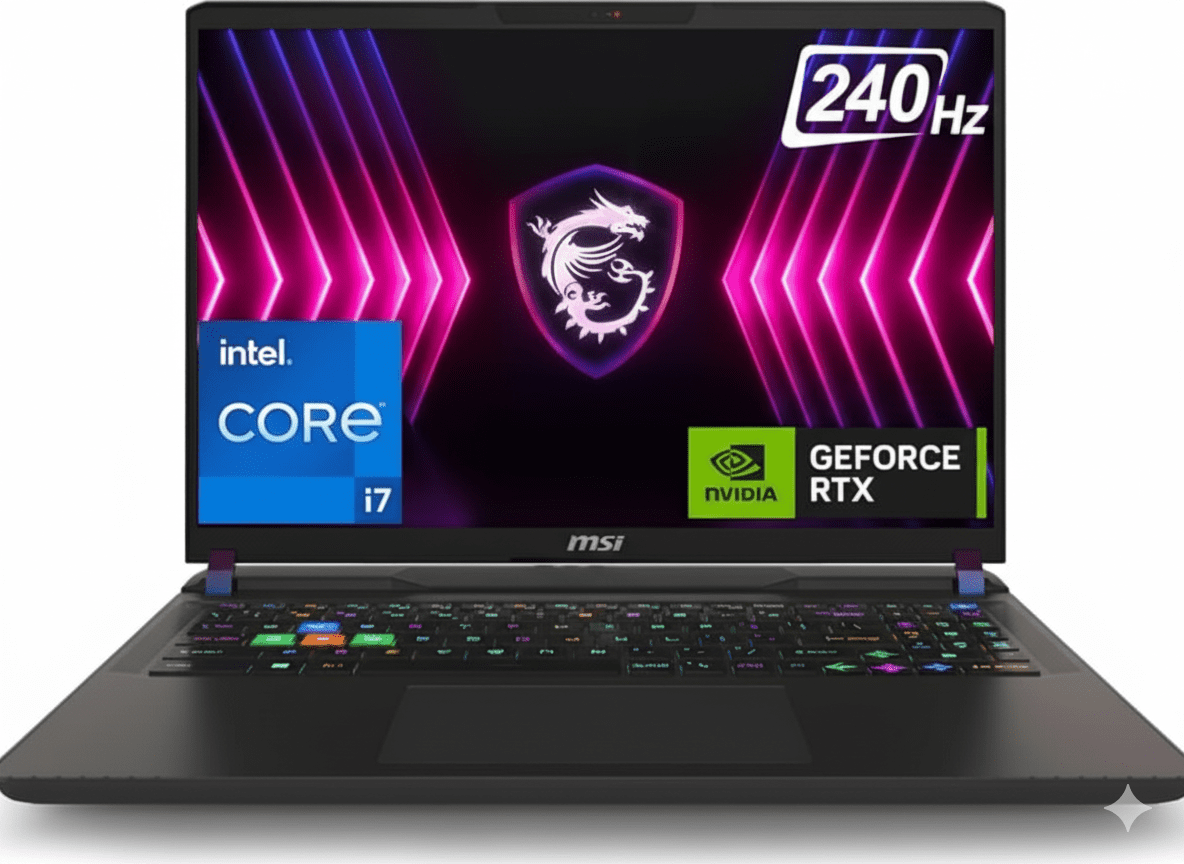
MSI Vector A18 HX
AMD Ryzen 9 9955HX | RTX 5070 Ti
18″ QHD+ 240Hz • 32GB RAM • 2TB SSD • 260W OverBoost
Configuration:
• Processor: AMD Ryzen 9 16-Core 9955HX (2.5-5.4 GHz)
• Graphics: NVIDIA GeForce RTX 5070 Ti 12GB GDDR7
• RAM: 32GB DDR5 5600MHz (Upgradable)
• Storage: 2TB PCIe Gen 5 SSD
• Display: 18″ QHD+ 240Hz 100% DCI-P3
₹2,99,990
10% OFF₹2,69,990*
*Special price on Flipkart
EMI starting from ₹9,493/month
Display
18″ 240Hz
GPU
RTX 5070 Ti
Weight
3.6 Kg
18″ QHD+ 240Hz Gaming Display
Display Specifications
Gaming Performance
Refresh Rate
240Hz
Response Time
~3ms (Typical)
Color Accuracy
-
●
Color Gamut
100% DCI-P3 (Typical)
-
●
Brightness
~400 nits (Typical)
-
●
Contrast Ratio
1000:1 (IPS Standard)
-
●
Anti-Glare
Matte coating
Hi-Res Audio System
Speakers & Audio
- • 4x 2W Speakers (8W total)
- • Hi-Res Audio Certified
- • Nahimic Audio Enhancer
- • Virtual 7.1 Surround
- • Dual side-firing speakers
- • Good clarity for gaming
Microphone & Webcam
- • Built-in Microphone
- • Noise Cancellation
- • IR FHD Webcam (1080p@30fps)
- • 3D Noise Reduction+ (3DNR+)
- • Privacy Shutter (recommended)
- • Good for streaming/calls
Gaming Performance Benchmarks
🎮 AAA Gaming Performance @ QHD+ (2560×1600)
Cyberpunk 2077
110 FPS
• Settings: Ultra + RT Medium
• DLSS 4: Quality Mode
• Experience: Smooth gameplay
Call of Duty: MW III
180 FPS
• Settings: Ultra
• DLSS 4: Performance
• Experience: Competitive ready
Hogwarts Legacy
95 FPS
• Settings: Ultra + RT High
• DLSS 4: Quality
• Experience: Cinematic smooth
⚡ Esports Gaming (240Hz Advantage)
Full 240Hz utilization with competitive settings
🎨 Content Creation Performance
RTX 5070 Ti excels at GPU-accelerated tasks
Design & Build Quality
🏗️ Build Materials
📏 Size & Portability
🎨 Design Language
- • Color: Cosmos Gray (subdued gaming)
- • Logo: RGB MSI Dragon emblem
- • Vents: Aggressive cooling design
- • Hinge: Sturdy dual-hinge system
- • Feet: Elevated for airflow
- • Style: Gaming but not overly flashy
MSI Cooler Boost 5 Technology
❄️ Advanced Thermal Solution
The MSI Cooler Boost 5 features dual fans with dedicated cooling zones for CPU and GPU. With support for PCIe Gen 5 SSDs and dedicated storage cooling, temperatures stay under control even during extended gaming sessions.
Independent CPU & GPU cooling
Shared between CPU/GPU for optimal transfer
Efficient heat dissipation
Dedicated thermal pad for storage
🌡️ Thermal Performance
CPU Temperature (Gaming)
GPU Temperature (Gaming)
Fan Noise (Max Load)
Note: Fans can get loud under sustained load. Use Silent Mode for quiet environments.
26-Zone RGB Gaming Keyboard
⌨️ Keyboard Features
-
●
26-Zone RGB Lighting
Per-key RGB customization via MSI Center
-
●
Highlighted WASD Keys
Tactile keycaps for gaming
-
●
1.8mm Key Travel
Decent tactile feedback
-
●
Anti-Ghosting
Full N-key rollover support
-
●
Number Pad
Full-size layout included
-
●
Backlight Brightness
Adjustable in 4 levels
🖱️ Trackpad & Input
-
●
Precision Trackpad
Windows Precision drivers
-
●
Size
~11 x 7 cm (Standard size)
-
●
Multi-Touch Gestures
2/3/4-finger gestures supported
-
●
Click Mechanism
Physical buttons (reliable)
-
●
For Gaming
External mouse recommended
Tip: Pair with a gaming mouse for best experience
Complete Connectivity
🔌 Port Selection
Left Side
- • 1x USB Type-C (USB4 / Thunderbolt 4)
- • 1x USB 3.2 Gen2 Type-A
- • 3.5mm Combo Audio Jack
Right Side
- • 2x USB 3.2 Gen2 Type-A
- • SD Card Reader (UHS-I)
Back Panel
- • 1x USB Type-C (USB4 / Thunderbolt 4 + PD)
- • 1x HDMI 2.1 (8K@60Hz / 4K@120Hz)
- • 1x RJ-45 Gigabit Ethernet
- • DC Power Input (400W)
- • Kensington Lock Slot
📡 Wireless Connectivity
Wi-Fi 7 (AMD RZ717)
- • Standard: 802.11be (Wi-Fi 7)
- • Speed: Up to 5.8 Gbps
- • Bands: 2.4GHz / 5GHz / 6GHz
- • MU-MIMO: Supported
Bluetooth 5.4
- • Latest Bluetooth standard
- • Low-energy connectivity
- • Multiple device pairing
- • Gaming peripherals support
Gigabit Ethernet
- • 1000 Mbps wired connection
- • Lowest latency for competitive gaming
- • RJ-45 port on rear
Top Gaming Laptop Competitors
How does the MSI Vector A18 HX compare against other premium gaming laptops?
ASUS ROG Strix Scar 18
₹3,19,990
• Processor: Intel Core i9-14900HX
• Display: 18″ QHD+ 240Hz
• RAM: 32GB DDR5
• Storage: 2TB SSD
• GPU: RTX 5080 16GB
• Weight: 3.1 kg
✅ Reasons to Consider
- • More powerful RTX 5080 GPU
- • Better RGB lighting (AniMe Matrix)
- • Lighter at 3.1kg
- • Premium build quality
- • Better speakers
- • ROG software suite
⚠️ Reasons to Skip
- • ₹50,000 more expensive
- • Overkill for most gamers
- • Shorter battery life
- • Gets hotter under load
- • Flashy gaming aesthetic
Lenovo Legion Pro 7i Gen 9
₹2,89,990
• Processor: Intel Core i9-14900HX
• Display: 16″ WQXGA 240Hz
• RAM: 32GB DDR5
• Storage: 1TB SSD
• GPU: RTX 5070 Ti 12GB
• Weight: 2.8 kg
✅ Reasons to Consider
- • Lighter at 2.8kg (800g less)
- • Cleaner professional design
- • Better keyboard quality
- • Quieter cooling
- • Premium metal build
- • Better trackpad
⚠️ Reasons to Skip
- • ₹20,000 more expensive
- • Smaller 16″ display
- • Half the storage (1TB vs 2TB)
- • Availability issues
- • Limited RGB customization
🏆 Winner: MSI Vector A18 HX
Best Value Champion: At ₹2,69,990, the MSI Vector A18 HX offers the best price-to-performance ratio in the 18″ gaming laptop segment. You get the latest AMD Ryzen 9 9955HX, RTX 5070 Ti, a massive 18″ 240Hz display, 32GB RAM, and 2TB storage – specs that competitors charge ₹20-50k more for.
While ASUS ROG has better build quality and Lenovo is lighter, neither matches the MSI’s combination of raw gaming power + screen size + storage capacity at this price point. If you want maximum performance per rupee and don’t mind the 3.6kg weight, the Vector A18 HX is the clear winner.
Detailed Pros & Cons
✅ Strengths
- • AMD Ryzen 9 9955HX: Latest Zen 5 architecture, 16 cores of power
- • RTX 5070 Ti 12GB: DLSS 4 frame generation, ray tracing
- • 18″ QHD+ 240Hz: Huge, smooth gaming display
- • 100% DCI-P3: Vibrant, accurate colors for content creation
- • 32GB DDR5 5600MHz: High-speed RAM (upgradable to 64GB)
- • 2TB PCIe Gen 5 SSD: Massive, blazing-fast storage
- • 260W OverBoost Ultra: Sustained performance, no throttling
- • Cooler Boost 5: Advanced thermal with dedicated SSD cooling
- • 26-Zone RGB Keyboard: Customizable per-key lighting
- • Wi-Fi 7: Latest wireless standard (5.8 Gbps)
- • Thunderbolt 4: Fast data transfer + external GPU support
- • USB-A Ports: 3x Type-A for legacy peripherals
- • Upgradable RAM/SSD: Future-proof expandability
- • Excellent Value: ₹2.7L for flagship specs
- • 2-Year Warranty: On-site service included
- • Free Laptop Bag: MSI bag included
⚠️ Limitations
- • Heavy (3.6 kg): Not portable, desktop replacement only
- • Poor Battery Life: ~4-5 hours (gaming drains faster)
- • Loud Fans: Gets noisy under sustained gaming load (~48dB)
- • Thick Chassis: 32mm thick, won’t fit slim laptop bags
- • 400W Brick: Massive power adapter to carry
- • Plastic Build: Not as premium as aluminum MacBook/XPS
- • Mediocre Trackpad: Serviceable but not great
- • No Webcam Shutter: Privacy concern
- • Bloatware: MSI software + Windows pre-installed apps
- • Display Brightness: Only ~400 nits (dim outdoors)
- • No G-Sync Module: Just G-Sync compatible
- • Limited Colors: Only Cosmos Gray available
MSI Vector A18 HX Overview
Key Highlights
- ✓ AMD Ryzen 9 9955HX – 16-core Zen 5 beast
- ✓ RTX 5070 Ti 12GB – DLSS 4 gaming
- ✓ 18″ QHD+ 240Hz – Ultra-smooth display
- ✓ 260W OverBoost Ultra – Maximum power
- ✓ 32GB DDR5 5600MHz – High-speed RAM
- ✓ 2TB PCIe Gen 5 SSD – Blazing storage
- ✓ Cooler Boost 5 – Advanced thermal
In The Box
- 📦 MSI Vector A18 HX Laptop
- 🔌 400W Power Adapter
- 💼 MSI Laptop Bag (Free)
- 📄 User Guide & Warranty Card
- 🛡️ 2-Year On-Site Warranty
Bonus: Free MSI laptop bag included with purchase
Gaming Features
- • NVIDIA DLSS 4: AI frame generation
- • Ray Tracing: Realistic lighting
- • 240Hz Display: Ultra-smooth gaming
- • 100% DCI-P3: Vibrant colors
- • RGB Keyboard: 26-zone lighting
- • Hi-Res Audio: Certified sound
Extreme Performance
AMD Ryzen 9 9955HX
16-Core Zen 5 Architecture
Performance: Up to 40% faster than previous gen in multi-threaded workloads
RTX 5070 Ti 12GB
NVIDIA Blackwell Architecture
Gaming: Play AAA titles at QHD+ Ultra settings 100+ FPS
⚡ MSI OverBoost Ultra – 260W Combined Power
MSI’s OverBoost Ultra technology pushes the Vector A18 HX to deliver a combined 260W of total system power when CPU and GPU are both active. This means you get sustained performance without thermal throttling, even during the most demanding gaming sessions or creative workloads.
Gaming Mode
260W
CPU + GPU combined
Creator Mode
130W
CPU-focused workloads
Silent Mode
80W
Battery saving
MSI Vector A18 HX vs MacBook Pro 16″ M4 Max
Gaming Beast vs Creative King – Which one wins for your needs?
| Feature | MSI Vector A18 HX | MacBook Pro 16″ M4 Max | Winner |
|---|---|---|---|
| Price | ₹2,69,990 | ₹3,99,900 | MSI (₹1.3L cheaper) |
| Display Size | 18″ QHD+ | 16.2″ XDR | MSI (larger) |
| Refresh Rate | 240Hz | 120Hz | MSI (2x faster) |
| Brightness | ~400 nits | 1,600 nits XDR | MacBook |
| Gaming (1440p) | RTX 5070 Ti (Excellent) | M4 Max (Good) | MSI (much better) |
| RAM (Base) | 32GB DDR5 | 48GB Unified | Tie |
| Storage (Base) | 2TB SSD | 1TB SSD | MSI (2x more) |
| Upgradability | RAM + SSD upgradable | None (soldered) | MSI |
| Weight | 3.6 kg (heavy) | 2.15 kg | MacBook (1.45kg lighter) |
| Battery Life | ~4-5 hours gaming | 21-24 hours | MacBook (5x longer) |
| Ports | USB-A + Thunderbolt 4 | Thunderbolt 5 only | MSI (more variety) |
| Windows Gaming | Native (Perfect) | Limited (no Boot Camp) | MSI (clear winner) |
| Video Editing (4K) | Excellent | Outstanding | MacBook |
| Build Quality | Good plastic/metal | Premium aluminum | MacBook |
| Cooling Noise | Loud under load | Near silent | MacBook |
✅ Choose MSI Vector A18 HX If:
- • You’re a serious PC gamer (AAA titles, competitive FPS)
- • Need Windows-only software
- • Want upgradable RAM/storage
- • Prefer 240Hz gaming display
- • Budget-conscious (₹1.3L cheaper)
- • Need USB-A ports
- • Like RGB customization
✅ Choose MacBook Pro 16″ If:
- • Professional video editing (Final Cut Pro)
- • Need all-day battery life (21-24h)
- • Portability matters (1.45kg lighter)
- • Want silent operation
- • Apple ecosystem user
- • Best display quality (XDR 1600 nits)
- • macOS workflow
🏆 Verdict: For pure gaming performance and value, the MSI Vector A18 HX wins with better gaming GPU, 240Hz display, and ₹1.3L lower price. For professional creative work, battery life, and portability, the MacBook Pro 16″ is unbeatable. Choose based on your primary use case.
Final Verdict
Overall Rating
Excellent Gaming Laptop
🎮 Who Should Buy?
- ✅ Serious PC gamers (AAA + competitive)
- ✅ Content creators needing GPU power
- ✅ 3D artists and animators
- ✅ Streamers (encoding + gaming)
- ✅ Those who need Windows
- ✅ Users wanting upgradable laptop
- ✅ Value-conscious buyers
❌ Who Should Skip?
- ❌ Mobile professionals (too heavy 3.6kg)
- ❌ Those needing all-day battery
- ❌ Quiet workspace requirements
- ❌ Travelers and commuters
- ❌ macOS-only users
🎯 Final Thoughts
The MSI Vector A18 HX is a gaming powerhouse that delivers flagship-level performance at a competitive price point. At ₹2,69,990, you get the latest AMD Ryzen 9 9955HX, RTX 5070 Ti with DLSS 4, an expansive 18″ 240Hz display, 32GB RAM, and a massive 2TB SSD – specs that would cost significantly more in competing brands.
The 260W OverBoost Ultra ensures you’re getting maximum performance from both CPU and GPU simultaneously. The Cooler Boost 5 thermal solution keeps everything cool, though it does get loud under heavy load. The 26-zone RGB keyboard adds personality, and the 100% DCI-P3 display delivers vibrant, accurate colors for both gaming and content creation.
Bottom Line: If you’re looking for the best gaming and creative performance without spending MacBook Pro money, the MSI Vector A18 HX is an excellent choice. Just be prepared for the 3.6kg weight and modest battery life. For desktop replacement gaming rigs, this is one of the best values in 2025.
Complete Technical Specifications
| MSI VECTOR A18 HX FULL SPECIFICATIONS | |
|---|---|
| Processor & Memory | |
| Processor | AMD Ryzen 9 9955HX (16-core, 32-thread, Zen 5 architecture) |
| Base/Turbo Clock | 2.5 GHz base, up to 5.4 GHz max turbo |
| RAM | 32GB DDR5 5600MHz (2 slots, upgradable) |
| Graphics | NVIDIA GeForce RTX 5070 Ti 12GB GDDR7 |
| Storage | 2TB PCIe Gen 5 SSD (upgradable) |
| Display | |
| Screen Size | 18 inches (45.72 cm) diagonal |
| Resolution | 2560 x 1600 pixels (QHD+, 16:10 aspect ratio) |
| Refresh Rate | 240Hz |
| Panel Type | IPS-Level |
| Color Gamut | 100% DCI-P3 (Typical) |
| Design & Build | |
| Dimensions | 404 x 307.5 x 32.05 mm |
| Weight | 3.6 kg |
| Color | Cosmos Gray |
| Keyboard | 26-Zone RGB Gaming Keyboard with per-key RGB |
| Connectivity | |
| USB Ports | 2x USB Type-C (USB4/Thunderbolt 4), 3x USB 3.2 Gen2 Type-A |
| Display Output | 1x HDMI 2.1 (8K@60Hz / 4K@120Hz) |
| Audio | 3.5mm combo jack, 4x 2W speakers (Hi-Res Audio certified) |
| Networking | Wi-Fi 7 (AMD RZ717), Bluetooth 5.4, Gigabit Ethernet |
| Webcam | IR FHD (1080p@30fps) with 3D Noise Reduction+ |
| Battery & Power | |
| Power Adapter | 400W AC Adapter |
| OverBoost Ultra | Combined 260W (CPU + GPU) |
| Software & Warranty | |
| Operating System | Windows 11 Home (64-bit) |
| Warranty | 2 Years On-Site Warranty |