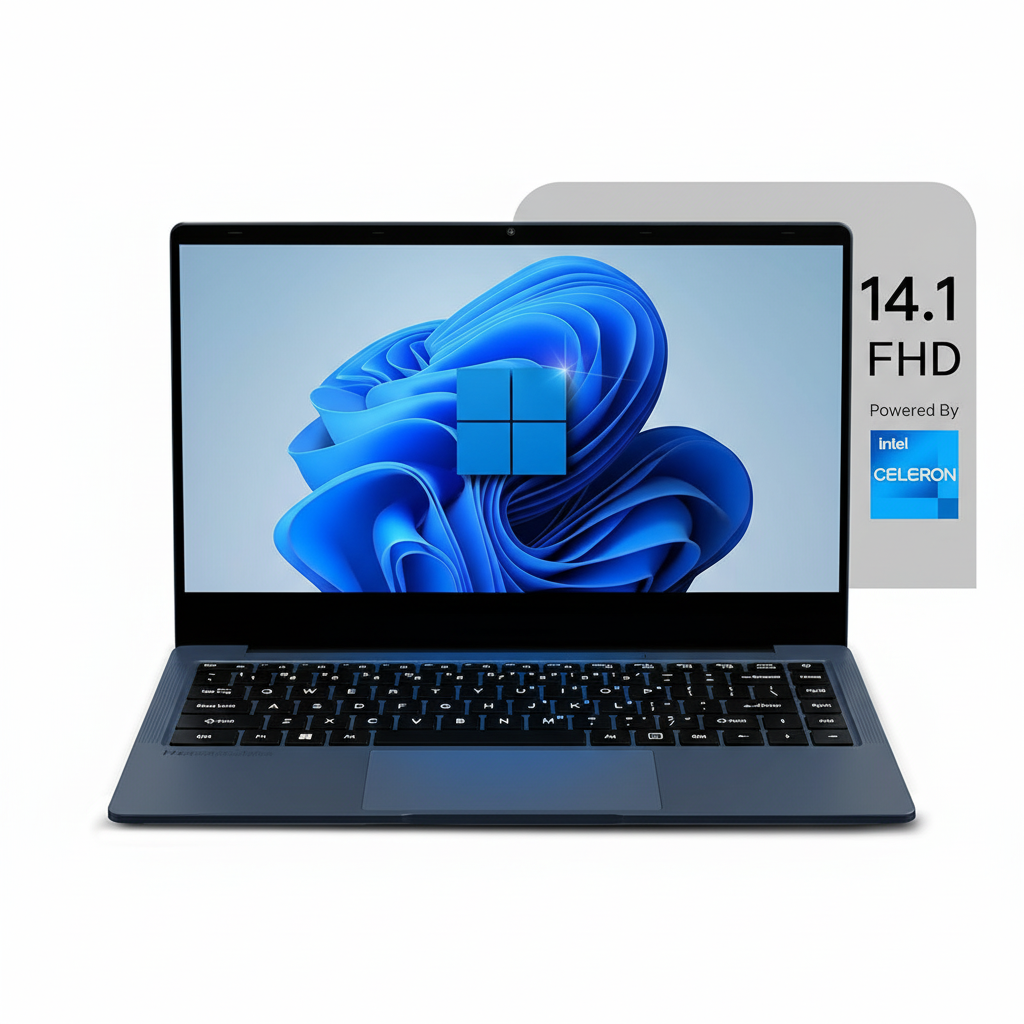
Neopticon BrowseBook 14.1″ Laptop (8GB/256GB)
The Neopticon BrowseBook 14.1″ (8GB/256GB) is the top-of-the-line configuration in this ultra-budget series, and it represents the most capable and well-rounded version of the device. For a price of ₹15,990, this model addresses the key performance bottleneck of the cheaper variants by doubling the RAM to 8GB.
This crucial upgrade, combined with the practical 256GB SSD and the excellent Full HD IPS display, makes this the most usable BrowseBook for light multitasking. While still powered by the entry-level Intel Celeron N4020 processor, the additional RAM significantly improves the experience in Windows 11, making this the definitive choice for students and home users seeking the absolute best performance possible at this price point.
The Best of a Budget Breed
This model unlocks the true potential of the BrowseBook platform with essential upgrades.
8GB RAM for Smoother Multitasking
The jump to 8GB of RAM is the single most important upgrade in this model. It allows for a much smoother experience when multitasking, such as running a web browser with multiple tabs, a music streaming app, and a word processor simultaneously without significant slowdowns.
Ample Storage and Great Display
This configuration combines the best features of the series: a practical 256GB SSD for your OS and applications, and the crisp, vibrant 14.1-inch Full HD IPS display that makes all content look great, from spreadsheets to movies.
Core Performance and Portability
Maintains the lightweight design and essential connectivity of the series.
Efficient Celeron Processor
The Intel Celeron N4020 remains the heart of the machine, providing efficient, low-power processing for everyday tasks. It’s best suited for web browsing, office applications, and media consumption.
Ultra-Light and Connected
The laptop’s featherlight 1.3 kg weight and comprehensive port selection—including USB-C and Mini HDMI—are retained, making it an excellent portable companion for school or home use.
Full Specifications Table
General Information
- Brand:Neopticon
- Model Name:BrowseBook
- Model Number:BBN40825614
- Color:Grey
Processor & Graphics
- Processor:Intel Celeron N4020 (Dual Core, up to 2.8 GHz)
- Graphic Card:Integrated Intel UHD Graphics
Memory & Storage
- Memory:8 GB LPDDR4 RAM
- Storage:256 GB SSD
Display Details
- Display Size:14.1 inch
- Display Resolution:1920 x 1080 (Full HD)
- Display Technology:IPS Panel
Connectivity & Battery
- Wireless:Wi-Fi, Bluetooth
- Ports:USB 3.0, USB Type-C, Mini HDMI, Micro SD Card Slot, 3.5mm Audio Jack
- Battery:38Wh (5000mAh)
OS & Warranty
- Operating System:Windows 11 Home
- Warranty:1 Year Warranty
Pros and Cons: A Balanced View
Pros:
- Most Capable Performer: 8GB RAM makes a noticeable difference for light multitasking.
- Excellent Value Proposition: The best combination of RAM, storage, and display for the price.
- Great FHD IPS Display: A feature that elevates the entire user experience.
- Lightweight and Portable: Easy to carry at just 1.3 kg.
- Good Port Selection: All the essential ports are included.
Cons:
- CPU is a Bottleneck: The Celeron processor holds back the potential of the 8GB RAM.
- Not for Heavy Use: Strictly for basic productivity and media consumption.
- Basic Build and Webcam: Costs are cut on the chassis and camera quality.
- Unproven Brand: Long-term reliability is still a question mark.
Who Is This Laptop For?
- The Power-Conscious Student: A student who wants to run a few apps at once (e.g., browser, music, Word) without major slowdowns.
- The Impatient Home User: Someone who values a smoother experience and is willing to pay a little extra to avoid the lag of a 4GB system.
- The Ultimate Budget-Seeker: A user who wants the absolute most performance and features possible without crossing the ₹16,000 mark.
Who Might Consider Other Options?
- Anyone with a Slightly Higher Budget: Spending a few thousand more can get you a laptop with a much more powerful Core i3 or Ryzen 3 processor.
- Users Needing Longevity: The Celeron processor will feel dated much faster than a more capable CPU.
- Gamers or Creatives: This machine lacks the processing and graphics power for any form of gaming or content creation.
Competitive Edge: The Multitasking King of Budget Laptops
This BrowseBook configuration stands alone by offering a usable multitasking experience at a price where it’s virtually nonexistent.
- The 8GB RAM Advantage: Its primary edge is the inclusion of 8GB of RAM. At this price, almost every competitor is stuck with 4GB, which struggles with modern Windows 11. The extra RAM makes this the most usable and least frustrating laptop in its class for everyday multitasking.
- The Complete Budget Package: It combines the three most important features for a good user experience—a great display, usable RAM, and adequate SSD storage—at a price point that is simply unmatched by other brands.
- Maximum Value Extraction: This model represents the absolute peak of the BrowseBook’s value proposition, squeezing every last drop of performance and usability out of the ultra-budget platform.
Final Verdict: The Best Sub-₹16,000 Laptop, Period.
The Neopticon BrowseBook 14.1″ with 8GB RAM and a 256GB SSD is, without a doubt, the smartest purchase in the entire ultra-budget laptop market. By addressing the critical performance limitation of its cheaper siblings—the 4GB of RAM—this model transforms from a single-task device into a genuinely usable light multitasker.
The experience of using Windows 11 with 8GB of RAM is significantly smoother, and when paired with the excellent FHD IPS display and a decent-sized SSD, the result is a laptop that feels far more expensive than it is. While the Celeron processor remains a limiting factor for heavy workloads, it is perfectly adequate for the target audience. If your budget is firmly under ₹16,000, this is the most capable, well-balanced, and intelligent choice you can make.
Overall Rating: 4.5 out of 5.0 (The Best Value Configuration)