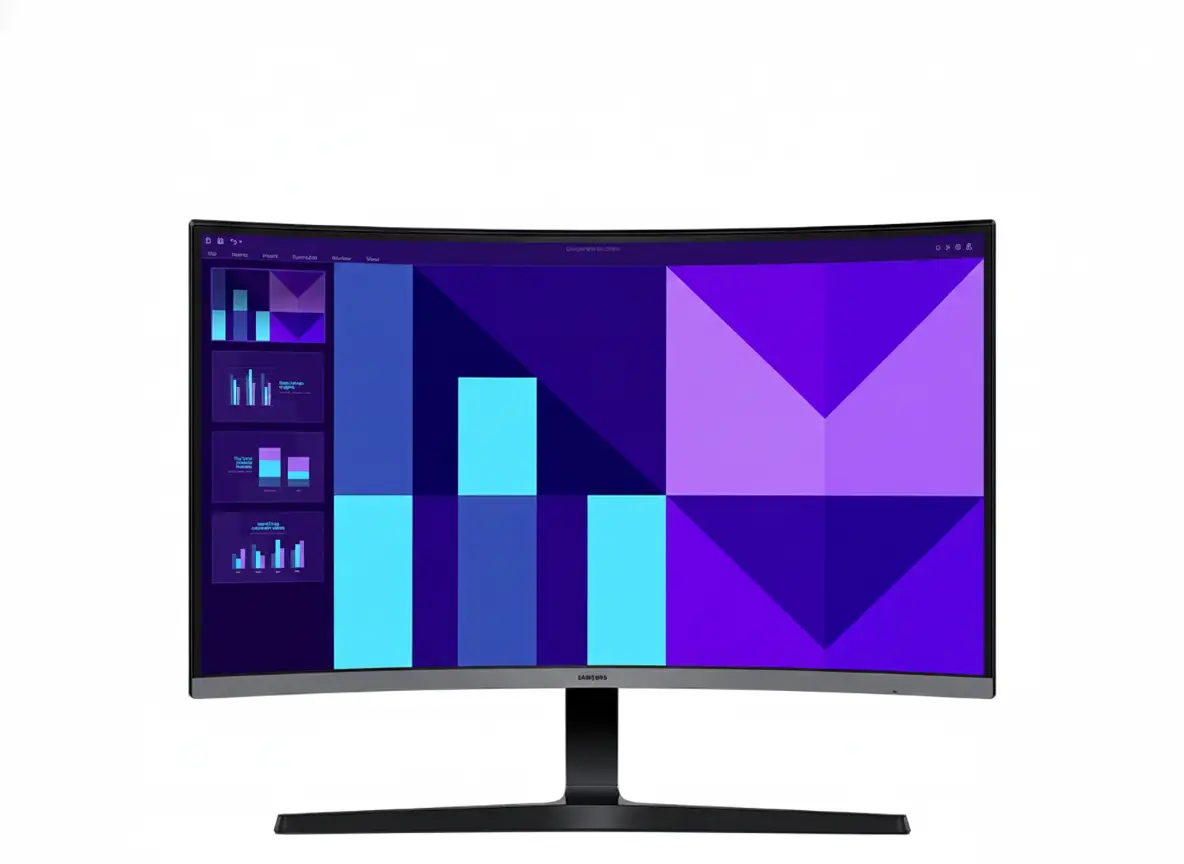
🎮 BEST BUDGET 100Hz CURVED MONITOR – $60 OFF Limited Time!
27″ 1800R Curved | 100Hz | VA 4000:1 | Built-in Speakers | 4.6/5 (16 reviews)
Samsung Essential Monitor S3 S39GD 27″
27″ FHD 1920×1080 | 1800R Curved | 100Hz | VA Panel | Built-in Speakers
4000:1 Contrast – Game Mode – Eye Saver Mode – Flicker Free – Windows 11 Certified
🎯 The Ultimate Budget 100Hz Curved Gaming Monitor:
• 100Hz Refresh: 67% faster than 60Hz – smooth gaming without premium pricing
• 1800R Curve: Immersive wraparound viewing – enhanced depth perception
• VA Panel 4000:1: 4× better contrast than IPS – deep cinematic blacks
• Built-in Speakers: Integrated 1W audio – saves desk space and money
• Game Mode: Instant gaming optimizations – spot enemies in dark scenes
• Eye Comfort: Flicker Free + Eye Saver Mode – TÜV certified protection
• 4ms Response: Fast GTG response – minimal ghosting in gaming
• Lightweight: Only 3.8 lbs – easy setup and repositioning
$139.99
$199.99
Save $60!
Model: LS27D396GANXZA | Free Delivery by Dec 22 | 4.6/5 (16 reviews)
💰 LIMITED TIME: $60 OFF Regular $199.99 Price!
100Hz curved gaming monitor at budget 60Hz pricing. In stock with free delivery. Exceptional value for December 2025.
🌍 Global Availability
• USA: $139.99 (Save $60 off $199.99) – Samsung.com
• India: ₹11,999-13,999 expected
• UK: £129-149 estimated
• Canada: CAD $189-209 estimated
• Availability: Check Samsung regional websites
Refresh Rate
100Hz
Curvature
1800R
Contrast
4000:1
Samsung Essential Monitor S3 S39GD 27″ Overview
🖥️ Display Specifications
- 27″ FHD: 1920×1080 resolution – 82 PPI
- VA Panel: 4000:1 contrast ratio
- 1800R Curve: Immersive viewing
- 250 Nits: 200 nits minimum brightness
- 16.7M Colors: Full color support
- 95% sRGB: Vibrant color gamut
- 4ms GTG: Fast response time
- 100Hz Refresh: Smooth motion
⚡ Gaming & Features
- 🎮 Game Mode: Optimized settings
- 👁️ Eye Saver Mode: TÜV certified
- ⚡ Flicker Free: DC dimming
- 🔊 Built-in Speakers: 1W audio
- 🌱 Eco Saving Plus: Power efficiency
- ⏲️ Off Timer Plus: Auto power off
⭐ Design & Build
- • 1800R Curved: Wraparound immersion
- • Simple Stand: Tilt -2° to +22°
- • Lightweight: Only 3.8 lbs with stand
- • VESA Mount: 75×75mm compatible
- • Eco Friendly: 55% recycled plastic
- • Windows 11: Certified compatible
🎯 What Makes S39GD 27″ Special?
The Samsung S39GD 27″ dominates budget curved gaming monitors by delivering 100Hz refresh rate at unprecedented $139.99 pricing where competitors charge $180-300 for equivalent specifications. Most budget monitors under $150 compromise on refresh rate (limiting to 60Hz-75Hz), panel quality (using TN with poor viewing angles), or curvature (flat panels lacking immersion). The S39GD combines 100Hz smooth gaming, immersive 1800R curve, VA panel 4000:1 contrast for deep blacks, built-in speakers, and comprehensive eye comfort at exceptional value pricing.
The 100Hz refresh rate creates measurably smoother experience than standard 60Hz monitors. Desktop cursor movement appears more fluid, window dragging shows reduced judder, scrolling through web pages feels responsive, and video playback benefits from decreased motion blur. For gaming, 100Hz provides 67% more frames per second than 60Hz – creating competitive advantage in MOBAs where reaction speed matters, smoother camera panning in FPS games reducing disorientation, and more immersive motion in racing simulators and action games. Budget GPUs easily achieve 100+ FPS at 1920×1080 maximizing the monitor’s capability.
The 1800R curvature enhances immersion without productivity compromises. The gentle 1800mm radius curve (indicating arc matching 1.8-meter circle radius) wraps screen edges naturally into peripheral vision, creating wraparound effect where content feels more engaging. Racing games benefit from enhanced depth perception simulating cockpit view, open-world RPGs feel more immersive with curved landscape horizons, and movies gain cinematic quality with edges wrapping toward viewer. Unlike aggressive 1000R curves potentially distorting straight lines in productivity work, 1800R balances immersion with usability for mixed gaming/work setups.
The VA panel 4000:1 static contrast ratio dramatically outperforms IPS alternatives. VA technology delivers 4× better contrast than IPS monitors (typically 1000:1) and 5× better than budget TN panels (800:1), creating genuinely deep blacks in dark scenes rather than grayish washed-out appearance. Horror games show atmospheric darkness, space games display true black backgrounds with vibrant stars, movie scenes maintain shadow detail, and gaming in dark environments provides proper atmosphere. Combined with 95% sRGB color gamut and 16.7M color support, the VA panel creates visually stunning experience at budget pricing.
The built-in 1W speakers provide convenience for budget buyers avoiding external audio investments. While not competing with dedicated desktop speakers or headphones in audio quality, integrated speakers handle video calls, YouTube streaming, casual Netflix watching, system sounds, and light gaming audio adequately. This saves $20-80 on external speakers, reduces desk clutter from additional devices and cables, and simplifies setup for users prioritizing convenience. Headphone jack available when better audio quality needed for competitive gaming or music appreciation.
The comprehensive eye comfort technology suite with TÜV certification addresses health priorities for extended gaming sessions. Flicker Free eliminates PWM backlight flickering at 200-300Hz causing subconscious eye strain and headaches during 4-8 hour gaming marathons. Eye Saver Mode reduces blue light emission disrupting circadian rhythms and sleep patterns when gaming late nights. The TÜV Rheinland certification validates independent testing confirming measurable eye strain reduction. For gamers, students, and remote workers spending extended time at screens, these features provide tangible wellness benefits justifying the S39GD choice over cheaper monitors lacking eye comfort technology.
Display Quality – VA Panel with 4000:1 Contrast
🎨 VA Panel – Superior Contrast
The VA (Vertical Alignment) panel technology with 4000:1 static contrast ratio represents the monitor’s primary visual advantage over budget IPS alternatives. VA panels arrange liquid crystals vertically blocking more backlight when displaying black pixels, creating genuinely deep blacks approaching OLED quality rather than grayish appearance plaguing IPS panels limited to 1000:1 contrast. This 4× contrast advantage creates dramatically superior image depth in movies, TV shows, and gaming with dark environments.
For gaming enthusiasts, the contrast benefit manifests in atmospheric immersion. Horror games (Resident Evil, Silent Hill, Dead Space) display properly dark shadows enhancing tension rather than washed-out grays revealing hidden details. Space games show true black backgrounds with vibrant stars and nebulae. Racing simulators at night display genuine darkness beyond track lighting. Action games with shadow-heavy environments maintain atmosphere without crushing shadow detail or washing out blacks.
VA Panel Advantages
- • 4000:1 contrast: Deep cinematic blacks
- • 4× better than IPS: Dramatic depth improvement
- • 178° viewing: Wide angles maintain quality
- • Rich colors: Better saturation than TN
🌊 1800R Curvature – Immersive Design
The 1800R curvature creates wraparound viewing experience where screen edges naturally fall within peripheral vision, reducing eye travel distance when scanning across display and enhancing depth perception. The 1800mm radius (indicating arc matching 1.8-meter circle) provides noticeable immersion benefits without extreme distortion – less aggressive than 1000R curves potentially affecting productivity work, but significantly more immersive than flat panels.
For 27″ size, 1800R represents optimal curvature balance. More aggressive curves (1000R, 1500R) work better on larger 32″+ displays where greater screen width benefits from tighter curvature pulling edges into comfortable viewing range. On 27″ monitors, 1800R provides immersion without overwhelming viewers at typical 50-70cm viewing distances. The curve particularly enhances racing games, flight simulators, open-world RPGs, and cinematic single-player experiences where environmental immersion matters.
Curvature Benefits
- • Enhanced immersion: Wraparound viewing
- • Depth perception: 3D-like effect
- • Reduced eye travel: Edges closer to center
- • Gaming focused: Better for single-player
🎨 Color Performance & Resolution
🌈 95% sRGB Color Gamut
The monitor achieves 95% sRGB color gamut coverage – excellent for budget gaming monitors where 85-90% sRGB is typical. The sRGB (Standard RGB) color space represents standard for web content, gaming, and general computing ensuring accurate color reproduction in vast majority of use cases. While not matching professional monitors with 99%+ Adobe RGB for print work or DCI-P3 for video production, 95% sRGB provides vibrant saturated colors suitable for gaming and entertainment.
The 16.7 million color support (8-bit color depth) ensures smooth color gradients without banding artifacts in skies, sunsets, and gradient backgrounds. VA panel technology also provides better color saturation than budget TN alternatives, though slightly less accurate than IPS from extreme off-center viewing angles. For gaming prioritizing visual impact over absolute color accuracy, VA’s contrast advantage outweighs minor viewing angle compromises.
📺 FHD 1920×1080 Resolution
The 1920×1080 Full HD resolution on 27 inches provides 82 pixels per inch (PPI) – adequate for gaming and entertainment though less sharp than 24″ FHD (92 PPI) or QHD resolutions. At typical 60-80cm viewing distances, FHD on 27″ displays acceptable clarity without requiring UI scaling, though users accustomed to higher resolutions may notice pixel structure in text and fine details during close inspection.
The FHD resolution’s primary advantage is performance accessibility – budget GPUs (GTX 1650, RX 6500 XT, integrated graphics) easily achieve 100+ FPS at 1920×1080 in most games, maximizing the 100Hz monitor capability. QHD (2560×1440) or 4K resolutions demand significantly more GPU power, requiring mid-range to high-end cards ($300-600+) to achieve high framerates. For budget gaming setups, FHD balances visual quality with hardware affordability.
📊 Display Quality Summary
Panel Technology
VA panel, 4000:1 contrast with deep blacks. 95% sRGB gamut, 178° viewing. Superior to IPS in contrast and depth.
Curvature
1800R curve for wraparound immersion. Enhanced depth perception. Optimal for 27″ gaming displays.
Performance
FHD 1920×1080 at 82 PPI. 250 nits brightness. Budget GPU friendly resolution.
Gaming Performance – 100Hz Smooth Gaming
⚡ 100Hz Refresh Rate
The 100Hz refresh rate delivers 67% more frames per second than standard 60Hz monitors ubiquitous in budget category, and 33% more than common 75Hz alternatives. This creates noticeably smoother motion in all scenarios – gaming benefits from reduced input lag and clearer motion tracking, desktop use feels more responsive with fluid cursor movement, and video playback shows decreased motion blur in fast action scenes.
For casual to mid-tier gaming, 100Hz provides sweet spot performance. MOBAs (League of Legends, Dota 2) display smooth ability animations and teamfight chaos. Battle royales (Fortnite, Apex Legends on medium settings) benefit from clearer motion during building/combat. Strategy games (StarCraft, Age of Empires) show responsive unit movements. Single-player action games maintain smooth camera panning. While competitive esports players require 144Hz-240Hz, casual gamers find 100Hz perfectly adequate at fraction of cost.
100Hz Gaming Benefits
- • 67% smoother: vs standard 60Hz
- • Budget accessible: Easy to drive at FHD
- • Competitive edge: Better than 60Hz/75Hz
- • $140 pricing: 100Hz at 60Hz cost
🎮 Game Mode Optimization
Game Mode instantly adjusts picture settings for enhanced gaming visibility and competitive advantage. The mode typically increases brightness in dark areas revealing enemies hiding in shadows, boosts contrast for clearer object definition against backgrounds, enhances color saturation for more vibrant visuals helping spot important elements, and may reduce input lag prioritizing responsiveness over image processing quality.
The feature particularly benefits competitive multiplayer games requiring visibility – spotting enemy players in dark corners of FPS maps, identifying item pickups in cluttered battle royale environments, detecting movement in peripheral vision during MOBAs, or seeing obstacles in racing games. Game Mode toggles easily via OSD menu, enabling for competitive gaming where visibility matters and disabling for story-driven games prioritizing cinematic atmosphere over competitive clarity.
Game Mode Features
- • Dark area boost: Reveal hidden enemies
- • Enhanced contrast: Clearer visuals
- • Instant toggle: Easy on/off switching
- • Competitive edge: Better visibility
⚡ Response Time & Performance
⏱️ 4ms GTG Response Time
The 4ms Gray-to-Gray (GTG) response time measures pixel transition speed between colors, representing faster performance than budget monitors with 5-8ms response. While slower than competitive gaming monitors achieving 1ms, 4ms proves adequate for casual to mid-tier gaming preventing noticeable ghosting in most scenarios. Fast-paced competitive FPS games may show slight trailing during rapid camera movements, but MOBAs, strategy games, RPGs, and single-player action titles display clean motion.
For budget gaming at 100Hz, 4ms response represents reasonable balance. VA panels traditionally suffer slower response than IPS or TN technology due to liquid crystal behavior, but modern VA implementations achieve 4-5ms adequately supporting up to 120Hz gaming without distracting ghosting. Competitive esports players should invest in 1ms IPS or TN gaming monitors, but casual players prioritizing VA contrast advantage over ultimate response speed find 4ms perfectly acceptable.
🎯 No FreeSync/G-Sync
The monitor lacks AMD FreeSync or NVIDIA G-Sync variable refresh rate (VRR) technology – a trade-off for aggressive $139.99 pricing. VRR synchronizes monitor refresh with GPU frame output eliminating screen tearing when framerates fluctuate. Without VRR, tearing may appear during dramatic FPS swings (e.g., 60 FPS to 90 FPS transitions), though maintaining consistent 100+ FPS minimizes tearing visibility.
For budget buyers, VRR absence represents acceptable compromise. Users with capable GPUs maintaining consistent 100+ FPS at FHD experience minimal tearing. V-Sync software solution eliminates tearing by capping framerate to refresh rate, though adds minor input lag. Buyers prioritizing tear-free gaming should choose FreeSync monitors ($20-40 premium), but those maximizing value at $140 can manage without VRR using consistent high framerates or V-Sync.
Design & Build Quality – Curved & Lightweight
🎨 Simple Stand Design
The Simple Stand provides tilt adjustment from -2° to +22° (24° total range) accommodating various desk heights and seating positions for comfortable viewing angle. While lacking height adjustment, swivel, or pivot found on premium ergonomic stands, the tilt range covers most user needs. The minimalist design occupies minimal desk footprint reducing wasted space, particularly valuable for small desks where bulky ergonomic bases consume precious real estate.
The stand’s all-black color scheme creates professional aesthetic matching modern gaming and office environments. The simple construction prioritizes cost efficiency appropriate for budget category while maintaining adequate stability. The lightweight 3.8 lbs total weight with stand enables easy one-person setup without strain, frequent repositioning as needed, or transport between locations for students or mobile workers.
Stand Features
- • Tilt -2° to +22°: 24° adjustment range
- • Minimal footprint: Space efficient
- • 3.8 lbs total: Lightweight build
- • Black finish: Professional appearance
🖼️ VESA Mount Support
The 75mm × 75mm VESA mount pattern enables attachment to aftermarket monitor arms or wall mounts providing unlimited ergonomic adjustments. Gas-spring arms from brands like Ergotron, Amazon Basics, VIVO, or HUANUO offer full height adjustment, 360° rotation, tilt/swivel freedom, and extended reach positioning screen exactly where needed for optimal comfort and posture.
The 3.1 lbs weight without stand is well within capacity of basic monitor arms rated 15-20 lbs, ensuring stable mounting without requiring heavy-duty arms. Monitor arms also maximize usable desk surface by eliminating stand footprint – critical for small desks where every inch matters. Arms costing $25-100 significantly enhance ergonomics beyond the basic tilt-only stand, worthwhile investment for users spending 6-8+ hours daily at screens.
VESA Benefits
- • 75×75mm pattern: Standard VESA
- • 3.1 lbs weight: Arm compatible
- • Full ergonomics: With monitor arm
- • Desk space: Freed surface area
🔊 Built-in Speakers & Connectivity
🔊 1W Built-in Speakers
The integrated 1W speakers eliminate external audio requirements for users prioritizing convenience and budget efficiency. While modest 1W power output provides lower volume and quality than dedicated desktop speakers (typically 5W-10W per channel) or headphones, the speakers adequately handle video calls, YouTube streaming, casual Netflix/streaming, system sounds, and light casual gaming audio.
For budget setups, built-in speakers save $20-80 on external audio investments while reducing desk clutter from additional devices and cables. Users requiring better audio quality for competitive gaming, music production, or audiophile listening can utilize headphone jack connecting external headphones or desktop speakers when needed. The speakers provide baseline functionality without forcing external audio purchases.
🔌 HDMI + D-Sub Connectivity
The monitor includes 1× HDMI 1.4 and 1× D-Sub (VGA) port providing modern and legacy device connectivity. HDMI 1.4 supports full monitor capability (1920×1080@100Hz) from PCs, laptops, or consoles. D-Sub inclusion accommodates older computers or enterprise hardware still using VGA connections, extending monitor compatibility to wider hardware range though VGA doesn’t support 100Hz (limited to 60Hz typically).
The headphone jack (3.5mm audio out) enables external headphone or speaker connection when better audio quality needed. The HDMI cable includes in package for immediate setup. Users with multiple devices must swap cables manually as only one HDMI port available, or invest in HDMI switches ($15-30) enabling multiple input switching without physical cable swapping.
♻️ Eco-Friendly Design
The monitor construction utilizes 55% recycled plastic in housing materials, demonstrating Samsung’s commitment to environmental sustainability and circular economy principles. This reduces virgin plastic consumption, decreases manufacturing carbon footprint, and supports responsible electronics production. For environmentally conscious buyers, the recycled content represents meaningful contribution to sustainability goals.
The Eco Saving Plus mode automatically reduces power consumption by adjusting brightness based on displayed content – dimming during dark scenes and brightening for light content maintaining visibility while minimizing energy use. Combined with Off Timer Plus scheduling automatic power-off during inactive periods, the eco features reduce electricity costs and environmental impact during ownership. Windows 11 certification ensures compatibility with latest Microsoft operating systems.
Eye Comfort Technology – TÜV Certified Protection
⚡ Flicker Free Technology
Flicker Free technology uses DC (Direct Current) dimming instead of PWM (Pulse Width Modulation) to control backlight brightness. Traditional PWM rapidly flickers backlight on/off at 200-300Hz to adjust brightness – while imperceptible to conscious awareness, this flickering causes subconscious eye strain, headaches, and fatigue during marathon gaming sessions or extended work periods lasting 6-8+ hours.
DC dimming provides continuous, stable illumination at all brightness levels without any flicker. For gamers spending 4-8 hours in weekend gaming marathons, students studying for extended periods, remote workers on long video calls, or anyone spending significant time at screens, Flicker Free technology measurably reduces eye strain occurrence and headache frequency. The health benefit becomes particularly noticeable during late-night gaming where traditional flickering exacerbates fatigue.
Flicker Free Benefits
- • DC dimming: No backlight flicker
- • Reduced headaches: Less eye strain
- • Gaming marathons: 6-8 hour comfort
- • TÜV certified: Independent validation
👁️ Eye Saver Mode – TÜV Certified
Eye Saver Mode reduces blue light emission in the 400-490nm wavelength range that causes eye fatigue and disrupts circadian rhythms affecting sleep quality. High-energy blue light suppresses melatonin production – the hormone regulating sleep-wake cycles – interfering with natural sleep patterns and causing difficulty falling asleep after evening gaming sessions. The mode shifts color temperature warmer, reducing blue content while maintaining usable image quality.
The TÜV Rheinland certification validates independent testing confirming measurable blue light reduction and eye strain minimization. For late-night gamers playing after work/school, students doing homework before bed, or anyone using screens 2-3 hours before sleep, Eye Saver Mode reduces eye strain and improves subsequent sleep quality. While colors appear warmer (more yellow/orange tint), the trade-off for reduced eye strain and better sleep is worthwhile for health-conscious users.
Eye Saver Benefits
- • Blue light reduction: Less eye fatigue
- • Better sleep: Reduced melatonin disruption
- • TÜV certified: Independently tested
- • Toggleable: On/off as needed
🏥 TÜV Rheinland Certification – Independent Validation
The TÜV Rheinland certification represents independent third-party validation of eye comfort claims rather than relying solely on manufacturer specifications. TÜV testing evaluates flicker levels, blue light emission wavelengths, brightness consistency, and eye strain factors under standardized conditions. This certification provides trustworthy confirmation that eye comfort features deliver measurable health benefits beyond marketing claims.
For budget monitor buyers prioritizing long-term eye health alongside cost savings, the TÜV certification distinguishes the S39GD from cheaper alternatives lacking validated eye comfort. The combination of Flicker Free + Eye Saver Mode + 1800R curve (reducing eye travel distance) creates comprehensive comfort solution. For gamers, students, and workers spending extended hours at screens, these features justify the S39GD choice over monitors lacking certified eye protection at similar pricing.
Who Should Buy the Samsung S39GD 27″?
✅ Perfect For
🎮 Budget Gamers Seeking 100Hz Performance
At $139.99 with 100Hz refresh, the S39GD delivers premium smooth gaming at 60Hz pricing. Provides 67% more FPS than standard monitors for competitive advantage in MOBAs, battle royales, and action games. Game Mode enhances visibility spotting enemies. Built-in speakers save money on audio. 4ms response adequate for casual gaming. Perfect entry point to high-refresh gaming without $250-400 144Hz monitor investments.
🏠 Remote Workers Needing Eye Comfort
The TÜV certified Flicker Free + Eye Saver Mode combination reduces strain during 8-10 hour workdays. 1800R curve reduces eye travel distance. 100Hz makes video calls and multitasking smoother. VA 4000:1 contrast reduces eye fatigue with proper blacks. Built-in speakers handle calls without external audio. Ideal for home office workers prioritizing health and productivity.
🎬 Movie & Media Enthusiasts
The VA panel 4000:1 contrast creates cinematic blacks for Netflix, movies, and TV shows. 1800R curve provides immersive viewing experience. 95% sRGB vibrant colors. Built-in speakers adequate for casual viewing. Better picture quality than budget IPS or TN monitors. 27″ size perfect for desk-based media consumption without overwhelming space.
💰 First Monitor Buyers on Tight Budgets
At $139.99, delivers premium features typically costing $200-300: 100Hz refresh, curved immersion, VA contrast, speakers, eye comfort. Exceptional value for first-time PC builders or laptop users adding external display. 4.6/5 stars validates quality. Everything needed for gaming, work, and entertainment without financial stress.
🎓 Students in Dorms & Apartments
The lightweight 3.8 lbs enables easy moving between home and campus. Fits small dorm desks. Built-in speakers eliminate external audio setup. Eye Saver Mode protects eyes during late-night study sessions. 100Hz benefits casual gaming after classes. $140 pricing fits student budgets. Perfect all-in-one monitor for space-constrained student life.
🖥️ Mixed Gaming/Productivity Users
The 1800R curve balances gaming immersion with productivity usability – less distortion than aggressive 1000R curves affecting straight-line accuracy. 100Hz improves both gaming and desktop responsiveness. VA contrast benefits media and gaming. Eye comfort suits extended work. Versatile single display handling gaming evenings and work mornings equally well.
❌ Not Ideal For
🎯 Competitive Esports Players
Serious competitive players in FPS, battle royale, or MOBA esports need 144Hz+ refresh rates, 1ms response times, and FreeSync/G-Sync VRR. The S39GD’s 100Hz and 4ms response won’t satisfy requirements where milliseconds determine rankings. Lack of VRR causes tearing during FPS fluctuations. Invest in dedicated 144Hz-240Hz gaming monitors ($200-500) if competing seriously or climbing ranked ladders aggressively.
📸 Professional Content Creators
Photographers, video editors, and graphic designers requiring 99%+ Adobe RGB, factory calibration, and hardware calibration support should choose professional monitors (BenQ SW series, EIZO ColorEdge, ASUS ProArt) costing $500-2,000. The 95% sRGB adequate for casual work but insufficient for client deliverables requiring absolute color accuracy. Curved display also distorts straight lines problematic for design work.
🖥️ Multi-Monitor Professional Setups
The 1800R curve creates alignment challenges in dual or triple monitor configurations. Curved monitors work best as single central displays. Side-by-side curved monitors don’t align properly causing viewing angle issues and aesthetic inconsistency. For multi-monitor productivity (trading, programming, data analysis), choose flat 27″ monitors that align seamlessly without curve mismatch distorting multi-screen workflows.
🎮 Console Gamers (PS5/Xbox Series X)
While HDMI works with consoles, next-gen consoles optimize for 4K resolution and 120Hz refresh – the S39GD’s FHD 1920×1080 and 100Hz don’t fully utilize console capabilities. Additionally, lack of VRR (FreeSync/G-Sync) means no Variable Refresh Rate support for compatible console games. Console-primary gamers should invest in 4K 120Hz displays or VRR-enabled monitors better matching console hardware capabilities.
👀 Users Requiring QHD/4K Sharpness
The FHD 1920×1080 at 27″ provides 82 PPI – adequate but less sharp than QHD 2560×1440 (109 PPI) or 4K (163 PPI). Users accustomed to high-resolution displays or needing fine detail for CAD, photo editing, or detailed productivity work will notice limited sharpness. If sharp text and detailed visuals are priorities, invest in QHD+ monitors despite higher cost and GPU requirements.
🔊 Audiophiles & Music Producers
The 1W built-in speakers lack quality for music appreciation or audio production. Minimal power output, no bass response, and limited clarity inadequate for audiophiles, music production, or immersive gaming audio. Users prioritizing sound quality must invest in external speakers ($80-300) or headphones ($100-400), negating built-in speaker convenience. If audio quality matters, budget accordingly for external solutions.
Competitors & Alternatives – Budget 100Hz Monitor Comparison
AOC C27G2Z
27″ Curved Gaming Monitor
Display: 27″ 1920×1080 1500R curve
Refresh: 240Hz VA panel
Response: 0.5ms MPRT with FreeSync
Price: $179 USD
Why Choose This Instead:
- • 240Hz refresh: 2.4× faster for esports
- • 0.5ms response: Competitive gaming
- • FreeSync Premium: VRR tear-free
- • Esports focus: Pro-level performance
S39GD Advantages:
- • $40 cheaper ($140 vs $179)
- • 1800R tighter curve (vs 1500R)
- • Built-in speakers (AOC has none)
- • TÜV certified eye comfort
- • Samsung brand reliability
- • 55% recycled plastic eco-friendly
- • Adequate for casual gaming
MSI G27C4 E2
27″ Curved Gaming
Display: 27″ 1920×1080 1500R VA
Refresh: 180Hz with FreeSync
Response: 1ms MPRT
Price: $159 USD
Why Choose This Instead:
- • 180Hz refresh: 80% faster
- • 1ms MPRT: Faster response
- • AMD FreeSync: VRR support
- • Gaming brand: MSI reputation
S39GD Advantages:
- • $20 cheaper ($140 vs $159)
- • 1800R vs 1500R (tighter curve)
- • Built-in speakers included
- • TÜV certified eye comfort
- • 4000:1 vs 3000:1 contrast
- • 95% sRGB color accuracy
- • Samsung quality/warranty
Samsung Odyssey G3
27″ Curved Gaming
Display: 27″ 1920×1080 1000R curve
Refresh: 180Hz with FreeSync
Response: 1ms MPRT
Price: $199 USD
Why Choose This Instead:
- • 1000R curve: More aggressive immersion
- • 180Hz refresh: Premium gaming
- • AMD FreeSync: VRR technology
- • Gaming focus: Odyssey brand
S39GD Advantages:
- • $60 cheaper ($140 vs $199)
- • 1800R better for productivity
- • Built-in speakers (G3 lacks)
- • 100Hz adequate for casual gaming
- • Better value for mixed use
- • Same Samsung quality
- • TÜV eye comfort certification
ASUS TUF VG27VH1B
27″ Curved Gaming
Display: 27″ 1920×1080 1500R VA
Refresh: 165Hz with FreeSync
Response: 1ms MPRT
Price: $169 USD
Why Choose This Instead:
- • 165Hz refresh: 65% faster
- • AMD FreeSync: VRR support
- • ASUS TUF: Gaming brand
- • 1ms response: Fast GTG
S39GD Advantages:
- • $30 cheaper ($140 vs $169)
- • 1800R tighter curve immersion
- • Built-in speakers included
- • TÜV certified eye comfort
- • 4000:1 vs 3000:1 contrast
- • Samsung premium build
- • 100Hz adequate for casual use
Sceptre C275B-144RN
27″ Budget Curved
Display: 27″ 1920×1080 1800R
Refresh: 144Hz with FreeSync
Response: 3ms GTG
Price: $139 USD
Why Choose This Instead:
- • 144Hz refresh: 44% faster
- • Same price: $139 matching
- • AMD FreeSync: VRR included
- • Gaming focused: Higher refresh
S39GD Advantages:
- • Samsung brand vs budget Sceptre
- • 4000:1 vs 3000:1 contrast
- • Built-in speakers included
- • TÜV certified eye comfort
- • Better build quality
- • Superior warranty/support
- • 95% sRGB color accuracy
LG 27GN600-B
27″ Flat IPS Gaming
Display: 27″ 1920×1080 flat IPS
Refresh: 144Hz with FreeSync
Response: 1ms MBR
Price: $179 USD
Why Choose This Instead:
- • IPS panel: Better viewing angles
- • 144Hz refresh: Gaming performance
- • Flat display: Multi-monitor friendly
- • AMD FreeSync: VRR support
S39GD Advantages:
- • $40 cheaper ($140 vs $179)
- • VA 4000:1 vs IPS 1000:1 contrast
- • 1800R curve for immersion
- • Built-in speakers included
- • Deeper blacks for media
- • TÜV eye comfort certification
- • Better value for mixed use
Pros & Cons – Complete Analysis
✅ Pros
-
•
Exceptional Value – 100Hz at $139.99 ($60 OFF!)
100Hz curved gaming monitor at unprecedented $139.99 discounted from $199.99 – competitors charge $180-300 for equivalent specifications. Delivers smooth gaming, immersive curve, VA contrast, speakers, and eye comfort at 60Hz monitor pricing. Best budget 100Hz value in December 2025 market.
-
•
100Hz Refresh Rate – Smooth Performance
100Hz provides 67% more frames than standard 60Hz monitors – creating noticeably smoother motion in gaming, reduced input lag in competitive scenarios, more responsive desktop interactions, and fluid video playback. Budget GPUs easily achieve 100+ FPS at FHD maximizing capability. Sweet spot between 75Hz and expensive 144Hz+ monitors.
-
•
VA Panel 4000:1 Contrast – Cinematic Blacks
4000:1 static contrast delivers 4× better blacks than IPS monitors (1000:1) creating genuinely deep blacks in movies, TV shows, and dark gaming scenes. Dramatic visual depth improvement over budget alternatives. Combined with 95% sRGB color gamut and 16.7M colors, provides stunning visuals at budget pricing.
-
•
1800R Curvature – Immersive Viewing
1800R curve creates wraparound immersion where screen edges fall naturally into peripheral vision. Enhanced depth perception benefits racing games, flight sims, open-world RPGs, and cinematic experiences. Less aggressive than 1000R maintaining productivity usability while providing noticeable immersion over flat panels. Optimal curvature for 27″ size.
-
•
TÜV Certified Eye Comfort – Health Focused
Flicker Free eliminates PWM flickering causing headaches and strain. Eye Saver Mode reduces blue light disrupting sleep. TÜV Rheinland certification validates independent testing confirming measurable benefits. Critical for gamers spending 6-8 hour marathons, students with long study sessions, or workers prioritizing eye health alongside budget constraints.
-
•
Built-in Speakers – Cost Savings
Integrated 1W speakers eliminate external audio requirements saving $20-80 on desktop speakers. Adequate for video calls, streaming, casual gaming, and system sounds. Reduces desk clutter and cable management complexity. Headphone jack available when better audio needed. Perfect for budget setups prioritizing convenience.
-
•
Game Mode Optimization
Instant game-optimized picture settings enhance visibility – brightening dark areas revealing hidden enemies, increasing contrast for clearer definition, adjusting saturation for vibrant visuals. Toggleable for gaming versus movie watching. Provides competitive advantage in games requiring visual clarity to spot opponents in shadows.
-
•
Lightweight & Easy Setup
3.8 lbs with stand enables easy one-person setup and frequent repositioning without strain. Simple assembly attaching stand to monitor. HDMI cable included in package. Total setup under 10 minutes for non-technical users. Lightweight design ideal for students, renters, or anyone requiring portable secondary display.
-
•
Eco-Friendly Design – 55% Recycled Plastic
55% recycled plastic construction demonstrates environmental responsibility reducing virgin plastic consumption and manufacturing carbon footprint. Eco Saving Plus automatically reduces power consumption during use. Off Timer Plus schedules automatic power-off. For environmentally conscious buyers, the sustainable design represents meaningful contribution to responsible electronics.
-
•
Samsung Brand Reliability
Samsung’s reputation for quality, extensive customer service network, and established warranty support provides confidence versus unknown budget brands. Multi-year warranty covers defects. Established support infrastructure handles issues efficiently. Higher resale value than generic competitors. Brand credibility justifies investment for risk-averse buyers. 4.6/5 stars from 16 reviews validates satisfaction.
❌ Cons
-
•
No FreeSync/G-Sync – No VRR Support
Lacks AMD FreeSync or NVIDIA G-Sync variable refresh rate technology eliminating screen tearing. When framerates fluctuate (60-90 FPS swings), tearing artifacts may appear. Competitive gaming monitors include VRR at slight premium ($20-40 more). Users with inconsistent framerates should enable V-Sync software solution or invest in FreeSync alternatives.
-
•
FHD Resolution – Limited Sharpness at 27″
1920×1080 at 27″ provides only 82 PPI – adequate for gaming and entertainment but less sharp than QHD (109 PPI) or 4K (163 PPI). Text may appear slightly fuzzy for users accustomed to higher resolution displays. Professional work requiring fine detail benefits from 1440p+ resolution. Trade-off for performance accessibility with budget GPUs.
-
•
100Hz Only – Not for Competitive Esports
100Hz adequate for casual gaming but insufficient for competitive esports requiring 144Hz-240Hz monitors. Serious competitive players in FPS, battle royale, or MOBA won’t find performance needed for high-rank gameplay where milliseconds matter. 4ms response also slower than 1ms gaming monitors. Competitive gamers should invest in 144Hz+ displays.
-
•
Basic Built-in Speakers – 1W Limited Quality
1W speakers adequate for basic use but lack bass, volume, and clarity for music appreciation or immersive gaming audio. Minimal power output compared to 5W-10W desktop speakers. Audiophiles and serious gamers still need external speakers ($50-300) or headphones ($80-200) for quality sound. Speakers serviceable not exceptional.
-
•
Limited Ergonomics – Tilt Only
Stand provides only tilt adjustment (-2° to +22°) lacking height adjustment, swivel, or pivot. Users requiring precise ergonomic positioning must purchase separate VESA monitor arm ($25-80 additional cost). Fixed height may not suit all desk heights or seating preferences optimally. Basic stand appropriate for budget pricing but limits flexibility.
-
•
Curve Not Multi-Monitor Friendly
1800R curve creates alignment challenges in dual or triple monitor configurations. Curved monitors work best as single central displays. Side-by-side curved monitors don’t align properly causing viewing angle issues. Multi-monitor productivity users should choose flat displays for seamless alignment. Curve also distorts straight lines in CAD or technical work.
-
•
No HDR Support – Limited Brightness
Lacks any HDR certification or support. 250 nits typical brightness insufficient for HDR content requiring 400+ nits. No wide color gamut for HDR. HDR games and movies display in SDR mode losing dynamic range and color volume benefits. Users prioritizing HDR should invest in DisplayHDR 400/600 monitors costing $250-500+.
-
•
Limited Connectivity – Single HDMI + D-Sub
Only 1× HDMI 1.4 and 1× D-Sub (VGA) port – no DisplayPort, USB-C, or multiple HDMI ports. Users with multiple devices must swap cables manually. No USB hub for peripheral connectivity. D-Sub legacy port takes space that could be second HDMI. Limited connectivity versus competitors offering 2-3 HDMI + DP options.
-
•
VA Viewing Angle Limitations
While rated 178°/178°, VA panels show slight color shifting when viewed from extreme off-center angles versus IPS maintaining perfect consistency. Not problematic for single-centered viewer but noticeable for multi-person viewing from side positions. VA contrast advantage outweighs viewing angle compromise for most gaming/entertainment uses prioritizing deep blacks.
-
•
Limited Review Validation – Only 16 Reviews
While 4.6/5 stars is excellent, only 16 reviews provide limited validation versus products with hundreds of reviews. Smaller sample size increases uncertainty about long-term reliability and edge case issues. More reviews would strengthen confidence in quality control consistency. Early buyers take minor risk versus established products with extensive review validation.
Final Verdict – Best Budget 100Hz Curved Monitor 2025
Overall Rating
Best Budget 100Hz Curved
Value for Money
Exceptional $139.99 Pricing
Feature Set
100Hz + Curve + VA Contrast
🏆 Verdict Summary
The Samsung Essential Monitor S3 S39GD 27″ represents the definitive budget 100Hz curved gaming monitor choice for December 2025, delivering smooth 100Hz refresh rate, immersive 1800R curvature, VA panel with exceptional 4000:1 contrast ratio, Game Mode optimization, built-in speakers, TÜV certified eye comfort technology (Flicker Free + Eye Saver Mode), and eco-friendly design at unprecedented $139.99 discounted pricing ($60 off $199.99 MSRP). This combination of premium gaming features at 60Hz monitor pricing creates unmatched value proposition for budget gamers, students, remote workers, and mixed-use buyers prioritizing value over ultimate competitive performance.
The 100Hz refresh rate at $139.99 pricing point stands as the monitor’s defining advantage – competitors charge $180-300 for equivalent specifications. The 100Hz provides 67% more frames per second than standard 60Hz monitors dominating budget category, creating noticeably smoother motion in gaming (clearer tracking in MOBAs, more responsive FPS gameplay, fluid racing games), more responsive desktop interactions, and reduced motion blur in video playback. For casual to mid-tier gamers with budget GPUs easily achieving 100+ FPS at 1920×1080, the 100Hz refresh maximizes visual smoothness without requiring expensive 144Hz+ monitor investments costing double or triple.
The 1800R curvature combined with VA panel 4000:1 contrast creates genuinely immersive visual experience. The curve wraps screen edges naturally into peripheral vision enhancing depth perception in racing games, flight sims, open-world RPGs, and cinematic experiences. The 4× contrast advantage over IPS monitors (1000:1) delivers dramatically deeper blacks in movies, TV shows, and dark gaming environments – horror games display proper atmospheric darkness, space games show true black backgrounds, movie scenes maintain shadow detail. Combined with 95% sRGB color gamut and 16.7M colors, the visual quality punches far above budget pricing.
The comprehensive feature set addresses practical needs for budget buyers. Built-in 1W speakers save $20-80 on external audio while reducing desk clutter. TÜV certified eye comfort (Flicker Free + Eye Saver Mode) protects eyes during marathon gaming sessions or extended work. Game Mode optimizes visibility spotting enemies in dark corners. The lightweight 3.8 lbs design enables easy setup and repositioning. Eco-friendly 55% recycled plastic construction demonstrates environmental responsibility. Samsung brand reliability provides confidence through established warranty support and quality control.
The primary trade-offs include lack of FreeSync/G-Sync VRR (potentially causing screen tearing during FPS fluctuations), FHD resolution limiting sharpness versus QHD alternatives, 100Hz refresh insufficient for competitive esports requiring 144Hz+, and basic 1W speakers lacking quality for audiophiles. However, for budget buyers prioritizing maximum value – casual gamers seeking smooth 100Hz performance, students needing affordable curved display, remote workers requiring eye comfort, or mixed-use buyers wanting gaming capability with productivity functionality – the Samsung S39GD 27″ at $139.99 delivers unbeatable combination of features, performance, and pricing making it the definitive budget curved gaming monitor choice for December 2025. The exceptional 4.6/5 rating validates real-world satisfaction.
✅ Buy If You:
- • Want best budget 100Hz curved monitor
- • Prioritize value over competitive esports performance
- • Casual gamer with budget GPU setup
- • Need eye comfort for extended sessions
- • Want immersive curve for gaming/media
- • Value VA contrast over IPS viewing angles
- • Appreciate built-in speakers convenience
❌ Skip If You:
- • Need 144Hz+ for competitive esports
- • Require FreeSync/G-Sync VRR support
- • Want QHD/4K sharpness
- • Building multi-monitor setup (curve misaligns)
- • Need HDR for gaming/media
- • Prefer flat display for productivity
- • Want quality speakers (not basic 1W)
⭐ Category Ratings Breakdown
Frequently Asked Questions
Q1: Is 100Hz enough for gaming or should I get 144Hz?
For casual to mid-tier gaming, 100Hz is perfectly adequate. The difference between 100Hz and 144Hz (44Hz gap) is less noticeable than 60Hz to 100Hz (40Hz gap). Casual gamers playing MOBAs, battle royales, strategy games, and single-player titles find 100Hz provides smooth, enjoyable experience without tearing or stuttering. Competitive esports players climbing ranked ladders in FPS or MOBA benefit from 144Hz-240Hz, but represent minority of gamers. For $139.99, the 100Hz offers excellent value versus 144Hz monitors costing $200-400.
Q2: Will I notice screen tearing without FreeSync/G-Sync?
Tearing visibility depends on framerate consistency. If your GPU maintains stable 100+ FPS matching refresh rate, tearing remains minimal. Dramatic FPS swings (e.g., 50-90 FPS fluctuations) create noticeable tearing. Solutions include: enabling V-Sync (caps framerate to 100 FPS eliminating tearing but adding minor input lag), adjusting graphics settings for consistent 100+ FPS, or accepting occasional tearing as trade-off for $140 pricing. Users highly sensitive to tearing should invest $20-40 more for FreeSync alternatives.
Q3: How does 1800R compare to 1000R or flat displays?
1800R represents middle ground between aggressive 1000R and flat panels. 1000R curves more dramatically providing stronger immersion but potentially distorting straight lines in productivity work and costing premium pricing ($300-700 monitors). Flat displays maintain straight-line accuracy ideal for multi-monitor setups but lack immersive benefits. 1800R on 27″ provides noticeable wraparound effect enhancing gaming/media immersion while maintaining usability for productivity tasks. Optimal balance for mixed gaming and work use at budget pricing.
Q4: Can I use this for PS5/Xbox Series X gaming?
Yes via HDMI, but not optimal for maximizing console capabilities. PS5 and Xbox Series X output 4K resolution and support 120Hz refresh – the S39GD’s FHD 1920×1080 and 100Hz don’t fully utilize console power. However, many games offer 1080p performance modes achieving 100+ FPS benefiting from smooth 100Hz display. For casual console gaming or PC-primary setups with occasional console use, it works adequately. Console-primary gamers should invest in 4K or 1440p displays better matching console hardware.
Q5: Is FHD resolution too low for 27 inches?
Depends on viewing distance and personal preference. At typical 60-80cm gaming distances, FHD on 27″ (82 PPI) provides acceptable clarity for gaming and entertainment without noticeable pixelation during active gameplay. Productivity work or close viewing (40-50cm) may reveal limited sharpness in text and fine details. Users accustomed to QHD (109 PPI) or 4K (163 PPI) notice difference. However, FHD enables budget GPUs to achieve 100+ FPS, while QHD demands mid-range to high-end GPUs. Trade-off prioritizes performance accessibility over ultimate sharpness.
Q6: Are the built-in speakers actually usable?
For basic needs yes, for quality audio no. The 1W speakers adequately handle video calls (Zoom, Teams), casual YouTube/Netflix streaming, system sounds, and light gaming when external audio isn’t available. However, minimal power output provides low volume, no bass response, and limited clarity – inadequate for music appreciation, immersive gaming audio, or content creation. Think of speakers as convenience feature saving $20-50 on basic desktop speakers, not replacement for quality audio. Headphone jack available when better sound needed.
Q7: Can I mount this on a monitor arm?
Yes, the 75mm × 75mm VESA pattern supports monitor arms. The 3.1 lbs weight without stand works with basic arms rated 15-20 lbs from brands like Amazon Basics ($30-50), VIVO ($25-60), or Ergotron LX ($180). Monitor arms provide unlimited height adjustment, 360° rotation, tilt/swivel freedom significantly improving ergonomics versus tilt-only stand. Arms also free desk space by eliminating stand footprint – worthwhile upgrade for users spending 6-8+ hours daily at screens prioritizing comfort.
Q8: Does the curve affect productivity work or CAD?
1800R curve causes minimal distortion for general productivity but affects straight-line precision. Office applications (documents, spreadsheets, web browsing, email) work fine – curve isn’t aggressive enough to cause problems. However, CAD work, architectural plans, technical drawings, or any work requiring geometric accuracy shows slight curvature in straight lines. Professional designers, engineers, or architects needing absolute straight-line precision should choose flat displays. Mixed-use buyers prioritizing gaming immersion with occasional productivity find 1800R acceptable compromise.
Q9: What GPU do I need for 100Hz gaming?
Budget GPUs easily achieve 100+ FPS at 1920×1080 in most games. Recommended minimum: NVIDIA GTX 1650, GTX 1660, RTX 3050, RTX 4060, AMD RX 6500 XT, RX 6600 ($150-300 GPUs). These deliver 100-150+ FPS in esports titles (Valorant, CS2, League, Fortnite) and 80-120 FPS in AAA games at medium-high settings. Even integrated graphics (Intel Iris Xe, AMD Radeon 780M) achieve 100 FPS in lightweight games. FHD resolution ensures broad GPU compatibility without requiring expensive high-end cards for QHD/4K.
Q10: Is the $139.99 price permanent or limited time?
The $139.99 represents promotional pricing – $60 off $199.99 MSRP. Samsung frequently runs sales during holiday periods, new product launches, or inventory clearance. The discounted price creates exceptional value making 100Hz curved monitor accessible at budget pricing. Monitor Samsung’s website for recurring promotions if stock unavailable. Even at $180-200, the S39GD offers decent value, but $140 makes it outstanding. Purchase during current sale period to maximize savings versus waiting for uncertain future discounts.
Q11: How does VA compare to IPS for gaming?
VA offers superior contrast (4000:1 vs 1000:1) creating deeper blacks ideal for dark gaming environments and movies. IPS provides better color accuracy and viewing angles maintaining consistency from off-center positions. For gaming prioritizing visual depth, atmospheric immersion, and media consumption, VA’s contrast advantage outweighs IPS color consistency. Horror games, space games, and cinematic titles benefit dramatically from VA blacks. Competitive esports players prioritizing response time often choose IPS or TN, but casual gamers find VA’s visual quality superior for mixed gaming/entertainment use.
Q12: Is TÜV certification meaningful or just marketing?
TÜV Rheinland certification represents legitimate independent third-party validation, not manufacturer self-certification. TÜV tests flicker levels, blue light emission, brightness consistency, and eye strain factors under standardized conditions. This provides trustworthy confirmation that Flicker Free and Eye Saver Mode deliver measurable health benefits beyond marketing claims. For users spending extended hours at screens prioritizing eye health, TÜV certification distinguishes monitors with validated comfort features from cheaper alternatives with unverified claims. The certification adds meaningful value for health-conscious buyers.
Complete Technical Specifications
| SAMSUNG ESSENTIAL MONITOR S3 S39GD 27″ – FULL SPECIFICATIONS | |
|---|---|
| DISPLAY SPECIFICATIONS | |
| Screen Size (Class) | 27 inch |
| Resolution | 1920 × 1080 (Full HD / FHD) |
| Aspect Ratio | 16:9 (Standard) |
| Panel Type | VA (Vertical Alignment) |
| Flat/Curved | Curved |
| Screen Curvature | 1800R (1.8-meter radius) |
| Active Display Size (H × V) | 597.888mm × 336.312mm (23.5″ × 13.2″) |
| Pixel Density | ~82 PPI (Pixels Per Inch) |
| Brightness (Typical) | 250 cd/m² (nits) |
| Brightness (Minimum) | 200 cd/m² (nits) |
| Contrast Ratio (Static) | 4,000:1 (Typical) |
| Response Time | 4ms (GTG – Gray to Gray) |
| Refresh Rate | Max 100Hz (Default 60Hz, adjustable to 100Hz) |
| Frame Rate | Max 100Hz |
| Color Support | Max 16.7 Million Colors |
| Color Gamut (sRGB Coverage) | 95% sRGB |
| Viewing Angle (Horizontal/Vertical) | 178° (H) / 178° (V) |
| HDR Support | No |
| CONNECTIVITY & PORTS | |
| HDMI | 1 EA |
| HDMI Version | HDMI 1.4 |
| HDCP Version (HDMI) | HDCP 1.4 |
| D-Sub (VGA) | 1 EA |
| Display Port | No |
| USB-C | No |
| USB Ports | No |
| USB Hub | No |
| Headphone Jack | Yes (3.5mm Audio Out) |
| Wireless Display | No |
| GAMING FEATURES | |
| FreeSync | No |
| G-Sync | No |
| Game Mode | Yes (Optimized Picture Settings) |
| Low Input Lag | Yes |
| EYE COMFORT FEATURES | |
| Flicker Free | Yes (DC Dimming Technology) |
| Eye Saver Mode | Yes (Blue Light Reduction) |
| TÜV Certification | Yes (TÜV Rheinland Certified Eye Comfort) |
| PICTURE FEATURES | |
| Image Size Adjustment | Yes |
| Picture-In-Picture (PIP) | No |
| Picture-By-Picture (PBP) | No |
| AUDIO SPECIFICATIONS | |
| Speaker | Yes – Built-in Speaker |
| Speaker Output | 1W (Single Speaker) |
| DESIGN & ERGONOMICS | |
| Monitor Front Color | Black |
| Monitor Rear Color | Black |
| Stand Color | Black |
| Stand Type | Simple Stand (Fixed Base) |
| Bezel Design | Standard Bezel |
| Tilt | -2.0° (±2.0°) to +22.0° (±2.0°) [24° total range] |
| Height Adjustment | No |
| Swivel | No |
| Pivot | No |
| VESA Mount (Size mm) | 75 × 75mm |
| Wall Mount Compatible | Yes (75×75mm VESA) |
| DIMENSIONS & WEIGHT | |
| Set Dimension with Stand (W × H × D) | 24.32″ × 18.45″ × 9.87″ (617.7mm × 468.6mm × 250.7mm) |
| Set Dimension without Stand (W × H × D) | 24.32″ × 14.43″ × 2.98″ (617.7mm × 366.5mm × 75.7mm) |
| Package Dimension (W × H × D) | 31.50″ × 6.10″ × 17.83″ (800mm × 155mm × 453mm) |
| Product Weight with Stand | 3.8 lbs (1.7 kg) |
| Product Weight without Stand | 3.1 lbs (1.4 kg) |
| Shipping Weight | 6.3 lbs (2.9 kg) |
| POWER SPECIFICATIONS | |
| Power Supply Type | External Adaptor |
| Power Supply | AC 100-240V (Universal Voltage) |
| Power Consumption (Max) | 35W |
| Power Saving Mode | Eco Saving Plus (Yes) |
| Power Cable Length | 1.5 meters (4.9 feet) |
| OPERATING CONDITIONS | |
| Operating Temperature | 50°F ~ 104°F (10°C ~ 40°C) |
| Operating Humidity | 10% ~ 80% (Non-Condensing) |
| CERTIFICATIONS & STANDARDS | |
| Windows Certification | Windows 11 |
| TÜV Certification | TÜV Rheinland Eye Comfort Certified |
| Energy Efficiency | Energy Star Compliant (Typical) |
| ENVIRONMENTAL FEATURES | |
| Recycled Plastic | 55% Recycled Plastic Construction |
| Eco Saving Plus | Yes (Automatic Brightness Optimization) |
| Off Timer Plus | Yes (Scheduled Power Off) |
| INCLUDED ACCESSORIES | |
| HDMI Cable | Yes (1× HDMI Cable Included) |
| Power Cable | Yes (1.5m Power Cable Included) |
| Quick Setup Guide | Yes (Documentation Included) |
| Warranty Card | Yes |
| MODEL INFORMATION | |
| Model Number (USA) | LS27D396GANXZA |
| Product Series | Samsung Essential Monitor S3 S39GD |
| Category | Budget Curved Gaming Monitor |
| Available Sizes | 27 inch, 32 inch |
| Customer Rating | 4.6 / 5.0 stars (16 reviews) |
| Warranty | Standard Manufacturer Warranty |
| Release Year | 2024-2025 (Available December 2025) |
Ready for Best Budget 100Hz Curved Gaming?
$60 OFF! 100Hz + 1800R Curve + VA 4000:1 – Only $139.99!
⚡ 100Hz
Smooth Gaming
🌊 1800R Curve
Immersive View
🎨 VA 4000:1
Deep Blacks
👁️ TÜV Certified
Eye Comfort
💰 LIMITED TIME: Save $60 OFF – $139.99 (Was $199.99)