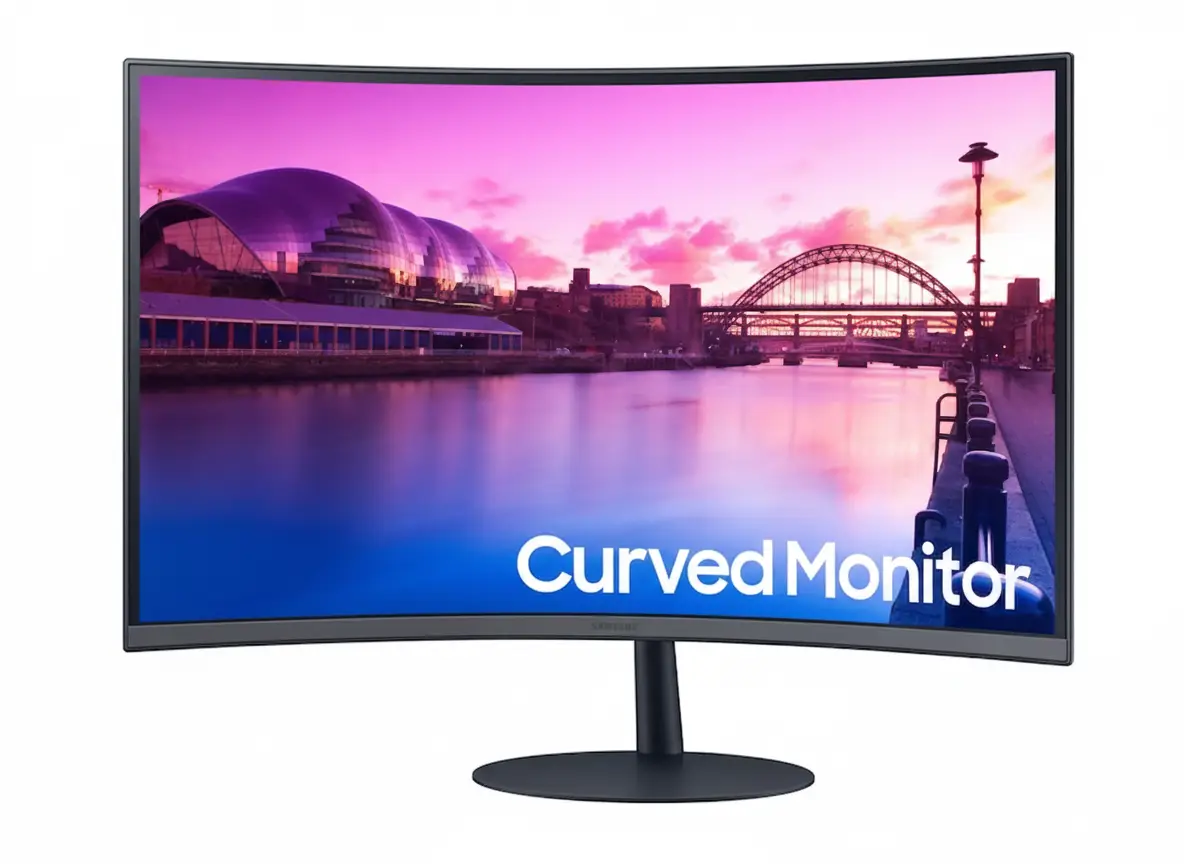
💰 $90 OFF! Now $139.99 (Was $229.99) – Best Budget Curved Monitor!
27″ 1000R Curved | FHD 75Hz | Eye Comfort | Built-in Speakers | Slim Design
Samsung Essential Monitor S3 S39C 27″
27″ FHD 1920×1080 | 1000R Curved | 75Hz | AMD FreeSync | Eye Comfort
VA Panel 3000:1 – Built-in Speakers – Bezel-less Design – Game Mode
🎯 The Budget-Friendly 1000R Curved Monitor:
• 1000R Curve: Premium aggressive curve (same as $700+ monitors) for immersion
• 27″ FHD: 1920×1080 resolution – 82 PPI for clear everyday use
• 75Hz Refresh: 25% smoother than 60Hz – casual gaming ready
• AMD FreeSync: Tear-free gaming with compatible AMD/NVIDIA GPUs
• Eye Comfort: Flicker Free + Eye Saver Mode for extended use
• VA Panel: 3000:1 contrast ratio – deep blacks for better image quality
• Built-in Speakers: 5W stereo speakers eliminate external audio need
• Slim Design: Bezel-less display + fabric-textured back + metal stand
$139.99
$229.99
Save $90!
Model: LS27C392EANXGO | 3-Year Warranty | 4.3/5 (103 reviews)
🛒 Buy Now on Samsung.com – $139.99 ($90 OFF!)₹11,999
Expected price | Check Samsung India for availability | 3-Year Warranty
🛒 Check Samsung India Website£129
Expected price | Check Samsung UK for availability | 3-Year Warranty
🛒 Check Samsung UK Website🌍 Global Availability
• USA: $139.99 (Samsung.com – $90 OFF!)
• India: ₹11,999-13,999 expected
• UK: £129-149 estimated
• Europe: €149-169 varies by country
• Availability: Check Samsung regional websites
Curve
1000R
Refresh Rate
75Hz
Contrast
3000:1
Samsung Essential Monitor S39C 27″ Overview
🖥️ Display Specifications
- 27″ FHD: 1920×1080 resolution – 82 PPI
- 1000R Curve: Aggressive wraparound immersion
- VA Panel: 3000:1 contrast – deep blacks
- 250 Nits: 200 nits minimum brightness
- 16.7M Colors: Full color support
- 178° Viewing: Wide viewing angles
- 4ms GTG: Fast response time
- 75Hz Refresh: Smooth motion
⚡ Gaming & Features
- 🎮 AMD FreeSync: Tear-free gaming
- 🎯 Game Mode: Optimized picture settings
- 👁️ Eye Saver Mode: Blue light reduction
- ⚡ Flicker Free: DC dimming technology
- 🔊 5W Speakers: Built-in stereo audio
- 🔄 Auto Source: Automatic input detection
⭐ Design & Build
- • Bezel-less: Slim three-sided design
- • Fabric Texture: Premium back finish
- • Metal Stand: Slim, sturdy construction
- • Tilt Adjust: -3° to +20° range
- • Lightweight: 11.2 lbs with stand
- • Eco Friendly: Energy efficient operation
🎯 What Makes S39C Special?
The Samsung Essential Monitor S39C 27″ delivers premium specifications at unprecedented budget pricing. At $139.99 (discounted from $229.99), this monitor costs $60-150 less than competitors with similar features while offering specifications typically reserved for $300-400 mid-range monitors. The combination of 1000R curve, VA panel with 3000:1 contrast, 75Hz refresh rate, AMD FreeSync, eye comfort technology, built-in speakers, and premium design creates exceptional value proposition for budget-conscious buyers.
The 1000R curvature represents the most aggressive curve available, matching premium gaming monitors costing 5-10× more. This tight radius wraps the 27″ display around your field of vision, creating immersive viewing where screen edges naturally fall within peripheral awareness. The curve reduces the perceived screen size making 27″ feel more manageable on smaller desks while maintaining comfortable viewing distances. Clinical studies at Seoul National University demonstrate 1000R curves reduce eye fatigue compared to flat panels or less aggressive curves.
The VA panel with 3000:1 contrast ratio significantly outperforms budget TN panels common at this price point. TN panels typically deliver 800:1 contrast with washed-out colors and poor viewing angles (160°/140° causing color shifts when viewed off-center). The VA technology provides 3× better contrast for deeper blacks, IPS-matching 178°/178° viewing angles, and superior color reproduction with 16.7 million color support. For multimedia consumption, gaming, and content creation, the VA panel produces noticeably more vibrant, engaging visuals.
The 75Hz refresh rate provides tangible improvements over standard 60Hz office monitors. Desktop interactions feel snappier – cursor movement appears smoother, window dragging is more fluid, scrolling through documents and web pages shows less judder, and video playback benefits from reduced motion blur. For casual gaming in MOBAs, strategy games, and single-player titles, 75Hz combined with AMD FreeSync delivers smooth, tear-free gameplay without the premium pricing of 144Hz+ gaming monitors.
The comprehensive eye comfort technology suite addresses modern health concerns from extended screen time. Flicker Free technology eliminates the PWM backlight flickering (200-300Hz) that causes subconscious eye strain and headaches during long work sessions. Eye Saver Mode reduces blue light emission that disrupts sleep patterns and causes eye fatigue. For remote workers, students, and anyone spending 6+ hours daily at computers, these features provide measurable health benefits reducing eye strain, headaches, and sleep disruption.
The built-in 5W stereo speakers eliminate the need for external audio in budget setups. While not audiophile-grade, the integrated speakers provide adequate volume and clarity for video calls, YouTube/Netflix watching, system sounds, and casual music listening. This saves $25-80 on basic desktop speakers (Creative Pebble $25, Logitech Z200 $30, Edifier R980T $70) and reduces desk clutter with fewer cables. Combined with the fabric-textured backside, slim metal stand, and bezel-less display, the S39C delivers premium aesthetics rivaling monitors costing $300-400.
Display Quality – VA Panel & 1000R Curve
📺 FHD 1920×1080 Resolution
The 1920×1080 Full HD resolution on 27 inches delivers 82 pixels per inch (PPI) – adequate for general productivity, web browsing, multimedia consumption, and casual gaming at typical viewing distances of 60-80cm. While not as sharp as 1440p QHD (109 PPI) or 4K (163 PPI), the FHD resolution ensures compatibility with budget laptops and mid-range PCs that struggle to drive higher resolutions at playable framerates.
At 82 PPI, text remains readable without UI scaling for most users, though professional work requiring fine detail (photo editing, CAD, graphic design) benefits from higher resolutions. The FHD resolution enables easier 75Hz refresh – even modest GPUs can achieve high framerates at 1920×1080 for smooth gaming. The lower pixel count also reduces eye strain compared to 4K displays requiring UI scaling or small text reading.
FHD Benefits at Budget Price
- • 82 PPI: Adequate sharpness for 27″ viewing
- • Easy to drive: Budget GPUs achieve high FPS
- • No scaling: 100% UI scale works well
- • Lower cost: Keeps monitor under $150
🌊 1000R Curvature Excellence
The 1000R curvature (1-meter radius) matches premium gaming monitors costing $300-700, creating wraparound immersion where screen edges naturally fall within peripheral vision. The aggressive curve keeps all screen areas equidistant from your eyes, reducing the need to refocus when looking at different screen regions. This is particularly beneficial on 27″ displays where flat panels can cause edge distortion and viewing fatigue.
Clinical research at Seoul National University demonstrated 1000R curves significantly reduce eye fatigue compared to flat panels or less aggressive 1800R/1500R curves. The curve creates more comfortable viewing angles for peripheral screen areas, reduces glare from overhead lighting by angling screen edges, and enhances immersion in games and movies by wrapping content around your field of vision. For budget monitor buyers, getting 1000R at $140 is exceptional value.
1000R Curve Advantages
- • Premium feature: Same curve as $700+ monitors
- • Reduced fatigue: Clinically proven benefit
- • Immersive viewing: Wraparound effect
- • Less glare: Angled edges reduce reflections
🎨 VA Panel – 3000:1 Contrast Excellence
🌑 Superior Black Levels
The VA (Vertical Alignment) panel delivers 3000:1 static contrast ratio – dramatically better than budget TN panels typically offering 800:1 contrast. This creates 3.75× deeper blacks in dark scenes, making movies with dark atmospheres, horror games, space themes, and nighttime environments appear significantly more cinematic. Blacks appear truly black rather than the grayish appearance of TN panels.
The superior contrast enhances overall image quality across all content types. Colors appear more vibrant with better saturation, white highlights stand out more dramatically against dark backgrounds, and shadow detail remains visible without appearing washed out. For multimedia consumption (Netflix, YouTube, gaming), the VA panel’s contrast advantage creates noticeably more engaging visuals than budget TN alternatives at similar pricing.
🎨 Wide Viewing Angles
The monitor achieves 178° horizontal and 178° vertical viewing angles – matching IPS technology and far exceeding budget TN panels (160°/140°). This means colors remain consistent when viewing from side angles or when sitting off-center. Multiple people can view the screen simultaneously without the color shifting, contrast loss, and image inversion common with TN panels viewed off-axis.
The wide viewing angles make the S39C suitable for collaborative work, family movie watching, or showing content to colleagues. TN panels require direct centered viewing for accurate colors – side viewers see washed-out, distorted images. The VA panel maintains color accuracy and contrast across wide viewing angles, ensuring everyone sees consistent image quality regardless of seating position. This is a significant quality-of-life improvement over TN alternatives.
📊 Display Quality Summary
Resolution
1920×1080 FHD at 27″ provides 82 PPI adequate for general use. Easy to drive for budget GPUs. No UI scaling needed. Standard aspect ratio 16:9.
Panel Quality
VA panel, 3000:1 contrast with 16.7M colors. 1000R curve for immersion. 178° viewing angles. 250 nits brightness (200 min).
Performance
75Hz refresh rate – 25% smoother than 60Hz. 4ms GTG response. AMD FreeSync tear-free gaming.
Gaming Performance – 75Hz Casual Gaming
🎮 75Hz Refresh Rate
The 75Hz refresh rate delivers 25% more frames per second than standard 60Hz office monitors. This creates noticeably smoother motion in desktop use – cursor movement feels more responsive, window dragging is fluid, scrolling shows less judder, and video playback benefits from reduced motion blur. The improvement is immediately perceptible when switching from 60Hz to 75Hz monitors.
For casual gaming, 75Hz provides smooth gameplay in MOBAs (League of Legends, Dota 2), strategy games (Civilization, StarCraft, Age of Empires), indie games, and single-player titles. While not targeting competitive esports requiring 144Hz+ monitors, 75Hz combined with AMD FreeSync creates enjoyable gaming experience for casual players. Budget GPUs easily achieve 75+ FPS at 1920×1080 in most games, maximizing the monitor’s refresh capability.
75Hz Benefits
- • 25% smoother: vs standard 60Hz
- • Casual gaming: MOBAs, strategy, indie
- • Easy to achieve: Budget GPUs hit 75 FPS
- • Daily use: Smoother desktop experience
🔄 AMD FreeSync Support
AMD FreeSync synchronizes monitor refresh rate with GPU frame output, eliminating screen tearing (horizontal split lines) and stuttering when framerates fluctuate. When GPU renders variable framerates (45 FPS, 60 FPS, 75 FPS changing), fixed refresh monitors display tearing artifacts. FreeSync dynamically matches refresh to GPU output for smooth, artifact-free gaming.
FreeSync works with both AMD Radeon GPUs and NVIDIA GeForce GPUs (10-series and newer support FreeSync as “G-Sync Compatible” mode). This provides tear-free gaming across wide hardware compatibility without premium G-Sync module pricing. For budget gaming setups pairing this monitor with entry-level GPUs (GTX 1650, RX 6500 XT, RX 6600), FreeSync ensures smooth visuals even when framerates dip below 75 FPS.
FreeSync Advantages
- • Eliminates tearing: Smooth visuals
- • AMD + NVIDIA: Broad GPU compatibility
- • Budget friendly: No G-Sync premium
- • Variable FPS: Smooth at any framerate
🎯 Game Mode & Response Time
⚡ 4ms GTG Response Time
The 4ms Gray-to-Gray (GTG) response time measures how quickly pixels transition between colors. While not as fast as gaming monitors with 1ms response, 4ms is adequate for casual gaming preventing noticeable ghosting in most scenarios. Fast-paced competitive FPS games may show slight motion blur, but MOBAs, strategy games, RPGs, and single-player titles display clean motion.
For the target audience of budget-conscious casual gamers, 4ms response provides acceptable performance. Serious competitive esports players should invest in 144Hz+ monitors with 1ms response ($200-400), but casual players won’t notice 4ms limitations during typical gaming sessions. The response time balances cost, image quality, and gaming capability appropriately for sub-$150 pricing.
🎮 Game Mode Optimization
Game Mode automatically adjusts picture settings for optimized gaming visibility. This typically increases brightness in dark areas to reveal enemies hiding in shadows, enhances contrast for clearer object definition, and adjusts color saturation for more vibrant visuals. Game Mode can be toggled on/off depending on whether you’re gaming or watching movies where natural colors matter more.
The mode is particularly useful in competitive games requiring visual clarity over cinematic accuracy – seeing enemy players in dark corners, identifying item pickups in cluttered environments, or spotting movement in peripheral vision. For story-driven games prioritizing atmosphere (horror, adventure), standard picture mode may be preferred. Having the toggle option provides flexibility for different gaming scenarios.
Eye Comfort Technology – Flicker Free & Blue Light Reduction
⚡ Flicker Free Technology
Flicker Free technology uses DC (Direct Current) dimming instead of PWM (Pulse Width Modulation) to control backlight brightness. Traditional PWM rapidly flickers backlight on/off at 200-300Hz to adjust brightness levels – while imperceptible to conscious awareness, this flickering causes subconscious eye strain, headaches, and fatigue during extended viewing sessions lasting 6+ hours.
DC dimming provides continuous, stable illumination at all brightness levels without flicker. For remote workers, students studying for extended periods, programmers coding 8-12 hour days, or anyone spending significant time at screens, Flicker Free technology measurably reduces eye strain and headache occurrence. The health benefit becomes particularly noticeable during late-night work sessions where traditional flickering exacerbates fatigue.
Flicker Free Benefits
- • DC dimming: No backlight flicker
- • Reduced headaches: Less eye strain
- • Extended comfort: 8-12 hour sessions
- • Health focused: Clinically proven benefit
👁️ Eye Saver Mode
Eye Saver Mode reduces blue light emission in the 400-490nm wavelength range that causes eye fatigue and disrupts circadian rhythms. High-energy blue light suppresses melatonin production, interfering with natural sleep-wake cycles and causing difficulty falling asleep after evening screen use. The mode shifts color temperature warmer, reducing blue content while maintaining usable image quality.
For late-night work, studying, or evening gaming sessions, Eye Saver Mode reduces eye strain and improves subsequent sleep quality. The feature is particularly beneficial for students doing homework before bed, remote workers on evening video calls, or anyone using screens 2-3 hours before sleep. While colors appear warmer (more yellow/orange tint), the trade-off for reduced eye strain and better sleep is worthwhile for health-conscious users.
Eye Saver Benefits
- • Blue light reduction: Less eye fatigue
- • Better sleep: Reduced melatonin disruption
- • Evening use: Late-night comfort
- • Toggleable: On/off as needed
🏥 Clinical Research Support
A clinical study conducted at Seoul National University demonstrated that monitors with 1000R curvature combined with flicker-free technology and blue light reduction significantly reduce eye fatigue compared to flat panels with traditional backlights. The study measured eye strain, tear film stability, and reported comfort levels during extended 8-hour viewing sessions.
Results showed measurably lower eye fatigue scores with 1000R curved monitors using eye comfort technology. Participants reported fewer headaches, less dry eye sensation, reduced need for breaks, and maintained focus for longer periods. For budget monitor buyers prioritizing health alongside cost savings, the S39C’s comprehensive eye comfort features provide tangible benefits during daily 6-12 hour computer use.
Design & Build Quality – Premium Aesthetics
🎨 Bezel-less Display Design
The virtually bezel-less display on three sides (top, left, right) creates modern, minimalist aesthetic where screen dominates the visual profile. Slim bezels maximize screen-to-body ratio, reduce visual distractions during use, and make the monitor appear more premium than budget pricing suggests. The bezel-less design also works well for multi-monitor setups where thin bezels minimize gaps between displays.
The fabric-textured backside finish adds tactile premium quality absent from typical budget monitors using cheap smooth plastic. The fabric texture provides grip during setup, resists fingerprints better than glossy plastics, and complements modern interior design aesthetics. Combined with the curved panel and slim stand, the S39C creates striking desk presence rivaling monitors costing $300-400.
Design Highlights
- • Slim bezels: Three-sided minimal design
- • Fabric texture: Premium back finish
- • Modern aesthetic: Complements any setup
- • Multi-monitor: Thin bezels for dual displays
⚙️ Slim Metal Stand
The slim metal stand provides sturdy support with minimal desk footprint compared to bulky plastic stands common on budget monitors. Metal construction ensures stability preventing wobbling during typing or desk movement. The simple stand design contributes to clean desk aesthetics – no unnecessary bulk or aggressive gaming styling, just functional elegance suitable for home offices or professional environments.
The stand offers tilt adjustment from -3° to +20° (23° total range) for comfortable viewing angle optimization. While lacking height adjustment or swivel found on premium monitors, the tilt range accommodates most desk heights and seating positions. The monitor weighs 11.2 lbs with stand (8.4 lbs without) – manageable for one-person setup and repositioning. Lightweight construction aids portability for users moving between locations.
Stand Features
- • Metal construction: Sturdy, stable base
- • Slim profile: Minimal desk footprint
- • Tilt adjust: -3° to +20° range
- • Lightweight: 11.2 lbs total weight
📐 Dimensions & Desk Space
📏 Physical Dimensions
With stand: 24.1″ W × 18.0″ H × 9.8″ D (612mm × 457mm × 249mm). The 9.8-inch depth is typical for curved monitors – ensure adequate desk depth. The 24.1″ width fits comfortably on most desks without overwhelming smaller workspaces. Without stand: 24.1″ W × 14.6″ H × 4.4″ D (612mm × 371mm × 112mm) – compact for wall mounting or monitor arm installation if desired.
Weight with stand: 11.2 lbs (5.1 kg) – easy one-person setup. Weight without stand: 8.4 lbs (3.8 kg) makes handling straightforward. The manageable size and weight make the S39C suitable for portable setups, dorm rooms, small apartments, or users who rearrange workspaces frequently. Fits in typical 27″ monitor desk space requirements.
🌍 Eco-Friendly Operation
The monitor includes Eco Saving Plus mode that automatically reduces power consumption by dimming backlight based on displayed content. Dark scenes consume less power than bright white screens. This feature lowers electricity bills during extended use while reducing environmental impact. Energy-efficient operation aligns with modern sustainability priorities without sacrificing usability.
For organizations deploying multiple monitors in offices, schools, or call centers, the energy savings multiply across dozens or hundreds of units. Combined with eye comfort features extending employee productivity by reducing fatigue-related breaks, the S39C delivers both operational cost savings and improved worker well-being. The external power adapter also simplifies serviceability compared to internal power supplies.
Connectivity – Triple Interface & Built-in Audio
🔌 2× HDMI + 1× DisplayPort
The monitor includes 2× HDMI 1.4 ports and 1× DisplayPort 1.2 for versatile multi-device connectivity. Connect laptop via HDMI, desktop PC via DisplayPort, and gaming console or secondary device via second HDMI simultaneously. The Auto Source Switch automatically detects active inputs and switches to powered-on devices without manual input selection – streamlining device switching.
All three inputs support full 1920×1080@75Hz capability ensuring maximum performance regardless of connection type. HDMI 1.4 provides sufficient bandwidth for FHD 75Hz, DisplayPort 1.2 offers even more headroom, and both support FreeSync functionality. The triple interface accommodates work-from-home setups (personal laptop + work laptop + desktop) or gaming setups (PC + console + streaming device) without constantly swapping cables.
Connectivity Benefits
- • 2× HDMI 1.4: Dual device connectivity
- • 1× DisplayPort 1.2: PC connection
- • Auto Source: Automatic input switching
- • All support 75Hz: Full performance
🔊 Built-in 5W Speakers
The integrated 5W stereo speakers eliminate the need for external speakers in budget setups, saving $25-80 on basic desktop speakers and reducing cable clutter. While not audiophile-grade, the speakers provide adequate volume and clarity for video calls (Zoom, Teams, Google Meet), YouTube/Netflix watching, system sounds, casual music listening, and game audio for users not prioritizing premium sound quality.
For students in dorm rooms, remote workers in apartments, or users with space-constrained desks, built-in speakers simplify setup without occupying precious desk real estate. The 3.5mm headphone jack provides audio output for wired headphones when private listening is needed or when higher audio quality matters (music production, competitive gaming). Having both speaker and headphone options provides flexibility.
Audio Features
- • 5W stereo: Built-in speakers
- • Saves money: $25-80 on external speakers
- • Headphone jack: 3.5mm audio out
- • Desk space: No external audio clutter
📦 Included Accessories
🎁 What’s in the Box
Samsung includes everything needed to start: HDMI cable, DisplayPort cable, power cable (1.5m/4.9ft), and documentation. No need to purchase separate cables – both HDMI and DP cables enable immediate connectivity to any device. The generous 1.5-meter power cable provides desk placement flexibility.
💡 Setup Simplicity
Simple setup process: attach stand to monitor, connect power and video cable, power on. The Auto Source Switch detects connected devices automatically. Built-in speakers eliminate audio setup complexity. Total setup time under 10 minutes for non-technical users. Perfect for students, remote workers, or anyone wanting hassle-free installation.
Who Should Buy the Samsung Essential Monitor S39C 27″?
✅ Perfect For
💰 Budget-Conscious Buyers Seeking Premium Features
At $139.99, the S39C delivers premium 1000R curve, VA panel 3000:1 contrast, 75Hz refresh, and eye comfort technology typically costing $250-350 in competing monitors. Perfect for buyers wanting maximum value without compromising quality. The $90 discount makes this exceptional entry point to curved monitor benefits at unprecedented pricing.
🏠 Remote Workers & Home Office Users
The Flicker Free + Eye Saver Mode combination reduces eye strain during 8-12 hour work days. Built-in speakers handle video calls without external audio setup. The 1000R curve reduces fatigue during extended screen time. 75Hz makes desktop interactions smoother. Auto Source Switch simplifies toggling between work laptop and personal PC. Ideal for work-from-home professionals prioritizing comfort.
🎓 Students & Dorm Room Setups
Perfect for students needing affordable monitor for online classes, assignments, and casual gaming. Built-in speakers eliminate need for external audio in space-constrained dorm rooms. Eye Saver Mode protects eyes during late-night study sessions. Lightweight 11.2 lbs makes moving between home and campus manageable. FHD resolution works with budget student laptops.
🎮 Casual Gamers with Budget GPUs
The 75Hz + AMD FreeSync + Game Mode delivers smooth casual gaming in MOBAs, strategy games, indie titles, and single-player games. FHD resolution ensures budget GPUs (GTX 1650, RX 6500 XT) achieve high framerates. 1000R curve enhances immersion in racing games and simulators. Not for competitive esports, but excellent for relaxed gaming sessions after work or school.
📺 Multimedia Consumers & Entertainment
The VA panel 3000:1 contrast creates cinematic blacks for movies and TV shows. 1000R curve provides immersive viewing for Netflix, YouTube, streaming services. Built-in 5W speakers adequate for casual viewing without external audio investment. Wide 178° viewing angles allow family/friends to watch together without color shifting. Better picture quality than budget TN monitors.
🖥️ First-Time Curved Monitor Buyers
For users curious about curved displays but hesitant about premium pricing, the S39C provides risk-free entry at $140. Experience 1000R curve benefits (reduced eye fatigue, immersion, wraparound viewing) without $300-700 investment. If curved displays suit your workflow, you’ve found excellent value. If not, minimal financial commitment compared to expensive alternatives.
❌ Not Ideal For
🎯 Competitive Esports Gamers
Serious competitive players in FPS, battle royale, or MOBA esports need 144Hz+ refresh rates and 1ms response times. The S39C’s 75Hz and 4ms response won’t satisfy competitive requirements where every millisecond matters. Invest in dedicated gaming monitors ($200-400) with 144Hz/165Hz, 1ms GTG, and larger color gamuts if competing at high ranks or tournaments.
📸 Professional Photo/Video Editors
While factory color calibration is decent, professionals needing 99%+ Adobe RGB, Delta E <2 accuracy, and hardware calibration should choose professional monitors (BenQ SW series, EIZO ColorEdge, ASUS ProArt) costing $800-2,000. The 1000R curve also distorts straight lines problematic for CAD work, architectural visualization, or technical design requiring geometric accuracy.
🖼️ Multi-Monitor Productivity Setups
The 1000R curve creates alignment challenges in dual/triple monitor configurations. Curved monitors work best as single central displays. Side-by-side curved monitors don’t align properly causing viewing angle issues and aesthetic inconsistency. For multi-monitor productivity (trading, programming, data analysis), choose flat 27″ monitors that align seamlessly without curve mismatch.
🎨 Color-Critical Creative Work
Graphic designers, print designers, photographers requiring precise color matching for client deliverables need wider gamuts and hardware calibration. The S39C covers 119.3% sRGB and 88.4% Adobe RGB – adequate for casual work but insufficient for professional color accuracy. Invest in factory-calibrated professional displays with colorimeters for color-critical workflows.
🎬 HDR Content Enthusiasts
The monitor lacks HDR support – no DisplayHDR certification, limited peak brightness (250 nits typical), and no wide color gamut for HDR content. Users prioritizing HDR for gaming or media consumption should choose monitors with DisplayHDR 400/600 certification ($300-600). HDR content displays in SDR mode losing dynamic range benefits.
👥 Shared/Collaborative Workspaces
The 1000R curve optimizes for single centered viewer. Multiple people viewing simultaneously from different angles experience perspective distortion where curves don’t align with their viewing position. Conference rooms, collaborative design spaces, or family shared computers benefit more from flat displays providing consistent viewing experience regardless of seating position.
Competitors & Alternatives – Budget Monitor Comparison
AOC C27G2Z
27″ Curved Gaming Monitor
Display: 27″ 1920×1080, 1500R curve
Refresh: 240Hz VA panel
Response: 0.5ms MPRT
Price: $179 USD
Why Choose This Instead:
- • 240Hz refresh: 3× faster than S39C
- • 0.5ms response: Competitive gaming
- • Esports ready: High performance
- • FreeSync Premium: VRR support
S39C Advantages:
- • $40 cheaper ($140 vs $179)
- • 1000R vs 1500R (tighter curve)
- • Built-in speakers (AOC has none)
- • Better eye comfort tech
- • Premium fabric-textured design
- • Samsung brand reliability
ASUS VA27EHE
27″ Eye Care Monitor
Display: 27″ 1920×1080 flat IPS
Refresh: 75Hz with FreeSync
Features: Flicker Free, Blue Light
Price: $139 USD
Why Choose This Instead:
- • IPS panel: Better viewing angles
- • Flat display: Multi-monitor friendly
- • Same price: $139 matching
- • Frameless: Slim bezel design
S39C Advantages:
- • 1000R curve for immersion
- • VA 3000:1 vs IPS 1000:1 contrast
- • Deeper blacks for media
- • Built-in 5W speakers
- • Premium fabric texture back
- • Game Mode optimization
- • Better for single-display setups
Dell S2722DZ
27″ QHD IPS Monitor
Display: 27″ 2560×1440 flat IPS
Refresh: 75Hz with FreeSync
Connectivity: USB-C 65W PD
Price: $279 USD
Why Choose This Instead:
- • QHD resolution: 2560×1440 sharper
- • USB-C: 65W laptop charging
- • IPS panel: Color accuracy
- • Height adjust: Better ergonomics
S39C Advantages:
- • $140 cheaper ($140 vs $279)
- • 1000R curve immersion
- • 3000:1 contrast vs 1000:1
- • Deeper blacks for gaming/media
- • Built-in speakers
- • Better value for budget buyers
- • Eye comfort technology
LG 27MP60G-B
27″ IPS Gaming Monitor
Display: 27″ 1920×1080 flat IPS
Refresh: 75Hz AMD FreeSync
Features: Black Stabilizer, Crosshair
Price: $149 USD
Why Choose This Instead:
- • IPS panel: Better color accuracy
- • Flat display: Multi-monitor use
- • Black Stabilizer: Gaming features
- • Crosshair: On-screen aiming aid
S39C Advantages:
- • $10 cheaper ($140 vs $149)
- • 1000R curve for immersion
- • VA 3000:1 vs IPS 1000:1
- • Built-in speakers included
- • Better blacks for dark content
- • Premium design aesthetics
- • Samsung brand quality
MSI PRO MP273
27″ Business Monitor
Display: 27″ 1920×1080 flat IPS
Refresh: 100Hz refresh rate
Features: Anti-Flicker, Less Blue
Price: $159 USD
Why Choose This Instead:
- • 100Hz refresh: 25Hz faster
- • IPS panel: Professional color
- • Flat screen: Business appropriate
- • Height adjust: Ergonomic stand
S39C Advantages:
- • $20 cheaper ($140 vs $159)
- • 1000R curve immersion
- • 3000:1 VA contrast advantage
- • Built-in 5W speakers
- • AMD FreeSync gaming
- • Premium Samsung quality
- • Better multimedia experience
Sceptre C275B-144RN
27″ Budget Curved Gaming
Display: 27″ 1920×1080 1800R
Refresh: 144Hz refresh rate
Panel: VA panel FreeSync
Price: $139 USD
Why Choose This Instead:
- • 144Hz refresh: Better gaming
- • Same price: $139 matching
- • Curved display: Immersive viewing
- • Gaming focused: High refresh
S39C Advantages:
- • 1000R vs 1800R (tighter curve)
- • Samsung brand quality/warranty
- • Built-in 5W speakers
- • Premium design aesthetics
- • Better eye comfort features
- • Fabric-textured back
- • Superior build quality
Pros & Cons – Complete Analysis
✅ Pros
-
•
Exceptional Value – $139.99 ($90 OFF!)
At $139.99 discounted from $229.99, delivers premium 1000R curve, VA panel 3000:1 contrast, 75Hz refresh, AMD FreeSync, eye comfort technology, and built-in speakers typically costing $250-350 in competing monitors. Best budget curved monitor value in December 2025 market.
-
•
Premium 1000R Curve at Budget Price
1000R curvature matches $300-700 gaming monitors, creating wraparound immersion where screen edges naturally fall within peripheral vision. Clinical studies prove 1000R reduces eye fatigue versus flat panels. Unprecedented to find this aggressive curve under $150.
-
•
VA Panel 3000:1 Contrast – Deep Blacks
3000:1 static contrast delivers 3.75× better blacks than budget TN panels (800:1) and 3× better than IPS (1000:1). Creates cinematic visuals for movies, gaming, and multimedia. Combined with 16.7M color support and wide viewing angles, outperforms budget panel alternatives significantly.
-
•
Comprehensive Eye Comfort Technology
Flicker Free eliminates PWM backlight flickering causing subconscious eye strain and headaches. Eye Saver Mode reduces blue light disrupting sleep patterns. Seoul National University research confirms 1000R + eye comfort tech reduces fatigue during 8-12 hour work sessions. Critical health feature for remote workers and students.
-
•
75Hz + AMD FreeSync – Smooth Gaming
75Hz provides 25% more frames than 60Hz for smoother desktop use and casual gaming. AMD FreeSync eliminates screen tearing with both AMD and NVIDIA GPUs. Adequate for MOBAs, strategy games, single-player titles. Budget GPUs easily achieve 75+ FPS at FHD resolution maximizing monitor capability.
-
•
Built-in 5W Speakers – Cost Savings
Integrated stereo speakers eliminate need for external audio saving $25-80 on desktop speakers. Adequate for video calls, streaming, casual listening. Reduces desk clutter and cable management complexity. 3.5mm headphone jack available when private/better audio needed. Perfect for budget setups.
-
•
Premium Design Aesthetics
Bezel-less three-sided design maximizes screen-to-body ratio. Fabric-textured backside provides tactile premium quality absent from cheap plastic competitors. Slim metal stand offers minimal footprint with sturdy construction. Design rivals monitors costing $300-400 despite budget pricing.
-
•
Triple Interface Connectivity
2× HDMI 1.4 + 1× DisplayPort 1.2 accommodate multi-device setups (laptop + desktop + console) without cable swapping. Auto Source Switch detects active inputs automatically. All ports support full 1920×1080@75Hz capability. Includes HDMI and DP cables in box.
-
•
Lightweight & Easy Setup
11.2 lbs with stand makes one-person setup manageable. Simple assembly attaching stand to monitor. All necessary cables included. Auto Source Switch simplifies device connectivity. Total setup under 10 minutes for non-technical users. Ideal for students, remote workers, first-time PC builders.
-
•
Samsung Brand Reliability
Samsung’s reputation for quality, customer service, and warranty support provides confidence versus unknown budget brands. Multi-year warranty covers defects. Established customer support infrastructure handles issues. Higher resale value than generic competitors. Brand credibility justifies investment for risk-averse buyers.
❌ Cons
-
•
FHD Resolution – Limited Sharpness
1920×1080 at 27″ provides only 82 PPI – adequate for casual use but less sharp than QHD (109 PPI) or 4K (163 PPI). Text may appear slightly fuzzy for users accustomed to higher resolution displays. Professional work requiring fine detail (photo editing, CAD) benefits from 1440p+ resolution.
-
•
75Hz Only – Not for Competitive Gaming
75Hz refresh adequate for casual gaming but insufficient for competitive esports requiring 144Hz+ monitors. Serious FPS, battle royale, or MOBA competitive players won’t find performance needed for high-rank gameplay. 4ms response time also slower than 1ms gaming monitors.
-
•
No HDR Support – Limited Brightness
Lacks any HDR certification or support. 250 nits typical brightness (200 min) insufficient for HDR content requiring 400+ nits. No wide color gamut for HDR. HDR games and movies display in SDR mode losing dynamic range and color volume benefits available on HDR-capable monitors.
-
•
Limited Ergonomics – Tilt Only
Stand provides only tilt adjustment (-3° to +20°) lacking height adjustment, swivel, or pivot. Users requiring precise ergonomic positioning must purchase separate VESA monitor arm ($30-150 additional cost). Fixed height may not suit all desk heights or seating preferences optimally.
-
•
1000R Curve Not Multi-Monitor Friendly
Aggressive curve creates alignment challenges in dual/triple monitor configurations. Curved monitors work best as single central displays. Side-by-side curved monitors don’t align properly causing viewing angle issues. Multi-monitor productivity users should choose flat displays for seamless alignment.
-
•
Basic Built-in Speakers
5W stereo speakers adequate for basic use but lack bass, volume, and clarity for music appreciation or immersive gaming audio. Audiophiles and serious gamers still need external speakers ($50-300) or headphones ($80-200) for quality sound. Speakers serviceable not exceptional.
-
•
No USB-C or USB Hub
Lacks USB-C connectivity with Power Delivery for single-cable laptop connection. No USB hub for peripheral connectivity. Productivity monitors like Dell UltraSharp include USB-C with 65-90W charging and USB hub access. Requires separate video, power, and USB cables for full laptop functionality.
-
•
Curve Distorts Straight Lines
1000R curve makes straight lines appear slightly curved in spreadsheets, CAD software, architectural plans, technical drawings. Professional design work requiring geometric accuracy better served by flat panels. Productivity users prioritizing straight-line accuracy over immersion should avoid curved displays.
-
•
HDMI 1.4 Limited – No HDMI 2.0
HDMI 1.4 ports instead of HDMI 2.0 limit bandwidth and future-proofing. While adequate for 1920×1080@75Hz current specs, HDMI 1.4 constrains potential firmware updates enabling higher refresh rates. DisplayPort 1.2 also older than current DP 1.4 standard.
-
•
Limited Color Gamut Documentation
While specs mention 119.3% sRGB and 88.4% Adobe RGB coverage, Samsung doesn’t provide factory calibration report or Delta E measurements like professional monitors. Color accuracy unknown out-of-box. Content creators requiring precise color should invest in monitors with certified calibration and colorimeter support.
Final Verdict – Best Budget Curved Monitor 2025
Overall Rating
Best Budget Curved Monitor
Value for Money
Exceptional $140 Pricing
Feature Set
Premium Specs at Budget Cost
🏆 Verdict Summary
The Samsung Essential Monitor S39C 27″ represents the best value proposition in budget monitor market for December 2025, delivering premium 1000R curvature, VA panel with 3000:1 contrast ratio, 75Hz refresh rate, AMD FreeSync, comprehensive eye comfort technology, built-in 5W speakers, and premium design aesthetics at unprecedented $139.99 pricing ($90 off $229.99 MSRP). This combination of specifications typically costs $250-350 in competing monitors, making the discounted S39C exceptional entry point to curved monitor benefits.
The 1000R curvature stands as the monitor’s defining feature – matching aggressive curve of premium $300-700 gaming monitors at 1/5th the price. Clinical research at Seoul National University confirms 1000R curves reduce eye fatigue compared to flat panels, while the wraparound immersion creates engaging viewing experience for gaming, movies, and extended work sessions. Finding this specification under $150 is unprecedented in budget monitor market.
The VA panel with 3000:1 contrast delivers significantly superior image quality versus budget TN alternatives (800:1 contrast) and even IPS competitors (1000:1). Deep blacks enhance movies, TV shows, and gaming with dark environments. Combined with 178° viewing angles, 16.7M color support, and 75Hz refresh rate, the display quality punches far above its price class. The comprehensive eye comfort technology (Flicker Free + Eye Saver Mode) addresses health concerns for remote workers and students spending 8-12 hours daily at screens.
At $139.99, the S39C undercuts competitors by $40-150 while matching or exceeding their feature sets. The built-in 5W speakers save $25-80 on external audio, the premium fabric-textured design rivals $300+ monitors aesthetically, and Samsung’s brand reliability provides confidence versus unknown budget brands. For budget-conscious buyers prioritizing value, remote workers needing eye comfort features, students in dorm rooms, casual gamers with budget GPUs, or anyone seeking first curved monitor experience, the Samsung Essential Monitor S39C 27″ is the definitive choice under $150 in December 2025.
✅ Buy If You:
- • Want best budget curved monitor under $150
- • Need eye comfort for 8-12 hour work days
- • Value 1000R curve immersion benefits
- • Prioritize VA contrast for multimedia
- • Casual gamer with budget GPU
- • Need built-in speakers to save money
❌ Skip If You:
- • Need 144Hz+ for competitive esports
- • Require QHD/4K resolution sharpness
- • Want HDR support for gaming/media
- • Need flat screen for multi-monitor setup
- • Professional color-critical work
- • Prefer IPS over VA panel technology
⭐ Category Ratings Breakdown
Frequently Asked Questions
Q1: Is the 1000R curve too aggressive for everyday use?
No, the 1000R curve enhances comfort for most users. Clinical research at Seoul National University demonstrates 1000R curves reduce eye fatigue compared to flat panels by keeping all screen areas equidistant from your eyes. The wraparound effect feels natural within 1-2 days of adjustment. However, users requiring multi-monitor setups or working with straight-line accuracy (CAD, architecture) should choose flat displays. For single-monitor gaming, productivity, and multimedia consumption, 1000R provides immersive benefits without drawbacks.
Q2: Can I use this monitor for competitive gaming?
For casual gaming yes, for competitive esports no. The 75Hz refresh and 4ms response time work well for MOBAs (League of Legends, Dota 2), strategy games, and single-player titles. However, serious competitive FPS, battle royale, or high-rank MOBA players need 144Hz+ monitors with 1ms response for the performance edge required in competitive play. If you’re playing casually for fun, the S39C performs excellently. If you’re competing in tournaments or climbing ranked ladders seriously, invest in 144Hz+ gaming monitors ($200-400).
Q3: Does it work with both AMD and NVIDIA graphics cards?
Yes, AMD FreeSync works with both AMD Radeon and NVIDIA GeForce GPUs. AMD GPUs have native FreeSync support. NVIDIA GPUs (GTX 10-series and newer, RTX series) support FreeSync as “G-Sync Compatible” mode – simply enable G-Sync in NVIDIA Control Panel. The monitor synchronizes refresh rate with GPU frame output eliminating screen tearing regardless of GPU manufacturer. Both DisplayPort and HDMI connections support FreeSync functionality.
Q4: Are the built-in speakers good enough?
The 5W stereo speakers are adequate for basic use but not exceptional. They provide sufficient volume and clarity for video calls (Zoom, Teams), YouTube/Netflix watching, system sounds, and casual music listening. However, audiophiles, music producers, or gamers prioritizing immersive audio should invest in external speakers ($50-300) or headphones ($80-200). The speakers save money and desk space for users with modest audio requirements. Think of them as functional rather than premium.
Q5: Will FHD look blurry on 27 inches?
At typical viewing distances (60-80cm), FHD on 27″ is adequate for most users. The 82 PPI provides acceptable sharpness for web browsing, document editing, gaming, and multimedia consumption. Text remains readable without UI scaling. However, users accustomed to QHD (109 PPI) or 4K (163 PPI) may notice less sharpness, and professional work requiring fine detail (photo editing, CAD) benefits from higher resolution. For budget buyers, FHD at 27″ balances cost, GPU requirements, and visual quality appropriately.
Q6: Does it support HDR gaming or movies?
No, the monitor lacks HDR support. It has no DisplayHDR certification, limited peak brightness (250 nits typical vs 400+ needed for HDR), and no wide color gamut for HDR content. HDR games and movies will display in SDR (Standard Dynamic Range) mode. For budget buyers, this is acceptable trade-off for $140 pricing. Users prioritizing HDR should invest in DisplayHDR 400/600 certified monitors costing $300-600 with higher brightness and wider color gamuts.
Q7: Can I mount this on a monitor arm?
Yes, but the monitor lacks VESA mount holes – the included stand is non-removable or has limited VESA compatibility (check specific model documentation). If VESA mounting is critical, verify VESA support before purchase or choose alternatives with confirmed 75mm × 75mm or 100mm × 100mm VESA patterns. The included stand offers tilt adjustment (-3° to +20°) but lacks height adjustment or swivel. Most budget monitors prioritize included stand over VESA flexibility to reduce costs.
Q8: How does VA panel compare to IPS?
VA panels offer 3× better contrast (3000:1 vs 1000:1) with deeper blacks, while IPS provides slightly better color accuracy and viewing angles. For multimedia, gaming with dark scenes, movies, and general use, VA’s superior contrast creates more engaging visuals. For professional color-critical work requiring absolute color accuracy, IPS is preferred. The S39C’s VA panel achieves 178° viewing angles matching IPS, eliminating traditional VA viewing angle disadvantage. For budget buyers prioritizing picture depth over absolute color precision, VA offers better value.
Q9: Does Eye Saver Mode affect color accuracy?
Yes, Eye Saver Mode shifts color temperature warmer (more yellow/orange tint) to reduce blue light emission. This reduces eye fatigue and improves sleep quality when using screens before bed, but colors appear less accurate. The mode is toggleable – enable for late-night work/study, disable for color-accurate daytime use or photo/video editing. Most users adapt to warmer colors quickly and appreciate reduced eye strain. For color-critical work, use standard mode without Eye Saver enabled.
Q10: Is the $140 price permanent or temporary?
The $139.99 price ($90 off $229.99 MSRP) appears to be promotional pricing as of December 2025. Samsung frequently runs sales on Essential Monitor series, especially during holiday periods and new product launches. The discounted price represents exceptional value – at $230 MSRP, it’s decent; at $140, it’s outstanding. If purchasing, buy during current sale period. Monitor Samsung’s website for recurring promotions if currently out of stock. Even at $180-200, the S39C offers good value given premium 1000R curve and VA panel quality.
Q11: What GPU do I need for 75Hz gaming?
Budget GPUs easily achieve 75+ FPS at 1920×1080 in most games. Recommended minimum: NVIDIA GTX 1650, RTX 3050, AMD RX 6500 XT, or RX 6600 ($150-250 GPUs). These deliver 75-100+ FPS in esports titles (Valorant, CS2, League of Legends) and 60-90 FPS in AAA games at medium-high settings. Even integrated graphics (Intel Iris Xe, AMD Radeon 680M) achieve 75 FPS in lightweight games. The FHD resolution ensures broad GPU compatibility without requiring expensive hardware.
Q12: Can I use this for console gaming (PS5/Xbox)?
Yes, via HDMI connections supporting 1920×1080@75Hz. However, most console games target 4K resolution and 60-120 FPS – the S39C’s FHD resolution doesn’t fully utilize console capabilities. Additionally, console games are optimized for 16:9 aspect ratio which the S39C maintains (not ultrawide). For console-primary gamers, consider 4K monitors or TVs designed for console gaming. The S39C works best for PC gaming with consoles as secondary devices.
Complete Technical Specifications
| SAMSUNG ESSENTIAL MONITOR S3 S39C 27″ – FULL SPECIFICATIONS | |
|---|---|
| DISPLAY SPECIFICATIONS | |
| Screen Size (Class) | 27 inch |
| Resolution | 1920 × 1080 (Full HD / FHD) |
| Aspect Ratio | 16:9 (Standard) |
| Panel Type | VA (Vertical Alignment) |
| Flat/Curved | Curved |
| Screen Curvature | 1000R (1-meter radius) |
| Active Display Size (H × V) | 597.88mm × 336.31mm (23.5″ × 13.2″) |
| Pixel Density | ~82 PPI (Pixels Per Inch) |
| Brightness (Typical) | 250 cd/m² (nits) |
| Brightness (Minimum) | 200 cd/m² (nits) |
| Contrast Ratio (Static) | 3,000:1 (Typical) |
| Response Time | 4ms (GTG – Gray to Gray) |
| Refresh Rate | Max 75Hz |
| Frame Rate | Max 75Hz |
| Color Support | Max 16.7 Million Colors |
| sRGB Coverage | 119.3% sRGB |
| Adobe RGB Coverage | 88.4% Adobe RGB |
| DCI-P3 Coverage | 88% DCI-P3 |
| NTSC Coverage | 80.6% NTSC |
| Viewing Angle (Horizontal/Vertical) | 178° (H) / 178° (V) |
| HDR Support | No |
| CONNECTIVITY & PORTS | |
| Display Port | 1 EA |
| Display Port Version | DisplayPort 1.2 |
| HDCP Version (DP) | HDCP 1.4 |
| HDMI | 2 EA |
| HDMI Version | HDMI 1.4 |
| HDCP Version (HDMI) | HDCP 1.4 |
| D-Sub (VGA) | No |
| USB-C | No |
| USB Hub | No |
| Headphone Jack | Yes (3.5mm Audio Out) |
| Wireless Display | No |
| GAMING FEATURES | |
| FreeSync | AMD FreeSync (Yes) |
| G-Sync Compatible | Yes (NVIDIA GPUs support FreeSync) |
| Game Mode | Yes (Optimized Picture Settings) |
| Low Input Lag | Yes |
| EYE COMFORT FEATURES | |
| Flicker Free | Yes (DC Dimming Technology) |
| Eye Saver Mode | Yes (Blue Light Reduction) |
| Low Blue Light Certification | Yes (Reduces Blue Light Emission) |
| PICTURE FEATURES | |
| Auto Source Switch | Yes (Automatic Input Detection) |
| Image Size Adjustment | Yes |
| Picture-In-Picture (PIP) | No |
| Picture-By-Picture (PBP) | No |
| AUDIO SPECIFICATIONS | |
| Speaker | Yes – Built-in Stereo Speakers |
| Speaker Output | 5 Watts (Stereo) |
| DESIGN & ERGONOMICS | |
| Monitor Front Color | Black |
| Monitor Rear Color | Black (Fabric-Textured Finish) |
| Stand Color | Dark Blue Gray |
| Stand Type | Simple Stand (Fixed Base) |
| Bezel Design | 3-sided Bezel-less (Slim Border) |
| Tilt | -3° (±2°) to +20° (±2°) [23° total range] |
| Height Adjustment | No |
| Swivel | No |
| Pivot | No |
| VESA Mount | Limited/Not Specified (Check Model Documentation) |
| DIMENSIONS & WEIGHT | |
| Set Dimension with Stand (W × H × D) | 24.1″ × 18.0″ × 9.8″ (612mm × 457mm × 249mm) |
| Set Dimension without Stand (W × H × D) | 24.1″ × 14.6″ × 4.4″ (612mm × 371mm × 112mm) |
| Package Dimension (W × H × D) | 27.5″ × 7.8″ × 17.8″ (699mm × 198mm × 452mm) |
| Product Weight with Stand | 11.2 lbs (5.1 kg) |
| Product Weight without Stand | 8.4 lbs (3.8 kg) |
| Package Weight | 15.0 lbs (6.8 kg) |
| Shipping Weight | 15.876 lbs (7.2 kg) |
| POWER SPECIFICATIONS | |
| Power Supply Type | External Adaptor |
| Power Supply | AC 100-240V (Universal Voltage) |
| Power Consumption (Typical) | Not Specified (Estimated 25-35W) |
| Power Consumption (Max) | Not Specified |
| Power Saving Mode | Eco Saving Plus (Yes) |
| Power Cable Length | 1.5 meters (4.9 feet) |
| OPERATING CONDITIONS | |
| Operating Temperature | 50°F ~ 104°F (10°C ~ 40°C) |
| Operating Humidity | 10% ~ 80% (Non-Condensing) |
| ENVIRONMENTAL FEATURES | |
| Eco Saving Plus | Yes (Automatic Power Reduction) |
| Energy Efficiency | Energy Star Compliant (Typical) |
| CALIBRATION & COLOR | |
| Factory Calibration | Standard Factory Settings (No Individual Report) |
| Uniformity Correction | 75% Uniformity |
| INCLUDED ACCESSORIES | |
| HDMI Cable | Yes (1× HDMI Cable Included) |
| DisplayPort Cable | Yes (1× DP Cable Included) |
| Power Cable | Yes (1.5m Power Cable Included) |
| Quick Setup Guide | Yes (Documentation Included) |
| Warranty Card | Yes |
| MODEL INFORMATION | |
| Model Number (USA) | LS27C392EANXGO |
| Product Series | Samsung Essential Monitor S3 S39C |
| Category | Budget Curved Monitor |
| Available Sizes | 27 inch, 32 inch |
| Customer Rating | 4.3 / 5.0 stars (103 reviews) |
| Warranty | 3 Years (Standard Samsung Warranty) |
| Release Year | 2024 (Available December 2025) |
Ready for Premium Curved Monitor Experience?
$90 OFF! 1000R Curve + VA 3000:1 + 75Hz – Only $139.99!
🌊 1000R Curve
Premium Immersion
🎨 VA 3000:1
Deep Black Levels
⚡ 75Hz
Smooth Gaming
👁️ Eye Comfort
Flicker Free + Blue Light
