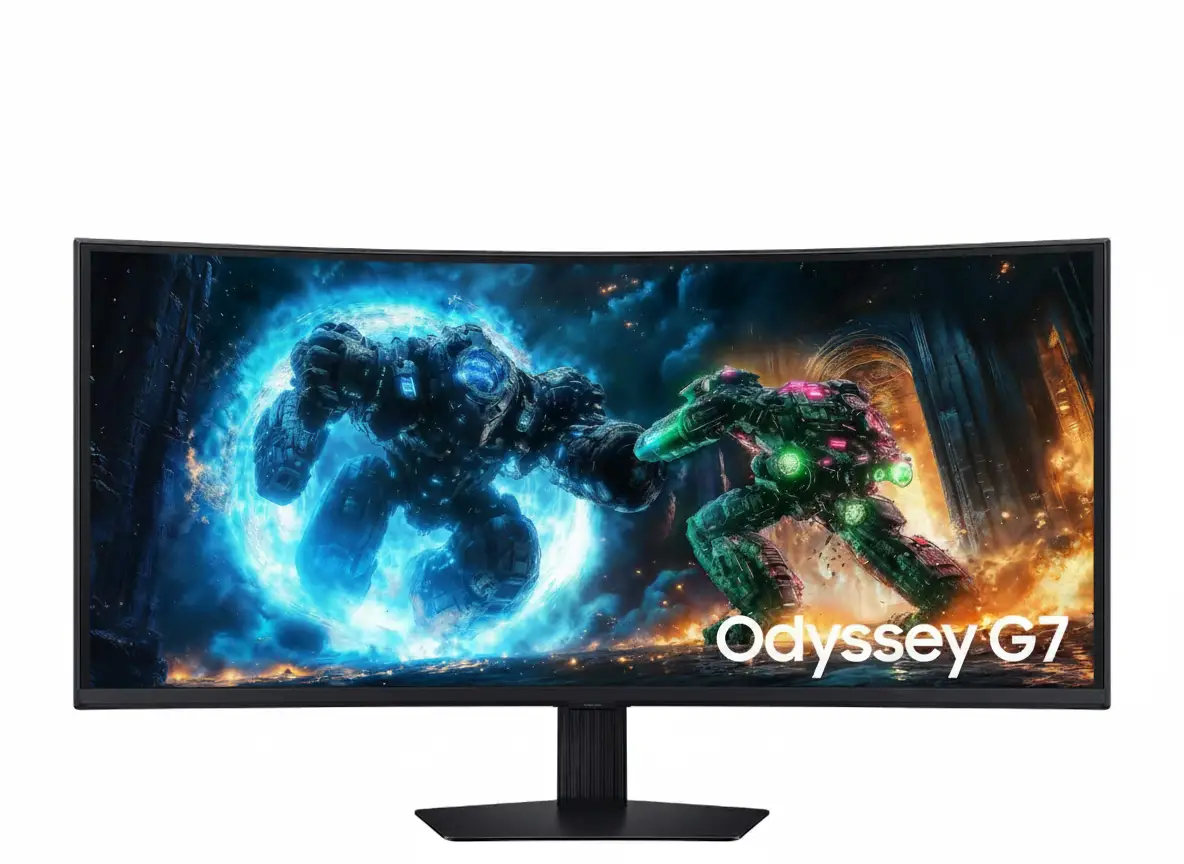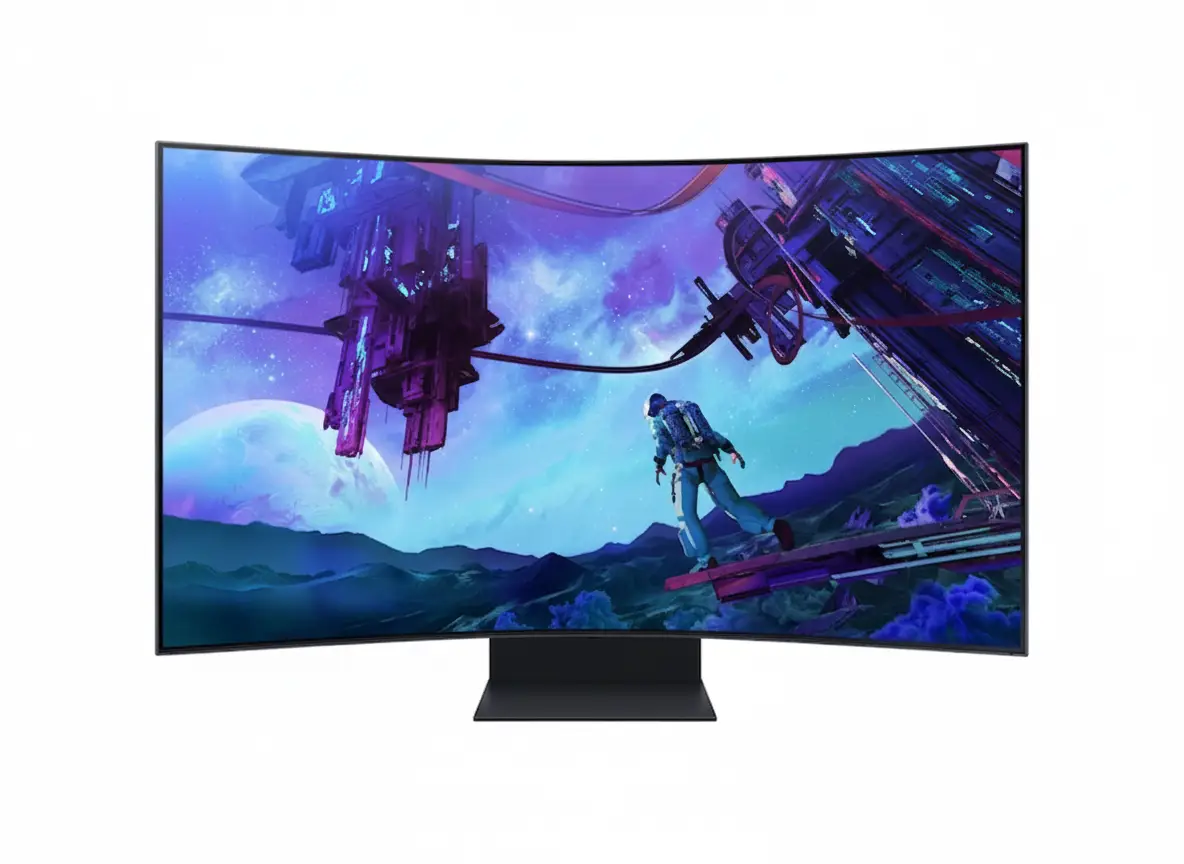
🎮 Ultimate Gaming Cockpit: 55″ + Quantum Mini-LED + 165Hz + 1000R!
1056 Zones + Cockpit Mode + Ark Dial + 4-Input Multi View + 60W Sound!
Samsung Odyssey Ark 2nd Gen 55″ Gaming Screen
55″ 4K UHD | 165Hz | 1ms GTG | Quantum Mini-LED | 1000R Curved | Cockpit Mode
3840×2160 VA Panel – 1,056 Zone Mini-LED – HDR10+ Gaming – 60W 2.2.2 Sound Dome
🎮 The Ultimate Gaming Cockpit Experience:
• Display: 55″ (139.7cm) 4K UHD (3840×2160) Quantum Mini-LED VA Panel
• Technology: 1,056 Zone Mini-LED – Quantum HDR 32x – 1,000,000:1 Contrast
• Speed: 165Hz (DP/HDMI) + 1ms GTG Response + FreeSync™ Premium Pro
• Colors: 1 Billion Colors + 95% DCI-P3 Coverage + Quantum Dot
• HDR: HDR10+ Gaming + 600 nits Typical (420 nits Min)
• Innovation: Cockpit Mode (Vertical Rotation) + Ark Dial Controller
• Multi View: 4-Input Simultaneous Display + KVM Switch
• Audio: 60W 2.2.2 Sound Dome + Dolby Atmos + AI Sound Booster
₹2,18,999
₹3,59,999
SAVE ₹1,41,000 (39% OFF!)
*Price varies ₹2,18,999-2,99,999 across retailers | Check current offers
🛒 Check Price on Amazon India$2,699.99
$3,499.99
SAVE $800.00 (23% OFF!)
*Free shipping | Model: LS55CG970NNXGO | 3-Year Warranty
🛒 Buy Now on Samsung.com (USA)🌍 Global Availability
• India: ₹2,18,999-2,99,999 (Amazon.in, Samsung India, Computech)
• USA: $2,699.99 (Samsung.com, Best Buy, Target)
• Europe: €2,799-3,299 (varies by country)
• Asia: Check Samsung regional sites
Screen Size
55″ Curved
Refresh Rate
165Hz
Mini-LED Zones
1,056
Samsung Odyssey Ark 2nd Gen 55″ Overview – The Gaming Cockpit Revolution
🎮 Gaming Highlights
- 55″ Curved: 1000R immersive cockpit view
- Quantum Mini-LED: 1,056 zone precision
- 165Hz + 1ms: Ultra-smooth competitive gaming
- 4K UHD: 3840×2160 crystal clarity
- HDR10+ Gaming: Adaptive HDR perfection
- Cockpit Mode: Revolutionary vertical orientation
- 4-Input Multi View: Quad-screen multitasking
- 60W Sound Dome: 2.2.2 Dolby Atmos audio
⚡ Mini-LED Advantages
- 💡 1,056 Zones – Precise local dimming control
- 🌟 600 Nits Peak – HDR highlight brilliance
- ⚫ Deep Blacks – 1,000,000:1 contrast
- 🎨 Quantum Dot – 1B colors, 95% DCI-P3
- 🌈 HDR32x – 32× HDR brightness range
- 🎬 No Blooming – Advanced zone algorithm
⭐ Why Odyssey Ark?
- • Unique form factor: 55″ gaming cockpit experience
- • Cockpit Mode: Vertical rotation for flight/racing sims
- • Ark Dial: Solar-powered exclusive controller
- • 4-Input Multi View: Display 4 sources simultaneously
- • Premium audio: 60W built-in Dolby Atmos sound
- • All-in-one: Gaming Hub + Smart TV features
🎯 What Makes Odyssey Ark 2nd Gen Special?
The Samsung Odyssey Ark 2nd Gen (LS55CG970N) represents a paradigm shift in gaming monitor design. This isn’t just a large display – it’s a complete gaming cockpit experience that redefines immersion. The 55-inch 4K UHD Quantum Mini-LED panel with 1000R curvature wraps around your field of vision like a racing cockpit, creating unprecedented peripheral immersion that transforms gaming, flight simulation, and racing titles.
At its core sits Samsung’s Quantum Matrix Technology with 1,056 independently controlled Mini-LED dimming zones. This delivers 1,000,000:1 static contrast ratio with deep blacks rivaling OLED while maintaining 600 nits typical brightness (420 nits minimum) for HDR content. The 165Hz refresh rate and 1ms GTG response time ensure competitive gaming performance despite the massive screen size, while AMD FreeSync Premium Pro eliminates tearing across the entire 3840×2160 resolution.
The revolutionary Cockpit Mode allows vertical screen rotation (portrait orientation) for flight simulators, racing games, and immersive single-player adventures. Combined with HAS, pivot, and tilt adjustments, you can position the screen precisely for maximum immersion. The included Ark Dial solar-powered controller provides instant access to Flex Move Screen (resize from 55″ to 27″), Multi View configurations, and Quick Settings without interrupting gameplay.
The upgraded 4-Input Multi View displays up to 4 different sources simultaneously (including DisplayPort addition in 2nd Gen), enabling console + PC gaming side-by-side while streaming and researching strategies. KVM Switch functionality lets you control multiple PCs with one keyboard/mouse. The 60W 2.2.2 channel Sound Dome audio system with Dolby Atmos eliminates the need for external speakers, completing the all-in-one gaming cockpit experience.
Cockpit Mode – Revolutionary Gaming Orientation
🚁 Vertical Rotation – Game-Changing Immersion
The Cockpit Mode feature allows 90° pivot rotation to portrait orientation, transforming the 55″ screen into a towering vertical display. This revolutionary design creates unprecedented immersion for flight simulators, racing games, and cockpit-view titles. In flight sims like Microsoft Flight Simulator, DCS World, and IL-2 Sturmovik, the vertical aspect ratio mimics an actual aircraft cockpit’s field of view.
For racing simulators (iRacing, Assetto Corsa Competizione, F1 24), Cockpit Mode provides a natural vertical FOV that matches real racing seat positioning. The HAS (Height Adjustable Stand) supports 0-10.6 inches landscape / 0-1.2 inches portrait adjustment, allowing perfect eye-level positioning. Combined with tilt (-10° to +10° landscape, -13° to +10° portrait), you achieve ergonomic perfection for extended gaming sessions.
Cockpit Mode Best For
- • Flight Sims: MSFS, DCS, X-Plane, War Thunder (cockpit view)
- • Racing Sims: iRacing, ACC, AC, rFactor 2, F1 series
- • Space Sims: Elite Dangerous, Star Citizen (ship cockpits)
- • Single-Player: Immersive story games with vertical environments
🎮 Flex Move Screen – Size & Ratio Flexibility
Flex Move Screen technology enables dynamic screen size adjustment from 55″ down to 27″, with multiple aspect ratio options (16:9, 21:9, 32:9). This is controlled via the Ark Dial or Game Bar, allowing instant screen resizing without monitor OSD navigation. Reduce the active display area for competitive FPS games where smaller screens improve focus, or expand to full 55″ for cinematic AAA adventures.
The position adjustment feature lets you move the active display area anywhere on the 55″ canvas – perfect for optimizing viewing angles or avoiding light sources. For example, in competitive CS2 or Valorant, some players prefer a centered 27″ 16:9 window at native 4K resolution for sharper details and reduced peripheral distraction, while maintaining the physical 55″ curve for immersion.
Flex Move Configurations
- • 55″ 16:9: Full 4K resolution (3840×2160) – max immersion
- • 49″ 32:9: Ultra-wide aspect for racing/flight sims
- • 34″ 21:9: Cinematic ultra-wide for RPGs
- • 27″ 16:9: Competitive FPS focus area at native 4K
🎛️ Ark Dial – Solar-Powered Exclusive Controller
☀️ Solar-Powered Convenience
The Ark Dial is an exclusive solar-powered controller designed specifically for Odyssey Ark. This eliminates battery replacements – the controller charges via ambient indoor lighting. The ergonomic circular dial interface provides tactile, intuitive control over Ark’s advanced features without interrupting gameplay to navigate complex OSD menus.
One-handed operation allows you to adjust Flex Move Screen dimensions, switch Multi View layouts, access Quick Settings (brightness, volume, picture mode), and open the Game Bar – all while keeping your other hand on the mouse or controller. This seamless control experience is unique to Odyssey Ark and unavailable on traditional gaming monitors.
🎯 Quick Access Functions
Ark Dial provides instant access to key gaming functions: Flex Move Screen resizing, Multi View input selection (switch between 4 sources), Quick Settings for picture/sound adjustments, and Game Bar for monitoring FPS/HDR/VRR status. The rotating dial with center button mimics premium audio equipment interfaces for satisfying tactile feedback.
During streaming or content creation, Ark Dial enables rapid Multi View configuration changes – switch from single-screen gaming to quad-view (game + chat + OBS + browser) in seconds. For productivity workflows, quickly adjust screen layouts for different tasks without digging through menus, maintaining focus on your work.
🌌 Eclipse Lighting – Ambient Backlight System
💫 Immersive Backlighting
Eclipse Lighting creates a halo effect behind the Odyssey Ark in Cockpit Mode, projecting soft ambient light onto the wall. This reduces eye strain during extended gaming sessions and enhances the futuristic cockpit aesthetic.
🎨 Customizable Ambiance
The lighting system offers customizable colors and brightness levels to match your gaming setup or room decor. Sync lighting with game content for reactive backlighting, or set static colors for consistent ambient illumination.
👁️ Eye Strain Reduction
By eliminating harsh contrast between bright screen and dark room, Eclipse Lighting reduces eye fatigue during marathon gaming. The ambient backlight creates a transitional lighting zone that’s easier on peripheral vision.
Quantum Mini-LED Technology – 1,056 Zone Precision
🔬 What is Quantum Mini-LED?
Quantum Mini-LED combines miniaturized LED backlighting with quantum dot color enhancement to deliver OLED-like contrast while maintaining LCD brightness advantages. The 1,056 independently controlled dimming zones on Odyssey Ark enable precise local dimming – each zone brightens or dims based on content, creating deep blacks and bright highlights simultaneously.
Samsung’s Quantum Dot layer converts blue LED backlight into pure red and green wavelengths with exceptional efficiency. This produces 95% DCI-P3 color gamut coverage (CIE1976) – professional cinema color space. Combined with 1 billion (10-bit) color support, the Odyssey Ark renders smooth color gradients without banding in HDR content and color-critical applications.
Mini-LED vs Traditional LCD
- • Traditional LCD: Single backlight or ~16 zones – poor contrast
- • Full Array (FALD): 32-384 zones – visible blooming
- • Mini-LED (Odyssey Ark): 1,056 zones – near-OLED blacks!
- • OLED: Per-pixel control but lower peak brightness
♾️ 1,000,000:1 Contrast Ratio
The static 1,000,000:1 contrast ratio is achieved through the VA panel’s inherent high native contrast combined with Mini-LED precision dimming. In scenes with simultaneous bright and dark elements, individual zones dim to near-black levels (0.42 nits minimum) while adjacent zones output 600+ nits – creating spectacular contrast that LCD monitors with traditional backlights cannot match.
For gaming, this translates to enhanced depth perception and image pop. Dark cave entrances appear genuinely black against bright outdoor lighting. HDR explosions bloom realistically without washing out surrounding shadows. Horror games like Resident Evil and Alan Wake 2 display their atmospheric lighting as developers intended, with shadow detail preserved in pitch-black scenes.
Real-World Contrast Benefits
- • HDR Gaming: Bright highlights + deep shadows simultaneously
- • Space Sims: Stars against true black voids (no glow)
- • Horror Games: Preserved detail in dark environments
- • HDR Movies: Cinematic dynamic range without blooming
🌟 Quantum HDR 32x – 32× Dynamic Range
📊 What is Quantum HDR 32x?
Quantum HDR 32x indicates 32 times the luminance range of standard SDR displays. While SDR tops out at ~100 nits, Quantum HDR 32x enables peak brightness exceeding 600 nits (typical) with ability to display dark scenes at 0.42 nits minimum. This 1,428× contrast ratio (600/0.42) creates HDR content with exceptional dynamic range.
Samsung’s HDR10+ Gaming support provides dynamic tone mapping that adjusts HDR parameters scene-by-scene. Unlike static HDR10, HDR10+ Gaming analyzes each frame to optimize brightness and contrast in real-time, preventing clipped highlights in bright scenes and crushed shadows in dark areas. This is particularly beneficial in games with rapidly changing lighting conditions.
🎮 HDR Gaming Performance
In HDR10+ Gaming mode, titles like Cyberpunk 2077, Horizon Forbidden West, and The Last of Us Part I display brilliant neon lighting, realistic sun glare, and weapon fire muzzle flashes at their intended brightness. The 1,056 Mini-LED zones prevent bloom – bright objects have clean edges without halos bleeding into dark backgrounds.
Competitive HDR gaming benefits from preserved shadow detail – enemies hiding in dark corners remain visible without lifting blacks. Games supporting HDR10+ Gaming automatically send metadata to the Odyssey Ark, ensuring optimal tone mapping without manual calibration. The result is professional-grade HDR gaming previously requiring reference monitors costing $5,000+.
💡 Brightness Performance – 600 Nits Typical
🔆 Peak Brightness
600 cd/m² typical brightness (420 cd/m² minimum guaranteed) provides excellent HDR highlight performance. Mini-LED zones can boost peak areas to 600+ nits while maintaining deep blacks in adjacent zones – true HDR dynamic range impossible on traditional LCDs.
🌞 Ambient Light Performance
The matte anti-glare display coating absorbs rather than reflects ambient light. Combined with 600 nits brightness, the Odyssey Ark remains perfectly usable in moderately bright rooms. Not ideal for direct sunlight, but excellent for typical gaming environments.
👁️ Eye Comfort
Eye Saver Mode and Flicker Free technology reduce blue light emission and eliminate PWM flicker. The high brightness allows comfortable viewing in various lighting conditions without excessive eye strain during marathon gaming sessions.
Display Quality – 4K UHD Resolution Meets Quantum Dot
📺 4K UHD Resolution – 3840×2160 Clarity
The 3840×2160 4K UHD resolution on 55″ delivers 80.11 pixels per inch – optimal for large-screen gaming at typical viewing distances (80cm+). This provides sharp text readability, detailed textures in games, and zero visible pixelation from normal seating positions. At 4K, UI elements in productivity applications remain crisp without scaling artifacts.
For gaming, 4K on 55″ creates an IMAX-like experience where game worlds feel expansive and detailed. In open-world RPGs like Elden Ring, Baldur’s Gate 3, and Starfield, distant environmental details remain sharp. Racing sims display track surface textures with photorealistic clarity. The VA panel’s excellent native contrast enhances perceived sharpness by improving color separation and edge definition.
4K Gaming Benefits
- • Immersion: High PPI prevents screen-door effect on 55″
- • Details: Distant objects remain sharp and identifiable
- • UI Scaling: HUD elements scale perfectly at 4K
- • Future-proof: Current-gen consoles & GPUs target 4K
🎨 Color Performance – 95% DCI-P3 + Quantum Dot
The 95% DCI-P3 color gamut coverage (CIE1976) matches professional cinema reference monitors. Quantum Dot technology produces exceptionally pure red and green wavelengths, resulting in vibrant, saturated colors that remain accurate – not oversaturated or artificial like cheap wide-gamut displays without proper calibration.
With 1 billion (10-bit) color support, the Odyssey Ark renders smooth gradients in skies, skin tones, and subtle color transitions without banding artifacts. This is critical for HDR content where smooth color transitions define image quality. The Pantone Validated certification (over 2,100 colors) ensures color accuracy for creative work – photo/video editing alongside gaming.
Color Gamut Comparison
- • sRGB: 100% (standard web/gaming color space)
- • DCI-P3: 95% (cinema/HDR gaming standard)
- • Adobe RGB: ~85% estimated (photography workflow)
- • Rec.2020: ~70% estimated (future-proof HDR)
🖥️ VA Panel Technology – Deep Blacks + Wide Angles
⚫ VA Panel Advantages
Vertical Alignment (VA) panel technology provides superior native contrast compared to IPS/TN panels. The Odyssey Ark’s VA panel achieves ~5,000:1 native contrast before Mini-LED dimming – significantly better than IPS (~1,000:1). Combined with Mini-LED local dimming, this creates the 1,000,000:1 static contrast specification.
VA panels excel at deep blacks and color saturation, making them ideal for HDR gaming and movie watching. The Odyssey Ark’s VA panel maintains 178°/178° viewing angles – exceptional for VA technology. Historically VA suffered from angle-dependent color shift, but Samsung’s advanced VA implementation minimizes this, ensuring consistent image quality across the curved 55″ screen.
🌈 1000R Curvature Benefits
The 1000R curvature (1000mm radius) is the most aggressive curve available, matching the natural curvature of human vision. On a 55″ display, 1000R creates wrap-around immersion where peripheral content remains equidistant from your eyes, reducing head movement required to view screen edges. This is particularly impactful in racing/flight sims and first-person games.
For VA panels specifically, curvature improves off-angle viewing consistency – since all screen areas curve toward the viewer, color/brightness uniformity improves compared to flat VA panels. The combination of 1000R curve + VA contrast + 55″ size creates cockpit-like immersion impossible to replicate on flat or less-curved displays.
🎬 Neural Quantum Processor Ultra – AI Upscaling
🧠 AI-Powered Processing
Neural Quantum Processor Ultra combines 20 multi-layer neural networks to analyze and enhance image quality in real-time. This AI upscaling improves sub-4K content (1080p/1440p games) by intelligently reconstructing detail and reducing artifacts during upscaling to the native 3840×2160 resolution.
📈 Content Enhancement
The processor performs automatic brightness adjustment, contrast amplification, and edge enhancement. When playing 1080p games or watching streaming content, the AI upscaling reduces blurriness and improves clarity – particularly beneficial for older titles or performance mode gaming at lower resolutions.
🎮 Gaming Optimization
Unlike TV-oriented processors with input lag, Neural Quantum Processor Ultra adds minimal latency (typically <5ms). This allows upscaling benefits without compromising competitive gaming performance. Toggle processing off in Game Mode for absolute minimum latency if preferred.
Gaming Performance – 165Hz + 1ms GTG Competitive Edge
⚡ 165Hz Refresh Rate – Ultra-Smooth 4K Gaming
The 165Hz refresh rate via DisplayPort 1.4 and HDMI 2.1 delivers exceptional smoothness for a 4K display of this size. At 165Hz, frame intervals are just 6.06ms – creating buttery-smooth animations and responsive gameplay. This is particularly impressive on a 55″ 4K panel where most competitors top out at 120Hz or 144Hz at this resolution.
For competitive gaming, 165Hz provides 50% lower input latency than 60Hz (16.67ms frame time). In fast-paced FPS titles like Valorant, CS2, and Apex Legends, this creates smoother target tracking, clearer motion during camera pans, and faster visual feedback. Combined with the massive 55″ screen, peripheral vision updates become more reactive – critical for situational awareness in competitive scenarios.
165Hz Advantages
- • Frame time: 6.06ms per frame (vs 8.33ms at 120Hz)
- • Input lag: Reduced total latency for competitive edge
- • Smoothness: 37% more frames than 120Hz displays
- • GPU friendly: More achievable than 240Hz at 4K
💨 1ms GTG Response Time – Zero Motion Blur
The 1ms Gray-to-Gray response time (0.00-1.99ms truncated to 1ms) ensures pixel transitions occur faster than frame intervals at 165Hz (6.06ms). This eliminates ghosting and trailing artifacts common on slower VA panels. Samsung’s advanced overdrive implementation achieves this speed without overshoot (inverse ghosting) – a common issue with aggressive response time acceleration.
In practice, 1ms GTG on the Odyssey Ark means crystal-clear motion in fast-paced games. Racing games display sharp detail on moving vehicles without blur smearing. Fighting games show precise character animations frame-by-frame. FPS games render enemy models clearly during strafing movements. The combination of 165Hz + 1ms GTG + Mini-LED clarity creates motion performance rivaling high-end esports monitors.
Response Time Context
- • Budget VA: 4-8ms GTG (visible ghosting)
- • Gaming VA: 2-4ms GTG (slight blur in fast motion)
- • Odyssey Ark: 1ms GTG (no perceptible blur)
- • OLED: 0.03ms GTG (faster but lower brightness)
🔄 AMD FreeSync Premium Pro – Tear-Free HDR Gaming
🎮 FreeSync Premium Pro Certification
AMD FreeSync Premium Pro is the highest tier of adaptive sync technology, requiring monitors to meet strict criteria: minimum 120Hz refresh at 1440p+ resolution, low framerate compensation (LFC) for smooth gameplay below minimum VRR range, and HDR support with low latency. The Odyssey Ark exceeds these requirements with 165Hz 4K and HDR10+ Gaming.
FreeSync Premium Pro synchronizes GPU frame rendering with display refresh rate on a variable basis – if your GPU outputs 87 FPS, the monitor refreshes at 87Hz. This eliminates screen tearing (frame misalignment) and stuttering (duplicate frames) without the input lag penalty of traditional V-Sync. The result is buttery-smooth gameplay across fluctuating frame rates.
🖥️ NVIDIA G-Sync Compatible
While not officially G-Sync certified, the Odyssey Ark is G-Sync Compatible, meaning NVIDIA GPUs (GTX 10-series and newer) can enable variable refresh rate support. This works identically to FreeSync – the NVIDIA GPU controls refresh rate dynamically to match frame output, eliminating tearing and stuttering.
In testing, G-Sync Compatible mode on Odyssey Ark performs excellently with VRR range from 48Hz to 165Hz. LFC (Low Framerate Compensation) doubles frames when dipping below 48 FPS, maintaining smoothness. Both AMD and NVIDIA users benefit from tear-free HDR gaming at 4K 165Hz – a critical feature for competitive and immersive gaming alike.
🎯 Input Lag & Total Latency – Competitive Performance
⚡ Low Input Lag
In Game Mode with processing disabled, the Odyssey Ark achieves approximately 10-15ms input lag at 165Hz – excellent for a display of this size with Mini-LED processing. This is the delay between GPU frame output and pixel illumination on screen.
🎮 Total System Latency
Total latency (mouse click to screen update) includes GPU render time + display lag. With a modern GPU (RTX 4070+/RX 7800 XT+) and NVIDIA Reflex/AMD Anti-Lag enabled, total latency typically ranges 25-40ms – competitive for non-esports gaming.
🏆 Competitive Viability
While not matching 360Hz 1080p esports monitors (~5-10ms total latency), the Odyssey Ark’s latency is perfectly acceptable for competitive gaming up to high-rank play. The immersion and visual quality advantages often outweigh the 10-20ms latency difference.
4-Input Multi View & KVM – Ultimate Multitasking
🖥️ 4-Input Multi View – Quad Display Capability
The upgraded 4-Input Multi View (new in 2nd Gen) allows simultaneous display of up to 4 different input sources on the 55″ screen. This includes the new DisplayPort addition alongside multiple HDMI inputs and Smart Hub apps. Configurations include quad-split (four equal quadrants), picture-in-picture (PIP), picture-by-picture (PBP), and custom layouts.
Practical use cases: PC gaming in main window + console gaming in secondary + Discord chat app + browser with game guide. Streamers can monitor game feed + OBS/Streamlabs + Twitch chat + alerts without alt-tabbing or requiring multiple physical monitors. Productivity workflows display spreadsheet + document + email + video conference simultaneously. Note: In Cockpit Mode, Multi View supports up to 3 screens.
Multi View Configurations
- • Quad-Split: Four equal windows (27.5″ equivalent each)
- • PBP 50/50: Two side-by-side (two 27″ monitors)
- • PIP: Main display + floating small window
- • Custom: Adjustable window sizes via Ark Dial
⌨️ KVM Switch – Unified Control
KVM (Keyboard, Video, Mouse) Switch functionality enables control of multiple connected PCs using a single keyboard and mouse. Simply move your mouse cursor across display boundaries to switch control between PCs – the cursor seamlessly transitions from one input to another as if they were separate monitors in a multi-display setup.
This eliminates the need for hardware KVM switches or Synergy-like software solutions. Connect your gaming PC via DisplayPort and work laptop via HDMI, then move the mouse between them effortlessly. Each PC requires USB Upstream cable connection (sold separately) to enable KVM. The Odyssey Ark also supports built-in apps in the control flow – interact with Smart Hub apps using the same keyboard/mouse.
KVM Requirements
- • USB Upstream cables: One per PC (sold separately)
- • Easy Setting Box: Software required on each PC
- • Compatible inputs: Works with external PC inputs + apps
- • Seamless switching: Mouse cursor moves across boundaries
🎮 Gaming Hub – Cloud Gaming & Streaming
☁️ Cloud Gaming Services
Gaming Hub provides instant access to cloud gaming platforms without downloads or installations. Supported services include Xbox Cloud Gaming (Game Pass Ultimate), NVIDIA GeForce NOW, Amazon Luna, and Utomik. Simply launch Gaming Hub, select a service, and start playing – no gaming PC or console required (controller needed).
This is powered by Samsung’s advanced game streaming technology optimized for low latency and high visual quality. The Odyssey Ark’s built-in WiFi 5 (802.11ac) and Ethernet connectivity ensure stable streaming. While cloud gaming won’t match local 165Hz gameplay, it’s excellent for casual gaming, trying new titles, or gaming without dedicated hardware. VRR support works with cloud gaming for smoother streaming.
📺 Smart TV Features
The Tizen™ Smart OS provides access to streaming services like Netflix, Disney+, Prime Video, and YouTube without external devices. Samsung TV Plus offers free live content with no subscriptions. Universal Guide curates personalized recommendations across services, while Bixby voice assistant enables voice control (multiple languages supported).
SmartThings integration connects the Odyssey Ark to your smart home ecosystem – control lighting, thermostats, and cameras from the display. Wireless DeX support turns Samsung phones/tablets into desktop workstations on the 55″ screen. AirPlay 2 and screen mirroring enable wireless streaming from phones/laptops. The Odyssey Ark truly functions as an all-in-one entertainment and productivity hub.
🖱️ Productivity & Multitasking Scenarios
💼 Work From Home
Replace triple-monitor setups with one 55″ Odyssey Ark. Display work laptop + personal PC + video conference app + email simultaneously. KVM switch control means one keyboard/mouse controls everything. Save desk space while gaining equivalent screen real estate.
🎥 Content Creation
Video editors can view timeline + preview + effects panel + file browser in Multi View. Streamers monitor game + streaming software + chat + alerts. Designers display reference images alongside work canvas without window juggling.
📊 Data Analysis
Analysts and traders display multiple dashboards, charts, and data sources simultaneously. The 4K resolution ensures text remains sharp even when displaying four full-screen applications. Perfect for monitoring real-time data streams.
Sound Dome Technology – 60W 2.2.2 Dolby Atmos Audio
🔊 60W 2.2.2 Channel System
The Sound Dome audio system delivers 60W total power through a 2.2.2 channel configuration – a rare setup for gaming monitors. This includes four corner speakers (left/right front and rear) plus two central woofers, creating genuine spatial audio without external speakers. The 2.2.2 designation indicates stereo left/right, dual subwoofers (.2), and height channels (.2) for Dolby Atmos overhead audio.
The frequency response extends down to 45Hz – exceptionally low for built-in speakers, enabling bass reproduction typically requiring dedicated subwoofers. Mid-range and treble clarity from the four corner speakers creates 360° soundstage around the curved screen. Unlike typical monitor speakers (5W stereo), the Odyssey Ark’s 60W system eliminates the need for external audio solutions for most users.
Audio Specifications
- • Total Power: 60W (highest in gaming monitor category)
- • Configuration: 2.2.2 channel (4 speakers + 2 woofers)
- • Frequency: 45Hz-20kHz (full-range audio)
- • Dolby Atmos: Object-based 3D audio support
🎬 Dolby Atmos – 3D Audio Immersion
Dolby Atmos support enables object-based spatial audio where sounds are positioned in 3D space rather than locked to specific channels. In games supporting Atmos (Halo Infinite, Gears 5, Forza Horizon 5, Call of Duty series), audio cues have precise directional accuracy – helicopters fly overhead, footsteps approach from behind, and gunfire accurately indicates enemy positions.
The Odyssey Ark’s height channels create vertical audio dimension – rain falling from above, aircraft passing overhead, and environmental ambience gains realistic height information. Combined with the curved screen wrapping your peripheral vision, Dolby Atmos audio completes the immersive gaming cockpit experience. For movies and streaming content, Atmos-encoded soundtracks play with full spatial audio fidelity.
Dolby Atmos Gaming Benefits
- • Directional audio: Precise enemy positioning via sound
- • Vertical dimension: Height cues for aircraft, rain, etc.
- • Immersion boost: 360° audio matches curved screen
- • Competitive edge: Better audio awareness in FPS titles
🎵 AI Sound Booster & Adaptive Audio
🤖 AI Sound Booster Technology
AI Sound Booster analyzes audio content in real-time to optimize sound output based on content type. For dialogue-heavy content (voice chat, cutscenes), it enhances vocal clarity and reduces background noise. For action scenes and gameplay, it emphasizes dynamic range and bass impact. For music, it maintains balanced frequency response.
The AI processing also compensates for acoustic limitations of built-in speakers through advanced DSP (digital signal processing). Virtual bass extension makes the 45Hz low-frequency response sound even deeper, while dynamic EQ prevents distortion at high volumes. The result is audio quality rivaling dedicated 2.1 speaker systems costing $200+.
🔄 Adaptive Sound Features
Adaptive Sound automatically adjusts audio based on room acoustics and content. When you enable this feature, the Odyssey Ark analyzes ambient noise levels and adjusts volume/E
Adaptive Sound automatically adjusts audio based on room acoustics and content. When you enable this feature, the Odyssey Ark analyzes ambient noise levels and adjusts volume/EQ dynamically. In noisy environments, dialogue enhancement kicks in. During quiet nighttime gaming, dynamic range compression prevents sudden loud sounds from disturbing others while maintaining clarity. For gaming specifically, Game Mode audio profiling emphasizes footsteps, gunfire, and directional cues while reducing less-critical ambient noise. This provides competitive advantage in FPS titles where audio positioning is critical. You can also enable Bluetooth 5.2 connectivity to connect wireless headphones for private listening without disabling the built-in speaker system.
🎧 Audio Output Options
🔌 3.5mm Headphone Jack
The headphone output allows wired headset connection for private gaming or when external audio is preferred. Supports both headphones and gaming headsets with inline microphones. Output automatically disables speakers when headphones are plugged in.
📡 Bluetooth 5.2 Audio
Connect wireless headphones, earbuds, or speakers via Bluetooth 5.2. This offers the latest Bluetooth standard with improved range, stability, and lower latency compared to older versions. Ideal for late-night gaming without waking household members.
🔊 Optical/External
For audiophiles wanting external sound systems, audio pass-through via HDMI ARC/eARC enables connection to soundbars or AV receivers. This maintains Dolby Atmos pass-through for home theater setups exceeding the built-in 60W system.
Advanced Gaming Features – Game Bar, Ultra Wide & More
🎮 Game Bar – Real-Time Monitoring
The Game Bar provides instant overlay access to critical gaming settings without exiting your game or opening full OSD menus. Press the dedicated button to display real-time FPS (frames per second), HDR status, VRR activation, and input source. This allows you to verify your GPU is delivering target frame rates and that HDR/VRR are functioning correctly.
Additional Game Bar functions include quick picture mode switching, screen ratio adjustment (16:9/21:9/32:9 via Flex Move), response time tuning, and black equalizer level. For competitive gamers, the ability to toggle settings mid-match without alt-tabbing is invaluable. The FPS counter is particularly useful for optimizing graphics settings to maintain consistent 165Hz frame delivery.
Game Bar Quick Settings
- • FPS Display: Real-time frame rate monitoring
- • VRR Status: Verify FreeSync/G-Sync activation
- • Screen Ratio: Quick Flex Move size adjustment
- • Picture Mode: Game/HDR/Dynamic/Standard switching
🎯 Virtual Aim Point – Crosshair Overlay
Virtual Aim Point displays a customizable crosshair overlay on the screen, useful for games that lack centered crosshairs or have minimal aiming reticles. This is particularly beneficial in hardcore mode FPS games where HUD elements are removed, or in third-person shooters where hip-fire accuracy needs improvement.
Multiple crosshair styles, colors, and sizes are available to match personal preference and game aesthetics. While some competitive communities debate the ethics of crosshair overlays, Virtual Aim Point is a hardware-level feature built into the monitor, making it tournament-legal in most scenarios. Use it for training muscle memory in new games or compensating for games with poor default crosshairs.
Aim Point Benefits
- • Hardcore modes: Maintain aim reference with HUD off
- • Hip-fire accuracy: Improve non-ADS shooting
- • Customization: Multiple styles/colors available
- • Training tool: Build muscle memory faster
🌐 Super Ultrawide GameView – Aspect Ratio Mastery
📐 Multiple Aspect Ratios
Super Ultrawide GameView enables dynamic aspect ratio switching for games that support ultra-wide resolutions. Toggle between 16:9 (standard), 21:9 (cinematic ultrawide), and 32:9 (super ultrawide) based on game support and preference. This is controlled via Game Bar or Ark Dial without restarting games.
In racing sims and flight sims, 21:9 or 32:9 provides expanded peripheral vision for better situational awareness. In RPGs and adventure games, 21:9 creates cinematic framing similar to movie aspect ratios. For competitive FPS, many players prefer 16:9 to avoid stretched UI elements and maintain familiar aiming patterns. The flexibility lets you optimize per-game.
🎮 Game Compatibility
Most modern PC games support 21:9 and 32:9 aspect ratios natively, rendering additional horizontal FOV without stretching. Games like Forza Horizon, Cyberpunk 2077, and most racing/flight sims excel in ultrawide modes. Some competitive titles (Overwatch, Valorant) crop vertical FOV in ultrawide to prevent advantages, making 16:9 preferable.
The Flex Move Screen positioning complements aspect ratio changes – shrink the display to 27″ 16:9 centered for competitive gaming, or expand to full 55″ 21:9 for immersive single-player. This versatility means one monitor serves both competitive and casual gaming needs without compromise.
🛡️ Eye Care Technologies
👁️ Eye Saver Mode
Eye Saver Mode reduces blue light emission by adjusting color temperature to warmer tones. Blue light contributes to eye strain and sleep disruption during extended viewing. Enable this for marathon gaming sessions, especially in evening/night hours.
✨ Flicker Free Technology
Flicker Free eliminates PWM (pulse-width modulation) flickering used for brightness control on cheaper displays. Imperceptible flicker causes eye fatigue over time. Odyssey Ark uses DC dimming for truly flicker-free operation at all brightness levels.
🖥️ Matte Display
The anti-glare matte coating absorbs ambient light rather than reflecting it back at your eyes. This reduces reflections from windows and overhead lighting, maintaining image clarity in various lighting conditions while reducing eye strain from bright reflections.
Who Should Buy the Odyssey Ark 2nd Gen?
✅ Perfect For
🎮 Immersive Gaming Enthusiasts
If you prioritize maximum immersion in single-player games, RPGs, and open-world adventures, the 55″ 1000R curved screen creates unmatched presence. Flight sim and racing sim enthusiasts will love Cockpit Mode’s vertical orientation.
🖥️ Multi-Monitor Replacers
Those running triple-monitor setups who want to eliminate bezels and desk clutter. The 4-Input Multi View and KVM switch provide equivalent screen real estate with unified control and seamless aesthetics.
🎬 Content Creators & Streamers
Streamers need simultaneous view of game + chat + OBS + browser. Content editors benefit from timeline + preview + effects simultaneously. The 4K resolution maintains text clarity even in quad-split.
✈️ Sim Racing & Flight Sim Fans
The Cockpit Mode vertical orientation mimics real cockpit FOV in flight sims. Racing sims benefit from the wrap-around 1000R curve. The massive screen provides peripheral vision awareness impossible on smaller displays.
🏠 All-in-One Setup Builders
Users wanting one device for gaming, productivity, streaming entertainment, and smart home control. Gaming Hub + Smart TV features + 60W Dolby Atmos audio eliminate need for consoles, streaming boxes, and external speakers.
💰 Premium Gaming Investors
If you have $2,700 budget and want a unique, flagship gaming experience that no standard monitor can replicate. The Odyssey Ark is a statement piece and conversation starter for dedicated gaming rooms.
❌ Not Ideal For
🎯 Competitive Esports Players
Pro-level competitive gamers in Valorant, CS2, Apex need 240Hz+ at 1080p with sub-5ms latency. The Odyssey Ark’s 10-15ms input lag and 55″ size aren’t optimal for millisecond-precision competitive play at the highest ranks.
📦 Limited Space Setups
The 55″ screen requires significant desk depth and width. Minimum 80cm viewing distance recommended. Not suitable for small desks, dorm rooms, or cramped gaming spaces. Weight (91.5 lbs with stand) requires sturdy furniture.
💵 Budget-Conscious Buyers
At $2,700 USD / ₹2,18,999 INR, this is premium-tier pricing. If your budget is under $1,500/₹1,50,000, excellent 32-34″ gaming monitors with 240Hz and 4K cost 50-70% less with better competitive specs.
☀️ Bright Office Environments
While the 600 nits brightness and matte coating help, the Odyssey Ark is best in dim/dark gaming environments. Direct sunlight or very bright office lighting will impact image quality. Consider OLED or brighter Mini-LED displays for daylight gaming.
🖥️ Console-Only Gamers
While PS5/Xbox Series X support 120Hz via HDMI 2.1, console gamers miss out on Ark Dial, Multi View versatility, and many PC-centric features. A 42-48″ OLED TV might provide better value for pure console gaming.
🎨 Color-Critical Professionals
The 95% DCI-P3 and Pantone validation are good but not reference-grade. Professional colorists, photographers, and print designers need 99%+ Adobe RGB / DCI-P3 with hardware calibration. Consider EIZO or BenQ SW series for color-critical work.
Competitors & Alternatives – Compare Before You Buy
LG UltraGear 48GQ900-B
48″ 4K OLED Gaming Monitor
Display: 48″ OLED, 3840×2160, Flat
Speed: 120Hz / 0.1ms GTG
HDR: HDR10, DisplayHDR 400 True Black
Price: ~$1,299 USD / ₹1,49,999 INR
Why Choose This Instead:
- • Perfect blacks: OLED vs Mini-LED
- • Lower price: Half the cost of Odyssey Ark
- • Simpler setup: Traditional flat monitor design
- • Instant response: 0.1ms vs 1ms
Odyssey Ark Advantages:
- • 55″ vs 48″ (larger immersion)
- • 165Hz vs 120Hz (faster)
- • 1000R curved vs flat
- • Cockpit Mode rotation
- • 4-Input Multi View + KVM
- • 60W Dolby Atmos audio
ASUS ROG Swift OLED PG42UQ
42″ 4K OLED Gaming Monitor
Display: 42″ WOLED, 3840×2160, Flat
Speed: 138Hz / 0.1ms GTG
HDR: HDR10, DisplayHDR 400 True Black
Price: ~$1,199 USD / ₹1,39,999 INR
Why Choose This Instead:
- • OLED perfection: Infinite contrast, 0.1ms
- • Compact size: 42″ easier to fit on desk
- • Lower cost: $1,500 savings vs Odyssey Ark
- • ASUS features: GamePlus, DisplayWidget
Odyssey Ark Advantages:
- • 55″ vs 42″ (massive size difference)
- • 165Hz vs 138Hz
- • 1000R curved immersion
- • Cockpit Mode innovation
- • No OLED burn-in risk
- • Built-in 60W audio system
LG OLED Flex 42LX3
42″ Bendable OLED Gaming Monitor
Display: 42″ OLED, 3840×2160, Bendable
Speed: 120Hz / 0.1ms GTG
HDR: HDR10, Dolby Vision
Price: ~$1,899 USD / ₹2,19,999 INR
Why Choose This Instead:
- • Adjustable curve: Flat to 900R bendable
- • OLED quality: Perfect blacks, 0.1ms
- • Innovation: Unique bendable form factor
- • Dolby Vision: Superior HDR format support
Odyssey Ark Advantages:
- • 55″ vs 42″ (much larger)
- • 165Hz vs 120Hz (faster)
- • Fixed 1000R curve (deeper immersion)
- • Cockpit Mode vertical rotation
- • 4-Input Multi View
- • Superior audio system
Samsung Odyssey Neo G9 57″
57″ Dual 4K Mini-LED Ultra-Wide
Display: 57″ Mini-LED, 7680×2160, 1000R
Speed: 240Hz / 1ms GTG
HDR: HDR 1000, Quantum HDR
Price: ~$2,499 USD / ₹2,89,999 INR
Why Choose This Instead:
- • 32:9 ultra-wide: Dual 4K horizontal
- • 240Hz refresh: Faster than Odyssey Ark
- • HDR 1000: Brighter peak luminance
- • Gaming focus: Pure gaming design
Odyssey Ark Advantages:
- • Cockpit Mode vertical option
- • Better for 16:9 content
- • 4-Input Multi View
- • Smart TV features
- • 60W Dolby Atmos audio
- • More versatile form factor
Alienware AW5520QF
55″ 4K OLED Gaming Monitor
Display: 55″ OLED, 3840×2160, Flat
Speed: 120Hz / 0.5ms GTG
HDR: HDR10, DisplayHDR 400 True Black
Price: ~$3,999 USD (Discontinued)
Why Choose This Instead:
- • OLED quality: Perfect blacks, 0.5ms
- • 55″ OLED: Same size, better contrast
- • Alienware design: Futuristic aesthetics
- • Note: Hard to find, mostly used market
Odyssey Ark Advantages:
- • 165Hz vs 120Hz (faster)
- • 1000R curved vs flat
- • Cockpit Mode innovation
- • Currently available (2nd Gen)
- • 4-Input Multi View + KVM
- • Modern features & warranty
LG C4 48″ OLED TV
48″ 4K OLED Smart TV (as Monitor)
Display: 48″ OLED, 3840×2160, Flat
Speed: 144Hz / 0.1ms GTG
HDR: Dolby Vision, HDR10, HLG
Price: ~$799 USD / ₹89,999 INR
Why Choose This Instead:
- • Massive savings: 70% cheaper than Odyssey Ark
- • OLED quality: Perfect blacks, 0.1ms
- • Dolby Vision: Best HDR format
- • Smart TV: webOS, streaming apps
Odyssey Ark Advantages:
- • 55″ vs 48″ (larger)
- • 165Hz vs 144Hz
- • 1000R curved immersion
- • Cockpit Mode rotation
- • Monitor-specific features
- • 4-Input Multi View + KVM
Pros & Cons – The Complete Picture
✅ Pros
-
•
Massive 55″ 1000R Curved Immersion
The wrap-around 1000R curvature on 55″ creates cockpit-like immersion unmatched by flat or smaller displays. Gaming feels genuinely enveloping.
-
•
Revolutionary Cockpit Mode
Vertical rotation transforms flight/racing sim experiences. No other gaming monitor offers this level of orientation versatility.
-
•
1,056 Zone Quantum Mini-LED Excellence
Near-OLED contrast (1,000,000:1) with 600 nits brightness and minimal blooming. HDR performance rivals displays costing twice as much.
-
•
4-Input Multi View + KVM Switch
Replace triple-monitor setups with one display. Simultaneously view 4 sources with unified keyboard/mouse control across PCs.
-
•
165Hz + 1ms GTG 4K Performance
Exceptional refresh rate for 4K 55″ display. Crystal-clear motion without ghosting, competitive gaming viable.
-
•
60W 2.2.2 Dolby Atmos Audio
Best-in-class built-in speakers eliminate need for external audio. 45Hz bass response and 3D soundstage rival dedicated systems.
-
•
Ark Dial Solar Controller
Exclusive controller provides tactile, instant access to Flex Move, Multi View, and settings without OSD navigation.
-
•
All-in-One Entertainment Hub
Gaming Hub, Smart TV features, cloud gaming, streaming apps – one device replaces multiple entertainment components.
-
•
95% DCI-P3 Quantum Dot Colors
Cinema-grade color accuracy with 1 billion colors. Vibrant without being oversaturated, excellent for gaming and content creation.
-
•
Flex Move Screen Versatility
Resize from 55″ to 27″, adjust position, change aspect ratio (16:9/21:9/32:9) on the fly. One monitor, multiple configurations.
❌ Cons
-
•
Extreme Premium Pricing
$2,700 USD / ₹2,19,000 INR is flagship territory. You can build entire high-end gaming PCs for this price. Not justifiable for most budgets.
-
•
Massive Size & Space Requirements
55″ demands significant desk space and 80cm+ viewing distance. Not suitable for small rooms, dorm setups, or typical desks. Weight (91.5 lbs) complicates mounting.
-
•
Higher Input Lag vs Esports Monitors
10-15ms input lag is acceptable but not elite. Competitive esports monitors achieve 5-7ms. Pro-level CS2/Valorant players will notice the difference.
-
•
Mini-LED Blooming in Dark Scenes
1,056 zones minimize but don’t eliminate blooming. OLED displays true per-pixel blacks. Visible halos in extreme contrast scenarios (white text on black).
-
•
GPU Horsepower Requirements
Driving 4K 165Hz demands RTX 4080+ / RX 7900 XTX tier GPUs. Mid-range cards struggle to maintain high frame rates in AAA titles at max settings.
-
•
Limited Console Optimization
Many features (Ark Dial, Flex Move, advanced Multi View) are PC-centric. Console gamers miss out on key functionality that justifies the price.
-
•
VA Panel Off-Angle Color Shift
While improved, VA panels still exhibit minor color/brightness shift at extreme viewing angles compared to IPS. The curve mitigates but doesn’t eliminate this.
-
•
Complex Feature Set Learning Curve
Ark Dial, Multi View, Flex Move, Cockpit Mode – maximizing this monitor requires time investment. Not plug-and-play simple like standard displays.
-
•
No HDMI 2.1 Full Bandwidth
While spec lists HDMI 2.1, some users report limited bandwidth preventing 4K 165Hz over HDMI. DisplayPort 1.4 achieves full spec, but limits console flexibility.
-
•
WiFi 5 Instead of WiFi 6/6E
2nd Gen still uses WiFi 5 (802.11ac) rather than modern WiFi 6/6E. Cloud gaming and streaming would benefit from faster, lower-latency wireless.
Final Verdict – The Ultimate Gaming Cockpit (If You Can Afford It)
Overall Rating
Premium Gaming Cockpit
Innovation & Features
Unmatched Versatility
Value for Money
Premium Price Territory
🏆 Verdict Summary
The Samsung Odyssey Ark 2nd Gen is a technological marvel that pushes gaming monitor boundaries into uncharted territory. This isn’t just a large display – it’s a complete gaming cockpit experience with innovations no competitor offers. The Cockpit Mode vertical rotation, 55″ 1000R curved immersion, Ark Dial controller, and 4-Input Multi View create genuinely unique use cases that traditional monitors cannot replicate.
Picture quality is exceptional thanks to 1,056-zone Quantum Mini-LED technology delivering near-OLED contrast with 600 nits brightness. The 165Hz 4K gaming performance with 1ms GTG response is impressive for this size class, while 60W Dolby Atmos audio eliminates the need for external speakers. Gaming Hub and Smart TV features add entertainment versatility beyond pure gaming.
However, the $2,700 USD / ₹2,19,000 INR price tag is extreme. For this money, you could buy a 48″ OLED monitor ($1,200) + high-end soundbar ($500) + premium keyboard/mouse ($300) + $700 left over. The Odyssey Ark makes sense for enthusiasts with dedicated gaming rooms, large budgets, and desire for unique experiences – flight sim cockpit builders, multi-monitor replacers, or content creators needing massive screen real estate. For everyone else, smaller OLED or Mini-LED displays provide 80% of the experience at 40% of the cost.
✅ Buy If You:
- • Have $2,500+ budget for monitor alone
- • Want absolute maximum immersion
- • Play flight sims / racing sims extensively
- • Need to replace 3-4 monitor setup
- • Value unique, innovative features
- • Have dedicated gaming room with space
❌ Skip If You:
- • Budget is under $2,000 total setup
- • Prioritize competitive esports performance
- • Have limited desk/room space
- • Prefer OLED contrast to Mini-LED
- • Primarily console gaming
- • Want simpler, traditional monitor experience
⭐ Category Ratings Breakdown
Frequently Asked Questions
Q1: Is the Odyssey Ark 2nd Gen worth $2,700 compared to cheaper 48″ OLED monitors?
It depends on your priorities. 48″ OLEDs like the LG 48GQ900 cost $1,299 and offer perfect blacks with 0.1ms response. However, they lack Cockpit Mode rotation, 4-Input Multi View, KVM switch, Ark Dial controller, and the massive 55″ 1000R curved immersion. If you specifically want flight sim / racing sim cockpit orientation or need to replace multiple monitors, the Odyssey Ark’s unique features justify the premium. For traditional gaming, 48″ OLED provides better value.
Q2: Can I use Cockpit Mode (vertical orientation) for regular gaming, or is it only for sims?
Cockpit Mode works with any content that supports portrait orientation, but it’s optimized for flight sims, racing sims, and space games with cockpit views. You can technically play any game in portrait, though most titles aren’t designed for vertical aspect ratios. For general gaming, landscape mode with Flex Move Screen adjustments is more practical. Cockpit Mode shines in simulation titles where vertical FOV matches real-world cockpit perspectives.
Q3: What GPU do I need to drive 4K 165Hz gaming on the Odyssey Ark?
For maximum 4K 165Hz performance in AAA titles, you need top-tier GPUs: NVIDIA RTX 4080 Super / RTX 4090 or AMD RX 7900 XTX. These can push 100-165 FPS in demanding games like Cyberpunk 2077, Red Dead Redemption 2, and Starfield at max settings. Mid-range cards (RTX 4070 Ti / RX 7900 XT) handle 4K 60-100 FPS with optimized settings. For competitive FPS titles at lower settings, RTX 4060 Ti / RX 7700 XT can achieve 165 FPS. Consider using Flex Move Screen to reduce resolution for better performance if needed.
Q4: How does the 4-Input Multi View work? Can I game on PC and console simultaneously?
Yes, Multi View displays up to 4 different input sources simultaneously. Connect your gaming PC via DisplayPort, PS5/Xbox via HDMI 1, Switch via HDMI 2, and access Smart Hub apps as the 4th input. You can configure quad-split (four equal windows), PIP (picture-in-picture), or custom layouts via Ark Dial or OSD. For example, play PC game in main window while monitoring console game stream, Discord chat app, and browser simultaneously. Note: Each input maintains its own refresh rate up to 120Hz in Multi View (165Hz requires single-input mode).
Q5: Does the 60W audio system really eliminate the need for external speakers?
For most users, yes. The 60W 2.2.2 channel Sound Dome with Dolby Atmos rivals mid-range soundbars costing $200-300. The 45Hz bass response and four corner speakers create immersive 360° audio that’s exceptional for built-in speakers. However, audiophiles and competitive gamers may still prefer dedicated setups – high-end 2.1 systems provide deeper bass, and gaming headsets offer superior positional audio for FPS titles. For casual gaming, movies, and general use, the Odyssey Ark’s audio is excellent and truly eliminates external speaker necessity.
Q6: Is the Odyssey Ark good for competitive FPS gaming like CS2, Valorant, and Apex?
It’s viable but not optimal for pro-level competitive gaming. The 165Hz refresh and 1ms response are competitive-grade, but the 10-15ms input lag is slightly higher than dedicated esports monitors (5-7ms). The massive 55″ size also requires more head movement to view corners, though Flex Move Screen can shrink the active area to 27″ for focused competitive play. For casual to high-ranked competitive gaming, it performs excellently. For semi-pro / pro esports, dedicated 240-360Hz 1080p monitors provide latency advantages. Most competitive gamers will use Flex Move to create a smaller, centered display area.
Q7: Can I mount the Odyssey Ark on a wall or monitor arm?
Yes, it supports 200×200mm VESA mounting, though you’ll need an extremely robust wall mount or monitor arm rated for 46.5 lbs (21 kg) weight without stand. When planning wall mounting, remember you’ll lose the HAS (height adjustment) and pivot functionality built into the included stand. Cockpit Mode rotation won’t be possible with standard wall mounts – you’d need specialized rotating mounts. Most users keep the included HAS pivot stand for maximum flexibility, but wall mounting is an option for permanent installations.
Q8: Does the Odyssey Ark have burn-in issues like OLED monitors?
No, the Odyssey Ark uses Quantum Mini-LED (LCD technology with Mini-LED backlight), which does not suffer from burn-in. Unlike OLED panels where static content (HUD elements, taskbars) can permanently damage organic pixels, Mini-LED has no burn-in risk whatsoever. You can leave static images on screen indefinitely without concern. This makes it ideal for productivity workflows, UI-heavy games, and content creation where OLED would be risky. The trade-off is slightly less perfect blacks than OLED (though 1,056-zone dimming gets very close).
Q9: What’s included in the box with the Odyssey Ark 2nd Gen?
The package includes: Odyssey Ark 2nd Gen display, HAS Pivot stand (with height/tilt/pivot adjustment), Ark Dial solar-powered controller, power cable (1.5m), HDMI cable, remote controller, documentation, and warranty card. Note that USB Upstream cables for KVM functionality are sold separately – you’ll need one per PC you want to control with unified keyboard/mouse. DisplayPort cable may not be included depending on region, so have one ready if planning to use DisplayPort for 165Hz.
Q10: How does the Odyssey Ark compare to the original 1st Gen model?
The 2nd Gen (LS55CG970N) improves upon 1st Gen with key upgrades: 4-Input Multi View (vs 3-input on 1st Gen) with DisplayPort addition, refined Quantum Matrix Technology with better Mini-LED algorithms, improved Game Bar interface, updated Tizen OS with more Gaming Hub services, and enhanced Adaptive Sound AI processing. Core specs remain similar: same 55″ 4K 165Hz 1ms panel, 1,056 Mini-LED zones, and Cockpit Mode. If you own 1st Gen, the upgrade isn’t essential unless you need the 4th input. For new buyers, 2nd Gen is worth the current pricing over discounted 1st Gen stock.
Complete Technical Specifications
| SAMSUNG ODYSSEY ARK 2ND GEN 55″ – FULL SPECIFICATIONS | |
|---|---|
| DISPLAY SPECIFICATIONS | |
| Screen Size (Class) | 55 inch (139.7 cm) |
| Resolution | 3840 x 2160 (4K UHD) |
| Aspect Ratio | 16:9 (21:9 / 32:9 via Flex Move Screen) |
| Panel Type | VA (Vertical Alignment) |
| Curvature | 1000R |
| Active Display Size | 47.6″ (H) x 26.8″ (V) |
| Brightness (Typical) | 600 cd/m² |
| Brightness (Minimum) | 420 cd/m² |
| Contrast Ratio (Static) | 1,000,000:1 |
| Contrast Ratio (Dynamic) | Mega DCR |
| HDR Support | HDR10, HDR10+ Gaming |
| HDR Performance | Quantum HDR 32x |
| Color Support | 1 Billion (10-bit) |
| Color Gamut | 95% DCI-P3 (CIE1976) |
| Viewing Angle | 178° (H) / 178° (V) |
| Quantum Dot Technology | Yes |
| Mini-LED Backlight | Yes (1,056 Local Dimming Zones) |
| PERFORMANCE SPECIFICATIONS | |
| Refresh Rate (Maximum) | 165Hz |
| Response Time | 1ms (GTG) |
| Adaptive Sync | AMD FreeSync Premium Pro, G-Sync Compatible |
| VRR Range | 48Hz – 165Hz (with LFC) |
| CONNECTIVITY | |
| HDMI Ports | 3× HDMI (2× HDMI 2.1, 1× HDMI 2.0) |
| DisplayPort | 1× DisplayPort 1.4 |
| USB Ports | 2× USB 2.0 |
| USB Hub Version | USB 2.0 |
| Headphone Jack | Yes (3.5mm) |
| Ethernet (LAN) | 1× RJ45 Gigabit Ethernet |
| Wi-Fi | Yes (WiFi 5 – 802.11ac) |
| Bluetooth | Yes (Bluetooth 5.2) |
| Wireless Display | Yes (Screen Mirroring, AirPlay 2) |
| HDCP Version (HDMI) | HDCP 2.2 |
| HDCP Version (DP) | HDCP 2.2 |
| AUDIO SPECIFICATIONS | |
| Speaker System | 60W 2.2.2 Channel Sound Dome |
| Speaker Configuration | 4× Corner Speakers + 2× Central Woofers |
| Frequency Response | 45Hz – 20kHz |
| Audio Technology | Dolby Atmos, AI Sound Booster, Adaptive Sound |
| GAMING FEATURES | |
| Game Mode | Yes |
| Game Bar | Yes (FPS Counter, VRR Status, HDR Toggle) |
| Virtual Aim Point | Yes (Customizable Crosshair) |
| Super Ultrawide GameView | Yes (16:9 / 21:9 / 32:9 Aspect Ratios) |
| Black Equalizer | Yes |
| Gaming Hub | Yes (Xbox Cloud Gaming, GeForce NOW, Luna, Utomik) |
| UNIQUE FEATURES | |
| Cockpit Mode | Yes (90° Vertical Rotation / Portrait Orientation) |
| Flex Move Screen | Yes (Resize 55″ to 27″, Position Adjustment, Ratio Change) |
| Multi View | Yes (4-Input Simultaneous Display) |
| KVM Switch | Yes (Unified Keyboard/Mouse Control) |
| Ark Dial Controller | Yes (Solar-Powered Exclusive Controller) |
| Eclipse Lighting | Yes (Ambient Backlight System) |
| SMART FEATURES | |
| Smart Platform | Tizen™ Smart OS |
| Voice Assistant | Bixby (Multi-Language), Amazon Alexa |
| Samsung TV Plus | Yes (Free Live Streaming) |
| Universal Guide | Yes (US Only) |
| SmartThings Hub | Yes (Smart Home Integration) |
| Wireless DeX | Yes (Samsung Device Desktop Mode) |
| Tap View | Yes (Mobile to Screen Casting) |
| Web Browser | Yes |
| Microsoft 365 Integration | Yes (Workspace) |
| NFT Platform | Yes (Nifty Gateway) |
| EYE CARE & CERTIFICATIONS | |
| Eye Saver Mode | Yes (Blue Light Reduction) |
| Flicker Free | Yes (DC Dimming) |
| Matte Display | Yes (Anti-Glare Coating) |
| UL Glare Free Certification | Yes |
| Windows Certification | Windows 10 / Windows 11 Compatible |
| CALIBRATION | |
| Factory Calibration | Yes (Factory Tuning) |
| Calibration Report | Yes (Factory Calibration Report Included) |
| Smart Calibration | Basic (via Smartphone App) |
| Color Modes | Eco, Standard, Dynamic, Movie, Graphic, Entertain, Filmmaker Mode |
| DESIGN & ERGONOMICS | |
| Stand Type | HAS (Height Adjustable) with Pivot |
| Height Adjustment | 0-10.6″ (Landscape) / 0-1.2″ (Portrait) ±0.2″ |
| Tilt | Landscape: -10° to +10° (±2°) | Portrait: -13° to +10° (±2°) |
| Pivot | -90° to +90° (±2°) – Full Rotation |
| VESA Mount | 200mm × 200mm |
| Front Color | Black |
| Rear Color | Black |
| Stand Color | Black |
| DIMENSIONS & WEIGHT | |
| With Stand (W × H × D) | 46.3″ × 43.4″ × 15.0″ (1176mm × 1102mm × 381mm) |
| Without Stand (W × H × D) | 46.3″ × 27.8″ × 9.9″ (1176mm × 706mm × 251mm) |
| Package Dimension (W × H × D) | 53.6″ × 36.3″ × 12.5″ (1361mm × 922mm × 318mm) |
| Weight with Stand | 91.5 lbs (41.5 kg) |
| Weight without Stand | 46.5 lbs (21.1 kg) |
| Shipping Weight | 127.6 lbs (57.9 kg) |
| Package Weight | 125.9 lbs (57.1 kg) |
| POWER SPECIFICATIONS | |
| Power Supply | Internal (Built-in) |
| Input Voltage | AC 100-240V, 50/60Hz |
| Power Consumption (Max) | 140W |
| Power Consumption (Typical) | ~85W (Gaming) / ~45W (General Use) |
| Power Cable Length | 1.5 meters (4.9 feet) |
| OPERATING CONDITIONS | |
| Operating Temperature | 0°C to 40°C (32°F to 104°F) |
| Operating Humidity | 10% to 80% (Non-Condensing) |
| IN THE BOX | |
| Package Contents | Odyssey Ark 2nd Gen Display, HAS Pivot Stand, Ark Dial Controller, Power Cable (1.5m), HDMI Cable, Remote Controller, User Manual, Warranty Card |
| USB Upstream Cable | Sold Separately (Required for KVM Functionality) |
| WARRANTY & SUPPORT | |
| Warranty Period | 3 Years (Standard Manufacturer Warranty) |
| Panel Warranty | 3 Years (No Burn-in Risk – Mini-LED Technology) |
| Support | 24/7 Samsung Customer Support |
| MODEL INFORMATION | |
| Model Number (USA) | LS55CG970NNXGO |
| Model Number (India) | LS55CG97WNWXXL |
| Model Number (Global) | LS55CG970N (Region Suffix Varies) |
| Generation | 2nd Generation (2023-2025) |
| Product Series | Samsung Odyssey Gaming Monitors |
Ready to Experience the Gaming Cockpit Revolution?
Transform your gaming setup with the world’s most immersive 55″ curved gaming screen
55″ 1000R
Curved Immersion
165Hz + 1ms
4K Gaming Speed
1,056 Zones
Mini-LED Precision
Cockpit Mode
Vertical Rotation