🎯 Ultimate Competitive Gaming: 240Hz + 1ms + HDR600 + Gaming Hub!
Premium curved gaming monitor with cloud gaming and Smart TV built-in!
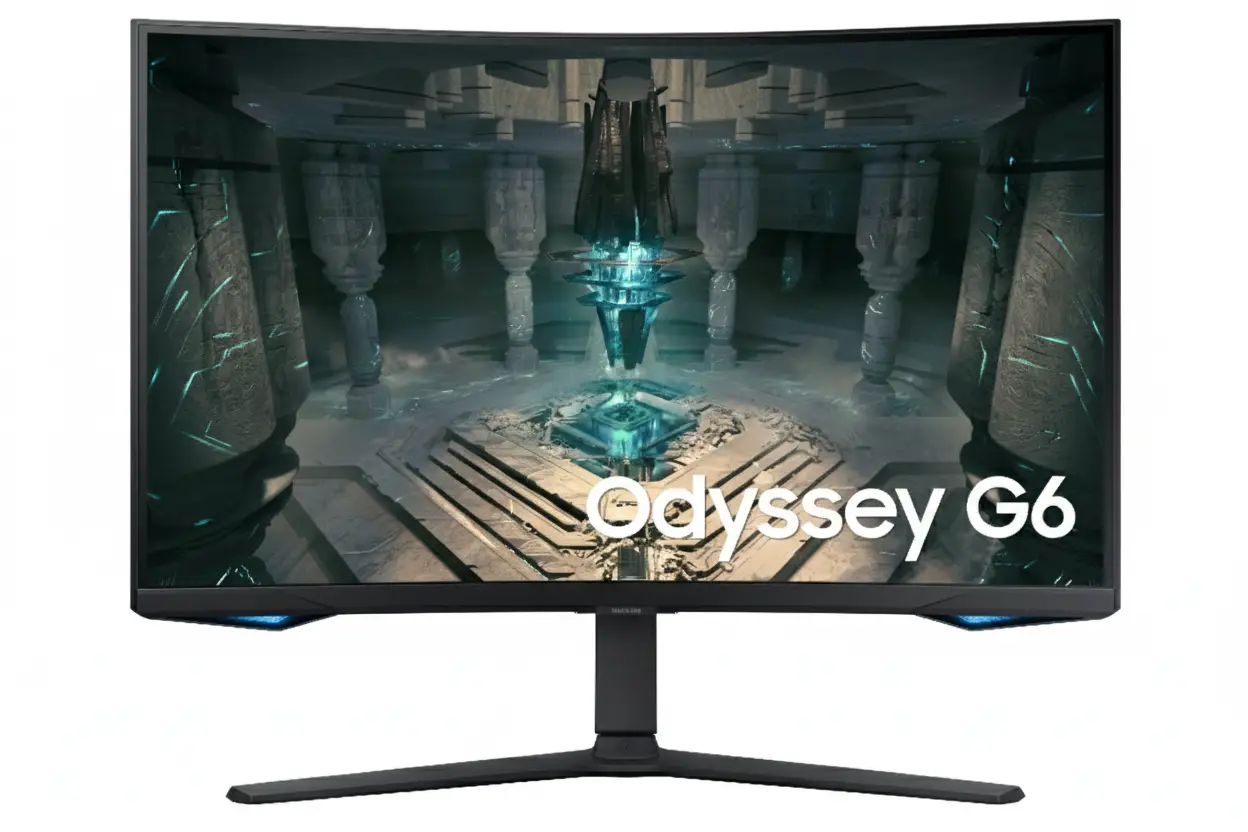
Samsung Odyssey G65B 32″
32″ QHD 240Hz | 1ms Response | HDR600 | Gaming Hub | 1000R Curved | Smart TV
2560×1440 VA Panel – DisplayHDR 600 – 95% DCI-P3 – FreeSync Premium Pro – CoreSync Lighting
⚡ Professional Esports Performance Meets Smart Entertainment:
• 240Hz Refresh Rate: Ultra-smooth competitive gaming – 4× faster than 60Hz
• 1ms GtG Response: Lightning-fast response eliminates ghosting and blur
• DisplayHDR 600: True HDR with 600 nit peak brightness – not fake HDR400
• Display: 32″ QHD (2560×1440) VA Panel – 2500:1 Contrast – 95% DCI-P3
• Gaming Hub: Xbox Cloud Gaming + GeForce NOW + Luna – No console needed!
• Smart TV: Tizen OS + Netflix + YouTube + Disney+ + Free Samsung TV Plus
• Adaptive Sync: AMD FreeSync Premium Pro – Works with NVIDIA G-SYNC Compatible
• Immersion: 1000R curve + CoreSync RGB ambient lighting + Game Bar 2.0
$799.99
Model: LS32BG652ENXGO | S32BG652EN | 3-Year Warranty | Free Shipping
🛒 Buy Now on Samsung.com (USA)₹64,999
Expected price | Check Samsung India for availability | 3-Year Warranty
🛒 Check Samsung India Website£749
Expected price | Check Samsung UK for availability | 3-Year Warranty
🛒 Check Samsung UK Website🌍 Global Availability
• USA: $799.99 (Samsung.com – Available Now)
• India: ₹64,999-67,999 expected (Check availability)
• UK: £749-799 estimated
• Europe: €849-899 varies by country
• Availability: Check Samsung regional websites for stock
Refresh Rate
240Hz
Response Time
1ms GtG
HDR
HDR600
Samsung Odyssey G65B 32″ Overview – Premium QHD 240Hz Gaming Monitor
🖥️ Display Excellence
- 32″ QHD: 2560×1440 resolution – 92 PPI
- VA Panel: 2500:1 contrast – deep blacks
- 1000R Curve: Immersive wraparound viewing
- HDR600: True HDR performance
- 350 Nits: 300 nits minimum brightness
- 1B Colors: 10-bit color depth
- 95% DCI-P3: Wide color gamut (88% min)
- 178° Viewing: Wide viewing angles
⚡ Gaming Power
- 🎮 240Hz Refresh: Ultra-smooth gameplay
- ⚡ 1ms GtG: Lightning-fast response
- 💨 FreeSync Premium Pro: Tear-free gaming
- 🔥 HDR10+ Gaming: Enhanced HDR
- 🎯 Game Bar 2.0: Quick settings access
- 🌈 CoreSync: Ambient RGB lighting
⭐ Smart Features
- • Gaming Hub: Cloud gaming without console
- • Smart TV (Tizen): Streaming apps built-in
- • Samsung TV Plus: Free live content
- • SmartThings: Smart home integration
- • HDMI 2.1: 2× next-gen HDMI ports
- • Built-in Speakers: Integrated audio
🎯 What Makes Odyssey G65B Special?
The Samsung Odyssey G65B 32″ is a premium gaming monitor that balances competitive performance with smart entertainment features at $799.99 USD. The combination of 240Hz refresh rate, 1ms GtG response time, and AMD FreeSync Premium Pro delivers professional-grade gaming performance, while DisplayHDR 600 certification and 95% DCI-P3 color gamut ensure stunning visuals that rival monitors costing $200-300 more.
The 32-inch QHD (2560×1440) resolution with 1000R curvature hits the sweet spot for competitive gaming – sharper than 1080p with less GPU demand than 4K. The 1000R curve (1-meter radius) wraps around your field of vision, creating exceptional immersion without the pixel density sacrifices of larger ultrawides. The VA panel with 2500:1 contrast ratio produces deeper blacks than IPS alternatives, making dark game scenes more visible.
What sets the G65B apart is Samsung Gaming Hub integration – instant access to Xbox Cloud Gaming, NVIDIA GeForce NOW, Amazon Luna, and more streaming services without console or PC. Combined with Tizen Smart TV platform, the monitor functions as standalone entertainment center with Netflix, YouTube, Disney+, and Samsung TV Plus (free live content). This dual gaming/entertainment capability is rare in competitive gaming monitors.
The DisplayHDR 600 certification with 300-350 nit brightness delivers true HDR performance with local dimming, unlike cheaper HDR400 monitors. Combined with HDR10+ Gaming support, the G65B automatically optimizes HDR settings per game for ideal brightness and contrast. The 95% DCI-P3 color coverage (88% minimum) ensures vibrant, accurate colors that bring games to life.
CoreSync ambient lighting and Game Bar 2.0 enhance the gaming experience beyond the screen. CoreSync RGB lighting on the monitor’s rear projects colors matching on-screen action, while Game Bar 2.0 provides instant overlay access to FPS counters, refresh rate, response time settings, and picture modes without leaving your game. The Ultrawide Game View (21:9 aspect ratio mode) gives competitive advantage in supported titles.
At $799.99 USD, the Odyssey G65B competes with premium gaming monitors like ASUS ROG Swift PG32UQ ($899), LG 32GQ950 ($999), and Gigabyte M32UC ($799). The G65B’s unique combination of 240Hz performance, DisplayHDR 600, Gaming Hub, and Smart TV features justifies the premium pricing for gamers wanting all-in-one entertainment solution.
Display Quality – 32″ QHD 2560×1440 Curved VA Panel
📺 32″ QHD Resolution – The Gaming Sweet Spot
The 2560×1440 QHD resolution on 32 inches delivers 92 pixels per inch – the perfect balance between sharpness and performance for gaming. At typical gaming distances (60-90cm), the pixel density is sharp enough for crisp image quality without requiring GPU-intensive 4K rendering. QHD provides 1.77× more pixels than 1080p, creating noticeably sharper textures and details while maintaining high frame rates.
The 32-inch screen size is ideal for competitive gaming – large enough for immersive gameplay without requiring excessive head movement. The active display area measures 697.344mm × 392.256mm, providing expansive workspace for multitasking between gaming sessions. The 16:9 aspect ratio is optimized for modern games, with no black bars or stretched images.
QHD Gaming Benefits
- • Resolution: 2560×1440 (92 PPI) – sharp gaming
- • Performance: 1.77× pixels vs 1080p, 44% less than 4K
- • GPU Friendly: High FPS easier to achieve than 4K
- • Size: 32″ perfect for competitive gaming
🌊 1000R Curvature – Maximum Immersion
The 1000R curvature (1-meter radius) is one of the most aggressive curves available, matching the natural curvature of the human eye. This creates exceptional immersion that wraps gameplay around your peripheral vision. Every part of the screen sits at equal distance from your eyes, reducing eye strain during marathon gaming sessions and ensuring consistent focus across the entire display.
For competitive gaming, the 1000R curve provides tactical advantages. Information at screen edges remains visible without turning your head, allowing faster reaction to threats. Racing games, flight simulators, and open-world titles benefit enormously from the wraparound effect. The curve also reduces glare and reflections compared to flat panels, improving visibility in bright rooms.
1000R Curve Advantages
- • Immersion: Wraps around field of vision
- • Eye comfort: Equal viewing distance reduces strain
- • Competitive edge: Edges visible without head turn
- • Glare reduction: Less reflection than flat panels
🎨 VA Panel – 2500:1 Contrast & DisplayHDR 600
🌑 Superior Contrast for Gaming
The VA (Vertical Alignment) panel with 2500:1 static contrast ratio delivers significantly better blacks than IPS panels (typically 1000:1). This creates deeper shadows and more visible details in dark game scenes – crucial competitive advantage in shooters like CS2, Valorant, or Warzone where enemies hide in shadows. Dark areas maintain detail without appearing washed out.
The 1 billion (10-bit) color support ensures smooth gradients without color banding, particularly noticeable in skies, explosions, and lighting effects. The 95% DCI-P3 color gamut (88% minimum) exceeds standard sRGB coverage, producing vibrant, saturated colors that make games visually stunning. While not factory-calibrated for professional color work, the out-of-box accuracy is excellent for gaming.
🌟 DisplayHDR 600 – True HDR Performance
VESA DisplayHDR 600 certification delivers genuine HDR performance with peak brightness reaching 600 nits in highlights. Unlike budget HDR400 monitors, HDR600 provides noticeable brightness peaks, improved contrast, and local dimming for more realistic lighting. HDR-enabled games like Cyberpunk 2077, Forza Horizon 5, and Resident Evil Village showcase dramatic visual improvements.
The 350 nits typical brightness (300 minimum) handles SDR content comfortably in most lighting conditions. HDR10+ and HDR10+ Gaming support automatically optimizes HDR settings per game and scene, eliminating manual tweaking. The VA panel’s high contrast amplifies HDR’s effectiveness, creating deeper blacks that enhance the dynamic range impact.
📐 Display Specifications Summary
Resolution & Size
2560×1440 QHD at 32″ provides 92 PPI – ideal gaming sharpness with GPU-friendly performance. 16:9 aspect ratio optimized for modern games without black bars.
Panel Quality
VA panel, 2500:1 contrast, DisplayHDR 600 with 1B colors. 1000R curve for immersive gaming. 95% DCI-P3 wide color gamut. 178°/178° viewing angles.
HDR & Brightness
DisplayHDR 600 certified – 600 nits peak. 350 nits typical (300 minimum) for SDR. HDR10+ Gaming auto-optimization. Eye Saver Mode and Flicker Free.
Gaming Performance – 240Hz Refresh Rate & 1ms Response Time
🔄 240Hz Refresh Rate – Competitive Gaming Excellence
The 240Hz refresh rate delivers ultra-smooth motion that provides significant competitive advantage in fast-paced games. At 240 frames per second, each frame displays for just 4.17 milliseconds – 4× faster than 60Hz (16.67ms per frame). This creates buttery-smooth animations, reduced motion blur, and faster visual feedback that helps you spot and track enemies more accurately.
For competitive FPS titles like Valorant, CS2, Apex Legends, and Overwatch 2, 240Hz is considered the gold standard. Professional esports players prefer 240Hz+ monitors because the reduced input lag and smoother motion tracking improve aim precision and reaction times. Even if your GPU can’t sustain 240fps constantly, running games at 144-200fps on this monitor still looks smoother than 144Hz displays.
240Hz Benefits
- • Smoothness: 4× smoother than 60Hz, 1.67× vs 144Hz
- • Motion clarity: Reduced blur during fast camera pans
- • Competitive edge: Faster target tracking and aiming
- • Input lag: Lower system latency for faster reactions
⚡ 1ms GtG Response Time – Zero Ghosting
1ms Gray-to-Gray (GtG) response time eliminates ghosting and motion blur. When pixels transition between colors in under 1 millisecond (technically 1.00-1.99ms truncated), fast-moving objects remain sharp without trailing artifacts. This is crucial for tracking enemies in FPS games, following fast-paced action in MOBAs, or racing games where clarity at high speeds matters.
The 1ms GtG spec requires “Extreme” overdrive mode for fastest transitions. Samsung’s overdrive implementation is well-tuned, providing fast response without excessive inverse ghosting (coronas). For competitive gaming, the 1ms response combined with 240Hz refresh creates minimal motion blur – approaching the clarity of high-end TN and OLED panels while maintaining VA’s superior contrast.
1ms GtG Response Details
- • Response: 1.00-1.99ms GtG (requires Extreme mode)
- • Ghosting: Minimal trailing behind moving objects
- • VA panel: Excellent for VA response times
- • Competitive ready: Suitable for esports gaming
🎮 AMD FreeSync Premium Pro – Ultimate Adaptive Sync
🔥 FreeSync Premium Pro Features
AMD FreeSync Premium Pro is the highest tier of AMD adaptive sync technology, going beyond standard FreeSync with additional requirements: Low Framerate Compensation (LFC), HDR support, and low-latency mode. LFC ensures smooth gameplay even when FPS drops below the monitor’s minimum refresh rate by automatically duplicating frames to maintain sync.
The HDR integration with FreeSync Premium Pro means adaptive sync works seamlessly in HDR games, eliminating tearing while maintaining HDR’s visual benefits. This is rare – many monitors lose VRR functionality in HDR mode. The technology works with both AMD GPUs and compatible NVIDIA cards (G-SYNC Compatible mode), though AMD GPUs get full Premium Pro feature access.
⚙️ How Adaptive Sync Works
Adaptive sync matches monitor refresh rate to GPU frame rate, eliminating screen tearing without the input lag penalty of traditional V-Sync. When your GPU outputs 180fps, the monitor refreshes at 180Hz; at 95fps, it refreshes at 95Hz. This creates tear-free, smooth visuals across variable frame rates.
The adaptive sync range likely spans 48-240Hz (typical for 240Hz FreeSync monitors). Within this range, you get perfectly smooth, tear-free gaming. Below 48fps, LFC kicks in to maintain smooth operation. For competitive gaming where frame rates often fluctuate, FreeSync Premium Pro ensures consistent visual quality.
⚠️ GPU Requirements & Performance Expectations
💻 Recommended GPUs for 240Hz Gaming
Hitting 240fps at QHD requires powerful GPUs, though requirements vary dramatically by game. For competitive esports titles (Valorant, CS2, League of Legends, Overwatch 2, Fortnite), mid-range cards like NVIDIA RTX 4060 Ti / RTX 3070 or AMD RX 7700 XT / RX 6800 can achieve 200-240fps at medium-high settings.
For AAA single-player games (Cyberpunk 2077, Starfield, Red Dead Redemption 2), you’ll need high-end GPUs like RTX 4080 / RTX 4090 or RX 7900 XTX to approach 240fps even at lower settings. Most gamers run AAA titles at 100-165fps with high/ultra settings, which still benefits from the 240Hz panel’s superior motion clarity.
🎯 Performance Sweet Spots
You don’t need sustained 240fps to benefit from 240Hz. Even running games at 144-180fps on a 240Hz monitor looks smoother than 144Hz displays due to reduced sample-and-hold blur. The ideal use case is competitive FPS games at 200+ fps combined with single-player games at 100-165fps with better visual settings.
The QHD resolution is 44% fewer pixels than 4K, making high frame rates significantly easier to achieve. This is why serious competitive gamers prefer QHD 240Hz over 4K 144Hz – you get both high refresh rates and manageable GPU requirements without sacrificing too much visual fidelity.
Samsung Gaming Hub – Play Without Console
☁️ Cloud Gaming Services – No Downloads Required
Samsung Gaming Hub provides instant access to cloud gaming services directly from the monitor, eliminating the need for console or gaming PC. Services include Xbox Cloud Gaming (Game Pass Ultimate), NVIDIA GeForce NOW, Amazon Luna, Utomik, and Antstream Arcade. Simply connect a Bluetooth controller, launch Gaming Hub, and start playing.
The game streaming happens server-side – all processing occurs on remote servers, with video streamed to your monitor over Wi-Fi 5 (802.11ac). This means you can play demanding AAA games like Forza Horizon 5, Halo Infinite, or Cyberpunk 2077 without owning high-end hardware. Subscriptions to cloud services are required (Game Pass Ultimate, GeForce NOW Premium, etc.), but Gaming Hub access itself is free.
Gaming Hub Services
- • Xbox Cloud: 100+ Game Pass titles (subscription)
- • GeForce NOW: Stream your PC game library
- • Amazon Luna: Luna+ game channel
- • Setup: Pair Bluetooth controller + sign in
🎮 Console Gaming Pass-Through
Gaming Hub also provides unified interface for physical console games. Connect PlayStation 5, Xbox Series X/S, or Nintendo Switch via HDMI, and Gaming Hub automatically detects and lists console games in the interface. Launch games directly from Gaming Hub menu instead of switching inputs manually – the monitor handles source switching automatically.
This creates single gaming hub combining cloud gaming and console gaming in one interface. Recent games appear in a unified library regardless of source (cloud or console). The 240Hz refresh rate and 1ms response time benefit connected consoles too – PS5 and Xbox Series X/S support 1440p@120Hz over HDMI 2.1, delivering smooth console gaming.
Console Features
- • Auto detect: Recognizes connected consoles
- • 120Hz support: PS5/Xbox Series X/S at 1440p@120Hz
- • Auto Source: Switches input when console powers on
- • Unified library: Cloud + console games in one UI
📺 Smart TV Experience – Tizen OS Integration
🎬 Streaming Apps Built-In
The G65B runs Tizen OS – Samsung’s Smart TV platform – providing access to major streaming services without external devices. Download Netflix, YouTube, Disney+, Prime Video, Hulu, HBO Max, Apple TV+, and more directly on the monitor. This eliminates the need for Roku, Fire TV, or Chromecast dongles cluttering your desk.
Samsung TV Plus offers free live TV channels and on-demand content with no subscription or sign-up required. Watch news, sports, movies, and TV shows for free over Wi-Fi. Universal Guide provides personalized content recommendations aggregating suggestions across all installed streaming apps. The built-in Tizen remote control (included) navigates the Smart TV interface comfortably from your gaming chair.
🏠 SmartThings Integration
SmartThings hub functionality is built into the monitor, allowing control of smart home devices directly from the G65B. View security camera feeds, adjust smart lights and thermostats, lock smart locks, or monitor sensors – all without leaving your gaming/work setup. The monitor acts as central smart home control hub.
Bixby voice assistant supports hands-free control via far-field microphones built into the monitor. Say “Hi Bixby, launch Game Pass” or “Hi Bixby, play Stranger Things on Netflix” for voice-controlled entertainment. Bixby supports US English, UK English, Korean, French, German, Italian, Spanish, and Portuguese with feature variations by language.
💡 Gaming Hub Limitations & Considerations
⚠️ Internet Requirements
Cloud gaming requires fast, stable internet – minimum 25-50 Mbps download speed recommended, with 100+ Mbps ideal for 1440p streaming. Ethernet connection (via adapter) recommended over Wi-Fi to minimize latency and packet loss. Input lag from cloud gaming (30-80ms) is higher than local gaming (1-5ms).
📍 Regional Availability
Gaming Hub availability varies by country, with app selection differing by region. Some cloud gaming services (like GeForce NOW) have geographic restrictions. Subscriptions sold separately – Xbox Game Pass Ultimate ($16.99/mo), GeForce NOW Ultimate ($19.99/mo), etc.
Gaming Features – Game Bar 2.0, CoreSync, Ultrawide View
🎯 Game Bar 2.0 – Real-Time Settings Overlay
Game Bar 2.0 provides instant on-screen overlay access to monitor settings without leaving your game. Press a hotkey to reveal overlay showing real-time FPS counter, current refresh rate (Hz), response time mode, HDR status, and active picture mode. This lets you verify settings are optimized mid-game without navigating cumbersome OSD menus.
You can adjust critical gaming settings directly from Game Bar: switch response time between Standard/Faster/Extreme modes, change screen ratio (16:9, 21:9 ultrawide view), modify picture modes (FPS, RTS, RPG), or toggle black equalizer to brighten dark areas. The overlay is customizable and non-intrusive, displaying only the information you want during gameplay.
Game Bar 2.0 Features
- • Live stats: FPS, refresh rate, response time mode
- • Quick adjust: Change settings without exiting game
- • Picture modes: FPS, RTS, RPG, Custom presets
- • Customizable: Show/hide specific stat overlays
🌈 CoreSync – Ambient RGB Lighting
CoreSync technology analyzes on-screen colors and projects matching ambient lighting from RGB LEDs on the monitor’s rear. When exploring lava-filled dungeons, your room glows red; in snowy landscapes, blue ambient lighting creates atmosphere. This extends the gaming experience beyond the screen, creating room-filling immersion similar to Philips Ambilight TVs.
The Core Lighting system offers multiple color modes: CoreSync (dynamic matching), Static (fixed color), Rainbow (cycling), Breathing (pulsing), and Off. Adjust brightness and speed of lighting effects via OSD. The rear projection lighting reflects off walls, creating bias lighting that reduces eye strain during night gaming while enhancing perceived contrast.
CoreSync Lighting Modes
- • CoreSync: Matches on-screen colors dynamically
- • Static: Choose fixed RGB color
- • Rainbow: RGB color cycling effect
- • Breathing: Pulsing light effect
📐 Ultrawide Game View – Competitive Advantage
🎮 21:9 Aspect Ratio Mode
Ultrawide Game View crops the 16:9 display to 21:9 aspect ratio, adding black bars top/bottom while extending horizontal field of view. In supported games, this provides wider peripheral vision – see more of the battlefield horizontally without turning your camera. Spot flanking enemies earlier, discover hidden paths, or gain situational awareness advantages.
Note that Ultrawide Game View only works in games that support 21:9 aspect ratios natively. Most modern titles (Valorant, Apex Legends, Overwatch 2) support ultrawide, though some competitive games lock FOV to prevent advantages. The feature essentially trades vertical pixels for horizontal space – useful in competitive scenarios where horizontal awareness matters more than vertical.
🎯 Virtual Aim Point Crosshair
Virtual Aim Point overlays customizable crosshairs on any game, even those without built-in crosshair options. Choose from multiple crosshair styles (dot, cross, circle) and colors (red, green, white) to improve aiming precision. This is particularly useful for hip-firing in FPS games or games with inaccurate/poorly designed crosshairs.
The crosshair overlay is hardware-based, appearing over all content including desktop and games. While some competitive gaming communities frown upon custom crosshairs, it’s a useful training tool for improving aim fundamentals. The feature has no impact on gameplay mechanics – it’s purely visual assistance.
⚙️ Additional Gaming Enhancements
👁️ Eye Saver & Flicker Free
Eye Saver Mode reduces blue light emission for comfortable extended gaming sessions, especially during late-night play. Flicker Free technology uses DC dimming to eliminate screen flicker at all brightness levels, reducing eye strain. Both features work without impacting response time or refresh rate.
🔄 Auto Source Switch+
Auto Source Switch+ automatically detects when connected devices power on and switches to that input instantly. Power on your PS5, and the monitor switches from PC to PlayStation automatically. Eliminates manual input switching, getting you to gameplay faster.
🎨 Picture Modes
Optimized picture modes for different game genres: Standard, Dynamic, Movie, Graphic, and Entertain modes. Adjust color saturation, contrast, and sharpness for specific content types. Factory calibration report included for out-of-box accuracy.
Ergonomics & Design – HAS Pivot Stand & Premium Build
🔧 HAS Pivot Stand – Full Adjustability
The included HAS (Height Adjustable Stand) with Pivot functionality provides comprehensive ergonomic adjustments. Height adjustment range of 120mm (±5mm tolerance) lets you position the display at optimal eye level for comfortable viewing. This is crucial for 32″ monitors that dominate desk space and require proper positioning to avoid neck strain.
Additional adjustments include ±15° swivel for angling the display left/right, -9° to +13° tilt for perfect vertical viewing angle, and -92° to +92° pivot rotation for portrait mode. The pivot capability is rare for gaming monitors and enables portrait orientation for streaming, coding, or vertical content creation alongside gaming.
Stand Adjustments
- • Height: 120mm adjustment range (±5mm)
- • Swivel: ±15° (left/right rotation)
- • Tilt: -9° to +13° (up/down angle)
- • Pivot: -92° to +92° (portrait rotation)
🖼️ VESA Mount Support – 100×100mm
The 100mm × 100mm VESA mount pattern enables mounting on aftermarket monitor arms or wall mounts. Premium ergonomic arms from Ergotron LX, Amazon Basics, or VIVO provide gas spring tensioning, extended reach (up to 25″ from wall), cable management, and quick-release mechanisms for superior flexibility compared to the stock stand.
Monitor arms maximize desk space by eliminating the stand footprint – critical for smaller desks or multi-monitor setups. The G65B weighs 12.1 lbs (5.5 kg) without stand – well within capacity of most monitor arms rated for 15-25 lbs. The curved design requires arms with depth adjustment to position screen at optimal distance.
VESA Mounting Details
- • VESA: 100mm × 100mm standard pattern
- • Weight: 12.1 lbs without stand (5.5 kg)
- • Compatibility: Most arms (15-25 lb capacity)
- • Depth needed: Curved screens need adjustable arms
🎨 Design & Aesthetics – Gaming-Focused Styling
🌟 Premium Black Finish
The G65B features all-black design across front bezel, rear casing, and stand – a stealthy, aggressive aesthetic that suits gaming setups. The slim bezels on three sides create immersive viewing experience where the screen dominates, not the frame. The bottom bezel houses subtle Odyssey branding without excessive gamer styling.
The rear design incorporates CoreSync RGB lighting integrated into the circular core pattern, creating visual interest without appearing gaudy when lights are off. The matte black finish resists fingerprints and dust better than glossy alternatives. The overall aesthetic is premium gaming monitor that doesn’t look out of place in professional environments.
📐 Dimensions & Footprint
With stand: 28.1″ W × 23.9″ H × 12.2″ D (714×607×310mm). The 12.2″ depth requires adequate desk space, though typical for curved gaming monitors. Without stand: 28.1″ W × 17.3″ H × 7.1″ D (714×439×180mm) – compact when VESA mounted.
Weight with stand: 16.3 lbs (7.4 kg) – manageable for one-person setup. The substantial weight indicates sturdy build quality and premium materials. Plan for at least 29″ wide desk space with 13″ depth clearance for the stand footprint.
🔌 Connectivity & Cable Management
🔗 Ports & Inputs
2× HDMI 2.1, 1× DisplayPort 1.4 for video inputs. 2× USB 3.0 downstream for peripherals. 1× Ethernet (LAN) for wired networking. Headphone jack, Bluetooth 5.2, Wi-Fi 5 for wireless connectivity. All ports rear-facing for clean cable routing.
📦 Included Accessories
In the box: Power cable (1.5m), DisplayPort cable, USB 3.0 cable, Tizen remote control. Samsung includes comprehensive cables – rare in monitor market. The DP cable supports full 2560×1440@240Hz specifications.
🧰 Cable Routing
The stand includes cable routing channels in the vertical column. Route power, DisplayPort, USB, and Ethernet cables cleanly through stand to minimize desk clutter. For VESA arms, use desk cable management trays or cable sleeves.
Who Should Buy the Samsung Odyssey G65B 32″?
✅ Perfect For
🎮 Competitive FPS & Esports Gamers
If you play Valorant, CS2, Apex Legends, Overwatch 2, or Fortnite competitively, the G65B delivers professional-grade performance. 240Hz refresh rate + 1ms GtG response time + FreeSync Premium Pro provide the smoothest, most responsive gaming experience. The QHD resolution balances clarity with high frame rates achievable on mid-to-high-end GPUs.
🌟 HDR Gaming Enthusiasts
The DisplayHDR 600 certification with 95% DCI-P3 color gamut makes this ideal for gamers prioritizing visual quality. Play Cyberpunk 2077, Forza Horizon 5, Resident Evil Village, or God of War with stunning HDR that reveals details in highlights and shadows. The VA panel’s 2500:1 contrast amplifies HDR’s impact beyond IPS alternatives.
☁️ Cloud Gaming Adopters
If you want console gaming experience without buying expensive hardware, Gaming Hub is transformative. Access Xbox Game Pass, GeForce NOW, or Amazon Luna with just Bluetooth controller and Wi-Fi connection. Perfect for casual gamers, students, or anyone wanting gaming flexibility without PC/console investment.
📺 Entertainment & Gaming Hybrid Users
The Tizen Smart TV platform with streaming apps makes this monitor double as entertainment center. Watch Netflix, YouTube, Disney+ during breaks from gaming. Samsung TV Plus provides free live content. Ideal for dorm rooms, small apartments, or anyone wanting single display for gaming and streaming.
🎯 Console + PC Gamers
The 2× HDMI 2.1 ports support PS5/Xbox Series X/S at 1440p@120Hz while DisplayPort handles PC gaming at 240Hz. Gaming Hub unifies console and cloud gaming libraries in one interface. Auto Source Switch+ detects which device powered on and switches automatically – seamless multi-platform gaming.
💡 Immersion-Focused Gamers
The 1000R curve + CoreSync ambient lighting creates exceptional immersion. Racing games, flight sims, and open-world RPGs benefit enormously from wraparound screen. CoreSync extends gameplay lighting into your room, enhancing atmosphere. Perfect for gamers prioritizing experience over pure competitive performance.
❌ Not Ideal For
💰 Budget-Conscious Gamers
At $799.99 USD, this is premium-priced gaming monitor. Budget alternatives like AOC CQ32G2SE ($299), Gigabyte M32Q ($399), or ASUS TUF VG32VQ ($449) offer 144-165Hz QHD gaming at half the cost. If you don’t need 240Hz, HDR600, or Gaming Hub, save $300-500 with budget options.
🖥️ Professional Content Creators
While 95% DCI-P3 is impressive, the G65B lacks factory color calibration and professional color certifications. No Delta E ratings, no Adobe RGB coverage data, no uniformity compensation. Professional photo/video editors need monitors with 99%+ Adobe RGB, Delta E <2, hardware calibration like BenQ SW321C or ASUS ProArt PA32UCG.
📐 Productivity-First Users
If gaming is secondary and productivity is primary focus, flat panels are better. The 1000R curve can make straight lines appear curved in documents, spreadsheets, and design work. Consider flat alternatives like Dell S3222DGM ($449 flat), LG 32UN650 ($499 flat 4K), or Samsung ViewFinity S8 ($699 flat 4K IPS).
🎨 sRGB Color Accuracy Seekers
The 95% DCI-P3 coverage oversaturates sRGB content (DCI-P3 is ~25% wider than sRGB). Most web content, documents, and non-HDR media appear overly vibrant. No sRGB emulation mode to clamp colors. If accurate sRGB is priority, choose 100% sRGB monitors with sRGB modes.
🌐 Poor Internet Connection Users
If Gaming Hub is key selling point but you lack fast, stable internet (25+ Mbps minimum, 100+ Mbps ideal), cloud gaming will frustrate with lag and compression artifacts. Wi-Fi 5 (not Wi-Fi 6) may struggle with consistent 1440p streaming. Buy console/PC instead of relying on cloud gaming.
⚡ 360Hz Competitive Purists
Pro esports players seeking absolute minimum latency prefer 360Hz 1080p monitors like ASUS ROG Swift 360Hz PG259QN or BenQ Zowie XL2566K. While 240Hz is excellent, the extra 120Hz of 360Hz displays provide marginal competitive edge. If you’re top 1% competitive player, consider 360Hz alternatives.
Competitors & Alternatives – Compare Before You Buy
ASUS ROG Swift PG32UQ
32″ 4K 144Hz Gaming Monitor
Display: 32″ 3840×2160 IPS, 144Hz
Response: 1ms GTG, G-SYNC Compatible
HDR: DisplayHDR 600, 98% DCI-P3
Price: $899 USD
Why Choose This Instead:
- • 4K resolution: 3840×2160 (sharper than QHD)
- • IPS panel: Better viewing angles, accurate colors
- • 98% DCI-P3: Wider color gamut
- • Flat screen: Better for productivity work
G65B Advantages:
- • $100 cheaper ($800 vs $899)
- • 240Hz vs 144Hz (96Hz faster)
- • Gaming Hub + Smart TV built-in
- • Higher contrast VA panel (2500:1 vs 1000:1)
- • Easier to drive QHD vs 4K
LG 32GQ950-B
32″ 4K 144Hz Nano IPS Gaming
Display: 32″ 3840×2160 Nano IPS, 144Hz
HDR: DisplayHDR 600, 98% DCI-P3
Sync: G-SYNC Compatible, FreeSync Premium
Price: ~$999 USD
Why Choose This Instead:
- • 4K resolution: Ultra-sharp 163 PPI
- • Nano IPS: Exceptional color accuracy
- • 98% DCI-P3: Wide color gamut
- • Flat design: Productivity-friendly
G65B Advantages:
- • $200 cheaper ($800 vs $999)
- • 240Hz vs 144Hz refresh
- • Gaming Hub cloud gaming
- • 1000R immersive curve
- • CoreSync ambient lighting
Gigabyte M32UC
32″ 4K 144Hz Gaming Monitor
Display: 32″ 3840×2160 VA, 144Hz
Response: 1ms MPRT, FreeSync Premium Pro
HDR: DisplayHDR 400, 90% DCI-P3
Price: ~$799 USD
Why Choose This Instead:
- • 4K resolution: Higher pixel density
- • Same price: $799 like G65B
- • VA panel: High contrast like G65B
- • KVM switch: Multi-device control
G65B Advantages:
- • 240Hz vs 144Hz (much smoother)
- • DisplayHDR 600 vs 400 (better HDR)
- • 95% DCI-P3 vs 90% (wider colors)
- • Gaming Hub + Smart TV
- • 1000R curve (1500R on M32UC)
Dell S3222DGM
32″ QHD 165Hz Curved Gaming
Display: 32″ 2560×1440 VA, 165Hz
Curve: 1800R curved panel
Response: 2ms GtG, FreeSync Premium
Price: ~$449 USD
Why Choose This Instead:
- • $350 cheaper: Half price of G65B
- • Same resolution: QHD 2560×1440
- • 165Hz: Still smooth for gaming
- • Budget friendly: Great value option
G65B Advantages:
- • 240Hz vs 165Hz (75Hz faster)
- • 1ms vs 2ms response time
- • DisplayHDR 600 (no HDR on Dell)
- • 95% DCI-P3 vs standard sRGB
- • Gaming Hub + Smart TV features
- • 1000R tighter curve vs 1800R
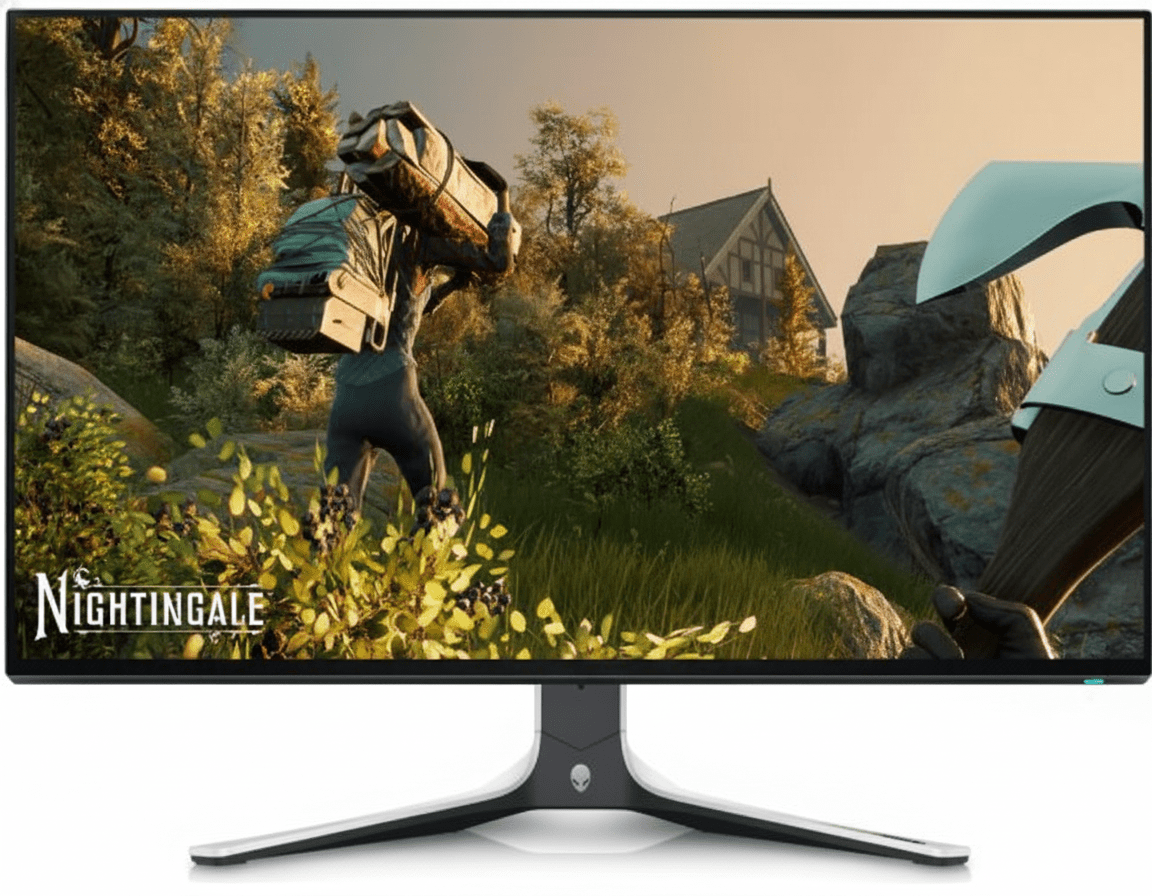
Alienware AW3423DWF
34″ UWQHD 165Hz QD-OLED
Display: 34″ 3440×1440 QD-OLED, 165Hz
Response: 0.1ms GtG, FreeSync Premium Pro
HDR: DisplayHDR 400 True Black, infinite contrast
Price: ~$899 USD
Why Choose This Instead:
- • QD-OLED: Perfect blacks, infinite contrast
- • 0.1ms response: Fastest possible
- • 99.3% DCI-P3: Exceptional colors
- • Ultrawide: 34″ 21:9 aspect ratio
G65B Advantages:
- • $100 cheaper ($800 vs $899)
- • 240Hz vs 165Hz (75Hz faster)
- • 16:9 vs 21:9 (better game compatibility)
- • No OLED burn-in risk (LCD panel)
- • Gaming Hub + Smart TV features
- • Brighter HDR (600 nits vs 400)
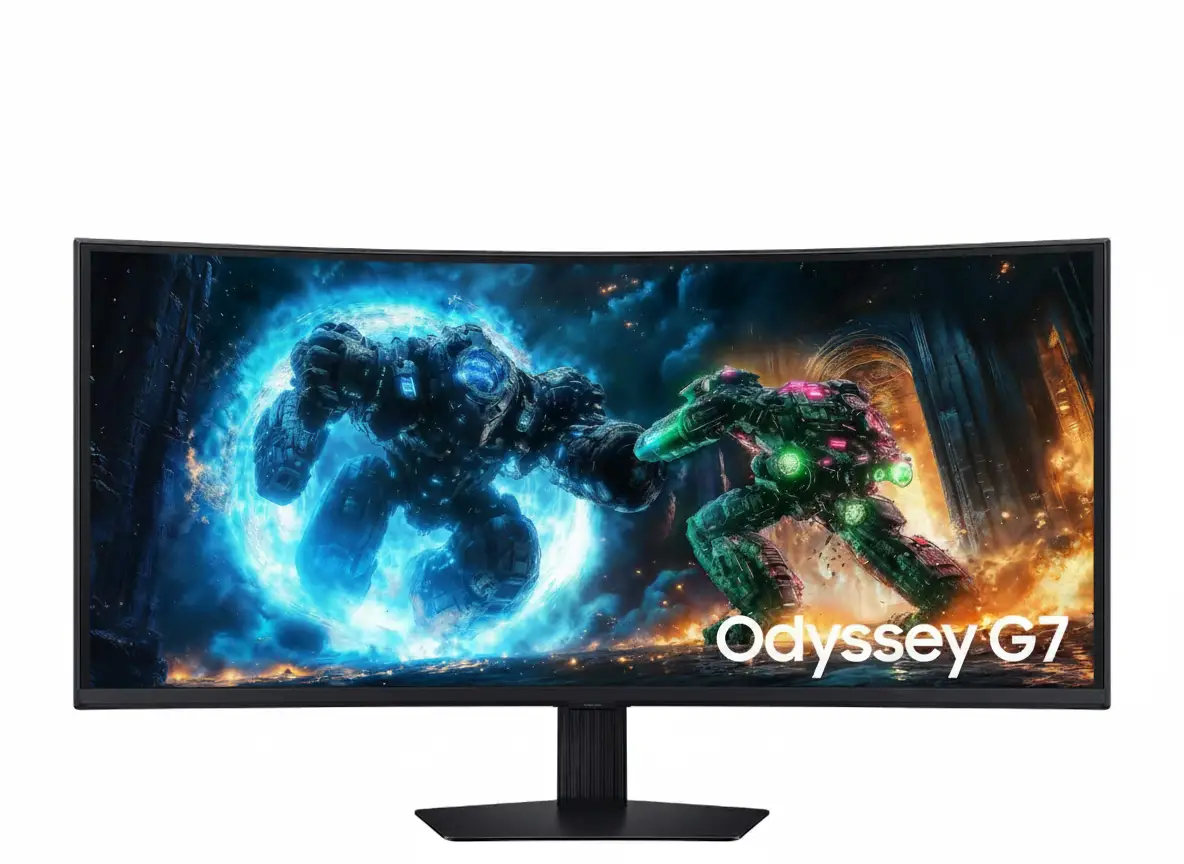
Samsung Odyssey G7 (2023)
32″ QHD 240Hz Flat Gaming
Display: 32″ 2560×1440 IPS, 240Hz
Response: 1ms GtG, FreeSync Premium Pro
HDR: HDR400, 95% DCI-P3
Price: ~$799 USD
Why Choose This Instead:
- • Flat panel: Better for productivity
- • IPS display: Better viewing angles
- • Same specs: 240Hz, 1ms, 95% DCI-P3
- • Similar price: $799 like G65B
G65B Advantages:
- • DisplayHDR 600 vs 400 (better HDR)
- • 1000R curve for gaming immersion
- • Higher contrast VA (2500:1 vs 1000:1)
- • Gaming Hub + Smart TV features
- • CoreSync ambient lighting
Pros & Cons – The Complete Picture
✅ Pros
-
•
240Hz Refresh Rate – Professional Gaming Performance
Ultra-smooth 240Hz refresh rate delivers competitive advantage in FPS games. Each frame displays for 4.17ms – 4× faster than 60Hz. Eliminates motion blur and provides faster visual feedback for tracking enemies. Ideal for Valorant, CS2, Apex Legends, Overwatch 2.
-
•
DisplayHDR 600 Certification – True HDR Performance
VESA DisplayHDR 600 delivers genuine HDR with 600 nit peak brightness and local dimming. Significantly better than budget HDR400 monitors. VA panel’s 2500:1 contrast amplifies HDR effectiveness. HDR10+ Gaming auto-optimizes per game for ideal settings.
-
•
1ms GtG Response Time – Zero Ghosting
Lightning-fast 1ms Gray-to-Gray response eliminates ghosting and motion blur. Fast-moving objects remain sharp without trailing. Excellent for VA panel – approaches TN/IPS response speeds. Requires “Extreme” overdrive mode for fastest performance.
-
•
95% DCI-P3 Wide Color Gamut
95% DCI-P3 coverage (88% minimum) produces vibrant, saturated colors that exceed standard sRGB. Games look visually stunning with rich, lifelike colors. 1 billion color support (10-bit) ensures smooth gradients without banding. Professional-grade color for gaming monitor.
-
•
Samsung Gaming Hub – Console-Free Cloud Gaming
Built-in Gaming Hub provides instant access to Xbox Cloud Gaming, GeForce NOW, Amazon Luna without console or gaming PC. Just connect Bluetooth controller and Wi-Fi. Eliminates expensive hardware purchases. Unified interface for cloud and physical console games.
-
•
Tizen Smart TV Platform – Full Entertainment Hub
Built-in Netflix, YouTube, Disney+, Prime Video, Hulu, HBO Max without external devices. Samsung TV Plus provides free live TV and on-demand content. Universal Guide aggregates recommendations across all streaming apps. Monitor doubles as smart TV.
-
•
AMD FreeSync Premium Pro – Ultimate Adaptive Sync
Highest tier of AMD adaptive sync with Low Framerate Compensation, HDR support, and low-latency mode. Eliminates screen tearing without V-Sync input lag. Works with AMD GPUs and NVIDIA G-SYNC Compatible mode. Adaptive sync functional in HDR games.
-
•
1000R Curvature – Maximum Immersion
Aggressive 1000R curve (1-meter radius) matches natural eye curvature for exceptional immersion. Wraps gameplay around peripheral vision. Every screen area sits at equal distance from eyes, reducing eye strain. Provides competitive advantage – edges visible without head turning.
-
•
VA Panel – 2500:1 High Contrast
VA panel delivers 2500:1 static contrast – 2.5× better than IPS (1000:1). Deeper blacks reveal details in dark game scenes. Provides competitive advantage in shooters where enemies hide in shadows. Superior contrast enhances HDR effectiveness.
-
•
HAS Pivot Stand – Full Adjustability
Height Adjustable Stand with Pivot provides 120mm height adjustment, ±15° swivel, -9° to +13° tilt, and -92° to +92° pivot rotation for portrait mode. Comprehensive ergonomic flexibility. 100×100mm VESA mount supports monitor arms. Premium build quality.
❌ Cons
-
•
$799.99 Premium Pricing
At $799.99 USD, the G65B is premium-priced. Budget QHD 144-165Hz alternatives cost $300-449. You’re paying premium for 240Hz, HDR600, and Gaming Hub features. If you don’t need these, save $300-400 with Dell S3222DGM ($449), AOC CQ32G2SE ($299), or Gigabyte M32Q ($399).
-
•
Cloud Gaming Requires Fast Internet
Gaming Hub cloud gaming requires 25-50+ Mbps stable internet connection. Input lag (30-80ms) is higher than local gaming (1-5ms). Wi-Fi 5 (not Wi-Fi 6) may struggle with consistent 1440p streaming. Ethernet adapter recommended but adds cost. Useless without fast, reliable internet.
-
•
High GPU Requirements for 240Hz
Achieving 240fps at QHD requires high-end GPUs (RTX 4070+ / RX 7800 XT+) in demanding games. Budget/mid-range cards achieve 100-165fps in AAA titles. You’re paying for 240Hz you may not utilize fully unless playing competitive esports exclusively. 4K 144Hz alternatives offer better visuals at same price.
-
•
VA Viewing Angle Limitations
Despite 178°/178° spec, VA panels exhibit color/contrast shift when viewed from extreme angles more than IPS. Not issue for centered single-user gaming, but side viewers notice color changes. The 1000R curve partially mitigates this by keeping screen perpendicular to primary user.
-
•
1000R Curve Not Productivity-Friendly
Aggressive 1000R curve can make straight lines appear curved in documents, spreadsheets, CAD work, and photo editing. Dedicated productivity users prefer flat panels. The curve optimizes for gaming immersion at expense of productivity accuracy. Consider flat alternatives if work is primary use.
-
•
No sRGB Emulation Mode
95% DCI-P3 coverage oversaturates standard sRGB content (web browsing, documents, non-HDR media). No sRGB clamp mode to display accurate sRGB colors. Everything appears overly vibrant and saturated. Professional color accuracy seekers need monitors with sRGB modes and factory calibration.
-
•
Gaming Hub Regional Limitations
Gaming Hub availability varies by country with app selection differing by region. Cloud gaming services have geographic restrictions. Subscriptions required for most services (Game Pass Ultimate $16.99/mo, GeForce NOW Ultimate $19.99/mo). Feature may be limited/unavailable in your country.
-
•
Wi-Fi 5 Instead of Wi-Fi 6
Built-in Wi-Fi 5 (802.11ac) is older standard – Wi-Fi 6/6E would provide better speeds and latency for cloud gaming. Wi-Fi 5 max theoretical speed ~866 Mbps sufficient for 1440p streaming but Wi-Fi 6 offers lower latency and better congestion handling. Ethernet adapter recommended for serious cloud gaming.
-
•
Limited USB Connectivity
Only 2× USB 3.0 downstream ports for peripherals – fewer than competitors offering 4+ USB ports. No USB-C port for laptop connectivity or charging. DisplayPort 1.4 instead of 2.0 (though 1.4 handles 1440p@240Hz fine). Port selection adequate but not generous.
-
•
Basic Built-In Speakers
Built-in speakers are functional for system sounds and casual viewing but lack volume, bass, and clarity for immersive gaming or music. Wattage not specified but typical monitor speakers ~2-5W. External speakers, soundbar, or headphones essential for quality audio experience.
Final Verdict – Premium 240Hz Gaming with Smart Features
Overall Rating
Premium Gaming & Entertainment
Gaming Performance
240Hz + 1ms + HDR600 Excellence
Value for Money
Premium Priced But Feature-Rich
🏆 Verdict Summary
The Samsung Odyssey G65B 32″ is a premium gaming monitor that delivers exceptional competitive performance combined with unique smart entertainment features at $799.99 USD. The 240Hz refresh rate, 1ms GtG response time, and AMD FreeSync Premium Pro provide professional-grade gaming experience that rivals monitors costing $900-1,000+. The DisplayHDR 600 certification with 95% DCI-P3 color gamut and 2500:1 VA contrast produces stunning visuals that exceed expectations for gaming monitors at this price.
What distinguishes the G65B from pure gaming competitors is Samsung Gaming Hub and Tizen Smart TV integration – features typically absent from gaming monitors. The ability to play Xbox Game Pass, GeForce NOW, and streaming services without console or PC creates versatile entertainment hub beyond gaming. For students, apartment dwellers, or anyone wanting single display for gaming and entertainment, this dual-purpose capability justifies the premium pricing.
The 32-inch QHD resolution with 1000R curvature balances competitive gaming needs with visual quality. QHD is GPU-friendly for achieving high frame rates while remaining sharper than 1080p. The 1000R curve maximizes immersion without the productivity compromises of ultrawides. At $799.99, the G65B competes with 4K 144Hz monitors but prioritizes refresh rate over resolution – the right choice for competitive gamers who value smoothness over pixel density.
✅ Buy If You:
- • Play competitive FPS games (Valorant, CS2, Apex)
- • Want 240Hz smoothness + HDR600 visuals
- • Value Gaming Hub cloud gaming feature
- • Need monitor that doubles as Smart TV
- • Prioritize refresh rate over 4K resolution
- • Have high-end GPU (RTX 4070+/RX 7800 XT+)
❌ Skip If You:
- • Budget-conscious ($449 alternatives exist)
- • Lack fast internet (Gaming Hub unusable)
- • Prioritize 4K resolution over refresh rate
- • Need flat screen for productivity work
- • Want accurate sRGB color for content creation
- • Have mid-range GPU (144Hz sufficient)
⭐ Category Ratings Breakdown
Frequently Asked Questions
Q1: Can I achieve 240fps at QHD resolution with my GPU?
Depends on the game and GPU. For competitive esports titles (Valorant, CS2, League of Legends, Overwatch 2, Fortnite), mid-range GPUs like RTX 4060 Ti, RTX 3070, RX 7700 XT, or RX 6800 can achieve 200-240fps at medium-high settings. For demanding AAA games (Cyberpunk 2077, Starfield, Red Dead Redemption 2), you’ll need high-end GPUs like RTX 4080, RTX 4090, or RX 7900 XTX to approach 240fps even at lower settings. Most gamers run AAA titles at 100-165fps with higher quality settings, which still benefits from 240Hz panel’s superior motion clarity.
Q2: How does Gaming Hub work without console or PC?
Gaming Hub streams games from cloud servers directly to the monitor. All game processing happens remotely on server farms operated by Xbox, NVIDIA, Amazon, etc. The monitor receives compressed video stream over Wi-Fi 5 and sends your controller inputs back to servers. You need active subscriptions to cloud gaming services (Xbox Game Pass Ultimate $16.99/mo, GeForce NOW Ultimate $19.99/mo, Amazon Luna $9.99/mo), Bluetooth controller, and fast internet (25-50+ Mbps minimum). Think of it like Netflix for games – streaming instead of local rendering.
Q3: What internet speed do I need for Gaming Hub cloud gaming?
Minimum 25-50 Mbps download speed required, with 100+ Mbps ideal for consistent 1440p streaming at high quality. Stable connection matters more than raw speed – packet loss and jitter cause stuttering. Upload speed of 5-10+ Mbps recommended for low-latency input transmission. Ethernet connection strongly recommended over Wi-Fi to minimize latency (add USB Ethernet adapter if needed). Input lag from cloud gaming is 30-80ms compared to 1-5ms for local gaming, so competitive multiplayer may feel less responsive than local play.
Q4: Is the 1000R curve too aggressive for productivity work?
Yes, the 1000R curve can make straight lines appear curved in documents, spreadsheets, CAD work, and photo editing. If productivity is your primary use case (50%+ of time), consider flat alternatives like Samsung Odyssey G7 Flat, ASUS ROG Swift PG32UQ, or LG 32GQ950. The curve is optimized for gaming immersion where it excels. However, if gaming is 70%+ of usage and productivity is occasional, most users adapt within days. Try viewing 1000R curved monitors in-store before buying if possible.
Q5: Does FreeSync Premium Pro work with NVIDIA GPUs?
Yes, FreeSync Premium Pro works with NVIDIA GPUs through G-SYNC Compatible mode. NVIDIA drivers since 2019 support Adaptive Sync over DisplayPort on FreeSync monitors. However, some Premium Pro features may be limited on NVIDIA GPUs – AMD cards get full Premium Pro feature access including optimized HDR and low-latency modes. For best experience with NVIDIA GPUs, verify G-SYNC Compatible certification or test adaptive sync functionality before purchasing. Connect via DisplayPort (not HDMI) for G-SYNC Compatible support.
Q6: Can PS5 and Xbox Series X/S take advantage of this monitor?
Yes, via 1440p@120Hz over HDMI 2.1. Both PS5 and Xbox Series X/S support QHD (1440p) output at 120Hz maximum refresh rate. The G65B’s 2× HDMI 2.1 ports support this mode, delivering much smoother console gaming than 60Hz. However, you won’t utilize the full 240Hz – that requires PC gaming. The 120Hz console gaming is still significant upgrade over standard 60Hz. Auto Source Switch+ automatically detects which console powers on and switches input.
Q7: How does DisplayHDR 600 compare to HDR400?
DisplayHDR 600 is significantly better than HDR400. HDR600 requires 600 nit peak brightness (vs 400), better local dimming, and wider color gamut. In practice, HDR600 delivers noticeable “pop” in highlights – bright explosions, sunlight, reflections appear genuinely brighter. HDR400 monitors often barely qualify as HDR. The G65B’s VA panel with 2500:1 contrast amplifies HDR600 effectiveness beyond IPS HDR600 monitors with 1000:1 contrast. HDR600 certification ensures you’re getting true HDR experience, not marketing HDR.
Q8: Should I buy this or wait for QD-OLED monitors?
Depends on priorities and budget. QD-OLED monitors like Alienware AW3423DWF ($899) offer perfect blacks, infinite contrast, 0.1ms response, and superior colors. However, QD-OLED has burn-in risk with static UI elements (minimaps, health bars, Windows taskbar), especially problematic for PC gaming/productivity. The G65B’s VA LCD panel has zero burn-in risk, costs less ($800 vs $899+), and provides higher 240Hz refresh (vs 165-175Hz for QD-OLED). For competitive gaming prioritizing refresh rate, the G65B is better. For cinematic single-player gaming prioritizing image quality, QD-OLED wins.
Q9: What’s the difference between this and the Odyssey G7?
The Odyssey G65B and G7 share similar core specs (240Hz, 1ms, QHD, FreeSync Premium Pro) but differ in details. The G65B features DisplayHDR 600, Gaming Hub, Tizen Smart TV, CoreSync lighting, and 1000R curve. The G7 (2023 flat version) uses IPS panel instead of VA, is flat not curved, and lacks Gaming Hub/Smart TV. Both cost ~$799. Choose G65B for gaming immersion + smart features; choose G7 for flat productivity-friendly design with IPS colors.
Q10: Can I use this monitor with MacBook for work?
Yes, but with limitations. MacBooks support QHD (2560×1440) resolution over HDMI or USB-C to DisplayPort adapter. However, M-series MacBooks don’t support high refresh rates over HDMI – you’ll be limited to 60Hz unless using USB-C to DisplayPort adapter. The 1000R curve isn’t ideal for macOS productivity work (text editing, coding, design). The monitor lacks USB-C input with power delivery – can’t charge MacBook while connected. For MacBook-focused setup, consider flat productivity monitors with USB-C like Dell U3223QE or BenQ SW270C.
Complete Technical Specifications
| SAMSUNG ODYSSEY G65B 32″ – FULL SPECIFICATIONS | |
|---|---|
| DISPLAY SPECIFICATIONS | |
| Screen Size (Class) | 32 inch |
| Screen Size (Inch) | 32″ |
| Resolution | 2560 × 1440 (QHD / 1440p) |
| Aspect Ratio | 16:9 |
| Panel Type | VA (Vertical Alignment) |
| Curvature | 1000R |
| Flat/Curved | Curved |
| Screen Curvature | 1000R (1-meter radius) |
| Active Display Size (H × V) | 697.344mm × 392.256mm |
| Brightness (Typical) | 350 cd/m² |
| Brightness (Minimum) | 300 cd/m² |
| Contrast Ratio (Static) | 2,500:1 (Typical) |
| HDR (High Dynamic Range) | VESA DisplayHDR 600 |
| HDR10+ | Yes |
| HDR10+ Gaming | Yes |
| Response Time | 1ms (GTG) |
| Response Time (ms) | 1ms (GtG) – Requires Extreme Mode |
| Refresh Rate | Max 240Hz |
| Frame Rate | Max 240Hz |
| Color Support | Max 1 Billion (10-bit) |
| Color Gamut (DCI-P3 Coverage) | 95% (Typical), 88% (Minimum) |
| Viewing Angle (Horizontal/Vertical) | 178° (H) / 178° (V) |
| Panel Type (PLS/VA/TN) | VA |
| GAMING FEATURES | |
| FreeSync | AMD FreeSync Premium Pro |
| Game Mode | Yes |
| Gaming Hub | Yes (Cloud Gaming Platform) |
| Game Bar 2.0 | Yes |
| Ultrawide Game View | Yes (21:9 Aspect Ratio Mode) |
| Virtual AIM Point | Yes (Custom Crosshair Overlay) |
| Core Sync | Yes (Ambient RGB Lighting) |
| SMART TV FEATURES | |
| Smart Type | Smart |
| Operating System | Tizen OS |
| Smart TV (Tizen) | Yes |
| Samsung TV Plus | Yes (Free Live TV) |
| Universal Guide | Yes (US Only) |
| SmartThings App Support | Yes |
| SmartThings | Yes (Smart Home Hub) |
| Mobile to Screen – Mirroring, DLNA | Yes |
| Tap View | Yes |
| Sound Mirroring | Yes |
| Bixby | US English, UK English, India English, Korean, French, German, Italian, Spanish, BR Portuguese (features vary by language) |
| Far-Field Voice Interaction | Yes (Built-in Microphones) |
| Web Service | Microsoft 365 |
| Workspace | Yes |
| VIDEO INPUTS | |
| HDMI | 2 EA |
| HDMI Version | HDMI 2.1 |
| HDCP Version (HDMI) | HDCP 2.2 |
| Display Port | 1 EA |
| Display Port Version | DisplayPort 1.4 |
| USB & NETWORKING | |
| USB Ports | 2 (Downstream) |
| USB Hub Version | USB 3.0 |
| Ethernet (LAN) | 1 EA (RJ45) |
| Bluetooth® | Yes (Bluetooth 5.2) |
| Wi-Fi | Yes (Wi-Fi 5 / 802.11ac) |
| Headphone | Yes (3.5mm Audio Jack) |
| Wireless Display | Yes |
| ConnectShare™ (USB 2.0) | Yes |
| AUDIO SPECIFICATIONS | |
| Speaker | Yes (Built-in) |
| Built-in Speakers | Yes |
| Adaptive Sound | Yes |
| EYE CARE & COMFORT | |
| Eye Saver Mode | Yes (Blue Light Reduction) |
| Flicker Free | Yes (DC Dimming) |
| Eco Light Sensor | Yes (Adaptive Brightness) |
| Adaptive Picture | Yes |
| ADDITIONAL FEATURES | |
| Windows Certification | Windows 10 |
| Image Size | Yes (Adjustable) |
| HDMI-CEC | Yes |
| Auto Source Switch+ | Yes |
| ERGONOMICS & DESIGN | |
| Stand Type | HAS PIVOT (Height Adjustable Stand with Pivot) |
| HAS (Height Adjustable Stand) | 120.0mm ± 5.0mm |
| Swivel | -15.0° to +15.0° (30° total) |
| Tilt | -9.0° (±2°) to +13.0° (±2°) |
| Pivot | -92.0° to +92.0° (Portrait Mode) |
| Wall Mount (Size mm) | 100 × 100mm |
| Wall Mount (VESA) | 100 × 100mm VESA Standard |
| Front Color | BLACK |
| Rear Color | BLACK |
| Stand Color | Black |
| DIMENSIONS & WEIGHT | |
| Set Dimension with Stand (W × H × D) | 28.1″ × 23.9″ × 12.2″ (714mm × 607mm × 310mm) |
| Set Dimension without Stand (W × H × D) | 28.1″ × 17.3″ × 7.1″ (714mm × 439mm × 180mm) |
| Package Dimension | 32.6″ × 8.9″ × 19.4″ (828mm × 226mm × 493mm) |
| Set Weight with Stand | 16.3 lbs (7.4 kg) |
| Set Weight without Stand | 12.1 lbs (5.5 kg) |
| Shipping Weight | 22.27 lbs (10.1 kg) |
| Package Weight | 22.3 lbs (10.1 kg) |
| POWER SPECIFICATIONS | |
| Type (Internal/External) | External Adapter |
| Power Supply Type | AC 100 to 240 VAC (±10%) |
| Power Cable Length | 1.5 meters (4.9 feet) |
| OPERATING CONDITIONS | |
| Temperature | 10°C to 40°C (50°F to 104°F) |
| Humidity | 10% to 80% (Non-Condensing) |
| CALIBRATION & PICTURE MODES | |
| Factory Tuning | Yes |
| Factory Calibration Report | Yes (Included) |
| Color Mode | Standard / Dynamic / Movie / Graphic / Entertain |
| IN THE BOX | |
| Package Contents | Odyssey G65B 32″ Display, HAS Pivot Stand, Power Cable (1.5m), DisplayPort Cable, USB 3.0 Cable, Tizen Remote Controller, User Manual, Warranty Card |
| DP Cable | Yes (Included) |
| USB 3.0 Cable | Yes (Included) |
| Remote Controller | Yes (Tizen Smart TV Remote) |
| MODEL INFORMATION | |
| Model Number (USA) | LS32BG652ENXGO |
| Series Code | S32BG652EN |
| Product Series | Samsung Odyssey G65B |
| Generation | 2024 Model (Odyssey G6 Series) |
| Color Options | Black Only |
Ready to Experience Premium 240Hz Gaming?
Best Gaming Monitor with Cloud Gaming & Smart TV Features!
⚡ 240Hz
Ultra-Smooth Gaming
HDR600
True HDR Performance
Gaming Hub
Cloud Gaming Built-In
Smart TV
Tizen Streaming Apps