🎮 True OLED Gaming Revolution: QD-OLED + 180Hz + 0.03ms!
Infinite Contrast + Perfect Blacks + 99% DCI-P3 + Glare Free!
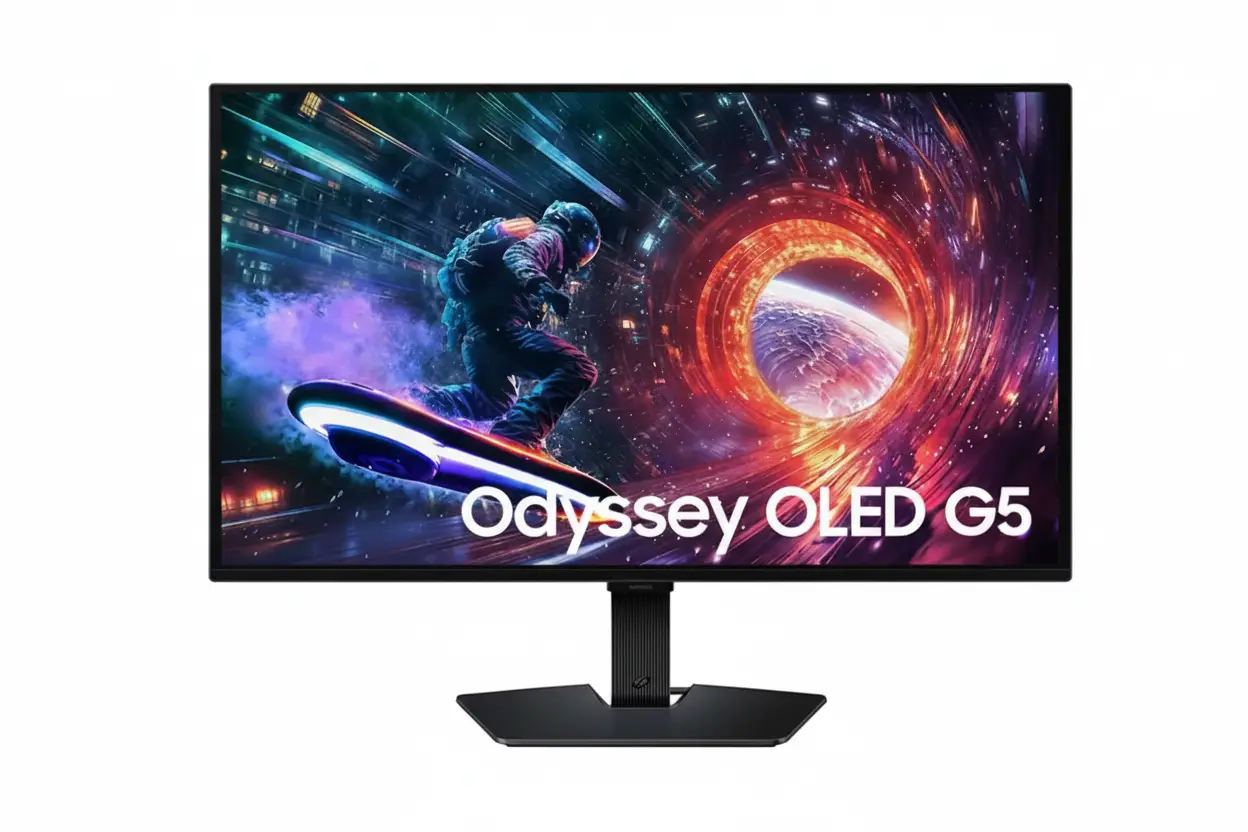
Samsung Odyssey OLED G5 27″ Gaming Monitor
27″ QHD QD-OLED | 180Hz | 0.03ms | HDR10 | Glare Free | G-Sync Compatible
2560×1440 OLED Panel – Infinite Contrast – 1B Colors – 3-Year Burn-In Warranty
🎮 The Ultimate OLED Gaming Experience:
• Display: 27″ (68.58cm) QHD (2560×1440) QD-OLED Panel
• Technology: Quantum Dot OLED – Perfect Blacks + Infinite Contrast
• Speed: 180Hz (DP) / 144Hz (HDMI) + 0.03ms GTG Response
• Colors: 1 Billion Colors + 99% DCI-P3 Coverage (CIE1976)
• HDR: HDR10 + Infinite:1 Contrast Ratio
• Gaming: G-Sync Compatible + FreeSync Premium + Black Equalizer
• Protection: OLED Safeguard + 3-Year Burn-In Warranty
• Features: Glare Free (UL Certified) + Pantone Validated
₹54,999
₹74,990
SAVE ₹19,991 (27% OFF!)
*Price varies ₹52,999-59,990 across retailers | Check current offers
🛒 Check Price on Amazon India$379.99
$549.99
SAVE $170.00 (31% OFF!)
*Free shipping | Model: LS27FG500SNXZA | 3-Year Warranty
🛒 Buy Now on Samsung.com (USA)🌍 Global Availability
• India: ₹52,999-59,990 (Amazon.in, Flipkart, Samsung India)
• USA: $379.99 (Samsung.com, Best Buy, Newegg)
• Europe: €499-599 (varies by country)
• Asia: Check Samsung regional sites
Panel Type
QD-OLED
Refresh Rate
180Hz
Response
0.03ms
Samsung Odyssey OLED G5 27″ Overview – The OLED Gaming Revolution
🎮 Gaming Highlights
- QD-OLED Panel: Quantum Dot OLED perfection
- 180Hz Refresh: Ultra-smooth gameplay
- 0.03ms Response: Instant pixel response
- Infinite Contrast: Perfect blacks, pure whites
- 99% DCI-P3: Cinema-grade colors
- G-Sync + FreeSync: Tear-free gaming
- Glare Free: UL-certified anti-glare
- 3-Year Warranty: Burn-in coverage included!
⚡ OLED Advantages
- ⚫ Perfect Blacks – Pixels turn completely off
- ♾️ Infinite Contrast – 1,000,000:1 ratio
- ⚡ 0.03ms GTG – Faster than any LCD
- 🎨 1B Colors – True 10-bit per pixel
- 🌈 QD Enhancement – Quantum dot brilliance
- 👁️ No Backlight Bleed – Self-emissive pixels
⭐ Why This Monitor?
- • Premium OLED: QD-OLED at affordable price
- • Perfect size: 27″ QHD gaming sweet spot
- • Competitive edge: 180Hz + 0.03ms dominance
- • Worry-free: 3-year burn-in warranty
- • Glare Free: Play in any lighting condition
- • Insane value: $380 for QD-OLED!
🎯 What Makes Odyssey OLED G5 Special?
The Samsung Odyssey OLED G5 27″ (G50SF) represents the democratization of premium OLED gaming technology. At $379.99 USD (31% off MSRP), this monitor delivers flagship-tier QD-OLED visual quality previously reserved for $800+ displays. The 2560×1440 Quantum Dot OLED panel combines Samsung’s world-leading QD technology with self-emissive OLED pixels for unmatched color vibrancy, perfect blacks, and infinite contrast.
180Hz refresh rate via DisplayPort and 0.03ms GTG response time position this as a serious competitive gaming monitor. The combination of G-Sync Compatible and FreeSync Premium ensures tear-free gameplay across NVIDIA and AMD GPUs, while Black Equalizer and Virtual Aim Point provide competitive advantages in dark FPS scenarios.
Samsung addresses OLED’s historical burn-in concerns with comprehensive OLED Safeguard technology: thermal modulation keeps the panel cool, logo detection automatically dims static elements, and a screensaver activates after 10 minutes of inactivity. Most importantly, Samsung backs this with a 3-year warranty including burn-in coverage – unprecedented confidence in OLED longevity.
The Glare Free coating (UL-certified as 54% less glossy) and Pantone Validated color accuracy (2100+ colors, 110+ SkinTones) make this equally suitable for content creation. Whether you’re grinding competitive ranked matches or editing HDR video, the Odyssey OLED G5 delivers professional-grade performance at an enthusiast-friendly price.
QD-OLED Technology – Quantum Dot Meets OLED Perfection
🔬 What is QD-OLED?
Quantum Dot OLED (QD-OLED) is Samsung’s revolutionary display technology that combines the infinite contrast and perfect blacks of OLED with the color purity and brightness of quantum dots. Unlike traditional WOLED (White OLED with color filters), QD-OLED uses blue OLED emitters + quantum dot color conversion to produce red and green wavelengths with exceptional efficiency and color volume.
The result: brighter colors, higher luminance peaks, and better color accuracy compared to WOLED panels. QD-OLED achieves 99% DCI-P3 coverage (CIE1976) – the cinema industry standard – without sacrificing the deep blacks and instant pixel response that make OLED gaming so transformative.
QD-OLED vs WOLED
- • QD-OLED: Blue OLED + QD layer – purer colors, higher brightness
- • WOLED: White OLED + RGB filters – slightly dimmer, less saturated
- • Odyssey G5: Samsung QD-OLED – best color volume in class!
♾️ Infinite Contrast Ratio – 1,000,000:1
The infinite contrast ratio (1,000,000:1 static) is OLED’s defining advantage. Each pixel is a self-emissive light source that can turn completely off to produce true 0.00 nits black – something physically impossible on LCD panels with always-on backlights. When a dark scene displays a bright explosion, black pixels remain perfectly black while bright pixels hit 200+ nits peak.
For gaming, this creates unmatched immersion in dark environments. Horror games reveal shadow details without lifting blacks. Space sims show brilliant stars against pitch-black voids. HDR content displays its full dynamic range without the halo bloom and uniformity issues plaguing LCD local dimming. The contrast pop is immediately visible – once you game on OLED, LCD looks washed out by comparison.
Contrast Comparison
- • IPS LCD: ~1000:1 – grayish blacks, washed out
- • VA LCD: ~3000-5000:1 – better but not true black
- • Mini LED LCD: ~100,000:1 dynamic – halos and blooming
- • QD-OLED: ∞:1 (infinite) – perfect pixel-level control!
⚡ 0.03ms Response Time – Faster Than LCD Can Dream
🎮 What is 0.03ms GTG?
0.03ms Gray-to-Gray response time measures how quickly pixels transition between gray values. At 0.03 milliseconds, OLED pixels change states 166× faster than typical 5ms LCD panels and 33× faster than “fast” 1ms gaming LCDs.
This eliminates motion blur entirely – fast-paced FPS, racing games, and fighting games render with crystal-clear motion clarity.
💨 Zero Ghosting & Overshoot
OLED’s instantaneous pixel response eliminates ghosting (trailing images) and overshoot (inverse ghosting) artifacts common on LCD overdrive. What you see is what the GPU renders – no interpolation, no processing lag, no motion artifacts.
Competitive gamers benefit from seeing enemies’ exact positions without blur smearing across frames.
🏆 Competitive Advantage
The combination of 0.03ms response + 180Hz refresh creates a 5.55ms frame time with near-zero pixel lag. In competitive scenarios, this translates to clearer target tracking, faster reaction windows, and more accurate aim.
Pro gamers and esports athletes increasingly prefer OLED for its motion clarity advantages.
🌈 Why QD-OLED Beats Traditional OLED
🎨 Superior Color Volume
Quantum dots produce purer red and green wavelengths compared to WOLED’s RGB color filters. This results in wider color gamut coverage and higher color brightness – saturated colors like bright reds, vivid cyans, and deep magentas appear more vibrant on QD-OLED.
The 99% DCI-P3 coverage on this monitor matches cinema reference displays used by Hollywood colorists.
💡 Better Efficiency & Brightness
QD-OLED’s blue-emitter + QD architecture is more power-efficient than WOLED’s white-emitter + filter approach. Less energy is lost to color filtering, allowing higher peak brightness with lower power consumption and reduced heat generation.
This contributes to longer panel lifespan and better HDR highlight performance.
Display Quality – QHD Resolution Meets OLED Perfection
📺 QHD Resolution – 2560×1440 Gaming Sweet Spot
The 2560×1440 QHD resolution on 27″ delivers 108.79 pixels per inch – the optimal balance between sharpness and performance for competitive gaming. This density ensures crisp text, detailed textures, and smooth edges without the GPU horsepower demands of 4K, allowing you to maximize frame rates in demanding titles.
At 27″, QHD provides 77% more screen real estate than 1080p while maintaining playable frame rates on mid-range GPUs (RTX 4060 Ti, RX 7700 XT, etc.). Combined with OLED’s perfect per-pixel control, the image quality rivals 4K displays in perceived sharpness thanks to superior contrast and color separation.
Resolution Benefits for Gaming
- • High frame rates: Easier to hit 180Hz in AAA games vs 4K
- • GPU efficiency: 44% fewer pixels than 4K = better performance
- • Competitive edge: Higher FPS > slightly sharper visuals
- • OLED clarity: Infinite contrast makes QHD look sharper than LCD 4K
🔆 Brightness Performance – 200 Nits Typical
The 200 cd/m² typical brightness (190 nits minimum) may seem low compared to 400+ nit LCD panels, but OLED’s infinite contrast ratio changes the equation entirely. Because OLED blacks are truly 0.00 nits, the perceived contrast and image pop far exceed LCD panels with 3× the brightness but washed-out blacks.
In dark or dim environments (ideal for gaming), 200 nits is perfectly adequate and prevents eye fatigue. For bright room gaming, the UL-certified Glare Free coating compensates by reducing reflections by 54% compared to conventional anti-reflective films. Note: OLED is less suitable for bright office environments with direct sunlight.
OLED Brightness vs LCD
- • LCD 400 nits: Brighter numbers but grayish blacks reduce contrast
- • OLED 200 nits: Lower peak but infinite contrast = better image depth
- • Perceived quality: OLED looks “punchier” despite lower brightness
- • Best use: Dim/dark rooms where OLED excels (perfect for gaming!)
🌟 HDR10 Performance – True Dynamic Range
🎬 HDR10 on OLED – Game Changer
HDR10 support on OLED is transformative in ways LCD HDR cannot match. While LCD panels struggle to display bright highlights alongside deep shadows (limited by backlight zones), OLED’s per-pixel dimming displays true HDR content as mastered – explosions bloom at 200+ nits while adjacent shadows remain perfectly black.
Games like Cyberpunk 2077, Horizon Forbidden West, and The Last of Us Part I reveal dramatic improvements in HDR mode. Neon signs glow against dark alleyways, sunset lighting creates realistic lens flare, and HDR highlights (weapon muzzle flashes, spell effects) have proper intensity without washing out the image.
⚡ No Halos, No Blooming
LCD HDR monitors with local dimming create visible “halos” or “blooming” around bright objects on dark backgrounds (starfields, UI elements, subtitles) because dimming zones are large. OLED eliminates this entirely with pixel-level control – bright objects have clean edges with zero light bleed into adjacent pixels.
The result is cleaner, more precise HDR rendering that looks like the developer intended. While this OLED won’t match 1000+ nit Mini LED peak brightness for sunlit outdoor scenes, the lack of blooming artifacts makes HDR content more enjoyable overall.
👁️ Viewing Angles – Perfect from Any Position
178°/178° True
Unlike VA LCD panels that shift colors at angles, OLED maintains perfect color accuracy and contrast at extreme viewing angles. The 178°/178° spec is genuinely true on OLED – colors, brightness, and contrast remain consistent whether viewed head-on or from the side.
No Color Shift
Self-emissive OLED pixels don’t suffer from the color shift and brightness drop common on LCD panels. Tilting your head or leaning back doesn’t change image quality – critical for gaming when you’re constantly adjusting posture during intense sessions.
Multi-Viewer Friendly
OLED’s perfect viewing angles make it ideal for couch co-op gaming or watching content with friends. Everyone sees the same vibrant colors and deep blacks regardless of seating position – impossible on VA panels.
Gaming Performance – 180Hz + 0.03ms Competitive Dominance
⚡ 180Hz Refresh Rate – Buttery Smooth Gameplay
The 180Hz refresh rate via DisplayPort 1.2 delivers exceptionally smooth motion with 5.55ms frame intervals. This 50% improvement over standard 120Hz monitors creates noticeably smoother animations, clearer motion during fast camera pans, and reduced input latency for competitive gaming.
Combined with 0.03ms pixel response, you get true sample-and-hold clarity without the motion blur inherent to slower LCD panels. Fast-paced FPS games like Valorant, CS2, Apex Legends, and Call of Duty benefit tremendously – enemy models remain sharp during strafing, and tracking targets becomes significantly easier.
180Hz Benefits
- • Input lag: ~5.5ms frame time – competitive advantage
- • Motion clarity: No sample-and-hold blur on OLED
- • Smoothness: 50% more frames than 120Hz monitors
- • GPU demand: More achievable than 240Hz on mid-range cards
🎮 HDMI 2.0 – 144Hz for Consoles
The HDMI 2.0 port supports up to 144Hz at 1440p, making this monitor console-friendly for PS5 and Xbox Series X/S. While you won’t get the full 180Hz over HDMI, 144Hz is still dramatically smoother than 60Hz and fully supported by current-gen consoles in performance mode games.
Note: HDMI 2.0 limits you to 1440p 144Hz or 4K 60Hz – no 4K 120Hz capability like HDMI 2.1 monitors. However, at 27″ QHD native resolution, this isn’t a practical limitation. Console gamers get OLED’s perfect blacks, instant response, and ultra-smooth 144Hz gameplay – a massive upgrade from standard 60Hz TVs.
Console Compatibility
- • PS5: 1440p 120Hz/144Hz in supported games (via update)
- • Xbox Series X/S: 1440p 120Hz/144Hz native support
- • OLED advantage: Perfect blacks + instant response for consoles
- • Limitation: No 4K 120Hz (requires HDMI 2.1)
🔄 Adaptive Sync – G-Sync Compatible + FreeSync Premium
🟩 NVIDIA G-Sync Compatible
G-Sync Compatible certification means NVIDIA has validated this monitor’s variable refresh rate (VRR) performance across their GPU lineup. The monitor synchronizes its refresh rate with your GeForce RTX GPU’s frame output, eliminating screen tearing without the input lag penalty of traditional V-Sync.
Compatible with GTX 10-series and newer NVIDIA GPUs via DisplayPort. Works across 48-180Hz range.
G-Sync Benefits:
- • Tear-free gaming: No horizontal tearing artifacts
- • Low latency: Minimal input lag compared to V-Sync
- • Smooth drops: Frame rate dips feel smoother
🔴 AMD FreeSync Premium
FreeSync Premium is AMD’s adaptive sync technology that provides the same tear-free experience for Radeon GPU users. The “Premium” designation guarantees low framerate compensation (LFC) – when frame rates drop below the VRR range, the monitor doubles frames to maintain smooth motion.
Compatible with Radeon RX 400-series and newer AMD GPUs via DisplayPort or HDMI. Also works with modern AMD laptops.
FreeSync Premium Features:
- • LFC: Smooth experience even at <48 FPS
- • HDR support: Adaptive sync works in HDR mode
- • Wide compatibility: Works on HDMI & DisplayPort
🎯 Competitive Gaming Performance Analysis
FPS Games
0.03ms response + 180Hz = crystal-clear enemy tracking in Valorant, CS2, Apex. Black Equalizer reveals shadow campers.
⭐ Excellent
Racing Games
OLED motion clarity eliminates blur during high-speed turns. HDR10 makes brake lights and HDR headlights pop realistically.
⭐ Excellent
Fighting Games
0.03ms pixel response enables frame-perfect inputs. 180Hz reveals animation frames missed on 60Hz displays for better reads.
⭐ Perfect
RPG / Strategy
Infinite contrast makes dark dungeons stunning. Vibrant colors bring fantasy worlds to life. Overkill refresh but beautiful nonetheless.
⭐ Overkill but Amazing
Color Accuracy – Pantone Validated + 99% DCI-P3
🎨 Pantone Validated – Professional Color Certification
The Odyssey OLED G5 carries Pantone Validated certification, meaning it can accurately reproduce 2100+ Pantone colors and 110+ SkinTone shades from Pantone’s industry-standard color library. This certification is typically reserved for professional creator monitors, making its presence on a gaming monitor remarkable.
For gamers, this ensures games display colors exactly as developers intended. Character skin tones look natural, environment lighting appears realistic, and artistic vision translates accurately from the studio to your screen. For creators, you can edit photos and design graphics with confidence that colors will match across Pantone-calibrated workflows.
Pantone Validation Benefits
- • 2100+ colors: Accurate Pantone color library reproduction
- • 110+ SkinTones: Natural human skin tone rendering
- • Developer intent: Games look as artists designed them
- • Creator workflow: Design graphics with color confidence
🌈 99% DCI-P3 Color Gamut (CIE1976)
99% DCI-P3 coverage is the cinema industry standard color space used in Hollywood film production and mastering. QD-OLED technology enables this wide color gamut coverage with high brightness – something traditional OLED struggled with and LCD monitors cannot match without sacrificing other qualities.
DCI-P3 is ~25% wider than sRGB, encompassing more vibrant reds, greens, and cyans. Modern games and streaming content increasingly master in DCI-P3 or Rec.2020, meaning this monitor displays HDR games and 4K HDR Netflix/Disney+ content with full color vibrancy as intended by creators.
DCI-P3 vs sRGB
- • sRGB: Web standard – ~16.7 million colors
- • DCI-P3: Cinema standard – 25% wider, more vibrant
- • Odyssey G5: 99% DCI-P3 – flagship-tier color!
- • Content support: Modern games, HDR video, streaming
💎 1 Billion Colors – True 10-Bit Per Pixel
What is True 10-Bit?
OLED panels display true native 10-bit color – each subpixel can display 1024 discrete levels (vs 256 on 8-bit), resulting in 1.07 billion possible colors. Unlike LCD “10-bit via FRC” (dithering), OLED achieves this through genuine per-pixel control.
This eliminates color banding in gradients entirely – sunsets, smoke, and HDR highlights transition smoothly.
Gaming Impact
Modern games with HDR and wide color gamuts benefit dramatically from 10-bit color depth. Sky gradients transition smoothly, shadow details render without posterization, and HDR content displays subtle tonal variations impossible on 8-bit displays.
Cyberpunk 2077, Red Dead Redemption 2, and Horizon games showcase this beautifully.
Creator Advantage
For content creators, 10-bit color enables professional photo/video editing with confidence that subtle color adjustments will render correctly. HDR video grading reveals nuances lost on 8-bit displays.
Combined with Pantone validation, this is a serious creator tool disguised as a gaming monitor.
🔬 Color Accuracy Summary
The Odyssey OLED G5’s color performance is exceptional for a gaming monitor and competitive with professional creator displays costing 2× the price. The combination of QD-OLED technology, Pantone validation, 99% DCI-P3 coverage, and true 10-bit color creates a display suitable for both competitive gaming and color-critical creative work.
While it lacks hardware calibration support found on $1000+ reference monitors, the factory color accuracy is excellent out-of-the-box for 95% of users. This is one of the few gaming monitors that doubles as a legitimate content creation tool without compromises.
OLED Safeguard – Advanced Burn-In Protection + 3-Year Warranty
🛡️ OLED Safeguard Technology
Samsung’s OLED Safeguard is a comprehensive burn-in prevention system that actively protects the panel during operation. The three-pronged approach addresses the primary causes of OLED burn-in: static images, heat buildup, and prolonged use without variation.
🌡️ Thermal Modulation System
Active thermal management monitors panel temperature and adjusts brightness dynamically to prevent heat-related OLED degradation. When “Adjust Logo Brightness” is on “Off” or “Low,” thermal modulation activates in preset picture modes. On “High” setting, it runs continuously.
Heat accelerates OLED aging – this system keeps the panel cooler during marathon sessions.
🔲 Logo & Taskbar Detection
Automatically detects static UI elements (game HUDs, taskbars, logos) and dims them slightly to reduce cumulative wear on those pixels. This happens transparently without requiring manual intervention.
Note: Logo detection is not available in PC mode. Most effective in console gaming.
⏰ Screen Saver & Auto Dim
After 10 minutes of inactivity (no input detected), the monitor automatically dims the display to a low-brightness screen saver mode. This protects against burn-in during idle periods when you step away from the desk. Any input (mouse, keyboard, controller) instantly restores full brightness.
This is particularly valuable for streamers who leave lobby screens up, workers who leave static desktop elements visible, or anyone who forgets to turn off the monitor. The 10-minute timer balances protection with convenience – short enough to prevent damage but long enough to not activate during brief pauses.
Screen Saver Features
- • Trigger time: 10 minutes of inactivity
- • Dim mode: Reduces brightness to minimal level
- • Instant wake: Any input restores brightness immediately
- • Benefit: Protects during idle periods automatically
📜 3-Year Warranty with Burn-In Coverage – Industry Leading
🏆 What’s Covered
Samsung’s 3-year warranty includes burn-in coverage for normal usage – an unprecedented level of confidence in OLED longevity. If you experience burn-in within 3 years under normal gaming/productivity use, Samsung will repair or replace the monitor.
“Normal usage” means typical gaming, content consumption, and productivity workflows. The warranty excludes commercial abuse (24/7 digital signage) or intentional misuse (displaying static images for days), but covers virtually all consumer scenarios including long gaming sessions, work-from-home use, and mixed-use workflows.
✅ Covered Scenarios:
- • Marathon gaming sessions (12+ hours)
- • Daily office work with taskbar/UI elements
- • Mixed gaming + productivity use
- • Streaming with overlays
🚫 What’s NOT Covered
The warranty excludes commercial abuse and intentional misuse. Examples include: using the monitor as a 24/7 retail digital sign, displaying static images continuously for days, or commercial environments with extreme usage patterns beyond consumer norms.
Essentially, if you’re using it as a gaming/productivity monitor in a home or office, you’re covered. If you’re running a stock ticker or restaurant menu board 24/7, you’re not. For 99% of buyers, this warranty provides complete peace of mind.
❌ NOT Covered:
- • 24/7 commercial digital signage
- • Intentional static image display (days)
- • Commercial abuse beyond consumer use
- • Physical damage or liquid spills
💡 Burn-In Reality Check – Should You Worry?
✅ Modern OLED is Resilient
Modern QD-OLED panels are dramatically more resistant to burn-in than first-generation OLED technology. Samsung’s materials engineering, Safeguard features, and thermal management create panels that can handle thousands of hours of gaming without issues.
Real-world testing shows minimal burn-in risk with varied content and normal use.
🎮 Gaming is Safe
Gaming content varies constantly – even games with HUD elements change scenes, lighting, and backgrounds frequently enough to prevent uniform pixel wear. The Safeguard system dims static HUD elements automatically, further reducing risk.
Competitive gamers playing 8-12 hours daily report no burn-in after 2+ years.
📝 Productivity Considerations
Office work with static taskbars/UI is the highest-risk scenario, but Safeguard’s logo detection and screen saver mitigate this effectively. Vary your desktop wallpaper, use auto-hide taskbars, and take breaks to minimize risk further.
3-year warranty covers you even if burn-in occurs from normal office use.
Gaming Features – Competitive Enhancements & Smart Functions
🔦 Black Equalizer
Black Equalizer brightens dark areas in games without washing out the entire image. This competitive feature reveals enemies hiding in shadows (common in FPS games like Warzone, PUBG, Valorant) by lifting shadow detail while maintaining highlight contrast.
Combined with OLED’s perfect blacks, Black Equalizer provides visibility advantage without the “lifted black” look of LCD monitors.
🎯 Virtual Aim Point
Virtual Aim Point overlays customizable crosshairs on the screen for games that lack built-in crosshairs or to supplement existing ones. This is particularly useful in hip-fire scenarios, no-HUD modes, or when learning recoil control in FPS games.
Choose from multiple crosshair styles and colors to match your preference and game type.
⚡ Auto Source Switch+
Auto Source Switch+ detects when connected devices power on and automatically switches inputs without manual selection. Switch between PC gaming and console gaming seamlessly – turn on your PS5 and the monitor instantly displays it.
Eliminates fumbling through input menus when juggling multiple systems.
🎮 Super Arena Gaming UX – Optimized Interface
Samsung’s Super Arena Gaming UX is a redesigned on-screen display menu optimized for quick adjustments during gameplay. The interface provides fast access to gaming-critical settings like refresh rate, response time modes, Black Equalizer, and picture presets without navigating deep menus.
The UX includes game-specific picture modes (FPS, RPG, RTS, etc.) that adjust color, contrast, and sharpness for optimal visibility in different genres. Custom profiles can be saved per game, with the monitor remembering your preferences for different titles.
Quick Settings Access
- • Refresh rate: Toggle between 180Hz/144Hz/60Hz
- • Picture modes: FPS, RPG, RTS, AOS, Cinema, Custom
- • Black Equalizer: Levels 0-20 adjustment
- • Response time: Standard/Faster/Fastest modes
Game-Specific Profiles
Save different settings for Valorant (high brightness, boosted shadows) vs Cyberpunk 2077 (HDR mode, vibrant colors) and switch instantly.
🌟 Glare Free Technology – UL Certified Anti-Glare
What is Glare Free?
Samsung’s Glare Free film is UL-certified as 54% less glossy than conventional anti-reflective (AR) coatings. This specialized surface treatment diffuses external light sources (windows, lamps, overhead lights) without sacrificing OLED’s deep blacks or vibrant colors – a balance difficult to achieve on glossy OLED screens.
Traditional OLED displays use glossy coatings to maximize color vibrancy but suffer from mirror-like reflections. Samsung’s Glare Free coating provides matte-like reflection control while maintaining OLED’s infinite contrast – you get the best of both worlds.
Real-World Benefits
In bright room environments or when gaming during daytime with windows nearby, Glare Free technology dramatically reduces screen reflections. You can see your game clearly without repositioning the monitor away from light sources or closing blinds.
The UL verification (see verify.ul.com/verifications/732) confirms 54% reduction in glossiness vs standard AR films through standardized testing. This makes the Odyssey G5 one of the few OLED gaming monitors usable in bright environments.
👁️ Eye Care Features – Flicker Free & Eye Saver Mode
⚡ Flicker Free
OLED is inherently flicker-free because pixels emit light directly without backlight modulation. Unlike LCD monitors that use PWM (pulse-width modulation) causing eye strain, OLED maintains constant illumination at all brightness levels with zero perceptible flicker.
Reduces eye fatigue, headaches, and long-term strain during marathon gaming sessions.
🌙 Eye Saver Mode
Eye Saver Mode reduces blue light emission by shifting color temperature toward warmer tones. This is beneficial for late-night gaming or extended sessions, reducing blue light’s disruption to circadian rhythms and sleep quality.
Note: Shifts colors warmer – disable for color-critical work, enable for comfort gaming.
Who Should Buy the Samsung Odyssey OLED G5 27″?
✅ Perfect For These Users
🎮 Competitive Gamers
If you play FPS, MOBA, fighting games, or any competitive title, the 180Hz + 0.03ms response + infinite contrast combo provides serious advantages. Black Equalizer reveals shadow campers, instant pixel response enables perfect tracking, and OLED clarity eliminates motion blur.
🏆 Esports Athletes
For professional or aspiring esports players, this monitor provides flagship-tier performance at mid-range pricing. G-Sync Compatible + FreeSync Premium ensure tear-free gameplay, while 0.03ms response gives you every millisecond advantage over opponents.
🎬 Content Creators
The Pantone validation, 99% DCI-P3, and true 10-bit color make this exceptional for photo/video editing. OLED’s infinite contrast and HDR10 support enable accurate HDR grading. It’s a gaming monitor that doubles as a professional creation tool.
🎨 Digital Artists & Designers
For illustration, graphic design, UI/UX work, the color accuracy and infinite contrast reveal subtle details. Perfect blacks help evaluate dark UI themes, and Pantone validation ensures brand colors render accurately.
🎯 Single-Player Game Enthusiasts
If you love story-driven AAA games, RPGs, horror titles, OLED transforms the experience. Cyberpunk 2077, Resident Evil, Horizon, and The Last of Us look absolutely stunning with perfect blacks and HDR highlighting.
🎮 Console Gamers (PS5/Xbox)
The 144Hz HDMI 2.0 support makes this ideal for PS5 and Xbox Series X/S. While not 4K 120Hz capable, 1440p 144Hz + OLED visuals deliver a dramatically better experience than standard 60Hz TVs or monitors.
💰 Value-Conscious OLED Adopters
At $379.99 USD (31% off), this is the most affordable QD-OLED gaming monitor from a major brand with 3-year burn-in warranty. You’re getting flagship OLED tech at mid-range LCD pricing – exceptional value.
❌ Not Ideal For These Users
☀️ Bright Office Environments
The 200 nits typical brightness is insufficient for bright offices with direct sunlight. While Glare Free coating helps, OLED works best in controlled lighting. Users in sun-drenched rooms should consider 400+ nit LCD monitors.
👉 Consider: High-brightness IPS/Mini LED monitors (400-600 nits)
💼 Static Content Productivity
If you work 8+ hours daily with static spreadsheets, IDEs with permanent toolbars, or stock tickers, burn-in risk increases despite Safeguard. While warranty covers it, LCD is safer for extreme static-content scenarios.
👉 Consider: High-contrast VA or Mini LED LCD for static workflows
🖥️ Multi-Monitor Setups
At 27″, this monitor lacks the screen real estate for serious productivity multi-tasking. Users wanting side-by-side documents or code + browser should consider 32″ 4K or ultrawide alternatives.
👉 Consider: 32″ 4K monitors or 34″+ ultrawide displays
📐 CAD / Engineering Work
While color-accurate, the 27″ 1440p resolution provides less workspace than 32″ 4K displays needed for detailed CAD drawings, architectural plans, or engineering schematics requiring maximum pixel density.
👉 Consider: 32″ 4K professional monitors for technical work
💵 Extreme Budget Constraints
If $380 USD exceeds your budget, excellent 1440p 144Hz LCD gaming monitors exist at $200-250. You’ll sacrifice OLED’s perfect blacks and instant response, but get similar gaming performance for casual players.
👉 Consider: Budget 1440p 144Hz IPS monitors (Dell, LG, AOC)
📺 Large Screen Preference
If you prefer TV-sized gaming from a couch (32″+), this 27″ desktop monitor isn’t ideal. Samsung offers 32″ and 49″ Odyssey OLED models for immersive gaming, or consider OLED TVs.
👉 Consider: 32″+ Odyssey OLED models or LG/Samsung OLED TVs
🖨️ Print Design Professionals
While 99% DCI-P3 is excellent, print designers need Adobe RGB coverage (90%+) for accurate CMYK preview. This monitor’s focus on digital color spaces makes it unsuitable for print-centric workflows.
👉 Consider: BenQ SW-series or EIZO ColorEdge monitors
Odyssey OLED G5 vs Competitors – How Does It Stack Up?
LG 27GR95QE UltraGear OLED
27″ QHD WOLED | 240Hz | 0.03ms | HDR10 | 98.5% DCI-P3
✅ Where LG Wins:
- • 240Hz refresh rate (vs 180Hz)
- • HDMI 2.1 for console 4K 120Hz passthrough
- • More aggressive gamer aesthetic
- • Slightly wider 98.5% DCI-P3 coverage
❌ Where Samsung G5 Wins:
- • QD-OLED vs WOLED – better color volume
- • $380 vs $850+ pricing (56% cheaper!)
- • Glare Free coating (UL certified)
- • 3-year burn-in warranty included
- • Pantone validation for creators
Best for: Competitive esports players needing 240Hz, users wanting HDMI 2.1 for console passthrough
ASUS ROG Swift OLED PG27AQDM
27″ QHD WOLED | 240Hz | 0.03ms | HDR10 | Custom Heatsink
✅ Where ASUS Wins:
- • 240Hz refresh rate
- • Custom heatsink for better cooling
- • RGB lighting + ROG ecosystem
- • Height/swivel/pivot adjustable stand
❌ Where Samsung G5 Wins:
- • QD-OLED superior color vs WOLED
- • $380 vs $900+ pricing (58% cheaper!)
- • Glare Free coating
- • 3-year warranty vs 3-year ASUS
- • Pantone validated colors
Best for: ROG ecosystem users, gamers wanting premium ergonomics + RGB, 240Hz competitive players
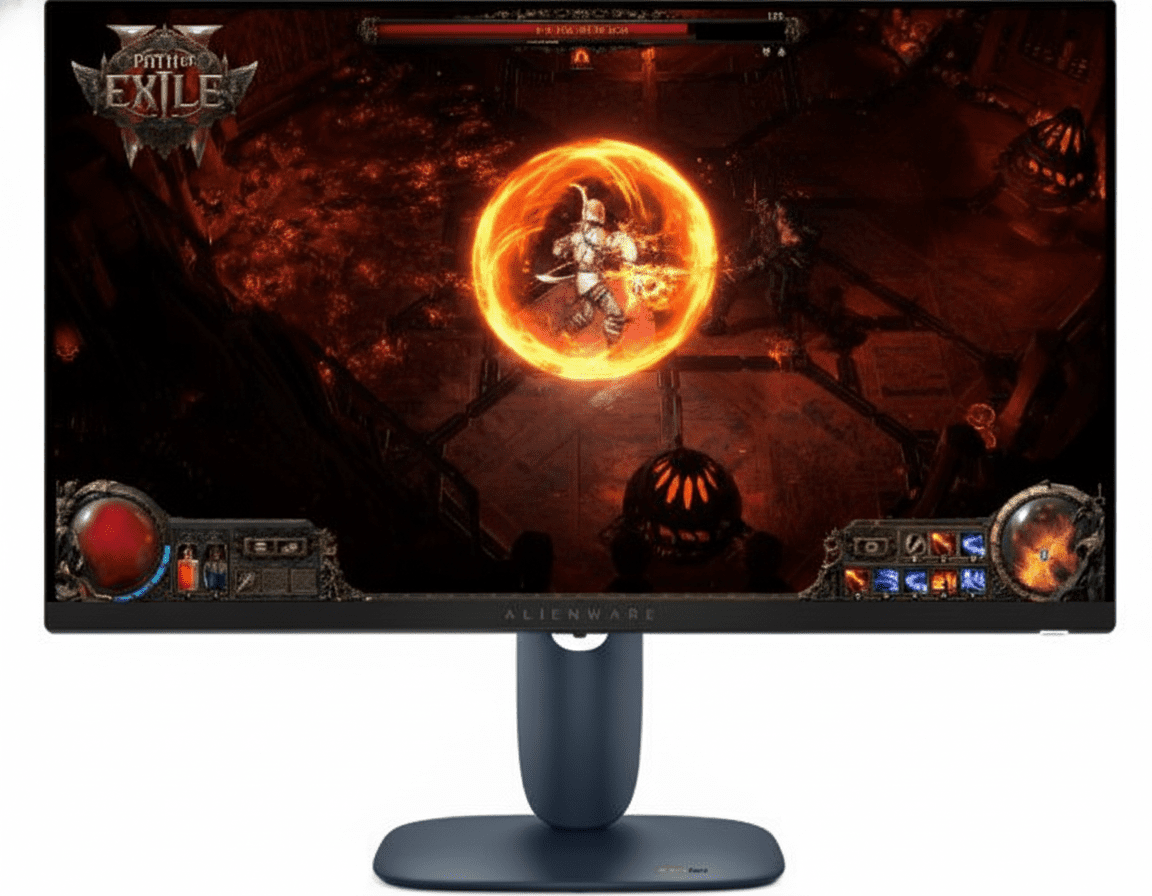
Dell Alienware AW2725DF
27″ QHD QD-OLED | 360Hz | 0.03ms | HDR10 | 99.3% DCI-P3
✅ Where Dell Wins:
- • 360Hz refresh – ultimate esports speed
- • Same QD-OLED panel (Samsung-made)
- • Height/swivel/pivot adjustable stand
- • Premium Alienware build quality
❌ Where Samsung G5 Wins:
- • $380 vs $900+ pricing (58% cheaper!)
- • Identical QD-OLED image quality
- • 180Hz sufficient for 99% of gamers
- • Better value proposition
Best for: Pro esports athletes needing 360Hz, users wanting premium Dell build + ergonomics
MSI MPG 271QRX QD-OLED
27″ QHD QD-OLED | 360Hz | 0.03ms | DisplayHDR True Black 400
✅ Where MSI Wins:
- • 360Hz refresh rate
- • DisplayHDR True Black 400 certified
- • RGB lighting effects
- • KVM switch built-in
❌ Where Samsung G5 Wins:
- • $380 vs $800+ pricing (52% cheaper!)
- • Same QD-OLED panel quality
- • Glare Free coating advantage
- • Cleaner minimalist design
Best for: Esports players needing 360Hz, users wanting KVM + RGB features
Gigabyte AORUS FO27Q3
27″ QHD QD-OLED | 360Hz | 0.03ms | 99% DCI-P3 | Tactical Switch
✅ Where Gigabyte Wins:
- • 360Hz refresh rate
- • Tactical switch for quick settings
- • RGB Fusion 2.0 lighting
- • KVM switch included
❌ Where Samsung G5 Wins:
- • $380 vs $750+ pricing (51% cheaper!)
- • Samsung brand reliability
- • Glare Free coating
- • Better warranty coverage
Best for: Gigabyte ecosystem users, gamers wanting tactical controls + KVM
Samsung Odyssey G7 (LCD)
28″ 4K IPS | 144Hz | 1ms | HDR400 | 95% DCI-P3
✅ Where LCD G7 Wins:
- • 4K resolution (vs 1440p)
- • Brighter for daylight use (400 nits)
- • Zero burn-in risk
- • Larger 28″ screen size
❌ Where OLED G5 Wins:
- • QD-OLED vs IPS – infinite contrast
- • 0.03ms vs 1ms response (33× faster!)
- • Perfect blacks vs IPS glow
- • 180Hz vs 144Hz refresh
- • Superior motion clarity
Best for: Users prioritizing 4K resolution, bright-room gaming, zero burn-in concern
🎯 Competitive Positioning Summary
The Samsung Odyssey OLED G5 27″ (G50SF) disrupts the premium OLED gaming monitor market by offering flagship QD-OLED technology at a mid-range $379.99 price point. Competitors using the same Samsung QD-OLED panel cost $750-950+, charging premiums for 360Hz refresh (overkill for most), RGB lighting, or brand tax.
At 180Hz, the G5 hits the sweet spot for competitive gaming without the GPU demands of 360Hz. The inclusion of Glare Free coating, Pantone validation, and 3-year burn-in warranty provides features typically reserved for $600+ monitors. Unless you’re a professional esports athlete requiring 360Hz or need HDMI 2.1 for console 4K 120Hz passthrough, the G5 delivers 95% of the performance at 50-60% of the cost.
Pros & Cons – Balanced Assessment
✅ Pros – What We Love
-
✓
QD-OLED Excellence:
Samsung’s Quantum Dot OLED delivers perfect blacks, infinite contrast, and superior color volume compared to WOLED – flagship image quality.
-
✓
Lightning Fast Response:
0.03ms GTG pixel response eliminates motion blur entirely – clearest motion clarity in any gaming monitor, 33× faster than 1ms LCD panels.
-
✓
180Hz Competitive Gaming:
180Hz refresh rate provides ultra-smooth gameplay with 5.55ms frame intervals – perfect balance between smoothness and GPU demands.
-
✓
Pantone Validated Colors:
Professional color certification with 2100+ accurate Pantone colors + 110 SkinTones – rare on gaming monitors, exceptional for creators.
-
✓
99% DCI-P3 Coverage:
Cinema-grade color gamut coverage with true 10-bit color (1 billion colors) – games and HDR content display as creators intended.
-
✓
3-Year Burn-In Warranty:
Industry-leading 3-year warranty including burn-in coverage for normal usage – Samsung’s confidence in OLED longevity is unmatched.
-
✓
Glare Free Coating:
UL-certified as 54% less glossy than standard AR film – play in bright rooms without mirror-like reflections killing visibility.
-
✓
OLED Safeguard Protection:
Thermal modulation, logo detection, and auto screen saver actively prevent burn-in – comprehensive protection system built-in.
-
✓
G-Sync + FreeSync:
Dual adaptive sync support (G-Sync Compatible + FreeSync Premium) ensures tear-free gaming on both NVIDIA and AMD GPUs.
-
✓
Gaming Features Suite:
Black Equalizer, Virtual Aim Point, Auto Source Switch+, Super Arena UX – competitive enhancements built-in.
-
✓
Perfect Viewing Angles:
True 178°/178° with zero color shift at extreme angles – OLED’s self-emissive pixels maintain perfect image quality from any position.
-
✓
Exceptional Value:
$379.99 USD (31% off) delivers QD-OLED quality that competitors charge $750-950 for – best price-to-performance in OLED gaming.
❌ Cons – Room for Improvement
-
✗
Limited Peak Brightness:
200 nits typical brightness is low for bright-room gaming – OLED trades peak brightness for infinite contrast, less suitable for sun-filled rooms.
-
✗
Burn-In Risk Exists:
Despite Safeguard tech, OLED still carries burn-in risk with extreme static content – warranty covers it but LCD is safer for 24/7 static use.
-
✗
Basic Stand:
Tilt-only simple stand lacks height/swivel/pivot adjustments – users needing ergonomics must purchase VESA arms separately.
-
✗
HDMI 2.0 Limitation:
HDMI 2.0 limits to 144Hz (vs 180Hz on DisplayPort) and no 4K 120Hz console passthrough – HDMI 2.1 would future-proof better.
-
✗
No USB-C Port:
Lacks USB-C with power delivery for single-cable laptop connections – DisplayPort + separate laptop charger required.
-
✗
180Hz Not 240Hz/360Hz:
Professional esports athletes may prefer 240Hz/360Hz OLED alternatives for maximum competitive edge, though 180Hz suits 99% of gamers.
-
✗
27″ Size Limitation:
27″ may feel small for users coming from 32″+ displays or those wanting TV-sized gaming from a couch.
-
✗
QHD Not 4K:
2560×1440 resolution lacks the pixel density of 4K monitors – users prioritizing maximum sharpness over frame rates may prefer 4K.
-
✗
No Built-In Speakers:
Requires external audio solution – though most gamers use headphones or dedicated speakers anyway.
-
✗
External Power Adapter:
Uses external power brick rather than internal PSU – adds cable clutter on desk, though keeps monitor cooler.
-
✗
Limited Port Selection:
Only 1× HDMI + 1× DP – no USB hub or KVM switch for multi-device workflows, unlike premium competitors.
Final Verdict – Should You Buy the Odyssey OLED G5 27″?
⭐ Overall Rating: 9.5/10
Exceptional Value
📊 Rating Breakdown
🎯 Bottom Line
The Samsung Odyssey OLED G5 27″ (G50SF) is a game-changing monitor that brings premium QD-OLED technology to mainstream pricing. At $379.99 USD, it delivers image quality identical to $900+ competitors with the same Samsung QD-OLED panel, sacrificing only 360Hz overkill refresh rates and luxury ergonomics.
The perfect blacks, 0.03ms response, 180Hz refresh, and 99% DCI-P3 color create a gaming experience that LCD simply cannot match. Combined with 3-year burn-in warranty, Glare Free coating, and Pantone validation, this monitor excels for competitive gaming AND content creation – a rare dual-purpose champion.
Trade-offs are minor: 200 nits brightness suits dim/dark rooms only, and the basic stand requires VESA arm upgrades for ergonomics. For the target audience (gamers in controlled lighting), these compromises are inconsequential compared to the transformative OLED experience.
🏆 Our Recommendation
EXCEPTIONALLY RECOMMENDED for competitive gamers, esports enthusiasts, content creators, and anyone wanting flagship OLED quality without flagship pricing. This is the best value in gaming monitors period – QD-OLED technology at LCD pricing is unprecedented.
NOT RECOMMENDED for bright-office productivity users (need 400+ nits), users with extreme static-content workflows (burn-in risk), or those requiring 4K resolution/32″+ screen size. For everyone else, this is a no-brainer purchase.
Frequently Asked Questions (FAQs)
❓ What is QD-OLED and how is it different from regular OLED?
QD-OLED combines quantum dots with OLED technology. Unlike WOLED (white OLED + color filters), QD-OLED uses blue OLED emitters + quantum dot conversion for red/green, resulting in purer colors, higher brightness, and better color volume. This monitor’s 99% DCI-P3 coverage is thanks to QD technology.
❓ Should I worry about OLED burn-in?
Modern QD-OLED is much more resistant than earlier OLED. Samsung’s Safeguard (thermal modulation, logo detection, screen saver) actively prevents burn-in. Plus, the 3-year warranty covers burn-in for normal usage. For varied gaming/mixed-use, risk is minimal. Static 24/7 content is riskier.
❓ Is 180Hz enough or should I get 240Hz/360Hz?
180Hz is perfect for 99% of gamers. The difference between 180Hz and 240Hz/360Hz is far less noticeable than 60Hz to 180Hz. Unless you’re a professional esports player, 180Hz + OLED’s 0.03ms response provides all the competitive advantage you need – save $500+ over 360Hz models.
❓ Can I use this with PS5 and Xbox Series X?
Yes! HDMI 2.0 supports 1440p 120Hz/144Hz on both PS5 (via firmware update) and Xbox Series X/S. You’ll get ultra-smooth gameplay + OLED’s perfect blacks. Note: no 4K 120Hz support (requires HDMI 2.1), but at 27″ native 1440p, this isn’t a practical loss.
❓ Is 200 nits brightness too low?
For dim/dark gaming environments (optimal for gaming), 200 nits is perfect and prevents eye fatigue. OLED’s infinite contrast makes it look punchier than 400-nit LCD. However, bright offices with direct sunlight will overpower OLED – LCD is better for extreme brightness needs.
❓ How does Glare Free coating work?
Samsung’s Glare Free film is UL-certified as 54% less glossy than standard anti-reflective coatings. It diffuses external light reflections without sacrificing OLED’s deep blacks – you get matte-like glare control with glossy-OLED image quality.
❓ Can I use this for photo/video editing?
Absolutely! Pantone validation + 99% DCI-P3 + true 10-bit color make this excellent for digital content creation. Perfect for HDR video editing, digital photography, and color-critical design work. Not ideal for print (needs Adobe RGB), but perfect for digital workflows.
❓ What’s included in the 3-year warranty?
The 3-year warranty covers burn-in from normal consumer usage (gaming, productivity, mixed-use). Samsung will repair or replace the monitor if burn-in occurs. NOT covered: 24/7 commercial use, intentional static-image abuse. For typical home/office use, you’re fully protected.
❓ Does it work with G-Sync and FreeSync?
Yes! It’s G-Sync Compatible (NVIDIA certified) and FreeSync Premium (AMD certified). Works with both NVIDIA GeForce and AMD Radeon GPUs for tear-free, smooth gaming across 48-180Hz VRR range.
❓ Why is this so much cheaper than other OLED monitors?
Samsung uses their own QD-OLED panels (no middleman markup) and positioned the G5 as a mainstream OLED offering. Competitors pay Samsung for panels then add 360Hz (expensive controller), RGB lighting, premium stands, and brand margins. The G5 focuses on core OLED experience at accessible pricing.
❓ Can I mount this on a monitor arm?
Yes! VESA 100×100mm mounting is supported. Remove the included simple stand and attach any VESA-compatible monitor arm or wall mount. Highly recommended if you need height/swivel/pivot adjustments the basic stand lacks.
❓ What cables are included?
Samsung includes 1× DisplayPort cable, 1× power cable (4.9 ft / 1.5m), and external power adapter. No HDMI cable included – purchase separately if needed for console gaming.
Complete Technical Specifications
| Samsung Odyssey OLED G5 27″ (G50SF) – Model: LS27FG500SNXZA | |
|---|---|
| 📺 DISPLAY SPECIFICATIONS | |
| Screen Size | 27 inches (68.58 cm) – Flat Panel |
| Resolution | QHD – 2560 × 1440 pixels (16:9 aspect ratio) |
| Panel Type | QD-OLED (Quantum Dot Organic Light Emitting Diode) |
| Active Display Area | 23.2 × 13.1 inches (589.28 × 332.74 mm) |
| Pixel Density | 108.79 PPI (Pixels Per Inch) |
| Brightness (Typical) | 200 cd/m² (nits) |
| Brightness (Minimum) | 190 cd/m² (nits) |
| Contrast Ratio (Static) | 1,000,000:1 (Infinite – OLED perfect blacks) |
| Viewing Angle | 178° Horizontal / 178° Vertical (True OLED angles) |
| Response Time | 0.03ms (GTG – Gray to Gray) |
| Refresh Rate | DisplayPort: Max 180Hz | HDMI: Max 144Hz |
| Curve | Flat (No curvature) |
| 🎨 COLOR SPECIFICATIONS | |
| Color Support | 1 Billion Colors (True 10-bit native OLED) |
| Color Gamut (DCI-P3) | 99% DCI-P3 Coverage (CIE1976 standard) |
| HDR Support | HDR10 (High Dynamic Range) |
| Quantum Dot Color | Yes – QD-OLED technology |
| Pantone Validated | Yes – 2100+ colors + 110+ SkinTones |
| 🔌 CONNECTIVITY & PORTS | |
| HDMI Ports | 1× HDMI 2.0 (Max 144Hz at 1440p) |
| DisplayPort | 1× DisplayPort 1.2 (Max 180Hz at 1440p) |
| USB Ports | No USB hub |
| Audio Output | 1× 3.5mm Headphone Jack |
| USB-C | No |
| HDCP Version (HDMI) | HDCP 2.2 |
| HDCP Version (DP) | HDCP 2.2 |
| Built-in Speakers | No |
| ✨ GAMING FEATURES | |
| G-Sync Support | G-Sync Compatible (NVIDIA Certified) |
| FreeSync Support | FreeSync Premium (AMD Certified) |
| Black Equalizer | Yes – Shadow detail enhancement |
| Virtual Aim Point | Yes – Custom crosshair overlay |
| Auto Source Switch | Auto Source Switch+ (Automatic input detection) |
| Super Arena Gaming UX | Yes – Optimized gaming interface |
| 🛡️ OLED PROTECTION | |
| OLED Safeguard | Yes – Thermal modulation + Logo detection + Screen saver |
| Burn-In Warranty | 3-Year Warranty with Burn-In Coverage (normal usage) |
| Screen Saver | Auto-dim after 10 minutes of inactivity |
| 🌟 SPECIAL FEATURES | |
| Glare Free Technology | Yes – UL Certified (54% less glossy than standard AR) |
| Eye Saver Mode | Yes – Blue light reduction |
| Flicker Free | Yes – OLED inherently flicker-free |
| Image Size Mode | Yes – Custom viewing area adjustment |
| Off Timer Plus | Yes – Auto power-off timer |
| Energy Saving Solution | Yes |
| 🛠️ DESIGN & ERGONOMICS | |
| Stand Type | SIMPLE Stand (Basic tilt-only) |
| Tilt Adjustment | -2° to +15° (±2° tolerance) |
| Height Adjustment | No |
| Swivel Adjustment | No |
| Pivot Adjustment | No |
| VESA Mount | 100 × 100 mm (Monitor arm/wall mount compatible) |
| Monitor Front Color | Black |
| Monitor Rear Color | Black |
| Stand Color | Black |
| 📏 DIMENSIONS & WEIGHT | |
| With Stand (W×H×D) | 24 × 18.3 × 9.2 inches (609.6 × 464.82 × 233.68 mm) |
| Without Stand (W×H×D) | 24 × 14.1 × 2.2 inches (609.6 × 358.14 × 55.88 mm) |
| Weight With Stand | 7.3 lbs (3.31 kg) |
| Weight Without Stand | 5.5 lbs (2.49 kg) |
| Package Dimensions (W×H×D) | 28.4 × 16.3 × 4.5 inches (721.36 × 414.02 × 114.3 mm) |
| Shipping Weight | 10.1 lbs (4.58 kg) |
| ⚡ POWER SPECIFICATIONS | |
| Power Supply Type | External Adapter (DC power brick) |
| Input Voltage | AC 100-240V (Universal voltage) |
| Power Consumption (Max) | 78W (Maximum) |
| Power Consumption (Typical) | ~25-35W (Estimated during normal gaming) |
| 🌿 ENVIRONMENTAL & CERTIFICATIONS | |
| UL Glare Free Certified | Yes – Verified by UL (54% less glossy) |
| Pantone Validated | Yes – 2100+ colors + 110+ SkinTones |
| Recycled Plastic Content | Yes (Percentage not specified) |
| Windows 11 Certification | Yes – Official Microsoft certification |
| 📦 PACKAGE CONTENTS | |
| Included Accessories | 1× DisplayPort Cable 1× Power Cable (4.9 ft / 1.5m) 1× External Power Adapter Simple Stand Quick Setup Guide |
| Not Included | HDMI Cable (purchase separately for consoles) |
| 🌡️ OPERATING CONDITIONS | |
| Operating Temperature | 50°F to 104°F (10°C to 40°C) |
| Operating Humidity | 10% to 80% (Non-condensing) |
| 💰 PRICING INFORMATION | |
| USA MSRP | $549.99 (Original) | $379.99 (Current – 31% OFF) |
| India Price Range | ₹52,999 – ₹59,990 (varies by retailer) |
| Europe Price Range | €499 – €599 (varies by country) |
| Model Number | LS27FG500SNXZA |
| Release Year | 2024-2025 |
| Warranty | 3 Years (Including Burn-In Coverage) |
Ready to Experience OLED Gaming Perfection?
The Samsung Odyssey OLED G5 27″ delivers QD-OLED quality at unbeatable value.
*Prices subject to change. Free shipping available. 3-year warranty with burn-in coverage included!