🎮 Ultimate Ultra-Wide OLED Beast: 49″ 32:9 + 240Hz + Smart TV!
1800R Curved + DisplayHDR True Black 400 + Gaming Hub + 110 PPI!
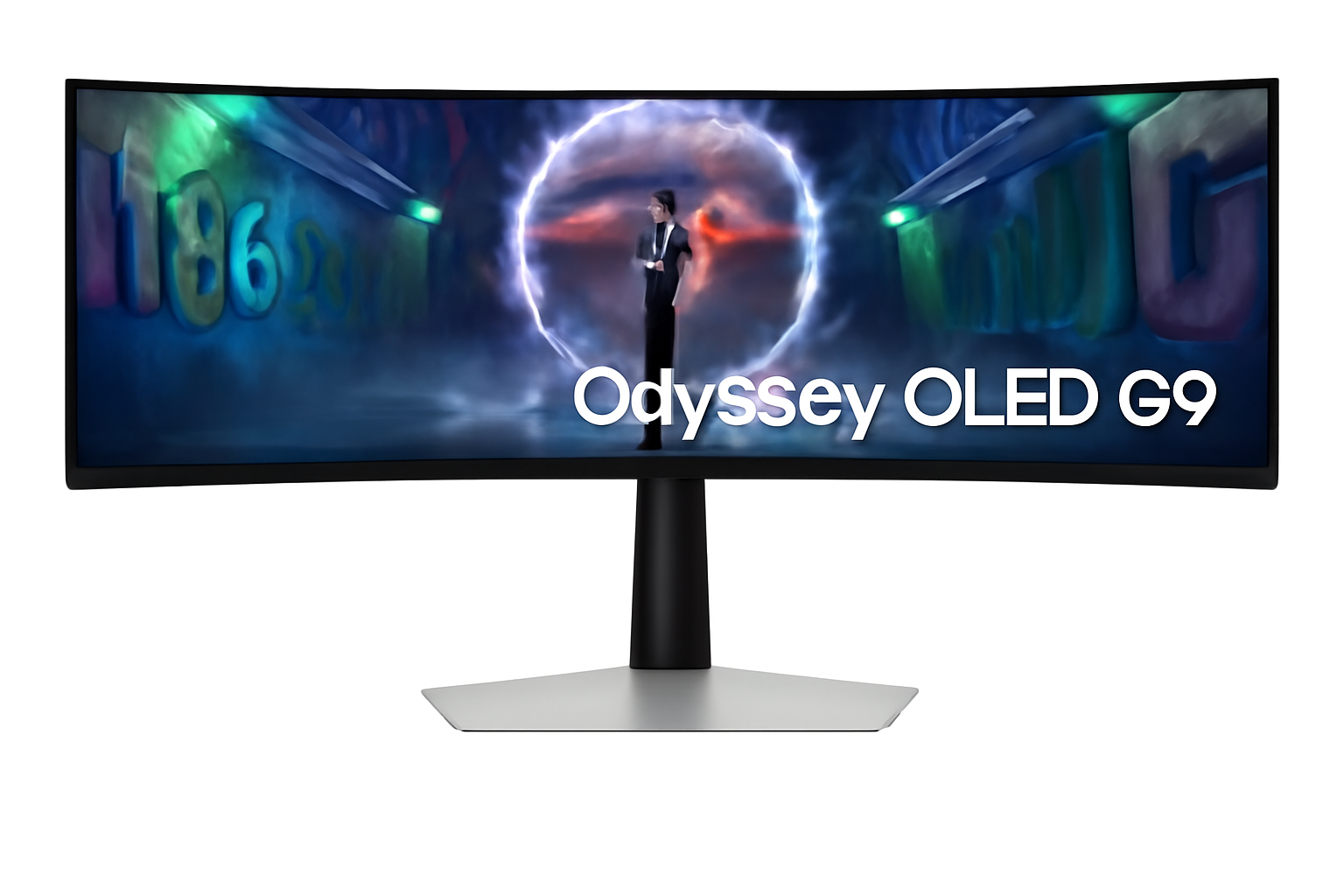
Samsung Odyssey OLED G9 49″ Gaming Monitor
49″ DQHD QD-OLED | 240Hz | 0.03ms | 1800R | Smart TV | Gaming Hub
5120×1440 32:9 Curved – Infinite Contrast – Neo Quantum Processor Pro
🎮 The Ultimate Immersive Gaming Command Center:
• Size: Massive 49″ (124.46cm) DQHD (5120×1440) 32:9 Aspect Ratio
• Panel: QD-OLED 1800R Curved + Neo Quantum Processor Pro
• Speed: 240Hz Refresh + 0.03ms GTG Response Time
• HDR: DisplayHDR True Black 400 + HDR10+ Gaming
• Colors: 1 Billion Colors + 99% DCI-P3 + 110 PPI
• Gaming: G-Sync Compatible + FreeSync Premium Pro
• Smart: Gaming Hub + Tizen OS + Built-in Speakers
• Features: CoreSync + IoT Hub + Voice Control + Remote
₹1,24,999
₹1,89,990
SAVE ₹64,991 (34% OFF!)
*Price varies ₹1,19,999-1,29,990 across retailers | Check current offers
🛒 Check Price on Amazon India$899.99
$1,799.99
SAVE $900.00 (50% OFF!)
*Free shipping | Model: LS49CG954SNXZA | 3.8★ (483 reviews)
🛒 Buy Now on Samsung.com (USA)🌍 Global Availability
• India: ₹1,19,999-1,29,990 (Amazon.in, Flipkart, Samsung India)
• USA: $899.99 (Samsung.com, Best Buy, Newegg)
• Europe: €1,299-1,599 (varies by country)
• Asia: Check Samsung regional sites
Screen Size
49″ 32:9
Refresh Rate
240Hz
Curve
1800R
Samsung Odyssey OLED G9 49″ Overview – The Ultimate Gaming Battlestation
🎮 Gaming Highlights
- 49″ 32:9 OLED: Dual QHD ultra-wide immersion
- 1800R Curved: Wraparound gaming experience
- 240Hz + 0.03ms: Lightning-fast response
- QD-OLED Panel: Perfect blacks, infinite contrast
- Neo Quantum Pro: AI-powered image processing
- HDR True Black 400: Genuine HDR performance
- 110 PPI: Sharp despite massive size
- CES Award Winner: Industry-recognized innovation
📺 Smart TV Features
- 🎮 Gaming Hub – Cloud gaming built-in
- 🖥️ Tizen OS – Full smart TV platform
- 📺 Samsung TV Plus – Free streaming
- 🎤 Voice Control – Bixby + Alexa
- 🏠 SmartThings Hub – IoT control
- 🔊 10W Speakers – 5W × 2ch audio
⭐ Why This Monitor?
- • World’s first: 32:9 OLED gaming monitor
- • Maximum immersion: 49″ wraps your vision
- • Premium OLED: QD-OLED infinite contrast
- • All-in-one: Gaming + productivity + TV
- • Smart platform: Cloud gaming without PC
- • Insane deal: 50% off at $900 USD!
🎯 What Makes Odyssey OLED G9 Special?
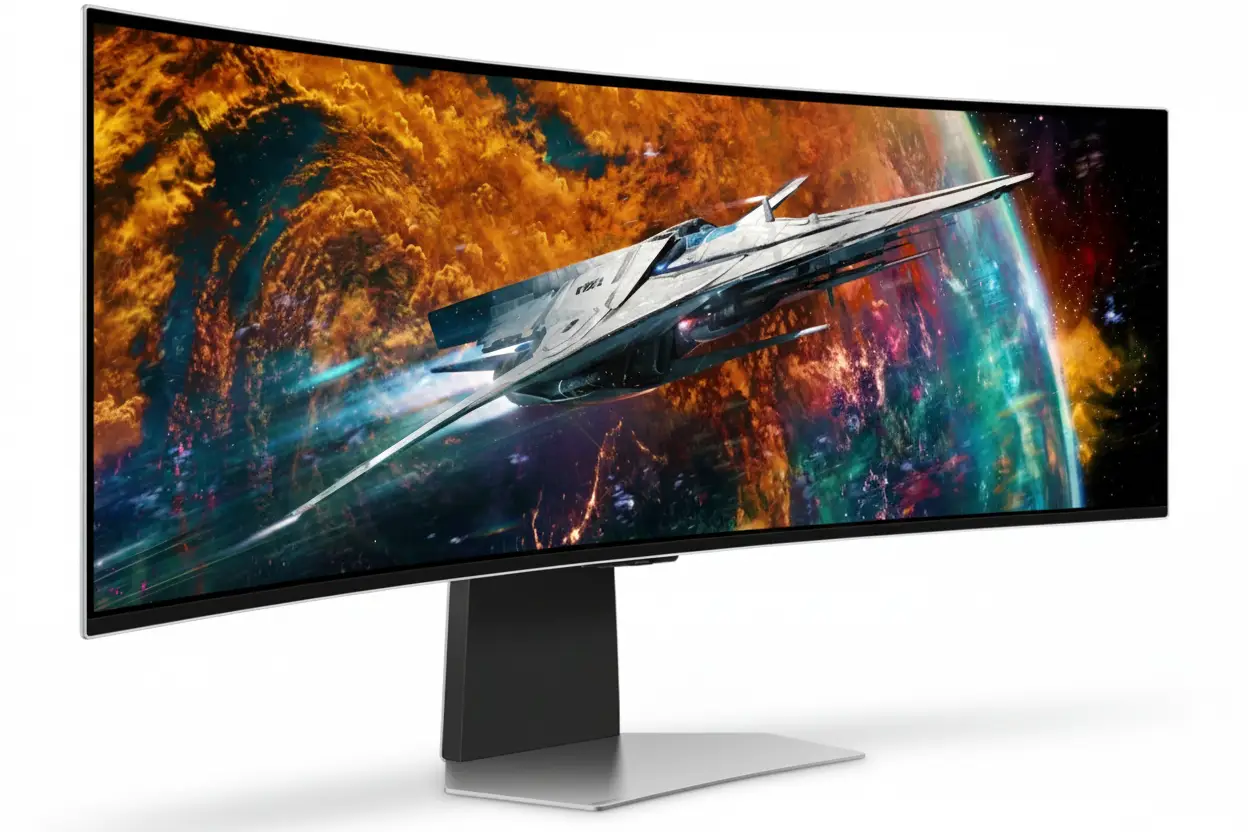
The Samsung Odyssey OLED G9 49″ (G95SC) is a groundbreaking display that redefines ultra-wide gaming. As the world’s first 32:9 aspect ratio OLED gaming monitor, it combines the workspace of two 27″ QHD displays into a single seamless curved screen measuring 5120×1440 pixels across 49 inches. The 1800R curvature wraps around your field of vision, creating unprecedented immersion in racing sims, flight simulators, and open-world games.
The QD-OLED panel powered by Neo Quantum Processor Pro delivers flagship image quality with perfect blacks, infinite contrast, and 99% DCI-P3 color coverage. 240Hz refresh rate and 0.03ms response time ensure competitive gaming performance despite the massive screen size, while DisplayHDR True Black 400 certification validates genuine HDR capability that LCD ultrawide monitors simply cannot match.
Samsung transforms this from a display into a complete gaming entertainment system with Tizen smart TV platform integration. Gaming Hub provides cloud gaming without a PC – stream Xbox Game Pass, GeForce Now, and more directly. Built-in 10W speakers, voice assistants, and SmartThings IoT hub create an all-in-one command center that controls your entire gaming environment.
At $899.99 USD (50% off $1,799.99 MSRP), this CES Innovation Award winner delivers flagship ultra-wide OLED quality at half the original price. The combination of immersive 32:9 OLED visuals, smart TV functionality, and premium gaming features makes the Odyssey OLED G9 the ultimate statement piece for serious gaming setups and immersive entertainment systems.
32:9 Ultra-Wide Experience – Dual QHD Immersion
📐 5120×1440 DQHD Resolution – Equivalent to Two 27″ QHD Monitors
The 5120×1440 Dual QHD (DQHD) resolution provides the exact pixel count of two 2560×1440 QHD monitors placed side-by-side, but without bezels interrupting your view. This 32:9 aspect ratio creates an ultra-wide canvas perfect for flight simulators, racing games, and productivity workflows requiring massive horizontal space.
At 110 pixels per inch, the Odyssey G9 maintains sharp image quality despite its enormous size. Text remains crisp for productivity work, game textures show fine detail, and the pixel density prevents the “screen door effect” visible on lower-PPI ultra-wides. This is 77% more pixels than standard 3440×1440 21:9 ultrawide monitors.
Resolution Comparison
- • 27″ QHD: 2560×1440 (3.69MP) – single monitor
- • 34″ 21:9: 3440×1440 (4.95MP) – ultrawide standard
- • 49″ 32:9: 5120×1440 (7.37MP) – dual QHD workspace!
- • Pixel density: 110 PPI – sharp despite massive size
🌀 1800R Curvature – Wraparound Immersion
The 1800R curvature radius means the monitor follows an 1800mm (1.8m) radius arc, creating an aggressive curve that wraps around your peripheral vision. This is more aggressive than standard 1000R or 2300R curves, designed specifically for the ultra-wide 49″ format to maintain consistent viewing distance across the entire screen.
The curve provides tangible benefits for gaming immersion and comfort. In racing sims, the screen edges naturally align with your peripheral vision, creating a cockpit-like experience. For flight simulators, the wraparound effect mimics actual cockpit instrument panels. Even in productivity, the curve reduces head movement needed to view screen edges, reducing neck strain during extended sessions.
Curvature Benefits
- • Peripheral immersion: Screen edges wrap into your vision naturally
- • Uniform distance: All pixels equidistant from your eyes
- • Reduced distortion: Edges don’t appear “stretched” like flat ultrawides
- • Comfort: Less head turning = reduced neck fatigue
🎮 32:9 Gaming – Where Ultra-Wide Shines
🏎️ Racing Simulators
32:9 aspect ratio is perfect for racing games like F1, Gran Turismo, Forza, and iRacing. The ultra-wide FOV shows your side mirrors, entire dashboard, and peripheral track awareness – exactly like sitting in a real race car cockpit.
The wraparound curve enhances spatial awareness for apex clipping and opponent positioning.
✈️ Flight Simulators
Flight sims like Microsoft Flight Simulator and DCS benefit tremendously from horizontal FOV. The 49″ screen displays entire instrument panels, side windows, and approach vectors without HUD clutter or multi-monitor bezels.
Combined with OLED’s perfect blacks, night flights and space sims look phenomenal.
🌍 Open-World RPGs
Games like Cyberpunk 2077, Red Dead Redemption 2, and Starfield with native 32:9 support create breathtaking vistas. The ultra-wide FOV reveals sprawling landscapes, city skylines, and environmental detail impossible on standard monitors.
OLED’s infinite contrast makes HDR sunsets and night scenes absolutely stunning.
💼 Productivity on 49″ Ultra-Wide
Dual Monitor Replacement
The 49″ 32:9 screen completely replaces dual 27″ QHD monitor setups while eliminating the center bezel gap. You can run two full-size applications side-by-side at native 2560×1440 each, or split the screen into three or four windows for complex workflows.
Windows 11’s Snap Layouts work perfectly with 32:9, allowing instant window organization. Video editors get timeline + preview + media browser visible simultaneously. Developers can view code + documentation + terminal without overlap.
Productivity Considerations
While exceptional for multitasking, OLED’s 250 nits typical brightness may challenge bright office environments. The monitor excels in controlled lighting but struggles against direct sunlight. Additionally, users with static workflow elements (permanent toolbars, taskbars) should leverage OLED Safeguard to prevent burn-in.
The 1800R curve takes adjustment for productivity – straight lines near screen edges appear slightly curved. Most users adapt within days, but designers working with architectural plans may prefer flat displays.
QD-OLED Display – Perfect Blacks Meet Quantum Dot Color
⚫ Infinite Contrast Ratio – 1,000,000:1
The QD-OLED panel achieves true infinite contrast (1,000,000:1 static) through self-emissive pixels that turn completely off for perfect 0.00 nits blacks. Unlike LCD monitors with always-on backlights creating gray “blacks,” OLED pixels emit no light when displaying black, resulting in image depth and contrast that LCD technology fundamentally cannot match.
For gaming, this creates stunning realism in mixed lighting scenes. Explosions bloom at full brightness against pitch-black shadows. Horror games reveal shadow details without lifting blacks. Space sims display brilliant stars against true void darkness. The contrast pop is immediately visible and transformative once experienced.
OLED vs LCD Contrast
- • IPS LCD: ~1000:1 – washed blacks, limited depth
- • VA LCD: ~3000-5000:1 – better but still gray blacks
- • Mini LED: ~100,000:1 dynamic – blooming artifacts
- • QD-OLED: ∞:1 (infinite) – perfect per-pixel control!
🌈 Neo Quantum Processor Pro – AI-Powered Enhancement
Samsung’s Neo Quantum Processor Pro analyzes every frame in real-time to optimize colors, contrast, and detail. This advanced image processor applies AI-driven enhancements specific to game genres – boosting shadow detail in dark FPS scenarios, enhancing vibrancy in colorful RPGs, and maintaining accuracy in HDR content.
The processor also handles adaptive HDR tone mapping that adjusts based on scene content. Bright outdoor areas maintain highlight detail without clipping, while dark interiors preserve shadow information without crushing blacks. This intelligent processing maximizes OLED’s infinite contrast range dynamically throughout gameplay.
Processor Benefits
- • Real-time analysis: Every frame optimized instantly
- • Genre-specific: FPS, RPG, RTS custom enhancements
- • HDR optimization: Dynamic tone mapping per scene
- • Color accuracy: 99% DCI-P3 maintained
💎 DisplayHDR True Black 400 – Genuine HDR Performance
🏆 VESA True Black Certification
DisplayHDR True Black 400 is VESA’s OLED-specific certification requiring peak brightness of 400 nits in HDR mode plus true 0.005 nits black level. Unlike generic DisplayHDR 400 (which many LCD monitors barely achieve), True Black 400 validates genuine HDR capability with per-pixel dimming creating infinite contrast in HDR content.
The Odyssey G9 also supports HDR10+ Gaming, an advanced HDR standard providing dynamic metadata that adjusts HDR parameters scene-by-scene rather than using static values for entire games. This results in more accurate HDR reproduction across varying game environments.
🎬 HDR Gaming Experience
In HDR-enabled games, the difference is dramatic. Highlights like explosions, magic effects, and sunlight have proper intensity while shadows remain perfectly black. Unlike LCD local dimming monitors that create visible halos around bright objects, OLED’s pixel-level control eliminates blooming entirely.
Games like Cyberpunk 2077’s neon-lit night city, Horizon’s vibrant HDR landscapes, and The Last of Us Part I’s moody lighting showcase HDR capabilities that transform visual quality. The 250 nits typical/400 nits peak brightness is lower than Mini LED but OLED’s infinite contrast makes HDR more impactful overall.
🎨 99% DCI-P3 + 1 Billion Colors
Cinema-Grade Color
99% DCI-P3 coverage matches cinema projector color standards. Quantum dot technology produces purer wavelengths for red and green, resulting in more vibrant and accurate colors than WOLED panels.
Modern games and HDR content master in DCI-P3 – this monitor displays them correctly.
True 10-Bit Color
1 billion colors (10-bit native) eliminate banding in gradients. OLED achieves true 10-bit per pixel, not via dithering like LCD “10-bit” panels. Sunsets, smoke, and HDR highlights transition smoothly.
Essential for HDR gaming and content creation workflows.
Factory Calibration
Factory tuning ensures color accuracy out-of-the-box. Includes calibration report documenting color performance. While not individually calibrated like reference monitors, accuracy is excellent for gaming and general creation.
Supports Standard, Dynamic, Movie, Graphic, Entertain, and Eco modes.
Gaming Performance – 240Hz + 0.03ms Ultra-Speed
⚡ 240Hz Refresh Rate – Ultra-Smooth Ultra-Wide
The 240Hz maximum refresh rate is remarkable for a 49″ ultra-wide OLED. Most ultra-wides cap at 120-165Hz due to bandwidth limitations, but Samsung’s implementation supports 5120×1440 at 240Hz via DisplayPort 1.4. This creates 4.17ms frame intervals for exceptionally smooth motion across the massive screen.
Combined with 0.03ms pixel response, you get true sample-and-hold clarity without motion blur. Fast camera pans in FPS games, rapid turns in racing sims, and quick scrolling in productivity all benefit from the high refresh rate. While demanding on GPUs, games hitting even 120-144 FPS look dramatically smoother than 60Hz.
Refresh Rate Benefits
- • 240Hz DP: Ultra-smooth motion with low latency
- • Input lag: ~4.17ms frame time at 240 FPS
- • Motion clarity: OLED response + high refresh = perfect
- • Adaptive sync: Works across 48-240Hz VRR range
💨 0.03ms Response Time – OLED Speed Advantage
0.03 millisecond Gray-to-Gray response time is the inherent advantage of OLED technology. Pixels change states 166× faster than 5ms LCD and 33× faster than “fast” 1ms gaming LCDs. This eliminates ghosting, overshoot, and motion blur artifacts that plague even premium LCD monitors.
For competitive gaming on an ultra-wide, this speed is critical. Fast-moving enemies remain sharp during tracking, racing opponents stay clearly defined through corners, and flight sim instruments update instantly. Combined with 240Hz, the motion clarity rivals or exceeds smaller gaming monitors despite the massive 49″ canvas.
Response Time Advantage
- • 0.03ms GTG: Instant pixel transitions, zero ghosting
- • No overshoot: LCD overdrive artifacts eliminated
- • Motion clarity: Sample-and-hold perfection
- • Competitive edge: See and react faster than opponents
🔄 Adaptive Sync – G-Sync Compatible + FreeSync Premium Pro
🟩 G-Sync Compatible
NVIDIA G-Sync Compatible certification validates variable refresh rate (VRR) performance across GeForce GPUs. The monitor synchronizes its refresh rate with your GPU’s frame output from 48Hz to 240Hz, eliminating screen tearing without V-Sync input lag.
Compatible with GTX 10-series and newer via DisplayPort. Essential for smooth ultra-wide gaming.
G-Sync Benefits:
- • Tear-free gaming without lag
- • Smooth even at fluctuating FPS
- • Wide 48-240Hz VRR range
🔴 FreeSync Premium Pro
AMD FreeSync Premium Pro provides the same adaptive sync benefits for Radeon users plus Low Framerate Compensation (LFC) that maintains smoothness even below 48 FPS. Premium Pro tier also guarantees HDR support with adaptive sync active.
Compatible with Radeon RX 400-series and newer. Works on both DisplayPort and HDMI.
FreeSync Premium Pro Features:
- • LFC for <48 FPS smoothness
- • HDR + adaptive sync together
- • HDMI and DP support
🎮 Gaming Features – Competitive Enhancements
Virtual Aim Point
Customizable crosshair overlays for improved aim in games without built-in crosshairs or hip-fire scenarios.
Game Bar 2.0
On-screen overlay displays FPS, HDR status, and game settings without leaving gameplay. Quick access to picture modes and ratios.
CoreSync
Projects on-screen colors into your room via LED backlighting, creating ambient immersion that extends beyond the display.
Auto Source Switch+
Automatically detects and switches to active input sources when devices power on – no manual input cycling.
Smart Features – Complete Entertainment System
🎮 Gaming Hub – Cloud Gaming Without a PC
Samsung Gaming Hub provides instant access to cloud gaming services including Xbox Game Pass Ultimate, NVIDIA GeForce Now, Amazon Luna, and Utomik directly on the monitor. No gaming PC or console required – just connect a controller via Bluetooth and start playing AAA games streamed from the cloud.
The monitor’s advanced streaming technology optimizes network performance to reduce latency and maintain visual quality. While cloud gaming cannot match local hardware performance, it enables casual gaming, game trials, and travel gaming without lugging hardware. Perfect for users with lower-spec PCs who want to experience next-gen titles.
Gaming Hub Services
- • Xbox Game Pass: 100+ games via cloud streaming
- • GeForce NOW: Play your Steam/Epic library remotely
- • Amazon Luna: Luna+ subscription service
- • Utomik: 1000+ game library subscription
- • Note: Availability varies by country, subscriptions required
📺 Tizen Smart TV Platform – Full Streaming Experience
The Tizen operating system transforms this from a monitor into a complete smart TV. Access Netflix, Disney+, Amazon Prime Video, YouTube, Hulu, and hundreds of other streaming apps directly without connecting external devices. The built-in Wi-Fi 5 and Bluetooth 5.2 enable wireless streaming and wireless audio.
Samsung TV Plus offers free ad-supported streaming with live channels and on-demand content requiring no subscriptions or sign-ups. Universal Guide (US only) provides personalized content recommendations across all installed apps. The included remote control simplifies navigation compared to using keyboard/mouse for streaming.
Smart TV Features
- • Tizen OS: Full smart TV app ecosystem
- • Samsung TV Plus: Free live TV and on-demand content
- • Wi-Fi 5: Wireless streaming capability
- • Bluetooth 5.2: Wireless audio and peripherals
- • Remote included: Navigate apps easily
🏠 SmartThings Hub – IoT Control Center
Smart Home Integration
Built-in SmartThings Hub enables IoT device control directly from the monitor. Dim smart lights, adjust thermostat temperature, control smart blinds, monitor security cameras, and manage entire smart home ecosystems without reaching for your phone. Create gaming-optimized scenes that automatically adjust lighting and climate when you start gaming.
The hub supports Wi-Fi, Bluetooth, and Zigbee devices (Zigbee requires separate dongle, sold separately). Compatible with thousands of smart home products from brands like Philips Hue, LIFX, Nest, Ecobee, Ring, and more. Monitor becomes your smart home command center integrated seamlessly into your gaming setup.
Voice Control – Bixby & Alexa
Far-field voice interaction with built-in microphones allows hands-free control via Samsung Bixby or Amazon Alexa. Say “Alexa, launch Netflix” or “Bixby, dim the lights” without touching the remote. Voice commands control monitor functions, smart home devices, streaming apps, and more.
Bixby supports multiple languages including US/UK/India English, Korean, French, German, Italian, Spanish, and Brazilian Portuguese (features vary by language). Alexa integration provides access to Amazon’s vast skill ecosystem for weather, music, smart home routines, and thousands of third-party skills.
🔊 Built-In Audio – 10W Stereo Speakers
5W × 2 Channel Speakers
Built-in 10W stereo speakers (5W per channel) eliminate the need for external audio for casual gaming and streaming. While not matching dedicated gaming headsets or speaker systems, they’re convenient for quick sessions and streaming content.
Keeps desk clean from speaker cables and clutter.
Adaptive Sound Pro
Adaptive Sound Pro analyzes content type (dialogue, music, effects) and automatically adjusts EQ for optimal audio clarity. Enhances voice clarity in movies and dialogue-heavy games without manual audio tuning.
Intelligent audio processing for better sound quality.
Bluetooth Audio
Bluetooth 5.2 supports wireless headphones and speakers. Connect your favorite Bluetooth audio devices for late-night gaming without waking others or stream audio to wireless speakers for room-filling sound.
Mobile to Screen and Screen Sound to Mobile features included.
💼 Productivity Smart Features
📱 Wireless DeX & Screen Mirroring
Samsung DeX wirelessly transforms your Galaxy phone into a desktop on the 49″ display. Access your phone’s apps, files, and features in desktop UI on the massive screen. Screen mirroring from mobile devices (iOS and Android) enables content sharing and presentations.
Mobile to Screen, Screen initiate mirroring, and Tap View features included.
💻 Microsoft 365 & Workspace
Microsoft 365 web integration provides access to Word, Excel, PowerPoint, and OneDrive directly through the monitor. Workspace mode optimizes display settings for productivity tasks with color profiles and brightness adjustments suited for documents and spreadsheets.
Multi View supports up to 2 video sources simultaneously for multi-device workflows.
Design & Build – Premium Aesthetics Meet Functionality
🎨 Slim Metal Design – 4.5mm Thin
The Odyssey OLED G9 features premium metal construction measuring just 4.5mm at its thinnest point. The sleek silver finish creates a modern, minimalist aesthetic that elevates any gaming setup. Unlike plastic gaming monitors with aggressive “gamer” styling, the G9’s elegant design fits professional workspaces and home entertainment centers equally well.
The slim profile and minimal bezels maximize screen-to-body ratio, creating an immersive viewing experience without visual distractions. The curved design flows naturally into the premium stand, creating a cohesive aesthetic statement. At 12.6 lbs with stand (8.8 lbs panel only), the monitor is surprisingly manageable despite its 49″ size.
Build Quality
- • Material: Premium metal construction (silver finish)
- • Thickness: 4.5mm at thinnest – ultra-slim profile
- • Weight: 12.6 lbs with stand / 8.8 lbs panel only
- • Bezels: Minimal for maximum immersion
🔧 Height-Adjustable Stand (HAS)
The Height-Adjustable Stand (HAS) provides 120mm (4.7 inches) of vertical travel to position the massive 49″ display at optimal viewing height. This is crucial for ergonomics with ultra-wide monitors, as improper height causes neck strain during extended use. The stand also offers -2° to +15° tilt adjustment for fine-tuning viewing angles.
The stand’s silver finish matches the monitor’s premium aesthetic while providing stable support for the 12.6 lb total weight. Footprint measures 9.32 inches deep, reasonable for the monitor’s size. For users wanting different mounting options, VESA 100×100mm compatibility enables monitor arms or wall mounting.
Ergonomics
- • Height adjust: 120mm (4.7″) travel range
- • Tilt: -2° to +15° adjustment
- • Swivel: None (use VESA mount for swivel)
- • VESA mount: 100×100mm standard
🌈 CoreSync & Core Lighting+ – Ambient Immersion
CoreSync Technology
CoreSync projects on-screen colors into your real-world environment via LED backlighting along the monitor’s rear edge. When a sunset fills the screen, warm orange/red LEDs illuminate the wall behind the monitor. In dark space scenes, LEDs dim to black. This creates ambient lighting that extends immersion beyond the display.
The effect is particularly impactful for horror games (enhancing atmosphere), racing sims (simulating track lighting), and cinematic single-player games. While some dismiss ambient lighting as gimmicky, CoreSync’s dynamic response to game content creates surprisingly effective environmental immersion.
Core Lighting+
Core Lighting+ adds customizable RGB lighting effects independent of screen content. Choose static colors, breathing effects, or dynamic patterns to match your setup’s aesthetic or create specific moods. Perfect for streamers who want consistent lighting for broadcasts or users coordinating with other RGB peripherals.
The lighting system is well-implemented without excessive brightness that distracts from gameplay. It adds visual flair to your gaming space without being obnoxious. Combined with CoreSync, the Odyssey G9 creates a complete ambient lighting solution.
🔌 Connectivity – Comprehensive I/O
Video Inputs
- • DisplayPort 1.4: 240Hz at 5120×1440
- • HDMI 2.1: Full bandwidth HDMI support
- • Micro HDMI 2.1: Additional HDMI input
- • All ports: Support full resolution/refresh
USB & Wireless
- • USB 3.0 Hub: 3× USB-A ports (data only)
- • Wi-Fi 5: Wireless connectivity
- • Bluetooth 5.2: Wireless peripherals/audio
- • Note: USB hub is data-only, no power delivery
Included Cables
- • DisplayPort cable: Included (1.5m)
- • HDMI to Micro HDMI: Included adapter
- • Power cable: 1.5m (4.9 ft)
- • Remote control: Included for smart features
📐 Dimensions & Placement
📏 Physical Dimensions
- • With stand: 47.06″ × 20.83″ × 9.32″
- • Panel only: 47.05″ × 14.37″ × 7.12″
- • Active display: 1196.7 × 339.2 mm
- • Desk depth: ~2 feet clearance recommended
⚖️ Weight Specifications
- • With stand: 12.6 lbs (5.72 kg)
- • Panel only: 8.8 lbs (3.99 kg)
- • Shipping weight: 18.1 lbs (8.21 kg)
- • Manageable: One-person setup possible
🖥️ Setup Considerations
- • Desk width: 48″+ wide desk recommended
- • Viewing distance: 2-3 feet optimal for 1800R
- • Wall space: Ensure adequate clearance behind
- • Power: External adapter (220W max)
Who Should Buy the Odyssey OLED G9 49″?
✅ Perfect For These Users
🏎️ Sim Racers & Flight Sim Fans
If you play racing and flight simulators, the 49″ 32:9 DQHD screen gives you the cockpit-style wraparound field of view equivalent to dual 27″ QHD monitors with no bezels.
🎮 Hardcore PC Gamers
For high-end PC builds, the combo of 5120×1440, 240Hz, 0.03ms response, G-Sync Compatible and FreeSync Premium Pro delivers elite competitive performance on an ultra-wide canvas.
🌍 Open-World & RPG Lovers
Story-driven AAA titles and open-world games look phenomenal with QD-OLED infinite contrast, DisplayHDR True Black 400 and 99% DCI-P3 color coverage stretched across 49 inches.
💼 Power Users & Multitaskers
Users who want to replace dual 27″ QHD monitors with a single seamless display for timelines, code, dashboards, and browser windows benefit from the DQHD workspace and 110 PPI sharpness.
📺 PC + TV Combo Setups
If you want one screen for PC, console, and streaming, the built-in Tizen smart TV platform, Gaming Hub, and 10W speakers make this a full entertainment hub without extra boxes.
🏠 Smart Home Enthusiasts
SmartThings Hub, Bixby, and Alexa integration let you control lights, AC, blinds and more directly from the monitor as part of a high-end battlestation.
❌ Not Ideal For These Users
☀️ Very Bright Offices
With 250 cd/㎡ typical brightness, this OLED is designed for controlled lighting; users with sunlit offices may be better served by brighter Mini LED or IPS panels.
📊 Static UI / 24×7 Use
Heavy static elements (tickers, dashboards, IDEs left open for days) increase burn-in risk even with OLED Safeguard; LCD remains safer for continuous static workloads.
📐 CAD & Print Pros
Engineers and print designers needing perfectly straight lines at edges or Adobe RGB focus may prefer flat 32″ 4K reference-style monitors over curved 32:9 OLED.
💻 Small Desks / Tight Spaces
The 49″ chassis needs about 48″ of desk width and 9.3″ depth, plus viewing distance of 2–3 feet; compact desks simply cannot accommodate it properly.
💵 Strict Budget Buyers
Even at $899.99 on sale, this is a premium purchase; budget gamers can get 27″ 1440p 144–165Hz IPS monitors at a fraction of the price.
🎯 Esports-Only Players
Pure esports players who sit focused on center-screen content might prefer a smaller 24–27″ 240/360Hz panel that keeps everything in the central FOV and is easier for LANs.
Odyssey OLED G9 vs Alternatives
ASUS PG49WCD QD-OLED
49″ 32:9 QD-OLED | 5120×1440 | 144Hz | HDR True Black | USB-C
✅ Where ASUS Wins
- • USB‑C with power delivery for laptops
- • 144Hz easier to drive than 240Hz
- • Strong ROG ecosystem & OSD tools
❌ Where G9 Wins
- • 240Hz vs 144Hz refresh for faster play
- • Integrated Gaming Hub & Tizen smart TV
- • Often cheaper on promo vs ASUS pricing
Best for: Laptop‑first users wanting USB‑C and slightly lighter GPU load.
Odyssey Neo G9 (C49G95T)
49″ 32:9 VA Mini LED | 5120×1440 | 240Hz | HDR1000
✅ Where Neo G9 Wins
- • Much higher peak HDR brightness (~1000 nits)
- • No burn‑in risk for static UI
- • Better in bright rooms
❌ Where OLED G9 Wins
- • Infinite contrast with perfect blacks
- • No blooming or haloing in HDR scenes
- • Better response time & motion clarity
Best for: HDR in bright environments where peak brightness beats black depth.
LG 45″ 21:9 OLED
45″ 3440×1440 OLED | 240Hz | 21:9 curve
✅ Where LG Wins
- • Easier to place on smaller desks
- • 21:9 aspect widely supported in games
- • Slightly higher pixel density than 49″ 32:9
❌ Where G9 Wins
- • Wider FOV and workspace (5120×1440)
- • Smart TV, Gaming Hub, built‑in speakers
- • IoT hub + CoreSync lighting
Best for: Users wanting OLED immersion without committing to full 49″ 32:9 width.
Pros & Cons
✅ Pros
-
✓
Massive 49″ 32:9 DQHD Canvas
Equivalent to dual 27″ QHD monitors in one bezel‑less, curved display at 5120×1440 resolution.
-
✓
QD‑OLED Infinite Contrast
Perfect blacks and 1,000,000:1 static contrast with 99% DCI‑P3 coverage and True Black 400 HDR.
-
✓
240Hz + 0.03ms Response
High refresh and near‑instant GTG response deliver elite motion clarity for fast esports and smooth camera pans.
-
✓
G‑Sync Compatible & FreeSync Premium Pro
Adaptive sync for both NVIDIA and AMD GPUs across the full refresh range, including HDR gaming.
-
✓
Smart TV & Gaming Hub
Built‑in Tizen OS, cloud gaming, Samsung TV Plus, and streaming apps turn it into a full TV replacement.
-
✓
Integrated 10W Speakers
5W × 2ch speakers with Adaptive Sound Pro for clean audio without external speakers in many setups.
-
✓
Height‑Adjustable Ergonomic Stand
HAS stand with 120mm height and tilt adjustment plus VESA 100×100 support.
-
✓
Feature‑Packed Connectivity
DP 1.4, HDMI 2.1, Micro HDMI 2.1, USB 3.0 hub, Wi‑Fi 5, and Bluetooth 5.2 cover PC, console, and wireless peripherals.
-
✓
Aggressive Current Discount
$899.99 sale pricing is 50% off the original $1,799.99 MSRP, excellent value for a flagship 49″ QD‑OLED.
❌ Cons
-
✗
Moderate SDR Brightness
250 cd/㎡ typical brightness is great for dim rooms but not ideal for brightly lit offices or daylight glare.
-
✗
OLED Burn‑In Considerations
Despite thermal modulation, logo/taskbar dimming, and screen saver, long‑term static content can still risk image retention.
-
✗
Demanding on GPU
Driving 5120×1440 at high frame rates requires a very powerful graphics card, especially if you aim for 240Hz in modern titles.
-
✗
Physical Size & Desk Requirements
The 49″ span and 9.3″ stand depth need a large desk; small setups will struggle with ergonomics and viewing distance.
-
✗
Curved Geometry for Professional Work
Curved geometry can distort straight lines at the edges, which is sub‑optimal for CAD, architecture, and some design tasks.
-
✗
No USB‑C with Power Delivery
Lacks a USB‑C DP Alt‑mode port with charging, so laptop users must rely on DP/HDMI and separate power bricks.
Final Verdict – Is the Odyssey OLED G9 Worth It?
⭐ Overall Rating: 9.3/10
Ultra‑Wide OLED Flagship
📊 Rating Breakdown
🎯 Bottom Line
The Samsung Odyssey OLED G9 (G95SC) is one of the most immersive gaming monitors available, combining a huge 49″ 32:9 QD‑OLED panel, DQHD resolution, 240Hz refresh, and 0.03ms response time into a single flagship package.
It doubles as a smart TV and cloud gaming client thanks to Tizen, Gaming Hub, TV Plus, and built‑in speakers, and it can fully replace a dual‑monitor productivity setup while delivering contrast and HDR that LCD ultrawides simply cannot match.
Brightness limits, burn‑in considerations, and GPU demands mean it is not a universal solution, but for users who can accommodate the size and tailor their room lighting, it offers a uniquely cinematic and performant ultra‑wide experience that justifies the current aggressive pricing.
🏆 Recommendation
HIGHLY RECOMMENDED for sim racers, flight sim pilots, open‑world gamers, power‑user multitaskers, and anyone building a premium PC‑plus‑TV battlestation who wants cutting‑edge OLED image quality on a massive 32:9 canvas.
NOT IDEAL for bright office environments, 24×7 static‑UI use, tight desks, and users who prioritize 4K on smaller panels or reference‑grade flat displays for CAD and print workflows.
Frequently Asked Questions (FAQs)
❓ Is the Odyssey OLED G9 good for productivity?
Yes, the 49″ 32:9 DQHD layout effectively replaces two 27″ QHD monitors, giving huge horizontal space for timelines, code, and multitasking; however, OLED brightness and curvature are best in controlled lighting and may not suit CAD/print work.
❓ Will I get black bars or stretched image in games?
Games that support 32:9 render natively, but titles locked to 16:9 or 21:9 will show pillarboxing or require you to run them in windowed/ultrawide modes; most modern AAA PC games now support ultra‑wide, but some competitive titles do not.
❓ Is 240Hz really usable at 5120×1440?
Hitting 240 FPS at DQHD in demanding games needs top‑tier GPUs; many users target 120–165 FPS instead, where the panel’s 240Hz capability still reduces blur and input lag compared to 120Hz‑capped ultrawides.
❓ How serious is burn‑in risk on this monitor?
Samsung includes thermal modulation, logo/taskbar detection, and screen saver features to reduce risk, and QD‑OLED panels are more robust than earlier OLED generations, but very static usage patterns over years can still cause permanent retention.
❓ Does it support consoles like PS5 and Xbox Series X?
The HDMI 2.1 ports support console connectivity, but consoles output 16:9; you typically run 4K or 1440p with black bars or scaling on the 32:9 panel, so the monitor is best leveraged with a PC that can drive native DQHD.
❓ What cabling is included in the box?
You get a DisplayPort cable, an HDMI‑to‑Micro‑HDMI cable, a 1.5m power cable with external adapter, and a remote control; standard HDMI cables for consoles may still be useful separately.
❓ Can I wall‑mount the Odyssey OLED G9?
Yes, the panel supports a 100×100mm VESA mount, so you can use heavy‑duty monitor arms or wall brackets rated for at least 9kg to safely handle the 49″ width.
❓ What is the power consumption like?
Maximum power draw is rated at 220W, but typical gaming usage is lower; the external power adapter handles AC 100–240V at 50/60Hz, so it works globally with the right plug.
Complete Technical Specifications
| Samsung Odyssey OLED G9 49″ (G95SC) – Model: LS49CG954SNXZA | |
|---|---|
| 📺 DISPLAY | |
| Screen Size | 49 inches (32:9 super ultra‑wide) |
| Flat / Curved | Curved, 1800R curvature radius |
| Resolution | DQHD 5120 × 1440 pixels |
| Panel Type | QD‑OLED (Quantum Dot OLED) |
| Aspect Ratio | 32:9 super ultra‑wide |
| Active Area (HxV) | 1196.7 × 339.2 mm |
| Pixel Density | Approx. 110 PPI (pixels per inch) |
| Brightness (Typical) | 250 cd/㎡ |
| Brightness (Minimum) | 200 cd/㎡ |
| Static Contrast Ratio | 1,000,000:1 (infinite contrast) |
| HDR | VESA DisplayHDR True Black 400, HDR10+, HDR10+ Gaming support |
| Response Time | 0.03ms (GTG – Gray to Gray) |
| Viewing Angle (H/V) | 178° / 178° |
| Color Support | Max 1 billion colors, 10‑bit (8‑bit + FRC) |
| Color Gamut | 99% DCI‑P3 (CIE1976) |
| Refresh Rate | 48–240Hz (Max 240Hz) |
| 🎮 GAMING FEATURES | |
| FreeSync | AMD FreeSync Premium Pro |
| G‑Sync | NVIDIA G‑Sync Compatible (Adaptive‑Sync) |
| VESA Adaptive‑Sync | Yes |
| Game Mode | Yes |
| Game Bar | Game Bar 2.0 overlay |
| Virtual Aim Point | Yes (on‑screen crosshair) |
| CoreSync / Core Lighting+ | Yes (ambient RGB lighting system) |
| 🛡️ OLED PROTECTION | |
| Thermal Modulation | Automatic brightness control based on surface temperature |
| Logo & Taskbar Detection | Auto‑dimming of static UI elements to reduce burn‑in risk |
| Screen Saver | Auto‑dimming after 10 minutes of inactivity |
| 📺 SMART & OS | |
| Smart Type | Smart monitor with Tizen OS |
| Gaming Hub | Yes (cloud gaming services support in multiple regions) |
| TV Plus | Yes (free ad‑supported streaming, region dependent) |
| Universal Guide | Yes (US only) |
| Built‑in Voice Assistant | Alexa + Bixby (multi‑language support) |
| Far‑Field Voice | Yes (far‑field microphones) |
| SmartThings Hub | Yes (IoT hub with Zigbee dongle support) |
| Microsoft 365 | Web access supported |
| Workspace | Yes (productivity workspace mode) |
| Wireless DeX | Yes (Samsung DeX wireless desktop) |
| Multi View | Up to 2 video sources simultaneously |
| 🔌 CONNECTIVITY | |
| DisplayPort | 1 × DisplayPort 1.4 |
| HDMI | 1 × HDMI 2.1 (full‑size) |
| Micro HDMI | 1 × Micro HDMI 2.1 |
| USB Ports | 3 × USB 3.0 (data hub) |
| Wireless | Wi‑Fi 5 (802.11ac), Bluetooth 5.2 |
| 🔊 AUDIO | |
| Speakers | 2 × 5W speakers (10W total) |
| Audio Features | Adaptive Sound Pro, Bluetooth audio output, Sound Mirroring |
| 🛠️ DESIGN & ERGONOMICS | |
| Front / Rear / Stand Color | Silver front, silver rear, silver stand |
| Stand Type | HAS (Height Adjustable Stand) |
| Height Adjustment | Up to 120mm range |
| Tilt | ‑2° to +15° |
| Swivel / Pivot | No swivel, no pivot (use VESA for alternate mounting) |
| VESA Mount | 100 × 100 mm |
| 📏 DIMENSIONS & WEIGHT | |
| Set with Stand (W×H×D) | Approx. 47.06 × 20.83 × 9.32 inches |
| Set without Stand (W×H×D) | Approx. 47.05 × 14.37 × 7.12 inches |
| Package Dimensions | Approx. 53.23 × 9.45 × 18.66 inches |
| Weight with Stand | Approx. 27.8 lbs (region listings differ; treat kilogram spec as authoritative) |
| Weight without Stand | Approx. 19.4 lbs |
| Shipping Weight | Approx. 40 lbs including packaging |
| ⚡ POWER | |
| Power Supply | External adaptor, AC 100–240V, 50/60Hz |
| Max Power Consumption | 220W (maximum rated) |
| 🌡️ OPERATING CONDITIONS | |
| Temperature | 10–40°C (50–104°F) |
| Humidity | 10–80% (non‑condensing) |
| 📦 ACCESSORIES | |
| Included | Power cable (1.5m), external adaptor, HDMI‑to‑Micro‑HDMI cable, DisplayPort cable, remote control, stand, documentation. |
Ready to Build the Ultimate Ultra‑Wide OLED Battlestation?
The Samsung Odyssey OLED G9 49″ combines DQHD 32:9 QD‑OLED, 240Hz, Smart TV, and Gaming Hub in one flagship display.
*Prices and offers subject to change. Check current listings for latest deals and regional availability.