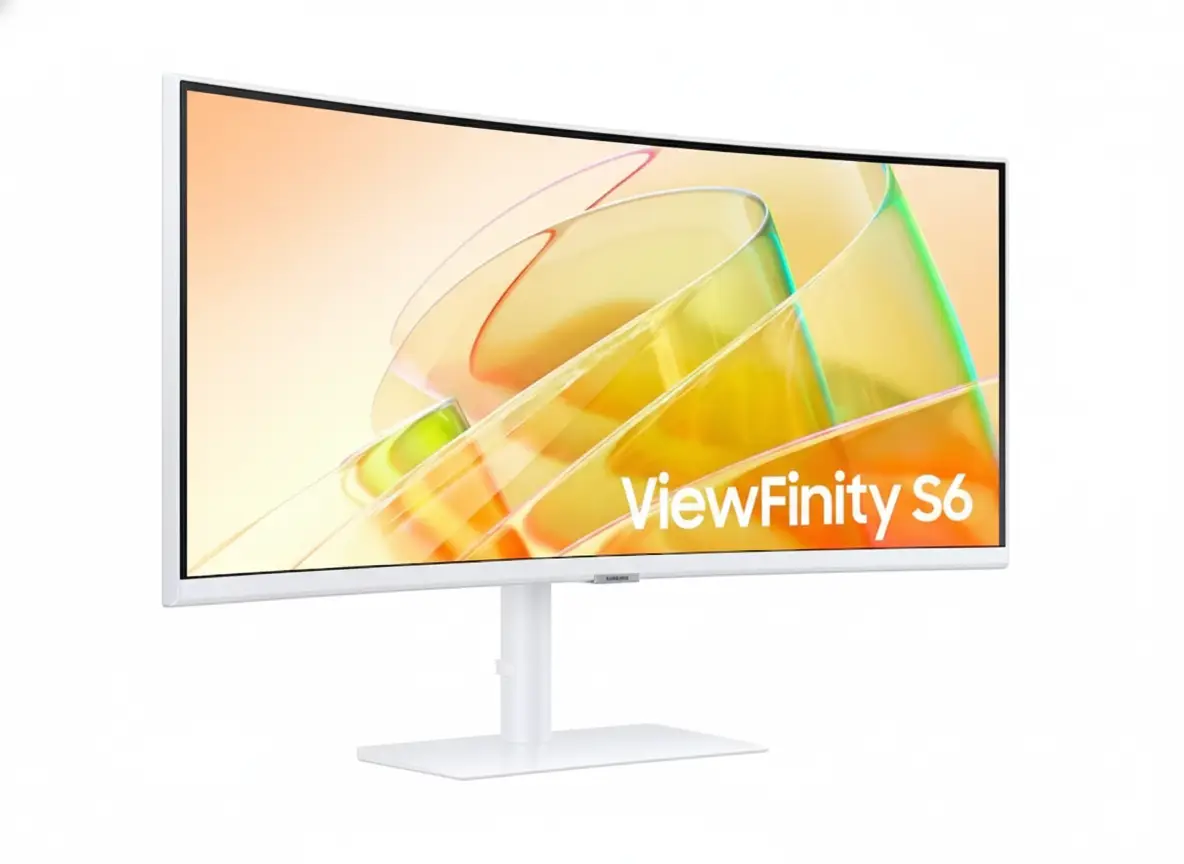
⚡ Thunderbolt 4 Powerhouse: 90W Charging + 40Gbps Data Transfer!
34″ Ultrawide UWQHD + 100Hz + 1000R Curve + KVM Switch = Ultimate Productivity!
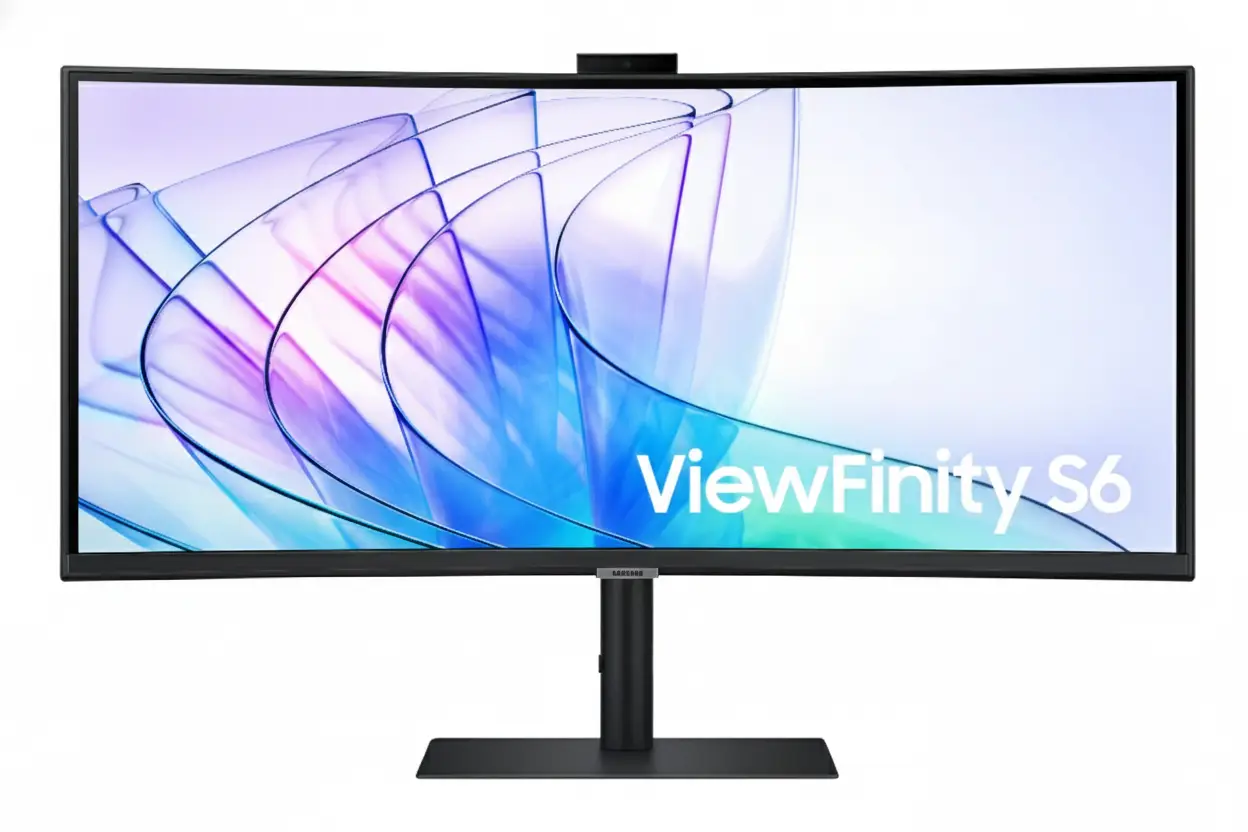
Samsung ViewFinity S65TC 34″
34″ Ultrawide UWQHD | Thunderbolt 4 90W | 100Hz | 1000R Curved | KVM Switch
3440×1440 VA Panel – HDR10 – AMD FreeSync – Built-in Speakers – Height Adjustable Stand
⚡ The Ultimate Thunderbolt 4 Productivity Monitor:
• Display: 34″ (86.4cm) UWQHD 3440×1440 – 21:9 Ultrawide – 1000R Curve
• Thunderbolt 4: Dual TB4 ports – 90W Power Delivery + 40Gbps data transfer
• Performance: 100Hz refresh rate + AMD FreeSync + 5ms response time
• Productivity: KVM Switch + PIP/PBP + Easy Setting Box + Daisy Chain
• Connectivity: HDMI 2.0 + DisplayPort 1.2 + USB 3.0 Hub + Ethernet (RJ45)
• Visuals: HDR10 + 1.07B colors + 3000:1 contrast + 350 nits brightness
• Ergonomics: Height adjustable (4.7″) + Swivel ±30° + Tilt -2°~20°
• Audio: Built-in 5W speakers + 3.5mm headphone jack
🌍 Global Availability
• USA: $799.99 (Samsung.com, Best Buy, Amazon)
• India: ₹57,999 expected (Samsung India, Amazon.in)
• Europe: €749-849 (varies by country)
• Global: Check Samsung regional sites
Resolution
UWQHD 3440×1440
Thunderbolt 4
90W PD
Refresh Rate
100Hz
Samsung ViewFinity S65TC 34″ Overview – The Ultimate Thunderbolt 4 Ultrawide
🖥️ Ultrawide Excellence
- 34″ UWQHD: 3440×1440 resolution – 110.21 PPI
- 21:9 Aspect: 33% more screen vs. 16:9
- 1000R Curve: Immersive wraparound viewing
- VA Panel: 3000:1 contrast – deep blacks
- HDR10: Enhanced dynamic range
- 1.07B Colors: 10-bit color depth
- 350 Nits: Bright enough for most rooms
- 178° Viewing: Wide viewing angles
⚡ Thunderbolt 4 Power
- 🔌 Dual TB4 Ports: 2× Thunderbolt 4 inputs
- ⚡ 90W PD: Port 1 charges laptops at 90W
- 💨 40Gbps Speed: Ultra-fast data transfer
- 🔗 Daisy Chain: Connect multiple monitors
- 🖥️ Single Cable: Power + video + data
- 🌐 Ethernet: RJ45 LAN port included
⭐ Productivity Tools
- • KVM Switch: Control 2 PCs with 1 keyboard/mouse
- • PIP/PBP: View multiple sources simultaneously
- • Easy Setting Box: Window management software
- • 100Hz Refresh: Smooth scrolling and navigation
- • AMD FreeSync: Tear-free gaming performance
- • Built-in Speakers: 5W audio – desk space saving
🎯 What Makes ViewFinity S65TC Special?
The Samsung ViewFinity S65TC 34″ is the best value Thunderbolt 4 ultrawide monitor on the market, delivering professional-grade connectivity and productivity features at a competitive $799.99 USD / ₹57,999 INR price point. Most Thunderbolt 4 ultrawides cost $1,000-1,500, making the S65TC a $200-700 savings without compromising essential features.
The dual Thunderbolt 4 ports with 90W Power Delivery on port 1 enable true single-cable setups – connect your MacBook Pro or high-end Windows laptop with one cable that simultaneously charges at 90W, transmits 3440×1440@100Hz video, and provides 40Gbps data transfer speeds. This eliminates cable clutter and creates clean desk aesthetics. The second TB4 port (15W charging) supports daisy-chaining additional monitors or connecting TB4 storage devices.
The 34-inch 3440×1440 UWQHD resolution with 21:9 aspect ratio provides 33% more horizontal space than standard 16:9 displays. This is transformative for productivity – view spreadsheets with dozens of visible columns, edit timelines with room for panels, code with multiple files side-by-side, or browse with multiple full-size windows simultaneously. The 1000R curvature (1-meter radius) closely matches human eye curvature, creating immersive viewing that reduces eye strain during extended work sessions.
The VA panel with 3000:1 contrast ratio and HDR10 support delivers superior image quality compared to IPS ultrawides at this price. Deep blacks and vibrant colors enhance both productivity (dark-themed applications look stunning) and media consumption (movies and videos benefit from HDR). The 350 nits brightness (280 nits minimum) is adequate for typical office environments.
Built-in KVM switch, PIP/PBP modes, and Easy Setting Box software transform the S65TC into a true productivity hub. Control two computers with one keyboard/mouse via KVM, view multiple video sources simultaneously in split-screen layouts, and use Easy Setting Box to create custom window arrangements that snap apps into predefined positions. These features justify the “professional monitor” designation.
At $799.99 USD, the ViewFinity S65TC costs less than many Thunderbolt 3 ultrawides while offering newer TB4 technology with double the bandwidth (40Gbps vs 20Gbps). Competitors like Dell U3424WE ($1,149), LG 34WK95U ($999), and BenQ PD3420U ($1,099) cost $200-300+ more for similar specs. The S65TC’s value proposition is exceptional for professionals needing Thunderbolt connectivity without premium pricing.
Display Quality – 34″ UWQHD 3440×1440 Curved VA Panel
📺 34″ UWQHD Resolution – 110.21 PPI
The 3440×1440 UWQHD resolution on 34 inches delivers 110.21 pixels per inch – sharp enough for crisp text rendering while providing massive screen real estate. At typical desk viewing distances (60-80cm), text is perfectly readable without scaling on Windows or macOS. The ultrawide format provides 33% more horizontal pixels than standard 2560×1440 QHD displays.
The 21:9 aspect ratio transforms productivity workflows. View full-width spreadsheets with 30+ columns visible, edit 4K video timelines with room for preview and effects panels, browse with three full-size browser windows side-by-side, or code with editor + terminal + documentation visible simultaneously. The active display area measures 31.4″ × 13.1″ (797.22mm × 333.72mm) – truly expansive workspace.
UWQHD Productivity Benefits
- • Resolution: 3440×1440 (110.21 PPI) – sharp text
- • Workspace: 33% more horizontal space vs. 16:9
- • Multitasking: 3+ full windows side-by-side
- • Scaling: 100% scaling perfect on Windows/macOS
🌊 1000R Curvature – Immersive Viewing
The 1000R curvature (1-meter radius) is one of the most aggressive curves in the ultrawide category, creating exceptional immersion. The curve matches human eye curvature more closely than gentler 1800R or 1500R curves, ensuring every part of the screen sits at equal distance from your eyes. This reduces head movement and eye strain during extended use.
For productivity, the curve keeps information at screen edges within natural field of vision without turning your head. The immersive effect also benefits media consumption and gaming, wrapping content around your peripheral vision for more engaging experiences.
1000R Curve Advantages
- • Eye strain: Reduces head/eye movement
- • Immersion: Wraps around field of vision
- • Edges visible: No turning head for corners
- • Natural viewing: Matches eye curvature
🎨 VA Panel – 3000:1 Contrast & HDR10
🌑 Superior Contrast & Colors
The VA (Vertical Alignment) panel with 3000:1 static contrast ratio provides significantly better blacks and contrast than IPS panels (typically 1000:1). This creates deeper blacks in dark-themed applications and enhances HDR content viewing. Dark mode productivity apps (IDEs, terminals, design tools) look stunning with true black backgrounds.
The 1.07 billion (10-bit) color support ensures smooth color gradients without banding. While the monitor doesn’t specify exact color gamut coverage, typical business-class VA panels cover 99-100% sRGB, sufficient for office work, content consumption, and casual photo editing. Professional colorists need wider gamut monitors with factory calibration.
🌟 HDR10 & Brightness
HDR10 support enables playback of high dynamic range content from streaming services and HDR-compatible applications. While the 350 nits typical brightness (280 nits minimum) doesn’t reach DisplayHDR 400 certification (requires 400+ nits), the VA panel’s high contrast creates noticeable HDR improvements over SDR content.
The 350 nits brightness is adequate for typical office environments with controlled lighting. For bright rooms or near windows, consider positioning away from direct sunlight or using window treatments. Brightness is sufficient for comfortable all-day use without eye strain. The monitor includes TÜV-certified eye care features (flicker-free, blue light reduction) for extended viewing comfort.
📐 Display Specifications Summary
Resolution & Format
3440×1440 UWQHD at 34″ provides 110.21 PPI – sharp text with massive workspace. 21:9 ultrawide aspect ratio delivers 33% more horizontal space than standard 16:9 displays.
Panel Quality
VA panel, 3000:1 contrast, HDR10 with 1.07B colors. 1000R curve for immersive viewing. 178°/178° viewing angles maintain color accuracy off-center.
Brightness & Eye Care
350 nits typical (280 minimum) adequate for offices. TÜV-certified eye care: Flicker-free, blue light reduction, adaptive brightness. Eye Saver Mode for late-night work.
Thunderbolt 4 – 90W Power Delivery + 40Gbps Transfer
⚡ Dual Thunderbolt 4 Ports – Port 1: 90W PD
The ViewFinity S65TC includes two Thunderbolt 4 ports, with port 1 providing 90W Power Delivery. This is sufficient to charge high-performance laptops while simultaneously transmitting 3440×1440@100Hz video and providing 40Gbps data transfer. Connect MacBook Pro 14″/16″, Dell XPS 15/17, ThinkPad P-series, or Surface Laptop Studio with a single cable for complete workstation functionality.
The 90W charging power charges even demanding laptops during moderate workloads. MacBook Pro 16″ (140W max) charges at reduced speed but remains functional; during light work (web browsing, document editing), 90W suffices. Gaming laptops requiring 150W+ need supplemental charging during intensive tasks. The second TB4 port provides 15W charging – enough for tablets, phones, or low-power accessories while maintaining daisy-chain capability.
Thunderbolt 4 Specifications
- • Port 1: 90W Power Delivery + 40Gbps data
- • Port 2: 15W Power Delivery + 40Gbps data
- • Video: 3440×1440@100Hz single cable
- • Daisy chain: Connect additional TB4 monitors
🚀 40Gbps Data Transfer – Thunderbolt 4 vs 3
Thunderbolt 4 provides 40Gbps bidirectional bandwidth – double the minimum spec of Thunderbolt 3 (20Gbps baseline, though TB3 could reach 40Gbps). This ensures sustained 40Gbps performance for data-intensive workflows: transferring large video files, accessing high-speed external SSDs, or running multiple high-resolution displays via daisy-chain.
Thunderbolt 4 also mandates PCIe data speeds of 32Gbps (vs. TB3’s optional 16Gbps), improving external GPU and storage performance. For professionals working with 4K/8K video, large RAW photo libraries, or virtual machines on external drives, the guaranteed 40Gbps throughput eliminates bottlenecks. TB4’s improved power delivery (up to 100W max, 90W here) and universal charging support also standardize behavior across devices.
TB4 Advantages Over TB3
- • 40Gbps guaranteed (TB3 baseline was 20Gbps)
- • 32Gbps PCIe standard (TB3 was 16Gbps)
- • Universal docking: Certified compatibility
- • Daisy chain: Up to 4 TB4 devices per port
🔗 Daisy Chaining & Multi-Monitor Setups
🖥️ Daisy Chain Support
The ViewFinity S65TC supports Thunderbolt 4 daisy chaining, enabling you to connect additional TB4 monitors or devices through the monitor itself rather than consuming multiple laptop ports. Connect your laptop to the S65TC’s TB4 port, then connect a second TB4 monitor to the S65TC’s second TB4 port, creating a dual-ultrawide setup with one laptop cable.
The 40Gbps bandwidth accommodates 3440×1440@100Hz on the primary monitor plus additional displays on the chain, though exact configurations depend on laptop GPU capabilities. This simplifies desk setups – one TB4 cable to laptop provides power, video to primary monitor, and connectivity to all daisy-chained peripherals (monitors, storage, docks).
💻 Single-Cable Workspace
The ultimate benefit of Thunderbolt 4 is true single-cable workstation setups. Arrive at your desk, plug one TB4 cable into your laptop, and instantly gain: 90W charging, 34″ ultrawide display, USB 3.0 hub access (3 ports), Ethernet connectivity (RJ45 pass-through), and audio output. Leaving the desk requires unplugging one cable.
This eliminates the cable spaghetti typical of multi-device workstations. No separate power adapter, video cable, USB hub, Ethernet adapter – everything runs through the TB4 connection. For remote workers alternating between office and home, or users docking laptops at multiple locations, single-cable simplicity is transformative.
🔌 Additional Connectivity – HDMI, DP, USB Hub, Ethernet
📺 Video Inputs
1× HDMI 2.0 + 1× DisplayPort 1.2 provide alternatives to Thunderbolt for non-TB devices. Connect desktops, consoles, or secondary laptops via HDMI/DP while maintaining TB4 connection to primary laptop. Supports 3440×1440@100Hz via DP/HDMI.
🔗 USB 3.0 Hub
3× USB 3.0 ports function as hub when connected via TB4/DP upstream. Connect keyboard, mouse, USB drives, webcam to monitor; control from laptop via single TB4 cable. Hub also provides device charging at standard USB rates.
🌐 Ethernet Port
RJ45 Ethernet port (1 Gigabit) enables wired networking for laptops without Ethernet. Connect monitor to network via Ethernet, then laptops access wired connection through TB4 cable. Ideal for MacBooks lacking Ethernet ports.
Productivity Features – KVM Switch, PIP/PBP, Easy Setting Box
⌨️ Built-In KVM Switch – One Keyboard, Two Computers
The integrated KVM (Keyboard, Video, Mouse) switch allows you to control two connected computers with a single keyboard and mouse. Connect work laptop via Thunderbolt 4 and personal desktop via HDMI, then switch between them using the monitor’s on-screen menu or hotkey. Your keyboard/mouse (connected to the monitor’s USB hub) control whichever source is active.
This eliminates the need for external KVM switches or multiple keyboard/mouse sets, saving desk space and cost. Common scenarios: control work PC and personal PC from one setup, manage server and workstation, or switch between Mac and Windows machines. The KVM integrates seamlessly with PIP/PBP modes – you can see both computers’ screens simultaneously while controlling one at a time.
KVM Switch Benefits
- • Control 2 PCs: One keyboard/mouse for both
- • Instant switching: Hotkey or OSD menu toggle
- • Cost saving: No external KVM needed ($100+ saved)
- • Seamless: Works with PIP/PBP viewing modes
🖼️ PIP & PBP – Multi-Source Viewing
Picture-in-Picture (PIP) and Picture-by-Picture (PBP) modes enable viewing multiple video sources simultaneously. PBP splits the screen into two equal halves (left/right) displaying different inputs – ideal for comparing documents, monitoring two systems, or referencing material while working. PIP displays one source full-screen with a smaller window overlay from the second source.
Common use cases: monitor server logs on one half while developing on the other, watch tutorial videos (PIP) while following along in applications (main screen), or display reference material alongside active work. Note that 100Hz refresh rate is unavailable in PBP mode – the monitor reverts to 60Hz when splitting screen between two sources to accommodate bandwidth limitations.
PIP/PBP Capabilities
- • PBP: Split screen (50/50) between 2 inputs
- • PIP: Main screen + overlay window
- • Flexible: Any input combo (TB4, HDMI, DP)
- • Limitation: 100Hz disabled in PBP mode
📐 Easy Setting Box – Window Management Software
🪟 Custom Screen Partitions
Easy Setting Box is Samsung’s free window management software that enables creating custom screen layouts with predefined zones. Divide the 34″ ultrawide into 2, 3, 4, or more sections, then drag applications into zones for automatic sizing and positioning. Apps snap to designated areas with pixel-perfect precision, maximizing the ultrawide’s real estate.
Create layouts like: 70/30 split (main editor + sidebar reference), 33/33/33 triple column (code + terminal + browser), or 2×2 grid (quadrant multitasking). Saved layouts persist across sessions – launch Easy Setting Box on startup to automatically restore your preferred configuration. This transforms the ultrawide from unwieldy single canvas into structured workspace.
⚡ Productivity Boost
Without Easy Setting Box, managing windows on 34″ ultrawide is tedious – Windows/macOS native snapping doesn’t understand ultrawide dimensions, resulting in awkwardly sized windows. Easy Setting Box solves this by providing ultrawide-optimized layouts that make full use of the 3440-pixel width.
The software is available for free download from Samsung’s website and must be installed on each PC you use with the monitor. It runs as a background utility with minimal resource usage. While third-party alternatives exist (PowerToys FancyZones for Windows, Rectangle for macOS), Easy Setting Box is pre-configured for Samsung monitors and includes S65TC-specific presets.
💼 Professional Productivity Workflow Example
Developer Workflow
Single cable TB4 connection powers MacBook Pro while displaying 3440×1440@100Hz. Easy Setting Box creates 3-column layout: code editor (60% width) + terminal (20%) + browser with documentation (20%). KVM switch lets you test on Windows PC (HDMI) while controlling from Mac keyboard. Total desk cables: one.
Video Editor Workflow
Thunderbolt 4 charges laptop and displays timeline at 100Hz for smooth scrubbing. PBP mode splits screen: editing application on left half, reference footage/color grading preview on right half (via HDMI from color calibration device). USB hub connects Thunderbolt SSD with media files. Single-cable disconnect when moving laptop.
Performance – 100Hz Refresh Rate & AMD FreeSync
🔄 100Hz Refresh Rate – Smooth Productivity & Gaming
The 100Hz refresh rate provides noticeably smoother motion compared to standard 60Hz monitors. While not the 144Hz+ of gaming-focused displays, 100Hz creates fluid scrolling, smooth window dragging, and responsive cursor movement that enhances everyday productivity tasks.
For casual gaming, 100Hz is excellent. Most single-player games, RPGs, racing titles, and strategy games run beautifully at 100fps on this resolution (3440×1440 is easier to drive than 4K). The 5ms response time is adequate but not exceptional – competitive FPS players will notice slight motion blur, but casual gamers find it perfectly acceptable. The high refresh + AMD FreeSync combination eliminates screen tearing.
100Hz Benefits
- • Smooth scrolling: Documents, web pages, code
- • Fluid motion: Window dragging, animations
- • Gaming: 100fps gameplay for casual titles
- • Better than 60Hz: Noticeable improvement
🎮 AMD FreeSync – Tear-Free Experience
AMD FreeSync synchronizes monitor refresh rate with GPU frame rate, eliminating screen tearing without input lag penalties of V-Sync. When your GPU outputs 75fps in a game, the monitor refreshes at 75Hz; at 100fps, it refreshes at 100Hz. This creates smooth, tear-free visuals across variable frame rates.
FreeSync works with AMD graphics cards and compatible NVIDIA GPUs (G-Sync Compatible mode). It’s available via HDMI or DisplayPort connections; Thunderbolt also supports it when transmitting DisplayPort signal. The adaptive sync range likely spans 48-100Hz (typical for FreeSync displays), meaning benefits apply when frame rates fluctuate within that window.
AMD FreeSync Details
- • Eliminates tearing: Sync refresh with FPS
- • AMD & NVIDIA: Works with both GPU brands
- • Connections: HDMI, DisplayPort, Thunderbolt
- • Range: Likely 48-100Hz adaptive sync
⚠️ Performance Limitations & Considerations
🚫 Not for Competitive Gaming
The 100Hz refresh rate and 5ms response time position this as a productivity-first monitor that handles casual gaming well but isn’t competitive-gaming optimized. Esports players need 240Hz+ monitors with 1ms response for maximum competitive advantage in titles like Valorant, CS2, Apex Legends, or League of Legends.
If competitive gaming is your primary use case, skip the ViewFinity S65TC and choose gaming-focused ultrawides like Alienware AW3423DWF (175Hz OLED), LG 34GN850 (160Hz IPS), or Samsung Odyssey G5 (165Hz VA) – all sacrifice productivity features for gaming performance.
🖥️ GPU Requirements
Driving 3440×1440@100Hz requires mid-to-high-end GPUs for gaming. NVIDIA RTX 4060 Ti / RTX 3070, AMD RX 7700 XT / RX 6800, or better recommended for AAA gaming at high/ultra settings. Productivity work (office apps, browsing, coding) runs smoothly on integrated graphics (Intel Iris Xe, AMD Radeon 680M).
The 3440×1440 resolution is 35% fewer pixels than 4K (4.95M vs 8.29M pixels), making it significantly easier to drive. Budget GPUs (RTX 4060, RX 7600) can achieve 60-100fps in older titles or esports games at medium settings.
Ergonomics & Design – Height Adjustable Stand & Clean Aesthetics
🔧 Height Adjustable Stand – Full Ergonomic Control
The included HAS (Height Adjustable Stand) provides comprehensive ergonomic adjustments for comfortable viewing. Height adjustment range of 4.72 inches (120mm) lets you position the display at optimal eye level, reducing neck strain during extended work sessions. This is crucial for ultrawide monitors that occupy significant desk space.
Additional adjustments include ±30° swivel (60° total range) for sharing screen with colleagues or adjusting viewing angle, and -2° to +20° tilt for finding the perfect vertical angle. The stand lacks pivot/rotation for portrait mode – not typically useful for 34″ ultrawides due to extreme vertical height.
Stand Adjustments
- • Height: 4.72″ range (120mm adjustment)
- • Swivel: ±30° (left/right rotation)
- • Tilt: -2° to +20° (up/down angle)
- • Pivot: Not supported (uncommon for ultrawides)
🖼️ VESA Mount Support – Monitor Arm Compatibility
The 100mm × 100mm VESA mount pattern enables mounting on aftermarket monitor arms or wall mounts. Premium ergonomic arms from Ergotron, Humanscale, or Amazon Basics provide superior flexibility compared to the stock stand – gas spring tensioning, extended reach, cable management channels, and quick-release mechanisms.
Monitor arms maximize desk space by eliminating the stand footprint, crucial for smaller desks or multi-monitor setups. The S65TC weighs 11.7 lbs (5.31 kg) without stand – within capacity of most monitor arms rated for 15-20 lbs. Ensure your chosen arm supports 34″ ultrawide dimensions and VESA 100×100 mounting.
VESA Mounting Details
- • VESA: 100mm × 100mm standard pattern
- • Weight: 11.7 lbs without stand (5.31 kg)
- • Compatibility: Most monitor arms (15-20 lb capacity)
- • Benefit: Maximizes desk space vs. stock stand
🎨 Design & Aesthetics – Warm White Professional Look
🌟 Clean Modern Appearance
The ViewFinity S65TC features a warm white color scheme across front bezel, rear casing, and stand – a refreshing departure from typical black monitors. The minimalist design with thin bezels on three sides creates an immersive viewing experience where the screen dominates, not the frame.
The professional aesthetic suits modern office environments and home workspaces emphasizing clean, light design. The warm white finish complements natural wood desks and minimalist decor better than stark black. Note that only one color option (warm white) is available – no black variant exists.
📐 Dimensions & Footprint
With stand: 31.8″ W × 22.1″ H × 9.5″ D (807×561×241mm). The 9.5″ depth requires adequate desk space, though typical for curved ultrawides. Without stand: 31.8″ W × 14.5″ H × 4.9″ D (807×368×124mm) – compact when VESA mounted.
Weight with stand: 17.9 lbs (8.12 kg) – manageable for one-person setup but benefits from two-person installation. The substantial weight indicates sturdy build quality. Plan for at least 32″ wide desk space with 10″ depth clearance.
💡 Cable Management & Setup Considerations
🔌 Included Cables
In the box: Power cable (1.5m), HDMI cable, Thunderbolt 3/4 cable, USB 3.0 upstream cable. Samsung includes all necessary connectivity cables – rare generosity in monitor market. The included TB4 cable (likely 0.8m-1m length) supports full 40Gbps + 90W charging specifications.
🧰 Cable Routing
The stand likely includes basic cable routing channels (typical Samsung design). For Thunderbolt single-cable setups, you’ll run minimal cables – TB4 to laptop, power to wall outlet, Ethernet (optional). Use cable ties or desk cable management trays to organize connections cleanly.
Who Should Buy the Samsung ViewFinity S65TC 34″?
✅ Perfect For
💻 MacBook Pro / High-End Laptop Users
If you use a MacBook Pro, Dell XPS, ThinkPad X1, or premium Windows laptop with Thunderbolt 4, the S65TC is the ideal docking monitor. 90W Power Delivery charges your laptop while transmitting 3440×1440@100Hz video + 40Gbps data through one cable. Arrive at desk, plug one cable, and gain full workstation functionality instantly.
👨💻 Developers & Programmers
The 3440×1440 ultrawide resolution with 100Hz refresh is transformative for coding. Display editor + terminal + browser/documentation simultaneously without window juggling. Easy Setting Box creates persistent 3-column layouts that restore on startup. The 100Hz makes scrolling through thousands of code lines butter-smooth.
📊 Financial Analysts & Data Professionals
Spreadsheet work benefits enormously from 21:9 ultrawide format – view 30+ columns without horizontal scrolling. Compare multiple data sources side-by-side using PBP mode. The KVM switch lets you control work PC and analysis server with one keyboard/mouse while viewing both screens.
🎬 Video Editors & Content Creators
The 34″ ultrawide format matches video editing timeline layouts perfectly. View full 4K timeline with room for preview window, effects panels, and color grading tools. 100Hz refresh ensures smooth scrubbing. Thunderbolt 4 connects external SSDs at full 40Gbps speed for fast media file access.
🏢 Remote Workers & Hybrid Employees
If you work from home or split time between office and remote, single-cable TB4 setup is game-changing. Pack laptop in bag, arrive at workspace, plug one cable – instant full desk setup. No dongles, no cable management, no multiple connections. Reverse process takes 2 seconds when leaving.
💼 Multi-Device Users (Work + Personal PCs)
The built-in KVM switch is perfect for managing work and personal computers. Connect work laptop via TB4, personal desktop via HDMI, then control both with one keyboard/mouse. Switch between systems instantly. PBP mode lets you see both screens simultaneously for cross-device workflows.
❌ Not Ideal For
💰 Budget-Conscious Buyers
At $799.99 USD / ₹57,999 INR, you’re paying premium for Thunderbolt 4. Non-TB4 ultrawides with similar specs cost $400-600. If you don’t have Thunderbolt 4 devices or don’t need 90W laptop charging, you’re paying $200-300 for unused features. Consider cheaper ultrawides with USB-C or standard inputs instead.
🎮 Competitive Gamers
100Hz and 5ms response time are inadequate for competitive esports. Valorant, CS2, Apex Legends, and MOBA players need 240Hz+ monitors with 1ms response. The S65TC is a productivity monitor that handles casual gaming well but won’t deliver competitive advantages in fast-paced multiplayer titles.
🎨 Professional Color Work
While adequate for general use, the S65TC lacks professional color specifications – no Adobe RGB coverage data, no factory calibration, no color accuracy guarantees. Professional photographers and video colorists need monitors with 99%+ Adobe RGB/DCI-P3, Delta E <2, and calibration reports.
💻 Non-Thunderbolt Laptop Users
If your laptop lacks Thunderbolt 4/3 ports, you’re paying for connectivity you can’t use. Budget laptops, older laptops, and many AMD-based systems lack Thunderbolt. You’ll connect via HDMI or DisplayPort, negating the single-cable advantage. Buy a cheaper non-TB ultrawide and save $200-300.
🖥️ Desktop-Only Users
If you use a desktop PC exclusively without laptop docking needs, the 90W Power Delivery and single-cable convenience are irrelevant. Desktop users connect via DisplayPort or HDMI regardless. The S65TC’s value proposition centers on laptop docking – desktops don’t benefit from this premium feature.
📐 4K Resolution Seekers
The 3440×1440 UWQHD resolution is lower than 4K (3840×2160) in pixel count. If you prioritize absolute resolution over ultrawide format, consider 32″ 4K monitors instead. However, note that UWQHD at 34″ provides more usable workspace than 16:9 4K for productivity due to the wider aspect ratio.
Competitors & Alternatives – Compare Before You Buy
Dell UltraSharp U3424WE
34″ UWQHD Thunderbolt 4 Hub Monitor
Display: 34″ 3440×1440 IPS, 60Hz
Thunderbolt: Dual TB4, 90W PD
Color: 99% sRGB, factory calibrated
Price: $1,149 USD / ₹99,999 INR
Why Choose This Instead:
- • IPS panel: Better color accuracy
- • Factory calibrated: Professional color work
- • More USB ports: 5× USB-C, 5× USB-A
- • Ethernet 2.5Gbps: Faster networking
S65TC Advantages:
- • $350 cheaper ($800 vs $1,149)
- • 100Hz vs 60Hz (smoother)
- • Higher contrast (3000:1 vs 1000:1)
- • Built-in KVM switch
LG 34WK95U-W
34″ 5K2K Ultrawide Thunderbolt 3
Display: 34″ 5120×2160, 60Hz
Panel: IPS Nano, 98% DCI-P3
Thunderbolt: TB3, 85W PD
Price: ~$999 USD / ₹89,999 INR
Why Choose This Instead:
- • 5K2K resolution: 5120×2160 (higher than UWQHD)
- • 98% DCI-P3: Wide color gamut
- • IPS Nano: Superior color accuracy
- • HDR 600: True HDR performance
S65TC Advantages:
- • $200 cheaper ($800 vs $999)
- • 100Hz vs 60Hz refresh
- • Thunderbolt 4 (newer, 40Gbps guaranteed)
- • KVM switch built-in
- • Easier to drive (less GPU demanding)
BenQ PD3420Q
34″ UWQHD Designer Monitor
Display: 34″ 3440×1440 IPS, 60Hz
USB-C: 85W PD (no Thunderbolt)
Color: 99% sRGB, calibrated
Price: ~$899 USD / ₹79,999 INR
Why Choose This Instead:
- • Factory calibrated: Delta E <3
- • Hotkey Puck G2: Physical controls
- • KVM switch: 2-device management
- • Designer focused: CAD/CAM modes
S65TC Advantages:
- • $100 cheaper ($800 vs $899)
- • Thunderbolt 4 (40Gbps vs USB-C)
- • 100Hz vs 60Hz
- • Higher contrast VA panel
- • AMD FreeSync for gaming
ASUS ProArt PA348CGV
34″ UWQHD Creator Monitor
Display: 34″ 3440×1440 IPS, 120Hz
Color: 100% sRGB, 98% DCI-P3
USB-C: 90W PD (no Thunderbolt)
Price: ~$799 USD / ₹74,999 INR
Why Choose This Instead:
- • 120Hz: Higher refresh than S65TC
- • 98% DCI-P3: Wide color gamut
- • Factory calibrated: Pre-calibrated
- • Similar price: Comparable to S65TC
S65TC Advantages:
- • Thunderbolt 4 (40Gbps ecosystem)
- • Daisy chain capability
- • Built-in KVM switch
- • Ethernet port included
- • Higher contrast VA panel
AOC CU34G2X
34″ UWQHD Budget Gaming Ultrawide
Display: 34″ 3440×1440 VA, 144Hz
Gaming: FreeSync, 1ms MPRT
Curve: 1500R curved
Price: ~$399 USD / ₹36,999 INR
Why Choose This Instead:
- • $400 cheaper: Half the price
- • 144Hz: Better for gaming
- • 1ms MPRT: Fast response time
- • Budget gaming: Value-focused
S65TC Advantages:
- • Thunderbolt 4 (90W PD docking)
- • Professional features (KVM, PIP/PBP)
- • Better build quality
- • USB hub + Ethernet
- • Productivity-optimized design
Gigabyte M34WQ
34″ UWQHD Mid-Range Ultrawide
Display: 34″ 3440×1440 IPS, 144Hz
USB-C: 18W PD (limited power)
Gaming: FreeSync Premium
Price: ~$499 USD / ₹44,999 INR
Why Choose This Instead:
- • $300 cheaper: Better value
- • 144Hz: Higher refresh rate
- • IPS panel: Better viewing angles
- • KVM switch: 2-device control
S65TC Advantages:
- • Thunderbolt 4 (40Gbps vs basic USB-C)
- • 90W PD vs 18W (charges laptops)
- • Ethernet port included
- • Higher contrast VA panel
- • Professional productivity focus
Pros & Cons – The Complete Picture
✅ Pros
-
•
Dual Thunderbolt 4 – 90W Power Delivery
Two Thunderbolt 4 ports with 90W PD on port 1 enable true single-cable laptop docking. Charge high-performance laptops while transmitting 3440×1440@100Hz video and 40Gbps data simultaneously. Port 2 provides 15W + daisy-chain capability.
-
•
Exceptional Value for TB4 Ultrawide
At $799.99 USD / ₹57,999 INR, the S65TC costs $200-400 less than competing Thunderbolt 4 ultrawides (Dell U3424WE $1,149, LG 34WK95U $999) while delivering similar core features. Best price-to-performance in TB4 ultrawide category.
-
•
34″ UWQHD 3440×1440 – Massive Workspace
110.21 PPI delivers sharp text at 100% scaling. 21:9 aspect provides 33% more horizontal space than 16:9 displays – view full spreadsheets, timelines, or multiple windows side-by-side. Active display area: 31.4″ × 13.1″ for expansive productivity.
-
•
1000R Curvature – Immersive Viewing
Aggressive 1000R curve (1-meter radius) matches human eye curvature, keeping all screen areas equidistant from eyes. Reduces head movement and eye strain during extended ultrawide viewing. More immersive than gentler 1500R/1800R curves.
-
•
100Hz Refresh Rate – Smooth Productivity
100Hz provides noticeably smoother scrolling, window dragging, and cursor movement compared to 60Hz. Enhances everyday productivity and casual gaming. Combined with AMD FreeSync for tear-free visuals. 67% faster than standard 60Hz monitors.
-
•
VA Panel – 3000:1 Contrast & HDR10
VA panel’s 3000:1 static contrast ratio (3× better than IPS) delivers deep blacks and vibrant colors. HDR10 support enhances streaming content. 1.07 billion colors (10-bit) ensure smooth gradients. Excellent for dark-themed productivity apps and media.
-
•
Built-In KVM Switch
Control two connected computers with single keyboard/mouse. Connect work laptop (TB4) + personal desktop (HDMI), switch between them instantly. Saves $100+ on external KVM hardware while providing seamless multi-device management with PIP/PBP support.
-
•
PIP/PBP + Easy Setting Box
Picture-in-Picture and Picture-by-Picture modes display multiple sources simultaneously. Easy Setting Box software creates persistent window layouts optimized for ultrawide. Partition screen into 2, 3, 4+ zones with saved configurations for different workflows.
-
•
Comprehensive Connectivity
2× TB4 + 1× HDMI 2.0 + 1× DisplayPort 1.2 + 3× USB 3.0 + RJ45 Ethernet + headphone jack. USB hub functionality when connected via TB4/DP. Ethernet pass-through for laptops without LAN ports. Covers every connectivity scenario.
-
•
Ergonomic Design – Height Adjustable Stand
Height adjustable stand (4.7″ range) + swivel (±30°) + tilt (-2° to +20°) provide comprehensive ergonomic flexibility. 100×100mm VESA mount supports monitor arms. Warm white design with minimal bezels creates clean, professional aesthetic.
❌ Cons
-
•
Thunderbolt 4 Premium – Expensive Without TB Devices
At $799.99 USD / ₹57,999 INR, you’re paying $200-300 premium purely for Thunderbolt 4 connectivity. If you lack TB4 laptops or don’t need 90W laptop charging, you’re overpaying for unused features. Non-TB ultrawides with similar specs cost $400-600.
-
•
100Hz Not Competitive Gaming Spec
100Hz with 5ms response time is inadequate for competitive esports. Valorant, CS2, and MOBA players need 240Hz+ with 1ms response. The S65TC is productivity-first with casual gaming capability, not a competitive gaming monitor.
-
•
No Professional Color Accuracy Specs
Lacks Adobe RGB/DCI-P3 coverage specifications, factory calibration, or Delta E accuracy ratings. Not suitable for professional photo editing, video color grading, or print work. Adequate for general use but not color-critical workflows.
-
•
5ms Response Time – Minor Ghosting Possible
5ms GTG response time is average for VA panels but slower than 1-4ms IPS/TN monitors. Can exhibit slight ghosting during rapid scrolling or fast-paced gaming. Not noticeable in productivity tasks but visible in motion-intensive scenarios.
-
•
350 Nits Brightness – Modest for Bright Rooms
350 nits typical (280 minimum) is adequate for typical offices but struggles in very bright rooms or near windows. Brighter displays (400-600 nits) handle ambient light better. Consider room lighting when positioning.
-
•
100Hz Disabled in PBP Mode
When using Picture-by-Picture to display two sources simultaneously, the refresh rate drops to 60Hz to accommodate bandwidth limitations. Loses smooth scrolling benefit during split-screen workflows. PIP and single-source modes maintain 100Hz.
-
•
Weak Built-In Speakers – 5W Audio
5W built-in speakers are functional for system sounds and video calls but lack volume and bass for music or immersive media. Audio quality is typical of monitor speakers – adequate but unimpressive. External speakers or headphones recommended for quality audio.
-
•
VA Viewing Angle Shift
While rated at 178°/178°, VA panels exhibit color/contrast shift when viewed from extreme angles more than IPS. Not an issue for single-user setups, but side viewers may notice color changes. The 1000R curve mitigates this for primary user by keeping screen perpendicular.
-
•
No USB-C Alternate Mode for Non-TB Devices
The TB4 ports require Thunderbolt 3/4 capable devices – they don’t function as generic USB-C DisplayPort alternate mode for non-TB devices. Devices with USB-C but no Thunderbolt (budget laptops, tablets) must use HDMI/DP connections instead.
-
•
Limited Availability – Harder to Find
ViewFinity S65TC has more limited retail presence than Dell/LG competitors. May require ordering directly from Samsung with potentially longer shipping times. Not as widely stocked at Best Buy, Amazon, or local retailers.
Final Verdict – Best Value Thunderbolt 4 Ultrawide
Overall Rating
Exceptional TB4 Ultrawide Value
Thunderbolt 4 Implementation
90W PD + 40Gbps Excellence
Value for Money
Best Price in TB4 Category
🏆 Verdict Summary
The Samsung ViewFinity S65TC 34″ is the best value Thunderbolt 4 ultrawide monitor available, delivering professional-grade connectivity and productivity features at a remarkably competitive $799.99 USD (₹57,999 INR expected) price point. Most competing Thunderbolt 4 ultrawides cost $1,000-1,500, making the S65TC a $200-700 savings without sacrificing essential features. The dual TB4 ports with 90W Power Delivery + 40Gbps data transfer + 3440×1440@100Hz video transmission create true single-cable laptop docking – a transformative workflow improvement for MacBook Pro, Dell XPS, ThinkPad, and other premium laptop users.
The 34-inch 3440×1440 UWQHD resolution with 1000R curvature provides exceptional productivity workspace – 33% more horizontal space than 16:9 displays with immersive wraparound viewing that reduces eye strain. The 100Hz refresh rate creates noticeably smoother everyday computing compared to 60Hz competitors (Dell U3424WE, LG 34WK95U), while VA panel’s 3000:1 contrast ratio delivers superior blacks and HDR10 performance compared to IPS alternatives at this price.
The built-in KVM switch, PIP/PBP modes, Easy Setting Box software, and comprehensive connectivity (HDMI, DP, USB hub, Ethernet) justify the “professional productivity monitor” designation. For Thunderbolt 4 laptop users prioritizing value, the ViewFinity S65TC is the obvious choice. Non-Thunderbolt users should consider cheaper ultrawides since they can’t utilize the TB4 premium features.
✅ Buy If You:
- • Own MacBook Pro, Dell XPS, or TB4 laptop
- • Need single-cable docking (90W + video + data)
- • Want ultrawide productivity workspace
- • Value 100Hz smooth scrolling/navigation
- • Manage multiple PCs (KVM switch)
- • Seek best value in TB4 ultrawide category
❌ Skip If You:
- • Lack Thunderbolt 4/3 devices
- • Need competitive gaming specs (240Hz+)
- • Require professional color accuracy
- • Use desktop PC only (no laptop docking)
- • Budget-constrained ($400-600 non-TB ultrawides)
- • Prefer IPS over VA panels
⭐ Category Ratings Breakdown
Frequently Asked Questions
Q1: Will the 90W Power Delivery charge my laptop fully?
90W charges most ultrabooks and productivity laptops fully including MacBook Air (all models), MacBook Pro 13″/14″ (M-series during moderate work), Dell XPS 13/15, HP Spectre, ThinkPad X/T series, and similar. High-performance laptops like MacBook Pro 16″ (140W max) or gaming laptops (150W+) will charge slowly or require supplemental power during intensive tasks (video rendering, 3D work, gaming). For typical office work (documents, browsing, email), 90W is sufficient for even high-end laptops.
Q2: Does Thunderbolt 4 work with non-Apple laptops?
Yes, Thunderbolt 4 is cross-platform and works with Windows laptops, Linux systems, and MacBooks equally. Any device with Thunderbolt 4 or Thunderbolt 3 ports can utilize the monitor’s TB4 connectivity. Many high-end Windows laptops include TB4: Dell XPS series, HP EliteBook/Spectre, Lenovo ThinkPad X1/P-series, Microsoft Surface Laptop Studio, ASUS ZenBook, and more. Check your laptop specs for “Thunderbolt 4” or “Thunderbolt 3” port designation.
Q3: Can I use this monitor without Thunderbolt devices?
Yes, but you won’t utilize its key advantages. The monitor has HDMI 2.0 and DisplayPort 1.2 inputs that work with any desktop or laptop. However, you’re paying $200-300 premium for Thunderbolt 4 features you won’t use. If you don’t have TB4 laptops or need 90W laptop charging, consider cheaper 34″ ultrawides like AOC CU34G2X ($399), Gigabyte M34WQ ($499), or ASUS VA34 series ($450-550) that offer similar display specs without the TB4 premium.
Q4: How does the KVM switch work?
The built-in KVM (Keyboard, Video, Mouse) switch lets you control two connected computers with a single keyboard and mouse. Connect your keyboard/mouse to the monitor’s USB ports. Connect computer A via Thunderbolt 4 and computer B via HDMI. Use the monitor’s on-screen menu to switch active input – your keyboard/mouse will now control whichever computer is currently selected. The KVM works seamlessly with PIP/PBP, allowing you to see both computers’ screens while controlling one.
Q5: Is 100Hz good enough for gaming?
100Hz is excellent for casual gaming but not competitive esports. Single-player games, RPGs, racing titles, and strategy games look smooth and responsive at 100fps. The AMD FreeSync eliminates screen tearing. However, competitive FPS/MOBA players need 240Hz+ with 1ms response for maximum advantage. The S65TC’s 5ms response time also causes slight motion blur in fast-paced scenarios. Position this as a productivity monitor that handles casual gaming well, not a gaming-first display.
Q6: What’s the difference between UWQHD and 4K?
UWQHD (3440×1440) has 4.95 million pixels; 4K (3840×2160) has 8.29 million pixels – 4K is higher resolution. However, UWQHD at 21:9 ultrawide provides more usable workspace than 16:9 4K for productivity. The extra horizontal space (3440 vs 3840 width, but spread across ultrawide format) enables better side-by-side multitasking. UWQHD is also easier to drive – you need less GPU power to reach 100fps than 4K@100fps.
Q7: Does the Ethernet port work through Thunderbolt?
Yes, the RJ45 Ethernet port functions as pass-through when connected via Thunderbolt 4. Connect the monitor to your network via Ethernet cable, then laptops connected via TB4 can access wired networking through the single TB4 cable. This is perfect for MacBooks and ultrabooks that lack Ethernet ports. The Ethernet port provides standard 1 Gigabit connectivity, sufficient for typical office networks.
Q8: Can I daisy chain multiple monitors?
Yes, Thunderbolt 4 supports daisy chaining. Connect your laptop to the S65TC’s TB4 port 1, then connect a second TB4 monitor to the S65TC’s TB4 port 2. The second monitor receives video signal and power through the S65TC. Total configuration depends on laptop GPU capabilities – driving 3440×1440@100Hz plus additional displays requires substantial graphics performance. Check your laptop’s TB4 specifications for multi-display support details.
Q9: How does it compare to Dell U3424WE?
The Dell U3424WE costs $1,149 vs S65TC’s $800 ($350 more expensive). Dell advantages: IPS panel with factory color calibration, more USB ports (5× USB-C, 5× USB-A), 2.5Gbps Ethernet. S65TC advantages: $350 cheaper, 100Hz vs 60Hz (smoother), higher contrast VA panel (3000:1 vs 1000:1), built-in KVM switch. For general productivity, the S65TC offers better value. For color-critical work or users needing many USB ports, Dell U3424WE justifies its premium.
Q10: Is the 1000R curve too aggressive?
1000R is aggressive but most users adapt within days. The tight curve creates exceptional immersion and keeps screen edges within natural field of vision, reducing head movement. Some users find aggressive curves distracting initially, especially for productivity (straight lines appear curved). If possible, view 1000R ultrawides in-store before buying. Gentler alternatives: 1500R (common) or 1800R (subtle). The S65TC’s curve is one of its defining features – embrace it or choose flatter alternatives.
Complete Technical Specifications
| SAMSUNG VIEWFINITY S65TC 34″ – FULL SPECIFICATIONS | |
|---|---|
| DISPLAY SPECIFICATIONS | |
| Screen Size (Class) | 34 inch (86.36 cm) |
| Resolution | 3440 × 1440 (UWQHD) |
| Pixel Density | 110.21 PPI |
| Aspect Ratio | 21:9 (Ultrawide) |
| Panel Type | VA (Vertical Alignment) |
| Curvature | 1000R (1-meter radius) |
| Active Display Size (H × V) | 797.22mm (H) × 333.72mm (V) / 31.4″ × 13.1″ |
| Brightness (Typical) | 350 cd/m² |
| Brightness (Minimum) | 280 cd/m² |
| Contrast Ratio (Static) | 3,000:1 (Typical) |
| Contrast Ratio (Dynamic) | Mega ∞ DCR |
| HDR Support | HDR10 |
| Response Time | 5ms (GTG) |
| Refresh Rate | Max 100Hz |
| Color Support | Max 1.07 Billion (10-bit) |
| Color Gamut (sRGB Coverage) | 1.15 (115% sRGB coverage) |
| Viewing Angle | 178° (H) / 178° (V) |
| THUNDERBOLT 4 CONNECTIVITY | |
| Thunderbolt Input Ports | 2× Thunderbolt 4 |
| Thunderbolt Version | Thunderbolt 4 |
| Thunderbolt Charging (Port 1) | 90W Power Delivery |
| Thunderbolt Charging (Port 2) | 15W Power Delivery |
| Thunderbolt Data Speed | 40Gbps Bidirectional |
| Daisy Chain Support | Yes (Up to 4 TB4 devices) |
| Thunderbolt 3 Cable Included | Yes (1× TB3/TB4 cable) |
| VIDEO INPUTS | |
| HDMI Ports | 1× HDMI 2.0 |
| HDMI Version | HDMI 2.0 |
| HDCP Version (HDMI) | HDCP 2.2 |
| DisplayPort | 1× DisplayPort 1.2 |
| DisplayPort Version | DisplayPort 1.2 |
| HDMI Cable Included | Yes |
| USB & NETWORKING | |
| USB-A Ports | 3× USB 3.0 |
| USB Hub Version | USB 3.0 (5Gbps) |
| USB 3.0 Cable Included | Yes |
| Ethernet Port (LAN) | 1× RJ45 Gigabit Ethernet |
| Ethernet Speed | 1 Gigabit (1000 Mbps) |
| Headphone Jack | Yes (3.5mm audio out) |
| PRODUCTIVITY FEATURES | |
| KVM Switch | Yes (Built-in 2-device KVM) |
| Picture-in-Picture (PIP) | Yes |
| Picture-by-Picture (PBP) | Yes (Split-screen mode) |
| Easy Setting Box | Yes (Free software download) |
| Image Size Adjustment | Yes |
| Adaptive Picture | Yes (Automatic adjustment) |
| GAMING FEATURES | |
| Refresh Rate | Max 100Hz |
| AMD FreeSync | Yes (Adaptive Sync) |
| G-Sync Compatible | Compatible (unofficial) |
| Game Mode | Yes (Multiple modes) |
| Color Modes | Entertain / Graphic / Eco / Game Standard / RPG / RTS / FPS / Sports / Original / Custom |
| AUDIO SPECIFICATIONS | |
| Built-In Speakers | Yes |
| Speaker Output | 5W Total |
| EYE CARE & COMFORT | |
| Eye Saver Mode | Yes (Blue Light Reduction) |
| Flicker Free | Yes (DC Dimming) |
| TÜV Certification | TÜV-Certified Intelligent Eye Care |
| Adaptive Brightness | Yes (Auto adjustment <200 lux) |
| ERGONOMICS & DESIGN | |
| Stand Type | HAS (Height Adjustable Stand) |
| Height Adjustment | 4.72 inches (±0.2″) / 120mm |
| Swivel (Left/Right) | ±30° (60° total range) |
| Tilt (Up/Down) | -2° to +20° (22° total range) |
| Pivot Rotation | Not Supported |
| VESA Mount | 100mm × 100mm |
| Front Color | White |
| Rear Color | Warm White |
| Stand Color | Warm White |
| DIMENSIONS & WEIGHT | |
| With Stand (W × H × D) | 31.8″ × 22.1″ × 9.5″ (807mm × 561mm × 241mm) |
| Without Stand (W × H × D) | 31.8″ × 14.5″ × 4.9″ (807mm × 368mm × 124mm) |
| Package Dimension (W × H × D) | 31.8″ × 4.9″ × 14.4″ (807mm × 124mm × 366mm) |
| Weight with Stand | 17.9 lbs (8.12 kg) |
| Weight without Stand | 11.7 lbs (5.31 kg) |
| Package Weight | 23.1 lbs (10.48 kg) |
| Shipping Weight | 23.15 lbs (10.50 kg) |
| POWER SPECIFICATIONS | |
| Power Supply | Internal (Built-in) |
| Input Voltage | AC 100-240V, 50/60Hz |
| Power Consumption (Max) | 200W |
| Power Consumption (Typical) | ~60W (estimated during normal use) |
| Power Cable Length | 1.5 meters (4.9 feet) |
| OPERATING CONDITIONS | |
| Operating Temperature | 50°F to 104°F (10°C to 40°C) |
| Operating Humidity | 10% to 80% (Non-Condensing) |
| CERTIFICATIONS & COMPLIANCE | |
| ENERGY STAR® Certified | Yes (Latest version) |
| TCO Certified | Yes |
| Windows Certification | Windows 11 Compatible |
| HDMI-CEC Support | Not Specified |
| Auto Source Switch | Yes (Automatic input detection) |
| Off Timer Plus | Yes |
| ENVIRONMENTAL | |
| Recycled Plastic | 10% post-consumer recycled plastic |
| Eco Certification | ENERGY STAR, TCO Certified |
| IN THE BOX | |
| Package Contents | ViewFinity S65TC 34″ Display, Height Adjustable Stand, Power Cable (1.5m), HDMI Cable, Thunderbolt 3/4 Cable, USB 3.0 Cable, User Manual, Warranty Card |
| WARRANTY & SUPPORT | |
| Warranty Period | 3 Years (Standard Manufacturer Warranty) |
| Panel Warranty | 3 Years (Dead pixel policy applies) |
| Customer Support | Samsung Customer Service (Region-specific) |
| MODEL INFORMATION | |
| Model Number (USA) | LS34C650TANXGO |
| Model Number (Global) | LS34C650T (Region suffix varies) |
| Model Number (India) | LS34C650UAWXXL (Expected) |
| Generation | 2024/2025 Model (ViewFinity S6 Series) |
| Product Series | Samsung ViewFinity S65TC |
| Color Options | Warm White Only |
| SKU | LS34C650TANXGO (USA) |
Ready to Experience Ultimate Thunderbolt 4 Productivity?
Best Value TB4 Ultrawide – 90W PD + 3440×1440@100Hz + KVM Switch!
⚡ Thunderbolt 4
90W PD + 40Gbps
34″ UWQHD
3440×1440 @ 100Hz
KVM Switch
2-Device Control
Best Value
$800 TB4 Ultrawide