💼 Professional 4K Clarity: 32″ UHD + HDR10 + 1.07B Colors!
99% sRGB + VA Panel + TÜV Eye Care + Eco-Friendly Design!
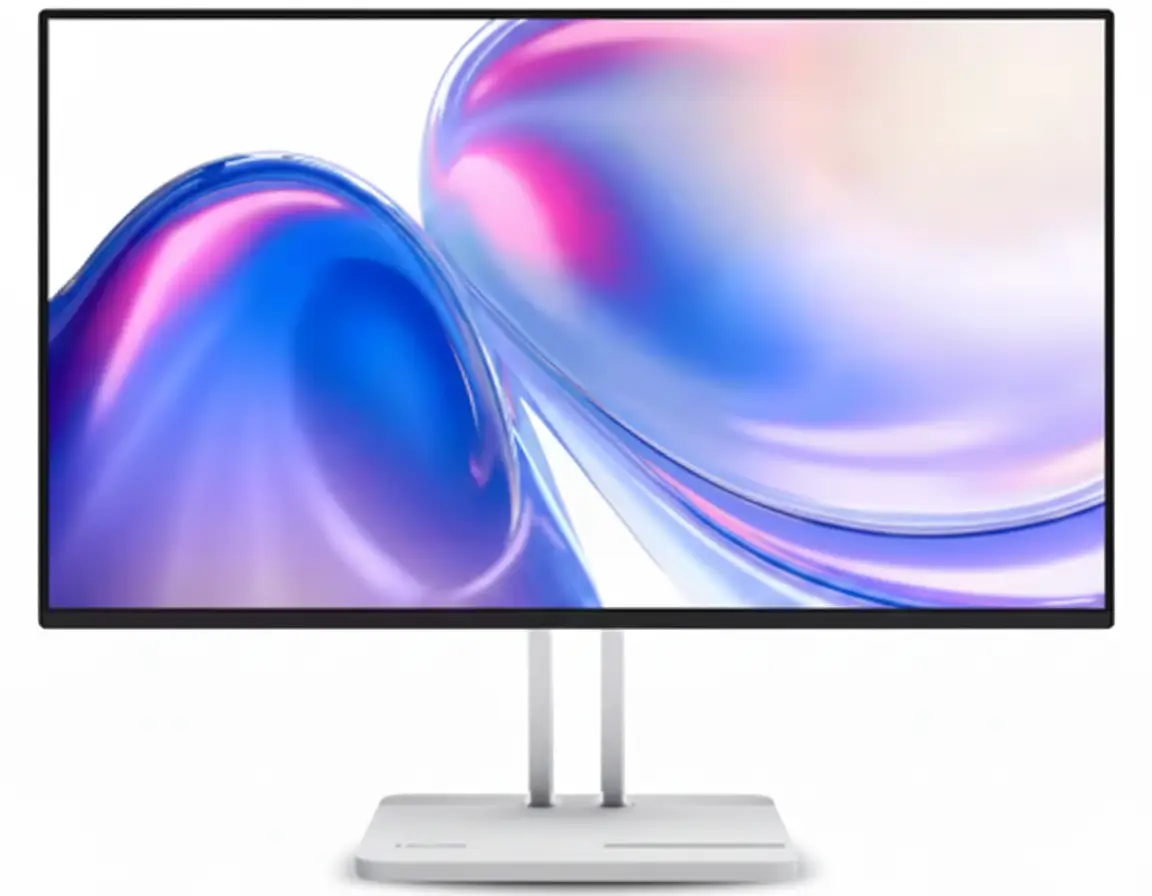
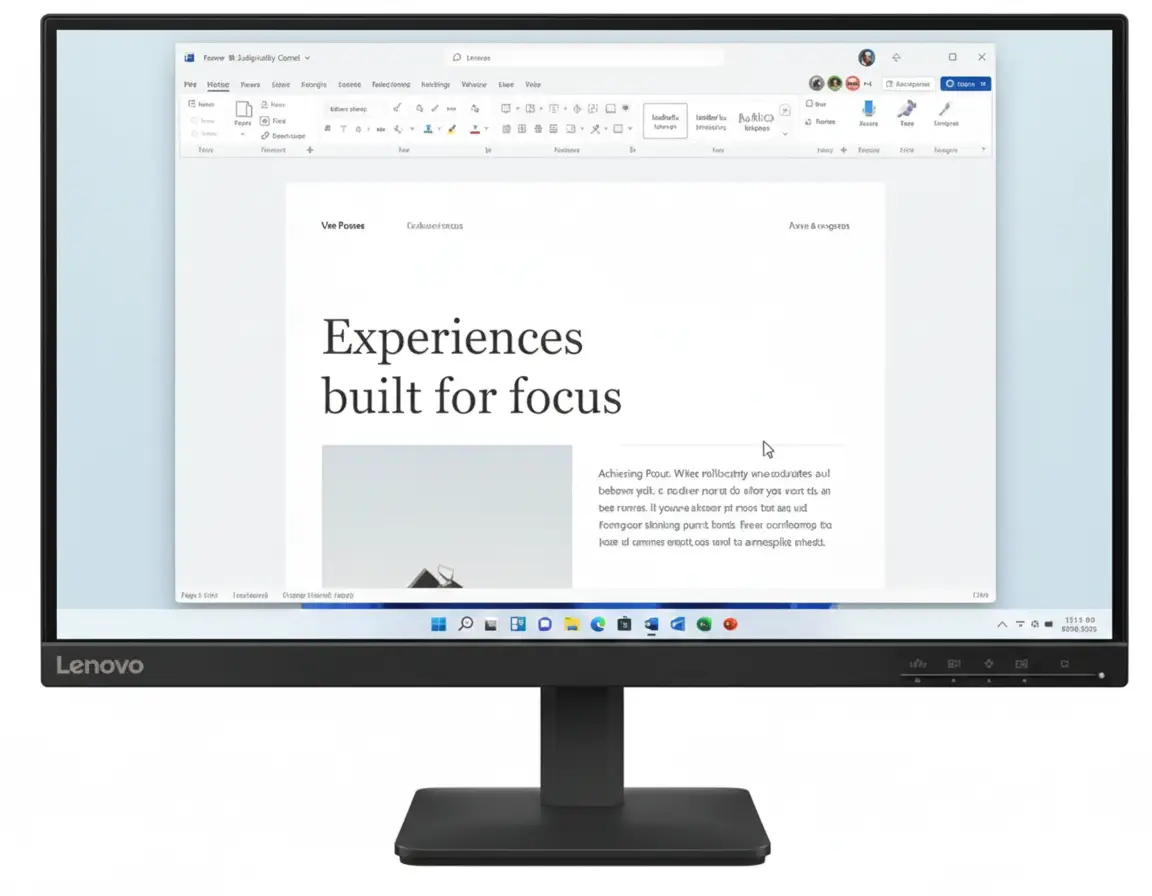
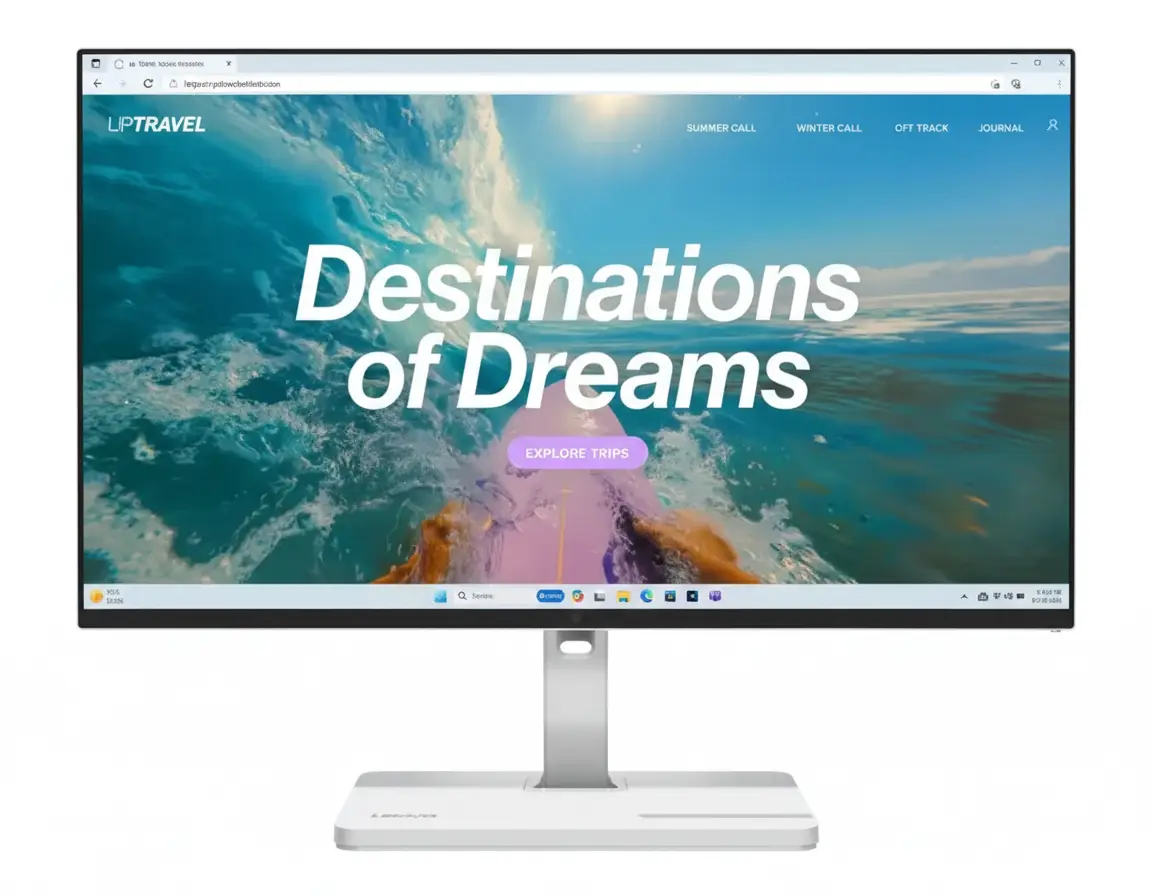
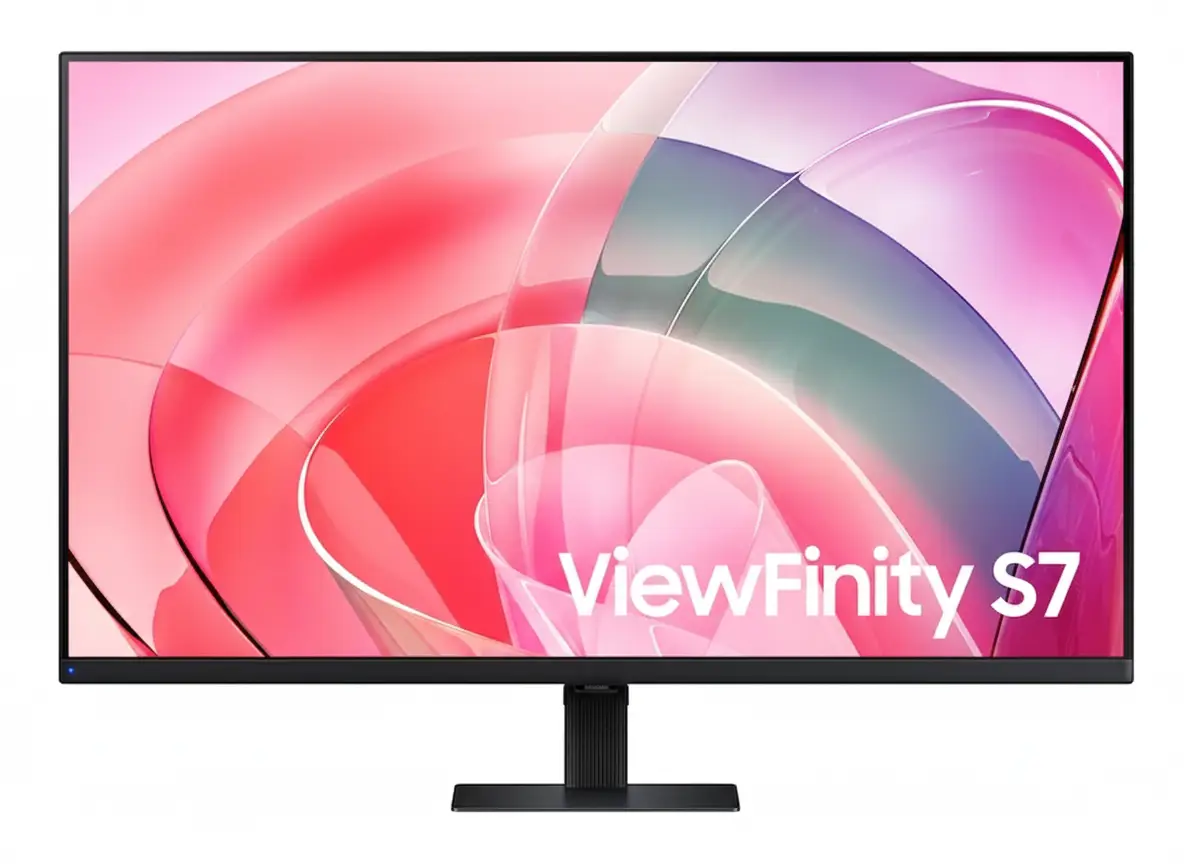
Samsung ViewFinity S7 32″ Professional Monitor
32″ 4K UHD VA Panel | HDR10 | 1.07B Colors | 99% sRGB | Eye Care
3840×2160 Resolution – 5ms Response – 3000:1 Contrast – Easy Setup Stand
💼 The Ultimate Professional Workspace:
• Size: 32″ (81.28cm) 4K UHD (3840×2160) VA Panel
• Colors: 1.07 Billion Colors + 99% sRGB Coverage
• HDR: HDR10 Support – 3000:1 Static Contrast Ratio
• Brightness: 350 nits (Typical) – 280 nits (Min)
• Response: 5ms GTG – 60Hz Refresh Rate
• Ports: HDMI 2.0 + DisplayPort 1.2 + USB Hub
• Eye Care: TÜV-Certified + Eye Saver Mode + Flicker Free
• Features: PIP/PBP + Easy Setup Stand + VESA Mount
₹28,999
₹39,990
SAVE ₹10,991 (27% OFF!)
*Price varies ₹27,999-32,990 across retailers | Check current offers
🛒 Check Price on Amazon India$399.99
$499.99
SAVE $100.00 (20% OFF!)
*Free shipping | Model: LS32D702EANXGO | 4.7★ (185 reviews)
🛒 Buy Now on Samsung.com (USA)🌍 Global Availability
• India: ₹27,999-32,990 (Amazon.in, Flipkart, Samsung India)
• USA: $399.99 (Samsung.com, Newegg, Best Buy)
• Europe: €379-449 (varies by country)
• Asia: Check Samsung regional sites
Screen Size
32″
Resolution
4K UHD
Color
1.07B
Samsung ViewFinity S7 32″ Overview – The Professional Powerhouse
💼 Professional Highlights
- 32″ 4K UHD: Crisp workspace clarity
- VA Panel: 3000:1 contrast ratio
- HDR10: Enhanced visuals
- 1.07B Colors: True-to-life accuracy
- 99% sRGB: Professional color
- TÜV Certified: Eye comfort guaranteed
- PIP/PBP: Multi-device workflow
- Easy Setup: Tool-free assembly
🖥️ Productivity Features
- 📐 4K Resolution – Ultra-detailed workspace
- 👁️ Eye Saver Mode – Blue light reduction
- ⚡ Flicker Free – Zero screen flicker
- 🖼️ PIP/PBP – Dual source display
- 🔌 USB Hub – Peripheral connectivity
- 🌿 Eco-Friendly – 14%+ recycled plastic
⭐ Why This Monitor?
- • Business-grade: Professional reliability
- • Perfect size: 32″ ideal for multitasking
- • VA contrast: Deep blacks, vivid colors
- • Eye comfort: TÜV-certified protection
- • Eco-conscious: Sustainable materials
- • Great value: Premium specs, fair price
🎯 What Makes ViewFinity S7 Special?
The Samsung ViewFinity S7 32″ (S70D) is engineered for professionals who demand crystal-clear visuals and all-day comfort. With 4K UHD resolution (3840×2160), every spreadsheet, design file, and document renders with exceptional clarity. The VA panel technology delivers a 3000:1 static contrast ratio, ensuring deep blacks and vibrant colors that IPS panels cannot match at this price point.
HDR10 support and 1.07 billion color display bring content to life with nuanced gradients and accurate color reproduction. Whether editing photos, creating presentations, or reviewing detailed CAD drawings, the 99% sRGB color coverage ensures professional-grade accuracy straight out of the box.
Samsung’s TÜV-certified Intelligent Eye Care technology reduces eye strain during extended work sessions. Eye Saver Mode minimizes blue light emission, while Flicker Free technology eliminates screen flicker completely. For professionals working 8+ hours daily, these features are essential for maintaining productivity and eye health.
The Easy Setup Stand requires no tools or screws for assembly, and the monitor includes VESA 100×100mm mounting for flexible workspace configuration. Combined with Picture-in-Picture and Picture-by-Picture modes, this monitor transforms into a powerful multi-device command center.
Display Quality – 4K UHD Clarity Meets VA Contrast
📺 4K UHD Resolution – 3840×2160 Pixels
The 32-inch 4K UHD display packs 8.3 million pixels into a workspace-optimized screen size. This translates to 137.68 pixels per inch, delivering razor-sharp text rendering and eliminating the jagged edges common on lower-resolution displays. For designers, developers, and content creators, this pixel density ensures accurate line work, crisp typography, and detailed image editing without visible pixelation.
3840×2160 resolution provides 4× the workspace of Full HD. You can comfortably view four 1080p windows side-by-side without scaling compromises. Excel spreadsheets display more rows and columns simultaneously, code editors show entire functions without scrolling, and design software reveals intricate details at 100% zoom.
Resolution Comparison
- • Full HD (1920×1080): 2.07 million pixels – basic clarity
- • QHD (2560×1440): 3.69 million pixels – good detail
- • 4K UHD (3840×2160): 8.29 million pixels – professional grade
- • ViewFinity S7 32″: 137.68 PPI – crisp text, sharp images!
⚫ VA Panel – 3000:1 Contrast Advantage
The Vertical Alignment (VA) panel technology is Samsung’s strategic choice for this professional monitor. Unlike IPS panels that sacrifice contrast for viewing angles, VA delivers a 3000:1 static contrast ratio – approximately 3× better than typical IPS monitors. This translates to deeper blacks, more vibrant colors, and superior image depth in everyday use.
For professionals working with dark-themed IDEs, video editing timelines, or photo galleries, VA panel blacks remain truly dark rather than the grayish appearance of IPS. Color saturation benefits from higher contrast, with reds appearing richer, blues deeper, and whites brighter without washing out adjacent darker elements.
VA vs IPS Panel Technology
- • IPS panels: 1000:1 contrast, wide angles, washed blacks
- • VA panels: 3000:1 contrast, deep blacks, rich colors
- • ViewFinity S7: VA panel optimized for contrast + color!
- • Viewing angle: 178°/178° – no compromise on angles
🔆 Brightness & Uniformity – 350 Nits Professional Grade
350 Nits Typical Brightness
The 350 nits typical brightness (280 nits minimum) is perfectly calibrated for office and home environments. This level handles ambient office lighting without glare, maintains visibility near windows during daytime, and prevents eye strain from excessive brightness in dim environments.
Adaptive Picture Technology
Samsung’s Adaptive Picture automatically adjusts brightness and contrast based on ambient light conditions. In bright rooms, the display compensates with increased brightness. In dark environments, it reduces output to prevent eye fatigue while maintaining contrast.
Anti-Glare Coating
The screen features a matte anti-glare finish that diffuses reflections from overhead lights and windows. Unlike glossy displays that create mirror-like reflections, this coating ensures comfortable viewing in any lighting scenario.
Color Accuracy – 1.07 Billion Colors & 99% sRGB
🎨 1.07 Billion Color Display (10-bit)
The ViewFinity S7 supports 1.07 billion colors (10-bit color depth) through advanced dithering technology. While the native panel is 8-bit, Samsung’s Frame Rate Control (FRC) simulates 10-bit by rapidly alternating pixel colors, creating smooth gradients that eliminate banding artifacts visible in 8-bit displays.
This matters tremendously for photo editing, graphic design, and video production. Subtle sky gradients transition smoothly from light blue to deep azure without visible color steps. Skin tones render naturally with nuanced shading. Product photography shows accurate material textures with proper shadow-to-highlight transitions.
Color Depth Comparison
- • 8-bit: 16.7 million colors – visible banding
- • 8-bit + FRC: 1.07 billion colors – smooth gradients
- • True 10-bit: 1.07 billion colors – professional reference
- • ViewFinity S7: 10-bit via FRC – creator-ready!
✅ 99% sRGB Color Gamut Coverage
The monitor achieves 99% sRGB color space coverage, the industry standard for web content, digital photography, and general creative work. This ensures accurate color representation across web browsers, Office applications, and creative software like Adobe Photoshop, Illustrator, and Premiere Pro.
Factory tuning calibrates the display before shipping, reducing color drift and ensuring consistency between units. While not individually color-calibrated like $1000+ reference monitors, the S7 delivers professional-grade accuracy for 95% of creative workflows without requiring expensive calibration hardware.
sRGB vs Other Color Spaces
- • sRGB: Web standard – 99% coverage on S7
- • Adobe RGB: Print standard – ~75% coverage (typical VA)
- • DCI-P3: Cinema standard – ~85% coverage (estimated)
- • Best for: Web design, digital photo, Office work!
🎯 Who Benefits from 99% sRGB Color?
Photographers
Accurate color for digital photo editing and web portfolios
Graphic Designers
True-to-life colors for web graphics and digital branding
Video Editors
Consistent color grading for YouTube and online video
Business Users
Reliable color for presentations and document work
HDR10 Support – Enhanced Contrast & Dynamic Range
🌈 What is HDR10?
HDR10 (High Dynamic Range) expands the monitor’s ability to display brighter highlights and deeper shadows simultaneously. While SDR (Standard Dynamic Range) content is mastered within a limited brightness range, HDR10 content can specify brightness levels from 0.0001 to 1000 nits, creating more realistic and impactful imagery.
The ViewFinity S7’s HDR10 implementation leverages the VA panel’s 3000:1 contrast ratio to deliver meaningful dynamic range improvements. When viewing HDR content like HDR Netflix shows, YouTube HDR videos, or HDR photography, the display adjusts brightness zones to reveal details in shadows while maintaining bright highlights – something impossible with SDR.
HDR10 Benefits
- • Expanded range: Brighter whites, deeper blacks
- • Better detail: Shadow & highlight detail preserved
- • Natural look: More lifelike imagery
- • Content support: Netflix, YouTube, Windows 11 HDR
💡 HDR Performance on ViewFinity S7
It’s important to set realistic expectations: the S7’s 350 nits brightness falls short of VESA DisplayHDR 400 certification (which requires 400 nits peak). This means HDR won’t be as dramatic as on DisplayHDR 600+ monitors. However, the VA panel’s superior contrast compensates significantly for moderate peak brightness.
In practice, HDR content looks noticeably better than SDR on this display. Sunset scenes show enhanced color vibrancy, dark movie scenes reveal shadow detail without lifting blacks excessively, and HDR gaming (Xbox, PlayStation) provides improved immersion. The monitor handles HDR tone mapping intelligently, avoiding the blown-out highlights or crushed shadows common on budget “HDR” displays.
HDR Performance Notes
- • Best for: HDR video streaming, casual HDR gaming
- • Not ideal for: Professional HDR mastering workflows
- • Brightness: 350 nits – decent but not reference-grade
- • Contrast advantage: VA panel maximizes HDR impact
📺 HDR Content Compatibility
🎬 Streaming Services
- • Netflix: HDR10 content supported
- • Amazon Prime: HDR10 video playback
- • YouTube: HDR videos display correctly
- • Disney+: HDR content compatible
🎮 Gaming Platforms
- • Windows 11: Auto HDR support
- • Xbox Series: HDR gaming enabled
- • PlayStation 5: HDR mode functional
- • PC games: HDR titles supported
📸 Creative Apps
- • Lightroom: HDR photo viewing
- • Premiere Pro: HDR video preview
- • Photos (Win): HDR display mode
- • Chrome: HDR web content
Eye Care Technology – TÜV-Certified Intelligent Protection
👁️ TÜV Rheinland Eye Comfort Certification
The ViewFinity S7 carries TÜV Rheinland Eye Comfort certification, an independent third-party validation of Samsung’s eye care technologies. TÜV Rheinland’s rigorous testing verifies that the display meets strict standards for flicker-free operation and low blue light emission without compromising image quality or color accuracy.
This certification matters for professionals spending 8-12 hours daily in front of screens. Eye strain, headaches, and long-term retinal damage from blue light exposure are genuine concerns. TÜV certification ensures the monitor’s eye care features actually work as advertised, unlike marketing-only “eye care” claims on uncertified displays.
TÜV Certification Standards
- • Flicker testing: Zero detectable flicker at all brightness levels
- • Blue light: Reduced harmful wavelengths (380-440nm)
- • Color shift: Minimal color change with Eye Saver Mode
- • Independent lab: Third-party verified performance
🛡️ Flicker Free Technology
Flicker Free technology eliminates LED backlight flicker that plagues most monitors, especially at lower brightness levels. Traditional monitors use PWM (Pulse Width Modulation) to control brightness by rapidly turning the backlight on/off. Even at 200Hz+ flicker rates invisible to conscious perception, your eyes detect this strobe effect, causing eye strain, headaches, and fatigue.
Samsung’s Flicker Free design uses DC (Direct Current) backlight modulation, maintaining constant illumination at all brightness levels. This is particularly beneficial for users who prefer lower brightness settings in dim environments – exactly when PWM flicker is most aggressive on conventional monitors. The result: dramatically reduced eye fatigue during marathon work sessions.
Flicker Free Benefits
- • No headaches: Eliminates flicker-induced migraines
- • Less fatigue: Work longer without eye strain
- • Any brightness: Flicker-free at all levels (0-100%)
- • Long-term health: Reduced cumulative eye damage
🌙 Eye Saver Mode – Blue Light Reduction
What is Blue Light?
Blue light (380-500nm wavelength) is the high-energy visible light emitted by LED backlights. While essential for daytime alertness, excessive blue light exposure suppresses melatonin production, disrupting sleep cycles and potentially damaging retinal cells over time.
Night work sessions are especially problematic – blue light tricks your brain into thinking it’s daytime, making it harder to fall asleep after late-night work.
How Eye Saver Mode Works
Eye Saver Mode filters harmful blue light wavelengths (400-440nm) by adjusting the display’s color temperature toward warmer tones. Unlike software-based blue light filters that simply overlay an orange tint, the S7’s hardware-level filtering maintains better color accuracy while reducing blue light.
Activate Eye Saver Mode during evening work, late-night coding sessions, or extended document reading for immediate comfort improvement.
Real-World Benefits
Users report significantly reduced eye dryness and irritation when using Eye Saver Mode during extended sessions. The warmer color temperature (reduced blue) creates a more comfortable viewing experience without the harsh “coolness” of standard LCD backlights.
Sleep quality improves for users who work late – less blue light exposure before bed helps maintain natural circadian rhythms.
⚙️ Additional Eye Comfort Features
📊 Adaptive Picture Technology
Adaptive Picture automatically adjusts brightness and contrast based on ambient lighting conditions detected by the monitor. In bright rooms, it increases brightness for visibility. In dark environments, it reduces output to prevent eye strain from excessive luminance.
This feature works seamlessly in the background, eliminating the need for manual brightness adjustments throughout the day as lighting conditions change.
🖼️ Image Size & Off Timer Plus
Image Size mode allows custom viewing area adjustments without physical distance changes. Off Timer Plus automatically powers down the display after set periods of inactivity, preventing unnecessary eye exposure when you step away.
Combined with Windows 11 Night Light or macOS Night Shift, these features create a comprehensive eye protection ecosystem.
Ports & Setup – Versatile Connectivity & Tool-Free Assembly
🔌 Port Selection & Connectivity
The ViewFinity S7 provides essential professional connectivity without overwhelming port selection. The rear I/O panel includes 1× HDMI 2.0, 1× DisplayPort 1.2, USB-A hub ports, and USB-B upstream for comprehensive device compatibility.
Video Input Ports
- • HDMI 2.0: 4K 60Hz support – ideal for laptops, PCs, consoles
- • DisplayPort 1.2: 4K 60Hz with full color depth (10-bit)
- • HDCP 2.2: Protected content playback (Netflix 4K, etc.)
- • Auto Source Switch+: Automatic input detection & switching
USB Hub Functionality
- • USB-B Upstream: Connect to PC for hub functionality
- • USB-A Ports: Connect peripherals (keyboard, mouse, drives)
- • Headphone Jack: 3.5mm audio output for headphones/speakers
- • Simplified setup: Single USB cable enables peripheral sharing
🛠️ Easy Setup Stand – Tool-Free Assembly
Samsung’s Easy Setup Stand represents a significant quality-of-life improvement over traditional monitor stands requiring screwdrivers and manual assembly. The stand attaches via a simple push-and-click mechanism, with no tools or screws required. Setup takes under 30 seconds from box to desk.
The stand provides tilt adjustment from -2° to +25°, allowing ergonomic positioning for various desk heights and seating positions. While it lacks height/swivel/pivot adjustments, the tilt range covers most user preferences for desktop use. For advanced ergonomics, the VESA 100×100mm mount enables attachment to monitor arms or wall mounts.
Stand & Mounting Options
- • Easy Setup Stand: Tool-free installation (30 seconds)
- • Tilt range: -2° to +25° for ergonomic positioning
- • VESA mount: 100×100mm standard – arm/wall compatible
- • Stand color: Warm White matches monitor bezel
- • Footprint: 180mm depth – desk-friendly design
💻 Multi-Device Workflow – PIP & PBP Modes
🖼️ Picture-in-Picture (PIP)
PIP mode displays a secondary input source as a resizable window overlaid on the primary display. This is perfect for monitoring live feeds while working – watch a webinar while taking notes, monitor server dashboards while coding, or reference documentation while designing.
PIP Use Cases
- • Video conferencing: Zoom call in corner while presenting
- • Live monitoring: Security cam feed during regular work
- • Content creation: Reference footage while editing
- • Gaming + streaming: Console gameplay with PC stream controls
⚡ Picture-by-Picture (PBP)
PBP mode splits the 32″ display into two side-by-side viewing areas, each showing a different input source at native resolution. Connect your work laptop and personal desktop simultaneously, viewing both systems on one screen without constant cable swapping or KVM switches.
PBP Use Cases
- • Dual PC setup: Work laptop + personal desktop simultaneously
- • Cross-platform dev: Mac + Windows side-by-side testing
- • Console + PC: Game on one side, Discord/chat on other
- • Trading/monitoring: Live data feeds from multiple sources
📐 Dimensions & Weight Specifications
📏 Physical Dimensions
- • With stand: 713.9 × 501.6 × 180 mm
- • Panel only: 713.9 × 424.7 × 41.8 mm
- • Active display: 697.3 × 392.2 mm (diagonal 32″)
- • Bezel: Thin warm white bezel design
⚖️ Weight Specifications
- • With stand: 13 lbs (5.9 kg)
- • Panel only: 9.7 lbs (4.4 kg)
- • Shipping weight: 17.6 lbs (8.0 kg)
- • Easy to move: Single-person setup
📦 Packaging & Cables
- • Box size: 798 × 546 × 160 mm
- • Power cable: 1.5m (4.9 ft) included
- • HDMI cable: Included in package
- • Eco packaging: Glue-joined, staple-free box
Productivity Features – Professional Workflow Optimization
💼 4K Workspace – Maximum Screen Real Estate
The 32″ 4K resolution provides exceptional multitasking capabilities without the need for dual monitors. With 3840×2160 pixels, you can comfortably display four Full HD windows side-by-side at native resolution – perfect for comparing documents, coding with multiple files open, or managing complex workflows.
At 100% scaling in Windows 11 or macOS, the display reveals enormous amounts of information simultaneously. Excel spreadsheets show 50+ rows and 20+ columns without scrolling. Code editors display entire functions with room for debuggers and file trees. Design software provides full toolbars without obscuring the canvas.
Multitasking Scenarios
- • Financial analysis: Excel + browser + PDF documents simultaneously
- • Software dev: IDE + documentation + terminal + browser
- • Content creation: Premiere timeline + preview + media browser
- • Business ops: Email + CRM + calendar + chat all visible
⚡ 60Hz Refresh & 5ms Response – Professional Responsiveness
The 60Hz refresh rate and 5ms response time are perfectly calibrated for professional use. While gaming monitors prioritize 144Hz+ for competitive advantage, productivity work benefits from stable 60Hz with consistent frame pacing – no tearing during scrolling, smooth cursor movement, and fluid window animations.
5ms GTG (Gray-to-Gray) response time eliminates ghosting during normal desktop use. Text scrolling remains sharp, video playback is smooth, and even casual gaming (strategy, simulation) performs well without motion blur. For office work, this response time is indistinguishable from faster panels while maintaining better image quality.
Performance Benefits
- • Smooth scrolling: Documents, spreadsheets, web pages
- • Video playback: 24/30/60fps content plays perfectly
- • No tearing: Consistent frame delivery at 60Hz
- • Efficient GPU: 4K 60Hz requires less power than high-refresh
🖥️ Windows 11 & macOS Compatibility
🪟 Windows 11 Certification
The ViewFinity S7 carries official Windows 11 certification, ensuring full compatibility with Microsoft’s latest OS features. HDR mode, Auto HDR, Night Light, display scaling, and virtual desktops all function flawlessly with proper driver support.
Windows 11 HDR Calibration app works correctly with the monitor, allowing fine-tuning of brightness curves and color accuracy for HDR content. Display settings properly detect 4K 60Hz capabilities via HDMI and DisplayPort.
Optimal Windows 11 Settings:
- • Scaling: 150% for comfortable text size
- • Refresh: 60Hz (native)
- • Color depth: 10-bit (via DisplayPort)
- • HDR: Enable in Display Settings when viewing HDR content
🍎 macOS Compatibility
Mac users benefit from excellent plug-and-play compatibility. macOS automatically detects the 4K resolution and configures appropriate scaling. Retina-quality text rendering works beautifully at default scaled resolutions, with sharp fonts and crisp UI elements.
True Tone and Night Shift (on Macs with ambient sensors) function correctly with the S7. Color management in macOS properly utilizes the sRGB color space for accurate Creative Suite workflows. USB-C to DisplayPort cables work for single-cable video on newer MacBooks.
Optimal macOS Settings:
- • Resolution: “Default for display” (scaled 2560×1440)
- • Color profile: sRGB IEC61966-2.1
- • Night Shift: Enable for evening comfort
- • Connection: USB-C to DP for M-series Macs
🌿 Sustainability & Eco-Friendly Design
Recycled Plastics
The ViewFinity S7 incorporates at least 14% recycled plastic across various components. This percentage varies by part but represents a significant commitment to reducing virgin plastic consumption.
Samsung calculates this as total weight of recycled materials divided by total plastic weight in the product.
Chemical-Free Finish
No chemical sprays are used on the monitor’s plastic components, reducing volatile organic compound (VOC) emissions during manufacturing and throughout the product’s lifespan.
This creates a healthier indoor environment and reduces industrial pollution.
Recyclable Packaging
The packaging box uses glue instead of staples at joints, making it fully recyclable in standard cardboard recycling streams without requiring staple removal.
ENERGY STAR and TCO certifications validate energy efficiency and environmental responsibility.
Who Should Buy the Samsung ViewFinity S7 32″?
✅ Perfect For These Users
💼 Business Professionals
If you work with spreadsheets, financial models, presentations, or multi-application workflows, the 4K workspace and excellent text clarity make the S7 ideal. PIP/PBP modes enable efficient multi-device setups without desk clutter.
💻 Software Developers
The 32″ 4K resolution provides ample space for IDE, terminal, documentation, and browser simultaneously. Deep VA panel blacks make dark themes comfortable, and TÜV eye care reduces strain during marathon coding sessions.
🎨 Content Creators
For photo editing, video production, and graphic design, 99% sRGB coverage and 1.07B colors ensure accurate color reproduction. HDR10 support enhances preview quality for modern content workflows.
🏠 Home Office Workers
The eco-friendly design, eye care features, and tool-free setup make this perfect for home offices. Energy efficiency keeps electricity costs low during all-day use, and the single-cable setup minimizes desk cable mess.
🎓 Students & Researchers
For academic work requiring multiple reference sources, paper writing, and data analysis, the large 4K workspace eliminates constant window switching. Affordable pricing fits student budgets.
🎮 Casual Gamers
Strategy games, simulation, RPGs, and console gaming work beautifully. HDR10 enhances immersion, and the 60Hz refresh rate suits non-competitive gaming. VA contrast makes dark games stunning.
❌ Not Ideal For These Users
🎮 Competitive Gamers
The 60Hz refresh rate and 5ms response time are inadequate for competitive FPS, MOBA, or esports gaming. High-refresh gaming monitors (144Hz+) with 1ms response times provide necessary advantages for competitive play.
👉 Consider: Gaming monitors with 144Hz+ refresh rates
🎬 Professional Video Colorists
While 99% sRGB is excellent, professional video grading requires DCI-P3 or Rec.2020 coverage that this monitor lacks. HDR600-grade peak brightness is also insufficient for HDR mastering workflows.
👉 Consider: BenQ SW series or ASUS ProArt PA32UCX
🖨️ Print Designers
Print professionals require Adobe RGB color space coverage (90%+) for accurate CMYK preview. The S7’s focus on sRGB makes it unsuitable for print-centric design work where color matching to physical prints is critical.
👉 Consider: Monitors with Adobe RGB coverage like BenQ SW270C
🏢 Multi-Monitor Setups
The S7 lacks narrow bezels optimized for edge-to-edge multi-monitor arrays. If you plan a 2×2 or 3×1 monitor wall, models designed specifically for video walls provide better visual continuity.
👉 Consider: Thin-bezel professional displays or ultrawide alternatives
⚙️ Advanced Ergonomics Needs
The stand provides tilt-only adjustment without height, swivel, or pivot. Users requiring portrait mode, precise height matching, or complex desk arrangements need more adjustable stands or VESA arm mounting.
👉 Consider: Monitors with fully adjustable stands or purchase VESA arm
💰 Budget-Constrained Buyers
If $400 USD exceeds your budget, 1440p monitors at 27″ offer excellent value at $200-250. You’ll sacrifice 4K resolution but gain similar screen real estate and features at lower cost.
👉 Consider: 27″ 1440p displays from Dell, LG, or Acer
ViewFinity S7 vs Competitors – How Does It Stack Up?
LG 32UN650-W
32″ 4K IPS | HDR10 | 95% DCI-P3 | Height-Adjustable Stand
✅ Where LG Wins:
- • IPS panel – wider viewing angles
- • 95% DCI-P3 color gamut (better)
- • Height-adjustable ergonomic stand
- • USB-C with 60W power delivery
❌ Where Samsung S7 Wins:
- • VA panel – 3× better contrast (3000:1 vs 1000:1)
- • Deeper blacks for dark content
- • Lower price by $50-80
- • TÜV eye care certification
- • Better value for office/productivity
Best for: Content creators needing wider color, users wanting ergonomic stand adjustability
Dell S2722DC
27″ 4K IPS | USB-C 65W PD | Height/Pivot Stand | ComfortView
✅ Where Dell Wins:
- • USB-C with 65W laptop charging
- • Fully adjustable stand (height/pivot/swivel)
- • Dell ComfortView blue light filter
- • Smaller 27″ ideal for desk space
❌ Where Samsung S7 Wins:
- • Larger 32″ screen – more workspace
- • VA contrast 3× better than IPS
- • Lower price ($399 vs $450+)
- • Better for dark content viewing
Best for: MacBook users needing USB-C charging, users prioritizing ergonomics over screen size
BenQ PD3205U
32″ 4K IPS | 98% P3 | Factory Calibrated | USB-C Docking | CAD/CAM Mode
✅ Where BenQ Wins:
- • 98% DCI-P3 + factory color calibration
- • CAD/CAM mode for technical design
- • USB-C with 65W PD + KVM switch
- • Professional creator features
❌ Where Samsung S7 Wins:
- • $250+ cheaper ($399 vs $650+)
- • Better VA contrast ratio
- • Sufficient for most workflows
- • Better value for general use
Best for: Professional designers/engineers needing wide color + calibration, CAD/CAM workflows
Samsung ViewFinity S60A
32″ 4K IPS | 99% sRGB | Eye Saver Mode | Simple Stand
✅ Where S60A Wins:
- • Lower price ($50-70 cheaper)
- • IPS panel – wider viewing angles
- • Similar feature set for less
- • Good budget alternative
❌ Where Samsung S7 (S70D) Wins:
- • VA panel – 3× better contrast
- • HDR10 support (S60A lacks HDR)
- • 1.07B colors vs 16.7M colors
- • Newer 2024 model vs older
Best for: Budget-conscious buyers who prefer IPS angles over VA contrast, basic office use
ASUS ProArt PA329CV
32″ 4K IPS | 98% DCI-P3 | Hardware Calibration | USB-C 65W | HDR10
✅ Where ASUS Wins:
- • 98% DCI-P3 + 100% sRGB coverage
- • Hardware calibration support
- • USB-C with 65W power delivery
- • Professional ProArt features
❌ Where Samsung S7 Wins:
- • $300+ cheaper price point
- • Better contrast (VA vs IPS)
- • Sufficient for most users
- • Better value proposition
Best for: Professional photographers/video editors needing wide color + calibration tools
Gigabyte M32U
32″ 4K IPS | 144Hz | 1ms MPRT | 90% DCI-P3 | HDMI 2.1 | FreeSync Premium Pro
✅ Where Gigabyte Wins:
- • 144Hz refresh – gaming-optimized
- • 1ms MPRT response time
- • HDMI 2.1 for PS5/Xbox 4K 120Hz
- • FreeSync Premium Pro + G-SYNC
❌ Where Samsung S7 Wins:
- • VA contrast superior to IPS
- • Better for productivity/office work
- • TÜV eye care for long sessions
- • Lower price for non-gamers
Best for: Serious gamers wanting 4K 144Hz, PS5/Xbox Series X owners, competitive gaming
🎯 Competitive Positioning Summary
The Samsung ViewFinity S7 32″ (S70D) occupies the sweet spot for professional productivity monitors. It delivers premium features like 4K resolution, HDR10, 1.07B colors, and TÜV eye care at a competitive $399 price point. The VA panel’s superior contrast ratio makes it particularly attractive for users who prioritize image quality over wide viewing angles.
Competitors either sacrifice features for lower prices (S60A), add gaming specs that productivity users don’t need (Gigabyte M32U), or target professional creators willing to pay premium prices for wider color gamuts and calibration tools (BenQ, ASUS ProArt). The S7 hits the optimal balance of performance, features, and value for business and creative professionals.
Pros & Cons – Balanced Assessment
✅ Pros – What We Love
-
✓
Excellent 4K Clarity:
3840×2160 resolution on 32″ provides 137.68 PPI for razor-sharp text, detailed images, and massive workspace real estate perfect for multitasking.
-
✓
Superior VA Panel Contrast:
3000:1 static contrast ratio delivers deep blacks and vibrant colors that IPS panels cannot match – exceptional for dark content and mixed scenes.
-
✓
1.07 Billion Colors:
10-bit color depth via FRC eliminates banding artifacts, providing smooth gradients essential for photo editing and creative work.
-
✓
99% sRGB Color Accuracy:
Factory-tuned color ensures professional-grade accuracy for web design, digital photography, and general creative workflows without calibration.
-
✓
TÜV-Certified Eye Care:
Flicker Free + Eye Saver Mode with independent third-party certification reduces eye strain during 8-12 hour work sessions dramatically.
-
✓
HDR10 Support:
Enhanced dynamic range improves video streaming, gaming, and HDR photo viewing with better highlight/shadow detail preservation.
-
✓
PIP/PBP Multi-Device:
Picture-in-Picture and Picture-by-Picture modes enable efficient multi-device workflows without KVM switches or cable swapping.
-
✓
Easy Setup Stand:
Tool-free assembly takes under 30 seconds – no screwdrivers or complicated instructions required for desk setup.
-
✓
Eco-Friendly Design:
14%+ recycled plastic, chemical-free finish, recyclable packaging, ENERGY STAR certified – sustainable manufacturing practices.
-
✓
Excellent Value:
$399 USD pricing delivers premium features typically found on $500-600 monitors – outstanding performance per dollar.
-
✓
Windows 11 Certified:
Official Microsoft certification ensures flawless compatibility with Windows 11 HDR, scaling, and display features.
-
✓
USB Hub Built-In:
USB-A ports and upstream USB-B connection simplify peripheral management and reduce cable clutter on desk.
❌ Cons – Room for Improvement
-
✗
Tilt-Only Stand:
No height, swivel, or pivot adjustments – limits ergonomic flexibility. Users needing portrait mode or precise height must purchase VESA arms.
-
✗
60Hz Refresh Rate:
60Hz is inadequate for competitive gaming or high-refresh workflows. Gaming enthusiasts should look at 144Hz+ alternatives.
-
✗
No USB-C Port:
Lacks USB-C with power delivery that would enable single-cable laptop connections – requires separate power adapter for modern laptops.
-
✗
Limited Peak Brightness:
350 nits falls short of DisplayHDR 400 certification – HDR impact is moderate compared to 600+ nit displays.
-
✗
VA Panel Viewing Angles:
While rated 178°/178°, VA panels show more color shift at extreme angles compared to IPS – not ideal for side-by-side viewing.
-
✗
5ms Response Time:
5ms GTG response can show minor ghosting in fast motion scenarios – competitive gamers need 1ms panels.
-
✗
No Built-In Speakers:
Lacks integrated speakers – requires external audio solution for sound output (though most users prefer dedicated speakers).
-
✗
Limited Color Gamut:
99% sRGB is excellent but lacks wide color (DCI-P3/Adobe RGB) coverage needed for professional video/print workflows.
-
✗
No Hardware Calibration:
Cannot be hardware-calibrated with colorimeters for professional color-critical workflows requiring absolute accuracy.
-
✗
HDMI 2.0 (Not 2.1):
HDMI 2.0 limits bandwidth for future features – though 4K 60Hz works fine, HDMI 2.1 would future-proof the display.
-
✗
Basic OSD Controls:
On-screen display menu uses physical buttons rather than joystick – slightly less convenient than premium monitors.
Final Verdict – Should You Buy the ViewFinity S7 32″?
⭐ Overall Rating: 8.5/10
Highly Recommended
📊 Rating Breakdown
🎯 Bottom Line
The Samsung ViewFinity S7 32″ (S70D) is an outstanding professional monitor that delivers flagship-tier features at a competitive price point. Its 4K resolution, VA panel contrast, 1.07B colors, and TÜV-certified eye care make it ideal for business professionals, developers, content creators, and home office workers who prioritize productivity and visual quality over gaming performance.
The monitor excels in multitasking scenarios, long work sessions, and mixed-use workflows. VA panel technology provides superior contrast for dark content, while 99% sRGB coverage ensures accurate colors for creative work. HDR10 support enhances multimedia experiences, and PIP/PBP modes streamline multi-device setups.
Trade-offs are minor – the tilt-only stand and lack of USB-C are disappointing but addressable with VESA arms or adapters. For the $399 USD price point, you’d struggle to find better display quality and feature density in the 32″ 4K category.
🏆 Our Recommendation
HIGHLY RECOMMENDED for business professionals, software developers, content creators, students, and home office workers seeking a premium 32″ 4K productivity monitor with excellent value. The ViewFinity S7 punches well above its price class.
NOT RECOMMENDED for competitive gamers (need 144Hz+), professional colorists (need wide color gamut), print designers (need Adobe RGB), or users requiring advanced ergonomics without VESA arm investment.
Frequently Asked Questions (FAQs)
❓ Is the ViewFinity S7 good for gaming?
The S7 is excellent for casual gaming, RPGs, strategy games, and single-player experiences. The 60Hz refresh rate and 5ms response time work well for non-competitive gaming. However, competitive FPS, MOBA, or esports gamers should choose 144Hz+ monitors for the refresh rate advantage.
❓ Can I use this with a MacBook?
Yes, the S7 works perfectly with MacBooks via HDMI or DisplayPort. macOS automatically detects 4K resolution and applies appropriate scaling. Note: there’s no USB-C port, so you’ll need USB-C to HDMI/DisplayPort adapters and a separate MacBook charger.
❓ Does it support PS5 and Xbox Series X?
Yes, the S7 supports PS5 and Xbox Series X at 4K 60Hz via HDMI. HDR10 gaming works beautifully. However, note that it has HDMI 2.0 (not 2.1), so 4K 120Hz gaming is not supported – you’re limited to 4K 60Hz for console gaming.
❓ What’s the difference between S7 (S70D) and S60A?
The S7 (S70D) is the newer 2024 model with upgrades: VA panel (better contrast), HDR10 support, 1.07B colors (10-bit), and improved eye care. The S60A is older with IPS panel, no HDR, and 8-bit color. S7 offers better image quality; S60A is cheaper.
❓ Can I mount this on a monitor arm?
Yes! The ViewFinity S7 supports VESA 100×100mm mounting. You can remove the included stand and attach any VESA-compatible monitor arm or wall mount. This is recommended if you need height adjustment, swivel, or pivot functionality.
❓ Is 99% sRGB enough for photo editing?
Yes, 99% sRGB is excellent for digital photography and web-focused work. If you primarily edit photos for Instagram, websites, or digital portfolios, this is perfect. Print photographers need Adobe RGB coverage, which this monitor doesn’t provide.
❓ Does Eye Saver Mode change colors noticeably?
Yes, Eye Saver Mode shifts colors toward warmer tones (reduces blue light). For creative work requiring color accuracy, turn it off. For document editing, web browsing, and evening work, the comfort benefits outweigh color shift.
❓ What cables are included in the box?
Samsung includes 1× HDMI cable (1.5m) and 1× power cable (1.5m) in the package. DisplayPort cable is NOT included – purchase separately if you prefer DP connection for 10-bit color depth.
❓ How is the VA panel different from IPS?
VA panels offer 3× better contrast (3000:1 vs 1000:1) with deeper blacks and richer colors, but slightly narrower viewing angles. IPS panels have wider angles but washed-out blacks. For direct front viewing (typical desk use), VA is superior.
❓ Can I run dual monitors with this?
Absolutely! The S7 works great in dual or triple monitor setups. Connect multiple displays via separate HDMI/DP ports on your GPU. Note: bezels are standard thickness, not ultra-thin, so there will be visible gaps between screens.
❓ Is the 350 nits brightness enough?
Yes, 350 nits is perfect for indoor office and home use. It handles ambient lighting and window glare adequately. If you work in extremely bright environments or direct sunlight, consider 400+ nit displays for better visibility.
❓ Does it have built-in speakers?
No, the ViewFinity S7 does NOT include built-in speakers. You’ll need external speakers, headphones, or a sound system. There is a 3.5mm headphone jack for audio output from connected devices.
Complete Technical Specifications
| Samsung ViewFinity S7 32″ (S70D) – Model: LS32D702EANXGO | |
|---|---|
| 📺 DISPLAY SPECIFICATIONS | |
| Screen Size | 32 inches (81.28 cm) – Flat Panel |
| Resolution | 4K UHD – 3840 × 2160 pixels (16:9 aspect ratio) |
| Panel Type | VA (Vertical Alignment) Panel |
| Active Display Area | 697.3 × 392.2 mm (27.5 × 15.4 inches) |
| Pixel Density | 137.68 PPI (Pixels Per Inch) |
| Brightness (Typical) | 350 cd/m² (nits) |
| Brightness (Minimum) | 280 cd/m² (nits) |
| Contrast Ratio (Static) | 3000:1 (Typical) |
| Contrast Ratio (Dynamic) | Mega ∞ DCR (Dynamic Contrast Ratio) |
| Viewing Angle | 178° Horizontal / 178° Vertical |
| Response Time | 5ms (GTG – Gray to Gray) |
| Refresh Rate | Max 60Hz |
| 🎨 COLOR SPECIFICATIONS | |
| Color Support | 1.07 Billion Colors (10-bit via FRC) |
| Color Gamut (sRGB) | 99% sRGB Coverage (Typical) |
| HDR Support | HDR10 (High Dynamic Range) |
| Factory Tuning | Yes – Pre-calibrated at factory |
| 🔌 CONNECTIVITY & PORTS | |
| HDMI Ports | 1× HDMI 2.0 (4K 60Hz support) |
| DisplayPort | 1× DisplayPort 1.2 (4K 60Hz support) |
| USB Ports | USB-A (Hub) + USB-B (Upstream) |
| Audio Output | 1× 3.5mm Headphone Jack |
| HDCP Version (HDMI) | HDCP 2.2 |
| HDCP Version (DP) | HDCP 2.2 |
| Built-in Speakers | No |
| ✨ FEATURES & TECHNOLOGY | |
| Eye Saver Mode | Yes – Blue light reduction |
| Flicker Free | Yes – Zero flicker at all brightness levels |
| TÜV Certification | TÜV Rheinland Eye Comfort Certified |
| Picture-in-Picture | Yes (PIP) – Dual input display |
| Picture-by-Picture | Yes (PBP) – Side-by-side dual input |
| Adaptive Picture | Yes – Auto brightness/contrast adjustment |
| Auto Source Switch | Auto Source Switch+ (Automatic input detection) |
| Image Size Mode | Yes – Custom viewing area adjustment |
| Off Timer Plus | Yes – Auto power-off timer |
| 🛠️ ERGONOMICS & DESIGN | |
| Stand Type | Easy Setup Stand (SIMPLE) – Tool-free assembly |
| Tilt Adjustment | -2° to +25° (±2° tolerance) |
| Height Adjustment | No |
| Swivel Adjustment | No |
| Pivot Adjustment | No |
| VESA Mount | 100 × 100 mm (Compatible with monitor arms/wall mounts) |
| Front Color | Warm White |
| Rear Color | Warm White |
| Stand Color | Warm White |
| 📏 DIMENSIONS & WEIGHT | |
| With Stand (W×H×D) | 713.9 × 501.6 × 180 mm (28.1 × 19.7 × 7.1 inches) |
| Without Stand (W×H×D) | 713.9 × 424.7 × 41.8 mm (28.1 × 16.7 × 1.6 inches) |
| Weight With Stand | 13 lbs (5.9 kg) |
| Weight Without Stand | 9.7 lbs (4.4 kg) |
| Package Dimensions (W×H×D) | 798 × 546 × 160 mm (31.4 × 21.5 × 6.3 inches) |
| Shipping Weight | 17.6 lbs (8.0 kg) |
| ⚡ POWER SPECIFICATIONS | |
| Power Supply Type | Internal Power Supply |
| Input Voltage | AC 100-240V (Universal voltage) |
| Power Consumption (Max) | 100W (Maximum) |
| Power Consumption (Typical) | ~35-45W (Estimated during normal use) |
| 🌿 ENVIRONMENTAL & CERTIFICATIONS | |
| ENERGY STAR Certified | Yes |
| TCO Certified | Yes |
| Recycled Plastic Content | Over 14% (varies by component) |
| Chemical-Free Finish | Yes – No spray coatings on plastic |
| Recyclable Packaging | Yes – Glue-joined box (staple-free) |
| Windows 11 Certification | Yes – Official Microsoft certification |
| 📦 PACKAGE CONTENTS | |
| Included Accessories | 1× HDMI Cable (1.5m / 4.9ft) 1× Power Cable (1.5m / 4.9ft) Easy Setup Stand Quick Setup Guide |
| Not Included | DisplayPort Cable (purchase separately) |
| 🌡️ OPERATING CONDITIONS | |
| Operating Temperature | 10°C to 40°C (50°F to 104°F) |
| Operating Humidity | 10% to 80% (Non-condensing) |
| 💰 PRICING INFORMATION | |
| USA MSRP | $499.99 (Original) | $399.99 (Current) |
| India Price Range | ₹27,999 – ₹32,990 (varies by retailer) |
| Europe Price Range | €379 – €449 (varies by country) |
| Model Number | LS32D702EANXGO |
| Release Year | 2024 |
Ready to Upgrade Your Workspace?
The Samsung ViewFinity S7 32″ delivers professional 4K clarity at an exceptional price.
*Prices subject to change. Check retailer sites for current offers and availability.