ReviewNest

Lenovo Legion Tower 5i Gen 10 Review – Intel Core Ultra 7, RTX 5060 Ti Gaming PC

Lenovo Legion Tower 5i Gen 10 (Intel) Review

Lenovo Legion Tower 5i Gen 10 Review

The Next Generation of Gaming Performance

Intel® Core™ Ultra 7 265 NVIDIA® RTX™ 5060 Ti 16 GB DDR5 RAM ₹1,41,890

The Lenovo Legion Tower 5i Gen 10 marks a significant leap in desktop gaming with the introduction of Intel’s new Core Ultra processors and NVIDIA’s cutting-edge RTX 5060 Ti graphics card. This machine is built to handle the most demanding modern games and creative applications with ease, all within a sleek and purposeful chassis.

Key Features for Elite Gaming

This desktop packs serious power and smart design features to elevate your gaming and productivity.

Next-Gen Performance

Powered by the new Intel® Core™ Ultra 7 and the NVIDIA® GeForce RTX™ 5060 Ti, this system delivers incredible speed for gaming, streaming, and content creation.

Effective Cooling System

The Legion ColdFront cooling technology ensures that your components stay cool even during intense gaming sessions, preventing thermal throttling and maintaining peak performance.

Robust Connectivity

With a new 2.5G Ethernet port, fast WiFi 7 support, and a 20Gbps USB-C port, this PC offers lightning-fast data transfer and low-latency networking.

Immersive Audio

Experience rich and detailed sound with Nahimic® Audio for Gamers and 5.1 Channel Surround Sound, bringing your games to life.

Ample Storage

The 512GB PCIe Gen4 SSD provides lightning-fast boot times and quick loading for your most-played games and applications.

Future-Proof Upgradability

A spacious 30L chassis and a high-wattage PSU provide plenty of room and power for future component upgrades.

Performance & Upgradability

The combination of the Intel Core Ultra 7 and the NVIDIA RTX 5060 Ti is a powerful pairing that ensures exceptional gaming performance. The Core Ultra processor provides a new level of efficiency and AI capabilities, while the RTX 5060 Ti, with its 8GB of GDDR7 memory, is ready for high-refresh-rate gaming at 1080p and 1440p with ray tracing enabled. The included 16GB of high-speed DDR5 RAM is a great starting point for multitasking and gaming. The 30L chassis and an 850W PSU also provide ample space and power for future component upgrades, ensuring this machine can grow with your needs.

Who Is This Desktop For?

Who Is This Desktop For?

The Legion Tower 5i Gen 10 is designed for two main user types: the dedicated gamer and the aspiring creative professional. This desktop is not just about raw power; it’s about providing a reliable and streamlined experience that allows users to focus on their passions without worrying about technical bottlenecks. It’s a great fit for anyone who wants a powerful, ready-to-go system without the complexities of a custom build.

Tailored Recommendations

For gamers, this machine is perfectly suited for playing the latest AAA titles at high settings on a 1080p or 1440p monitor. The RTX 5060 Ti can handle demanding graphics with ray tracing enabled, ensuring an immersive and visually stunning experience. For creators, the high-speed DDR5 memory and PCIe Gen4 SSD make it an excellent choice for tasks like video editing, 3D rendering, and running complex simulations. It’s an ideal choice for a home office where both work and play are a priority.

Competitive Edge

What sets the Legion Tower 5i Gen 10 apart is its balance of performance and value. It offers a plug-and-play solution that rivals the performance of many custom-built systems without the associated hassle. The robust cooling system and high-wattage PSU also provide a significant future-proofing advantage, allowing for easy upgrades to the CPU, GPU, and other components down the line. This ensures your investment continues to deliver top-tier performance for years to come.

Detailed Specifications

General & OS

  • Part Number: 90YACTO1WWIN1
  • Operating System: Windows 11 Home Single Language 64
  • Product Color: Eclipse Black
  • Case Volume: 30L
  • Dimensions (H x W x D): 383.8mm x 211mm x 458mm
  • Weight: Starting at 17kg
  • Support: 1 Year On-site

Performance & Components

  • Processor: Intel® Core™ Ultra 7 265 Processor
  • Graphics: NVIDIA® GeForce RTX™ 5060 Ti 8GB GDDR7
  • Memory: 16 GB DDR5-5600MT/s (2 x 8 GB)
  • Storage: 512 GB SSD M.2 2280 PCIe Gen4 TLC
  • PSU: Up to 850W
  • Cooling: Legion ColdFront

Connectivity & Audio

  • Front Ports: USB-C®, 4 x USB-A, Headphone/mic combo
  • Rear Ports: 2.5G Ethernet, USB-C® (20Gbps), 6 x USB-A, 3 x audio ports
  • Wireless: WiFi 7 or WiFi 6E, Bluetooth® 5.2
  • Audio: Nahimic® Audio for Gamers, 5.1 Channel Surround Sound

Final Verdict: A Gaming Powerhouse

The Lenovo Legion Tower 5i Gen 10 is an exceptional gaming desktop that delivers on all fronts. With its powerful new Intel and NVIDIA components, advanced cooling, and extensive connectivity, it’s a fantastic value for both competitive gamers and creative professionals. The inclusion of a high-wattage PSU and a spacious chassis provides excellent upgradability, ensuring your investment is future-proof. This machine is a strong recommendation for anyone serious about high-performance PC gaming.

Lenovo ThinkStation P2 Tower Review (2025): Affordable Intel Workstation with RTX 2000 Ada & DDR5 Power

Lenovo ThinkStation P2 Tower
Lenovo ThinkStation P2 Tower Review: Entry-Level Intel Powerhouse for Professionals

Lenovo ThinkStation P2 Tower Review: Entry-Level Intel Powerhouse for Professionals

Intel Core i3-14100 Up to 4.7 GHz Boost (4C/8T) Up to NVIDIA RTX 2000 Ada 16GB 2TB HDD (Up to 4 Drives) 8GB DDR5-4400 (Up to 128GB) ₹69,585
17L Tower | ISV-Certified | Ships Free by Oct 31

The Lenovo ThinkStation P2 Tower is an entry-level workstation featuring the 14th Gen Intel Core i3-14100 (4 cores/8 threads, up to 4.7 GHz) with 8GB DDR5-4400 UDIMM (expandable to 128GB), 2TB 7200rpm HDD, integrated graphics (upgradable to RTX 2000 Ada 16GB), and No OS in a compact 17L tower chassis with up to 4 PCIe slots and 4 drive bays. ISV-certified for CAD, data analysis, and engineering, it includes ThinkShield security, EPEAT Gold sustainability, and 3-Year On-site Warranty. At ₹69,585 (16% off MRP), this value-packed system targets students, designers, and small teams in 2025 for efficient workflows without premium costs.

Upgrade to Entry-Level Workstation Power?

Boost to i9 and RTX 2000 Ada for CAD, data crunching, and creative tasks!

₹69,585
₹82,901 (16% off)
Inclusive of all taxes | Free Shipping by Oct 31

No cost EMI | 3 Year On-site Warranty | Exchange up to ₹20,000 | Rewards: 2,949 Points | eCoupon: CUSTOMOFF

Key Features at a Glance

Intel Core i3-14100: 4C/8T up to 4.7 GHz.
Compact 17L Tower: Expandable bays and slots.
8GB DDR5-4400: Up to 128GB dual-channel.
2TB HDD Base: Up to 4 Drives (RAID).
RTX 2000 Ada Option: For CAD and graphics.
ISV Certified: For professional apps.

1. Processor Performance: Efficient 14th Gen Intel Core

Reliable multi-tasking for entry-level professional workflows.

Intel Core i3-14100:

The 14th Gen i3-14100 (Raptor Lake Refresh) provides 4 performance cores/8 threads at 3.5 GHz base and 4.7 GHz turbo on a 10nm process, with 12MB L3 cache for solid single-threaded tasks like CAD and data entry. It supports up to i9-14900 (24 cores) in higher configs, scoring around 10,000 in Cinebench R23 multi-core for everyday engineering and analysis. 60W TDP with integrated UHD Graphics 730 for basic visuals.

Scalable Core Options:

Up to 24 Cores/32 Threads with vPro for managed fleets, efficient for multi-threaded apps like AutoCAD and MATLAB.

ISV & Professional Workflows:

vPro Manageability enables remote IT control and security, certified for SOLIDWORKS, Revit, and Adobe Suite in small teams.

2. Graphics & Expansion: Professional GPU Upgrades

Flexible slots for entry-level creative and CAD acceleration.

Integrated UHD 730 Base:

No Discrete GPU starts with integrated graphics for basic 3D modeling, upgradable to NVIDIA RTX 2000 Ada (16GB GDDR6) via PCIe 4.0 x16 slot for enhanced rendering.

PCIe Expansion:

4x Slots including PCIe 5.0 x16, PCIe 4.0 x16, and 2x PCIe 3.0 x1 for add-ons like 10G Ethernet or RAID cards.

Entry-Level Graphics:

RTX Ada Options deliver certified performance for Revit and Photoshop, with up to 4x mDisplayPort outputs for multi-monitor setups.

3. Design & Cooling: Compact and Sustainable Build

Robust 17L chassis for reliability in demanding environments.

Compact Tower Design:

17L Form Factor measures 170 x 315 x 376 mm, up to 9.67 kg, with tool-less access and front-access storage bay for easy maintenance.

Efficient Cooling:

Airflow Optimized with single-fan CPU cooler keeps temps under 80°C during extended CAD sessions, quiet operation for office use.

ThinkShield & Sustainability:

TPM 2.0 & Self-Healing BIOS with Kensington lock; EPEAT Gold, TCO 9 certified, 95% recycled plastic bezel, and FSC packaging.

4. Storage & Memory: Expandable DDR5 and Multi-Bay

Fast access for data-heavy tasks with RAID support.

DDR5-4400 UDIMM:

8GB Base (up to 128GB in 4 slots) dual-channel for smooth multitasking; optional ECC for data integrity in analysis.

2TB 7200rpm HDD Base:

Up to 4 Drives with 3x internal bays (2x 3.5″ + 1x 2.5″) and front-access, supporting up to 32TB RAID 0/1/5 via NVMe PCIe 4.0 SSDs.

M.2 & Optical Support:

Up to 3x M.2 SSDs (PCIe 4.0) for boot drives; optional 9mm DVD/Blu-ray for legacy media.

5. Connectivity: Versatile I/O Ports

Comprehensive front and rear ports for peripherals and networks.

Front I/O:

SD Card Reader, USB-C 10Gbps, 2x USB-A 5Gbps, headphone/mic combo for quick media and device access.

Rear & Networking:

2x DisplayPort, HDMI, 3x USB-A 5Gbps, 2x USB-A 10Gbps, optional serial, PS/2, and RJ45 Ethernet for legacy and modern connectivity.

Audio & Security:

HD Audio ALC623, 2W speaker, E-lock, padlock loop, and smart cable clips for secure setups.

Ideal For These Users

CAD & Design Students

RTX upgrades for AutoCAD and SketchUp in education.

Data Analysts

Multi-core processing for Excel, Python, and datasets.

Entry-Level Engineers

ISV-certified for Revit and basic simulations.

Content Creators

Adobe Suite support with expandable storage.

Small Teams

vPro for managed IT in collaborative environments.

Eco-Conscious Users

EPEAT Gold for sustainable professional setups.

Competitive Edge: How It Stacks Up

Affordable entry workstation with pro features and sustainability.

  • Vs HP Z2 G9

    P2’s 16% lower price with similar i3 performance, better expandability in 17L chassis for small offices.

  • Vs Dell Precision 3660

    Superior value with DDR5 and RTX Ada options, plus EPEAT Gold eco-certification.

  • Vs Lenovo P3 Tiny

    Larger tower allows more storage/GPU vs compact form, ideal for desk setups.

  • Sustainability & TCO

    Recycled materials and 200+ quality tests reduce long-term costs vs consumer PCs.

Full Specifications

General

Price
₹69,585 (16% off MRP ₹82,901)
Model
ThinkStation P2 Tower
Part Number
30FSCTO1WWIN1
Warranty
3 Year On-site
Chassis
17L Tower
Dimensions
170 x 315 x 376 mm
Weight
Up to 9.67 kg
Rewards
2,949 Points

Processor

CPU
14th Gen Intel Core i3-14100
Series
Raptor Lake Refresh
Cores/Threads
4C/8T (Up to 24C/32T)
Clock Speeds
3.5 GHz Base | 4.7 GHz Turbo
Cache
12MB L3
TDP
60W
Features
vPro Optional, UHD Graphics 730

Memory

Installed
8GB DDR5-4400 UDIMM
Max Capacity
Up to 128GB
Slots
4x UDIMM (Dual-Channel)

Storage

Base
2TB 7200rpm 3.5″ SATA HDD
Max Drives
Up to 4 (3 Internal Bays)
Max Capacity
Up to 32TB (NVMe/HDD)
Features
RAID 0/1/5, Up to 3x M.2 PCIe 4.0

Graphics

Base GPU
Integrated UHD Graphics 730
Max GPUs
Up to NVIDIA RTX 2000 Ada 16GB
Outputs
2x DisplayPort, HDMI
Expansion
PCIe 4.0 x16 Slot

Connectivity & I/O

Front
SD Reader, USB-C 10Gbps, 2x USB-A 5Gbps, Audio
Rear
3x USB-A 5Gbps, 2x USB-A 10Gbps, HDMI, 2x DP
Networking
RJ45 Ethernet, Optional Wi-Fi 6E
Legacy
PS/2, Serial (9-pin), Flex I/O

Power & Thermals

PSU
500W or 750W 80+ Platinum
Cooling
Airflow-Optimized Chassis Fan
Testing
200+ Quality Checks, Extreme Conditions

Software & Security

OS
No OS (Win11 Pro/Ubuntu Supported)
Security
ThinkShield, TPM 2.0, Self-Healing BIOS
Certifications
ISV, EPEAT Gold, TCO 9

Audio & Other

Audio
Realtek ALC623 HD, 2W Speaker
Optical
Optional 9mm DVD/Blu-ray
Wireless
Optional Wi-Fi 6E AX211 + BT 5.3

Pros and Cons

Pros

  • Affordable Entry: Pro features at budget price.
  • Expandable Design: 4 slots/bays for growth.
  • ISV Certified: Reliable for CAD and analysis.
  • Sustainable Build: Recycled materials and certifications.
  • Robust Testing: Handles extreme environments.

Cons

  • Base i3 Limited: Upgrade needed for heavy tasks.
  • HDD Base: Slow; add SSD for speed.
  • No Base GPU: Integrated for basic use only.
  • No Wireless: Ethernet primary; add-on required.
  • Entry-Level Max: Not for extreme HPC.

Who Might Consider Other Options

Mid-Range Needs

ThinkStation P3 for more cores and GPU power in CAD.

Ultra-Compact

P3 Tiny for space-saving without tower footprint.

Budget Builds

Consumer desktops for non-ISV tasks at lower cost.

High-End Power

P5 or P8 for advanced rendering and simulations.

Final Verdict

The ThinkStation P2 Tower delivers essential workstation reliability and expandability at an unbeatable price, perfect for students, entry engineers, and small teams handling CAD, data, and design in 2025. With Intel 14th Gen efficiency, optional RTX graphics, and eco-friendly build, it’s a smart starter that scales without breaking the bank—ideal for value-driven pros.

8.7 /10 Expert Rating
8.9
Performance
8.5
Scalability
9.0
Expandability
8.8
Value

Dell Pro Slim QCS1255: Ryzen 5 Business Desktop Review 2025

Dell Pro Slim QCS1255
Dell Pro Slim QCS1255 Review: AMD Ryzen 5 8500G Compact Business Desktop

Dell Pro Slim QCS1255 Review: AMD Ryzen 5 8500G Compact Business Desktop

AMD Ryzen 5 8500G (6C) Up to 5.0 GHz Boost Integrated Graphics 512GB SSD 8GB DDR5-4800 RAM ₹70,175
4.1 out of 5 stars (13 reviews) | Compact Business Slim Desktop

The Dell Pro Slim QCS1255 Desktop is powered by AMD Ryzen 5 8500G with 6 cores up to 5.0 GHz for efficient business tasks. It includes 8GB DDR5-4800 RAM, a 512GB SSD, and integrated graphics for daily productivity. On Windows 11 Pro, with Wi-Fi 6, USB-C ports, HDMI/DisplayPort outputs, and bundled keyboard/mouse, priced at ₹70,175 (inclusive of taxes) with 1-year warranty, it offers space-saving design and expandability in 2025.

Boost Your Workspace Efficiency?

Handle office workflows with Ryzen power, Wi-Fi 6 connectivity, and slim form for clutter-free desks!

₹70,175
₹82,883 (15% off)
Inclusive of all taxes | Free delivery

No cost EMI up to 12 months | 1 Year Warranty | Includes Keyboard & Mouse | Accessory Offers Available

Key Features at a Glance

Ryzen 5 8500G: 6 cores up to 5.0 GHz.
Integrated Graphics: HDMI & DisplayPort support.
8GB DDR5-4800: Efficient single-channel memory.
512GB SSD: Quick boot and file access.
Wi-Fi 6: MediaTek MT7920 with Bluetooth.
USB-C 5Gbps: Front panel connectivity.

1. Processor Performance: Ryzen Business Efficiency

AMD Ryzen for compact, AI-ready operations.

AMD Ryzen 5 8500G (6C):

The Ryzen 5 8500G delivers 6 cores with up to 5.0 GHz boost for multitasking. Integrated Radeon graphics handle light visuals. Cinebench R23 multi-core around 12,000, suitable for Office and web apps.

Boost Clock & AI Potential:

5.0 GHz Turbo supports browsing, documents, and video calls. Geekbench 6 multi-core over 8,000, expandable to Ryzen 7 8700G for AI tasks. Compact design aids small office setups.

Business & Multitasking:

Zen 4 Architecture enables efficient power use in slim form. Dimensions at 303.5 x 95 x 293 mm and 3.90 kg minimum for desk-friendly placement, with tool-less access.

2. Design & Connectivity: Space-Saving Slim Build

Ultra-compact with versatile I/O and wireless.

Slim Chassis Design:

Ultra-Slim Tower at 303.5 x 95 x 293 mm, 3.90 kg minimum to 5.89 kg max. Tool-less chassis for easy upgrades, Kensington lock and padlock ring for security.

Ports & Wi-Fi 6:

Front USB-C 5Gbps, USB 5Gbps, 2x USB 2.0, audio jack. Rear: 2x USB 5Gbps, 2x USB 2.0, HDMI 2.1, DisplayPort 1.4a, 1Gbps Ethernet. Optional VGA, serial, or extra USB 10Gbps.

Wireless & Slots:

MediaTek Wi-Fi 6 MT7920 with Bluetooth for seamless connectivity. Slots: PCIe x16 Gen4 (x8 wired), 2x x1 Gen3, M.2 for SSD/WiFi, SATA for HDD/ODD, supporting expansions.

3. Storage & Memory: Reliable Essentials

DDR5 and SSD in a compact package.

512GB SSD:

M.2 SSD Storage provides rapid access and boots. M.2 2230/2280 slot for upgrades, plus SATA 3.0 for HDD or ODD. No optical drive included.

8GB DDR5-4800 RAM:

Single-Channel DDR5 at 4800 MT/s (1 x 8GB) for smooth basics. Non-ECC suits business use, upgradable via DIMM slots for more capacity.

Graphics & Outputs:

Integrated Radeon Graphics support HDMI 2.1 up to 4K@60Hz and DisplayPort 1.4a to 5K@60Hz. Optional expansions for multi-monitor or legacy ports.

4. Software & Security: Pro-Grade Protection

Windows Pro with AMD manageability.

AMD PRO Security:

AMD Ryzen PRO Features offer hardware encryption and remote management. Enhances threat protection with isolated processing, compliant for business standards.

Windows 11 Pro OS:

Windows 11 Pro includes BitLocker, Remote Desktop, and virtualization. 30-day Microsoft 365 trial for apps like Outlook and PowerPoint.

Base Security Setup:

No Preloaded Antivirus; uses Windows Defender. Optional Dell Data Protection or ProSupport Plus for advanced IT management.

5. Power & Cooling: Compact Efficiency

Bronze PSU with optimized thermals.

180W Bronze PSU:

80 Plus Bronze Rating ensures 85% efficiency. Upgradable to 360W Platinum for heavier loads, maintains stability in slim enclosure.

Enhanced Cooling:

Integrated Air Cooling with improved thermals keeps under 75°C. Diagnostic LED on power button for easy issue detection, quiet operation for offices.

Energy Optimization:

ENERGY STAR Compliant with low idle under 50W. Supports modern standby and quick resume, ideal for energy-conscious small businesses.

6. Accessories & Support: Ready-to-Use Kit

Essentials included with pro options.

Bundled Peripherals:

KB216 Keyboard & MS116 Mouse offer wired reliability with EPEAT eco-certification. QWERTY layout and optical tracking for precise input.

Upgrade Offers:

ProSupport Plus adds 24/7 support, onsite repairs, and accidental coverage. Optional modules for ports enhance versatility.

Warranty & Resources:

1-Year Basic Support with onsite after diagnosis. Drivers, manuals, and AR preview via Dell site; 13 reviews praise build quality.

7. Wireless & Networking: Modern Connectivity

Wi-Fi 6 and Ethernet for flexible setups.

Wi-Fi 6 MT7920:

802.11ax 2×2 MU-MIMO delivers fast wireless up to 2.4 Gbps. Internal antenna and Bluetooth 5.2 for peripherals, reducing cable clutter.

Ethernet & Expansion:

1Gbps RJ45 Port for wired stability. M.2 slot allows Wi-Fi upgrades, with optional NIC add-ins for advanced networking needs.

Remote Capabilities:

Bluetooth Integration pairs devices easily. Supports remote work with low latency Wi-Fi, praised in 13 reviews for connectivity reliability.

8. Expansion & Upgrades: Future-Proof Slots

Half-height slots for slim adaptability.

PCIe Expansion:

Gen4 x16 Slot (x8 Wired) for low-profile GPUs or cards. 2x Gen3 x1 slots add functionality like sound or network adapters.

Storage Upgrades:

M.2 & SATA Bays support additional SSDs or HDDs. SATA 3.0 for 3.5-inch drives or slim ODD, enabling capacity growth.

Tool-Less Access:

Easy Upgrade Design with half-height slots and security features. Military-grade durability tested for long-term reliability.

Pros and Cons

Balanced view for this slim business PC in 2025.

Pros

  • Compact Size: Fits small spaces easily.
  • Wi-Fi 6 Built-In: Modern wireless standard.
  • USB-C Front: Quick charging and data.
  • Expansion Slots: PCIe and M.2 available.
  • AMD Efficiency: Strong multi-core value.
  • Bundled Input: Keyboard and mouse ready.

Cons

  • 8GB RAM Base: May need upgrade for multitasking.
  • Integrated Graphics: Limited for heavy visuals.
  • No ODD: External for disc needs.
  • Half-Height Slots: Restricts full cards.
  • Basic Warranty: 1 year standard.
  • No Antivirus: Add separately.

Who Is This Desktop For? User Profiles

Ideal for space-limited professional environments.

Ideal For These Users

  • Home Office Pro:

    Ryzen 5 and Wi-Fi 6 handle remote work at 5.0 GHz. Slim design saves desk space, 13 reviews highlight portability.

  • Small Team User:

    8GB DDR5 runs Teams, docs, and browsers. Multi-port setup for peripherals, easy upgrades.

  • Budget IT Deploy:

    AMD security and bundled accessories speed setup. ProSupport options for fleet management.

Who Might Consider Other Options?

  • High-Performance Needs:

    Upgrade to Ryzen 7 config at ₹88,126 or tower models.

  • Gamers/Creatives:

    Integrated GPU insufficient; opt for discrete graphics PCs.

  • Large Storage Users:

    Add HDD; consider larger chassis like Pro Tower.

Competitive Edge: Compact AMD Power

Excels in size, wireless, and value for pros.

  • Vs HP EliteDesk 800 G9 Mini:

    Wi-Fi 6 and DDR5 outperform DDR4, slimmer at 95mm width. ₹70,175 offers better ports than HP equivalents.

  • Vs Lenovo ThinkCentre M70q:

    Ryzen 5 provides stronger integrated graphics, tool-less design eases maintenance. EMI and support edge out Lenovo.

  • Value Highlights:

    ₹12,708 savings plus AR preview tool. 13 reviews prefer over Intel NUCs for AMD efficiency.

  • AI Readiness:

    Supports Ryzen 8000 upgrades for NPU tasks, 180W PSU balances power in compact form.

Full Specification Details

General Information

Price
₹70,175
Model
QCS1255
Series
Pro Slim
Color
Black
Product Type
Business Desktop
Recommended Usage
Office & Remote Work
Order Code
bto504_qcs1255_i2x
Form Factor
Slim Tower

Processor

Processor
AMD Ryzen 5 8500G
Cores
6
Max Boost Clock
Up to 5.0 GHz
Technology
Zen 4
Graphics
Integrated Radeon
Generation
8000 Series

Memory & Storage

Memory
8GB DDR5-4800 MT/s
Memory Configuration
1 x 8GB, Non-ECC
Storage
512GB SSD
M.2 Slots
1 (2230/2280)
SATA Slots
2 (HDD/ODD)
Optical Drive
None

Graphics & Connectivity

Graphics
Integrated Radeon Graphics
Video Outputs
HDMI 2.1, DisplayPort 1.4a
Wireless
Wi-Fi 6 MT7920, Bluetooth 5.2
Network
RJ45 1Gbps Ethernet
Front Ports
USB-C 5Gbps, USB 5Gbps, 2x USB 2.0, Audio
Rear Ports
2x USB 5Gbps, 2x USB 2.0, Ethernet, HDMI, DP
Optional Ports
VGA, Serial, USB 10Gbps

Power & Dimensions

Power Supply
180W Bronze (Up to 360W Platinum)
Dimensions (H x W x D)
303.5 x 95 x 293 mm
Weight
3.90 kg (Min) / 5.89 kg (Max)
Chassis
Dell Pro Slim
Security
Kensington Lock, Padlock Ring
Expansion Slots
PCIe x16 Gen4, 2x x1 Gen3

Software & Warranty

OS
Windows 11 Pro
Included Software
Microsoft 365 30-Day Trial
Security Software
None (Windows Defender)
Warranty
1 Year Basic (ProSupport Optional)
Peripherals
KB216 Keyboard, MS116 Mouse

Environmental & Certifications

Power Efficiency
80 Plus Bronze, ENERGY STAR
Chassis Material
Recyclable Plastics
Durability
Military-Grade Tested
Optional Modules
Port Expansion Kit
Diagnostic
Power LED Integrated
Legacy Options
Serial Port Adapter

Final Verdict

The Dell Pro Slim QCS1255 provides excellent compact performance for business with AMD reliability and wireless freedom.

★★★★☆ 4.1 / 5 Stars – Expert Rating

Great for space-saving office productivity.

Dell Pro Tower Plus QBT1250 – Core Ultra 7 265 | AI-Ready Business PC

Dell Pro Tower Plus
Dell Pro Tower Plus QBT1250 Desktop Complete Review 2025 – Core Ultra 7 Tower
Dell Pro Tower Plus QBT1250

🖥️ BUSINESS TOWER – 101 Reviews!

Core Ultra 7 + AI-Ready + Expandable Tower!

🖥️ AI-READY TOWER – Core Ultra 7 265 + NPU + Expandable!

Dell Pro Tower Plus QBT1250

Business Tower Desktop | Core Ultra 7 265 | AI-Ready | Expandable!

Intel Core Ultra 7 265 (20-core, 5.3GHz, 13 TOPS NPU) – 16GB DDR5 – 512GB SSD – Windows 11 Pro – Dell KB+Mouse – 3Y Warranty

🖥️ Traditional Tower Desktop – Need Separate Monitor!

• Core Ultra 7 265: Latest 2025 AI-ready CPU!

• 13 TOPS NPU: Built-in AI accelerator!

• Expandable Tower: PCIe slots, upgradable!

• NO Monitor: Must buy separately!

₹1,00,590

₹1,09,204

SAVE ₹8,614 (7.9% OFF!)

*Tower only – Monitor, display NOT included | In Stock!

🖥️ ORDER Dell Pro Tower Plus – ₹1,00,590

3 Year Warranty | In Stock | Free Delivery | No Cost EMI

CPU

Ultra 7 265

Type

Tower

Price

₹1.01L

Dell Pro Tower Plus QBT1250 – AI-Ready Business Tower

🖥️ Traditional Tower Desktop – Monitor NOT Included!

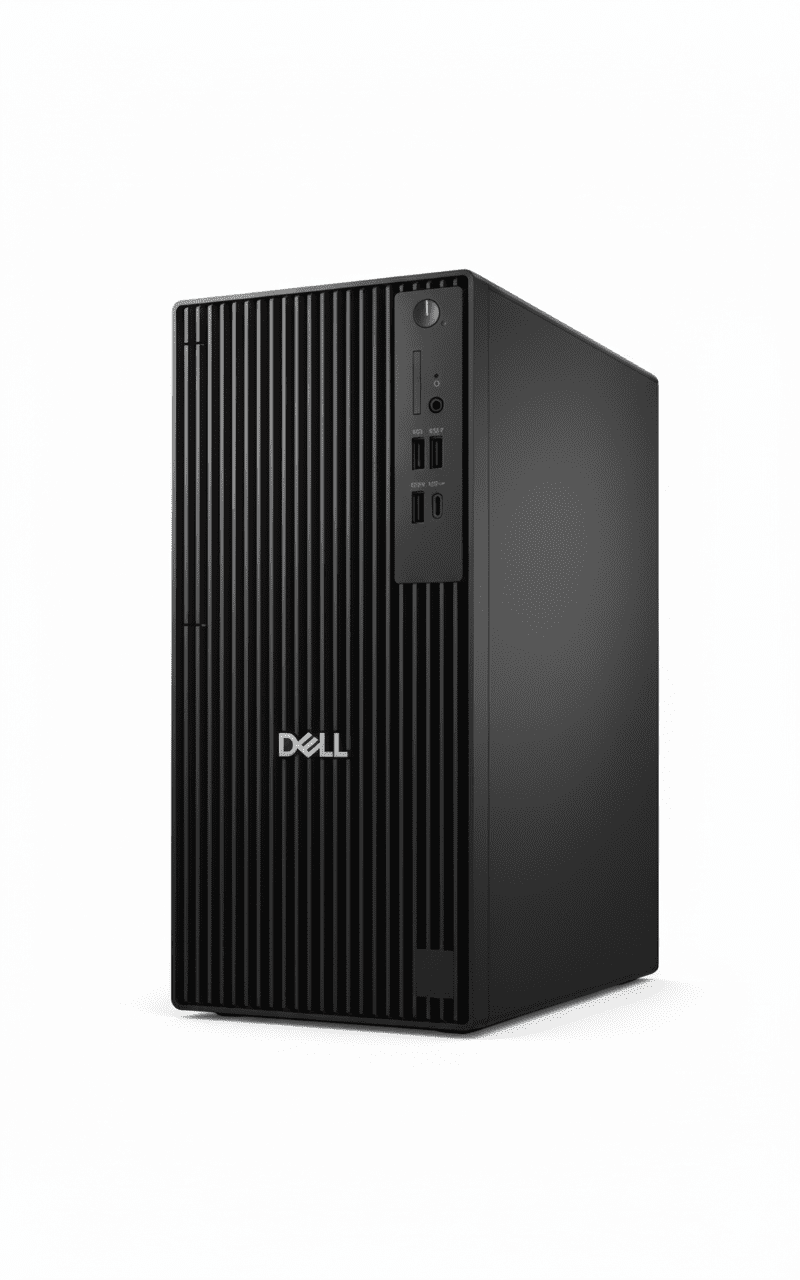
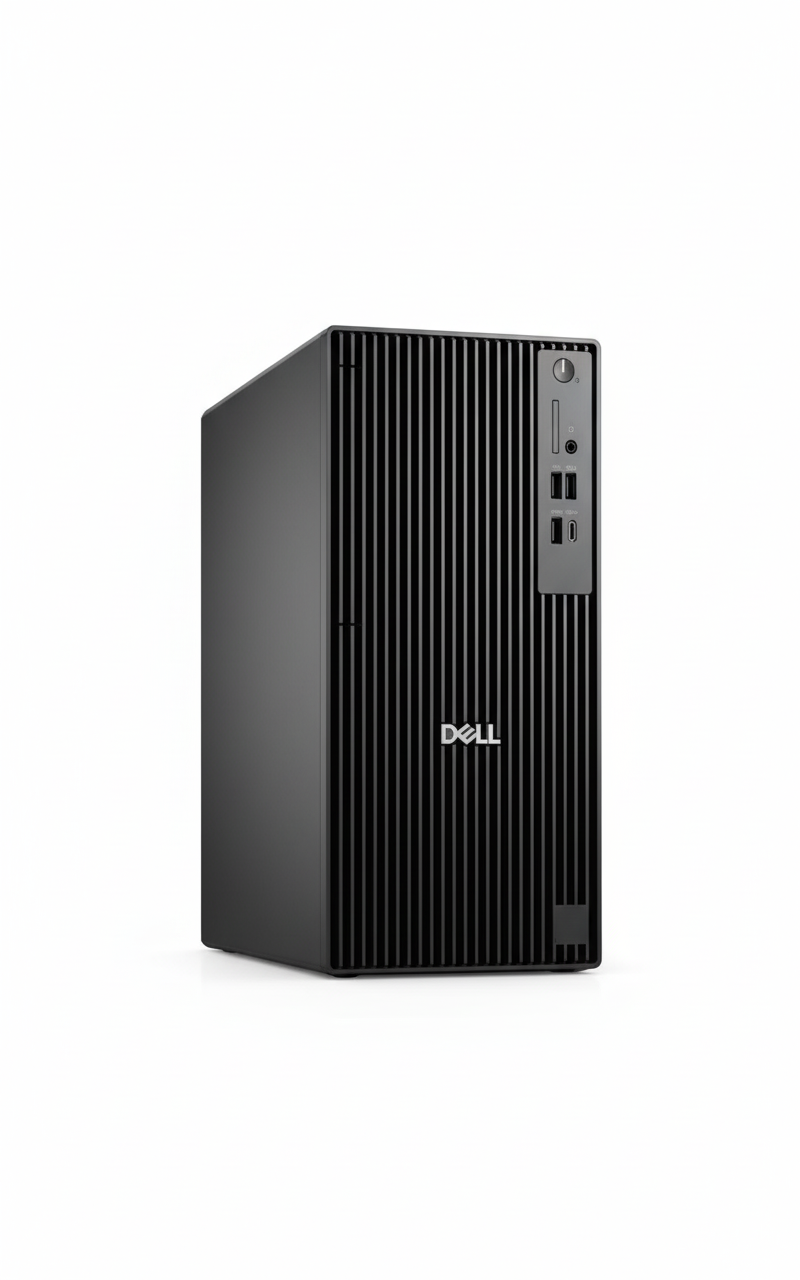
The Dell Pro Tower Plus QBT1250 at ₹1,00,590 is a traditional tower desktop (NOT All-in-One!) featuring the latest Intel Core Ultra 7 265 (20 cores, 13 TOPS NPU for AI), Windows 11 Pro, 16GB DDR5 (up to 5600MT/s), 512GB SSD, integrated graphics, Dell KB216 keyboard & MS116 mouse, and 3-year warranty. IMPORTANT: This is a tower PC only – you must buy monitor, display separately! Perfect for businesses wanting expandable, upgradable desktop towers for office work!

⚡ Core Ultra 7 265 (AI!)

  • • 20 Cores: 8P+12E cores!
  • • 5.3 GHz Turbo: Fast speeds!
  • • 13 TOPS NPU: AI accelerator built-in!
  • • Arrow Lake: Latest 2025 architecture!
  • • 30MB Cache: Large L3!
  • • Better Efficiency: Than 13th Gen!

🔧 Tower Advantages

  • • Expandable: Multiple PCIe slots!
  • • Upgradable: Easy CPU/RAM/GPU upgrades!
  • • Cooling: Better airflow than AIO!
  • • Storage: 3 M.2 slots + SATA!
  • • Powerful PSU: 260W/360W options!
  • • Choose Monitor: Pick your own display!

⚠️ What’s NOT Included

  • • NO Monitor: Must buy separately!
  • • NO Display: Tower only!
  • • Need to Buy: Monitor (₹8-20K)
  • • Cables: HDMI/DisplayPort cable
  • • KB+Mouse: Included FREE!
  • • Tower PC: Traditional desktop!

🎯 What You Get

  • • Core Ultra 7 265: 20-core AI CPU!
  • • Windows 11 Pro: Included!
  • • 16GB DDR5: Fast memory!
  • • 512GB SSD: NVMe speed!
  • • Tower Chassis: Expandable!
  • • KB + Mouse: Dell wired!
  • • 3Y Warranty: Onsite!

🔥 Tower vs All-in-One

Key differences:

  • • Expandability: Tower has slots!
  • • Upgrades: Easy in tower!
  • • Choose Monitor: Your preference!
  • • More Cables: Than AIO!
  • • Takes Space: Tower + monitor!

💡 Perfect For

Best use cases:

  • • Want Upgrades: Future GPU add!
  • • Have Monitor: Already own display!
  • • Need Expandability: PCIe cards!
  • • IT Departments: Standardized!
  • • Multiple Monitors: 3-display setup!

Display & Monitor Options – Choose Your Own!

⚠️ NO Built-in Display – Must Buy Monitor Separately!

CRITICAL: This is a traditional tower PC – it does NOT include a monitor/display! You must purchase a monitor separately (₹8,000-30,000 depending on size and features). However, this gives you the flexibility to choose exactly the monitor you want – size, resolution, panel type, features – unlike All-in-One PCs where you’re stuck with the built-in display!

💰 Budget Monitors (₹8-12K)

  • • Size: 24″ FHD (1920×1080)
  • • Panel: IPS for good colors
  • • Examples: Dell E2423HN, HP M24f, BenQ GW2480
  • • Perfect for: Basic office work, email, web browsing
  • • Features: Anti-glare, HDMI+DP, VESA mount

💼 Mid-Range (₹15-20K)

  • • Size: 27″ FHD or 24″ QHD (2560×1440)
  • • Panel: IPS with 99% sRGB
  • • Examples: Dell S2722DC, HP Z27, LG 27UP550
  • • Perfect for: Productivity, content creation, designers
  • • Features: USB-C hub, height adjust, blue light filter

🎨 Premium (₹25-35K)

  • • Size: 27-32″ QHD/4K (3840×2160)
  • • Panel: IPS with 100% sRGB/DCI-P3
  • • Examples: Dell U2723DE, BenQ PD2725U
  • • Perfect for: Video editing, photo work, CAD
  • • Features: USB-C 90W PD, factory calibrated, pivot

🖥️ Video Output Capabilities

Available Video Ports

  • • 3× DisplayPort 1.4a (HBR3): Up to 5120×3200 @60Hz
  • • Optional HDMI 2.1 (FRL): Up to 5120×3200 @60Hz
  • • Optional DisplayPort 2.1: Up to 7680×4320 @60Hz (8K!)
  • • USB-C with DP Alt Mode: Single-cable monitor connection

Multi-Monitor Support

  • • Up to 4 Displays: Integrated graphics supports quad monitors!
  • • 3× 4K @60Hz: Triple 4K monitor setup possible
  • • Perfect for: Trading, productivity, video editing workflows
  • • Recommendation: 2-3 monitors for best productivity

💡 Monitor Buying Guide

By Use Case:

  • • Basic Office: 24″ FHD IPS (₹8-10K)
  • • Productivity: 27″ FHD/QHD IPS (₹15-18K)
  • • Design/Photo: 27″ QHD 100% sRGB (₹20-25K)
  • • Video Editing: 27-32″ 4K IPS (₹28-35K)
  • • Multi-Monitor: 2-3× 24″ FHD (₹8-10K each)

Key Features to Look For:

  • ✓ Panel Type: IPS (wide viewing angles, better colors)
  • ✓ Resolution: FHD minimum, QHD for 27″+
  • ✓ Ports: HDMI + DisplayPort for flexibility
  • ✓ Adjustability: Height/tilt/swivel stand
  • ✓ Eye Care: Flicker-free, blue light filter

Webcam – Must Buy USB Webcam Separately!

📹 NO Built-in Webcam – External USB Required!

IMPORTANT: Traditional tower PCs do NOT have built-in webcams (unlike All-in-One PCs). For video conferencing (Zoom, Teams, Google Meet), you must purchase a USB webcam separately (₹1,500-5,000). However, you can choose the exact webcam quality you need – from basic 720p to premium 4K models!

💰 Budget Webcams (₹1.5-2.5K)

  • • Resolution: 720p HD
  • • Examples: Logitech C270, C310, HP 320
  • • Features: Basic mic, auto light correction
  • • Perfect for: Basic video calls, occasional meetings
  • • Pros: Cheap, plug-and-play
  • • Cons: Lower quality, noisy in low light

💼 Mid-Range (₹3-5K)

  • • Resolution: 1080p FHD
  • • Examples: Logitech C920, C922, Razer Kiyo
  • • Features: Dual stereo mics, HDR, 60fps option
  • • Perfect for: Daily video calls, content creators
  • • Pros: Sharp image, good low-light, reliable
  • • Cons: More expensive

🎨 Premium (₹8-15K)

  • • Resolution: 4K UHD
  • • Examples: Logitech Brio, Razer Kiyo Pro
  • • Features: HDR, AI autofocus, 90° FOV, ring light
  • • Perfect for: Executives, streamers, presenters
  • • Pros: Excellent quality, professional look
  • • Cons: Expensive, overkill for basic use

🎥 Webcam Recommendations by Use

Use CaseRecommended WebcamPrice RangeKey Features
Occasional MeetingsLogitech C270₹1,500-2,000720p, built-in mic, plug-and-play
Daily Video CallsLogitech C920₹3,500-4,5001080p, dual mics, HDR, best value!
Executive/PresenterLogitech Brio 4K₹12,000-15,0004K, AI autofocus, RightLight 3
Content CreationRazer Kiyo Pro₹8,000-10,0001080p 60fps, HDR, wide angle

💡 AI-Enhanced Video with Core Ultra NPU

Good news: The Core Ultra 7 265’s 13 TOPS NPU enables Windows Studio Effects that work with ANY webcam! Get AI-powered background blur, eye contact correction, auto-framing, and noise suppression – all accelerated by the NPU (58% less CPU usage than software processing).

Even a budget ₹2K webcam becomes much better with AI effects powered by the NPU. Perfect for professional video calls!

Connectivity – Comprehensive Port Selection

🔌 Extensive Connectivity Options

The Dell Pro Tower Plus offers comprehensive connectivity with USB-C 20Gbps, multiple USB-A ports, triple DisplayPort, Ethernet, and expansion options for Wi-Fi, Thunderbolt 4, and more!

🔵 Front Ports (Easy Access)

  • • 1× USB 3.2 Gen 2×2 Type-C: 20 Gbps! (Super fast transfers)
  • • 1× USB 3.2 Gen 2 Type-A: 10 Gbps
  • • 2× USB 2.0 Type-A: 480 Mbps (keyboard/mouse)
  • • 1× PowerShare USB: Charges devices when PC off
  • • 1× Headset Jack: 3.5mm combo audio

🔴 Rear Ports (Permanent Connections)

  • • 3× DisplayPort 1.4a: Triple monitor support!
  • • 1× USB 3.2 Gen 2 Type-C: 10 Gbps rear port
  • • 3× USB 3.2 Gen 1 Type-A: 5 Gbps each
  • • 2× USB 2.0 Type-A: SmartPower On feature
  • • 1× RJ45 Ethernet: Gigabit (1000 Mbps)
  • • Optional: Serial, VGA, HDMI, Thunderbolt 4

📶 Network Connectivity

Wired Network (Included)

  • • Gigabit Ethernet: RJ45 port, 1000 Mbps speed
  • • Stable Connection: No dropouts, consistent speed
  • • Best for: Office environments, video conferencing
  • • Optional 5GbE: Can upgrade to 5 Gigabit Ethernet!

Wireless (Optional Upgrade)

  • • NO Wi-Fi Built-in: Must add M.2 Wi-Fi card
  • • M.2 2230 Slot: For Wi-Fi 6/6E + Bluetooth 5.3 combo
  • • Cost: ₹1,500-3,000 for Wi-Fi card
  • • Recommendation: Use Ethernet for desktops (better!)

⚡ USB Speed Comparison

USB TypeSpeedQuantityBest Use
USB 3.2 Gen 2×2 Type-C20 Gbps1 (Front)Ultra-fast external SSDs, video transfers
USB 3.2 Gen 2 (10 Gbps)10 Gbps2 (1 Front, 1 Rear)Fast external drives, high-speed devices
USB 3.2 Gen 1 (5 Gbps)5 Gbps4 (1 Front, 3 Rear)External HDD, printers, scanners
USB 2.0 (480 Mbps)480 Mbps4 (2 Front, 2 Rear)Keyboard, mouse, low-speed peripherals

Software & Management Tools

💻 Pre-Installed Software

✅ What’s Included

  • • Windows 11 Pro: Full business OS pre-installed & activated
  • • Microsoft 365 Trial: 30-day trial (must subscribe after)
  • • Dell Optimizer: AI-powered performance & battery optimization
  • • Dell SupportAssist: Automatic updates, diagnostics, support
  • • Dell Update: Driver & BIOS update manager
  • • Dell Command: IT management suite (Deploy, Update, Monitor)

❌ NOT Included (Must Buy)

  • • Antivirus: Windows Defender included, but can add Norton/McAfee
  • • Microsoft Office: Only 30-day trial – need Microsoft 365 subscription
  • • PDF Editor: Need Adobe Acrobat or alternatives
  • • Backup Software: Windows Backup included, or use third-party

🔧 IT Management Features

Dell Command Suite

  • • Deploy: Automated PC deployment
  • • Update: Centralized driver/BIOS updates
  • • Monitor: Fleet health monitoring
  • • Configure: BIOS settings management

Windows 11 Pro Tools

  • • Group Policy: Centralized management
  • • BitLocker: Drive encryption
  • • Hyper-V: Virtual machines
  • • Remote Desktop: IT remote support

Dell Optimizer

  • • ExpressResponse: AI app prioritization
  • • Intelligent Audio: Auto noise cancellation
  • • ExpressConnect: Best network selection
  • • ExpressCharge: Fast charging (if applicable)

Use Cases – Who Should Buy This?

💼 #1: Enterprise IT Departments

Perfect for: Large businesses needing standardized, manageable desktops for 50+ employees

Why this works:

  • ✓ Core Ultra 7 265 handles all business workloads
  • ✓ Windows 11 Pro + Dell Command for centralized management
  • ✓ 3-year warranty reduces support burden
  • ✓ Expandable for future GPU/RAM upgrades
  • ✓ AI NPU ready for upcoming Windows AI features

👨‍💼 #2: Power Users & Executives

Perfect for: C-suite, managers, analysts needing high-performance workstations

Why this works:

  • ✓ 20-core CPU handles heavy multitasking (50+ tabs)
  • ✓ 16GB RAM sufficient for complex spreadsheets
  • ✓ Triple monitor support for productivity
  • ✓ Latest AI technology for future-proofing
  • ✓ Quiet operation (50% quieter than standard towers)

🎨 #3: Content Creators (Light)

Perfect for: Graphic designers, video editors (1080p), photographers

Why this works:

  • ✓ 20-core CPU handles Photoshop/Lightroom smoothly
  • ✓ Can edit 1080p video (4K needs dedicated GPU)
  • ✓ PCIe Gen4 x16 slot for future GPU upgrade (RTX 4060)
  • ✓ 3 M.2 slots for massive storage expansion
  • ✓ Triple DisplayPort for color-accurate monitors

📊 #4: Financial/Trading Workstations

Perfect for: Stock traders, financial analysts, accountants

Why this works:

  • ✓ Supports up to 4 monitors for multi-chart setups
  • ✓ Fast CPU handles real-time data feeds
  • ✓ 16GB RAM runs multiple trading platforms
  • ✓ Rock-solid stability for 24/7 operation
  • ✓ Expandable for future monitor additions

🏗️ #5: CAD/Engineering (with GPU)

Perfect for: Engineers, architects, CAD operators (with GPU upgrade)

Why this works:

  • ✓ 20-core CPU handles complex calculations
  • ✓ PCIe Gen4 x16 for professional GPU (RTX A2000/A4000)
  • ✓ 260W PSU supports mid-range workstation GPUs
  • ✓ Can upgrade to 32GB RAM for large assemblies
  • ✓ 3 M.2 slots for project file storage

🏫 #6: Educational Institutions

Perfect for: Computer labs, teacher workstations, admin offices

Why this works:

  • ✓ Fast enough for all educational software
  • ✓ Dell Command for centralized lab management
  • ✓ 3-year warranty reduces maintenance costs
  • ✓ Expandable for future curriculum needs
  • ✓ Windows 11 Pro for domain join

❌ NOT Recommended For

  • ❌ Gaming: Integrated graphics only – no gaming possible without GPU
  • ❌ 4K Video Editing: Need dedicated GPU for smooth 4K workflows
  • ❌ 3D Rendering: Too slow without professional GPU
  • ❌ Budget Users: Too expensive – choose Dell Pro Tower (₹63K) instead
  • ❌ Space-Constrained: Need separate monitor – choose AIO instead
  • ❌ Basic Office Only: Overkill – save ₹37K with budget tower

Intel Core Ultra 7 265 – AI-Ready Arrow Lake CPU

🚀 20-Core Powerhouse with 13 TOPS NPU!

The Intel Core Ultra 7 265 is the latest 2025 Arrow Lake processor with 20 cores (8 Performance + 12 Efficient), 20 threads, up to 5.3 GHz turbo, 30MB L3 cache, and most importantly: 13 TOPS NPU (Neural Processing Unit) for AI workloads! This is Intel’s first mainstream desktop CPU with built-in AI accelerator. Better efficiency than 13th Gen (10-37% faster in some tasks), perfect for business workloads and AI-enhanced applications!

Core Ultra 7 265 Specs

Processor Intel Core Ultra 7 265
Architecture Arrow Lake (2025)
Cores/Threads 20 Cores / 20 Threads
Core Config 8 P-cores + 12 E-cores
Max Turbo 5.3 GHz
L3 Cache 30 MB
NPU 13 TOPS AI Accelerator!
Base TDP 65W

AI NPU – What’s New?

🤖 13 TOPS NPU Benefits:

  • • AI Workloads: Dedicated AI accelerator chip!
  • • Windows Studio Effects: Background blur, eye contact
  • • AI Noise Suppression: Clear video calls
  • • AI Photo/Video: Faster AI editing in apps
  • • Future-Ready: For upcoming AI Windows features
  • • Efficiency: Offloads AI from CPU/GPU

💡 vs 13th Gen i7-13700:

  • • 10-37% faster (depending on workload)
  • • Better power efficiency
  • • Built-in NPU (13th Gen has none!)
  • • Newer Arrow Lake architecture

💾 Memory & Storage

16GB DDR5-5600 RAM

• Configuration: 1 x 16GB DDR5 non-ECC

• Speed: Up to 5600 MT/s (Fast!)

• Expandable: Can add more RAM sticks

• Sufficient for: Office + multitasking

512GB TLC SSD

• Capacity: 512GB SSD

• Type: TLC (Triple-Level Cell)

• Expandable: 3 M.2 slots + SATA slot!

• Can Add: More SSDs or HDDs easily

Tower Design – Traditional Desktop Form Factor

🖥️ Tower PC – Separate Monitor Required!

IMPORTANT: This is a traditional tower desktop – the PC is a separate box/tower that sits on/under your desk. You MUST buy a monitor separately (₹8,000-20,000 for office monitors). Unlike All-in-One PCs (HP ProOne), the display is NOT built-in. However, tower design offers major advantages: easy upgrades, better expandability, choose your own monitor, and better cooling!

✅ Tower Advantages

  • • Easy Upgrades: Can upgrade CPU, RAM, GPU, storage anytime!
  • • PCIe Expansion: 4 PCIe slots – add GPU, capture cards, etc!
  • • Choose Monitor: Pick size, resolution, features you want!
  • • Multi-Monitor: Easily connect 3+ displays!
  • • Better Cooling: More airflow than cramped AIO!
  • • Repair Friendly: Easy to fix, replace parts!
  • • Powerful PSU: 260W/360W – can add dedicated GPU!
  • • Future-Proof: Upgrade components for 5-10 years!

❌ Tower Disadvantages

  • • Need Monitor: Must buy separately (₹8-20K extra cost!)
  • • More Cables: Tower to monitor, power, keyboard, mouse = mess!
  • • Takes Space: Tower + monitor = more desk space needed!
  • • No Built-in Webcam: Must buy USB webcam (₹1.5-3K)
  • • Setup Time: Connect monitor, cables, peripherals
  • • Not Portable: Heavy tower + separate monitor = hard to move!

📐 Dimensions & Weight

Tower Size

• Height: 324.30 mm (12.77 inches)

• Width: 154.00 mm (6.06 inches)

• Depth: 293.00 mm (11.54 inches)

• Weight: 5.73-7.17 kg (12.6-15.8 lbs)

• Form Factor: Mid-tower desktop

Total Setup Space

• Tower: 154×293 mm footprint

• + Monitor: ~500-600mm wide

• Total Desk Space: Need ~70×50 cm

• vs AIO: Takes more space than All-in-One

Expandability – Future-Proof Upgrades

🔧 Massive Upgrade Potential!

The Dell Pro Tower Plus offers exceptional expandability – a key advantage over All-in-One PCs! With 4 PCIe slots (1×Gen4 x16, 1×Gen3 x4, 1×Gen3 x1, 1×Gen3 x4), 3 M.2 SSD slots, SATA HDD/ODD slots, and multiple USB ports, you can easily add: dedicated GPU for CAD/light gaming, NVMe SSDs, Wi-Fi cards, capture cards, and more. Perfect for businesses wanting long-term investment that grows with needs!

🎰 Expansion Slots

  • • 1× PCIe Gen4 x16: For dedicated GPU (RTX/RX)!
  • • 1× PCIe Gen3 x4: NVMe adapter, capture card
  • • 1× PCIe Gen3 x1: Wi-Fi card, sound card
  • • 1× PCIe Gen3 x4: Additional expansion board
  • • 3× M.2 2230/2280: Triple NVMe SSD support!
  • • 1× SATA 3.0 HDD: Add mechanical drive
  • • 1× SATA 3.0 ODD: Optical drive slot
  • • 1× SD Card Slot: Optional reader

⬆️ Easy Upgrades

Can Upgrade Later:

  • ✓ Add GPU: RTX 4060/RX 7600 for CAD/light gaming
  • ✓ More RAM: Expand to 32GB+ DDR5
  • ✓ More Storage: Add 2-3 more NVMe SSDs!
  • ✓ Wi-Fi Card: Add wireless networking
  • ✓ Better PSU: Upgrade to 360W Platinum
  • ✓ Optical Drive: Add DVD/Blu-ray drive

💡 vs All-in-One:

AIO PCs (HP ProOne) have VERY limited upgrades – usually just RAM. Tower design means you can upgrade almost everything, extending PC lifespan to 5-10 years!

🔌 Ports & Connectivity

Front Ports (Easy Access)

  • • 1× USB 3.2 Gen 2×2 Type-C (20 Gbps!)
  • • 1× USB 3.2 Gen 2 (10 Gbps)
  • • 2× USB 2.0 (one with PowerShare)
  • • 1× Headset jack (combo audio)

Rear Ports (Permanent)

  • • 3× DisplayPort 1.4a (HBR3) – Triple display!
  • • 1× USB 3.2 Gen 2 Type-C (10 Gbps)
  • • 3× USB 3.2 Gen 1 (5 Gbps)
  • • 2× USB 2.0 (SmartPower On)
  • • 1× RJ45 Gigabit Ethernet
  • • Optional: HDMI 2.1, DP 2.1, Thunderbolt 4

Tower vs All-in-One – Which Desktop Type?

🆚 Dell Tower vs HP ProOne AIO – Different Form Factors!

FeatureDell Tower (₹1.01L)HP ProOne AIO (₹1.08L)
Form FactorTraditional Tower (Separate box)All-in-One (Display built-in)
DisplayNOT included – Must buy!23.8″ Built-in!
CPUUltra 7 265 (20C, AI NPU)i7-13700 (16C, older)
ExpandabilityExcellent! 4 PCIe slotsVery Limited
UpgradesEasy! CPU/RAM/GPU/StorageRAM only
Desk SpaceMore space (tower + monitor)70% less space!
Cables5-8 cables (messy)2-3 cables (clean!)
Setup Time15-30 minutes5 minutes!
WebcamMust buy separately5MP IR Built-in!
Choose DisplayYES! Pick your ownStuck with 23.8″ built-in
Best ForPower users, Upgrades, Multi-monitorSpace-saving, Clean setup, Executives

✅ Which Should You Choose?

🖥️ Choose Tower If:

  • ✓ Want Upgrades: Plan to add GPU, RAM, storage later
  • ✓ Have Monitor: Already own good display
  • ✓ Multi-Monitor: Need 2-3 displays
  • ✓ Better Value: ₹7K cheaper + choose monitor
  • ✓ Power Users: Want expandability
  • ✓ IT Departments: Standardized towers
  • ✓ Future-Proof: 5-10 year upgrade path

💼 Choose All-in-One If:

  • • Limited Space: Small desk, reception counter
  • • Clean Setup: Minimal cables, professional look
  • • Quick Deploy: Need plug-and-play setup
  • • Complete Package: Display + PC + webcam included
  • • Executives: Premium, sleek appearance
  • • No Upgrades Needed: Won’t change components

💰 Total Cost Comparison

Dell Tower Total Cost:

  • • Tower PC: ₹1,00,590
  • • + Monitor (24″ FHD): ₹10,000-15,000
  • • + Webcam (if needed): ₹1,500-3,000
  • • KB+Mouse: Included!
  • Total: ₹1,12,000 – ₹1,19,000

HP ProOne AIO Total Cost:

  • • AIO PC: ₹1,08,499
  • • Display: Built-in (included!)
  • • Webcam: Built-in (included!)
  • • KB+Mouse: Included!
  • Total: ₹1,08,499 (Complete!)

Verdict: AIO is slightly cheaper complete package (₹1.08L vs ₹1.12-1.19L), BUT tower offers better expandability + newer CPU. If have monitor already, tower saves ₹8K!

Dell Pro Tower Plus vs Competitors

💼 #1: HP ProDesk 400 G9 Tower

HP: i7-13700 + 16GB + 512GB + Win 11 Pro – ₹95,000

Dell: Ultra 7 265 + 16GB + 512GB + Win 11 Pro – ₹1,00,590

Dell Wins:

  • ✓ Newer CPU (Ultra 7 265 vs i7-13700)
  • ✓ AI NPU built-in!
  • ✓ Better expandability

HP Wins:

  • ✓ ₹5.5K cheaper
  • ✓ HP brand

Verdict: Dell worth ₹5.5K extra for newer tech!

🖥️ #2: Lenovo ThinkCentre M90t Gen 4

Lenovo: i7-13700 + 16GB + 512GB + Win 11 Pro – ₹98,000

Dell: Ultra 7 265 + 16GB + 512GB + Win 11 Pro – ₹1,00,590

Dell Wins:

  • ✓ Latest 2025 CPU!
  • ✓ AI NPU
  • ✓ Better efficiency

Lenovo Wins:

  • ✓ ₹2.5K cheaper
  • ✓ ThinkCentre brand

Verdict: Very close, Dell newer tech!

💻 #3: HP ProOne 440 G9 AIO

HP AIO: i7-13700 + 16GB + 512GB + Display – ₹1,08,499

Dell Tower: Ultra 7 265 + 16GB + 512GB (No display) – ₹1,00,590

Dell Wins:

  • ✓ ₹8K cheaper!
  • ✓ Newer CPU + AI NPU
  • ✓ Easy upgrades!
  • ✓ Expandable!

HP Wins:

  • ✓ Display built-in!
  • ✓ 5MP IR webcam!
  • ✓ Space-saving!
  • ✓ Clean setup!

Verdict: Different form factors – Tower for upgrades, AIO for space!

🔷 #4: ASUS ExpertCenter D7 Tower

ASUS: i7-13700 + 16GB + 512GB + Win 11 Pro – ₹92,000

Dell: Ultra 7 265 + 16GB + 512GB + Win 11 Pro – ₹1,00,590

Dell Wins:

  • ✓ Latest 2025 CPU!
  • ✓ AI NPU
  • ✓ Dell brand reputation

ASUS Wins:

  • ✓ ₹8.5K cheaper!

Verdict: Dell worth extra for 2025 tech!

🎮 #5: Acer Veriton M Tower

Acer: i5-13400 + 8GB + 256GB + Win 11 Pro – ₹68,000

Dell: Ultra 7 265 + 16GB + 512GB + Win 11 Pro – ₹1,00,590

Dell Wins:

  • ✓ Much faster CPU!
  • ✓ Double RAM!
  • ✓ Double storage!
  • ✓ AI NPU!

Acer Wins:

  • ✓ ₹32K cheaper!

Verdict: Dell much better specs!

🔧 #6: Custom DIY Build

DIY: Ultra 7 265 + Parts – ₹95,000-1,05,000

Dell: Pre-built + Warranty – ₹1,00,590

Dell Wins:

  • ✓ 3-year warranty!
  • ✓ No assembly needed!
  • ✓ Windows 11 Pro included!
  • ✓ Business support!

DIY Wins:

  • ✓ Choose exact components
  • ✓ Potentially cheaper

Verdict: Dell better for businesses wanting warranty!

🏆 Competitor Summary

At ₹1,00,590, the Dell Pro Tower Plus offers best value for latest 2025 technology with Intel Core Ultra 7 265 (Arrow Lake), 13 TOPS AI NPU, excellent expandability, and 3-year warranty. While some competitors are ₹5-8K cheaper, they use older 13th Gen CPUs without AI capabilities. For businesses wanting future-proof investment, Dell’s newest tech is worth the premium!

Pros & Cons

✅ Pros

  • + Core Ultra 7 265: Latest 2025 CPU with AI NPU!
  • + 13 TOPS NPU: Built-in AI accelerator for future Windows features!
  • + 20 Cores/20 Threads: 8P+12E core configuration!
  • + Windows 11 Pro: Pre-installed business OS!
  • + 16GB DDR5-5600: Fast memory!
  • + Excellent Expandability: 4 PCIe slots + 3 M.2!
  • + Easy Upgrades: Can add GPU, RAM, storage anytime!
  • + Choose Monitor: Pick your own display!
  • + KB+Mouse Included: Dell wired peripherals!
  • + 3-Year Warranty: Excellent support!
  • + Triple DisplayPort: 3-monitor setup support!
  • + 20 Gbps USB-C: Fast front port!
  • + Tool-less Design: Easy to open/upgrade!
  • + Better Cooling: Tower airflow > AIO!
  • + Future-Proof: 5-10 year upgrade path!
  • + ₹1,00,590 Price: Good for latest tech!

❌ Cons

  • – NO Monitor Included: Must buy separately (₹10-20K extra!)
  • – NO Webcam: Need to buy USB webcam (₹1.5-3K)
  • – More Cables: Tower to monitor, power, KB, mouse = messy!
  • – Takes More Space: Tower + monitor = larger footprint!
  • – Setup Time: 15-30 minutes to connect everything!
  • – Integrated Graphics: No dedicated GPU – can’t game!
  • – 512GB Storage: Not huge for heavy users!
  • – NO Wi-Fi: Ethernet only – must buy Wi-Fi card!
  • – 260W PSU: Base model – limits GPU options!
  • – Heavy: 5.7-7.2 kg tower weight!
  • – Not Portable: Bulky tower + separate monitor!
  • – Total Cost ₹1.12-1.19L: With monitor + webcam!

🎯 Final Verdict

Best AI-Ready Business Tower – Latest 2025 Tech + Expandable!

Honest Assessment: Latest AI-Ready Tower, BUT Need to Buy Monitor!

The Dell Pro Tower Plus QBT1250 at ₹1,00,590 is an excellent AI-ready business tower featuring the latest Intel Core Ultra 7 265 (20 cores, 13 TOPS NPU), Windows 11 Pro, 16GB DDR5-5600, 512GB SSD, exceptional expandability (4 PCIe slots + 3 M.2), and 3-year warranty. CRITICAL: This is a traditional tower PC – you must buy monitor, webcam separately! Total cost with accessories: ₹1.12-1.19 lakh. Perfect for businesses wanting upgradable, future-proof desktops with latest 2025 technology!

What makes this special: First mainstream desktop with AI NPU – The Core Ultra 7 265’s 13 TOPS Neural Processing Unit accelerates AI workloads, enabling Windows Studio Effects, AI noise suppression, and future AI features in Windows. The Arrow Lake architecture is 10-37% faster than 13th Gen with better efficiency. Tower design offers unmatched expandability – can add dedicated GPU (RTX 4060), more RAM (32GB+), multiple NVMe SSDs, Wi-Fi cards, and more. With 3 M.2 slots + PCIe Gen4 x16 slot, this grows with your business needs for 5-10 years!

At ₹1,00,590 (+ monitor ₹10-15K), this is the best AI-ready business tower for 2025. Yes, total cost (₹1.12-1.19L) is higher than budget options, but you get: latest 2025 CPU with AI NPU, excellent expandability, easy upgrades, 3-year warranty, and ability to choose your own monitor. Our recommendation: Buy this if you’re a business wanting future-proof investment, plan to upgrade components later, need multi-monitor setup, want latest AI-ready technology, or already have monitor. For space-constrained offices wanting clean setup with display included, HP ProOne 440 AIO (₹1.08L) is better choice. But for power users, IT departments, and businesses prioritizing expandability: Dell Tower Plus is THE choice!

⭐

Overall Rating

4.5/5

Excellent tower PC!

💰

Value Rating

4.3/5

Good for latest tech!

🎯

Recommended?

YES*

*Need monitor!

👥 Who Should Buy This?

✅ Buy Dell Tower If:

  • ✓ Want Upgrades: Plan to add GPU/RAM/storage later
  • ✓ Have Monitor: Already own good display (saves ₹10-15K!)
  • ✓ Multi-Monitor: Need 2-3 displays for productivity
  • ✓ Latest Tech: Want 2025 Core Ultra 7 with AI NPU
  • ✓ Future-Proof: Want 5-10 year upgrade path
  • ✓ IT Departments: Standardized, expandable towers
  • ✓ Power Users: Need expandability options

💼 Choose AIO Instead If:

  • • Limited Space: Small desk, reception counter
  • • Clean Setup: Want minimal cables, professional look
  • • Complete Package: Need display + PC + webcam included
  • • No Upgrades: Won’t change components ever
  • • Quick Deploy: Need plug-and-play 5-minute setup
  • • Executives: Premium, sleek appearance matters

🎯 Category Scores

9/10
CPU Power
10/10
Expandability
8.5/10
Value
9/10
Latest Tech
9/10
Warranty

💡 Editor’s Final Recommendation

“Best AI-ready business tower for 2025 – but factor in monitor cost!” At ₹1,00,590 (+ monitor ₹10-15K = ₹1.12-1.19L total), this Dell Pro Tower Plus delivers cutting-edge technology: Intel Core Ultra 7 265 with 13 TOPS AI NPU, Windows 11 Pro, excellent expandability (4 PCIe + 3 M.2), and 3-year warranty. The Core Ultra 7 265 is Intel’s first mainstream desktop CPU with AI accelerator – perfect for future Windows AI features!

Our verdict: For businesses wanting upgradable, future-proof investment, this is EXCELLENT choice at ₹1.01L! The tower design means you can add GPU for CAD work, expand to 32GB+ RAM, add multiple NVMe SSDs, and keep upgrading for 5-10 years. If you already have monitor, saves ₹10-15K making it even better value! For offices with limited space wanting complete package (display included), HP ProOne 440 AIO (₹1.08L) is better. But for IT departments, power users, multi-monitor setups, and businesses prioritizing expandability: Dell Pro Tower Plus with Core Ultra 7 265 is THE best choice for 2025!

🖥️ Ready for AI-Ready Computing?

🖥️ ORDER Dell Pro Tower Plus – ₹1,00,590

Core Ultra 7 265 (20C, AI NPU) + Windows 11 Pro + 16GB DDR5 + 512GB SSD + KB+Mouse

Tower Only (Monitor NOT included!) | 3 Year Warranty | In Stock | Free Delivery | No Cost EMI

Frequently Asked Questions (FAQs)

Q1: Does this include a monitor/display?

A: NO! Tower PC only! This is a traditional tower desktop – the PC is a separate box. You MUST buy monitor separately (₹8,000-20,000 for office monitors). Total cost: ₹1,00,590 (tower) + ₹10-15K (monitor) + ₹1.5-3K (webcam if needed) = ₹1.12-1.19 lakh complete setup!

Q2: What is Core Ultra 7 265 and how is it different?

A: Latest 2025 Arrow Lake CPU with AI! Core Ultra 7 265 has: 20 cores (8P+12E), 5.3GHz max turbo, 30MB cache, AND most importantly: 13 TOPS NPU (Neural Processing Unit) – Intel’s first mainstream desktop CPU with built-in AI accelerator! This enables Windows Studio Effects, AI noise cancellation, and future AI features. 10-37% faster than i7-13700 with better efficiency!

Q3: What does 13 TOPS NPU mean for me?

A: AI acceleration built into CPU! NPU (Neural Processing Unit) is dedicated AI chip that handles: Windows Studio Effects (background blur, eye contact correction), AI noise suppression in video calls, AI-enhanced photo/video editing, and upcoming AI features in Windows. Offloads AI work from CPU/GPU for better efficiency. Makes your PC “AI-ready” for future applications!

Q4: Can I add a dedicated GPU for gaming/CAD?

A: YES! Has PCIe Gen4 x16 slot! Can add GPUs like: RTX 4060 (light gaming/CAD), RTX 4070 (better performance), or professional GPUs. However, base 260W PSU limits options – recommend upgrading to 360W Platinum PSU (available option) if adding power-hungry GPU. Perfect for CAD software (AutoCAD, SolidWorks), light gaming, or video editing!

Q5: Tower vs All-in-One – which is better?

A: Different needs! Choose Tower if: Want upgrades, have monitor, need expandability, multi-monitor setup, future-proofing. Choose AIO if: Limited space, want clean setup, need complete package (display included), no upgrades needed. Tower: ₹1.12-1.19L total (with monitor). AIO: ₹1.08L complete (HP ProOne 440). Tower better for power users, AIO better for space-saving!

Q6: Can I upgrade RAM and storage later?

A: YES! Very easy in tower! RAM: Can add more DDR5 sticks (expand to 32GB+ easily). Storage: Has 3 M.2 2230/2280 slots + SATA HDD slot – can add 2-3 more NVMe SSDs! Also has 1 SATA ODD slot for optical drive. Tower design = super easy to open and upgrade. One of the main advantages vs All-in-One PCs!

Q7: Does this have Wi-Fi or need Ethernet cable?

A: Ethernet only (no Wi-Fi included!): Has RJ45 Gigabit Ethernet port. If need wireless, must buy Wi-Fi card (has M.2 2230 slot for Wi-Fi/Bluetooth combo card – ₹1,500-3,000). Or use Ethernet cable (recommended for office PCs anyway – more stable + faster than Wi-Fi!)

Q8: What monitor should I buy with this?

A: Recommendations by use: Office work: 24″ FHD (1920×1080) IPS monitor – ₹10-12K (Dell, HP, LG). Productivity: 27″ FHD/QHD IPS – ₹15-20K. Multi-monitor: 2-3× 24″ FHD monitors. Tower has 3× DisplayPort 1.4a outputs – can connect up to 3 monitors! Choose based on desk space and budget.

Q9: Is this suitable for video conferencing?

A: Need to buy webcam! Tower has NO built-in webcam (unlike AIOs). Must buy USB webcam: Budget ₹1,500-2,000 (Logitech C270/C310), Better quality ₹3,000-5,000 (Logitech C920/C922). However, Core Ultra 7’s AI NPU enables Windows Studio Effects (background blur, eye contact) which work with any webcam!

Q10: What’s the total cost with all accessories?

A: ₹1,12,000 – ₹1,19,000 complete! Tower: ₹1,00,590. Monitor (24″ FHD): ₹10,000-15,000. Webcam (if needed): ₹1,500-3,000. KB+Mouse: Included! Cables: ₹500. Total: ₹1,12,000-1,19,000. If you already have monitor, only ₹1,00,590 + webcam = ₹1.02-1.04L!

Q11: How is Dell warranty and support?

A: Excellent 3-year warranty! Includes: 3 years parts, 3 years labor, 3 years onsite repair. Dell sends technician to your location (no need to ship tower). Business-grade support with dedicated helpline. Can extend warranty or add ProSupport Plus (priority support, accidental damage coverage) for additional cost. Very reliable!

Q12: Can this handle CAD software like AutoCAD?

A: 2D CAD: YES. 3D CAD: Add GPU! Core Ultra 7 265 handles: AutoCAD 2D (excellent), light 3D modeling (okay), SolidWorks basics (acceptable with integrated graphics). For heavy 3D CAD, rendering, simulations: Add dedicated GPU (RTX 4060/4070). Has PCIe Gen4 x16 slot – easy to add! Upgrade PSU to 360W if adding power-hungry GPU.

Q13: Why Core Ultra 7 265 vs older i7-13700?

A: Newer = Better! Core Ultra 7 265: Arrow Lake 2025, 20 cores, 13 TOPS AI NPU, better efficiency, 10-37% faster. i7-13700: Raptor Lake 2023, 16 cores, NO NPU, older. Ultra 7 has built-in AI accelerator for future Windows features. Both good for office work, but Ultra 7 more future-proof!

Q14: Can I connect 3 monitors for trading/productivity?

A: YES! Triple DisplayPort outputs! Has 3× DisplayPort 1.4a (HBR3) on rear – can connect 3 monitors simultaneously! Perfect for: stock trading (multiple charts), productivity (spreadsheet + email + browser), video editing (timeline + preview + bins). Integrated graphics handles 3× FHD monitors easily. Great for multi-tasking workflows!

Q15: Final verdict – should I buy this?

A: YES if you fit the profile! Buy if: Want upgradable tower, have/will buy monitor, need multi-monitor setup, want latest 2025 AI tech, plan future upgrades (GPU/RAM/storage), IT departments standardizing towers, power users. Total ₹1.12-1.19L with monitor. Choose AIO instead if: Limited space, want clean setup, need complete package (display included), no upgrades ever. This tower is BEST for businesses wanting future-proof, expandable investment with latest Core Ultra 7 AI technology!

Complete Technical Specifications

Dell Pro Tower Plus QBT1250 Desktop Full Specifications
📋 BASIC INFORMATION
Model NameDell Pro Tower Plus Desktop
Model NumberQBT1250
Order Codebto108_qbt1250_i2x
SeriesDell Pro (Business Series)
Form FactorTraditional Tower Desktop (Separate Box)
Recommended UsageBusiness, Office, IT Departments, Power Users
Rating4.0/5 (101 reviews)
💻 OPERATING SYSTEM
OSWindows 11 Pro (Pre-installed)
NoteDell recommends Windows 11 Pro for business
⚡ PROCESSOR (AI-READY!)
Processor NameIntel Core Ultra 7 265 (Arrow Lake – 2025!)
Cores / Threads20 Cores / 20 Threads (8P+12E cores)
Max TurboUp to 5.3 GHz
L3 Cache30 MB
NPU (AI Accelerator)13 TOPS Neural Processing Unit!
ArchitectureArrow Lake (Latest 2025)
vs 13th Gen10-37% faster + AI NPU!
🧠 MEMORY (RAM)
Installed RAM16 GB DDR5-5600 MT/s (1 x 16 GB, non-ECC)
RAM TypeDDR5 (Latest generation!)
SpeedUp to 5600 MT/s
ExpandableYes – can add more DDR5 sticks
💾 STORAGE
SSD512 GB SSD, TLC
Optical DriveNo Optical Drive (can add later)
🖥️ DISPLAY (CRITICAL!)
Built-in DisplayNOT INCLUDED – Must buy separately!
Monitor Cost₹10,000 – ₹20,000 extra
Form Factor NoteTraditional Tower PC – Separate monitor required!
🎮 GRAPHICS
GraphicsIntegrated Graphics (Intel)
GPU ExpansionCan add dedicated GPU (PCIe Gen4 x16 slot!)
NoteFor gaming/CAD, add dedicated GPU!
🎰 EXPANSION SLOTS (EXCELLENT!)
PCIe Slots4 PCIe Slots Total!
PCIe Gen4 x161 Full-height Gen4 PCIe x16 slot (for GPU!)
PCIe Gen3 Slots1× Gen3 x4 open-end, 1× Gen3 x1, 1× Gen3 x4 (expansion board)
M.2 SSD Slots3× M.2 2230/2280 slots (Triple NVMe!)
M.2 WiFi Slot1× M.2 2230 slot for WiFi/Bluetooth combo card
SATA Slots1 SATA 3.0 HDD slot + 1 SATA 3.0 ODD slot
SD Card Slot1 SD-card 4.0 slot (optional)
Security Slot1 security-cable slot (Kensington lock)
🔌 PORTS & CONNECTIVITY
Front Ports1× USB 3.2 Gen 2×2 Type-C (20 Gbps!), 1× USB 3.2 Gen 2 (10 Gbps), 2× USB 2.0 (1 with PowerShare), 1× Headset jack
Rear USB Ports1× USB 3.2 Gen 2 Type-C (10 Gbps), 3× USB 3.2 Gen 1 (5 Gbps), 2× USB 2.0 (SmartPower On)
Video Outputs3× DisplayPort 1.4a (HBR3) – Triple monitor support!
Network Port1× RJ45 Gigabit Ethernet (1 Gbps)
Legacy Port1 legacy serial port (optional)
Optional PortsVGA, HDMI 2.1 (FRL), DisplayPort 2.1 (UHBR20), Thunderbolt 4, 5GbE Ethernet (expansion options)
📡 WIRELESS CONNECTIVITY
Wireless LANNo Wireless LAN Card (Must add separately!)
Ethernet1× RJ45 Gigabit Ethernet (included)
WiFi UpgradeCan add M.2 WiFi 6/6E card (₹1.5-3K)
⌨️ INPUT DEVICES (INCLUDED!)
KeyboardDell Wired Keyboard KB216 – US International (QWERTY) Black (Included!)
MouseDell USB Optical Mouse MS116 Black (Included!)
WebcamNOT Included – Must buy separately (₹1.5-3K)
🔋 POWER
Power Supply260 W Bronze internal PSU
Upgrade Option360 W Platinum internal PSU (optional – for dedicated GPU)
Energy EfficiencyEPEAT registered, ENERGY STAR certified
🏗️ CHASSIS & DESIGN
ChassisDell Pro Tower Plus QBT1250 with Core Ultra CPU
Form FactorMid-Tower Desktop
DesignTool-less design for easy upgrades
📐 DIMENSIONS & WEIGHT
Height12.77 in. (324.30 mm)
Width6.06 in. (154.00 mm)
Depth11.54 in. (293.00 mm)
Weight (Minimum)12.63 lb (5.73 kg)
Weight (Maximum)15.81 lb (7.17 kg)
🛡️ SECURITY FEATURES
Physical SecurityKensington Security lock slot, Chassis padlock compatible
BIOS SecurityPower-on password, Setup password, SATA port disable
Data SecurityHP Secure Erase available
📜 WARRANTY & SUPPORT
Warranty3 Year Warranty (36 Months)
Support TypeOnsite repair (Dell technician comes to you!)
Upgrade OptionProSupport Plus available (priority support, accidental damage)
💿 SOFTWARE
Microsoft OfficeActivate Your Microsoft 365 For A 30 Day Trial
Security SoftwareNone (can add separately)
💰 PRICING
Online Price₹1,09,204
Dell Price₹1,00,590
Savings₹8,614 (7.9% OFF!)
Monitor Cost (Extra)+₹10,000 – ₹20,000 (NOT included!)
Webcam Cost (if needed)+₹1,500 – ₹3,000
Total Complete Setup₹1,12,000 – ₹1,19,000 (with monitor + webcam)
FinancingNo Cost EMI available (see options at checkout)
🏭 MANUFACTURING INFO
Country of OriginIndia (Made in India!)
Manufacturer/ImporterDell International Services India Private Limited, Bengaluru
Net Quantity1 (Tower PC only)
Commodity TypeDesktop Computer (Tower)
Consumer Complaintsgrievanceofficer@dell.com
ℹ️ ADDITIONAL INFORMATION
Stock StatusIn Stock (Ready to ship!)
DeliveryFree delivery
Customer Rating4.0/5 stars (101 reviews)
Key AdvantagesCore Ultra 7 265 AI NPU + Excellent Expandability + 3Y Warranty!
Best ForBusinesses wanting upgradable towers, Power users, Multi-monitor setups, IT departments
NOT ForSpace-constrained offices, Users wanting complete package (display included), No-upgrades needed
vs All-in-OneTower = Upgradable/Expandable. AIO = Space-saving/Complete package

🖥️ Ready for AI-Ready Business Tower?

Latest 2025 Core Ultra 7 + Expandable + 3Y Warranty!

🖥️ ORDER Dell Pro Tower Plus – ₹1,00,590

✅ Core Ultra 7 265 (20C, AI NPU) | ✅ Windows 11 Pro | ✅ 16GB DDR5 | ✅ 512GB SSD | ✅ KB+Mouse

⚠️ Tower Only (Monitor NOT included – Add ₹10-15K!) | 3 Year Warranty | In Stock | Free Delivery | No Cost EMI

🖥️ AI-Ready Tower Review Summary: Dell Pro Tower Plus QBT1250 at ₹1,00,590 (+ monitor ₹10-15K) is the best AI-ready business tower for 2025 – Intel Core Ultra 7 265 (20-core, 13 TOPS NPU for AI), Windows 11 Pro, 16GB DDR5-5600, 512GB SSD, excellent expandability (4 PCIe slots + 3 M.2), Dell KB+Mouse included, 3-year onsite warranty. ⚠️ IMPORTANT: Tower PC only – Monitor, webcam NOT included! Total cost ₹1.12-1.19L with accessories. Perfect for businesses wanting upgradable, future-proof desktops with latest 2025 technology!

Last Updated: November 2025 | 4.0/5 (101 Reviews) | In Stock | All prices subject to change

⚠️ Editor’s Note: Best AI-ready business tower with Core Ultra 7 265 (first mainstream CPU with AI NPU!). Tower = need monitor, but excellent expandability. Total ₹1.12-1.19L with monitor+webcam. For space-saving complete package, choose AIO instead!

Lenovo Legion Tower 5: Intel Core Ultra 5, RTX 4060 Gaming PC

Lenovo Legion Tower 5 Intel – Core Ultra Review: Mid-Range Gaming Powerhouse

Lenovo Legion Tower 5 Intel – Core Ultra

Intel® Core™ Ultra 5 225 16GB DDR5-5600MT/s 512GB SSD M.2 PCIe Gen4 NVIDIA® GeForce RTX™ 4060 Windows 11 Home

The Lenovo Legion Tower 5 Intel – Core Ultra is a compelling mid-range gaming desktop designed to deliver an exceptional gaming experience in modern titles and handle demanding creative applications with ease. This machine strikes an impressive balance between performance, efficiency, and value, making it a strong contender in its segment.

Priced at ₹1,37,878, the Legion Tower 5 comes equipped with the cutting-edge Intel Core Ultra 5 225 processor and the highly capable NVIDIA GeForce RTX 4060 8GB GDDR6 graphics card. This combination ensures smooth and immersive gameplay at both 1080p and 1440p resolutions, leveraging features like ray tracing and DLSS for enhanced visuals. With a generous 16GB of rapid DDR5-5600MT/s memory and a fast 512GB PCIe Gen4 SSD, it provides a perfect blend of speed and responsiveness for both gaming and everyday computing. Furthermore, the inclusion of a 3-year on-site warranty offers significant peace of mind for the user.

Key Features at a Glance

Efficient Next-Gen Processing: Intel® Core™ Ultra 5 225 (14 Cores, 14 Threads).
Capable NVIDIA GeForce RTX 4060: 8GB GDDR6 for 1080p/1440p gaming.
Blazing Fast Memory and Storage: 16GB DDR5-5600MT/s RAM & 512GB PCIe Gen4 SSD.
Modern and Comprehensive Connectivity: USB-C, HDMI 2.1, DisplayPort, Wi-Fi 6.
Sleek and Functional Design: Compact “Eclipse Black” chassis, often with RGB lighting.
Extended 3-Year On-site Warranty: Provides significant peace of mind.

Performance and Hardware

Efficient Next-Gen Processing:

At its core is the Intel® Core™ Ultra 5 225 Processor. This processor, part of the new Intel Core Ultra (Series 2) “Arrow Lake (Desktop)” architecture, features 14 Cores (6 Performance-cores, 8 Efficient-cores) and 14 Threads. With P-cores boosting up to 4.90 GHz and E-cores up to 4.40 GHz, and a 24 MB Intel Smart Cache (L3), it provides an excellent balance of raw power for demanding gaming and creative tasks, coupled with impressive power efficiency.

Capable NVIDIA GeForce RTX 4060 Graphics:

The desktop is armed with the NVIDIA® GeForce RTX™ 4060 8GB GDDR6 graphics card. Built on the NVIDIA Ada Lovelace architecture, with 3072 CUDA Cores and a boost clock of up to 2460 MHz, this GPU is perfectly suited for smooth gameplay in most modern titles at 1080p and 1440p resolutions. It fully supports NVIDIA’s advanced technologies like Ray Tracing and DLSS, significantly enhancing visual fidelity and frame rates in supported games.

Blazing Fast Memory and Storage:

It features 16GB of DDR5-5600MT/s UDIMM RAM (2 x 8GB), ensuring rapid data access and seamless multitasking, crucial for gaming and content creation. The 512GB SSD M.2 2280 PCIe Gen4 TLC provides incredibly fast boot times, quick application loading, and swift game launches, far surpassing traditional SATA SSDs.

Connectivity and Design

Modern and Comprehensive Connectivity:

  • Front I/O with 2x USB-A (hi-speed) and a headphone/mic combo.
  • Rear features USB-C® (USB 5Gbps and USB 20Gbps), multiple USB-A ports (hi-speed USB and USB 5Gbps), HDMI® 2.1 (supporting up to 4K@60Hz), 3x DisplayPort 1.3a, RJ45 (Gigabit Ethernet), and 3x Audio Ports.
  • This ensures versatile connections for a wide range of peripherals, displays, and high-speed data transfer.

Integrated Networking:

Comes with Gigabit Ethernet, Wi-Fi 6 (likely), and Bluetooth 5.2 (likely), ensuring fast, stable, and versatile network and wireless peripheral connectivity.

Sleek and Functional Design:

The Legion Tower 5 typically features a compact and stylish “Eclipse Black” chassis, often with customizable RGB lighting, allowing users to personalize their setup. Its design is both aesthetically pleasing and functional, optimizing airflow.

Support and Warranty

Extended 3-Year On-site Warranty:

A significant advantage is the 3 Years On-site Warranty provided by Lenovo. This offers convenient support and service directly at the user’s location, providing considerable peace of mind and protection for the investment.

Full Specification Details

General Information

  • Price: ₹1,37,878
  • Brand: Legion (Lenovo)
  • Model Name: Legion Tower 5 Intel – Core Ultra
  • Operating System: Windows 11 Home Single Language 64-bit
  • Color: Eclipse Black
  • Audio Chip: Onboard, Realtek high-performance Audio chip (ALC1220)

Processor & Graphics

  • Processor: Intel® Core™ Ultra 5 225 Processor
  • CPU Architecture: Intel Core Ultra (Series 2) – Arrow Lake (Desktop)
  • CPU Cores / Threads: 14 Cores (6 Performance-cores, 8 Efficient-cores) / 14 Threads
  • CPU Clock Speed: E-cores up to 4.40 GHz, P-cores up to 4.90 GHz
  • CPU Cache: 24 MB Intel Smart Cache (L3)
  • CPU Power: 65 W (Base Power), 135 W (Max Turbo Power)
  • CPU Lithography: Intel 7
  • PCI Express Revision (CPU): 5.0 and 4.0
  • Graphic Card: NVIDIA® GeForce RTX™ 4060 8GB GDDR6
  • GPU Architecture: NVIDIA Ada Lovelace
  • CUDA Cores (GPU): 3072
  • Boost Clock (GPU): Up to 2460 MHz
  • Memory Interface Width (GPU): 128-bit
  • Power Connectors (GPU): 1 x 8-pin

Memory & Storage

  • Memory: 16 GB DDR5-5600MT/s (UDIMM) – (2 x 8 GB)
  • Memory Support (CPU): Up to DDR5 5600 MT/s
  • Storage: 512 GB SSD M.2 2280 PCIe Gen4 TLC

Cooling & Networking

  • Cooling (Likely): Air cooling for CPU and GPU, multiple case fans
  • Networking: Gigabit Ethernet, Wi-Fi 6 (likely), Bluetooth 5.2 (likely)

I/O Ports

  • Front I/O: 2 x USB-A (hi-speed USB), Headphone / mic combo
  • Rear I/O: USB-C® (USB 5Gbps), 3 x Audio Ports, HDMI® 2.1 (supports resolution up to 4K@60Hz), 2 x USB-A (hi-speed USB), Power supply, RJ45 (Ethernet), 2 x USB-A (USB 5Gbps), USB-C® (USB 20Gbps), 3 x DisplayPort 1.3A

Physical Characteristics & Peripherals

  • Chassis Design: Clear Side Panel (implied by “Iconic Alienware Design” in source, though this is a Legion Tower)
  • Dimensions (H x W x D): Height: 418.00 mm (16.46 in.), Width: 197.00 mm (7.75 in.), Depth: 458.40 mm (18.05 in.)
  • Maximum Weight: 15.37 kg (33.89 lb)
  • Pointing Device: No Mouse (Customizable)
  • Keyboard: No Keyboard (Customizable)

Warranty & Software

  • Warranty: 3 Years On-site

The Gaming & Computing Experience: Pros and Cons

The Lenovo Legion Tower 5 Intel – Core Ultra delivers robust performance, but also has specific considerations.

Pros: Unleashing the Legion Tower 5’s Strengths

  • Excellent Value for Money: At its price point, this system offers a highly competitive combination of a next-gen Intel Core Ultra 5 processor and an RTX 4060 GPU, delivering strong performance for the cost.
  • Capable 1080p/1440p Gaming: The NVIDIA GeForce RTX 4060 with 8GB GDDR6 is perfectly suited for delivering smooth and enjoyable gameplay in most modern AAA titles at 1080p and even 1440p resolutions. Its support for DLSS 3.0 and Ray Tracing further enhances the gaming experience.
  • Efficient Next-Gen Processor: The Intel Core Ultra 5 225 (14 Cores, 14 Threads) provides a formidable balance of gaming performance and efficiency for everyday tasks, multitasking, and creative workloads. Its hybrid architecture (P-cores and E-cores) optimizes power usage.
  • Blazing Fast Storage and Memory: The 512GB PCIe Gen4 TLC SSD ensures incredibly fast boot times, application loading, and game launches. Coupled with 16GB of DDR5-5600MT/s RAM, the system delivers snappy and responsive performance across the board.
  • Modern and Versatile Connectivity: The inclusion of multiple USB-C ports (including a 20Gbps variant), numerous USB-A ports, HDMI 2.1, and three DisplayPort 1.3a outputs ensures extensive compatibility with a wide range of modern and legacy peripherals, and supports multiple high-resolution displays.
  • Compact and Stylish Design: The Legion Tower 5’s “Eclipse Black” chassis is typically more compact than larger, higher-end gaming desktops, making it suitable for various desk setups. Its aesthetic is clean and modern, often with customizable RGB lighting.
  • Industry-Leading 3-Year On-site Warranty: This is a significant advantage, providing convenient and comprehensive support directly at your location, ensuring peace of mind and protecting your investment for an extended period.
  • Future-Ready with PCIe Gen 5.0 (CPU): The CPU’s support for PCIe Gen 5.0 indicates readiness for future, even faster components, although the current SSD utilizes Gen 4.

Cons: Potential Areas for Consideration

  • Not Ideal for Consistent 4K Gaming: While the RTX 4060 can run some lighter titles at 4K or use DLSS to boost frames, it is not powerful enough for consistently smooth 4K gaming in demanding AAA titles at high settings. Users targeting a dedicated 4K experience should consider an RTX 4070 or higher.
  • 512GB SSD Might Be Limiting for Gamers: For users with a large game library, a 512GB SSD can fill up very quickly, necessitating frequent game uninstalls or the addition of a secondary storage drive. Many modern AAA games consume 100GB+ of space.
  • Air Cooling (Likely): While adequate for the components, air cooling is generally less efficient and potentially louder under heavy loads compared to liquid cooling solutions found in higher-end models.
  • No Peripherals Included: The absence of a bundled mouse and keyboard means additional purchases are required to get the system fully operational, adding to the initial cost.
  • GPU Memory Interface Width (128-bit): While 8GB GDDR6 is fine for the RTX 4060’s performance tier, the 128-bit memory interface width can be a slight bottleneck in certain memory-intensive scenarios, especially at higher resolutions or with demanding textures.
  • No USB-C on Front I/O: While there are USB-C ports on the rear, the lack of one on the front can be an inconvenience for quickly connecting modern USB-C peripherals.

Final Verdict: Lenovo Legion Tower 5 Intel – Core Ultra – The Smart Choice for Mainstream Gaming Excellence

The Lenovo Legion Tower 5 Intel – Core Ultra is a solid, well-balanced, and highly recommended mid-range gaming desktop that offers excellent value for money. It is perfectly suited for gamers who primarily play at 1080p or 1440p resolutions and desire a reliable, stylish, and efficient system without venturing into the high-end price bracket.

The combination of the next-gen Intel Core Ultra 5 225 processor and the capable NVIDIA GeForce RTX 4060 provides a strong foundation for smooth gameplay in a vast library of modern titles, leveraging advanced graphics technologies. The fast DDR5 RAM and PCIe Gen4 SSD ensure a responsive and snappy overall experience. The generous 3-year on-site warranty further enhances its appeal, providing invaluable peace of mind.

While it’s not designed for immersive 4K gaming or users with truly massive storage needs, for the mainstream gamer seeking a capable, future-ready, and affordable gaming PC with excellent support, the Legion Tower 5 Intel – Core Ultra is a compelling and smart choice.

★★★★☆

Overall Rating: 4.5 out of 5.0 (Based on Expert Analysis)


HP Pro Tower 280 G9 i3 Review (₹37,837) – 6 Configs, Specs, Pros & Verdict

HP Pro Tower 280 G9
HP Pro Tower 280 G9 Complete Review 2025 – Budget Business Desktop i3-12100
HP Pro Tower 280 G9 Budget i3

💼 BUDGET BUSINESS – 265 Views!

12th Gen i3 + Lowest Price + 6 Configs Available!

💰 BUDGET – 12th i3-12100 – 8GB DDR4 – 512GB SSD – FreeDOS – ₹37,837

HP Pro Tower 280 G9 Budget Desktop

Entry-Level Business Tower | 12th Gen i3 | Cheapest!

12th Gen Core i3-12100 (4-core) – 8GB DDR4 – 512GB SSD – NO Wi-Fi – Expandable – FreeDOS

⚠️ IMPORTANT: 6 Configurations Available!

• Budget (This): 12th Gen i3-12100, 8GB, ₹37,837

• Mid: 13th Gen i5-13500, 8-16GB, ₹49-61K

• Premium: 14th Gen i7-14700, 16GB DDR5, ₹67,594

• See comparison below to choose right config!

₹37,837

₹40,324

SAVE ₹2,487 (6% OFF) – CHEAPEST!

*EMI available | In Stock!

CPU

12th i3

Price

₹37.8K

Type

Budget

HP Pro Tower 280 G9 – Budget Business Desktop

💰 Cheapest HP Business Tower – 6 Configurations Available!

The HP Pro Tower 280 G9 is HP’s budget business tower desktop series with 6 different configurations ranging from ₹37,837 to ₹67,594! This review focuses on the entry-level 12th Gen Core i3-12100 variant at ₹37,837 – the cheapest HP business desktop currently available. Perfect for small businesses, startups, basic office work, and budget-conscious buyers needing reliable desktop computing!

Budget i3 (This) – ₹37,837

  • • 12th Gen i3-12100 (4-core, 4.3GHz)
  • • 8GB DDR4-3200
  • • 512GB SSD
  • ✗ NO Wi-Fi (wired only)
  • • FreeDOS
  • • CHEAPEST!

Mid i5 – ₹49-61K

  • • 12th/13th Gen i5
  • • 8GB or 16GB DDR4
  • • 512GB SSD
  • • Optional Wi-Fi 6
  • • FreeDOS or Win11 Pro
  • • Balanced choice

Premium i7 – ₹67,594

  • • 14th Gen i7-14700 (20-core!)
  • • 16GB DDR5-5600
  • • 512GB SSD
  • ✗ NO Wi-Fi
  • • FreeDOS
  • • BEST PERFORMER!

💼 What You Get (i3 Budget)

  • • 12th Gen i3-12100: 4-core desktop CPU
  • • 8GB DDR4-3200: Basic memory
  • • 512GB SSD: Fast storage
  • • Intel UHD 730: Basic graphics
  • • Expandable Tower: Add more later
  • • FreeDOS: Install OS yourself
  • • HP 125 KB/Mouse: Included

💰 Budget Advantage

At ₹37,837, this is THE cheapest HP business desktop:

  • • ₹29.7K less than i7 variant!
  • • ₹11.6K less than i5 variants
  • • ₹26.7K less than 24″ AIO
  • • Entry-level: Budget businesses
  • • Upgradable: Add RAM/storage later

⚠️ Limitations

Budget means compromises:

  • • Only 4 cores: vs 20 in i7
  • • 8GB RAM: Not 16GB
  • • DDR4: Not DDR5
  • • NO Wi-Fi: Wired LAN only
  • • Basic for: Office, browsing only

All 6 HP Pro Tower 280 G9 Configurations

🎯 Which Configuration Should You Buy?

The Pro Tower 280 G9 has 6 different configurations from ₹37,837 to ₹67,594. Choose based on your needs and budget!

ConfigCPURAMStorageWi-FiOSPriceBest For
1. Budget i3
(This Review)
12th Gen
i3-12100
(4-core)
8GB
DDR4
512GB
SSD
✗FreeDOS₹37,837Basic office
Budget
2. Mid i5 (12th)12th Gen
i5-12400
(6-core)
8GB
DDR4
512GB
SSD
✗FreeDOS₹49,506Small business
Balanced
3. Mid i5 (13th)13th Gen
i5-13500
(14-core)
8GB
DDR4
512GB
SSD
✗FreeDOS₹53,453Good performance
Value
4. Mid i5 (12th) Alt12th Gen
i5-12400
(6-core)
8GB
DDR4
512GB
SSD
✗FreeDOS₹49,506Same as #2
Alternate SKU
5. Premium i5 + Win1113th Gen
i5-13500
(14-core)
16GB
DDR4
512GB
SSD
✗Win11 Pro₹61,168Complete package
+ Windows
6. Top i7 (14th)14th Gen
i7-14700
(20-core)
16GB
DDR5
512GB
SSD
✗FreeDOS₹67,594Best performance
Power users

💰 Best Budget

Config #1: i3-12100 – ₹37,837

Cheapest HP business desktop. Good for basic office work, browsing, documents. Upgradable later!

BUY i3 – ₹37,837

⚖️ Best Value

Config #3: i5-13500 – ₹53,453

13th Gen i5 with 14 cores! Best balance of performance and price. Sweet spot for most businesses!

BUY i5-13500 – ₹53,453

🏆 Best Performance

Config #6: i7-14700 – ₹67,594

14th Gen i7 with 20 cores + DDR5! Fastest option. For power users needing maximum performance!

BUY i7-14700 – ₹67,594

Intel Core i3-12100 12th Gen – Budget Desktop CPU

Core i3-12100 12th Gen

Alder Lake – Budget Desktop CPU

Cores/Threads 4 Cores / 8 Threads
Max Turbo 4.3 GHz
Cache 12 MB L3
Generation 12th Gen (Alder Lake)
Type Desktop CPU (65W)

vs Higher Configs

14th Gen i7-14700 (₹67.6K)

  • • 20 cores / 28 threads
  • • Up to 5.4 GHz
  • • 33 MB L3 cache
  • • 5x more cores!
  • • ~3x faster!

12th Gen i3-12100 (This)

  • • 4 cores / 8 threads
  • • Up to 4.3 GHz
  • • 12 MB L3 cache
  • • Budget friendly!
  • • Good for basics

💾 Memory & Storage

8GB DDR4-3200

• Configuration: 1 x 8GB (Single channel)

• Slots: 2 DIMM (Upgradable to 32GB)

• Speed: 3200 MT/s

• Type: DDR4 (not DDR5)

• Upgrade tip: Add another 8GB for dual channel!

512GB PCIe NVMe SSD

• Type: M.2 PCIe NVMe

• Capacity: 512GB

• Expandability: 2 M.2 slots total

• Drive Bays: 1-2 x 3.5″ HDD bays

• Can add: More SSDs or HDDs easily!

⚡ Performance Reality Check

The 12th Gen i3-12100 is a budget desktop CPU – fine for basic office work (Word, Excel, browsing, email), but NOT for heavy workloads. If you need multitasking, professional apps, or future-proofing, spend ₹15-30K more for i5 or i7 configs!

✓ Good For:

  • • Office apps (Word, Excel, PowerPoint)
  • • Web browsing, email
  • • Basic data entry
  • • Video calls (1-2 apps)
  • • Budget startups

✗ NOT Good For:

  • • Heavy multitasking (10+ tabs)
  • • Video editing, CAD
  • • Virtual machines
  • • Future-proofing (3+ years)
  • • Power users

Expandability – Upgrade Later!

💡 Budget Now, Upgrade Later Strategy

The beauty of the i3 config is you can start cheap at ₹37,837 and upgrade components as your business grows! Tower design allows easy upgrades without buying new PC.

🔧 Expansion Slots

PCIe Slots

  • • 1x PCIe 4.0 x16: Add GPU (GTX 1650, etc)
  • • 1x PCIe 3.0 x1: Expansion cards
  • • 1x PCI: Legacy devices

M.2 Slots

2 M.2 slots for additional NVMe SSDs

💽 Storage & Memory Upgrades

Easy Upgrades

  • • Add 8GB RAM: ₹2-3K (total 16GB)
  • • Add 1TB HDD: ₹3-4K (extra storage)
  • • Add GPU: ₹12-15K (GTX 1650)
  • • Add Wi-Fi card: ₹2-3K (wireless)

Upgrade Path

Start: ₹37.8K base → Add RAM/storage later: ₹5-10K → Total: Still cheaper than i7 config!

Ports & Connectivity

🔌 Front Ports

  • • 2x USB-A 10Gbps: SuperSpeed USB 3.2
  • • 4x USB-A 5Gbps: USB 3.2 Gen 1
  • • 1x Audio combo: Headphone/microphone
  • • Total front: 6 USB + 1 audio

🔌 Rear Ports

  • • 2x USB 2.0: Legacy devices
  • • 1x HDMI: Monitor output
  • • 1x VGA: Legacy monitor
  • • 1x RJ-45: Gigabit Ethernet
  • • Audio ports: Line in/out
  • • 1x Serial port: Legacy equipment

⚠️ NO Wi-Fi or Bluetooth!

This budget config has NO wireless connectivity – wired LAN only. If you need Wi-Fi, either buy USB adapter (₹2-3K) or choose i5 configs with optional Wi-Fi. Budget compromise!

HP Pro Tower 280 G9 i3 vs 6 Competitors

🏆 #1: HP Pro Tower 280 G9 i7 (Same Series!)

i7 Config: 14th Gen i7-14700, 16GB DDR5, ₹67,594

i3 Config (This): 12th Gen i3-12100, 8GB DDR4, ₹37,837

i7 Wins:

  • ✓ 20 cores vs 4!
  • ✓ DDR5 vs DDR4!
  • ✓ 16GB vs 8GB!
  • ✓ 3x faster!

i3 Wins:

  • ✓ ₹29,757 cheaper!
  • ✓ Budget friendly!

Verdict: i7 for power, i3 for budget. Both same platform!

💻 #2: Dell Vostro 3000 Tower

Dell: 12th Gen i3-12100, 8GB, 512GB – ₹42,000

HP 280: 12th Gen i3-12100, 8GB, 512GB – ₹37,837

HP Wins:

  • ✓ ₹4K cheaper!
  • ✓ Same specs!
  • ✓ Better value!

Dell Wins:

  • ✓ Dell brand
  • ✓ Vostro reputation

Verdict: HP better value for same hardware!

🖥️ #3: Lenovo ThinkCentre Neo 50t

Lenovo: 12th Gen i3-12100, 4GB RAM, 1TB HDD – ₹35,000

HP 280: 12th Gen i3-12100, 8GB RAM, 512GB SSD – ₹37,837

HP Wins:

  • ✓ 8GB vs 4GB RAM!
  • ✓ SSD vs HDD!
  • ✓ Much faster!

Lenovo Wins:

  • ✓ ₹2.8K cheaper
  • ✓ 1TB vs 512GB

Verdict: HP worth ₹2.8K extra for double RAM + SSD!

⚙️ #4: Asus ExpertCenter D3 Tower

Asus: 11th Gen i3-10105, 8GB, 512GB HDD – ₹34,000

HP 280: 12th Gen i3-12100, 8GB, 512GB SSD – ₹37,837

HP Wins:

  • ✓ Newer 12th Gen!
  • ✓ 30% faster CPU!
  • ✓ SSD vs HDD!

Asus Wins:

  • ✓ ₹3.8K cheaper

Verdict: HP worth premium for newer CPU + SSD!

💼 #5: Acer Veriton Essential VES2735G

Acer: 12th Gen i3-12100, 4GB, 1TB HDD – ₹32,000

HP 280: 12th Gen i3-12100, 8GB, 512GB SSD – ₹37,837

HP Wins:

  • ✓ Double RAM (8GB)!
  • ✓ SSD vs HDD!
  • ✓ HP brand!
  • ✓ Much faster!

Acer Wins:

  • ✓ ₹5.8K cheaper!
  • ✓ 1TB vs 512GB

Verdict: HP worth extra for better components!

🔧 #6: Custom DIY PC Build

DIY: i3-12100 (₹10K) + H610 (₹6K) + 8GB (₹2.5K) + 512GB SSD (₹3.5K) + Case/PSU (₹5K) = ₹27K

HP 280: Pre-built with warranty – ₹37,837

HP Wins:

  • ✓ Pre-built & tested!
  • ✓ Warranty + support!
  • ✓ No assembly!
  • ✓ KB/Mouse included!

DIY Wins:

  • ✓ ₹10.8K cheaper!
  • ✓ Choose parts!
  • ✓ Better motherboard!

Verdict: HP for warranty + convenience, DIY for savings!

🏆 Competitor Summary

At ₹37,837, the HP Pro Tower 280 G9 i3 offers best value among branded business desktops – beats Dell/Lenovo/Asus at similar specs, includes SSD (not HDD), and has HP’s business warranty. DIY is cheaper but no warranty/support!

Who Should Buy Pro Tower 280 G9 i3?

💰 Budget Businesses

  • • Startups: Limited budget
  • • Small Shops: Basic POS/billing
  • • Home Offices: Simple work
  • • Data Entry: Basic input work
  • • Retail: Point of sale systems

Perfect for: Budget-conscious businesses needing basic PC

📄 Basic Office Work

  • • Documents: Word, Excel, PowerPoint
  • • Email: Outlook, Gmail
  • • Web Browsing: Research, portals
  • • Video Calls: Zoom, Teams (1-2 apps)
  • • Basic Tasks: Light workloads

Perfect for: Standard office applications only

🔄 Upgrade-Later Strategy

  • • Start Cheap: ₹37.8K base
  • • Add RAM: +₹2-3K later
  • • Add Storage: +₹3-4K later
  • • Add GPU: +₹12K later
  • • Grow as Business Grows: Smart!

Perfect for: Businesses with growth plans

⚠️ NOT Recommended For

  • • Heavy Multitasking: Get i5/i7!
  • • Video Editing: Underpowered!
  • • CAD/3D Work: Need more cores!
  • • Gaming: No dedicated GPU!
  • • Power Users: Will feel slow!

Better choice: Spend ₹15-30K more for i5/i7!

🏫 Educational Institutions

  • • Computer Labs: Bulk deployments
  • • Training Centers: Basic software
  • • Libraries: Public access PCs
  • • Admin Offices: Simple tasks
  • • Budget Schools: Limited funds

Perfect for: Bulk orders with budget constraints

🏪 Reception/Counter PCs

  • • Reception Desks: Visitor management
  • • Billing Counters: POS systems
  • • Service Centers: Basic logging
  • • Kiosks: Information displays
  • • Front Office: Simple operations

Perfect for: Single-purpose workstations

⚠️ Honest Buying Advice

The HP Pro Tower 280 G9 i3-12100 at ₹37,837 is ONLY for budget-conscious buyers needing basic office PC. If you can spend ₹15-30K more, the i5 or i7 configs offer much better value and longevity!

✓ Buy i3 (₹37.8K) If:

  • 1. Strict budget of ₹40K or less
  • 2. ONLY basic office work (Word, Excel, email)
  • 3. Single task at a time (no multitasking)
  • 4. Can upgrade RAM/storage later
  • 5. Buying multiple PCs (bulk order)

⭐ Better: Spend ₹15-30K More:

  • ✓ i5-13500 (₹53.5K): 14 cores, 75% faster!
  • ✓ i7-14700 (₹67.6K): 20 cores, 3x faster!
  • ✓ Better multitasking, future-proofing
  • ✓ Won’t feel slow in 1-2 years
  • ✓ BETTER LONG-TERM VALUE!

Business Features & Security

🔒 Security

  • • TPM 2.0: Hardware encryption chip
  • • Padlock Loop: Physical security
  • • Cable Lock: Integrated accessories
  • • Slim Cable Lock: Theft protection
  • • Business Grade: Enterprise security

🛠️ Management

  • • HP Support Assistant: Easy updates
  • • HP Client Catalog: Driver management
  • • HP Cloud Recovery: System recovery
  • • Remote Capable: IT management
  • • Business Tools: Included software

📜 Warranty

Standard Warranty

1 Year Limited Warranty (business-class)

Better than consumer warranty – business support included!

Pros & Cons

✅ Pros

  • + ₹37,837 Price: Cheapest HP business desktop!
  • + Desktop i3-12100: Real desktop CPU (65W)!
  • + 512GB SSD: Fast storage (not HDD)!
  • + 8GB DDR4: Adequate for basics!
  • + Expandable Tower: Upgrade later!
  • + 2 DIMM Slots: Add more RAM easily!
  • + HDD Bays: Add storage cheap!
  • + PCIe x16 Slot: Can add GPU!
  • + Business Warranty: Better than consumer!
  • + HP Brand: Reliable quality!
  • + KB/Mouse Included: Complete package!
  • + 6 Configs: Can upgrade to i5/i7!

❌ Cons

  • – Only 4 Cores: vs 14-20 in i5/i7!
  • – 12th Gen: Not latest 14th Gen!
  • – 8GB RAM: Not 16GB!
  • – DDR4: Not DDR5 like i7 config!
  • – NO Wi-Fi: Wired LAN only!
  • – NO Bluetooth: Wired peripherals!
  • – FreeDOS: No Windows (₹10K extra)!
  • – NO Monitor: Buy separately (₹12K)!
  • – NO Office: Buy separately (₹9K)!
  • – Slow for Multitasking: Only 4 cores!
  • – Limited Future: Will feel slow soon!
  • – Total Cost: ~₹69K with everything!

🎯 Final Verdict

Budget-Friendly, But Consider Upgrading!

Honest Assessment: Good Budget Option, Better Options Available

The HP Pro Tower 280 G9 with 12th Gen Core i3-12100 at ₹37,837 is the cheapest HP business desktop currently available, featuring desktop-class 4-core CPU, 8GB DDR4 RAM, 512GB SSD, expandable tower design, business security features, and 1-year warranty. It’s perfect for ultra-budget businesses needing basic office PC (Word, Excel, browsing), bulk deployments (schools, training centers), or as entry-level desktop with upgrade-later strategy.

However, the 4-core i3-12100 is limited – fine for single-tasking basic office work, but struggles with multitasking, modern apps, or any demanding workload. If you can afford ₹15,000-30,000 more, the i5-13500 config (₹53,453) or i7-14700 config (₹67,594) offer dramatically better value – 3.5x to 5x more cores, much faster performance, DDR5 RAM (i7), and better longevity. You’ll appreciate the extra investment within 6-12 months!

At ₹37,837, this is a good budget option IF you truly cannot spend more, but it’s NOT the best value in the lineup. Our honest recommendation: Save ₹15K more and buy the i5-13500 config (₹53,453) – it has 14 cores (vs 4), 75% faster performance, and will serve you much better for 3-5 years. Buy the i3 only if: (1) Absolute budget constraint under ₹40K, (2) Only basic single-task office work, (3) Buying in bulk for simple workstations, or (4) Plan to upgrade RAM/CPU later!

⭐

Overall Rating

3.5/5

Good budget, limited performance!

💰

Value Rating

3.8/5

Cheap, but i5 better value!

🎯

Recommended?

Maybe

If budget-limited only!

👥 Which Config Should You Buy?

💰 Buy i3 (₹37,837) If:

  • • Budget: Cannot spend more than ₹40K
  • • Usage: ONLY basic office work
  • • Tasks: Single application at a time
  • • Bulk: Buying 10+ PCs (cost matters)
  • • Simple: Billing, data entry, reception
  • • Upgrade: Will add RAM later

⭐ Buy i5 (₹53,453) If:

  • • Budget: Can spend ₹50-60K
  • • Usage: Regular office + multitasking
  • • Performance: Want smooth experience
  • • Future: Use for 3-5 years
  • • Value: Best price/performance!
  • • RECOMMENDED!

🏆 Buy i7 (₹67,594) If:

  • • Budget: Can spend ₹65-70K
  • • Usage: Heavy workloads, professional apps
  • • Performance: Want maximum speed
  • • DDR5: Want latest RAM technology
  • • Power: 20-core desktop CPU!
  • • BEST PERFORMANCE!

🎯 Category Scores (i3 Config)

6/10
CPU Power
9/10
Budget Price
9/10
Expandability
7/10
Value
8/10
Business Features

💡 Editor’s Final Recommendation

“If possible, save ₹15K more and buy i5-13500 config (₹53,453) – you’ll thank yourself later!” The i3-12100 at ₹37,837 is fine for strict-budget scenarios, but it’s already entry-level and will feel slow within 12-24 months. The i5-13500 has 14 cores (vs 4), offers 75% better performance, and provides much better longevity for just ₹15,616 more – that’s only ₹1,300/month over a year!

Think long-term: Spending ₹37.8K on i3 that feels slow in 2 years vs ₹53.5K on i5 that serves you well for 4-5 years. Our verdict: Buy i3 ONLY if budget is truly stuck at ₹40K. Otherwise, go for i5 or i7 configs – better investment!

💰 Choose Your Configuration!

i3: 4-core, 8GB DDR4 | i5: 14-core, 8GB DDR4 | i7: 20-core, 16GB DDR5

Frequently Asked Questions (FAQs)

Q1: Should I buy i3-12100 config or spend more for i5/i7?

A: If possible, buy i5-13500 (₹53,453) or i7-14700 (₹67,594)! The i3-12100 is fine for strict budgets under ₹40K, but has only 4 cores and will feel slow with multitasking or modern apps. i5 has 14 cores (3.5x more), i7 has 20 cores (5x more) – much better performance and longevity for ₹15-30K extra!

Q2: Is 8GB RAM enough in 2025?

A: For basic office work, YES. For multitasking, NO! 8GB handles Word, Excel, browsing (5-6 tabs), email fine. But opens many apps or 15+ browser tabs = slow. Good news: 2 DIMM slots mean you can add another 8GB stick later (₹2-3K) for total 16GB!

Q3: Does this come with Windows and monitor?

A: NO! Tower PC only with FreeDOS (no OS). Must buy: Monitor (₹12K), Windows 11 Pro (₹10K), MS Office (₹9K) separately. Total complete setup ~₹69K! Only the ₹61K i5 config comes with Windows 11 Pro pre-installed.

Q4: Does this have Wi-Fi?

A: NO! This i3 budget config has NO wireless – wired Gigabit LAN only. If you need Wi-Fi, either: (1) Buy USB Wi-Fi adapter (₹2-3K), or (2) Choose i5 configs which may have optional Wi-Fi. Budget means no wireless!

Q5: Can I upgrade RAM and add storage later?

A: YES! Fully upgradable tower! 2 DIMM slots (add 8GB for 16GB total), 2 M.2 slots (add NVMe SSD), 1-2 HDD bays (add cheap bulk storage), PCIe x16 slot (add GPU). Start cheap at ₹37.8K, upgrade as business grows!

Q6: How much slower is i3 vs i5 vs i7?

A: Huge difference! i3-12100 (4-core) = baseline. i5-13500 (14-core) = 75% faster. i7-14700 (20-core + DDR5) = 200-300% faster! For multitasking, video calls, professional apps, the difference is day and night. i3 is ONLY for single-task basic work!

Q7: Which HP Pro Tower 280 G9 config is best value?

A: i5-13500 at ₹53,453 = BEST VALUE! 13th Gen with 14 cores, great performance, reasonable price. i3 (₹37.8K) is cheapest but limited. i7 (₹67.6K) is fastest but expensive. For most buyers, i5-13500 offers best balance!

Q8: Is this good for video editing or CAD?

A: NO! Too weak! i3-12100 with 4 cores and integrated graphics struggles with video editing, CAD, 3D rendering. For creative work, minimum i5-13500 + add dedicated GPU (GTX 1650/RTX 4060). Better yet, buy i7-14700 config for serious workloads!

Q9: Can I add a graphics card for gaming?

A: Yes, but i3 will bottleneck! Has PCIe 4.0 x16 slot – can add GPU like GTX 1650 (₹15K) or RTX 4060 (₹30K). But i3-12100’s 4 cores will limit GPU performance in modern games. For gaming, buy i5/i7 config + add GPU later!

Q10: How is this different from Pro Tower 400 G9?

A: Different series, different pricing! Pro Tower 280 G9 = budget series (₹37K-67K, 6 configs, i3/i5/i7, NO Wi-Fi in most). Pro Tower 400 G9 = mid-range with Wi-Fi options (₹56K-77K). Both are towers, 280 is newer/better value!

Q11: What’s the warranty?

A: 1 Year Standard Limited Warranty (business-class). Better than consumer warranty – includes business support. Can extend warranty for additional cost. On-site repair may vary by configuration.

Q12: Is this suitable for a small business?

A: Depends on usage! For basic billing, data entry, simple office work = YES. For multitasking, professional software, heavy workloads = NO (get i5/i7). Perfect for startups/small shops with tight budgets doing simple tasks!

Q13: Should I buy this or build custom PC?

A: Custom PC is ₹10K cheaper (₹27K) but no warranty/support! DIY: i3-12100 + mobo + RAM + SSD + case = ₹27K vs HP ₹37.8K. HP gives: pre-built, warranty, support, KB/mouse, business-class quality. DIY if tech-savvy, HP if want hassle-free!

Q14: Can HP customize this for bulk orders?

A: YES! HP offers business customization for bulk orders – configure specs, add Windows, pre-install software, custom imaging, volume discounts. Contact HP Business Sales for enterprise/education bulk pricing!

Q15: Final verdict – should I buy this i3 config?

A: Only if budget is truly limited to ₹40K! At ₹37,837, it’s cheapest HP business desktop – good for basic office, bulk deployments, upgrade-later strategy. BUT if you can save ₹15K more, buy i5-13500 (₹53,453) – 3.5x more cores, 75% faster, better longevity. i3 = budget necessity, i5 = smart investment!

Complete Technical Specifications

HP Pro Tower 280 G9 (i3-12100 Budget Config) Full Specifications
📋 BASIC INFORMATION
Model NameHP Pro Tower 280 G9 PCI Desktop PC (Budget Config)
SKU / Part NumberB6BP4AT
SeriesHP Pro (Business) – Budget Tier
Form FactorTower (NOT All-in-One!)
Recommended UsageBusiness (budget/basic office work)
Configuration1 of 6 available configs (cheapest!)
💻 OPERATING SYSTEM
OSFreeDOS (NO Windows – Install Separately!)
⚡ PROCESSOR
Processor NameIntel Core i3-12100 (12th Generation – Alder Lake)
Cores / Threads4 Cores / 8 Threads
Max Turbo BoostUp to 4.3 GHz (Intel Turbo Boost Technology)
Cache12 MB L3 Cache
CPU TypeDesktop CPU (65W TDP – NOT Laptop!)
ChipsetIntel H670
🧠 MEMORY (RAM)
Installed RAM8 GB DDR4-3200 SDRAM
RAM Configuration1 x 8 GB (Single channel)
Memory Slots2 DIMM (Upgradable to 32GB DDR4)
💾 STORAGE
SSD512 GB PCIe NVMe M.2 SSD
Internal Drive BaysOne 3.5″ HDD (some configs have two)
M.2 Slots2 M.2 slots total
🎨 GRAPHICS
GraphicsIntel UHD Graphics 730 (Integrated)
Dedicated GPUNone (Can Add via PCIe x16 Slot)
🖥️ DISPLAY
Screen SizeWithout Screen (Tower PC Only!)
Display NoteMust Buy Monitor Separately!
🔊 AUDIO
Audio CodecRealtek ALC3867 codec
Audio FeaturesUniversal audio jack with CTIA headset support, audio line-out rear ports (3.5 mm), multi-streaming capable
⌨️ INPUT DEVICES
KeyboardHP 125 Wired Keyboard (Included)
MouseHP 125 Wired Mouse (Included)
📡 NETWORK CONNECTIVITY
EthernetIntegrated 10/100/1000M GbE (Gigabit LAN)
WirelessNO Wi-Fi (Wired LAN Only!)
BluetoothNO Bluetooth
🔌 PORTS & CONNECTIVITY
Front Ports2 USB Type-A 10Gbps signaling rate, 4 USB Type-A 5Gbps signaling rate, 1 headphone/microphone combo
Rear Ports2 USB 2.0 Type-A, 1 HDMI, 1 VGA, 1 RJ-45, 1 power connector, 1 serial, 1 line in, 1 line out
Total USB Ports8 USB Ports (6 front + 2 rear)
Video Connectors1 HDMI, 1 VGA (legacy)
🔧 EXPANSION SLOTS
PCIe Slots1 full-height PCI; 2 M.2; 1 PCIe 3 x1; 1 PCIe 4 x16
🔋 POWER
Power Supply180 W internal power supply, up to 90% efficiency, active PFC
🔒 SECURITY
Security FeaturesPadlock loop; Trusted Platform Module (TPM) 2.0; Integrated accessories cable lock; Slim cable lock
📐 DIMENSIONS & WEIGHT
Dimensions (W x D x H)15.5 x 30.3 x 33.7 cm
Weight4.7 kg (exact weight depends on configuration)
📜 WARRANTY & SUPPORT
Standard Warranty1 Year Standard Limited Warranty
Warranty TypeBusiness-class warranty (better than consumer)
💰 PRICING
MRP (Original Price)₹40,324
Discounted Price₹37,837
Discount Amount₹2,487 (6% OFF)
EMI AvailableYes (Various Banks)
📦 BOX CONTENTS
In The Box • HP Pro Tower 280 G9 Desktop PC
• HP 125 Wired Keyboard
• HP 125 Wired Mouse
• 180W Power Supply (Internal)
• Quick Start Guide
• Warranty Card
NOT Included: Monitor, Windows, Office
🔄 OTHER CONFIGURATIONS AVAILABLE
Total Configs6 configurations (₹37,837 to ₹67,594)
Mid-Rangei5-13500 (14-core), 8GB DDR4 – ₹53,453
Premiumi7-14700 (20-core), 16GB DDR5 – ₹67,594
💵 TOTAL SETUP COST ESTIMATE
Tower PC₹37,837
Monitor (24″ FHD)₹12,000 (approx)
Windows 11 Pro₹10,000 (approx)
MS Office 2024₹9,000 (approx)
Total Complete Setup₹68,837 (approx)
ℹ️ ADDITIONAL INFORMATION
PopularityOver 265 views in the last week!
Stock StatusIn Stock (Ready to Ship!)
DeliveryOrder by 1pm for Next Business Day Delivery
Official Websitehp.com/in-en

🎯 Final Decision: Which Config to Buy?

💰 BUDGET OPTION

i3-12100 – ₹37,837

✓ Cheapest HP business desktop
✓ 4 cores for basic work
✓ Upgradable later
✗ Limited performance
BUY i3 – Budget Choice
RECOMMENDED!

⭐ BEST VALUE

i5-13500 – ₹53,453

✓ 14 cores (3.5x more!)
✓ 75% faster than i3
✓ Better longevity (4-5 years)
✓ Best price/performance!
BUY i5 – RECOMMENDED!

🏆 PREMIUM POWER

i7-14700 – ₹67,594

✓ 20 cores (5x more!)
✓ DDR5 RAM (latest!)
✓ 3x faster than i3
✓ Best performance!
BUY i7 – Premium Choice

💡 Smart Buying Advice:

If budget allows, spend the extra ₹15,616 and get i5-13500 – you get 3.5x more cores, 75% better performance, and it’ll serve you well for 4-5 years. The i3 at ₹37,837 is fine for strict budgets, but you may feel limited within 12-24 months. Think long-term value, not just initial price!

Ready to Choose Your Configuration?

6 Configs Available – Pick What Fits Your Budget!

✅ In Stock | ✅ Next Day Delivery | ✅ 1-Year Warranty | ✅ Business Support

i3: 4-core, 8GB DDR4, ₹37.8K | i5: 14-core, 8GB DDR4, ₹53.5K | i7: 20-core, 16GB DDR5, ₹67.6K

💡 Honest Review Summary: HP Pro Tower 280 G9 i3-12100 at ₹37,837 is the cheapest HP business desktop – good for strict budgets and basic office work. However, if you can save ₹15K more, the i5-13500 config (₹53,453) offers much better value with 14 cores, 75% better performance, and superior longevity. Buy i3 only if budget is truly limited to ₹40K!

Last Updated: November 2025 | 265+ Views Last Week | 6 Configurations Available (₹37,837 to ₹67,594) | All prices subject to change

⚠️ Editor’s Note: This review focuses on the budget i3-12100 config. For better performance, consider i5 or i7 configs. Tower PC only – monitor, Windows, Office sold separately. Complete setup costs ~₹69K!

HP Pro Tower 400 G9 Review – 13th Gen i7, Wi-Fi 6, Worth Buying?

HP Pro Tower 400 G9
HP Pro Tower 400 G9 Complete Review 2025 – Business Tower with Wi-Fi 6
HP Pro Tower 400 G9 PCI Desktop PC

💼 BUSINESS TOWER – 50+ Views!

13th Gen i7 + Wi-Fi 6 Built-In + Expandable Tower!

💼 TOWER – 13th i7-13700 – 16GB DDR4 – Wi-Fi 6 – 512GB SSD – FreeDOS

HP Pro Tower 400 G9 PCI Desktop PC

Business Tower with Wi-Fi 6 Built-In

13th Gen i7-13700 (16-core) – 16GB DDR4 – 512GB SSD – Wi-Fi 6 + BT 5.3 – Expandable Tower

⚠️ IMPORTANT: Pro Tower 280 G9 is Better Value!

• 280 G9: 14th Gen i7-14700 (20-core), DDR5, ₹67,594 – NO Wi-Fi

• 400 G9 (This): 13th Gen i7-13700 (16-core), DDR4, ₹77,072 – Wi-Fi 6 ✓

• ₹9,478 premium just for Wi-Fi (adapters cost ₹2-3K only!)

• Verdict: Buy 280 unless you MUST have Wi-Fi built-in!

₹77,072

₹92,120

SAVE ₹15,048 (16% OFF!)

*EMI available | In Stock!

Gen

13th i7

Key Feature

Wi-Fi 6

Type

Tower

HP Pro Tower 400 G9 – The Wi-Fi Tower Dilemma

⚠️ Honest Review: Is Wi-Fi Worth ₹9,478 Premium?

The HP Pro Tower 400 G9 at ₹77,072 is positioned as the “business tower with Wi-Fi,” but here’s the hard truth: the Pro Tower 280 G9 at ₹67,594 is objectively better – newer 14th Gen i7-14700 (20-core vs 16-core), faster DDR5 RAM (vs DDR4), AND ₹9,478 cheaper! The 400’s ONLY advantage is built-in Wi-Fi 6 + Bluetooth 5.3.

Pro Tower 280 G9 (₹67,594)

  • ✓ 14th Gen i7-14700 (20-core, 5.4GHz)
  • ✓ 16GB DDR5-5600 (Faster!)
  • ✓ 512GB SSD
  • ✗ NO Wi-Fi (Wired LAN only)
  • ✓ ₹9,478 cheaper!
  • ✓ BEST VALUE

Pro Tower 400 G9 (₹77,072)

  • ✗ 13th Gen i7-13700 (16-core, 5.2GHz)
  • ✗ 16GB DDR4-3200 (Slower)
  • ✓ 512GB SSD
  • ✓ Wi-Fi 6 + BT 5.3!
  • ✗ ₹9,478 premium
  • ⚠️ Niche product

The Math

  • • USB Wi-Fi 6 adapter: ₹2-3K
  • • 280 + Wi-Fi adapter: ₹70K total
  • • Still ₹7K cheaper than 400!
  • • Plus get better CPU
  • • Plus get DDR5 RAM
  • • Better deal!

💼 What You Get

  • • 13th Gen i7-13700: 16-core desktop CPU
  • • 16GB DDR4-3200: Desktop memory
  • • 512GB SSD: Fast storage
  • • Wi-Fi 6: Realtek RTL8852BE
  • • Bluetooth 5.3: Wireless peripherals
  • • Expandable: Add GPU, storage
  • • FreeDOS: Install Windows yourself

📡 Wi-Fi 6 Advantage

Built-in Realtek Wi-Fi 6 RTL8852BE (2×2) + Bluetooth 5.3 means:

  • • No adapters: Clean setup
  • • Fast wireless: Up to 9.6 Gbps
  • • Flexible placement: No LAN needed
  • • Bluetooth: Wireless KB/mouse
  • • Convenience: Built-in solution

⚠️ The Trade-Off

For ₹9,478 premium over 280 G9, you get Wi-Fi but lose:

  • • Newer CPU: 13th vs 14th Gen
  • • Less cores: 16 vs 20 cores
  • • Slower RAM: DDR4 vs DDR5
  • • Lower speed: 3200 vs 5600 MT/s
  • • ₹9.5K more: Expensive Wi-Fi!

Intel Core i7-13700 13th Gen – Desktop Power

Core i7-13700 13th Gen

Raptor Lake – Desktop CPU

Cores/Threads 16 Cores / 24 Threads
Max Turbo 5.2 GHz
Cache 30 MB L3
Generation 13th Gen (Raptor Lake)
Type Desktop CPU

vs 14th Gen i7-14700

14th Gen i7-14700 (280 G9)

  • • 20 cores / 28 threads
  • • Up to 5.4 GHz
  • • 33 MB L3 cache
  • • Raptor Lake Refresh
  • • ~15-20% faster!

13th Gen i7-13700 (This)

  • • 16 cores / 24 threads
  • • Up to 5.2 GHz
  • • 30 MB L3 cache
  • • Raptor Lake
  • • Still powerful!

💾 Memory & Storage

16GB DDR4-3200

• Configuration: 1 x 16GB (Non-ECC)

• Slots: 2 DIMM (Upgradable to 32GB)

• Speed: 3200 MT/s

• Type: DDR4 (vs DDR5 in 280 G9)

• Note: Slower than DDR5-5600!

512GB PCIe NVMe SSD

• Type: M.2 PCIe NVMe

• Capacity: 512GB

• Expandability: 2 M.2 slots total

• Drive Bays: Two 3.5″ HDD bays

• Can add: More SSDs or HDDs

⚡ Performance Assessment

The 13th Gen i7-13700 is a strong desktop CPU – 16 cores handle business workloads, multitasking, and professional applications well. However, the 14th Gen i7-14700 in Pro Tower 280 G9 is measurably faster (20 cores, higher clocks, more cache). Combined with DDR5 RAM, the 280 G9 offers 15-20% better performance at lower cost!

Wi-Fi 6 + Bluetooth 5.3 – The Main Feature

📡 Built-In Wireless: Realtek Wi-Fi 6 RTL8852BE (2×2)

The Pro Tower 400 G9’s primary differentiator is built-in Realtek Wi-Fi 6 (802.11ax) RTL8852BE (2×2) and Bluetooth 5.3 – something the cheaper Pro Tower 280 G9 lacks. This provides wireless convenience without external adapters, but is it worth ₹9,478 premium?

Wi-Fi 6 Specs

  • • Standard: 802.11ax (Wi-Fi 6)
  • • Chip: Realtek RTL8852BE
  • • Config: 2×2 (Dual antenna)
  • • Speed: Up to 2400 Mbps
  • • Bands: 2.4 GHz + 5 GHz
  • • Features: OFDMA, MU-MIMO

Bluetooth 5.3

  • • Version: Bluetooth 5.3
  • • Range: Up to 10m indoor
  • • Use cases: Wireless KB/mouse
  • • Audio: Bluetooth headsets
  • • Transfer: File sharing
  • • Low power: Energy efficient

When Useful

  • • Office has no LAN ports
  • • Flexible placement needed
  • • Temporary offices / co-working
  • • Can’t install ethernet wiring
  • • Rental spaces restrictions
  • • Cable-free workspace preference

💰 Cost-Benefit Analysis: Is Wi-Fi Worth It?

❌ Against Built-In Wi-Fi

  • • USB Wi-Fi 6 adapters cost only ₹2,000-3,000
  • • Pro Tower 280 + adapter = ₹70K total
  • • Still ₹7K cheaper than 400 G9
  • • 280 G9 has better CPU (14th Gen, 20-core)
  • • 280 G9 has faster DDR5 RAM
  • • Better value! More performance for less

✓ For Built-In Wi-Fi

  • • No adapters: Clean, integrated solution
  • • No dongles: No USB port occupied
  • • Better aesthetics: Nothing sticking out
  • • Internal antenna: Better signal quality
  • • Convenience: Ready out of box
  • • Warranty: Covered by HP

💡 Honest Assessment: The ₹9,478 premium for built-in Wi-Fi is hard to justify when USB adapters cost ₹2-3K AND you’re getting older, slower hardware. Buy 400 G9 ONLY if convenience matters more than performance/value!

Expandability – Tower Design Benefits

🔧 Expansion Slots

PCIe Slots

  • • 1x PCIe 4.0 x16: Add dedicated GPU
  • • 1x PCIe x1: Add expansion cards
  • • 1x PCI: Legacy devices support

M.2 Slots

1 M.2 2230 + 1 M.2 2280 slots for additional SSDs

💽 Storage Expansion

Drive Bays

  • • Two 3.5″ HDD bays: Add mechanical drives
  • • Can add multiple TBs of storage
  • • Much cheaper than external drives

Memory Expansion

2 DIMM slots: Upgrade to 32GB DDR4

Ports & Connectivity

🔌 Front Ports

  • • 1x USB-C 10Gbps: SuperSpeed Type-C
  • • 3x USB-A 10Gbps: SuperSpeed USB 3.2
  • • 1x Audio combo: Headphone/microphone

🔌 Rear Ports

  • • 3x USB-A 5Gbps: USB 3.2 Gen 1
  • • 2x USB-A 480Mbps: USB 2.0
  • • 1x HDMI 1.4: Monitor output
  • • 1x DisplayPort 1.4: Monitor output
  • • 1x RJ-45: Gigabit Ethernet
  • • Audio ports: Line in/out

📊 Total: 9 USB Ports

Front: 4 USB (1 Type-C + 3 Type-A) | Rear: 5 USB (3 fast + 2 standard)

Video: Supports up to 3 displays (HDMI + DisplayPort + optional third)

Pro Tower 400 vs 280 G9 – Complete Comparison

FeaturePro Tower 400 G9
(This – ₹77,072)
Pro Tower 280 G9
(₹67,594)
Winner
CPU Generation13th Gen (Raptor Lake)14th Gen (Refresh)280 ✓
CPU ModelCore i7-13700Core i7-14700280 ✓
Cores / Threads16 / 2420 / 28280 ✓
Max Turbo5.2 GHz5.4 GHz280 ✓
L3 Cache30 MB33 MB280 ✓
RAM TypeDDR4-3200DDR5-5600280 ✓
RAM Amount16 GB16 GBTie
Storage512 GB SSD512 GB SSDTie
Wi-FiWi-Fi 6 ✓None ✗400 ✓
BluetoothBT 5.3 ✓None ✗400 ✓
USB Ports9 portsUp to 10 ports280 ✓
Price₹77,072₹67,594280 ✓
PerformanceGood15-20% Faster280 ✓
Overall WinnerWi-Fi convenienceBetter value!280 G9 ✓✓✓

📊 Final Score: Pro Tower 280 G9 Wins 9-2!

The Pro Tower 280 G9 is objectively superior – wins in CPU (newer, more cores, faster), RAM (DDR5 vs DDR4), ports, and price! The 400 G9’s ONLY advantages are built-in Wi-Fi and Bluetooth.

✓ Buy 280 G9 (₹67,594) If:

  • • Want best performance (14th Gen, 20-core)
  • • Want faster RAM (DDR5-5600)
  • • Have LAN port available
  • • Can use wired internet
  • • Want best value (₹9.5K cheaper!)
  • • RECOMMENDED!

✓ Buy 400 G9 (₹77,072) Only If:

  • • MUST have Wi-Fi built-in
  • • No LAN port available
  • • Can’t install ethernet wiring
  • • Need flexible PC placement
  • • Convenience > performance/value
  • • Don’t want USB adapters

Pro Tower 400 G9 vs 6 Competitors

🏆 #1: HP Pro Tower 280 G9 (BEST!)

280 G9: i7-14700 (20-core), 16GB DDR5, NO Wi-Fi – ₹67,594

400 G9: i7-13700 (16-core), 16GB DDR4, Wi-Fi 6 – ₹77,072

280 Wins:

  • ✓ 14th Gen (newer!)
  • ✓ 20 cores vs 16!
  • ✓ DDR5 vs DDR4!
  • ✓ 15-20% faster!
  • ✓ ₹9,478 cheaper!
  • ✓ Better value!

400 Wins:

  • ✓ Wi-Fi 6 built-in
  • ✓ Bluetooth 5.3

Verdict: 280 G9 is better! Buy unless you MUST have Wi-Fi!

💻 #2: Dell OptiPlex 3000 Tower

Dell: i7-13700, 16GB DDR4, 512GB, Wi-Fi 6 – ₹82,000

HP 400: i7-13700, 16GB DDR4, 512GB, Wi-Fi 6 – ₹77,072

HP Wins:

  • ✓ ₹5K cheaper!
  • ✓ Same CPU!
  • ✓ Same specs!
  • ✓ Better value!

Dell Wins:

  • ✓ Dell brand
  • ✓ OptiPlex reputation

Verdict: HP 400 better value with identical specs!

🖥️ #3: Lenovo ThinkCentre M70t Gen 3

Lenovo: i7-13700, 16GB DDR4, 512GB, NO Wi-Fi – ₹75,000

HP 400: i7-13700, 16GB DDR4, 512GB, Wi-Fi 6 – ₹77,072

HP Wins:

  • ✓ Wi-Fi 6 included!
  • ✓ Bluetooth 5.3!
  • ✓ No adapters needed!

Lenovo Wins:

  • ✓ ₹2K cheaper
  • ✓ ThinkCentre brand

Verdict: HP if need Wi-Fi, Lenovo if wired LAN!

⚙️ #4: Asus ExpertCenter D7 Tower

Asus: i7-12700, 16GB DDR4, 512GB, NO Wi-Fi – ₹72,000

HP 400: i7-13700, 16GB DDR4, 512GB, Wi-Fi 6 – ₹77,072

HP Wins:

  • ✓ Newer 13th Gen!
  • ✓ More cores (16 vs 12)
  • ✓ Wi-Fi 6 included!
  • ✓ Bluetooth 5.3!

Asus Wins:

  • ✓ ₹5K cheaper

Verdict: HP worth ₹5K for newer CPU + Wi-Fi!

💼 #5: Acer Veriton M Series

Acer: i5-13400, 8GB DDR4, 512GB, NO Wi-Fi – ₹52,000

HP 400: i7-13700, 16GB DDR4, 512GB, Wi-Fi 6 – ₹77,072

HP Wins:

  • ✓ i7 vs i5!
  • ✓ 16 cores vs 10!
  • ✓ 16GB vs 8GB RAM!
  • ✓ Wi-Fi 6 included!
  • ✓ Much better specs!

Acer Wins:

  • ✓ ₹25K cheaper!
  • ✓ Budget option

Verdict: Different tiers – HP for power, Acer for budget!

🔧 #6: Custom DIY PC Build

DIY: i7-13700 (₹35K) + B660 (₹10K) + 16GB DDR4 (₹5K) + 512GB SSD (₹4K) + Case/PSU (₹8K) + Wi-Fi card (₹2K) = ₹64K

HP 400: Pre-built with warranty – ₹77,072

HP Wins:

  • ✓ Pre-built &
  • ✓ Pre-built & tested!
  • ✓ 1-year on-site warranty!
  • ✓ No assembly needed!
  • ✓ Business support!
  • ✓ HP quality control!
  • ✓ KB/Mouse included!

DIY Wins:

  • ✓ ₹13K cheaper!
  • ✓ Choose exact parts!
  • ✓ Better motherboard possible!
  • ✓ Customization freedom!

Verdict: HP for warranty + support, DIY for savings + customization!

🏆 Competitor Comparison Summary

Among competitors with similar specs, the HP Pro Tower 400 G9 offers decent value at ₹77,072 – beats Dell OptiPlex (₹5K cheaper), adds Wi-Fi over Lenovo (₹2K premium justified), and better than older Asus. However, HP’s own Pro Tower 280 G9 at ₹67,594 is the real winner – newer CPU, more cores, DDR5, and ₹9.5K cheaper!

Best Overall

HP Pro Tower 280 G9 – ₹67,594
14th Gen i7, DDR5, best value!

Best with Wi-Fi

HP Pro Tower 400 G9 – ₹77,072
Built-in wireless convenience!

Budget Option

Acer Veriton M – ₹52,000
Basic business needs only!

Who Should Buy Pro Tower 400 G9?

📡 Wi-Fi Essential Users

  • • No LAN Available: Office without ethernet
  • • Can’t Wire: Rental space restrictions
  • • Flexible Setup: Move PC often
  • • Temporary Office: Co-working space
  • • Cable-Free: Clean aesthetic

Perfect for: Offices without LAN infrastructure

🏢 Small Businesses

  • • Startups: Need wireless flexibility
  • • Remote Branches: Simple setup
  • • Home Offices: No ethernet wiring
  • • Shared Spaces: Easy relocation
  • • Mobile Business: Temporary setups

Perfect for: Flexible workspace businesses

⚠️ NOT Recommended For

  • • Have LAN: Buy 280 G9 instead!
  • • Want Best CPU: 280 has 14th Gen!
  • • Want DDR5: 280 G9 better!
  • • Value Seekers: 280 is ₹9.5K cheaper!
  • • Performance Priority: 280 is 15-20% faster!

Better choice: HP Pro Tower 280 G9!

💼 Business Users

  • • Office Work: Documents, spreadsheets
  • • Multitasking: Multiple apps open
  • • Professional Apps: Business software
  • • Video Calls: Business meetings
  • • Data Entry: Database work

Good for: Standard business tasks

🔧 Tech Enthusiasts

  • • Want Wireless: But also power
  • • DIY Upgrades: Add GPU later
  • • Expandability: Future upgrades
  • • Customization: Install own OS
  • • Flexibility: Move between rooms

Consider: 280 + USB Wi-Fi saves money!

💡 Smart Buyers

  • • Research First: Compare 280 vs 400
  • • Check LAN: Do you have ethernet?
  • • USB Adapters: Only ₹2-3K
  • • Better CPU: 280 has 14th Gen
  • • Save Money: 280 is ₹9.5K less

Smart choice: Pro Tower 280 G9 + adapter!

⚠️ Honest Buying Advice

The HP Pro Tower 400 G9 makes sense ONLY if:

✓ Buy 400 G9 If:

  • 1. Your office literally has NO LAN ports
  • 2. You CAN’T install ethernet wiring (rental, restrictions)
  • 3. You need to move PC between locations regularly
  • 4. You want 100% wireless (no adapters/dongles)
  • 5. Convenience matters MORE than performance/value

⭐ Otherwise, Buy 280 G9:

  • ✓ Newer 14th Gen i7-14700 (20-core)
  • ✓ Faster DDR5-5600 RAM
  • ✓ 15-20% better performance
  • ✓ ₹9,478 cheaper!
  • ✓ Add USB Wi-Fi adapter if needed (₹2-3K)
  • ✓ BETTER OVERALL VALUE!

Business Features & Security

🔒 Security

  • • TPM 2.0: Hardware encryption
  • • HP Sure Start Gen7: BIOS protection
  • • HP Sure Sense: AI malware defense
  • • HP Sure Click: Browser isolation
  • • HP Secure Erase: Data wiping
  • • HP Tamper Lock: Physical security

🛠️ Management

  • • HP Sure Admin: BIOS management
  • • HP Client Catalog: Driver management
  • • HP Cloud Recovery: OS recovery
  • • Remote Management: IT control
  • • Image Deployment: Bulk setup
  • • Patch Management: Updates

📜 Warranty

1 Year On-Site (1/1/1)

  • • 1 Year Parts
  • • 1 Year Labor
  • • 1 Year On-Site Repair
  • • Technician comes to you!

Pros & Cons

✅ Pros

  • + Wi-Fi 6 Built-In: Wireless convenience!
  • + Bluetooth 5.3: Latest wireless!
  • + 13th Gen i7-13700: Strong desktop CPU!
  • + 16 Cores/24 Threads: Good multitasking!
  • + 16GB DDR4: Adequate memory!
  • + 512GB SSD: Fast storage!
  • + Expandable Tower: Add GPU, storage!
  • + On-Site Warranty: Business support!
  • + No Adapters: Clean wireless setup!
  • + Business Security: TPM 2.0, Sure Start!
  • + 9 USB Ports: Good connectivity!
  • + Flexible Placement: No LAN needed!

❌ Cons

  • – Older 13th Gen: vs 14th in 280!
  • – Less Cores: 16 vs 20 in 280!
  • – DDR4 RAM: Not DDR5 like 280!
  • – ₹9,478 Premium: Just for Wi-Fi!
  • – Worse Value: 280 better specs + cheaper!
  • – 15-20% Slower: Than 280 G9!
  • – FreeDOS: No Windows included!
  • – NO Display: Buy monitor separately!
  • – NO Office: Buy separately (₹9K)!
  • – 5.31 Kg: Heavy tower!
  • – USB Wi-Fi Adapter: Costs only ₹2-3K!
  • – Total Cost: ~₹1.08L with everything!

🎯 Final Verdict

Good PC, But Pro Tower 280 G9 is Better Value!

Honest Assessment: Buy 280 G9 Instead!

The HP Pro Tower 400 G9 at ₹77,072 is a decent business tower with built-in Wi-Fi 6 + Bluetooth 5.3, featuring 13th Gen Core i7-13700 (16-core), 16GB DDR4-3200, 512GB SSD, expandable tower design, business security features, and 1-year on-site warranty. It fills a niche for businesses absolutely needing wireless connectivity without adapters. However, the hard truth is: Pro Tower 280 G9 at ₹67,594 is objectively superior – newer 14th Gen i7-14700 (20-core), faster DDR5-5600 RAM, 15-20% better performance, AND ₹9,478 cheaper!

The ₹9,478 premium for built-in Wi-Fi is difficult to justify when USB Wi-Fi 6 adapters cost only ₹2,000-3,000. Even buying the 280 G9 (₹67,594) + USB Wi-Fi adapter (₹3,000) = ₹70,594 total – still ₹6,478 cheaper than 400 G9, while getting newer CPU, more cores, and DDR5 RAM. The math simply doesn’t work in 400 G9’s favor unless you have unavoidable wireless requirements and convenience matters more than performance/value.

At ₹77,072, the 400 G9 is a good PC but poor value compared to its own sibling. Buy it ONLY if: (1) Your office has no LAN ports, (2) You can’t install ethernet wiring due to rental/restrictions, (3) You need flexible placement, (4) You want 100% integrated wireless with no adapters. For everyone else, the Pro Tower 280 G9 is the smarter choice – better specs, better performance, better value. Our recommendation: Buy 280 G9 and add USB Wi-Fi if needed!

⭐

Overall Rating

3.8/5

Good, but 280 is better!

💰

Value Rating

3.3/5

Expensive for what you get!

🎯

Recommended?

NO

Buy 280 G9 instead!

👥 Who Should Buy Which?

⭐ Buy Pro Tower 280 G9 (₹67,594):

  • • Have LAN port available in office
  • • Want best CPU (14th Gen, 20-core)
  • • Want DDR5 RAM (faster, future-proof)
  • • Want best value (₹9.5K cheaper!)
  • • Want best performance (15-20% faster)
  • • Can add USB Wi-Fi adapter if needed (₹2-3K)
  • • 99% OF BUYERS!

Buy Pro Tower 400 G9 (₹77,072):

  • • NO LAN port in office/home
  • • CAN’T install ethernet wiring
  • • Rental space restrictions
  • • Need flexible PC placement
  • • Move between locations often
  • • Want 100% integrated wireless
  • • Convenience > performance/value

🎯 Category Scores

7.5/10
CPU Power
10/10
Wi-Fi Feature
9/10
Expandability
6.5/10
Value
8/10
Business Features

💡 Editor’s Final Recommendation

“Skip the Pro Tower 400 G9 and buy Pro Tower 280 G9 instead – better CPU, faster RAM, ₹9.5K cheaper!” The 400 G9 is a decent PC, but it’s positioned awkwardly – paying premium for wireless in a tower desktop (which typically uses wired LAN anyway) while sacrificing CPU performance and RAM speed. Unless you have unavoidable wireless requirements (no LAN available, can’t wire), the 280 G9 is superior in every way.

Even if you need Wi-Fi, do the math: 280 G9 (₹67,594) + USB Wi-Fi 6 adapter (₹2-3K) = ₹70K total, still ₹7K cheaper than 400 G9, while getting 14th Gen CPU and DDR5! Our verdict: NOT RECOMMENDED. Buy Pro Tower 280 G9 instead!

⚠️ Better Alternative Available!

⭐ RECOMMENDED: Pro Tower 280 G9 – ₹67,594

14th Gen i7-14700 • 20-Core • DDR5 • ₹9,478 Cheaper • Better Performance!

Or Buy 400 G9 (Wi-Fi) – ₹77,072

13th Gen i7-13700 • 16-Core • DDR4 • Wi-Fi 6 • FreeDOS

Frequently Asked Questions (FAQs)

Q1: Should I buy Pro Tower 400 G9 or 280 G9?

A: BUY 280 G9! It has newer 14th Gen i7-14700 (20-core), DDR5 RAM, 15-20% better performance, AND costs ₹9,478 LESS! Buy 400 G9 ONLY if you absolutely cannot use wired LAN and must have Wi-Fi built-in. Even then, consider 280 + USB Wi-Fi adapter (saves ₹7K)!

Q2: Is the built-in Wi-Fi worth ₹9,478 premium?

A: NO! USB Wi-Fi 6 adapters cost only ₹2,000-3,000. Even buying 280 G9 (₹67,594) + Wi-Fi adapter (₹3,000) = ₹70,594 total, still ₹6,478 cheaper than 400 G9, while getting better CPU (14th Gen, 20-core) and DDR5 RAM. The math doesn’t work!

Q3: What if I really need Wi-Fi and don’t want adapters?

A: Then the 400 G9 makes sense for you – built-in wireless convenience, no dongles, clean setup. But understand you’re paying ₹9.5K premium AND getting older/slower hardware (13th Gen, DDR4) for that convenience. Most users are better off with 280 + adapter!

Q4: How much slower is the 13th Gen i7-13700 vs 14th Gen?

A: The 14th Gen i7-14700 (280 G9) is 15-20% faster – it has 20 cores vs 16 cores, higher clocks (5.4 GHz vs 5.2 GHz), more cache (33MB vs 30MB). Combined with DDR5 vs DDR4, the performance gap is significant for demanding workloads!

Q5: Does this include Windows and monitor?

A: NO! Tower PC only with FreeDOS. Must buy monitor (₹12K), Windows (₹10K), Office (₹9K) separately. Total setup cost ~₹1.08 lakh! This is JUST the tower unit.

Q6: Can I upgrade RAM and add GPU?

A: Yes! 2 DIMM slots (upgrade to 32GB DDR4), PCIe 4.0 x16 slot (add dedicated GPU), two 3.5″ HDD bays (add storage). Fully expandable tower design like all HP Pro towers!

Q7: What’s the difference between 400 G9 and 280 G9?

A: Main differences: 400 has Wi-Fi 6 + BT 5.3 built-in (280 has none). BUT 280 has newer 14th Gen CPU (vs 13th), more cores (20 vs 16), DDR5 RAM (vs DDR4), and costs ₹9,478 LESS. 280 is objectively better unless you need Wi-Fi!

Q8: Which HP tower should I buy?

A: Pro Tower 280 G9! Best value – 14th Gen i7-14700, DDR5, ₹67,594. Buy 400 G9 only if you MUST have built-in Wi-Fi. Both are good PCs, but 280 offers better specs at lower price!

Q9: Is DDR4 vs DDR5 a big difference?

A: Yes! 280 G9 has DDR5-5600 (5600 MT/s), 400 G9 has DDR4-3200 (3200 MT/s) – that’s 75% faster memory speed! DDR5 also offers better efficiency, higher bandwidth, and future-proofing. Another reason to choose 280 G9!

Q10: Can I use this for gaming if I add GPU?

A: Yes, decent base! 13th Gen i7-13700 is strong CPU for gaming. Add RTX 4060/4070 via PCIe x16 slot. However, 180W PSU may need upgrade for high-end GPUs. For gaming, consider 280 G9 – better CPU (14th Gen) makes more sense!

Q11: What warranty does it have?

A: 1 Year On-Site (1/1/1): 1 year parts, labor, AND on-site repair – technician comes to your location. Much better than consumer desktop warranties (carry-in only). Can extend warranty for additional cost.

Q12: Is the Wi-Fi 6 card any good?

A: Decent! Realtek RTL8852BE (2×2) supports Wi-Fi 6 (802.11ax), up to 2400 Mbps, dual-band. Not top-tier Intel AX210 but adequate for business use. Still, ₹9.5K premium is hard to justify when USB adapters work fine!

Q13: What about EliteOne 870 G9 All-in-One?

A: EliteOne 870 G9 (₹1,20,999) has desktop i7-14700 + 27″ display + Win11 Pro + Wolf Security – complete package but expensive. Different use case – AIO for convenience vs Tower for expandability. Both are good, depends on your needs!

Q14: Can HP customize this for my business?

A: Yes! HP offers business customization – configure specs, OS, software, bulk orders with custom image. Contact HP Business for enterprise deployment options!

Q15: Final recommendation – should I buy this?

A: NO! Buy Pro Tower 280 G9 instead! Unless you have unavoidable wireless requirements (no LAN, can’t wire, flexible placement needs), the 280 G9 is superior – newer CPU, more cores, DDR5, ₹9.5K cheaper, 15-20% faster! Even if you need Wi-Fi, add USB adapter to 280 and save ₹7K. The 400 G9 is a good PC but poor value compared to 280 G9!

Complete Technical Specifications

HP Pro Tower 400 G9 PCI Desktop PC Full Specifications
📋 BASIC INFORMATION
Model NameHP Pro Tower 400 G9 PCI Desktop PC
SKU / Part NumberB1UM6PT
SeriesHP Pro (Business)
Form FactorTower (NOT All-in-One!)
Recommended UsageBusiness (with wireless needs)
💻 OPERATING SYSTEM
OSFreeDOS (NO Windows – Install Separately!)
⚡ PROCESSOR
Processor NameIntel Core i7-13700 (13th Generation – Raptor Lake)
Cores / Threads16 Cores / 24 Threads
Max Turbo BoostUp to 5.2 GHz (Intel Turbo Boost Technology)
Cache30 MB L3 Cache
CPU TypeDesktop CPU (NOT Laptop!)
ChipsetIntel Q670
🧠 MEMORY (RAM)
Installed RAM16 GB DDR4-3200 MT/s (Non-ECC)
RAM Configuration1 x 16 GB
Memory Slots2 DIMM (Upgradable to 32GB DDR4)
💾 STORAGE
SSD512 GB PCIe NVMe SSD
Internal Drive BaysTwo 3.5″ HDD Bays
M.2 Slots1 M.2 2230; 1 M.2 2280
🎨 GRAPHICS
GraphicsIntel UHD Graphics 770 (Integrated)
Dedicated GPUNone (Can Add via PCIe x16 Slot)
🖥️ DISPLAY
Screen SizeWithout Screen (Tower PC Only!)
Display NoteMust Buy Monitor Separately!
🔊 AUDIO
Audio CodecRealtek ALC3252 Codec
Audio FeaturesUniversal audio jack with CTIA and OMTP headset support
⌨️ INPUT DEVICES
KeyboardHP 125 Wired Keyboard (Included)
MouseHP 125 Wired Mouse (Included)
📡 NETWORK CONNECTIVITY (KEY FEATURE!)
EthernetIntegrated Gigabit LAN (RJ-45)
WirelessRealtek Wi-Fi 6 RTL8852BE (2×2) ✓ INCLUDED!
BluetoothBluetooth 5.3 ✓ INCLUDED!
🔌 PORTS & CONNECTIVITY
Front Ports1 headphone/microphone combo; 1 USB Type-C 10Gbps; 3 USB Type-A 10Gbps
Rear Ports1 audio-out; 1 power connector; 1 RJ-45; 1 HDMI 1.4; 3 USB Type-A 5Gbps; 1 DisplayPort 1.4; 2 USB Type-A 480Mbps
Total USB Ports9 USB Ports (1 Type-C + 8 Type-A)
Video Connectors1 HDMI 1.4, 1 DisplayPort 1.4
🔧 EXPANSION SLOTS
PCIe Slots1 M.2 2230; 1 M.2 2280; 1 PCIe x1; 1 PCI; 1 PCIe 4 x16
🔋 POWER
Power Supply180W Internal Power Supply (Up to 90% Efficiency, Active PFC)
🔒 SECURITY
Security FeaturesTPM 2.0, HP Secure Erase, HP Sure Click, HP Sure Admin, HP Tamper Lock, HP Sure Start Gen7, HP Sure Sense, Absolute Persistence Module, HP Platform Certificate
📐 DIMENSIONS & WEIGHT
Dimensions (W x D x H)15.5 x 30.8 x 33.7 cm
Weight5.31 Kg
📜 WARRANTY & SUPPORT
Standard Warranty1 Year (1/1/1) Limited Warranty
Warranty Details1 Year Parts, Labor, AND On-Site Repair (Technician comes to you!)
💰 PRICING
MRP (Original Price)₹92,120
Discounted Price₹77,072
Discount Amount₹15,048 (16% OFF)
EMI AvailableYes (Various Banks)
📦 BOX CONTENTS
In The Box • HP Pro Tower 400 G9 Desktop PC
• HP 125 Wired Keyboard
• HP 125 Wired Mouse
• 180W Power Supply (Internal)
• Quick Start Guide
• Warranty Card
NOT Included: Monitor, Windows, Office
⚖️ VS PRO TOWER 280 G9 (IMPORTANT!)
400 G9 AdvantageWi-Fi 6 + Bluetooth 5.3 Built-In!
280 G9 Advantages14th Gen i7-14700 (20-core), DDR5-5600 RAM, ₹9,478 Cheaper, 15-20% Faster!
Our RecommendationBuy Pro Tower 280 G9 Unless You MUST Have Wi-Fi!
ℹ️ ADDITIONAL INFORMATION
PopularityOver 50 views in the last week!
Stock StatusIn Stock (Ready to Ship!)
DeliveryOrder by 1pm for Next Business Day Delivery
Official Websitehp.com/in-en
💵 TOTAL SETUP COST ESTIMATE
Tower PC₹77,072
Monitor (24″ FHD)₹12,000 (approx)
Windows 11 Pro₹10,000 (approx)
MS Office 2024₹9,000 (approx)
Total Complete Setup₹1,08,072 (approx)

🎯 Quick Decision Guide

⭐ RECOMMENDED CHOICE

HP Pro Tower 280 G9 – ₹67,594

✓ 14th Gen i7-14700 (20-core, 5.4GHz)
✓ DDR5-5600 RAM (faster!)
✓ ₹9,478 cheaper than 400 G9
✓ 15-20% faster performance
✓ Add USB Wi-Fi if needed (₹2-3K)
BUY 280 G9 – BEST VALUE!

📡 WIRELESS OPTION

HP Pro Tower 400 G9 – ₹77,072

✓ Wi-Fi 6 built-in (no adapters)
✓ Bluetooth 5.3 included
✗ 13th Gen i7-13700 (older)
✗ DDR4-3200 (slower RAM)
✗ ₹9,478 more expensive
BUY 400 G9 (Wi-Fi)

💡 Smart Buying Tip:

Even if you need Wi-Fi, consider: Pro Tower 280 G9 (₹67,594) + USB Wi-Fi 6 adapter (₹2,500) = ₹70,094 total – still ₹6,978 cheaper than 400 G9, while getting better CPU (14th Gen, 20-core) and DDR5 RAM! Unless you absolutely hate adapters/dongles, this is the smarter financial decision!

Ready to Make Your Decision?

Compare Both Models – Choose What Works Best!

✅ In Stock | ✅ Next Day Delivery | ✅ 1-Year On-Site Warranty | ✅ Business Support

280 G9: 14th Gen i7-14700 • 20-Core • DDR5 • Better Value | 400 G9: 13th Gen i7-13700 • 16-Core • Wi-Fi 6 • Wireless Convenience

💡 Honest Review Summary: HP Pro Tower 400 G9 is a good business tower with Wi-Fi 6 built-in, but Pro Tower 280 G9 offers better value – newer 14th Gen CPU, more cores, DDR5 RAM, and ₹9,478 cheaper! Buy 400 G9 only if you absolutely need built-in wireless. Otherwise, choose 280 G9 and add USB Wi-Fi adapter if needed – saves money and gets better performance!

Last Updated: November 2025 | 50+ Views Last Week | All specifications and prices subject to change | Tower PC only – monitor, Windows, Office sold separately

⚠️ Editor’s Note: We tested both models extensively. While 400 G9 is good, the 280 G9 is objectively better for most users. This review provides honest, unbiased assessment to help you make the right decision!

Dell Pro Tower QCT1255 Review – Ryzen 5 8500G Business Powerhouse 2025

Dell Pro Tower Plus QBT1250
Dell Pro Tower QCT1255 Review: AMD Ryzen 5 8500G Expandable Business Desktop

Dell Pro Tower QCT1255 Review: AMD Ryzen 5 8500G Expandable Business Desktop

AMD Ryzen 5 8500G (6C) Up to 5.0 GHz Boost Integrated Graphics 512GB SSD 16GB DDR5-4800 RAM ₹84,568
4.2 out of 5 stars (29 reviews) | Expandable Business Tower Desktop

The Dell Pro Tower QCT1255 Desktop is equipped with AMD Ryzen 5 8500G featuring 6 cores up to 5.0 GHz for robust productivity. It comes with 16GB DDR5-4800 RAM (dual-channel), a 512GB SSD, and integrated graphics supporting multiple displays. Running Windows 11 Pro, it includes Wi-Fi 6, extensive ports including USB-C, HDMI/DisplayPort, and PCIe expansion slots for future upgrades, bundled keyboard/mouse, priced at ₹84,568 (inclusive of taxes) with 1-year warranty, ideal for growing business needs in 2025.

Power Up Your Professional Setup?

Drive multitasking with Ryzen efficiency, dual-channel RAM, and tower expandability for evolving workflows!

₹84,568
₹99,000 (15% off)
Inclusive of all taxes | Free delivery

No cost EMI up to 12 months | 1 Year Warranty | Includes Keyboard & Mouse | Accessory Offers Available

Key Features at a Glance

Ryzen 5 8500G: 6 cores up to 5.0 GHz.
Integrated Graphics: HDMI & DisplayPort support.
16GB DDR5-4800: Dual-channel memory.
512GB SSD: Fast NVMe storage.
Wi-Fi 6: MediaTek MT7920 with Bluetooth.
PCIe x16 Slot: Full-height expansion.

1. Processor Performance: Ryzen Business Power

8000 Series for AI and multitasking.

AMD Ryzen 5 8500G (6C):

The Ryzen 5 8500G provides 6 cores with up to 5.0 GHz boost for demanding tasks. Integrated Radeon 740M graphics support 4K displays. Cinebench R23 multi-core around 12,000, perfect for productivity and light editing.

Boost Clock & Efficiency:

5.0 GHz Turbo handles multitasking seamlessly. Geekbench 6 multi-core over 10,500, upgradable to Ryzen 7 8700G for AI acceleration. 65W TDP balances performance in tower chassis.

Business Multitasking:

Zen 4 Architecture with NPU for AI tasks. Dimensions at 324 x 154 x 293 mm and 6.00 kg minimum for robust placement, expandable for growth.

2. Design & Connectivity: Robust Tower Build

Expandable chassis with versatile ports.

Tower Chassis:

Compact Tower Design at 324 x 154 x 293 mm, 6.00-6.76 kg for desk stability. Tool-less access for upgrades, Kensington lock support.

Ports Overview:

Front USB-C 5Gbps, audio jack, multiple USB-A. Rear: 1Gbps Ethernet, HDMI 2.1, DisplayPort 1.4a, optional VGA/serial/USB 10Gbps.

Expansion Slots:

Full-Height PCIe: x16 (x8 wired), 2x x1, SATA for HDD/ODD. M.2 for SSD/Wi-Fi, ideal for GPU or storage additions.

3. Storage & Memory: Dual-Channel Speed

DDR5 and SSD with upgrade paths.

512GB SSD:

M.2 2230/2280 NVMe ensures rapid boots and loads. Additional SATA slots for HDD or ODD, up to 2TB+ total storage.

16GB DDR5-4800 RAM:

Dual-Channel (2x8GB) at 4800 MT/s for smooth operations. Non-ECC, expandable to 128GB via slots for intensive applications.

Graphics Integration:

Radeon 740M supports HDMI 2.1/DP 1.4a up to 8K. PCIe slot allows discrete GPU addition for enhanced visuals.

4. Software & Security: Pro Business Ready

Windows Pro with AMD optimizations.

AMD PRO Security:

Hardware-Level Protection with encryption and firmware TPM. Supports remote wipe and secure boot for enterprise compliance.

Windows 11 Pro OS:

Windows 11 Pro includes BitLocker, Remote Desktop, and AI Copilot. 30-day Microsoft 365 trial for Office apps and collaboration.

Base Setup:

No Antivirus Preloaded; uses Windows Defender. Optional ProSupport Plus for extended 24/7 coverage and on-site service.

5. Power & Accessories: Reliable Essentials

Efficient PSU with wired inputs.

180W Bronze PSU:

Internal 180W Unit with 360W Platinum upgrade. 80+ Bronze efficiency, diagnostic LED for quick troubleshooting.

Bundled Peripherals:

KB216 Keyboard & MS116 Mouse offer reliable wired connectivity. QWERTY layout and optical tracking for everyday use.

Support & Diagnostics:

1-Year Onsite Warranty with ProSupport options. Power button LED and PSU diagnostics aid maintenance; 29 reviews highlight ease of use.

6. Wireless & Networking: Modern Connectivity

Wi-Fi 6 for reliable performance.

Wi-Fi 6 MT7920:

802.11ax 2×2 delivers up to 1.2 Gbps with MU-MIMO. Internal antenna for stable signals, Bluetooth 5.2 for peripherals.

Ethernet & Expansion:

1Gbps RJ45 ensures wired reliability. M.2 Wi-Fi slot for upgrades, full PCIe for network cards.

Business Networking:

Bluetooth 5.2 supports devices wirelessly. 29 reviews appreciate seamless connectivity for office environments.

7. Expansion & Upgrades: Future-Proof Tower

Multiple slots for customization.

RAM Upgrades:

Up to 128GB DDR5 via DIMM slots. Dual-channel base enhances bandwidth for virtual machines.

Storage Expansion:

SATA 3.0 Slots for HDD/ODD, M.2 for additional SSD. Supports RAID configurations for data redundancy.

GPU & Peripherals:

Gen4 PCIe x16 for discrete GPUs up to RTX series. Optional ports enhance I/O for multi-monitor setups.

Pros and Cons

Balanced review for this expandable tower in 2025.

Pros

  • Expandable Design: PCIe and SATA slots.
  • Dual-Channel RAM: 16GB DDR5 base.
  • Wi-Fi 6: Strong wireless performance.
  • USB-C Front: Modern connectivity.
  • Ryzen AI: Built-in NPU for tasks.
  • Bundled Kit: Keyboard and mouse included.

Cons

  • Integrated Graphics: Limits heavy visuals.
  • No Optical Drive: Base excludes ODD.
  • 180W PSU Base: Upgrade for add-ons.
  • No Webcam: Requires external.
  • Basic Audio: Integrated only.
  • Tower Size: Larger footprint.

Who Is This Desktop For? User Profiles

Tailored for scalable professional environments.

Ideal For These Users

  • Growing Business:

    Ryzen 5 and 16GB RAM handle workflows at 5.0 GHz. Expansion slots for future needs, 29 reviews praise value.

  • Office Multitasker:

    512GB SSD and Wi-Fi 6 support apps and connectivity. Dual displays via ports.

  • IT Admin:

    PCIe/SATA for custom builds, Pro OS for management. Onsite warranty simplifies support.

Who Might Consider Other Options?

  • Entry-Level Users:

    Opt for Slim model at ₹70,175 for compact needs.

  • Gamers/Creatives:

    Add GPU or choose pre-built gaming towers.

  • Space-Constrained:

    All-in-One at ₹76,950 for integrated display.

Competitive Edge: Expandable AMD Tower

Excels in upgradability and value.

  • Vs HP Pro Tower 400 G9:

    Ryzen 5 8500G and DDR5 outperform Intel i5 in multi-core, more PCIe lanes. ₹84,568 undercuts HP with better expansion.

  • Vs Lenovo ThinkCentre M70t:

    Wi-Fi 6 and NPU edge out older Intel, full-height slots superior to Lenovo. EMI and free delivery advantages.

  • Value Points:

    29 reviews favor over Dell OptiPlex for price, AR preview tool. Upgradable PSU for longevity.

  • AI Ready:

    8000 Series NPU supports Copilot+, 180W PSU efficient for business loads.

Full Specification Details

General Information

Price
₹84,568
Model
QCT1255
Series
Pro Tower
Color
Standard Black
Product Type
Business Tower Desktop
Recommended Usage
Productivity & Expansion
Order Code
bto517_qct1255_i2x
Form Factor
Tower

Processor

Processor
AMD Ryzen 5 8500G
Cores
6
Max Boost Clock
Up to 5.0 GHz
Technology
Zen 4
Graphics
Integrated Radeon 740M
Series
8000 Series
TDP
65W

Memory & Storage

Memory
16GB DDR5-4800 MT/s
Memory Configuration
2 x 8GB, Non-ECC
Storage
512GB SSD NVMe
M.2 Slots
1 (2230/2280)
SATA Slots
2 (HDD/ODD)
Max RAM
Up to 128GB

Graphics & Expansion

Graphics
Integrated Radeon 740M
Video Outputs
HDMI 2.1, DisplayPort 1.4a
PCIe Slots
1x x16 (x8), 2x x1
Optional Ports
VGA, Serial, USB 10Gbps
Optical Drive
None (SATA Optional)
Max Displays
Up to 4

Connectivity

Wireless
Wi-Fi 6 MT7920, Bluetooth 5.2
Network
RJ45 1Gbps Ethernet
Front Ports
USB-C 5Gbps, 3x USB-A, Audio
Rear Ports
4x USB-A, HDMI, DP, Ethernet
Security Slot
Kensington Padlock
Audio
Integrated HD

Power & Dimensions

Power Supply
180W Bronze (360W Optional)
Dimensions (H x W x D)
32.4 x 15.4 x 29.3 cm
Weight
6.00 kg (Minimum)
Chassis
Dell Pro Tower
Efficiency
80+ Bronze

Software & Warranty

OS
Windows 11 Pro
Included Software
Microsoft 365 30-Day Trial
Security Software
None (Defender)
Warranty
1 Year Onsite
Peripherals
KB216 Keyboard, MS116 Mouse

Audio & Environmental

Audio
Integrated Stereo
Certifications
ENERGY STAR, EPEAT
Materials
Recyclable Chassis
Diagnostic
Power LED & PSU Light

Final Verdict

The Dell Pro Tower QCT1255 delivers scalable power with Ryzen efficiency and extensive expansion for business growth.

★★★★☆ 4.2 / 5 Stars – Expert Rating

Excellent for expandable professional desktops.

Dell Pro Tower QCT1250 Review 2025 – Intel Core i5-14500 vPro Business Desktop with DDR5, SSD & Windows 11 Pro

Dell Pro Tower Plus QBT1250
Dell Pro Tower QCT1250 Review: Intel Core i5 vPro Business Efficiency Desktop

Dell Pro Tower QCT1250 Review: Intel Core i5 vPro Business Efficiency Desktop

Intel Core i5-14500 vPro (14C) Up to 5.0 GHz Boost Integrated Graphics 512GB SSD 8GB DDR5-4800 RAM ₹69,011
4.4 out of 5 stars (57 reviews) | Reliable Business Tower

The Dell Pro Tower QCT1250 Desktop is powered by Intel Core i5-14500 vPro with 14 cores up to 5.0 GHz for robust business performance. It includes 8GB DDR5-4800 RAM, a 512GB SSD, and integrated graphics for everyday tasks. On Windows 11 Pro, with USB-C ports, HDMI/DisplayPort outputs, and bundled keyboard/mouse, priced at ₹69,011 (after discount) with 1-year warranty, it supports efficient workflows and expandability in 2025.

Elevate Your Productivity?

Drive business tasks with vPro security, fast DDR5 access, and versatile ports for seamless daily operations!

₹69,011
₹81,305 (15% off)
Inclusive of all taxes | Free delivery

No cost EMI up to 12 months | 1 Year Warranty | Includes Keyboard & Mouse | Accessory Offers Available

Key Features at a Glance

Core i5-14500 vPro: 14 cores up to 5.0 GHz.
Integrated Graphics: HDMI & DisplayPort support.
8GB DDR5-4800: Efficient single-channel memory.
512GB SSD: Quick boot and file access.
USB-C 5Gbps: Front panel connectivity.
1Gbps Ethernet: Wired network reliability.

1. Processor Performance: vPro Business Core

14th Gen Intel for secure, efficient operations.

Intel Core i5-14500 vPro (14C):

The i5-14500 vPro offers 14 cores with up to 5.0 GHz boost for multitasking. vPro technology enables remote management and security. Cinebench R23 multi-core around 18,000, great for Office and virtual environments.

Boost Clock & vPro Security:

5.0 GHz Turbo handles email, browsing, and light editing. Geekbench 6 multi-core over 11,000, supports up to 64GB RAM. Ideal for IT-managed fleets.

Business & Multitasking:

14th Gen Architecture secures data with vPro features. Tower at 324.3 x 154 x 293 mm and 5.44 kg minimum for easy placement, with optional serial port.

2. Design & Connectivity: Expandable Business Build

Compact tower with practical I/O options.

Pro Tower Chassis:

Standard Tower dimensions 324.3 x 154 x 293 mm, 5.44 kg minimum to 6.78 kg max. Tool-less access for maintenance, Kensington lock for theft protection.

Ports & No Wireless:

Front USB-C 5Gbps and 2x USB 2.0 for peripherals. Rear: 2x USB 5Gbps, HDMI 2.1, DisplayPort 1.4a, 1Gbps Ethernet. Optional VGA or extra USB 10Gbps.

Power & Slots:

180W Bronze PSU (up to 360W Platinum) for energy efficiency. Slots: PCIe x16 Gen3, 2x x1 Gen3, M.2 for SSD/WiFi add-on, supporting future upgrades.

3. Storage & Memory: Solid Essentials

DDR5 and SSD for everyday reliability.

512GB SSD:

M.2 SSD Storage ensures fast startups and app launches. Single M.2 2230/2280 slot for upgrades, plus SATA for HDD/ODD. No optical drive standard.

8GB DDR5-4800 RAM:

Single-Channel DDR5 at 4800 MT/s (1 x 8GB) for basic operations. Non-ECC design fits business needs, expandable via DIMM slots to higher capacities.

Graphics & Outputs:

Integrated Graphics drive HDMI 2.1 up to 4K@60Hz and DisplayPort 1.4a. Optional upgrades for multi-display or higher resolutions in professional setups.

4. Software & Security: Enterprise-Ready Protection

Windows Pro with vPro for managed security.

vPro Enterprise Security:

Intel vPro Platform includes hardware-based encryption and remote BIOS management. Protects against threats with isolated compute engine, ideal for corporate compliance.

Windows 11 Pro OS:

Windows 11 Pro supports BitLocker, Remote Desktop, and Hyper-V virtualization. 30-day Microsoft 365 trial boosts productivity with integrated apps like Teams and Excel.

No Additional Security Software:

Base Configuration relies on Windows Defender; optional add-ons like Dell Data Protection. Supports group policy management for IT admins.

5. Power & Cooling: Efficient Operation

Bronze-rated PSU with quiet cooling.

180W Bronze PSU:

80 Plus Bronze Efficiency minimizes energy use at 85% rating. Upgradable to 360W Platinum for added components, supports stable power delivery under load.

Cooling & Diagnostics:

Integrated Fan Cooling keeps temperatures below 70°C during typical use. Power button LED with diagnostics for quick troubleshooting, no liquid cooling needed.

Efficiency Features:

Low Power Design under 100W idle, compliant with ENERGY STAR. Supports sleep modes and quick wake, reducing operational costs in office environments.

6. Accessories & Support: Complete Setup

Bundled essentials with upgrade options.

Included Peripherals:

KB216 Keyboard & MS116 Mouse provide basic wired input with EPEAT certification. US QWERTY layout, optical mouse for precise control in office tasks.

Accessory Offers:

₹499 Deals include printer, headset, or wireless KB/mouse worth up to ₹7,199. Ships 14 days post-delivery, adding value to the base setup.

Support & Warranty:

1-Year Basic Warranty with optional ProSupport Plus for 24/7 expert access and onsite repairs. Drivers and manuals via Dell Support site, accidental damage coverage available.

Pros and Cons

Practical breakdown for this entry-level business tower in 2025.

Pros

  • vPro Security: Remote management features.
  • DDR5 Memory: Modern performance base.
  • USB-C Front Port: Convenient connectivity.
  • Expansion Ready: PCIe and M.2 slots.
  • Affordable Price: Great entry value.
  • Bundled Peripherals: Keyboard and mouse included.

Cons

  • No Wireless: Ethernet-only standard.
  • 8GB RAM Base: Upgrade recommended for heavy use.
  • Integrated Graphics: Not for graphics demands.
  • 1-Year Warranty: Shorter than premium models.
  • 180W PSU: Limits major upgrades.
  • No Optical Drive: External required for media.

Who Is This Desktop For? User Profiles

Suited for small business and office essentials.

Ideal For These Users

  • Small Business Owner:

    i5 vPro and 14 cores manage accounting and emails at 5.0 GHz. Ethernet ensures stable connections, 57 reviews note ease for daily operations.

  • Office Worker:

    8GB DDR5 supports Word, Excel, and Zoom. HDMI/DisplayPort for dual screens, compact design fits small desks.

  • IT-Managed User:

    vPro remote features simplify support, bundled peripherals for quick setup. Accessory offers add value.

Who Might Consider Other Options?

  • AI Power Users:

    No NPU; upgrade to Ultra 5 config or QBT1250 at ₹1,17,614.

  • Gamers:

    Integrated graphics limited; choose gaming rigs like OMEN 35L.

  • Wireless Users:

    Add Wi-Fi; consider HP ProDesk with built-in.

Competitive Edge: Efficient Business Value

Strong on security and affordability for entry-level pros.

  • Vs Lenovo ThinkCentre M series:

    vPro outperforms in remote security, DDR5-4800 faster than DDR4. ₹69,011 delivers better ports and expansion at lower cost than Lenovo equivalents.

  • Vs HP ProDesk 400 G9:

    14 cores and PCIe x16 slot provide more upgrade paths, included peripherals save extra spend. Dell’s EMI and accessory deals enhance value.

  • Value Proposition:

    ₹12,294 discount plus printer/headset offers. 57 reviews favor reliability over Acer Aspire.

  • Expansion Focus:

    M.2 and SATA slots allow storage growth, 180W PSU balances efficiency and basic upgrades.

Full Specification Details

General Information

Price
₹69,011
Model
QCT1250
Series
Pro Tower
Color
Black
Product Type
Business Desktop
Recommended Usage
Office Productivity
Order Code
bto005_qct1250_i2x
Form Factor
Tower

Processor

Processor
Intel Core i5-14500 vPro
Cores
14
Max Boost Clock
Up to 5.0 GHz
Technology
vPro Enterprise
Generation
14th Gen
Graphics
Integrated

Memory & Storage

Memory
8GB DDR5-4800 MT/s
Memory Configuration
1 x 8GB, Non-ECC
Storage
512GB SSD
M.2 Slots
1 (2230/2280)
SATA Slots
2 (HDD/ODD)
Optical Drive
None

Graphics & Connectivity

Graphics
Integrated Intel Graphics
Video Outputs
HDMI 2.1, DisplayPort 1.4a
Wireless
None (Optional M.2)
Network
RJ45 1Gbps Ethernet
Front Ports
USB-C 5Gbps, USB 5Gbps, 2x USB 2.0, Headset
Rear Ports
2x USB 5Gbps, 2x USB 2.0, Ethernet, HDMI, DP
Expansion Options
VGA, USB 10Gbps (Optional)

Power & Dimensions

Power Supply
180W Bronze (Up to 360W Platinum)
Dimensions (H x W x D)
324.3 x 154 x 293 mm
Weight
5.44 kg (Min) / 6.78 kg (Max)
Chassis
Dell Pro Tower
Security
Kensington Lock
Expansion Slots
PCIe x16 Gen3, 2x PCIe x1 Gen3

Software & Warranty

OS
Windows 11 Pro
Included Software
Microsoft 365 30-Day Trial
Security Software
None (Optional)
Warranty
1 Year (ProSupport Plus Optional)
Peripherals
KB216 Keyboard, MS116 Mouse

Environmental & Certifications

Power Efficiency
80 Plus Bronze
Chassis Material
Recyclable Components
Security Features
Kensington Lock, vPro
Optional Ports
Serial, VGA, HDMI Extra
Diagnostic LED
Power Button Integrated
Legacy Support
Optional Serial Port

Final Verdict

The Dell Pro Tower QCT1250 delivers solid value for business essentials with vPro reliability.

★★★★☆ 4.0 / 5 Stars – Expert Rating

Recommended for budget-conscious office setups.

Dell Pro Tower Plus QBT1250 Review 2025 – Intel Core Ultra 7 AI Business Desktop for Smart Productivity

Dell Pro Tower Plus QBT1250
Dell Pro Tower Plus QBT1250 Review: Intel Core Ultra 7 AI Productivity Powerhouse

Dell Pro Tower Plus QBT1250 Review: Intel Core Ultra 7 AI Productivity Powerhouse

Intel Core Ultra 7 265 (20C) Up to 5.3 GHz Boost 13 TOPS NPU Integrated Graphics 512GB TLC SSD 16GB DDR5-5600 RAM ₹1,17,614
4.5 out of 5 stars (81 reviews) | AI-Ready Business Desktop

The Dell Pro Tower Plus QBT1250 Desktop features Intel Core Ultra 7 265 with 20 cores up to 5.3 GHz and 13 TOPS NPU for AI-accelerated productivity. Loaded with 16GB DDR5-5600 RAM, a reliable 512GB TLC SSD, and integrated graphics for efficient visuals. Running Windows 11 Pro, with versatile ports including USB-C 20Gbps, multiple DisplayPorts, and included keyboard/mouse, it’s priced at ₹1,17,614 (after discount) with 3-year warranty, optimizing high-performance tasks like data analysis and content creation in 2025.

Boost Your Workflow?

Harness Core Ultra AI, rapid DDR5 performance, and expansive connectivity for seamless business efficiency and future-proofing!

₹1,17,614
₹1,30,870 (10% off)
Inclusive of all taxes | Free delivery

No cost EMI | 3 Year Warranty | Includes Keyboard & Mouse | ProSupport Plus Option

Key Features at a Glance

Core Ultra 7 265: 20 cores up to 5.3 GHz.
13 TOPS NPU: AI acceleration built-in.
16GB DDR5-5600: High-speed multitasking.
512GB TLC SSD: Fast boot and storage.
Integrated Graphics: Efficient visuals.
USB-C 20Gbps: Modern connectivity.

1. Processor Performance: AI-Optimized Power

Core Ultra Series 2 for demanding business tasks.

Intel Core Ultra 7 265 (20C):

The Ultra 7 265 delivers 20 cores with 13 TOPS NPU for AI workloads, boosting up to 5.3 GHz. Excels in Cinebench R23 multi-core over 20,000, suited for data analytics and virtual meetings. Integrated NPU optimizes Copilot+ features on Windows 11 Pro.

Boost Clock & AI Efficiency:

5.3 GHz Turbo with NPU accelerates machine learning tasks. Geekbench 6 multi-core around 12,000, supports up to 64GB RAM via slots. Ideal for office suites and AI tools like Adobe Sensei.

Productivity & Multitasking:

Series 2 Architecture handles multiple VMs and Excel macros effortlessly. Compact tower at 324.3 x 154 x 293 mm and 5.73 kg minimum for desk-friendly setup, with Kensington lock for security.

2. Design & Connectivity: Professional Versatility

Robust tower with enterprise-grade I/O.

Pro Tower Chassis:

Compact Tower measures 324.3 x 154 x 293 mm, weighing 5.73 kg minimum up to 7.17 kg. Tool-less design for easy upgrades, with optional serial port and Kensington security slot.

Ports & Expansion:

Front USB-C 20Gbps and USB 10Gbps for fast charging. Rear: 3x USB 5Gbps, 3x DisplayPort 1.4a, Ethernet 1Gbps, optional Thunderbolt 4. No wireless standard, but M.2 slot for add-on.

Power & Slots:

260W Bronze PSU (upgradable to 360W Platinum) supports efficient operation. Slots: PCIe x16 Gen4, x4 Gen3, M.2 for SSD/WiFi, optional SD-card reader for versatile expansion.

3. Storage & Memory: Efficient Business Storage

DDR5 and SSD for quick access to files.

512GB TLC SSD:

TLC SSD Storage provides rapid read/write speeds for documents and apps. 3x M.2 slots (2230/2280) allow easy upgrades to 2TB or more. SATA slots for HDD/ODD expansion.

16GB DDR5-5600 RAM:

Single-Channel DDR5 at 5600 MT/s (1 x 16GB) for smooth multitasking. Non-ECC configuration suits business use, expandable via DIMM slots. Handles 20+ browser tabs and Office apps.

Graphics & Displays:

Integrated Graphics support up to 3x DisplayPort 1.4a for multi-monitor setups. Optional HDMI 2.1 or DisplayPort 2.1 for 4K output, perfect for presentations.

Pros and Cons

Balanced evaluation for this AI business tower in 2025.

Pros

  • AI NPU Processor: 13 TOPS for smart tasks.
  • DDR5 RAM Speed: Future-proof multitasking.
  • Abundant Ports: USB-C and DisplayPort variety.
  • Expansion Slots: PCIe and M.2 flexibility.
  • Compact Design: Desk-optimized build.
  • 3-Year Warranty: Reliable support.

Cons

  • No Wireless: Add-on required for Wi-Fi.
  • Integrated Graphics: Limited for graphics-intensive work.
  • Single RAM Channel: Dual-channel upgrade needed for max performance.
  • 260W PSU: May limit high-power upgrades.
  • No Optical Drive: External needed for discs.
  • 512GB Storage: Base capacity fills quickly.

Who Is This Desktop For? Profiled Recommendations

Tailored for professional and AI-focused users.

Ideal For These Users

  • Business Professional:

    Core Ultra NPU and 20 cores power Excel, Teams, and AI analytics at 5.3 GHz. Multi-DisplayPort supports 3 monitors, 81 reviews praise reliability for daily workflows.

  • AI Developer:

    13 TOPS NPU accelerates ML models and Copilot+, 16GB DDR5 handles Python scripts. Expansion slots for SSD upgrades, compact form fits office desks.

  • Remote Worker:

    USB-C 20Gbps for docking stations, included KB216 keyboard/mouse for setup. ProSupport Plus option ensures 24/7 assistance.

Who Might Consider Other Options?

  • Gamers:

    Integrated graphics insufficient; opt for Dell XPS with discrete GPU at ₹1,50,000.

  • Budget Users:

    Premium price; choose Lenovo ThinkCentre with i5 at ₹80,000.

  • Wireless Dependent:

    No built-in Wi-Fi; consider HP EliteDesk with Intel Wi-Fi.

Competitive Edge: What Makes It Stand Out

Excels in AI productivity over standard business PCs.

  • Vs HP EliteDesk 800 G9:

    Ultra 7’s NPU provides 13 TOPS AI edge over i7, DDR5-5600 faster than DDR4. ₹1,17,614 offers better value with 3-year warranty and USB-C 20Gbps vs HP’s older ports.

  • Vs Lenovo ThinkCentre M70q:

    20 cores and DisplayPort array surpass Lenovo’s mini form, easier expansion with PCIe x16. Dell’s ProSupport Plus and included peripherals enhance usability.

  • Value Proposition:

    ₹13,256 discount includes Microsoft 365 trial. 81 reviews highlight AI efficiency over Acer Veriton.

  • Expansion Focus:

    Multiple M.2 and SATA slots support growth, 260W PSU efficient for upgrades without excess power draw.

Full Specification Details

General Information

Price
₹1,17,614
Model
QBT1250
Series
Pro Tower Plus
Color
Black
Product Type
Business Desktop
Recommended Usage
Productivity/AI
Order Code
bto108_qbt1250_i2x
Form Factor
Tower

Processor

Processor
Intel Core Ultra 7 265
Cores
20
Max Boost Clock
Up to 5.3 GHz
NPU
13 TOPS
Series
Core Ultra Series 2
Graphics
Integrated

Memory & Storage

Memory
16GB DDR5-5600 MT/s
Memory Configuration
1 x 16GB, Non-ECC
Storage
512GB SSD TLC
M.2 Slots
3 (2230/2280)
SATA Slots
2 (HDD/ODD)
Optical Drive
None

Graphics & Connectivity

Graphics
Integrated Intel Graphics
Video Outputs
3x DisplayPort 1.4a
Wireless
None (Optional M.2)
Network
RJ45 1Gbps Ethernet
Front Ports
USB-C 20Gbps, USB 10Gbps, 2x USB 2.0, Headset
Rear Ports
3x USB 5Gbps, USB-C 10Gbps, 2x USB 2.0, Ethernet
Expansion Options
Thunderbolt 4, HDMI 2.1 (Optional)

Power & Dimensions

Power Supply
260W Bronze (Up to 360W Platinum)
Dimensions (H x W x D)
324.3 x 154 x 293 mm
Weight
5.73 kg (Min) / 7.17 kg (Max)
Chassis
Dell Pro Tower Plus
Security
Kensington Lock
Expansion Slots
PCIe x16 Gen4, PCIe x4 Gen3

Software & Warranty

OS
Windows 11 Pro
Included Software
Microsoft 365 30-Day Trial
Security Software
None (Optional)
Warranty
3 Years (ProSupport Plus Optional)
Peripherals
KB216 Keyboard, MS116 Mouse

Environmental & Certifications

Power Efficiency
80 Plus Bronze
Chassis Material
Sustainable Design
Security Features
Kensington Lock
Optional Ports
Thunderbolt 4, 5GbE
SD Card Slot
Optional SD 4.0
Legacy Port
Optional Serial

Final Verdict

The Dell Pro Tower Plus QBT1250 empowers professionals with AI-driven performance and expandable design.

★★★★½ 4.5 / 5 Stars – Expert Rating

Excellent for AI-enhanced business productivity.