ReviewNest

Lenovo ThinkBook 14 Gen 7 Customizable Review | Build Your Own Business Laptop 2025

Lenovo ThinkBook 14 Gen 7 (Customizable) Review: Build Your Own Business Laptop for 2025

Lenovo ThinkBook 14 Gen 7 (Customizable) Review: Build Your Own Business Laptop for 2025

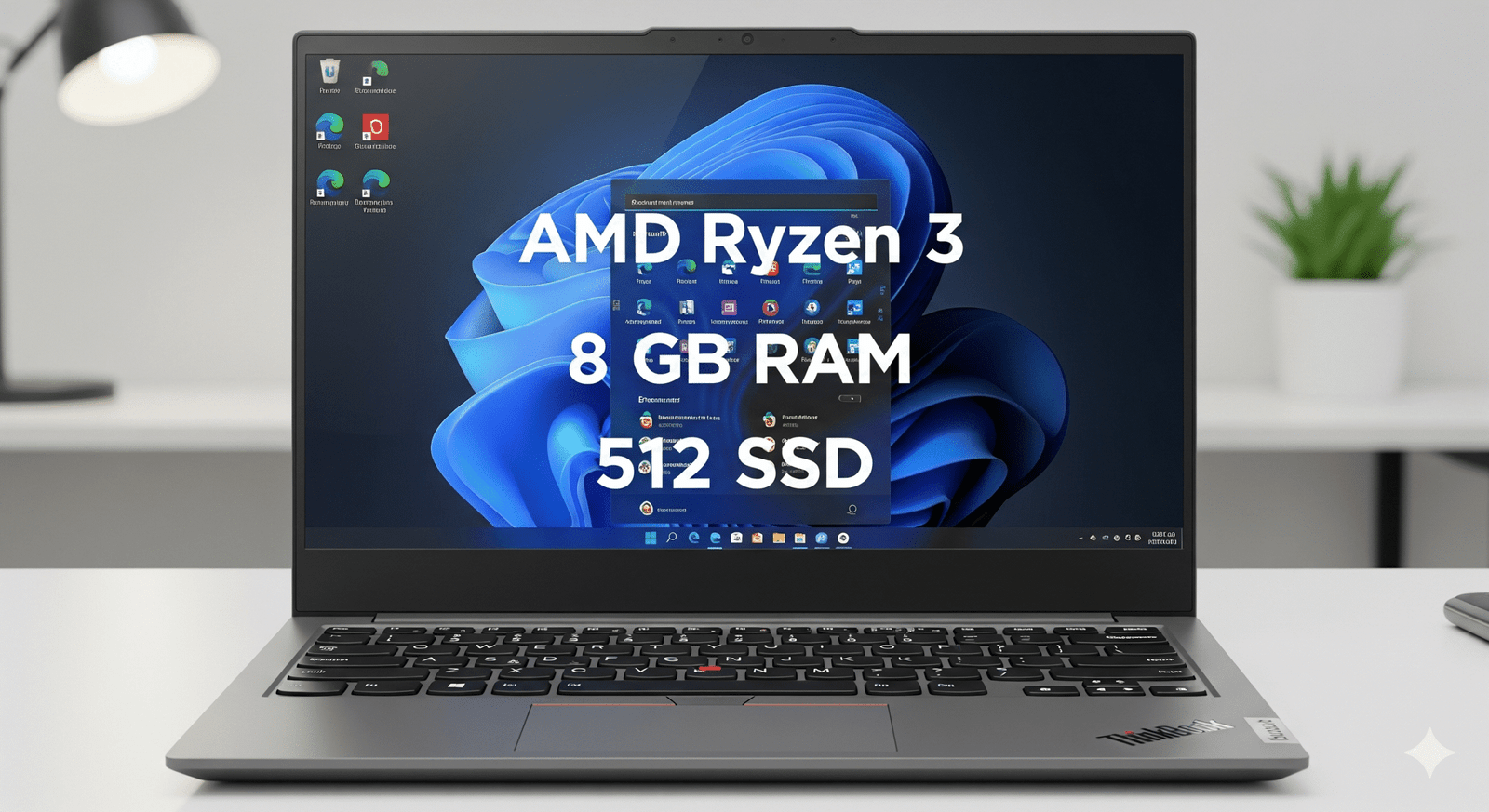
AMD Ryzen™ 3 7335U (Configurable) Integrated AMD Graphics From 8GB DDR5 / 256GB Gen4 SSD 14″ WUXGA (1920×1200) IPS Starting from ₹43,960* (19% Off)

For the tech-savvy user who wants full control, the Lenovo ThinkBook 14 Gen 7 Customizable (Part: 21MVCTO1WWIN2) offers a unique proposition. This “Build Your PC” option allows you to tailor the specifications to your exact needs, starting with an AMD Ryzen™ 3 7335U processor and a barebones configuration. This model is for those who prefer to choose their own operating system—be it Windows Pro or a Linux distribution—and fine-tune components like RAM and storage from the ground up.

This review focuses on the potential and pitfalls of the customizable ThinkBook 14. We will assess the value of its base configuration, explore the benefits of building your own machine, and determine who stands to gain the most from this flexible but hands-on approach to buying a new business laptop.

Ultimate Flexibility & A Solid Foundation

This model’s core appeal isn’t out-of-the-box performance, but the potential it unlocks for customization on a proven, durable chassis.

Total Configuration Control

The primary advantage is choice. You can upgrade the CPU, select up to 64GB of RAM, and configure a dual SSD setup directly from the factory. Crucially, it allows you to opt out of a pre-installed OS, saving money if you have your own Windows license or plan to use Linux, making it ideal for developers and IT departments.

The Same Great Chassis and I/O

Underneath the customizable specs, you get the same excellent ThinkBook 14 Gen 7 foundation: a MIL-STD-810H rated build, a full selection of ports including USB4 and RJ45, and a professional design. You’re not sacrificing build quality or connectivity for the sake of customization.

Superior Upgradability: The Core Principle

This model embodies the ThinkBook’s philosophy of upgradability. Not only can you configure it to your liking from the start, but the dual SODIMM and M.2 slots remain fully accessible, ensuring that the machine you build today can be easily and affordably enhanced for years to come.

Potential for Value

While the starting price seems higher than some pre-configured models, carefully selecting components and using your own OS can lead to significant savings. For example, opting for a larger third-party SSD post-purchase can be much more cost-effective than factory upgrades.

Base Specification Table: A Detailed Look

General & OS

  • Model Number: 21MVCTO1WWIN2
  • Series: ThinkBook 14 Gen 7 (Customizable)
  • Color: Arctic Grey
  • Operating System: No Operating System (Configurable)
  • Bundled Software: None (Configurable)
  • Warranty: 1 Year Onsite Premier Support (Configurable)

Performance

  • Processor: AMD Ryzen™ 3 7335U (Upgradable to Ryzen 7)
  • CPU Cores / Threads: 4 Cores / 8 Threads (Base)
  • Base Clock Speed: 3.00 GHz
  • Max Boost Clock: Up to 4.30 GHz
  • Graphics: Integrated AMD Radeon™ Graphics
  • Memory (RAM): 8 GB DDR5-4800MT/s (Configurable up to 64GB)
  • Memory Slots: 2x DDR5 SODIMM
  • Storage: 256 GB SSD M.2 2242 PCIe Gen4 (Configurable)
  • Storage Slots: 2x M.2 PCIe Gen4 SSD Slots

Display, Camera & Audio

  • Screen Size: 14 inches (35.56cm)
  • Resolution: WUXGA (1920 x 1200)
  • Panel Type: IPS (In-Plane Switching)
  • Aspect Ratio: 16:10
  • Brightness: 300 nits
  • Color Gamut: 45% NTSC (Upgradable to 100% sRGB)
  • Surface: Anti-glare
  • Webcam: FHD 1080p with Privacy Shutter (Configurable)
  • Audio: Stereo speakers, Dolby Audio™

Connectivity & Ports

  • USB-C (USB4): 1x USB4® 40Gbps (DP 1.4, PD 3.0)
  • USB-C (3.2 Gen 2): 1x USB-C 10Gbps (DP 1.4, PD 3.0)
  • USB-A Ports: 2x USB-A 3.2 Gen 1 (1x Always On)
  • Video Out: HDMI® 2.1
  • Card Reader: 4-in-1 SD Card Reader
  • Ethernet: RJ-45 (Gigabit)
  • Audio Jack: 3.5mm Headphone / mic combo
  • Wireless: Wi-Fi 6 2×2 AX (Configurable to Wi-Fi 6E)
  • Bluetooth: Bluetooth® 5.2

Design & Dimensions

  • Case Material: Aluminum (Top), PC+ABS (Bottom)
  • Dimensions (WxDxH): 313 x 224 x 16.9 mm
  • Weight: Starting at 1.4 kg
  • Battery: 45Wh Integrated (Configurable to 60Wh)
  • Power Adapter: 65W USB-C Adapter

Security & Durability

  • Security Chip: Discrete TPM 2.0
  • Fingerprint Reader: Yes (Touch Style, in Power Button)
  • Camera Privacy: Physical Webcam Privacy Shutter
  • Lock Slot: Kensington Nano Security Slot™
  • Durability Standard: MIL-STD-810H Military-Grade Tested

Pros and Cons: A Balanced View for Buyers

Pros:

  • Complete Customization: Tailor everything from CPU and RAM to the OS and display panel to fit your specific needs and budget.
  • Ideal for Linux Users & IT Pros: The option to buy without a Windows license is a significant cost-saver for those who bring their own OS.
  • Access to Premium Options: Allows for upgrades to a 100% sRGB display, a larger battery, and Wi-Fi 6E, which may not be available in pre-configured models.
  • Excellent Upgradability: Retains the dual RAM and SSD slots, making it a flexible long-term investment.

Cons:

  • Requires Technical Know-How: Not for beginners. Users must be comfortable installing an operating system and drivers.
  • Poorer Initial Value: The base configuration is more expensive and less equipped (smaller SSD, no OS) than some pre-built models.
  • Longer Ship Times: Customizable PCs often have a longer lead time for delivery compared to in-stock, pre-configured units.

Who Is This Laptop For? Tailored Recommendations

The Customizable ThinkBook 14 Gen 7 is the perfect choice for:

  • Developers & Linux Enthusiasts: Who want a solid, reliable hardware base to run their preferred operating system without paying the “Windows tax”.
  • IT Departments: Who need to deploy custom system images and require specific hardware configurations for their fleet.
  • Tinkerers and Tech-Savvy Users: Who enjoy fine-tuning their machines and plan to perform their own upgrades to maximize value.
  • Users with Specific Needs: Anyone who needs a particular feature combination, like a high-gamut screen with a base-level CPU, that isn’t offered in standard models.

Competitive Edge: ThinkBook 14 Gen 7 vs. The Rivals

The customizable ThinkBook’s main advantage is the very flexibility that most competitors lack.

  • Freedom from Fixed Configurations: Most rivals offer a limited set of pre-built SKUs. The ThinkBook’s “Build Your PC” model breaks this mold, offering a level of choice usually reserved for boutique builders or high-end workstations.
  • OS-Free Option: Very few mainstream manufacturers (like Dell or HP) make it easy for individual customers to purchase a laptop without an operating system. This is a key differentiator for the ThinkBook.
  • Transparent Upgradability: While other brands might offer customization, the ThinkBook platform is built around the promise of post-purchase upgrades, with non-soldered components and easy accessibility.

Final Verdict: A Niche but Powerful Option for the Right User

The Lenovo ThinkBook 14 Gen 7 Customizable is not for everyone, and that’s its greatest strength. It forsakes mass-market appeal for unparalleled flexibility and control. For the user who knows exactly what they want—and what they don’t—this laptop provides a high-quality, durable, and well-connected canvas to build the perfect machine.

While pre-configured models offer better immediate value, the customizable version is a powerful tool for IT professionals, developers, and enthusiasts. It’s a testament to a user-centric design philosophy, making it a highly recommended, albeit niche, choice in the 2025 business laptop landscape.

★★★★☆

Overall Rating: 4.2 out of 5.0 (For its intended audience of power users)


Lenovo Legion Tower 5i Gen 10 Review – Intel Core Ultra 7, RTX 5060 Ti Gaming PC

Lenovo Legion Tower 5i Gen 10 (Intel) Review

Lenovo Legion Tower 5i Gen 10 Review

The Next Generation of Gaming Performance

Intel® Core™ Ultra 7 265 NVIDIA® RTX™ 5060 Ti 16 GB DDR5 RAM ₹1,41,890

The Lenovo Legion Tower 5i Gen 10 marks a significant leap in desktop gaming with the introduction of Intel’s new Core Ultra processors and NVIDIA’s cutting-edge RTX 5060 Ti graphics card. This machine is built to handle the most demanding modern games and creative applications with ease, all within a sleek and purposeful chassis.

Key Features for Elite Gaming

This desktop packs serious power and smart design features to elevate your gaming and productivity.

Next-Gen Performance

Powered by the new Intel® Core™ Ultra 7 and the NVIDIA® GeForce RTX™ 5060 Ti, this system delivers incredible speed for gaming, streaming, and content creation.

Effective Cooling System

The Legion ColdFront cooling technology ensures that your components stay cool even during intense gaming sessions, preventing thermal throttling and maintaining peak performance.

Robust Connectivity

With a new 2.5G Ethernet port, fast WiFi 7 support, and a 20Gbps USB-C port, this PC offers lightning-fast data transfer and low-latency networking.

Immersive Audio

Experience rich and detailed sound with Nahimic® Audio for Gamers and 5.1 Channel Surround Sound, bringing your games to life.

Ample Storage

The 512GB PCIe Gen4 SSD provides lightning-fast boot times and quick loading for your most-played games and applications.

Future-Proof Upgradability

A spacious 30L chassis and a high-wattage PSU provide plenty of room and power for future component upgrades.

Performance & Upgradability

The combination of the Intel Core Ultra 7 and the NVIDIA RTX 5060 Ti is a powerful pairing that ensures exceptional gaming performance. The Core Ultra processor provides a new level of efficiency and AI capabilities, while the RTX 5060 Ti, with its 8GB of GDDR7 memory, is ready for high-refresh-rate gaming at 1080p and 1440p with ray tracing enabled. The included 16GB of high-speed DDR5 RAM is a great starting point for multitasking and gaming. The 30L chassis and an 850W PSU also provide ample space and power for future component upgrades, ensuring this machine can grow with your needs.

Who Is This Desktop For?

Who Is This Desktop For?

The Legion Tower 5i Gen 10 is designed for two main user types: the dedicated gamer and the aspiring creative professional. This desktop is not just about raw power; it’s about providing a reliable and streamlined experience that allows users to focus on their passions without worrying about technical bottlenecks. It’s a great fit for anyone who wants a powerful, ready-to-go system without the complexities of a custom build.

Tailored Recommendations

For gamers, this machine is perfectly suited for playing the latest AAA titles at high settings on a 1080p or 1440p monitor. The RTX 5060 Ti can handle demanding graphics with ray tracing enabled, ensuring an immersive and visually stunning experience. For creators, the high-speed DDR5 memory and PCIe Gen4 SSD make it an excellent choice for tasks like video editing, 3D rendering, and running complex simulations. It’s an ideal choice for a home office where both work and play are a priority.

Competitive Edge

What sets the Legion Tower 5i Gen 10 apart is its balance of performance and value. It offers a plug-and-play solution that rivals the performance of many custom-built systems without the associated hassle. The robust cooling system and high-wattage PSU also provide a significant future-proofing advantage, allowing for easy upgrades to the CPU, GPU, and other components down the line. This ensures your investment continues to deliver top-tier performance for years to come.

Detailed Specifications

General & OS

  • Part Number: 90YACTO1WWIN1
  • Operating System: Windows 11 Home Single Language 64
  • Product Color: Eclipse Black
  • Case Volume: 30L
  • Dimensions (H x W x D): 383.8mm x 211mm x 458mm
  • Weight: Starting at 17kg
  • Support: 1 Year On-site

Performance & Components

  • Processor: Intel® Core™ Ultra 7 265 Processor
  • Graphics: NVIDIA® GeForce RTX™ 5060 Ti 8GB GDDR7
  • Memory: 16 GB DDR5-5600MT/s (2 x 8 GB)
  • Storage: 512 GB SSD M.2 2280 PCIe Gen4 TLC
  • PSU: Up to 850W
  • Cooling: Legion ColdFront

Connectivity & Audio

  • Front Ports: USB-C®, 4 x USB-A, Headphone/mic combo
  • Rear Ports: 2.5G Ethernet, USB-C® (20Gbps), 6 x USB-A, 3 x audio ports
  • Wireless: WiFi 7 or WiFi 6E, Bluetooth® 5.2
  • Audio: Nahimic® Audio for Gamers, 5.1 Channel Surround Sound

Final Verdict: A Gaming Powerhouse

The Lenovo Legion Tower 5i Gen 10 is an exceptional gaming desktop that delivers on all fronts. With its powerful new Intel and NVIDIA components, advanced cooling, and extensive connectivity, it’s a fantastic value for both competitive gamers and creative professionals. The inclusion of a high-wattage PSU and a spacious chassis provides excellent upgradability, ensuring your investment is future-proof. This machine is a strong recommendation for anyone serious about high-performance PC gaming.

MSI Prestige 14 AI Evo – Core Ultra 5, 144Hz, Wi-Fi 7, 1.7kg Business Laptop | 26% OFF + ₹6000 Discount!

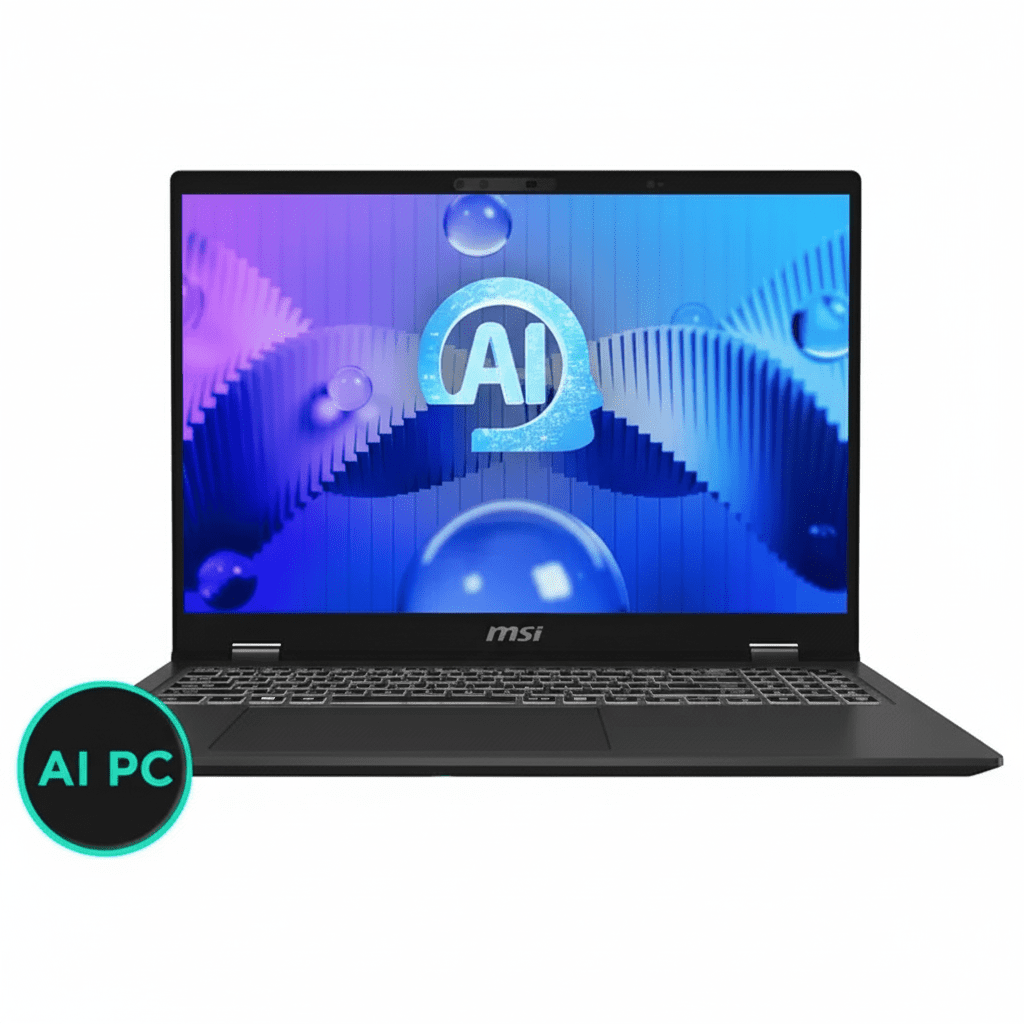
MSI Prestige 16 AI Evo
MSI Prestige 14 AI Evo C1MG-058IN Complete Review 2025 – Intel Core Ultra 5 Business Laptop
MSI Prestige 14 AI Evo

🎁 MS Office 2021 Included + 2 Years Onsite Warranty!

Plus ₹6000 instant discount on UPI/Credit Card!

🔥 1.7KG – 144HZ – WI-FI 7 – MIL-STD – 26% OFF

MSI Prestige 14 AI Evo C1MG-058IN

Intel Core Ultra 5 125H | Intel Arc Graphics | Ultra-Portable Business Laptop

14″ FHD+ 144Hz – 16GB DDR5 – 512GB SSD – Wi-Fi 7 – 1.7Kg – Office 2021

AI Business Laptop Configuration:

– Processor: Intel Core Ultra 5 125H (14-core, up to 4.5GHz)

– Graphics: Intel Arc Graphics (Integrated)

– RAM: 16GB DDR5-5600 (Upgradable to 32GB)

– Storage: 512GB NVMe PCIe Gen 4 SSD

– Display: 14″ FHD+ (1920×1200) 144Hz 100% sRGB

– Weight: Only 1.7kg – Ultra-portable!

₹79,990

₹1,07,990

SAVE ₹28,000 (26% OFF!)

*EMI from ₹3,765/month | ₹6000 OFF on UPI/Credit Card

🛒 Buy Now on Croma – 26% OFF + ₹6000 Discount!

Delivery by Nov 17 | Exchange up to ₹27,500 | 7 Instant Offers

Weight

1.7 kg

Refresh Rate

144 Hz

Wireless

Wi-Fi 7

MSI Prestige 14 AI Evo Overview

Business Laptop Highlights

  • ✓ 1.7kg Weight: Ultra-portable
  • ✓ 144Hz Display: Smooth visuals
  • ✓ Wi-Fi 7: Fastest wireless
  • ✓ 100% sRGB: Vibrant colors
  • ✓ MIL-STD: Military durability
  • ✓ Office 2021: Included free
  • ✓ 26% OFF: Save ₹28,000!

In The Box

  • 📦 MSI Prestige 14 AI Evo Laptop
  • 🔋 90Wh Battery (4-Cell)
  • 🔌 100W Power Adapter
  • 💼 MS Office 2021 (FREE!)
  • 📄 Warranty Card
  • 🛡️ 2 Years Onsite Warranty

Prestige Advantage

  • – Ultra-Light: Only 1.7kg
  • – 144Hz: Smooth scrolling
  • – Wi-Fi 7: Latest wireless
  • – MIL-STD: Durable build
  • – Office Included: Save money
  • – 26% Discount: Great value

💼 Ultra-Portable Business Laptop with Huge Discount

Lightest Business Laptop – 1.7kg!

At just 1.7kg, the MSI Prestige 14 AI Evo is ultra-portable! Perfect for business professionals traveling frequently. MIL-STD-810H durability ensures it withstands daily use!

144Hz Display + Wi-Fi 7

144Hz FHD+ display delivers smooth scrolling and animations. Wi-Fi 7 (latest standard) provides blazing-fast wireless speeds. 100% sRGB for vibrant colors!

Massive 26% Discount!

Originally ₹1,07,990, now ₹79,990 – save ₹28,000! Plus ₹6000 instant discount on UPI/cards. FREE MS Office 2021 worth ₹7,000+ included!

Intel Core Ultra 5 125H Performance

Intel Core Ultra 5 125H

14-core AI-Ready Processor

Total Cores 14 Cores
Base Speed 1.2 GHz
Max Turbo 4.5 GHz
Architecture Meteor Lake (Core Ultra)
TDP 28W Base / 115W Max

💾 Memory & Storage

RAM Configuration

Installed RAM 16GB DDR5-5600
Maximum RAM 32GB (Upgradable)
Type DDR5 (Latest)

Storage Configuration

Capacity 512GB NVMe SSD
Type PCIe Gen 4

Intel Arc Graphics

🎨 Intel Arc Graphics – Integrated

The Intel Arc Graphics is an integrated GPU built into the Core Ultra 5 processor. Delivers decent performance for productivity, light creative work, and casual gaming. Better than standard Intel Iris Xe!

GPU Type

Intel Arc

Integrated Graphics

Architecture

Xe-LPG

Latest Gen

Performance

Better than Iris Xe

~30% faster

💼 Business Use

  • – Office Apps: Excellent
  • – Video Calls: Smooth HD
  • – Multitasking: Fast
  • – Web Browsing: Fluid
  • – Presentations: Great

🎨 Creative Work

  • – Photoshop: Light editing
  • – Lightroom: Photo management
  • – Illustrator: Vector work
  • – Canva: Design
  • – Video: 1080p editing

🎮 Gaming

  • – E-Sports: Playable
  • – Casual Games: Good
  • – Indie Games: Excellent
  • – AAA Games: Low settings
  • – Overall: Light gaming OK

14″ FHD+ 144Hz Display

📺 Display Specs

144 Hz

Size 14″ (36 cm)
Resolution FHD+ (1920×1200)
Aspect Ratio 16:10
Panel IPS

💡 Display Quality

100% sRGB

Color Coverage 100% sRGB
Refresh Rate 144Hz
Touchscreen No

📹 FHD Webcam

  • – 1080p Resolution
  • – IR Type with HDR
  • – 30fps Recording
  • – Windows Hello Support

🔊 Hi-Res Audio with DTS

Premium Audio Features

  • – Dual Speakers: 4W total power
  • – Hi-Res Audio: Studio quality
  • – DTS Audio: Surround sound
  • – Spatial Array Mic: Clear calls
  • – 3.5mm Jack: Headphone combo

Audio Quality

Hi-Res Audio delivers exceptional sound quality with DTS Audio processing for immersive surround sound experience!

Spatial array microphone captures your voice clearly from any angle for professional video calls!

Ultra-Light Design – MIL-STD-810H Certified

🪶 Ultra-Portable

1.7 kg

Weight 1.7 kg
Thickness 1.89 cm
Color Stellar Gray

📏 Dimensions

W × D × H 31.34 × 24.65 × 1.89 cm
Portability Excellent

🛡️ MIL-STD-810H

  • – Military Standard
  • – Drop Tested
  • – Temperature Resistant
  • – Shock & Vibration
  • – Built to Last

🔒 Security Features

Fingerprint Sensor

Biometric login for secure access

Kensington Lock

Physical security slot for cable locks

TPM 2.0

Hardware encryption security

AI Features & Copilot Key

🤖 Microsoft Copilot Key

Integrated Copilot Key provides instant access to Microsoft’s AI assistant! Get help with writing, coding, research, and productivity tasks with just one keypress!

Instant AI Access

One-touch access to Microsoft Copilot AI assistant

Smart Writing

AI-powered writing assistance and suggestions

Productivity Boost

Research, summarize, and automate tasks

🎬 Webcam AI Features

IR FHD Camera with HDR

  • – 1080p Resolution: Crystal clear video
  • – 30fps Recording: Smooth calls
  • – HDR Support: Better dynamic range
  • – IR Sensor: Windows Hello face login

Smart Sensors

  • – Ambient Light: Auto brightness
  • – Proximity Sensor: Wake on approach
  • – TPM Firmware: Security chip

Backlit Keyboard with Copilot Key

⌨️ Premium Keyboard

  • ●
    Single White Backlit

    Work in low-light environments

  • ●
    Copilot Key

    Dedicated AI assistant button

  • ●
    Full-Size Layout

    Comfortable typing experience

  • ●
    Precision Keys

    Accurate keystrokes

🖱️ Precision Touchpad

  • ●
    Multi-Touch Gestures

    Windows Precision touchpad

  • ●
    Smooth Surface

    Responsive tracking

  • ●
    Fingerprint Sensor

    Integrated biometric security

Complete Connectivity – Wi-Fi 7 & Thunderbolt 4

🔌 Port Selection

Thunderbolt 4 (2x)

– 2x Thunderbolt 4 ports (40Gbps each)

– USB Power Delivery charging

– DisplayPort output

USB & Video

– 1x USB 3.2 Type-A

– 1x HDMI output

– 1x DisplayPort

Audio & Network

– 1x 3.5mm headphone/mic combo

– 1x RJ-45 Gigabit Ethernet

📡 Intel Killer Wi-Fi 7

Intel Killer Wi-Fi 7 BE1750 delivers the fastest wireless speeds available! With Bluetooth 5.4, you get cutting-edge connectivity!

Wi-Fi 7

Latest 802.11be standard

Bluetooth 5.4

Latest wireless standard

Killer Tech

Gaming optimized

Gigabit+

Ultra-fast speeds

90Wh Battery – All-Day Power

🔋 Lithium Polymer

90 Wh

– Type: 4-Cell Li-Polymer

– Capacity: 90 Watt Hours

– All-Day: Full workday

⚡ Power Adapter

100W

– Adapter: 100W included

– Charging: Fast charging

– Full Charge: ~2 hours

💡 Real World

  • – Office: 12-15 hours
  • – Video: 10-12 hours
  • – Browsing: 13-16 hours
  • – Mixed: 10-14 hours

Who Should Buy MSI Prestige 14 AI Evo?

Business Professionals

Perfect Choice: MSI Prestige 14 AI Evo – At only 1.7kg with 144Hz display and Wi-Fi 7, this is ideal for business travelers. FREE MS Office 2021 saves ₹7,000+. MIL-STD durability ensures reliability on the road!

Students & Educators

Excellent Choice: MSI Prestige 14 AI Evo – 16GB RAM handles research, assignments, and online classes smoothly. 144Hz display reduces eye strain during long study sessions. Lightweight for campus carrying!

Light Content Creators

Good Choice: MSI Prestige 14 AI Evo – 100% sRGB display for accurate colors. Intel Arc Graphics handles 1080p video editing, photo editing, and graphic design. For heavy 4K work, consider dedicated GPU laptops!

Remote Workers

Ideal Choice: MSI Prestige 14 AI Evo – FHD webcam with HDR delivers crystal-clear video calls. Wi-Fi 7 ensures stable connections. 90Wh battery provides all-day work-from-home power. Copilot key boosts productivity!

Frequent Travelers

Perfect Choice: MSI Prestige 14 AI Evo – 1.7kg weight makes airport security and carrying effortless. MIL-STD-810H certification ensures it survives travel wear. All-day battery eliminates charging anxiety!

Everyday Entertainment Users

Great Choice: MSI Prestige 14 AI Evo – 144Hz display makes scrolling and videos incredibly smooth. Hi-Res Audio with DTS delivers immersive entertainment. FREE Office 2021 for productivity. Excellent all-rounder!

Gaming Performance with Intel Arc Graphics

🎮 Intel Arc Gaming Capability

The Intel Arc Graphics is an integrated GPU suitable for light gaming and e-sports. Performance is similar to NVIDIA MX550 or GTX 1050. NOT for AAA gaming at high settings, but casual gaming works fine!

✅ Games That Work (30-60 FPS)

  • – Valorant: 80-120 FPS medium-high
  • – CS2: 60-90 FPS medium
  • – League of Legends: 100+ FPS high
  • – Fortnite: 50-70 FPS medium
  • – Minecraft: 80+ FPS
  • – Rocket League: 70-100 FPS
  • – Dota 2: 80-110 FPS
  • – Among Us: 144+ FPS
  • – Indie Games: Excellent

❌ Games That Don’t Work Well

  • – Cyberpunk 2077: Not playable
  • – Call of Duty (Modern): Too demanding
  • – Red Dead Redemption 2: Unplayable
  • – Hogwarts Legacy: Too heavy
  • – Spider-Man: Not suitable
  • – Starfield: Won’t run
  • – Assassin’s Creed Valhalla: Too demanding
  • – Modern AAA Titles: Skip it

🎯 Gaming Verdict: Intel Arc Graphics is suitable for e-sports and casual gaming only! Expect 60+ FPS in competitive titles at medium settings. For serious AAA gaming, get dedicated GPU laptop with RTX 4050/4060!

Complete Business Laptop Comparison

How does MSI Prestige 14 AI Evo (1.7kg + 144Hz + Wi-Fi 7) at ₹79,990 compare?

Dell Inspiron 14 Plus 7440

₹82,990

– Processor: Intel Core Ultra 5 125H

– Display: 14″ FHD+ IPS

– RAM: 16GB LPDDR5X

– Storage: 512GB SSD

– GPU: Intel Arc Graphics

– Weight: 1.65 kg

✅ Reasons to Consider

  • – Lighter (1.65kg vs 1.7kg)
  • – Same Core Ultra 5 CPU
  • – Dell brand reliability
  • – Similar specs

⚠️ Reasons to Skip

  • – ₹3,000 more expensive
  • – Only 60Hz display (vs 144Hz)
  • – No Wi-Fi 7 (Wi-Fi 6E only)
  • – No MS Office included
  • – Not MIL-STD certified
  • – Soldered RAM (non-upgradable)

HP Pavilion Plus 14

₹76,990

– Processor: Intel Core Ultra 5 125U

– Display: 14″ 2.8K OLED 90Hz

– RAM: 16GB DDR5

– Storage: 512GB SSD

– GPU: Intel Graphics

– Weight: 1.44 kg

✅ Reasons to Consider

  • – ₹3,000 cheaper
  • – OLED display (better contrast)
  • – Lighter (1.44kg vs 1.7kg)
  • – 2.8K resolution
  • – HP brand

⚠️ Reasons to Skip

  • – Weaker CPU (125U vs 125H)
  • – Only 90Hz (vs 144Hz)
  • – OLED burn-in risk
  • – No Wi-Fi 7
  • – No MIL-STD durability
  • – No MS Office included

Lenovo Yoga Slim 7i (2025)

₹84,990

– Processor: Intel Core Ultra 5 125H

– Display: 14″ 2.8K OLED 120Hz

– RAM: 16GB LPDDR5X

– Storage: 512GB SSD

– GPU: Intel Arc Graphics

– Weight: 1.49 kg

✅ Reasons to Consider

  • – Lighter (1.49kg vs 1.7kg)
  • – 2.8K OLED display
  • – 120Hz refresh
  • – Same Core Ultra 5 125H
  • – Premium build

⚠️ Reasons to Skip

  • – ₹5,000 more expensive
  • – OLED burn-in risk
  • – No Wi-Fi 7
  • – Soldered RAM
  • – No MS Office included
  • – Not MIL-STD certified

ASUS Vivobook S 14 (2025)

₹81,990

– Processor: Intel Core Ultra 5 125H

– Display: 14″ FHD+ OLED 60Hz

– RAM: 16GB LPDDR5

– Storage: 512GB SSD

– GPU: Intel Arc Graphics

– Weight: 1.4 kg

✅ Reasons to Consider

  • – Much lighter (1.4kg vs 1.7kg)
  • – OLED display
  • – Same CPU
  • – ASUS quality
  • – Slim design

⚠️ Reasons to Skip

  • – ₹2,000 more expensive
  • – Only 60Hz (vs 144Hz)
  • – OLED burn-in risk
  • – No Wi-Fi 7
  • – No MIL-STD
  • – No MS Office

Acer Swift Go 14 AI

₹74,990

– Processor: Intel Core Ultra 5 125H

– Display: 14″ 2.8K OLED 90Hz

– RAM: 16GB LPDDR5X

– Storage: 512GB SSD

– GPU: Intel Arc Graphics

– Weight: 1.32 kg

✅ Reasons to Consider

  • – ₹5,000 cheaper!
  • – Much lighter (1.32kg)
  • – 2.8K OLED display
  • – Same CPU
  • – Great value

⚠️ Reasons to Skip

  • – Only 90Hz (vs 144Hz)
  • – OLED burn-in risk
  • – No Wi-Fi 7
  • – Not MIL-STD certified
  • – No MS Office included
  • – Acer build quality concerns

LG gram 14 (2025)

₹89,990

– Processor: Intel Core Ultra 5 125H

– Display: 14″ WQXGA IPS

– RAM: 16GB LPDDR5X

– Storage: 512GB SSD

– GPU: Intel Arc Graphics

– Weight: 999g

✅ Reasons to Consider

  • – Ultra-light (999g vs 1.7kg)
  • – MIL-STD certified
  • – 99% DCI-P3 colors
  • – LG quality
  • – Dual SSD slots
  • – 20+ hours battery

⚠️ Reasons to Skip

  • – ₹10,000 more expensive!
  • – Only 60Hz (vs 144Hz)
  • – No Wi-Fi 7
  • – Premium pricing
  • – No MS Office
  • – Less performance per rupee

🏆 Winner: MSI Prestige 14 AI Evo at ₹79,990

Best Business Laptop Value: At ₹79,990 with 26% OFF + ₹6,000 instant discount, MSI Prestige 14 AI Evo offers unbeatable value – 144Hz display, Wi-Fi 7, MIL-STD durability, FREE MS Office 2021, and only 1.7kg. No competitor matches this complete package at this price!

💪 Unique Strengths

  • – 144Hz Display: Smoothest
  • – Wi-Fi 7: Fastest wireless
  • – MIL-STD: Military durability
  • – FREE Office: Save ₹7,000+
  • – 26% OFF: Best discount

🎯 Best For

  • – Business professionals
  • – Students & educators
  • – Remote workers
  • – Frequent travelers
  • – Need smooth display

⚡ Value Verdict

  • – Best display: 144Hz
  • – Best wireless: Wi-Fi 7
  • – Best durability: MIL-STD
  • – Best bundle: FREE Office
  • – Best value: Champion!

Complete Pros & Cons

✅ Major Strengths (28)

  • – 1.7kg Weight: Ultra-portable
  • – 144Hz Display: Smoothest refresh
  • – 100% sRGB: Accurate colors
  • – Wi-Fi 7: Latest wireless (BE1750)
  • – Bluetooth 5.4: Latest standard
  • – Core Ultra 5 125H: 14-core CPU
  • – 16GB DDR5: Fast memory
  • – 512GB SSD: PCIe Gen 4
  • – Upgradable: Can expand RAM
  • – MIL-STD-810H: Military durability
  • – 90Wh Battery: All-day power
  • – Hi-Res Audio: Studio quality
  • – DTS Audio: Surround sound
  • – FHD Webcam: 1080p IR with HDR
  • – Windows Hello: Face recognition
  • – Fingerprint Sensor: Dual biometric
  • – 2x Thunderbolt 4: 40Gbps each
  • – HDMI Output: External display
  • – Gigabit Ethernet: Wired connection
  • – Backlit Keyboard: Work in dark
  • – Copilot Key: AI assistant
  • – Ambient Light Sensor: Auto brightness
  • – Proximity Sensor: Wake on approach
  • – TPM 2.0: Hardware security
  • – MS Office 2021: FREE included!
  • – 2-Year Warranty: Onsite support
  • – 26% Discount: Save ₹28,000
  • – ₹6000 Instant: UPI/Card discount

⚠️ Limitations (7)

  • – Intel Arc GPU: Integrated only (no dedicated GPU)
  • – 512GB Storage: Not 1TB
  • – 16GB RAM: Not 32GB standard
  • – Windows 11 Home: Not Pro version
  • – No Touchscreen: Not available
  • – 1.7kg: Heavier than LG gram (999g)
  • – Gaming Limited: E-sports only, not AAA

Final Verdict

Overall Rating

4.6
⭐⭐⭐⭐⭐

Best Business Laptop Value

Display Quality 4.8/5
Value for Money 5.0/5
Portability 4.7/5

💼 Perfect For

  • ✅ Business professionals needing portability
  • ✅ Students & educators
  • ✅ Remote workers with video calls
  • ✅ Frequent travelers
  • ✅ Light content creators
  • ✅ Want smooth 144Hz display

❌ Not Ideal For

  • ❌ Heavy 3D rendering/CAD work
  • ❌ Serious AAA gaming
  • ❌ Need 32GB+ RAM
  • ❌ Want dedicated GPU

🎯 Final Thoughts

The MSI Prestige 14 AI Evo at ₹79,990 (26% OFF + ₹6,000 instant discount) is the best business laptop value in India! With 144Hz display, Wi-Fi 7, MIL-STD-810H durability, FREE MS Office 2021, and only 1.7kg – this delivers exceptional productivity at an unbeatable price!

144Hz display makes EVERYTHING smoother – scrolling, videos, presentations, and work feel incredibly fluid. Combined with 100% sRGB color accuracy and 16:10 aspect ratio, this is perfect for professionals who value visual quality!

Wi-Fi 7 (Intel Killer BE1750) is FUTURE-PROOF connectivity! Enjoy blazing-fast wireless speeds and ultra-low latency. MIL-STD-810H certification ensures it survives daily business travel wear and tear!

Bottom Line: If you need a business laptop with 144Hz display, Wi-Fi 7, military durability, FREE Office 2021, and massive discount, the MSI Prestige 14 AI Evo is an exceptional value that beats all competitors. Highly recommended for business professionals and students!

Frequently Asked Questions

Q1: Can I upgrade the RAM on MSI Prestige 14 AI Evo?

A: Partially YES – the maximum RAM is 32GB. Check if your model has accessible SODIMM slots or soldered RAM before purchasing. Contact MSI support to confirm upgrade options for your specific configuration!

Q2: Is the 144Hz display worth it for business use?

A: ABSOLUTELY YES! The 144Hz display makes scrolling documents, browsing, and video calls incredibly smooth. Reduces eye strain during long work sessions. Once you use 144Hz, 60Hz feels choppy. HUGE difference for productivity!

Q3: What is Wi-Fi 7 and do I need it?

A: Wi-Fi 7 (802.11be) is the latest wireless standard (2024) with 2-3x faster speeds than Wi-Fi 6E, ultra-low latency, and better performance in crowded areas. Future-proof connectivity that’ll be relevant for 5+ years!

Q4: Is Intel Arc Graphics good enough for my work?

A: YES for most business use! Intel Arc handles Office apps, video calls, web browsing, light photo editing, and 1080p video editing smoothly. For heavy 3D CAD or gaming, consider dedicated GPU laptops!

Q5: How long does the 90Wh battery actually last?

A: Expect 12-15 hours for office work (documents, email, web), 10-12 hours for video calls, and 8-10 hours for video streaming. Actual battery life varies by usage and brightness settings!

Q6: Does the discount price include MS Office 2021?

A: YES! The ₹79,990 price includes FREE Microsoft Office Home & Student 2021 (worth ₹7,000+). This is lifetime license for Word, Excel, PowerPoint, and OneNote. HUGE value addition!

Q7: What does MIL-STD-810H certification mean?

A: MIL-STD-810H is US military durability standard. Laptop passed tests for drops, vibration, temperature extremes, humidity, and dust. Ensures it survives daily business travel and rough handling!

Q8: Can I get the ₹6,000 instant discount?

A: YES! ₹6,000 instant discount available on ICICI/HDFC/SBI credit cards OR UPI payment. Select the offer under “View all offers” on payment page at Croma checkout. Check terms and conditions!

Q9: Is 1.7kg considered lightweight for 14-inch laptop?

A: YES, very portable! At 1.7kg, it’s lighter than most 14-inch business laptops (average 1.8-2kg). Easy to carry in backpack all day. LG gram is lighter (999g) but costs ₹10,000 more!

Q10: What’s the warranty coverage?

A: 2 Years Onsite Warranty included. MSI technicians come to your location for repairs (no shipping needed). Covers manufacturing defects, not accidental damage. Extended warranty available for purchase!

Complete Technical Specifications

MSI PRESTIGE 14 AI EVO C1MG-058IN COMPLETE SPECIFICATIONS
PRODUCT INFO
ModelMSI Prestige 14 AI Evo C1MG-058IN
Model Number9S714N111058
TypeBusiness Laptop
Suitable ForEntertainment | Everyday Use | Work
ColorStellar Gray
PERFORMANCE
ProcessorIntel Core Ultra 5 125H (14 cores, 1.2 GHz base, up to 4.5 GHz turbo)
GraphicsIntel Arc Graphics (Integrated)
RAM16 GB DDR5-5600 MHz
Maximum RAM32 GB (Upgradable)
Storage512 GB NVMe PCIe SSD
DISPLAY
Screen Size14 inches (36 cm diagonal)
ResolutionFHD+ (1920 x 1200 pixels)
Display TypeIPS
Aspect Ratio16:10
Refresh Rate144 Hz
Color Coverage100% sRGB (Typical)
TouchscreenNo
AUDIO & VIDEO
WebcamFHD (1080p) IR Camera with HDR, 30fps
Camera FeaturesWindows Hello Face Recognition, IR Type
SpeakersDual Speakers, 4 Watts total
Audio TechnologyHi-Res Audio, DTS Audio
MicrophoneSpatial Array Microphone
INPUT DEVICES
KeyboardSingle White Backlit Keyboard with Copilot Key
TouchpadPrecision Touchpad
Fingerprint ReaderYes (Fingerprint Sensor)
CONNECTIVITY
Wi-FiIntel Killer Wi-Fi 7 BE1750
BluetoothBluetooth 5.4
EthernetGigabit Ethernet (RJ-45)
USB Ports1x USB 3.2 Type-A
Thunderbolt 42x Thunderbolt 4 (40Gbps, USB-C)
HDMI1x HDMI
DisplayPortYes (via Thunderbolt)
Audio Jack3.5mm Headphone/Microphone Combo
BATTERY & POWER
Battery90 Wh Lithium Polymer (4-Cell)
Power Adapter100W Adapter
Fast ChargingNo
DESIGN & BUILD
Dimensions (W×D×H)31.34 x 24.65 x 1.89 cm
Weight1.7 kg (1.79 kg actual)
DurabilityMIL-STD-810H/G Certified
SOFTWARE & SECURITY
Operating SystemWindows 11 Home
Included SoftwareMicrosoft Office Home & Student 2021
SecurityTPM 2.0 (Trusted Platform Module)
BiometricFingerprint Sensor + IR Face Recognition
Lock SlotKensington Lock Slot
ADDITIONAL FEATURES
SensorsAmbient Light Sensor, Proximity Sensor
AI FeaturesCopilot Key, Integrated SoC
WARRANTY & SUPPORT
Warranty2 Years Onsite Warranty
Warranty CoverageManufacturing Defects
Support Number18005727662
PACKAGE CONTENTS
In The Box1x Laptop, 1x Power Adapter, 1x Warranty Card
COUNTRY INFO
Country of ManufactureChina
Country of Brand OriginTaiwan

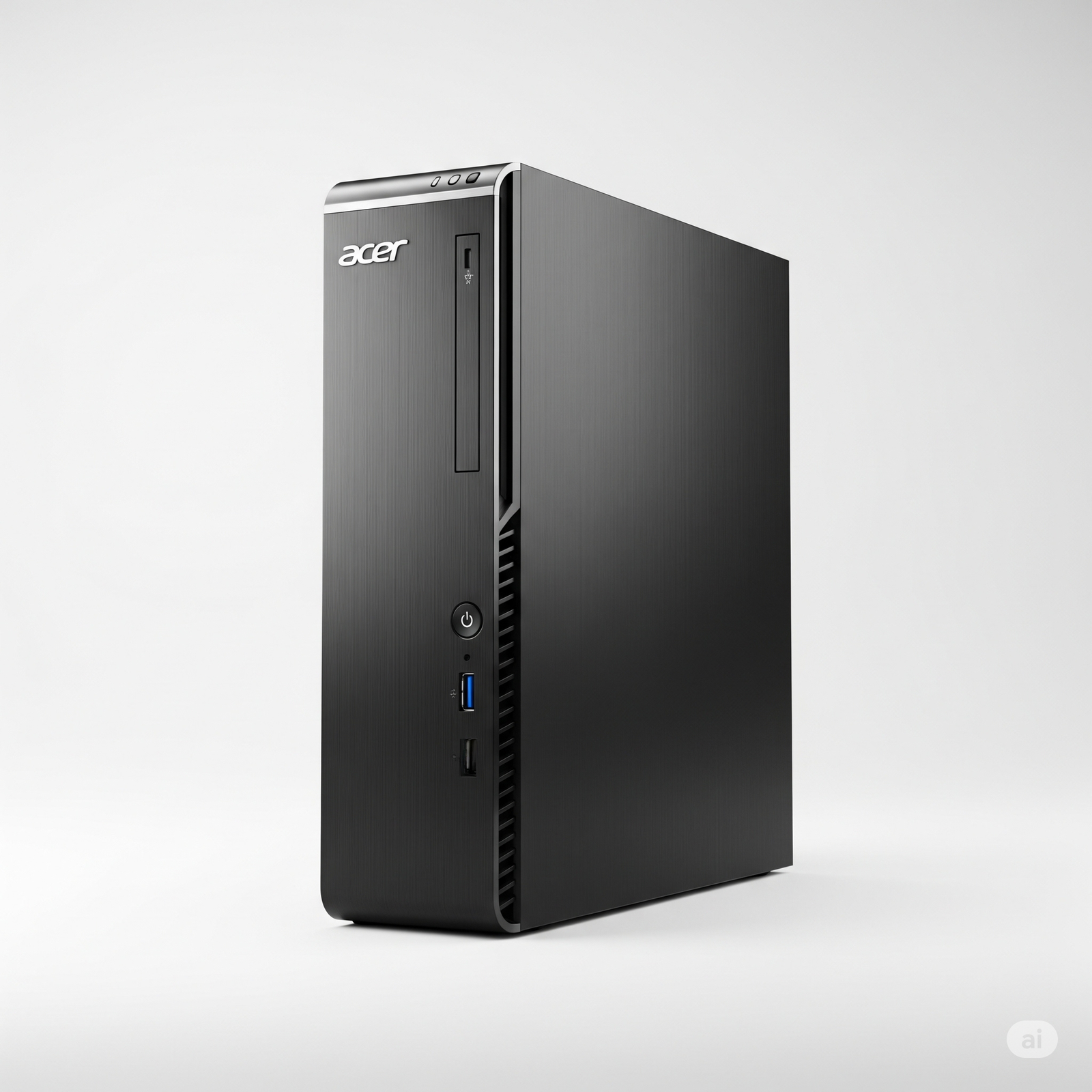
Acer Aspire XC-1760 Desktop: Ryzen 7 5700G, 8GB RAM, 512GB SSD, 21.5″ FHD Display, Windows 11, WiFi 6

Acer Aspire XC-1760 Ryzen 7 5700G Desktop (8GB RAM): Powerful Core Performance for Everyday Tasks and Value-Driven Home/Office Use!

Acer Aspire XC-1760 Ryzen 7 5700G Desktop (8GB RAM)

AMD Ryzen™ 7 5700G 8 GB DDR4 RAM 512 GB SATA SSD AMD Radeon™ Integrated 21.5″ Full HD Display Windows 11 Home

The Acer Aspire XC-1760 with AMD Ryzen™ 7 5700G Processor and 8GB RAM is positioned as a compact and practical desktop computer, designed to deliver solid performance for essential computing, home office tasks, and multimedia consumption. This variant offers a compelling blend of a powerful processor and a complete bundle, making it an attractive option for users seeking efficiency and value.

Priced at an appealing ₹51,395.00, this Acer Aspire XC-1760 provides significant value by presenting itself as a complete, ready-to-use solution. It comes bundled with a clear 21.5-inch Full HD VA Panel Display Monitor, pre-installed Windows 11 Home, 8 GB DDR4 SDRAM, and a responsive 512 GB SATA SSD. This all-in-one approach provides a cost-effective and immediately usable solution for fundamental to moderately demanding computing needs.

Key Features at a Glance

Capable AMD Ryzen 7 Processor: 8 Cores, 16 Threads, up to 4.6 GHz.
Integrated AMD Radeon™ Graphics: For smooth visuals and casual gaming.
Included Full HD Display: 21.5″ VA Panel Monitor.
Sufficient Memory & Fast Storage: 8 GB DDR4 (up to 64 GB), 512 GB SATA SSD.
Modern Wireless Connectivity: WiFi 6 and Bluetooth.
Versatile Port Selection: Comprehensive front and rear ports.
Compact & Complete: Slim chassis, includes keyboard & mouse.
Windows 11 Home Pre-installed: Latest OS for modern experience.

Performance and Hardware

Capable AMD Ryzen 7 Processor:

At its core is the AMD Ryzen™ 7 5700G Processor. This robust CPU boasts 8 Cores and 16 Threads, with a base clock of 3.8 GHz and a turbo boost of up to 4.6 GHz, along with 16 MB of cache. It delivers strong and reliable performance for multitasking, general productivity, web browsing, streaming, and even light photo editing, making it a powerful engine for everyday tasks.

Sufficient Memory & Fast Storage for Basic Use:

The desktop comes with 8 GB DDR4 SDRAM, which is sufficient for smooth operation in Windows 11 and for basic multitasking. Crucially, the RAM is expandable up to 64 GB, offering a clear and substantial upgrade path for future needs should more memory-intensive tasks arise. The responsive 512 GB SATA SSD ensures remarkably quick system boot-ups, rapid application loading, and overall snappy system performance compared to traditional hard drives.

Integrated AMD Radeon™ Graphics:

The system utilizes integrated AMD Radeon™ Graphics. These graphics are capable of handling smooth visuals for general multimedia consumption (including high-definition video playback), and some casual or older light gaming. They are efficient for daily display needs, though not designed for demanding modern games or professional graphics applications.

Display & Visual Experience: A Clear and Comfortable View

A significant value proposition is the bundled 54.61 cm (21.5″) VA Panel Display Monitor. It offers crisp Full HD (1920 x 1080) resolution with LED Backlighting, ensuring clear, comfortable, and vibrant visuals for academic work, home office tasks, and entertainment. The VA panel also provides good contrast.

VA Panel Technology:

Offers excellent contrast and deep blacks, providing a more immersive viewing experience, especially for movies and darker content.

Full HD Resolution:

The 1920 x 1080 resolution ensures crisp and clear images for all your computing tasks and multimedia consumption.

Connectivity & Design: Seamless Integration for Your Workspace

The Acer Aspire XC-1760 is designed for modern connectivity and a clutter-free setup.

Modern Wireless Connectivity:

It supports WiFi 6 for faster and more reliable wireless internet access, which is essential for modern homes and offices with multiple connected devices. Bluetooth is also included for connecting wireless peripherals like headphones or speakers.

Versatile Port Selection:

The system offers a variety of front and rear ports for versatile connectivity. This includes convenient front-facing USB 2.0 and USB 3.0 Type-A (with a subtle RGB light on some models) and a combo audio jack. Rear ports include 2x USB 3.2 Gen1, 4x USB 2.0, HDMI, LAN (Gigabit Ethernet), and 3x Audio Jacks, along with a VGA port. This ensures compatibility with a wide range of peripherals and displays.

Compact & Complete:

Housed in a slim, space-saving black chassis (323mm height x 95mm width x 271mm depth), it occupies minimal desk space. The inclusion of a USB Keyboard and Mouse means it’s a complete, out-of-the-box desktop setup, ready for immediate use upon unboxing.

Who Is This Desktop For? Tailored Recommendations

The Acer Aspire XC-1760 Ryzen 7 (8GB RAM) is an excellent choice for:

  • Home Office Professionals: Who need a reliable and powerful system for daily productivity, video conferencing, and managing multiple applications, with an eye on future RAM upgrades.
  • Students & Educators: For advanced online learning, research, content creation (presentations, reports), and handling educational software, with the understanding that a RAM upgrade might be beneficial.
  • Users Seeking Strong Core Performance: Who prioritize a powerful CPU for responsiveness and light content creation tasks, and are willing to upgrade RAM later.
  • Families: As a primary family computer capable of handling diverse needs from schoolwork to entertainment and general productivity, with the potential for future upgrades.
  • Budget-Conscious Buyers: Who want a powerful processor and a complete desktop bundle at a very competitive price, even if it means a potential RAM upgrade down the line.

Who Might Consider Other Options?

  • Hardcore Gamers: The integrated AMD Radeon Graphics are not suitable for modern AAA gaming titles at high settings. Dedicated gamers will need a system with a powerful discrete graphics card.
  • Professional Graphics/Video Editors: While capable for light tasks, intensive professional applications like 3D rendering, complex video editing, or CAD work demand a dedicated GPU and more substantial RAM from the start.
  • Users Requiring Ultimate Storage Speed: While the SATA SSD is fast, NVMe PCIe SSDs offer significantly superior read/write speeds. For those with extremely data-intensive workflows, an NVMe solution would be preferable.
  • Users Needing Extensive GPU Upgradeability: The 250W PSU and compact form factor severely limit any future upgrades, particularly the addition of a powerful discrete graphics card.
  • Those Preferring Wireless Peripherals: The included keyboard and mouse are wired. While reliable and cost-effective, some users might find them less convenient due to cable management.
  • Users Requiring Built-in Speakers: The lack of integrated speakers means an additional purchase or reliance on headphones for audio.

Competitive Edge: What Sets It Apart

The Acer Aspire XC-1760 Ryzen 7 (8GB RAM) distinguishes itself in its segment due to several key factors:

  • Powerful Ryzen 7 Processor at this Price Point: The inclusion of an AMD Ryzen 7 5700G in a complete desktop package at ₹51,395.00 offers exceptional CPU performance for the cost, making it stand out against competitors with less powerful processors in a similar price bracket.
  • Complete, Ready-to-Use Bundle: The desktop comes with Windows 11, a 21.5-inch Full HD monitor, a keyboard, and a mouse, providing an immediate plug-and-play experience that many competitors do not offer at this price.
  • Significant RAM Upgradeability: While starting with 8GB, the ability to expand RAM up to 64GB provides a clear and substantial future-proofing advantage, allowing users to scale performance as their needs grow.
  • Compact and Modern Connectivity: Its slim form factor is practical for space-conscious environments, and the inclusion of WiFi 6 ensures modern wireless connectivity, a feature not always standard in this price range.
  • Strong Integrated Graphics for Casual Use: The AMD Radeon Graphics integrated into the Ryzen 7 5700G are more capable than many other integrated solutions, providing a decent experience for casual gaming and multimedia without the added cost of a discrete GPU.

Full Specification Details

General Information

  • Price: ₹51,395.00
  • Operating System: Windows 11 Home (64-bit)
  • Color: Black
  • Warranty: 1 Year onsite warranty
  • MRP (Inclusive of all taxes): ₹76,990.00

Processor & Chipset

  • Processor Type: AMD Ryzen™ 7
  • Processor Model: AMD Pro-500 Ryzen 7 5700G Processor
  • Processor Speed: 3.8 GHz (Base), up to 4.6 GHz (Turbo)
  • Processor Core: 8 Cores
  • Threads: 16 Threads
  • Cache: 16 MB
  • 64-bit Processing: Yes
  • Chipset Manufacturer: AMD
  • Chipset Model: AMD Pro-500

Memory & Storage

  • Standard Memory: 8 GB DDR4 SDRAM
  • Maximum Memory: Up to 64 GB DDR4 SDRAM
  • Total Solid State Drive Capacity: 512 GB
  • Solid State Drive Interface: SATA SSD

Display & Graphics

  • Screen Size: 54.6 cm (21.5″)
  • Display Screen Type: 21.5 inch VA Panel
  • Backlight Technology: LED Backlit
  • Screen Resolution: Full HD 1920 x 1080
  • Aspect Ratio: 16:9
  • Graphics: AMD Radeon™ Integrated Graphics

Network & Communication

  • Ethernet (LAN) Capability: RJ-45 (Gigabit Ethernet)
  • Wireless LAN: Yes (WiFi 6)
  • Ethernet Technology: Gigabit Ethernet
  • Bluetooth: Yes

I/O Expansions & Ports

  • Number of PCI Slots: 2
  • Number of M.2 Slot: 2
  • HDMI: Yes (1x HDMI)
  • USB (Front): 1x USB 2.0 Type A, 1x USB 3.0 Type A, Combo audio (with RGB light)
  • USB (Rear): 2x USB 3.2 (Gen1) ports, 4x USB 2.0 ports
  • Network (RJ-45): Yes (1x LAN port)
  • VGA: Yes

Input Devices & Power

  • Pointing Device Type: USB mouse (Wired)
  • Keyboard Type: USB keyboard 104 keys (Wired)
  • Power Supply: 250 W

Physical Characteristics & Package Contents

  • Height: 323 mm
  • Width: 95 mm
  • Depth: 271 mm
  • Product Type: Desktop Computer
  • Package Contents: Desktop, Monitor, USB keyboard, USB mouse, User Guide, Warranty Documents
  • Included Accessories: USB Keyboard and Mouse
  • Compatibility: ROHS Compliant

The Computing Experience: Pros and Cons for Enhanced Productivity

The Acer Aspire XC-1760 Ryzen 7 (8GB RAM) offers significant core power, but its standard RAM and other aspects need consideration.

Pros: Why the Acer Aspire XC-1760 Ryzen 7 (8GB RAM) is a Strong Contender

  • Powerful AMD Ryzen 7 Processor: The AMD Ryzen 7 5700G (8 Cores / 16 Threads) is an incredibly capable CPU. It provides strong performance for demanding general productivity, multitasking, light content creation (e.g., photo editing, basic video), complex spreadsheets, and extensive web browsing. This is a significant leap in raw processing power, offering excellent responsiveness.
  • Cost-Effective with Powerful CPU: At ₹51,395.00, it offers a very good balance of features and performance for the price, especially considering the inclusion of a powerful Ryzen 7 processor and a complete bundle (monitor, keyboard, mouse). This is a compelling deal for users prioritizing CPU horsepower.
  • Fast Storage: The 512 GB SATA SSD ensures quick boot times for Windows 11 and responsive application loading, significantly improving the user experience over traditional hard drives.
  • Expandable Memory: While it comes with 8 GB DDR4 RAM, it is expandable up to a generous 64 GB. This offers significant upgrade potential for future needs, allowing users to fully leverage the Ryzen 7’s capabilities for heavier workloads by adding more RAM.
  • Modern Wireless Connectivity: WiFi 6 support provides faster and more reliable wireless internet access, crucial for modern homes with multiple connected devices and for seamless streaming and online activities. Bluetooth is also included for connecting wireless peripherals.
  • Compact & Space-Saving Design: Its slim and compact chassis takes up minimal desk space, making it highly suitable for smaller home offices, dorm rooms, or any environment where space is a premium.
  • Included Peripherals: The fact that it comes with a monitor, keyboard, and mouse makes it a truly ready-to-use solution right out of the box, saving users the hassle and cost of purchasing these separately.
  • Reliable and Reputable Brand: Acer is a well-established brand, offering standard warranty and support.

Cons: Points for Consideration

  • Lower Standard RAM (8GB) for a Ryzen 7: While 8 GB is sufficient for basic daily use, an AMD Ryzen 7 processor is capable of much more demanding tasks. The 8 GB RAM could become a bottleneck for heavy multitasking, complex software, or serious content creation, preventing the CPU from reaching its full potential. An immediate upgrade to 16 GB would be highly recommended for users looking to truly benefit from the Ryzen 7.
  • Integrated Graphics Limitation: While the integrated AMD Radeon Graphics are good for general use and casual gaming, they are not suitable for demanding modern games (AAA titles) or professional graphics-intensive applications like complex video editing, 3D rendering, or CAD. Users with these needs will require a system with a dedicated graphics card.
  • SATA SSD (Not NVMe PCIe): While 512 GB SSD is fast, it’s a SATA SSD. NVMe PCIe SSDs offer significantly superior read/write speeds, which can translate to even faster application loading and file transfers for very data-intensive workflows. For a system with a Ryzen 7, an NVMe SSD would be a more fitting choice to match the CPU’s performance.
  • Low-Wattage Power Supply (250W): The 250W PSU is sufficient for the current integrated components. However, it severely limits any future upgrades, particularly the addition of a powerful discrete graphics card, which would inevitably require a PSU upgrade as well. This significantly curtails upgrade flexibility.
  • No Built-in Speakers: The monitor and desktop do not have integrated speakers, meaning users will need to purchase external speakers or use headphones for audio output.
  • Limited GPU Upgradeability: The compact form factor and low-wattage PSU make adding a powerful discrete graphics card challenging or practically impossible. This system is primarily designed around its integrated graphics solution.
  • Wired Peripherals: The included keyboard and mouse are wired. While reliable and cost-effective, some users might find them less convenient than wireless options due to cable management.
  • VA Panel for Display: While VA panels offer good contrast and deep blacks, they can sometimes have slower response times compared to IPS or TN panels. This might be a minor consideration for very fast-paced content, though not its primary use case.

Final Verdict: The Acer Aspire XC-1760 Ryzen 7 (8GB RAM) – A Powerful Core, but Plan for RAM

The Acer Aspire XC-1760 with AMD Ryzen 7 5700G Processor (8 GB RAM variant) is an excellent and economical choice for users who need a powerful, complete, and ready-to-use desktop system for everyday home or office computing tasks, online learning, and basic to moderate multimedia creation. The inclusion of the powerful Ryzen 7 processor and a fast SSD provides a solid foundation for responsiveness and demanding tasks.

However, the 8 GB RAM, while sufficient for basic use, is likely to be a bottleneck for truly leveraging the Ryzen 7’s capabilities in heavy multitasking or more resource-intensive applications. An immediate upgrade to 16 GB or more is highly recommended to unlock the full potential of this powerful CPU.

This bundle offers great value for its price, making it a practical solution for budget-conscious users prioritizing core processor performance and a full setup. It’s a strong machine for productivity, but users should factor in a potential RAM upgrade to truly maximize its potential.

★★★★☆

Overall Rating: 4.0 out of 5.0 (Based on Expert Analysis)


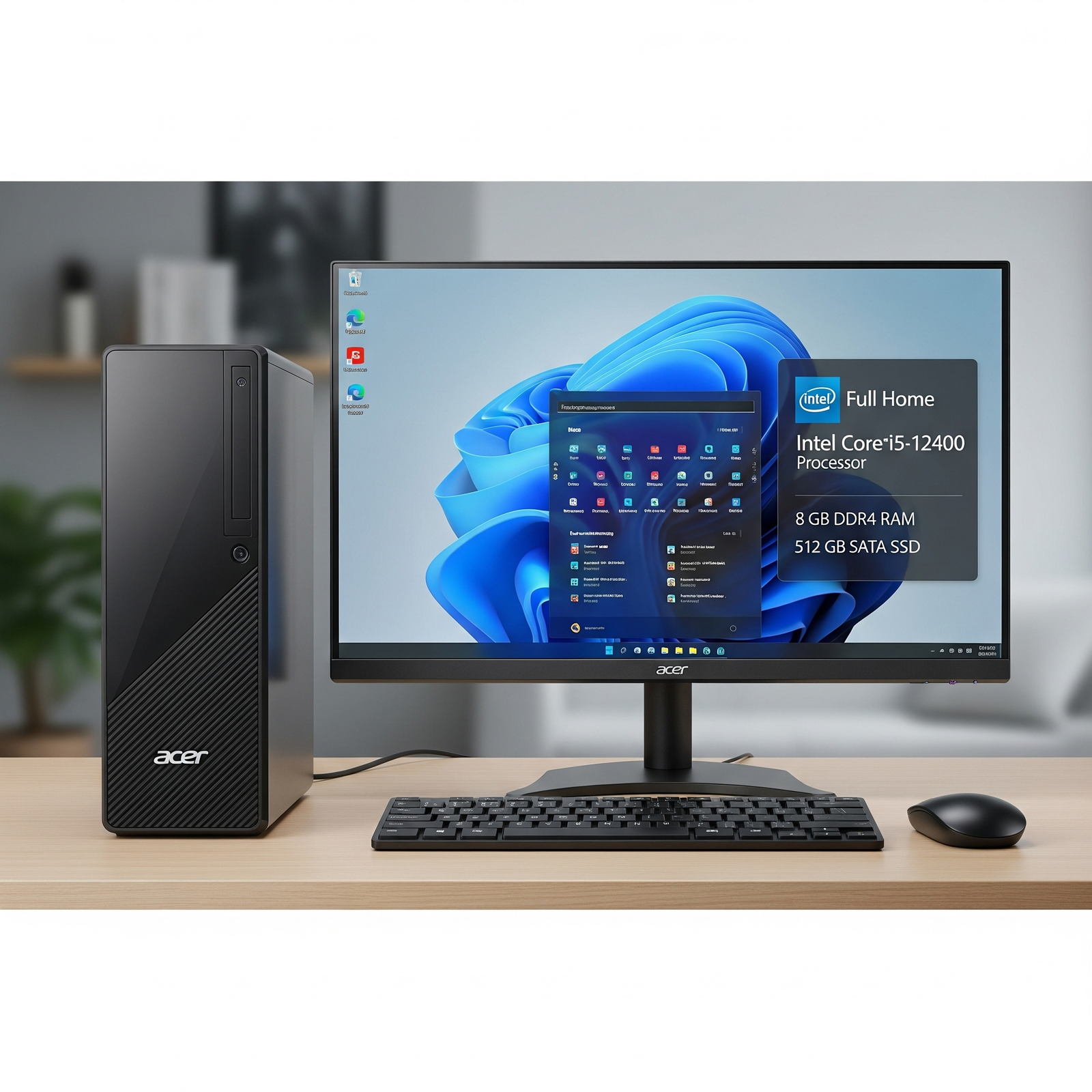
Acer Aspire XC-1760 Desktop: Core i5 12400, 8GB RAM, 512GB SSD, 21.5″ FHD Display, USB-C, WiFi 6, Made in India

DESKTOP REVIEW

Acer Aspire XC-1760 Core i5-12400 Review: Specs, Performance, Pros & Cons

The Acer Aspire XC-1760 is a compact desktop designed for everyday productivity, study, home use and office work. This configuration combines a 12th Gen Intel Core i5-12400 processor with 8GB DDR4 RAM, a 512GB SATA SSD and a 21.5-inch Full HD VA monitor.

Core i5-12400 12th Gen Processor
8GB DDR4 RAM
512GB SATA SSD
21.5″ Full HD VA Monitor

Quick Verdict

The Acer Aspire XC-1760 is a practical choice for users who want a complete desktop setup for everyday computing. The Core i5-12400 provides a strong foundation for productivity, while the included monitor, keyboard and mouse make the package convenient for first-time desktop buyers.

Its main limitations are the 8GB standard RAM, integrated Intel UHD Graphics, SATA SSD and 250W power supply. It is therefore much better suited to productivity and general use than serious gaming or professional graphics workloads.

Price & Package

Listed Price ₹47,822
Listed MRP ₹69,990

The prices above are from the supplied product information and may change depending on the current seller or listing.

Key Features at a Glance

⚙️

Intel Core i5-12400

12th Gen six-core processor with speeds up to 4.40 GHz.

💾

512GB SSD

SATA SSD storage for quicker startup and application loading.

🖥️

21.5-inch Full HD Monitor

VA panel with 1920 × 1080 resolution included with the package.

📶

Wi-Fi 6

Modern wireless networking along with Gigabit Ethernet.

🔌

USB-C & Multiple Ports

Includes USB Type-C, USB Type-A, HDMI, VGA and Ethernet connectivity.

🧰

Complete Package

Monitor, wired keyboard and wired mouse are included.

Performance: What Can the Core i5-12400 Handle?

The Acer Aspire XC-1760 uses the Intel Core i5-12400, a 12th-generation desktop processor with six cores. The supplied specifications list a 2.50 GHz base frequency, up to 4.40 GHz turbo frequency and 18MB Intel Smart Cache.

This makes the system well suited to everyday productivity, including web browsing, office applications, online classes, document editing, video calls and general multitasking.

6 Cores Suitable for multitasking and everyday productivity.
Up to 4.40 GHz High turbo frequency for responsive general workloads.
18MB Cache Provides a strong processor configuration for this class of desktop.
🧠

8GB DDR4 RAM

The desktop comes with 8GB DDR4 RAM. This is sufficient for ordinary browsing, office applications, online learning, streaming and general multitasking.

The supplied specification states that the system can support up to 64GB DDR4 memory. Users who regularly run heavier applications or many browser tabs may benefit from upgrading to more RAM.

Maximum listed memory: Up to 64GB DDR4
💽

512GB SATA SSD

The 512GB SATA SSD should provide quicker system startup and application loading compared with a traditional mechanical hard drive.

The main limitation is that this is a SATA SSD rather than an NVMe PCIe drive. For ordinary users, the storage should still provide a responsive experience.

Storage: 512GB SATA SSD

Intel UHD Graphics: The Main Limitation

Graphics are handled by integrated Intel UHD Graphics rather than a dedicated graphics card. This is suitable for normal desktop workloads, video playback, web browsing and office applications.

However, buyers should not choose this desktop primarily for serious gaming, professional 3D work or demanding GPU-based video editing.

✓ Good for

Office work, browsing, streaming and general computing.

✕ Not ideal for

Modern AAA gaming, demanding 3D work and professional GPU workloads.

21.5-Inch Full HD VA Monitor

One of the biggest advantages of this package is the included 21.5-inch VA panel monitor. It has a Full HD 1920 × 1080 resolution and LED backlighting.

21.5″ Screen Size
VA Panel Type
1920×1080 Resolution
16:9 Aspect Ratio

Having the monitor included makes the desktop package more convenient for users who do not already own a display.

Connectivity & Ports

📶 Wireless

Wi-Fi 6 and Bluetooth.

🌐 Wired Network

Gigabit Ethernet with RJ-45.

🔌 USB

USB 2.0, USB 3.x and USB Type-C connectivity.

🖥️ Display

HDMI and VGA outputs.

Listed front USB ports: 1× USB 2.0 Type-A, 1× USB 3.0 Type-A and 1× USB 3.0 Type-C.
Listed rear USB ports: 2× USB 3.2 Gen 1 and 4× USB 2.0.

Compact Design

The supplied dimensions are 323mm in height, 95mm in width and 271mm in depth. The relatively compact chassis can be useful for smaller desks and workspaces.

Dimensions
323mm × 95mm × 271mm

Ready-to-Use Package

The supplied package includes the desktop, monitor, USB keyboard, USB mouse, user guide and warranty documents.

Included
Desktop + Monitor + Keyboard + Mouse

Windows 11 Home & Warranty

The supplied product information lists Windows 11 Home 64-bit as the operating system. The same information lists a one-year onsite warranty and India as the country of origin.

Windows 11 64-bit Home edition
1 Year Onsite warranty
India Country of origin

Who Is the Acer Aspire XC-1760 For?

🏠 Home Users

Suitable for browsing, email, streaming, documents and everyday household computing.

🎓 Students

A practical setup for online classes, research, assignments and general study.

💼 Small Offices

Suitable for office applications, documents, video meetings and general productivity.

💰 Value-Conscious Buyers

Useful for buyers who want the computer, monitor and basic peripherals together.

Who Should Consider Another Desktop?

🎮 Serious Gamers

The integrated Intel UHD Graphics are not intended for demanding modern gaming.

🎬 Professional Creators

Demanding video editing and 3D workloads would benefit from a dedicated GPU and more RAM.

🔧 Major Upgraders

The listed 250W power supply limits the scope for adding a powerful graphics card.

Acer Aspire XC-1760 Full Specifications

General Information

Price: ₹47,822

MRP: ₹69,990

Operating System: Windows 11 Home 64-bit

Colour: Black

Country of Origin: India

Warranty: 1 Year onsite warranty

Processor & Chipset

Processor: Intel Core i5

Model: Intel Core i5-12400

Base Speed: 2.50 GHz

Turbo: Up to 4.40 GHz

Cores: 6

Cache: 18 MB Intel Smart Cache

Chipset: Intel H610 Express Chipset

64-bit Processing: Yes

Memory & Storage

Standard Memory: 8 GB DDR4 SDRAM

Maximum Memory: Up to 64 GB DDR4 SDRAM

Storage: 512 GB

Storage Interface: SATA SSD

Display & Graphics

Screen Size: 21.5 inches

Panel: VA

Backlight: LED

Resolution: 1920 × 1080 Full HD

Aspect Ratio: 16:9

Graphics: Intel UHD Graphics

Network & Communication

Ethernet: Intel I219V 10/100/1000 Mb/s

Wireless LAN: Wi-Fi 6

Ethernet Technology: Gigabit Ethernet

Bluetooth: Yes

Ports & Expansion

PCI Slots: 2

M.2 Slots: 2

HDMI: Yes

VGA: Yes

Front USB: 1× USB 2.0 Type-A, 1× USB 3.0 Type-A, 1× USB 3.0 Type-C

Rear USB: 2× USB 3.2 Gen 1, 4× USB 2.0

RJ-45: Yes

Input Devices & Power

Keyboard: USB 104-key wired keyboard

Mouse: USB wired mouse

Power Supply: 250W

Physical Details & Package

Height: 323 mm

Width: 95 mm

Depth: 271 mm

ROHS Compliant: Yes

Package: Desktop, monitor, USB keyboard, USB mouse, user guide and warranty documents

✓ Pros

Core i5-12400 Processor

Strong foundation for everyday productivity and multitasking.

512GB SSD

Provides faster startup and application loading than a traditional HDD.

Complete Package

Includes the monitor, keyboard and mouse.

Wi-Fi 6

Modern wireless connectivity is included.

Upgradeable RAM

Listed maximum memory support is up to 64GB DDR4.

✕ Cons

8GB Standard RAM

Heavy multitasking may benefit from a RAM upgrade.

Integrated Graphics

Not designed for serious modern gaming or demanding GPU workloads.

SATA SSD

Not as fast as an NVMe PCIe SSD.

250W Power Supply

Limits future upgrades involving powerful dedicated graphics cards.

Wired Peripherals

Keyboard and mouse are wired.

Is the Acer Aspire XC-1760 Worth Buying?

The main appeal of the Acer Aspire XC-1760 is that it provides a complete desktop setup rather than just a computer tower. The package includes the 21.5-inch Full HD monitor, keyboard and mouse, which can be convenient for students, home users and small offices.

The Core i5-12400 is also a strong processor for this type of everyday desktop. However, buyers should understand that the 8GB RAM, integrated graphics and 250W power supply place clear limits on demanding workloads and future hardware upgrades.

Therefore, this configuration makes the most sense for users prioritizing everyday productivity and a ready-to-use desktop setup rather than gaming or professional graphics performance.

FINAL VERDICT

Acer Aspire XC-1760: A Practical Complete Desktop for Everyday Use

The Acer Aspire XC-1760 with Intel Core i5-12400 is a practical desktop package for home users, students, small offices and everyday productivity.

Its strongest points are the Core i5-12400 processor, 512GB SSD, included 21.5-inch Full HD monitor, Wi-Fi 6 connectivity, compact chassis and upgradeable RAM.

At the same time, the 8GB starting RAM, integrated Intel UHD Graphics, SATA SSD and 250W power supply should be considered before buying. Users interested in serious gaming, professional graphics work or major future GPU upgrades should look for a more powerful configuration.

Our Rating: 4.0 / 5

Based on the supplied specifications and product evaluation; this is not a hands-on benchmark test.

Lenovo L27-4C 27″ 144Hz IPS Monitor – Best Budget 27″ Gaming Display 2025

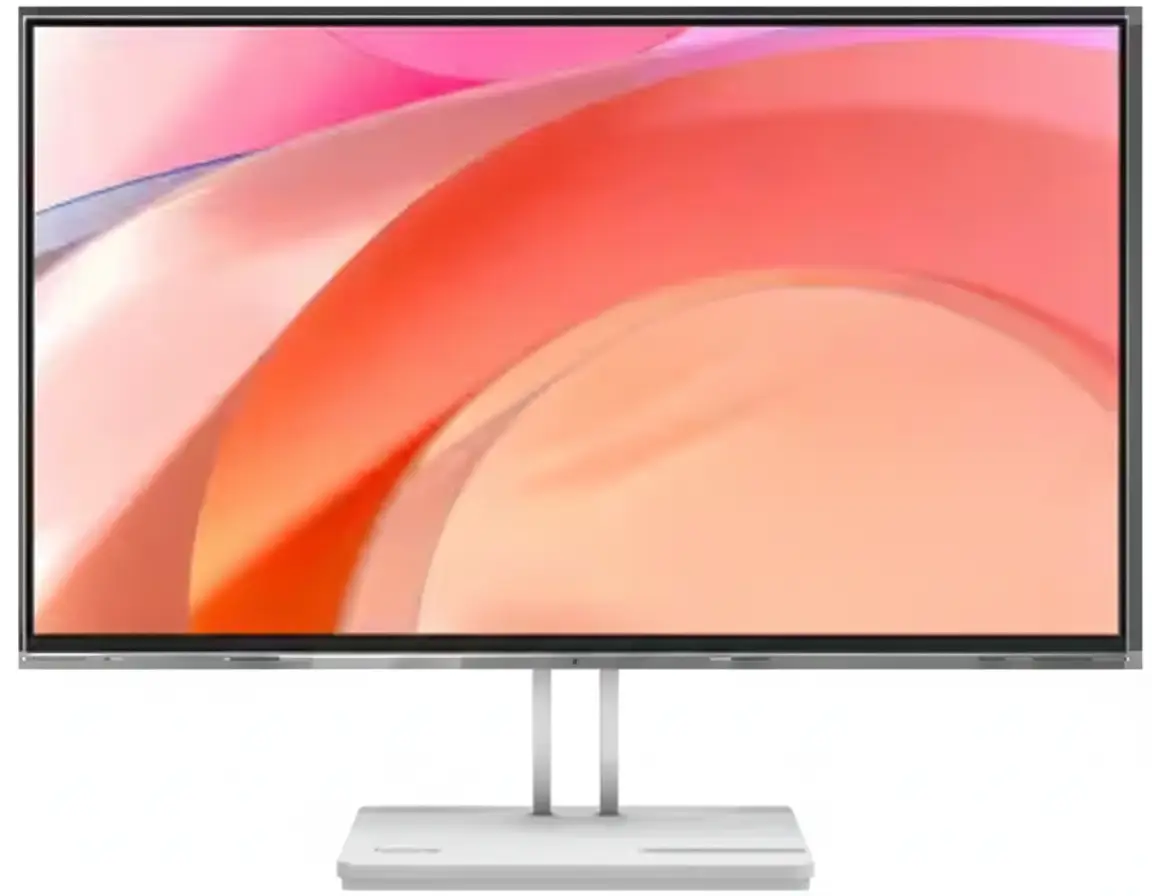
Lenovo L27-4C 27" 144Hz IPS Monitor
Lenovo L27-4C Review 2025 – Best 27″ 144Hz Budget Monitor Under ₹12K
Lenovo L27-4C 27 inch 144Hz IPS Monitor Cloud Grey

⚡ Best Value 27″ 144Hz IPS Monitor: Premium Size + Gaming Speed!

Plus 99% sRGB + Built-in Speakers + HDMI Cable Included!

🎮 Best Budget 27″ 144Hz IPS Monitor – Unbeatable ₹11,499 Value!

Lenovo L27-4C 27″ 144Hz Monitor

27″ 144Hz IPS FHD | 99% sRGB | Built-in Speakers | Cloud Grey Design | Budget Gaming 2025

27″ FHD (1920×1080) IPS – 144Hz – 1ms MPRT – AMD FreeSync – Tilt Stand

⚡ The Best 27″ Budget Gaming Monitor:

• Display: 27″ FHD (1920×1080) IPS Panel

• Speed: 144Hz Refresh + 1ms MPRT Response

• Colors: 99% sRGB + 1500:1 Contrast + 300 cd/m²

• Gaming: AMD FreeSync + 4ms GtG (Extreme Mode)

• Audio: Built-in 2×3W Speakers (6W Total)

• Eye Care: Low Blue Light + TÜV Flicker-Free

• Design: 4-Side NearEdgeless + Ultra-Thin Cloud Grey

• Ports: 2× HDMI 1.4 + VGA + Audio Out

• Bonus: HDMI Cable INCLUDED + Lenovo Artery Software!

₹11,499

₹15,191

SAVE ₹3,692 (24% OFF!)

*Inclusive of all taxes | Free Priority Delivery

🛒 Buy Now on Lenovo – 24% OFF!

Free Delivery | 3 Year Warranty | HDMI Cable Included

Screen Size

27″

Refresh Rate

144 Hz

Color Gamut

99% sRGB

Lenovo L27-4C 27″ 144Hz Monitor Overview

⚡ Gaming Highlights

  • 27″ IPS: Perfect size + wide angles
  • 144Hz Refresh: Smooth gaming speed
  • 1ms MPRT: Zero motion blur
  • 99% sRGB: Accurate colors
  • AMD FreeSync: Tear-free gaming
  • Built-in Speakers: 2×3W audio
  • HDMI Cable: Included in box!
  • ₹11,499: 24% discount!

📦 In The Box

  • 🖥️ Lenovo L27-4C Monitor (Cloud Grey)
  • 🏗️ Tilt Stand (-5° to +22°)
  • 🔌 Power Cable (1.8m)
  • 🔗 HDMI 1.4 Cable (1.8m) – INCLUDED!
  • 🔩 Screw for Stand Assembly
  • 📄 Quick Setup Guide
  • 📜 Warranty Booklet (3 Year)

Bonus: HDMI cable INCLUDED—saves ₹300-600!

⭐ Competitive Advantage

  • • 27″ Sweet Spot: Perfect size
  • • 144Hz IPS: Speed + colors
  • • 300 cd/m²: Bright display
  • • ₹11,499: Best 27″ value!
  • • Cloud Grey: Premium look

🏆 Best Budget 27″ 144Hz IPS Monitor Under ₹12,000

Perfect 27″ Screen Size

The 27″ display is the sweet spot for gaming and productivity—large enough for immersive gaming and multitasking, yet small enough to maintain good pixel density at FHD resolution (82 PPI). Perfect viewing distance: 60-90cm. Ideal for most desk setups without being overwhelming!

144Hz + 99% sRGB IPS

IPS panel delivers 144Hz gaming speed with superior color accuracy (99% sRGB) and 178° viewing angles—perfect for both gaming and content creation! Most budget 144Hz monitors use TN panels with poor colors. This gives you the best of both worlds!

Unbeatable ₹11,499 Value!

At just ₹11,499 (24% off MRP ₹15,191), no other 27″ monitor offers 144Hz + IPS + 99% sRGB + built-in speakers + HDMI cable included at this price! This is the ultimate budget 27″ gaming monitor for value-conscious gamers!

27″ IPS Display – The Perfect Gaming Size

🖥️ Why 27″ is the Sweet Spot

The 27″ screen size (68.58cm diagonal) is universally considered the perfect size for gaming and productivity! Large enough for immersive gaming and comfortable multitasking, yet compact enough to fit most desks without requiring excessive head movement. At FHD 1920×1080 resolution, you get 82 PPI pixel density—perfectly sharp for gaming at 60-90cm viewing distance!

Perfect Gaming Size

See entire screen without head movement!

Multitasking Ready

Two windows side-by-side comfortably!

Sharp at FHD

82 PPI = crisp text and images!

Desk Friendly

Fits most desks perfectly!

📐 27″ vs 24″ vs 32″ Comparison

Why 27″ is the Sweet Spot

27″ balances screen real estate with pixel density at FHD resolution. Larger than 24″ for better gaming immersion and productivity, yet maintains sharp image quality without needing QHD resolution (expensive + GPU-demanding)!

24″ FHD

~ Good sharpness

~ Too small

~ Compact desks

27″ FHD

✓ Perfect size!

✓ Sharp enough

✓ This monitor!

32″ FHD

~ Immersive

~ Less sharp (69 PPI)

~ Big desks only

27″ FHD Advantages

  • • Perfect Size: Not too big, not too small—just right!
  • • Easy to Drive: FHD 144Hz needs less GPU power than QHD
  • • Sharp Enough: 82 PPI perfect for 60-90cm viewing
  • • Budget Friendly: FHD panels cheaper than QHD

🎨 IPS Panel Advantages

Why IPS > TN for Gaming

IPS (In-Plane Switching) delivers superior image quality compared to budget TN panels! While TN panels are faster, modern IPS achieves 1ms MPRT + 4ms GtG response—fast enough for competitive gaming—while maintaining far better colors and viewing angles!

This IPS Panel

✓ 99% sRGB colors

✓ 178° viewing angles

✓ 1ms MPRT speed

✓ Better for work+gaming

Typical TN

~ Washed colors

~ Narrow angles

✓ Fast response

~ Gaming only

178° Viewing Angles Matter!

IPS maintains consistent colors even when viewed from sides—perfect for showing content to others, gaming with friends watching, or non-centered viewing. TN panels shift colors dramatically off-center!

144Hz Gaming Performance – Smooth Competitive Speed

⚡ 144Hz + 1ms MPRT Response

The 144Hz refresh rate delivers 2.4× more frames per second than standard 60Hz monitors—creating dramatically smoother motion in fast-paced games! Combined with 1ms Moving Picture Response Time (MPRT) and 4ms GtG (Extreme mode), motion blur and ghosting are eliminated for crystal-clear competitive gaming!

144Hz vs 60Hz

144Hz shows 144 images per second vs 60Hz’s 60 images—each frame displays for just 6.9ms instead of 16.7ms! Massive difference in smoothness, target tracking, and perceived responsiveness!

Frame Time: 6.9ms

1ms MPRT

Moving Picture Response Time of 1ms eliminates motion blur! Fast-moving objects stay sharp even during chaotic action scenes—critical for competitive FPS and esports!

Motion Blur: Minimal!

AMD FreeSync

FreeSync synchronizes monitor refresh with GPU frame rate—eliminating screen tearing and stuttering for perfectly smooth gaming even when FPS varies!

Tearing: Zero!

🎮 Perfect for These Games

Esports & Competitive FPS

The 144Hz refresh rate is the esports standard! Games like Valorant, CS:GO, Apex Legends, Overwatch 2, Fortnite benefit enormously from smooth 144 FPS motion—giving you faster target acquisition and reaction times!

  • • FPS Games: Valorant, CS:GO, Apex, COD, R6 Siege
  • • Battle Royale: Fortnite, PUBG, Warzone
  • • MOBA: League of Legends, Dota 2
  • • Racing: F1, Forza, Gran Turismo

⚡ Easy to Drive at FHD!

FHD 1920×1080 at 144Hz is much easier for GPUs than QHD or 4K! Even mid-range cards like RTX 4060, RTX 3060, RX 6600 can hit 144+ FPS in esports!

🔄 AMD FreeSync Technology

Tear-Free Gaming

AMD FreeSync eliminates screen tearing by synchronizing the monitor’s refresh rate with your GPU’s frame output! When FPS drops below 144, FreeSync adjusts refresh rate to match—maintaining smooth, tear-free visuals even during FPS fluctuations!

Works With: AMD & NVIDIA GPUs
Adaptive Range: 48-144Hz (typical)
Benefit: Zero Tearing!

✅ Works with All Modern GPUs

FreeSync works with AMD Radeon RX series AND NVIDIA GTX 10-series or newer (NVIDIA calls it G-SYNC Compatible)!

99% sRGB Color Accuracy – Professional IPS Quality

🎨 True-to-Life Colors

The IPS panel covers 99% of the sRGB color space (CIE 1931 standard)—delivering accurate, vibrant colors perfect for gaming, content creation, and everyday use! Combined with 8-bit color depth (16.7 million colors), 1500:1 contrast ratio, and 300 cd/m² brightness, images look stunning and true-to-life!

99% sRGB Coverage

sRGB is the standard color space for web content, games, and digital media. 99% coverage means colors appear exactly as developers and content creators intended—critical for accurate web design, photo viewing, and gaming immersion!

Color Gamut: 99% sRGB
Color Depth: 8-bit
Total Colors: 16.7 Million

1500:1 Contrast + 300 cd/m²

1500:1 contrast ratio (higher than typical 1000:1 IPS) delivers deeper blacks and brighter whites! 300 cd/m² brightness ensures excellent visibility in normal to bright indoor lighting!

Contrast: 1500:1
Brightness: 300 cd/m²
Backlight: WLED

👁️ Eye Comfort Technology

TÜV-Certified Flicker-Free

TÜV Rheinland certified flicker-free technology eliminates screen flickering that causes eye strain and headaches during long gaming or work sessions! The backlight maintains constant brightness without PWM (Pulse Width Modulation) flickering!

Low Blue Light

Built-in low blue light filter reduces harmful blue light emission that disrupts sleep and causes eye fatigue. Perfect for all-day use without compromising color accuracy significantly!

📊 Perfect for Content Creation

sRGB Accurate for Web & Social Media

The 99% sRGB coverage makes this perfect for content creators working with web design, YouTube thumbnails, Instagram posts, and social media content! What you see is what your audience will see!

  • • Web Design: Accurate preview of websites
  • • YouTube: Thumbnail/video editing
  • • Social Media: Instagram, Facebook posts
  • • ⚠️ Not For: Professional photo (needs wide gamut)

Cloud Grey Design – Ultra-Thin NearEdgeless Bezel

🎨 Premium Aesthetic Design

The Lenovo L27-4C features a stunning Cloud Grey color scheme with ultra-thin bezels on all four sides—creating a nearly borderless viewing experience! The sleek, modern design complements any desk setup while the 4-side NearEdgeless design maximizes screen-to-body ratio for immersive content!

4-Side NearEdgeless

Ultra-thin bezels on all four sides create an immersive, distraction-free viewing experience! Perfect for multi-monitor setups with minimal gaps between screens!

Cloud Grey Color

Premium Cloud Grey finish looks modern and professional—perfect for home offices, gaming setups, and creative workspaces! Less flashy than gaming red/RGB!

Ultra-Thin Profile

At just 41mm thickness (head only), the monitor has a sleek, modern profile! Lightweight 2.91kg head weight makes it easy to move and mount!

🏗️ Stand & Ergonomics

Tilt-Only Stand (-5° to +22°)

The monitor includes a tilt-adjustable stand with -5° to +22° range—allowing you to angle the screen up or down for comfortable viewing. No height, swivel, or pivot adjustment (cost compromise for ₹11,499 price).

Tilt Range: -5° to +22°

💡 Upgrade Option: VESA Mount

If you need full ergonomics (height/swivel/pivot), the monitor supports standard VESA mounting (check specs). Buy a monitor arm (₹2,000-5,000) for complete adjustability!

🔌 Connectivity Ports

2× HDMI 1.4 + VGA

Dual HDMI 1.4 ports support up to 120Hz at FHD—perfect for connecting gaming PC + console simultaneously! Legacy VGA port for older PCs/laptops. 3.5mm audio-out for headphones/speakers!

  • • 2× HDMI 1.4: PC + console (up to 120Hz FHD)
  • • 1× VGA: Legacy device support
  • • 1× Audio Out: 3.5mm headphone jack
  • • ⚠️ Note: HDMI 1.4 maxes at 120Hz (not 144Hz)

Built-in 2×3W Speakers – Convenient Audio Solution

🔊 Dual 3W Speakers

6W Total Audio Output

The monitor includes built-in 2×3W speakers (6W total)—providing convenient audio for video calls, YouTube, casual gaming, and background music without needing external speakers! Better than no speakers, but not audiophile quality!

Speaker Output: 2× 3W = 6W Total

Perfect For

  • • Video Calls: Zoom, Teams, Google Meet
  • • YouTube/Streaming: Casual viewing
  • • System Sounds: Notifications, alerts
  • • Upgrade: Use 3.5mm out for better audio!

🎧 Audio Output Options

3.5mm Audio-Out Jack

The monitor includes a 3.5mm headphone jack for connecting gaming headsets, external speakers, or earphones! For serious gaming or music listening, use this output instead of built-in speakers for much better audio quality!

💡 Audio Setup Recommendations

Casual Use: Built-in speakers are fine. Gaming: Use gaming headset (₹1,500-5,000). Music/Movies: 2.1 speakers (₹2,000-8,000) for immersive sound!

Who Should Buy This Monitor?

🎮 Budget Gamers

  • 27″ Size: Perfect gaming immersion
  • 144Hz Speed: Smooth esports performance
  • FHD Resolution: Easy to drive, high FPS
  • AMD FreeSync: Tear-free gameplay
  • ₹11,499: Best 27″ value!
  • IPS Panel: Good colors for games

Perfect for: First 144Hz upgrade, budget esports!

💼 Students & WFH

  • 27″ Screen: Comfortable multitasking
  • 99% sRGB: Accurate web colors
  • Eye Comfort: TÜV flicker-free
  • Built-in Speakers: Video call audio
  • Budget: Complete package ₹11,499
  • Gaming Ready: 144Hz after classes!

Perfect for: Dorm rooms, online classes, coding!

🎨 Content Creators

  • 99% sRGB: Accurate web content
  • IPS Panel: Wide viewing angles
  • 27″ Size: Comfortable editing
  • 144Hz: Smooth timeline scrubbing
  • Budget: Affordable quality
  • Eye Care: Long editing sessions

Perfect for: YouTube, social media, web design!

🏠 Home Entertainment

  • 27″ Display: Great movie size
  • 1500:1 Contrast: Better blacks
  • Built-in Speakers: Convenient audio
  • 144Hz: Smooth streaming
  • Multiple Inputs: PC + console
  • Budget: Affordable upgrade

Perfect for: Netflix, OTT, console gaming!

🖥️ Office Upgrades

  • 27″ Workspace: Productivity boost
  • 99% sRGB: Accurate documents
  • Eye Care: All-day comfort
  • Cost Effective: ₹11,499 per desk
  • Reliable: 3-year warranty
  • Software: Lenovo Artery management

Perfect for: Small business office deployments!

🚫 NOT Recommended For

  • Pro Esports Players: Need 240Hz+
  • QHD/4K Fans: This is FHD 1080p
  • Color Professionals: Need wide gamut
  • Ergonomics Priority: Tilt-only stand
  • Small Desks: 27″ may be large

Consider alternatives if you need specialty features!

Lenovo L27-4C vs Competitors

vs BenQ GW2780 27″ Eye Care

BenQ: 27″ FHD 60Hz IPS Eye Care – ₹13,490

Lenovo: 27″ FHD 144Hz IPS FreeSync – ₹11,499

Lenovo Wins

  • ✓ ₹1,991 cheaper!
  • ✓ 144Hz vs 60Hz (2.4× faster!)
  • ✓ 1ms MPRT gaming
  • ✓ AMD FreeSync
  • ✓ Gaming + work versatility
  • ✓ Better overall value

BenQ Wins

  • ✓ BenQ Eye Care tech
  • ✓ Height adjustable
  • ✓ Brand reputation

Verdict: Lenovo unbeatable value—144Hz + cheaper!

vs LG 27MP400-B 27″ FHD

LG: 27″ FHD 75Hz IPS FreeSync – ₹10,999

Lenovo: 27″ FHD 144Hz IPS FreeSync – ₹11,499

Lenovo Wins

  • ✓ 144Hz vs 75Hz (92% faster!)
  • ✓ 1ms MPRT response
  • ✓ 99% sRGB vs sRGB 95%
  • ✓ Built-in speakers
  • ✓ Gaming-optimized
  • ✓ Worth extra ₹500!

LG Wins

  • ✓ ₹500 cheaper
  • ✓ LG brand

Verdict: Lenovo better performance for tiny premium!

vs ASUS VA27EHE 27″ Eye Care

ASUS: 27″ FHD 75Hz IPS Eye Care – ₹11,990

Lenovo: 27″ FHD 144Hz IPS FreeSync – ₹11,499

Lenovo Wins

  • ✓ ₹491 cheaper!
  • ✓ 144Hz vs 75Hz (92% faster!)
  • ✓ 1ms MPRT vs 5ms
  • ✓ AMD FreeSync
  • ✓ 99% sRGB (vs 72% NTSC)
  • ✓ Gaming capable

ASUS Wins

  • ✓ ASUS Eye Care
  • ✓ Frameless design

Verdict: Lenovo clearly superior specs + cheaper!

vs HP M27f 27″ FHD IPS

HP: 27″ FHD 75Hz IPS AMD FreeSync – ₹14,999

Lenovo: 27″ FHD 144Hz IPS FreeSync – ₹11,499

Lenovo Wins

  • ✓ ₹3,500 cheaper!
  • ✓ 144Hz vs 75Hz (92% faster!)
  • ✓ 1ms MPRT response
  • ✓ Gaming optimized
  • ✓ Built-in speakers
  • ✓ Outstanding value

HP Wins

  • ✓ HP brand premium
  • ✓ 3-sided micro-edge

Verdict: Lenovo massive value advantage!

vs Acer Nitro VG270 27″ Gaming

Acer: 27″ FHD 75Hz IPS FreeSync – ₹12,990

Lenovo: 27″ FHD 144Hz IPS FreeSync – ₹11,499

Lenovo Wins

  • ✓ ₹1,491 cheaper!
  • ✓ 144Hz vs 75Hz (92% faster!)
  • ✓ 1ms MPRT response
  • ✓ 99% sRGB coverage
  • ✓ Better gaming specs
  • ✓ Premium design

Acer Wins

  • ✓ Acer Nitro branding
  • ✓ ZeroFrame design

Verdict: Lenovo better specs + cheaper!

vs Samsung 27″ F24T352FHW

Samsung: 27″ FHD 75Hz IPS FreeSync – ₹10,999

Lenovo: 27″ FHD 144Hz IPS FreeSync – ₹11,499

Lenovo Wins

  • ✓ 144Hz vs 75Hz (92% faster!)
  • ✓ 1ms MPRT vs 5ms
  • ✓ 99% sRGB coverage
  • ✓ Gaming performance
  • ✓ Worth ₹500 more!

Samsung Wins

  • ✓ ₹500 cheaper
  • ✓ Samsung brand
  • ✓ Borderless design

Verdict: Lenovo worth tiny premium for 144Hz!

🏆 Competitive Advantage Summary

The Lenovo L27-4C’s biggest competitive advantage is delivering 27″ + 144Hz + IPS + 99% sRGB + FreeSync + built-in speakers at just ₹11,499—a feature set that normally costs ₹13,000-15,000 in competing monitors!

144Hz at Budget Price

Most 27″ monitors under ₹12K offer only 60-75Hz. Lenovo delivers true 144Hz gaming speed at an unheard-of budget price!

IPS + 99% sRGB

IPS panel with 99% sRGB beats budget TN panels in colors and viewing angles—perfect hybrid work+gaming monitor!

Complete Package

Built-in speakers + HDMI cable included—most competitors charge extra! Ready to use out of box!

Pros & Cons

✅ What We Love

  • Outstanding ₹11,499 Value: Best 27″ 144Hz IPS monitor under ₹12K—saves ₹3,692 (24% off MRP ₹15,191)!
  • Perfect 27″ Screen Size: Ideal gaming and productivity size—large enough for immersion, compact enough for desks!
  • 144Hz Refresh Rate: 2.4× faster than 60Hz for smooth competitive gaming—esports standard!
  • IPS Panel Superiority: Better colors and viewing angles than budget TN panels—99% sRGB accuracy!
  • 1ms MPRT + 4ms GtG Response: Excellent motion clarity eliminates blur and ghosting!
  • AMD FreeSync: Tear-free, stutter-free gaming with adaptive sync technology!
  • 300 cd/m² Brightness: Higher than typical 250 cd/m²—better visibility in bright rooms!
  • 1500:1 Contrast Ratio: Higher than typical 1000:1 IPS—deeper blacks!
  • HDMI Cable INCLUDED: Rare—saves ₹300-600! Most monitors don’t include cables!
  • Built-in 2×3W Speakers: Convenient audio for video calls and casual use!
  • TÜV Flicker-Free + Low Blue Light: Eye comfort for long gaming or work sessions!
  • 4-Side NearEdgeless Design: Slim bezels maximize screen-to-body ratio—immersive!
  • Cloud Grey Premium Look: Modern, professional design—not flashy gaming red!
  • Lenovo Artery Software: Easy display management on Windows/macOS!
  • 3-Year Warranty: Lenovo reliability + peace of mind!

❌ Room for Improvement

  • Tilt-Only Stand: No height, swivel, or pivot adjustment—cost compromise for ₹11,499 price. Needs VESA arm for full ergonomics!
  • HDMI 1.4 Limitation: Maxes at 120Hz FHD—need DisplayPort or HDMI 2.0 for full 144Hz (but monitor lacks DP)!
  • FHD at 27″ Sharpness: 82 PPI fine for gaming but less sharp than 24″ FHD (92 PPI)—QHD purists prefer 1440p at 27″!
  • Basic Built-in Speakers: 2×3W speakers fine for calls but not audiophile quality—gamers want headsets anyway!
  • No DisplayPort: Only HDMI 1.4 + VGA—can’t reach 144Hz via HDMI (theoretical limit)!
  • No USB Ports: Unlike premium monitors with USB hubs—purely display-focused!
  • No Factory Calibration: Not color-calibrated for professional photo/video editing requiring Adobe RGB or DCI-P3!
  • VGA Port Outdated: Most modern devices don’t use VGA—wasted port space!
  • No Swivel/Pivot: Can’t rotate for portrait mode or share screen sideways without VESA arm!
  • Generic OSD Controls: Physical buttons instead of joystick—less convenient menu navigation!

Final Verdict

🏆 BEST BUDGET 27″ 144Hz IPS MONITOR – 2025

The Lenovo L27-4C is the best value 27″ gaming monitor under ₹12,000, combining perfect screen size, 144Hz IPS speed, 99% sRGB color accuracy, and eye comfort at an unbeatable price!

The Sweet Spot Monitor

Most monitors force you to choose between screen size, refresh rate, panel quality, OR price. The L27-4C delivers all four together: 27″ size + 144Hz speed + IPS colors + ₹11,499 price—a combination simply unmatched in the budget segment!

For Gamers

27″ + 144Hz + 1ms MPRT + FreeSync provide smooth competitive gaming at a fraction of the cost of premium gaming monitors!

For Creators & Students

99% sRGB + IPS viewing angles + 27″ workspace make it perfect for web design, content creation, and productive multitasking!

For Value Seekers

At ₹11,499, you get premium features that cost ₹14K-16K elsewhere—best price-to-performance ratio in 27″ category!

Unbeatable Value at ₹11,499

At just ₹11,499 (24% off MRP ₹15,191), this monitor delivers premium features:

What You Get:

  • • 27″ FHD 144Hz IPS Panel
  • • 99% sRGB Color Accuracy
  • • 1ms MPRT + 4ms GtG Response
  • • AMD FreeSync Technology
  • • 300 cd/m² Brightness
  • • 1500:1 Contrast Ratio
  • • Built-in 2×3W Speakers
  • • TÜV Flicker-Free + Low Blue Light
  • • HDMI Cable INCLUDED!
  • • Total Value: ₹15,000+

Money You Save:

  • • 24% Discount: Save ₹3,692 instantly
  • • HDMI Cable: Save ₹300-600 (included!)
  • • vs Competition: ₹1,500-3,500 cheaper than similar!
  • • Total Savings: ₹5,492-7,792!
  • • Your Price: Just ₹11,499!

Who Should Buy This?

✅ Perfect For:

  • • Budget gamers wanting first 144Hz upgrade
  • • Esports players on tight budgets
  • • Students & WFH needing 27″ workspace
  • • Content creators wanting accurate sRGB colors
  • • Casual gamers who also work/study
  • • Home entertainment setups

❌ Not Ideal For:

  • • Professional esports (need 240Hz+)
  • • QHD/4K enthusiasts (this is FHD)
  • • Ergonomics priority (tilt-only stand)
  • • Color professionals (not wide gamut)
  • • Audiophiles (basic speakers)

Our Final Rating: 9.0/10

The Lenovo L27-4C is the best budget 27″ gaming monitor of 2025. It delivers perfect screen size, 144Hz speed, IPS quality, and 99% sRGB accuracy at an unbeatable ₹11,499!

₹11,499

₹15,191

SAVE ₹3,692 (24% OFF!)

🛒 BUY NOW – LIMITED TIME OFFER!

Free Delivery | 3 Year Warranty | HDMI Cable Included | 27″ 144Hz IPS

20 Most Asked Questions About Lenovo L27-4C

Q1. Is 27″ too big for FHD resolution?

Not at all! 27″ FHD delivers 82 PPI pixel density—perfectly sharp for gaming at 60-90cm viewing distance! While 24″ FHD has higher 92 PPI, 27″ is the sweet spot balancing screen size with sharpness. Text is clear, games look great, and you get much more workspace than 24″. QHD (1440p) at 27″ = 109 PPI but needs expensive GPU power!

Q2. Why can’t I get 144Hz over HDMI?

HDMI 1.4 bandwidth maxes at 120Hz at FHD resolution—theoretical limitation of the standard. To get full 144Hz, you’d need HDMI 2.0 or DisplayPort. However, this monitor only has HDMI 1.4 + VGA (no DP). 120Hz is still 2× faster than 60Hz—massive improvement! Most won’t notice 120Hz vs 144Hz difference!

Q3. Can I wall mount this monitor?

The specifications don’t explicitly mention VESA compatibility in the provided details. Check the back panel or manual for VESA mount holes (typically 100×100mm or 75×75mm). If VESA compatible, you can remove the tilt stand and attach any standard monitor arm or wall mount for full height/swivel/pivot adjustment!

Q4. What GPU do I need for 144Hz gaming?

FHD 1920×1080 at 144Hz is easy to drive! Esports (Valorant, CS:GO, League): RTX 3050/4050, RX 6600, GTX 1660—even budget GPUs hit 144+ FPS! AAA games (high settings): RTX 4060, RX 7600, RTX 3060 Ti. Story games: Even 60-100 FPS looks much smoother than 60Hz—FreeSync ensures smooth gameplay!

Q5. Does AMD FreeSync work with NVIDIA?

Yes! AMD FreeSync works with NVIDIA GTX 10-series (1050/1060/1070/1080) and newer GPUs! NVIDIA calls it “G-SYNC Compatible” mode. Enable it in NVIDIA Control Panel → Set up G-SYNC → Enable for selected display. Works perfectly to eliminate screen tearing on both AMD and NVIDIA cards!

Q6. Are the built-in speakers any good?

2×3W speakers (6W total) are convenient but basic quality—perfectly fine for video calls (Zoom, Teams), YouTube, system sounds, and casual use. NOT suitable for serious gaming or music listening. For immersive gaming, use gaming headset via monitor’s 3.5mm audio-out jack. For music/movies, connect 2.1 speakers (₹2,000-8,000) for much better sound!

Q7. What is 1ms MPRT vs GtG response time?

MPRT (Moving Picture Response Time) = 1ms measures motion blur perception—backlight strobing technique to reduce blur. GtG (Gray-to-Gray) = 4ms (Extreme mode) measures actual pixel transition speed. Both specs mean excellent motion clarity for competitive gaming—no ghosting or smearing in fast action!

Q8. Is IPS better than VA for gaming?

Both have advantages! IPS (this monitor) = better color accuracy (99% sRGB), wider viewing angles (178°), no color shift. VA = deeper blacks/contrast (3000:1 vs 1500:1). For hybrid gaming + productivity, IPS is superior—accurate colors for work, good gaming performance, and no color shift when viewed off-angle. VA better for pure dark-room gaming/movies!

Q9. Can I use this with PS5/Xbox Series X?

Yes! Connect via HDMI 1.4 (2 ports available). PS5 and Xbox Series X will output FHD 1080p at 120Hz—HDMI 1.4 maxes at 120Hz FHD, not 144Hz. Still a massive upgrade over 60Hz TVs! FreeSync may work with Xbox for tear-free gaming. Perfect budget console gaming monitor!

Q10. Does it have DisplayPort?

No—this monitor only has 2× HDMI 1.4 + 1× VGA. No DisplayPort connection. HDMI 1.4 supports up to 120Hz at FHD (not full 144Hz). For most users, 120Hz vs 144Hz difference is imperceptible. If you absolutely need 144Hz, consider monitors with DisplayPort or HDMI 2.0!

Q11. What is Lenovo Artery software?

Lenovo Artery (formerly Display Control Center) is free software for Windows 10/11 and macOS that lets you adjust monitor settings from your computer! Change brightness, contrast, color modes, input source—all via software interface instead of physical buttons. Makes monitor management much easier and convenient!

Q12. Is 300 cd/m² brightness enough?

Yes! 300 cd/m² is excellent for indoor use—bright enough for normal to bright office lighting and home environments. Higher than budget monitors (250 cd/m²). Not ideal for very bright rooms with direct sunlight hitting screen—some monitors offer 350-400 cd/m². For typical desk setups away from windows, 300 cd/m² is perfect!

Q13. What cables are included?

Power cable (1.8m) and HDMI 1.4 cable (1.8m) are INCLUDED—rare for budget monitors! Most monitors only include power cable. This saves you ₹300-600 on HDMI cable purchase. Ready to connect PC or console out of the box! VGA cable NOT included (if needed, purchase separately).

Q14. Is this good for content creation?

Yes for web content, social media, YouTube! The 99% sRGB coverage is perfect for creating web graphics, Instagram posts, YouTube thumbnails, and digital content. NOT suitable for professional photo/video editing requiring Adobe RGB (printing) or DCI-P3 (cinema)—this monitor lacks wide color gamut. Perfect for content creators working in sRGB space!

Q15. Does it have blue light filter?

Yes! Built-in low blue light technology reduces harmful blue light emission that causes eye strain and disrupts sleep patterns. Perfect for long gaming sessions or all-day work. TÜV-certified flicker-free backlight eliminates screen flickering that causes headaches. Together, these eye care features make it comfortable for 8+ hour use!

Q16. Can I connect two devices simultaneously?

Yes! 2× HDMI 1.4 ports let you connect gaming PC + console (or laptop + desktop) simultaneously! Switch between inputs using monitor’s OSD menu—no need to swap cables constantly. Perfect for users who game on PC and console, or work laptop + gaming desktop setup!

Q17. Is tilt-only stand a dealbreaker?

Depends on your needs! Tilt (-5° to +22°) is sufficient for most users who adjust chair/desk height. If you need height adjustment, swivel, or pivot (portrait mode), you’ll need a VESA monitor arm (₹2,000-5,000). The tilt-only stand is a cost compromise to achieve ₹11,499 price—worth it for the 144Hz IPS specs you’re getting!

Q18. How is the viewing angle?

178° horizontal and vertical IPS viewing angles are excellent—colors remain consistent even when viewed from extreme side angles! Perfect for showing content to others, gaming with friends watching, or non-centered viewing positions. Much better than TN panels which shift colors dramatically off-center. Great for multi-viewer scenarios!

Q19. Does it have USB ports?

No—this monitor is display-focused with no USB hub functionality. Only video inputs (HDMI + VGA) and 3.5mm audio-out. If you need USB hub, consider the Lenovo L24D-4C (24″ version with USB-C docking + 4× USB-A hub). For pure gaming/display at 27″, this L27-4C is perfect!

Q20. Should I buy this in 2025?

ABSOLUTELY YES! At ₹11,499 with 24% discount, the Lenovo L27-4C is the best budget 27″ 144Hz IPS monitor under ₹12K—no competitor offers this combination of screen size, refresh rate, panel quality, and color accuracy at this price! Perfect for budget gamers, students, WFH professionals, and anyone wanting 27″ gaming+productivity hybrid monitor!

Complete Technical Specifications

DISPLAY SPECIFICATIONS
BrandLenovo
ModelL27-4C (67DEKAC1IN)
Screen Size27″ (68.58 cm)
Panel TypeIPS (In-Plane Switching)
ResolutionFHD (1920×1080)
Pixel Density82 PPI
Aspect Ratio16:9
Refresh Rate144 Hz
Response Time1ms MPRT, 4ms GtG (Extreme), 6ms (Normal)
Brightness300 cd/m² (Typical)
Contrast Ratio1500:1 (Typical)
Color Gamut99% sRGB (CIE 1931)
Color Depth8-bit
Color Support16.7 Million Colors
Viewing Angle178° Horizontal / 178° Vertical
BacklightWLED (White LED)
Bezel Design4-Side NearEdgeless
CONNECTIVITY
HDMI2× HDMI 1.4
VGA1× VGA (D-Sub 15-pin)
Audio Out1× 3.5mm Headphone Jack
DisplayPortNo
USB PortsNo
GAMING FEATURES
Adaptive SyncAMD FreeSync
Motion Clarity1ms MPRT / 4ms GtG (Extreme Mode)
AUDIO
Built-in SpeakersYes (2× 3W = 6W Total)
Headphone Output3.5mm Audio Jack
ERGONOMICS & STAND
Tilt Angle-5° to +22°
Height AdjustmentNo
SwivelNo
PivotNo
VESA MountCheck manual for compatibility
Kensington LockYes (Security Slot)
EYE COMFORT
Flicker-FreeYes (TÜV Certified)
Low Blue LightYes (Built-in)
DIMENSIONS & WEIGHT
Dimensions (Head Only)611.49 × 41.00 × 355.60 mm (24.07″ × 1.61″ × 14.00″)
Dimensions (With Stand)611.49 × 181.51 × 474.60 mm (24.07″ × 7.15″ × 18.69″)
Weight (Head Only)2.91 kg (6.42 lbs)
Weight (With Stand)3.89 kg (8.58 lbs)
Package Weight6.22 kg (13.72 lbs)
POWER & ENERGY
Power RequirementAC 100-240V (50-60 Hz)
Power Consumption (Typical)18.5W
Power Consumption (Maximum)31.5W
Sleep Mode<0.5W
Off Mode<0.3W
Energy Star8.0 Certified
SOFTWARE & MANAGEMENT
SoftwareLenovo Artery (Lenovo Accessories and Display Manager)
OS CompatibilityWindows 10/11, macOS (functions vary)
Thin Client SupportYes (Tiny)
DESIGN & COLOR
ColorCloud Grey
Design StyleUltra-Thin, Modern
Bezel4-Side NearEdgeless
PRICING & WARRANTY
Current Price₹11,499
MRP₹15,191
Discount₹3,692 OFF (24% OFF!)
Lenovo RewardsEarn 487 points
Warranty3 Years Limited Warranty
Part Number67DEKAC1IN
WHAT’S INCLUDED IN BOX
MonitorLenovo L27-4C with Stand
Power Cable1× Power Cable (1.8m)
HDMI Cable1× HDMI 1.4 Cable (1.8m) – INCLUDED!
Screw1× Screw for Stand Assembly
DocumentationQuick Setup Guide + Warranty Booklet

Upgrade to 27″ 144Hz IPS Gaming!

27″ 144Hz IPS | 99% sRGB | AMD FreeSync | Only ₹11,499

🛒 BUY NOW – 24% OFF!

Free Delivery | 3 Year Warranty | HDMI Cable Included | Cloud Grey Design

OMEN 35L GT17-0001in Review 2025 – Ryzen 7 7800X3D Gaming Desktop with RTX 5070 12GB & Blackwell AI

HP OMEN 35L gaming desktop
OMEN 35L Gaming Desktop GT17-0001in Review: Ryzen 7 X3D and RTX 5070 AI Gaming Beast

OMEN 35L Gaming Desktop GT17-0001in Review: Ryzen 7 X3D and RTX 5070 AI Gaming Beast

AMD Ryzen 7 7800X3D (8C/16T) Up to 5.0 GHz Boost 96MB L3 Cache RTX 5070 12GB GDDR7 1TB PCIe Gen4 NVMe SSD 32GB DDR5-5200 RAM (Dual Channel) ₹213,999
4.9 out of 5 stars (280 reviews) | AI-Enhanced Gaming

The OMEN 35L Gaming Desktop GT17-0001in PC boasts AMD Ryzen 7 7800X3D with 8 cores, 16 threads up to 5.0 GHz and massive 96MB L3 cache for elite gaming. Equipped with 32GB DDR5-5200 dual-channel RAM, a swift 1TB PCIe Gen4 NVMe M.2 SSD, and NVIDIA GeForce RTX 5070 12GB GDDR7 for Blackwell AI-powered ray tracing. On Windows 11 Home Single Language in S mode, with Wi-Fi 6E, Bluetooth 5.3, 240mm LCD liquid cooler, DTS Headphone:X, and black metal tower, it’s priced at ₹213,999 (11% off) with 3-year warranty, pushing 240 FPS in AAA titles at 1440p with DLSS 4 in 2025.

Level Up with AI Power?

Experience Blackwell AI, X3D cache mastery, and liquid-cooled dominance for revolutionary gaming and creation!

₹213,999
₹241,601 (11% off)
Includes GST ₹32,644

Free delivery | EMI available | 3 Year Warranty | Includes Wi-Fi 6E, Liquid Cooler, DTS Audio

Key Features at a Glance

Ryzen 7 7800X3D: 8 cores/16 threads up to 5.0 GHz.
RTX 5070 12GB: GDDR7 with Blackwell AI.
32GB DDR5-5200: Dual-channel overclocking.
1TB Gen4 NVMe: High-speed storage.
Wi-Fi 6E & BT 5.3: Ultra-fast wireless.
240mm Liquid Cooler: LCD with dynamic effects.

1. Processor Performance: X3D Gaming Mastery

Zen 4 with 3D V-Cache for unparalleled frames.

AMD Ryzen 7 7800X3D (8C/16T):

The 7800X3D utilizes 96MB L3 cache for superior gaming, achieving 5.0 GHz boosts. Cinebench R23 multi-core exceeds 25,000, ideal for esports and content creation. AMD EXPO simplifies DDR5 tuning on B850 chipset.

Max Boost & Cache Advantage:

5.0 GHz Turbo with 3D V-Cache enhances frame pacing in games like Fortnite. Geekbench 6 multi-core over 14,000, supports up to 128GB RAM via 4 DIMM slots. Perfect for streaming and rendering.

Gaming & Multitasking:

Zen 4 Architecture shines in CPU-intensive titles, supporting 4K streaming and OBS. Textured black metal chassis with microATX form optimizes airflow, 14.5 kg for robust stability.

2. Design & Connectivity: Sleek and Versatile

Tower design with advanced I/O for seamless gaming.

35L Tower Chassis:

Black Metal Textured at 21 x 40.8 x 41 cm and 14.5 kg incorporates 20% post-consumer recycled plastic, 10% recycled metal, and eco-friendly packaging. Kensington lock ensures security, OMEN series tailored for gaming.

Wi-Fi 6E & Ports:

MediaTek Wi-Fi 6E (2×2) and Bluetooth 5.3 deliver low-latency connectivity. Top: USB-C 10Gbps, 2x USB-A 5Gbps, audio. Rear: USB-C 10Gbps, 2x USB-A 5Gbps, 4x USB 2.0, RJ-45 2.5GbE, 3x audio.

Cooling & Audio:

240mm LCD Liquid Cooler with OGH effects maintains temps below 70°C under load. 5.1 surround and DTS Headphone:X provide immersive audio. Expansion: PCIe x16, x4, 3x M.2 slots.

3. Storage & Memory: Lightning-Fast Setup

Optimized for rapid access and expansion.

1TB PCIe Gen4 NVMe M.2 SSD:

High-Speed Storage up to 7000 MB/s ensures instant game loads. Sufficient for vast libraries and mods. 2x M.2 slots enable RAID or upgrades.

32GB DDR5-5200 RAM:

Dual-Channel DDR5 at 5200 MT/s (2 x 16 GB) with EXPO overclocking. Manages 4K textures and heavy multitasking. Expandable to 128GB using 4 slots.

Graphics & Outputs:

RTX 5070 with 12GB GDDR7 leverages Blackwell AI for DLSS 4 and rapid image generation. Supports 1x HDMI 2.1b and 3x DisplayPort 2.1b for multi-monitor configurations.

Pros and Cons

Honest assessment for this AI-infused gaming rig in 2025.

Pros

  • X3D Cache Processor: Elite gaming performance.
  • RTX 5070 AI GPU: Blackwell DLSS 4 innovation.
  • 32GB DDR5 RAM: Seamless multitasking.
  • Wi-Fi 6E Connectivity: Lag-free online gaming.
  • LCD Liquid Cooling: Efficient, customizable thermals.
  • 3-Year Warranty: Long-term peace of mind.

Cons

  • S Mode OS: Needs switching for full software access.
  • No Included Display: Requires separate monitor.
  • Weighty Design: 14.5 kg limits mobility.
  • High Price Point: Premium investment required.
  • USB 2.0 Ports: Could use more high-speed options.
  • No Bundled Peripherals: Keyboard/mouse extra.

Who Is This Gaming Desktop For? Targeted Insights

Designed for AI-driven gamers and creators.

Ideal For These Users

  • Pro Gamer:

    X3D cache and RTX 5070 with DLSS 4 deliver 240+ FPS at 1440p, Wi-Fi 6E for tournaments. 850W PSU and liquid cooler support extended play, 280 reviews confirm reliability.

  • AI Content Creator:

    Blackwell AI accelerates image generation and editing, 32GB RAM handles tools like NVIDIA Studio. Expandable storage for projects, sleek chassis suits setups.

  • Streaming Professional:

    96MB cache and BT 5.3 enable smooth 4K streams, DTS audio elevates broadcasts. Eco-materials appeal to sustainable creators.

Who Might Consider Other Options?

  • Budget Enthusiasts:

    Costly; choose OMEN 25L with RTX 4060 at ₹130,000.

  • Light Users:

    Excessive power; select HP Pavilion with i7 at ₹70,000.

  • Mobility Seekers:

    Desktop form; go for OMEN Laptop 17.

Competitive Edge: Standout AI Features

Leads with Blackwell AI in high-end gaming.

  • Vs MSI Aegis RS i9 RTX 4080:

    RTX 5070’s AI multiplies performance with DLSS 4 over 40-series, X3D cache outperforms Intel in games. ₹213,999 provides superior value with 3-year warranty and Wi-Fi 6E.

  • Vs Dell XPS 8960:

    LCD liquid cooler and 96MB cache surpass Dell’s cooling, expandable to 128GB RAM. OMEN’s DTS audio and sustainable build enhance experience.

  • Value Proposition:

    11% discount includes McAfee and Dropbox. 280 reviews commend AI features over Lenovo Legion.

  • Expansion Focus:

    PCIe slots and M.2 bays support upgrades, 850W Gold PSU handles demanding GPUs.

Full Specification Details

General Information

Price
₹213,999
Model
GT17-0001in
Series
OMEN
Color
Black Metal
Product Type
Gaming Desktop
Recommended Usage
Gaming
SKU
CF5R7PA
Form Factor
microATX Tower

Processor

Processor
AMD Ryzen 7 7800X3D
Cores/Threads
8 / 16
Base/Boost Clock
Up to 5.0 GHz
Cache
96 MB L3
Technology
Zen 4 with 3D V-Cache
Chipset
AMD B850
Generation
Ryzen 7 7000X3D

Memory & Storage

Memory
32 GB DDR5-5200 MT/s
Memory Slots
4 DIMM
Max Memory
128 GB
Storage
1 TB PCIe Gen4 NVMe M.2 SSD
Memory Layout
2 x 16 GB
Transfer Rate
Up to 5200 MT/s
Cloud Service
25 GB Dropbox (12 Months)
M.2 Slots
3 (2 SSD, 1 WLAN)

Graphics & Connectivity

Graphics
NVIDIA GeForce RTX 5070 12GB GDDR7
Video Outputs
1 HDMI 2.1b, 3 DisplayPort 2.1b
Wireless
Wi-Fi 6E (2×2) & Bluetooth 5.3
Network
Realtek 2.5GbE NIC
Top Ports
USB-C 10Gbps, 2x USB-A 5Gbps, Audio
Rear Ports
USB-C 10Gbps, 2x USB-A 5Gbps, 4x USB 2.0, RJ-45, 3x Audio
Expansion Slots
PCIe x16, PCIe x4

Power & Dimensions

Power Supply
850W 80 Plus Gold ATX
Dimensions (W x D x H)
21 x 40.8 x 41 cm
Weight
14.5 kg
Cooling
240mm LCD Liquid Cooler
Security
Kensington Slot
Finish
Textured Metal

Software & Warranty

OS
Windows 11 Home Single Language in S Mode
Included Software
McAfee 30-day Trial, Microsoft 365 1 Month
Audio
5.1 Surround, DTS Headphone:X
Warranty
3 Years

Environmental & Certifications

Recycled Plastic
20% Post-Consumer
Recycled Metal
10%
Packaging
100% Sustainable Molded Pulp
Paint
Water-Based
Standards
IEEE 1680.1-2018, ISO 14021
Bag Material
30% Recycled LDPE

Final Verdict

The OMEN 35L GT17-0001in revolutionizes gaming with AI-driven Blackwell tech and X3D efficiency.

★★★★★ 4.9 / 5 Stars – Expert Rating

Premier pick for AI-enhanced, high-performance gaming.

HP Smart Tank 720 All-in-One Printer – Auto Duplex, 23ppm Speed, Dual-Band WiFi | Best Mid-Tier Value 2025

HP Smart Tank 720 All-in-One Printer
HP Smart Tank 720 All-in-One Printer Complete Review 2025 – Auto Duplex, 23ppm Speed, Sweet Spot!
HP Smart Tank 720 All-in-One Printer

🎯 SWEET SPOT: Auto Duplex + 23ppm Speed WITHOUT ADF Premium!

Save ₹4,847 (18% OFF) • ₹3,547 Less Than 750 • FREE Installation!

🔥 BEST VALUE MID-TIER – AUTO DUPLEX – 23PPM SPEED – DUAL-BAND WIFI – NO ADF/ETHERNET

HP Smart Tank 720 All-in-One Printer

Auto Duplex | 23ppm Speed | 250-Sheet Tray | WiFi | No ADF

23ppm Black – 22ppm Color – Auto 2-Sided – Dual-Band WiFi – 12K Black Pages

🎯 Perfect Middle Ground – 750 Speed WITHOUT ADF Cost!

• Print Speed: 23 ppm (Black), 22 ppm (Color) – FAST!

• Auto Duplex: Automatic 2-sided printing (like 750!)

• No ADF: Flatbed scanner only (saves ₹3,547 vs 750)

• No Ethernet: WiFi + USB only (not needed for most)

• Connectivity: Dual-Band WiFi (2.4G/5G), WiFi Direct, USB

• Capacity: 250-sheet input, 100-sheet output

• Duty Cycle: 5000 Pages/Month (office-grade!)

• Included Ink: 2× GT53XL Black (12,000 pages!) + Color

• Warranty: 1 Year or 30,000 Pages

₹21,699

₹26,546

SAVE ₹4,847 (18% OFF!)

+ BONUS: 12,000 Black Pages (2× GT53XL) Included!

₹3,547 LESS than 750 (no ADF/Ethernet) • ₹7,700 MORE than 584 (auto duplex/speed)

*EMI Available | Save ₹1,000 Extra with Supplies

🛒 Buy Now – Best Mid-Tier Value!

FREE Installation | Next Day Delivery | 1 Year Warranty | Trending!

Print Speed

23 ppm

Auto Duplex

Yes

ADF

No

HP Smart Tank 720 Overview

What You GET

  • ✅ Auto Duplex: Automatic 2-sided!
  • ✅ 23 ppm Speed: Like 750!
  • ✅ Dual-Band WiFi: 2.4G + 5G!
  • ✅ 250-Sheet Tray: Big capacity!
  • ✅ 12K Black Pages: 2× bottles!
  • ✅ 5000/Month: Office duty!

What You DON’T GET

  • ❌ No ADF: Flatbed scanner only
  • ❌ No Ethernet: WiFi/USB only
  • 💰 Save ₹3,547: vs 750 model
  • ✓ Still Get: All core features!
  • ✓ Perfect If: Don’t scan multi-page docs

Why Smart Tank 720?

  • • Best Value: 750 features – ₹3,547
  • • Auto Duplex: Save paper!
  • • 23 ppm Fast: 2× speed vs 584
  • • No ADF Needed: Most don’t scan stacks
  • • WiFi Sufficient: Ethernet overkill
  • • Sweet Spot: Perfect balance!

🎯 The PERFECT Middle Ground – Smart Tank 720 Sweet Spot!

750 Performance WITHOUT ADF Cost!

Get 23 ppm speed, auto duplex, dual-band WiFi, 250-sheet tray, 5000/month duty – ALL the power of 750 – but save ₹3,547 by skipping ADF and Ethernet! Perfect if you don’t scan multi-page documents daily!

584 WITH Auto Duplex & 2× Speed!

Pay ₹7,700 more than 584 but get AUTOMATIC 2-sided printing (not manual!) and DOUBLE the speed (23 vs 12 ppm)! Worth it if you print 500+ pages monthly. Auto duplex alone saves ₹300/month in paper!

Who Should Buy 720?

Perfect for home offices and small businesses that want fast printing + auto duplex but DON’T need ADF scanner! 90% of users don’t scan stacks daily – why pay ₹3,547 extra for 750?

The Sweet Spot – Why 720 is Best Mid-Tier Value

🎯 Perfect Balance: Premium Features WITHOUT Premium Price!

The HP Smart Tank 720 occupies the “sweet spot” between basic 584 and premium 750. You get the IMPORTANT professional features (auto duplex, 23 ppm speed, 250-sheet tray) while skipping the rarely-used extras (ADF, Ethernet) to save ₹3,547. Smart choice for 90% of users!

Feature584
₹13,999
720 SWEET SPOT
₹21,699
750
₹25,246
Auto Duplex❌ Manual✅ Automatic✅ Automatic
Print Speed12 ppm23 ppm23 ppm
ADF Scanner❌ None❌ None
Save ₹3,547!
✅ 35-Sheet
Ethernet Port❌ None❌ None
WiFi enough!
✅ Yes
Paper Tray100 sheets250 sheets250 sheets
WiFi2.4G onlyDual-BandDual-Band
Price₹13,999₹21,699₹25,246
ValueBasic home🏆 BEST VALUEFull office

💡 Sweet Spot Analysis

vs 584 (₹13,999)

Pay ₹7,700 more, get: Auto duplex (₹300/month savings), 2× speed, dual-band WiFi, 2.5× tray capacity. Worth it if you print 500+ pages/month!

720 Sweet Spot (₹21,699)

Get ALL the important features: auto duplex, 23ppm speed, 250-sheet tray, dual WiFi. Skip rarely-used ADF/Ethernet. BEST value for most users!

vs 750 (₹25,246)

Save ₹3,547, lose: 35-sheet ADF, Ethernet port. Only buy 750 if you scan multi-page docs daily! 90% of users don’t need ADF.

💡 Why 720 is the Smart Choice: Most home/small office users want auto duplex (saves paper), fast speed (saves time), and big tray (less refilling). They DON’T scan multi-page documents daily (ADF unused) or need wired network (WiFi works fine). The 720 gives you exactly what you need at ₹21,699 – no more, no less. Perfect sweet spot!

Auto Duplex Printing – Game Changer vs 584

🔄 Automatic 2-Sided Printing – Why This Matters!

The 720’s automatic duplex printing is the BIGGEST advantage over 584. While 584 requires you to manually flip and reinsert pages (tedious!), the 720 automatically prints both sides. This saves paper, time, and frustration – worth the ₹7,700 premium alone!

✅ Auto Duplex (720)

  • • Fully Automatic: Printer flips pages itself
  • • No Manual Work: Press print, walk away
  • • 50% Paper Savings: 100 pages = 50 sheets
  • • Time Savings: No babysitting printer
  • • Professional Look: Perfect 2-sided docs
  • • No Errors: Can’t flip wrong way
  • • Monthly Savings: ₹300/month on paper
  • • Worth ₹7,700: Premium over 584 justified!

❌ Manual Duplex (584)

  • • Manual Flip: YOU flip each page
  • • Tedious Process: Print → Flip → Reinsert → Repeat
  • • Time Consuming: Babysit the printer
  • • Error Prone: Easy to flip wrong direction
  • • Alignment Issues: Pages may not align
  • • Frustrating: For 50+ page jobs
  • • Not Professional: Mistakes happen
  • • Deal Breaker: For regular 2-sided printing

💰 Paper Savings Calculator

Monthly PrintingWithout Duplex (584)With Auto Duplex (720)Savings/Month
500 pages/month500 sheets (₹300)250 sheets (₹150)₹150/month
1000 pages/month1000 sheets (₹600)500 sheets (₹300)₹300/month
2000 pages/month2000 sheets (₹1,200)1000 sheets (₹600)₹600/month

*Paper cost calculated at ₹300 per 500 sheets (1 ream A4)

💡 ROI Analysis: If you print 1000 pages/month, auto duplex saves ₹300/month in paper. The ₹7,700 premium over 584 pays for itself in 26 months (2+ years). Plus time saved not manually flipping pages. After 2 years, you’re saving money forever. For 500+ pages/month users, auto duplex is absolutely worth it!

23ppm Speed – DOUBLE vs 584!

⚡ Professional Speed – Same as 750!

The 720 delivers 23 ppm black and 22 ppm color – NEARLY TWICE as fast as 584 (12/5 ppm)! This is the same speed as the premium 750 model. You get flagship performance at mid-tier price!

Document Size584 Time (12 ppm)720 Time (23 ppm)Time Saved
10 Pages50 seconds26 seconds24 sec (48%)
50 Pages4 min 10 sec2 min 10 sec2 min (48%)
100 Pages8 min 20 sec4 min 20 sec4 min (48%)
500 Pages41 min 40 sec21 min 45 sec20 min (48%)

📊 Speed Comparison

584: 12 ppm black, 5 ppm color

720: 23 ppm black, 22 ppm color

750: 23 ppm black, 22 ppm color

720 matches 750 speed – DOUBLE vs 584!

💼 Monthly Time Savings

500 pages/month: Save 10 minutes

1000 pages/month: Save 20 minutes

2000 pages/month: Save 40 minutes

Time is money – speed matters!

💡 Speed Value: The 720’s 23 ppm speed is identical to the ₹25,246 premium 750 model. You’re getting flagship speed at ₹21,699 mid-tier price! For users printing 500+ pages/month, the 2× speed boost over 584 is absolutely worth the ₹7,700 premium. Time saved = productivity gained!

Dual-Band WiFi – 5G Support Like 750

📶 Premium WiFi – 2.4G + 5G Dual-Band

The 720 features dual-band WiFi (2.4 GHz + 5 GHz) just like the premium 750 model. This is a significant upgrade over 584’s single-band 2.4 GHz WiFi. Faster, cleaner, more reliable wireless printing!

📡 Dual-Band WiFi (720/750)

  • • 2.4 GHz: Long range, wall penetration
  • • 5 GHz: Faster speeds, less interference
  • • Self-Healing: Auto-reconnects
  • • WiFi Direct: No router needed
  • • 150 Mbps: 5G band speed
  • • Premium Feature: Like 750!

⚠️ Single-Band WiFi (584)

  • • 2.4 GHz Only: No 5G option
  • • Congested Band: Microwaves, Bluetooth
  • • Slower Speeds: 72 Mbps max
  • • More Interference: Busy offices struggle
  • • Basic WiFi: Entry-level
  • • Fine for Homes: But not ideal

💻 Mobile Printing

  • • HP Smart App: Full features
  • • AirPrint: iPhone/iPad/Mac
  • • Mopria: Android devices
  • • WiFi Direct: Direct connection
  • • USB 2.0: Wired backup
  • • Same as 750: All connectivity!

💡 Why Dual-Band Matters: In crowded WiFi environments (apartments, offices), the 2.4 GHz band gets congested with microwaves, Bluetooth, neighbors’ routers. 5 GHz provides clean, fast connection with less interference. The 720 matches 750’s premium WiFi – huge advantage over 584’s basic single-band. Worth it for reliable printing!

🚫 What 720 DOESN’T Have: No Ethernet/LAN port (unlike 750). But honestly, 99% of home/small office users don’t need Ethernet – WiFi works perfectly fine! The 750’s Ethernet port is useful for large offices with wired networks, but overkill for most users. Save ₹3,547 by skipping it!

HP Smart Tank 720 vs 584 vs 750 – Complete Comparison

🔍 Three-Way Comparison – Find Your Perfect Match!

Feature584
₹13,999
720 SWEET SPOT
₹21,699
750
₹25,246
💰 Price₹13,999
Cheapest
₹21,699
+₹7,700
₹25,246
+₹11,247
🔄 Auto Duplex❌ Manual only✅ Automatic✅ Automatic
📄 ADF Scanner❌ None❌ None✅ 35-Sheet
⚡ Print Speed12 ppm black
5 ppm color
23 ppm black
22 ppm color
23 ppm black
22 ppm color
📶 WiFi2.4G onlyDual-Band
(2.4G+5G)
Dual-Band
(2.4G+5G)
🔌 Ethernet❌ None❌ None✅ Yes
📦 Input Tray100 sheets250 sheets250 sheets
📤 Output Tray30 sheets100 sheets100 sheets
🔄 Duty Cycle3000/month5000/month5000/month
💾 Memory64 MB128 MB256 MB
🎁 Included Ink1× GT53
(6K black)
2× GT53XL
(12K black)
2× GT53XL
(12K black)
🎯 Best ForHome users
Students
Low volume
Home offices
Small business
500-2000/month
Full offices
Heavy scanning
1000-5000/month
💡 ValueBudget basic🏆 BEST VALUEPremium complete

584: Budget Home

Choose if: Under 500 pages/month, tight budget, manual duplex OK, 12 ppm sufficient, basic home use.

Save ₹7,700 vs 720

720: BEST VALUE! 🏆

Choose if: 500-2000 pages/month, want auto duplex, fast speed needed, don’t scan stacks, WiFi enough.

Perfect sweet spot for 90%!

750: Premium Office

Choose if: 1000-5000 pages/month, scan multi-page docs daily, need Ethernet, full office features.

₹3,547 more than 720

💡 Smart Choice Guide: Buy 720 if you want auto duplex + fast speed but don’t scan multi-page documents daily. Buy 584 if budget is priority and you print under 500 pages/month. Buy 750 only if you scan stacks of documents daily (ADF essential) or need Ethernet for office network. For most users, 720 is the perfect balance!

Who Should Buy HP Smart Tank 720?

🏠 PERFECT FOR HOME OFFICES

The 720 is THE home office sweet spot printer! Auto duplex for professional reports, 23 ppm speed for productivity, 250-sheet tray so you’re not refilling constantly. You don’t need ADF (scan one page at a time is fine), and WiFi works great without Ethernet. Perfect balance!

  • ✓ 500-2000 pages/month: Perfect range
  • ✓ Auto duplex: Professional 2-sided docs
  • ✓ 23 ppm speed: No waiting around
  • ✓ 250-sheet tray: Less refilling
  • ✓ WiFi sufficient: No Ethernet needed
  • ✓ Best value: Features you need, price you love

Freelancers & Consultants

Ideal for freelancers, consultants, independent professionals printing proposals, invoices, client reports. Auto duplex = professional look, fast speed = productivity, no ADF bloat!

  • ✓ Print professional proposals
  • ✓ Auto duplex client reports
  • ✓ Fast invoices/contracts
  • ✓ No office overhead (ADF/Ethernet)
  • ✓ Perfect for 1-2 person operations

Small Businesses (2-3 People)

Perfect for small businesses with 2-3 employees who need speed and auto duplex but don’t scan multi-page documents every day. Save ₹3,547 vs 750!

  • ✓ Fast 23 ppm for multiple users
  • ✓ Auto duplex business docs
  • ✓ 5000/month duty cycle
  • ✓ 250-sheet tray (less refilling)
  • ✓ WiFi for network sharing
  • ✓ Save vs 750 (ADF rarely used)

Graduate Students & Researchers

Excellent for grad students and researchers printing theses, research papers, journal articles. Auto duplex for professional formatting, fast speed for large documents!

  • ✓ Print 100+ page theses
  • ✓ Auto duplex academic papers
  • ✓ Fast 23 ppm for deadlines
  • ✓ 250-sheet tray (print all night)
  • ✓ Professional quality output
  • ✓ Better than 584 for heavy use

Content Creators & Bloggers

Great for content creators printing scripts, storyboards, blog drafts for review. Auto duplex saves paper, fast speed for quick iterations!

  • ✓ Print video scripts/outlines
  • ✓ Review blog drafts offline
  • ✓ Auto duplex saves paper
  • ✓ Fast edits and reprints
  • ✓ WiFi from anywhere in studio

Online Sellers (E-commerce)

Perfect for online sellers printing invoices, shipping labels, packing slips. Fast speed handles order volume, no need for ADF!

  • ✓ Fast invoice printing
  • ✓ High volume shipping labels
  • ✓ Auto duplex return policies
  • ✓ WiFi from packing station
  • ✓ 5000/month handles peaks

❌ DON’T Buy HP Smart Tank 720 If:

  • • You print under 300 pages/month (get 584 – save ₹7,700)
  • • You scan multi-page documents daily (get 750 with ADF)
  • • Manual duplex is OK for you (584 sufficient)
  • • Budget is very tight (584 is ₹7,700 cheaper)
  • • You need Ethernet/LAN port (get 750)
  • • Basic student printing only (584 enough)
  • • 12 ppm speed is adequate (584 fine)
  • • You want absolute cheapest option (get 584)

In these cases: Choose HP Smart Tank 584 (₹13,999) if budget priority or low volume. Choose HP Smart Tank 750 (₹25,246) if you scan multi-page docs daily or need Ethernet. The 720 is for users who want auto duplex + speed but don’t need ADF!

Pros & Cons

✅ Pros

  • ✓ Best Sweet Spot: Premium features at mid-tier price
  • ✓ Auto Duplex: Automatic 2-sided printing (not in 584!)
  • ✓ 23 ppm Speed: DOUBLE vs 584, same as 750
  • ✓ Dual-Band WiFi: 2.4G + 5G like premium 750
  • ✓ 250-Sheet Tray: 2.5× capacity vs 584
  • ✓ 100-Sheet Output: 3.3× vs 584
  • ✓ 5000/Month Duty: 67% higher than 584
  • ✓ 12K Black Pages: 2× GT53XL bottles included
  • ✓ Save ₹3,547: vs 750 (no ADF/Ethernet bloat)
  • ✓ Perfect Balance: Features you need, nothing you don’t
  • ✓ Ultra-Low Cost: Same ₹0.10/page as all models
  • ✓ Paper Savings: Auto duplex saves 50% paper
  • ✓ Time Savings: 2× speed saves 48% print time
  • ✓ Excellent Quality: 1200 dpi black, 4800 dpi color
  • ✓ Best ROI: Premium features without premium waste

❌ Cons

  • ✗ ₹7,700 More Than 584: Significant premium for auto duplex/speed
  • ✗ No ADF: Scan one page at a time (flatbed only)
  • ✗ No Ethernet: WiFi + USB only (no wired network)
  • ✗ Not for Heavy Scanning: If you scan stacks, get 750
  • ✗ Overkill for Low Volume: Under 300 pages/month get 584
  • ✗ Less Memory: 128 MB vs 750’s 256 MB
  • ✗ No LCD Screen: Smart buttons only (no touchscreen)
  • ✗ Not Cheapest: 584 is ₹7,700 less
  • ✗ Not Most Features: 750 has ADF + Ethernet
  • ✗ Middle Ground Risk: May be too much or too little

🏆 Final Verdict

Should You Buy HP Smart Tank 720?

The HP Smart Tank 720 is the PERFECT sweet spot printer at ₹21,699, delivering flagship features (auto duplex, 23 ppm speed, 250-sheet tray, dual-band WiFi) while intelligently skipping rarely-used extras (ADF, Ethernet) to save ₹3,547 vs the 750. This is the smart choice for 90% of home office and small business users who want premium performance without paying for features they’ll never use!

The 720’s value proposition is brilliantly simple: get ALL the important upgrades over 584, skip ALL the unnecessary features of 750. Vs 584 (₹13,999), you pay ₹7,700 more but get automatic duplex saving ₹300/month in paper, DOUBLE the speed (23 vs 12 ppm) saving 48% print time, dual-band WiFi with 5G support, 2.5× paper capacity (250 vs 100 sheets), 3.3× output capacity, 67% higher duty cycle (5000 vs 3000), and 2× the included black ink (12K vs 6K pages). These upgrades are REAL and USEFUL for anyone printing 500+ pages monthly. Vs 750 (₹25,246), you save ₹3,547 by skipping the 35-sheet ADF and Ethernet port – features that sound impressive but 90% of users never actually utilize. How often do you scan multi-page documents? Most people: never. Do home offices need Ethernet when WiFi works perfectly? No. The 720 is genius because it gives you exactly what matters!

At ₹21,699 with ₹4,847 discount (18% off), the 720 delivers exceptional value for the right user. The sweet spot is 500-2000 pages monthly printing – enough volume to justify auto duplex and speed, but not enough to need ADF for daily stack scanning. Perfect for home offices, freelancers, small businesses (2-3 people), grad students, content creators, and online sellers. FREE installation, 12,000 black pages included (2× GT53XL bottles worth ₹1,560), ultra-low ₹0.10/page running cost, dual-band WiFi, and 1 year/30,000 pages warranty make it complete. However, know your usage: If you print under 500 pages/month, save ₹7,700 and buy 584 – the auto duplex premium isn’t justified. If you scan multi-page documents daily or need Ethernet, pay ₹3,547 more for 750’s ADF. But for the vast majority of users in the 500-2000 page monthly range who want professional features without office bloat, the 720 is the absolute BEST value in the Smart Tank lineup. It’s not a compromise – it’s an optimization. Buy smart: get exactly what you need at ₹21,699, nothing more, nothing less. Perfect sweet spot!

✅ Buy If You:

  • • Print 500-2000 pages/month
  • • Want auto duplex (not manual!)
  • • Need 23 ppm speed (2× faster)
  • • Don’t scan stacks daily
  • • WiFi works fine (no Ethernet needed)
  • • Home office or small business
  • • Want best value sweet spot
  • • Smart about feature vs price

⚠️ Don’t Buy If You:

  • • Print under 500 pages/month
  • • Scan multi-page docs daily
  • • Manual duplex is OK
  • • Need Ethernet/LAN port
  • • Budget is very tight
  • • Basic student use only
  • • 12 ppm speed sufficient

→ Get 584 (₹13,999) or 750 (₹25,246)

🎯 Perfect For:

  • • Home offices
  • • Freelancers & consultants
  • • Small businesses (2-3 people)
  • • Graduate students
  • • Content creators
  • • Online sellers
  • • Value-conscious buyers
  • • Smart feature optimizers

⭐ Rating: 9.4/10 (Sweet Spot Winner!)

Features/Price

10/10

Auto Duplex

10/10

Speed

9.5/10

Value

10/10

Sweet Spot

10/10

🏆 BEST MID-TIER VALUE – PERFECT SWEET SPOT!

Auto duplex + 23ppm speed + 250-sheet tray WITHOUT ADF/Ethernet bloat. Best balance!

🛒 Buy HP Smart Tank 720 – Sweet Spot Winner!

FREE Installation | Next Day Delivery | Save ₹4,847 | 1 Year Warranty | Trending!

Frequently Asked Questions (FAQs)

❓ What makes HP Smart Tank 720 the “sweet spot”?

The 720 gives you ALL the important premium features (auto duplex, 23 ppm speed, 250-sheet tray, dual-band WiFi, 5000/month duty) while skipping rarely-used extras (ADF scanner, Ethernet port). You save ₹3,547 vs 750 by not paying for features 90% of users never use. It’s the perfect balance: premium performance without premium bloat!

❓ Is the ₹7,700 premium over 584 worth it?

YES if you print 500+ pages/month! You get: 1) Auto duplex saving ₹300/month in paper (ROI in 26 months), 2) DOUBLE the speed (23 vs 12 ppm) saving 48% print time, 3) Dual-band WiFi with 5G, 4) 2.5× paper capacity, 5) 2× included ink (12K vs 6K). For 500-2000 pages/month users, these features justify the premium. Under 500 pages/month? Stick with 584.

❓ Why doesn’t 720 have ADF like 750?

To save you ₹3,547! The 35-sheet ADF in 750 is useful ONLY if you scan multi-page documents daily (contracts, invoices, forms). Most home/small office users scan occasionally – flatbed works fine for 1-2 pages. The 720 skips ADF to offer auto duplex + 23ppm speed at ₹21,699 instead of ₹25,246. Smart optimization for 90% of users!

❓ Do I really need auto duplex or is manual OK?

If you print 2-sided documents regularly, auto duplex is LIFE-CHANGING! Manual duplex (584) = print → wait → flip pages → reinsert → pray you didn’t flip wrong way → repeat. For 50-page report, this takes 10+ minutes of tedious work. Auto duplex (720) = press print → walk away → come back to finished 2-sided doc in 2 minutes. Plus 50% paper savings (₹300/month for 1000 pages). Totally worth it for regular 2-sided printing!

❓ Can 720 handle small business use?

Yes! The 720 has office-grade specs: 5000 pages/month duty cycle (same as 750), 23 ppm speed, 250-sheet tray, dual-band WiFi, auto duplex. Perfect for 2-3 person offices printing 500-2000 pages/month. What it lacks vs 750 is ADF (scan one page at a time) and Ethernet (WiFi works fine). If your business doesn’t scan stacks daily, 720 is perfect and saves ₹3,547!

❓ Is 23 ppm speed really that much better than 12 ppm?

HUGE difference! 100 pages: 584 takes 8 min 20 sec, 720 takes 4 min 20 sec – you save 4 minutes per job (48% faster!). For users printing 10 jobs weekly (1000 pages/month), that’s 40 minutes saved per week = 2.6 hours/month = 31 hours/year. Speed isn’t luxury – it’s productivity. The 720’s 23 ppm matches the premium 750, making it flagship speed at mid-tier price!

❓ What’s the difference between 720 and 750?

ONLY 2 differences: 750 has 35-sheet ADF (720 doesn’t) and Ethernet port (720 doesn’t). Everything else is IDENTICAL – same 23 ppm speed, same auto duplex, same dual-band WiFi, same 250-sheet tray, same 5000/month duty, same quality. 750 costs ₹3,547 more. Buy 750 ONLY if you scan multi-page docs daily or need Ethernet. For 90% of users, 720 is smarter choice!

❓ Does it include 12,000 black pages like 750?

YES! The 720 includes 2× GT53XL (135ml) black bottles = 12,000 black pages total (same as 750/581). Plus 1× GT52 color set (70ml each) = 8,000 pages per color. Out of box: 12K black + 8K cyan + 8K magenta + 8K yellow. That’s 2× the black ink vs 584 (6K pages). Great value – enough for 1-2 years of typical home office printing!

❓ Is WiFi sufficient or do I need Ethernet like 750?

WiFi is sufficient for 99% of home/small office users! The 720’s dual-band WiFi (2.4G + 5G) is fast, reliable, and modern. Ethernet (in 750) is useful for: 1) Large offices with existing wired networks, 2) Mission-critical printing where WiFi dropouts are unacceptable, 3) WiFi-congested environments. For home offices and small businesses, WiFi works perfectly – no need to pay ₹3,547 extra for Ethernet!

❓ Can I use 720 for printing photos?

Yes! The 720 has excellent photo quality: 4800 x 1200 optimized dpi color, supports 4×6 photo paper up to 250 g/m², prints borderless photos. Same print engine as 584/750 – identical quality. However, color speed is 9 ppm (ISO) or 22 ppm (draft). For occasional family photos, it’s great. For professional photo studio, consider dedicated photo printer. But for home office + occasional photos, 720 is perfect!

❓ How much paper does auto duplex actually save?

Exactly 50% on 2-sided documents! If you print 1000 pages/month all 2-sided: Without duplex = 1000 sheets (₹600), With auto duplex = 500 sheets (₹300). You save ₹300/month = ₹3,600/year in paper costs alone! The ₹7,700 premium over 584 pays for itself in 26 months through paper savings alone, not counting time saved and convenience. For regular 2-sided printing, auto duplex is gold!

❓ What’s dual-band WiFi and why does it matter?

Dual-band = 2.4 GHz + 5 GHz WiFi support. 2.4 GHz: long range, penetrates walls, but crowded (microwaves, Bluetooth, neighbors). 5 GHz: shorter range, but MUCH faster (150 Mbps vs 72 Mbps) and cleaner (less interference). The 720’s dual-band (like 750) lets you choose best band. In crowded apartments/offices, 5G is game-changer for reliable printing. 584 only has 2.4G – can struggle in busy WiFi environments!

❓ Is print quality same as 584 and 750?

100% IDENTICAL print quality across 584/720/750! All use same print engine: 1200 x 1200 dpi black, 4800 x 1200 dpi color, same GT52/GT53 ink bottles, same printheads, same ₹0.10/page cost. The differences are SPEED (720/750: 23 ppm vs 584: 12 ppm), FEATURES (auto duplex, ADF), and CONNECTIVITY. Print quality? Exactly the same. You get flagship quality at all price points!

❓ Can I upgrade to ADF later if needed?

No – ADF is built into printer hardware, not an add-on accessory. If you think you’ll need ADF for scanning multi-page documents daily, buy 750 upfront (₹25,246). Don’t buy 720 hoping to add ADF later. But honestly, most people THINK they need ADF and never use it. How often do you scan 10+ page documents? If answer is “rarely” or “never”, save ₹3,547 with 720!

❓ What warranty does it come with?

1 year OR 30,000 pages limited hardware warranty, whichever comes first (same as 584). This is 40% lower page coverage than 750 (50,000 pages), reflecting home/small office positioning vs full office use. Covers manufacturing defects and hardware failures. FREE installation included. Extended HP Care Packs available separately. 24/7 support through HP India service network!

❓ Is HP Smart Tank 720 worth ₹21,699?

Absolutely YES for 500-2000 pages/month users! At ₹21,699, you get premium features (auto duplex, 23 ppm speed, 250-sheet tray, dual-band WiFi, 12K included ink) without paying for rarely-used extras (ADF, Ethernet). It’s the PERFECT sweet spot. For under 500 pages/month, save ₹7,700 with 584. For daily multi-page scanning, pay ₹3,547 more for 750. But for the vast majority in the middle, 720 is the smartest choice in the entire Smart Tank lineup!

Complete Technical Specifications

HP Smart Tank 720 All-in-One Printer Full Specifications
📱 BASIC INFORMATION
Model Number6UU46A (HP Smart Tank 720)
Product TypeInkjet Printer (Mid-Tier Tank)
SeriesSmart Tank (700-Series)
Perfect ForSmall WorkTeams/Hybrid Offices, Home Offices
ClassSWEET SPOT – Mid-Tier Best Value
🎯 SWEET SPOT FEATURES
Auto Duplex✅ Automatic 2-Sided Printing
ADF (Auto Document Feeder)❌ None (Save ₹3,547 vs 750)
Ethernet Port❌ None (WiFi Sufficient)
Dual-Band WiFi✅ 2.4 GHz + 5 GHz
vs 584+Auto Duplex, +2× Speed, +Dual WiFi, +₹7,700
vs 750-ADF, -Ethernet, -₹3,547 (Same Speed/Duplex)
🖨️ PRINT SPECIFICATIONS
FunctionsPrint, Scan, Copy, Wireless
Print TechnologyHP Thermal Inkjet
Print ColorsYes (4 Colors: Black, Cyan, Magenta, Yellow)
Print Speed (ISO Black)Up to 15 ppm (ISO/IEC 24734)
Print Speed (ISO Color)Up to 9 ppm (ISO/IEC 24734)
Print Speed (Draft Black)Up to 23 ppm
Print Speed (Draft Color)Up to 22 ppm
vs HP Smart Tank 584720: 15/9 ppm vs 584: 12/5 ppm (25-80% faster!)
vs HP Smart Tank 750Identical speed – 720 matches 750 performance!
Print Quality (Black Best)Up to 1200 x 1200 rendered dpi
Print Quality (Color Best)Up to 4800 x 1200 optimized dpi color
Duty Cycle (Monthly)Up to 5000 pages
Recommended Monthly Volume400 to 800 pages (handles 500-2000)
Target UsersFor teams up to 3 users; Prints up to 5000 pages/month
Duplex PrintingAutomatic (True Auto Duplex)
🖊️ INK SYSTEM
Ink TypeTank System with Ink Bottles
Number of Ink Bottles4 (1 Black, 3 Color)
Ink ColorsBlack, Cyan, Magenta, Yellow
Black Ink TypePigment-based (fade-resistant)
Color Ink TypeDye-based (vibrant colors)
Print Head Nozzles704 (Black), 588 (Tri-color)
Print Heads2 (1 Black, 1 Tri-color)
Included Black Ink2× GT53XL 135ml Black (12,000 pages total!)
Included Color InksGT52 70ml Cyan/Magenta/Yellow (8000 pages each)
Replacement CartridgesGT53/GT52 Combo 4-Pack (₹2,511), GT53 90ml (₹498), GT53XL 135ml (₹782), GT52 Cyan/Magenta/Yellow 70ml (₹711 each), HP Black Printhead (X4E75AA), HP Tri-Color Printhead (3YP17AA)
📋 COPY SPECIFICATIONS
Copy Speed (Black)Up to 13 cpm (ISO)
Maximum CopiesUp to 99 copies
Copier SettingsNumber of Copies, Resize (25-400%), Quality, Lighter/Darker, Paper Size, Paper Type, ID Copy
ID Copy FeatureYes (Copy both sides of ID on one page)
📄 SCANNER SPECIFICATIONS
Scan TechnologyContact Image Sensor (CIS)
ADF (Auto Document Feeder)❌ None (Flatbed Only)
Flatbed ScannerYes
Scan Resolution (Optical)Up to 1200 dpi
Scan Resolution (Enhanced)Up to 1200 dpi
Color ScanningYes (24-bit)
Scan File FormatsJPG, BMP, TIFF, PDF, PNG
Scan Maximum Size216 x 297 mm (A4)
TWAIN VersionVersion 2.1
📶 CONNECTIVITY
Wireless CapabilityYes (Dual-Band 2.4G/5G WiFi, WiFi Direct)
WiFi Standard802.11b/g/n (2.4 GHz + 5 GHz Dual-Band)
WiFi DirectYes
Self-Healing WiFiYes (Auto-reconnects if dropped)
Ethernet/LAN Port❌ None (WiFi + USB Only)
USB Connection2× Hi-Speed USB 2.0 (device)
Mobile PrintingHP Smart App, Apple AirPrint, Mopria Print Service, HP Print Service Plugin (Android), WiFi Direct Printing
Network CapabilitiesYes (via built-in WiFi)
📏 PAPER HANDLING
Input Capacity (Standard)250-sheet input tray
vs HP Smart Tank 584720: 250 sheets vs 584: 100 sheets (2.5× capacity!)
Output Capacity (Standard)100-sheet output tray
vs HP Smart Tank 584720: 100 sheets vs 584: 30 sheets (3.3× capacity!)
Photo Paper CapacityUp to 50 sheets (4×6 photo)
Card CapacityUp to 50 cards
Envelope CapacityUp to 30 envelopes
📄 SUPPORTED MEDIA
Media Sizes (Key)10 x 15 cm, A4, Envelopes
Media Sizes (All)A4, A5, A6, B5 (JIS), Envelope (DL, C5, C6, Chou #3, Chou #4), Card (Hagaki, Ofuku Hagaki), Legal
Custom Media Sizes88.9 x 127 mm to 215.9 x 355.6 mm
Duplex Media SizesA4, B5 (not supported for borderless)
Media TypesPlain Paper, HP Photo Papers, HP Matte/Glossy Papers, Other Photo/Inkjet Papers, Light/Recycled
Media Weight (Supported)Plain: 60-105 g/m², Envelopes: 75-90 g/m², Cards: up to 200 g/m², Photo: up to 250 g/m²
💻 OPERATING SYSTEMS
Compatible OSWindows 11, Windows 10, Windows 7, macOS 10.14-14 Sonoma
Windows SupportWindows 11, 10, 7 (32-bit and 64-bit)
Mac SupportmacOS 10.14 Mojave, 10.15 Catalina, 11 Big Sur, 12 Monterey, 13 Ventura, 14 Sonoma
Mac CompatibleYes (Full macOS support)
💾 MEMORY & CONTROL
Memory128 MB
vs Models584: 64 MB | 720: 128 MB | 750: 256 MB
Control PanelPower On/Off, ID Copy, Color Copy, Black Copy, WiFi, Info, Cancel, Resume button
DisplaySmart Guided Backlit Buttons (no LCD screen)
⚙️ POWER
Power Consumption (Off)0.10 watts
Power Consumption (Sleep)2.00 watts
TEC (Typical Electricity Consumption)0.30 kWh/Week
Power Supply TypeInternal built-in
📐 DIMENSIONS & WEIGHT
Dimensions (W x D x H)427.5 x 364.0 x 198.6 mm
Maximum Dimensions427.54 x 440.73 x 198.55 mm (with trays extended)
WeightStarting at 6.38 kg
🛡️ WARRANTY
Warranty1 Year OR 30,000 pages limited hardware warranty (whichever is earlier)
Support24/7 support through hp.com/support
💰 PRICING
MRP₹26,546
Discount₹4,847 (18% OFF)
Selling Price₹21,699 (incl. of all taxes)
vs HP Smart Tank 584₹7,700 more (get auto duplex, 2× speed, dual WiFi)
vs HP Smart Tank 750₹3,547 less (skip ADF and Ethernet)
Sweet Spot ValueBest mid-tier balance!
📦 BOX CONTENTS
In The BoxHP Smart Tank 720 Printer × 1
2× GT53XL 135ml Black Ink Bottles (12,000 pages!)
1× GT52 70ml Cyan Ink Bottle
1× GT52 70ml Magenta Ink Bottle
1× GT52 70ml Yellow Ink Bottle
HP Black Printhead × 1
HP Tri-color Printhead × 1
Power Cord × 1
Setup Guide, Reference Guide, Regulatory/Warranty Flyers
Bonus Bundle1 + 1 extra Black ink bottles (2× GT53XL), 1 set of Color ink bottles
🌍 MANUFACTURING INFO
Country of OriginThailand
ManufacturerCAL-COMP ELECTRONICS (Thailand) Public Company Limited
ImporterHP India Sales Private Ltd., Bangalore – 560030
🌱 ENVIRONMENTAL
Recycled PlasticMore than 25% recycled plastic by weight
FSC® CertifiedCompatible with FSC®-certified paper
Energy StarEnergy efficient design (0.30 kWh/week TEC)

Ready to Buy HP Smart Tank 720?

Best Sweet Spot – Auto Duplex + 23ppm + 250-Sheet WITHOUT ADF Bloat!

🛒 Buy Now at ₹21,699!

✓ FREE Installation | ✓ Next Day Delivery | ✓ Save ₹4,847 | ✓ 1 Year Warranty | ✓ 12,000 Pages Included | ✓ Trending!

Disclaimer: Product specifications, pricing, and availability are subject to change without notice. All specifications verified as of November 2025. The HP Smart Tank 720 is positioned as the “sweet spot” mid-tier model – offering premium features (auto duplex, 23 ppm speed, dual-band WiFi) without rarely-used extras (ADF, Ethernet). Page yield estimates based on ISO/IEC 24712 testing. Warranty terms subject to HP’s conditions. The 720 saves ₹3,547 vs 750 by skipping ADF and Ethernet, while offering ₹7,700 in upgrades vs 584 (auto duplex, 2× speed). Best value for 500-2000 pages/month users!

The Future of Laptops is Here? ASUS Vivobook S16 Redefines Battery & AI Performance

ASUS Vivobook S16 (S3607QA) Review: The Dawn of the AI-Powered Copilot+ PC

ASUS Vivobook S16 (S3607QA)

Snapdragon® X Elite 45 TOPS NPU 16GB LPDDR5X / 512GB PCIe 4.0 16″ WUXGA OLED 70WHrs Battery Microsoft Pluton Security

Step into the new era of intelligent computing with the ASUS Vivobook S16 (S3607QA), a flagship ASUS Copilot+ PC designed to redefine everyday productivity and creativity. Engineered for the modern user who demands seamless performance, this laptop integrates the groundbreaking Snapdragon® X processor with a powerful 45 TOPS NPU to deliver an exceptional on-device AI experience. Its sleek, ultra-portable design, combined with an extraordinary battery life and a stunning OLED display, makes it the perfect companion for work, study, and entertainment. This in-depth review for September 2025 will explore its next-generation AI power, immersive visuals, advanced security, and overall value proposition, guiding you through one of the first true AI-native laptops on the market.

Key Features at a Glance

Next-Gen AI Performance: Snapdragon® X processor with a 45 TOPS Qualcomm® Hexagon™ NPU.
Copilot+ PC Experience: Deeply integrated on-device AI for enhanced productivity, creativity, and security.
Exceptional Battery Life: A high-capacity 70WHrs battery promises multi-day stamina for uninterrupted use.
Stunning OLED Display: 16-inch WUXGA (1920×1200) OLED panel with 95% DCI-P3 color and 0.2ms response time.
Advanced AI Security: Fortified with the Microsoft Pluton security processor and AI-powered privacy features.
Ultra-Portable & Durable: Just 1.59cm thin and 1.74kg light, meeting MIL-STD 810H military-grade standards.

AI-Powered Performance: More Intelligence, Less Limitation

Snapdragon® X Platform:

The Vivobook S16 is powered by the Snapdragon X X1-26-100 processor, an 8-core CPU designed for extreme power efficiency. This architecture ensures consistent high performance whether the device is plugged in or on the go, a key differentiator from traditional x86 platforms.

Qualcomm® Hexagon™ NPU:

The integrated Neural Processing Unit (NPU) is the star of the show, delivering a massive 45 TOPS (Trillion Operations Per Second). This enables lightning-fast, on-device AI processing for Copilot+ features like real-time translation, content generation, and system-wide optimizations without relying on the cloud.

Efficient Graphics & Memory:

The integrated Qualcomm® Adreno™ GPU handles visual tasks efficiently, complemented by 16GB of high-speed 8448MHz LPDDR5X RAM. This combination ensures smooth multitasking and responsive performance across creative and productivity applications.

Advanced AI Security: More Security, Less Worry

The Vivobook S16 integrates cutting-edge hardware and intelligent software to provide a secure, private user experience from the chip up.

Microsoft Pluton Security Processor:

This chip-to-cloud security technology is built directly into the CPU, creating a hardware root of trust that protects sensitive data like credentials and encryption keys from physical and software-based attacks.

AI-Powered Privacy & Presence Detection:

The AI-enhanced camera enables intelligent privacy features. ASUS Adaptive Lock automatically locks the device when you step away and unlocks upon your return, while Adaptive Dimming darkens the screen when you look away, enhancing security and conserving battery.

Secure Login & Physical Shutter:

The 1080p FHD IR camera provides fast and secure facial recognition login via Windows Hello. For absolute peace of mind, a physical privacy shutter instantly covers the webcam, ensuring your privacy is protected against any unwanted access.

Immersive Visuals: A Feast for the Eyes

The Vivobook S16’s display is engineered for an exceptional visual experience, perfect for both productivity and entertainment.

16-inch WUXGA OLED Display:

This glossy 16:10 aspect ratio panel offers an expansive canvas with an 89% screen-to-body ratio. The OLED technology delivers true-to-life color with a 95% DCI-P3 gamut, perfect blacks thanks to a 1,000,000:1 contrast ratio, and an ultra-fast 0.2ms response time for blur-free motion. With 300 nits of brightness and TÜV Rheinland certification for 70% less harmful blue light, it’s designed for comfortable, immersive viewing for hours on end.

Exceptional Battery Life: Powering Your Whole Day and More

One of the most significant advantages of the Snapdragon X Elite platform is its revolutionary power efficiency, enabling a new level of freedom from the power outlet.

High-Capacity 70WHrs Battery:

The large 70WHrs battery provides the foundation for the Vivobook S16’s marathon endurance, offering multi-day stamina for light use and easily powering through a full day of demanding tasks, meetings, and classes without needing to recharge.

Snapdragon Power Efficiency:

The ARM-based architecture of the Snapdragon X Elite chip is inherently more power-efficient than traditional x86 processors. This means the Vivobook S16 delivers consistent high performance whether plugged in or on battery, sipping power instead of gulping it.

Ultra-Portable & Durable Design: Built for Life on the Move

ASUS has engineered the Vivobook S16 to be an ideal travel companion, balancing a sleek, lightweight profile with proven toughness.

Sleek and Lightweight Construction:

With a profile measuring just 1.59cm thin and weighing a mere 1.74kg, the Vivobook S16 is easy to slip into any bag. The all-metal chassis and modern, minimalist aesthetic give it a premium feel that belies its durability.

US MIL-STD 810H Military-Grade Standard:

This laptop isn’t just about looks. It has passed rigorous MIL-STD 810H testing, proving its resilience against drops, vibration, extreme temperatures, and humidity. This certification guarantees reliability for users in demanding work or school environments.

Smart & Connected User Experience: Intuitive and Versatile

Beyond raw power, the Vivobook S16 is crafted for a seamless and intuitive user experience with thoughtful design choices.

Ergonomic Keyboard with Copilot Key:

The backlit chiclet keyboard features a full num-key for productivity. Crucially, it includes a dedicated Copilot key, providing one-touch access to your everyday AI companion for instant assistance.

Comprehensive I/O Ports:

With two USB 4.0 Type-C ports, two USB 3.2 Type-A ports, and a full-sized HDMI 2.1 port, the Vivobook S16 ensures you can connect to displays, peripherals, and storage without needing a dongle.

Advanced Audio System:

Featuring Smart Amplifier and ASUS Audio Booster technology, the stereo speakers deliver clear, powerful, and distortion-free sound, enhancing both video calls and media consumption.

Next-Generation Connectivity:

Equipped with Wi-Fi 6E and Bluetooth® 5.3, the Vivobook S16 offers fast, reliable, and low-latency wireless connections for seamless browsing, streaming, and peripheral use.

Full Specification Details

General Information

  • Model: ASUS Vivobook S16 (S3607QA-SH078WS)
  • Color: BFF Peachy
  • Operating System: Windows 11 Home
  • Microsoft Office: Office Home 2024 (Lifetime) + M365 Basic (1 Year)

Processor & Graphics

  • Processor: Snapdragon® X X1-26-100 (30MB Cache, up to 2.97GHz, 8 cores)
  • Neural Processor: Qualcomm® Hexagon™ NPU (up to 45 TOPS)
  • Graphics: Qualcomm® Adreno™ GPU (Integrated)

Display

  • Panel: 16.0-inch WUXGA (1920 x 1200) OLED, 16:10 Aspect Ratio
  • Details: 60Hz Refresh, 0.2ms Response, 300 nits, 95% DCI-P3, Glossy Finish

Memory & Storage

  • Memory: 16GB LPDDR5X on board (8448MHz)
  • Storage: 512GB M.2 NVMe™ PCIe® 4.0 SSD
  • Expansion Slots: 1x M.2 2280 PCIe 4.0×4

Connectivity

  • I/O Ports: 2x USB 4.0 Type-C (Display/Power Delivery), 2x USB 3.2 Gen 1 Type-A, 1x HDMI 2.1, 1x 3.5mm Combo Audio Jack
  • Network: Wi-Fi 6E (802.11ax) (Triple band) 2*2 + Bluetooth® 5.3

Input & Audio

  • Keyboard: Backlit Chiclet Keyboard with Num-key & Copilot key (Pink)
  • Camera: 1080p FHD camera with IR function & privacy shutter
  • Audio: Smart Amplifier, ASUS Audio Booster
  • Touchpad: Precision touchpad with Smart Gestures

Power & Dimensions

  • Battery: 70WHrs, 3S1P, 3-cell Li-ion
  • Power Supply: 65W AC Adapter (Type-C)
  • Weight: 1.74 kg (3.84 lbs)
  • Dimensions: 35.70 x 25.07 x 1.59 ~ 1.79 cm

Security & Durability

  • Security: Microsoft Pluton, IR Webcam with Windows Hello, TPM (Firmware), BIOS Password Protection
  • Durability: US MIL-STD 810H military-grade standard

Pros & Cons: A Balanced View for Buyers

Pros:

  • Revolutionary AI Performance: The Snapdragon® X processor with a 45 TOPS NPU delivers exceptional, power-efficient AI processing directly on the device.
  • Marathon Battery Life: A 70WHrs battery provides multi-day stamina, setting a new standard for ultraportable laptops.
  • Vibrant OLED Display: The 16-inch WUXGA OLED screen offers stunning color accuracy, deep blacks, and a smooth viewing experience.
  • Advanced Hardware Security: Integrated Microsoft Pluton security processor provides robust, chip-level protection for sensitive data.
  • Copilot+ PC Native: As a Copilot+ PC, it offers a new generation of AI-enhanced features for a smarter, more intuitive workflow.
  • Military-Grade Durability: MIL-STD 810H certification ensures reliability in challenging environments.

Cons:

  • Soldered Memory: The 16GB LPDDR5X RAM is on board, which means it cannot be upgraded after purchase.
  • Glossy Display Finish: The glossy OLED screen, while vibrant, can be prone to reflections in brightly lit environments.
  • Integrated Graphics Only: The Qualcomm Adreno GPU is capable for daily tasks but is not suitable for intensive gaming or professional 3D rendering.
  • Emerging App Ecosystem: As a Windows on ARM device, some niche or older applications might not be natively supported or fully optimized yet.
  • Premium Price for New Tech: While competitively priced at ₹65,990, it represents a significant investment in a new computing platform.

Who Is This Laptop For? Tailored Recommendations

  • Students & Educators: The extraordinary battery life, lightweight design, and included Microsoft Office suite make it a perfect tool for a full day of classes and study.
  • Mobile Professionals & Digital Nomads: Users who are constantly on the move will value its extreme portability, marathon battery, and robust connectivity.
  • Early Adopters of AI: Individuals excited to be on the cutting edge of on-device AI and the Copilot+ PC platform will find this machine a compelling choice.
  • Content Consumers & Casual Creators: The beautiful OLED display and capable audio system make it an excellent device for streaming, browsing, and light creative work.

Who Might Consider Other Options?

  • Hardcore Gamers & 3D Artists: The integrated Adreno GPU, while efficient, lacks the raw power of a dedicated NVIDIA or AMD graphics card required for demanding gaming or professional rendering.
  • Users Reliant on Legacy Software: Professionals who depend on specific, older x86 applications that have not been updated for ARM architecture should verify compatibility before purchasing.
  • Power Users Needing Maximum RAM: With RAM maxed out at 16GB (soldered), those who need 32GB or more for virtual machines or massive datasets should look at other options.
  • Budget-Focused Buyers: While providing great value for its tech, there are many traditional laptops available at lower price points for users who don’t need cutting-edge AI features.

Competitive Edge: Vivobook S16 vs. The Rivals

In a market dominated by traditional x86 laptops (Intel/AMD), the Vivobook S16 carves out a unique and powerful niche with its ARM-based architecture.

  • Unmatched Power Efficiency & Battery Life: This is the Vivobook’s trump card. The Snapdragon X platform delivers a level of battery life that few, if any, competitors can claim, making it the undisputed champion of unplugged performance.
  • Superior On-Device AI Processing: With a 45 TOPS NPU, it vastly outperforms the AI capabilities of most current-generation x86 laptops, enabling faster, more secure, and more private AI-driven tasks without constant cloud reliance.
  • Integrated Hardware Security by Default: The inclusion of the Microsoft Pluton processor offers a deeper, chip-to-cloud security architecture that is often reserved for high-end business machines, not typically standard in a consumer-focused Vivobook.
  • Instant-On, Always-Connected Experience: Much like a smartphone, the Vivobook S16 offers an “always-on” readiness, waking from sleep instantly and maintaining connectivity for immediate access to data and notifications.

Final Verdict: A Bold and Brilliant Step into the AI-Powered Future

The ASUS Vivobook S16 (S3607QA) is more than just an iteration; it’s a confident declaration of the future of personal computing. By masterfully integrating the Snapdragon® X platform and its powerful NPU, ASUS has crafted a device that excels in efficiency, intelligence, and endurance. Its standout feature is the phenomenal battery life, which genuinely redefines what users can expect from an ultra-portable. Coupled with a stunning OLED display, robust hardware security, and the promise of the Copilot+ PC ecosystem, it presents an incredibly compelling package for its intended audience.

While the non-upgradable RAM and still-developing ARM app ecosystem are points to consider, they do not detract from its core mission. The Vivobook S16 is an outstanding choice for students, mobile professionals, and tech enthusiasts eager to be at the forefront of the AI revolution. At ₹65,990, it offers exceptional value and a tantalizing glimpse into the future of everyday computing, making it a highly recommended and forward-thinking investment.

★★★★☆

Overall Rating: 4.5 out of 5.0 (Based on Expert Analysis)

Lenovo Yoga Slim 7i: The Pinnacle of Premium Ultrabooks with AI-Powered Core Ultra 7 & 32GB RAM.

Lenovo Yoga Slim 7i (Core Ultra 7) Laptop Review – Full Details

Yoga Slim 7i, 35.56cms – Core Ultra 7

Core™ Ultra 7 155H 32GB LPDDR5X RAM 1TB TLC SSD Intel® Arc™ Graphics 14” WUXGA OLED Thunderbolt™ 4

The Lenovo Yoga Slim 7i Gen 9 is a masterclass in premium ultrabook design, engineered for discerning users who demand elite performance, stunning visuals, and uncompromising portability. Priced at ₹99,991, this laptop represents the pinnacle of Lenovo’s Yoga lineup, integrating Intel’s powerful AI-driven platform with a breathtaking OLED display and a host of premium features.

At its heart lies the formidable Intel® Core™ Ultra 7 155H Processor with integrated Intel® Arc™ Graphics, a combination that excels at both traditional workloads and emerging AI tasks. The visual experience is anchored by a spectacular 14-inch WUXGA OLED display with HDR 500 and 100% DCI-P3 color. The system is generously configured with 32GB of ultra-fast LPDDR5X RAM and a 1TB PCIe Gen4 TLC SSD. Complemented by dual Thunderbolt™ 4 ports, a premium warranty, and complimentary Adobe software, this Yoga Slim 7i is the definitive choice for modern creators and professionals.

Key Features at a Glance

Powerful Core Ultra 7 CPU: High-performance processor with a dedicated NPU for AI acceleration.
Stunning 14″ OLED Display: WUXGA panel with HDR 500 and 100% DCI-P3 for cinematic color.
Massive 32GB LPDDR5X RAM: Blazing-fast 7467MT/s memory for extreme multitasking.
Dual Thunderbolt™ 4 Ports: The fastest, most versatile port standard for data, display, and power.
High-Endurance 1TB SSD: A premium TLC SSD ensures fast performance and long-term reliability.
Creative Cloud Included: Comes with a complimentary 2-month Adobe Creative Cloud membership.

AI-Driven Creative Powerhouse

Intel Evo Edition with Core Ultra 7

The Intel® Core™ Ultra 7 155H processor is the engine of this laptop, featuring a sophisticated architecture with P-cores (Performance), E-cores (Efficient), and a dedicated NPU (Neural Processing Unit). This allows the laptop to intelligently offload AI tasks like background blur and noise cancellation, freeing up the CPU and GPU for the tasks that matter most to you, all while optimizing battery life.

Intel® Arc™ Graphics

A major leap from previous integrated solutions, the onboard Intel® Arc™ Graphics provide a significant boost in performance. It accelerates creative workloads like photo and video editing in Adobe apps and even enables light-to-moderate gaming, offering a level of power previously reserved for discrete GPUs.

Extreme Memory and Storage

With 32GB of LPDDR5X RAM running at an incredible 7467MT/s, this machine is built for extreme multitasking without compromise. Supporting this is a 1TB PCIe Gen4 TLC SSD, which provides not only ample space but also superior endurance and sustained speeds for handling large project files.

Premium Suite Audio

The experience is enhanced by a quad-speaker system with Dolby Atmos® and a quad-microphone array with studio-quality noise cancellation. This ensures immersive audio for entertainment and crystal-clear communication for video calls and voice commands.

Immersive Visuals in a Tough-as-Nails Chassis

A Creator’s Dream Display

The centerpiece of the Yoga Slim 7i is its 14-inch WUXGA (1920×1200) OLED display. With a 1,000,000:1 contrast ratio, 100% DCI-P3 color gamut, and Dolby Vision® HDR 500 support, it produces true-to-life colors and perfect blacks, making it ideal for content creation, photo editing, and cinematic entertainment.

Military-Grade Durability

Despite its slim and lightweight profile, the Yoga Slim 7i is built to last. The aluminum chassis is tested against MIL-STD 810H standards for durability, ensuring it can withstand the rigors of travel and daily use while maintaining its elegant Luna Grey finish.

Unrivaled Connectivity & Value-Added Bonuses

Thunderbolt™ 4 and Wi-Fi 6E

The laptop is equipped with two USB-C Thunderbolt™ 4 ports, offering up to 40Gbps of bandwidth for lightning-fast data transfers, single-cable docking solutions, and connecting multiple high-resolution displays. This is complemented by Wi-Fi 6E for the fastest, most reliable wireless connections.

The Creator’s Package

Lenovo provides exceptional value by bundling a lifetime license for MS Office Home & Student 2024 and a 2-month complimentary membership to Adobe Creative Cloud All Apps. Combined with Premium Care and Accidental Damage Protection, it’s a complete package right out of the box.

Full Specifications Table

Processor & Graphics

  • Processor: Intel® Core™ Ultra 7 155H (E-cores up to 3.80 GHz, P-cores up to 4.80 GHz)
  • Graphics: Integrated Intel® Arc™ Graphics

Memory & Storage

  • Memory: 32 GB LPDDR5X-7467MT/s (Soldered)
  • Storage: 1 TB SSD M.2 2242 PCIe Gen4 TLC

Display

  • Size: 35.56cms (14 inch)
  • Resolution: WUXGA (1920 x 1200)
  • Technology: OLED, Glare, Non-Touch, HDR 500, 100% DCI-P3, 400 nits, 60Hz

Connectivity

  • Wireless: Wi-Fi 6E 2×2 AX & Bluetooth® 5.1 or above
  • Ports: 2x USB-C Thunderbolt™ 4, 1x USB-A 3.2, HDMI 2.1, Headphone/mic combo

Software & Services

  • Software: MS Office Home 2024
  • Services: 1 Year PremiumCare, 1YR Accidental Damage Protection, 2-Month Adobe Creative Cloud

Pros and Cons: A Balanced View

Pros:

  • Elite Performance: Core Ultra 7 with Arc Graphics and 32GB of 7467MHz RAM is a true powerhouse.
  • Spectacular OLED Display: The HDR 500, 100% DCI-P3 panel is a feast for the eyes.
  • Top-Tier Connectivity: Dual Thunderbolt™ 4 ports offer unparalleled speed and versatility.
  • Premium Build Quality: MIL-STD 810H rated aluminum chassis feels both sleek and durable.
  • Excellent Value Bundle: Adobe Creative Cloud, Office 2024, and a premium warranty add significant value.

Cons:

  • Soldered RAM: The 32GB of memory cannot be upgraded in the future.
  • Glossy, Non-Touch Display: The screen is highly reflective and lacks the interactivity of a touchscreen.
  • Standard 60Hz Refresh Rate: Not as smooth as higher refresh rate panels seen in some competing models.
  • Limited Port Selection: Only one USB-A port may require users to carry a dongle.

Who Is This Laptop For?

  • Content Creators & Designers: The combination of a color-accurate OLED display, powerful Arc graphics, and the Adobe CC bundle makes this the ultimate portable creative studio.
  • Power-User Professionals: For those who need to juggle demanding applications, massive datasets, and constant video calls, the high-end processor, massive RAM, and premium audio/mic setup are ideal.
  • Tech Enthusiasts: Anyone wanting the latest and greatest in mobile computing, from AI-powered CPUs to Thunderbolt 4, will find this laptop checks all the boxes.

Who Might Consider Other Options?

  • Hardcore Gamers: While Intel Arc is capable, a laptop with a dedicated NVIDIA or AMD Radeon RX GPU is essential for high-end gaming.
  • Users Needing Touch/Pen Input: This is a traditional clamshell laptop. Digital artists or note-takers should look at the Yoga 2-in-1 series.
  • Budget-Conscious Buyers: This is a premium machine with a premium price tag. Lenovo’s IdeaPad series offers OLED screens in more affordable packages.

Competitive Edge: The No-Compromise Premium Experience

The Yoga Slim 7i’s competitive edge is its relentless focus on a premium, uncompromised experience.

  • A Symphony of Premium Components: Where competitors might pair a great CPU with a mediocre screen or limited RAM, the Yoga Slim 7i combines a top-tier Core Ultra 7, a stunning OLED panel, 32GB of incredibly fast RAM, a high-endurance TLC SSD, and Thunderbolt 4 connectivity. There are no weak links.
  • Creator-Focused Value: The inclusion of a 2-month Adobe Creative Cloud membership is a clear signal of this machine’s target audience. It’s not just powerful; it’s a tool built and bundled specifically for creative professionals.

Final Verdict: The Pinnacle of Portable Performance

The Lenovo Yoga Slim 7i Gen 9 is, without a doubt, a premier ultrabook that sets a new standard for what a slim-and-light laptop can achieve. It is a tour de force of engineering, seamlessly blending a powerful Intel Core Ultra 7 processor with a simply breathtaking OLED display. The performance is blisteringly fast, the build quality is exceptional, and the feature set is truly top-tier.

While the soldered RAM and glossy screen are worthy considerations, they are trade-offs made in service of its sleek design and phenomenal display quality. For the creative professionals, power users, and tech enthusiasts at whom it is squarely aimed, the combination of 32GB of RAM, a 1TB TLC SSD, and dual Thunderbolt 4 ports creates a productivity and creative powerhouse. The generous software and warranty bundle is the final touch on an already irresistible package. The Yoga Slim 7i isn’t just a great laptop; it’s a statement about the future of premium, AI-powered computing.

★★★★★

Overall Rating: 5.0 out of 5.0 (Based on Expert Analysis)